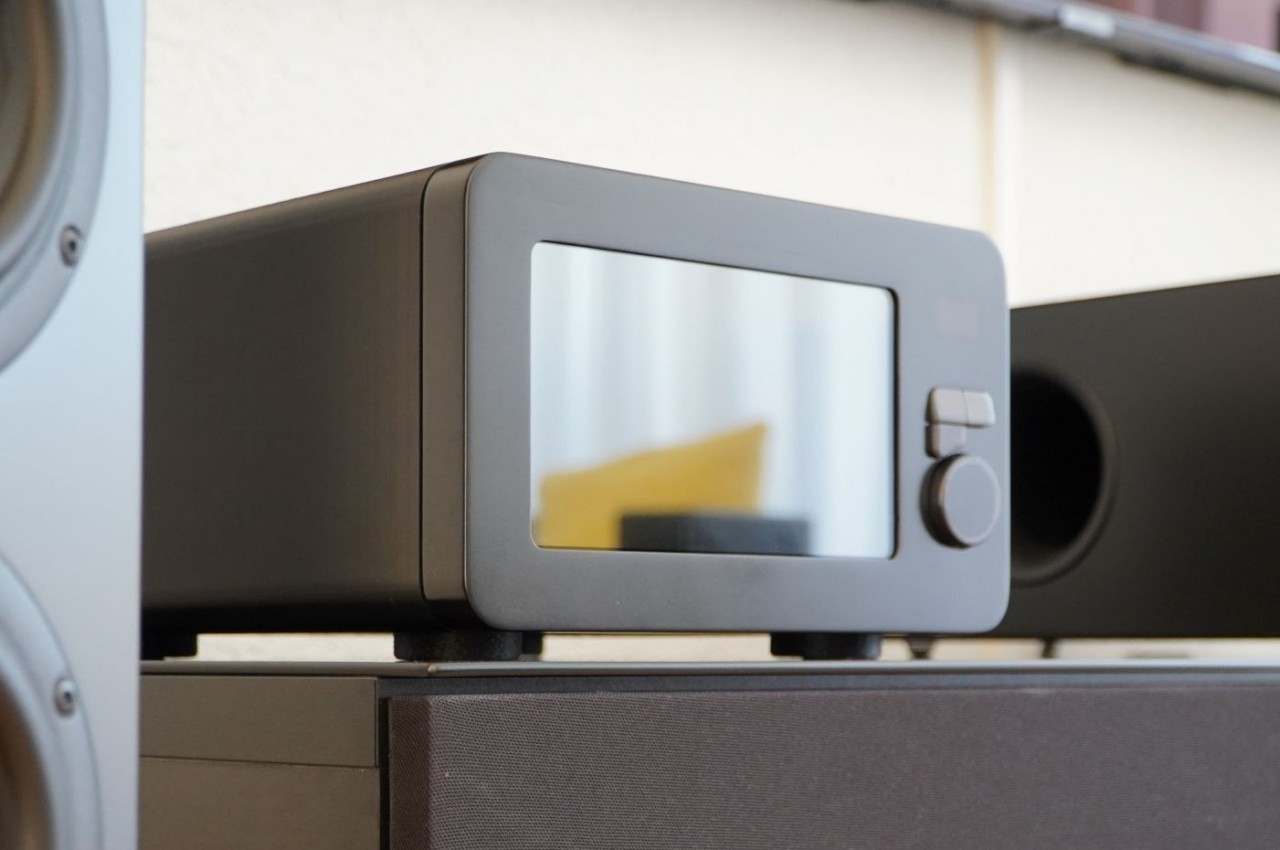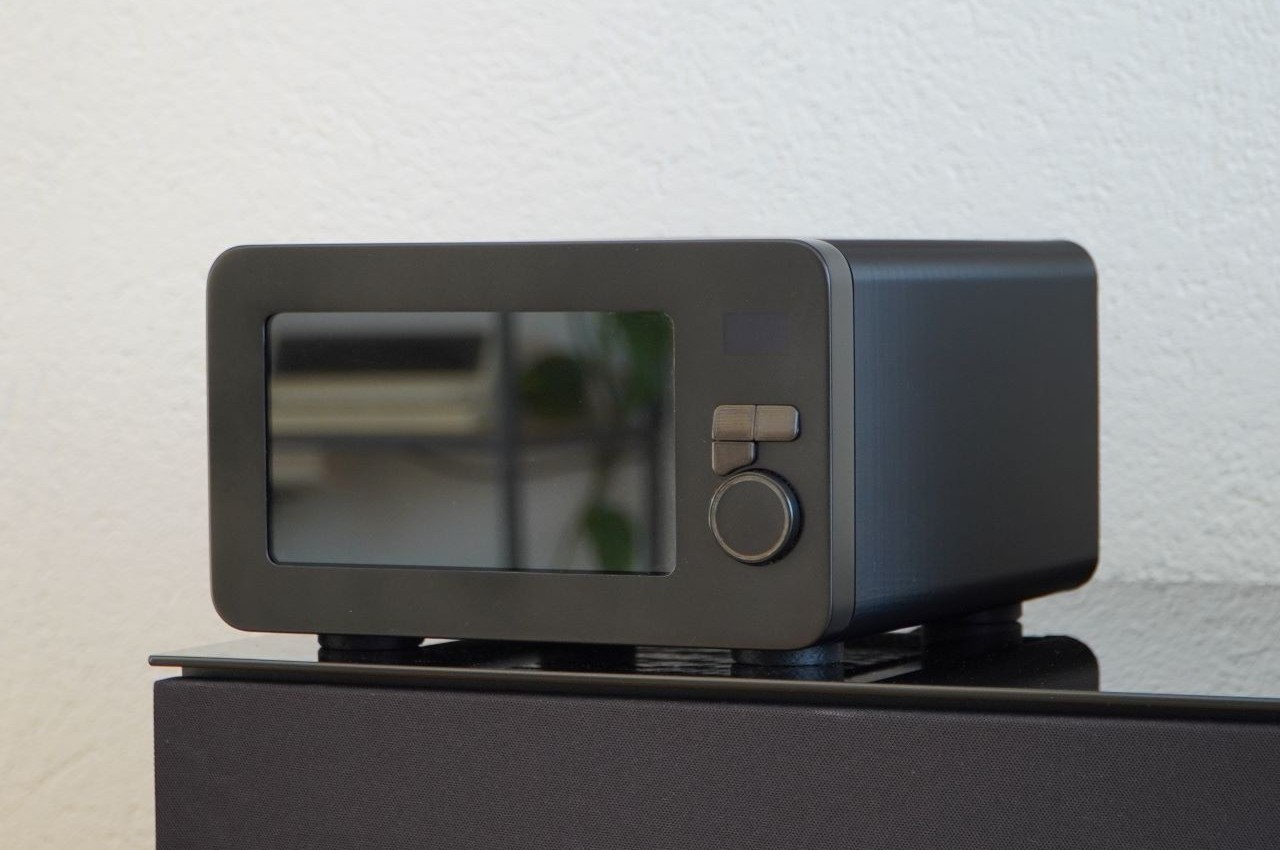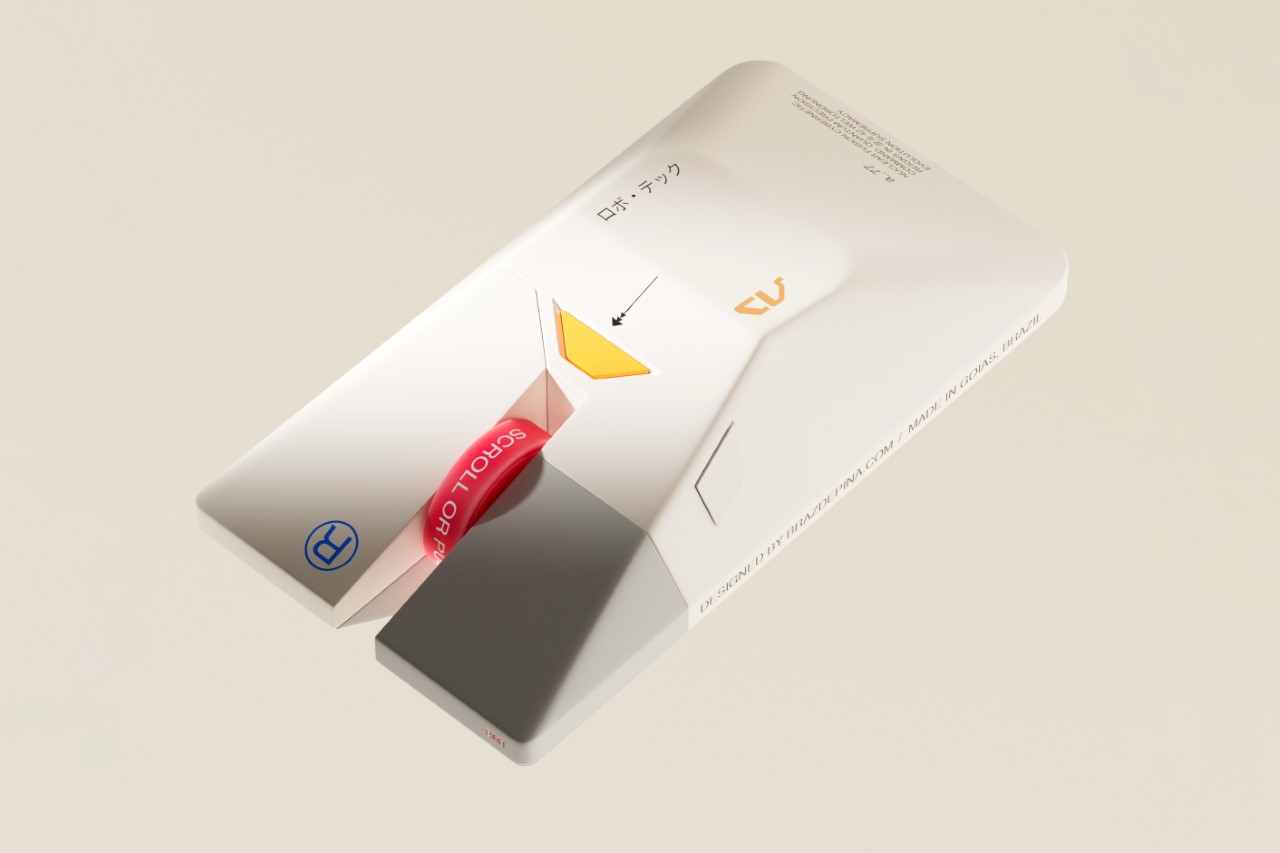
I Stopped Paying for Cloud Storage After Trying This Tiny 256GB iPhone SSD

I remember a time when smartphones had expandable storage. In fact, I remember feeling this internal rage when I saw the iPhone Air and that Apple even decided that a physical SIM slot wasn’t necessary anymore, because apparently a SIM tray blocks so much space that you need to shave down on a phone’s battery capacity. It’s wild that we’ve gotten to this point in our lives, and what’s more wild is that we now have to ‘rent’ storage out by paying for iCloud or Google Drive subscriptions to store our photos and videos. I remember when you could pop in a MicroSD card and those low-storage problems would go away… and ADAM Elements is trying to bring back that convenience with its ultra-tiny SSDs.

The iKlips S isn’t as small as a MicroSD, but it’s sufficiently more advanced than one. Barely the size of a 4-stud LEGO brick, this SSD plugs right into your smartphone, giving it an instant 256GB memory boost. It docks in your phone’s USB-C port, transferring data at incredible speeds, and here’s the best part – the tiny device packs biometric scanning too, which means you can pretty much secure your backups with a fingerprint the way you secure your phone with FaceID. The best part? No pesky subscription fees. You pay once and own the storage forever, and everything’s local and offline… so you never need to worry about remembering passwords, or about having companies and LLMs spy on your personal data to train themselves.

Designer: ADAM Elements

Click Here to Buy Now: $62.3 $89 (30% off, use coupon code “30YANKOIKPS”). Hurry, deal ends in 48-hours!

Think a thumb drive, but insanely tinier. That’s the beauty of SSDs, and ADAM Elements touts that the iKlips S currently holds the record for the world’s smallest SSD. Plug it into your phone, tablet, laptop, or any device and it instantly gets a 258GB bump. Data transfers at speeds of up to 400Mb/s with read speeds of 450Mb/s, that’s fast enough to move RAW files in milliseconds and entire 4K videos in seconds, or even directly preview/edit ProRes content on your phone, tablet, or laptop without having to transfer data to local storage. After all, that’s the dream, right?

The tiny device comes with a machined aluminum body and a lanyard hole so that you can string something through to prevent it from getting lost. Plug it into your phone to back up media, then into your laptop or iPad to edit said media. You can transfer data between multiple devices fairly quickly, across platforms too, thanks to cross-compatibility with iOS, Android, MacOS, Windows, ChromeOS, and even Linux. The tiny design sits practically flush against your phone, tablet, or laptop, occupying about the same amount of space as a USB receiver for a wireless keyboard or wireless mouse. Its most important design detail, however, hides in plain sight.

On the underside of the iKlips S is a fingerprint scanner, allowing you to add authentication to your SSD the way you add a password to your iCloud. The device can hold as many as 20 fingerprints, making it perfect for redundancies (just in case you cut a finger while chopping veggies) or even for a team of multiple people sharing data. Place your finger on the iKlips S and it unlocks the SSD, allowing you to read/write data in no time. You’re never faced with forgetting your iCloud password as your password literally lives on your fingertips.

The price of it all? A mere $62.3, which costs about as much as an annual subscription to these cloud storage services. For that, you get something you truly own, and can use without needing an app or an internet connection. Just plug it in and you’ve suddenly got extra storage. Secure the storage with a fingerprint, and move data around at speeds your internet service provider could only dream of. Neat, huh?

Click Here to Buy Now: $62.3 $89 (30% off, use coupon code “30YANKOIKPS”). Hurry, deal ends in 48-hours!

The post I Stopped Paying for Cloud Storage After Trying This Tiny 256GB iPhone SSD first appeared on Yanko Design.

Come Together Adds Rolling Speaker and Mini Fridge to Your Couch

TVs keep getting brighter and sharper, but the viewing experience is still broken up by small, annoying tasks. Getting up for a drink, fiddling with lights, or pausing mid-scene to adjust the volume. These micro-interruptions chip away at immersion more than we admit. Come Together is a concept that tries to design around those gaps instead of just upgrading the panel, treating the home theater as a full ecosystem rather than a screen on a wall.

Come Together is a three-part home theater system made up of a Tower, a Base, and a Station. It’s meant to sit alongside a premium TV as an accessory, not replace it. The Tower handles drinks, lighting, and phone charging. The Base handles spatial sound and movement. The Station is a compact dock that cools, charges, and keeps everything ready for the next movie night.

Designer: Woojin Jang

Most of the time, the Tower sits as a calm black cylinder, but when needed, it rises up to reveal a mini fridge that can hold up to five cans. An optional tray on top can be swapped in for snacks. Adaptive mood lighting under the top disc syncs with what’s on screen, and the very top surface doubles as a Qi2 wireless charging pad for your phone, so it doesn’t die halfway through a marathon.

Instead of a static soundbar, the Base is a circular spatial sound unit with drivers arranged around its perimeter and a 3D ToF sensor for spatial awareness. It maps the room, figures out where you’re sitting, and quietly rolls itself to the best spot for audio. The drive system borrows from robot vacuums, but here the goal is better sound rather than clean floors or delivering drinks in an awkward dance.

The Station is a small, low-profile dock that the system returns to when it’s done. There, it recharges and cools the mini fridge for the next session. A simple display on top shows the time and the fridge temperature, giving you just enough information at a glance. The Station keeps the whole setup feeling like a single, coherent appliance rather than a pile of separate gadgets fighting for outlets and attention.

All three components share a cylindrical, black-glass aesthetic that feels more like high-end audio gear than robots. The Tower’s rising motion and glowing top give it a bit of theater without tipping into gimmick. The Base and Station stay visually quiet, so the TV remains the focal point while the system supports it in the background, both literally and in how it shapes the room.

Come Together shows how robotics might slip into home entertainment without feeling like sci-fi props. By bundling drinks, lighting, and spatial sound into a calm, coordinated system, it treats immersion as something you can design from end to end. For anyone who’s ever hit pause just to grab a drink, the idea of a home theater that comes to you is appealing.

The post Come Together Adds Rolling Speaker and Mini Fridge to Your Couch first appeared on Yanko Design.

COMODO Entryway Stool Dries and Deodorizes Shoes While You Sit

Taking off your shoes after a long day often means being greeted by damp insoles and stale smells. Rain, sweat, and dust turn footwear into something you tolerate rather than enjoy wearing, and most people either ignore it or resort to stuffing newspaper inside them and hoping for the best. Drying racks clutter the hallway, and washing shoes every time they get wet is too much work for something you’ll just wear again tomorrow.

COMODO is a concept that treats shoe care as part of the entryway routine rather than an afterthought. It combines a small upholstered stool with a compact shoe care system inside, so the same object you sit on to put on your shoes also quietly dries, deodorizes, and refreshes them between outings. The name comes from the Spanish word for “comfortable” or “pleasant,” which pretty much sums up the whole idea.

Designer: Hyeona Cho

The form is a soft, rounded cube on four slender legs, available in muted colors like charcoal gray, mustard yellow, and sage green. The matte, slightly textured body and cushioned top make it read more like a piece of furniture than an appliance, allowing it to sit next to a shoe cabinet or mirror without looking out of place. It’s the kind of thing you could leave in the hallway without feeling like you’re displaying a gadget.

Open the small front door, and you find an interior chamber with what the designer calls an “air shoetree” and vents. Shoes can be placed on angled posts or directly on the floor of the chamber, where warm air circulates to dry them. A HEPA filter and scent filter work together to remove damp odors and add a gentle fragrance, while a UV lamp at the top targets germs on the surfaces.

The air shoetree offers some flexibility. Because you can either insert shoes onto the posts or rest them inside the chamber, COMODO can handle different shapes, from sneakers to ankle boots. The base plate slides forward like a shallow drawer, bringing the shoes closer to you and making it easier to place them or even use the raised platform while putting them on.

Of course, COMODO also doubles as a proper seat. Many people still sit on the floor to tie laces or wrestle with boots, which is uncomfortable and hard on the knees. The padded top gives you a seat at just the right height, so you can sit, open the door, pull out the sliding base, and deal with your shoes without crouching or balancing awkwardly.

COMODO imagines an entryway where shoes are not just stored but actively cared for, and where the object that helps you put them on also makes sure they’re dry, fresh, and ready for the next day. It’s a small but thoughtful intervention in the daily routine of leaving and returning home, a gentle reminder that even the most ordinary corners can benefit from a bit of design attention.

The post COMODO Entryway Stool Dries and Deodorizes Shoes While You Sit first appeared on Yanko Design.

This $200 Nintendo 64 Can Play Your Old Cartridges in 4K With Zero Lag

Palmer Luckey’s gaming company just dropped the M64, and honestly, I’m torn about the whole thing. The guy’s built actual VR headsets that changed gaming, sure, but he’s also neck-deep in military contracting through Anduril, which makes autonomous drones and surveillance tech for the Department of Defense. So when he teases a translucent purple Nintendo 64 clone on X with a note saying “no peeking until Christmas,” I’m simultaneously hyped about the hardware and deeply uncomfortable about where my $200 might end up. The M64 hits that exact nostalgia sweet spot with three transparent colorways (purple, green, and white) that scream late 90s Funtastic edition, complete with matching wireless trident controllers that preserve the original’s questionable three-pronged ergonomics.

The timing feels deliberate in the best possible way for ModRetro. Analogue 3D shipped to pre-order customers last month after being sold out for over six months, and here comes the M64 exactly when early adopters are posting unboxing videos and first impressions. You can sign up for the waitlist now and get priority when it goes on sale, though if the Chromatic’s instant sellout taught us anything, that waitlist notification better ping your phone fast. The price point matters because $200 puts this squarely in impulse-buy territory for people who’ve been sitting on a stack of N64 cartridges since 1998, waiting for something better than janky software emulators or hunting down original hardware with failing capacitors.

Designer: ModRetro

The console uses AMD-powered FPGA technology and features four controller ports, a power button, a menu dial, and an eject button, with both hardware and software confirmed as open-source. That menu dial is the interesting bit because it suggests actual system-level features beyond basic cartridge reading. Could be scanline filters for that authentic CRT feel, aspect ratio toggles, or even overclock options like what Analogue builds into their consoles. We don’t have concrete specs on the actual FPGA chip yet, but the AMD chip is likely much larger and faster than the one in ModRetro’s Game Boy-like Chromatic, which makes sense given the N64’s significantly more complex architecture. The Reality Coprocessor, the texture filtering system, the expansion pak doubling RAM mid-generation – all of that needs accurate recreation at the hardware level if you want GoldenEye and Rogue Squadron running without the timing glitches that still plague software emulation in 2025.

The system promises 4K graphics with classic N64 visuals, which translates to clean upscaling rather than texture packs or visual overhauls that some emulators push. FPGA consoles shine here because they maintain pixel-perfect accuracy and minimal latency while outputting through modern HDMI connections. Anyone who’s tried running Perfect Dark through RetroArch knows the N64’s quirky architecture makes software emulation perpetually finicky. Audio sync issues, texture warping that doesn’t match original hardware, input lag that throws off muscle memory from childhood speedruns – FPGA sidesteps all of that by literally rebuilding the original silicon pathways in programmable logic gates. The open-source firmware commitment matters too because it means community developers can add features, fix edge cases, and potentially expand compatibility beyond Nintendo’s official library if ModRetro’s implementation allows it.

The elephant in the room is Anduril. Luckey co-founded the military tech company that makes autonomous drones, surveillance systems, and weapons platforms with billions in government contracts. Every M64 purchase potentially funds defense projects that some buyers might find uncomfortable, and Luckey’s various companies are built to promote his excessively militaristic worldview according to critics. This isn’t tangential either – Anduril is Luckey’s primary focus, not a side investment. Whether that matters to you personally is a calculation only you can make. The Analogue 3D costs more and restocks are brutal, but your money goes to a company focused exclusively on gaming hardware preservation. Practically every tech purchase has military connections somewhere in the supply chain, but there’s a difference between incidental contracts and building autonomous weapons as your core business model. Some people won’t care. Others will wait months for Analogue restocks rather than compromise on this particular issue.

The hardware itself looks genuinely sharp though. Those transparent shells channel the atomic grape and jungle green N64 variants that defined late 90s bedroom gaming setups, and the wireless controllers solve the biggest practical problem with original hardware – constantly tripping over cables stretched across living rooms. Luckey promises the M64 will remain at $200 through Black Friday and beyond despite inflation and component shortages, which suggests they’ve locked in manufacturing costs and aren’t playing the artificial scarcity game that plagued PS5 launches. If ModRetro actually ships before Christmas and the FPGA implementation handles compatibility cleanly across the N64’s library, this becomes the accessible entry point for cartridge-based retro gaming that doesn’t require scouring eBay for working consoles or dealing with composite video on modern displays.

The post This $200 Nintendo 64 Can Play Your Old Cartridges in 4K With Zero Lag first appeared on Yanko Design.

SPOT ON Charger Makes Wireless Charging Feel Like a Bullseye

Wireless chargers have become common, but most are anonymous black discs that disappear into the desk. They do the job, but rarely feel personal or satisfying to use beyond the first week you own them. SPOT ON is a concept that tries to make charging feel more deliberate and expressive, combining a magnetic pad with a small lamp so the whole interaction has a bit more presence on your nightstand or desk.

SPOT ON is a wireless charger and ambient lamp concept designed around a bow-and-target motif. The charging pad is a circular target that snaps magnetically to the front of a tilted cylindrical lamp body. You can dock the pad to use it as a stand charger, or pull it off and lay it flat as a separate wireless pad while the lamp continues to glow in the background.

Designer: SEUNG-A-LEE

Inside the pad is a magnet that aligns the phone with the charging coil, so when you bring your device close, it snaps into place with a satisfying click. The designer explicitly likens this to hitting the target, turning the usual hunt for the right charging spot into a more playful, bullseye moment. The subtle cross mark on the pad reinforces that visual cue every time you place your phone.

The lamp body is a tilted cylinder with vertical grooves, mounted on a simple rectangular base. When lit, the ribbed surface diffuses a warm, gentle glow, more mood light than task lamp. It’s the kind of object that can sit on a bedside table or shelf without screaming tech, giving you a bit of atmosphere while your phone charges upright in front of it.

Because the pad attaches magnetically, it can be pulled off in one motion and used as a flat wireless charger anywhere on the desk or nightstand. The lamp stays behind as a standalone light. That separation lets users adapt SPOT ON to different environments and habits, whether they prefer a stand for video calls or a low pad for casual overnight charging without the upright position.

SPOT ON comes in soft, desaturated tones like warm beige, blush pink, and muted teal, each with a matching pad. The palette leans more toward interior decor than gadgetry, making it easier to blend into different rooms. The combination of simple geometry, gentle colors, and the bow-and-target metaphor gives the charger a character that feels more like a small object you chose than a piece of infrastructure you tolerate.

SPOT ON is a reminder that even something as mundane as charging a phone can be turned into a small ritual. By adding a magnetic snap, a bit of ambient light, and a form that shifts between stand and pad, it nudges the interaction from purely functional to quietly satisfying. For anyone tired of generic charging pucks, this kind of concept hints at a more thoughtful future for everyday tech.

The post SPOT ON Charger Makes Wireless Charging Feel Like a Bullseye first appeared on Yanko Design.

The Huawei X3 Pro Wi-Fi Router Is What Happens When a Mesh Router Meets a Lava Lamp

Not many people know this, but there is a wall filled with lava lamps in San Francisco that helps keep our internet secure. Cloudflare’s office lobby has a “Wall of Entropy,” a bank of about 100 lava lamps whose constantly shifting, gooey patterns are filmed by a camera. The video feed is converted into a stream of unpredictable, random bytes that helps create cryptographic keys to encrypt a significant chunk of the world’s web traffic. It is a brilliant, whimsical solution to a serious digital problem and perhaps the first instance of a piece of home decor serving a grander purpose in our connected world. Huawei’s new X3 Pro, a sculptural tabletop mesh router that looks like a tiny, self-contained icy mountain, might just be the second.

For years, the router has been the ugliest, most unloved piece of tech in the house. A black or white plastic box bristling with spidery antennas and blinking lights, it is the sort of device you shove behind a bookshelf or a plant, hoping no one notices it. The irony, of course, is that the best place for a router is out in the open, where its signal can propagate freely. Huawei seems to have taken this problem to heart, deciding that if a router has to be visible, it might as well be beautiful. The X3 Pro is the result: a tall, translucent cone that houses a textured, mountain-like sculpture. It looks less like networking hardware and more like an art glass piece you would find in a museum gift shop.

Designer: Huawei

The design is not just for show; it is deeply functional. The antennas, the components that are usually the most visually offensive part of a router, are cleverly hidden inside that central mountain core. The lighting is not a series of distracting blue and green status LEDs but a soft, ambient glow that shifts between warm, fiery amber and cool, glacial white throughout the day, mimicking a sunrise over a peak. It is designed to be a conversation piece, a calm presence on a coffee table that encourages you to place it right in the center of your living space, which is exactly where it will perform best.

Beneath that serene exterior, the X3 Pro is a thoroughly modern piece of networking equipment. It is a Wi-Fi 7 system, offering combined theoretical speeds of up to 3570 Mbps across its 2.4 GHz and 5 GHz bands. The main unit is equipped with two 2.5 Gbps Ethernet ports and one 1 Gbps port, providing enough bandwidth for multi-gig internet plans or a high-speed connection to a network-attached storage (NAS) drive.

Perhaps its most practical feature for challenging homes is its hybrid mesh technology. The system comes with a smaller, equally elegant satellite node. In addition to using Wi-Fi to create a mesh network, the X3 Pro supports PLC 3.0, or Power Line Communication. This allows the router and its nodes to use your home’s existing electrical wiring as a stable, wired backhaul. For anyone living in a home with thick concrete or brick walls that kill Wi-Fi signals, this is a game-changer, offering a more reliable connection between nodes than Wi-Fi alone can provide.

Everything is managed through Huawei’s Smart Life app, which handles setup, security features like WPA3, and specialized modes like Game Turbo for reducing latency. It is a complete package that marries high-end performance with a design that finally respects the aesthetics of a modern home. The X3 Pro makes a compelling argument that the most important devices in our lives do not have to be ugly. Just like those lava lamps in San Francisco, it proves that sometimes the best technology is the kind you actually want to look at.

The post The Huawei X3 Pro Wi-Fi Router Is What Happens When a Mesh Router Meets a Lava Lamp first appeared on Yanko Design.

GravaStar Mercury V60 Pro Deluxe Edition keyboard has serious sci-fi vibes

GravaStar is known for turning everyday tech into bold, futuristic design objects. Instead of following the usual clean, minimal aesthetic, Gravastar leans hard into a sci-fi, cyberpunk, mech-inspired look. Their products often resemble tiny robots, armored pods, or mechanical artifacts pulled straight from a video game universe.

Majorly expertising in Bluetooth speakers and earbuds, the China-based brand has crafted a niche in the gadget market with its eye-popping creations, including the robot-inspired Bluetooth speaker, gaming mouse, and earbuds with a sci-fi case. Now the makers have tried their hand at creating a limited edition keyboard, because why not? Even though they’ve got the Mercury V75 Pro in their arsenal, this one hits different with its design and functionality.

Designer: GravaStar

This is the Mercury V60 Pro Deluxe Edition keyboard that looks unlike any buyable keyboard we’ve seen thus far. Just imagine this one sitting on your geeky desk alongside other themed gadgets. In fact, going through the catalogue of products is an interstellar experience in its own. Coming back to this cool peripheral, it’s not about the looks alone. It comes with an 8000Hz polling rate and 256kHz key-position scanning that ensures True 8kHz polling. Thus, making it ideal for power users and gamers, since the latency is just 0.125ms and 0.005 RT precision. The acoustic five-layer foam on the inside absorbs any off-putting vibrations during typing.

The fun doesn’t stop there, as the keyboard has GravaStar UFO magnetic gaming switches for a satisfying tactile typing experience.  It also gets the hot swappable keys for swapping with magnetic Hall Effect switches. Other important features include the dynamic rapid trigger, rapid trigger mode, last keystroke prioritization (LKP) + snap click. The bundled translucent frosted keycaps further enhance the overall aesthetics of the peripheral, as it turns into a sci-fi gadget the moment you turn on the RGB lights. The multi-zone RGB lighting has 16 customizable modes and dual-zone control for keys and ambient side lights. The brightness, hue and color of the selected modes can also be toggled.

Pair that with the full-aluminum alloy frame that’s mildly skeletonized, and you’ve got a seemingly premium accessory ready for your tasks. The keyboard, measuring 12.8 x 4.95 x 1.61 inches, has a 60 percent layout and measures a comfortable 1. Lbs. This makes it perfect for all kinds of tasks, whether you are at home or mobile. GravaStar is offering the Mercury V60 Pro Deluxe Edition in two color options: gunmetal and chrome silver. Both of these variants look cool, and for a price tag of $220, you can’t go wrong with this head-turning keyboard.

The post GravaStar Mercury V60 Pro Deluxe Edition keyboard has serious sci-fi vibes first appeared on Yanko Design.
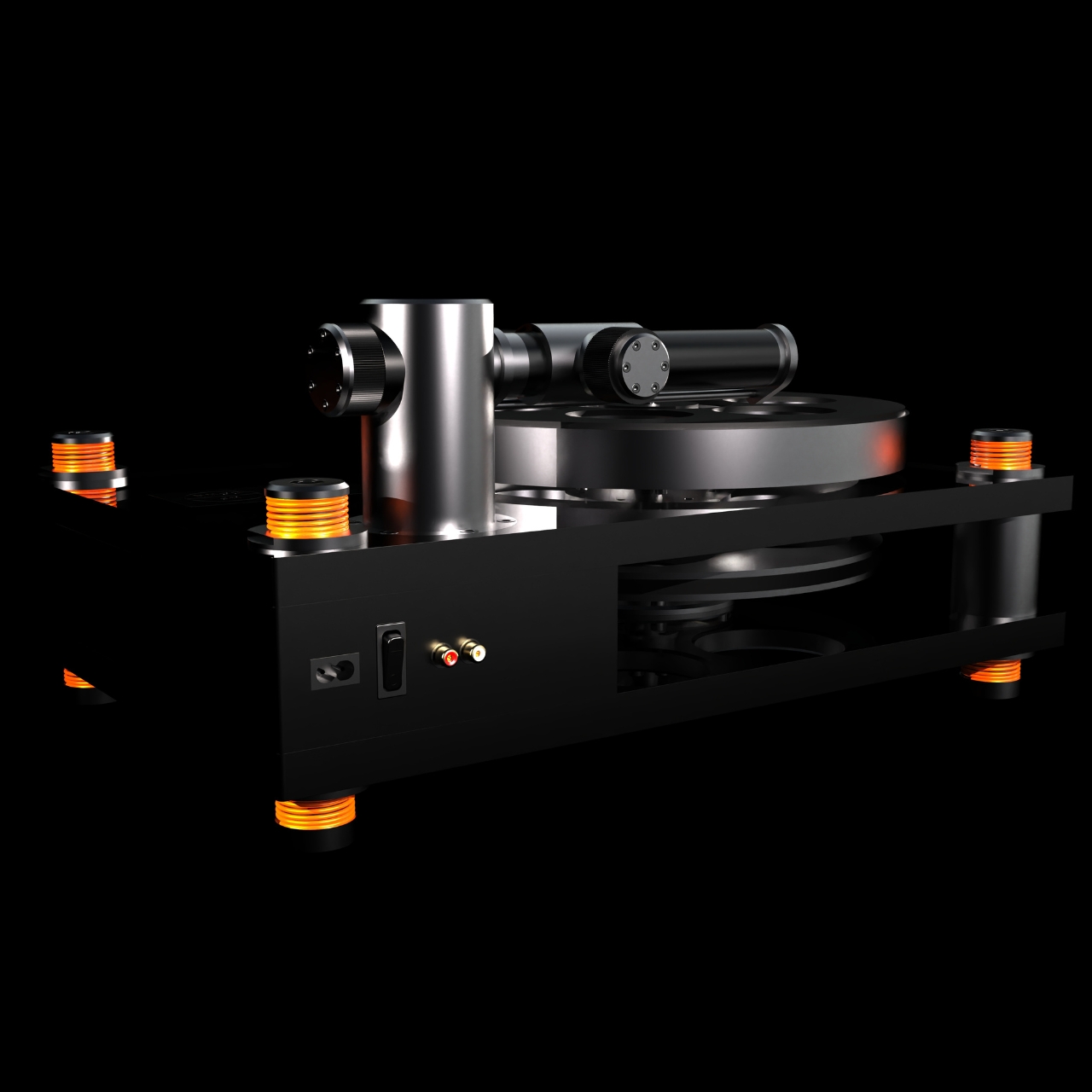
Tilt This Smart Clock, and It Triggers Your Entire Bedtime Routine

Most smart home routines now live inside apps and voice menus, which is powerful but often feels abstract and fiddly. Controlling physical things through layers of screens can feel backwards, especially for simple daily transitions like going to bed or waking up. This smart alarm clock concept treats day and night as a single, physical gesture instead, asking what would happen if your entire bedtime routine followed one tilt of a solid object.

The concept is a smart alarm clock that doubles as an IoT scene switcher. It’s a small wedge-shaped object with a square display on one face and fabric wrapping the rest of the body. Instead of tapping through modes, you literally tilt the clock like a seesaw to flip between day and night. The display follows, showing a bright sun or a dim moon depending on which way it rests.

Designer: Hojung Cha

In day orientation, the clock faces you with a bright UI, lights and music on, and your phone fully awake. Tilt it the other way into night mode, and the screen darkens, lights fade, music winds down, and your phone can automatically switch to Do Not Disturb while setting an alarm for the morning. One physical move triggers a whole bedtime routine without touching a single app or menu.

The form is a soft rectangular block with one angled face for the display, wrapped in fabric so it feels more like a piece of furniture than a gadget. The angled front makes it easy to read from bed, and the two stable resting positions are obvious at a glance. It looks comfortable on a nightstand next to a lamp and a book, not like a piece of lab equipment waiting to blink at you.

The clock inverts the typical IoT relationship. Instead of your phone being the remote for everything else, the clock becomes a physical remote for the phone. It can tell your smartphone when to be quiet, when to wake you, and when to leave you alone. At the same time, it coordinates with lights and speakers, acting as a simple, dedicated interface for the most common daily transition in the home.

The design borrows the familiar bedside clock silhouette but adds the tilt mechanic and a clean, modern display. The goal is technology that can be seen, touched, and held, making its function legible without an instruction manual. The two orientations and matching UIs turn a behavior we already do, such as getting up or going to bed, into something the object naturally understands and responds to.

The smart alarm clock concept is a small argument for more tangible IoT. It doesn’t try to solve every scenario with an app; it focuses on one moment and makes it physical, glanceable, and easy to understand. The idea of flipping a solid object to tell your home and your phone “day” or “night” feels like the kind of interaction our sleepy brains can actually live with.

The post Tilt This Smart Clock, and It Triggers Your Entire Bedtime Routine first appeared on Yanko Design.
IKEA and Teklan Turn Tech Into Eye Candy

You know that weird thing we do with tech products? We buy them, we use them every day, but then we kind of hide them. Tuck the speaker behind the plant. Stash the lamp in the corner. As if apologizing for needing functional things in our homes. IKEA’s new collaboration with Swedish designer Tekla Evelina Severin (known as Teklan) is here to flip that script entirely.

The Teklan collection, which launches globally this December, is all about making your speakers and lamps the main character instead of background extras. We’re talking bold patterns, nostalgic color combos, and shapes that look like they wandered out of a really cool vintage store and somehow learned to play your Spotify playlist.

Designer: Teklan for IKEA

At the heart of the collection is the SOLSKYDD family, a trio of round Bluetooth speakers that refuse to be boring. The smallest is an 8-inch portable speaker in orange with a pattern that practically demands attention. The medium version comes in green with brown and beige diagonal stripes that feel very 70s but in the best possible way. And the largest? An 18-inch wall-mounted beast in textured orange that can even connect to a screen. These aren’t speakers that blend in. They’re conversation starters that happen to have excellent acoustics, designed by Ola Wihlborg to balance form with serious sound quality.

Then there’s the KULGLASS lamp speakers, which might be my favorite thing about this entire launch. Teklan designed them to look like soft-serve ice cream, because why shouldn’t your tech look like dessert? They come in mint green and a red-brown with pink combo, and they work as both lamps and Bluetooth speakers. The built-in volume knob is a nice tactile touch in a world where everything is controlled by tapping a screen.

What makes this collaboration feel special isn’t just the aesthetic, though the colors are definitely doing the heavy lifting. It’s the intention behind it. Teklan literally went to her grandparents’ house to match the exact shade of mint green to an old bar of soap from her childhood memories. That level of personal storytelling in product design is rare, especially for mass-market furniture retailers.

“We wanted to bring that softness and friendliness into technology, to help people see home electronics differently and invite more colour into their everyday spaces,” Teklan explained. And honestly, mission accomplished. These products feel warm and approachable in a way that most tech doesn’t. While the insides are packed with all the technical complexity you’d want from quality speakers, the outsides feel almost playful.

The collection also includes a refresh of IKEA’s cult-favorite VAPPEBY speaker, now decked out in Teklan’s signature colors, plus a whole range of braided charging cables called SITTBRUNN, RUNDHULT, and LILLHULT that are inspired by climbing ropes. Even your charging cables get to have personality now.

All the speakers can connect to each other and other compatible IKEA Bluetooth speakers for multi-speaker mode, and they support Spotify Tap, so you can seamlessly continue whatever you were listening to. The SOLSKYDD also comes in a plain white version if you’re not quite ready to commit to orange geometric patterns (though I’d argue that’s missing the point). Price-wise, we’re still solidly in IKEA territory. The portable SOLSKYDD starts at $80, the medium at $100, and the largest at $140. The KULGLASS lamp speakers are $130. Not cheap for IKEA, but reasonable when you consider you’re getting both form and function wrapped in genuinely unique design.

This collaboration represents something bigger than just pretty speakers. It’s part of a shift in how we think about the stuff that makes our homes work. After years of minimalism telling us to hide everything, make it all white, keep it neutral, there’s this growing appetite for objects with personality. Things that reflect who we are, what we love, the colors that make us happy.

IKEA has been experimenting with this more expressive approach since ending its partnership with Sonos earlier this year. The Teklan collection feels like a confident step into that space, proving that affordable design doesn’t have to mean boring design. The collection starts rolling out in December, with specific dates varying by market, so check with your local IKEA for availability. And maybe start thinking about where you want to display, not hide, your next speaker.

The post IKEA and Teklan Turn Tech Into Eye Candy first appeared on Yanko Design.
These 3 Desk Objects Make Shredding, Crushing Feel Like Design

Many of us already practice tiny acts of destruction when we’re stressed. Shredding receipts, crumpling paper, or picking at packaging feel oddly satisfying even though we usually hide them. They’re little releases that most designs ignore, treating them as guilty pleasures instead of real human behaviors. Art of Destruction is a concept that leans into those impulses and asks what happens if industrial design treats them as experiences worth designing.

The project is a trio of objects named Disintegrate, Compress, and Explosion. Each one takes a different destructive action and turns it into a deliberate, almost ceremonial interaction. They share a visual language of cool grey bodies, orange accents, clear panels, and exposed mechanisms that make them look more like hi-fi gear than office tools. Together, they feel like a small family of instruments for controlled chaos on your desk.
Designers: Meesol Park, JiHoon Park, MIN A Kim, Nahyeon Kwon, Dongkyun Kim, Taeyoon Kim

Create your own Aesthetic Render: Download KeySh2ot Studio Right Now!

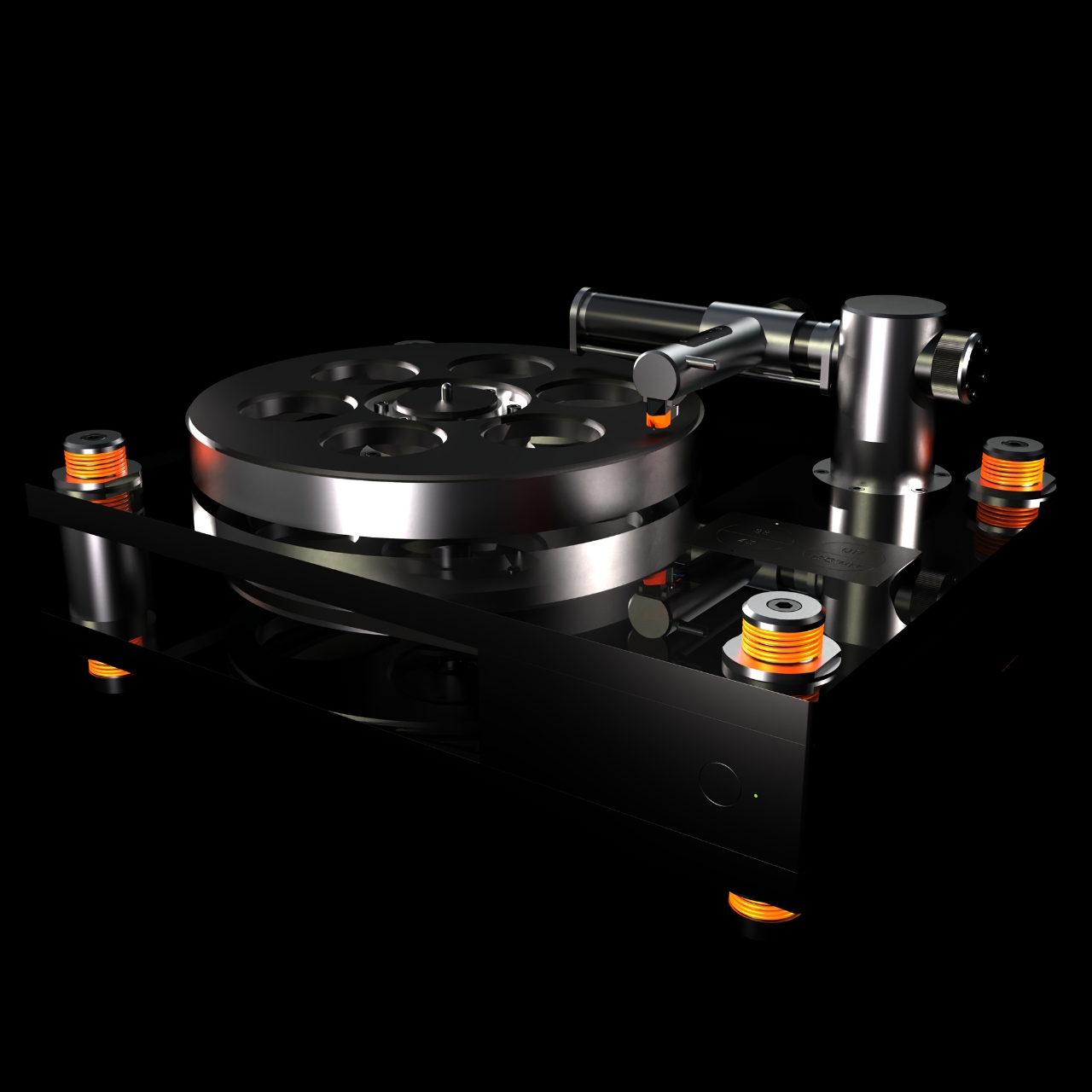
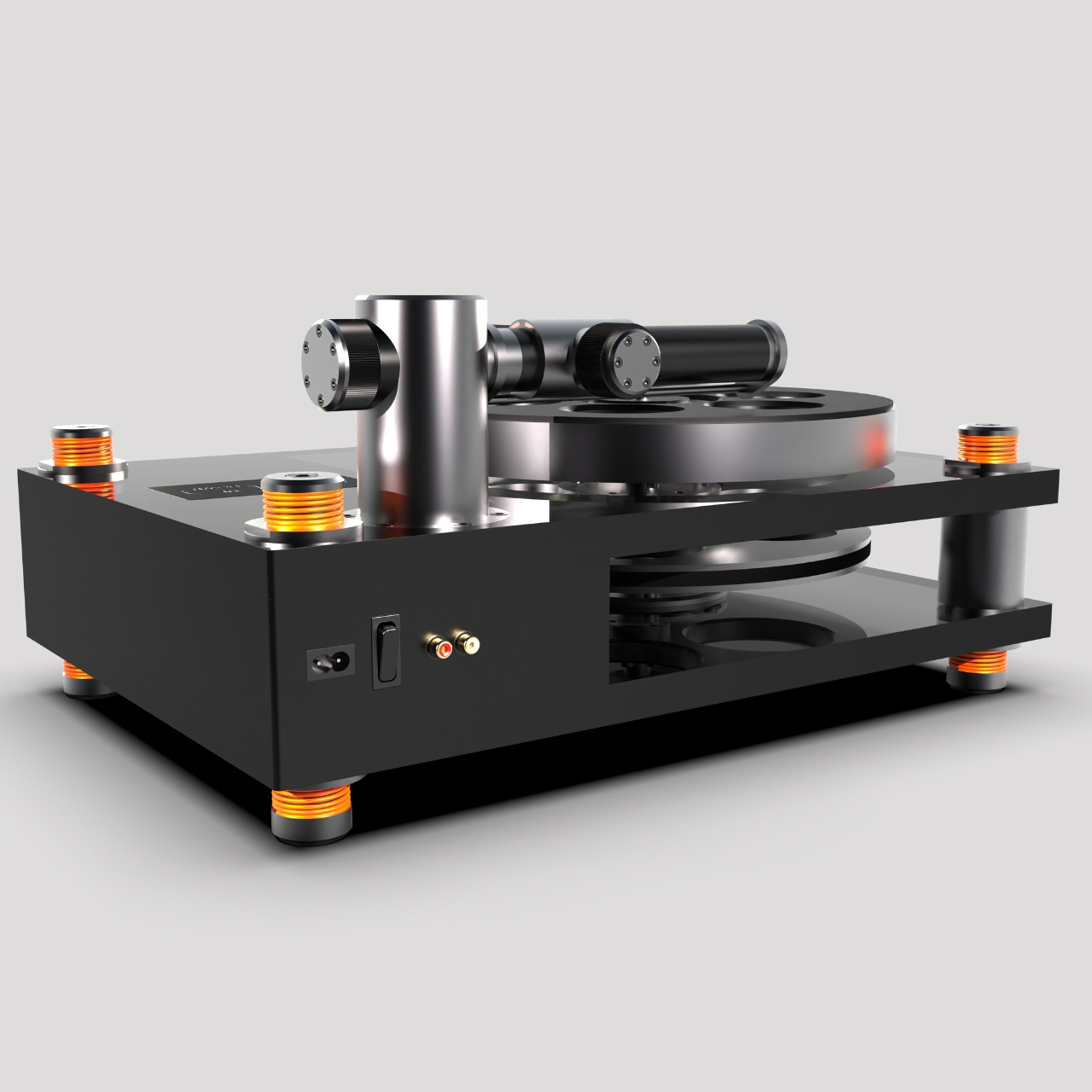
Disintegrate is a reimagined paper shredder that puts the whole process on display. A rectangular frame with a large side window reveals gears, belts, and blades pulling paper into a cylindrical bin. A big orange dial and a row of circular buttons invite you to tune the experience. Shredding becomes less about security and more about watching documents get mechanically unmade in sound and motion.

Compress is a small cylindrical compactor that looks like a cross between a speaker and a sculptural vase. The top is a solid metal cap, while the lower half is a clear chamber showing a twisted vortex of ribs inside. Drop something in, press down, and the spiral structure crushes it into a neat puck. The act of compression becomes a slow, visual performance instead of a quick, guilty squeeze.

Explosion is a flat tabletop console built around a central well of magnetic fluid. A large knob and button sit on one corner, and a perforated grid hints at lights or sound. Press the control, and a pulse of magnetism sends the ferrofluid erupting into spikes before it settles back. It’s a safe, repeatable way to trigger miniature explosions, with the mess contained behind a clear top plate.

The three devices work together visually. In the group shots, they share proportions and detailing, so they could sit on a desk like a family of instruments. Transparent panels and exploded views reveal carefully layered internals, turning mechanisms into part of the aesthetic. They feel less like gadgets and more like props from a film about emotional regulation through designed objects.

Art of Destruction is a playful question about how we deal with tension and boredom. Instead of hiding our urge to tear, crush, or explode things, these concepts imagine channeling it through objects that are honest about what they do and beautiful while doing it. Whether or not they ever exist beyond renders, they make a strong case that even destruction can be a mindful ritual.

The post These 3 Desk Objects Make Shredding, Crushing Feel Like Design first appeared on Yanko Design.