Proton VPN is running a solid deal right now, dropping its two-year Proton VPN Plus plan to $2.99 per month. That works out to $72 billed upfront for the first 24 months, which represents a 70 percent discount compared to its regular pricing.
We’ve rated Proton VPN highly thanks to its strong privacy credentials, transparent nonprofit backing and consistently fast performance. It’s one of the services we recommend in our guide to the best VPNs, and this deal also shows up alongside other standout offers in our ongoing roundup of the best VPN deals. It’s a good option if you’re looking to lock in long-term protection at a lower monthly cost.
In our Proton VPN review, the service impressed us with consistently fast performance and strong privacy protections. We measured average download speeds at 88 percent of our unprotected connection and upload speeds at 98 percent, which is more than enough for 4K streaming, gaming and torrenting. It also unblocked Netflix in every region we tested, and while its Mac and iOS apps aren’t quite as polished as the Windows and Android versions, the service is still easy to install and largely set-it-and-forget-it across platforms. We gave Proton VPN a score of 90 out of 100.
Proton VPN Plus is the company’s premium tier and includes access to its full server network, which now spans more than 15,000 servers across 120-plus countries. A single subscription covers up to 10 devices at once and unlocks features like NetShield ad and malware blocking, Secure Core “double hop” connections, split tunneling, custom DNS controls and priority customer support. Proton VPN Plus also supports fast P2P traffic on nearly all paid servers and includes VPN Accelerator, which helps maintain high speeds over long-distance connections.
Right now, Proton VPN Plus is discounted to $2.99 per month when you commit to two years, billed as $72 upfront for the first 24 months. After that, the plan renews annually at $83.88. That’s a 70 percent discount compared to the standard monthly rate. As with Proton’s other paid plans, the subscription comes with a 30-day money-back guarantee, so you can try it risk-free if you’re not ready to lock in long term.
This article originally appeared on Engadget at https://www.engadget.com/deals/proton-vpn-two-year-subscriptions-are-70-percent-off-right-now-123000972.html?src=rss
Apple’s AirTag is designed to run quietly in the background, helping you keep track of everyday items like keys, bags and luggage. Unlike many small trackers, an AirTag doesn’t need to be charged. Instead, it uses a standard replaceable coin cell battery that typically lasts around a year, depending on usage.
When the battery runs low, your iPhone will alert you. Replacing it is a simple process that takes just a few minutes and doesn’t require any tools. This guide explains how to tell when your AirTag battery needs replacing, which battery to use and how to swap it safely.
How to replace the battery in your AirTag
Replacing the battery only takes a few steps.
Hold the AirTag with the polished stainless steel side facing up.
Press down firmly on the metal battery cover and rotate it counterclockwise. Continue turning until the cover stops moving.
Lift off the cover and remove the old battery.
Insert a new CR2032 battery with the positive (+) side facing up. Once the battery is seated correctly, the AirTag will emit a brief chime, confirming that power has been restored.
Place the battery cover back onto the AirTag. Align the three small tabs on the cover with the matching slots on the AirTag body.
Press down gently and rotate the cover clockwise until it stops. The cover should sit flush with the AirTag and feel secure once locked into place.
No pairing or setup steps are required after replacing the battery. Your AirTag will automatically reconnect to your Apple ID.
When to replace your AirTag battery
Your iPhone will automatically notify you when an AirTag battery is running low. The alert appears as a notification and doesn’t interrupt tracking, but it’s a good idea to replace the battery quickly to avoid losing location updates.
If you’re unsure whether your AirTag battery needs replacing, open the Find My app, tap the Items tab and select your AirTag. If a message appears under the AirTag name stating “Low Battery”, you’ll know it needs replacing. If no message appears, it’s safe to assume the battery level is fine for now. AirTags don’t have a screen or any other battery indicator, but Apple does show a battery percentage for AirTags in the FindMy app. The low battery warning is the only signal Apple provides before replacement becomes necessary.
What to do if your AirTag doesn’t make a sound
If you don’t hear a sound after inserting the new battery, remove it and check that it’s oriented correctly with the positive side facing up. You should also secure the back cover onto the AirTag as well, to see if the chime sounds after that.
If the battery is oriented properly and still doesn’t trigger a sound, try a different CR2032 battery. AirTag uses a CR2032 lithium 3V coin battery, a common type available at most electronics stores, supermarkets and pharmacies. Some batteries, particularly those with thick coatings, may not make consistent contact. Apple suggests looking for packaging that states “Compatible with AirTag.” Once a working battery is installed, the AirTag should resume normal operation immediately.
How often should you replace your AirTag battery
Most AirTag batteries last about a year under typical use. Frequent use of Precision Finding, sound playback or location updates may reduce battery life. iOS will notify you before the battery is fully depleted, so there’s no need to replace it preemptively unless you’re preparing for long-term travel or storage.
Used coin batteries should not be thrown in household trash. Many retailers and recycling centers accept lithium batteries for proper disposal. Check local recycling guidelines for battery drop-off locations. Storing used batteries in a secure container until they can be recycled helps reduce the risk of accidental contact or ingestion.
Replacing an AirTag battery is one of the simplest maintenance tasks Apple devices require. With a readily available battery and no tools involved, most users can complete the process in under a minute. As long as you pay attention to low battery notifications and follow basic safety precautions, your AirTag should continue tracking your belongings reliably with minimal effort.
This article originally appeared on Engadget at https://www.engadget.com/computing/accessories/how-to-replace-your-airtag-battery-130000463.html?src=rss
Apple still hasn’t confirmed a foldable iPhone, and the company’s latest round of product announcements didn’t change that. Apple launched several new devices last week, but there was still no mention of a folding iPhone. Even so, the steady stream of leaks and analyst reports hasn’t slowed. Over the past few months, supply-chain sources and leakers have continued to sketch out Apple’s possible plans, with most signs still pointing to a launch in the second half of 2026.
As with any unannounced Apple hardware, plenty could shift before anything ships. Features can be revised, timelines can move and some ideas may never make it beyond internal testing. Even so, the growing consistency across recent reports offers a clearer picture of how the so-called iPhone Fold might take shape and where it could land in Apple’s lineup.
Below, we’ve rounded up the most credible rumors so far, and we’ll keep this guide updated as new details emerge.
When could the iPhone Fold launch?
Rumors of a foldable iPhone date back as far as 2017, but more recent reporting suggests Apple has finally locked onto a realistic window. Most sources now point to fall 2026, likely alongside the iPhone 18 lineup, with some supply-chain hints suggesting mass production could begin in mid-2026 if development stays on track.
Some reports still claim the project could slip into 2027 if Apple runs into manufacturing or durability issues, particularly around the hinge or display. Given Apple’s history of delaying products that it feels aren’t ready, that remains a real possibility.
What will the iPhone Fold look like?
Current consensus suggests Apple has settled on a book-style foldable design, similar to Samsung’s Galaxy Z Fold series, rather than a clamshell flip phone.
When unfolded, the iPhone Fold is expected to resemble a small tablet like the iPad mini (8.3 inches). Based on the rumor mill, though, the iPhone Fold may be a touch smaller, with an internal display measuring around 7.7 to 7.8 inches. When closed, it should function like a conventional smartphone, with an outer display in the 5.5-inch range.
CAD leaks and alleged case-maker molds suggest the device may be shorter and wider than a standard iPhone when folded, creating a squarer footprint that better matches the aspect ratio of the inner display. New images shared by leaker Sonny Dickson appear to back up that general design direction. The CAD files show what looks like a book-style foldable with a camera plateau similar to the iPhone Air, though with two rear cameras instead of one. The renders also suggest a layout with a punch-hole front camera on the inner display and squared-off edges near the hinge, which would be consistent with earlier reports about the device’s overall form factor.
If that theory holds, it could help explain the Fold’s rumored dimensions. Thickness is expected to land around 4.5 to 4.8mm when unfolded, according to analyst Ming-Chi Kuo, putting it in a similar range to the iPhone Air, and roughly 9 to 9.5mm when folded, depending on the final hinge design and internal layering.
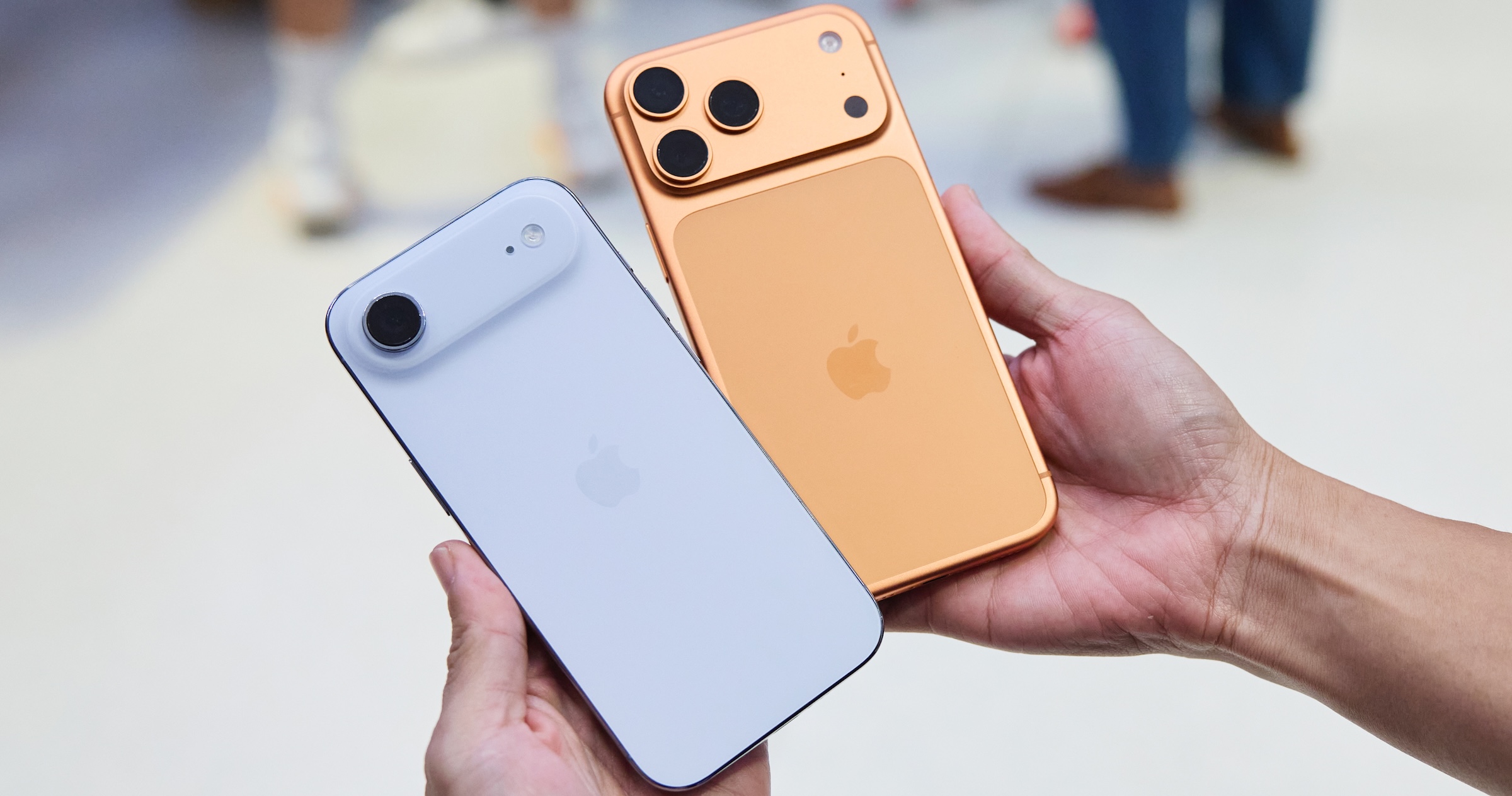
iPhone 17 Pro, iPhone Air
Engadget
Display and the crease question
The display is arguably the biggest challenge for any foldable phone, and it’s an area where Apple appears to have invested years of development.
According to these reports, the panel combines a flexible OLED with a laser-drilled metal support plate that disperses stress when folding. The goal is a display with a nearly invisible crease, something Apple reportedly considers essential before entering the foldable market.
If Apple does use this panel, it would mark a notable improvement over current foldables, which still show visible creasing under certain lighting conditions.
Cameras and biometrics
Camera rumors suggest Apple is planning a four-camera setup. That may include:
Two rear cameras (main and ultra-wide, both rumored at 48MP)
One punch-hole camera on the outer display
One under-display camera on the inner screen
Several sources claim Apple will avoid Face ID entirely on the iPhone Fold. Instead, it’s expected to rely on Touch ID built into the power button, similar to recent iPad models. This would allow Apple to keep both displays free of notches or Dynamic Island cutouts.
Under-display camera technology has historically produced lower image quality, but a rumored 24MP sensor would be a significant step up compared to existing foldables, which typically use much lower-resolution sensors.
iPhone Fold’s hinge and materials
The hinge is another area where Apple may diverge from competitors. Multiple reports claim Apple will use Liquidmetal, which is a long-standing trade name for a metallic glass alloy the company has previously used in smaller components. While often referred to as “liquid metal” or “Liquid Metal” in reports, Liquidmetal is the branding Apple has historically associated with the material.
Liquidmetal is said to be stronger and more resistant to deformation than titanium, while remaining relatively lightweight. If accurate, this could help improve long-term durability and reduce wear on the foldable display.
Leaks from Jon Prosser also reference a metal plate beneath the display that works in tandem with the hinge to minimize creasing — a claim that aligns with reporting from Korean and Chinese supply-chain sources.
Battery and other components
Battery life is another potential differentiator. According to Ming-Chi Kuo and multiple Asian supply-chain reports, Apple is testing high-density battery cells in the 5,000 to 5,800mAh range.
That would make it the largest battery ever used in an iPhone, and competitive with (or larger than) batteries in current Android foldables. The device is also expected to use a future A-series chip and Apple’s in-house modem, with some reports pointing specifically to a next-generation C2 modem as part of Apple’s broader push to reduce reliance on Qualcomm.
Pixel 10 Pro Fold
Sam Rutherford for Engadget
Interface
With the extra screen real estate the iPhone Fold could have while open, software will naturally need to adapt. Bloomberg reports Apple will do that (and encourage developers to do the same) by offering a software interface that’s similar to iPadOS. Apps on the iPhone Fold will offer “iPad-like layouts” with “sidebars along the left edge of the screen,” allowing them to display more information and controls at once.
Despite borrowing interface elements from the iPad, however, Apple’s foldable reportedly won’t run iPadOS or offer the windowed multitasking of the company’s tablets. Instead the iPhone Fold will display apps in splitscreen, in a similar way to foldables like Google’s Pixel 10 Pro Fold.
Estimates currently place the price between $2,000 and $2,500 in the US. Bloomberg has said the price will be “at least $2,000,” while other analysts have narrowed the likely range to around $2,100 and $2,300. That positions the iPhone Fold well above the iPhone Pro Max and closer to Apple’s high-end Macs and iPads.
Despite years of rumors, there’s still plenty that remains unclear. Apple hasn’t confirmed the name “iPhone Fold,” final dimensions, software features or how iOS would adapt to a folding form factor. Durability, repairability and long-term reliability are also open questions. For now, the safest assumption is that Apple is taking its time and that many of these details could still change before launch.
Update, March 11, 5:34PM ET: Added details about the iPhone Fold’s software interface.
This article originally appeared on Engadget at https://www.engadget.com/mobile/smartphones/iphone-fold-rumors-everything-we-know-right-now-including-the-leaked-design-upgrades-price-and-more-130000733.html?src=rss
Services have been a huge part of Apple’s business for the past several years — to the tune of tens of billions of dollars in revenue last year alone. Now, with the new Apple Creator Studio bundle, the company is leaning harder into the professional creative software space.
Apple Creator Studio packages a bunch of the company’s pro apps into a single subscription service that you can pay monthly or yearly for. It’s officially available starting January 28, and includes a one-month free trial. The key shift is that some of these apps are now subscription-only on iPad, even as Apple continues to offer one-time purchases on the Mac – albeit with slightly different feature offerings. Here’s everything you need to know about Apple Creator Studio and the programs it includes.
A Creator Studio subscription also unlocks premium content and features inside Apple’s productivity apps. Keynote, Pages and Numbers remain free, but subscribers get access to premium templates and themes, plus a new Content Hub with Apple-curated photos, graphics and illustrations. Similar paid features are coming to Freeform later this year, the company says.
Apple is also using the bundle to introduce new “intelligence” features across several apps. In Final Cut Pro, the new Beat Detection feature can analyze a music track and show a beat grid so you can line edits up to the rhythm. The app is also getting tools like transcript search and visual search designed to make it easier to find moments across footage.
Logic Pro is gaining new AI-assisted Session Players and workflow features on Mac and iPad. Pixelmator Pro continues to rely heavily on machine learning for tasks like background removal, image repair and image upscaling. Note that some of these features require an Apple Intelligence-capable device.
Which devices are supported
Apple Creator Studio works across multiple Apple platforms, though not every app is available everywhere.
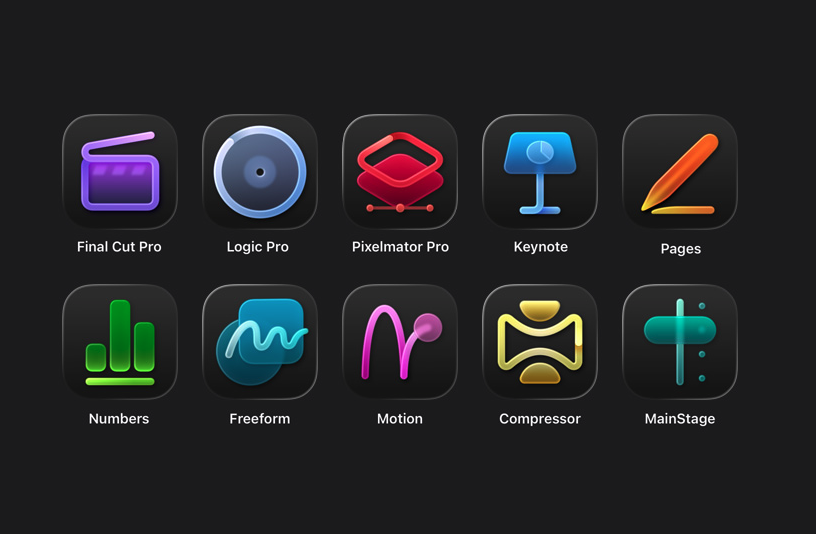
On the Mac, subscribers get access to all six apps: Final Cut Pro, Logic Pro, Pixelmator Pro, Motion, Compressor and MainStage.
On the iPad, Final Cut Pro, Logic Pro and Pixelmator Pro are included. Motion, Compressor and MainStage remain Mac-only.
On the iPhone, Creator Studio does not include full versions of Final Cut Pro, Logic Pro or Pixelmator Pro. Instead, it unlocks premium features and content inside Keynote, Pages and Numbers, and eventually Freeform.
Apple says the best experience is on macOS 26, iPadOS 26 and iOS 26 or later, with individual app requirements varying by device and chip.
Apple Creator Studio apps
Apple
Pricing and subscription options
Apple Creator Studio costs $12.99 per month or $129 per year, and new subscribers can try the service free for one month. College students and educators get a steep discount: the education plan costs $2.99 per month or $29.99 per year, and it also comes with a one-month free trial.
A standard subscription can be shared with up to five other people using Family Sharing, allowing six users total. Education subscriptions are limited to individual use and cannot be shared. Apple is also offering three free months of Creator Studio to customers who purchase a qualifying new Mac or iPad around launch.
But Creator Studio isn’t the only way you can access most of these apps. Apple says all of the major apps included in Creator Studio will continue to be available as one-time purchases on the Mac App Store.
Final Cut Pro remains priced at $299.99, Logic Pro at $199.99, Pixelmator Pro at $49.99, Motion at $49.99, Compressor at $49.99 and MainStage at $29.99. Users who already own these apps can keep using them and re-download them from the App Store as usual.
On the iPad, however, things are different. Final Cut Pro, Logic Pro and Pixelmator Pro for iPad are only available through the Creator Studio subscription. There is no standalone purchase option for those apps on iPadOS.
Keynote, Pages, Numbers and Freeform remain free for everyone to download and use. Apple says those apps will continue receiving updates, including the upcoming visual design changes tied to iOS 26 and iPadOS 26.
Without a Creator Studio subscription, you can still create, edit and collaborate in those apps. What you will not get are the paid templates, Content Hub assets and certain intelligence features.
What happens to your projects if you cancel
Apple says projects and content you create with an active subscription remain licensed as part of your original work.
Final Cut Pro, Logic Pro and Pixelmator Pro projects remain on your devices and can be copied or shared elsewhere. But you will need an active subscription to open or edit projects in those paid apps.
Keynote, Pages, Numbers and Freeform documents remain editable without a subscription. However, you will not be able to make new edits that rely on paid features once your subscription ends.
Other information about the Apple Creator Studio app bundle
Apple Creator Studio also comes with some immediate trade-offs. Alongside the bundle, Apple confirmed that the older Pixelmator app for iPhone and iPad, now described as Pixelmator Classic, will no longer receive updates. Apple says it will remain functional, but development is shifting to Pixelmator Pro, including the new iPad version included with Creator Studio.
But don't expect the standalone versions of the apps to maintain feature parity with their Creator Studio counterparts. Per Apple's FAQ, "The Apple Creator Studio version of Pixelmator Pro includes access to the Warp Tool feature," which implies that feature isn't present on the standalone version.
More broadly, the bundle puts Apple more directly in competition with Adobe and other subscription-focused creative platforms, especially for people who are looking for a lower monthly entry point. At the same time, Apple is keeping one-time purchases on the table for Mac users, even as iPad access moves behind a subscription.
Apple Creator Studio will be available January 28. Whether it makes sense will likely come down to which device you work on and whether you would otherwise pay upfront for one or more of Apple’s pro apps.
This article originally appeared on Engadget at https://www.engadget.com/apps/apple-creator-studio-is-now-available-for-13-per-month-whats-included-and-what-it-means-for-creators-130000475.html?src=rss
Even as CES 2026 wraps up soon, there’s no shortage of standout hardware hiding in plain sight. From genuinely quieter yard tools to ultra-light EVs and companion robots that want to remember your family, Day 3 was all about tech that felt a little more considered — and in some cases, refreshingly practical.
If you can’t get enough of CES, be sure to check out our picks for best of CES 2026, which highlights the most impressive new tech we’ve seen in Las Vegas. We’ve also rounded up the CES gadgets you can buy right now if you’re itching to place an order, along with a look at the weirdest tech at CES 2026, because it wouldn’t be CES without a few delightfully unhinged ideas.
Tone Outdoors T1 leaf blower
Tone Outdoors T1
Billy Steele for Engadget
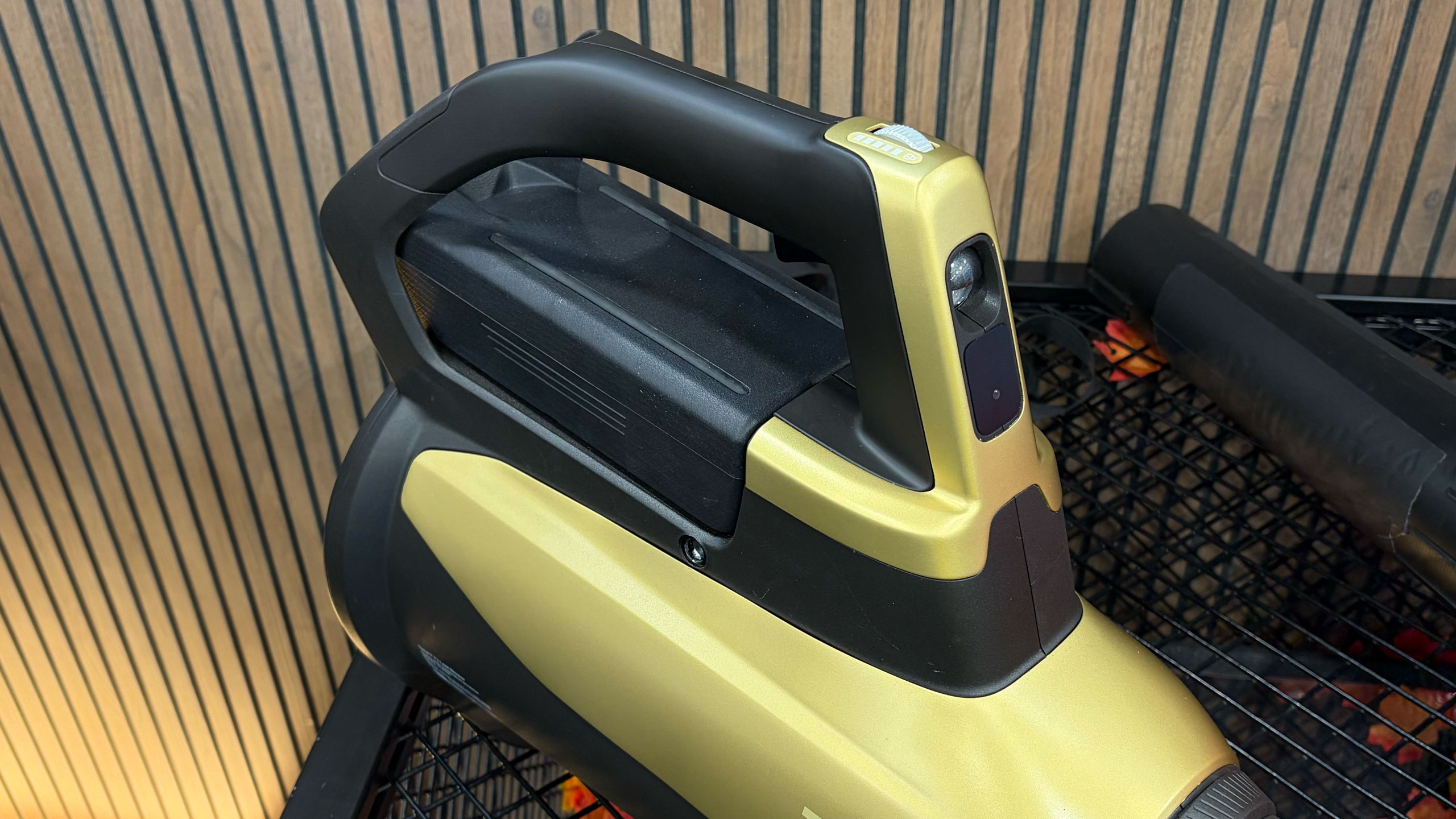
The Tone Outdoors T1 leaf blower is one of the rare CES gadgets that makes an immediate, obvious impression — mostly because it’s shockingly quiet. Whisper Aero’s aerospace-derived motor redesign delivers 880 CFM of airflow at around 52 decibels, which we could confirm even amid the noise of the show floor. It also runs up to 50 minutes in Eco mode, supports a forthcoming battery backpack and even includes an LED for nighttime cleanup. Pre-orders are open now for $599, with shipping expected in September.
GE Profile Smart Fridge
Finally! A reasonably sized fridge screen.
Sam Rutherford for Engadget
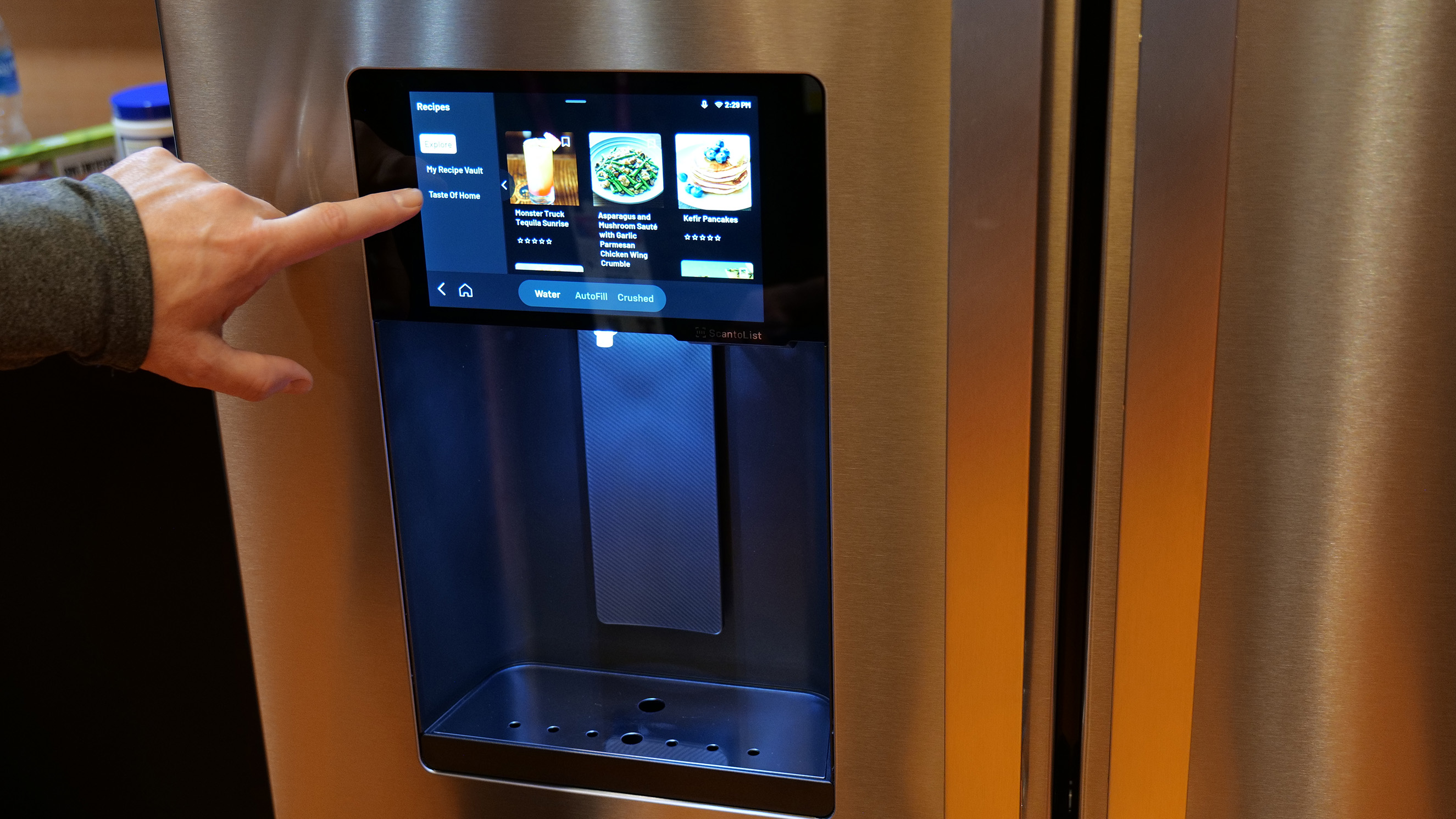
The GE Profile Smart Fridge is the first smart fridge we’ve seen that feels like it was designed around real problems instead of just slapping a massive screen on the door. GE’s AI assistant can answer practical questions like where your water filter is, scan groceries via a built-in barcode reader and keep tabs on produce with a crisper drawer camera. The eight-inch display feels refreshingly restrained, while integrations with Instacart and recipe suggestions add utility. It launches in March for $4,899, and for once, we’re genuinely curious what it would be like to live with it.
Longbow Motors Speedster EV
Longbow Motors Speedster
Billy Steele for Engadget
Longbow Motors brought one of the most emotionally compelling EVs we’ve seen to CES, and it’s unapologetically minimalist. The Speedster uses in-wheel motors from Donut Labs to hit a jaw-dropping curb weight of just 2,200 pounds, lighter than a Miata. Its stripped-back interior, mystery shift lever and exposed motors feel like a direct rejection of touchscreen-heavy modern cars. It’s wildly expensive at just under $100,000, but also one of the few EVs here that got us excited to drive.
OlloBot companion robot
A robot with eyes on top of a screen showing a smile.
Cheyenne MacDonald for Engadget
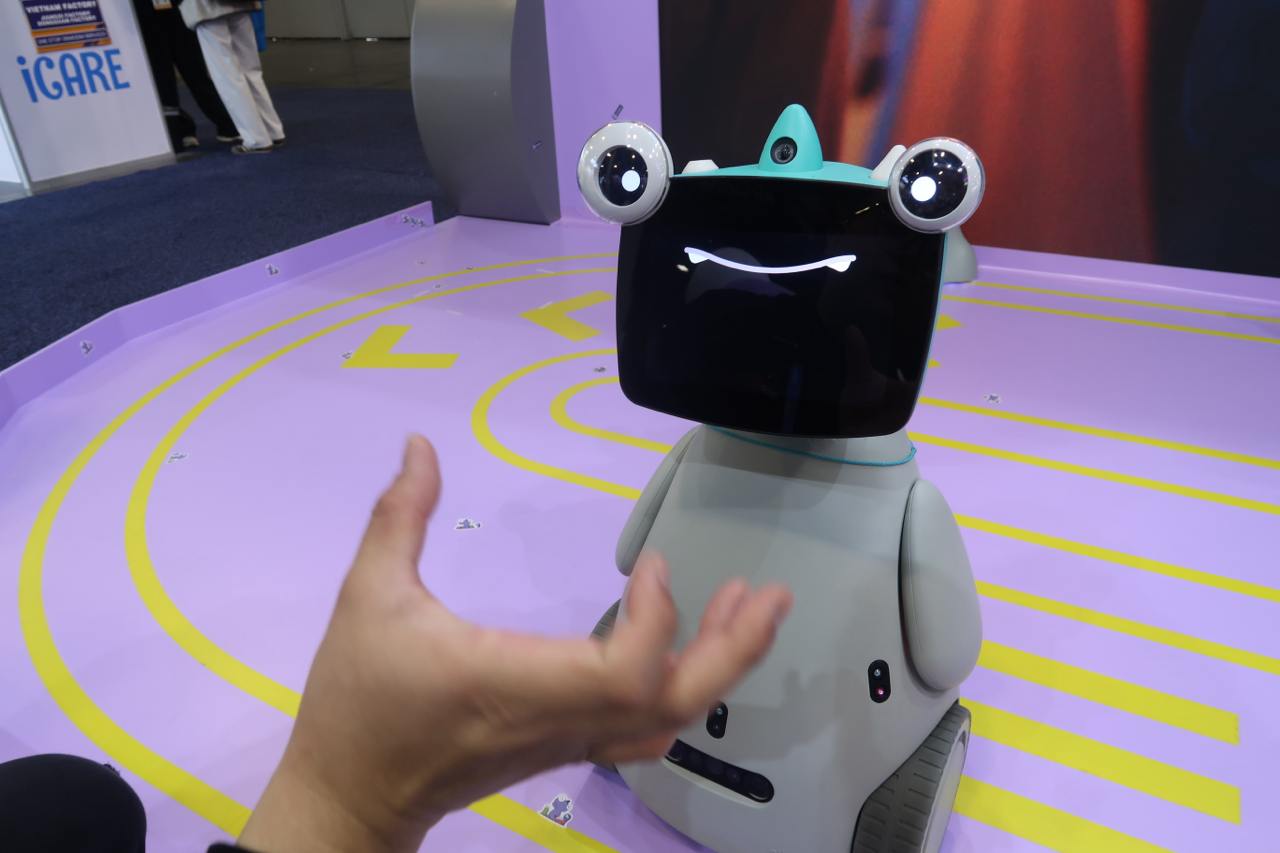
OlloBot might win the award for most charmingly strange robot on the show floor. Designed as a family “cyber pet,” it responds to voice and touch, develops a personality over time and stores all its memories locally in a removable heart-shaped module. The robot can help find lost items, make calls and eventually control Matter smart home devices. A Kickstarter is planned for summer, with pricing starting around $1,000.
Bluetti Charger 2
Here's how the Bluetti Charger 2 would work with dual charging sources.
Bluetti
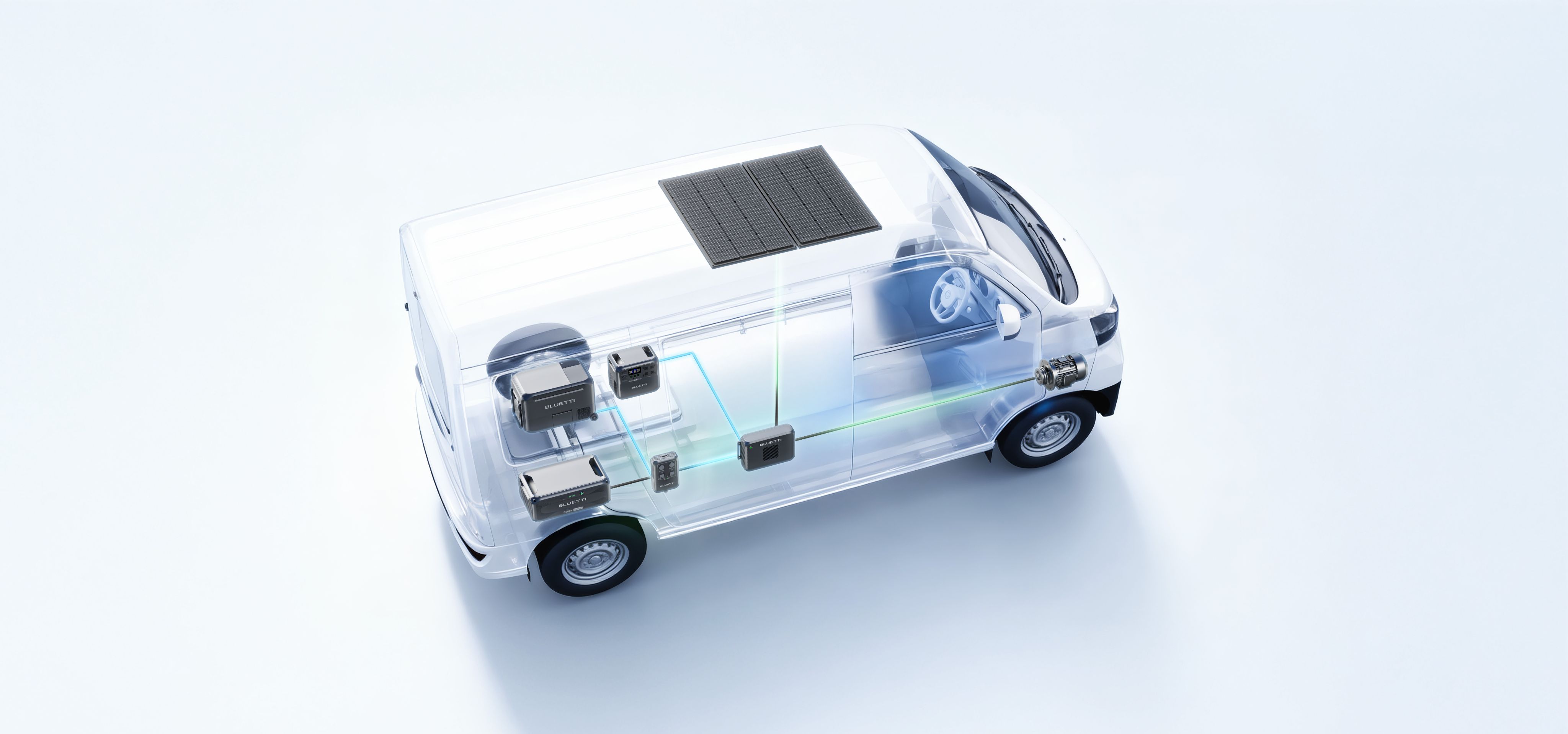
Bluetti’s Charger 2 fixes a very specific but real problem for off-grid users: charging from your engine and solar panels at the same time. The dual-input system supports up to 600W from solar and 800W from an alternator, dramatically speeding up battery top-ups. It also works with multiple Bluetti power stations and can even jump-start your vehicle in a pinch. Early pricing is $349 through February 7, after which it jumps to $499.
CES is ending, but we’ve got more stories to tell
The CES show floor will soon be closing down, but Engadget still has a lot of stories in our pipeline. As the crowds thin out, we’re continuing to surface the tech that actually stands out — whether it’s solving everyday annoyances or simply doing something bold and different. Stay tuned to our CES 2026 hub for more hands-ons, deep dives and final takeaways even after CES 2026 comes to a close at the end of this week.
This article originally appeared on Engadget at https://www.engadget.com/big-tech/ces-2026-day-3-the-most-interesting-tech-thats-still-on-the-show-floor-134724231.html?src=rss
CES 2026’s second day was all about hands on time with new tech. From Lego’s most ambitious play experiment yet to assistive mobility tech, smart home ideas that actually feel affordable and robots that might one day fold your laundry, here’s what stood out most on January 7.
Lego Smart Play
Lego Star Wars Smart Play: Luke's Red Five X-Wing
Nathan Ingraham for Engadget
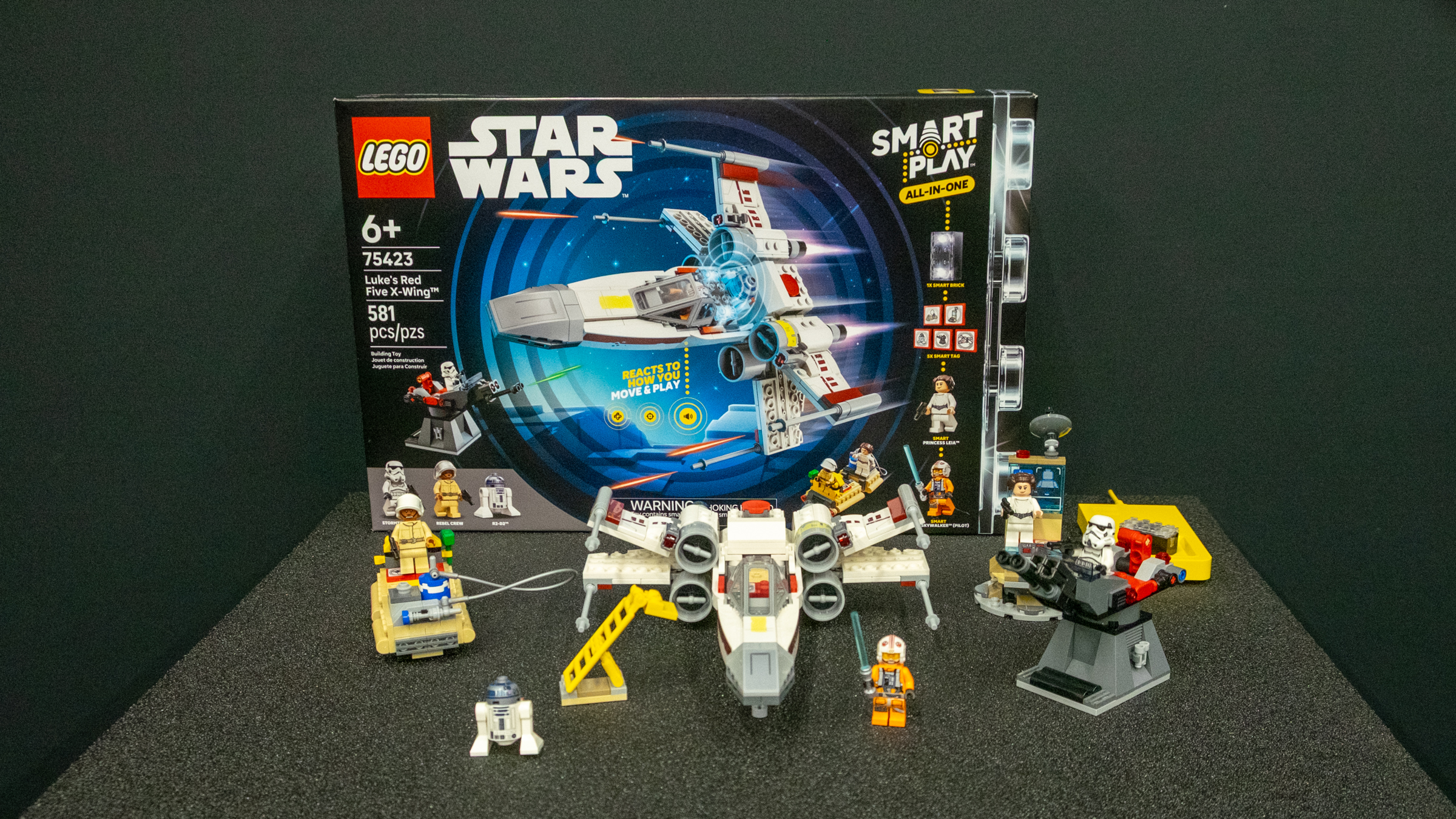
LEGO’s new Smart Play system feels far more compelling in person than it did on stage. The Smart Brick, combined with Smart Tags and Smart Minifigures, responds dynamically to movement, proximity and context, triggering sounds and interactions without screens or apps. Seeing kids physically act out Star Wars battles while the bricks reacted in real time made it clear this is designed first and foremost for active social play, not digital distraction.
WheelMove
A man sits in a manual wheelchair with an add-on attached that gives it a large central front wheel and raises the casters off the ground
Cheyenne MacDonald for Engadget
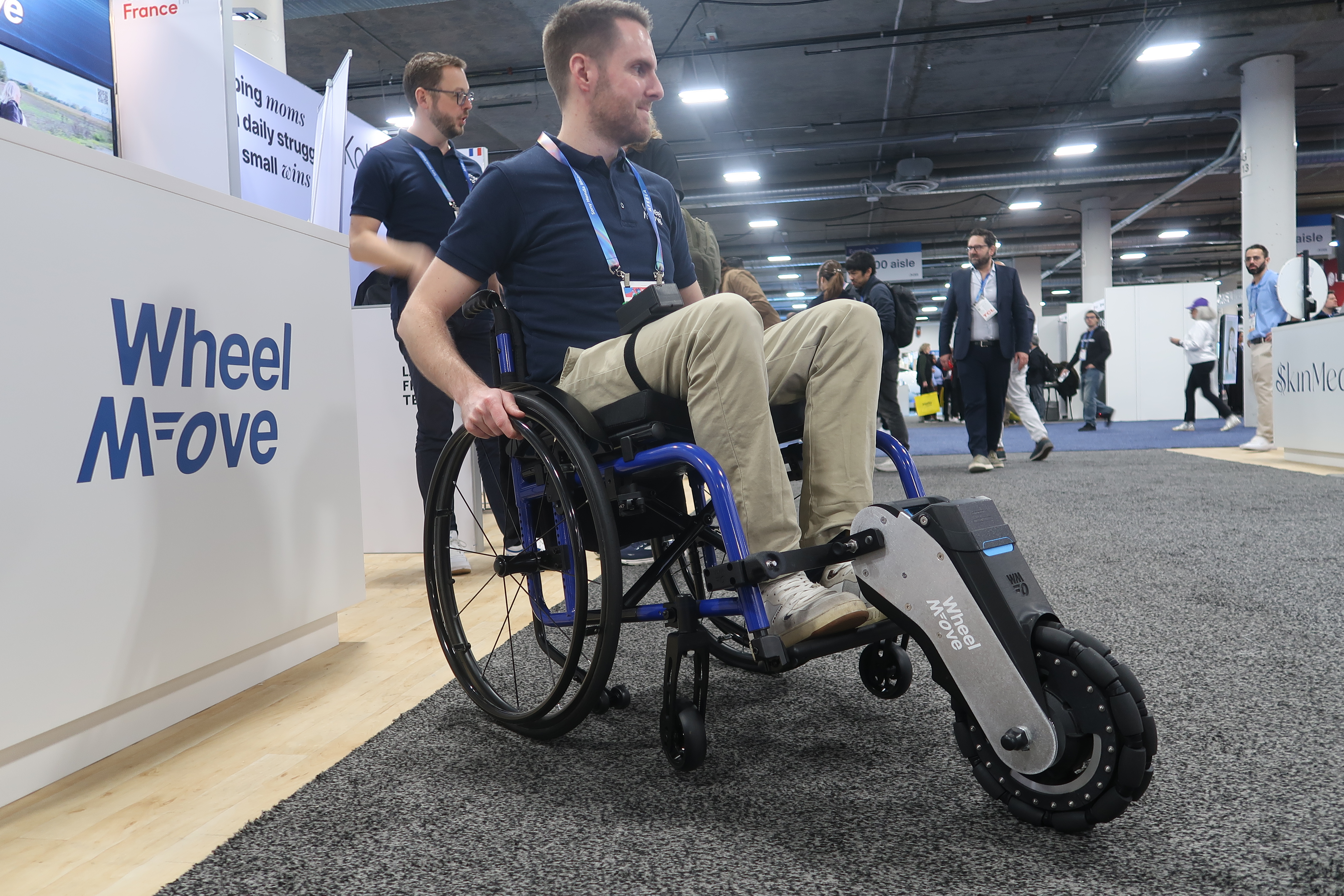
WheelMove’s motorized wheelchair attachment is compact, surprisingly quick to install and genuinely empowering in action. The add-on lifts a chair’s front wheels and adds powered assistance, making grass, cobblestones and slopes far easier to navigate. After seeing it demonstrated on uneven surfaces, it’s easy to imagine this opening up spaces that would otherwise be exhausting or inaccessible for manual wheelchair users.
Throne
Image of the Throne Toilet Computer perched on the side of a toilet.
Daniel Cooper for Engadget
Throne’s toilet-mounted health tracker is exactly as strange as it sounds, but it’s also thoughtfully designed. Using computer vision to analyze bowel movements and urination, the device aims to establish a personal baseline and flag changes over time, with gut health and GLP-1 users firmly in mind. It’s too early to judge accuracy, but seeing it in person made it feel less gimmicky and more like a niche wellness tool worth testing.
IKEA smart home gear
The popular VARMBLIXT donut lamp is now smart.
Amy Skorheim for Engadget
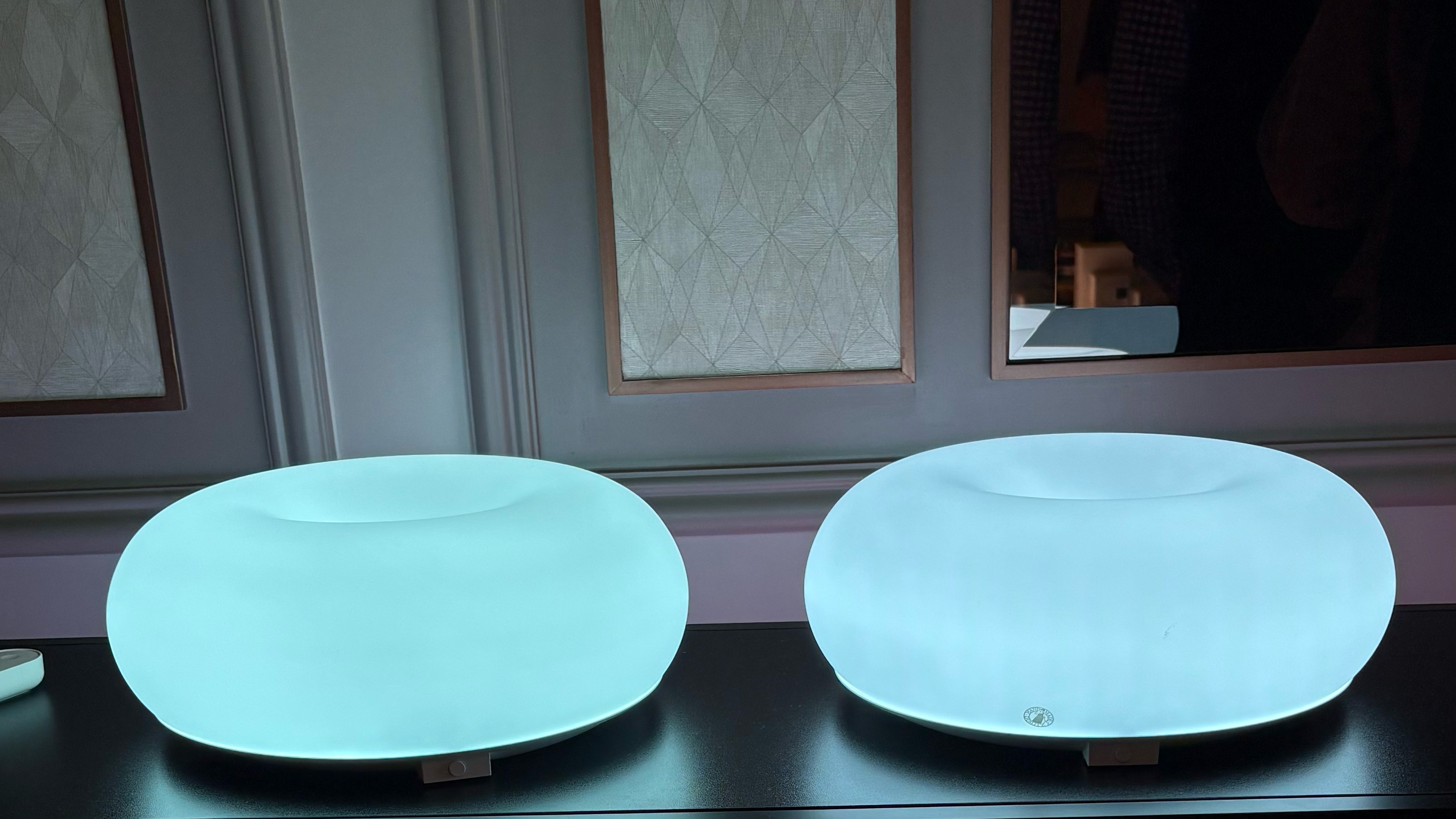
IKEA’s first CES appearance leaned heavily into what it does best: simple, affordable design. The new Matter-compatible smart home range includes bulbs, plugs, remotes and sensors priced low enough to make smart homes feel accessible again. Standouts like the magnetically mounted BILREA remote and playful TEKLAN lamps showed that IKEA hasn’t sacrificed charm in its push toward interoperability.
SwitchBot
Switchbot's Onero H1.
Karissa Bell for Engadget
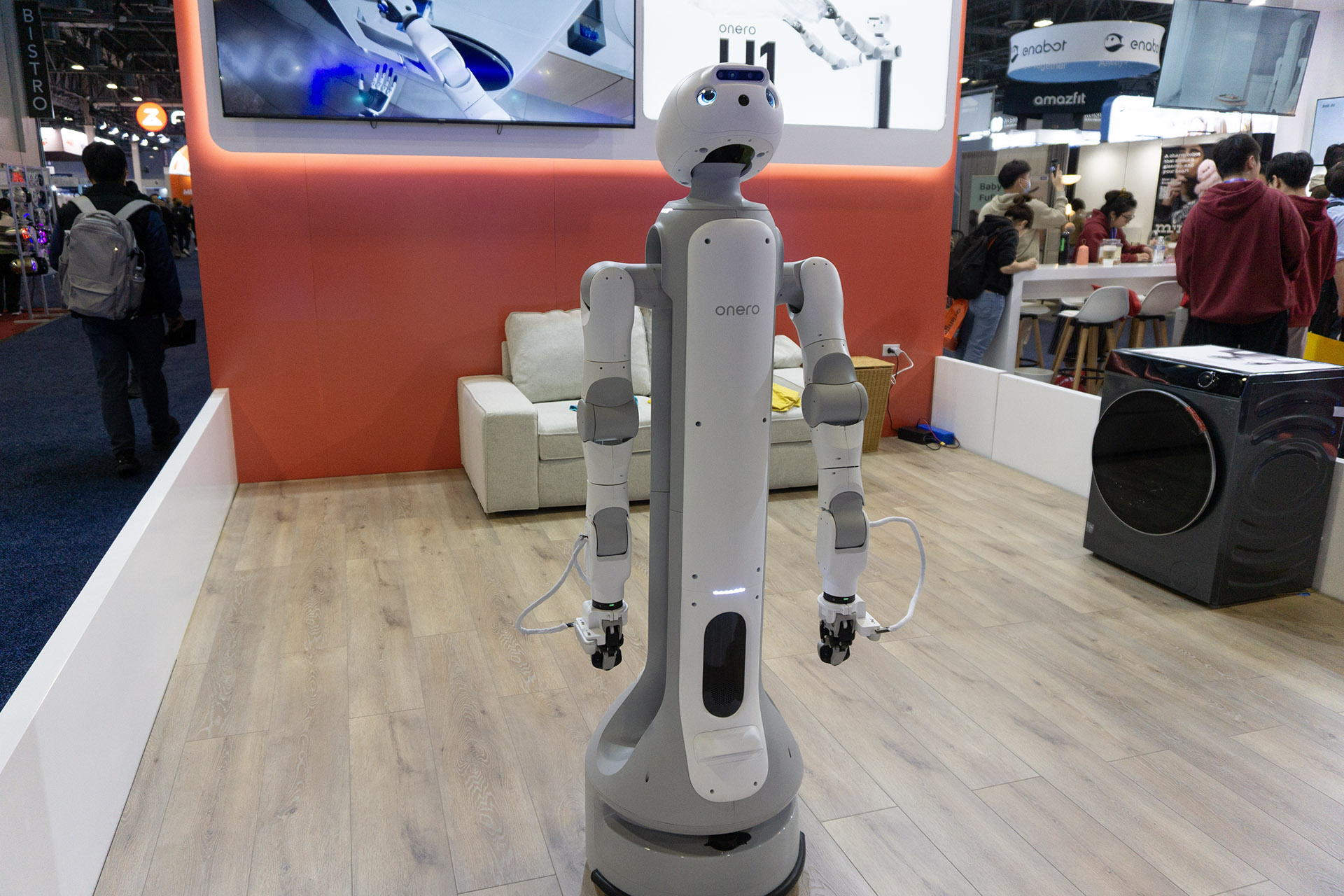
SwitchBot’s Onero H1 was one of the most intriguing robots on the show floor because it’s meant to ship this year. The wheeled humanoid robot uses articulated arms and onboard AI to perform household chores, like loading a washing machine, albeit at a deliberate pace. Watching it work made the case that speed matters less than reliability when a robot can handle tasks while you’re not home.
Eyebot vision testing
Image of the Eyebot Kiosk
Daniel Cooper for Engadget
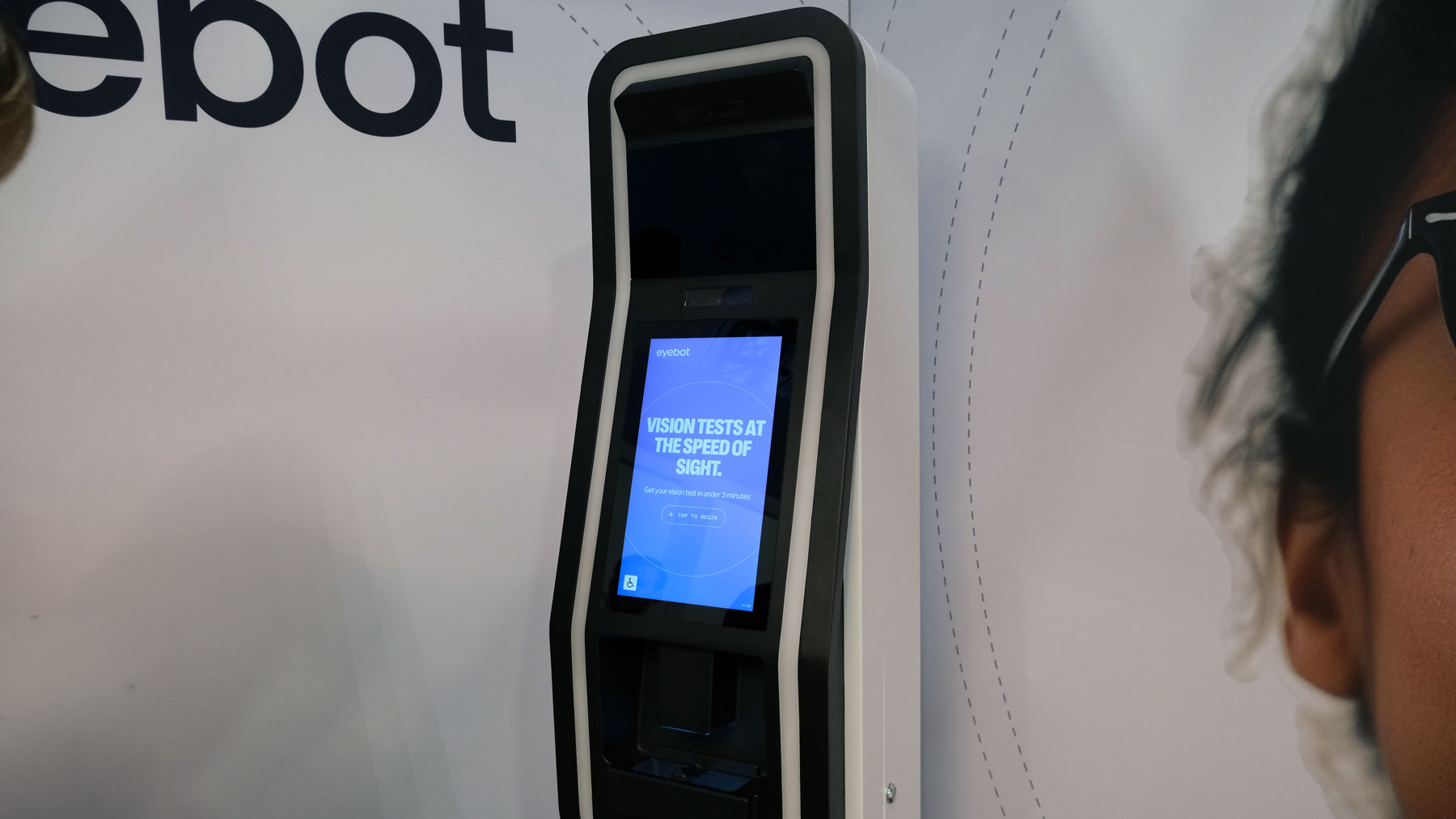
Eyebot’s self-service vision testing kiosk turns a 20-minute optometrist visit into a process that takes just a few minutes. The test is guided by a large touchscreen and reviewed remotely by a licensed eye doctor, striking a balance between automation and oversight. After comparing results with a recent traditional exam, the accuracy felt reassuring, even if it doesn’t replace full eye health screenings.
Dephy Sidekick sneakers
Dephy's Sidekick, which the company describes as "footwear."
Karissa Bell for Engadget
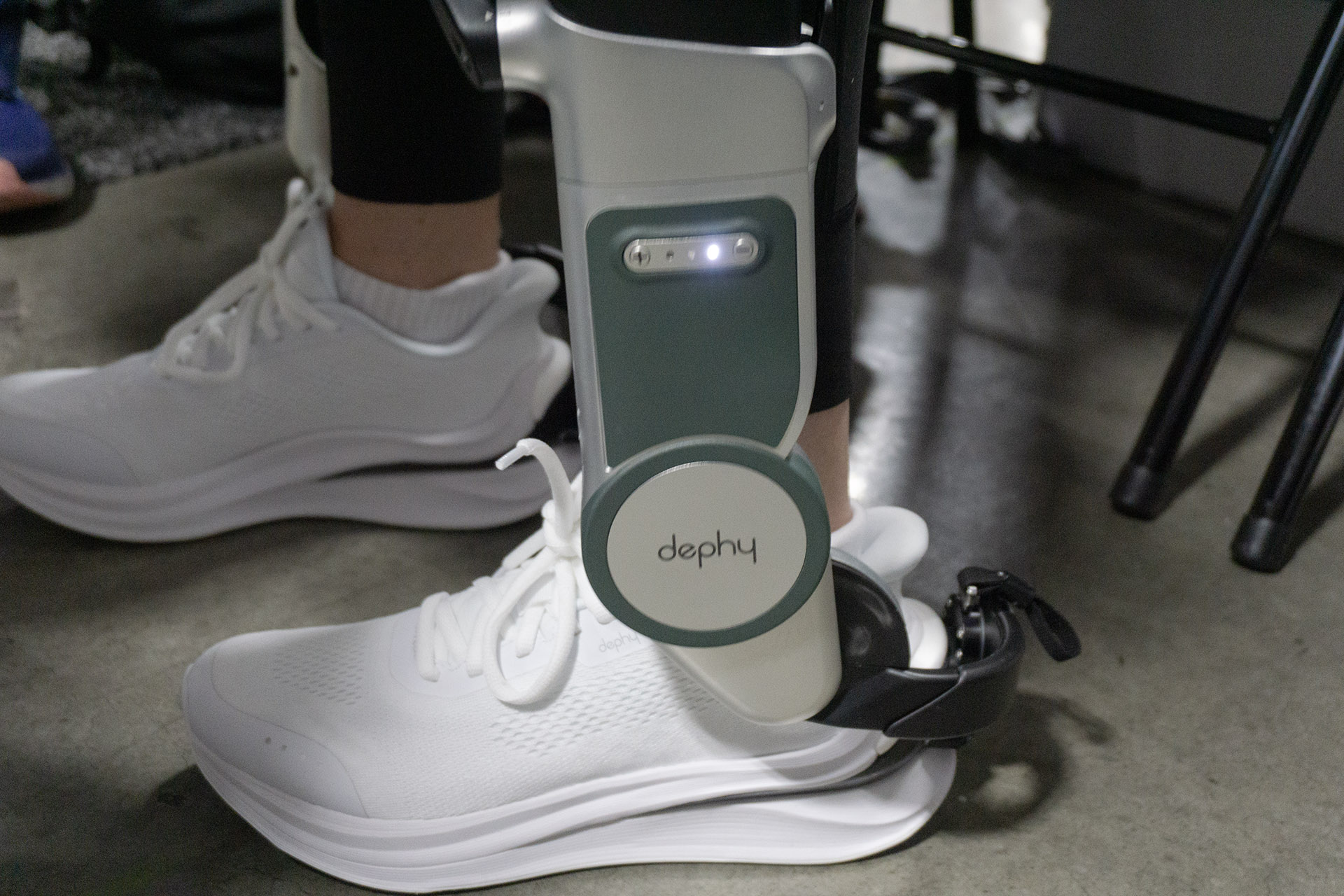
Dephy’s Sidekick robotic sneakers deliver a subtle but noticeable boost with each step. The ankle-mounted exoskeleton adapts to your gait, and walking with it feels bouncy rather than overpowering, especially at lower assist levels. It’s not for everyone, but after hours on the CES floor, the idea of powered help for people with limited mobility started to make a lot of sense.
Klipsch headphones
Klipsch Atlas HP-1
Billy Steele for Engadget
Klipsch’s return to headphones starts strong with the Atlas HP-1. The wireless ANC model looks premium, borrows familiar design cues and delivers the brand’s warm, balanced sound in early demos. Pricing is still unknown, but based on build quality and audio alone, these feel positioned firmly at the high end.
Clear Drop
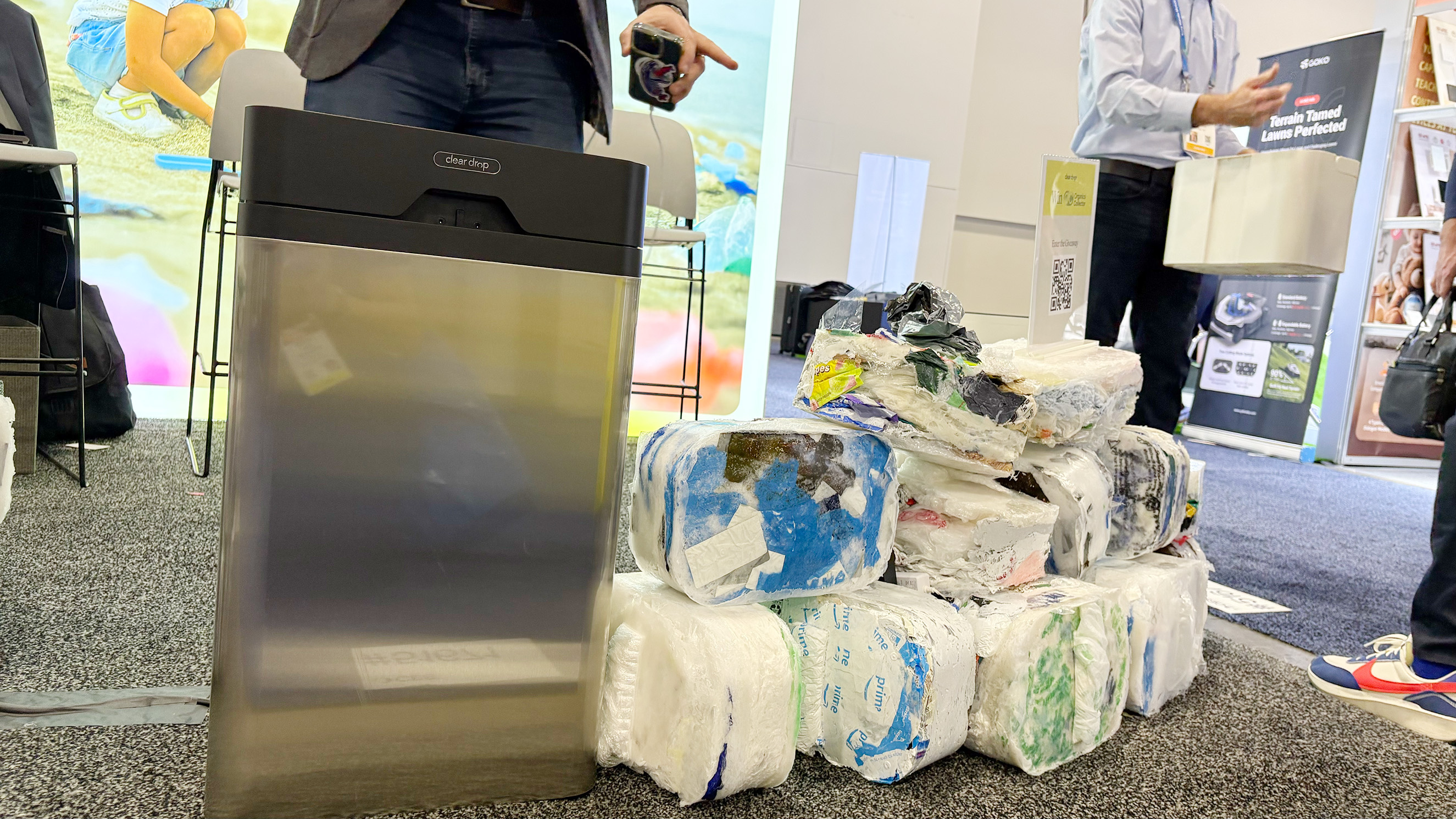
The Clear Drop soft plastics compactor next to a pile of the bricks it produces.
Amy Skorheim for Engadget
Clear Drop’s home plastic compactor tackles a real recycling problem most households face. The machine takes bags and wraps them into dense bricks that can be shipped to partner recycling facilities, and watching it swallow soft plastics was oddly satisfying. It’s expensive and not perfect, but it’s one of the more practical attempts at dealing with waste outside municipal systems.
Nosh cooking robot
Nosh
Daniel Cooper for Engadget
Nosh is an AI cooking robot designed for low-effort, sauce-heavy meals like soups, curries and pasta. Multiple ingredient trays allow you to prep meals ahead of time, then slide them in when you’re ready to eat. It’s not replacing real cooking anytime soon, but as an alternative to microwaved meals, it’s more appealing than expected.
Day two leaned heavily toward tech you could physically interact with, whether that meant flying Lego ships through the air, watching a robot load laundry or testing a vision exam in a kiosk. With more show-floor time still ahead, we’ll be back with additional hands-ons, impressions and daily recaps as CES 2026 continues.
This article originally appeared on Engadget at https://www.engadget.com/big-tech/ces-2026-day-2-all-of-the-coolest-tech-we-saw-on-the-show-floor-during-the-second-day-134608348.html?src=rss
CES is a launchpad for serious tech, but it’s also where companies proudly unveil devices that make you stop mid-scroll and whisper, “Wait, this is real?” We’ve been keeping a running list of the strangest, funniest and most unexpectedly compelling gadgets we’ve spotted in Las Vegas, from bathroom computers to robots that look like they escaped a Pixar pitch meeting.
Also, be sure to check out our list of the best CES tech we saw this year at the show.
Dreame Cyber X robot vacuum
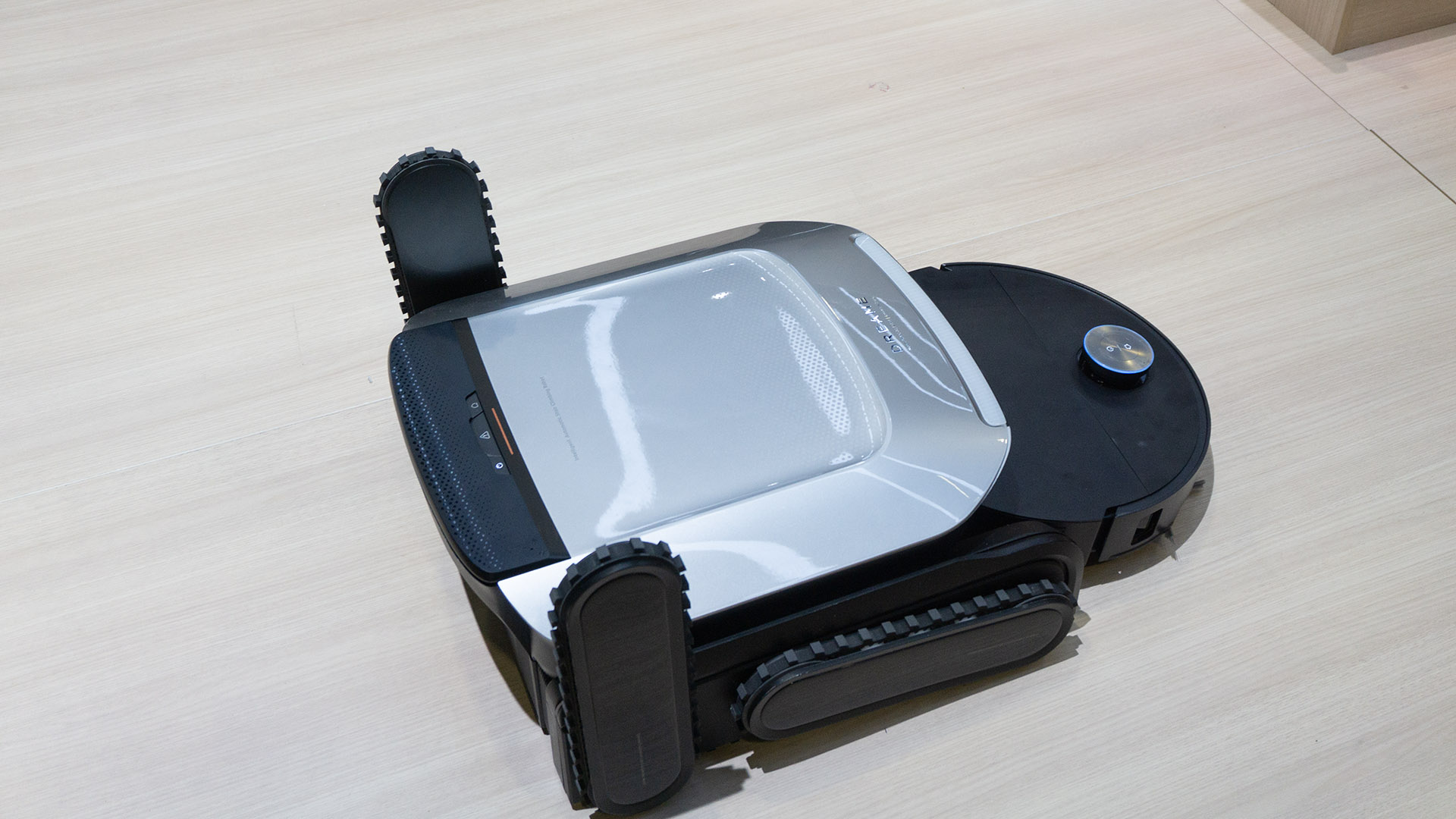
Dreame Cyber X
Engadget
Robot vacuums can be a little unsettling already, but Dreame’s Cyber X takes it up a level by sprouting chunky treaded “legs” and hauling itself up a full staircase like a tiny cleaning tank. In person, it navigated both up and down with surprising confidence, using its treads horizontally rather than actually stepping. The vacuum itself docks inside the climbing rig, so it’s more about getting your bot to the next floor than scrubbing the stairs, which still feels like a fair trade if you hate hauling appliances around.
OlloBot
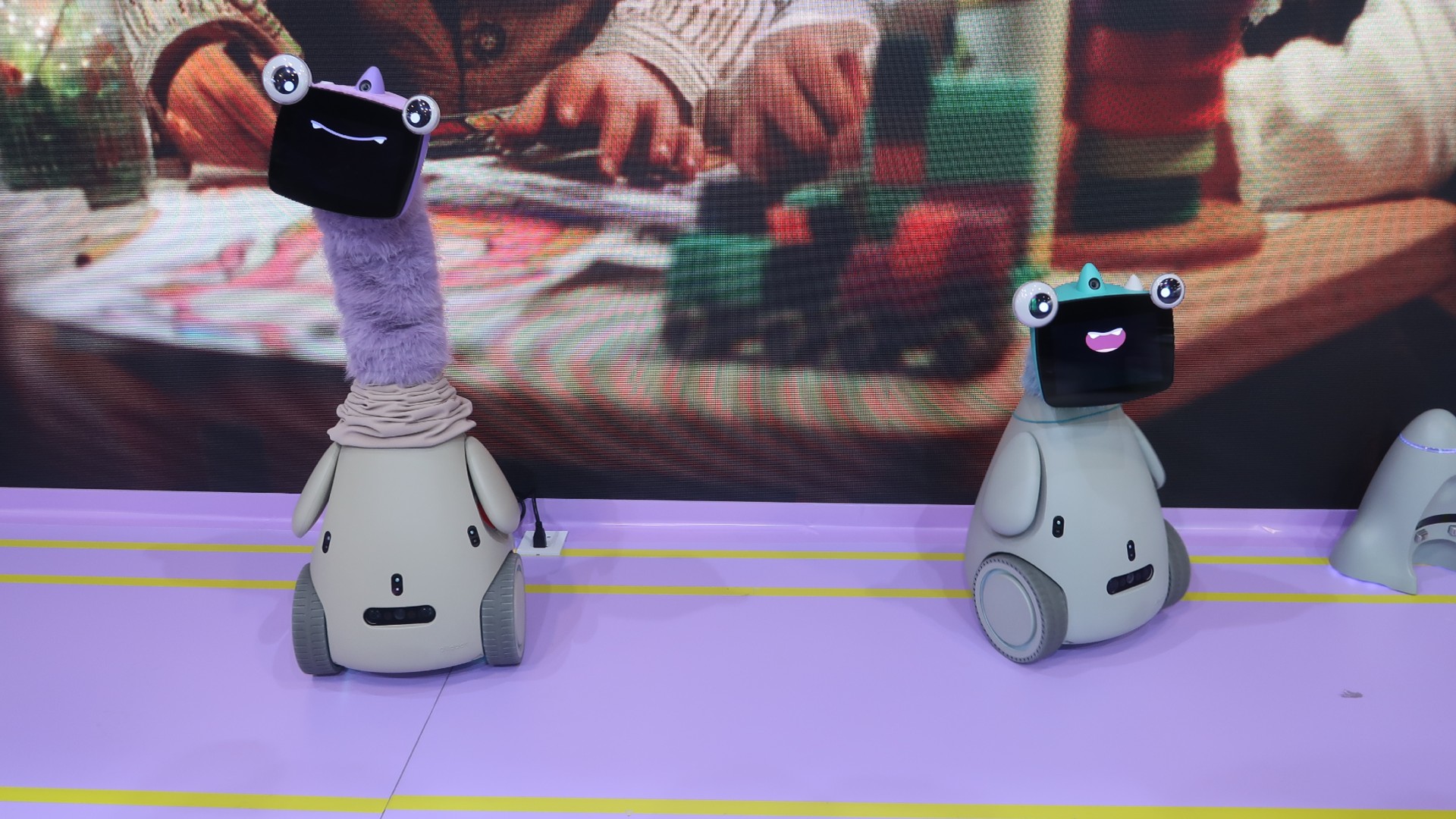
Two OlloBots — one with a long furry purple neck, making it about two feet taller than the other — are pictured on a light purple floor, in front of a screen displaying a closeup of a child playing with blocks.
CES loves a companion robot, but OlloBot might be the first one we’ve met that’s part cyber pet, part penguin, part ET and somehow comes with a warm, furry, telescoping neck. Its “face” is basically a tablet for expressions, photos and messages, and it’s meant to evolve a personality over time based on how your household interacts with it. Bonus: its memories live in a removable heart-shaped module, so if the body breaks, you can (theoretically) transplant your robot’s soul into a new shell.
ASUS ROG Zephyrus Duo
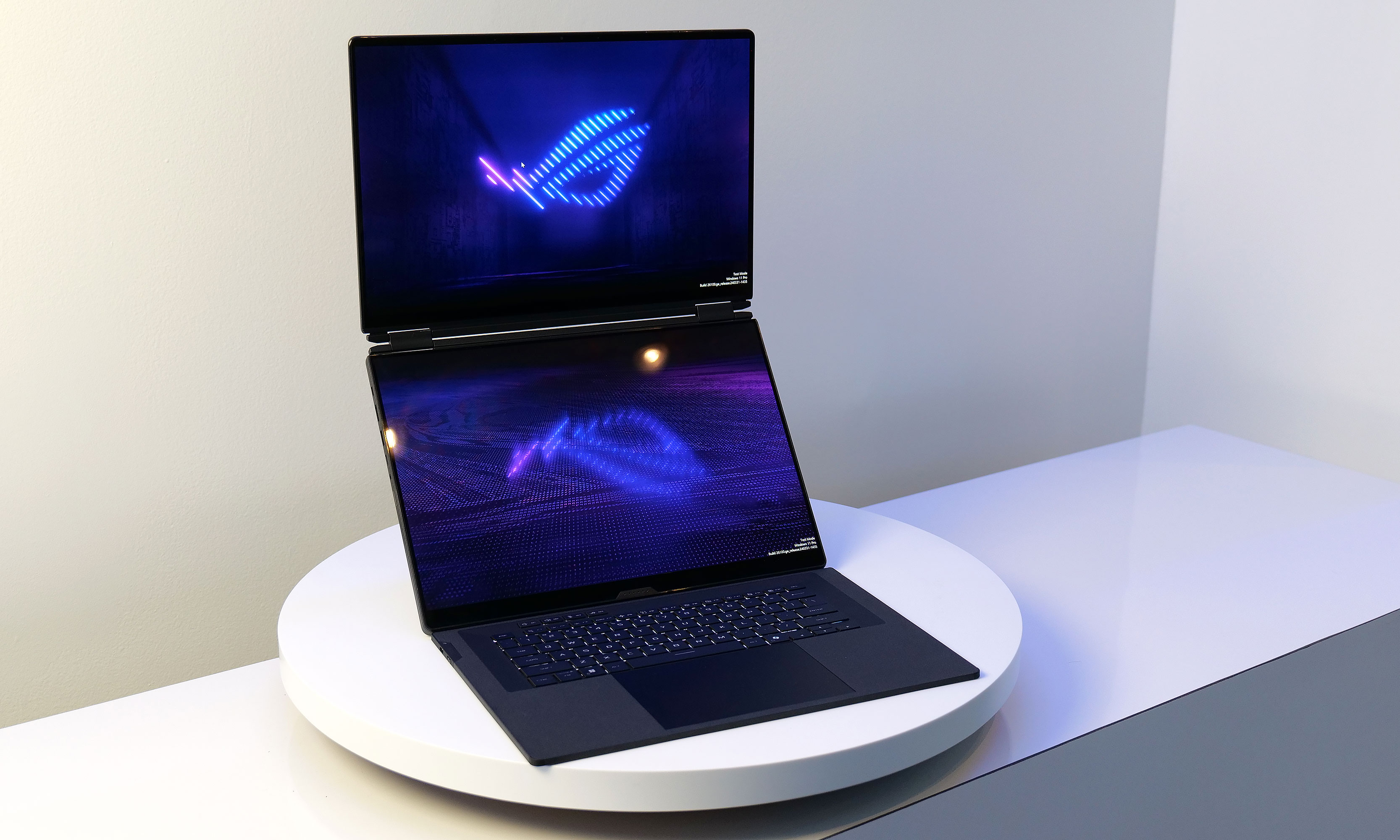
On top of having two displays, the Zephyrus Duo's screens also feature excellent brightness at up to 1,100 nits.
Dual screens on a laptop aren’t new, but ASUS cramming two 16-inch OLED panels into a gaming notebook is the kind of chaotic CES energy we respect. The Zephyrus Duo uses a detachable keyboard and a built-in kickstand so you can stack screens, spread out, or generally arrange your portable battle station however you like. It’s hefty, it’s ambitious and it almost certainly won’t be cheap — but if you’ve ever wanted your gaming rig to moonlight as a two-screen creator setup, this is the loudest possible way to do it.
Throne toilet computer
The Throne device perched on the side of a toilet.
Daniel Cooper for Engadget
Throne is a toilet-mounted computer that uses cameras and microphones to analyze your bowel movements, which is a sentence we did not expect to type this week. Designed to establish a personal “baseline” for your bathroom habits, it aims to flag changes that could indicate digestive or metabolic issues, including for people on GLP-1 drugs. We can’t speak to its effectiveness yet… but if knowledge is power, this thing might know way too much.
Vivoo Hygienic FlowPad smart menstrual pad
Vivoo's FlowPad
Vivoo
Vivoo looked at at-home health tracking and decided the bathroom was still underutilized. Alongside its clip-on smart toilet that analyzes your hydration by literally monitoring your pee, the company also unveiled a menstrual pad infused with microfluidics that can track fertility and hormone markers once you scan it with your phone. It’s a bold reminder that CES 2026 is fully committed to quantifying everything — even the stuff we’d rather not discuss over brunch.
Lenovo Legion Pro Rollable
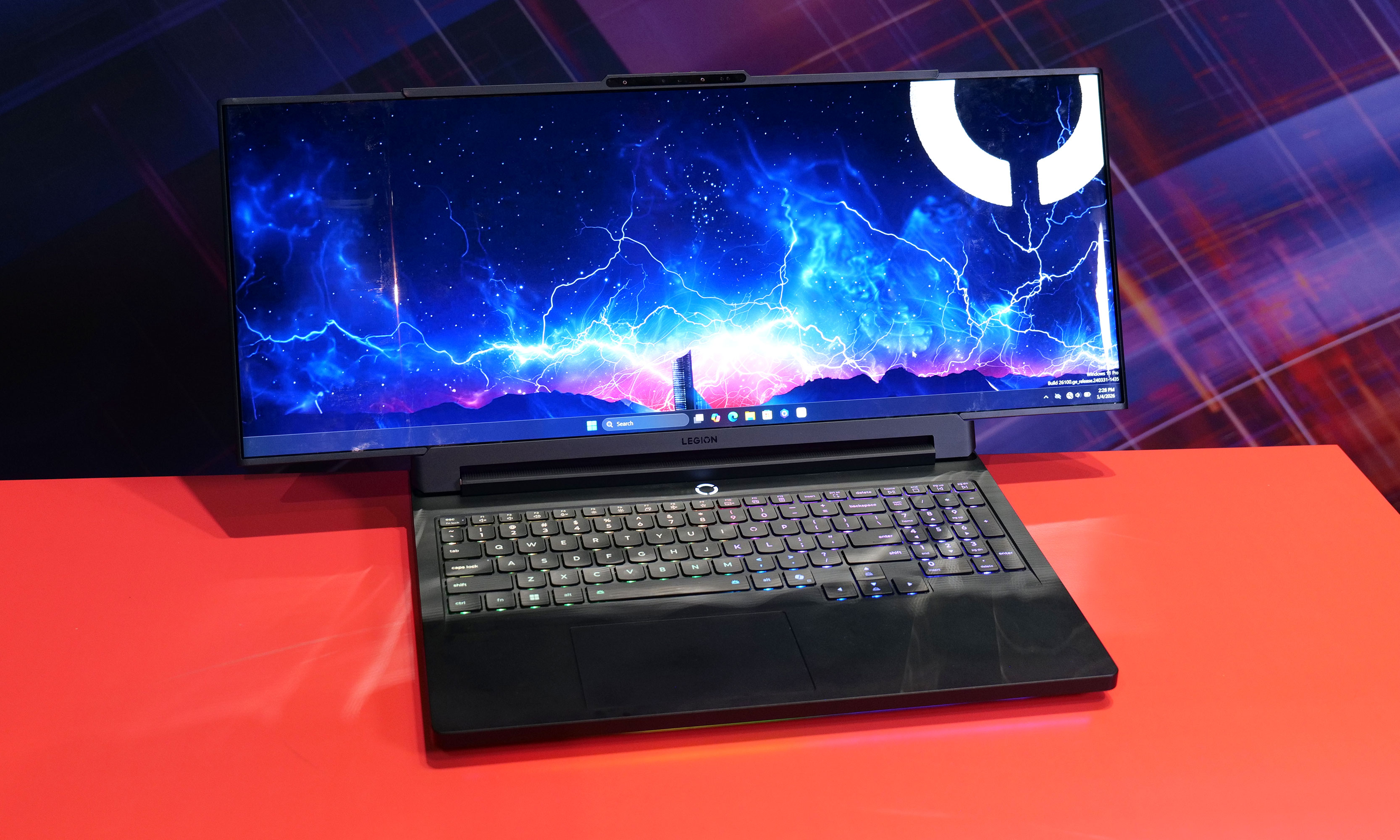
While it normally has a 16-inch display, the Lenovo Legion Pro Rollable concept's screen can expand up to 23.8 inches across.
Sam Rutherford for Engadget
Lenovo’s Legion Pro Rollable is what happens when a gaming laptop decides it wants to be a widescreen monitor mid-match. Its 16-inch display can physically expand sideways into ultra-wide formats, turning flight sims and racing games into full cockpit experiences at the press of a couple of keys. It’s impractical, faintly ridiculous and absolutely the kind of CES concept we hope survives long enough to escape the demo floor.
Lenovo ThinkBook XD Rollable
With its XD Rollable concept, Lenovo took the Thinkbook Plus Gen 6's basic design and made it even more futuristic by allowing its flexible display to wrap around onto its lid.
Sam Rutherford for Engadget
If the Legion Pro Rollable is excessive, the ThinkBook XD Rollable is philosophically confusing. Its flexible display doesn’t just grow taller, it wraps over the lid to create a “world-facing” screen for people sitting across from you, which feels either futuristic or deeply unnecessary depending on your mood and situation (maybe this is the perfect device for hotel check-ins and other points of sale?). Still, it’s a gorgeous piece of hardware theater and proof Lenovo is determined to roll screens onto every surface it can reach.
OhDoki Handy 2 Pro
Image of The Handy 2 and Handy 2 Pro
Daniel Cooper for Engadget
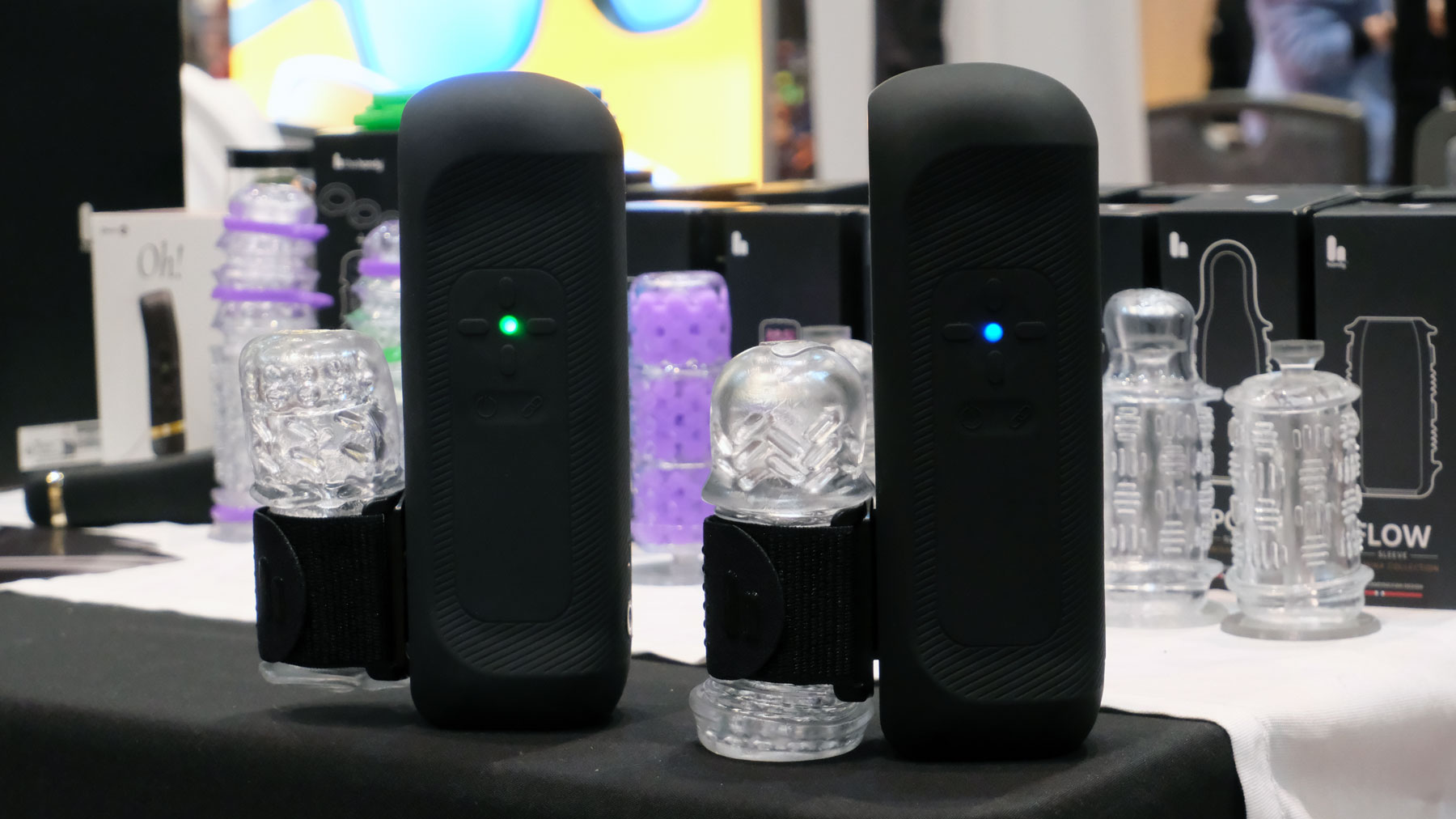
OhDoki’s Handy 2 Pro arrived at CES with one clear message: more power, fewer limits and absolutely no chill. The upgraded sex toy model cranks battery life up to five hours and unlocks a Turbo mode so aggressive it was described as “overclocked,” which is not a term we expected to hear in this category. It can also charge your phone, because apparently even pleasure tech needs to justify itself with productivity.
iPolish
iPolish
Daniel Cooper for Engadget
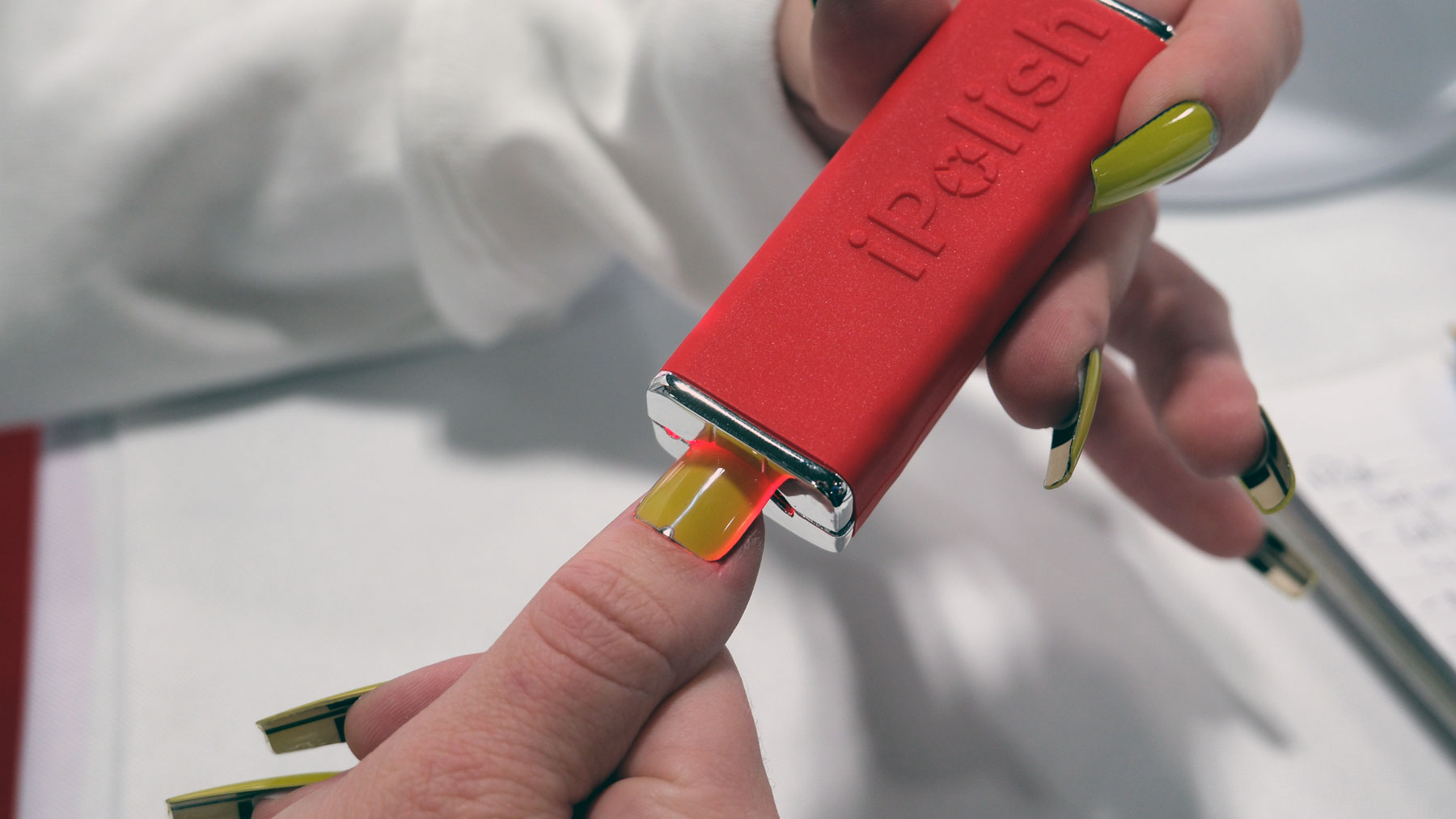
iPolish finally made Total Recall nail tech real, minus the dystopia and Schwarzenegger. These press-on acrylic nails use an electric charge to switch between hundreds of colors in seconds, letting you change your manicure as often as your outfit. It’s delightfully impractical, surprisingly affordable and the most convincing argument yet for treating your nails like a customizable display.
Hisense S6 FollowMe display
Hisense S6 FollowMe display
Hisense
Despite the name, Hisense’s FollowMe doesn’t actually follow you at all. It’s a 32-inch 4K smart display on wheels that you manually drag from room to room, delivering strong TV-and-VCR-on-a-cart energy, just with Wi-Fi 6, a built-in camera, far-field mics and a 10-hour battery. It won’t judge you, chase you or demand attention, which might make it one of the least emotionally exhausting smart displays at CES.
GE Profile Smart Fridge
Finally! A reasonably sized fridge screen.
Sam Rutherford for Engadget
If you’ve ever bought a “just in case” bag of spinach and discovered three more at home, GE’s latest smart fridge wants to be your grocery reality check. A camera in the crisper records what’s inside, while a built-in barcode scanner in the water dispenser can add items to your shopping list with a quick wave, no app fumbling required. The AI bits are mostly there to answer practical questions like “Where’s my water filter?” which is the most convincing argument we’ve heard for putting a voice assistant on a fridge.
L’Oréal LED eye mask
A pair of transparent eye masks with wires and bulbs inside them.
L'Oréal
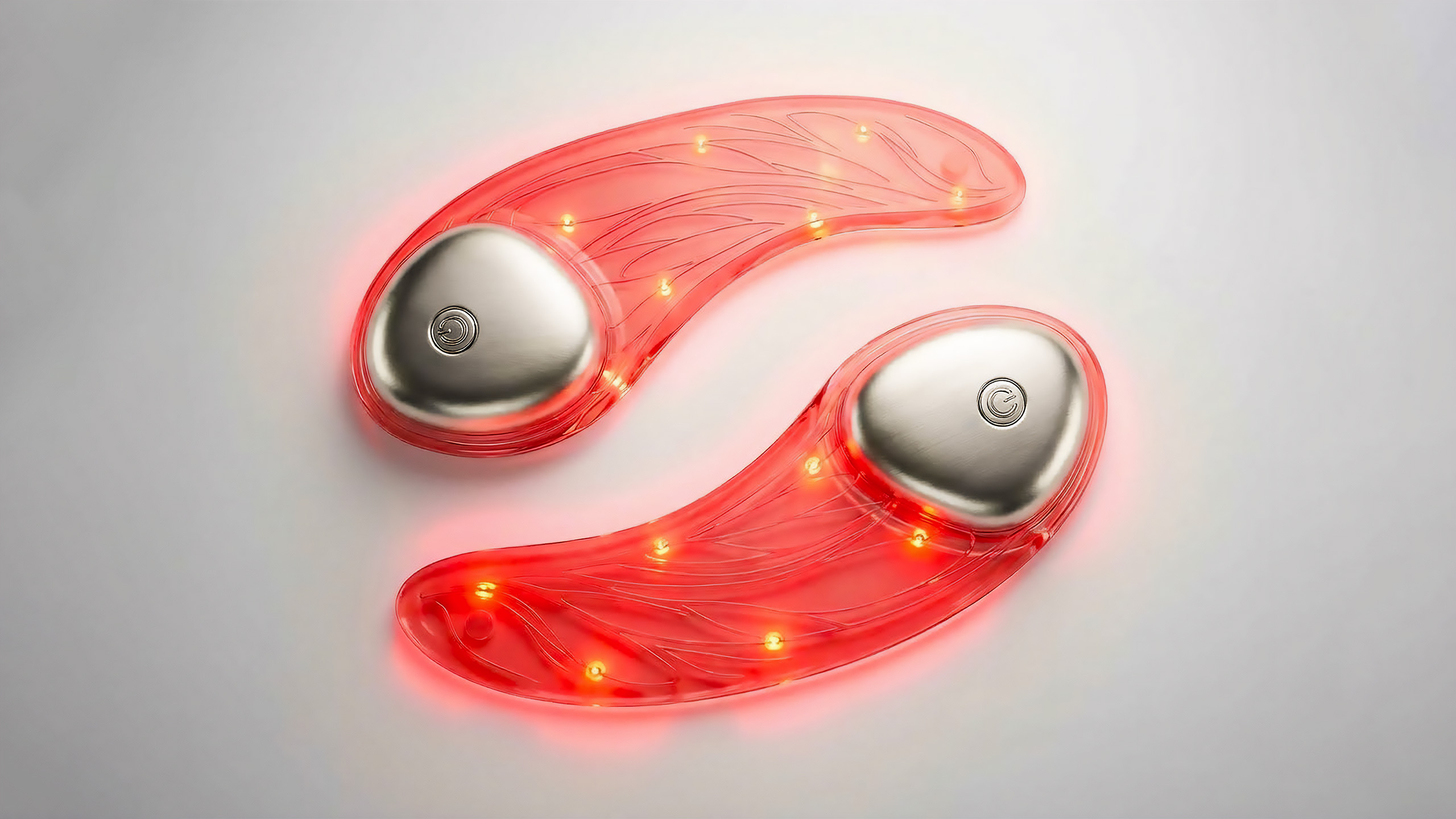
L’Oréal’s beauty tech lineup includes an LED eye mask that looks delightfully ridiculous in the best way: ultra-thin, semi-transparent silicone with visible microcircuitry that makes it feel like sci-fi skincare. The company says it precisely controls red and near-infrared wavelengths in 10-minute sessions, and it’s working on a companion serum so your skin doesn’t feel like it’s been left out to dry.
This article originally appeared on Engadget at https://www.engadget.com/the-weirdest-tech-weve-seen-at-ces-2026-so-far-134056504.html?src=rss
CES 2026 is nearly over and it’s been a fruitful one with a lot of new, weird and impressive tech. But you don’t have to wait until later this year to get your hands on some of the things announced this week in Las Vegas. A surprising number of gadgets are up for pre-order, if not outright available to buy already, from chargers and docks to projectors, keyboards and smart home gear. CES remains a place for companies to showcase concepts and big ideas, but these are the gadgets that have real prices and real order buttons as of today. Check out all of the CES 2026 gadgets you can buy right now below.
This article originally appeared on Engadget at https://www.engadget.com/19-ces-gadgets-you-can-buy-right-now-164325541.html?src=rss
CES 2026’s first official show day kept the pace up with a mix of near-term gaming upgrades, ambitious new form factors and a few reminders that not every gadget needs to do everything. NVIDIA announced important gaming news, we caught up with Samsung’s tri-fold phone and Lenovo marched out an army of impressive looking gaming laptops and concept tech. Here are the biggest stories from January 6.
NVIDIA
NVIDIA's G-Sync Pulsar is the next evolution of its VRR technology.
NVIDIA
NVIDIA’s gaming updates focused on making motion look cleaner and boosting performance without forcing developers to rebuild everything from scratch.
The company introduced G-Sync Pulsar, a new display tech designed to reduce monitor-based motion blur by pulsing a screen’s backlight in sections rather than leaving it on continuously. NVIDIA says the approach gives pixels time to stabilize before they’re illuminated, which should make fast movement easier to track, particularly in esports.
The first Pulsar monitors are expected to come out starting January 7 from Acer, AOC, ASUS and MSI, all which are 27-inch 1440p IPS panels with a 360Hz refresh rate and up to 500 nits peak HDR brightness. Pulsar models also support Ambient Adaptive Technology for automatic color temperature and brightness adjustment based on room lighting.
On the software side, NVIDIA announced DLSS 4.5, which adds a second-generation Transformer-based Super Resolution model the company says improves temporal stability, reduces ghosting and improves anti-aliasing. DLSS 4.5 also introduces Dynamic Multi Frame Generation, intended to push performance toward your display’s refresh rate, with NVIDIA positioning it around high-end targets like 4K 240Hz path tracing. The 2nd Gen Super Resolution Transformer model is available now for RTX GPUs, while Dynamic 6x Frame Generation is expected in spring 2026 for RTX 50-series cards, with support rolling out across hundreds of games via the NVIDIA app.
Samsung
The Galaxy Z TriFold is the latest evolution in Samsung's growing lineup of fancy foldable phones.
Sam Rutherford for Engadget
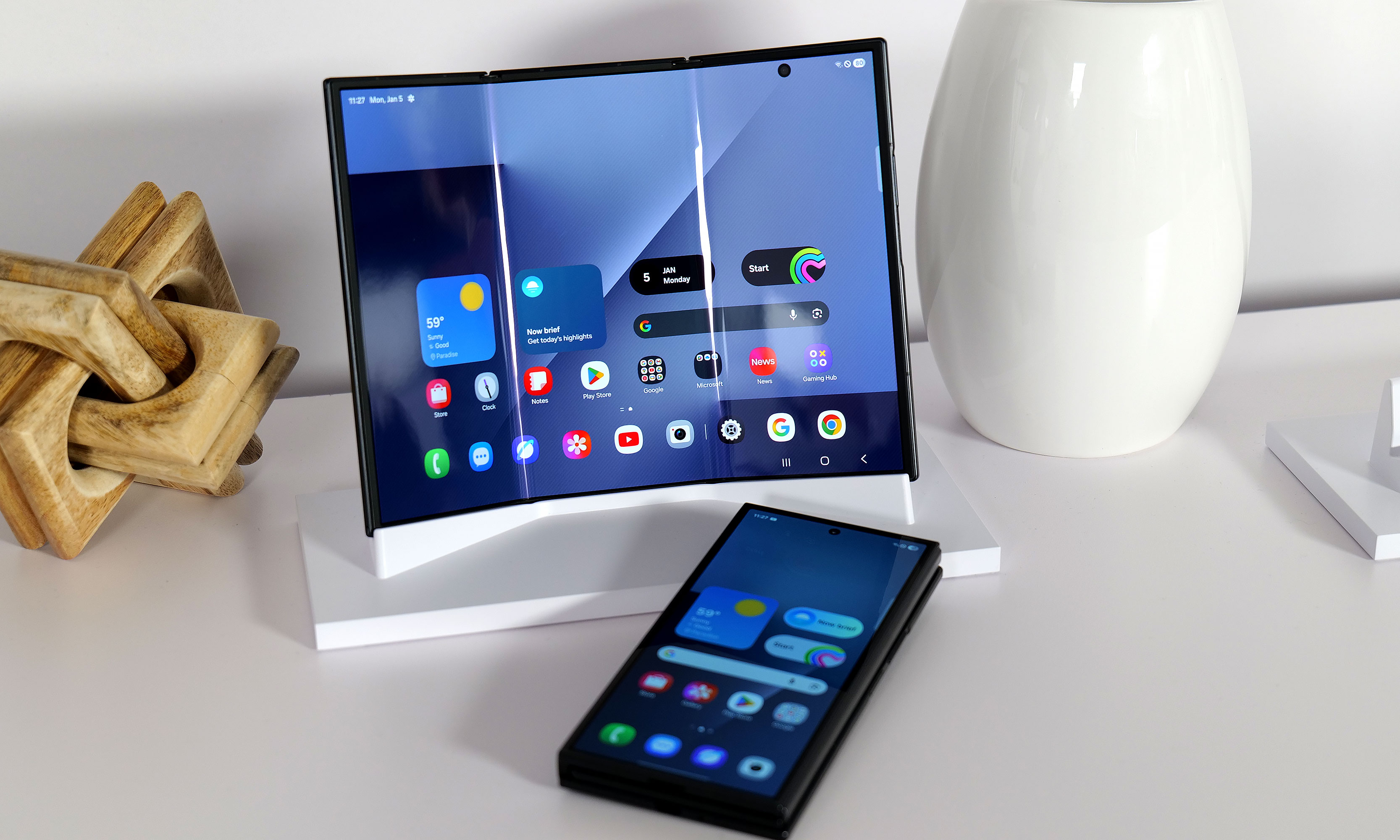
Samsung’s Galaxy Z TriFold was unveiled in Asia before the show, but this was our first opportunity to see the superphone in person. It looked, at first glance, like the kind of idea that comes with obvious compromises: more weight, more thickness and a bigger price tag. In person, the pitch becomes easier to understand.
The main draw is the 10-inch AMOLED display, which is a meaningful leap from the 8-inch inner screen on Samsung’s current book-style foldables. That extra real estate makes multitasking feel less cramped, and when paired with DeX, it starts to resemble a travel-friendly laptop alternative if you’re comfortable carrying a small keyboard and mouse. The TriFold’s 4:3 aspect ratio also helps for video and general productivity, with fewer awkward tradeoffs than the squarer inner screens Samsung has leaned on in recent generations.
Samsung appears to have put real effort into the mechanics, too. The device uses two hinges and a magnet system designed to make opening and closing feel intuitive, with built-in warnings if you try to unfold it the wrong way. The obvious downsides are still there, including the bulk and cost, and it’s not clear how much thinner future versions can get when the USB-C port is effectively the limiting factor. For now, the TriFold is on sale in South Korea, with US and broader North American availability and pricing still pending.
Lenovo
While it normally has a 16-inch display, the Lenovo Legion Pro Rollable concept's screen can expand up to 23.8 inches across.
Sam Rutherford for Engadget
Lenovo arrived with a stack of concepts and a few more concrete products, making it clear that the company is still treating CES as its main playground for experimental form factors.
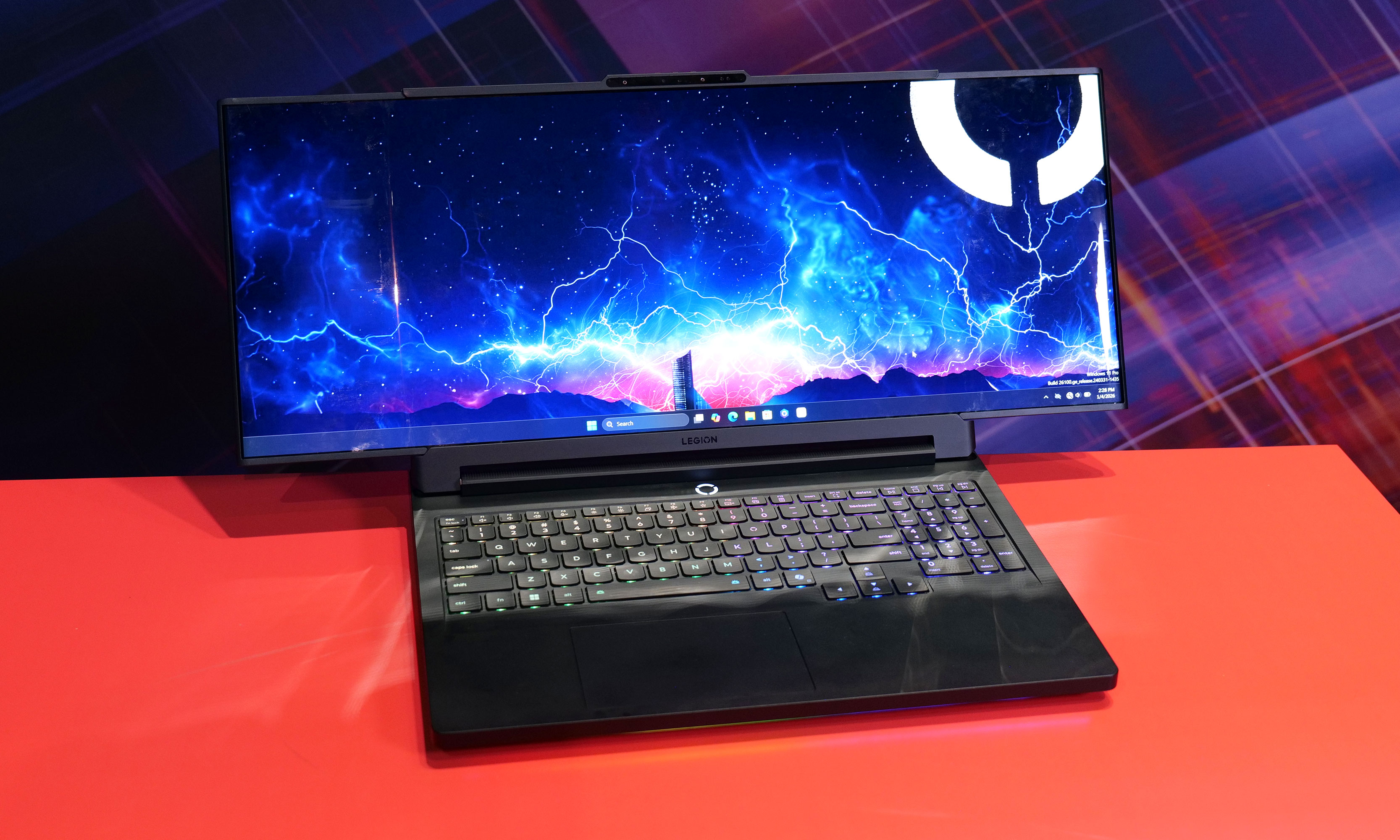
The most striking concept was the Legion Pro Rollable, a gaming laptop built around a flexible OLED panel that expands sideways from a standard 16-inch footprint to 21.5 inches or 23.8 inches, shifting aspect ratios from 16:10 to 21:9 or even 24:9. It’s the kind of idea that makes immediate sense for flight sims, racing games and open-world titles that benefit from ultrawide views, even if the mechanics felt a bit prototype-like up close.
Lenovo also showed the XD Rollable concept, which takes a more familiar rollable approach, expanding a 13.3-inch OLED screen to 16 inches at the push of a button. The twist is that the “extra” display wraps around the back of the lid to create a world-facing surface for mirrored content or a secondary view. It’s a clever way to avoid hiding unused panel real estate, even if the practical use cases still feel limited (maybe point-of-sale terminals?).
On the handheld front, Lenovo confirmed the Legion Go 2, which will be powered by SteamOS and will arrive in June starting at $1,199. It keeps the same core hardware, including an 8.8-inch OLED 144Hz VRR display, detachable controllers, a kickstand and two configuration tiers based on Ryzen Z2 chips. The big change is swapping SteamOS in place of Windows, which should appeal to anyone who wants a more console-like experience, even if it remains a large device at 2.2 pounds.
For laptops headed to market, Lenovo introduced the ThinkBook Plus Gen 7 Auto Twist, a notebook with a motorized display that can follow you during calls and presentations using a 10MP webcam and onboard AI. It also supports Intel Core Ultra Series 3 processors, up to 32GB RAM and 2TB storage, plus a strong port selection, and Lenovo says it starts at $1,649 with availability planned for June.
Finally, Lenovo teased an AI smart glasses concept that looks more like normal eyewear than most show-floor prototypes. Lenovo says the glasses are designed for live translation, image recognition and notification summaries, with an eight-hour battery claim. As with many Lenovo concepts, there’s no firm timeline for a retail release.
Pebble
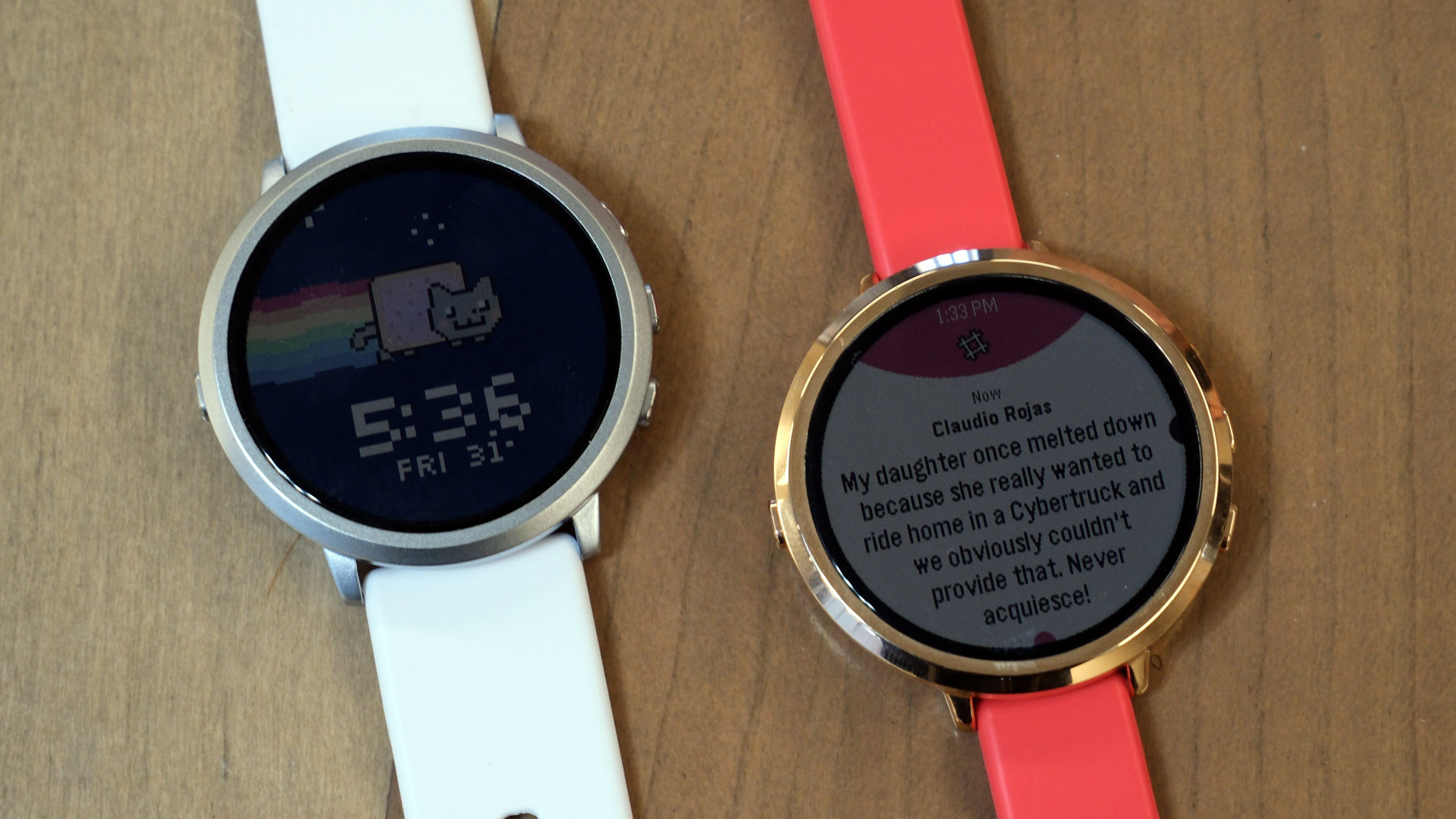
The Pebble Round 2 reboots a smartwatch classic.
Daniel Cooper for Engadget
Pebble’s presence at CES this year felt like a counterpoint to the “more features, more sensors, more subscriptions” direction of other wearables.
The Pebble Round 2 aims to revive the brand’s original appeal: a lightweight watch that supplements your phone rather than trying to replace it. The new model uses a 1.3-inch color e-paper touchscreen that runs to the edge of the case, with Pebble claiming two weeks of battery life in the 8.1mm-thick watch. It also makes deliberate tradeoffs, skipping GPS, a speaker and an optical heart rate sensor to keep the device thin and focused.
Then there’s the Pebble Index 01, a simple AI ring built around a physical button you press to activate voice commands that you can use to ask questions, set reminders and the like. The pitch is reducing friction: no wake words, no gestures you have to get right every time. Pebble says the ring is water resistant and not rechargeable, instead using a sealed battery designed to last years depending on usage, with replacement handled when the battery is nearing the end of its life. It’s available for pre-order at an early bird price of $75, with shipping planned for May.
Segway
Segway expanded its presence well beyond scooters with two very different pitches: smarter yard care and more tech-forward e-bikes.
Under its Navimow brand, Segway introduced a new lineup of robotic lawn mowers spanning multiple tiers, including the X4 Series for large yards up to 1.5 acres with AWD and dual cutting motors, plus the more mainstream i2 Series with AWD and LiDAR options. Segway says pre-orders for the i2 AWD and X4 models begin January 16, with pricing ranging from around $1,000 to $3,000 depending on configuration.
On the mobility side, Segway announced two new e-bikes, the Myon and Muxi, along with an electric dirt bike called the Xaber 300. The headline is the company’s focus on sensor-driven ride smoothing, smart features like Find My integration and app-based controls, and tech meant to make starts, hills and traction feel more predictable. The Myon is available now for $2,000, while the Muxi is expected in March for $1,700.
Meta
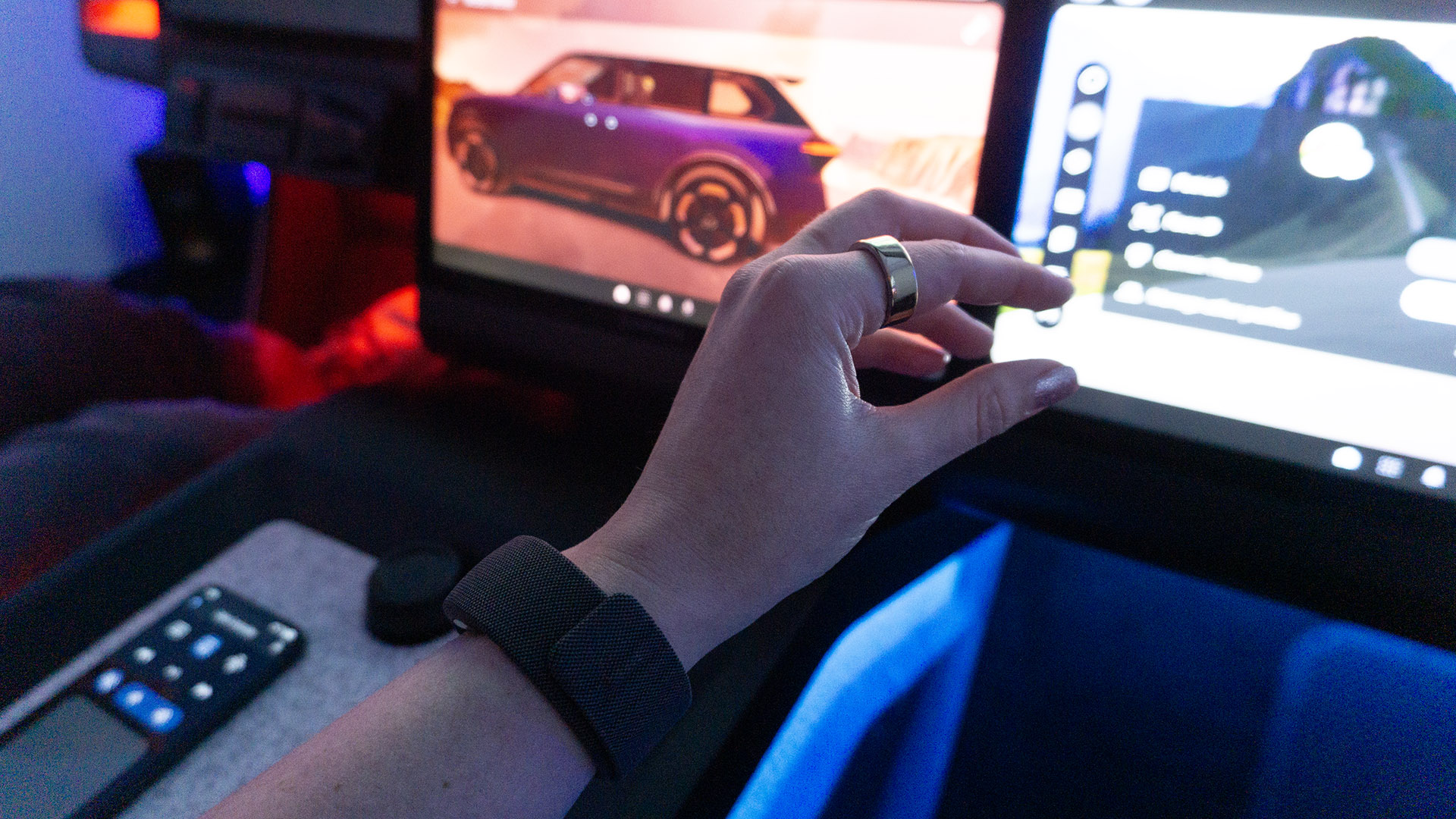
Meta's neural band in Garmin's Unified Cabin at CES 2026.
Karissa Bell for Engadget
Meta’s EMG wristband (that’s short for “electromyography,” the ability to recognize and translate small finger and wrist gestures) is starting to look like more than a companion accessory for smart glasses. Meta showed how its wrist-based neural controller could be used beyond its own eyewear, including an early demo with Garmin inside a concept car cockpit. The interaction was still basic — swipe and pinch gestures to navigate apps on an infotainment screen — but the larger idea is hands-free control of vehicle functions over time.
Meta also highlighted research work exploring how EMG control could help people with conditions that limit hand mobility interact with smart home devices like speakers, blinds and thermostats. If day one of the show had a theme beyond AI, it was that companies are still willing to gamble on new shapes and inputs, and they can work as long as they feel practical and immediately useful.
Razer
Razer's concept immersive gaming chair with light strips along the head cushions is pictured in front of a desk in a rocky outdoor environment between large puddles
Razer
Razer’s day-one news was split between a full-blown immersion concept and a more grounded chair refresh.
The company’s Project Madison concept is a gaming chair designed as a multisensory rig, combining reactive lighting, spatial audio and multi-zone haptics to match on-screen action. It’s not a product you can buy, but it’s a clear statement about where Razer thinks the “setup” category could go.
Razer also showed Project Motoko, a concept headset meant to blur the line between gaming gear and an AI wearable. It includes cameras for real-time object and text recognition and is designed to work with multiple AI assistants, with Razer positioning it as a platform that could eventually ship first as a developer kit and later as a retail product.
Birdbuddy
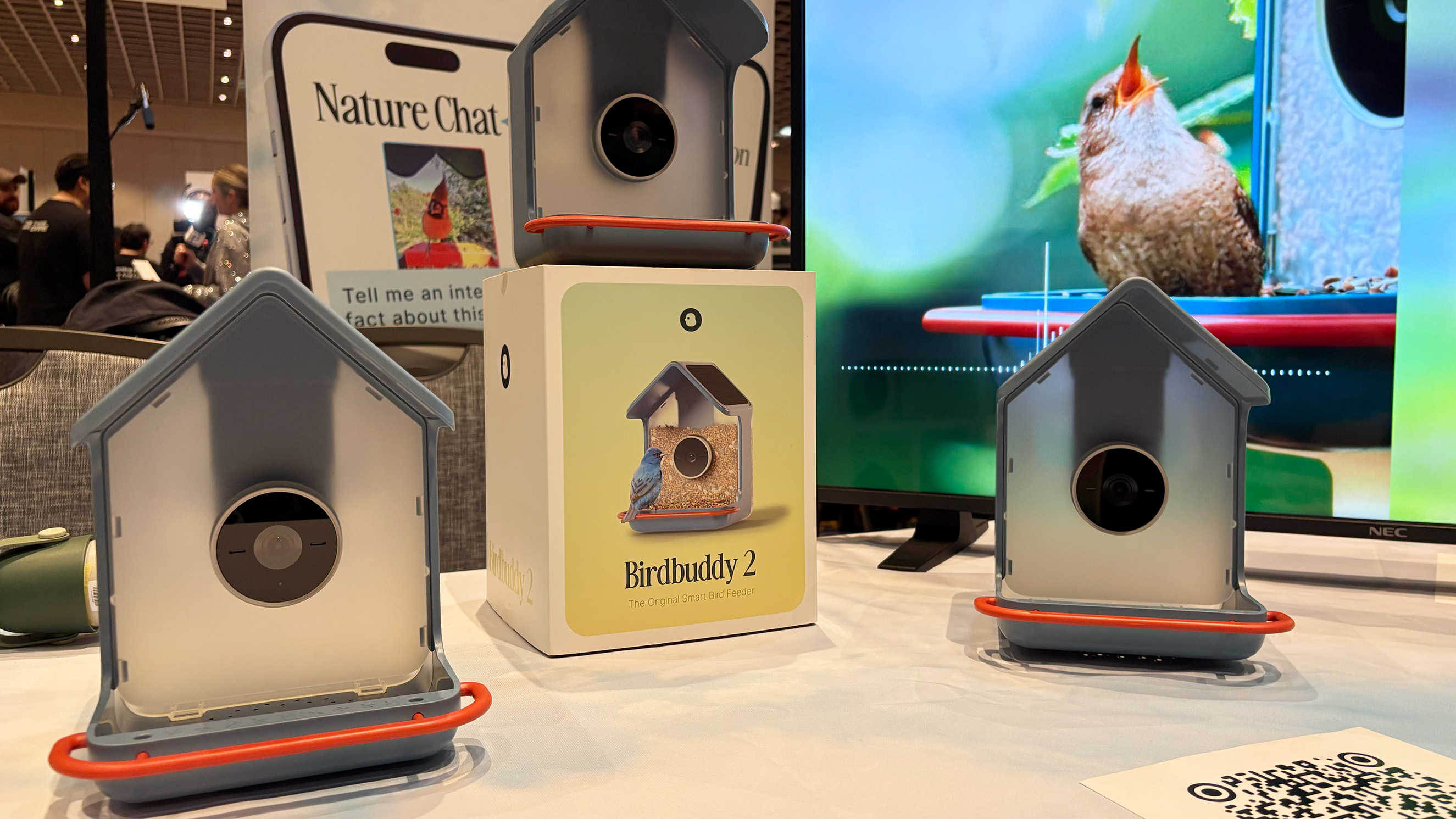
Two new Birdbuddy smart bird feeders displayed at CES.
Amy Skorheim for Engadget
Birdbuddy added a feature that makes its smart feeders feel closer to a true nature companion: birdsong identification. The Birdbuddy 2 and Birdbuddy 2 Mini both add microphones that help the system identify species by sound, alongside the usual camera-based detection. Birdbuddy also says the new models improve camera wake-up speed, use a more modular design for easier cleaning and protect the lens with Gorilla Glass since birds have a habit of pecking at it.
The Birdbuddy 2 is priced at $199 and is expected to ship pre-orders in February, with wider availability mid-2026, while the Birdbuddy 2 Mini costs $129 with pre-orders planned for summer.
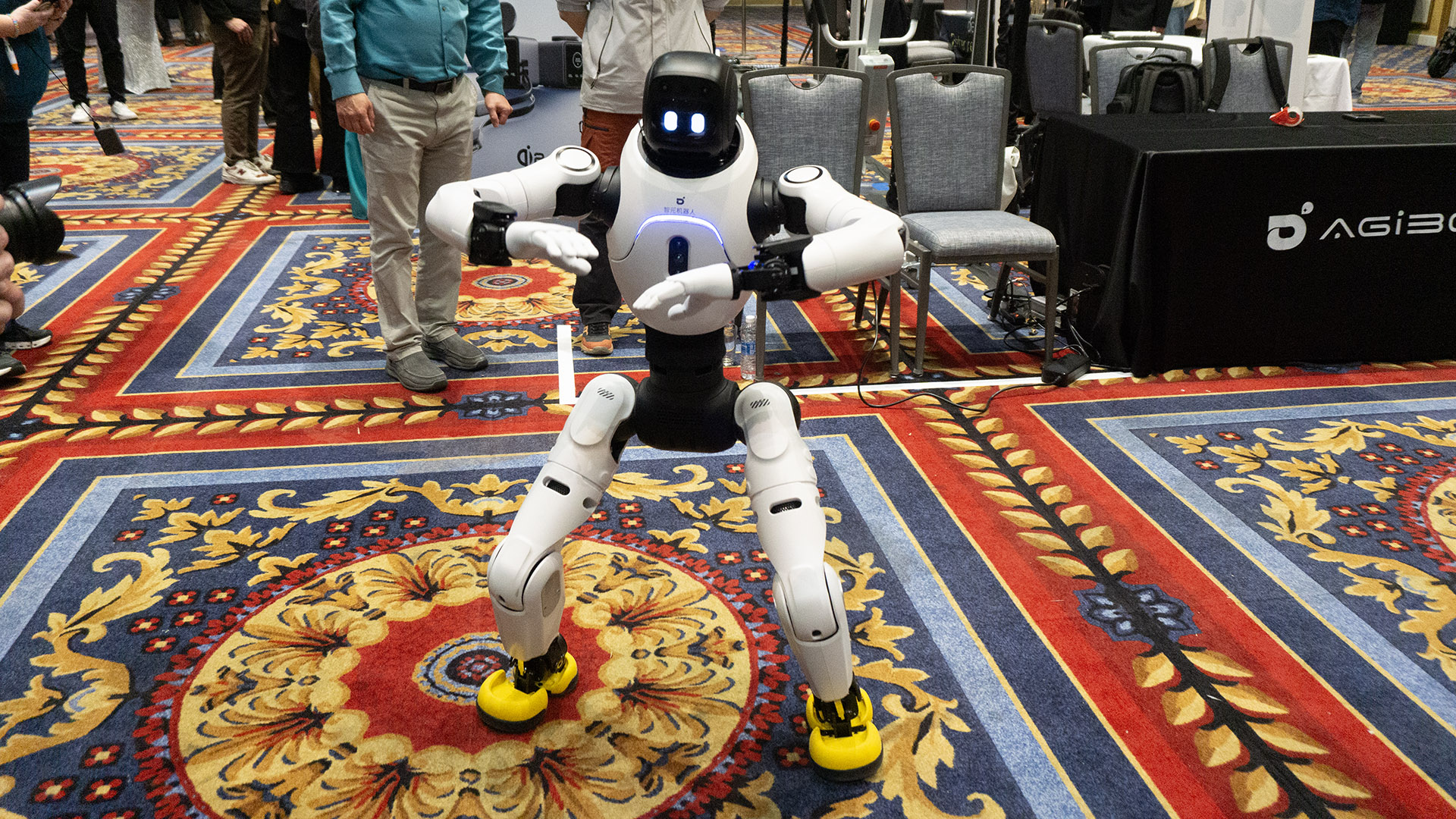
Agibot
Humanoid robots are having another moment at CES this year, and Agibot’s demos leaned into movement, personality and practical service roles.
The company brought two robots, the larger A2 and smaller X2, both capable of walking around the floor, waving to attendees and dancing with surprising confidence. Agibot described the A2 as a potential hospitality helper for places like museums or conferences, while the X2 is framed more as an educational platform with slightly more human-like movement. Agibot also says its robots can learn actions from video, including training dance routines from TikTok clips, and the company plans to make its robots available in the US this year, though pricing and broader availability details weren’t shared.
Day one is in the books, but CES 2026 is far from over. With the show floor now fully open, expect more hands-ons, deeper dives and plenty of unexpected demos as the week continues, especially across laptops, wearables, mobility and smart home tech. We’ll be updating our CES coverage daily, with liveblogs, reviews and show-floor impressions throughout the week. You can follow along on Engadget for the latest news as it happens.
This article originally appeared on Engadget at https://www.engadget.com/big-tech/ces-2026-day-1-the-biggest-tech-news-and-gadgets-you-missed-from-the-first-official-day-of-the-show-144040174.html?src=rss
CES remains a key stage for laptop makers to lay out their plans for the year ahead. At CES 2026, that meant new flagship productivity machines, reconsidered gaming notebooks and solid incremental updates across several major lineups. While we’re still seeing embargoes lift and hands-on time on the show floor, the announcements below reflect the most significant laptops we’ve seen so far. Plus, the list will grow as more companies reveal details throughout January 6 and beyond.
Lenovo Legion Pro Rollable
Lenovo Legion Pro Rollable
Engadget
Lenovo came prepared for CES 2026 with a ton of laptops — concepts, fully-formed designs and everything in betwee. The most striking concept was the Legion Pro Rollable, a gaming laptop built around a flexible OLED panel that expands sideways from a standard 16-inch footprint to 21.5 inches or 23.8 inches, shifting aspect ratios from 16:10 to 21:9 or even 24:9. It’s the kind of idea that makes immediate sense for flight sims, racing games and open-world titles that benefit from ultrawide views, even if the mechanics felt a bit prototype-like up close.
Lenovo also showed the XD Rollable concept, which takes a more familiar rollable approach, expanding a 13.3-inch OLED screen to 16 inches at the push of a button. The twist is that the “extra” display wraps around the back of the lid to create a world-facing surface for mirrored content or a secondary view.
Samsung Galaxy Book6 series
New Samsung Galaxy Book6 laptops offer NVIDIA RTX 50-series GPUs.
Samsung announced the Galaxy Book6 family at CES 2026, introducing three new laptops built around Intel’s Panther Lake chips: the Galaxy Book6, Book6 Pro and Book6 Ultra. The focus this year is on slimmer designs, improved thermals and longer battery life, with Samsung claiming up to 30 hours of video playback on the Book6 Ultra and Pro.
The 16-inch Galaxy Book6 Ultra sits at the top of the lineup, with configurations offering up to Intel Core Ultra X9 processors, Intel Arc graphics and NVIDIA RTX 50-series GPUs, including RTX 5070 and RTX 5060 options. Samsung says the Ultra delivers up to 1.6x better CPU performance and 1.7x improved graphics compared with the previous Galaxy Book generation, helped by a wider vapor chamber and a new dual-path fan system for GPU cooling.
Both the Book6 Ultra and Book6 Pro feature upgraded 2,880 x 1,800 AMOLED 2X displays with touch support, adaptive refresh rates up to 120Hz and peak brightness of up to 1,000 nits. The laptops are thinner than their predecessors, with the Ultra measuring 15.4mm thick and the Pro coming in at 11.9mm — and Samsung has added haptic trackpads across the series for the first time. Pricing and release dates have not yet been announced.
ASUS ROG Zephyrus Duo
On top of having two displays, the Zephyrus Duo's screens also feature excellent brightness at up to 1,100 nits.
ASUS brought its dual-screen design into the gaming space at CES 2026 with the ROG Zephyrus Duo, a laptop that pairs two full-size 16-inch displays with high-end gaming hardware. Unlike productivity-focused dual-screen systems, the Zephyrus Duo is positioned as a hybrid machine designed to handle gaming, content creation and multitasking in a single portable setup.
Both 16-inch Nebula OLED panels support HDR with up to 1,100 nits of peak brightness, NVIDIA G-SYNC, stylus input and high color accuracy. Performance comes from Intel’s latest Core Ultra processors paired with NVIDIA RTX 50-series GPUs, up to an RTX 5090. While the system’s 135W power budget means it won’t match the raw performance of some single-screen gaming laptops, ASUS is clearly prioritizing versatility over maximum output.
The Zephyrus Duo includes a detachable wireless keyboard, a built-in kickstand and multiple usage modes, including stacked dual-screen layouts and drawing configurations. Despite weighing a whopping 6.28 pounds, ASUS has kept the chassis relatively slim at 0.77 inches and equipped it with a six-speaker system, vapor chamber cooling and a broad selection of ports including Thunderbolt 4, HDMI 2.1 and a full-size SD card slot. Pricing and availability have not yet been announced.
MSI Stealth 16 AI+
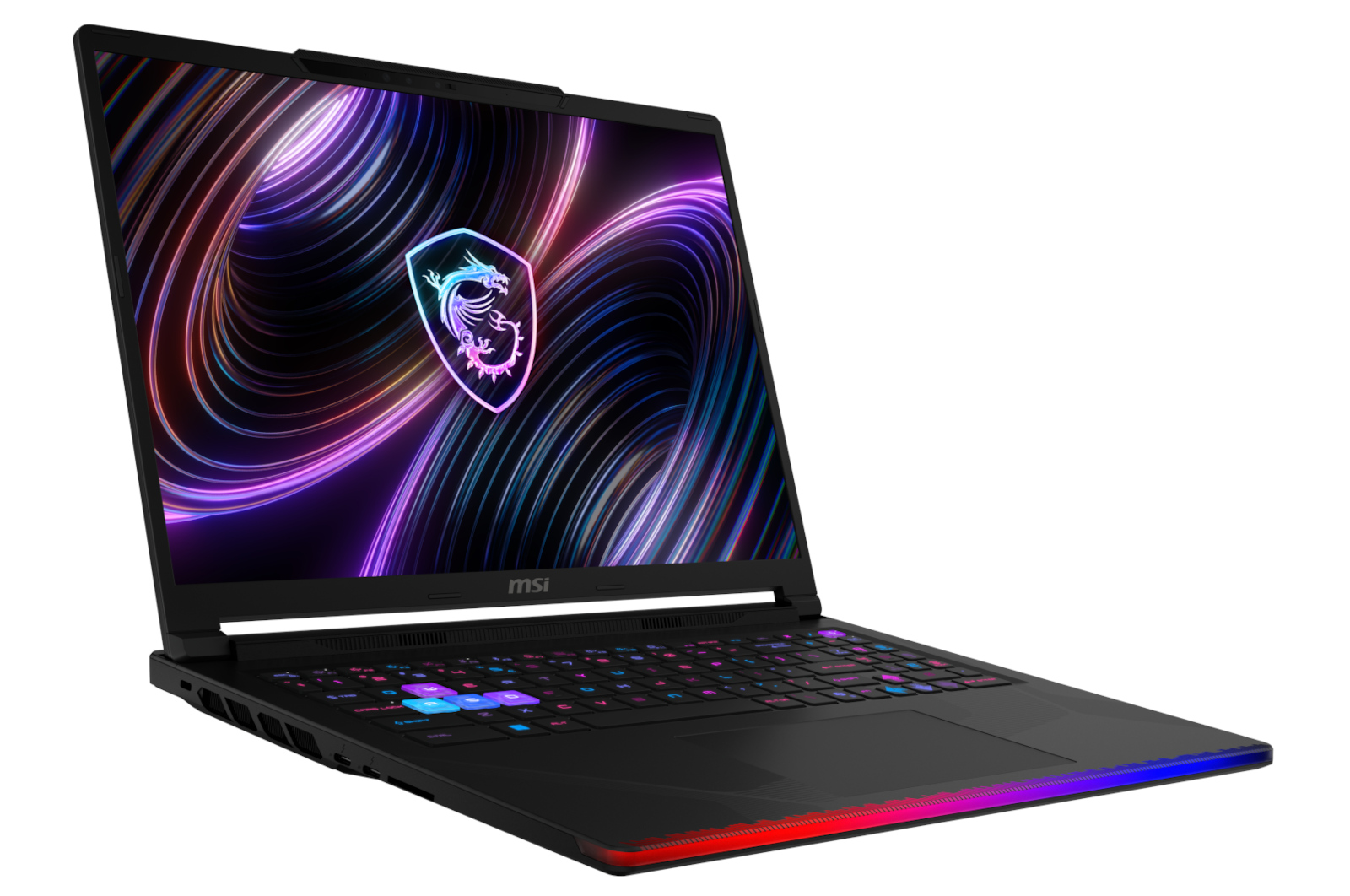
MSI's most powerful gaming laptop.
MSI
MSI updated its Stealth lineup at CES 2026 with the Stealth 16 AI+, a gaming laptop designed to balance performance and portability. The system measures just 16.6mm thick, weighs under two kilograms and is equipped with NVIDIA RTX 50-series graphics alongside Intel Core Ultra 200HX processors.
Despite its slim profile, the Stealth 16 AI+ includes dual memory slots and dual SSD bays, giving it more upgrade flexibility than many thin gaming laptops. MSI is positioning it as a versatile machine for users who want gaming performance without the bulk typically associated with high-end hardware.
MSI Crosshair 16 Max HX
The Crosshair 16 Max HX represents MSI’s more traditional gaming approach, pairing Intel Core Ultra 200HX processors with NVIDIA GeForce RTX 50-series GPUs. It sits below the company’s flagship Raider models but still targets players who want strong performance in a relatively streamlined chassis.
Buyers can opt for an optional QHD+ OLED display with a 165Hz refresh rate, adding sharper visuals and smoother motion for gaming and media. Alongside the Max HX, MSI also announced a Crosshair 16 HX variant, giving the Crosshair line a broader range of configurations aimed at mid-to-high-end gaming buyers.
HP OmniBook Ultra 14
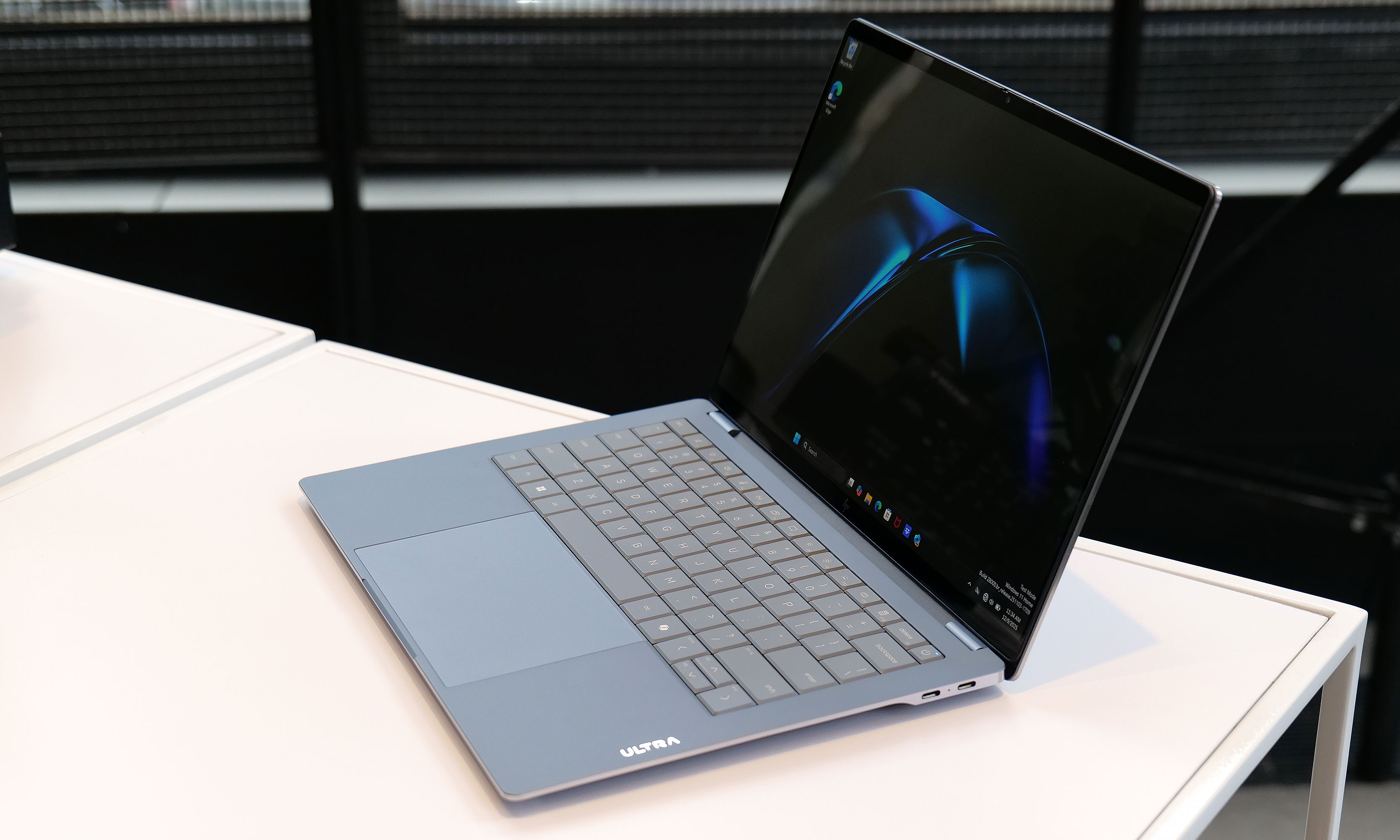
HP claims the Omnibook Ultra 14 has passed 20 different MIL-STD 810H tests for things like extreme temperature and shock resistance.
HP used CES 2026 to debut its new flagship consumer laptop, the OmniBook Ultra 14. It’s a premium ultraportable built around an ultra-thin but durability-focused design. The laptop measures just 0.42 inches thick and weighs 2.8 pounds, yet HP says it passes 20 MIL-STD-810 tests for shock, drops and extreme temperatures. Rather than a traditional unibody chassis, HP uses a forge-stamped aluminum construction designed to improve strength and bend resistance.
The OmniBook Ultra 14 features a 3K OLED display and can be configured with up to 64GB of memory and 2TB of storage. Buyers can choose between Intel Core Ultra processors or Qualcomm’s Snapdragon X2 Elite, with the Snapdragon version offering a more powerful NPU rated at up to 85 TOPS for AI workloads. HP has also added a vapor chamber for the first time in an OmniBook to support sustained performance in such a slim chassis.
HP rounds things out with a large touchpad, quad speakers and three USB-C ports supporting Thunderbolt 4, DisplayPort 2.1 and fast charging. The OmniBook Ultra 14 is expected to go on sale later this month starting at $1,550.
HP Omen Max 16
HP also refreshed its gaming lineup at CES 2026 with the Omen Max 16, which the company describes as its most powerful 16-inch gaming laptop to date. The system is built around Intel Core Ultra 200HX processors and NVIDIA RTX 50-series GPUs, with configurations reaching the high end of HP’s mobile performance offerings.
Designed for sustained gaming workloads, the Omen Max 16 features expanded thermal headroom and high-refresh-rate displays aimed at competitive players. HP is positioning the laptop as the flagship of its Omen lineup, sitting above refreshed Omen 15 and Omen 16 models that target more mainstream gaming buyers.
Pricing and availability for the Omen Max 16 have not yet been announced, with HP expected to share more details later this year.
Acer Swift 16 AI
Promo photo of the Acer Swift 16 AI laptop
Acer
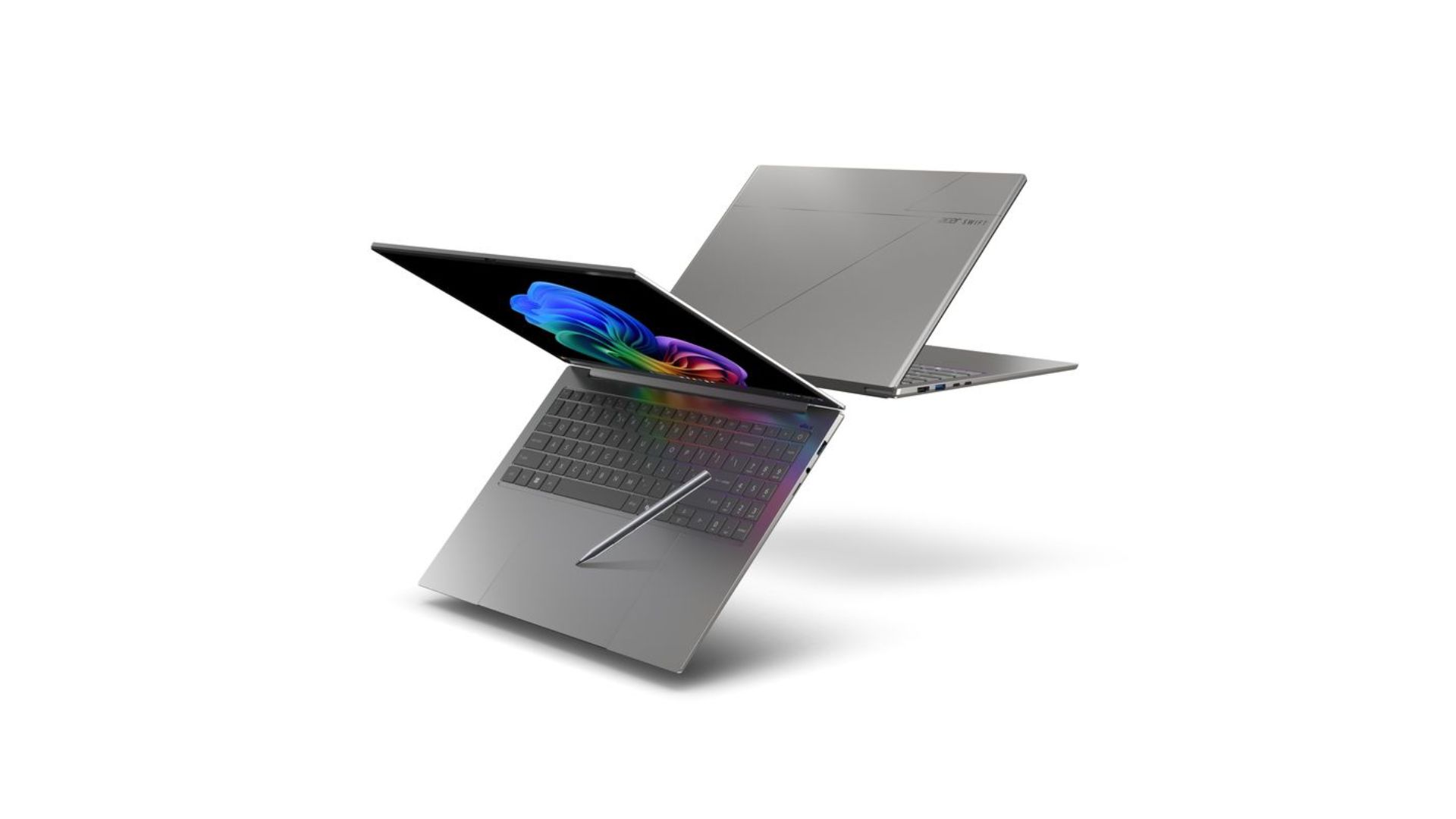
Acer expanded its flagship Swift lineup at CES 2026 with the Swift 16 AI, a large-screen ultraportable that leans heavily into input innovation and display quality. The standout feature is what Acer says is the world’s largest haptic touchpad, which supports MPP 2.5 stylus input and is designed to improve precision for creative and productivity tasks.
The Swift 16 AI features a 16-inch 3K OLED WQXGA+ touchscreen with HDR support, a 120Hz refresh rate and full DCI-P3 color coverage. It can be configured with up to an Intel Core Ultra X9 388H processor and Intel Arc B390 graphics, with up to 32GB of memory and 2TB of storage. Despite the large display, the laptop measures just 14.9mm thick and weighs about 3.4 pounds.
Acer says the Swift 16 AI is part of the Copilot+ PC program, positioning it around on-device AI features alongside performance and portability. Pricing and availability have not yet been announced.
Dell XPS 13, XPS 14 and XPS 16
Dell wouldn't let me take photos of the XPS 13 prototype model, but here's a teaser it provided for CES.
Dell
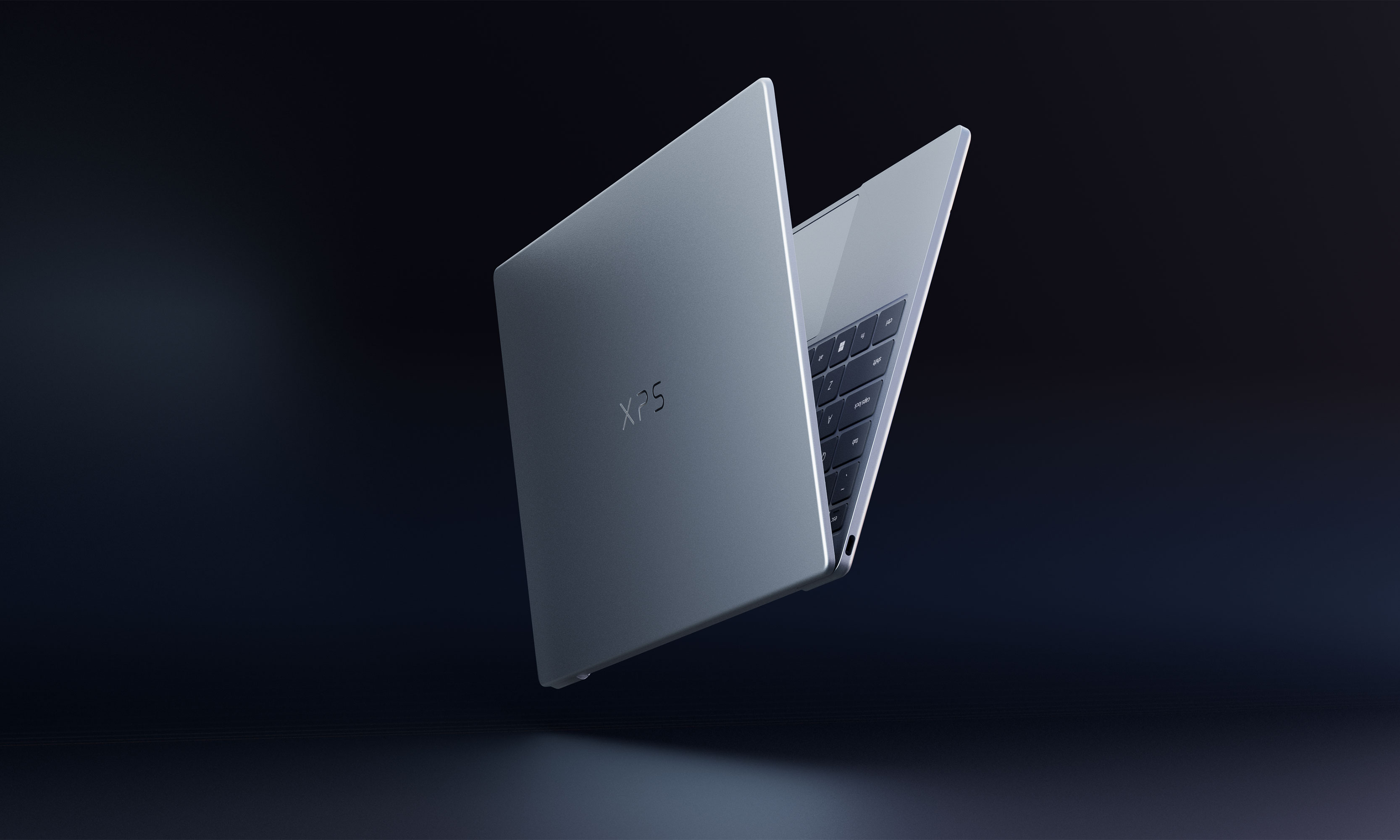
Having a bit of déjà vu? You’re not alone. Dell killed its XPS branding last year only to bring it back this year after admitting it had made a mistake. Instead of simplifying its product offering, the rebranding only bewildered consumers and tech journalists alike, both of which had come to know the XPS lineup to be synonymous with quality. Now, Dell is getting back to its roots and coming out with a whole refreshed lineup of XPS laptops, including new XPS 13, XPS 14 and XPS 16 machines. Specific details for each model still remain under wraps, and there’s no word yet on when they will hit the market.
According to Alienware, the 16-inch version will feature NVIDIA discrete graphics paired with new, highly efficient CPUs. Rather than positioning it as a pure gaming machine, Alienware says the laptop is intended to balance gaming performance with creative work, productivity and everyday use.
Alienware has not shared pricing, availability or full specifications, and it remains unclear how the 14-inch and 16-inch models will differ beyond size.
Alienware also previewed a new entry-level gaming laptop aimed at expanding its reach to more budget-conscious players. While specs remain limited, the company says the system will deliver strong gaming performance at its most accessible price point yet.
Alienware suggests pricing should come in below the $1,199 starting price of the Alienware 16 Aurora, potentially making it the most affordable gaming laptop the brand currently offers. As with the ultra-slim model, full details are expected later this year.
Alienware Area-51 and Aurora
Alongside its new teasers, Alienware announced updates to several existing laptops. The Alienware 16X Aurora and Alienware 16 Area-51 are gaining new anti-glare OLED panels with up to 620 nits of peak HDR brightness and a 0.2ms response time, as well as Intel Core Ultra 200HX processors.
The Alienware 18 Area-51 is also being refreshed with the same CPUs. Alienware says the updated Alienware 16X Aurora, Alienware 16 Area-51 and Alienware 18 Area-51 laptops will be available in Q1 2026. Pricing has not yet been announced.
This article originally appeared on Engadget at https://www.engadget.com/computing/laptops/all-the-laptops-that-caught-our-eye-at-ces-2026-160610752.html?src=rss