This Concept Makes Reading a Physical Ritual, Not an App Reminder

The intention to read a physical book more often usually gets buried under phones, streaming, and vague guilt about never finishing that stack on the nightstand. Reading is not just opening a book; it is a whole arc from deciding to start to actually making it through chapters without drifting away. Lead is a small family of objects designed to sit around a book and quietly support that arc.

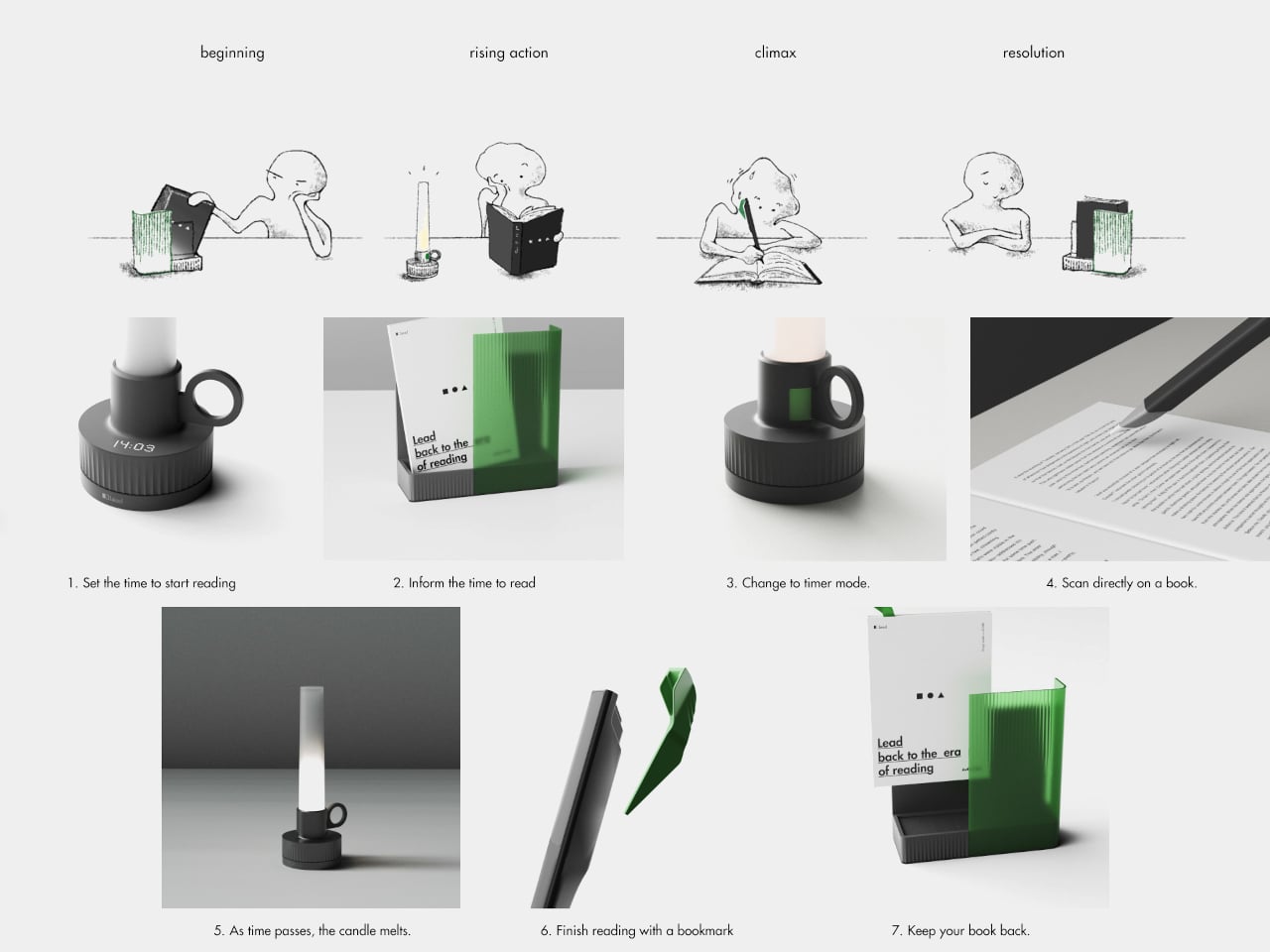
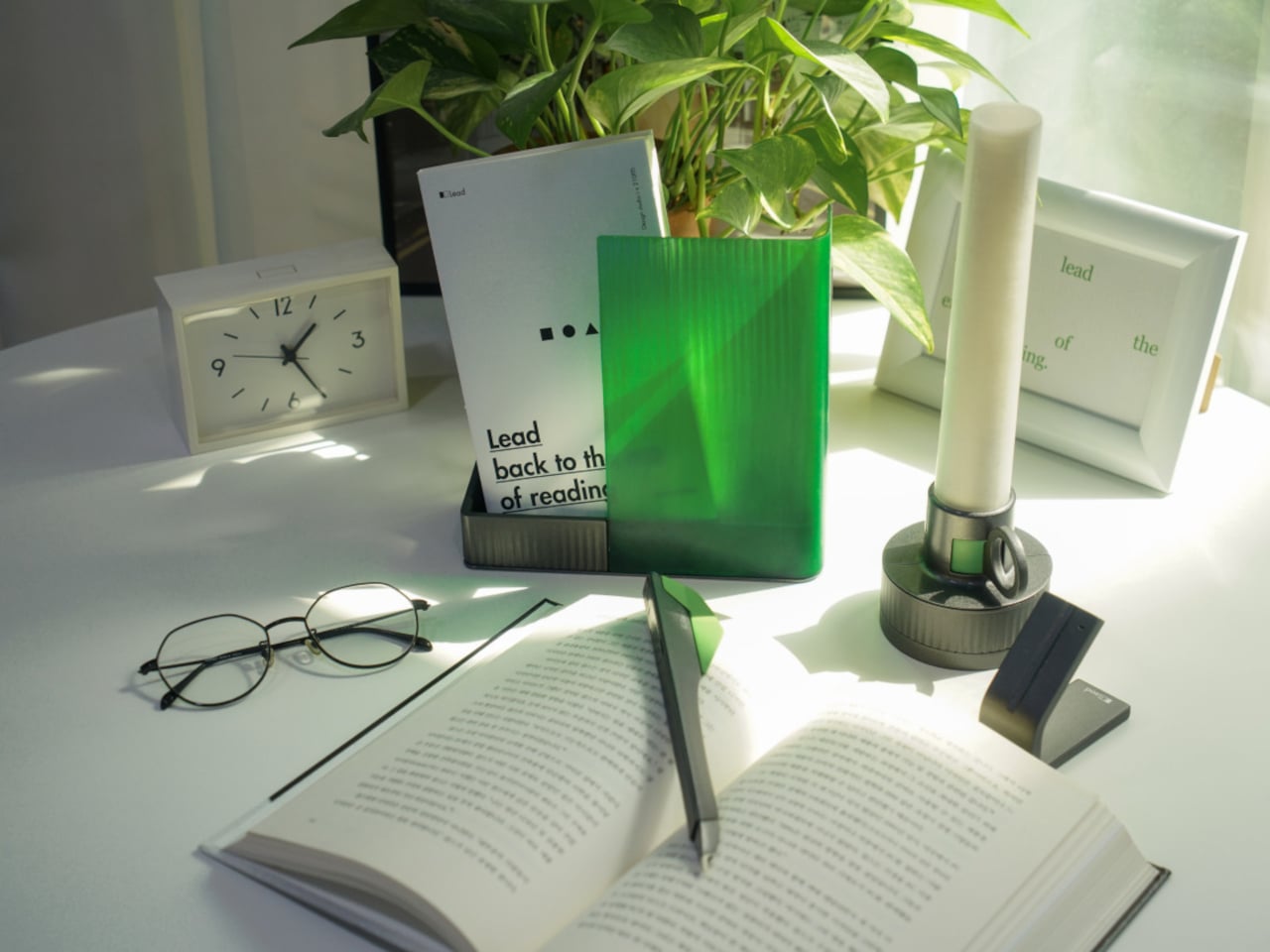
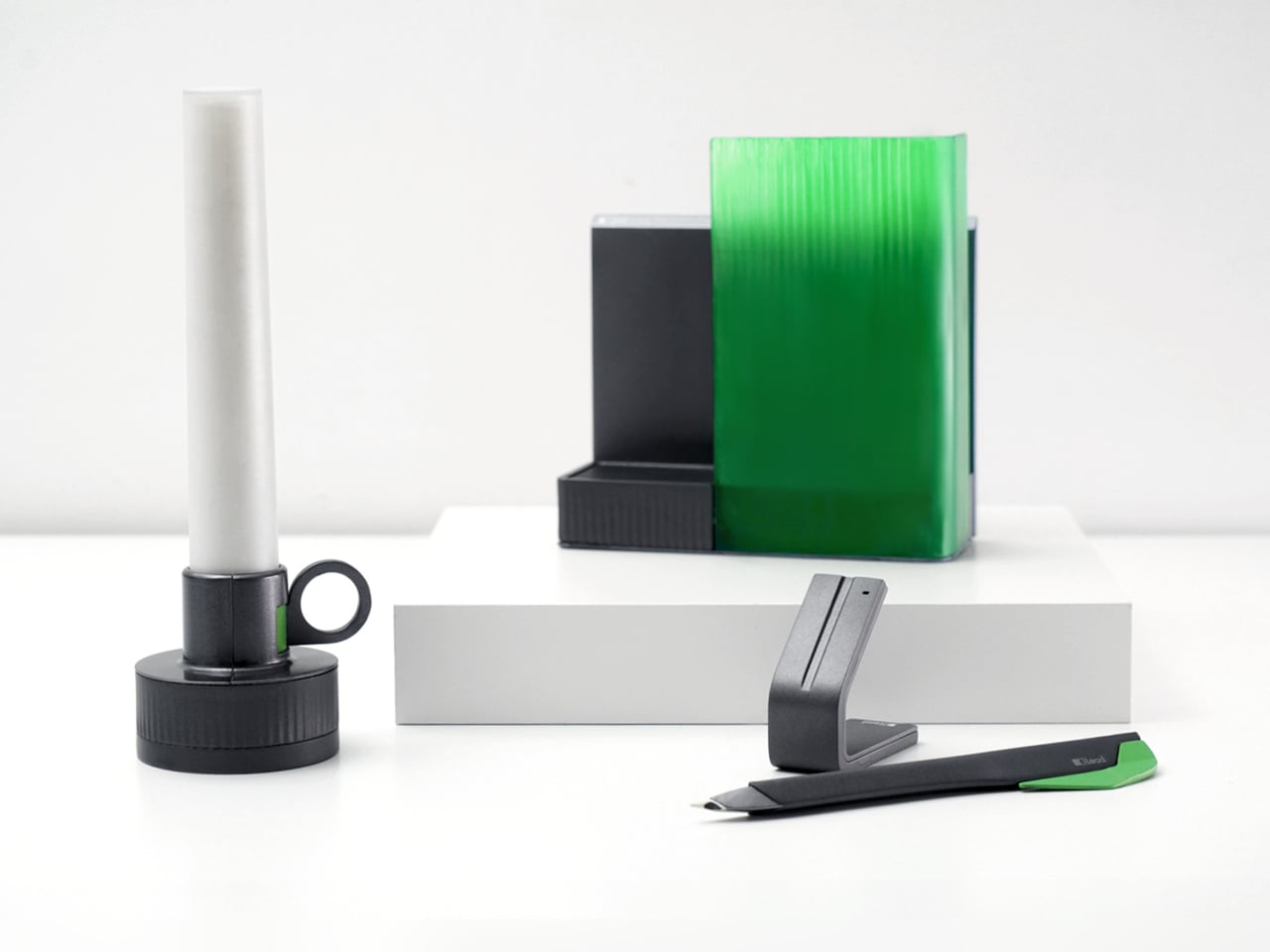
Lead is a design concept that treats reading as a story with a beginning, rising action, climax, and resolution. The name is a contraction of “Let’s read” and the first word of the slogan “lead back to the era of reading,” and the system uses three products, Bookeeper, Candle, and Quill, to give each phase of a reading session its own physical cue instead of relying on app notifications you will probably dismiss.

Designers: Yoo Chaeyeon, Kwon Eui Hwan, Yang Jinoo, Lee Sooyeon, Ha Seongmin

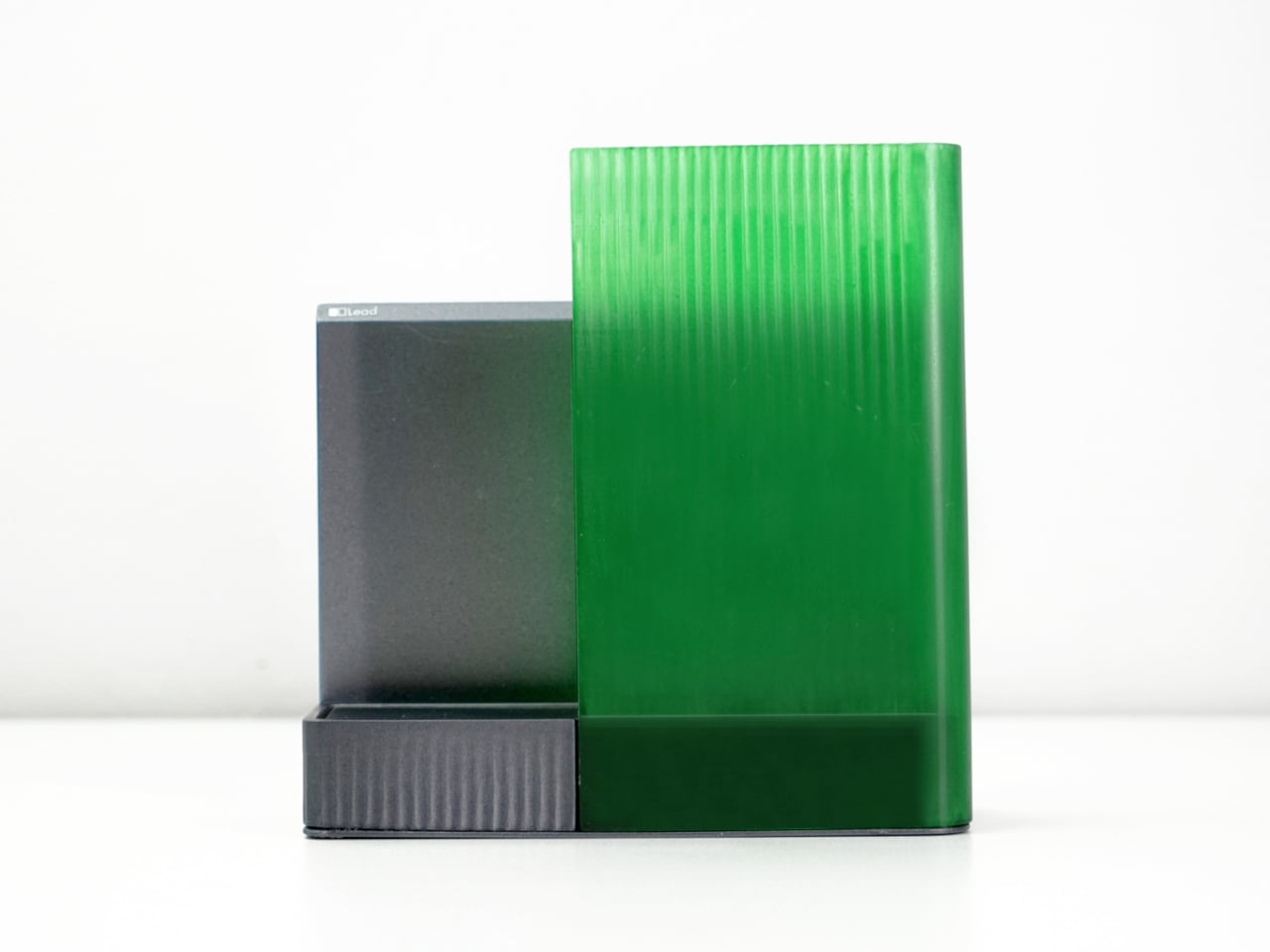
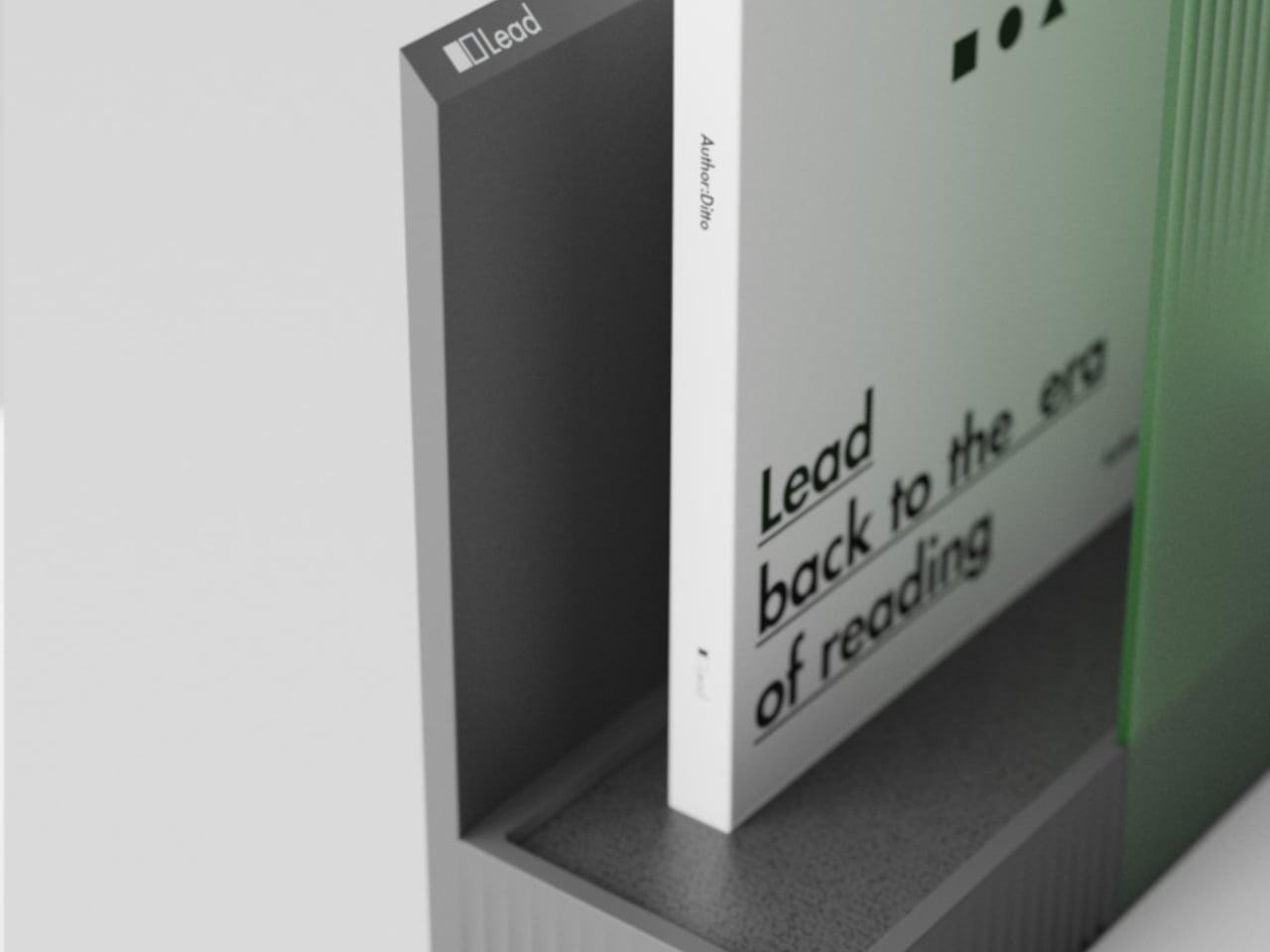
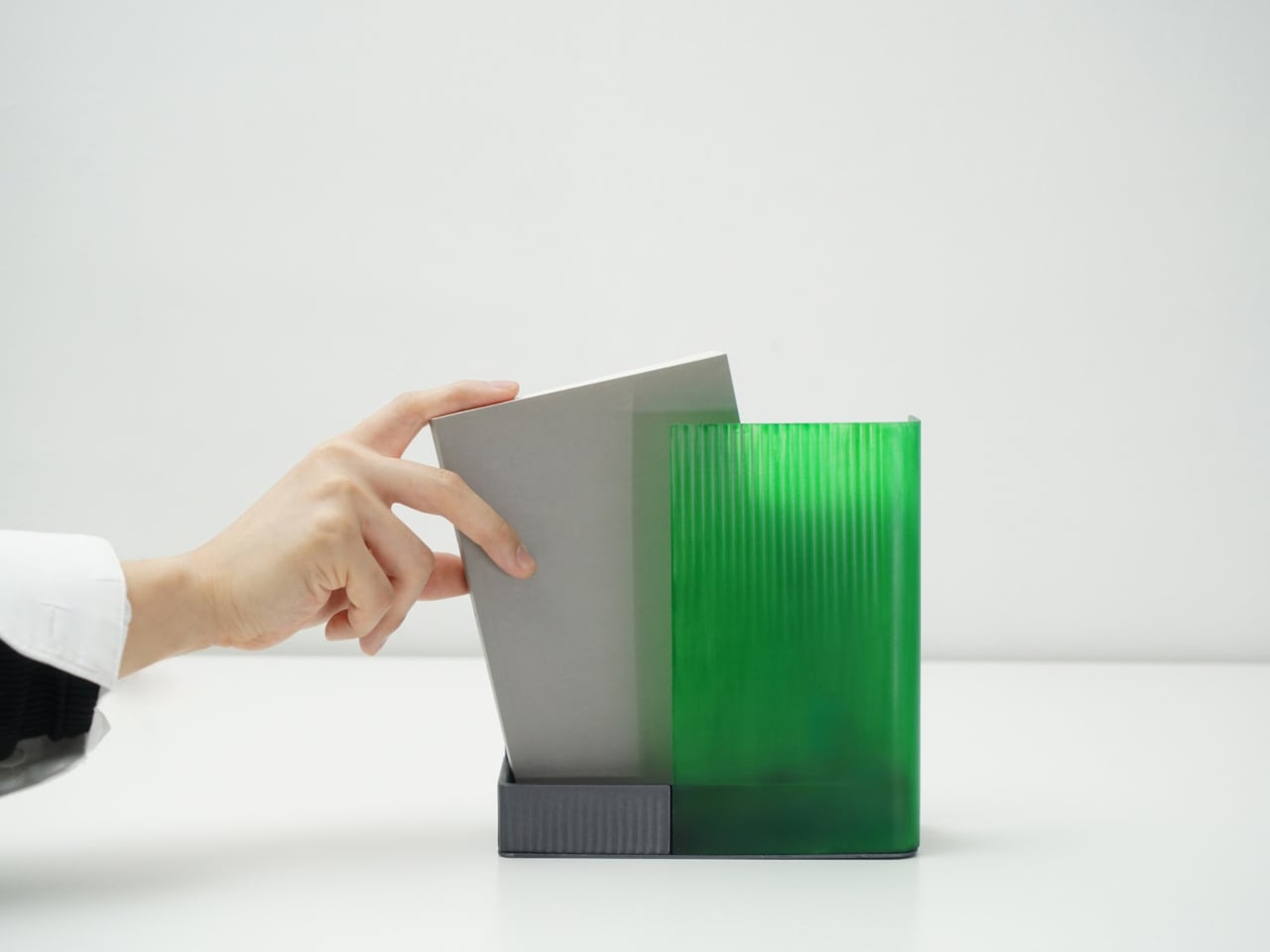
Coming home, you drop your book into Bookeeper, where it sits hidden behind a calm green panel. Earlier, you set a time to read, and as that moment approaches, the base lifts and the book slowly emerges from behind the screen. Instead of a phone notification buzzing and vanishing, the book itself appears, a quiet reminder that this is the slot you promised yourself you would actually use.

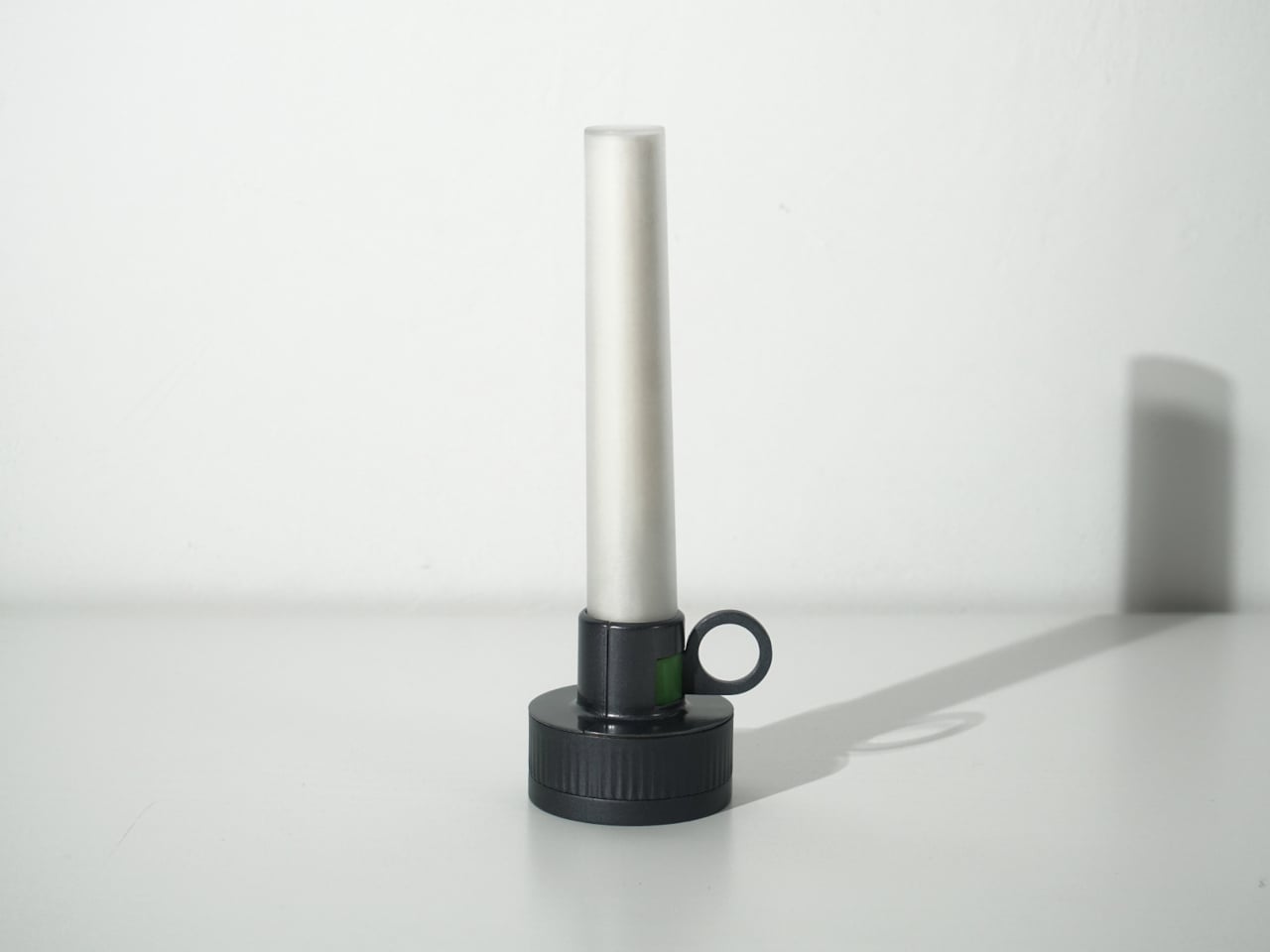
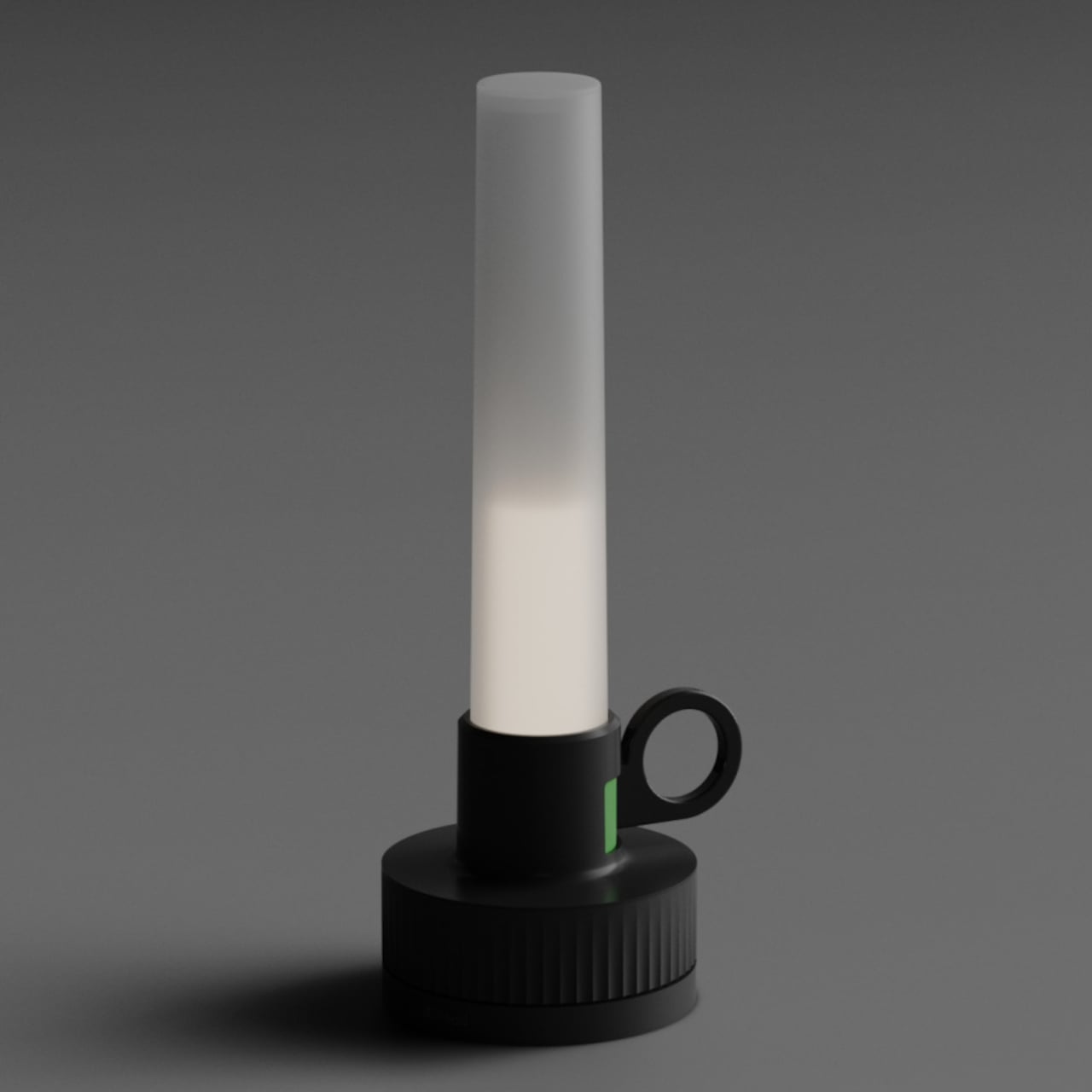
Candle is a slim vertical light that links to Bookeeper by default, then switches into timer mode with a twist of its ring. Before you dive into the pages, you set how long you want to read, and Candle becomes both atmosphere and clock. As you move through chapters, you can sense how your pace matches the time you set, adjusting speed without feeling chased by a digital countdown ticking in the corner.

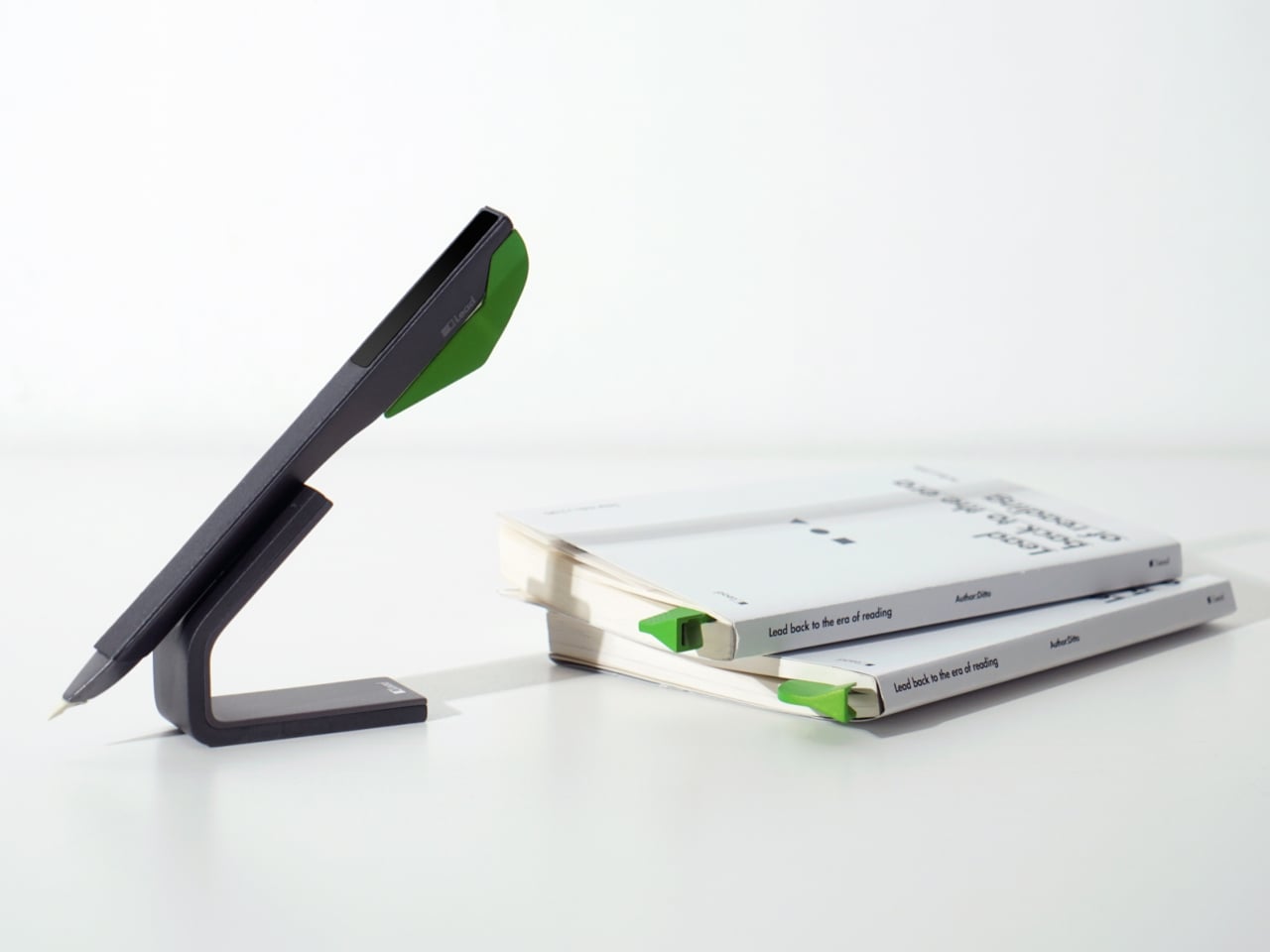
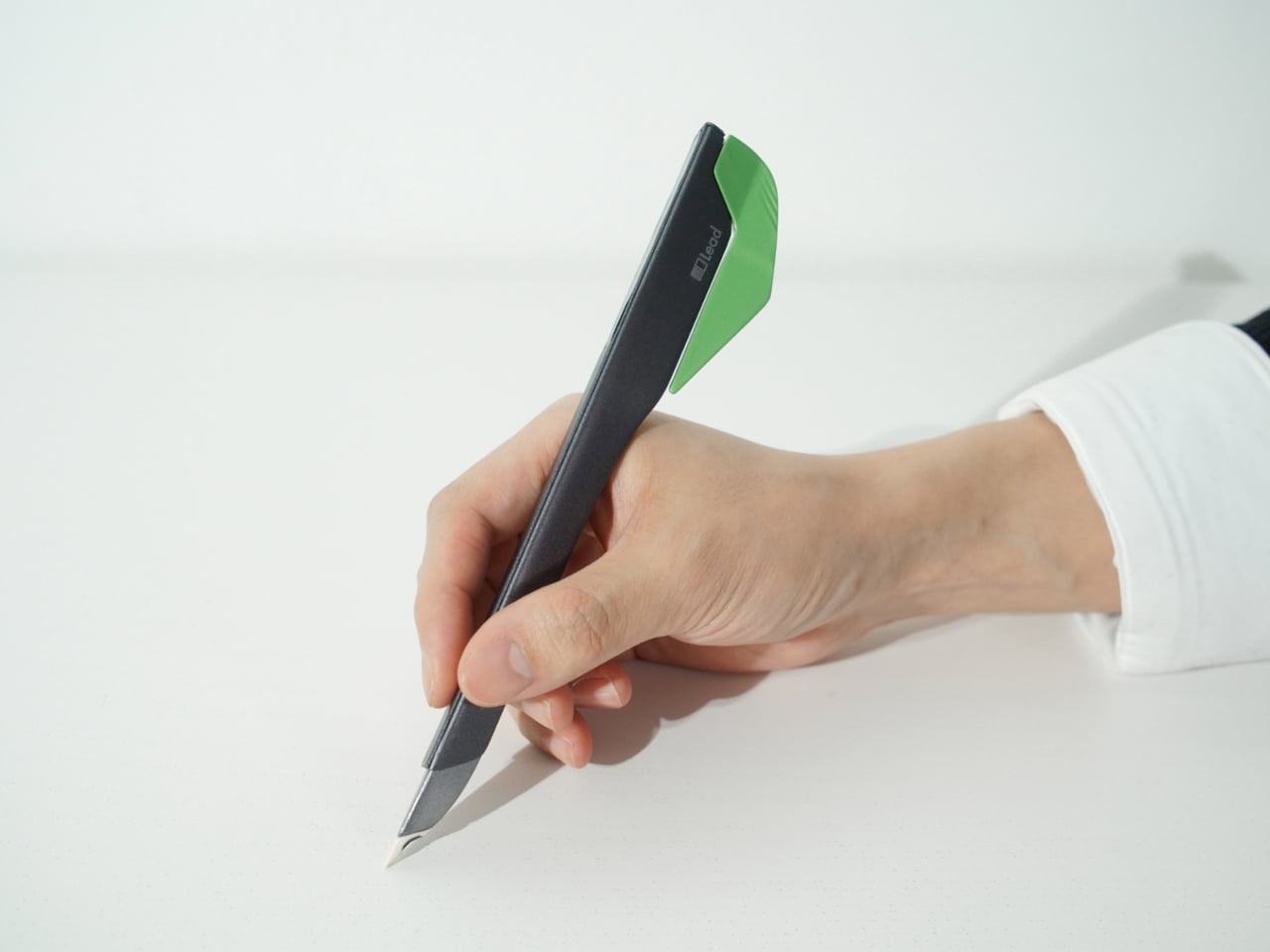
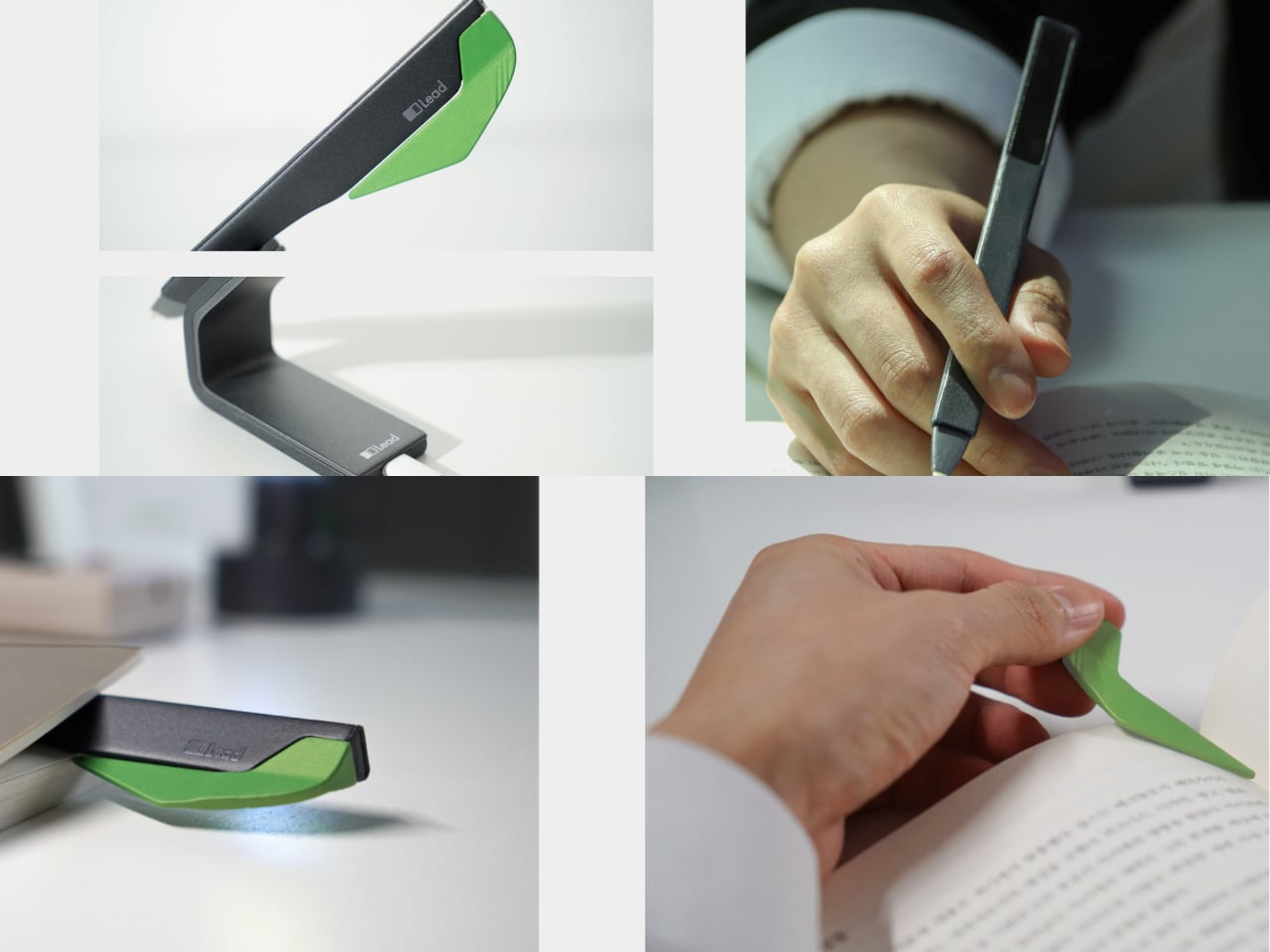
When a line or idea sticks, Quill is a smart pen that lets you write by hand in a notebook or margin, then flip into scan mode to store that text on a device later. It has two main modes, transcription and scan, so you can copy favourite phrases, jot down reflections, and then capture them without breaking the flow. A bookmark element on the back lets Quill rest in the book when you pause.

All three objects share dark bases and a calm, translucent green for the parts that move or light up, so they feel like a family without shouting for attention. The interactions are borrowed from analog reading rituals, taking a book off a shelf, lighting a candle, picking up a pen, but layered with just enough technology to guide habit without dragging you back to a screen.

Lead is less about adding gadgets to the reading table and more about designing a gentle structure around a physical book. Bookeeper brings you back at the right time, Candle holds the space and the clock, and Quill helps you remember why the session mattered. When reading often gets squeezed between notifications and feeds, a trio of objects that simply lead you back to the page feels like a quietly radical idea.

The post This Concept Makes Reading a Physical Ritual, Not an App Reminder first appeared on Yanko Design.

HOVSTEP Helps ADHD Focus with Helicopter Missions That Actually End

Modern work and study days are chopped into tiny fragments, with multiple tabs, apps, and timers all competing for attention. Even well-intentioned plans fall apart because time feels abstract and slippery, especially if you lean toward ADHD or time-blindness. Checking the clock becomes another interruption instead of a guide. HOVSTEP is a concept that tries to make time feel like one clear mission instead of a background anxiety.

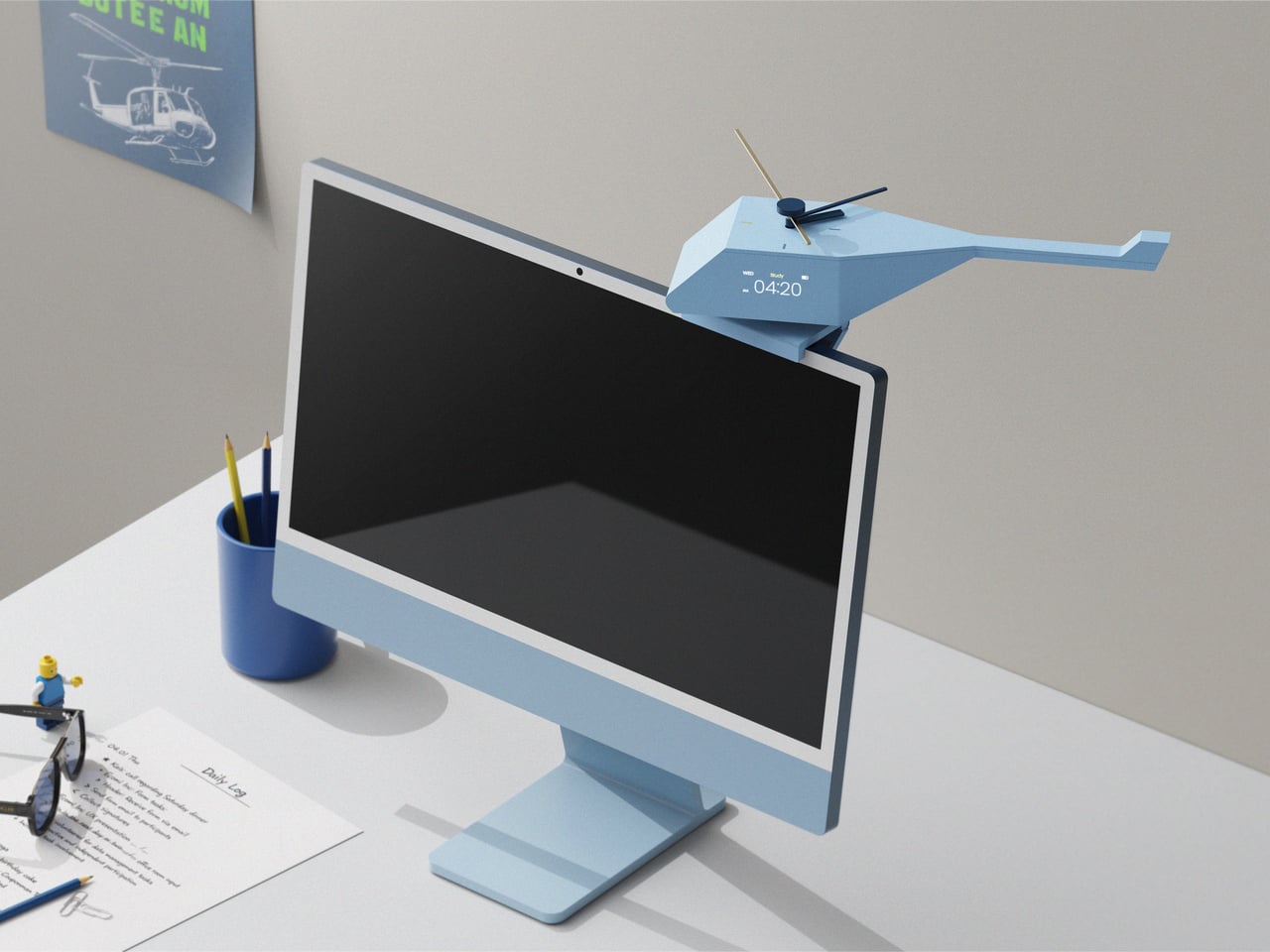
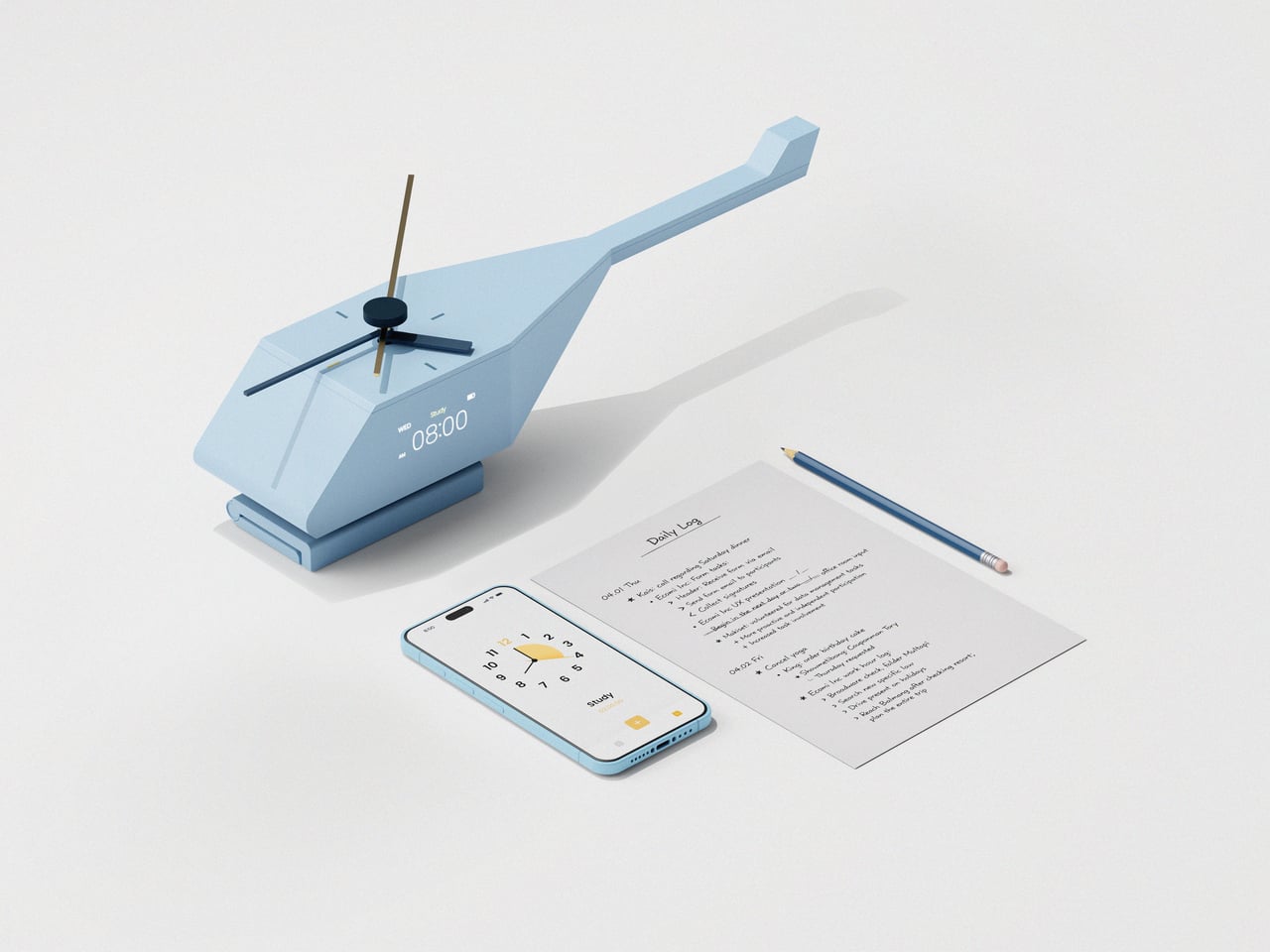
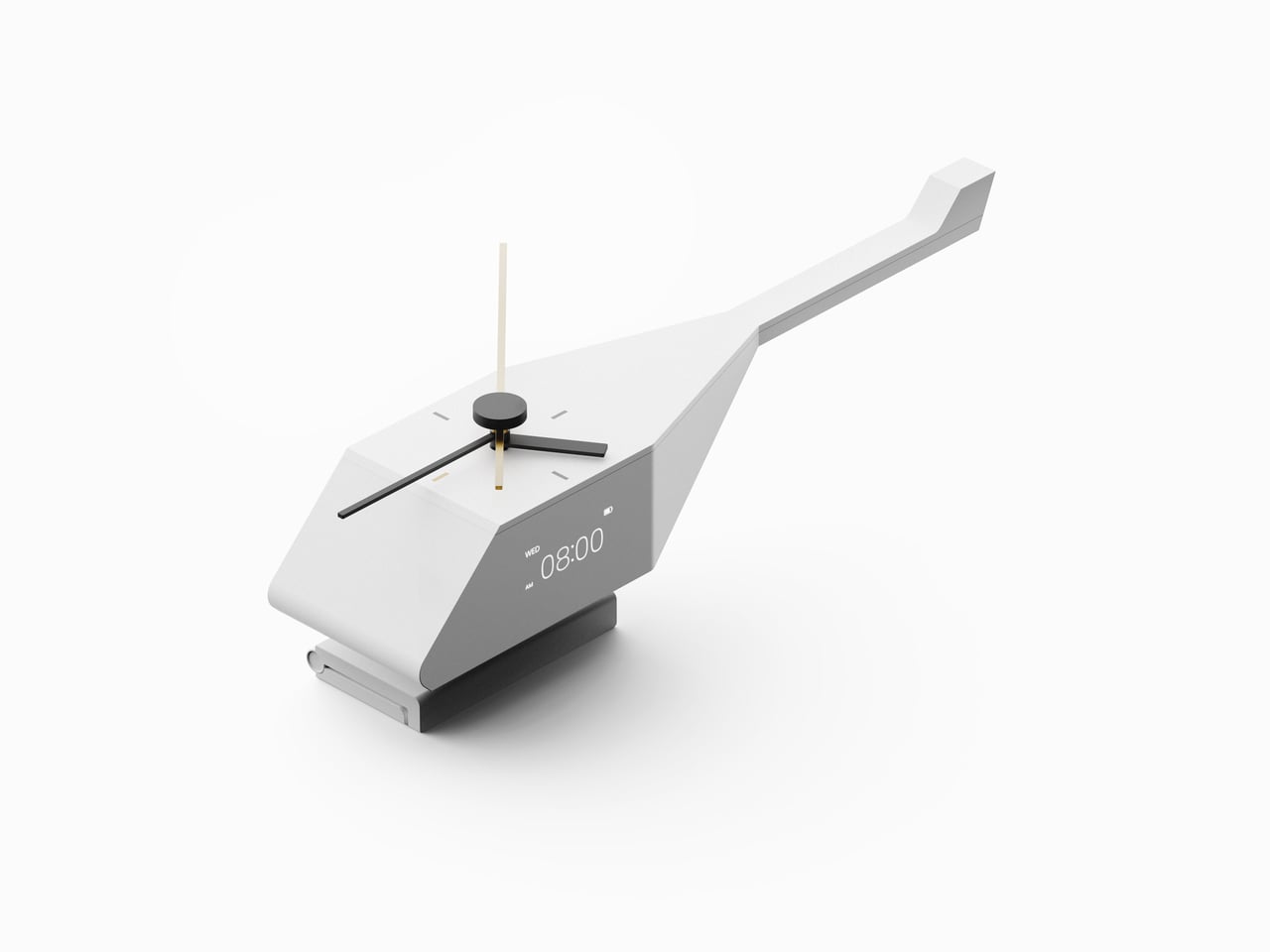
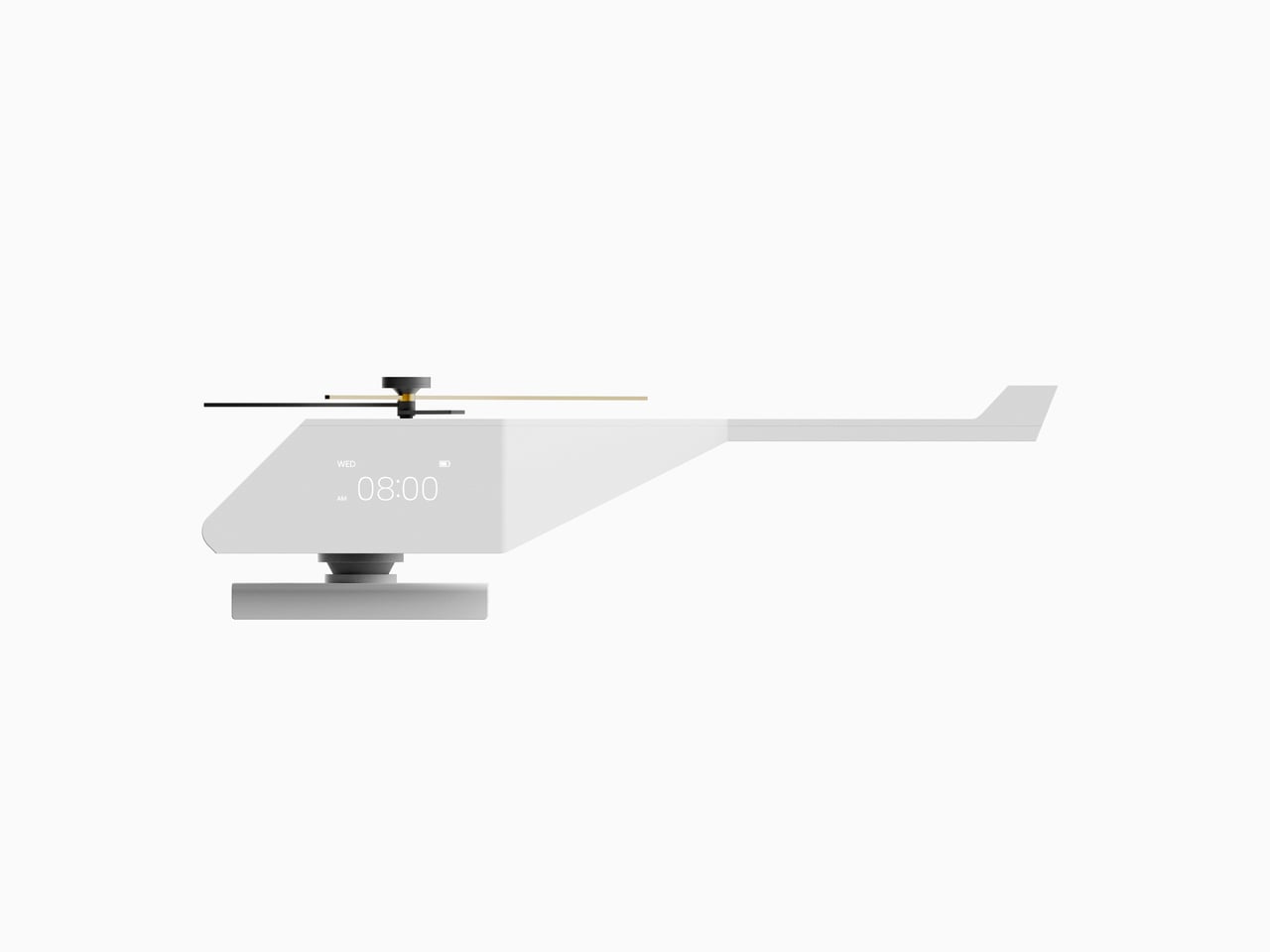
HOVSTEP treats each block of time like a helicopter mission. It is both a physical clock and an app-linked timer, inspired by how a mission helicopter takes off with one purpose, completes it, and returns. The idea is to help you see a study session, assignment, or break as a single mission you dispatch and then bring home, with a beginning, middle, and end that are all visible at once.

Designer: Ho joong Lee, Ho taek Lee

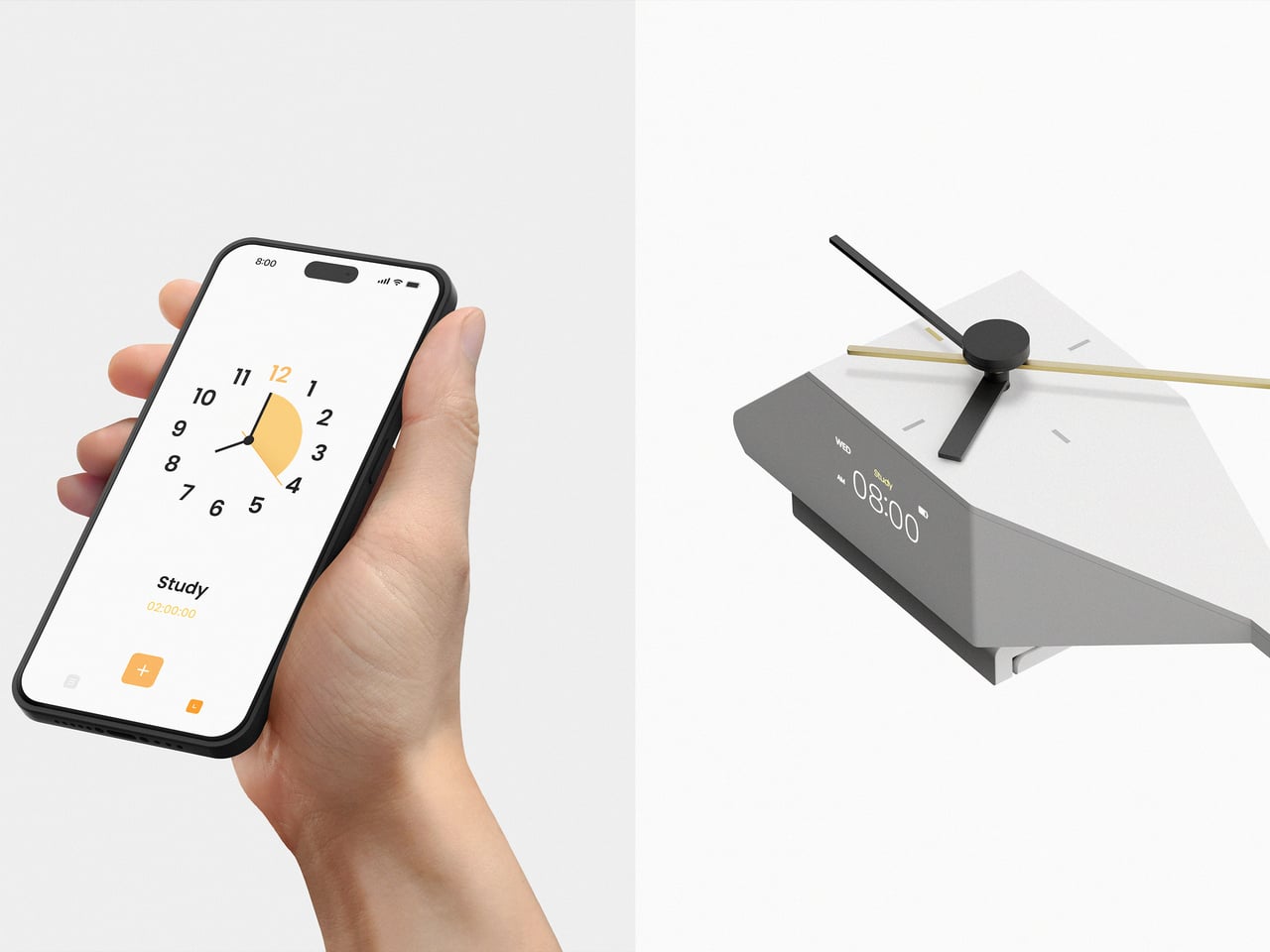
Opening the app in the morning, you drop studies, tasks, breaks, and games into short mission slots across the day. The app shows your routine by time zone, then switches to an analog view where each mission has a clear start, end, and remaining time. When a mission starts, a little helicopter icon descends, and the activity timer kicks in with an alarm, making the transition feel deliberate.

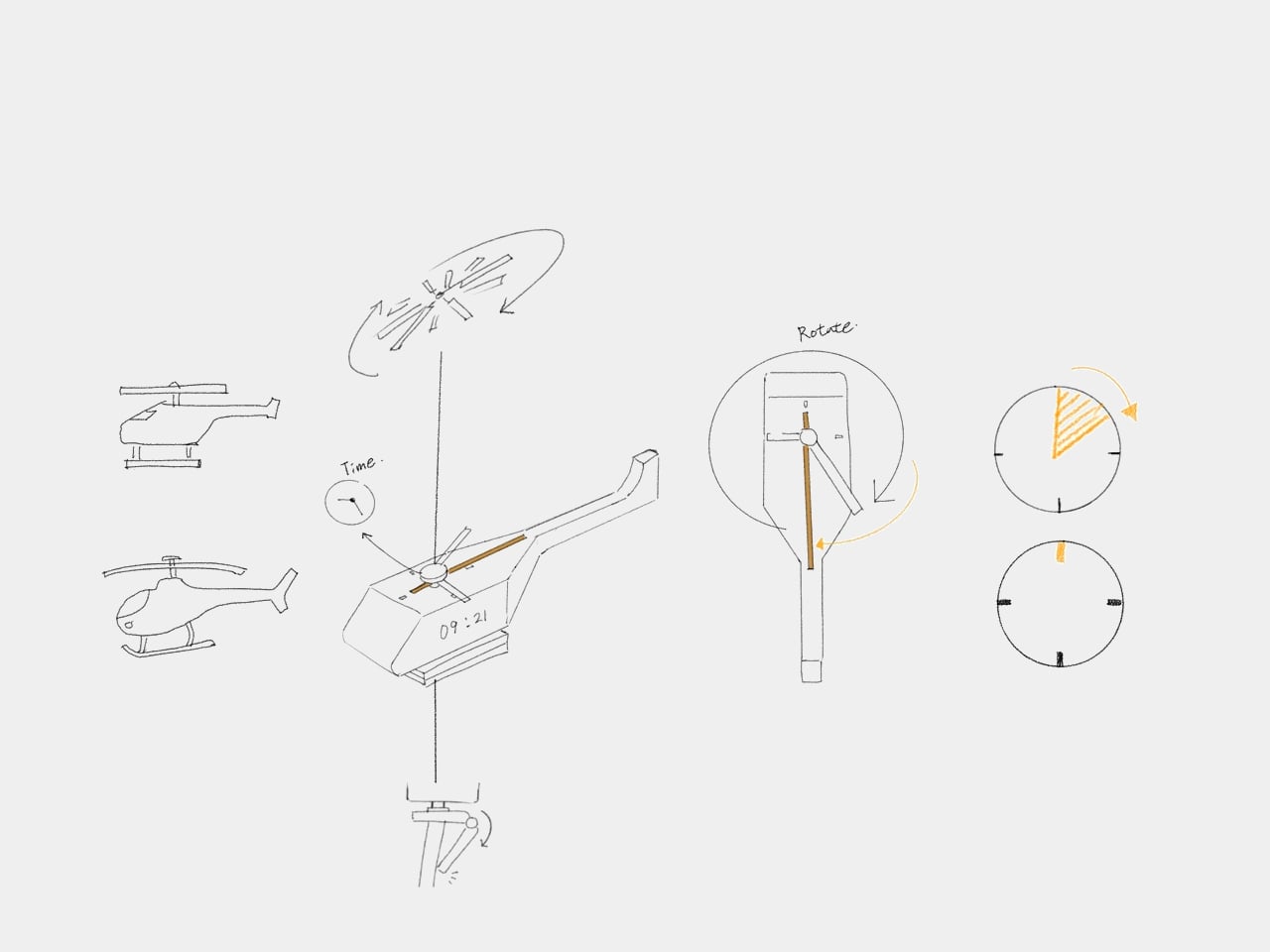
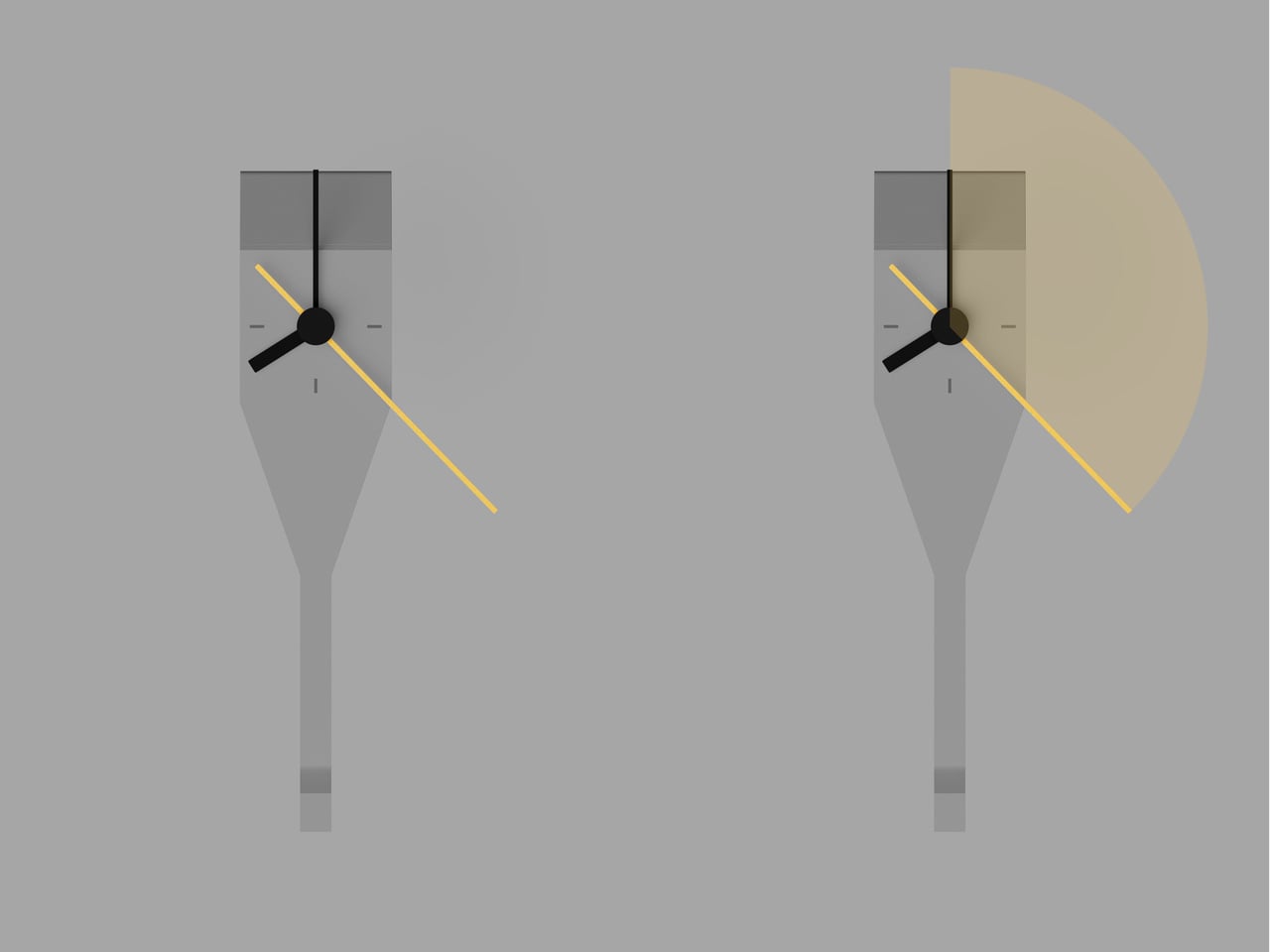
HOVSTEP shows time passing with a yellow hand that appears on the clock face when a mission begins, rotating once around the dial and showing how much of that block is left. It is framed as the helicopter being dispatched, flying its route, and returning when the hand lands back at 12. You are watching a mission unfold and trying to stay with it until the end.

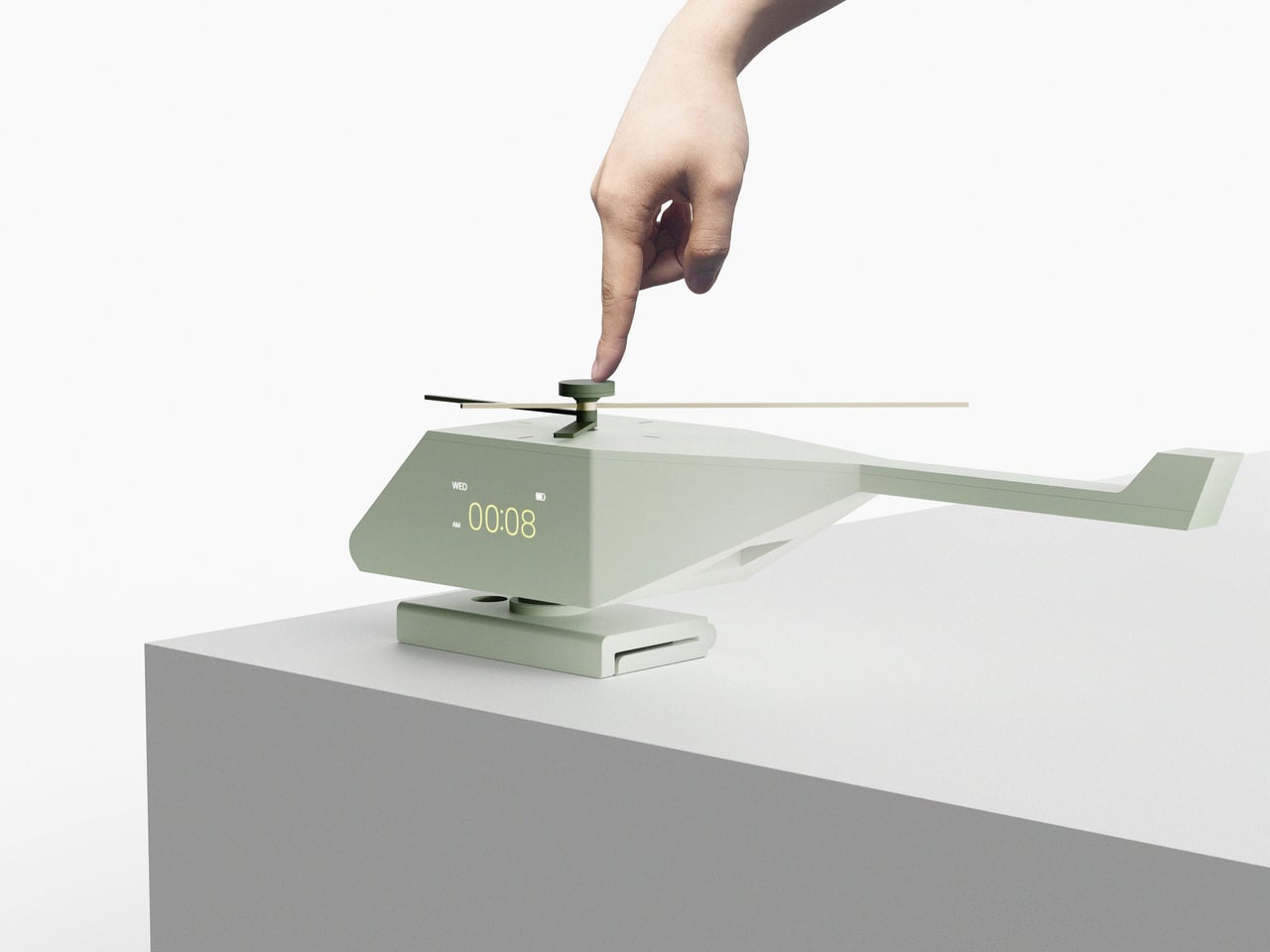
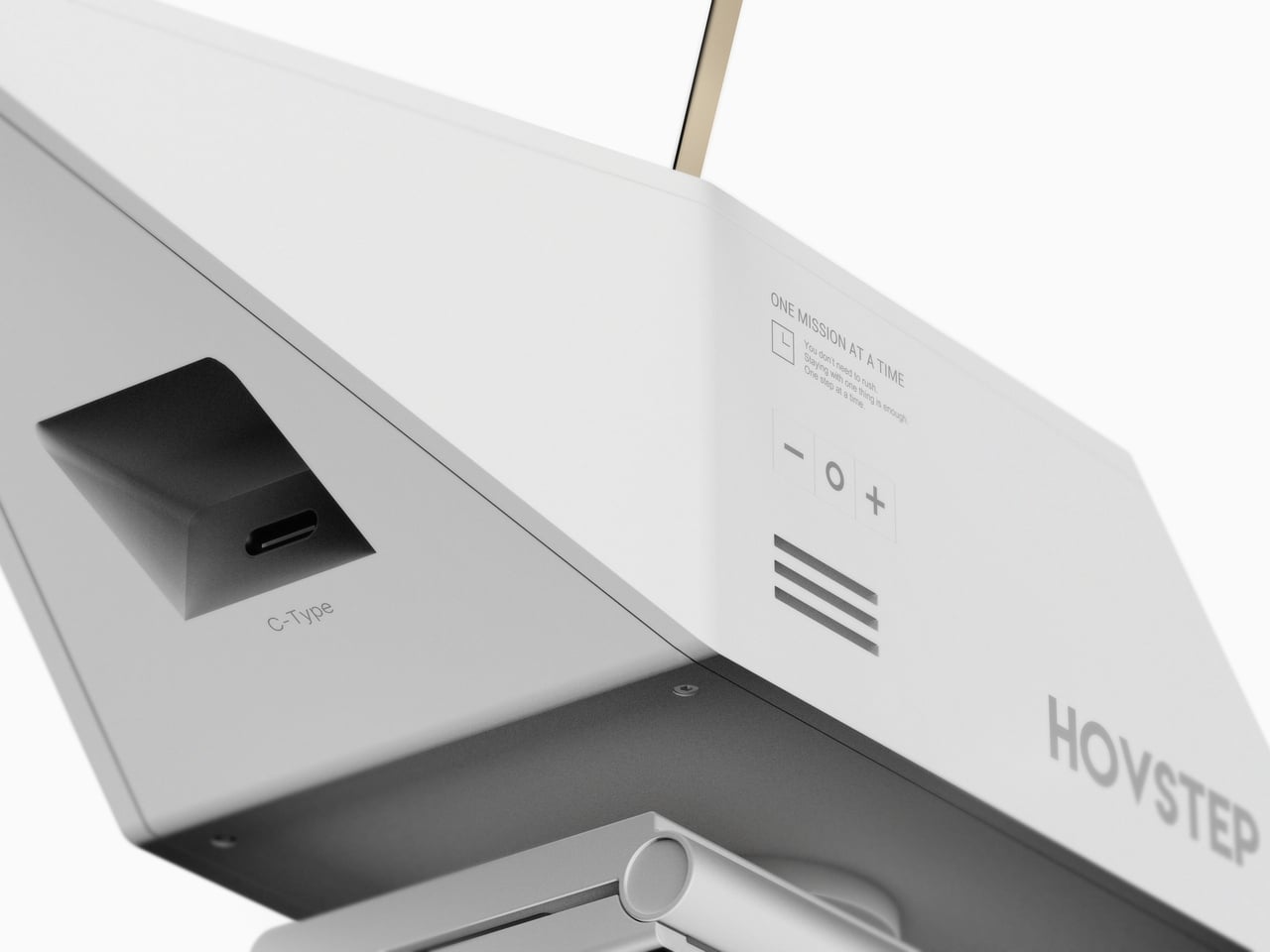
The object itself is a small helicopter-shaped clock that can sit on a monitor or hang on a wall. A rotor on top acts as the analog hand, a digital display shows timer information, and side buttons let you adjust volume and timer details. A center button on top turns the clock on and starts missions manually, so you can run a quick focus block without opening the app.

The design is grounded in research about how people with ADHD often respond better to movement, change, and short time units than to static digits. By turning each activity into a dispatched mission with a visible arc and clear end, HOVSTEP reduces the need to constantly check the clock. You get a sense of flow, knowing that as long as the yellow hand is moving, you are still inside the mission.

The project’s line, “One mission completed, one step closer to focus,” captures the spirit. Instead of promising to fix attention with another app, HOVSTEP reframes time as a series of small, winnable missions. Sometimes the most helpful tools for focus are the ones that make progress visible and finite, one flight at a time, instead of asking you to manage an infinite stream of minutes.

The post HOVSTEP Helps ADHD Focus with Helicopter Missions That Actually End first appeared on Yanko Design.

NVIDIA is still planning to make a ‘huge’ investment in OpenAI, CEO says

NVIDIA CEO Jensen Huang told reporters that the company will "invest a great deal of money" in OpenAI's latest funding round, according to Bloomberg, after The Wall Street Journal on Friday reported that the two companies were rethinking a previous $100 billion deal that hasn't "progressed beyond the early stages" of negotiations. Speaking to reporters in Taipei this weekend, Huang reportedly said it could be "the largest investment we've ever made." 

NVIDIA and OpenAI jointly announced in September that NVIDIA would be investing up to $100 billion in OpenAI to build 10 gigawatts of AI data centers. The companies said then that they were targeting the second half of 2026 for the first phase of the project to go online. Citing sources familiar with the discussions, The Wall Street Journal reported that Huang has highlighted privately that the agreement was nonbinding and has criticized OpenAI's business approach as lacking discipline. 

According to Bloomberg, however, Huang called the report's claims "nonsense," and told reporters on Saturday, "I believe in OpenAI. The work that they do is incredible. They’re one of the most consequential companies of our time.” But, Bloomberg reports, he said NVIDIA's investment in this funding round wouldn't come near $100 billion.

This article originally appeared on Engadget at https://www.engadget.com/ai/nvidia-is-still-planning-to-make-a-huge-investment-in-openai-ceo-says-205521528.html?src=rss

Ayaneo’s Pocket S Mini has the perfect aspect ratio for revisiting classic console games

There may be plenty of gaming handhelds out there, but there aren't many horizontal options that let you play childhood favorites in the original 4:3 aspect ratio. To address that gap, Ayaneo launched a premium option with the Pocket S Mini. As a "true 4:3 retro handheld," the Pocket S Mini won't have those pesky vertical black bars whenever you're emulating video games from the CRT television era.

Handhelds like the Anbernic RG405M and even Ayaneo's own Pocket Air Mini already offer a 4:3 aspect ratio, but the Pocket S Mini presents a more high-end build with a full metal frame and a glass front panel. The 4.2-inch LCD screen has a resolution of 1,280 x 960 and is flanked by Hall effect joysticks with RGB lighting, Hall effect triggers and "crystal-textured" buttons. Inside, the Pocket S Mini runs on a Snapdragon G3x Gen 2 chip and is powered by a 6,000mAh battery.

The Ayaneo Pocket S Mini in Obsidian Black, Ice Soul White and Retro Power.
Ayaneo

Unlike most of Ayaneo's other devices, the Pocket S Mini isn't being done through a crowdfunding campaign. It's already available on Ayaneo's website with a starting early bird price of $319 for either the Obsidian Black or Ice Soul White options with 8GB of memory and 128GB of storage. As usual, the Retro Power colorway will only be available with the highest specs of 16GB of memory and 512GB of storage, starting at $479. We're not sure when Ayaneo will end early bird pricing, but the prices will eventually jump to between $399 and $559 for retail pricing.

This article originally appeared on Engadget at https://www.engadget.com/gaming/ayaneos-pocket-s-mini-has-the-perfect-aspect-ratio-for-revisiting-classic-console-games-203926701.html?src=rss

Your Dog Can Now Turn On the Lights (No, Really)

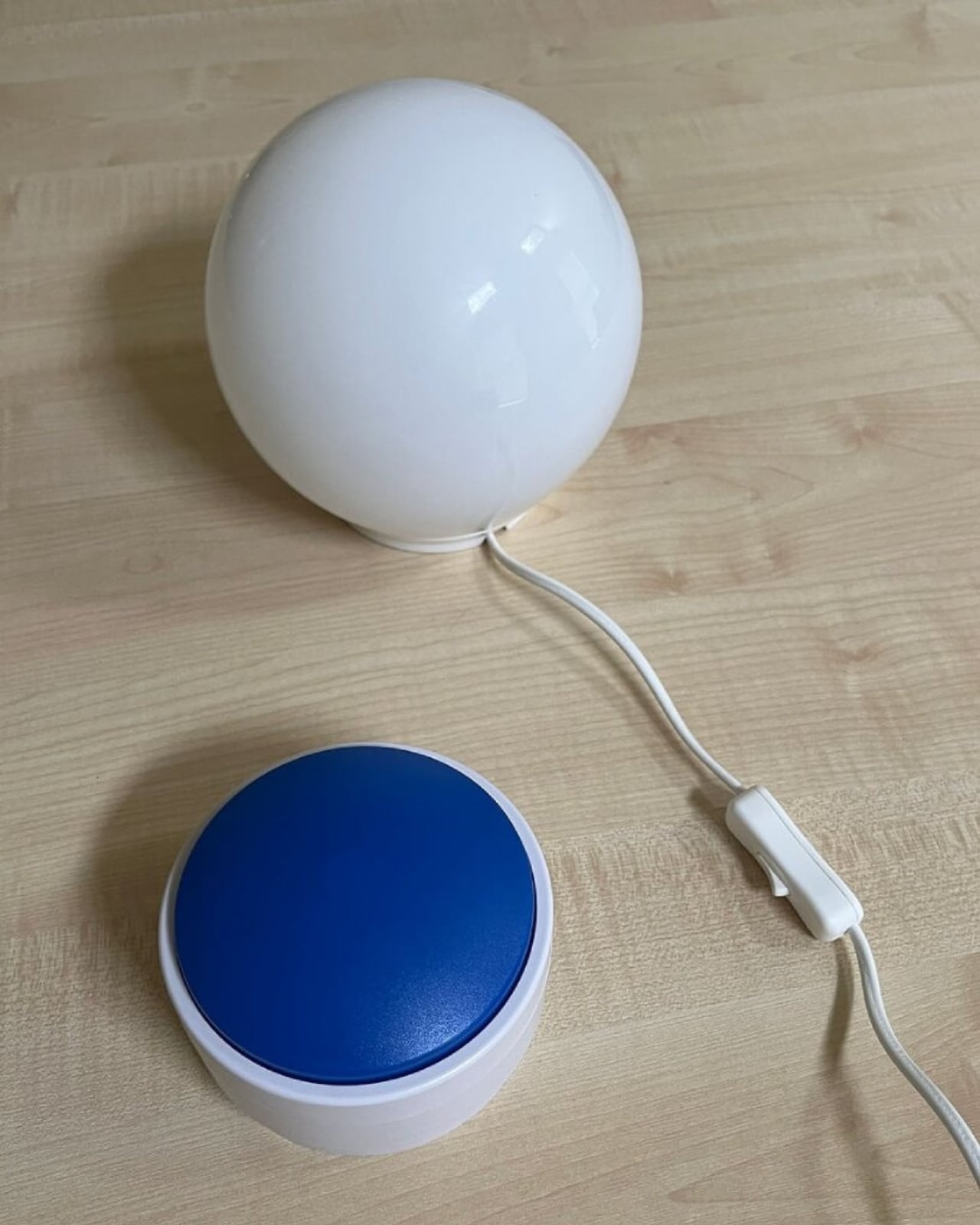
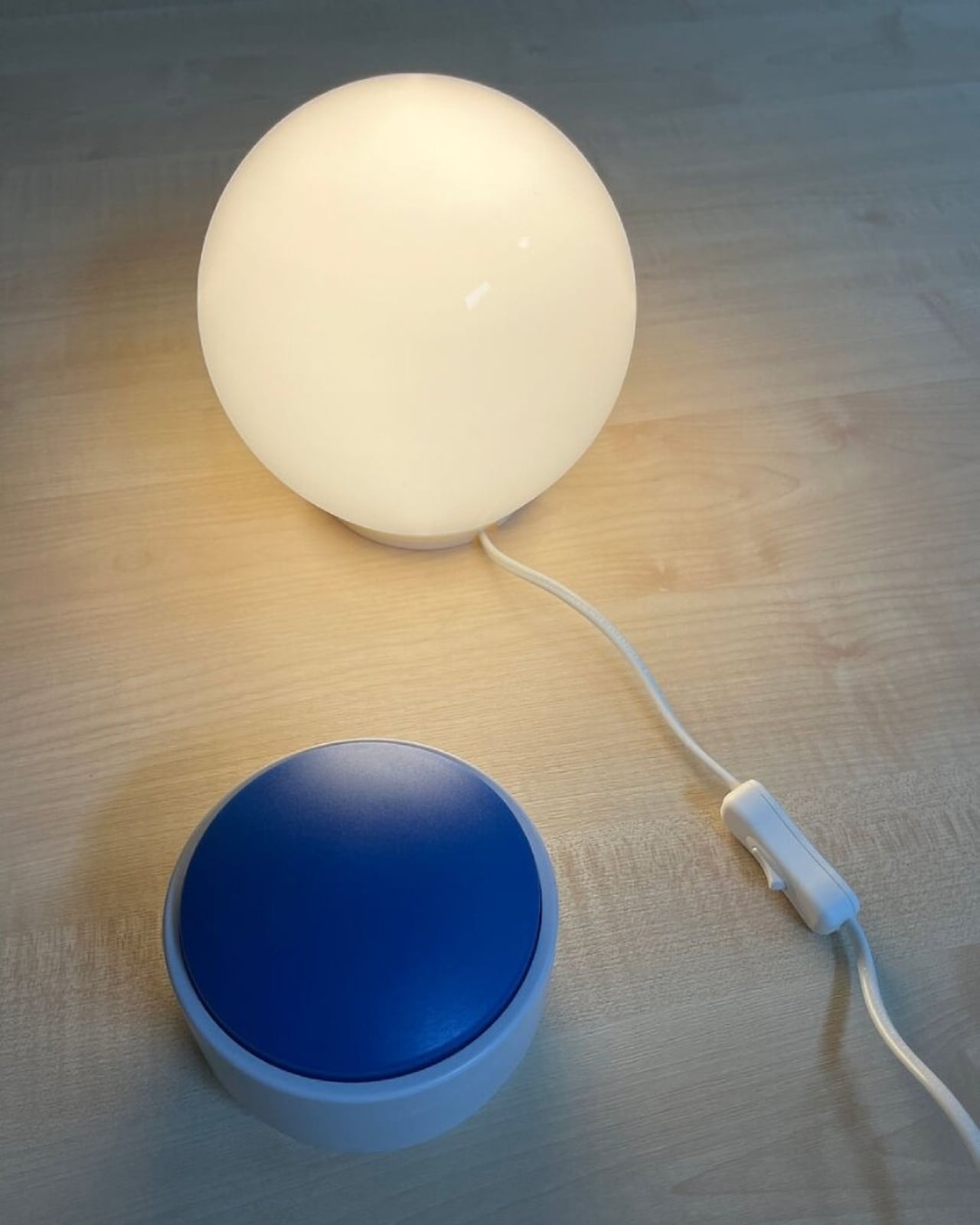
We’re living through a strange moment where our refrigerators are smarter than ever, our thermostats learn our habits, and now, apparently, dogs can control household appliances. The Dogosophy Button, developed by researchers at The Open University’s Animal-Computer Interaction Laboratory, is a wireless switch designed specifically for canine use. Think of it as a smart home device, but instead of asking Alexa, you’re teaching your golden retriever.

This isn’t some novelty gadget cooked up to go viral on TikTok. The button is the result of years of serious research led by Professor Clara Mancini, who runs the ACI Lab. Initially created for assistance dogs who need to help their owners turn on lights, fans, or kettles, the button has now been launched to the public for any dog owner who wants to give their pet a bit more agency. The philosophy behind it, called “Dogosophy,” centers on designing technology around how dogs actually experience the world, rather than forcing them to adapt to our human habits.

Designer: The Open University’s Animal-Computer Interaction Laboratory

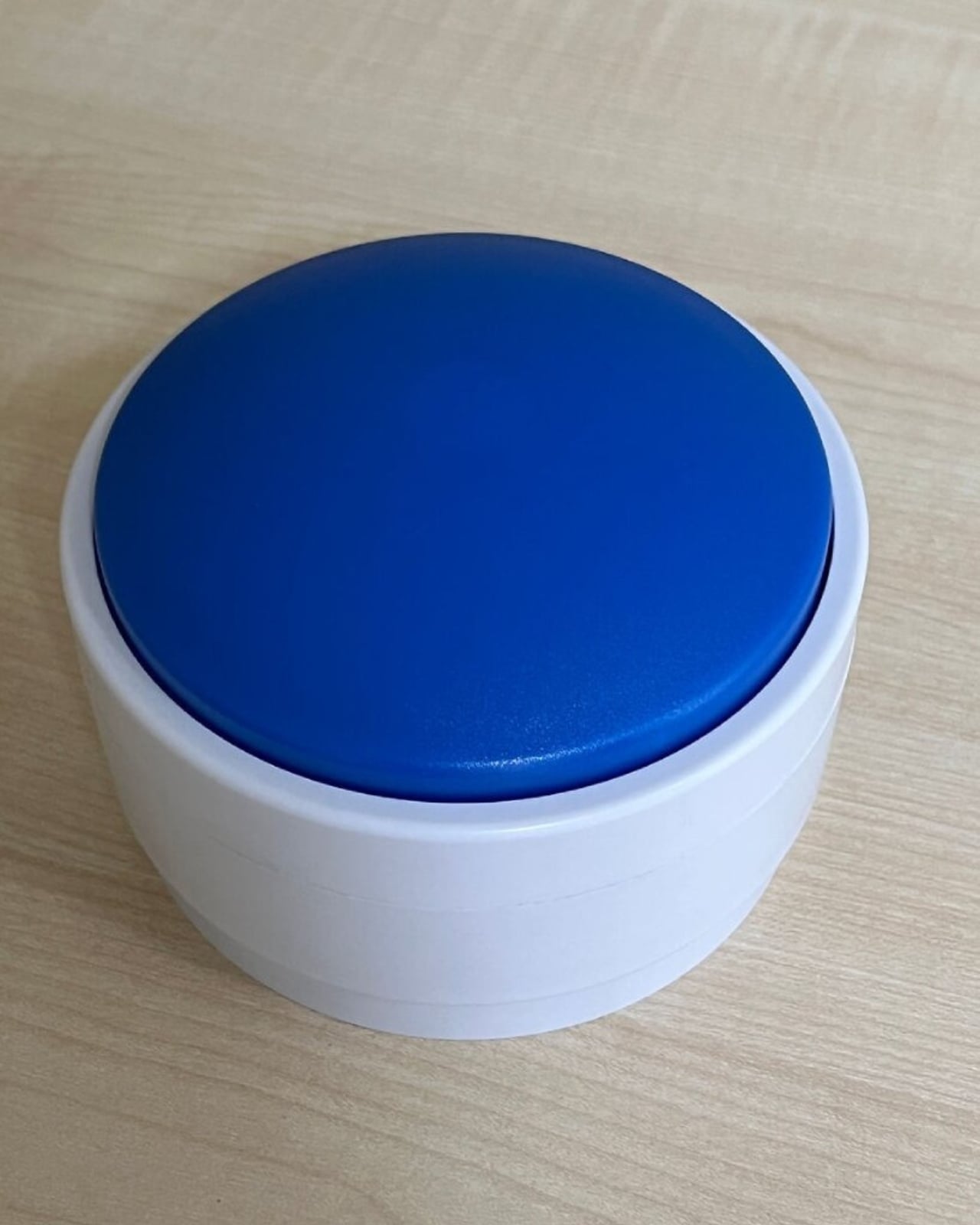
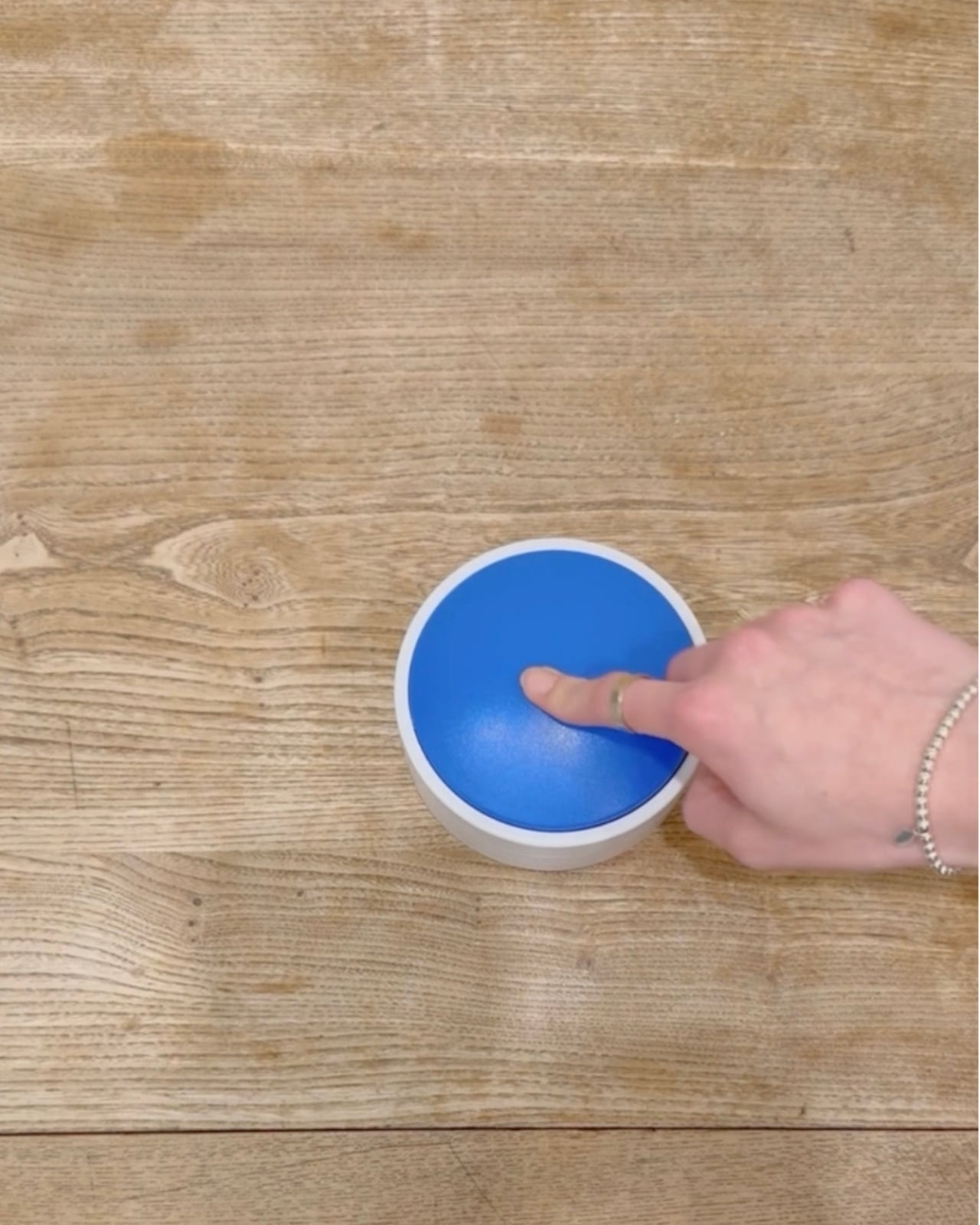
So what makes this button dog-friendly? Start with color. Dogs see the world differently than we do, and blue happens to be one of the colors they can recognize most clearly. The button’s push pad is a bright blue, set against a white casing that creates high contrast, making it easier to spot against floors, walls, or furniture. The slightly curved, raised shape means dogs can press it from various angles without needing pinpoint accuracy, which anyone who’s watched a dog enthusiastically miss their water bowl can appreciate.

The button itself is built to handle the reality of being used by an animal. The outer casing is sturdy plastic designed to withstand repeated nose-booping and paw-whacking. The push pad has a textured surface that helps dogs grip without slipping, whether they’re using their snout or paw. Inside, a small light flashes when the button is pressed, soft enough not to hurt their eyes but clear enough to confirm the action worked. It’s the kind of thoughtful design that comes from actually studying how dogs interact with objects, not just shrinking human tech down to pet size.

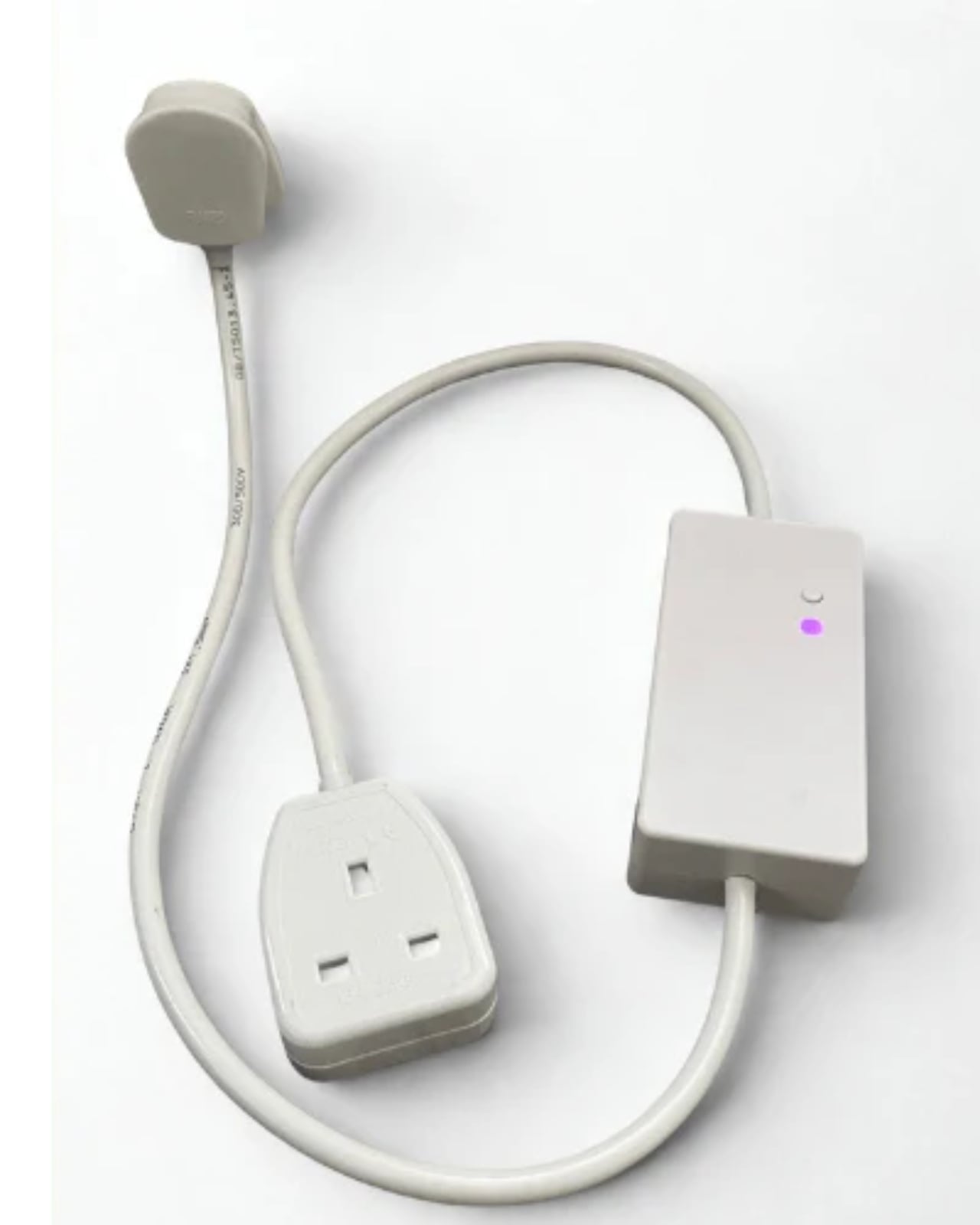
The system is refreshingly simple. Each set includes the button, a receiver, and basic mounting hardware. The receiver plugs into whatever appliance you want your dog to control, from a lamp to a fan to a kettle. The button connects wirelessly up to 40 meters away, giving you flexibility in where you place it. Press the button once, the appliance turns on. Press it again, it turns off. No app required, no monthly subscription, no “please update your firmware” notifications.

For assistance dogs, this kind of tool is genuinely useful. A dog trained to help someone with mobility issues could turn on a light when their owner enters a dark room or switch on a fan during hot weather. But the public release opens up more playful possibilities. Your dog could theoretically learn to turn on a fan when they’re overheated, activate a toy dispenser when they’re bored, or signal when they want attention by flipping a lamp on and off like a furry poltergeist.

Of course, training matters. Professor Mancini tested the button with her own husky, Kara, noting that huskies are notoriously stubborn compared to more biddable breeds like Labradors. The button works if your dog is motivated and you’re patient. This isn’t plug-and-play; it’s more like plug-and-train-with-treats-and-repetition.

The Dogosophy Button is priced at £96 (including VAT) and is currently available through retailers like Story & Sons. Whether it becomes a legitimate tool for pet owners or just an interesting experiment in animal-computer interaction remains to be seen. But there’s something appealing about the idea of designing technology that considers more than just human needs. Professor Mancini puts it plainly: humans have built a world measured for ourselves, often pushing other species out. A button that meets dogs on their terms feels like a small step toward sharing space more thoughtfully.

The post Your Dog Can Now Turn On the Lights (No, Really) first appeared on Yanko Design.

OnlyFans is reportedly in talks to sell a 60 percent stake to a San Francisco investment firm

OnlyFans is looking to cash out once again, but this time in a deal that would value it at several billion dollars less than a potential sale that previously fell through. As reported by TechCrunch, the online platform known for subscription-based pornographic content is in talks to sell a majority stake to Architect Capital, an investment firm based in San Francisco.

According to the report, the proposed deal includes $3.5 billion in equity and $2 billion in debt, which values OnlyFans at $5.5 billion. TechCrunch also reported that Architect Capital and OnlyFans are currently in exclusive talks, where the website's owner can't negotiate with other potential buyers for a certain amount of time.

With no set timeline yet for the deal, the deal is far from an official closing. Last year, OnlyFans' owner Leonid Radvinsky was also negotiating with another investment firm, Forest Road Company, to sell the platform. Although that deal never went through, the talks leading up to the sale valued OnlyFans at a much higher $8 billion. The London-based website, which still doesn't want to be known as just a porn site, is still growing and reported a nine percent increase in gross revenue for its 2024 fiscal year, earning more than $7.2 billion.

This article originally appeared on Engadget at https://www.engadget.com/social-media/onlyfans-is-reportedly-in-talks-to-sell-a-60-percent-stake-to-a-san-francisco-investment-firm-191842666.html?src=rss

SpaceX wants to launch a constellation of a million satellites to power AI needs

Elon Musk and his aerospace company have requested to build a network that's 100 times the number of satellites that are currently in orbit. On Friday, SpaceX filed an application with the Federal Communications Commission (FCC) to launch a million satellites meant to create an "orbital data center." This isn't the first time we're hearing of Musk's plans to build an orbital data center, as it was mentioned by company insiders following the news that the CEO was reportedly preparing to take SpaceX public.

According to the filing spotted by PCMag, this data center would run off solar power and deliver computing capacity for artificial intelligence needs. SpaceX is requesting to "deploy a system of up to one million satellites to operate within narrow orbital shells spanning up to 50 km each," as detailed in the filing. According to SpaceX's filing, "orbital data centers are the most efficient way to meet the accelerating demand for AI computing power" since they use "solar power with little operating and maintenance costs."

To give some scale of the astronomical number of satellites SpaceX is asking for, the company recently hit a milestone of the 11,000th Starlink satellite launched. There aren't as many in orbit since the satellites can run into issues, but an unofficial website that tracks Starlink stats claims there are more than 9,600 satellites in orbit as of January 30, 2026. The FCC is likely to whittle down the amount that SpaceX is asking for in its filing, as the federal agency has done in the past. Earlier this month, the FCC approved SpaceX's request to deploy 7,500 more Starlink satellites, following another 7,500 launched in 2022. However, it's much less than the nearly 30,000 amount that SpaceX first asked for in 2020.

This article originally appeared on Engadget at https://www.engadget.com/science/space/spacex-wants-to-launch-a-constellation-of-a-million-satellites-to-power-ai-needs-175607771.html?src=rss

REDMAGIC 11 Air Review: Fan-cooled Gaming Flagship at Just 207g, $499

PROS:


  • Slimmer and lighter design for a gaming smartphone

  • Distinctive gaming aesthetic

  • Large 7,000 mAh battery with 80W fast charging

  • More Accessible price point

CONS:


  • No wireless charging

  • Mediocre 8MP ultra-wide camera

  • Basic IP54 dust and water resistance

RATINGS:

AESTHETICS
ERGONOMICS
PERFORMANCE
SUSTAINABILITY / REPAIRABILITY
VALUE FOR MONEY

EDITOR'S QUOTE:

The REDMAGIC 11 Air doesn't apologize for being a gaming phone, but wraps it in the slimmest, lightest package the brand has made yet.

Gaming phones have split off into their own design species, leaning into transparent backs, RGB lighting, and visible cooling that looks more like sci‑fi props than communication devices. The REDMAGIC 11 Pro, which we reviewed recently, took that to its extreme with a liquid‑cooling window showing coolant flowing like spaceship controls. It made a strong visual statement but was unapologetically a gamer’s machine first and everything else a distant second.

REDMAGIC 11 Air tries to keep the same esports‑grade performance, active cooling, and transparent style in a slimmer frame. It packs a Snapdragon 8 Elite, 7,000mAh battery, 6.85‑inch 144Hz OLED, and 24,000 RPM fan into a 7.85mm, 207g body. Whether this Air approach can balance hardcore gaming with something closer to everyday usability, or just becomes a slightly thinner version of the same uncompromising brick, is worth finding out.

Designer: REDMAGIC

Aesthetics

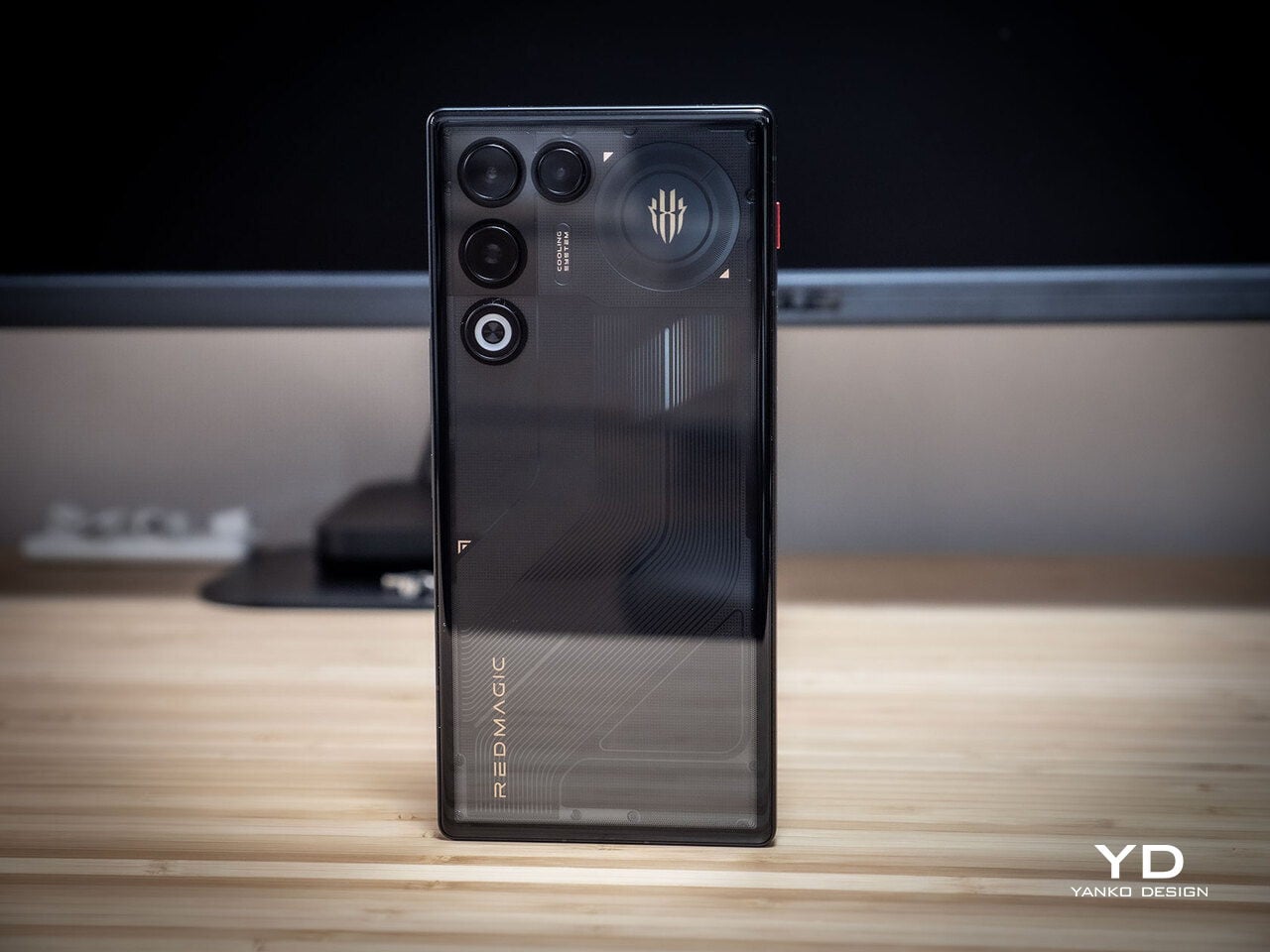
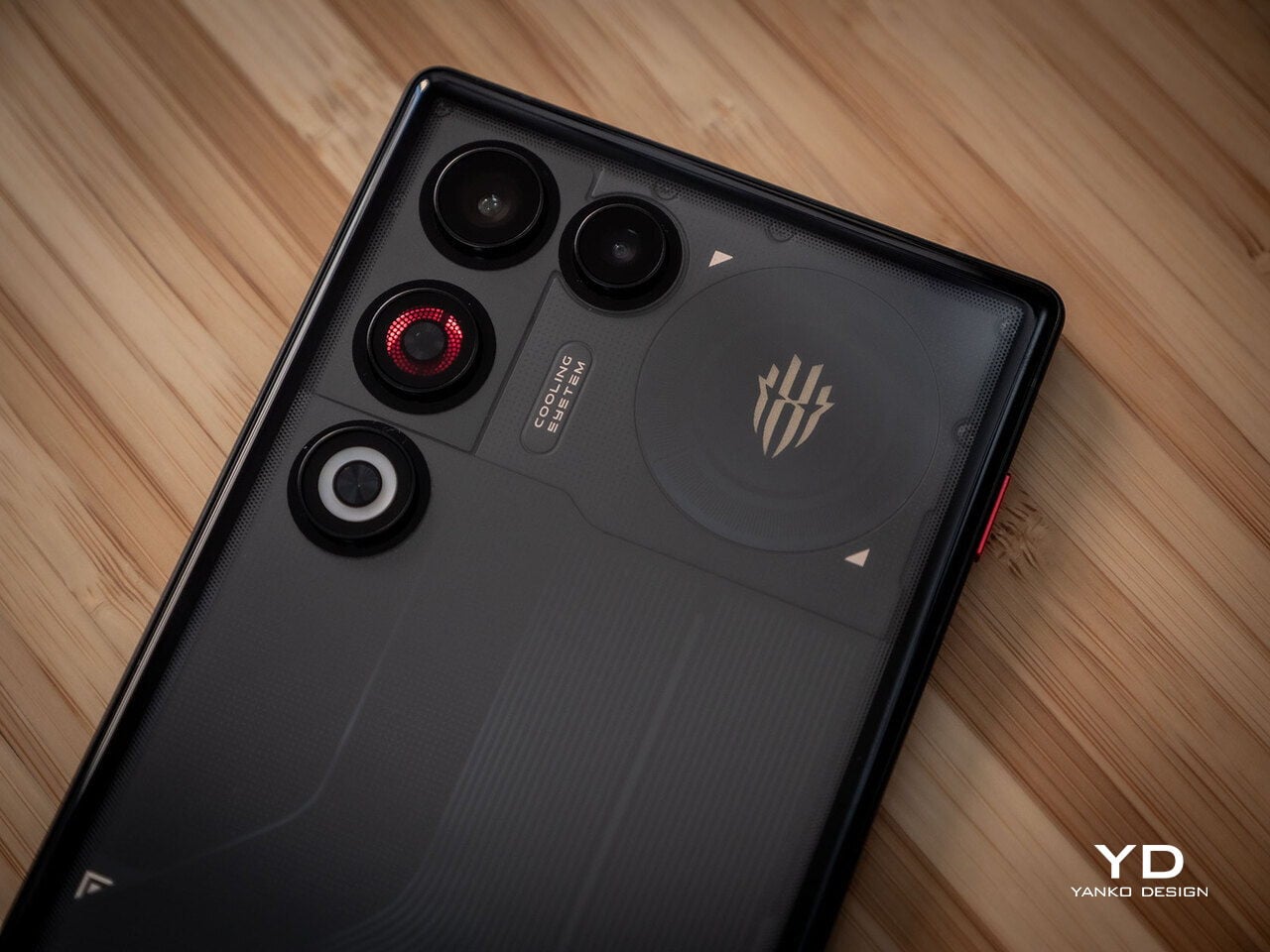
The moment you see the REDMAGIC 11 Air, it announces itself as a gaming phone. Phantom transparent black and Prism transparent white finishes expose stylized internals, circuit‑like etching, and RGB‑lit fan and logo elements. This is not subtle or generalist; it is a cyberpunk, sci‑fi motif that wants to sit next to mechanical keyboards rather than hide in a leather case.
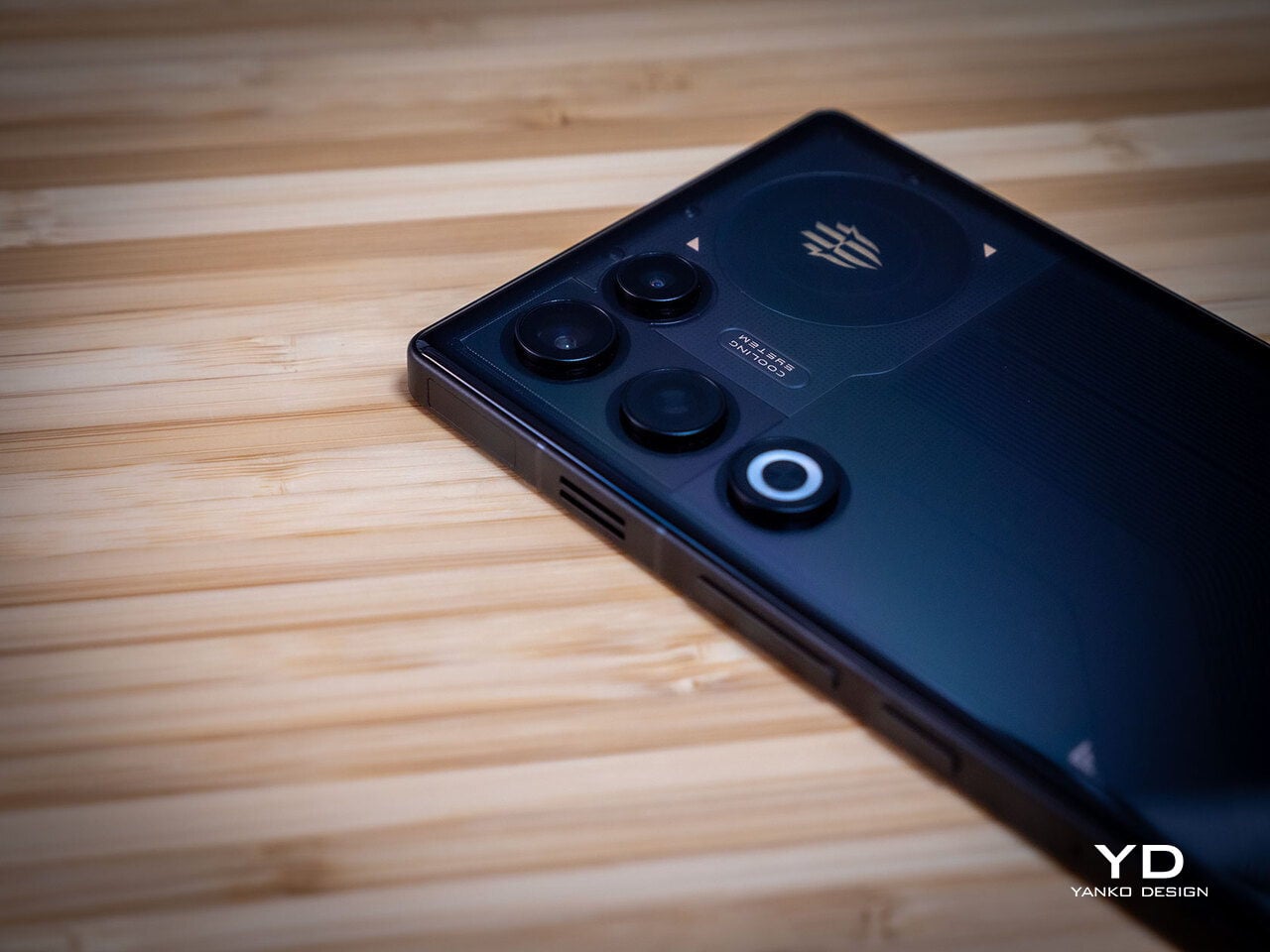
Despite the gaming‑first aesthetic, materials feel more refined than expected. The aluminum alloy frame, Gorilla Glass front and back, and 7.85mm thickness give it a solid feel. It is positioned as the lightest in the REDMAGIC lineup, which matters compared to the heavier 11 Pro. The curves and 20:9 aspect ratio help it sit more naturally in the hand, even if the styling still clearly prioritizes gamers over minimalists.

RGB lighting and transparent elements add atmosphere without chaos. Fan and logo lights sync with in‑game audio, making the back feel alive during sessions, but both can be toned down or disabled when you want less conspicuous carry. That duality helps if you like the gaming aesthetic but occasionally need to bring the phone into neutral environments where flashing lights feel out of place.

Ergonomics

Living with the 11 Air daily, the slimmer and lighter design makes a real difference. Long landscape gaming sessions feel less fatiguing, and the phone slips into pockets more easily than expected, given the 6.85‑inch display. The curved back and aluminum frame help with grip, and the 20:9 screen ratio balances a wide gaming canvas with something that still fits in most hands without constant readjusting.

The large screen dominates the front with a 95.1% screen‑to‑body ratio and slim bezels. That is great for immersion, but leaves little room to rest thumbs without touching the screen during landscape play. Fortunately, the shoulder triggers take over some of that load, letting the screen act more like a viewfinder while the top edges handle key inputs when you need them most.

Controls are where the gaming focus becomes clear. The 520Hz physical shoulder triggers are tuned for low‑latency and now work in portrait and landscape, giving flexibility for different games. Combined with the 0809 X‑axis linear motor for 4D haptics, the phone feels more like a handheld console, especially when triggers are mapped to aiming or abilities through Game Space’s interface.
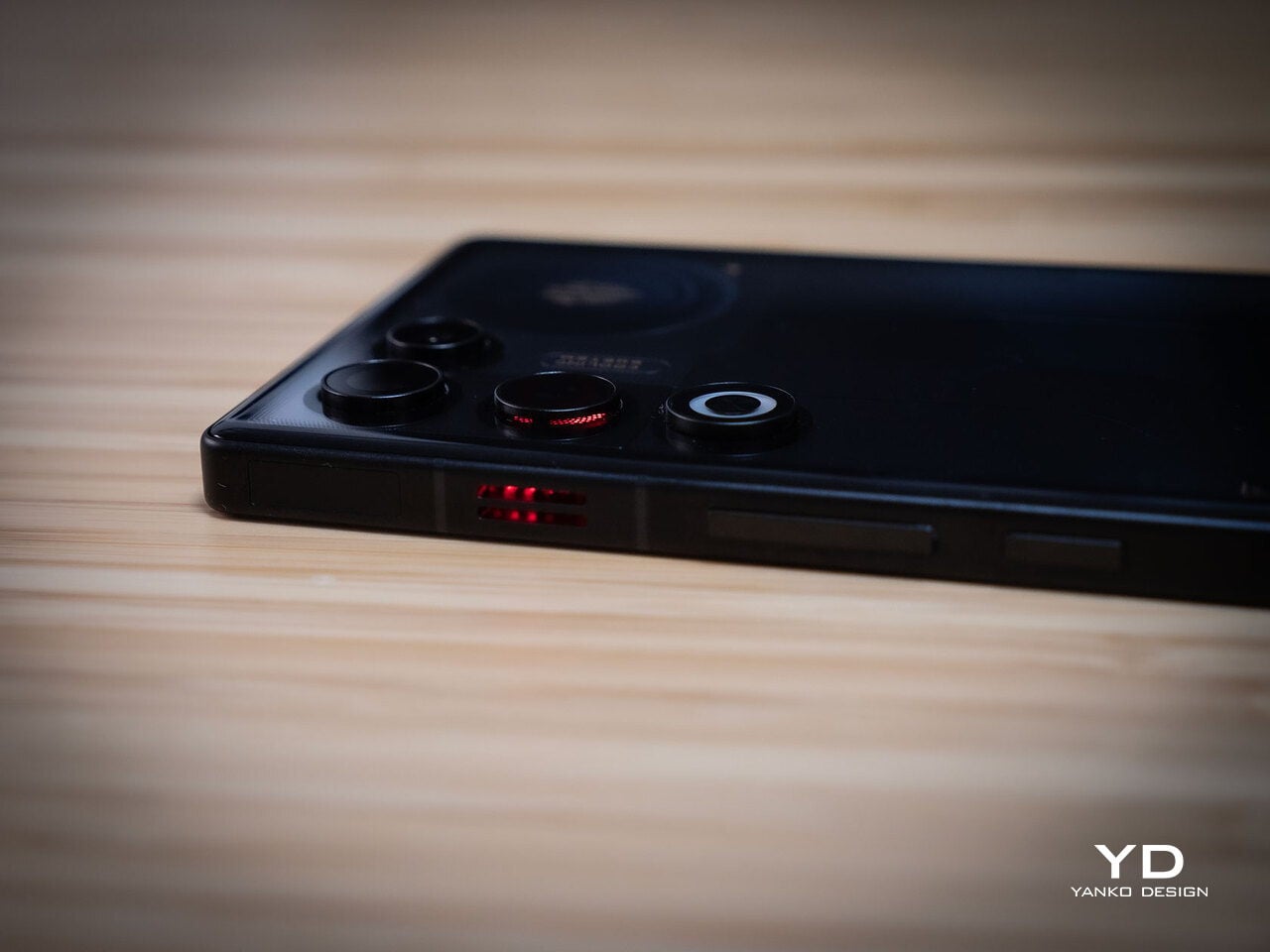
Outside of gaming, the transparent back and RGB accents may not suit every situation, but the size and weight make it easier to carry than the 11 Pro or older gaming phones. One‑handed use is still a stretch given the display size, but basic tasks like messaging and browsing feel manageable if you are already used to large phones or phablets.

Performance

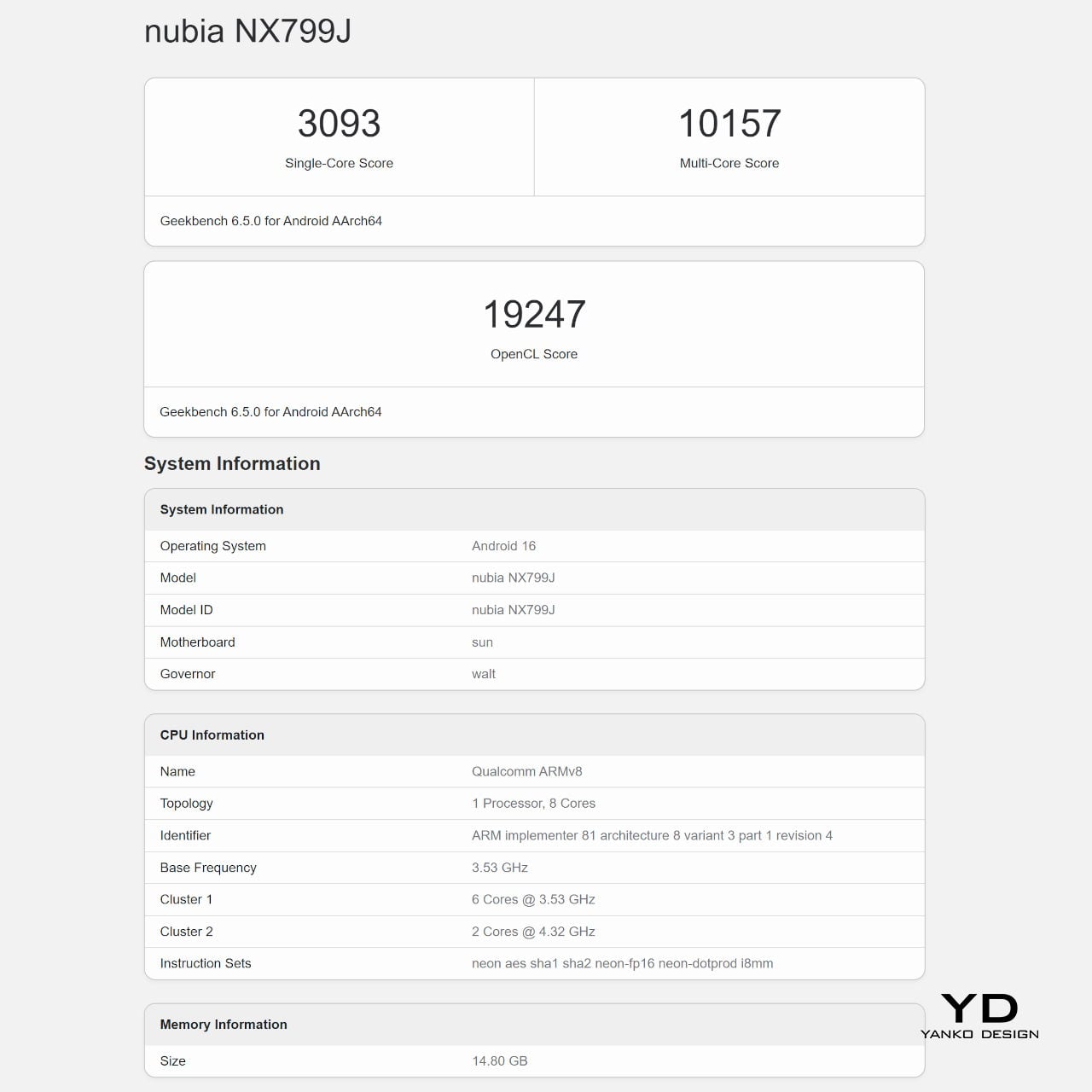
At the core sits the Snapdragon 8 Elite paired with RedCore R4, LPDDR5X RAM, and UFS 4.1 storage. Clock speeds reach 4.32GHz on the Oryon CPU and 1,250MHz on the Adreno 830 GPU. The dedicated RedCore R4 and CUBE scheduling engine focuses on stable frame rates rather than just benchmark spikes, which matters more in sustained gaming, where consistency beats bursts.
The ICE Cooling System backs that up with a large vapor chamber, graphene thermal layers, and a 24,000 RPM turbo fan. Unlike the REDMAGIC 11 Pro’s dramatic liquid‑cooling window showing coolant flowing like sci‑fi, the REDMAGIC 11 Air hides cooling under the transparent back. It opts for slimness while still actively managing CPU and GPU temperatures during long sessions, which keeps performance from throttling halfway through a match.
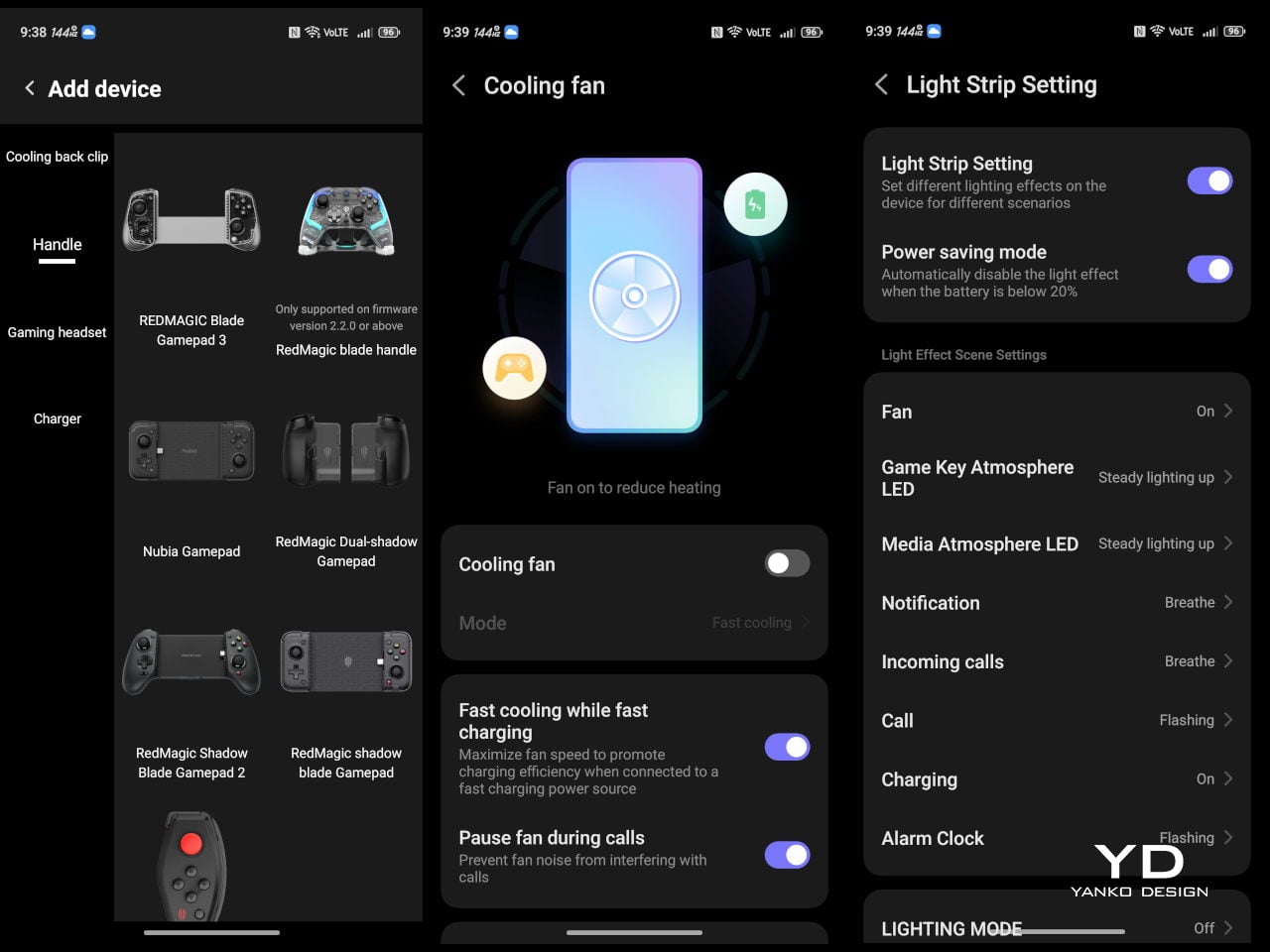
The active cooling fan is audible when it spins up under heavy load. It is not loud enough to overpower game audio, but it is noticeable in quiet rooms. For a device prioritizing sustained performance, this is expected, and fan behavior can be tuned in Game Space if you prefer cooler operation or less noise during specific sessions or when gaming in shared spaces.


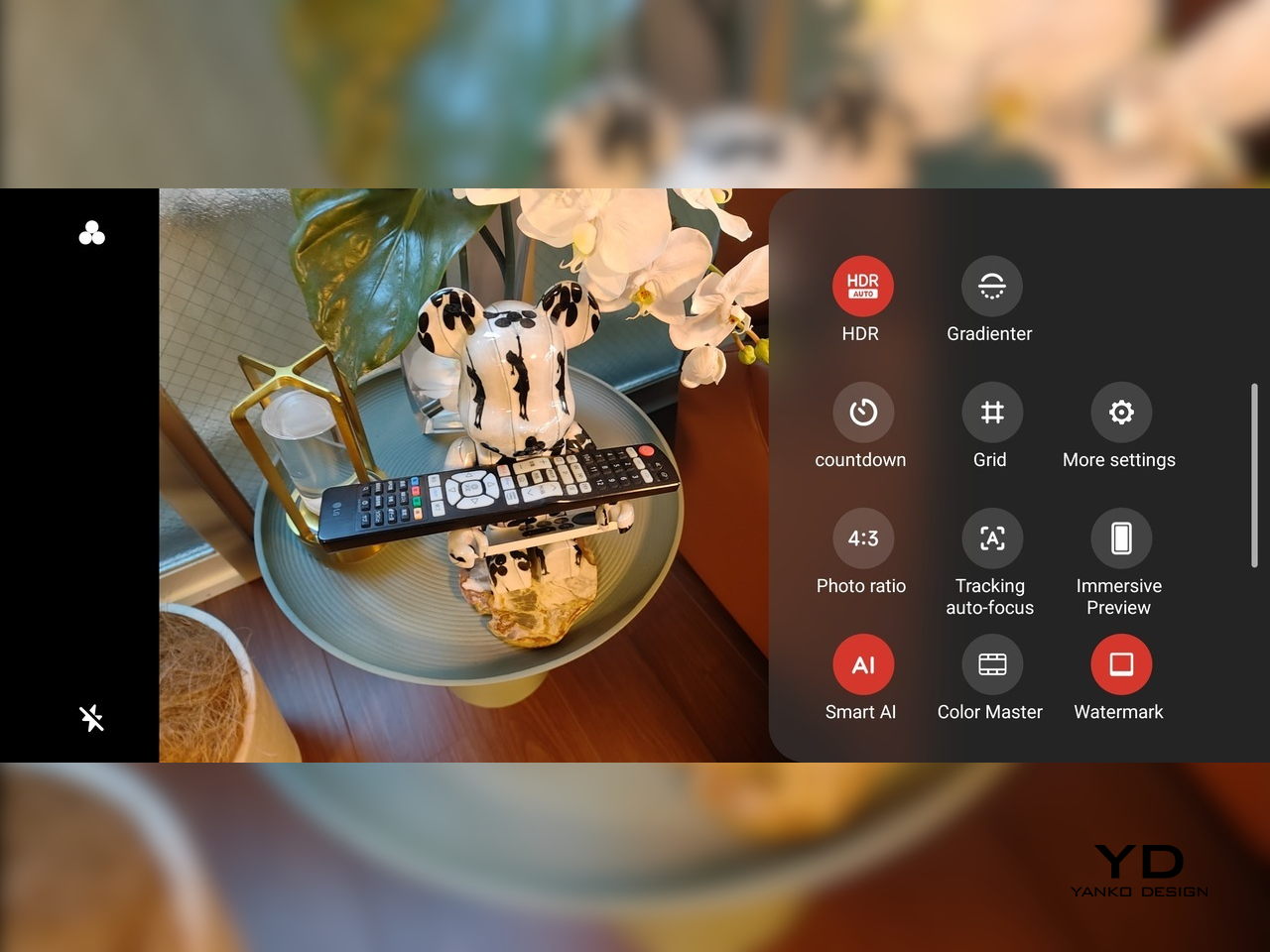
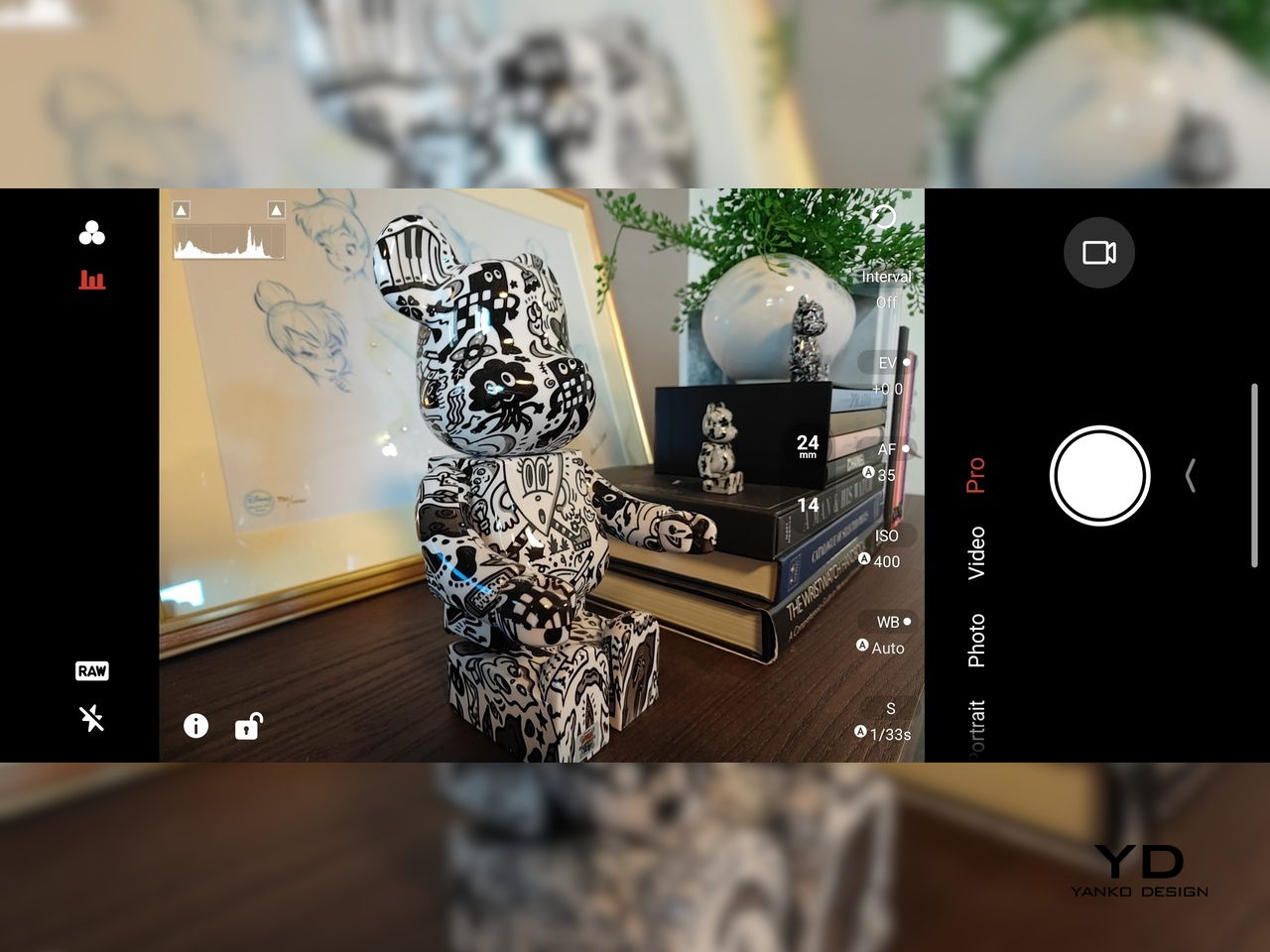
Cameras are solid without being the headline. The 50 MP main sensor with OIS delivers clean photos for social media and casual shots, and the 16 MP front camera handles selfies and video calls well enough. The 8MP ultra-wide camera is a bit of a disappointment in this day and age, but it’s not exactly terrible. These are clearly not camera‑phone specs, but they work fine for anyone who needs decent everyday photography alongside gaming.
Battery and charging are part of the performance story. The 7,000 mAh battery is generous in this slim chassis, going over a day with general use, and hours upon hours of binging video streaming at max brightness. The 80W fast charging refills quickly, while Charge Separation routes power to the motherboard during plugged‑in gaming, reducing heat and protecting battery health over time.
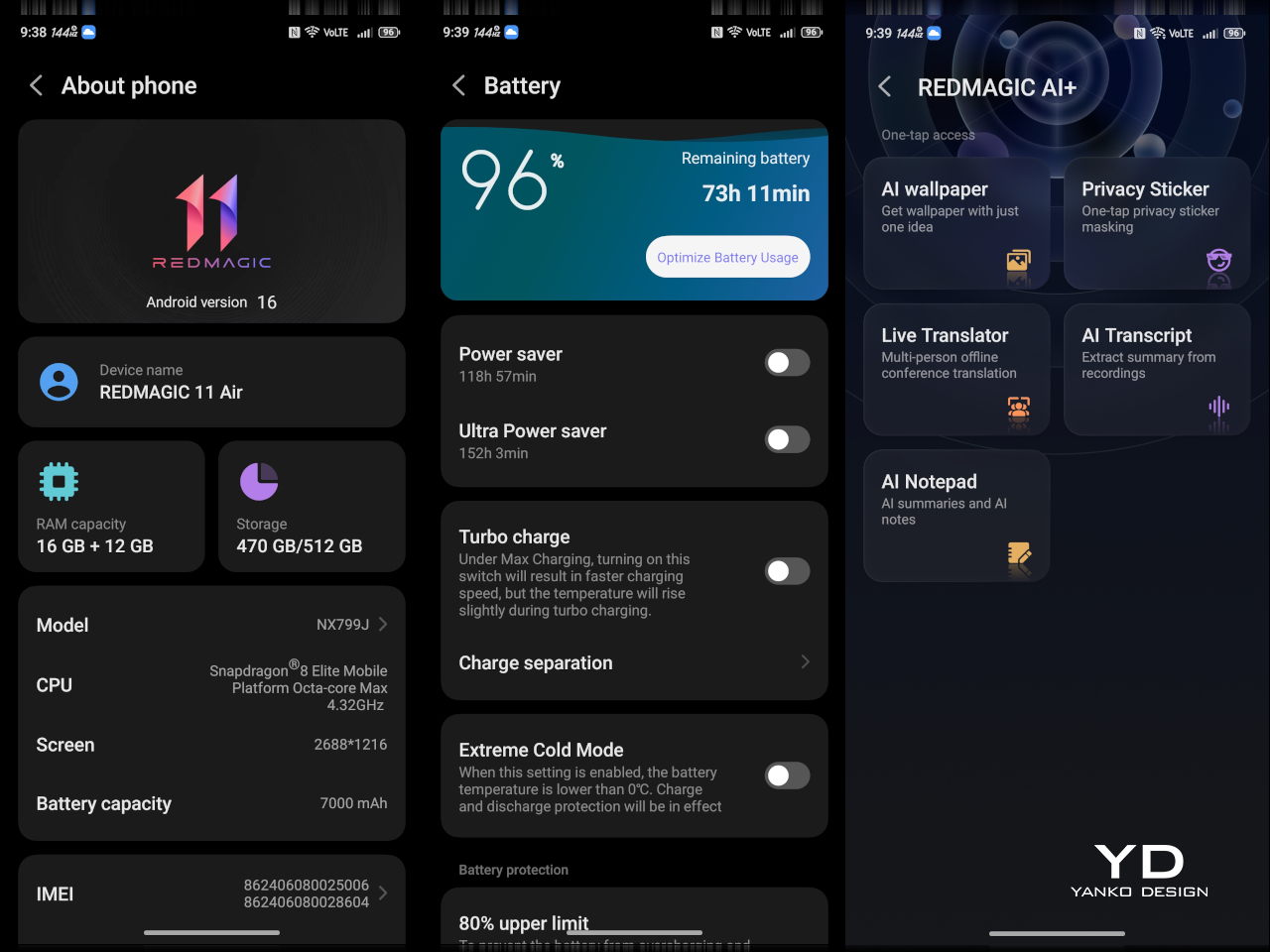
Worth noting is the absence of wireless charging. For a phone focused on performance and internal cooling, skipping wireless charging feels like a conscious choice to prioritize battery size, thermals, and layout. It is not a deal‑breaker with rapid wired charging, but it is worth keeping in mind if you are used to charging pads between sessions or overnight.

Sustainability

Durability starts with materials. The aluminum alloy frame, Gorilla Glass GG7i front, and Gorilla Glass 5 back give a solid, premium feel that should handle knocks better than plastic gaming phones. The combination of metal and tempered glass makes it feel built to survive being tossed into bags, dropped onto desks, and carried through crowds without showing age too quickly or feeling fragile.
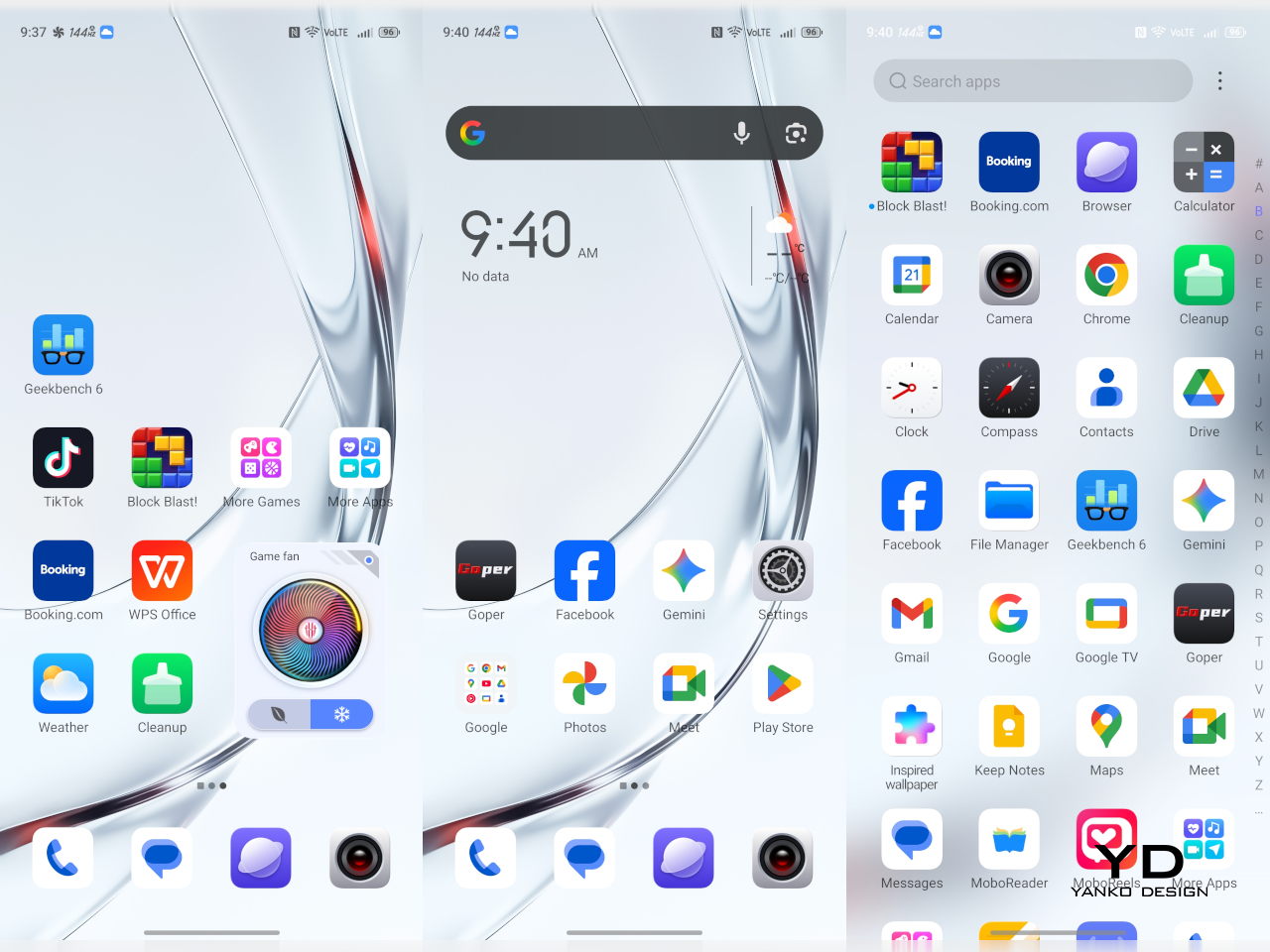
IP54 dust and water resistance is a pragmatic compromise. For a device packed with vents, fans, and shoulder triggers, pushing water resistance higher would likely require trade‑offs in cooling capacity or thickness. The phone will survive light rain or dusty environments, but it is not meant for submersion or rough outdoor abuse, worth keeping in mind if you game near water or in harsh conditions.

Value

At launch, the REDMAGIC 11 Air starts at $499 ($529 in the US and Canada) for 12 GB + 256 GB and goes up to $599 ($629 in North America) for 16 GB + 512 GB. That puts it in upper mid‑range territory, but with hardware rivaling more expensive phones in gaming performance, especially when you factor in cooling, battery, and gaming‑specific controls that most flagships skip entirely.

Value shows up in what you get for that money. At this price, you are getting Snapdragon 8 Elite, active cooling with a 24,000 RPM fan and vapor chamber, 7,000mAh battery with 80W charging, 6.85‑inch 144Hz OLED, and 520 Hz shoulder triggers. Many similarly priced phones focus on cameras or slimness, leaving gaming performance to throttle once heat builds, so the 11 Air feels like a focused tool rather than a jack‑of‑all‑trades.

Of course, this focus narrows the audience. The transparent, RGB‑lit, cyberpunk design and heavy emphasis on Game Space features, triggers, and haptics make the 11 Air most appealing to mobile gamers. For someone who barely plays and cares more about camera versatility or minimalist aesthetics, much of what makes this device interesting will feel like overkill or actively off‑putting.
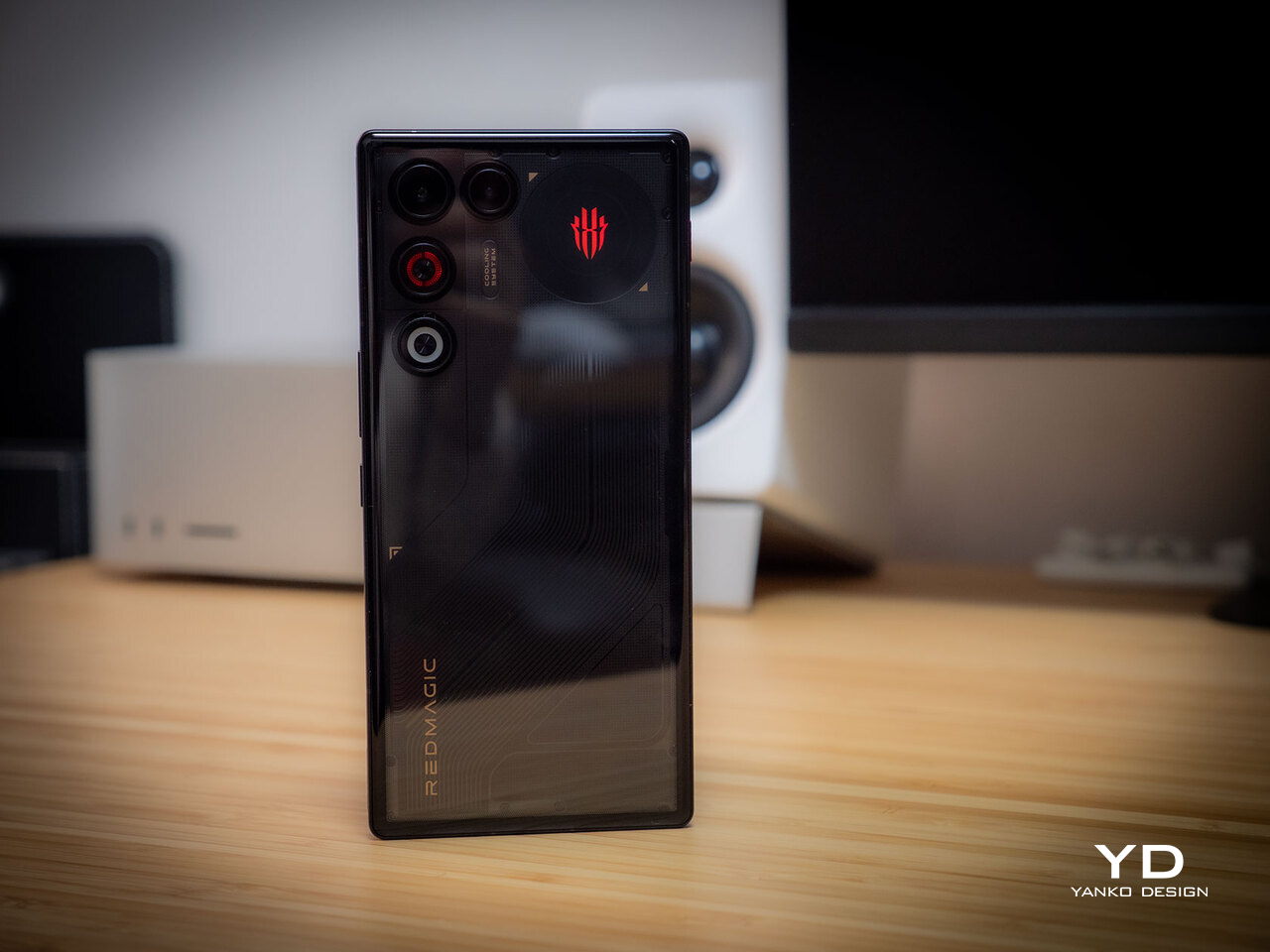
Contrasting it with the REDMAGIC 11 Pro helps clarify positioning. The Pro leans harder into showpiece territory with its visible liquid‑cooling window and heavier footprint, while the 11 Air trades some spectacle for slimness and lighter weight. For gamers who want REDMAGIC’s performance and style but prefer something easier to carry daily, the Air’s pricing and positioning make sense as a more practical but still gaming‑centric option.

Verdict

REDMAGIC 11 Air takes the brand’s familiar ingredients, transparent design, RGB accents, active cooling, shoulder triggers, and wraps them in a slimmer chassis that feels more manageable than previous monsters. It does not pretend to be a mainstream flagship, but within its lane of delivering stable high‑fps gaming and distinct visual identity, it hits targets convincingly. The flagship silicon, thermal management, and gaming controls make it hard to ignore if mobile gaming matters to you.
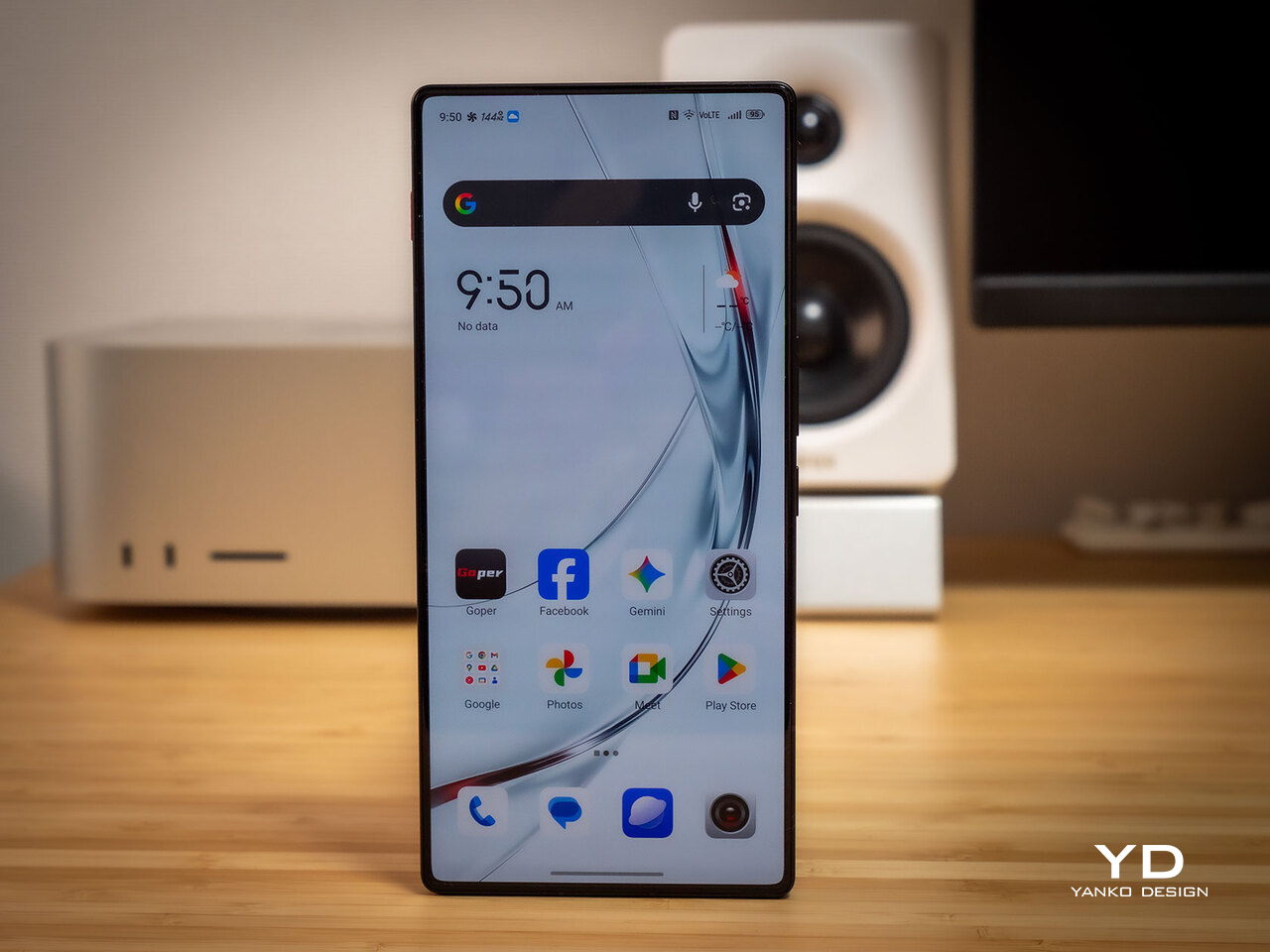
For people who treat mobile gaming seriously and who like the idea of a semi‑transparent, cyber‑mech slab with a fan inside more than a polished glass rectangle, REDMAGIC 11 Air makes a strong case. It will not convert everyone, and it is not trying to, but for the crowd it speaks to, it offers a rare mix of performance, personality, and practicality at a price undercutting many conventional flagships while still feeling like a purpose‑built tool.

The post REDMAGIC 11 Air Review: Fan-cooled Gaming Flagship at Just 207g, $499 first appeared on Yanko Design.

2026 iMac Pro: Why Apple is Finally Resurrecting the Ultimate All-in-One

2026 iMac Pro: Why Apple is Finally Resurrecting the Ultimate All-in-One

Apple is set to reintroduce the iMac Pro in 2026, signaling a pivotal moment in its desktop lineup. This highly anticipated release is expected to blend innovative technology with Apple’s signature design philosophy, offering a powerful solution tailored to professionals. With advancements in display technology, next-generation processors, and a refined design, the iMac Pro 2026 […]

The post 2026 iMac Pro: Why Apple is Finally Resurrecting the Ultimate All-in-One appeared first on Geeky Gadgets.

Posted in Uncategorized

Solid-State Battery or Supercapacitor, Donut Lab’s Claims Don’t Add Up

Solid-State Battery or Supercapacitor, Donut Lab’s Claims Don’t Add Up

What if the future of energy storage could be redefined in just five minutes? That’s the bold promise behind the world’s first solid-state battery unveiled by Donut Lab, a breakthrough that has sparked both excitement and skepticism across industries. Ziroth outlines how this innovation claims to deliver an extraordinary energy density of 400 Wh/kg, a […]

The post Solid-State Battery or Supercapacitor, Donut Lab’s Claims Don’t Add Up appeared first on Geeky Gadgets.

Posted in Uncategorized