When it comes to upgrading your tech arsenal, the MacBook Air series by Apple stands out as a premier choice for professionals and casual users alike. If you’re on the fence about choosing between the M2 and M3 MacBook Air models, you’ll be pleased to know that the latest iteration offers significant improvements that cater […]
The reinvention and return of MagSafe were an instant hit! There is a great sense of satisfaction, in my opinion, to have things just stick to your phone. Be it a pair of earphones (maybe that’ll be the next generation of AirPods) or have your phone just conveniently stick to a charging pad – it’s almost like magic. The reintroduction of the MagSafe led to a whole new world of accessories being unleashed. Designers and creatives were racing to create a whole range of products for the repurposed MagSafe. And we’ve been loving every bit of it! From a MagSafe power bank that cools your phone to a handcrafted MagSafe charging stand – there’s a MagSafe accessory out there for your every need. And, we’ve curated many products that we truly believe are worth buying and investing in. This army of accessories will truly amp up your Apple experience!
1. UPRO Ostand Case
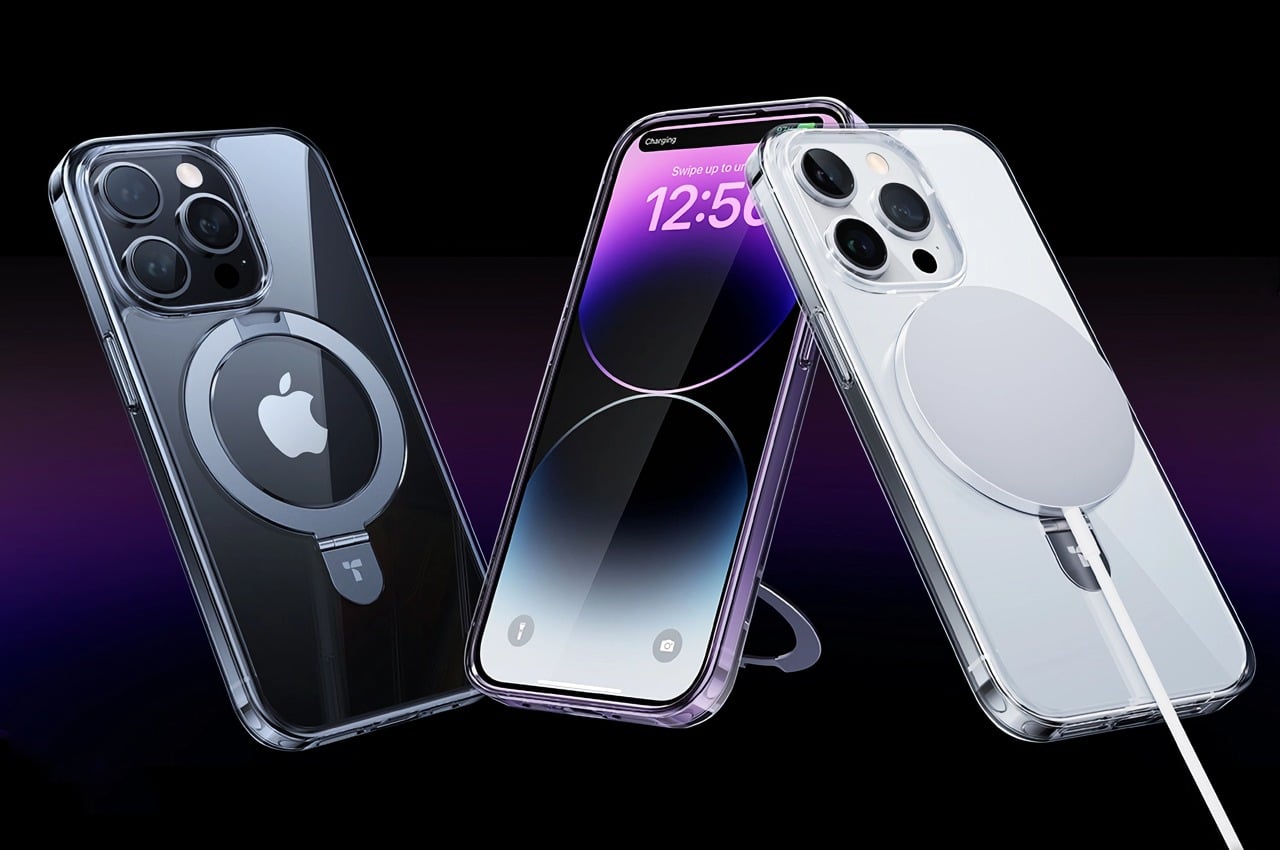
Called the UPRO Ostand case, this device is the winner of the iF Design Award, and it provides your iPhone’s MagSafe with a whole bunch of cool upgrades. It can make your phone stand, hang, or stay securely in your hands as you click a selfie or mindlessly scroll through Instagram. The Ostand case may look like your mundane and average iPhone case, but it is equipped with the familiar magnetic ring which gives it a nice upgrade!
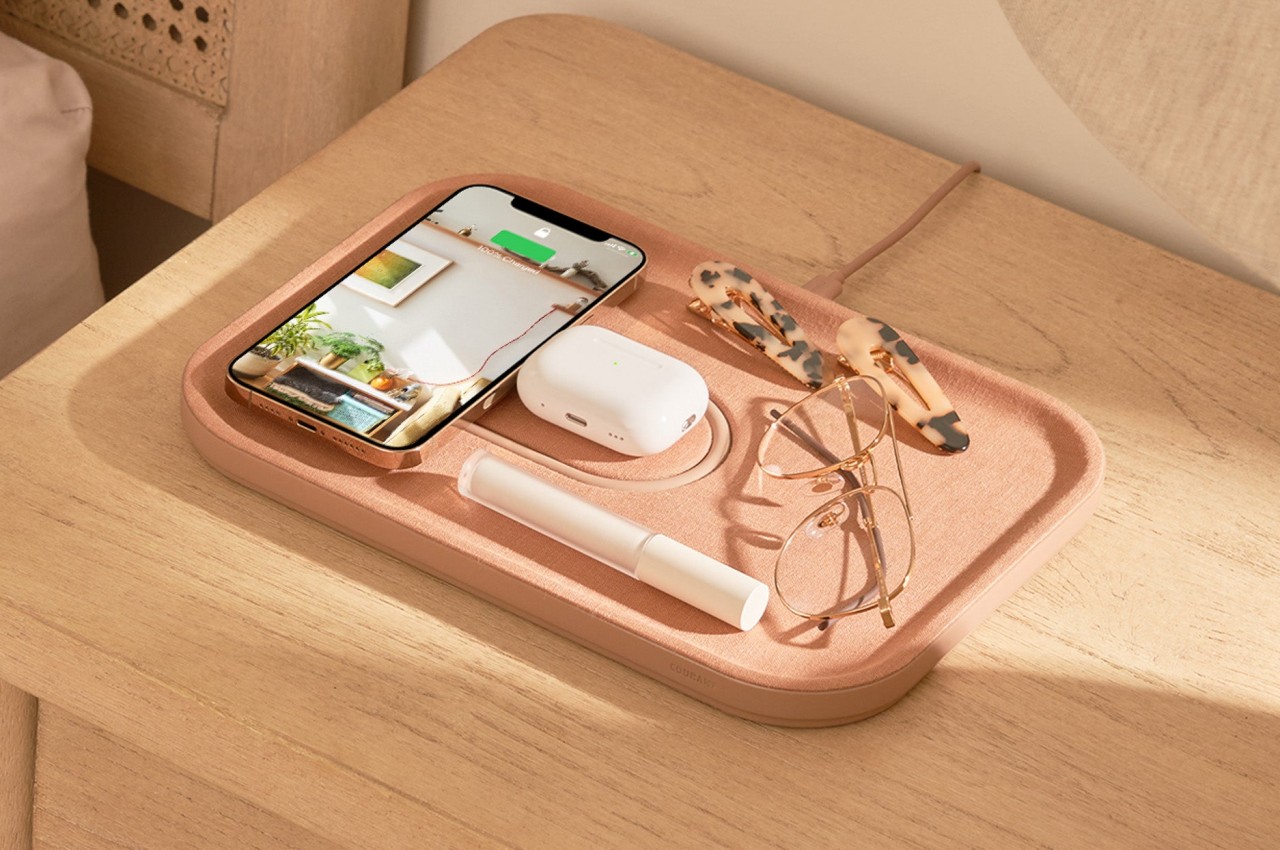
2. 2-in-1 Wireless Charger Concept
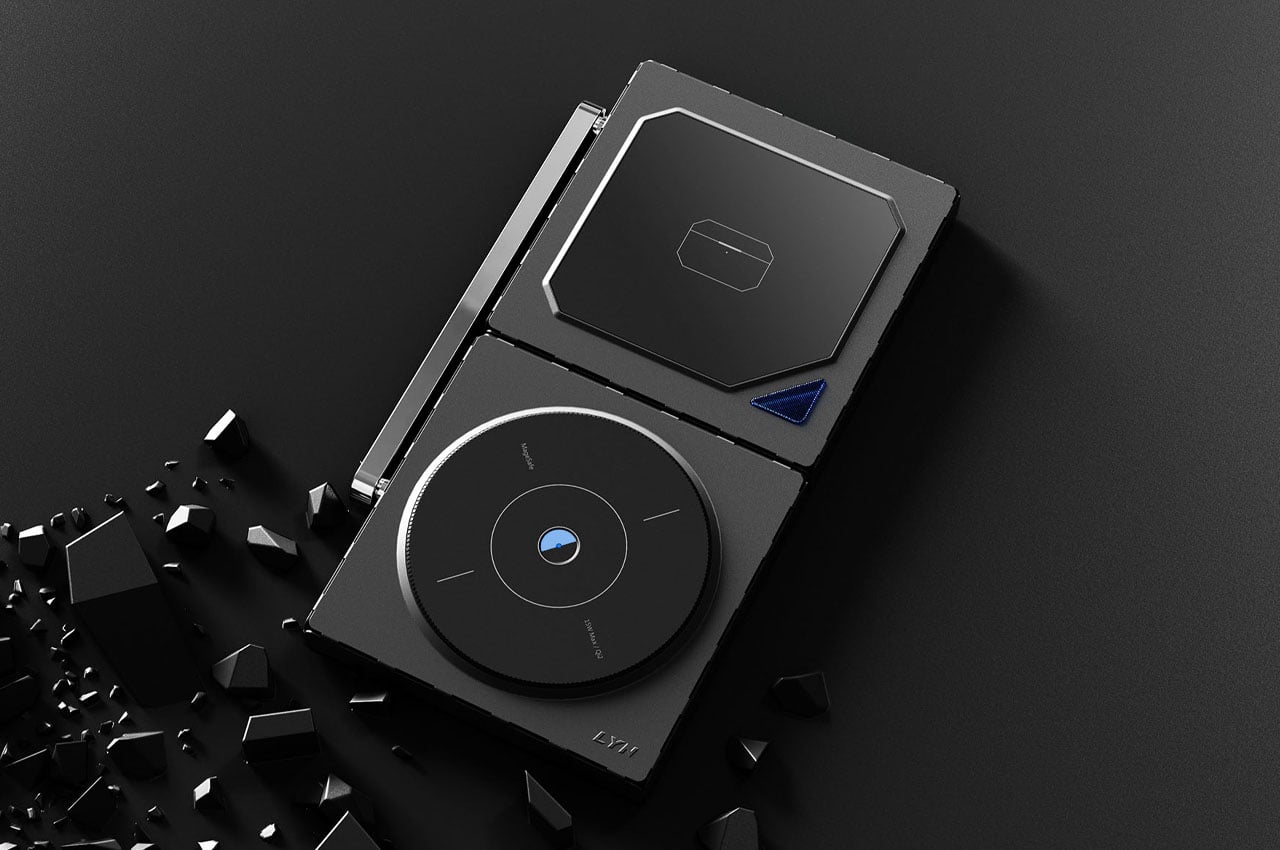
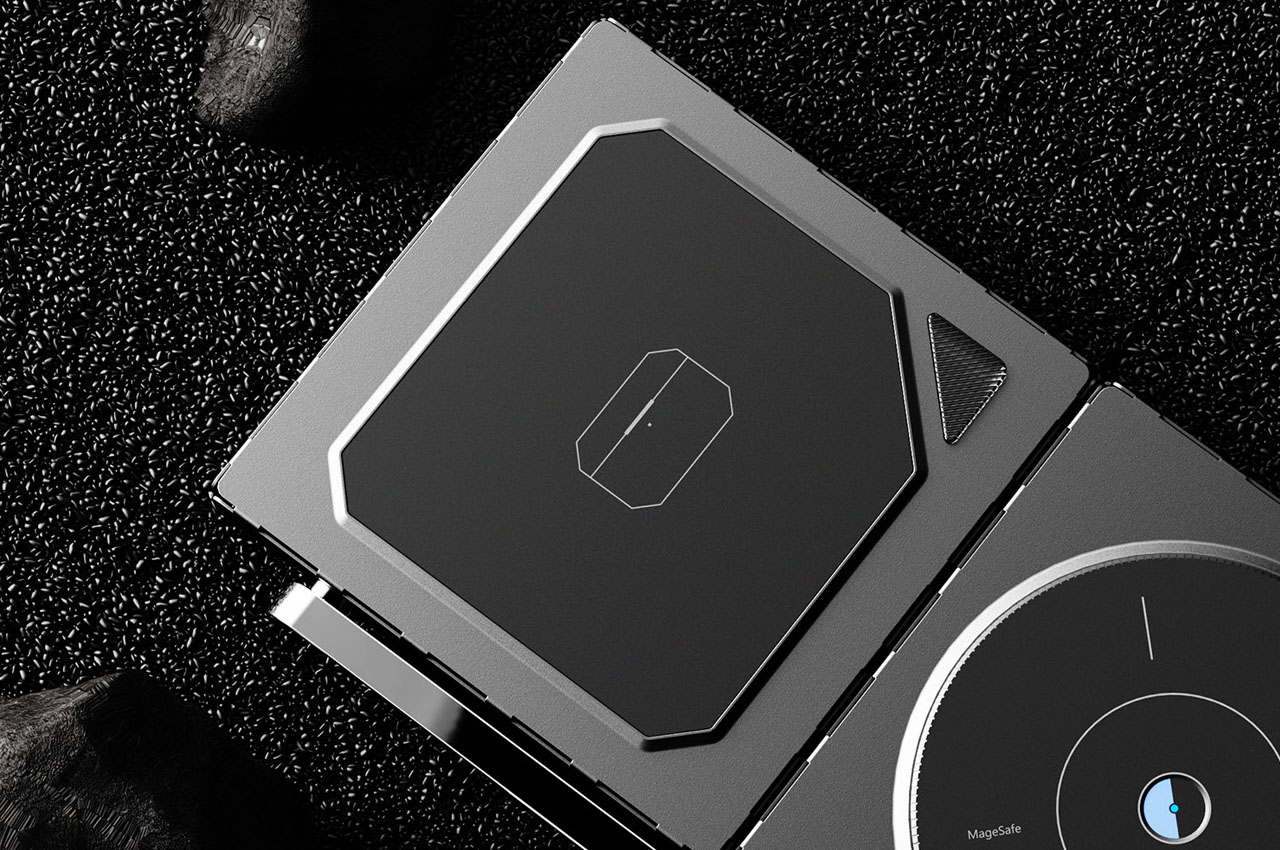
This 15W MagSafe compatible iPhone 15 charger concept can be placed in a laid-down position or an alternate orientation, allowing the phone to be set up in portrait mode for productivity. The charger’s alternate pad can be utilized to charge your earbuds or Apple Watch in a laid-down position. Although currently, the charger is in the conceptual phase, it does seem interesting enough to be executed by major accessories providers.
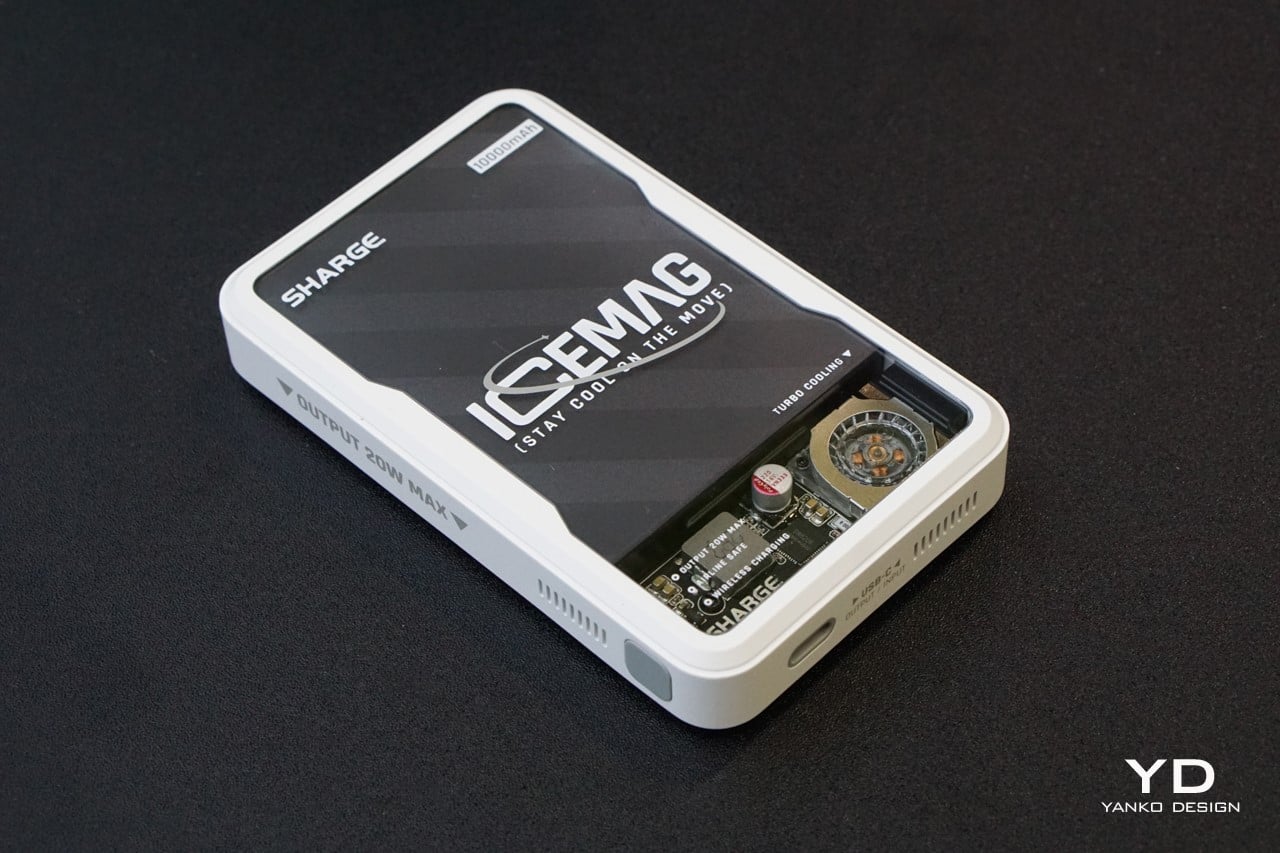
3. Icemag
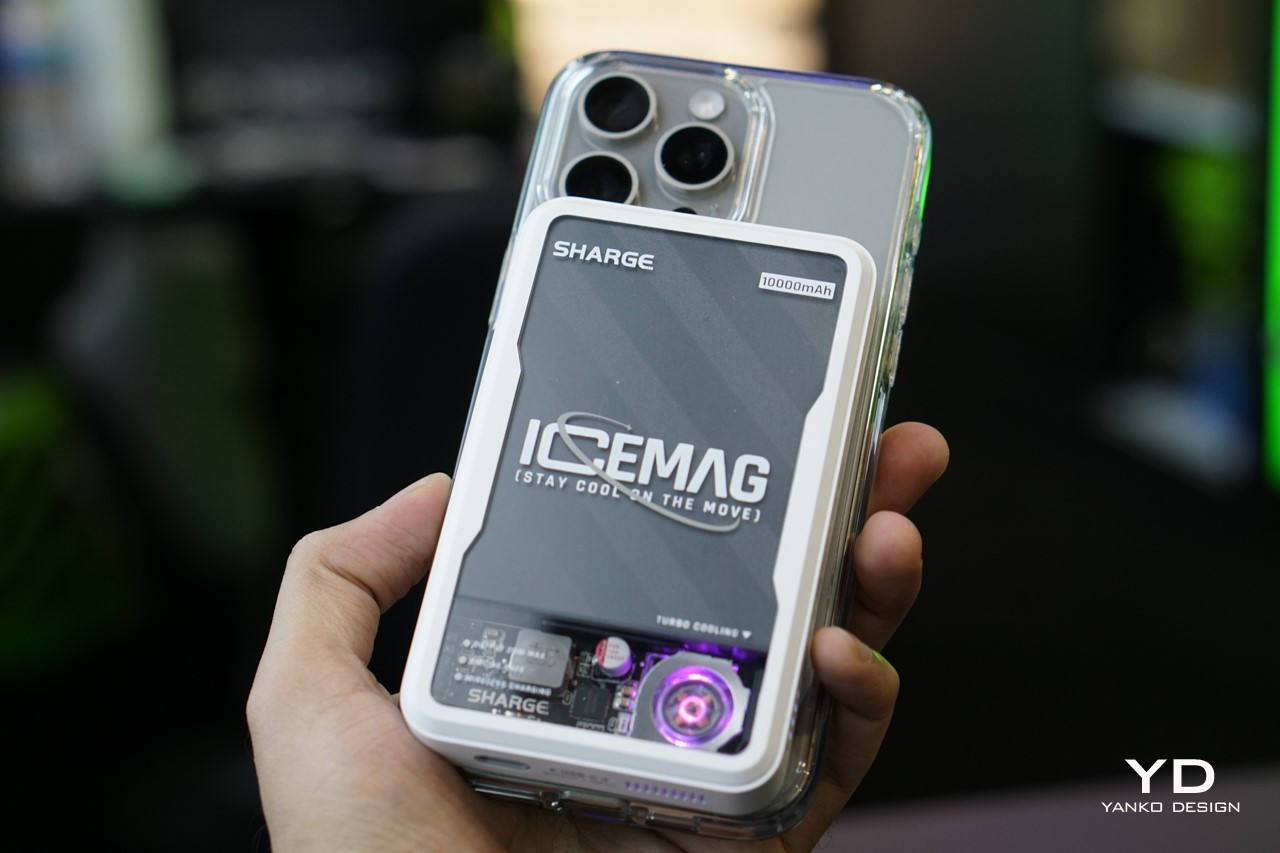
Designed by Sharge, the Icemag is the world’s first power bank with its unique turbo-cooling feature. The power bank keeps itself and your phone cool and breezy during charging. It is equipped with an ultra-silent fan that moves at a speed of 8000 RPM, which actively cools the battery pack inside, while the power bank wirelessly charges your phone, ensuring nothing gets heated up during the charging process.
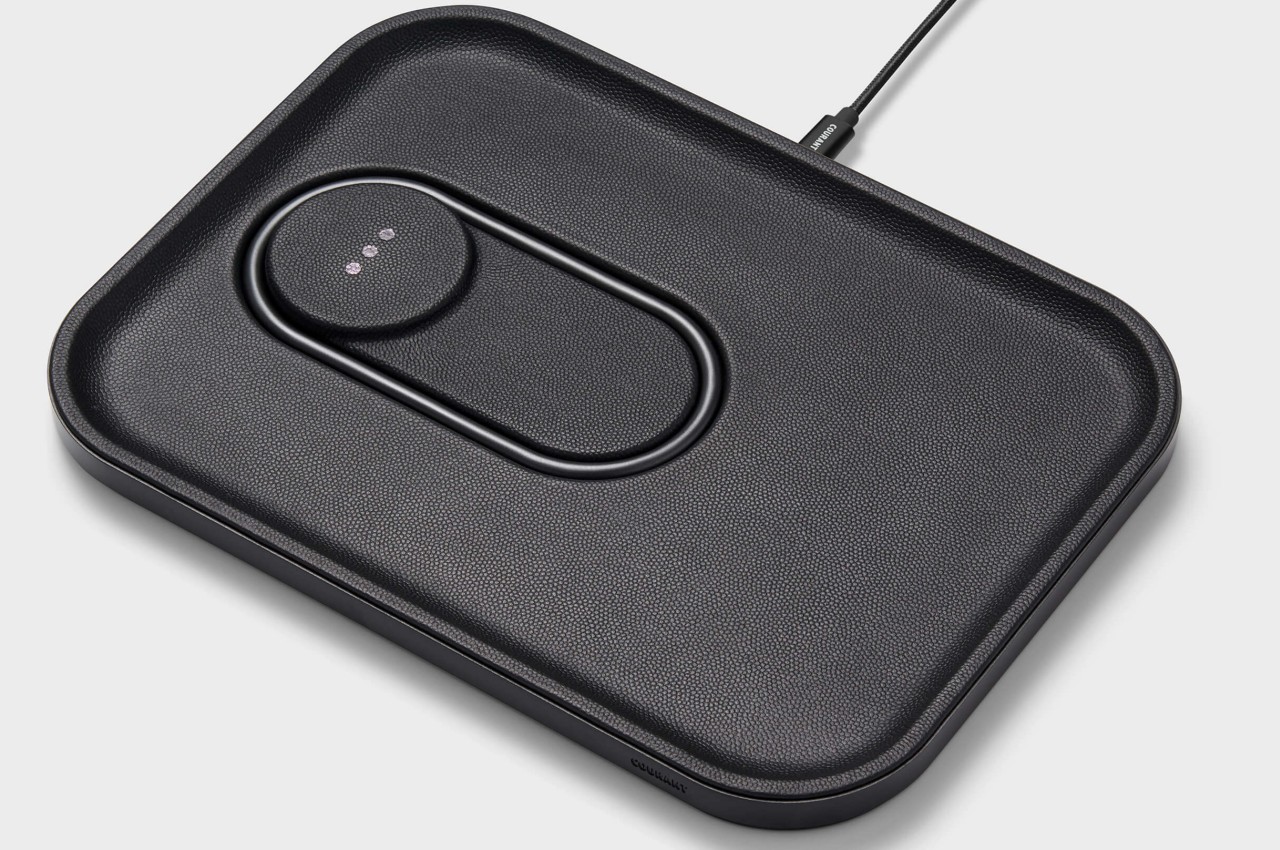
4. The MAG:3
Designed by Courant, the MAG:3 is a MagSafe wireless charging device that looks like a minimalist valet tray for your iPhone, AirPods, and other little items that you can place on it to make your side table and desk look more organized. The charging device is available in both leather and linen finishes and in several colors, so you can pick the one that perfectly suits your home and work aesthetics.
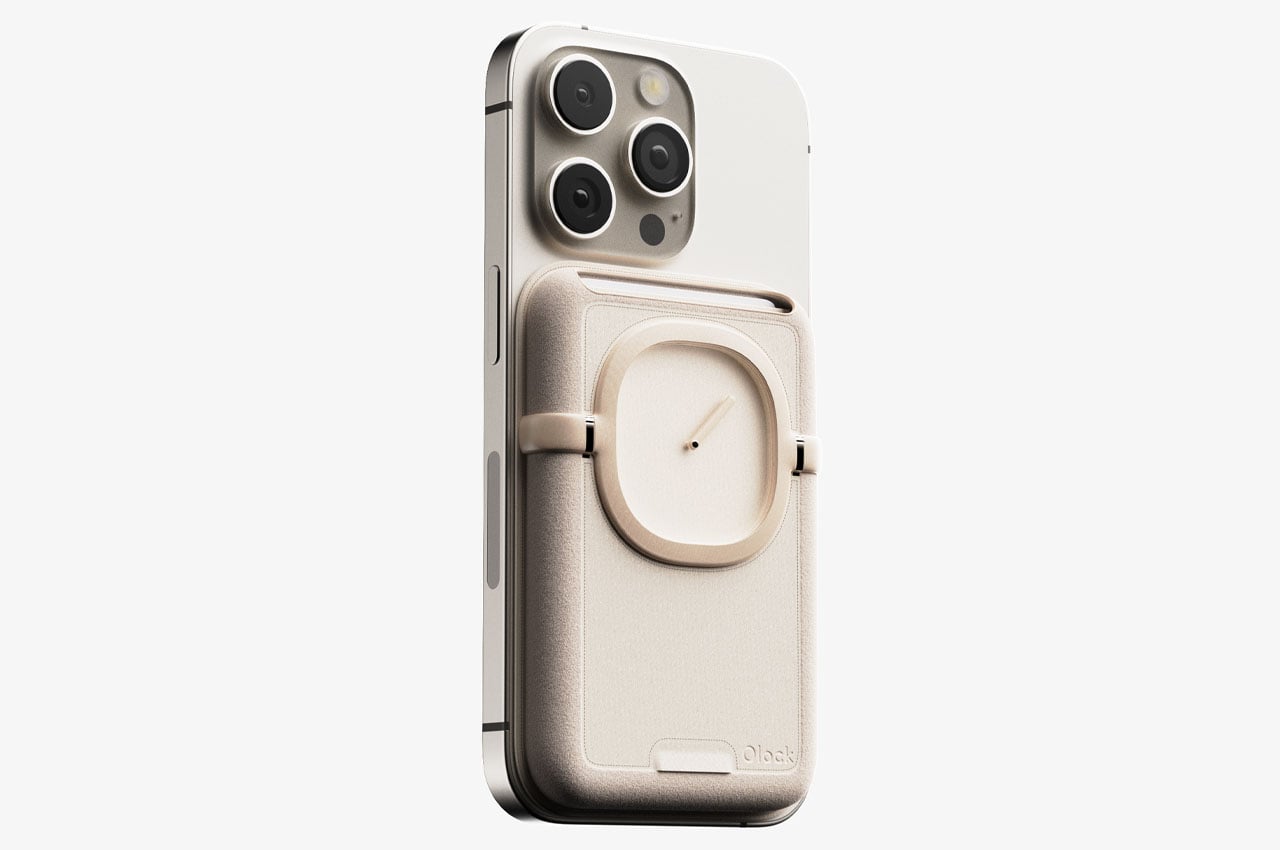
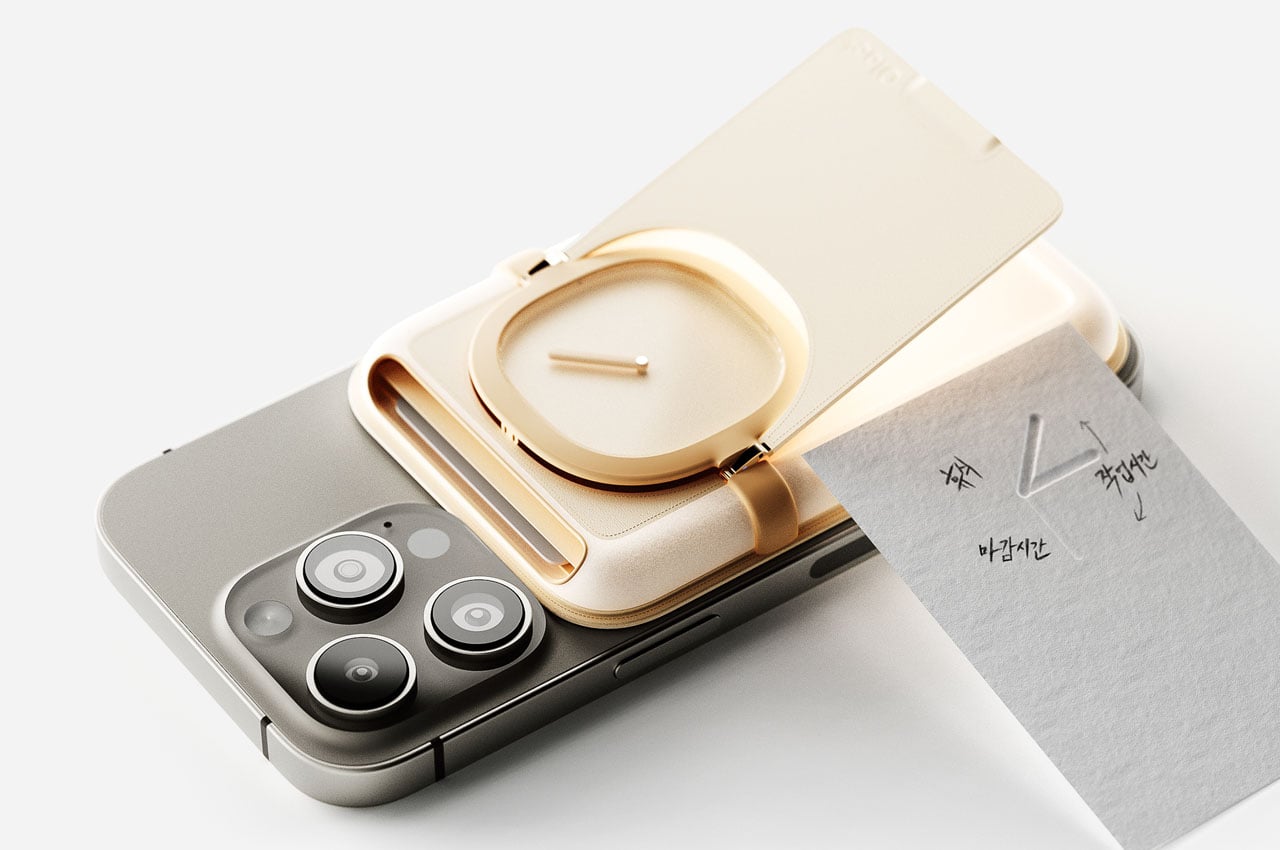
5. Shin & Han’s MagSafe Accessory
This unique MagSafe-compatible accessory is designed to help you get over digital addiction and spend less time on your phone. You can attach the accessory to the back of your smartphone. It is equipped with a real clock with a single-hour hand to keep you updated on the passing time, making sure that you don’t spend too much time on your phone. The accessory also functions as a holder for your cards and quick cash.
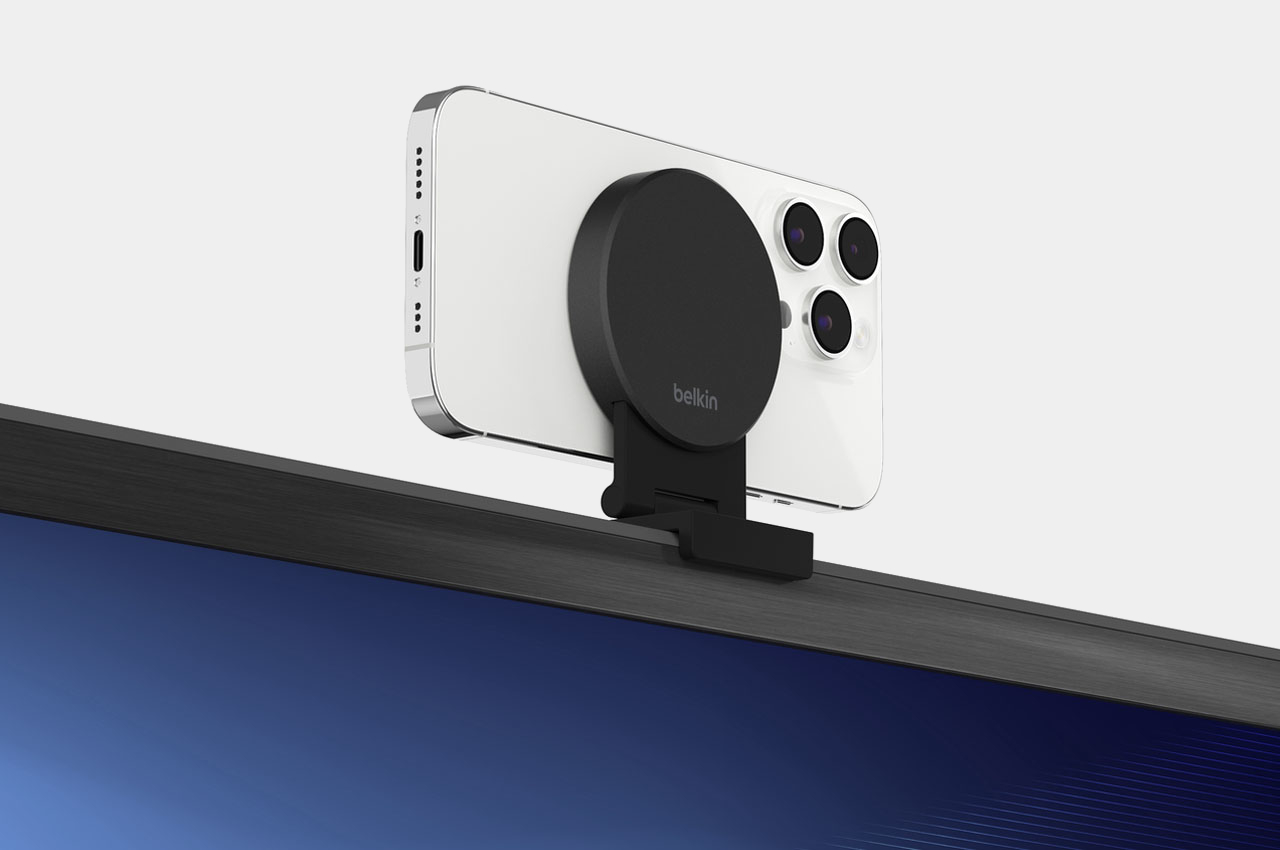
6. Belkin iPhone Mount
The new Belkin iPhone Mount with MagSafe transforms your iPhone into a webcam for the Apple 4K TV! The versatile mount can be attached directly to your TV with a thickness of up to 40mm without wires or tools. It lets you use your iPhone’s rear camera for FaceTime or Zoom calls. You can also fold the iPhone stand in landscape or portrait mode on a table or wall through magnetic attachment.
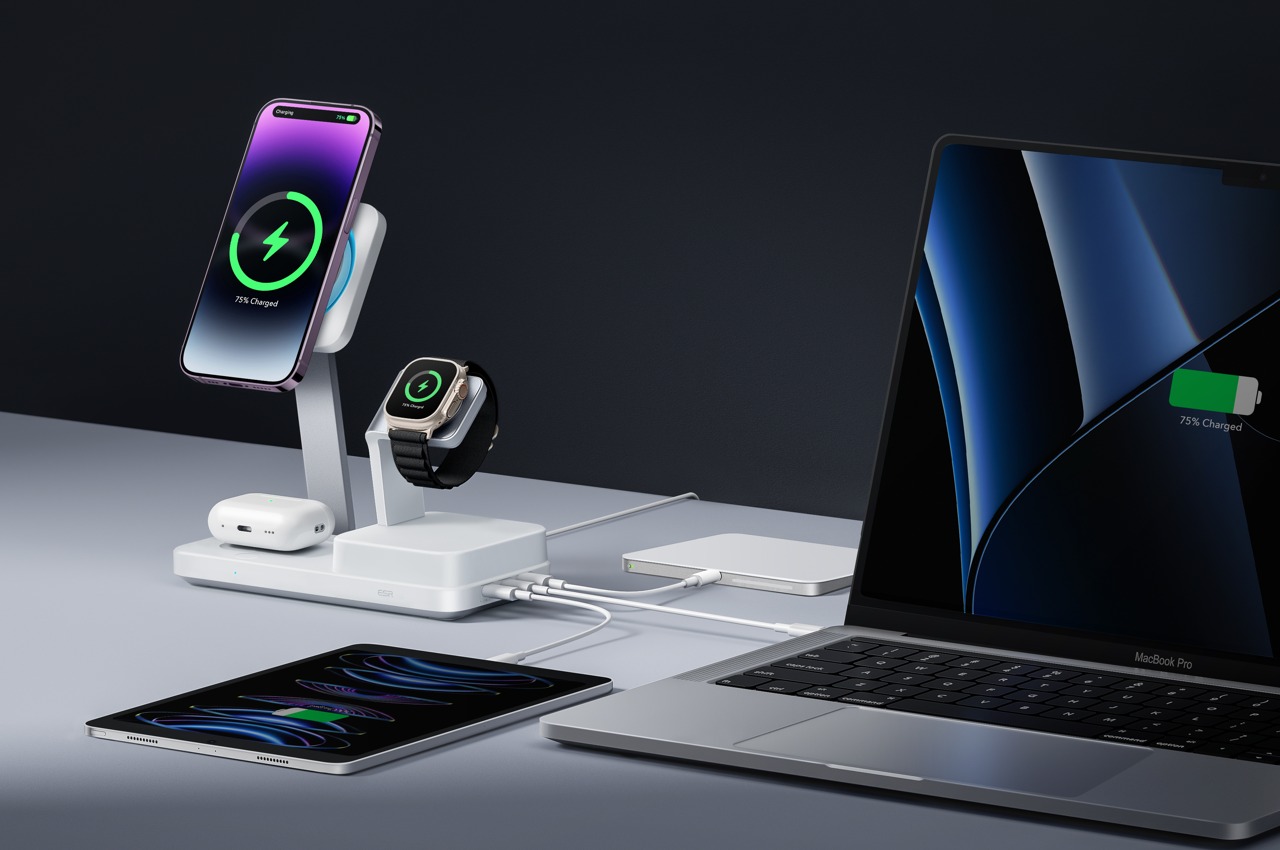
7. 6-in-1 MagSafe Charger
This is the world’s first Apple-Certified 6-in-1 MagSafe Charger from ESR that is equipped with a GaN semiconductor, and it doesn’t just charge your small Apple devices, but it also delivers up to 100W of power to your MacBook, providing an all-in-one solution for all your modern day charging requirements. It has three dedicated slots for your iPhone, AirPods, and Watch, as well as three output ports for charging your laptop, tablet, and power bank.
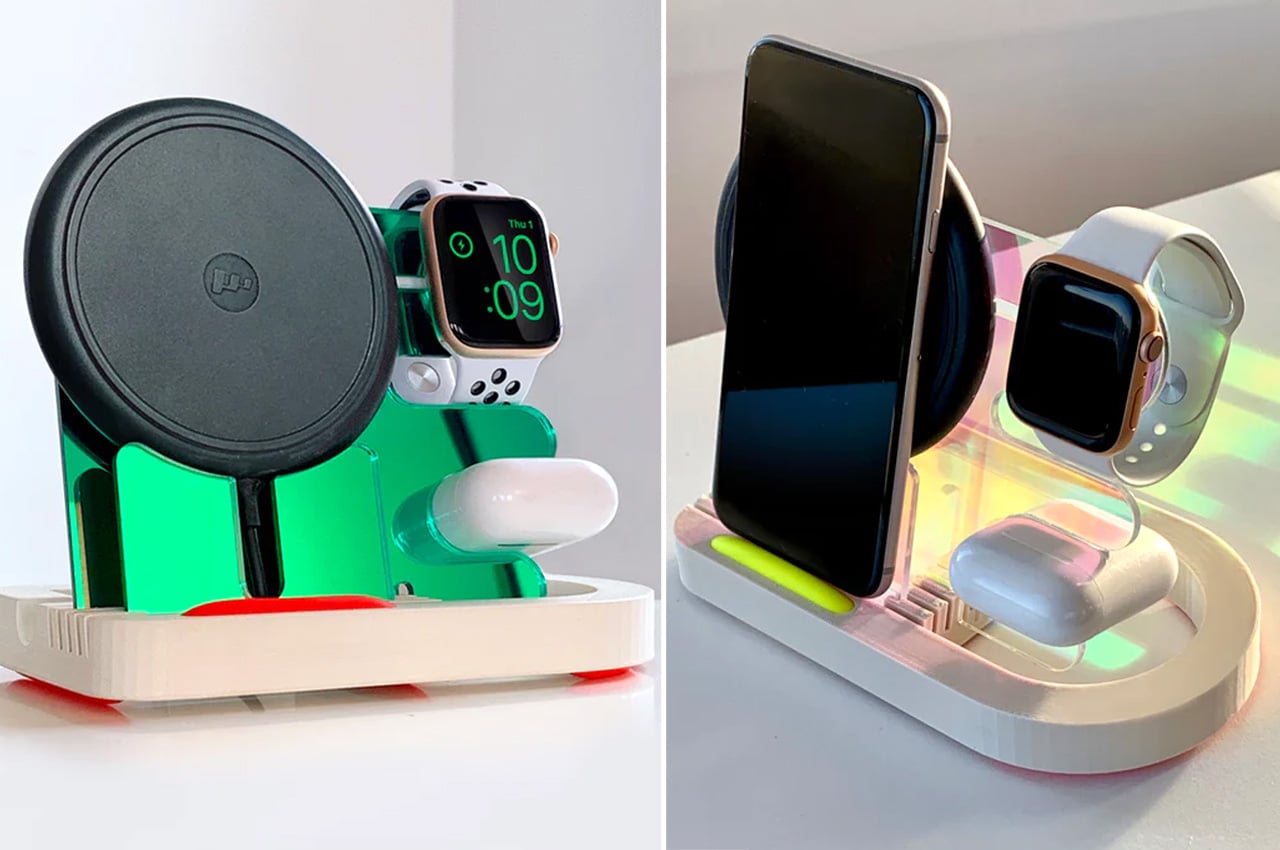
8. Electric Trout Charging Docks
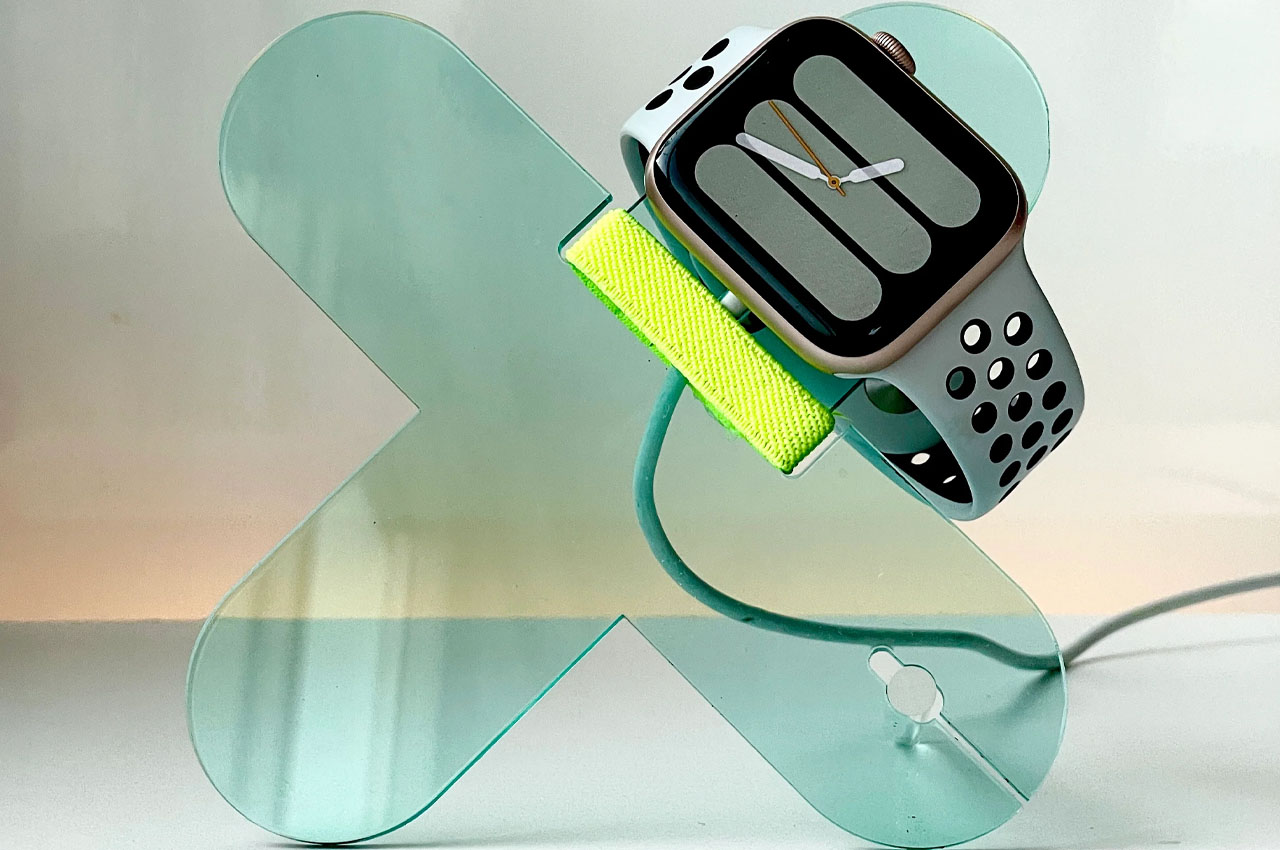
David Stychno’s Electric Trout charging docks are made from acrylic and are newly introduced accessories in the list of metallic and plasticky MagSafe accessories. They have a productive and sleek silhouette that is meant to redefine efficacy and convenience. It is designed for a large spectrum of users and is intended for one, two, or an entire range of Apple’s wearables and handhelds.
9. Side Note
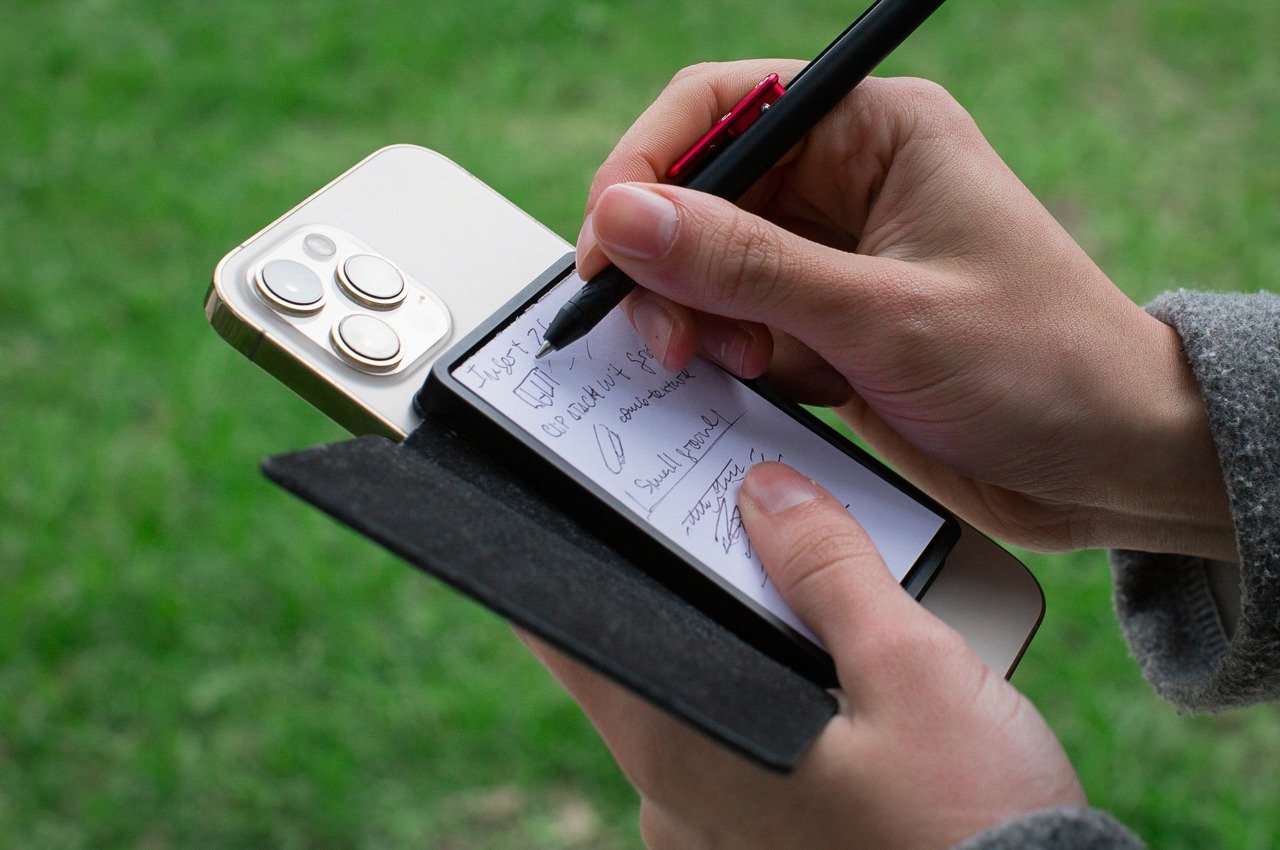
Called the Side Note, this compact leather-bound notebook features an integrated pen and a MagSafe-compatible design that lets you snap it onto your iPhone or any magnetic surface. This little accessory provides you with an analog notepad by your side, letting you quickly and efficiently note down ideas and journal. You don’t need to reach out for a separate physical notepad, as you have a handy one attached to your phone.
10.The MAG.L MagSafe Powerbank
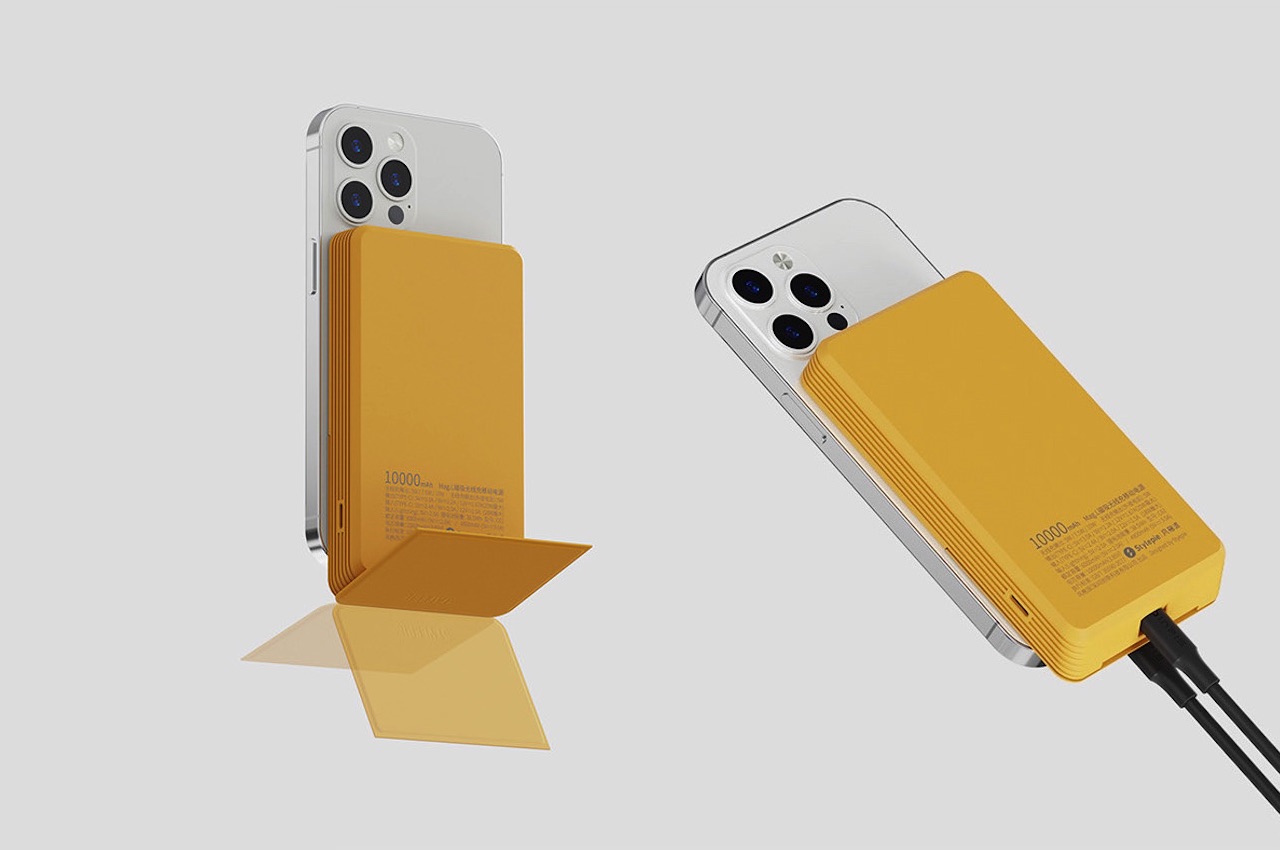
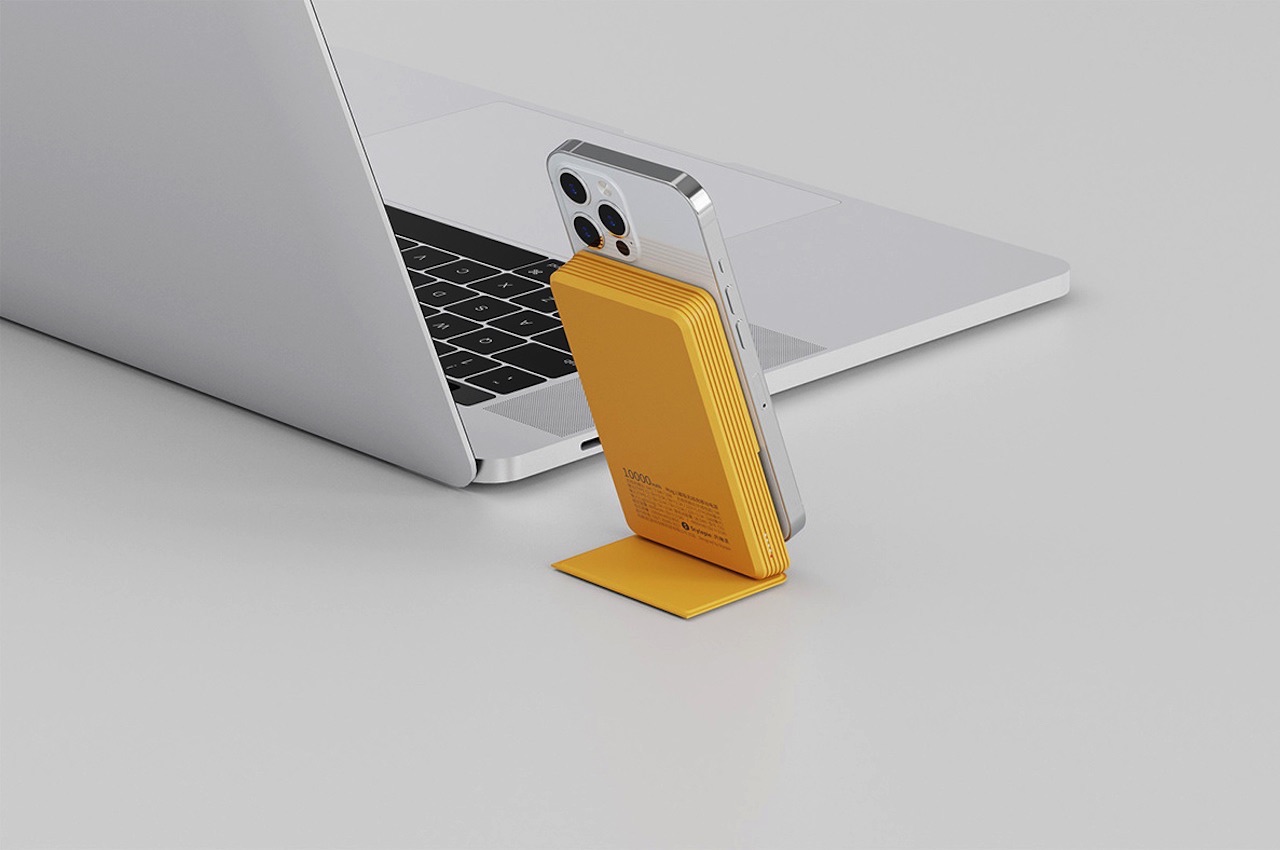
The MAG.L MagSafe Powerbank has a 10000mAH capacity that is designed to improve the wireless charging and power bank experience for everyone. Designed by Neo Bie and Leigui Lui for Stylepiece and has four usual operation buttons: SELECT, START, A, B, and a d-pad (directional pad). The lower portion of the yellow power bank has a cover that slides to work as the stand of the power bank.
This guide is designed to show you how to fix an unresponsive iPhone, there are several things that you can do to resolve the issue. iPhones, renowned for their exceptional performance and reliability, are not exempt from the occasional software hiccup or system freeze. These moments of unresponsiveness can be particularly frustrating, transforming a device […]
In the bustling realm of tech advancements, Apple’s introduction of the new M3 MacBook Air models marks a significant milestone. If you’re eyeing the latest in laptop technology, let’s dive into the specifics of the 13-inch and 15-inch MacBook Air versions, as reviewed by Brandon Butch. His comprehensive analysis, spanning from unboxing to performance evaluation, […]
Apple’s iOS 17.4 update has ushered in a notable enhancement specifically designed for iPhone enthusiasts keen on maintaining their device’s battery health. With this latest update, iPhone 15 series users now have the privilege of accessing comprehensive details about their battery’s condition directly from the battery settings. This feature is not just a superficial addition; […]
As technology continues to evolve, the app marketplace is constantly being enriched with innovative applications that aim to simplify our lives, enhance productivity, and entertain. For iPhone users, March 2024 has brought a plethora of apps that cater to a wide array of needs, from AI-powered solutions to privacy safeguards and financial management tools. If […]
Apple TV+ and Major League Baseball (MLB) are bringing back “Friday Night Baseball” for the 2024 regular season, starting on March 29. This weekly doubleheader will be available to subscribers in 60 countries and regions, featuring two marquee matchups every Friday for 26 weeks without local broadcast restrictions. The season kicks off with the New […]
In the captivating world of iPhone photography, grasping the subtle intricacies of lighting can dramatically enhance the caliber of your photographs. Regardless of whether you are an experienced photographer with years of practice behind the lens or simply a photography enthusiast who loves snapping spontaneous moments while on the move, understanding the pivotal role that […]
Apple has once again raised the bar for smartwatch functionality with its latest update, watchOS 10.4. This update ushers in a suite of new features and crucial bug fixes that promise to refine the Apple Watch experience. If you’re keen to discover what the buzz is all about, you’ll be pleased to know that the […]
Apple has once again raised the bar for smartwatch functionality with its latest update, watchOS 10.4. This update ushers in a suite of new features and crucial bug fixes that promise to refine the Apple Watch experience. If you’re keen to discover what the buzz is all about, you’ll be pleased to know that the […]