EZCast Just Turned Every Phone Into a Professional Camera Monitor

Monitoring a camera feed used to require either hovering behind the viewfinder or investing in a dedicated wireless video system with separate transmitters, receivers, and field monitors. For solo content creators, small production teams, and anyone shooting interviews or tutorials with limited gear, that kind of setup has always felt disproportionate to the task. The gap between “professional monitoring” and “just squinting at the back of the camera” remained stubbornly wide.

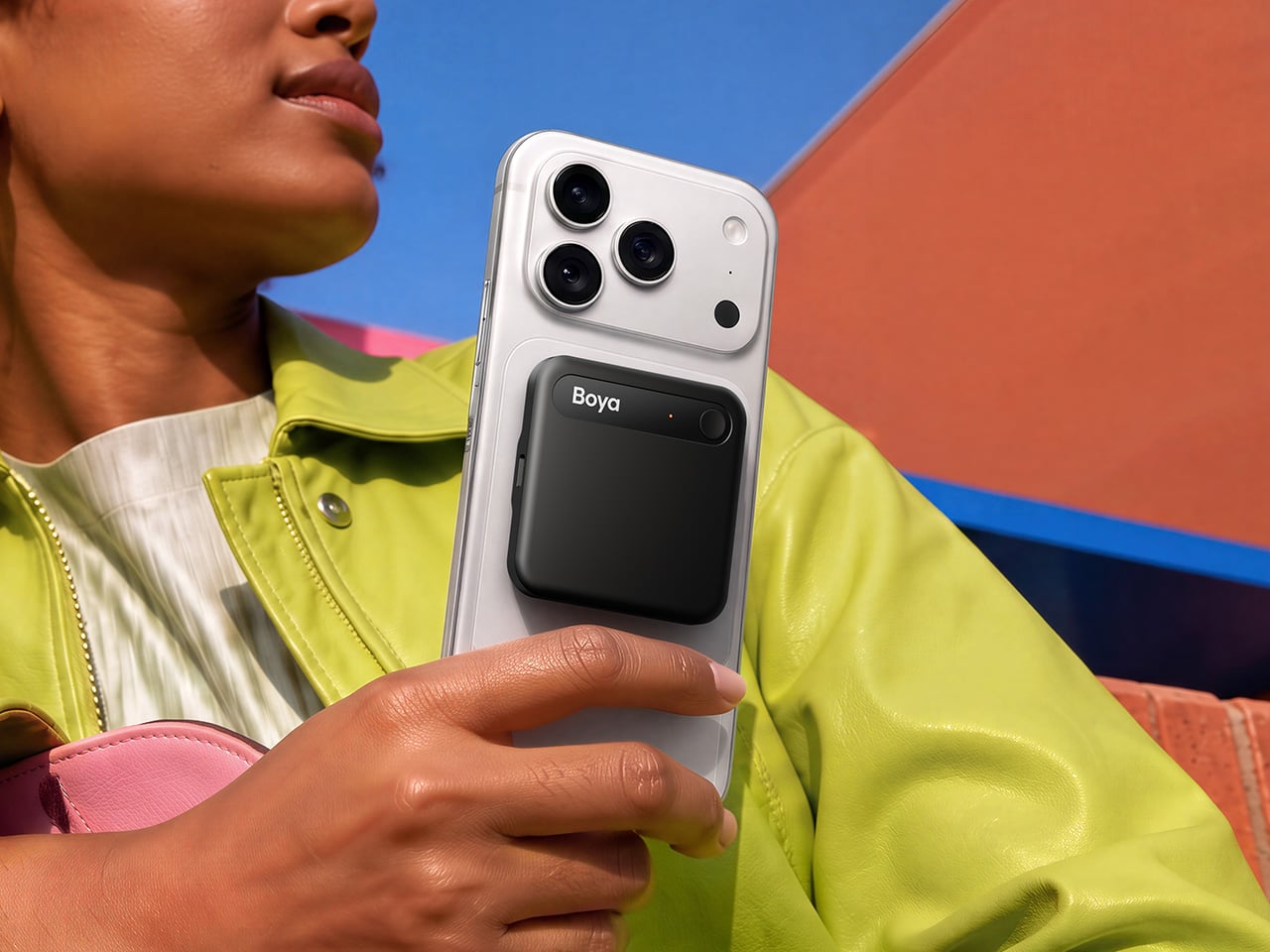
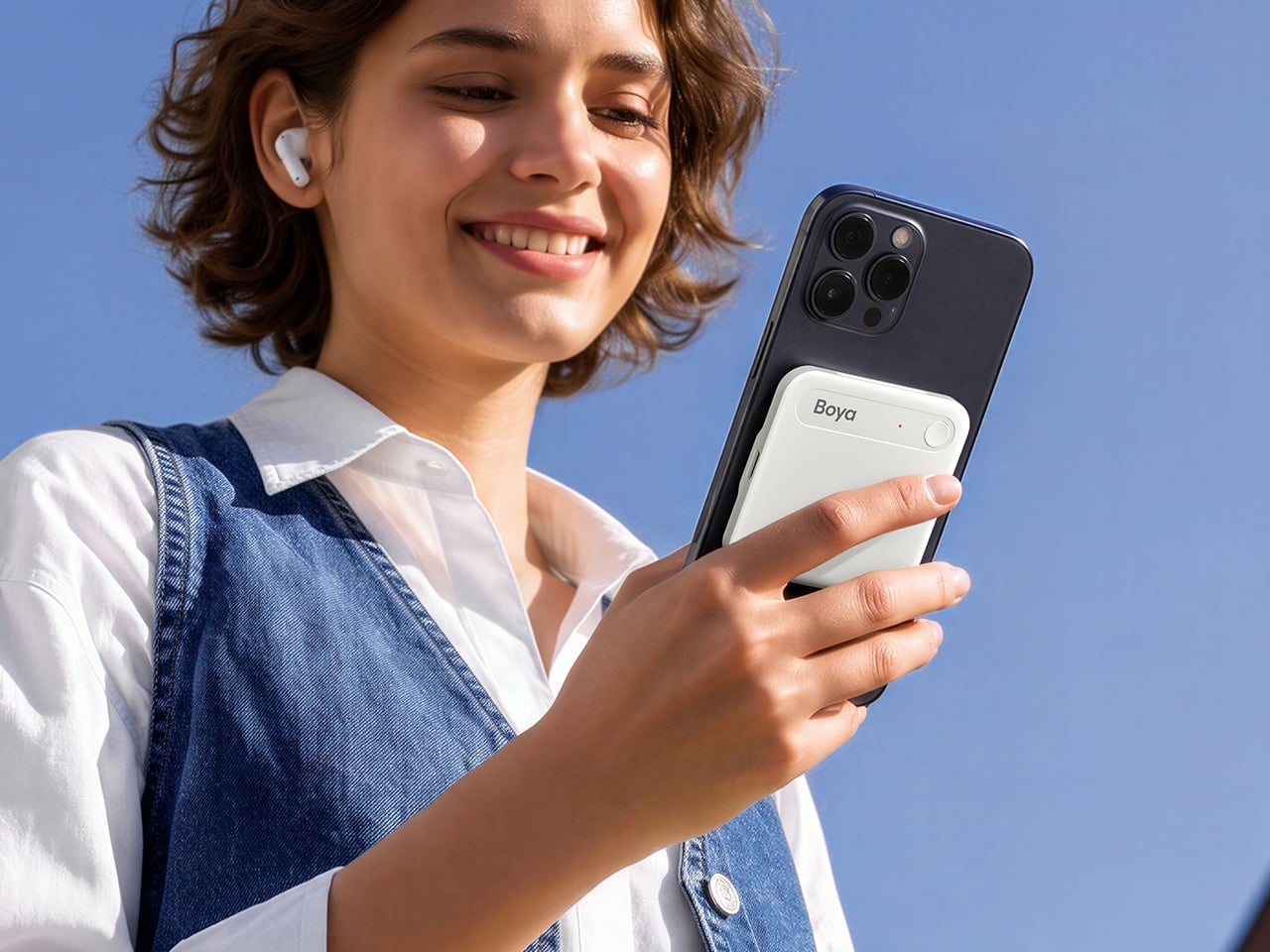
EZCast’s CamCast CT-1 is a compact wireless transmitter designed to sit on top of any HDMI-equipped camera, from mirrorless bodies and DSLRs to action cams and camcorders. Once connected, it broadcasts a live 1080p 60fps feed over 5GHz Wi-Fi to up to four iOS or Android devices simultaneously. EZCast has spent over a decade building wireless display and screen-mirroring technology for offices and classrooms, and the CamCast is their first product built specifically for cameras, applying that signal distribution expertise to a production context.

Designer: EZCast

Click Here to Buy Now: $129 $239 ($110 off). Hurry, only a few units left!

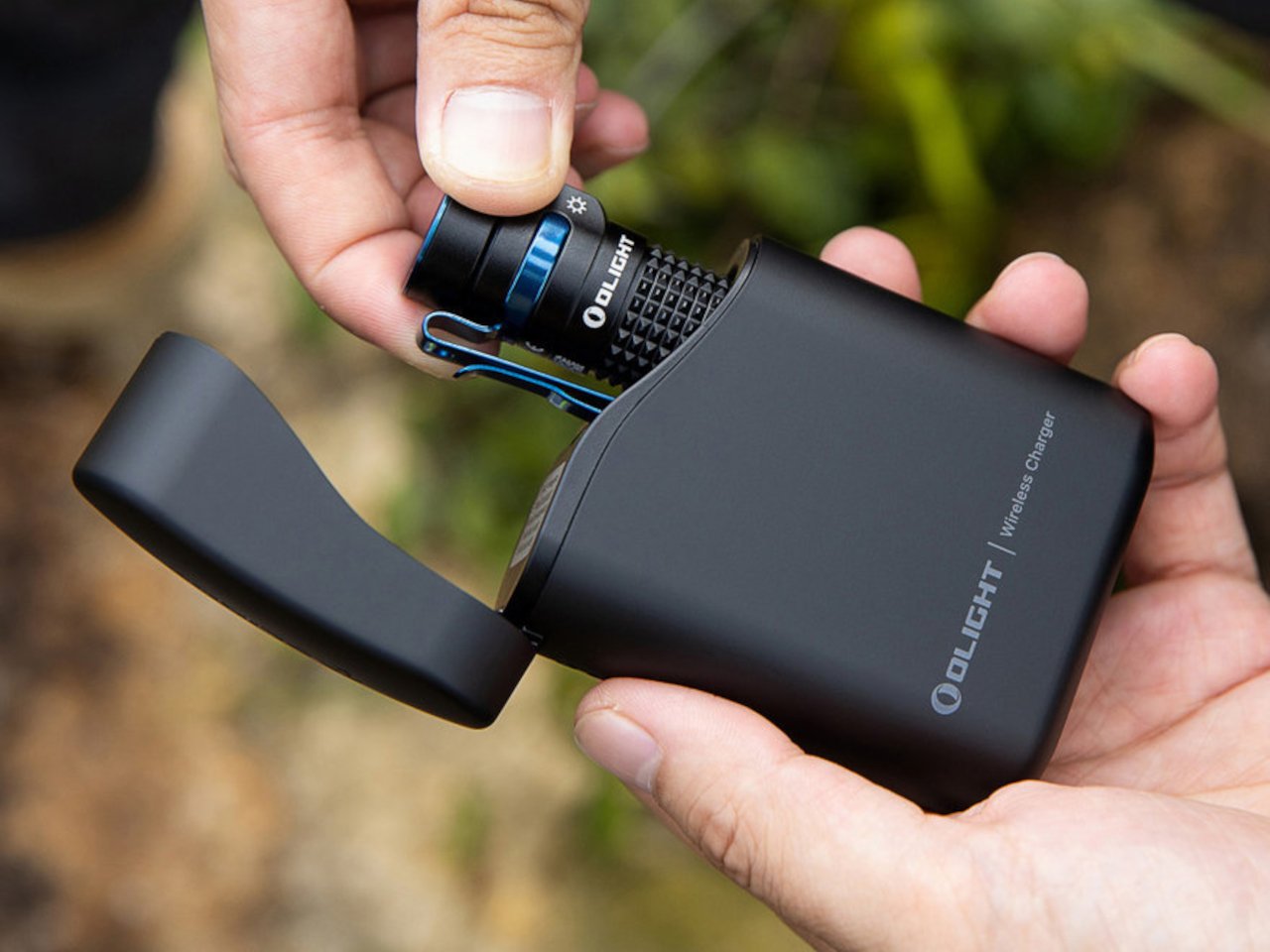
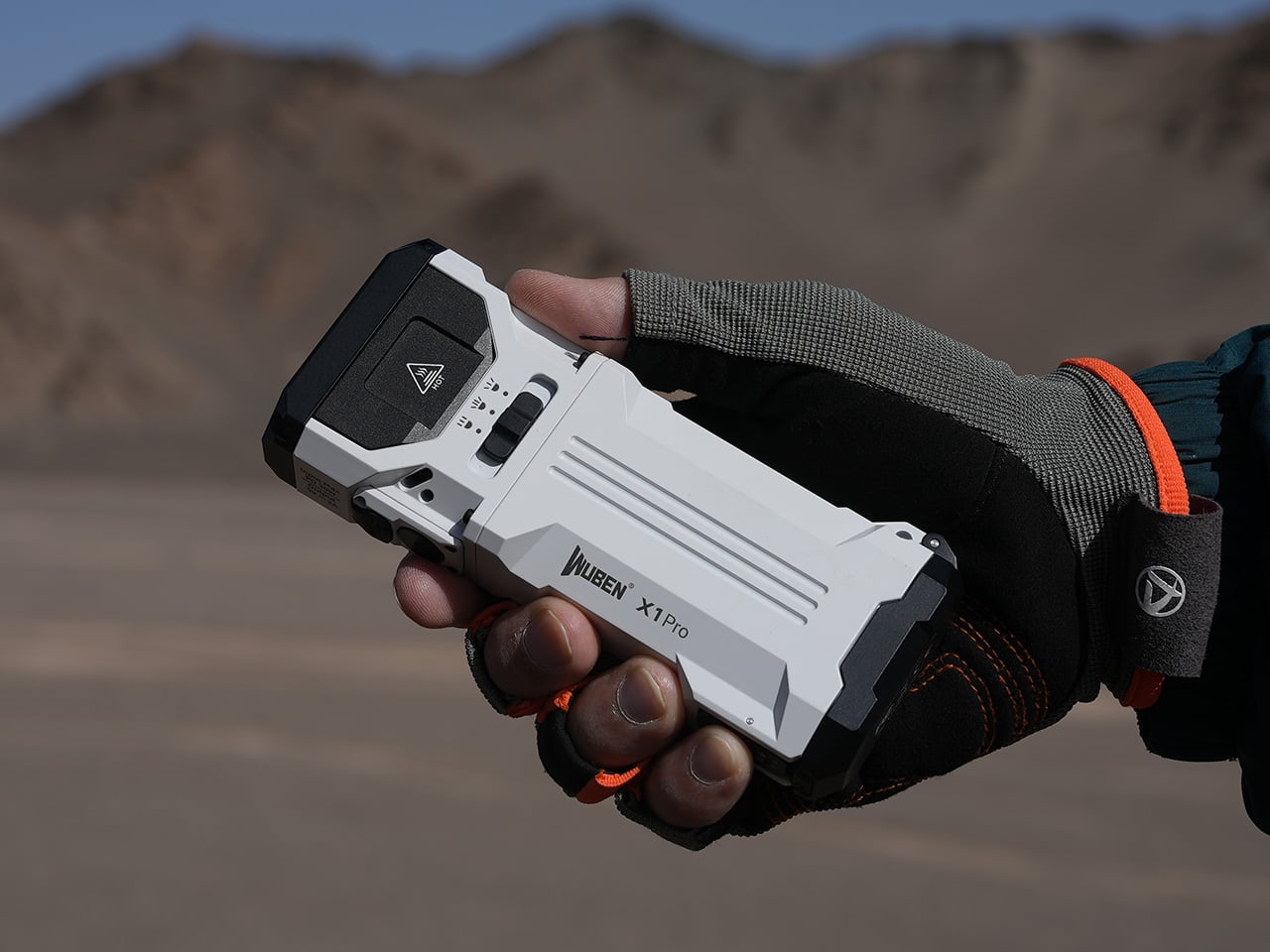
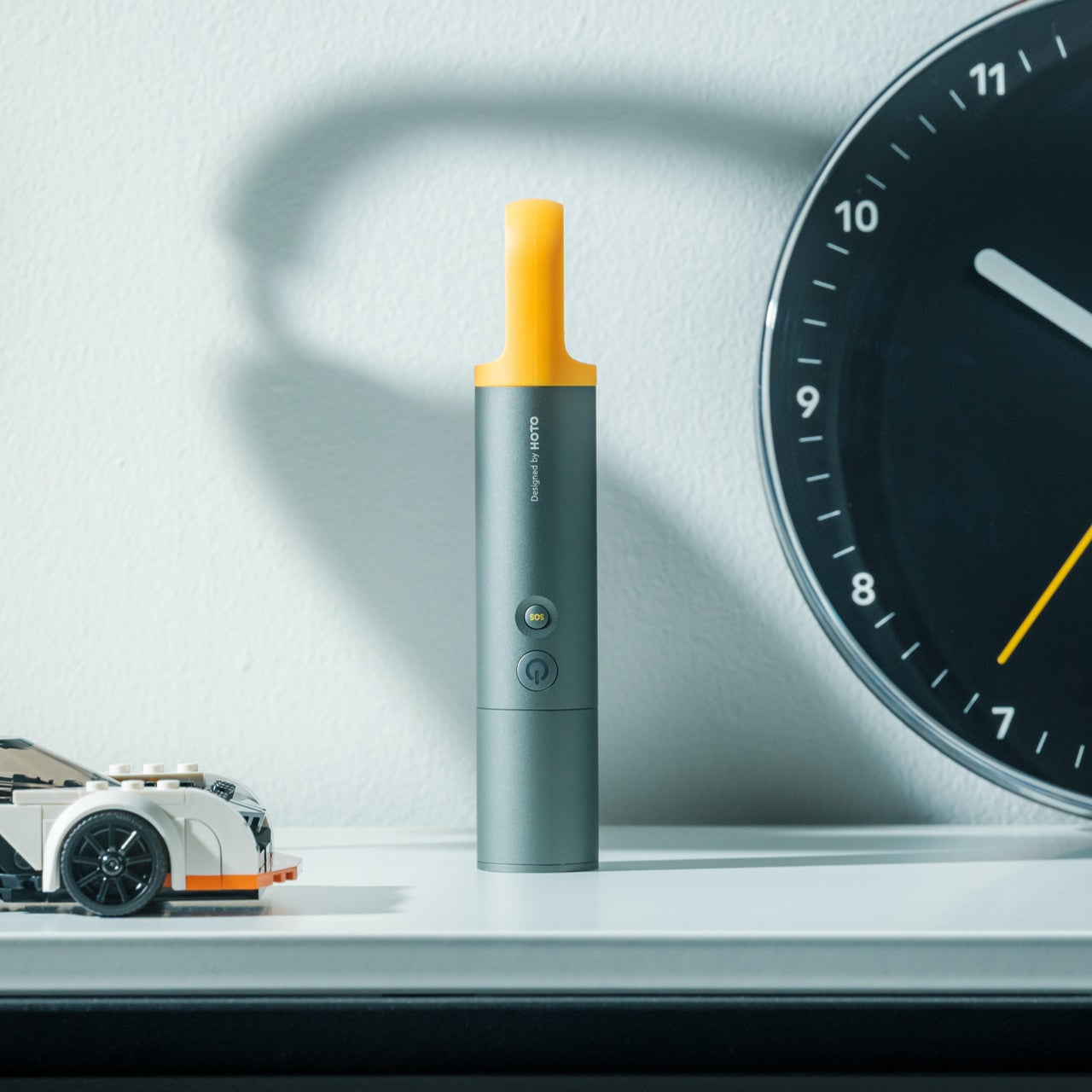
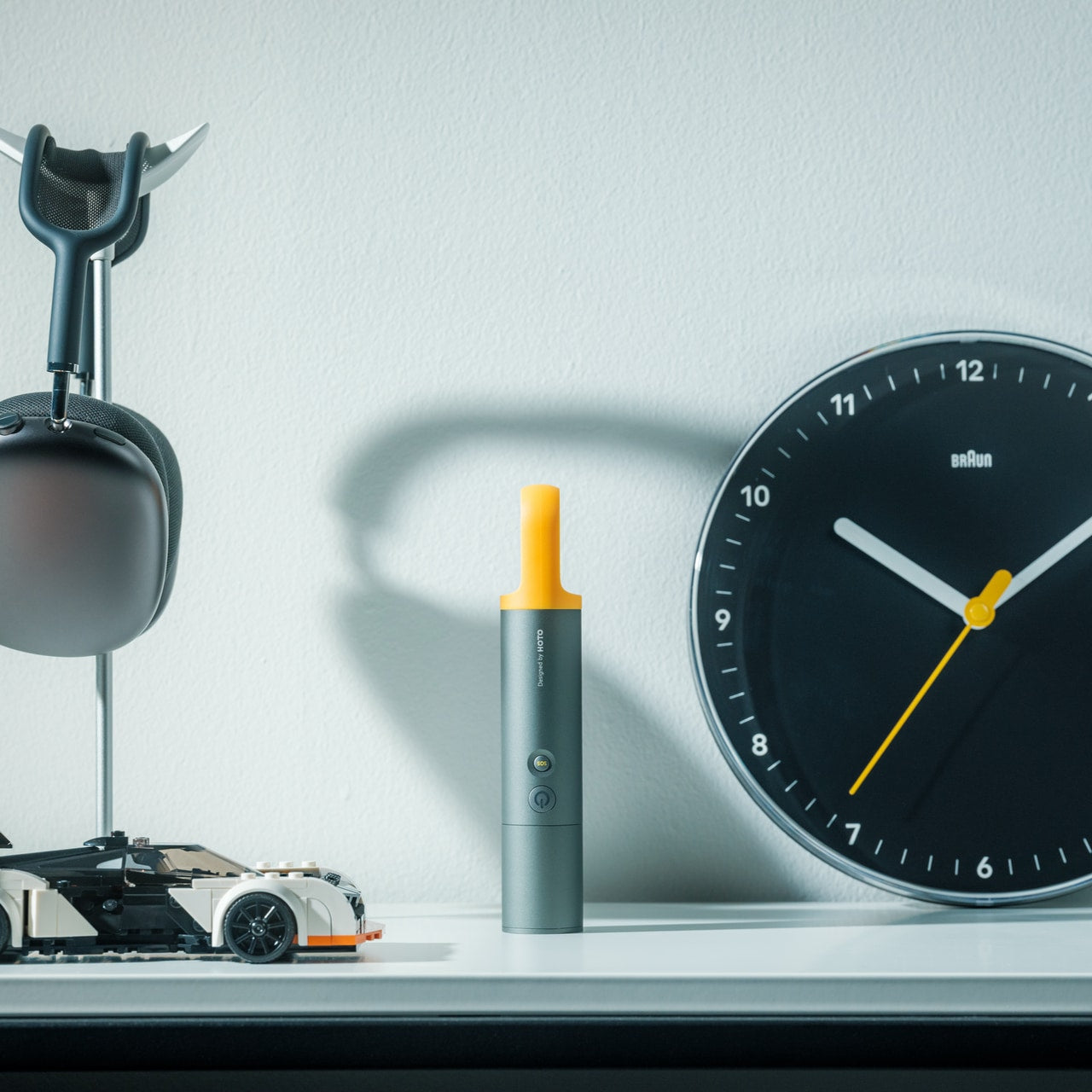
The device itself is small enough to mount on a camera hot shoe or gimbal arm, with included adapters for both horizontal and vertical orientation. A built-in OLED screen displays connection details, and pairing happens through a QR code scan that takes roughly three seconds. Power comes from either a standard NP-F battery, the same type used across countless cinema accessories, or a USB-C connection at 5V/3A. That dual-power flexibility means a battery for mobility on location or a simple cable for longer, stationary shoots where runtime matters more.

1

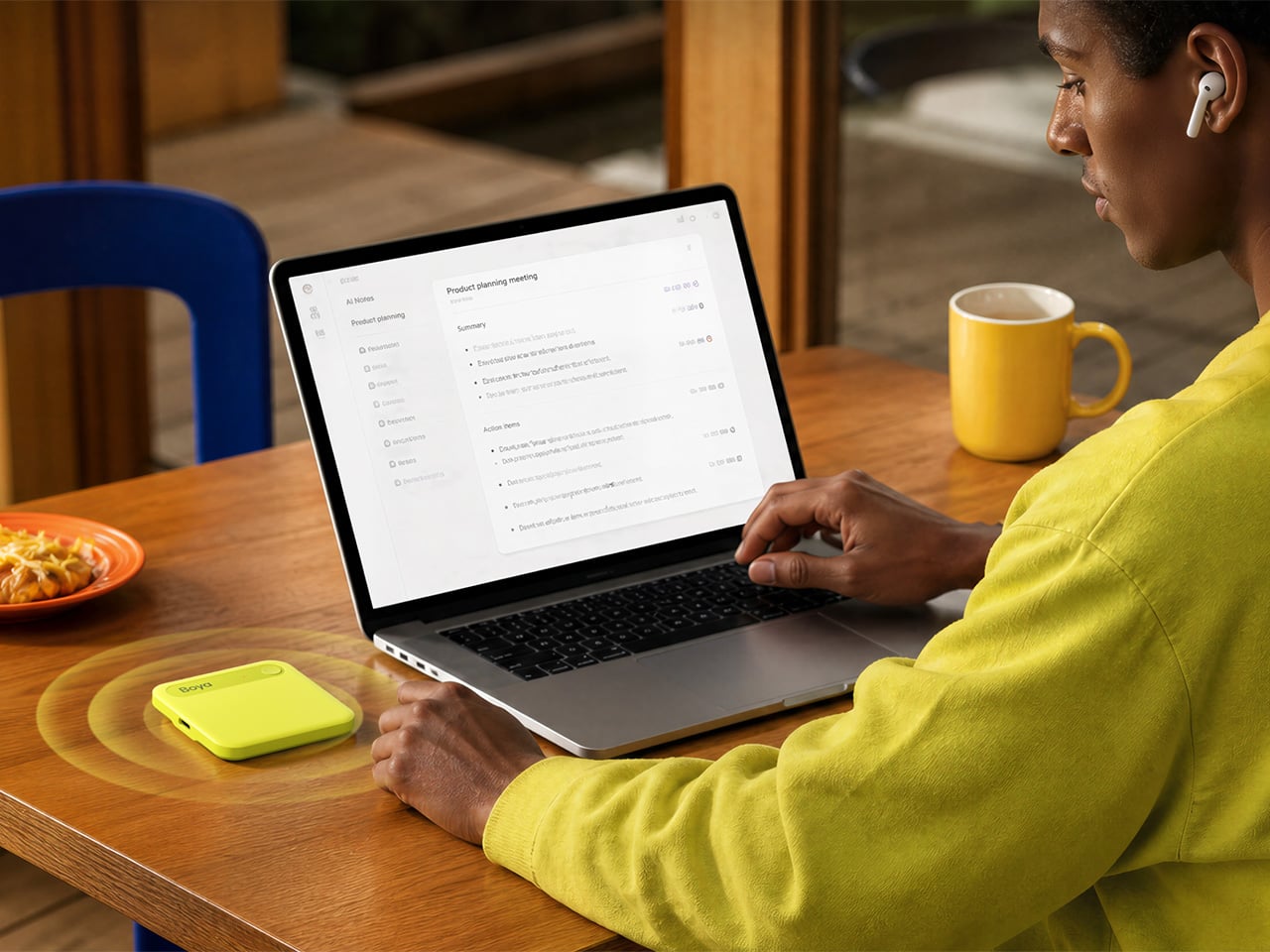
Beyond passive monitoring, the companion CamCast app lets users save takes directly to their phone, review footage instantly, and share clips without ever pulling a memory card from the camera. For a two-person crew shooting a wedding, for instance, the second operator can watch the main camera’s composition from across the venue on a phone while managing their own setup. A makeup artist can confirm framing before the talent walks on set. Four people watching the same live feed, all from devices they already carry, collapses a communication problem that traditionally required dedicated hardware to solve.

What separates the CamCast CT-1 from a basic wireless HDMI sender, though, is the built-in PTP camera control. From the app on a phone or tablet, users can adjust shutter speed, ISO, color temperature, and aperture, and even navigate through camera menus remotely. Consider a camera mounted on an overhead rig for a cooking tutorial, or locked onto a gimbal for a tracking shot. Physically reaching the camera to change a setting interrupts the flow of a shoot. Being able to tweak exposure or white balance from a phone across the room changes how a solo creator or small team interacts with their gear.

1

The CamCast CT-1 also has a UVC output, which means it can connect directly to a laptop or desktop and function as a capture card. For livestreamers, educators, or anyone running a webinar, this removes an entire piece of hardware from the signal chain. One device handles wireless monitoring to phones and wired streaming output to a computer at the same time, which is a lot of functions packed into something that weighs less than most on-camera microphones.

1

Picture a YouTuber who films with a mirrorless camera on a tripod across the room. Right now, checking framing or adjusting settings means walking over, making a change, walking back, and repeating until it looks right. With the CamCast mounted on that camera, the phone becomes both the monitor and the remote control. An instructor recording a craft tutorial gets the same benefit, turning their tablet into a live preview without needing cables snaking across the workspace or an expensive field monitor clamped to a light stand.

Rather than building another monitor or another receiver, EZCast built a bridge between cameras and the screens people already own. That redistribution of function, turning four phones into four production monitors through a single transmitter, might be the more interesting design move in a category still dominated by expensive, single-purpose hardware.

Click Here to Buy Now: $129 $239 ($110 off). Hurry, only a few units left!

The post EZCast Just Turned Every Phone Into a Professional Camera Monitor first appeared on Yanko Design.

What If Artists Designed Wi-Fi Routers?

A Wi-fi router has to hands-down be one of the ugliest appliances to be placed in a modern home. Sure, your thermostat can be concealed, your purifier can be hidden away when not in use, your home gym can fit under your bed. But the Wi-Fi router can’t be moved without some serious repercussions for performance. The router, by virtue of how it works, HAS to be kept in an open environment so it can broadcast the Wi-fi signal everywhere efficiently.

That being said, hardly any companies actually spend time thinking about how home-based Wi-fi should look. Companies like Google and Apple worked fairly hard to ensure their smart speakers fit well into interior spaces, but your router is still this alien-looking device with angular forms, black plastic, blinking lights, and antennas shooting out in every direction looking like a large bug ready to strike. So Cosin Design asks a simple question – what if we merged the worlds of router design with modern art?

Designer: Cosin Design

These Mondrian Routers treat the router’s surface as a canvas for modern art. Inspired by the abstract artwork of Piet Mondrian, the routers translate the geometric artpieces of the Dutch painter onto the plastic appliance’s otherwise cold, boring, and frankly unsightly surfaces. Black or white plastic wasn’t meant for modern homes, especially homes filled with color, texture, and life. Given how routers are almost always centrally located and mounted on walls or placed on high tabletops, visible to every one, Cosin Design’s routers at least try to make a visual statement through art.

Would I put such a router in my house? In fact, this project is an invitation to companies like ASUS, D-Link, Netgear, TP-Link, and others to at least experiment with unique artworks and form factors that delight instead of displease. Huawei launched a beautiful lava-lamp-inspired Wi-fi router just at the end of last year, and it really goes to show how something as essential as an internet connectivity device can speak the language of home decor, instead of looking like something meant to be hidden in a server room.

The post What If Artists Designed Wi-Fi Routers? first appeared on Yanko Design.

5 Best Galaxy S26 Ultra Features That Finally Fix Real Problems

Samsung has a long tradition of cramming its biggest ideas into the biggest phone it makes. The Galaxy S26 Ultra carries the spiritual lineage of the Galaxy Note, a device that once seemed absurd for strapping a stylus to a phone the size of a small tablet. That absurdity became a template, and the Ultra line has inherited both the ambition and the expectation that comes with being Samsung’s flagship of flagships.

Sifting through the usual Unpacked fanfare and no small amount of marketing jargon, five features stood out as genuinely worth paying attention to. Some are brand new. Others are long overdue. And at least one raises more questions than it answers, which is sometimes the most interesting kind of upgrade to talk about.

Designer: Samsung

A screen that knows when to keep secrets

The standout feature of the Galaxy S26 Ultra is something no other phone has attempted at this level: a built-in privacy display. This is not a matte screen protector you peel out of a box or a software filter that dims your screen to a murky grey. Samsung has engineered this at the pixel level of the OLED panel itself, controlling how each pixel disperses light so that the display becomes unreadable from side angles while remaining perfectly clear head-on.

The practical appeal is immediate for anyone who has ever shielded their phone screen on a crowded train or tilted it away from a nosy seatmate at a coffee shop. Samsung gives users granular control over the feature, offering both partial and maximum privacy levels. It can be set to activate only for specific apps, so your banking app gets the full blackout treatment while your weather widget stays visible to everyone around you.

AI that does the boring stuff for you

Samsung is calling the Galaxy S26 an “Agentic AI” phone, which sounds like a term conjured by a committee, but the ideas behind it are surprisingly practical. The most compelling addition is Automated App Actions, where the phone handles multi-step tasks in the background while you do something else entirely. Ask it to book an Uber, and it will navigate through the app, confirm the ride, and notify you when it’s done. Screenshot Analyzer, meanwhile, sorts your chaotic screenshot folder into categories like boarding passes, QR codes, and web pages.

Audio Eraser also received a meaningful expansion, and it now works on third-party apps like YouTube, Netflix, and Instagram in real time. Watching a hockey game on your phone and can barely hear the commentators over the roaring crowd? Audio Eraser can strip away that background noise as the video plays. It is not perfect, and audio artifacts do creep in, but Samsung also upgraded Bixby to handle natural language commands for device settings, which makes it feel less like a forgotten assistant and more like a functional one.

Faster charging, finally (with a few asterisks)

Samsung has historically been cautious with charging speeds, and whether that conservatism stems from engineering prudence or the long shadow of the Galaxy Note 7 battery fiasco is a question only Samsung can answer. The Galaxy S26 Ultra now supports 60W wired charging, a 33 percent jump from the previous 45W ceiling, and it can bring the same 5,000mAh battery from zero to 75 percent in roughly 30 minutes. Samsung even ships a faster 3-amp cable in the box, though you still have to supply your own charger.

Wireless charging also got a substantial bump to 25W through the Qi2 standard, up from a modest 15W on the Galaxy S25 Ultra. There are caveats worth noting here, however. The Galaxy S26 Ultra has no built-in magnets, so reaching that 25W speed requires a magnetic case for proper alignment with Qi2 chargers. Samsung cited thickness concerns, but the phone is only 0.3mm thinner than its predecessor, which makes that reasoning feel a little thin itself. Pun intended.

Better cameras hiding behind the same specs

The camera hardware on the Galaxy S26 Ultra received subtle but targeted upgrades rather than a wholesale overhaul. The 200MP main sensor now has an f/1.4 aperture, widened from f/1.7, letting in 47 percent more light. The 50MP 5x telephoto camera also opened up to f/2.9 from f/3.4 for a 37 percent brightness improvement. These wider apertures directly feed into Samsung’s improved Nightography mode, which uses lens-specific noise reduction to produce cleaner photos and videos in low light.

On the software side, Photo Assist now accepts written prompts in natural language, so you can describe edits like “make this a night scene” or “remove the person on the left” without digging through menus. Samsung also introduced APV, a lossless video codec that supports 8K recording at 30 frames per second for users who need maximum editing flexibility. One odd wrinkle, though: the S26 Ultra has a hidden 24MP shooting mode that sits between 12MP and 50MP for balanced detail and color, but enabling it requires installing a separate Camera Assistant app from the Galaxy Store.

The pen that refuses to die

The S Pen remains one of the features that separates the Galaxy S Ultra line from every other flagship on the market. It still lacks the Bluetooth connectivity that Samsung removed with the Galaxy S25 Ultra, so there is no remote shutter or gesture control from a distance. The external design has changed slightly to match the S26 Ultra’s rounder corners, giving the stylus tip an asymmetric curve. This means you now have to insert it the correct way, or it will stick out awkwardly from the bottom edge.

None of that diminishes the fact that the S Pen earmarks the Galaxy S26 Ultra as more than a consumption device. Just as interest in handwriting, sketching, and analog-style note-taking is quietly resurging, having a built-in stylus with pressure sensitivity and palm rejection feels less like a legacy feature and more like a forward-looking one. Competitors like Huawei, Motorola, and TCL have tried to replicate this kind of stylus integration with varying degrees of success, which suggests the idea still has legs even if Samsung’s execution feels like it is coasting a bit this generation.

The post 5 Best Galaxy S26 Ultra Features That Finally Fix Real Problems first appeared on Yanko Design.

5 Best Foldable Phone Concepts We’re Still Waiting To See At MWC 2026

MWC 2026 is arriving in Barcelona next week under the theme “The IQ Era,” and the foldable conversation has never had more momentum behind it. The worldwide foldable smartphone market is forecast to grow 30% year-over-year in 2026, and with names like Samsung, Apple, and HONOR all moving pieces on the same board, the show floor feels electric. The race isn’t just about who ships first; it’s about who ships something worth keeping.

But the most interesting foldable ideas rarely make it to the keynote stage. Some live in patents. Some debut at design expos and disappear into concept archives. Others surface on design blogs and quietly accumulate a following of people who can’t stop thinking about them. These five concepts represent everything the foldable category could become if ambition and engineering ever fully agreed with each other. Barcelona feels like the right backdrop for that conversation.

1. Nothing Fold (1) — The Foldable With a Spine That Speaks

Nothing has always understood that a phone is a surface before it is a device. The brand built its entire identity on making the invisible visible — circuit boards through glass, notification patterns through LEDs, and the Fold (1) concept carries that thinking directly into foldable territory. The Glyph Interface, Nothing’s signature grid of programmable lights, doesn’t just live on the back panel here. It wraps around the spine, and at boot, it traces the number “1” across the edge like a signature being written in real time.

Once the phone is running, the spine transforms into something genuinely new: a monochrome ticker-tape display that scrolls live notifications along the fold without requiring the user to open anything or wake a screen. Inside, an 8.37-inch display gives the Fold (1) the kind of canvas that makes a book-style foldable feel worth carrying. A MediaTek Dimensity 9400 chip handles the processing alongside a dedicated neural unit for on-device AI, while a 5,500mAh battery keeps the whole system running well past a single day. Five cameras — split across the rear, the spine-side flap, and dual hole-punches on both displays — mean no shooting scenario goes uncovered. This is a concept that treats the fold itself as a feature rather than a compromise.

What We Like

  • The spine-mounted ticker display turns passive notification delivery into an active design statement that no shipping foldable currently replicates.
  • Pairing a 5,500mAh battery with a power-efficient flagship chip gives this concept the endurance its ambitions genuinely require.

What We Dislike

  • Five cameras on a foldable form factor raise legitimate questions about thickness — the hardware demands and the slim silhouette are in direct tension.
  • Nothing OS remains a compelling but narrow platform, and its app ecosystem still asks more patience from users than mainstream Android does.

2. 0/1 Phone — The Foldable That Knows When to Go Quiet

Most digital wellness tools are built on a contradiction. They ask sthe oftware to solve a problem that the software created. The 0/1 phone cuts through that logic by putting the solution in the hardware itself. Closed, the phone presents an e-ink display — customizable with analog clock faces, a calendar, a music player, or whatever belongs in a calmer version of a day. There are no feeds to scroll, no notifications engineered to demand attention, no app icons arranged to maximize tap frequency. Just the time, and whatever you decided mattered before distraction had a vote.

Open it, and the phone becomes something else entirely. A flexible display running at 1080×2640 resolution gives full access to every app, every platform, every habit the closed state was holding at arm’s length. The transition between modes isn’t managed by a screen time setting buried in a menu; it’s a physical gesture. Closing the phone is the act of choosing focus, and opening it is a deliberate decision rather than a reflexive one. That distinction sounds small until you’ve spent a week with a phone that makes you conscious of every time you reach for it. The 0/1 concept understands that people don’t want less technology. They want better control over when it starts.

What We Like

  • Mapping distraction-free mode to a physical action rather than a software toggle is a smarter and more honest approach to attention management.
  • Customizable e-ink clock faces give the closed state genuine personality, making minimalism feel like a choice rather than a penalty.

What We Dislike

  • E-ink displays still lag on refresh rate and struggle with colour depth, which could make the closed-state experience feel dated compared to what users are used to.
  • Building a dual-display device that stays genuinely slim is a serious engineering challenge, and added bulk would directly undermine the concept’s entire premise.

3. Samsung L-Fold Patent — The Tetris Block the Industry Wasn’t Ready For

Samsung’s patent library is enormous, and most of what lives inside it will never become a product. But occasionally something surfaces that reframes what a foldable phone could look like at a structural level. The L-shaped concept — which, unfolded, mirrors the elongated corner-piece of a Tetris grid — is one of those designs. The top section of the display extends to one side and then folds back on itself like a flap, bringing the phone from an asymmetric L-shape into a more conventional rectangle. It’s a transformation that takes about a second to understand and considerably longer to stop thinking about.

What makes the concept genuinely interesting isn’t the shape — it’s what the folded flap can do once it’s in position. Facing outward alongside the main cameras, it becomes a live viewfinder, letting users frame selfies through the primary camera array rather than a secondary front-facing sensor that typically offers a fraction of the optical quality. The curved strip of display wrapping the spine edge serves as an ambient information surface — battery level, the time, notification tickers — visible without waking the main screen. It draws an obvious comparison to the LG Wing’s T-shaped swivel design, but the folding mechanism introduces a layer of versatility that the Wing could never access. The L-fold isn’t trying to be novel. It’s trying to be useful in ways the rectangle hasn’t figured out yet.

What We Like

  • A folded flap that doubles as a selfie viewfinder for the main cameras is one of the most practically useful ideas to emerge from any foldable concept in recent memory.
  • The spine-edge ambient display strips away the need to fully wake the phone for low-stakes information — a subtle but genuinely valuable interaction shift.

What We Dislike

  • Asymmetric form factors demand new muscle memory from users, and history suggests the mass market is slow to warm to anything that doesn’t fit an established shape.
  • Samsung patents ideas prolifically, and the distance between a filed concept and a retail device is wide enough that this design may never leave the archive.

4. OPPO x nendo Slide-Phone — The Triple-Fold That Earns Every Stage

When OPPO partnered with Japanese design studio nendo for the slide-phone concept, the goal wasn’t to make a foldable that could compete on spec sheets. The goal was to design a phone that understood how humans actually move through a day — glancing, then engaging, then working — and matched each state with exactly the right amount of screen. The mechanism unfolds in three progressive steps, each one surfacing a different display area calibrated to a specific type of task. Nendo described the motion as caterpillar-like, and the metaphor holds. This phone doesn’t hinge open. It extends with intention.

The first stage reveals 1.5 inches of display, enough for a notification glance, music control, and an incoming call. The second opens to 3.15 inches, suited to photography, video calls, and light gaming. The third and final stage unlocks the full 7-inch widescreen panel, wide enough to run on-screen game controllers across both flanks simultaneously or to frame a proper panoramic shot. A stylus is included, pushing the concept firmly into professional productivity territory. What distinguishes this design from every other multi-fold proposal isn’t the screen count; it’s that each screen size exists for a reason. That level of purposefulness in a concept is rarer than it sounds, and it’s exactly the kind of thinking MWC 2026 needs more of.

What We Like

  • Three screen sizes, each assigned to a specific use context, is the most functionally coherent multi-fold proposal the category has produced.
  • The OPPO x nendo collaboration brings genuine design philosophy to a product type that has historically been defined by engineering decisions alone.

What We Dislike

  • Three-fold points mean three mechanical vulnerabilities, and the durability science around multi-fold hardware still hasn’t caught up to the ambition.
  • The credit card form factor, when fully closed, is irresistible in theory, but the real-world pocketability of a 7-inch unfolded device still requires a convincing answer.

5. TCL Fold ‘n’ Roll — The Concept That Refused to Choose a Size

Every other foldable phone on this list commits to a fixed set of screen configurations. The TCL Fold ‘n’ Roll doesn’t. Using a combination of the brand’s proprietary dragonhinge folding mechanism and a rollable panel that extends from the chassis, the device starts as a 6.87-inch smartphone, unfolds into an 8.85-inch phablet, and then rolls out fully to become a 10-inch tablet. Three screen sizes. One device. No trade-off required. As a concept, it reads less like a product proposal and more like a direct challenge issued to every manufacturer in the room.

TCL was candid about the technical specifications still being in development when the concept was first revealed — an admission that actually made the idea more credible, not less. It signalled a team working through real problems rather than rendering a fantasy. The rollable display space has since moved meaningfully closer to commercial viability, and with the broader foldable market accelerating sharply heading into 2026, the engineering distance between this concept and a shippable product is closing. The dragonhinge gives the Fold ‘n’ Roll a mechanical foundation most conceptual devices lack. What it still needs is a manufacturer willing to see the build all the way through, and a Barcelona stage to announce it from.

What We Like

  • Phone, phablet, and tablet in a single chassis is the most versatile screen configuration concept the foldable category has put forward to date.
  • The dragonhinge technology gives this proposal a legitimate engineering backbone, separating it from pure speculation.

What We Dislike

  • Combining folding and rolling mechanisms in one device layers mechanical complexity that no manufacturer has yet solved at the consumer scale.
  • TCL has introduced multiple foldable concepts across several years, and relatively few have made the jump from concept to shelf, which tempers excitement with reasonable caution.

The Floor Is Set — Now Someone Has to Build It.

MWC 2026’s “The IQ Era” framing is ultimately about intelligence meeting design, and these five concepts each demonstrate what that looks like when executed with real conviction. One bets on identity and spectacle. One bets on restraint. Another bets on geometric reinvention, one on human-centric layering, and the last on sheer configurability. The foldable market expanding 30% year-over-year isn’t a coincidence; it reflects a growing recognition that the rectangle-shaped smartphone has stopped being interesting.

Not all of these concepts will ship. Some may arrive in forms barely recognizable compared to the original vision. But the questions they ask…about how a phone should behave when closed, how many screens a device actually needs, whether a hinge can carry a brand identity, are already changing how the industry thinks.

The post 5 Best Foldable Phone Concepts We’re Still Waiting To See At MWC 2026 first appeared on Yanko Design.
These $40-$299 Cassette Players Just Crushed Spotify’s Algorithm

Somewhere between the algorithmic playlists and the infinite scroll of recommended tracks, music stopped being something you held in your hands. Cassette tapes were declared dead more than two decades ago, buried under the weight of MP3s and then streaming services that promised every song ever recorded for a monthly fee. Search trends tell a different story now, though. Queries for “retro cassette player” have surged over 125% year-over-year, while “retro walkman cassette player” has exploded by more than 1,281% in the same period.

These numbers point to something more than a passing fad or a collector’s whim. Millennials and Gen Z listeners are actively seeking hardware that forces them to slow down, to choose an album rather than shuffle through ten thousand options. The cassette, with its fixed tracklist and physical limitations, turns listening into something deliberate again. Five modern cassette players have emerged to meet that demand, each one approaching the format from a wildly different design philosophy.

FiiO CP13

FiiO built its reputation on portable DACs and audiophile-grade headphone amplifiers, products where signal purity is the entire point. The CP13 carries that obsession into the cassette format with an all-analog signal path, from the magnetic tape head through a JRC5532 op-amp to the 3.5mm output. There is no digital conversion anywhere in the chain, no Bluetooth radio, no built-in speaker. The CP13 uses a motor with a high-voltage 4.2V power supply, paired with an oversized pure copper flywheel measuring 30.4mm in diameter.

Designer: FiiO

That flywheel is the quiet star of the CP13’s engineering. Thicker and heavier than standard components, it reduces wow and flutter to levels most modern cassette players cannot approach, keeping tape speed consistent enough for the analog signal to actually matter. The dual-color aluminum alloy chassis, available in sky blue, white and black, or red and silver, measures just 31.8mm thick. An 1800mAh lithium cobalt oxide battery delivers 13 hours of playback and charges through USB-C, though FiiO’s decision to support all tape types from Type I through Type IV suggests the company expects its buyers to own tapes worth caring about.

What we like

  • Oversized copper flywheel for low wow and flutter
  • Fully analog signal path with no digital conversion
  • Supports all cassette types (I through IV)

What we dislike

  • No Bluetooth output means wired headphones are the only option
  • No recording and auto-reverse functions,

We Are Rewind Edith

Where FiiO chases audio fidelity, the French brand We Are Rewind treats the cassette player as a cultural object first. The Edith, named after Edith Piaf, joins a lineup that already includes models named Kurt, Keith, and Serge, each one a color-coded tribute to a musician. The Edith arrives in a pink and green combination that reads less like consumer electronics and more like a fashion accessory, wrapped in an aluminum case that weighs 404 grams. That heft is deliberate. The brand explicitly references Sony’s original TPS-L2 Walkman as its design benchmark, choosing aluminum over plastic for what it describes as a “cool touch” quality.

Designer: We Are Rewind

Bluetooth 5.1 is the most visible concession to modernity, allowing wireless pairing with headphones and speakers. A built-in lithium-ion battery charges via USB-C and delivers roughly 10 to 12 hours of playback, replacing the disposable AA batteries that defined portable tape listening for decades. The Edith also records in stereo to Type I cassettes through its 3.5mm jack, and ships with a manual tape rewind pencil, a small wink to the analog rituals that streaming services have no equivalent for.

What we like

  • Aluminum case construction gives the player a premium tactile quality, making it feel like an object worth displaying
  • Bluetooth 5.1 and USB-C charging
  • Stereo recording capability through the 3.5mm jack preserves the mixtape tradition

What we dislike

  • The DC motor transport produces more wow and flutter than belt-driven alternatives
  • At 404 grams, the Edith is too heavy and too large for most pockets

NINM Lab IT’S OK TOO

Taiwanese design studio NINM Lab launched the original IT’S OK through Kickstarter in 2019, billing it as the first cassette player with Bluetooth capability. The second generation, IT’S OK TOO, upgrades that foundation with stereo output and a semi-transparent matte body that splits the difference between full transparency and solid color. The casing is ABS plastic and polyethylene, lightweight at approximately 152g. Push-button controls for play, stop, forward, and backward line the front edge, with a classic belt clip on the back.

Designer: NINM Lab

Power comes from two AA batteries or a USB-C supply (not charging the device itself, but powering it directly), with optional USB-C charging if you install rechargeable Ni-MH batteries. The transparent design is the real design statement here, exposing the tape mechanism so the spools become a visible, moving part of the experience. The IT’S OK TOO firmly positions itself as a lifestyle product for a younger demographic that may never have owned a cassette player before.

What we like

  • Transparent body turns the tape mechanism into a visual feature
  • Bluetooth 5.0 stereo output with 3.5mm jack

What we dislike

  • Only supports Type I cassettes
  • AA battery requirement with no built-in rechargeable cell

Victrola Mini Bluetooth Boombox

Victrola has made its name selling affordable turntables to people who want the ritual of vinyl without the investment of a serious hi-fi setup. The Mini Bluetooth Boombox applies that same philosophy to cassettes, packaging a tape player, tape recorder, AM/FM radio tuner, USB port for MP3 playback, and Bluetooth streaming into a hefty yet still portable box. It runs on AC power or batteries, comes in grey and silver colorways, and retails for under $40 at most outlets.

Designer: Victrola

The design is a scaled-down boombox archetype, complete with dual built-in speakers, an analog radio tuning dial, and a cassette door on the front. At this price point, audio fidelity is not the conversation. The Victrola is competing with cheap Bluetooth speakers, not with premium cassette players. Its recording function lets you capture audio directly to cassette through a built-in microphone, and the Bluetooth connectivity means it can serve as a wireless speaker for your phone. What the Victrola lacks in audio refinement, it compensates for in sheer versatility. No other player on this list gives you FM radio, Bluetooth reception, USB playback, and tape recording in one device.

What we like

  • The most versatile player on this list by a wide margin, combining cassette playback and recording, AM/FM radio, Bluetooth, and USB MP3 playback in a single compact unit
  • Sub-$40 pricing makes it the easiest entry point for anyone curious about cassettes but unwilling to commit to a premium device

What we dislike

  • Speaker quality and cassette playback fidelity are both budget-tier
  • Plastic construction and lightweight build feel disposable

Retrospekt Sony Walkman WM-F2015

Every other player on this list is a modern product designed to evoke nostalgia. The Retrospekt Sony Walkman WM-F2015 is the actual artifact, a unit originally manufactured in 1990, disassembled by technicians in Milwaukee, and rebuilt with replaced drive belts, idler tires, and pinch wheels. The playback speed has been recalibrated, the volume potentiometer deoxidized, and the tape head cleaned and demagnetized. Retrospekt sells the WM-F2015 as a “vintage refurbished” product starting at $299.

Designer: Retrospekt

The WM-F2015 is a matte black candybar design with an AM/FM radio tuner, powered by two AA batteries. It ships with orange retro-inspired headphones that look the part, even if they cannot compete with modern over-ears. The appeal here is not specification superiority or modern convenience. There is no Bluetooth, no USB-C, no rechargeable battery, and no recording function. What the Retrospekt Walkman offers is something no reproduction can manufacture: the physical reality of a 35-year-old Sony mechanism, with all its original plastics and original weight, restored to functional condition.

What we like

  • An authentic 1990 Sony Walkman mechanism
  • Retro Sony matte black industrial design and compact form factor

What we dislike

  • A bit pricey at $299
  • Zero modern conveniences: no Bluetooth, no USB-C, no rechargeable battery

The post These $40-$299 Cassette Players Just Crushed Spotify’s Algorithm first appeared on Yanko Design.
5 Best Android Accessories For Samsung S26 Users That Are Actually Worth the Money

The Samsung S26 has arrived with cutting-edge features that demand equally impressive accessories. Your device deserves more than generic add-ons that clutter your space and drain your wallet. The right accessories transform how you create, work, and move through your day. They protect your investment while unlocking capabilities you didn’t know your phone possessed. Smart accessory choices mean the difference between a phone that survives and one that thrives.

Finding gear that actually earns its place in your everyday carry takes research, testing, and honest evaluation. The accessories market overflows with products that promise everything but deliver mediocrity. We’ve cut through the noise to identify Android accessories that justify their price tags through superior engineering, thoughtful design, and real-world performance. These picks will enhance your S26 experience without compromise, bringing professional-grade functionality to your fingertips wherever life takes you.

1. TORRAS Ostand Q3 Air – The Case That Redefines Protection and Creativity

TORRAS, the world’s number one brand of magnetic stand cases, brings its exclusive AIR PRO-TECH™ to the S26 Ultra with design refinements specifically engineered for Samsung’s latest flagship. The Q3 Air wraps your device in precision-engineered air cushions that absorb up to 98% of impact energy with certified 12-foot drop protection. We love how TORRAS has achieved serious protection without adding bulk. The edge-to-edge airbag system cushions all four corners while keeping the profile slim enough for comfortable everyday carry.

The 360° magnetic stand is where this case really shines. That ultra-slim 2.7mm kickstand integrates seamlessly into the backplate through eight layers of precision components that enable silent, buttery-smooth rotation. TORRAS’s Tora-Hold™ technology delivers a hidden hinge with damped suspension and aerospace-grade aluminum texture that feels genuinely luxurious. The stand locks at any angle you want, with four quick-stop positions at 90°, 180°, 270°, and 360° for instant setup. The brand-new Tora-Flip™ feature lets the ring flip straight to 180° in one motion for immediate shooting angles. No fumbling, no readjusting. One flip gets you ready to capture whatever’s happening right now.

The details separate this from every other case on the market. TORRAS designed the Q3 Air specifically for the S26’s unique camera layout, with a precision raised frame that protects your lenses while keeping flash, sensors, and cameras fully operational. The dot-matrix anti-slip side stripe provides serious grip with gradient patterns that look genuinely cool. The Tora-Smooth™ coating on the back panel feels silky and resists fingerprints like magic. Strong 16N magnets hold firm to car mounts and magnetic surfaces while supporting flawless wireless charging. Two sets of interchangeable buttons let you personalize your case to match your mood or style. Swap in the bold, energetic orange buttons when you want that sporty, adventurous vibe, or switch to sleek, premium metal buttons for a more refined, professional look. The ability to change button colors means your case adapts to different occasions without needing multiple cases cluttering your space. Available in Shadow Black, Violet Surge, and Glacier Sprint, each colorway brings its own personality. The hinge survived over 30,000 rotations in testing, built to last your phone’s entire lifecycle. At $65.99, the Q3 Air transforms your S26 into a content creation studio that survives whatever your adventures throw at it.

Click Here to Buy Now: $59.40 $65.99 (10% off, use coupon code “YANKO111”). Hurry, deal ends in 48-hours! Amazon Link Here.

Why Your Samsung S26 Needs This

The Q3 Air turns your S26 into a content creation powerhouse that moves at the speed of your ideas. That instant 180° flip means capturing the perfect angle before the moment vanishes, while airbag protection ensures your creative tool survives the adventures that inspire your best work. The magnetic stand transforms any surface into a stable shooting platform, ditching bulky tripods and awkward propping. For $65.99, you’re getting protection that actually protects and functionality that enhances rather than hinders, wrapped in a design that looks as good as it performs.

That full 360° flexibility while shooting videos means nailing low-angle shots, eye-level frames, or overhead perspectives without fighting the stand. The airbag protection eliminates that gut-dropping panic when someone casually grabs your phone like it didn’t cost a month’s rent. You get total peace of mind that your phone is well-protected and preserved as you create top-notch content.

Click Here to Buy Now: $59.40 $65.99 (10% off, use coupon code “YANKO111”). Hurry, deal ends in 48-hours! Amazon Link Here.

2. Peak Design Creator Kit – Professional Mounting Without the Professional Camera

Peak Design built its reputation solving real problems for working photographers and filmmakers. The Creator Kit brings that same no-nonsense engineering to your S26, transforming it into a tool that adapts to tripods, GoPro mounts, 1/4″-20 mounts, and the Peak Design Capture Camera Clip. The SlimLink magnetic and mechanical mounting system grabs and locks your phone so smoothly that the first attachment genuinely feels like magic. Mount in portrait or landscape, then pop it off instantly with a button press. The connection stays rigid and secure through any activity, from mountain biking POV footage to time-lapse sequences that demand rock-solid stability.

The system eliminates frustration when you’re racing against changing light or fleeting action. Pop your phone onto any GoPro-style mount for helmet or chest-mounted POV video that rivals dedicated action cameras. The Arca-type tripod compatibility means your S26 integrates seamlessly with professional tripod heads for time-lapses and long exposures that showcase your phone’s computational photography capabilities. The 1/4-20″ adapter opens up vlogging rigs and video setups that used to require dedicated cameras. The Creator Kit stays invisible until you need it, then performs flawlessly when opportunity knocks.

Why Your Samsung S26 Needs This

Your S26’s camera system will rival dedicated cameras costing thousands more, but only if you can stabilize it properly and mount it where creativity demands. The Creator Kit eliminates the gap between professional mounting systems and smartphone photography, giving you access to angles and stability that handheld shooting simply can’t achieve. Whether documenting outdoor adventures, creating content for social platforms, or exploring long-exposure photography, this system ensures your phone captures the vision in your head rather than a shaky approximation. The investment pays for itself the first time you nail a shot that would have been impossible otherwise.

3. Lexon City Energy Pro – Power and Sound Without the Cable Clutter

The Lexon City Energy Pro delivers 10W Qi wireless charging with Qi certification alongside a 3W Bluetooth speaker in a compact package that clears cable clutter from your desk or nightstand. Compatible with all Qi-enabled smartphones, the charging station eliminates the daily cable hunt while keeping your S26 powered and ready. The integrated Bluetooth 4.2 speaker with 10-meter range transforms the charging station into a communication hub for hands-free conference calls, supported by environment noise-cancelling microphones that ensure your voice cuts through background distractions. Wireless charging and Bluetooth LED lights provide clear status indicators you can read at a glance.

The design balances form and function through premium materials, including PU leather, ABS, and aluminum, in dimensions that make efficient use of surface space. At 303 grams and measuring 3.11 x 1.45 x 5.51 inches, the City Energy Pro occupies minimal real estate while delivering maximum utility. The USB Type-C connection simplifies setup (cable included), though Lexon recommends pairing with a Quick Charge 3.0 Power Adapter or DC 9V/2A power adapter for optimal performance. The system streamlines your charging routine while adding audio functionality that proves surprisingly useful for music playback, podcast listening, or taking calls without reaching for your phone.

Why Your Samsung S26 Needs This

The City Energy Pro solves the modern dilemma of devices that need constant power but deserve better than a tangle of cables competing for outlet space. Your S26 stays charged and accessible, ready to grab for notifications or unlocking without unplugging. The integrated speaker means your charging station becomes a communication hub that handles calls while your phone powers up, maximizing productivity without sacrificing desk aesthetics. The wireless charging simplicity combined with conference call capability creates a seamless workflow that keeps you connected and powered throughout your day, all from a single elegantly designed device.

4. INVZI MagHub Go – Secure Storage Meets Portable Power

The INVZI MagHub Go represents a new class of everyday carry that starts with what matters most: security. The breakthrough fingerprint encryption system lets you instantly lock and unlock your storage with a single touch, protecting sensitive files, photos, and work documents from unauthorized access. This security foundation supports powerful performance through compatibility with M.2 NVMe SSD in 2230 size, transforming your SSD into a high-speed portable drive that works seamlessly across MacBook, iPhone (with MagSafe attach), iPad, Windows laptops, and Android devices, including your S26. USB-C 3.2 Gen 2 delivers 10Gbps transfer speeds while 100W PD fast charging keeps your connected devices powered.

The compact enclosure combines up to 4TB of ultra-fast NVMe storage, a versatile 10Gbps USB-C hub, and 100W of power delivery in one impossibly small device that fits in any pocket or bag. The fingerprint sensor eliminates password fatigue while providing security that feels effortless rather than obstructive. Your S26 connects directly for blazing-fast file transfers that move video projects, photo libraries, and large datasets in seconds rather than minutes. The hub functionality means adding peripherals without carrying separate adapters, while the power delivery ensures your phone charges while transferring data, maintaining productivity without compromise.

Why Your Samsung S26 Needs This

Content creators, photographers, and professionals who treat their S26 as a serious work tool need storage that matches their ambitions and security that protects their intellectual property. The MagHub Go delivers both through fingerprint encryption that secures your files without slowing your workflow and transfer speeds that move 4K video or RAW photo files faster than most cloud services can upload them. The portable form factor means your entire digital workspace travels with you, backed by security that ensures only your fingerprint unlocks your content. For professionals who create on the go, this combination of speed, capacity, and security becomes indispensable.

5. OSO AI-Enabled Earbuds – Your Meeting Intelligence Lives Here

The OSO AI Earbuds represent the world’s first true AI meeting assistant that lives in your ear, transforming every conversation into a competitive advantage. These intelligent earbuds seamlessly record, transcribe, and analyze every meeting, call, and conversation in real-time across 40+ languages while delivering crystal-clear audio through 13mm dynamic drivers with boosted bass and smart noise cancellation. The dual beamforming microphone ensures your voice cuts through background noise with clarity. Long-press and say “Hey OSO!” to instantly access personalized AI insights powered by ChatGPT-5 and Anthropic that dive deep into your recorded conversations, turning hours of meetings into actionable summaries and strategic insights in seconds.

The practical specs back up the ambitious promises. Up to 21 hours of total battery life keeps you connected through marathon meeting days, with the smart charging pod featuring built-in screen controls for quick adjustments. Bluetooth 5.2 connectivity ensures stable pairing with your S26, while secure cloud storage protects your conversations and transcriptions. The earbuds deliver 16 hours of stereo music playback or up to 4 hours of continuous recording, with the case extending recording time to 13 hours maximum. USB Type-C charging gets you back to full power in just 1.5 hours. OSO doesn’t just help you hear better – it helps you think smarter, decide faster, and stay ahead of the competition.

Why Your Samsung S26 Needs This

The S26 will pack incredible processing power, but OSO adds the intelligence layer that turns conversations into competitive advantages. Recording and transcribing meetings across 40+ languages means never missing critical details or action items buried in hours of discussion. The AI analysis powered by ChatGPT-5 and Anthropic extracts insights you’d miss manually reviewing transcripts, identifying patterns and opportunities faster than humanly possible. For professionals who live in meetings, sales calls, or client conversations, OSO transforms passive listening into active intelligence gathering that drives better decisions and stronger outcomes.

Wrapping It Up

The right accessories elevate your Samsung S26 from impressive hardware to a complete system that adapts to your creative, professional, and personal needs. These five picks justify their price tags through superior engineering, thoughtful design, and performance that holds up under real-world demands. They protect your investment, expand your capabilities, and streamline your daily routines without the compromise that defines budget alternatives.

Quality accessories pay dividends through reliability when you need them most, whether that’s capturing a fleeting moment, taking an important call, securing sensitive files, or extracting intelligence from marathon meeting sessions. The TORRAS Ostand Q3 Air, Peak Design Creator Kit, Lexon City Energy Pro, INVZI MagHub Go, and OSO AI-Enabled Earbuds represent the best Android accessories for S26 users who understand that the right tools make everything easier, better, and more enjoyable. Your phone deserves accessories that match its sophistication.

The post 5 Best Android Accessories For Samsung S26 Users That Are Actually Worth the Money first appeared on Yanko Design.
Govee’s Pendant Light Is the Temu Sunset Lamp’s Smarter, Grown-Up Cousin

Temu sunset lamp, we had fun. The warm orange glow, the perfect circle on the wall, the way it made any room look like a soft launch music video. But the era of the single-trick ambient light is quietly wrapping up, and Govee’s new Pendant Light is part of what’s replacing it.

This one hangs from your ceiling like it always belonged there, a wide smoked-glass drum shade with the confident silhouette of a proper design fixture. Nothing about the exterior screams smart home gadget. And then you turn it on, and the whole thing comes alive in layers. RGB color pulses along the sides. A warm RGBWW gradient bleeds across the curved interior. Clean white light floods down from the bottom panel for actual task lighting. Three zones, one fixture, and a Govee app full of presets that range from “cozy Sunday breakfast” to “we are absolutely having a party in this kitchen.”

Designer: Govee

Click Here to Buy Now

Three lighting zones make this pendant lamp an ambient gradient you can control. Govee splits the fixture into side, curved, and bottom segments, each independently addressable. The side strip runs RGB for pure color expression and visual drama. The curved middle section runs RGBWW, which is where those buttery gradient transitions happen, the kind that made the sunset lamp so irresistible in the first place. The bottom panel is also RGBWW, tunable from 2700K all the way to 6500K, with 1300 lumens and a CRI of 95. That last number matters because 95 CRI means colors rendered under this light look accurate, which is exactly what you want when you’re plating food or checking whether the steak is actually the right shade of pink.

Matter support ships standard, which in 2025 is table stakes for any smart fixture worth recommending. What that means practically is that the Pendant Light drops into Apple Home, Google Home, Alexa, and SmartThings without friction, no proprietary bridge, no separate hub sitting on your counter. The Govee Home app handles the deeper customization, 80-plus preset scenes, six music sync modes, and a full DIY color editor that lets you set each of the three zones independently. Sync it with up to seven other Govee devices and the whole room moves together. The light also responds to 2.4GHz Wi-Fi, so control is reliable and remote-accessible, not dependent on Bluetooth proximity.

Physically, the fixture weighs 5.29 pounds and the hanging cord adjusts up to 4.92 feet, which gives you enough flexibility to dial in the drop height over an island or a dining table without it feeling either too close or awkwardly ceiling-bound. The smoked glass shell does something clever optically: it reads as dark and sculptural when the light is off, almost like a piece of decorative glass, and then transitions into a glowing gradient object when it’s on. That kind of on/off personality shift is genuinely hard to engineer without the shade looking cheap in one of the two states.

Retail price is $149.99, though it’s been sitting comfortably at $109 on Amazon for months now. At that price, the comparison set shifts considerably. Proper designer pendants with a fraction of this functionality routinely run two to three times higher, and none of them pulse to your playlist.

Click Here to Buy Now

The post Govee’s Pendant Light Is the Temu Sunset Lamp’s Smarter, Grown-Up Cousin first appeared on Yanko Design.
Arduino’s $61 Matter Bundle Lets You Build Smart Home Devices That Work With Apple, Google, and Amazon

The smart home space has always had a problem, and that problem has a name: fragmentation. Your Philips Hue bulbs want to talk to your Google Home, your Apple HomeKit wants to command your smart thermostat, and somewhere in the middle, your Amazon Alexa is just standing there, confused. For years, developers and tinkerers alike had to pick sides or wrestle with clunky workarounds. Then Matter came along, and the industry finally had a universal language for connected devices. Now, Arduino wants to put that language in your hands with the brand new Matter Discovery Bundle, priced at a very approachable $61.04.

Because here’s the thing: once every major smart home platform agrees to speak the same language, the real fun begins. Imagine designing your own smart thermostat, building a presence sensor that dims the lights when you leave a room, or retrofitting that vintage lamp on your desk into something your phone can control. Arduino’s bundle turns those ideas from “cool concept” into “actually buildable weekend project,” and it does it without requiring a computer science degree or a garage full of equipment.

Designer: Arduino

The kit is built around the Arduino Nano Matter, a compact but capable little board that forms the brain of whatever connected device you want to bring to life. Alongside it, you get a plug-and-play connector carrier that lets you snap in additional components without any soldering, and three sensor and control modules that cover the core building blocks of almost any smart home creation. One module handles switching real-world appliances and devices, one detects presence in a room using distance sensing, and one reads temperature and humidity. Output, presence, environment. Those three capabilities alone unlock a surprisingly wide range of DIY smart devices, all of which talk natively to Apple HomeKit, Google Home, Amazon Alexa, and Home Assistant right out of the box.

If the idea of jumping into this stuff headfirst sounds daunting, don’t worry… there’s a free 7-course curriculum you can access. Arduino built a free seven-module course on their Cloud platform that takes you from a complete beginner all the way through building devices that can be officially certified and even commercialized. The course balances theory with hands-on building, so you’re always making something tangible rather than just reading about abstract concepts. Complete the whole thing and you earn an Arduino Certified Engineer credential, which is a genuinely useful thing to have if you’re building a portfolio in the product design or IoT space.

The bundle was developed in collaboration with Silicon Labs, whose wireless chip technology powers the Nano Matter board at the kit’s core. All the complex smart home communication happens automatically in the background through Arduino’s Matter library, leaving you free to focus on the creative side of what you want to build and how you want it to behave. That’s been Arduino’s philosophy since the beginning, stripping away the intimidating technical layers so the idea can take center stage.

One small caveat worth knowing upfront: connecting your creations to a live smart home network requires a Thread border router, like an Apple TV 4K or a HomePod. Most households already deep in the Apple or Google ecosystem will have one without even realizing it. For everyone else, it’s a minor additional step before things really come alive.

The bigger picture here is genuinely exciting for tinkerers and creators wanting to hack together a product or an idea within an existing ecosystem. We talk about the smart home almost exclusively as a product category, something you buy off a shelf and plug into an app. Arduino’s Matter Discovery Bundle reframes it as something you design and build yourself, shaped around your actual space and your actual needs. Custom connected devices that fit your life rather than the other way around, available to anyone curious enough to try, for about the price of a nice dinner out.

The post Arduino’s $61 Matter Bundle Lets You Build Smart Home Devices That Work With Apple, Google, and Amazon first appeared on Yanko Design.
5 Best Third-Party PlayStation Controllers That Actually Beat Sony’s DualSense in 2025

The DualSense arrived with something to say. Adaptive triggers, nuanced haptics, a tactile language that made games feel physically present in your hands — it raised the bar in ways the industry hadn’t anticipated. For a while, nothing else came close. That window has closed. The third-party market in 2025 is no longer playing catch-up. It’s producing controllers with drift-proof magnetic sensors, modular physical architectures, trigger calibration measured in millimeters, and battery lives that nearly triple what Sony ships as standard. The gap has flipped.

The Goo-inspired concept controller at the top of this page is a glimpse at where peripheral design is reaching — fluid, sculptural, unresolved in the best way. It hasn’t shipped. What’s below has. Every controller in this roundup is available now, purpose-built around a specific performance argument, and doing at least one thing the DualSense doesn’t. If you’ve stuck with the stock pad out of habit, these five make a clear case for reconsidering that.

1. Razer Raiju V3 Pro

Razer’s pitch with the Raiju V3 Pro is precise: take the sensor thinking behind their best gaming mice and transplant it into a PlayStation-compatible controller. The result is Tunnel Magnetoresistance thumbsticks — TMR —, and as of 2025, no other PS5 controller ships with them. Where the Hall Effect uses magnetic fields to read position, TMR uses weak electromagnetic waves to detect even finer movement with greater resolution. Drift is resolved at a hardware level, not managed in software. Hall Effect triggers cover the other high-wear surface, meaning every primary input on this controller is engineered against degradation from the start. At 258 grams, it sits lighter than the DualSense Edge without feeling hollow, and the wider grip reduces hand strain across longer sessions.

Six extra inputs are distributed across the frame — four removable back buttons in the rubberized handles and two claw-grip bumpers flanking the triggers — all fully remappable to whatever a specific game demands. Razer’s HyperSpeed 2.4GHz wireless holds latency tight, with a polling rate that climbs to 2,000Hz on PC, a number Sony’s controllers don’t approach. Battery life is rated at 36 hours, nearly triple the DualSense standard. It’s officially licensed for PlayStation 5, requires no adapters, and connects as a native peripheral. For competitive players who want every hardware advantage consolidated in one place, the Raiju V3 Pro is currently the ceiling.

What We Like

  • TMR thumbsticks are unique to this controller in the PS5 space, resolving drift at a sensor level that Hall Effect doesn’t reach.
  • A 36-hour battery life and 2,000Hz PC polling rate are specifications Sony’s lineup has no current answer to.

What We Dislike

  • Haptic feedback and adaptive triggers are absent — a real trade-off for anyone whose gaming skews toward immersive, story-led experiences.
  • The symmetrical thumbstick layout is a deliberate competitive choice that won’t feel native to players raised on PlayStation’s standard asymmetric positioning.

2. Nacon Revolution 5 Pro

The Revolution 5 Pro starts from a principle the DualSense never acted on: if magnetic sensor technology stops drift, why limit it to the thumbsticks? Nacon applies the Hall Effect to the triggers as well, covering every primary contact surface in a single design. No stick drift, no trigger wear, no gradually worsening feel over months of use. The asymmetric layout mirrors the DualSense’s familiar posture closely enough that the transition is immediate, and the premium materials wrapped around the modular frame feel considered rather than compensatory. It’s officially licensed for PlayStation 5 and built around the ergonomics of long sessions rather than short competitive bursts.

Customization is both deep and accessible. Four profiles can be switched directly on the controller without opening a companion app, though the app itself offers trigger sensitivity curves, deadzone tuning, and full button remapping with genuine precision. Interchangeable thumbstick sizes and adjustable internal weights let players calibrate the physical feel to their own preference. A standout feature that no other controller on this list includes is built-in Bluetooth audio output, letting players pair headphones directly to the controller rather than routing through the console. The Revolution 5 Pro was also designed around a reduced carbon footprint — a thoughtful distinction for a product category that rarely acknowledges it.

What We Like

  • Hall Effect across both sticks and triggers makes this one of the most mechanically durable pro controllers on the market right now.
  • Built-in Bluetooth audio pairing is a friction-reducing feature that no Sony controller — at any price — currently provides.

What We Dislike

  • Haptic feedback and vibration don’t function during PS5 gameplay, which strips out a meaningful portion of the DualSense’s native experience.
  • The profile and customization system has a learning curve that requires time to work through before its full value becomes accessible.

3. SCUF Reflex Pro

SCUF has spent years earning credibility with competitive console players, and the Reflex Pro is the most technically resolved version of that commitment. The 2025 lineup integrated Hall Effect anti-drift thumbsticks as standard hardware, closing the mechanical gap that had followed the Reflex series across previous generations. Wireless performance is clean, adaptive triggers function as expected on PS5, and vibration rumble stays intact — a combination that most third-party alternatives compromise somewhere along the way. The physical form follows the DualSense’s geometry closely enough that picking it up for the first time feels instinctive. It’s built for precision longevity first, familiarity second, and it delivers both.

The rear paddle system is where the Reflex Pro makes its case most directly. Four fully assignable paddles run along the underside of the controller, each mappable to any function that would otherwise require lifting a thumb from the sticks — jump, reload, slide, crouch, anything the game demands. Your aim stays unbroken at the exact moments it matters. Sony’s DualSense Edge, the first-party pro option, ships with two back buttons at a higher price. The Reflex Pro ships with four. SCUF also offers a Build Your Own path that opens TMR thumbstick selection at the point of purchase, giving players the option to match or exceed the Raiju V3 Pro’s sensor performance inside a controller that keeps full haptic and adaptive trigger compatibility.

What We Like

  • Four fully assignable rear paddles outperform the DualSense Edge’s two-button setup — more inputs, better placement, and a lower price.
  • Hall Effect thumbsticks are now standard across the line, making long-term stick accuracy a structural strength rather than a premium option.

What We Dislike

  • At $269.99, the base configuration is a steep ask for players whose gaming doesn’t warrant a competitive-grade investment.
  • Selecting TMR thumbstick upgrades through the Build Your Own path increases the total cost meaningfully from an already high starting point.

4. Victrix Pro BFG Wireless

The Victrix Pro BFG Wireless asks a question most controller manufacturers skip entirely: what if the hardware itself could physically reconfigure to match the way you play? The left module is reversible, allowing a shift between PlayStation’s asymmetric thumbstick layout and an Xbox-style offset arrangement by physically swapping a component. Three D-pad options, four interchangeable thumbsticks, four gate options, and a six-button fight pad module fitted with Kailh microswitches extend that physical adaptability into nearly every directional and action input on the controller. The Reloaded refresh, released ahead of EVO 2025, upgraded both sticks and triggers to Hall Effect simultaneously. No other officially licensed PS5 controller — from Sony or anyone else — offers this degree of physical reconfiguration.

The trigger system is one of the more thoughtfully executed on this list. Patented Clutch Triggers offer five discrete stop positions and a hair trigger mode, giving players direct control over how much travel occurs before an input registers. In shooters where response time separates outcomes, that level of calibration is a measurable variable, not a theoretical one. Four mappable back buttons extend the input count further, while the free Victrix Control Hub app handles button remapping, stick sensitivity, and deadzone adjustment without subscriptions or forced account creation. The controller supports wireless play via USB dongle and wired connection for tournament-legal, zero-latency use — two modes of play, one controller, no compromises on either.

What We Like

  • A reversible left module that physically changes thumbstick layout is a feature category that the DualSense and DualSense Edge both entirely ignore.
  • Five-stage Clutch Triggers with hair trigger mode offer trigger precision that Sony’s pro controller doesn’t come close to replicating.

What We Dislike

  • The breadth of customization options means real time must be invested in the companion app before the hardware’s full potential opens up.
  • Wireless operation runs through a USB dongle rather than Bluetooth, adding a setup step that console-first players may find less convenient.

5. HexGaming Phantom Pro

Most controllers on this list ask for a trade. Usually, it’s haptic feedback, adaptive triggers, or both — the two features most central to what makes the DualSense feel like a DualSense. The HexGaming Phantom Pro doesn’t make that trade. Built on genuine Sony DualSense internals, it keeps adaptive triggers and haptic feedback fully intact. What it layers on top is everything Sony declined to include: Hall Effect joysticks, four tactile back buttons with a precise clicky actuation, adjustable trigger stops, and a physical toggle that switches between adaptive and digital trigger modes on the fly — shifting the same controller between immersive single-player feel and FPS-optimized speed without any software interaction. It’s the controller Sony had the components to build and chose not to.

The detail work is thorough. Eight interchangeable thumbsticks — concave, domed, and extended — let players configure grip geometry to their actual hand shape rather than an assumed standard. Digital triggers travel 1.5 to 2mm before actuating, delivering mouse-click response times for FPS gameplay where that matters. Six swappable profiles handle game-specific configurations on the fly, and the standard version includes a DriftFix system that lets axis deviation be corrected within a 0.12 range without hardware replacement — a calibration tool no stock controller offers. The controller ships as a complete kit with a carrying case and a charging cable. For players unwilling to give up what makes the DualSense good, this is the only way to also gain what it consistently gets wrong.

What We Like

  • Sony internals mean adaptive triggers and haptics are fully preserved — the only controller on this list that doesn’t require trading them away.
  • A physical toggle between adaptive and digital trigger modes is a genuinely smart addition that no competitor, first-party or third, provides.

What We Dislike

  • The base price of $229 is a high entry point, and the Hall Effect configuration — the one worth choosing — costs more.
  • No dedicated 2.4GHz wireless connection is a gap for players who prioritize wireless performance above the Bluetooth standard.

The DualSense Didn’t Lose. It Just Has Real Competition Now.

Sony built something worth building. The DualSense’s haptic system and adaptive triggers still represent a design vision few peripherals have matched on those specific terms. But hardware doesn’t hold its position by standing still, and in 2025, the third-party market demonstrated it doesn’t have to wait for Sony to move first. TMR sensors, Hall Effect triggers, physical modular reconfiguration, multi-stage trigger calibration — these aren’t experimental features on concept renders. They’re in production, reviewed, and on shelves.

These five controllers are what’s available right now. Whether the priority is maximum input precision, mechanical longevity, total configurability, or keeping every DualSense feature while gaining everything it withholds, the answers exist. The default option is still a good one. It’s just no longer the only one worth considering.

The post 5 Best Third-Party PlayStation Controllers That Actually Beat Sony’s DualSense in 2025 first appeared on Yanko Design.

This Anxiety Device Hides in Your Fist So Nobody Sees You Using It

Anxiety tools have a strange habit of making things worse. Fidget spinners draw stares across a conference table, breathing apps demand screen time mid-conversation, and wearable buzzers pulse on your wrist where anyone paying attention can spot them. The very act of reaching for help becomes another source of self-consciousness, which is the opposite of what someone in the grip of a social anxiety episode needs. The ideal intervention would be one that nobody else can detect at all.

That is the premise behind LUMA, a concept device that fits entirely inside a closed fist. Shaped like an asymmetric pebble with a two-tone split between a matte dark outer shell and a lighter inner palm surface, LUMA combines tuned haptic vibration with gentle warmth to guide breathing and counter the physical symptoms of acute anxiety. “Designed for Calm” reads the text printed along its curved body, and the device activates with a single push-and-hold action that requires no fumbling, no screen, no second hand.

Designer: Vedant Kulkarni

Early explorations cycled through squares, cylinders, pill shapes, and a water-droplet silhouette before arriving at the final biomorphic curve. Each candidate was filtered through two criteria simultaneously: does it feel natural in a clenching grip, and can it disappear inside a trouser pocket? Thumb indent placement, button positioning, and overall thickness were all iterated with physical models. The result is a device that reads less like a gadget and more like a smooth stone you picked up on a beach, except this one pulses warmth into your palm.

The calming mechanism works in two ways simultaneously. Haptic vibration patterns pace breathing rhythm, guiding the user through inhale-exhale cycles without any visual or audio prompt. Gentle heat addresses the cold-hands response that commonly accompanies anxiety spikes, while also providing a grounding tactile sensation. Picture someone at a networking event, feeling their chest tighten during small talk. They slip a hand into their pocket, squeeze LUMA, and within seconds the device is pacing their breath through their fingertips. Nobody around them notices a thing.
But wait, there’s more! Sitting on a bedside table while charging, LUMA glows softly through its LED light strip and looks like a small decorative object, something between an ambient lamp and a polished stone. It does not look like a medical device or a wellness gadget, and that visual ambiguity is entirely deliberate. Most products in the anxiety-relief space announce their therapeutic purpose through clinical form factors, companion apps, or wearable visibility. LUMA refuses to do any of that.

No handheld object can solve social anxiety. What LUMA proposes instead is that the moment of reaching for help should feel private, physical, and calm rather than clinical or conspicuous. The form factor argument is strong, and the dual heat-and-haptic approach addresses real physiological symptoms rather than just offering distraction.

The post This Anxiety Device Hides in Your Fist So Nobody Sees You Using It first appeared on Yanko Design.