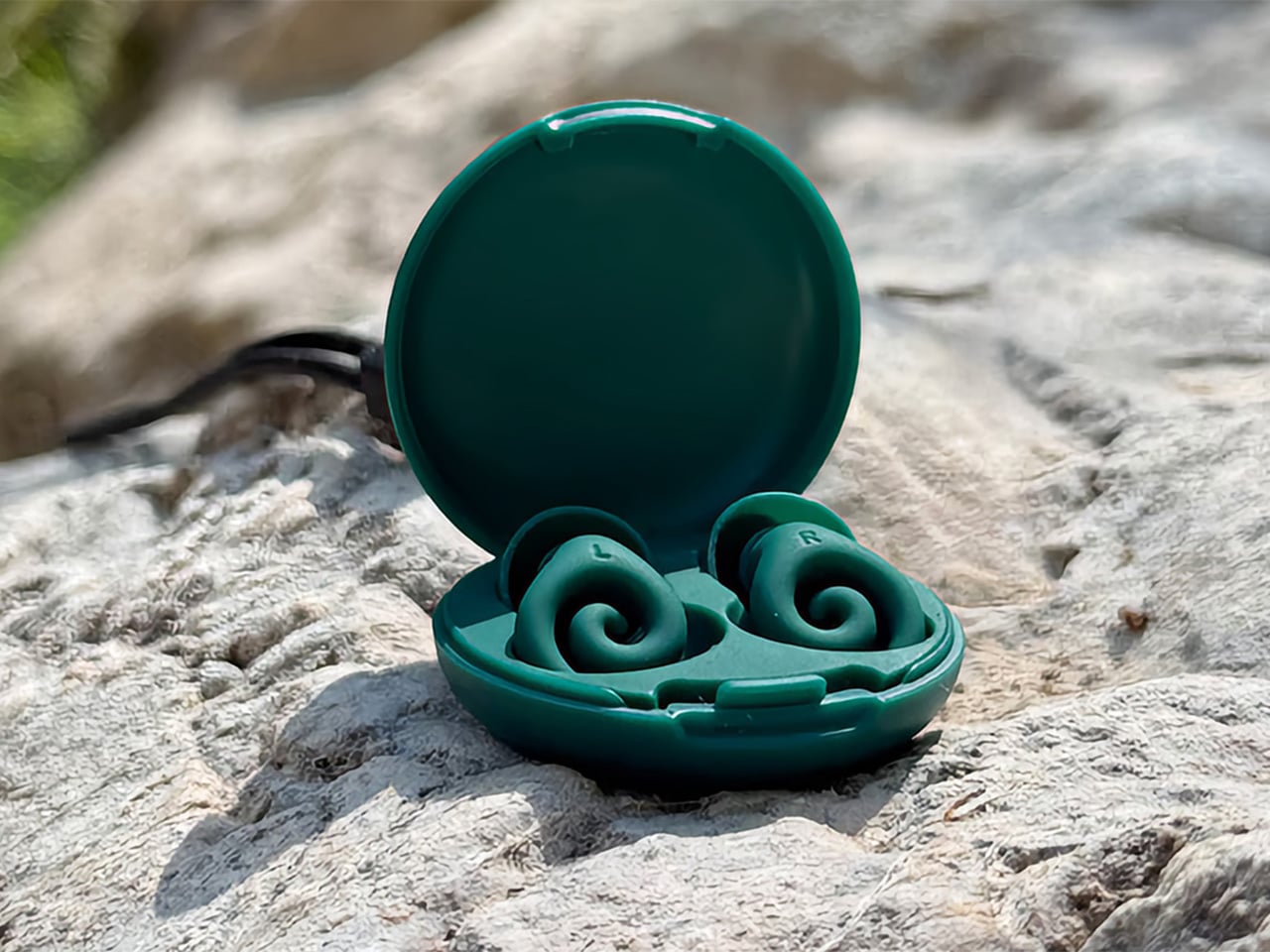
Most earplugs are built for your ear canal. Ears 360 Silence was built for your pillow as well. The French-designed earplug swaps the usual foam cylinder or silicone bud for a soft, retractable spiral that curls against the outer ear instead of wedging deep inside. The promise is simple: stay put through a full night’s sleep, filter out unwanted noise, and disappear until you forget it’s there.
The mechanism behind that promise is simple engineering. Twist the spiral open, tuck it against the ridges of your outer ear, then let it retract back into shape. It locks in place through geometry, not pressure, so there’s no tip wedged deep into your ear canal, nothing to ache by 2 a.m. The whole body sits nearly flat, flat enough to sleep on your side.
That geometry matters most at night. Side sleepers know the drill: a plug that protrudes gets crushed against the pillow, and foam that expands too much starts to throb before sunrise. With the Ears 360 Silence tucked into the curve of your ear, nothing stands proud enough to notice. You roll over, the plug stays where you left it, and the room stays quiet until your alarm decides otherwise.
Sleep isn’t the only place this earplug earns its keep. Slip it in at a coffee shop or an open-plan office, and it softens the clatter around you without shutting out the person talking across the table. That’s the filtering trick at work, dialing down ambient chaos while keeping voices intelligible. And because the spiral sits low against the ear, nobody nearby even notices you’re wearing it.
Of course, comfort isn’t the whole story. Ears 360 Silence carries a certified 24 dB noise reduction rating under the EN 352-2:2020 standard, independently lab-tested rather than self-reported. Its attenuation peaks right around the frequency range where snoring and conversation both live, exactly where extra help matters most. It’s also rated IPX7 for water resistance and ships standard with four pairs of tips: S, M, L and a double-flange pair
Swap the standard tip for the clip-on triple-flange tip from the Swim & Work Kit, sold as a separate add-on, and attenuation climbs toward 29 dB. That’s enough for a construction site or a pool deck without having to switch out a different pair of buds. The tips swap in seconds, so the same pair that quiets a bedroom at night can handle a job site or open water the next afternoon.
Build quality is, of course, top-notch as well. The body is soft silicone, meant to be reused for years rather than tossed after one restless night, and it wipes clean easily. Four pairs of tips come in every box, so the fit adjusts to your ear rather than the other way around. Plus, the whole kit tucks into a case small enough to close in one hand, so there’s absolutely no reason you can’t take it anywhere with you, even if you’re not going to bed just yet.
Design touches carry through to the small stuff, too. The Ears 360 Silence comes in black, pink, and green, each paired with a case in the same shade, small enough to vanish into a pocket. And with the latest stretch goal reached, every backer gets a soft silicone neck cord, one per pair, to keep your Ears 360 Silence around your neck between uses. The whole object reads more like a considered accessory than a medical necessity you’d hide in a drawer, something you’d actually want sitting on your nightstand in plain sight.
Wake up after a full night wearing one, and you’ll notice what’s missing rather than what’s there. No hunting around the sheets for a stray foam cylinder, no ache in your ear canal from a tip jammed in too far. Just a quiet room and a plug that did its one job so well you forgot you were wearing it, which was the entire point.
The best camping gear doesn’t announce itself. It disappears into your pack, shows up when things go sideways, and handles the job without drama. Most outdoor gear fails this test in predictable ways: battery doors that ice shut, handles that bend under load, plastic panels that feel like props the moment you’re actually outside. What survives the cut tends to be smaller, smarter, and more carefully considered in its construction.
Fall raises the stakes in ways summer doesn’t. Daylight disappears faster than expected, temperatures drop sharply once the sun clears the treeline, and the gap between a manageable evening and a rough one closes quickly. These nine picks earned their spot because they perform in that specific context without adding unnecessary weight or complexity. Each one solves a real problem in a considered way, which turns out to be a narrower category than it sounds.
1. Lumitwin DL700
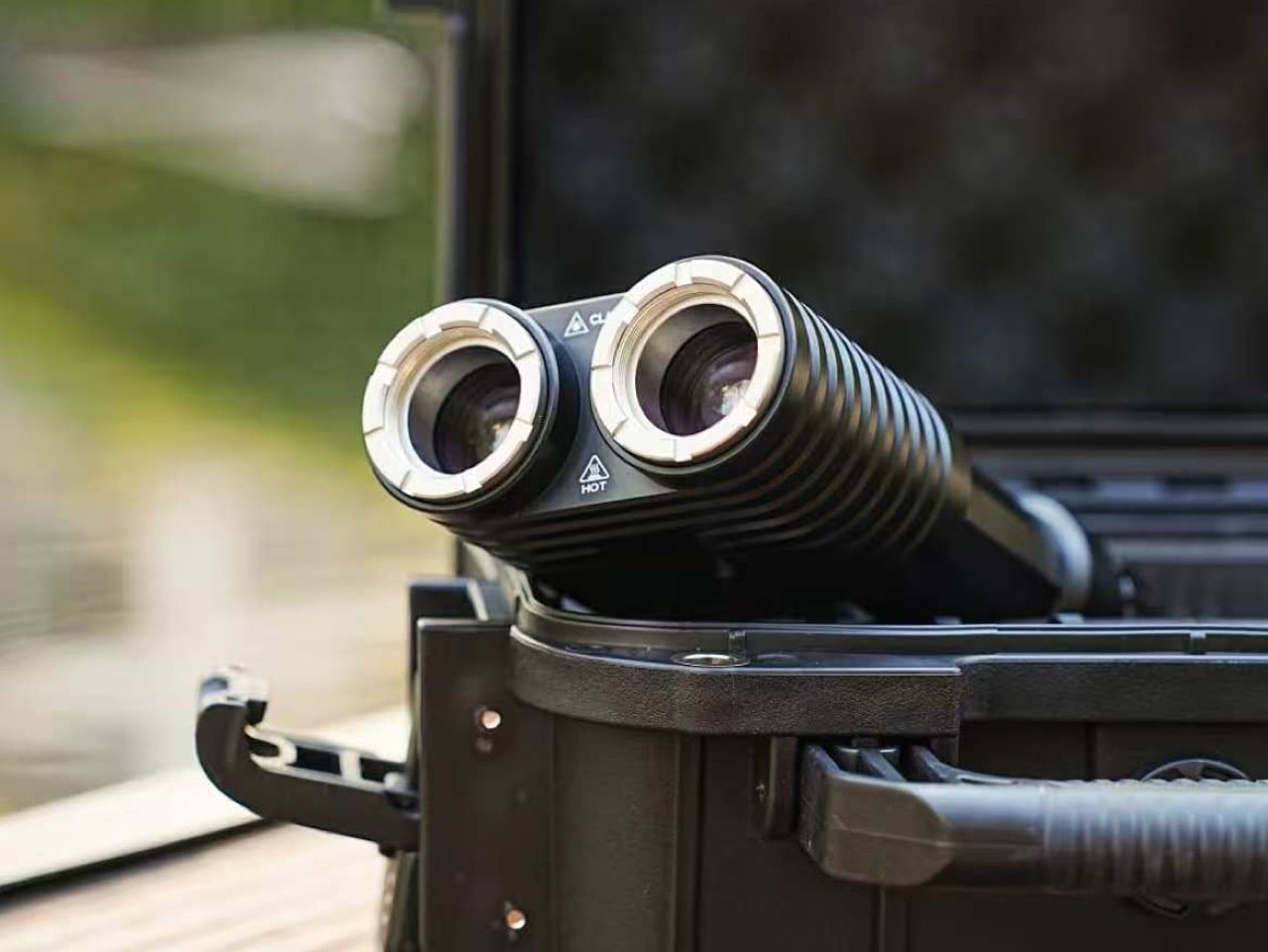
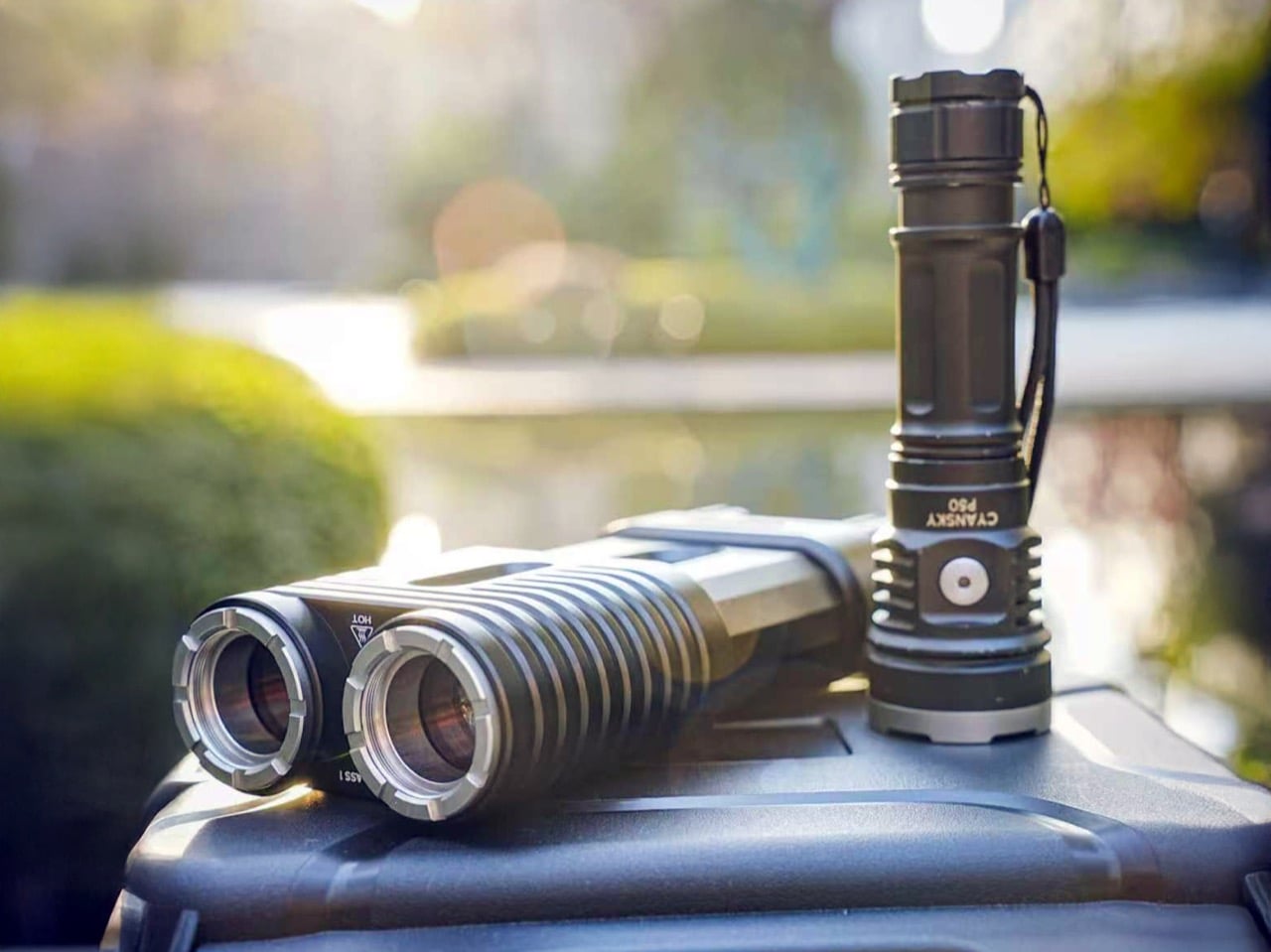
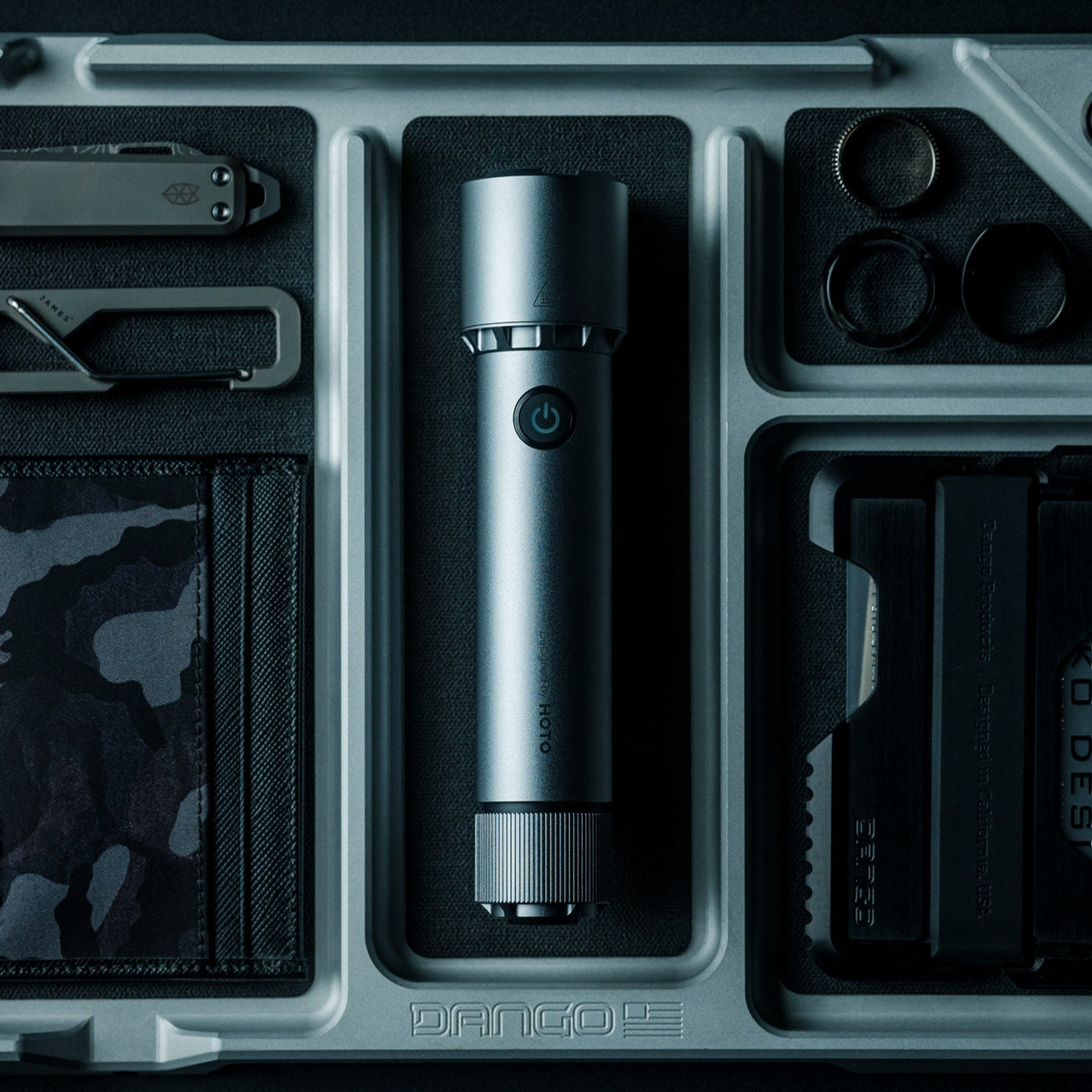
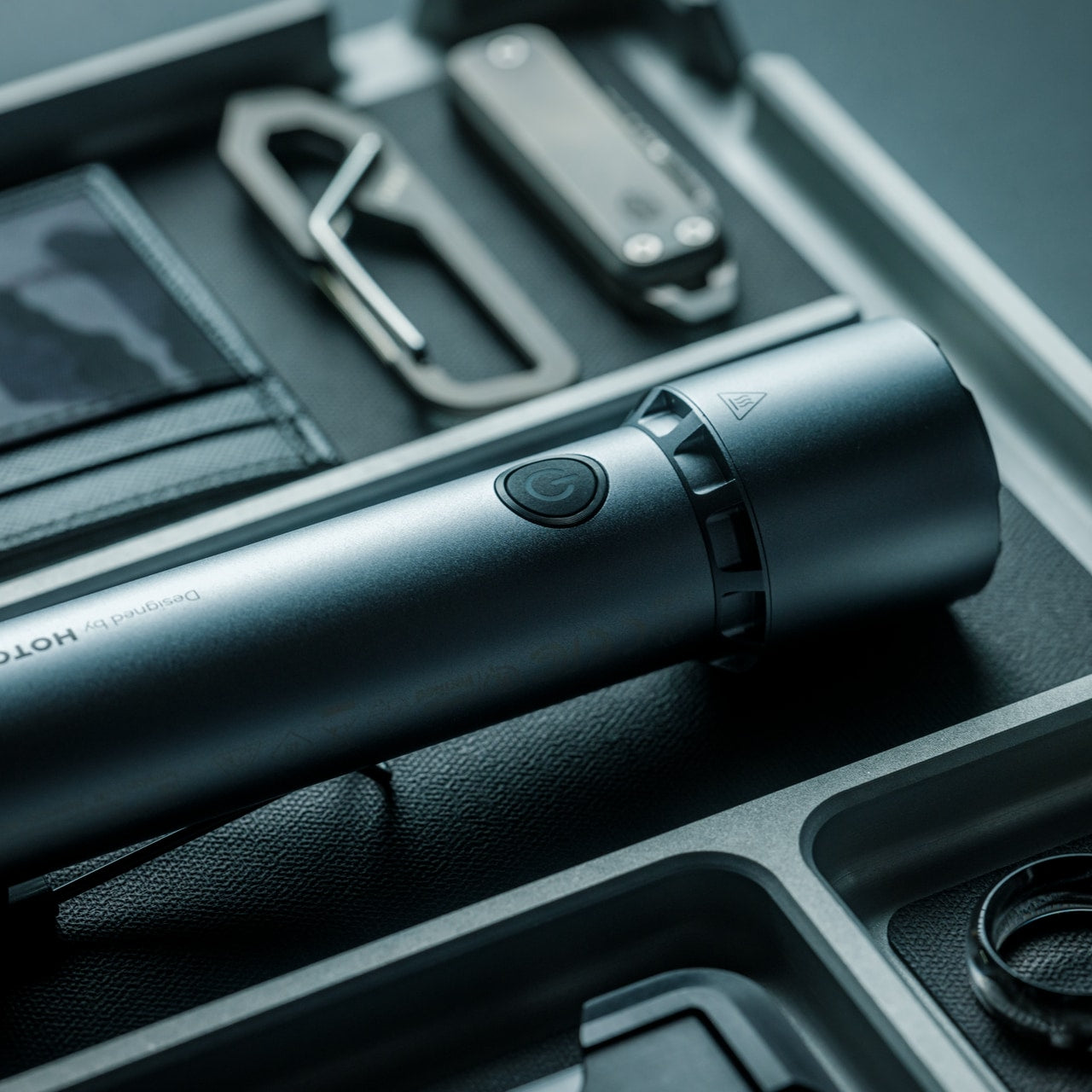
Most EDC flashlights make a trade: compact body, compromised throw. The Lumitwin DL700 refuses that deal. Using laser-excited phosphor technology, the same light source found in high-end automotive laser headlights, it produces 1,100 lumens and a combined 958,000 candela when both barrels fire together, pushing a coherent beam two kilometers into the dark. That is 1.24 miles of reach from a body machined from 6061 aerospace aluminum, IP68-rated to 1.5 meters, and built to survive a ten-foot drop.
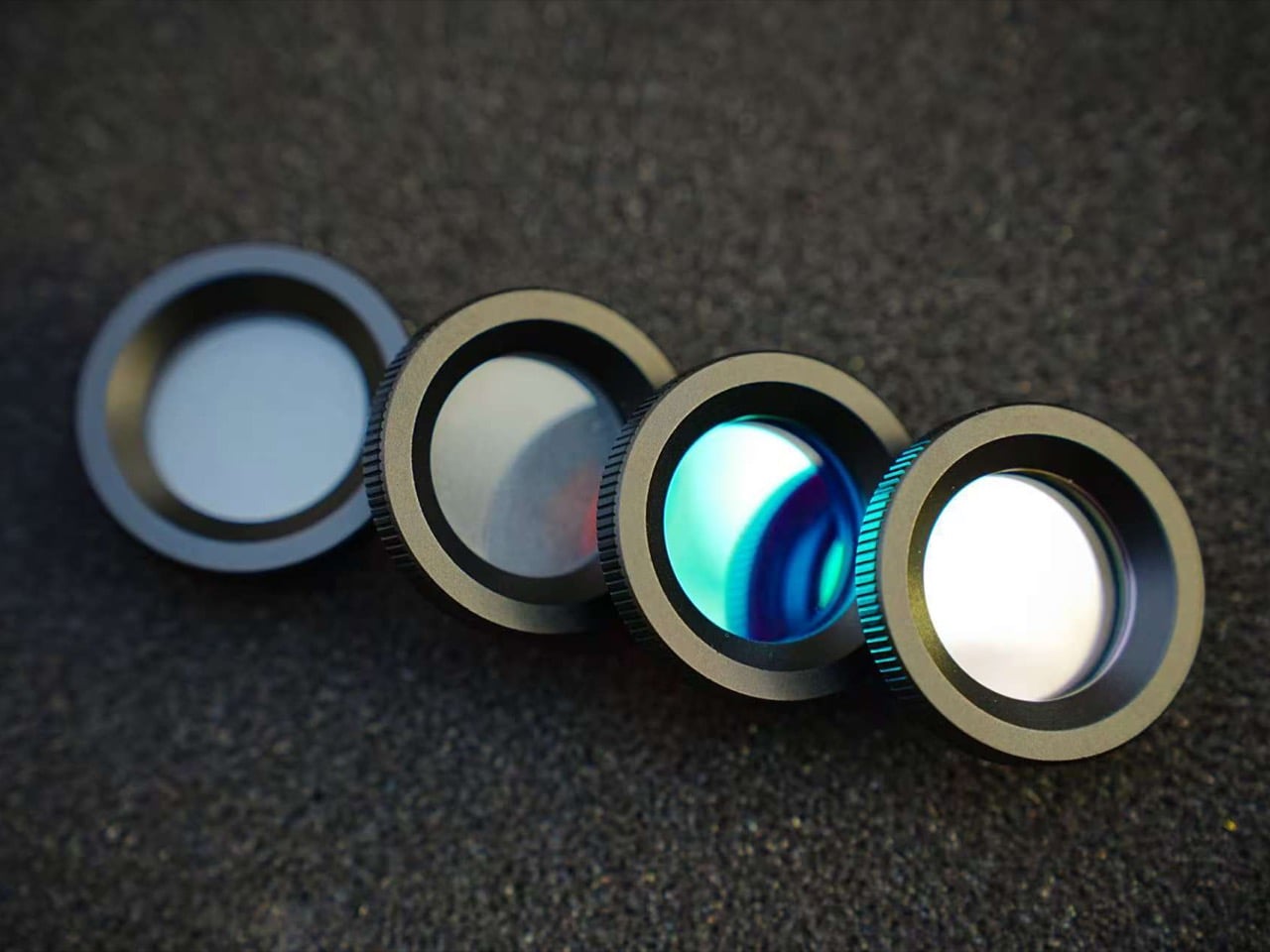
Each barrel operates independently with its own switch and brightness control, letting you run different configurations at once: red filter on one barrel for night-vision preservation while the other throws white for distance spotting, or flood mode for close-range work around camp. At 1,032 grams and $329, it asks for commitment on both fronts. What you get in return is a flashlight that sits in a different performance category than anything else currently clipped to your pack.
What we like:
958,000 cd combined output and 2km throw from a carabiner-clippable body
Swappable red, green, and flood filters give you six functional configurations in a single unit
What we dislike:
1,032 grams is real weight that belongs on a belt clip rather than a jacket pocket
$329 is a deliberate purchase, not an impulse one
2. RetroWave Radio
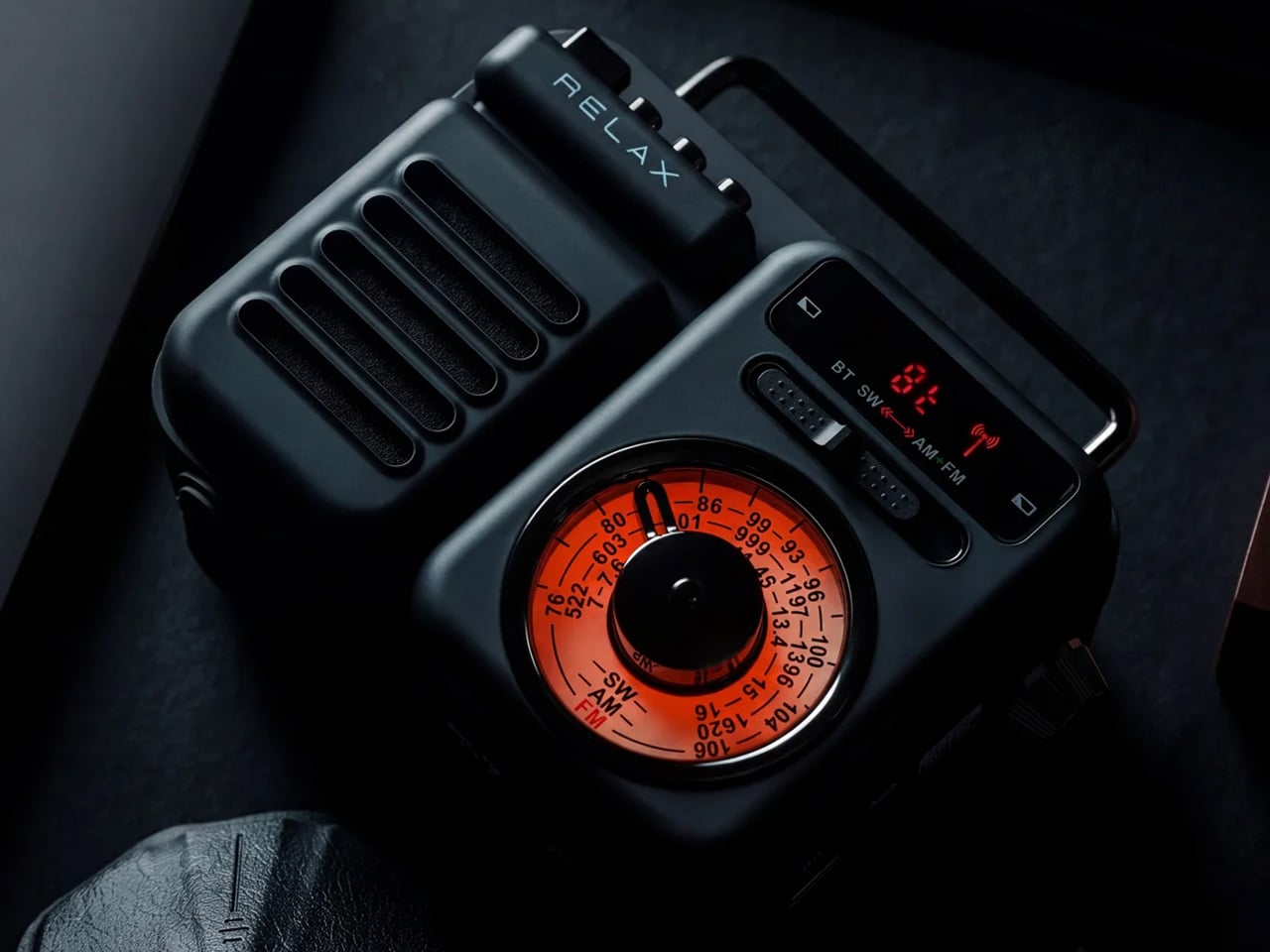
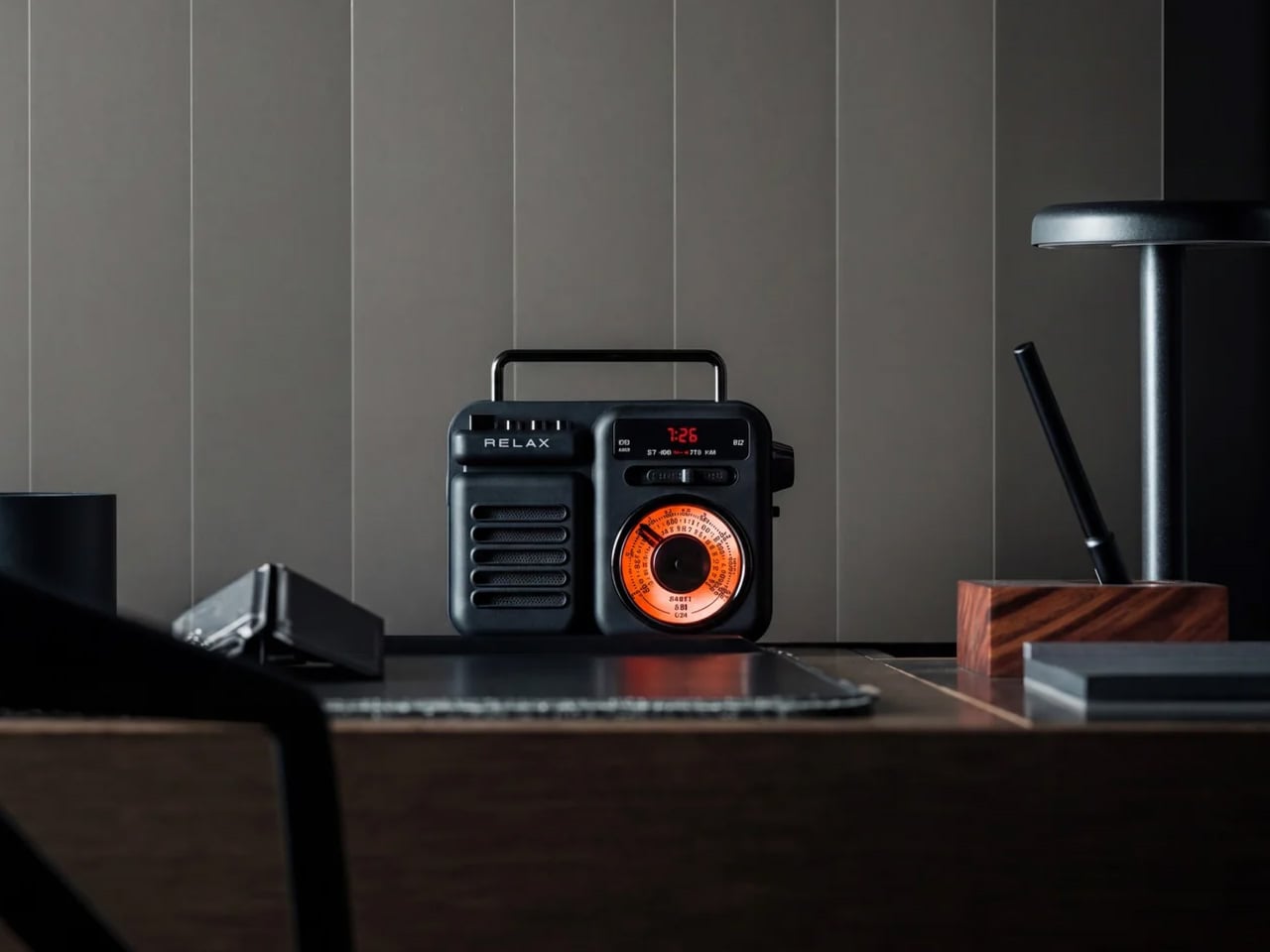
Weather shifts fast in fall, and a radio that receives NOAA weather alerts reads less like a retro novelty and more like actual preparation. The RetroWave pulls in AM, FM, and shortwave bands alongside dedicated NOAA weather channels, with Bluetooth for streaming when you have signal. It charges via a built-in solar panel or a hand crank, meaning you won’t find yourself rationing its runtime against your phone. That range of power inputs separates genuinely useful camp electronics from decorative ones that fail first.
The design language leans toward mid-century Japanese radio, warm and industrially restrained in a way that holds up as well on a desk at home as it does on a picnic table. For fall camping specifically, having a dedicated weather channel available without burning through your power bank is a genuine advantage. Dual charging paths mean it survives multi-day trips where sunny hours aren’t guaranteed. It earns its place before you’ve left the driveway and keeps justifying that decision every night after dark.
NOAA weather band combined with solar and hand-crank charging covers every outdoor power scenario
Design language that works equally well off-trail and at home
What we dislike:
Shortwave reception varies significantly with terrain and atmospheric conditions
Bluetooth adds weight for a function most campers skip on a real multi-day trip
3. Camprit TiStove
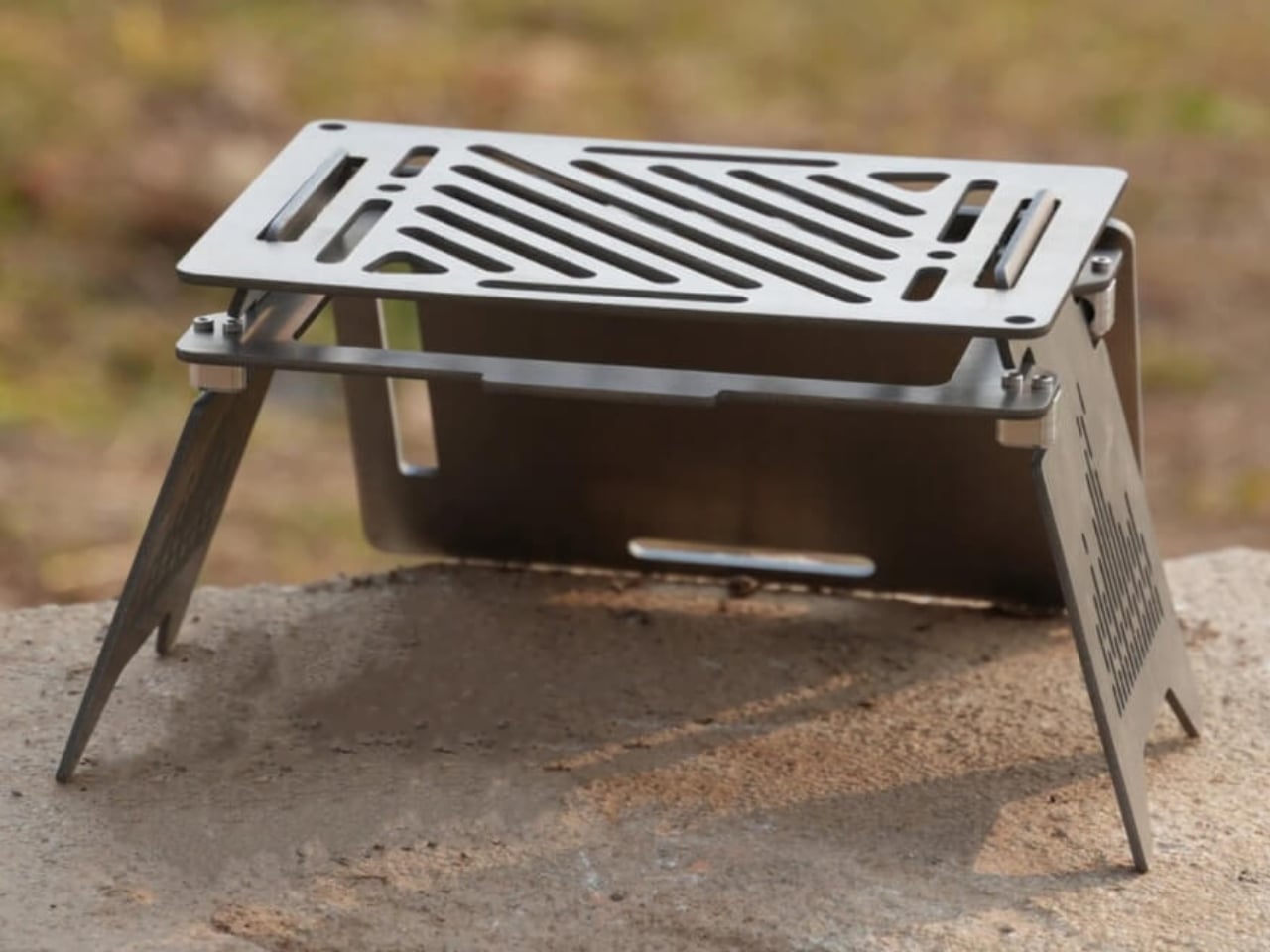
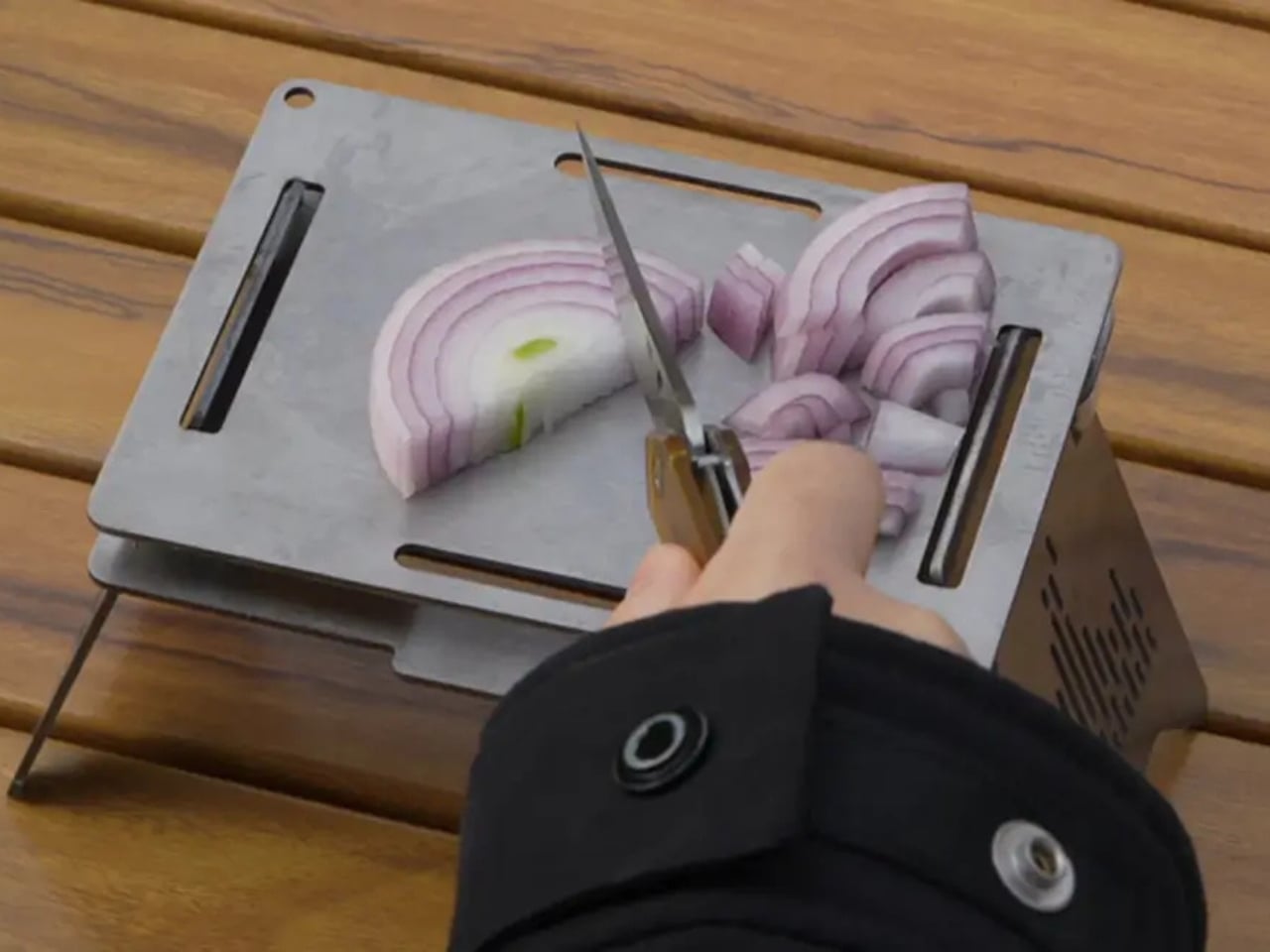
Titanium camp stoves have been around long enough to feel familiar, but the Camprit earns its place by solving the thing most of them get wrong: modularity. The body reconfigures for boiling, grilling, or searing across different heat sources without a dedicated ignition system to fail. That detail matters more than it sounds on a cold fall morning when a butane lighter won’t click. No moving ignition parts means fewer opportunities for your gear to let you down at exactly the wrong moment.
The titanium construction delivers a weight-to-durability ratio that camp cooking has been chasing since aluminum reached its ceiling. You get a stove that handles open flame, direct contact, and rough packing without deforming or trapping residue in ways that become a hygiene problem by day three. For fall trips where you’re cooking real food rather than just boiling water, the Camprit makes that effort feel like a deliberate design choice rather than a compromise you’re tolerating until you get back to a real kitchen.
What we like:
Fuel-agnostic design with no ignition system to fail in cold weather
Titanium build that handles rough packing without warping or trapping residue
What we dislike:
Modular configuration takes a few trips to feel intuitive and fast
No integrated windscreen is a real limitation on exposed ridge or clifftop sites
4. Blavor PN-W43 Solar Power Station
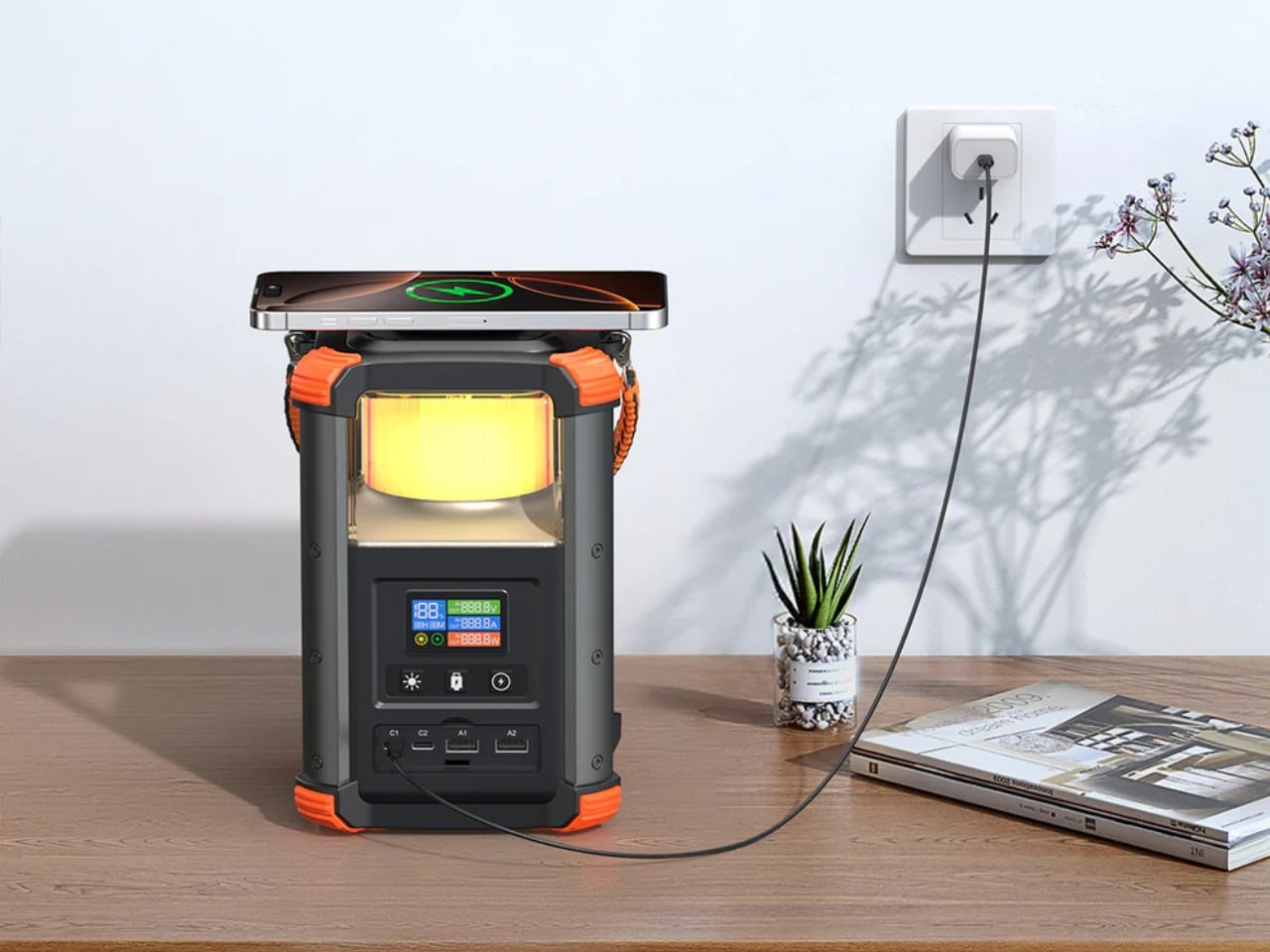
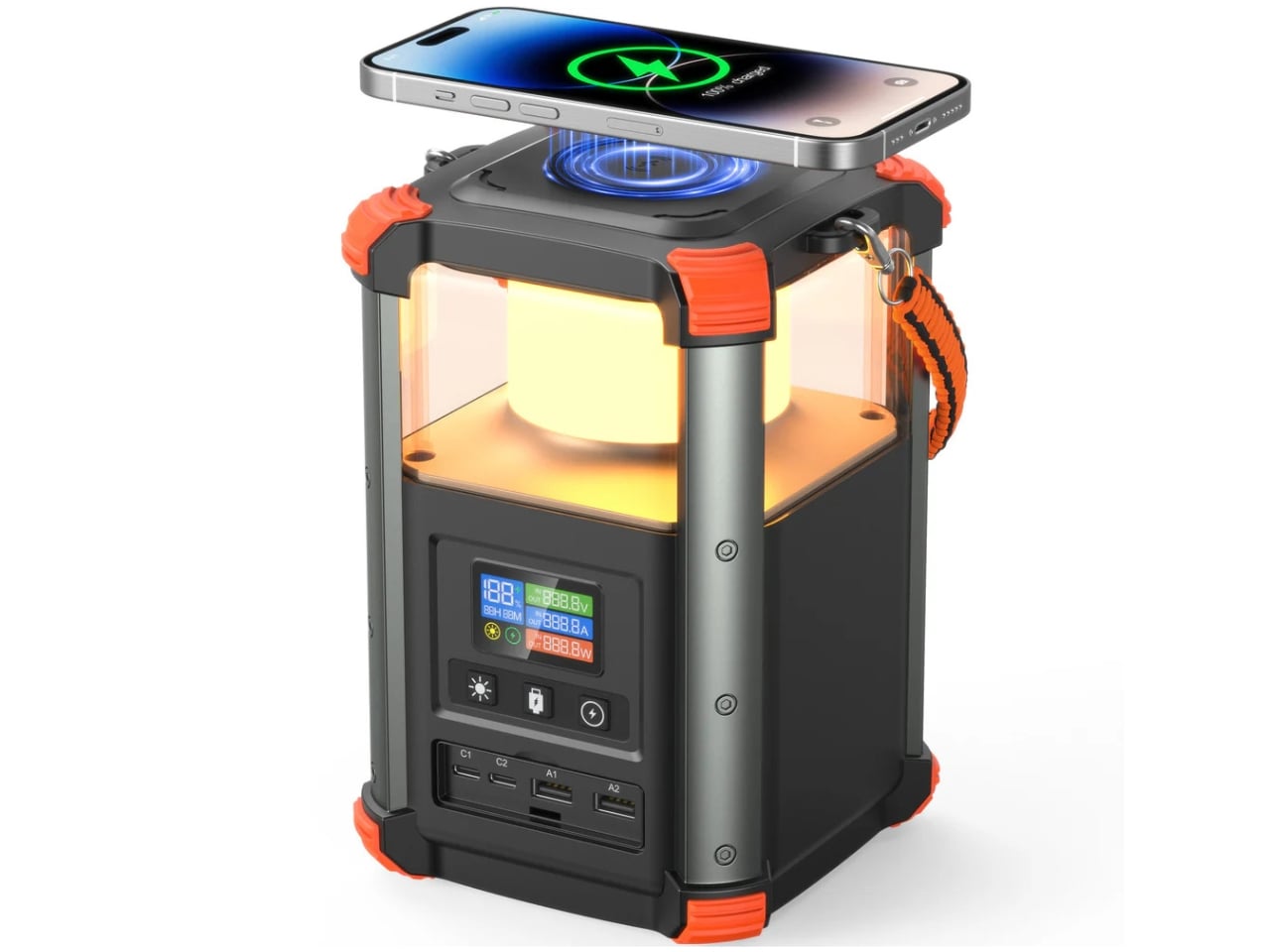
A power bank that also functions as a camp lantern isn’t a new concept, but the Blavor PN-W43 executes it better than most. The built-in LED panel delivers diffuse light across a tent interior without the directionality problem you get from propping up a flashlight. Five charging inputs, solar and AC among them, cover nearly every scenario between a home base and a remote campsite. For fall trips where dusk arrives earlier each week, having light and power in a single unit removes one item from the checklist entirely.
The high-capacity cell gives you meaningful device runtime across a multi-day trip without making compromises about which things get priority. Five charging inputs mean you’re not locked into a single power source, which matters when plans change, and the solar window turns out shorter than forecast. The lantern mode alone justifies the carry weight. Everything else the PN-W43 does reads as a bonus that makes it increasingly difficult to leave behind the longer and colder the trip gets.
What we like:
Five charging inputs, including solar, cover variable outdoor power conditions
Integrated lantern mode eliminates a separate light source from the kit entirely
What we dislike:
High capacity means more weight than a dedicated power bank or standalone lantern
Casing is larger than ultralight alternatives in either category
5. NoxTi Tritium Keychain
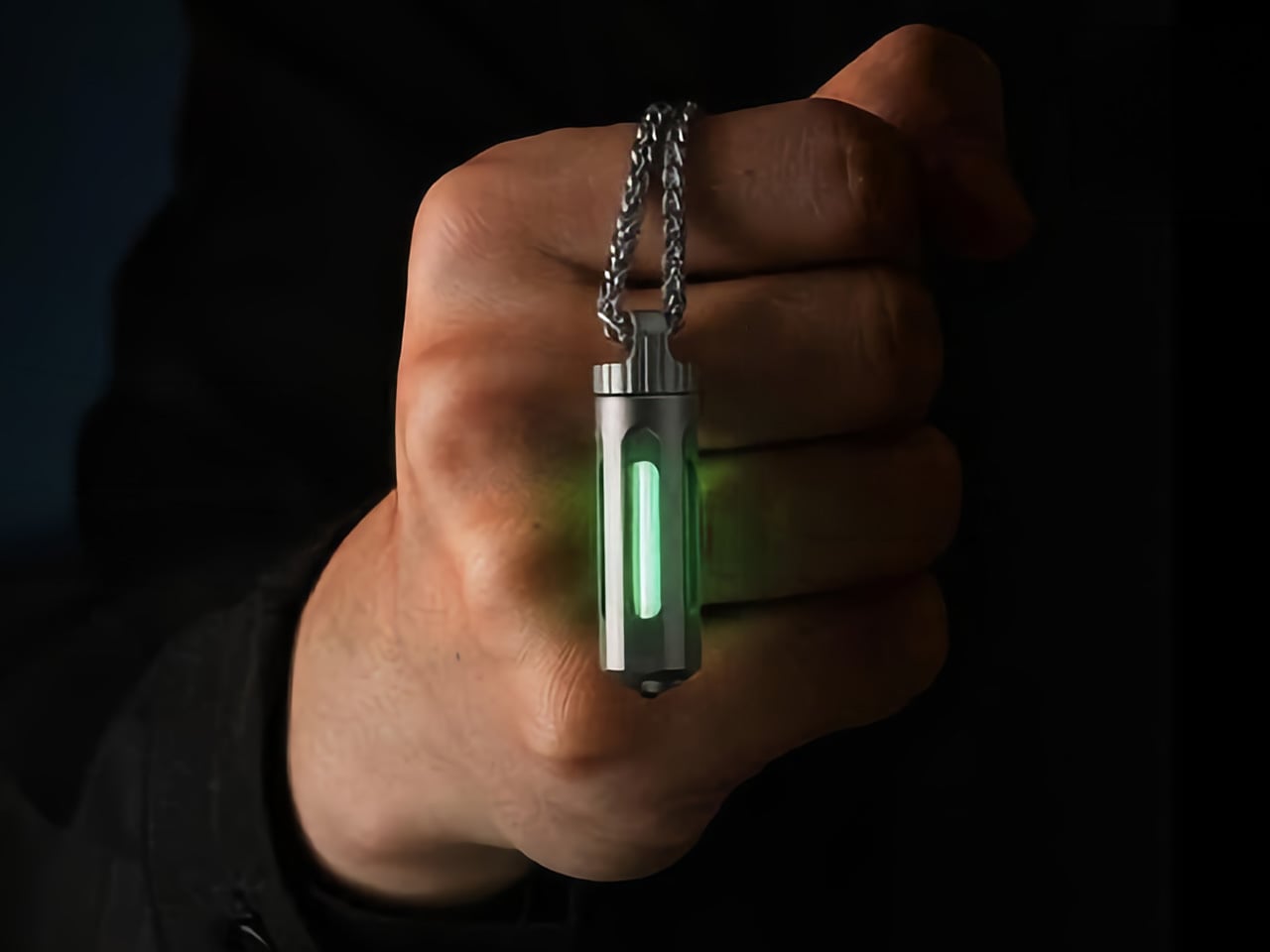
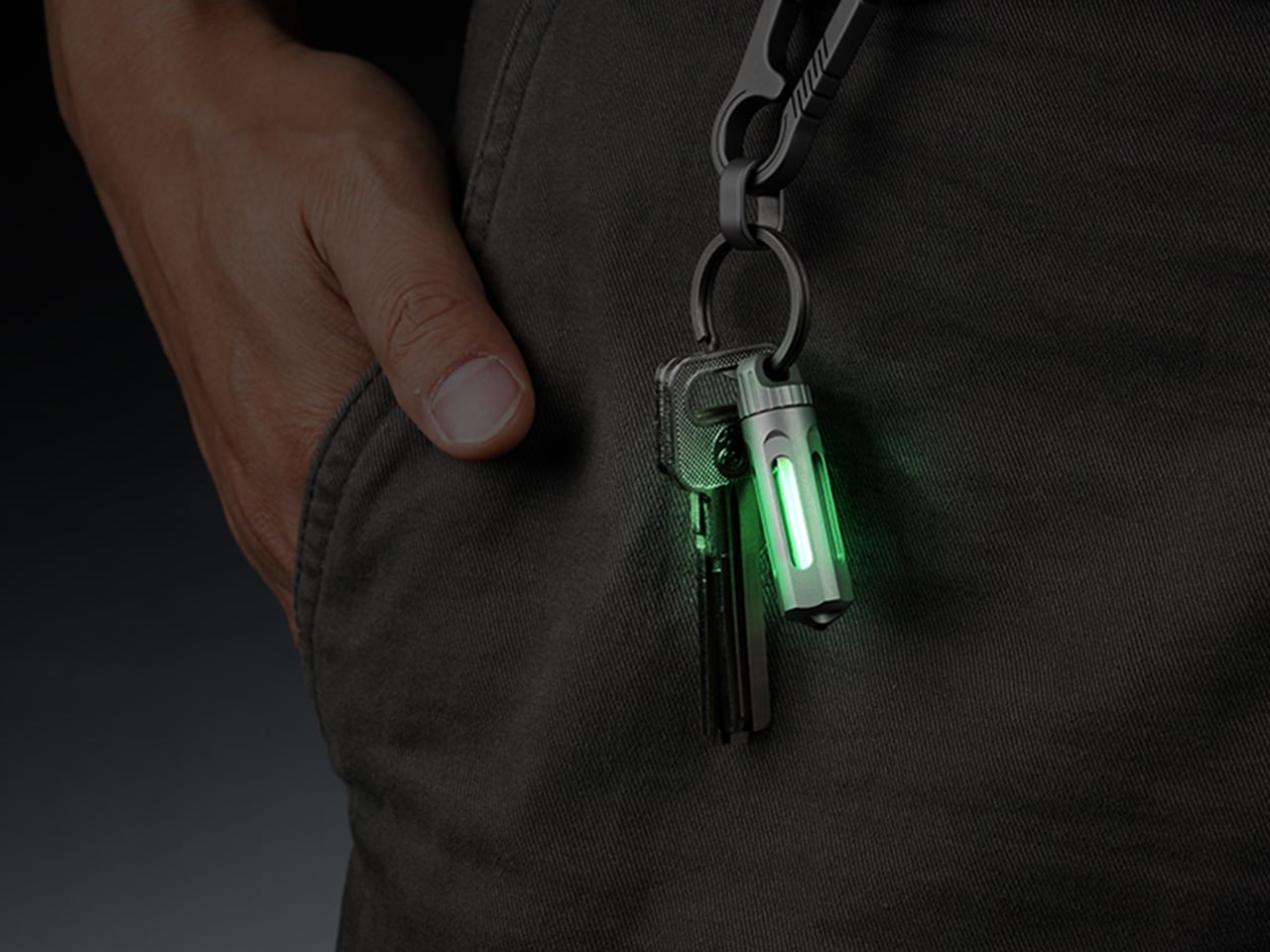
A tritium vial needs no battery, no button, no charging cable. It produces light through a sealed self-luminous reaction that continues for roughly twenty-five years at consistent brightness with zero input from you. The NoxTi packages that chemistry inside a CNC-machined Grade 5 titanium shell compact enough to ride alongside your house keys without adding meaningful weight. For fall camping, it gives you a minimum-weight emergency reference light that is always on and findable by feel in a pitch-black tent.
The design strips away everything that isn’t structural. Titanium resists corrosion without adding weight, and the sealed tritium element requires zero maintenance across its full service life. It won’t flood a campsite with task-level light, and it isn’t designed to. What it gives you is orientation in the dark at zero battery cost: the thing you reach for when the main light is dead, and the spare has sunk to the bottom of a bag you simply can’t see into.
What we like:
Twenty-five-year self-luminous service life with zero battery dependency
Grade 5 titanium construction that handles weather and impact without corroding
What we dislike:
Ambient glow only, not functional as a task or reading light
Visibility is subtle in anything less than near-complete darkness
6. VSSL Camp Supplies
The VSSL Camp Supplies cylinder reads as a storage object until you open it, at which point it reads as a complete kit in miniature. The machined aluminum shell packs tight and absorbs impact without compromising the contents. The canister format keeps small essentials organized: the kind of gear that typically scatters across the bottom of a bag and turns a simple task into a ten-minute search at exactly the wrong moment. On a fall trip with shorter days and less margin for fumbling, knowing where everything is has real value.
VSSL built this one with practical priorities in mind, and that focus shows in the execution. No features are included for novelty value. Every element in the kit is there because someone eventually needed it at a campsite and didn’t have it. The cylinder integrates with any pack layout without creating pressure points or awkward bulk. It disappears into your system until the moment it’s relevant, which is the highest compliment you can give a piece of camp gear.
What we like:
Canister format keeps small essentials organized and protected without scattering across the pack
Machined aluminum shell handles rough packing without compromising the contents
What we dislike:
Fixed form factor means the contents aren’t easily customizable to your specific kit
The cylinder shape rolls in open pack pockets without a tether
7. Blackout Beam Tactical Flashlight
Not every camp scenario calls for maximum throw distance. The Blackout Beam approaches flashlight design from the tactical side of the category, prioritizing controlled high-output illumination and a grip profile engineered for extended handheld use. The body handles the conditions you would expect from a product built for demanding environments: weather resistance, impact tolerance, and a switching mechanism that works reliably with cold hands or gloves on. For fall trips where temperatures drop sharply after sundown, operational reliability matters as much as any output specification.
What separates a tactical light from a conventional camp flashlight is the intentionality of its beam control. The Blackout Beam gives you deliberate, high-output illumination in a format that doesn’t compromise build quality to hit a price point. It covers the scenarios where you want a serious grip-ready handheld source rather than a mounted lantern or a clipped EDC piece. Its presence in the kit means you’re covered across every kind of darkness fall camping tends to produce, from a tent perimeter check to an unexpected late-night navigation call.
Tactical grip profile designed for extended handheld use and reliable cold-weather operation
Controlled output that fills a distinct role from the other lights in this lineup
What we dislike:
Bulkier than EDC flashlight alternatives at comparable output levels
8. GoSun Flow Solar Water Purifier
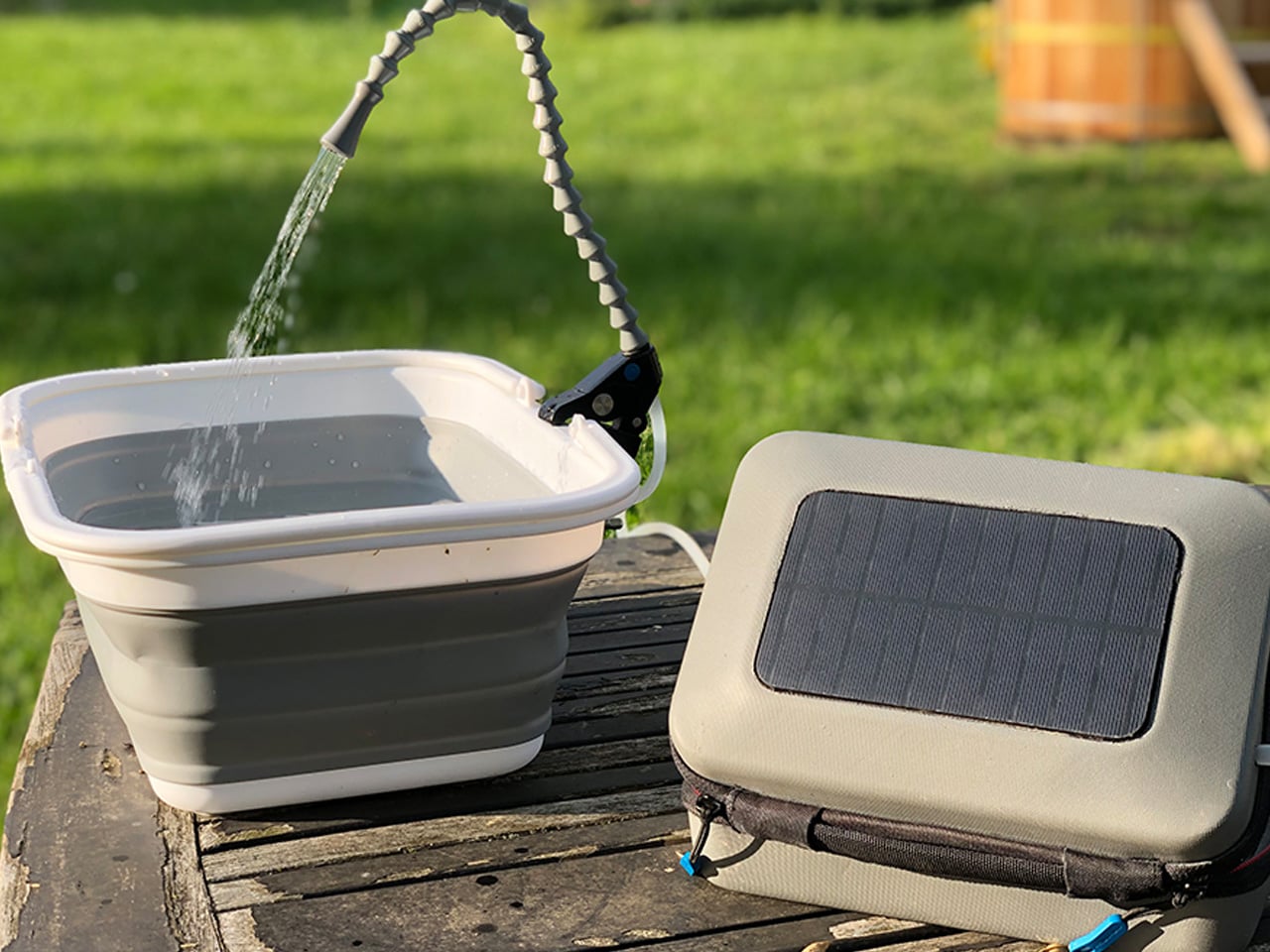
Water is the one thing you can’t improvise on a backcountry trip, and most solutions to that problem add significant bulk or require chemical inputs that change the taste of everything you drink. The GoSun Flow approaches purification differently, using solar power to drive the filtration process rather than hand pressure or chemical treatment. For fall camping, where natural water sources are abundant but treatment capacity matters, having a system that runs on available sunlight removes a critical dependency from your daily camp routine.
The design keeps the process simple enough to become automatic after a single use. Solar input drives the pump, filtered water comes out, and the system resets without cartridge replacement on the trail. That frictionless operation is what makes it genuinely valuable on a multi-day trip rather than just functional on a weekend one. Paired with the power station and stove elsewhere in this lineup, it closes the last real gap in a fall camp setup built around reducing single-use dependencies.
What we like:
Solar-powered filtration removes both the physical effort of hand-pump systems and the taste compromise of chemical treatment
Intuitive operation that becomes automatic after a single use, with no mid-trail cartridge management
What we dislike:
Solar input means filtration rate slows on overcast fall days when you may need it most
Higher upfront cost than conventional filter or chemical treatment alternatives
9. Analog Capsule Camera
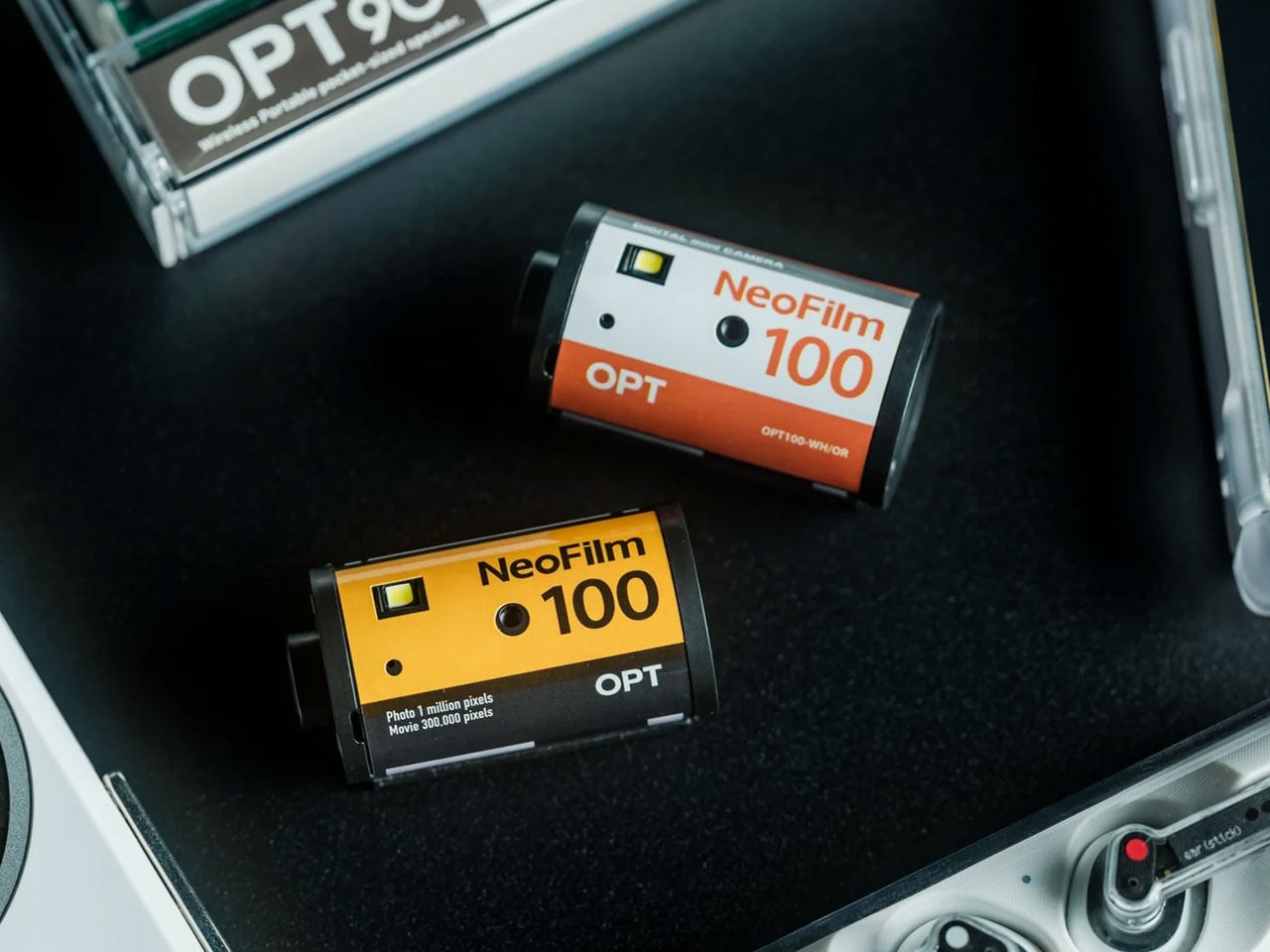
The case for bringing an analog camera on a fall camping trip isn’t nostalgia. It’s constraint. Shooting on film removes the infinite-scroll mentality from the act of taking photographs, leaving you with a fixed frame count and the awareness that each exposure carries a real cost. The Analog Capsule Camera distills that discipline into a form compact enough to justify the carry weight without feeling like a gear compromise. For a trip where the goal is presence rather than documentation, it reframes what taking a photograph actually means.
The capsule format is the right choice for camping specifically. It packs without bulk, survives the light impacts that would concern you with a more complex camera body, and requires no battery management across the full length of the trip. Shooting on film produces a different quality of attention to light and framing than digital capture allows. The images from a fall trip tend to feel like artifacts of the experience rather than a record of it, and that difference is worth more than any specification printed on the box.
Film constraint encourages intentional, presence-first shooting that changes how you experience the trip
No battery dependency across the full trip length
What we dislike:
Film stock and development add an ongoing cost beyond the initial purchase price
No image review between exposures
Pack Smart, Go Further
Fall camping asks different things from your gear than summer does. The days are shorter, temperatures drop faster, and the margin for equipment failure narrows when conditions turn. Each pick on this list was chosen because it performs in that specific context without adding unnecessary complexity. Solving one real problem in a considered way turns out to be a narrower category than it sounds when you’re standing in front of a gear wall deciding what actually deserves a slot in the bag.
Most of them also look good enough to live on a shelf between trips. That’s a small thing until you’re deciding what to pack, and then it becomes a useful filter: gear that integrates into daily life tends to be gear you actually carry. Pick two or three that address the specific gaps in your current kit and build from there. Fall is short. The right gear makes it feel considerably longer than it is.
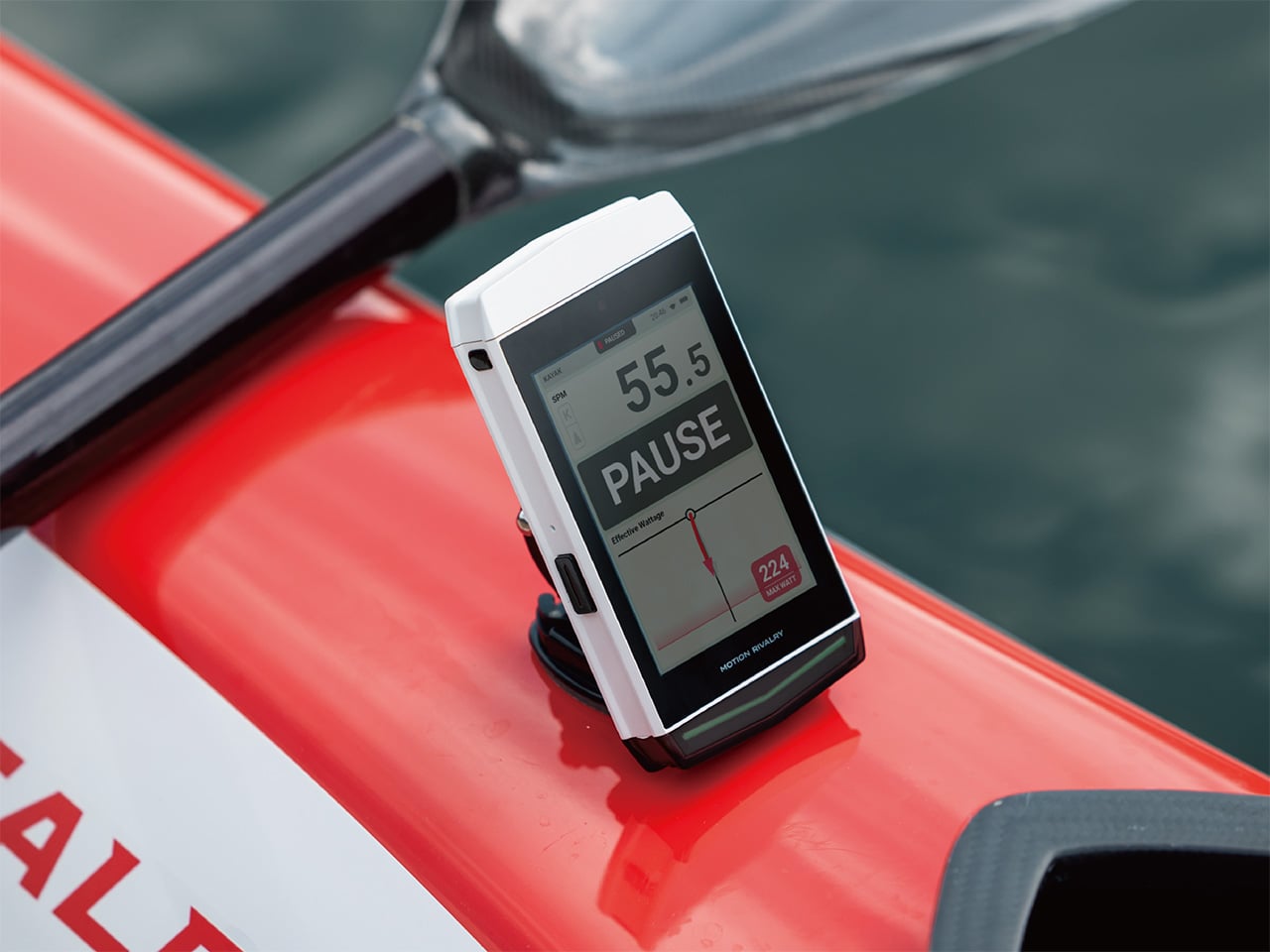
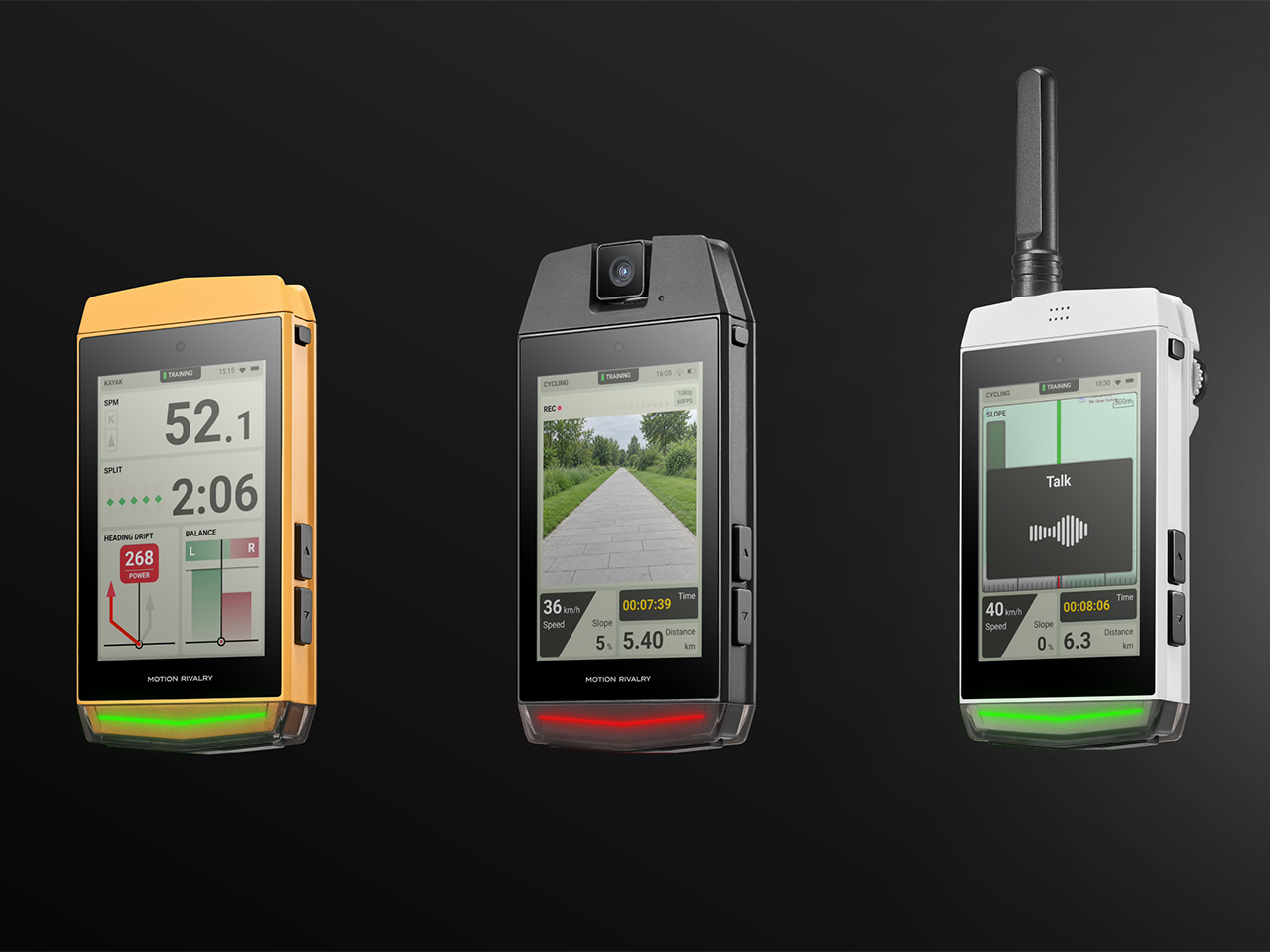
Athletes who used to buy a separate walkie-talkie, action camera, and wind meter for different pursuits are looking at a much lighter hardware bill these days. Motion Rivalry’s REACH folds all three into one modular sports GPS computer, snapping on whichever accessory a session calls for instead of stocking a shelf of standalone gadgets. The same unit adapts across cycling, rowing, kayaking, canoeing, and paragliding, with hardware you reconfigure instead of replace as training shifts from one discipline to the next.
The mechanism behind that swap is a single open-source connector at the top of the unit, accepting hardware modules in seconds rather than minutes of fumbling with tools. Instead of buying a new device for each need or sport, REACH treats its body as a base you keep building on, sport after sport. It’s less a finished gadget, more a foundation designed to grow alongside whatever discipline has your attention this season.
Two of the four available modules handle situational awareness. The Walkie-Talkie module lets a coach on the riverbank stay in contact mid-session, working across 0.6 to 1.2 miles (1 to 2 kilometers) of line-of-sight range with multiple channels. The Radar module covers what’s coming around you, using 24GHz mmWave sensing to detect objects between 16 and 98 feet away across a 100-degree field of view.
The other two lean into documentation and conditions. A Camera module records 1080p video at 60 frames per second from a rotatable, splash-resistant housing mounted where the head unit already sits, skipping a separate action-camera bracket. A Wind Meter module adds live wind speed readings down to 0.1 meters per second, along with humidity and temperature, numbers that matter more than they sound once you’re airborne.
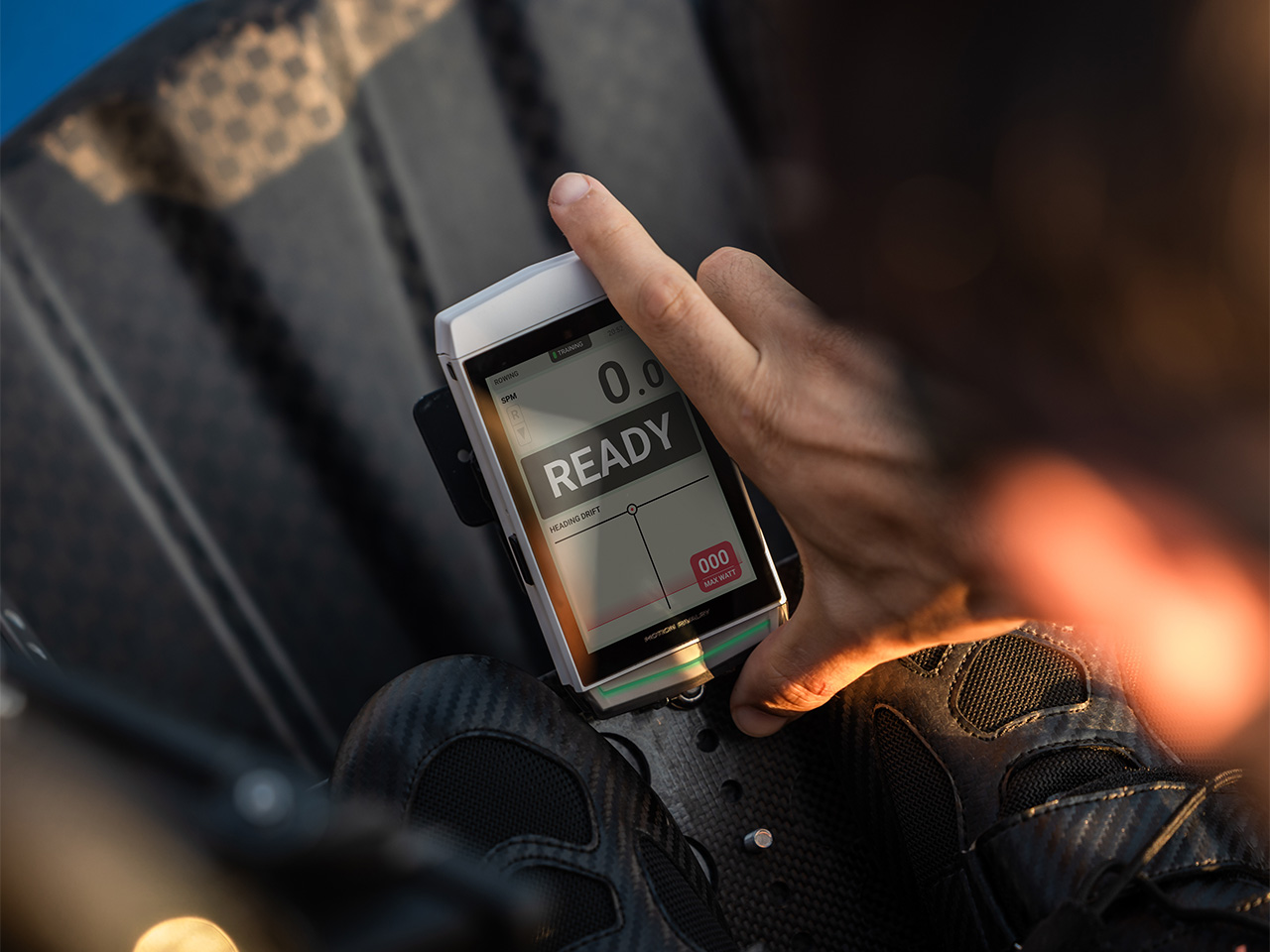
Rowing, kayaking, and canoeing put REACH’s fastest sensors to work. A 10Hz multi-constellation GNSS (most sports GPS units run 1 to 5Hz) locks position ten times a second, catching velocity changes within a single stroke rather than average splits over a lap. A 200Hz 9-axis IMU tracks heading drift, turning a wandering line into a number a coach can correct. REACH folds both into a Stroke Quality score, and Legacy Mode keeps it comparable to existing benchmarks.
On a bike, REACH estimates cadence and power without external sensors. It tracks linear and angular acceleration from the pedaling motion, then fuses and normalizes those readings to amplify the unique signal of your stroke while filtering out road noise. The result is a stable cadence reading without the need for extra hardware, precise to about 4 inches (10 centimeters) of elevation change.
The 3.5-inch display lays out speed, gradient, distance, and training stress score in a format built for glancing down mid-ride. Power estimates follow that same sensor-fusion approach, translating the normalized motion signals into a wattage figure without ever needing a crank sensor or power pedal bolted to the frame, one less accessory to charge, pair, or lose track of before a ride.
The same unit that tracked stroke rate on a river can be strapped to a flight harness by afternoon. In paragliding mode, REACH runs a dedicated vario for climb and sink rates, layers terrain maps adjusted for wind, and predicts landing zones from live wind direction and speed. Every reading here works toward one goal, keeping a pilot ahead of conditions that shift by the minute.
Catching a thermal updraft mid-flight is one thing; marking it for next time is another. A single press on REACH saves that exact location to the map, ready for your next pass, future flights, or anyone else in the flying community using the same site. Fly the same ridge enough times, and what used to be guesswork turns into a precision heat map built entirely by pilots who’ve actually flown it.
That Legacy Mode feature earns its own mention outside of rowing, too. Coaches who’ve spent seasons building benchmarks around specific equipment don’t want new hardware that outputs numbers in an unfamiliar format, no matter how good those numbers are. By matching its readings to formats already in use, REACH slots into existing programs instead of asking a team to relearn how it measures progress.
That data doesn’t stay trapped on the screen. The dedicated companion app on iOS and Android pairs over Bluetooth LE for route planning, reviewing a session, and Over-the-Air firmware updates once you’re back on solid ground. Sessions export as .FIT, .GPX, or .CSV and sync directly to Strava, so switching to REACH doesn’t mean abandoning platforms already in use. With 24GB of onboard storage, five sports’ worth of sessions won’t fill it.
Every one of those features lives inside a 5.5-ounce (156-gram) shell wrapped around a 3.5-inch display that stays legible in direct sunlight. An IPX7 rating handles rain, spray, and cold, while a 2,900mAh battery delivers up to 26 hours per charge. A programmable RGB strip along the base, assignable to stroke rate, split, or heart rate, glows green when you’re in the zone and a different color when you drift out, proof that REACH treats hardware as just another surface for good design.
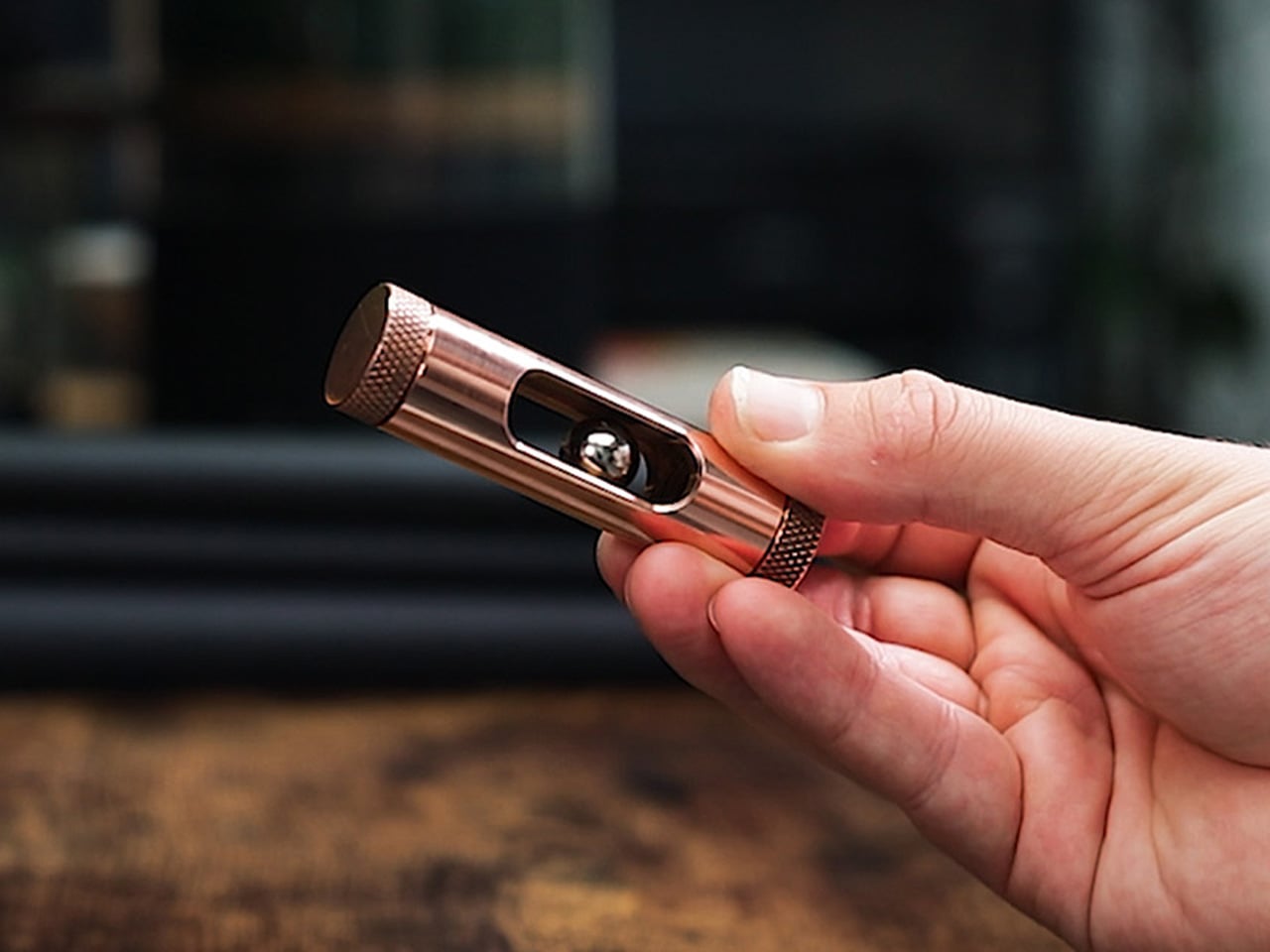
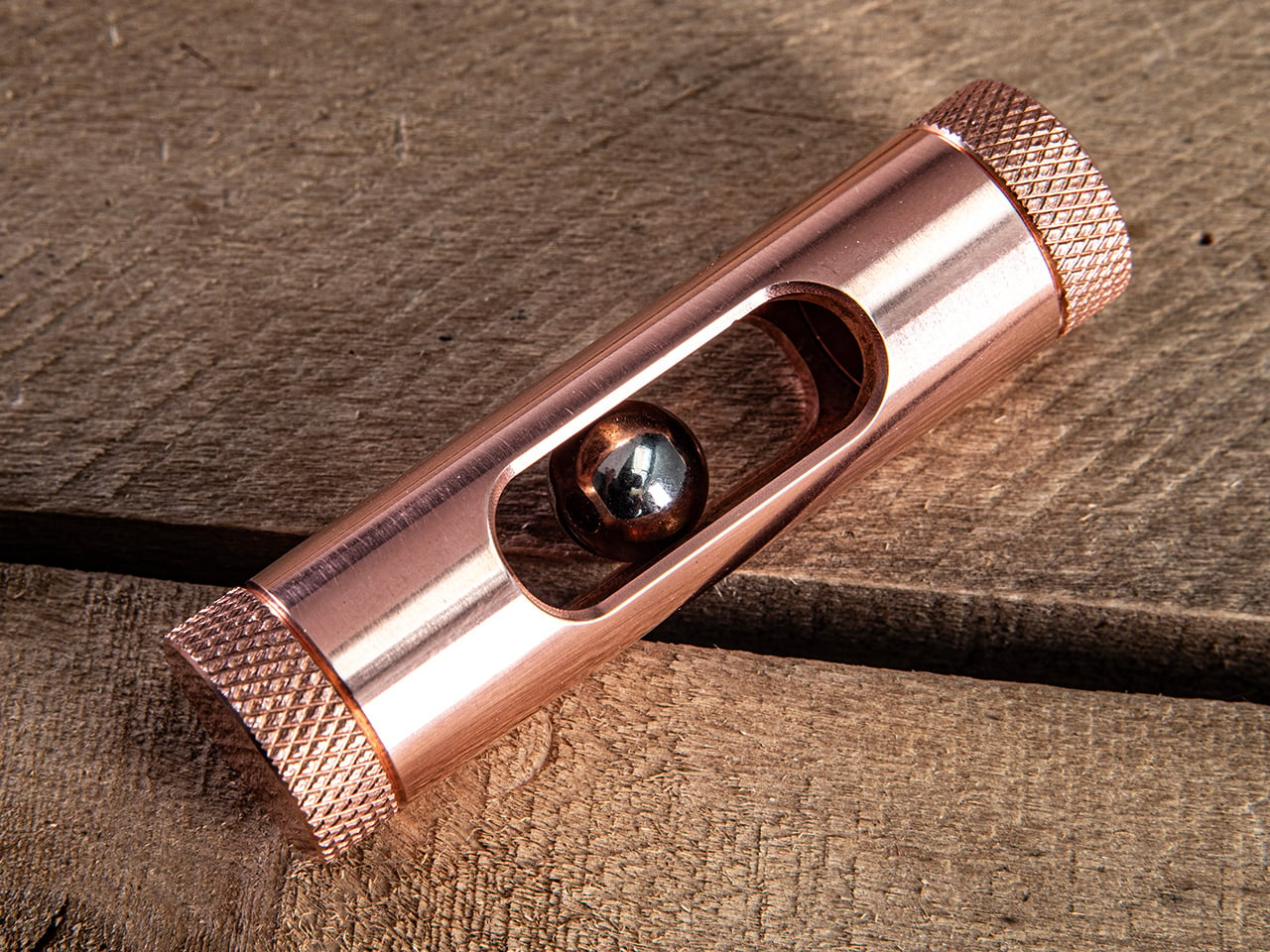
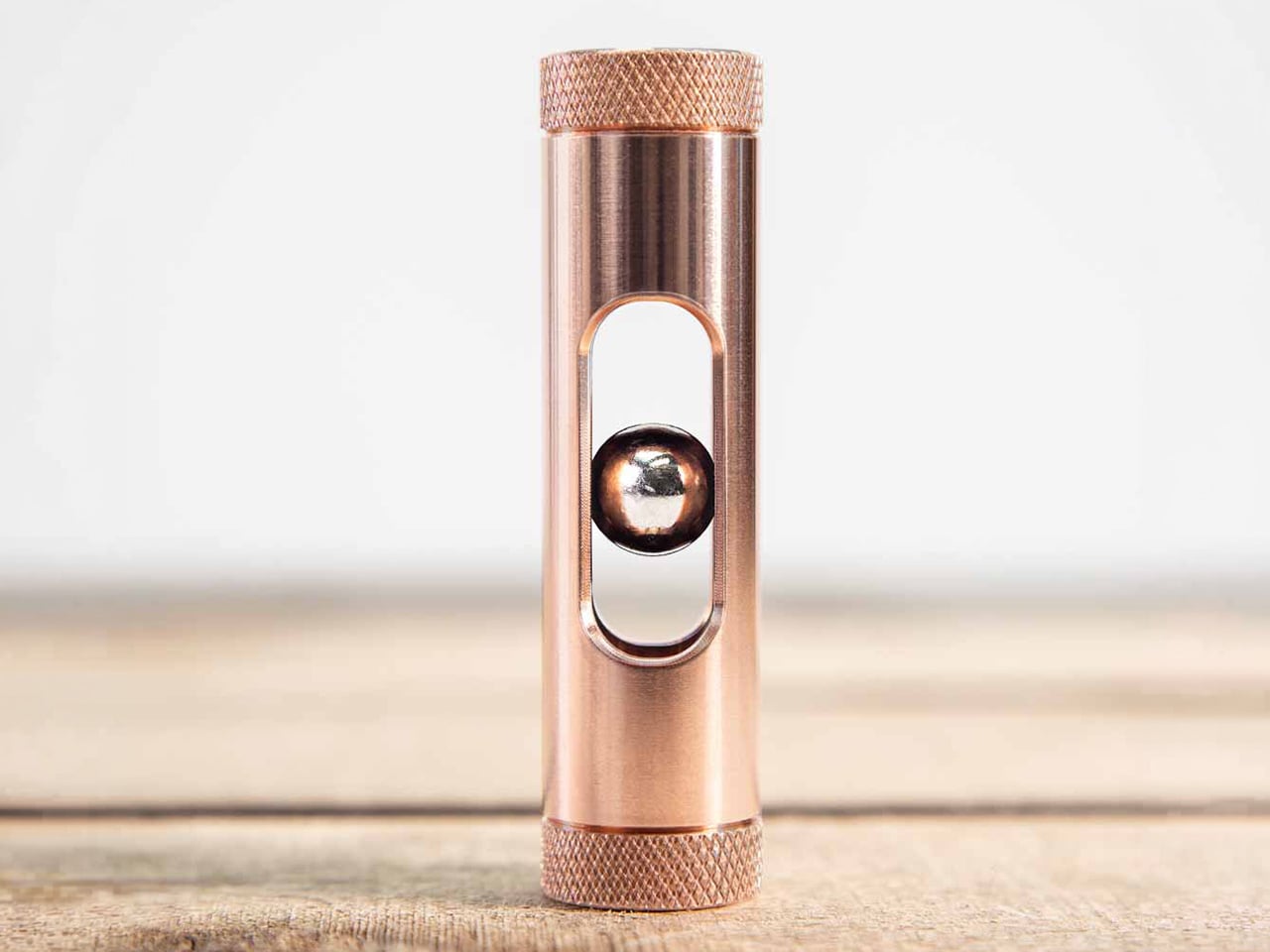
Watch a small metal ball drop through a tube, and normally that’s it; blink, and it’s over. But drop it through MetMo Eddy, and something strange happens: the fall stretches out, like gravity took a breath. This palm-sized copper cylinder is a precision-machined desk toy that turns a real electromagnetic effect into something you can hold, flip, and watch happen right in front of your eyes, no batteries required.
That slow-motion trick isn’t new; it’s just never looked this good on a desk. Back in 1855, physicist Léon Foucault noticed that moving a magnet near a conductive disc created currents that pushed back against the motion. He called them eddy currents, and engineers have used the same principle in brakes and sensors ever since. MetMo just gave it a much better home.
Here’s the simple version: as the magnet drops through the copper tube, it stirs up little loops of electrical current in the metal around it. Those currents create their own magnetic field, one that opposes the fall. Gravity is still very much in charge; it’s just arguing with physics on the way down. No motors, no gears, no hidden switches, just two materials doing what they’ve always done.
Copper does more than look good here, though it certainly does that too. It happens to be one of the most conductive non-magnetic metals around, which means it generates a stronger eddy current response than most alternatives could manage. That translates to a more pronounced, more watchable slowdown. It also happens to give Eddy that warm, rose-toned glow that looks better on a desk than aluminum or steel could.
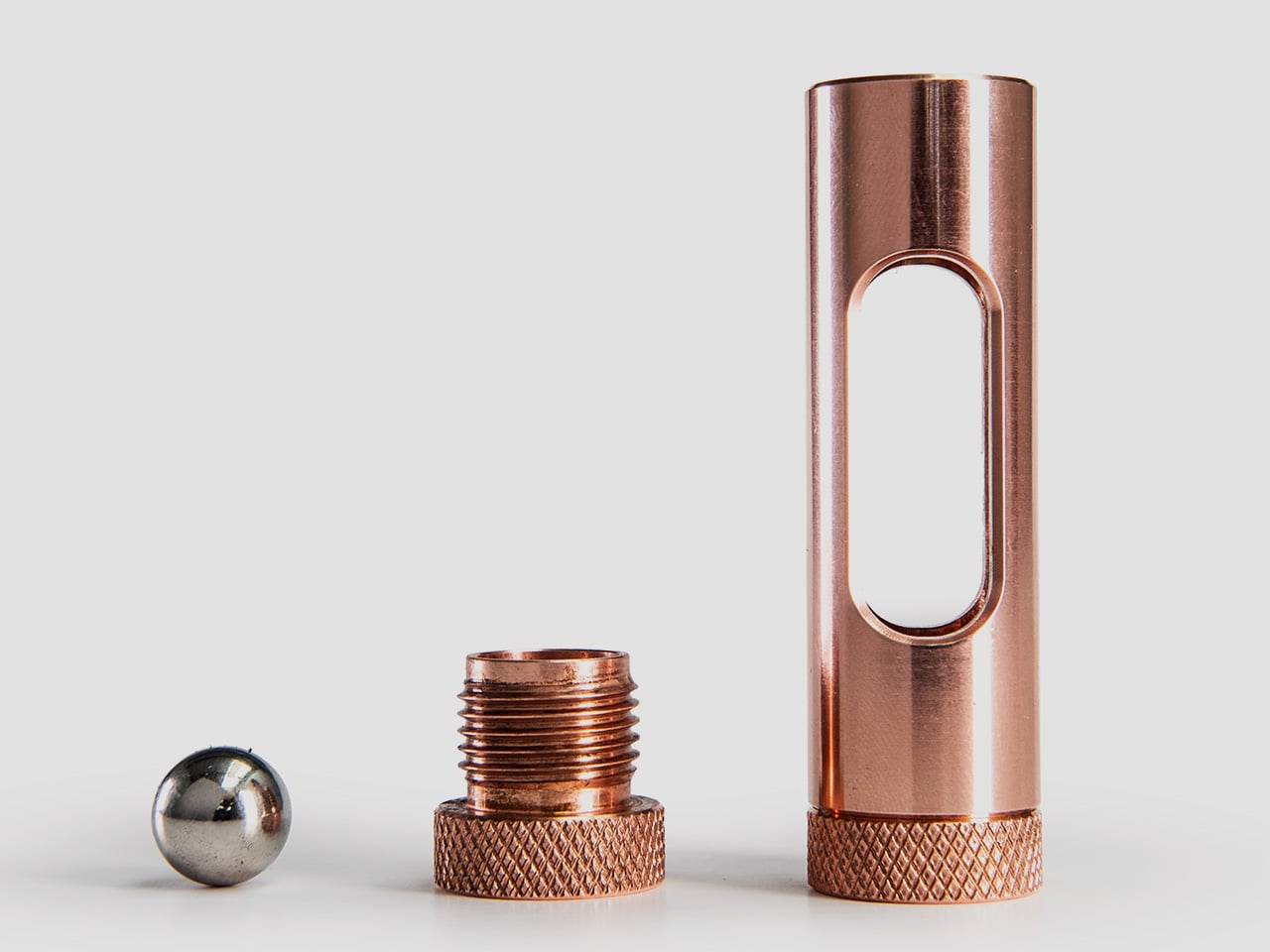
Every tube starts as a solid block of lead-free, ultra-high-purity copper before it’s CNC-machined to tolerances tight enough to bring the inner wall almost, but not quite, into contact with the magnetic sphere. That tiny gap matters: the closer the copper sits to the magnet, the stronger the eddy current effect, and the smoother the drop looks. Designed and finished by hand in the UK, the machining is the point.
Pick it up and the size makes sense immediately: just under 3 inches tall, less than an inch wide, and just 3 ounces, enough heft to feel substantial without weighing down a pocket. Knurled caps on both ends give your fingers something to grip, while the smooth, brushed middle section contrasts nicely against them. It’s the kind of detail that separates a toy from an object somebody actually designed.
A passivated surface finish keeps the copper looking freshly machined for longer, slowing down the natural oxidation that usually dulls exposed metal within weeks. Eddy will still age the way copper ages, gradually and with character, but it won’t need constant polishing to stay presentable on a desk. It’s a small, easy-to-miss detail, but it’s the sort of thing that tells you somebody thought this through past the prototype stage.
Maybe the most underrated part is that it makes zero noise. No click, no rattle, no thud when the magnet reaches the bottom, just silence. Flip it over, and the drop starts again, and before long that one-handed flip becomes a habit your fingers pick up between emails or during a call. It’s less a fidget toy and more a five-second reset button that happens to double as desk decor.
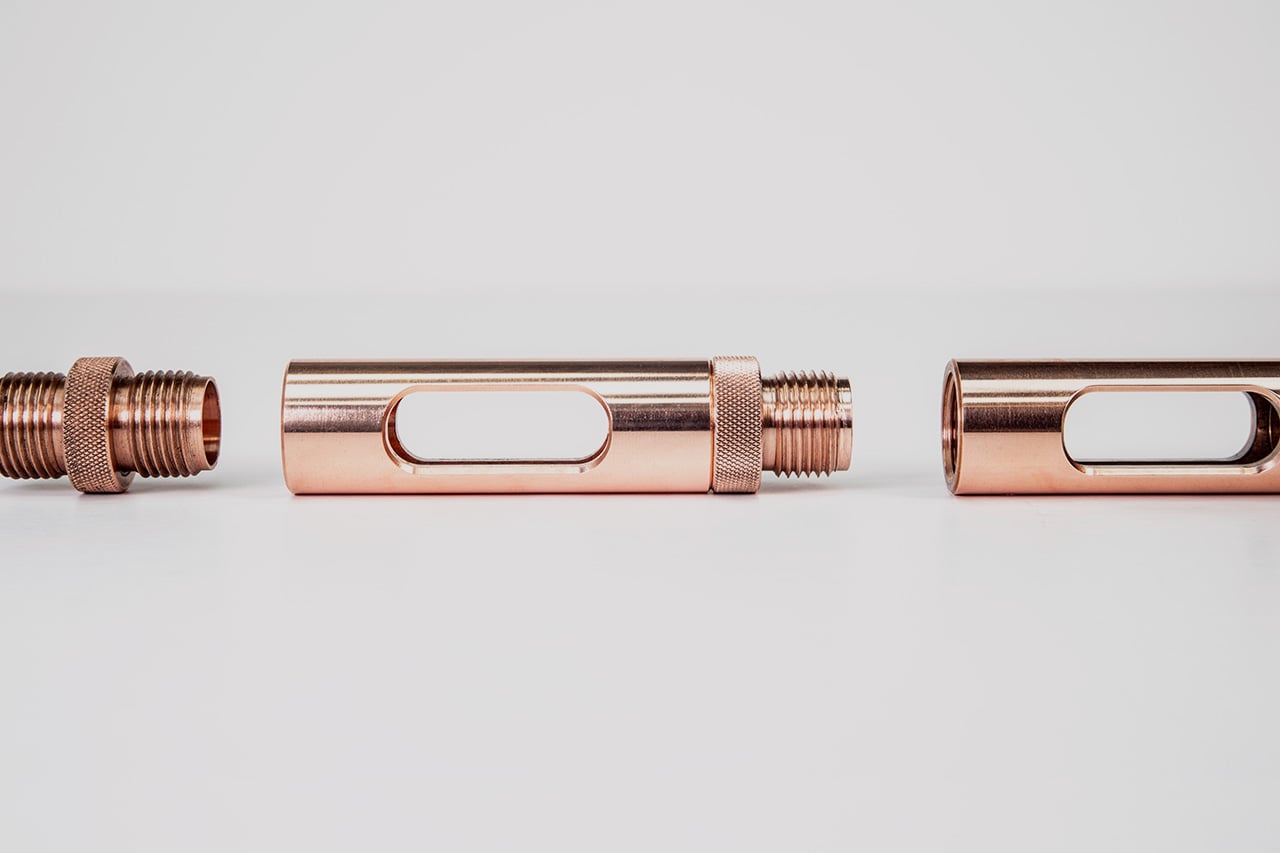
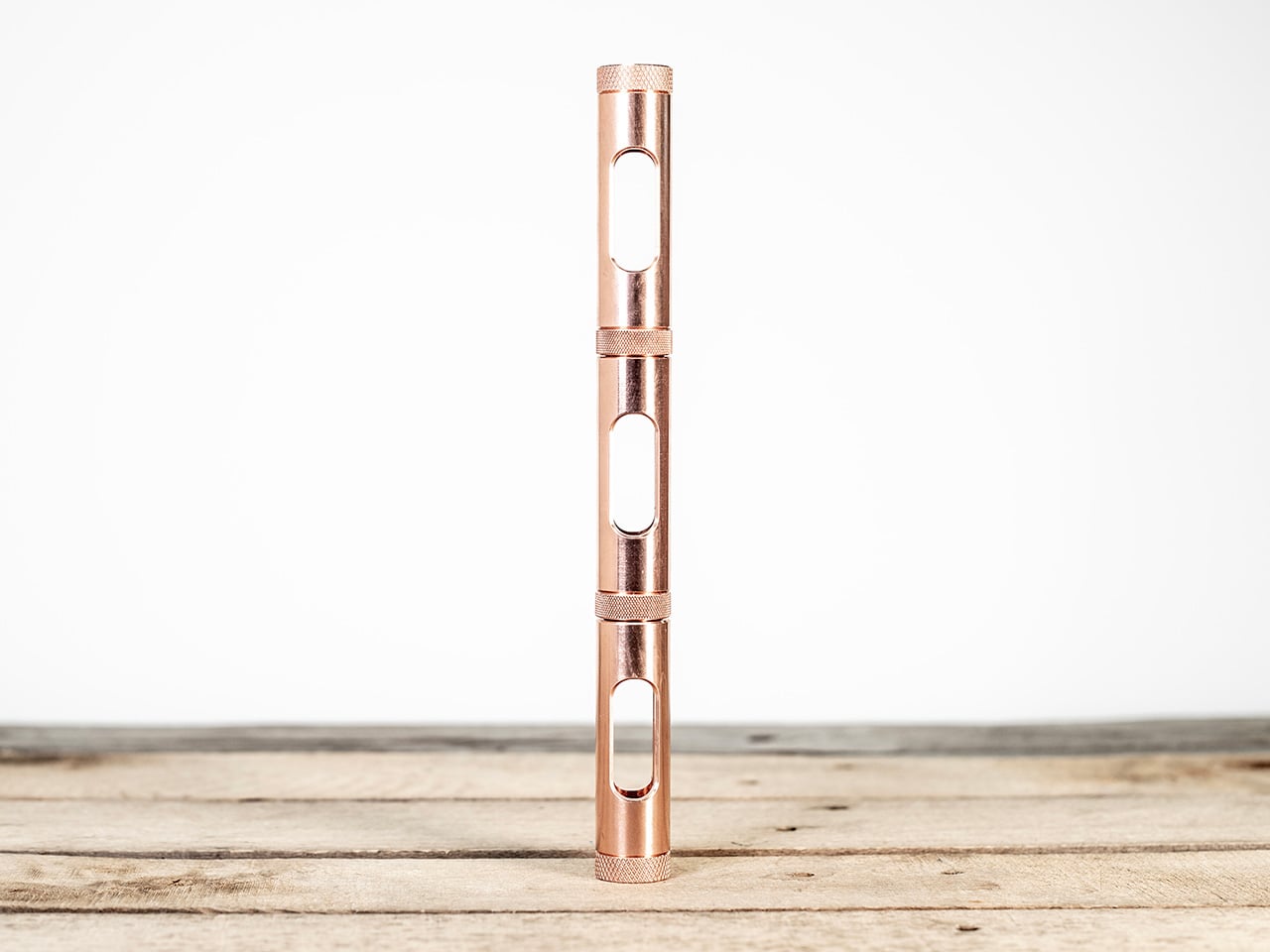
An elongated window cut into the tube lets you watch the magnet fall instead of guessing what’s happening inside, and that visibility is what makes the whole effect land. Unscrew either end cap, and there are a few different ways to drop and catch the ball. For a longer drop, a small coupling piece threads two tubes together end to end, without changing anything about how the effect works.
Some desk objects need explaining before anyone appreciates them. Eddy doesn’t. Hand it to someone, let them drop the magnet once, and watch their eyebrows go up when it takes way longer to fall than it should. That reaction doesn’t really wear off with repetition either, which says something about how good the underlying idea is, dressed up in copper and finished by hand.
Despite what showroom demos suggest, nobody actually watches TV in a blacked-out room with the blinds drawn. Real living rooms have windows, afternoon sun, and someone walking in front of the screen mid-game. The Hisense U7SG seems to understand that, building its picture quality around the messy, bright rooms people actually watch in, not the dark theater fantasy TVs are usually sold on.
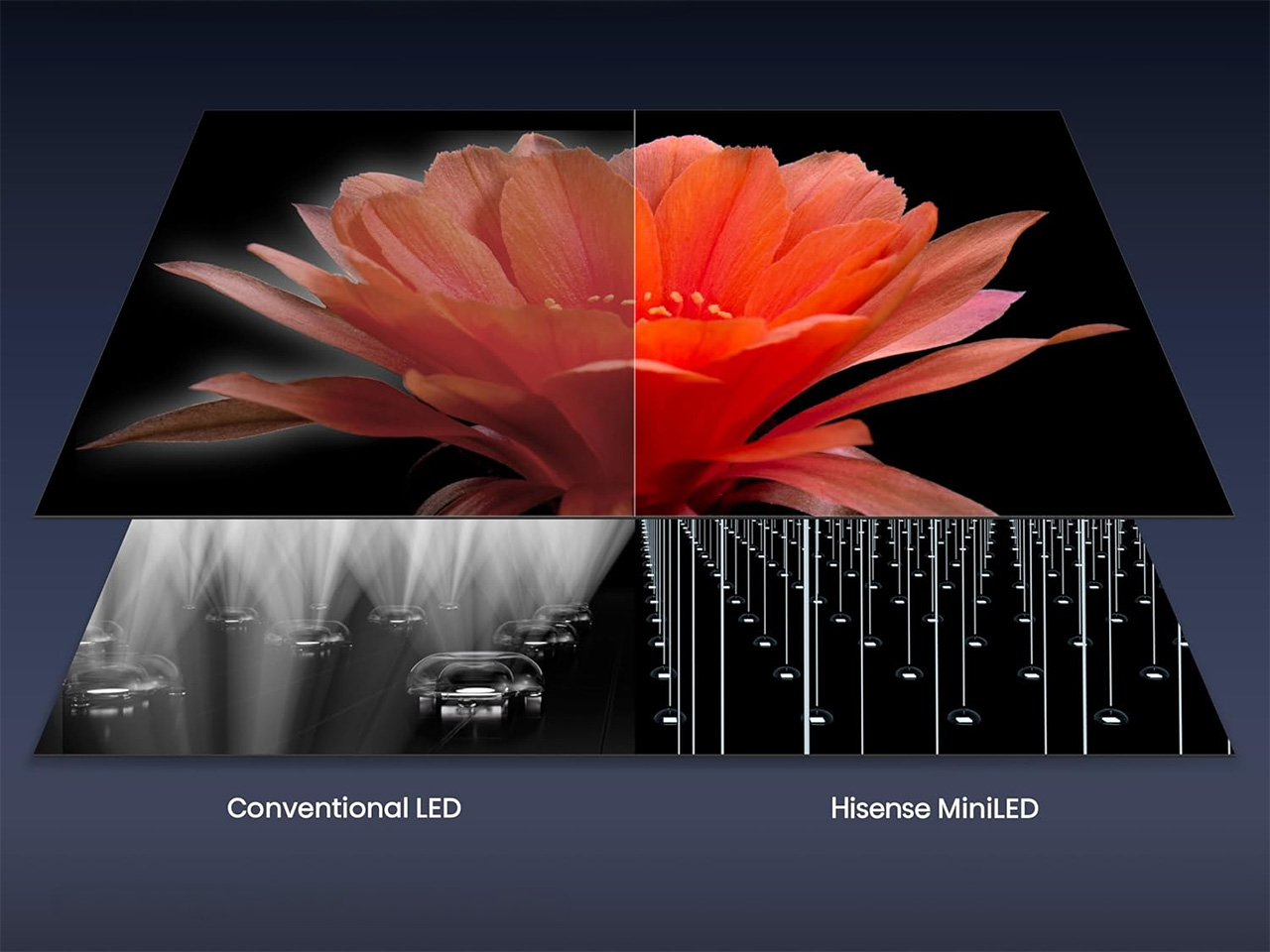
That starts with the panel itself. Thousands of MiniLEDs pack behind the screen, each one controlled with enough precision that bright highlights and deep blacks sit right next to each other without either blowing out. Hisense calls it MiniLED Pro with Full Array Local Dimming, but what it means is a sunset scene doesn’t wash out and a night scene doesn’t turn into a gray, murky mess.
None of that matters much if the picture disappears under glare the moment the sun hits the window, which is where the anti-reflection layer earns its keep. Hisense uses a dual-layer screen treatment that goes further than the usual single-layer coating most TVs rely on, so afternoon light, overhead fixtures, and that one lamp nobody turns off stop being the enemy of a clear picture.
Motion is where a lot of TVs quietly fall apart once a game picks up speed. A native 165Hz refresh rate paired with Hisense’s own motion processing keeps fast breaks, corner kicks, and quick camera pans from turning into smeared pixels. It’s a small thing until you notice its absence, the kind of detail that only becomes obvious once a cheaper TV can’t keep up.
Gamers get their own reason to care. Game Booster 330 uses HSR technology to push refresh rates up to 330Hz VRR for smoother motion and less input lag, and the on-screen Game Bar lets you check FPS, VRR, and HDR settings without pausing whatever you’re playing. Four HDMI 2.1 ports also mean nobody argues over which console gets the good input, since all four handle 4K at 165Hz.
Color gets the same careful treatment. Hisense’s Hi-QLED panel is Pantone validated, which sounds like a checkbox until you notice how natural team uniforms, grass, and skin tones actually look instead of oversaturated. Add support for Dolby Vision, HDR10+, and IMAX Enhanced, and the U7SG stops caring what format your content showed up in. It just plays it, accurately, without asking you to think about it.
Sound tends to be an afterthought on most TVs, but not here. A 2.1.2 multi-channel setup tuned by Devialet pushes up to 60W across the room, with Dolby Atmos adding height overhead. Dialogue stays clear over crowd noise, commentary carries over stadium chatter, and reaching for a soundbar remote doesn’t feel as urgent as it usually would on a new television.
Google TV runs the show on the software side, now with Gemini built in for conversational searches instead of typing clumsy keyword strings. Ask it what to watch, and it pulls from more than 10,000 apps, or describe a vague mood and let it figure out the rest. It also answers questions on sports, cooking, or travel, a strange but welcome bonus for a television.
The U7SG also comes in sizes ranging from 55 inches up to 116 inches, which changes what the TV is for. A smaller set fits quietly into an apartment, but the larger ones turn into the obvious gathering point for a watch party or a family movie night, with a screen big enough that everyone feels like they got the good seat.
There was a time when getting all of this in one TV meant paying flagship prices for it. Hisense has spent the last few years chipping away at that assumption, one MiniLED generation at a time, and the U7SG is what that effort looks like now: a set that doesn’t force a choice between how bright your room gets and how good the picture looks in it.
Every fall, the same ritual plays out in backyards across the country. Someone drags out the fire pit, gets the flames going, and within twenty minutes the whole group has rearranged their chairs at least three times, all chasing the same goal: getting away from the smoke. It’s such a normal part of fire pit ownership that most people just accept it as the cost of doing business. You want warmth and ambiance, you pay for it with watery eyes and a jacket that smells like a campfire for the next two days.
That’s the actual problem the AirFlow 8-Panel Fire Pit is built to solve. Smoke isn’t some unavoidable side effect of burning wood outdoors. It’s mostly a sign that the wood isn’t burning completely, and Sanyo Works, the Japanese company behind this design, spent decades in metal processing before deciding to fix that at the source instead of asking people to just deal with it.
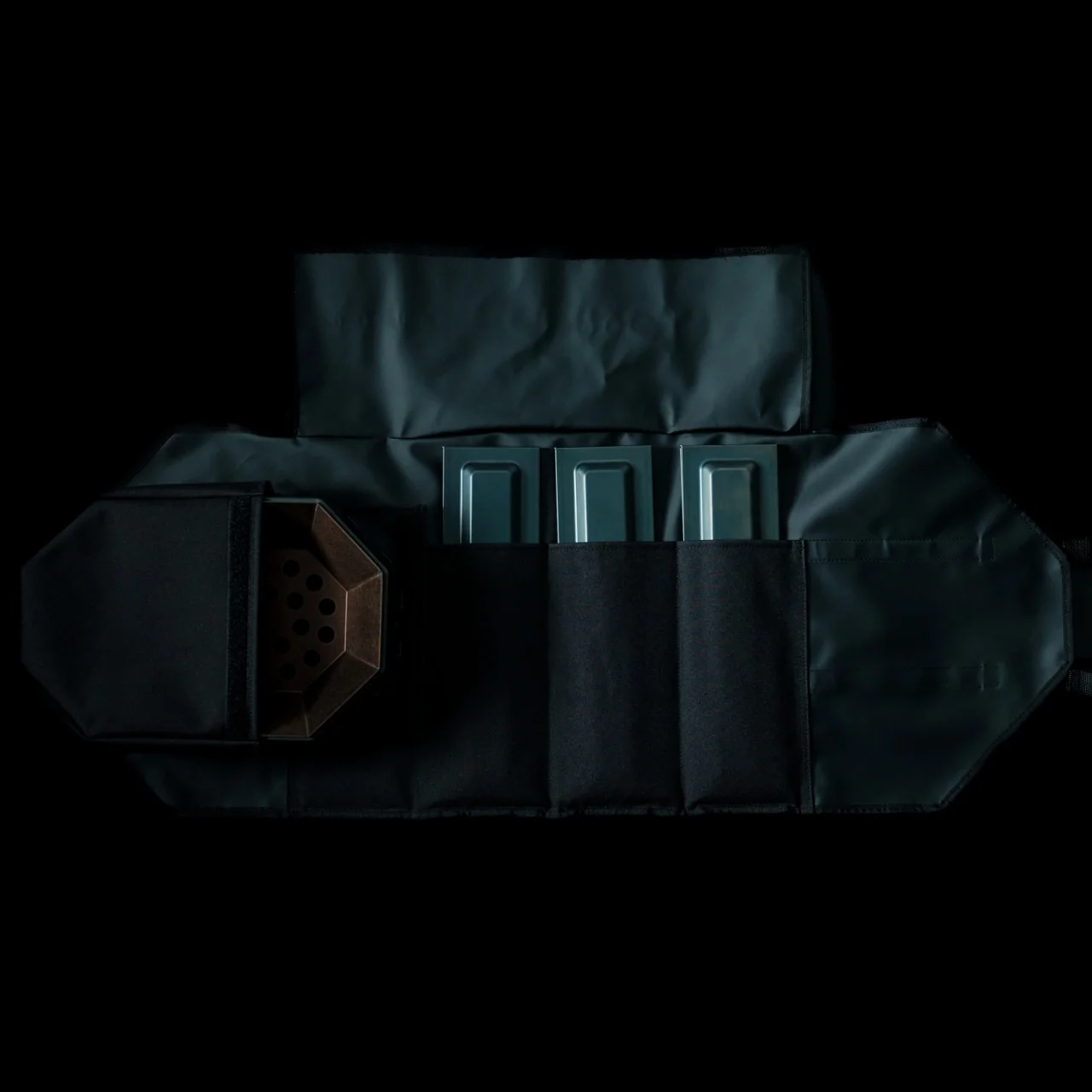
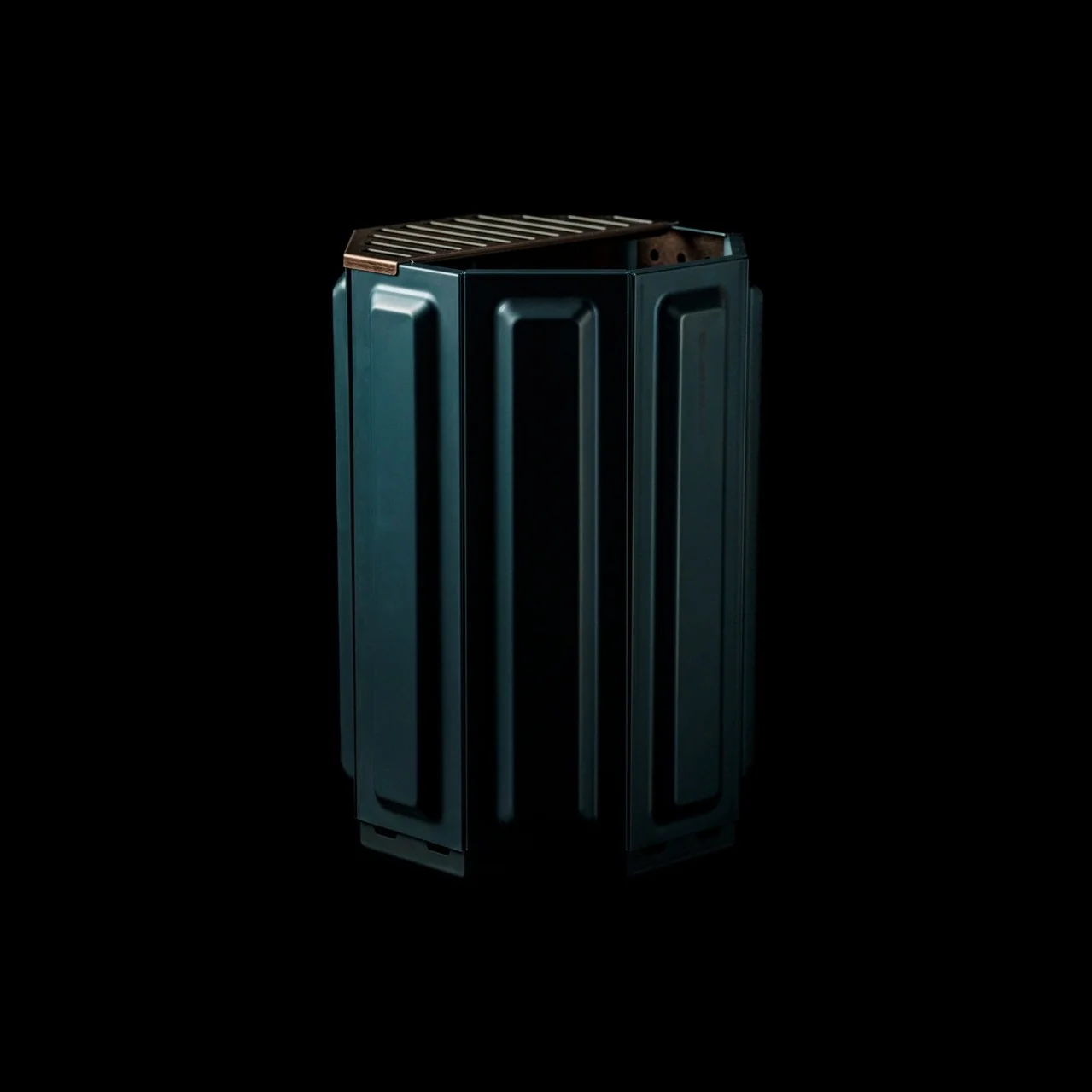
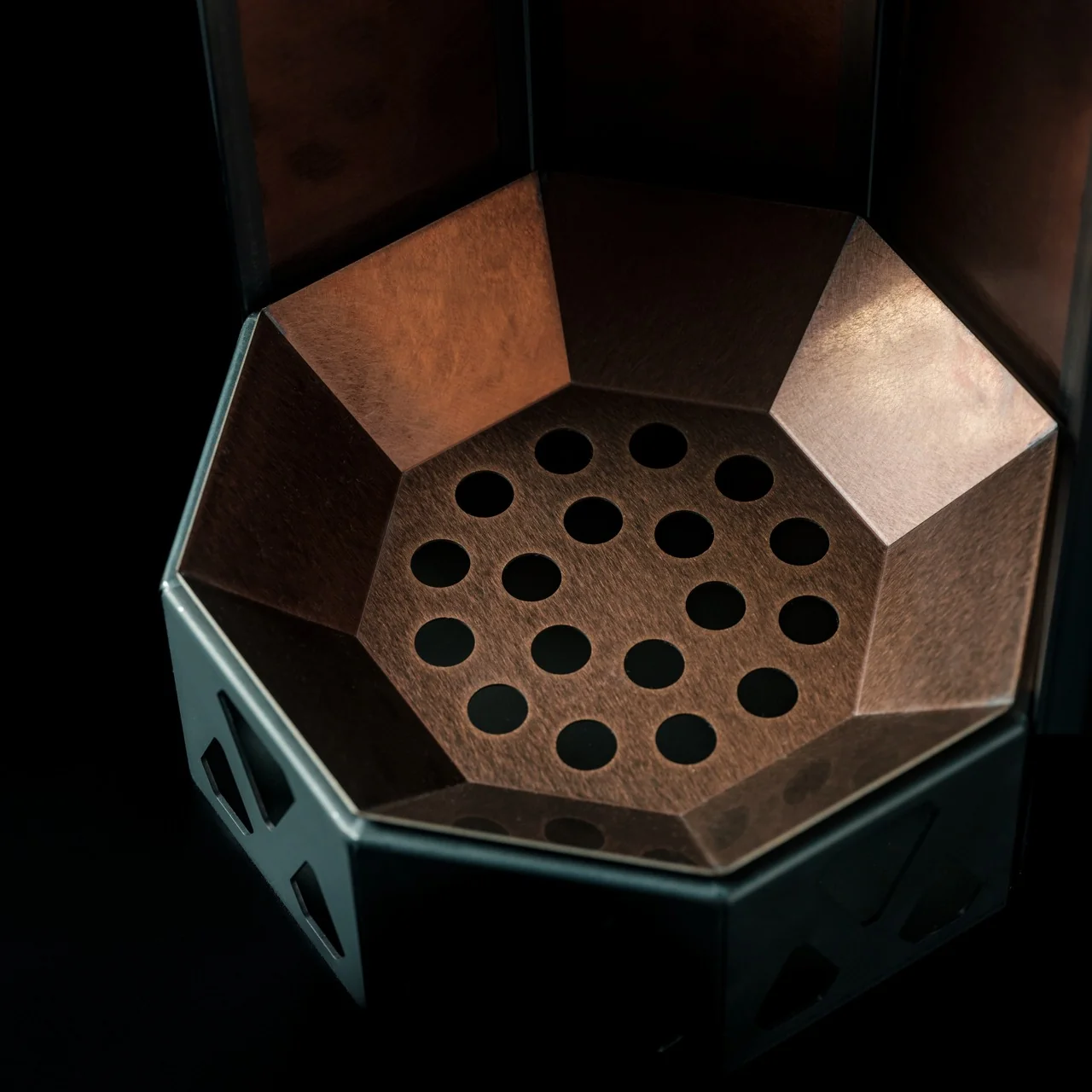
The engineering here is simple once you understand it, even if the payoff feels like magic in practice. Eight removable panels lock together into an octagonal cylinder, and each panel has holes at the base that feed fresh air straight to the wood for primary combustion. That’s step one, and it’s not particularly novel on its own. What makes this pit different is what happens next. The heated air doesn’t just disappear. It rises through a double walled cavity and exits through vents near the top, where it reignites gases that would normally just float away as smoke. That second burn is called secondary combustion, and it’s the reason a Yanko Design review of this exact pit called the smoke reduction “physics, not a marketing claim.” I appreciate that framing, because it’s easy for outdoor gear to lean on vague promises. This one has a mechanical reason for working the way it does.
I’ll admit the modular panel system is what actually sold me on this thing as a design object, separate from the smoke science. You can pull one or two panels off mid-evening and change how the fire breathes entirely. Want a roaring blaze while you’re cooking dinner? Leave it fully assembled. Want something calmer for the part of the night where everyone’s just talking and the temperature has dropped? Pull a panel and let it settle. Most fire pits give you one setting, and you either build a bigger fire or a smaller one and hope for the best. This one lets you adjust the actual airflow, which feels less like a workaround and more like the product was designed by people who understood fire before they started welding steel.
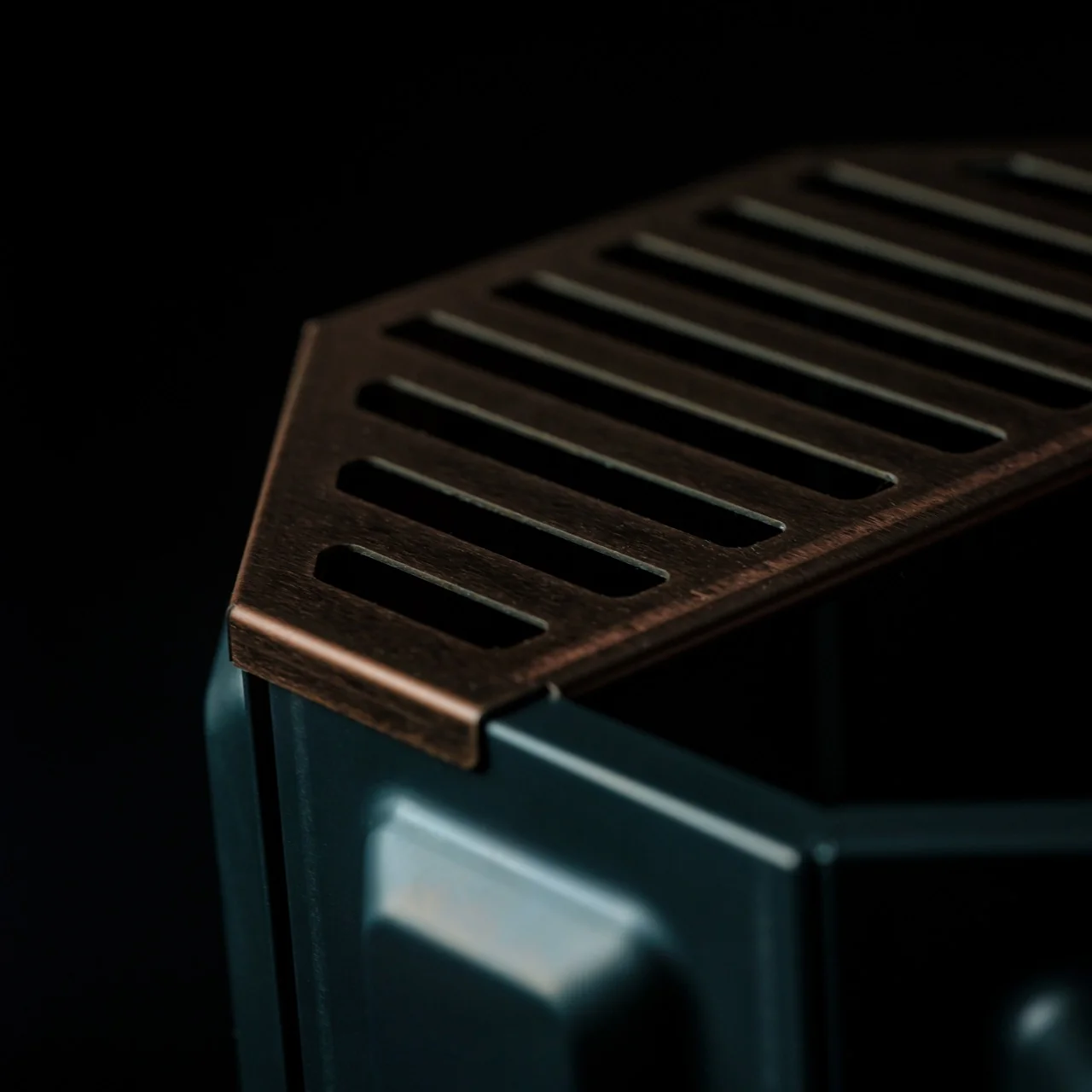
The materials back that up too. The interior uses corrosion resistant stainless steel that’s meant to age into a natural patina rather than just rust out and get replaced, while the exterior panels are built to take the abuse a real campsite delivers. There’s a grill grate attachment included as well, which turns the whole setup into a cooking platform without messing with the airflow logic that makes the pit work in the first place. Ash falls and collects at the bottom, so cleanup is mostly a matter of dumping it out rather than scraping char off a grate.
None of this matters much in July, but fall is exactly when a fire pit stops being a novelty and starts being the actual center of gravity for a backyard. Evenings get dark earlier, the air turns crisp enough that people actually want to stand near a flame, and suddenly the fire pit you own either makes those nights better or gives everyone a reason to go back inside. At $325, this one isn’t an impulse buy, but it’s priced like something meant to be a long term fixture rather than a seasonal throwaway.
What I keep landing on is that good outdoor design usually solves a problem people stopped noticing because they’d just gotten used to it. Nobody wakes up thinking their fire pit smokes too much, they just accept it as part of the deal. The AirFlow 8-Panel Fire Pit quietly argues that they shouldn’t have to.
Nobody really chooses a pen. They use whatever is closest and hasn’t run dry. Most of us spend more time optimizing digital workflows than we do choosing the notebook we reach for every morning. These five picks are for people who think that choice is worth making, and worth making well.
What this list gets right is range. Two pens approach the act of writing from completely different angles: one that never runs out, one you will always be able to find. Two notebooks built with the kind of paper that makes you slow down and pay attention. And one that earns its place by being worth looking at before you even pick it up, which turns out to be a more effective writing habit than any reminder app has ever managed to build.
1. Inseparable Notebook Pen
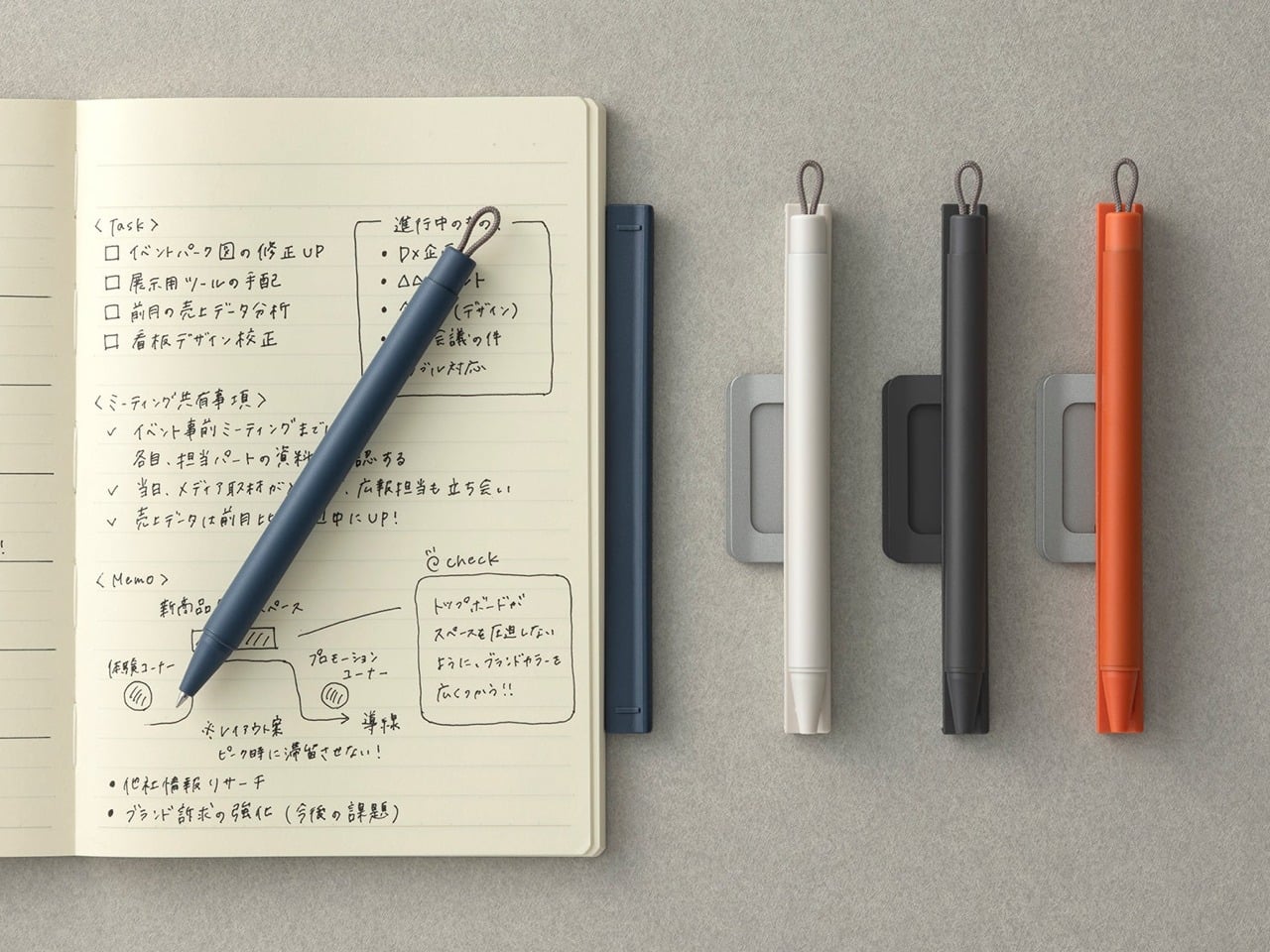
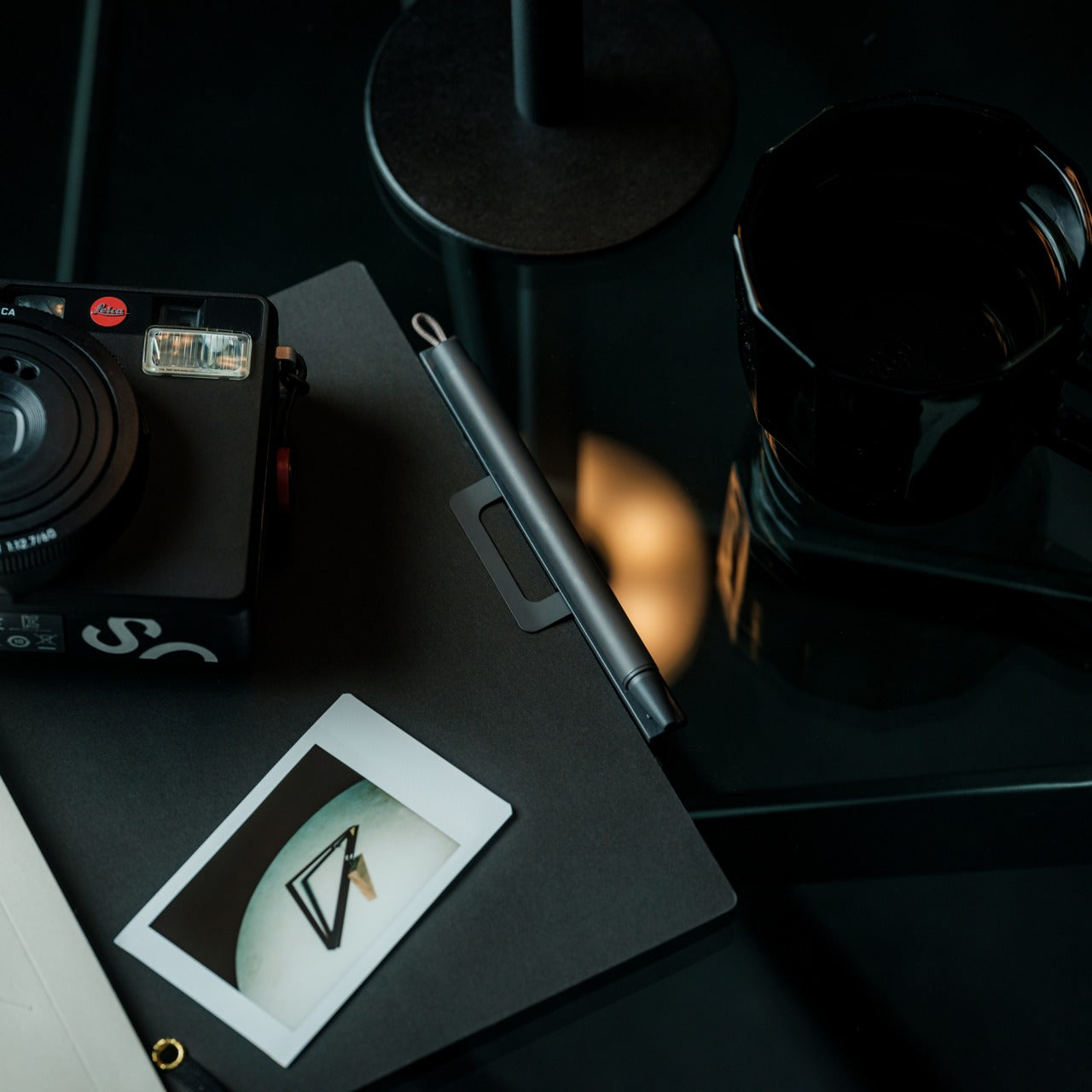
The oldest handwriting problem is not finding the right pen. The pen is never where the notebook is. You find one, lose the other, and the moment passes. The Inseparable Notebook Pen solves that specific frustration by clipping directly to your notebook and staying there. At $19.95, it is the kind of fix that sounds almost too simple until you realize how often a missing pen is the only thing standing between you and actually writing something down.
The benefit here is behavioral, not aesthetic. When the pen lives on the notebook, you stop negotiating with friction. You pick up the notebook; you have a pen. That sounds obvious, but most stationery objects are sold as experiences, and this one is sold as a solution. It is the rare writing tool that is entirely about removing the obstacle rather than deepening the ritual, and at this price point, that clarity of purpose is genuinely hard to argue against.
Eliminates the one friction point that breaks most analog writing habits
The $20 price makes it a commitment with no real downside
What we dislike:
The pen stays with the notebook, so you cannot reach for it independently when you need a quick signature elsewhere
Both always travel as a pair, which adds a little bulk to the stack
2. MD Notebook A5
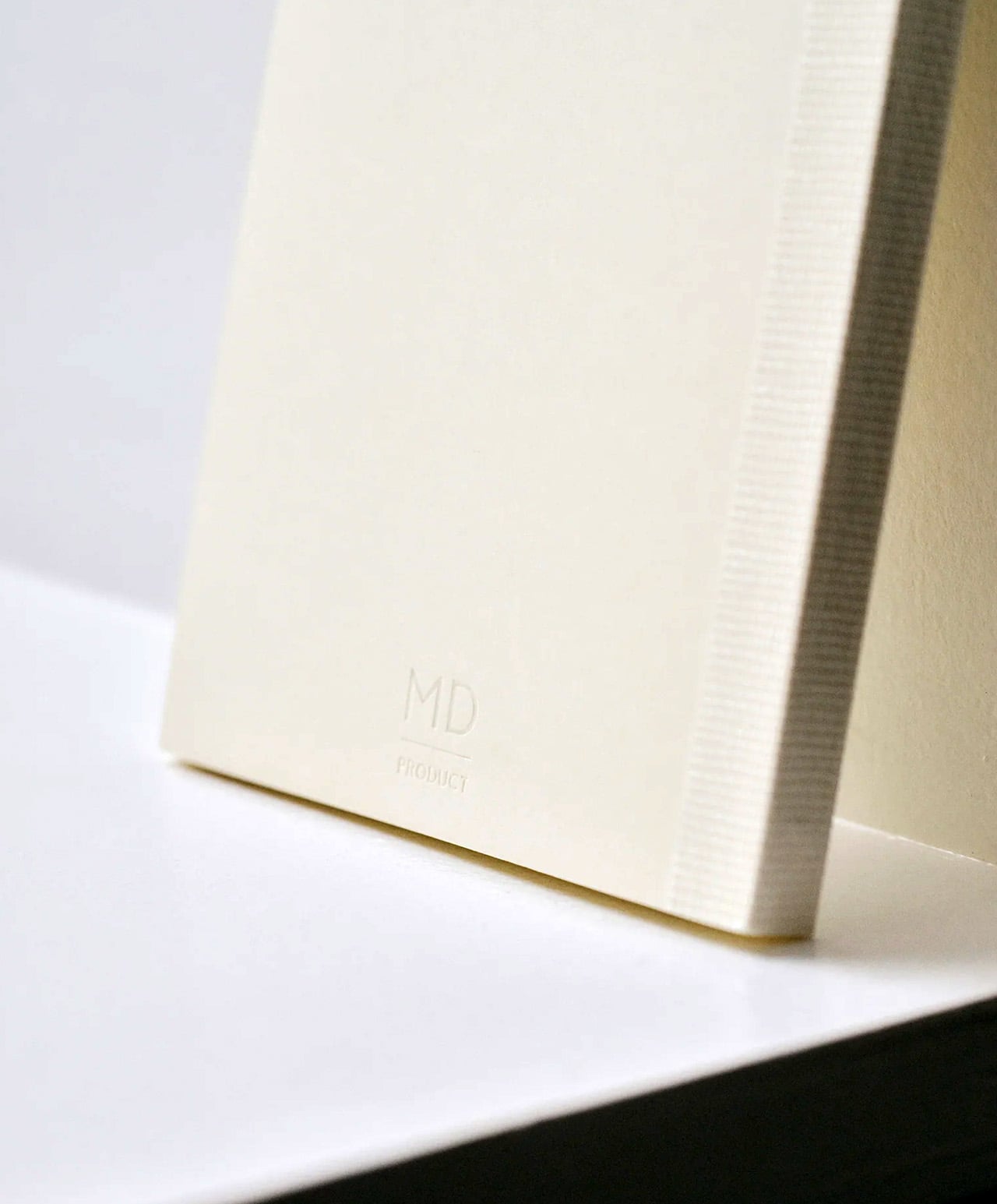
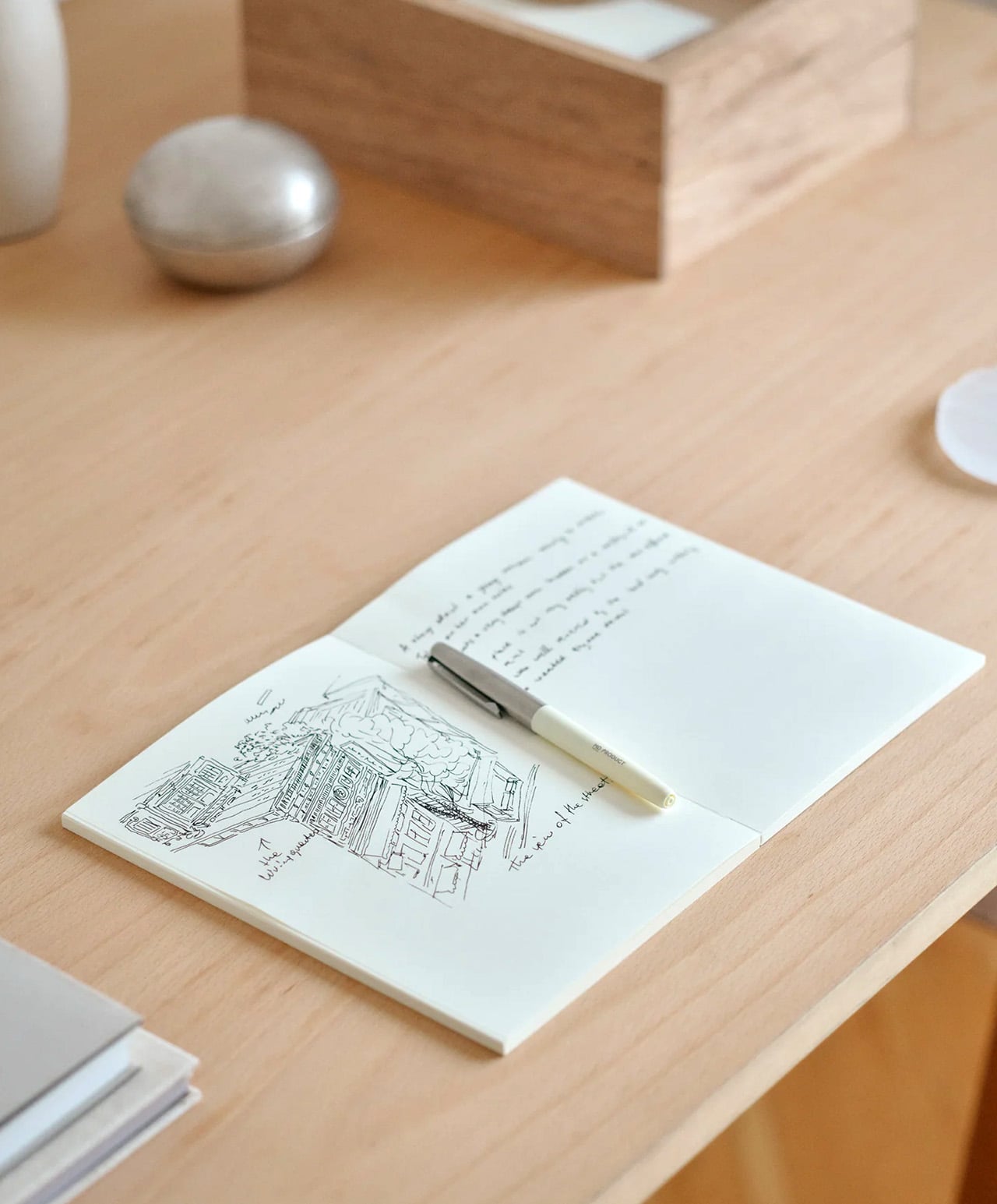
Japan’s MD PRODUCT has been refining this notebook’s paper since the 1960s. What they arrived at is MD PAPER: a cream-colored, 80g/m² sheet that handles fountain pens, ballpoints, and light watercolor washes without bleed-through. The A5 holds 176 pages, uses a thread-stitched binding that opens completely flat at 180 degrees, and comes wrapped in glassine paper reminiscent of an old paperback jacket. Four layouts are available: blank, lined at 7mm, grid at 5mm, and dot grid at 5mm.
What makes the MD Notebook A5 worth having on your desk is not any single feature but the way those features cooperate. The lay-flat binding means you never lose writing space to the gutter. The cream paper gives your handwriting a warmth that bright white pages simply do not. At around $14.40, it is the kind of notebook that makes the act of writing feel considered without asking you to spend as if it is. Once filled, it shelves alongside books in a way that genuinely feels earned.
What we like:
Thread-stitched binding opens completely flat from the first page to the last
MD PAPER handles fountain pens without bleed-through and is smooth enough to feel like writing on proper stationery
What we dislike:
The plain cover has no pen loop or elastic closure, so a separate cover purchase is effectively required for everyday bag use
The glassine jacket, while beautiful, tears easily with regular handling
3. Pininfarina Aero Ethergraf
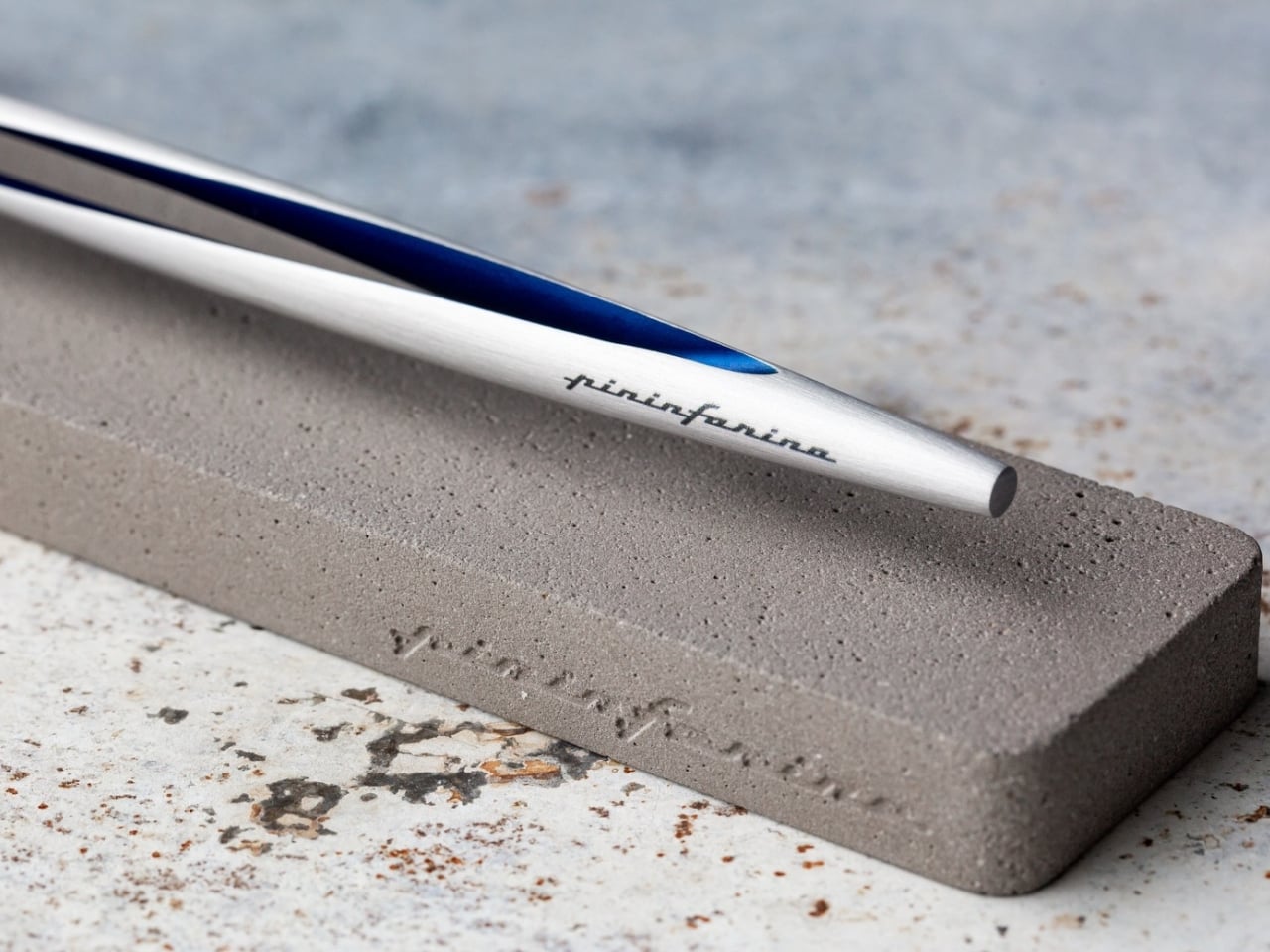
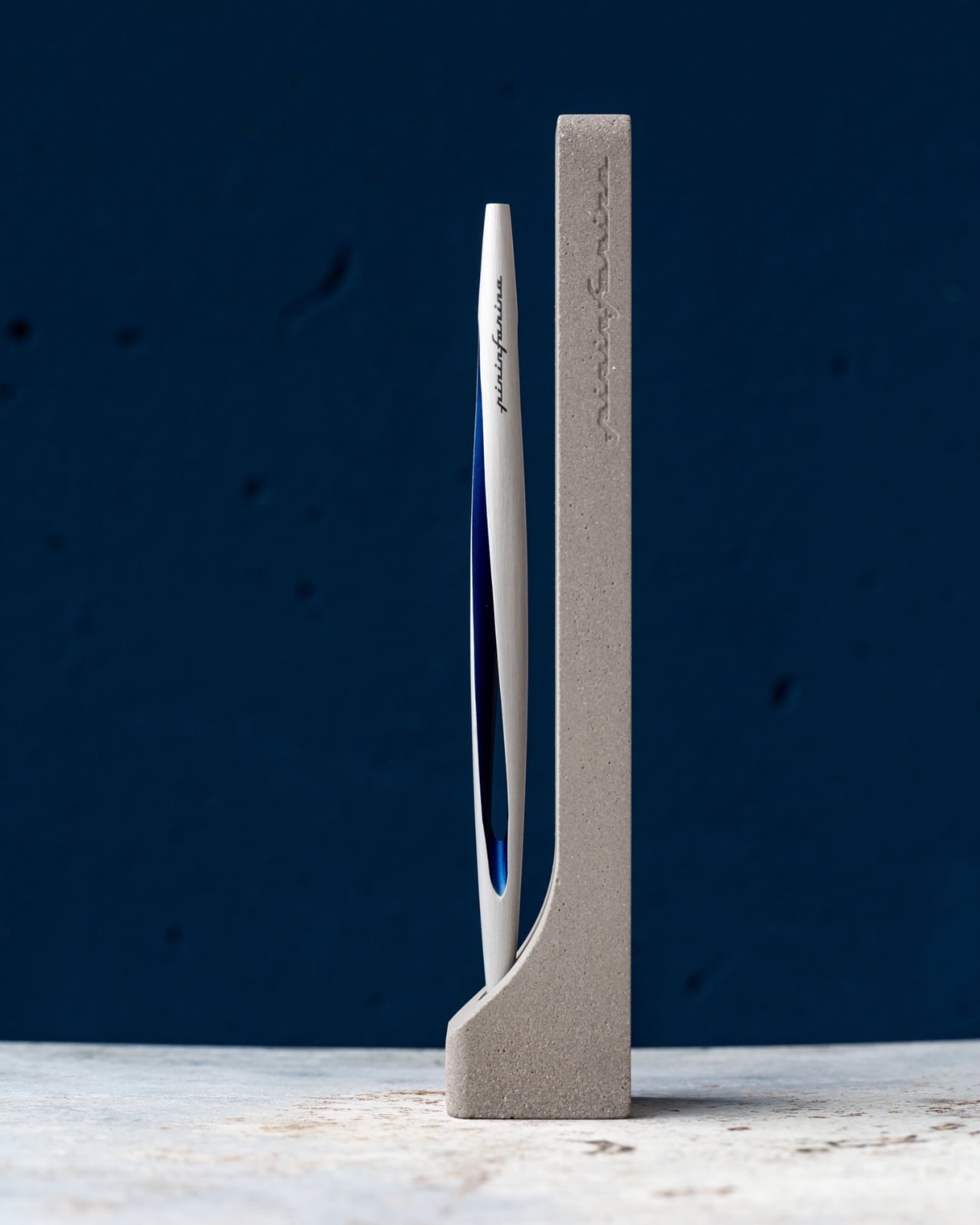
Pininfarina is the Italian studio behind some of the most iconic automotive silhouettes ever drawn, including decades of Ferrari and Maserati bodies. The Aero Ethergraf takes that same line-first design sensibility and applies it to something you hold between two fingers. Made from aerospace-grade aluminum at 17 grams and 160mm long, it uses a nib made from Ethergraf, a patented metallic alloy that deposits graphite-like marks on paper without a single drop of ink, and those marks can be erased just like a pencil stroke.
The practical benefit is that you never replace a cartridge, never run out mid-thought, and never throw it away. It is a pen designed to outlast the habits built around it. The marks it leaves look like hard-pencil strokes: precise, erasable, and permanent enough to matter on the page. Handcrafted in Italy and built to last without any maintenance, it makes a quiet argument for choosing objects with intention. If you are deliberate about what sits on your desk, this is the pen that earns that deliberateness back.
What we like:
No ink, no cartridges, no refills ever required
Made in Italy by a design house with one of the strongest aesthetic track records in the world
What we dislike:
The Ethergraf line is notably lighter in tone than a standard ink pen, which takes real adjustment for anyone used to bold ballpoint or gel line weights
The marks can smudge on smooth paper surfaces more readily than ink
4. Field Notes Paletas
Field Notes has always made notebooks that disappear into a back pocket and get used. The Paletas edition keeps that utility and adds something unexpected: covers finished with a combination of shiny gloss and frosty matte varnish designed to look like frozen paleta bars. Each pack contains three notebooks across three flavor collections totaling nine varieties. Inside, 48 pages of cream-colored dot-grid paper printed with soy-based inks, and a backing card illustration by artist Atlan Arceo-Witzl.
The combination of gloss and matte on the cover catches light differently depending on the angle, making it the kind of object people pick up off your desk to examine. That shift in attention is a different kind of motivation to write. The dot-grid interior works equally well for notes, sketching, and layout planning. For Field Notes subscribers, the full set of all nine flavors arrives together, which is the way to own this collection.
What we like:
The cover treatment is genuinely beautiful without tipping into novelty for its own sake
Soy-based inks and the Arceo-Witzl backing illustration show real production care at this price point
What we dislike:
48 pages fill faster than most notebook users expect, especially if you write long-form or sketch regularly
The limited-edition run means restocking is not guaranteed once a flavor sells through
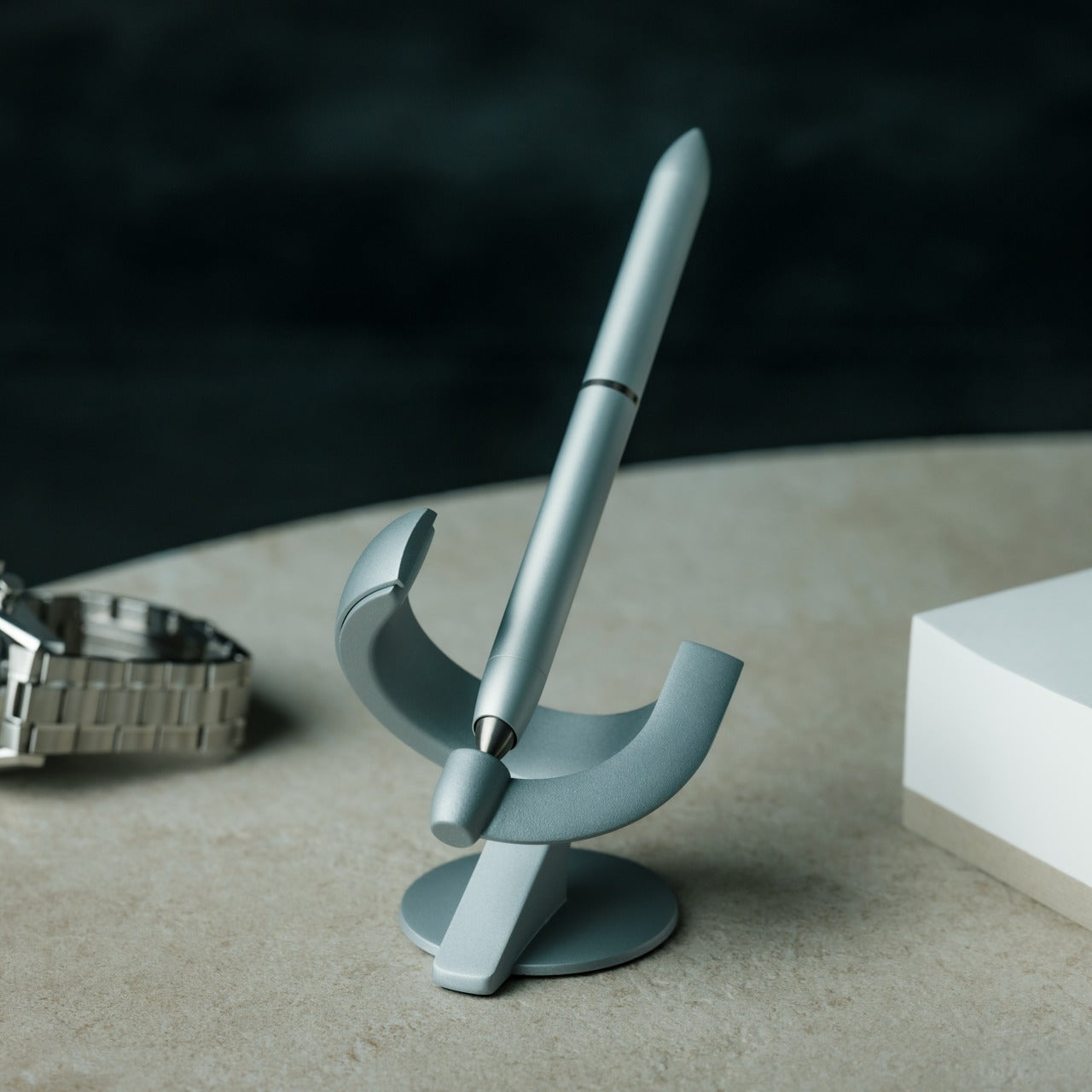
5. Levitating Pen 3.0
The Levitating Pen 3.0 is the third iteration of a genuinely unusual idea: remove the pen from the desk surface entirely. Using magnetic suspension, it hovers above its base, turning a writing instrument into the kind of desk object that earns a second look from everyone who encounters it. What makes this more than a novelty is that the levitation creates a deliberate pause. You reach for it consciously, and that shift in intention has a way of carrying through to what you put on the page.
That is the real case for it as a writing tool rather than just a desk sculpture. The act of returning the pen to its hover after a writing session closes the moment in a way that clicking a ballpoint cap or capping a marker never quite does. The third generation builds on the concept with the confidence of an idea that has had the time to understand what it is. If any item on this list earns its place by making you genuinely want to sit down and write, it is this one.
The magnetic suspension makes it the most visually distinctive object on any desk
The hover-and-retrieve motion builds a writing ritual that is hard to replicate with any other pen
What we dislike:
The levitation base is not travel-friendly, so this works as a desk pen only
The spectacle of the mechanism risks making it more of a conversation piece than a working writing instrument for some users
The Best Writing Tools Are the Ones You Actually Use
The case for handwriting has never really been about nostalgia. It is about attention. When you slow down to write by hand, you process differently, choose words more carefully, and produce something that carries the physical evidence of the thought behind it. These five tools are not trying to replace the keyboard. They are trying to make the moments when you choose not to use it feel like they actually matter.
What they share is a design conviction: that the quality of what you write with shapes the quality of how you write. A notebook that opens flat, a pen that never runs out, a cover that catches light, a clip that keeps both together, a hover that makes picking up the pen feel worth doing. None of these are essential features. All of them are reasons to close the laptop and start a page.
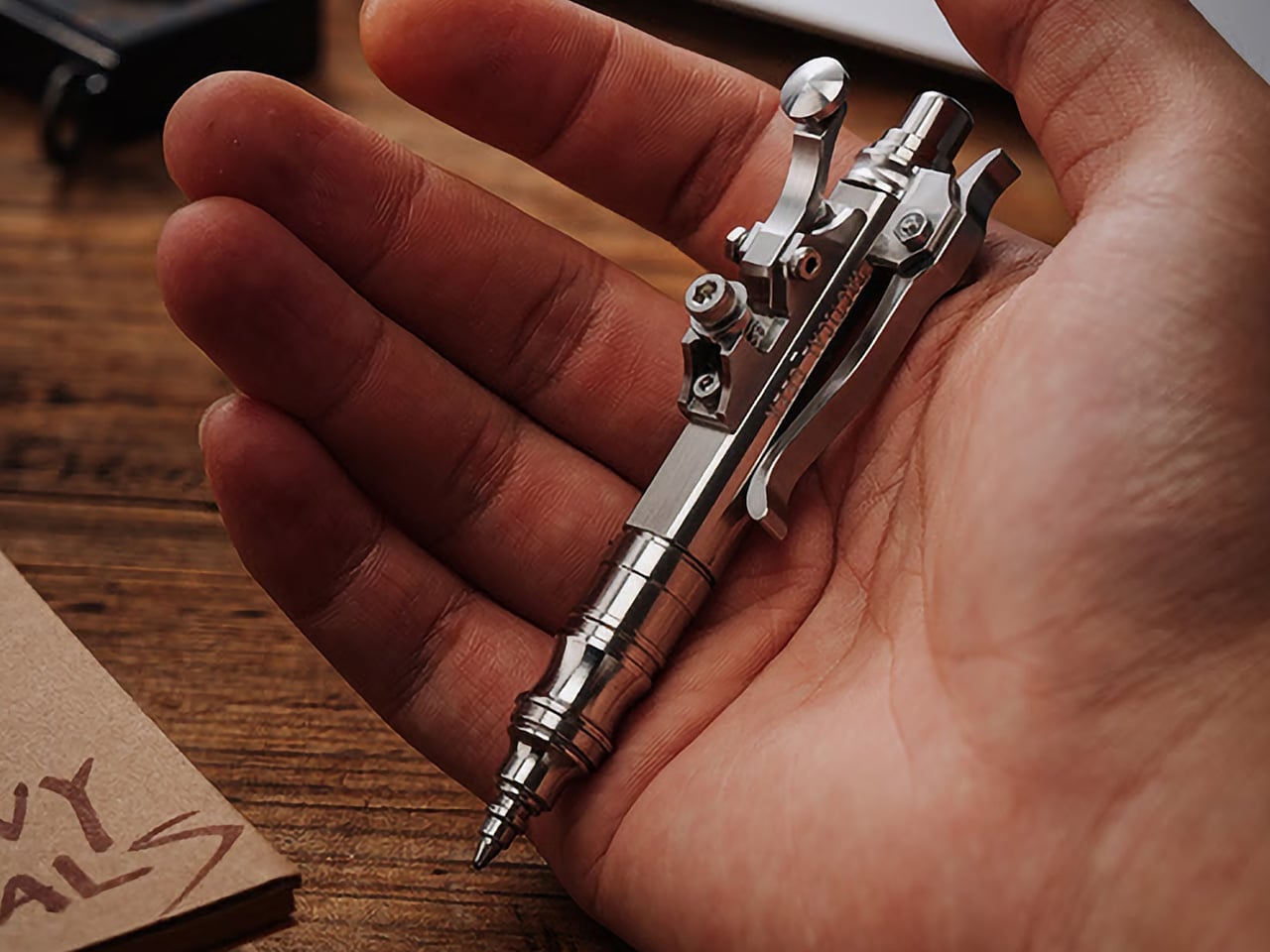
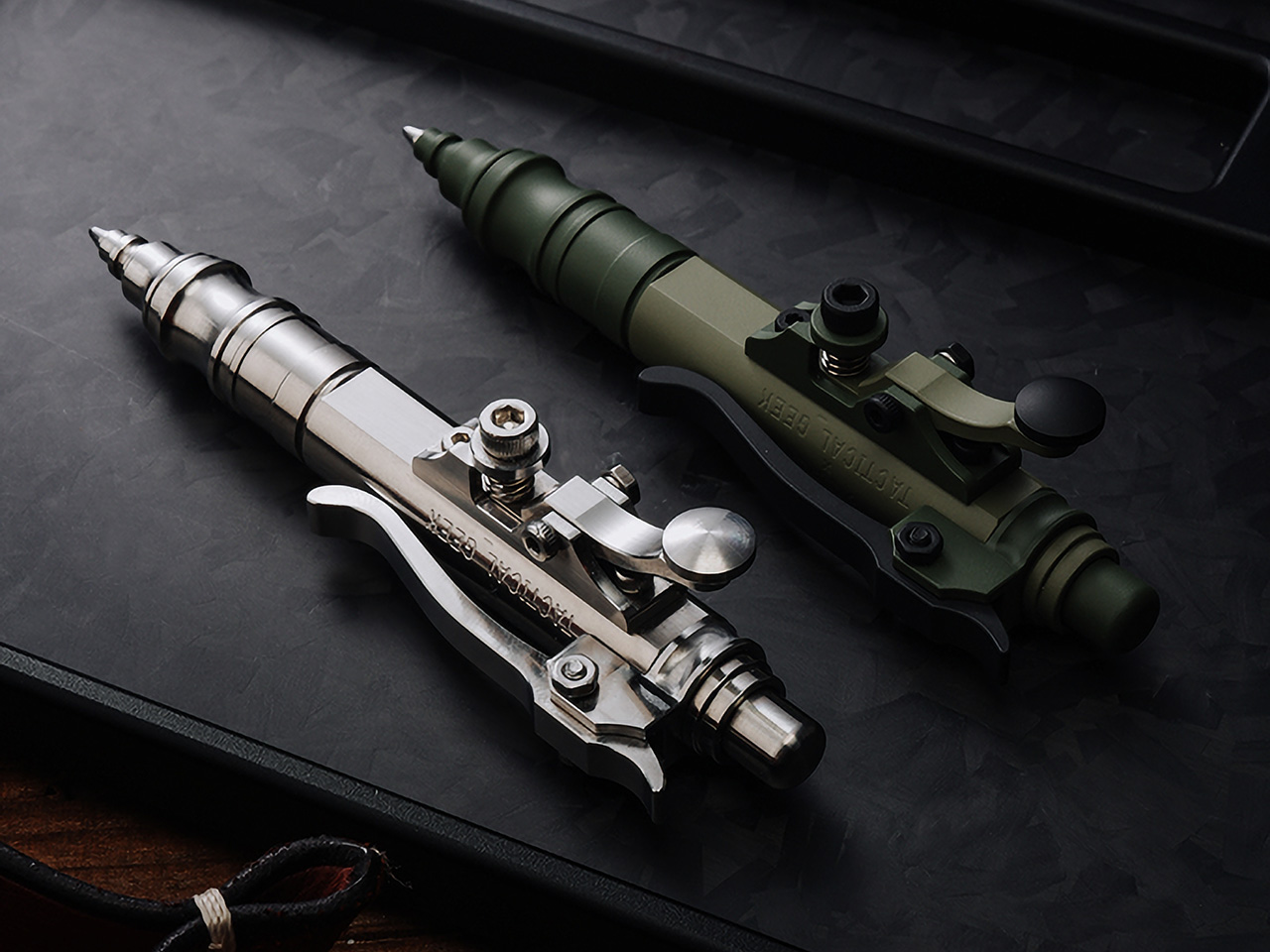
Press a button on most pens, and you get ink. Press the lever on the Gennai Pen SL01, though, and you get mechanical theater instead. This stainless steel ballpoint, designed by Japanese artist Hidetoshi Nakayama and built by TACTICALGEEK, swaps the usual click-to-retract routine for a lever borrowed from telegraph keys. It’s a pen that behaves like a tiny machine, and that’s exactly the point.
Nakayama built his reputation on a specific look: mechanical steampunk, heavy on exposed screws, stacked metal layers, and hardware that seems pulled from a 19th-century workshop. His pieces are usually handmade in tiny batches, making them rare. The Gennai Pen SL01 carries that same visual DNA into a pocket-sized body, without smoothing over the rough, industrial edges that make his work recognizable.
TACTICALGEEK doesn’t simply slap a designer’s name onto a stock pen body. This marks the studio’s first project with Nakayama, and the brief was straightforward: keep his mechanical quirks intact while running the design through proper EDC engineering. That meant precision CNC machining, careful material choices, and quality control that daily carry gear actually needs. The result reads like a handshake between an artist and a toolmaker.
Up top, the SL01 behaves like a normal ballpoint. Push the button and the refill snaps forward with a crisp, satisfying click, the kind that tells you the stroke landed cleanly. It’s the familiar half of the experience, the part that reminds you this is still a pen you can grab and write with without a second thought. That familiarity matters, because it sets up the surprise waiting on the side of the barrel.
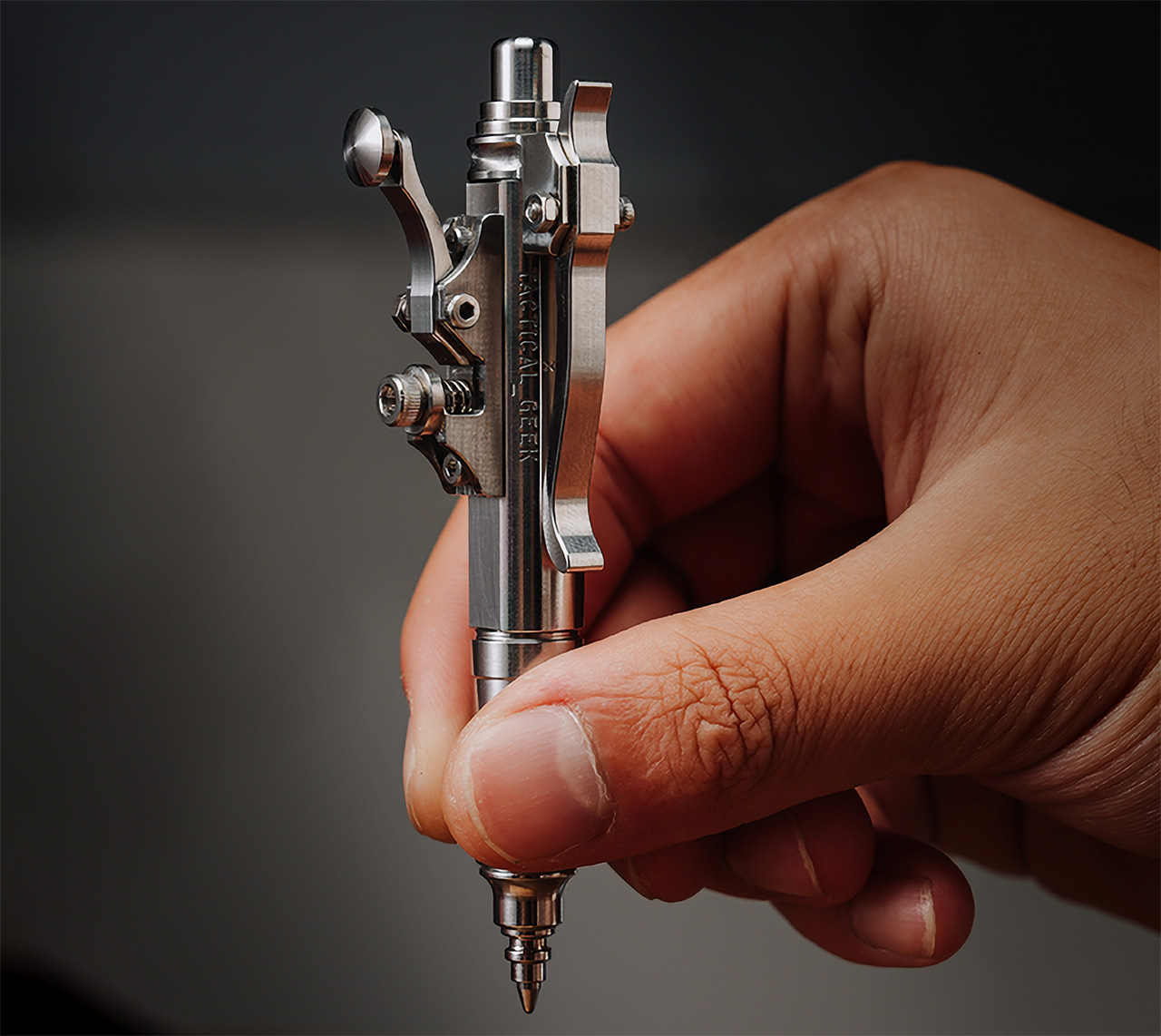
That surprise is a lever styled after old telegraph keys, mounted on the body. Press it lightly and the refill retreats with a smooth, weighted motion, closer to flipping a switch than clicking a pen. Push to extend, press the lever to retract, and you’ve got a full mechanical loop most pens never offer. Even with no ink extended, the lever still clicks under a thumb.
The pocket clip keeps that mechanical mindset going, instead of settling for a plain spring strip. Press the top of the clip and the lower section swings open, ready to slide onto a pocket edge, bag strap, or EDC organizer. Let go, and it locks shut on its own. It’s a small detail, but it shows the design team didn’t reserve the mechanical theatrics for one part of the pen.
Underneath the theatrics is a body machined from solid stainless steel, the same grade Nakayama favors in his own handmade work. After CNC machining, each unit gets hand-chamfered and polished at the edges, which explains why the details feel crisp instead of sharp against skin. The finished pen runs about 3.8 inches long and about 0.4 inches across the barrel, widening to roughly 0.9 inches at the telegraph key, and weighs about 2.2 ounces.
None of this mechanical flair comes at the cost of writing well. The SL01 takes standard Parker-style G2 refills, so swapping in a favorite ink takes seconds and opens a wide pool of options. It ships with a Schmidt P900M cartridge already loaded, a refill known for smooth, consistent ink flow. That combination keeps the pen in daily-tool territory, not shelf-piece territory.
Beyond the natural stainless finish, TACTICALGEEK offers a Cerakote ceramic coating that adds wear resistance and a muted, field-ready tone. A separate Timascus version introduces layered metal with natural color variation, so no two pieces look quite alike. At the top sits a set of hand-engraved editions crafted by artist Xunmu, featuring 24-karat gold inlay set into carved surfaces, turning the barrel into a small sculpture in its own right.
TACTICALGEEK backs every SL01 with a lifetime warranty, covering free repairs for damage that turns up under normal use, an unusual commitment for something built around this many moving parts. Carry it long enough, and the novelty fades into muscle memory: push to write, press to put away, flip the clip without thinking. Somewhere in that repetition, the pen stops feeling like a gadget and starts feeling like a habit.
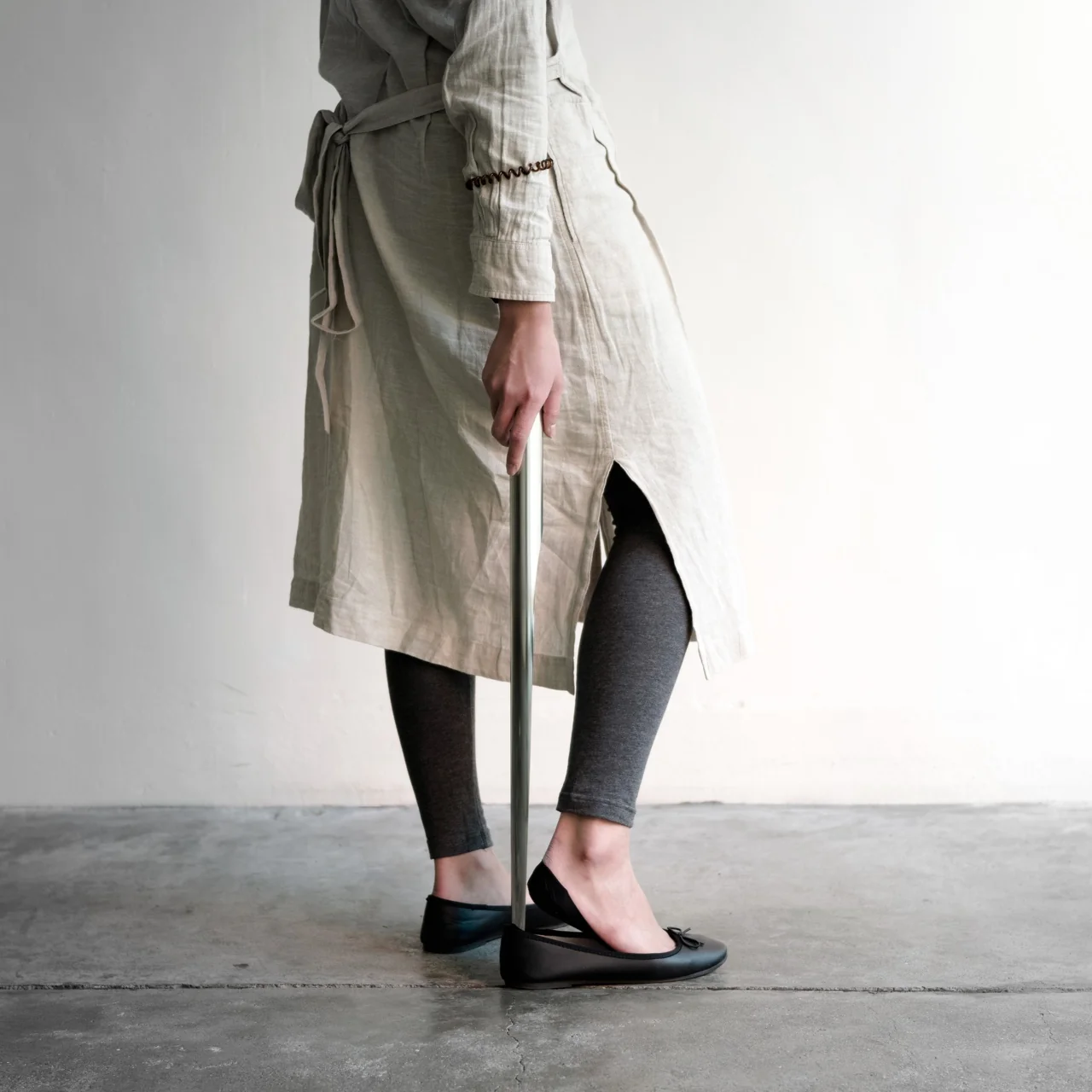
As you get older, some bones and muscles refuse to cooperate, creaking even when you’re doing something as ordinary as putting on your shoes. Using a shoehorn can be a challenge in itself, since most designs force you to bend over and strain your back just to slide your foot into a sneaker or a dress shoe. On top of that, shoehorns aren’t exactly the most attractive tools to leave lying around by your front door. You don’t need a shoehorn that’s pretty, but it sure helps to have one that either blends into your entryway or stands out as a piece of decor you’re actually proud to display.
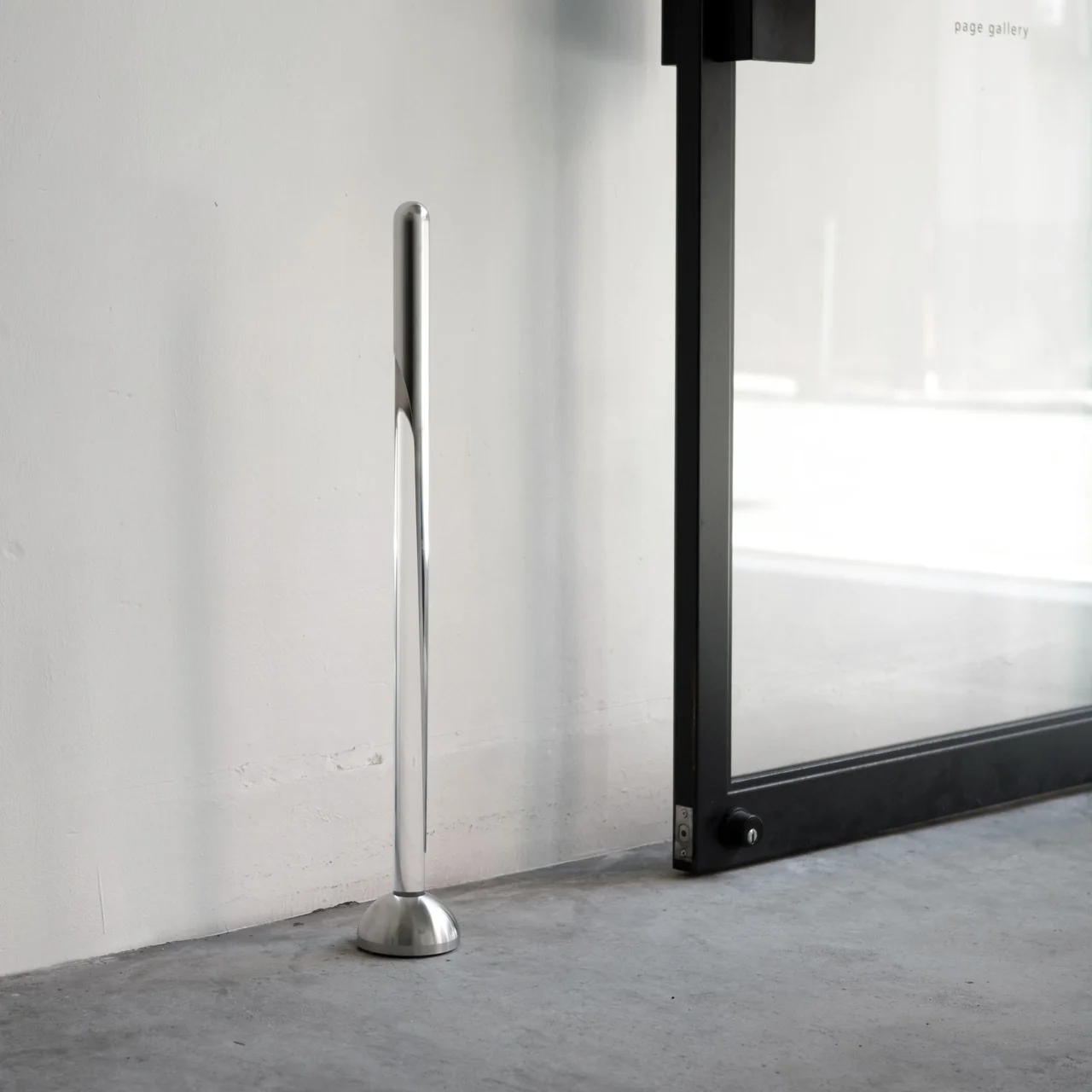
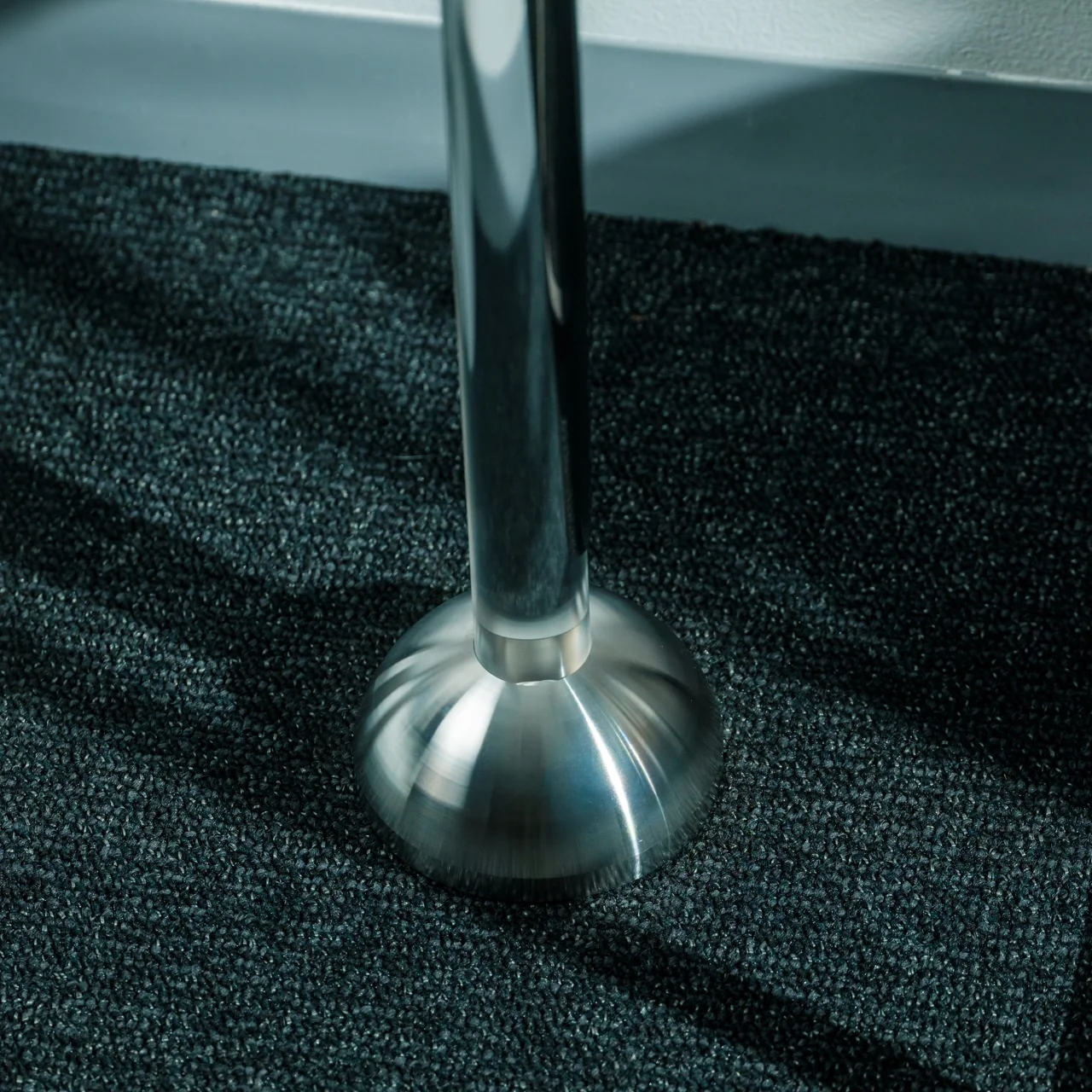
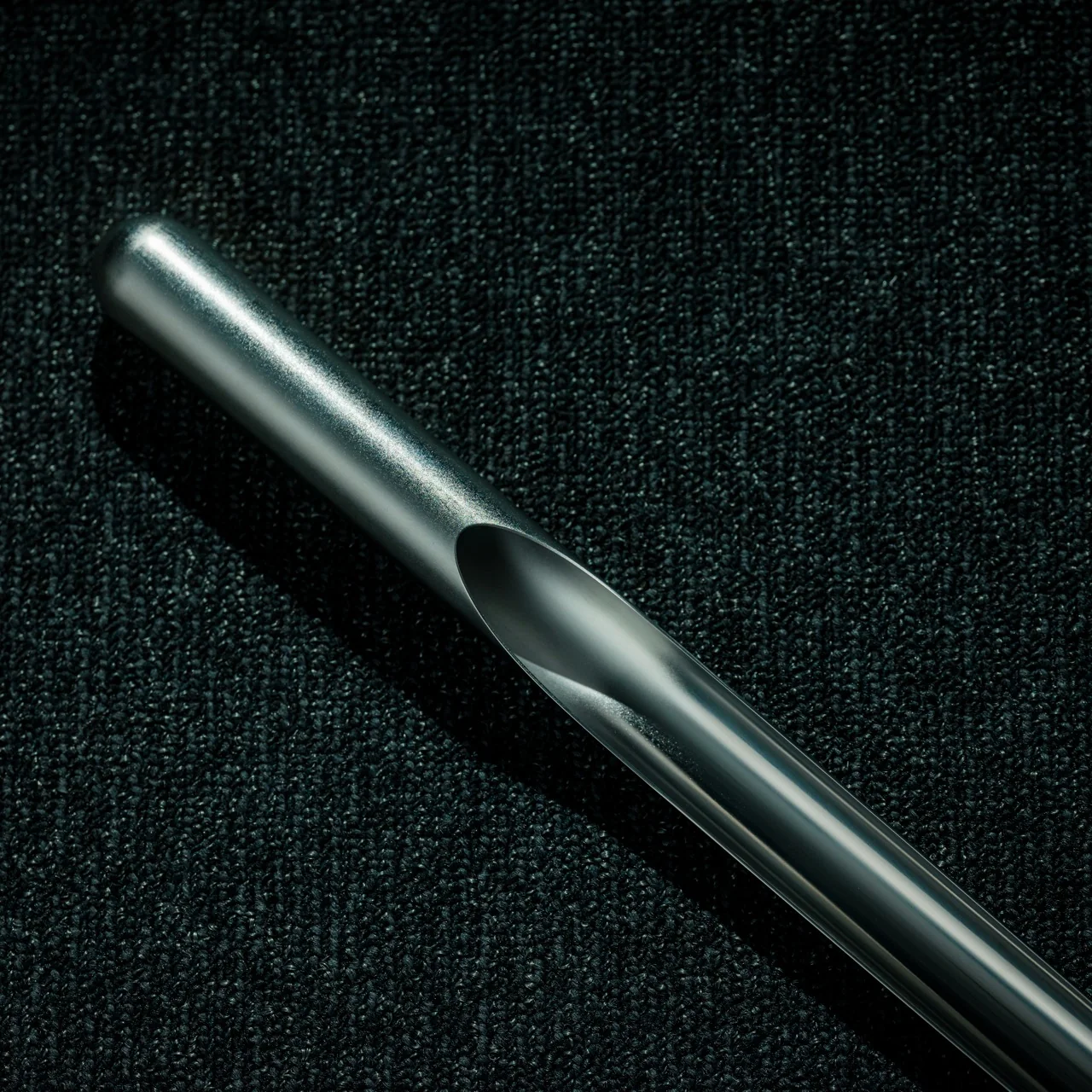
The Invisible Shoehorn is exactly the kind of tool you’ll want to display rather than hide. It’s a long-handled, stainless steel shoehorn that “disappears” into a clear acrylic stand when it’s not in use. This clever design solves both problems at once: the bending-over issue and the aesthetic issue. The optical trick makes the metal shoehorn look like it’s floating in midair, or vanishing completely, turning a purely functional tool into a minimalist decorative object you won’t want to shove into a drawer once it’s done its job.
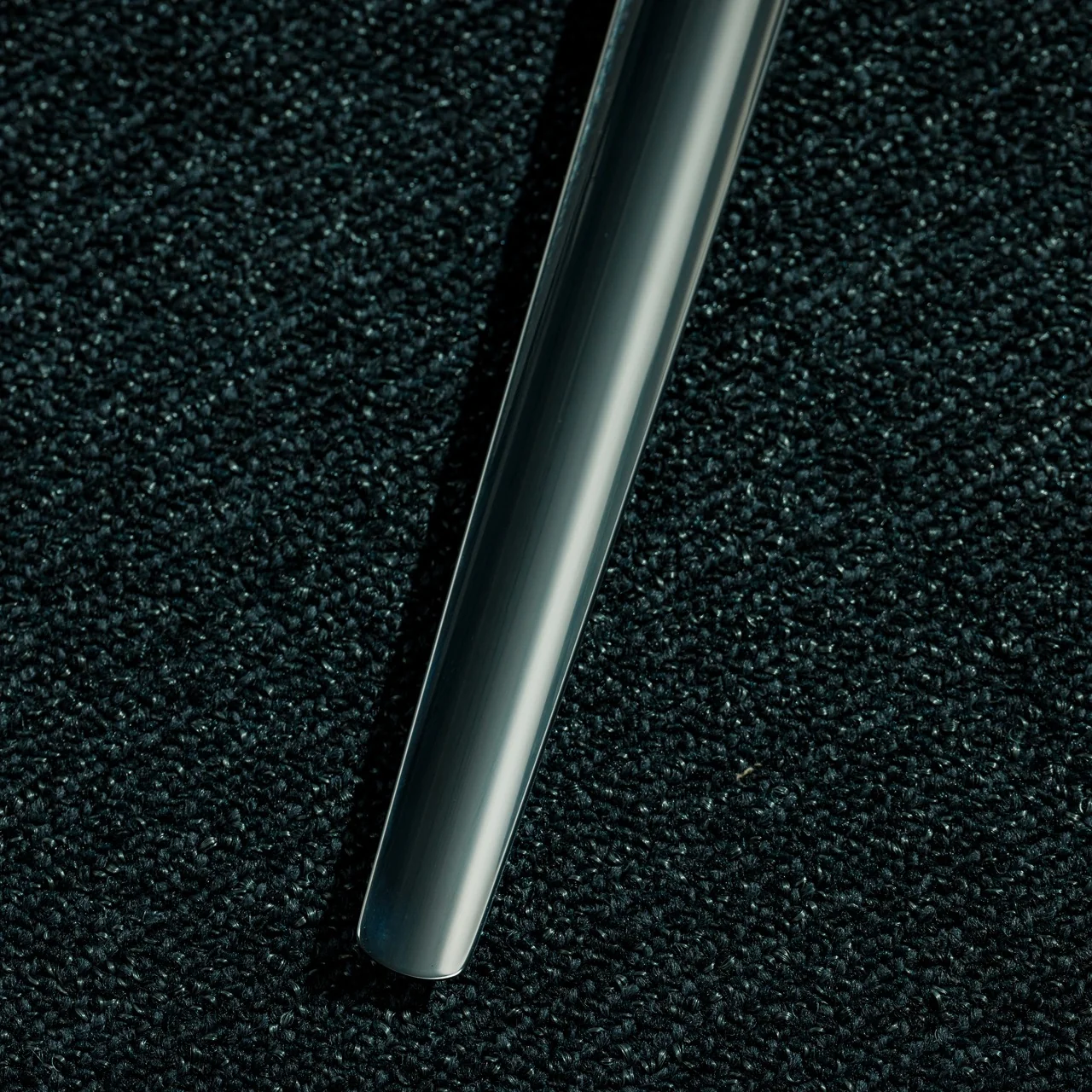
Designed by Kairi Eguchi for Takeda Design Project, the Invisible Shoehorn stands about 700 millimeters tall, or roughly 27 inches for those of us who don’t think in metric. That height is the whole point: it’s tall enough that you can slip it between your heel and the back of your shoe while standing up straight, no crouching, no wobbling, no throwing out your lower back on a random Tuesday morning. The shoehorn itself is crafted from polished stainless steel that tapers from a rounded handle down to a thin, curved tip, smooth enough that it won’t snag or run your socks the way cheaper, rougher shoehorns sometimes do.
What really sets this piece apart is the acrylic stand. It’s shaped to mirror the metal shoehorn exactly, so when you dock the two pieces together, the stainless steel appears to hover in midair against the clear background. Seen from a few feet away, or in the dim lighting of a typical entryway, the whole object reads as a sleek, abstract sculpture rather than a household tool. It’s a small bit of visual sleight of hand, but it’s the kind of detail that turns something you’d normally hide in a closet into an object you’d happily leave out on a console table or shoe bench.
Compare that to the shoehorns most of us grew up with: cheap plastic ones from the drugstore, or the metal long-handled versions from mobility brands like Vive Health, which are functional but were never going to win any design awards. Even OXO, a brand practically synonymous with smart, ergonomic housewares, makes shoehorns and shoe-helper tools built around that same “no more bending” philosophy, and its versions still lean strictly utilitarian, designed to work well but never really designed to be seen. Most of these options run somewhere between $10 and $30, and they absolutely get the job done, but they’re not something you’d want sitting out in plain view. The Invisible Shoehorn, at its higher price point, is clearly aiming at a different shelf entirely. It’s less a mobility aid tucked away in a bathroom drawer and more a piece of everyday design you’d be proud to own, closer to something you’d spot in a design showcase than in a pharmacy aisle.
That’s really the appeal here. The Invisible Shoehorn benefits anyone dealing with a stiff back, tight hips, or knees that don’t love bending anymore, but it’s just as appealing to design lovers who want their entryway to look intentional instead of cluttered. It solves the everyday annoyance of a tool that’s either buried in a drawer or, worse, an eyesore parked awkwardly by the door. Instead, you get something that works exactly when you need it and quietly disappears, both literally and stylistically, when you don’t. For anyone who has ever grumbled about bending over to wrestle a shoe on, or wondered why every shoehorn on the market looks like it belongs in a hospital supply closet, this one is worth a second look.
The morning ritual is one of the few parts of the day that still belongs entirely to you. Before the notifications, the meetings, the noise, there is coffee. And if you are the kind of person who measures grind size, thinks about bloom time, and owns at least one piece of ceramic you genuinely care about, the tools in that ritual are not incidental. They are the point.
This list is not for people who want coffee faster. It is for people who want it better. From a machine that reads your beans before it grinds them, to a hand-crank espresso maker that needs nothing but your own effort, every pick here was chosen because it takes the morning seriously. Five products. Five distinct approaches to the same obsession. All of them are worth your counter space.
1. xBloom
Designed by former Apple employees Richard Xu and Zhou Rui, the xBloom is what happens when Silicon Valley precision is applied to specialty coffee culture. Nicknamed the Tesla of Coffee Machines by our Editor-in-Chief, it is the first coffee machine to feature a true Autopilot mode, identifying, grinding, dispensing, brewing, and pouring your coffee with almost no intervention required. Its polished, minimalist form sits on the counter like a considered object, earning its place before you have even tasted what it makes.
The technology that drives the xBloom starts with its pods. Each biodegradable pod contains an NFC tag that the machine reads instantly, pulling the exact grind size and brewing recipe for those specific beans. The pod itself doubles as the filter, making the process almost entirely self-contained. Beans are sourced from top roasters worldwide, and the result, cup after cup, is something that genuinely rivals what a skilled barista would hand you.
What we like
NFC-enabled pods remove all guesswork from grind size and brewing recipe
The all-in-one design handles every stage of preparation without requiring extra equipment
What we dislike
Does not support instant coffee, limiting flexibility for those who switch between brew styles
At $799, the price point will be a barrier for many
2. FinalPress V3
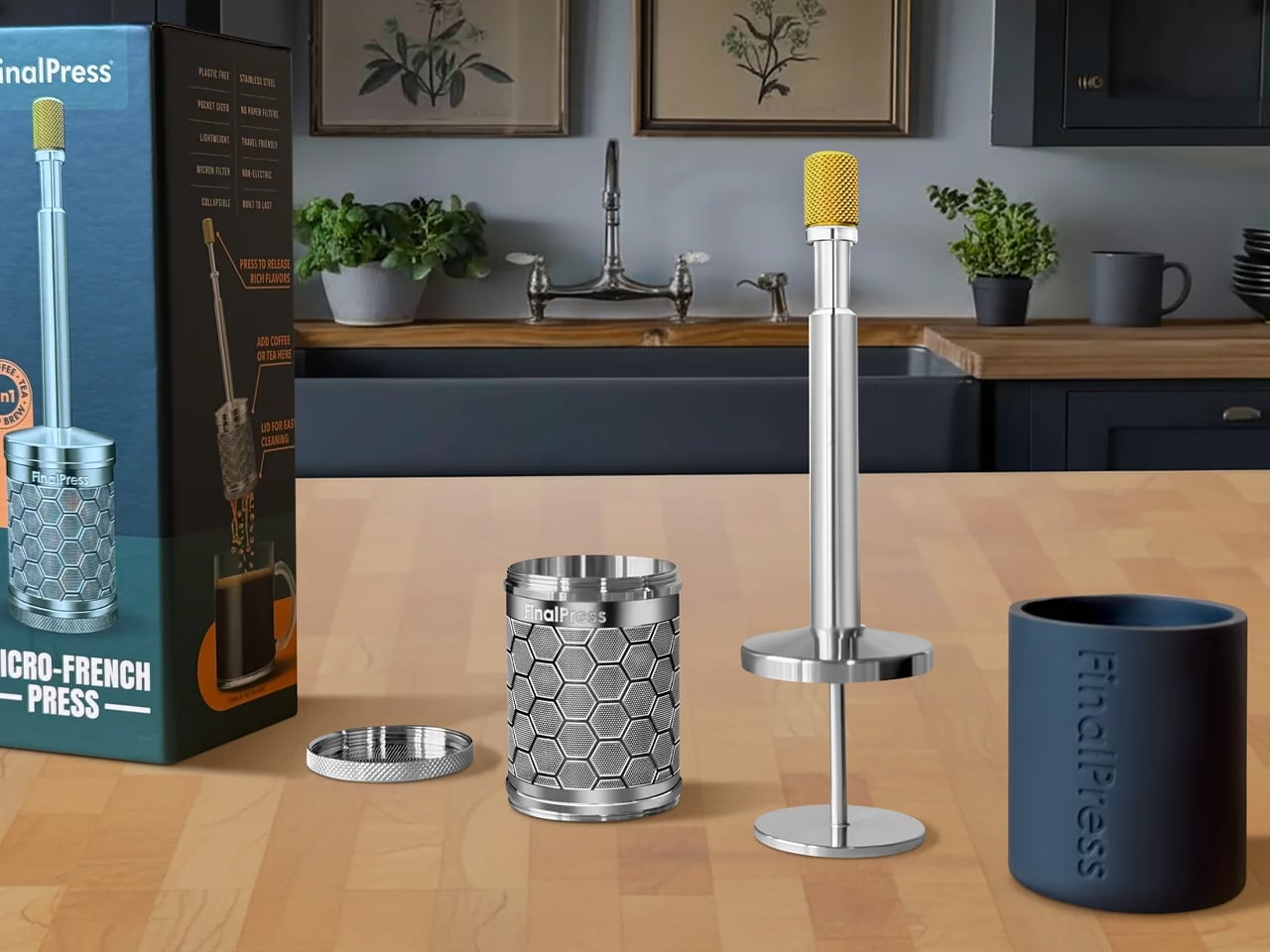
The FinalPress V3 proves that great coffee does not require an elaborate setup, just a well-engineered one. This compact immersion brewer strips the process back to what actually matters: contact time, water temperature, and pressure at the right moment. There are no paper filters to stock, no separate components to clean, and nothing that needs to be plugged in. What you get is one precisely machined device that rewards attention and punishes very little.
Where most portable brewers make quiet concessions in build quality, the FinalPress V3 holds its ground. The engineering is clean, and the result is a full-bodied cup that does not taste like a workaround. It is sized for a single deliberate serving, which gives each morning a sense of proportion that larger machines tend to quietly take from you. For anyone building a more intentional coffee practice, this is the kind of tool that earns its place fast.
What we like
No paper filters required, making it a genuinely low-waste option that simplifies the daily setup
Compact enough to pack anywhere while still producing a well-extracted, satisfying cup
What we dislike
Single-serve capacity means it is built for solo brewing, not for sharing
Getting grind size and steeping time dialed in takes a few sessions to get right
3. Arc Mug
The Arc Mug is the kind of object that makes you reconsider everything else on your shelf. Handcrafted in Taiwan through 11 artisanal processes, it pairs Japanese ceramic with a separately shaped walnut handle, a combination that is warm in the hand and considered in every detail. Natural variations across each piece mean no two mugs are identical, giving it the kind of individual character that mass-produced drinkware simply cannot replicate.
The Arc Mug sits at the intersection of function and craft, and it holds that position without apology. It is the vessel that makes the ritual feel complete, not because it insulates better than everything else or ships with a smart lid, but because drinking from it is a genuinely pleasurable thing. When the rest of your setup is this deliberate, the mug you reach for every morning deserves the same thought. At $60, it is the easiest decision on this list.
Handcrafted through 11 artisanal processes, making each piece a genuinely individual object
The walnut handle and Japanese ceramic pairing creates a tactile experience that holds up over daily use
What we dislike
Hand wash only, which adds a friction point for anyone relying on a dishwasher
Cannot be microwaved, limiting it to its role as a dedicated coffee vessel
4. COFFEEJACK V2
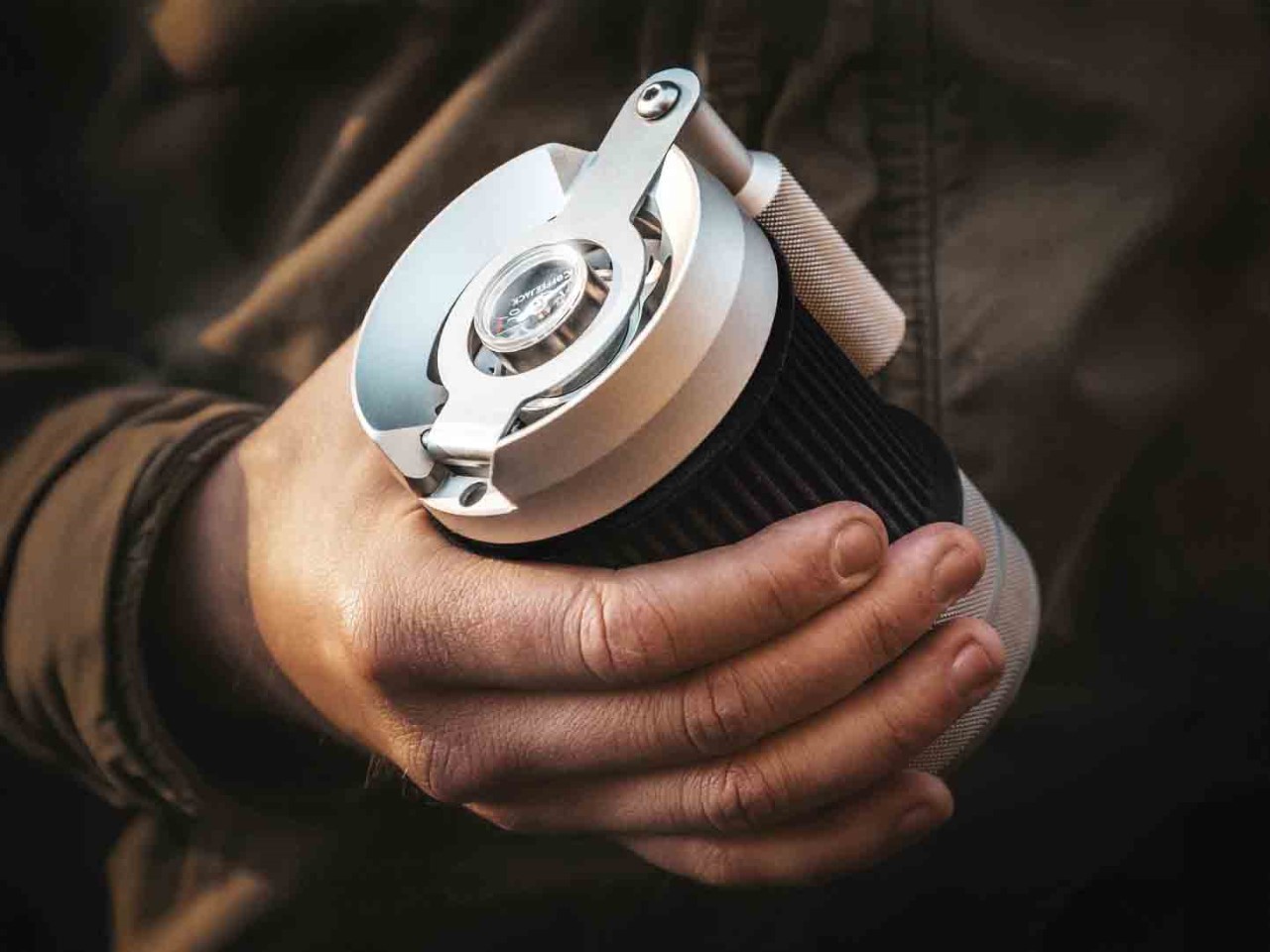
The COFFEEJACK V2 is a statement about what manual actually means. A fully hand-crank espresso maker, it builds up to 10 bars of pressure through rotation alone, requiring no electricity, no battery, and no compromise on extraction quality. The engineering does serious work inside a form that fits in a bag without fighting for space. For anyone who has ever found themselves somewhere good coffee was technically unavailable, the COFFEEJACK V2 is a considered answer.
What makes the V2 compelling in a morning ritual context is the physical commitment it demands. There is no autopilot. Every bar of pressure is yours to build, which fundamentally changes the relationship between the person and the cup. That might sound like extra effort, but for a certain kind of coffee person, it is exactly the point. It grounds the morning in something intentional and tactile, a counterweight to everything else that runs on a screen and makes decisions for you.
What we like
Builds genuine espresso-level pressure through manual rotation, requiring no electricity whatsoever
Compact enough to go anywhere, making quality espresso accessible in almost any setting
What we dislike
The physical effort required can feel like a barrier on slower or earlier mornings
Dialing in grind consistency and pressure takes time and repetition to properly master
5. MokaMax
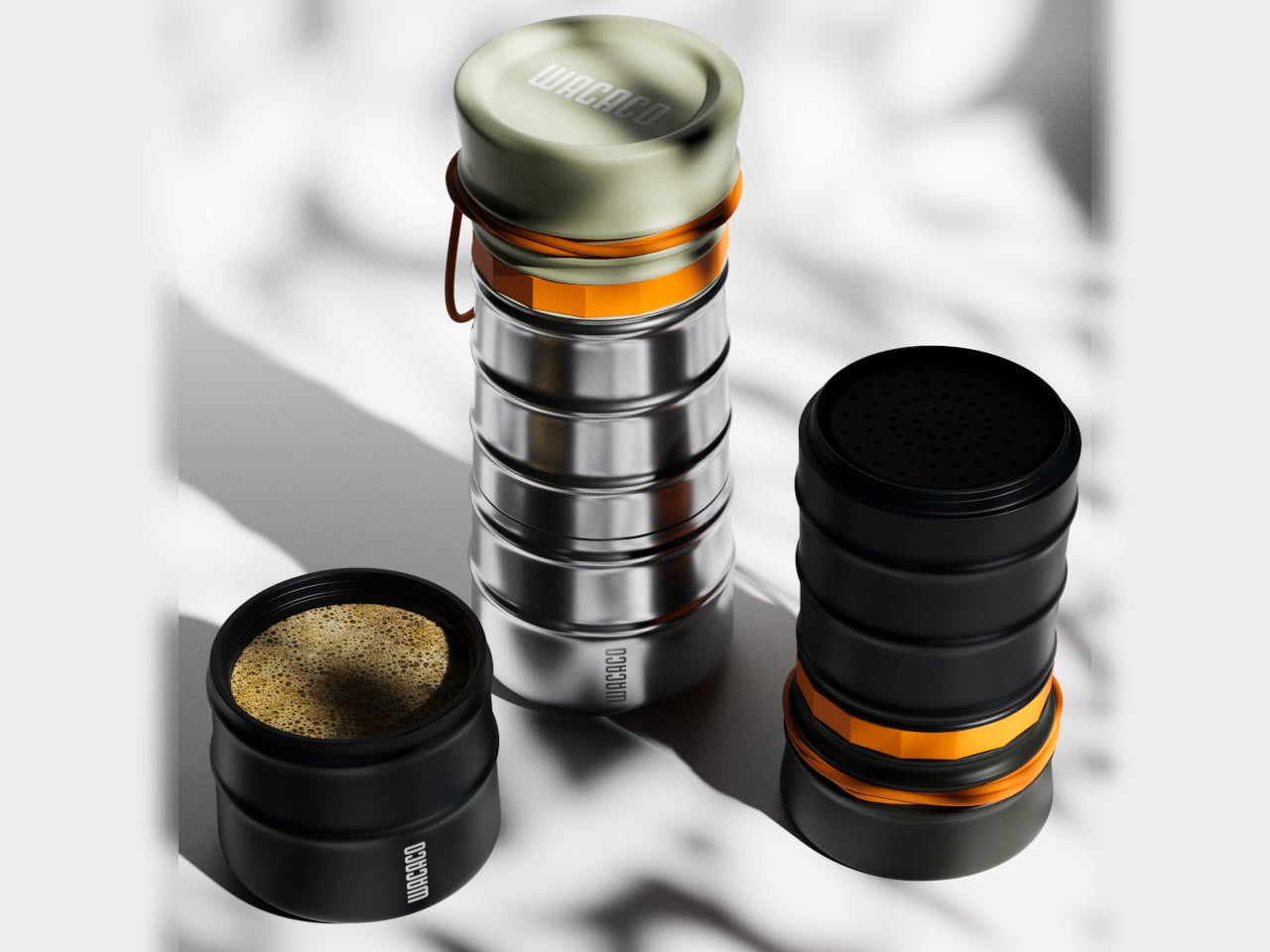
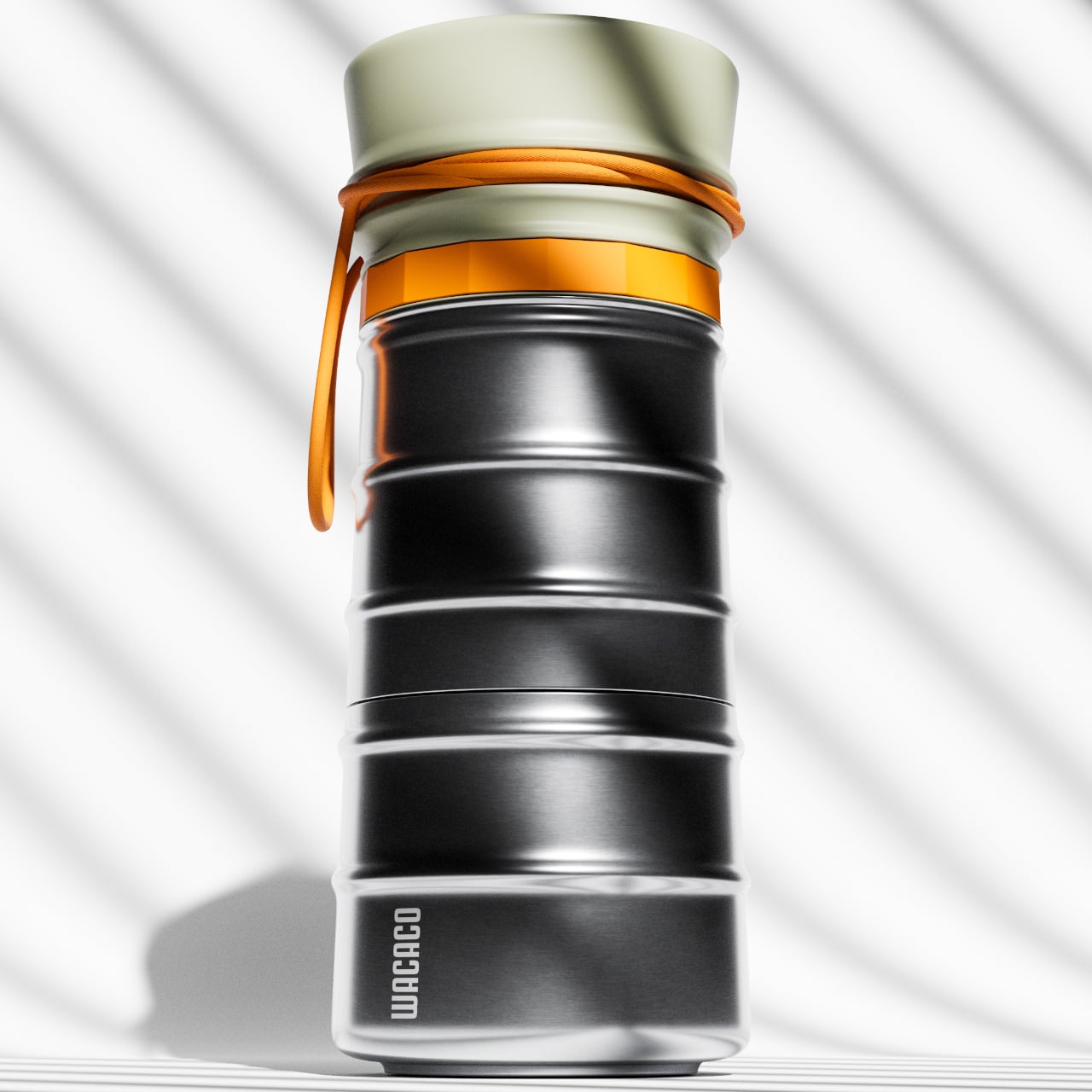
The MokaMax solves a problem that most travel mugs quietly ignore: the coffee inside them is rarely worth drinking. By integrating a full pressure brewer into a ridged stainless steel travel mug, it delivers espresso-style coffee without requiring a separate machine or a second vessel. The whole thing is one object. Brew it, seal it, carry it. For anyone who refuses to lower their standards the moment they step out the door, this is the answer.
The design here is doing double work. The ridged stainless steel exterior is built for grip and durability, while the internal brewing mechanism is engineered for extraction quality. It earns its place in the morning lineup not by being clever for its own sake, but by closing a real gap in the portable coffee category. If the xBloom handles the ritual at home and the COFFEEJACK V2 covers the off-grid moment, the MokaMax owns everything that falls in between.
What we like
Combines a pressure brewer and travel mug into one carry-ready form with no separate parts needed
Stainless steel construction handles daily wear without losing its edge
What we dislike
Brewing and drinking in the same container limits flexibility when it comes to serving
Espresso-style output may not suit those who prefer longer, filter-style coffee drinks
The Ritual Is The Point
The best morning setups are rarely built all at once. They come together piece by piece, as you figure out what kind of coffee person you actually are. The xBloom automates that process with precision that removes the guesswork entirely. The FinalPress V3 and the COFFEEJACK V2 earn it through deliberate, physical effort. The MokaMax carries the standard wherever the morning takes you. And the Arc Mug is what you hold while all of it happens.
These five products represent five distinct philosophies about what morning coffee should feel like, and you do not need all of them. But you probably already know which ones make sense. That instinct is worth trusting. The best cup you have ever made is most likely still ahead of you, and the right tools have a quiet way of making sure of it.