Cardboard water bottle concept shows a more sustainable way to stay hydrated

We’re often advised to drink lots of water every day, but that isn’t always feasible unless we have a bottle of water with us all the time. It’s for this reason that water bottles have become quite popular these days, but many of these containers are large, heavy, and sometimes unsustainable. The latter is especially true for PET bottles, the most overused kind of water container there is. Its small, lightweight size makes it easy to carry around and its plastic material might make it seem like a good idea to reuse the bottle over and over again. Whatever the context, plastic is a harmful material in the long run, so this reusable and sustainable water bottle looks elsewhere for inspiration, one that’s easily overlooked and taken for granted because we simply throw away milk and juice boxes the moment they’ve been emptied.

Designer: Rishikesh Sonawane

It might have different names in different countries, but “TetraPak” is a common sight in groceries and refrigerators, holding liquids like milk, juice, and sometimes even soup. These cardboard containers are indeed designed to be thrown away, but there’s no reason one can’t design a variant that can hang around for quite a while before you have to part ways, primarily by recycling its parts. It lets you keep yourself healthy by drinking lots of water while also keeping the planet healthy by reducing the number of PET bottles out in the wild.

reU is the design concept that puts those ideas together, utilizing a layer of cardboard, aluminum, and polyethylene to provide form and structure to the water bottle shaped like an overgrown flask. These three materials were specifically chosen after much consideration because of their long-term benefits and ease of production, despite there being more sustainable alternatives available. Cardboard is better than paper mache when it comes to integrity and finish, aluminum is cheap and easily stretched into extremely thin sheets, and polyethylene, which is used in only 5% of the total design, is easy to produce.

The design, however, goes beyond just using sustainable materials. The shape of the “bottle”, for example, was chosen for space efficiency and easier grip. The dotted bottle cap made from bioplastic offers not just texture for turning the cap but also a visual contrast to the vertical lines running down the side of the bottle. The rubber tab keeps the cap in place and functions as a strap to hold or hang the bottle, but it can also be retracted to keep the cap from swinging around while you’re drinking or pouring out its contents.

Despite being a reusable bottle, reU isn’t meant to last forever. In fact, it’s designed to wear out to the point that you’ll have to properly dispose of it by recycling each distinct component separately and properly. This ensures that the water you drink will always be clean and safe, something that PET bottles can guarantee after repeated use. And given how cheap it is to produce and how easy it is to recycle, there’s little harm in replacing the reU with another reU, over and over again.

The post Cardboard water bottle concept shows a more sustainable way to stay hydrated first appeared on Yanko Design.
Galaxy Tab Active5 rugged tablet leaked with suitcase design and stylus

Thanks to the Apple iPad Pro, tablets have been given a bit of a lifeline. To be honest, there’s still a bit of uncertainty regarding the purpose of these large screens, especially with smartphones now having extra big displays. There are, however, industries where tablets play an essential role, whether it’s in communication, retrieving information, or organizing data. In this line of work, tablets don’t have to look stylish or have the latest specs as it is more important for them to be durable and reliable, no matter the environment. That’s the core focus of the upcoming Galaxy Tab Active5, but it seems that Samsung isn’t missing the opportunity to add a few fine touches to this rugged device.

Designer: Samsung (via MSPoweruser)

Samsung’s rugged tablets have always been built like tanks and they have the design to prove it. They’re thick and have plenty of protective layers, which definitely makes them look the part of a device that might survive even getting run over by a truck. Looking unappealing, however, isn’t really a requirement, and Samsung has been playing around with a variety of designs to give the tablet a bit more personality.

With the Galaxy Tab Active5, Samsung is adopting a design that might remind some of those super-durable suitcases, complete with linear bumps across the surface. Those humps aren’t just for show, though, as they help diffuse the force of impact away from the sensitive electronics inside the tablet. It’s definitely not stylish, but it’s not terribly unattractive either.

Samsung is also giving the tablet a stylus, similar to its predecessor. Now, you aren’t going to make art using it, though that’s certainly doable. It’s meant more to be used as a precise input tool, especially for those times when you’re wearing gloves that don’t work on touch screens. Of course, you could also use it to scribble notes and draw quick diagrams or directions, something you can’t easily do even with a naked finger.

Despite these contemporary designs and features, the Galaxy Tab Active5 is undeniably a few steps behind compared to even the cheapest tablets today. That’s true not just for the specs but also for the interface. There are even navigation buttons under the screen that haven’t been seen since the likes of the Galaxy S7 from 2016. Those buttons, however, are critical for frontline workers who might not always have the luxury of having their fingers exposed to the elements, giving users alternative methods of controlling the tablet under any situation.

The post Galaxy Tab Active5 rugged tablet leaked with suitcase design and stylus first appeared on Yanko Design.

JLab JBuds ANC 3 wireless earbuds land with a very tempting offer

True Wireless Stereo or TWS earbuds have become a staple in a world without headphone jacks. Almost every brand, from smartphone manufacturers to audio equipment experts, has a pair or two or even more. They come in all shapes, sizes, features, and prices, but few can really be called striking the perfect balance between those factors. Right at the cusp of CES 2024, JLab is attempting to take a stab at this crowded market with its third-gen JBuds ANC, packing quite a bevy of desirable features in a compact and discreet design, while also dangling a price tag that sounds almost too good to be true.

Designer: JLab

One of the biggest problems with wireless buds is their dismal battery life due to their diminutive sizes. Yes, they come with charging cases that more than double the battery life, but that requires a bit of downtime while waiting for the buds to juice up. The JBuds ANC 3, however, boasts a whopping 9 hours on a single charge, 42 hours in total if you take into account the charging case. With its eponymous ANC feature enabled, the buds’ 7-hour uptime (34 hours with the case) is still pretty impressive.

Battery life isn’t the only perk that the JBuds ANC third-gen brings to your ears. Working in the opposite direction from its active noise cancellation, the buds feature a “Be Aware” mode that lets just enough ambient sounds into your ear so that you can navigate and work safely in public. It features multipoint Bluetooth connectivity so that you can connect to up to two devices and seamlessly switch between the two as needed, perfect when you need to take a call on your phone while using a paired laptop. You can also customize your listening experience completely through the JLab app, letting you fine-tune the audio quality to your liking.

Despite all these features, the JBuds ANC 3 still manages to come in a small package that disappears into the background. Even the charging case is only a little larger than a USB flash drive despite its massive battery inside. That case also has a built-in USB-C charging cable so you won’t have to fret over losing cables when you need them the most. And with an IP55 dust and water protection rating, the buds are guaranteed to be your faithful companion, come rain or shine.

All these features might sound almost common, but the $59.99 price tag that comes with them certainly isn’t. It makes the JLab JBuds ANC 3 enticing not only in terms of specs and design but also in accessibility, allowing almost anyone to enjoy hours of listening without having to break the bank.

The post JLab JBuds ANC 3 wireless earbuds land with a very tempting offer first appeared on Yanko Design.

3D modeling device concept imagines what it’s like to create 3D with 2D tools

We live in a three-dimensional world, but we see the digital world through flat computer screens. That’s why 2D input devices like mice, trackballs, and pens are fine for most creative work that is made to be seen in 2D anyway. With the increase in 3D objects in mixed reality spaces, however, these tools are no longer sufficient and can even become painful to use. Our hands are used to manipulating real-world three-dimensional objects, but our computer tools are confined to the 2D space, making them inefficient and counterintuitive. For the new age of 3D, we need newer and better tools designed specifically for those needs, and this concept imagines a new device designed from the ground up to offer a better way to create those 3D models that will populate the virtual worlds of the future.

Designer: Jayesh Gaikwad

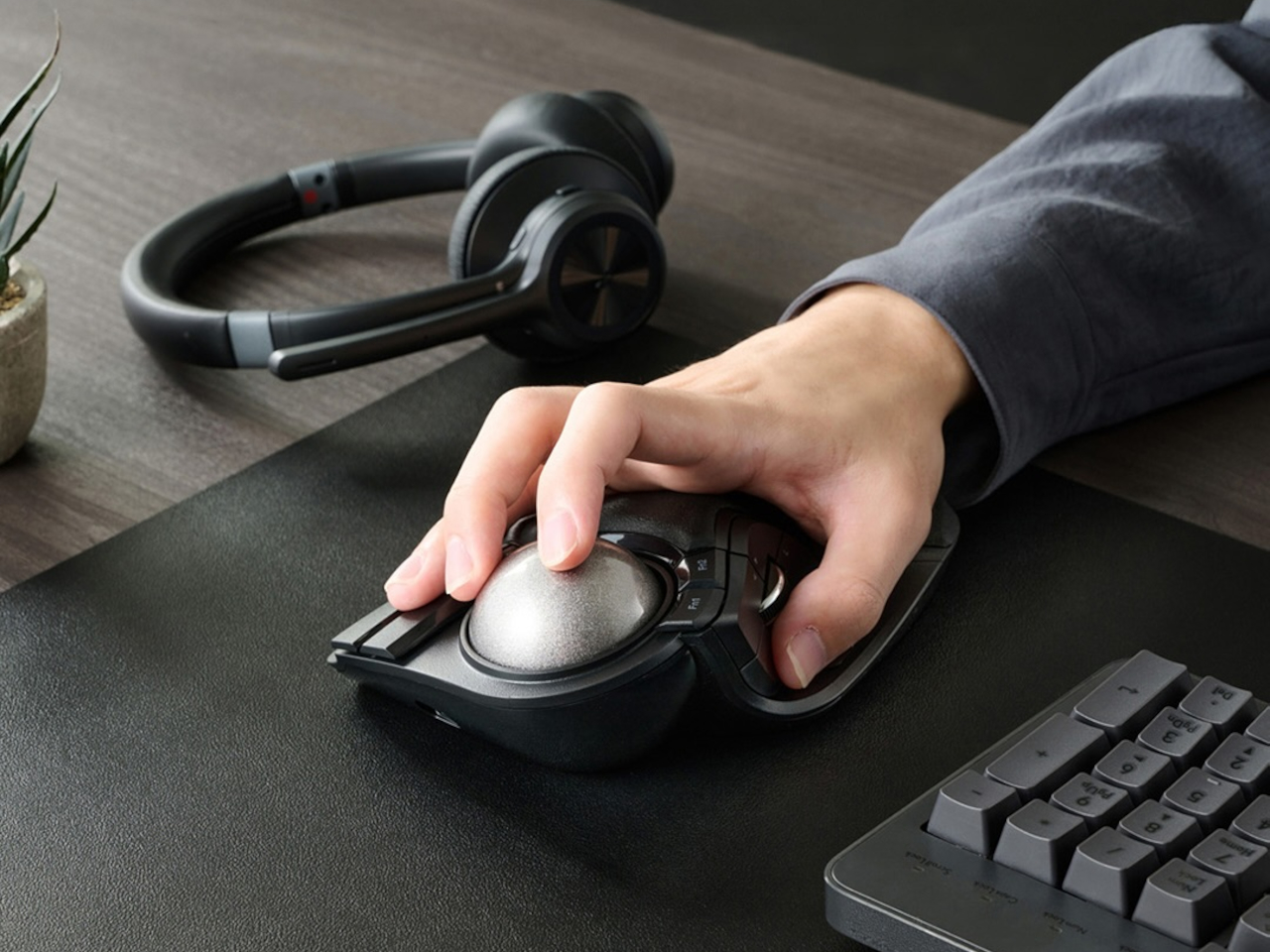
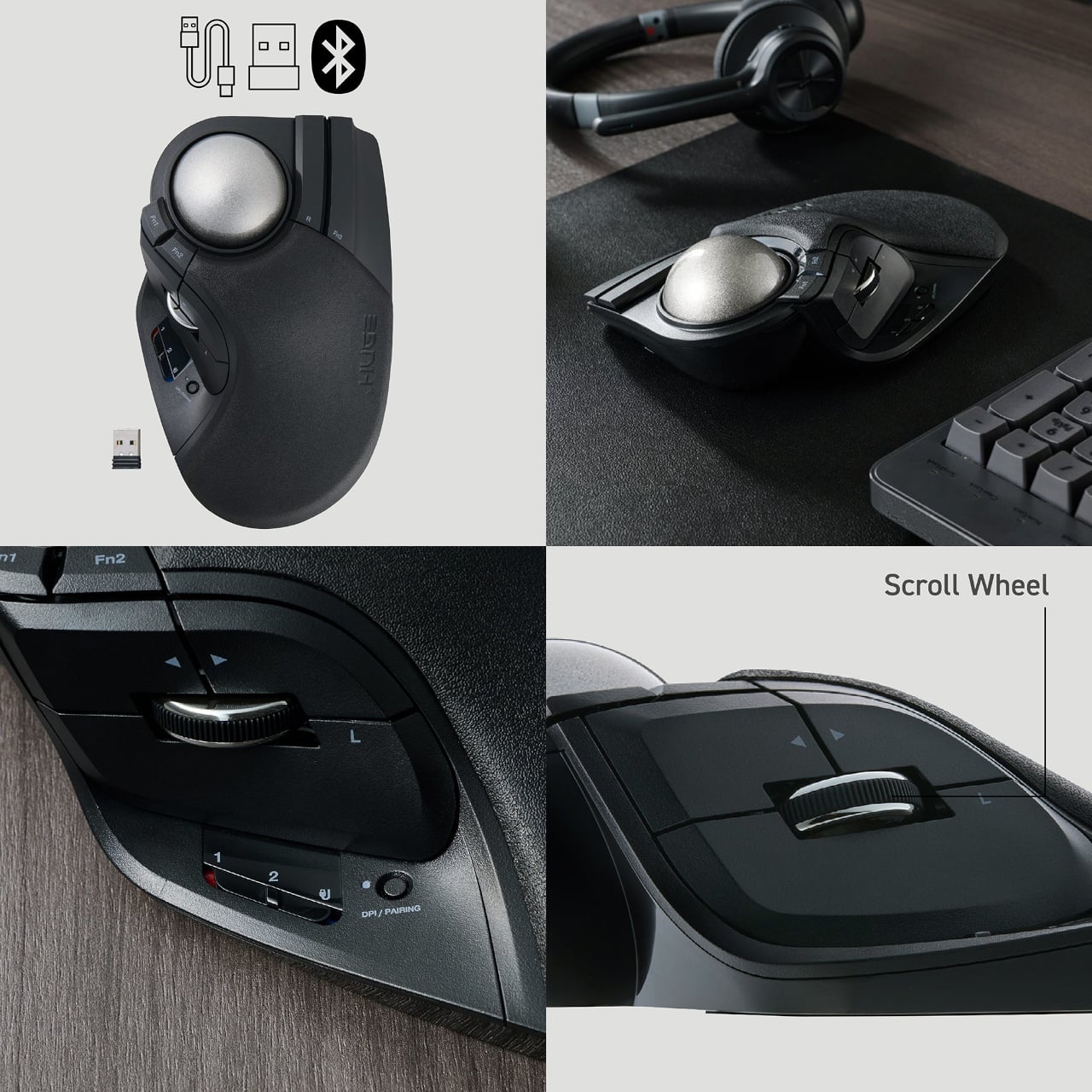
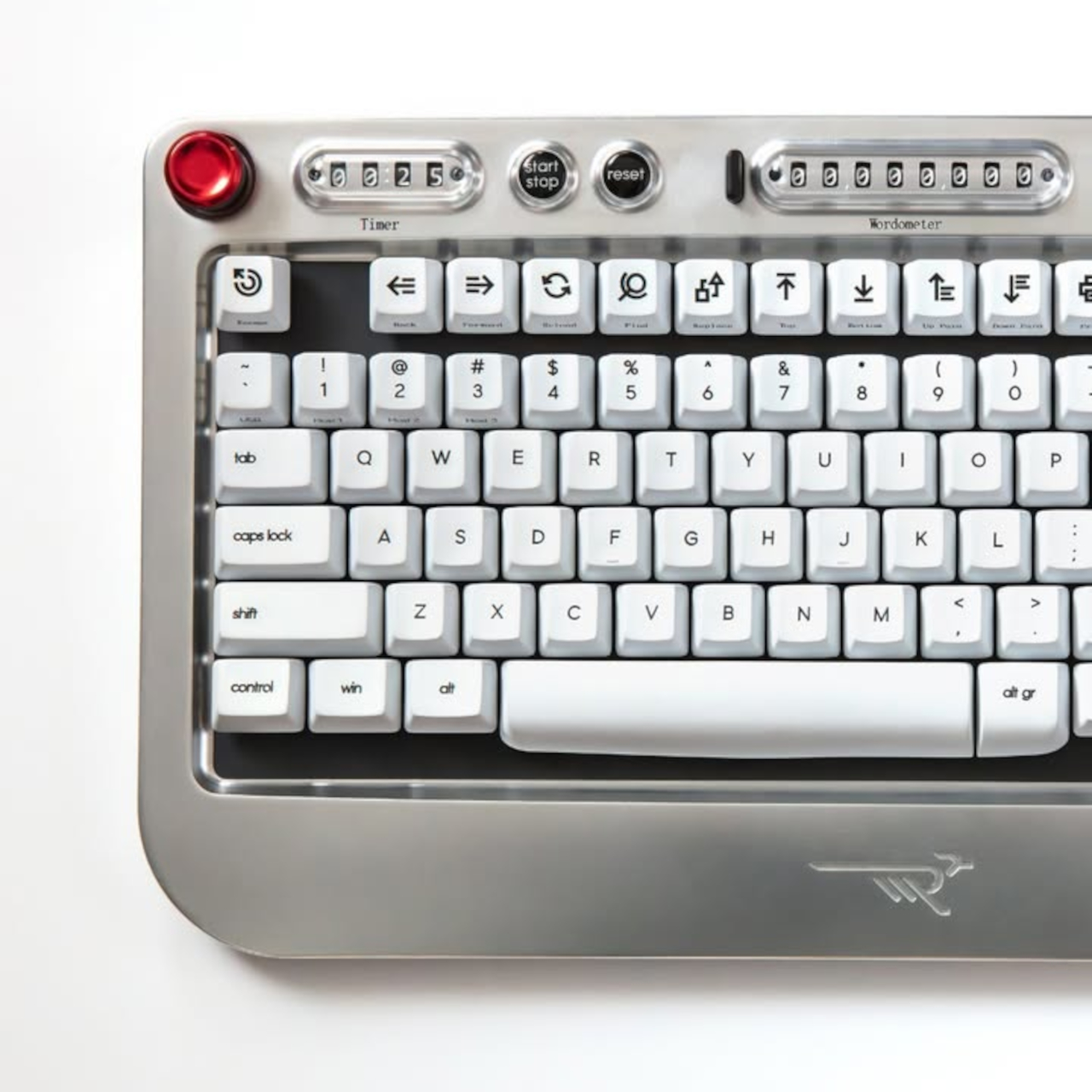
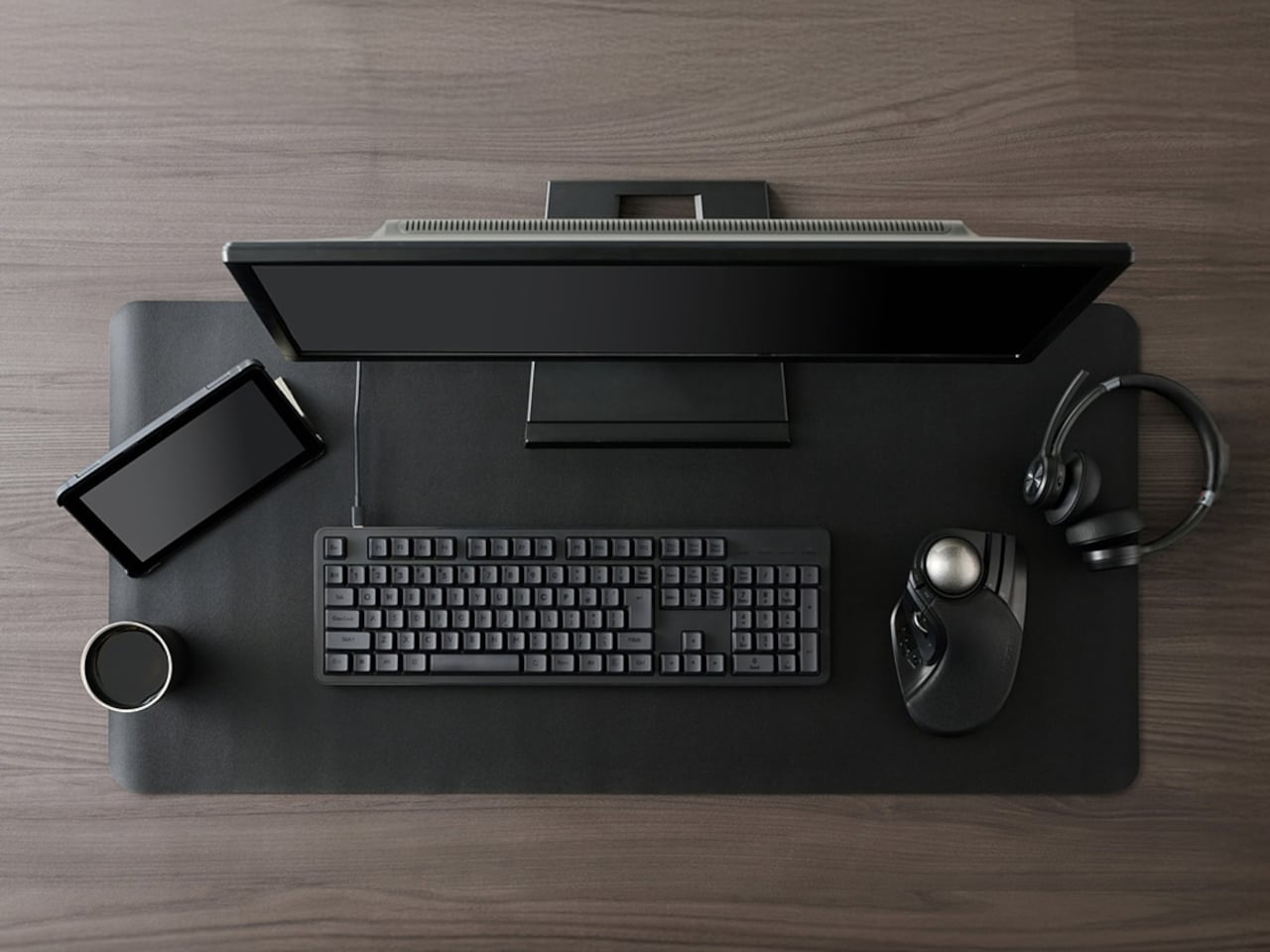
You might brush the Deco MX off as a glorified trackball, but that couldn’t be farther from the truth. After all, a trackball is still just like a mouse that moves a cursor on a 2D screen. You can use that cursor to move and rotate a 3D object, but it’s a clumsy and awkward gesture that doesn’t map what we have in our mind when we want to turn those 3D objects living inside our flat displays. That’s what that ball in the corner of the Deco MX is for, letting you rotate an object more naturally in all three axes, making it easier to see the 3D model from all angles.

The rest of the device is made to give easier access to the tools that a designer needs when building those 3D models. There are programmable buttons to set your own shortcuts within the app, as well as dials to switch tools quickly. The central dial is, in fact, the biggest control on the Deco MX, and it gives access to the most common building and editing tools in a program. You can change which tools those are to suit your workflow, of course.

What makes the Deco MX extra interesting is the amount of screen on it. There’s one that arcs to the side, showing a history of actions you’ve taken so far. The central dial also has a screen underneath that changes depending on the tools you’ve set to be your favorite ones. There’s also a small circular screen to the side that shows you the currently selected tool without having to squint your eyes too hard.

While this 3D modeling device offers an innovative interface, the software we use today still presumes a 2D input device like a mouse or a stylus. Deco MX still can’t replace that and is instead designed to supplement it, perhaps taking the place of a large and cumbersome keyboard. Admittedly, the existence of screens on the device might actually make it harder to actually produce, but the concept has enough strong points that manufacturers should consider, especially as we journey deeper into mixed reality worlds.

The post 3D modeling device concept imagines what it’s like to create 3D with 2D tools first appeared on Yanko Design.

Modular electric minivan is inspired by puzzles for a more sustainable design

Although electric cars are becoming more common, we’ve barely scratched the surface of what they’re capable of. Removing the need for traditional fuel and relying on batteries opens up new possibilities, and not just in terms of power sources. It can offer a bit more flexibility when it comes to the form and function of the vehicle, like cars with completely digital interfaces or screens all around. There might even be room for a modular design, as this concept for a tiny Japanese electric van tries to show, allowing the manufacturer or even the owner to switch out certain parts both outside and inside to match their needs, just like pieces of a puzzle.

Designer: HW Electro

To be fair, a modular car might be a bit far down the road considering the industry is hyper-focused on standardizing electric vehicles and making self-driving features more acceptable to the masses. That’s not to say that the design is a distant possibility only, especially when the features are made to be more practical rather than fantastical. Switching out panels is probably more feasible than switching out whole car parts or components, which is the kind of modularity that the Puzzle concept embodies.

At first glance, the boxy shape of the Puzzle will already look strange to those not used to so-called “Kei cars,” but this kind of van design is popular in Japan for striking a balance between large interior capacity and small compact size. It’s a design that screams practical efficiency, and making it modular is taking it to the next level. But unlike what you might be imagining, the Puzzle’s pieces, pardon the pun, are limited to swapping out certain panels at the sides, corners, and even inside. It’s a bit of a generic system that opens up quite a number of possibilities but, more importantly, it also doesn’t tie them down to a specific design or part. It also makes replacing damaged panels easier and more economical, something that you can only dream of with regular cars.

The Puzzle van also has secrets to reveal inside its extremely spacious cabin. The interior door panel has slots that make it possible to add and remove different modules, such as containers, cup holders, and the like. Even the dashboard has this kind of design, yielding a clean yet flexible space for expanding the van’s capabilities, especially in the infotainment aspect. The cargo space, which is practically a cube, is also more space-efficient for storing boxes and all sorts of large objects, making the EV a potential delivery vehicle.

Thanks to the boxy form of this Kei car, it’s possible to put a solar panel on the roof to really maximize its battery mileage. Modular and sustainable, the Puzzle minivan concept offers an extremely simple yet effective solution to the future of electric vehicles, one that espouses the Japanese spirit of minimalism and practicality where form clearly follows function.

The post Modular electric minivan is inspired by puzzles for a more sustainable design first appeared on Yanko Design.

Love Hultén brick-inspired sound sculpture uses a bonsai tree to create sounds

With the prevalence of electronic devices like smartphones and smart speakers, you might think that sound and music can only come from these objects. Of course, they are more medium than source, and there are plenty of things that generate audible audio waves even without the help of man-made contraptions. Nature, for example, has plenty of mystifying sounds that almost border on being musical, but there are also hidden ways that natural objects can produce sounds with a little help from technology. Using biological data and a bit of scientific creativity, one can even hear the “music” that plants make, such as this rather unique “sound sculpture” that makes a small bonsai tree sing its heart out in alien-like tones.

Designer: Love Hultén

To be clear, plants don’t make music, no matter how enchanting that concept might be. What artists, musicians, and designers are doing is to gather the subtle electrical signals generated by chemical changes in plants and interpret them as a series of tones generated by a MIDI (Musical Instrument Digital Interface) device that hardly resembles a pleasing harmony. That said, even that straightforward process is enough to capture one’s curiosity and inspire a sense of wonder, even if it won’t win any music awards.

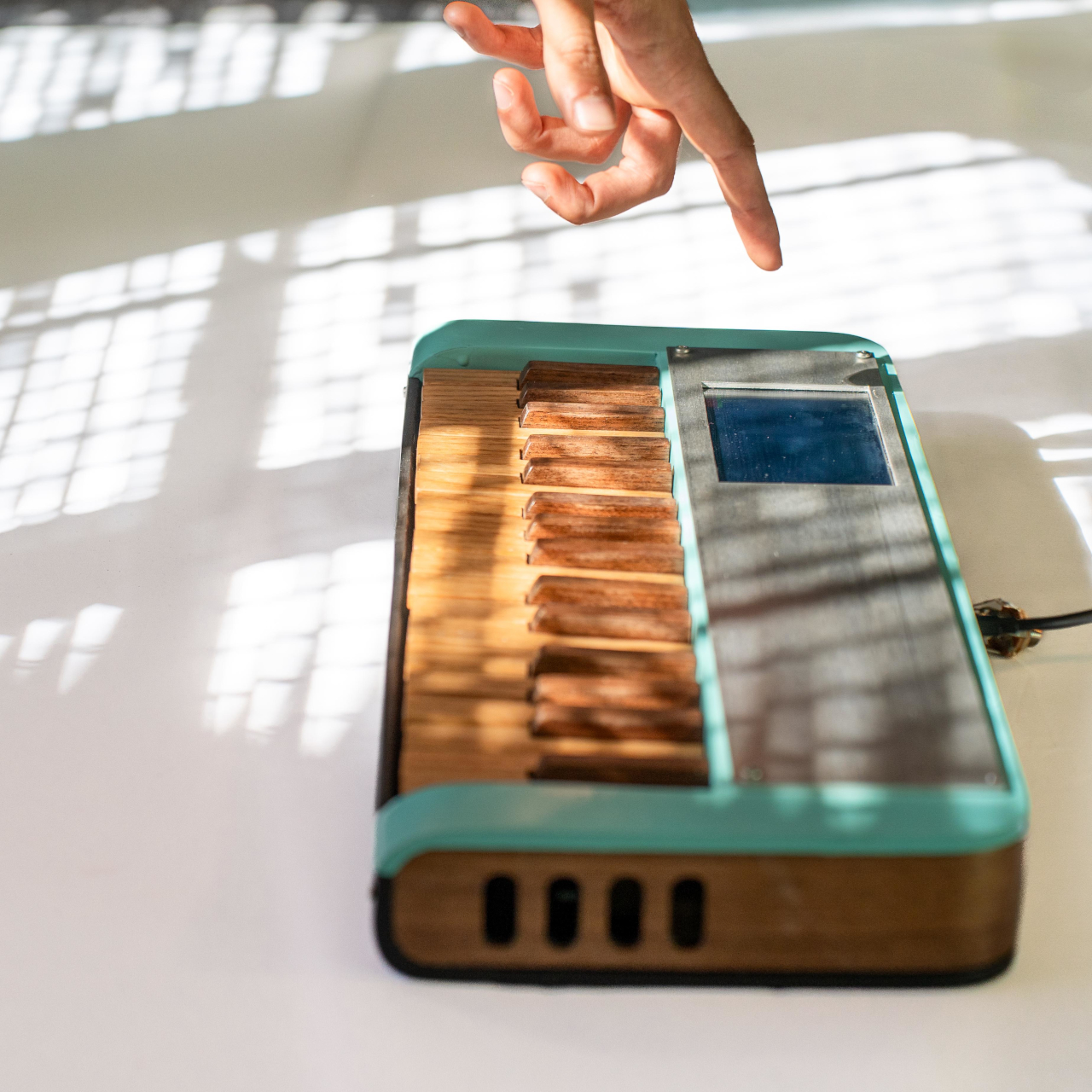
Tegel is one such artistic exploration in the translation of biological signals into audible sounds utilizing the popular bonsai tree. The choice of plant is almost poetic, given how this family of diminutive plants is often associated with meditation, calmness, and Zen. Ironically, the tones and beeps that are produced by this sound sculpture are hardly relaxing and are more like EDM for parties.

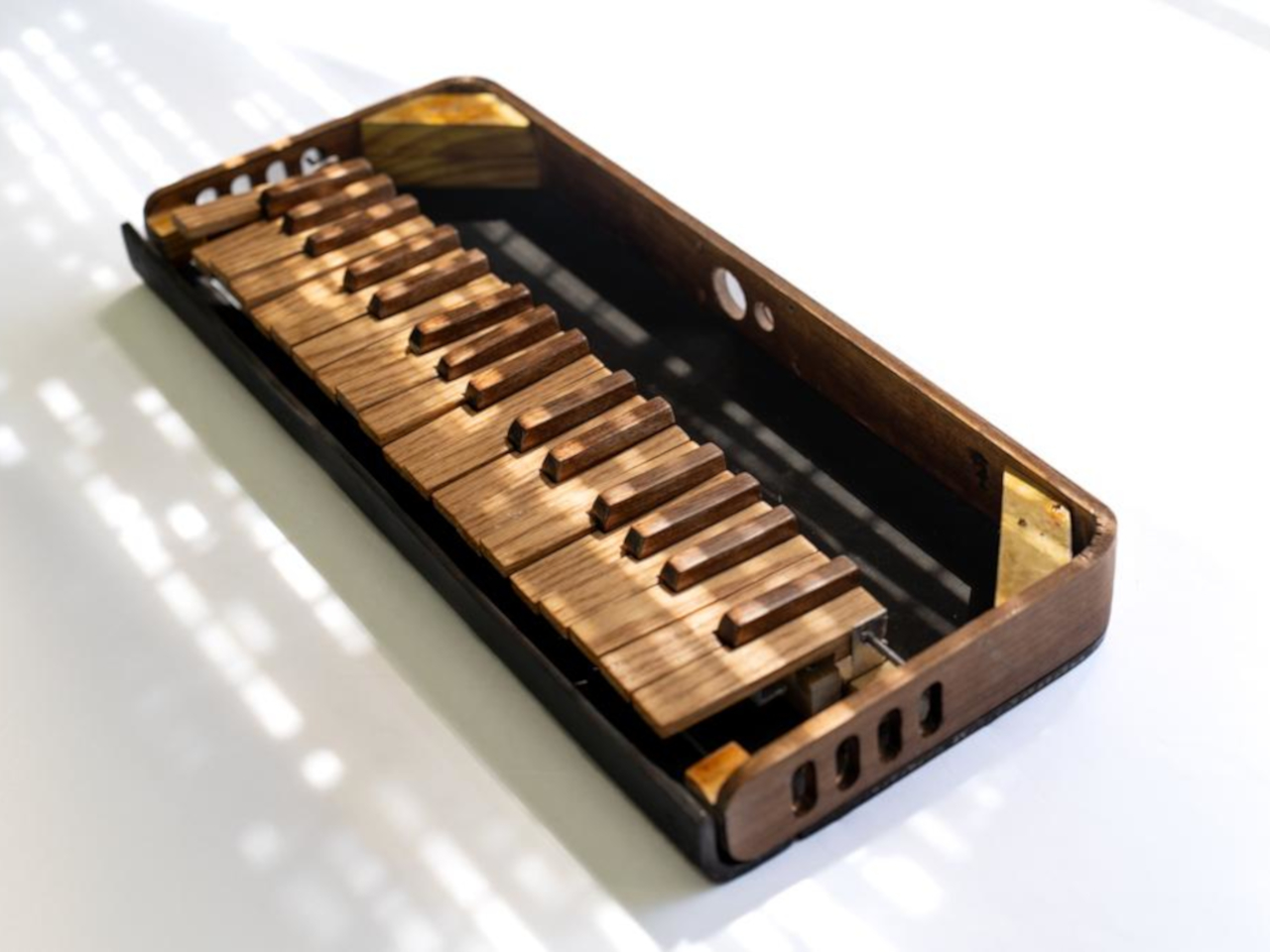
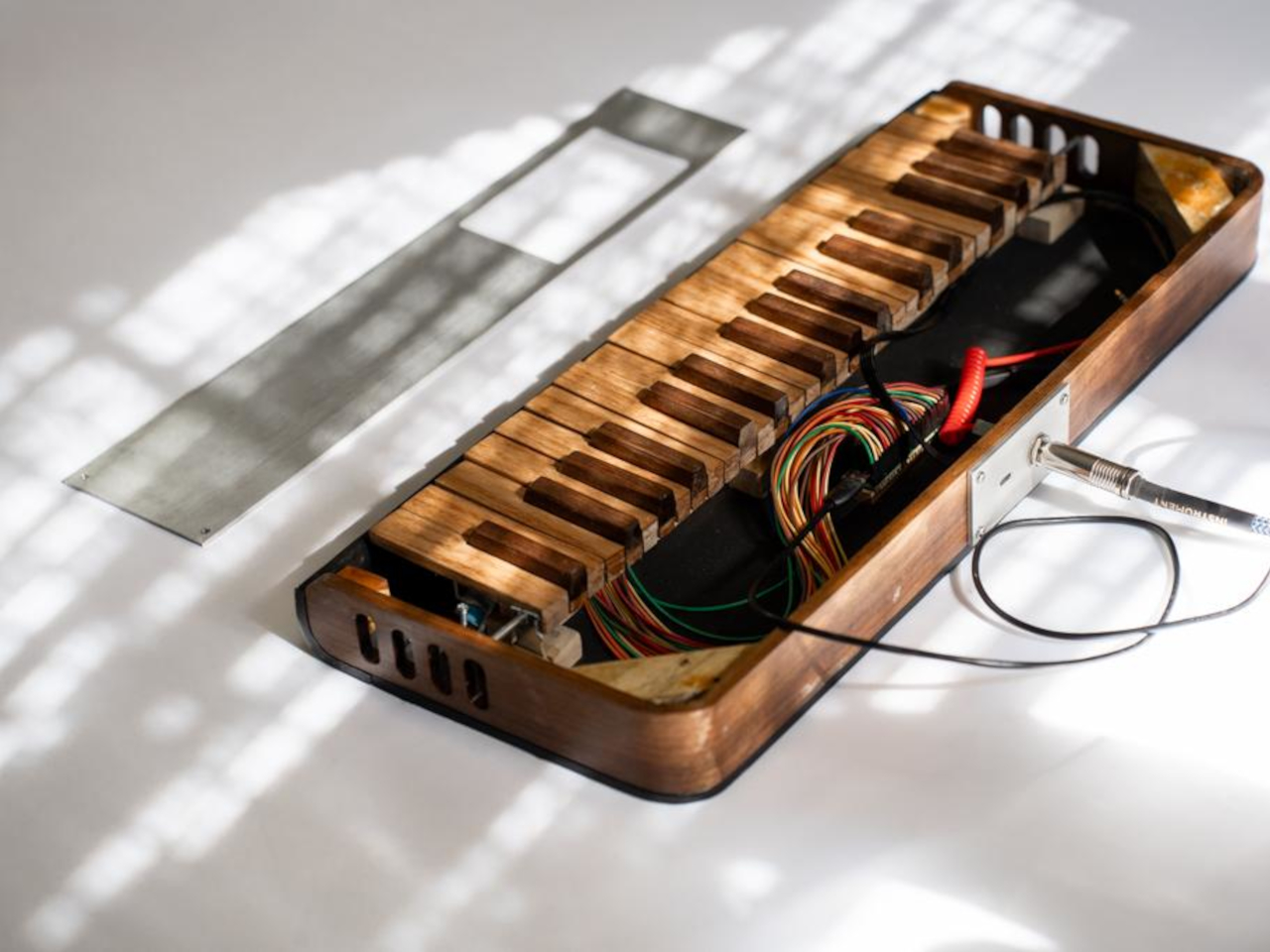
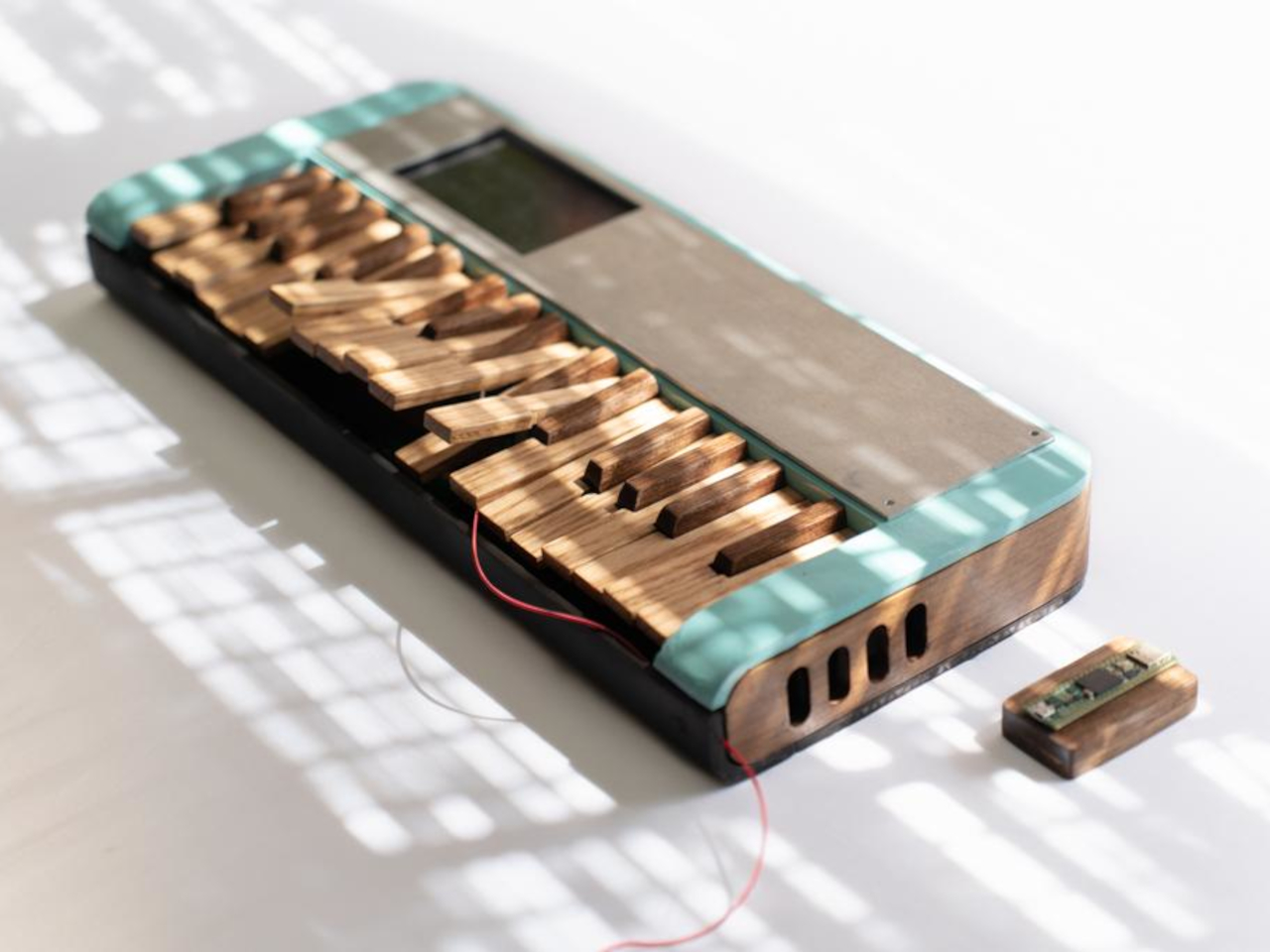
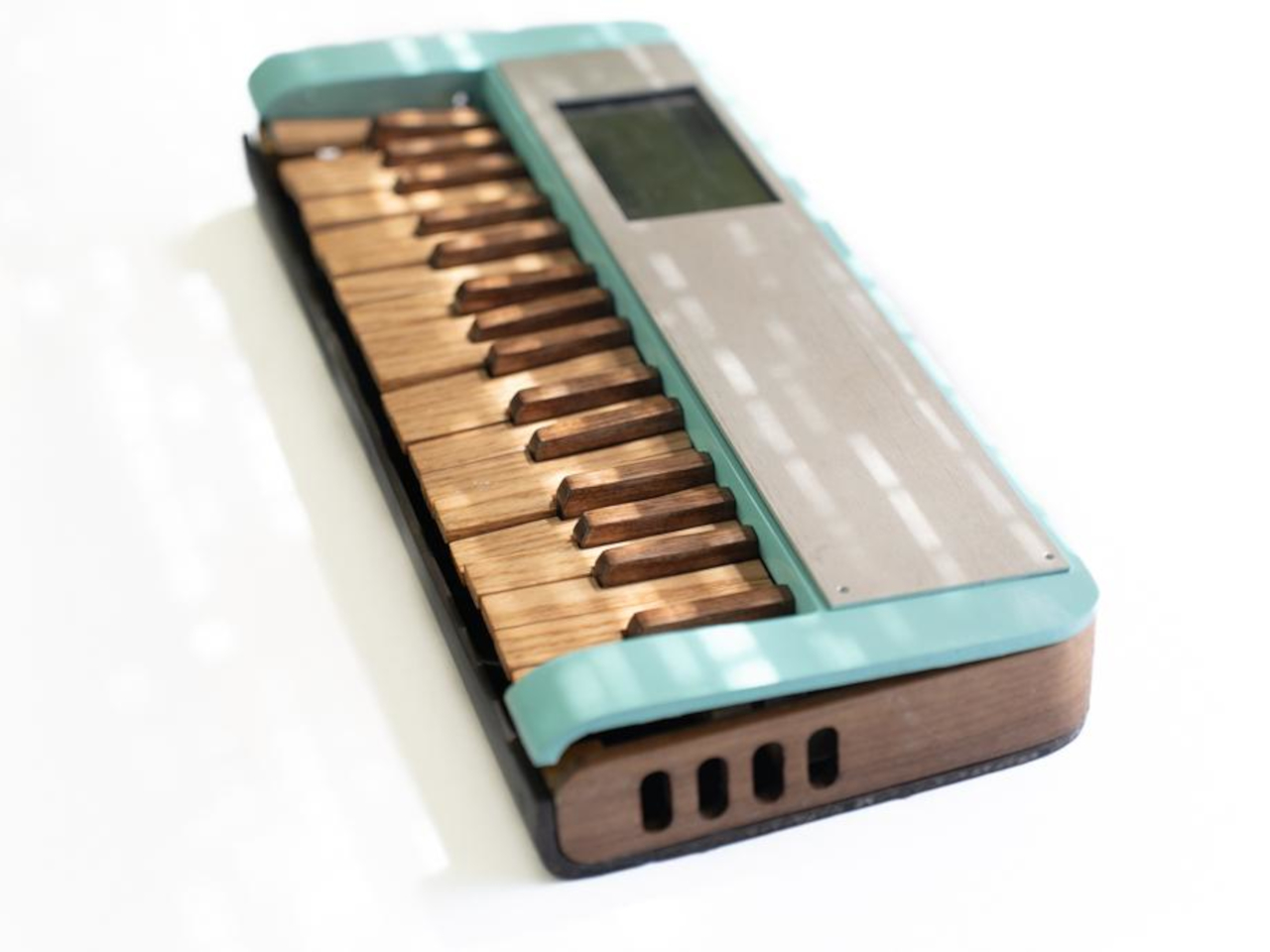
The small tree is housed inside a tall glass dome and is connected to an audio synthesizer via wires clipped onto its leaves. The plant acts more like a series of resistors rather than an actual sound source, and the sound sculpture incorporates dials to fine-tune the sound that comes out of it. There’s even a MIDI keyboard so that the user can add their own input to the mix.

What makes Tegel really special isn’t the process but the form that it comes in. Love Hultén has created quite a few of these contraptions that transform biodata into sound, but those really look the part of machines. In contrast, this sound sculpture is as much art as it is technology, inspired by the brick creations of Danish sculptor Per Kirkeby. It makes the bonsai tree a part of a miniaturized brick garden, creating a visual contrast of organic life and man-made structures working together to produce something akin to a miracle, that of pulling music out of a silent tree.

The post Love Hultén brick-inspired sound sculpture uses a bonsai tree to create sounds first appeared on Yanko Design.

AYANEO Flip DS handheld PC takes inspiration from a different Nintendo star

The Nintendo Switch is hailed as the design that brought the handheld gaming market back to life, but it’s hardly the only notable product from the gaming giant. Almost two decades ago, Nintendo launched the evolution of its Game Boy line, the Nintendo DS with its odd yet interesting second screen. It’s still debatable whether that feature was a success or just a gimmick, but there’s little argument that it became an iconic design that few have been able to emulate successfully. One of the rising names in the handheld PC segment, however, is taking a stab at bringing that uniqueness to this fledgling market, with a micro laptop design that includes not a keyboard but a small second screen, a feature that could be even more quirky and gimmicky than it was on the Nintendo DS.

Designer: AYANEO

It’s hard not to see the Nintendo DS as a bit gimmicky. Almost all the controls you need to play handheld games are mostly covered by buttons and joysticks, so you actually need to craft specific games to take advantage of that second screen. Because of the custom design, those games won’t work on any other console without heavy changes or some special emulation. That said, a second screen might actually have more utility on a different platform like Windows, where a different display could be used for displaying information or custom controls.

That seems to be what AYANEO is aiming for with the Flip DS launching on Indiegogo next month. The handheld laptop design is nothing new and AYANEO, in fact, has a variant with that design, the AYANEO Flip KB. That squeezes a basic QWERTY keyboard in between split gamepad controls, allowing for quick text input in games or Web browsing. The AYANEO Flip DS, however, switches out the keyboard for a 3.5-inch touch screen, providing a second display that could augment the gaming experience, at least in theory.

In practice, that touch display can be used to show anything as long as the operating system or games support it. At the most basic level, it can give quick access to the most used settings, like toggling Wi-Fi, muting the mic, or even shutting down the PC. It can also display the system’s current operating conditions, for gamers who are concerned about frame rates, power draw, and temperatures. Given the more open Windows gaming ecosystem, it’s conceivable that this screen can also be used for additional in-game controls that are just a thumb tap or swipe away. It could even be used as an on-screen virtual keyboard!

That said, additional features could also mean additional burdens on the system as well as the buyer’s wallet. These are features that are not exactly critical to enjoying games on the go, as proven by the half-dozen handheld gaming PCs now on the market. It’s still an interesting exercise in design that looks to another Nintendo product for guidance, because as popular and innovative as it may be, the Switch isn’t the be-all and end-all of handheld gaming.

The post AYANEO Flip DS handheld PC takes inspiration from a different Nintendo star first appeared on Yanko Design.

LG gram Pro laptops bring AI chops to lightweight computers, still over 1kg

Some brands stick around whether the original meaning of the name no longer makes sense. Products associated with those brands still carry some expectation, whether it’s a certain flavor, a particular quality, or just some trait that’s passed like DNA from generation to generation. That’s definitely the case with the LG gram, the consumer electronics giant’s line of laptops initially boasting weights of less than a kilo. It didn’t really take long before physics and market dynamics pushed those laptops beyond the 1,000-gram mark, while still trying hard to maintain their thin and stylish bodies. Fortunately, the added weight also adds some value, as the new gram Pro laptop and 2-in-1 try to prove with a lot of power and some AI special sauce that’s quite the hot trend these days.

Designer: LG

To be fair, it’s difficult to keep a laptop impossibly slim while still packing enough power to handle everyday workloads, especially as work becomes more demanding and hardware gets stronger to keep up. Manufacturers are forced to choose between performance, which includes cooling systems, and design, and most tend to pick the former. In that context, it’s actually quite commendable that LG is able to stick to the spirit of its original gram design, even if none of the laptops today weigh less than a kilo.

The 2024 LG gram Pro line at least makes the weight worthwhile, at least for computer users who are heavily dependent on AI-powered tasks. These laptops are equipped with the latest Intel Boost, the chipmaker’s neural processing unit or NPU that can handle heavy AI workloads without depending on cloud-based services. This results in faster results and more privacy since everything happens on the device and can work without an Internet connection.

This year’s LG gram Pro generation still combines the best specs you can find in a laptop, including Intel’s Core Ultra processors and NVIDIA GeForce RTX 3050 graphics, a combo that will be killing it when it comes to creative digital work as well as games. This will make things quite hot, which could affect performance in the long run. A dual cooling system is LG’s answer to this problem and the fact that it could squeeze that solution into a thin laptop definitely deserves some praise.

In addition to the standard 16-inch and 17-inch LG gram Pro laptops, the line welcomes a new 16-inch LG gram Pro 2-in-1 that can fold over into a tablet, complete with a touch screen and wireless pen. Both models sport minimalist aesthetics that exude a character of elegance and style that belies the power they carry inside. That same design language is also available in non-Pro gram laptops that have smaller 14-inch and 15-inch options.

The post LG gram Pro laptops bring AI chops to lightweight computers, still over 1kg first appeared on Yanko Design.

LG CineBeam Qube 4K projector doubles as a curious design piece

Projectors have been around for almost decades, but it has only been recently that they’ve started to move out of offices and into living rooms. With the advent of home projectors, however, came the need for newer designs that make these utilitarian boxes fit with your interior design better. Some brands have indeed started to do that, but it takes more than just using glossy surfaces or wrapping the boxes with fabric-like materials. Ideally, you really have to think outside the box and adopt a design that barely looks like a typical home projector, like the new LG CineBeam Qube 4K that’s meant to look like a stylus art object when simply sitting on your table or shelf, whether or not you’re using it.

Designer: LG

Smart home projectors have started to become more aware of how they need to blend in with the rest of your furniture or home decor. Some have tried to embrace more luxurious-looking materials that make the appliances look a little more stylish, but few can escape the traditional boxy shapes that projectors come in. Admittedly, it’s not that easy to break away from this form due to technical reasons, but that doesn’t mean you have to stick to the bulky horizontal design of most projectors.

The LG CineBeam Qube 4K is an example of a design that breaks from the mould while still sticking to the norm. It’s still a rectangular box and less a cube as its name might imply, but it stands upright rather than lying low. It’s also quite tiny, compared to your run-of-the-mill laser projectors, so it can discreetly stand beside your books on a shelf and get out of the way when you don’t need it. The point, however, is that you won’t have to put it away during those periods of rest because the CineBeam Qube is designed to look great even while just standing there.

The projector has a rather industrial aesthetic, with a metallic silver chassis and a black facade where the large lens lies smack in the middle. There is an odd lever structure wrapping around the back of the box, most likely a handle that lets you pick up the projector and move it around in style. Its beauty won’t appeal to everyone, but it will at least grab people’s attention the moment they see it.

Despite its small size, the LG CineBeam Qube claims to pack quite a punch, including 4K resolution and a maximum projection size of 120 inches. The 500 ANSI lumens brightness, however, means you’ll only use it indoors in a dark room. It’s a smart projector so you’ll have access to plenty of content, both from streaming services as well as connected devices. And when you’re not using it to watch shows, you can use its image-mapping function to display images and photos that add some life to your dark space.

The post LG CineBeam Qube 4K projector doubles as a curious design piece first appeared on Yanko Design.

SwitchBot K10+ Mini Robot Vacuum Review: Small Wonder, Big Benefits

PROS:


  • Compact size makes cleaning tight spaces a breeze

  • Replaceable mop wipes are convenient and hygienic

  • Packs plenty of smart features despite the size

CONS:


  • Light and limited mopping function

  • Can't vacuum and mop at the same time

  • Disposable wet wipes can be wasteful and expensive over time

RATINGS:

AESTHETICS
ERGONOMICS
PERFORMANCE
SUSTAINABILITY / REPAIRABILITY
VALUE FOR MONEY

EDITOR'S QUOTE:

The SwitchBot K10+ mini robot vacuum cleaner challenges the status quo to deliver the same smarts and power in a compact and agile package.

They predated the craze that is now known as smart homes, but robot vacuums have only really caught on in the past few years as people started to appreciate the time and effort these intelligent machines save them. As time goes on, the humble giant pucks that were robot vacuums have evolved into more advanced species with more features and more intelligence to make life more convenient for humans and sometimes even pets. That said, all these smart robot vacuums have embraced the motto of “bigger is better,” which is definitely not the case when these rolling circles start bumping into corners or get stuck in between furniture. The SwitchBot K10+ tries to attack that problem from a different angle by offering a robot vacuum that’s smaller yet still just as smart, so we take it for a roll to see if size does matter or not.

Designer: SwitchBot

Aesthetics

When seen in isolation, it’s hard to point out what makes the SwitchBot K10+ robot vacuum cleaner special. Yes, it has a clean and minimalist design, but so do most machines in this market. Available only in white, the K10+ makes no effort to hide the sensors in front and on top, though it does give the otherwise plain appearance some visual flair.

When you put it in the context of other things in your house, however, that’s when you really appreciate the design of the SwitchBot K10+. It’s significantly smaller than other robot vacuum cleaners in all aspects, from the robot itself to its auto-emptying base station. The size difference is even more apparent when you compare it with a regular robot vac and see how much smaller it is. With small black markings on its face and on the top of its head, it almost looks like a cute toy.

That diminutive size isn’t just for show, of course. We’ll get to the performance aspects later, but even just in terms of appearance, the K10+ has an edge over the competition. Its compact size makes it easier to place the vacuum and its base station almost anywhere, whether it’s in plain sight, hidden in corners, or in between shelves. Whether you want to show it off or have it disappear in the background, the SwitchBot K10+ gives you the choice and doesn’t force you like some behemoth robot vacuum cleaners and their overgrown stations.

Ergonomics

Some say big is better, but being small has plenty of benefits as well. It’s a size that’s often associated with agility and manageability, and the SwitchBot K10+ definitely checks those boxes off. At only 2.3kg, you can easily pick up the robot, and you’ll actually do that a lot if you want to mop the floor with it. That’s because the K10+ doesn’t have an independent mopping component and you’ll have to turn it over every time to put on or remove the mop wet wipes we’ll get to in a bit.

You might also want to bring it up or down stairs, in case you want to vacuum other floors. While the SwitchBot app can indeed store maps, the robot can’t climb stairs on its own. Because of its small size and lightweight design, you won’t break a sweat carrying the machine where it can do its job. Of course, you won’t be carrying the charging station with it, so you’ll have to be more attentive to the robot’s battery levels.

Operating and managing the robot vacuum is also easy as pie. Of course, most of the action happens on the SwitchBot mobile app, but there are still some things you have to do manually. The dustbin is automatically emptied, but you should clean it after a few months at least. You’ll have to also maintain the brushes, which is where the vacuum’s lightweight body comes in again. Most importantly, there’s a manual on/off switch under the top lid that you do have to flip to get the ball rolling. Fortunately, getting to all these parts is a walk in the park thanks to the K10+’s simple and smart design.
Performance

It’s easy to dismiss the SwitchBot K10+’s power after hearing that it’s the world’s smallest robot vacuum cleaner, but that would definitely be playing into the size trap. There is a saying that also goes “small is terrible,” but in this case small is a lot better in things that the big guys can’t even handle. This is especially true for the many areas you take for granted in your house, like between the legs of chairs, underneath low furniture, or that narrow space between the wall and the couch.

The SwitchBot K10+ possesses excellent LIDAR vision and silicon smarts to make short work of these cramped spaces. After the initial navigation of the floor’s layout, you are given a visual map where you can merge or separate areas, in the rare cases that the robot got it wrong. That same vision and intelligence is also what allows the K10+ to easily navigate the “in-betweens” with agility and precision, correcting itself if it does bump into a leg or corner wall. In other words, the small robot has plenty of brains to get around without a hitch and insert itself in places that regular vacuum cleaners wouldn’t even dream of fitting.

When it comes to the actual act of vacuuming, the SwitchBot K10+ is a bit of a mixed bag that’s leaning more toward the positive. Despite its size, its 2,500Pa suction power is plenty strong, able to handle most tasks on hardwood floors. Yes, it will fail on very thick and tall carpets, but short ones are no problem at all. It even has automatic carpet detection so that it knows to apply stronger suction when rolling over a mop. It’s not a complete clean on the first pass, but you can program it to do two passes every time. Interestingly, when it is programmed that way, it will alternate between horizontal and vertical routes to make sure that every inch of the floor is covered.

All of the robot’s functions can be reached from the SwitchBot smartphone app, which you need to set up before you can even use it. It has everything you need to control the K10+, from mapping to setting no-go zones to switching between four levels of suction strength. You can also schedule when and where the robot will do the cleaning as well as how many passes it makes in each area. The app, however, has also a few features you rarely find in other robot vacuums. For example, you can download a voice package to change how the robot sounds when it reports to you, personalizing the experience to some degree. There’s also an “accessory usage life” that uses a time-based counter to remind the owner to clean or change out certain parts to keep the robot performing at its best.

With a size this small, there are bound to be some limitations, and, objectively speaking, there are quite a few. As mentioned, 2,500Pa is not enough to handle tough dirt and thick carpets, but the SwitchBot K10+’s biggest weakness is its mopping function. There is no separate water tank or roller for mopping, and you have to use disposable wipes (included in the package) every time you want to wipe the floor. The upside is that you don’t have to deal with washing mop heads and the risk of gathering germs along the way. You simply remove the wet wipe and throw it away. The downside is that the cost of these wipes will accumulate over time, making it a rather expensive function.
The mopping function isn’t that great either, since there are no rollers or mop heads to really do a proper moping. It’s basically doing the equivalent of simply wiping off the floor with a damp cloth and nothing more, so tougher stains won’t go away using this method. Given the way it works, you can’t even vacuum and mop at the same time and have to switch between modes. It’s a very basic feature that you probably wouldn’t miss if it weren’t there in the first place, but SwitchBot seems to have decided to put it there just for the sake of having it on marketing material.

Sustainability

Although it’s quite unique in its size, the SwitchBot K10+ is very typical in its design, including its abundant use of plastic. That makes the product less eco-friendly, but there is another aspect that further pushes its sustainability grade down. The wet wipes for mopping, while convenient and hygienic, are pretty wasteful and environment-unfriendly. More advanced robot vacuum cleaners have automated washing and drying to solve the problem of cleaning mops, but there just isn’t enough room for the small K10+ for this feature. For some households, it’s not going to be a deal-breaker, just something they have to take into account when computing the total cost of ownership.

Value

The SwitchBot K10+ is a rather unique product that is full of surprises but also leaves potential buyers even more undecided about its value. With a standard $499.99 price tag, it’s not exactly the most affordable robot vacuum cleaner, despite its smaller size. It almost sounds like a niche product, but you might be surprised at how common that niche turns out to be.

The world’s smallest robot vacuum really shines in small places like apartments, one to two-bedroom suites, and similar residential spaces. Individuals and small families have long felt left out by the mainstream market because of large robot vacuums that couldn’t properly navigate their cramped floors. The K10+ surprisingly offers pretty much the standard set of features for robot vacuums, including decent suction power for most kinds of dirt and particles, so it gets the job done even when it involves squeezing into tight spaces. Yes, it might have been better off not offering any mopping functionality at all, but it’s at least there if and when you need it.

Verdict

Robot vacuum cleaners are becoming as common as smart home speakers and security cameras, providing the convenience of technology in a very palpable and almost mundane way. There’s a great deal of uniformity in the design of these smart machines, which means there’s very little variety in terms of style and form. The SwitchBot K10+ breaks free from those conventions by offering a smaller robot, but its small size isn’t just for show nor is it a disadvantage.

Thanks to its smaller radius, the K10+ can squeeze into tight spaces and reach floors that its larger rivals couldn’t. Despite its size, it has enough power to really suck the dirt off even from some short and light carpets. Sure, the mopping function is disappointing and wasteful, but you don’t always have to use it if all you need is a dirt-less floor. Even with just the basics, which it delivers with skill and proficiency, the SwitchBot K10+ can shave off hours from your busy day, freeing you to do the more important things in life like spending time with others or even with yourself.

The post SwitchBot K10+ Mini Robot Vacuum Review: Small Wonder, Big Benefits first appeared on Yanko Design.