CES 2026 day 0: The biggest news you missed from the show’s Monday press conferences

CES 2026 officially opens today, but much of the show’s biggest announcements already landed during Monday’s press conferences and early events. AI was everywhere, chipmakers dominated the schedule and a handful of brands used the pre-show window to quietly drop meaningful hardware updates.

Below are the biggest announcements and trends from January 5, plus a few standout hands-ons from Pepcom and CES Unveiled.

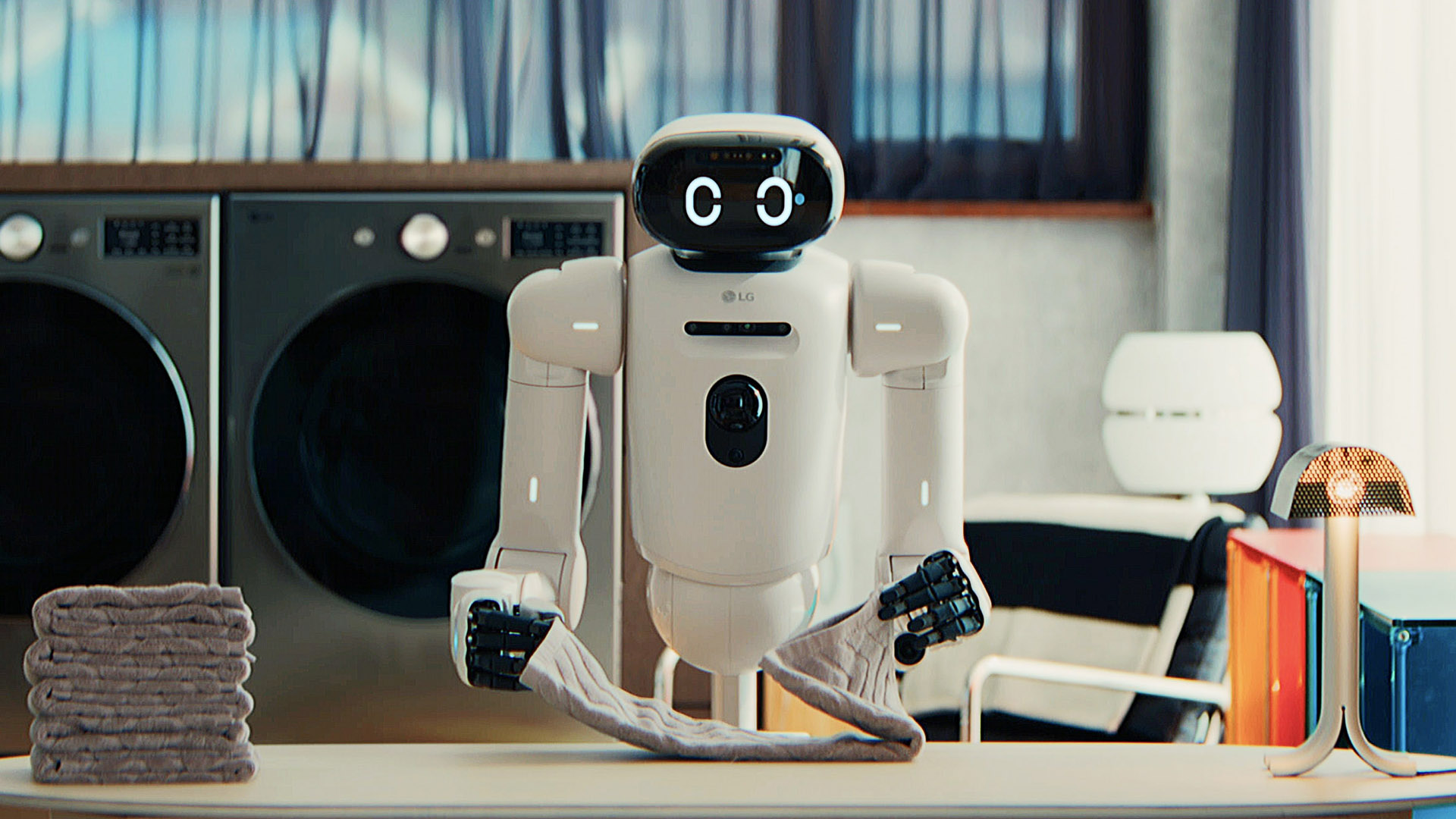
LG's CLOiD robot.
LG's CLOiD robot.
LG

LG’s World Premiere keynote leaned hard into its vision of “Affectionate Intelligence,” with AI positioned as the connective tissue across TVs, appliances and even robotics. While most of the hardware was announced ahead of time, the company used the stage to show how its ideas fit together, including updated OLED TVs, Micro RGB panels and its ultra-thin Wallpaper TV.

The most memorable moment, though, was CLOiD, LG’s humanoid home robot, which capped off the presentation with demos that were more theatrical than practical. As usual for LG at CES, the vision was ambitious, even if much of it still feels a few years away.

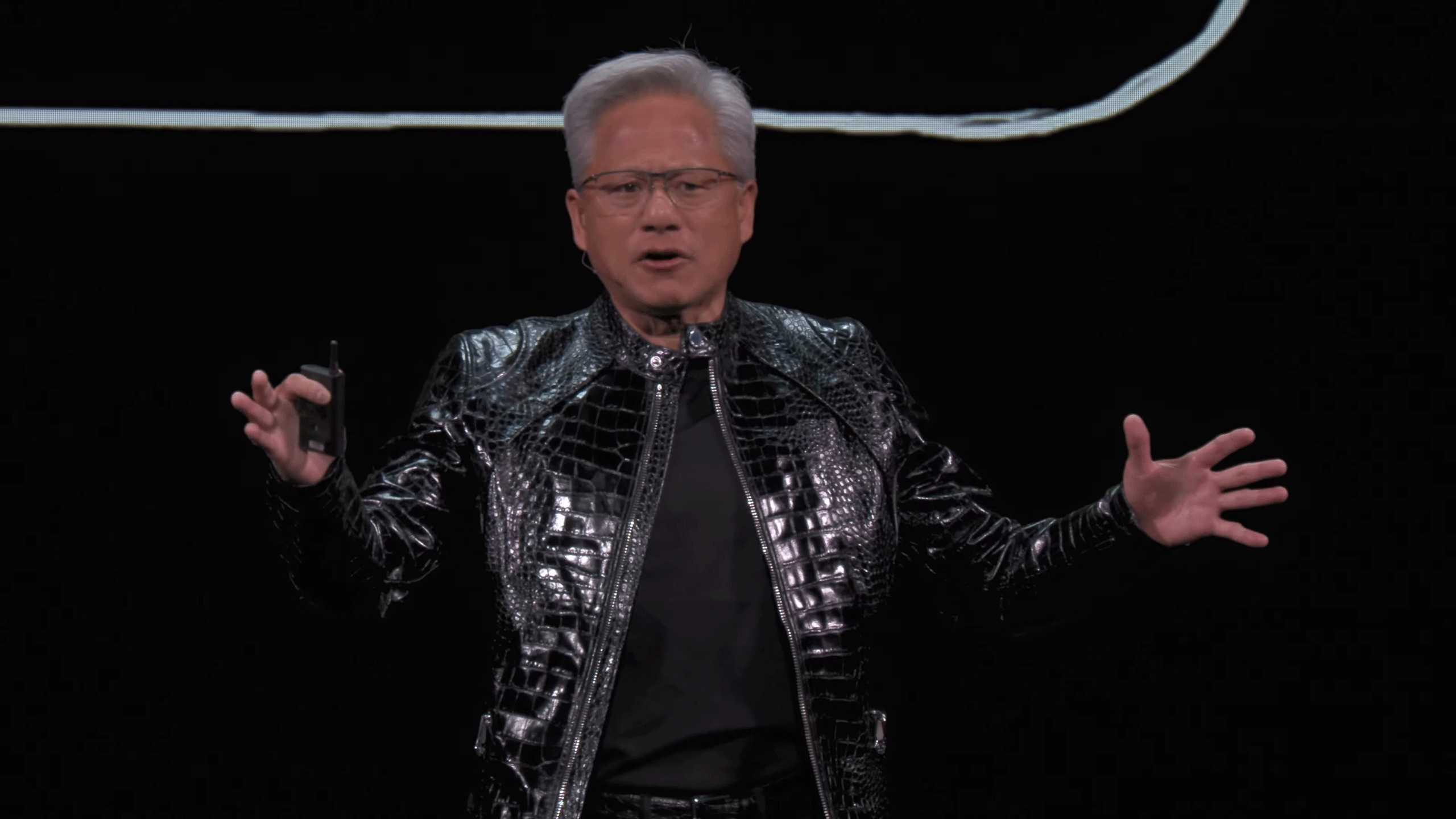
NVIDIA CEO Jensen Huang presents at CES 2026, wearing a black snakeskin-like jacket.
NVIDIA

NVIDIA’s CES keynote was long, dense and firmly focused on AI infrastructure rather than consumer GPUs. CEO Jensen Huang introduced the Vera Rubin supercomputer platform, alongside updates to NVIDIA’s open AI models, robotics tools and autonomous vehicle stack.

Between discussions of “physical AI,” self-driving systems and massive data center hardware, NVIDIA made it clear it sees CES as a place to define the future of computing, not just sell graphics cards. If you were hoping for new GeForce news, this wasn’t the keynote for you.

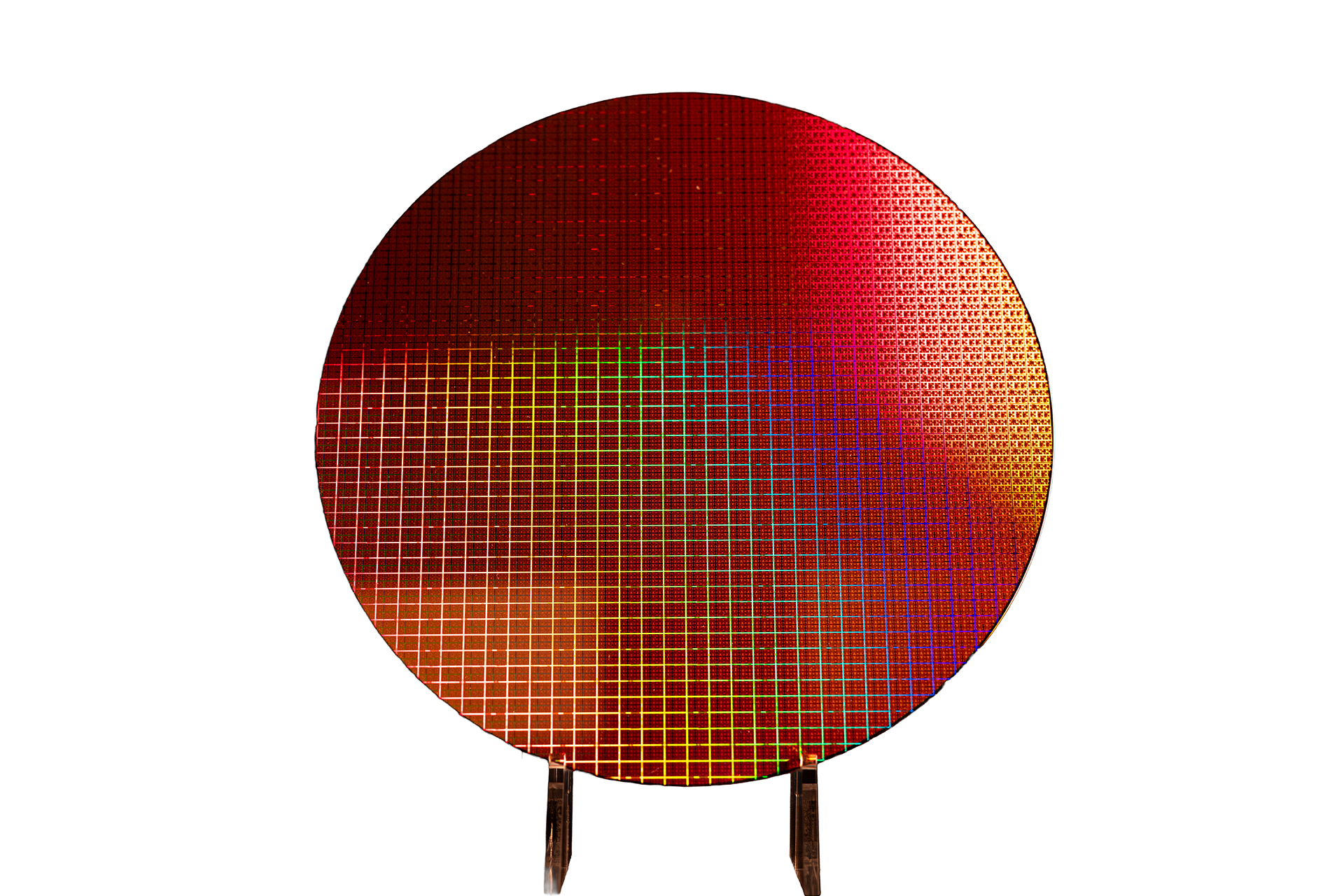
Image of a Core Ultra Series 3
Intel

Intel’s press conference followed NVIDIA’s with a more focused pitch: the launch of Core Ultra Series 3 processors, also known as Panther Lake. Built on Intel’s 18A process — that’s less than 2nm — the chips are designed to power the next wave of AI PCs, with improved graphics, better efficiency and stronger local AI performance.

The message was clear: Intel wants to convince partners and consumers that it’s back in the game for high-end laptops, even as competition from AMD, Qualcomm and Apple continues to intensify.

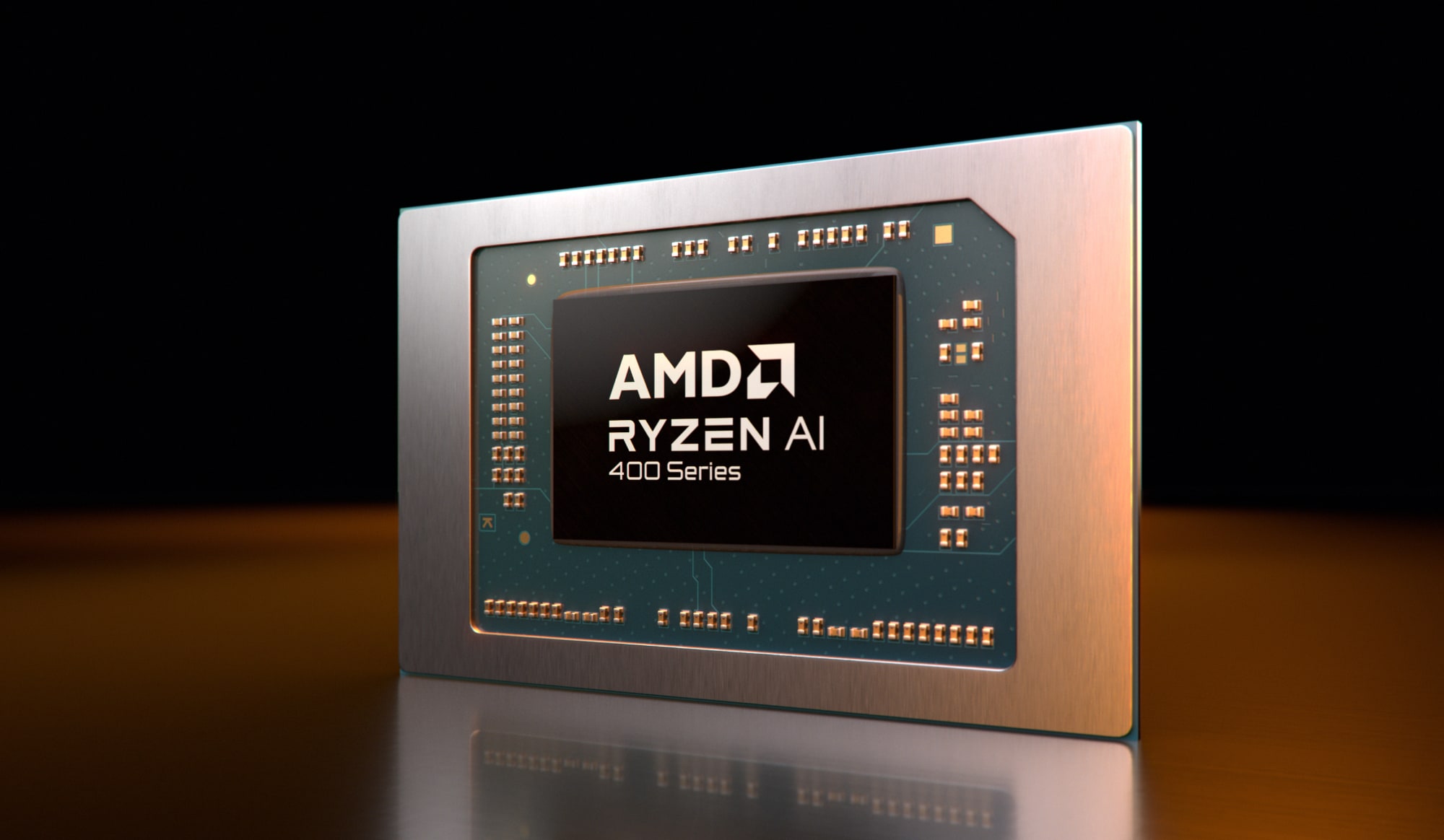
AMD Ryzen AI 400
AMD Ryzen AI 400
AMD

AMD wrapped up press day with a keynote that mixed familiar AI rhetoric with meaningful chip announcements. Highlights included new Ryzen AI 400 laptop processors and updated desktop chips, including the Ryzen 7 9850X3D for enthusiasts.

As with NVIDIA and Intel, AMD leaned heavily into AI across cloud, PCs and edge devices. The difference was execution. AMD’s announcements felt more immediately relevant to products shipping this year.

Sony Honda Mobility Afeela Press Conference at CES 2026
Afeela

Sony’s CES presence once again centered on Sony Honda Mobility and the Afeela electric vehicle. The company showed an updated prototype and shared progress updates, including expanded delivery plans and deeper entertainment integrations like PlayStation Remote Play.

For longtime CES watchers, it was a familiar story — the Afeela was first showcased here in 2020, after all. Sony’s traditional consumer electronics took a back seat, while mobility and software remained the headline.

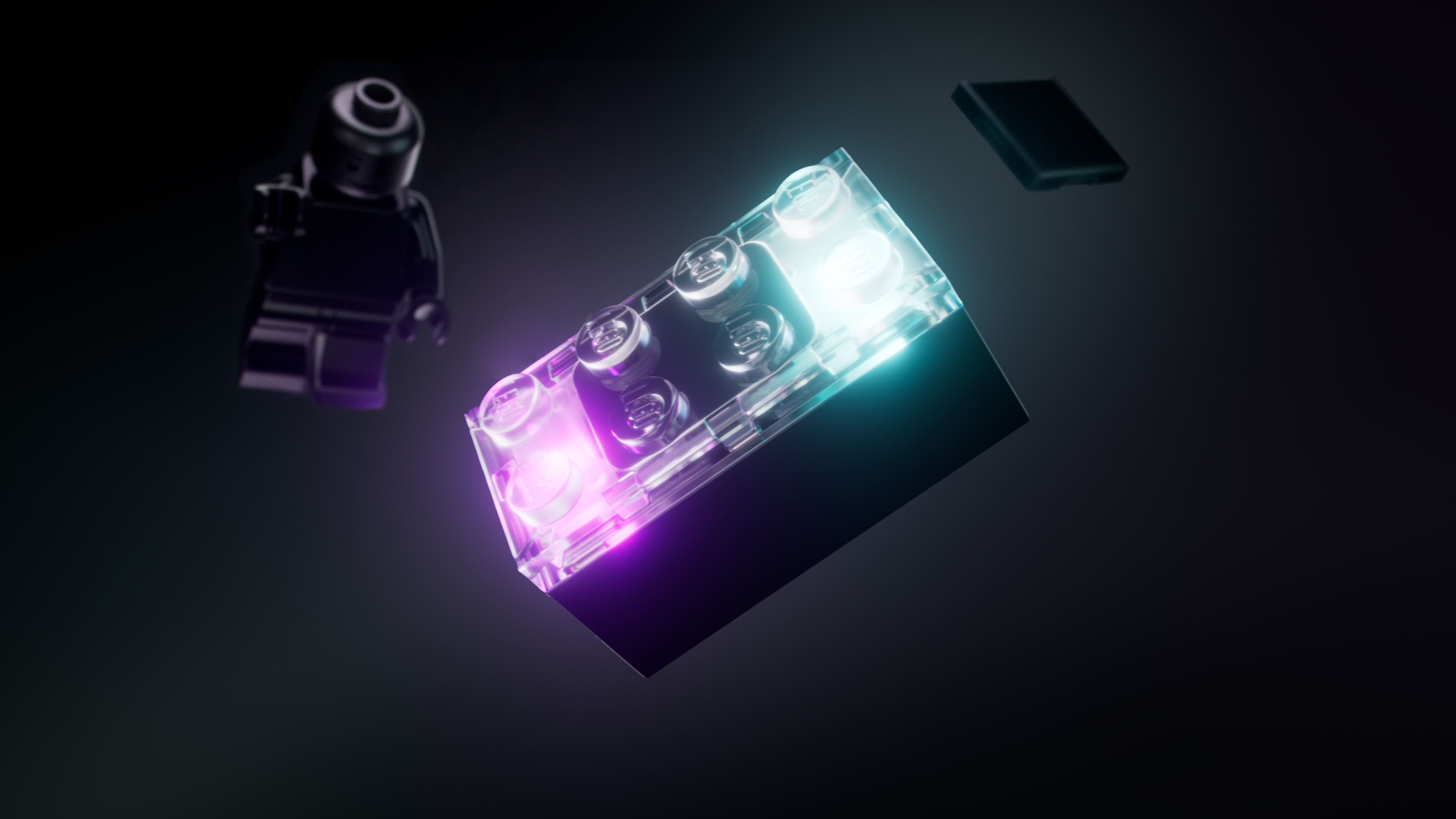
Lego introduced the Smart Brick at CES 2026.
Lego

Lego held its first-ever CES press conference and used it to unveil Smart Bricks, part of a new “Smart Play” initiative that adds sensors, audio and wireless communication to traditional Lego pieces.

The system is launching with Star Wars sets later this year and is designed to work without apps or screens. It’s a notable shift for Lego and one of the more genuinely surprising announcements of the day.

Outside of the main press conferences, several companies made quiet but notable announcements (though some was Sunday news that hit the wires after the East Coast midnight hour). Samsung continued its CES rollout with new TVs, speakers and laptops. Anker drew attention with updated chargers and power accessories. Amazon shared incremental updates tied to Alexa and smart home hardware.

Meanwhile, Engadget’s team got hands-on with dozens of products at the Pepcom mini-show, from oddball gadgets to early looks at devices launching later this year.

Press day may be over, but CES is just getting started. The show floor opens today, with Lenovo, automotive tech, smart home gear and plenty of unexpected demos still to come. We’ll be publishing hands-ons, deep dives and daily recaps all week.

You can follow along with our CES 2026 liveblog or check back on Engadget for the latest updates as they happen.

This article originally appeared on Engadget at https://www.engadget.com/big-tech/ces-2026-day-0-the-biggest-news-you-missed-from-the-shows-monday-press-conferences-142811448.html?src=rss
The biggest new TV announcements at CES 2026 from Samsung, LG and TCL

TVs are a staple of CES, and so far, manufacturers have not disappointed with their announcements at CES 2026. Companies including Samsung, LG and others came to the event ready to show off updates to existing display tech and some genuinely new technologies. OLED and Mini LED remain central to most lineups, while Micro RGB has emerged as one of the most talked-about developments at the show so far, especially at the higher end of the TV market.

Below are the TV announcements that stood out most from the pre-show events and early press conferences, with more expected as CES continues. Also, be sure to check out our best of CES 2026 list.

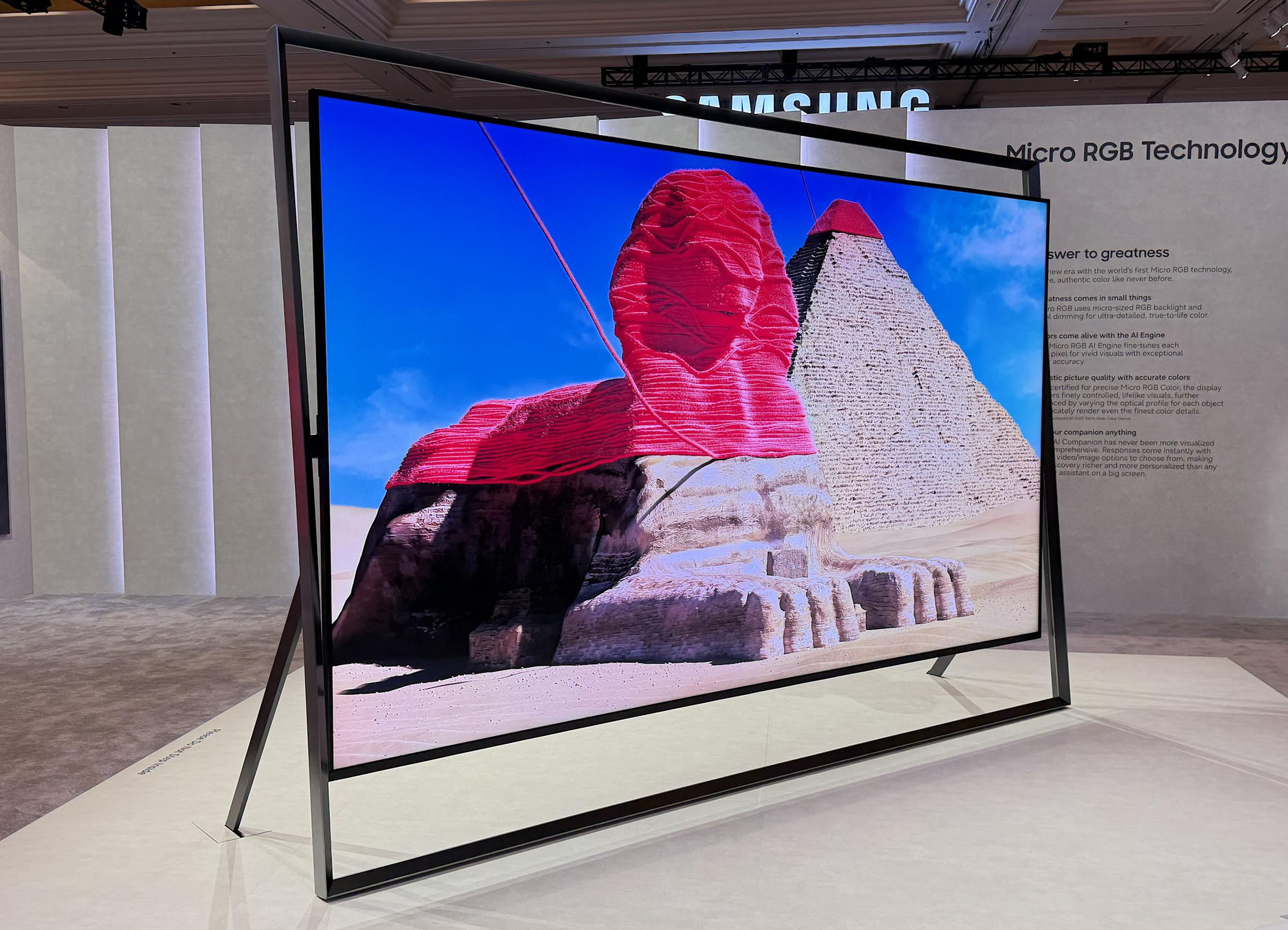
Samsung's flagship Micro RGB TV
Engadget

Samsung’s Micro RGB push at CES 2026 isn’t just about big screens — it’s also about how the technology tries to redefine color accuracy and brightness in LCD-based TVs. Unlike traditional Mini LED backlights that rely on white LEDs and filters, Samsung’s Micro RGB TVs use microscopic red, green and blue LEDs in the backlight plane, which help deliver a wider color gamut and more precise local luminance control than conventional backlit LCDs.

The standout of the lineup so far is the jaw-dropping 130-inch Micro RGB concept, shown suspended on a massive gallery-style stand at Samsung’s First Look event. It’s powered by Samsung’s Micro RGB AI Engine Pro, a processing suite that includes Micro RGB Color Booster Pro and Micro RGB HDR Pro to refine contrast and push color depth and detail frame by frame, with HDR10+ Advanced support built in. Compared with previous Micro RGB models, Samsung says this expanded family will start at more practical sizes — 55- and 65-inch — and go up to sizes as large as 75, 85 and 100 inches, all with next-gen AI-driven picture and sound features baked in.

Samsung’s Micro RGB sets also carry the company’s Glare Free anti-reflection finish and tie into its broader Vision AI platform, which supports things like conversational search and contextual content discovery. While the 130-inch concept may remain more of a statement piece than a consumer product, the move underscores how Samsung continues to push next-gen TV tech forward.

Samsung’s new 2026 OLED slate — including the S95H, S90H and S85H models — continues the brand’s use of quantum dot-enhanced OLED panels, bringing brighter highlights and richer colors than older WOLED approaches. These TVs also benefit from Samsung’s continued refinement of processing and anti-glare screen treatments, which make them more adaptable in bright living rooms than traditional OLEDs.

The flagship S95H retains its position as the most premium, using a quantum dot layer to help improve brightness and color purity. Below that, the S90H brings glare-reducing optical layers and robust picture processing to a slightly more affordable price point, while the S85H is designed to offer core OLED benefits, like deep blacks and wide viewing angles, in a more accessible package that now includes a new 48-inch size for smaller spaces or gaming setups.

Across the OLED family, Samsung’s Vision AI-powered tools such as AI Motion Enhancer Pro and AI Sound Controller (which dynamically adjusts audio based on content) are also part of the story, making these sets not just about panel tech but about richer, more adaptable viewing experiences.

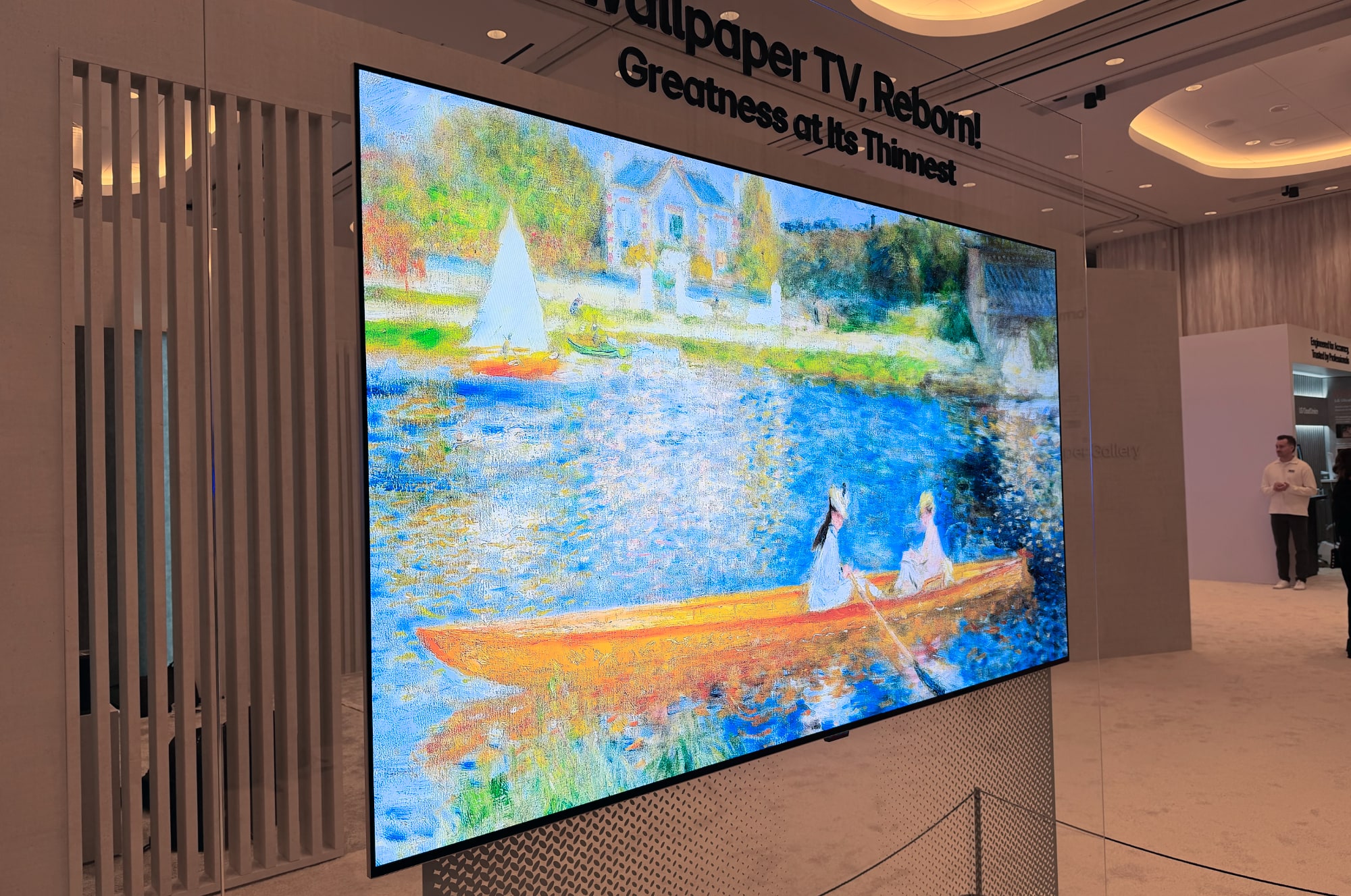
LG's 2026 Wallpaper wireless OLED TV
Devindra Hardawar for Engadget

LG’s OLED evo W6 Wallpaper TV makes a striking return at CES 2026, and this year’s version manages to blend design flair with high-end performance. The panel itself is an astonishing 9mm thick, designed to sit almost flush against a wall, and pairs with a Zero Connect Box that hosts all inputs and delivers wireless video feeds up to 10 meters away.

Under the ultra-thin exterior, the W6 uses LG’s Hyper Radiant Color technology coupled with Brightness Booster Ultra to push improved brightness and color saturation compared with previous Wallpaper models. It also received Intertek’s “Reflection Free with Premium” certification, indicating some of the lowest reflectance levels yet on an OLED TV. Gaming shooters and fast action fans might appreciate support for up to 165Hz refresh rates and both G-SYNC and FreeSync Premium compatibility, making this one of the most technically ambitious Wallpaper designs LG has shown.

LG is also entering the premium RGB-backlit arena at CES with its Micro RGB evo lineup, bringing a similar focus on wider color gamut and intense brightness. Early coverage indicates the Micro RGB evo models will arrive in 75-, 86- and 100-inch sizes, and are built around LG’s α11 AI Processor Gen3, which handles advanced upscaling, local dimming and dynamic HDR optimization.

LG’s Micro RGB evo TVs have been certified for full coverage of BT.2020, DCI-P3 and Adobe RGB color spaces, suggesting an exceptionally wide palette and precise color fidelity. Under the hood, the Micro Dimming Ultra system is said to deliver 1,000+ local dimming zones, which narrows the gap between LCD-based displays and self-emissive technologies like OLED in terms of contrast management.

This early positioning of RGB LED tech by LG also highlights a growing industry shift, with multiple brands teasing similar systems designed to improve brightness and color performance on large screen sizes — especially where OLED’s peak luminance traditionally struggles.

OLED remains a core focus for LG, and CES 2026 brought updates to its popular C-series. The LG C6 OLED continues the company’s tradition of balancing performance and price, while the C6H OLED steps things up with a new Primary RGB Tandem panel designed to deliver higher brightness and improved color volume.

These models are clearly aimed at buyers who want OLED’s deep blacks and wide viewing angles without jumping to LG’s most expensive designs, making them likely to be among the most popular TVs LG releases this year.

TCL used CES 2026 to make a strong case for Mini LED’s continued relevance with the X11L SQD-Mini LED TV, its new flagship model aimed squarely at large-screen home theater setups. Rather than chasing Micro RGB, TCL is refining its own approach with SQD, or Super Quantum Dot, technology, which combines an enhanced quantum dot layer with a dense Mini LED backlight to improve color purity and brightness.

The headline number here is brightness. TCL claims the X11L can hit up to 10,000 nits peak brightness, putting it among the brightest TVs shown at CES this year. That’s paired with an extremely dense local dimming system, with up to 20,000 dimming zones, which is designed to improve contrast and keep blooming in check despite the extreme luminance. TCL also says the panel covers 100 percent of the BT.2020 color space, a bold claim that, if it holds up in real-world testing, would put it in rare company.

The X11L is a 4K TV available in 75-inch, 85-inch and 98-inch sizes, with the largest models clearly intended to rival premium OLED and Micro RGB sets in dedicated home theaters. It supports a 144Hz refresh rate, making it appealing for gaming as well as fast-moving sports, and includes support for advanced HDR formats, including Dolby Vision, with further enhancements expected via software updates.

With CES press day underway and the show floor opening on January 6, more TV announcements are expected from major manufacturers. As additional models are revealed or details are confirmed, we’ll continue updating this roundup with the latest information.

This article originally appeared on Engadget at https://www.engadget.com/home/home-theater/the-biggest-new-tv-announcements-at-ces-2026-from-samsung-lg-and-tcl-190929614.html?src=rss

CES 2026 opening night recap: All the early news you missed from Samsung and LG

CES 2026 is still a day away from officially opening, but Sunday, January 4, delivered the first real wave of news. As has become tradition, the pre-show slate set the tone for the week ahead, anchored by Samsung’s annual First Look press conference and CES Unveiled, the latter of which where hundreds of companies previewed products before the show floor opens on January 6.

Samsung once again dominated the early conversation with its First Look event, using the stage to outline how it sees AI shaping everything from TVs to home appliances in the year ahead. Rather than focusing on individual specs, Samsung framed its 2026 lineup around adaptive experiences, with screens and devices designed to respond more intelligently to their environment and the people using them. TVs remained the centerpiece, with updates like the new 130-inch Micro RGB model aimed at improving picture quality, content discovery and personalization through AI-driven tools.

Among the more concrete pieces of tech tied to Samsung’s CES run was The Freestyle+, a successor to the company’s portable projector that doubles down on AI-powered picture optimization, brighter output and smarter calibration for different surfaces. The unit also supports immersive audio features and syncs with Samsung’s soundbars for a more complete entertainment package. The company further bolstered its audio portfolio with the new Music Studio wireless speakers, which offer an eye-catching design.

Samsung’s broader display strategy was also on show: Samsung Display revealed next-generation QD-OLED panels capable of peak brightness up to 4,500 nits, which are expected to be used in TVs and monitors that debut on the show floor, and introduced new concepts illustrating how OLED tech can blend into future AI-enhanced lifestyles.

undefined

Software also played a role in Samsung’s early messaging. The company confirmed that Google Photos will be coming to Samsung TVs later this year, bringing photo libraries and Memories directly into the living room. It’s the kind of addition that doesn’t grab headlines in the same way as new hardware, but it’s exactly the type of update that quietly shapes how people actually use their TVs regularly.

Outside of Samsung’s event, CES Unveiled — the convention’s kickoff mini-show — offered an early look at what smaller companies and startups are bringing to Las Vegas this year. The show floor was packed with a familiar mix of near-ready consumer products and more experimental ideas, spanning robotics, smart home gear, health tech and personal electronics. Companion-style robots, updated AR glasses and AI-powered household gadgets were common sights, reflecting broader trends that are likely to show up repeatedly across the main halls this week.

Unveiled is rarely about big-name launches, but it often reveals where the industry’s attention is drifting. This year, that meant a noticeable emphasis on AI-assisted hardware that blends into everyday routines, whether that’s home devices designed to act more autonomously or personal tech that prioritizes context and convenience over raw performance.

LG also kicked off its pre-show efforts with some notable display news that’s certain to shape conversations on the CES floor. The company reintroduced its ultra-thin Wallpaper OLED evo W6 TV, a panel that sits just 9mm deep and can be mounted flush against a wall, boasting improvements in brightness and color accuracy with Hyper Radiant Color Technology and support for FreeSync and G-Sync.

LG's 2026 Wallpaper wireless OLED TV
Devindra Hardawar for Engadget

LG’s display lineup extends into the PC space too, where the division plans to debut a 27-inch OLED gaming panel hitting a 720Hz refresh rate and response times as low as 0.02 ms. On the lifestyle front, the Gallery TV aims to compete more directly with Samsung’s art-style screens by combining a specialized anti-glare panel with an expanding Gallery+ service that brings thousands of artworks to the living room.

Some CES-related announcements also landed ahead of Sunday, underscoring how stretched the show’s news cycle has become. Samsung and LG both shared display and ecosystem updates in the days leading up to January 4, ensuring their products were already part of the CES conversation before pre-show events even began.

Sunday’s announcements served as a clear warm-up for what’s coming next. Monday, January 5, marks the start of press day, when major companies will take the stage for individual conferences and a large number of embargoes are expected to lift. Then, on Tuesday, January 6, CES officially opens its doors, shifting the focus from presentations to hands-on demos and real-world impressions.

We’ll be updating this recap as more news breaks, but if Sunday was any indication, CES 2026 is already moving fast — and the show hasn’t even started yet.

This article originally appeared on Engadget at https://www.engadget.com/home/home-theater/ces-2026-opening-night-recap-all-the-early-news-you-missed-from-samsung-and-lg-142611832.html?src=rss

How to find lost AirPods

Losing AirPods happens to the best of us. They’re small, they slide into couch cushions and they love disappearing into bags or pockets when you least expect it. Luckily, Apple’s Find My system makes it easy to track down misplaced AirPods, whether you dropped the case somewhere or can’t find one of the individual earbuds. With the right settings enabled, your iPhone can show the last place they were connected, play a sound to help you hunt them down or even guide you with on-screen directions. Here’s how to use Find My to locate lost AirPods and how to track down the left or right earbud if only one has gone missing.

How to use Find My to locate AirPods

If your AirPods are paired with an Apple device linked to your Apple ID, they automatically appear in the Find My app. You don’t need to enable this manually, but you do need Bluetooth turned on during regular use so the system can refresh their location.

Open the Find My app on your iPhone, iPad or Mac and go to the Devices tab. Your AirPods should appear in the list. If they’re online or recently connected to your device, Find My will show their current location on a map. If they’re offline, the app will show the last place they were detected, which can help narrow down where to start searching.

For many people, this alone is enough to jog a memory. Find My might show your gym, a friend’s house or the bus stop where they slipped out of your pocket. If the location seems familiar, head there first and refresh the app once you arrive so it can update if the AirPods reconnect.

If Find My says your AirPods are nearby but you still can’t see them, you can make them play a locating sound. Tap Play Sound in the device menu and the earbuds will emit a rising chirp that gets louder over a few seconds. This is especially helpful for finding AirPods hiding under blankets, inside bags or behind furniture.

Keep in mind that AirPods need enough battery to make noise, and the charging case itself cannot play sound unless you have AirPods 4 (ANC), AirPods Pro 2, or AirPods Pro 3 that support that feature. If nothing plays, try refreshing the app or checking the last location again.

AirPods models, like the AirPods Pro (2nd gen) and AirPods Pro (3rd gen) with MagSafe charging cases support Precision Finding. This feature uses the U1 chip inside your iPhone to show a directional arrow, distance estimate and haptic feedback as you get closer. Not all models have this feature, but if yours do, the Find My app will display a Find Nearby button.

Follow the on-screen prompts and slowly rotate your phone. The iPhone will show when you’re walking in the right direction and tell you when you’re close enough to start looking under cushions or inside drawers.

How to locate individual AirPods

AirPods have a habit of separating from each other, and losing only the left or right earbud may happen as frequently as misplacing the entire case. One of the most useful features in Find My is the ability to track each earbud individually. Here’s how to do it:

  • Locate your AirPods in the Find My app and select the option to locate the Left or Right earbud.

  • Select the earbud that’s missing. The map will update to show its location. 

  • If the missing bud has nearby location support, you can use Find Nearby to get directional guidance. If not, you can still use Play Sound, as long as it has enough battery.

If Find My shows your lost earbud as Offline, you’ll still see its last known location. This can be enough to help you retrace your steps. Once you get within Bluetooth range again, the status may change to Online and let you use Play Sound.

If you think the earbud is still somewhere in your home, try refreshing Find My while walking slowly from room to room. The device may reconnect once you get close enough.

How to find a missing AirPods case

Finding the AirPods case is a little trickier because only newer models have support for sound playback or Precision Finding. If your case supports Find My, you’ll see options similar to locating the earbuds themselves. If it doesn’t, the app will only show the last place the case was connected.

If your earbuds are in the case but the case is not supported by Find My, you may not be able to play sound until you open it or pull one of the earbuds out.

Find My is a powerful tool for tracking down misplaced AirPods, and knowing how to use all of its features makes the search much easier. Whether you’re trying to find the entire set, one stray earbud or a case that wandered off, the app can lead you back to them with sound alerts, location markers and even directional guidance on supported models. With a few minutes of searching, you’ll usually have your AirPods back in your ears and your music playing again.

This article originally appeared on Engadget at https://www.engadget.com/audio/headphones/how-to-find-lost-airpods-120000144.html?src=rss

How to transfer your games to the Nintendo Switch 2

Upgrading to the Switch 2 is a big step forward, thanks to the larger screen, new features and improved performance. But shifting to a new console naturally raises the question of what happens to all your games and save data on the one you already have. Thankfully, Nintendo has built a clear System Transfer process that lets you move your account, digital purchases, save files and other key data from your original Switch to the Switch 2. If you prepare ahead of time, you can be back to playing your favorite titles on new hardware in minutes.

We’ll walk you through everything you need to know, including what transfers, how to start the process and what to check once you’re set up. 

Before you transfer: A quick checklist

Running through these steps first will save you time later:

  • Charge your original Switch and your Switch 2, and keep them near each other.

  • Connect to a stable Wi-Fi connection, as this is required to verify your Nintendo Account and manage redownloads.

  • Update your original Switch by installing the latest system software so the transfer can run without interruptions.

  • Confirm your Nintendo Account is linked, and each user you want to move is tied to a Nintendo Account.

  • Most Switch titles work on Switch 2, but a few may have issues, so it’s worth checking Nintendo’s compatibility list ahead of time.

  • Back up screenshots and videos if needed. These should transfer, but it never hurts to have your own copy.

How to start the transfer of data from your old Switch to the Switch 2

With your original Nintendo Switch to hand, navigate to System Settings, select Users then select Transfer Your User & Save Data. Pick the user profile you want to move, confirm your Nintendo Account information and follow the on-screen prompts.

Power on your Switch 2 and go through the initial setup. When the console asks if you want to transfer data from another system, select Start System Transfer. Make sure both consoles are connected to the same Wi-Fi network and remain powered on during the process.

Once the Switch 2 detects your original console, it will guide you through pairing the systems for the transfer. After the connection is established the original Switch will begin sending your user information, save data and settings.

When the transfer is complete, your new console will automatically log in using your Nintendo Account. Your digital games will appear in the Redownload section of the eShop so you can pull them onto your Switch 2 as needed.

What to do after your transfer is complete

Once everything has moved to the Switch 2, there are a few final steps that help round out the process. You can redownload your digital games from the eShop and start reinstalling your favorites. Any controllers, Joy-Con or Bluetooth accessories you used with your original console will need to be paired again (provided they are Switch 2-compatible accessories), which only takes a minute. It’s also a good time to update your games to their latest versions and restore any parental controls or family group settings you had before. 

When you’re confident that all your data has transferred and everything is working as expected, you can then decide whether to keep your old console, hand it down or perform a factory reset if you plan to sell it.

What data transfers to the Switch 2

Nintendo’s System Transfer moves everything tied to your Nintendo Account, including digital games you’ve purchased, save data, user profiles, parental controls, system settings and screenshots and video captures. 

Your Nintendo Switch Online membership moves as well, and you’ll be able to immediately re-download your digital games on the Switch 2 once the transfer completes. Physical Switch game cards also work on the new console, though some titles may require patches or updates for the best performance. Nintendo has noted that a small number of older games may have temporary compatibility issues, but these are being reviewed.

What data doesn’t transfer automatically

A few settings won’t carry over on their own, so you may need to handle them manually once your Switch 2 is set up. Bluetooth pairing for controllers or headphones will need to be reconnected, since those device links stay tied to the original console. Your Wi-Fi passwords also won’t transfer, so you’ll have to sign in to your home network again. 

Some game-specific preferences, as well as language or region settings, may require another quick adjustment on the Switch 2, but these are simple to reconfigure and only take a few moments.

Troubleshooting and other things to consider

If you run into issues while getting settled, a few common scenarios are worth keeping in mind. Some older titles may have temporary compatibility problems on the new console, so if a game behaves unexpectedly, check Nintendo’s updated compatibility list for known issues. 

You may also notice slower download speeds as the Switch 2 queues up your full library after the transfer. It helps to prioritize the games you want to play first so they can download ahead of the rest. Storage can also play a role. If you use a microSD card, wait until the system transfer is complete before inserting it into the new console, since the Switch 2 may need to reformat the card. 

And finally, don’t reset your old Switch right away. Keeping it powered on and accessible ensures you can confirm that all your saves and data made it across safely.

This article originally appeared on Engadget at https://www.engadget.com/gaming/nintendo/how-to-transfer-your-games-to-the-nintendo-switch-2-130000702.html?src=rss

How to pair controllers with the Nintendo Switch 2

The Nintendo Switch 2 supports a wide range of controllers, from Nintendo’s own Pro Controller to many Bluetooth gamepads you might already have. Whether you’re setting up your new console for the first time or adding extra controllers for multiplayer games, pairing them is simple as long as you know where to look. Here’s how to connect the Switch 2 Pro Controller, how to sync additional Bluetooth controllers and what to do if something doesn’t pair correctly.

Before you start: What you’ll need

To pair any controller with the Switch 2 you’ll need the console powered on and updated to the latest system software. Navigate to System Settings, System then System Update to check. It also helps to have the controller charged, since some models need enough battery to begin pairing.

On the Switch 2, all controller settings reside in the Controllers & Sensors section of System Settings. You can pair up to four controllers depending on the game and the controller type.

How to pair the Switch 2 Pro Controller

Nintendo’s Switch 2 Pro Controller is the simplest device to connect, and it can be paired in two different ways: wired and wireless. If you’re setting it up for the first time, the wired method is the fastest and most reliable.

To pair the Switch 2 Pro Controller using a USB cable:

  • Connect the Pro Controller to the Switch 2 using a USB-C cable.

  • Wake the console and open the Controllers menu from the Home screen.

  • The console will automatically detect the controller and pair it.

Once the controller is paired, you can unplug the cable and continue using it wirelessly. This method ensures an instant connection and is useful if the controller has low battery.

To pair wirelessly:

  • Turn on the Switch 2 and navigate to System Settings, Controllers & Sensors then Change Grip/Order.

  • Press and hold the small Sync button on top of the Pro Controller until the indicator lights begin flashing.

  • The Switch 2 will detect the controller and confirm the pairing.

How to pair other Bluetooth controllers to Switch 2

The Switch 2 supports a wide range of Bluetooth controllers, including many gamepads designed for PC, Android and iOS devices. Pairing these controllers uses a similar process, but you’ll start by putting the controller into Bluetooth pairing mode.

Each controller handles this differently. On most models, you’ll hold a dedicated sync button or press a combination of buttons until lights begin flashing. If you’re not sure which buttons to press, check the controller’s manual.

On the Switch 2, navigate to the Home Menu and select Controllers then Change Grip/Order. This page is always used for wireless pairing. The console will search for available Bluetooth devices as soon as it opens.

Once your controller appears on the screen, select it to finish the pairing process. The lights on the controller should stop blinking and settle into an assigned player slot. Some controllers may prompt you to confirm the button layout or adjust settings after pairing.

The Switch 2 can use up to four wireless controllers at once. For local multiplayer games, each controller will automatically be assigned a player number once connected.

Troubleshooting pairing issues

If your controller doesn’t appear in the pairing menu, make sure Bluetooth is enabled on the Switch 2 by navigating to System Settings then Controllers & Sensors. It’s also worth restarting the controller and checking that it has enough battery to stay in pairing mode. Moving closer to the console can help reduce interference as well. If you’re trying to connect a controller that supports multiple device profiles, verify that it’s set to Nintendo Switch mode or a standard Bluetooth gamepad mode.

With Pro Controllers, a wired connection usually solves pairing problems. Plug the controller into the Switch 2 using a USB-C cable and allow it to sync before trying wireless mode again.

Reconnecting paired controllers

Once you’ve paired a controller, reconnecting it is as simple as pressing any button. The Switch 2 will wake and recognize it automatically as long as the controller is still linked to the console. If you pair the controller with another device later, you may need to repeat the pairing process.

Pairing controllers with the Switch 2 is quick once you know where the settings live. The Pro Controller offers the most seamless experience, especially if you start with a wired connection, but the console’s Bluetooth support gives you plenty of flexibility for multiplayer games or different play styles.

This article originally appeared on Engadget at https://www.engadget.com/gaming/nintendo/how-to-pair-controllers-with-the-nintendo-switch-2-130000126.html?src=rss

This Paramount+ Cyber Monday streaming deal is still live: Get either the Essential or Premium plan for only $3 per month for two months before the sale ends

Cyber Monday has ended, but some streaming discounts are still live, including a solid offer from Paramount+. New subscribers can get two months of service for $6 total, and the price applies to either the Essential or Premium plan. At $3 per month, the Premium tier gives you a larger discount, and the promotion is available through December 2.

Paramount+ continues to expand its catalog with a mix of current CBS shows, exclusive originals, classic TV and live sports. The service is available in two main tiers: Essential, which includes ads, and Premium, which removes most of them and adds a few key extras like 4K streaming, offline downloads and live CBS access. Both tiers include select Showtime programming, giving subscribers a taste of the premium network’s lineup.

The Essential plan provides access to more than 40,000 episodes and movies, along with live coverage of the NFL on CBS and UEFA Champions League matches. It supports up to three simultaneous streams, making it a practical choice for households that share accounts. The Premium plan builds on that by offering ad-free on-demand viewing (with exceptions for live broadcasts), higher-quality playback and the option to watch CBS live in participating regions.

Paramount+’s growing library combines new releases with well-known favorites, offering titles from across CBS, MTV, Nickelodeon and Comedy Central. Sports fans get live coverage of key events, while movie watchers can find recent cinema releases from Paramount Pictures joining the lineup throughout the year. The inclusion of Showtime series in both plans adds another layer of variety, with dramas and documentaries available alongside the core Paramount+ content.

If you’re keeping an eye on subscription costs, an offer like this is a practical way to test the service without paying full price. It also gives you time to see whether the Essential plan’s ad-supported setup or the Premium tier’s extras are worth the difference.

If you’ve been watching your streaming spend as prices go up elsewhere, this deal from Paramount+ offers a well-balanced opportunity to experience both plan levels at a lower cost. Paramount+ is one of the best streaming services thanks to its vast selection of original shows like Star Trek: Discovery, Ink Master and Frasier. If you’re ready to stream big shows and live events without a heavy commitment this Cyber Monday offer is one to keep in mind.

This article originally appeared on Engadget at https://www.engadget.com/deals/this-paramount-cyber-monday-streaming-deal-is-still-live-get-either-the-essential-or-premium-plan-for-only-3-per-month-for-two-months-before-the-sale-ends-192516088.html?src=rss

HBO Max Cyber Monday deal: Get one year of access for only $3 per month

HBO Max has a limited-time, one-year subscription deal, offering a chance to stream HBO originals and Warner Bros. blockbusters at a lower cost. The platform has reduced pricing to $3 per month for one year, bringing the final cost down to $36 for the year. With many streaming services increasing their rates, this short-term offer lets you catch up on hit shows and new releases without committing to a full year. You can sign up via HBO Max's website or, if you're a Prime Video subscriber already, via that service as an add-on. The deal runs through the end of the day December 1.

HBO Max has one of the best libraries of content in the streaming market, combining HBO’s acclaimed originals with Warner Bros. theatrical releases, Discovery content and live sports. The service now runs across three main plans. The Basic With Ads plan, the one included in this deal, allows streaming on two devices in full HD and costs $11 a month at full price. The Standard plan adds offline downloads, more live sports coverage and better device flexibility for $18.49 per month. The Premium plan increases quality to 4K with Dolby Atmos sound (where available), four simultaneous streams and up to 100 downloadable titles for $23 monthly.

While the feature differences matter, the real appeal of HBO Max is its library. Subscribers get access to the full catalog of HBO originals, including House of the Dragon, The White Lotus, The Last of Us and Euphoria, alongside recent Warner Bros. theatrical hits like Dune: Part Two and Barbie. The addition of Discovery content brings in reality favorites such as Fixer Upper: The Hotel and 90 Day Fiancé, while sports coverage through TNT and TBS channels includes NHL, NASCAR, college football and more.

It’s worth noting that live sports are still limited to certain tiers and regions and 4K availability varies by title. But compared with other premium services that have recently raised prices or limited simultaneous streams, HBO Max’s current setup offers strong flexibility across its plans.

If you’re considering which streaming platform gives the best range of new shows, live events and cinema releases, our guide to the best streaming services compares HBO Max with other major options. For now, this one-year subscription offer provides a straightforward way to explore HBO’s latest hits and a wide catalog of content at a lower upfront cost.

There are plenty of other Cyber Monday streaming deals to consider as well. Here are some of the best ones:

  • Disney+ Hulu bundle — $60 for one year: The Disney+ and Hulu (with ads) bundle is on sale for $5 per month for one year (for a total of $60) through December 1. New and eligible returning subscribers can take advantage of this deal, and considering the bundle typically costs $13 per month, this deal represents more than a 50 percent discount on the standard monthly price.

  • Apple TV+ — 6 months for $36: Apple TV+ is offering six months of access for only $36 for cyber Monday, which comes out to a discounted price of $6 per month for the six-month period. The deal is live now for new and eligible returning subscribers and runs through December 1, giving you a chance to stream shows like Silo, The Morning Show and For All Mankind for less. The biggest caveat to the deal is that you must subscribe directly through Apple and not through a third-party service.

  • Paramount+ — two months of Essential or Premium for $6: This Cyber Monday deal brings the monthly price of either Paramount+ tier down to just $6 for two months, or $3 per month. The obvious better deal is on the Premium plan, which typically costs $13 per month.

  • Starz — one year for $12: Pay upfront for one year and you can get more than $50 off a Stars annual subscription. There's a month-to-month option too, which costs $3 per month for the first three months if you don't want to commit to the full year. Either option gives you access to the entire Starz TV and movie library with offline viewing and no ads.

This article originally appeared on Engadget at https://www.engadget.com/deals/hbo-max-cyber-monday-deal-get-one-year-of-access-for-only-3-per-month-183245673.html?src=rss

Apple Cyber Monday deals: Pick up the iPad A16 for its lowest price yet before it sells out

Apple's entry-level iPad A16 is the perfect couch computer, and you can get one on sale for $274 for Cyber Monday. The model comes in a variety of colors and is the most affordable option in the company's lineup at its normal $349 price, and even more so now for 21 percent off.

The 11-inch iPad uses the A16 chip, the same processor found in the iPhone 15, delivering fast and reliable performance for most tasks. Whether you’re watching videos, editing documents or using creative apps, it feels responsive and capable. The A16 chip also helps future-proof the device, ensuring it stays compatible with new iPadOS updates for years.

The tablet’s 11-inch Liquid Retina display (2360 x 1640) offers sharp detail and vivid color at up to 500 nits of brightness. While it doesn’t have the ultra-bright XDR panel of the iPad Pro, it’s more than crisp enough for streaming or sketching with the Apple Pencil. The design follows Apple’s familiar flat-edge style, with slim bezels and an aluminum build that keeps it light and durable.

The iPad includes a 12MP rear camera and a 12MP front-facing Center Stage camera, which automatically adjusts to keep you in frame during video calls. The front camera is positioned along the longer landscape edge, which gives a more natural angle for calls or recordings. You also get Wi-Fi 6, Bluetooth 5.3, USB-C for charging and data transfer, plus Touch ID built into the top button. Battery life runs up to 10 hours on Wi-Fi, which is consistent with Apple’s other models.

Accessory support covers the Apple Pencil (USB-C) and the first-generation Apple Pencil with the USB-C adapter, along with the Magic Keyboard Folio. It doesn’t work with the Apple Pencil Pro, but for casual drawing, note-taking or quick document markup, these accessories add plenty of flexibility.

The A16 iPad sits at the entry point of Apple’s lineup, but it shares a lot of what makes its pricier siblings appealing. You get a polished display, dependable performance and the familiarity of iPadOS without the premium cost. It’s an ideal choice for students, casual users or anyone who wants a reliable tablet for daily use.

If you’re still deciding which model fits you best, check out our guide to the best iPads to compare the A16 against the Air and Pro models. At $274, this iPad deal offers excellent value for Apple’s newest entry-level tablet. Also on sale for Cyber Monday is the 11-inch iPad Air M3, which is down to $449.

This article originally appeared on Engadget at https://www.engadget.com/deals/apple-cyber-monday-deals-pick-up-the-ipad-a16-for-its-lowest-price-yet-before-it-sells-out-175939691.html?src=rss

The Disney+ Hulu bundle drops to $5 per month for one year during Cyber Monday

Update, December 2, 2025: The Disney+ Hulu bundle deal has expired for the year, but there are a number of other Cyber Monday streaming deals still available, including ones from Paramount+, Starz and Audible.


For Cyber Monday, Disney is offering the Disney+ and Hulu (with ads) bundle for just $5 a month for one year. That means you can pay $60, less than the price of taking your family to the movies, and get a year's worth of entertainment. The deal is available to both new and returning subscribers, and include access to all of the biggest hits in Disney's catalog, whether its Star Wars or Only Murders in the Building. But you only have a bit more time to take advantage of this offer — it runs through the end of the day December 1.

Disney+ and Hulu make one of the most balanced streaming pairs available, blending family-friendly favorites with acclaimed originals and network TV staples. Disney+ brings a vast library of animated classics, blockbuster franchises and exclusive content from Marvel, Pixar, Star Wars and National Geographic. It’s the place to stream nearly every Star Wars film and series, plus the full Marvel Cinematic Universe lineup and Disney’s most recent theatrical releases.

For families, it doubles as a reliable destination for animated favorites, from Encanto to Inside Out 2, and its kid-friendly interface makes it simple to hand over the remote without worrying about what’s queued next.

Hulu balances things out with a more adult-oriented lineup of current TV shows, next-day network episodes and a growing roster of award-winning originals. The platform hosts series like The Bear, The Handmaid’s Tale and Only Murders in the Building, alongside comedies, thrillers and documentaries that regularly feature in awards conversations. It’s also the home for next-day streaming of ABC and FX shows, making it especially useful if you’ve already cut the cable cord but still want to keep up with primetime TV.

The Duo Basic bundle ties these two services together under a single subscription, offering a simple way to expand your library without juggling multiple accounts. This tier includes ads on both platforms, but the trade-off is significant savings compared with paying for each service separately. For many households, that’s an acceptable compromise when it means access to such a wide range of content.

Both platforms also integrate smoothly across devices. Disney+ is available on nearly every smart TV and streaming stick and Hulu’s interface is built around customizable profiles, so everyone in the household can keep separate watch lists. The bundle login works seamlessly between the two, and since they’re both owned by Disney, it’s easy to switch from a Marvel marathon to a new episode of The Great or Abbott Elementary without leaving the ecosystem.

If you prefer a more premium experience, you can upgrade to the Duo Premium bundle for ad-free viewing, but the Basic plan remains the best value for most users. It’s an especially practical pick if you’re looking to consolidate your streaming subscriptions without losing access to major franchises or hit series.

If you’re still comparing options or thinking about how to simplify your lineup, our guide to the best streaming services outlines how Disney+, Hulu and others stack up. But for those already invested in Disney’s worlds or Hulu’s critically acclaimed originals, this annual Duo Basic deal offers one of the easiest and most affordable ways to keep it all in one place.

There are plenty of other Cyber Monday streaming deals to consider as well. Here are some of the best ones:

  • Apple TV+ — 6 months for $36: Apple TV+ is offering six months of access for only $36 for Cyber Monday, which comes out to a discounted price of $6 per month for the six-month period. The deal is live now for new and eligible returning subscribers and runs through December 1, giving you a chance to stream shows like Silo, The Morning Show and For All Mankind for less. The biggest caveat to the deal is that you must subscribe directly through Apple and not through a third-party service.

  • HBO Max — one year for $36: HBO Max's Cyber Monday deal gives subscribers one year streaming for $36 through December 1. This Cyber Monday streaming deal is on the ad-supported option, which normally goes for $11 per month. With this discount, you're getting it for $3 per month for one year. You can sign up via HBO Max's website or, if you're a Prime Video subscriber already, via that service as an add-on.

  • Paramount+ — two months of Essential or Premium for $6: This Cyber Monday deal brings the monthly price of either Paramount+ tier down to just $6 for two months, or $3 per month. The obvious better deal is on the Premium plan, which typically costs $13 per month.

  • Starz — one year for $12: Pay upfront for one year and you can get more than $50 off a Stars annual subscription. There's a month-to-month option too, which costs $3 per month for the first three months if you don't want to commit to the full year. Either option gives you access to the entire Starz TV and movie library with offline viewing and no ads.

This article originally appeared on Engadget at https://www.engadget.com/deals/the-disney-hulu-bundle-drops-to-5-per-month-for-one-year-during-cyber-monday-170825529.html?src=rss