This Origami Stool Has No Legs, No Bolts, and Opens With One Press

Furniture storage is one of those problems that design has mostly surrendered to square footage. You either have room for a stool, or you don’t, and folding alternatives have historically resolved that with compromise: wobbly joints, hard edges, the kind of utilitarian resignation that makes it obvious the piece exists to disappear rather than be used. The Press Stool starts from a different premise, borrowing its structural logic not from joinery or hardware but from the physics of folded paper.

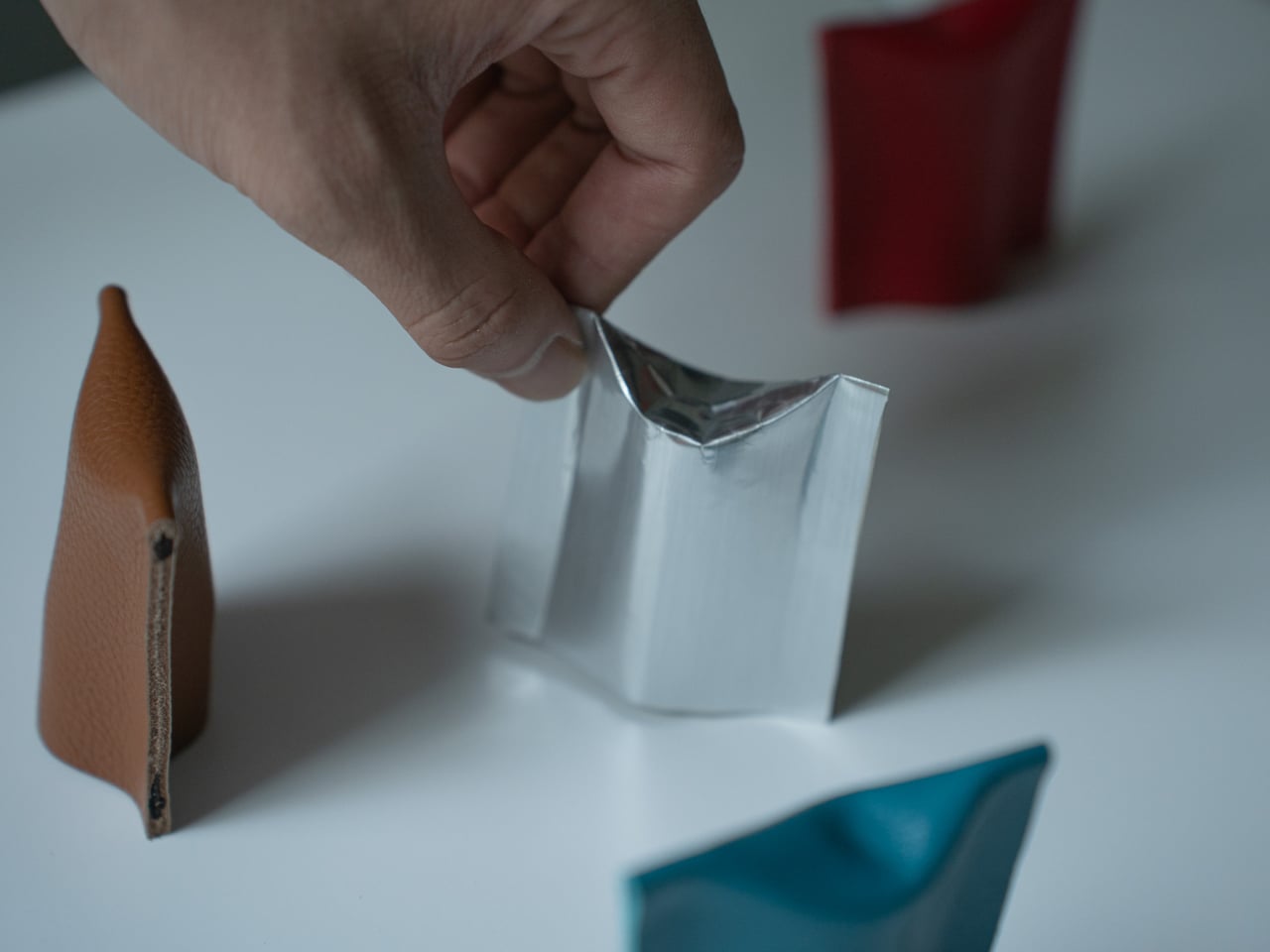
The concept begins with a simple observation: a flat sheet of paper has no load-bearing strength on its own, but folding it generates rigidity. Crease a sheet, and the forces redistribute across the form. Press the folds, and the geometry resists compression. This is the same principle behind accordion-style bellows folding in classic cameras, where pressing the structure generates mechanical force. Here, that same force is redirected toward something you can sit on.

Designer: Jaehyun Bae

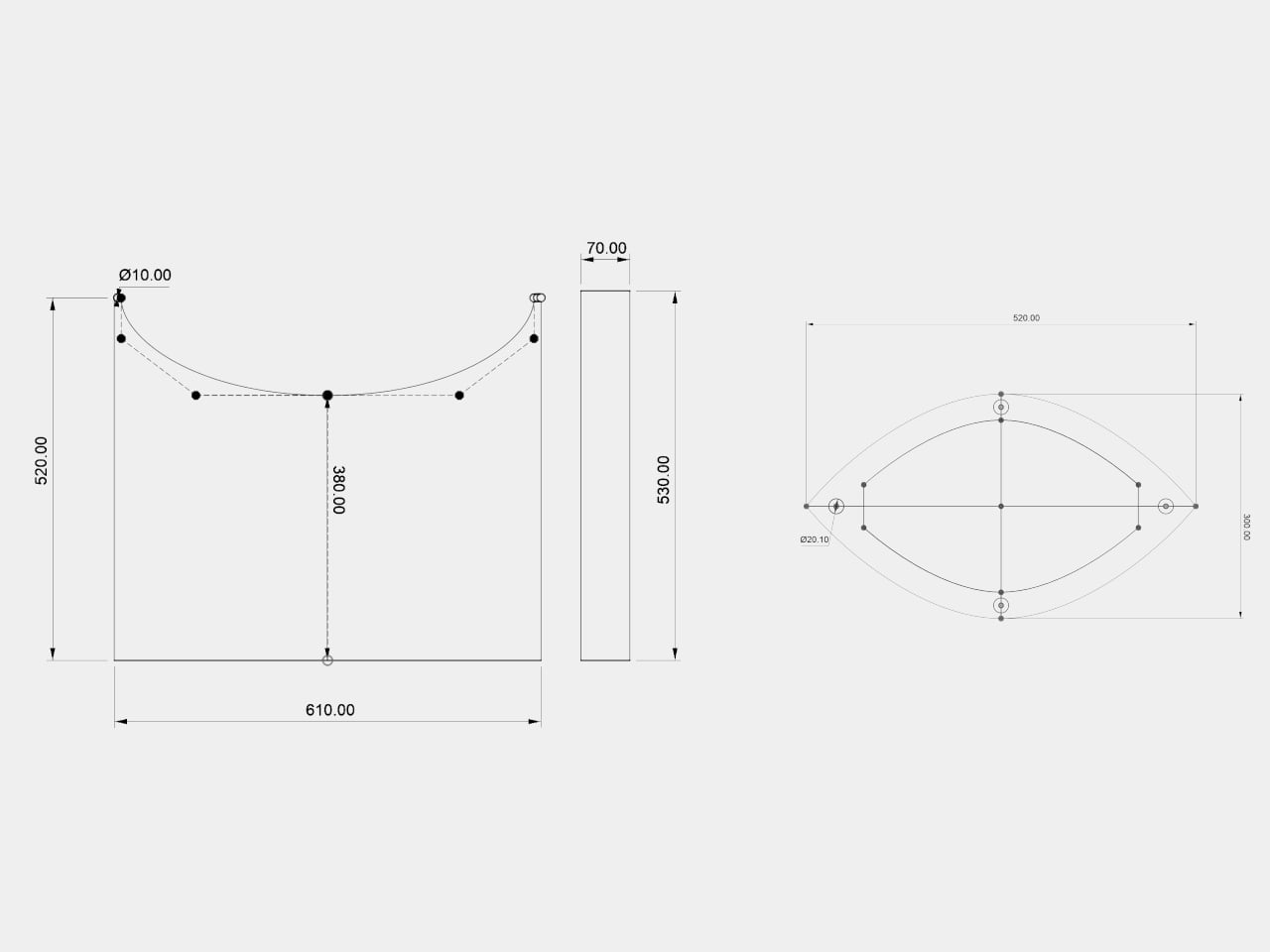
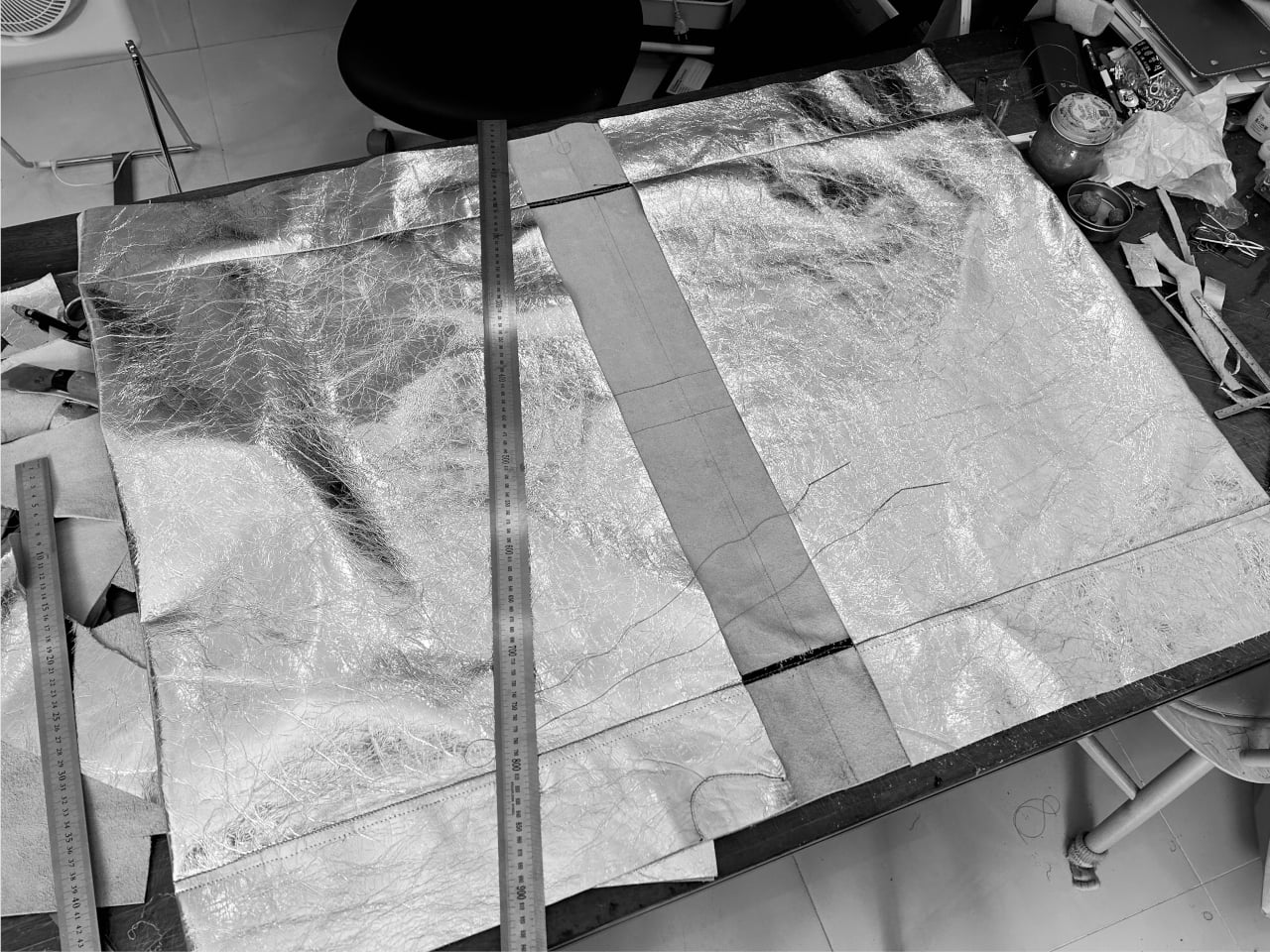
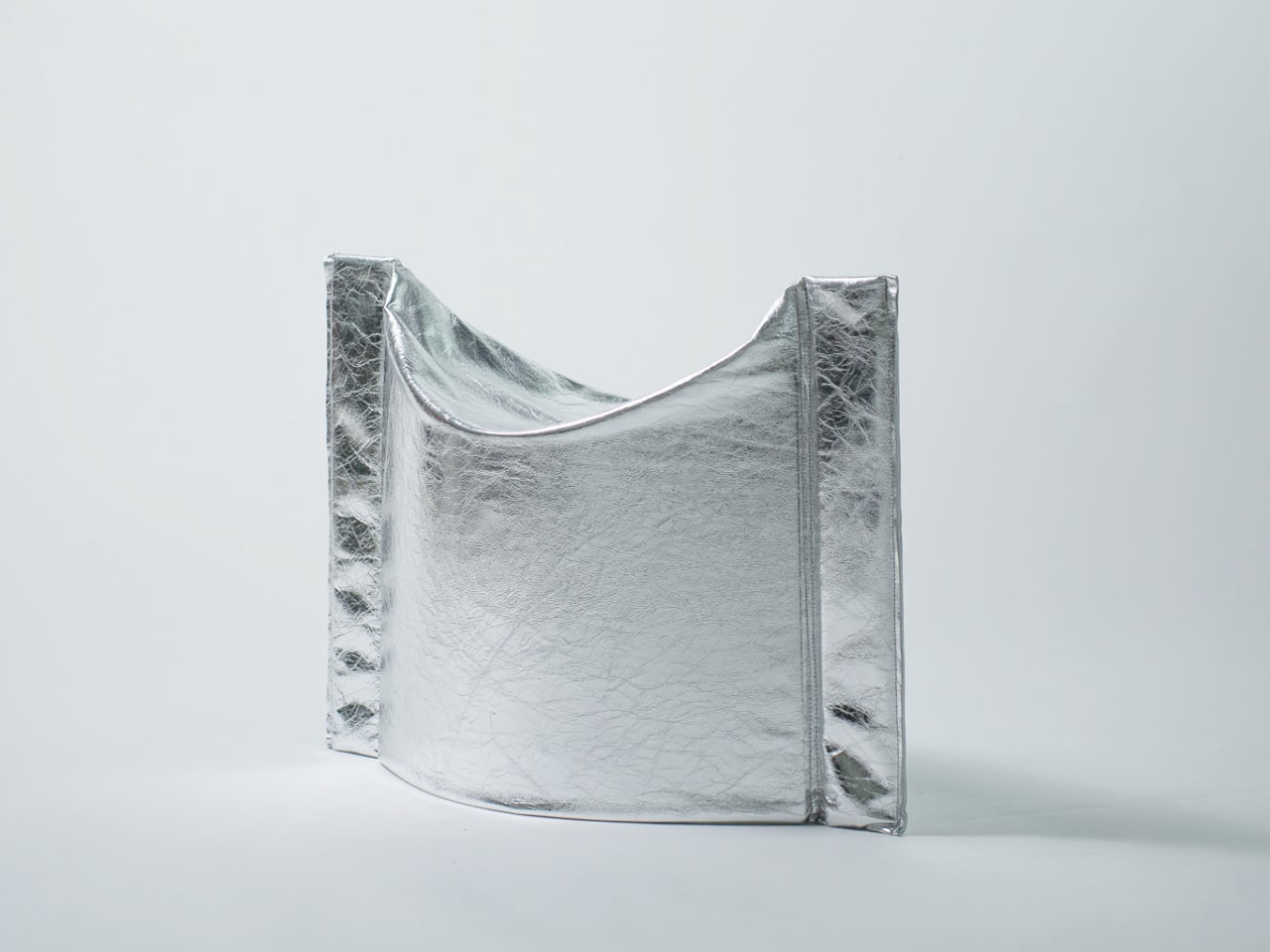
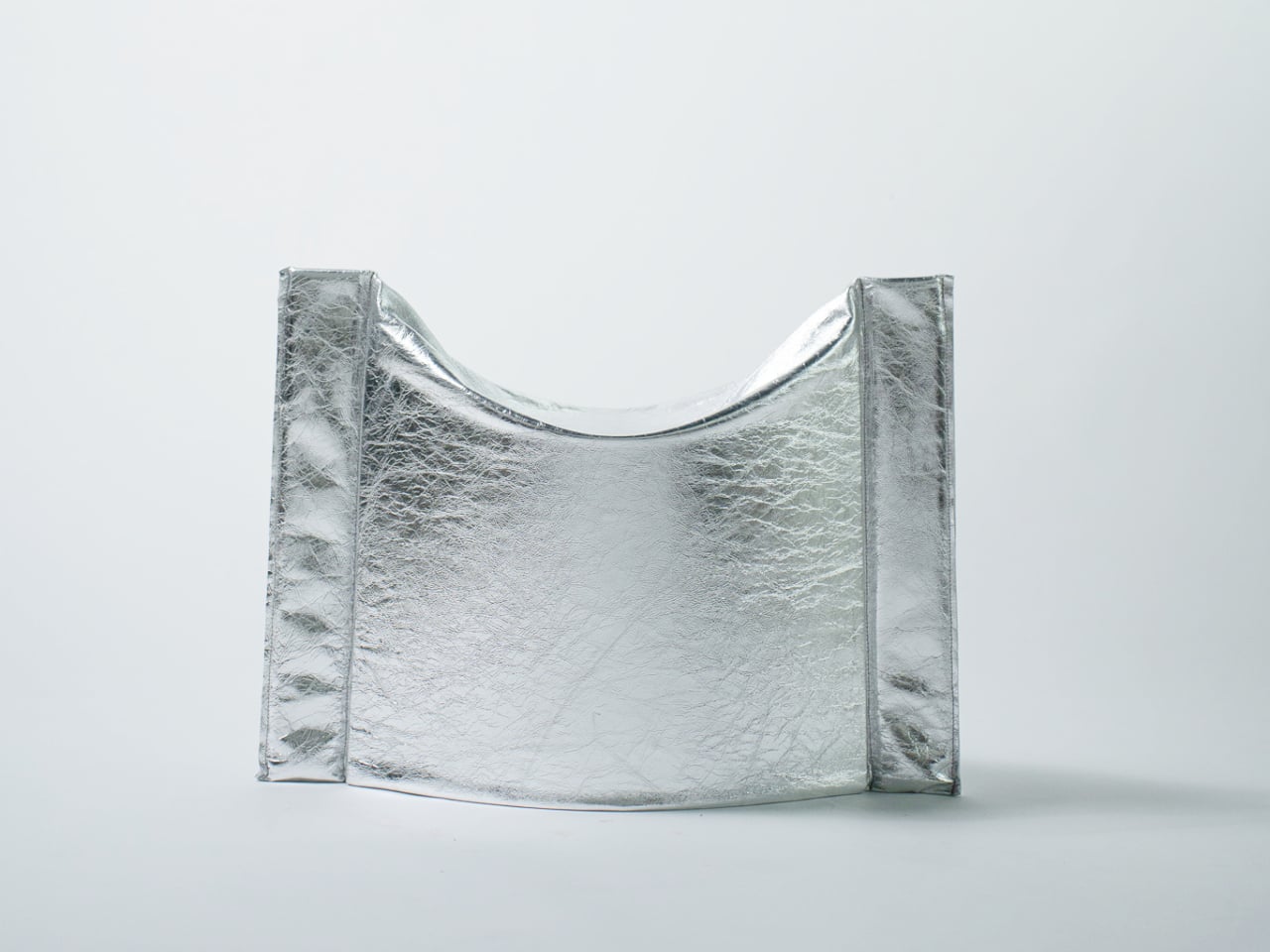
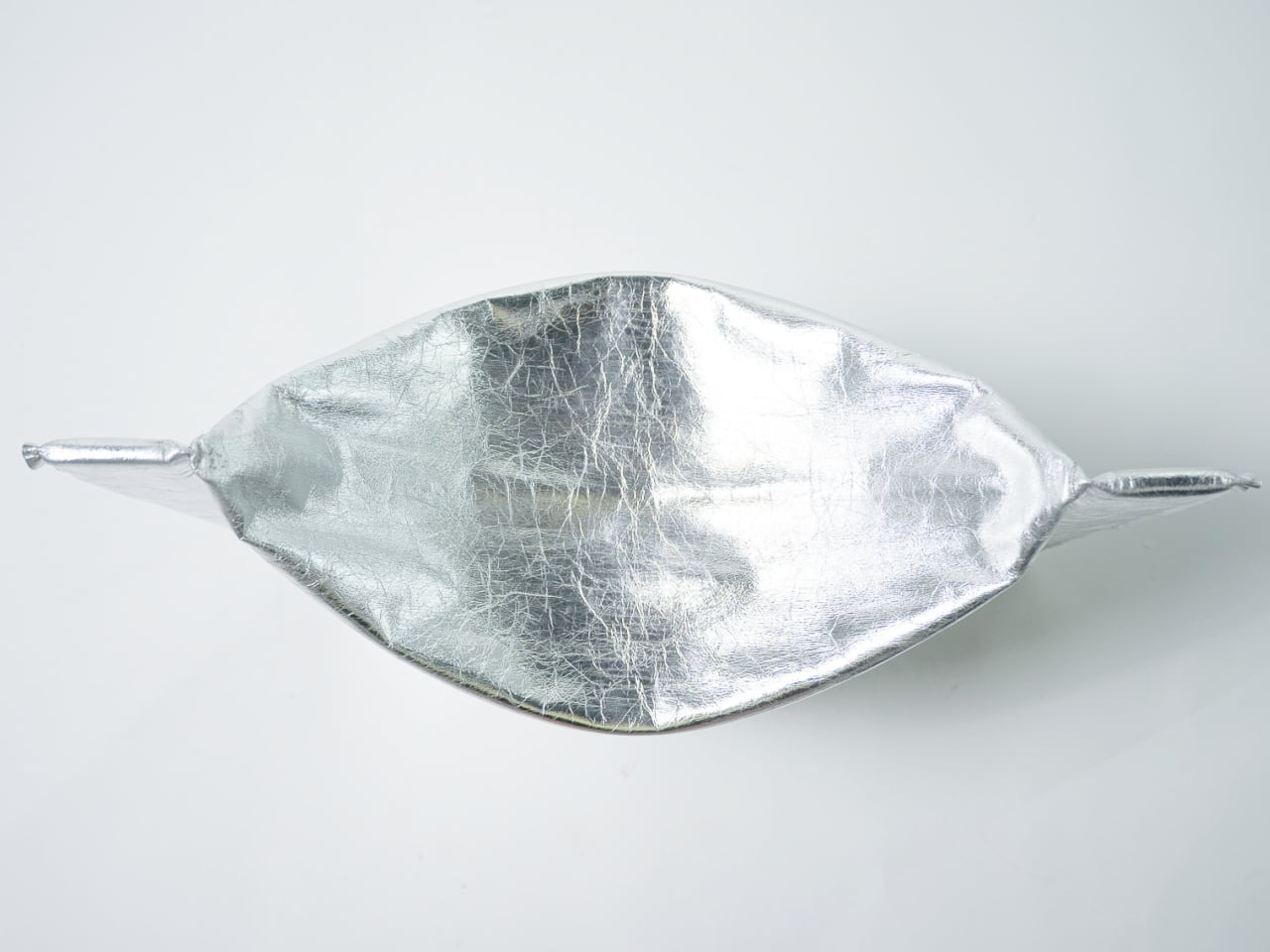
In its flat state, the stool collapses into a wide, deflated oval roughly 610 mm wide and 520 mm deep, with gently curved sides and pinched, gathered ends where the material compresses to a narrow tip. The metallic silver material has a pronounced crinkled texture that lands somewhere between industrial foil and fabric. It ships flat. It weighs little.

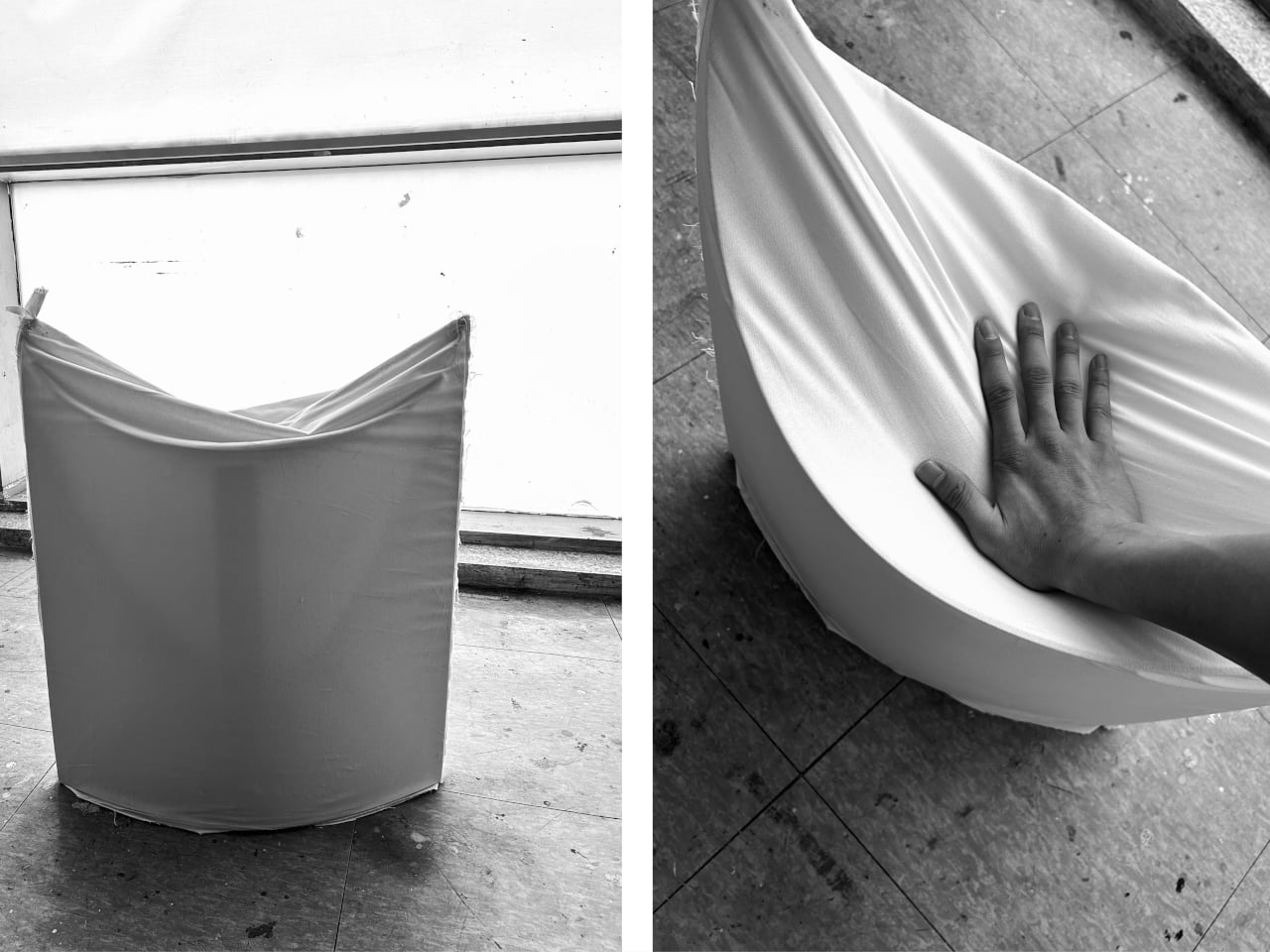
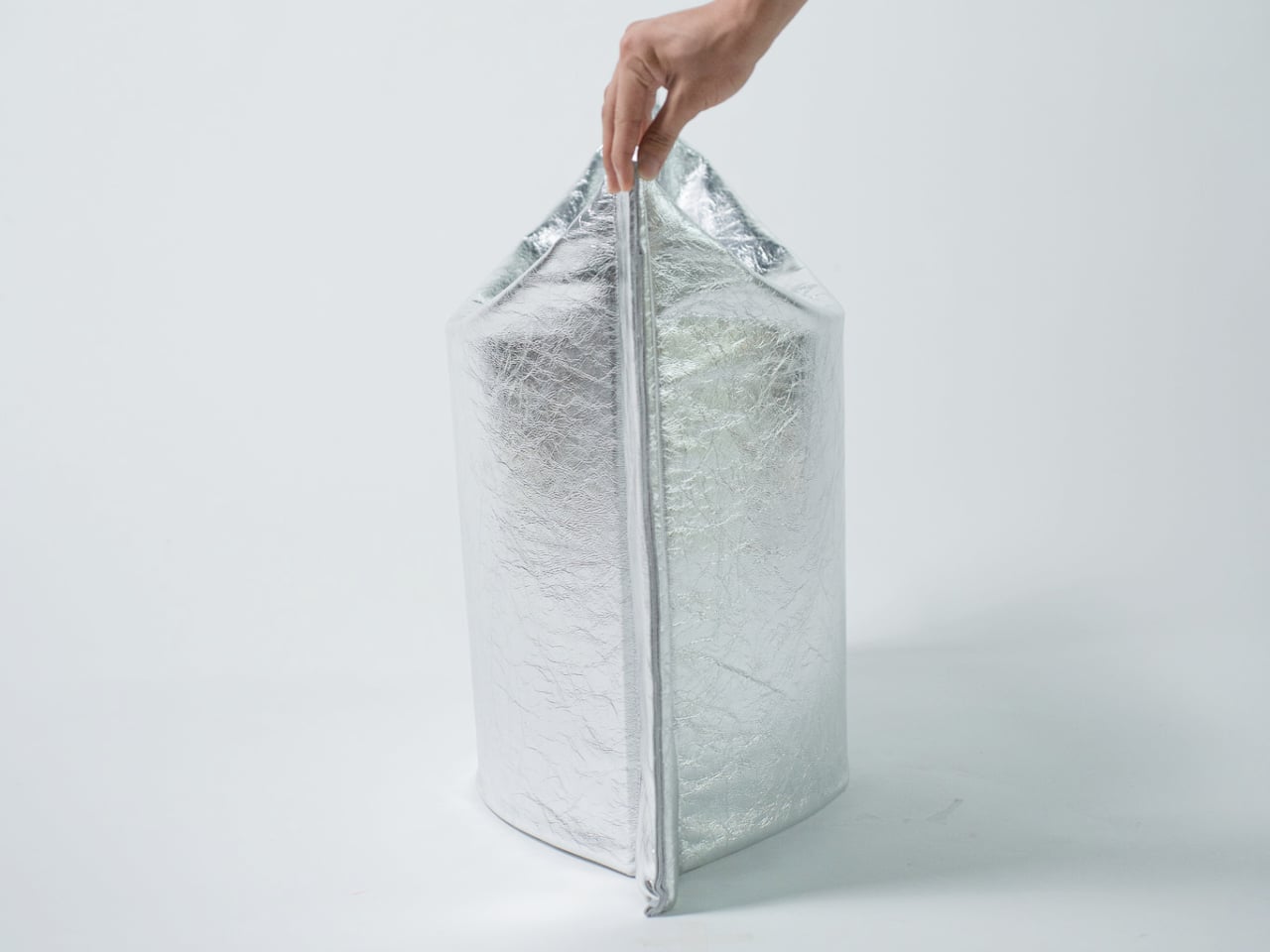
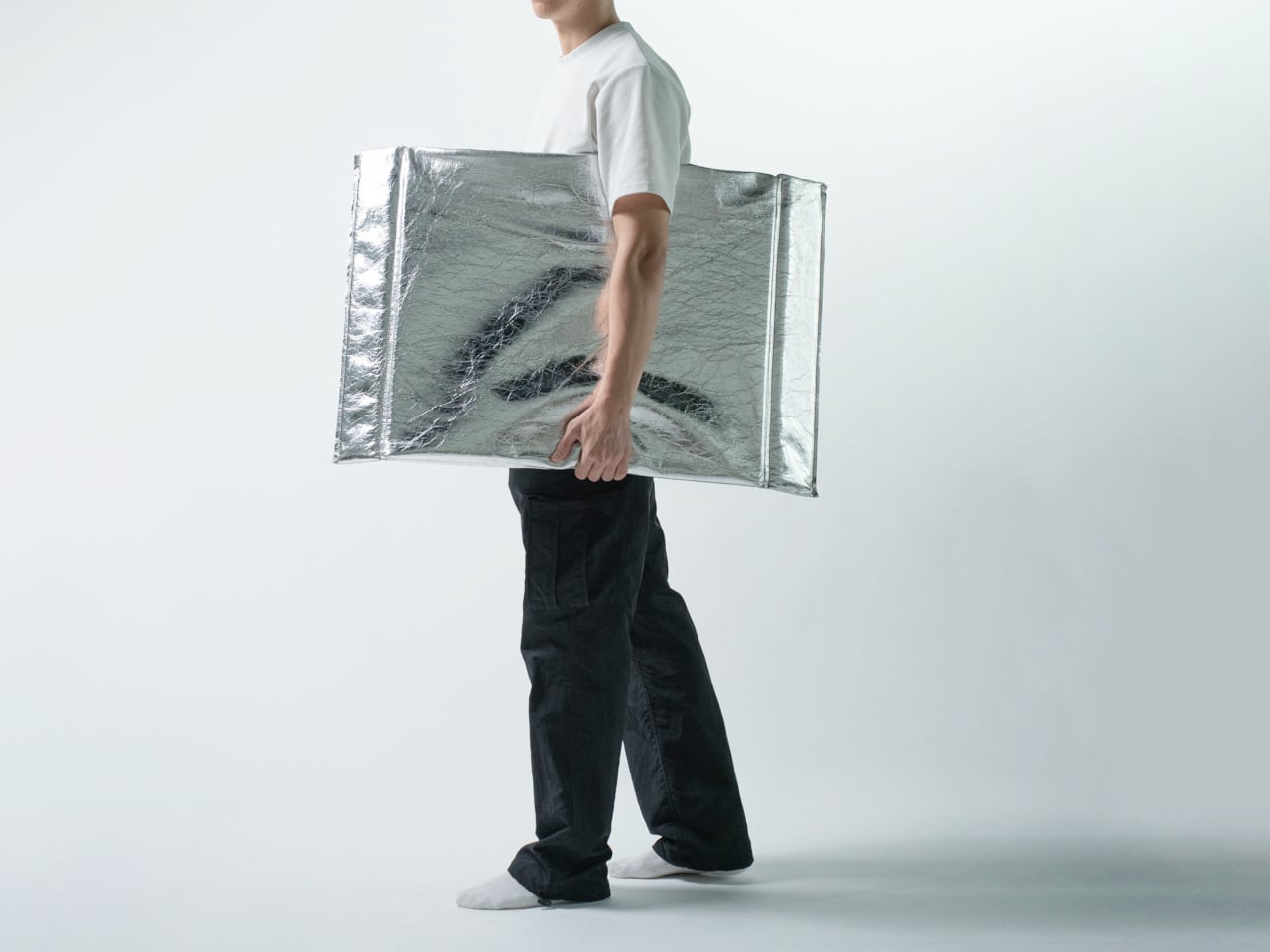
Pressing the form open deploys it into a three-dimensional stool standing 530 mm tall, with two flanking vertical panels and a concave seat formed by the inward curve at the top. No latches, no assembly. The structural resistance comes entirely from the geometry of the fold itself, the way a creased sheet can bear more than expected when compressed along its axis. The fold-generated tension does the structural work that legs and frames usually handle.

That argument holds up as a concept, though the prototype leaves practical questions open. Material identity isn’t explicitly documented, load capacity is unspecified, and the crinkle finish that gives the piece its visual identity is also the surface most exposed to wear. A stool takes more daily abuse than most objects that look like they belong in a gallery, and the long-term resilience of the material composite is untested in any published form.

What’s clear is the conceptual economy. Form follows mechanism follows idea, without detour. Flat objects that become structural through pressing rather than assembly represent a genuinely interesting class of design problem, and the Press Stool makes that problem visible and tangible. How far the logic scales beyond a prototype is the question that follows it out of the studio.

The post This Origami Stool Has No Legs, No Bolts, and Opens With One Press first appeared on Yanko Design.

Casio’s special edition calculator handcrafted using traditional Japanese lacquering technique

For the unpressumable, the good old calculator is a gadget of yesteryears, as the smartphone does all the multitasking. However, for someone who works with numbers, this device is a no-brainer. Retail personnel, accountants, and professionals handling a high volume of calculations always reach for a calculator. The rugged device with its analog input doesn’t have the shenanigans of a touchscreen that misbehaves when touched with wet hands or with gloves on.

Casio pioneered the design of an all-electronic calculator dubbed 14-A (designed by the Kashio brothers) way back in the 1950s. The computing machine turned into a household name when the Casio Mini arrived in the early 1970s. The handheld device was a holy grail when it came to churning out numbers in professional circles as well as homes. Come 2026, the Japanese company has decided to give the trusted calculator a unique, handmade twist that carries a lot of substance.

Designer: Casio

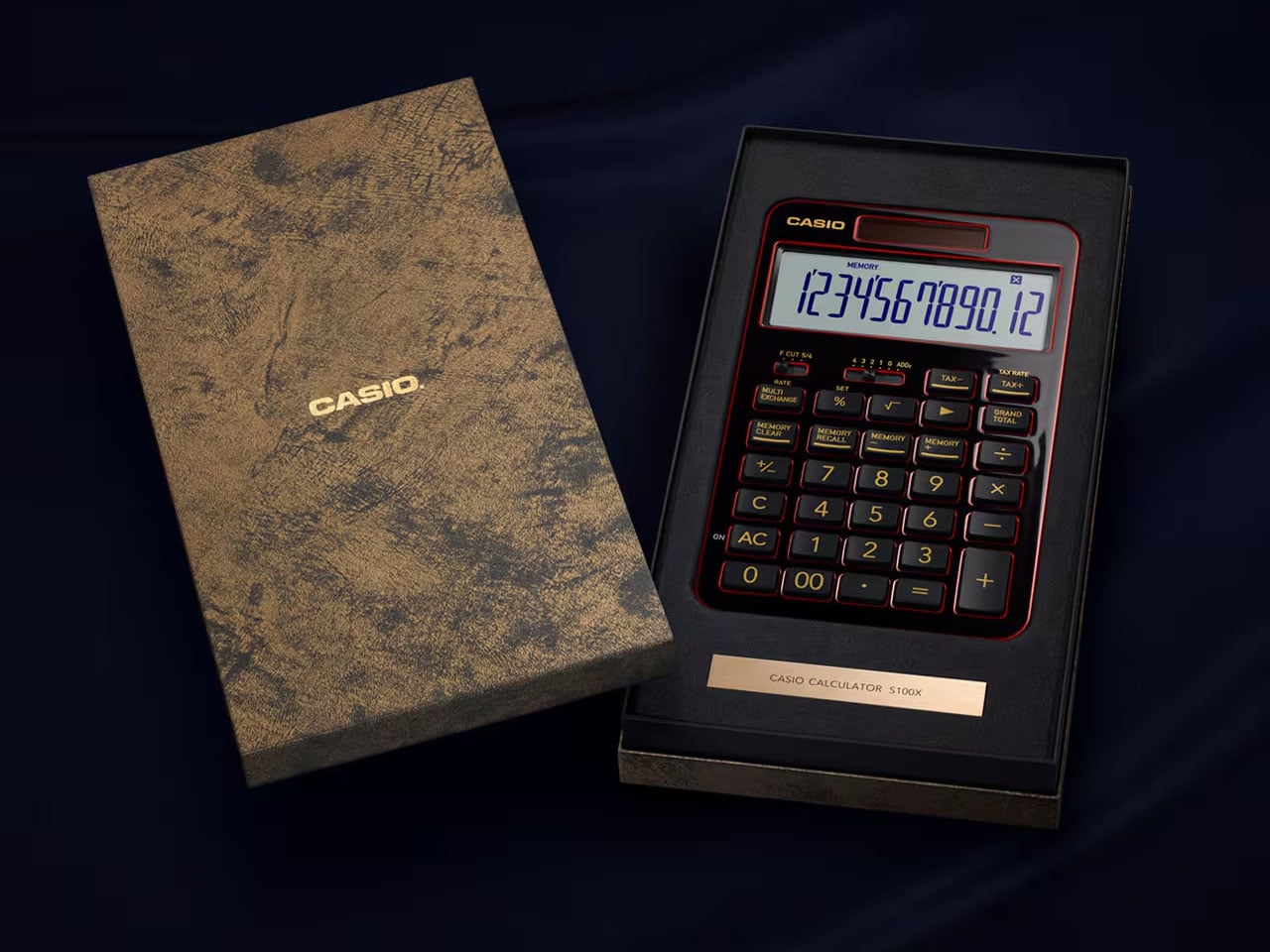
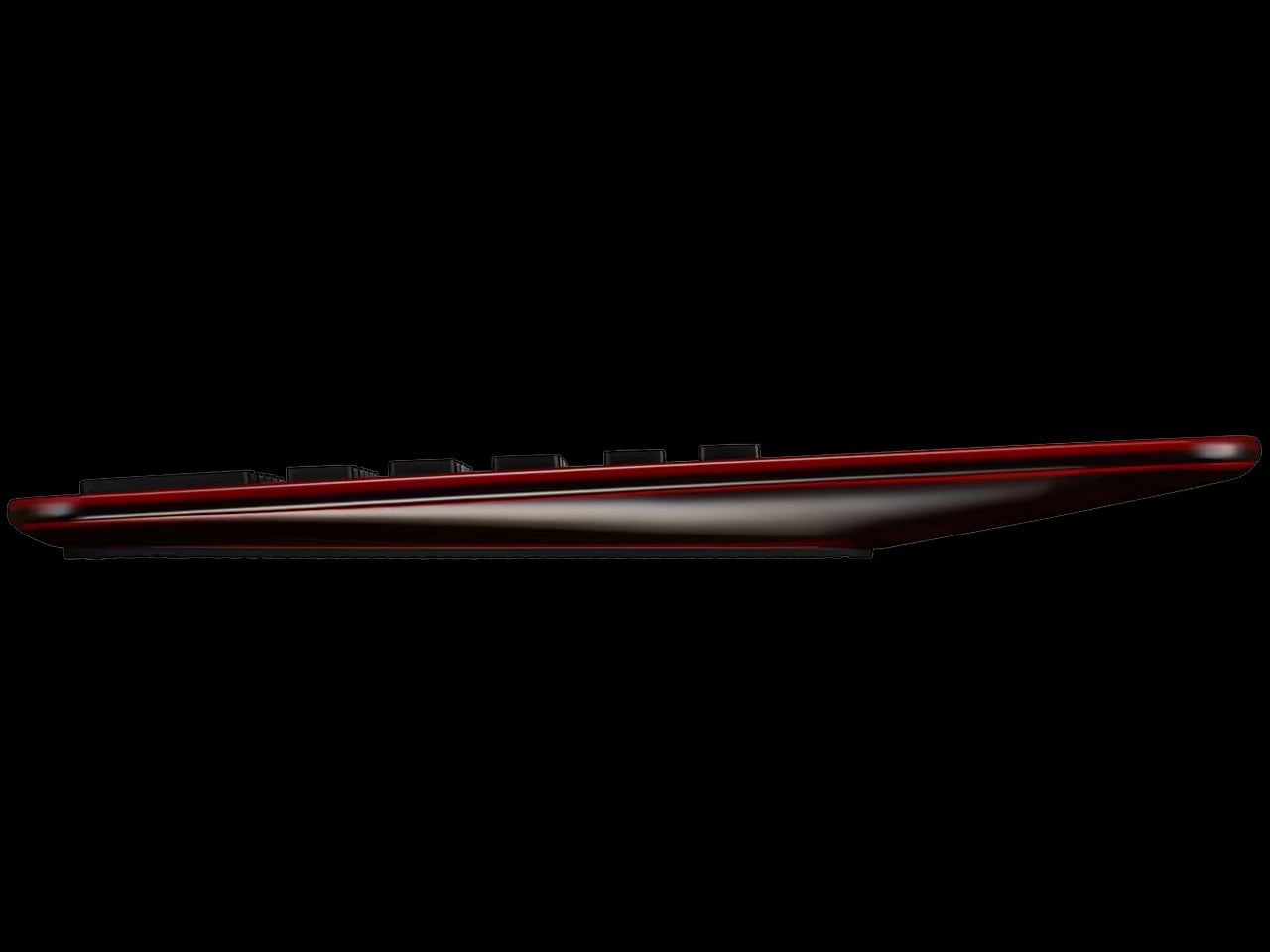
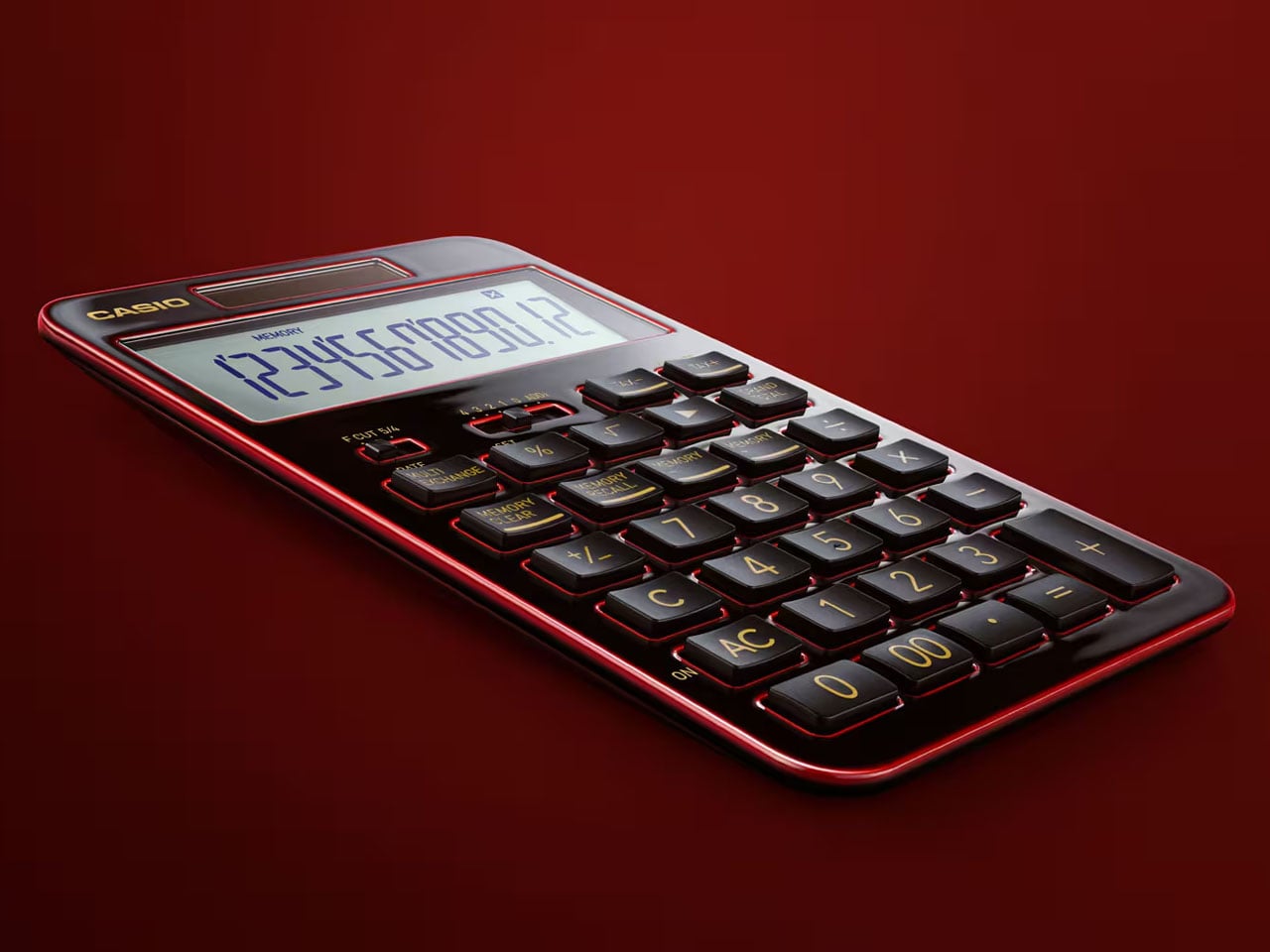
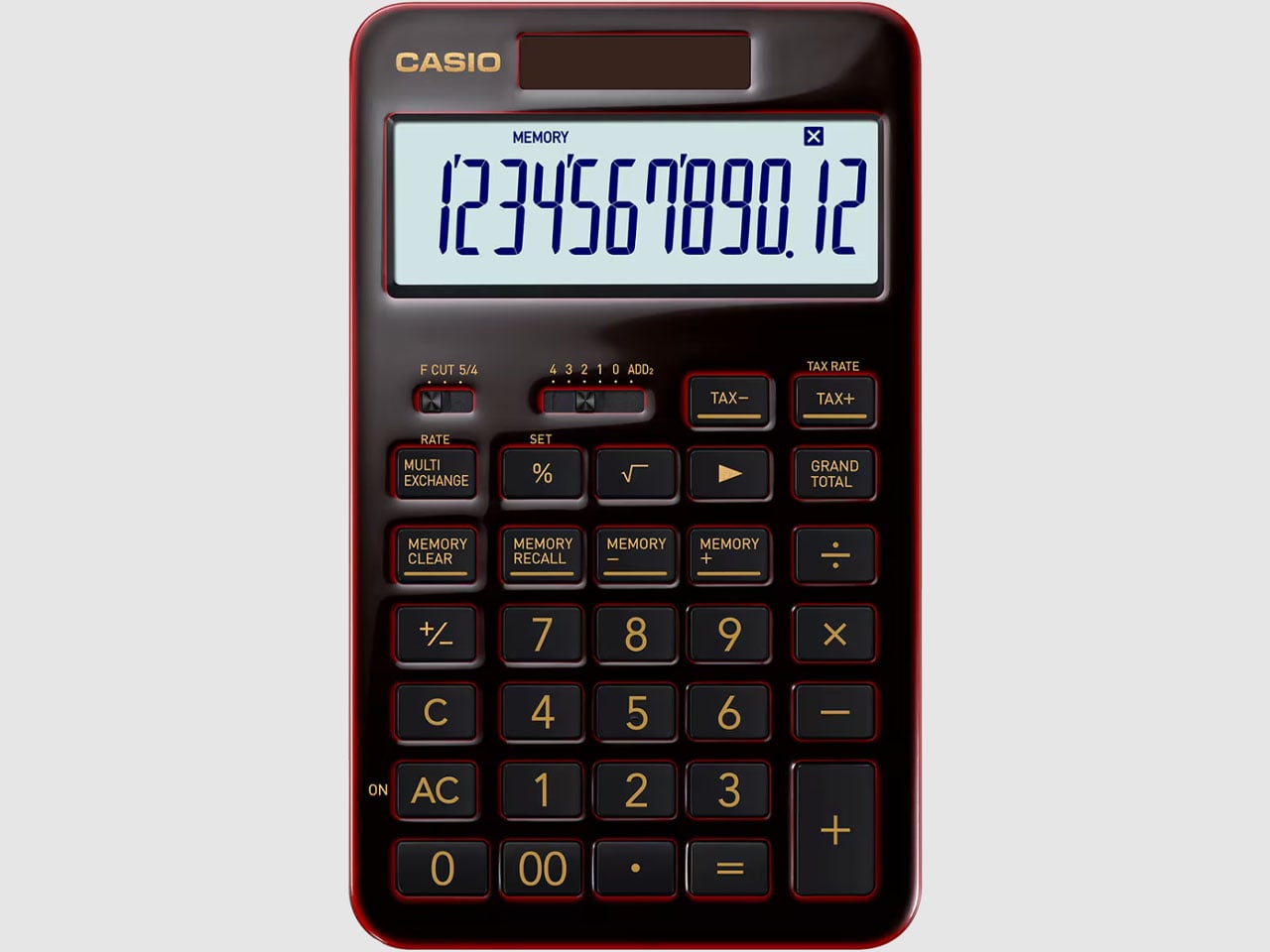
Based on Casio’s flagship S100 calculator, the S100X Urushi Edition, a.k.a. The Special One, is a limited edition desktop calculator designed using century-old Japanese Urushi lacquer technique. To handcraft the body of the device, Casio looked up to none other than Yamakyu Shitsuki, a lacquerware workshop expertising in the craft since 1930. Mater crafter Ryuji Umeda himself handcrafted the design involving a technique called tamenuri, which took a month of perfecting. The craft involves layering laquer tree’s filtered sap on the milled aluminum housing and achieving a sense of depth with repeated applications over a period of a week. Finally, the calculator is polished for that mirror-like shine and luxury feel.

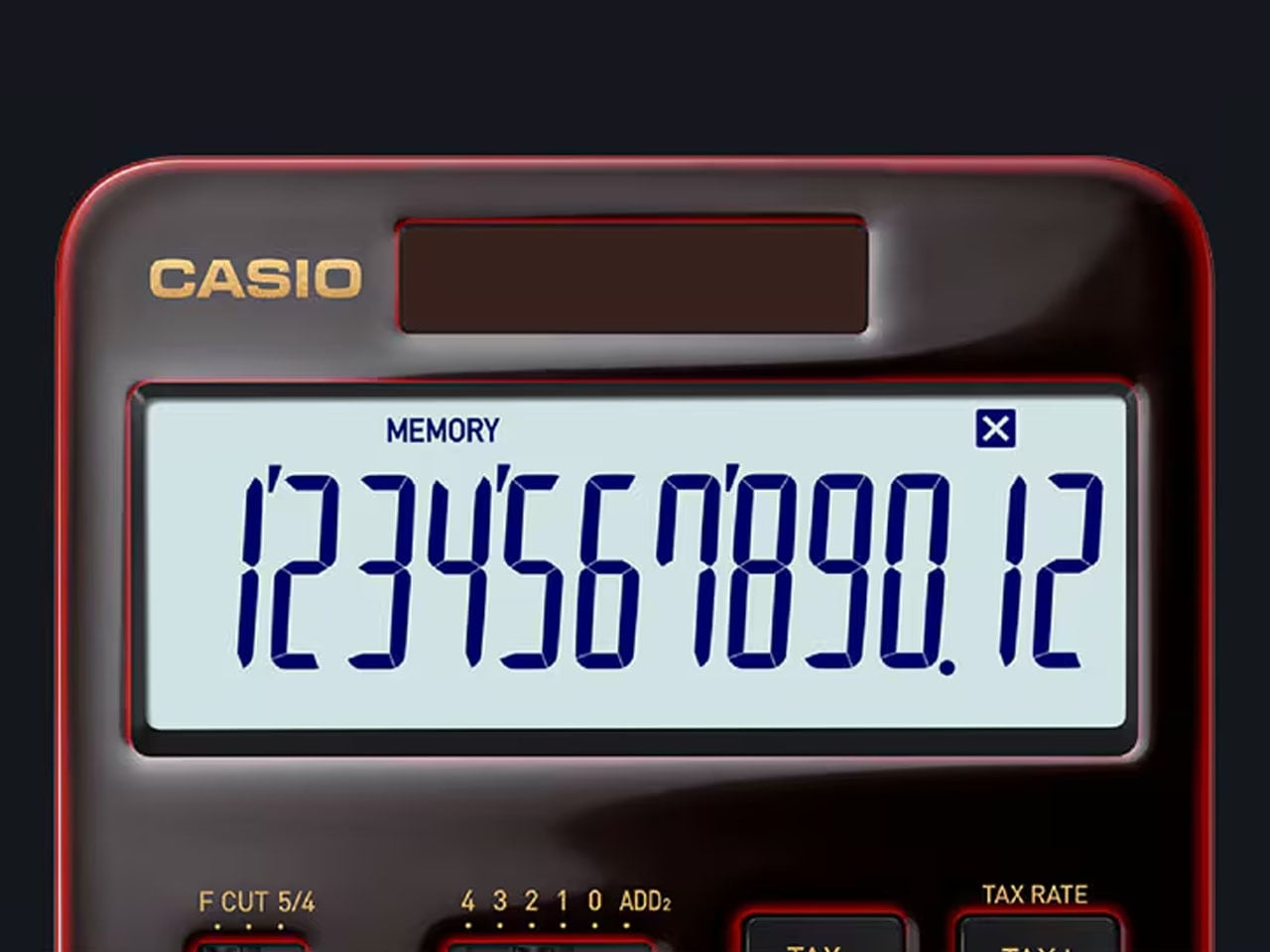
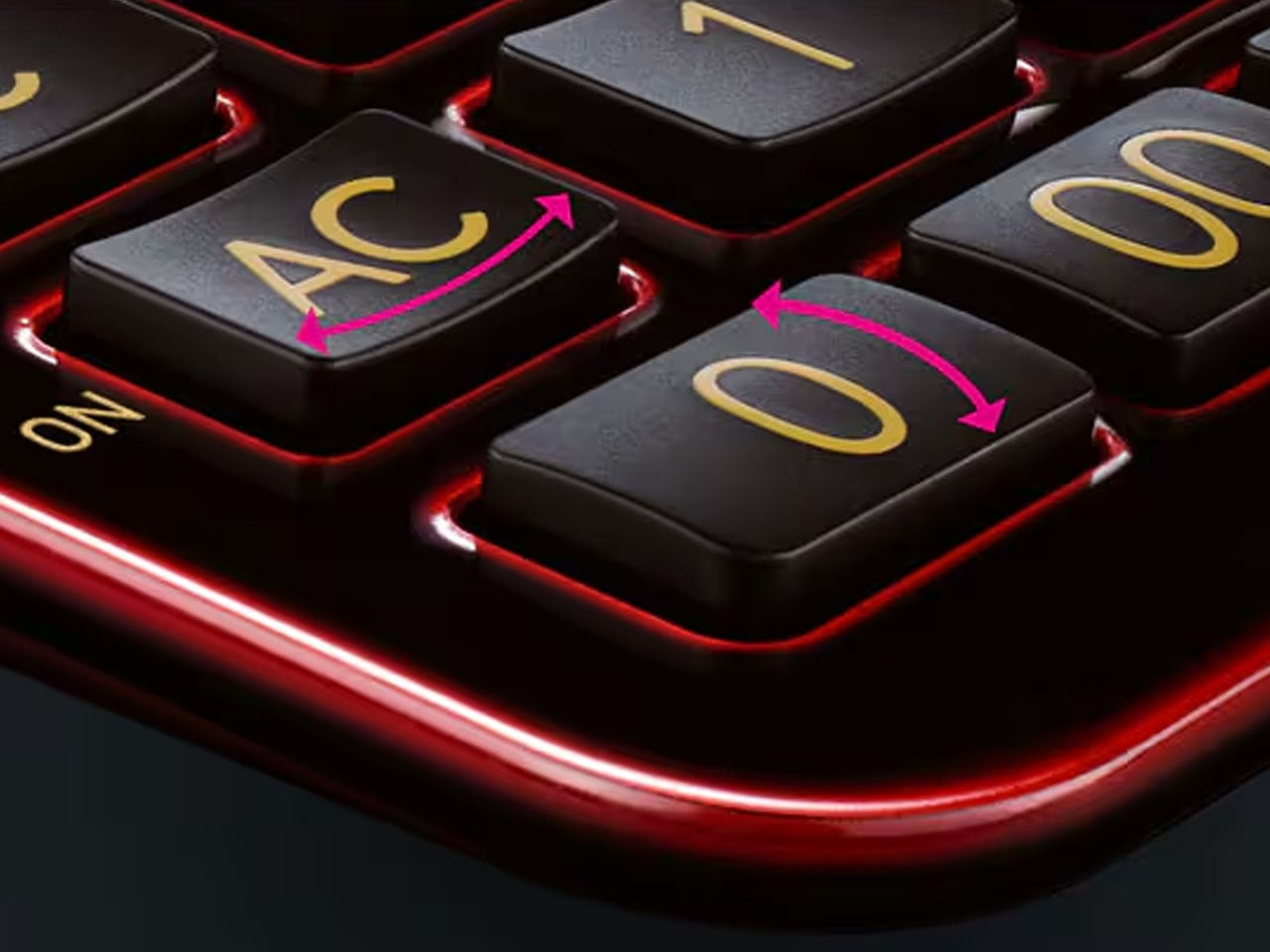
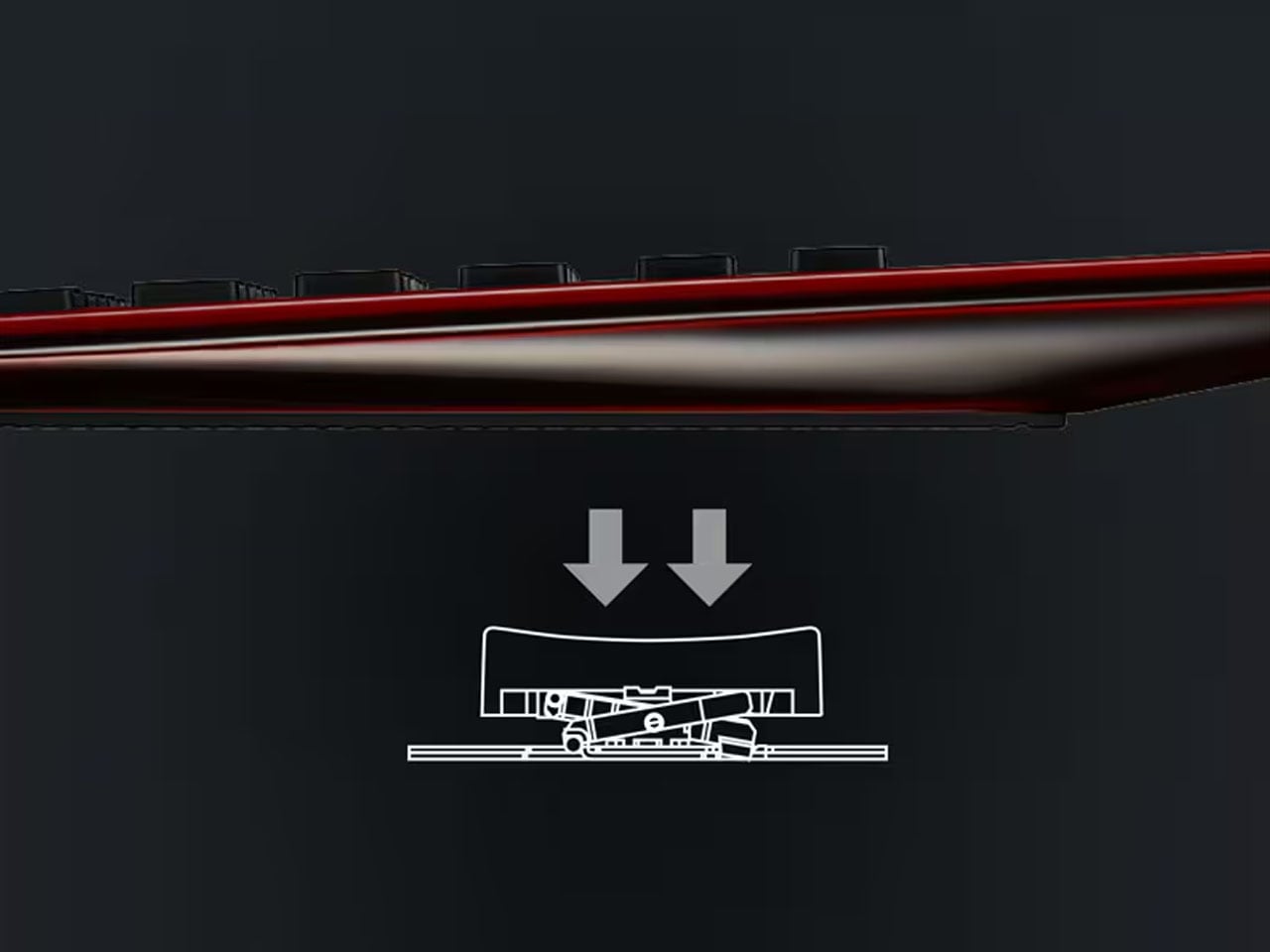
Each of the 625 limited edition calculator’s is handcrafted carefully at the workshop, rendering each one of them unique in their look depending on the viewing angle. To carry the premium feel, the machined aluminum body housing the buttons on top and the LCD screen ensures a satisfying presence. This display comes with a dual-sided AR coating for reduced reflections and the navy blue text color mimics the fountain pen ink. For enhanced tactile sensation of pressing the isolation-type keys, they come with the pantograph mechanism and an ergonomic shape nestling the fingers. The 3-key rollover tech ensures rapid typing as the keystroke is accurately recognized for up to 3 keystrokes.

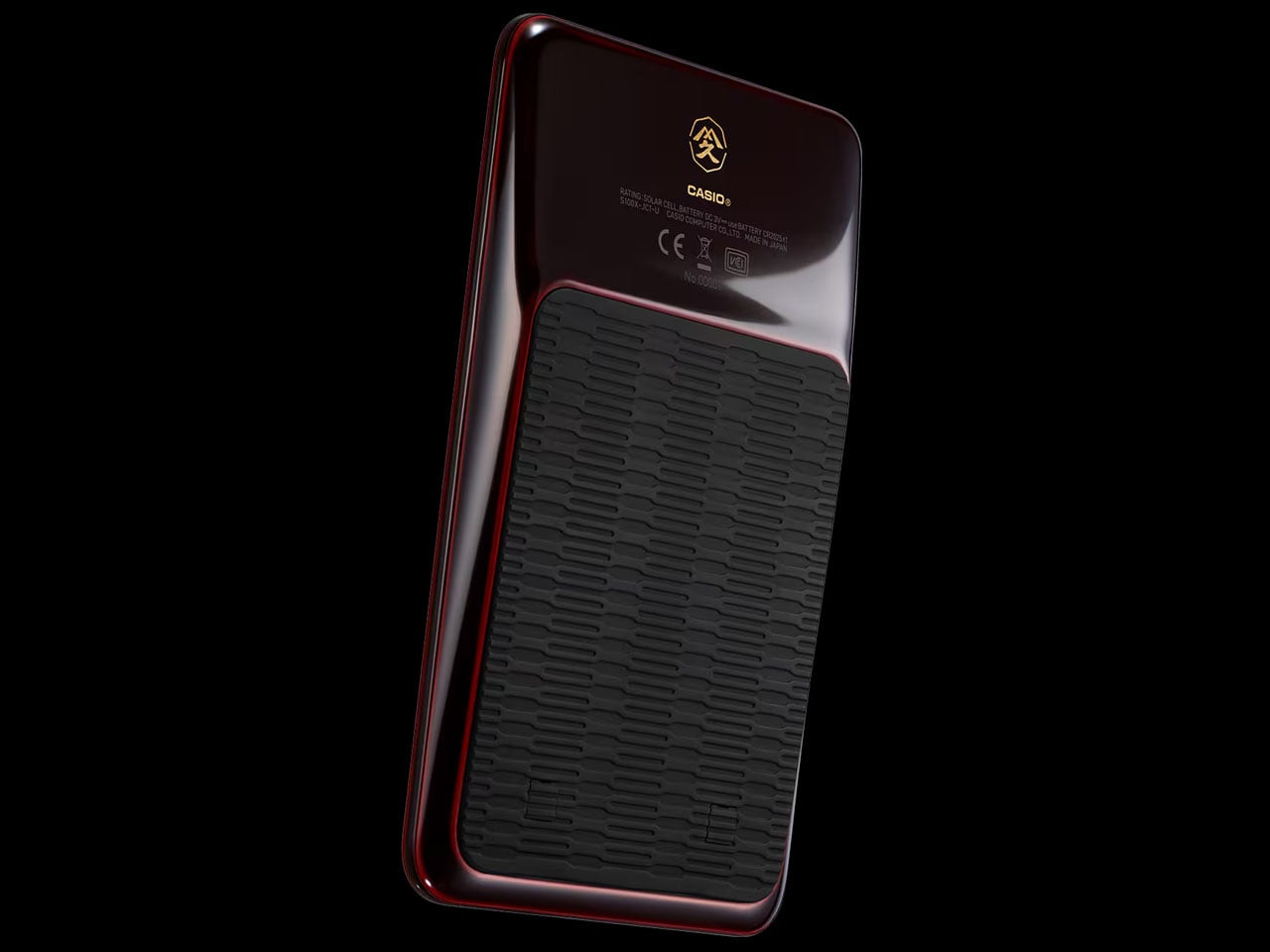
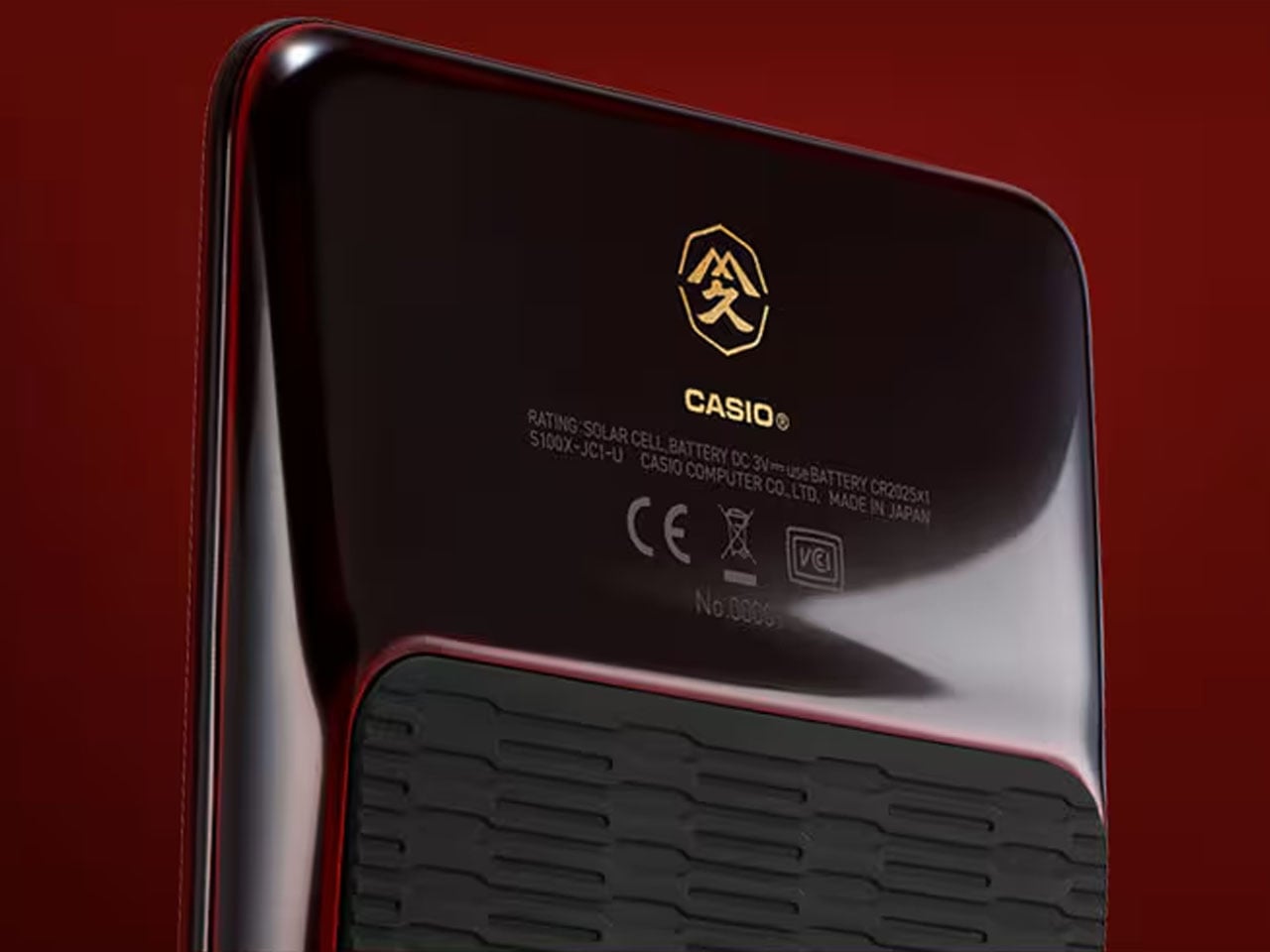
This 12-digit calculator adapts all the functions vital for professionals, including four-law calculation, tax calculation, unit conversion, memory (x2), and grand total. It is powered via solar panels on the front or a CR2025 coin battery, which can last for around seven years. The decimal point selector lever has a spin finish design for a premium shine, and on the back side, there is a geometric pattern molded stopper for assuring stability. Each one of the S100X Urushi Edition calculators has a laser-engraved serial number and comes packaged in a themed black presentation box complete with gold foil stamping.

The S100X Urushi Edition  Special One calculator is priced at ¥99,000, which coincidentally equates to around $625. Owning this one is going to be special for collectors.

The post Casio’s special edition calculator handcrafted using traditional Japanese lacquering technique first appeared on Yanko Design.

10 Best Camping Gadgets Every Design Snob Needs Before Spring Actually Convinces You to Go Outside

Spring has a particular gift for making the outdoors look better than it probably is. The light softens, the temperature edges toward reasonable, and suddenly your feed is full of tasteful campsite photos that edit out the bugs, the muddy boots, and the deeply average coffee. Before you know it, you’ve agreed to a trip you’re already half-regretting. The good news is that the gear world has kept pace with your standards.

The camping category has gone through a genuine design evolution. Products are emerging from studios that understand outdoor life not as a survival exercise but as an experience worth designing for, with the same intention brought to a well-made chair or a precision kitchen tool. From Red Dot Award-winning inflatable systems to solar-integrated shelters and Swiss-engineered portable toilets, the gap between what you’d use at home and what you’d bring into the wild has quietly narrowed. Whether you’re a committed skeptic being dragged to a campsite or a design-minded enthusiast who’s been waiting for gear worth owning, this list was made for you. Here are ten camping gadgets that earn their spot before spring makes you leave the house.

1. Olight Baton 4

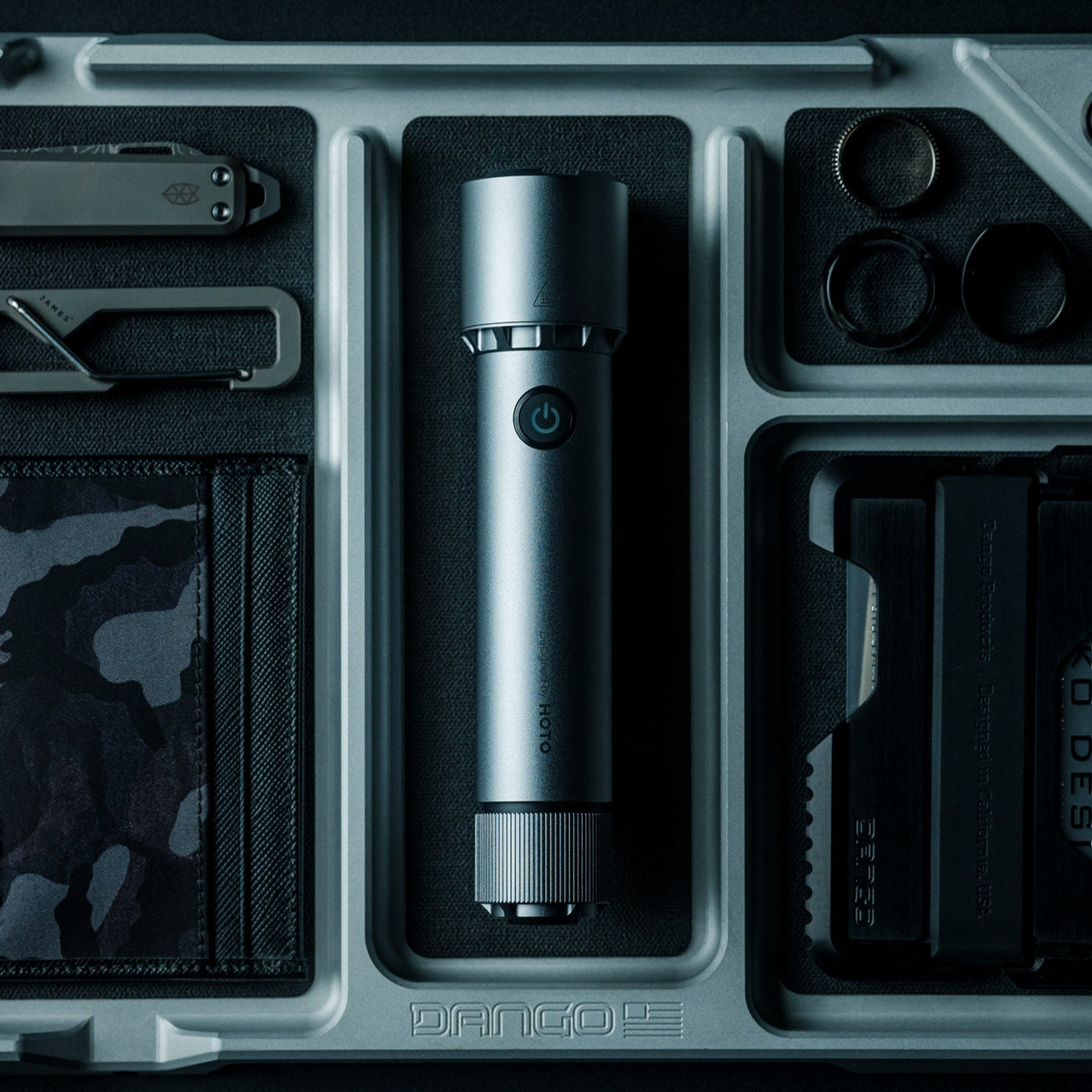
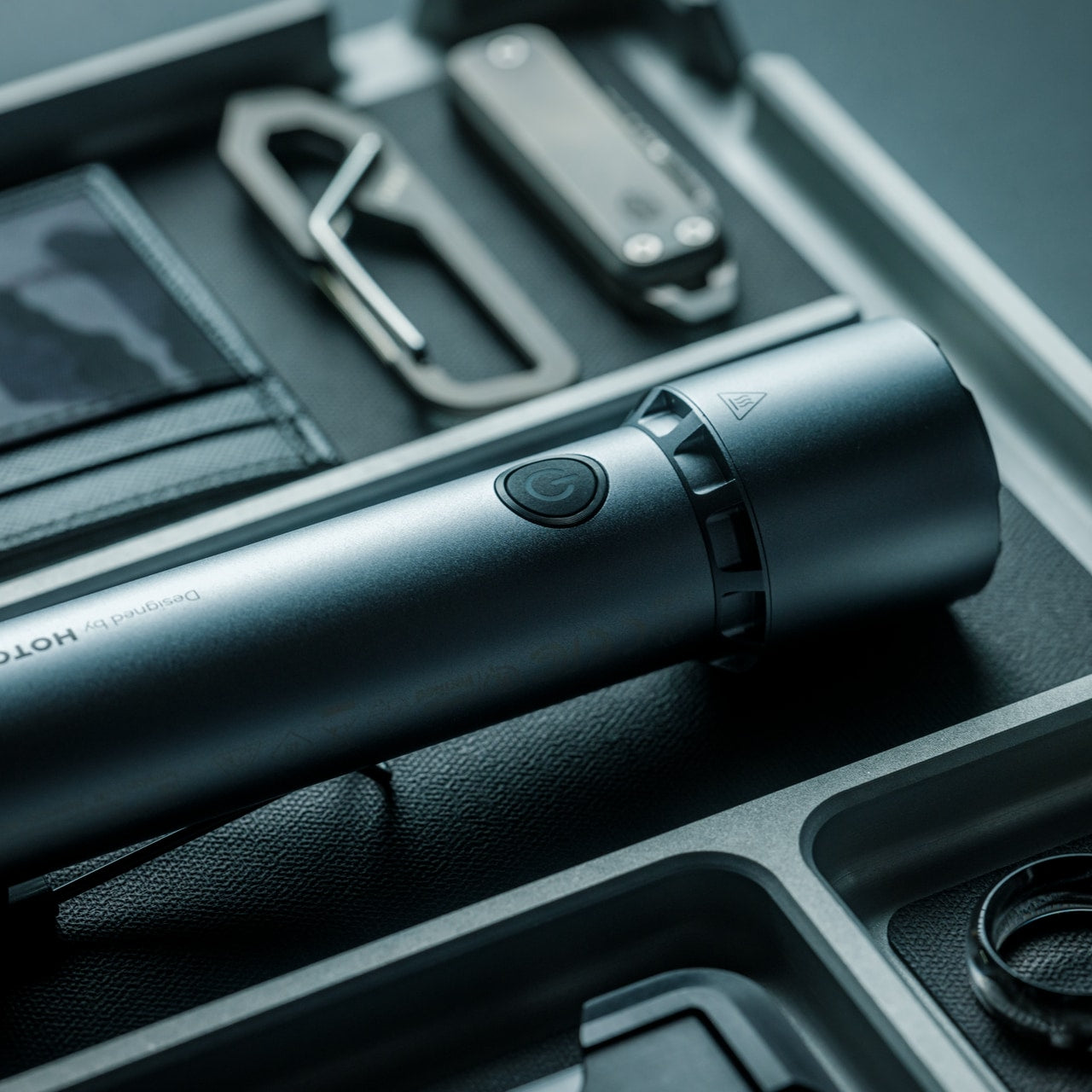
On paper, the Olight Baton 4 reads like a standard compact flashlight. The cylindrical body is familiar, the dimensions modest. Then you look closer: 1,300 lumens of output, a 170-meter throw, laser-microperforated LED indicators for brightness level and remaining battery, and a runtime of up to 30 days on a single charge. This is a flashlight that takes up almost no space in your pack and asks almost nothing in return. It is, in the most precise sense, a precision instrument that happens to fit in your palm.

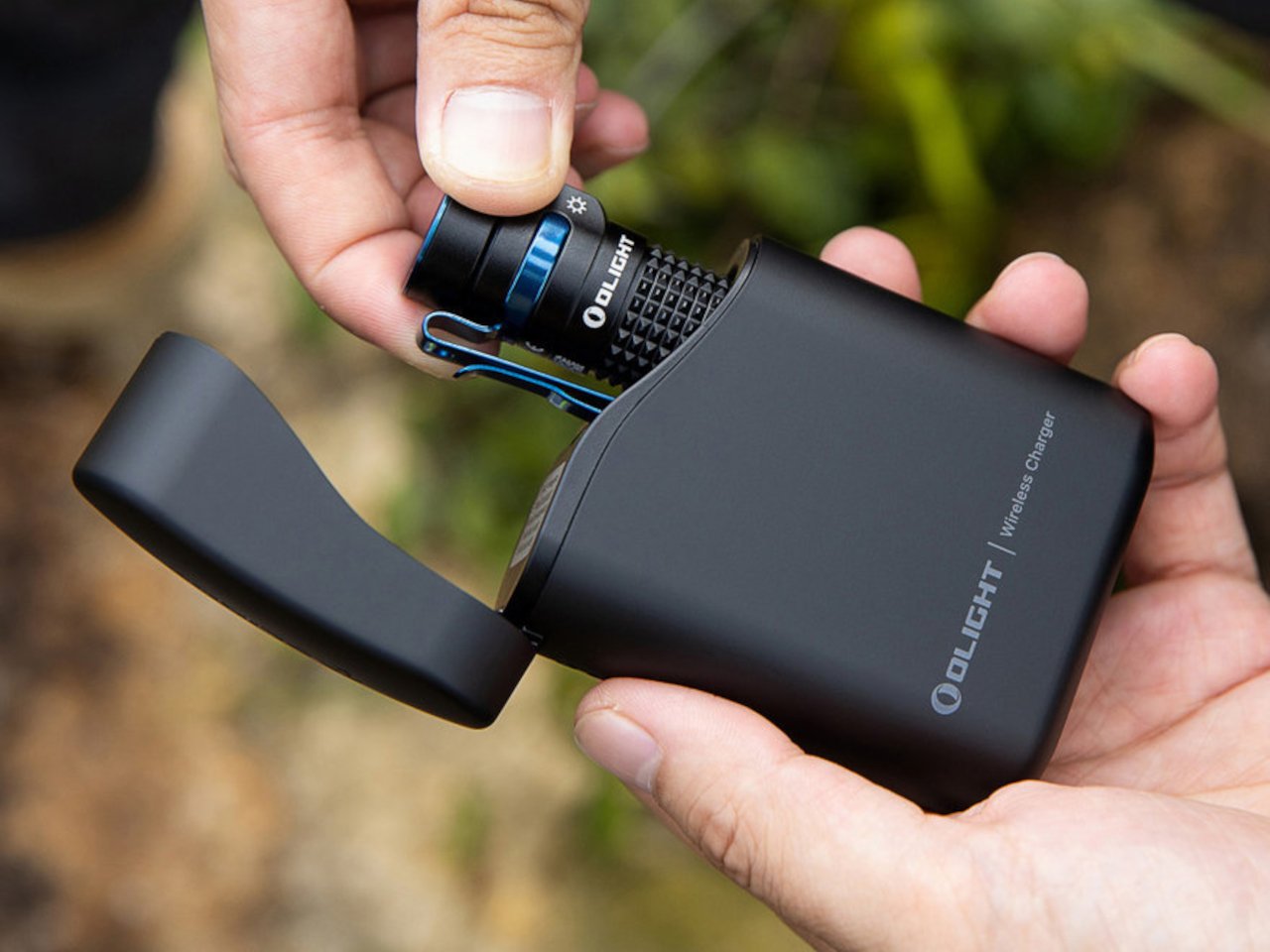
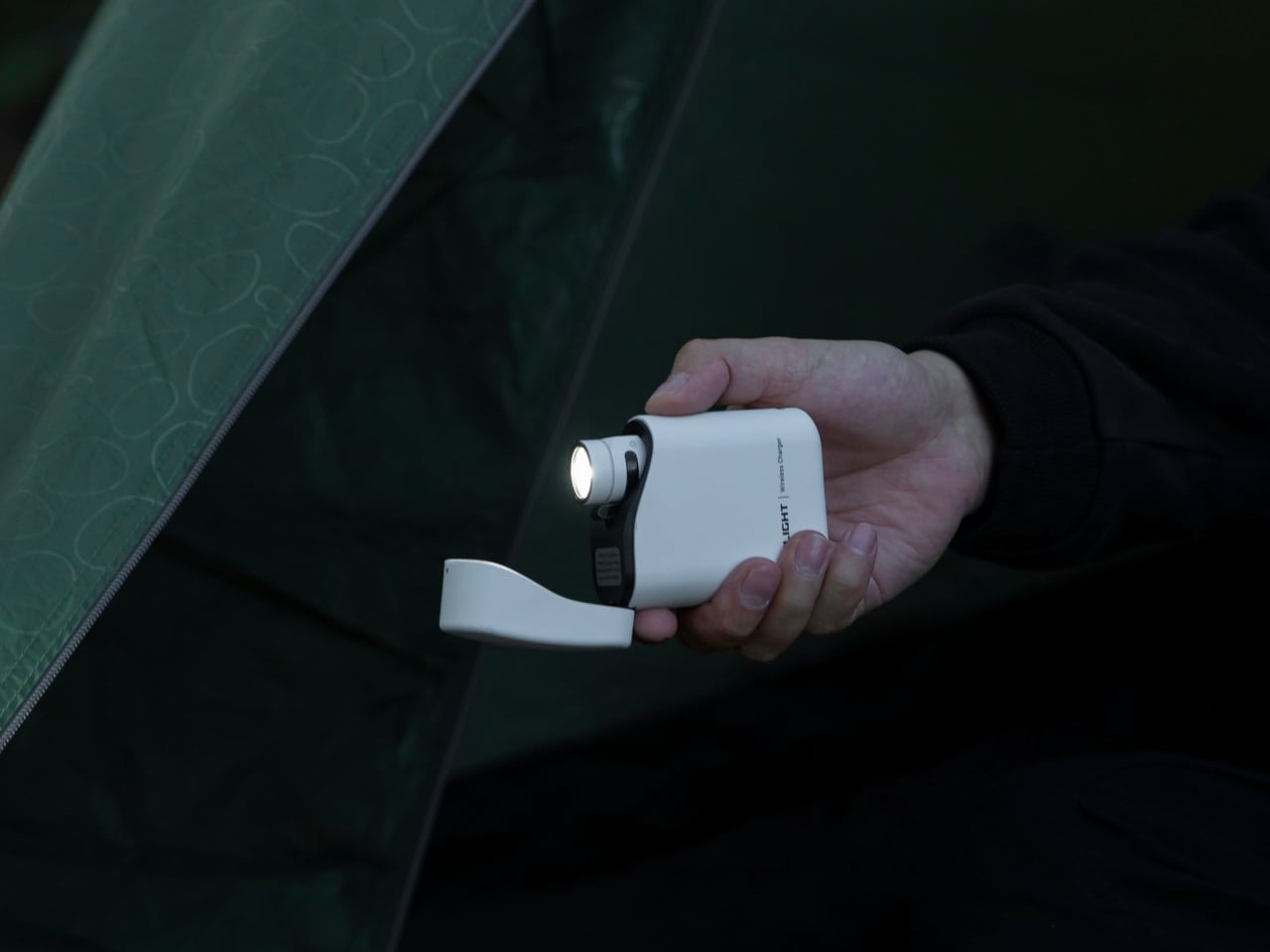
The 5,000 mAh charging case is what turns the Baton 4 from a good EDC flashlight into something worth discussing. The flip-top lid operates with one hand, and the digital display button on the case shows remaining power at a glance. The detail that genuinely impresses is this: press that button and the flashlight activates while still seated in the case. No pulling it out, no fumbling in the dark. The case can fully charge the Baton 4 five times over, delivering a combined maximum runtime of 190 days. That is not a camping flashlight. That is a system.

What We Like:

  • 1,300 lumens and a 170-meter throw in a genuinely pocketable form factor
  • 5,000 mAh charging case activates the flashlight without removing it from the case

What We Dislike:

  • Proprietary charging system keeps compatibility within Olight’s own flashlight lineup
  • A custom battery cell cannot be used with standard bay chargers

2. Airflow 8-Panel Fire Pit

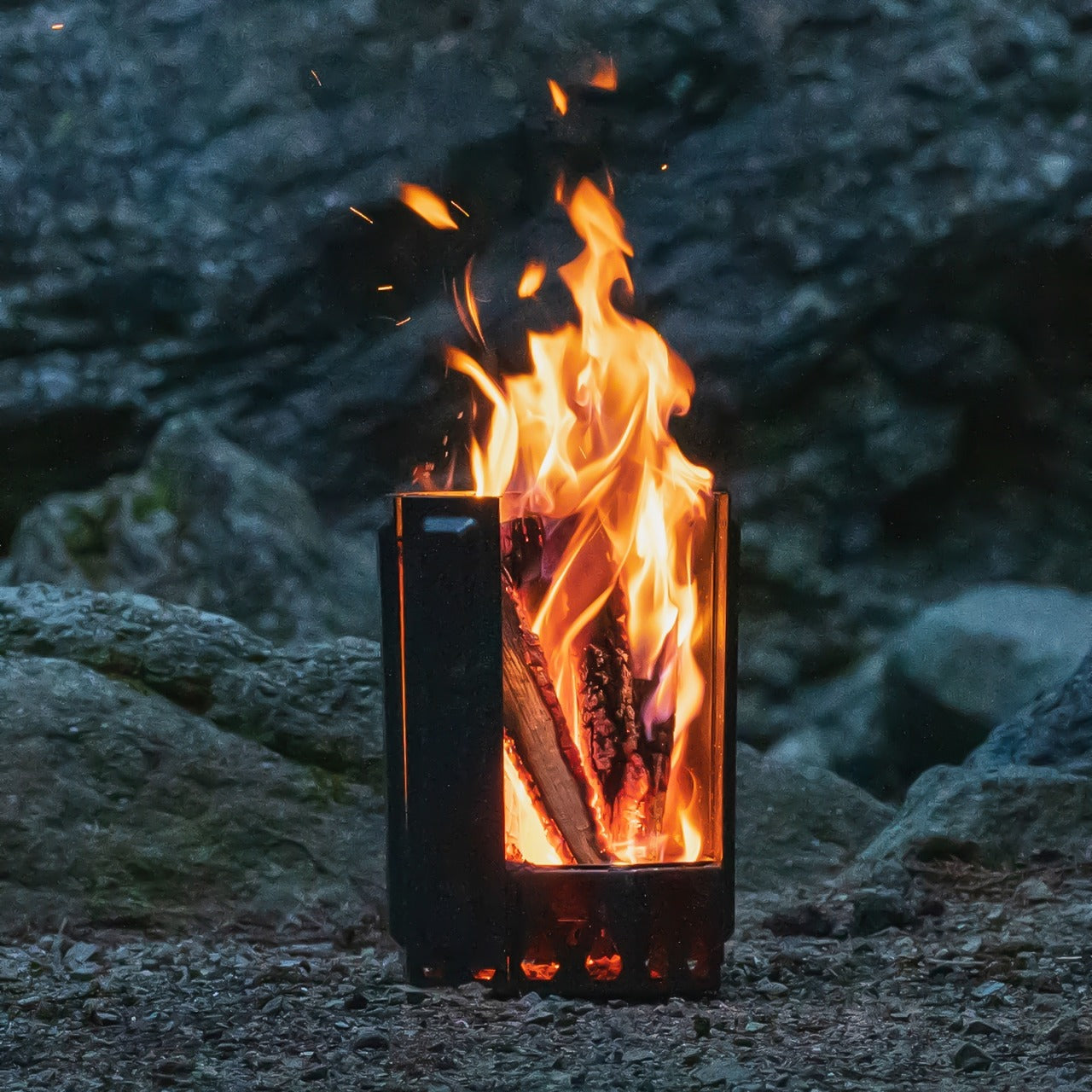
Most fire pits are passive objects. You build the fire, you manage the fire, you end the evening smelling like the fire. The Airflow Fire Pit operates on a different premise entirely. Built on years of metal processing expertise, it uses an eight-panel removable system to give you active, granular control over what the fire does. Adjust the panels, adjust the burn intensity. It’s a straightforward concept executed with enough precision that it genuinely changes how a campfire evening feels — less chore, more atmosphere.

The engineering behind it rewards a closer look. Each of the eight panels features strategically placed holes at the base that channel fresh air directly to the combustion source. That air heats as it rises through the double-walled panel cavity and exits through the top holes, creating secondary combustion. The result is a cleaner, more efficient burn with minimal smoke. When fully assembled, the panels form an eight-sided cylinder optimized for that combustion cycle. For anyone who has spent an evening squinting and repositioning to avoid the smoke, this fire pit is a considered answer to a genuinely annoying problem.

Click Here to Buy Now: $325.00

What We Like:

  • Eight-panel removable system lets you control fire intensity with precision
  • Secondary combustion design dramatically reduces smoke output for a cleaner burn

What We Dislike:

  • Panel assembly adds setup steps compared to a traditional open fire pit
  • Requires a flat, stable surface for proper panel alignment and stability

3. Solar-Powered Camping Tent with Integrated Air Conditioning

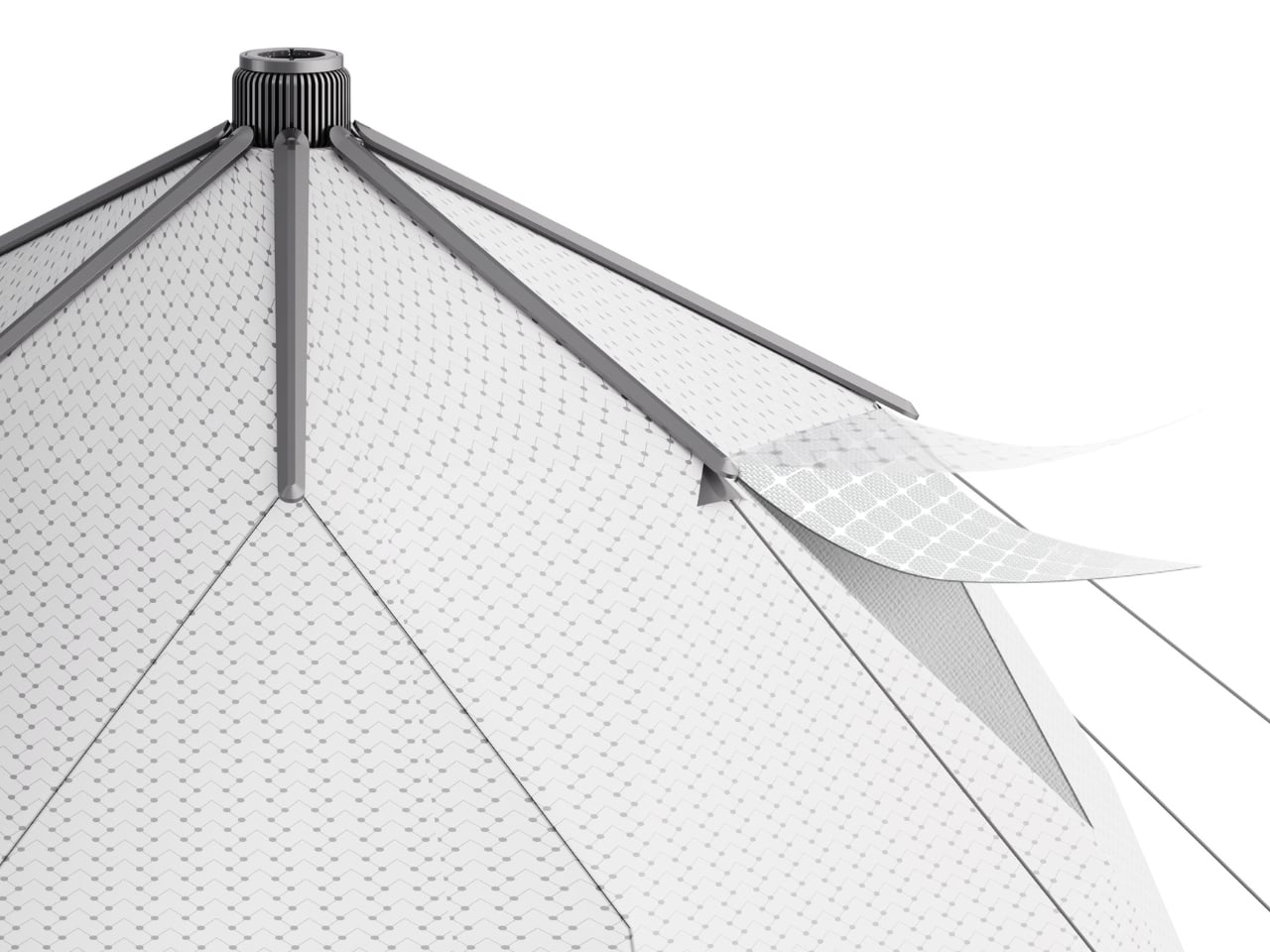
A tent that powers its own air conditioning sounds like design fiction until you see the Red Dot Award sitting beside it. Created by designers Zhong Xu, Li Baoyu, Pan Yiyuan, and Li Xueyan, this concept reimagines the tent as an active system rather than a passive shelter. The composite tarpaulin fabric functions as a solar energy collector — the very material protecting you from the elements simultaneously harvests energy from them. That integration isn’t bolted on as an afterthought. It is the entire design philosophy, and it is genuinely elegant.

What makes this tent compelling beyond the headline feature is how coherent the whole thing feels. The air conditioning system doesn’t look retrofitted or experimental — it emerges naturally from the tent’s own material logic. For anyone who has abandoned a summer camping trip because a nylon tent becomes an oven by nine in the morning, this represents a meaningful rethink of what outdoor shelter can actually do. The Red Dot recognition confirms the concept holds up under scrutiny. Summer camping just became a more reasonable conversation to have with yourself.

What We Like:

  • Tent fabric serves as a solar collector, requiring no external panels or power hookups
  • Red Dot Award recognition validates both its design integrity and conceptual ambition

What We Dislike:

  • Solar-dependent performance means cloud cover directly limits cooling capacity
  • Remains a concept design; real-world field performance data is not yet available

4. X1 Portable Toilet

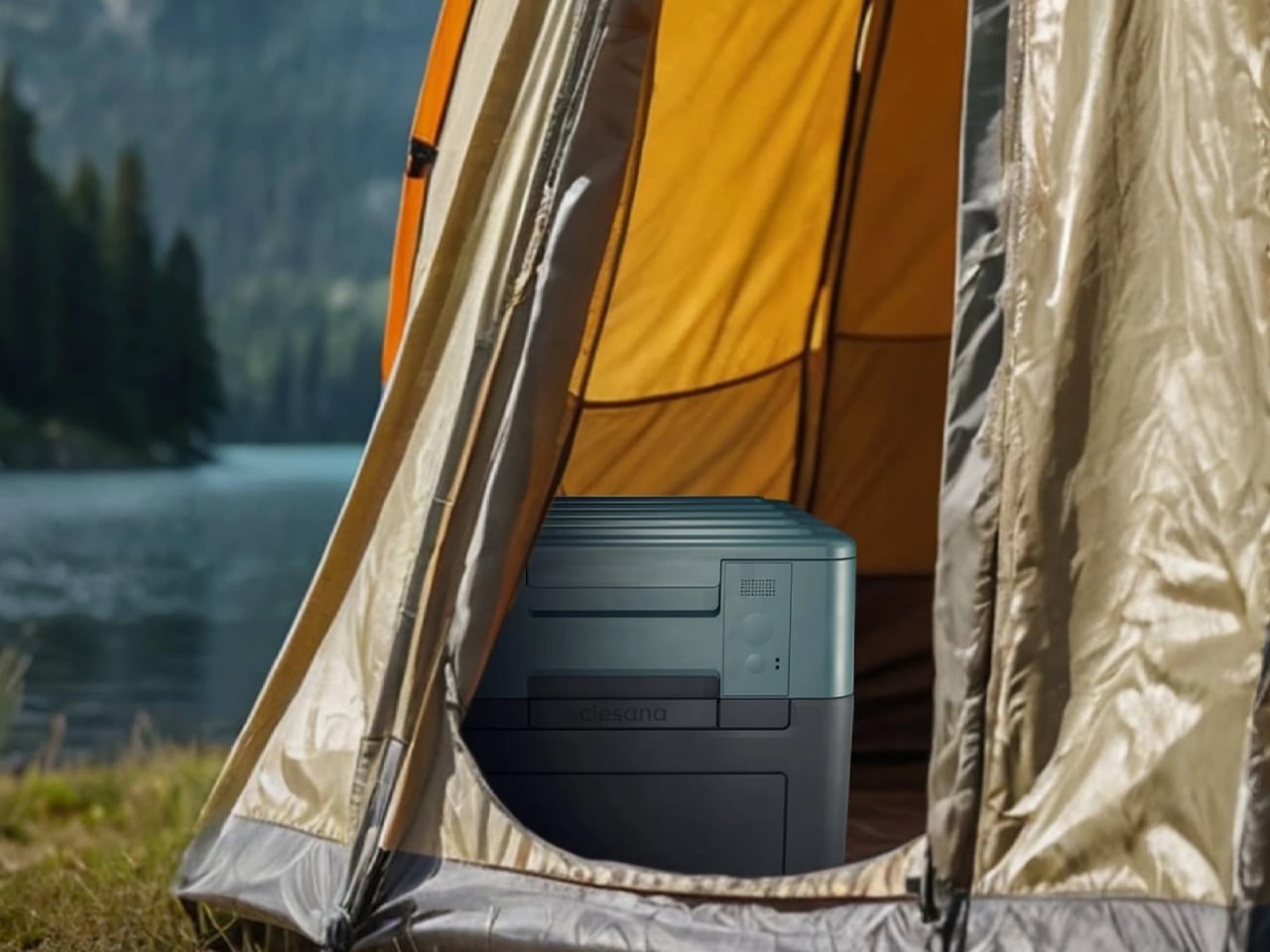
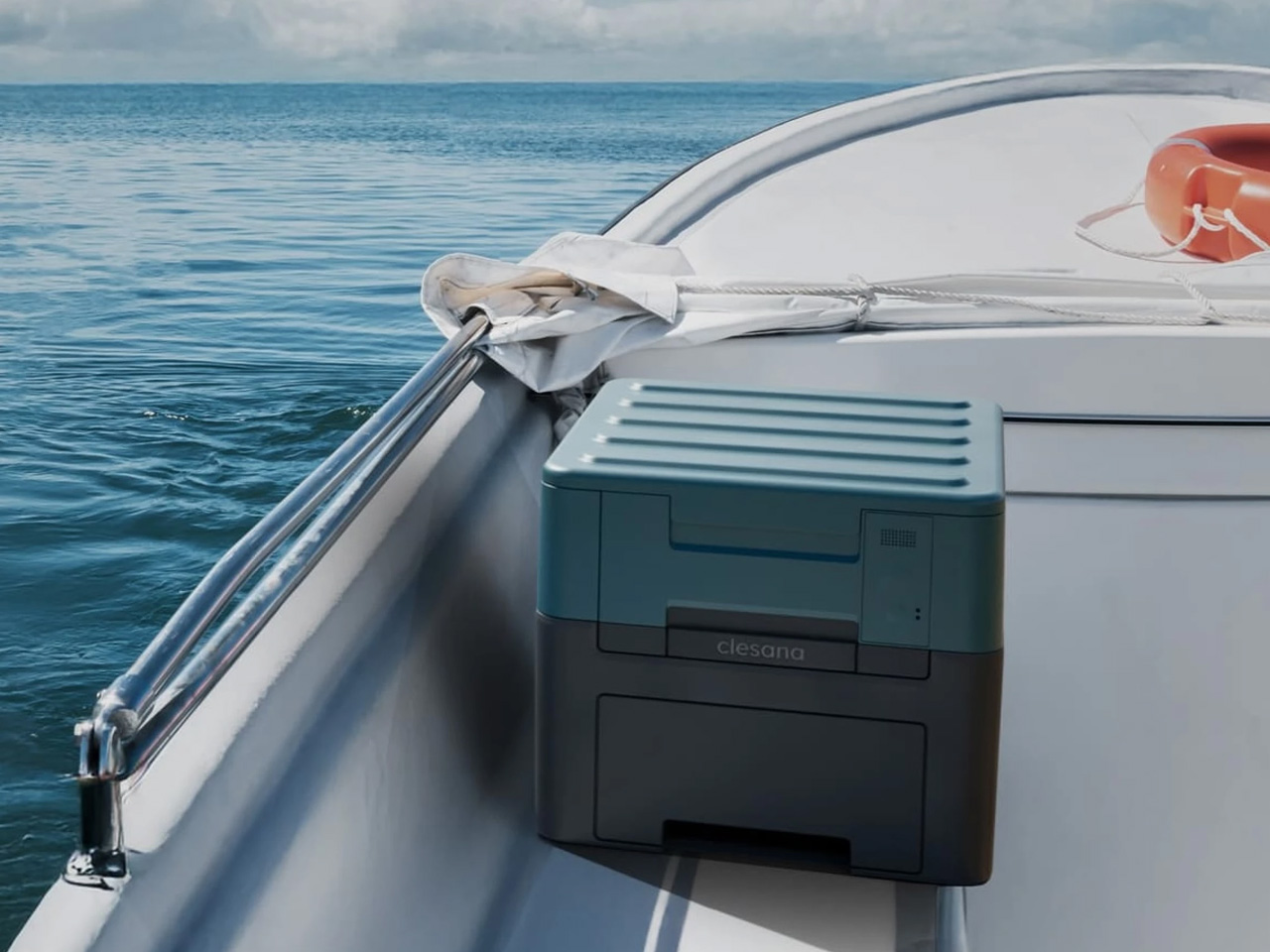
Swiss company Clesana approached one of the least glamorous problems in outdoor living and solved it with the kind of precision engineering that country has built its reputation on. The X1 is a battery-powered portable toilet that collapses into a compact cube for transport and telescopes to full, household-equivalent height when deployed. It operates without water or chemicals, meaning no hookups, no messy maintenance, and no infrastructure dependencies. At 24 pounds with a built-in handle, one person can move it anywhere without assistance — a more significant achievement for this category than it sounds.

The intelligence of the X1 is in how it resolves the fundamental portable toilet dilemma: comfortable means large, and portable means small. Traditional products force you to choose one and live with the shortfall. The telescoping design refuses to compromise. Packed, it disappears into your vehicle’s cargo area without drama. Deployed, it delivers the same seated height as the toilet you use at home. That transition from cube to fully functional unit is the kind of deceptively simple solution that only appears obvious in hindsight — which is exactly the mark of well-executed design thinking.

What We Like:

  • Telescoping mechanism delivers full-height seated comfort from a compact, packed footprint
  • Chemical-free, waterless operation makes it genuinely usable anywhere off-grid

What We Dislike:

  • Battery dependency requires monitoring charge levels before and during extended trips
  • The 24-pound weight is manageable for car camping but prohibitive for trail backpacking

5. BlackoutBeam Tactical Flashlight

If the Olight Baton 4 is precision in a small package, the BlackoutBeam Tactical Flashlight is the same premise scaled up for situations where more is simply more. It delivers 2,300 lumens with a 300-meter throw and a 0.2-second response time — which means light appears before your brain has fully registered the need for it. The aluminum body is rated IP68 for water and dust resistance, putting submersion and hard impact well within its operational range. This is a flashlight designed for people who take conditions seriously rather than optimistically.

The industrial design holds up to its spec sheet. The form communicates capability without tipping into aggressive or overwrought territory, which is a line many tactical flashlights fail to walk. For camping specifically, a 300-meter throw transforms how you read a landscape after dark — whether you’re navigating back to a site, scanning a tree line, or assessing a trail ahead. The IP68 rating means you’re not managing this thing delicately when the weather turns. You focus on the situation rather than the tool, which is ultimately what well-designed gear makes possible.

Click Here to Buy Now: $89.00

What We Like:

  • 2,300 lumens and 300-meter throw deliver exceptional range for outdoor navigation
  • IP68-rated aluminum construction handles submersion, rain, and impact without complaint

What We Dislike:

  • Tactical performance level exceeds the practical needs of casual recreational campers
  • High-lumen output demands careful battery management on longer or multi-day outings

6. The Conqueror

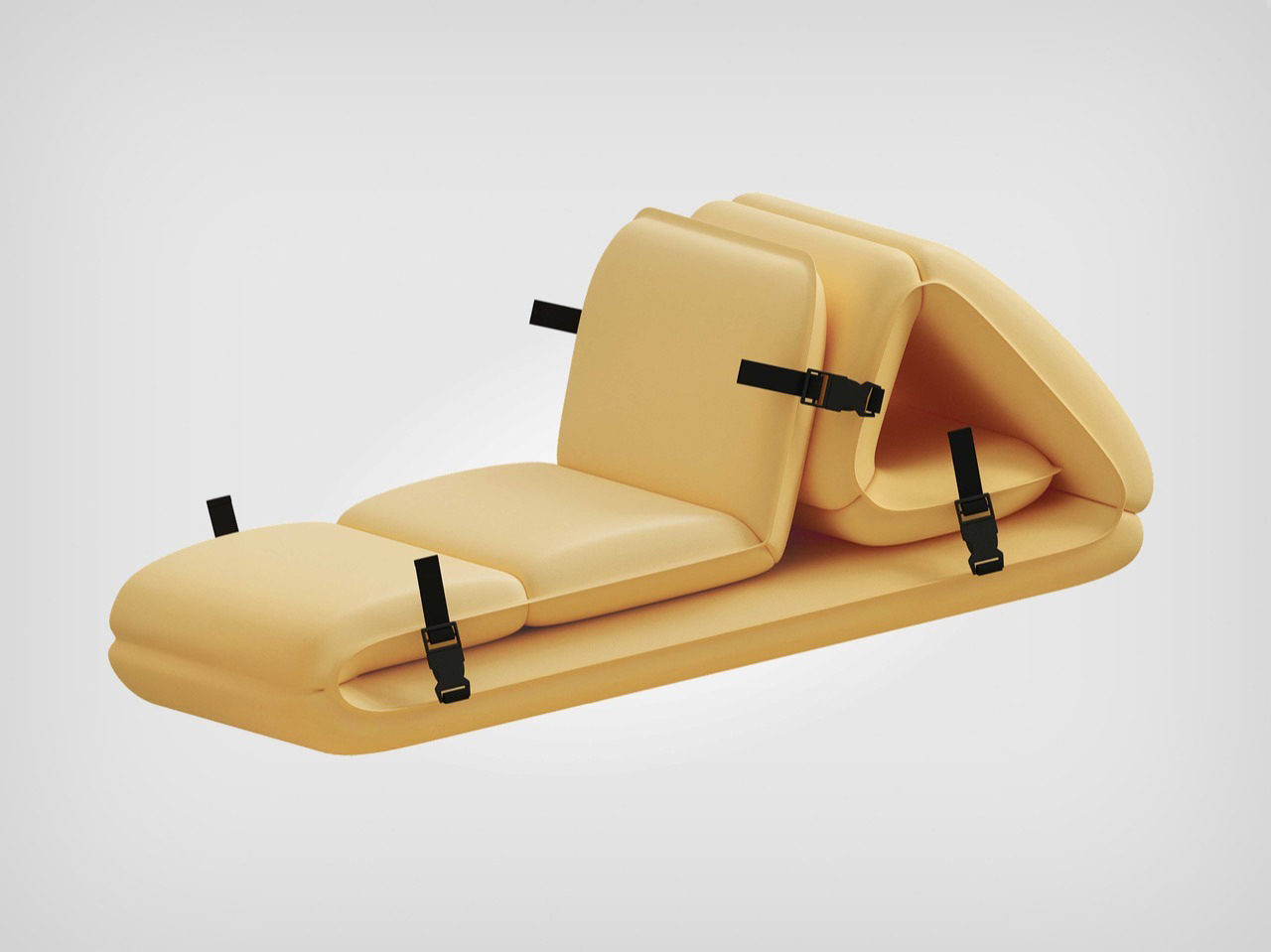
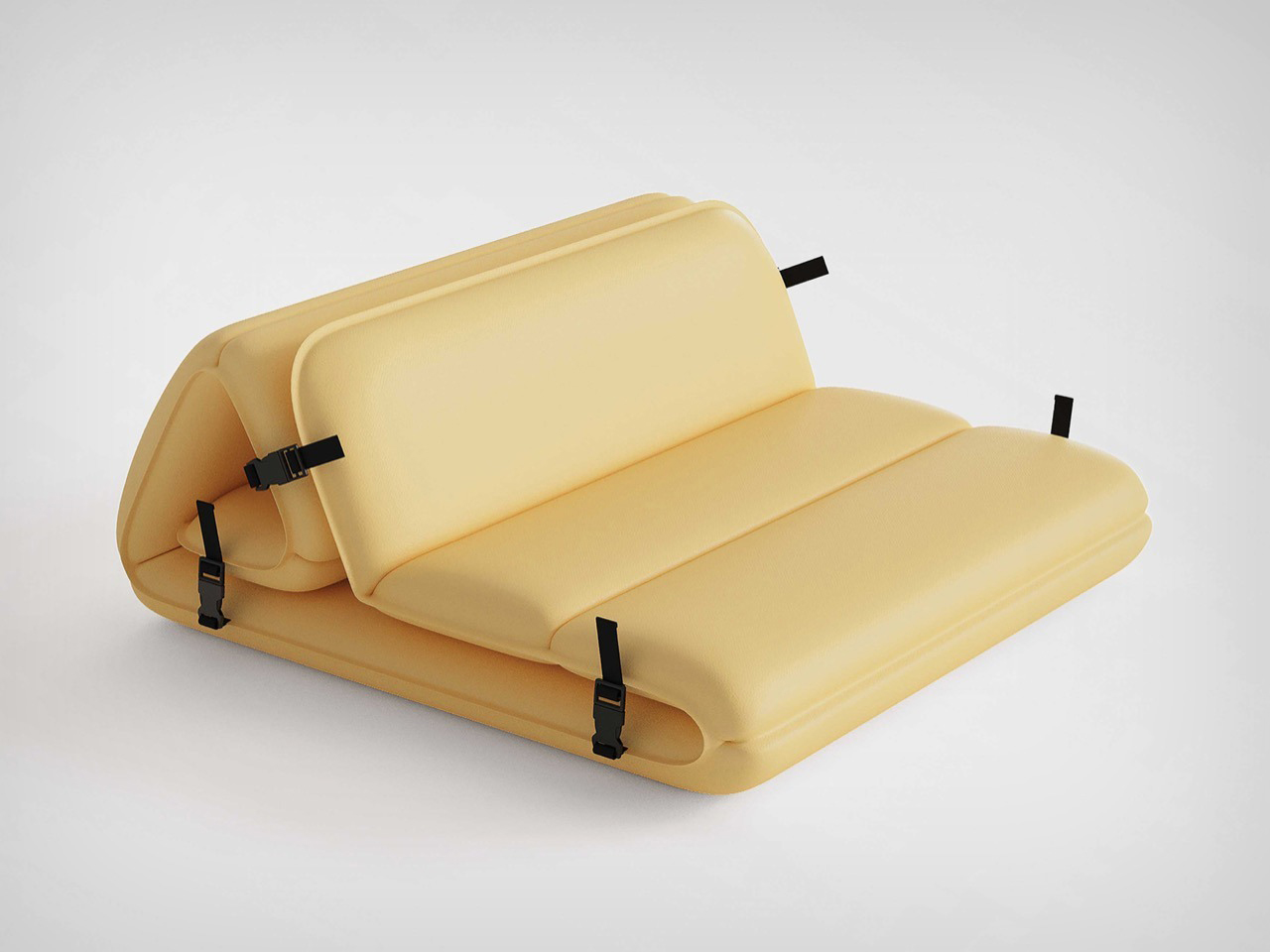
Camping furniture has been stuck in an uncomfortable loop for decades: lightweight means flimsy, comfortable means heavy, and stylish remains an afterthought that nobody bothers with. The Conqueror, a Red Dot Award-winning concept from Ziel Home Furnishing Technology designer Wang Lan, exists in a loop entirely. Modular panels connect via sturdy buckles, inflate automatically, and reconfigure into a lounge, a table, or a seat without tools, without effort, and without the particular frustration of a folding chair that collapses mid-use. It’s outdoor furniture that actually respects the time and energy of the person using it.

What the Conqueror gets right is making comfort configurable rather than fixed. A product that becomes what the moment needs is fundamentally more useful than one that does one thing adequately. For a group camping setup, this translates to an adaptable social space that shifts from midday seating to evening lounge without repacking anything. For a solo camp, it means a single compact module that earns its spot in the vehicle. The buckle-and-inflate mechanism is intuitive enough that nobody needs to read instructions before using it — and that, quietly, is a design achievement in itself.

What We Like:

  • Modular configuration adapts from seating to table to lounge without repacking
  • Automatic inflation eliminates the setup frustration of traditional folding camp furniture

What We Dislike:

  • Inflatable construction carries a real puncture risk in rocky or rough terrain
  • The auto-inflation mechanism adds mechanical complexity compared to simpler folding options

7. Flextail Tiny Pump 2X

The Flextail Tiny Pump 2X is the kind of product that earns a permanent spot in your kit based purely on how many problems it quietly solves. Powered by AIR VORTECH technology, it reaches up to 4kPa of air pressure and 180 liters per minute of airflow — numbers that translate to fast, fuss-free inflation across a range of products. Five included nozzles cover the valve types you’re realistically going to encounter in the field, and the unit handles both inflation and deflation with equal competence. Small enough to forget about until you need it, useful enough that you’ll always bring it.

The dual-purpose design is what makes the Tiny Pump 2X more interesting than a standard camp inflator. Beyond mattresses and inflatable furniture, it pairs with vacuum storage bags to compress bulky items and reclaim up to 80% of storage space — making it genuinely useful even during the weeks between camping trips. For camp-specific use, inflating a full air mattress in a fraction of the time it takes by lung power is a quality-of-life improvement that is difficult to fully appreciate until you’ve experienced it. That’s the quiet case for tools that do more than their job description.

What We Like:

  • Five included nozzles provide broad compatibility across mattresses, floats, and furniture
  • Works with vacuum storage bags at home, extending usefulness well beyond the campsite

What We Dislike:

  • Peak airflow performance is optimized for Flextail’s own mattress lineup
  • Battery capacity may require recharging between back-to-back inflation sessions

8. All-in-One Grill

Camp cooking carries an undeserved reputation for mediocrity — burnt protein on a wobbly grate, cleanup that feels like a punishment, and a general sense that eating outdoors is something to tolerate rather than enjoy. The All-in-One Modular Grill was designed to dismantle that reputation directly. It covers six cooking methods — barbecuing, frying, grilling, steaming, smoking, and stewing — in a compact tabletop form that works on any flat surface. There’s even a dedicated module for warming bottles upright, which is the kind of specific, thoughtful feature that camping gear rarely gets right.

The design logic here centers on eliminating the friction that stops people from cooking ambitiously when they’re outside. Each module serves a specific function and slots together without the logistical anxiety of a full camp kitchen setup. Disassembly for cleanup is equally straightforward — no buried grime, no mystery components left in the bag. For anyone who has historically packed mediocre snacks out of sheer dread for the alternative, this grill reframes the camp meal as something worth giving actual attention to. Cooking well outdoors is mostly a gear problem, and this addresses it cleanly.

Click Here to Buy Now: $449.00

What We Like:

  • Six cooking methods in a single compact tabletop unit — genuinely versatile coverage
  • Modular construction disassembles easily for straightforward cleanup and transport

What We Dislike:

  • Individual modules require organized packing to prevent losing components in transit
  • Tabletop scale limits output for larger group cooking sessions

9. FoldiBox

The FoldiBox operates on a premise so simple it’s almost audacious: a completely flat sheet of food-grade silicone rubber that becomes a functional container in under a second. Fold two diagonal corners, let the magnetic attraction bring all four together, and you have a box. No snap-fit mechanisms that accumulate grime in their joints, no assembly steps, no latching drama. The Ag+ antibacterial formula sourced from Japan keeps it hygienic between uses, the heat resistance runs to 300°F, and the whole thing is dishwasher safe. Made in Taiwan with a clean, modern aesthetic — it’s the kind of object that makes you wonder why it took this long to exist.

The flat-to-form transition is the feature that matters most in a camping context. The FoldiBox registers as almost nothing in your pack until you pull it out, at which point it becomes whatever the moment calls for: a snack bowl, a prep surface, a container for small gear, a fruit bowl at the campsite table. The optional clear lid adds spill-proof capability and makes stacking possible. For a product with a near-zero packed footprint, the range of situations it handles with confidence is quietly impressive. That combination of simplicity and range is what good design looks like at its most restrained.

What We Like:

  • Folds completely flat for minimal pack space, sets up in under a second with no effort
  • Food-grade, heat-resistant, antibacterial silicone is dishwasher safe and effortless to maintain

What We Dislike:

  • Magnetic closure alone may not reliably contain liquids without the add-on clear lid
  • Volume capacity is modest compared to rigid containers of a similar packed dimension

10. BruTek Expedition Coffee Kit

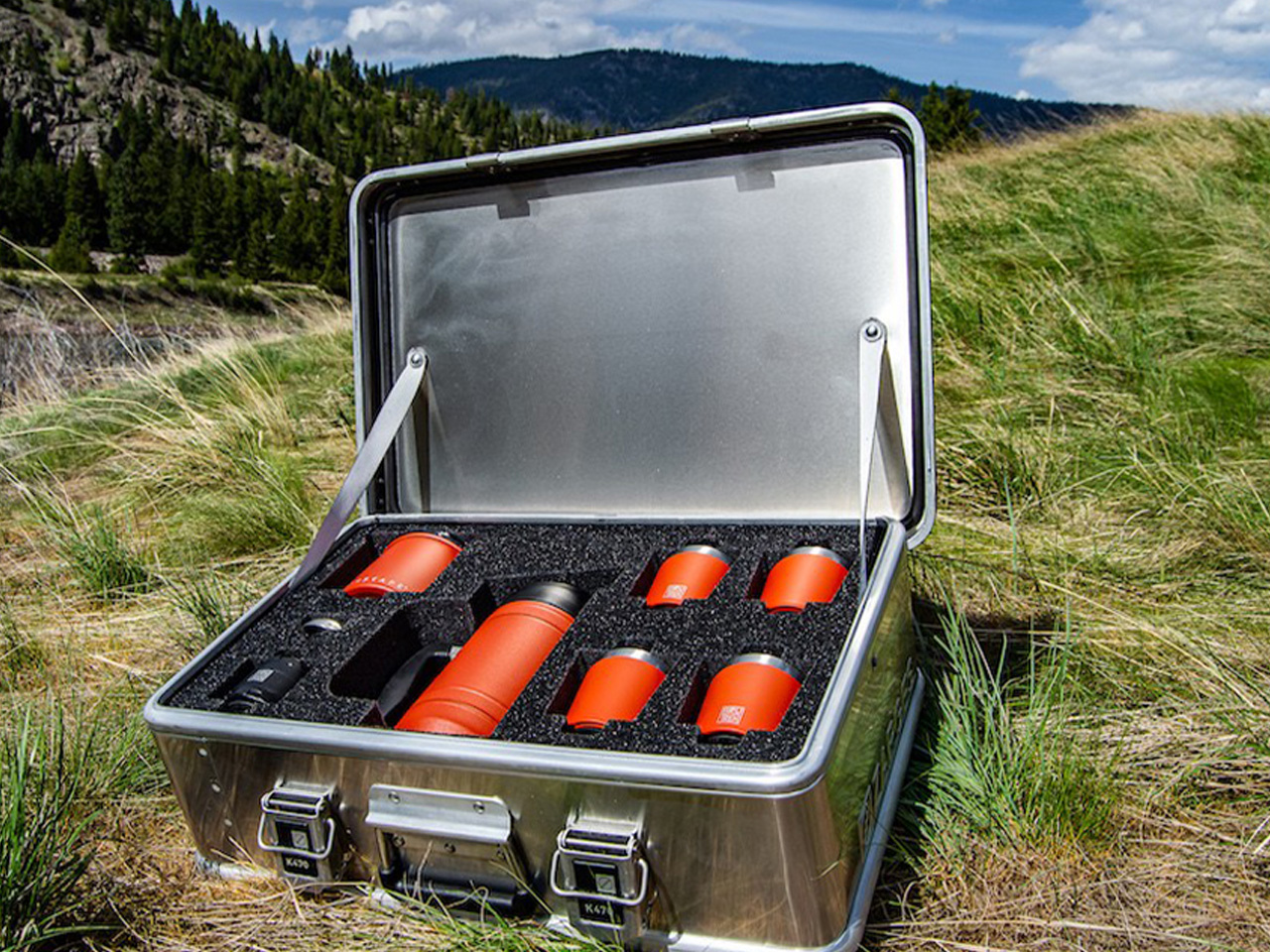
For a particular kind of camper, the quality of the morning coffee isn’t a luxury detail — it’s a non-negotiable prerequisite for the entire trip being worth it. The BruTek Coffee Kit was designed for that person, and it takes the job seriously. Housed in an IGBC-certified bear-resistant aluminum case, it includes a 32-oz BruTrek French press, four mugs, an air-lockout coffee canister, and every accessory needed to brew genuinely good coffee in the field. It’s the rare piece of camp gear that doesn’t ask you to compromise the ritual in exchange for portability.

The military-grade case is the design detail that elevates the whole kit beyond a curated coffee bundle. It protects the contents from weather, impact, and wildlife — a combination of threats that most coffee equipment was never engineered to handle — while its stackable form makes transport efficient and organized. Whether you’re out solo or with three equally discerning companions, the kit scales cleanly. The act of brewing becomes something you actually look forward to rather than rush through in the cold morning air. That’s the quiet power of gear designed with real intention: it changes not just what you do, but how the whole experience feels.

What We Like:

  • IGBC-certified bear-resistant aluminum case protects against wildlife and the elements in one
  • Complete system — French press, four mugs, canister, accessories — requires absolutely nothing extra

What We Dislike:

  • Bulkier and heavier than minimalist pour-over setups built for ultralight packing
  • Best suited to car camping or base camp use rather than long-distance trail travel

The post 10 Best Camping Gadgets Every Design Snob Needs Before Spring Actually Convinces You to Go Outside first appeared on Yanko Design.

XPPen’s 4K Display Fixes the One Thing That Ruins Digital Art: Color

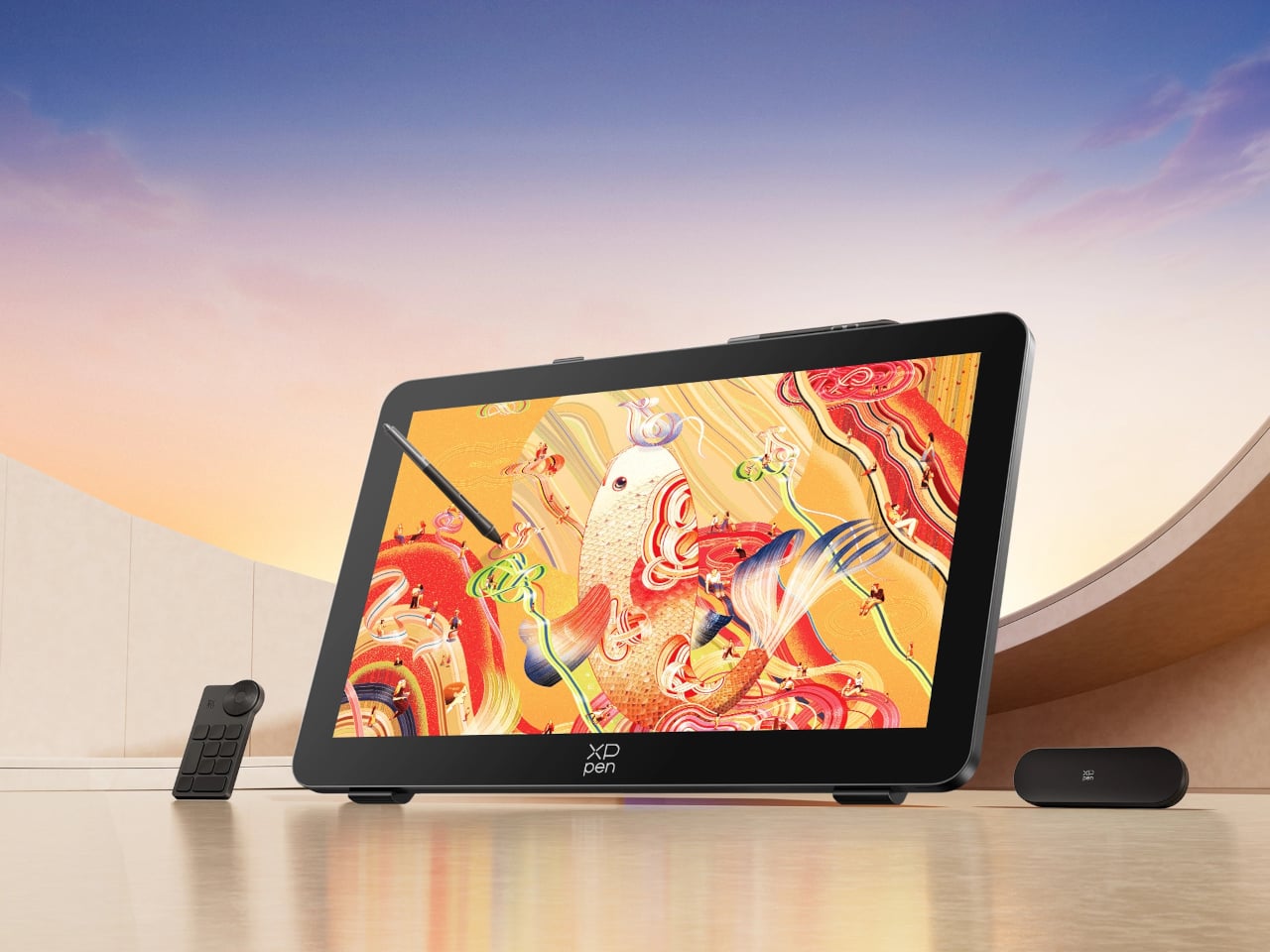
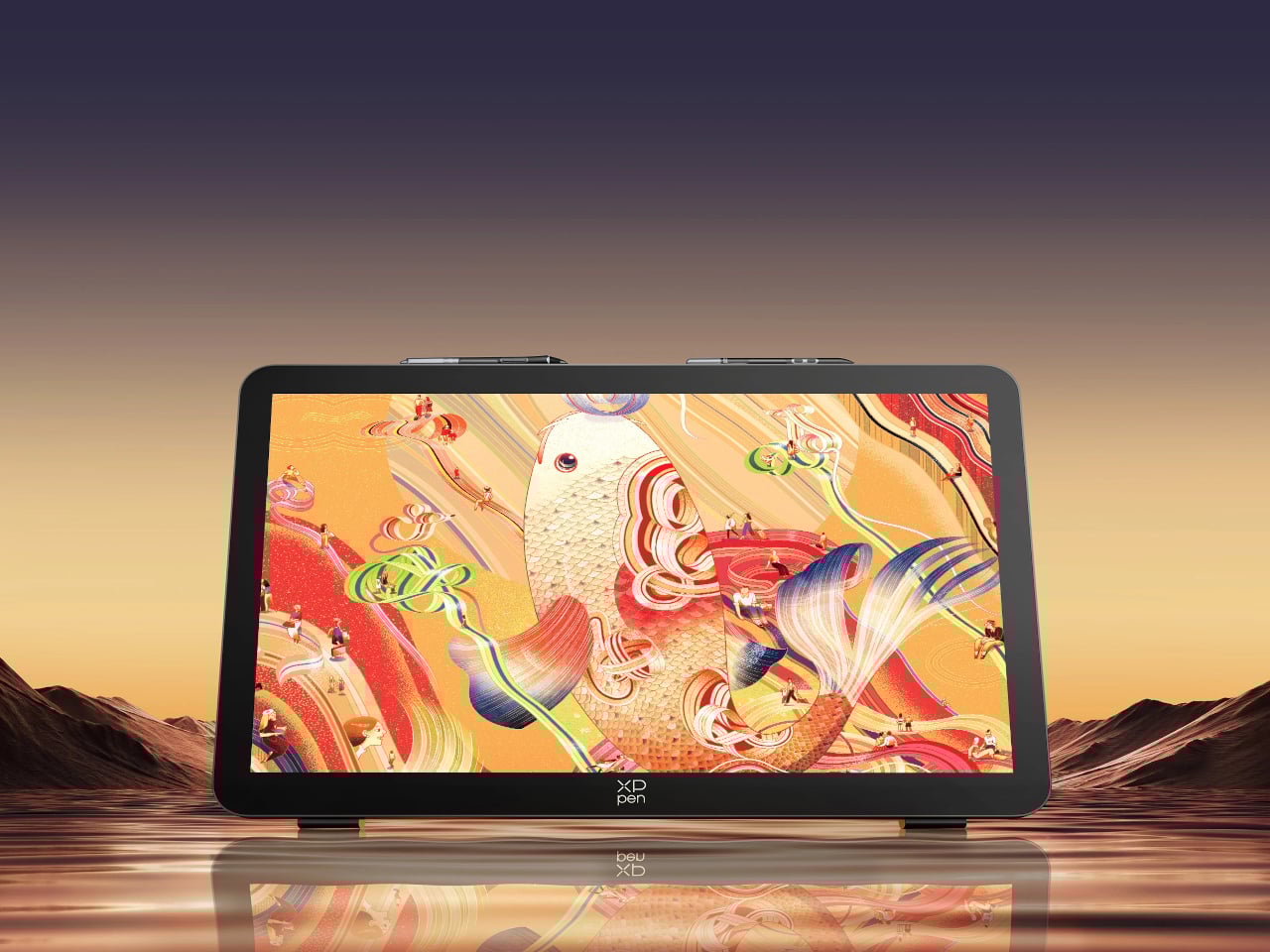
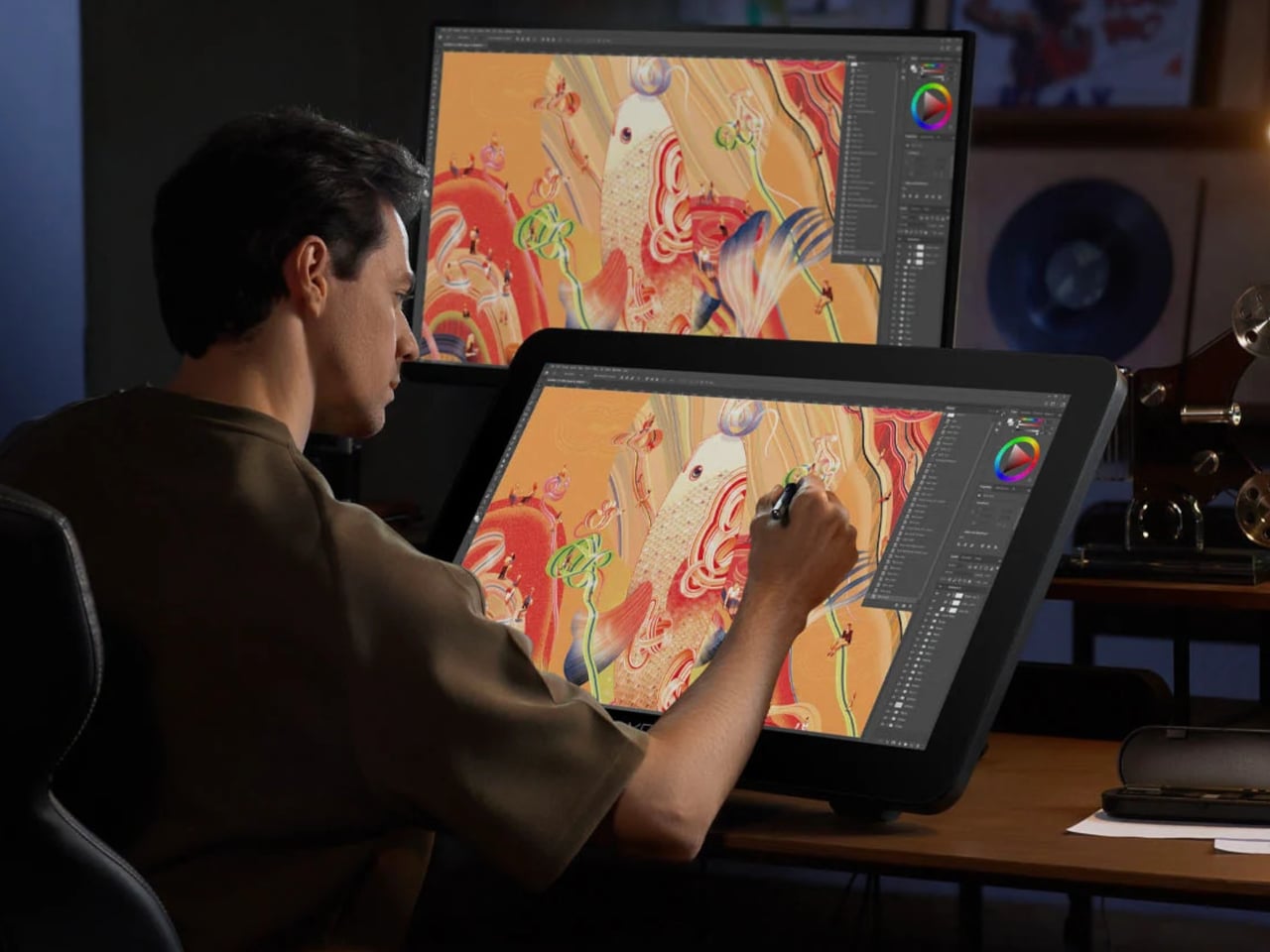
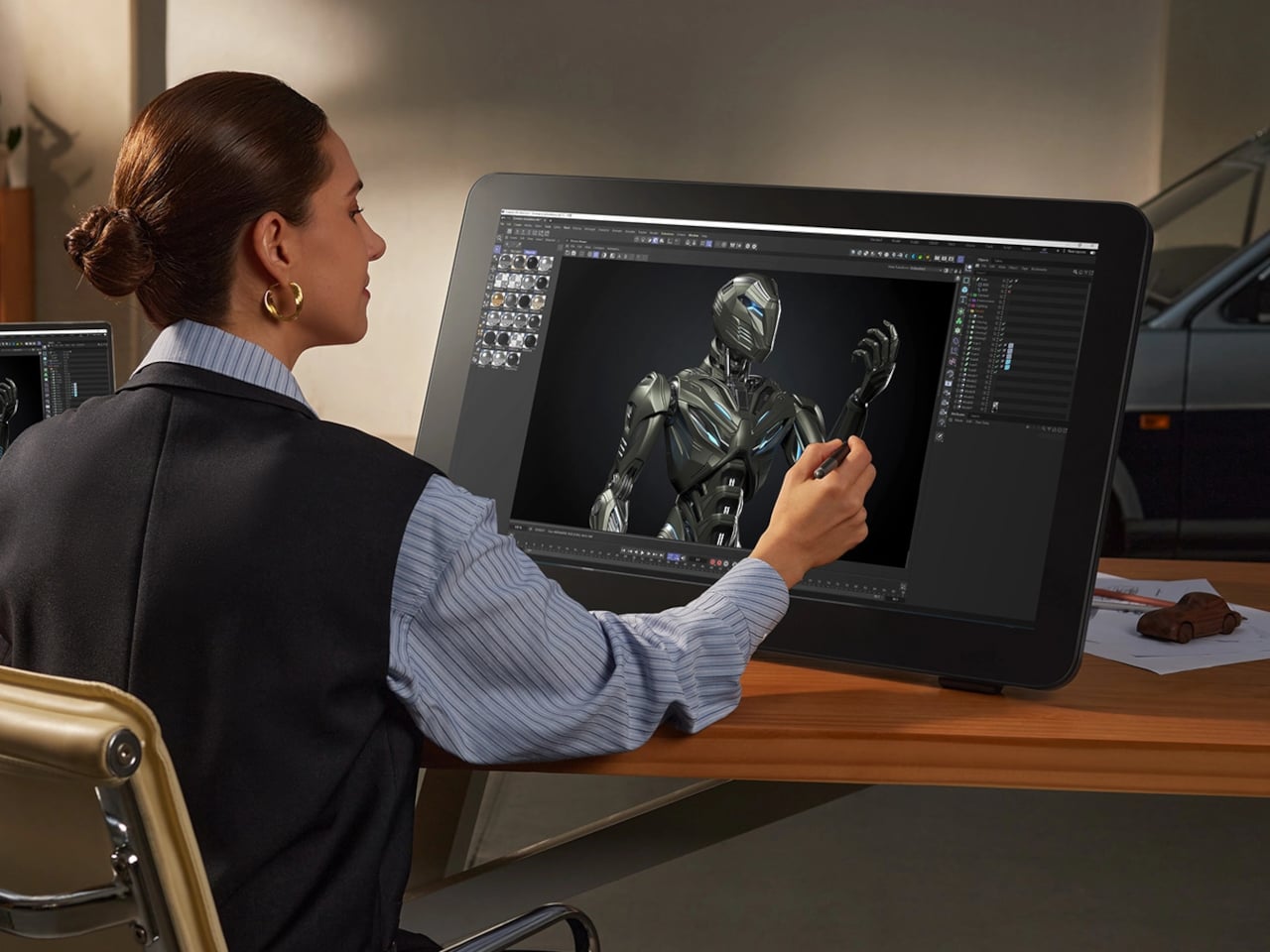
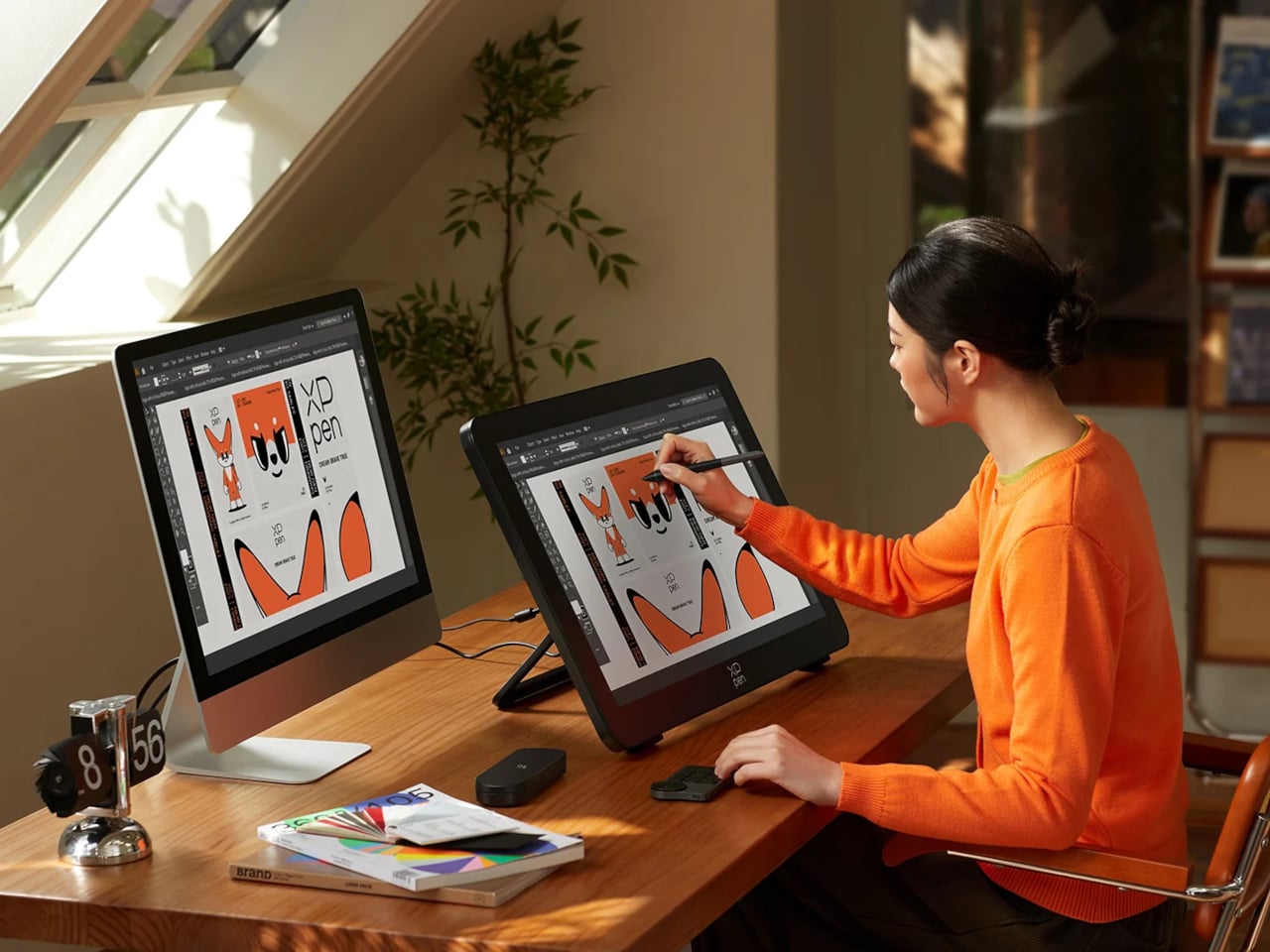
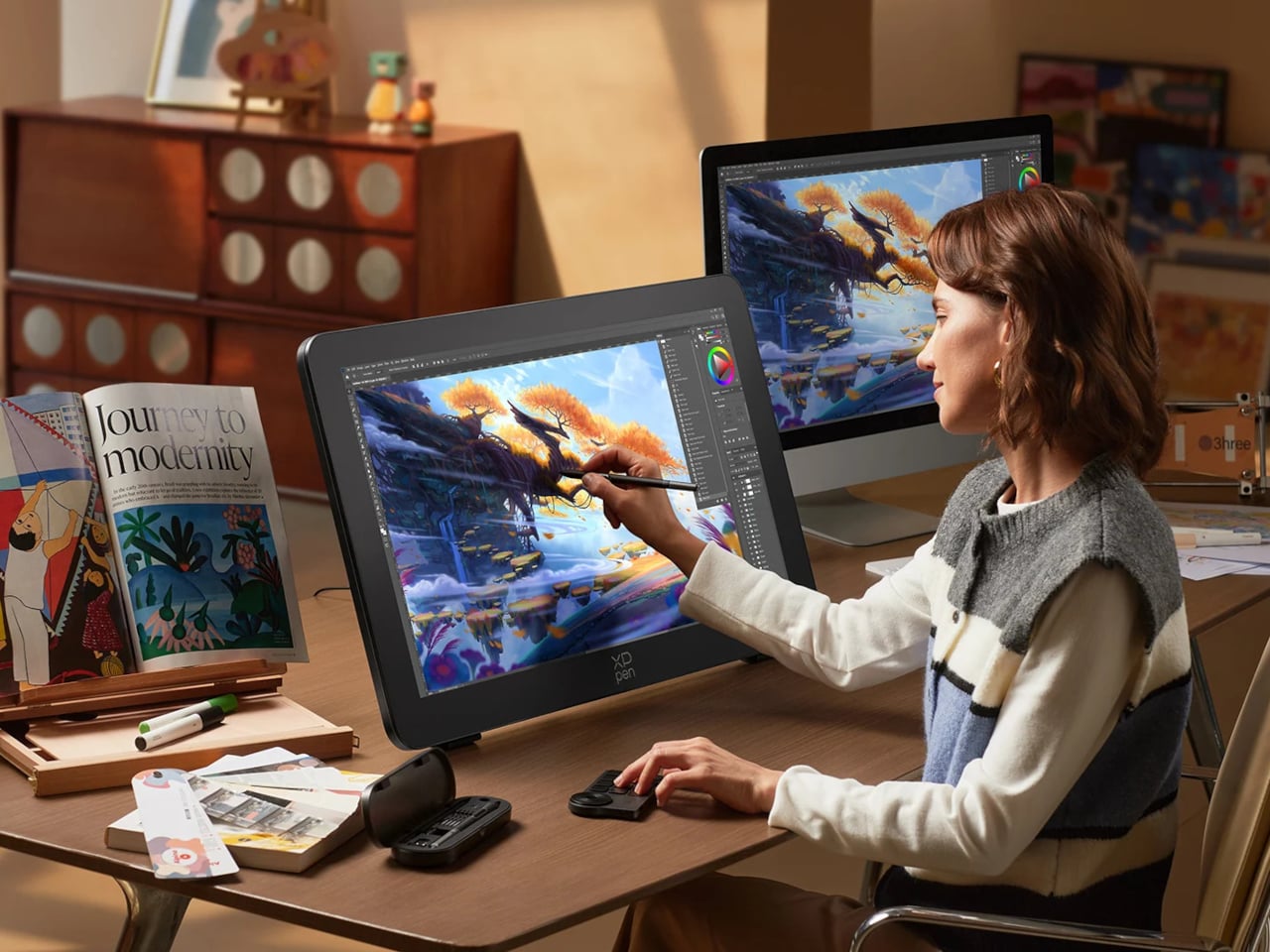
Finishing a piece of digital artwork only to discover that the colors on your client’s monitor look nothing like what you spent hours calibrating is a particular kind of frustration. It’s not dramatic. It just quietly drains trust in your tools and your process. The XPPen Artist Pro 27 (Gen 2) is a drawing display built around the premise that color accuracy, at a professional level, should be the starting point rather than an expensive add-on you negotiate into a purchase.

At 26.9 inches with a 3840×2160 resolution and a 120Hz refresh rate, the display gives designers, artists, and digital content creators sufficient room to work at a scale that feels genuinely close to physical media. That kind of canvas matters when you’re sketching compositions or reviewing color grading frame-by-frame on an animation timeline, where pixel-level decisions compound quickly, and a cramped workspace turns into a liability.

Designer: XPPen

The color story is where XPPen is making the most aggressive claims. The 10-bit panel covers 99% of Adobe RGB and sRGB, and 97% of Display P3, all with a Delta E of less than 1, independently verified through Calman. For designers working across print, digital, and video deliverables simultaneously, that breadth matters more than any single gamut number. One device that holds accurate across three standards removes a class of color-management guesswork from the workflow entirely.

Getting there does require some setup. Activating the full 10-bit depth means going into display settings manually, and advanced color calibration through the bundled XPPen ColorMaster software requires a Calman colorimeter purchased separately. The hardware is capable; the software is ready. What XPPen doesn’t hand you automatically is the calibrated result itself, so buyers expecting out-of-the-box perfection should factor in that extra step and cost.

The display surface uses a new-gen luminous etched glass panel 0.7 mm thick, which XPPen claims offers 30% more light transmittance than its predecessor while keeping the anti-glare, paper-like texture. That texture is what keeps pen-on-glass from feeling clinical, and the thinner glass reduces the gap between pen tip and cursor, a physical detail that sounds minor until you’ve spent a session fighting it. Brightness is 350 nit, which positions this squarely as a studio tool.

Two styli ship with the unit: the X3 Pro Smart Chip Stylus with a standard silicone grip, and the narrower X3 Pro Slim Stylus, tapered at 26° to keep the tip in view during detailed line work. Both operate at 16,384 pressure levels with 3g activation force and 60-degree tilt sensitivity. A wireless shortcut remote with a 10 × 4 grid of programmable keys and a dial is also included, covering most of what keeps artists reaching for the keyboard mid-session.

The X-Touch multitouch system handles ten simultaneous touch points with native gesture support on Windows and macOS, customizable touch zones, and a floating shortcut menu accessible by gesture or button. Pen-priority mode suppresses accidental inputs while drawing. That last feature is the one that separates a touch-enabled display that genuinely fits a drawing workflow from one that just adds friction to it.

The post XPPen’s 4K Display Fixes the One Thing That Ruins Digital Art: Color first appeared on Yanko Design.

8 Best EDC Knives To Choose Based on Your Outdoor Personality

The gear people carry tends to reflect how they move through the world. A minimalist packs light and intentionally. A tactical thinker layers redundancy into every outing. A weekend adventurer just wants something dependable when the trail gets interesting. Knives fall into that same pattern, and picking the right one has less to do with blade length or steel grade than most people assume. It has everything to do with knowing who you are when you step outside.

Tekto has quietly built one of the more interesting EDC knife lineups available right now, spanning OTF automatics, side-opening folders, and premium button-lock builds. Their range runs from sub-2-inch pocket knives to full tactical folders with Zastava Arms collaborations, and the gap between those two endpoints tells you a lot about how wide the brand’s reach actually is. Seven of those knives, each matched to a distinct outdoor personality, make a strong case that the best EDC knife is simply the one built for the way you already carry yourself.

A3 Delta: The Tactician
“Always has a plan B, and a plan C.”

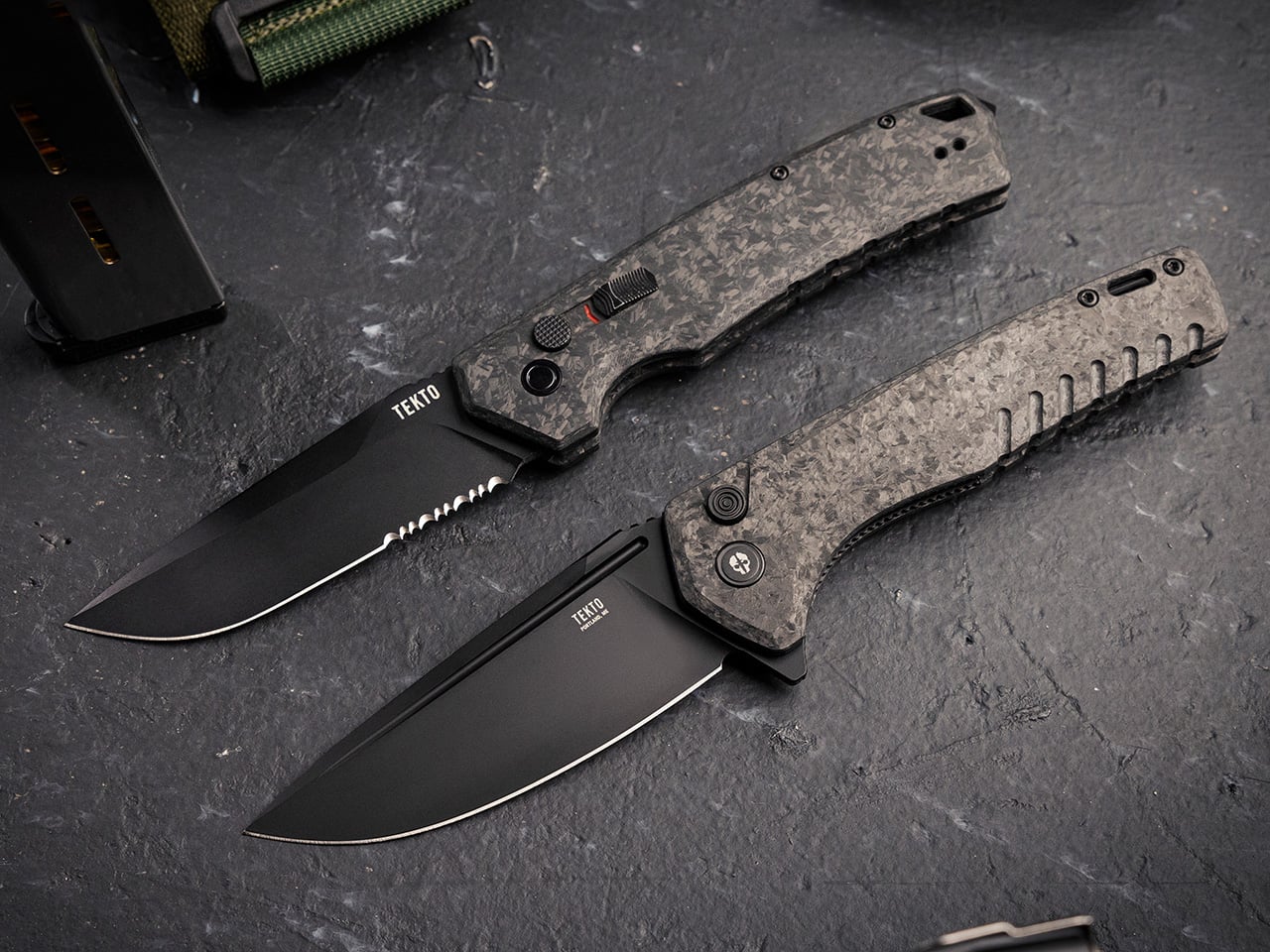
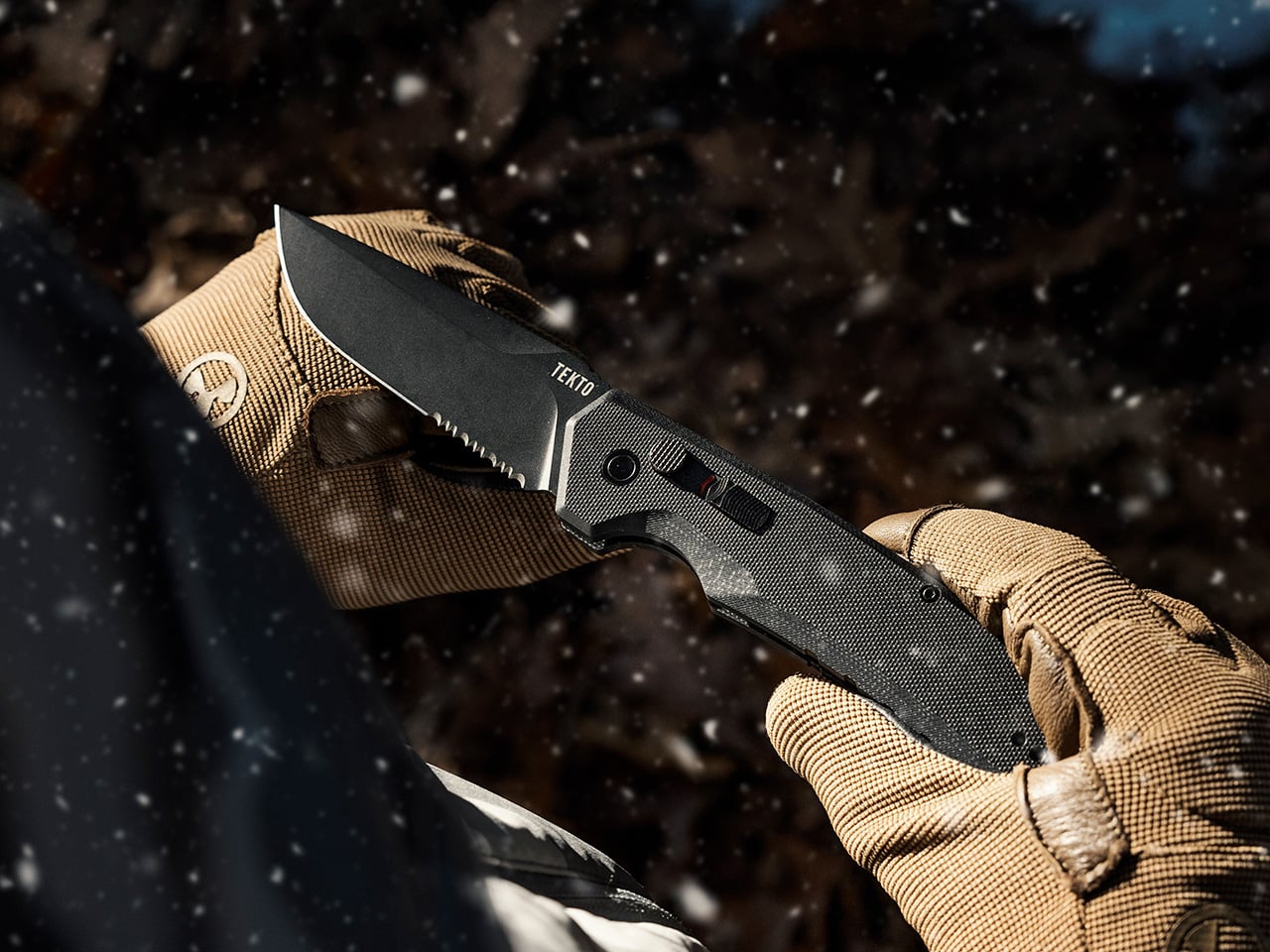
There is a type of person who checks their gear before leaving the house, not out of anxiety but out of habit. They might work in security or construction, or they might simply live by a readiness mindset refined over years of outdoor experience. The A3 Delta fits naturally into that carry philosophy. What makes it work for that person is the specific combination of automatic speed and deliberate safety design. When speed matters, the spring-activated side-opening mechanism delivers. When the knife needs to sit in a pocket for hours without incident, the button lock and safety switch handle that too.

A crimson red indicator on the rear signals when the blade is ready to fire, while a forward shift on the lock reinforces closure against accidental deployment. The blade runs 3.60 inches of titanium-coated D2 steel in a drop point profile, hardened to 60-62 Rockwell, a range that holds an edge through sustained working use. G10 and forged carbon handle scales keep things grippy without adding unnecessary bulk, though at 5.96 ounces this is a knife with real presence. Glass breaker, ambidextrous pocket clip, and lanyard hole round it out at $179.99.

Click Here to Buy Now: $153 $179.99 (15% off, use coupon code “YANKO”). Hurry, deal ends in 48-hours!

A5 Spry: The Backcountry Hunter
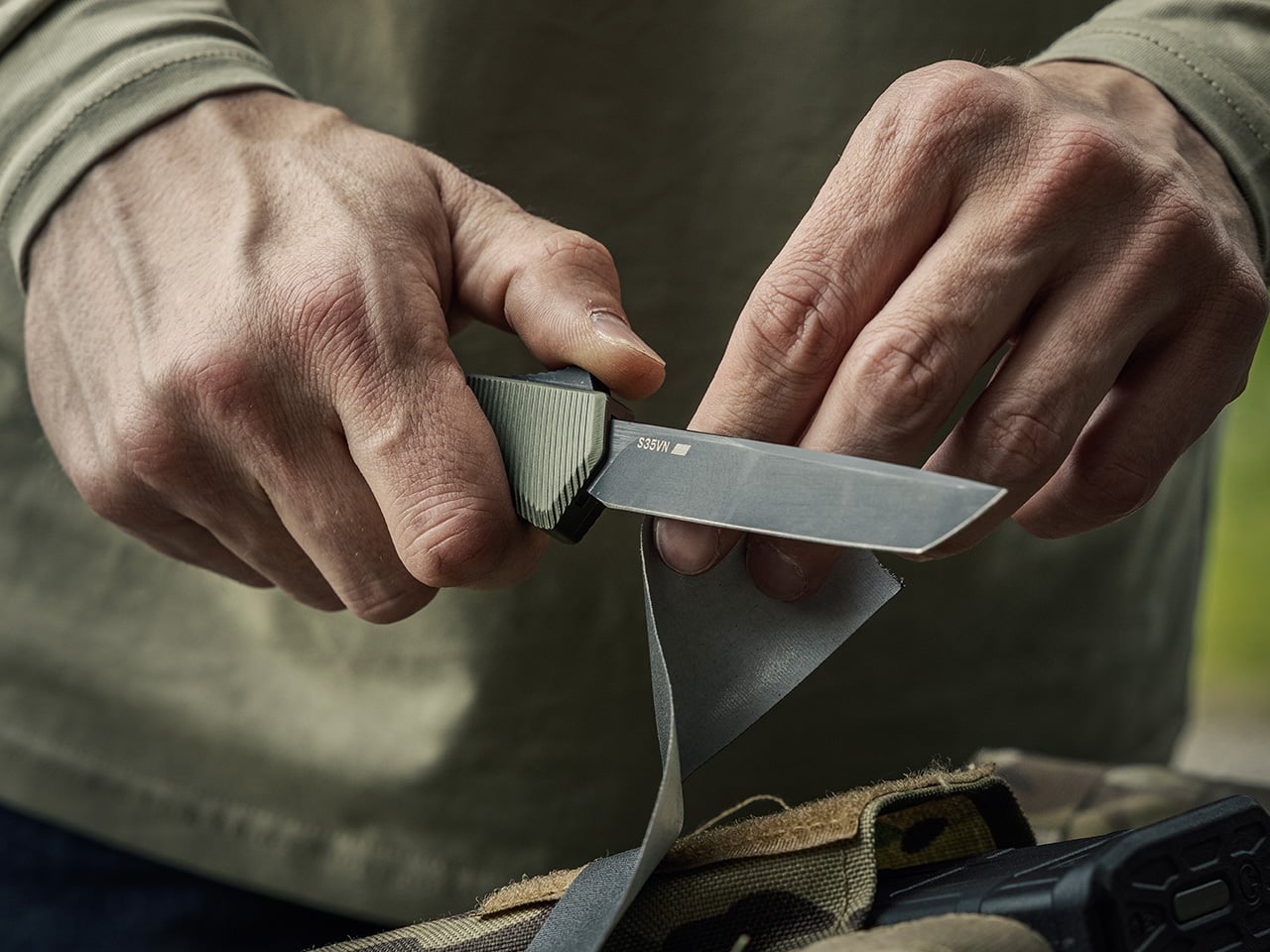
“Doesn’t talk about their gear. Just uses it.”

The A5 Spry suits the kind of outdoors person who values performance that shows up in the field rather than on a spec sheet screenshot. This is the backcountry hunter, the hard-use camper, the person who wants every tool in their pocket to feel fast, capable, and dependable under pressure. Its out-the-front automatic action gives it a clean, direct deployment style that fits someone who likes efficiency and precision in equal measure. The A5 Spry feels most at home with users who spend long days outside and want a knife that carries slim, draws quickly, and handles repeated tasks without fuss.

Tekto built the A5 Spry around a premium S35VN steel blade, a major step up for buyers who care about edge retention, toughness, and corrosion resistance. The blade measures 3.50 inches, and the precision-contoured handle is shaped for a secure, slip-free grip during active use. Its OTF thumb-slide mechanism keeps deployment quick and intuitive, while the overall profile stays compact, light, and easy to pocket for an automatic of this class. The design leans tactical, but the utility is broad enough for daily carry, trail work, and demanding outdoor use.

Click Here to Buy Now: $212.50 $249.99 (15% off, use coupon code “YANKO”). Hurry, deal ends in 48-hours!

F1 Alpha: The Pragmatic Workhorse
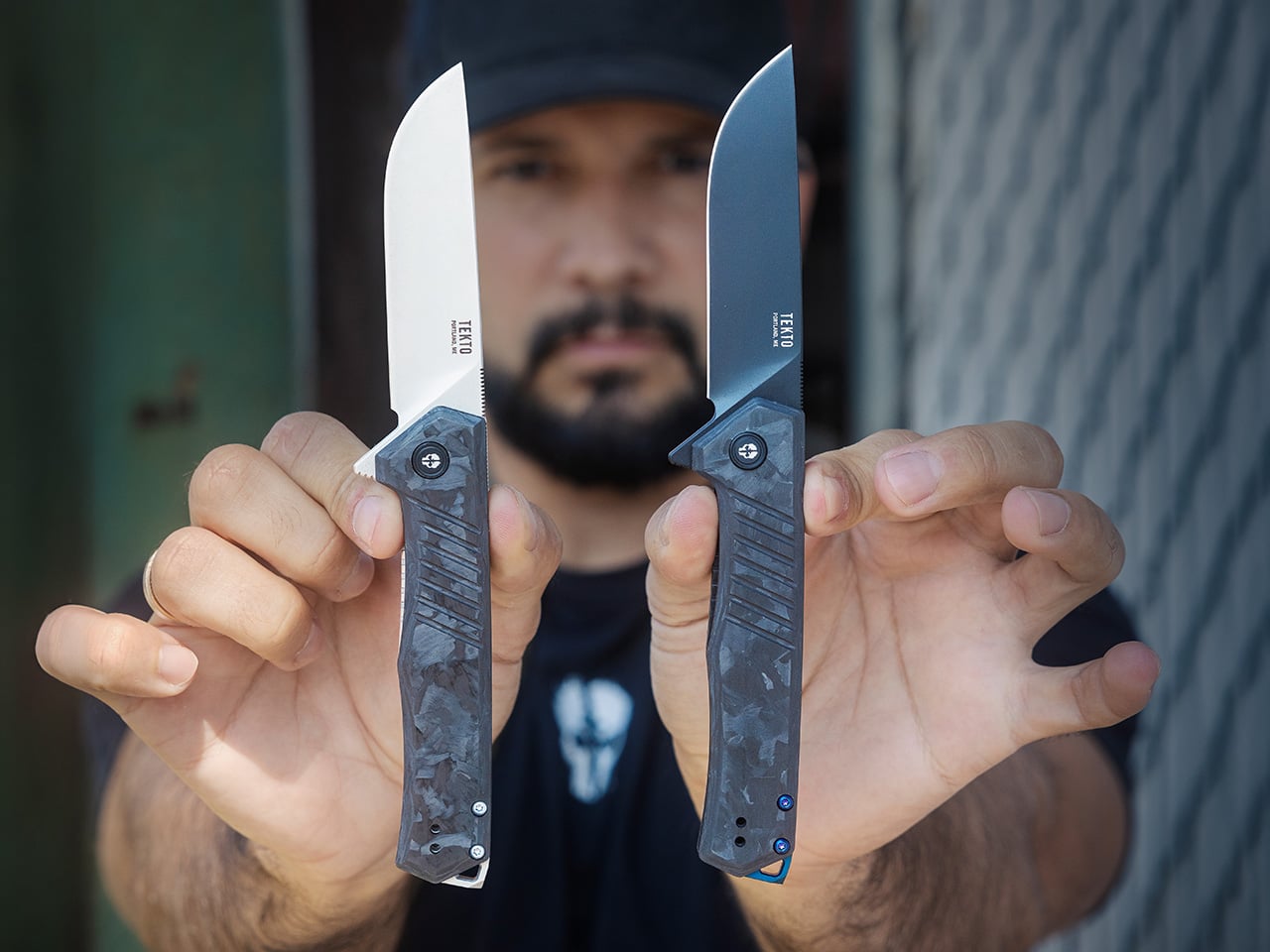
“Carries one knife, uses it for everything.”

The F1 Alpha lines up with the person who actually uses their knife throughout the day, whether that means campsite prep, cutting cordage, opening feed bags, or handling the small repetitive jobs that pile up outdoors. This is the pragmatic nomad, the weekend camper, the trades-minded carrier who values reliability over flash and prefers gear that earns its place through use. The F1 Alpha makes sense for someone who wants one knife to cover a wide range of situations without overthinking the choice. It has the kind of rugged, all-around personality that fits people who carry every day and expect their blade to move easily from routine chores to rougher tasks.

Its 3.1-inch blade is made from titanium-coated D2 steel with a fine edge and full flat grind, which gives it clean slicing ability and solid durability for repeated work. The liner lock keeps operation familiar and straightforward, while ceramic ball bearings help the knife open with quick, smooth action. Tekto also gives the F1 Alpha an ergonomic handle built for comfort and grip, plus a reversible deep-carry pocket clip for easy everyday carry. A glass breaker and lanyard hole add emergency and utility value, rounding out a folder designed to stay useful in real-world conditions.

Click Here to Buy Now: $119 $139.99 (15% off, use coupon code “YANKO”). Hurry, deal ends in 48-hours!

F2 Bravo: The Urban Professional
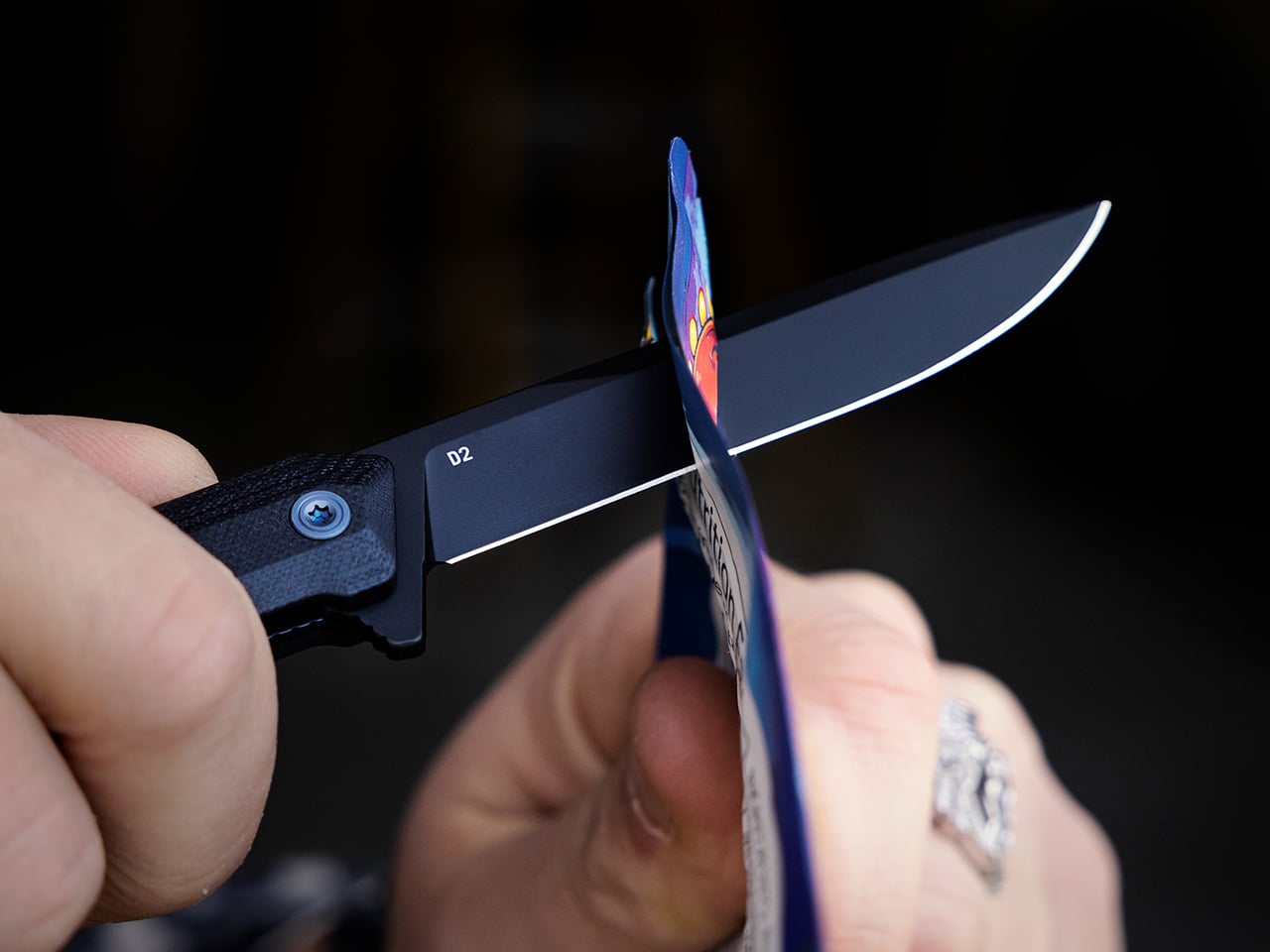
“Dresses well. Carries smart.”

The F2 Bravo is easy to picture in the pocket of someone who wants their EDC to feel intentional, refined, and easy to live with every day. This is the urban professional, the minimalist commuter, the person who appreciates good design and prefers gear that fits seamlessly into a polished routine. They still want utility, of course, but they are not looking for an oversized statement piece clipped to the pocket. The F2 Bravo works for someone who moves between desk, car, coffee shop, and weekend outing without ever needing to swap knives. It has the kind of clean, low-profile presence that suits a thoughtful daily carry style.

At just 2.4 ounces, the F2 Bravo is one of the lightest knives in Tekto’s lineup, which immediately makes it appealing for daily pocket carry. Its slim frame pairs with a titanium-coated D2 steel blade and a liner lock, giving it a straightforward build that stays practical without feeling bulky. The blade length sits in the sweet spot for everyday cutting tasks, while the handle comes in lightweight, durable materials like G10 and forged carbon. Tekto shaped the Bravo with a simpler, more refined silhouette than the chunkier Alpha or Charlie, which is exactly why it lands so well as a gentleman-style folder.

Click Here to Buy Now: $127.50 $149.99 (15% off, use coupon code “YANKO”). Hurry, deal ends in 48-hours!

F3 Charlie: The Heavy-Use Outdoorsman
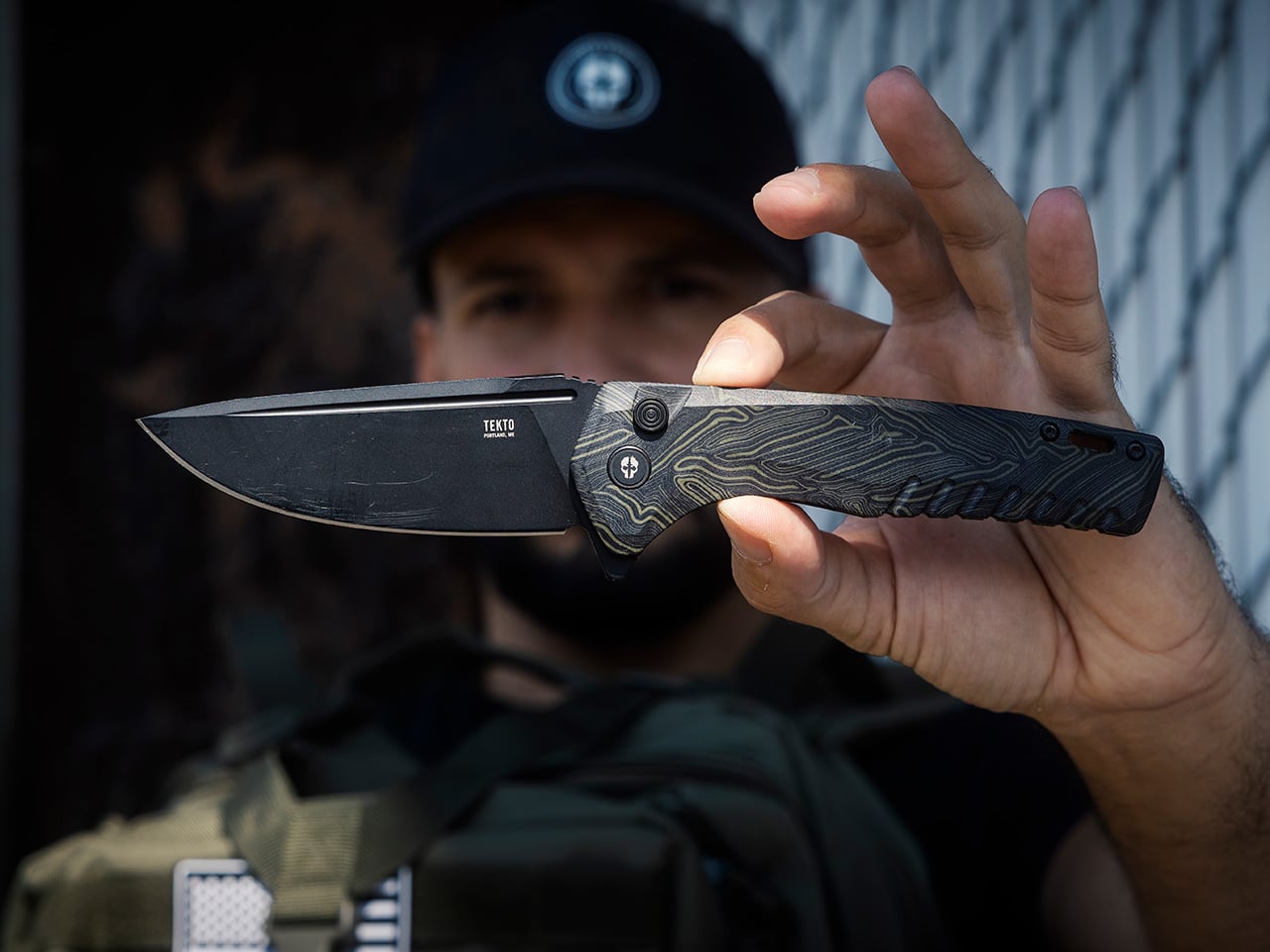
“Puts every knife through its paces.”

The F3 Charlie belongs with the kind of person who expects a folder to do real work and never feels fully convinced by anything too slim, too polished, or too precious. This is the heavy-use outdoorsman, the rugged camper, the hunter who wants a knife that feels substantial in hand and ready for long days outside. They want grip, blade length, and confidence, especially when the task stops being light-duty. The F3 Charlie fits that mindset well because it carries like a folder but behaves like something built for harder use. It is the natural pick for someone who would rather have extra capability on hand than wish they had brought a bigger knife.

The design leans into that role with a 3.80-inch titanium-coated D2 steel blade, a button lock, and a larger overall frame than the rest of Tekto’s folding lineup. At 4.5 ounces, it still stays relatively light for its size, which gives it a nice balance between carry comfort and in-hand authority. Ceramic ball bearings help keep the action smooth, while the oversized blade and ergonomic handle contours support stronger cutting tasks and longer use sessions. G10 and forged carbon handle options add durability and grip, and the pocket clip and lanyard hole keep it practical for everyday field carry.

Click Here to Buy Now: $127.50 $149.99 (15% off, use coupon code “YANKO”). Hurry, deal ends in 48-hours!

F4 Echo: The Collector/Adventurer
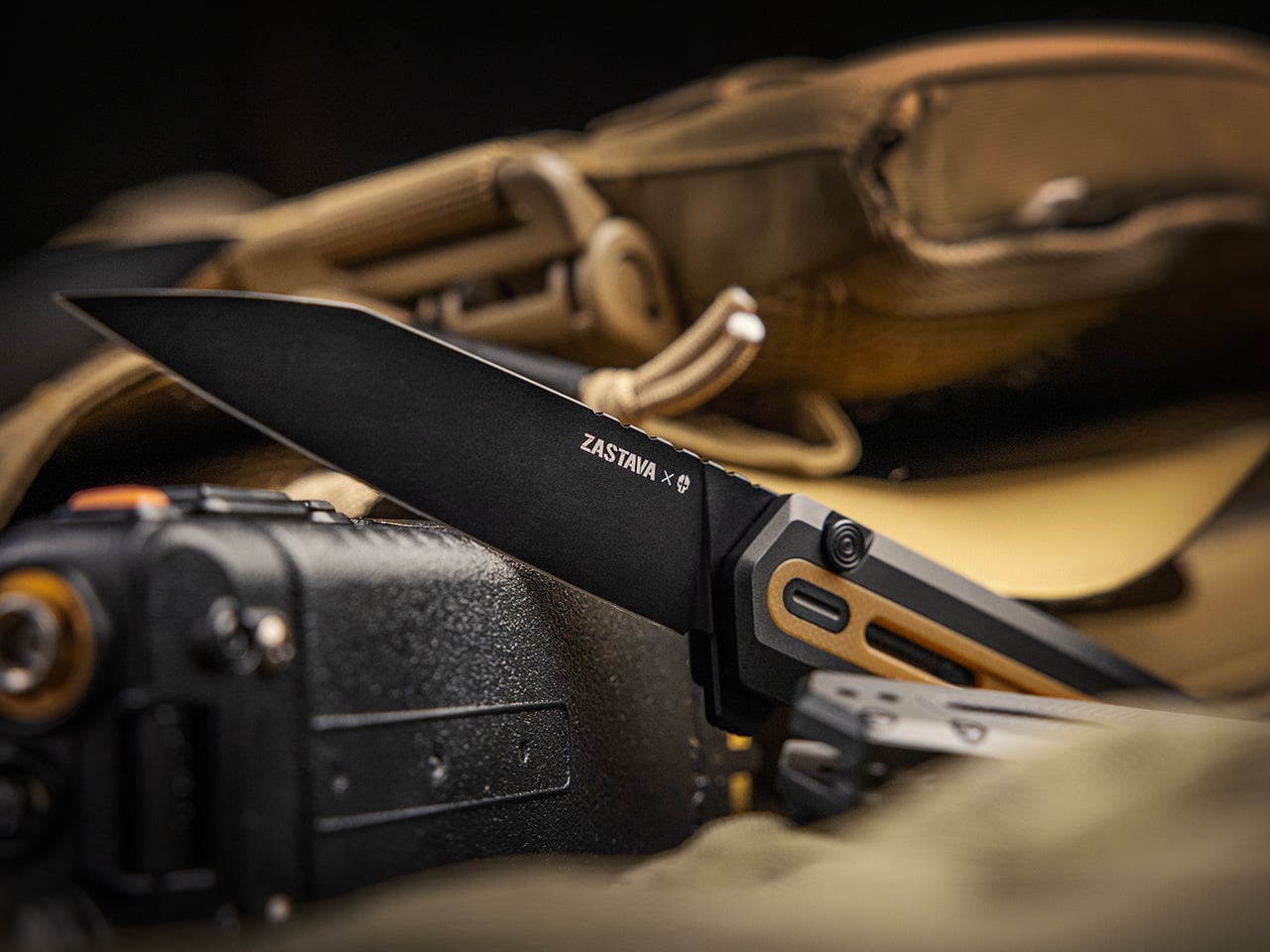
“Appreciates the story behind the steel.”

The F4 Echo feels tailored to the person who wants their everyday carry to have character, heritage, and a little more presence than the average folder. This is the collector-adventurer, the gear enthusiast, the person who notices collaboration details and actually cares where a design language comes from. With its Zastava connection and more elevated finish, the Echo speaks to someone who enjoys utility but also values the narrative built into the object. It suits a user who might spend one weekend at the range and the next out on the trail, carrying the same knife because it satisfies both performance instincts and collector taste.

Tekto gave the F4 Echo a titanium-coated S35VN blade in a reverse tanto profile, which immediately places it near the premium end of the lineup. The button lock adds fast, easy operation, while the aluminum and G10 handle construction keeps the knife light without making it feel insubstantial. Design details tied to the Zastava collaboration give it a more distinctive visual identity, especially in the different colorways inspired by rifle heritage. The result is a folder that blends edge retention, corrosion resistance, and cutting strength with a look that feels deliberate and memorable.

Click Here to Buy Now: $170 $199.99 (15% off, use coupon code “YANKO”). Hurry, deal ends in 48-hours!

A3 Delta Mini: The Urban Minimalist
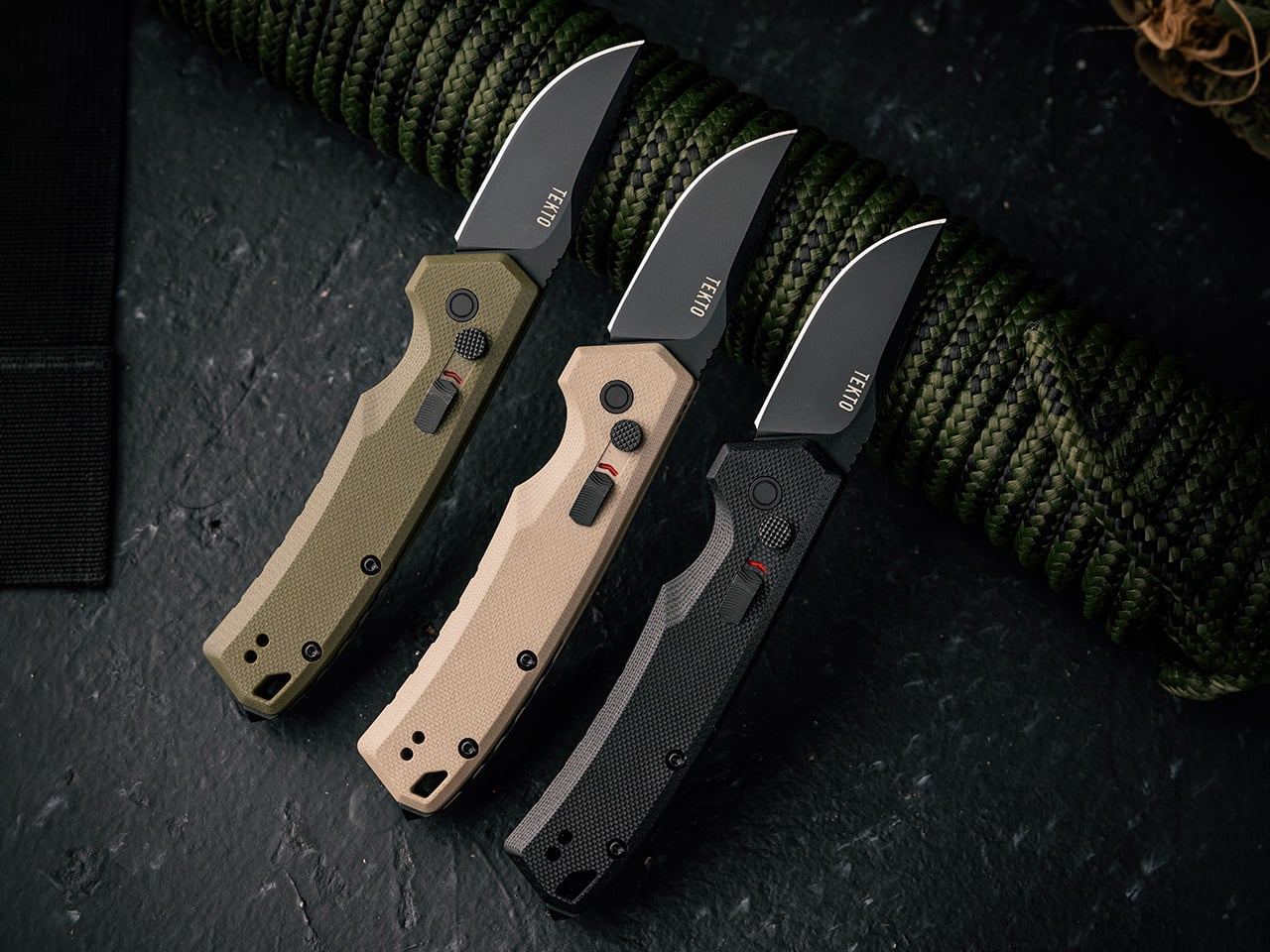
“Doesn’t need a big knife. Just needs the right one.”

The A3 Delta Mini fits the kind of person who wants automatic deployment and tactical confidence in a smaller, easier-carry package. This is the urban minimalist, the light-packing commuter, the outdoorsy type who still pays attention to pocket space and carry comfort. They want a knife that feels capable when called on, but never overbuilt for the rhythm of everyday life. The A3 Delta Mini works well for someone who likes the quick response and mechanical satisfaction of a side-opening automatic, yet prefers a tool that stays compact and controlled throughout the day. It feels like the right match for first-time automatic buyers too, especially those who want utility without stepping straight into full-size territory.

The Mini carries the same core design language as the larger Delta, including the button lock and safety switch that help manage automatic deployment with a little more peace of mind. Tekto positions it as a more compact version of the same spring-activated side-opening formula, giving users a smaller footprint without abandoning the tactical styling. That makes it easy to slip into lighter pockets, smaller carry setups, or daily routines where bulk becomes the first thing people notice. It is the Delta concept, trimmed down for users who value precision, portability, and quick access.

Click Here to Buy Now: $119 $139.99 (15% off, use coupon code “YANKO”). Hurry, deal ends in 48-hours!

A5 Spry Mini: The Stealthy Pocket Carrier
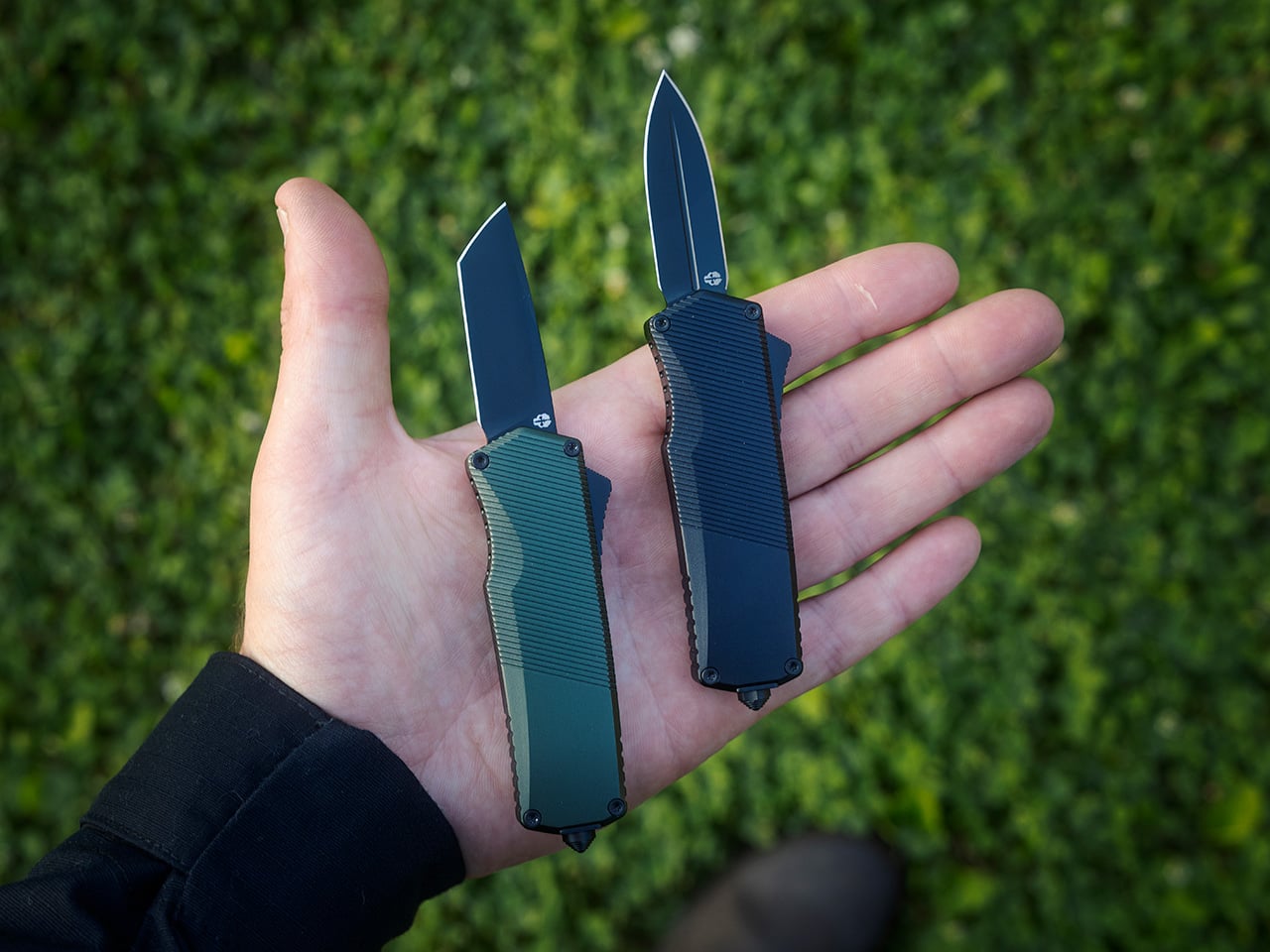
“Barely notices it’s there until they need it.”

The A5 Spry Mini makes the most sense for someone who wants their knife to disappear into a pocket and stay out of the way until the exact moment it is needed. This is the stealthy pocket carrier, the city dweller, the traveler, the person who values discretion as much as performance. They like the speed and clean action of an OTF automatic, but they do not want the size or visual presence that usually comes with that format. The Spry Mini suits people who keep their carry lean, efficient, and highly intentional, especially those who want a premium-feeling tool that can live comfortably in lighter clothing, smaller pockets, or minimalist setups.

Its appeal starts with scale. The blade measures 1.85 inches and the knife weighs about 2.15 ounces, which puts it firmly in micro-EDC territory while still preserving the quick thumb-slide deployment that defines the Spry line. Tekto equips it with S35VN steel and a titanium-coated blade, giving this compact automatic stronger edge retention and corrosion resistance than its size might suggest. The handle is contoured for grip and built to stay light, which helps the knife feel controlled and easy to carry throughout the day. For people in stricter markets, the sub-2-inch blade also gives it added relevance as a California-legal OTF option.

Click Here to Buy Now: $153 $179.99 (15% off, use coupon code “YANKO”). Hurry, deal ends in 48-hours!

The post 8 Best EDC Knives To Choose Based on Your Outdoor Personality first appeared on Yanko Design.

Govee’s Retro-inspired Smart-Bulb is Matter-compatible and Still Looks Like It Belongs in a 1920s Speakeasy

The Edison bulb revival was always a little dishonest. Those glowing spirals in coffee shop pendants and boutique hotel corridors were never actually Edison bulbs, just modern LEDs engineered to impersonate them, optimized for ambiance over accuracy. Nobody really minded, because the aesthetic did exactly what it was supposed to do: made a space feel warm, considered, and vaguely artisanal. Govee has now taken that impersonation one step further.

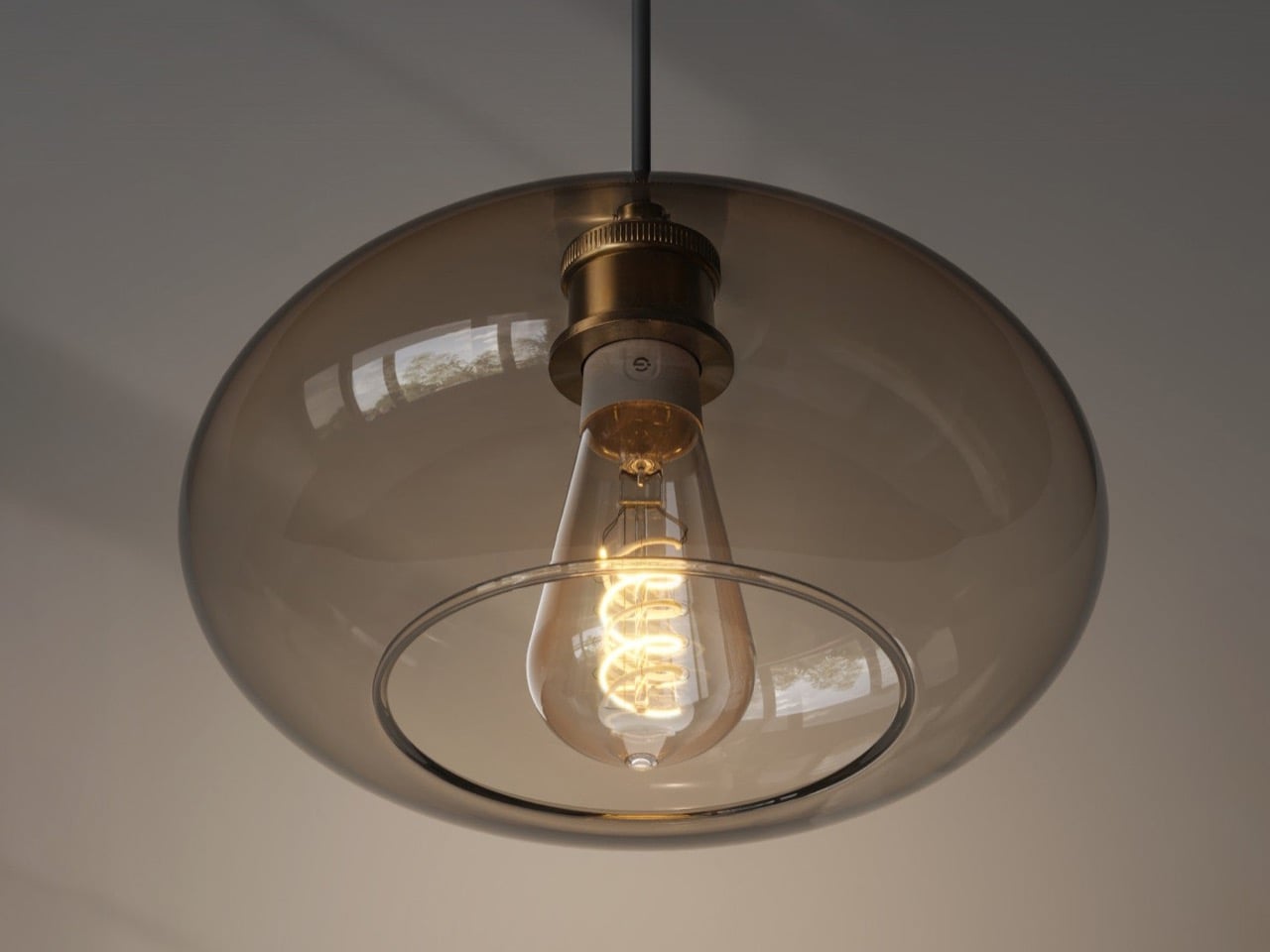
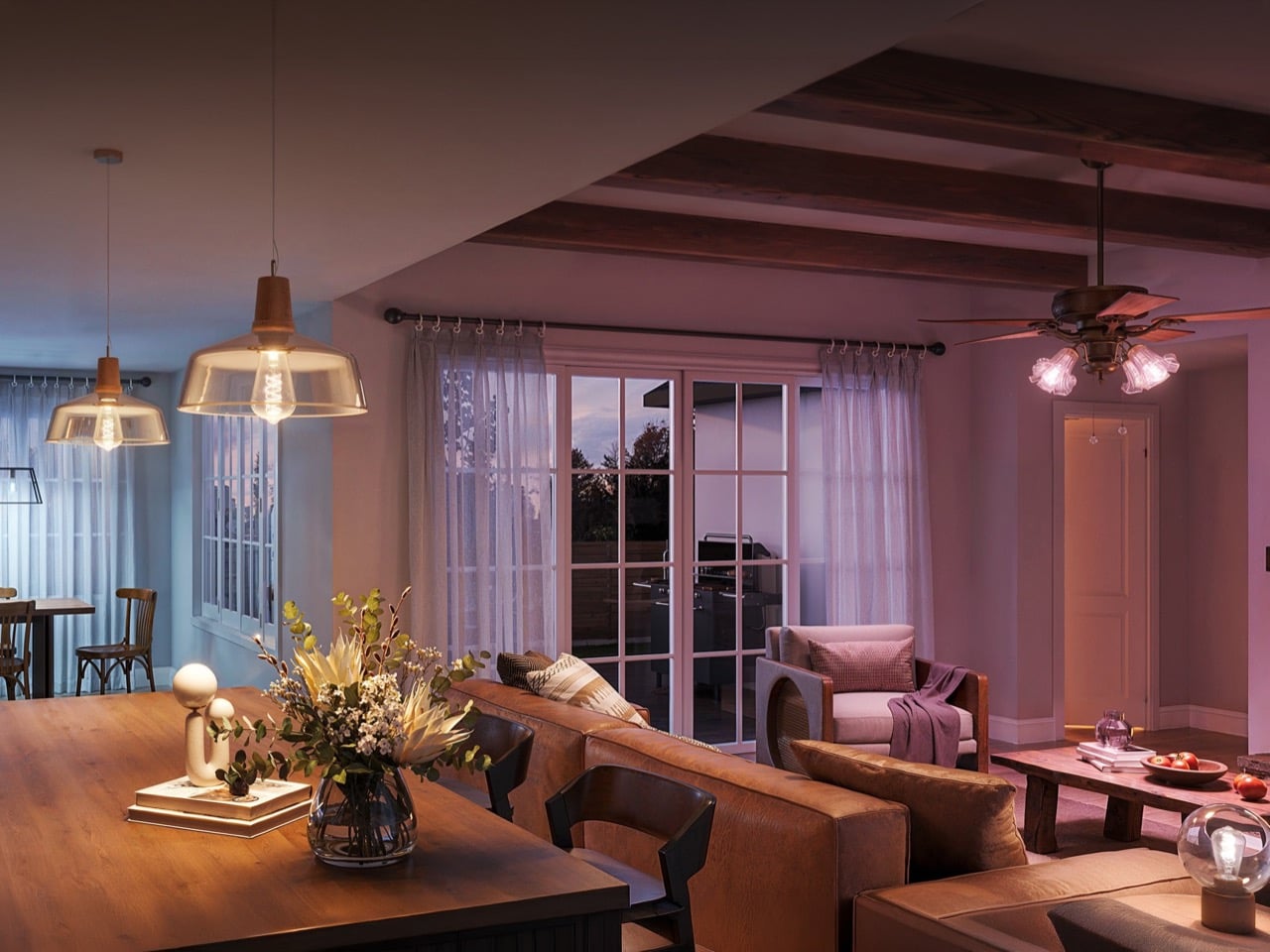
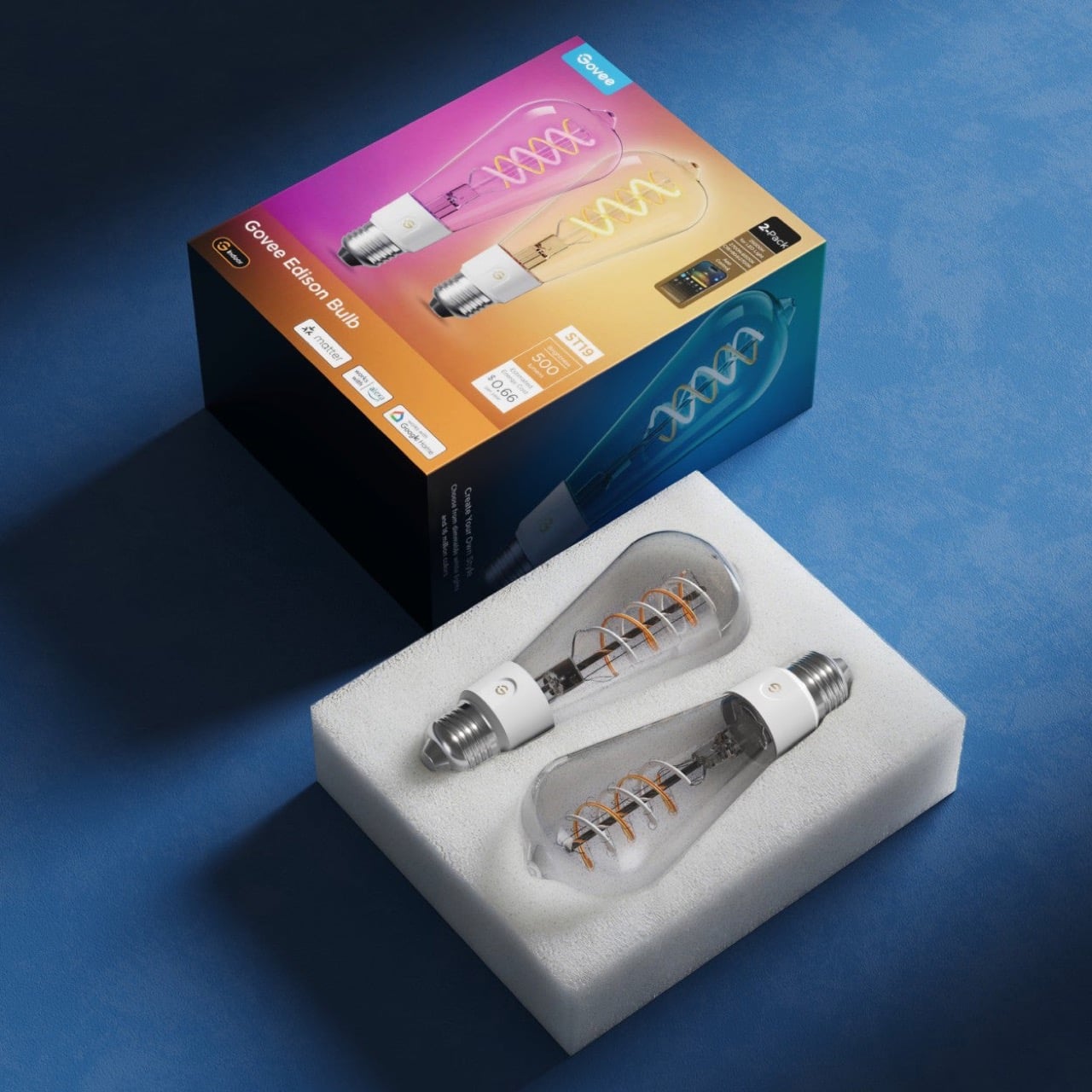
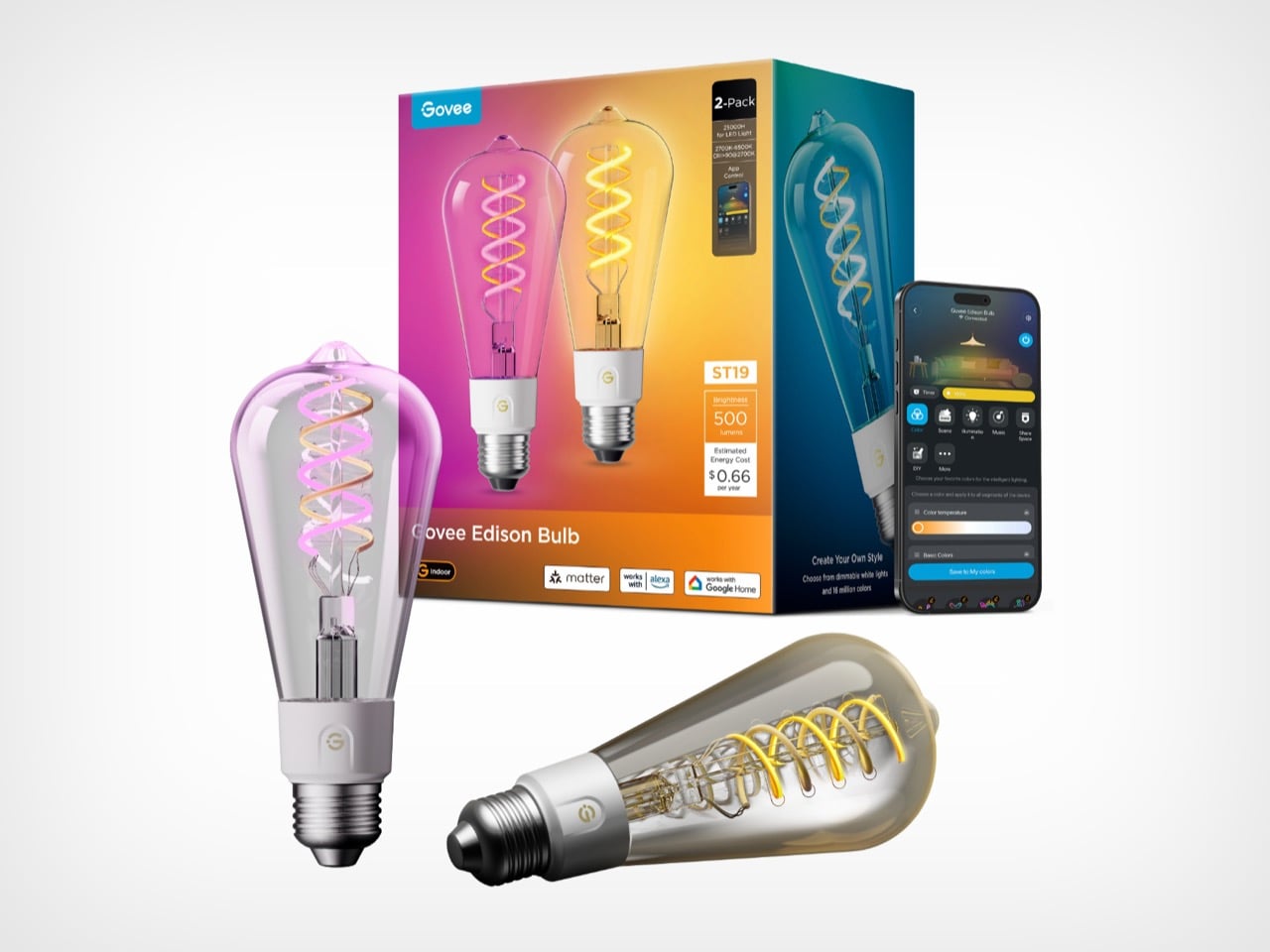
Their new E26 Smart Edison Light Bulb looks the part completely: clear glass shell, retro spiral COB strips, the kind of warm glow that makes exposed-socket pendant fixtures look intentional rather than unfinished. It also ships with Matter connectivity, 64-plus scene modes, full RGB color, music sync, and a tunable white range that runs from candlelit warmth at 2,700K to crisp daylight at 6,500K. A bulb that looks like 1925 and behaves like 2026. The speakeasy aesthetic was already a performance. Govee just upgraded the show.

Designer: Govee

Click Here to Buy Now

Each spiral strip packs over 25 LEDs per inch using COB construction, which is how Govee gets the filament illusion to hold up under scrutiny without actually using filament. The tradeoff against something like Philips Hue’s ST19 is obvious but instructive: Hue’s filament uses amber-tinted glass and a genuinely curly element, and it looks more authentically antique in a way Govee’s doesn’t quite replicate. The cost of that authenticity is that the Hue locks you into 2,100K with no tunable white and zero color modes. Govee covers 2,700K to 6,500K, CRI above 90, and full RGB on top of it, so you trade a bit of period accuracy for a bulb that can actually do things.

Matter support means the E26 drops into Apple Home, Google Assistant, Alexa, and SmartThings without a hub. One nuance worth flagging though: Matter handles the basics, on/off, brightness, color temperature, and the more involved stuff like scene modes, music sync, and the 64-plus presets all still live in the Govee Home app. That’s not a Govee-specific limitation, it’s where the Matter lighting specification currently sits across the industry. You get universal integration for the skeleton, and the app handles everything that makes the bulb worth buying.

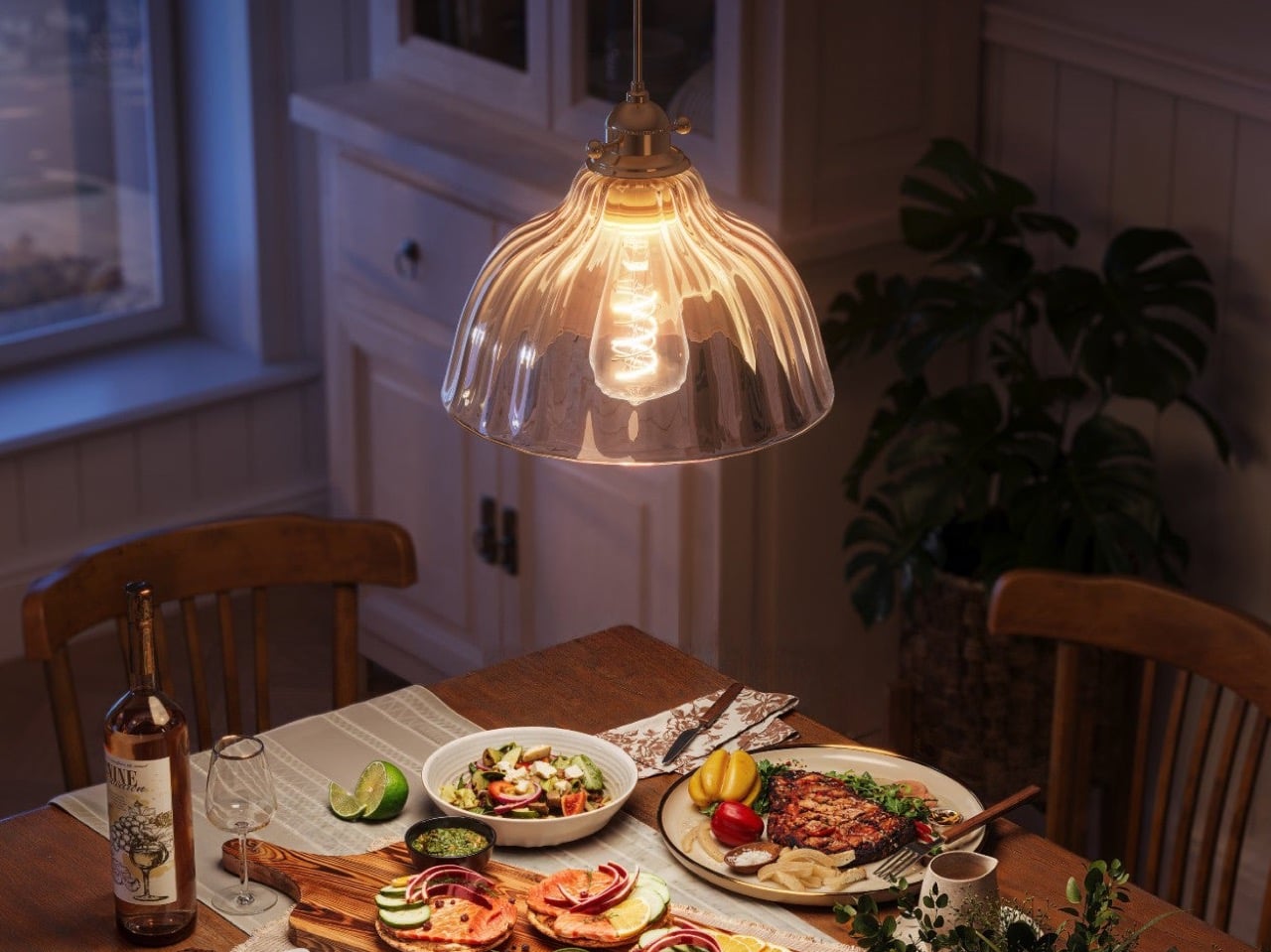
So much of the Edison’s value is in how it looks, which is why Govee’s reproduction tries to stay as authentic to the original as much as possible. Clear outer shell, distinct filament-style LED twirls, a warm color output that feels incandescent, not diode-ish, and absolutely no whiff of smart-ness. Leave them on 2,700K on a Tuesday night and nobody in your kitchen suspects the bulbs have a music sync mode and 64 scene presets. That particular flavor of discretion, smart technology that discreetly hides behind a timeless design, is genuinely hard to pull off at $17.50 a bulb, and Govee mostly pulls it off.

Pricing lands at $69.99 for a 4-pack on Amazon, working out to about $17.50 per bulb, with a 2-pack available on Govee’s own store. If you’re already running Govee ceiling lights, a pendant, or any of their strips, the case for adding these is straightforward: everything lives in the same app, groups together cleanly, and can be pulled into shared scenes across your whole setup. That kind of ecosystem coherence is genuinely useful when you’re trying to make a room feel intentional rather than assembled. And if you’re not deep into Govee yet, $17.50 a bulb is a low-stakes entry point into a pretty capable smart lighting ecosystem, especially for a format as universally compatible with existing fixtures as a standard E26 screw-in.

Click Here to Buy Now

The post Govee’s Retro-inspired Smart-Bulb is Matter-compatible and Still Looks Like It Belongs in a 1920s Speakeasy first appeared on Yanko Design.
Nike x Powerbeats Pro 2 earbuds promise great design, super secure fit, and impressive audio

Earbuds are a holy grail accessory for fitness freaks who want to get in the groove to focus on their goals without outside distractions or losing out on ambient awareness when needed. Shokz OpenFit Pro and Beats Powerbeats Pro 2 have already proven their mettle in this space, with Nothing Ear (Open) and Anker Soundcore V20i also proving to be good value for money.

Apple has growing confidence in their fitness earbuds, and that’s the reason they’ve teamed up with Nike to release the Nike x Powerbeats Pro 2 Special Edition. Looping in LeBron James, the Los Angeles Lakers Forward, the American sports apparel brand has a valid reason to go with Beats for a set of fitness-focused wireless earbuds. These special edition buds come with tailored health tracking capabilities targeted towards athletes and heart rate monitoring integrated with the Nike Run Club app.

Designer: Beats by Dre and Nike

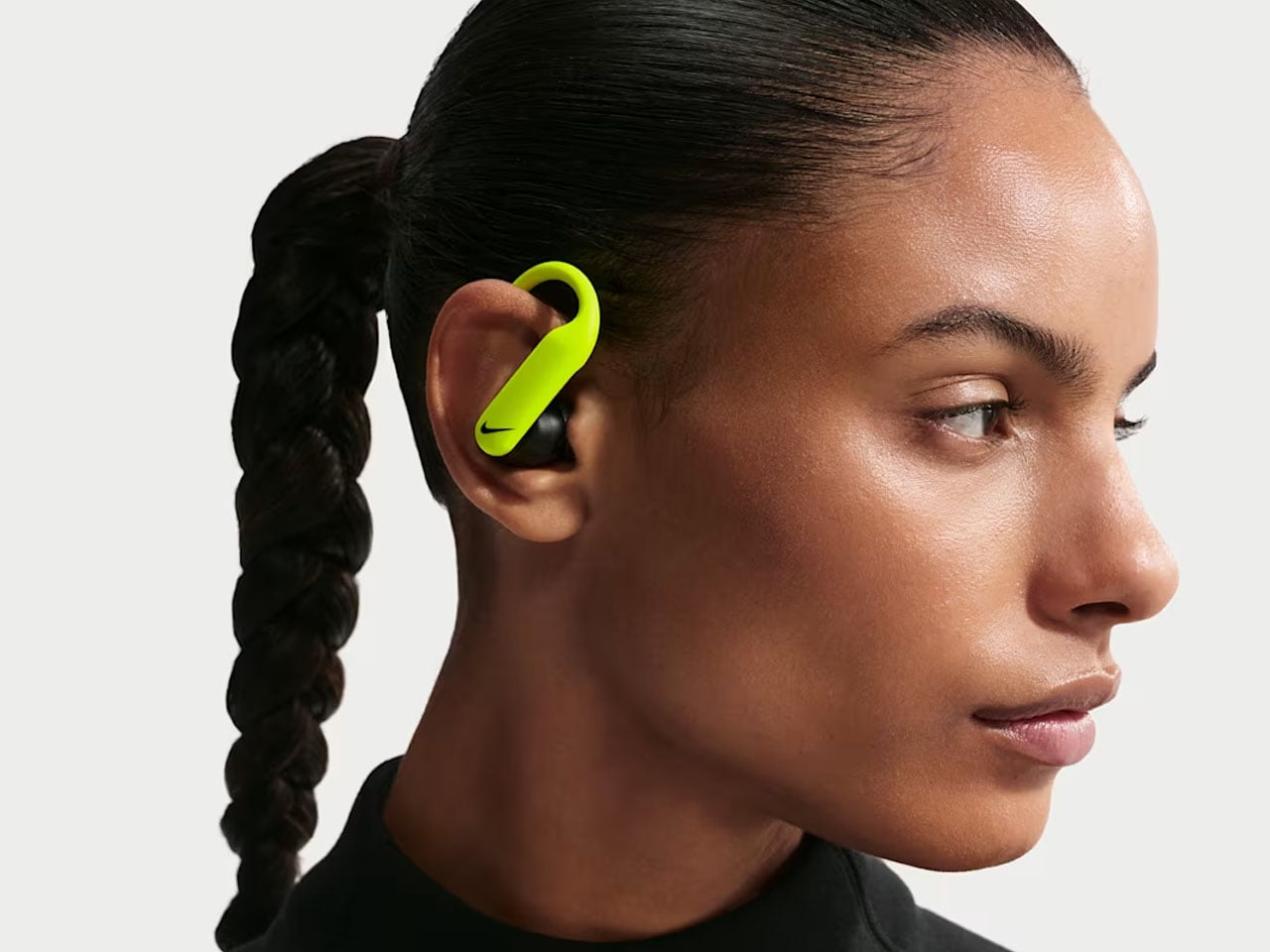
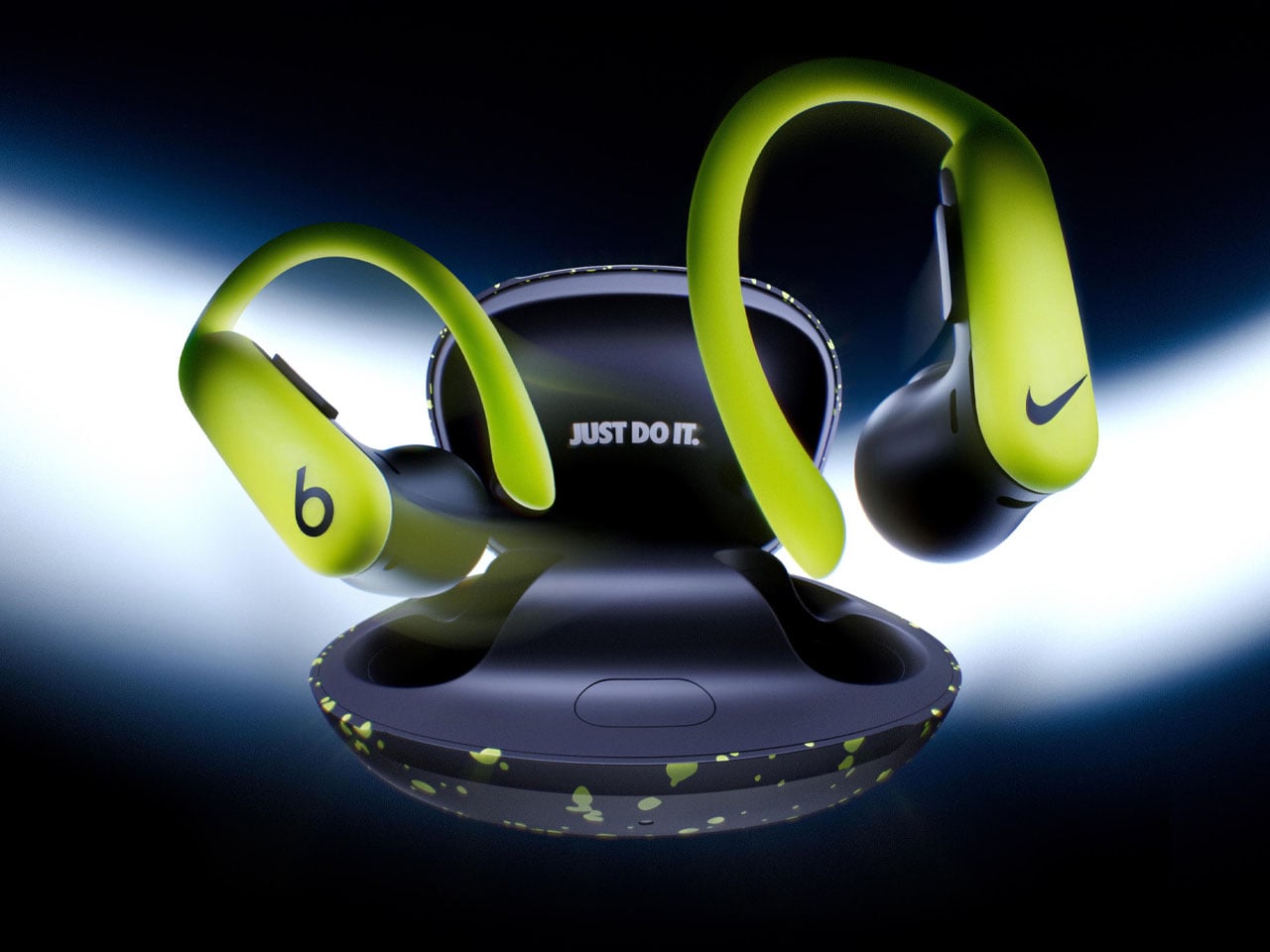
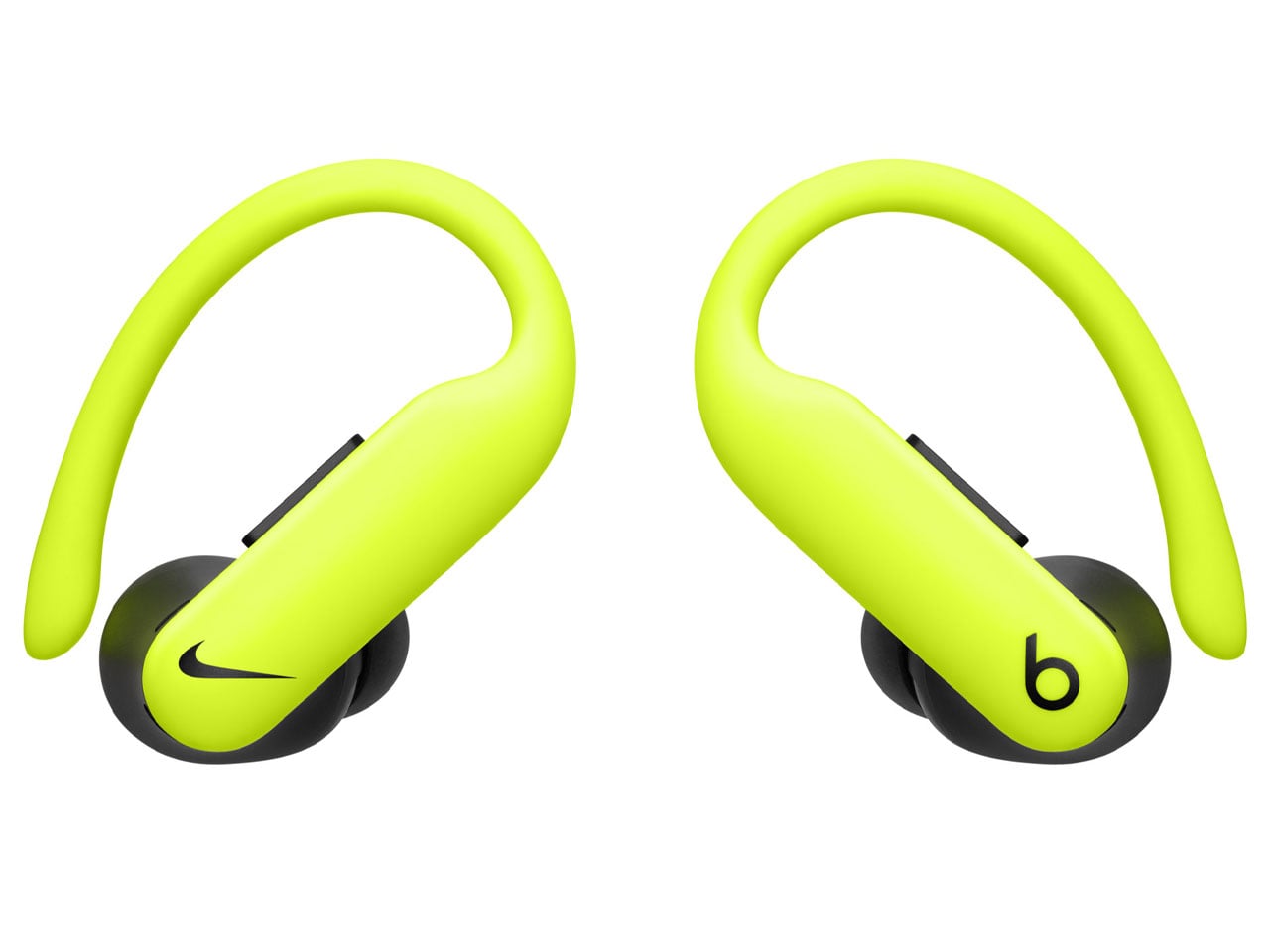
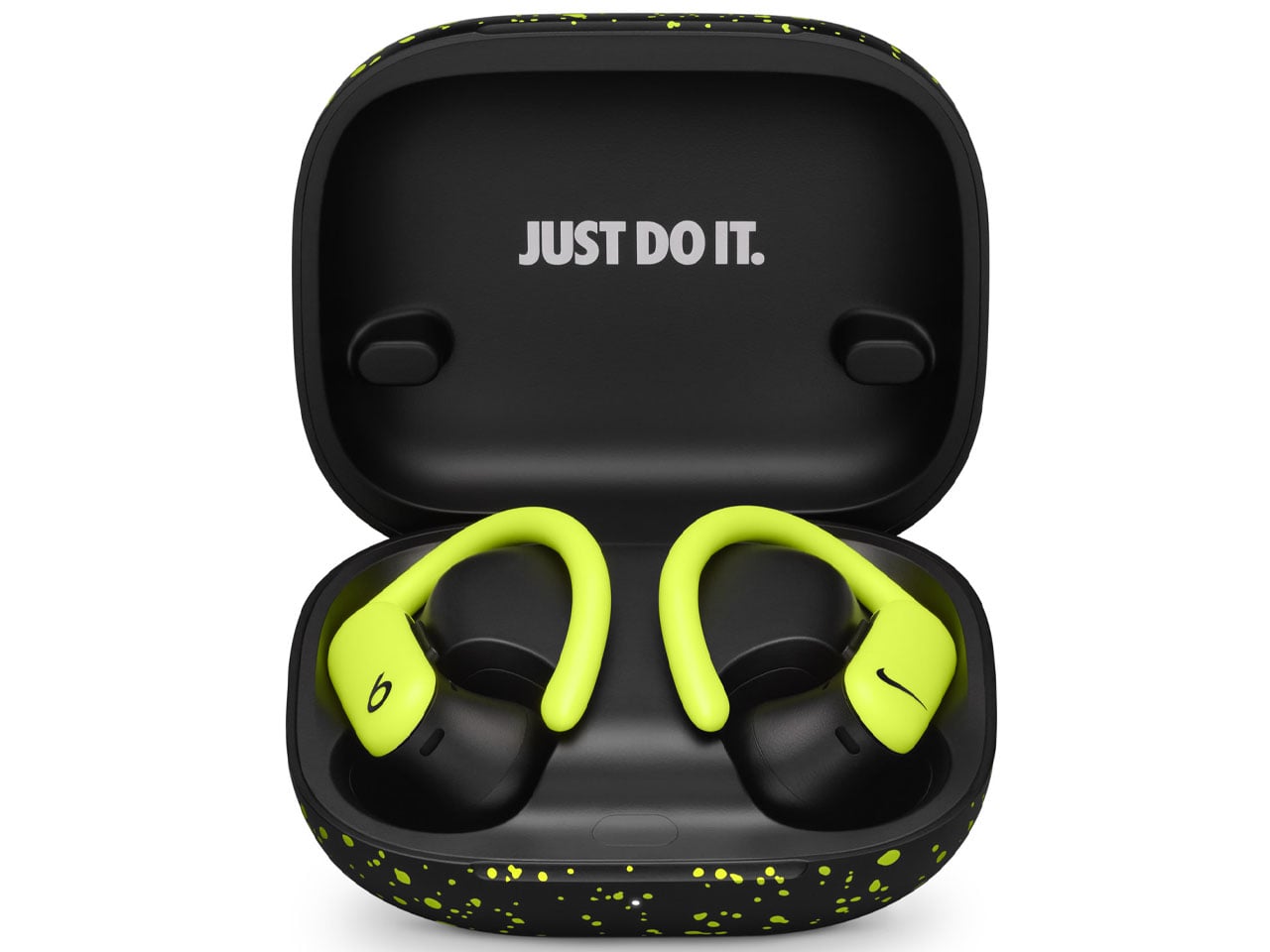
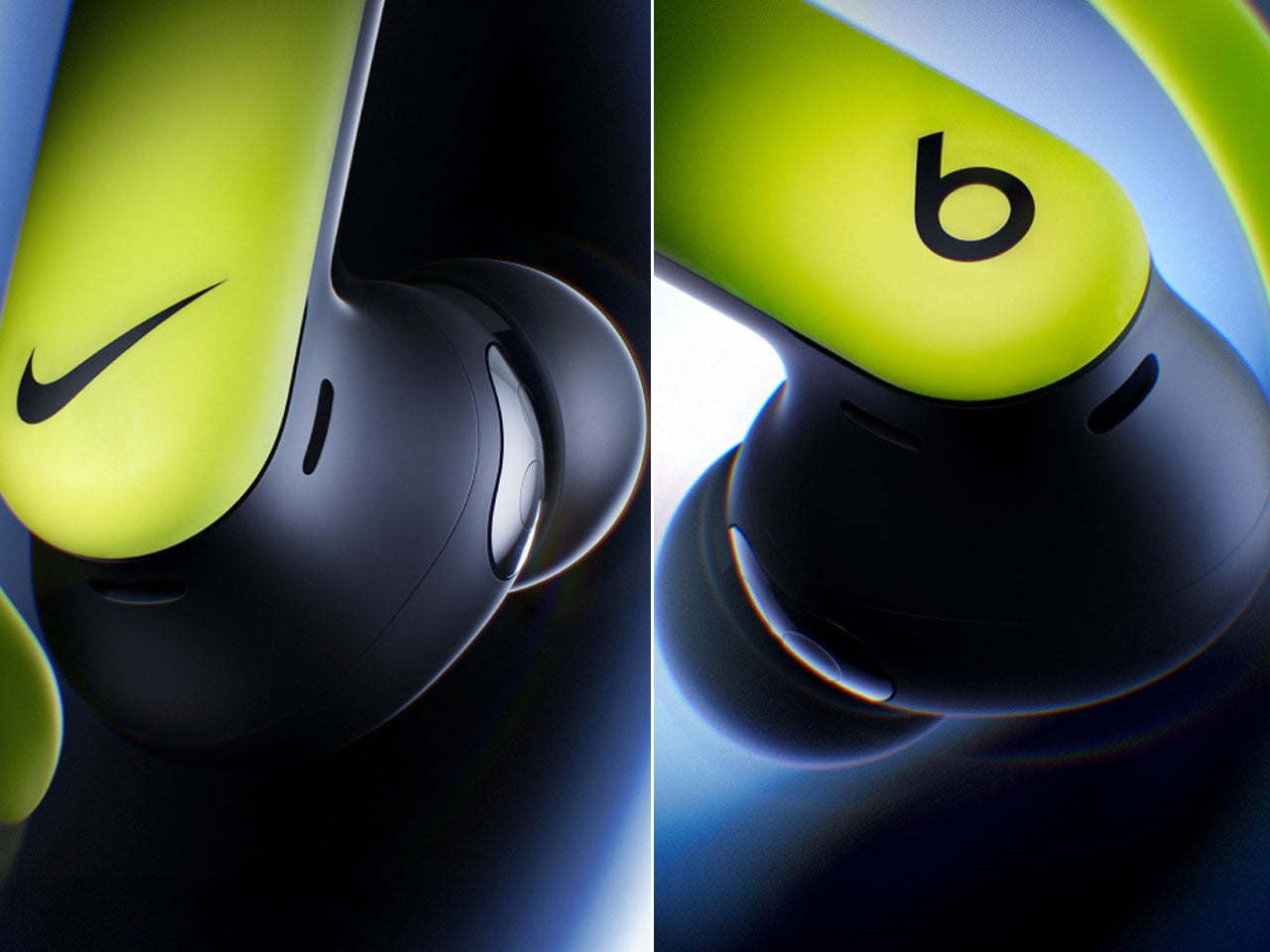
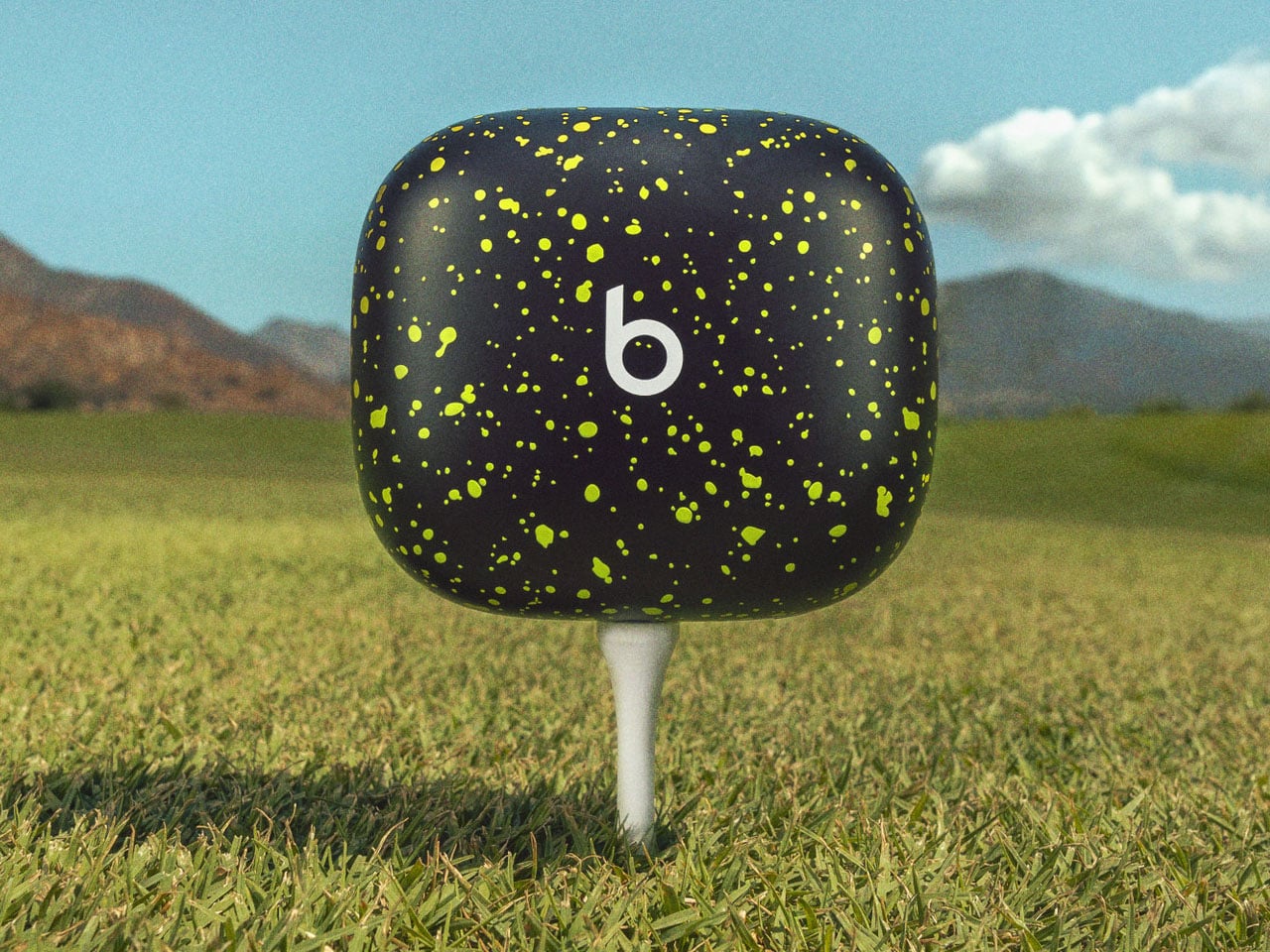
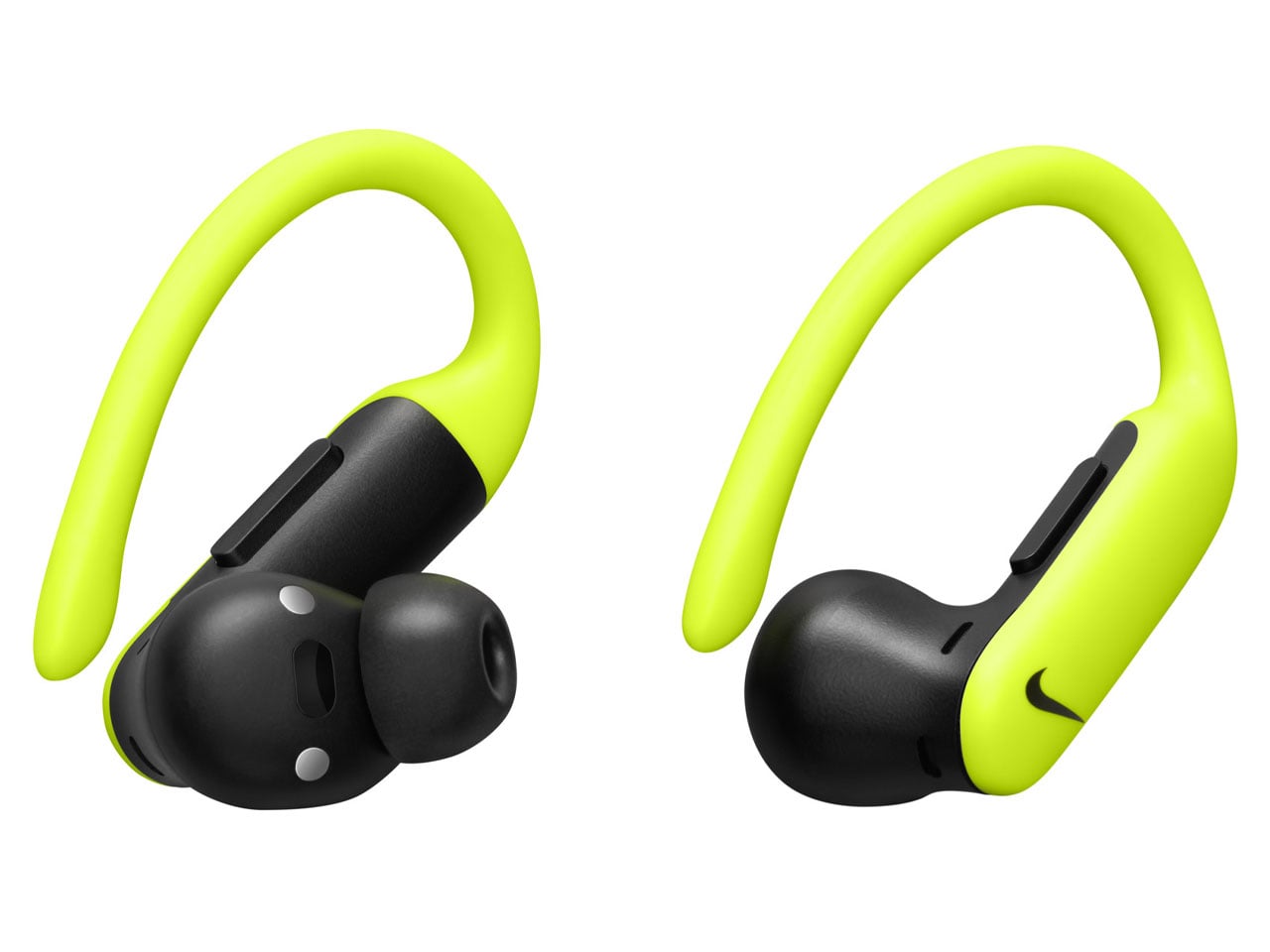
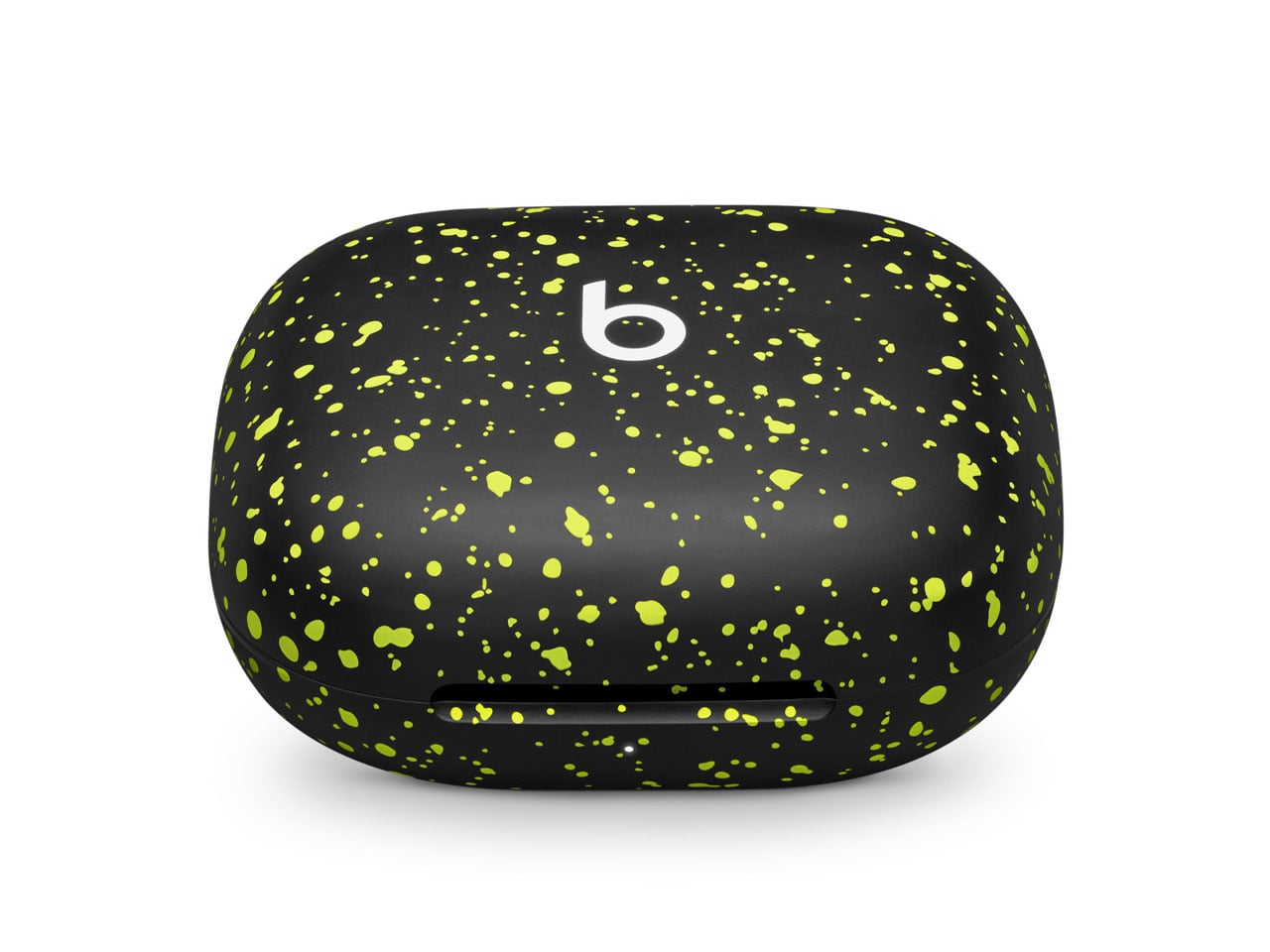
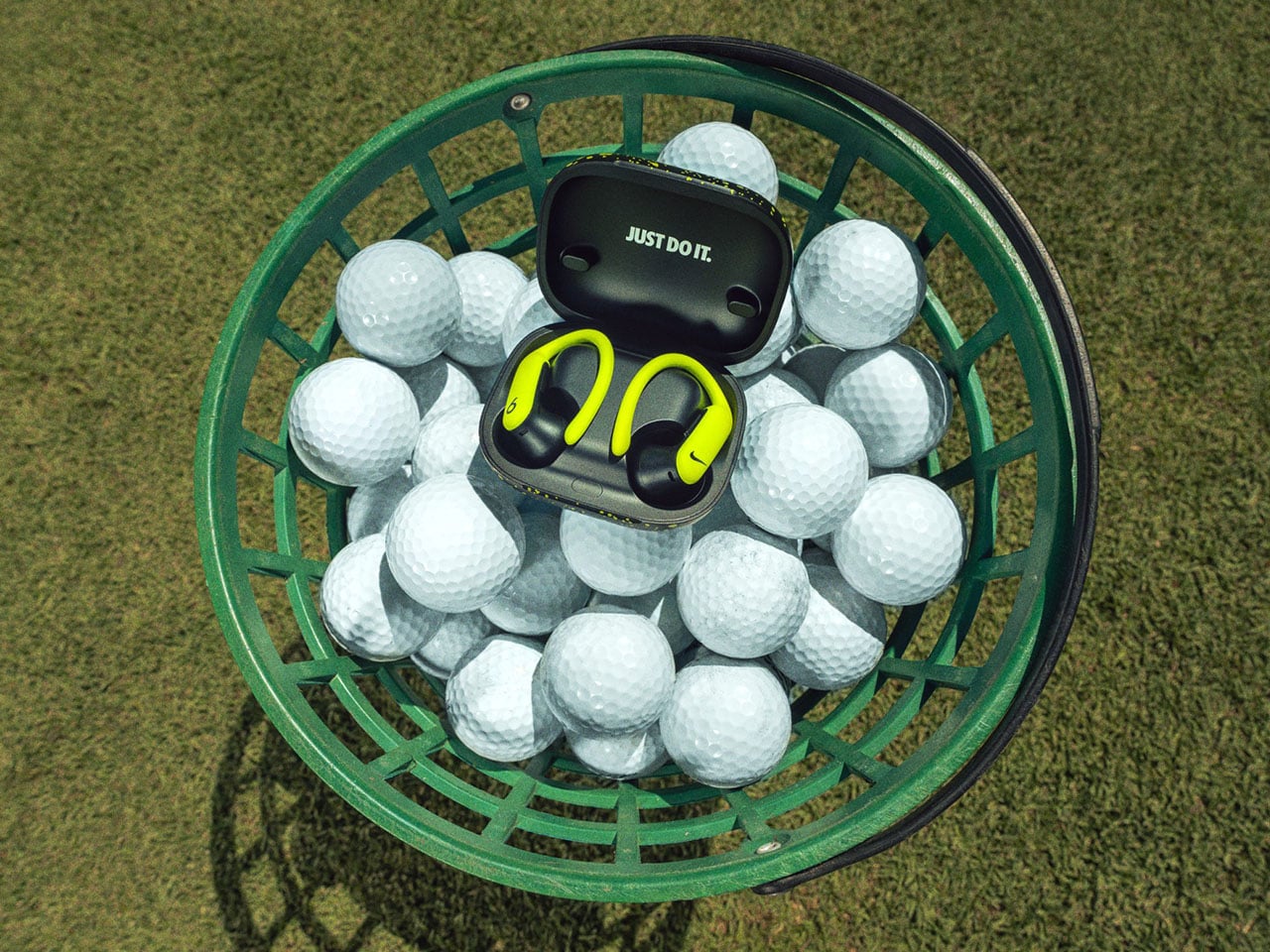
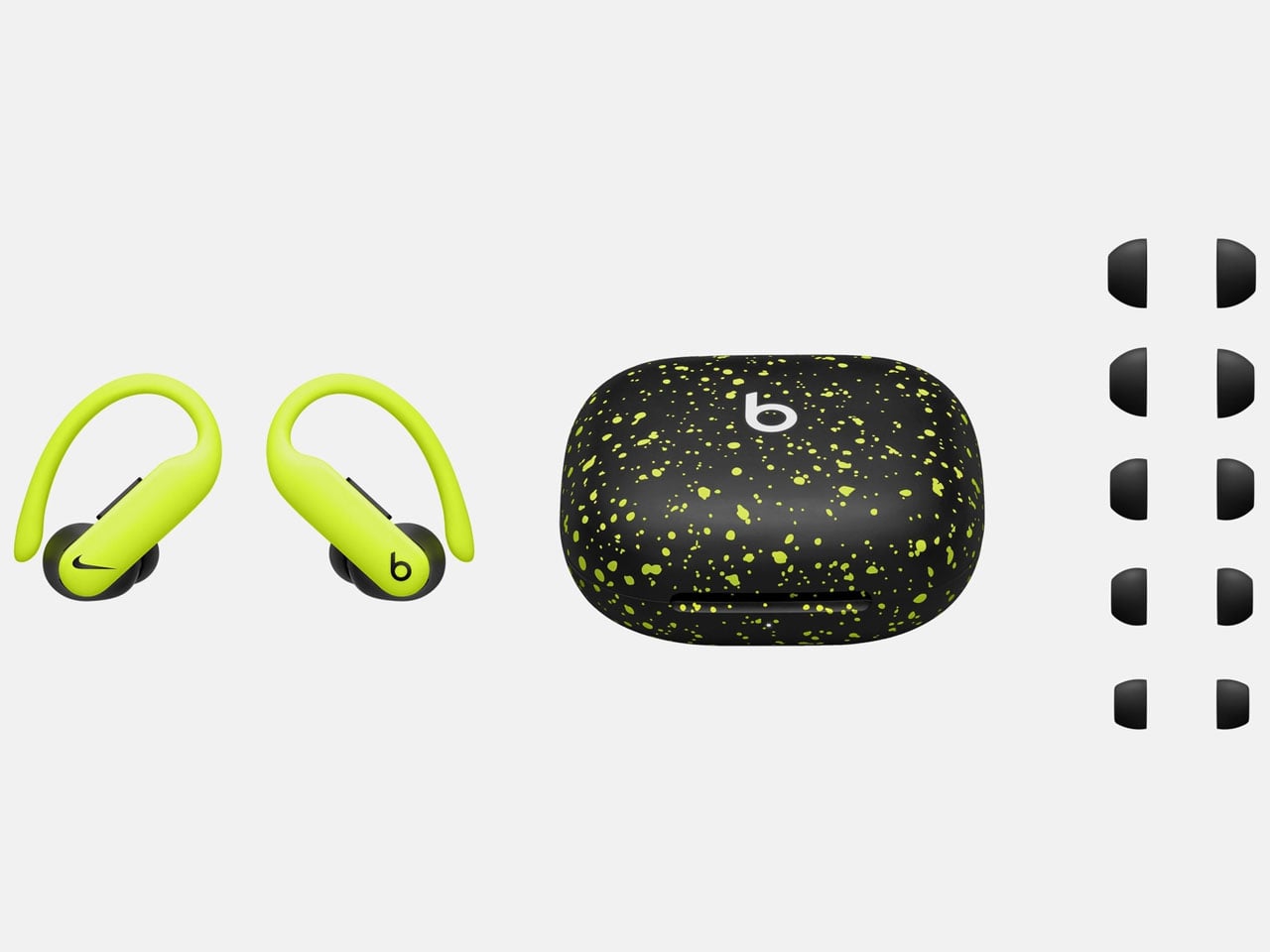
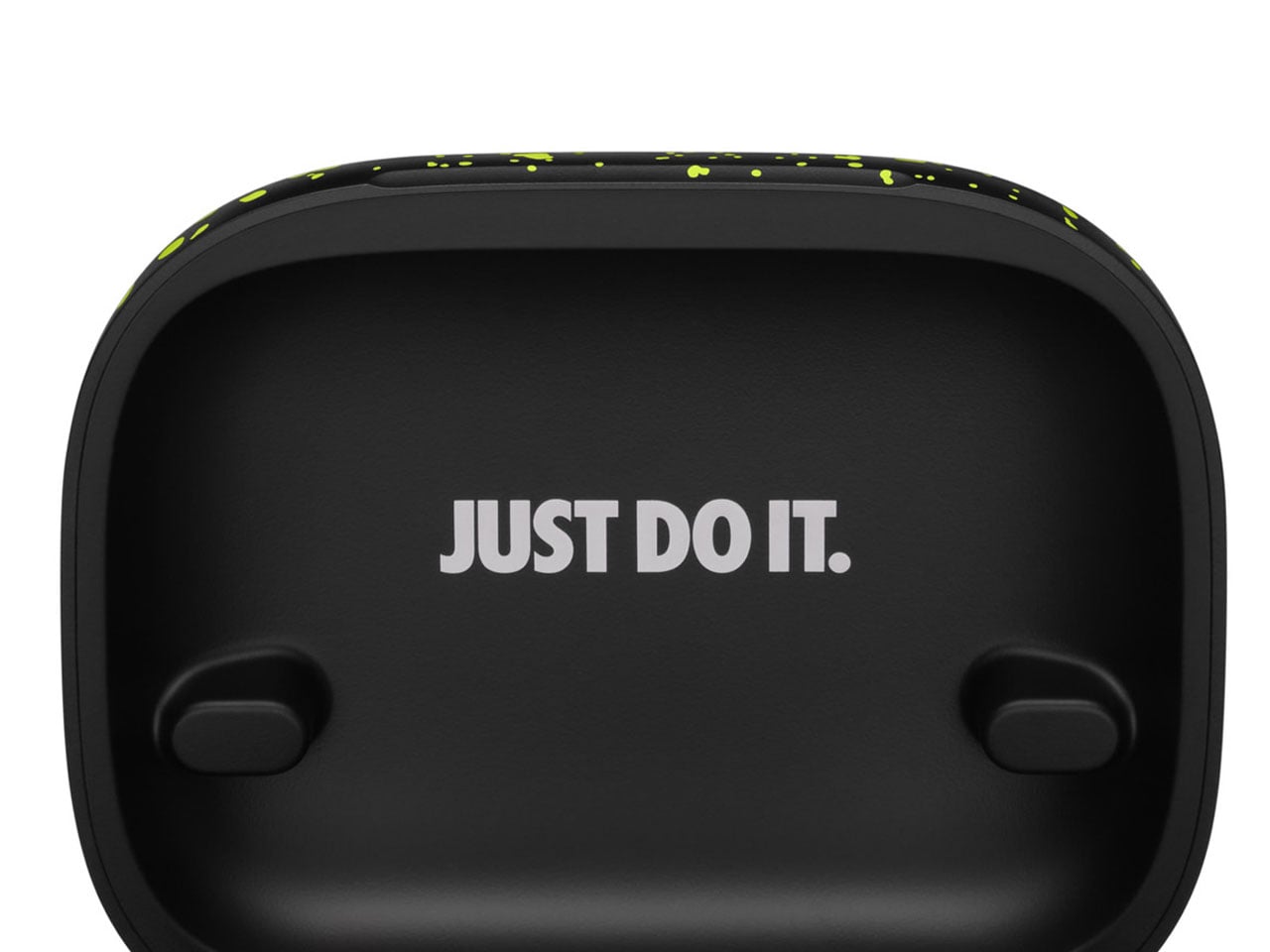
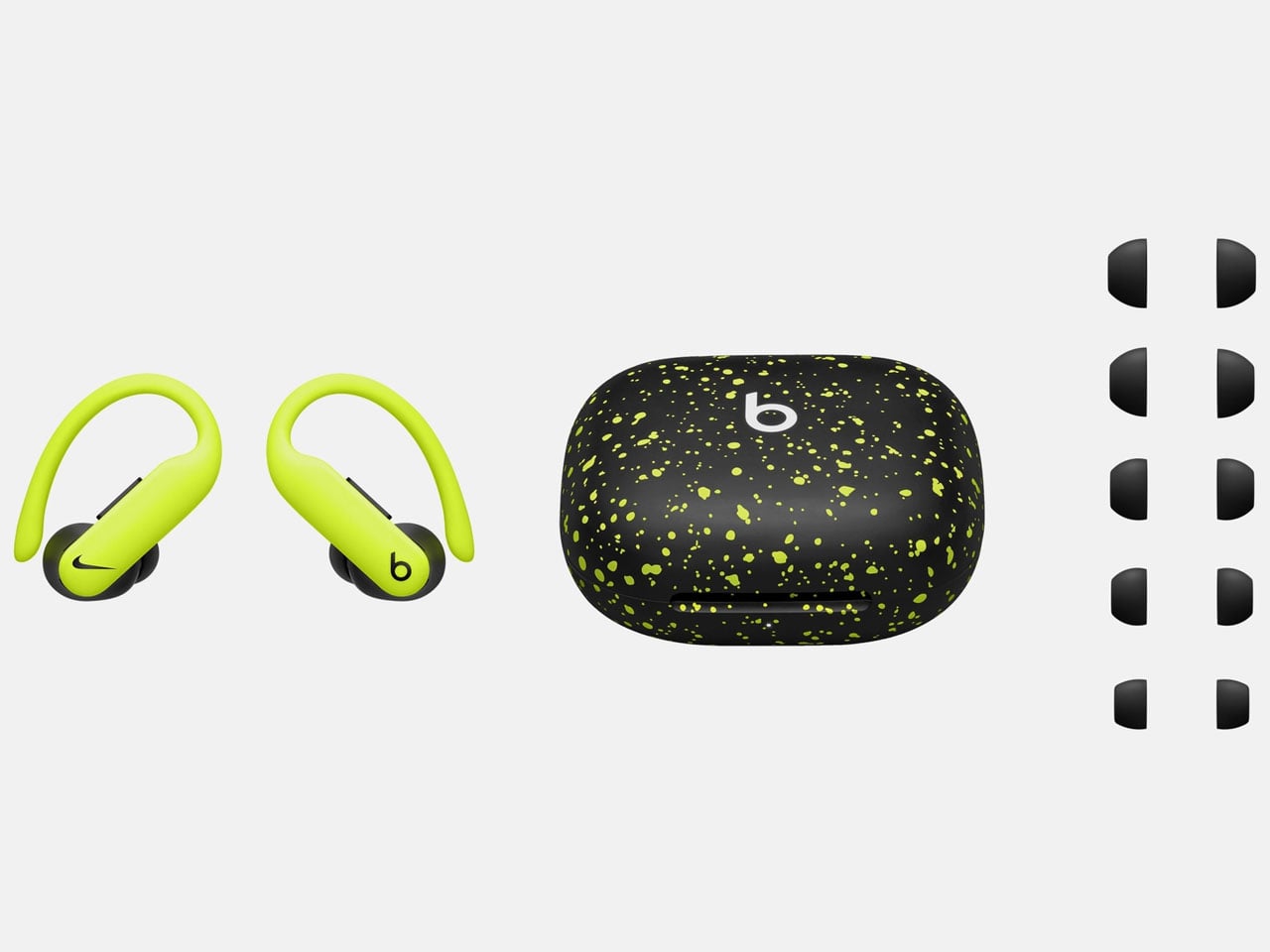
As one can see, the design is the major focus with these earbuds. They have a dual-tone finish in matte black and Volt splatter design. One earbud has the Beats branding while the other sports the Nike logo in black, lending the pair a distinct style appeal. The charging case carries the same theme and Nike’s “Just Do It” tagline on the inside. According to Beats CMI Chris Thorne, the earbuds are a result of the two brands’ “performance, culture and sports — the attributes of today’s athlete.”

The IPX4-rated earbuds come with a redesigned nickel-titanium ear hook, making them lighter while retaining the promise of a secure fit, even with the most rigorous activity. Battery life on these is rated at up to 45 hours with the charging case, and 10 hours on the standalone earbuds. You can expect the same level of ANC, transparency, and passive isolation as the original Powerbeats Pro 2. Of course, voice-calling performance, audio listening quality, and the heart rate sensing features are all what make these a bang for the buck.

Apart from all these features, they can also be wirelessly charged for convenience. Without doubt, they are the prime candidates for your everyday needs. Powerbeats Pro 2 Nike Special Edition was initially available through an early access lottery via SNKRS. For eager buyers, the global launch will be on March 20 via Nike and Apple’s official websites for $250. In-store availability is limited to locations including the United Kingdom, China, the United States, and Singapore.

The post Nike x Powerbeats Pro 2 earbuds promise great design, super secure fit, and impressive audio first appeared on Yanko Design.
$73 Lenovo Gamepad Turns the Legion Y700 Into a Switch Lite Rival

Gaming tablets have always lived awkwardly between two worlds. Hold one flat, and it’s fine for casual sessions, but the moment a game demands precise analog input, touchscreen controls fall apart fast. Clip on a generic third-party gamepad, and the fit is never right, the latency is noticeable, and the whole thing looks assembled rather than designed. Lenovo’s Legion Gamepad G9 2026 takes a more deliberate approach, built as a dedicated accessory for one specific tablet.

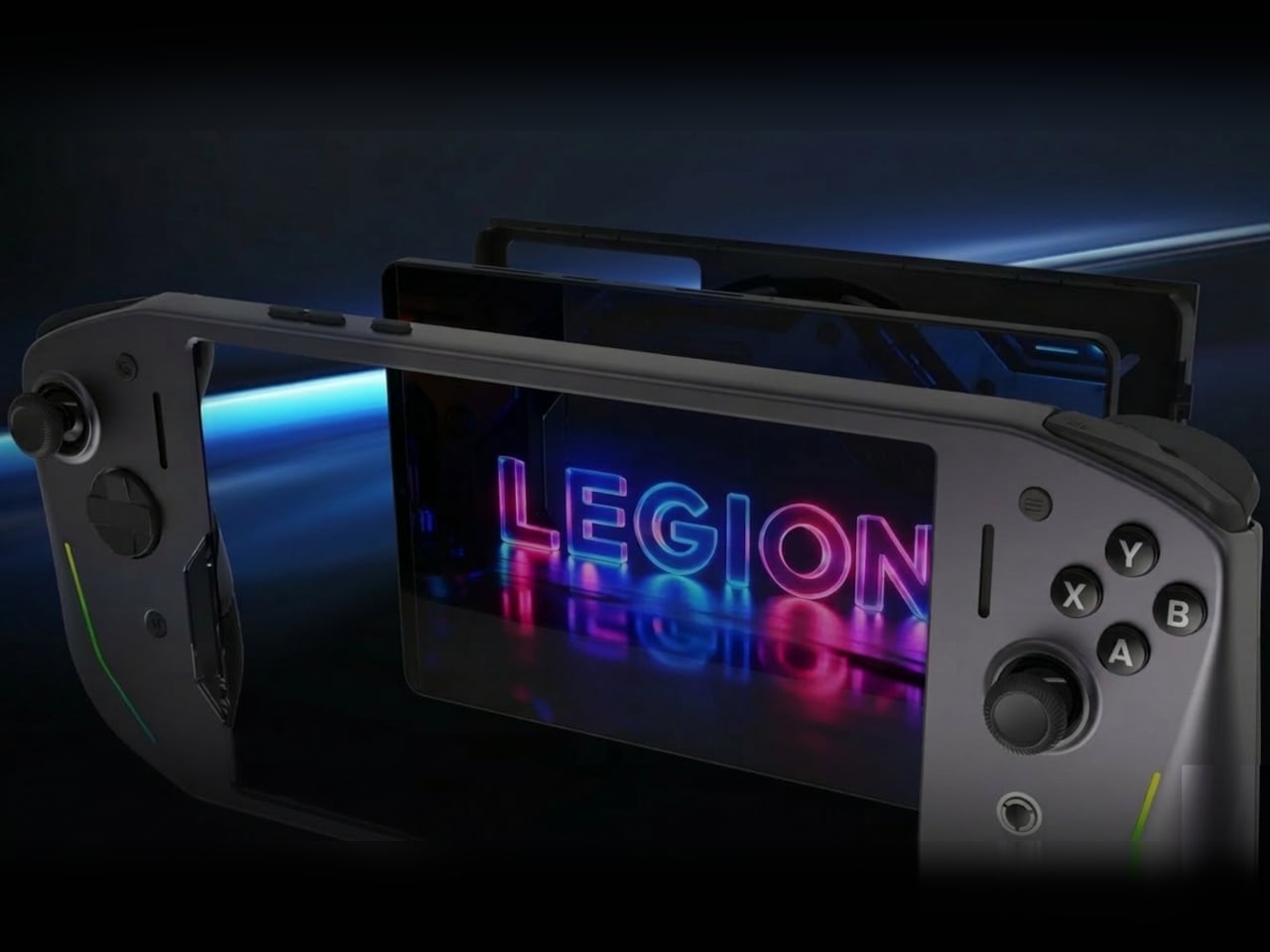
The G9 2026 attaches to the newly announced Legion Y700 Gen 5 via its side-mounted USB-C port, converting the 8.8-inch Android tablet into something that handles more like a purpose-built gaming handheld. The wired connection keeps latency out of the equation entirely. The combination creates a form factor that puts it in the same general footprint as a Nintendo Switch Lite, just with a brighter screen behind it.

Designer: Lenovo

The input hardware sees meaningful changes over last year’s iteration. Most practically, the 4-direction D-pad is replaced with an 8-direction micro-switch alternative, an upgrade that fighting game and platformer players will immediately feel. All 12 switches across the face buttons, D-pad, and shoulder positions carry a 5 million-cycle rating. The ABXY layout follows Xbox conventions and supports Nintendo Switch/Xbox button remapping through the companion app.

Four touch-switch macro buttons on the rear can record sequences of up to 12 steps each. Eight of the main buttons support rapid-fire at up to 20 presses per second, with shortcut combinations for volume, lighting, and screenshots available without opening any menus. The “Extreme Control” companion app, Android only, handles deeper customization, including per-side RGB color, saturation, brightness, and animation speed. The Gamepad G9 2026 retails for ¥499 in China, about $73.

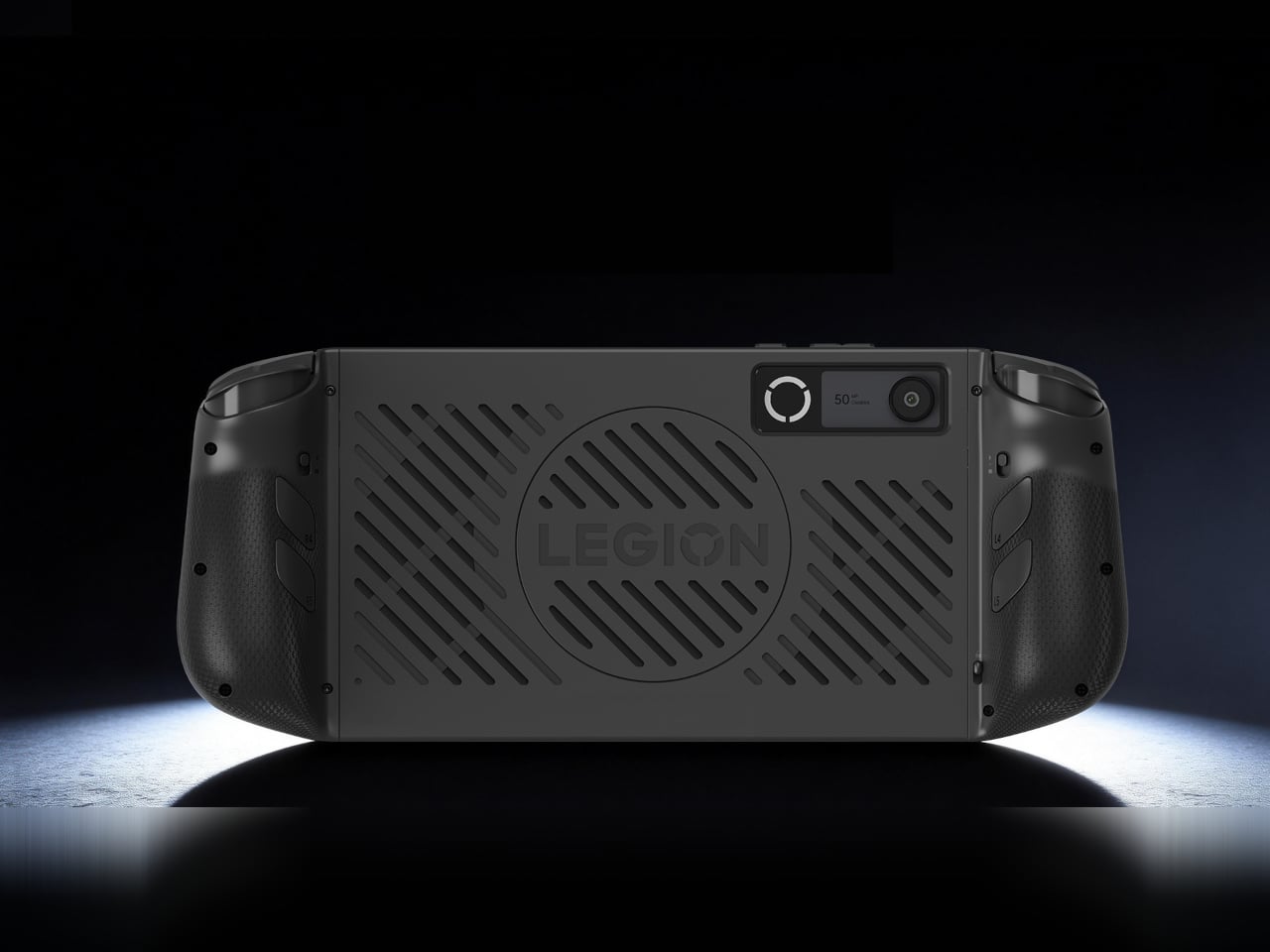
The quick-release protective shell built into the accessory has a large rear cutout that leaves the tablet’s heat vents and rear camera unobstructed. For a device running demanding content at sustained loads, any restriction to thermal airflow translates directly into performance throttling. That Lenovo addressed this at the accessory design level, rather than leaving the user to manage the consequence, suggests a more complete engineering process than most clip-on controllers go through.

The obvious limitation is also the one hardest to ignore. This controller only works with the Legion Y700 Gen 5, a beefed-up version of the Legion Tab Gen 5 that was just announced for the Chinese market. There’s no confirmed global availability for either the gamepad or the new tablet. The original G9 never left China, which makes the 2026 version most relevant to buyers already committed to that specific tablet and region. For everyone else, it’s a clear demonstration of what tablet gaming hardware can look like when the accessory and the device are actually built for each other.

The post $73 Lenovo Gamepad Turns the Legion Y700 Into a Switch Lite Rival first appeared on Yanko Design.
QPearl Just Replaced Your Shampoo Bottle With One Pearl

When a product wins a design award, the first instinct is to assume it looks incredible. That’s usually the point: sleek lines, a bold color story, a form factor that photographs well. QPearl does look beautiful, but what makes it genuinely worth paying attention to isn’t the way it sits on a shelf. It’s the audacity of what it’s replacing.

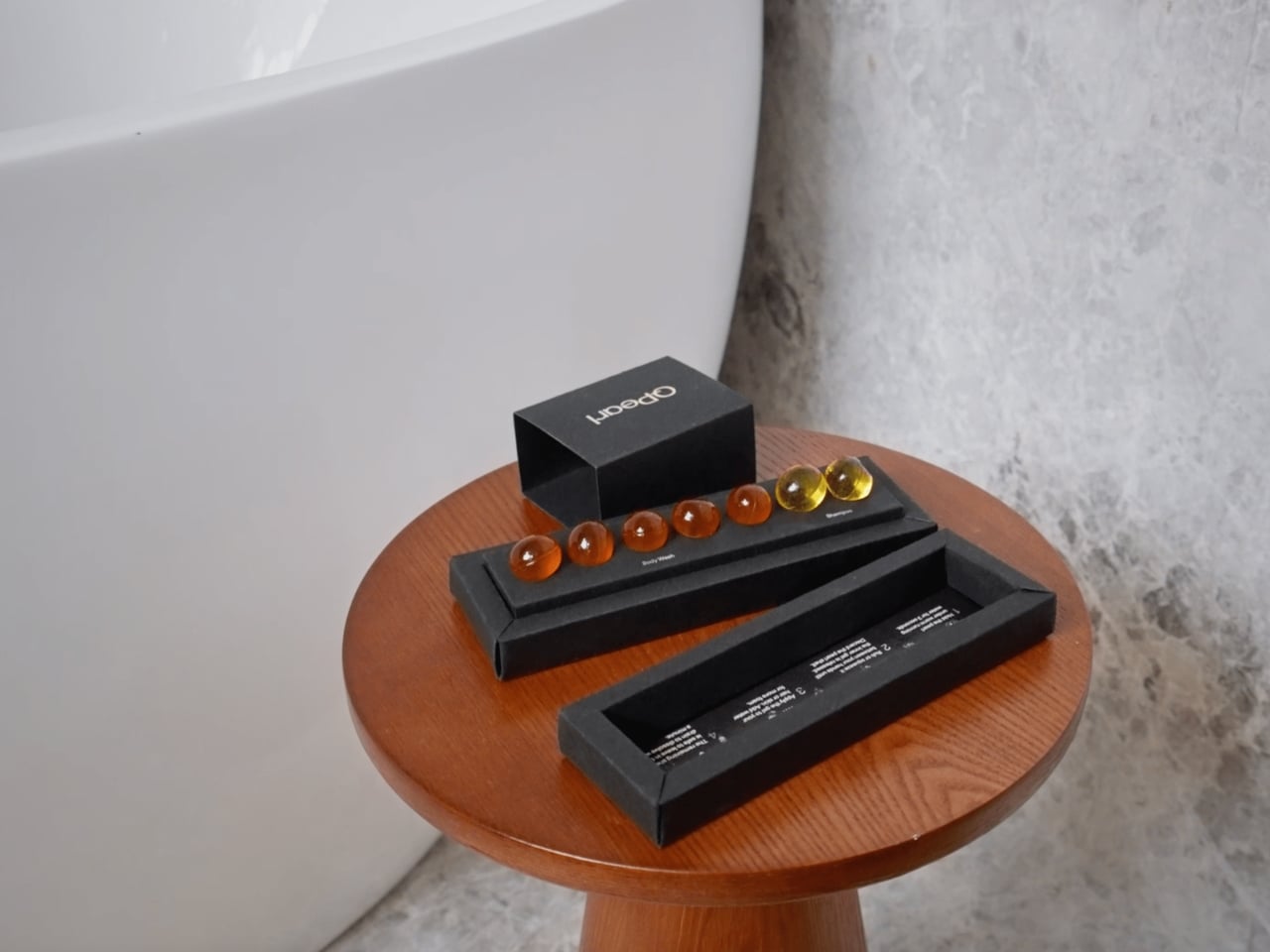
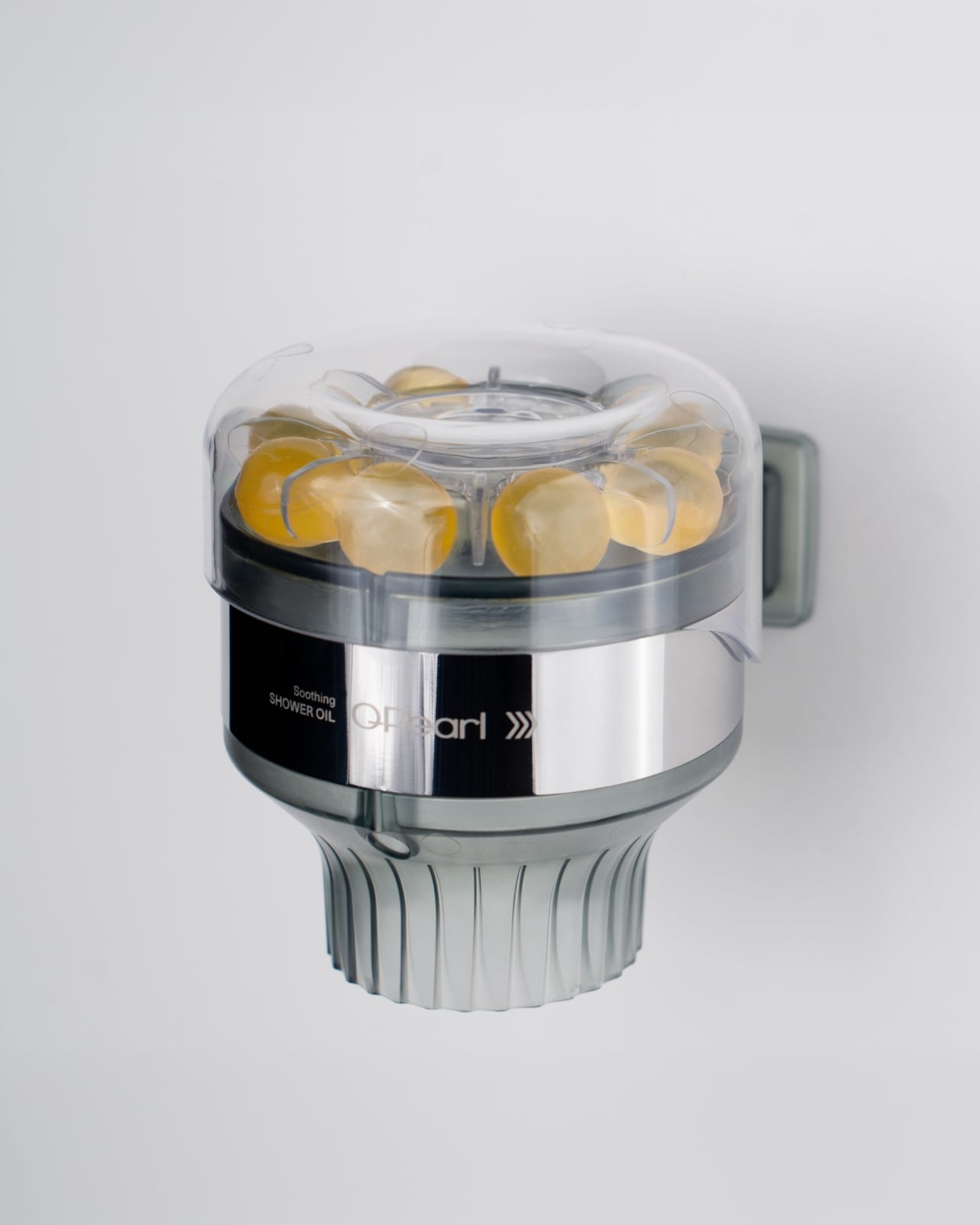
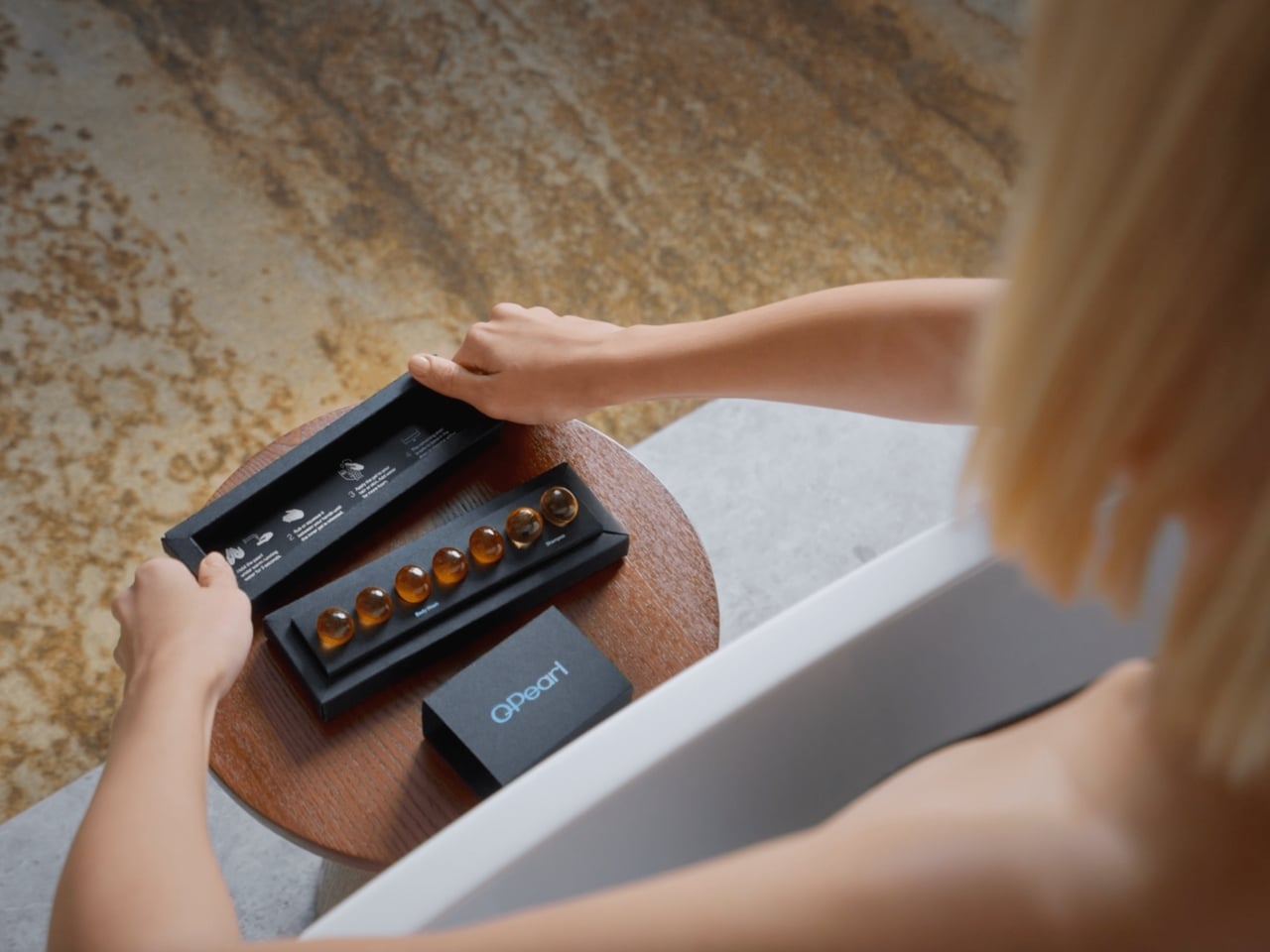
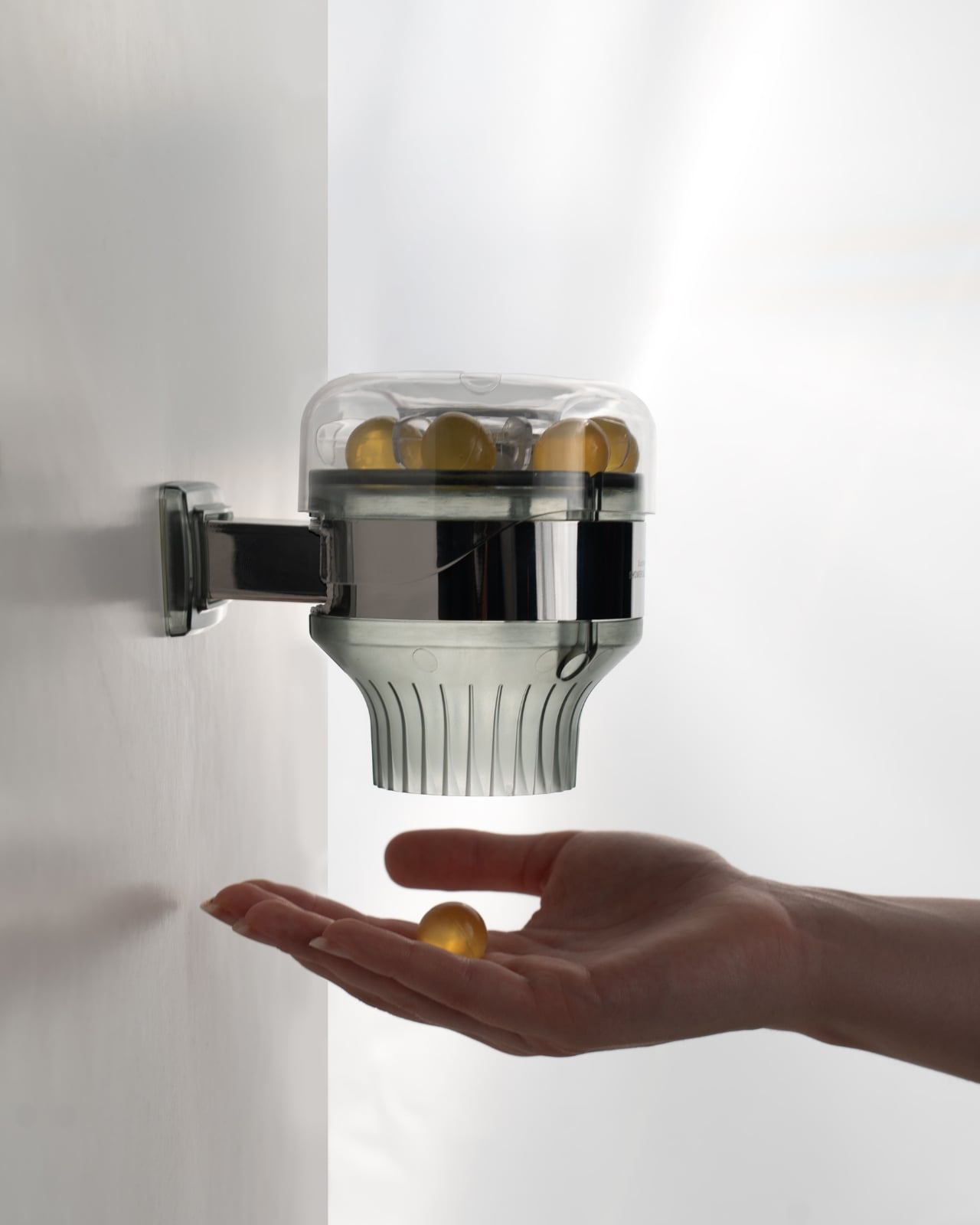
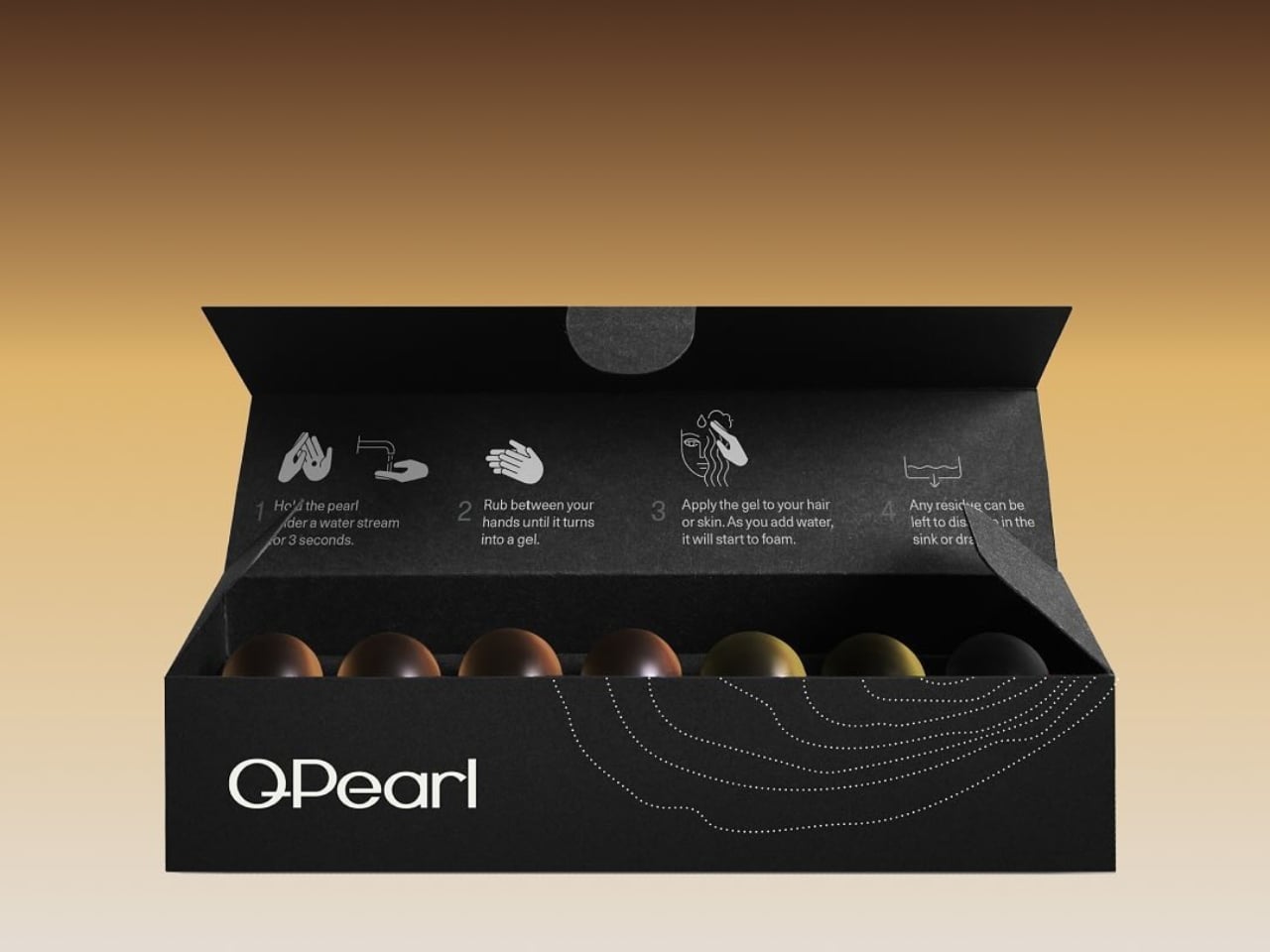
Designed by Severin Andrei under CAHM Europe, a Romania-based company, QPearl took home the Top Design honor in the ECO DESIGN/Sustainable: Packaging Design Products category at the European Product Design Award 2025. That’s a mouthful of a category name, but the product itself is almost impossibly simple: a small, luminous pearl that is your shampoo and body wash. No bottle. No pump. No cap you lose in the first week of owning it.

Designer: Severin Andrei

Here’s where it gets interesting. Each QPearl holds a 95.7% water-free concentrated body wash formula, encapsulated in a patented Smart BioMaterial that dissolves under warm running water. The outer layer is made from a chain of proteins derived from sources like maize, milk, or fish — no synthetic polymers, no plastic, nothing that’s going to sit in a landfill for the next four hundred years. The whole thing is double-patented and reportedly reduces CO₂ emissions by approximately 99% per pearl compared to conventional liquid bath products. Per pearl. That number is hard to absorb at first.

I’ll admit, the first time I came across this, I was skeptical. We’ve seen a wave of “sustainable” beauty products over the past few years that are more marketing than material innovation. Shampoo bars with palm oil in the ingredients list. Refillable bottles that require you to drive to a specialty store. Concentrated tablets that clump before you ever get to use them. The bar for what counts as sustainable has been so muddied that any new claim in that space feels suspicious.

But QPearl seems to be doing something structurally different. The design isn’t asking consumers to change their behavior in inconvenient ways. You still shower. You still hold something in your hand. The ritual is familiar; only the waste is removed. That’s a kind of design thinking that’s genuinely hard to execute, because it means working backward from how people actually live instead of forward from how we wish they would.

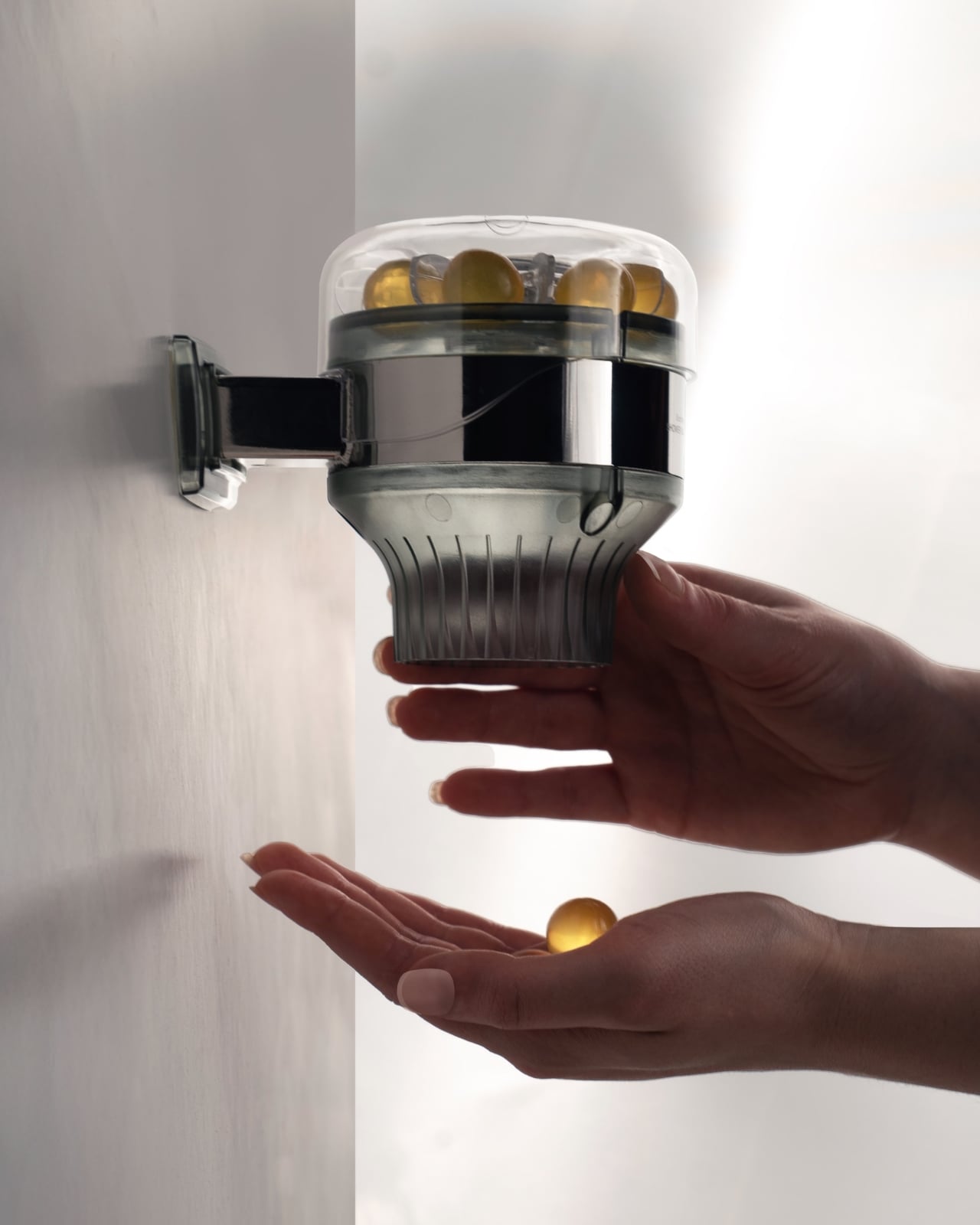
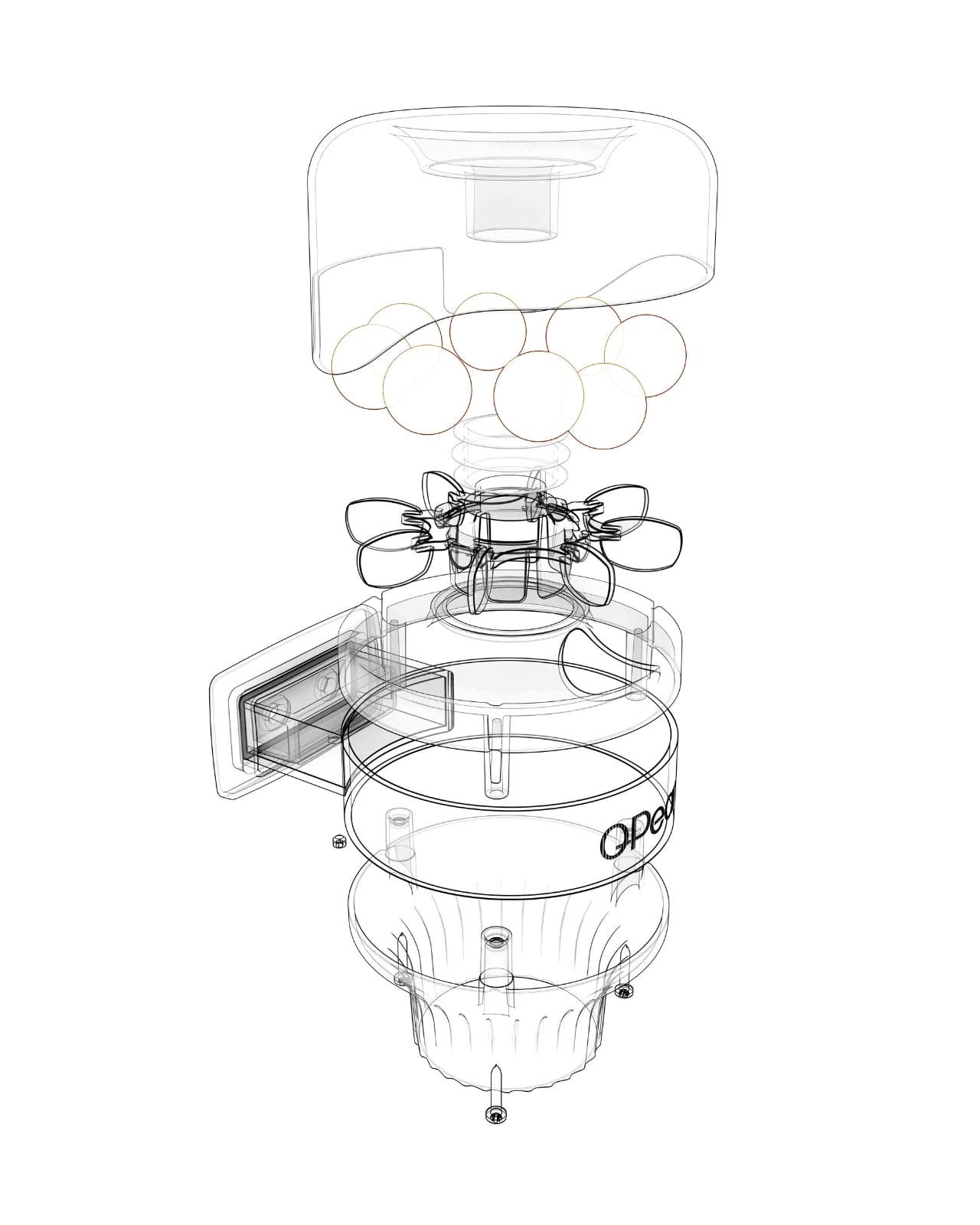
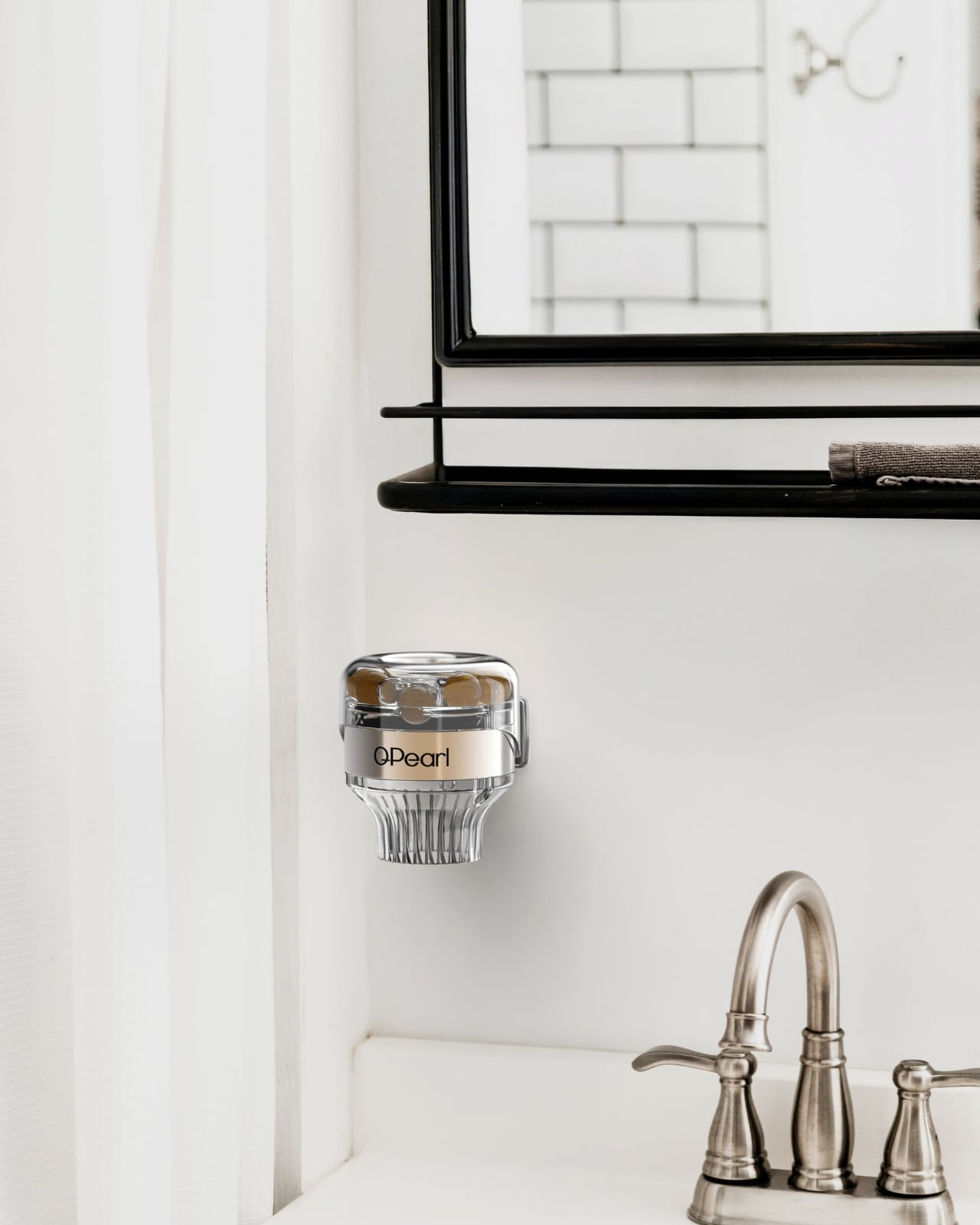
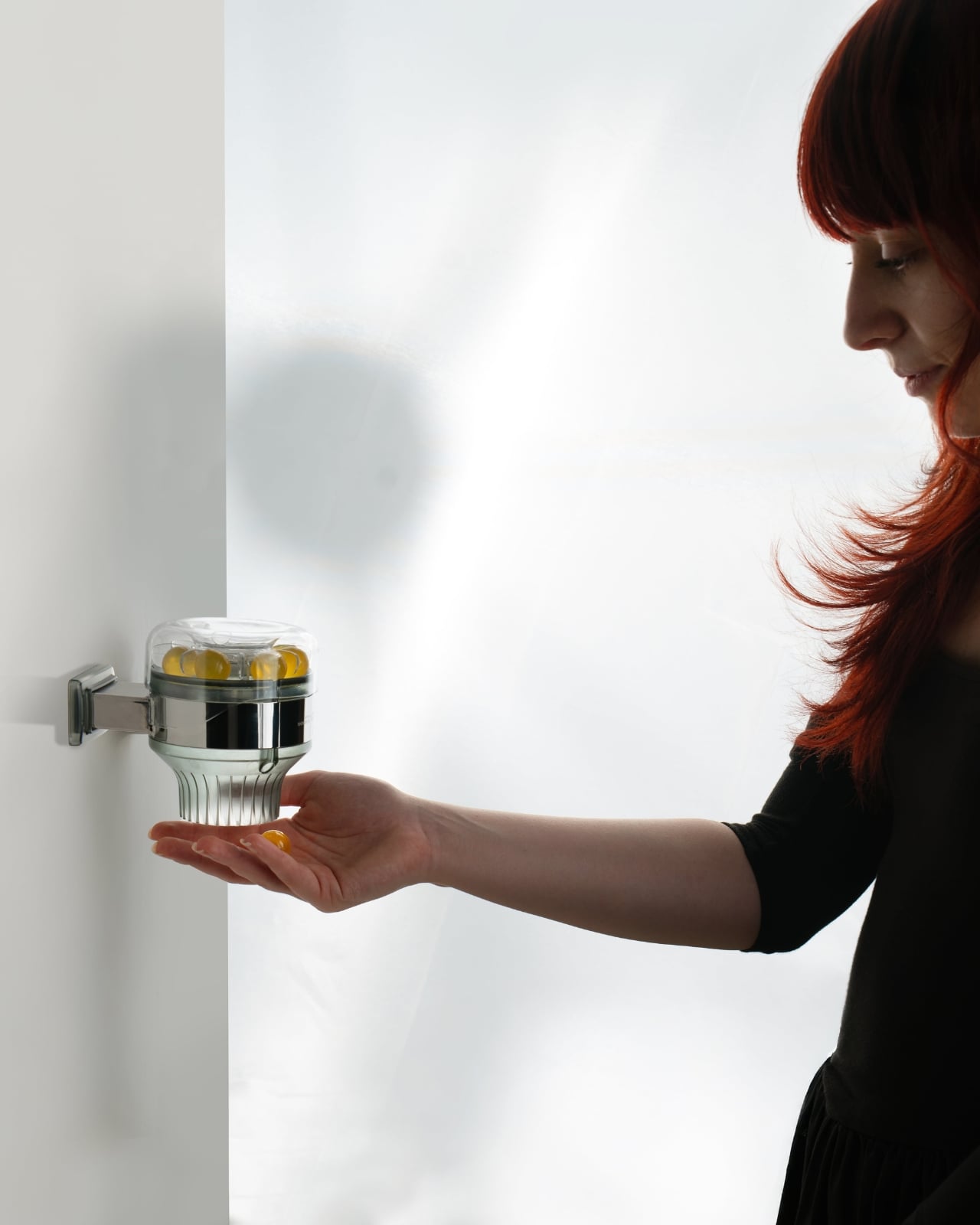
The product comes in a QPearl box, and there is also a tray holder and a hotel dispenser version, which points to an interesting commercial direction. Hotels are one of the biggest contributors to single-use toiletry waste globally, so the dispenser angle feels less like an afterthought and more like a strategic bet on where the real volume opportunity lives. If the hospitality industry moves on this, the impact scales quickly.

What I keep coming back to is how the form mirrors the concept. The pearl shape isn’t random. It’s the kind of design choice that communicates purity and precision without saying a word. You hold it in your hand and you immediately understand that it’s not a pill, not a tablet, not a capsule in the pharmaceutical sense. It’s something closer to a ritual object, and I think that distinction matters. Beauty has always been partly ceremonial, and QPearl leans into that instead of fighting it.

Whether QPearl becomes a mass market staple or remains a design darling is still an open question. It’s currently in the process of obtaining formal plastic-free certification, and sample ordering is available through the website, which suggests it’s still in a relatively early commercial stage. But the design recognition from a serious European awards platform signals that the industry is watching.

Good design doesn’t always mean the prettiest object in the room. Sometimes it means asking the most uncomfortable question about the object that’s already there. In this case, that question is: why are we still shipping water in plastic bottles? QPearl doesn’t just ask it. It dissolves the premise entirely.

The post QPearl Just Replaced Your Shampoo Bottle With One Pearl first appeared on Yanko Design.
This Aluminum Pill Organizer Was Designed to Sit on a Restaurant Table

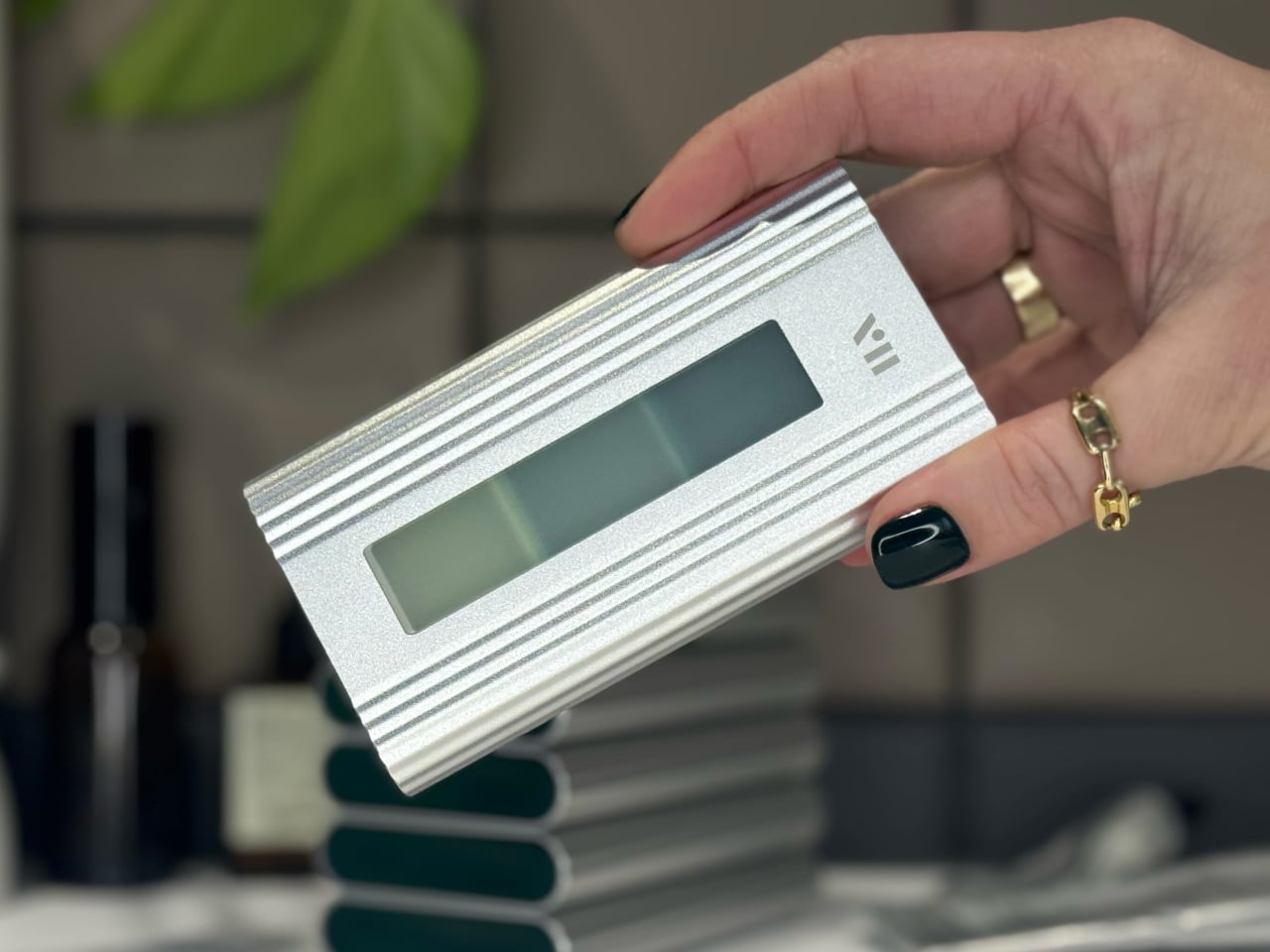
Most pill organizers share the same silent agreement with their owners: get used and get out of sight. The plasticky snap-lid boxes that dominate pharmacy shelves were built around a kind of shame arithmetic, where function was traded for discretion, and discretion meant disappearing into a drawer or the bottom of a bag. bovii, a modular aluminum pill organizer, refuses that arrangement entirely.

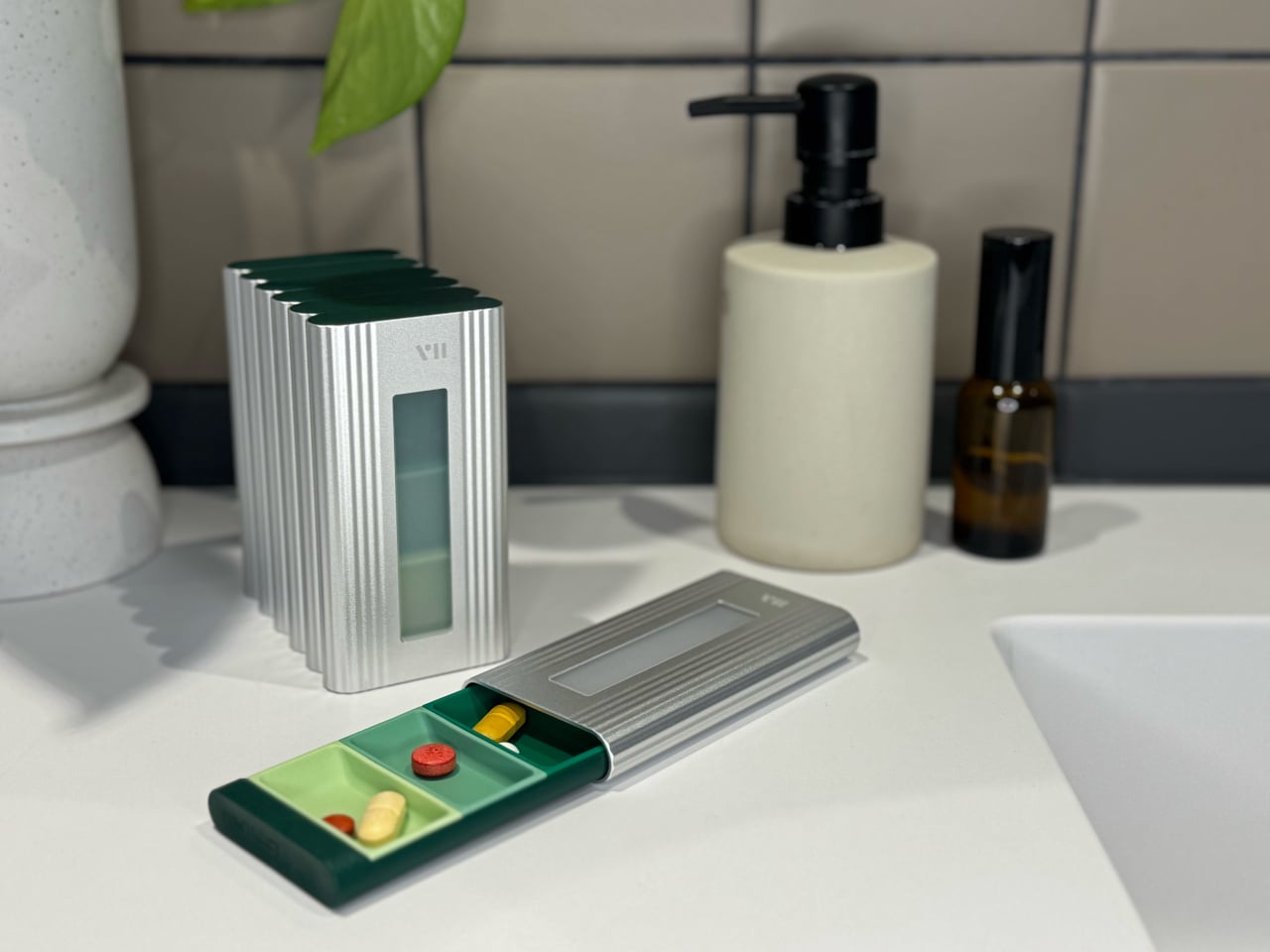
The design premise is unusually direct for a healthcare accessory. Taking pills or supplements daily is a fact of life for a growing number of people, yet the objects designed for that routine communicate apology. bovii was built to sit on a restaurant table without anyone feeling the need to explain it, a standard that immediately separates it from the category it nominally belongs to.

Designer: Rudolph Schelling Webermann for curio studio

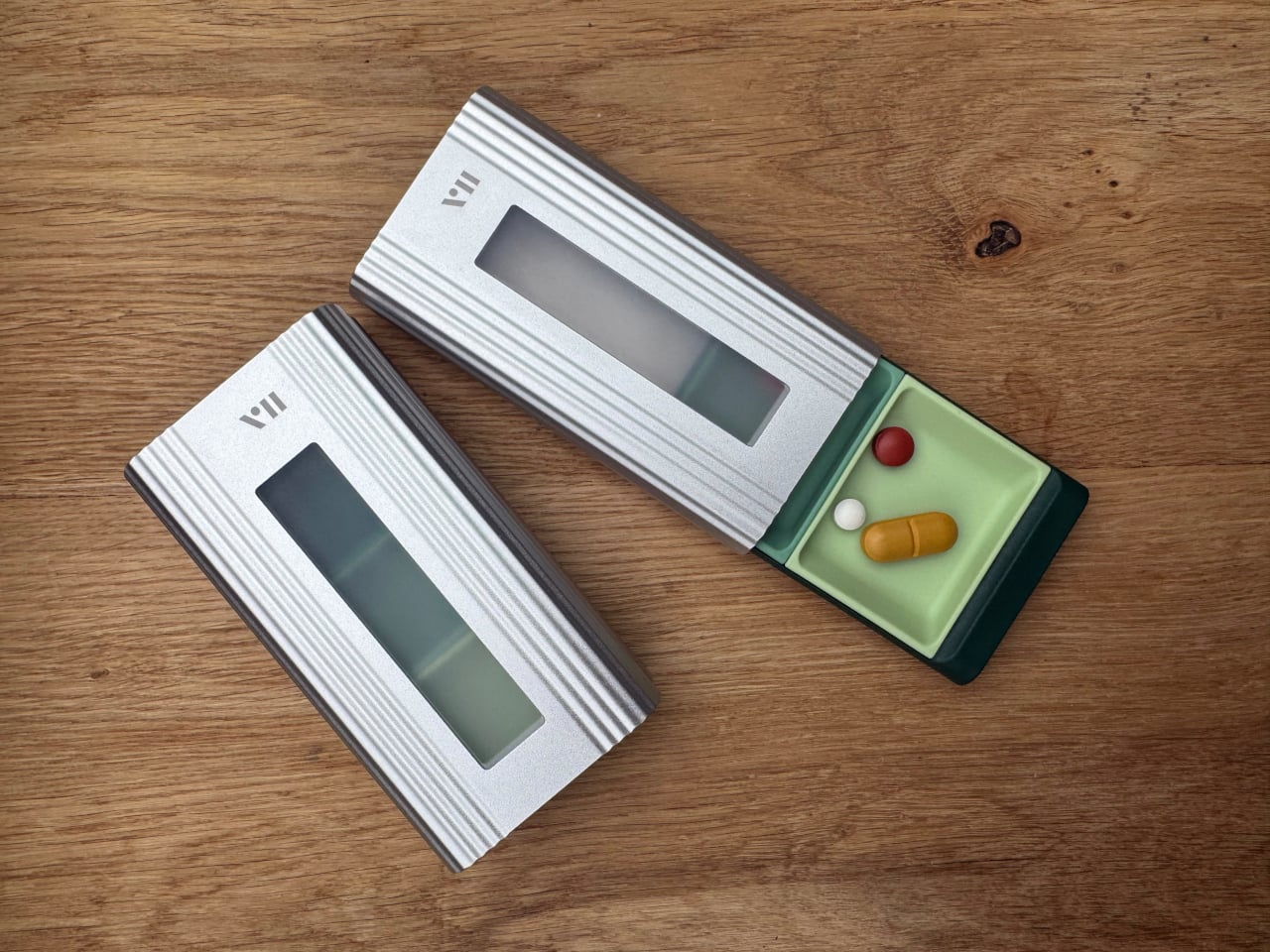
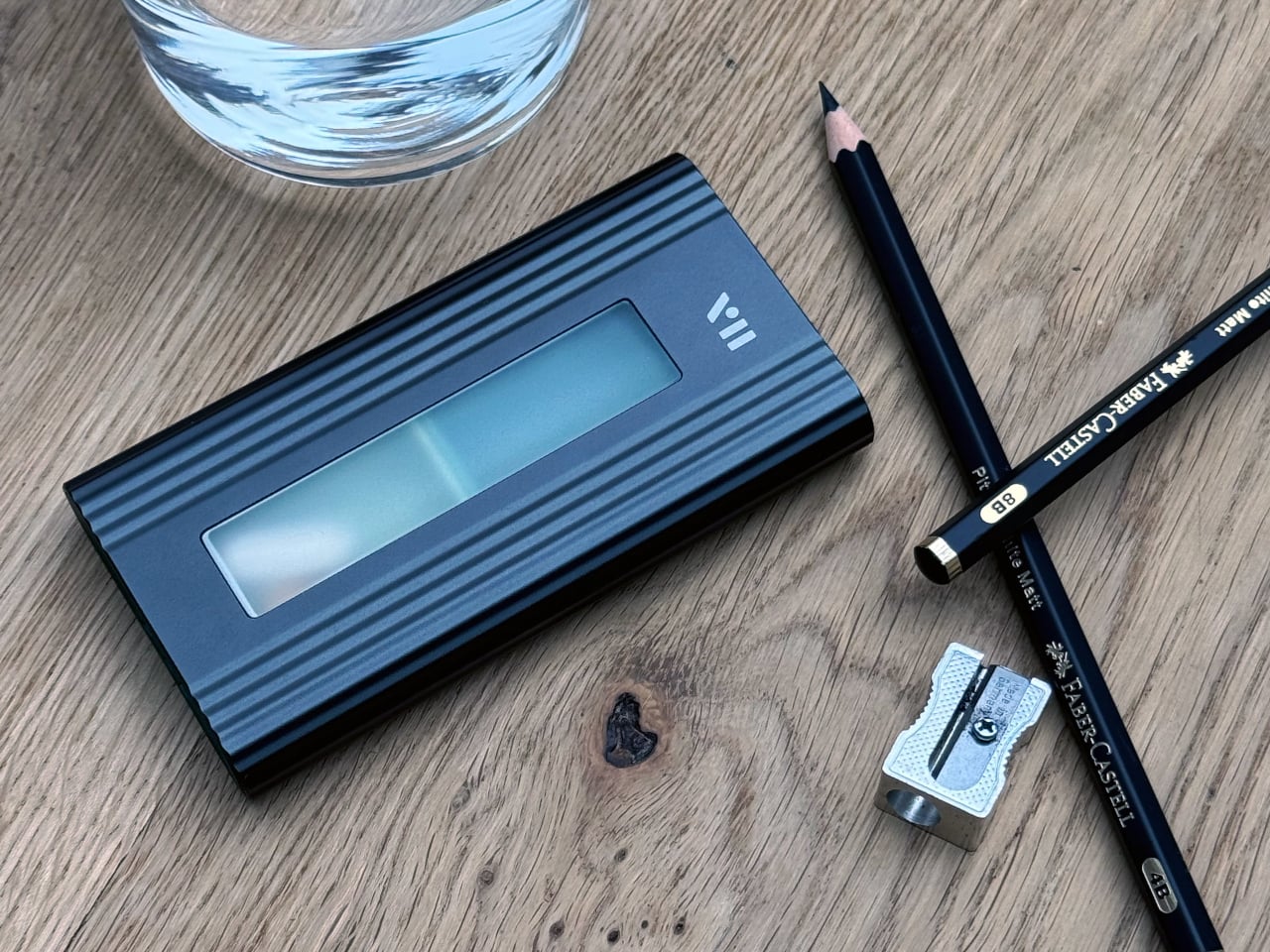
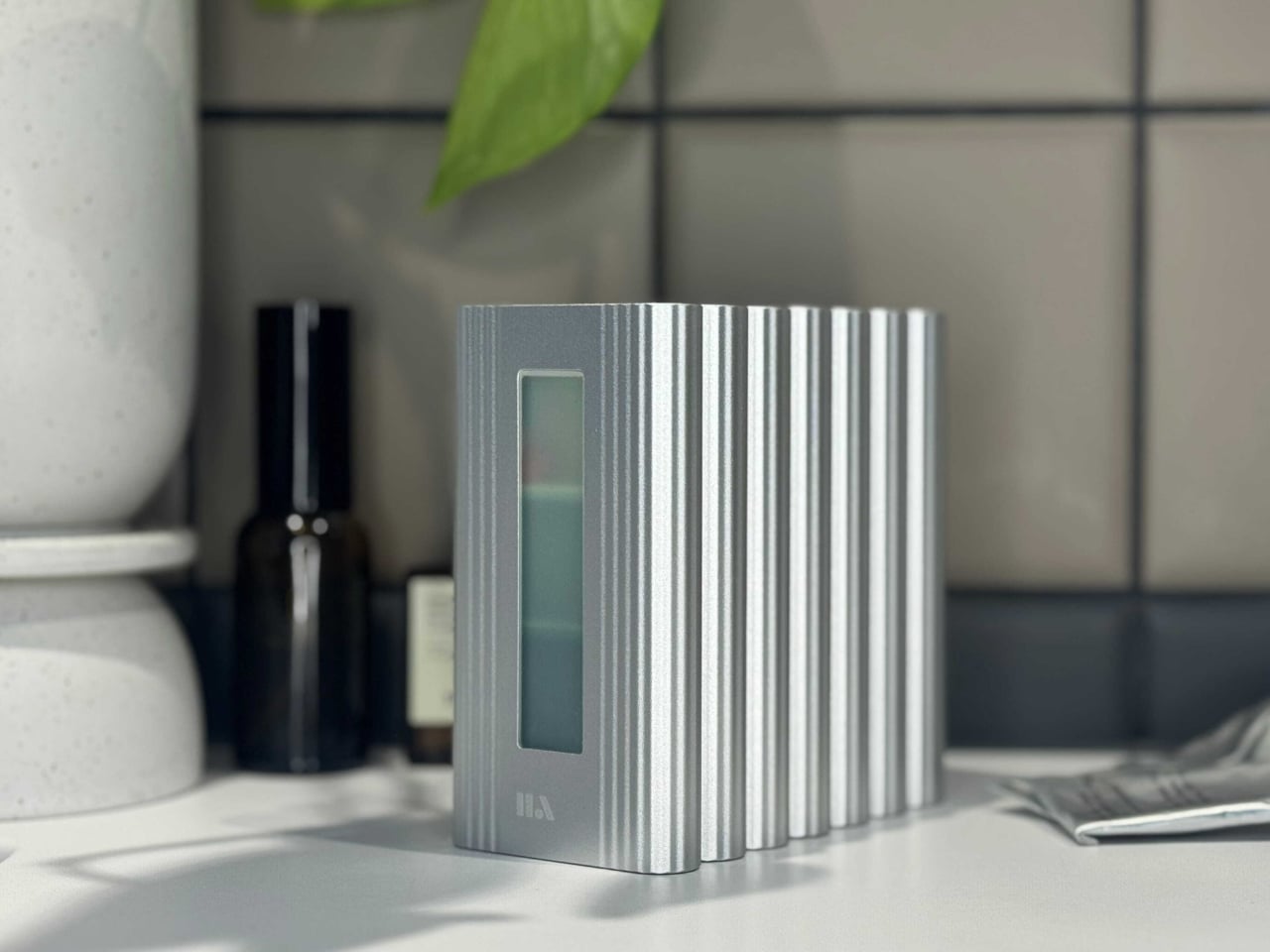
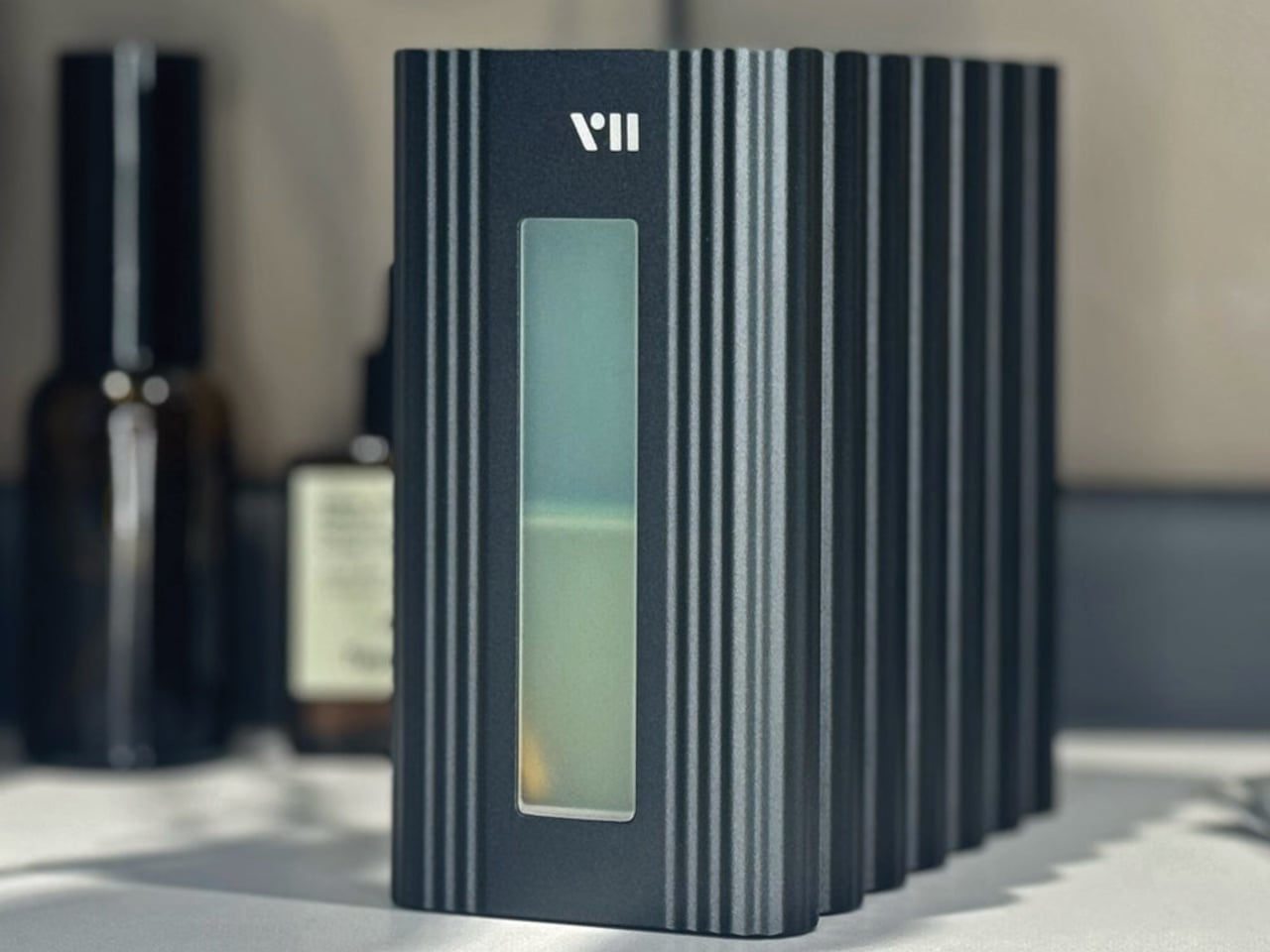
What makes that ambition credible rather than just a marketing position is the material choice. An aluminum casing with a circumferential ribbed texture runs across the surface of each box, giving it the tactile weight and finish vocabulary of an everyday carry item rather than a medical aid. The push-to-open mechanism at the front face adds a satisfying mechanical interaction, the kind of considered detail that signals the object has been thought through beyond its functional minimum.

Inside, soft silicone inserts hold the tablets quietly in place, a feature that addresses one of the more underrated problems with standard pill cases: the rattling. Anyone who has walked into a quiet meeting with a pill box in their jacket pocket knows the sound. The rattle-reduction system is patent-pending, which suggests the solution is more engineered than it first appears, though the specific mechanism is not publicly detailed.

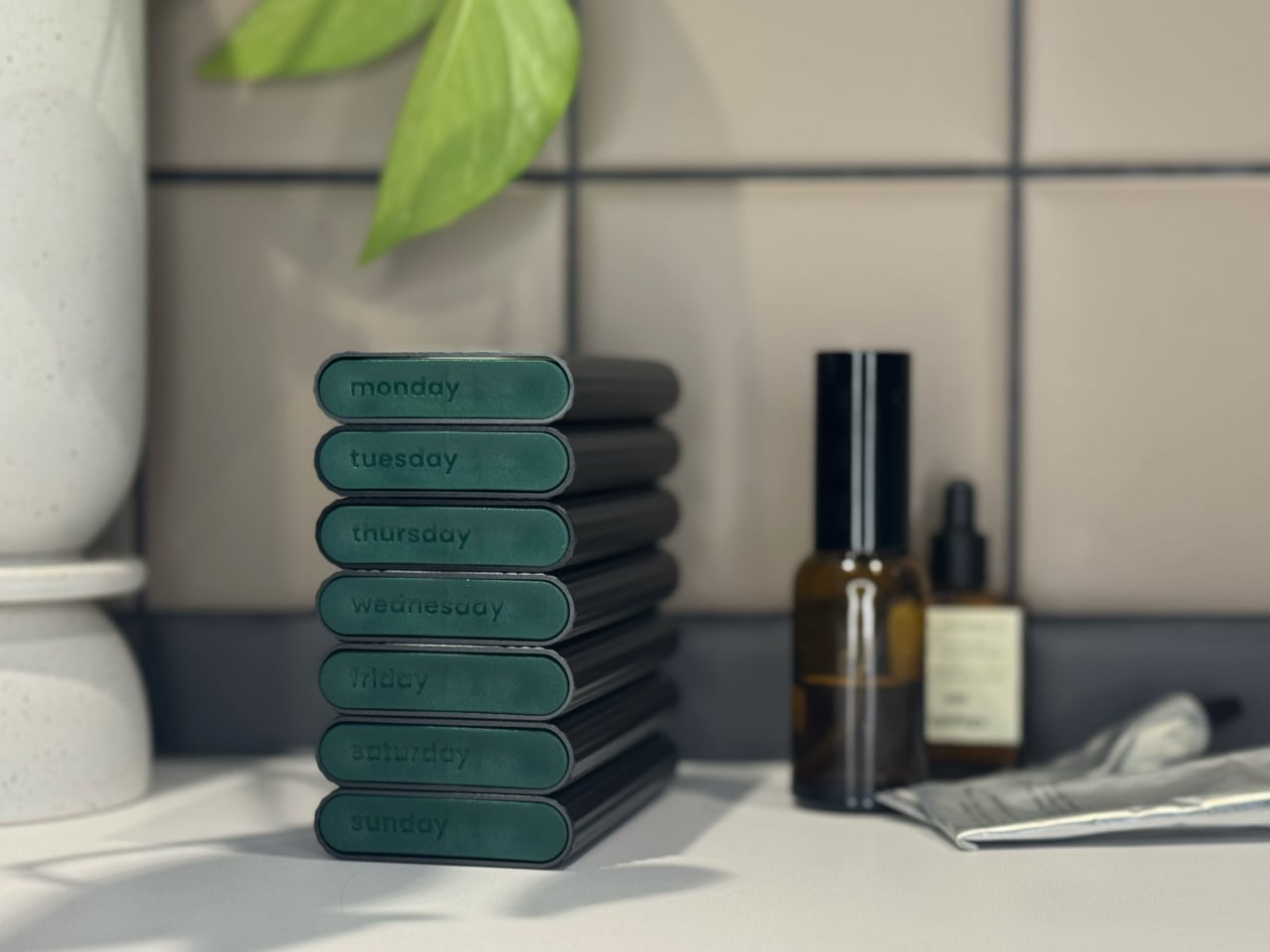
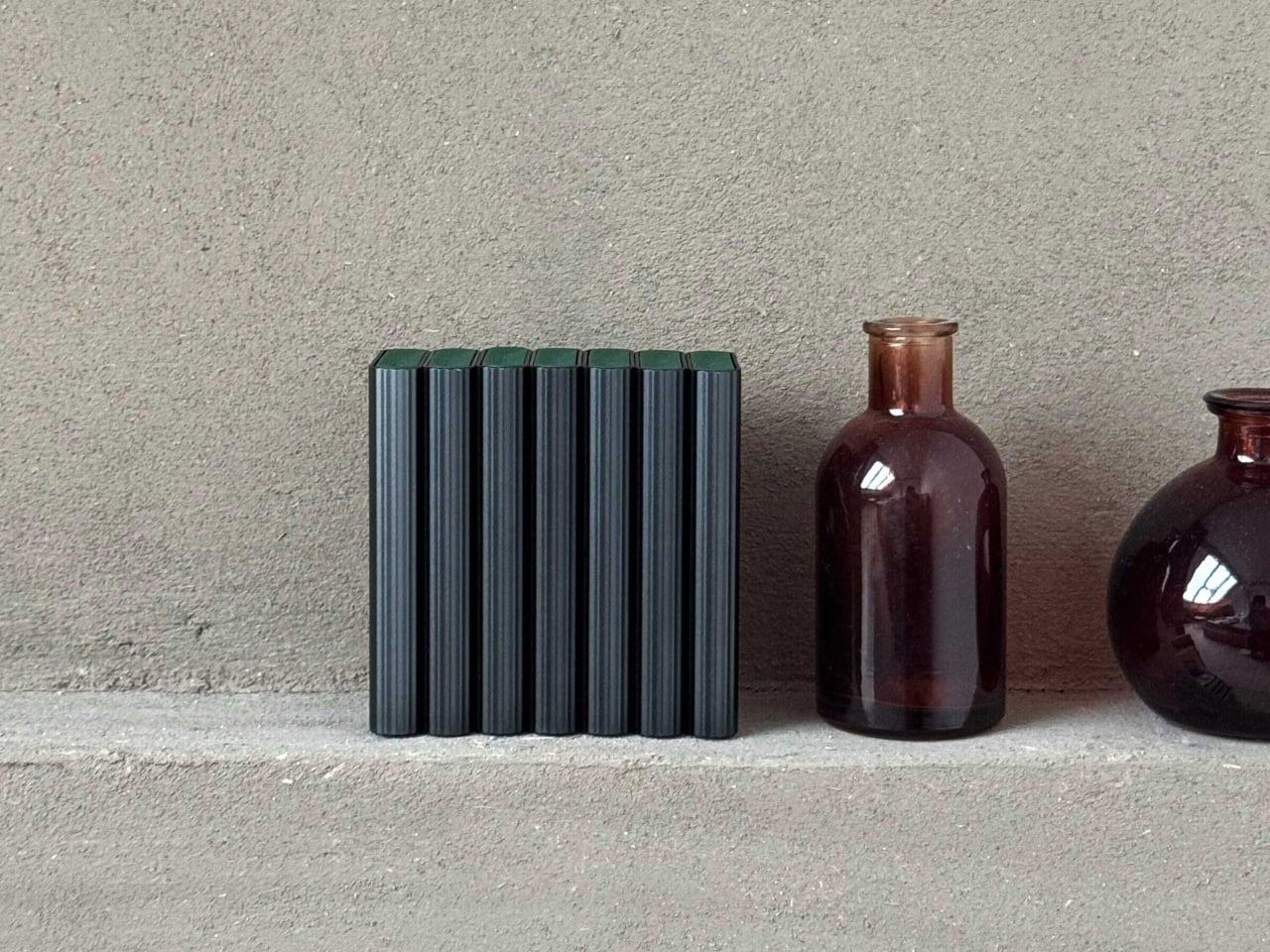
The modularity is where the product’s logic really opens up. Each box measures 105mm x 55mm x 14mm and weighs 80g, with built-in magnets allowing multiple units to stack in precise alignment without accidentally popping open inside a bag. The Weekender set combines three boxes into a 48mm stack at 240g total; the OneWeek set stacks seven boxes to 94mm at a little over half a kilo. Compartment configurations run to either two or three adjustable inner sections per box, accommodating once-, twice-, or three-times-daily dosing schedules.

One honest limitation worth naming: bovii is optimized for tablets and hard capsules only. Gel capsules are explicitly excluded because they can block the internal mechanism. That narrows the product’s compatibility for anyone whose supplement routine leans toward softgels, which is a meaningful portion of the market. For that group, the design is genuinely attractive but practically unusable.

The question bovii leaves open is whether the stigma it’s designed to counter is widespread enough to justify a premium aluminum pill organizer in a category historically defined by low-cost convenience. The design makes a convincing case that it should be. That’s a different argument from proving that it already is, and how much the market agrees will likely determine how far this idea travels.

The post This Aluminum Pill Organizer Was Designed to Sit on a Restaurant Table first appeared on Yanko Design.