The $599 MacBook Neo is Shaking Up the PC Industry: 6 Best Alternatives

Apple has never really done “affordable.” For decades, the cheapest way into the Mac ecosystem meant spending at least $999, and that was considered a deal. So when the company announced the MacBook Neo at $599, or $499 for students and educators, the reaction wasn’t just surprise. It was something closer to disbelief. This is the same Apple that charges $19 for a polishing cloth, and it just put a laptop on the shelf for less than most people’s monthly rent.

It’s not an accident or a moment of generosity. The MacBook Neo is a deliberate move into a market segment Apple has ignored for years: the budget laptop buyer. Students, first-time Mac users, families on tighter budgets. These are the people who’ve been defaulting to Chromebooks and cheap Windows machines, not because they preferred them, but because a Mac was simply out of reach. Apple just changed that math, and the PC industry is already scrambling to respond.

Designer: Apple

More Than a Fresh Coat of Paint

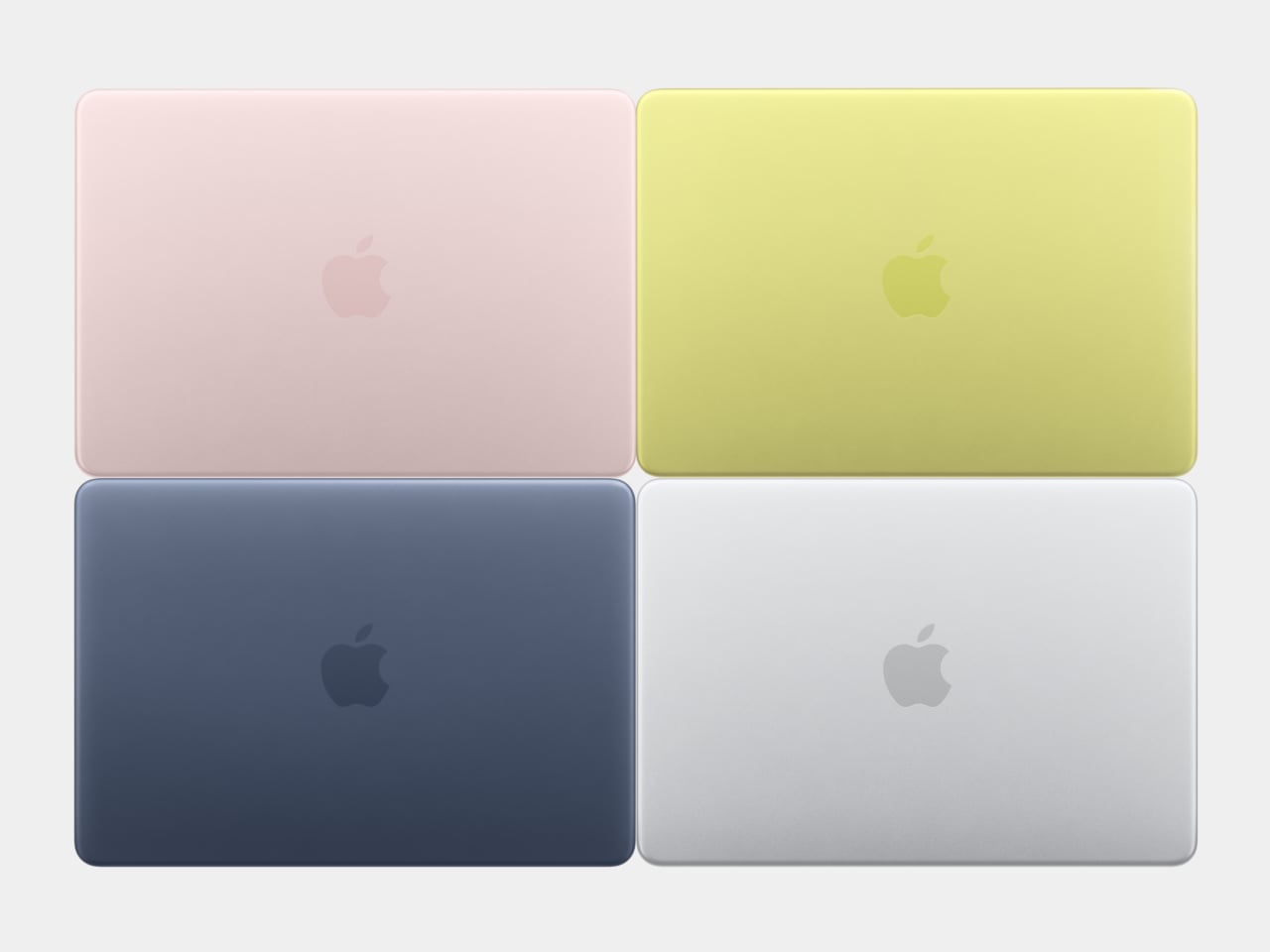
The Neo comes in four colors: blush, indigo, silver, and a sharp citrus yellow. The colors even extend to the Magic Keyboard in lighter shades and matching wallpapers, which is a level of cohesion you genuinely don’t see at this price point in Windows hardware. The aluminum enclosure weighs 2.7 pounds, and the 13-inch Liquid Retina display runs at 2408-by-1506 resolution with 500 nits of brightness, outpacing most competing devices in this segment by a considerable margin. Combine that with up to 16 hours of battery life, and the headline specs read like a mid-range laptop, not an entry-level one.

The chip underneath all of that is the A18 Pro, the same processor that powered the iPhone 16 Pro in 2024. That’s where the picture gets a bit more nuanced. It’s definitely more than enough for web browsing, document editing, streaming, casual photo editing, and AI tasks. What it isn’t is a creative workstation. This machine is fanless, silent, and cool-running, but it isn’t going to replace even a MacBook Air for serious video work or sustained heavy computation. Apple has been honest about that positioning, and the spec sheet backs it up.
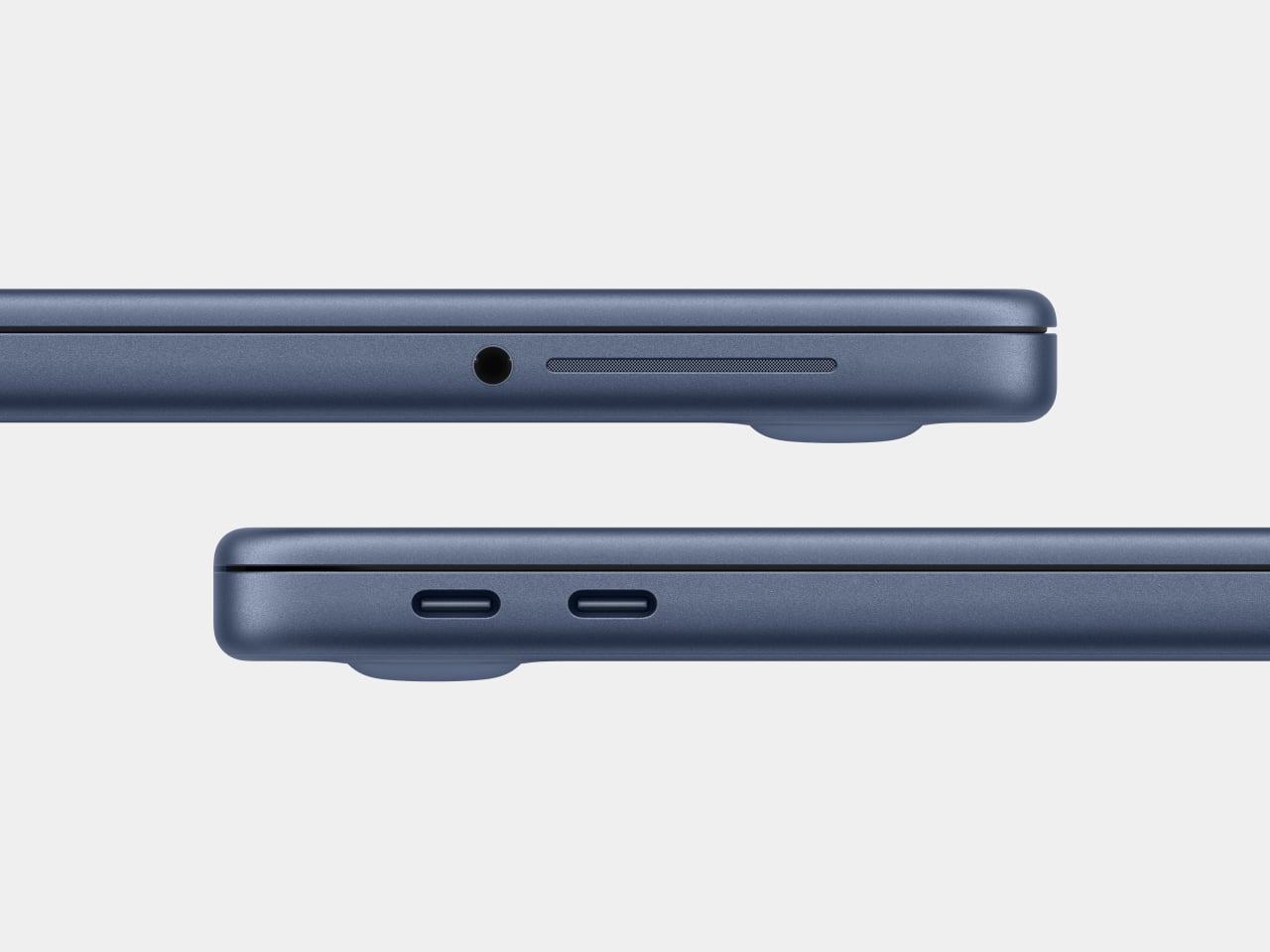
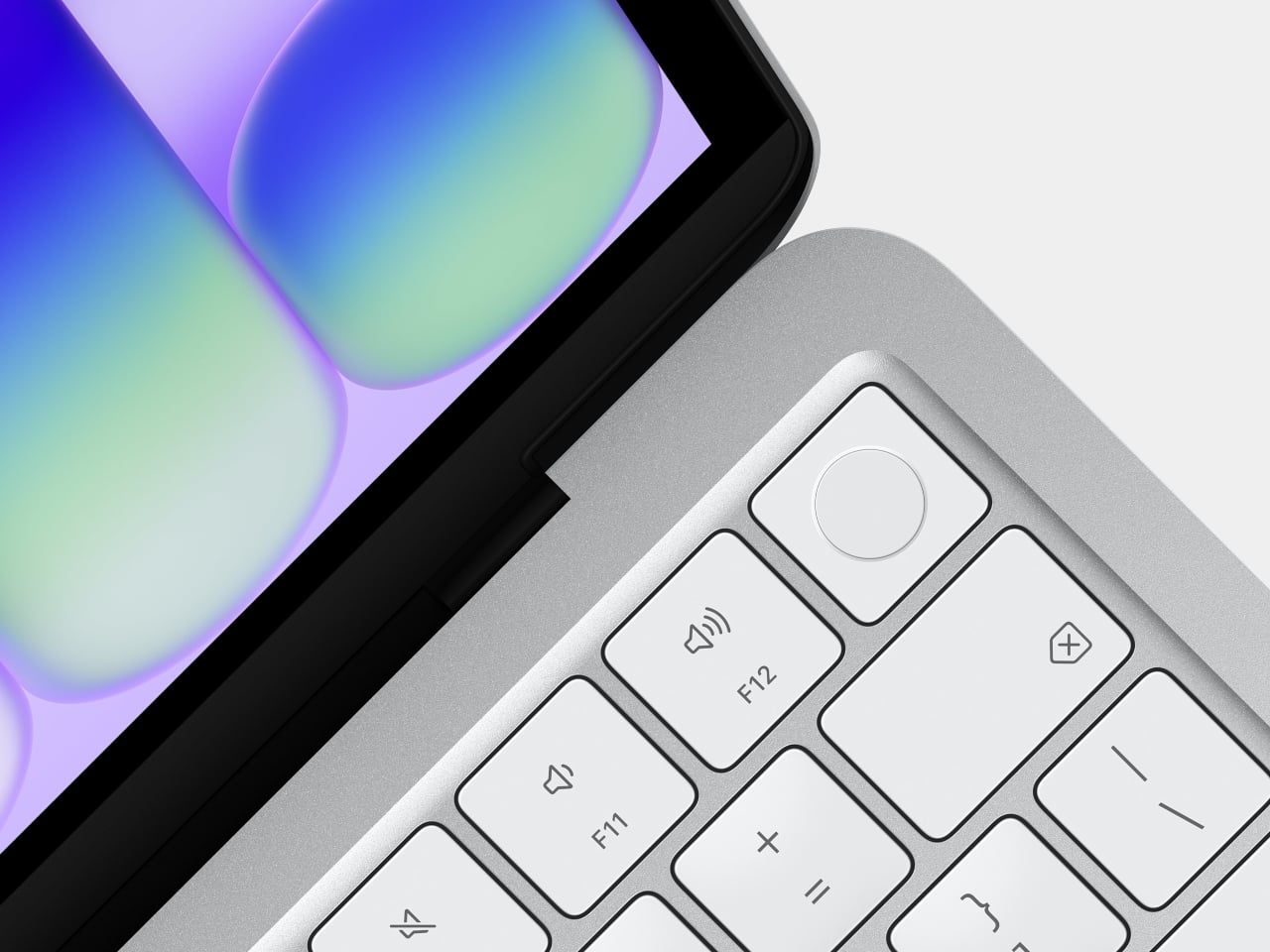
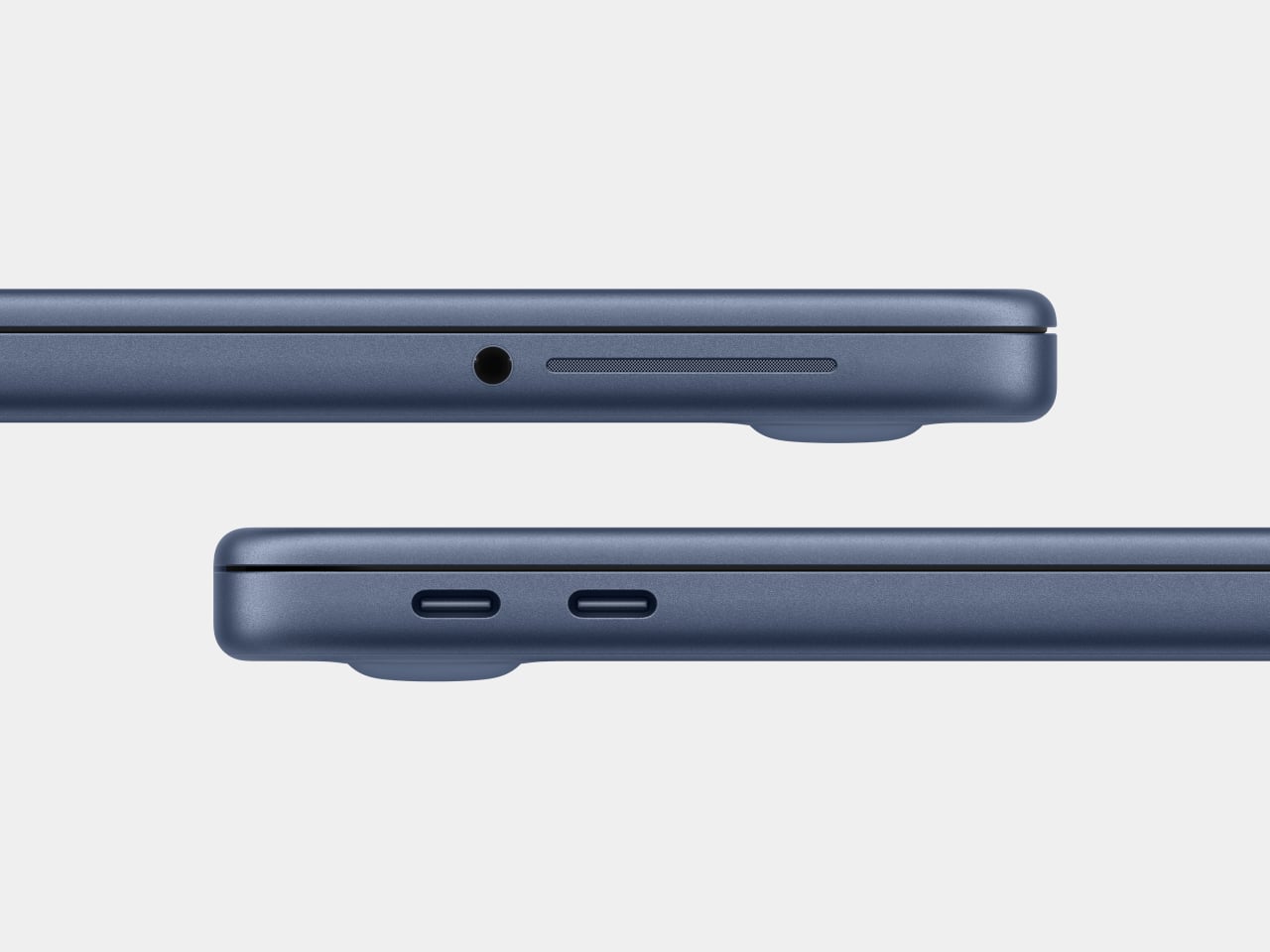
There are also a few caveats beyond the silicon. There’s no backlit keyboard on the base $599 model, which feels like an odd omission in 2026. Fast charging isn’t supported either, with only a 20W USB-C adapter in the box. The connectivity is minimal: one USB 3 port (USB-C) and one USB 2 port (USB-C), the latter topping out at 480Mb/s, which is slow enough to matter if you regularly move large files. No Thunderbolt. No MagSafe. Touch ID is exclusive to the $699 model. These are deliberate subtractions, not oversights, designed to protect the MacBook Air’s value proposition while keeping the Neo’s cost down.

Road Once Traveled: Windows RT

Before getting too swept up in the novelty of the MacBook Neo, it’s worth remembering that the idea of an affordable, ARM-based portable computer aimed at everyday users isn’t new. Microsoft tried exactly this in 2012 with Windows RT, a version of Windows designed to run on ARM chips and released alongside the original Surface tablet. The pitch was appealing: a sleek, efficient, battery-friendly device that could handle the basics and connect to the broader Windows world.

The fact that it failed is pretty much part of history by now. The core problem wasn’t the hardware or even the concept: it was the software. Windows RT looked and felt like Windows but couldn’t run traditional Windows desktop applications. It was a watered-down experience wearing a familiar face, and users who expected full Windows compatibility found themselves stranded. The app ecosystem didn’t materialize fast enough, either, and Microsoft eventually abandoned the platform. Windows on ARM has continued in various forms since then, but it’s never fully shaken the baggage of that first failed attempt.

Apple, by contrast, spent years laying groundwork before making its ARM leap. When the company transitioned the entire Mac lineup to Apple Silicon starting in 2020, it didn’t ask developers to build for a new platform overnight. The Rosetta 2 translation layer handled legacy Intel apps smoothly from day one, and Apple had spent over a decade pushing developers toward modern APIs and frameworks through iOS. By the time the A18 Pro landed inside a $599 laptop, the software ecosystem was already there waiting for it. The MacBook Neo doesn’t run a restricted version of macOS. It runs full macOS Tahoe, with access to the same App Store and the same apps as any other Mac, and that is the fundamental difference that Microsoft was never able to bridge with Windows RT.

The best alternatives if the MacBook Neo isn’t for you

The MacBook Neo sets a new standard for what a $600 laptop can look and feel like. That said, it’s not the right machine for everyone. If you’re committed to Windows, need more RAM, prefer a larger display, or simply aren’t ready to switch ecosystems, there are some solid alternatives worth considering in the same price range.

Acer Swift Go 14 (SFG14-73)
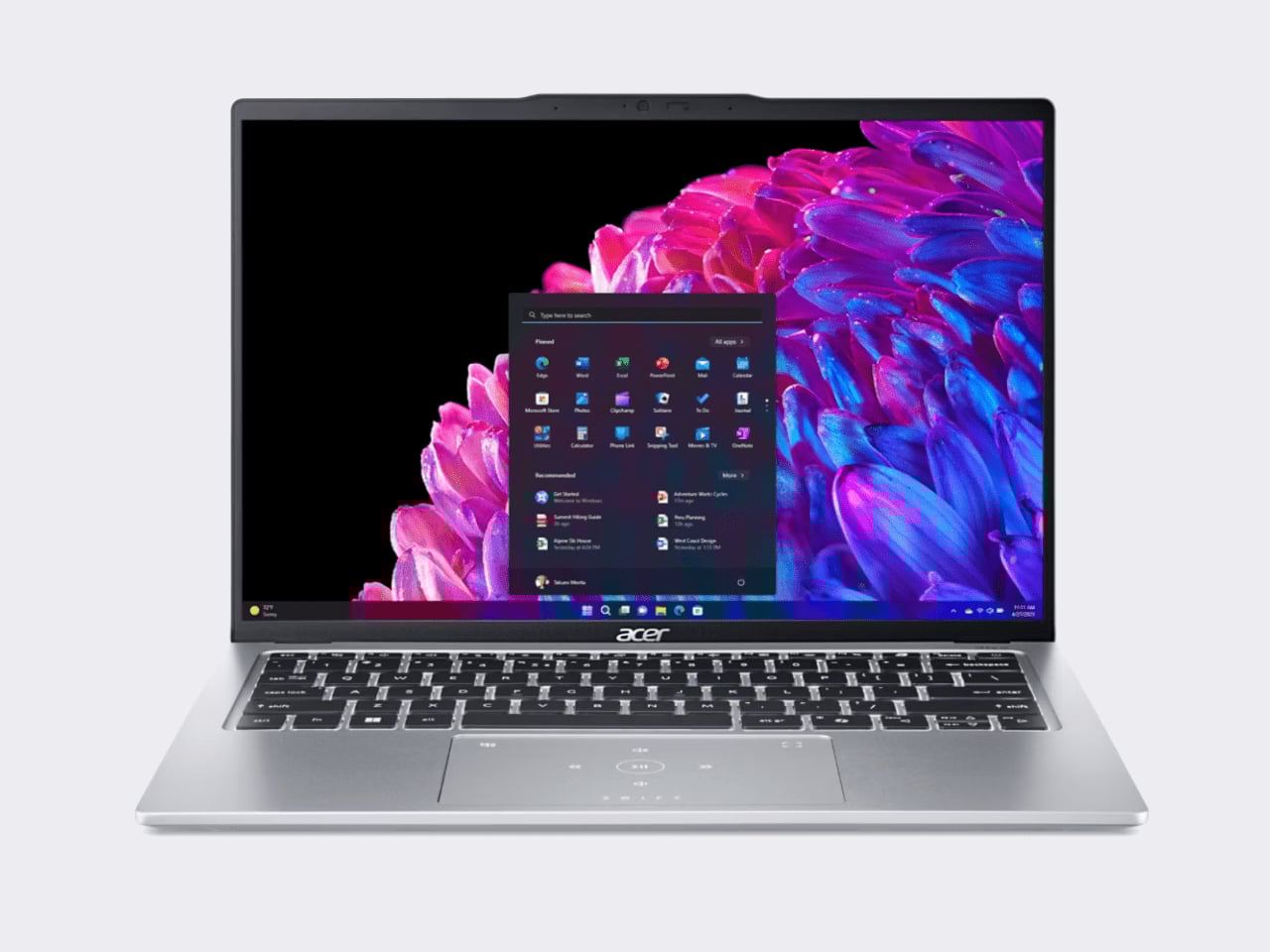
The Acer Swift Go 14 is one of the more compelling Windows options at this price point, running on an Intel Core Ultra 5 processor with integrated Intel Arc graphics, 8GB of RAM, and a 512GB SSD. That’s double the storage of the base Neo for roughly the same $600 price. The bigger draw is the display: a 14-inch OLED panel at 2880×1800 resolution, which is genuinely excellent for a laptop in this category and makes the Swift Go a strong pick for anyone who consumes a lot of media.

Designer: Acer

The trade-offs can’t be ignored, though. Battery life comes in around 8.5 hours, which is significantly shorter than the Neo’s 16-hour rating, and it weighs about 2.87 pounds in a larger chassis. It’s also a somewhat older-gen model, and that sweet price tag is only available in select retailers. If you want a bigger, sharper screen and don’t mind carrying a charger more often, the Swift Go earns a serious look.

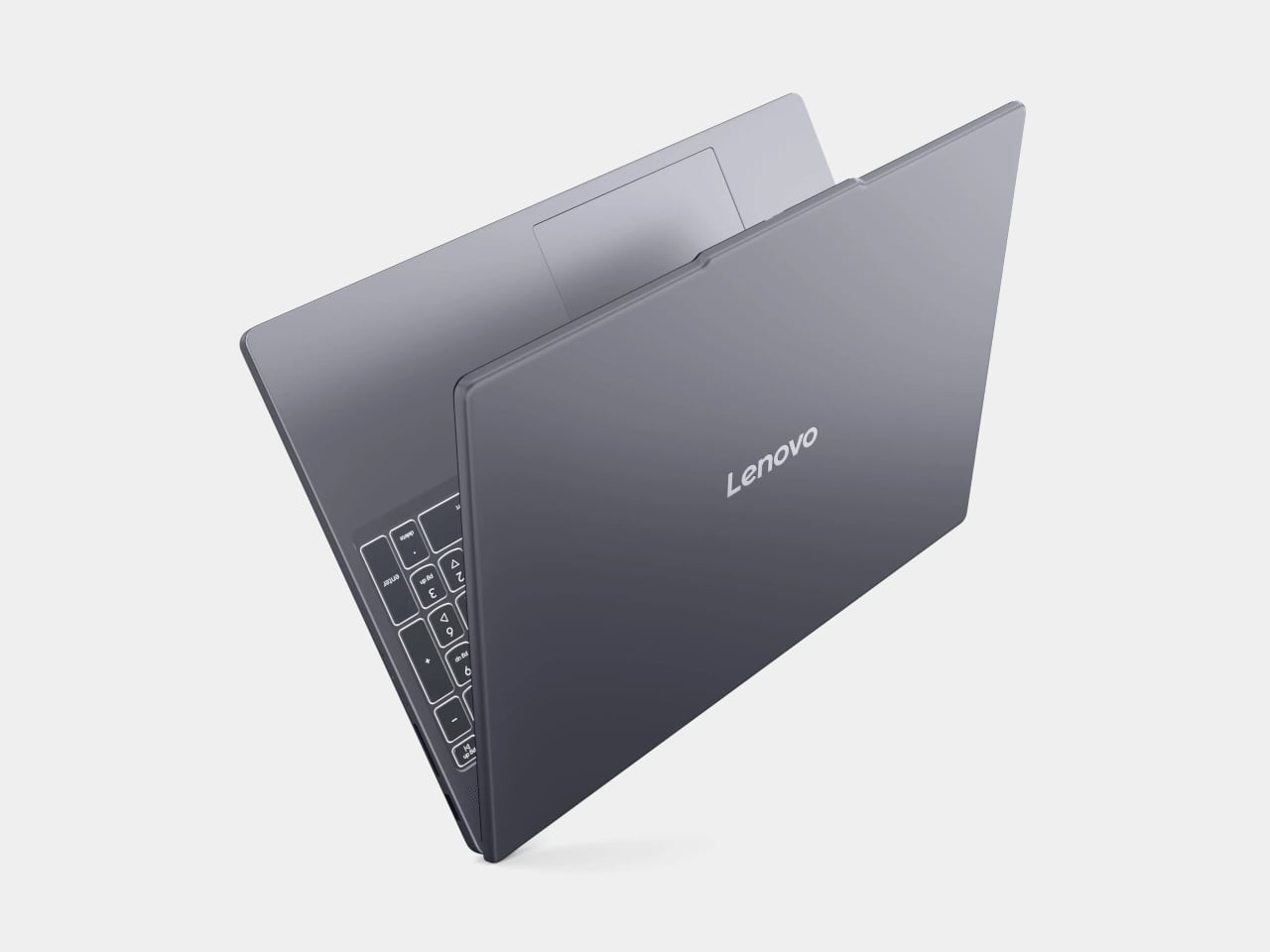
Lenovo IdeaPad Slim 3 (15″, AMD)
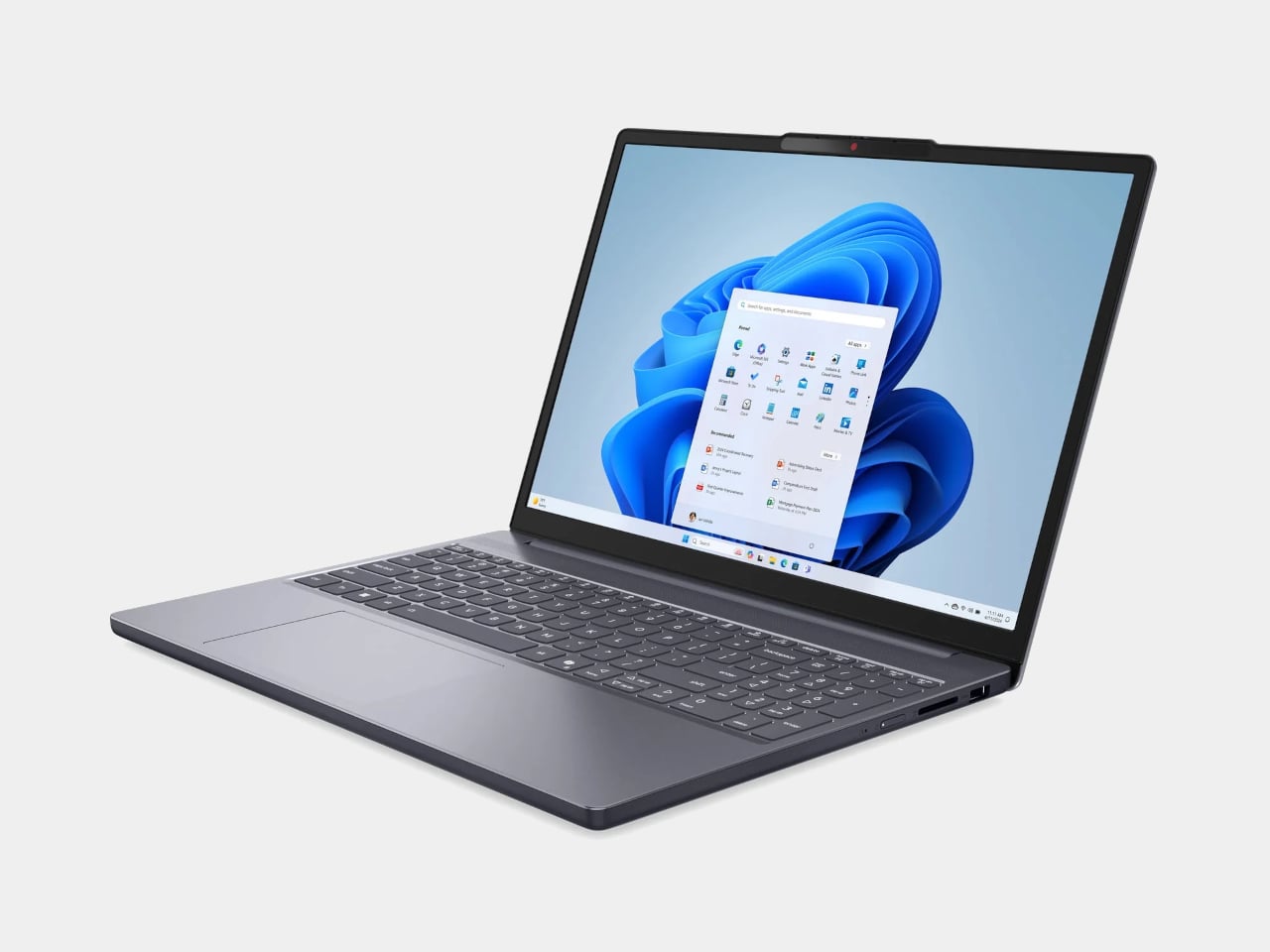
Lenovo’s IdeaPad Slim 5 punches above its price with a more generous hardware loadout than the Neo: an AMD Ryzen 5 8540 processor, 8GB of RAM, and 512GB of storage, all available around the $500 price point. Lenovo also tends to make the best keyboards in the budget Windows space, and this one continues that tradition.

Designer: Lenovo

Where it falls short is predictable. The display is a 15-inch 1920×1200 IPS panel, which is perfectly functional but a noticeable step down from the Neo’s Liquid Retina screen in terms of sharpness and color. The battery life is what you’d expect from a Windows laptop. It won’t make you smile when you pull it out of a bag the way the Neo will, but if raw specs-per-dollar is the priority, the IdeaPad Slim 3 is a difficult machine to argue against.

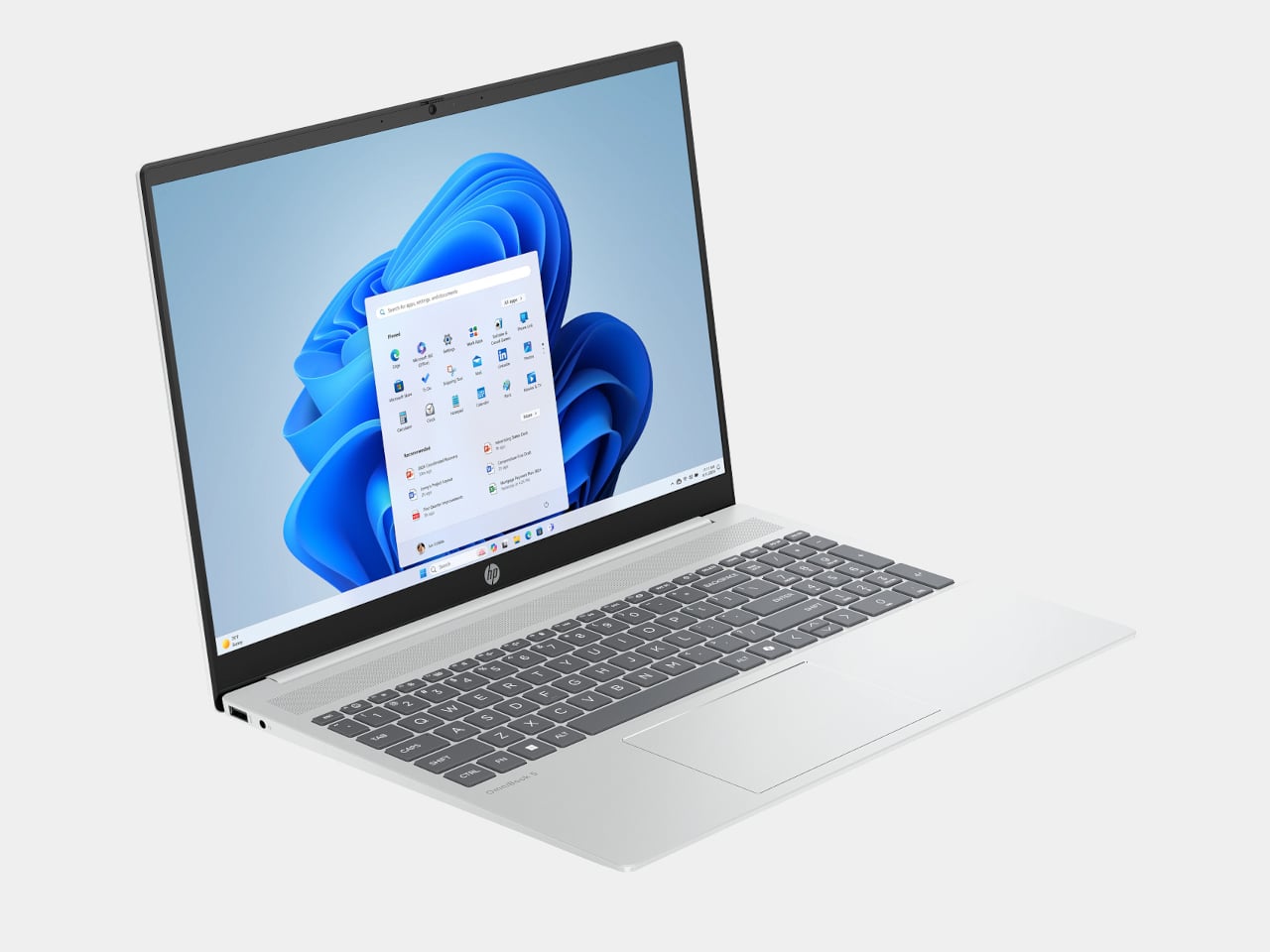
HP OmniBook 5 (BA1056NR)
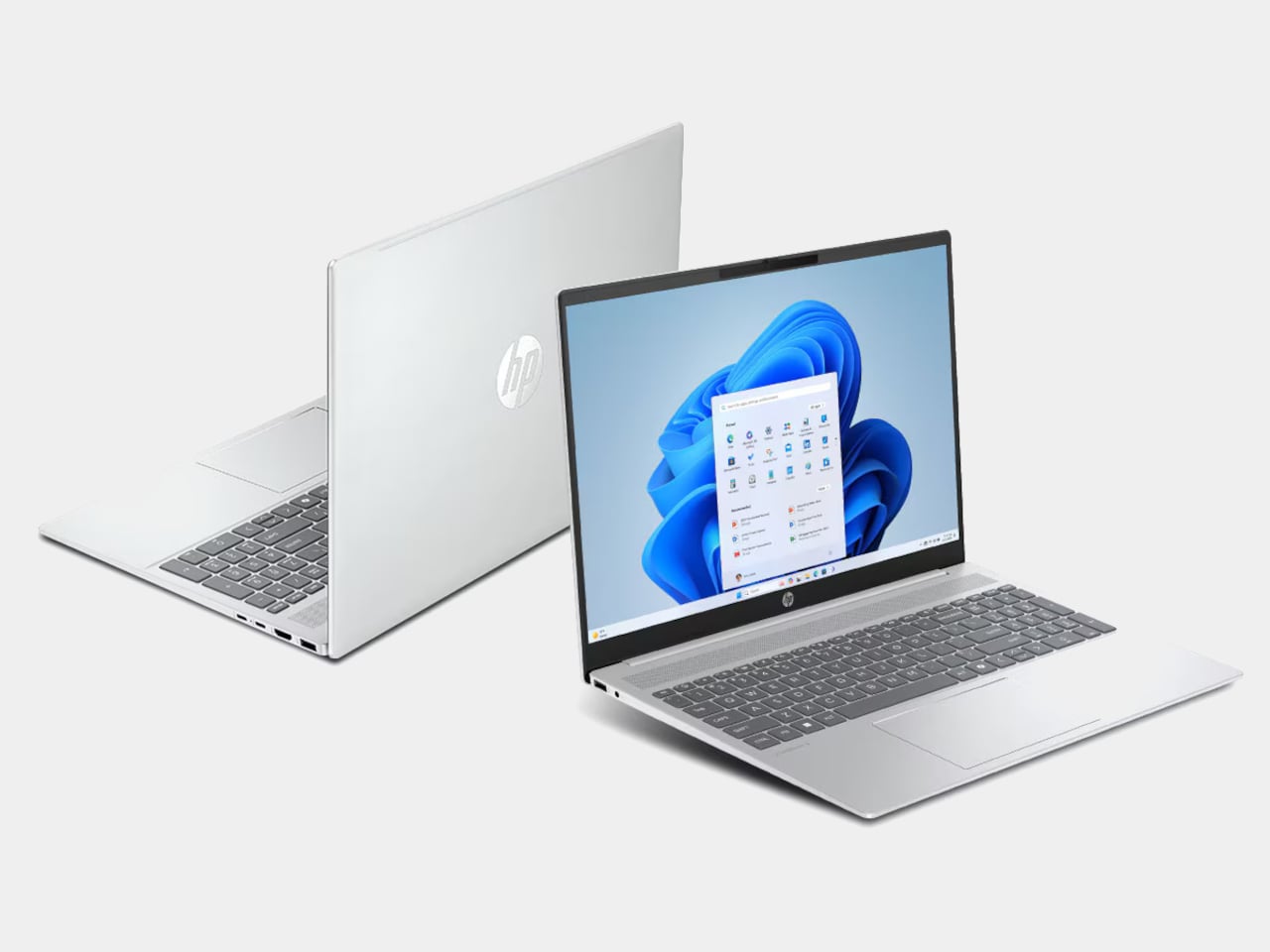
HP’s OmniBook 5 positions itself as an entry-level everyday laptop with pricing that frequently dips below $650, giving it a clear edge over the Neo in pure cost. It runs on modest Intel hardware, comes with a generous serving of 16GB of RAM, and is built primarily for email, web browsing, document editing, and video calls, the exact workload profile Apple says the Neo is designed for. Battery life is rated respectably, and the keyboard and trackpad are comfortable enough for extended daily use.

Designer: HP

The honest version of this recommendation comes with a caveat: the OmniBook 5 doesn’t compete with the Neo on display quality, build materials, or software longevity. The screen is a standard 16-inch 1080p IPS panel in a plastic chassis, and it runs Windows on Intel Core 5 silicon, which is a much older generation than today’s selection. It makes sense as a pure budget play if the price tag is still a stretch, but going in with eyes open about what those savings cost you is important.

Acer Chromebook Plus Spin 714 (CP714-1H-54UB)
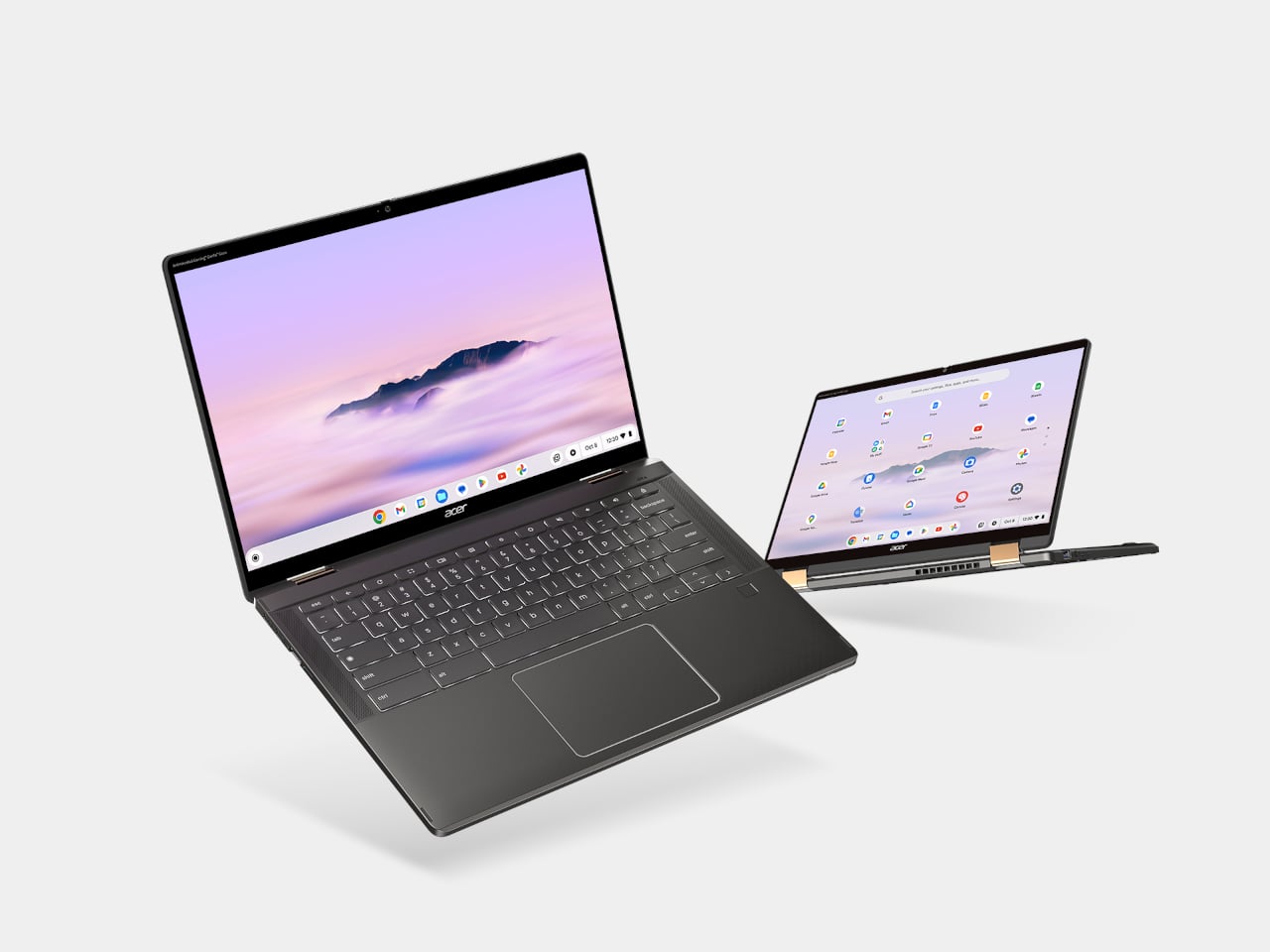
The Acer Chromebook Plus Spin 714 is one of the more capable Chromebooks available around the $530 mark with a discount ($699 in full), and it brings a feature the Neo completely lacks: a touchscreen. Running on an Intel Core Ultra 5 with 8GB of RAM and 256GB of storage, it matches the Neo’s base memory and storage configuration while adding 2-in-1 convertibility and a 14-inch IPS display at 1920×1200. For students, especially, the tent and tablet modes open up use cases that a standard clamshell laptop can’t cover.

Designer: Acer

The limitations are ChromeOS itself, which has narrowed the gap with full desktop operating systems considerably but still trails macOS and Windows for professional app compatibility. Battery life is advertised to be around 10 hours, shorter than the Neo but solid for a school day. At 3.21 lbs, it’s heavier and physically larger, and the display is a step behind the Neo in resolution and color quality. For someone already in the Google ecosystem, though, this is the sharpest Chromebook rival to the Neo in this price window.

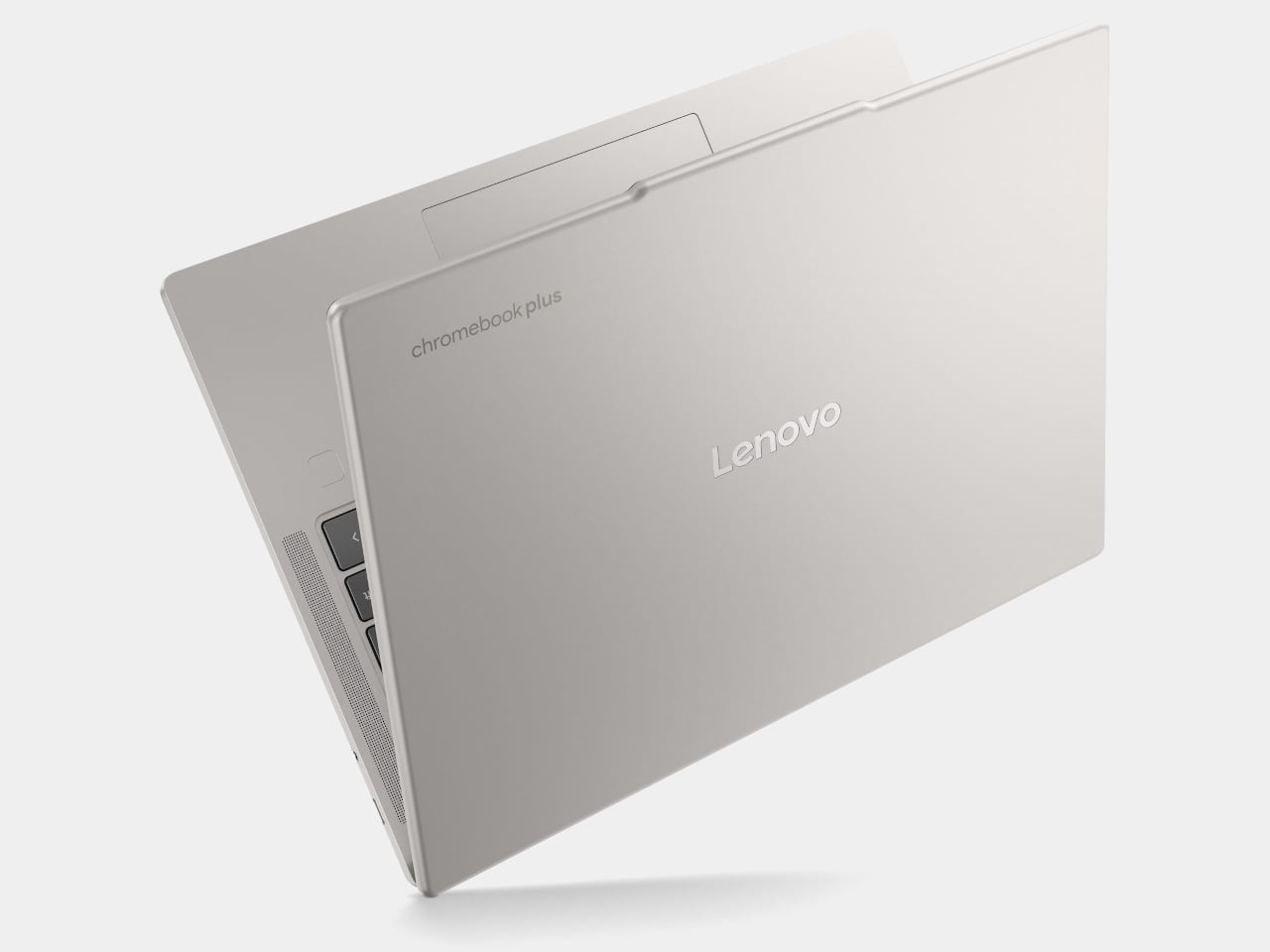
Lenovo Chromebook Plus 14 (ChromeOS)
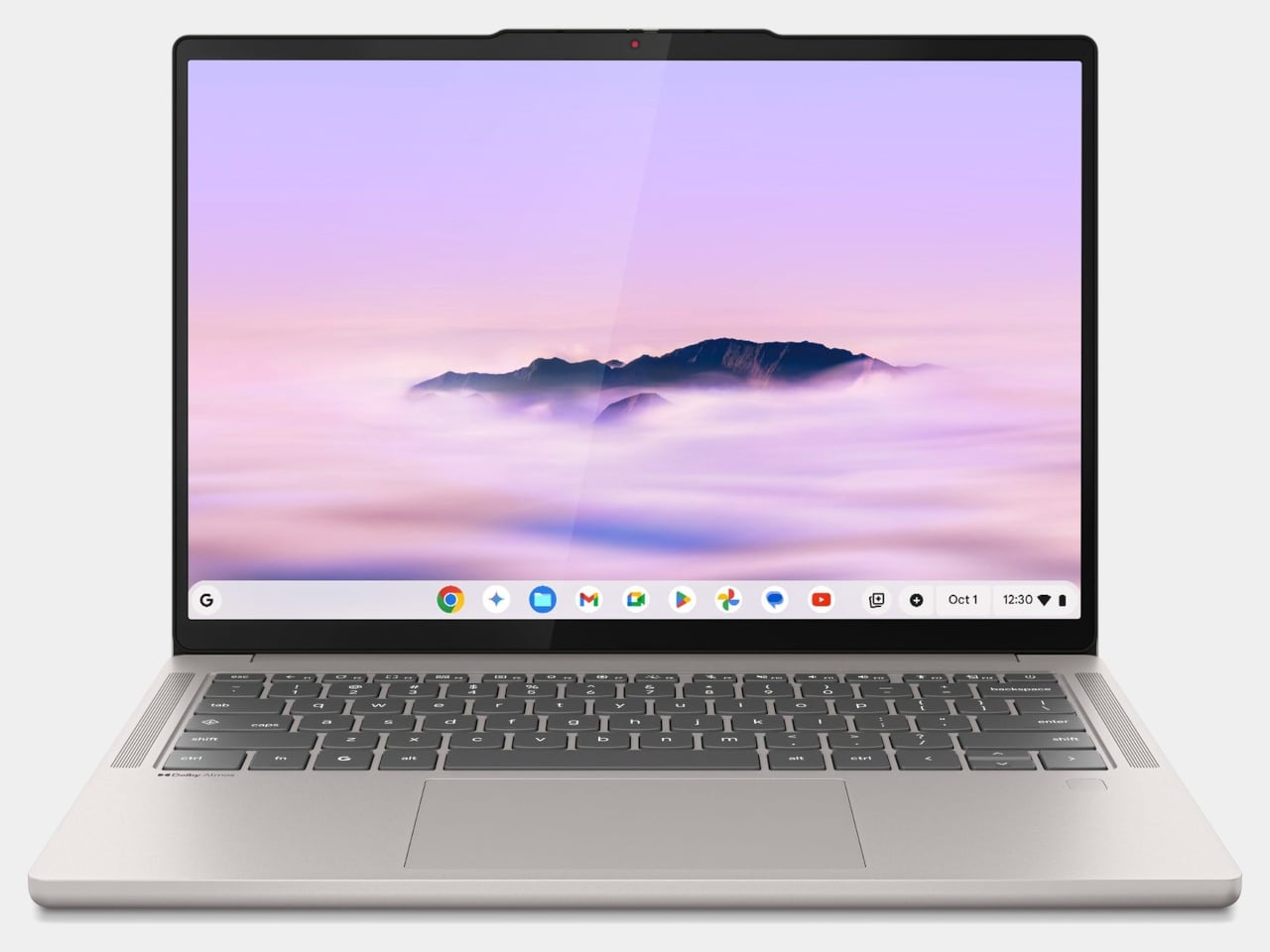
Lenovo’s Chromebook Plus 14 is the premium option in the ChromeOS space, and its headline feature is the display: a 14-inch 1920×1200 OLED panel with touchscreen support at a price of $749. For a Chromebook, that’s genuinely unusual hardware, and the screen quality puts it ahead of most of the Windows competition in this tier. It also supports Wi-Fi 7, runs on an Arm-based MediaTek Kompanio Ultra 910 chip with 16GB of RAM, and offers a build quality noticeably above the typical Chromebook standard.

Designer: Lenovo

The case for it over the Neo comes down to ecosystem preference. If Google Docs, YouTube, and Android apps cover your workflow, the Chromebook Plus 14 delivers a premium screen and a refined experience for less money than a MacBook Air. If you need desktop-class software, the ceiling becomes apparent quickly. ChromeOS has matured, but it still hits walls that macOS doesn’t. This is the Chromebook that makes you reconsider the category, not the one that makes you forget its limitations entirely.

Refurbished MacBook Air M1

It feels slightly odd to list an older Mac as an alternative to a newer Mac, but the refurbished MacBook Air M1 is worth the mention. Available through Apple’s certified refurbished store, third-party retailers, and resellers, the M1 Air frequently surfaces in the $600 to $700 range and represents a considerable step up from the Neo in several areas. The M1 chip is more capable than the A18 Pro for sustained workloads, it has MagSafe-era USB-C with Thunderbolt support, and it comes with 8 to 16GB of unified memory in the base configuration with a more mature, battle-tested macOS optimization story.
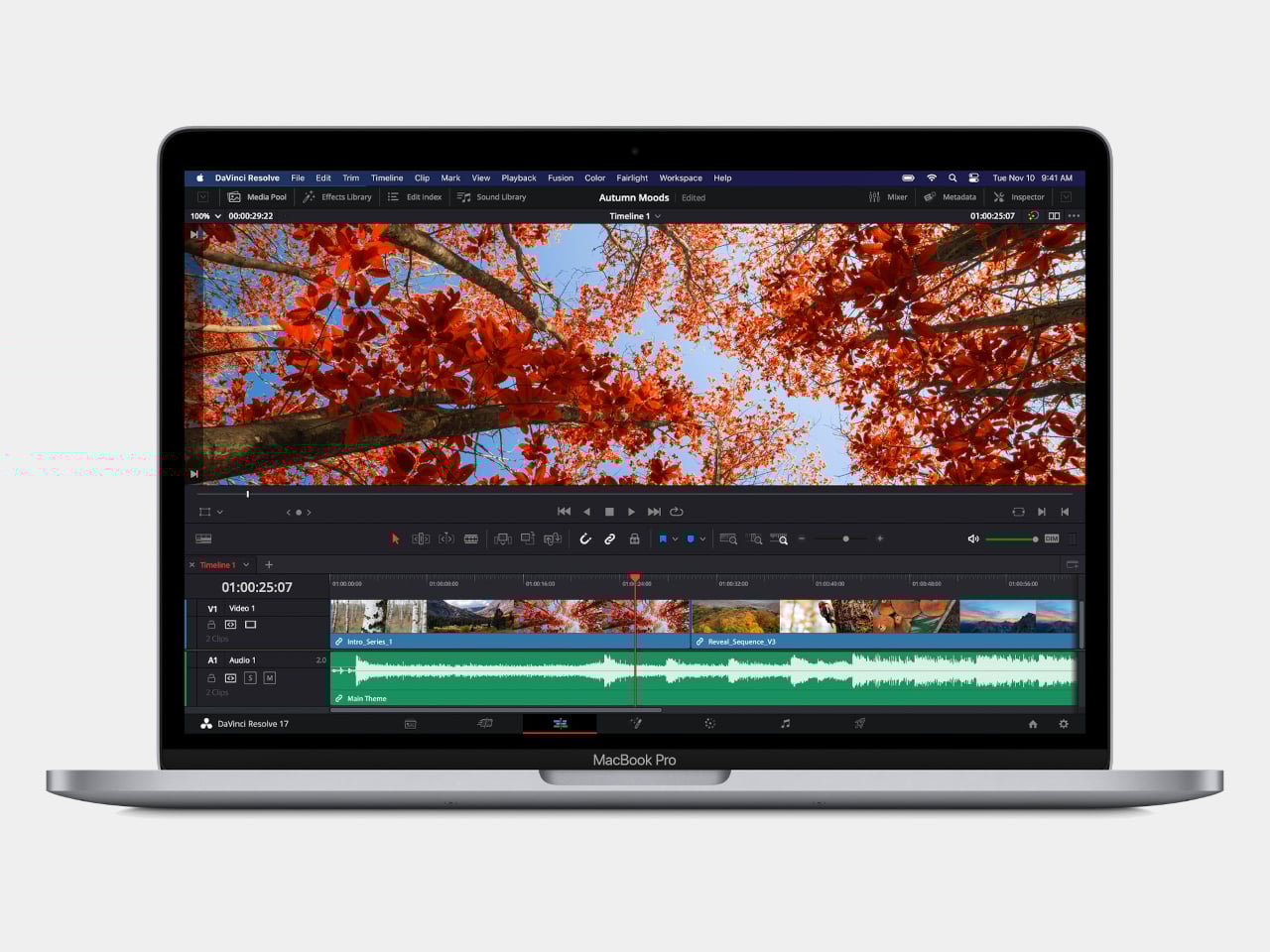
The catch is that you’re buying hardware from 2020, and Apple’s software support timeline means the M1 will eventually age out of macOS updates before a Neo purchased today will. For someone who wants macOS and a bit more headroom without stepping up to the $1,099 MacBook Air M5, the refurbished M1 is a pragmatic option rather than an inspired one. It gets the job done, but it doesn’t have the new colors, and the MacBook Neo, despite its compromises, is the more forward-looking machine.

Wake-up call

Affordable Windows laptops and Chromebooks have never been in short supply. The problem has always been that most of them require accepting significant compromises: dim displays, plastic chassis that creak, battery life that barely lasts a workday, or chips so underpowered that the experience degrades within a year of purchase. Many of the more appealing options in this segment come from lesser-known manufacturers, which brings its own concerns around software support and build reliability over time.

What the MacBook Neo does is reframe the question the PC industry has been comfortable not asking. ARM-based Windows laptops have existed for years, and the Snapdragon X series has made genuine progress, but Windows on ARM still hasn’t found the cultural moment that would turn it into a mainstream category. The Neo’s arrival and the reaction to it suggest that the market for a well-made, genuinely affordable computer aimed at students and everyday users is larger than the industry has been willing to address seriously. Apple just walked in and asked whether cheap and simple was enough, or whether those buyers might actually want something better.

The post The $599 MacBook Neo is Shaking Up the PC Industry: 6 Best Alternatives first appeared on Yanko Design.
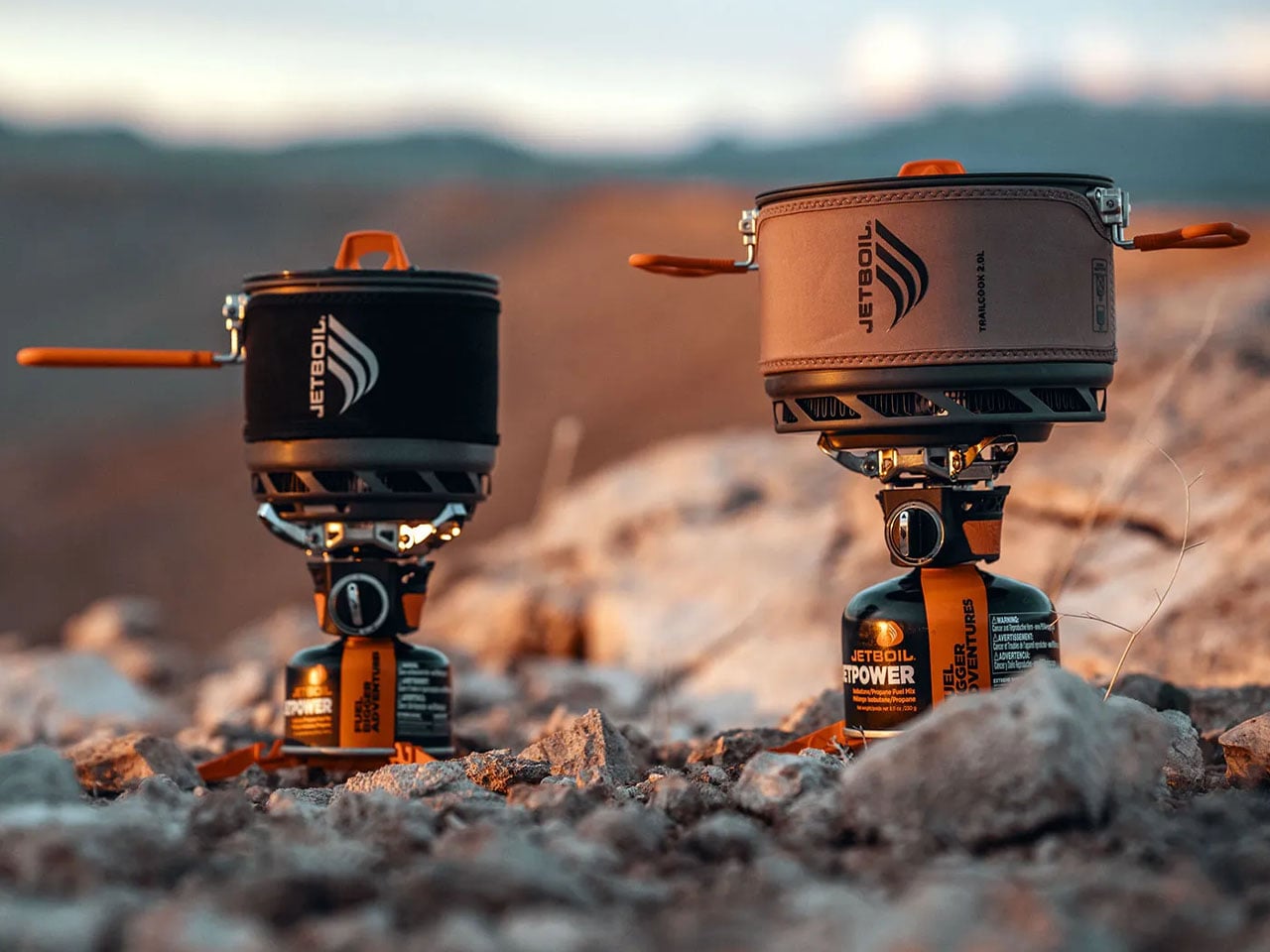

Jetboil TrailCook Stove System combines fast boiling with precise camp cooking control

Jetboil has long been associated with fast, efficient backcountry camping stoves designed primarily for boiling water. Over the years, the brand’s integrated cooking systems have become a familiar sight in backpacks thanks to their compact form and rapid heating performance. With the TrailCook series, Jetboil expands on that reputation by introducing a stove system designed not just for boiling water, but for preparing more varied meals in remote outdoor environments.

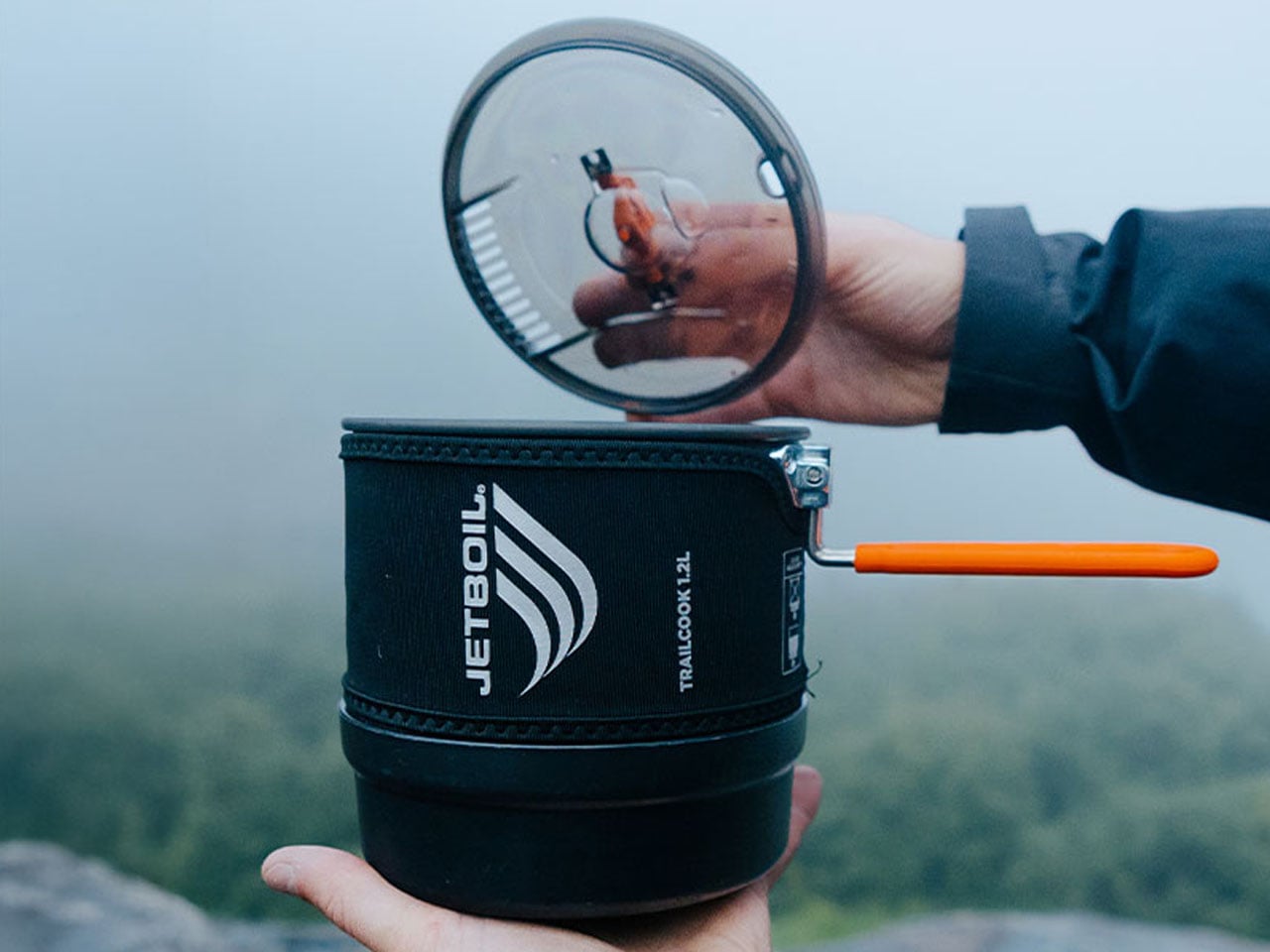
The TrailCook 1.2-liter Stove System centers around Jetboil’s FluxRing heat-exchange technology, which concentrates heat around the base of the cooking pot for improved efficiency. By capturing and directing heat more effectively than traditional backpacking stoves, the system minimizes wasted fuel while reducing boil times. The regulated burner delivers around 6,000 BTU per hour and can bring half a liter of water to a boil in roughly two minutes and fifteen seconds, allowing hikers and campers to quickly prepare coffee, instant meals, or hot drinks after a long day on the trail.

Designer: JetBoil

Unlike many lightweight stove systems that focus almost entirely on rapid boiling, the TrailCook emphasizes cooking control. Jetboil integrates a proprietary fuel regulator that allows the flame to shift smoothly between a gentle simmer and a strong boil. This incremental adjustment makes it possible to sauté ingredients or cook more elaborate meals rather than relying solely on boil-and-eat options. The regulator also helps maintain steady performance as fuel pressure changes, ensuring consistent heat output even in cooler conditions.

The included 1.2-liter cook pot is designed with a ceramic-coated interior that helps prevent food from sticking and makes cleanup easier in the outdoors. An easy-on, easy-off lid features a handling tab that allows users to stir or monitor food without fully removing the lid, while integrated straining holes make it simple to drain liquids directly from the pot. A folding silicone handle provides a secure grip when the pot is hot and locks the lid in place when the system is packed for travel.

Ease of use is another key element of the design. The TrailCook incorporates a turn-and-click ignition system that lights the stove quickly without the need for matches or a separate lighter. A self-centering pot support keeps the cooking vessel stable during use and can also accommodate additional cookware up to about 9 inches in diameter and roughly 2 liters in capacity. This compatibility allows campers to use frying pans or other pots if they want to expand their outdoor cooking setup.

For groups or larger meals, Jetboil also offers a TrailCook 2.0-liter version of the system. The larger model includes a Dutch-oven-style pot designed to serve two to four people while maintaining the same regulated burner and FluxRing efficiency. It can boil one liter of water in about four minutes and fifteen seconds, offering similar performance while increasing cooking capacity.

Portability remains central to the TrailCook design. The entire system nests neatly inside the cooking pot, helping conserve valuable pack space during backpacking trips. The bottom cover doubles as both a measuring cup and a small bowl, reducing the number of extra utensils hikers need to carry.

Weighing about 19.4 ounces without fuel, the TrailCook 1.2-liter system remains lightweight enough for backpacking while still providing genuine cooking flexibility. A single 100-gram JetPower fuel canister typically boils 10 to 12 liters of water, underscoring the stove’s efficient fuel use on extended trips.

By combining Jetboil’s signature fast-boiling performance with improved flame control and practical cookware design, the TrailCook system broadens what campers can realistically cook in the backcountry while keeping the entire setup compact and travel-friendly. The Trailcook 1.2L retails for US$ 180, and the 2.0L version for US$200.

The post Jetboil TrailCook Stove System combines fast boiling with precise camp cooking control first appeared on Yanko Design.

8 Best Japanese Stationery Finds So Clever You’ll Question Why the Rest of the World Even Bothers

Japanese stationery operates on a different set of assumptions. Where most of the world treats pens, notebooks, and desk accessories as afterthoughts, Japan treats them as design problems worth solving with the same precision applied to architecture or automotive engineering. The difference shows up in the details: magnetic closures calibrated to be silent, paper engineered for a specific ink behavior, and leather cut from a single hide. Hence, the grain tells a continuous story.

We have been collecting our favorites for a while now, and this batch feels particularly well-considered. These are not gimmicks dressed in minimalist packaging. Each product here earns its place through a specific, clever solution to a friction most people have accepted as normal. From a pencil that never needs sharpening to a wooden postcard case that borrows its form from ceramic storage traditions, this is stationery that makes the rest of the world’s offerings feel like rough drafts.

1. Inseparable Notebook Pen

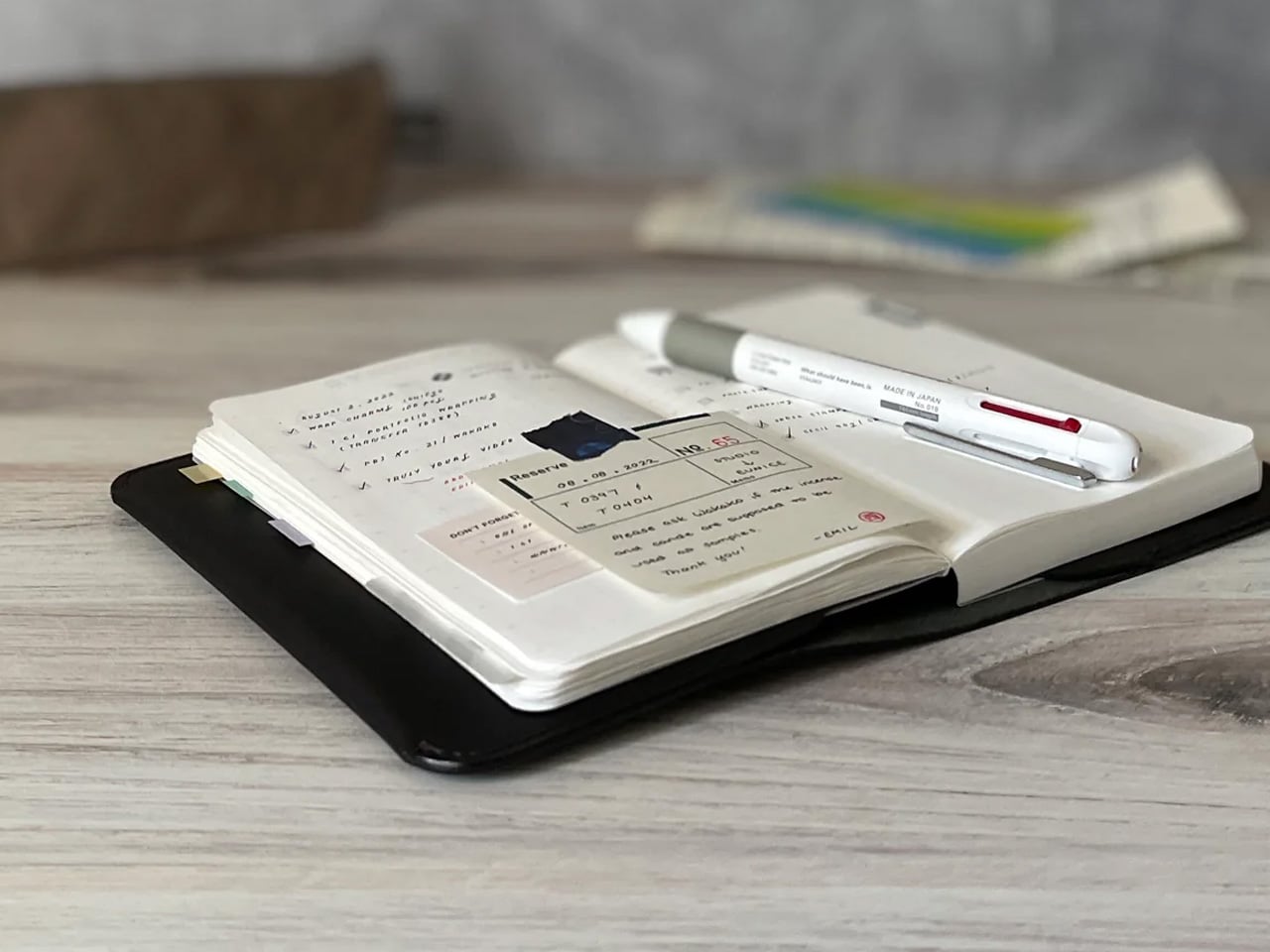
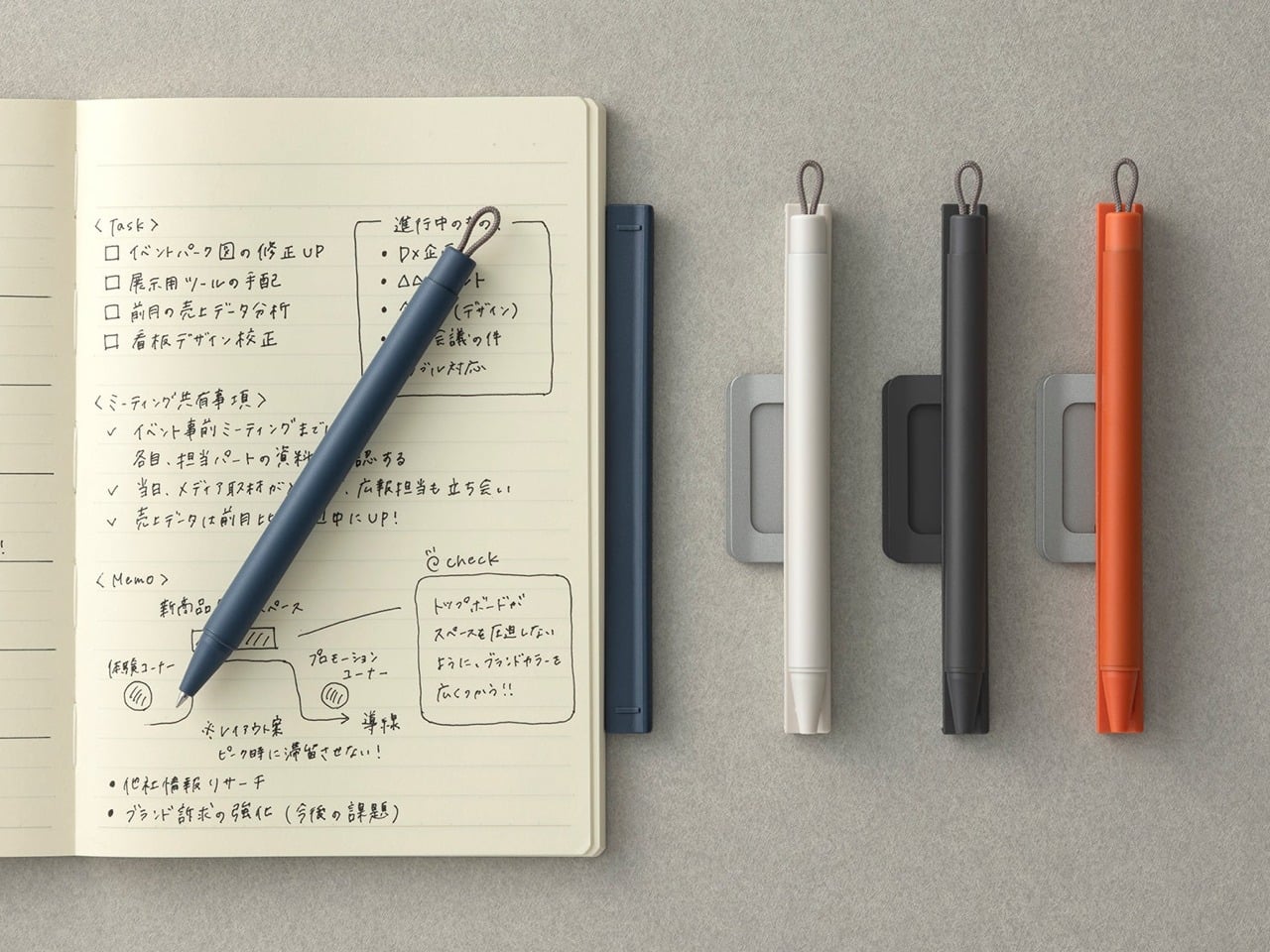
Most pens exist independently of the surface they write on. The Inseparable Notebook Pen rejects that premise entirely, using a magnetic clip to lock itself to your notebook cover. A built-in silencer dampens the attachment, so there is no click or rattle, just a quiet lock into place. The barrel is minimalist, comfortable during long sessions, and the ink flow is smooth and immediate.

Japanese stationery brands have long understood that the gap between reaching for a pen and writing is a moment of lost momentum. This pen eliminates that friction. The form is understated, almost invisible against a notebook cover, which is the point. Tools that disappear into your workflow tend to be the ones that last the longest.

Click Here to Buy Now: $19.95

What we like

  • The magnetic clip holds firm during transit but releases with zero effort when needed.
  • The silencer turns a mundane attachment into something tactile and deliberate.

What we dislike

  • The minimalist barrel may feel too slim for those who prefer wider-grip pens.
  • Ink cartridge options are limited, restricting personalization for specific ink preferences.

2. Stalogy Editor’s Series 365-day Notebook (A6)

Stalogy’s 365 Days Notebook packs 368 pages of ultra-thin paper into an A6 form factor that still fits a coat pocket. Each page carries minimal printed detail: dates, days, a faint grid, and time indicators. Ignore them or use them. The paper writes with a smoothness that recalls Hobonichi Techo’s Tomoe River stock, letting ink glide without feathering or bleed-through.

The real strength is flexibility. This notebook works equally well with bullet journaling, daily planning, freeform sketching, or straightforward notes, all without forcing a single organizational method. Most planners assume they know how a day should be structured. This one steps back and lets the user decide, which is a rarer quality than it should be.

What we like

  • Thin paper keeps 368 pages from becoming a brick, maintaining genuine pocketability.
  • Minimal page markings make it equally useful for structured planning and unstructured creative work.

What we dislike

  • Date and time markings are printed extremely small, making them difficult to read in low light.
  • Heavy fountain pen inks will ghost through the thin paper, limiting compatibility with certain instruments.

3. FoldLine Pen Roll

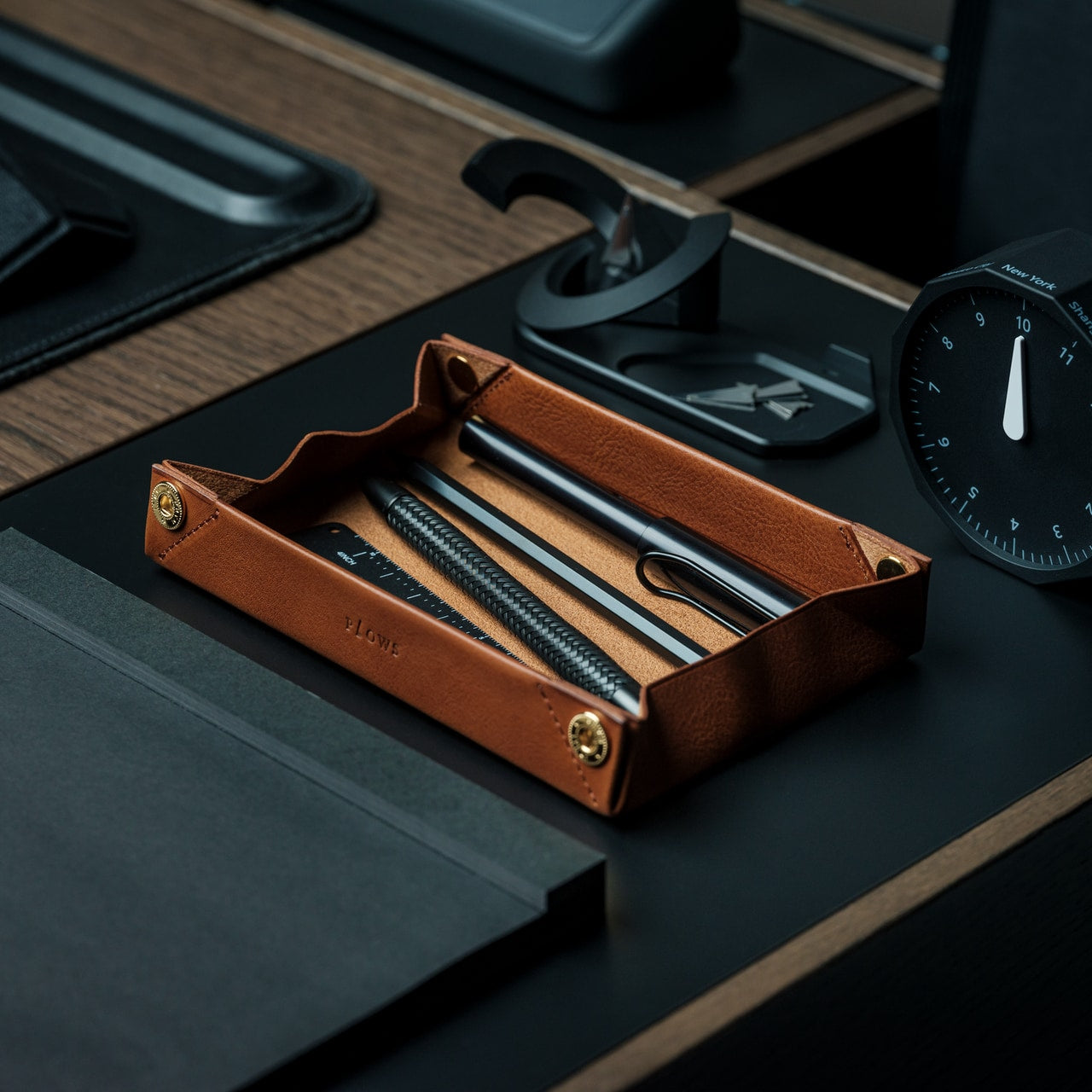
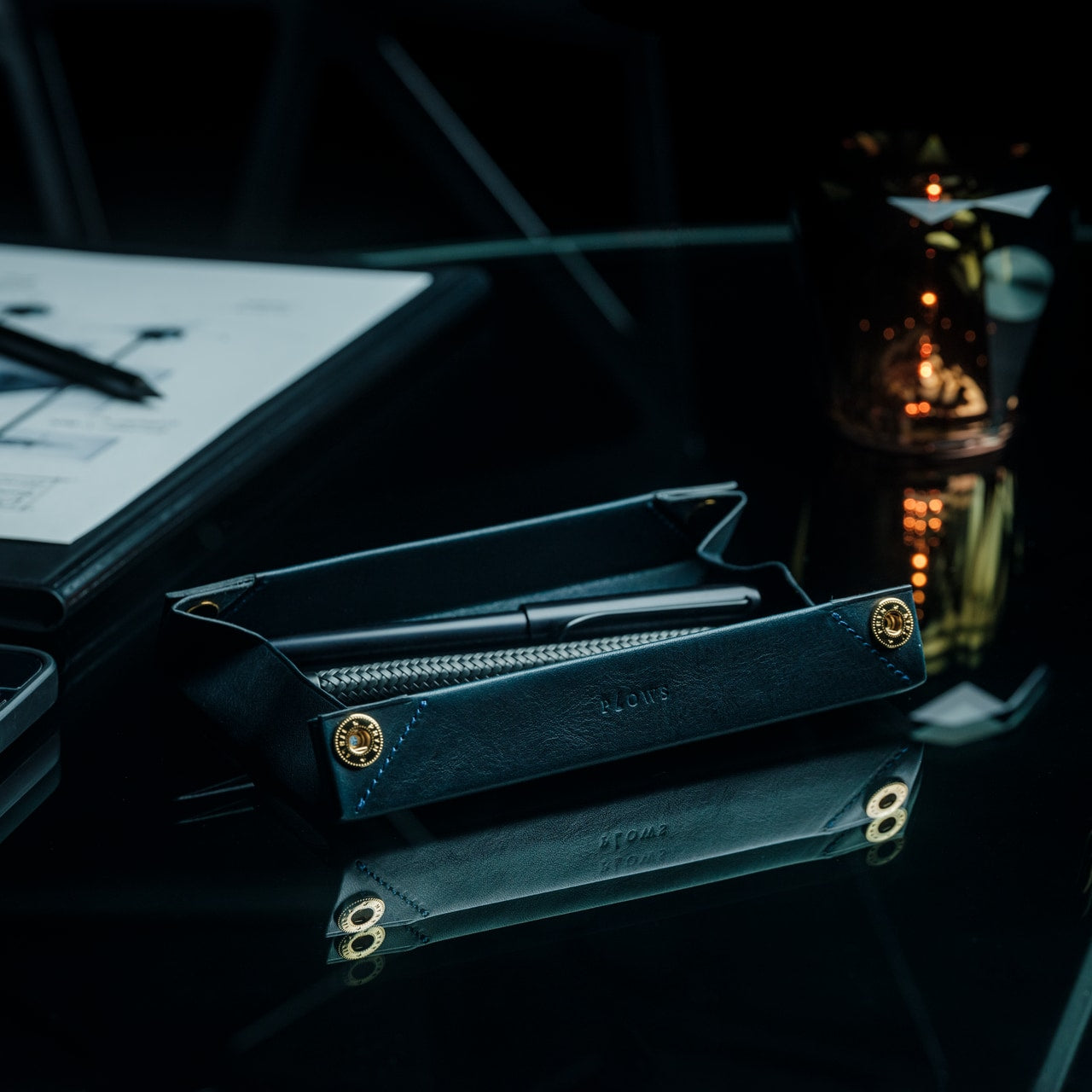
Cut from a single piece of Italian leather, the FoldLine Pen Roll converts from a carrying case to a functional desk tray in under two seconds using origami-inspired folding geometry: no stitched partitions, no zippers. The natural wrap of the fold separates and protects each pen, and metal-bodied instruments stay scratch-free without dedicated slots.

Unfolded, it creates a defined rectangular workspace on any surface: a cafe table, an airplane tray, a hotel desk. That containment matters. Scattered pens create micro-distractions, and a tray eliminates the chaos without occupying permanent desk space. The leather develops a patina over time, improving with age rather than deteriorating.

Click Here to Buy Now: $135.00

What we like

  • The two-step unfolding mechanism feels intuitive enough to be fast and intentional enough to feel like a ritual.
  • Single-piece leather construction means no stitching to fail and no partitions to limit capacity.

What we dislike

  • Without individual pen slots, instruments can shift during aggressive bag movement.
  • Italian leather at this quality carries a price premium well outside impulse-purchase territory.

4. Memento Business Card Log

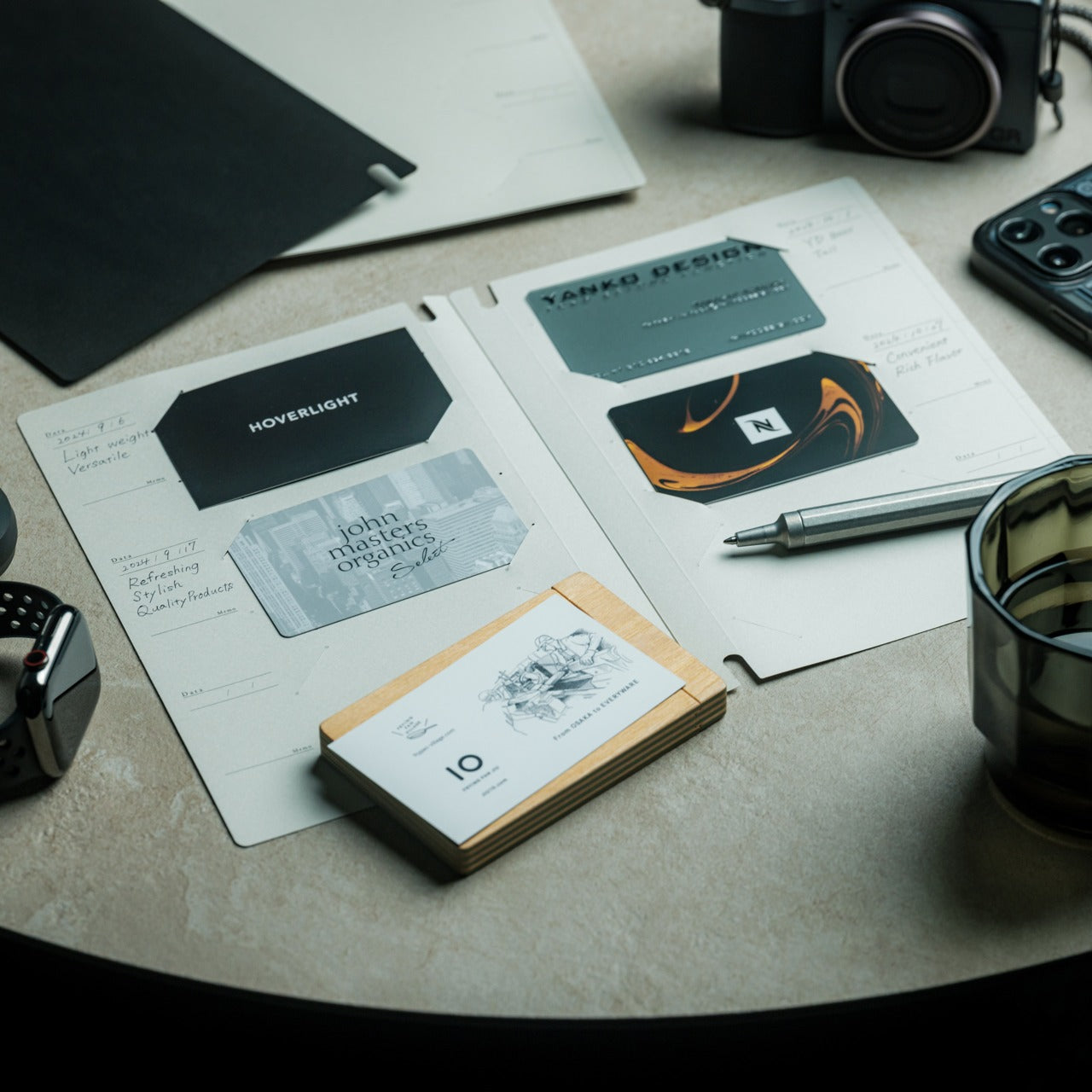
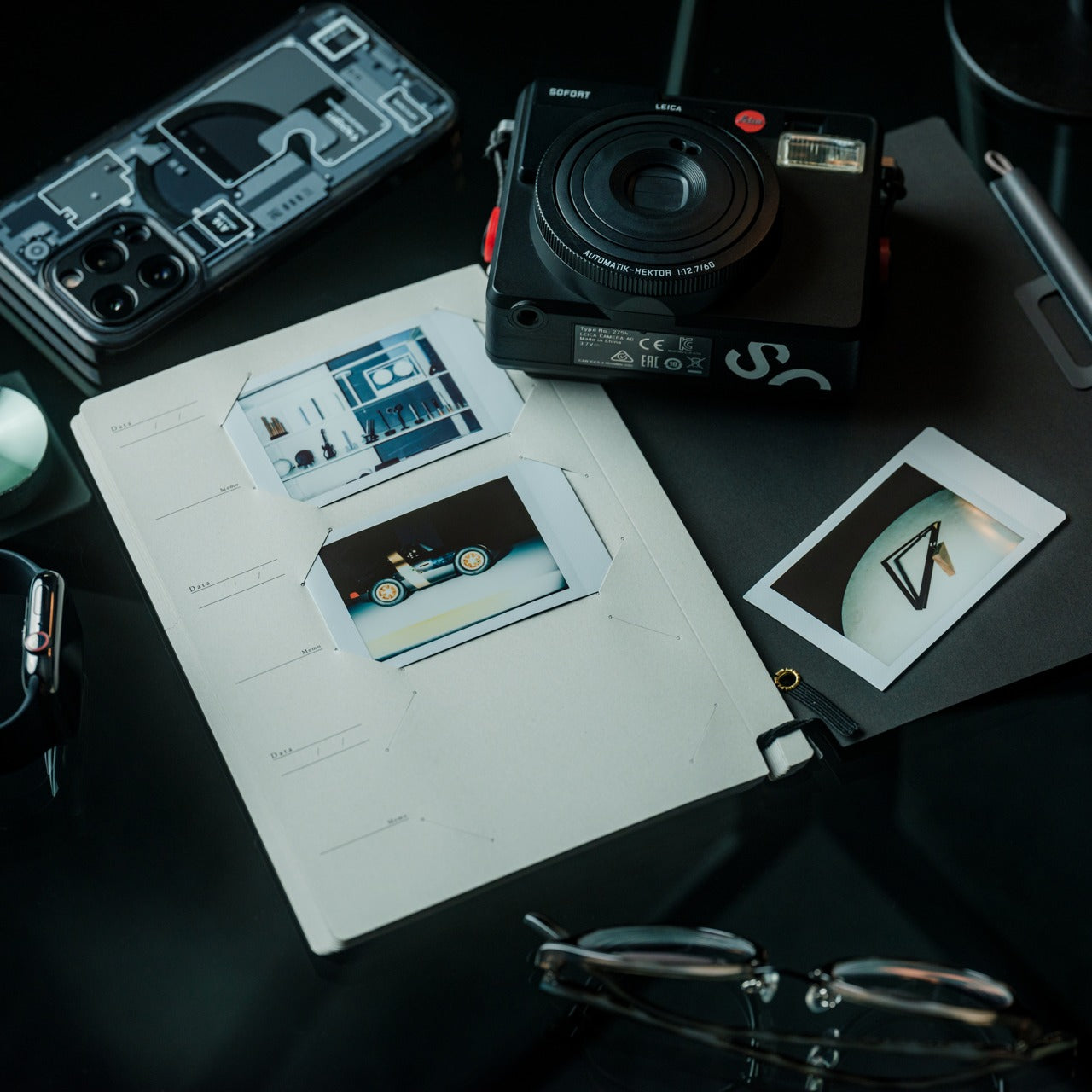
Business cards are collected, shoved into wallets, and forgotten. The Memento Business Card Log, designed by Japanese brand Re+g, rejects that cycle. It stores up to 120 cards using a two-point slit system that keeps each card secure, and the facing page offers dedicated space for handwritten notes about the person: a conversation detail, a follow-up date, a distinguishing trait.

Re+g’s proprietary binding allows pages to be reordered by category, importance, or any logic that makes sense. The paper stock has a warm, tactile quality. Writing a note by hand about someone forces a level of attention that tapping a phone screen cannot replicate. The log becomes a record not just of who was met, but of how those meetings felt.

Click Here to Buy Now: $35.00

What we like

  • The proprietary binding allows page reordering, so the system evolves with the user.
  • Dedicated note space alongside each card slot turns passive storage into active relationship memory.

What we dislike

  • At 120 cards, heavy networkers will fill the log fast, requiring a second volume.
  • The analog format means no search function, so finding a specific card requires manual browsing.

5. Classiky Chestnut Postcard Case

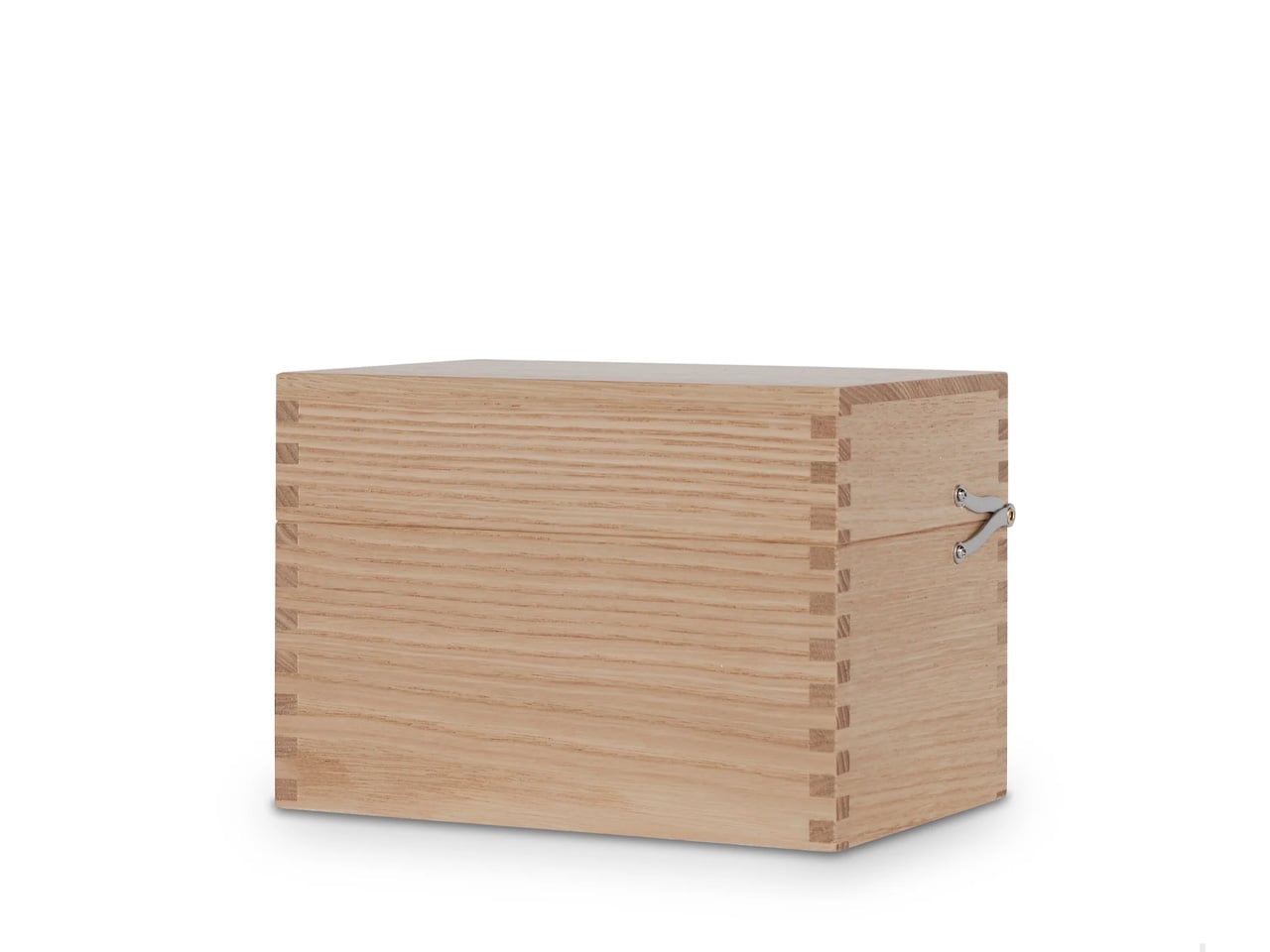
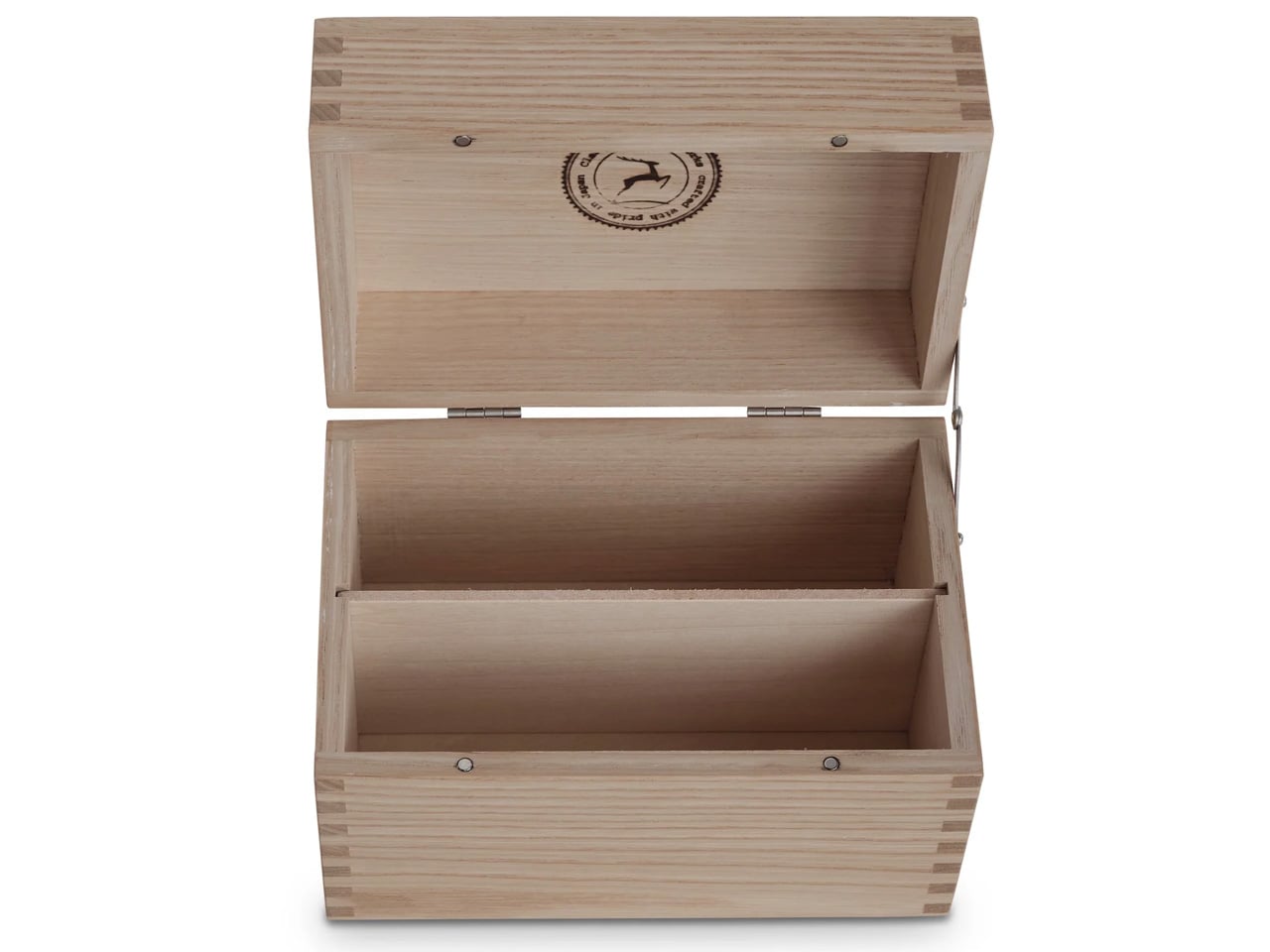
Classiky’s Chestnut Postcard Case borrows its design language from the wooden boxes used in Japan to store precious ceramics. Varnished Japanese chestnut wood gives it a warmth and grain that plastic or metal storage cannot approach. The proportions (17.6 x 11.6 x 12.4 cm) are calibrated for standard postcards, with two removable separators and a magnetic closure that shuts with clean, weighted precision.

This is a storage object built to outlast its contents. The chestnut deepens in color over years of handling rather than fading, and the removable separators allow flexible configuration depending on collection size. For collectors, letter writers, or anyone who values the physical artifact of a postcard, this case turns storage into curation.

What we like

  • Varnished Japanese chestnut ages beautifully, growing richer in tone over the years of handling.
  • Removable separators allow for a flexible internal configuration across different collection sizes.

What we dislike

  • Dimensions are postcard-specific, so the case cannot accommodate larger formats, such as A5 prints.
  • The craftsmanship and material quality place it at a premium that limits its appeal for casual purchases.

6. Sonic Kakusta

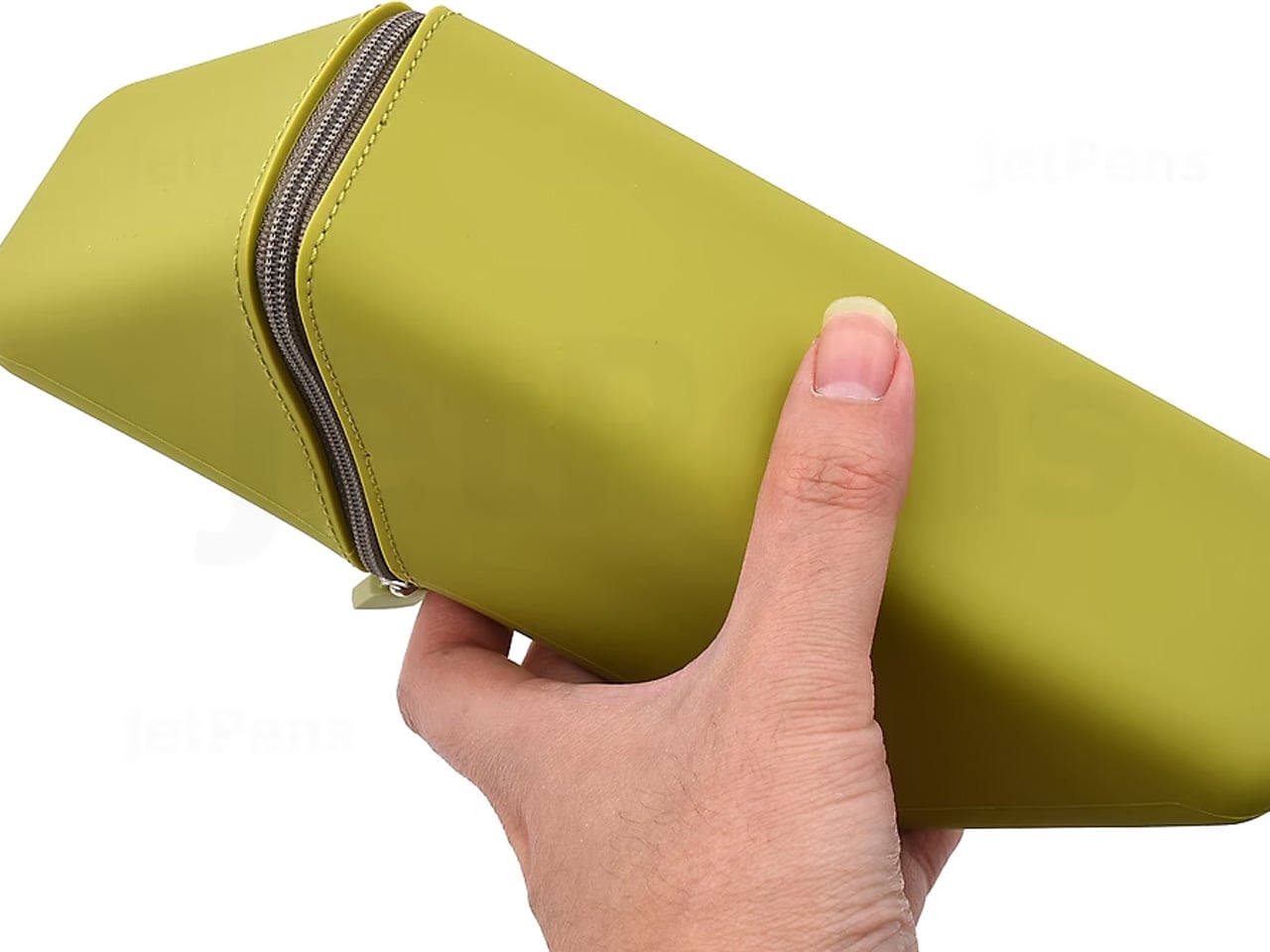
The Sonic Kakusta starts as a soft pen case and transforms into a triangular desk stand that props pens at a 60-degree angle for easy visibility and access. A built-in divider splits the interior into two sections, while a second divider in the lid creates a small shelf for erasers and sticky notes. Strong magnets hold the folded lid in place, preventing the stand from collapsing mid-use.

That 60-degree angle is the smartest detail. Steep enough to display pen tops for identification, shallow enough that pens slide in and out without tipping the case. For anyone working between home, office, and library, the Kakusta eliminates the need to carry both a case and a desk cup. One object handles both roles without appearing to be a compromise.

What we like

  • The magnetic lid holds the stand shape on uneven surfaces without collapsing.
  • The lid divider doubles as a shelf for small items, adding utility most pen cases ignore.

What we dislike

  • Soft material offers limited protection against crushing in an overpacked bag.
  • The triangular footprint is wider than a flat case, occupying more bag space than a traditional pouch.


7. Pocket Everlasting All-Metal Pencil

The Pocket Everlasting All-Metal Pencil uses a graphite and metal alloy tip that deposits marks through friction rather than material loss. The core does not shorten. The point does not dull. The manufacturer claims roughly 10 miles of writing, and the marks are erasable with a standard eraser. At 4.7 inches with a cap, it slips into a shirt pocket without protest.

Traditional pencils generate shavings, require sharpeners, and degrade in humid conditions. This pencil sidesteps all three. The all-metal body has a substantial heft without being heavy, and the graphite-alloy line plays well with watercolor and wet media because it does not bleed when painted over. For field note-takers who need a tool that never fails at the wrong moment, this is a quietly radical solution.

Click Here to Buy Now: $19.95

What we like

  • The graphite-alloy tip eliminates sharpening, shavings, and the risk of a dull point at the worst time.
  • Compatibility with watercolor and wet media makes it versatile for mixed-media sketching.

What we dislike

  • Line weight is fixed, so artists needing variable stroke thickness will find it limiting.
  • The metallic graphite tone differs subtly from traditional pencil graphite, which may bother purists.

8. Stellar Edge Scissors

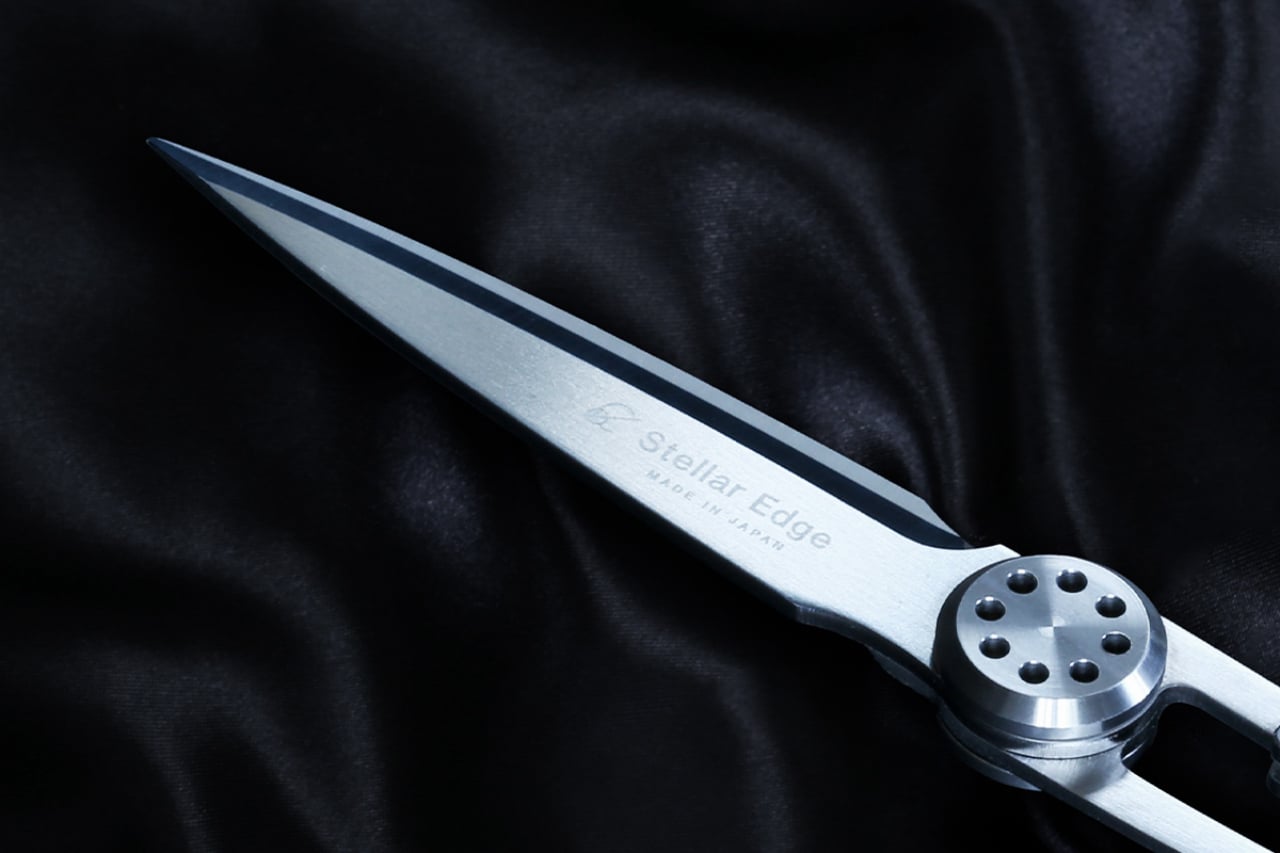
Scissors are the most overlooked object on a desk. The Stellar Edge Scissors argue that this neglect is a design failure. Crafted from Japanese stainless steel, the blades hold their edge far longer than standard office scissors, and the polished, seamless handles distribute weight so evenly that extended cutting sessions produce no hand fatigue. Every curve has been considered, from the finger loop radius to the pivot tension.

Each snip has a clean, controlled resistance that comes from precise blade geometry and tight manufacturing tolerances. The polished finish reduces friction against tape and adhesive paper, which tend to gum up matte or coated blades. The ergonomic shaping fits both left and right hands without the usual ambidextrous compromise. For anyone who uses scissors more than once a week, these make the ordinary feel considered.

What we like

  • Japanese stainless steel holds a sharp edge far longer than standard office scissor alloys.
  • Weight distribution across the handles eliminates fatigue during extended cutting sessions.

What we dislike

  • The premium material and finish come at a price point difficult to justify for occasional use.
  • The polished surface shows fingerprints easily, so it requires regular wiping to maintain a clean aesthetic.

Where this leaves us

Eight products, and the common thread is not aesthetics or branding. It is the refusal to accept that everyday tools should be disposable, forgettable, or merely functional. Japanese stationery design starts from the assumption that the interaction between a person and a tool is worth engineering down to the last magnetic click, the last gram of weight distribution, the last millimeter of paper thickness.

The rest of the world makes stationery. Japan makes instruments. The difference is not in the materials alone, though those matter. It is in the insistence that a pen’s relationship to a notebook, a scissors’ resistance against paper, or a wooden box’s aging behavior are all design problems that deserve solutions. These eight products are proof that once experienced, going back feels like a downgrade.

The post 8 Best Japanese Stationery Finds So Clever You’ll Question Why the Rest of the World Even Bothers first appeared on Yanko Design.

This $99 Water Jet Remotely Cleans Your Car’s Backup Camera Without You Leaving Your Seat

Reverse driving accounts for just 1% of all driving time, yet it’s responsible for roughly 25% of all accidents. A dirty backup camera in winter, mud season, or on dusty country roads is not a hypothetical inconvenience but a genuine safety liability, one that most drivers have resigned themselves to either living with or solving by stepping out of the car every time. Mike Klein, a Vermont-based tinkerer with a characteristically no-nonsense approach to annoying problems, got fed up enough to build a solution in his garage. What started as a Ziploc-bag-and-zip-tie prototype strapped to his license plate has turned into the Lens Lizard, a compact, self-contained, remote-controlled backup camera washer that just hit Kickstarter and has absolutely run away with its funding goal.

The concept is beautifully blunt. Lens Lizard mounts behind your license plate, sandwiched discreetly between the plate and the bumper using your car’s existing screw holes. No drilling, no wiring, no running tubing through door gaps or under trim panels. The whole install takes under five minutes with a standard screwdriver, and once it’s on, it’s invisible. The unit itself houses a fluid reservoir, a battery pack, and a high-pressure nozzle that you aim at your camera once during setup and then never have to touch again. When your backup camera gets caked in snow/ice or road salt on a grey January morning, or buried under a slush splatter from the truck overtaking you on a Vermont highway, you press a wireless remote button from inside the car and a jet of washer fluid blasts the lens clean. Sort of like a lizard or a chameleon striking its prey with a sharp, swift flick of its tongue. Except this time, it’s a concentrated jet of soapy water. Maybe a Pokémon reference would work better but I don’t want Nintendo’s lawyers sending me a cease and desist.

Designer: Mike Klein

Click Here to Buy Now: $99 $149.99 ($50.99 off) Hurry! Only 5 days left.

The engineering philosophy here is aggressively practical. Klein explicitly designed the Lens Lizard for Vermont winters, which means sub-zero temperatures, aggressive road salting, heavy snow, and the kind of freeze-thaw cycling that destroys lesser materials. The housing is sealed and built from automotive-grade materials, and the battery and fluid reservoir are sized to last four-plus months between refills and recharges, meaning you top everything up roughly once per season.

Maintenance is a non-event: open the latch, refill with washer fluid, charge via USB-C, close it back up. Klein’s origin story is worth noting too, because it gives the product a satisfying internal logic. He tried hydrophobic lens covers (they peeled), ceramic coatings (they did essentially nothing), and eventually decided to just build a scaled-down windshield washer system for his license plate. The first prototype was, by his own admission, ridiculous. But it worked, and that was enough to tell him the idea had legs.

Lens Lizard works with any vehicle where the backup camera sits above the license plate, which covers 99% of cars on the road, pickup trucks very much included. The product ships with assorted license plate screws to handle different fastener sizes, and the adjustable nozzle lets you dial in the spray angle for your specific camera position during initial setup. After that, the unit lives its entire life tucked behind the plate, completely out of sight. The wireless remote is puck-shaped and lives wherever you keep it in the cabin, a glove box, a cupholder, the center console.

The Lens Lizard starts at just $99 for the entire kit as an early bird discount off its $149 price tag. A dual bundle costs $189 if you’ve got two cars, and all bundles include the Lens Lizard unit, a wireless remote, a battery pack, and an assortment of screws to help you install the gizmo on your car. Given its specific design (and that every nation has a different license plate), the Lens Lizard only ships to the US and Canada for now, although I’m sure a more universal version is in the works. Production is slated to begin in April 2026, with shipping to backers planned for May. For drivers in cold-weather states, high-dust regions, or anywhere that sees serious road grime, it’s a hard value proposition to argue with. Certain premium vehicles have had integrated camera washers for years, quietly tucked into the bumper plumbing. Klein has simply figured out how to give everyone else the same result for under a hundred bucks, no dealer visit required.

Click Here to Buy Now: $99 $149.99 ($50.99 off) Hurry! Only 5 days left.

The post This $99 Water Jet Remotely Cleans Your Car’s Backup Camera Without You Leaving Your Seat first appeared on Yanko Design.

GameMT EX8 debuts as a budget Android handheld tailored for retro gaming

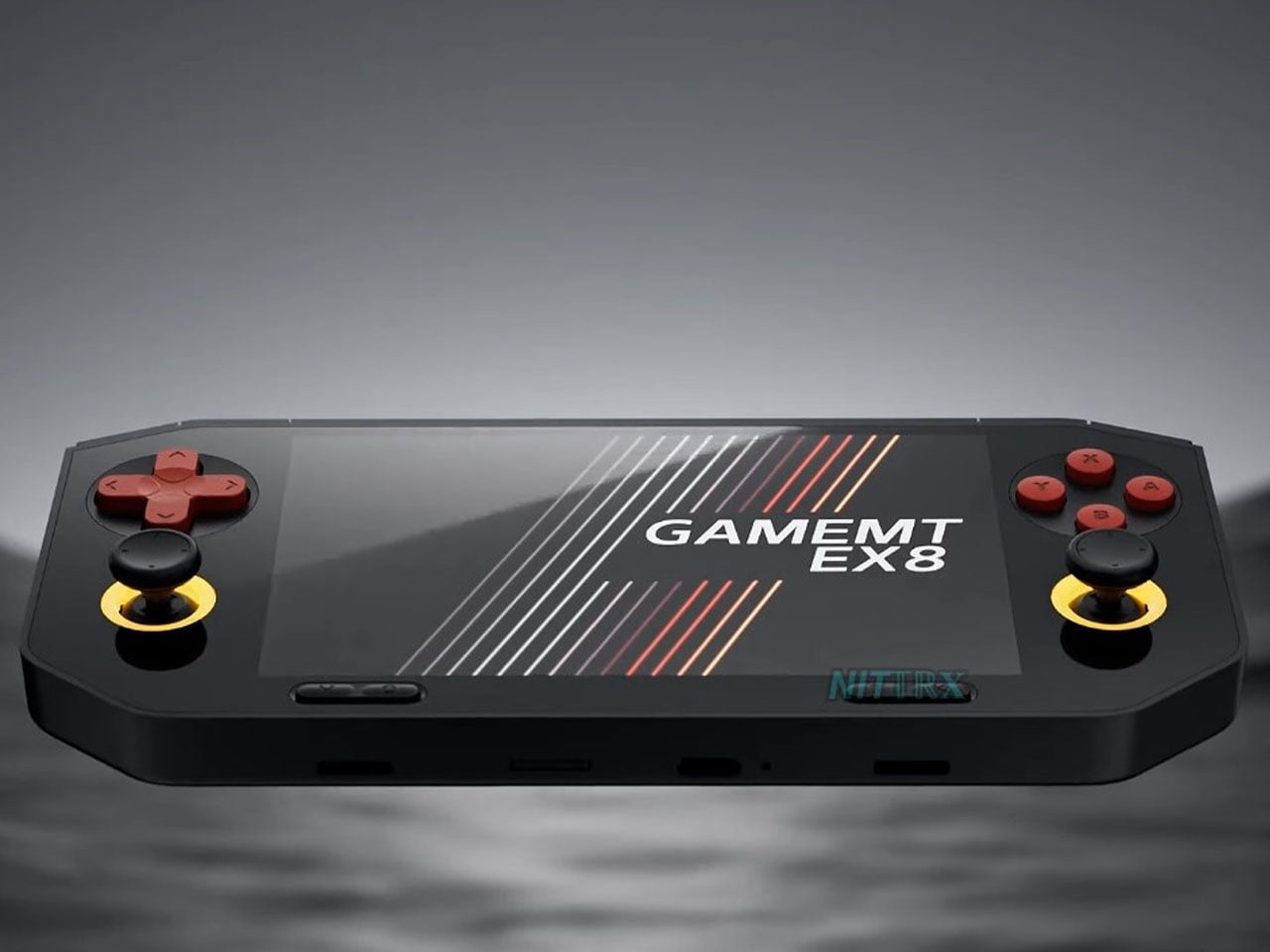
The gaming handheld continues to expand with new devices aimed at retro enthusiasts and mobile gamers. One of the latest additions is the GameMT EX8, a portable gaming console designed to deliver a capable Android-based gaming experience while maintaining a relatively affordable price point. With a high-resolution display, a familiar handheld layout, and hardware suited for emulation and mobile gaming, the EX8 represents GameMT’s attempt to compete with other budget-friendly handhelds in the growing retro gaming segment.

The handheld features a 4.88-inch display with a resolution of 1080 × 1620 pixels and a 3:2 aspect ratio. This format is particularly appealing for retro gaming because it better accommodates older console titles that do not match modern widescreen displays. The panel is also noticeably sharper than the screen used in some competing handhelds, such as the Ayaneo Pocket Micro, which uses a smaller 3.5-inch display with a lower resolution. The larger and sharper screen is expected to improve the visual experience when playing classic games from platforms like the PlayStation and PSP. With its combination of a high-resolution 3:2 display, capable mobile processor, and expandable storage, the GameMT EX8 aims to deliver a balanced handheld gaming experience.

Designer: GameMT

Powering the device is MediaTek’s Helio G99 processor, a chipset commonly found in mid-range smartphones. The chip is paired with 6GB of RAM and 128GB of internal storage, providing enough performance for Android gaming and a wide range of emulated titles. The Helio G99 has already proven capable of handling many retro systems and even some more demanding platforms through emulation, making it a practical choice for a handheld of this category. For users with larger game libraries, the EX8 also includes a microSD card slot that allows the storage to be expanded beyond the built-in capacity.

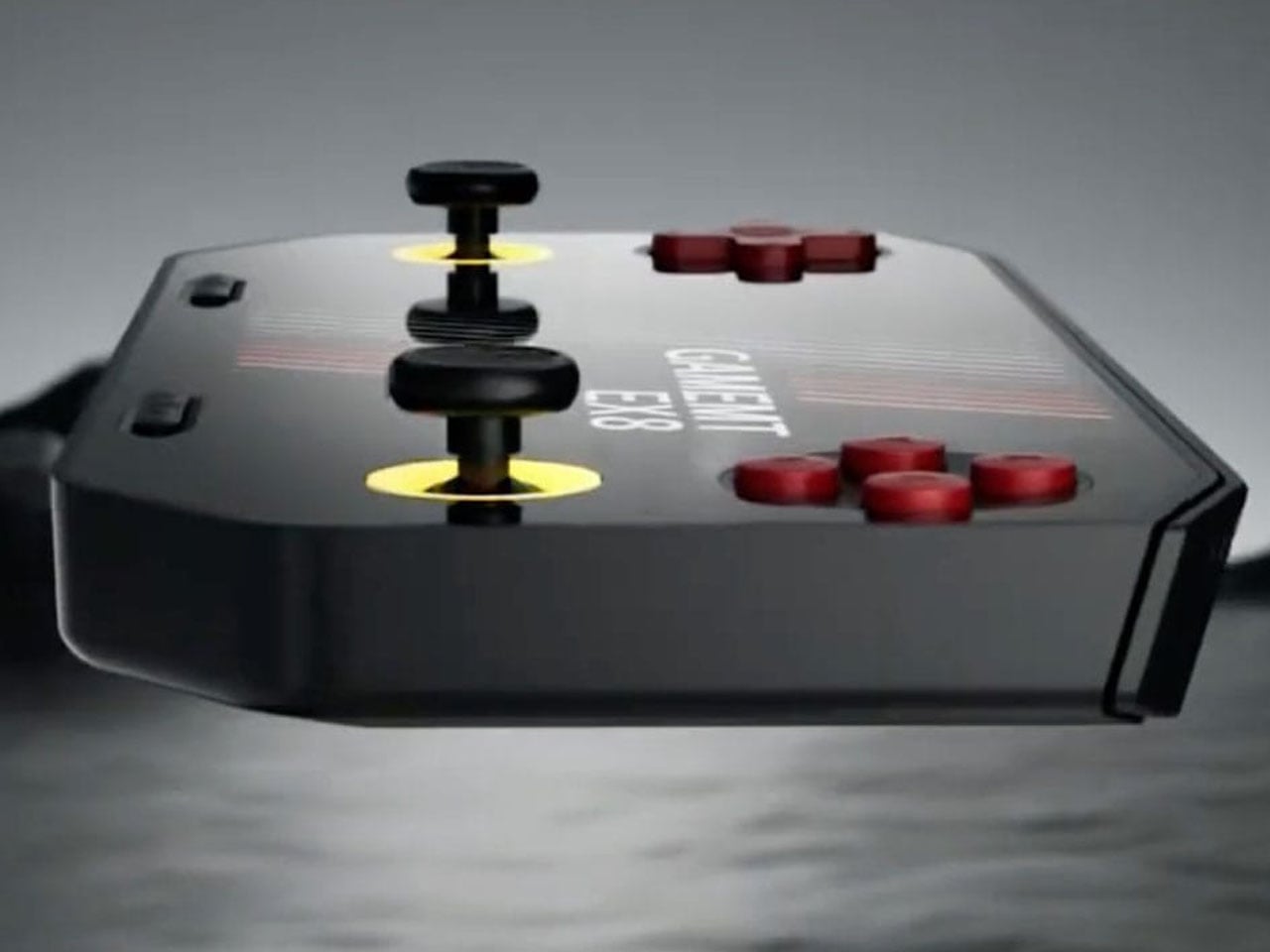
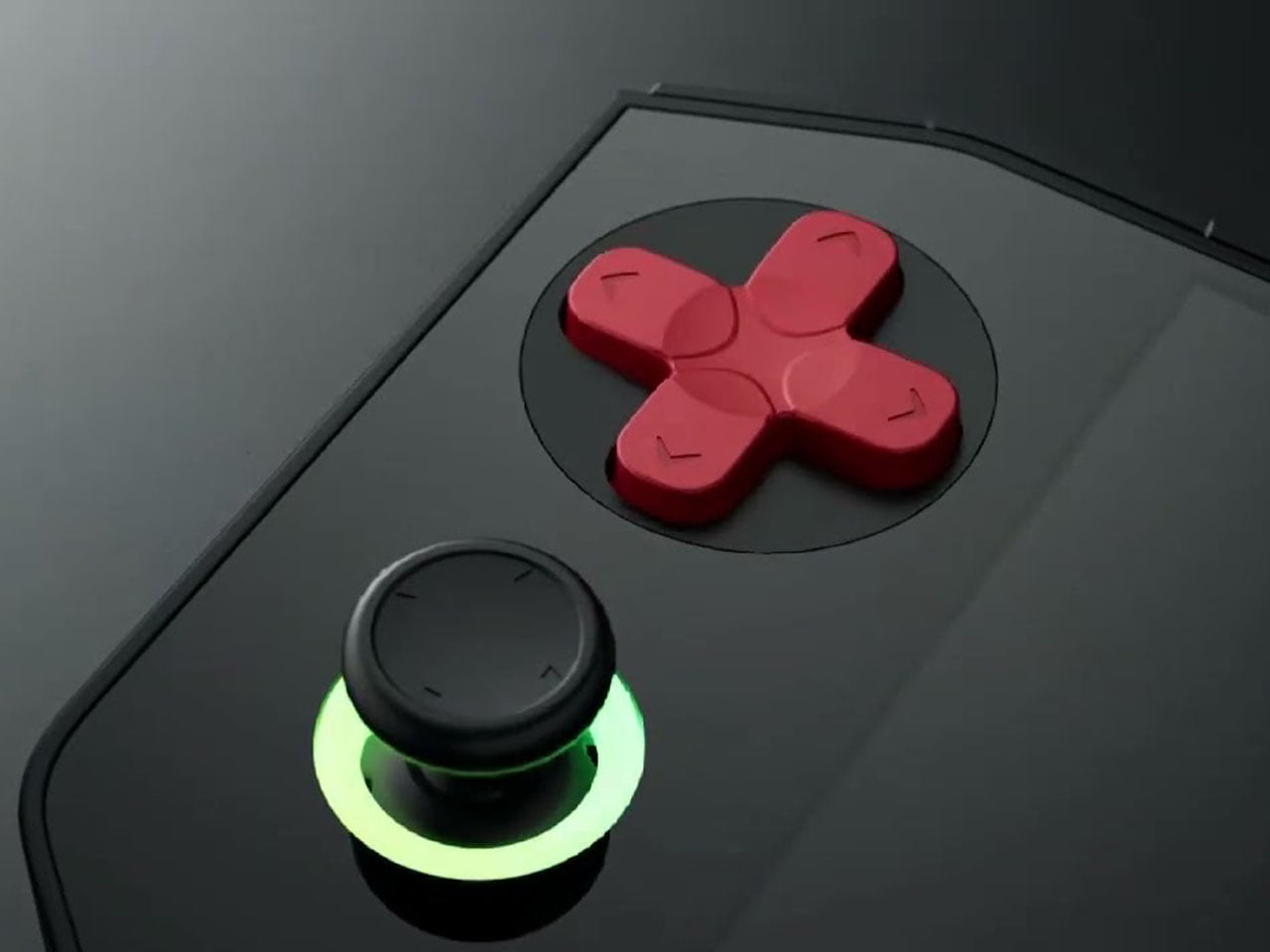
In terms of design, the EX8 adopts a horizontal handheld layout with symmetrical analog sticks positioned on both sides of the display. Each thumbstick is surrounded by an RGB ring light, giving the device a more modern aesthetic. A traditional D-pad and ABXY button arrangement sits alongside the sticks, while shoulder buttons are integrated along the top edge. The device also appears relatively thick compared to some competitors, likely to accommodate its internal hardware and cooling system. Thermal management is supported by an internal cooling fan, which helps maintain stable performance during extended gaming sessions. Audio is delivered through bottom-firing speakers, and the handheld is powered by a 5,000 mAh battery that charges through a USB-C port. These features are designed to ensure the device can sustain longer play sessions without overheating or running out of power too quickly.

The GameMT EX8 will be available in two color options. A black version pairs dark hardware with red D-pad and face buttons, while a white variant features purple buttons and matching accents. This contrast gives the handheld a distinctive visual identity within the crowded retro gaming market.


The post GameMT EX8 debuts as a budget Android handheld tailored for retro gaming first appeared on Yanko Design.

Apple Finally Rounded the MacBook’s Corners After 18 Years

For about 18 years, every aluminum MacBook has looked more or less the same. Silver. Angular. Quietly serious. There’s nothing wrong with that. Apple’s unibody aluminum design, introduced in October 2008 and carved from a single block of metal, was genuinely elegant and set the template for an entire industry. But it also retired something along the way: the idea that a Mac laptop could feel chosen rather than just defaulted to.

The MacBook Neo, announced March 4 and starting at just $599, is the first real crack in that template. It comes in four colors (blush, indigo, silver, and a yellow-green called citrus) with enclosure corners that are noticeably softer than any aluminum Mac in recent memory. Whether that adds up to a proper design statement or just smart positioning is worth thinking through.

Designer: Apple

What happened to Apple’s color confidence

iBook G3 Clamshell (courtesy of Wikipedia)

Apple’s fondness for color didn’t always live inside an iPhone. The iBook G3, launched in 1999, came in tangerine and blueberry, and later in indigo and key lime. It was rounded, slightly toy-like, and completely unapologetic about being a consumer product. When the aluminum unibody arrived in 2008, Apple traded that warmth for precision machining and sharp rectilinear edges. Right call for the MacBook Pro. Default for everything else, apparently, for nearly two decades.

The result was a color drought in aluminum Mac laptops that has lasted until now. Silver, space gray, midnight, starlight: all variations on the same mood of professional restraint. The Neo’s citrus and blush aren’t just options on a spec page. They’re a quiet admission that not every laptop buyer wants a device that looks like it belongs in a boardroom. For Apple, that’s actually not a small thing to say at the product level.

Two different stories about corners

M1 MacBook Pro (2021)

There’s a distinction worth making here, because “rounded corners” gets used loosely when describing the Neo. MacBook displays have had rounded screen corners since 2021, which is a display-level detail and nothing new. What’s different on the Neo is the chassis itself. The physical aluminum enclosure is softer at the edges and corners than any aluminum Mac before it, and Apple’s own press materials describe “soft, rounded corners” specifically in terms of how the device feels to hold and carry.

That’s a real shift in the design language. The 2008 unibody was celebrated for machined sharpness, corners you could feel were engineered. The Neo softens that deliberately. It’s not a revival of the iBook, and it’s not trying to be, but the instinct is similar: a consumer Mac that feels a little more like it belongs to you. The notch is also gone, making this the first notchless MacBook since 2020, which quietly tidies up the one thing that made recent Airs feel slightly unfinished.

The repairability angle is actually a design story too

One thing that got a little buried under the color conversation: the Neo is the most repairable Mac laptop in years, and that’s partly a design decision worth noting. Teardowns showed how the whole machine was disassembled in just a few minutes using standard Torx screws throughout. No tape, no adhesive, anywhere inside. That’s a first for a modern Mac. The USB-C ports, speakers, and headphone jack are all modular. The keyboard can be replaced on its own, without swapping the entire top case, which on the MacBook Air currently costs over $370 in parts.

The internal simplicity isn’t accidental. The A18 Pro chip runs so efficiently that the Neo needs no fan at all, which removes a whole layer of thermal engineering that usually clutters a laptop’s interior. The result is a cleaner, more logical internal layout. Whether Apple arrived here from genuine design philosophy or from regulatory pressure (the EU’s right-to-repair push has been building for years) is an open question, but the outcome is real either way.

What it doesn’t fix, and what might come next

It’s not all sunshine and rainbows, of course. The base model has 8GB of non-upgradable RAM, one USB-C port runs at USB 2.0 speeds, and there’s no backlit keyboard. These are calculated trade-offs for the price point, not mistakes, but they matter depending on what you actually need the machine for. And repairability, for all the justified enthusiasm, is still partial: the RAM and storage are fixed at purchase, just like every other current Mac.

Still, the Neo feels like Apple designing for a specific person it had previously ignored: someone who was never going to spend $1,000 on a MacBook Air and wasn’t particularly well served by anything else Apple made. The color, the softer form, the price, the clean internals, all of it points at the same person. What’s genuinely interesting is whether any of this travels upmarket. If a future MacBook Air gets a color story this confident, the Neo might end up looking less like an entry-level product and more like Apple quietly figuring out what comes next.

The post Apple Finally Rounded the MacBook’s Corners After 18 Years first appeared on Yanko Design.

This Brutalist Lounge Chair Is 3D-Printed From Recycled Water Bottles

Most furniture sits in a room without saying much. It fills a corner, does its job, and disappears into the background. Nako Baev’s THE OBJECT 01 is not that kind of furniture. The Amsterdam-based designer set out to build a chair that carries the weight of a spatial statement, something that holds its ground without decoration or apology, and in that specific ambition, the object largely delivers.

THE OBJECT 01 is a 3D-printed lounge chair built from recycled PETG, a plastic more commonly found in water bottles than in furniture workshops. At 20kg, it is lighter than its blocky, slab-heavy proportions suggest, though not exactly something you would reposition on a whim. Its dimensions push it closer in scale to a small architectural fragment than to a typical chair, which is likely the whole point.

Designer: Nako Baev

The construction follows a modular panel system, where each 3D-printed block fits into a sequence designed to cut material waste and keep the overall mass structurally lean. Finished in a cold grey Baev calls “Kyoto Fog,” the chair reads somewhere between concrete and matte stone. In a sparse studio or raw loft, it anchors the space with quiet authority. In a more conventional living room, it would likely dominate in ways not every household would welcome.

What makes THE OBJECT 01 genuinely worth attention is how honestly it exposes its own making. The layer-by-layer texture from the printing process is not hidden or smoothed away; it stays visible across the surface, turning the manufacturing method into part of the visual language. That kind of material honesty is far more common in ceramics or cast concrete than in plastic furniture, and it gives the piece a tactile quality that polished renders simply do not convey.

Baev describes the design as sitting between furniture and sculpture, drawing on minimalist brutalism and a quieter Japanese restraint in equal measure. The emotional reference points are more unusual: the designer cites the atmosphere of Silent Hill and Half-Life, those game environments built from silence and abandoned space, as part of what shaped the object’s mood.

The workflow involved AI assistance across early form studies, structural testing, and design refinement, reducing development time considerably. That footnote is becoming standard across the industry, and it doesn’t add or subtract much here. This process might even become the key to sustainable furniture design, as it can help optimize 3D printing, increase efficiency, and reduce waste in the long run.

The post This Brutalist Lounge Chair Is 3D-Printed From Recycled Water Bottles first appeared on Yanko Design.

Airstream Atlas 25RT redefines the classic two-person motorhome

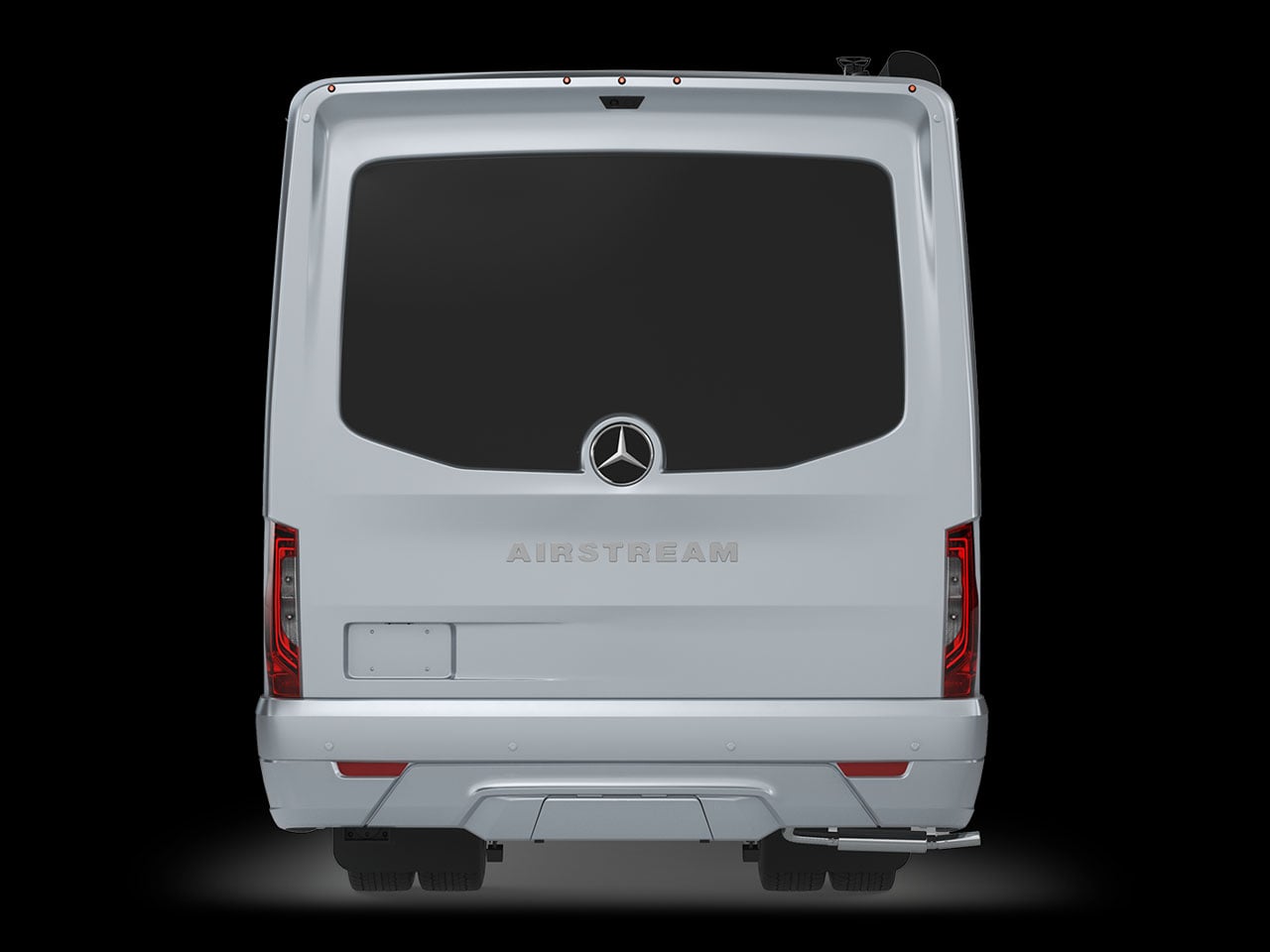
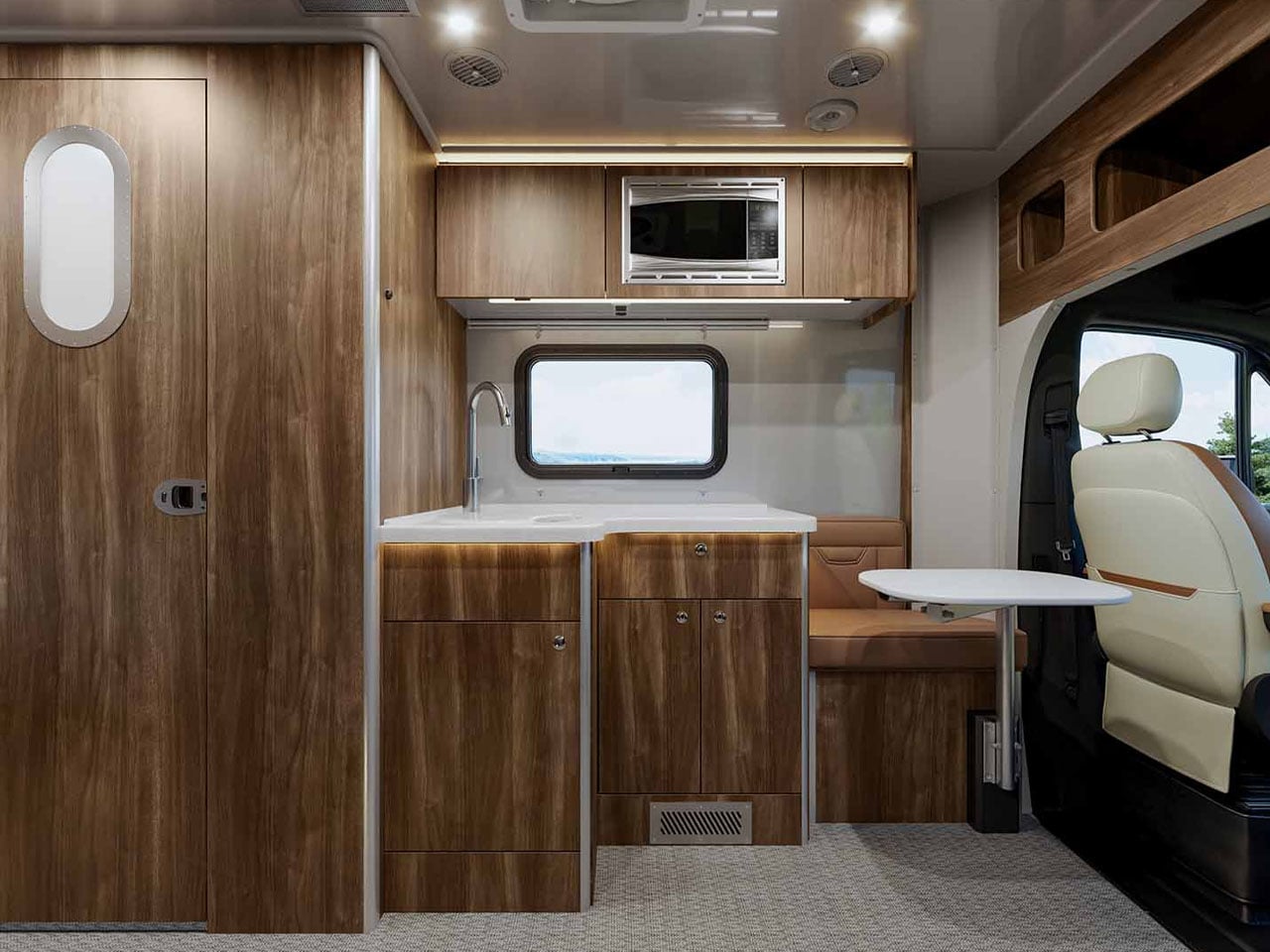
Airstream is synonymous with quality. And when that quality meets Mercedes-Benz performance and substance, you get an interesting, adventure-ready motorhome called the Atlas 25RT. From how Airstream puts it – and the photos suggest – this is a luxury-packed touring coach with sophisticated interiors that you would want for a comfortable adventure, whether it’s for a night out or an extended weekend under the stars.

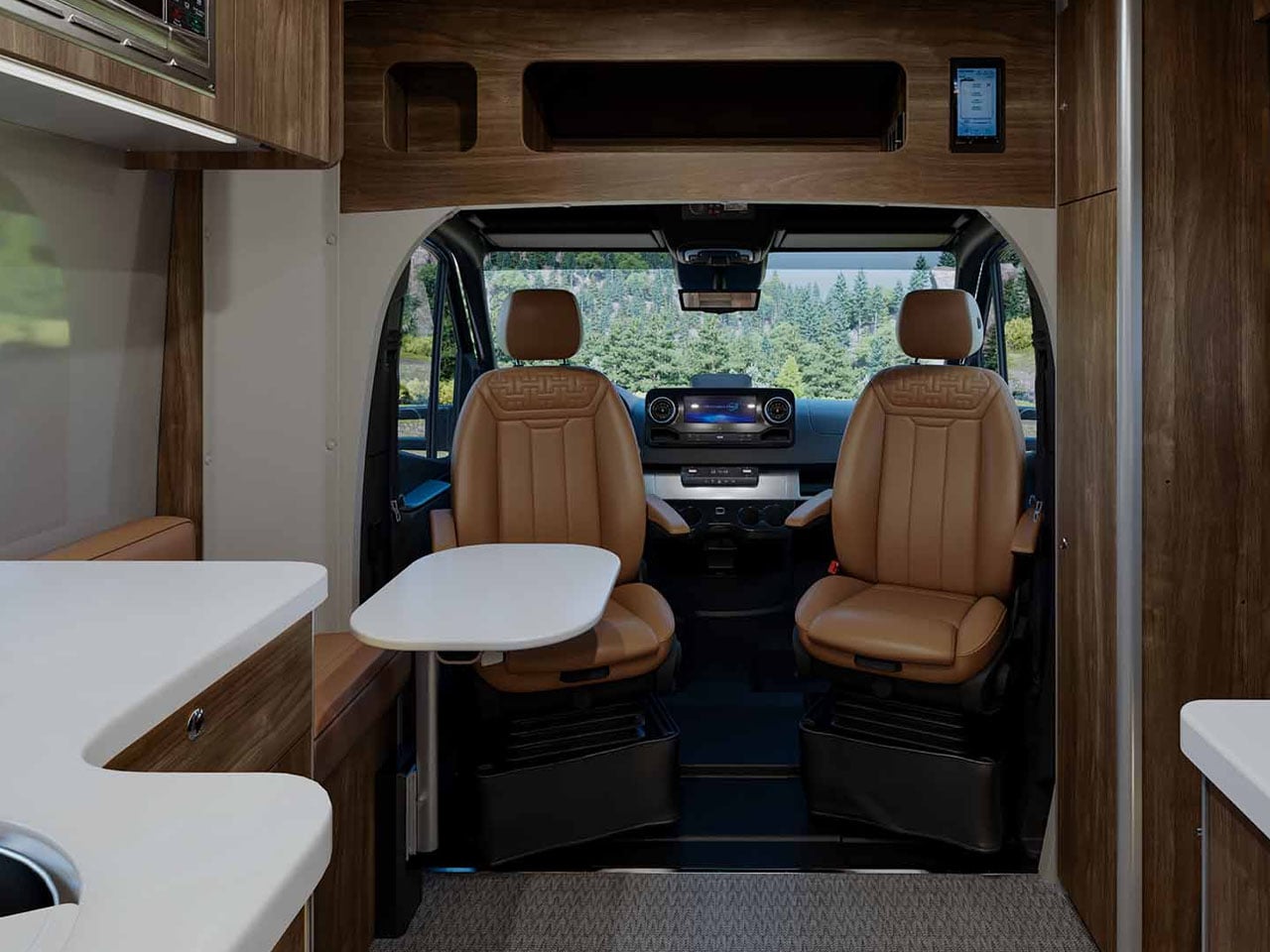
Within the spacious confines of the Airstream Atlas 25RT, you have a convenient layout that supports living, cooking, cleaning, and resting with equal ease. While the space outside, whether under the awning (add-on) or the cavity in the body comprising a pass-through garage, you have ample opportunity to carry gear and live a life outside of the coach.

Designer: Airstream

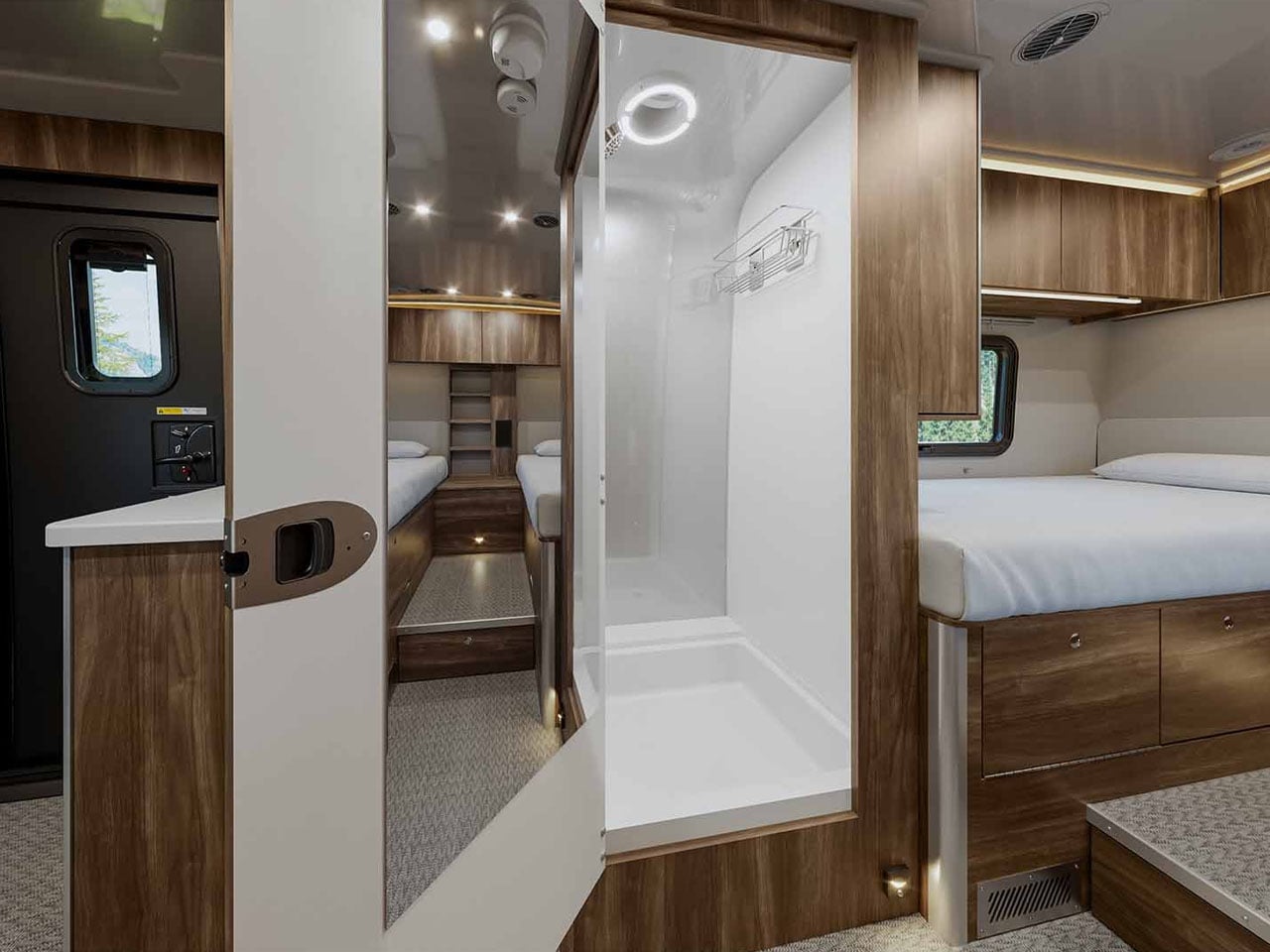
Atlas 25RT has a sleek, not the most symbolic of an Airstream, but pretty refined in Merc style, while the interior is refined and configured with “best in-class craftsmanship,” the company’s website notes. The interior is nicely configured with a functional living space, a spacious sleeping area furnished with a twin bed, and a separate toilet and wet bath, all designed to elevate living within the Class B+ motorhome.

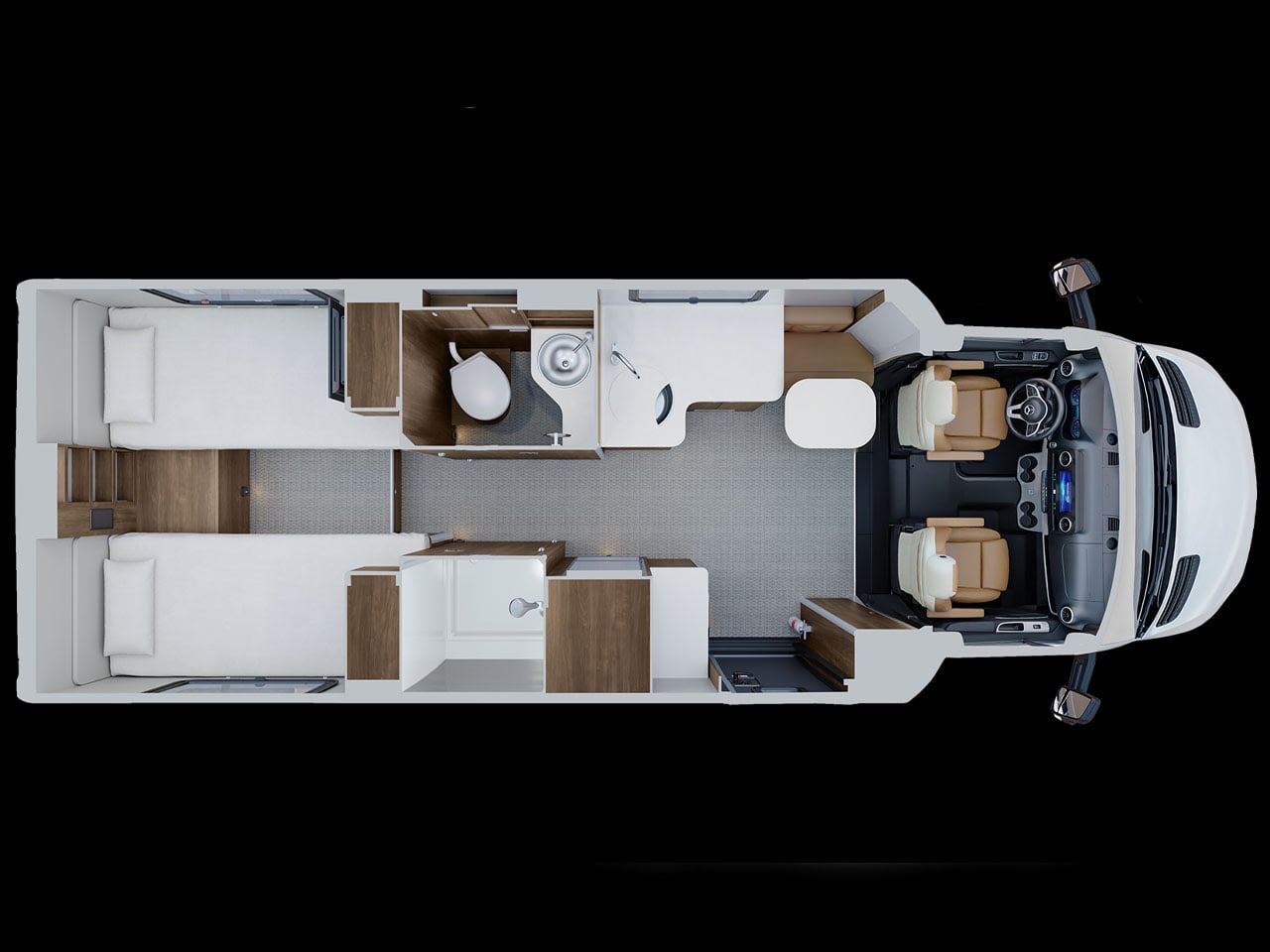
The Atlas 25RT measures 25 feet in length and has two driver and passenger seats. The facility is designed to sleep two people only and Airstream has chosen to provide the motorhome in a solitary floor plan only. And this is a straightforward but efficient floor plan. You enter first into the galley that is provided with storage cabinetry and upscale to modern luxury requirements. Amber Ridge Décor adds warmth, and the use of palette and premium materials elevates the interior.

The craftsmanship here is notable, especially the way the seating and kitchen spaces are designed. For instance, the induction cooktop can be stored in a drawer when not in use to clear up the surface for maybe working or chit-chatting with a partner over a glass of wine. Interesting sight here is a Garmin multiplex system, which is a central system to control lighting, climate, and other functions of the travel coach. For the audiophiles, Airstream is providing a JBL stereo combined with four speakers and a subwoofer onboard.

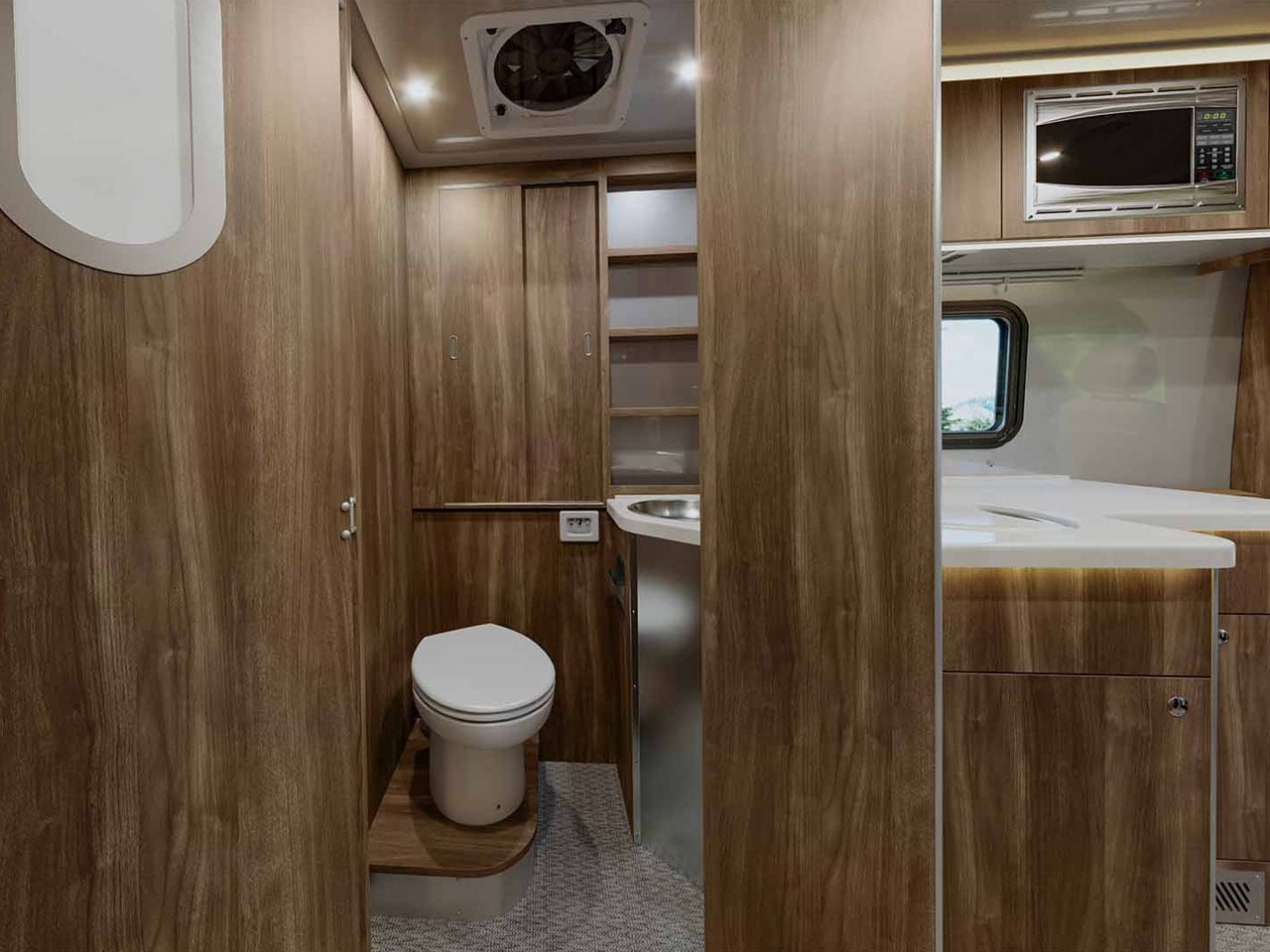
Another interesting part of the Atlas 25RT is the split dry bath. Located between the galley and the bedroom is the space divided into two sections, comprising a shower space and a separate toilet and sink. A standing refrigerator resides next to the shower room. At the rear end of the coach is the twin bed layout with thoughtful storage planned in between the beds and beneath them.

If you want to spend a few days in the wilderness with the Airstream Atlas 25RT, you can beef it up with optional 400W rooftop solar panels. The motorhome is pre-wired to take it from there. For the more outdoorsy, Airstream provides a pass-through garage that can be handy for stowing your adventure gear or sporting equipment without much hassle. Atlas 25RT is available at a starting price of $290,000.

The post Airstream Atlas 25RT redefines the classic two-person motorhome first appeared on Yanko Design.

This Foldable DIY Cyberdeck Has Breadboards Built In and Runs Doom

Most portable computers are sealed boxes, which is exactly what makes them frustrating for anyone who wants to experiment with electronics. You can run code on a laptop, but try wiring a temperature sensor or an infrared transmitter directly to it, and you’ll realize that consumer hardware was never designed for that kind of access. A maker who goes by PickentCode got tired of that gap and built something to close it.

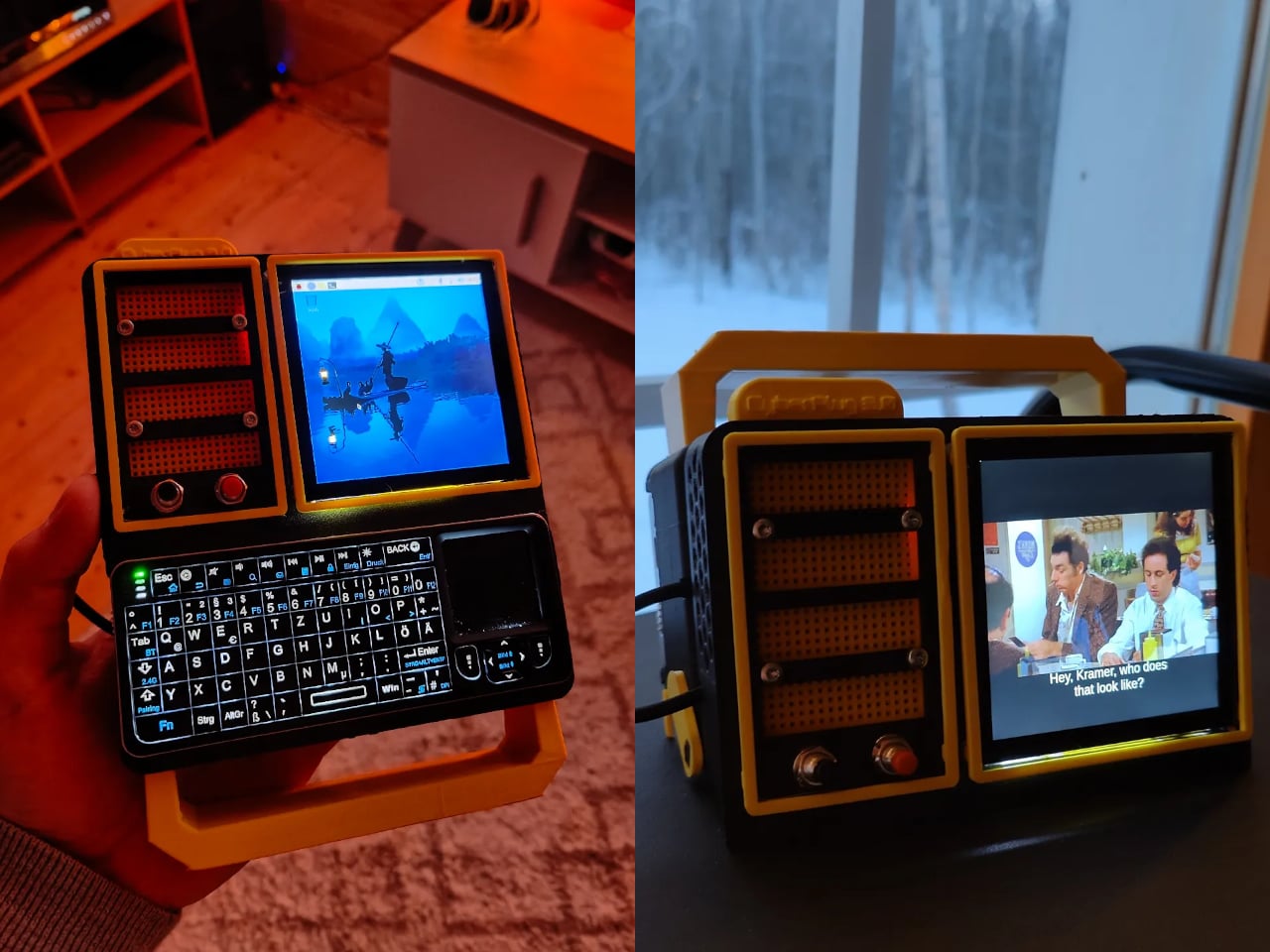
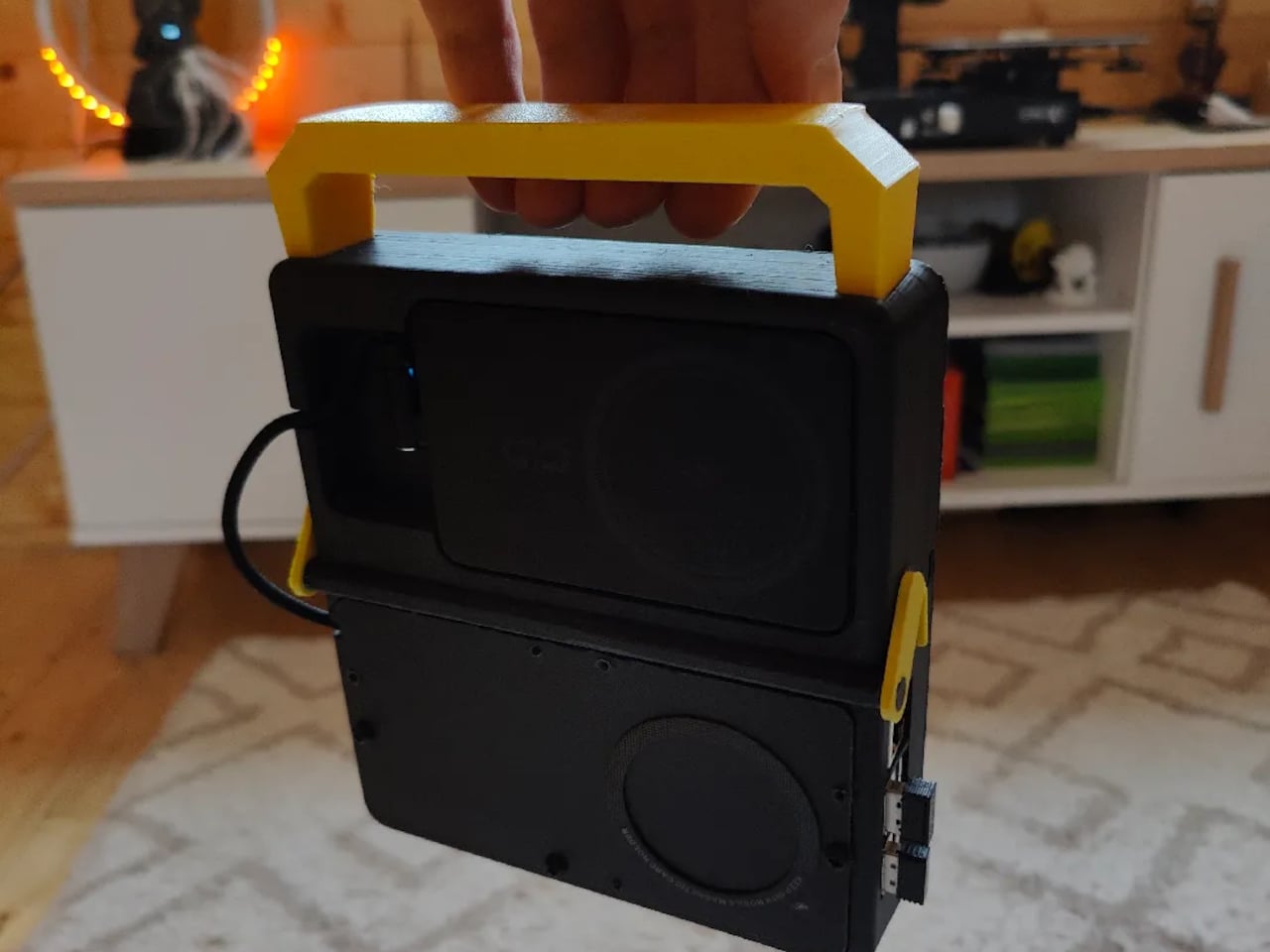
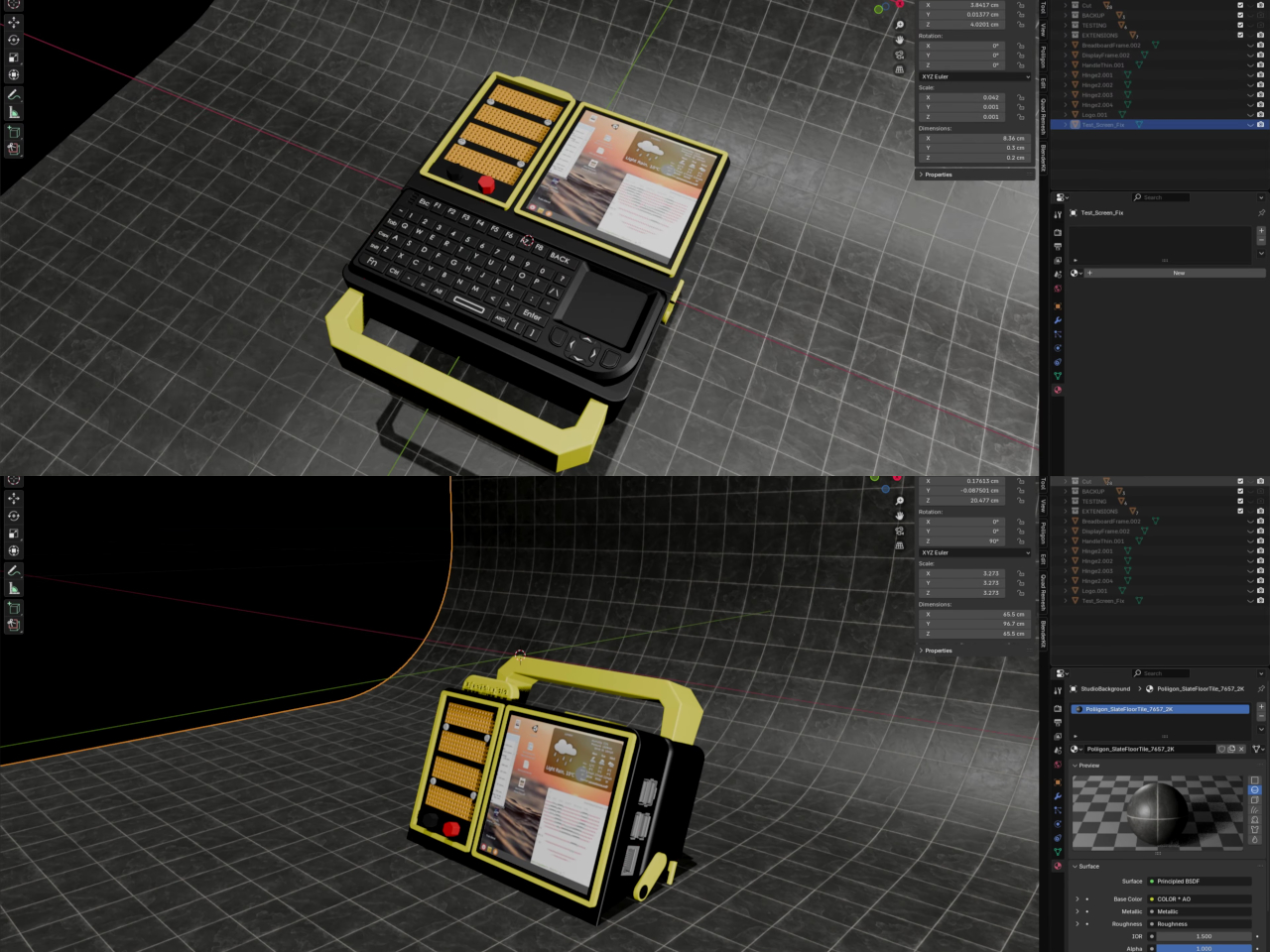
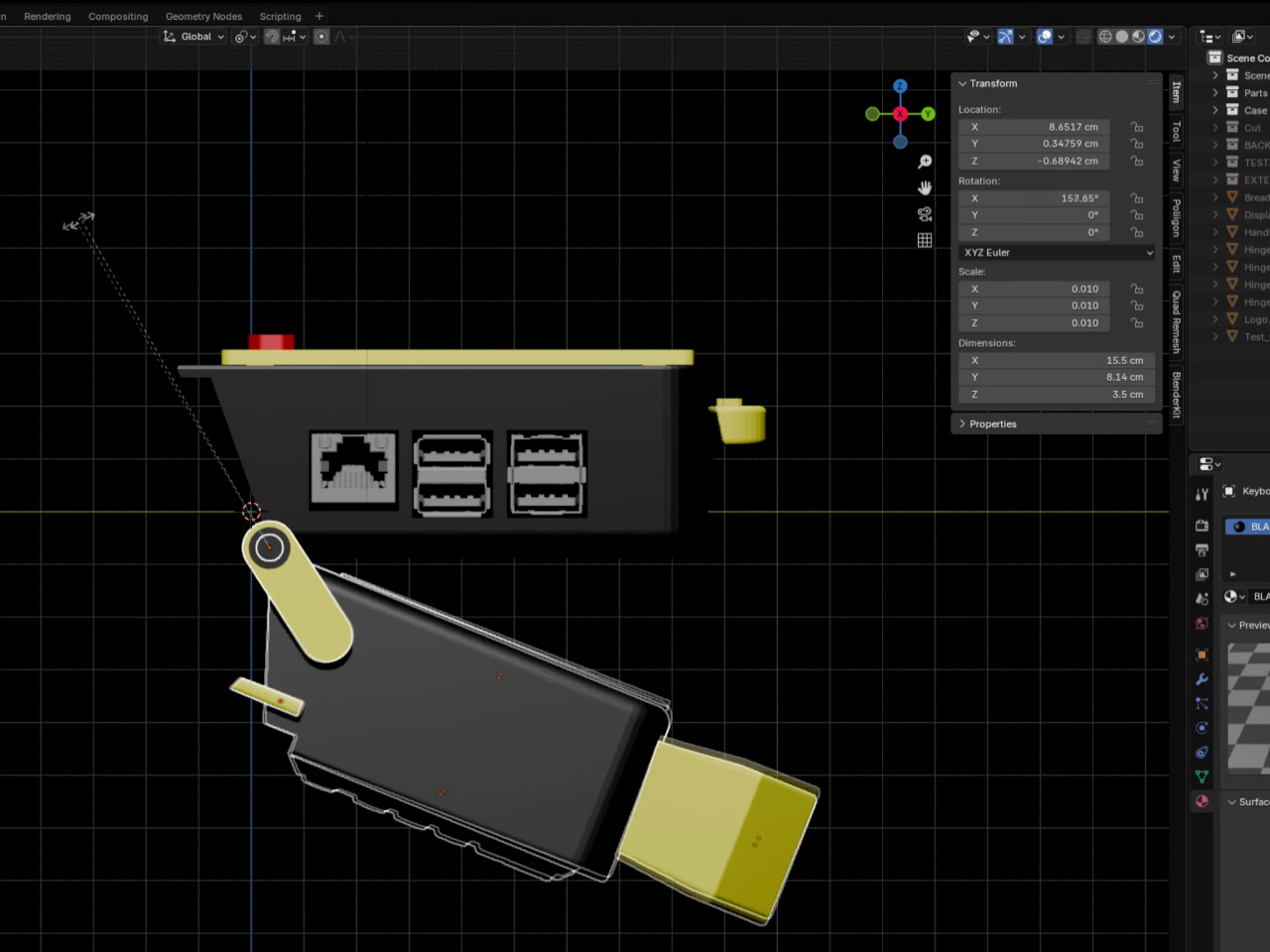
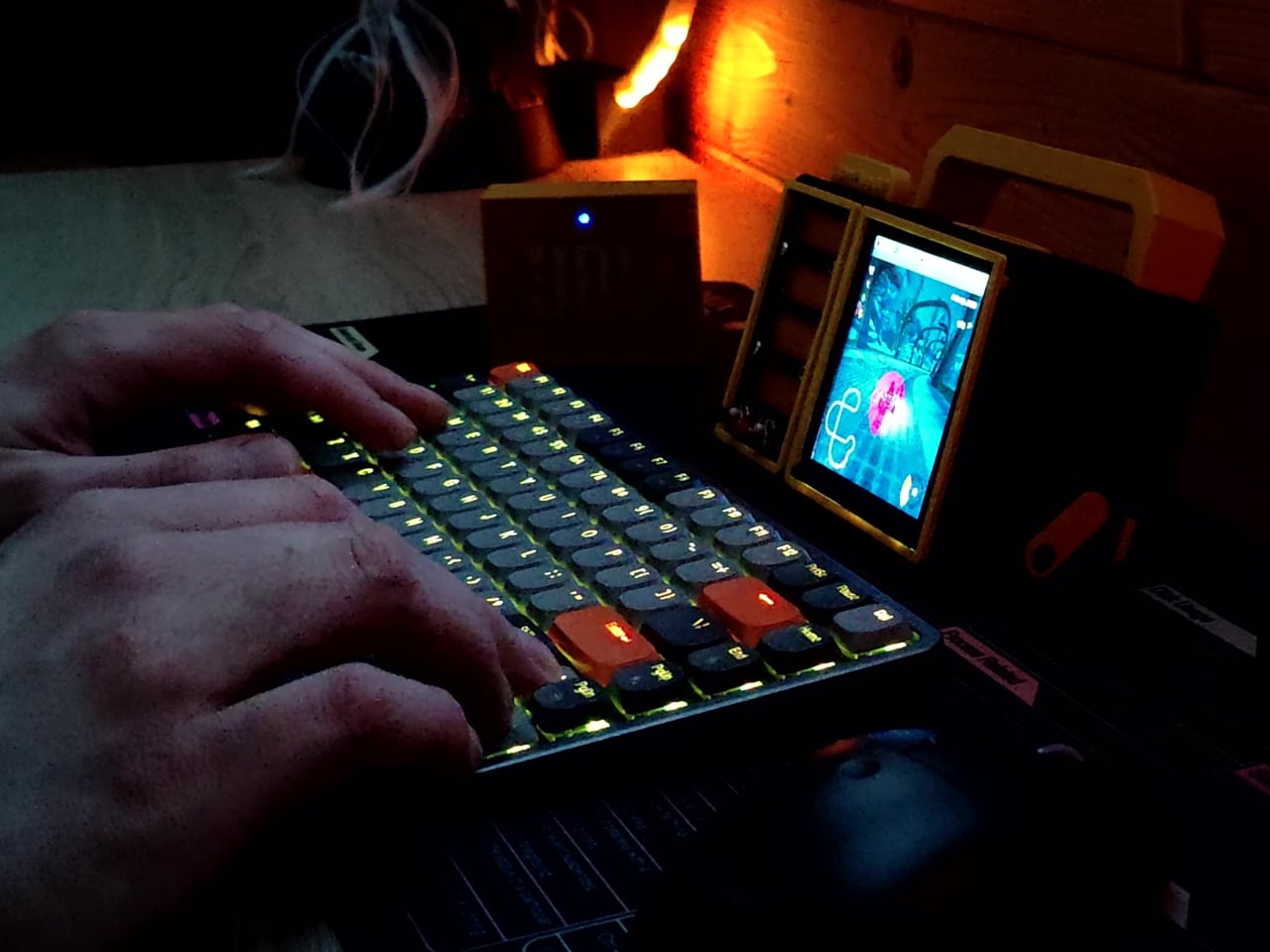
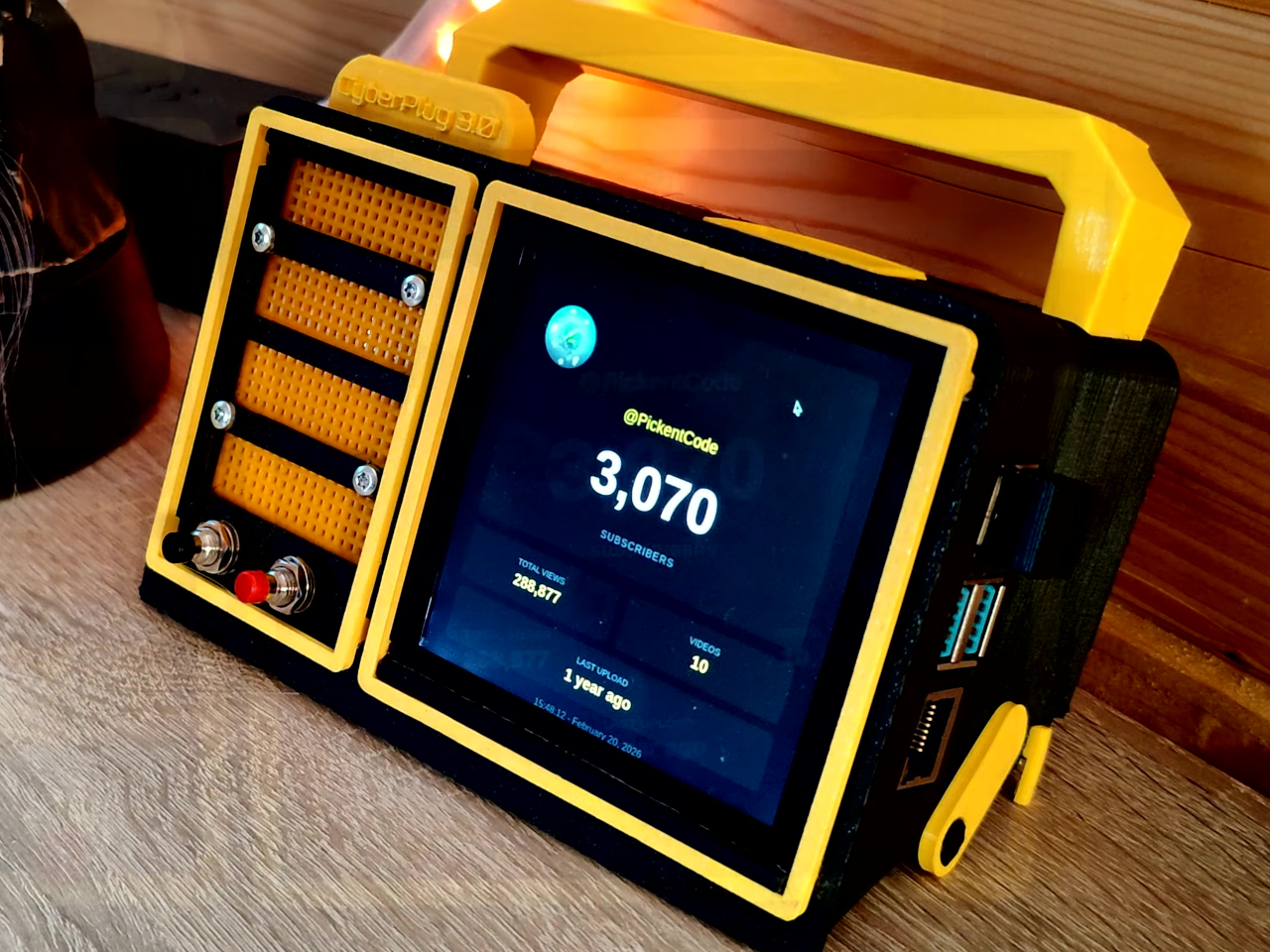
The CyberPlug 3.0 is the third iteration of a personal cyberdeck project, the earlier two having usability problems that sent PickentCode back to Blender to redesign. The final build packs a Raspberry Pi 4 Model B, a 4-inch IPS touchscreen, a Rii K06 mini keyboard with a built-in touchpad, and a 5,000 mAh USB-C power bank into a 3D-printed hinged body that folds flat for handheld use or props open at a desk-friendly angle.

Designer: PickentCode

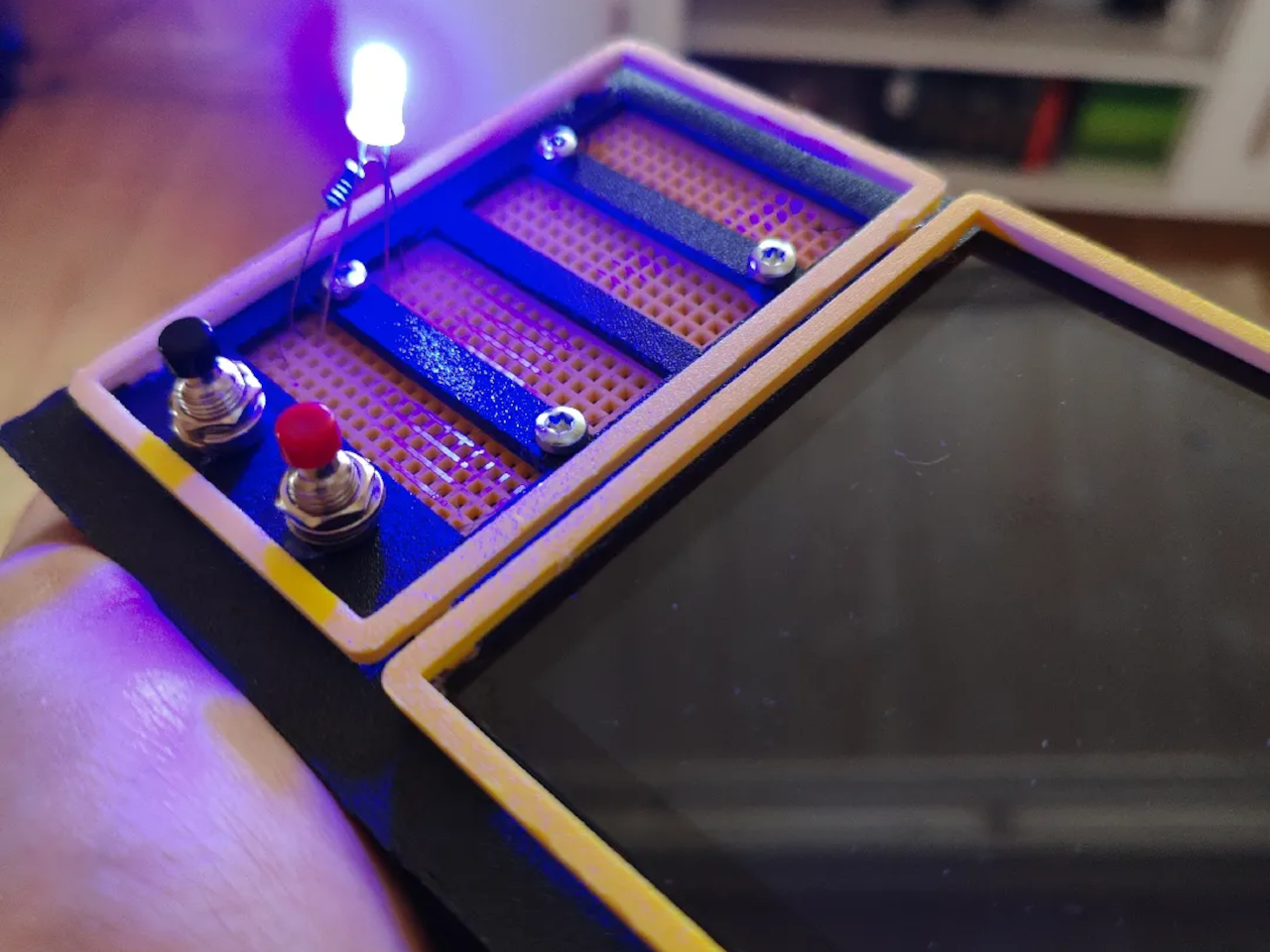
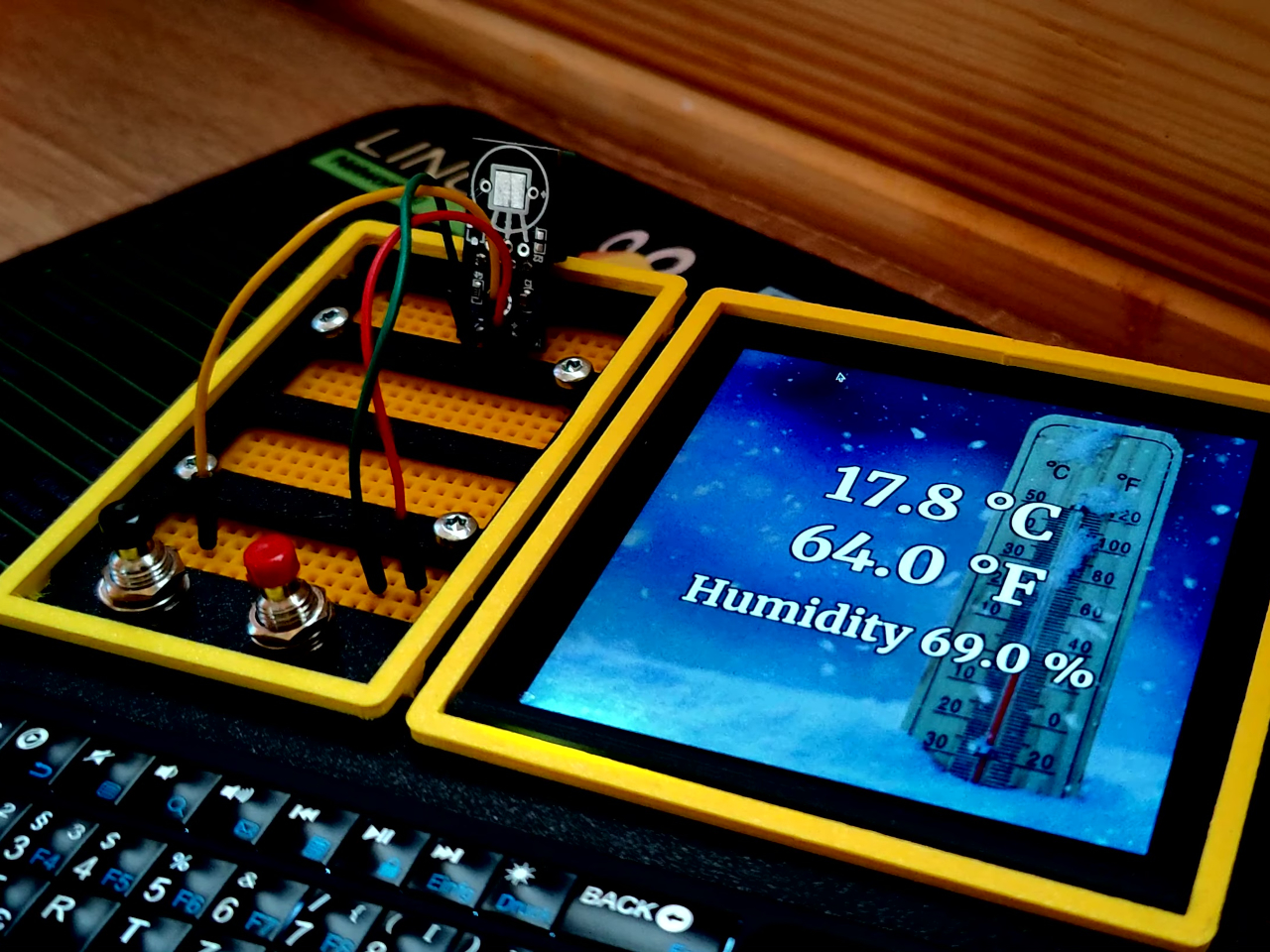
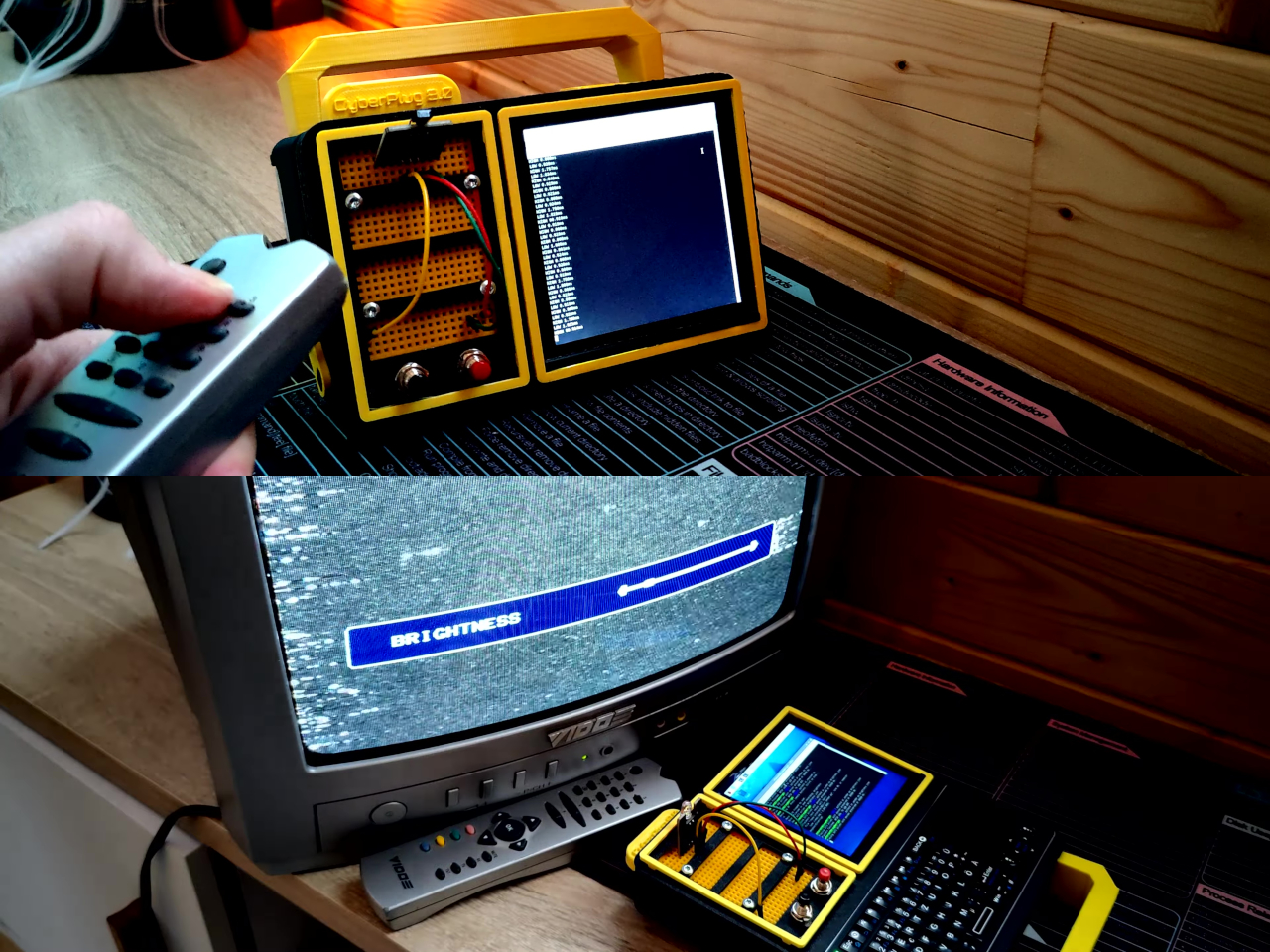
What separates this from a standard Raspberry Pi build is the pair of breadboards soldered directly to the GPIO pins, seated inside the case, and accessible through a removable back panel. Connecting a sensor no longer means hunting for a separate breadboard and a tangle of jumper wires. PickentCode plugged in a temperature and humidity sensor and had it reading live data within minutes, then built an infrared setup that records remote control signals and replays them as single-button macros.

The two form factors each have a distinct locking mechanism rather than just flopping into position. In handheld mode, twin magnets pull the two halves together. In desktop mode, a metal ring on the back grabs the MagSafe-style power bank magnetically, holding the whole thing at a stable upright angle. Both the keyboard and the power bank slide out independently, and the deck keeps working on a desk without either of them.

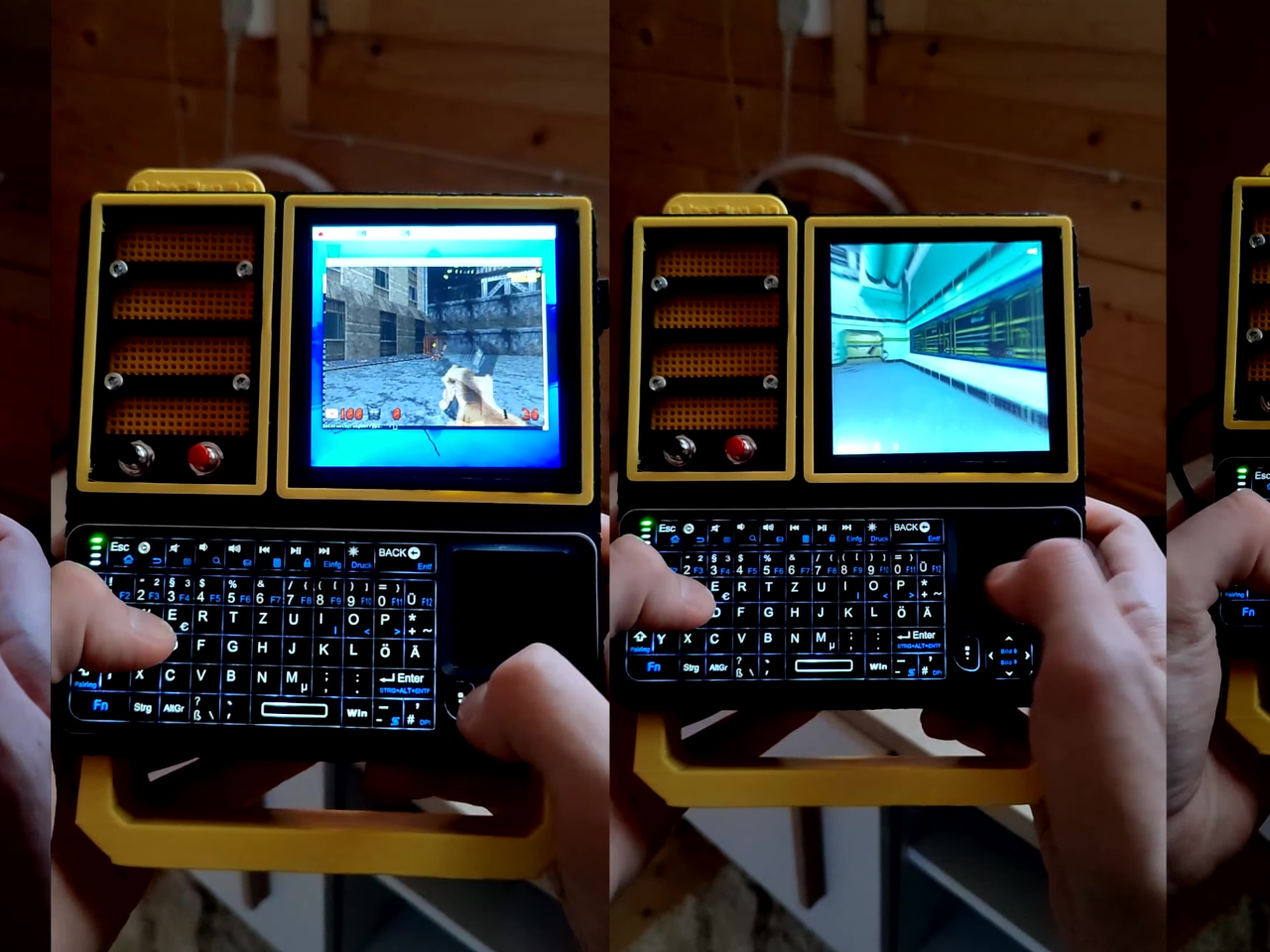
Extensions are where the project gets more interesting. PickentCode added a PWM-controlled external fan that reads CPU temperature and adjusts speed automatically, and a small speaker module that opened the door to YouTube and older games. Doom, Half-Life, and GTA: Vice City all ran on it, better with an external setup in desktop mode, though workable in handheld after some button remapping.

PickentCode frames this plainly as a testbed for learning electronics, not a replacement for a phone or a real computer. The 3D files are free on Printables, so the main cost is filament, time, and the components. For anyone who has ever stared at a sealed laptop wishing they could just plug something into it, that framing is probably the most relatable thing about it.

The post This Foldable DIY Cyberdeck Has Breadboards Built In and Runs Doom first appeared on Yanko Design.
5 Best Tech Gadgets of March 2026

March has a habit of delivering the products that January only promised. CES demos become preorders, concept renders start circulating with real specs attached, and the gadgets worth paying attention to separate themselves from the ones that were only ever meant to look good on a stage. This month’s picks share a common thread: each one challenges an assumption about how a familiar product category should behave, look, or fit into daily life.

What makes these five stand out from the usual parade of iterative upgrades is their willingness to subtract. Less screen time, less bulk, less noise, less compromise between form and function. They are not chasing specs for the sake of benchmarks or piling on features to pad a marketing sheet. From a handheld PC that refuses to apologize for its ambition to a concept camera that wants nothing more than for its user to look up from a screen, these gadgets are worth your time and attention this month.
1. GPD Win 5

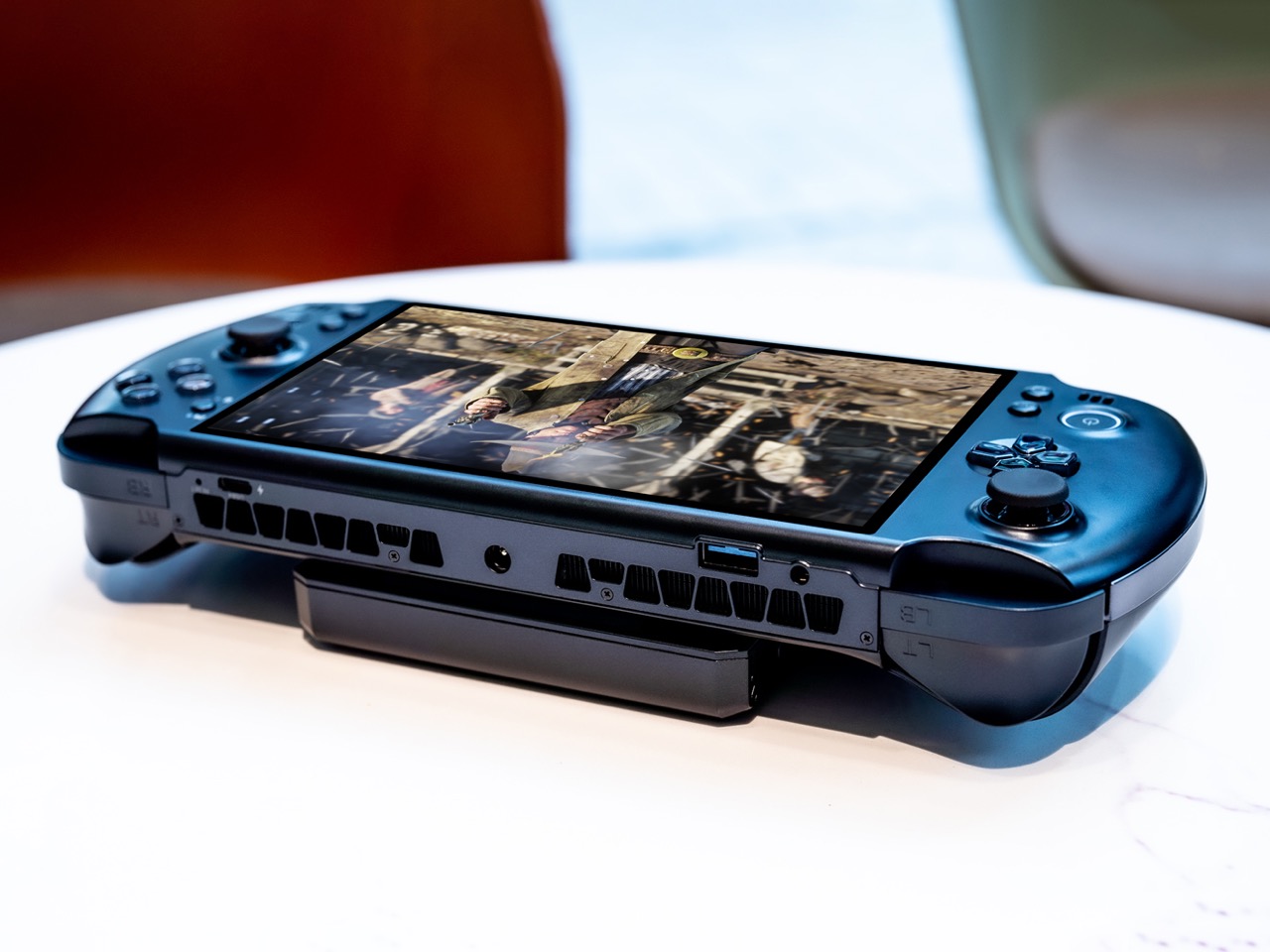
The PSP’s body plan endures, and the GPD Win 5 is its most ambitious descendant yet. Packed with an AMD Ryzen AI Max+ 395 processor, up to 4TB SSD storage, and 32GB of LPDDR5X RAM, this handheld runs a 7-inch 1080p display at 120Hz with Radeon 8060S integrated graphics. Starting at $1,400, this is not a portable console pretending to be a PC. It is a full PC compressed into two hands.

GPD removed the internal battery entirely, replacing it with a detachable 80 Wh pack that clips to the back. A quad heat pipe cooling system handles thermal loads across a TDP range from 28W to 85W on mains power. Hall effect triggers and capacitive joysticks eliminate drift and deadzone, while a proprietary Mini SSD slot pushes transfer speeds beyond microSD limits. Every design choice solves a problem created by one stubborn, central ambition: desktop-class performance in a handheld shell.

What we like

  • The external battery swaps in seconds, and plugging into the 180W adapter unlocks full 85W TDP performance that rivals many desktop setups.
  • Hall effect triggers and capacitive joysticks eliminate the drift issues that plague most handheld PCs after months of heavy use.

What we dislike

  • The external battery makes the device awkward to hold when attached, and the proprietary charger adds bulk to an already heavy travel kit.
  • Pricing starts at $1,400 and climbs past $2,000 for the top configuration, placing it deep into enthusiast-only territory.

2. NanoPhone Pro

Smartphones have spent a decade getting bigger. The NanoPhone Pro walks in the opposite direction with a credit-card-sized body measuring 0.4 x 3.8 x 1.8 inches and weighing just 2.8 ounces. Running Android 12 with Google Play certification, this 4G device handles calls, messages, navigation, and basic apps without demanding pocket real estate. At $99, it is built for minimalists, travelers, and anyone tired of their phone being the loudest object in the room.

The spec sheet is an exercise in deliberate restraint. A 4-inch edge-to-edge IPS touchscreen, dual SIM support, 2MP front and 5MP rear cameras, a 2000mAh battery, and expandable storage via microSD. Face ID handles unlocking. The NanoPhone Pro does not pretend to compete with flagships, and that restraint is the entire point. It is a quiet, pocketable alternative that runs WhatsApp, Google Maps, and everything else that matters without the attention-hungry weight of a modern slab phone.

What we like

  • The credit-card form factor disappears into wallets and running shorts, making it ideal for situations where a full-sized phone feels like overkill.
  • Google Play certification means the app ecosystem works without sideloading, so daily essentials like navigation and messaging run without friction.

What we dislike

  • The 5MP rear camera produces images that are functional at best, making this a poor choice for anyone who photographs anything beyond the occasional note or receipt.
  • Android 12 on a 4-inch screen feels cramped, and typing requires patience and smaller-than-average fingers.

3. Camera (1)

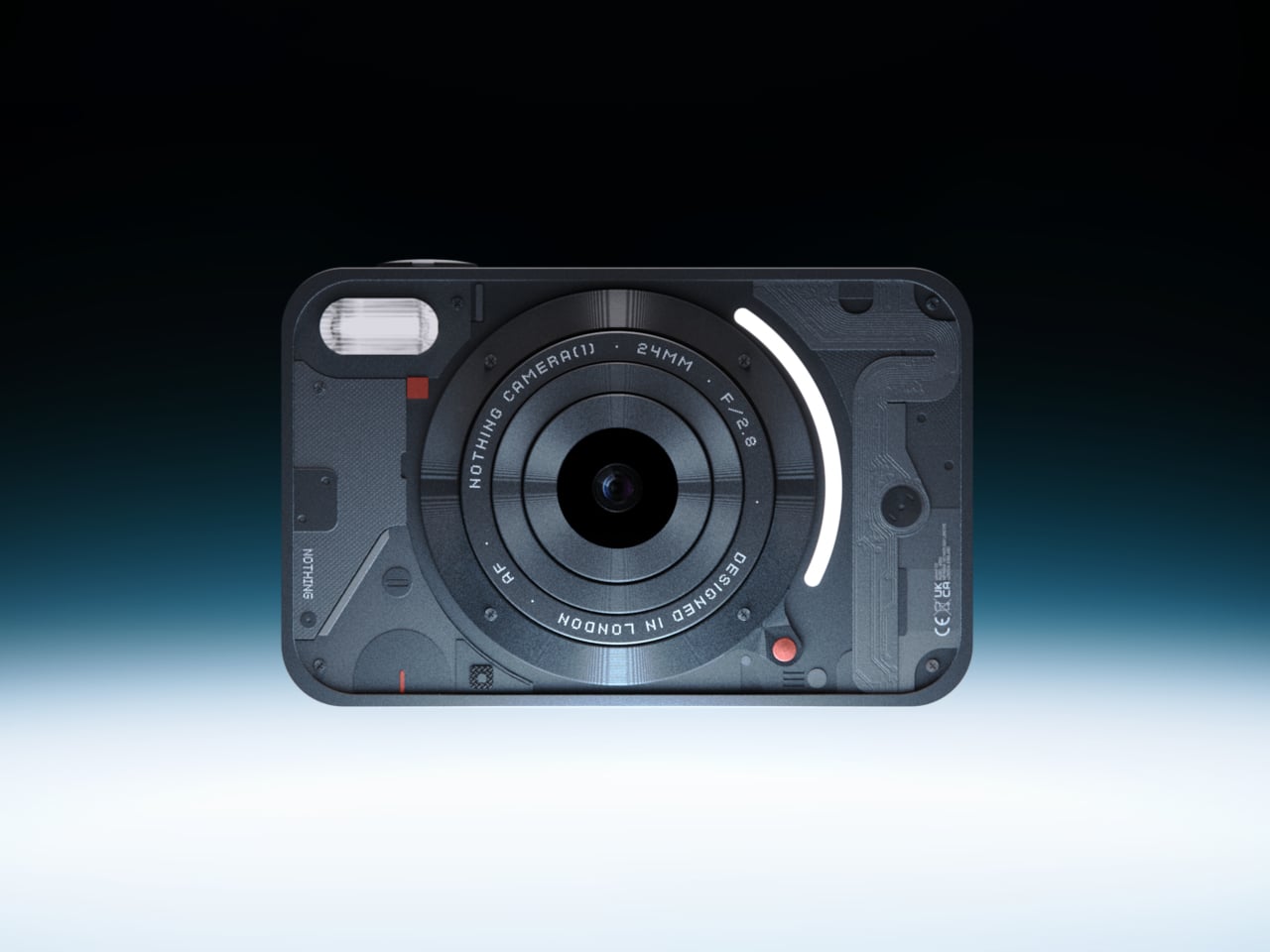
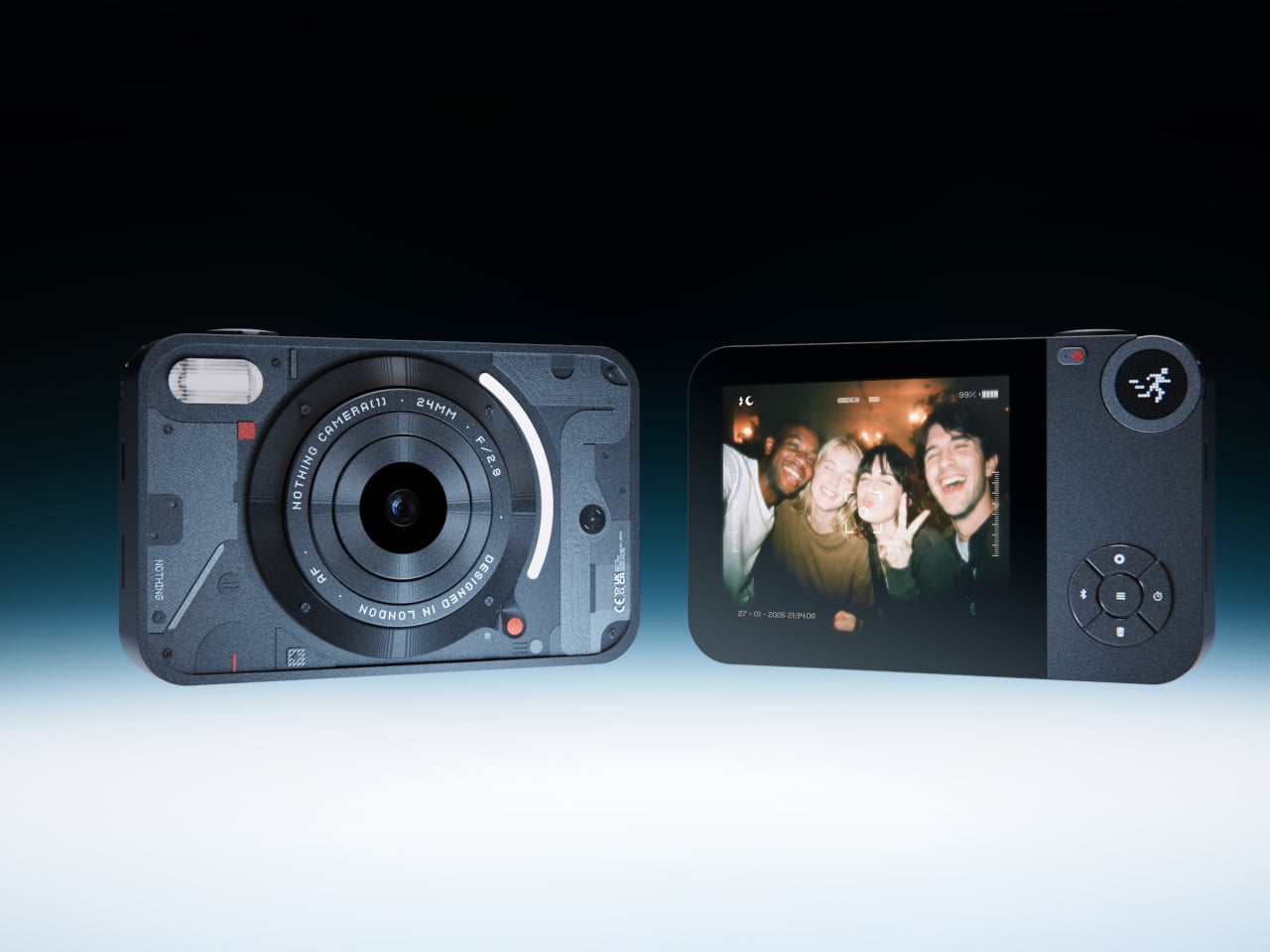
Photography migrated into phones and got buried under notifications. Camera (1), a concept posted on the Nothing Community forum by designer Rishikesh Puthukudy, imagines shooting as a tactile act again. The compact metal body fits a pocket but fills a hand, with all controls on a single edge: a shutter, a circular mode dial with a glyph display, and a D-pad reachable without shifting grip. The design draws from Nothing’s hardware-forward language with circuit-like relief and bead-blasted metal.

A curved light strip around the lens pulses for self-timers, confirms focus, or signals active recording. The engraved lens ring invites twisting rather than pinching. A rear display exists but stays deliberately out of the way, letting physical controls carry most of the interaction. Camera (1) is a student concept, not an official Nothing product, but the question it asks is worth sitting with: in a world where every screen demands something, what would a camera look like if it just wanted its user to notice what was in front of them?

What we like

  • The single-edge control layout keeps eyes on the scene rather than buried in menus, restoring a tactile shooting workflow that phone cameras abandoned years ago.
  • Nothing’s glyph design language translates well to a camera body, delivering mode feedback through simple icons rather than nested software screens.

What we dislike

  • As a concept, Camera (1) exists only as rendered images and community discussion, with no confirmed path to production or a working prototype.
  • The absence of a sensor, lens, and video specs makes it impossible to judge whether it could compete with even entry-level dedicated cameras.

4. Samsung Slac

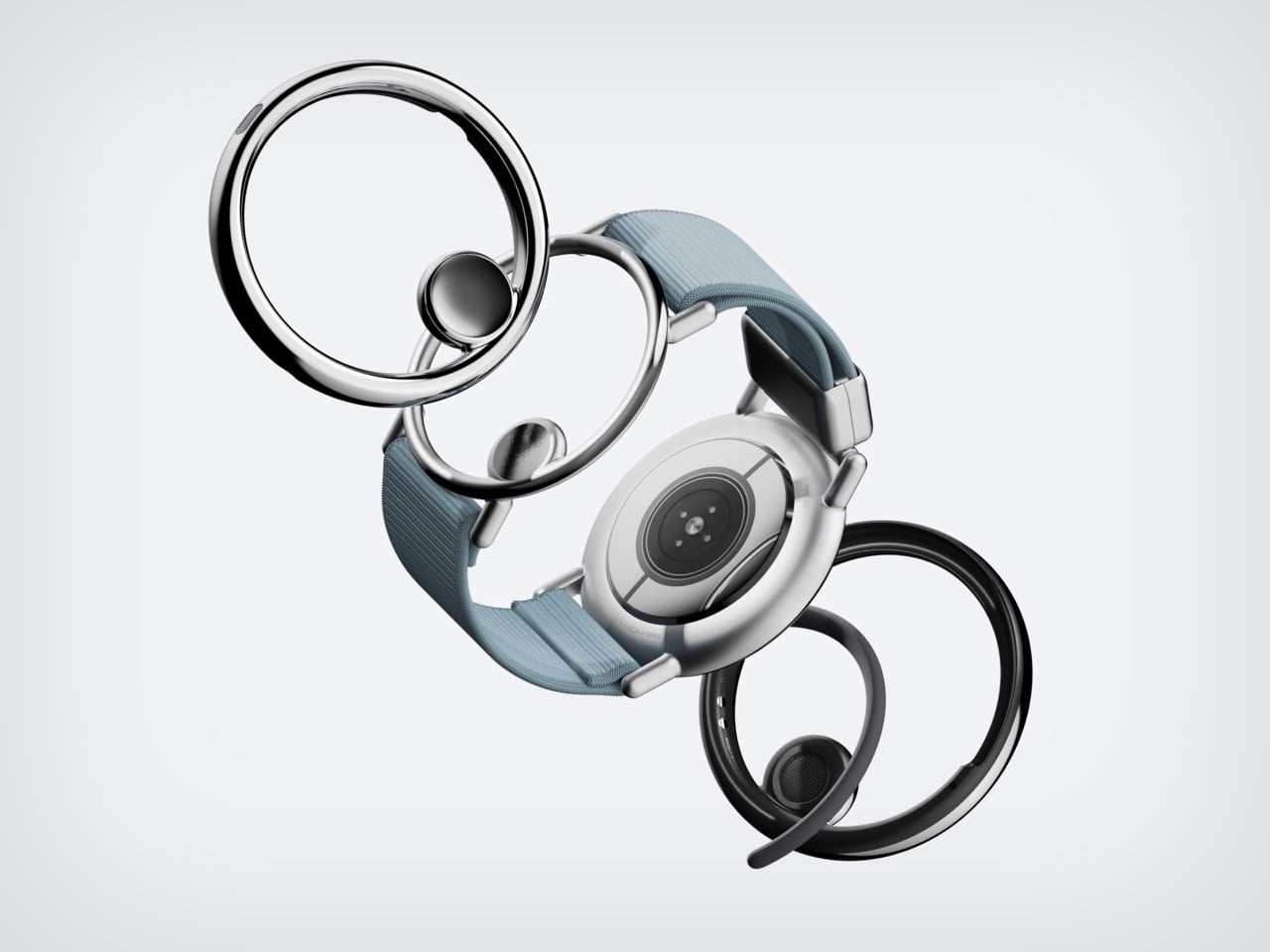
Earbuds have looked like earbuds for too long. Samsung’s Slac concept, developed within the company’s design incubation programs, reimagines wearable audio as jewelry. Three components make up the system: an open ear ring for audio output, a wrist-worn ring that tracks listening data and doubles as a magnetic dock, and a home charging station. The circular form wraps around the ear without entering the canal, maintaining awareness of surrounding sound while layering music on top.

When listening ends, the ear ring snaps magnetically onto the wrist component, transforming into something that reads as a chunky bracelet rather than stowed tech. AI tracks a full 24-hour audio cycle, building preference profiles from sound intensity, pitch variation, and tonal characteristics. The design team behind Slak understands that Gen Z treats audio devices as expressions of taste, not utilitarian tools. Whether Slac reaches production is an open question, but the proposition that wearable tech should earn its place on the body through aesthetics feels like a direction the entire industry needs to follow.

What we like

  • The open-ear design preserves environmental awareness while delivering audio, solving the isolation problem that makes traditional earbuds socially awkward in many settings.
  • Magnetic docking between ear ring and the wrist component eliminates the pocket-case fumble and turns storage into a wearable moment.

What we dislike

  • Concept status means no confirmed specs on audio quality, battery life, or connectivity, making it impossible to evaluate whether the sound matches the visual ambition.
  • Open-ear audio struggles in noisy environments, and without active noise cancellation, Slac may underwhelm on busy streets or public transit.

5. DAP-1

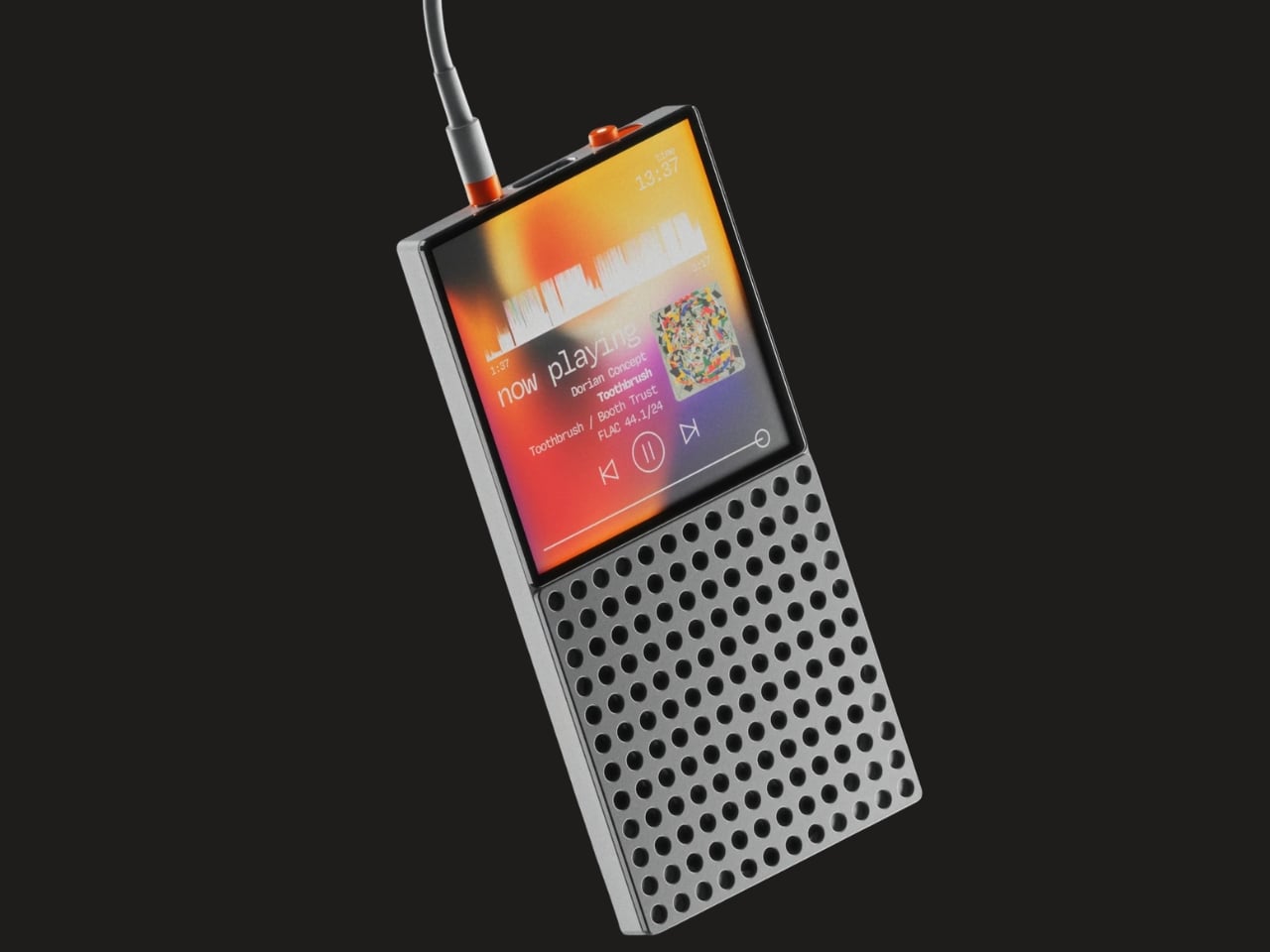
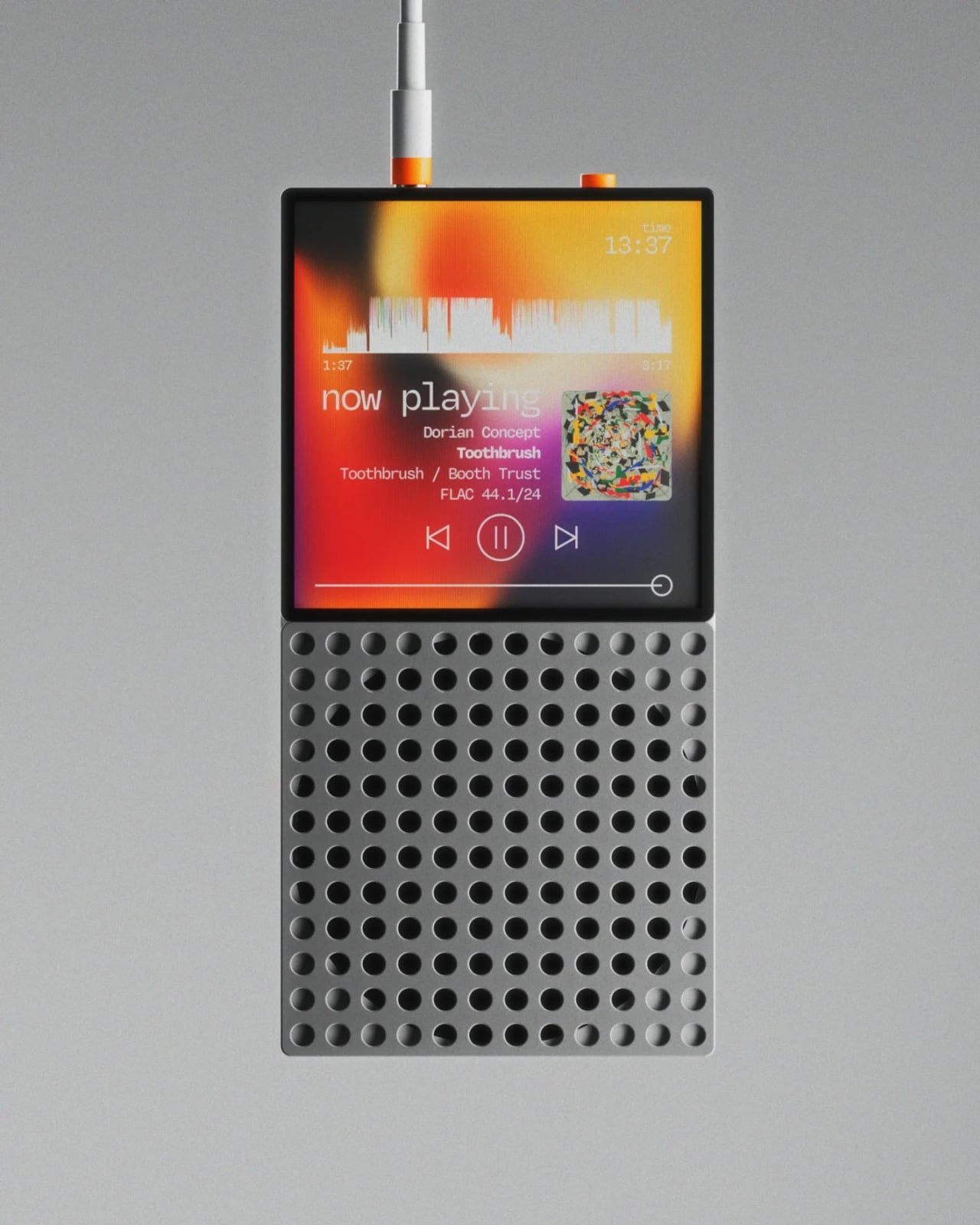
Vinyl got its comeback, and dedicated digital audio players have been staging a quieter return. The DAP-1 concept by Frankfurt-based 3D artist Florent Porta is one of the most compelling arguments for why that return matters. The device carries a slim rectangular body with an OLED touchscreen, a perforated front-facing speaker grille, and an aesthetic sitting between Teenage Engineering and Nothing’s CMF line. It looks like it arrived from a timeline where iPods evolved into something more considered.

The standout decision is the built-in speaker, a feature most high-end DAPs skip entirely. Porta’s inclusion acknowledges that music is sometimes shared, not just private. The DAP-1 is built around FLAC playback, preserving audio quality without streaming compression artifacts. A USB-C port, 3.5mm AUX output, and illuminated power switch line the top edge, while rubberized feet and torx screws on the rear give the device a repairable, tool-like quality. As a concept, it exists only in renders, but the conversation it starts outweighs most finished products on the market.

What we like

  • The built-in speaker turns a solitary listening device into something social, removing the need for external hardware to share a track with someone next to you.
  • FLAC-first design philosophy treats audio fidelity as the primary feature rather than an afterthought buried in a settings menu.

What we dislike

  • Concept-only status means no production timeline, no pricing, and no way to evaluate real-world audio performance beyond what renders suggest.
  • Dedicated music players occupy a narrow niche, and carrying a separate device for audio requires commitment most listeners will not make.

Where March leaves us

Three of this month’s five picks are concepts. That ratio says something about where consumer tech sits in early 2026: the most exciting ideas are still in render engines, while the products that actually ship tend to iterate rather than invent. The GPD Win 5 and NanoPhone Pro prove that real, purchasable hardware can still surprise, but Camera (1), Slac, and DAP-1 suggest the most interesting design thinking is happening outside production timelines and quarterly earnings calls.

What connects all five is a shared instinct to push back against the default. Against bigger screens, against feature bloat, against the assumption that technology should demand attention rather than earn it. March’s best gadgets respect the space they occupy, whether that space is a pocket, an ear, or the palm of a hand. If even a fraction of these concepts make the jump to production, the rest of 2026 could be far more interesting than the usual upgrade cycle suggests.

The post 5 Best Tech Gadgets of March 2026 first appeared on Yanko Design.