It's big-game season, which means it's a good time to look for home theater gear on sale ahead of Super Bowl 2026. There are plenty of Super Bowl TV deals to consider, but if you have arguably the most important piece of the puzzle down, you may want to upgrade your sound system instead. Sonos' latest sale may have just what you need; a bunch of the company's home theater gear is up to 20 percent off right now. You can save $130 on the Beam (Gen 2) soundbar, bringing its price down to $369, and you'll also find deals on the flagship Arc Ultra soundbar, subwoofers, and more.
The Sonos Beam is the company's sub-$500 soundbar. Engadget's pick for the best midrange model, the compact speaker has impressive sound for its size. Part of that is its Dolby Atmos support. Although the soundbar lacks upward-firing speakers, it uses software tricks to compensate. Audio timing and frequency adjustments make sound seem to come from the side or slightly above.
One of the biggest drawbacks is that the Beam only has one HDMI port. Regardless, that compromise may be easier to accept at Beam's current $369 than at its usual $499.
Several more home theater speakers are included in Sonos's sale. If you have a loftier budget for a soundbar, there's the Arc Ultra. Typically $1,099, it's now $899. The company's pair of subwoofers is included as well. You can get the Sub Mini for $399 (down from $499) or the Sub 4 for $759 (from $899).
Although they aren't explicitly sold as home theater products, the Era 100 ($179) and Era 300 ($379) are also included in the sale. The portable Move 2 isn't discounted individually, but you will find it in a couple of bundles. You can check out the sale page for the complete list.
This article originally appeared on Engadget at https://www.engadget.com/deals/sonos-soundbars-and-home-theater-gear-is-up-to-20-percent-off-right-now-174053415.html?src=rss
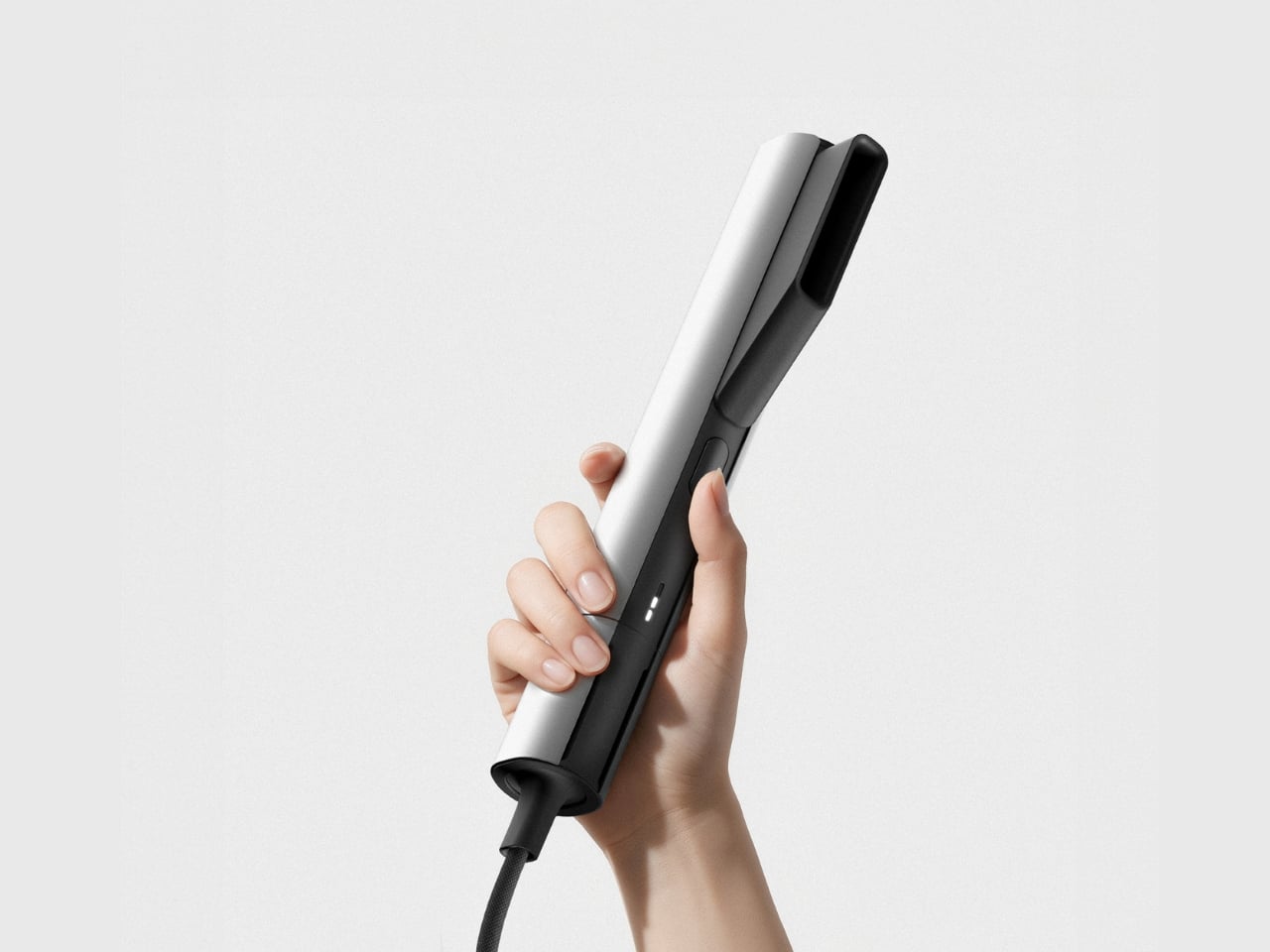
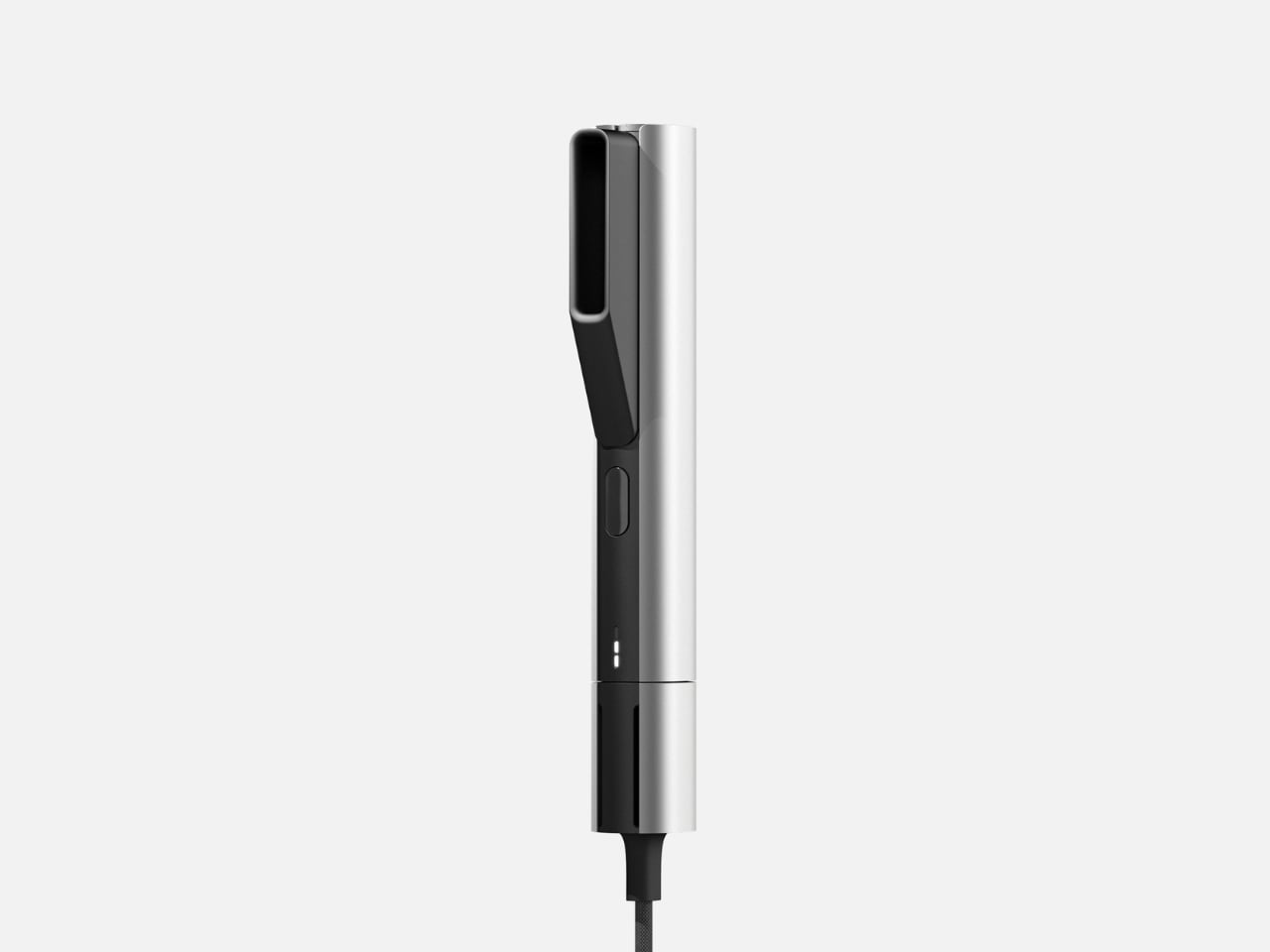
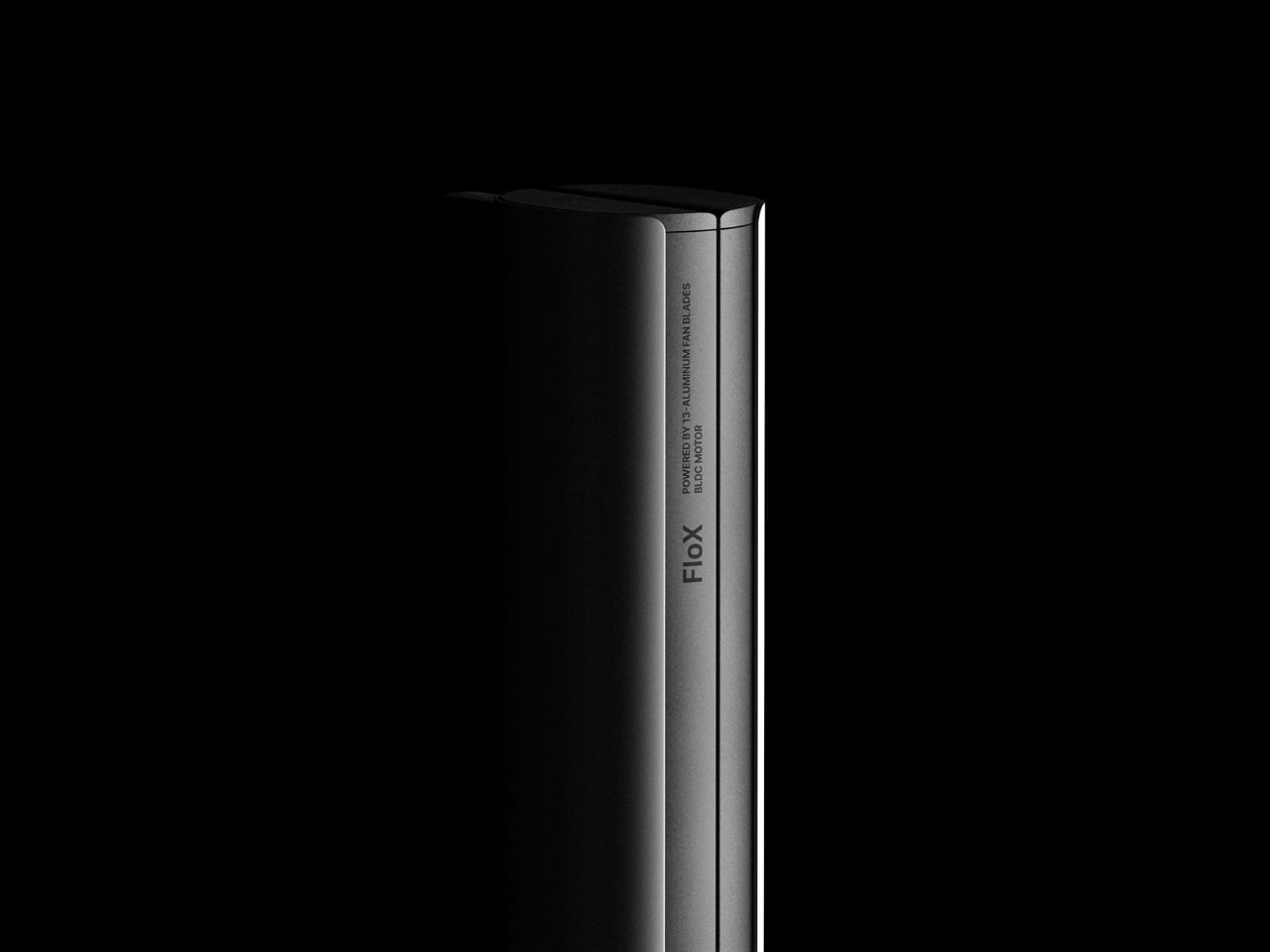
There’s something refreshing about a hair tool that doesn’t try to hide what it is. FloX, designed by Hyeokin Kwon, sits comfortably at the intersection of industrial design and everyday beauty routine, looking more like a precision instrument than another pink gadget drowning in curved plastic. It’s the kind of product that makes you stop and think about why we’ve accepted mediocre design in our bathrooms for so long.
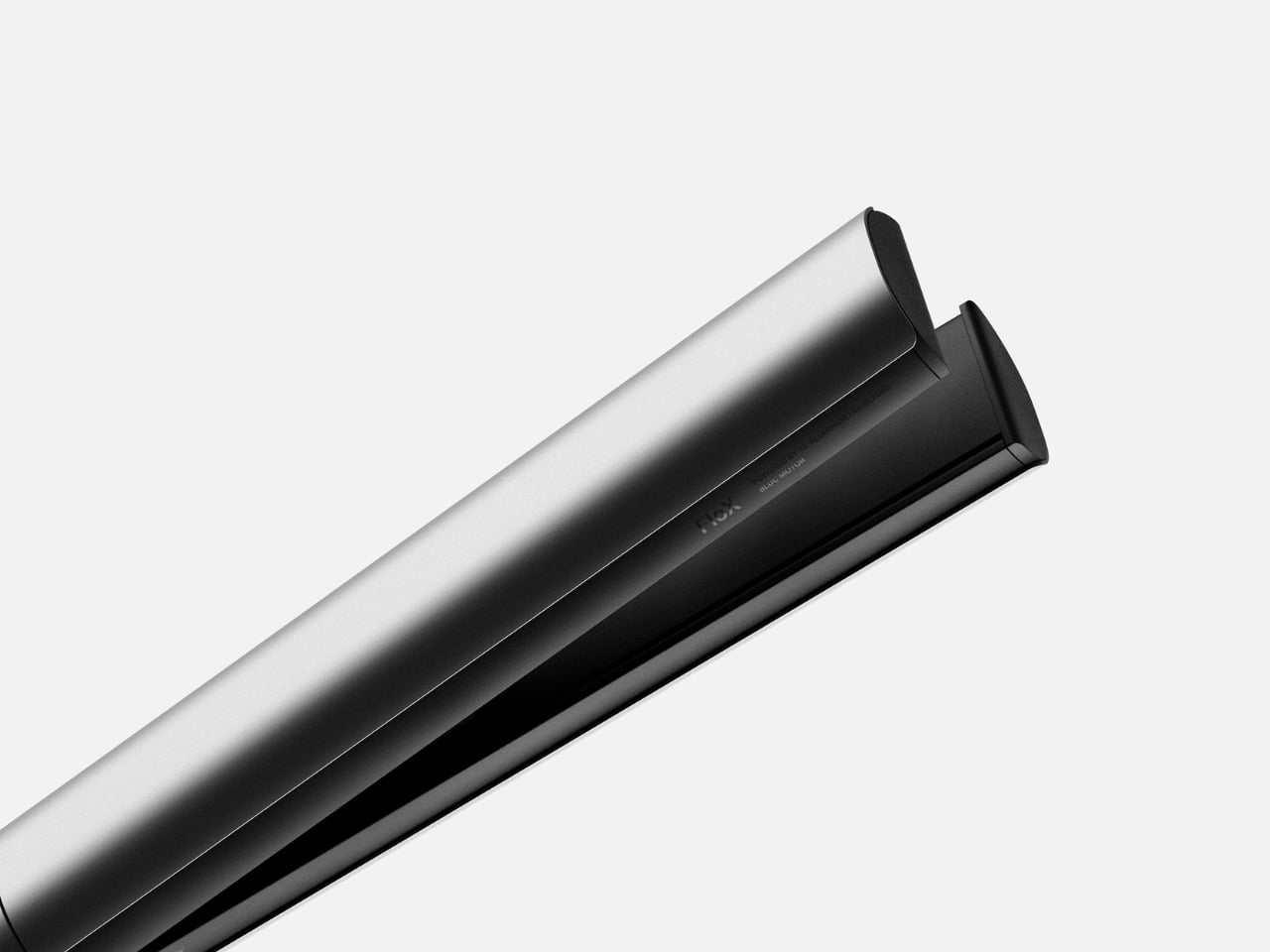
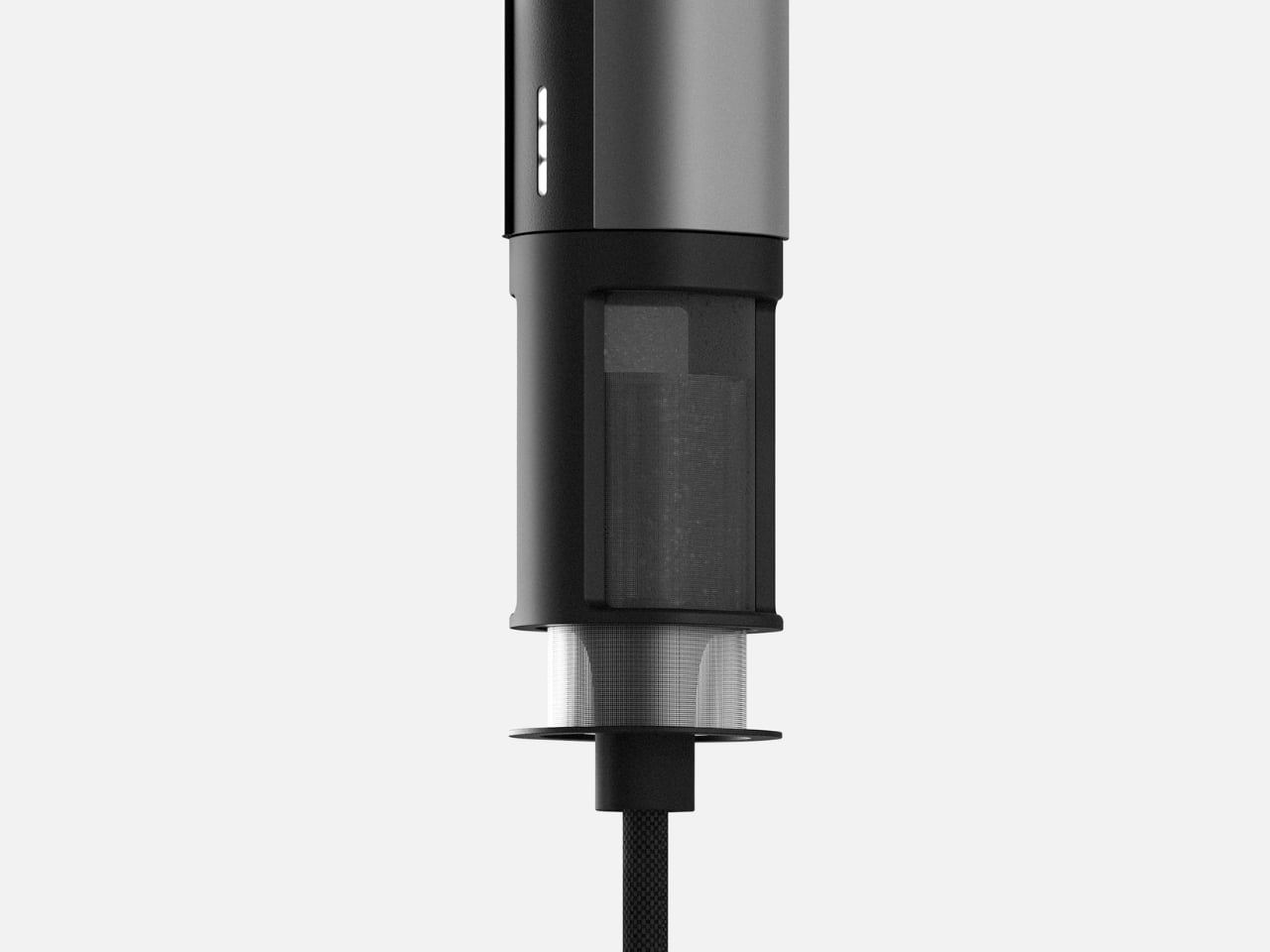
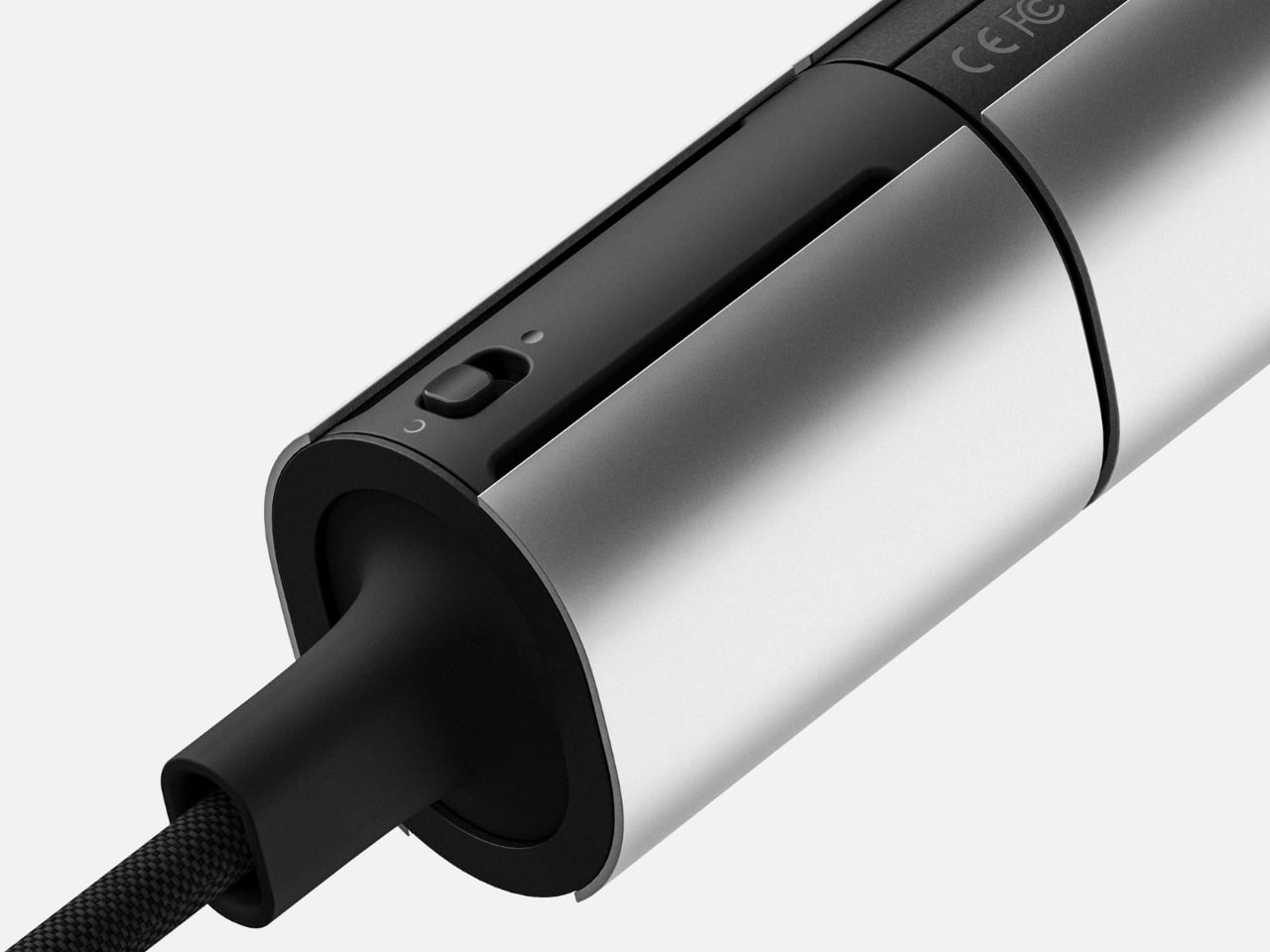
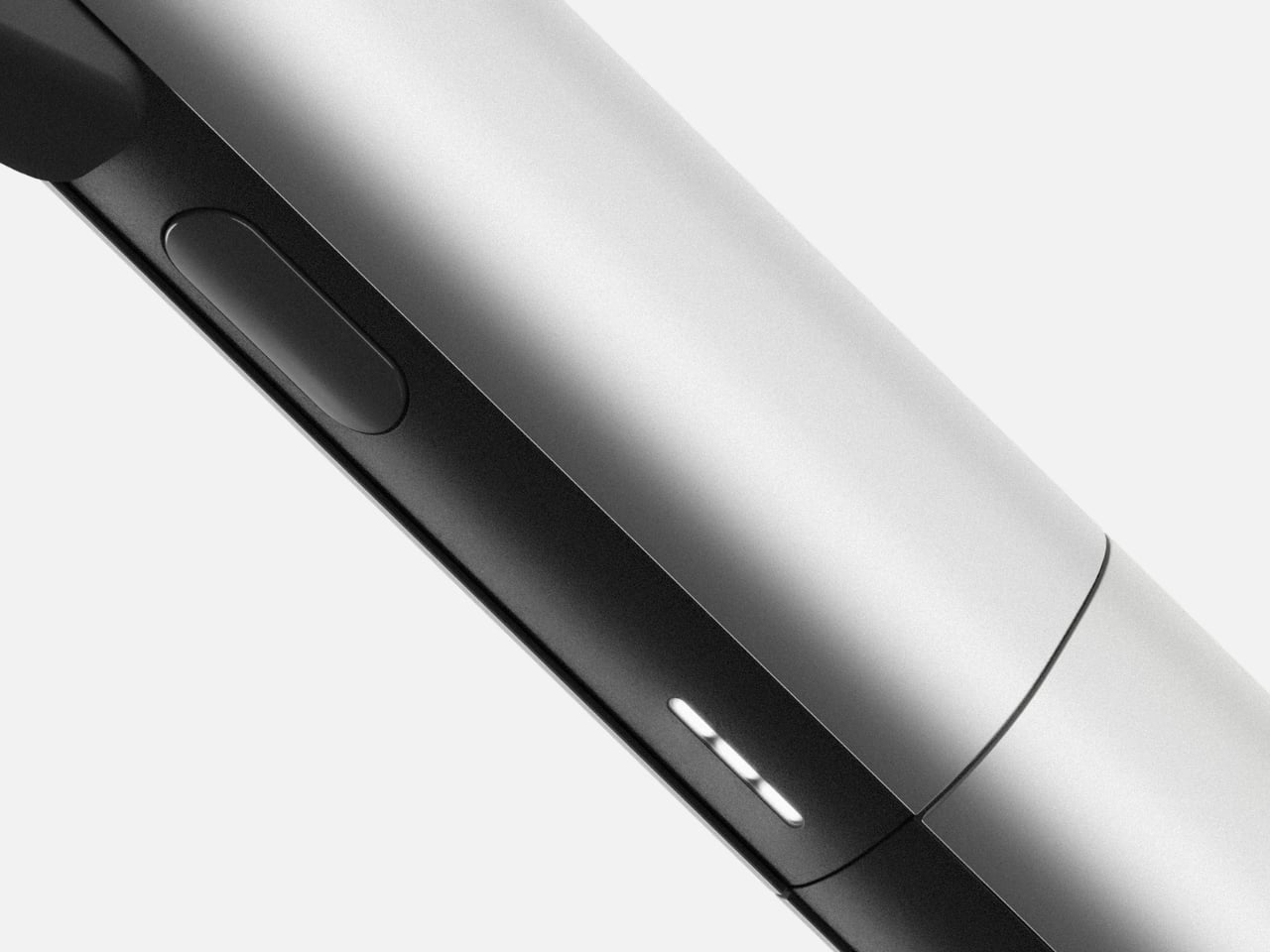
At first glance, FloX reads as almost severe in its minimalism. The body splits into two distinct halves: a cool silver exterior paired with matte black accents that house the business end of the tool. This isn’t decorative contrast for the sake of looking expensive. The two-tone design actually signals function, showing you exactly where to grip and where the heat lives. It’s honest design that respects your intelligence.
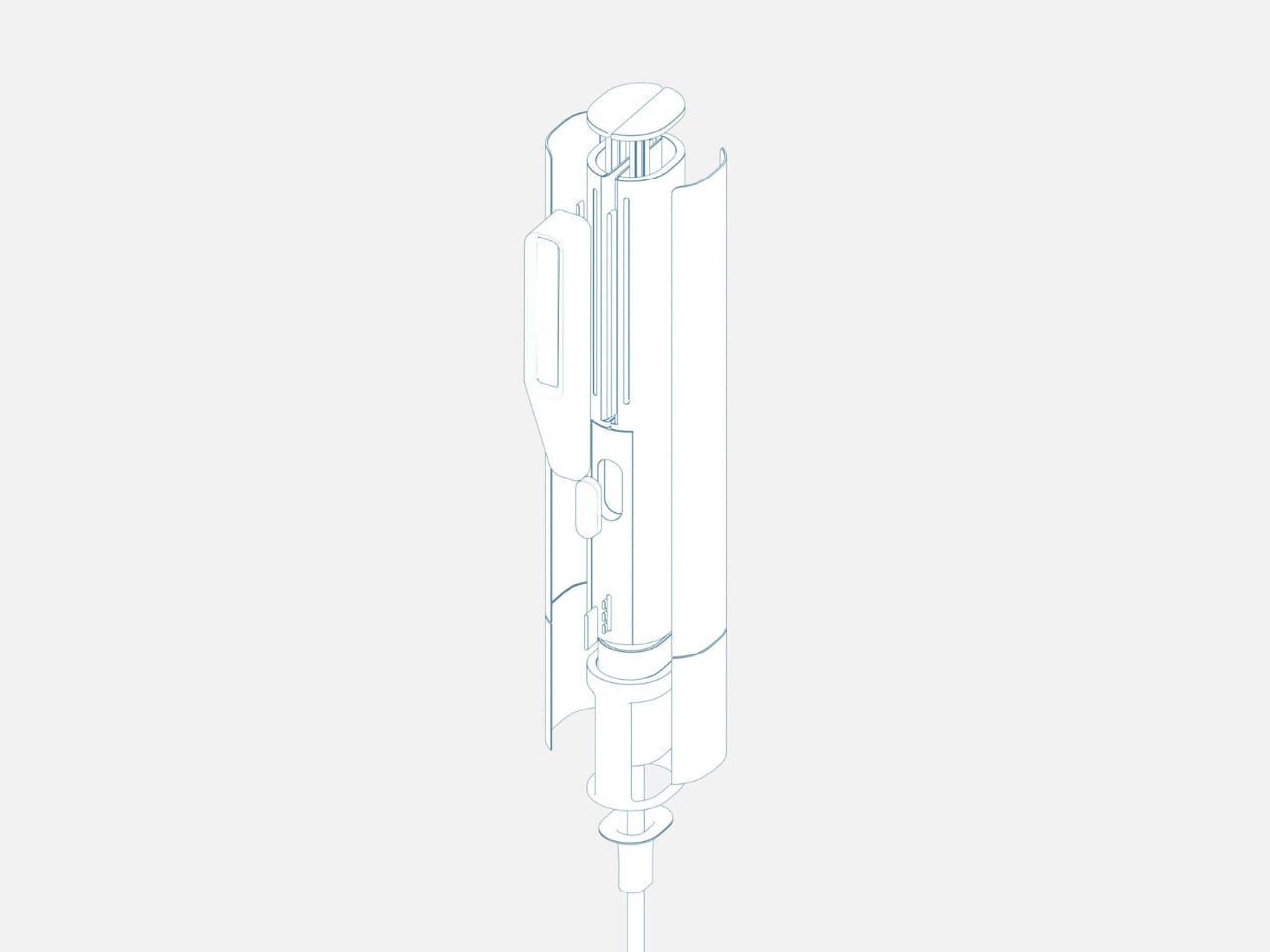
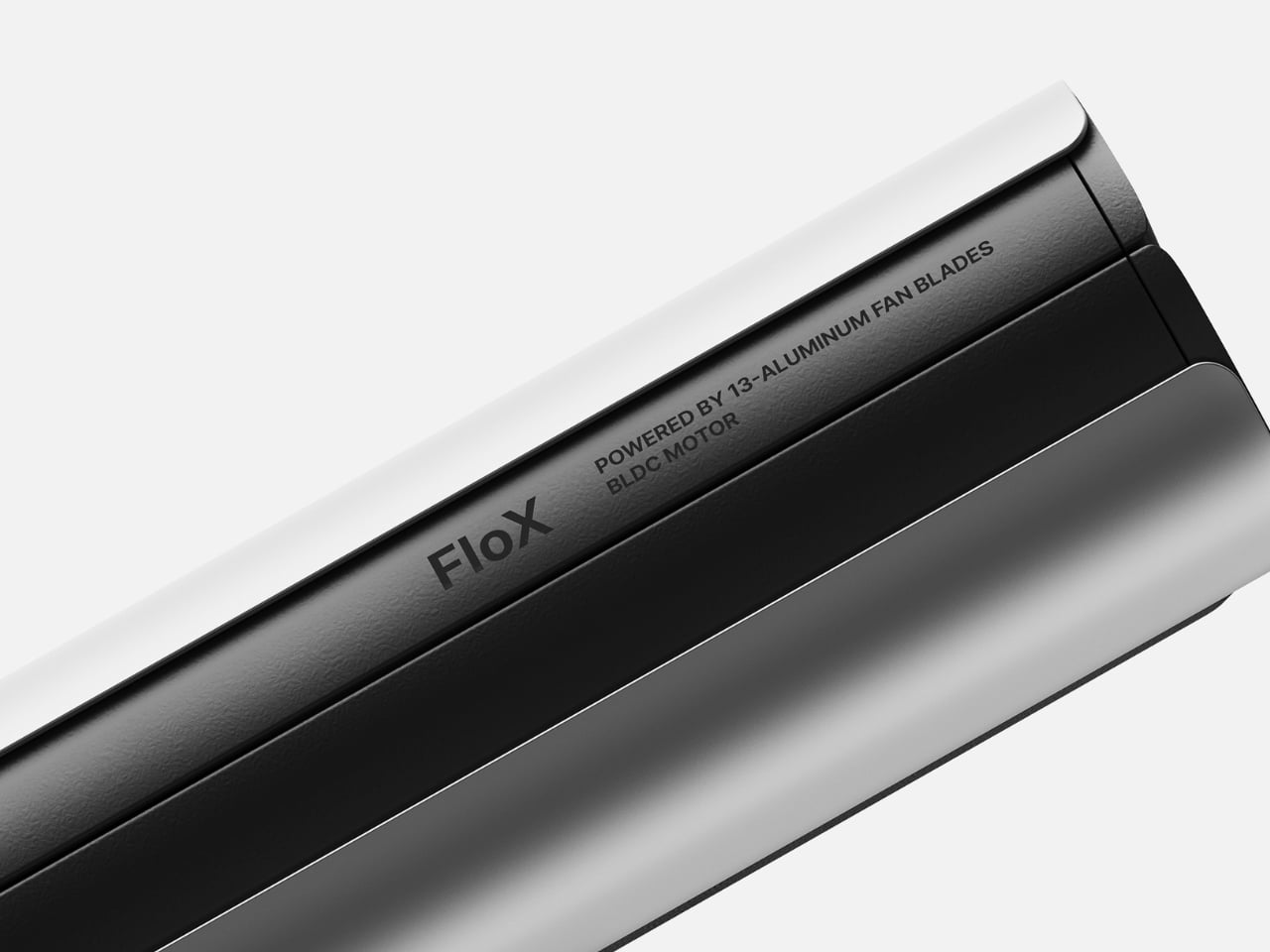
What really sets FloX apart lives inside that sleek body. Kwon has integrated 13 aluminum fan blades powered by a BLDC motor, the same type of brushless technology you’d find in electric vehicles or high-end drones. This isn’t just spec sheet bragging. Those fans actively cool the device while you’re using it, addressing one of the most annoying aspects of hair styling tools: the fact that they get uncomfortably hot to hold and can turn your bathroom into a sauna.
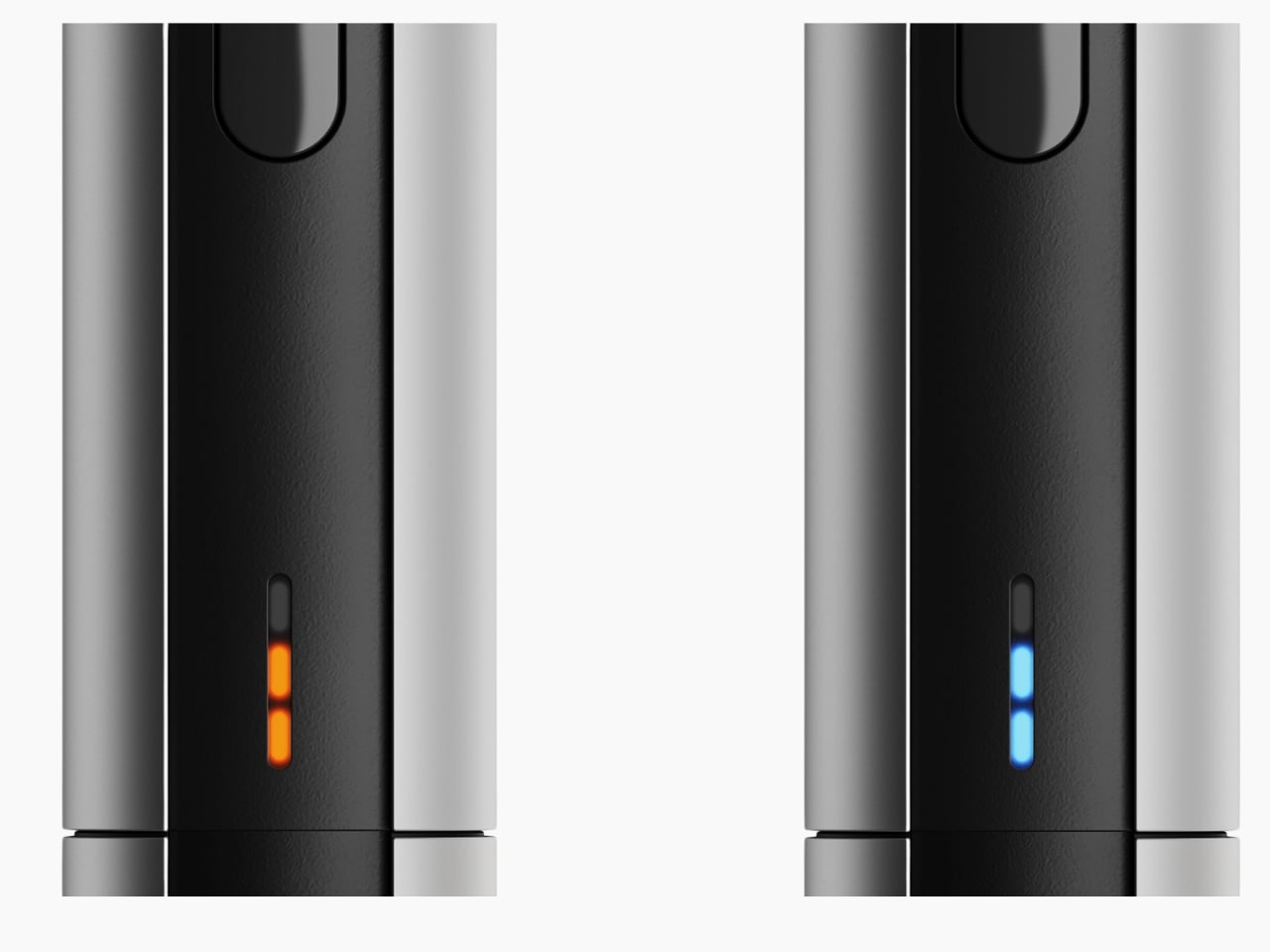
The technical sophistication continues with the temperature indicator system. Instead of a clunky digital display or vague heat settings, FloX uses a subtle LED strip that glows orange for hot and blue for cool. It’s intuitive without being childish, giving you the information you need without cluttering the design. The indicator sits flush with the body, maintaining those clean lines even when the device is active.
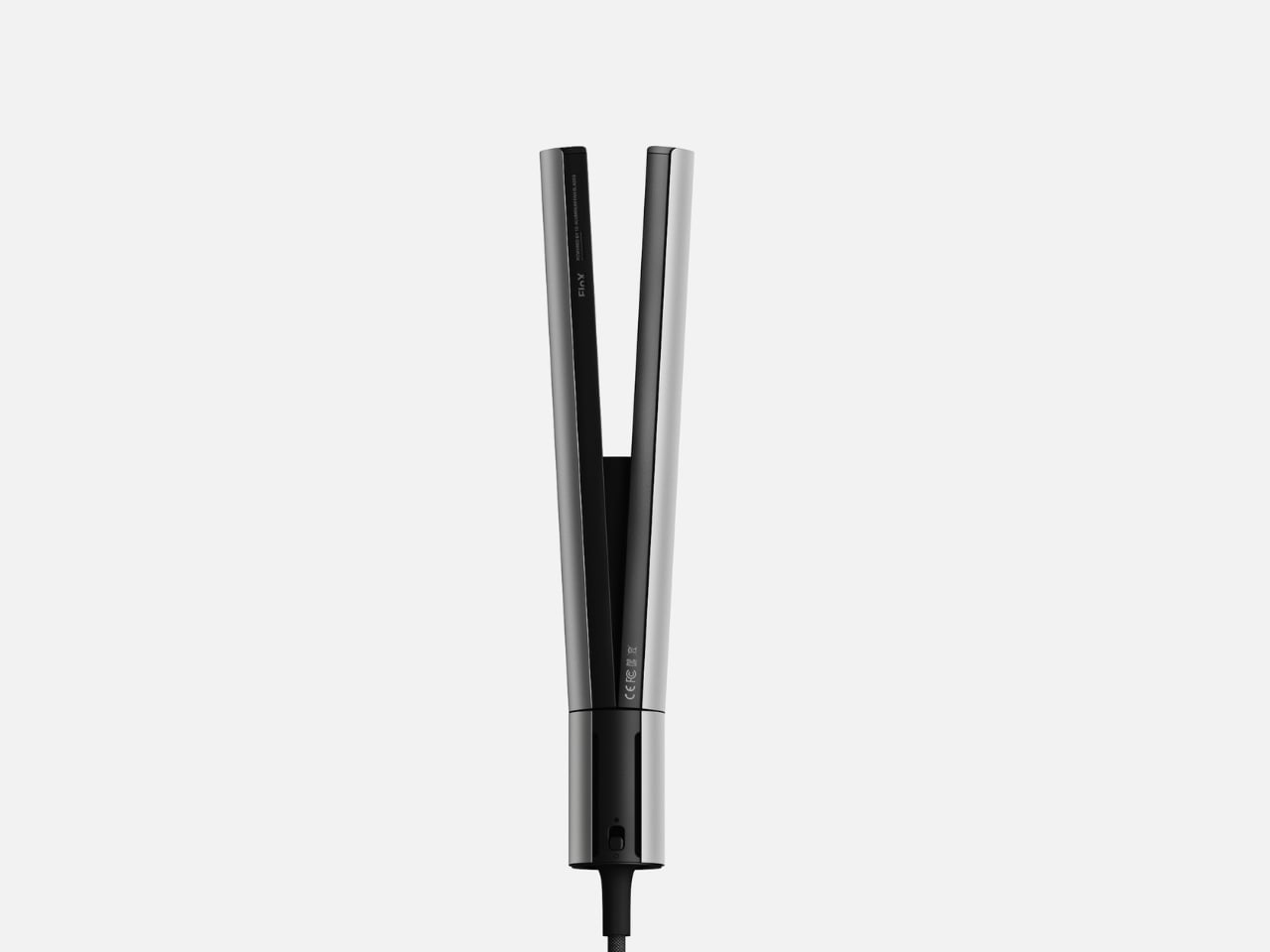
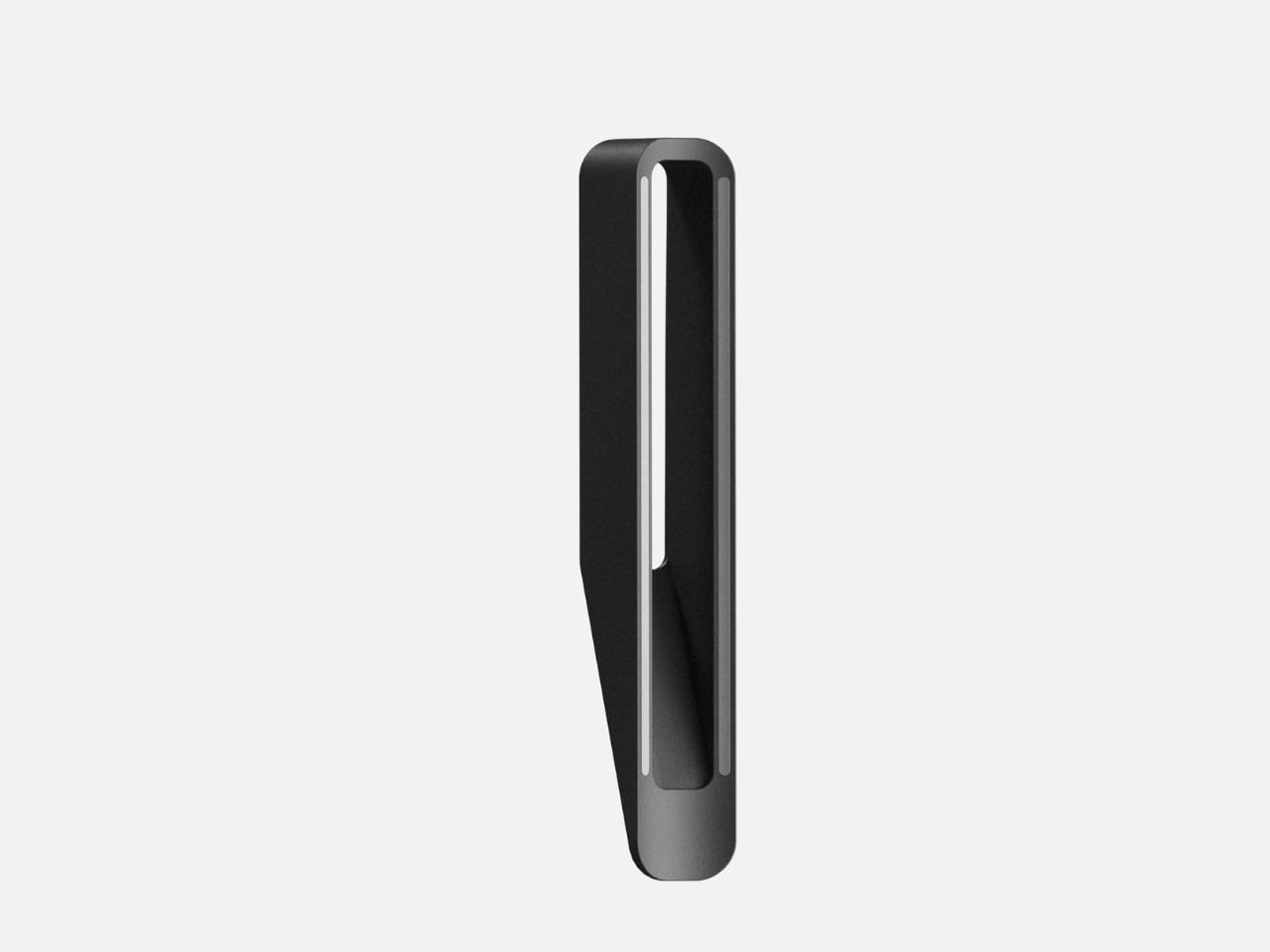
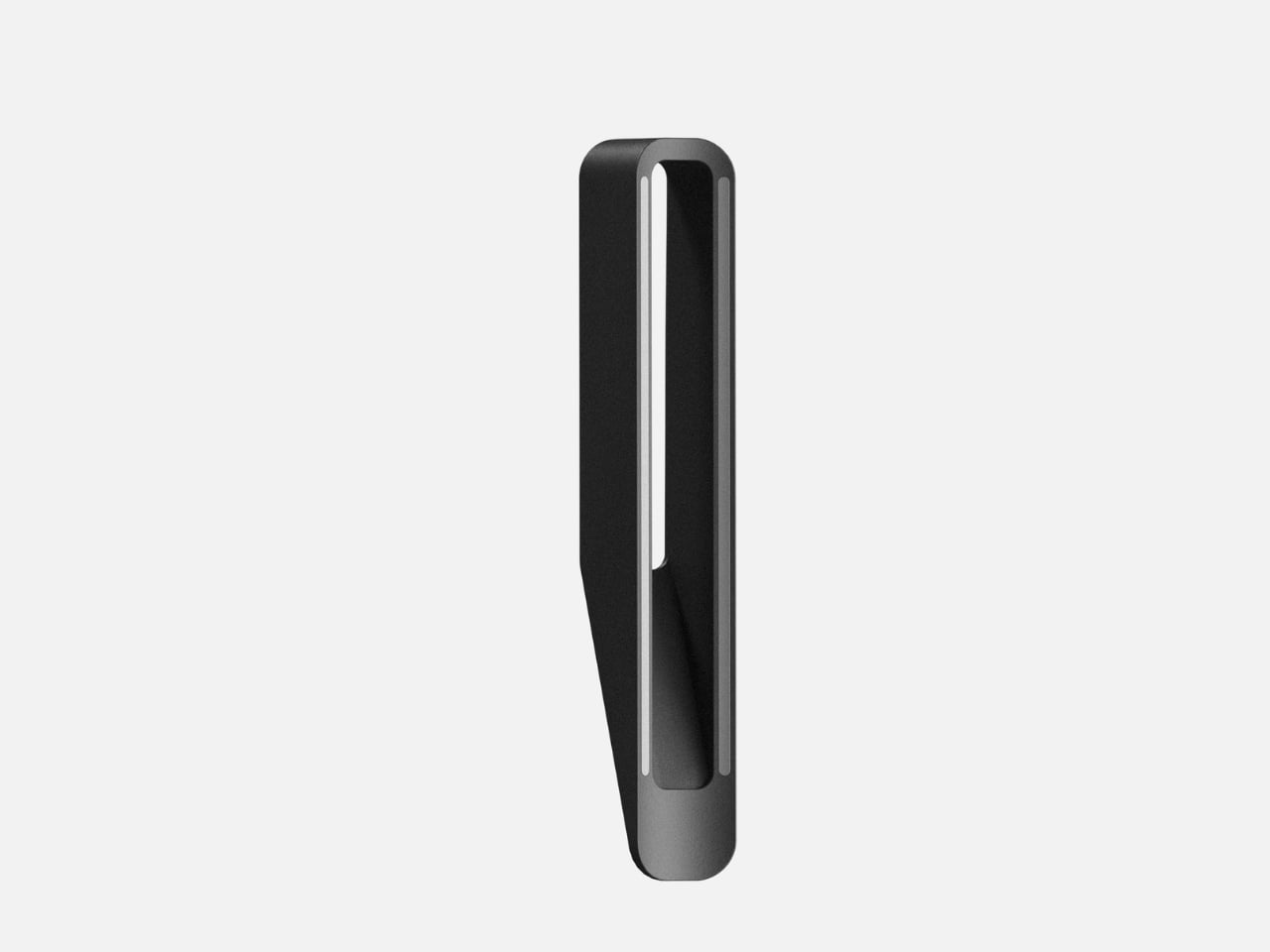
Look at the head of the tool and you’ll see Kwon has rethought the traditional straightener form. The plates have a gentle taper rather than being perfectly parallel, which means you can create straight styles or loose waves without needing a separate curling iron. It’s versatility built into the geometry itself, not added as an afterthought with a bunch of attachments you’ll lose within a month.
The ergonomics deserve attention too. FloX has this balanced weight distribution that makes it comfortable to hold at different angles, which matters more than you’d think when you’re working on the back of your head or trying to get volume at the roots. The grip area has a subtle texture that keeps the tool secure in your hand without resorting to rubberized grips that inevitably get grimy or sticky over time.
What strikes me most about FloX is how it treats hair styling as a legitimate design challenge rather than a frivolous women’s product that doesn’t deserve serious engineering. The hair tool market has been stuck in a pattern of adding more colors, more “technology” buzzwords, and more unnecessary features while ignoring fundamental issues like overheating, poor weight balance, and cluttered interfaces. Kwon strips all that away and focuses on what actually matters: precision heating, active cooling, and a form that makes sense for how people actually use these tools.
The monochromatic photography in the design presentation reinforces this approach. By removing color from the context, Kwon forces you to look at form, shadow, and proportion. It’s a confident move that shows the design can stand on sculptural merit alone. You could display this on a shelf next to a nice speaker or a piece of modern furniture and it wouldn’t look out of place.
This is industrial design thinking applied to personal care, and it points toward a more interesting future for everyday objects. When designers stop assuming that products for styling, beauty, or self-care need to be softened or feminized or hidden away, they can create tools that are genuinely better. FloX proves that a hair straightener can be as thoughtfully designed as a smartphone or a coffee maker, with the same attention to materials, mechanics, and user experience.
Whether FloX makes it to production remains to be seen, but as a design statement, it’s already succeeded. It challenges both the industry to do better and consumers to expect more from the objects they use every day. Sometimes the most radical thing a product can do is simply be well designed without apology.
When talking about the best VPNs, I frequently warn about the dangers of trusting free VPNs without verifying them. Although there are a few free VPNs worth recommending, many other free providers are ineffective, malicious or looking to profit off their users (or sometimes all three). Even the best free VPNs work a lot better once you subscribe and access their full service.
This can be frustrating if you want to enjoy the benefits of a VPN but don't have the budget for yet another subscription. To help you out, I put together a list of the best paid VPN services you can get cheaply. Every name on the list comes with my full recommendation — I'll never recommend a VPN that doesn't protect you, no matter how affordable.
Before I get started, I want to define "cheap," since VPNs often bamboozle the customer with muddled pricing schemes. Most providers have long-term subscription plans with big discounts, and many of them compensate by making their monthly plans more expensive. On this list, I'll recommend services with cheap subscriptions for both the short and long term, plus one favorite that balances both.
Best cheap VPNs for 2026
Other VPNs we tested with good deals
A couple of VPNs have decent pricing options attached to worthy services but weren't quite strong enough to make the list. Both these services get my hearty recommendation; they're just hard to justify as "cheap."
ExpressVPN
ExpressVPN recently switched to a multi-tier pricing model. The Basic pricing tier gets you complete VPN service but doesn't include the full set of features. The best price on that is $78.18 for 28 months, which works out to $2.79 per month. Although that sounds great, it's more expensive than both Surfshark and CyberGhost at the same duration and renews at the even higher price of $99.95 per year ($8.33 per month).
Still, as I wrote in my full ExpressVPN review, it's an outstanding service overall. Thanks to its sensible app layouts and focus on doing simple tasks well, I find it especially good for introducing beginners to what a VPN can do.
NordVPN
NordVPN is another provider that I gave a relatively positive review. I really like its boundary-pushing features, especially the various types of highly specialized servers. Its pricing isn't bad, exactly, but even the Basic level is more expensive than just about everyone else at every duration. NordVPN's fast download speeds and wide server network make it worthwhile for lots of users, but it's hard to recommend to people on a budget.
What to look for in a good cheap VPN
Looking for an affordable VPN is the same as looking for any kind of VPN; it just requires more care. The worst VPNs usually present themselves as free, but there's also a fair number of mediocre options that think low prices have to mean a mediocre service. If you want to use a VPN but don't have much extra cash, take some additional care in a few areas of your search.
First, don't subscribe to a VPN — or even download any of its apps — if you haven't verified its security. To do that, start by checking what experts have to say about it. If a VPN is truly unsafe, chances are high that somebody has already sounded the alarm. You can also check the list of protocols the VPN offers. If it's anything other than OpenVPN, WireGuard or IKEv2, do a deep dive to make sure it's using worthwhile encryption.
If you've verified that the VPN isn't a virus, check to see if it has a free trial or a guaranteed money-back period. This will give you some risk-free time to do hands-on tests. Our article on how we test VPNs includes several tests you can run on your own computer, phone or tablet. Check the VPN's speed, make sure it has the server locations you need and look for anything that might be leaking your real IP address.
Read the VPN's privacy policy and make sure you're comfortable with how much information it saves. Some VPNs emphasize privacy more than others. Finally, before your free trial or refund period expires, make sure to double-check on the pricing structure of the VPN you're choosing — it's possible that it will only be cheap for the first subscription period.
This article originally appeared on Engadget at https://www.engadget.com/cybersecurity/vpn/best-cheap-vpn-170000957.html?src=rss
Fallout’s second season is coming to a close, and it’s been well worth the wait. But if a reluctance to add yet another subscription to your streaming rotation means you haven’t watched Amazon’s surprisingly excellent adaptation yet, you might be interested to know that the company is currently releasing season one for free on the Prime Video YouTube channel.
Whether driven by Amazon wanting even more people to watch what has become one of its biggest TV success stories, or a move that speaks to how few people are actually signed up for Prime Video, it’s good news for anyone who hasn’t seen the show yet. Fallout’s first season did a great job of taking everything that’s great about the long-running post-apocalyptic RPG series and weaving it into a wildly entertaining live-action show, elevated by excellent performances from Ella Purnell as a hopelessly naive but endearingly optimistic vault-dweller, and Walton Goggins as the Ghoul.
Amazon is currently adding a new episode each day ahead of next week’s season two finale, presumably hoping a whole new set of fans hop straight into that once they’re done. But here’s the catch: you only have until February 11 to watch the whole lot. After that, the show will be for Prime Video subscribers only once again.
And that isn't the the only Fallout freebie up for grabs right now. Between now and February 5, Bethesda’s MMORPG, Fallout 76, is free-to-play on Xbox and PC, while PlayStation players have until February 4. Fallout 76 first launched in 2018, and as a fully multiplayer-focused game it represented a new direction for the series. It was, to put it bluntly, a bit of a mess for quite a while, but Bethesda has never abandoned the title or its player-base, and if you have Fallout on the brain, this is the perfect opportunity to see how it’s looking in 2026.
This article originally appeared on Engadget at https://www.engadget.com/entertainment/streaming/the-first-season-of-amazons-fallout-show-is-now-free-on-youtube-162920615.html?src=rss
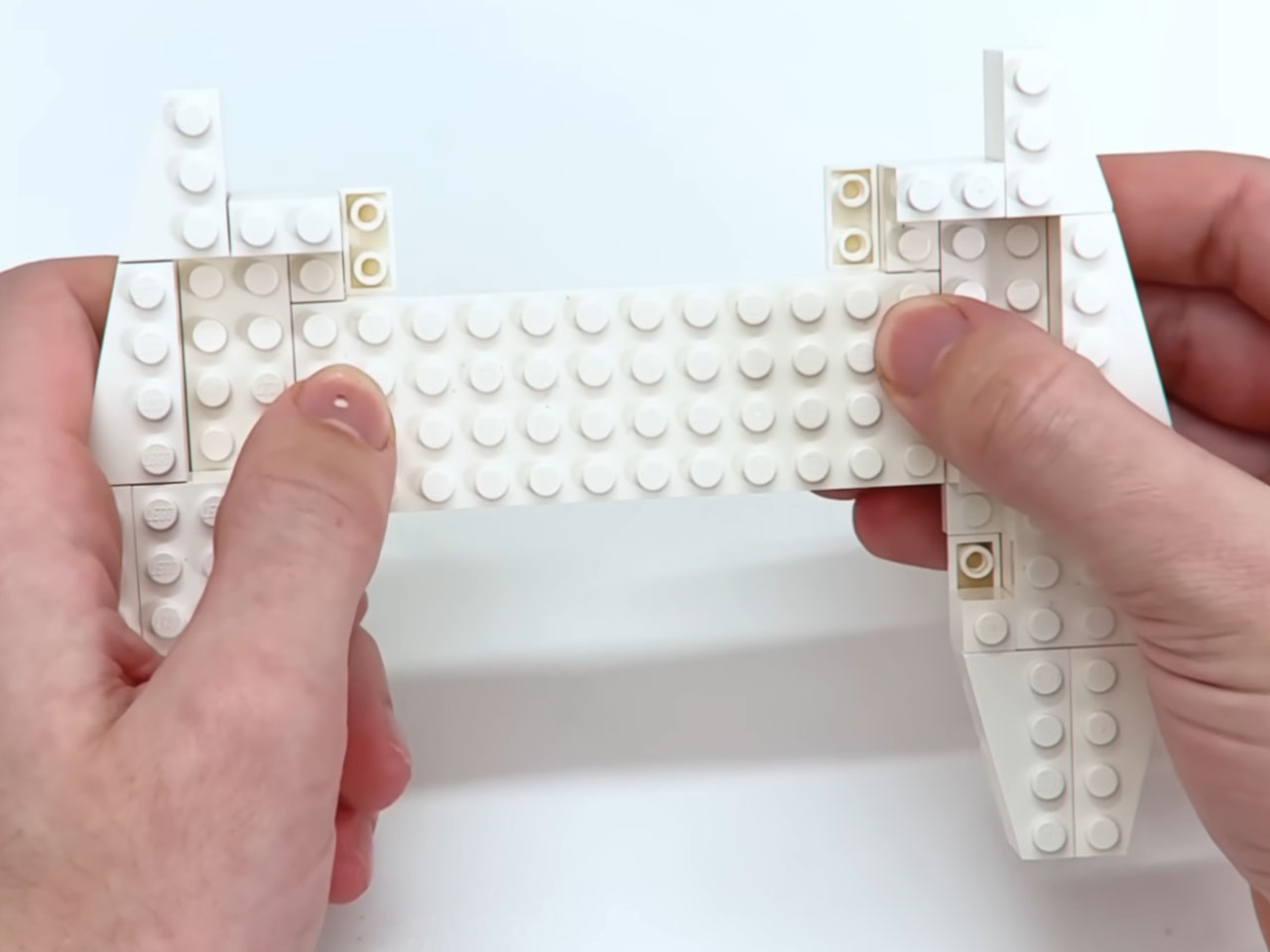
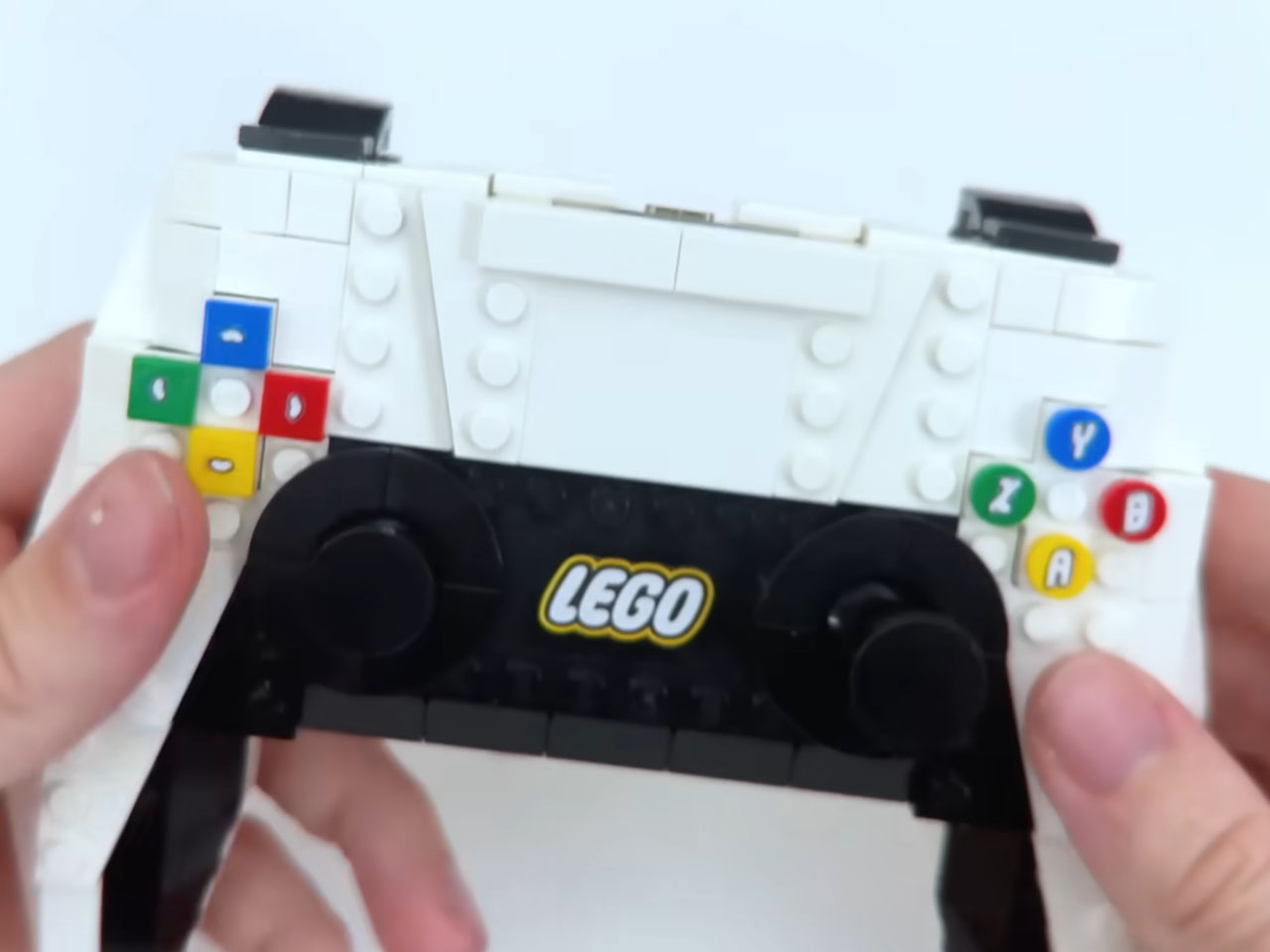
Gaming on your consoles with your preferred controller goes a long way in having an in-game strategic advantage. When you do want to go a bit casual, experimenting with a different-looking controller is a refreshing change. All the better when thegaming setup is built out of LEGO bricks. Take, for example, the detailed LEGO PS One console kit that emulates everything from the controller and CDs to the memory cards. But being a non-functional LEGO set takes away some of the charm. However, we’ve come across a build that may not be extensive, but sure is impressive with its complete functional approach.
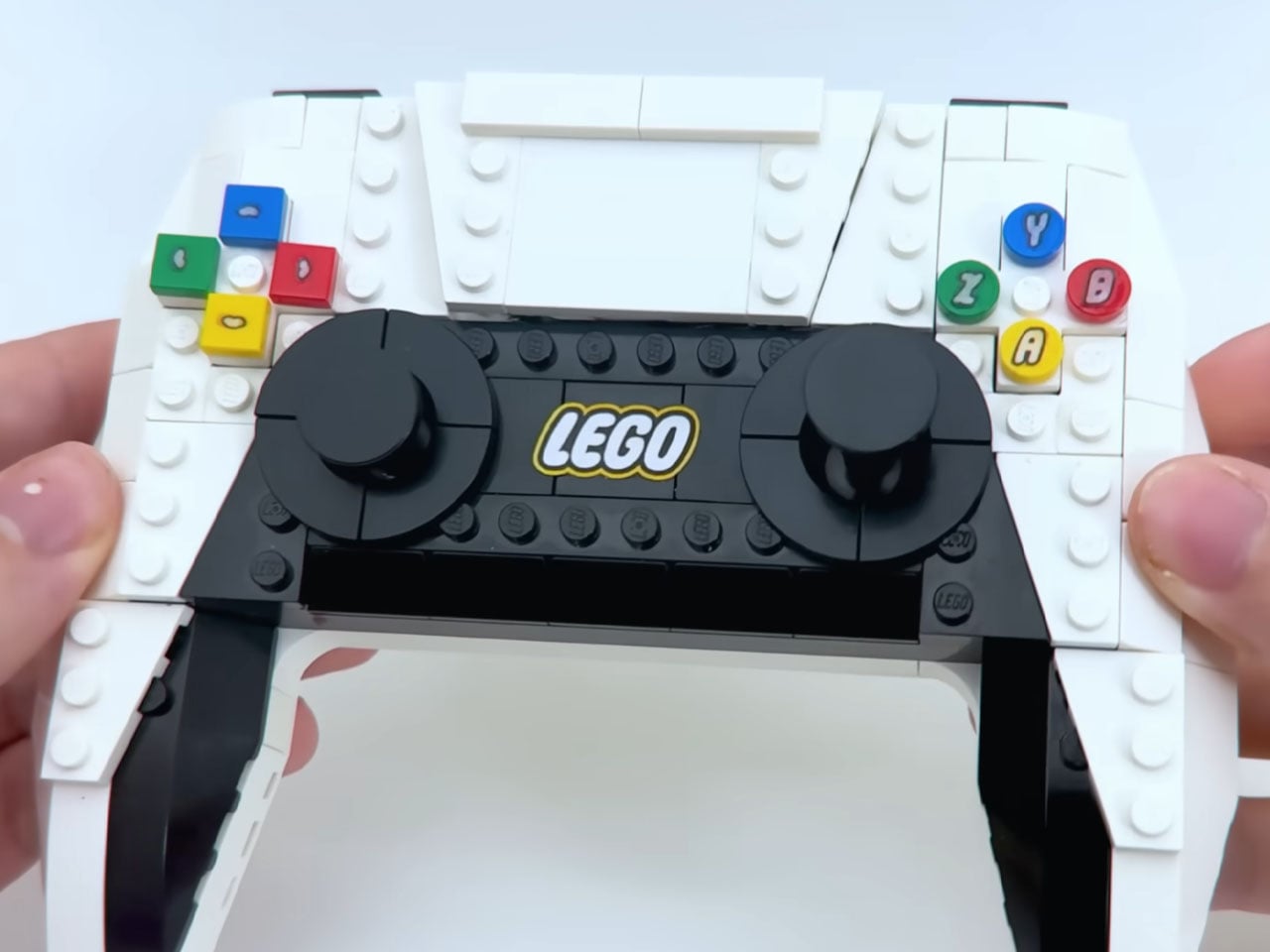
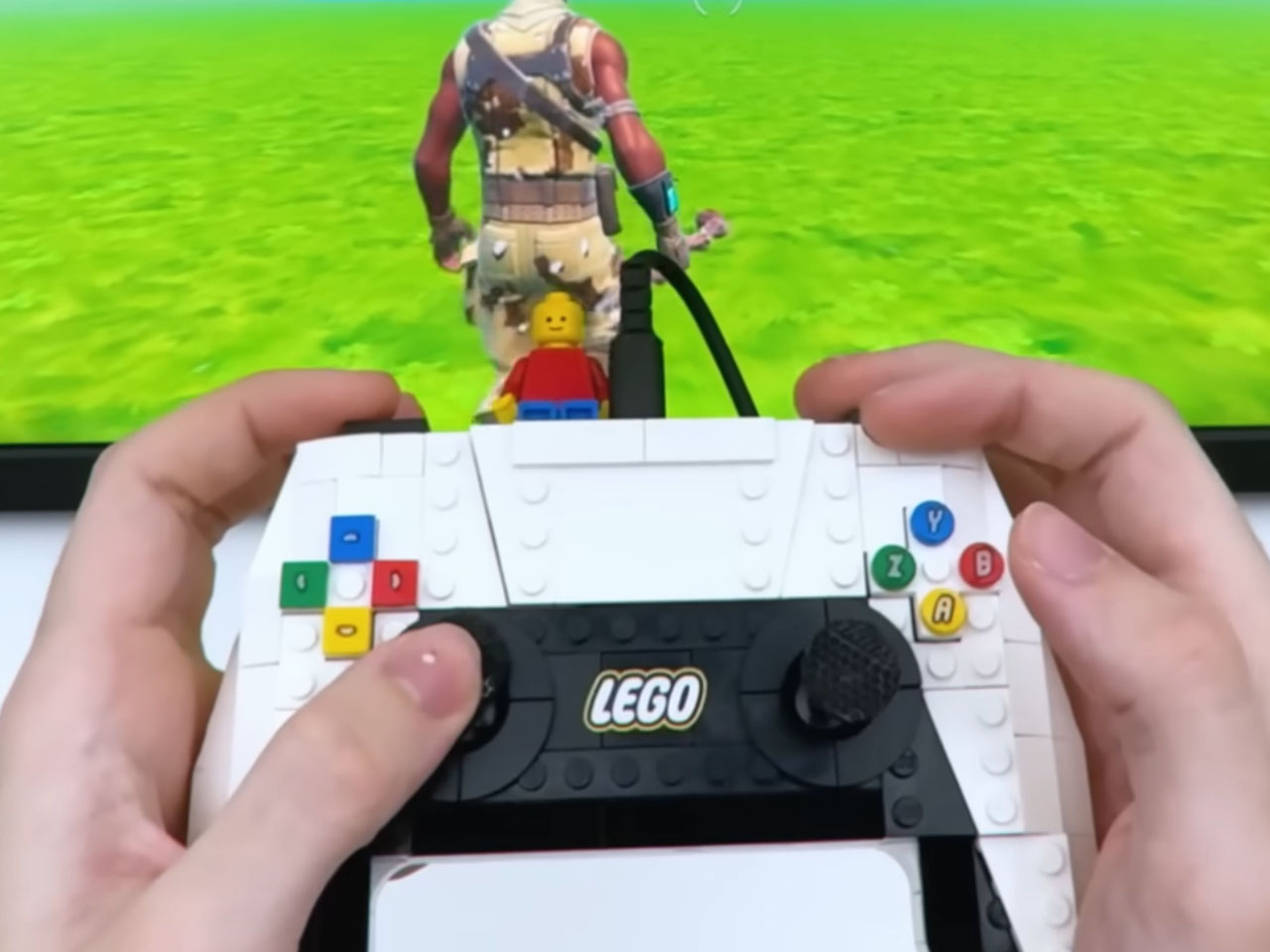
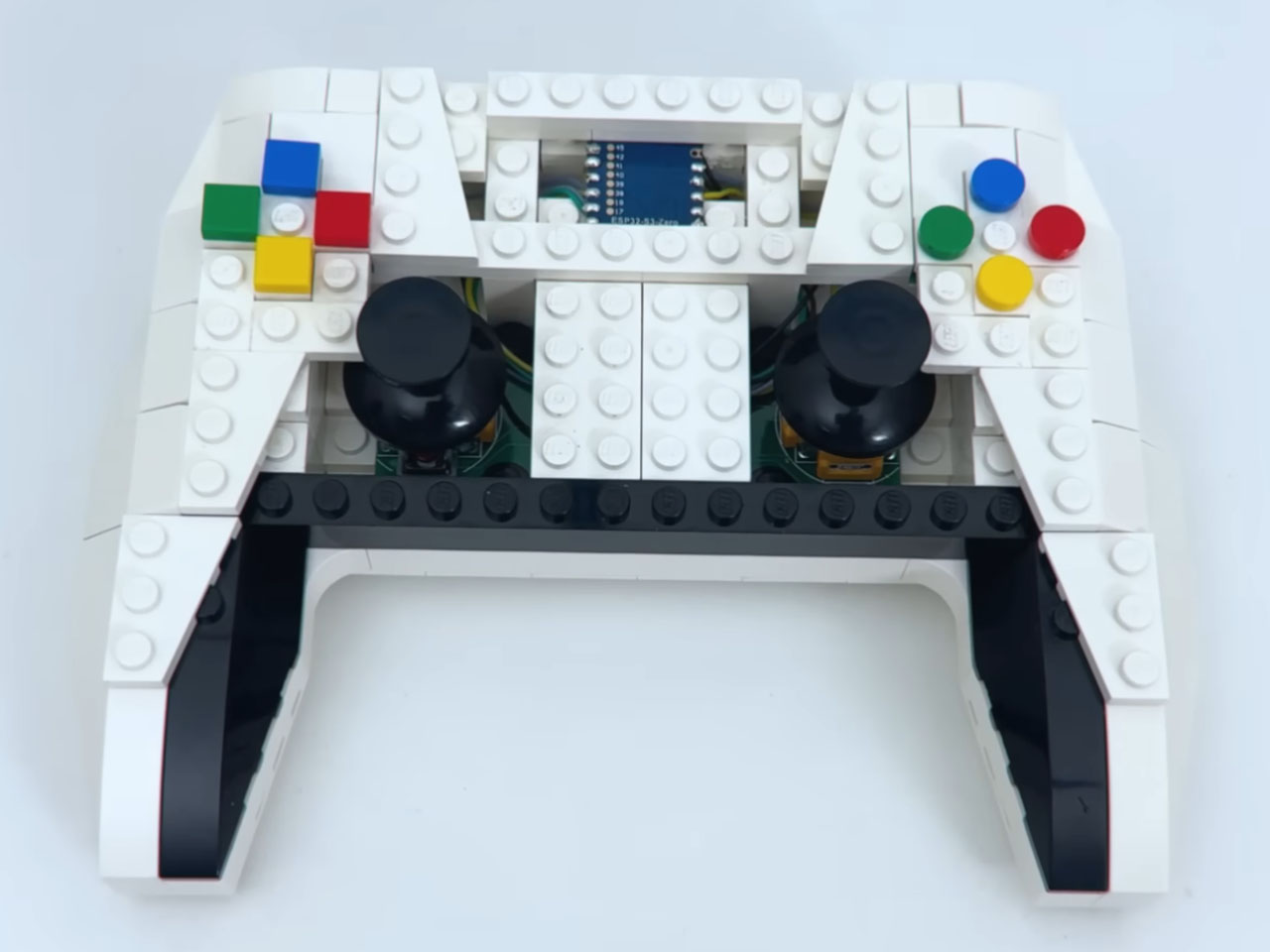
The Nintendo Pro controller line-up comes at a premium price tag, and that prompted creator Brux to make one of his own in LEGO flavor. To keep things simple, the DIYer adapts the Nintendo controller’s original design. Piecing together the choice bricks to come up with the controller shape is hypnotic, and the best thing is that you can also make one for yourself. That’s because the DIY is not as complex as some of the other builds we’ve seen in our time.
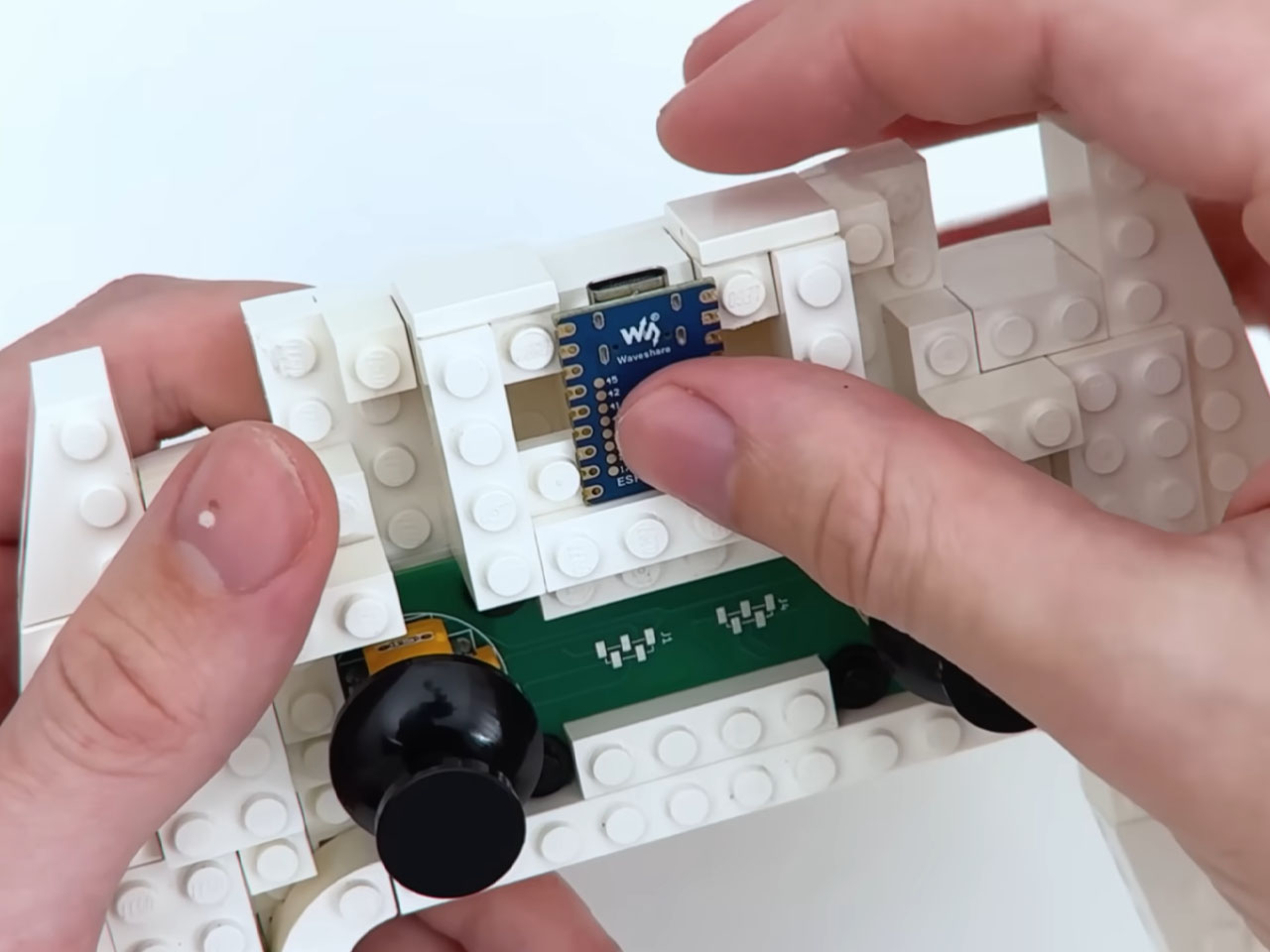
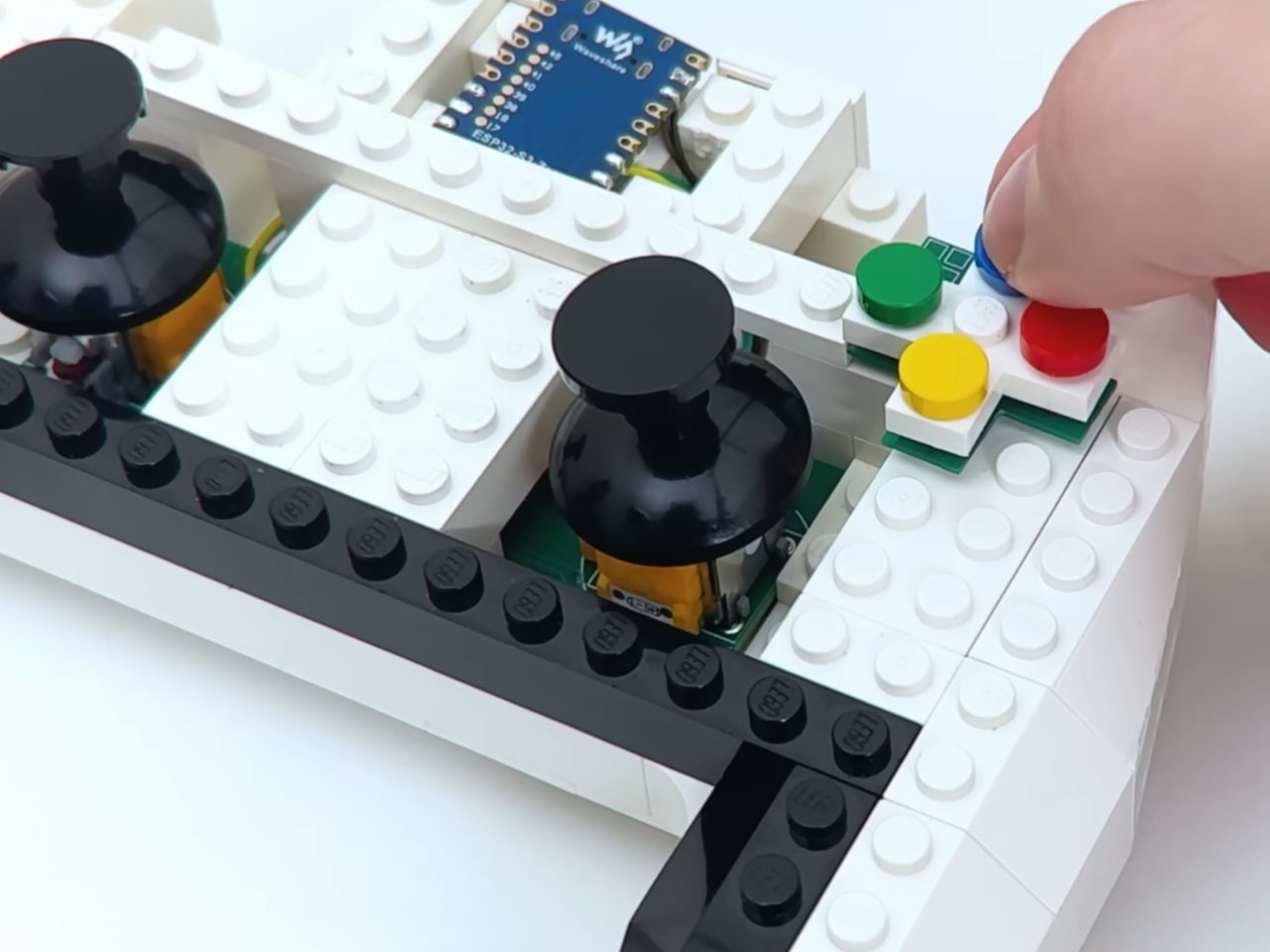
The brain of the LEGO controller is the Waveshare ESP32-S3-Zero development board, which lies just beneath the thin brick layer. The sorcery is done by converting the button action into Switch understandable input, letting you play games just like you would with the official controller. If we go more technical, the DIY gamepad acts as a USB HID device. To make the button inputs precise, he put a lot of time into crafting the A, B, X, Y cluster, the D-pad, Home, and Capture bricks.
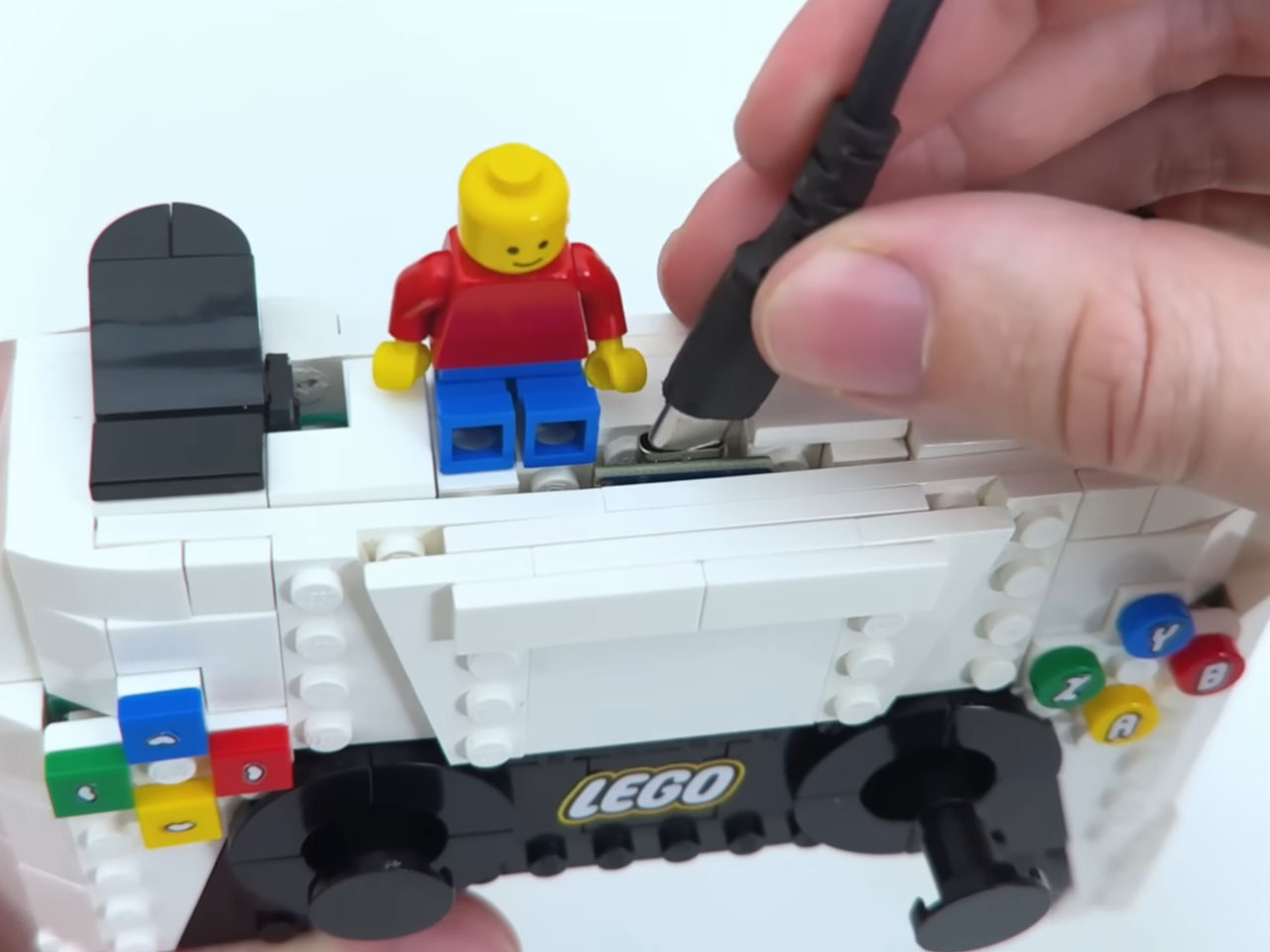
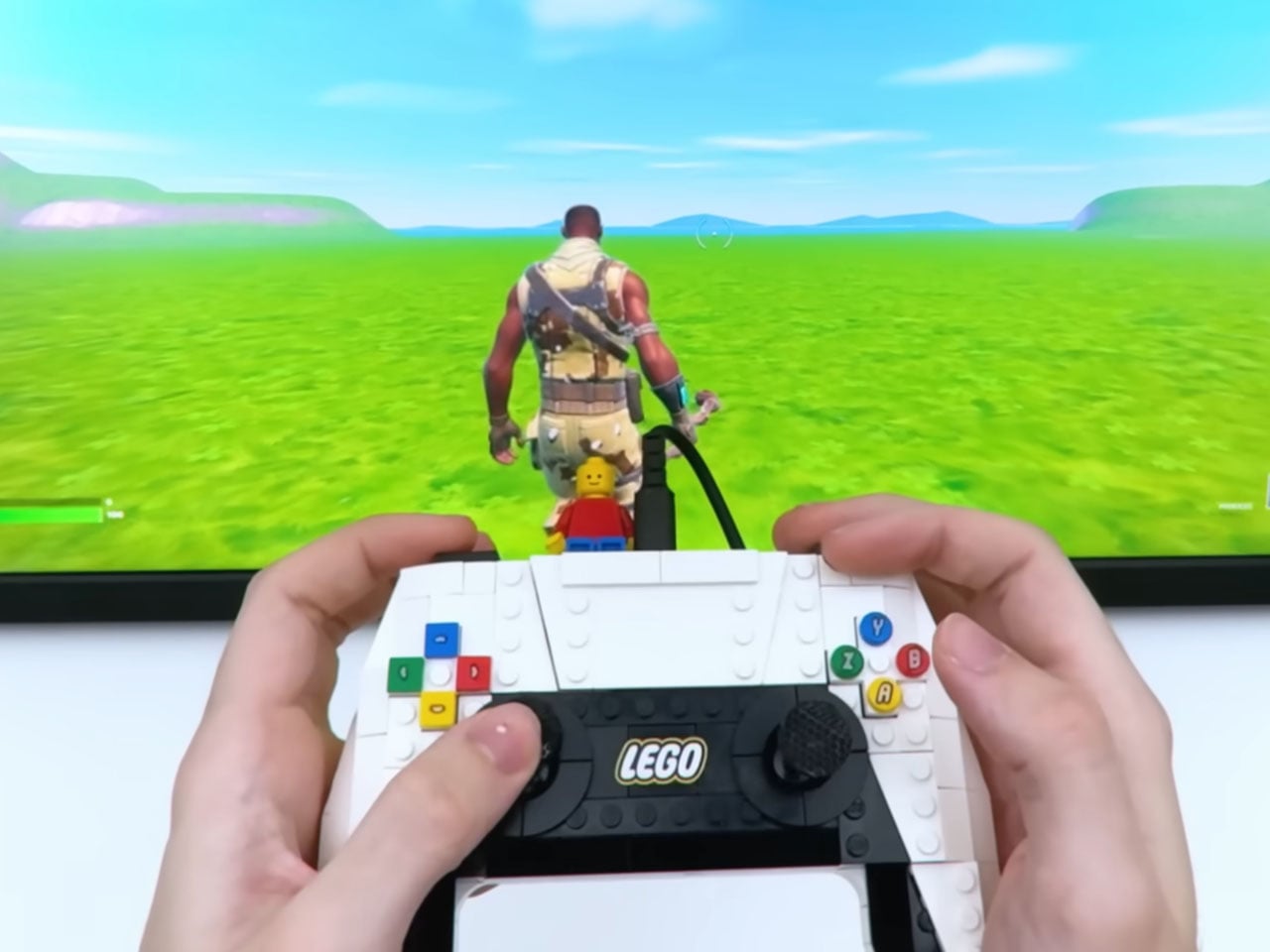
Similarly, the analog joysticks have bespoke circuit boards connected to the potentiometers for smooth in-game movements. The shoulder buttons get the potentiometers and the analog trigger pull for precision input, like the variable acceleration in racing games. Getting all the electronic components and the wires inside the limited space needs to be appreciated here. To add a bit of spice to the whole build, the controller docks the minifigure right beside the USB-C port that connects to the Switch.
The controller is wired to keep the technical complexity to a minimum. Brux has been kind enough to provide all the details of the DIY, and we would categorize it as a “Medium” difficulty project if you fancy the LEGO controller’s prospects. Of course, you can put in your input to make it compatible with other consoles or handhelds as well.
The iPhone 18 Pro series marks a pivotal moment in smartphone evolution, combining advanced technology, refined design, and a strong commitment to sustainability. Apple’s latest flagship models introduce new features that enhance performance, improve energy efficiency, and elevate user experience. This article explores the key innovations of the iPhone 18 Pro and their implications for […]
Settling in for “just one more run” usually means your thumbs, wrists, or forearms start complaining long before the game is done. Most controllers are fixed objects that expect your body to adapt, which can lead to repetitive strain or numbness. You either push through the discomfort or take breaks that feel like interruptions, but rarely can you adjust the hardware itself to match how your hands actually feel in that moment.
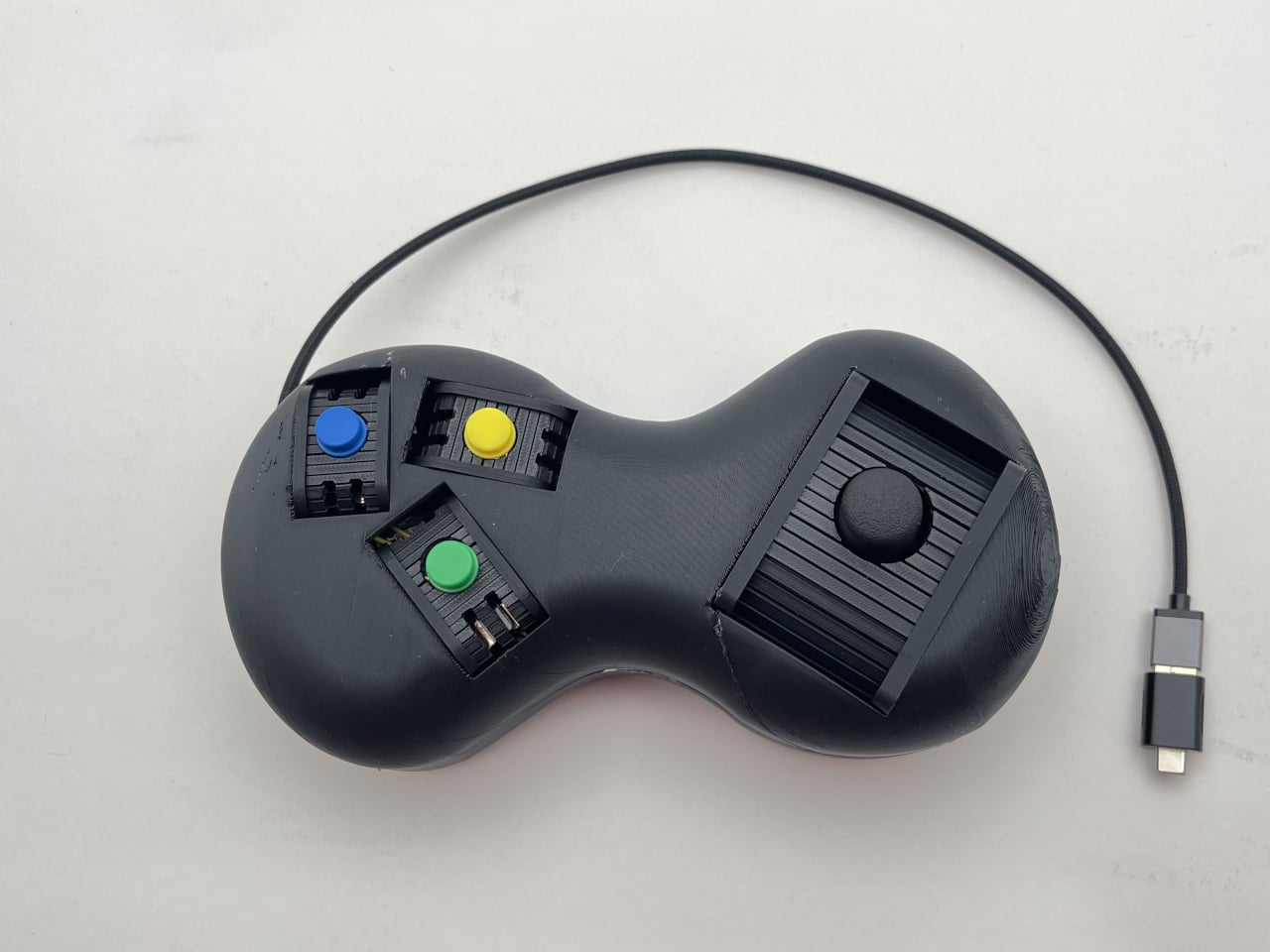
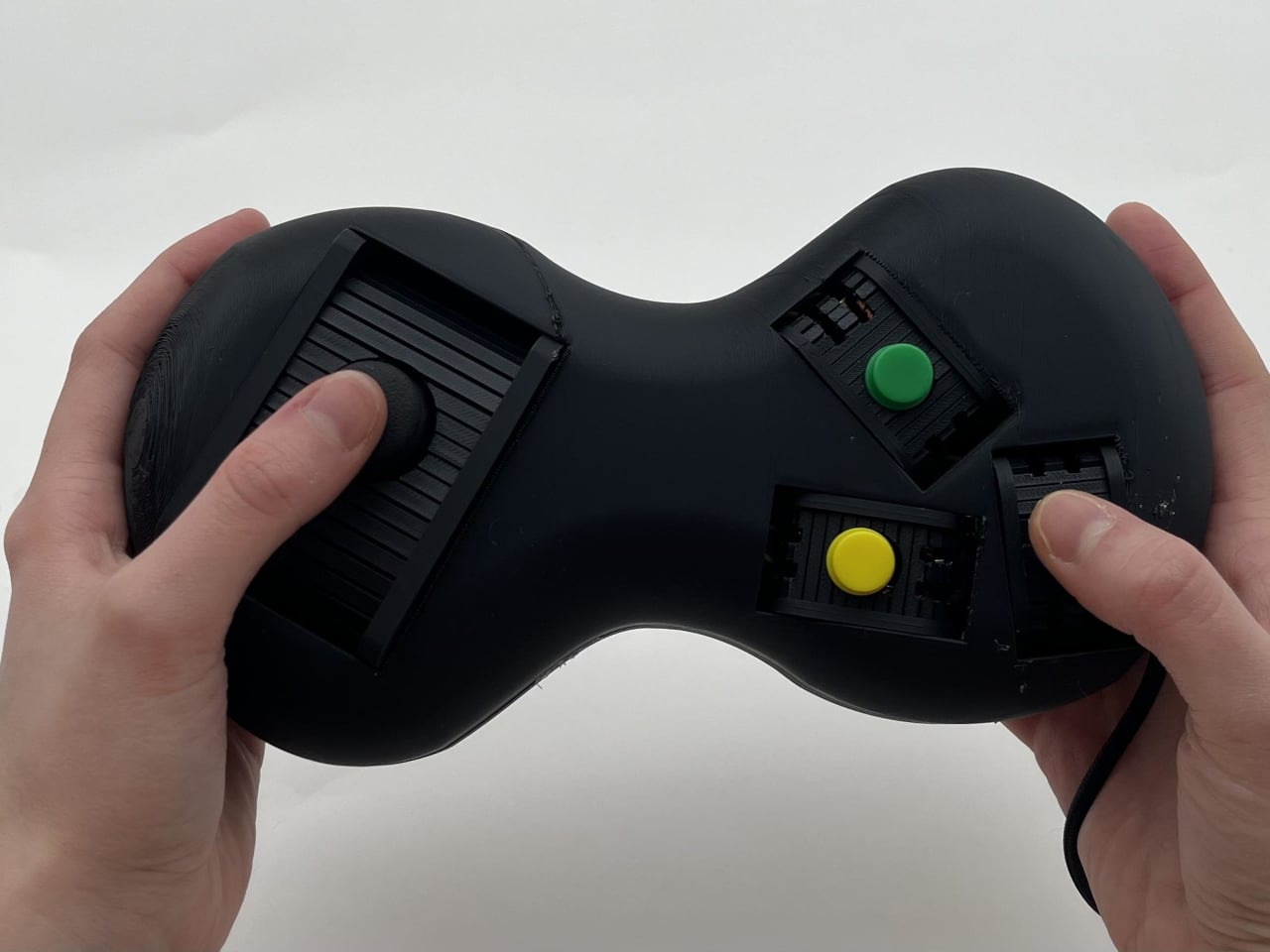
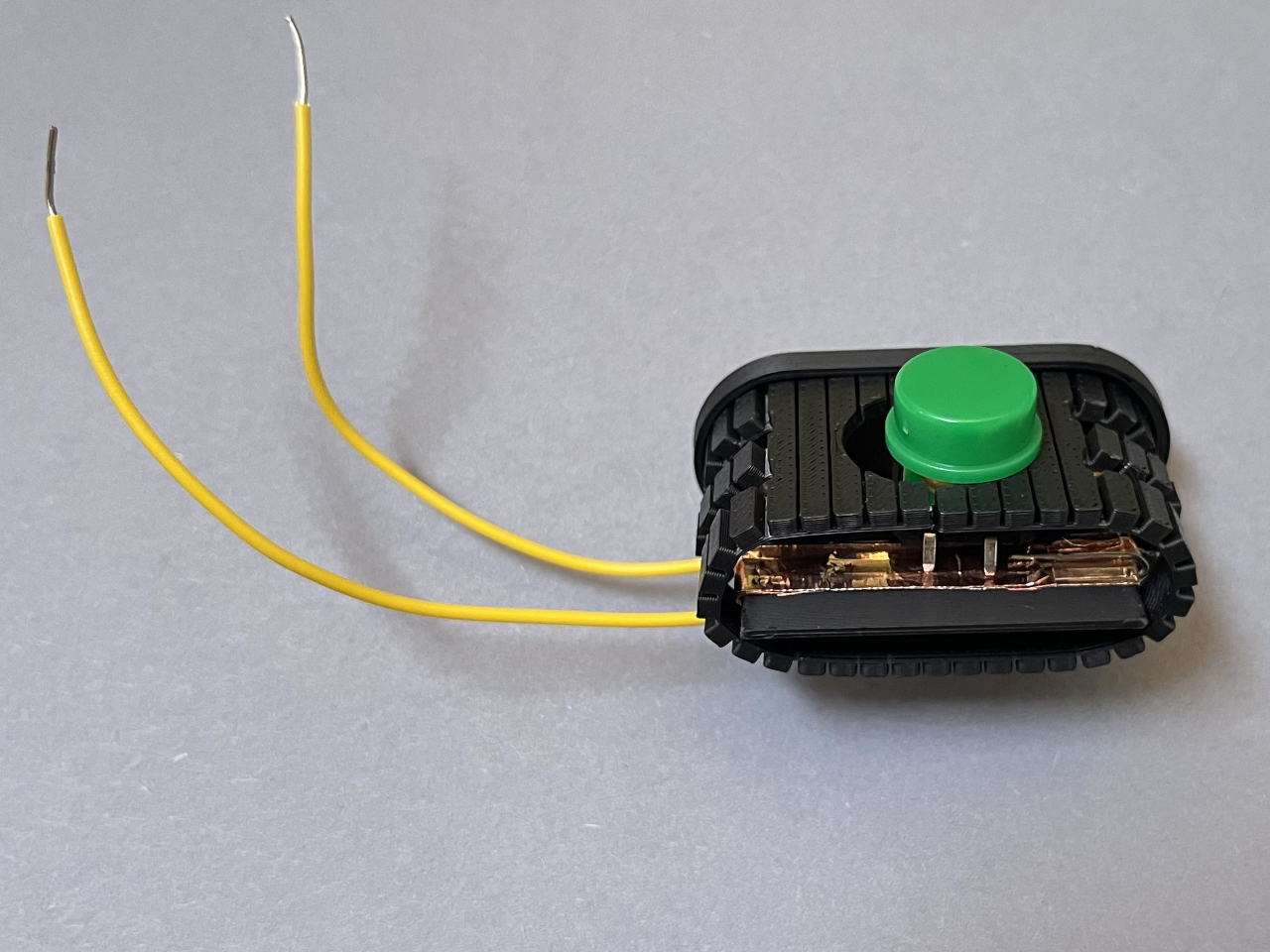
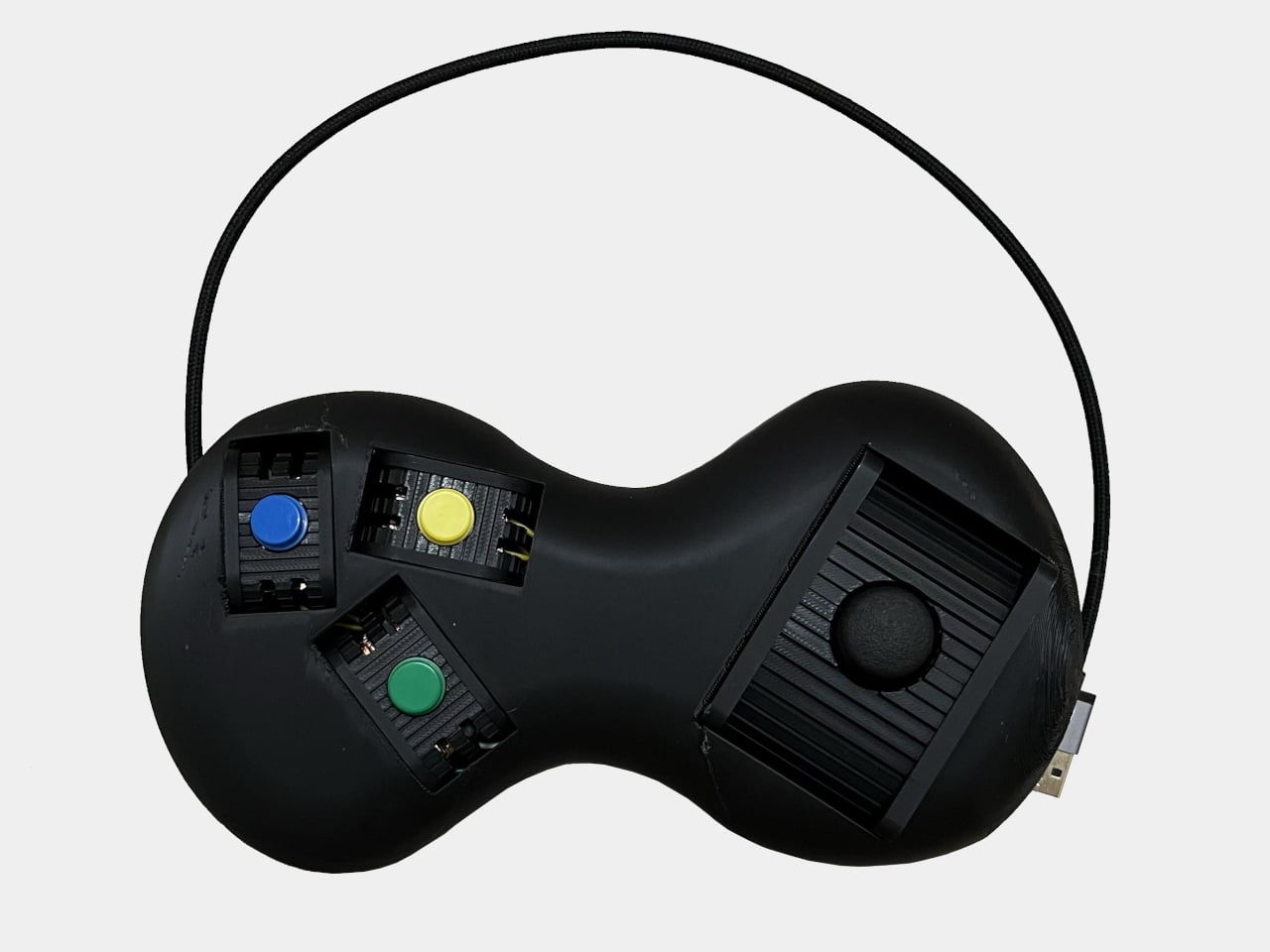
Morphable is a DIY adjustable gamepad built around a peanut-shaped shell and sliding modules for the joystick and buttons. It is designed to reduce strain by letting you reposition inputs to match your hands and play style, and if something starts to feel off mid-game, you can shift the layout instead of stopping. The whole thing is open-source and 3D-printable, built by someone who wanted their controller to adapt.
Playing a demanding game for an hour or two, you might start with a familiar layout and then nudge a button rail closer to your thumb when your reach starts to feel tight. Maybe you slide the joystick slightly inward so your wrist can straighten, or move a frequently used button lower so another finger can take over. The controller encourages micro-adjustments that let different muscles share the work instead of overloading the same joints.
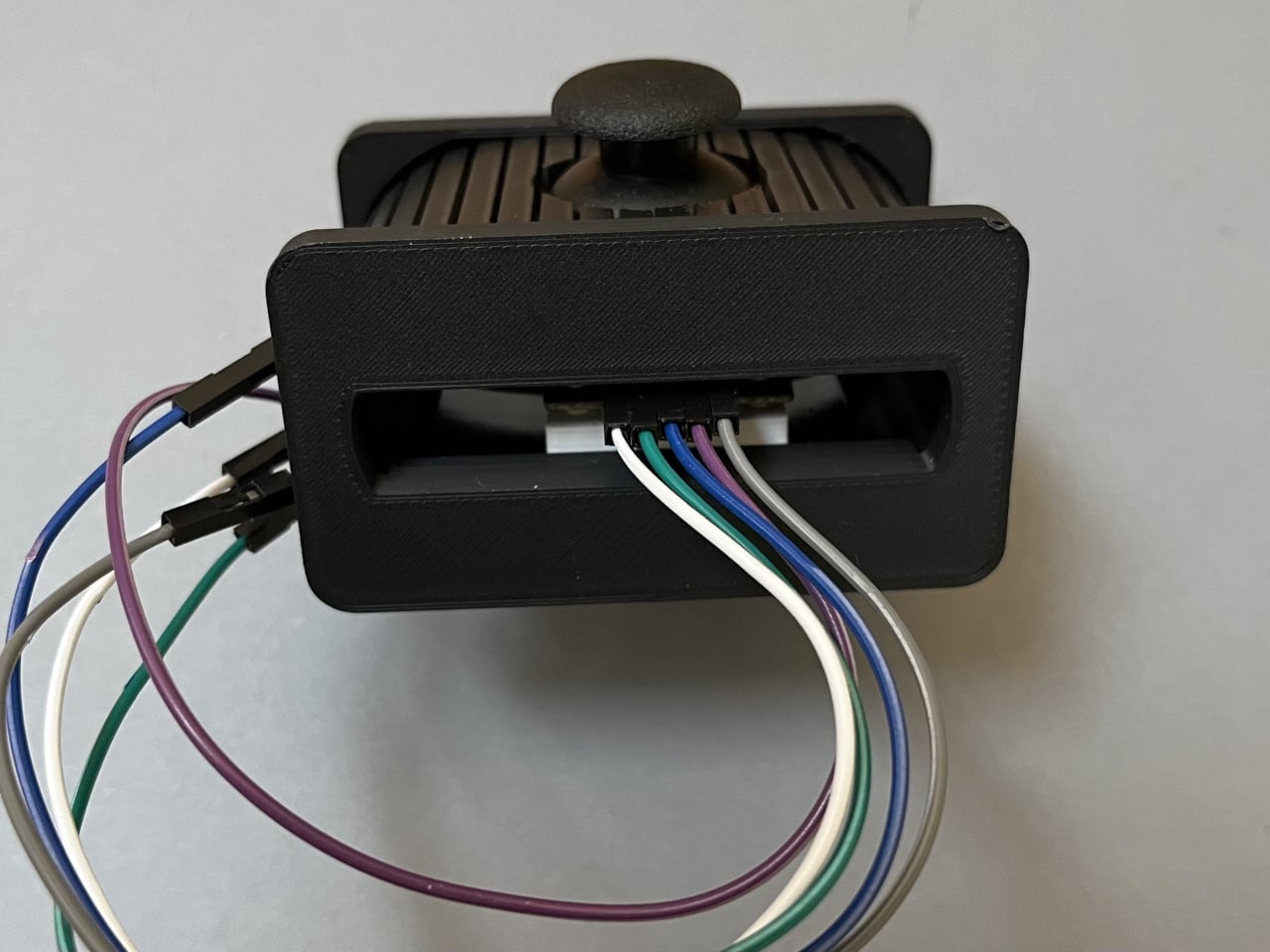
Each button sits on a small sled that rides on a rail, held in place by magnet tape. Underneath, copper tape runs along the base, and wires press against it to carry signals. The joystick uses a similar sled and rail. This setup means you can slide modules around freely while the Arduino inside still sees every press and movement, maintaining electrical contact as things shift without needing screws.
Morphable uses an Arduino Leonardo, which can pretend to be a USB keyboard. The three buttons and joystick axes are wired to specific pins, and the code maps them to keys like E, J, and K for games such as Hollow Knight. Because it shows up as a keyboard, you can remap controls in software and experiment with different layouts without being locked into a console’s default scheme.
The main body is a smooth, 3D-printed peanut shape that fills both palms and keeps wrists in a more neutral position than a flat gamepad. There are no sharp edges, and the weight is spread across the hands instead of concentrated under the thumbs. Combined with the movable modules, the shell lets you tune the controller to your posture instead of the other way around.
Morphable is less about one perfect layout and more about the idea that your ideal layout changes over a night, a week, or a year. Hardware does not have to be static; it can be something you keep adjusting as your body and habits shift. Fixed plastic shells dominate the market, but a controller that invites you to move things around to stay comfortable feels like a quietly radical prototype.
The Samsung Galaxy S26 Ultra is set to redefine expectations in the smartphone industry. With a focus on privacy, display innovation, and satellite communication, this flagship device addresses critical user needs while showcasing Samsung’s commitment to technological advancement. The official teaser reveals a smartphone designed to combine innovative performance with practical solutions, making sure […]
Grammy winner Bad Bunny, seen here accepting his award for Best Música Urbana Album for “Un Verano Sin Ti” in 2023, is nominated again this year. (Timothy Norris/FilmMagic)
Timothy Norris via Getty Images
The 2026 Grammy Awards honor music's biggest achievements of the year, and some of the biggest stars on the planet are nominated this year. Kendrick Lamar leads the way with nine nominations, including for Record and Song of the Year for "luther," his collaboration with SZA. Other top nominees this year include Lady Gaga, Jack Antonoff, and Cirkut with seven nominations apiece, and Bad Bunny, Sabrina Carpenter, and Leon Thomas, who have six. The 2026 Grammy Awards will be hosted by comedian Trevor Noah, who also happens to be a nominee this year in the Best Audio Book, Narration & Storytelling category.
The 2026 Grammys will take place at Crypto.com Arena in Los Angeles, and the broadcast will air this Sunday, Feb. 1, at 8PM ET/5PM PT on CBS, streaming live on Paramount+ (for Premium subscribers only). The 2026 Grammy Awards Premiere Ceremony — where the majority of the Grammys are actually awarded — will take place earlier that same day, from 3:30PM ET/12:30PM PT, and streams live free on YouTube.
Here’s how to watch the 2026 Grammy Awards live this Sunday.
When are the 2026 Grammy Awards?
The 68th Grammy Awards will be held this Sunday, Feb. 1, 2026.
Grammys start time
The Grammy Awards live TV broadcast begins at 8PM ET/5PM PT. It's scheduled to run until 11:30PM ET.
Prior to the main broadcast, the 2026 Grammy Awards Premiere Ceremony (this is where you can watch the awards for categories like Musical Theater, Americana, Reggae, Metal, Gospel and more) will take place from 3:30PM ET/12:30PM PT. The Grammys Premiere Ceremony will stream live for free at live.GRAMMY.com and on YouTube.
Grammy Awards TV channel
The 68th Grammy Awards will air on CBS and stream live on Paramount+ for Premium subscribers. The awards show will also be available the following day on demand for Paramount+ Essential subscribers.
How to watch the Grammys without cable
How to watch the 2026 Grammys free
Who is performing at the 2026 Grammy Awards?
Among this year's Grammy's performers are Justin Bieber, Sabrina Carpenter, Album of the Year nominees Clipse and Pharrell Williams, and every Best New Artist nominee, including Addison Rae, Alex Warren, KATSEYE, Leon Thomas, Lola Young, Olivia Dean, SOMBR, and The Marías.
This year's In Memorium honoring artists we've lost this year will include a musical tribute from Reba McEntire, Brandy Clark and Lukas Nelson, a performance from Ms. Lauryn Hill in honor of D'Angelo and Roberta Flack, and an Ozzy Osbourne tribute from artists like Post Malone, Andrew Watt, Chad Smith, Duff McKagan, and Slash.
Who is hosting the Grammys this year?
Trevor Noah will return to host the Grammys for the sixth and final year.
Who is presenting at the 2026 Grammys?
While the full list of Grammys presenters has yet to be released, we do know that Harry Styles and Doechii will be presenting.
Grammy Awards new categories
This year’s Grammys will see the return of the award for Best Album Cover (after 53 years!). This year, the category of Best Country Album will now be split into two awards: Best Contemporary Country Album and Best Traditional Country Album.
Grammys eligibility window
The 2026 Grammy Awards will recognize music released from August 31, 2024 to August 30, 2025.
2026 Grammy nominations
Here are the nominees for the 68th Grammy Awards.
Album of the Year
Bad Bunny — Debí Tirar Más Fotos
Justin Bieber — Swag
Sabrina Carpenter — Man’s Best Friend
Clipse, Pusha T & Malice — Let God Sort Em Out
Lady Gaga — Mayhem
Kendrick Lamar — GNX
Leon Thomas — Mutt
Tyler, the Creator — Chromakopia
Record of the Year
Bad Bunny — “DtMF”
Sabrina Carpenter — “Manchild”
Doechii — “Anxiety”
Billie Eilish — “Wildflower”
Lady Gaga — “Abracadabra”
Kendrick Lamar feat. SZA — “Luther”
Chappell Roan — “The Subway”
Song of the Year
Lady Gaga — “Abracadabra”
Doechii — “Anxiety”
ROSÉ & Bruno Mars — “APT.”
Bad Bunny — “DtMF”
HUNTR/X (EJAE, Audrey Nuna, REI AMI) — “Golden”
Kendrick Lamar feat. SZA — “Luther”
Sabrina Carpenter — “Manchild”
Billie Eilish — “Wildflower”
Best New Artist
Olivia Dean
KATSEYE
The Marías
Addison Rae
sombr
Leon Thomas
Alex Warren
Lola Young
Best Pop Solo Performance
Justin Bieber — “Daisies”
Sabrina Carpenter — “Manchild”
Lady Gaga — “Disease”
Chappell Roan — “The Subway”
Lola Young — “Messy”
Best Pop Vocal Album
Justin Bieber — Swag
Sabrina Carpenter — Man’s Best Friend
Miley Cyrus — Something Beautiful
Lady Gaga — Mayhem
Teddy Swims — I’ve Tried Everything But Therapy (Part 2)
Best Alternative Music Album
Bon Iver — Sable, Fable
The Cure — Songs of a Lost World
Tyler, the Creator — Don’t Tap the Glass
Wet Leg — Moisturizer
Hayley Williams — Ego Death at a Bachelorette Party
This article originally appeared on Engadget at https://www.engadget.com/entertainment/streaming/how-to-watch-the-2026-grammy-awards-tv-channel-start-time-where-to-stream-nominations-list-and-more-150015179.html?src=rss
Somehow, we live in a world where people can bet on practically anything using sites like Polymarket and Kalshi. In this episode, Devindra and Engadget Senior Reporter Karissa Bell dive into the world of prediction markets. How did we get here? And is endless betting having an effect on the real world? Also, we chat about the new American version of TikTok, which stumbled during its first weekend with a litany of errors and reported censorship.
Who’s going to buy the Samsung Galaxy Z Tri-fold for $2900? – 1:18
Tesla is killing off the Model X and S lines to focus on its Optimus robot moonshot – 6:46
Amazon plans to cut 16,000 jobs and close its grocery stores in another round of restructuring – 10:45
Most of the UK will lose access to Pornhub in a fight over age verification and privacy – 21:16
Internal messages from Meta about Instagram being ‘a drug’ for teens could be bombshell evidence at trial – 26:59
What are prediction markets and why are they suddenly so popular? – 32:11
As TikTok US stumbles, users ask ‘is it server problems or censorship?’ – 46:55
Around Engadget – 59:11
Pop culture picks – 1:01:23
Credits
Hosts: Devindra Hardawar and Karissa Bell Producer: Ben Ellman Music: Dale North and Terrence O’Brien
This article originally appeared on Engadget at https://www.engadget.com/general/engadget-podcast-what-do-prediction-markets-like-kalshi-cost-us-143113799.html?src=rss