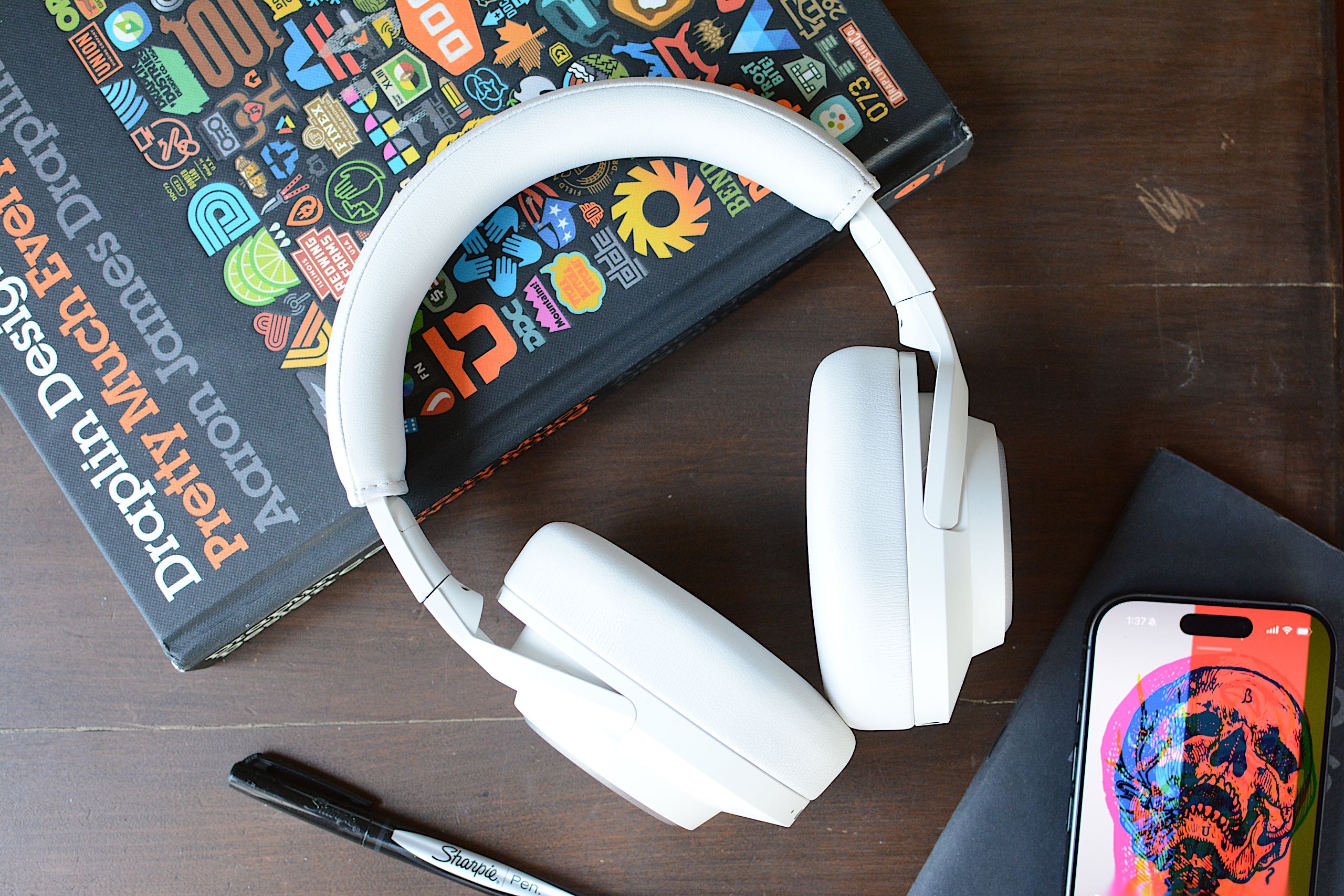
Fender Mix review: Well-designed headphones that just fall short of greatness

I know what you’re thinking: “Isn’t Fender a guitar company?” It sure is, and has been one of the most iconic names in guitars and amplifiers since 1946. So what is the company doing making headphones and speakers? Well, it isn’t, exactly. Like Zound Industries used to do with Marshall (before buying the amp business), another company is licensing the Fender name for its consumer audio products. Fender Audio, the brand that’s on the headphones I’m reviewing, is owned by the Fender Corporation, but Riffsound oversees the design and production of portable audio gear. 

The first products from Fender Audio are the Mix headphones and the Elie speaker (in two sizes). The company revealed these in January before properly showing them off  at CES. I’ll get to those speakers in a few weeks, but the Mix headphones are first up on the review docket. 

With the Mix, Fender Audio seeks to offer a set of premium over-ear, noise-canceling headphones at a lower price than the likes of Sony, Bose and Sennheiser. There’s also marathon battery life, several smart design touches, a lossless Bluetooth transmitter and swappable parts that combine for a unique formula to take on those big names. I’m honestly impressed that Fender Audio could cram all of that in a more affordable package, but the final verdict on the Mix isn’t so straightforward.

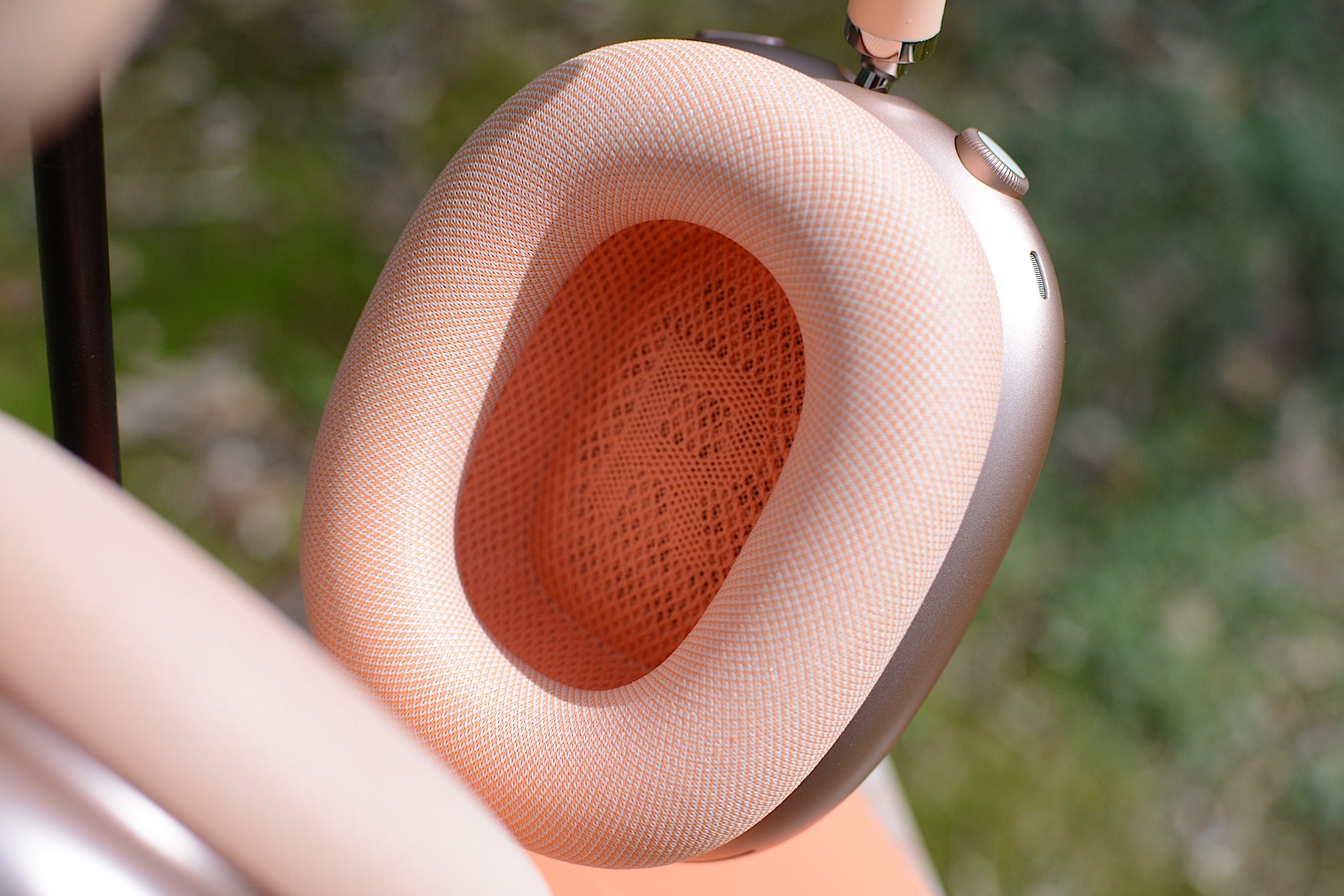
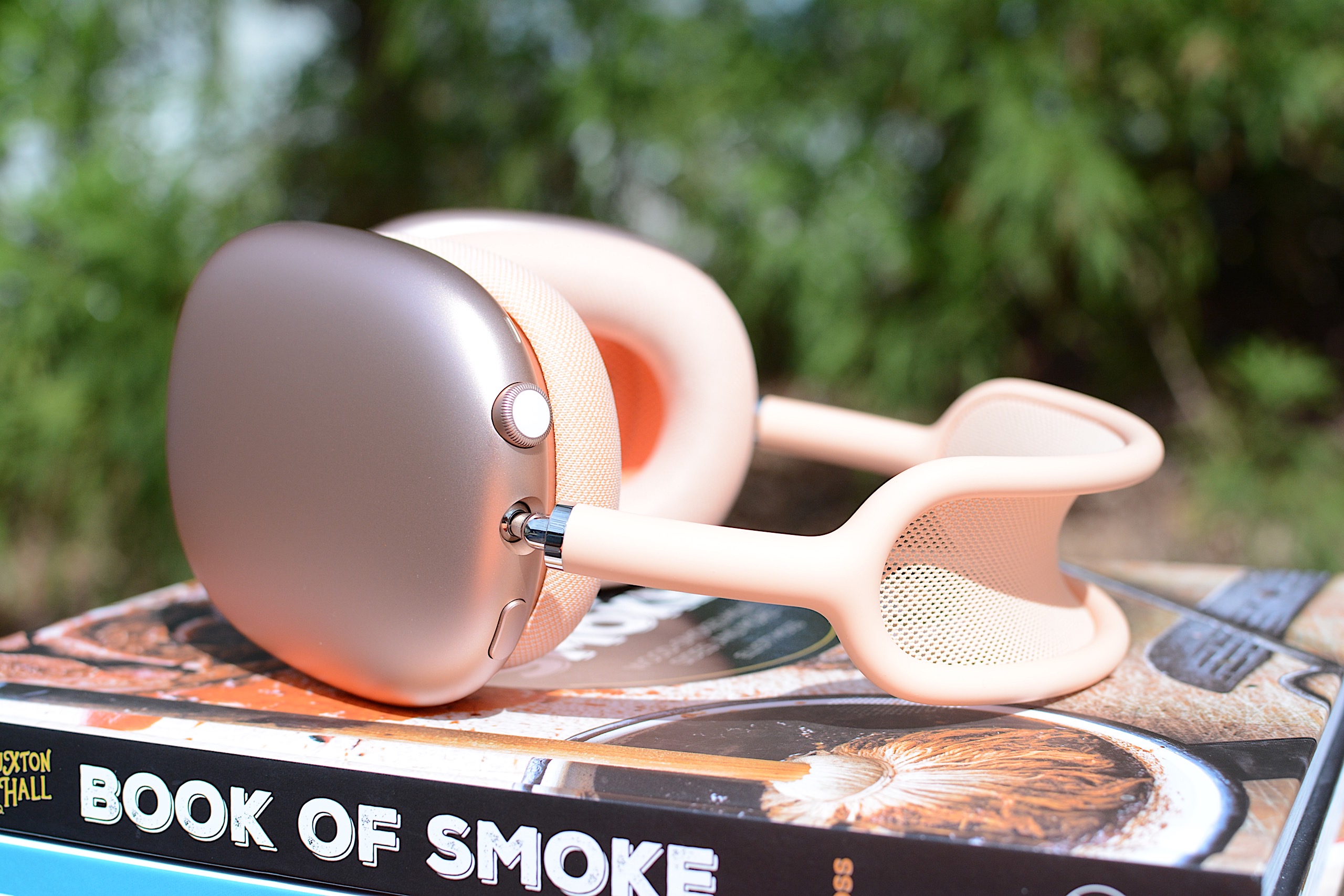
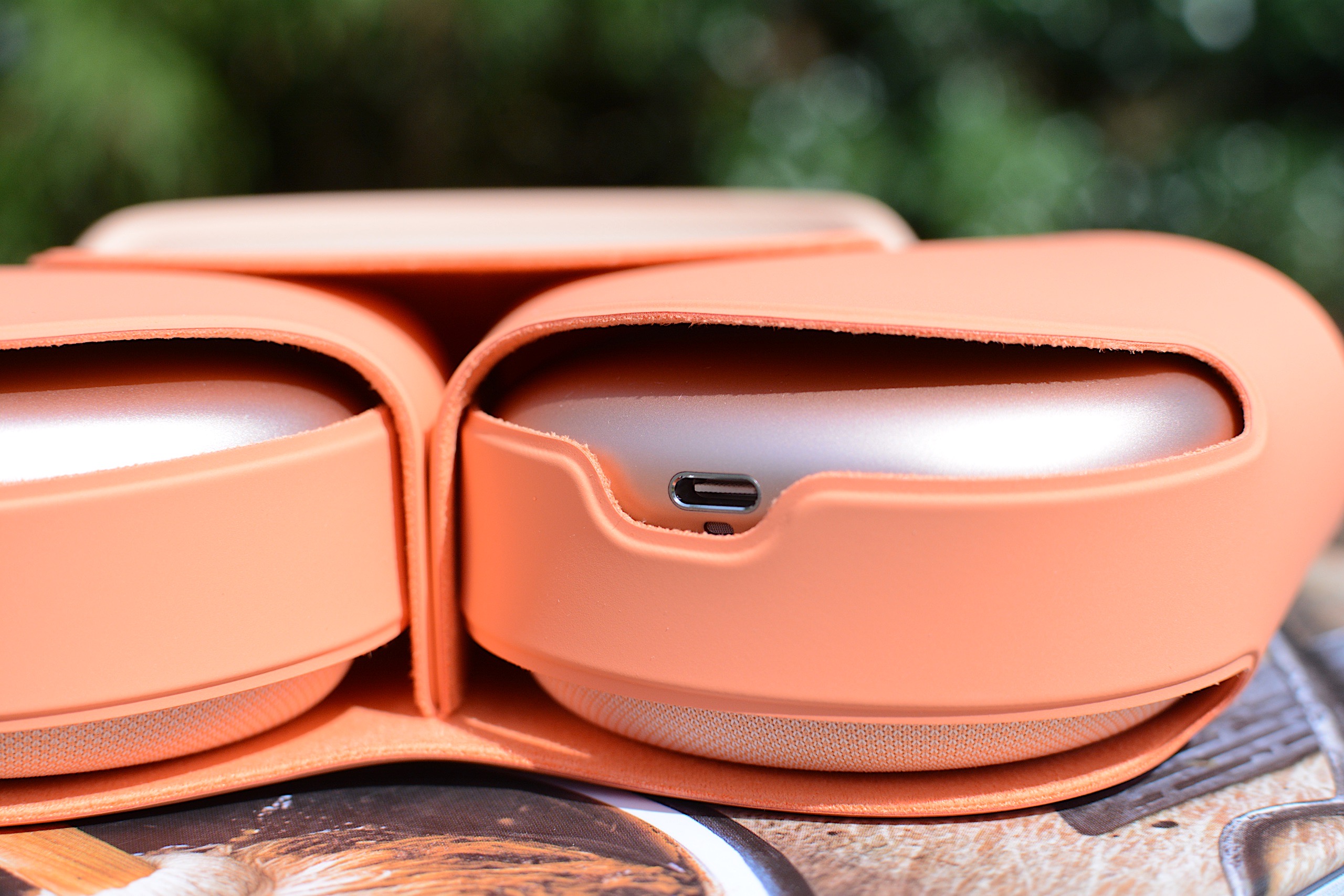
Fender Audio made numerous smart design decisions on the Mix headphones, and they resulted in my favorite things about using them. To start, you can swap out the ear pads, ear cups and headband as you see fit. The ear cups attach to the headband via USB-C ports, so they’re easy to snap on and off. Obviously, this allows you to change the look of the Mix over time, within the bounds of Fender’s available colors. 

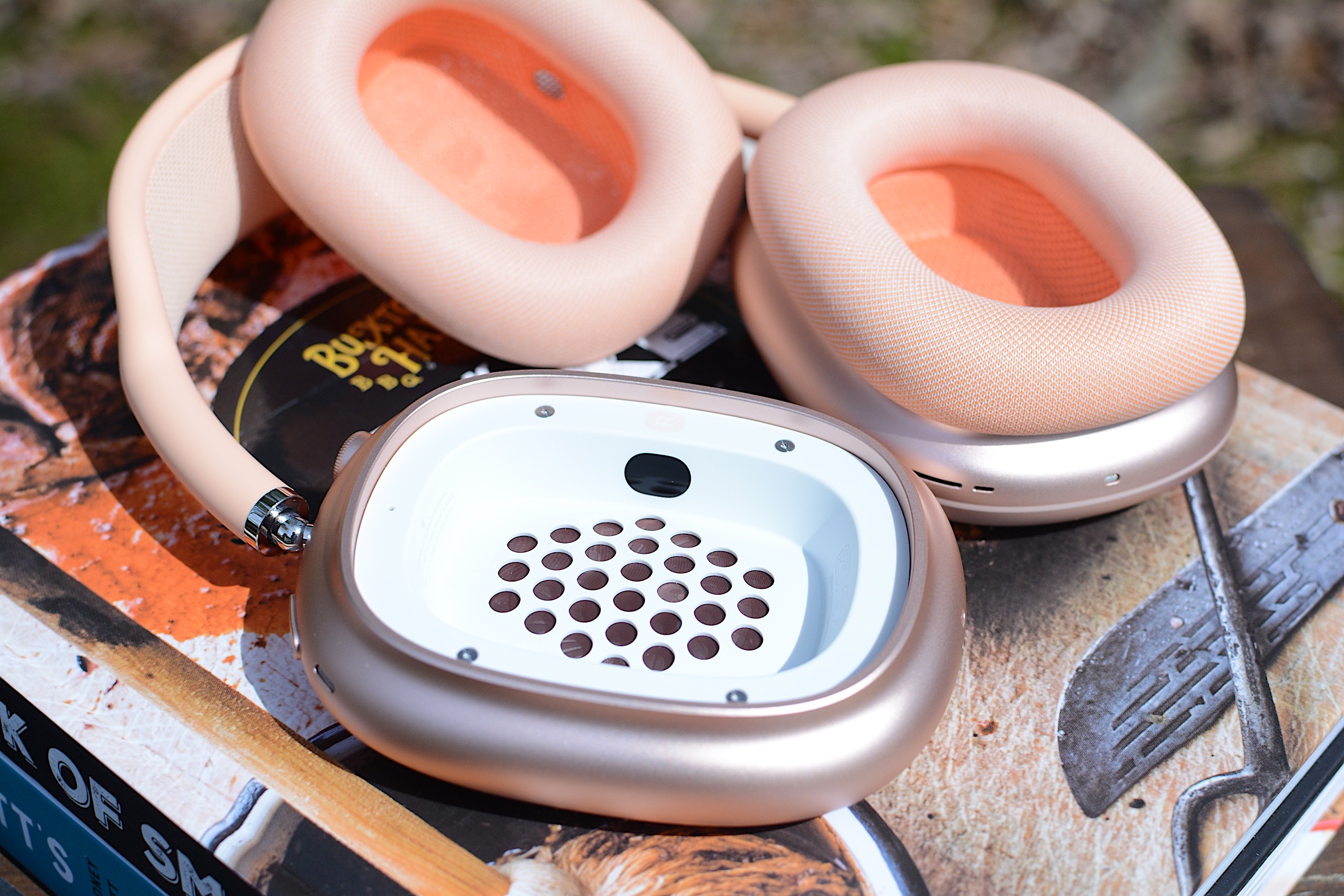
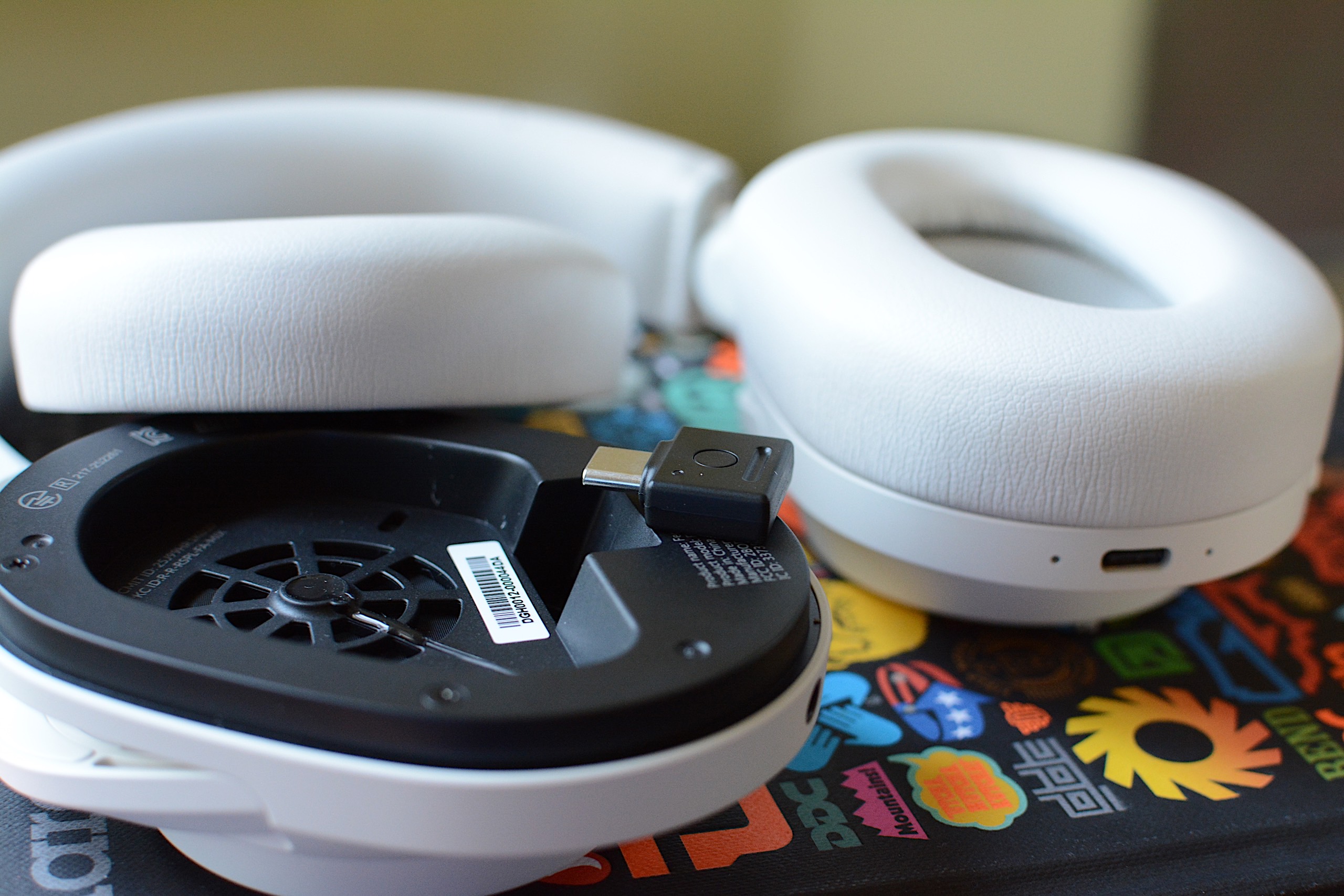
Underneath the ear pads, Fender put a storage slot for the lossless dongle on the left side and gives you access to the removable battery on the right. I’m thrilled that I can enjoy higher quality Bluetooth connectivity without having to remember to bring along such a small accessory. Plus, it’s nice to know that users will be able to install a fresh battery, provided the company sells those at some point. 

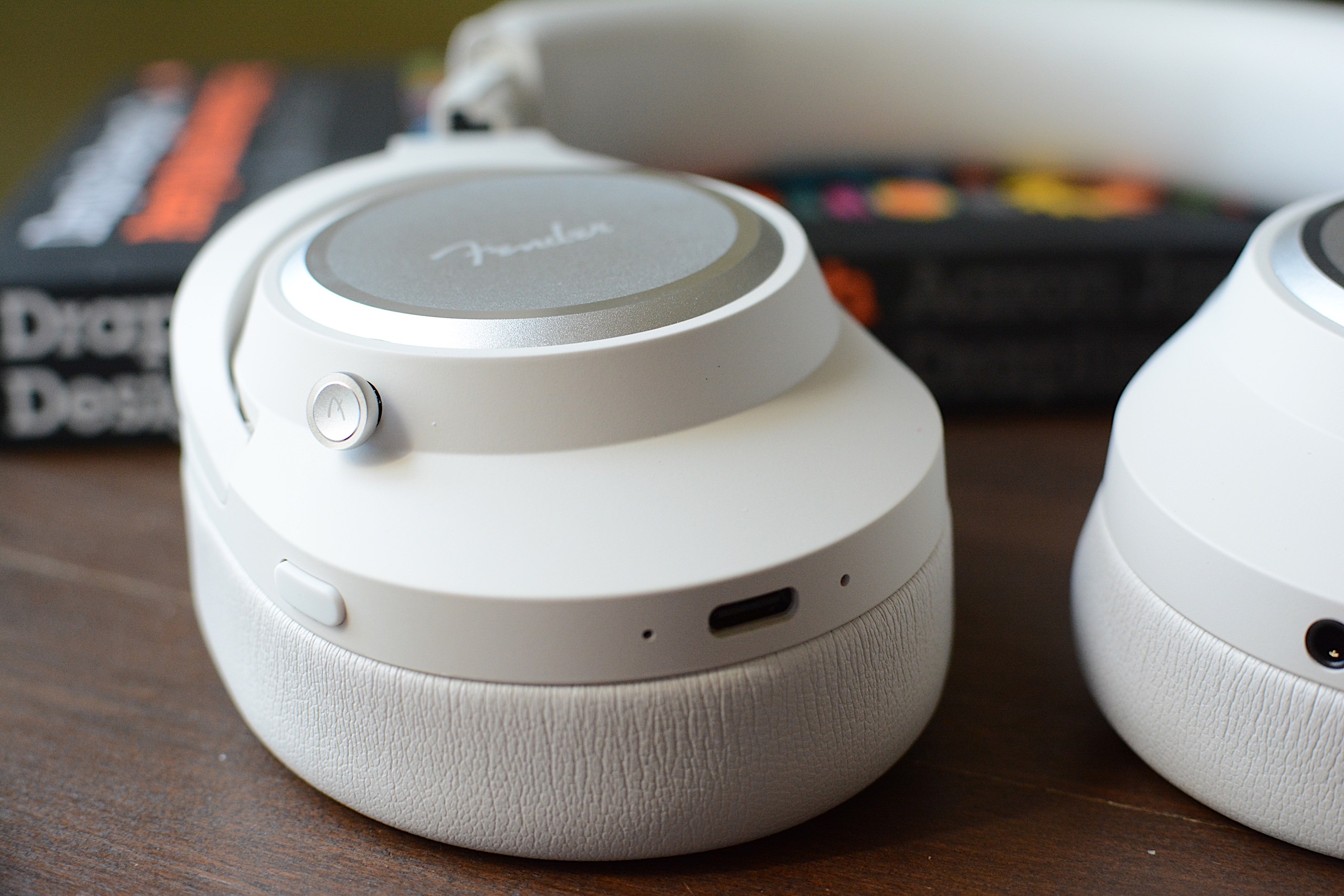
I also enjoy how Fender Audio designed the onboard controls. First, they’re physical buttons, which are always my preference over touch- or gesture-based options. Second, the main one is a five-way joystick, so they’re very simple. Press it to play/pause, press and hold for pairing mode or press longer to power on or off. If you push the joystick up or down, you can adjust the volume, while moving it left and right skips the track forward or backward. You can also push down twice to enable Auracast pairing right on the headphones. A second button, which is just the regular kind, is used to cycle through noise canceling modes: ANC, transparency and both off. 

The lossless Bluetooth dongle inside the left ear cup
Billy Steele for Engadget

Sonically, the Mix headphones are at the height of their powers in lossless mode, which is enabled by the Bluetooth dongle hidden inside the ear cup. Bass tuning that’s otherwise overpowering in most cases is restrained, and you can pick up finer details in the more balanced mix. When listening to Watchhouse’s Rituals, I got the sense that I was surrounded by the band, with strings, drums and vocals enveloping my ears with sound — rather than it simply being projected from the left and right channels. There’s more nuance with the lossless mode, and it kept calling me back to the Mix headphones at the times when I’d probably opt for the conveniences of earbuds or a speaker. 

ANC performance is respectable, although it’s not on the level of Bose. It’s good enough to block out mild-to-moderate distractions, but it struggles with louder human voices and sudden jolts of noise. It will certainly do the job in the office or coffee shop, but you may notice some sounds invade your ears during a commute. For calls, transparency mode provides natural sound and it picks up enough of my voice that I never felt the need to shout. Call quality, though, is a different matter (more on that in a bit). 

Another big perk of the Mix is its long battery life. Fender Audio says you’ll get up to 52 hours with ANC on or a whopping 100 hours with it off. The company is forthcoming with the fact that the latter number is achieved at 50 percent volume, which will be too low for most “regular” use. Still, with noise canceling enabled and the volume around 70 percent, I had 52 percent battery left after nearly 30 hours of use. I spent most of that time with either ANC or transparency mode on. 

The five-way joystick and ANC button on the Fender Mix
Billy Steele for Engadget

Out of the box, Fender Mix’s tuning is too bass heavy. I realize a lot of people prefer a thundering low-end tone out of their headphones, but I found it to be too overpowering here. The stock sound profile is my biggest issue with this model, although it’s somewhat alleviated by using the lossless Bluetooth dongle. In that mode, the bass is slightly subdued, but it’s still quite prominent at times when it shouldn’t be. 

On that Watchhouse album, the kick drum starts to drive the sound, rather than the guitars, mandolin and other instruments. When I listen to the same songs on other headphones, I’ve noticed a better blend of drums and strings. With more intense genres, like the hardcore riffs and breakdowns of Incendiary’s Product of New York, the booming bass isn’t as much of an issue. The distorted guitars still cut through, and there’s plenty of texture in their tone. And when each song hits its climax, the cranked up lows offer extra oomph. It works for metal, but it isn’t always nice for bluegrass, jazz and synth-laiden electronic tunes where the extra bass can muddy the mix. 

The Fender Mix also lacks many of the smart features that are present in premium headphones today, which is probably how the company is able to sell them for $299. Things like automatic EQ tweaks and adaptive ANC are missing, as is automatic pausing when you speak or things like head gestures. These headphones don’t have wear detection either, so they don’t pause the audio when you take them off. There’s also no app available to dial in the EQ or adjust other settings (it’s coming soon).

These headphones only have two microphones for calls, and you can tell almost instantly that those are insufficient. Despite claims of “crystal clear calls,” your voice will just sound okay to the person on the other end. Honestly, I would’ve sounded better just using my iPhone with no headphones. The Mix works to get your voice across, but don’t dream of dialing into a podcast recording with them. What’s more, the Mix isn’t good at blocking background noise, so you’ll need to use them in a quiet location to have a chance at sounding decent. Which, again, is about the best these headphones can muster.

While the modular design allows for a decent degree of customization, the extra parts you’ll need aren’t on sale yet. What’s more, only two colors — white, which is really more of a light gray, and black — are currently available. So, for now, one of the perks of the Mix remains untapped. 

The Fender Mix headphones
Billy Steele for Engadget

There’s a lot to like about the Fender Mix, from the clever design choices to the crisp, detailed sound. The lack of finesse with the bass tuning and the omission of advanced features, particularly the absence of an app for settings changes, keeps these headphones firmly planted in the midrange category. 

Clearly that’s not what the company is aiming for with tools like the lossless Bluetooth dongle, but that’s where it lands for me at the end of the day. So, at $299, the Mix is a tough call when a $250 price tag would make these an easier sell. Sure, there’s enough here to make these a capable daily audio accessory, but not everything I’d need to call them a must buy.

This article originally appeared on Engadget at https://www.engadget.com/audio/headphones/fender-mix-review-well-designed-headphones-that-just-fall-short-of-greatness-120000974.html?src=rss

Fender Mix review: Well-designed headphones that just fall short of greatness

I know what you’re thinking: “Isn’t Fender a guitar company?” It sure is, and has been one of the most iconic names in guitars and amplifiers since 1946. So what is the company doing making headphones and speakers? Well, it isn’t, exactly. Like Zound Industries used to do with Marshall (before buying the amp business), another company is licensing the Fender name for its consumer audio products. Fender Audio, the brand that’s on the headphones I’m reviewing, is owned by the Fender Corporation, but Riffsound oversees the design and production of portable audio gear. 

The first products from Fender Audio are the Mix headphones and the Elie speaker (in two sizes). The company revealed these in January before properly showing them off  at CES. I’ll get to those speakers in a few weeks, but the Mix headphones are first up on the review docket. 

With the Mix, Fender Audio seeks to offer a set of premium over-ear, noise-canceling headphones at a lower price than the likes of Sony, Bose and Sennheiser. There’s also marathon battery life, several smart design touches, a lossless Bluetooth transmitter and swappable parts that combine for a unique formula to take on those big names. I’m honestly impressed that Fender Audio could cram all of that in a more affordable package, but the final verdict on the Mix isn’t so straightforward.

Fender Audio made numerous smart design decisions on the Mix headphones, and they resulted in my favorite things about using them. To start, you can swap out the ear pads, ear cups and headband as you see fit. The ear cups attach to the headband via USB-C ports, so they’re easy to snap on and off. Obviously, this allows you to change the look of the Mix over time, within the bounds of Fender’s available colors. 

Underneath the ear pads, Fender put a storage slot for the lossless dongle on the left side and gives you access to the removable battery on the right. I’m thrilled that I can enjoy higher quality Bluetooth connectivity without having to remember to bring along such a small accessory. Plus, it’s nice to know that users will be able to install a fresh battery, provided the company sells those at some point. 

I also enjoy how Fender Audio designed the onboard controls. First, they’re physical buttons, which are always my preference over touch- or gesture-based options. Second, the main one is a five-way joystick, so they’re very simple. Press it to play/pause, press and hold for pairing mode or press longer to power on or off. If you push the joystick up or down, you can adjust the volume, while moving it left and right skips the track forward or backward. You can also push down twice to enable Auracast pairing right on the headphones. A second button, which is just the regular kind, is used to cycle through noise canceling modes: ANC, transparency and both off. 

The lossless Bluetooth dongle inside the left ear cup
Billy Steele for Engadget

Sonically, the Mix headphones are at the height of their powers in lossless mode, which is enabled by the Bluetooth dongle hidden inside the ear cup. Bass tuning that’s otherwise overpowering in most cases is restrained, and you can pick up finer details in the more balanced mix. When listening to Watchhouse’s Rituals, I got the sense that I was surrounded by the band, with strings, drums and vocals enveloping my ears with sound — rather than it simply being projected from the left and right channels. There’s more nuance with the lossless mode, and it kept calling me back to the Mix headphones at the times when I’d probably opt for the conveniences of earbuds or a speaker. 

ANC performance is respectable, although it’s not on the level of Bose. It’s good enough to block out mild-to-moderate distractions, but it struggles with louder human voices and sudden jolts of noise. It will certainly do the job in the office or coffee shop, but you may notice some sounds invade your ears during a commute. For calls, transparency mode provides natural sound and it picks up enough of my voice that I never felt the need to shout. Call quality, though, is a different matter (more on that in a bit). 

Another big perk of the Mix is its long battery life. Fender Audio says you’ll get up to 52 hours with ANC on or a whopping 100 hours with it off. The company is forthcoming with the fact that the latter number is achieved at 50 percent volume, which will be too low for most “regular” use. Still, with noise canceling enabled and the volume around 70 percent, I had 52 percent battery left after nearly 30 hours of use. I spent most of that time with either ANC or transparency mode on. 

The five-way joystick and ANC button on the Fender Mix
Billy Steele for Engadget

Out of the box, Fender Mix’s tuning is too bass heavy. I realize a lot of people prefer a thundering low-end tone out of their headphones, but I found it to be too overpowering here. The stock sound profile is my biggest issue with this model, although it’s somewhat alleviated by using the lossless Bluetooth dongle. In that mode, the bass is slightly subdued, but it’s still quite prominent at times when it shouldn’t be. 

On that Watchhouse album, the kick drum starts to drive the sound, rather than the guitars, mandolin and other instruments. When I listen to the same songs on other headphones, I’ve noticed a better blend of drums and strings. With more intense genres, like the hardcore riffs and breakdowns of Incendiary’s Product of New York, the booming bass isn’t as much of an issue. The distorted guitars still cut through, and there’s plenty of texture in their tone. And when each song hits its climax, the cranked up lows offer extra oomph. It works for metal, but it isn’t always nice for bluegrass, jazz and synth-laiden electronic tunes where the extra bass can muddy the mix. 

The Fender Mix also lacks many of the smart features that are present in premium headphones today, which is probably how the company is able to sell them for $299. Things like automatic EQ tweaks and adaptive ANC are missing, as is automatic pausing when you speak or things like head gestures. These headphones don’t have wear detection either, so they don’t pause the audio when you take them off. There’s also no app available to dial in the EQ or adjust other settings (it’s coming soon).

These headphones only have two microphones for calls, and you can tell almost instantly that those are insufficient. Despite claims of “crystal clear calls,” your voice will just sound okay to the person on the other end. Honestly, I would’ve sounded better just using my iPhone with no headphones. The Mix works to get your voice across, but don’t dream of dialing into a podcast recording with them. What’s more, the Mix isn’t good at blocking background noise, so you’ll need to use them in a quiet location to have a chance at sounding decent. Which, again, is about the best these headphones can muster.

While the modular design allows for a decent degree of customization, the extra parts you’ll need aren’t on sale yet. What’s more, only two colors — white, which is really more of a light gray, and black — are currently available. So, for now, one of the perks of the Mix remains untapped. 

The Fender Mix headphones
Billy Steele for Engadget

There’s a lot to like about the Fender Mix, from the clever design choices to the crisp, detailed sound. The lack of finesse with the bass tuning and the omission of advanced features, particularly the absence of an app for settings changes, keeps these headphones firmly planted in the midrange category. 

Clearly that’s not what the company is aiming for with tools like the lossless Bluetooth dongle, but that’s where it lands for me at the end of the day. So, at $299, the Mix is a tough call when a $250 price tag would make these an easier sell. Sure, there’s enough here to make these a capable daily audio accessory, but not everything I’d need to call them a must buy.

This article originally appeared on Engadget at https://www.engadget.com/audio/headphones/fender-mix-review-well-designed-headphones-that-just-fall-short-of-greatness-120000974.html?src=rss

Sonos Play review: The company’s best portable speaker so far

It’s been a rough couple of years for Sonos. In mid-2024, the company released a redesigned and thoroughly busted update to its app, which Sonos owners need to set up new products, manage their speaker groups, play music and access a host of other crucial features. The fallout from that was far-reaching — the company replaced its CEO, canceled a few planned products and released no new hardware in 2025. 

The Sonos Play, announced earlier this month, is the company’s reset button, a way to remind people what the company does well. The Play is a portable speaker that sits between the $499 Sonos Move 2 (which is large, expensive and extremely loud) and the $179 Roam 2 (the cheapest Sonos speaker and tiny enough to bring anywhere). The $299 Play sits right in the middle of the company’s portable lineup in both size and price — and after spending a few weeks listening to it, I think it’s a very smart addition to the collection. Thanks to its impressive sound quality, versatility and portability, the Play is immediately one of the best speakers Sonos sells. The timing couldn’t be better, either, with warmer weather finally on the way. 

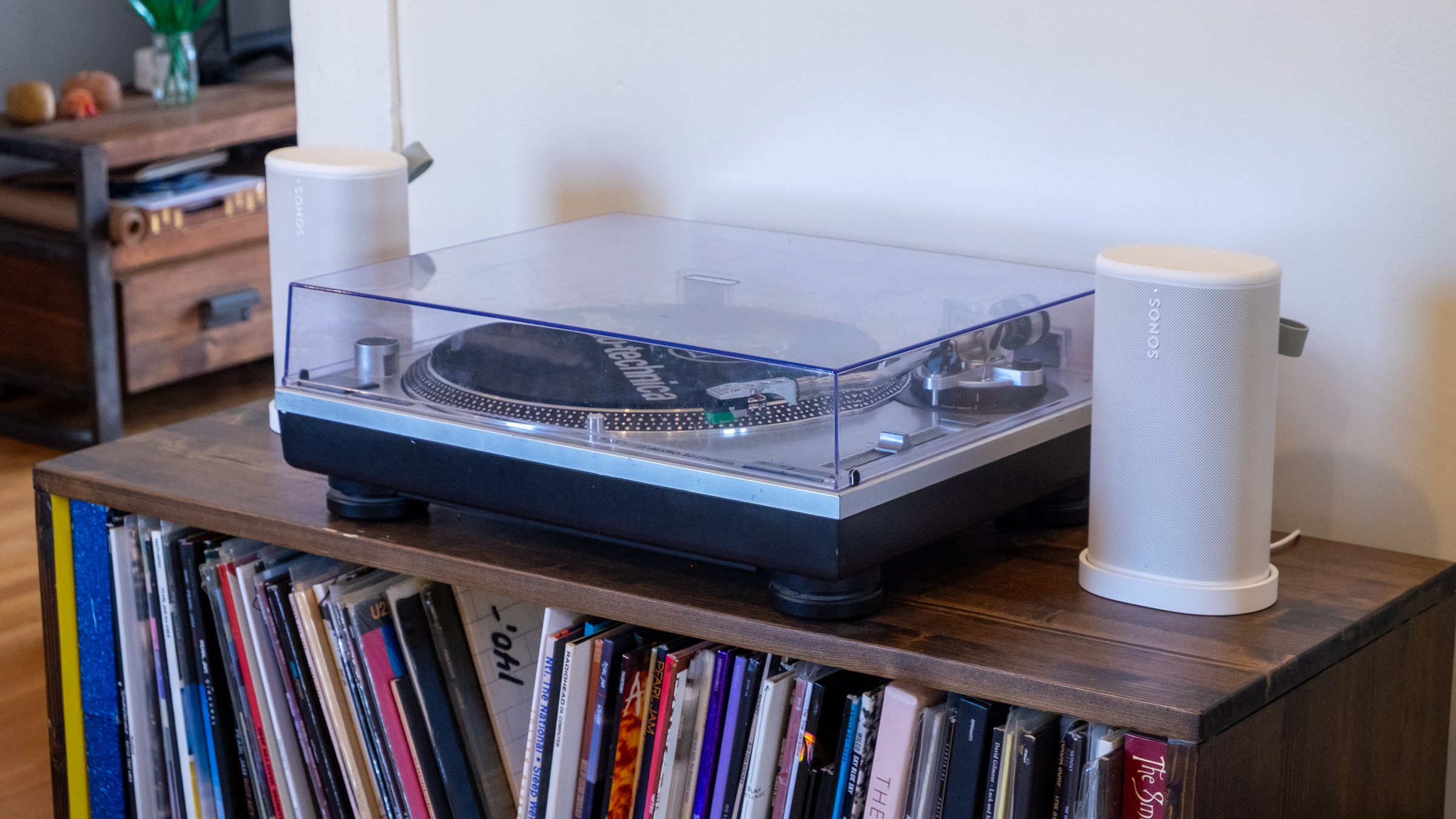
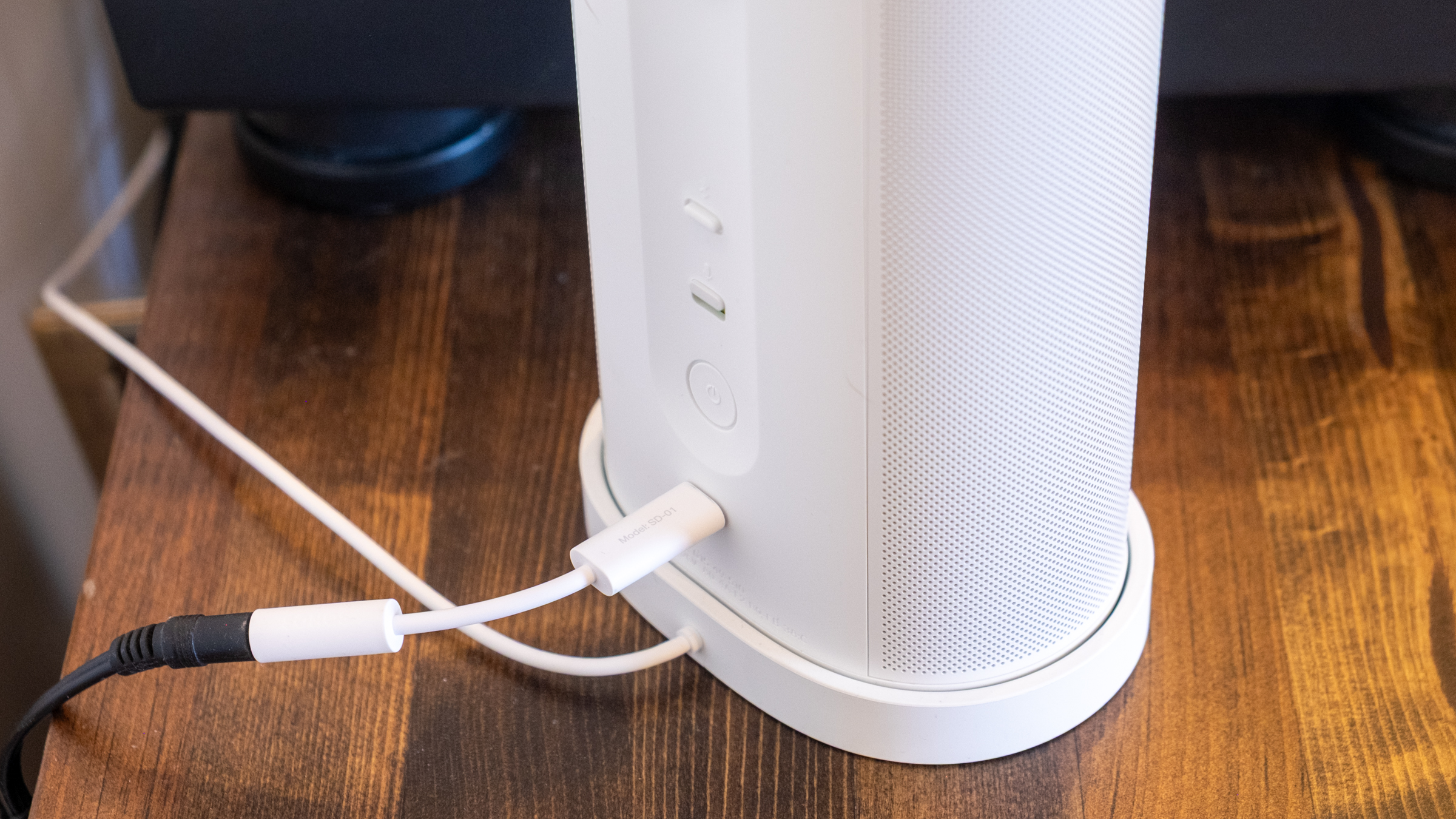
Like all other Sonos speakers, the Play is a Wi-Fi smart speaker that can stream audio from dozens of services; you can also play content on it via AirPlay 2, Spotify Connect and Bluetooth. The USB-C port on the back also lets you connect to turntables, CD players and other audio devices via a line-in dongle, or you can also use that port for an Ethernet connection (again with the corresponding dongle). Finally, you can also control the Play via Amazon Alexa or the Sonos Voice Assistant. And like the Roam, the Play is IP67 rated for water and dust resistance. 

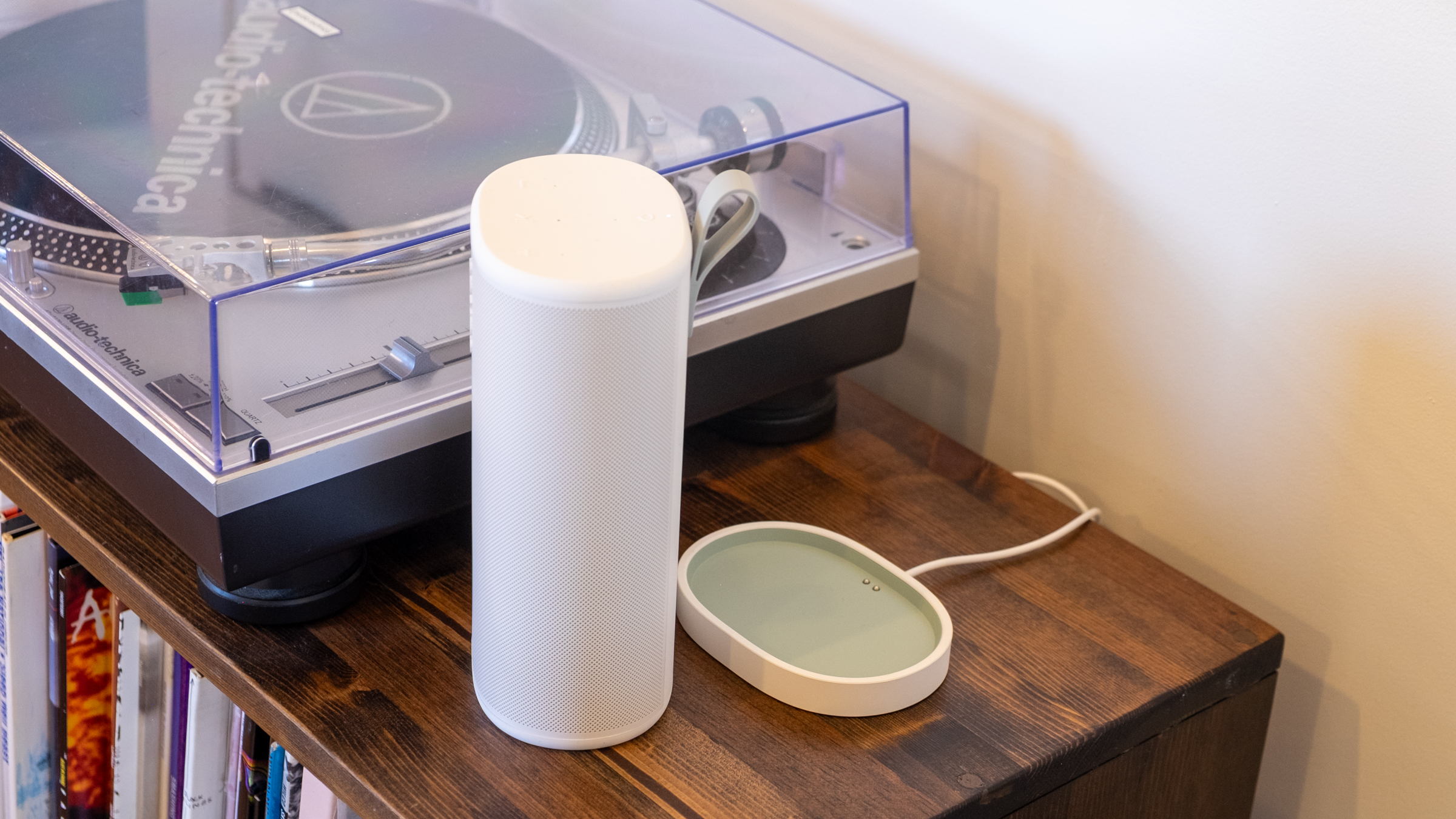
That’s all standard fare at this point, but I appreciate that Sonos included Ethernet and line-in capabilities, two things the Roam doesn’t support. It makes the Play a much more versatile option for being a centerpiece of your indoor setup as well as something you can take on the go. And since the Play comes with a wireless charging base, it’s easy to keep it charged up during indoor duty and equally simple to just grab it and go without fussing with cables. (Strangely enough, it does not come with a power adapter, so you’ll need to provide your own USB-C brick.)

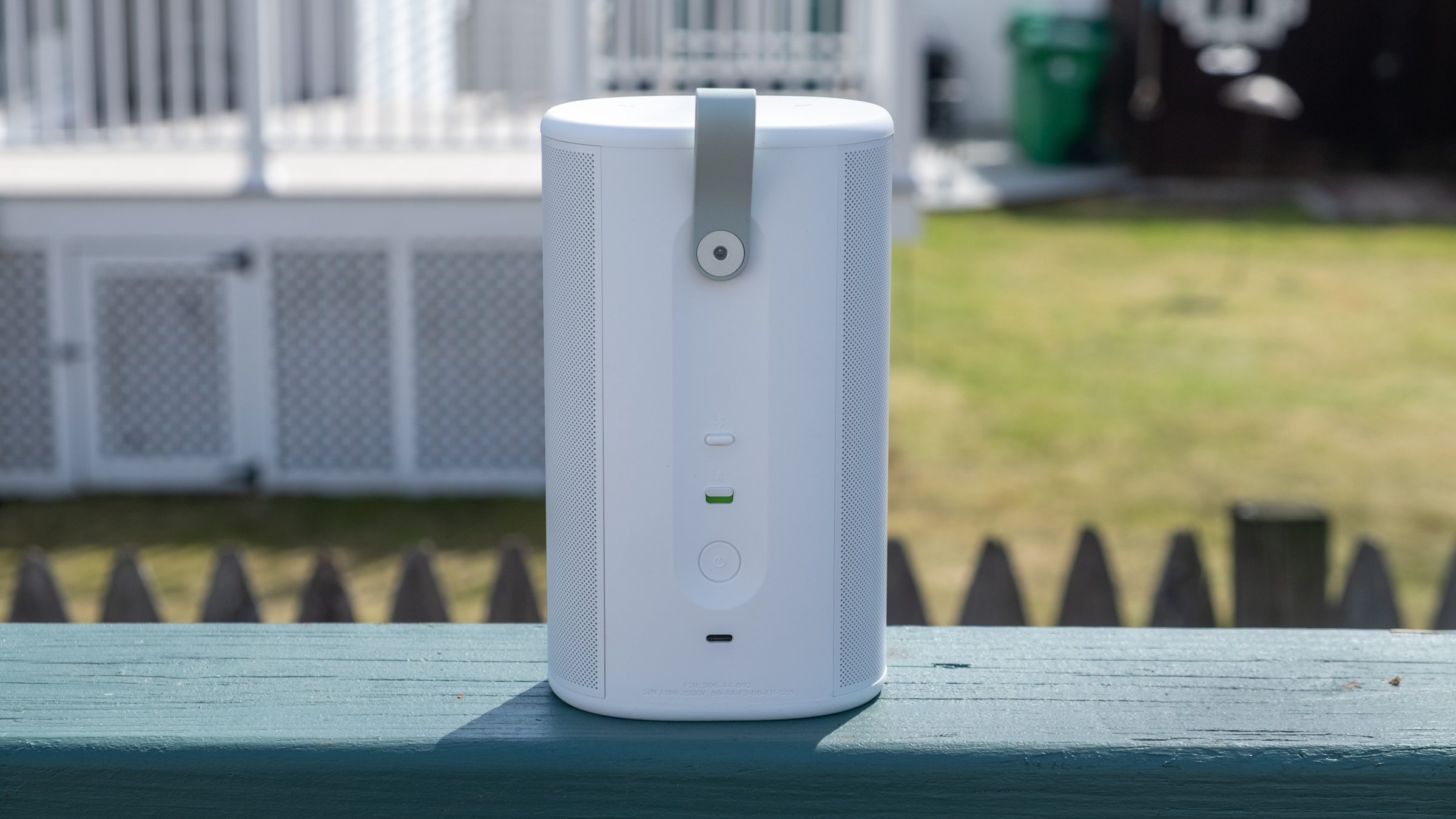
The real panel of the Sonos Play.
Nathan Ingraham for Engadget

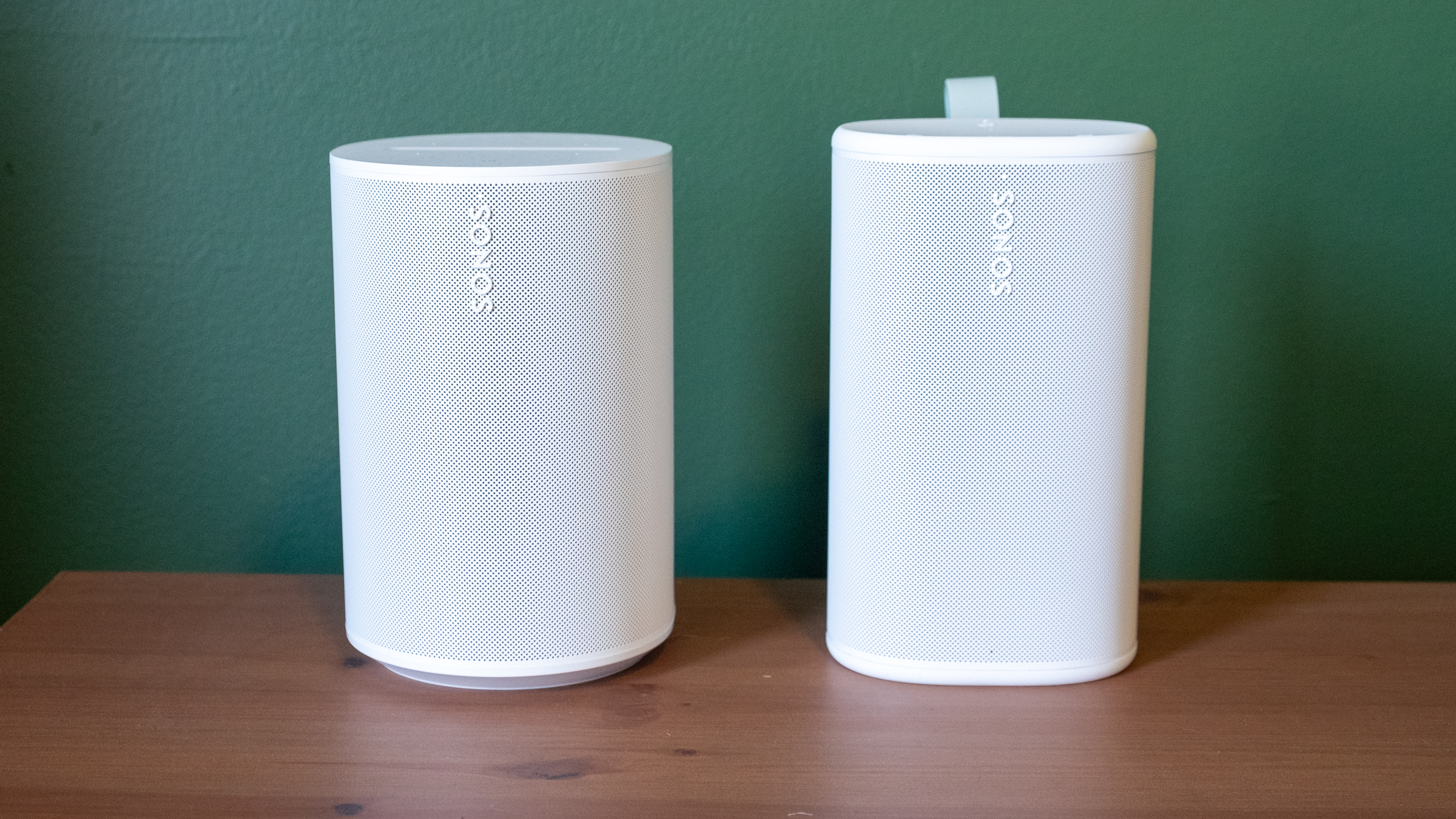
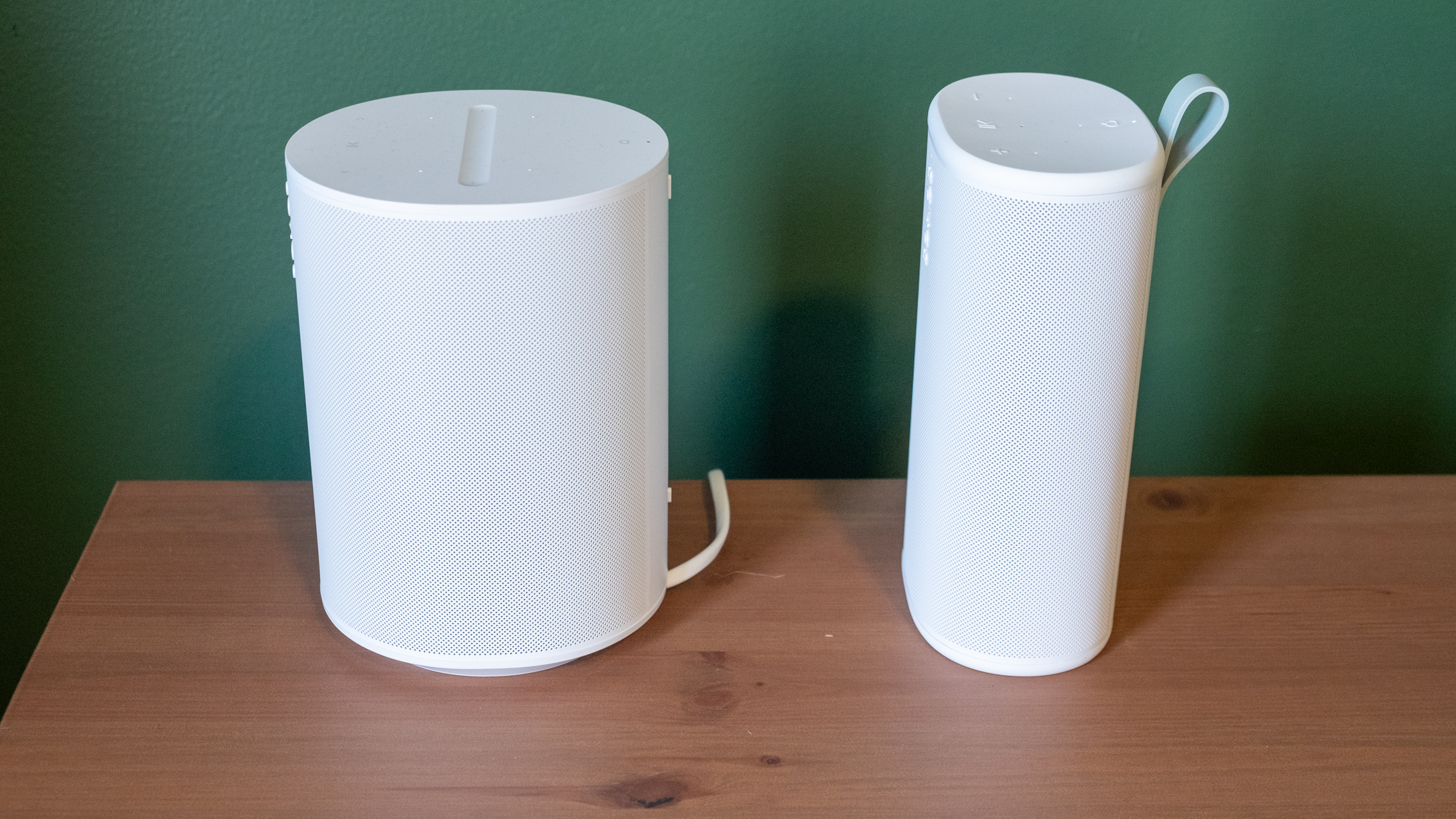
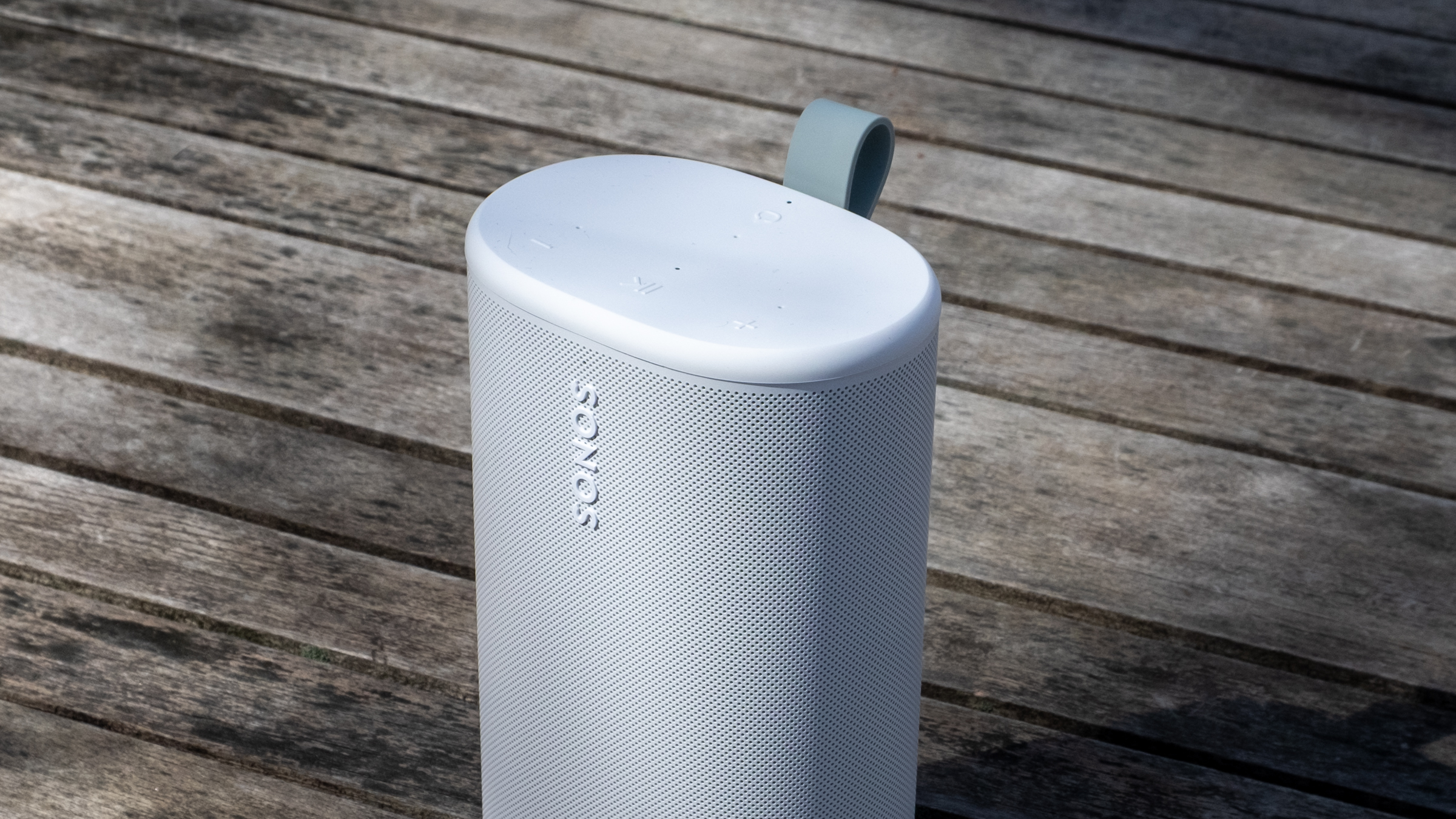
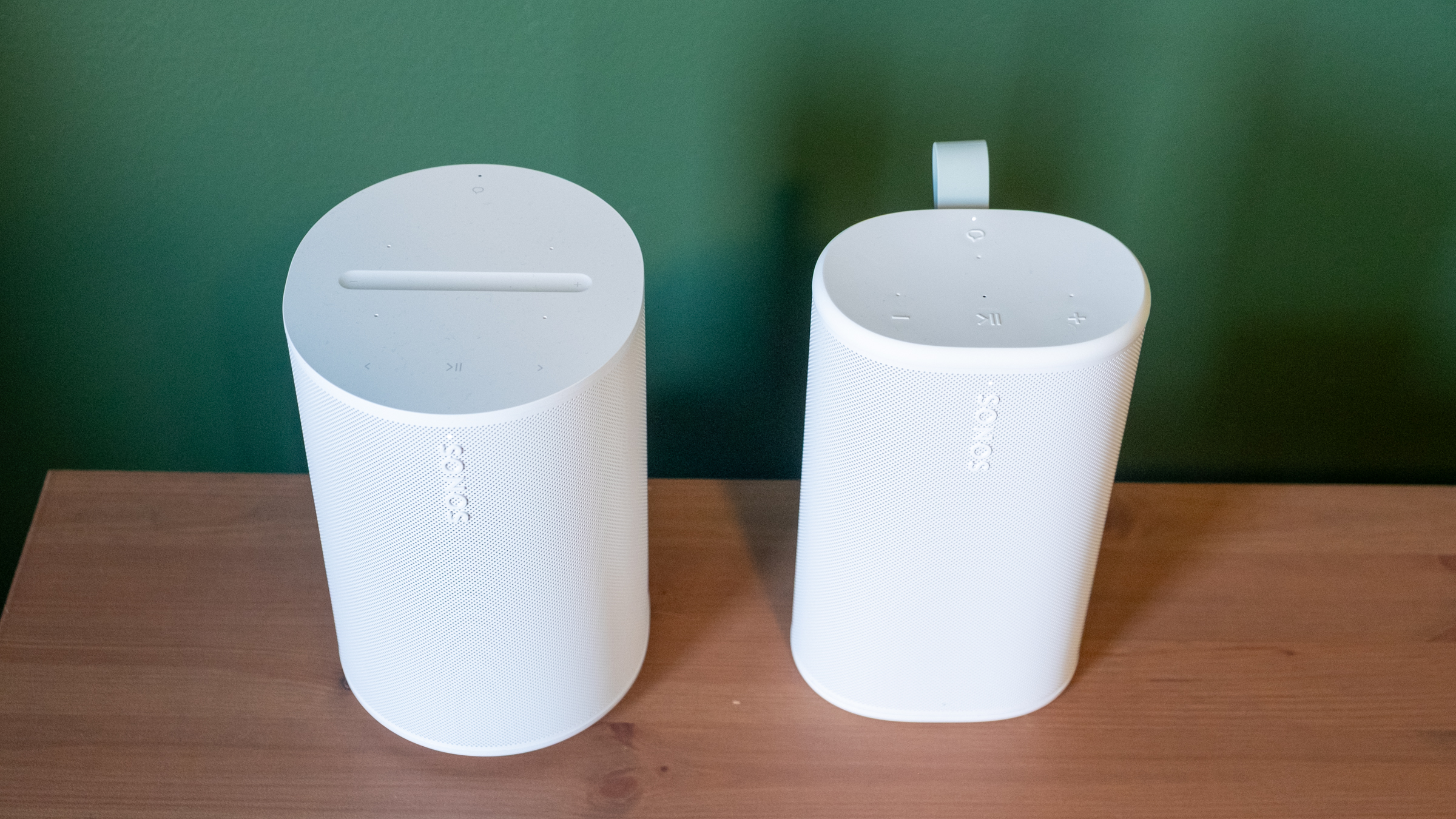
Physically, the Play reminds me of the Sonos Era 100 with its width squished down to make it more portable. Unsurprisingly, it comes in the same white and black color options; I had been hoping for a few more options like the vibrant Roam colors. The one touch of color you’ll see is on the light green grab loop attached to the back; you can remove it if you’re not a fan. At 7.6 inches, it’s slightly taller than the Era 100, but it’s much thinner and lighter. Based on the initial product renders, I expected the Play to be larger than it is in reality, but it feels quite compact and easy to move around. It’s not a “throw in your bag and forget it” speaker like the Roam, but it’s far more portable than the Move. The Move is a speaker I’d really only use in my house or in the backyard, whereas I’d toss the Play into a backpack and take with me — unless I really needed to save space or weight. 

The Era 100 (left) and the Play (right).
Nathan Ingraham for Engadget
Side view of the Sonos Era 100 and Play.
Nathan Ingraham for Engadget

Its diminutive size is even more impressive when you consider the audio components Sonos packed inside. The Play features a speaker array nearly identical to that of the larger Era 100. It has two tweeters angled at 90 degrees for some stereo separation, along with a mid-woofer and two passive radiators for bass performance. The passive radiators are unique to the Play, specifically included to help bass levels in settings where there aren’t walls for the sound to reflect off of — like anywhere outside you might take a portable speaker.

Two Sonos Play speakers paired in stereo.
Nathan Ingraham for Engadget

The Play’s flexibility only matters if it sounds good. Fortunately, Sonos has never struggled with producing a speaker that’s a pleasure to listen to, and the Play certainly fits the bill. My top-level and unscientific analysis is that the Play sounds nearly as good as the Era 100, an impressive feat considering its comparatively small frame. 

I tested a single Play speaker as well as a stereo pair in my small office, where I typically listen to music through a stereo pair of Era 100 speakers. I also used them in stereo on my larger and more open first floor, both streaming music and playing on my turntable via the line-in jack. Finally, I got to test them outside on my deck on a few lovely early Spring days that the Boston area was graced with recently. I used the auto Trueplay tuning feature throughout; it uses the Play’s built-in microphone to optimize audio for whenever you’ve placed the speaker. Sonos has offered various versions of Trueplay for over a decade now and it consistently makes its speakers sound better. And given you don’t have to do the old “wave your phone around the room” method to use Trueplay, there’s really no reason not to have it on. 

While in my office, I did a lot of A/B testing of the Era 100 vs. the Play, typically playing Apple Music lossless via the Sonos app, but I also tried AirPlay and Spotify Connect as well as other music services including YouTube Music and Bandcamp. The biggest differences I noticed between the two speakers are the Era 100 is louder and has a more pronounced mid-range. The Play comparatively feels like its EQ is “scooped,” and it just isn’t quite as loud at the same volume level. The Play also doesn’t maintain quality quite as well through the full volume range — I wouldn’t say that it got distorted when I was playing it at 75 percent volume, but it’s not as clear as the Era 100 either. 

These differences I mostly only noticed when I was flipping back and forth between the two speakers — when I just sat back and listened, I was extremely happy with the Play’s sound. When listening to a single Play, the angled tweeters did provide a small degree of stereo separation when things were hard-panned to the left or right channels. For example, the backing vocals in the chorus of Soundgarden’s “Black Hole Sun” jump from one channel to the other, and I did pick up on that effect. 

Top controls on the Sonos Play.
Nathan Ingraham for Engadget

The Play sounds very well-balanced and neutral, capable of reproducing songs without over-emphasizing any particular frequency. My usual listening habits include a ton of ‘90s-era alternative and more modern indie rock, plus some modern pop and the occasional film or video game score, and the Play sounded great across the board. Daughter’s “Be On Your Way” is an atmospheric track juggling strings, electronic underpinnings, reverb-drenched guitar and a gorgeous vocal track, and all those elements shined here. The dance-influenced beats of Nine Inch Nails’ “Less Than” had appropriate thump and power behind them, and “Stay Down” by Boygenius sounded great, whether it was the acoustic-tinged intro or the layered, full-band climax. Heavier fare like Metallica’s “Battery” and Tool’s “Fear Inoculum” hit with the appropriate intensity as well, particularly when I was running two Play speakers in stereo. 

My go-to film score for these kinds of tests is Howard Shore’s Lord of the Rings: The Two Towers, and it’s often the case that doesn’t sound as majestic on smaller speakers. But the Play did a great job with the intricate orchestral arrangements that jump between delicately intimate moments and full-throated majesty — the first song “Glamdring” has all these elements in less than four minutes, and it sounded excellent. I also love Gustavo Santaolalla’s score for The Last of Us with its tortured strings and host of organic acoustic sounds alongside unsettling electronics, and all its various elements were faithfully conveyed here. 

The line-in connection on the Sonos Play.
Nathan Ingraham for Engadget

Using the speaker’s line-in capabilities with a USB-C to 3.5mm audio input worked easily as well. The only real issue I noticed is that my particular turntable’s output meant I had to turn the Play up much louder than I would when streaming music, so its top volume level is much lower. That wasn’t exactly a problem, but if you really want to push a lot of volume from a line-in source, this might not be the speaker for you. I was also worried that I’d switch from line-in to streaming and forget to adjust the volume down, but the speaker is smart enough to re-adjust from the line-in volume down to wherever it was set previously. 

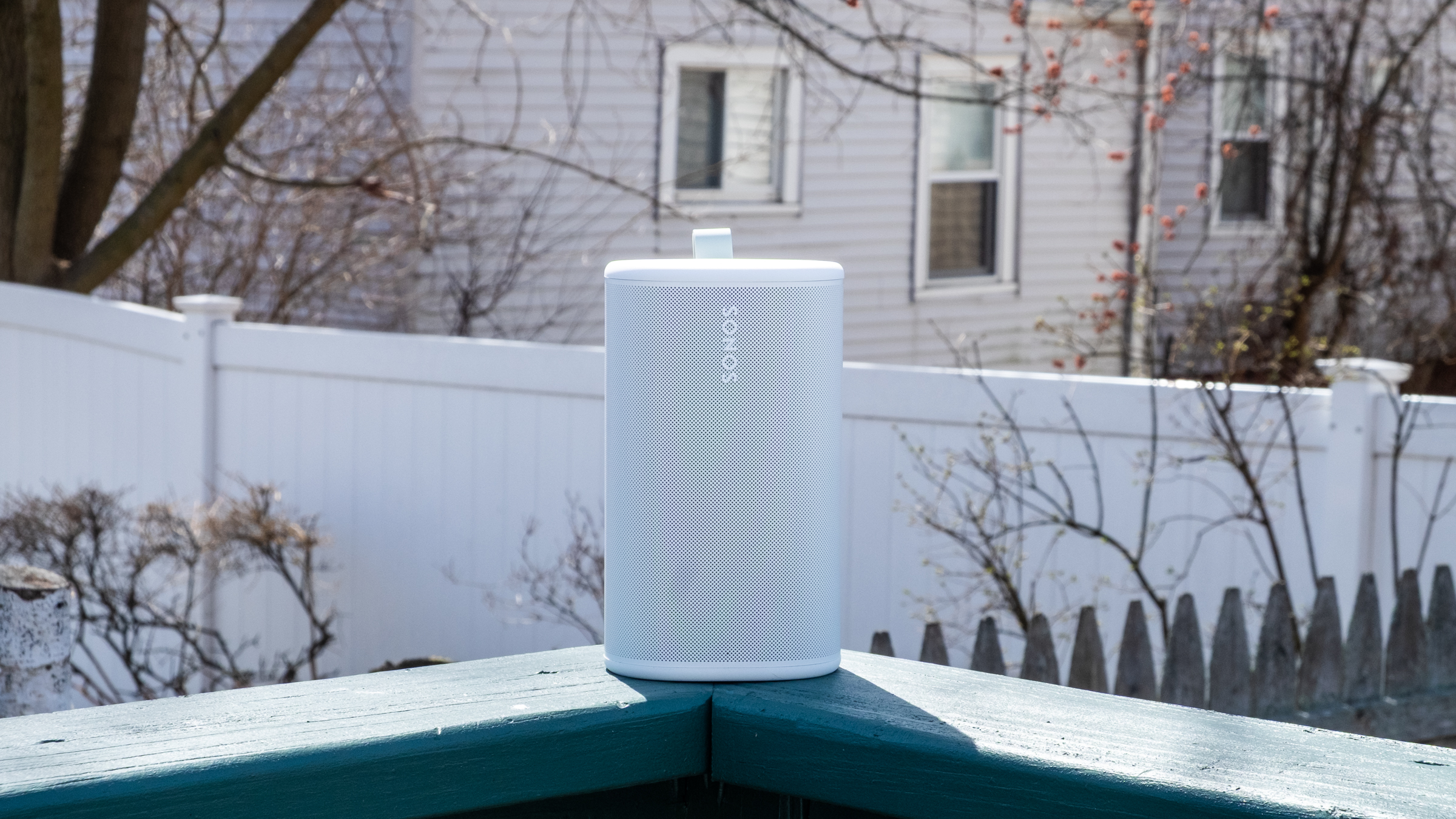
While the Play isn’t the loudest speaker out there, it has plenty of power when outside. I set the volume to around 60 and walked from my porch to the sidewalk and could still faintly hear the music (though not loud enough to be too offensive to passers-by or neighbors). Back up on the deck, the Play maintained its detailed profile despite the lack of surfaces for the sound to reflect off. It feels like a great device to have playing in the background when you’re entertaining outdoors, but something like the Move 2 will do better if you want music to be the centerpiece of a gathering.

The Play’s Wi-Fi connection is strong enough that I didn’t need to switch to Bluetooth when I was outside, but it’s simple to use if you need it. There’s a dedicated Bluetooth button on the back; pressing it turns it on, while holding puts the speaker in pairing mode. Bluetooth is probably the easiest way to give someone else control over your Sonos system. If you start streaming music to it, you can then group other speakers with the Play to get those tunes anywhere in the house without having to give a guest access to your Sonos system.

The Sonos Play and its charging base.
Nathan Ingraham for Engadget

Sonos included a new Bluetooth feature with the Play that they’re also bringing to the Move 2. If you’re away from Wi-Fi and playing audio via Bluetooth, other Play or Move 2 speakers can join a group just by pressing and holding the play/pause button. This works with Play or Move 2 speakers that have previously been set up on the same Sonos system, and it’s as simple as it sounds. I just paired my phone to one speaker, started playing some music and then held the play/pause button on the second speaker to get them in sync. 

As for battery life, the Play is a huge step up over the Roam’s rather paltry 10-hour estimate. The Play is rated for up to 24 hours of playback, same as the Move 2, and I think Sonos just about hit that mark. I spent several work days playing music for eight-plus hours and the Play’s battery only dropped about 30 percent each time. Your mileage may vary, but I think the Play has plenty of battery life considering its smaller size — and given how easy it is to just drop on a charging base when you’re done, I don’t think most people will run its battery down too often. Sonos also made the battery in the Play user-replaceable, a good option to keep the speaker running for years to come.

Side-by-side comparison of the Sonos Era 100 and Play.
Nathan Ingraham for Engadget

While there are loads of portable Bluetooth speakers out there, the Play’s position as a Wi-Fi speaker that can group with others in a household as well as be used on-the-go with Bluetooth makes it a rather unique option. The $269 Bose SoundLink Plus sounds great, can be paired in stereo or grouped in “party mode,” and is a similar size as the Play. But its battery doesn’t last as long and, more crucially, it only works via Bluetooth. Some people won’t care, but I prefer the much wider variety of playback options that the Play provides.  JBL also has a host of portable Bluetooth speakers, as well as Wi-Fi enabled options meant for home use — but again, the combo of Wi-Fi playback and portability seems to be mainly limited to Sonos right now.

As such, the main competition for the Play comes from Sonos itself, with the Move 2, Roam and Era 100 all offering different pluses and minuses depending on what you’re looking for.

Sonos Play speaker sitting outside.
Nathan Ingraham for Engadget

If it isn’t obvious, I’m a pretty big fan of the Sonos Play. While it’s not quite as portable as the tiny Sonos Roam, it sounds significantly better than the smallest Sonos speaker while still being easy to carry around. It’s probably the most versatile speaker in the Sonos lineup right now, and a smarter choice than the $499 Move 2 for most people. Unless you really need massive outdoor volume, the Play is the best portable Sonos speaker. 

The only catch is its price. $299 is fair when you consider its sound quality and feature set. But it’s also $80 more than the Era 100, or $110 more than the Era 100 SL (which drops the microphone but is otherwise identical to its more expensive counterpart). So you’ll have to decide how much portability is worth to you. For me, the Play is an excellent addition to my existing setup. But if you’re likely to do most of your listening indoors, the Era 100 and its superior sound quality might make more sense. 

To be clear, that’s not a knock against the Play. The latest Sonos speaker offers impressive sound quality, flexibility and portability, and it’s the kind of product that can help Sonos rebuild its reputation after its recent difficulties.

This article originally appeared on Engadget at https://www.engadget.com/audio/speakers/sonos-play-review-the-companys-best-portable-speaker-so-far-130000688.html?src=rss

Sennheiser’s owners want to sell its consumer headphone business

Hearing aid company Sonova has put its Sennheiser consumer audio division on the auction block less than five years after acquiring it, the company announced on Reddit. "Today Sonova announced they intend to divest the business and will focus on Hearing Care," Sonova wrote, adding it intends to find "the right new owner."

Sennheiser's consumer audio division mainly manufactures high-end headphones like the HD 400, HD 500, HD 600 and HD 800 series and recently launched the HDB 630, $500 wireless headphones aimed at audiophiles. The company's most (in)famous lineup is the HE series, which includes the $55,000 HE 90 and €89,990 HE 1.

Sonova originally purchased Sennheiser with the intent of expanding its demographic to younger customers. At the time, it said "even if [young people] don't have hearing loss, most of them will gradually get hearing loss with age, and devices like Sennheiser's allow us to have earlier consumer access to such people." For its part, Sennheiser said it wanted to relinquish its consumer business in order to focus on its pro audio, business and Neumann (high-end microphone) divisions that it still owns.

Things apparently didn't go to plan, though. Sonova's Sennheiser division's sales in the last half-year declined significantly year-over-year and the company was hit with a €6 million fine over its retail pricing practices (that occurred prior to the acquisition). However, the company's recent products have been praised by the audiophile community as a return to previous form, with Engadget's audio reviewer Billy Steele calling the HDB 630 "a sonic marvel."

This article originally appeared on Engadget at https://www.engadget.com/audio/sennheisers-owners-want-to-sell-its-consumer-headphone-business-121830441.html?src=rss

Denon expands its multi-room speaker lineup with the Home 200, Home 400 and Home 600

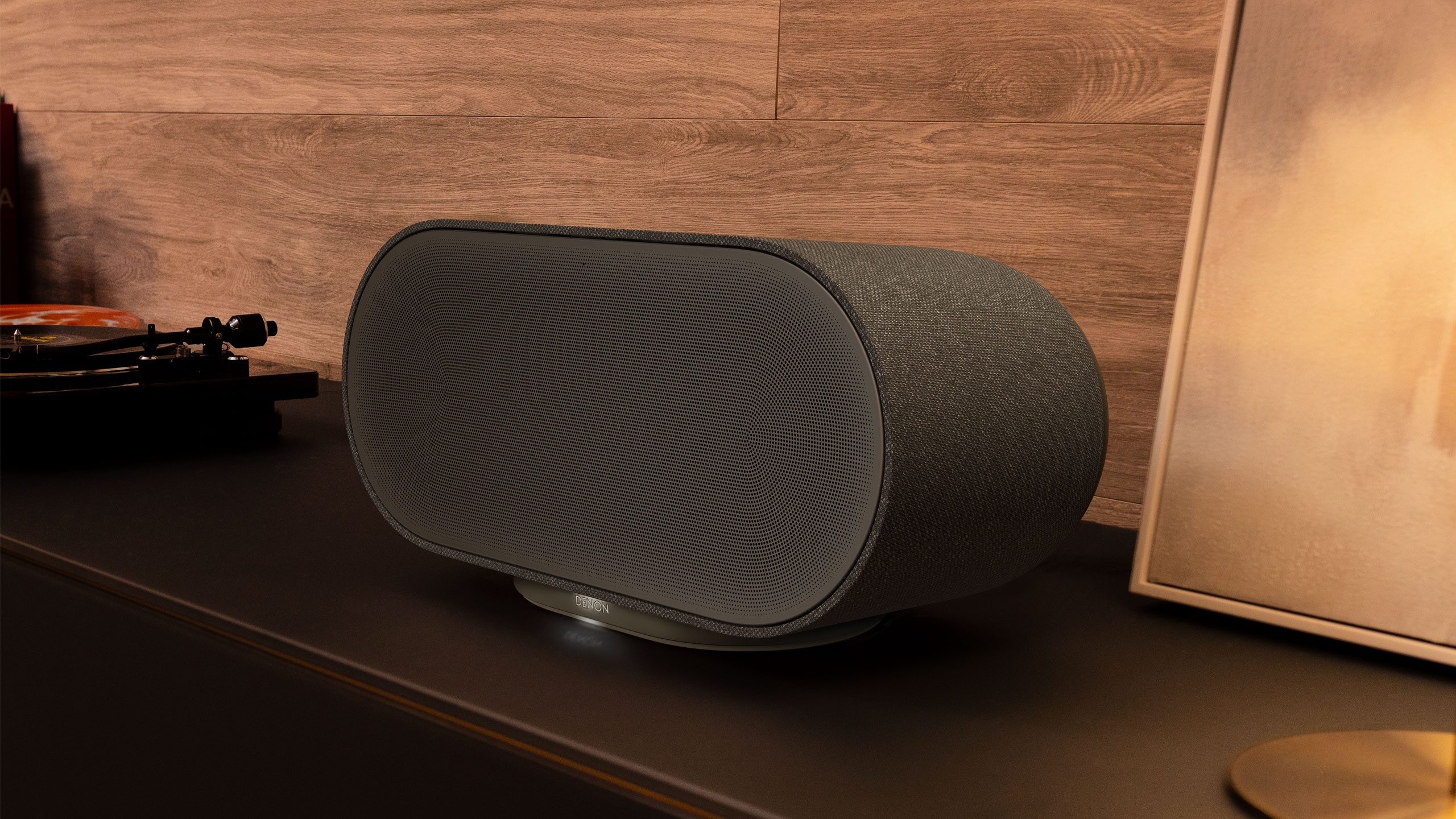
If the Sonos app saga still has you down, Denon has three new multi-room speakers that give you some fresh alternatives. The company’s Home 200, Home 400 and Home 600 offer audio flexibility with other HEOS-enabled products. These new devices were also designed so that they blend in with home decor better than most speakers, coming in stone and charcoal color options for that purpose. As you progress up in number, the speakers not only get physically larger, but their sonic output is also more robust.

The Denon Home 200 houses three drivers and three amplifiers for “natural, room-filling sound” in a compact speaker. More specifically, you get two 0.98-inch tweeters and a single 4-inch woofer. The Home 200 looks a kind of like the Sonos Move 2, although Denon’s new compact unit isn’t portable. However, you can use a pair of them for a stereo setup, or connect two 200s to Denon’s Home Sound Bar 550 and Home Subwoofer for a 5.1 home theater system.

Next up is the Home 400, which carries two 0.75-inch tweeters, two 4.5-inch woofers and six amplifiers, in addition to two 1-inch up-firing drivers. Here, Denon says you can expect “a wide, airy soundstage” that provides room-filling audio coverage. What’s more, those upward-facing drivers project sound overhead, so there’s a greater sense of dimensionality and immersion here.

Denon Home 600 speaker
Denon

The Home 600 is the largest speaker in the new trio, with dual 6.5-inch woofers alongside two tweeters, two midrange units and two up-firing drivers. Denon explains that this configuration offers “deep, authoritative bass” that provides more depth in your tunes than other two models.

All three of the new Home speakers have Wi-Fi, Bluetooth USB-C and aux connectivity with the wireless streaming powered by Denon’s HEOS tech. As such, you can connect these Home speakers with up to 64 other HEOS devices — including A/V receivers and Denon’s new DP-500BT turntable — and arrange your audio gear in up to 32 different zones. You’ll have access to tunes from Tidal, Amazon Music HD and Qobuz in the HEOS app, and all three new Home speakers support Dolby Atmos Music where available.

The Home 200, Home 400 and Home 600 speakers are available today for $399, $599 and $799 respectively. They’re available from Denon directly or other authorized retailers.

This article originally appeared on Engadget at https://www.engadget.com/audio/speakers/denon-expands-its-multi-room-speaker-lineup-with-the-home-200-home-400-and-home-600-080000916.html?src=rss

LG Sound Suite review: Dolby Atmos FlexConnect in a powerful package

The premise seems simple enough. LG promises that you can set its Sound Suite speakers anywhere and Dolby’s home theater tech will make them perform well. The soundbar, subwoofer and speakers don’t have to go in prescribed locations for the best results, which means you can place them where you need to and move them as you see fit. Of course, this all hinges on the reliability of the underlying tech and LG’s ability to make individual speakers that actually sound good. 

Like most premium soundbars and complete home theater setups these days, a complete Sound Suite collection is expensive. The centerpiece alone, a soundbar that most people will want in their customizable configuration, is $1,000. However, if you have a recent LG TV, or are planning to buy a 2026 model when those arrive, there’s no better option for boosting your living room entertainment experience. 

There are four different devices that make up the Sound Suite. The centerpiece is the H7 soundbar ($1,000), which is the first one that works with Dolby Atmos FlexConnect (DAFC) technology. Then there’s the 8-inch W7 subwoofer ($600) and the M5 and M7 speakers ($250 and $400). LG allows you to pick and choose between these products to build a home theater set up that suits your needs — up to four speakers and one subwoofer. The only real caveat is that you need the H7 soundbar or a recent LG TV (2025 OLED G5, C5, CS5 and QNED 9M, or an upcoming 2026 model) to serve as the primary device for Sound Suite to work. That’s because the underlying tech requires LG’s alpha 11 Gen 3 AI processor, which is inside the soundbar and the company’s newer TVs. 

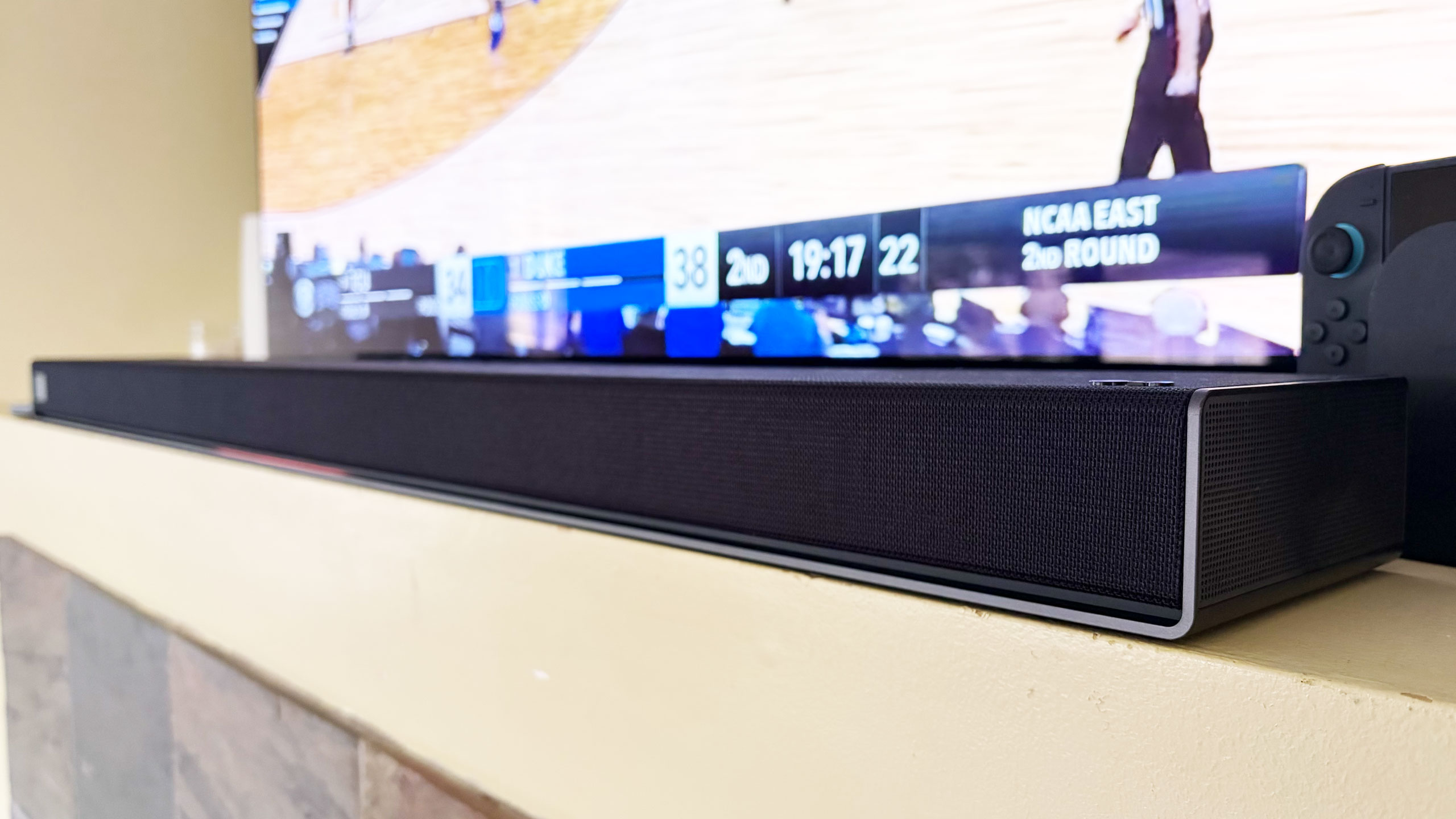
The H7 houses a dozen Peerless drivers comprising front, side and up-firing units. There’s also four woofers and eight passive radiators for bass and low-frequency audio. The soundbar has a pretty basic design, plain enough to sit in front of an LG OLED (or other premium TV) without being a distraction, and short enough not to block it. Both Bluetooth and Wi-Fi are available here, so AirPlay 2, Google Cast, Spotify Connect and Tidal Connect are all supported. 

The W7 wireless sub has an 8-inch woofer that gets really boomy at times. It’s quite large at 16.1 x 16.3 x 7.6 inches, but you can use it standing up vertically or laying down horizontally — whichever orientation fits your needs or available space. The M5 and M7 speakers offer basically the same features, including AirPlay and Cast, and can be used either by themselves, as a stereo pair, as a four-speaker array or as rear satellite speakers with the H7 soundbar. The main difference is the M7 has two full-range drivers, one up-firing driver and a woofer while the M5 only has a tweeter, an up-firing driver and a woofer.  

FlexConnect is a home theater audio technology that Dolby announced in 2023. It was available on TCL’s Z100 speakers last year, but LG’s Sound Suite marks the first time the feature has been available on a more robust living room product that includes a soundbar. FlexConnect allows you to position speakers anywhere in a room without sacrificing audio performance. The tech uses a TV or soundbar as the lead device to locate speakers so it can tune the sound to match their positioning. The system can also quickly adapt when you move a speaker — maybe for a party or other special occasion. 

FlexConnect works as advertised, but there is one caveat that should’ve been obvious, although I didn’t anticipate it. Every time you add or remove speakers from a DAFC group, you’ll need to recalibrate the system, which includes the software playing sounds from the speakers so that the TV or soundbar can locate them and Dolby’s tech adjusts their output. It doesn’t take long, but there is audible noise from each unit in the group, so you’ll want to factor in that time — and potential annoyance for anyone else in the house.

LG Sound Suite H7 soundbar
Billy Steele for Engadget

Sound Suite offers some of the same features as LG’s other home theater products. Those include Night Mode, Room Calibration Pro, AI Sound Pro+ real-time audio upscaling and Clear Voice Pro+ for enhanced dialogue. For the Sound Suite, LG has also introduced Sound Follow, a feature that allows you to adjust the “sweet spot” for the system based on where you’re sitting. 

Once you set your current position with a tap in the ThinQ app, Sound Follow is supposed to change the levels and tuning accordingly. I’m not entirely sure this was working on my system. Unlike my demo at CES, the seating position on the FlexConnect layout in the app was never updated. And while the UI seemed to indicate the change was made when I tapped the buttons, I couldn’t hear any difference in the audio. I asked LG for more information to ensure Sound Follow is functioning properly. 

Like most soundbars and speakers these days, you have to use an app to get them all connected and properly set up. And like Samsung, LG makes you do that through the same app that handles all of its connected devices — including appliances. Once you unbox and plug in the Sound Suite speakers, you add them in the ThinQ app as a new home theater arrangement. The software shows you which speakers are available to use and allows you to select which ones you want in the initial Dolby Atmos FlexConnect grouping. 

The app will ask you to set the distance between the soundbar and your primary seating area before running the sound optimization (tuning) process. ThinQ will display the speaker layout and you can edit the DAFC group at any time. If you move a speaker though, you’ll need to run the optimization again for the best audio performance. And if you’re using an LG TV as the lead device, all of this is sorted onscreen rather than in the app. 

Overall, the process is pretty straightforward, although I encountered some pretty significant connectivity issues that were very frustrating. I review soundbars and speakers regularly, so I’m familiar with the process of using an app to connect devices to my home Wi-Fi in order to get them up and running. With the H7, it took a few days to get it connected, which meant I could only use the soundbar with the audio options available on LG C5’s menu and wasn’t able to set up a larger Sound Suite configuration. After several router and soundbar reboots, I was finally able to get the H7 to connect and become available to finish the install. I’ve never had this problem before, so perhaps LG did something different with the Wi-Fi components here. 

LG Sound Suite M7 speakers
Billy Steele for Engadget

When I was adding the M7 speakers to my DAFC setup, I had no issues connecting them to Wi-Fi initially. However, I did have trouble adding them to the FlexConnect group, which required each piece of the Sound Suite playing an audio calibration clip. Repeatedly, the ThinQ app told me there was a connection issue with one of the M7s, although eventually they all somehow got added anyway. I also had trouble removing speakers from the arrangement. Even though the app said sound was only coming from the H7 soundbar, one of the two M7 speakers was still connected and emitting sound when I didn’t want it to. For some reason, this only happened when playing music over AirPlay — TV audio over HDMI eARC always functioned as intended. 

If you’re using the TV as the lead device, you do all of the setup on the screen. I found this method to be more straightforward and reliable, although it blasted the calibration sounds at a deafening volume. There is a big issue though: Once connected to the TV as a DAFC setup, the speaker settings weren’t available in either the ThinQ app or on-screen menus. This meant I was stuck in standard mode, with things like AI Sound Pro+ inaccessible. I asked LG for more info on this because it greatly impacts the overall experience.

Before I get into describing the various Sound Suite configurations, I need to make an important note about the limitations for the possible setups. LG only allows a maximum of five speakers in any Sound Suite arrangement, but you can mix and match however you want. Just remember if you don’t opt for the H7 soundbar, you’ll need a compatible LG TV as the lead device for FlexConnect to work. 

You can also use the M5 and M7 as standalone speakers in another room and swap them in and out of your living room or home theater setup as needed. In the multi-room scenario, Sound Suite speakers function much like a Sonos system would, and the M7 is more than capable of being a standalone music speaker with plenty of detail and decent bass. I wasn’t able to test the M5, so I can’t vouch for that one. Keep in mind that if you opt for the M5 or the M7 for your living room, you’ll need at least two of either one to use FlexConnect with your LG TV. 

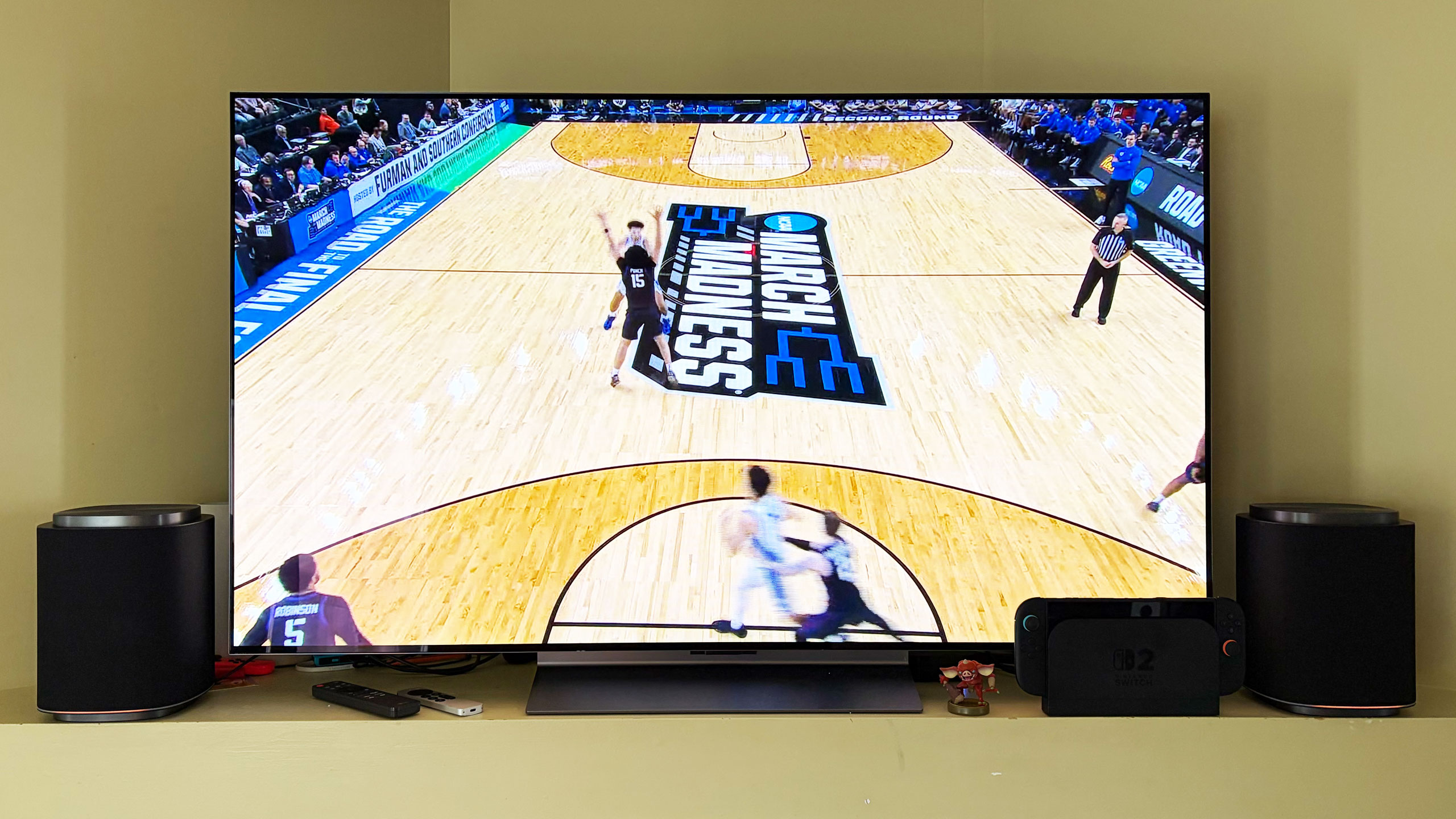
After testing multiple configurations of the Sound Suite, I think the combination of the H7 soundbar, W7 subwoofer and two M7s is the ideal arrangement. I’ll hedge that a bit as I prefer to disable the M7s in the rear of the room when watching live TV — especially sports — as the same audio coming from the soundbar and those speakers didn’t really enhance the experience. Plus, arena noise seemed overly echo-y and off-putting. This setup is well-suited for streaming TV shows and movies, things where Dolby Atmos, or at least LG’s spatial upscaling, is at the height of its powers. 

The LG Sound Suite W7 subwoofer is quite large
Billy Steele for Engadget

In this setup with the H7 as the lead, you get Sound Suite in its most immersive form. I always use Netflix’s Drive to Survive as my first test of a new home theater system, and LG’s lineup handled it like a champ. You get excellent directional audio, which makes the cars sound like they’re zooming around your living room. And the in-car shots are so enveloping, it’s like you’re sitting right behind the driver. This configuration also works well for music, though I preferred to use either one of the M7 speakers or the soundbar/sub duo rather than the whole shebang.

My second favorite setup is four M7s. Once again, this configuration requires an LG TV as the lead device, but if you have that, you can definitely save some room in front of your television with separate front speakers. Unfortunately, you can’t use a subwoofer too because if you’re using a TV to power the speakers, you can only add up to four. That’s a real bummer, but the TV speakers will be used as a center channel (dialogue) boost, so it’s not a complete waste. However, this arrangement would benefit from more bass.

The four-speaker setup could be particularly beneficial for people who mount their TVs on the wall and don’t want a soundbar underneath. And, again, FlexConnect allows you to put the speakers anywhere, not necessarily flanking your TV. You also get the option of moving these smaller speakers around when you need to — something you can’t really do with a soundbar. The only sacrifice I noticed audio-wise is that two M7s in the front doesn’t offer the same overhead sensation for Atmos content as the H7’s up-firing drivers.  

If you’re just using four M7 speakers for home theater duties, you’ll enjoy the immersive audio these Sound Suite speakers will provide. There’s lots of directional sounds with Atmos content, and there’s plenty of subtle detail that comes through on movies and shows. However, for live sports, this arrangement pulls commentary audio from the TV speakers and puts much of the arena/stadium noise in the rear M7s, which makes it difficult to hear the announcers at times. This is one area where the inability to adjust the audio settings really hampers the experience. 

If you’re hoping to invest in something that can pull double duty for music, I prefer one or two M7s for that purpose. And while there’s decent low-end thump, streaming your favorite tunes is where you’ll notice the absence of that W7 subwoofer.

The controls on the LG Sound Suite M7 speaker
Billy Steele for Engadget

If you’re looking for alternatives to LG’s Sound Suite, you have to make some sacrifices. The only other option right now that offers Dolby Atmos FlexConnect is the TCL Z100 speaker. Obviously, you’ll need multiples of this $300 device, and you’ll probably want to add the $350 subwoofer, too. Like the LG M7, you’ll need a compatible TCL TV to serve as the lead device for FlexConnect (a QM6K, QM7K, QM8K, QM9K or X11L model). I haven’t tested these 1.1.1-channel units, so I can’t provide a direct comparison to the Sound Suite’s M5 or M7. 

For those who can live without FlexConnect, Samsung’s Q990 series is consistently the best all-in-one setup you can buy. I haven’t reviewed one since 2024 because the company has been keen on shipping new models with minimal updates, which means the hardware and most of the features remain the same. The HW-Q990H will be the latest installment when it arrives later this year, with the biggest differentiator being a new dialogue boost called Sound Elevation. 

While the Q990 always comes with rear speakers and a subwoofer alongside a powerful soundbar, some features will only be available if you also have a Samsung TV. One of those is Q-Symphony, which utilizes TV speakers alongside the Q990’s drivers for more detailed and immersive sound. For the entire Q990 package, you’re looking at $2,000 — $100 less than the comparable Sound Suite arrangement of the H7 soundbar, two M5 speakers and a W7 sub.

There’s no denying that LG has created a powerful and immersive living room experience with its Sound Suite lineup. I also like that the company allows customers to decide what they need without sacrificing the main draw of FlexConnect. While I did experience some setup and software issues, those are things LG can iron out over time — Sound Suite is still brand new, after all. I would like to see the company offer some discounted bundles and continue to add more audio features over time to justify the hefty investment. If you’ve got a couple grand to spend, especially if you have a recent LG TV, Sound Suite will be your best option for building out a home theater setup.

This article originally appeared on Engadget at https://www.engadget.com/audio/speakers/lg-sound-suite-review-dolby-atmos-flexconnect-in-a-powerful-package-160000544.html?src=rss

Denon’s DP-500BT turntable combines premium design with Bluetooth streaming for $899

Denon is addressing an omission in its current turntable lineup: Bluetooth streaming. With the new DP-500BT, the company combines refined design, analog sound and high-resolution wireless connectivity. With its semi-automatic operation and switchable phono preamp, this model has the features to suit beginners and experienced vinyl listeners alike.

The DP-500BT has a belt drive system, a balanced S-shaped tonearm and an aluminum die cast platter. There’s also a pre-installed moving magnet (MM) cartridge with a CN-6518 stylus and a built-in preamp that can be disabled in favor of a more robust external unit or powered speakers. Semi-automatic operation combines auto lift with playback stop to simplify the listening process for both novice and advanced vinyl lovers. This feature also protects both the stylus and your records.

In terms of design, Denon says it took inspiration from its DP-3000NE turntable for the DP-500BT. The similarities are clear, but more importantly, this decision gives the new $899 model a much more refined look compared to the company’s more affordable record players. The DP-3000NE is a $2,799 turntable, after all.

Bluetooth streaming is what sets the DP-500BT apart in the Denon lineup. Here, you’ll have the option of aptX, aptX HD and apt Adaptive when you need to streaming wirelessly to speakers or headphones. This turntable also works with the company’s HEOS amplifiers and Home speakers, which allow for multi-room audio while listening to that record collection.

The DP-500BT is available today from Denon and other retailers for $899.

This article originally appeared on Engadget at https://www.engadget.com/audio/denons-dp-500bt-turntable-combines-premium-design-with-bluetooth-streaming-for-899-080000144.html?src=rss

Apple announces the AirPods Max 2 with improved noise cancelation and H2 chip

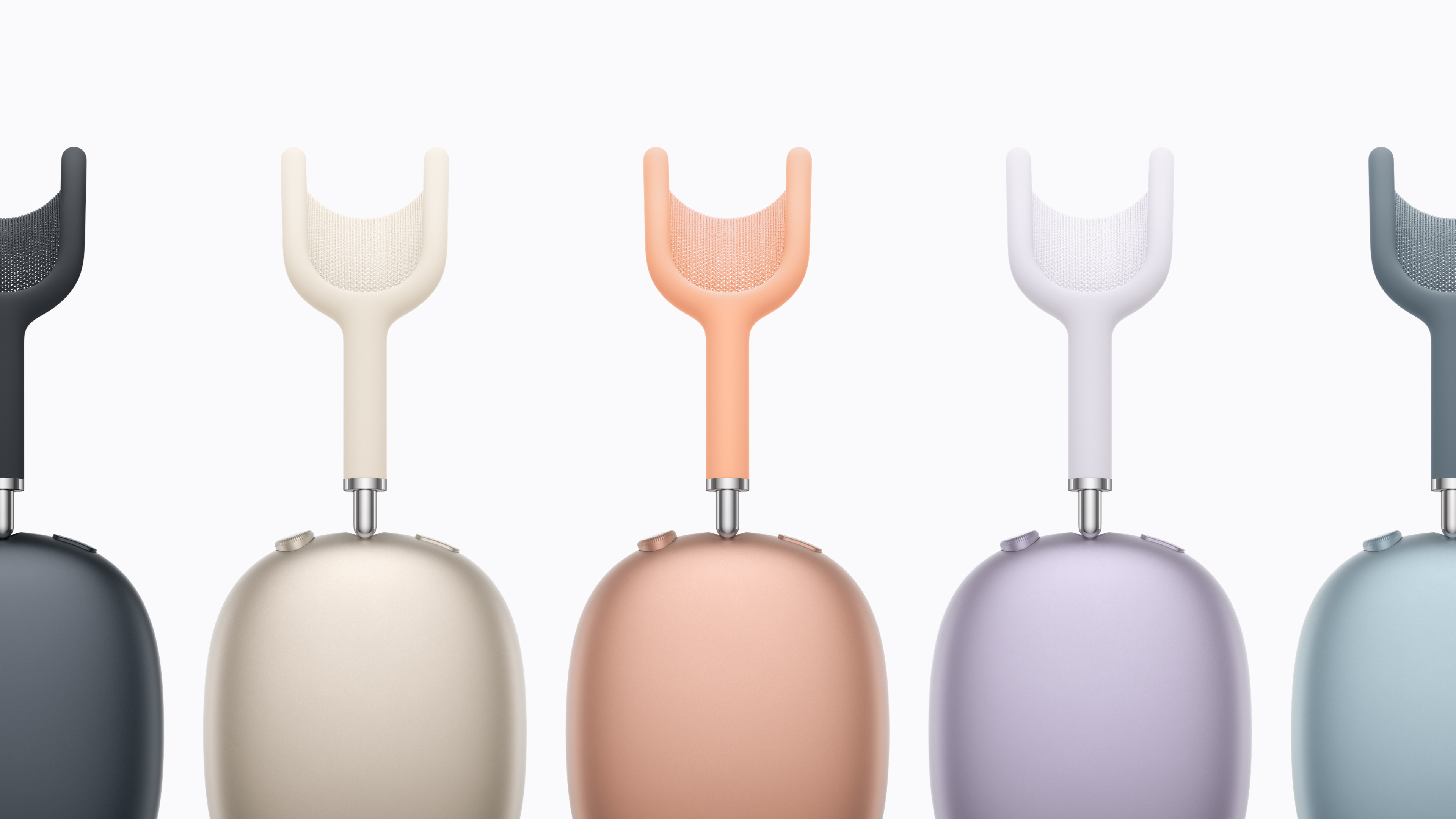
The AirPods Max 2 are almost here. Apple announced this morning that the first true update to its over-hear phones are up for pre-order on March 25 and will be shipping in early April. They look identical to the predecessor, with large, colorful earcups and a matching headband. But inside is the H2 chip that Apple first introduced with the AirPods Pro 2, which enables a host of new features. Chief among those is improved noise cancelation — Apple says with the H2 and improved audio algorithms, the AirPods Max 2 are 1.5 times more effective at reducing noise than the old model.

From an audio perspective, there’s a new amplifier on board here as well for clearer music and improved spatial audio performance. If you want lossless music, you can get that by using the included USB-C cable.

There are also a host of new features for the AirPods Max 2 enabled by the H2. These include an “Adaptive Audio” mode that balances between transparency and ANC modes depending on the environment so you can hear things when you need to while still blocking extraneous noise. Similarly, the conversation awareness features lower the volume of your content and increase transparency when your’e speaking. Live Translation comes to the AirPods Max 2 as well, a feature that uses your AirPods and iPhone to translate incoming speech to and from the language of your choosing.

Apple AirPods Max 2 colors
Apple

Essentially, the AirPods Max 2 now have almost all the features you’ll find in the AirPods Pro 3, just in an over-ear design. What hasn’t changed is the price — AirPods Max 2 still cost $549, notably more than most of the competition. Despite the high price, the first AirPods Max did sound exceptional — they’ve just been hard to recommend for years because of the aging feature set and cost.

Given that the first AirPods Max were released in 2020, these new headphones are long overdue and are probably what we should have got in 2024 when Apple added USB-C but otherwise didn’t change anything besides refreshing the colors.

This article originally appeared on Engadget at https://www.engadget.com/audio/headphones/apple-announces-the-airpods-max-2-with-improved-noise-cancelation-and-h2-chip-133319594.html?src=rss

Soundcore Nebula P1i projector review: An affordable option with accurate color and loud sound

Anker’s Soundcore projectors have become an attractive option for buyers thanks to models like the P1 and Nebula X1 that combine performance and portability. Now, the company has added "affordability" to that equation with its latest model, the $369 P1i. Instead of being detachable like on the P1, its speakers fold out toward listeners, promising better and louder sound than most cheap projectors.

The P1i also delivers 1080p video, Google TV for streaming and the same easy screen fit setup as other Anker projectors. However, unlike some portable models, it lacks a built-in battery for true portability. Overall brightness is lower as well at 380 lumens compared to 650 on the P1. Despite those issues, the P1i is an outstanding budget projector that’s ideal for impromptu indoor screenings and outdoor party use.

With its relatively small size (8.9 x 7.2 x 8.0 inches) and slight five pound weight, the Soundcore Nebula P1i can be perched nearly anywhere and is easily toted around by the soft handle on top. It’s almost too light, as even a slight bump can displace it and ruin the picture. It does have a tripod mount, though, which makes it easy to set up outside or install on your ceiling.

Fortunately, the P1i is perhaps the easiest projector in this price range to align with your wall or screen. It has Anker’s Smart Instant Setup that automatically adjusts the autofocus, keystone correction, screen fit and obstacle avoidance. For my 120-inch roll down screen, I just had to set the P1i about 11 feet from the wall, make sure it was fairly level and then tilt the stand so it pointed at the screen. Then, I just ran the smart setup which instantly gave me a correctly set-up image.

The P1i is not a laser projector but its LED light source lasts even longer, rated for over 30,000 hours. It runs fairly cool compared to a bulb or laser model, but it still has a fan that kicks on from time to time. One annoyance is that the fan seemed to engage even when the projector was turned off, so I found I had to unplug it to stop that.

Anker’s P1i is a solid budget projector that’s ideal for impromptu indoor screenings and outdoor party use, but it lacks both brightness and sharpness.
Steve Dent for Engadget

Connectivity-wise, the P1i has a single HDMI 2.0 port with ARC (Audio Return Channel), along with a USB-A port for external media and a 3.5mm auxiliary audio output. The projector allows for a maximum input of 4K at 60 fps (it outputs 1080p at 60 fps), so it’s only good for light gaming. Plus, you’ll want to keep in mind that if you do any keystone correction, gaming latency quadruples from 20ms to 80ms. It also supports Wi-Fi 5 for streaming and Bluetooth 5.1 to connect extra speakers.

Google TV is built in for streaming and projector control, which is a nice feature for a projector under $400. It provides a large library of apps via Google Play along with a familiar interface. You also get Netflix’s official application with support for 4K Dolby Vision without the need to plug in a streaming device, plus there’s Chromecast support and Google Assistant for voice control. The downside is that the interface can occasionally be sluggish. As for those foldable speakers, you can aim them up, down, forward or backwards, and they support Dolby Audio at 10 watts each.

Image quality is decent but not outstanding, about what you’d expect for a projector at this price. While it’s very sharp in the center, the edges are fuzzier, particularly if you’re tilting the projector up or down and using plenty of keystone correction. With just 380 lumens of brightness (I measured it at just over 300 lumens in standard mode), it’s best to use the P1i in a dark room or at night — if there’s any ambient light, you won’t be able to see much detail.

The P1i offers multiple picture profiles, including Standard, Vivid, Sports, Movies and Games, along with a Conference mode for maximum brightness. I found that the “Vivid” setting gave me the best mix of color accuracy and brightness.

Soundcore Nebula P1i projector review: Colorful image and loud sound for very little money
Steve Dent for Engadget

Color accuracy is a strong point, with natural looking, nicely saturated hues. Surprisingly, the P1i supports 10-bit HDR to help improve color accuracy and max out what little brightness there is, though it’s a gigantic stretch calling a 380 lumen image (around 50 nits) "HDR." I tested the P1i on my usual roster of content, including Once Upon a Time in Hollywood, Andor, Dune 2 and Spider-Man: No Way Home, and found the colors to be pleasing and realistic. If they’re not quite to your liking, you can make fine adjustments manually.

The primary selling point of the Nebula P1I is those fold out speakers. However, considering Soundcore’s reputation for solid audio performance (take the Nebula X1 Pro for example), sound quality was a bit disappointing. It’s relatively tinny with very little bass, providing a less-than-theatrical experience. Those speakers can go pretty loud, though, and midrange sounds like voices are very clear.

Fortunately, there are a couple of solutions. The P1i has multiple EQ settings, including Movies (with enhanced bass and treble), Music for the most natural sound and Outdoors to ensure clarity in open and noisy spaces. The best of those, I found, was Movies, as it mildly improves the lows and highs. There’s also a “custom” mode that lets you fine-tune the equalization. I was able to get acceptable sound quality when I boosted the bass to nearly the maximum level.

The other option, of course, is to pair the P1i to some Bluetooth speakers. I did just that with Soundcore’s external speakers sold as an option with the Nebula X1 and the sound quality was much improved. Of course, that would remove much of its convenience and increase the price for better sound.

Soundcore Nebula P1i projector review: Colorful image and loud sound for very little money
Steve Dent for Engadget

Anker’s $400 Soundcore Nebula P1i is an excellent option for buyers looking for a portable projector to use outdoors or in the place of a second TV, though it suffers from subpar sound and picture quality. Competitors like XGIMI’s MoGo 2 Pro offer similar brightness, built-in speakers and Google TV. And if you have a bit more in your budget, Anker’s $800 Nebula P1 is brighter and easier to set up. Finally, for those looking for battery portability for camping or other activities, take a look at XGIMI’s $500 Halo+ or the $530 Anker Nebula Capsule.

The P1i is great for simple nighttime movie screenings outdoors. If you feel like watching a movie or series in bed, you can bring it into your room, project the picture onto a wall and enjoy your streaming service of choice. You may not be disappointed with the overall picture quality, though you may wish for slightly better sound.

This article originally appeared on Engadget at https://www.engadget.com/home/home-theater/soundcore-nebula-p1i-projector-review-an-affordable-option-with-accurate-color-and-loud-sound-180034925.html?src=rss

JBL’s two new Live headphones offer 80 hours of battery each

JBL just released two new pairs of headphones in its pre-existing Live line. There's the over-ear Live 780NC and the on-ear Live 680NC.

Both sets of headphones have similar specs, despite the difference in design. The biggest news here is likely the battery life. They max out at 80 hours per charge with regular use, which is a fantastic metric. This shrinks to 50 hours when using ANC, but that's still fairly remarkable. We truly live in a golden age of wireless headphone batteries.

JBL's new headphones can also fully charge in just two hours, which is nice. They also offer the option for multi-point connections. There are two dedicated microphones for phone calls, with clarity assisted by an AI algorithm.

Some green headphones.
JBL

Both can stream high resolution audio via Bluetooth or a wired connection. The models even look similar, with availability in the same seven colorways. The 680NC, however, is slightly lighter.

There is one major difference between the two. The 780NC includes six microphones for ANC, while the 680NC features four. This likely means that ANC performance will be better with the former, which will be assisted by the design itself. Over-ear headphones offer passive noise isolation.

Those extra microphones do boost the price up a bit. The JBL 780NC headphones cost $250, while the JBL 680NC headphones cost $160. Both are available for purchase right now, with shipments going out by March 15.

This article originally appeared on Engadget at https://www.engadget.com/audio/headphones/jbls-two-new-live-headphones-offer-80-hours-of-battery-each-120044416.html?src=rss