Skullcandy Crusher 1080 ANC Brings Bose Audio Tech
Skullcandy's Crusher 1080 ANC combines patented sensory bass with Bose audio technologies, delivering immersive sound and long battery life.
Not long ago, high-quality wireless mic systems cost over $500 and required a bulky transmitter and lav mic wire tucked under the subject’s shirt. DJI’s Mic Mini showed how unnecessary all of that was, combining mic and transmitter into a 0.35-ounce device that delivered high quality sound for under $100.
Now, DJI has released the Mic Mini 2 (around $100) as a mild update to the original at a much lower price. It’s more fashion forward thanks to the colorful new magnetic covers and offers an audio upgrade via new voice tone presets. Those changes make it the best budget wireless mic for new buyers, but it’s not worth the upgrade if you already have a Mic Mini — and DJI’s flagship Mic 3 is better if you can afford it. However, beware that the Mic Mini 2 isn’t currently on sale in the US as it hasn’t yet been certified by the Federal Communications Commission (FCC).
The Mic Mini 2 now comes in two packages for smartphone and camera users. One includes a receiver with a 3.5mm mic output for mirrorless cameras, while the other offers a mobile receiver with a USB-C port for smartphones. Both kits include a charging case, one or two transmitters (mics) and a receiver. You also get a magnetic mount, clip mount, black and white magnetic front covers and a windscreen for each mic. The camera kit includes a smartphone adapter as well.
The camera kit contains 10 mic covers in a rainbow of hues that look like they were borrowed from ‘90s iMacs, letting you match a subject’s clothing or add a pop of color. They all have a huge, distracting DJI logo, though, so many creators may want to cover it with a piece of tape. DJI also has optional designer front covers with four very ‘90s looking abstract patterns in several pastel shades, available for around $45.
DJI has changed the transmitter design slightly from the previous model's faceted shape to a flatter design to better accommodate the new magnetic covers. The mic portion also weighs slightly more at 0.39 ounces. Though tiny, each mic is rated to run up to 11.5 hours on a charge, and the receiver is supposed to go for about 10.5 hours with noise cancellation disabled. In my own testing (recording continuously with a looped video as an audio source), I was even able to slightly exceed these times, so you could easily use it for a full shooting day. This is better than nearly all rivals including the Rode Wireless Go III, which is rated for seven hours on a charge. Another wireless mic in this price range, the Hollyland Lark M2, has a stated runtime of 10 hours between charges.
As before, the transmitters and receiver snap into the charging case magnetically. The mobile charging case is small enough to slide into a pants pocket, while the larger camera version fits into a jacket pocket or a bag. On top of being a convenient way to store the transmitters and receiver, they can charge the mics and receiver 3.6 times, giving you 48 hours of use even without a wall plug in sight. It took me about two hours to charge all three devices in the camera case and about an hour to charge the smaller receiver and single transmitter with the mobile case.
The Mic Mini 2 transmitters can be paired directly with smartphones via Bluetooth or you can connect them to DJI cameras like the Osmo Action 6, Osmo 360 and Osmo Pocket 4 via DJI’s OsmoAudio system.
To use the Mic Mini 2, just affix the mics (transmitters) to your subject, either via the clip or magnetic attachment, and turn them on. Then, power up the receiver and connect it to your camera via a 3.5mm cable or plug it into your smartphone’s USB-C port. Everything pairs automatically, and the final step is to adjust the level between -12 db and +12 db using the dial on the side (camera receiver only). Noise reduction is set via a switch on the mobile receiver, or the Mimo app for the camera receiver.
There are a few major differences between DJI’s Mic Mini 2 and the more expensive flagship Mic 3 when it comes to audio specs. The biggest is that the Mic 3 supports 32-bit float internal recording (with 32GB of storage) that eliminates clipping in most situations, even if your levels are too high. It also comes with dynamic gain control to balance volume if your subject tends to lower or raise their voice a lot.
In comparison, the Mic Mini 2 only offers automatic limiting, which does prevent clipping but can reduce audio quality. It also offers no internal recording so you won’t have a backup if your camera or smartphone recording fails. The Mic Mini 2 also lacks an audio level display like the Mic 3.
Despite those limitations, the 48Khz, 24-bit audio quality on the Mic Mini 2 is excellent. I recorded my voice using all three voice tone presets, and found that I could use the “rich” mode (which emphasizes low tones) without the need to do equalization in post. The “regular” setting offers neutral and balanced sound, while the “bright” mode adds clarity in noisy situations. If you prefer doing EQ yourself, the regular mode is best.
A good test of a microphone is to record your voice and then max out EQ levels in a narrow band across a range of frequencies. A mediocre mic will distort audio in more than one range, reducing sound quality. DJI’s Mic Mini 2 performed well here, showing minor distortion for my voice only at one frequency. When I reduced the gain at that range, my voiceovers sounded clear and full.
Another key feature is noise cancellation. DJI’s Mic Mini 2 offers two levels of AI-powered cancellation depending on the amount of background noise. At the low setting, it reduced background noise but produced some distortion. However, the high level noise cancellation distorts audio considerably, so you should only use it in a pinch when noise is excessive. I also tested the Mic Mini 2’s wireless range and was able to record audio at 450 yards away from the receiver as DJI claims, though the device disconnected once at that distance.
The Mic Mini 2 retains other functions from the original Mini like automatic limiting to prevent clipping. It supports two mics at once, and when used in Stereo mode, lets you capture each mic to a separate channel so you can mix them later on. To set those functions, you need to use DJI’s Mimo smartphone app.
The Mic Mini 2 is now available in Europe and elsewhere but not yet the US due to lack of certification. It costs almost half as much as the Mic Mini did at launch, just €89/£89 for the camera kit with two transmitters and a receiver, or €49/£54 for the mobile kit with one transmitter and a receiver.
Given the features and price, the Mic Mini 2 doesn’t have a lot of competition. One of its main rivals is the Rode Wireless Go III, but that model is double the price and lacks noise cancellation. It does have slightly better audio quality, though. Other options in the same price range from Hollyland, Boya and others either can’t connect to both a camera and smartphone or don’t stack up in terms of sound quality and features.
Overall the Mic Mini 2 offers a great combination of range, audio quality and noise cancellation. It’s not worth an upgrade from the Mic Mini, but if you’re buying your first wireless mic and don’t want to spend a bundle, it’s a great option.
This article originally appeared on Engadget at https://www.engadget.com/audio/dji-mic-mini-2-review-the-tiny-wireless-mic-is-colorful-and-much-cheaper-120046171.html?src=rssSennheiser has introduced a new high-end headphone set for audio professionals. The HD 480 Pro is essentially a closed-back reimagining of the company's popular HD 490 Pro headset. Both headphones are designed for audio professionals, aiming to fit both a studio or a live performance setting. The company is positioning this product as a versatile option that can handle recording, monitoring, producing or mixing.
The HD 480 Pro aims to address two complaints for closed-back headsets: comfort for long wearing sessions and accurate bass reproduction. Sennheiser uses what it dubs a "Vibration Attenuation System" to prevent distortions or reflections in the audio signal. The cable can be detached and used on the left or right side in order to accommodate different setups.
To address comfort, the HD 480 Pro uses some of the same proprietary fit features as the HD 490 Pro, including cushioned pads at the temples for people also wearing glasses and a design that maintains equal contact pressure for any head shape.
The headphones will retail for $479 and the set comes with recording earpads, a 9-foot coiled cable and a carrying bag. A travel case is available for $15.
This article originally appeared on Engadget at https://www.engadget.com/audio/headphones/sennheiser-launches-hd-480-pro-the-closed-back-headphones-fans-have-been-waiting-for-080000727.html?src=rssSpring has certainly sprung here at Engadget. Well, it has in terms of reviews, at least. We’ve put over a dozen devices through their paces since my last roundup, which gives you a lot to catch up on over the weekend. Read on for the rundown of all the reviews you might’ve missed.
ASUS’ ZenBook A14 didn’t live up to our expectations last year, but now the company is back with a 16-inch machine and a shot at redemption: the A16. “Compatibility issues aside, the ZenBook A16 delivers just about everything I want in an ultraportable,” senior reporter Devindra Hardawar said. “It’s got a gorgeous OLED screen and all of the ports you need. Qualcomm’s Snapdragon X2 Elite chips also give it a much-needed power boost. And best of all, it's one of the lightest and sleekest 16-inch Windows laptops I've come across.”
Until this year, Apple’s only updates to the AirPods Max were new colors and a USB-C port. The company finally gave its pricey over-ear headphones the powerful H2 chip, delivering a host of handy features from the AirPods Pro. “The H2 chip brings Apple’s over-ear headphones on par with the rest of the AirPods lineup, namely the AirPods Pro 3,” I said. “And since I don’t expect Apple to announce new earbuds this year, that parity should remain for a while.”
Sonos badly needed a win. Thankfully, the company regained some of its mojo with a new portable speaker that offers the best of Bluetooth and Wi-Fi in the same device. “The latest Sonos speaker offers impressive sound quality, flexibility and portability, and it’s the kind of product that can help Sonos rebuild its reputation after its recent difficulties,” deputy editor Nathan Ingraham said.
After an impressive CES debut, LG’s Sound Suite was my most anticipated review of the year. Despite impressive sound quality and Dolby Atmos FlexConnect, there are still some kinks to work out in both the setup and general use. “There’s no denying that LG has created a powerful and immersive living room experience with its Sound Suite lineup,” I said. “While I did experience some setup and software issues, those are things LG can iron out over time — Sound Suite is still brand new, after all.”
The last few weeks have been pretty audio-heavy here at Engadget, including the first headphones and speakers from Fender Audio, two sets of headphones from JBL and the Roland Go: Mixer Studio. I also reviewed the first of Sony’s 2026 soundbars, the Bravia Theater Bar 5, and contributing reporter Steve Dent reviewed the Anker Soundcore Nebula X1 Pro all-in-one projector.
Senior reporter Sam Rutherford really took one for the team and spent some time with the Robosen Soundwave Transformers robot. Lastly, Steve took flight with the DJI Avata 360 drone, which is a direct answer to Insta360’s Antigravity A1.
This article originally appeared on Engadget at https://www.engadget.com/engadget-review-recap-asus-zenbook-a16-airpods-max-2-sonos-play-and-lg-sound-suite-133000521.html?src=rssNot everyone needs a $1,000 soundbar. It’s easy to argue the sonic superiority of those flagship models from Samsung, Sonos and Sony, but for some people a simple boost to their TV speakers can provide a world of difference. As part of its 2026 soundbar lineup, Sony debuted the Bravia Theater Bar 5: a $350 entry-level model that covers the basics and comes with a wireless subwoofer in the box. The real question here is how many features are you willing to live without.
The Theater Bar 5 is the most compact soundbar among Sony’s new models, measuring just 35.5 inches wide. For comparison, that’s still about 10 inches wider than the second-gen Sonos Beam, but nearly 16 inches smaller than Sony’s flagship Theater Bar 9. This stature makes the Bar 5 well-suited for smaller spaces with smaller TVs. In fact, Sony says the soundbar will fit between the legs of Bravia TVs with multi-position stands. Plus, the Bar 5 is just over 2.5 inches tall, slightly shorter than the Beam, so it won’t block the bottom edge of most TVs.
Despite its small size, the Bar 5 cranks out some excellent sound. There’s plenty of crisp, clear audio from the 3.1-channel configuration, and the included subwoofer provides an ample amount of booming bass. The Bar 5 supports Dolby Atmos and DTS:X, but it doesn’t have up-firing drivers. Instead, the soundbar relies on Sony’s Vertical Surround Engine and S-Force Pro Front Surround tech to virtualize much of the directional and overhead audio. More on that in a bit.
While watching Netflix’s Drive to Survive, I experienced the excitement of F1 cars zooming around various circuits as the Bar 5 does well with general movement. The soundbar’s wide soundstage, excellent detail and booming bass provide some degree of immersion that doesn’t rely on audio projected overhead. That overall clarity and powerful bass are also great for listening to music, as the Bar 5 can handle a range of genres with ease.
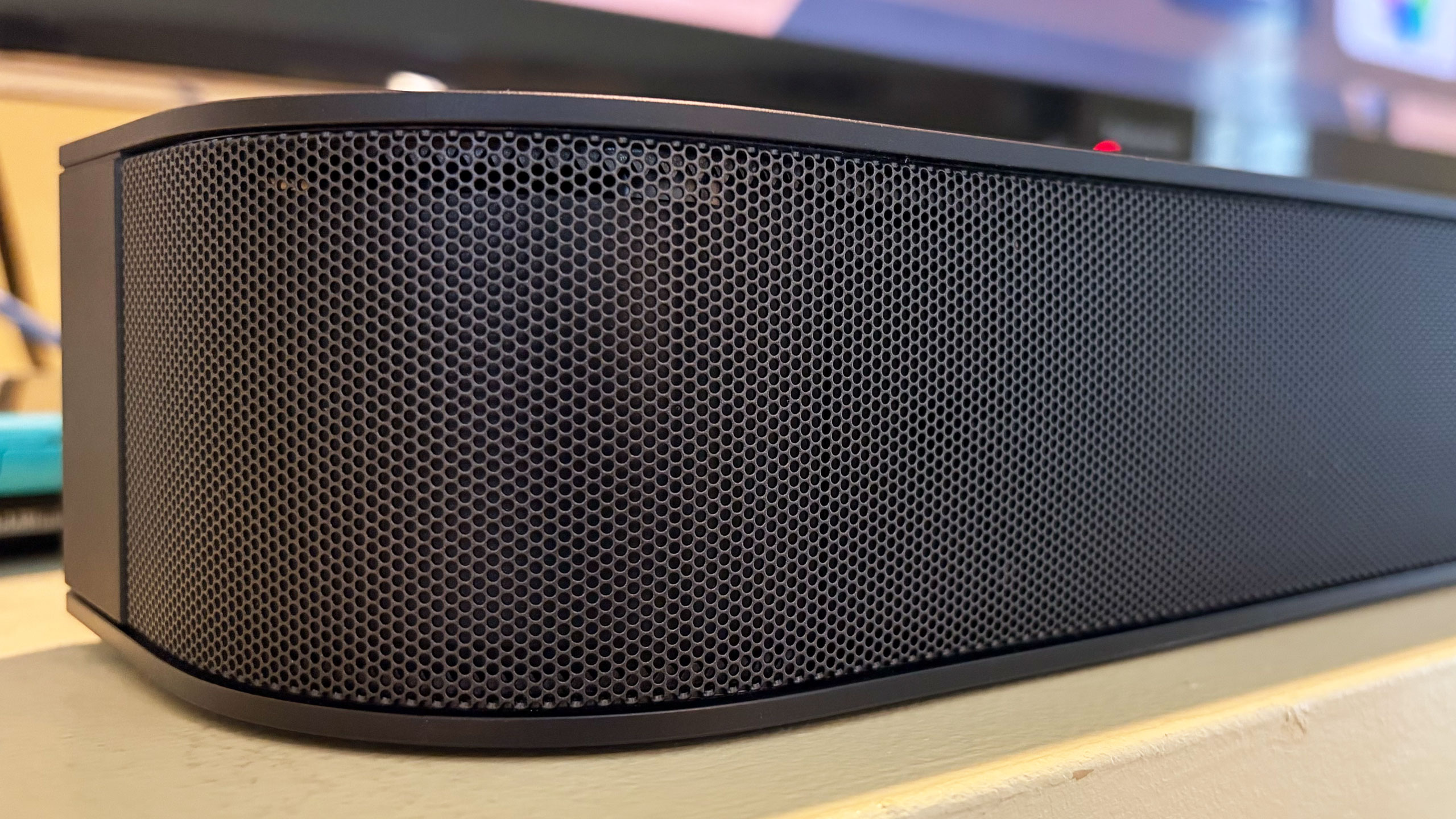
From Kieran Behden & William Tyler’s acoustic/electronic 41 Longfield Street Late ‘80s to Thursday’s screamo masterpiece Full Collapse, the soundbar performs admirably. Although with heavier genres, I preferred to dial down the bass slightly. Tucker Rule’s kick drum on Full Collapse, for example, was a bit much for the standard tuning here.
After struggling with the setup on LG’s Sound Suite, I was thankful that configuring the Bar 5 was super easy. It’s very much a plug-and-play situation, and the Bravia Connect app guides you through the initial steps. It takes about five minutes to get up and running and I’d wager even the least tech-savvy person in your life can probably figure this out. You can also opt for Night mode (less bass), Sound Field (enhanced audio) and Voice mode (louder dialogue) in the Bravia Connect app.
All of this certainly makes the Bar 5 a solid option for someone who doesn’t need a lot of features, but stands to benefit from augmenting the sound from their TV alone.
While the Bar 5 supports Dolby Atmos and DTS:X immersive audio, Sony’s virtualization tech was a disappointment. There’s some side-to-side directional sound, but I noticed almost no simulated overhead noise. The Bar 5’s sonic clarity makes it a solid option for boosting living room audio, just don’t expect the enveloping effects that more robust (and more expensive) soundbars would offer.
There are several features you won’t find on the Theater Bar 5, starting with the lack of onboard controls. I’m well aware that those buttons on top of soundbars don’t get used much, but if you’re like me, you still reach for them occasionally. There were several times during my testing when I tried to blindly tap the non-existent volume controls on the Bar 5. Other than a power button on the right side, your options for controlling this soundbar are a remote and the Bravia Connect app.
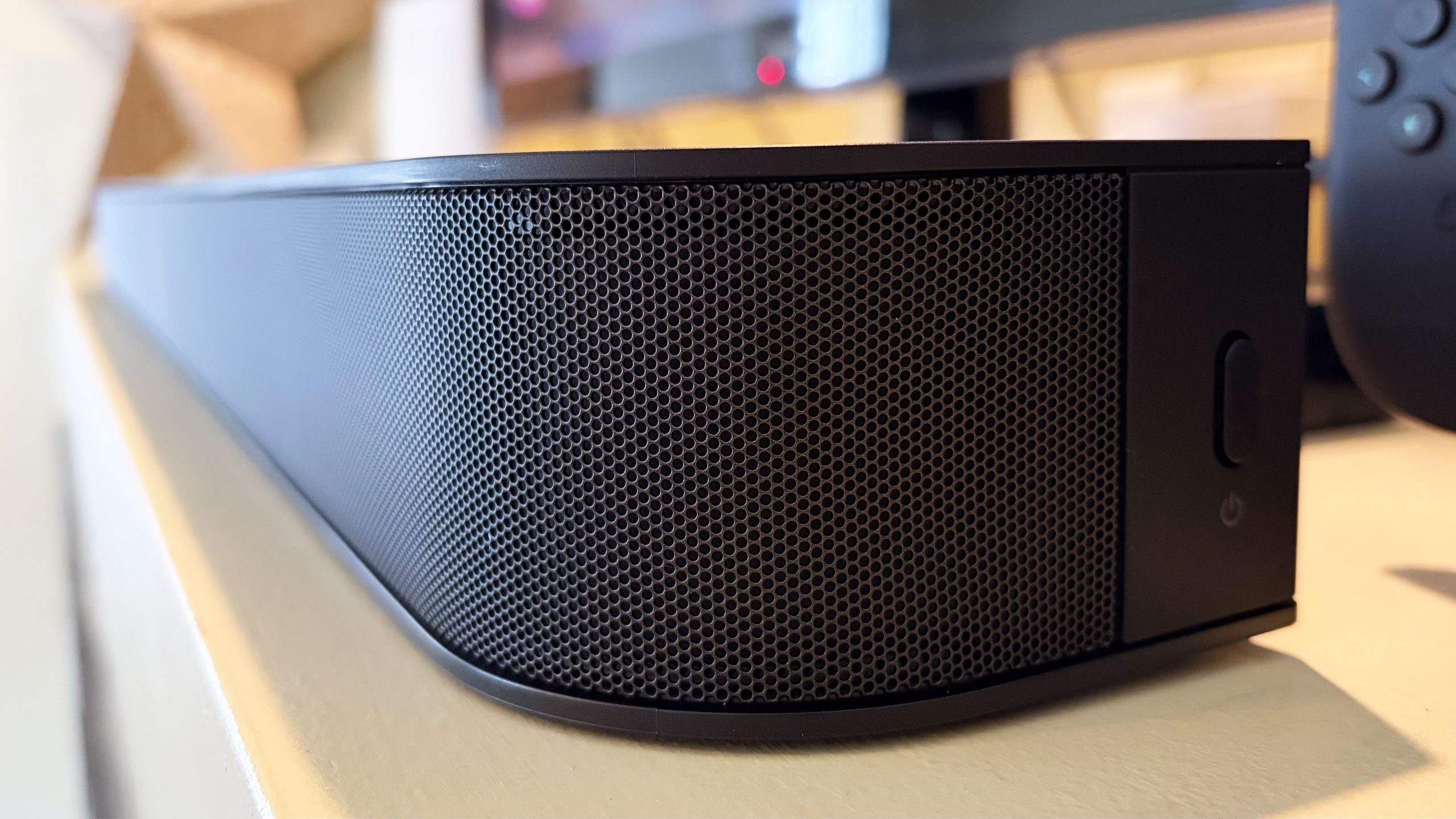
You also won’t find a Wi-Fi connection on the Bar 5. This means that AirPlay and Google Cast aren’t available to easily beam audio from your devices to the soundbar. There is Bluetooth 5.3, so you do have an option for music and podcasts from your phone or laptop if you need it. However, pairing your devices to the soundbar via Bluetooth isn’t as quick as selecting the soundbar in your streaming app when AirPlay or Cast are on the spec sheet.
Lastly, Sony doesn’t offer any type of room calibration on Theater Bar 5. Sure, a smaller soundbar like this is better in smaller spaces, but it would still be nice to have the system dial in the audio for the aspects of the room. After all, not every living room is a perfect rectangle. I can understand why the company left this feature out of a $350 model, since the tool would require extra components like microphones. This is certainly one of the more noticeable trade-offs for saving some money.
Sometimes the basics are all you need. Sony’s Bravia Theater Bar 5 provides an entry-level boost to TV audio that will be fine for people looking for just that. While there is support for immersive audio, the soundbar’s 3.1-channel setup isn’t the best for Dolby Atmos and DTS:X performance, and that’s really the biggest knock against the Bar 5. However, this model's excellent audio quality, especially the powerful bass, will suffice for customers just looking to hear their TVs better.
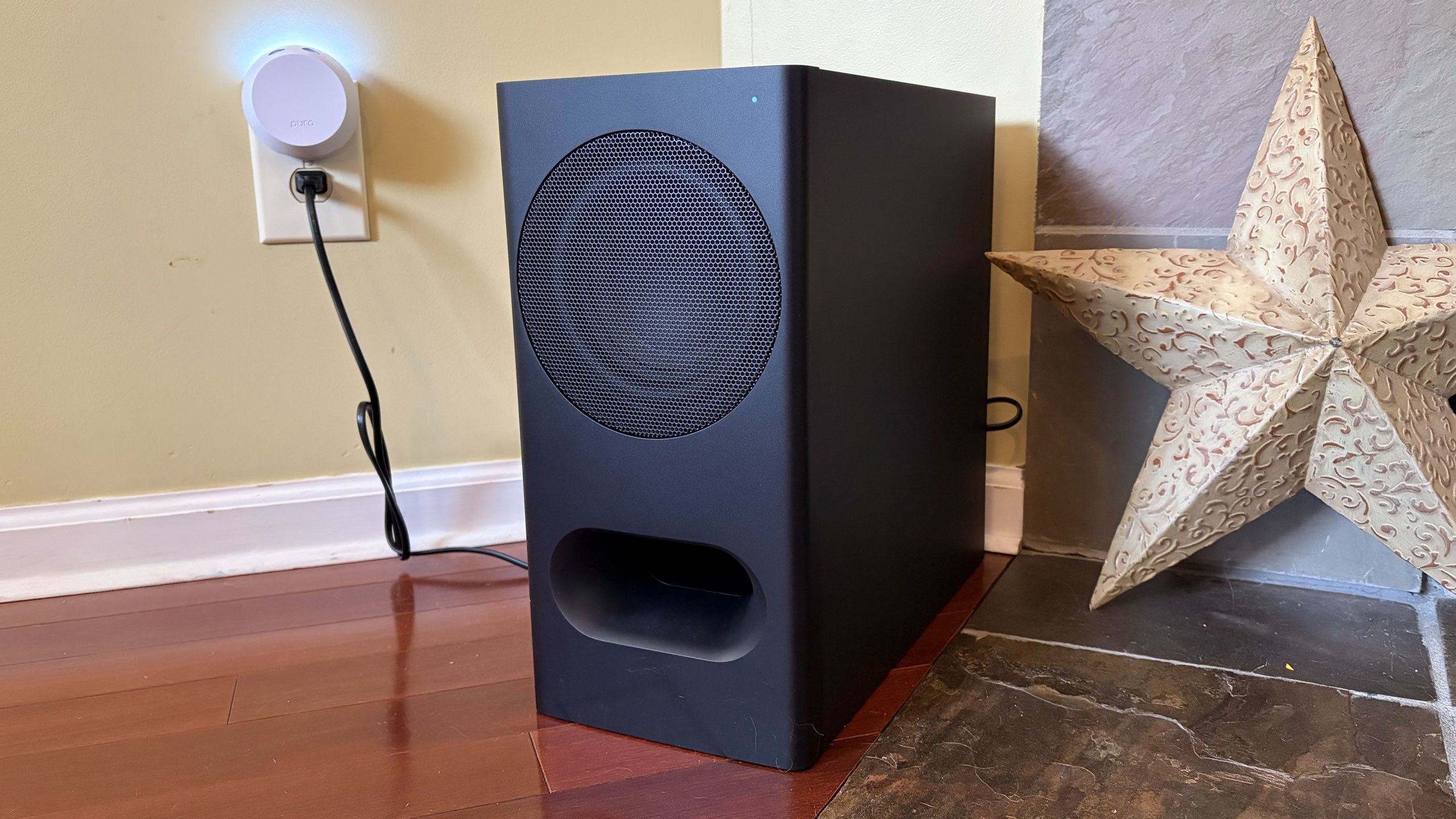
If you want a compact soundbar that provides respectable Atmos performance, the second-gen Sonos Beam is your best bet. Sure, it’s more expensive at $499 and it doesn’t come with a subwoofer, but its additional drivers, tweeter and passive radiators offer more robust audio from the soundbar alone. You also get Trueplay room calibration and Wi-Fi connectivity there.
The Theater Bar 5 will certainly improve your living room audio compared to your TV speakers alone, but with a few more features and improved Atmos virtualization, Sony could’ve had a real winner.
This article originally appeared on Engadget at https://www.engadget.com/audio/speakers/sony-bravia-theater-bar-5-review-a-basic-tv-sound-booster-140000192.html?src=rssRazer just released the Hammerhead V3 HyperSpeed gaming earbuds, another entry in the recently-crowded field of gaming earbuds. These have been designed for low latency, which is a necessity when playing video games.
To that end, the earbuds integrate with Razer's proprietary HyperSpeed 2.4GHz streaming platform, which allows for "gaming-grade lag-free" audio. This works with plenty of devices, including smartphones, tablets, PCs, the Steam Deck, the PS5 and more. The earbuds can also connect via Bluetooth for devices that don't support Wi-Fi-based streaming audio.
The charging case includes a dongle that plugs into devices via USB-C, which doubles as a wireless transmitter. Razer promises that users can quickly switch between Wi-Fi and Bluetooth audio, which would be useful when going from a PC to, say, a smartphone to listen to music.
These earbuds include improved ANC, when compared to the previous generation. The battery here lasts for 40 hours, with the earbuds getting 10 hours per charge and the case offering four charges.
The case can charge via USB-C, which means it charges as the transmitter is being used to stream audio. However, the dongle can also work on its own without the charging case. The earbuds also support THX spatial audio on PCs.
Razer's Hammerhead V3 HyperSpeed gaming earbuds are available right now and cost $130. The almost identically-named Hammerhead V3 X HyperSpeed earbuds run $100 and connect via Bluetooth 5.3 instead of Bluetooth 6.0, with a slightly reduced battery life.
This article originally appeared on Engadget at https://www.engadget.com/audio/headphones/razer-just-released-some-new-gaming-earbuds-with-low-latency-and-fast-switching-between-devices-172907717.html?src=rssJBL introduced two new headphones to its Live series lineup and both are fighting to live up to expectations. Don’t get me wrong, the JBL Live 780NC and 680NC are both a solid set of cans, but in a sea of noise-cancelling headphones, one of them definitely has more appeal. The biggest differences between these two headphones are the over-ear and on-ear cups, and surprisingly, their audio quality. Let’s get into what does and doesn’t make them so special.
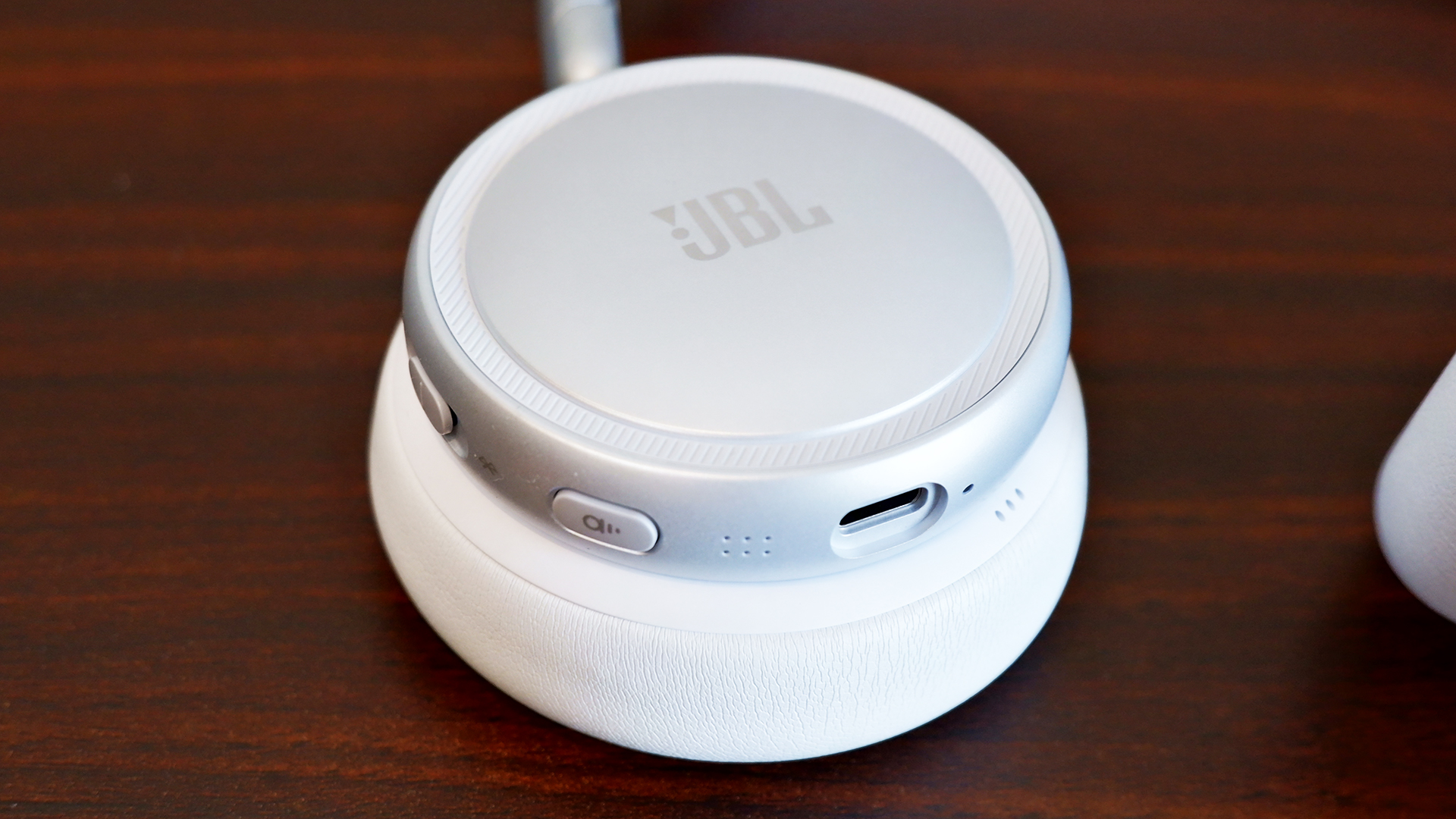
Outside of varying colors and cup sizes, the JBL Live 780NC and 680NC look practically identical. They have these hockey puck-looking ear cups that are divided from the leatherette pads. The design looks like someone’s idea of headphones from 10 years ago. It’s not necessarily a bad thing, but it feels a bit clunky. Despite that, the metal hinge and leatherette band are more pleasantly minimalist. The cups also fold up neatly in a heart shape so you can slot them easily in the included bag.
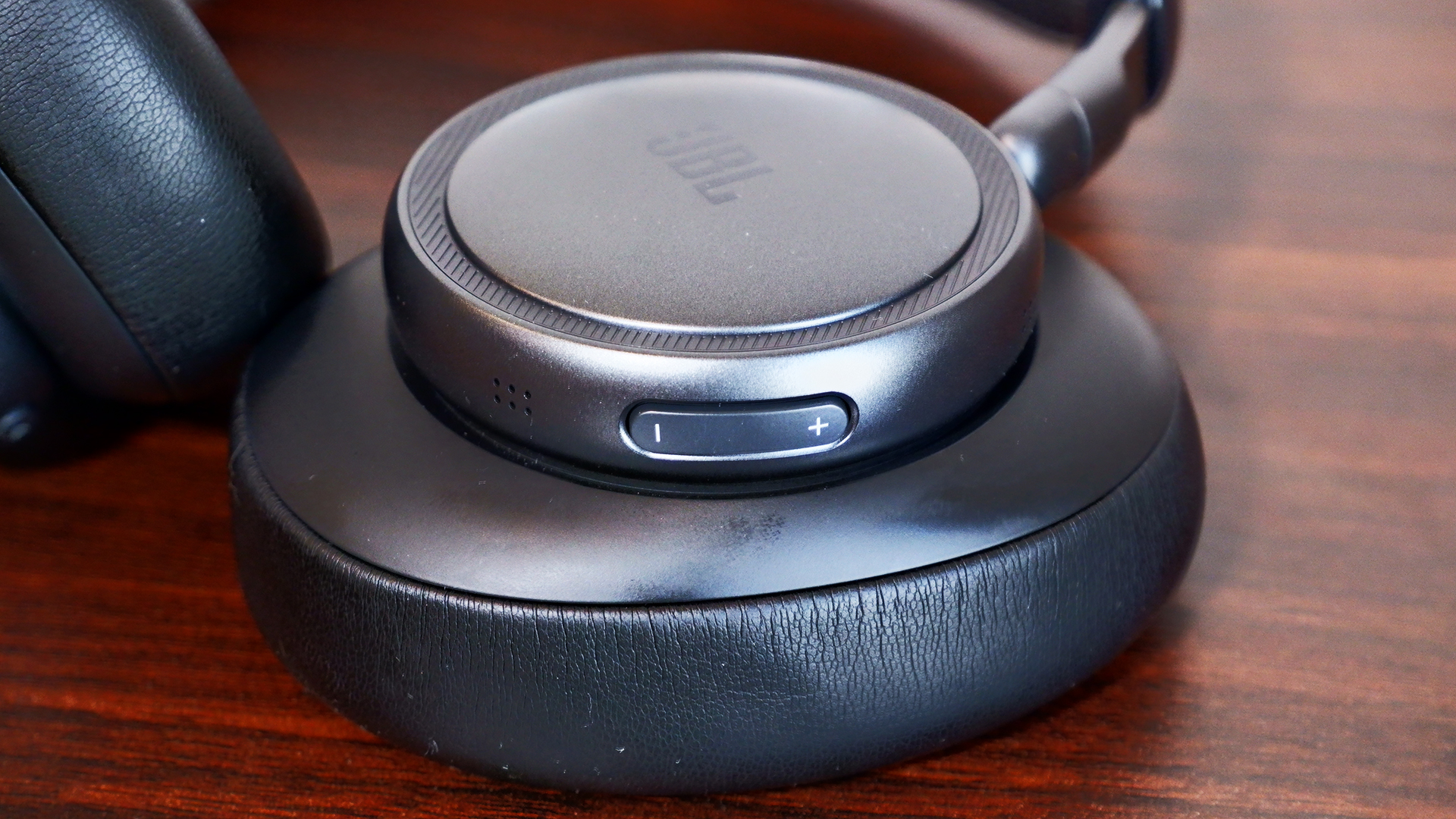
There’s a dedicated volume rocker on the left ear cup while the right holds room for a USB Type-C port, the active noise cancelling (ANC) button and a combo power/Bluetooth switch (yes, it’s a switch, not a button). Meanwhile, you get all of the touch controls available on the right cup of each set of headphones.
Both headphones felt a little uncomfortable to wear at first, but it usually takes time for me to get used to new cans. After spending several hours each with them, they eventually grew on me. They’re both a bit snug, but neither one left me aching at the end of the day. I felt more relief when taking off the 680NC because of the added pressure of on-ear cups, but I’m also not used to the on-ear design.
Despite the near $100 price gap, you get the same set of features for the JBL Live 780NC and 680NC, all wrapped up in the JBL Headphones app. It’s easy to set up and you don’t even need to make an account.
The first thing you might want to do is hop over to the settings and add the “disable ANC” function to the rotation. Out of the box, you can either switch between ANC or Ambient mode on the headphones, which is super frustrating — I shouldn’t need an app to enable a basic action. Most headphones these days allow you to cycle between ANC, Ambient mode and off (neither).
At the very least, the app offers a thorough suite of features. You can adjust the strength of the ANC and Ambient modes. Enabling Adaptive ANC allows automatic noise cancellation changes based on the surrounding noise level, while Personal Sound Amplification makes everything around you sound louder than normal. The latter was incredibly helpful in writing this very headphone review, ironically, as I had to keep an ear out for my child potentially committing a crime (kidding… mostly).
The JBL Live 780NC and 680NC are packed with the features I’d expect from a pair of premium headphones. They offer 360-degree spatial sound, an adaptive EQ, Auracast, automatic pausing and simultaneous Bluetooth connections with automatic switching.
You can also customize all of the controls, from the ANC Button to the Touch Panel, which includes two call shortcuts and four general shortcuts, one of which is already dedicated to native voice assistants like Bixby and Siri. You do need to put a little more pressure than you might expect in order for the touch controls to activate, though. This is a bit of a learning curve, so it would’ve been nice if it was more sensitive.
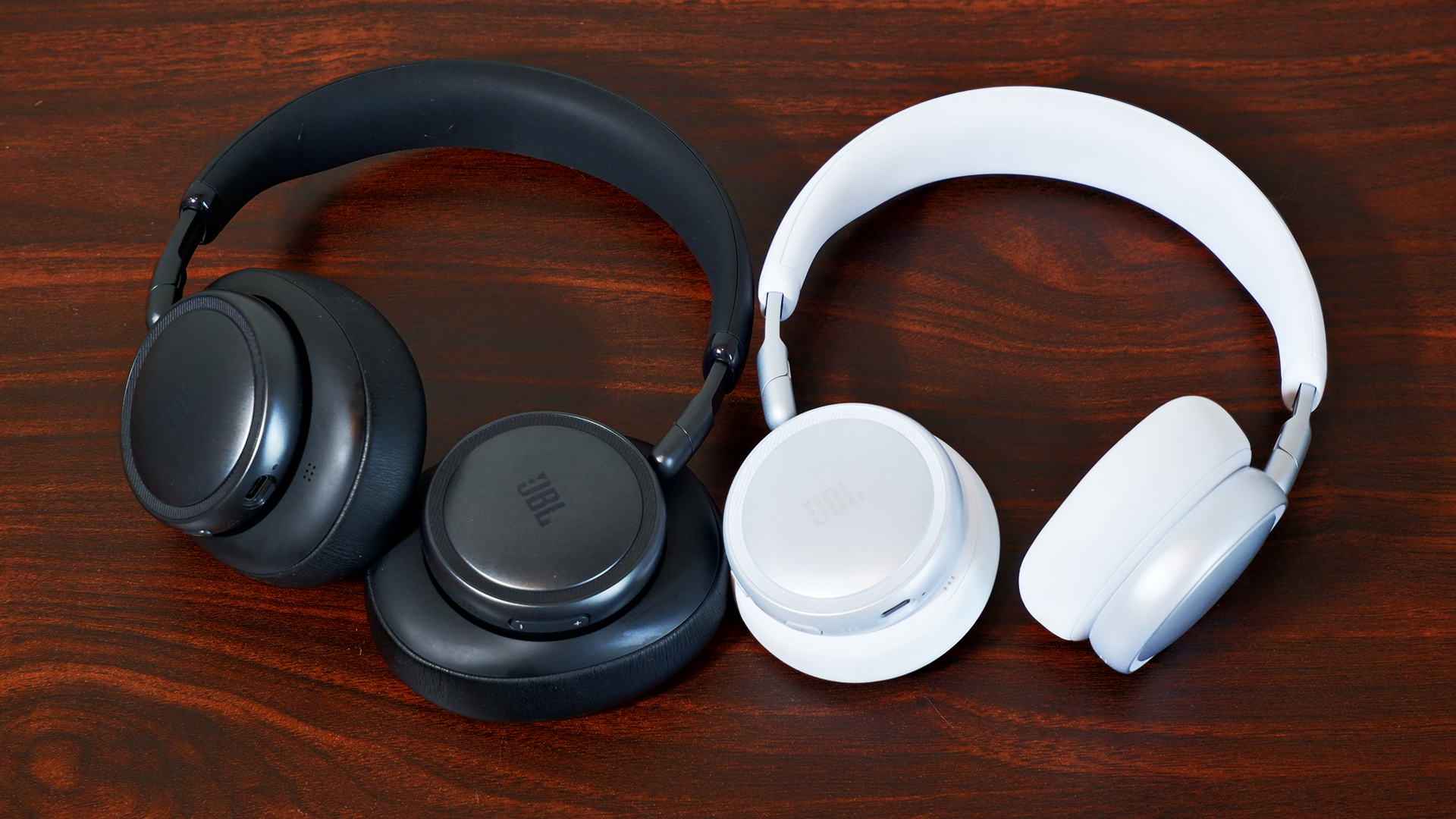
The JBL Live 780NC and 680NC both feature 40mm neodymium drivers, but they offer completely different soundstages. With the 680NC, I noticed the bass hit a lot harder during the DanDaDan soundtrack, but vocals and string instruments weren’t as crisp or bright as they were with the 780NC. I had a similar experience while schmoozing my way through everyday objects in Date Everything!, where vocals seemed more distant with the 680NC. However, when playing Helldivers 2, 680NC captured the bassy intensity of an explosive-intergalactic space war.
Continuing to run through tracks like JVKE’s “her” and “Radio” by Bershy, I noticed a common theme amongst the headphones. The 680NC’s soundstage was narrow and bassy, while the 780NC was wide and hollow. Both reproduced one half of a great couple, but unfortunately, they’re currently separated and seeking lives of their own. No, but seriously, the audio quality on both of them is still decent individually. I can distinguish each instrument from each other, so they aren’t getting muddied in the mix. But I don’t think the 780NC is worth the extra $90 on sound quality alone, since you’re trading one issue for another.
The ANC system is slightly different in the JBL Live 780NC and 680NC. The former features six microphones that detect and monitor ambient noise while the latter is outfitted with four microphones.
What difference does that actually make, though? Well… not much, at least not practically. If you stuck them in a lab and crunched the numbers, there might be, but in my testing using the JBL Live 780NC and 680NC as everyday headphones, there’s virtually no difference outside of the passive noise isolation you get from over-ear design.
My dog is quite the yapper, so I happened to test the ANC against her with both headphones, and they managed to block out most of her bark, but not all (she is quite loud). Unless you’re actively listening to something, it won’t kill all the sound around you — when everything was quiet, I still heard my fan running in the background. As a passenger, the car’s road noise and the other cars around me faded mostly into the background, but they were still present (when not actively listening to music).
Ambient modes for both headphones kept me alert while walking outside, and while checking to make sure nothing chaotic was happening in my home. I could clearly hear the ruckus my child and dog were causing in the next room, and I got even more of it when I turned up the Sound Amplification.
As I mentioned above, the most annoying thing about the ANC and Ambient mode systems is that you cannot disable both of them at the same time (out of the box); you need the app in order to make the “off” option available via the ANC button.
JBL wasn’t lying about calls: Both the JBL Live 780NC and 680NC were great at cancelling out the noise from my surroundings, whether it was busy traffic or me blasting music on my desk. The microphone picked up little things here and there, but it blocked out most background distractions. The problem, however, is the overall microphone quality.
Microphones on both sets were pretty rough. My voice sounded like it was underwater or in another room entirely. And while the microphones were able to cancel out the noise in the background, I noticed that it made me a little more muddied, like it was also cancelling out some of my voice as well. This is likely due to the signal processing to block background noise. My friend said, “You sound like you’re fighting an ocean.” If you’re looking for a great caller, these ain’t it.
With a full battery, I didn’t have to charge the JBL Live 780NC or 680NC for the week I tested them. That’s with a combination of ANC on and off, as well as using them to chat with friends. JBL rates both headphones with the same battery life: 80 hours with ANC off (33 hours of talk time) and 50 hours with ANC on (28 hours of talk time). Those numbers lined up with my testing considering how long they lasted. Charging the headphones from empty does take two hours, though.
If you want a solid pair of over-ear ANC headphones in this price range, I’d recommend the Sony WH-CH720N. The ANC struggles a bit, but the headphones are much cheaper than the 780NC and offer great sound quality. It’s the best option if you want to save some money.
However, if you’re looking for alternative on-ear ANC headphones, you’ll be hard pressed to find premium competitors to the JBL 680NC. On-ear headphones tend to land in the mid-range or budget class. The JBL 680NC aren’t the best pair of headphones out there, but they’re good for what they are in those categories.
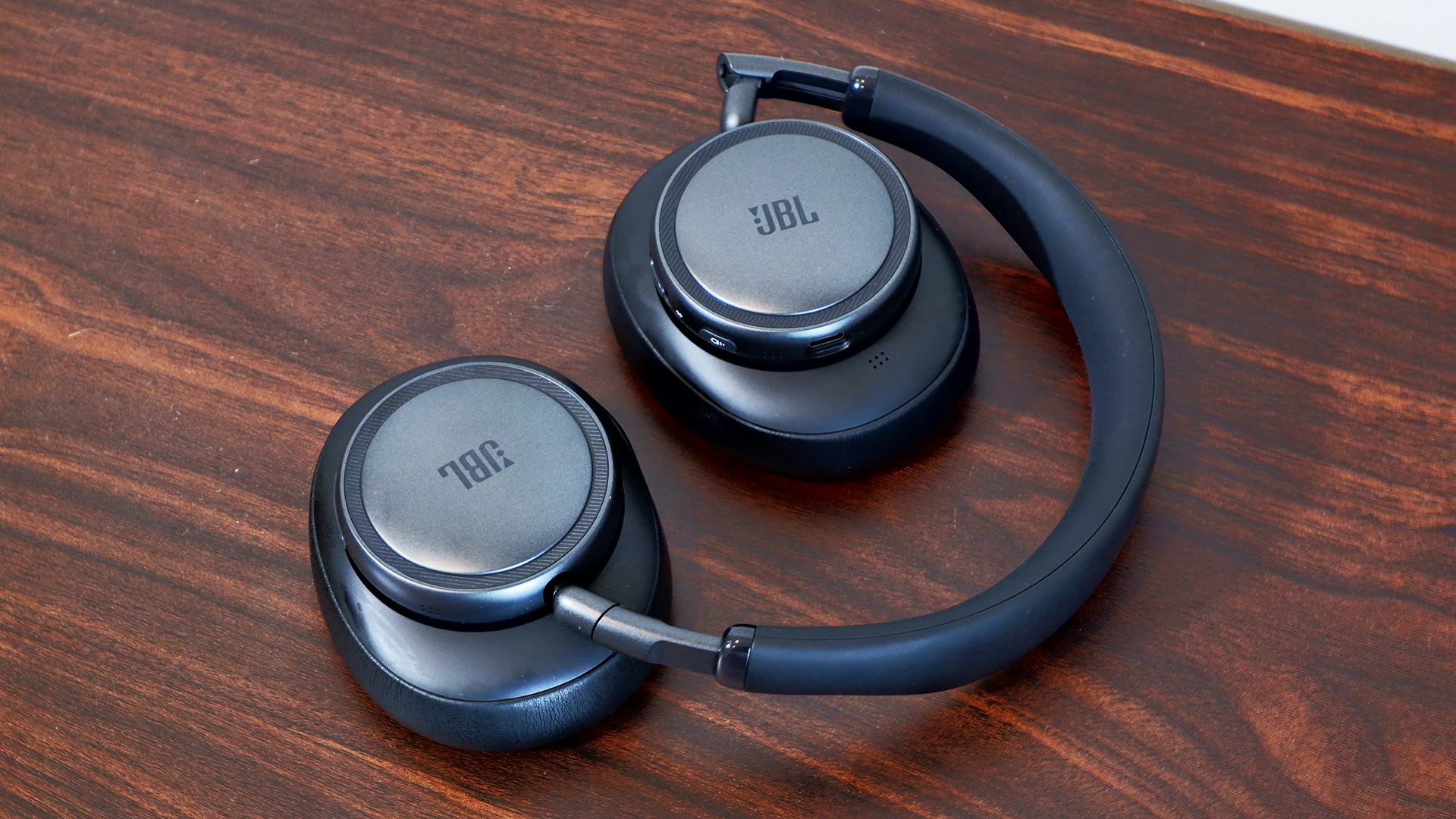
To bass or not to bass? That’s one of the few questions you’ll need to ask yourself when choosing between the JBL Live 780NC and 680NC. Of course, on-ear and over-ear designs appeal to different consumers, but the fact is that the former sounds hollow and the latter is more bass-heavy. Both headphones are comfortable and offer great ANC and features.
Overall, however, the JBL Live 780NC falls in the middle of the overcrowded market for noise-cancelling wireless headphones, while the 680NC stands just tall enough to make you want to take a closer look. On a sale, I’d say you could grab either of these cans and be satisfied, but at their full price, I’d be wary. If you twist my arm, I could make an argument for the 680NC because there aren’t enough on-ear noise-cancelling headphones available these days.
This article originally appeared on Engadget at https://www.engadget.com/audio/headphones/jbl-live-780nc-and-680nc-review-great-leaps-greater-missteps-120000508.html?src=rssA new company needs to make a strong first impression. For Fender Audio, a new outfit owned by the legendary Fender Musical Instruments Corporation but operated by Riffsound, that introduction comes in the form of two speakers and a set of headphones. The Elie 6 ($300) and Elie 12 ($400) are portable Bluetooth speakers with sophisticated designs and unique features, offering similar functionality in two different sizes. These devices are essentially speaker/amplifier hybrids, since they both have ¼-inch/XLR combo inputs among their connections. Despite the unique mix of connectivity, the speakers still need to sound good and work well to compete with the many excellent portable options available today.
The first time I saw the Elie 6 and Elie 12 in person, my eyes were immediately drawn to the design. These certainly don’t look like your typical Bluetooth speakers. That’s due in large part to the refined, almost retro look that’s consistent across both models. The Elie duo are products you won’t mind showing off, while many portable speakers are too flashy or brightly colored to be kept in a prominent place.
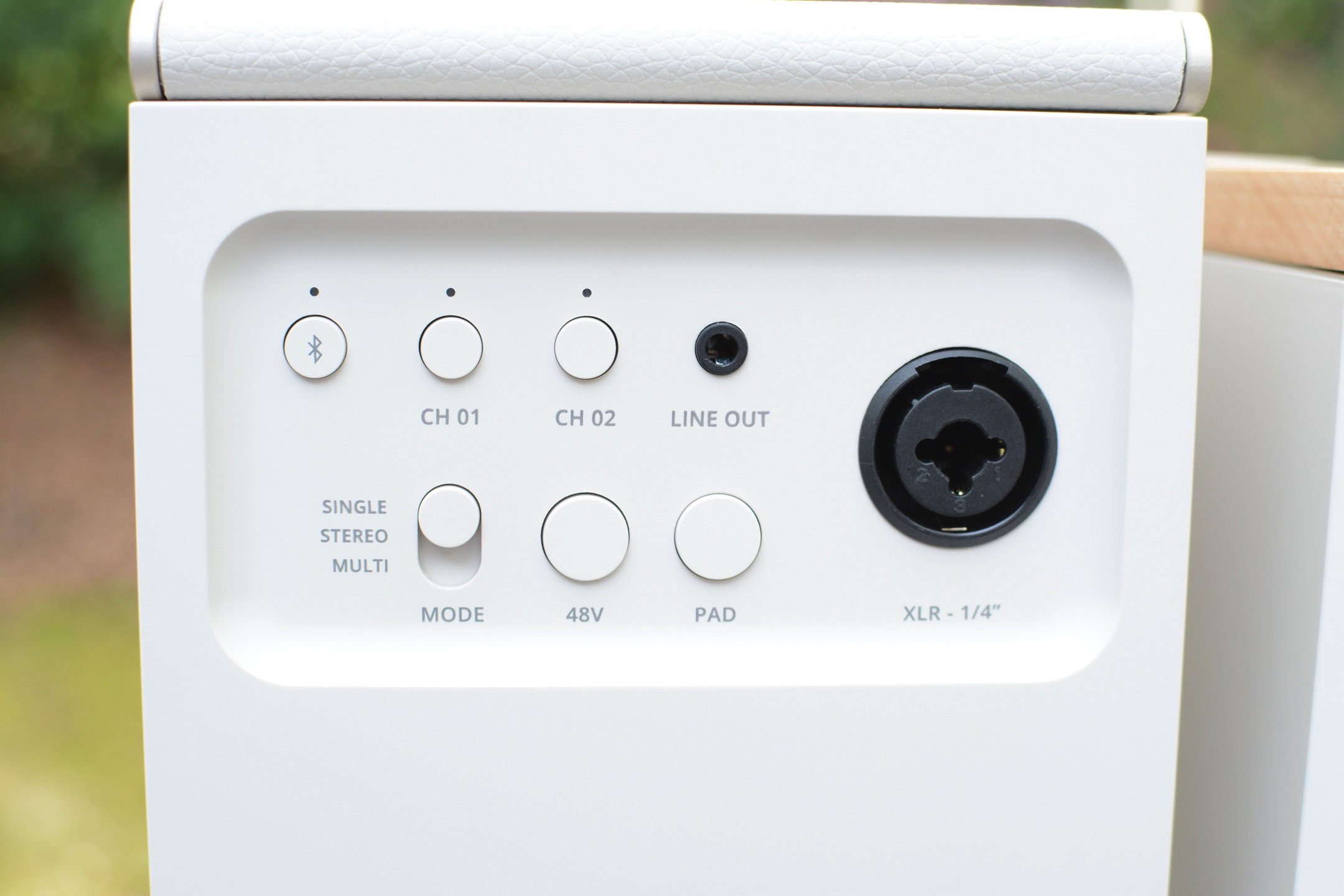
All of the onboard controls are clearly labeled physical buttons or dials, so you’re not left wondering how anything works. Around back, both the Elie 6 and Elie 12 have combo ¼-inch/XLR inputs (with 48V phantom power) as well as buttons for two wireless inputs and a 3.5mm line out. That combo jack means both speakers can double as amps, and the dual wireless connections allow you to sync microphones for karaoke sessions or hosting trivia night. This expanded functionality speaks to Fender’s history as a guitar icon, but it also gives the Elie speakers an upper hand over much of the competition at these sizes. Typically if you want these types of inputs, you’ll need to consider a much larger party box-style speaker to get them.
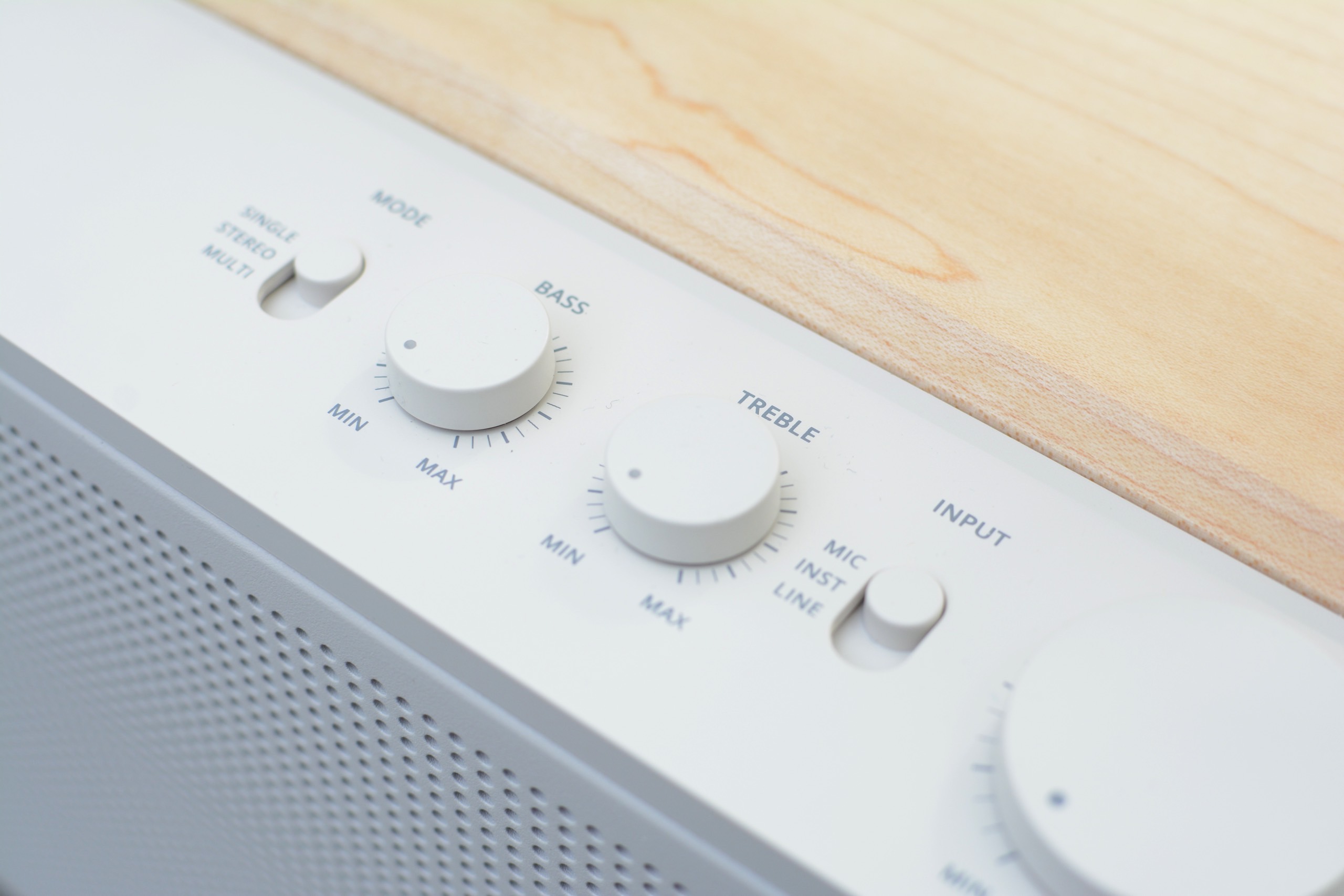
Before I move on from the controls and inputs, I need to mention the dedicated three-way mode switch for single, stereo and multi-speaker uses. This is so much easier than what’s on most portable speakers, which usually entails some weird dance with Bluetooth pairing or an app to sync multiple units together. Enlisting a physical switch so you know exactly where things stand is a much better and faster experience.
In terms of sound, the best thing the Elie 6 and Elie 12 speakers have going for them is their overall clarity. The crisp, clear quality gives these Fender Audio units an advantage over the competition at these sizes. Throughout a range of genres — including bluegrass, alt-rock and heavy metal — both the Elie 6 and Elie 12 handled the varied styles with ease. The Elie 12 has twice the speakers as the Elie 6 (two full range, two tweeters and two subwoofers) and double the power output at 120 watts. So, of course, there’s more volume and bassy oomph on the larger speaker.
Both the Elie 6 and Elie 12 have a wider soundstage than many speakers of similar sizes. You can really hear this on American Football’s debut album, where the guitars ring clear, interlaced with drums while the vocals float on top. All of the elements stand on their own, but are seamlessly blended throughout every track. The Elie 12 features more bass and volume, but the overall sound quality, and importantly, clarity, is pretty similar for both speakers. I did notice more instrumental separation on the larger model though, so the album is a bit more immersive there.
While I appreciate the physical controls on the Elie 6 and Elie 12, the playback options are limited, which means you’ll be reaching for your phone often. There’s only a play/pause button on both speakers, and no controls for skipping tracks. And no, you can’t skip forwards or backwards with a double or triple press on the play/pause button. Plus, only the Elie 12 has bass and treble dials, so there’s currently no option for adjusting the sound on the Elie 6.
That’s because Fender Audio is still working on an app for its speakers and headphones. The lack of customization was an issue for me on the Mix headphones, and it continues to be one here. Customers need access to features and settings on devices like this, even if a company decides to offer audio presets instead of a full EQ. Some type of visual interface would also help when you’re using a few of those inputs at once. A basic mult-channel mixer maybe? Hey, a boy can dream.
Going back to the controls, the volume dials on both speakers could use refining. First, a listenable volume doesn’t happen until halfway. Anything below that and that excellent clarity isn’t present, and you can’t really hear the content well at all. There’s plenty of power at 50 percent and above, so that’s not a concern, but the control needs to be recalibrated for more even increases. What’s more, adjustments are slightly delayed: when you turn the dial, it takes a second or two for the speaker to catch up. To me, it feels like that should be instantaneous.
When it’s time to venture outdoors, both the Elie 6 and Elie 12 are IP54 rated for dust and water splashes. However, both speakers have a wood panel on top, which certainly won’t withstand much moisture. As such, I find the IP ratings confusing, since it’s obvious the entirety of the designs aren’t up to that task. If you’re careful about water though, both speakers have enough volume for open-air use.
One other consideration for the Elie 6 and 12 is their weight. The smaller speaker weighs just over five pounds, while the larger model is a whopping 8.8 pounds. For comparison, the Sonos Play is just 2.87 pounds and JBL’s Xtreme 4 tips the scales at 4.63 pounds. This means the Elie 6 and 12 are portable options, but they aren’t the grab-and-go type of speakers some of the competition offers — especially when weight matters.
Battery life is one other area the Elie 6 and Elie 12 fall behind some of their competition. The smaller Elie 6 offers 15 hours of use while the larger Elie 12 should last up to 18 hours. That sounds like more than enough since it's longer than a full day, right? Well, JBL Bluetooth speakers at comparable prices last 24 and 34 hours. The new Sonos Play is rated at 24 hours, and one of my personal favorites, the Bose SoundLink Max, lasts up to 20 hours.
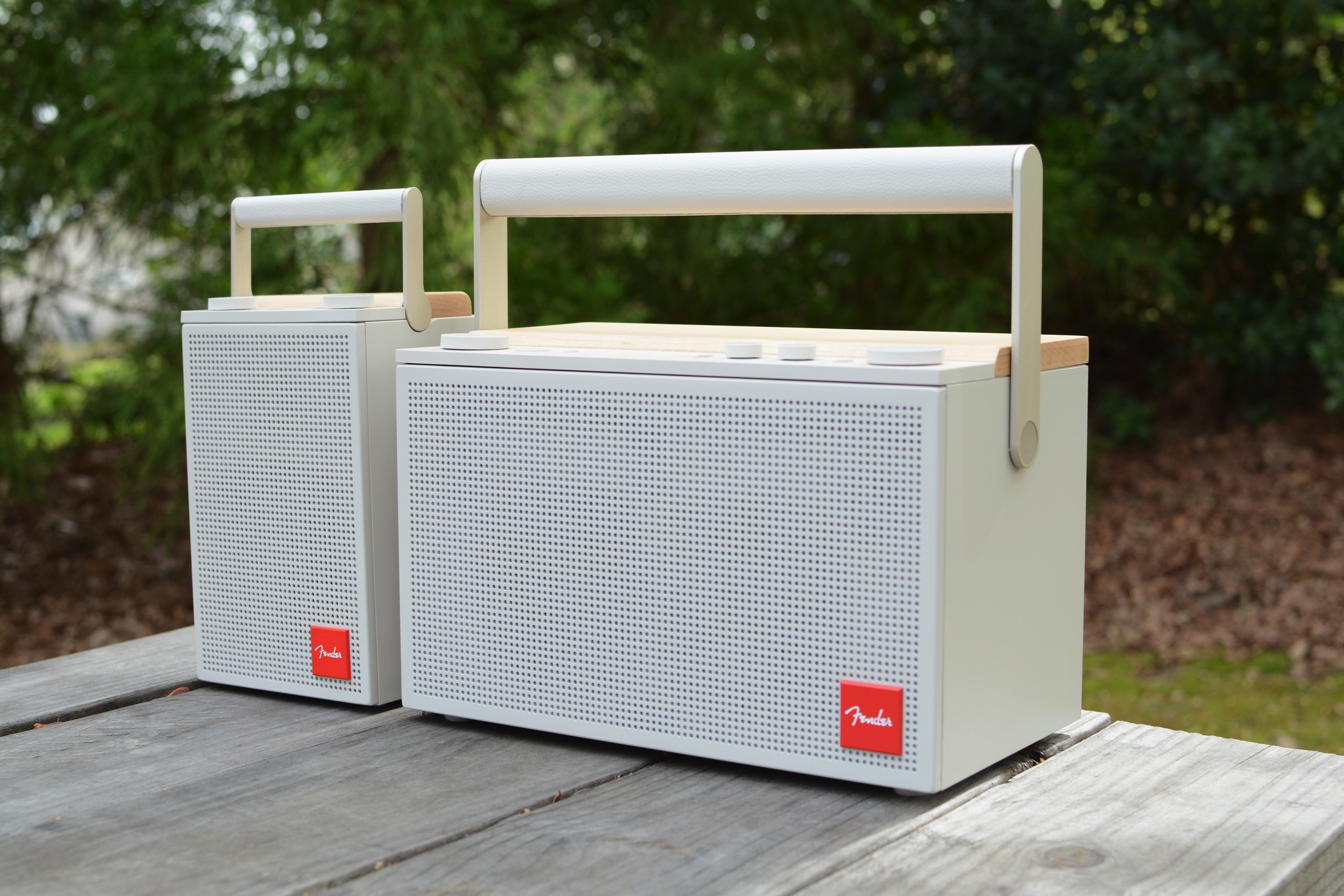
There’s no doubt Fender Audio built two versatile, great-looking speakers here. Both the Elie 6 and Elie 12 are capable devices, and you don’t have to sacrifice much if you opt for the smaller of the two. The unique collection of inputs is typically only available on much larger speakers and the overall sound quality is well-suited for a range of genres.
Speakers like these really need an app though, especially when a company offers four inputs to juggle. I’m sure would-be customers would also like to dial in the EQ to their preferences, too. Sure, you can find longer battery life elsewhere, but the blend of design, sound and connectivity stands out at these prices. I’d call that a solid first impression.
This article originally appeared on Engadget at https://www.engadget.com/audio/speakers/fender-elie-review-handsome-speakeramp-hybrids-with-excellent-clarity-123000448.html?src=rssBack at CES, Samsung showed off a new line of speakers and two of its 2026 soundbars. Today, the company announced pricing for the entire suite of new products, including two soundbars that weren’t inside its showroom in Vegas. All but two of the new devices are available to order now, so you might not have to wait to get your hands on some new Samsung audio gear.
Let’s start with the Music Studio 7 and Music Studio 5 speakers. The Music Studio 7 is the more rectangular model in the duo. It’s a 3.1.1-channel unit with left, right and center speakers alongside one woofer and one up-firing driver. This $500 device is also equipped with Pattern Control tech to direct the sound evenly through the room while keeping distortion to a minimum. The more circular Music Studio 5 has a 2.1-channel configuration composed of two tweeters and a single woofer. It has waveguide technology to evenly disperse the sound and costs $300.
Both the Music Studio 7 and Music Studio 5 use AI processing to customize the sound based on the room and the content. Those capabilities come in the form of Samsung’s Dynamic Bass Control and SpaceFit Sound Pro room calibration features. Both speakers also use Active Voice Amplifier Pro to boost dialogue.
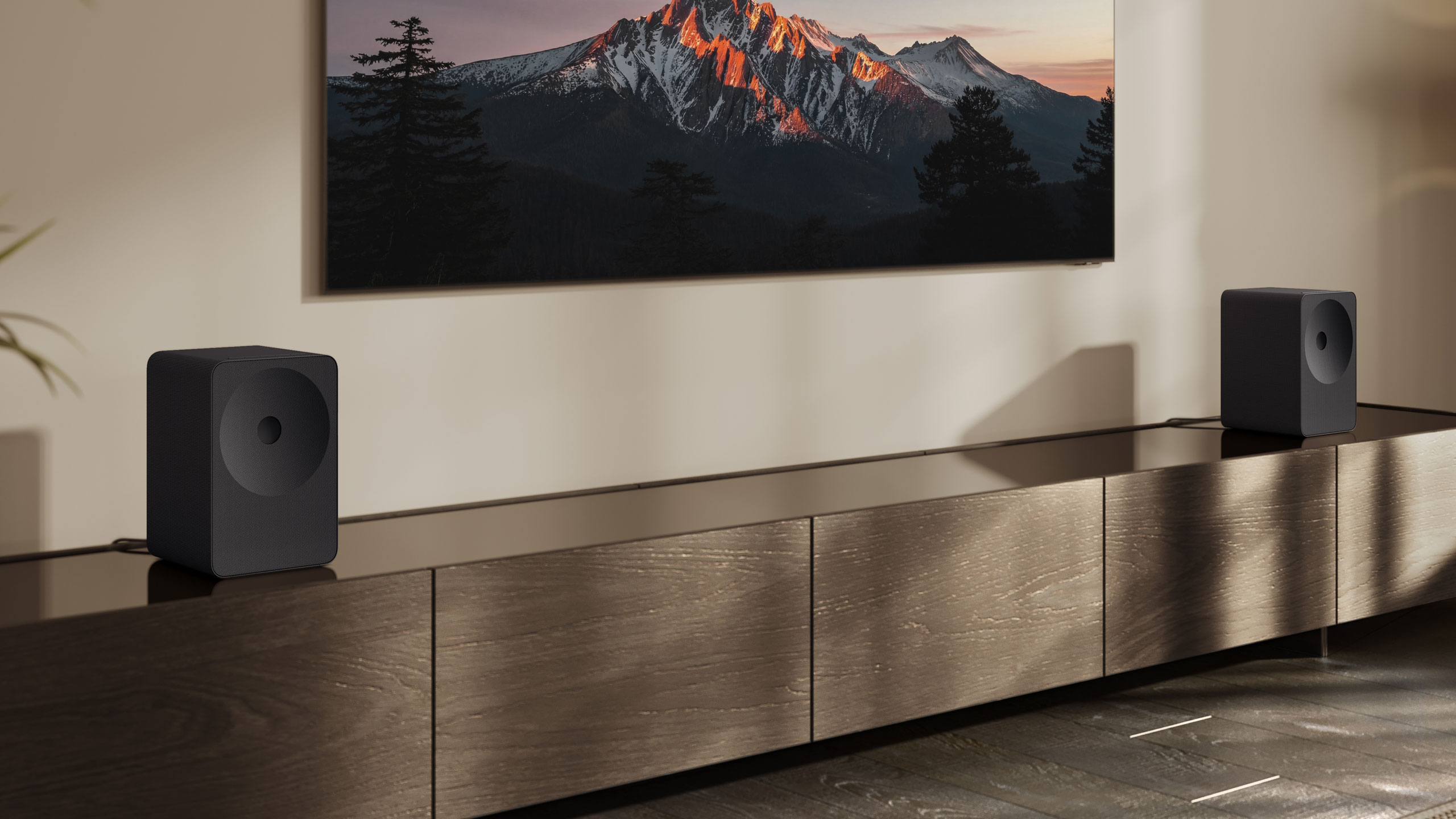
Yes, this means you can use a pair of either model as your living room setup. In fact, they can work with a compatible TV or soundbar to employ Samsung’s Q-Symphony feature that uses all of your speakers as an immersive group. Samsung is also expanding Q-Symphony to work with up to five of its audio devices and the feature will automatically adjust the sound based on speaker locations. Those upgrades seem an awful lot like LG’s Sound Suite and Dolby Atmos FlexConnect, if you ask me.
Samsung revealed its flagship soundbar, the Q990H, at CES. Unfortunately, the company is keeping the same overall design it’s been using for about years now, so I think it’s time for a change. This is the company’s 11.1.4-channel Dolby Atmos option that comes with rear satellite speakers and a subwoofer for $2,000. Samsung’s home theater features like Dynamic Bass Control, SpaceFit Sound Pro and Adaptive Sound are all here, but there are also two new features on the Q990H for 2026.
First, Samsung promises that Sound Elevation will improve the audio by making dialogue sound like its coming from where characters are on the screen rather than the position of your soundbar. There’s also Auto Volume, which will supposedly nix sudden volume jumps as you switch channels or streaming services.
The QS90H is the member of Samsung’s 2026 soundbar lineup that really impressed me at CES. The company says this is its first “all-in-one” soundbar, which means you shouldn’t have to use a subwoofer for adequate bass. Other companies have made that claim, and it’s almost never true, but the $1,000 QS90H pumped out some great low-end tone back in Vegas. That’s thanks to four built-in woofers and an overall 7.1.2-channel setup.
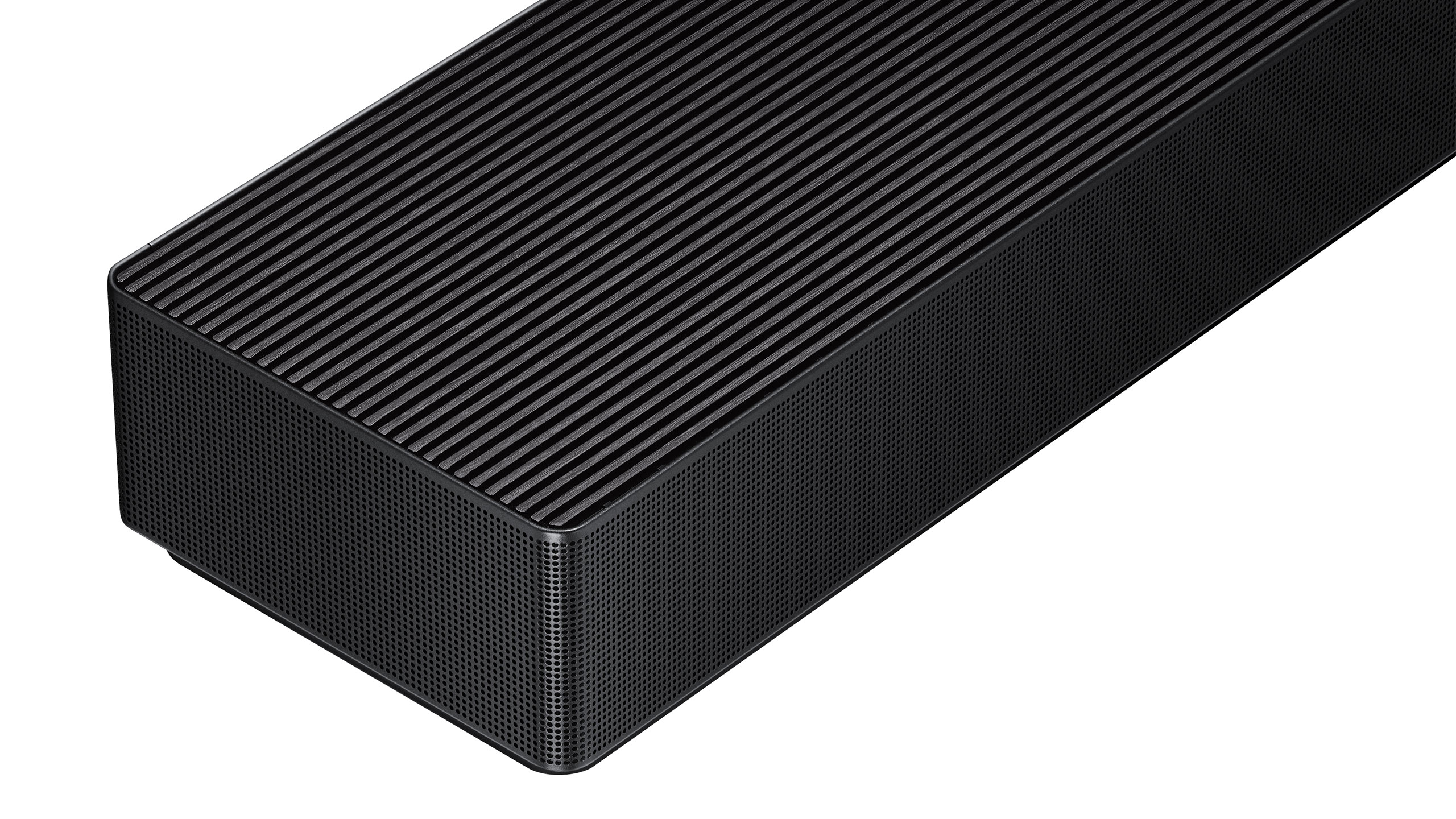
Like the QS700F, the QS90H has a gyro sensor that automatically detects if it’s sitting flat on a shelf or mounted on a wall. This allows the soundbar to automatically adjust the sound based on its position so you don’t sacrifice performance for what looks best in your home. The QS90H also offers Q-Symphony, SpaceFit Sound Pro room calibration, Adaptive Sound, Active Voice Amplifier Pro and Dynamic Bass Control — plus the new Sound Elevation and Auto Volume from the Q990H.
Two other soundbars that Samsung didn’t discuss at CES are the Q930H ($1,500) and the Q800H ($1,100). As you might expect based on the numbers, these two models sit below the Q990H in the company’s lineup. The Q930H is a 9.1.4-channel option that comes with rear speakers and a subwoofer in the box. In terms of features, Q-Symphony, SpaceFit Sound Pro room calibration, Adaptive Sound, Voice Amplifier Pro and Sound Elevation are all here. Step down to the Q800H and you’ll get all of those features in a 5.1.2-channel arrangement. This soundbar only comes with a subwoofer though. It’s also worth noting that both the Q930H and Q800H have a similar angular design to the Q900H.
The Music Studio 7, Music Studio 5, Q990H and Q800H are available now. The Q930H and QS90H are still listed at “coming soon.”
This article originally appeared on Engadget at https://www.engadget.com/audio/speakers/samsungs-music-studio-speakers-and-two-of-its-2026-soundbars-are-available-now-150000056.html?src=rssEvery now and then, I test a gadget so wild that I can’t believe a company actually made it. Soundcore’s $5,000 Nebula X1 Pro projector is the embodiment of that: an ultra bright projector and a 400-watt Dolby Atmos 7.1 speaker system combined in a massive enclosure. With a fast and flexible setup, it lets you screen movies or watch sports nearly anywhere.
It’s not just a projector crammed into a big speaker system, though. Everything is elegantly integrated and setup is nearly automatic, thanks to the clever design and motorization. The weight and price are the biggest strikes against it, but if you can afford it, and love hosting movie nights, the Nebula X1 Pro is one of the coolest devices you can buy.
Made by Anker sub-brand Soundcore, the Nebula X1 Pro has a professional-looking enclosure housing a Nebula X1 laser projector and five speakers — a subwoofer, two front satellites and two rear satellites. With all that crammed in, the projector is big and heavy at 30 inches high and 72 pounds. Fortunately, it has a pair of wheels on the back and a telescoping handle so it’s easy to roll from room to room or dolly outside. Good luck carrying it up a set of stairs or unloading it from a vehicle by yourself, though.
Soundcore made the Nebula X1 Pro as outdoor-friendly as possible, with IP43 and IP54 ratings on the body and speakers, respectively, to withstand short periods of rain. If you want to use it away from home, the company sells optional kits with a 200-inch inflatable screen or an Anker Solix C1000 battery that can power it for several hours.
The four wireless satellite speakers have seven horizontal and four overhead channels, and the two-speaker subwoofer is inside the main enclosure. The rear speakers pop out of a spring-loaded storage dock with a light press, same for the telescoping speaker legs.
The front satellite speaker docking system is even more slick. To release them, you press a button on top and they fold out of the side via a motorized system. You can either leave them there or detach them at the touch of a button. All speakers can be charged externally over USB-C or inside their docks. They have eight hours of battery life, though I found the bigger front ones held a charge for slightly longer than that.
The X1 Pro also includes a pair of high-quality Soundcore wireless microphones for DJ-ing or karaoke, tucked under the top panel. Those feature AI vocal removal from songs, one-touch reverb and 40 hours of battery life — everything you need for a karaoke party.
There’s only a single HDMI 2.1 port at the back (which is odd considering that the Nebula X1 has two) with eARC support for Dolby Atmos sound. It also comes with two USB-C ports for external file playback, charging and a PC connection. Lastly, the power cable is retractable, which is another nice design touch.
I also reviewed the Nebula X1 projector that's inside the X1 Pro, but here’s a summary in case you missed it. The projector uses Soundcore’s proprietary “LaserForge 2.0” liquid-cooled, triple-laser engine that beams a bright, color-accurate image with very little fan noise (26 db). It promises high native contrast thanks to the 6-blade dynamic iris and NebulaMaster 2.0 image engine. The 0.9:1 to 1.5:1 optical zoom lens allows for flexible installation and employs 14 high-quality, long-lasting glass elements.
The X1 Pro uses the same 0.47-inch DLP chip found in many other projectors (and not the bigger, better 0.67-inch chip coming soon in XGIMI’s Titan Noir). The lasers are beamed through a color phosphor wheel twice to achieve excellent 90 percent color and brightness uniformity across the screen.
The projector’s motorized gimbal tilts 25 degrees upward so you can position it well below the screen. The “spatial adaptation” feature scans the projection area then beams the final image to precisely fit the screen or wall. It worked nicely for me, though overhead lights or other obstacles can throw it off. The projector can adapt to ambient light and the wall color, and another function called Spatial Recall lets you save all your settings for later.
Once I detached them, the speakers paired automatically to the X1 Pro over 5.8Ghz Wi-Fi with no difficulty. I placed them around the room to maximize soundstage, then the Nebula X1 Pro’s “Flexwave” tech used a built-in four-mic array to detect their positions and calibrate the audio. I was seated off to the side, so I used the “smart sweet spot” feature to drag the center point toward my position for optimal sound balance.
Google TV is included, offering a large library of streaming apps and an easy-to-use projector control interface via the included remote (tucked into the top so you hopefully won’t lose it). You get Netflix’s official app with support for 4K Dolby Vision and Dolby Atmos, plus the X1 Pro has Chromecast support and Google Assistant for voice control. The interface can occasionally be sluggish, though Soundcore has improved its latency since I tested the Nebula X1.
Even after testing other high-end projectors including Valerion’s VisionMaster Max, the Soundcore Nebula X1 Pro is still the brightest and sharpest I’ve seen. The company’s luminosity claim is accurate; I measured 3,514 ANSI lumens in “Standard” mode from the center of the screen and 3,310 in the cinematic “NebulaMaster” mode. It can output a whopping 4,175 lumens in Conference mode, albeit with a heavy blue color cast.
That brightness allowed me to comfortably watch content on a sunny day with the shades up. The X1 Pro also offers high dynamic contrast up to 56,000:1, aided by the automatic iris and NebulaMaster image engine, which also keeps the image from washing out in daytime conditions.
When used in more ideal dark conditions, the image was bright, sharp and incredibly color accurate. Soundcore claims 110 percent coverage of the challenging BT.2020 HDR color space (with a Delta E less than 0.8), putting the X1 Pro in elite company with a few select models from Samsung, Hisense and a few others. I measured around 94 percent BT.2020 coverage in ISF mode, which falls short of the company’s claim but is still impressive.
The high color accuracy meant that the TV series and movies I watched like Iron Man 2, Dune 2, Andor and F1 looked beautifully cinematic. If the colors aren’t quite to your liking, you can make fine adjustments manually. Like other 4K projectors with a 0.47-inch DLP chip, the X1 has a slight amount of light spill around the edge of the screen, but it’s only noticeable when the projected image is particularly dark.
With HDMI 2.1 the Nebula X1 Pro supports 4K 120 fps sources, but can only display 4K at 60 fps. Because of that, and the relatively high input lag, it’s not ideal for gaming.
The 400-watt audio setup is what elevates the Nebula X1 Pro above its rivals. Thanks to their Wi-Fi connectivity, the satellites have a latency of just 25 milliseconds, compared to 150 milliseconds or more for typical Bluetooth speakers. That keeps sound and picture perfectly synced, something that can be a problem with other wireless speaker setups.
The X1’s two internal subwoofers can pump out sound as low as 38Hz at up to 87 decibels. That allowed for the loud and punchy (but not boomy) bass I love for action movies like Spider-Man: No Way Home and Once Upon a Time in Hollywood. At the same time, that bass is clear and subtle for less bombastic films like Eternal Sunshine of the Spotless Mind. To avoid vibrating the projector, the subwoofer is mounted on a suspension system, and I found it didn’t affect the picture even during loud scenes.
With the four wireless speakers spread around a big room, I got an outstanding soundstage with Dolby Atmos-supported content including Star Wars: A New Hope and The White Lotus: Season 3. The speakers delivered crisp and accurate highs, while the dedicated front voice drivers let me hear even soft dialogue, though midrange sound could occasionally be a bit tinny. It faithfully reproduced tricky film soundtracks like Lord of the Rings: The Two Towers and did justice to the industrial metal and symphonic music in The Matrix. Yes, you’d get better sound from a dedicated high-end 7.1 Dolby system, but with far more setup hassle and zero portability.
Soundcore’s Nebula X1 Pro is a home theater marvel that’s so well-designed almost anyone can set it up. By integrating one of the best triple-laser projectors with a 400-watt Dolby Atmos 7.1.4 surround system, and then putting all of that on wheels, you can enjoy an immersive cinema experience nearly anywhere.
This Nebula X1 Pro has no true rivals, but competitors with similar projectors (but no sound systems) include the Valerion VisionMaster Max and XGIMI Horizon 20 Max, both triple-laser systems with comparable brightness and color accuracy. Once you add an audio surround system, though, you’ll be spending the same amount and won’t get the X1 Pro’s convenience and portability.
The catch, of course, is the $5,000 price. However, if you have the money and want the ultimate home theater experience that’s portable and easy to use, Soundcore’s beastly Nebula X1 Pro is actually a good deal.
This article originally appeared on Engadget at https://www.engadget.com/home/home-theater/soundcore-nebula-x1-pro-review-the-king-of-party-projectors-010018484.html?src=rss