Control is one of my favorite adventure games of the last decade or so, a mind-bending trip through an ever-changing building where you get to use telekinesis to battle some pretty freaky enemies. It was a graphically-demanding game when it was released in 2019, but a lot can change in less than six years: Control: Ultimate Edition is now available on the iPhone and iPad for a mere $5, following its announcement last October. It’s a universal purchase, which means if you buy it it’ll work on the iPad, iPhone and Mac as well.
Developer Remedy promises that it’s the full Control experience, with the DLC episodes included. Remedy rebuilt the UI and controls to make it work on touchscreen devices; the company says that it has tweaked aiming and the various puzzles to make them work better for the iPad and iPhone. But naturally, the game also works with controllers. If you’re serious about having the best experience with the game, finding a way to play with physical controls is probably a good idea.
The game will run on iPhones with at least an A17 Pro chip. That includes the iPhone 15 Pro and Pro Max, as well all of the iPhone 16 and iPhone 17 series. Plenty of iPad models can run the game, as well — any iPad with an M-series chip or the A17 Pro will work. That means the current basic iPad, with its A16 processor, is left out of the fun. But any iPad Air or Pro from the last four years or so should be good to go.
I tried a test version of Control when I reviewed the new iPad Air recently and, unsurprisingly, the tablet’s M4 chip was more than powerful enough to make for a smooth experience. My main gripe is that when sprinting, you have to hold down the L3 button the entire time you’re running rather than just click it once, which is how it works on other platforms. Otherwise it looks and plays smoothly, though I can’t vouch for how it’ll perform on hardware older than the M4 from 2024.
Control marks the latest “AAA” title to hit the iPad and iPhone. Apple has aggressively courted developers for its platforms in recent years, and while most games don’t hit the Mac or iOS when they launch, more and more are showing up eventually. There are multiple recent Resident Evil titles for the iPad, and other games like Death Stranding and Assassin’s Creed Mirage have been ported recently as well. There are others on the Mac as well, including demanding titles like Cyberpunk 2077 and Lies of P. Apple’s platforms aren’t going to be an avid gamer’s first stop still, but having high-profile games to supplement the many indie titles available helps round out the options for Apple users.
This article originally appeared on Engadget at https://www.engadget.com/gaming/control-ultimate-edition-is-out-for-the-iphone-and-ipad-150532940.html?src=rss
Control is one of my favorite adventure games of the last decade or so, a mind-bending trip through an ever-changing building where you get to use telekinesis to battle some pretty freaky enemies. It was a graphically-demanding game when it was released in 2019, but a lot can change in less than six years: Control: Ultimate Edition is now available on the iPhone and iPad for a mere $5, following its announcement last October. It’s a universal purchase, which means if you buy it it’ll work on the iPad, iPhone and Mac as well.
Developer Remedy promises that it’s the full Control experience, with the DLC episodes included. Remedy rebuilt the UI and controls to make it work on touchscreen devices; the company says that it has tweaked aiming and the various puzzles to make them work better for the iPad and iPhone. But naturally, the game also works with controllers. If you’re serious about having the best experience with the game, finding a way to play with physical controls is probably a good idea.
The game will run on iPhones with at least an A17 Pro chip. That includes the iPhone 15 Pro and Pro Max, as well all of the iPhone 16 and iPhone 17 series. Plenty of iPad models can run the game, as well — any iPad with an M-series chip or the A17 Pro will work. That means the current basic iPad, with its A16 processor, is left out of the fun. But any iPad Air or Pro from the last four years or so should be good to go.
I tried a test version of Control when I reviewed the new iPad Air recently and, unsurprisingly, the tablet’s M4 chip was more than powerful enough to make for a smooth experience. My main gripe is that when sprinting, you have to hold down the L3 button the entire time you’re running rather than just click it once, which is how it works on other platforms. Otherwise it looks and plays smoothly, though I can’t vouch for how it’ll perform on hardware older than the M4 from 2024.
Control marks the latest “AAA” title to hit the iPad and iPhone. Apple has aggressively courted developers for its platforms in recent years, and while most games don’t hit the Mac or iOS when they launch, more and more are showing up eventually. There are multiple recent Resident Evil titles for the iPad, and other games like Death Stranding and Assassin’s Creed Mirage have been ported recently as well. There are others on the Mac as well, including demanding titles like Cyberpunk 2077 and Lies of P. Apple’s platforms aren’t going to be an avid gamer’s first stop still, but having high-profile games to supplement the many indie titles available helps round out the options for Apple users.
This article originally appeared on Engadget at https://www.engadget.com/gaming/control-ultimate-edition-is-out-for-the-iphone-and-ipad-150532940.html?src=rss
Control is one of my favorite adventure games of the last decade or so, a mind-bending trip through an ever-changing building where you get to use telekinesis to battle some pretty freaky enemies. It was a graphically-demanding game when it was released in 2019, but a lot can change in less than six years: Control: Ultimate Edition is now available on the iPhone and iPad for a mere $5, following its announcement last October. It’s a universal purchase, which means if you buy it it’ll work on the iPad, iPhone and Mac as well.
Developer Remedy promises that it’s the full Control experience, with the DLC episodes included. Remedy rebuilt the UI and controls to make it work on touchscreen devices; the company says that it has tweaked aiming and the various puzzles to make them work better for the iPad and iPhone. But naturally, the game also works with controllers. If you’re serious about having the best experience with the game, finding a way to play with physical controls is probably a good idea.
The game will run on iPhones with at least an A17 Pro chip. That includes the iPhone 15 Pro and Pro Max, as well all of the iPhone 16 and iPhone 17 series. Plenty of iPad models can run the game, as well — any iPad with an M-series chip or the A17 Pro will work. That means the current basic iPad, with its A16 processor, is left out of the fun. But any iPad Air or Pro from the last four years or so should be good to go.
I tried a test version of Control when I reviewed the new iPad Air recently and, unsurprisingly, the tablet’s M4 chip was more than powerful enough to make for a smooth experience. My main gripe is that when sprinting, you have to hold down the L3 button the entire time you’re running rather than just click it once, which is how it works on other platforms. Otherwise it looks and plays smoothly, though I can’t vouch for how it’ll perform on hardware older than the M4 from 2024.
Control marks the latest “AAA” title to hit the iPad and iPhone. Apple has aggressively courted developers for its platforms in recent years, and while most games don’t hit the Mac or iOS when they launch, more and more are showing up eventually. There are multiple recent Resident Evil titles for the iPad, and other games like Death Stranding and Assassin’s Creed Mirage have been ported recently as well. There are others on the Mac as well, including demanding titles like Cyberpunk 2077 and Lies of P. Apple’s platforms aren’t going to be an avid gamer’s first stop still, but having high-profile games to supplement the many indie titles available helps round out the options for Apple users.
This article originally appeared on Engadget at https://www.engadget.com/gaming/control-ultimate-edition-is-out-for-the-iphone-and-ipad-150532940.html?src=rss
Cell phone plans can get exceedingly complicated, so Comcast’s pitch for Xfinity Mobile’s simplicity is rather appealing — particularly at a time when everything is more expensive than ever. Today, the company is announcing two simple plans priced at $30 and $45 a month that have some serious perks for their prices.
The $30 Mobile Select plan covers the main basics, including 50GB of “premium” full-speed data; Global Travel Pass to cover yourself when traveling in 215 different countries; and Xfinity’s Wi-Fi PowerBoost. That latter feature takes advantage of Xfinity’s wide network of Wi-Fi hotspots around the country. Your phone will automatically connect to those when you’re out and about, and you’ll get priority speeds of up to 1 gigabit on those networks as well as at home.
The $45 Mobile Plus plan adds some pretty significant perks. For starters, you’ll get unlimited premium data and 4K video streaming (the Select plan limits you to 720p). But more significantly, the Plus plan promises device upgrades at literally any time. At this point, most carriers offer ways to upgrade before the typical three-year device payment plan is up, but as someone who did that late last year, I can confirm that the constantly changing promotions around phone upgrades make it hard to know exactly what you’ll be eligible for.
Comcast, however, says that Mobile Plus subscribers can literally upgrade their phone at any time. I asked how it would work if I was crazy enough to switch to a Galaxy S26 six months after getting an iPhone 17 Pro, and they said it would be no issue, regardless of how much I had beat up my iPhone. I’m trying to figure out if there’s a catch, but the company’s representatives were very adamant about “anytime upgrades” being as uncomplicated as they said.
Similarly, the Plus plan also includes lifetime device protection, another thing that most carriers charge separately for. This extends to any connected device on your plan like smartwatches or iPads in addition to your phone. If you need a replacement, just bring it in.
Xfinity Mobile is still limited to people who subscribe to an Xfinity internet plan. But given Xfinity promises five-year price guarantees and even lets customers try a year of the Mobile Select plan for free (or the Plus plan for $15/month) so there’s very little risk involved here.
This article originally appeared on Engadget at https://www.engadget.com/mobile/xfinity-mobile-now-includes-device-protection-and-anytime-phone-upgrades-133511715.html?src=rss
Panic, the company behind the tiny and excellent Playdate console, is taking a stand on generative AI. The company has published an AI disclosure that says as of this month, the Playdate Catalog “will no longer accept titles that use ‘Generative AI’ for art, audio, music, text, or dialog.” Panic does allow for developers to use AI assistance for coding, but also says that “we will flag any title as such and specify the extent that it was used (for example, “Lua debugging”) so the customer can decide whether to support it or not.”
This comes a day after Panic announced that Playdate season three was happening and would arrive later this year. For those who don’t recall, the Playdate includes a “season” worth of games when you buy it, 24 titles in total with two revealed every week. Season two came out last year with 12 games — but, as Game Developer notes, one of those games used generative AI for writing and coding. On Bluesky, someone asked Panic if it would disclose what games in season three used AI, and the company confirmed that it was a requirement for season three that developers not use AI for art, music, writing or coding.
Specifically, Panic says you can’t use large language models like ChatGPT or Google Gemini, AI image generators like Stable Diffusion or audio generators like MuseNet and Suno. Previously-approved games with generative AI will be allowed to stay on the catalog with a disclosure that indicates what exactly AI was used for. The company says these guidelines are “under constant discussion and is subject to change at any time.”
I recall seeing AI disclosures on games in the Playdate Catalog in the past, but it makes sense to be up-front and clear on exactly what Panic allows and what it will reject. That said, it’s fairly easy to sideload games onto a Playdate, so anyone who wants to use generative AI to make a game isn’t entirely out of luck — though distribution and discovery for Playdate owners will obviously be harder.
This article originally appeared on Engadget at https://www.engadget.com/gaming/panic-says-the-playdate-catalog-wont-accept-games-made-with-generative-ai-160615022.html?src=rss
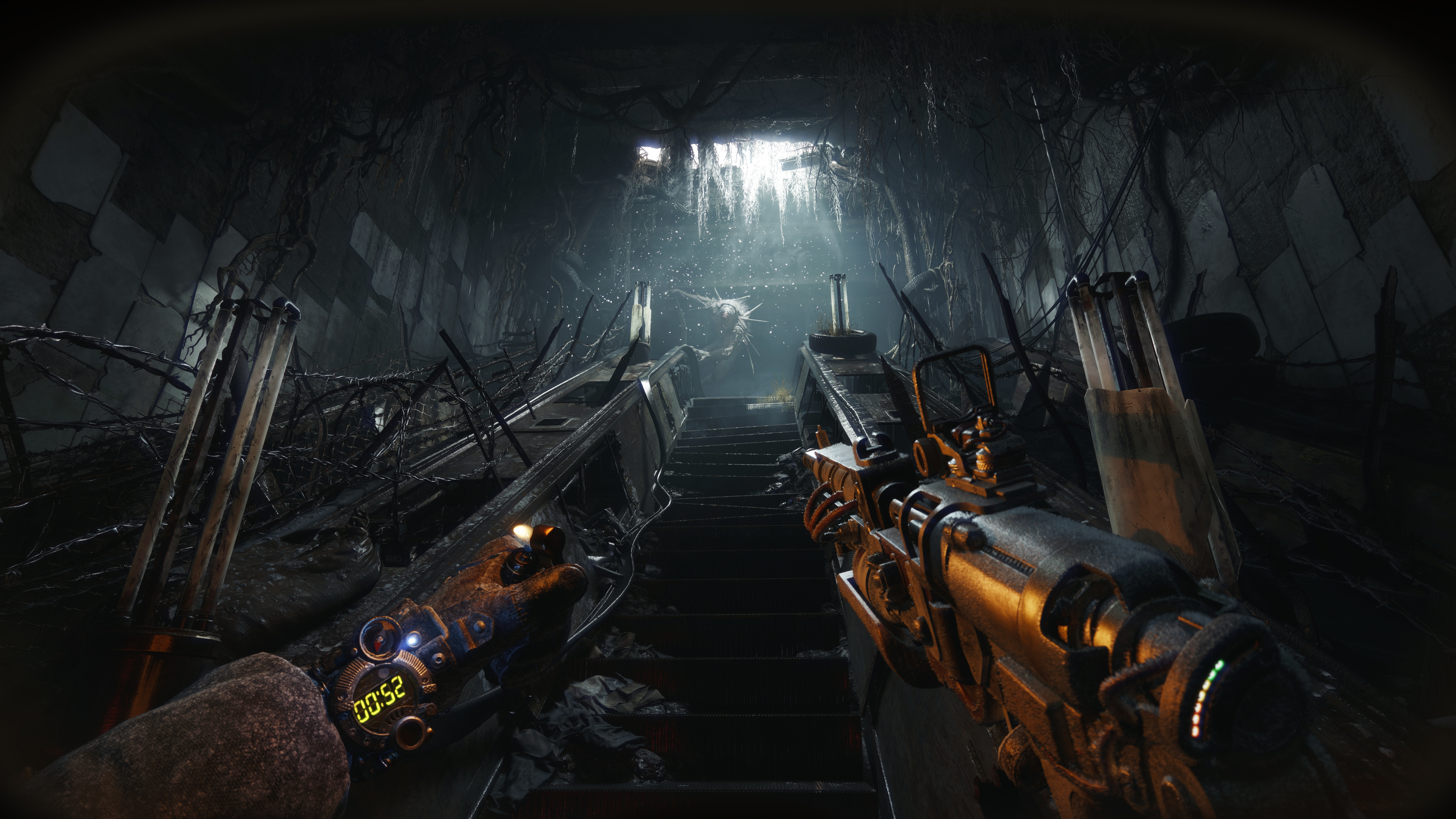
If the real world isn’t grim enough for you, Ukranian developer 4A Games has your back: Metro 2039 has been announced and is scheduled to arrive this winter. And based on the developer’s first look at the title, Metro 2039 looks to be an even darker affair than previous titles in the series. A tall order, but the real-world turmoil that has enveloped 4A Games since Russia’s invasion of Ukraine sounds like it has turned into a painful inspiration for the developer.
The lengthy cinematic reveal, which also contains a brief bit of gameplay at the end, doesn’t give much of the story away. But it does serve to place you right in the ruined, terrifying world of the Metro series. Metro 2039 arrives about 25 years after a nuclear apocalypse wiped out most life on the planet. The series focuses on survivors who live in Moscow’s ruined metro system. 4A says that this time out, the different underground factions have been united by a group known as “the Novoreich,” complete with a new ruler, the Spartan known as Hunter.
Despite Hunter promising “salvation and a new life” for the survivors left on the surface, things aren’t exactly rosy underground. As you might expect, this supposedly “united” society is still a complete disaster, with propaganda, authoritarian rule and violence the hallmark of the regime.
Screenshot from Metro 2039.
4A Games
The Metro series is based on novels by Dmitry Glukhovsky, a Russian author who has been in exile due to his public denouncement of Russia’s invasion of Ukraine. 4A Studios says that while this new game isn’t based specifically on one of his works, they worked in collaboration with Glukhovsky on the story for Metro 2039 “shaped by shared values of freedom and truth, and informed by the harsh realities of the world today.”
In statements from the studio, 4A directly acknowledges the conditions that Metro 2039 was created under. “Many developers continue to work from multiple locations, facing daily challenges never anticipated,” the studio says. “Through power outages, reliance on generators, and disruptions from missile and drone attacks, development has continued – driven by resilience, shared support, and a commitment to the work.”
It goes on to state that: “The war has directly shaped the development of Metro 2039, with its story focused acutely on choices, actions, consequences, and the cost of securing a future. While told from a distinctly Ukrainian perspective, Metro 2039 remains an authentic Metro story.” While the Metro series has been unfailingly bleak, it’s not hard to imagine how Russia’s invasion could have influenced the storytelling coming out of a Ukranian studio with an exiled Russian being part of the story team. But the limited bit of the game we’ve seen so far doesn’t make anything too explicit.
Screenshot from Metro 2039's reveal trailer.
4A Games
The trailer shows off the new player-character known as The Stranger, the first voiced protagonist in the series (though we don’t hear him do anything but scream in the preview). The Stranger has apparently been surviving in the above-ground wasteland but is forced to return to the metro. The little bit of gameplay we saw was the standard first-person shooter view of The Stranger heading underground to be immediately ambushed by a pretty horrific monster that he barely escapes from — he’s then dragged to “safety” by a group of survivors who just get the doors to their shelter shut before being overrun by a larger horde. Creepy stuff.
The rest of the preview largely feels like a dream (or nightmare) sequence — but while it’s hard to put together what is going on, there’s no doubt that the detail in the environments and characters is top-notch. Given that the last metro game, Metro Exodus, was released way back in 2019, it’s fair to say that we’re getting a more graphically impressive rendering of ruined Moscow and the tunnels beneath it.
There’s no exact release date yet, but 4A Games says Metro 2039 will arrive this winter for Xbox Series X/S, PlayStation 5 and PC.
This article originally appeared on Engadget at https://www.engadget.com/gaming/a-first-look-at-metro-2039-shows-how-its-ukrainian-developer-turned-the-darkness-up-to-11-171500713.html?src=rss
Pinball video games have been around for years — I cut my teeth on Space Cadet 3D Pinball, which was pre-loaded on Windows 95. They range from realistic recreations of pinball tables you’ll find at arcades to games that could never exist in real life like 2019’s Demon’s Tilt or older ones like Metroid Prime Pinball for the Nintendo DS or Pokémon Pinball for the Game Boy Color.
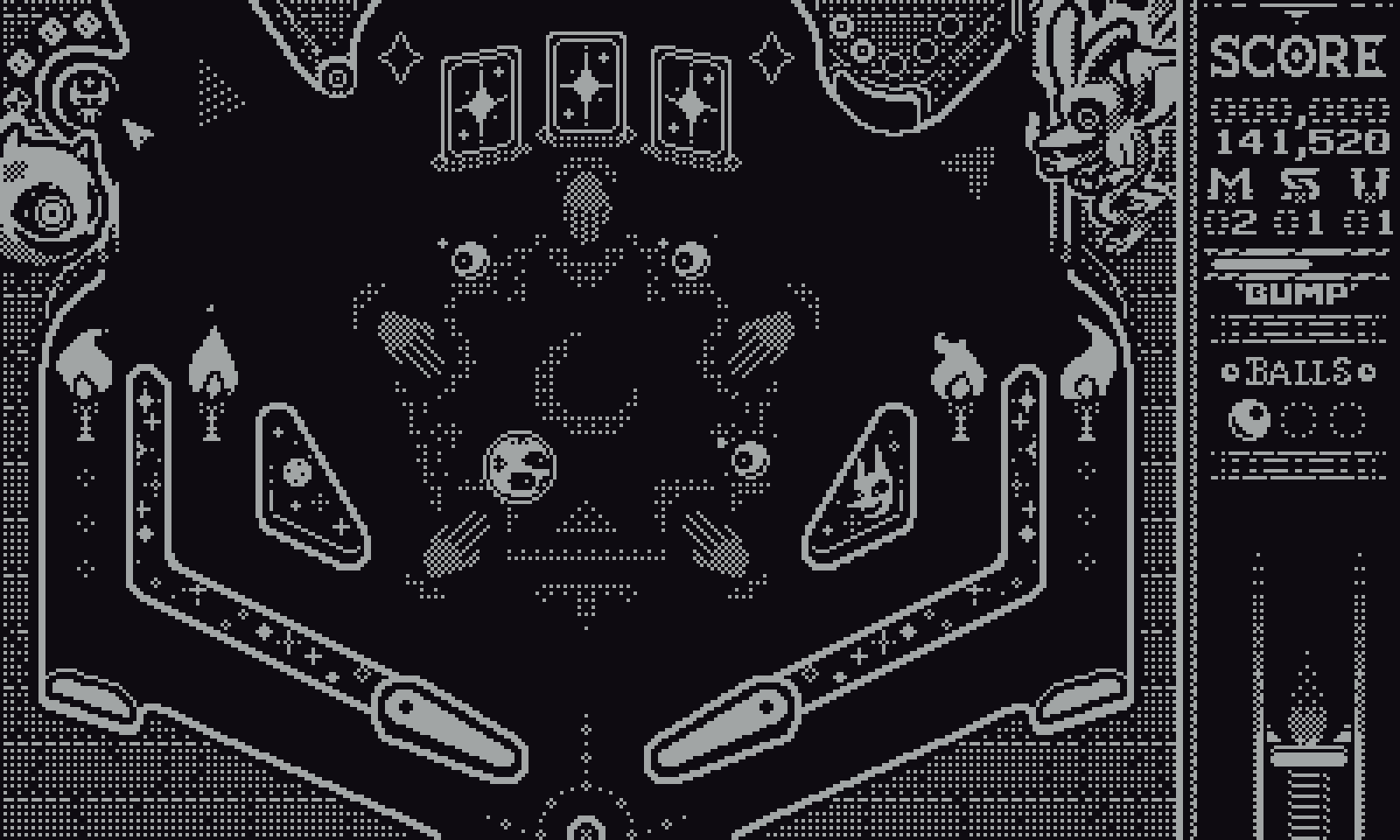
I didn’t expect to find a detailed pinball game for the humble and delightful Playdate, but a pair of developers working under the name Amano pulled it off with Devils on the Moon Pinball, which arrived last week. It’s the developer’s third game for the Playdate, and Mario and JP (who make up Amano) pointed directly to Pokemon Pinball as the inspiration for this game. “I think one of my most-played games is Pokemon Pinball,” JP said. “But the idea to make a pinball game came from Mario… he came to me and say ‘JP, I want to make a custom engine for Playdate and we should make a pinball game.’”
I love playing pinball in real life, but owning a full-size table is extremely expensive and takes up a ton of room. But Devils on the Moon completely scratches the itch. The controls are extremely simple: pressing left on the d-pad flips the left fipper, A flips the right flipper, and pressing down on the d-pad launches the ball. Amano also included tilt controls; pressing right or up on the d-pad or the B button shakes the table in a particular direction so you can try and save the ball. Sadly, the crank doesn’t come into play, but I can’t say I have a good idea for how it would be used.
A screenshot from Devils on the Moon Pinball.
Amano
I was impressed with both the physics and table design of Devils on the Moon after playing for just a few minutes. Despite not having analog control, the way the ball reacted when I hit the flippers felt consistent and smooth, and while I was often surprised at some of the bounces it took, it never felt unfair. When I drained a ball, it was almost always something I could have avoided if I knew the game better or had faster reflexes — just like a good, real-life pinball table.
JP and Mario described the game as using “stylized physics” rather than it being fully realistic. “It may not necessarily be accurate to real life,” JP said. “But since the screen is wider than it is tall unlike actual pinball, we needed the ball to feel a little bit floaty and not fall as fast because then it would just zoom straight down the screen.”
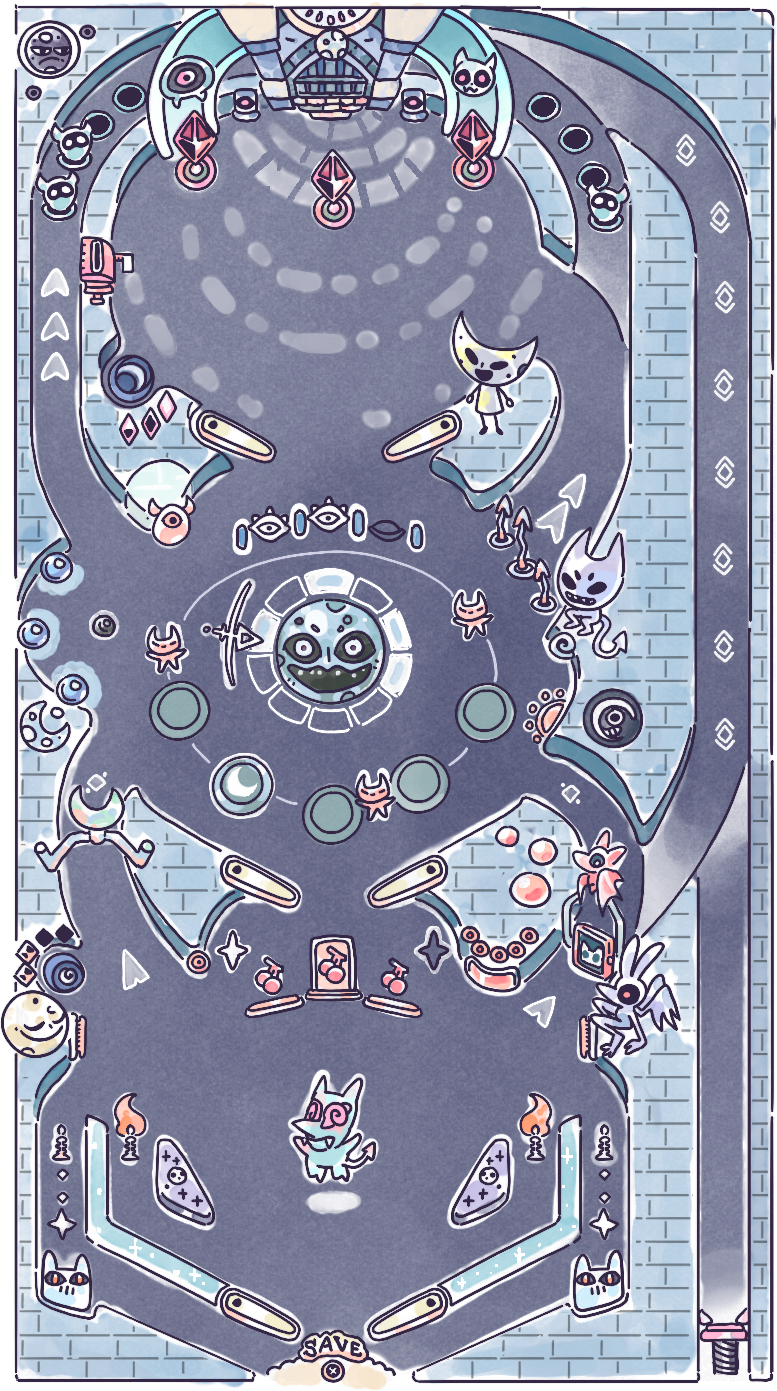
The table design feels both grounded in reality while also taking advantage of its virtual nature. There are three vertical “levels,” each with its own set of flippers. The 2D nature of the game means there aren’t any true ramps like you’ll on most pinball tables, but having three separate sections of the game to get used to makes up for that. And provided you complete various modes in the game, you can reach boss battles where you’re tasked with whacking a giant enemy repeatedly to drain away their health bar. Physical pinball tables often have similar encounters, but they have to be worked into the design of the game — in this case, your ball essentially ports to an entirely different space when you battle a boss.
The full three-stage board layout for Devils on the Moon pinball.
Amano
“It's kind of playing like the old pinball machines where the rules are really simple,” Mario said.". "You just have a few things to do. In our case, it ended up going beyond our original scope, but it’s still quite simple compared to an actual pinball machine in terms of rules.” He said the design intent was to make the game friendlier to people who might try it out without a lot of pinball experience while still putting enough challenge into it.
The audio and visual presentation is top-notch for a Playdate game, too. Perhaps most crucially for a pinball game, there’s no lag or stuttering. The game also has a distinct visual identity, something that’s always important for pinball to draw you into the world of the playfield as much as possible. The game’s page cheekily promises “ at least (1) songs” and it delivers on that with a solid theme for the main game that serves well as background music that doesn’t get old if you’re playing for a while, and the beeps and boops the table makes as you play feel well-suited to the game. It doesn’t “sound” like a real pinball table — but it isn’t one, so that’s okay.
A screenshot of Devils on the Moon Pinball.
Amano
I haven’t played a video pinball game in a long time, but the Playdate feels like an ideal platform for this. I can bring it with me anywhere and play a round or two (provided there’s decent light) or settle in for a longer play session. The game is challenging enough that you’ll need to practice a lot to get the hang of it, but there’s enough variety to the three-tiered table to keep players interested for the long haul. After all, the fun of pinball isn’t necessarily playing a table for the first time — it’s learning it inside out so you can maximize your score. I’m looking forward to getting to that point with Devils on the Moon.
This article originally appeared on Engadget at https://www.engadget.com/gaming/devils-on-the-moon-brings-the-score-chasing-of-pinball-to-the-playdate-130000414.html?src=rss
The horrible winter of 2026 is behind us in New England; now we’ve moved on to the season where there’s a threat of rain basically every day. Given that, the updated Storm Radar app from The Weather Company (owners of the Weather Channel app) caught my eye. There are tons of good weather apps out there, and I’m the kind of nerd that likes to try them all, and Storm Radar feels pretty unique to me.
The main interface is, as you’d expect, your local radar. Tapping on any point of the map calls up a detailed forecast for that exact point, with data coming via The Weather Company’s “gridded forecast on demand” (FOD) system. The default view is precipitation, but there are multiple other layers you can add including temperature, cloud cover, nearby lighting strikes, wind and so forth. There are also overlays for storm cells being tracked; you can tap on those and see things like the direction, speed and range of the storm.
In addition to that standard radar view, Storm Radar has just added something called high-res single site radar. As the name suggests, it pulls data specifically from a single weather station in much greater detail than the typical radar map; The Weather Company says the standard view is based on its FOD system which uses a variety of sources, including the company’s own APIs.
The single-site radar, on the other hand, includes reflectivity data, which measures the amount of energy returned to a radar receiver from precipitation. The National Oceanic and Atmospheric Administration (NOAA) says reflectivity is “he most frequently used product by forecasters to indicate where precipitation and severe weather is occurring.” That's a level of specificity I find delightful.
Naturally, there’s some AI baked into the updated app as well. In my testing, it responds pretty clearly to natural language questions like “what’s the best time to go for a run.”There’s a more conversational element to the AI experience that should be rolling out in the coming weeks, as well.
Like the standard Weather Channel app, you can use Storm Radar for free, but its most advanced featuers require a premium subscription. $4 a month or $20 per year unlocks all of Storm Radar’s features; you can also get a Weather Channel Premium Pro subscription for $5 a month or $30 a year which includes Storm Radar as well as removing ads and providing more detailed data (like hourly forecasts for eight days rather than two). That pricing is about in line with what other weather apps are charging for premium features these days. So if the basic iPhone weather app isn’t cutting it, Storm Radar may be worth a look. It’s only on iOS for now, but it’ll eventually come to Android too.
This article originally appeared on Engadget at https://www.engadget.com/apps/the-new-storm-radar-app-is-a-treasure-trove-of-data-for-weather-nerds-133646812.html?src=rss
We’ve written about the Swiss company Proton’s moves to take on Google and Microsoft with an expanding variety of privacy-focused internet services, and the company is announcing yet another new tool today. Proton Meet, as the name suggests, is a video-calling service that sounds comparable to Zoom, Microsoft Teams and, naturally, Google Meet.
As with everything Proton does, Meet is end-to-end encrypted, but the company is taking extra steps towards security and anonymity here. You don’t need a Proton account to join a Meet call, which should help service gain traction — you can use Proton and not totally throw off everyone else who’s still using other systems. Proton says that Meet can be used anonymously and no logs are kept. The company even says that a Proton account isn’t needed to host a meeting. If you visit the Proton Meet site, you can start an anonymous call with up to four participants for free.
Proton says that anyone with an account (even a free one) can start Meet call with up to 50 participants for up to one hour, but it is also offering a dedicated Meet Professional plan for $8 a month with fewer restrictions (though we don’t have the specifics yet).
Meet joins the other core Proton tools including Mail, Calendar, VPN, Drive and a password manager. Drive in particular has gotten some notable upgrades recently — it offers collaborative documents and spreadsheets, just like Google. With the addition of Meet, Proton has most of the core services that Google offers covered. There’s even a little AI bot if that’s your thing.
Proton is using this launch as an opportunity to rebrand its services, gathering them all under the new Proton Workspace (another name pulled directly from Google’s offerings). In addition to the dedicated Meet Professional plan, Proton is offering Workplace Standard for $13 per month (billed annually) or $15 a month (billed monthly). That includes the aforementioned tools and 500GB of space by default. There’s also a Premium plan ($20/month annually or $25/month billed monthly) that adds more storage, access to the Lumo chatbot, expanded Meet participant limits and a few other tidbits.
The company says it’ll continue offering its other plans, including a Mail-only option that costs $36 a year as well as other bundles for an individual, two users or a whole family. But Proton is obviously looking to expand its business client base with Meet in addition to growing its user base (currently more than 100 million). Proton says it has about 100,000 enterprise customers, and adding a tool like Meet to its portfolio should make it easier to court companies as well as individuals.
This article originally appeared on Engadget at https://www.engadget.com/apps/proton-adds-a-secure-video-conferencing-service-called-meet-to-its-toolbox-121729143.html?src=rss
It’s been a rough couple of years for Sonos. In mid-2024, the company released a redesigned and thoroughly busted update to its app, which Sonos owners need to set up new products, manage their speaker groups, play music and access a host of other crucial features. The fallout from that was far-reaching — the company replaced its CEO, canceled a few planned products and released no new hardware in 2025.
The Sonos Play, announced earlier this month, is the company’s reset button, a way to remind people what the company does well. The Play is a portable speaker that sits between the $499 Sonos Move 2 (which is large, expensive and extremely loud) and the $179 Roam 2 (the cheapest Sonos speaker and tiny enough to bring anywhere). The $299 Play sits right in the middle of the company’s portable lineup in both size and price — and after spending a few weeks listening to it, I think it’s a very smart addition to the collection. Thanks to its impressive sound quality, versatility and portability, the Play is immediately one of the best speakers Sonos sells. The timing couldn’t be better, either, with warmer weather finally on the way.
Feature set
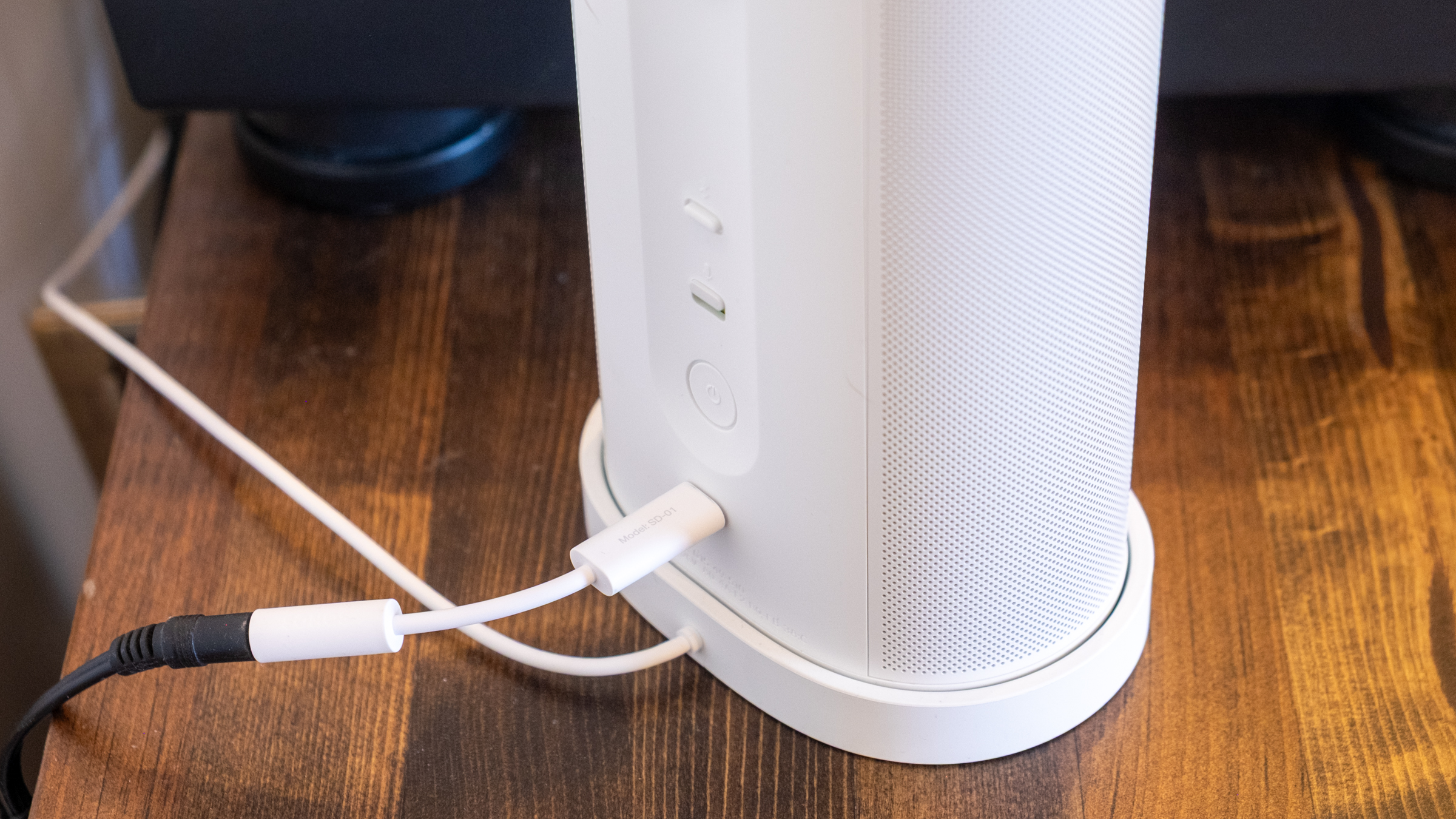
Like all other Sonos speakers, the Play is a Wi-Fi smart speaker that can stream audio from dozens of services; you can also play content on it via AirPlay 2, Spotify Connect and Bluetooth. The USB-C port on the back also lets you connect to turntables, CD players and other audio devices via a line-in dongle, or you can also use that port for an Ethernet connection (again with the corresponding dongle). Finally, you can also control the Play via Amazon Alexa or the Sonos Voice Assistant. And like the Roam, the Play is IP67 rated for water and dust resistance.
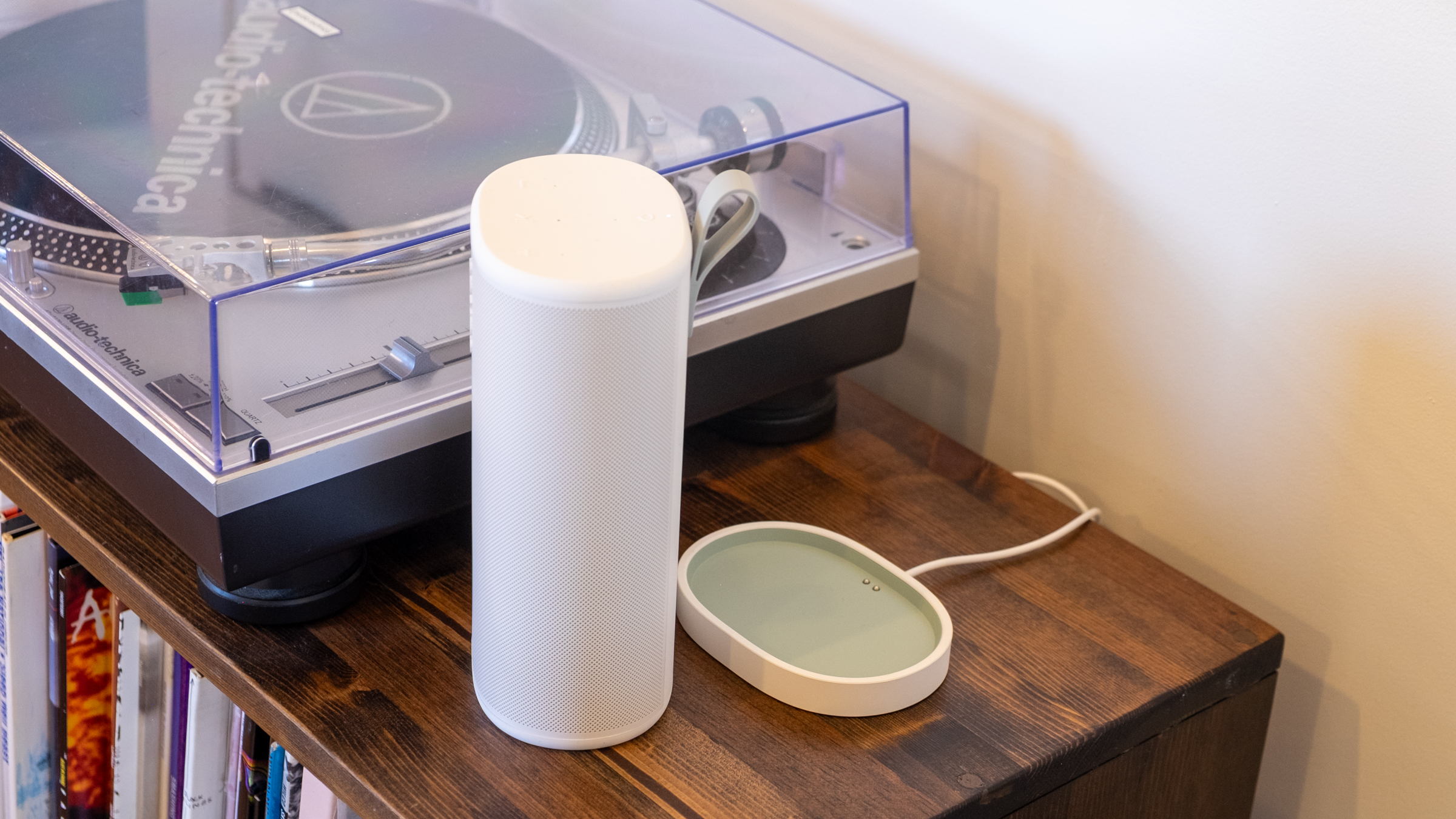
That’s all standard fare at this point, but I appreciate that Sonos included Ethernet and line-in capabilities, two things the Roam doesn’t support. It makes the Play a much more versatile option for being a centerpiece of your indoor setup as well as something you can take on the go. And since the Play comes with a wireless charging base, it’s easy to keep it charged up during indoor duty and equally simple to just grab it and go without fussing with cables. (Strangely enough, it does not come with a power adapter, so you’ll need to provide your own USB-C brick.)
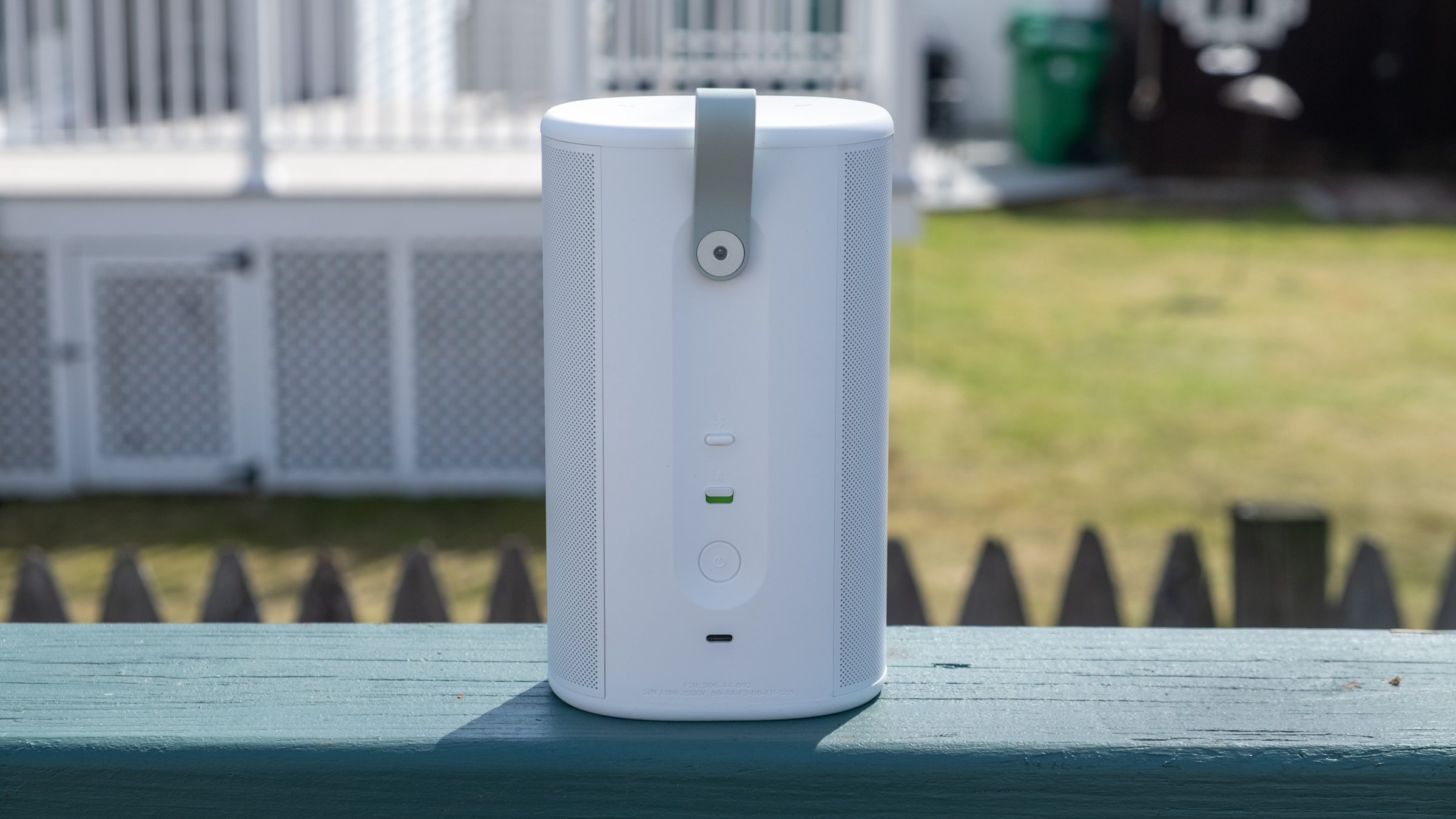
The real panel of the Sonos Play.
Nathan Ingraham for Engadget
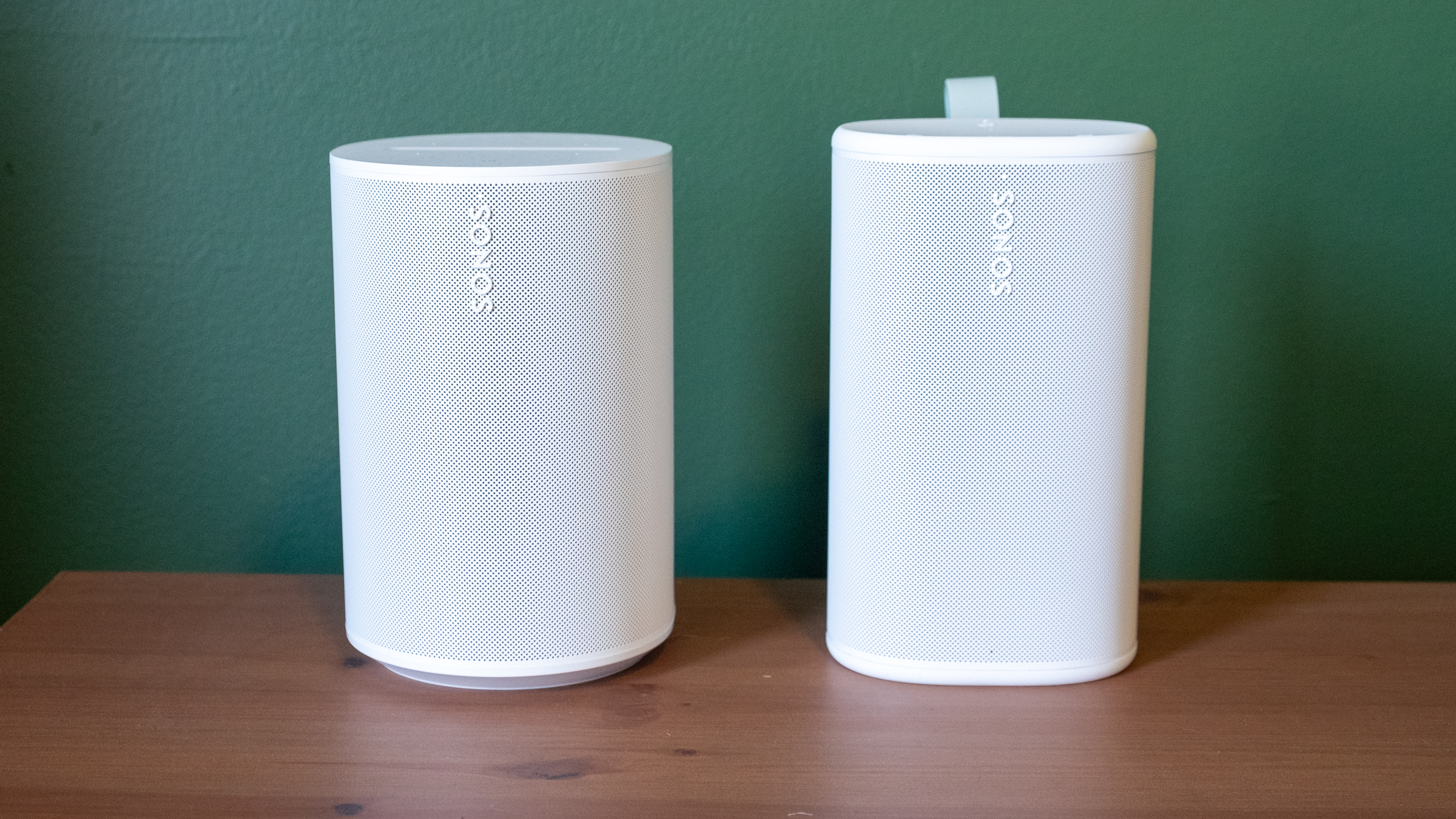
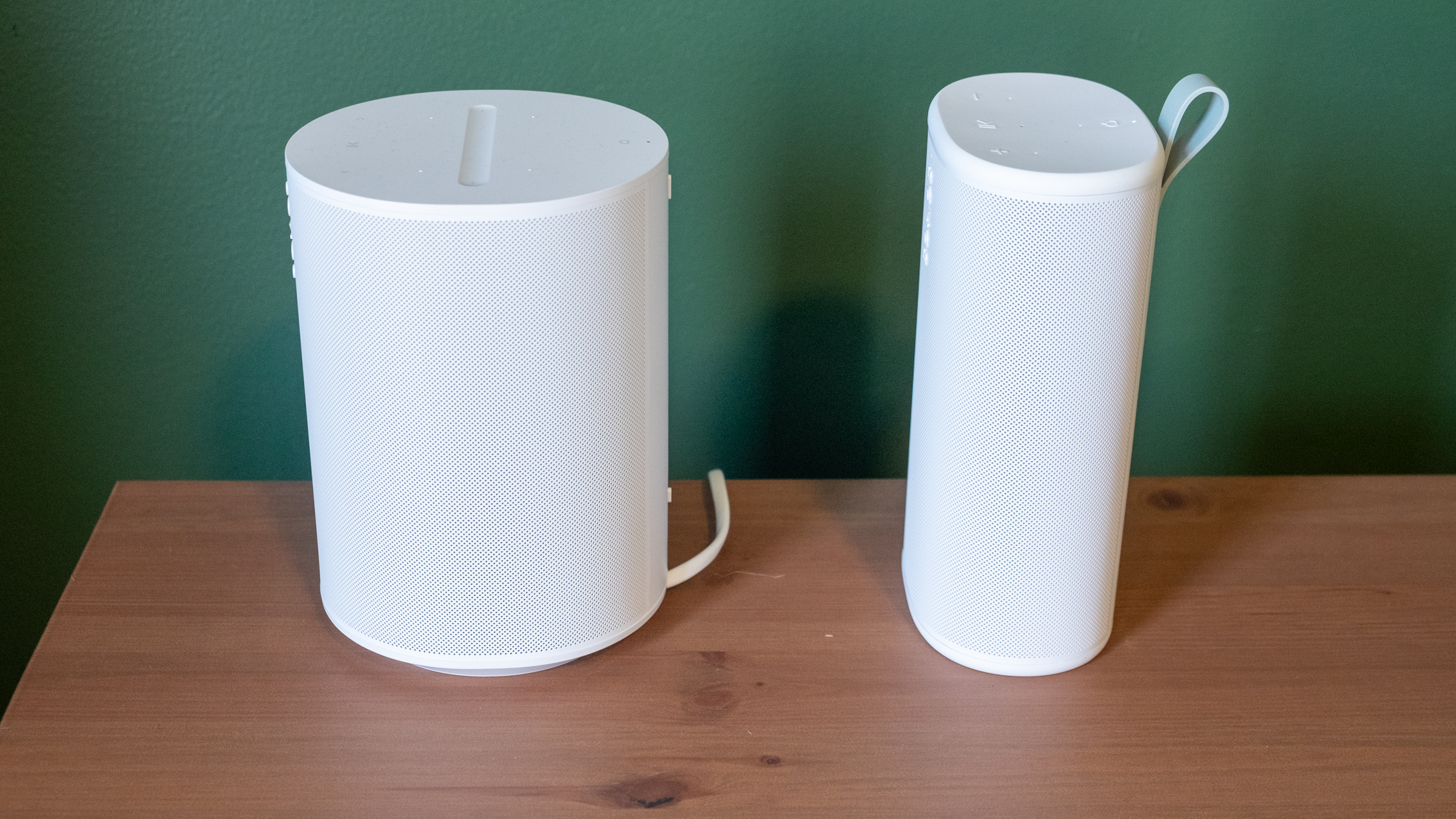
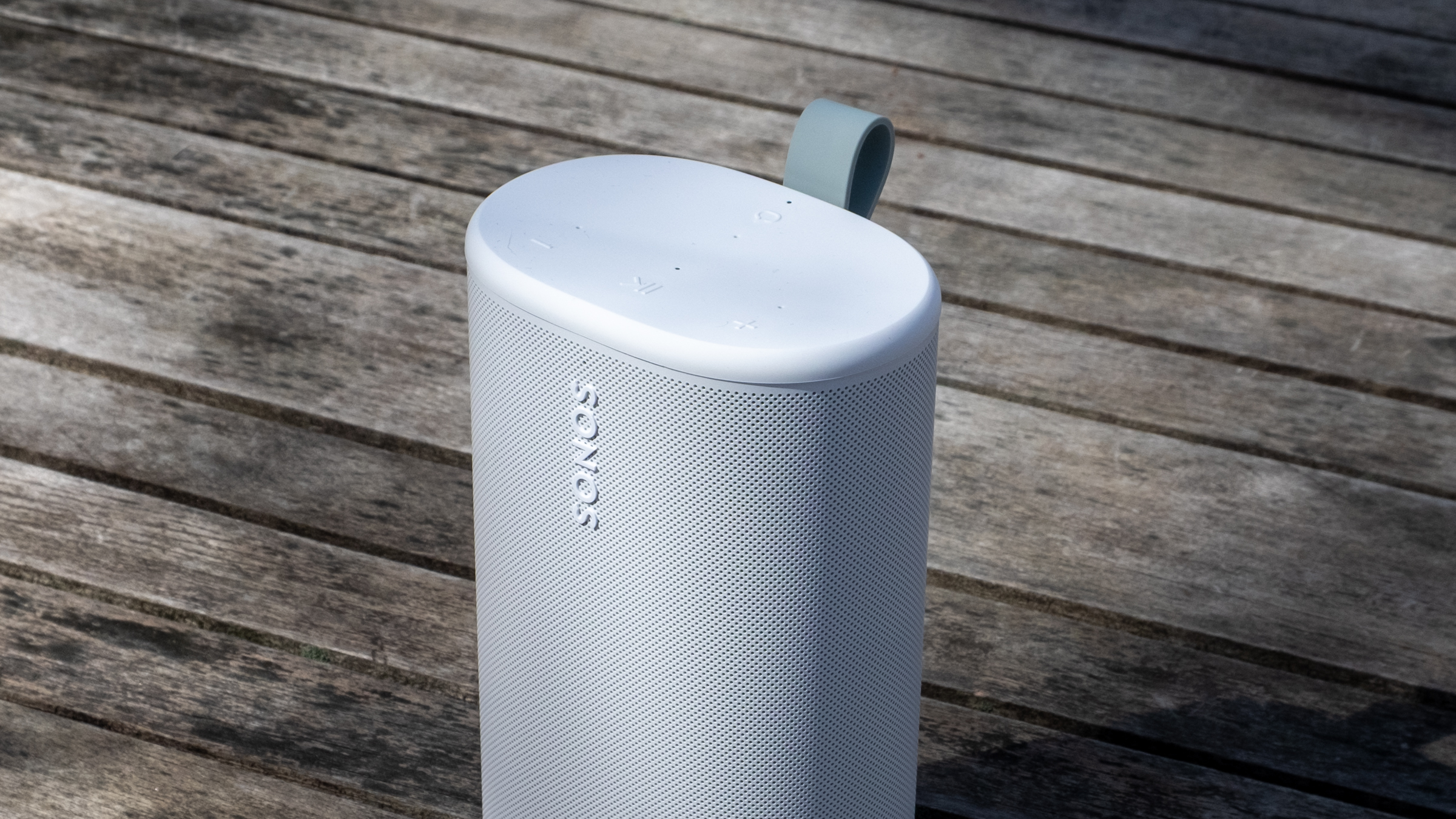
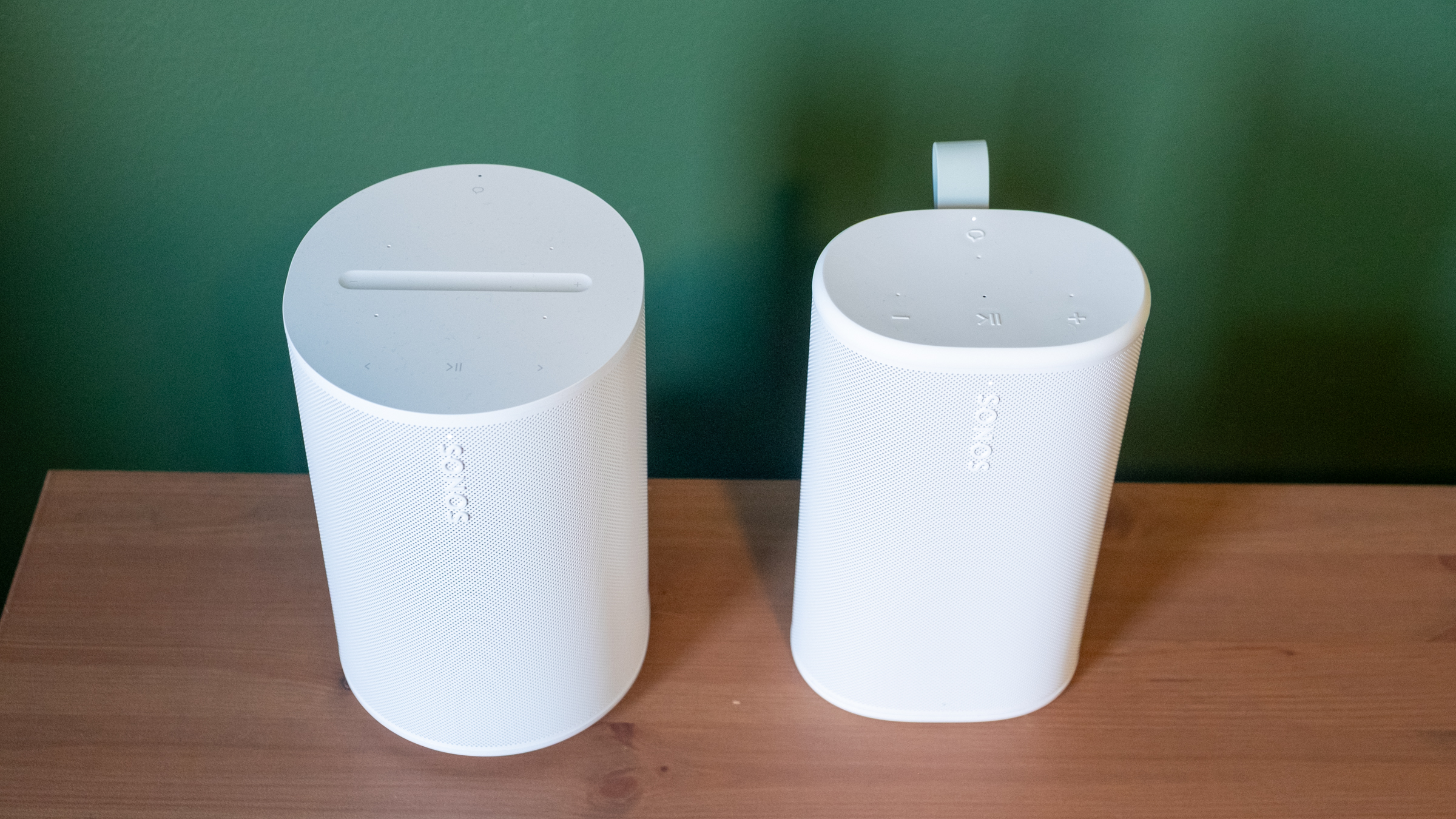
Physically, the Play reminds me of the Sonos Era 100 with its width squished down to make it more portable. Unsurprisingly, it comes in the same white and black color options; I had been hoping for a few more options like the vibrant Roam colors. The one touch of color you’ll see is on the light green grab loop attached to the back; you can remove it if you’re not a fan. At 7.6 inches, it’s slightly taller than the Era 100, but it’s much thinner and lighter. Based on the initial product renders, I expected the Play to be larger than it is in reality, but it feels quite compact and easy to move around. It’s not a “throw in your bag and forget it” speaker like the Roam, but it’s far more portable than the Move. The Move is a speaker I’d really only use in my house or in the backyard, whereas I’d toss the Play into a backpack and take with me — unless I really needed to save space or weight.
The Era 100 (left) and the Play (right).
Nathan Ingraham for Engadget
Side view of the Sonos Era 100 and Play.
Nathan Ingraham for Engadget
Its diminutive size is even more impressive when you consider the audio components Sonos packed inside. The Play features a speaker array nearly identical to that of the larger Era 100. It has two tweeters angled at 90 degrees for some stereo separation, along with a mid-woofer and two passive radiators for bass performance. The passive radiators are unique to the Play, specifically included to help bass levels in settings where there aren’t walls for the sound to reflect off of — like anywhere outside you might take a portable speaker.
Two Sonos Play speakers paired in stereo.
Nathan Ingraham for Engadget
Audio quality
The Play’s flexibility only matters if it sounds good. Fortunately, Sonos has never struggled with producing a speaker that’s a pleasure to listen to, and the Play certainly fits the bill. My top-level and unscientific analysis is that the Play sounds nearly as good as the Era 100, an impressive feat considering its comparatively small frame.
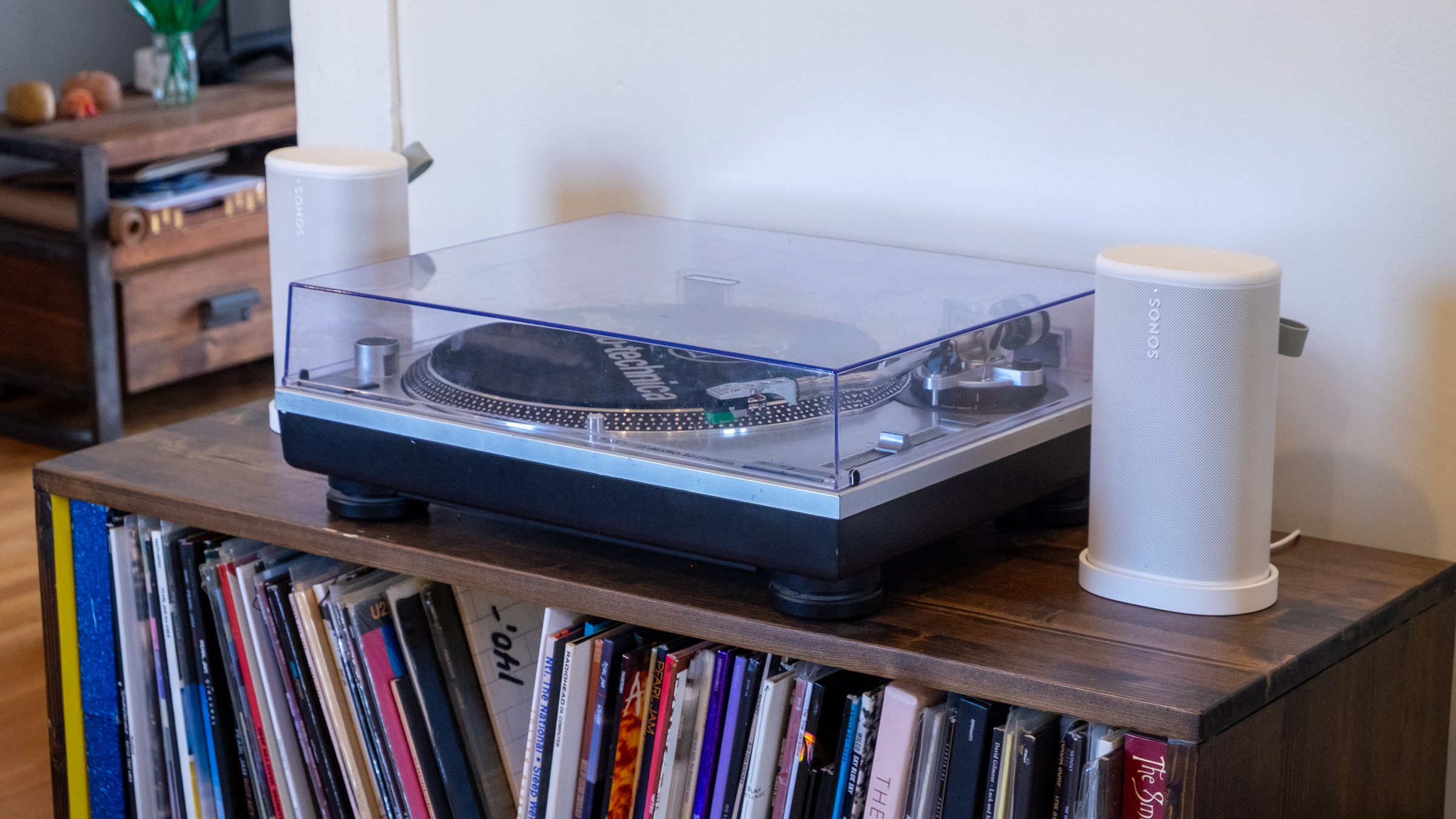
I tested a single Play speaker as well as a stereo pair in my small office, where I typically listen to music through a stereo pair of Era 100 speakers. I also used them in stereo on my larger and more open first floor, both streaming music and playing on my turntable via the line-in jack. Finally, I got to test them outside on my deck on a few lovely early Spring days that the Boston area was graced with recently. I used the auto Trueplay tuning feature throughout; it uses the Play’s built-in microphone to optimize audio for whenever you’ve placed the speaker. Sonos has offered various versions of Trueplay for over a decade now and it consistently makes its speakers sound better. And given you don’t have to do the old “wave your phone around the room” method to use Trueplay, there’s really no reason not to have it on.
While in my office, I did a lot of A/B testing of the Era 100 vs. the Play, typically playing Apple Music lossless via the Sonos app, but I also tried AirPlay and Spotify Connect as well as other music services including YouTube Music and Bandcamp. The biggest differences I noticed between the two speakers are the Era 100 is louder and has a more pronounced mid-range. The Play comparatively feels like its EQ is “scooped,” and it just isn’t quite as loud at the same volume level. The Play also doesn’t maintain quality quite as well through the full volume range — I wouldn’t say that it got distorted when I was playing it at 75 percent volume, but it’s not as clear as the Era 100 either.
These differences I mostly only noticed when I was flipping back and forth between the two speakers — when I just sat back and listened, I was extremely happy with the Play’s sound. When listening to a single Play, the angled tweeters did provide a small degree of stereo separation when things were hard-panned to the left or right channels. For example, the backing vocals in the chorus of Soundgarden’s “Black Hole Sun” jump from one channel to the other, and I did pick up on that effect.
Top controls on the Sonos Play.
Nathan Ingraham for Engadget
The Play sounds very well-balanced and neutral, capable of reproducing songs without over-emphasizing any particular frequency. My usual listening habits include a ton of ‘90s-era alternative and more modern indie rock, plus some modern pop and the occasional film or video game score, and the Play sounded great across the board. Daughter’s “Be On Your Way” is an atmospheric track juggling strings, electronic underpinnings, reverb-drenched guitar and a gorgeous vocal track, and all those elements shined here. The dance-influenced beats of Nine Inch Nails’ “Less Than” had appropriate thump and power behind them, and “Stay Down” by Boygenius sounded great, whether it was the acoustic-tinged intro or the layered, full-band climax. Heavier fare like Metallica’s “Battery” and Tool’s “Fear Inoculum” hit with the appropriate intensity as well, particularly when I was running two Play speakers in stereo.
My go-to film score for these kinds of tests is Howard Shore’s Lord of the Rings: The Two Towers, and it’s often the case that doesn’t sound as majestic on smaller speakers. But the Play did a great job with the intricate orchestral arrangements that jump between delicately intimate moments and full-throated majesty — the first song “Glamdring” has all these elements in less than four minutes, and it sounded excellent. I also love Gustavo Santaolalla’s score for The Last of Us with its tortured strings and host of organic acoustic sounds alongside unsettling electronics, and all its various elements were faithfully conveyed here.
The line-in connection on the Sonos Play.
Nathan Ingraham for Engadget
Using the speaker’s line-in capabilities with a USB-C to 3.5mm audio input worked easily as well. The only real issue I noticed is that my particular turntable’s output meant I had to turn the Play up much louder than I would when streaming music, so its top volume level is much lower. That wasn’t exactly a problem, but if you really want to push a lot of volume from a line-in source, this might not be the speaker for you. I was also worried that I’d switch from line-in to streaming and forget to adjust the volume down, but the speaker is smart enough to re-adjust from the line-in volume down to wherever it was set previously.
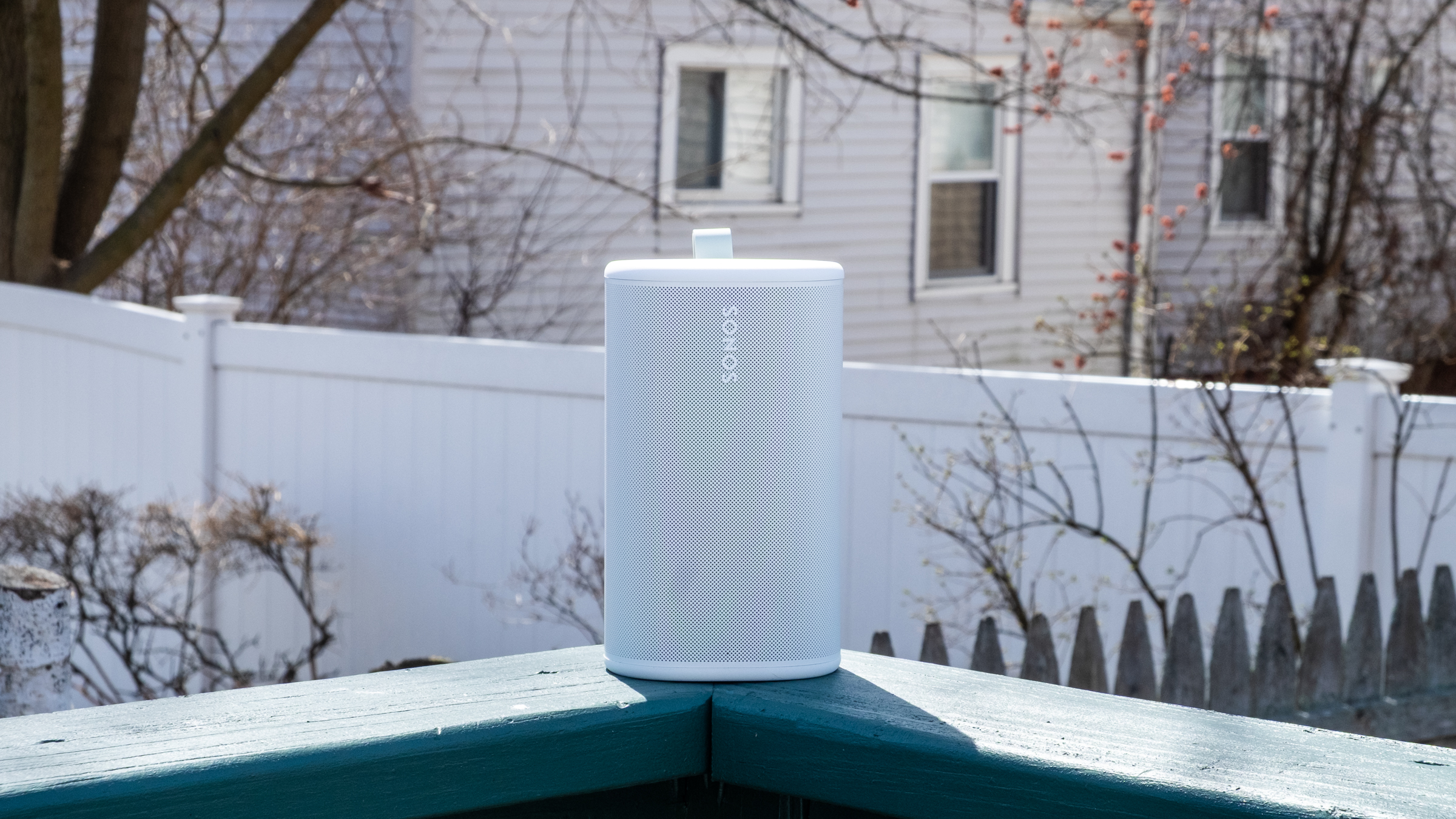
While the Play isn’t the loudest speaker out there, it has plenty of power when outside. I set the volume to around 60 and walked from my porch to the sidewalk and could still faintly hear the music (though not loud enough to be too offensive to passers-by or neighbors). Back up on the deck, the Play maintained its detailed profile despite the lack of surfaces for the sound to reflect off. It feels like a great device to have playing in the background when you’re entertaining outdoors, but something like the Move 2 will do better if you want music to be the centerpiece of a gathering.
The Play’s Wi-Fi connection is strong enough that I didn’t need to switch to Bluetooth when I was outside, but it’s simple to use if you need it. There’s a dedicated Bluetooth button on the back; pressing it turns it on, while holding puts the speaker in pairing mode. Bluetooth is probably the easiest way to give someone else control over your Sonos system. If you start streaming music to it, you can then group other speakers with the Play to get those tunes anywhere in the house without having to give a guest access to your Sonos system.
The Sonos Play and its charging base.
Nathan Ingraham for Engadget
Sonos included a new Bluetooth feature with the Play that they’re also bringing to the Move 2. If you’re away from Wi-Fi and playing audio via Bluetooth, other Play or Move 2 speakers can join a group just by pressing and holding the play/pause button. This works with Play or Move 2 speakers that have previously been set up on the same Sonos system, and it’s as simple as it sounds. I just paired my phone to one speaker, started playing some music and then held the play/pause button on the second speaker to get them in sync.
As for battery life, the Play is a huge step up over the Roam’s rather paltry 10-hour estimate. The Play is rated for up to 24 hours of playback, same as the Move 2, and I think Sonos just about hit that mark. I spent several work days playing music for eight-plus hours and the Play’s battery only dropped about 30 percent each time. Your mileage may vary, but I think the Play has plenty of battery life considering its smaller size — and given how easy it is to just drop on a charging base when you’re done, I don’t think most people will run its battery down too often. Sonos also made the battery in the Play user-replaceable, a good option to keep the speaker running for years to come.
Side-by-side comparison of the Sonos Era 100 and Play.
Nathan Ingraham for Engadget
Competition
While there are loads of portable Bluetooth speakers out there, the Play’s position as a Wi-Fi speaker that can group with others in a household as well as be used on-the-go with Bluetooth makes it a rather unique option. The $269 Bose SoundLink Plus sounds great, can be paired in stereo or grouped in “party mode,” and is a similar size as the Play. But its battery doesn’t last as long and, more crucially, it only works via Bluetooth. Some people won’t care, but I prefer the much wider variety of playback options that the Play provides. JBL also has a host of portable Bluetooth speakers, as well as Wi-Fi enabled options meant for home use — but again, the combo of Wi-Fi playback and portability seems to be mainly limited to Sonos right now.
As such, the main competition for the Play comes from Sonos itself, with the Move 2, Roam and Era 100 all offering different pluses and minuses depending on what you’re looking for.
Sonos Play speaker sitting outside.
Nathan Ingraham for Engadget
Wrap-up
If it isn’t obvious, I’m a pretty big fan of the Sonos Play. While it’s not quite as portable as the tiny Sonos Roam, it sounds significantly better than the smallest Sonos speaker while still being easy to carry around. It’s probably the most versatile speaker in the Sonos lineup right now, and a smarter choice than the $499 Move 2 for most people. Unless you really need massive outdoor volume, the Play is the best portable Sonos speaker.
The only catch is its price. $299 is fair when you consider its sound quality and feature set. But it’s also $80 more than the Era 100, or $110 more than the Era 100 SL (which drops the microphone but is otherwise identical to its more expensive counterpart). So you’ll have to decide how much portability is worth to you. For me, the Play is an excellent addition to my existing setup. But if you’re likely to do most of your listening indoors, the Era 100 and its superior sound quality might make more sense.
To be clear, that’s not a knock against the Play. The latest Sonos speaker offers impressive sound quality, flexibility and portability, and it’s the kind of product that can help Sonos rebuild its reputation after its recent difficulties.
This article originally appeared on Engadget at https://www.engadget.com/audio/speakers/sonos-play-review-the-companys-best-portable-speaker-so-far-130000688.html?src=rss