Dr. Gladys West, whose mathematical models inspired GPS, dies at 95

Pioneering mathematician Dr. Gladys West has passed away at the age of 95. Her name may not be familiar to you, but her contributions certainly are; West's work laid the foundation for the global positioning system. As you likely know from experience, GPS is now an essential component of industries ranging from aviation and emergency response, as well as ensuring that you get to that dinner date or job interview on time. 

West was born in 1930 in Virginia. Despite the oppression of Jim Crow laws in the south, she was able to pursue higher education at Virginia State College (now named Virginia State University), obtaining bachelor's and master's degrees in mathematics. In 1956, West was hired at what is now called the Naval Surface Warfare Center in Dahlgren, VA. Her focus during the 1970s and 1980s was creating accurate models of the Earth's shape based on satellite data, a complex task requiring the type of mathematical gymnastics that would make the average person dizzy. Those models later became the backbone for GPS. West worked at the Dahlgren center for 42 years, retiring in 1998. 

As has been the case with so many of the women, particularly those of color, behind tech and science breakthroughs in the US, West's work went largely uncelebrated for decades. After submitting a short biography of her accomplishments to a sorority function in 2018, members of Alpha Kappa Alpha helped West to receive belated recognition for her contributions. She was inducted into the US Air Force Space and Missiles Pioneers Hall of Fame and honored as Female Alumna of the Year by the Historically Black Colleges and Universities Awards in that same year. The Guardian published an interview with West in 2020 that shared some insights on her journey, including a note that when West was out and about, she favored paper maps over the technology she indirectly helped create.

This article originally appeared on Engadget at https://www.engadget.com/science/dr-gladys-west-whose-mathematical-models-inspired-gps-dies-at-95-234605023.html?src=rss

Lego’s latest educational kit seeks to teach AI as part of computer science, not to build a chatbot

Last week at CES, Lego introduced its new Smart Play system, with a tech-packed Smart Brick that can recognize and interact with sets and minifigures. It was unexpected and delightful to see Lego come up with a way to modernize its bricks without the need for apps, screens or AI. 

So I was a little surprised this week when the Lego Education group announced its latest initiative is the Computer Science and AI Learning Solution. After all, generative AI feels like the antithesis of Lego’s creative values. But Andrew Silwinski, Lego Education’s head of product experience, was quick to defend Lego’s approach, noting that being fluent in the tools behind AI is not about generating sloppy images or music and more about expanding what it means by teaching computer science.

“I think most people should probably know that we started working on this before ChatGPT [got big],” Silwinski told Engadget earlier this week. “Some of the ideas that underline AI are really powerful foundational ideas, regardless of the current frontier model that's out this week. Helping children understand probability and statistics, data quality, algorithmic bias, sensors, machine perception. These are really foundational core ideas that go back to the 1970s.” 

To that end, Lego Education designed courses for grades K-2, 3-5 and 6-8 that incorporate Lego bricks, additional hardware and lessons tailored to introducing the fundamentals of AI as an extension of existing computer science education. The kits are designed for four students to work together, with teacher oversight. Much of this all comes from learnings Lego found in a study it commissioned showing that teachers often find they don’t have the right resources to teach these subjects. The study showed that half of teachers globally say “current resources leave students bored” while nearly half say “computer science isn’t relatable and doesn’t connect to students’ interests or day to day.” Given kids’ familiarity with Lego and the multiple decades of experience Lego Education has in putting courses like this together, it seems like a logical step to push in this direction. 

In Lego’s materials about the new courses, AI is far from the only subject covered. Coding, looping code, triggering events and sequences, if/then conditionals and more are all on display through the combination of Lego-built models and other hardware to motorize it. It feels more like a computer science course that also introduces concepts of AI rather than something with an end goal of having kids build a chatbot.

In fact, Lego set up a number of “red lines” in terms of how it would introduce AI. “No data can ever go across the internet to us or any other third party,” Silwinski said. “And that's a really hard bar if you know anything about AI.” So instead of going to the cloud, everything had to be able to do local inference on, as Silwinski said, “the 10-year-old Chromebooks you’ll see in classrooms.” He added that “kids can train their own machine learning models, and all of that is happening locally in the classroom, and none of that data ever leaves the student's device.”

Lego also says that its lessons never anthropomorphize AI, one of the things that is so common in consumer-facing AI tools like ChatGPT, Gemini and many more. “One of the things we're seeing a lot of with generative AI tools is children have a tendency to see them as somehow human or almost magical. A lot of it's because of the conversational interface, it abstracts all the mechanics away from the child.” 

Lego also recognized that it had to build a course that’ll work regardless of a teacher’s fluency in such subjects. So a big part of developing the course was making sure that teachers had the tools they needed to be on top of whatever lessons they’re working on. “When we design and we test the products, we're not the ones testing in the classroom,” Silwinski said. “We give it to a teacher and we provide all of the lesson materials, all of the training, all of the notes, all the presentation materials, everything that they need to be able to teach the lesson.” Lego also took into account the fact that some schools might introduce its students to these things starting in Kindergarten, whereas others might skip to the grade 3-5 or 6-8 sets. To alleviate any bumps in the courses for students or teachers, Lego Education works with school districts and individual schools to make sure there’s an on-ramp for those starting from different places in their fluency.

While the idea of “teaching AI” seemed out of character for Lego initially, the approach it’s taking here actually reminds me a bit of Smart Play. With Smart Play, the technology is essentially invisible — kids can just open up a set, start building, and get all the benefits of the new system without having to hook up to an app or a screen. In the same vein, Silwinski said that a lot of the work you can do with the Computer Science and AI kit doesn’t need a screen, particularly the lessons designed for younger kids. And the sets themselves have a mode that acts similar to a mesh, where you connect numerous motors and sensors together to build “incredibly complex interactions and behaviors” without even needing a computer.

For educators interested in checking out this latest course, Lego has single kits up for pre-order starting at $339.95; they’ll start shipping in April. That’s the pricing for the K-2 sets, the 3-5 and 6-8 sets are $429.95 and $529.95, respectively. A single kit covers four students. Lego is also selling bundles with six kits, and school districts can also request a quote for bigger orders. 


This article originally appeared on Engadget at https://www.engadget.com/ai/legos-latest-educational-kit-seeks-to-teach-ai-as-part-of-computer-science-not-to-build-a-chatbot-184636741.html?src=rss

Codeebots Brings Physical Coding Blocks from the Classroom to the Maker’s Bench

Code education has a reputation problem. For a lot of kids, it means more screen time, more syntax errors, and more worksheets that feel nothing like the robots they care about. For many adults, it is too many tools, too much boilerplate, and not enough time to get from idea to working prototype. Codee, from Codeebots, tries to redraw that picture by turning code into something you pick up, snap together, and watch come alive, whether you are six or sixty.

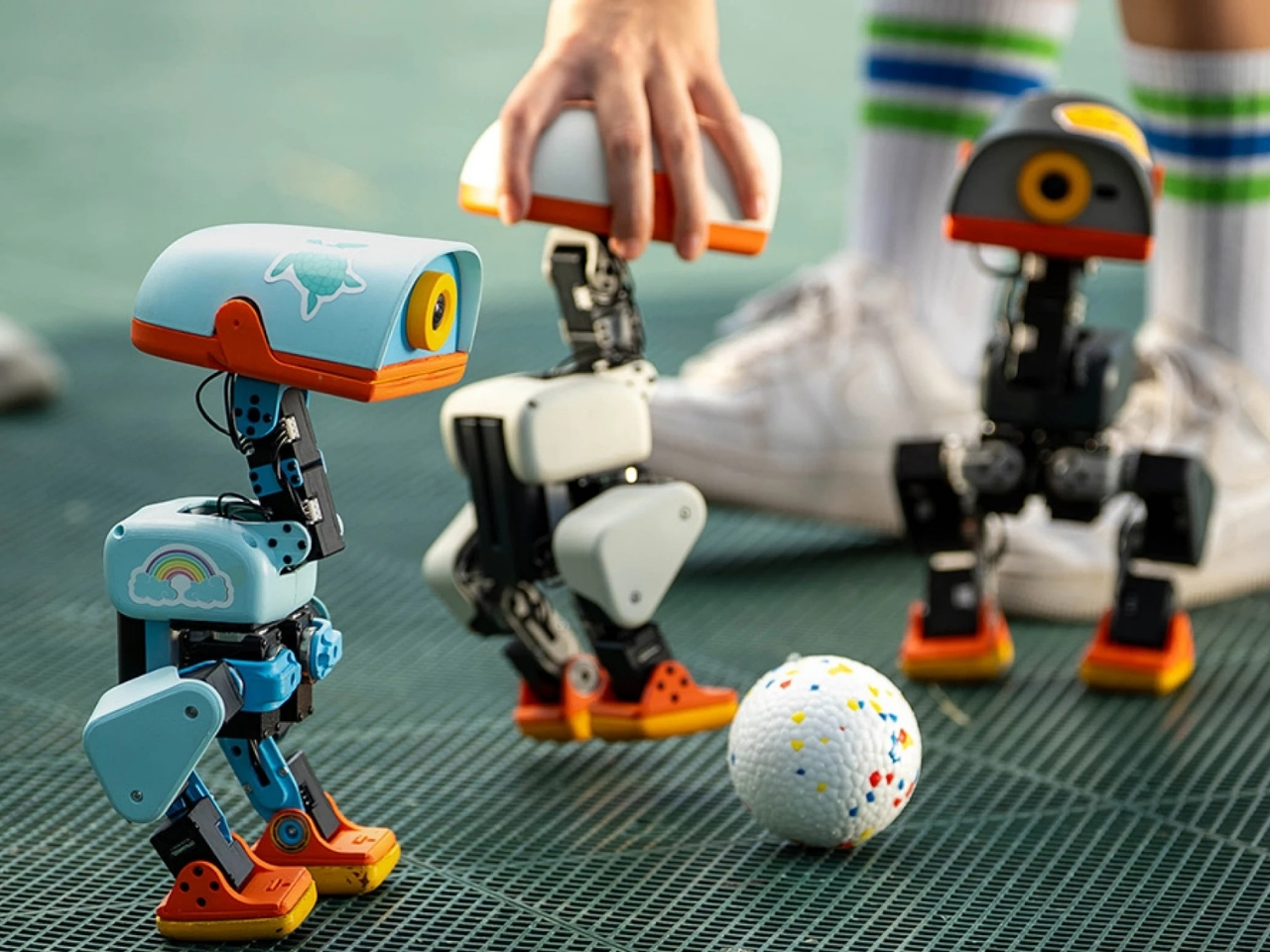
At the heart is a set of magnetic tiles that behave like physical lines of code. Each tile carries a clear label and icon, MOTOR POWER, MOTOR SPEED, LIGHT COLOR, LIGHT BRIGHTNESS, SOUND VOLUME, or PLAY MUSIC, along with small number wheels for setting values. You lay them out on a table in order, snapping them together so the arrows line up. Instead of typing IF, LOOP, or DELAY, you drop in tiles that embody those concepts.

Designer: Codee

For younger learners, that shift is huge. Kids from about four to twelve can create code with their own hands, without staring at a tablet. The base unit sends power and data through the snapped‑on tiles, and LEDs under the surface trace the program’s flow. When something goes wrong, the light trail stops at the problem block, making debugging as simple as seeing where the chain breaks, tangible logic training that feels closer to building with bricks.

There is also an AI layer behind the scenes. Codee talks about GPT tutors that act as a personal guide, explaining what a block does, suggesting what to try next, and celebrating small wins. For a child working through their first conditional or loop, that means there is always a patient voice ready to rephrase or nudge. For parents and teachers, it lowers the barrier to running robotics sessions without being a programmer.

The same hardware becomes different in adult hands. On the Codee for Adults side, the language shifts from classrooms to workshops. The tiles drive 3D‑printed prototypes, finalize complex LEGO builds, or wire up smart lights and sensors. Instead of opening an IDE, you sketch behavior on the table, using the MOTOR, LIGHT, and SENSOR blocks. An AI pair programmer, again powered by ChatGPT, suggests improvements, helps debug, and translates that physical logic into traditional code when needed.

This makes Codee feel like a bridge between toy‑like kits and serious prototyping platforms. A weekend project can start with a handful of tiles and a motor, then grow into a more complex robot with distance sensors, displays, and multiple outputs, without abandoning the snap‑together language. Because the system is LEGO compatible and offers expandable robotics IO, it slots into existing maker habits rather than demanding a clean slate.

For budding makers and veterans alike, the appeal is in that continuity. Codee is not just another coding toy for kids or another dev board for adults. It is a physical grammar for behavior that scales from first experiments to surprisingly capable machines, with AI acting as a gentle translator between intuition and implementation. It is a reminder that sometimes the best interface for code is still the table.

The post Codeebots Brings Physical Coding Blocks from the Classroom to the Maker’s Bench first appeared on Yanko Design.

This Pocket PC Concept Has a Flip-Out Pen and No Gaming Apps

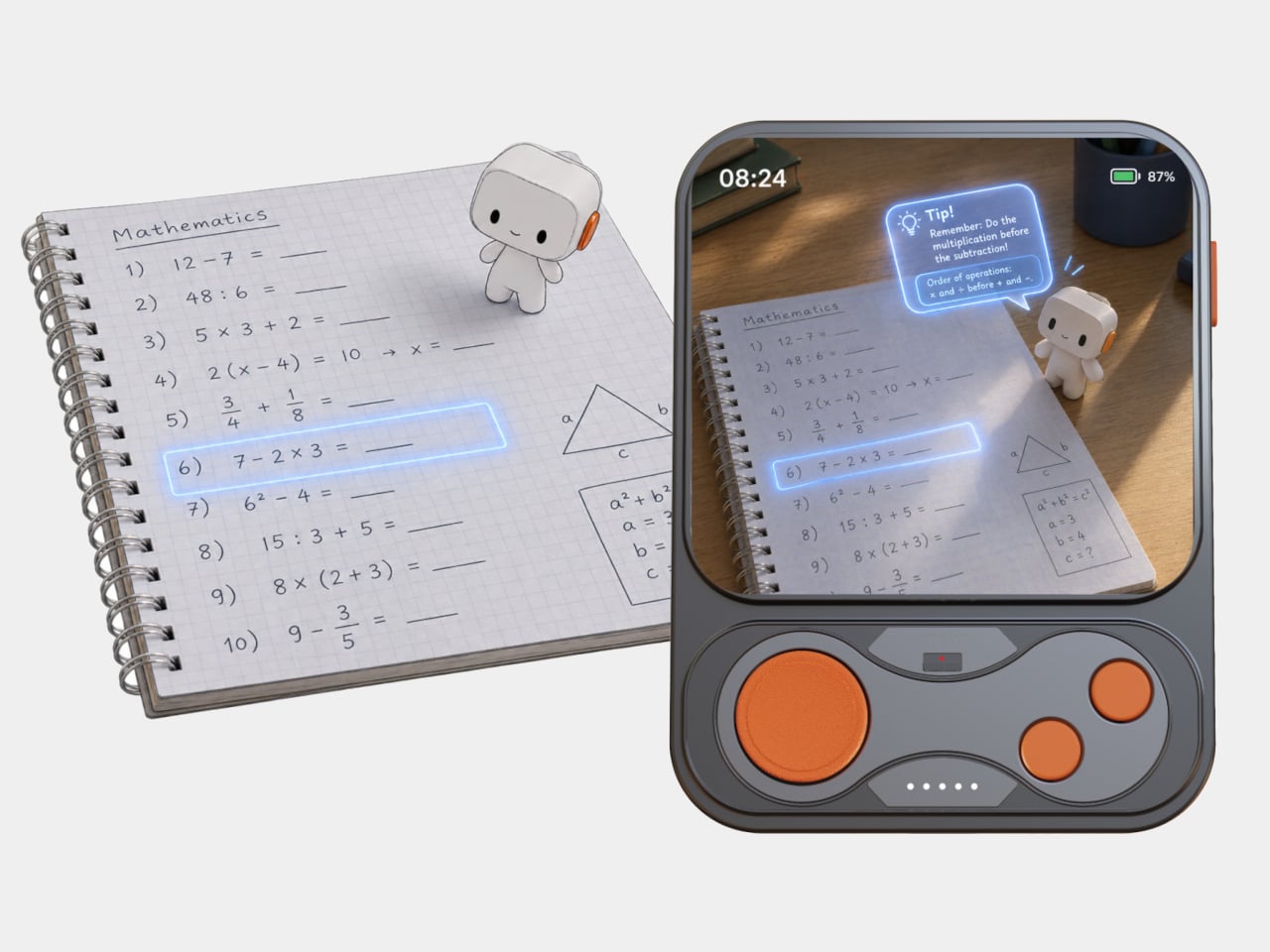
Most students now juggle phones, tablets, and laptops, with messaging and games living right next to textbooks and notes. That mix can be powerful but also distracting, especially in crowded Chinese classrooms where space and attention are both limited. Pokepad is a portable PC concept that tries to carve out a focused, pocketable space dedicated to learning, treating study tools as worthy of their own hardware.

Pokepad is a smart learning device designed specifically for students, intended to cover most of their daily study scenarios. It is compact and portable enough to fit into school bags and coat pockets, and the goal is unrestricted learning, a device that can travel from classroom to bus to bedroom without feeling like a shrunken laptop or a repurposed phone fighting for attention against notifications and app alerts.

Designers: DaPengPeng (DPP), Wengkang Cheng, Qi M

The design team experimented with multiple shapes before settling on a slim rectangular box concept, balancing learning apps, hardware needs, and clever portability. The box footprint keeps it familiar enough to slip into existing routines, yet distinct from a phone, with enough internal volume for a decent battery, speakers, and a pen mechanism, without turning into a bulky tablet that refuses to fit anywhere.

The built-in flip pen is central to the concept. To ensure portability, slimness, and differentiation, the team chose to hide the stylus inside the body, so it flips out when needed and disappears when not. That decision reinforces Pokepad as a pen-first device for note-taking, annotation, and handwriting practice, and avoids the classic problem of separate styluses getting lost in backpacks or rolling off desks during lectures.

The soft-edged, minimal aesthetic uses rounded corners, a single camera module, and a small “100” logo that nods to perfect test scores. Colour options range from clean white and light blue to a more playful red with a textured back for grip. The branding and palette position Pokepad as a study companion rather than a gaming gadget, something that feels at home in a pencil case next to erasers and rulers.

The interface is geared toward classes, homework, notes, a dictionary, and voice recording, rather than a full app store. The idea is to centralise tasks that are currently split across paper notebooks and phones, giving students a dedicated place to scan assignments, jot down ideas with the pen, and review materials on the go, without the constant pull of unrelated apps demanding screen time.

Pokepad takes the idea of a learning device seriously enough to design hardware, UI, and branding around school life, instead of treating students as a side market for general tablets. A pocketable box with a flip pen and a “100” on the back suggests a quieter, more focused path for everyday study tech, where the device earns its footprint by doing one category of tasks well instead of trying to be everything at once.

The post This Pocket PC Concept Has a Flip-Out Pen and No Gaming Apps first appeared on Yanko Design.
Rebug: The Toy That’s Getting Kids Off Screens and Into Bugs

Remember when catching fireflies in a jar was peak childhood entertainment? Yeah, me neither, because apparently we’re all too busy doom-scrolling. But here’s the thing: a group of designers just created something that might actually get today’s kids to put down their tablets and start chasing butterflies instead. And honestly? It’s kind of brilliant.

Meet Rebug, an urban insect adventure brand that’s basically the lovechild of Pokemon Go and a nature documentary. Created by designers Jihyun Back, Yewon Lee, Wonjae Kim, and Seoyeon Hur, this isn’t your grandmother’s butterfly net situation. It’s a whole ecosystem of beautifully designed products that make bug hunting feel less like a science project and more like the coolest treasure hunt ever.

Designers: Jihyun Back, Yewon Lee, Wonjae Kim, Seoyeon Hur

Create your own Aesthetic Render: Download KeyShot Studio Right Now!

The backstory here is actually pretty important. We’re living through what experts are calling “nature-deficit disorder,” which sounds made up but is very real. Studies show that kids who spend time outside are happier, more focused, and way less anxious than their indoor counterparts. But between screens and city living, most children today are more likely to recognize a YouTube logo than a dragonfly. The research is genuinely alarming: kids in urban areas with frequent smartphone use are significantly less likely to do things like bird watching or insect catching. Which, you know, makes sense when you think about it. Why chase bugs when you can watch someone else do it on TikTok?

But Rebug flips the script. Instead of fighting against technology or pretending cities don’t exist, it works with both. The product line is this gorgeous collection of bug-catching tools in these dreamy pastels and neon brights that look more like designer home accessories than kids’ toys. There’s a translucent pink funnel catcher, a sky-blue observation dome that works like a tiny insect hotel, and my personal favorite: the Ripple Sparkle.

This thing is genuinely clever. It’s a device that attracts dragonflies by mimicking water ripples with a rotating metal plate. Dragonflies are naturally drawn to polarized light on water, so this gadget basically speaks their language. No chemicals, no tricks, just pure science-based attraction. The insects come to investigate, kids get to observe them up close, and then everyone goes their separate ways unharmed. It’s like speed dating for nature education.

What really gets me about Rebug is how it bridges the digital and physical worlds without being preachy about it. The brand includes this whole archiving system with colorful record cards and an app interface where kids can document their finds. Instead of just telling children to “go outside and play,” it gives them a mission. How many insects did you meet today? Where did you find that beetle? The app turns each discovery into a collectible moment, which, let’s be real, is exactly how kids’ brains work these days.

The visual design is also doing the most in the best way. The branding uses this electric yellow, hot pink, and bright blue color palette that feels more streetwear than science kit. The graphics pull from three sources: actual insect shapes, children’s scribbles, and digital glitch effects. That last one is particularly smart because it literally visualizes the brand’s whole mission of shifting kids from digital errors to natural wonders. It’s the kind of layered design thinking that makes you go “oh, they really thought about this.”

And here’s what makes this feel so timely: Rebug proves that urban spaces aren’t nature deserts. You don’t need to drive to a national park to find wildlife. There are ecosystems thriving on your sidewalk, in your local playground, in that patch of grass between buildings. Research shows that urban families often don’t realize these opportunities exist or don’t see meaningful ways to interact with city nature. Rebug hands them the tools, literally and figuratively, to start looking differently at their environment.

Could a beautifully designed bug kit actually combat screen addiction and nature disconnect? Probably not single-handedly. But it’s a start, and more importantly, it’s a conversation starter about what childhood exploration can look like in 2025. Plus, those product photos are absolutely gorgeous, which never hurts when you’re trying to convince people to try something new. Sometimes the best design solutions don’t reinvent the wheel. They just make you excited to get off the couch.

The post Rebug: The Toy That’s Getting Kids Off Screens and Into Bugs first appeared on Yanko Design.
This Rugged Braille Reader for Kids Has a Built-In Carry Handle

Blind students often rely on expensive embossers, special paper, and slow production cycles just to get a few Braille books. Most assistive tools are bulky, fragile, or designed for adults sitting at desks, not children carrying them between crowded classrooms and shoving them into backpacks. There is a clear gap between what visually impaired kids actually need and what most assistive hardware looks and feels like on a daily basis.

Vembi Hexis is a Braille reader purpose-built for children by Bengaluru-based Vembi Technologies, with industrial design by Bang Design. It turns digital textbooks, class notes, and stories into lines of Braille on demand across multiple Indian languages and English. The device had to be rugged enough for school bags, affordable enough for institutions to buy in quantity, and portable enough that children would actually want to carry it around.

Designer: Bang Design

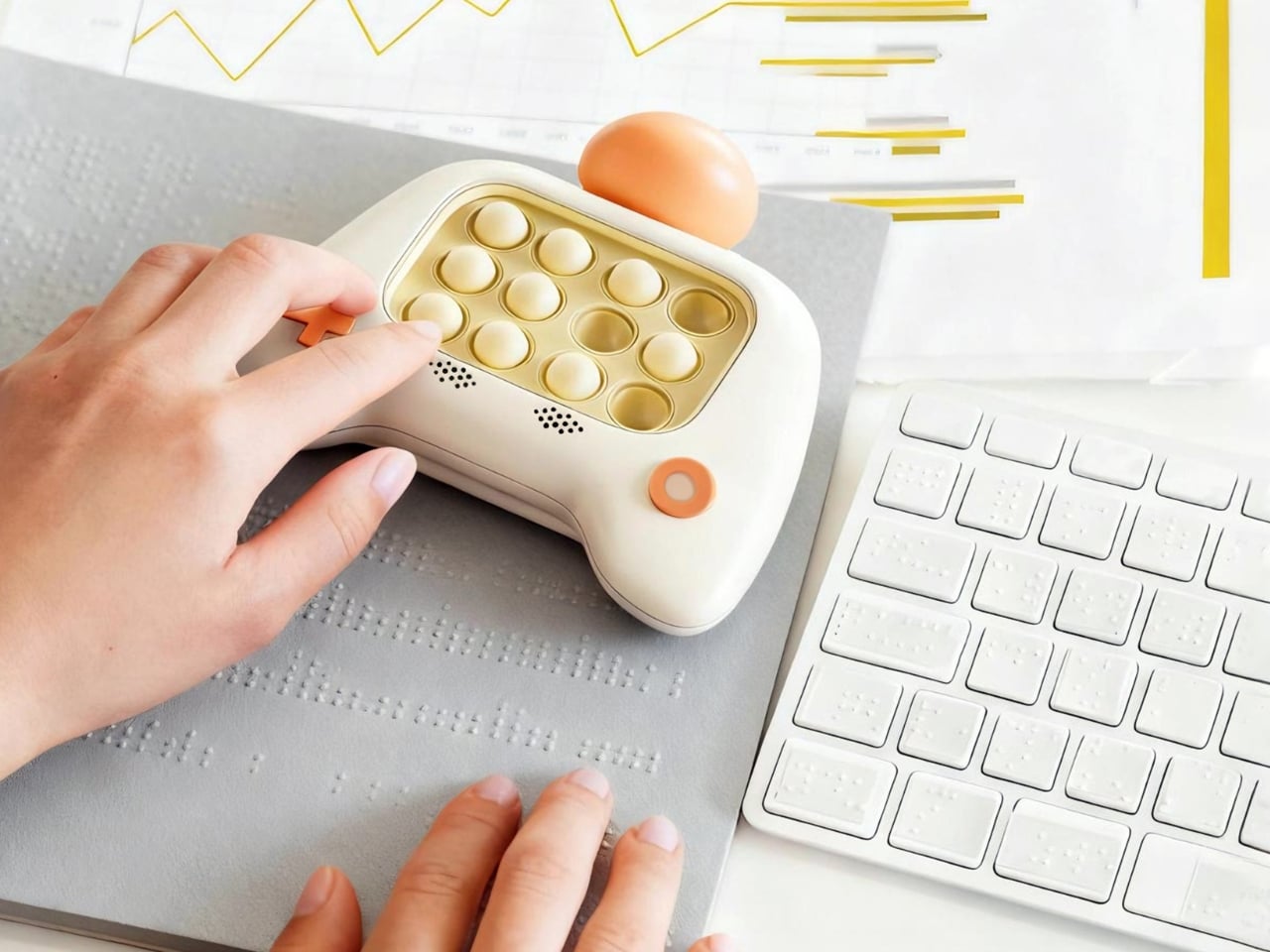
The device is a compact, rounded rectangle with softened corners and thick bumpers that make it feel closer to a rugged tablet than a medical device. The front face is dominated by a horizontal Braille display bar, with a small speaker grille and simple control buttons kept out of the way. Branding is minimal, just small HEXIS and VEMBI marks, so the object reads as a tool for kids first rather than a piece of institutional equipment.

A built-in carry handle is carved cleanly through the top of the shell, giving children a clear place to grab and slide their hand into without straps or clip-on parts. The reading surface is sculpted with a gentle slope leading toward the Braille cells in the reading direction and a sharper drop at the far edge. Those height changes quietly guide fingers along each line and signal where to stop without needing any visual feedback at all.

The durability details acknowledge that classrooms are not gentle places. Corner bumpers extend slightly beyond the body to absorb drops from school desks, the shell is thick enough to shrug off everyday knocks, and charging ports are recessed and shielded to resist spills. This is a device meant to survive water bottles, lunch boxes, crowded bags, and everything else that happens in a normal school day without feeling like a heavy brick.

Bang Design studied how children read Braille in real schools and designed every surface with heightened touch in mind. The soft geometry avoids sharp edges that could become uncomfortable during long reading sessions, while the slope and drop around the display give constant orientation feedback. For kids who navigate the world through their fingers, those subtle contours become part of the interface just as much as the moving dots themselves.

Hexis connects over Wi-Fi to Vembi’s Antara cloud platform so teachers and foundations can push textbooks, notes, and stories directly to devices. It supports multiple Indian languages and has been widely adopted across schools and NGOs, picking up recognition from programs like Microsoft’s AI for Accessibility Grant and Elevate 100. Those signals show that the design is not just elegant on paper but is actually working in classrooms and special education centers.

Assistive technology for children rarely gets the same design attention as mainstream classroom tools, but Hexis treats ruggedness, affordability, and friendly form as equally important constraints. For blind students, having a Braille reader that feels like a normal classroom companion rather than an exception is a quiet but meaningful shift. Hexis sits in school bags next to pencil cases and notebooks, looking and feeling like it belongs there instead of standing out as something separate or clinical.

The post This Rugged Braille Reader for Kids Has a Built-In Carry Handle first appeared on Yanko Design.
E-ink Vocabulary Card E2 Fits Language Learning Into a Gum Pack

Most language learning apps live on phones, competing with notifications, social media, and every other distraction fighting for your attention. Opening Duolingo between classes usually turns into five minutes of vocabulary followed by twenty minutes of scrolling through feeds you’ve already checked twice. Designers are starting to build tiny, single-purpose devices that turn fragmented time into focused practice instead of another excuse to stare at your phone screen until your eyes hurt.

The E-ink Vocabulary Card E2 is one of those tools, a chewing-gum-sized e-ink vocabulary device aimed at students but usable by anyone learning a new language. It pairs with a phone via Bluetooth to pull in study materials and memory modes from an app, then lets you review words on a 2.7-inch e-ink screen without opening your phone. It’s small enough to live in a pocket yet designed to feel like a dedicated learning tool.

Designer: DPP .

The form factor is remarkably simple. A slim rectangular bar about the size of a pack of gum, weighing only thirty grams. Rounded corners, soft edges, and a two-tone color scheme in orange, pink, green, or grey make it look friendly and approachable. The main action button is tilted at five degrees, tuned for thumb reach when you hold it in one hand, while the simple layout keeps the interaction logic easy to understand.

The 2.7-inch e-ink touch screen is the real selling point. Low blue light and low radiation make it easier on the eyes than a phone, and the high contrast gives a reading experience close to paper. Because e-ink only draws power when the screen changes, the device can reach around one hundred fifty days of standby time, which means it’s always ready when you pull it out between classes or on a commute.

E2 connects to a mobile app over Bluetooth. The device supports nine built-in languages, and the app lets you import more content and choose different study modes or memory patterns that match your learning style. You can load word lists, practice exercises, and review sessions, then leave the phone in your bag while the card handles the actual on-the-go practice.

The IP68 protection rating makes the card dust-tight and waterproof enough for more adventurous use. The renders show it in a gym, on a train, and even in a futuristic space scene, reinforcing that it’s meant to live in pockets and hands without babying. A matching wrist strap accessory clips into the body, adding security and a bit of personality to the tiny device.

The visual language is intentionally soft and playful. Big icons, rounded rectangles, and cheerful colorways make it feel more like a friendly gadget than test prep gear. The E-ink Vocabulary Card E2 treats vocabulary learning like checking a notification, but without the noise of a full smartphone, turning spare seconds into small, focused steps toward fluency.

The post E-ink Vocabulary Card E2 Fits Language Learning Into a Gum Pack first appeared on Yanko Design.
OpenAI made a free version of ChatGPT for teachers

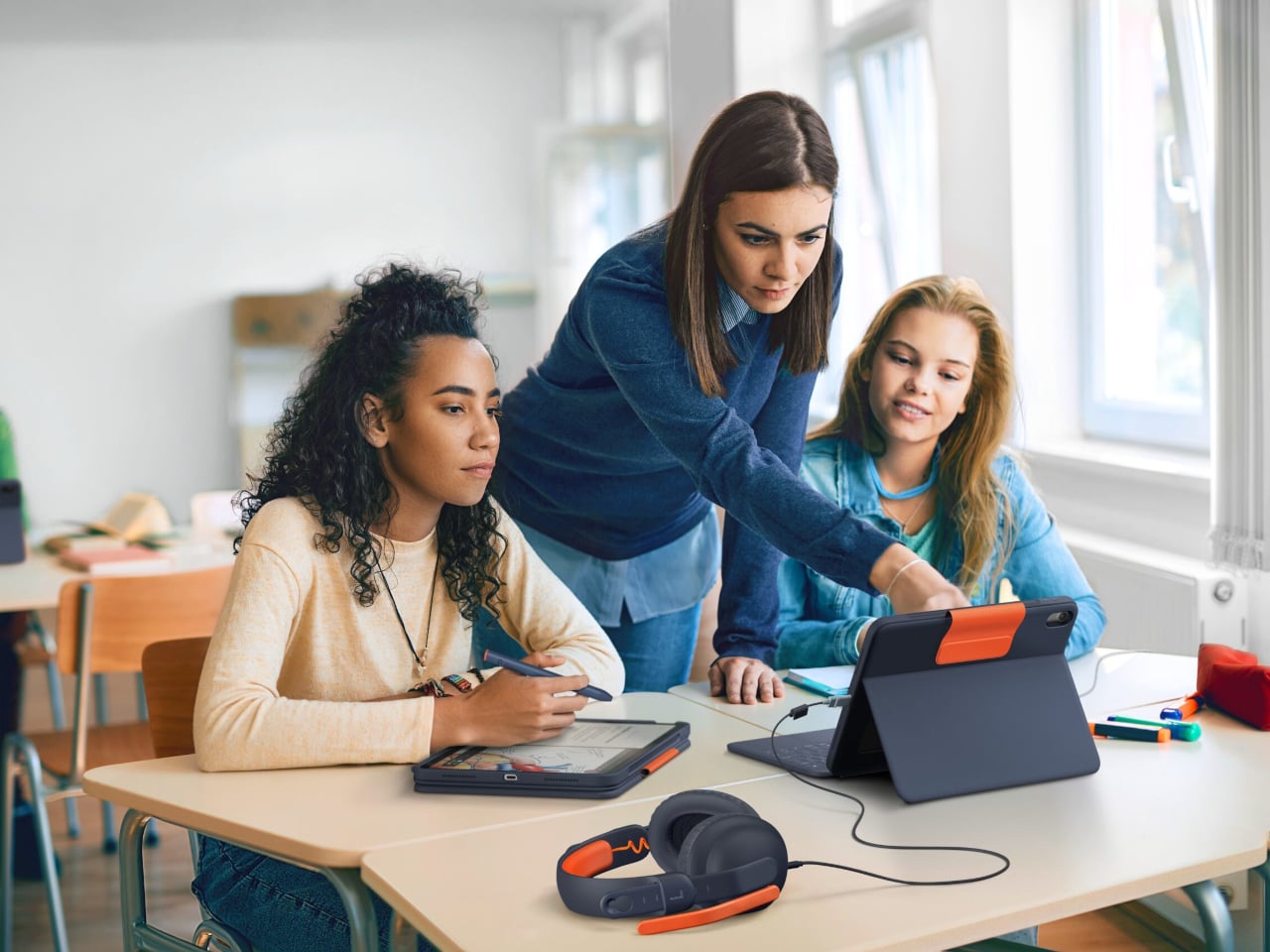
It's well-documented that many students use ChatGPT to do their homework for them, and now OpenAI would like teachers to use it to write those student's homework, too. The company hopes to entice K-12 school employees to work with its AI models via the newly announced ChatGPT for Teachers, a version of the AI assistant that's secure enough to be used in a school environment and free until June 2027.

OpenAI pitches this new ChatGPT as a way for educators to create material for the classroom, "and get comfortable using AI on their own terms." ChatGPT for Teachers includes unlimited messages with GPT-5.1 Auto, connectors to other apps, file uploads, image generation and memory features, just like the consumer version of the AI.

Where this version differs is in its compliance with the Family Education Rights Act, which governs how schools store student information, and in the ways OpenAI is pushing collaboration features. Besides being able to share a chat with colleagues, OpenAI says it'll also populate fresh chats with suggestions of ways other teachers have used ChatGPT.

Before it began targeting teachers specifically, OpenAI made several passes at getting more students to use its AI models. The company's ChatGPT Edu gives institutions a way to offer ChatGPT access in the same way they do an email account. There's also Study Mode, a feature available in all versions of ChatGPT, that focuses the chatbot's answers on explaining things step-by-step.

OpenAI isn't alone in trying to own the education market — Google has offered aggressive discounts on Gemini for students — but clearly it thinks appealing to teachers could help cement its position.

This article originally appeared on Engadget at https://www.engadget.com/ai/openai-made-a-free-version-of-chatgpt-for-teachers-202937994.html?src=rss

OpenAI and Microsoft are funding $10 million in grants for AI-powered journalism

OpenAI and Microsoft are funding projects to bring more AI tools into the newsroom. The duo will give grants of up to $10 million to Chicago Public Media, the Minnesota Star Tribune, Newsday (in Long Island, NY), The Philadelphia Inquirer and The Seattle Times. Each of the publications will hire a two-year AI fellow to develop projects for implementing the technology and improving business sustainability. Three more outlets are expected to receive fellowship grants in a second round.

OpenAI and Microsoft are each contributing $2.5 million in direct funding as well as $2.5 million in software and enterprise credits. The Lenfest Institute of Journalism is collaborating with OpenAI and Microsoft on the project, and announced the news today.

To date, the ties between journalism and AI have mostly ranged from suspicious to litigious. OpenAI and Microsoft have been sued by the Center for Investigative Reporting, The New York Times, The Intercept, Raw Story and AlterNet. Some publications accused ChatGPT of plagiarizing their articles, and other suits centered on scraping web content for AI model training without permission or compensation. Other media outlets have opted to negotiate; Condé Nast was one of the latest to ink a deal with OpenAI for rights to their content.

In a separate development, OpenAI has hired Aaron Chatterji as its first chief economist. Chatterji is a professor at Duke University’s Fuqua School of Business, and he also served on President Barack Obama’s Council of Economic Advisers as well as in President Joe Biden's Commerce Department.

This article originally appeared on Engadget at https://www.engadget.com/ai/openai-and-microsoft-are-funding-10-million-in-grants-for-ai-powered-journalism-193042213.html?src=rss

OpenAI and Anthropic agree to share their models with the US AI Safety Institute

OpenAI and Anthropic have agreed to share AI models — before and after release — with the US AI Safety Institute. The agency, established through an executive order by President Biden in 2023, will offer safety feedback to the companies to improve their models. OpenAI CEO Sam Altman hinted at the agreement earlier this month.

The US AI Safety Institute didn’t mention other companies tackling AI. But in a statement to Engadget, a Google spokesperson told Engadget the company is in discussions with the agency and will share more info when it’s available. This week, Google began rolling out updated chatbot and image generator models for Gemini.

“Safety is essential to fueling breakthrough technological innovation. With these agreements in place, we look forward to beginning our technical collaborations with Anthropic and OpenAI to advance the science of AI safety,” Elizabeth Kelly, director of the US AI Safety Institute, wrote in a statement. “These agreements are just the start, but they are an important milestone as we work to help responsibly steward the future of AI.”

The US AI Safety Institute is part of the National Institute of Standards and Technology (NIST). It creates and publishes guidelines, benchmark tests and best practices for testing and evaluating potentially dangerous AI systems. “Just as AI has the potential to do profound good, it also has the potential to cause profound harm, from AI-enabled cyber-attacks at a scale beyond anything we have seen before to AI-formulated bioweapons that could endanger the lives of millions,” Vice President Kamala Harris said in late 2023 after the agency was established.

The first-of-its-kind agreement is through a (formal but non-binding) Memorandum of Understanding. The agency will receive access to each company’s “major new models” ahead of and following their public release. The agency describes the agreements as collaborative, risk-mitigating research that will evaluate capabilities and safety. The US AI Safety Institute will also collaborate with the UK AI Safety Institute.

It comes as federal and state regulators try to establish AI guardrails while the rapidly advancing technology is still nascent. On Wednesday, the California state assembly approved an AI safety bill (SB 10147) that mandates safety testing for AI models that cost more than $100 million to develop or require a set amount of computing power. The bill requires AI companies to have kill switches that can shut down the models if they become “unwieldy or uncontrollable.”

Unlike the non-binding agreement with the federal government, the California bill would have some teeth for enforcement. It gives the state’s attorney general license to sue if AI developers don’t comply, especially during threat-level events. However, it still requires one more process vote — and the signature of Governor Gavin Newsom, who will have until September 30 to decide whether to give it the green light.

Update, August 29, 2024, 4:53 PM ET: This story has been updated to add a response from a Google spokesperson.

This article originally appeared on Engadget at https://www.engadget.com/ai/openai-and-anthropic-agree-to-share-their-models-with-the-us-ai-safety-institute-191440093.html?src=rss