The 5 Best Home Office Gadgets of September 2026

The home office has been redesigned more times than anyone can count. Most of those attempts involve cable management trays and monitor arms that take an afternoon to install. The things that actually change how a day feels are quieter. A mouse that folds flat. A notebook with two E Ink screens side by side. A hub that replaces a desk full of adapters with a single cube. Five picks that earn their space without demanding much in return.

Each one on this list addresses a different part of the setup. Some resolve problems you have been quietly working around for years. Others make the workspace feel chosen rather than accumulated over time. None of them require a weekend to justify. What they share is a clarity of purpose that is rare enough in 2026 to be worth pointing out. These are the five gadgets that belong on a home office desk this September.

1. OrigamiSwift Mouse

Most portable mice compromise somewhere obvious. They are too small for real use or too light to feel properly controlled on a fast-moving screen. The OrigamiSwift, designed by Horace Lam, starts from a different premise entirely. It folds completely flat to 4.5mm when you are done and opens back into a full-size mouse without ceremony. At 40 grams, it disappears into any bag without taking up a thought or asking for a dedicated pouch.

Soft-click buttons keep video calls quiet, and the Bluetooth connection removes one more dongle from the port situation entirely. The USB-C rechargeable battery lasts up to three months on a single charge, which removes the low-battery anxiety that follows most wireless mice around. For anyone splitting time between a home desk and a coffee shop or hotel room, the OrigamiSwift collapses the gap between travel gear and desktop gear into one object that handles both without being a specialist at either.

Click Here to Buy Now: $85.00

What We Like

  • Folds completely flat to 4.5mm, making it genuinely pocketable without needing a case
  • USB-C rechargeable with up to three months of battery life per charge

What We Dislike

  • Bluetooth-only connectivity means no wired fallback for latency-sensitive tasks
  • 40-gram weight feels unfamiliar for the first few days coming off a heavier desktop mouse

2. Inkleaf Foldable Dual-Screen E-Ink Notebook

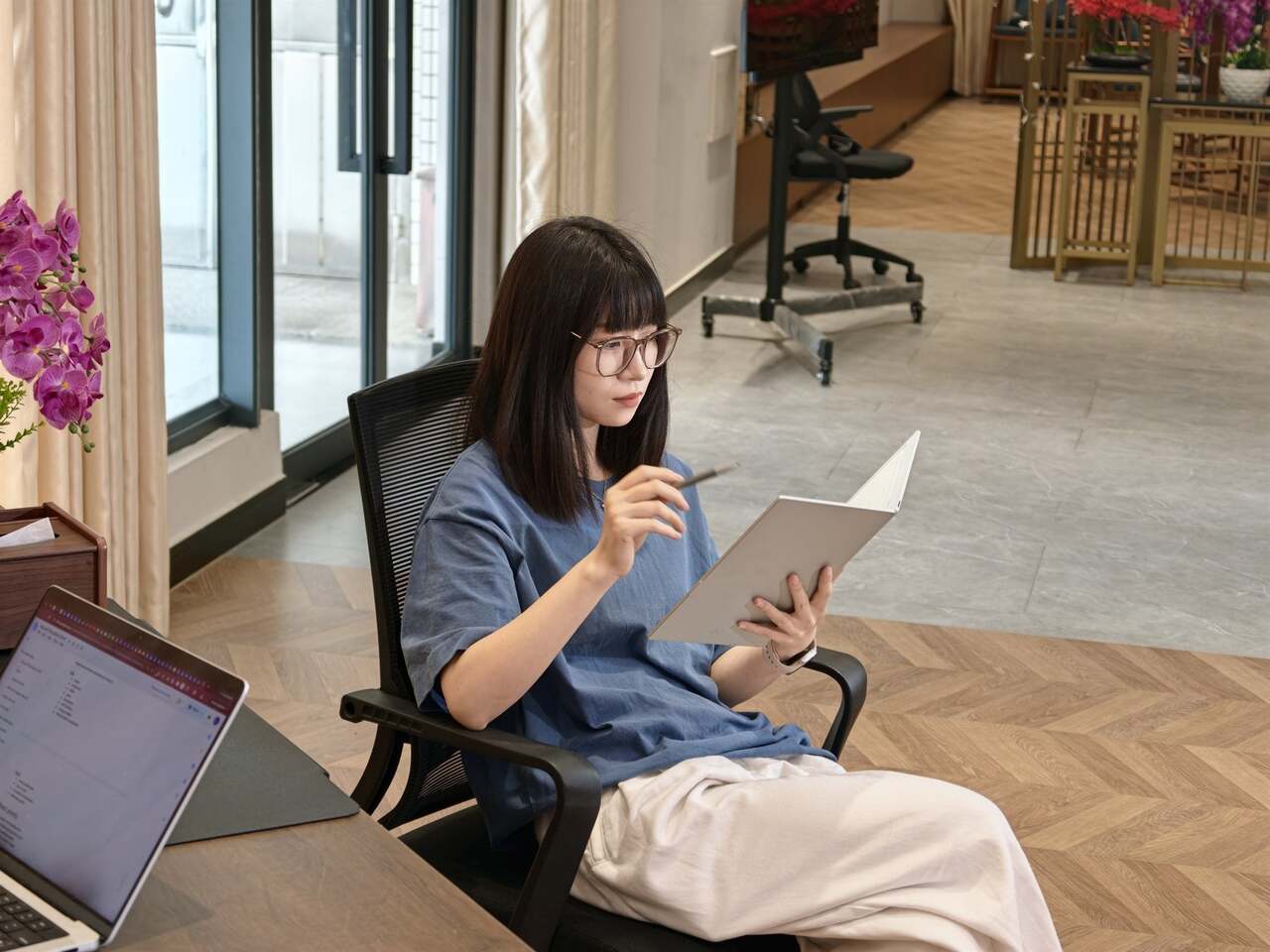
Every E Ink device on the market solves roughly the same problem and leaves the same one untouched. One screen means you are either reading or writing, never both at once, and that single limitation has defined the category for years. The Inkleaf, designed by Kameron Yu, treats that as the actual problem worth solving. It opens to two full 10.3-inch Carta E Ink panels side by side, letting you keep source material visible while your notes build on the other screen.

Priced at around $450, it ships with a pressure-sensitive stylus, a USB-C cable, and no subscription fees tied to reading your own files. For researchers and writers who have been running a tablet beside a separate notebook for years, this is the more honest version of that setup. The paper-like display reduces eye strain across long sessions, and keeping reference material on screen without switching tabs removes the small interruptions that erode focus before you notice they are happening.

What We Like

  • Two 10.3-inch Carta E Ink panels let you read and write simultaneously without switching screens
  • No subscription fees required to store or access your own content

What We Dislike

  • $450 price point is a genuine commitment for anyone uncertain about an E Ink-based workflow
  • Folds to hardcover size, which is practical but not compact enough to slip into a smaller bag

3. HubKey Gen2

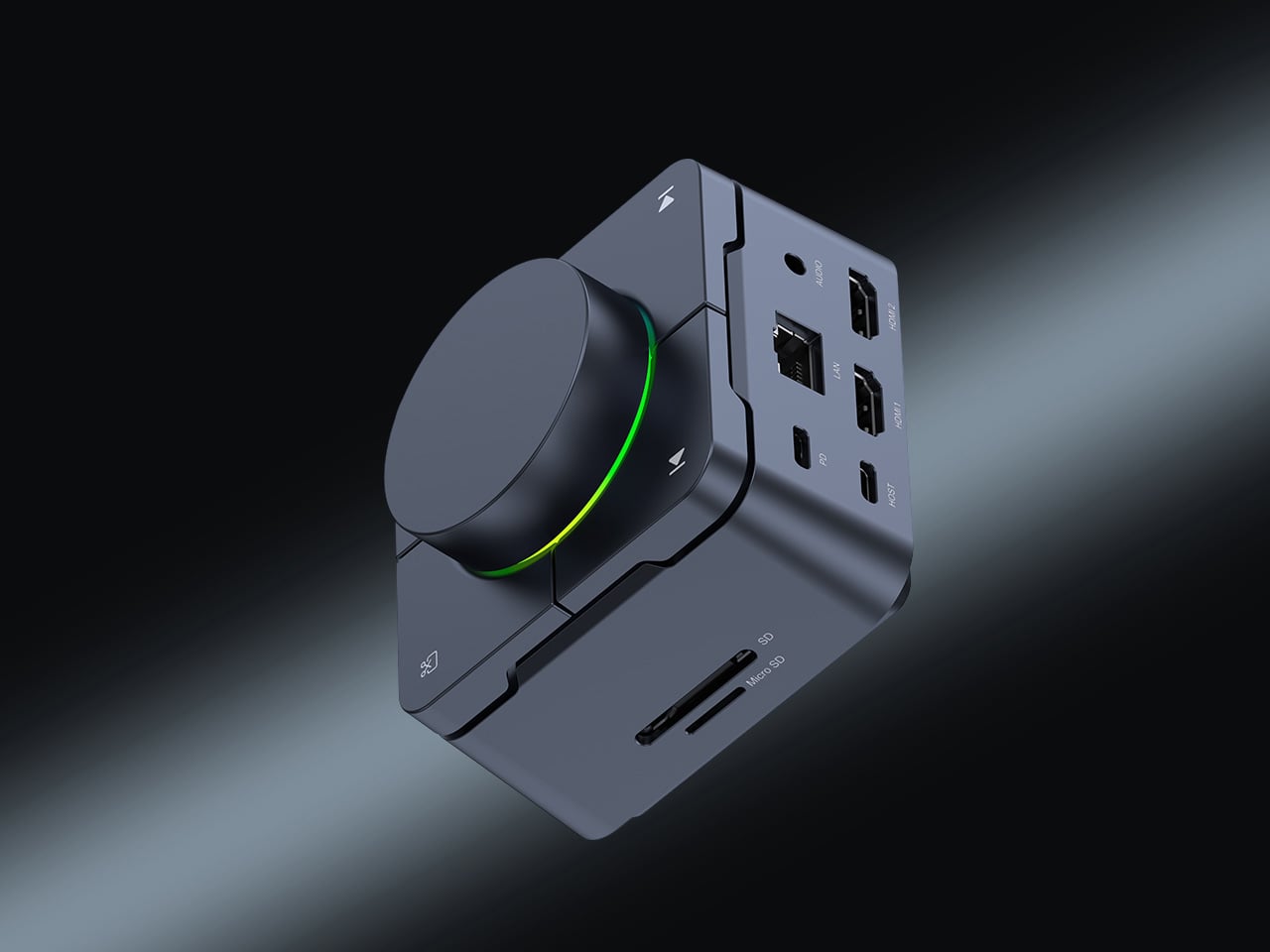
Modern laptops arrive with two USB-C ports and the expectation that you will figure out the rest. The HubKey Gen2 figures it out instead. It is an 11-in-1 USB-C hub and hardware control surface built into a single compact cube that sits beside your machine without demanding its own footprint. One cable handles display output, storage, network, charging, and peripherals at the same time. The design principle is one cable in and everything out, and it holds.

Four physical shortcut keys and a central knob sit on top of the cube. A built-in driver unlocks five preset systems with 170 fixed key combinations, plus a sixth mode where you assign shortcuts, macros, and sequences to suit your own workflow. When plugged in, a settings interface opens automatically. It includes dual 4K display output. For anyone tired of volume controls buried in software menus, this returns them to where they belong: within arm’s reach on the desk.

What We Like

  • 11-in-1 connectivity with dual 4K display output through a single USB-C cable
  • Physical shortcut keys and central knob replace software-buried controls with something actually reachable

What We Dislike

  • Cube form factor is best suited to a stationary desk and less practical as a regular travel companion
  • Customization depth requires upfront setup time before the physical controls feel genuinely intuitive

4. Orico MiniMate SSD

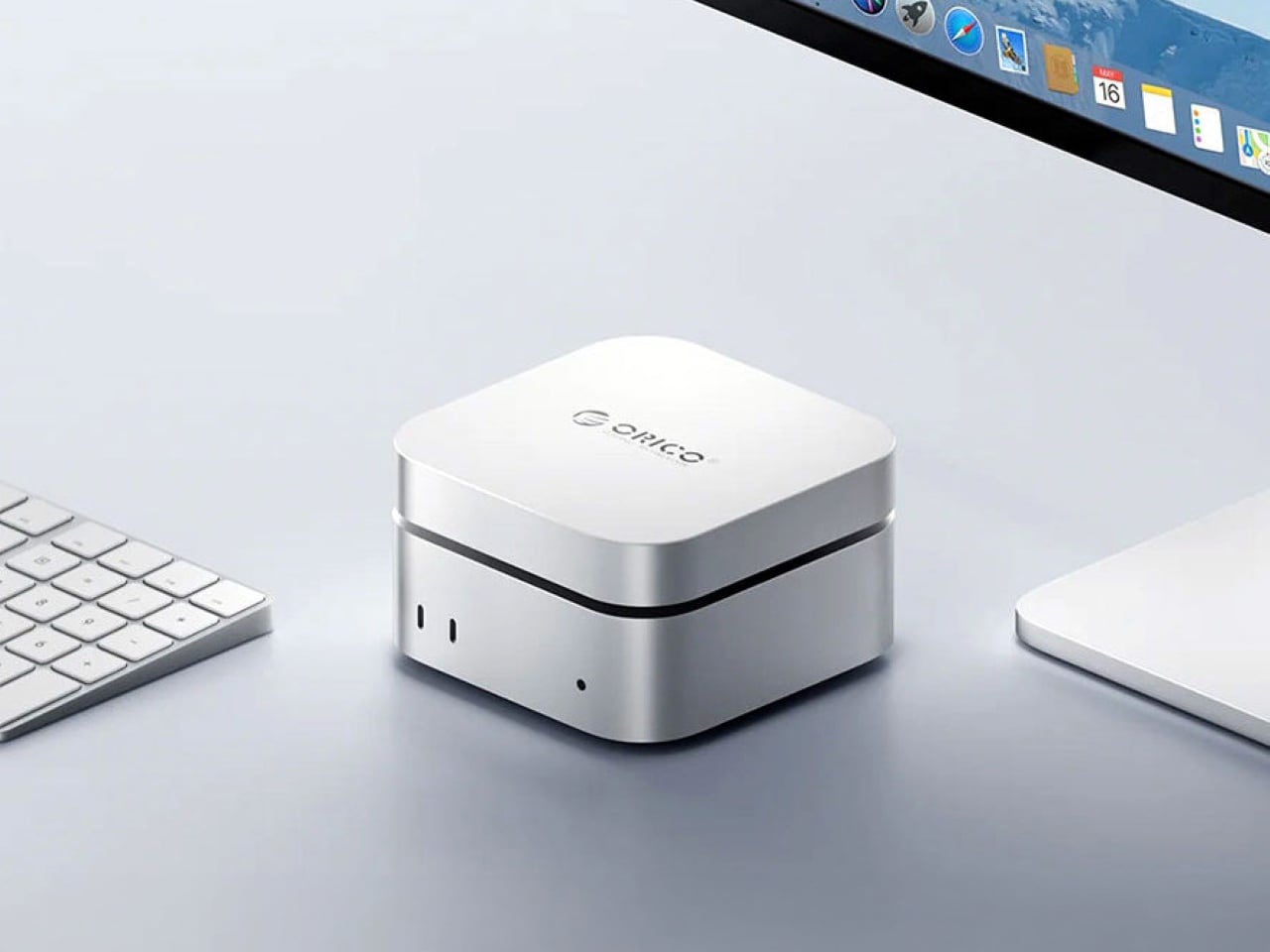
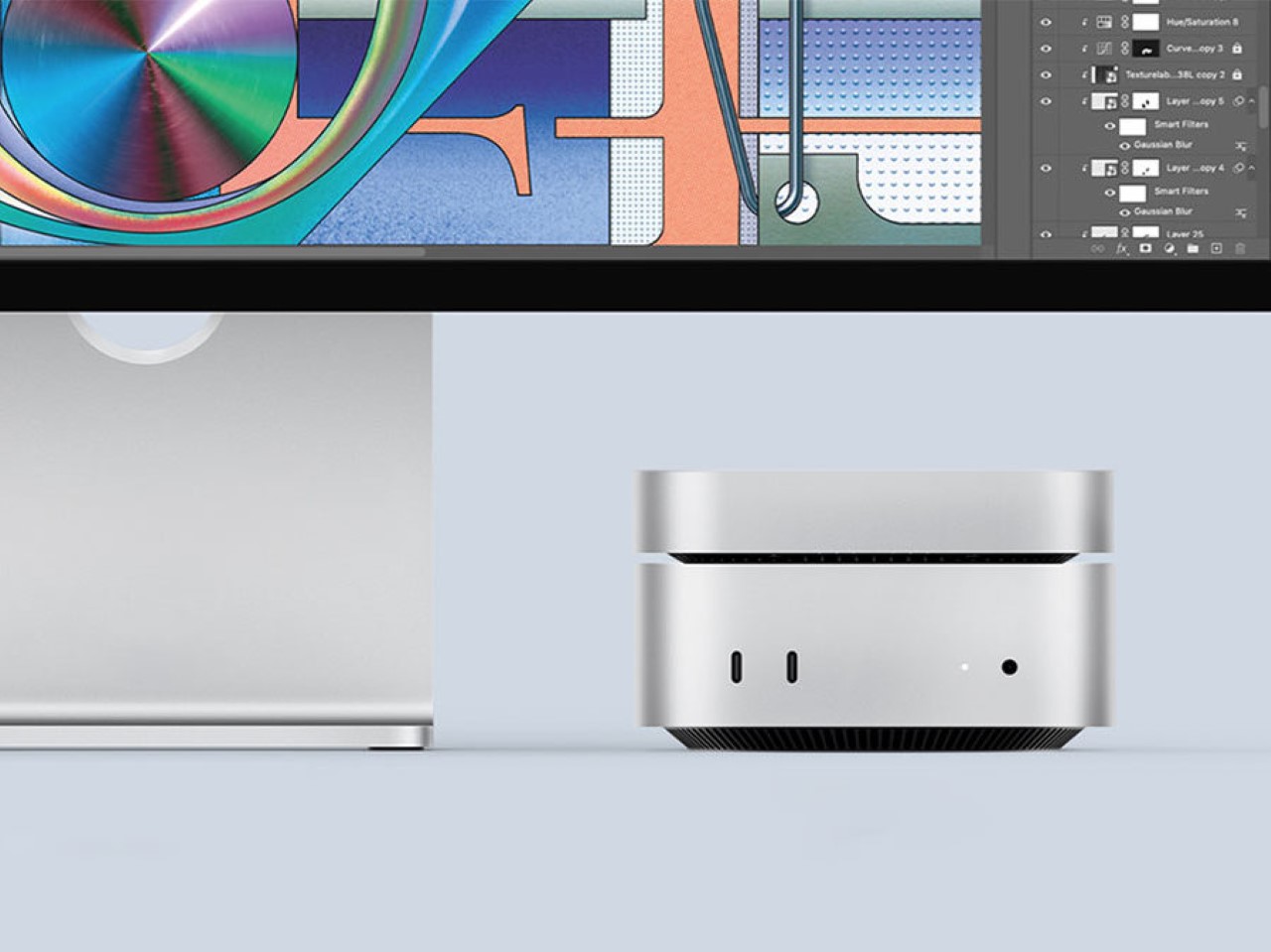
The base M4 Mac Mini ships with 256GB of storage, a number that starts feeling small the moment you put the machine to real work. The Orico MiniMate SSD is built to resolve that quietly. Its brushed aluminum casing mirrors the Mac Mini’s own footprint closely enough that the two sit together without the drive reading as an afterthought. The USB-C interface supports 40 Gbps transfer speeds, which keeps the external storage from becoming the slowest thing in the workflow.

Most external drives solve a storage problem while creating an aesthetic one. A cable snakes across the desk, the enclosure doesn’t match anything around it, and the setup that looked considered suddenly looks assembled. The MiniMate avoids that by treating the desk as the brief. For a Mac Mini setup built around clean lines and minimal clutter, it adds the storage the base model should have shipped with, at a price that makes the upgrade feel overdue rather than extravagant.

What We Like

  • Brushed aluminum casing sits flush with the M4 Mac Mini without reading as a bolted-on external drive
  • 40 Gbps USB-C interface keeps transfer speeds fast enough that the drive never becomes a bottleneck

What We Dislike

  • Designed specifically around the Mac Mini footprint, so it reads less well considered alongside other desktop configurations
  • Budget positioning means users working with large video or audio libraries may find themselves outgrowing it sooner than expected

5. Side A Cassette Speaker

Most desk speakers are designed to disappear, which is a strange goal for something you look at every day. The Side A Cassette Speaker builds from the opposite direction. The visual language of a cassette tape is right there in the form, and it does not attempt to blend into the background. For a home office that appears on video calls, that kind of presence does quiet work that people in the meeting register before they notice the audio quality.

Slide it into its clear case, and the speaker becomes a stand as well as protection, turning the object into a display piece rather than something to tuck behind a monitor. The sub-$50 price makes it an easy desk addition without needing a budget argument. Whether you are winding down after a long day of calls or just need the afternoon to feel less like working inside a filing cabinet, the Side A earns its spot on both counts without much deliberation.

Click Here to Buy Now: $49.00

What We Like

  • Cassette-inspired form reads immediately as an intentional design choice rather than a default tech purchase
  • Clear case doubles as a stand, keeping the setup clean without a separate accessory

What We Dislike

  • Design-forward identity means audio performance plays second to the aesthetic brief
  • Novelty framing can make it harder to justify for buyers whose main priority is sound quality over visual character

Final Thoughts

A home office should feel assembled with intention rather than accumulated over time. Each of these five objects earns its spot by doing something specific well. The OrigamiSwift handles the mouse without the usual compromises. The Inkleaf addresses the read-and-write gap that has defined the E Ink category for years. The HubKey consolidates connectivity into one object. The MiniMate closes the storage gap. The Side A makes the desk feel deliberately chosen.

None of these are purchases you forget about in two weeks. They are the kind that quietly shift the texture of a workday without announcing the change. A desk built around objects chosen deliberately tends to outperform one assembled from whatever was available at the time. These five are worth choosing carefully, and the shared quality across all of them is that they make their part of the setup feel settled rather than provisional.

The post The 5 Best Home Office Gadgets of September 2026 first appeared on Yanko Design.
One Push Finally Fixes the WFH Desk Problem

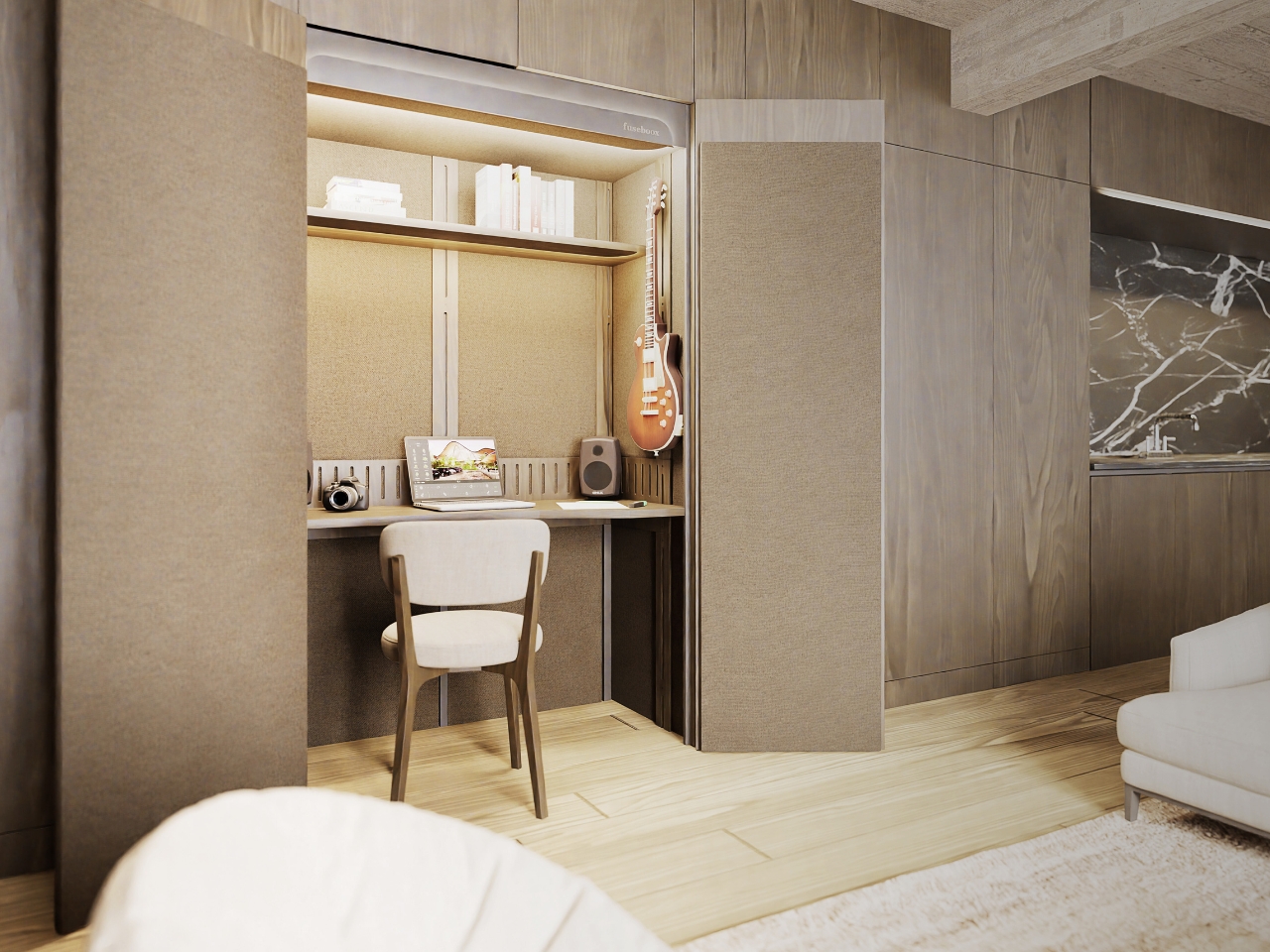
Most of us never really figured out how to leave work at home because, at some point, home became work. The pandemic turned dining tables into conference rooms and bedroom corners into permanent offices, and while the world has technically moved on, the desk hasn’t. It’s still there, covered in cables and sticky notes, glowing at you at 9 PM like a passive-aggressive coworker who never clocks out. For the millions of people still living and working in compact spaces, that boundary between “on” and “off” remains one of the most stubbornly unsolved problems in modern life. That’s the exact gap designer Seung Bin Bae is addressing with DuoShift, and the solution is refreshingly physical.

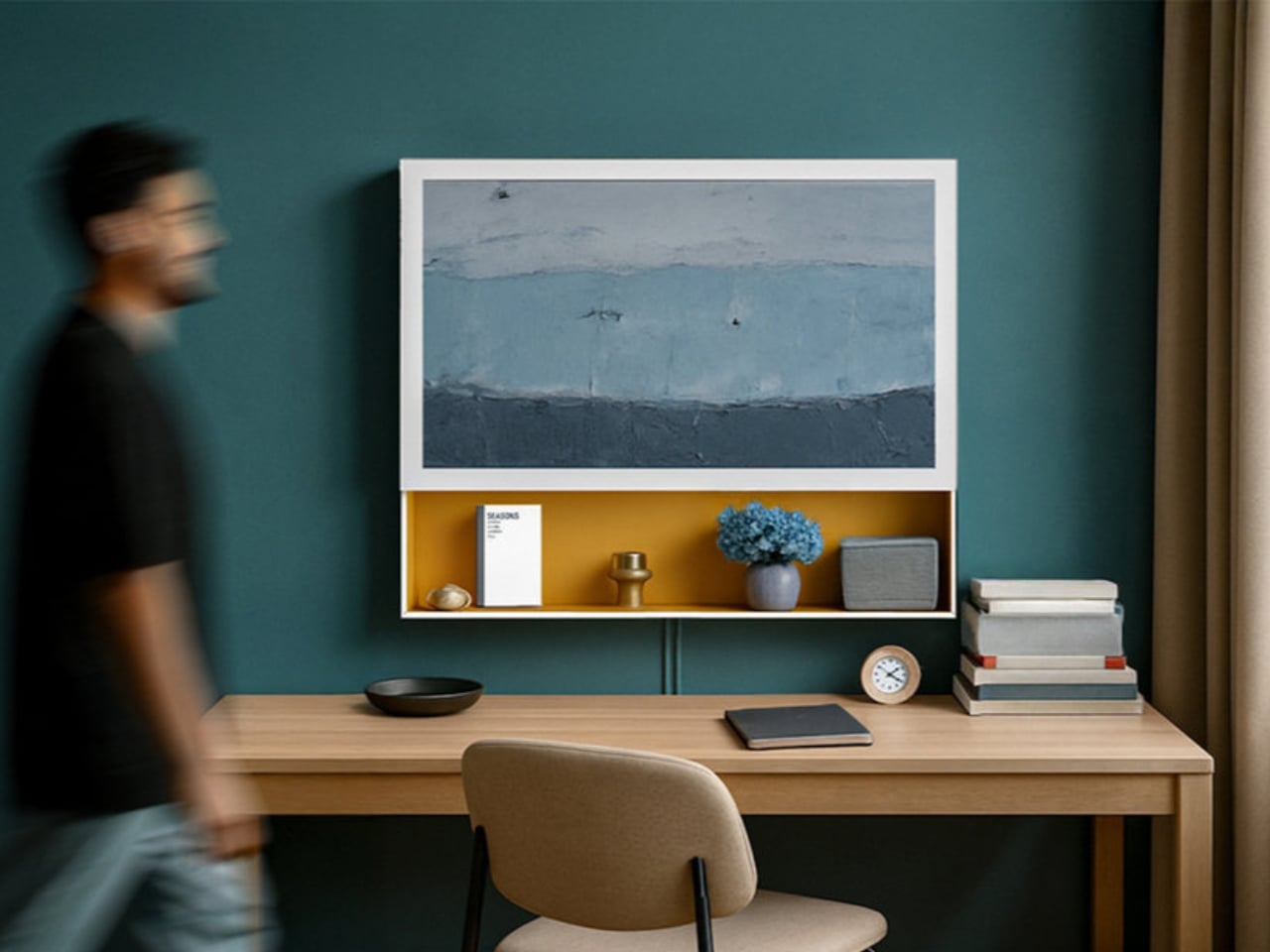
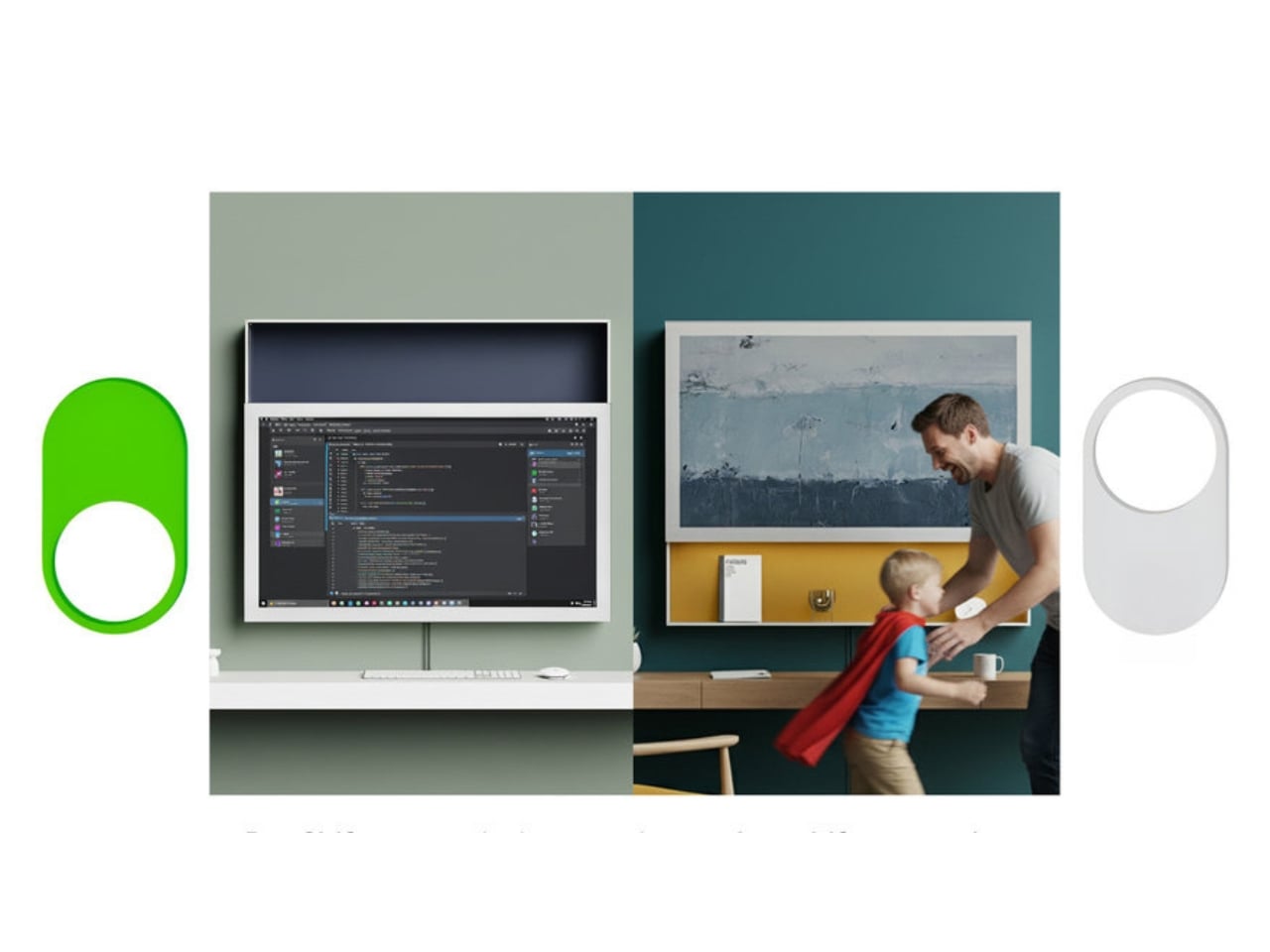
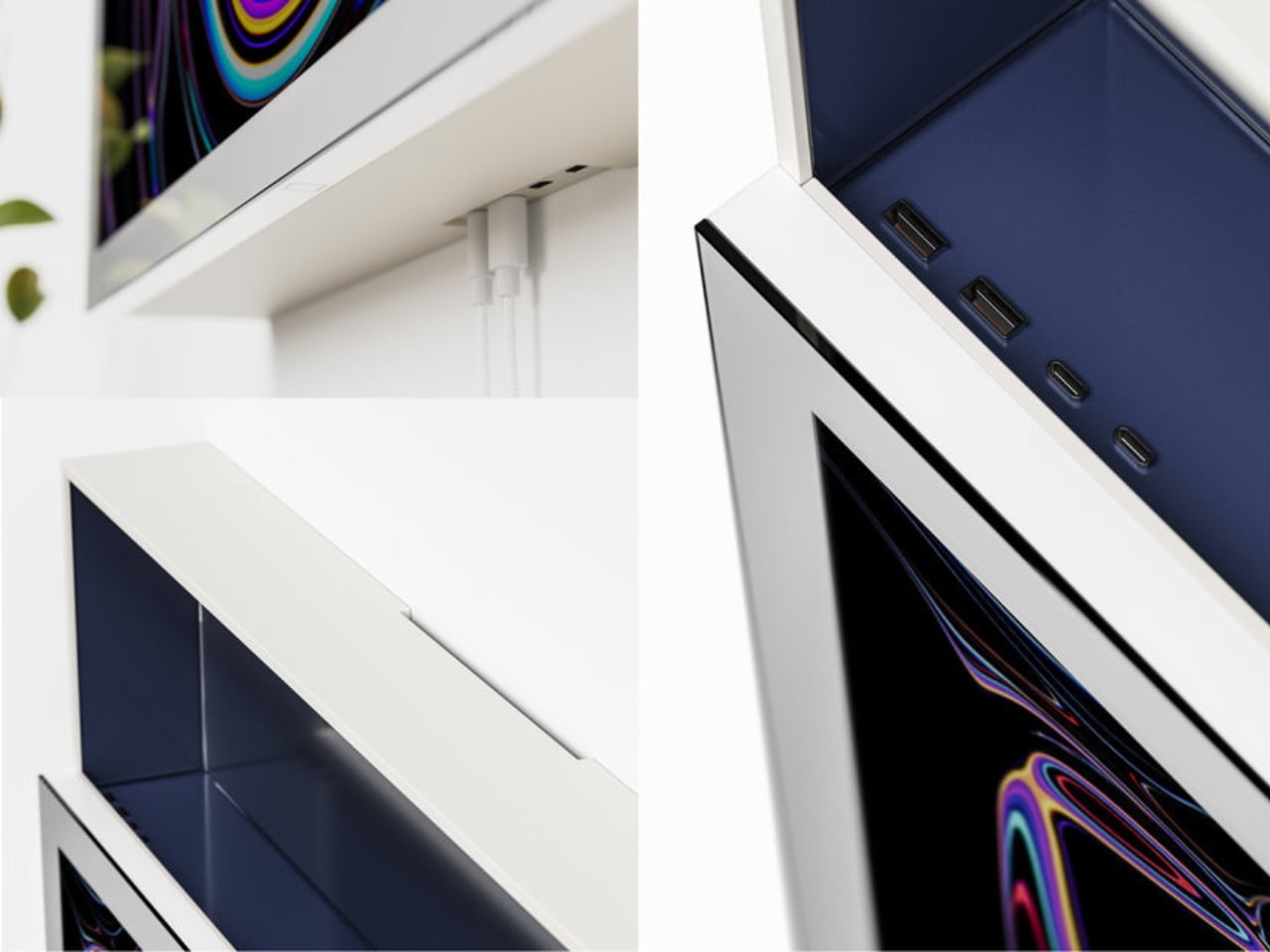
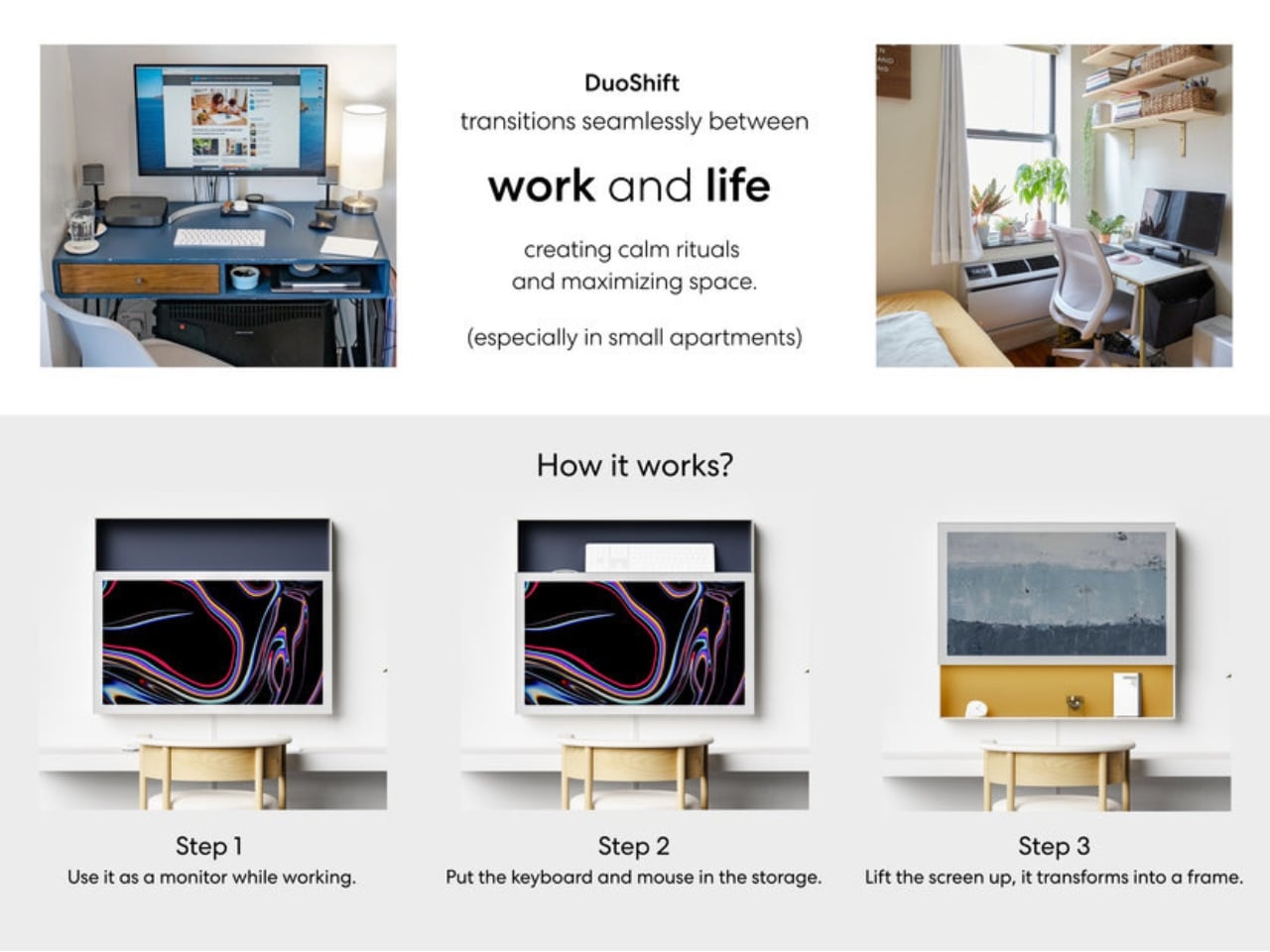
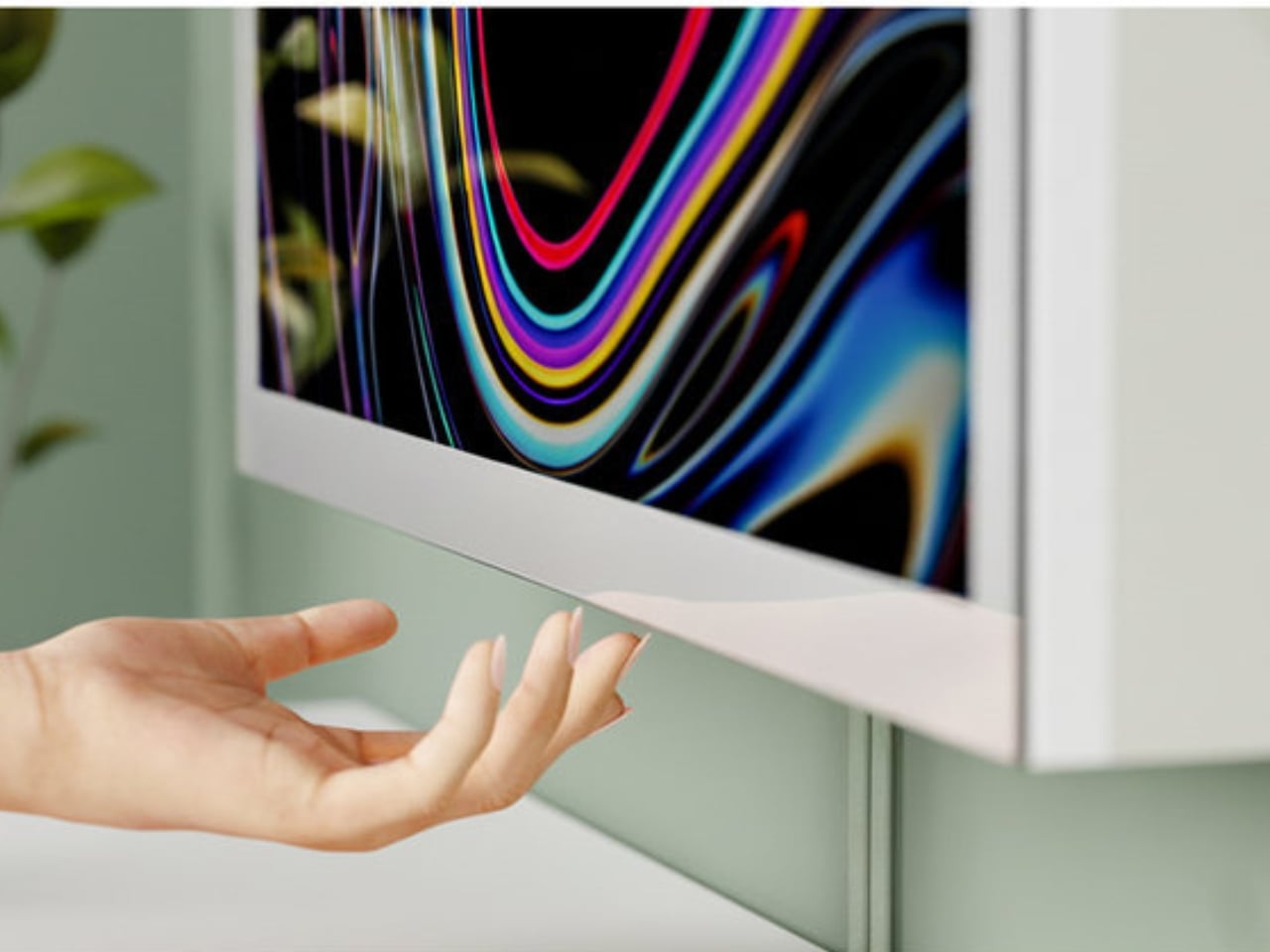
DuoShift is a dual-purpose display designed for small home offices. It has two modes, and switching between them requires exactly one motion: a single upward shift of the screen. In Work Mode, it sits at standard monitor height and does what a monitor does: it holds your spreadsheets, your browser tabs, your video calls. But when you physically push it upward, it enters Life Mode, transforming into a digital art frame while freeing the entire desk surface below it. That’s your signal. Work is done. The desk is yours again.

Designer: Seung Bin Bae

The elegance here is intentional and worth pausing on. We’ve spent years trying to solve work-life balance through apps, timers, calendar blocks, and browser plugins, basically asking software to impose discipline on behavior that software helped unravel in the first place. Bae flips that logic entirely. DuoShift solves a psychological problem through a physical act. It doesn’t ping you or send a notification. You have to physically move it, and that movement is the whole point.

There’s a behavioral psychology concept in here that designers don’t always get credit for tapping into. Rituals matter. The act of shutting down a laptop, hanging up a coat, or changing out of work clothes serves a real cognitive function: it tells your brain that a transition has happened. DuoShift is engineered to be exactly that kind of ritual, embedded directly into an object you already use every day. One push, and the desk stops being an office.

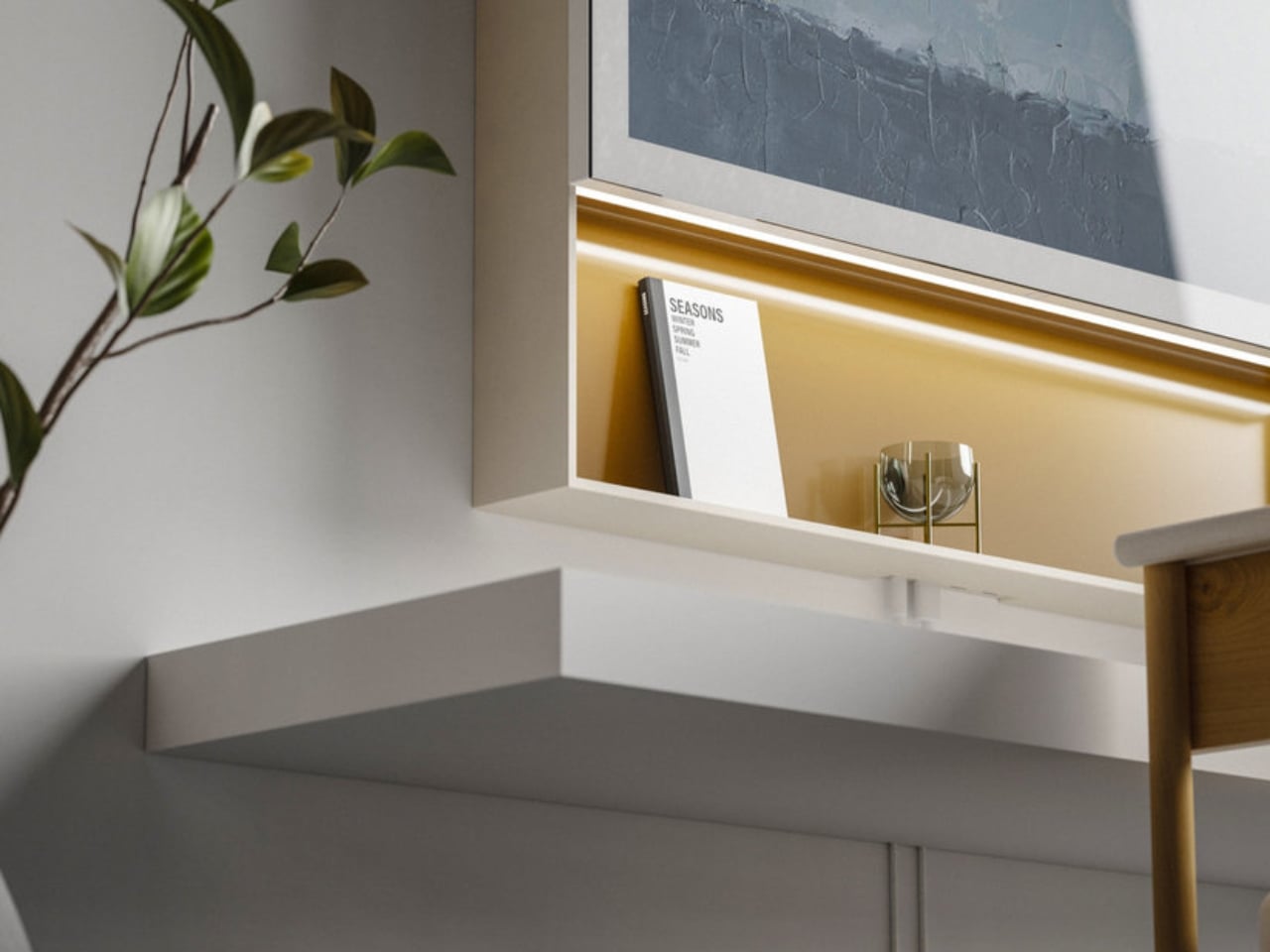
Visually, the design is minimal in a way that feels considered rather than cold. It’s slim, clean, and customizable, built to integrate with a living space rather than dominate it. In Life Mode, it becomes something closer to wall art than tech equipment. Bae’s design philosophy centers on creating practical, user-friendly products that solve real-world problems rather than merely chasing novelty, and DuoShift reflects that clearly. It doesn’t oversell itself. It doesn’t have seventeen features. It has one good idea, executed well.

The context matters too. Compact living isn’t a temporary trend or a demographic niche. Urban apartments are getting smaller, remote work remains widespread, and the people navigating both are still largely on their own when it comes to creating functional, psychologically healthy environments at home. Most monitor design has simply not caught up to this reality. DuoShift is one of the rare products that treats the WFH experience as a design problem worthy of a serious, considered design response.

Is it a complete answer to burnout? No, and it doesn’t claim to be. But it gets at something that most tech products completely sidestep: the importance of having a physical, tangible signal that your workday has ended. Not a notification. Not an alarm. A gesture. A real, physical thing you do with your hands that marks the shift from one mode to another.

The fact that this came from a student designer makes it more interesting, not less. It suggests that the next generation of product designers is less interested in adding features and more focused on subtracting friction from the parts of life that matter most. DuoShift is a small product with a genuinely large idea behind it, and that kind of thinking is exactly what the WFH era still needs.

The post One Push Finally Fixes the WFH Desk Problem first appeared on Yanko Design.