5 Best Desk Lamps That Light Your Workspace Better Than Any Overhead Light Ever Could

Overhead lighting was never built for you specifically. It floods an entire room without discrimination, casting flat light across everything and solving nothing in particular. A well-chosen desk lamp operates differently — it targets exactly where concentration happens, reduces strain during long sessions, and brings something intentional to a space that a ceiling fixture simply cannot. The best ones do all of this while looking like they genuinely deserve to be there.

The five lamps here approach desk lighting from genuinely different directions — one learns your habits through AI, another is cast from real tractor headlight molds, one travels anywhere on AA batteries, and another chases a color accuracy standard most manufacturers don’t bother measuring. Each solves a real problem. Whether your workspace is a compact corner or a dedicated professional studio, there is a lamp on this list worth your full attention.

1. Anywhere-Use Lamp

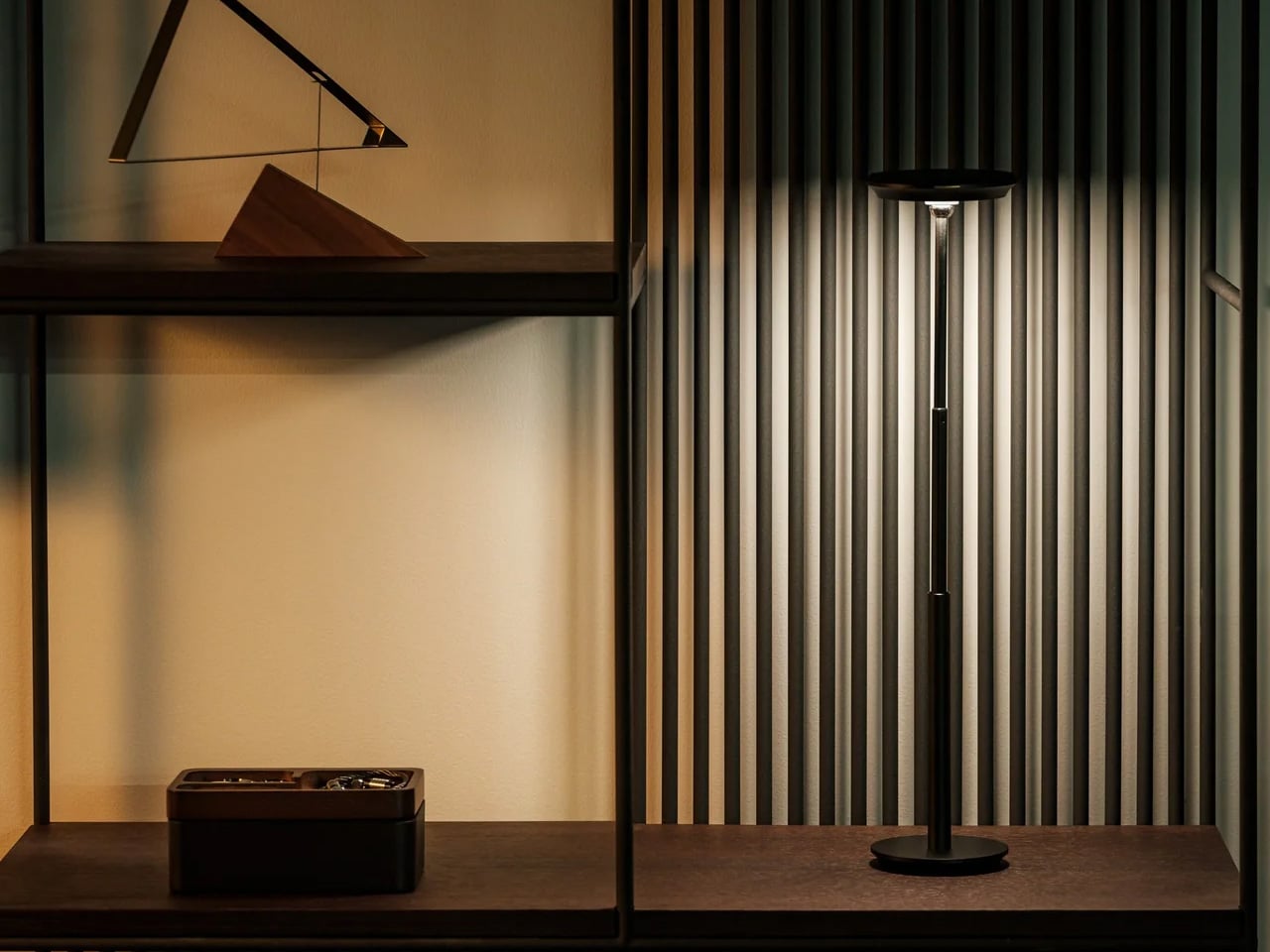
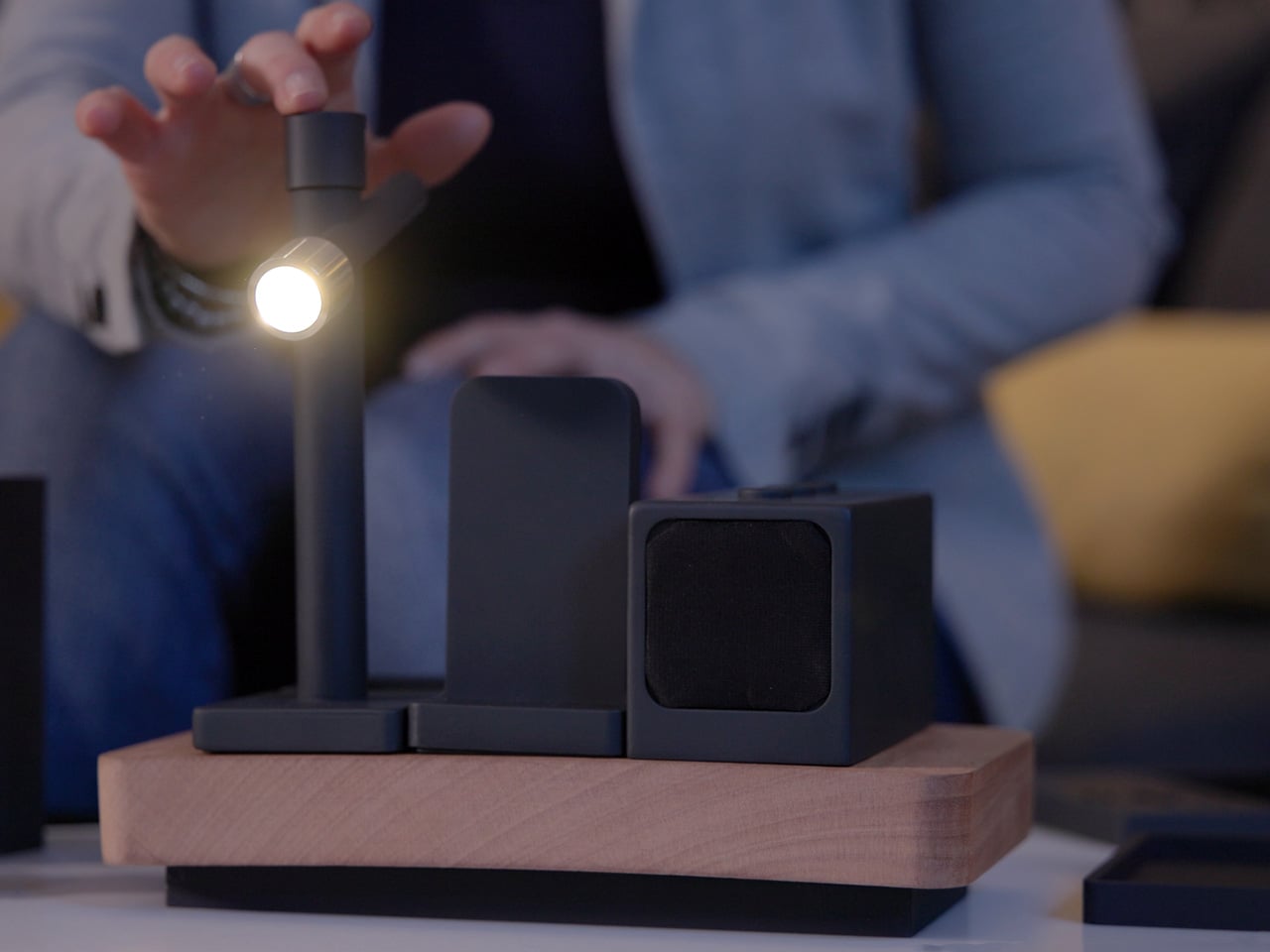
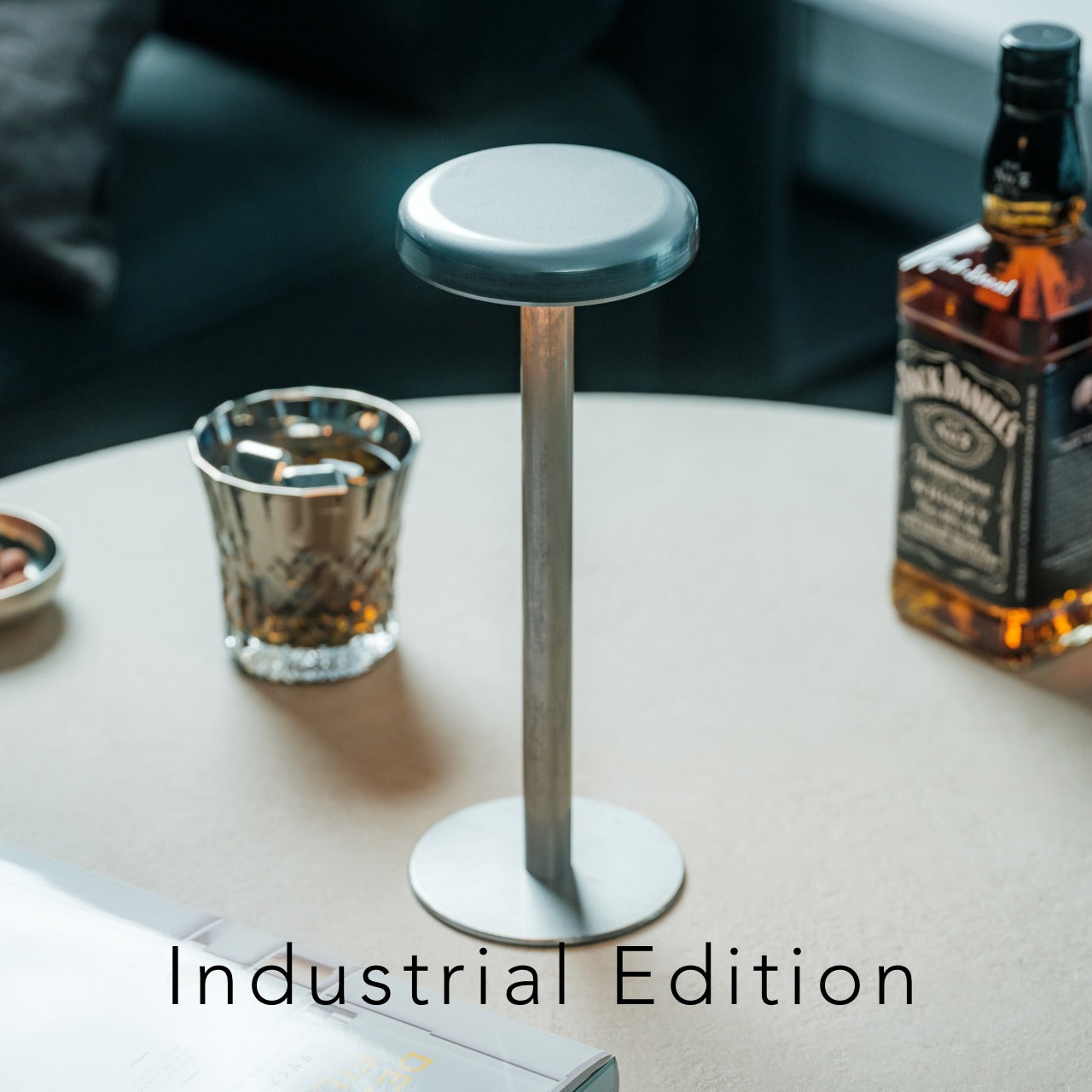
The Anywhere-Use Lamp is designed around one honest principle — good light shouldn’t be restricted to places with power outlets. Running on four AA batteries, it removes every dependency on wall sockets and charging cables, making it as useful in a hotel room or a garden corner as it is on a permanent desk. Six high color rendering LEDs produce warm, soft output that settles gently into a space rather than announcing itself as the primary light source in the room.

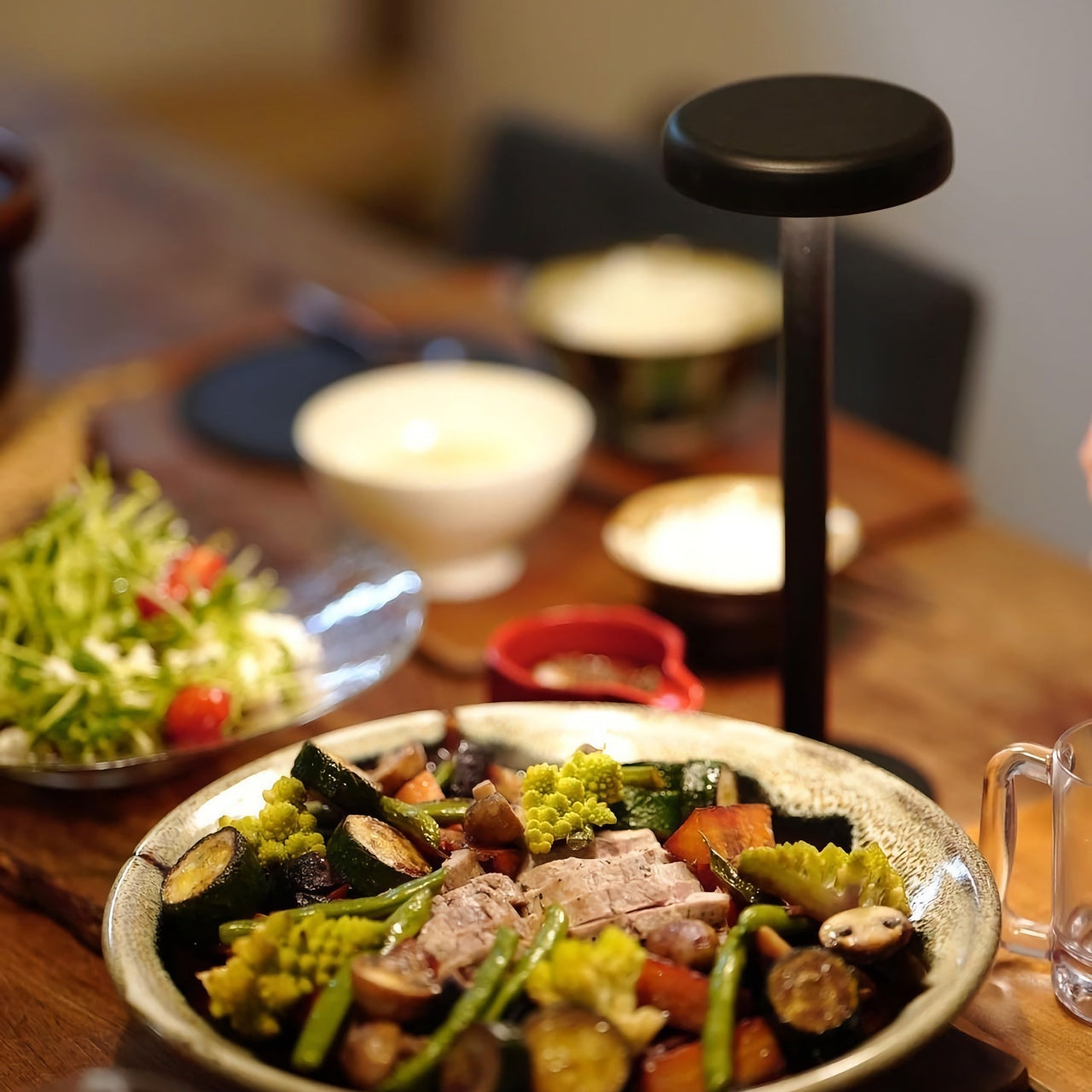
Available in black, white, and an Industrial edition with a scratch-detailed metal base that treats surface wear as character rather than damage, the Anywhere Use Lamp adapts across settings without effort. Pressing any edge of the cap cycles through four brightness levels with a satisfying haptic click that makes the interaction feel considered. The modular construction breaks down quickly enough to slip into a bag, and on a desk, it reads as a minimal sculpture — quietly impressive without demanding attention from everything around it.

Click Here to Buy Now: $149.00

What We Like

  • AA battery power gives it genuine location freedom that no rechargeable or corded lamp on this list can honestly match.
  • The Industrial edition’s scratch-detailed metal base treats material imperfection as an intentional design quality rather than a manufacturing oversight.

What We Dislike

  • Four disposable AA batteries are less sustainable than a built-in rechargeable solution would be for users who run them daily.
  • Warm, atmospheric output may feel insufficient for task-heavy environments that demand stronger, more directional illumination.

2. The Lampster

The Lampster is the most funded lamp in crowdfunding history, a record that speaks to how rare genuinely characterful lighting actually is. Its head is cast from the same 40-year-old molds used for real tractor headlights, a material fact that sits at the center of everything the lamp is. Born as a side project between an architect and an engineer, it carries the kind of specificity that only arrives when something was made first for its creators, not for a market.

Functionally, the Lampster holds 120 LEDs across warm and cool white tones, controlled by a capacitive touch button on the head that adjusts intensity without needing a phone. An RGB light source connects to a mobile app that monitors power draw, saves custom settings for reading, writing, or focused work, and syncs the lamp to music. The head rotates 360 degrees while the aluminum neck bends freely in any direction. It sits on a desk and immediately becomes the most interesting object in the room.

What We Like

  • Cast from original 40-year-old tractor headlight molds, giving it a material provenance no competing desk lamp can replicate.
  • App-controlled RGB plus adjustable warm and cool white LEDs cover every working scenario without requiring separate hardware.

What We Dislike

  • Filling the hollow body with gravel for proper ballast adds a hands-on setup step that feels slightly misaligned with a premium purchase.
  • Full smart functionality depends on a mobile app, which may frustrate users who prefer straightforward, always-available physical controls.

3. DEEP

DEEP is what happens when a lamp decides your working environment should configure itself around you rather than the other way around. Turn it on with a spinning-top-inspired power button, tell it what you are about to do — studying, coding, reading, creative work — and it adjusts both lighting and ambient sound automatically. The AI underneath isn’t a selling point bolted on at the last stage. It actively shapes your workspace conditions before you’ve had to think about them yourself.

A camera positioned at eye level monitors your focus state in real time, functioning like a built-in productivity coach without requiring a separate device. Side buttons allow precise manual overrides, and when adjustments are saved, the system builds a personal profile that becomes more attuned the longer the lamp sits on your desk. Over repeated sessions, DEEP learns the exact conditions under which you concentrate best and begins applying them without being asked — a meaningfully different relationship with a piece of desk hardware.

What We Like

  • AI-driven environment configuration learns and refines your preferences over repeated sessions, becoming genuinely more useful the longer you use it.
  • Camera-based real-time focus monitoring replaces any need for an external productivity tracking application or additional device on your desk.

What We Dislike

  • A built-in camera positioned at eye level may not sit comfortably with users who value privacy in their personal workspace.
  • As a concept-stage design, software longevity, update support, and manufacturer reliability over time remain unconfirmed.

4. Lumio Ovo

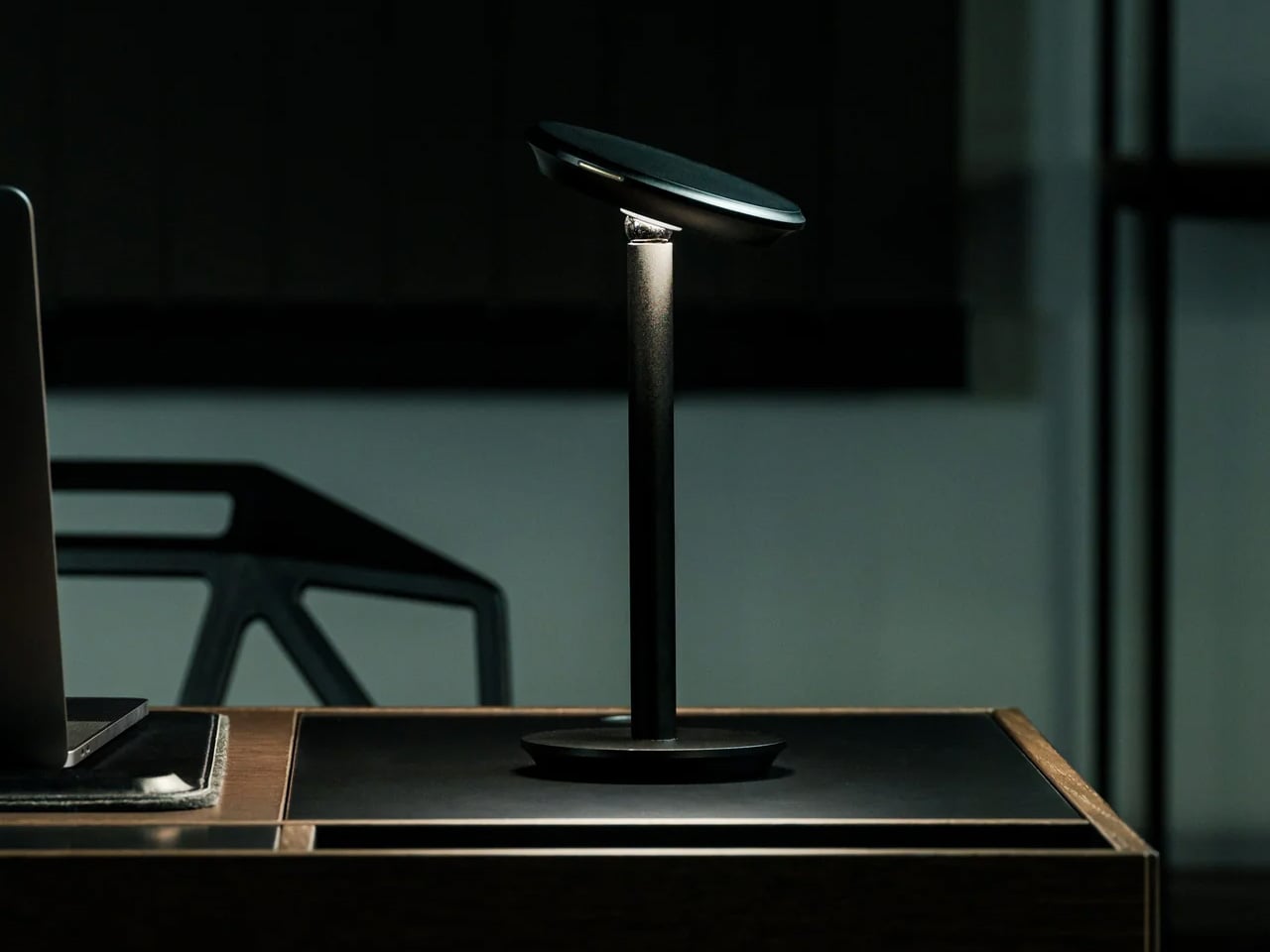
Most adjustable lamps eventually disappoint. Multiple joints accumulate play, precise positioning becomes a daily compromise, and what is marketed as flexible control quietly becomes a frustration. The Lumio Ovo addresses this by reducing the entire adjustment system to a single pivot — a seesaw-style motion that rotates a full 360 degrees around a central point and feels exact from the very first interaction. No creaking. No wobble. No accumulated looseness. Precise, repeatable directional control housed in a form that makes no apologies.

Lumio left the central pivot fully exposed rather than hiding it inside a casing, which turns the structural solution into the lamp’s most compelling visual element. At rest on a desk, the Ovo reads as a kinetic art object — the kind of piece that earns a comment from anyone who sees it for the first time. Nudge it gently, and it finds its new position with an ease that lamps carrying three times the moving parts rarely manage to deliver with the same quiet confidence.

What We Like

  • A single-pivot seesaw mechanism eliminates the joint loosening and positional drift that eventually compromise most multi-hinge desk lamps.
  • The exposed pivot transforms the engineering solution into the lamp’s defining aesthetic element, making form and function genuinely inseparable.

What We Dislike

  • Detailed light output and color temperature specifications are not widely published, making pre-purchase performance evaluation difficult.
  • The balance-based seesaw motion may not satisfy users who need a lamp to lock firmly into position without any residual movement.

5. Redgrass R9 Desk Lamp

Standard color rendering measurements evaluate eight color samples and call it accurate. Redgrass developed a methodology that evaluates 99 and achieved an extended CRI score of 98.5 — a number that places the R9 in a fundamentally different category. The practical result is light that renders color the way natural daylight does. For painters, illustrators, and anyone whose work depends on seeing accurate hues under artificial conditions, the difference is immediate and impossible to ignore.

At 1800 lumens and 3700 lux measured at 45 centimeters, the R9 delivers serious, sustained output from 96 custom-made LEDs arranged across two independently rotating bars. That dual-bar configuration isn’t decorative — it eliminates the shadows a single light source always casts across detailed work surfaces. It holds the Red Dot Best of the Best and iF Design Awards, and professional teams behind Avatar and The Lord of the Rings have adopted it as a standard studio tool.

What We Like

  • An extended CRI of 98.5 evaluated across 99 color sample sets is an accuracy benchmark that no conventional desk lamp currently comes close to reaching.
  • Two independently rotating light bars eliminate surface shadows in a way that a single light source is physically incapable of replicating.

What We Dislike

  • At $279.99, the R9 demands a meaningful financial commitment, even when the performance makes a fair and honest case for itself.
  • The clamp-based mount and larger physical footprint make it a less natural fit for compact or minimal desk setups.

The Right Light Changes Everything

Each lamp here solves something a ceiling fixture never bothered to think about. The Lampster gives a desk a genuine personality. The Anywhere Use Lamp follows you without conditions. DEEP maps your habits and builds the environment around them. The Ovo reduces all mechanical complexity to a single satisfying gesture. The R9 shows you the color the way it was actually meant to appear. All five refuse to treat workspace lighting as an afterthought worth quietly tolerating.

Good lighting doesn’t just help you see — it sustains concentration, reduces physical strain, and signals that a workspace was assembled with real intention. The difference between a desk lamp and an overhead light isn’t simply positional. One serves the room. The other serves you. Once that distinction becomes clear, returning to a fixture that has no idea what you’re working on or how long you’ve been sitting there becomes genuinely difficult to justify.

The post 5 Best Desk Lamps That Light Your Workspace Better Than Any Overhead Light Ever Could first appeared on Yanko Design.

Lenovo’s AI Desk Robot Has Eyes, Moves, and Watches You Work

There’s a specific kind of loneliness that comes with working alone all day. Not the dramatic kind, just the low-grade awareness that every question you have goes into a chat window, every instruction gets typed into a box, and the thing supposedly helping you has no idea where you’re sitting or what’s on your desk.

Lenovo’s AI Workmate Concept, shown at MWC 2026, takes that gap seriously enough to build a physical object around it. The device is a desk companion in the most literal sense, a spherical head on an articulated arm, rising from a circular base, with animated eyes on its front display that shift and orient as it responds.

Designer: Lenovo

The arm is the most telling design decision, though it isn’t just decorative. Because it moves, the Workmate can orient itself toward whatever is in front of it, a document laid flat, a person leaning back, a wall nearby. That range of motion is what separates it from a smart speaker with a face. It has spatial awareness built into its posture, not just its software.

On the practical side, it handles the kind of work that accumulates quietly throughout a day. Place a document in front of it, and it can scan and summarize the contents. Talk through a rough set of notes, and it can help organize them into something usable. Working on a presentation means the Workmate can assist in structuring the content, pulling from what it already knows about the task at hand through on-device AI processing rather than a cloud connection.

The projection feature is the most speculative part of the concept. Rather than keeping information on a screen, the Workmate can cast content onto a desk surface or wall, which, on paper, turns any flat surface nearby into a secondary display. Whether that’s genuinely more useful than glancing at a monitor, or just a more theatrical way to display the same information, is a fair question that a proof of concept can’t fully answer.

What’s harder to dismiss is the physical language the design uses. The animated eyes aren’t a gimmick in the way that most product “personalities” are. They borrow from the same visual shorthand that makes robots in film immediately readable as attentive or distracted, curious or idle. A status light ring on the base shifts color depending on what the device is doing, adding a peripheral layer of feedback that doesn’t require looking directly at the display. Together, those two elements mean the Workmate communicates state without demanding attention, which is actually a more considered interaction model than most desktop AI tools currently offer.

The deeper question isn’t whether the Workmate works. It’s whether having a robot with eyes watching from the corner of the desk makes the day feel more manageable, or just more observed. That’s not a problem Lenovo can solve with a better arm joint. It’s the kind of thing that only becomes clear once the novelty of the eyes wears off.

The post Lenovo’s AI Desk Robot Has Eyes, Moves, and Watches You Work first appeared on Yanko Design.
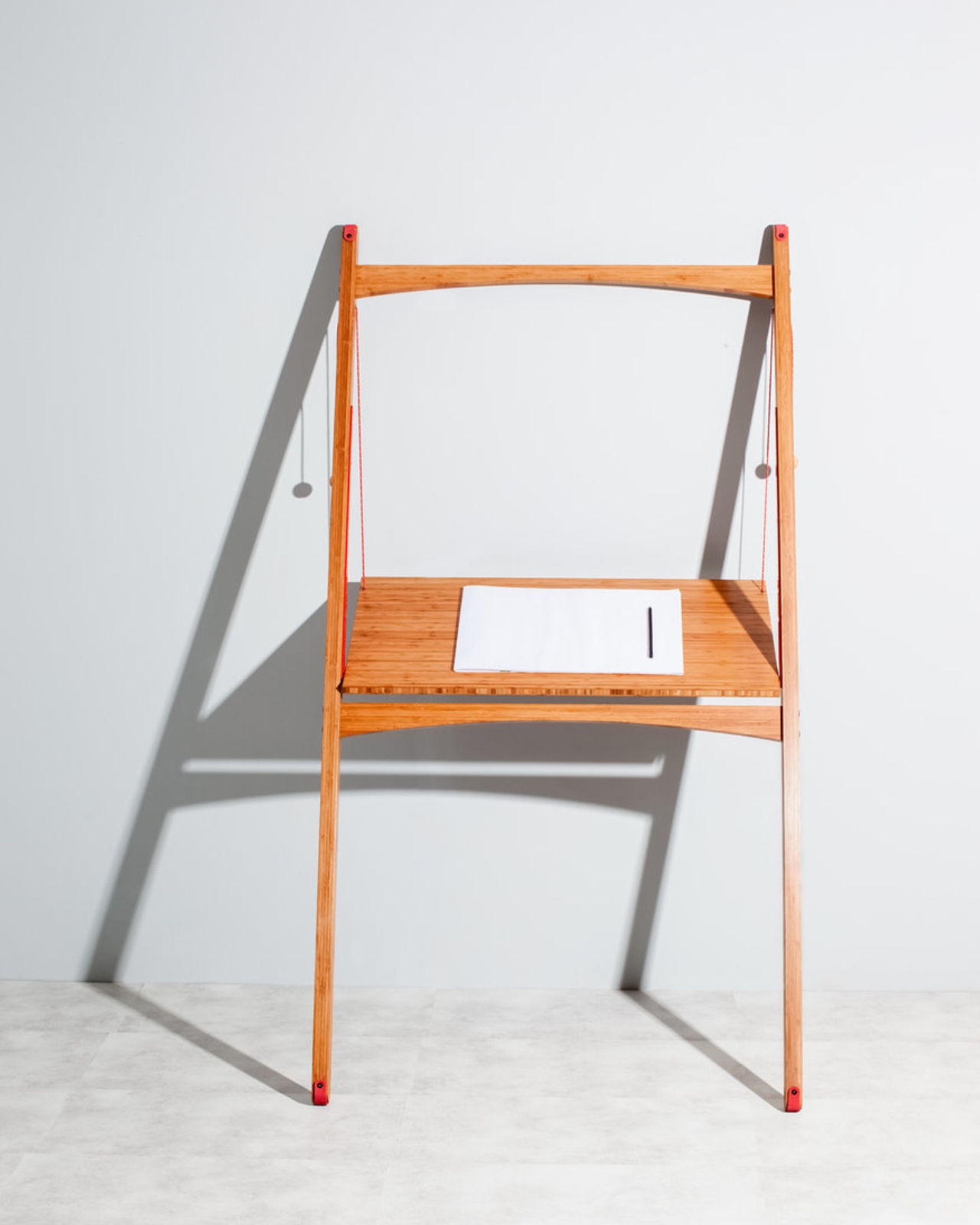
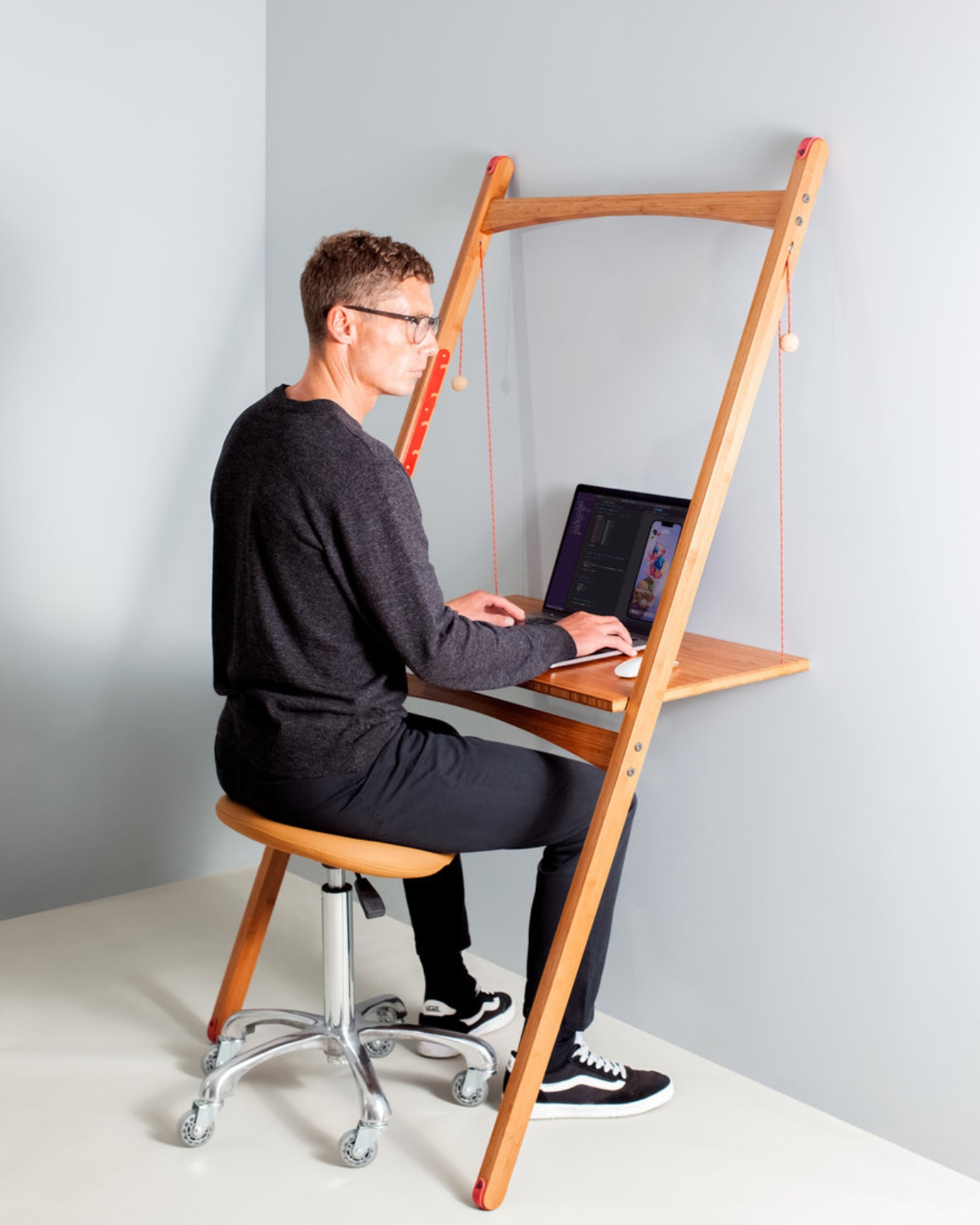
This €289 Add-On Turns Your €49 Billy Bookcase Into a Standing Desk

Over 120 million IKEA Billy bookcases have been sold since 1979, according to the famed brand. One rolls off the line every five seconds, and at least one is probably within arm’s reach of wherever you’re sitting right now. For most of its 46-year existence, the Billy has been a passive piece of furniture, a storage object that holds books, plants, and the occasional decorative object nobody remembers buying.

Berlin-based designer Michael Hilgers, however, looked at that same bookcase and saw a workspace hiding in plain sight. This gave birth to the STECKRETÄR, a folded steel panel that plugs directly into the Billy’s existing shelf pin holes and folds down into a compact standing desk. No tools, no drilling, no hardware. The name is a portmanteau of the German words for “plug in” and “secretary desk,” which sums up the interaction neatly.

Designer: Michael Hilgers

Made from 2mm recyclable steel, the STECKRETÄR arrives powder-coated in a fine-texture finish across colors like reseda green, mustard, nougat, and rust red. These aren’t neutral tones that blend into the Billy’s usual white or birch exterior but deliberate accents, meant to be seen. The work surface measures roughly 750mm x 330mm, enough for a laptop and perhaps a notebook beside it, though a mouse would be pushing the boundaries of the available real estate.

The scenario where this makes the most sense is familiar to anyone living in a compact apartment. You probably already own a Billy because almost everyone owns a Billy. You need a workspace that doesn’t permanently eat into your floor plan. The STECKRETÄR folds flat against the bookcase when not in use and swings down when you need to answer emails, sketch something out, or take a quick video call while standing.

A few practical considerations temper the appeal. The Billy must be wall-anchored before installation, a step many owners skip and one that involves actual drilling. The work surface offers no integrated power outlet or lighting. And standing is the only option here, since the desk height depends on which row of shelf pin holes you choose along the Billy’s tall frame. IKEA itself now sells a pull-out desk add-on for the Billy, but that version is particleboard and a different interaction entirely, one that slides out rather than folding down.

Hilgers frames the product as a reflection on “the blurring of work and private life” and “the creative reinterpretation of the everyday,” which is a lot of conceptual weight for a folding desk. Whether the STECKRETÄR is a functional home office solution or a limited-edition design statement about mass production probably depends on how you feel about paying €289 to transform something you bought for €49. Either way, it might be the first time anyone has looked at a Billy bookcase and seen potential beyond storage.

The post This €289 Add-On Turns Your €49 Billy Bookcase Into a Standing Desk first appeared on Yanko Design.

5 Best Desk Accessories That Turn Your Workspace Into a Minimalist Studio

Your desk says more about you than you think. It isn’t just a surface—it’s a quiet reflection of how you work, how you think, and how seriously you take the space where ideas are born. The minimalist studio aesthetic isn’t about stripping everything bare; it’s about choosing objects that genuinely earn their place. Every piece should serve a purpose and feel entirely deliberate. A considered desk doesn’t just organize—it inspires.

From gravity-defying pens to waterproof notebooks built to outlast everything you throw at them, the design world is quietly rethinking what it means to be at your desk. This list gathers five accessories that don’t just look good—they change how you work. Whether you’re a freelancer building a mobile studio, a creative professional craving calm, or someone who simply believes tools should match the quality of their thinking, these picks deliver.

1. Levitating Pen 2.0: Cosmic Meteorite Edition

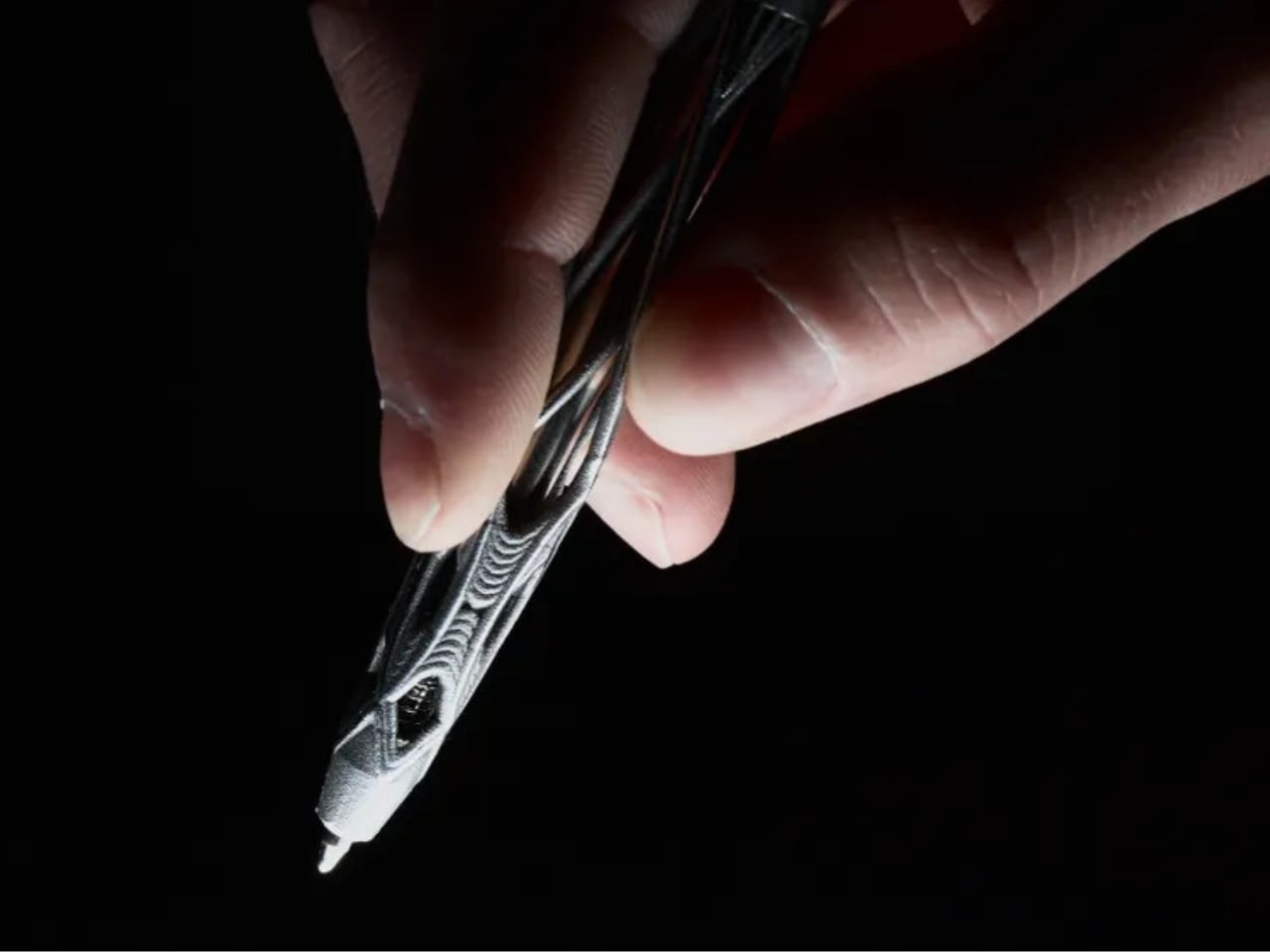
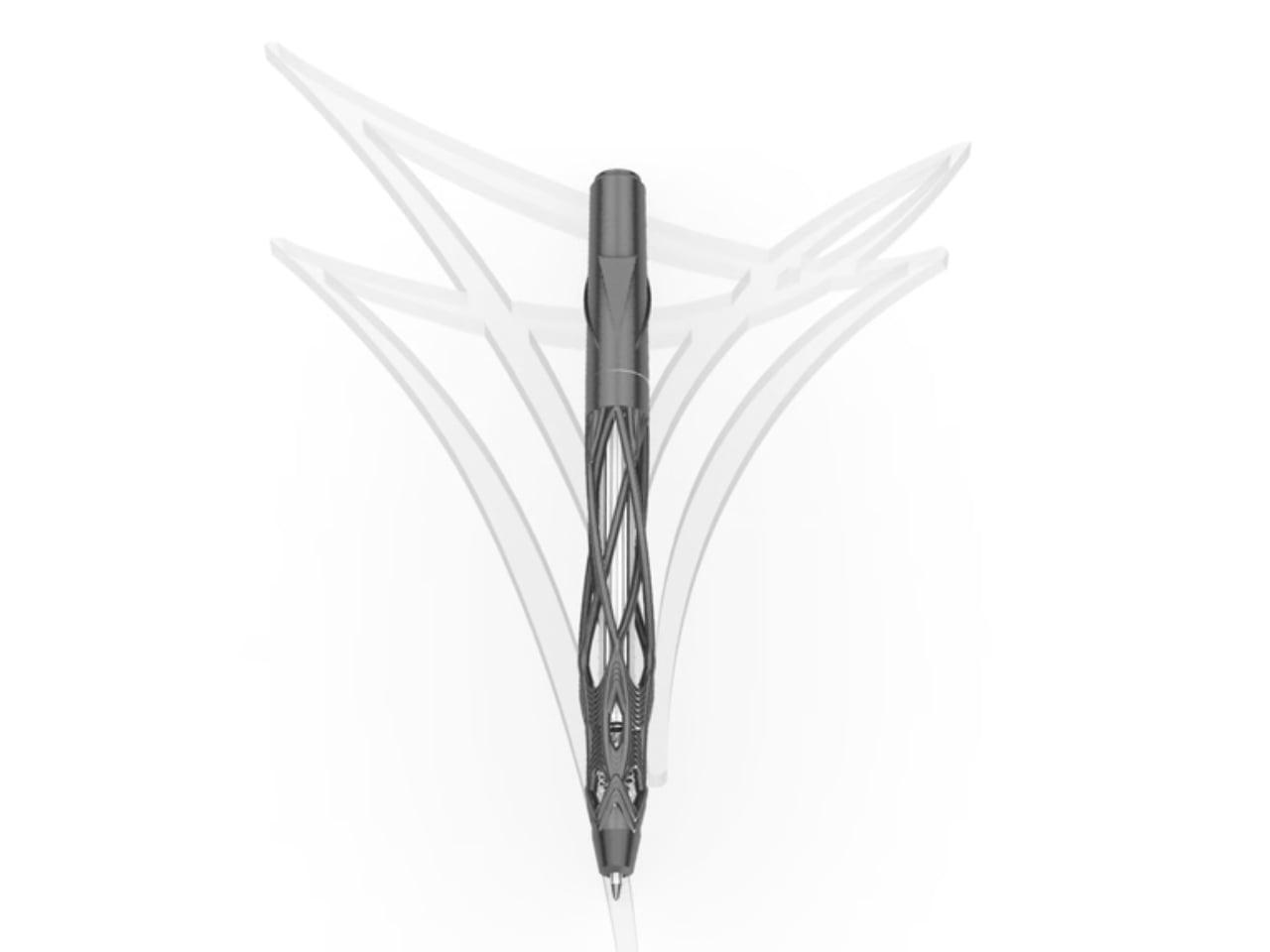
The Levitating Pen 2.0 Cosmic Meteorite Edition isn’t the kind of thing you tuck away in a drawer. Balanced at a precise 23.5-degree angle on a spacecraft-inspired pedestal, it hovers in place as it belongs behind glass—and arguably, it does. Crafted from aircraft-grade aluminum, shaped from a single block of material, it’s as tactile as it is visually appealing. A flick sends it spinning for up to 20 seconds, which sounds like a trick until you realize it genuinely helps you think and refocus between tasks.

What sets this edition apart from any other writing instrument is its tip—a genuine fragment of the Muonionalusta meteorite, one of the oldest ever discovered, predating Earth itself. Writing with it carries a strange, grounding quality that’s difficult to explain until you’ve held it. The premium Schmidt ink cartridge inside delivers a smooth, reliable experience, and the magnetic cap snaps shut with quiet, satisfying precision. The entire object settles into a minimalist desk layout with an authority that only truly considered design can project naturally.

Click Here to Buy Now: $399.00

What We Like

  • The meteorite tip connects the act of writing to a material that predates the planet itself.
  • The spin function delivers genuine cognitive value, supporting creative focus between tasks.

What We Dislike

  • At $399, this is collector territory—a significant ask for everyday stationery.
  • The pedestal demands dedicated desk real estate, which works against ultra-minimal setups.

2. Dynamic Folio

If your iPad has become your primary creative tool, the MOFT Dynamic Folio is the stand it’s been waiting for. Built as a single-piece structure that folds into a workstation, lifting the iPad two full inches off the surface, it shifts posture meaningfully without requiring any complicated setup procedure. What separates it from comparable stands is how smoothly it transitions between modes—one flip moves you from active creation to relaxed viewing without the clunky two-handed repositioning that most alternatives demand of you.

For anyone logging serious hours at a creative desk, neck strain is a quiet but compounding tax on productivity that accumulates gradually across sessions. The Dynamic Folio addresses this directly, reducing neck strain by at least 50 percent in both creation and entertainment positions. The angle adjustment is icon-guided: two circles for a flatter, reclined position and two lines for a steeper working angle. When the session ends, it folds flat and disappears into any bag without resistance. For the mobile creative, this is a quietly essential kit.

What We Like

  • The single-piece structure sets up in one motion with no extra components to manage.
  • A 50 percent reduction in neck strain is an ergonomic improvement that compounds meaningfully over time.

What We Dislike

  • The icon-guided angle system has a short but real learning curve for first-time users.
  • Its value is closely tied to iPad-centric workflows and doesn’t adapt well to mixed-device setups.

3. M NOTE

Sticky notes have a quiet design problem nobody talks about: they curl. The moment a note starts peeling at its corner, the information it holds becomes harder to read and easier to lose, which defeats the entire point of having written it down. M NOTE from Bravestorming solves this with a dual-material approach that combines a magnetic backing with a reusable adhesive layer, keeping notes flat and secure against whiteboards, glass panels, and wooden desks alike. No unfolding, no repositioning—just consistently readable information exactly where you left it.

What makes M NOTE genuinely useful in a minimalist workspace is its adaptability across surface types. On metal, the magnetic backing does the adhesion work entirely. On non-metal surfaces, the reusable adhesive steps in—releasing cleanly, leaving no residue, and repositioning without damaging what it’s applied to. Notes can be written on, cleared, and reused, which cuts the paper waste that most desk setups generate almost invisibly. Bravestorming has taken one of the most throwaway items in any modern office and built something designed to stay indefinitely.

What We Like

  • The dual magnetic and adhesive backing works across metal, glass, and wood surfaces without accommodation.
  • Flat, curl-free notes keep information consistently visible throughout the working day.

What We Dislike

  • Reusable adhesive degrades gradually with heavy, repeated repositioning over time.
  • The magnetic backing only activates on metal surfaces, limiting one of its two core functions.

4. Orbitkey Desk Mat

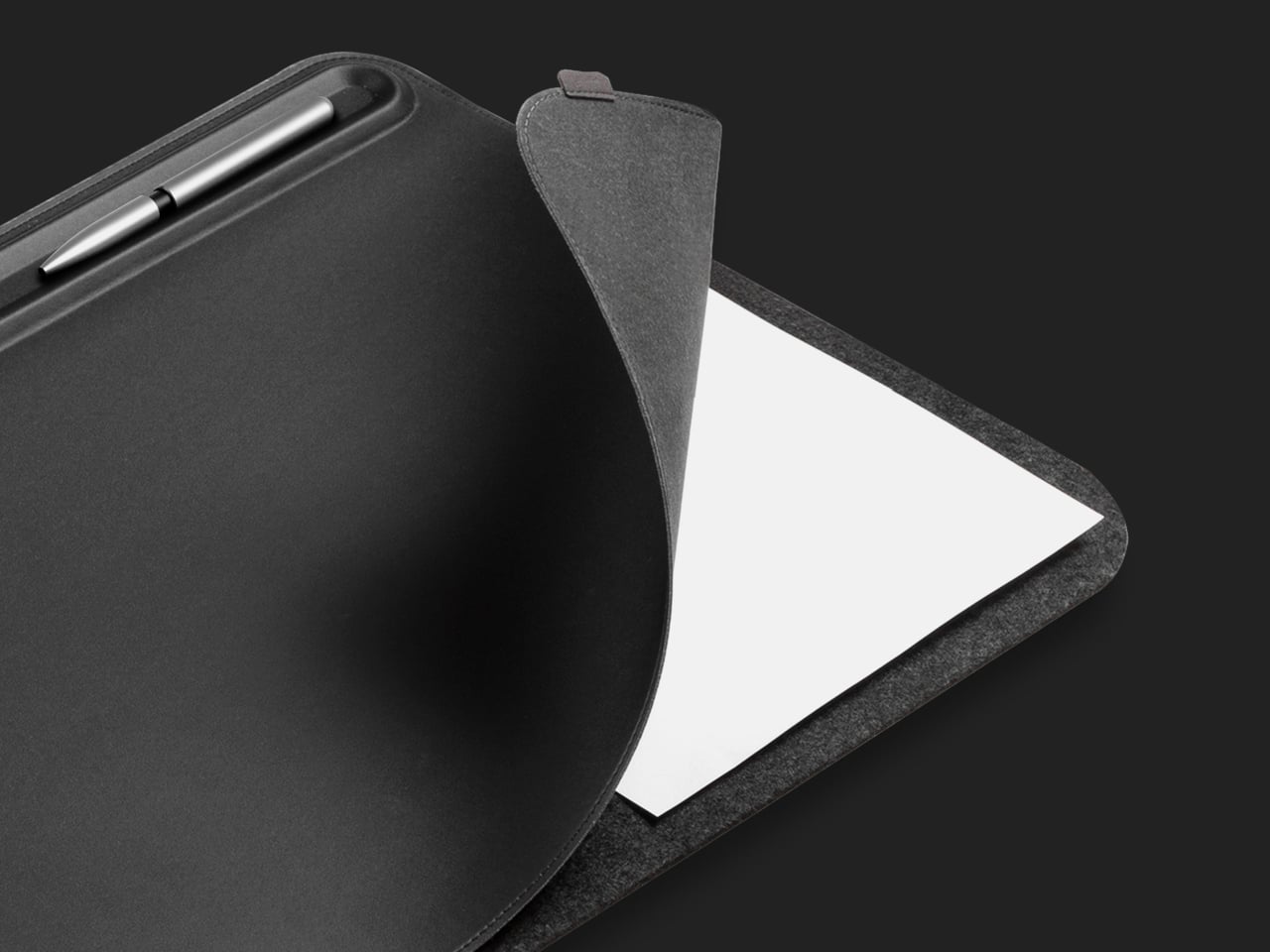
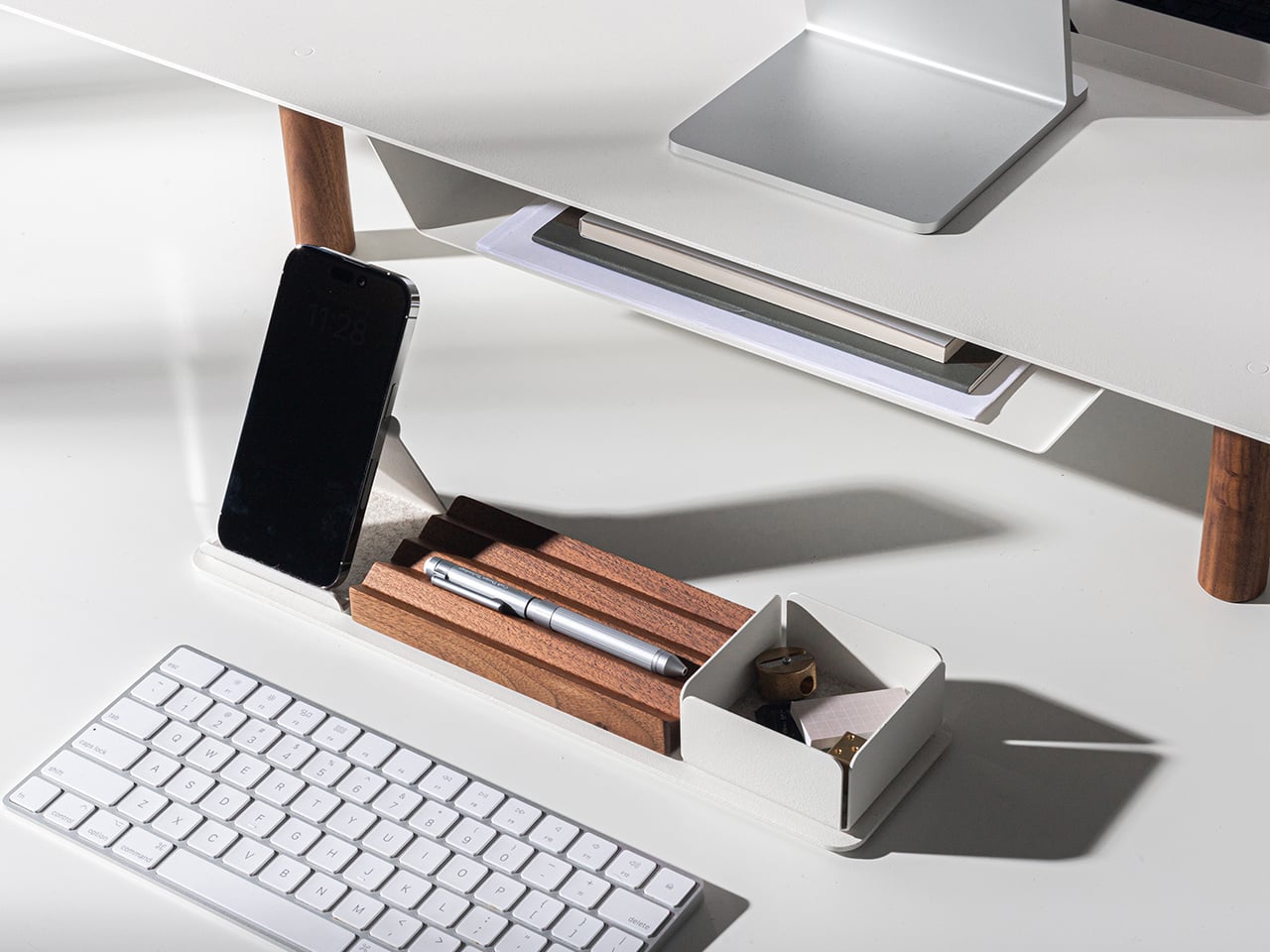
Most desks don’t have a clutter problem—they have a structure problem. The Orbitkey Desk Mat addresses this with quiet intelligence, creating a defined visual zone that makes the act of organizing feel natural rather than forced. Available in Black and Stone across two sizes, it suits both compact setups and expansive studio tables without demanding that you rethink the whole room around it. The toolbar keeps stationery and small accessories within immediate reach, while the overall layout keeps everything purposeful and within the logic of a genuinely considered workspace.

What makes the Desk Mat more than a surface upgrade is the document hideaway built beneath the top layer. Loose papers, reference notes, and half-finished ideas slide underneath and stay flat, accessible, and out of visual range until you actually need them. It’s an elegant solution to a problem every desk accumulates quietly over time—the slow migration of paper that eventually surrounds the work instead of supporting it. With two colors and two sizes to choose from, the Desk Mat earns its place not just as a design object but as the organizing logic your workspace has been missing.

What We Like

  • The document hideaway keeps loose papers accessible without letting them visually take over the desk.
  • Two sizes and two colorways make it adaptable to almost any workspace scale and aesthetic.

What We Dislike

  • The defined toolbar space may feel restrictive for users with a larger collection of daily-use desk tools.
  • Its impact is most pronounced on consistently active desks—minimal users may find less need for the full feature set.

5. Nuka Eternal Stationery

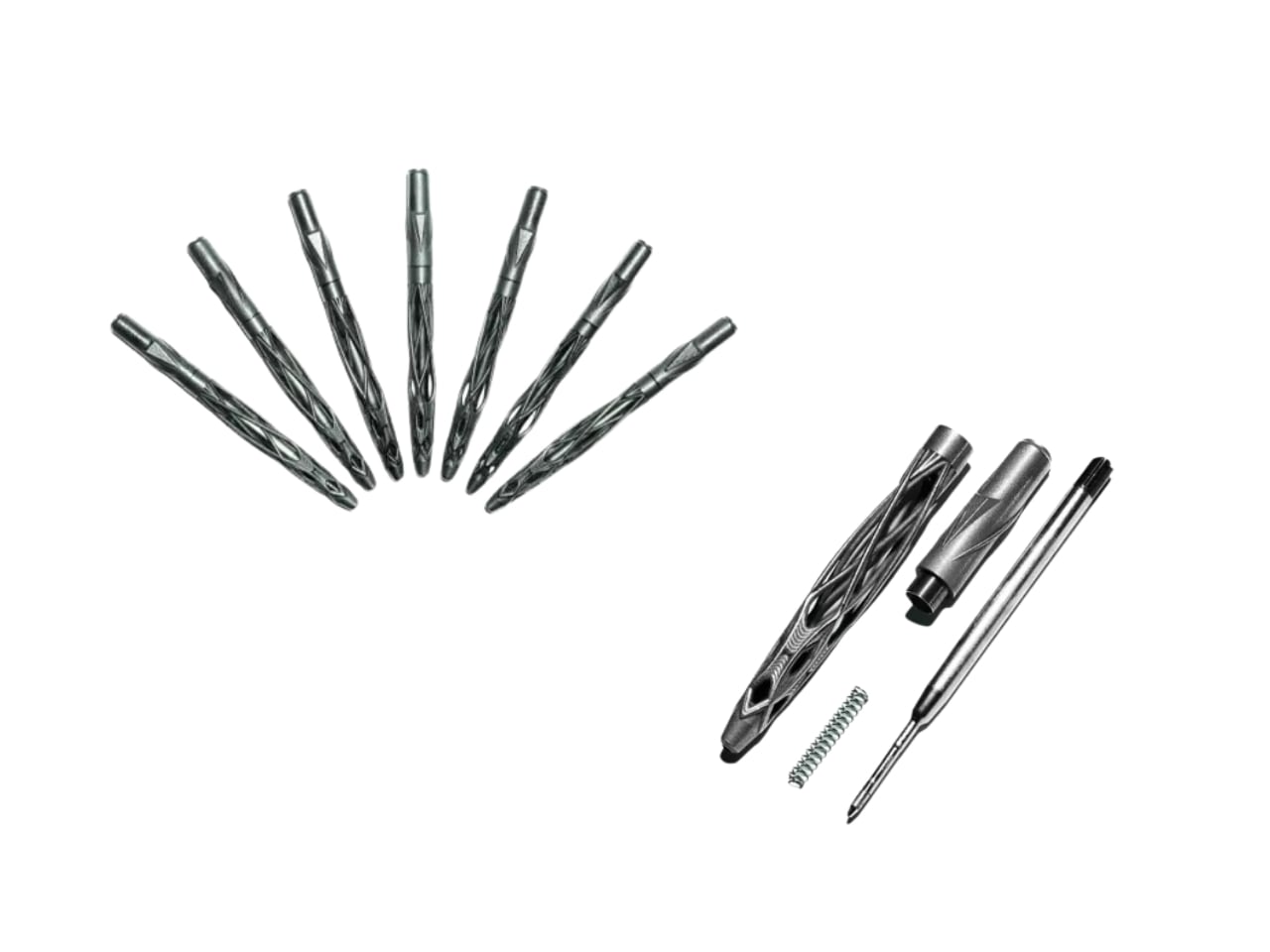
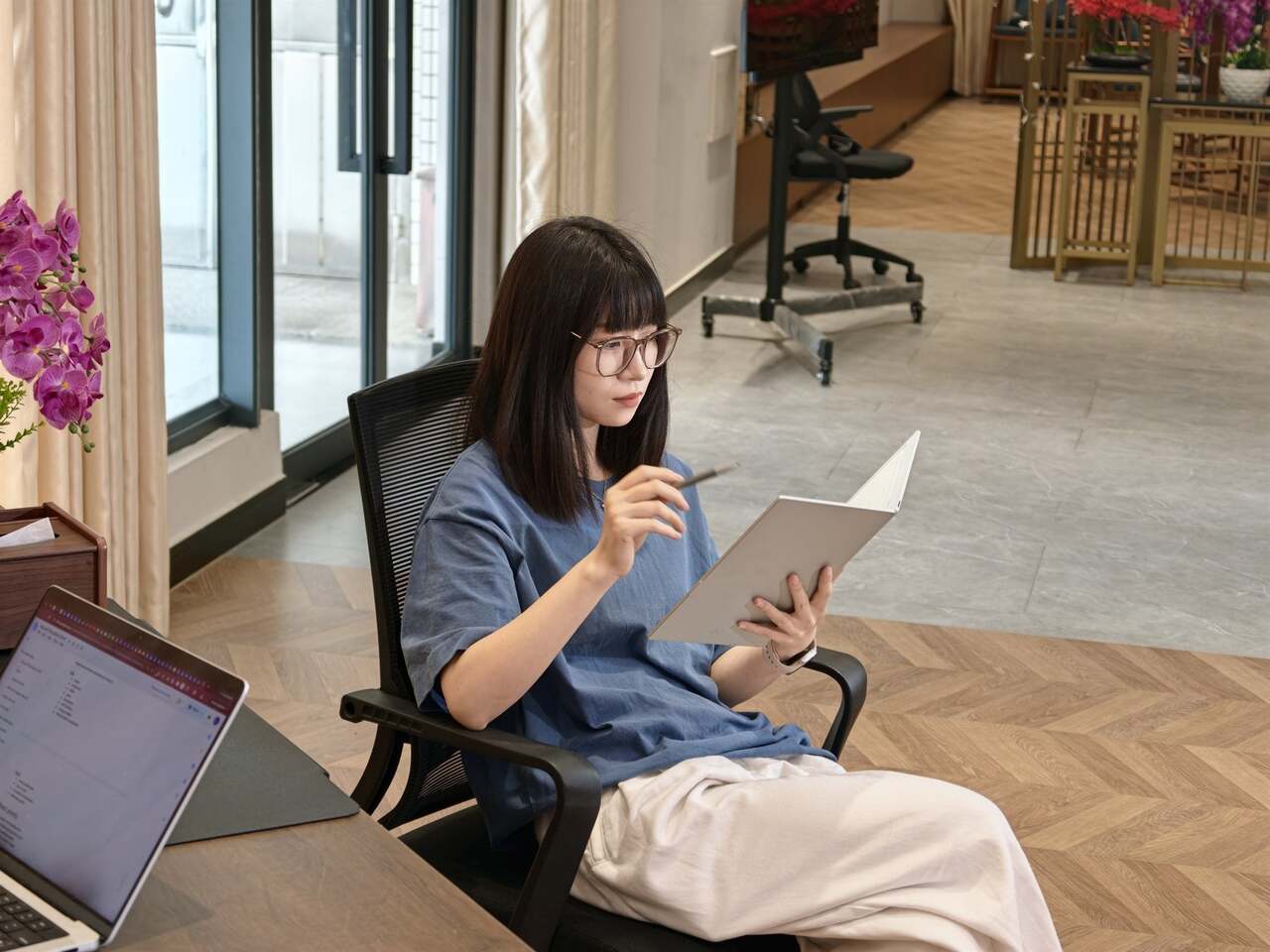
The Nuka Eternal Stationery set begins with a simple question: What if your notebook never had to end? The answer is a waterproof, tear-proof notebook paired with a metal alloy pencil tip that writes with the smooth consistency of a traditional pencil but requires no sharpening and never breaks. Pages clear completely with the Nuka Magic Eraser and accept fresh writing immediately. For a minimalist desk, this is precisely the kind of object that earns permanent residency without asking for maintenance, restocking, or replacement in return.

Beyond the environmental logic, the Eternal Stationery has a tactile appeal that’s hard to convey without handling it. The metal alloy tip writes consistently across the notebook’s waterproof surface, and the notebook itself handles spills, rough commutes, and outdoor sessions without registering them as damage worth acknowledging. It suits a specific type of person: someone who values fewer objects doing more, who finds calm in not constantly replacing what they depend on, and who wants tools that stay as capable on day one hundred as they were on day one.

What We Like

  • The write-erase-repeat system eliminates paper waste and removes the need to restock entirely.
  • Waterproof and tear-proof construction means this notebook works as hard as you do without extra care.

What We Dislike

  • Losing the Nuka Magic Eraser disables the reusable function with no common alternative to substitute.
  • Ink-dependent writers will need time to adjust to the feel of the metal alloy tip in practice.

Every Object Earns Its Place

A minimalist desk isn’t built by accident. It’s built through deliberate choices—objects selected as much for what they do as for how they sit in the space around them. The five accessories on this list share that quality. None of them asks for attention. They earn it through function, through material honesty, and through design that respects the surface it occupies. That’s the distinction between a cluttered desk and a curated one, and it sharpens every time you sit down to work.

Whether you start with the levitating pen’s quiet theatre or the Eternal Stationery’s unassuming permanence, each of these pieces shifts something in how your desk feels to work at. The best studio setups don’t come together when you add more—they come together when every object you keep is one you’d choose again without hesitation. These five make that case without announcing it. They simply belong there, and in a minimalist workspace, belonging without noise is exactly the point.

The post 5 Best Desk Accessories That Turn Your Workspace Into a Minimalist Studio first appeared on Yanko Design.
This Desk Hood Blocks Office Noise Without Walling You In

The rhythm of open offices is great until you need to concentrate or take a video call. The energy becomes noise, conversations drift across the floor, and people end up camping in meeting rooms or wearing noise-cancelling headphones all day. The ad hoc solutions never quite work, and what is missing is a middle ground, something more substantial than a desk but less isolating than a full pod.

Canopy is KFI Studios and Gensler’s answer, a freestanding workstation that behaves like a tiny room inside the open plan. It combines a height-adjustable desk with an upholstered privacy hood, integrated lighting, and built-in power, creating a personal haven for focused work without walling people off. The hood wraps around like a small ceiling and sidewalls, softening ambient noise and blocking visual distractions while leaving you connected to the larger space.

Designer: KFi STUDiOS and Gensler

Arriving in a hot-desking office, you slide into a Canopy bay for heads-down work. The upholstered hood softens the hum of the floor, integrated lighting dials in for your screen, and the sit-stand surface adjusts to your height with intuitive controls and a digital readout. When it is time for a video call, you stay put, tweak the dimmable lighting for a ring-light effect, and skip the hunt for a quiet room.

The fully upholstered hood gives a sense of boundary without feeling like a box. The lower surround can be wood veneer, laminate, or upholstery depending on how much warmth the interior needs. Because the hood interior and exterior can be mixed or matched in different fabrics, designers can tune how enclosed or open the station feels, from soft cocoon to crisp workstation, adjusting for brand or privacy levels.

Integrated power and cable management keep laptops, monitors, and chargers from tangling on the surface. Optional occupancy sensors shut off lighting when the station is empty, a small nod to energy-conscious projects. The use of FSC-certified red oak, CertiPUR-US foam, and low-VOC laminates supports teams working toward sustainability metrics without making a fuss about it or requiring dedicated environmental consultants to justify the choice.

Canopy takes up more floor space per person than a bench, and in very loud environments it will not replace full acoustic rooms. Integrated lighting and sensors add components that need maintenance over time. It is a more premium, infrastructure-like piece that makes the most sense as part of a broader plan for how people move, focus, and recharge across a floor, not just as a random upgrade.

Canopy treats focus as something worth designing for, not just something people hack together with headphones and luck. By giving each person a small, height-adjustable, well-lit, and acoustically softened bay, it brings a bit of architectural calm into the open plan. Sometimes the most effective workplace upgrades are not new tools on the screen but better places to sit and think without everyone else’s conversations becoming the soundtrack.

The post This Desk Hood Blocks Office Noise Without Walling You In first appeared on Yanko Design.
This 1970s Kids’ Desk Flatpacked Before IKEA Even Existed

Here’s something to blow your mind: decades before IKEA convinced us all that assembling furniture with an Allen wrench was somehow fun, a visionary designer named Luigi Colani was already flatpacking children’s furniture in the 1970s. And get this, it wasn’t just about convenience. His Tobifant desk and chair set was actually genius problem-solving at its finest.

If you know anything about Luigi Colani, you know he was the king of curves and organic shapes. This is the guy who designed everything from streamlined trucks to futuristic cameras, always with that signature bio-design aesthetic. But with the Tobifant collection, created for West German children’s furniture brand Kinderlübke, he tackled a problem every parent faces: kids grow way too fast.

Designer: Luigi Colani

The Tobifant set came flatpacked (yes, in the ’70s!), but that was just the beginning of its brilliance. Made from beech plywood, both the desk and chair featured height-adjustable frames, so you could raise the seat, backrest, and writing surface as your child sprouted upward. Instead of buying new furniture every couple of years, parents could invest once and adjust as needed. It was sustainable before sustainability became a design buzzword.

Think about what a radical concept this was. It was a time when most children’s furniture was either cheap throwaway pieces or expensive heirlooms that kids outgrew almost immediately. Colani created something practical, beautiful, and adaptable. The furniture could literally grow with your child, which meant it could potentially serve them from toddlerhood through their early teens.

But wait, there’s more. Colani didn’t just stop at smart construction. He actually specified that each Tobifant desk should come with one kilogram of modeling clay and three wooden tools. Because apparently he understood that a desk isn’t just a place to do homework. It’s a creative laboratory, and kids need to be encouraged to make things, to experiment, to get their hands dirty (or clayey, as it were). How many furniture designers think about what happens after the sale? Colani was playing 4D chess while everyone else was still figuring out checkers.

The flatpack design wasn’t just about shipping efficiency, though that was certainly a bonus. It was about democratizing good design. By making the furniture easy to transport and assemble, Colani made it more accessible to regular families. This was thoughtful, human-centered design at work.

What’s really striking when you look at photos of the Tobifant set today is how modern it still looks. The clean lines, the warm plywood finish, the elegant simplicity of the adjustable mechanism… it could easily sit in a contemporary home without looking dated. That’s the mark of truly timeless design. While so much ’70s furniture screams its decade with harvest gold upholstery and chrome everywhere, the Tobifant feels almost minimalist in its restraint.

The set went into production in the late 1970s, and today surviving examples pop up on vintage reseller sites, often commanding impressive prices from collectors. It makes sense. Original Colani pieces are increasingly rare, and the Tobifant represents such a perfect intersection of form, function, and forward-thinking design philosophy.

What’s fascinating is how Colani’s approach predated so many trends we think of as recent innovations. Flatpack furniture? Check. Modular, adjustable design? Check. Sustainability through longevity? Check. Child-centered functionality that doesn’t sacrifice aesthetics? Double check. He was essentially doing what today’s best furniture startups are trying to do, except he did it before many of them were even born.

So next time you’re wrestling with those cryptic IKEA instructions, spare a thought for Luigi Colani and his Tobifant collection. He proved that flatpack furniture could be more than just affordable practicality. It could be beautiful, innovative, and genuinely improve how families live. That’s the kind of design legacy that deserves way more recognition than it gets.

The post This 1970s Kids’ Desk Flatpacked Before IKEA Even Existed first appeared on Yanko Design.
This 1970s Kids’ Desk Flatpacked Before IKEA Even Existed

Here’s something to blow your mind: decades before IKEA convinced us all that assembling furniture with an Allen wrench was somehow fun, a visionary designer named Luigi Colani was already flatpacking children’s furniture in the 1970s. And get this, it wasn’t just about convenience. His Tobifant desk and chair set was actually genius problem-solving at its finest.

If you know anything about Luigi Colani, you know he was the king of curves and organic shapes. This is the guy who designed everything from streamlined trucks to futuristic cameras, always with that signature bio-design aesthetic. But with the Tobifant collection, created for West German children’s furniture brand Kinderlübke, he tackled a problem every parent faces: kids grow way too fast.

Designer: Luigi Colani

The Tobifant set came flatpacked (yes, in the ’70s!), but that was just the beginning of its brilliance. Made from beech plywood, both the desk and chair featured height-adjustable frames, so you could raise the seat, backrest, and writing surface as your child sprouted upward. Instead of buying new furniture every couple of years, parents could invest once and adjust as needed. It was sustainable before sustainability became a design buzzword.

Think about what a radical concept this was. It was a time when most children’s furniture was either cheap throwaway pieces or expensive heirlooms that kids outgrew almost immediately. Colani created something practical, beautiful, and adaptable. The furniture could literally grow with your child, which meant it could potentially serve them from toddlerhood through their early teens.

But wait, there’s more. Colani didn’t just stop at smart construction. He actually specified that each Tobifant desk should come with one kilogram of modeling clay and three wooden tools. Because apparently he understood that a desk isn’t just a place to do homework. It’s a creative laboratory, and kids need to be encouraged to make things, to experiment, to get their hands dirty (or clayey, as it were). How many furniture designers think about what happens after the sale? Colani was playing 4D chess while everyone else was still figuring out checkers.

The flatpack design wasn’t just about shipping efficiency, though that was certainly a bonus. It was about democratizing good design. By making the furniture easy to transport and assemble, Colani made it more accessible to regular families. This was thoughtful, human-centered design at work.

What’s really striking when you look at photos of the Tobifant set today is how modern it still looks. The clean lines, the warm plywood finish, the elegant simplicity of the adjustable mechanism… it could easily sit in a contemporary home without looking dated. That’s the mark of truly timeless design. While so much ’70s furniture screams its decade with harvest gold upholstery and chrome everywhere, the Tobifant feels almost minimalist in its restraint.

The set went into production in the late 1970s, and today surviving examples pop up on vintage reseller sites, often commanding impressive prices from collectors. It makes sense. Original Colani pieces are increasingly rare, and the Tobifant represents such a perfect intersection of form, function, and forward-thinking design philosophy.

What’s fascinating is how Colani’s approach predated so many trends we think of as recent innovations. Flatpack furniture? Check. Modular, adjustable design? Check. Sustainability through longevity? Check. Child-centered functionality that doesn’t sacrifice aesthetics? Double check. He was essentially doing what today’s best furniture startups are trying to do, except he did it before many of them were even born.

So next time you’re wrestling with those cryptic IKEA instructions, spare a thought for Luigi Colani and his Tobifant collection. He proved that flatpack furniture could be more than just affordable practicality. It could be beautiful, innovative, and genuinely improve how families live. That’s the kind of design legacy that deserves way more recognition than it gets.

The post This 1970s Kids’ Desk Flatpacked Before IKEA Even Existed first appeared on Yanko Design.

5 Best Desk Accessories to Reset Your Work-From-Home Setup in January 2026

January arrives with its familiar promise of renewal, and your work-from-home setup deserves the same attention as your fitness goals or morning routines. The desk where you spend eight hours daily becomes more than furniture—it transforms into the command center of your productivity, creativity, and professional presence. After months of accumulated cable chaos, scattered pens, and makeshift arrangements, the new year offers the perfect excuse to reimagine your workspace with intention.

The right desk accessories don’t just organize; they elevate your entire work experience through thoughtful design and purposeful engineering. These five pieces represent the intersection of form and function, where premium materials meet clever problem-solving. From levitating pens that spark creative breaks to monitor stands that finally solve the Mac mini placement puzzle, each accessory addresses a specific pain point while adding visual sophistication to your desk landscape.

1. Alogic Aspekt Omni Fold Stand

Apple’s Mac mini has always been a spatial enigma—too beautiful to hide away, yet too awkward to display properly. The little computing powerhouse typically ends up pushed to the side with cables sprawling in every direction, never quite integrating into your desk aesthetic. Alogic spotted this design gap and responded with the Aspekt Omni Fold Stand, a monitor stand that elegantly solves the Mac mini placement problem by building its home directly into the base.

The engineering here feels revelatory in its simplicity. Rather than creating another shelf or separate mount, Alogic carved a precision groove into their premium monitor stand specifically calibrated for the M4 Mac mini. This transforms your setup into a modular iMac where computer and display unite visually while remaining independently upgradeable. The stand eliminates cable clutter by centralizing your hub, while the aluminum construction matches Apple’s design language perfectly. Starting your year with this level of spatial organization creates a foundation for everything else on your desk.

What We Like

  • Transforms the Mac mini and monitor into a cohesive all-in-one aesthetic.
  • Precision-engineered groove prevents the computer from sliding or shifting.
  • Centralizes cables and ports for a cleaner desk appearance.
  • Premium aluminum construction matches Apple product quality.

What We Dislike

  • Specifically designed for the Mac mini limits universal appeal.
  • Premium materials result in a higher price point than basic stands.

2. FoldLine Pen Roll

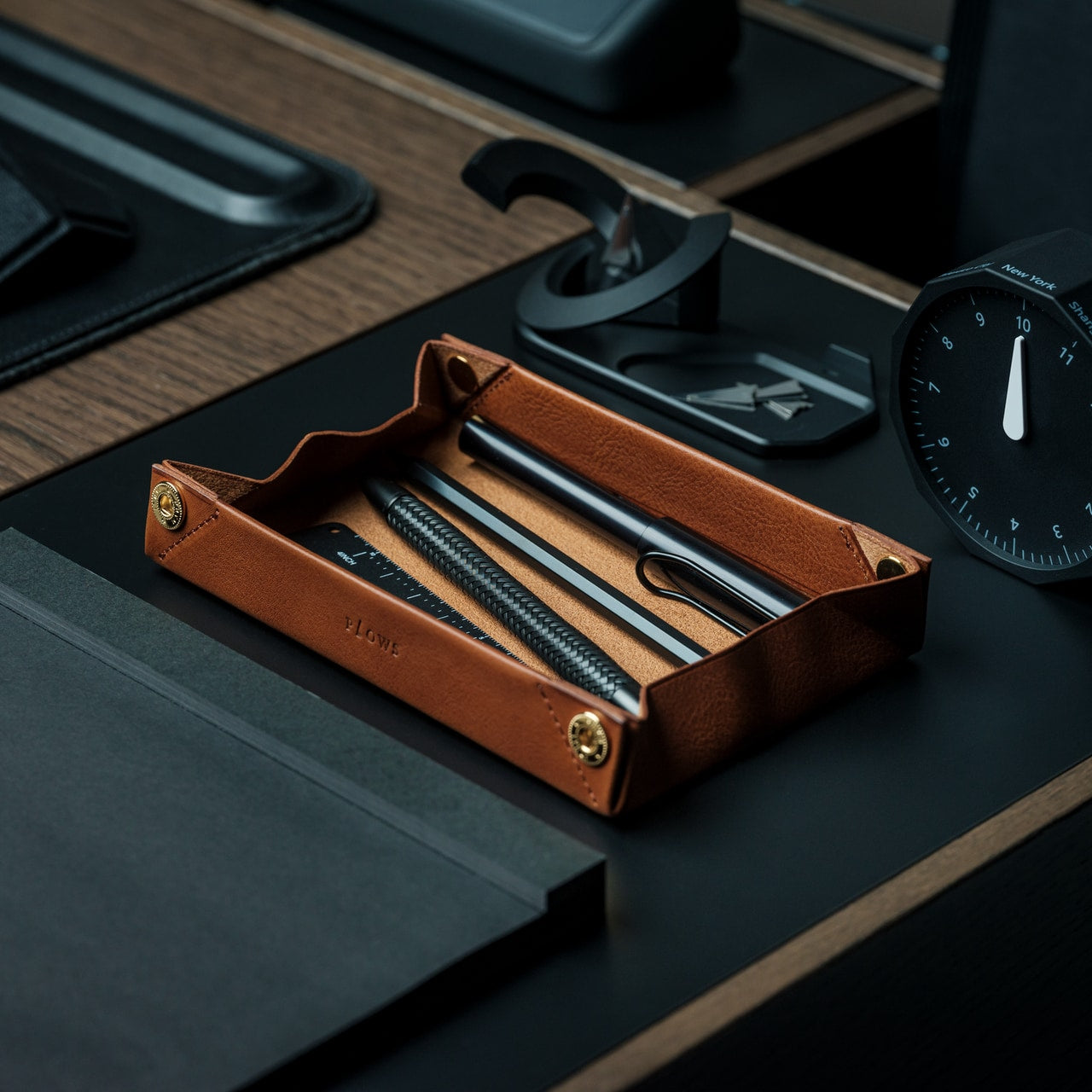
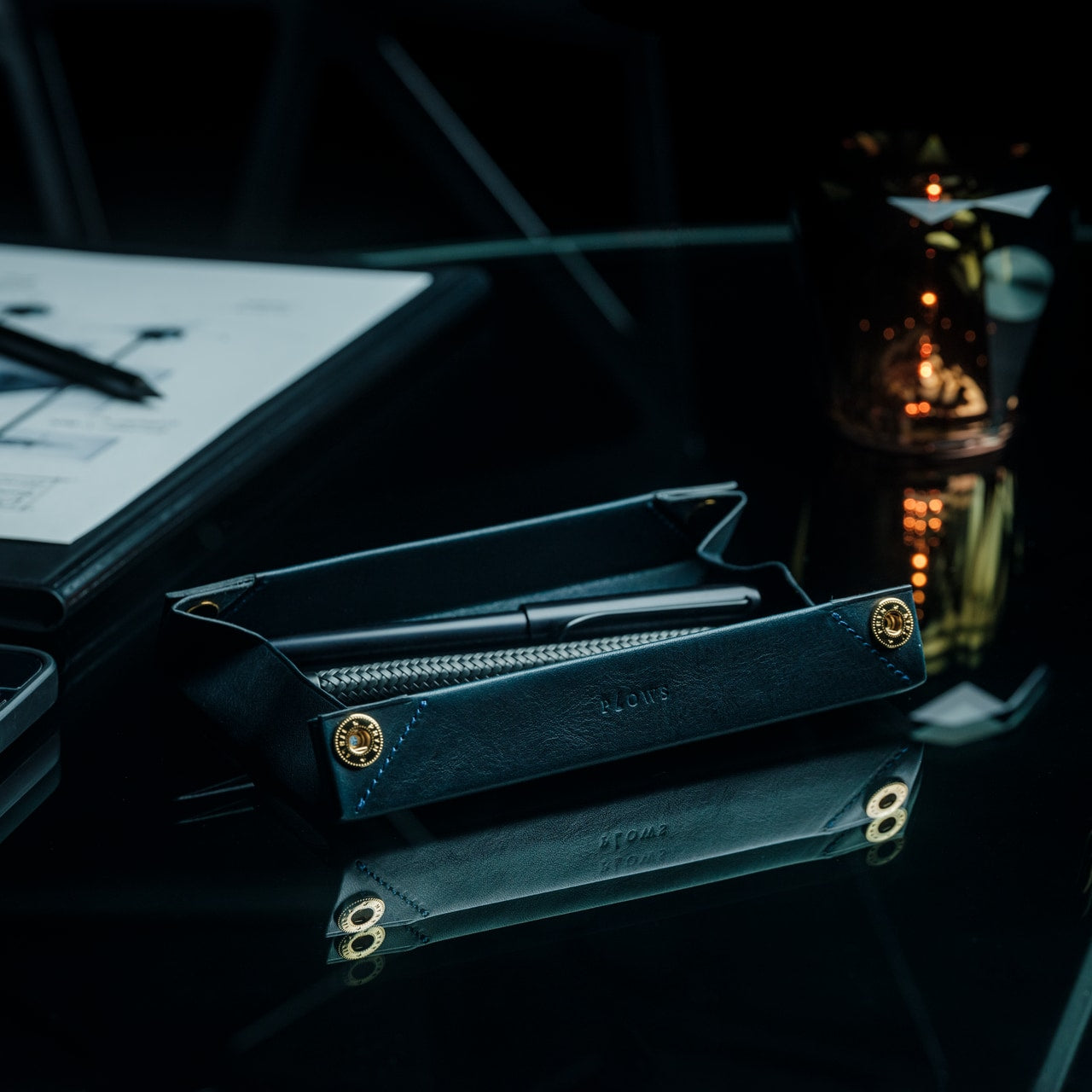
Digital tools dominate our workflows, yet the ritual of putting pen to paper remains irreplaceable for sketching ideas, signing documents, or journaling thoughts. The FoldLine Pen Roll recognizes this enduring need and transforms pen storage from utilitarian afterthought into an intentional design object. Crafted from a single piece of Italian leather, this isn’t merely a case—it’s a portable writing station that unfolds into a defined work surface wherever you land.

The origami-inspired geometry creates natural compartments without stitching or partitions. Your pens nestle into folded leather channels that prevent rattling and scratching; even metal-bodied instruments remain separated and protected. Opening the roll becomes a small ceremony that signals transition into focused work mode, whether you’re at a café table or hotel desk. The leather develops character through use, aging beautifully while maintaining structure. Resetting your desk for January means honoring analog tools with the same design consideration you’d give your laptop or monitor.

Click Here to Buy Now: $135.00

What We Like

  • Single-piece Italian leather construction ensures durability and elegance.
  • Unfolds into a stable tray that defines a workspace on any surface.
  • Natural folding system protects pens without scratches or noise.
  • Compact form travels easily in bags without adding bulk.

What We Dislike

  • Leather requires occasional conditioning to maintain suppleness.
  • Limited capacity suits curated pen collections rather than large inventories.

3. ClearMind Kendama

Desk accessories typically focus on productivity optimization, but sustained focus requires deliberate breaks that refresh your mind without derailing concentration. The ClearMind Kendama from Tokyo Kendama introduces a physical skill toy to your workspace, offering three-minute mental resets between video calls or during creative blocks. This traditional Japanese toy—a wooden handle connected to a ball—challenges hand-eye coordination while providing satisfying tactile feedback that screens simply cannot deliver.

Tokyo Kendama recalibrated the classic design specifically for modern desk use. Larger cups make landing tricks more achievable, building confidence rather than frustration during brief breaks. The bearing system minimizes string twists, maintaining smooth operation throughout the day. The balanced weight distribution creates precise movements that feel meditative rather than chaotic. Keeping the ClearMind Kendama within reach establishes a healthier relationship with breaks, replacing endless phone scrolling with intentional physical engagement that genuinely refreshes your attention span for the next task.

Click Here to Buy Now: $59.00

What We Like

  • Physical skill development provides genuine mental breaks from screens.
  • Larger cups and recalibrated balance increase success rates for beginners.
  • The bearing system prevents string tangles during extended use.
  • Compact desktop footprint requires minimal space when not in use.

What We Dislike

  • The initial learning curve may frustrate users seeking immediate gratification.
  • Wooden construction shows wear marks from repeated trick attempts.

4. OrigamiSwift Folding Mouse

Laptop trackpads serve their purpose, but precision work demands a proper mouse—a truth that becomes problematic when your workspace shifts between home office, coffee shops, and coworking spaces. The OrigamiSwift Folding Mouse solves this portability paradox by delivering full-size comfort and control in a device that collapses completely flat. Inspired by origami’s transformation principles, this Bluetooth mouse adapts to your location rather than forcing workspace compromises.

The folding mechanism activates in under half a second with a simple flip, springing the mouse to life immediately. At just 40 grams, it disappears into your bag or pocket until needed, yet the ergonomic shape feels substantial and natural during extended work sessions. The design acknowledges that January resolutions often include workspace flexibility—maybe you’re committing to working from different environments or finally embracing that digital nomad dream. OrigamiSwift ensures your tools match your ambitions, providing desktop precision regardless of where you unfold your laptop.

Click Here to Buy Now: $79.00

What We Like

  • Folds completely flat for effortless transport in any bag.
  • Full-size ergonomic comfort prevents hand fatigue during long sessions.
  • Instant 0.5-second activation from folded to functional state.
  • Ultra-lightweight 40-gram construction adds negligible travel weight.

What We Dislike

  • The folding mechanism represents a potential long-term durability concern.
  • Bluetooth connectivity requires occasional battery recharging.

5. Levitating Pen

Every desk needs a conversation piece that transcends pure utility, an object that sparks curiosity and provides momentary wonder during grinding workdays. The Levitating Pen achieves this through magnetic engineering that suspends the pen vertically in mid-air without batteries or electronics. The precision-machined pedestal creates a magnetic field perfectly calibrated to balance the pen, transforming a writing instrument into a kinetic sculpture that commands attention on any desk surface.

Manufactured using CNC machining with tolerances under 0.1mm—the same facility producing Apple products—this pen demonstrates obsessive attention to detail. The Swiss-made ballpoint cartridge ensures writing performance matches the engineering spectacle. Beyond aesthetics, the levitating mechanism serves a practical purpose: taking brief mental breaks by spinning the pen, watching its hypnotic wobble for thirty seconds before returning refreshed to your task. Starting January with this level of design consideration signals your commitment to a workspace that inspires rather than merely functions.

Click Here to Buy  Now: $79.00

What We Like

  • Magnetic levitation creates a mesmerizing desk centerpiece without power requirements.
  • High-precision CNC manufacturing ensures reliable hovering performance.
  • Swiss ballpoint cartridge delivers a smooth, professional writing experience.
  • Spinning motion provides meditative micro-breaks during intensive work.

What We Dislike

  • The pedestal requires permanent desk space that cannot be repurposed.
  • Premium manufacturing process results in significant investment cost.

Resetting Your Workspace Intentionally

The desk accessories you choose reveal your priorities and shape your daily experience more than most people realize. These five pieces represent different facets of the modern work-from-home reality: spatial organization, analog appreciation, mental refreshment, location flexibility, and design inspiration. Each addresses specific pain points while elevating your workspace beyond pure function into something that genuinely sparks joy during those long January afternoons.

Resetting your desk for the new year isn’t about buying everything at once—it’s about identifying which aspect of your current setup drains energy rather than creating it. Maybe you’re drowning in cable chaos around your Mac mini, or perhaps you’re scrolling through your phone during breaks when your mind needs actual engagement. Start with the accessory that solves your most persistent frustration, then build from there as your workspace evolves throughout the year.

The post 5 Best Desk Accessories to Reset Your Work-From-Home Setup in January 2026 first appeared on Yanko Design.
10 Best Desk Gifts For The Productivity-Obsessed Professional

Productivity isn’t about doing more—it’s about doing better. The right tools transform cluttered surfaces into composed workspaces, turning everyday rituals into moments of intention. For the professional who treats their desk like a cockpit, who believes every object should earn its place, these gifts speak a language of precision, craft, and quiet efficiency. They’re designed for people who notice details, who value form that serves function, and who find satisfaction in tools that simply work.

This collection celebrates objects that respect the way productive minds actually operate. No gimmicks. No clutter disguised as organization. Just ten remarkably designed pieces that sit at the intersection of utility and beauty, each one capable of elevating a workspace from functional to exceptional. These are the gifts that earn permanent desk real estate, the ones that get used daily and appreciated deeply by those who understand that great design isn’t decoration—it’s performance.

1. FoldLine Pen Roll

The ritual of preparation matters. The FoldLine Pen Roll understands this instinctively, transforming the act of organizing your tools into a deliberate moment of focus. Crafted from a single piece of Italian leather, this pen case unfolds into a flat tray in under two seconds, creating an instant workspace wherever you land. The beauty lies in its simplicity: no stitched compartments, no rattling caps, just leather folded with origami-inspired geometry that holds each pen in place through structure alone. For the professional who moves between conference rooms, coffee shops, and coworking spaces, it offers something rare—a portable sense of order.

What makes this gift exceptional is how it addresses the psychology of productivity. Cluttered tools create mental friction; scattered pens signal chaos. The FoldLine eliminates both by creating a defined territory for your writing instruments. Metal-bodied pens stay separated and protected without partitions. The hollow interior means the case remains remarkably slim even when packed full, slipping into bags without bulk. When unrolled on any surface, it announces presence and purpose, turning a borrowed desk into your command center. It’s the kind of thoughtful design that productive professionals recognize instantly as indispensable.

Click Here to Buy Now: $135.00

What we like

  • The single-piece Italian leather construction offers durability and timeless elegance
  • Unfolds into a functional tray in two seconds flat, eliminating setup time

What we dislike

  • Limited to pen storage without expansion for other desk tools
  • Premium leather means a higher price point than standard cases

2. OrigamiSwift Folding Mouse

Mobility shouldn’t mean compromise. The OrigamiSwift Folding Mouse proves that full-sized comfort and pocket portability can coexist through clever engineering inspired by paper folding. At just 40 grams and collapsible flat, it disappears into any bag until needed, then springs to life in half a second with a simple flip. For digital nomads, consultants, and anyone who refuses to accept trackpad limitations, this mouse transforms airport lounges and hotel desks into productive workstations. The ergonomic shape fits naturally in the hand during marathon editing sessions, while its Bluetooth connectivity eliminates cable tangles.

The genius here is respecting the productivity professional’s actual workflow. These are people who optimize every minute, who work from gate lounges between flights, who turn coffee shop corners into temporary offices. They need tools that adapt instantly without setup time or performance sacrifice. The OrigamiSwift delivers precise cursor control across any surface, whether you’re finalizing presentations at a coworking space or catching up on spreadsheets during your commute. Its ultra-thin profile means it’s genuinely portable, not just technically carriable. This is a gift that acknowledges the modern reality of work happening everywhere, designed for those who demand professional performance regardless of location.

Click Here to Buy Now: $79.00

What we like

  • Folds completely flat for genuinely pocket-friendly portability
  • Activates in under 0.5 seconds with an effortless flip mechanism
  • Full-sized ergonomic design ensures comfort during extended use
  • Weighs only 40 grams without sacrificing precision or build quality

What we dislike

  • The folding mechanism may wear over time with heavy daily use
  • Requires Bluetooth connectivity, limiting compatibility with some older systems

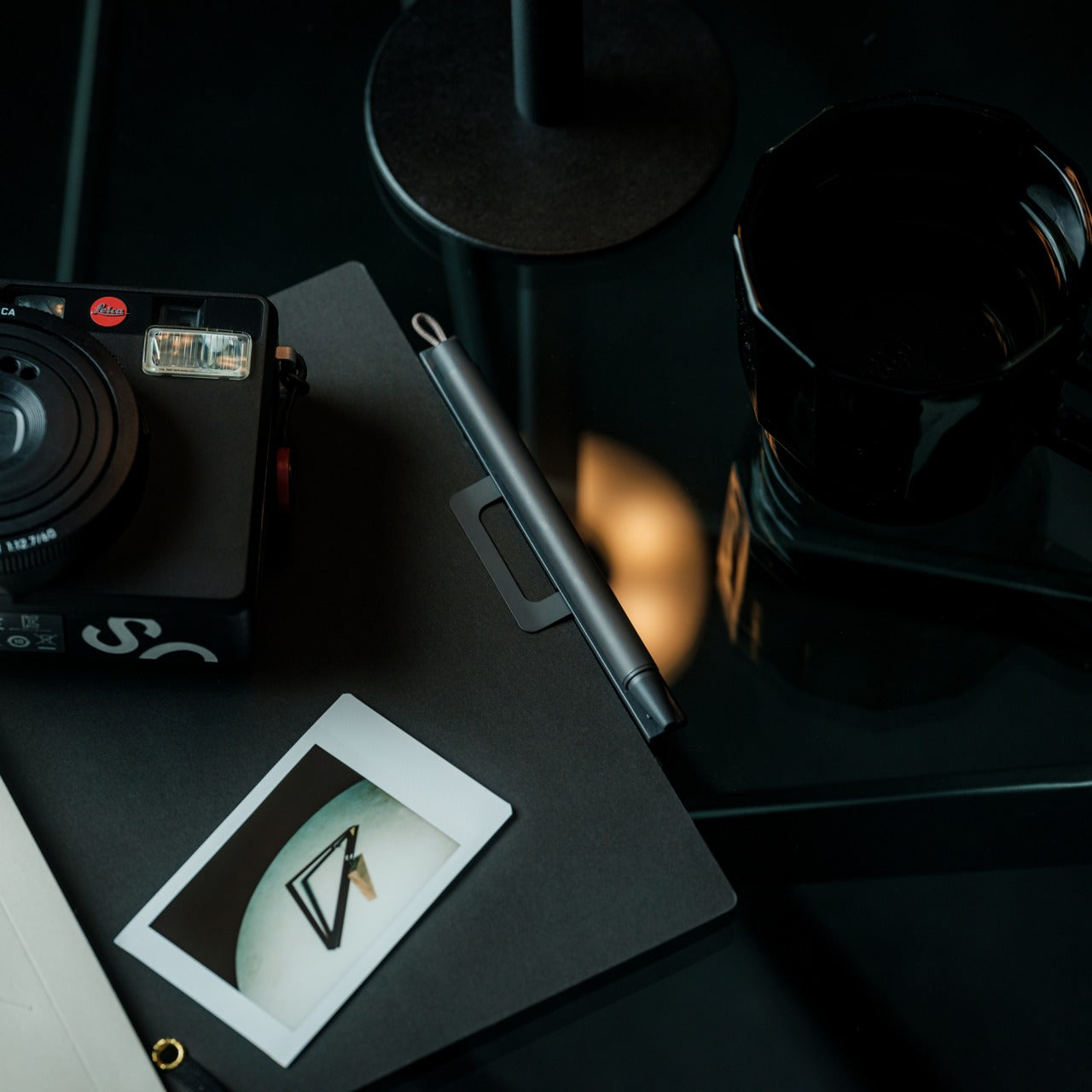
3. MagBoard Clipboard

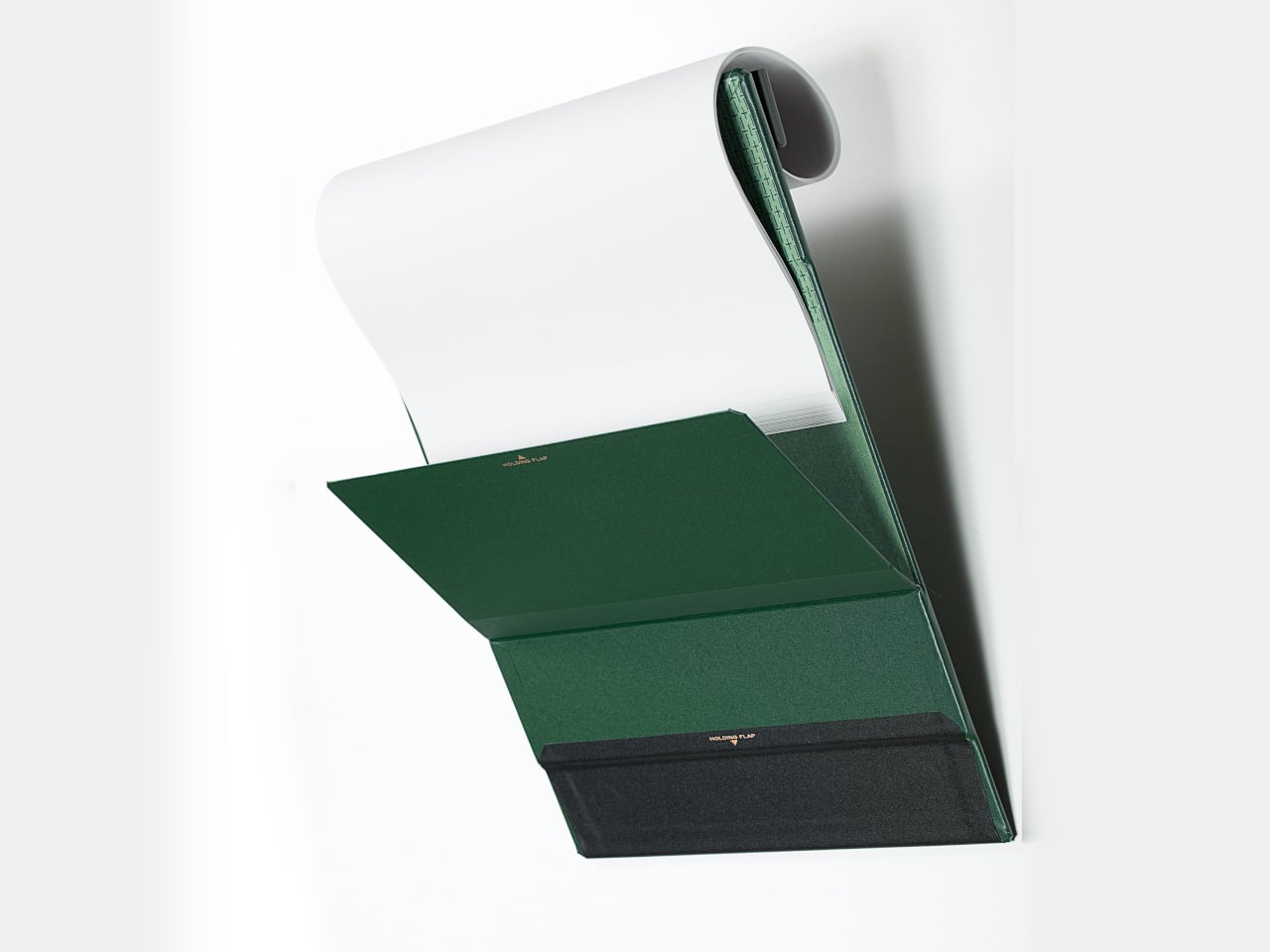
Flexibility in thinking requires flexibility in tools. The MagBoard Clipboard reimagines the fundamental clipboard through a magnetic lever mechanism that liberates your note-taking from linear constraints. Instead of bound pages dictating order, this hardcover design holds up to 30 loose sheets that you can rearrange, remove, or add as your thoughts evolve. For professionals who sketch workflows, brainstorm in non-linear patterns, or constantly revise project plans, it eliminates the friction between how notebooks force you to work and how your brain actually processes ideas. The water-resistant hardcover provides a stable writing surface even while standing, turning any environment into a viable workspace.

The productivity advantage is immediate and tangible. Meetings don’t follow neat sequential patterns. Ideas arrive out of order. Projects require regrouping information as priorities shift. The MagBoard accommodates this reality by making paper as flexible as digital documents, letting you reorganize notes without rewriting. The magnetic system is strong enough to secure a thick stack yet releases cleanly when you need to extract a single sheet. For the professional who values both analog thinking and adaptive organization, this clipboard bridges the gap. It respects the cognitive benefits of handwriting while offering the structural flexibility that productivity demands. It’s minimalism with intelligence, simplicity that doesn’t constrain.

Click Here to Buy Now: $45.00

What we like

  • The magnetic lever system allows complete page reorganization without rebinding
  • Holds up to 30 sheets securely for substantial project documentation
  • Hardcover design enables note-taking while standing or moving
  • Water-resistant construction protects work in various environments

What we dislike

  • Loose sheets can be misplaced more easily than bound notebook pages
  • Magnetic mechanism adds slight bulk compared to traditional clipboards

4. CraftMaster EDC Utility Knife

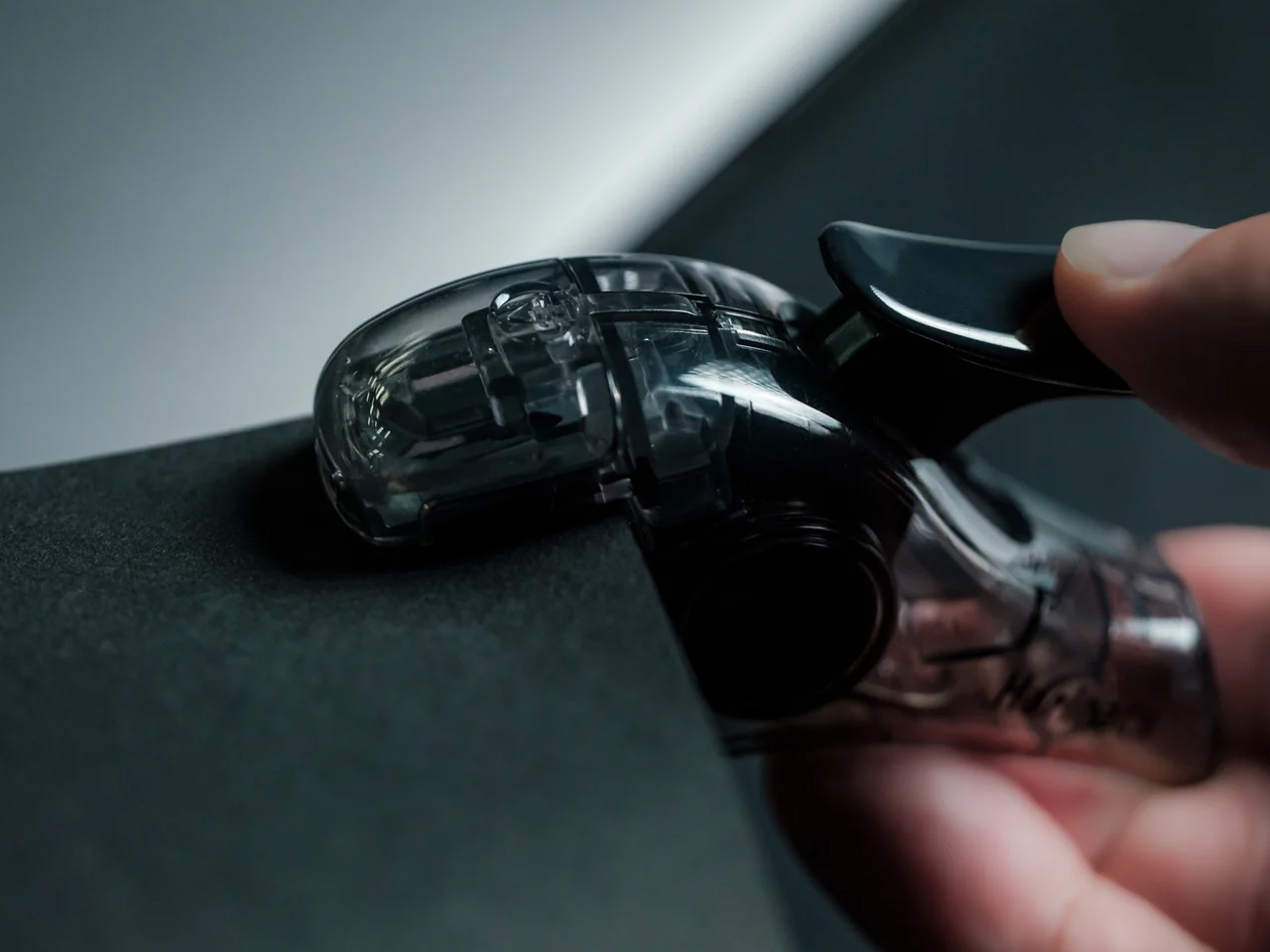
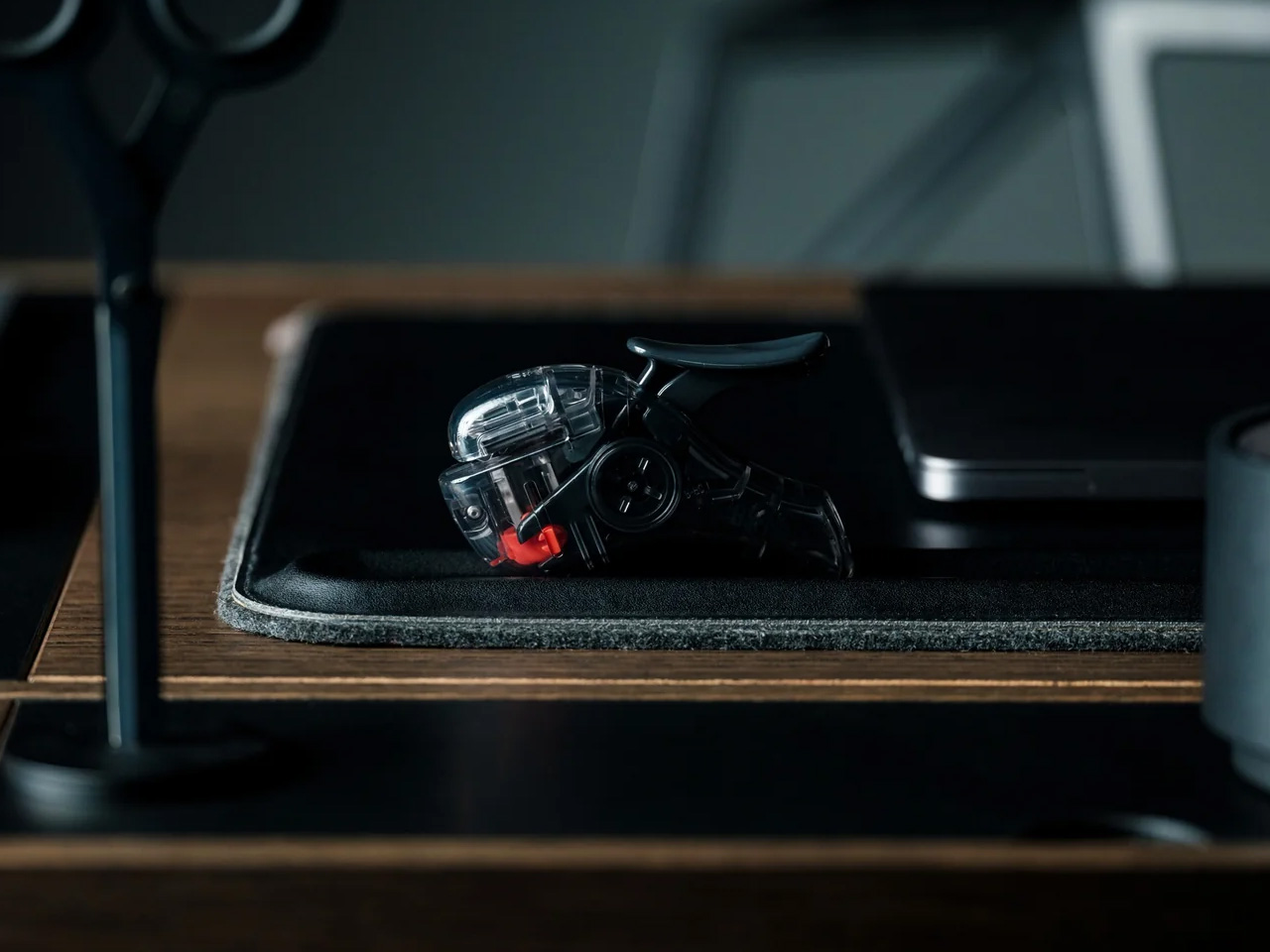
Precision tools signal serious work. The CraftMaster EDC Utility Knife brings surgical-grade sharpness and considered design to the everyday task of opening, cutting, and crafting. Its metallic form measures just 0.3 inches thick but feels substantial in hand—the kind of tool weight that inspires confidence. The OLFA blade deploys via a tactile rotating knob, offering control that thumbslides can’t match. But the thoughtful details elevate it: a magnetic back docks the included metal ruler featuring dual metric and imperial markings, while the ruler itself incorporates a blade-breaker for snapping off dulled edges. The 45-degree inclination protects package contents when opening boxes.

For the productivity professional, this represents the ethos of doing things properly. These are people who notice when tools are well-designed, who appreciate when everyday objects receive the same attention as premium equipment. The CraftMaster sits on a desk, not as clutter but as a statement about craft and capability. Need to open a prototype shipment? The knife cuts cleanly without damaging the contents. Measuring a mockup? The ruler lifts easily from flat surfaces thanks to its raised edge and provides accurate 15-degree curvature measurements while protecting fingers. When the blade dulls, the integrated breaker lets you refresh it immediately. It’s the kind of multi-function elegance that eliminates the need for three separate tools cluttering your workspace.

Click Here to Buy Now: $79.00

What we like

  • OLFA blade offers professional-grade sharpness with an easy replacement system
  • Magnetic ruler docking creates an integrated measurement and cutting solution
  • Ultra-thin 0.3-inch profile fits comfortably in desk drawers or pockets
  • Tactile rotating deployment knob provides superior blade control and safety

What we dislike

  • Metal construction adds weight compared to plastic utility knives
  • Premium aesthetic and features command a higher price than basic cutters

5. Pocket Everlasting All-Metal Pencil

Interruption kills productivity. Running out of lead, searching for sharpeners, or discovering a broken point derails focus. The Pocket Everlasting All-Metal Pencil eliminates all three scenarios through innovative material engineering. Graphite and alloy particles in the tip leave marks without wearing down, delivering approximately 10 miles of writing before replacement becomes necessary. At 4.7 inches with an included cap, it slips into shirt pockets ready for instant capture of ideas. The all-metal construction offers satisfying heft and durability, while the marks erase cleanly with standard erasers and resist bleeding when used with watercolor or water-based markers.

This is a gift that respects the productivity professional’s workflow reality. Inspiration doesn’t wait for you to return to your desk. Client feedback arrives during site walks. Strategic insights surface during commutes. The Everlasting Pencil ensures you’re always equipped to record them immediately, without the cognitive load of maintaining traditional pencil supplies. No sharpening means no prep time. No lead breakage means reliable performance under pressure. The pocket size means genuine portability without the bulk of full-sized writing instruments. For sketchers, note-takers, and anyone who thinks through writing, this pencil becomes an extension of their process—always available, always ready, always reliable. It’s the kind of tool that earns its permanent place in your pocket.

Click Here to Buy Now: $19.95

What we like

  • Graphite-alloy technology delivers approximately 10 miles of writing without sharpening
  • Pocket-friendly 4.7-inch size with a cap ensures genuine everyday portability
  • Marks erase cleanly with standard erasers for mistake-free documentation
  • All-metal construction provides durability and a satisfying writing weight

What we dislike

  • Fixed point width limits line variation compared to traditional pencils
  • The metal body may feel cold or slippery for extended writing sessions

6. Precision Sakura Metal Puzzle

Strategic thinking requires exercise. The Precision Sakura Metal Puzzle offers a tactile brain challenge that doubles as a desk sculpture, forcing pattern recognition and spatial reasoning as you assemble Japan’s iconic flower from mirror-finish stainless steel pieces. The difficulty lies in the similarity—pieces look nearly identical, requiring careful testing and logical deduction to determine correct placement. The reward justifies the effort: once completed, the puzzle reveals stunning craftsmanship with pieces fitting so precisely that the 0.004mm gaps between them become virtually invisible. It transforms from an engaging challenge into an elegant desktop decoration.

For the productivity-obsessed professional, this gift acknowledges a crucial truth: sustained performance requires strategic breaks. Short mental diversions from primary work actually enhance focus upon return, especially when those breaks engage different cognitive systems. The Sakura puzzle provides exactly this kind of beneficial interruption. Stuck on a problem? Spend five minutes wrestling with steel petals. The combination of tactile manipulation and spatial problem-solving activates new neural pathways, often leading to breakthroughs in overcoming the original challenge. The mirror finish and precision engineering also signal quality and attention to detail—values these professionals respect. As permanent desk décor, it serves as both a conversation piece and a quick-access brain exercise, always available when focus needs refreshing.

Click Here to Buy Now: $299.00

What we like

  • Mirror-finish stainless steel creates a stunning visual impact as completed desk art
  • Nearly invisible 0.004mm gaps showcase exceptional manufacturing precision
  • Similar-looking pieces provide a genuine cognitive challenge without frustration
  • Compact size fits easily on the desk without dominating workspace real estate

What we dislike

  • Difficulty level may prove frustrating during particularly stressful workdays
  • Metal construction makes it heavier than expected for a desktop puzzle

7. Side A Cassette Speaker

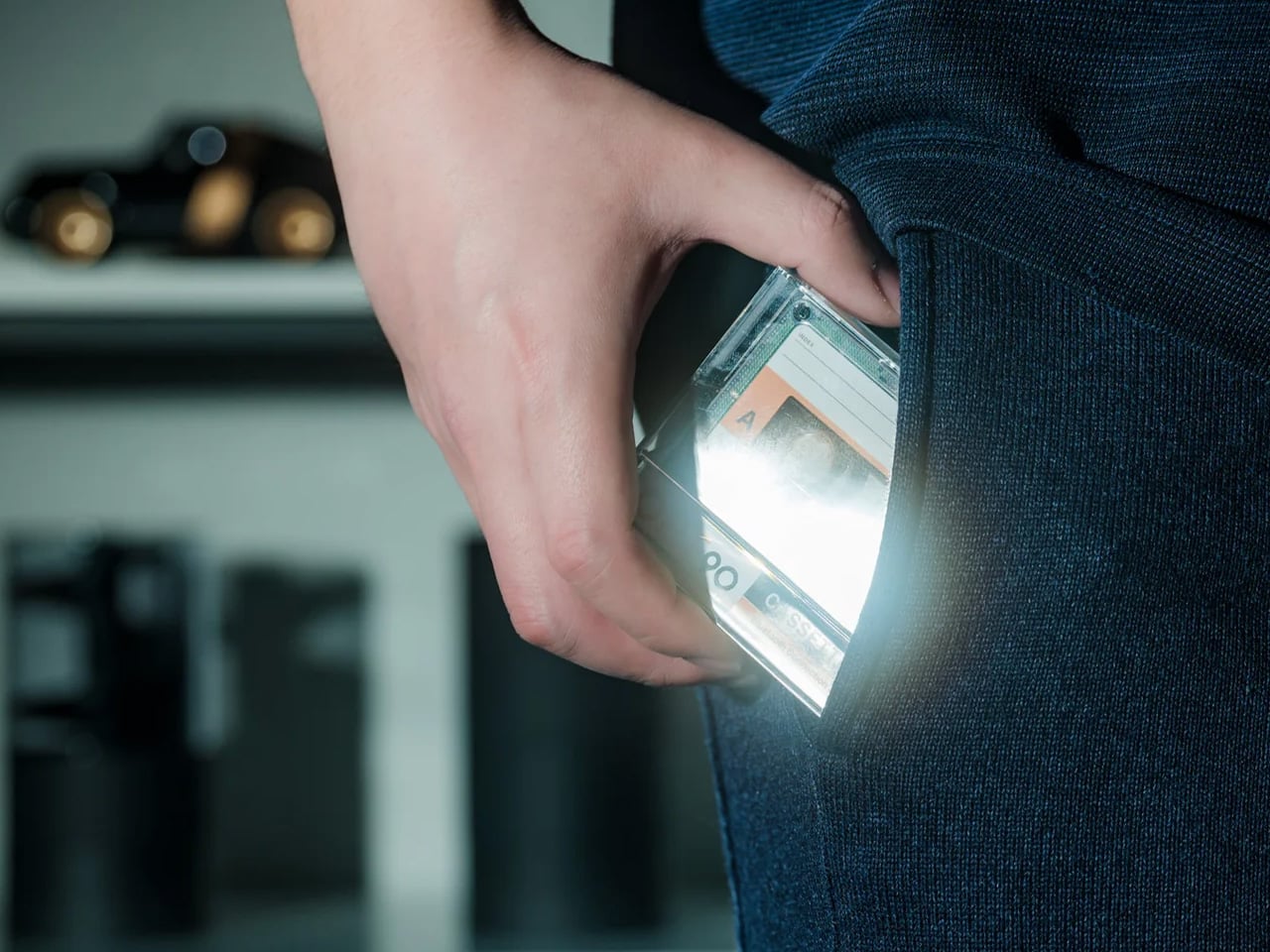
The environment shapes output. The Side A Cassette Speaker recognizes that productivity professionals spend significant time at their desks and deserve ambient sound that feels intentional, personal, and visually interesting. Styled authentically as a mixtape complete with a transparent shell and side A label, this pocket-sized speaker hides Bluetooth 5.3 connectivity and microSD playback behind retro aesthetics. The sound profile is deliberately warm and cozy, evoking the character of analog tape rather than the clinical digital reproduction. Slide it into its included clear case that doubles as a stand, and it becomes the perfect desk companion—delivering personal audio without headphone isolation.

The appeal here transcends nostalgia. Productive professionals curate their work environment carefully, understanding that surroundings impact performance. Side A brings character to desks dominated by black rectangles and silver aluminum, offering a visual personality that sparks conversation and joy. The Bluetooth 5.3 ensures seamless pairing with laptops and phones for calls, focus playlists, or podcast background. The microSD support means offline playback without draining device batteries or relying on streaming connectivity. The compact form factor respects limited desk space while the warm sound creates ambient presence without overwhelming. For under fifty dollars, it delivers functional audio and meaningful aesthetic contribution—the kind of dual-purpose design that earns its permanent position on carefully considered desks.

Click Here to Buy Now: $45.00

What we like

  • Authentic cassette styling with a transparent shell adds visual character to workspaces
  • Bluetooth 5.3 connectivity provides seamless wireless pairing with modern devices
  • microSD card support enables offline playback without streaming or battery drain
  • Warm analog-inspired sound creates pleasant ambient audio for desk work

What we dislike

  • Compact size limits bass response compared to larger desktop speakers
  • Cassette aesthetic may not suit minimalist or ultra-modern office designs

8. ZenFlow Personal Aroma Diffuser

Cognitive performance responds to the sensory environment. The ZenFlow Personal Aroma Diffuser applies 180 years of Japanese porcelain craftsmanship and modern heat-airflow technology to workspace ambiance, distributing refined aromas without water or messy mist. Handcrafted porcelain filters from Shibukusa Ryuzo Porcelain pair with anodized metal bases available in silver, gold, or black, creating a design object that enhances any interior aesthetic. Three adjustable modes let users customize intensity: Normal Mode for invigorating presence, Airflow Mode for subtle background, and ECO Mode for energy-efficient extended operation. The hybrid technology evenly diffuses essential oils, transforming desk areas into intentionally curated sensory environments.

For professionals obsessed with optimization, the ZenFlow represents environmental control. These individuals understand that focus isn’t just mental discipline—it’s managing every variable that impacts cognitive performance. Scent influences mood, stress levels, and concentration capacity. The ZenFlow makes this variable controllable and elegant. Morning launch requires energizing citrus in Normal Mode. Afternoon concentration benefits from lavender in Airflow Mode. Late sessions need rosemary in ECO Mode. The water-free operation eliminates humidity concerns and maintenance hassle. The porcelain filters honor craft traditions while the metal base provides modern stability. As a gift, it acknowledges the recipient’s sophisticated approach to performance, offering a tool that feels as refined as the outcomes they pursue. It’s wellness through design, productivity through presence.

Click Here to Buy Now: $169.00

What we like

  • Handcrafted porcelain filters from a 180-year legacy combine tradition and technology
  • Water-free heat-airflow system eliminates mess and humidity concerns
  • Three adjustable modes provide precise control over fragrance intensity
  • Metal base in silver, gold, or black integrates seamlessly with various aesthetics

What we dislike

  • Requires essential oils as an ongoing supply expense beyond the initial purchase
  • Porcelain filters may need eventual replacement depending on usage frequency

9. Rolling World Clock

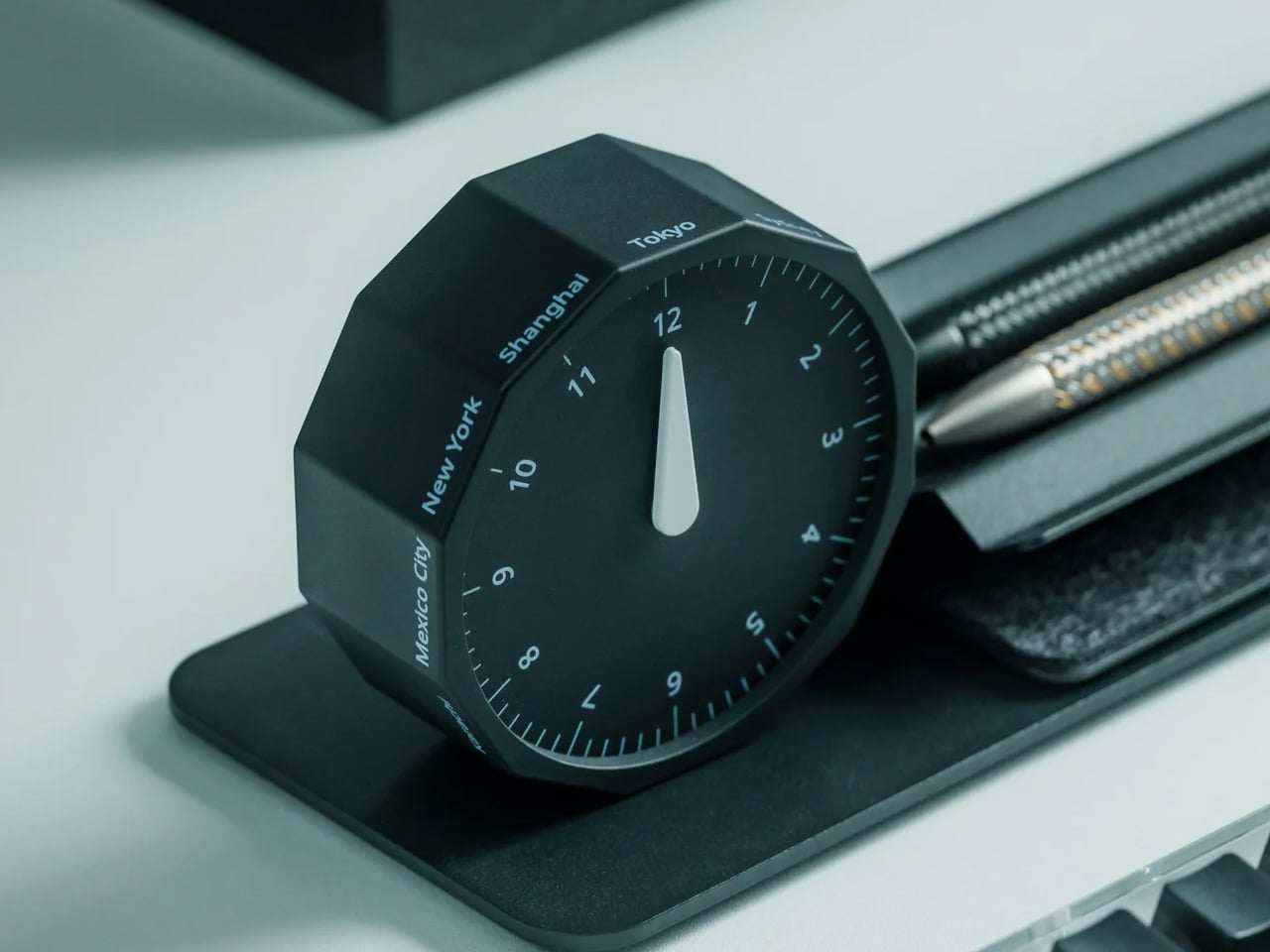
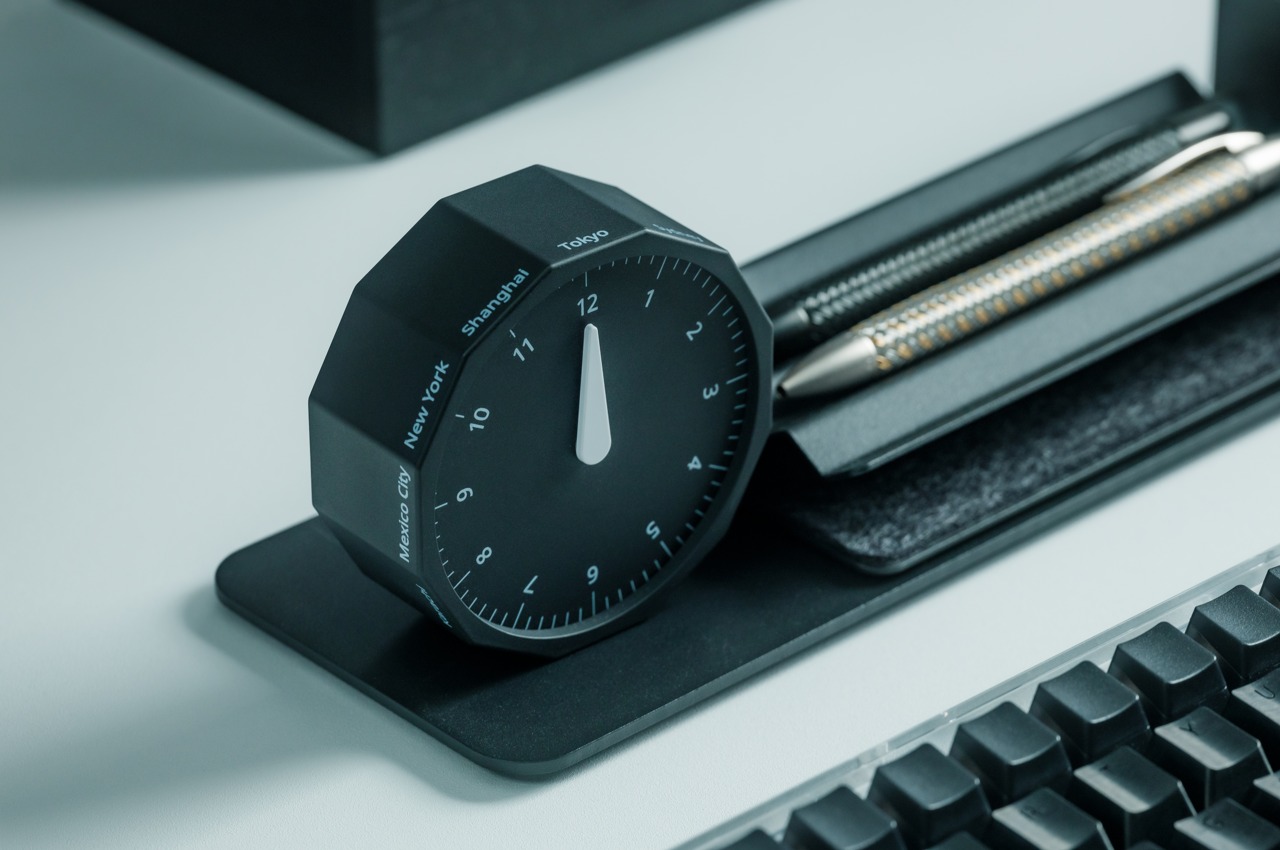
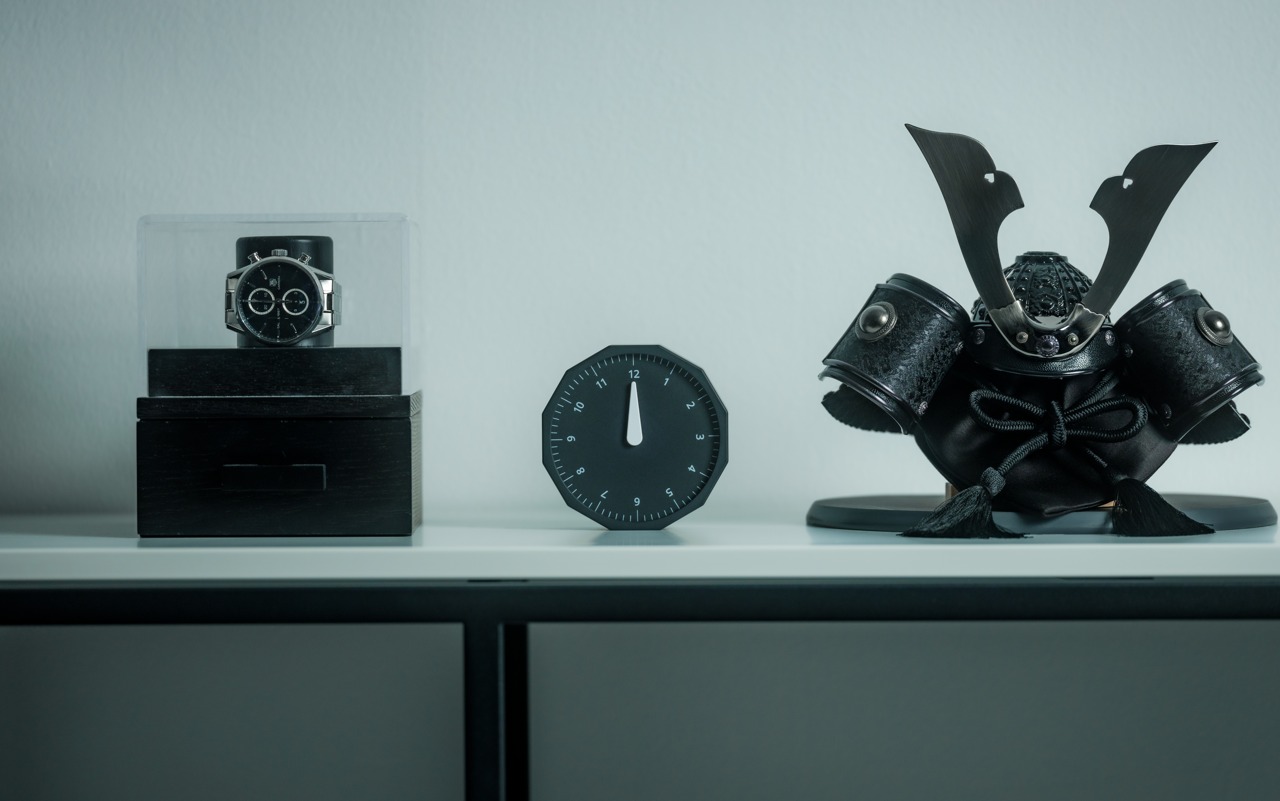
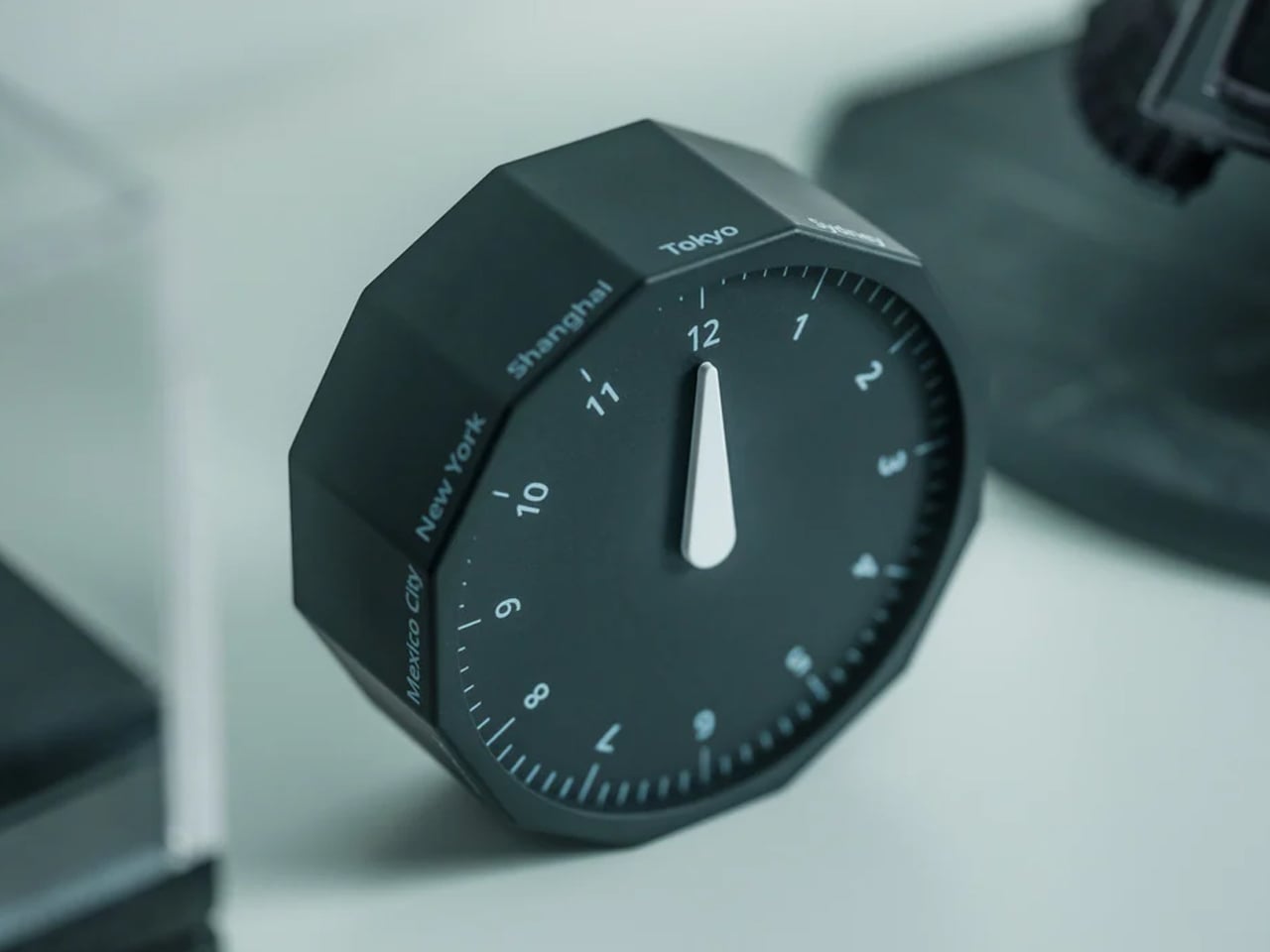
Global work demands global awareness. The Rolling World Clock transforms timezone checking from digital screen-tapping into a physical, tactile ritual that brings intention to international coordination. Shaped as a twelve-sided polyhedron, each face represents a major timezone city from London to Tokyo, Sydney to New York. The magic lies in its operation: simply roll the clock to your desired city, and a single hand indicates the current time there. Available in minimalist black or white finishes, it sits on desks as both a functional timepiece and geometric sculpture. For professionals managing distributed teams, coordinating with overseas clients, or maintaining relationships across continents, it makes the invisible flow of global time visible and tangible.

The brilliance is removing complexity through physical simplicity. Most timezone tools involve scrolling, calculating, or consulting cluttered world maps. The Rolling World Clock eliminates cognitive load. Scheduling a call with your Shanghai office? Roll to Shanghai. Checking if your London colleague is still at their desk? Roll to London. The single-hand design provides immediate information without the visual noise of multiple dials or digital displays. The tactile interaction creates a moment of physical engagement that grounds abstract timezone calculations in something real you can touch and manipulate. For productivity professionals who value tools that think differently, this clock represents elegant problem-solving. It acknowledges that staying connected globally shouldn’t require more screens or mental math, just thoughtful design that respects how humans naturally interact with objects.

Click Here to Buy Now: $49.00

What we like

  • Twelve timezone cities cover major global business hubs comprehensively
  • Single-hand design eliminates visual clutter for instant time recognition
  • Tactile rolling mechanism creates engaging physical interaction with time checking
  • Minimalist black or white finishes integrate seamlessly with any desk aesthetic

What we dislike

  • Limited to twelve preset cities without customization for other locations
  • The rolling mechanism requires desk space and a stable surface for accurate operation

10. Levitating Pen 2.0 Cosmic Meteorite Edition

Exceptional tools inspire exceptional thinking. The Levitating Pen 2.0 Cosmic Meteorite Edition defies physical expectation by suspending at a 23.5-degree angle above its base, creating a floating illusion that stops conversations and starts imaginations. Inspired by spacecraft aesthetics reminiscent of the USS Enterprise, the sci-fi design brings speculative fiction into functional reality. The meteorite tip features genuine Muonionalusta meteorite fragments—material older than Earth by 20 million years—connecting your desk to cosmic history. As part of the renowned Levitating Pen collection, this limited edition represents both a technological marvel and a collectible design object.

For productivity professionals, this serves a dual purpose: functional writing instrument and perpetual inspiration source. Productive minds thrive in environments that stimulate curiosity and ambition. The levitating pen becomes a daily reminder that seemingly impossible things become real through engineering and vision—a metaphor for approaching challenging projects. The gravity-defying display sparks visitor questions, creating natural conversation bridges during desk-side meetings. The meteorite element adds a tangible connection to scale and time beyond daily concerns, offering perspective during stressful deadlines. When lifted to write, it delivers smooth ballpoint performance before returning to its floating position. As a gift, it signals that you recognize the recipient as someone who appreciates innovation, values unique design, and deserves tools as exceptional as their aspirations. It’s confidence and wonder, engineered into everyday utility.

Click Here to Buy Now: $399.00

What we like

  • Gravity-defying 23.5-degree suspension creates genuine conversation-starting desk presence
  • Genuine Muonionalusta meteorite tip connects writing to 20-million-years-older-than-Earth cosmic material
  • Spacecraft-inspired design appeals to innovation enthusiasts and sci-fi admirers
  • Limited edition status makes it collectible beyond functional utility

What we dislike

  • The levitation base requires desk space and a power source for display functionality
  • Premium materials and engineering result in significantly higher costs than standard pens

Finding the Perfect Productive Gift

Choosing gifts for productivity professionals means understanding that every object on their desk earns its presence through utility, beauty, or both. These ten designs respect that standard. They solve real workflow problems, eliminate daily friction points, and bring visual satisfaction to spaces where focus happens. From leather that folds into organization to pens that float in defiance of gravity, each represents thoughtful engineering meeting genuine need. These aren’t decorations disguised as tools. They’re tools elevated to design objects.

The best gifts for productive minds acknowledge their approach to work: intentional, optimized, and demanding of quality. These professionals notice when something is well-made. They appreciate when everyday objects receive extraordinary attention. The designs collected here speak that language fluently, offering functionality wrapped in craft, utility expressed through beauty. Whether you’re gifting a colleague, celebrating a promotion, or upgrading your own workspace, these pieces transform desks from functional surfaces into curated environments where exceptional work feels natural and inspired.

The post 10 Best Desk Gifts For The Productivity-Obsessed Professional first appeared on Yanko Design.
The Arnardo Desk Looks Like It Time-Traveled From 2084

There’s something deeply satisfying about furniture that refuses to play by the rules. You know the kind I’m talking about: pieces that make you stop mid-scroll and think, “Wait, is that even real?” The Arnardo Desk by Paddy Pike Studio is exactly that kind of design unicorn, and honestly, I’m not sure whether to sit at it or frame it on a museum wall.

At first glance, this desk looks like someone melted the future and poured it into a mold. The high-polish metallic finish catches light like liquid mercury, creating reflections that shift and distort depending on where you’re standing. It’s the kind of visual trickery that keeps you staring, trying to figure out where one curve ends and another begins. The whole thing reads like a single continuous surface, even though it’s clearly a complex piece of engineering.

Designer: Paddy Pike Studio

What makes the Arnardo Desk so compelling is how it balances sculpture with function. This isn’t just a pretty object meant to gather dust in a collector’s home (though it would certainly earn its keep there). The design integrates storage drawers seamlessly into those bulbous, almost pod-like pedestals. These aren’t slapped-on afterthoughts either. The drawer fronts follow the same flowing lines as the rest of the piece, maintaining that unbroken visual rhythm that makes the desk feel like it was grown rather than built.
The form itself is wonderfully ambiguous. From certain angles, it almost looks biological, like some kind of metallic organism frozen mid-movement. From others, it channels retro-futurism vibes, the kind of aesthetic you’d expect in a 1960s vision of what the year 2000 would look like. And depending on the light, it can read as sleek and minimal or dramatically sculptural. That versatility is part of its magic.

Paddy Pike Studio has clearly spent time thinking about how people interact with their workspace. The curved desktop surface isn’t just a stylistic choice. It creates distinct zones without the need for physical dividers. You can imagine spreading out projects across that generous surface, using the natural flow of the form to organize your work. The height and proportions suggest careful consideration of ergonomics, even as the overall aesthetic screams art installation.

What’s particularly interesting is how this piece positions itself in the current design landscape. We’re living through a moment where maximalism is having a serious comeback, where bold statement pieces are replacing the stark minimalism that dominated the 2010s. The Arnardo Desk fits perfectly into this shift. It’s unapologetically dramatic, refuses to blend into the background, and makes a space feel intentional rather than default.

The material choice matters here too. That mirror-like metallic finish isn’t just about looks (though it certainly delivers on visual impact). It’s a callback to the Space Age furniture of designers like Eero Aarnio and Joe Colombo, who experimented with then-novel plastics and metals to create pieces that felt radically different from traditional wood furniture. Pike is working in that same experimental tradition, pushing against our expectations of what a desk should look like.

There’s also something delightfully impractical about this desk, and I mean that as the highest compliment. In a world obsessed with optimization and efficiency, where every object needs to justify its existence through maximum utility, the Arnardo Desk dares to be extra. It takes up space. It demands attention. It makes you rethink your entire room just to give it the stage it deserves. That kind of boldness feels refreshing.

Of course, this is collectible design, which means it exists in that fascinating space between art and furniture. It’s fully functional, but it’s also limited and clearly positioned as an investment piece for serious collectors. That doesn’t make it less relevant to the rest of us, though. Pieces like this push the conversation forward. They remind us that furniture doesn’t have to be boring, that our everyday objects can inspire genuine emotion and spark conversations.

The post The Arnardo Desk Looks Like It Time-Traveled From 2084 first appeared on Yanko Design.