Sony is rolling out a firmware update for its PlayStation Portal handheld that introduces a new quality option for both Remote Play and Cloud Streaming. Choosing the 1080p High Quality mode means that you’ll be able to stream games at a higher bitrate compared with the 1080p Standard option.
You can switch to this mode by going to Quick Menu > Max Resolution and picking 1080p High Quality while you’re playing a game. You’ll need to restart your game session for the change to take effect. Naturally, 1080p High Quality will use more data than the other resolution options.
Sony says that more than half of all Portal users are now PlayStation Plus Premium subscribers, meaning they can use the Cloud Streaming option on the device. With that in mind, the company is making some Cloud Streaming changes as part of this firmware update.
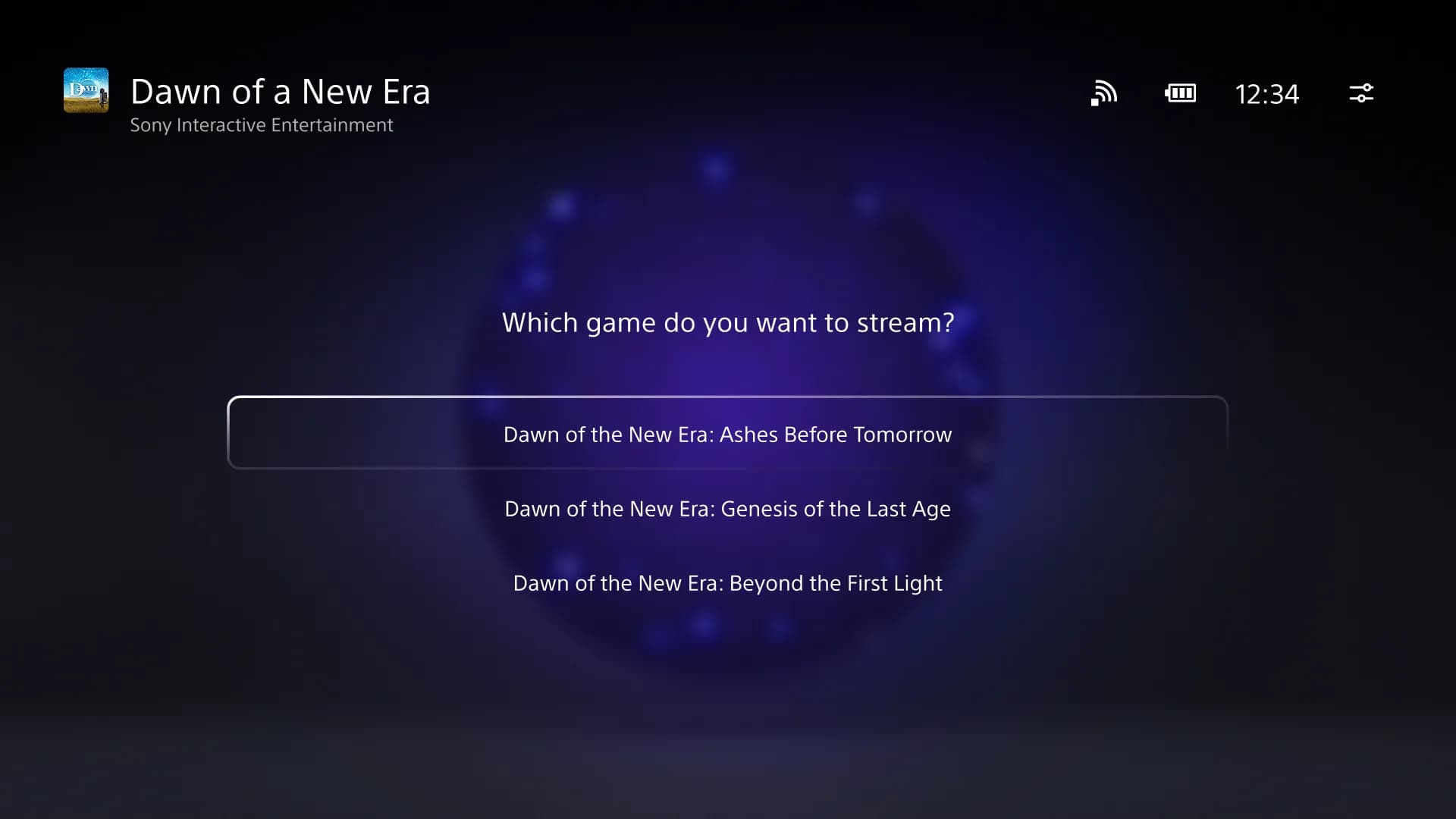
The company says it has refined the search screen — from now on, whenever you open this up, the on screen keyboard will pop up immediately. That’s a nice little quality-of-life update that streamlines things a bit. When you pick the “stream" option on pages for game bundles (i.e. for any title that includes multiple games), you’ll be able to select a specific game to jump into.
Sony Interactive Entertainment
There are notification changes too. If you receive a game invite while playing a supported title, you’ll now see a clear notification on your screen. Trophy notifications should now display properly too, with the trophy name and image showing up. Unlocking a platinum trophy will cause an animated notification to appear.
There’s one more tweak to the system with this Portal update as Sony attempts to make the onboarding experience a bit smoother. Those who pick up a Portal but don’t already have a PlayStation account will be able to create one and then sign in on the handheld by scanning a QR code on their mobile device. Such folks will still need to have access to a PS5 or sign up for PS Plus Premium to actually get any use out of the Portal, of course.
This article originally appeared on Engadget at https://www.engadget.com/gaming/a-playstation-portal-update-is-adding-a-1080p-high-quality-mode-142216189.html?src=rss
Chinese AI development is facing significant hurdles, particularly in comparison to advancements in the United States. According to Caleb Writes Code, one major factor contributing to this disparity is the limited access Chinese labs have to state-of-the-art computing hardware, such as NVIDIA’s Gro 3 LPU and VR Rubin NVL72 modules. These systems are critical for […]
The Samsung Galaxy Wide Fold 8 is set to establish a new standard in the foldable smartphone market. With its innovative trifolding design, wider displays, and advanced hardware, this flagship device is engineered to compete directly with high-end alternatives like Apple’s rumored iPhone Fold Ultra. As part of Samsung’s eighth generation of foldable devices, the […]
Apple and Nike are at it again. But this time, their collaboration doesn't involve Apple Watch bands or a shoe-tracking iPod. Instead, the companies are launching a new color option for Beats' fitness-focused earphones. Meet the Powerbeats Pro 2 - Nike Special Edition.
"This isn't just a new colorway," Beats CMI Chris Thorne wrote in a press release. "It's a collision of two brands that define performance, culture and sports — the attributes of today's athlete."
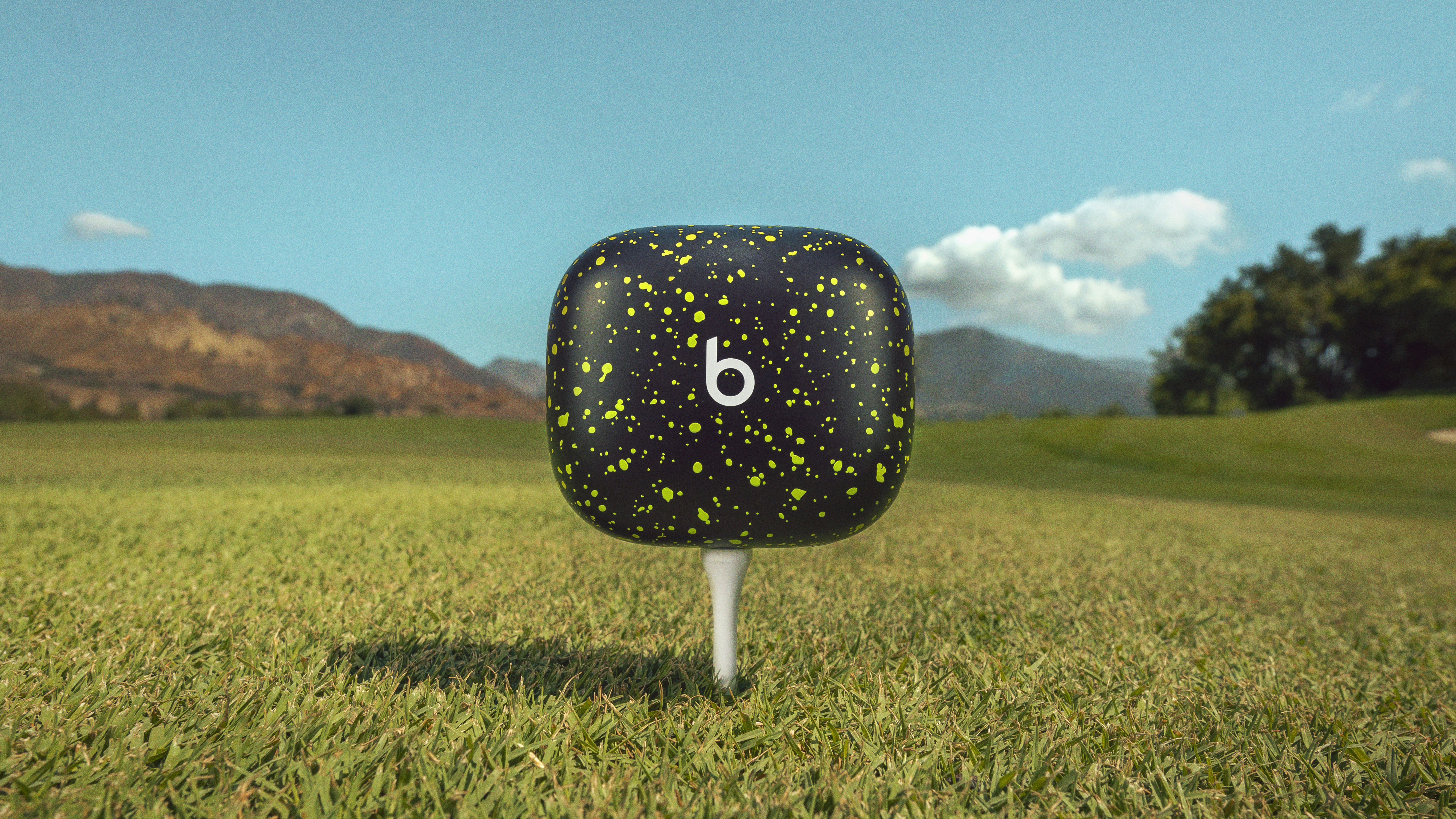
Okay, cool, but marketing-speak aside, this is, in fact, just a new colorway. However, depending on your taste, it might be one you're into. Nike's "Volt" palette takes center stage, with its love-it-or-hate-it electric yellow-green motif. The two companies share logo duties, with the Beats "b" on the left bud and Nike's swoosh on the right. Meanwhile, the charging case takes you to Speckle City, looking like something Jackson Pollock flung a can of leftover shoe paint onto.
Apple / Nike
Otherwise, these are the same Powerbeats Pro 2 earphones that launched last year. You get heart-rate tracking, decent ANC and Spatial Audio. You can revisit Billy Steele's review for more details on the earphones.
To help move the product, Beats and Nike called upon an athlete they both sponsor: a little-known hooper named LeBron James. The Lakers vet stars in a new ad, where he uses the Nike Powerbeats to tune out the noise with a little help from Lionel Ritchie.
You can watch the commercial below — and order the new colorway from Apple’s and Nike's respective websites on March 20. The Nike Special Edition Powerbeats Pro costs the same $250 as the standard version. However, this is a limited-edition variant, so there's no guarantee it will be around for long.
This article originally appeared on Engadget at https://www.engadget.com/audio/headphones/apple-and-nike-team-up-for-a-new-powerbeats-pro-2-colorway-140000882.html?src=rss
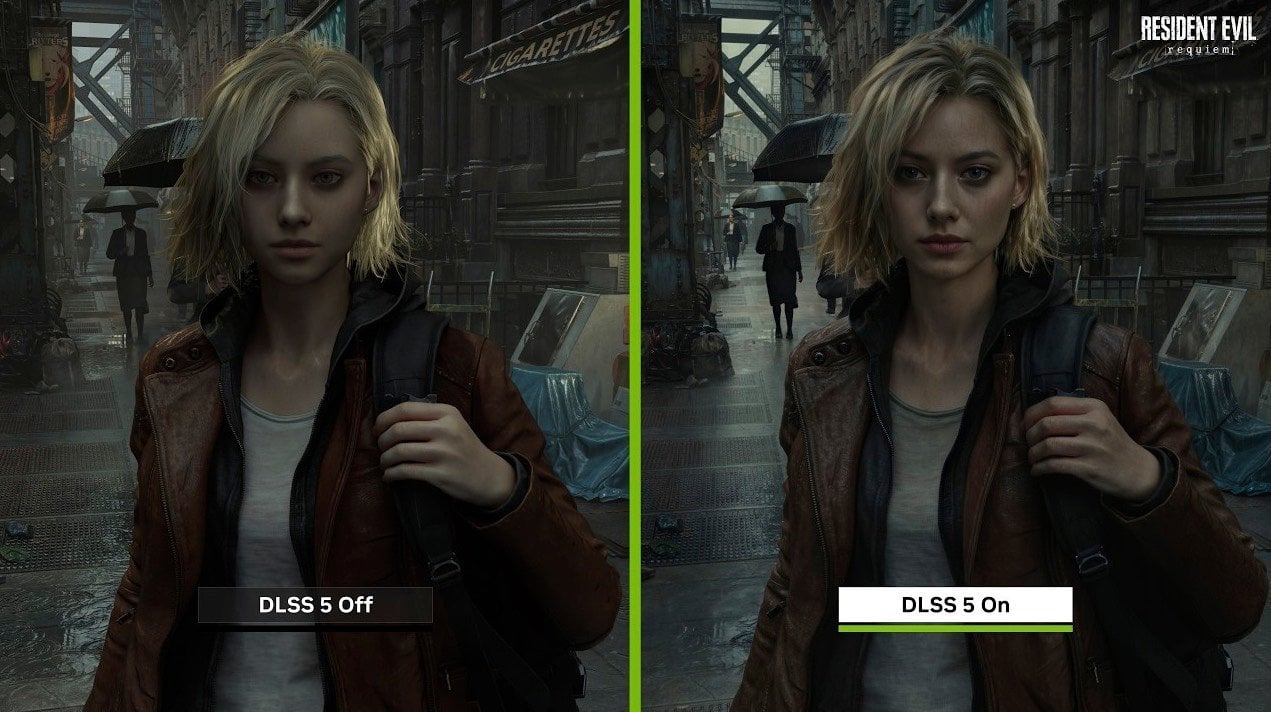
Nvidia’s DLSS 5 represents a significant advancement in gaming graphics, combining real-time neural rendering with artificial intelligence to enhance visual quality. According to Daniel Owen, the system processes motion vectors and color data to generate realistic textures, dynamic lighting and lifelike materials. However, these improvements come with challenges, such as high hardware requirements and concerns […]
Microsoft Lists is part of the Microsoft 365 suite, designed for organizing and managing structured information in a clear and accessible way. It supports tasks like tracking project progress, managing event details, or maintaining inventories. As outlined by Manizha & Ryan, the platform includes features such as pre-designed templates and customizable views, allowing users to […]
Oppo is back with another high-spec foldable phone you may never see outside a tech journalist's hands. The Find N6 is its new, sub-9mm device that is headed to Asian markets and, for now, not many other places. That means no US or European availability. So why write about it? With its build quality, hardware specs and camera array, not only is it a very good phone, but it's also proof that another device maker can go toe-to-toe with Samsung’s dominance in flagship foldable phones.
Hardware
Image by Mat Smith for Engadget
Oppo is obsessed with the foldable crease. More than me, more than most of you, more than it should, probably. A focus of its presentation last month in London detailed all the effort put into its “zero-feel crease.” The idea is that you can’t really feel where the device folds, with 3D liquid printing and laser scanning used to fill the hinge's surface precisely. The company says this reduces hinge height variance from 0.2mm to only 0.05mm.
Oppo has improved the glass used on the foldable display, and according to TÜV Rheinland testing (again), the Find N6 reduces long-term crease formation by up to 82 percent compared to last year’s Oppo model. It apparently takes a lot of engineering to make a foldable that looks pristine for longer. It’s definitely still early days, but after a few weeks of use, the crease does seem perceptibly shallower than that of other devices, especially the older Find N5. However, there is still a crease. You might not feel it as much, but you can see it.
Despite that particular obsession, it’s another incredibly thin foldable, measuring 8.93mm (0.35 inches) thick. That means, folded, it seems roughly equivalent to most typical smartphone form factors. For reference, the iPhone 17 Pro is 8.75mm (0.34 inches) thick. Even with its slim profile, it also offers improved protection with IP59 certification against dust and water. The new foldable also picks up a new custom hardware button, like the Find X9, which can be assigned to launch the camera, switch sound profiles and other quick action settings.
The screens are the same size and resolution as its predecessor: a 6.62-inch front display and an 8.12-inch inner screen. There have been notable improvements here, too. Peak brightness has been punched up to 3,500 nits on the front screen and 2,500 nits on the foldable screen, making them brighter than on Oppo’s last foldable, but behind Motorola’s latest, most luminous foldable.
The Find N6 also has another custom 7-core Snapdragon 8 Elite Gen 5 processor — the flagship processor of the moment. The more impressive spec may be the battery: a huge 6,000mAh Silicon-Carbon power pack. That’s 400mAh more than the Find N5 and 1,600mAh more than the ZFold 7. And it goes and goes: Doing a battery rundown test on the front display playing non-stop video lasted just shy of 30 hours, while using the bigger internal screen still hit 24 hours.
Another area where it bests Samsung is in charge speeds, supporting up to 80W SUPERVOOC wired charging through Oppo’s proprietary adapter and up to 55W with other high-wattage chargers. There’s also 50W AIRVOOC wireless charging — again, only if you have Oppo’s particular flavor of wireless charger, which I do not. Sadly, there are no Qi2/PixelSnap/MagSafe docking magnets.
The cameras
Image by Mat Smith for Engadget
Oppo has made major improvements to the cameras with several features showcased on the Find X9, now making their way to its foldables. There's a new 200-megapixel main camera with an f/1.8 lens and a new 50MP ultrawide camera that lets in 50 percent more light. The telephoto camera captures 50MP images, with 3X periscope optical zoom and telemacro focus up to 10cm away. All three cameras also support 4K 60 fps Dolby Vision video capture, with the main sensor also capable of 120 fps recording.
Image by Mat Smith for Engadget
Oppo’s new foldable has cameras that rival those of Samsung's Galaxy Z Fold series. The addition of the high-resolution 200MP main sensor adds more detail to images and more versatility, too. The company continues to collaborate with Hasselblad on camera hardware and software. A new Hi-Res mode that captures stills using the full pixel count of each sensor, while other shooting modes from previous devices are still here. That includes the Hasselblad Master Mode, with full control over the camera settings and the iconic XPAN mode for 65:24 panoramic stills and video.
While I was already impressed by Oppo’s recent Find X9, the Find N6 still surprised me. It’s versatile, consistent, and it’s almost the best foldable camera phone — if only its telephoto matched the Pixel 10 Pro Fold’s 5x zoom.
Software
Image by Mat Smith for Engadget
When it comes to multitasking, the Find N6 really wants to deliver, even if the end result is a little messy. You can run a full-screen app, while three Free-Flow Windows each run a different app or web page, all concurrently. Every window is interactive and it almost immediately gave me a stress headache. Oppo has baked in a system of swipes and pinches to aid navigation, but I’d argue that even an 8.1-inch screen isn’t enough for all those windows. Still, for the true power user, there is a lot to tap into. If you’re the kind of person who bounces between work chats in Slack, your calendar and umpteen Chrome tabs — this phone is aimed at you.
Oppo wasn’t done with the productivity bonafides. It’s added a new stylus to its foldable series, which comes with its own holster/case that attaches to the back of the Find N6. In most instances, this would make a chunky foldable too bulky, but the base phone is so slim that it's passable. The case also serves as a charging cradle that can recharge the stylus via reverse wireless charging. I’m not a huge stylus user, but for those who miss the S Pen, this is an option if you live in a country where it’s being sold.
The stylus, officially called the Oppo AI Pen (hate that name), has a button to summon an onscreen palette of tools and features. Double-pressing the button switches between writing and erasing, which is pretty handy. Screen-off note-taking will apparently arrive in a later software update.
Oppo is also continuing to bridge ecosystems with iPhone Connect, which adds AirDrop-style file sharing to Apple phones. Remote PC control is still a cute feature, making the Find N6 into a tiny pocketable PC, if you’re willing to work on your laptop through a tiny screen.
Wrap-up
Image by Mat Smith for Engadget
It’s another impressive foldable from Oppo, one that sadly most folks will never be able to buy. What’s stopping Oppo from testing the waters outside of Asia? The Find N6 is an incredibly powerful, technically impressive device. What is Oppo afraid of?
The foldable will arrive in both silver and orange, although the latter is a little more muted than I’d hoped. For now, Oppo is launching the Find N6 on March 20 in China, Japan, Malaysia, Thailand and other Asian territories. The company just announced that prices will start at ¥9,999 in China (approximately $1,450), with 12GB of RAM and 256GB of storage.
This article originally appeared on Engadget at https://www.engadget.com/mobile/smartphones/oppos-find-n6-might-be-the-foldable-of-your-dreams-131036055.html?src=rss
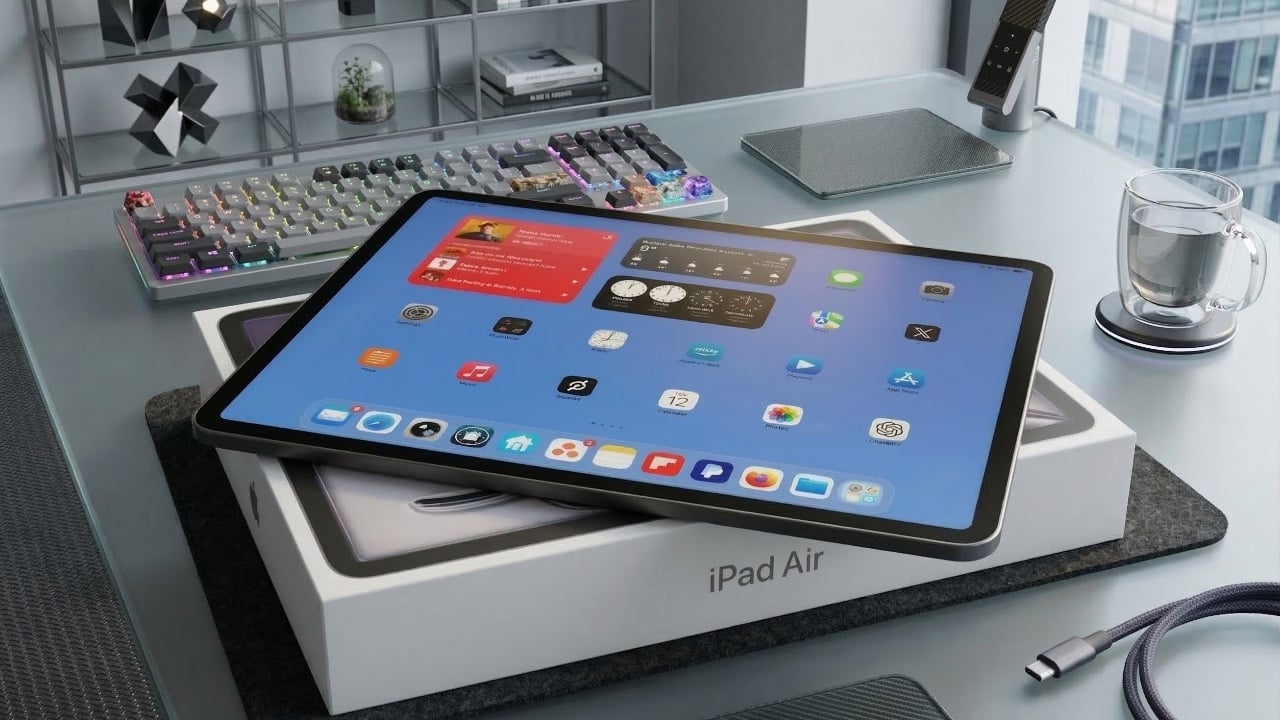
The M4 iPad Air introduces a range of updates, including the powerful M4 chipset, increased RAM and enhanced connectivity options. These improvements make it a capable and versatile tablet, but the absence of significant changes in design, storage and display features raises questions about its value as an upgrade. If you’re considering this device, it’s […]
Last year, Dell came this close to abdicating its throne as the maker of the best premium Windows laptops when it announced it was killing off the XPS brand. Thankfully, the company regained its wits, admitted its mistake and doubled down on its flagship notebook line by revealing a full redesign for 2026 with super sleek builds, improved performance and helpful tweaks to nearly everything else we loved about its predecessors. The one blemish to Dell's crown jewel is some keyboard issues on early units. But make no mistake, the king of laptops is back.
Design and display
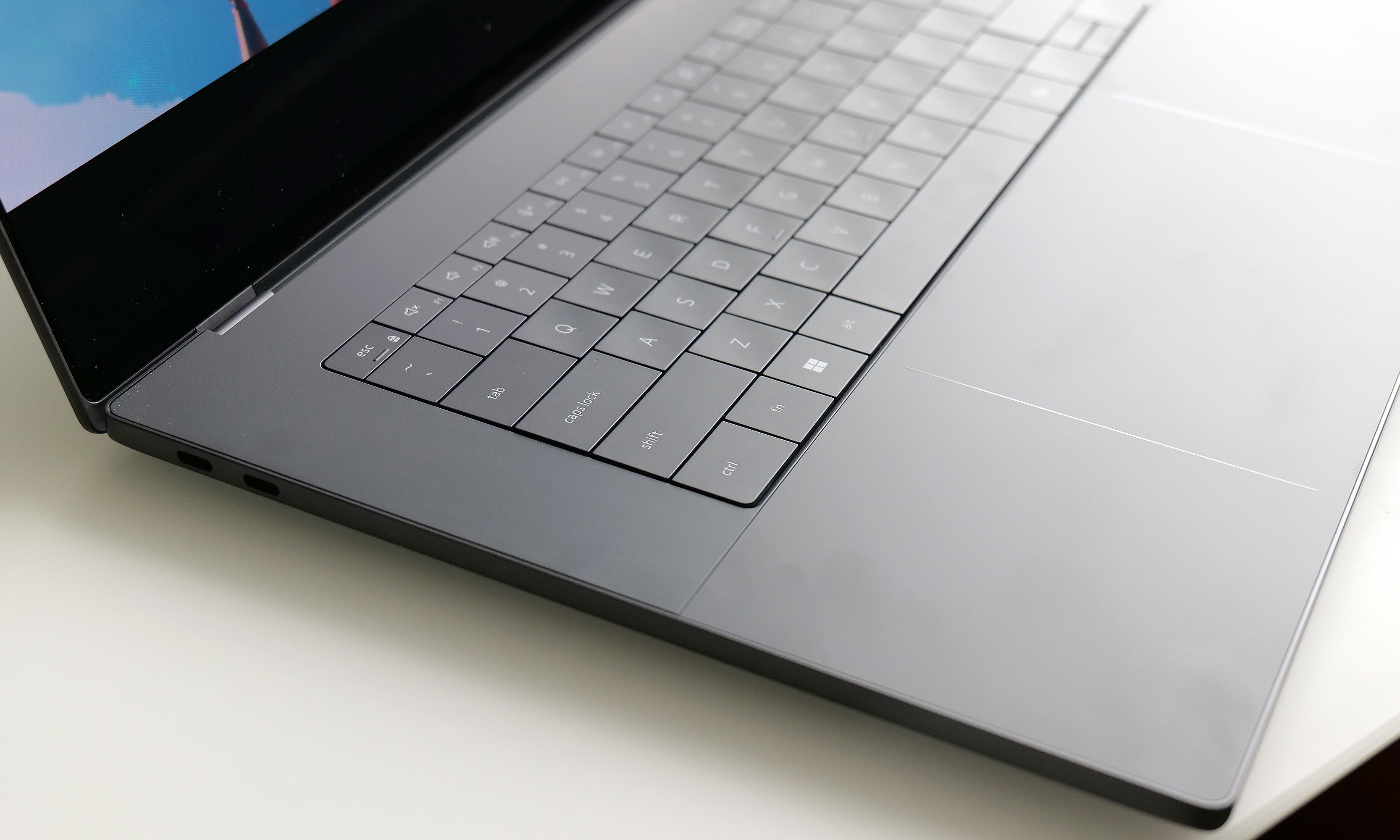
For this revamp, Dell didn't stray away from the XPS line's typical mix of glass and aluminum. However, this time around, the company streamlined pretty much everything. The XPS 16 now weighs just 3.65 pounds (or 3.85 if you opt for the heavier LCD display), which is almost a full pound lighter than its predecessor (4.56 pounds). That's a massive drop and it makes this system closer in heft to a 15-inch MacBook Air (3.3 pounds) than a 16-inch MacBook Pro (4.7 pounds), despite the latter being XPS's usual rival. It's also noticeably thinner at 0.58 to 0.6 inches (depending on the exact configuration), which is once again a sizable decrease from the previous model (0.75 inches). Honestly, this laptop needs to be held to be truly appreciated. Even after using it for a while, it still feels impossibly sleek every time I pick it up.
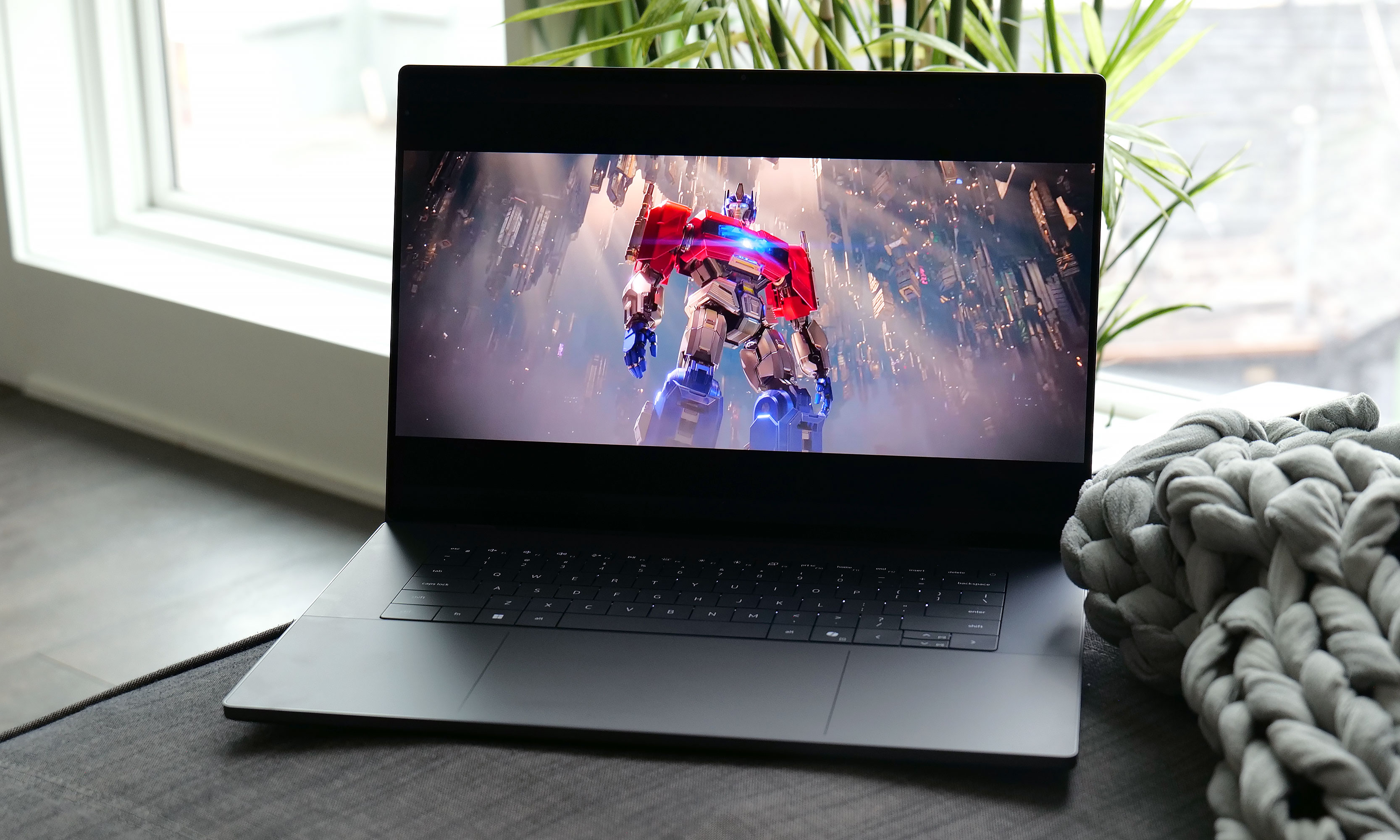
The optional 3.2K OLED display available on the XPS 16 is simply gorgeous.
Sam Rutherford for Engadget
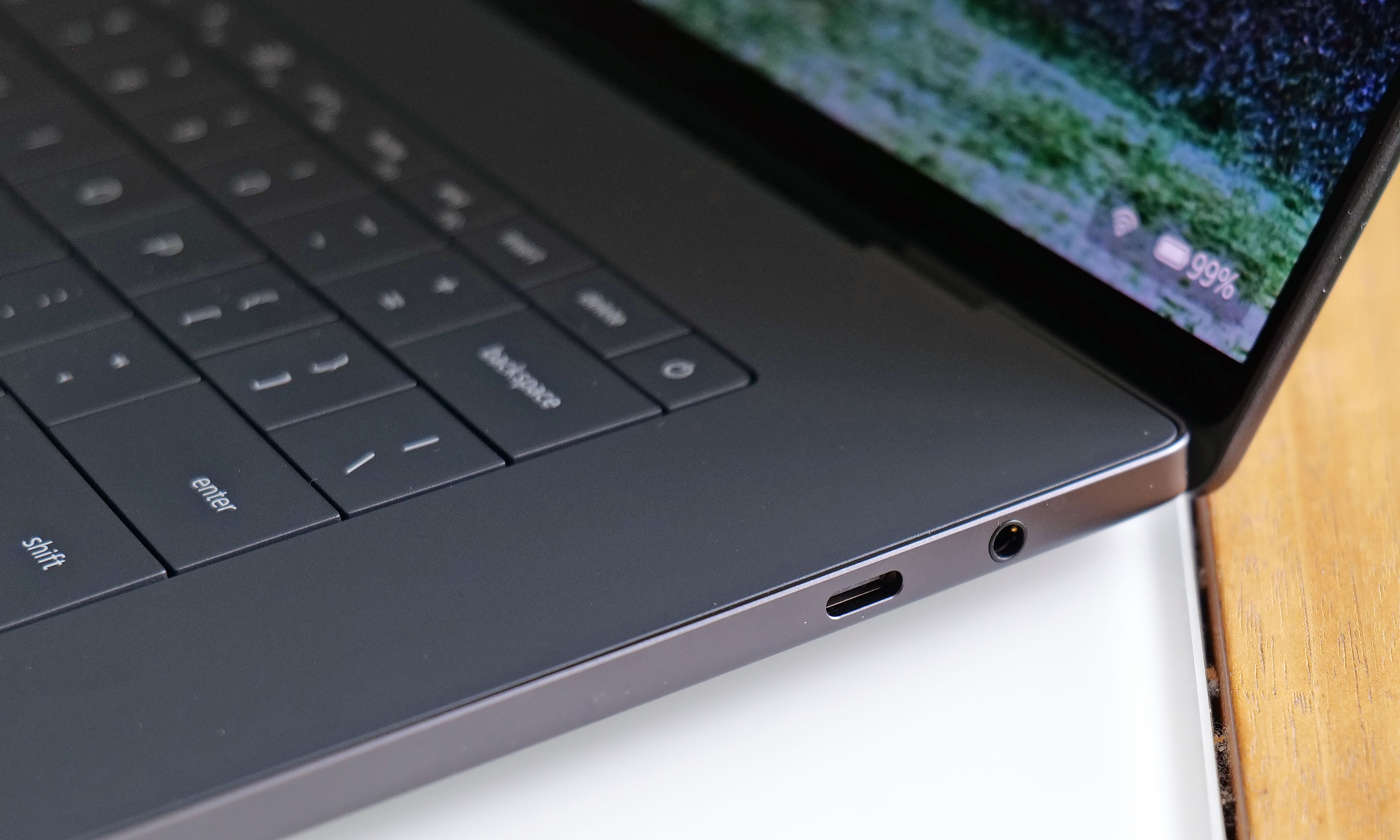
Elsewhere, Dell kept important features like the XPS line's up-firing stereo speakers (which sound great), along with a decent mix of ports, including three USB-C jacks that support Thunderbolt 4, DisplayPort 2.1 and power delivery. The one thing I wish Dell had included though, is some sort of SD card reader. With the XPS 16 being the largest member of the family, it's often a prime option for people who like to edit photos and videos on the go, so having an easy way to transfer media from a camera to the laptop would be really nice.
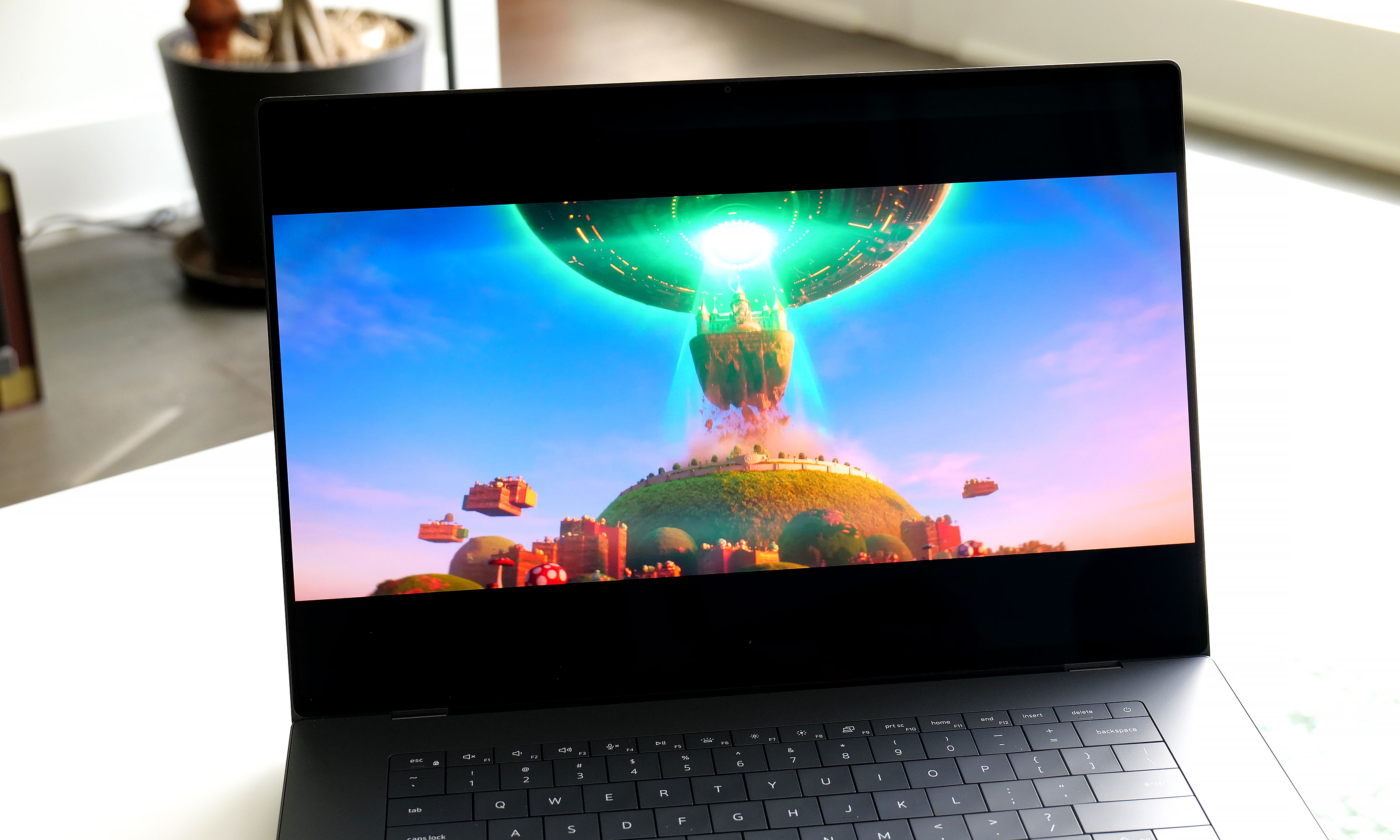
As for its display, Dell's optional 3.2K tandem OLED panel like the one on our review unit reinforces the laptop's role as a mobile editing platform. It produces vibrant hues and features a variable refresh rate that can go between 20 and 120Hz depending on what's on the screen. Despite having a nominal peak brightness of 400 nits, it looks much brighter in person, so you're getting an excellent viewing experience.
Keyboard and touchpad
The XPS 16's keyboard looks great, but the lack of an anti-ghosting feature and somewhat shallow key travel aren't ideal.
Sam Rutherford for Engadget
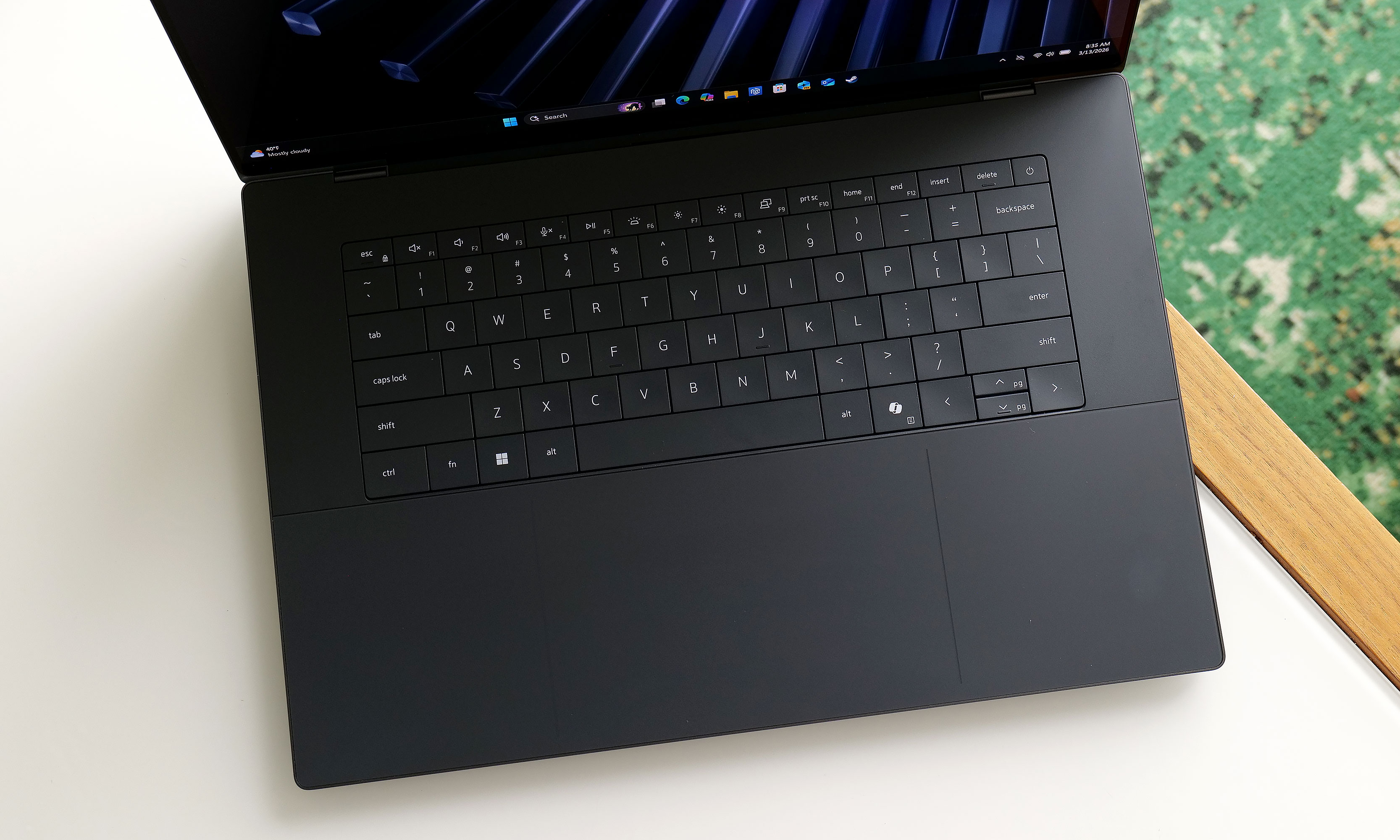
Perhaps the biggest change to the XPS line is its reworked keyboard and touchpad, which brings some ups and downs. Dell kept the glass deck and seamless touchpad used on previous models, except now there's a faint line going around its perimeter, so you never have to guess where it is. The company also replaced the row of capacitive touch function and media controls from its predecessor with regular keys. As a fan of physical buttons, this is just great.
The issue is that for discerning typists, the keyboard seems to be missing anti-ghosting or N-key rollover tech. This means that if you press two keys very quickly one after another, the second press actually gets registered first, which can result in erroneous inputs. We ran into the same problem when testing the XPS 14. Dell claims this issue only impacts the first batch of systems off the line and that units on sale today have had this issue patched already. Furthermore, the company says it will release an update to address the issue on the remaining units, which should be out sometime in March. Though at the time of publication, I haven't received anything yet.
The XPS 16 also features punchy up-firing stereo speakers that don't leave much to complain about.
Sam Rutherford for Engadget
There is another nitpick about the keyboard. While I don't mind that Dell retained its zero-gap layout instead of going with a more traditional chiclet-style design, the more I type on it the more I wish Dell would offer something with a bit more key travel and heavier actuation. For reasons out of my control, my company-assigned work machine is a Dell Precision 5680 from 2023. I don't like it very much aside from its keyboard, which is significantly bouncier and just generally nicer to use than the one on the XPS 16.
Performance
A big reason why Dell was able to make the XPS 16 so thin and light is that the company didn't leave room for discrete graphics. That means you can only choose between a handful of Intel's latest Series 3 Core Ultra chips, ranging from the Ultra 5 325 to the Ultra X7 358H, with the latter being the one I tested here. That's not a bad thing though, as the laptop easily handled all the various productivity tasks I threw at it. And even without a proper GPU, the XPS 16 still pumped out 62 fps in Cyberpunk 2077 at 1920 x 1080, using Ultra settings and Intel's XeSS set to Quality. Those kinds of numbers aren't going to make anyone toss out their dedicated gaming rig, but once again, that's not too shabby for a notebook this easy to carry around.
Battery life
The XPS 16 comes with three USB-C port with Thunderbolt 4 which is nice, but sadly it lacks an SD card reader for quickly transferring media from a camera.
Sam Rutherford for Engadget
Thanks to a larger 99.5Whr battery, the XPS 16 fared better on our rundown test than its smaller sibling. This could be a deciding factor for anyone trying to choose between the two. In PCMark 10's Modern Office battery benchmark, the XPS 16 lasted just shy of 12 hours (11:53), which is more than an hour and a half longer than what we got from the XPS 14 (10:21). As long as you're not going to be gone for more than a day or you're really pushing it, you should be able to leave its power brick at home.
Wrap-up
Instead of killing the XPS name for good, Dell wisely reconsidered and then doubled down. The result is fantastic new version of the XPS 16.
Sam Rutherford for Engadget
When Dell decided to bring back the XPS name, COO Jeff Clake said the company was going to get back to its roots. That's the kind of messaging that's easy to stay on a stage, but after testing out the reborn XPS 16, I can confirm it isn't just flimsy rhetoric.
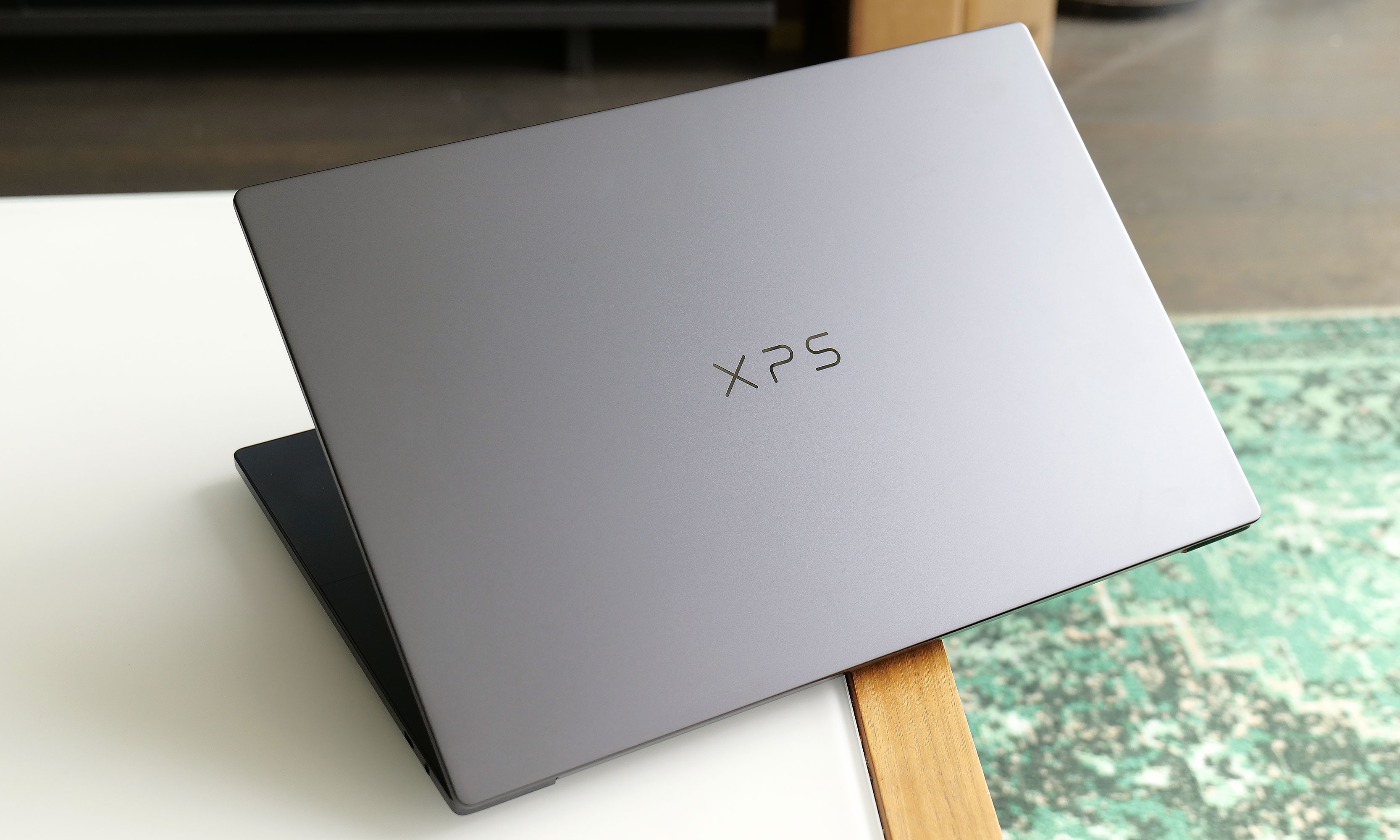
This laptop is a shining example of a premium ultraportable Windows laptop done well. It features a super sleek aluminum chassis, strong performance, solid battery life and an excellent display, particularly if you upgrade to the 3.2K OLED option. The connection to the iconic award-winning systems isn't just skin deep. This thing is just as much an XPS as the ones we loved a decade ago and Dell is driving that point home by letting the XPS logo sit front and center on its lid instead of the company's usual branding.
At just 3.65 pounds, the 2026 XPS 16 is basically a full pound lighter than its predecessor.
Sam Rutherford for Engadget
My one complaint is that I wish Dell would bring back the chiclet-style keyboards we got on models from the early 2020s. Though as long as the company can release updated software to fix the ghosting issues I've encountered, what's on there now is more than good enough. Granted, at $2,349 for our review unit, the XPS 16 is a bit pricey, but that's the going rate for a high-end notebook these days. If you snag a discount similar to the one Dell is currently running , suddenly, you're looking at an even more enticing package at $1,900.
The biggest reason someone might want to hold off for now is if you do need more powerful graphics, as I'm expecting Dell to release an alternate version of the XPS 16 with room for a discrete GPU (and hopefully an SD card reader) sometime before the end of the year. Despite Dell nearly tossing decades of pedigree in the trash just months ago, the XPS 16 has returned to reclaim its spot at the top.
This article originally appeared on Engadget at https://www.engadget.com/computing/laptops/dell-xps-16-2026-review-return-of-the-king-130000906.html?src=rss
Nvidia’s recent unveiling of the Neatron 3 Super model and the Nemoclaw platform marks a significant moment in the evolution of AI agents. Covered in the video below by Julian Goldie, the Neatron 3 Super introduces a hybrid mixture of experts architecture, activating only 12 billion of its 120 billion parameters per task to balance […]