Google is continuing to push its Gemini AI assistant into as many of its products as possible. The latest to get the treatment is Google TV Streamer, where Gemini for TV will begin rolling out today and over the coming weeks. The Google TV Streamer had a few minor AI features when we reviewed the hardware, but this new voice-controlled application of Google's Gemini is more robust. It can offer suggestions for viewing based on the preferences of whoever is watching or provide additional context for the content playing.
We knew from The Android Show this spring that Google was planning to bring Gemini to additional platforms, including televisions. A lot of those plans have been coming to fruition in the final quarter of 2025; for instance, last month Google opened early access to Gemini for Home, which brings a specially-designed AI assistant to its Google Home smart speaker hardware.
This article originally appeared on Engadget at https://www.engadget.com/ai/gemini-for-tv-is-rolling-out-to-the-google-tv-streamer-220448361.html?src=rss
It looks like Samsung is sticking with its Plus line of Galaxy phones, according to a report by Android Headlines. This comes after rumors swirled that the company would be dropping the Plus line in favor of the slim Edge handset. This report indicates that not only is Samsung keeping the Plus, but it's ditching the well-reviewed Edge entirely.
A leaker has given us a peek at the forthcoming S26+ and it looks similar to the company's other modern smartphones. The camera island has been tweaked a bit. The leak shows a small, raised camera island, which is different from the design of the S25+.
Also, the leaked images seem to suggest that the S26+ won't have the full-width camera that was rumored to be coming with the S26 Edge. That phone is now reportedly cancelled, so we don't know when we'll get that camera.
The publication suggests that the S26+ will be 7.35mm thick, which is in line with the S25+. It also seems to be decidedly chunkier than the S25 Edge, so this is likely not a covert rebrand. The Vergehas suggested that the company is also ditching the long-rumored S26 Pro. In other words, we'll likely be getting a standard S26, the S26+ and the S26 Ultra next year. That's the same naming convention as this year.
We won't have too long to wait for actual details from Samsung. The company typically reveals new Galaxy phones sometime in January. It's been reported that Samsung is dropping the Edge due to poor sales. However, Dutch fansite Galaxy Club has reported that the company is still developing a slim handset for release sometime in the coming years.
This article originally appeared on Engadget at https://www.engadget.com/mobile/smartphones/renders-show-off-samsungs-upcoming-galaxy-s26-194014359.html?src=rss
Walmart is offering its Walmart+ subscription at half off for new sign-ups, and it includes a choice of either Peacock Premium or Paramount+ Essential. The deal for new subscribers is just $49 for the first year, marked down from $98.
The real value is in selecting Peacock Premium, which would normally run you $110 per year on its own. With the current discount on a Walmart+ subscription you are essentially getting half off on your streaming subscription for that year.
Just about every major streaming service has raised its prices in the last year, including HBO Max, Disney+, Netflix, Apple TV and YouTube TV, so saving some money on one of them just might be worth the effort. Cord cutting is not nearly as affordable as it used to be, so finding a deal like this is pretty helpful.
Walmart+ itself offers myriad additional benefits like early access to Black Friday deals, free shipping on orders over $35, discounts on gas, free online veterinary care and more. Earlier this year, Walmart+ subscribers got first dibs on the Nintendo Switch 2 at the retailer. You can also use that free shipping to take advantage of Walmart's drone delivery program in a handful of select cities.
This article originally appeared on Engadget at https://www.engadget.com/deals/use-this-hack-to-get-a-year-of-peacock-for-49-before-black-friday-192739009.html?src=rss
PayPal has introduced a Venmo cash back rewards program that the company is calling Venmo Stash. The program is designed to scale rewards with user engagement, offering more cash back to those who use more of the platform's suite of products.
The rewards are earned when users spend on their Venmo Debit Mastercard, but only at “curated bundles” of certain brands. Unless users are judicious about only using their Venmo debit cards at these brands, this could mean a net monthly cash back far below what is advertised.
In the company’s announcement, Paypal depicts brands like McDonald’s, TikTok Shop, Uber and Uber Eats bundled together, while another bundle shows Amazon, DoorDash, Domino's and Walgreens. Users can change their bundle of brands every 30 days.
Cash back tiers start at 1 percent when users spend at their chosen brands, scaling to 2 percent when auto reloads are turned on to keep a balance in Venmo. The highest tier is 5 percent cash back, which requires customers to receive monthly Direct Deposits on Venmo of at least $500. PayPal says it will be introducing more ways to earn rewards next year.
The fine print for Venmo Stash mentions a monthly reward cap, the amount of which is only visible during the enrollment process. Once this cap is reached, no more rewards can be earned until the next calendar month.
PayPal has been making moves lately in hopes of enticing new customers. Earlier this year it offered a free year of Perplexity Pro to its users, along with early access to the AI powered Comet browser.
This article originally appeared on Engadget at https://www.engadget.com/big-tech/venmo-introduces-a-rewards-program-for-its-debit-card-users-170807513.html?src=rss
Editor’s note (11/10/25): After spending another month with the MX Master 4, our impressions remain largely unchanged. The new textured plastic finish and silicone thumb rest have shown no signs of wear, and we’ve continued to see no erratic behavior with the electromagnetic scroll wheel. Battery life still lines up with Logitech’s rating, while the haptic feedback and Actions Ring functionality remain useful if inessential. We’ve added an official review score to this post as a result. Our original hands-on is below.
Original post (9/30/25): If you’ve shopped around for a wireless mouse at any point in the past decade, you’ve probably seen lots of people recommending a Logitech MX Master. There’s good reason for that: They aren’t cheap, but they’re usually comfortable, versatile and loaded with features designed to make working in front of a monitor all day a little less annoying. The current MX Master 3S has sat at the top of our own wireless mouse buying guide for some time now.
Now, three years after releasing the 3S, Logitech is rolling out the new MX Master 4, which costs $120 and will ship in October. I’ve been able to test it out for the past few weeks.
For the most part, this is an iterative update, with the same general shape, battery life, 8K DPI sensor and ultra-quiet clicks as the MX Master 3S before it. It is a touch heavier (150 grams vs. 141g), wider (3.48 inches vs 3.32 in.) and taller (5.05 inches vs. 4.92 in.) than the last model, and the main click buttons are slightly larger. But if you found the 3S or older MX Master 3 comfortable, you should have few issues here. That said, this is still a hefty mouse designed for palm grippers and right-handed users: Its gentle contours, generous hump, ample thumb rest and large buttons will fit like a glove if that describes you, but lefties and those with especially petite hands won’t agree.
The flashiest change here is the addition of haptic feedback, which is built into a small panel within the mouse’s thumb rest. You can customize the intensity of this effect through Logitech’s Options+ software — or turn it off entirely — but it essentially brings a modicum of smartphone-style feedback to your desktop. When you first pair the mouse, for one, you’ll feel a little bump. The same goes if you move between devices using Logitech’s “Flow” feature. When battery is low, it’ll vibrate. If you’re trying to precisely line up a graphic in an app like Photoshop, you’ll get a little buzz when you’ve moved it to the exact right spot.
Jeff Dunn for Engadget
You’ll also feel it when you hover over options in the Actions Ring, a customizable overlay that presents different shortcuts depending on the app you’re using. This pops up when you click the side panel; you could use it quickly access the screenshot tool while in Chrome, for instance, or the brightness and contrast sliders in Photoshop.
If all of this sounds like a gimmick, well, yeah it kind of is. It’s not the kind of thing anyone needs. But the effect is surprisingly subtle on the default “medium” setting, and there’s a level of reassurance that comes with feeling a confirmed action instead of just seeing it. I found it more pleasant than distracting. The catch is that only a few apps will natively support the MX Master 4’s haptics at launch: Photoshop, Lightroom and Zoom, with Adobe Premiere Pro to follow soon after. You’ll still be able to utilize the haptic feedback on a system level on Windows and macOS, and Logitech is releasing an SDK for more developers to integrate the functionality, but we’ll have to see how many do so.
Another change is with the mouse’s coating, which trades the 3S’ rubbery finish for a lightly textured plastic around the top. (The thumb rest area and right side still use a denser rubber.) Some users have complained about older MX Master mice peeling and wearing down after extended use; time will tell how well the new model holds up, but it should avoid the same sort of sweat-induced degradation. Either way, I’ve found it smooth to the touch without being slippery. I also haven’t been able to replicate the accuracy issues some 3S buyers have had with that mouse’s electromagnetic scroll wheel, which is still made of a high-quality metal and lets you conveniently swap between a notched and free-spin scroll on the fly.
Customizing the Actions Ring in Logitech's Options+ app.
Logitech/Jeff Dunn for Engadget
There are other minor tweaks and improvements. The receiver included with the Windows model is now USB-C instead of USB-A. The horizontal scroll wheel on the side — which remains a blessing for navigating spreadsheets — is now more exposed and extends a little farther with each spin. The PTFE feet on the bottom are a bit larger for a smoother glide. The dedicated gesture button is no longer awkwardly integrated into the thumb rest; instead, it’s been pulled out ahead of the two programmable side buttons. Logitech says there’s a more powerful chip inside the mouse to improve connection quality. The edges around the main click buttons are now translucent: nothing major, but a bit more stylish. The screws on the bottom are now exposed, too, which Logitech says should be helpful for recycling purposes down the road.
The rest is largely the same as before, which isn’t a bad thing. The best feature here is still the virtually silent main buttons, which keep a pleasing level of travel but will never bother anyone around you. Battery life is still rated at a solid 70 days, which seems about right — I haven’t charged the mouse in about a month and the Options+ app says I still have about 50 percent juice left. The design still feels super sturdy, with no flexing or creaking. The side buttons feel firm and tactile. Options+ is resource-heavy but still intuitive enough for reprogramming buttons and customizing app-specific settings. It can still track on a variety of surfaces, including glass or the fabric of my couch. You can still connect to three devices simultaneously and switch between them with a button on the bottom, too.
Logitech
On the downside, there’s no USB-C cable included in the box anymore, and the polling rate is still set at a basic 125Hz, which means tracking isn’t quite as buttery smooth as it could be. (Though you'd never want to use something this heavy for gaming.) The Mac version doesn’t come with a USB receiver, and there’s still no built-in storage compartment for the dongle with either model. You also need to keep Options+ open to feel the haptic feedback, which is annoying, especially if your work limits use of third-party software.
Some of those complaints have been issues for a while, so it’s frustrating to see them three years later. Still, they’re probably not dealbreakers. The MX Master 4 may not be a essential upgrade if you’re happy with an older MX Master mouse, and if those didn’t work for you before, this one probably won’t work for you now. But if you’re a power user in the market for a new productivity mouse, we’d expect this newest iteration to be as popular as its predecessors.
This article originally appeared on Engadget at https://www.engadget.com/computing/accessories/the-logitech-mx-master-4-comes-with-haptic-feedback-less-rubber-and-the-same-general-shape-070129482.html?src=rss
TCL just announced a new line up of budget-friendly QLED TVs with plenty of bells and whistles. The T7 Series offers quantum dot technology and a native refresh rate of 144Hz. The sets are available in multiple sizes, from 55-inches all the way up to 85-inches. That last one will certainly fill up the living room.
They also ship with the company's proprietary AI processor that automatically optimizes color, contrast and clarity. This should lead to some stunning 4K HDR performance. To that end, the TVs integrate with Dolby Vision and HDR10+.
The sound is also on point here. The televisions offer Dolby Atmos and Dolby Digital+ audio processing. The whole thing is powered via Google TV that allows for hands-free voice control via built-in microphones.
The prices here are fairly reasonable, considering the tech involved. These TVs start at $600 for the 55-inch model and go up to $1,400 for the 85-inch model. We don't have a release date just yet.
These aren't the only interesting displays the company has announced this year. The QM6K Mini LED is available in sizes up to 98-inches, with a starting price of $700 for the smallest model. The QM7K is another Mini LED that ships with Bang & Olufsen speakers.
This article originally appeared on Engadget at https://www.engadget.com/home/home-theater/tcls-new-budget-friendly-qled-tv-line-starts-at-600-140024183.html?src=rss
Samsung has partnered with iFit to bring its guided workouts to the Samsung Health app. The integration gives Samsung Health users limited free access to iFit content, offering one video from each of the seven workout categories — high-intensity interval training (HIIT), Pilates, yoga, strength, recovery, barre and mindfulness — per month. For access to a bigger catalog, Samsung Health users can also snag an iFit subscription for cheaper than the usual cost ($15 per month) of the basic plan, with the option for $10 per month or $100 per year.
There are also perks for anyone buying a new Samsung device. You can get 30 days free when buying a Galaxy phone, three months with the Galaxy Buds 3 Pro and six months with any of the latest Galaxy Watch models. Samsung and iFit announced their partnership in July, and just a few weeks ago rolled out Galaxy Watch compatibility for some NordicTrack and ProForm machines, which can now display certain metrics, like live heart rate, on-screen while you work out.
This article originally appeared on Engadget at https://www.engadget.com/apps/ifit-workouts-are-coming-to-samsung-health-with-free-and-paid-options-140000756.html?src=rss
The Apple Watch SE series has long been the option for parents to buy for their kids or other dependents, or people who are dipping their toe into the world of smartwatches. But with the introduction of an always-on-display (AOD), on-device Siri and faster charging, the Apple Watch SE 3 has shed most of its limitations and may well be good enough for most people. Throw in an onboard temperature sensor, support for 5G, media playback and gestures like double tap and wrist flick, and the latest Watch SE is not only a serious upgrade over its predecessor but also a compelling option for pretty much anyone.
I used the SE 3 for a few weeks to see if it’s good enough to replace the Apple Watch Series 11 I regularly wear, and, setting aside some small caveats, the short answer is yes.
What’s new in the Apple Watch SE 3?
The most important upgrades in this generation of the entry-level smartwatch are the arrival of the always-on-display, faster charging speeds and on-device Siri. That latter addition allowed me to ask the assistant to start workouts, reply to messages or check the weather without having to deal with the tiny buttons on the cramped screen. You’ll also be able to dismiss notifications and alarms with a flick of your wrist, or use the double tap gesture to navigate the smart stack and select or confirm items onscreen.
Older models of the Watch SE would not only require a connection to your iPhone to work with Siri, but those requests would also be a lot slower since the system would need to wait for the phone to deliver the answer. I also loathed how long it took for earlier Apple Watches to charge, and in my testing the Watch SE 3’s speed comes closer to more recent models like the Series 7 and newer. It still took noticeably more time to recharge than the Series 11, but it’s not slow enough to be a dealbreaker. You’ll just need to establish some sort of charging routine that allows at least a few hours for the Watch SE 3 to get back to 100 percent.
An always-on-display is something I missed when I tested the Watch SE 2, because I’m the sort of gym fiend that likes to be able to quickly glance at my wrist while pumping some pushups and see exactly what my heart rate is. Without AOD, you’d need to raise your wrist or wake the screen somehow to see your stats, which is annoying if you’re in the middle of a workout or are lugging heavy weights around. The Watch SE 3 delivered basically the same experience as the Series 11 when I wore both to my resistance and HIIT (high intensity interval training) sessions, though the latter’s larger display did make it easier to read my stats.
Speaking of the screen, the Watch SE 3 hasn’t gotten any brighter, with its peak of 1,000 nits being the same as the SE 2’s. But the latest SE can get as dim as 2 nits, which is very close to the Series 11’s 1 nit. You may wonder why this is worth noting, but trust me — your retinas will be grateful when you accidentally raise your wrist or get a notification in the middle of the night or are in a darkened theater. Older smartwatches were pretty disruptive in cinemas since their screens were bright enough to scorch any eyeballs that were accustomed to low-light environments.
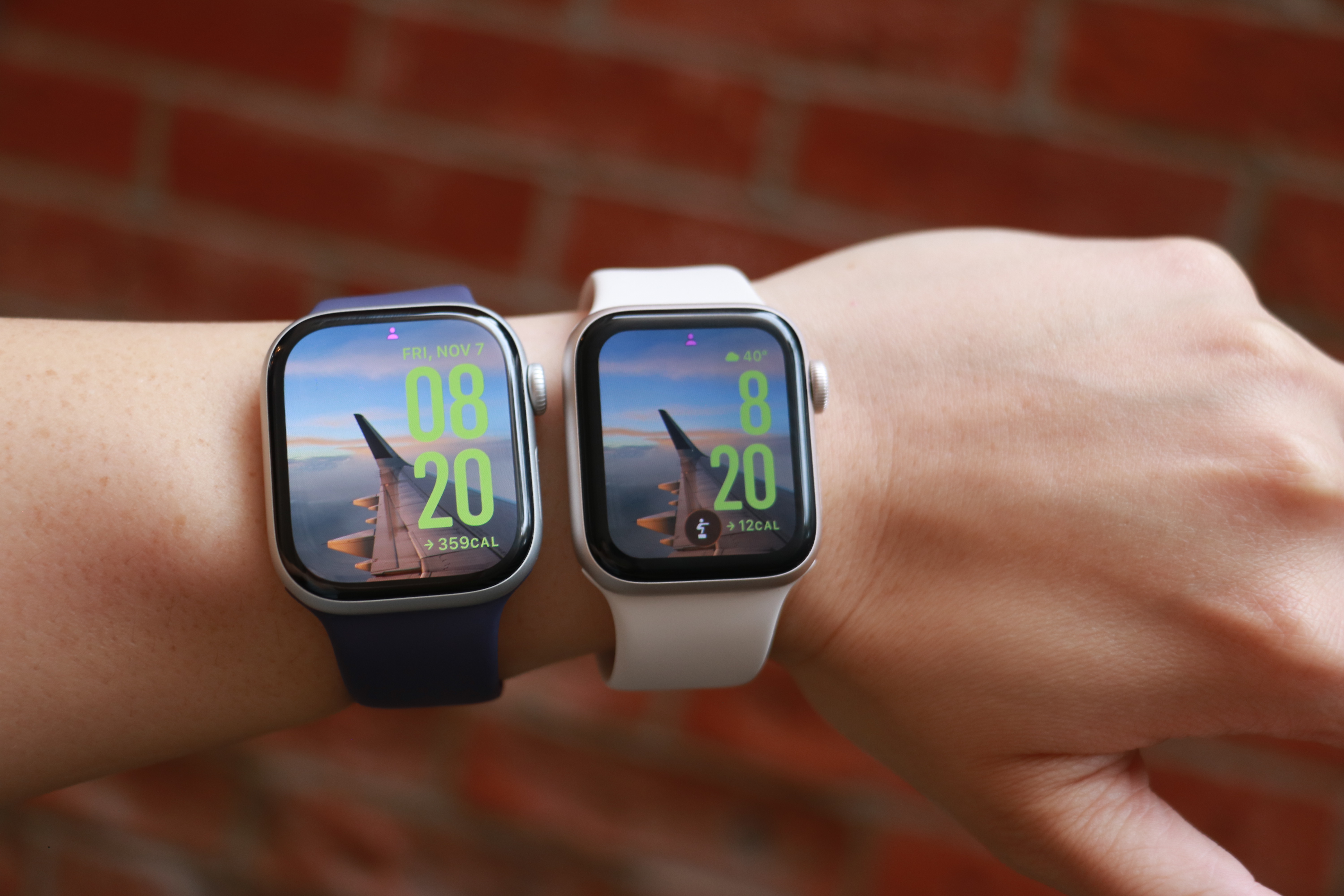
The Apple Watch Series 11 and Apple Watch SE 3 side by side on the same forearm.
Cherlynn Low for Engadget
Another screen-related update that isn’t immediately obvious is the Ion-X glass on the SE 3, which Apple says is four times more crack-resistant than the SE 2. I haven’t put this claim to the test, but the hardier material should help keep your smartwatch safe from more mishaps.
I should also point out that the Watch SE 3 uses the same S10 processor as the Series 11, which has a four-core neural engine that should help speed up Siri and Apple Intelligence tasks. In general, I found the SE 3 snappy and responsive, and mostly as fast as the Series 11. Previous Watch SE models tended to be a bit sluggish, so it’s nice to see the SE 3 get this particular bump.
The impact of most of the other improvements to the SE 3 depend on how you use a smartwatch. The new 5G support, for example, would be helpful if you get a cellular model and want to leave your phone behind while you run errands or go on walks. The wrist temperature sensor is mostly there to help with predicting cycles, so if you don’t ovulate it is unlikely to be useful to you right now. Sleep apnea notifications don’t affect non-sufferers, though they’re a nice feature to have. And finally, though I appreciate the ability to play songs of media through the watch’s onboard speaker, I rarely find myself wanting to do so.
It might be worth noting that the SE 3 comes in one fewer color option than the SE 2. You can only choose between starlight (a warm light gray) or midnight (black), as the silver version is not available in the latest generation.
Apple Watch Series 11 vs the Watch SE 3
The main thing I wanted to determine when reviewing the Watch SE 3 was whether it’s good enough to replace the Series 11. Like I said earlier, the short answer is yes, but it depends on how you use these devices. I don’t wear smartwatches to bed, and as a result my Watch SE 3 still has plenty of power left in the morning when I need it, so I’m a lot less affected by its relatively slower charging speeds. If you use your Apple Watch all the time, you might find something that recharges faster a lot more suitable — the Series 10 or 11 are both better on that front.
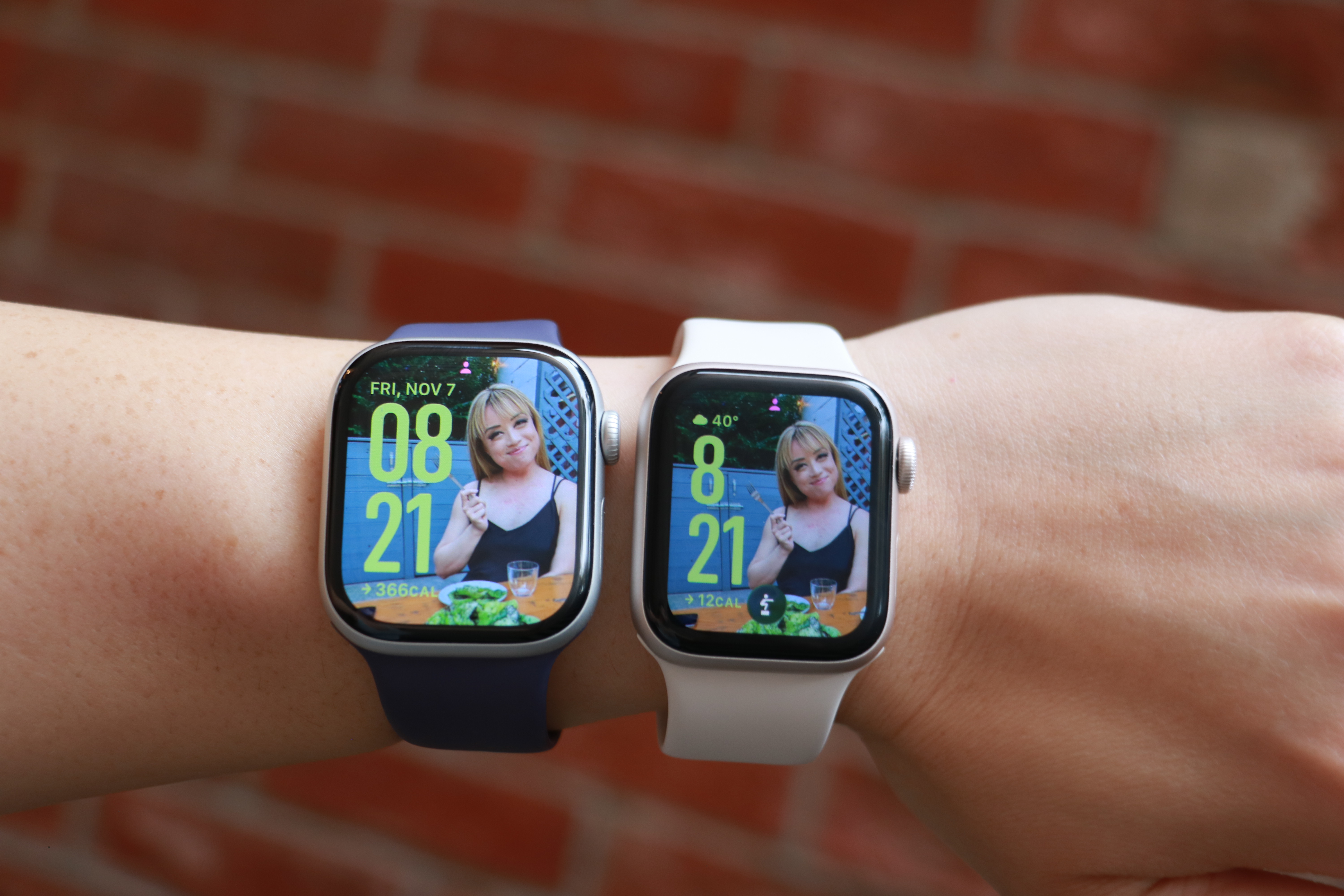
The Apple Watch Series 11 and Apple Watch SE 3 side by side on the same forearm, with the same photo watch face on their screens.
Cherlynn Low for Engadget
The Series 11’s larger screen and smaller bezels makes it a lot nicer to look at, though since the SE 3 also runs watchOS 26, I was able to use the same watch faces for both. Aesthetically, I didn’t find the two to be very far apart in terms of appearances, and if you’re not familiar with the latest Apple Watches like I am, you might not find the bezels as unsightly as I did. And though the SE 3 uses a flat OLED compared to the Series 11’s wide-angle OLED, I never really had an issue reading it, regardless of the position.
Thanks to their electrical heart rate sensors, the Series 11 and Series 10 support Apple’s newer health-centric features like hypertension alerts, as well as apps for ECG and blood oxygen readings. The SE 3’s optical sensor is older and doesn’t have those capabilities, but you’ll still get notifications for irregular rhythms, low cardio fitness, as well as high and low heart rate notifications. Those were more than enough for me, and though I occasionally run an ECG reading on my Series 11, it’s not something I’d miss (especially if a $150 difference in price were in the balance).
I’m also not a big swimmer or underwater enthusiast, so the SE 3’s lack of a depth gauge and water temperature sensor don’t bother me. All three watches I’ve mentioned in this section are water resistant to 50 meters, and that’s more than enough for my needs. If you want your watch to help with your underwater activities, it’s probably worth splurging on the Series 10 or 11.
The pricier watches are also certified IP6x for dust resistance, meaning they should offer a bit more peace of mind for those who work on beaches or on job sites, for example. I’ve not yet encountered a smartwatch that stopped working due to dust ingress, regardless of whether it was rated, so the SE 3 not having this certification doesn’t bother me either.
One thing that the most discerning tech fans might call out is the fact that the SE 3 doesn’t have the same ultra wideband (UWB) chip that the Series 10 and 11 do. This enables the greater precision in Find My that allows you to locate your iPhone or wearable down to the number of feet. But you’ll still get basic Find My support on the Watch SE 3, and honestly all I really did with this was to use my watch to ring my phone so I could confirm it was with me without having to dig through all the pockets in my gigantic purse. Still, if you use this Find My interface a lot, it’s worth considering when getting your next Apple Watch.
Finally, if you’re a fan of the titanium finish or multiple color options in Apple’s more-premium lineup, only the Series 10 and 11 come in the silver and rose gold colors for the aluminum case. The Series 11 is also available in Space Gray in aluminum, as well as Slate, Gold and Natural hues for the titanium finish. Again, the SE 3 is only available in two colors.
Using the Apple Watch SE 3 as a Series 11 wearer
I’m the sort of person who straps on my smartwatch when I head out and removes it when I get home. When I’m outside, I expect my Apple Watch to track my steps and activity, automatically detect and log extended walks, tell me when someone’s calling or texting and keep tabs on my workouts. For all those situations, the SE 3 was more than adequate. Occasionally I noticed it was a bit slower than the Series 11 at recognizing when I was done working out and suggesting I end the session, but not at a frequency that was concerning.
The SE 3 was also as capable as the Series 11 when it came to acting as a remote viewfinder for my iPhone’s camera, and Siri was satisfyingly responsive at launching my workouts or telling me about the weather. I also enjoyed having the double tap and wrist flick gestures at my disposal, and honestly kind of liked the watch’s smaller size.
But I did miss the Series 11’s brighter screen and smaller bezels. I also prefer the Series 11 for its ability to recharge more quickly, as well as its slightly longer-lasting battery. Both still were able to make it through an entire day before needing a charge, but the Series 11 generally did more in the background in that amount of time.
In the end, it wasn’t the features like blood oxygen readings or hypertension notifications that I wanted back. It boiled down to physical components like a brighter display or bigger battery and more durable case that I wanted around for peace of mind.
Wrap-up
Is peace of mind worth a $150 premium? In this economy, it’s hard to say. On one hand, it’s possible a $399 Apple Watch will outlast the $249 SE 3, mostly due to its harder materials, making it a more astute investment in the long run. But for those who currently have tight budgets and need to replace aging or broken smartwatches, the SE 3 is the way to go.
This article originally appeared on Engadget at https://www.engadget.com/wearables/apple-watch-se-3-review-good-enough-for-most-people-133000008.html?src=rss
LGBTQ+ rights and acceptance have taken another hit in China, with Apple removing two of the countries biggest LGBTQ+ dating apps. Wired reports that Blued and Finka are no longer available on the iOS App Store or certain Android App Stores following orders from the Cyberspace Administration of China, the country's internet regulator and censor.
Apple told Wired that it must "follow the laws in the countries where we operate." Both dating apps were available solely in China, where LGBTQ+ dating apps are minimal — Grindr, for instance, hasn't been available on Apple since 2022. Blued exists internationally under the name HeeSay.
China has increasingly cracked down on LGBTQ+ individuals' rights and groups in recent years, allegedly shuttering large organizations like the Beijing LGBT Center in 2023. For reasons unknown, Blued previously stopped new registrations this past July, with individuals buying second-hand accounts to use the app. However, it reopened in the middle of August.
sBlued and Finka share a parent company, BlueCity, which is, in turn, owned by Newborn Town. BlueCity also operates in the healthcare space, with a non-profit dedicated specifically to prevention and treatment for diseases such as HIV/AIDS.
This article originally appeared on Engadget at https://www.engadget.com/apps/apple-told-to-remove-lgbtq-dating-apps-by-china-130022336.html?src=rss
Vinyl records are firmly back in rotation, but getting started does not have to mean spending a fortune or building a complicated hi-fi stack from day one. Whether you want a simple, all-in-one setup with built-in speakers or you are piecing together a more traditional system with a separate amplifier, the best record player is the one that fits how you listen at home.
For this guide, we focused on high-quality turntables under $600 that deliver a satisfying listening experience without unnecessary complexity. These picks cover everything from beginner-friendly automatic models to more audiophile-leaning decks that prioritize sound quality and upgrade potential, proving you do not need to jump into the high-end to enjoy vinyl properly.
Best record players for 2026
Other record players we tested
Audio-Technica AT-LP60XBT
This is about as basic as it gets, unless you opt for the AT-LP60X which ditches the Bluetooth connectivity. This is a perfectly decent option for someone just getting into vinyl, but if you spend a little more for the AT-LP70X, you won’t be in quite as big of a hurry to upgrade once you surrender to the obsession.
Cambridge Audio Alva ST
The Alva ST has a refined design that made me want to keep it out in my living room longer than many of the models on this list. The controls are limited on the top to power and individual options for 33 and 45 RPM speeds. Everything else is on the back panel, including Bluetooth pairing and preamp buttons. To complete the look, Cambridge Audio opted for a 1mm aluminium top plate, which sits on an MDF plinth with a layer of EVA to absorb vibrations in between.
While the overall audio performance on the Alva ST is warm and inviting, there is a lack of detail across genres. I’ve noticed albums don’t have a particularly wide soundstage, and songs lack their normal punch at times, so some sound compressed compared to when they’re played on other turntables. Additionally, the free swinging tone arm needs more resistance so it’s not so prone to dropping on a record immediately if it slips out of your fingers when you have the cueing lever down. Since this turntable is fully manual operation, I felt a bit of peril every time I went to lower the needle. (The price increased during testing for this guide.)
Sony PS-LX3BT
Sony hasn’t announced new turntables in years, relying on its PS-LX310BT as the lone option in its audio lineup. The PS-LX3BT is a fully automatic, belt drive turntable with built-in pre-amp and Bluetooth connectivity. There are easy-to-use controls for speed and vinyl sizes, as well as a gain selector to help you dial in the sound. I was also smitten by the minimal yet sophisticated design that offers a decidedly modern look.
If the LX3BT was $100 cheaper, it would probably replace Audio-Technica as the best option for beginners. But at $400, I simply can’t recommend someone new to vinyl spend that much. What’s more, the RCA cable is fixed and the included mat is very thin. Sony also doesn’t disclose what type of cartridge it uses, other than it being a moving magnet (MM) type, nor does it mention if you can upgrade that component. The upcoming PS-LX5BT should remedy some of these issues, but it’s also more expensive at $500.
Denon DP-300F
Denon’s DP-300F is a mixed bag. On one hand, you get the convenience of fully automatic operation, dedicated speed and record size buttons and somewhat refined design. There are also some confounding decisions though, like the permanently affixed cables, the preamp switch being under the platter and the overall midrange build quality for a $500 turntable. The sound from the preamp and Denon’s cartridge has a clear lack of depth and detail that almost any model at this price should offer.
How to shop for a turntable
The first question you’ll need to ask yourself when looking for a turntable is how you plan to use it. Are you into vinyl for the ritual? If you simply like the concept of physical media, having to flip a record to finish it or the need to intentionally swap out an album when it’s done, that’s just fine. You probably can make do with a more affordable turntable since overall sound quality may not be a main concern. If you crave the warmth of analog sound, and you want the collection you’ve invested in to sound its best, you’ll need to consider something with better specs.
You’ll also need to account for where and how you’re going to listen to vinyl. Are you planning to connect this turntable to headphones or Bluetooth speakers? Do you have shelf or tower speakers you’re going to use? Are you willing to invest in a dedicated preamp or would you rather a new turntable come with one built in? All of these questions will impact your buying decision — even the Bluetooth codecs, if you’re going the wireless route.
Best record players
Billy Steele for Engadget
Automatic, semi-auto and manual operation
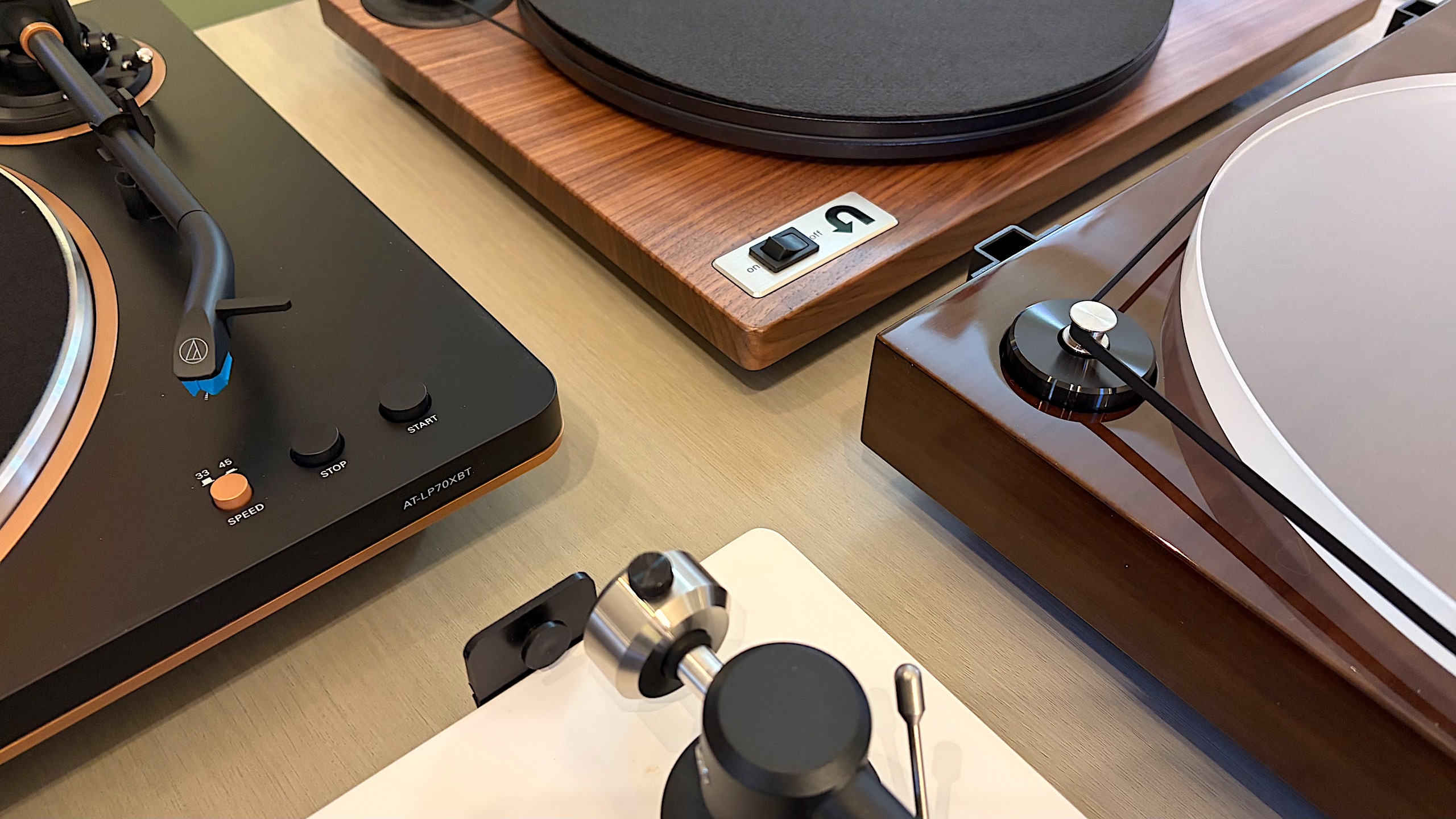
If you’re just getting into vinyl, an automatic turntable will save you a lot of stress. These are the models that place the stylus for you — all you have to do is push a button. When you get to the end of the record, the turntable will also return the tonearm to its resting spot automatically. Or, if you need to stop your session mid-side, there’s a button for that too.
Some turntables have semi-automatic operation. Maybe they can’t place the needle for you, but they do have an automatic stop when a side of a record is complete. This auto stop, which sometimes comes with an on/off switch, can prevent unnecessary wear on your stylus and vinyl. Plus, many turntables with automatic operation allow you to take control if you need to drop the stylus in a certain place (that’s not the beginning of the record) or if you have a die-cut vinyl (like the It's the Great Pumpkin, Charlie Brown soundtrack).
Then there’s the fully manual option. Here, you’re solely responsible for placing the tonearm and taking it off when the music stops. A lot of turntables have a cue lever to assist with the process, and a lot of tonearms have a mechanism that lowers them slowly rather than violently dropping them on a record. This adds one more step to the ritual, and it’s one many purists prefer.
Preamp
The biggest decision you’ll need to make in terms of a preamp is to decide if you want one built into your turntable or if you’d rather use a separate one. It can be very convenient, especially for beginners, to use a built-in component to amplify the signal from the turntable before it hits any speakers or headphones. The downside is that you’re left with what the company provides from the factory, so if you’re looking to upgrade, you’ll have to disable the preamp inside. On most turntables, there’s a switch that allows you to do this, so it’s no trouble. But, opting to skip the preamp on some models could save you money that could be invested elsewhere.
A dedicated preamp typically uses higher-quality components and reduces noise by keeping internal parts properly separated. More robust models may even provide controls for things like tone or multiple inputs, while the basic options will simply allow you to plug in, play and forget it. If you’re after the best possible clarity and realism from your record collection, we’d recommend a dedicated preamp right from the start.
Best record players
Billy Steele for Engadget
Removable cartridge/headshell
The next item you’ll want to consider is if the turntable you’re eyeing can be upgraded in the future. The best way to do this is by swapping out the cartridge. Most turntables allow you to do this but there are some that don’t, so you’ll need to pay attention to this detail. Upgrading the cartridge down the road is a great way to improve overall sound quality without having to buy a new turntable, new speakers or a new amp.
Belt drive vs. direct drive
There are two main types of turntables: belt drive and direct drive. All of the models we tested for this guide are belt drive, which means there’s a thin belt that connects the platter to the motor to make the thing spin. Direct drive turntables are widely used by DJs and Technics was the first to make them. Here, the motor is directly under the platter and connected to it directly so the setup is less prone to wearing out. This is especially key when you’re doing things like scratching. Direct-drive turntables tend to be more expensive than their belt-driven counterparts.
Counterweight and anti-skate control
Most turntables will include a counterweight on the tonearm and some form of anti-skate control. Both of these help keep the stylus in place with the correct amount of pressure, all to ensure proper operation with minimal wear on your records. Sometimes the anti-skate elements are built into the tonearm while other models offer a dedicated dial on the surface of the plinth. The ability to adjust both of these can help you fine-tune the performance of your turntable over time, which may be necessary after upgrading the cartridge or other components.
Other components to consider
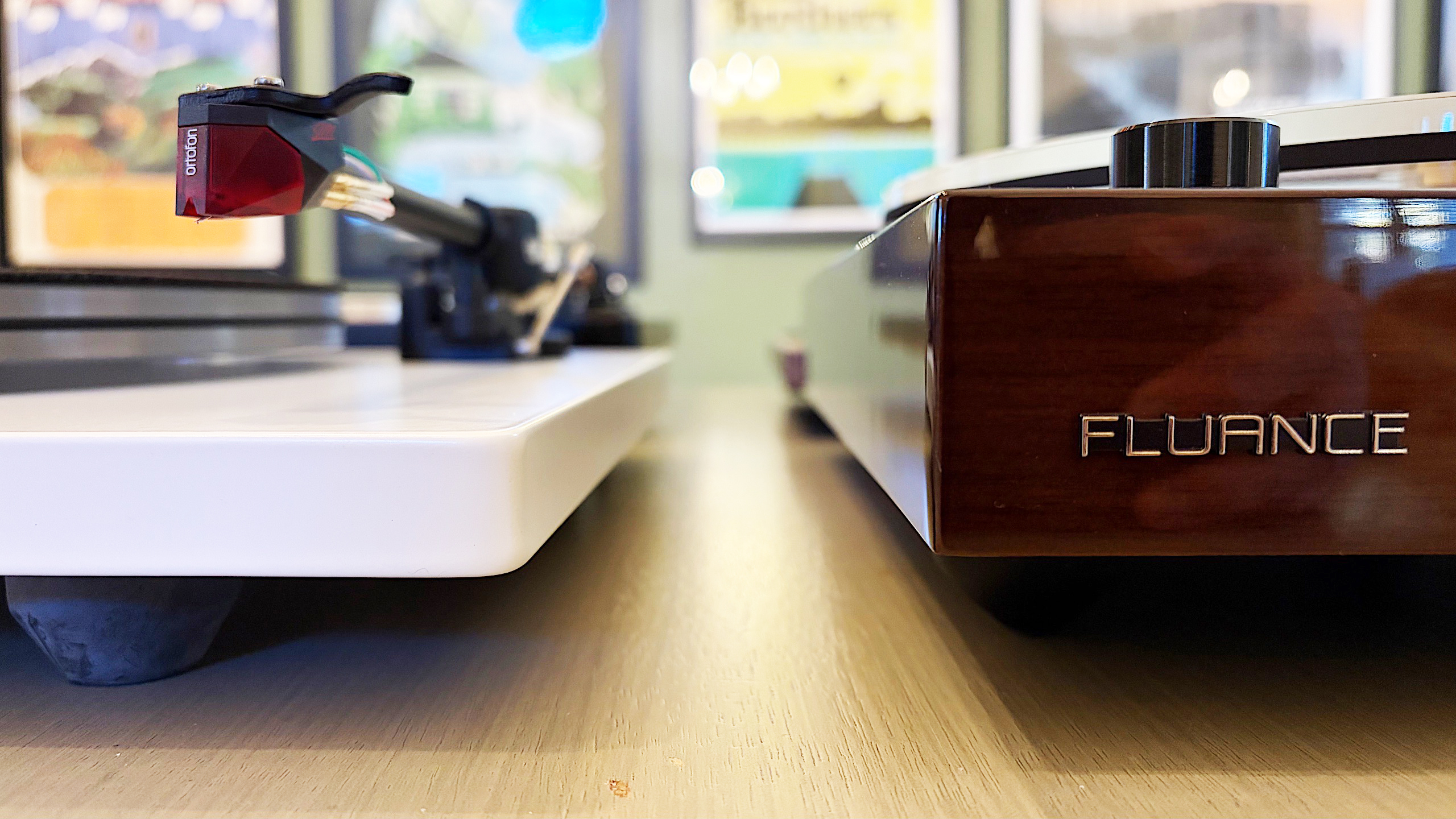
Some final items you’ll want to evaluate on a prospective turntable purchase include the materials used for the base (plinth), platter and even the feet. Cheaper turntables may be mostly plastic affairs while more expensive models can use solid MDF (medium-density fibreboard) for the plinth. A lot of turntables have aluminum platters with a felt pad while others may feature a thick acrylic version. And while entry-level turntables may have small, plastic feet, premium models come with larger, adjustable, rubberized feet for better vibration isolation. While some of these come down to personal preference — a frosted acrylic platter looks really nice — there are some performance boosts to be gained depending on how the company uses the components.
How we test turntables
Since most turntables under $600 meet the criteria for entry-level through midrange, we tested every model with a set of Audio-Technica AT-SP3X powered speakers. These offer balanced sound for turntables with a 1.1-inch tweeter and 3-inch woofer in each unit. And at $269, they won’t break the bank if you need speakers for your new turntable and they’ll provide ample sound performance even if you spend more than our budget on a new deck.
For all of our test units that didn’t have a built-in preamp, we used the Fluance PA-10. At $100, it’s an affordable upgrade if you’re looking to bypass a turntable’s included components or if you’re looking to go more analog with your turntable purchase. There are no buttons or controls, just connect your turntable, speakers and ground wire (if you’re using one) and you’re ready to go. It’s simple, straightforward and inexpensive, so it’s a great option for beginners and more experienced vinyl collectors alike.
In terms of performance testing, we play a variety of genres on each turntable to evaluate sound quality. We also carefully examine the overall experience of putting a record on, setting the speed, placing the tonearm and more, which allows us to judge how well each turntable will work for users at different experience levels. Lastly, we take notes on design and components, comparing those elements from each turntable with our other test subjects to make our recommendations.
This article originally appeared on Engadget at https://www.engadget.com/audio/best-record-player-120000239.html?src=rss