Are you always looking for that competitive advantage in your gaming setup? Look no further than the Logitech G PRO X 60 LIGHTSPEED wireless gaming keyboard. This compact powerhouse, designed with pro gamers in mind, offers a 60 percent form factor that frees up valuable desk space for those crucial mouse movements. Imagine having more […]
Apple’s latest software update, iOS 17.5, is currently in beta and the update promises to uplift the overall experience for iPhone users with a slew of enhancements and new features. If you’re keen on understanding how this update will reshape your device’s functionality, you’ll be pleased to find a comprehensive rundown of the improvements that […]
Logitech has unveiled the G Pro X 60, its latest gaming keyboard. Similar to the peripheral maker's G Pro X TKL from last year, this is a wireless model aimed at competitive-minded gamers first and foremost. Unlike that device, it has a smaller 60 percent layout, which means it lacks a dedicated function row, number pad, arrow keys and nav cluster but takes up much less space on a desk. This can be a boon for games because it leaves more room to flick a mouse around while retaining the most common action keys. Naturally, it’s also more portable.
The G Pro X 60 is up for pre-order today for $179 in the US or €229 in Europe. It’s available in three colors (black, white or pink) with either the linear or tactile version of Logitech’s GX Optical switches. The company says it’ll be available at major retailers in “late April.”
I’ve had the keyboard on hand for a few days prior to today’s announcement and have mostly been impressed, though I’d have a hard time calling it a great value.
Let’s start with the good: This thing is well-built. Its aluminum top plate is surrounded by a plastic frame, but it all feels sturdy, with no real flex or give when you press down. Its doubleshot PBT keycaps are pleasingly crisp and should avoid any of the shininess that'd develop with cheaper ABS plastic over time. The legends on the keycaps are neatly printed and transparent, so any RGB backlight effects you set will come through cleanly. All the keys are angled comfortably, and there’s a set of flip-out feet on the back.
Logitech
I’m not crazy about the side-mounted volume roller — once you’ve blessed your keyboard with a full-on rotary knob, it’s hard to give up — but it’s easy to reach with your pinky, so you can adjust volume without having to lift your other fingers during the heat of a game. There’s also a dedicated switch for flipping on Logitech’s “game mode,” which deactivates keys you might otherwise hit by accident; those include the Windows and Fn keys by default, but you can add others through Logitech’s G Hub software.
The keyboard can connect over a detachable USB-C cable, Bluetooth or a 2.4GHz wireless dongle. Per usual with Logitech gear, the latter’s connection is rock solid; I’ve had none of the hiccups or stuttering I’ve seen with some wireless keyboards from less established brands, particularly when waking the device from sleep. There are buttons to swap between Bluetooth or the 2.4GHz connection built into the board, as well as a handy compartment for stashing the adapter itself. You can also connect the G Pro X 60 and certain Logitech mice simultaneously using one dongle. Logitech rates the battery life at up to 65 hours; that sounds about right based on my testing so far, but the exact amount will fluctuate based on how bright you set the RGB backlight.
The best thing about the G Pro X 60 might have nothing to do with the keyboard at all — it’s the fact that Logitech includes a hard carrying case in the box. More companies should do this! It makes the device much easier to transport.
Alas, this probably isn't a keyboard you’d want to take to the office. The linear GX Optical switches in my test unit feel totally pleasant: They’re fast enough for gaming, and they come pre-lubricated, so each press goes down smoothly. Since they’re optical, and thus not reliant on any physical contact points, they should also prove durable over time.
Logitech
But they aren’t exactly quiet. Logitech has fit a couple layers of silicone rubber inside the board, but there isn’t the wealth of sound-dampening foam you'd find in some other options in this price range. To peel back the curtain a bit: I received the G Pro X 60 just after testing a bunch of mechanical keyboards for an upcoming buying guide, so I’m a little spoiled on this point. Some people may like the obvious clack of each press here, too. I can’t imagine their coworkers or roommates being as thrilled, though, and some modifier and nav keys like Alt, Ctrl and Tab sound hollower than others.
Besides that, my issues with the G Pro X 60 are more about what's missing than anything the keyboard does wrong. For one, its switches aren’t hot-swappable, so you can’t easily remove and replace them without desoldering. Yes, this is a niche thing, but so are $180 gaming keyboards as a whole. Being able to pop in new switches isn’t just a plus for long-term repairability; it’s half the fun for some keyboard enthusiasts in the first place. Swapping keycaps is straightforward, though.
Taking a step back, a growing number of the G Pro X 60’s peers have some sort of analog functionality, which means they can respond to varying levels of pressure. The top pick in our gaming keyboard buyer’s guide, the Wooting 60HE+, is a good example: Its magnetic Hall effect sensors let you set custom actuation points, so you can make each key extra sensitive while playing a fast FPS, then make them feel heavier and more deliberate while typing. They also enable a “rapid trigger” feature that lets you repeat inputs faster, which can be helpful for, say, strafing back and forth during an in-game shootout. Other models from Razer and SteelSeries provide similar functionality. But the G Pro X 60 lacks any sort of adjustable actuation or rapid trigger mode. That’s probably not a dealbreaker for most people, but the people who would use those features are the kind of hardcore gamers Logitech is targeting with this device.
Logitech
What is here is a new remapping system called “Keycontrol.” Through G Hub, this allows you to assign several different commands or macros to each key, with three separate control layers. This is a convenient way to get around some of the design’s missing keys: I made it so holding Alt temporarily turns WASD into arrow keys, for example. But it also lets you base different actions on whether you press, hold or release a key, so you could tie complementary actions in a game — casting a couple of buffs in an RPG, perhaps — to one press. Some of the analog keyboards noted above can work like this, too, and you need to have G Hub open for some bindings to stay active. Still, it’s better to have this sort of flexibility than not. Logitech says more of its keyboards will receive Keycontrol support in the future but declined to give more specific details.
All of this makes for a keyboard that’s solid in a vacuum but faces some stiff competition. Rival gaming keyboards like the Wooting 60HE+ and SteelSeries Apex Pro Mini Wireless are a little richer with performance-focused features, while a slightly larger option like the ASUS ROG Azoth sounds better and offers more customizable hardware for keyboard geeks. There are plenty of great non-gaming keyboards that cost much less, too. But the G Pro X 60 isn’t a bad choice if you want something compact and wireless, so it might be worthwhile during a sale.
This article originally appeared on Engadget at https://www.engadget.com/logitechs-tiny-g-pro-x-60-gaming-keyboard-has-some-big-competition-070154542.html?src=rss
The moment your iPhone screen remains ominously black is a source of frustration for any user. This scenario can unfold in various ways: perhaps your device abruptly powers down without warning, or maybe it stubbornly refuses to come back to life after a period of inactivity. Such an encounter with a non-responsive iPhone is not […]
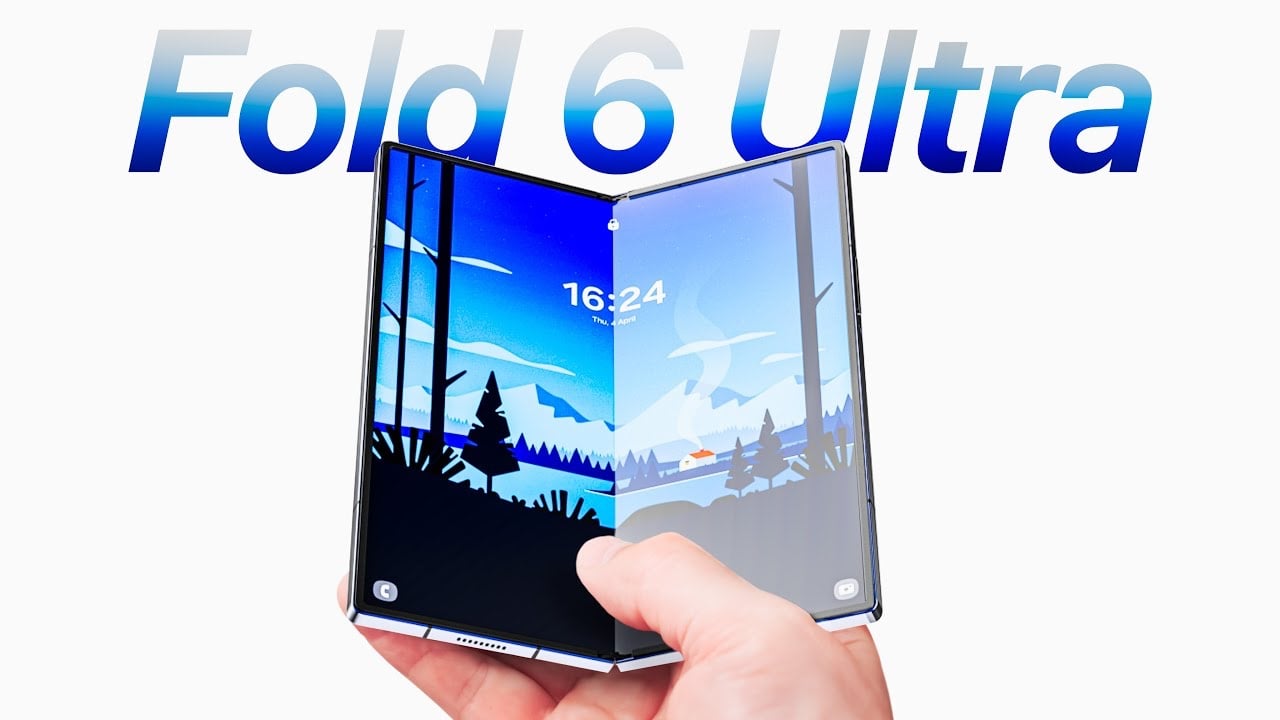
The world of mobile technology is on the brink of a major transformation as Samsung gears up to launch its highly anticipated Galaxy Z Fold 6 series. This groundbreaking lineup of foldable smartphones promises to redefine the way we interact with our devices, offering a perfect blend of innovation, functionality, and style. With three distinct […]
Imagine a world where you can print your favorite photos, important notes, or even your to-do lists directly from your smartphone, anytime, anywhere. Sounds too good to be true? Well, it’s not. Welcome to the world of PoooliPrint, the pocket thermal printer that requires no ink. This little gadget is about to revolutionize the way […]
Back in 2019, the family of Apple engineer Wei Lun Huang (aka Walter Huang) sued Tesla a year after he was killed when his Model X crashed into a median in Mountain View while Autopilot was engaged. That case is officially closed, now that the automaker has settled the lawsuit on the very day jury selection was supposed to take place. According to CNBC and The New York Times, Tesla's lawyers asked the court to seal the settlement agreement so that the exact amount the company paid wouldn't be made public. The company didn't want "other potential claimants (or the plaintiffs' bar) [to] perceive the settlement amount as evidence of Tesla's potential liability for losses, which may have a chilling effect on settlement opportunity in subsequent cases."
Tesla confirmed shortly after the accident that Autopilot was switched on at the time of the crash, but it also insisted that Huang had time to react and had an unobstructed view of the divider. In a statement to the press, the company insisted that the driver was at fault and that the only way for the accident to have occurred was if Huang "was not paying attention to the road, despite the car providing multiple warnings to do so." In the lawsuit, Huang's lawyers pointed to Autopilot marketing materials from Tesla suggesting that its cars are safe enough to use on the road without drivers having to keep their hands on the wheel at all times. We took the image above from a video on Tesla's Autopilot page, showing a driver with their hands on their lap.
The incident became big enough to attract the attention of the National Transportation Safety Board (NTSB), which conducted an investigation and found that Huang previously reported that the car steered away from the highway on prior trips. In fact, his family said that he used to complain about his car swerving towards the exact barrier he crashed into and had even reported it to the Tesla dealership, which couldn't replicate the issue. The agency also concluded that Tesla's collision warning system didn't alert the driver and that its emergency braking system didn't activate as it should have when the car started making its way toward the barrier.
That said, the NTSB discovered, as well, that Huang was running a mobile game on his phone at the time of the accident. It just couldn't determine whether the phone was in his hands when the crash occurred. The Times said Tesla was preparing to show proof to the court that Huang was playing a game when he crashed, which his lawyers denied. Regardless of who's truly at fault, a trial would've called renewed attention to the safety of Tesla's driver assistance system. Settling puts an end to the case a few months before the company unveils its own robotaxi on August 8.
This article originally appeared on Engadget at https://www.engadget.com/tesla-settles-lawsuit-over-fatal-model-x-crash-that-killed-an-apple-engineer-054710845.html?src=rss
Midjourney V6 is transforming the way we can generate images in a number of different ways. Although one thing most AI image generators still struggle with is adding text to images in the right location, orientation and to our specifications. However there are a few ways that you can try to enhance your images with […]