X is rolling out a built-in “Paid Partnership” label that creators can apply to sponsored posts, replacing the hashtag workarounds they’ve had to rely on until now. The feature, announced by the platform’s head of product Nikita Bier, adds a toggle that places a disclosure label directly below a post’s content. It can also be applied retroactively.
The label is meant to help creators comply with years-old FTC regulations requiring clear disclosure of sponsored content. The agency sent out letters reminding influencers about this requirement in 2017, and Instagram added a disclosure feature that same year. Without a native tool, X creators had been left to use hashtags like #ad and #paidpartnership.
X has been trying to court creators for some time with tools like ad-revenue sharing and creator subscriptions, but the platform still struggles with major image issues following a string of scandals like Grok creating CSAM. The Elon Musk-owned platform is under investigation both domestically and abroad for the AI agent’s behavior.
This article originally appeared on Engadget at https://www.engadget.com/social-media/x-adds-paid-partnership-labels-so-users-can-more-easily-identify-ads-183528227.html?src=rss
The iPad Air, the middle child in Apple’s tablet lineup, has been upgraded to the M4 chip with increased RAM and… Well, there’s not a whole lot else if I’m being honest. At the very least, the new iPad Air M4 models remain at the same price as the iPad Air M3, with the 11-inch version starting at $599 and the 13-inch at $799. I would give Apple more credit if it had increased the starting storage or added literally anything else.
If you put them side by side, you might not be able to tell the difference, but this upgrade would benefit creatives and professionals more than anything. There’s a significant performance bump from the M3 to the M4, and the increased RAM is doing a lot of work, especially if you’re taking advantage of Apple Intelligence.
If you’re using an M1-powered iPad Air or something even older, though, the new iPad Air M4 should be a compelling upgrade. Pre-orders start at 9:15AM ET on March 4, with the units arriving a week later. We expect full reviews will be published by then. But in the meantime, let’s dive into what the performance gains might look like and what we’re missing out on in this year’s iteration of the iPad Air.
iPad Air M4 vs. iPad Air M3: Performance and battery life
The most significant difference between the two iPad Air generations is their chipsets. The latest iPad Air launches with the M4 chip versus its predecessor’s M3 chip, and it gets a bump in RAM from 8GB to 12GB.
I don’t give much fanfare to incremental chip increases because the performance gain is usually minimal. However, the M4 is up to 30 percent faster than the M3, according to Apple. That might be noticeable to even casual users, especially as the years go on and iPadOS becomes more demanding. For power users, it’ll mean more demanding work like video editing will be noticeably quicker.
For those in need of the fastest internet speeds, the new iPad Air is also equipped with Apple’s N1 chip, which enables Wi-Fi 7 and Bluetooth 6, the latest connectivity technology. However, I really don’t imagine the average user needing up to 46 gigabits per second of internet speed compared to the iPad M3’s 9.6 Gbps on Wi-Fi 6. If you do, you’re in the tax bracket for an iPad Pro.
Now, despite the increase in speeds, the battery life between the M4 and M3 models remains the same. Apple claims all four models get up to 10 hours of battery life surfing the web on Wi-Fi or watching video (up to 9 hours on cellular). No complaints here.
iPad Air M4 vs. iPad Air M3: Design, display, audio and cameras
For better or worse, we’re not getting any changes in any of these departments, which is why I’m lumping them together.
The iPad Air comes in blue, purple, beige and gray. The 11-inch option measures 9.74 x 7.02 x 0.24 inches and the 13 comes in at 11.04 x 8.46 x 0.24 inches. As their names suggest, they’re both rather light, at 1.01 pounds (1.02 pounds for M4) and 1.36 pounds, respectively. My only wish was that we got new colors that popped a bit more.
Then there’s the displays. All four versions of the iPad Airs sport a Liquid Retina LED display at 264 ppi. The 11-inch supports a 2,360 x 1,640 resolution with a peak brightness of 500 nits, while the 13-inch offers a 2,732 x 2,048 resolution at 600 nits. It would’ve been nice to see an OLED or even Mini-LED panel make its way to the iPad Air, which could’ve made the screen more vivid and vibrant. But it’s more disappointing that we’re stuck at 60Hz unlike the Pro models that offer 120Hz, making their visual experience smoother.
Both products feature landscape stereo speakers. The iPad Air M3’s audio quality couldn’t live up to the iPad Pro, so I doubt the M4 model will.
You won’t catch me taking photos with an iPad, but for those of you who do, the iPad Air M4 features the same 12MP cameras on the front and back as its predecessor.
iPadOS 26, Apple Intelligence and Apple accessories
Nothing huge is happening to iPadOS or the Apple accessories in the iPad Air refresh. The revamped Magic Keyboard from last year still works with these new models, as does the Apple Pencil Pro. iPadOS 26, released last fall, was a major update but will still be familiar enough to anyone who has used an iPad before. The new iPad Air M4 is getting a significant boost in AI processing speeds, though, thanks to its new chip and 50 percent increase in RAM. However, unless you’re an AI power user, you probably won’t notice a difference there.
All that said, if your love language is spreadsheets, the full specs are helpfully laid out below:
iPad Air M4 vs. iPad Air M3: Specs at a glance
Spec
iPad Air M4
iPad Air M3
Price
$599 (11-inch), $799 (13-inch)
$599 (11-inch), $799 (13-inch)
Processor
M4
M3
Display
11-inch: Liquid Retina, 2,360 x 1,640, LED display at 264 ppi
13-inch: Liquid Retina, 2,732 x 2,048, LED display at 264 ppi
11-inch: Liquid Retina, 2,360 x 1,640, LED display at 264 ppi
13-inch: Liquid Retina, 2,732 x 2,048, LED display at 264 ppi
RAM
12GB
8GB
Storage
128GB, 256GB, 512GB, 1TB
128GB, 256GB, 512GB, 1TB
Battery
Up to 10 hours (Wi-Fi), 9 hours (Cellular model)
Up to 10 hours (Wi-Fi), 9 hours (Cellular model)
Cameras
12MP Wide (rear), 12MP Center Stage (front)
12MP Wide (rear), 12MP Center Stage (front)
Apple accessories
Apple Pencil Pro, Apple Pencil, Magic Keyboard Folio
Apple Pencil Pro, Apple Pencil, Magic Keyboard Folio
Dimensions
11-inch: 9.74 x 7.02 x 0.24 inches
13-inch: 11.04 x 8.46 x 0.24 inches
11-inch: 9.74 x 7.02 x 0.24 inches
13-inch: 11.04 x 8.46 x 0.24 inches
Weight
11-inch: 1.02 pounds
13-inch: 1.36 pounds
11-inch: 1.01 pounds
13-inch: 1.36 pounds
This article originally appeared on Engadget at https://www.engadget.com/mobile/tablets/ipad-air-m4-vs-ipad-air-m3-the-few-new-things-in-apples-midrange-tablet-182701520.html?src=rss
The Analogue Pocket handheld retro console has proven to be extremely popular, as initial runs have sold out. The company just announced the system will be back in stock this week, along with the dock accessory. Preorders open up on March 4 at 11AM ET, with shipments going out this June.
Analogue Pocket & Analogue Dock - restock.
A tribute to portable gaming. Out of the box, Pocket is compatible with the 2,780+ Game Boy, Game Boy Color & Game Boy Advance game cartridge library and more.
That's the good news. The bad news? The little console is getting slapped with a price increase. It's shooting up to $240 from the recent price of $220, with the company placing the blame squarely on President Trump's neverending tariffs. The device is assembled in China and Trump just hit the region with even more tariffs after the Supreme Court struck down the old ones. We love to suddenly pay more for gadgets that have been out in the wild for nearly six years, don't we folks?
For the uninitiated, the Pocket isn't an emulation machine. It plays actual Game Boy, Game Boy Color and Game Boy Advance cartridges. It also integrates with various Game Boy accessories, like the camera and printer. The console can even handle Game Gear, TurboGrafx-16 and Atari Lynx games, but those require separate adapters.
We praised the Analogue Pocket in our official review, calling it "a clever little thing" that is sure to light up the nostalgia center of your brain. It even made our list of the best handheld consoles, which is notable given competition included stuff like the Steam Deck.
In any event, this drop will likely sell out quickly. We recommend parking a browser on the company website just prior to 11AM ET if you can stomach the new price.
This article originally appeared on Engadget at https://www.engadget.com/gaming/the-analogue-pocket-will-be-back-in-stock-this-week-but-theres-a-tariff-related-price-increase-182226016.html?src=rss
As AI-generated artwork becomes more commonplace, it still won't be able to be copyrighted, according to US courts. On Monday, the US Supreme Court declined to hear a case about whether an artwork generated with the help of AI can be copyrighted. The refusal means that a lower court's decision to reject the copyright request will stand.
The case dates back to 2018 when Stephen Thaler applied for a copyright of an artwork called A Recent Entrance to Paradise. Unlike using ChatGPT or Midjourney, Thaler, a computer scientist, created an AI system that generated the artwork in question. However, the US Copyright Office rejected his application in 2022 on the grounds that it wasn't made by a human author. Thaler sought appeals at higher courts, but ultimately had to escalate the case to the Supreme Court after both a federal judge in Washington and the US Court of Appeals ruled against him.
With a refusal from the highest court in the US, it's unlikely Thaler's case can continue. The US Supreme Court could always hear a related case in the future, but Thaler's lawyers said, "even if it later overturns the Copyright Office’s test in another case, it will be too late," adding that the decision will have negatively impacted the creative industry during "critically important years." It's worth noting that Thaler also filed applications to the US Patent and Trademark Office for AI-generated inventions, which were rejected for similar reasons.
This article originally appeared on Engadget at https://www.engadget.com/ai/the-supreme-court-doesnt-care-if-you-want-to-copyright-your-ai-generated-art-171849407.html?src=rss
Nintendo has scheduled an Indie World Showcase livestream for tomorrow, March 3, at 9AM ET. The company says this event will include "roughly 15 minutes of news and updates on indie games coming to Nintendo Switch 2 and Nintendo Switch." That's not a whole lot of time, but indie trailers tend to be on the shorter side.
We really don't know anything about what Nintendo and its partners could reveal tomorrow. It's entirely possible we'll see something big, like the previously announced Sea of Sorrow DLC for Silksong. More than likely, however, we'll get trailers and updates regarding a spate of unexpected indie games.
The previous Indie World Showcase took place in August and it gave us trailers and announcements for stuff like the excellent Ball x Pit and the upcoming Mina the Hollower. To that last one, Yacht Club Games said it would be launching the title for consoles this spring so we could get a release date announcement tomorrow.
Scott Pilgrim EXwill be available for download tomorrow, so a launch trailer is almost certain. This is a new side-scrolling fighter with four-player co-op and music by Anamanaguchi. My personal white whale is Witchbrook, the long-gestating life-sim set in a magical school. It's being published by Chucklefish, the company that originally published Stardew Valley.
There's some stuff we absolutely shouldn't expect. This is an Indie World Showcase, and not a Nintendo Direct. There will likely be no appearances by Mario or Zelda, unless a character pops up in an indie game as DLC or something. The stream is also unlikely to spotlight Pokémon Pokopia, despite the life-sim launching on March 5.
This article originally appeared on Engadget at https://www.engadget.com/gaming/nintendo/nintendo-just-announced-an-indie-world-showcase-for-tomorrow-at-9am-et-164706666.html?src=rss
Paramount Skydance plans to combine Paramount+ and HBO Max into a single streaming service following the completion of its merger with Warner Bros. Discovery. CEO David Ellison confirmed the plan on an investor call Monday, saying the combined platform would serve over 200 million subscribers and position the company to compete with the biggest players in the streaming space.
“We think the combined offering, and given the amount of content and what we can do from the tech side, really will put us in a position to be able to compete with the most scaled players in DTC,” Ellison said. It’s not yet clear whether the app’s two libraries will be fully integrated, or whether one will exist as a standalone service within the other. Ellison signaled that the HBO brand will “operate with independence” during the call.
Also unclear is what the newly combined app would cost subscribers. The last year has seen nearly across-the-board increases in the cost of streaming services, including HBO Max.
The planned merger would unite Paramount’s CBS, MTV, Comedy Central and BET with Warner’s CNN, HBO, TNT and Food Network, along with franchises including Game of Thrones, Mission: Impossible, the DC Universe and SpongeBob SquarePants under one roof. The combined entity is expected to carry roughly $79 billion in net debt, according to Reuters, and could be considered the largest leveraged buyout in history. The deal is expected to close in the back half of 2026, pending regulatory approval.
This article originally appeared on Engadget at https://www.engadget.com/entertainment/streaming/paramount-and-hbo-max-could-be-merging-into-a-single-streaming-service-163439653.html?src=rss
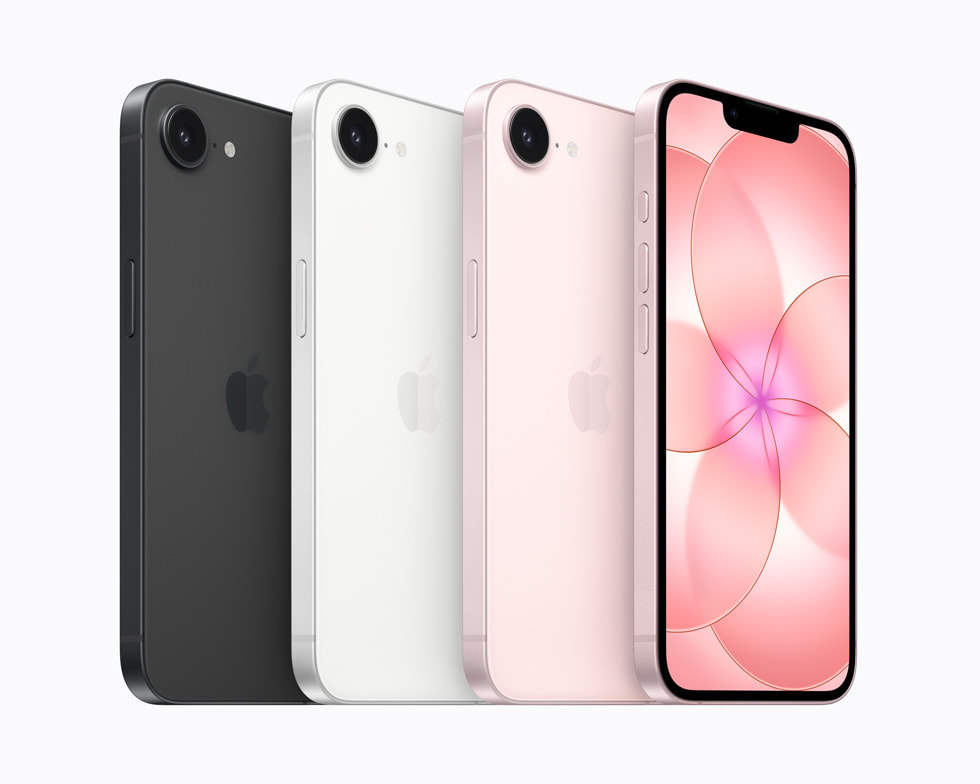
Apple’s most affordable iPhone just got an upgrade, but how does the new iPhone 17e compare to the iPhone 16e? Well, thankfully the price remains the same at $599, which is good news in our current economic climate. An immediate difference you might notice is that one of them now comes in a third color: pink. That’s at least one win for me because I am all for putting more color into tech.
There are a few differences under the hood as well, namely that the iPhone 17e is arriving with the A19 chip and double the storage. We’ve already seen what’s possible with an A19 chip in the standard iPhone 17 — it’s not a super exciting upgrade, but it is a boost nonetheless.
Pre-orders start at 9:15AM ET on March 4, and while we work on a full review, let’s take a deeper dive into what has changed on this year’s model and what that might mean in the real world.
iPhone 17e vs. iPhone 16e: Design and display
Of course, the biggest difference in the design for the iPhone 17e is the shiny new pink color. I’ve long complained about how many major tech companies stick to the safety of black, white or gray colorways. Thankfully, the iPhone 17e’s pink hue is a departure from that approach. It’s also an understated shade that’s elegant, compared to the typically brighter and louder tones reserved for cheap(er) phones.
Both the iPhone 17e and iPhone 16e measure 5.78 x 2.82 x 0.31 inches. However, the iPhone 17e did get a bit heavier at 5.96 ounces compared to the iPhone 16e’s 5.88 ounces. It’s very unlikely you’ll notice the 0.08 ounce difference, though. (And if you do, you have a gift.)
In terms of durability, the iPhone 17e is outfitted with Ceramic Shield 2, which is a glass face that Apple said is three times more scratch-resistant than the iPhone 16e’s original Ceramic Shield. Ideally, it’ll survive falls to the ground (within reason) and spare you a scratched up display from casual wear and tear.
There doesn’t seem to be any change in the display — whether that be in its brightness or color rendering capability — but that isn’t too shocking. Both the iPhone 17e and iPhone 16e feature a 6.1-inch Super Retina XDR OLED panel with a 1,200-nit peak brightness. That’s bright enough to combat the ambient glare from the sun, so you should be able to read it outside relatively easily. They’re also specced out with a 2,532 x 1,170 resolution at 460 ppi — meaning text and lines will be clean and sharp.
iPhone 17e vs. iPhone 16e: Cameras
I didn’t expect a huge bump in camera technology, especially if Apple intended to keep the price the same. We’ve got upgrades in other categories for sure, but it would’ve been nice to see an extra camera on the back. Like the iPhone 16e, the iPhone 17e is kitted out with Apple’s 48-megapixel Fusion 2-in-1 camera with a 12MP 2x Telephoto setting. You also get digital zoom up to 10x. Take a look at our iPhone 16e review to see exactly what that looks like in practice, but to sum up our experience: it’s solid.
There’s a great level of detail and vibrancy, but like I said, it’s limited. Without a potential ultrawide camera, you cannot capture as much of your surroundings because you’re not getting that 0.5x zoom option.
One major upgrade, however, is that the iPhone 17e is now capable of recognizing dogs and cats in Portrait mode. It also saves depth information so you can turn regularly captured photos into portraits after the fact. This might be a noteworthy upgrade, considering the iPhone 16e struggled in Portrait mode, incapable of capturing non-human faces and objects.
There’s also the 12MP TrueDepth camera on the front, which we didn’t have many complaints about, and don’t expect to disappoint on the iPhone 17e.
iPhone 17e vs. iPhone 16e: Processor, battery life and charging
Apart from the color, the biggest differences between the iPhone 17e and iPhone 16e is their starting storage and overall performance. The new iPhone is packed with an A19 chip, while the latter comes with an A18 chip.
Yes, you’re getting a performance bump with the A19 chip, but casual users are unlikely to feel the difference. If you’re a power user trying to get the most out of an affordable iPhone and want to get crunchy about it, there’s roughly a 5 percent difference in CPU speed and over 10 percent in GPU performance (according to CPU Monkey).
Despite that bump, the battery life hasn’t changed. With both devices, Apple says you’re getting up to 26 hours of video playback and up to 21 hours streamed. The company doesn’t typically share specifics on battery sizes, but GSMArena is reporting that both models come with a 4,005mAh battery. What has changed, however, is being able to receive double the wattage from wireless charging. The iPhone 17e can now take up to 15W for Qi2 fast wireless charging — compared to 7.5W from the Qi support on the iPhone 16e.
iOS 26 and Apple Intelligence
At a glance, there does not seem to be any difference in what the iPhone 16e and iPhone 17e offer in terms of iOS and Apple Intelligence capability. However, it’s relevant to note that you will likely get better performance out of the iPhone 17e with regards to AI features because of its superior A19 chip.
In case you wanted to do the numbers comparison yourself, we’ve compiled a nifty table here so you can eyeball them with ease. But for a sense of how the iPhone 17e holds up in the real world and whether it’s worth the money, stay tuned for our full review.
iPhone 17e vs. iPhone 16e: Specs at a glance
Spec
iPhone 17e
iPhone 16e
Price
$599
$599
Processor
A19 chip
A18 chip
Display
Super Retina XDR, 6.1‑inch, 2,532 x 1,170, OLED display at 460 ppi
Super Retina XDR, 6.1‑inch, 2,532 x 1,170, OLED display at 460 ppi
RAM
8GB
8GB
Storage
256GB, 512GB
128GB, 256GB, 512GB
Wireless charging
Up to 15W
Up to 7.5W
Rear camera
2-in-1 camera — 48MP Fusion main, 12MP 2x Telephoto, digital zoom up to 10x
2-in-1 camera — 48MP Fusion main, 12MP 2x Telephoto, digital zoom up to 10x
Front camera
12MP selfie cam
12MP selfie cam
SIM
Dual SIM (two active eSIMs)
Dual SIM (two active eSIMs)
Connectivity
Wi-Fi 6E, Bluetooth v5.3, NFC
Wi-Fi 6E, Bluetooth v5.3, NFC
OS
Launched with iOS 26
Launched with iOS 18
This article originally appeared on Engadget at https://www.engadget.com/mobile/iphone-17e-vs-iphone-16e-whats-new-on-apples-latest-599-handset-162009364.html?src=rss
Apple had promised a “big week” for the company as rumors swirled that it had a number of product announcements lined up. True enough, it unveiled a half-dozen new and refreshed devices over the last few days, along with more powerful chips for MacBook Pros.
In addition, ahead of the official announcement, Apple leaked news of a cheaper MacBook called the MacBook Neo. Whoops! The company confirmed the existence of that system on Wednesday. It starts at $599, making it Apple’s most affordable laptop to date.
Here’s our recap of everything Apple announced this week:
iPhone 17e
Apple
Apple has spruced up this year’s entry-level iPhone with some pretty solid upgrades, though it's keeping the starting price at $599. The iPhone 17e has double the base storage of the iPhone 16e at 256GB. It also has MagSafe support with Qi2 wireless charging speeds of up to 15W, double that of the iPhone 16e.
Design-wise, Apple hasn't exactly rocked the boat. The iPhone 17e looks pretty much identical to its predecessor. It appears that Apple is sticking with the same 48MP Fusion camera system as it used in the iPhone 16e too.
That said, the 6.1-inch Super Retina display has Ceramic Shield 2. According to Apple, this provides “3x better scratch resistance than the previous generation and reduced glare.” The company slotted its C1X cellular modem into the iPhone 17e as well. It says this is up to two times faster than the C1 that was in the iPhone 16e. The device has the same A19 chip as the iPhone 17, so it supports Apple Intelligence AI tools, and it runs iOS 26.
In addition, the iPhone 17e has an IP68 rating for water and dust resistance, as well as the promise of "all-day battery life." It also supports satellite-powered features including Emergency SOS, Roadside Assistance, Messages and Find My.
Pre-orders for the iPhone 17e are now open. It’s available in black, white and soft pink. The device will hit shelves in more than 70 countries and regions on March 11.
iPad Air M4
Apple
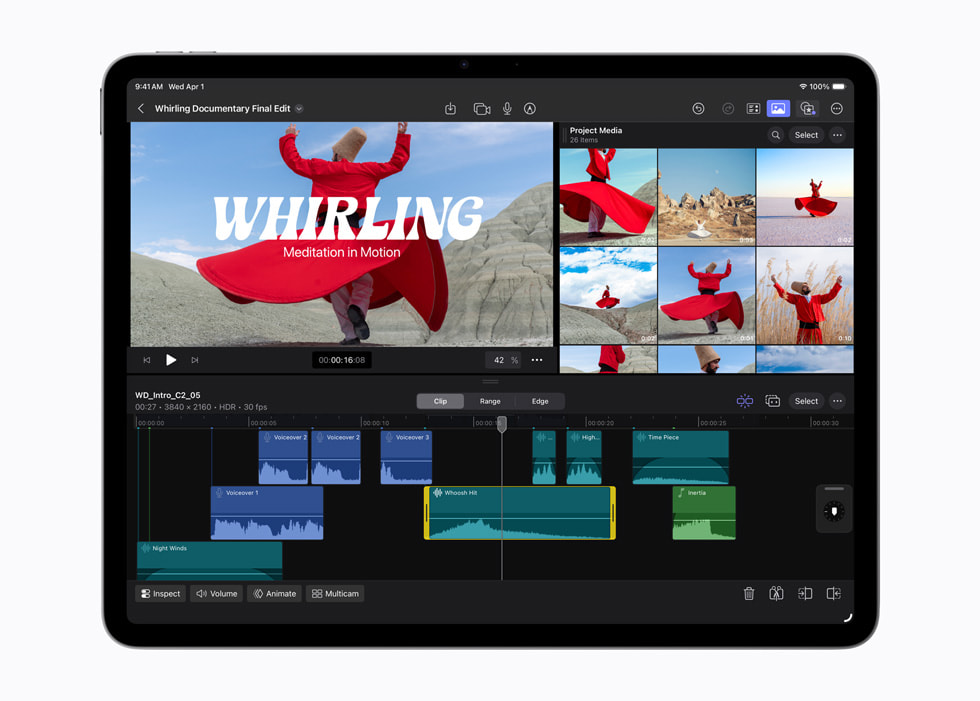
The latest iPad Air boasts Apple’s M4 chip. That means the mid-range iPad is effectively remaining a year behind the iPad Pro. The M4 is almost two years old at this point, while the top-end model has the newer M5 chip. Still, if you only use an iPad for casual tasks like watching shows, web browsing, email and so on, the M4 will be more than powerful enough. It will be more adept at handling resource-intensive tasks like video editing than previous iPad Air models too.
Apple has also bumped up the RAM from 8GB from the last-gen model to 12GB. Given the sharp increase in RAM prices in recent months, it’s slightly surprising that Apple is sticking to the same prices for the iPad Air. The 11-inch M4 iPad Air starts at $599 while the 13-inch version starts at $799, each with 128GB of storage. There's a $50 discount for those buying it for educational use.
Apple claims the M4 delivers up to 2.3 times faster performance compared with the M1 iPad Air and "over 4x faster 3D pro rendering with ray tracing performance." Of course, the new iPad Air runs iPadOS 26.
Apple gave the iPad Air other internal upgrades by including its N1 and C1X connectivity chips. As such, this is the first iPad Air with Wi-Fi 7 support. As you might expect, 5G cellular connectivity is available as well.
The design of the M4 iPad Air doesn't seem to have changed, as it appears to have the same LCD display Apple used in the last two iterations of the tablet. The company has stuck with the same rear-facing camera and dual-speaker setup as well.
Pre-orders for the M4 iPad Air are now open. The tablet will hit retailers in 35 countries and regions on March 11. It will be available in blue, purple, starlight and space gray.
Apple MacBook Pro with M5 Pro and Max
Apple
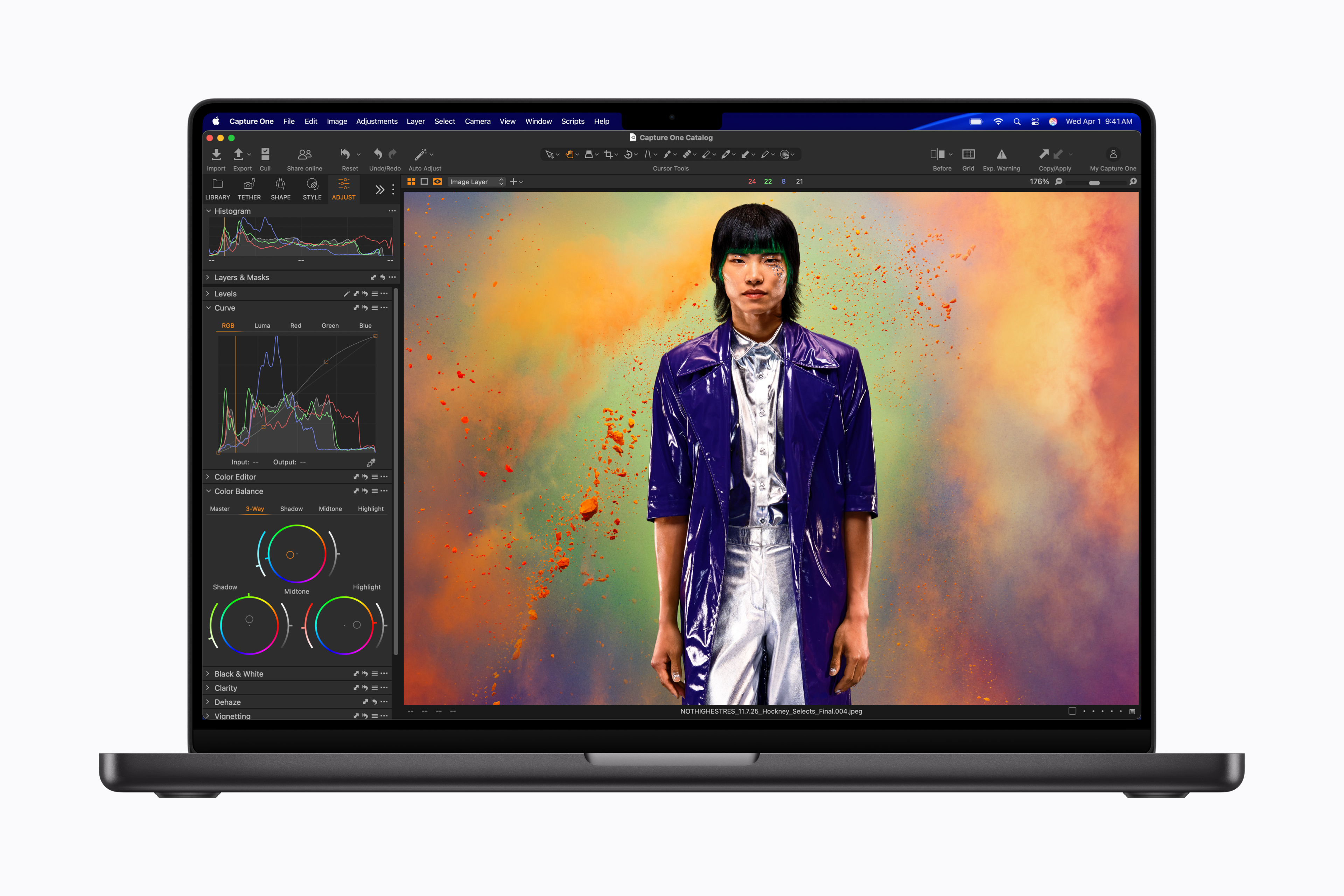
Apple’s most powerful laptop line finally got the chip upgrades that we’d long been expecting. Along with announcing the M5 Pro and M5 Max, the company is offering versions of the MacBook Pro with those chipsets. However, there are price increases to go along with the upgrades.
The new 14-inch MacBook Pro with an M5 Pro chipset (with 15 CPU cores and 16 GPU cores), 24GB of RAM and 1TB of storage starts at $2,199. That's a $200 increase compared with the base M4 Pro-powered system from late 2024, though Apple has doubled the base storage, which is a welcome touch. If you prefer, you can have a 14-inch MBP with a more powerful M5 Pro (with up to 18 CPU cores and 20 GPU cores) or M5 Max (with 18 CPU cores and 32 or 40 GPU cores). You can double the RAM to 48GB as well.
The 16-inch MacBook Pro has an M5 Pro chipset with 18 CPU cores and 20 GPU cores as standard. Of course, you can swap that out for an M5 Max if you'd rather. The 16-inch model starts at $2,699, a $200 increase from the base M4-powered system. It also starts with 24GB of RAM and 1TB of storage. For what it’s worth, Apple says both the memory and SSD are faster than in previous models.
Apple hasn’t changed the Liquid Retina XDR display and 12MP Center Stage front-facing camera for these models. However, the company has installed its N1 chip to power Wi-Fi 7 and Bluetooth 6 connectivity.
Pre-orders are now open, with general availability to follow on March 11.
Apple said the M5 Pro and M5 Max are built using new “Fusion Architecture” that “combines two dies into a single system on a chip (SoC).” As ever, the goal is to deliver more power and efficiency. We’ll find out for ourselves whether Apple’s performance claims hold up when we’re able to test the chips.
Meanwhile, the base 14-inch MacBook Pro with an M5 chipset also got a $100 price increase to $1,699. To take the sting out of that a bit, Apple doubled the base storage of that model to 1TB as well. Given that Apple usually charges a premium for storage increases, that’s not a terrible tradeoff.
M5 MacBook Air
Apple
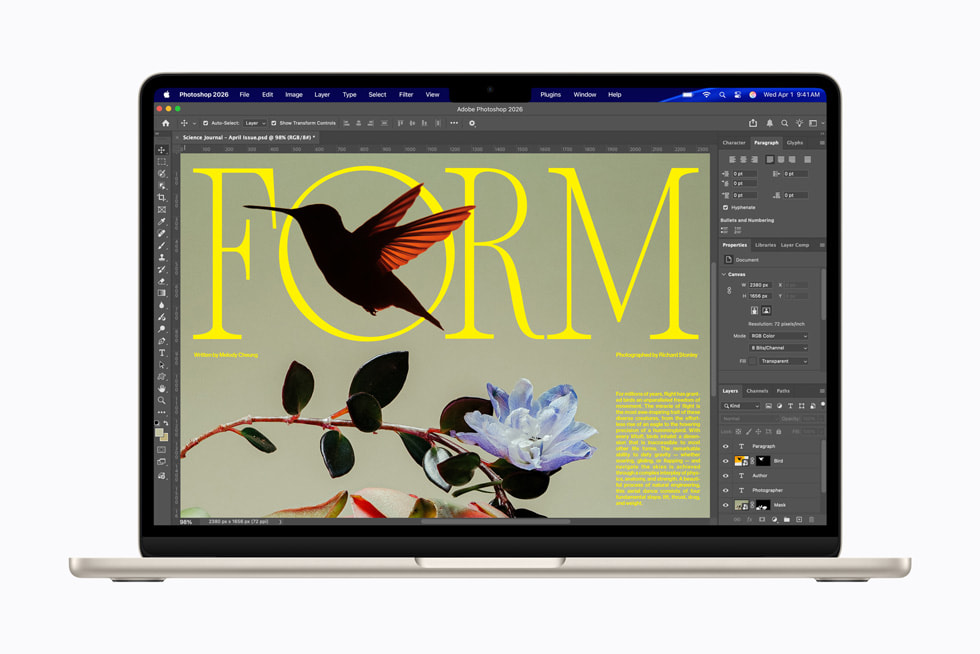
A year after Apple upgraded the MacBook Air with an M4 chipset, the company pulled the same trick by swapping in an M5 chip. The company also boosted the base storage from 256GB to 512GB, with an SSD that it claimed can provide “2x faster read/write performance compared to the previous generation.”
While the MBA still has 16GB or RAM as standard, Apple also upgraded the memory to have 153GB/s of bandwidth — the company said that’s a 28 percent improvement over what the M4 MBA offered. Meanwhile, Apple has slapped in the N1 chip to deliver Wi-Fi 7 and Bluetooth 6 connectivity.
Alas, with those upgrades comes a tradeoff. Apple has bumped the starting price of the latest MacBook Air back up to $1,099 after cutting it to $999 for the M4 model. That’s for the 13-inch variant. The 15-inch M5 MacBook Air starts at $1,299.
The latest MacBook Air is available in sky blue, midnight, starlight and silver. You can pre-order one now. It will hit stores in 33 countries and regions on March 11.
MacBook Neo
Apple expanded its laptop lineup even further on Wednesday with the announcement of the MacBook Neo. This is a new entry-level model that starts well below the latest $1,099 MacBook Air at a very reasonable $599 ($499 for educational use). It’s Apple’s least expensive laptop to date, and a clear attempt by the company to wade into a market that’s saturated with cheap Windows laptops and Chromebooks.
As expected, the laptop runs on an A18 Pro chip, which first appeared in the iPhone 16 Pro and iPhone 16 Pro Max. The chipset has a 6-core CPU, 5-core GPU and 16-core Neural Engine, along with 8GB of unified memory. That’s enough for the MacBook Neo to power Apple Intelligence features (of course, it’s a macOS Tahoe machine). Apple also said that the MacBook Neo will run for up to 16 hours on a single charge.
The MacBook Neo has a 13-inch Liquid Retina Display (with 500 nits of brightness and support for 1 billion colors), one USB-C 3 port, a USB-C 2 port and a headphone jack, but no MagSafe connector. There’s a 1080p front-facing FaceTime HD camera, dual mics and side-firing speakers that support Spatial Audio and Dolby Atmos.
The system has a Magic Keyboard with a multi-touch trackpad. However, if you want a TouchID sensor, you’ll need to pay $100 more for it. Ponying up the extra cash will also double the storage from 256GB to 512GB.
Apple claimed that the MacBook Neo is up to 50 percent faster at everyday tasks than “the bestselling PC with the latest shipping Intel Core Ultra 5” with 8GB or RAM and a 256GB SSD. The company also contended that its new laptop is up to three times faster than that Windows system “when running on-device AI workloads like applying advanced effects to photos.”
The MacBook Neo is available in four colors: silver, blush (a light pink), citrus (light yellow) and indigo. It was previously reported that Apple would offer the budget-friendly laptop in some lively iMac-esque colorways. Moreover, Apple says the laptop is “made with a durable recycled aluminum enclosure that helps it reach 60 percent recycled content by weight,” which is said to be the most of any Apple device.
As with the rest of the new devices, pre-orders are open now and the MacBook Neo will be available in stores in 30 countries and regions on March 11.
We’ve already had a chance to go hands-on with the MacBook Neo. Engadget senior editor Devindra Hardawar had generally positive first impressions of the laptop, but felt that the keyboard and touchpad didn’t feel quite as sturdy as those on Apple’s higher-end systems.
Studio Display and Studio Display XDR
I don’t think many people had Studio Displays on their Apple announcements bingo card for this week, but here they are. The Studio Display XDR is completely new.
This is a 27-inch monitor with a 5K Retina XDR screen. It has a mini-LED display with more than 2,000 dimming zones and peak HDR brightness of 2,000 nuts, along with a wider color gamut. The Studio Display XDR boasts a 120Hz refresh rate (an improvement over the 60Hz that previous models were limited to) and a tilt- and height-adjustable stand as standard.
The monitor also has a 12MP Center Stage camera with support for Desk View, a feature that — weirdly enough — lets you show both your face and what's on your desk. Thunderbolt 5 connectivity allows you to hook up more displays by daisy chaining them. The Studio Display XDR is also a Thunderbolt hub with support for up to 140W of charging power. As such, you'll be able to fast charge a 16-inch MacBook Pro using the included Thunderbolt 5 Pro cable.
The Studio Display XDR starts at $3,299. A version with nano-texture glass, which is said to further reduce reflectivity, costs $3,599.
Meanwhile, the refreshed Studio Display has an upgraded 12MP Center Stage camera with Desk View. There's also a "studio-quality" three-microphone array and six-speaker sound system with Spatial Audio. The latest model has Thunderbolt 5 support with the option to daisy-chain displays. The Studio Display can deliver 96W charging as well.
The base monitor is $1,599. It still has a 27-inch 5K Retina display with up to 600 nits of brightness and P3 wide color. It comes with standard glass or, for an extra $300, nano-texture glass. The Studio Display has a tilt-adjustable stand as standard. If you'd prefer to have one that's height adjustable as well, you'll need to shell out another $400.
Again, pre-orders for the displays are now open ahead of broader availability on March 11.
This article originally appeared on Engadget at https://www.engadget.com/computing/laptops/everything-apple-announced-this-week-macbook-neo-iphone-17e-and-more-155617129.html?src=rss
Anthropic has made switching to its Claude AI chatbot easier than ever. The company announced a new memory import tool that can extract all of a competing AI chatbot's memories and context of you into a text prompt that can be fed into Claude.
With Anthropic's prompt, you can then copy and paste the output into Claude's memories, and the AI chatbot will pick up where you left off with another AI chatbot, whether it's ChatGPT, Gemini or Copilot. Anthropic said it'll take about 24 hours for Claude to assimilate the new context, but you'll be able to see the change by clicking on the "See what Claude learned about you" button. Claude users can even tweak what the AI chatbot remembers in the "Manage memory" section in the app's settings. Anthropic pointed out that Claude is meant to focus on "work-related topics to enhance its effectiveness as a collaborator," adding that it might not remember personal details that are unrelated to work.
Anthropic's timing doesn't seem to be just a coincidence. Claude recently jumped to the number one spot in the App Store's free apps charts, dethroning ChatGPT in the process. The rise in popularity likely stems from its recent dispute with the Department of Defense, where Anthropic refused to budge on AI guardrails related to mass domestic surveillance and fully autonomous weapons. On the other hand, OpenAI will be taking Anthropic's vacated role with the Department of Defense, leading to a trend of users boycotting ChatGPT and canceling their subscriptions.
This article originally appeared on Engadget at https://www.engadget.com/ai/anthropics-claude-can-now-absorb-your-past-conversations-with-other-ai-chatbots-153201656.html?src=rss
Samsung's newest feature turns your phone into your house keys. The company has created the Digital Home Key, a feature inside of the Samsung Wallet that should let you unlock any compatible smart door with your phone. The Samsung Wallet already offered digital car keys.
"As we continue to evolve Samsung Wallet, delivering trusted mobile experiences remains at the core of our innovation," Woncheol Chai, EVP and head of Digital Wallet Team, Mobile eXperience (MX) Business at Samsung Electronics, said in a statement. "Through close collaboration with our partners and in alignment with the Aliro standard, Digital Home Key brings the same level of security and ease Samsung Galaxy users expect from Samsung Wallet to their homes."
Created by the Connectivity Standards Alliance (CSA), Samsung calls Aliro an "industry-standardized communication protocol." The Digital Home Key will also get support from smart lock brands like Nuki and Schlage. It's also designed to meet EAL6+ security certification.
According to Samsung, you'll also need biometrics or a PIN to use the Digital Home Key. You should be able to remotely manage or remove the tool through Samsung Find if you lose your phone.
Samsung is rolling out the Digital Home Key in select regions starting this month. It plans to expand its range as compatible smart lock brands become available in more locations.
This article originally appeared on Engadget at https://www.engadget.com/home/smart-home/the-samsung-wallet-can-now-hold-your-house-keys-142944132.html?src=rss