The best midrange smartphone for 2026

Gone are the days in which you needed to spend a fortune to get a good smartphone. In 2026, features once exclusive to high-end smartphones – big batteries, multi-camera arrays, high refresh rate OLED displays and more – have made their way down to more affordable models. Yes, you’ll still need to buy a flagship smartphone to get the best camera or fastest processor, but you don't have to make nearly as many compromises as you once did if you have a strict budget to adhere to when you go shopping for your next smartphone. If you have less than $600 to spend, let us help you figure out what features to prioritize when trying to find the best midrange smartphone.

While the term frequently appears in articles and videos, there isn’t an agreed-upon definition for “midrange” beyond a phone that isn’t a flagship or an entry-level option. Most of our recommendations cost between $400 and $600 — any less and you should expect significant compromises. If you have more to spend, you might as well consider flagships like the Apple iPhone 17 and the Samsung Galaxy S25 if you want the best smartphone experience. Devices like Pixel phones often sit in this price range too, offering some of the best value for Android buyers.

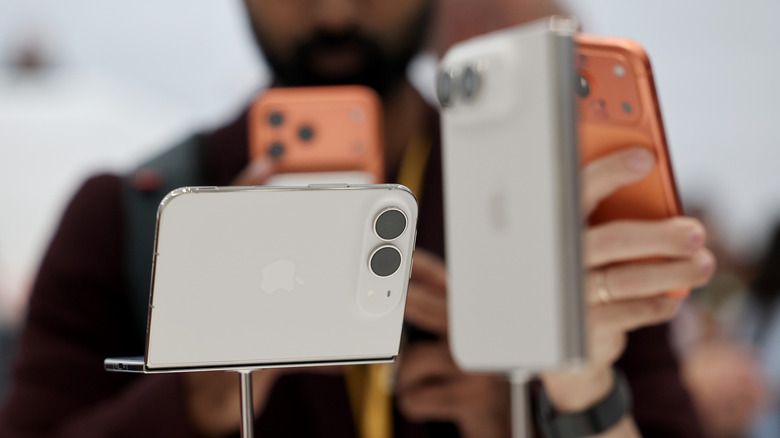
Buying a new device can be intimidating, but a few questions can help guide you through the process. First: what platform do you want to use? If the answer is iOS, that narrows your options down to exactly one phone. (Thankfully, it’s great.) And if you’re an Android fan, there’s no shortage of compelling options. Both platforms have their strengths, so you shouldn’t rule either out.

Of course, also consider how much you’re comfortable spending. Even increasing your budget by $100 more can get you a dramatically better product. Moreover, manufacturers tend to support their more expensive devices for longer with software updates and security updates, so it’s worth buying something toward the top limit of what you can afford. 

Having an idea of your priorities will help inform your budget. Do you want a long battery life or fast charging? Do you value speedy performance above all else? Or would you like the best possible cameras with high megapixel counts? While they continue to improve every year, even the best midrange smartphones still demand some compromises, and knowing what’s important to you will make choosing one easier.

Every year, the line between midrange and flagship phones blurs as more upmarket features and functions trickle down to more affordable models. When Engadget first published this guide in 2020, it was tricky to find a $500 phone with waterproofing and 5G. In 2026, the biggest thing you might miss out on is wireless charging – and even then, that’s becoming less true.

One thing your new phone probably won’t come with is a power adapter; many companies have stopped including chargers with all of their smartphones. Performance has improved in recent years, but can still be hit or miss as most midrange phones use slower processors that can struggle with multitasking. Thankfully, their camera systems have improved dramatically, and you can typically expect at least a dual-lens system on most midrange smartphones below $600 with decent camera quality, selfie performance and software support to keep things running smoothly for years to come..

Support varies by brand, but most midrange phones receive around three to five years of software and security updates. Apple tends to support iPhones longer while companies like Google and Samsung now promise several years of Android and security patches for their midrange models. Budget-focused brands might offer less so it’s worth checking the update policy before you buy.

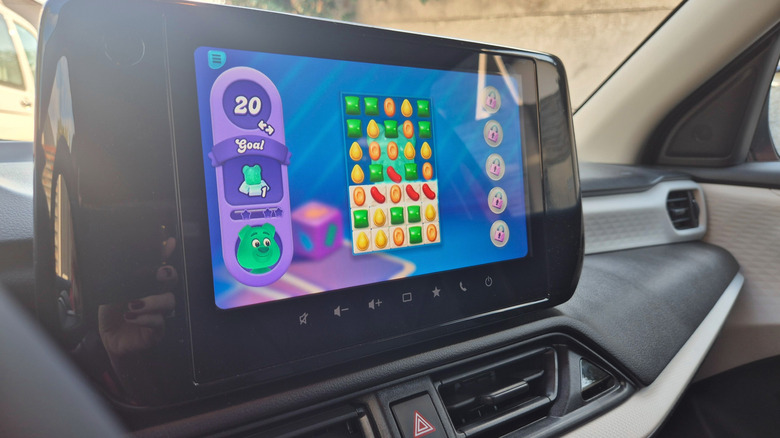
Yes, many midrange phones handle gaming well, especially popular titles like Fortnite, Genshin Impact and Call of Duty Mobile. They usually include capable processors, though you won’t always get the smoothest performance in the most demanding mobile games or at max settings. If you play casually or stick to less graphically intensive titles a midrange phone will feel more than adequate.

Georgie Peru contributed to this report.

This article originally appeared on Engadget at https://www.engadget.com/mobile/smartphones/best-midrange-smartphone-183006463.html?src=rss

A Seven-Square-Meter Office on Wheels Redefines Mobile Workspaces in Buenos Aires

Parked in the courtyard of a private home in Buenos Aires, the Castillo Mobile Office challenges everything we expect from workplace architecture. Morsa Taller has distilled the essence of mobility into seven square meters, creating a structure that moves between sites with the ease of rolling luggage yet operates with the seriousness of a permanent studio.

The design reads like architectural origami. Six prefabricated pieces arrive separately, then snap together within a single day using nothing more than a screwdriver and a riveter. Four detachable facade panels frame strategic openings for light and air. A curved roof caps the composition, channeling rainwater while nodding to the rounded profiles of Buenos Aires’ iconic buses. The wheeled base turns the entire volume into a vehicle of sorts, ready to relocate from backyard to rooftop, from residential plot to rural outpost.

Designer: Morsa Taller

What makes Castillo remarkable is its refusal to compromise on craft despite its temporary nature. Every junction required its own insulation and mechanical connection, transforming the project into an exercise in layered logic. The team at Morsa Taller, working alongside fabricator Santiago Legnini, custom-built each interior element, from carpentry to storage systems to equipment mounts. The result feels less like a portable shed and more like an inhabitable machine, where form follows the internal demands of function rather than external architectural conventions.

The structure draws from Morsa Taller’s broader practice in material investigation and objectual construction, led by architect Alejandra Esteve, who describes herself as both designer and welder. This hands-on approach permeates the Castillo project, where metalworking expertise translates into precise modular connections that allow independence and integration to coexist.

Currently stationed in Buenos Aires, the mobile office represents a shift in how workspace can respond to contemporary work patterns. It doesn’t anchor professionals to fixed addresses but instead follows them, adapting to changing needs without sacrificing quality or comfort. The seven-square-meter footprint proves that small doesn’t mean compromised when design treats constraints as creative fuel. Castillo demonstrates that architecture can be nomadic without being provisional, compact without being cramped, and prefabricated without losing its soul.

The post A Seven-Square-Meter Office on Wheels Redefines Mobile Workspaces in Buenos Aires first appeared on Yanko Design.

I need this WALKCAR in my life because I’m too lazy to walk

Urban commuting just got a significant upgrade with the release of the WALKCAR 2 and WALKCAR 2 Pro. Launched on April 1, 2024, these innovative personal mobility vehicles captivate tech enthusiasts and city dwellers, and they’ve won me over too. Hailing from Japan, these ultra-compact devices are set to change how we move through our cities. Imagine gliding effortlessly through crowded streets, bypassing traffic, and reaching your destination without breaking a sweat. These sleek, portable vehicles fit seamlessly into your daily routine, offering convenience and efficiency. Perfect for commuting to work or exploring new neighborhoods, the WALKCAR 2 turns every journey into a smooth and enjoyable experience.

Designer: cocoa motors. Co., Ltd.

A Portable Marvel: Design and Portability

The WALKCAR 2 series is impressively portable. The device offers remarkable convenience, weighing roughly 6.4 lb (2.9 kg) and comparable in size to a 15-inch laptop. Available in four stylish colors—Sonic Yellow, Celeste Blue, Sand Beige, and Sumi—these vehicles are as aesthetically pleasing as they are functional. This combination of portability and style ensures that the WALKCAR 2 fits seamlessly into both professional and casual settings, making it a versatile choice for a wide range of users.

The design and build quality of the WALKCAR 2 are equally remarkable. The ultra-light carbon body, specifically using carbon fiber reinforced thermoplastic (CFRTP), provides a robust yet lightweight frame. This material is ten times stronger than steel and significantly lighter, ensuring durability and ease of transport. The high elasticity of the carbon frame provides excellent road grip, contributing to a smooth and stable ride even on challenging terrains. The compact size allows it to fit easily into a backpack or a large handbag, making it an ideal everyday carry item. Whether heading to work, running errands, or exploring a new city, the WALKCAR 2 can be your constant companion, ready to provide quick and efficient transportation whenever needed.

Performance and Advanced Motor Technology

Performance is where the WALKCAR 2 series truly shines. The WALKCAR 2 reaches a maximum speed of 6.2 mph and boasts a cruising distance of 4.35 miles. For those needing more power and range, the WALKCAR 2 Pro offers a top speed of 9.3 mph and a 5-mile range. Both models feature a four-wheel independent suspension system that absorbs vibrations in all directions, ensuring a comfortable ride even on uneven surfaces. This suspension system improves comfort and enhances the vehicle’s stability, making it suitable for novice and experienced riders.

One notable feature is the world’s most miniature in-wheel motor, developed exclusively for WALKCAR. Housed within the front drive wheel, this motor provides the torque performance of a bicycle, allowing the device to climb slopes up to 12 degrees for the Pro model. The use of welded connections instead of screws maximizes coil space, enhancing efficiency and power. Additionally, the newly adopted ultra-super duralumin heat sink improves heat dissipation, maintaining performance during extended use. This combination of advanced motor technology and efficient heat management ensures that the WALKCAR 2 delivers consistently high performance, even under demanding conditions.

User-Friendly Operation and Charging Convenience

Operating the WALKCAR 2 is as intuitive as walking. To accelerate, press the toes of both feet. Deceleration and stopping are achieved by raising one toe slightly. Turning is managed by shifting your weight, allowing precise control and easy maneuverability. This intuitive control scheme ensures that even new users can quickly adapt to the device, making it accessible to a wide range of people, including those who may not have previous experience with personal mobility devices.

Charging the WALKCAR 2 is both quick and convenient. With the included quick charger, the battery reaches 80% capacity in just 30 minutes, making it ideal for short breaks during the day. A full charge takes only 60 minutes, ensuring minimal downtime. This feature mainly benefits urban commuters needing a reliable and ready-to-go mobility solution. The ability to charge quickly and efficiently means that users can rely on the WALKCAR 2 for their daily transportation needs without worrying about long charging times.

Real-World Applications and Daily Commutes

The practical applications of the WALKCAR 2 are vast. For frequent travelers to Japan, like myself, who visit once or twice a month, this device is a game-changer. In a country where walking and public transportation are the norms, the WALKCAR 2 provides a seamless way to cover the distance between subway stations and destinations. On my visits, I often struggle to keep up with my friends, who are more accustomed to extensive walking. The WALKCAR 2 would allow me to maintain their pace effortlessly, ensuring I don’t miss a beat in this bustling metropolis.

Imagine navigating through the narrow streets of Tokyo or reaching a distant café without breaking a sweat. The WALKCAR 2 brings convenience and efficiency to these everyday scenarios. It allows users to explore more remote areas, visit favorite shops, or enjoy parks that are otherwise too far to reach on foot. By extending the practical radius of our daily lives, the WALKCAR 2 enriches our experiences and opens up new possibilities for urban living.

For city dwellers, the WALKCAR 2 could revolutionize daily commutes. Instead of being confined to locations close to subway stations, users can live in more spacious homes further afield, knowing they can easily travel the last mile. This flexibility enhances living conditions and reduces the stress associated with crowded public transportation. The ability to quickly and efficiently cover the distance from home to public transport hubs means that users can enjoy the best of both worlds: a more comfortable living environment and easy access to the city’s amenities.

A Worthwhile Investment

Priced at $999 for the WALKCAR 2 and $1,499 for the Pro version, these devices represent a significant investment. However, the cost is justified considering the advanced technology, build quality, and the convenience they offer. The WALKCAR 2 series is sold out, reflecting its popularity and the high demand for such innovative mobility solutions. Preorders are being accepted for the next production run, allowing eager customers to secure their units. The high demand for these devices highlights their appeal and the value they offer to users seeking a modern and efficient mode of transportation.

The WALKCAR 2 and WALKCAR 2 Pro are more than just gadgets; they are transformative tools that enhance urban mobility. With their compact size, robust performance, and user-friendly operation, they promise to change how we move through cities. For frequent travelers, urban commuters, and anyone looking to expand their mobility options, the WALKCAR 2 series is an invaluable addition to daily life. As we seek ways to navigate our urban landscapes more efficiently, the WALKCAR 2 paves the way for innovation and practicality. Its ability to provide a reliable and convenient mode of transport in various urban settings makes it an essential tool for modern urban living.

The post I need this WALKCAR in my life because I’m too lazy to walk first appeared on Yanko Design.

Mobile drawing tablet looks like a toy but is actually well-designed

When it comes to drawing tablets for making digital art and designs, Wacom is most likely the household name since it has the lion’s share of the market. That doesn’t mean, however, that it’s the only game in town, nor that it has all the answers to all the problems in this field. There are definitely plenty of opportunities for different designs, especially those that cater to specific or even niche cases. Most of the drawing tablets in the market, for example, are designed to be used with computers like desktops or laptops, but smartphones are becoming just as powerful as these, opening the doors for creating art on the go. This small and portable drawing tablet aims to solve that with a “mobile-first” design, and though it might look like a toy for beginners, it actually has some well-thought-out details that put it above its Wacom counterparts.

Designer: Mai qianzhao for UGEE

The majority of paper that we write and draw on are vertical. Computer monitors, on the other hand, are horizontal, so the tools we use to draw on computers need to follow that layout. In contrast, smartphones are also vertical by design, creating an inconsistency between a tall screen and a wide drawing tablet. This can be “fixed” by turning the phone horizontally or tweaking a setting on the tablet, but these fixes are inelegant and unpolished at best. The UGEE Q6 sets itself apart with a design that caters primarily to this very small use case but still works pretty well with regular desktops and laptops.

Unlike almost all drawing tablets, the default mode for this mobile drawing tablet is vertical, mirroring the orientation of the phone itself. However, it actually supports a few modes where the active drawing area of the tablet can be set to match the aspect ratio and orientation of the device it’s connected to, which includes very slim phones, tablets, and regular computers. The UGEE Q6 also embraces a very small and portable size that makes it easy to take it with you anywhere and connect to your phone for an impromptu sketching session.

Unlike the minimalist trend that seems to also be gripping drawing tablet designs, this beginner-friendly device doesn’t even try to hide its large, tactile buttons, making it easier for users to hit them without looking. The row of buttons can be placed on either the right or left side, supporting the user’s handedness, or even on top when connecting to a desktop or laptop. One rather interesting small detail about these buttons is that they are visually grouped in pairs, because most of the actions assigned to them are also related pairs, whether it’s undoing and redoing, painting and erasing, zooming in and out, or rotating clockwise and counter-clockwise. It doesn’t technically change their functionality, but it’s a good visual hint nonetheless.

The UGEE Q6 is also one of the very few drawing tablets that can also store its own USB cable, making it easily portable. The cable is still detachable, so you’re free to use any other if you need a longer one, for example. Again, it’s a small detail that actually has a big impact on how the design is truly made for portability and mobile use. It may look like a kid’s device, but it’s definitely ready for some serious art and design work.

The post Mobile drawing tablet looks like a toy but is actually well-designed first appeared on Yanko Design.