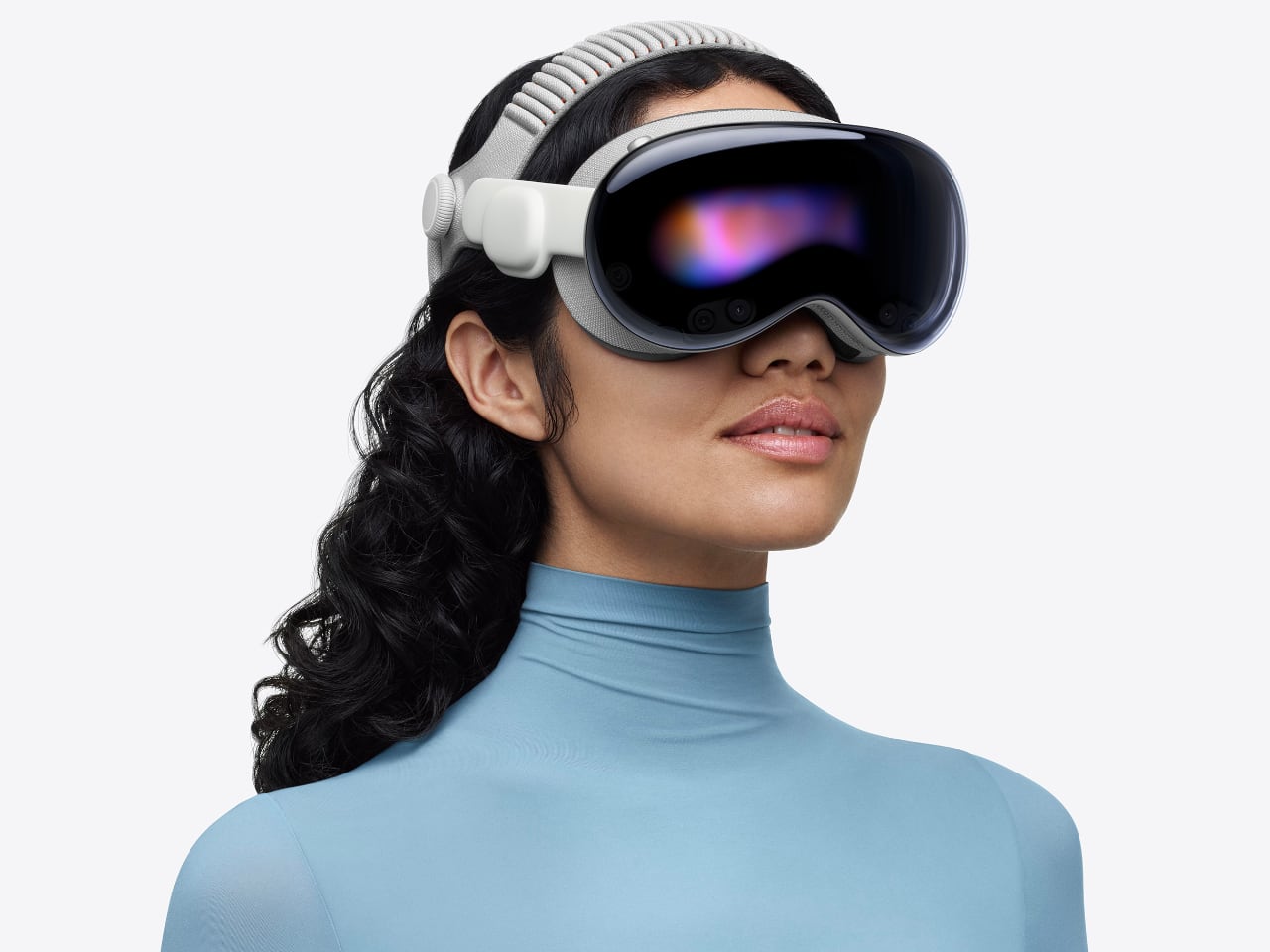
The first time I strapped on Apple’s original Vision Pro, I almost waved to the nonexistent crowd watching me in that demo. It was that breathtaking an introduction to futuristic technology. But thirty minutes later, reality set in. That curved laminated glass and aluminum shell felt less like a window into the future and more like a beautiful brick bolted to my forehead.
Designer: Apple
Apple’s M5 Vision Pro refresh doesn’t change the object language. It still reads like a sci-fi ski goggle crossed with a premium camera body: all that curved glass, recycled aluminum, and fabric-wrapped interface that refuses to acknowledge gaming headset aesthetics exist. What Apple has done instead is far more interesting from a design standpoint. They’ve attacked the two biggest experiential flaws (visual fidelity under load and sustained wear comfort) through a combination of silicon headroom and, surprisingly, soft goods engineering.
The result is a product story that shifts from “breathtaking demo” to “actually livable spatial computer”: a device that doesn’t just show you other worlds but gives you psychological real estate to inhabit them. And that shift has everything to do with how Apple thinks about weight, balance, and the invisible physics of putting a computer on your face.
The Shell Stays the Same, The Experience Doesn’t
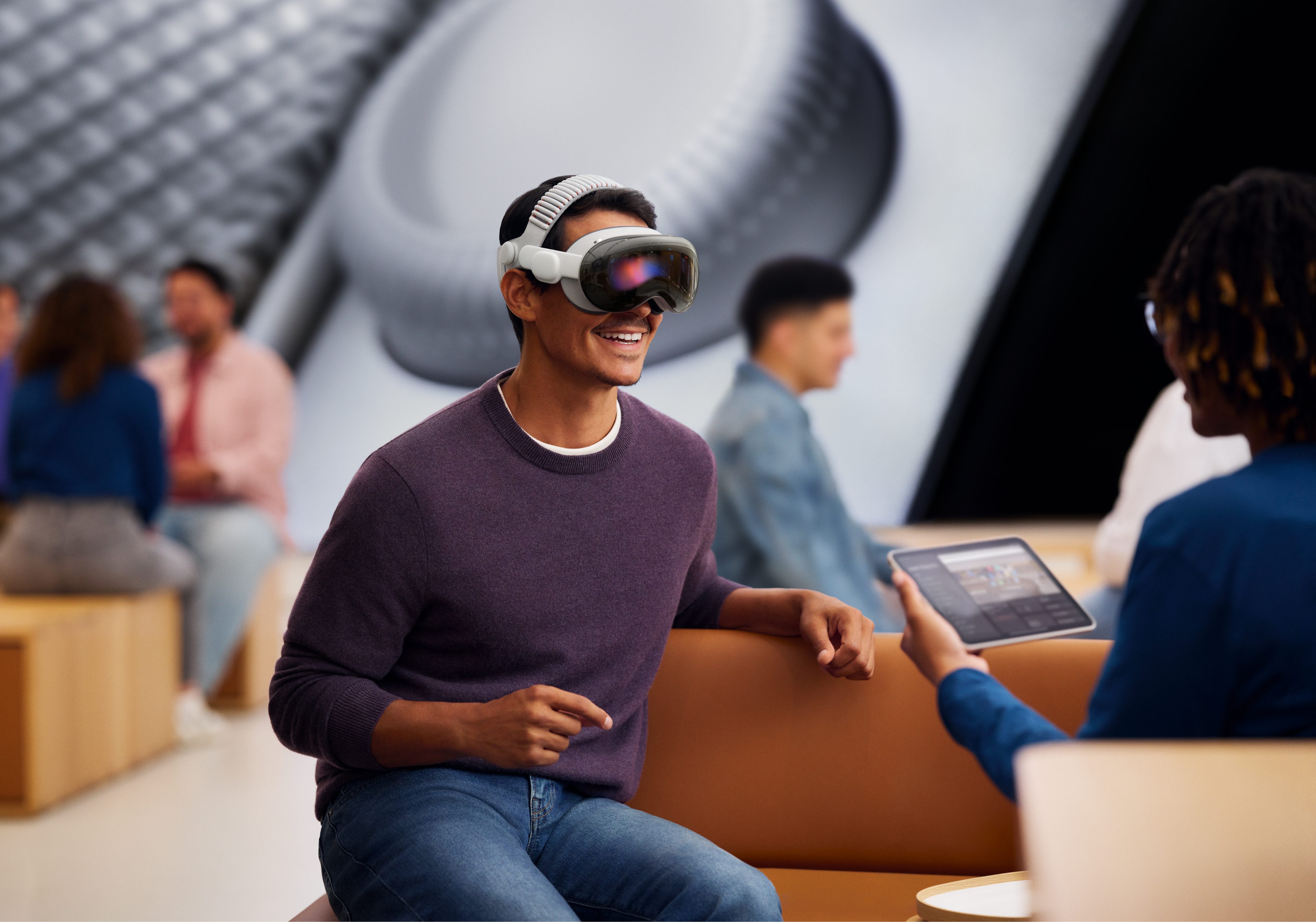
The M5 Vision Pro maintains the core silhouette that made the original so visually striking. That curved laminated glass front still acts as both visor and UI canvas for EyeSight, letting the device communicate outward while you compute inward. The aluminum frame still wraps the optics with the kind of machining tolerances you’d expect from Apple’s camera and audio hardware. If you put the M2 and M5 side by side, you’d struggle to spot the difference.
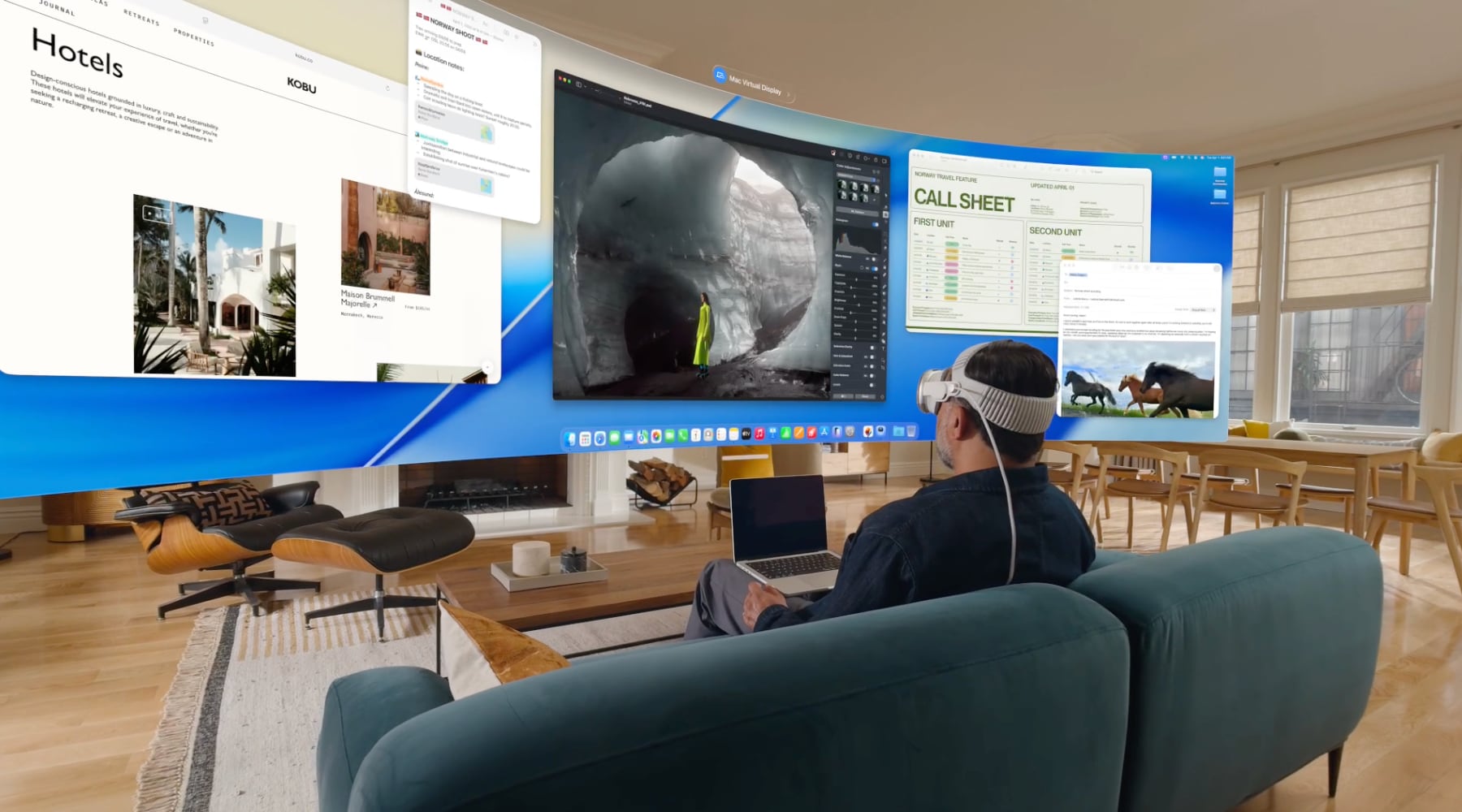
But inside that familiar shell, the micro-OLED optics now render roughly 10 percent more pixels than the original. That’s not Apple chasing field-of-view gimmicks. It’s a design decision aimed at reducing the cognitive friction of spatial computing. Higher pixel density and refresh rates up to 120 Hz for passthrough and Mac Virtual Display mean less motion blur, less eye strain, and less of that “I’m clearly looking at a screen” sensation that pulled you out of the experience on the M2.
Apple is using resolution and refresh as ergonomic features, not just spec bumps. They’re making the same industrial shell more transparent and less perceptible in daily use.
The M5 Chip as Comfort Feature
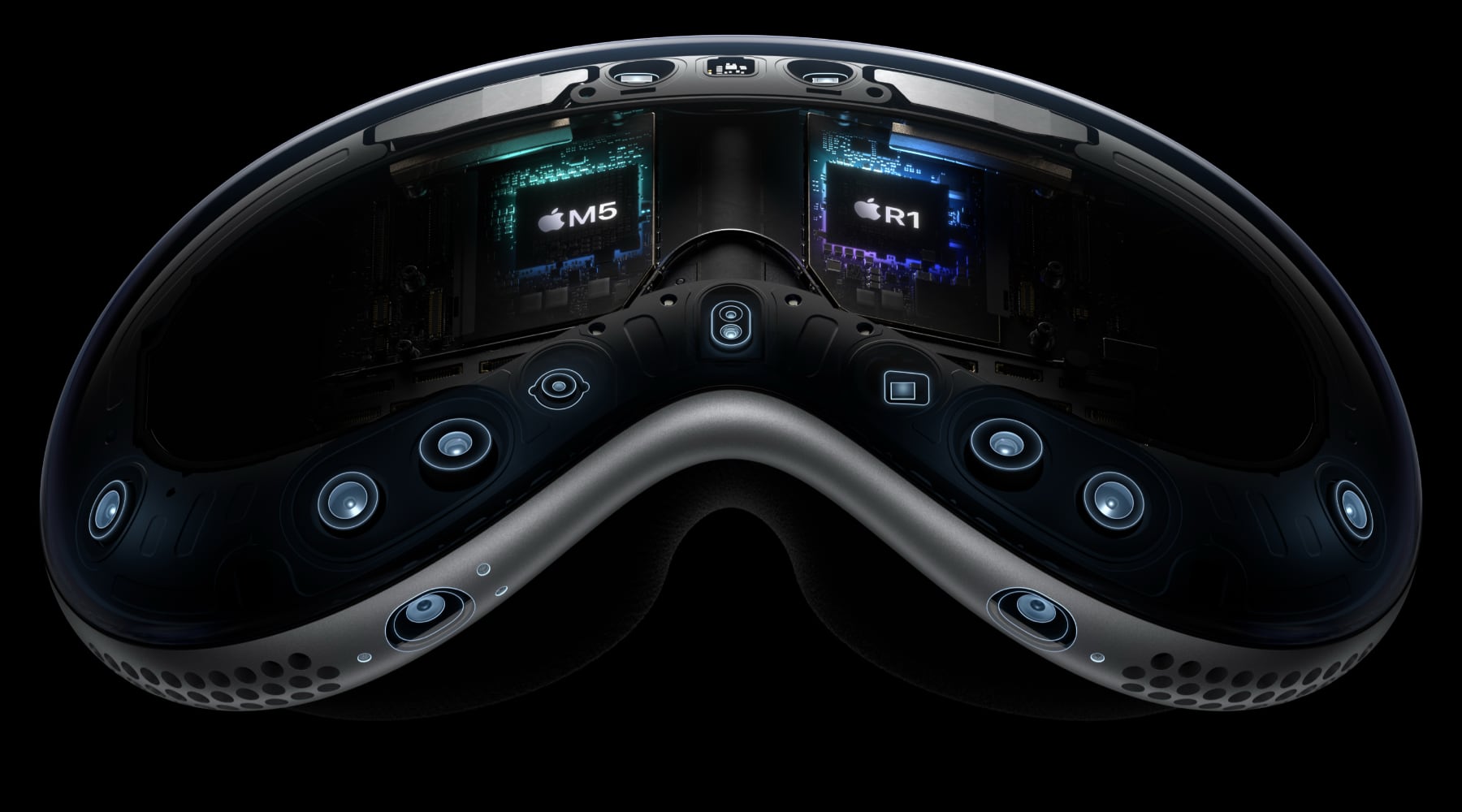
Apple’s M5 plus R1 pairing is positioned as a “dual-chip architecture”: one brain handles spatial computing while the other maintains that 12-millisecond photon-to-photon latency. That’s essentially a UX decision framed as silicon.
The 10-core CPU, 10-core GPU, hardware-accelerated ray tracing, and 16-core Neural Engine give Apple headroom for denser environments, more dynamic lighting, and heavier AI-assisted interactions without dropping frames. But the design-workflow angle is what matters here:
- Sharper typography and UI chrome in floating windows, which is critical for Mac Virtual Display and creative tools
- Higher, more flexible refresh rates (90/96/100/120 Hz), tuned to reduce blur when you’re looking through to the real world as much as at virtual content
You can frame the M5 not as “faster chip” but as “making the headset behave more like a neutral lens,” removing perceptible latency and grain from spatial interfaces until the technology itself becomes forgettable.
But visual clarity is only half the comfort equation. The other half is physical.
The Weight Problem Was Never Really About Weight
The original Vision Pro’s biggest experiential flaw wasn’t that it weighed too much. It was that it weighed too much forward. All that glass and optics cantilevered off your face, and after 30 to 60 minutes, you felt it in your cheekbones, your neck, your desire to take the thing off.
The battery is still external on the M5, with similar runtime: about 2.5 hours general use, 3 hours video. So the way the device sits on the skull is the only real comfort lever Apple can pull this generation. They’ve pulled it hard.
The first-gen straps forced an uncomfortable choice. The Solo Knit Band was soft but floppy. It worked for short sessions but couldn’t distribute load for extended wear. The Dual Loop Band was secure but clampy, leaving pressure lines and pushing users toward third-party halo straps and CPAP-style hacks.
Apple’s answer is the Dual Knit Band. And it’s the most “design-nerd” detail in the entire M5 product story.
Dual Knit Band: Tungsten, Torque, and Perceived Weight
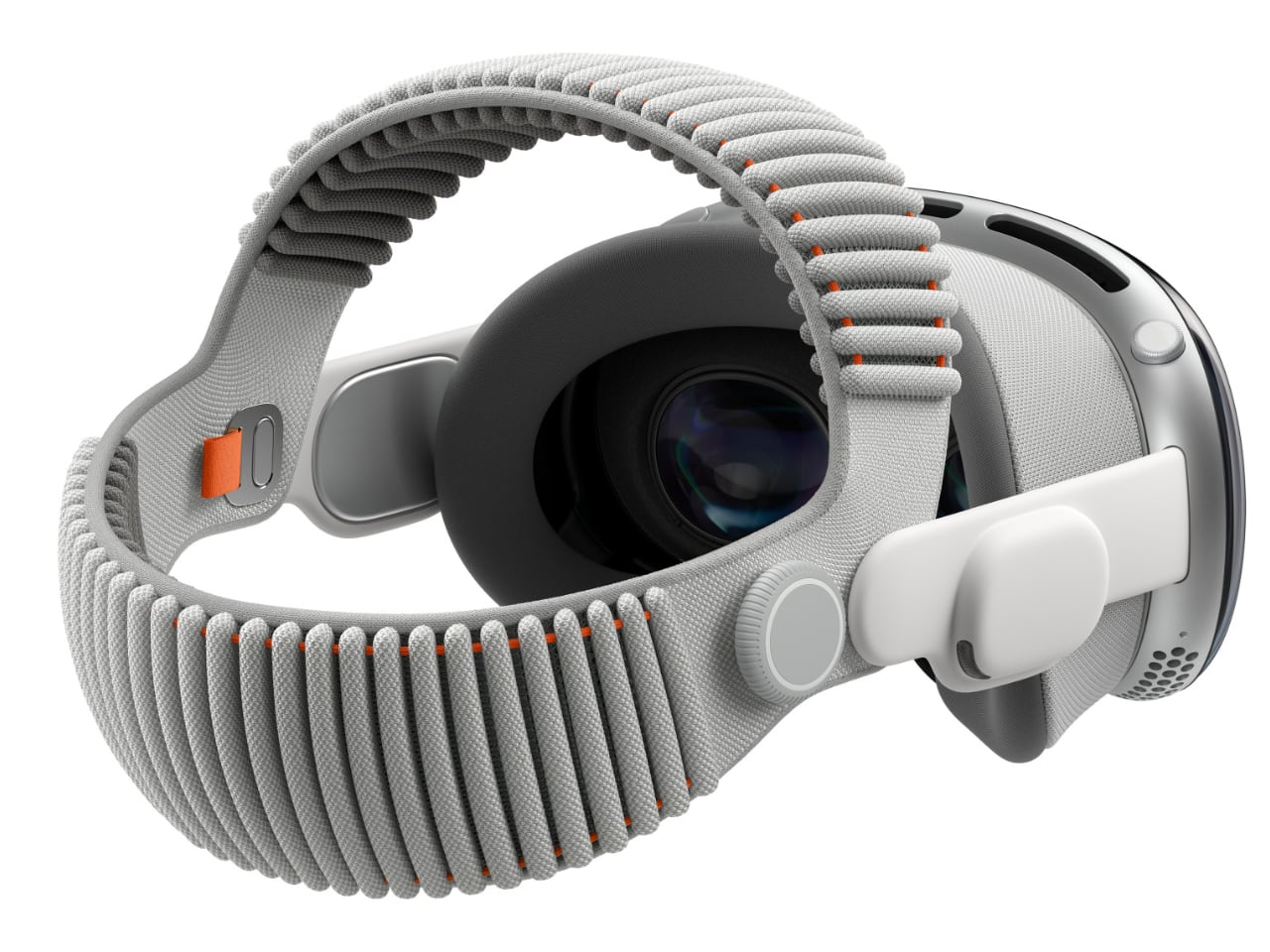
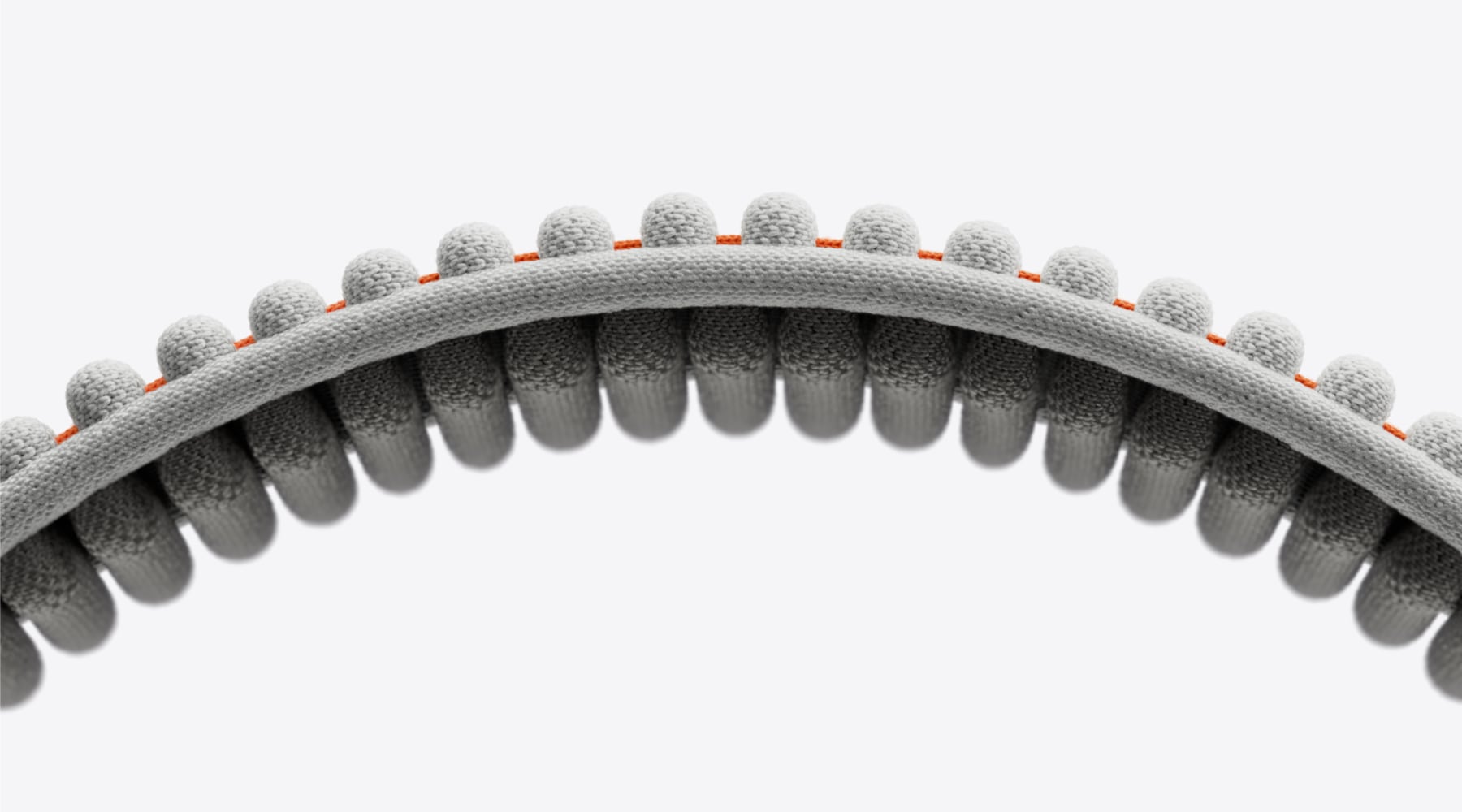
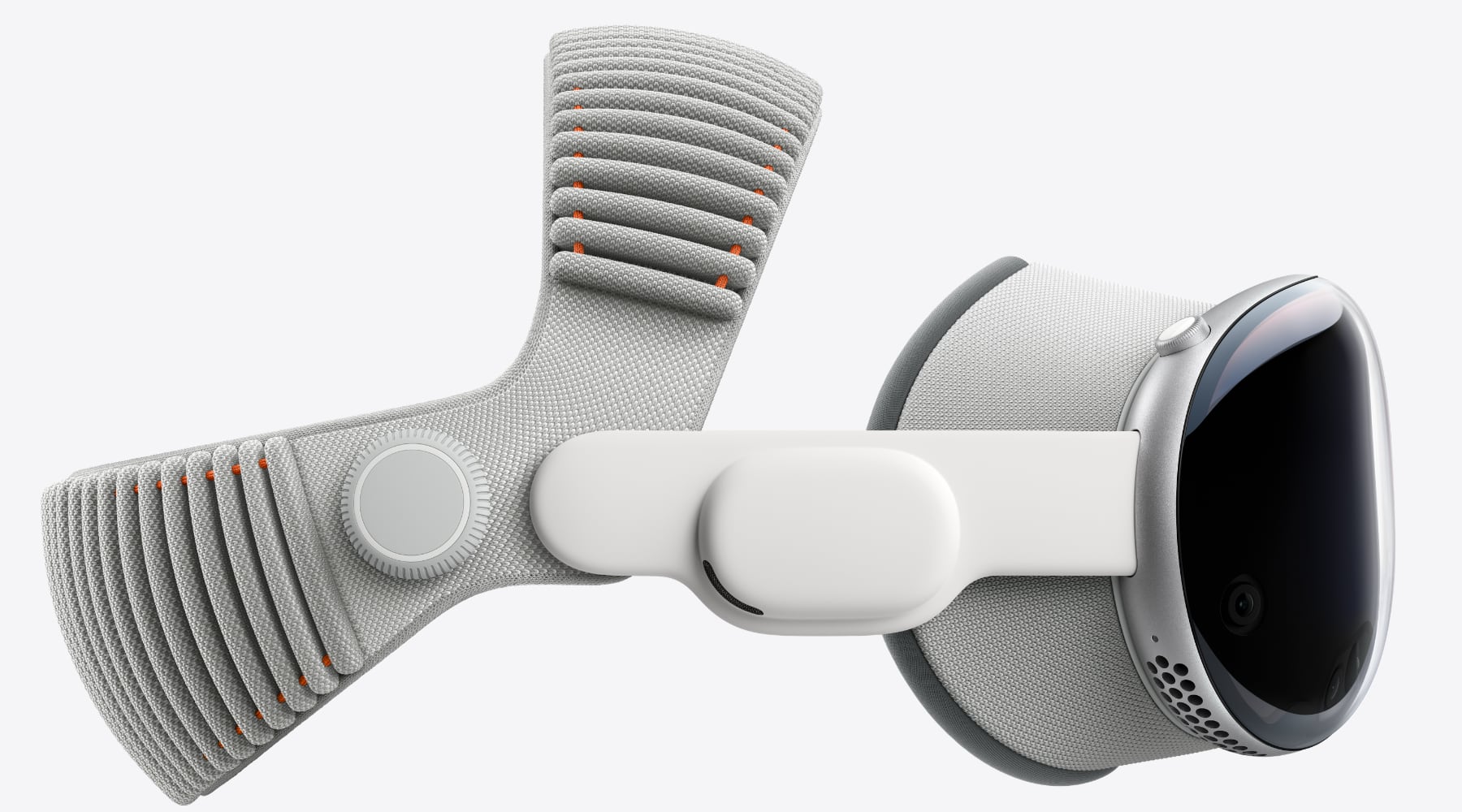
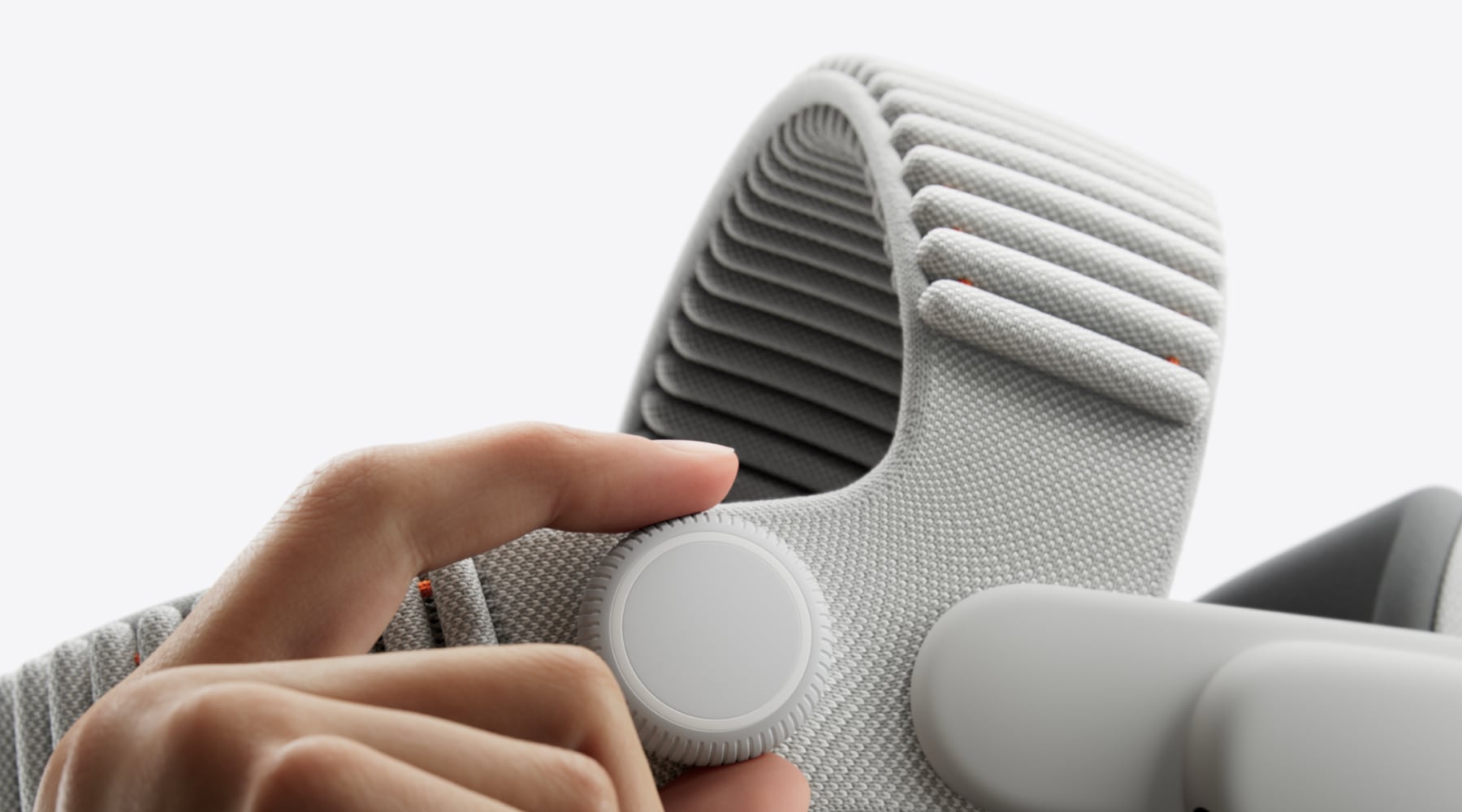
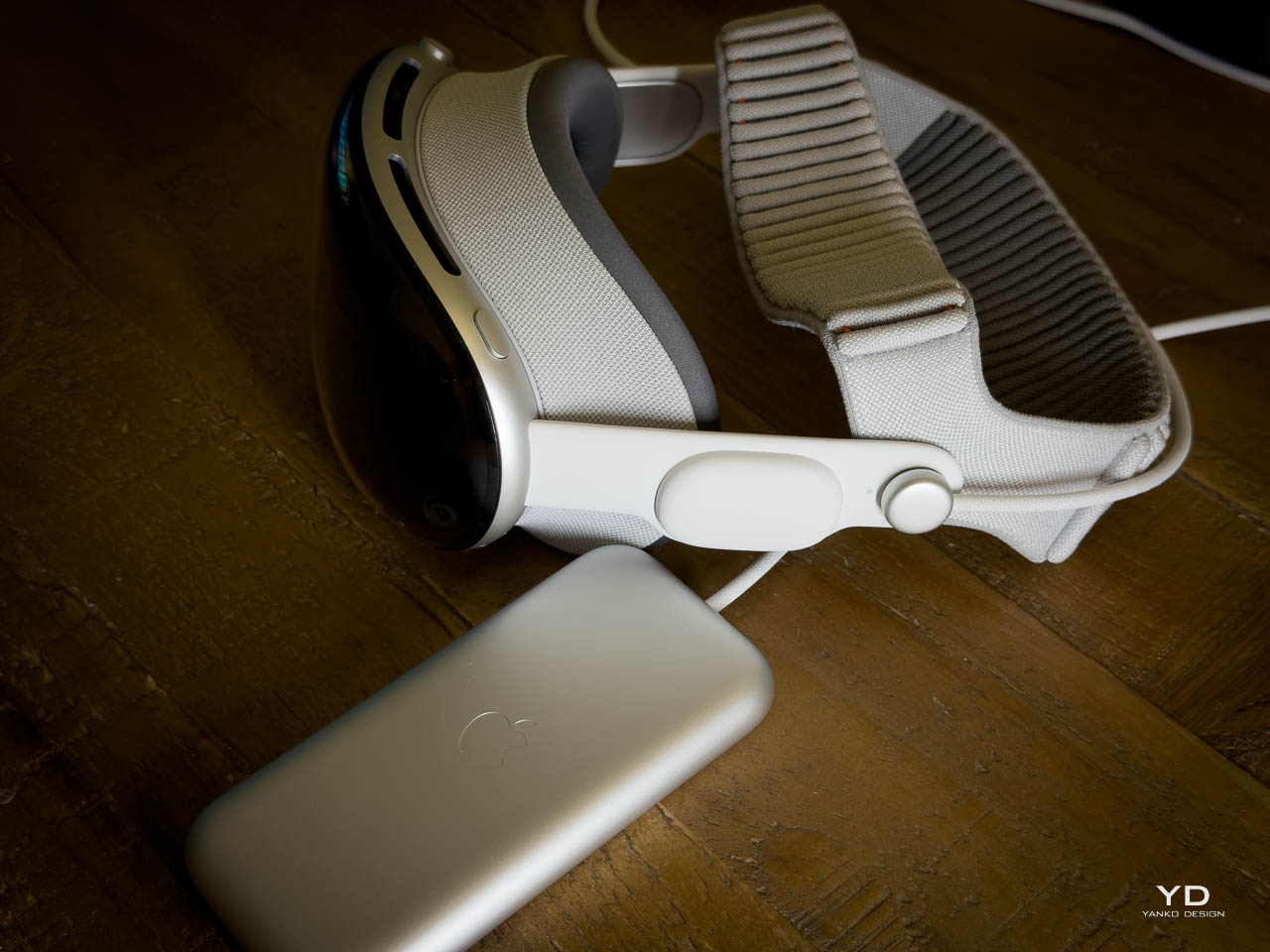
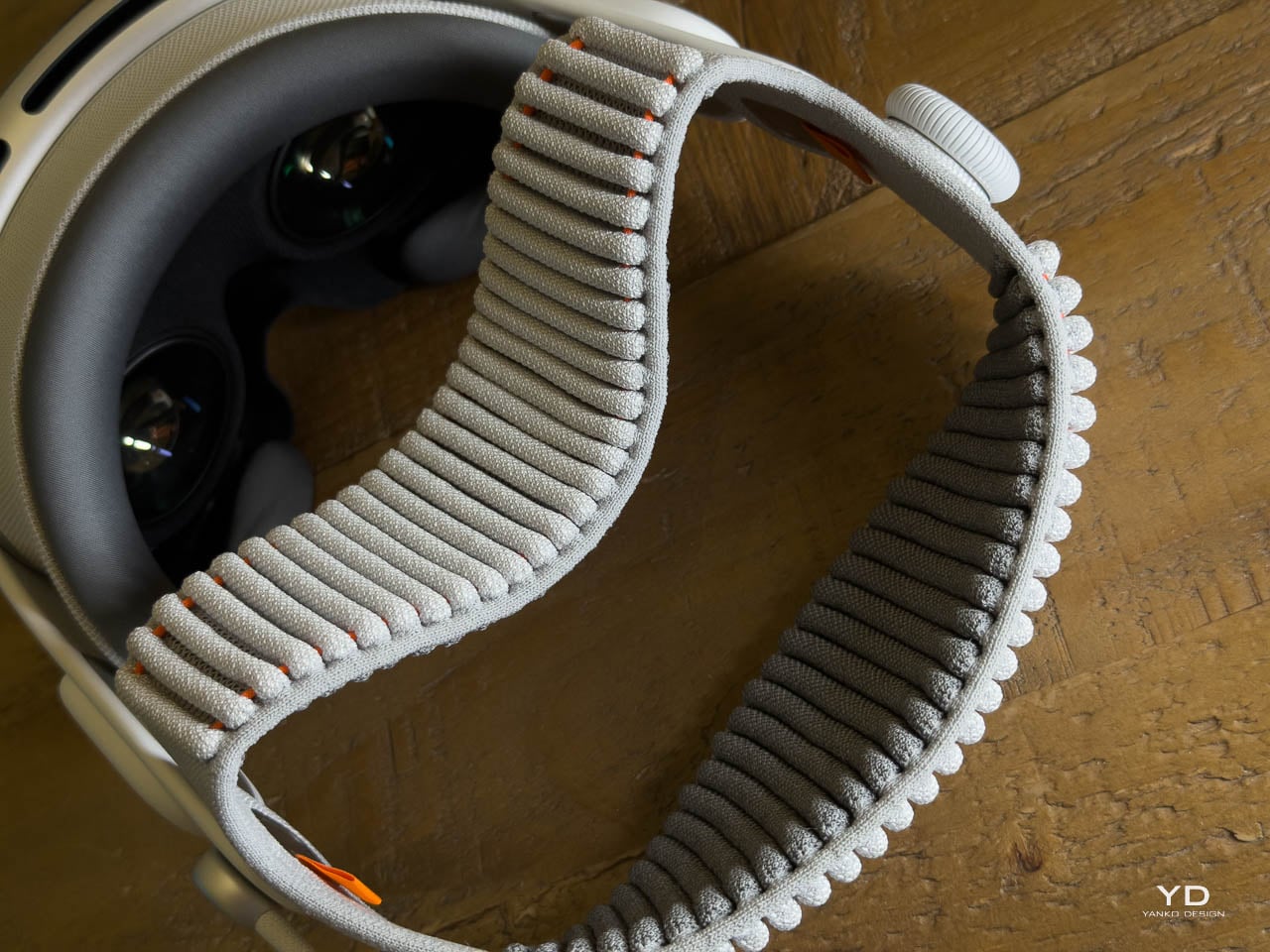
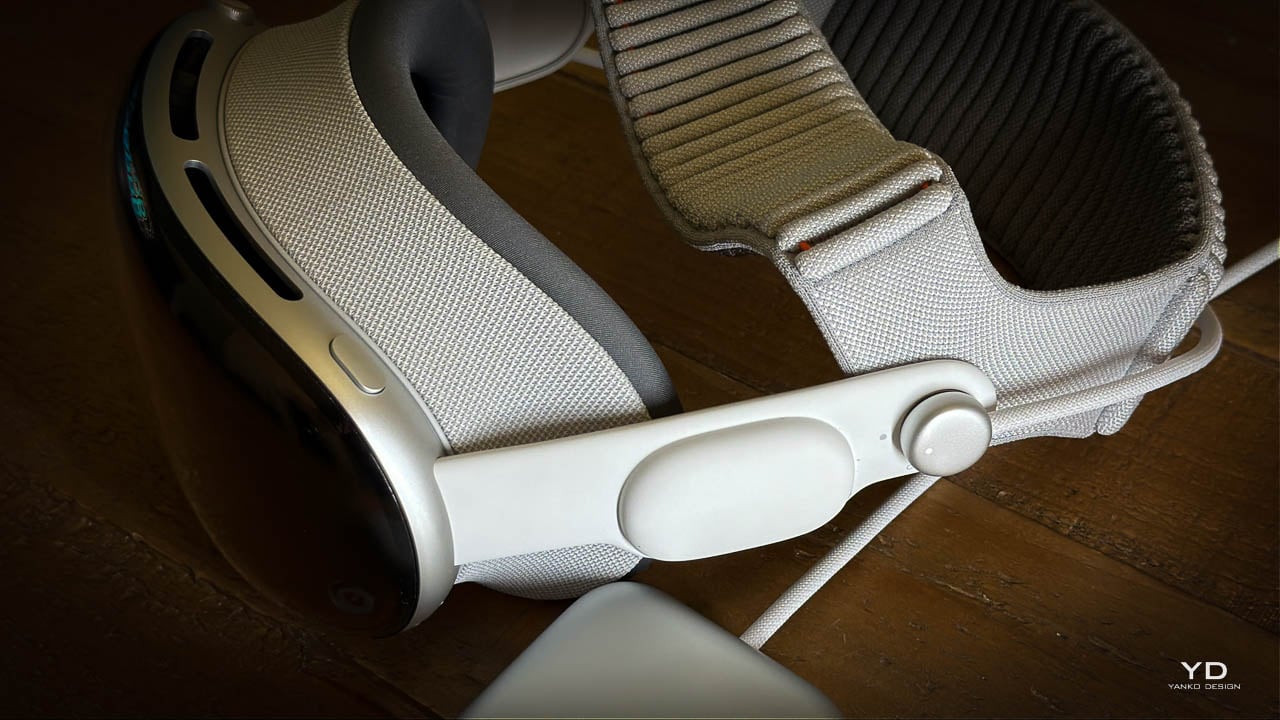
The Dual Knit Band introduces a two-strap geometry where upper and lower straps are 3D-knitted as a single piece into what Apple calls a “dual-rib structure.” One strap cups the back of the head, the other runs over the crown, creating a cradle that triangulates the headset’s mass around the skull instead of hanging it from the face.
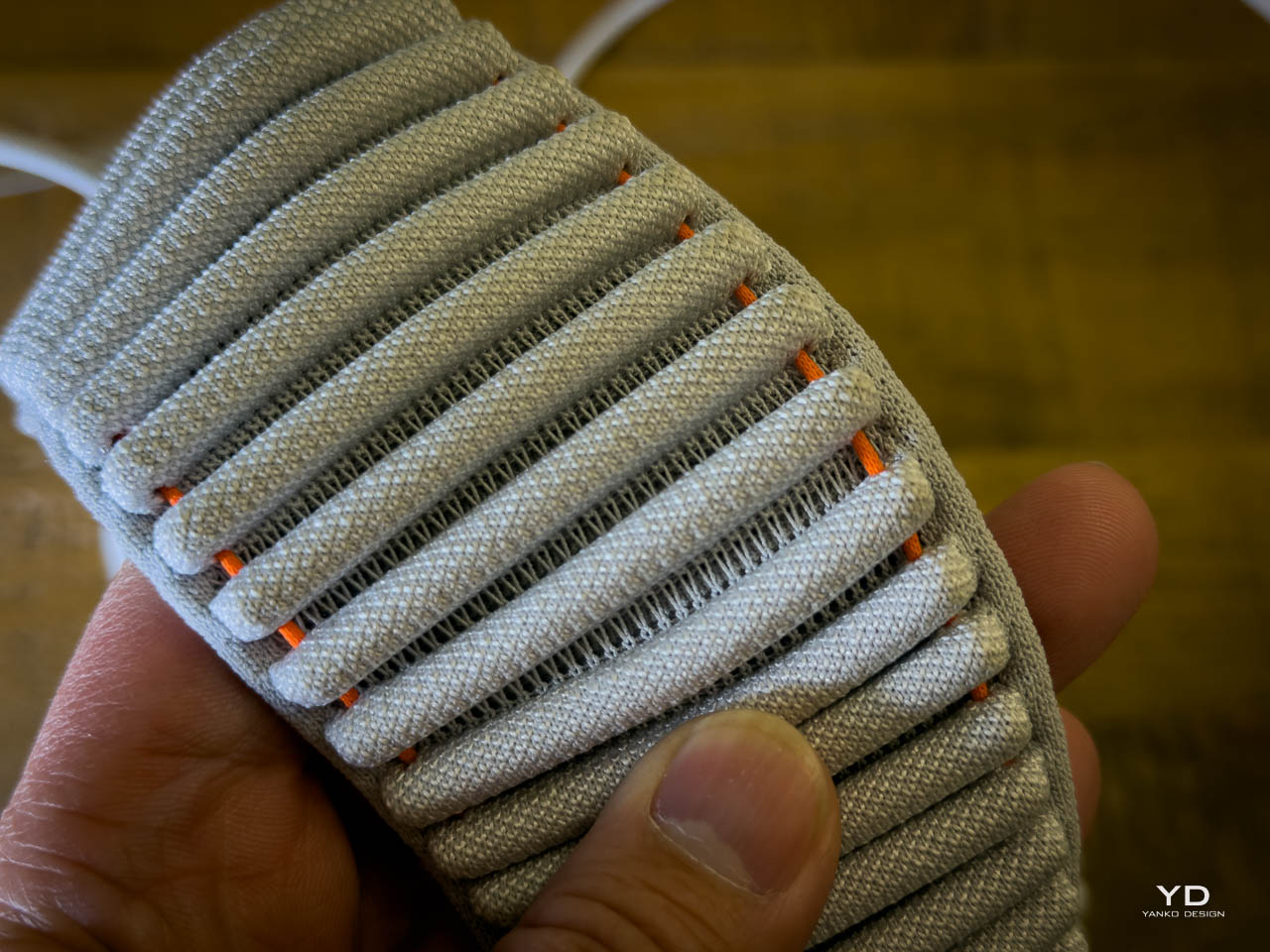
But here’s where it gets interesting: the lower strap hides flexible fabric ribs embedded with tungsten inserts that act as counterweights. They literally pull some of the load backward and down to reduce the forward torque on your neck.
Apple is manipulating the moment arm via hidden dense material so the device feels lighter without actually being dramatically lighter. It’s a borrowed-from-watchmaking move. Tungsten is what you use for rotor weights and balance wheels when you need maximum density in minimum space. It’s visually invisible but functionally critical.
The real-world effect is that the Dual Knit Band doesn’t change the number on the scale, but it changes where you feel those grams. A front-heavy visor becomes something closer to a weighted pair of headphones. Two-hour sessions feel normal instead of like a tech demo punishment.
Soft Goods as Core UX
Apple describes the Dual Knit Band as soft, breathable, and stretchy: 3D-knitted from performance yarns similar to the Solo Knit Band. The dual-rib knit structure is designed for cushioning and airflow. Reviewers and users commonly reported that earlier bands ran hot and left pressure lines; this one appears to address both complaints through textile engineering.

The Fit Dial mechanism uses a metal core with a textured outer ring and a slight pull-to-unlock action. Push to adjust one axis, pull to adjust the other, letting you independently tune top and back tension with one control. Micro ratchets give tactile feedback, and the push-pull gesture mirrors the Digital Crown’s multifunctionality elsewhere in Apple’s ecosystem.
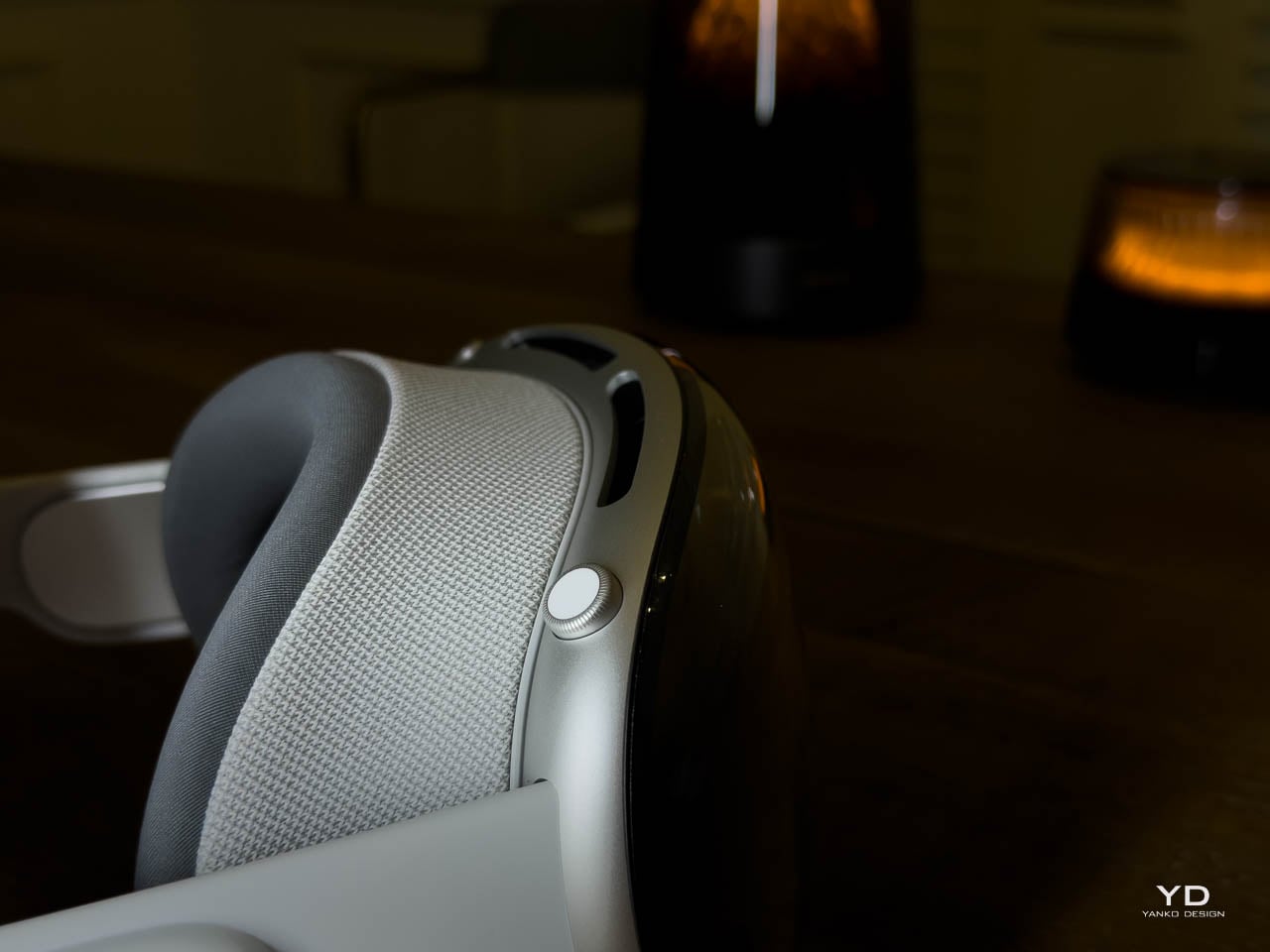
Read together, Apple appears to be treating knit textiles, counterweights, and mechanical dials as part of the interface surface area, not just an accessory. That signals a philosophical shift: comfort isn’t something you tolerate to use Vision Pro. It’s designed into the product with the same rigor as the silicon.
Retrofit Ergonomics: The Cheapest Upgrade
The Dual Knit Band attaches to the Audio Straps via a simple, secure mechanism with release tabs, preserving the modular ecosystem introduced with the first Vision Pro. It ships in small, medium, and large sizes, comes included with M5 by default, and is sold separately as an upgrade that’s fully compatible with the original M2 model.
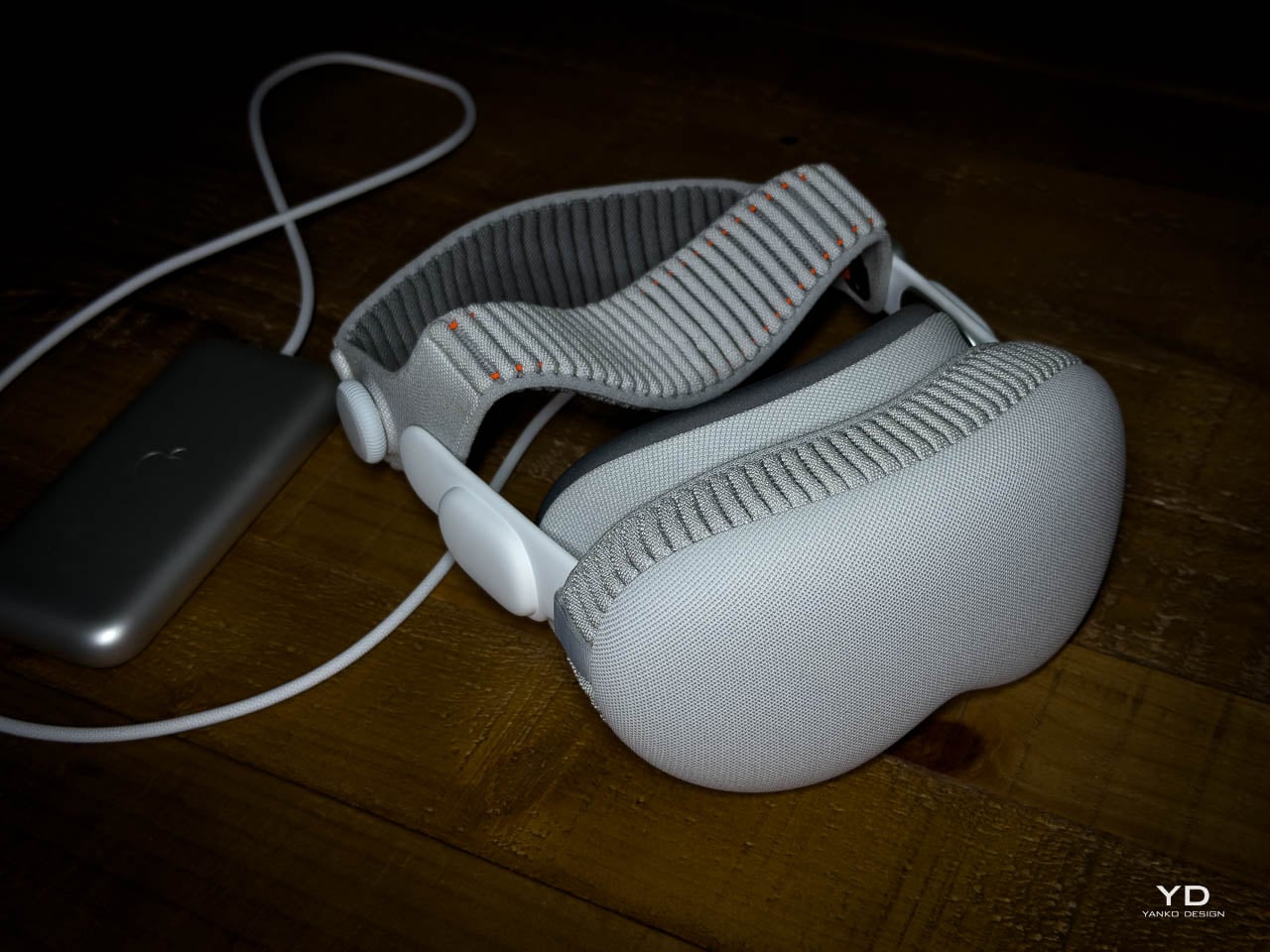
That compatibility is an important design signal. Apple is treating headbands as swappable “ergonomic modules” rather than disposable accessories. The Dual Knit Band becomes a retrofit that can rehabilitate earlier hardware, extending the life and desirability of equipment people already own.
If you already have the first Vision Pro, the cheapest way to “upgrade” isn’t the new chip. It’s this strip of knit and tungsten that quietly rehabilitates the hardware you already have.
What Changes in Practice
The M5 with Dual Knit Band finally makes Vision Pro something I can wear for hours. Less cheek pressure, less neck fatigue, and none of that “face is sliding off my skull” sensation that defined first-gen fit. People who tried 3D-printed hacks and CPAP-style mods say this is the first official strap that beats their DIY solutions, which is high praise from tinkerers.
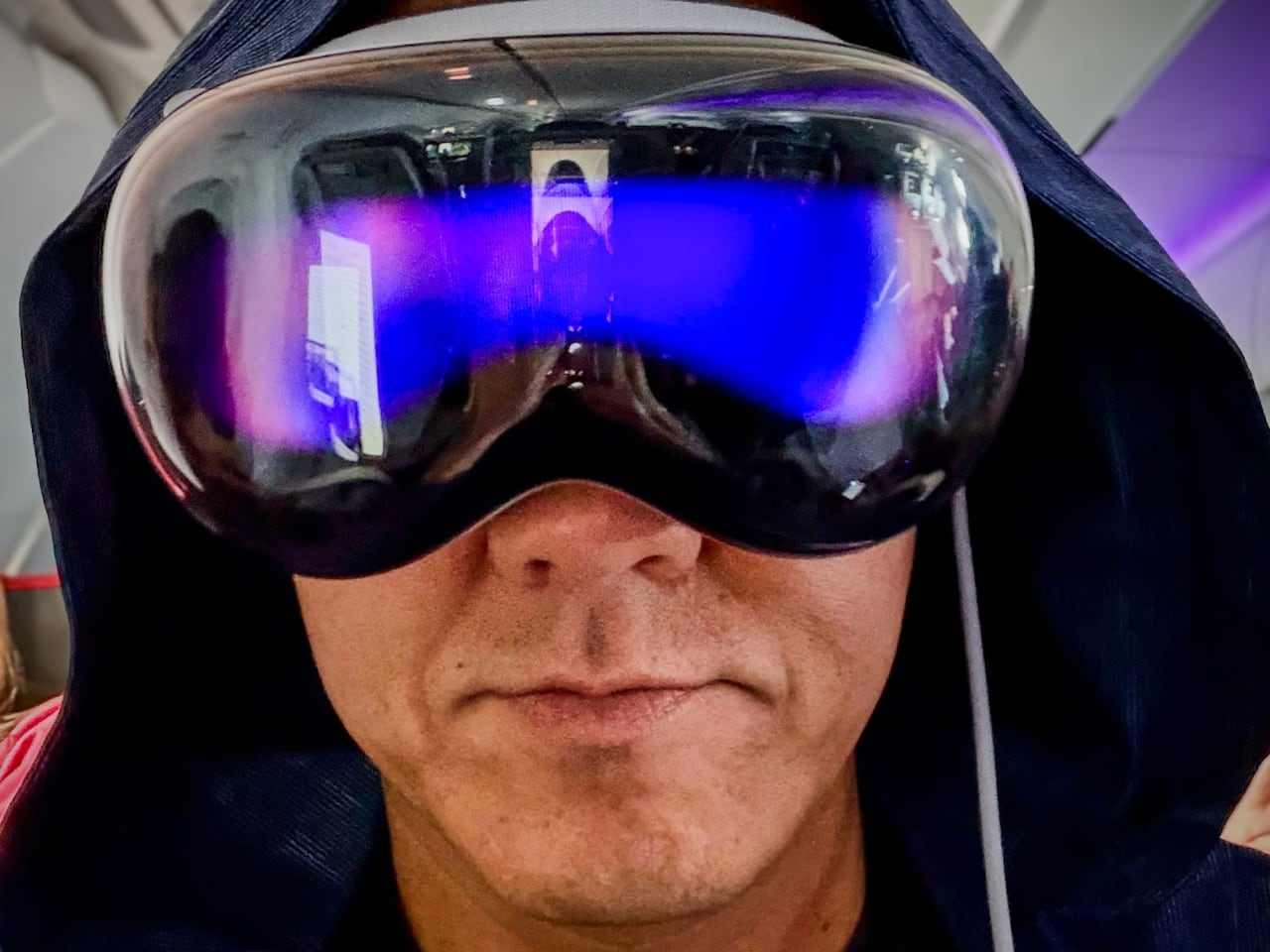
A recent cross-country test made the difference concrete. Economy class, Dallas to New York and back. Sold-out flight, middle seat, hostile in every physical dimension. But with Vision Pro strapped on, the environment selector became an escape hatch. Moon surface, Yosemite, Mount Hood: each one a functional retreat that made a miserable seat survivable. The hardware disappeared; the space remained. For a four-hour flight wedged between strangers, I was effectively in my own private cabin.
One small design detail made the in-flight experience smoother: when Vision Pro detects motion (plane, car, train), rotating the Digital Crown surfaces a Travel Mode prompt. No fumbling with eye tracking while the cabin shakes. Just turn the crown, tap confirm, and the headset stabilizes for a moving environment. The button just works.
That’s the psychological real estate concept paying off in practice. The immersive environments aren’t screensavers. They’re functional escapes that only work when the hardware is comfortable enough to forget. When you can wear Vision Pro for an entire cross-country flight without wanting to rip it off, the environments graduate from novelty demo to genuine utility.
The combined story is holistic: fewer pressure points, less motion blur, and less cognitive friction all point to longer, more natural sessions. Multi-hour productivity runs and movie marathons feel more plausible because comfort and visual stability are both improved. Five or six hours in a day with minimal discomfort would have been unthinkable with the old strap without modifications.
The real story isn’t that Vision Pro gained new tricks. It’s that the things people already loved doing in it (3D movies, floating Mac screens, immersive photos) no longer come with the same physical tax.
Still a Computer on Your Face
Even with the improvements, the headset is still big, still expensive at $3,499 for 256GB, and still leaves some marks under the eyes for certain faces, just less aggressively than before. Some users report needing to fine-tune fit over a few days, especially when finding the right light seal and tension balance. There’s also the hair situation: if I had short hair, the Dual Knit Band would probably bother me more. With longer hair, everything just gets pushed back and settles into place. Vision Pro hair is a thing, but it’s not as bad as hat hair. I can tolerate it.
It’s still very much a computer on your face, not a magic pair of AR glasses. But the Dual Knit Band and M5’s visual stability nudge Vision Pro out of “showpiece gadget” territory and closer to something you can actually live in.
The post Apple Vision Pro M5: How Tungsten, Knit, and Silicon Finally Make Spatial Computing Livable first appeared on Yanko Design.