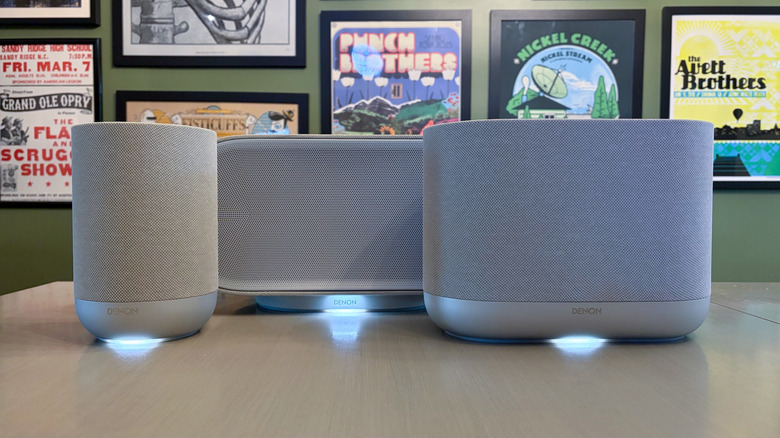
Denon Home 200, 400 and 600 review: Taking on Sonos
One of the best things these speakers have going for them is a reliable app.
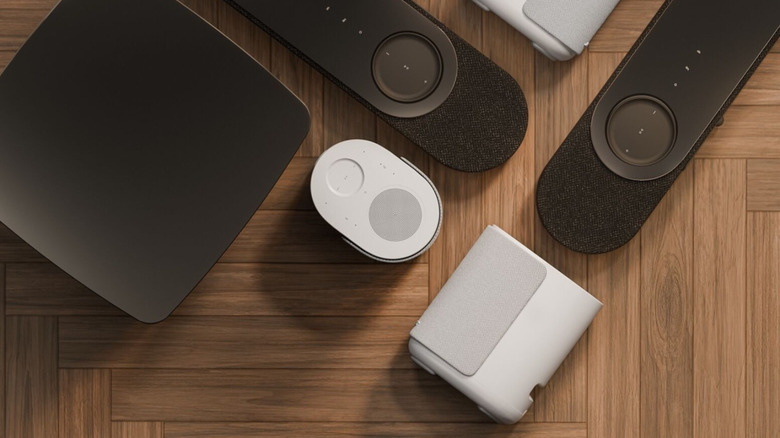

Traeger’s first non-pellet grills debuted in 2023. Jumping into the griddle craze, the company introduced the Flatrock series in a three-burner model — later adding the smaller, two-burner option. Now Traeger is back with two new griddles, the two- and four-burner Irontop, which actually offer more cooking area than their predecessors. Plus, these new griddles are more affordable, too.
Traeger promises the Irontop models will offer fast preheating, precise temperature control, edge-to-edge heating and a durable construction. The cooking area has a food-safe, rust-resistant coating the company says only requires “simple seasoning and care.” Traeger says the consistent heating across the cooktop is the same level of performance as the more expensive Flatrock series of griddles. The Irontop griddles also have integrated wind guards to insure reliable heating in windy conditions.
The Irontop griddles sit atop carts with four casters. Each model also has two side shelves and a larger shelf underneath for storage. The side shelves can accommodate some of Traeger’s Pop-And-Lock accessories, like the storage bin and roll rack. Those shelves also have three hooks on each side, where you can hang spatulas and other griddle tools.
The two- and four-burner Irontop griddles starting May 15 from various retailers for $500 and $600 respectively. Traeger also recently added two sizes of the new Westwood smart pellet grill to its list of more affordable options, starting at $700.
Update, April 18, 2026, 11:30AM ET: This post has been updated with more detailed availability info from Traeger.
This article originally appeared on Engadget at https://www.engadget.com/home/kitchen-tech/traeger-debuts-the-irontop-a-more-affordable-gas-powered-griddle-150000759.html?src=rssEngadget’s hottest review roundup truly has it all this week: a new pocket cam, a 2-in-1 smart grill, a pair of drones and a pricey skinny vac. And that’s before we even get to the highly capable gaming display that will only set you back $350. Read on to catch up on the reviews you might’ve missed over the last two weeks as we prepare for another slate of big events next month.
DJI’s Osmo Pocket cameras have become a staple of Engadget’s live event coverage over the last few years. They’re convenient, compact and product high-quality footage when speed matters. Contributing review reporter James Trew recently put the new Osmo Pocket 4 through its paces, concluding that “you’re getting better image quality that will pay you back over time.”
With the X-Fire Pro, Recteq set out to make a pellet grill that would appeal to fans of gas grills. The company has done just that, offering a dual-mode device that imparts wood flavor you don’t inherently get from propane or natural gas. “Recteq has successfully combined the best aspects of pellet grills with a dedicated high-heat mode and separate controls that will be familiar to gas grillers,” I said. “This model offers robust build quality, reliable performance and Wi-Fi connectivity for extended smoking sessions.”
Can a $350 gaming monitor offer enough to get the job done? If you’re talking about the Alienware 27 QD-OLED display, that answer is a resounding “yes.”
“The AW2726DM might not have all the fancy features you get on more expensive monitors, but it’s an excellent example of a no frills gadget done right,” senior reporter Sam Rutherford said. “You get just enough ports, a straightforward design and a beautiful QD-OLED panel with a solid resolution and refresh rate — all for just $350.”
Like the Osmo Pocket 4, DJI’s latest Drones are unlikely to make it to the US. However, if you live elsewhere, there’s a lot of performance available for under $400. “The Lito series shows that DJI is intent on dominating every drone price range and category, including the bottom end,” contributing reporter Steve Dent said. “Despite their low prices, the new drones don’t skimp on features, offering full obstacle protection, ActiveTrack subject tracking, relatively high speeds and sharp 4K video quality — just like models that cost a lot more.”
If your spring cleaning could still use a jump start, perhaps a fancy, skinny vacuum could do the trick for light duty. “With its minimalist form factor, the PencilVac is still an engineering marvel,” UK bureau chief Mat Smith said. “Its high degree of mobility makes it easy to clean in tight corners and between furniture. I just wish it were slightly more powerful.”
This article originally appeared on Engadget at https://www.engadget.com/engadget-review-recap-dji-osmo-pocket-4-recteq-x-fire-pro-and-alienware-27-qd-oled-120000428.html?src=rssOccasionally, you really can have it both ways. For the most part, pellet grills are great for smoking and mid-temperature cooking, but you’ll typically need other grills for high-heat searing and 1,000-degree temperatures(with a few exceptions). Sure, some pellet grills allow you to move the heat deflector for direct access to the fire pot for searing, but that’s still not a cooking experience that will be familiar to gas grill users.
With the X-Fire Pro 825 ($1,550), Recteq is putting its pellet grill expertise to work in a dual-mode design that’s meant to bridge the gap between gas and wood fire. Of course, this is a smart grill thanks to its Wi-Fi connectivity, and the backbone of this beast is undoubtedly a pellet grill. Plus, the company offers totally separate controls to avoid confusion between Smoke and Grill modes, all combined in a durable, all-stainless steel design. It’s the rare device that really is the 2-in-1 the company claims.
All Recteq grills are made of stainless steel, but unlike the Deck Boss, Patio Legend and other models in the company’s lineup, the X-Fire Pro doesn’t have a powder coated lid. This isn’t a problem per se, but it does require extra care with cleaning and maintenance to avoid rust. Apart from the cast iron grill grates, the interior components are also stainless steel, so most of this grill is clearly built to last. When you combine that with the robust cart and premium casters that the X-Fire Pro sits on, this grill is one of the most well-designed I’ve reviewed.
Like most pellet grills, the X-Fire Pro has a digital controller mounted on the side. In this case, it’s situated on the front edge of a shelf on the left of the grill. Single-knob navigation allows you to set cooking temperature and food probe alerts, which can also be done via the Recteq app thanks to the grill’s Wi-Fi connectivity. The X-Fire Pro allows you to use two wired food probes simultaneously, but there’s no option for wireless probes. Recteq does sell wireless probes though, but they connect directly to the company’s app, not to the grill itself.
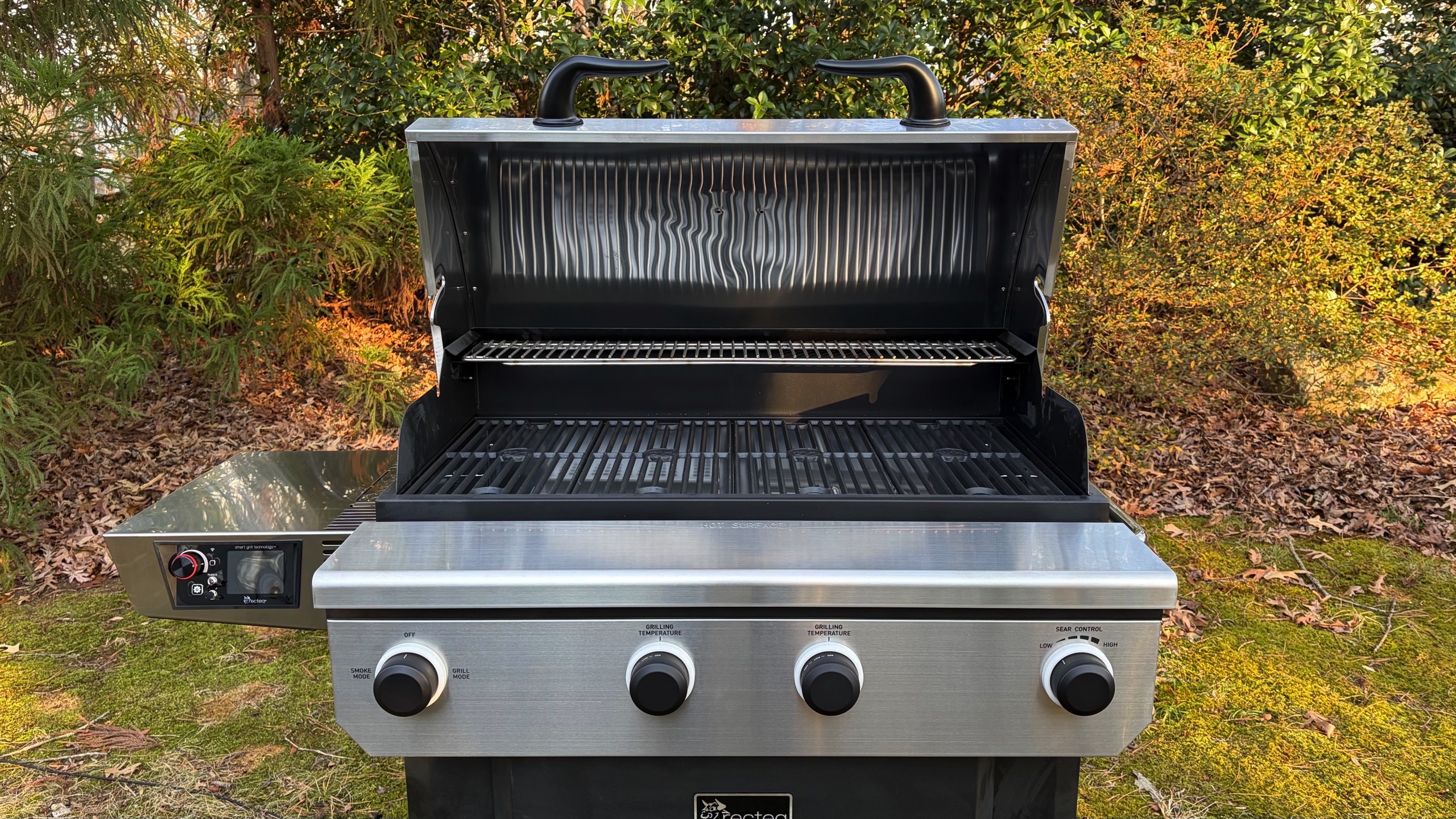
Rather than a traditional on/off switch, the X-Fire Pro is turned on with the far left knob on the front. To do so, you choose between the grill’s two modes, Smoke or Grill. If you select Smoke mode, the controller on the left will light up and you set your desired temperature between 225 and 400 degrees Fahrenheit. Personally, I prefer a slightly lower minimum temperature, around 180 degrees, to enable things like cold smoking or even mimic the Keep Warm feature that competitors like Traeger offer. In Grill mode, you can expect temperatures from 225-400 degrees on low, 350-650 on medium, 500-850 on high and 800-1,200 on max.
There are two fire pots inside the X-Fire Pro. The one on the left is used exclusively for Smoke mode while both can be used in Grill mode. I typically set the right side to a higher grilling temperature, since there’s an Adaptive Sear Control for direct access to the flame (there’s a dedicated knob on the front to control this). I would then leave the left side on low, which would give me a hot/cold setup like I would normally use on a gas grill. Of course, you can set both fire pots to the same heat level and use the entire cooking surface at the same temperature. You could also leave one of the fire pots completely off if you needed to do so.
Recteq promises that the X-Fire Pro is a pellet grill that will offer the best aspects of gas grilling with familiar knob-based controls. I agree that the large knobs are similar to what you’ll find on a gas grill, although you can’t fine-tune the heat like you can with gas burnersI didn’t find this problematic, though. Where Recteq surpasses propane or natural gas options is the fact that the X-Fire Pro entirely runs on wood pellets, so your food tastes much better. Just keep in mind that it’s a different flavor than charcoal.
During my testing, I unexpectedly spent most of my time using the X-Fire Pro in Grill mode. I cooked steaks, chicken, burgers, sausages and more, all of which tasted a lot better than they would have on a gas grill. Even at high temperatures, you still get some wood flavor, which helped elevate my sous vide New York Strips beyond a simple high-heat sear. Of course, I also had the option to open the Adaptive Sear Control for direct-flame finishing, which was absolutely the right move for steaks and burgers.
One important caveat about Grill mode is that the digital controller for Smoke mode completely turns off. You operate this mode entirely with the front-mounted knobs — just like you would a gas grill. As such, you don’t have access to the food probes or any Wi-Fi features that Smoke mode employs. I can understand why Recteq would want to keep the two modes separate, but I do wish there was a way to use the food probes to track internal temperature of things like steak and chicken, or any items where exact doneness is essential.

When it comes to smoking, the X-Fire Pro works just as well as any other pellet grills I’ve reviewed from Traeger, Weber and others. It’s very much a set-it-and-forget-it device, if you want it to be, which means you can put on a pork shoulder or a brisket early in the morning and it will be ready by dinner. But since the X-Fire Pro has two fire pots and therefore two smaller pellet hoppers instead of one larger one, each hopper’s capacity is limited to just10 pounds. While I had no trouble getting through an 8-hour smoke session with a full hopper (at 275 degrees), I wouldn’t feel comfortable with overnight cooks due to the reduced pellet supply. In Grill mode, though, a single full hopper on the right was always enough to get through a cook.
Recteq says the digital controller can maintain the set temperature in Smoke mode within five degrees. I found this to be true during all of my low-and-slow cooking, and the graph in the app confirms it. The only dips it showed corresponded to the times I opened the lid. This performance was consistent across multiple uses of the X-Fire Pro, although on one particularly cold and very windy day, I did see some greater fluctuations (there’s a warning about this in the user manual). Under normal weather conditions though, this grill is reliable at maintaining the desired cooking temperature in Smoke mode.
The main cooking surface of the X-Fire Pro consists of four removable cast iron grates. These are reversible with one side for general use and the other with wider bars for more apparent sear marks. There’s also a shallow top grate above the primary cooking area, perfect for resting foods when they’re done or warming buns in Grill mode. In Smoke mode, you could also put another rack or two of ribs up there, but it’s not big enough for larger cuts of meat.
Most pellet grills direct ash and grease to a catch pan of some sort. Since the X-Fire Pro has two fire pots, it has two ash removal trays on either side with levers to help with the debris. Like every other pellet grill, you’ll need to clean out some ash from the cooking chamber every few uses, and the best way to do that is with a shop vacuum. Recteq cautions against allowing grease buildup with Smoke mode, but I never found this to be a problem. That’s likely due to the fact that I used Grill mode between low-and-slow cooking sessions, so I probably burned off any excess residue. What’s more, I like to use aluminum pans for pork shoulders for easier cleanup, rather than placing them directly on the grates.

Like every other Wi-Fi-enabled pellet grill I’ve tested, the X-Fire Pro works with an app that allows you to control and monitor it from afar. You can keep tabs on both grill and food probe temperatures as well as turn the whole thing off. Recteq’s app also has more advanced features like temperature graphs, a 30-day cooking history and over 60 step-by-step guided recipes. Plus, you can save cooking sessions with notes for future reference and the app’s complete recipe book houses over 450 dishes. The company prides itself on the quality of its app, and I can confirm it’s the most reliable mobile software I’ve used during a smart grill review.
Now let’s discuss a few things you won’t find on the X-Fire Pro. First, there’s no option for a folding front shelf since the pellet hopper is front-mounted. The hopper lid gives you a slight ledge to rest the corner of a pan or tray, but it’s not enough to do any kind of wrapping or setting anything down completely. There’s also no interior lighting, which was probably the thing I missed most from other pellet grills. Sure, we can debate the utility of how some companies arrange these lights, but something is better than nothing, especially when you’re loading a grill before dawn or finishing a cook after dark.
While there are other pellet grills with direct-searing capabilities, none of those offer the dual-mode functionality of the X-Fire Pro. For example, several Pit Boss models have levers for open access to the fire box — or, as the company calls, it the Flame Broiler. Some companies offer open-lid modes, like Weber does on the Searwood, but not all of those designs allow you to get direct access to the fire. These grills also let you set a high searing temperature on the regular controls rather than giving you completely a separate operating method like Recteq does. Again, the appeal with the X-Fire Pro is something familiar to both pellet and gas grillers with controls best-suited for each style of cooking. And yes, the $1,550 price puts this firmly in the premium category, but when you consider it’s two grills in one, that amount doesn’t seem excessive.
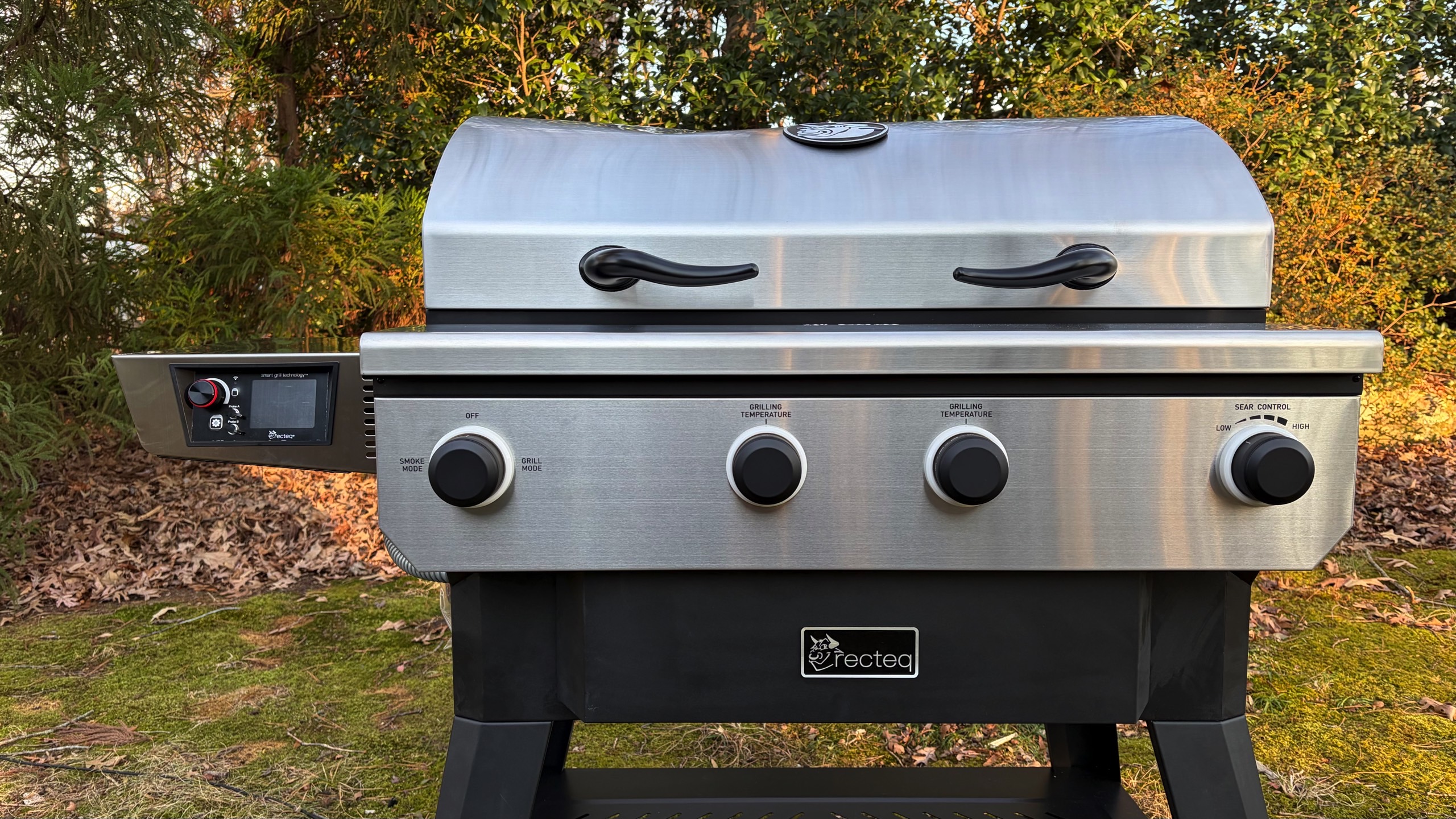
Rarely does a device live up to its billing as a double-duty workhorse. With the X-Fire Pro, Recteq has successfully combined the best aspects of pellet grills with a dedicated high-heat mode and separate controls that will be familiar to gas grillers. This model offers robust build quality, reliable performance and Wi-Fi connectivity for extended smoking sessions. The smaller pellet hoppers require slightly more vigilance, and there are a few features I’d love to see in the future, but Recteq has certainly bolstered its reputation for well-built smart grills with this dual-mode machine. I’d much rather keep tabs on my pellet supply than guess if my propane tank is empty.
This article originally appeared on Engadget at https://www.engadget.com/home/kitchen-tech/recteq-x-fire-pro-825-review-a-smart-grill-that-pulls-double-duty-170000586.html?src=rssTraeger gave backyard pit masters something more affordable last year with the Woodridge, but now the company is back with an even more budget-friendly option. With the Westwood series, the company offers very basic pellet grill functionality with a simplified controller and a no-frills design. You’ll still get Wi-Fi connectivity that works with the company’s app, and the Westwood grills are compatible with Traeger’s rail-based accessories. As you might expect at the $700 and $800 prices, there are a number of caveats compared to the company’s more expensive options.
The new Westwood grills have an even more streamlined controller than the Woodridge models. A button-based interface replaces the knob, with buttons for increasing and decreasing temperatures, both wired and wireless food probes, Wi-Fi and ignition. The side-mounted hopper has an 18-pound pellet capacity and there are shelves on the left side and underneath the cooking chamber. Inside, a two-tier setup offers either 653 or 823 square inches of cooking space, depending on which Westwood model you opt for.
The Westwood remains a set-it-and-forget-it device. The Wi-Fi connectivity allows you to keep tabs on cooking sessions from anywhere with the Traeger app. You can do everything from low-and-slow smoking to roasting and grilling with the 180-450 degrees Fahrenheit temperature range. There’s also a front rail for the company’s Pop and Lock accessories, which include a folding front shelf.
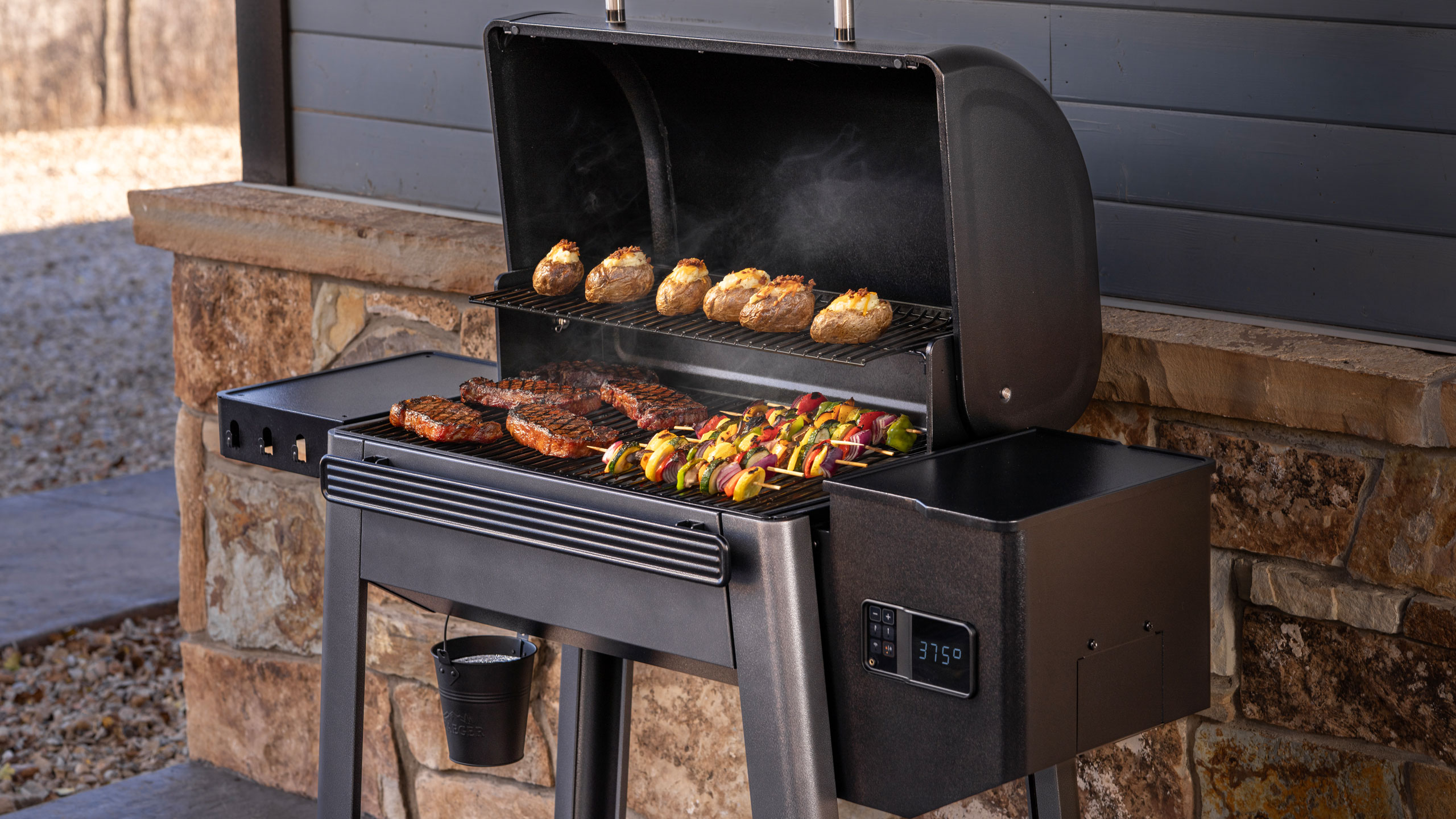
Of course, with the lower price comes a number of sacrifices. There’s no mention of Super Smoke or Keep Warm modes that Traeger offers on some of its more expensive grills. The Westwood only supports one wired food probe, so you’ll have to plan accordingly there. If you’re willing to spend an extra $80, these new grills do connect with Traeger’s wireless meat probe, so you at least have an option for additional food monitoring. Lastly, there’s no mention of a pellet sensor inside the hopper, which is a handy component for keeping track of your fuel supply.
While Traeger has consistently focused on midrange and premium pellet grills in recent years, the Westwood and Westwood XL are now the company’s most affordable options. These new grills will replace the popular Pro series in Traeger’s lineup. What’s more, new affordable options come at time when the company faces financial troubles and is currently in the midst of an ongoing restructuring.
The Westwood and Westwood XL are now available from grill retailers including Ace Hardware.
This article originally appeared on Engadget at https://www.engadget.com/home/kitchen-tech/traeger-debuts-westwood-smart-pellet-grills-that-start-at-700-160448450.html?src=rssSpring has certainly sprung here at Engadget. Well, it has in terms of reviews, at least. We’ve put over a dozen devices through their paces since my last roundup, which gives you a lot to catch up on over the weekend. Read on for the rundown of all the reviews you might’ve missed.
ASUS’ ZenBook A14 didn’t live up to our expectations last year, but now the company is back with a 16-inch machine and a shot at redemption: the A16. “Compatibility issues aside, the ZenBook A16 delivers just about everything I want in an ultraportable,” senior reporter Devindra Hardawar said. “It’s got a gorgeous OLED screen and all of the ports you need. Qualcomm’s Snapdragon X2 Elite chips also give it a much-needed power boost. And best of all, it's one of the lightest and sleekest 16-inch Windows laptops I've come across.”
Until this year, Apple’s only updates to the AirPods Max were new colors and a USB-C port. The company finally gave its pricey over-ear headphones the powerful H2 chip, delivering a host of handy features from the AirPods Pro. “The H2 chip brings Apple’s over-ear headphones on par with the rest of the AirPods lineup, namely the AirPods Pro 3,” I said. “And since I don’t expect Apple to announce new earbuds this year, that parity should remain for a while.”
Sonos badly needed a win. Thankfully, the company regained some of its mojo with a new portable speaker that offers the best of Bluetooth and Wi-Fi in the same device. “The latest Sonos speaker offers impressive sound quality, flexibility and portability, and it’s the kind of product that can help Sonos rebuild its reputation after its recent difficulties,” deputy editor Nathan Ingraham said.
After an impressive CES debut, LG’s Sound Suite was my most anticipated review of the year. Despite impressive sound quality and Dolby Atmos FlexConnect, there are still some kinks to work out in both the setup and general use. “There’s no denying that LG has created a powerful and immersive living room experience with its Sound Suite lineup,” I said. “While I did experience some setup and software issues, those are things LG can iron out over time — Sound Suite is still brand new, after all.”
The last few weeks have been pretty audio-heavy here at Engadget, including the first headphones and speakers from Fender Audio, two sets of headphones from JBL and the Roland Go: Mixer Studio. I also reviewed the first of Sony’s 2026 soundbars, the Bravia Theater Bar 5, and contributing reporter Steve Dent reviewed the Anker Soundcore Nebula X1 Pro all-in-one projector.
Senior reporter Sam Rutherford really took one for the team and spent some time with the Robosen Soundwave Transformers robot. Lastly, Steve took flight with the DJI Avata 360 drone, which is a direct answer to Insta360’s Antigravity A1.
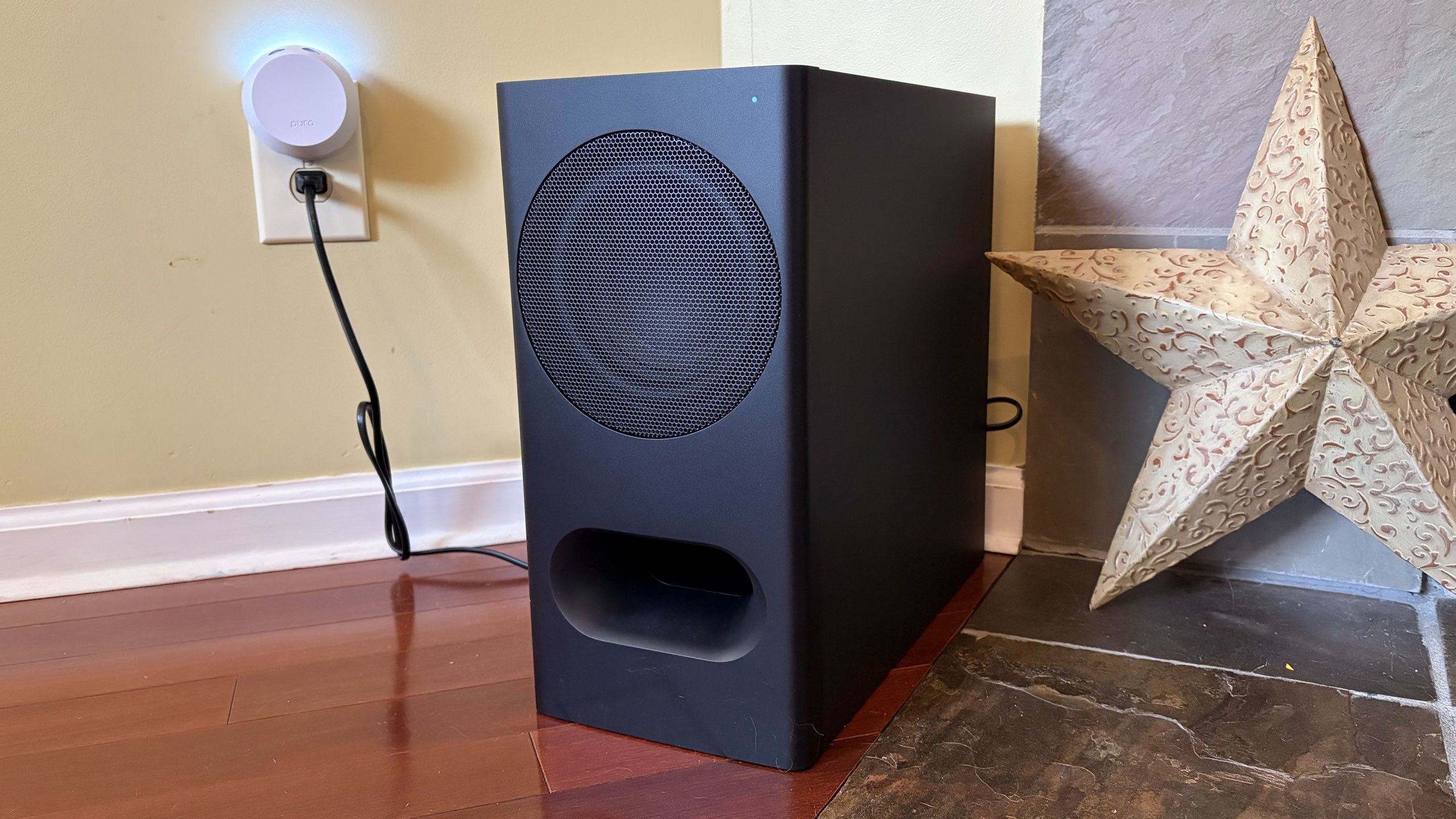
This article originally appeared on Engadget at https://www.engadget.com/engadget-review-recap-asus-zenbook-a16-airpods-max-2-sonos-play-and-lg-sound-suite-133000521.html?src=rssNot everyone needs a $1,000 soundbar. It’s easy to argue the sonic superiority of those flagship models from Samsung, Sonos and Sony, but for some people a simple boost to their TV speakers can provide a world of difference. As part of its 2026 soundbar lineup, Sony debuted the Bravia Theater Bar 5: a $350 entry-level model that covers the basics and comes with a wireless subwoofer in the box. The real question here is how many features are you willing to live without.
The Theater Bar 5 is the most compact soundbar among Sony’s new models, measuring just 35.5 inches wide. For comparison, that’s still about 10 inches wider than the second-gen Sonos Beam, but nearly 16 inches smaller than Sony’s flagship Theater Bar 9. This stature makes the Bar 5 well-suited for smaller spaces with smaller TVs. In fact, Sony says the soundbar will fit between the legs of Bravia TVs with multi-position stands. Plus, the Bar 5 is just over 2.5 inches tall, slightly shorter than the Beam, so it won’t block the bottom edge of most TVs.
Despite its small size, the Bar 5 cranks out some excellent sound. There’s plenty of crisp, clear audio from the 3.1-channel configuration, and the included subwoofer provides an ample amount of booming bass. The Bar 5 supports Dolby Atmos and DTS:X, but it doesn’t have up-firing drivers. Instead, the soundbar relies on Sony’s Vertical Surround Engine and S-Force Pro Front Surround tech to virtualize much of the directional and overhead audio. More on that in a bit.
While watching Netflix’s Drive to Survive, I experienced the excitement of F1 cars zooming around various circuits as the Bar 5 does well with general movement. The soundbar’s wide soundstage, excellent detail and booming bass provide some degree of immersion that doesn’t rely on audio projected overhead. That overall clarity and powerful bass are also great for listening to music, as the Bar 5 can handle a range of genres with ease.
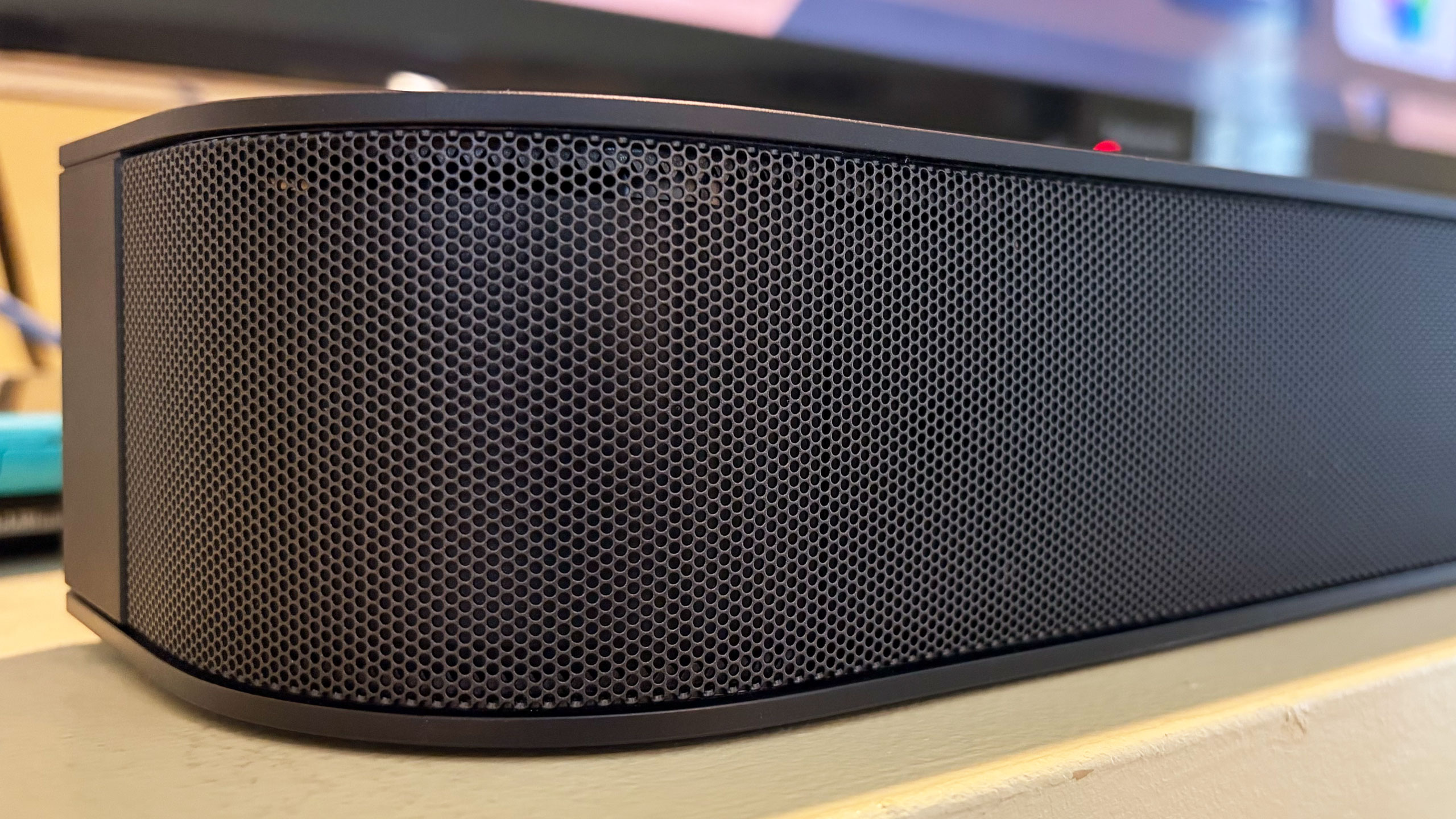
From Kieran Behden & William Tyler’s acoustic/electronic 41 Longfield Street Late ‘80s to Thursday’s screamo masterpiece Full Collapse, the soundbar performs admirably. Although with heavier genres, I preferred to dial down the bass slightly. Tucker Rule’s kick drum on Full Collapse, for example, was a bit much for the standard tuning here.
After struggling with the setup on LG’s Sound Suite, I was thankful that configuring the Bar 5 was super easy. It’s very much a plug-and-play situation, and the Bravia Connect app guides you through the initial steps. It takes about five minutes to get up and running and I’d wager even the least tech-savvy person in your life can probably figure this out. You can also opt for Night mode (less bass), Sound Field (enhanced audio) and Voice mode (louder dialogue) in the Bravia Connect app.
All of this certainly makes the Bar 5 a solid option for someone who doesn’t need a lot of features, but stands to benefit from augmenting the sound from their TV alone.
While the Bar 5 supports Dolby Atmos and DTS:X immersive audio, Sony’s virtualization tech was a disappointment. There’s some side-to-side directional sound, but I noticed almost no simulated overhead noise. The Bar 5’s sonic clarity makes it a solid option for boosting living room audio, just don’t expect the enveloping effects that more robust (and more expensive) soundbars would offer.
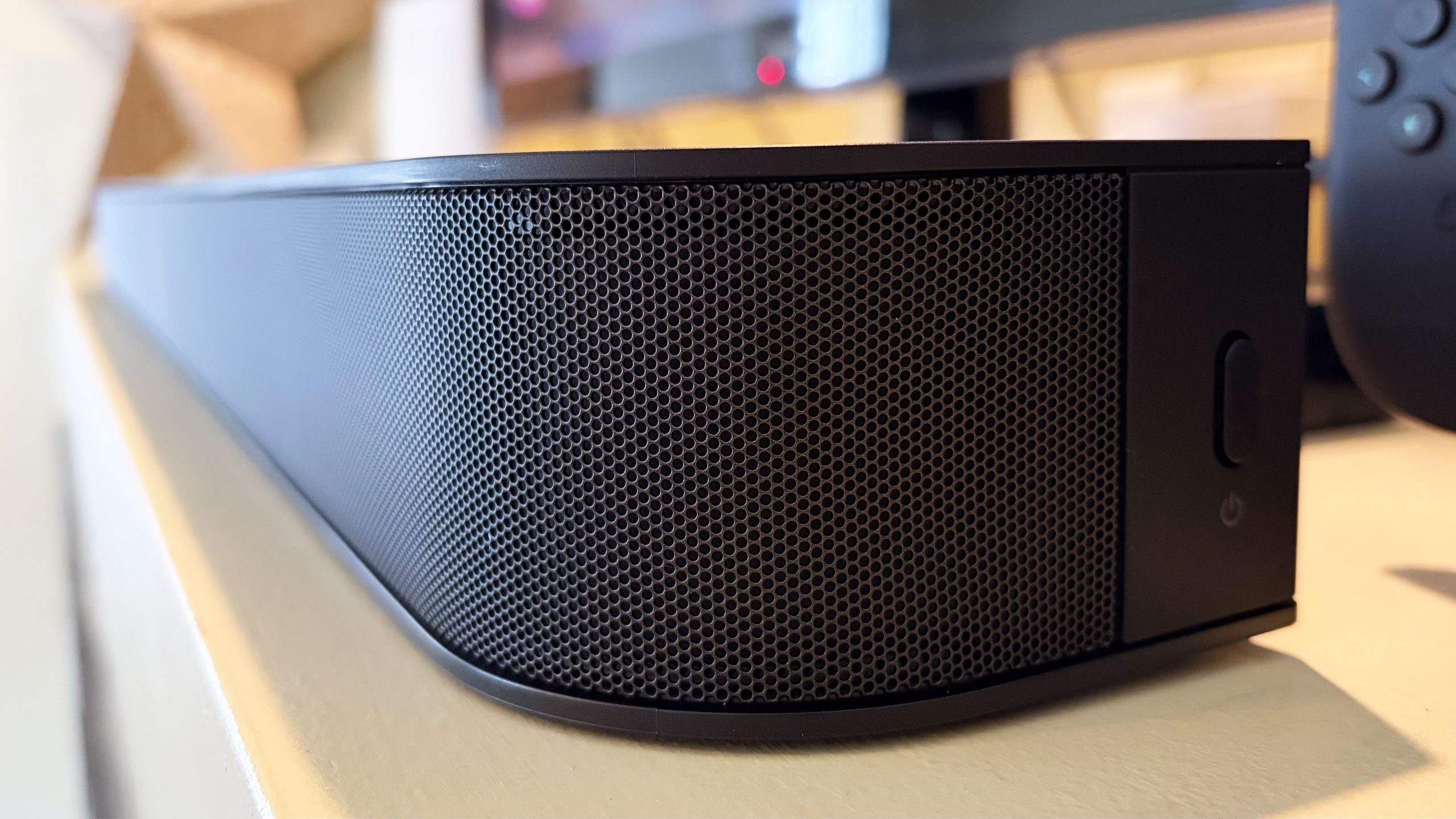
There are several features you won’t find on the Theater Bar 5, starting with the lack of onboard controls. I’m well aware that those buttons on top of soundbars don’t get used much, but if you’re like me, you still reach for them occasionally. There were several times during my testing when I tried to blindly tap the non-existent volume controls on the Bar 5. Other than a power button on the right side, your options for controlling this soundbar are a remote and the Bravia Connect app.
You also won’t find a Wi-Fi connection on the Bar 5. This means that AirPlay and Google Cast aren’t available to easily beam audio from your devices to the soundbar. There is Bluetooth 5.3, so you do have an option for music and podcasts from your phone or laptop if you need it. However, pairing your devices to the soundbar via Bluetooth isn’t as quick as selecting the soundbar in your streaming app when AirPlay or Cast are on the spec sheet.
Lastly, Sony doesn’t offer any type of room calibration on Theater Bar 5. Sure, a smaller soundbar like this is better in smaller spaces, but it would still be nice to have the system dial in the audio for the aspects of the room. After all, not every living room is a perfect rectangle. I can understand why the company left this feature out of a $350 model, since the tool would require extra components like microphones. This is certainly one of the more noticeable trade-offs for saving some money.
Sometimes the basics are all you need. Sony’s Bravia Theater Bar 5 provides an entry-level boost to TV audio that will be fine for people looking for just that. While there is support for immersive audio, the soundbar’s 3.1-channel setup isn’t the best for Dolby Atmos and DTS:X performance, and that’s really the biggest knock against the Bar 5. However, this model's excellent audio quality, especially the powerful bass, will suffice for customers just looking to hear their TVs better.
If you want a compact soundbar that provides respectable Atmos performance, the second-gen Sonos Beam is your best bet. Sure, it’s more expensive at $499 and it doesn’t come with a subwoofer, but its additional drivers, tweeter and passive radiators offer more robust audio from the soundbar alone. You also get Trueplay room calibration and Wi-Fi connectivity there.
The Theater Bar 5 will certainly improve your living room audio compared to your TV speakers alone, but with a few more features and improved Atmos virtualization, Sony could’ve had a real winner.
This article originally appeared on Engadget at https://www.engadget.com/audio/speakers/sony-bravia-theater-bar-5-review-a-basic-tv-sound-booster-140000192.html?src=rssBack at CES, Samsung showed off a new line of speakers and two of its 2026 soundbars. Today, the company announced pricing for the entire suite of new products, including two soundbars that weren’t inside its showroom in Vegas. All but two of the new devices are available to order now, so you might not have to wait to get your hands on some new Samsung audio gear.
Let’s start with the Music Studio 7 and Music Studio 5 speakers. The Music Studio 7 is the more rectangular model in the duo. It’s a 3.1.1-channel unit with left, right and center speakers alongside one woofer and one up-firing driver. This $500 device is also equipped with Pattern Control tech to direct the sound evenly through the room while keeping distortion to a minimum. The more circular Music Studio 5 has a 2.1-channel configuration composed of two tweeters and a single woofer. It has waveguide technology to evenly disperse the sound and costs $300.
Both the Music Studio 7 and Music Studio 5 use AI processing to customize the sound based on the room and the content. Those capabilities come in the form of Samsung’s Dynamic Bass Control and SpaceFit Sound Pro room calibration features. Both speakers also use Active Voice Amplifier Pro to boost dialogue.
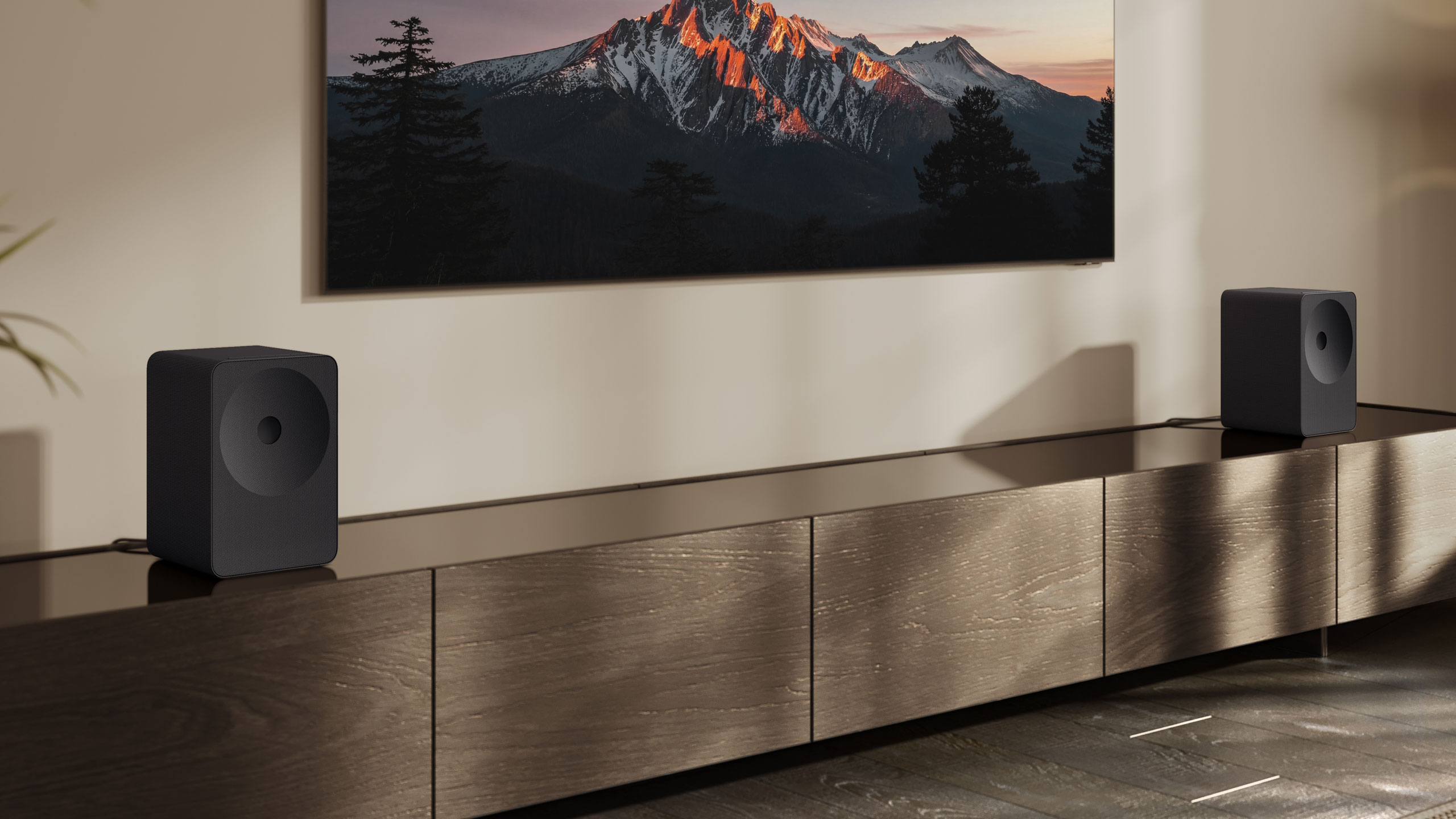
Yes, this means you can use a pair of either model as your living room setup. In fact, they can work with a compatible TV or soundbar to employ Samsung’s Q-Symphony feature that uses all of your speakers as an immersive group. Samsung is also expanding Q-Symphony to work with up to five of its audio devices and the feature will automatically adjust the sound based on speaker locations. Those upgrades seem an awful lot like LG’s Sound Suite and Dolby Atmos FlexConnect, if you ask me.
Samsung revealed its flagship soundbar, the Q990H, at CES. Unfortunately, the company is keeping the same overall design it’s been using for about years now, so I think it’s time for a change. This is the company’s 11.1.4-channel Dolby Atmos option that comes with rear satellite speakers and a subwoofer for $2,000. Samsung’s home theater features like Dynamic Bass Control, SpaceFit Sound Pro and Adaptive Sound are all here, but there are also two new features on the Q990H for 2026.
First, Samsung promises that Sound Elevation will improve the audio by making dialogue sound like its coming from where characters are on the screen rather than the position of your soundbar. There’s also Auto Volume, which will supposedly nix sudden volume jumps as you switch channels or streaming services.
The QS90H is the member of Samsung’s 2026 soundbar lineup that really impressed me at CES. The company says this is its first “all-in-one” soundbar, which means you shouldn’t have to use a subwoofer for adequate bass. Other companies have made that claim, and it’s almost never true, but the $1,000 QS90H pumped out some great low-end tone back in Vegas. That’s thanks to four built-in woofers and an overall 7.1.2-channel setup.
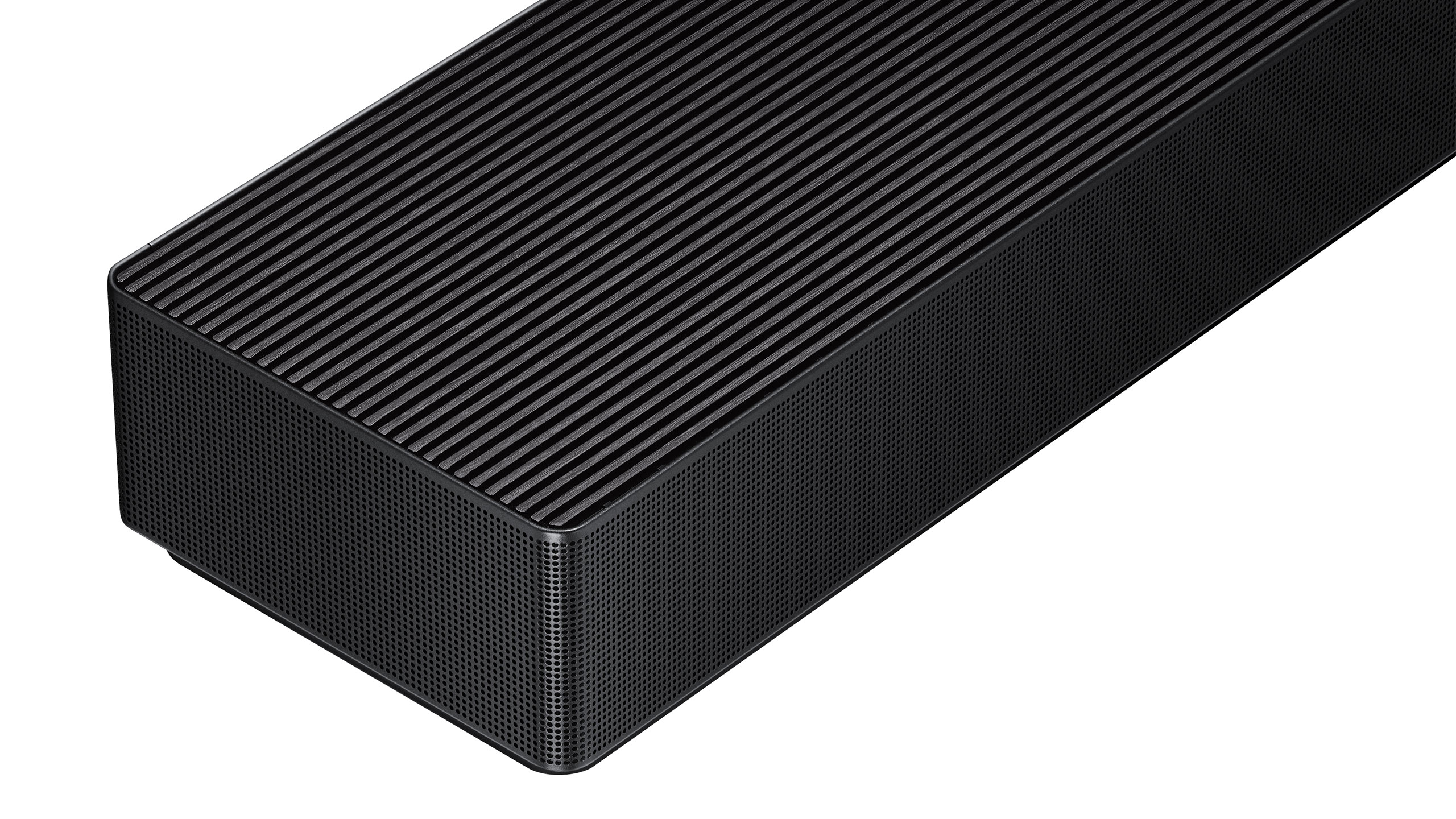
Like the QS700F, the QS90H has a gyro sensor that automatically detects if it’s sitting flat on a shelf or mounted on a wall. This allows the soundbar to automatically adjust the sound based on its position so you don’t sacrifice performance for what looks best in your home. The QS90H also offers Q-Symphony, SpaceFit Sound Pro room calibration, Adaptive Sound, Active Voice Amplifier Pro and Dynamic Bass Control — plus the new Sound Elevation and Auto Volume from the Q990H.
Two other soundbars that Samsung didn’t discuss at CES are the Q930H ($1,500) and the Q800H ($1,100). As you might expect based on the numbers, these two models sit below the Q990H in the company’s lineup. The Q930H is a 9.1.4-channel option that comes with rear speakers and a subwoofer in the box. In terms of features, Q-Symphony, SpaceFit Sound Pro room calibration, Adaptive Sound, Voice Amplifier Pro and Sound Elevation are all here. Step down to the Q800H and you’ll get all of those features in a 5.1.2-channel arrangement. This soundbar only comes with a subwoofer though. It’s also worth noting that both the Q930H and Q800H have a similar angular design to the Q900H.
The Music Studio 7, Music Studio 5, Q990H and Q800H are available now. The Q930H and QS90H are still listed at “coming soon.”
This article originally appeared on Engadget at https://www.engadget.com/audio/speakers/samsungs-music-studio-speakers-and-two-of-its-2026-soundbars-are-available-now-150000056.html?src=rss