The AI music creation landscape is rapidly evolving, with new tools and techniques emerging that enable consumers to create music with little to no musical knowledge. Among the notable new entrants is Udio, which has garnered attention for its impressive voice generation capabilities, often considered superior to its competitor Suno. However, Udio has limitations, such […]
xAI, the OpenAI competitor founded by Elon Musk, has introduced the first version of Grok that can process visual information. Grok-1.5V is the company's first-generation multimodal AI model, which cannot only process text, but also "documents, diagrams, charts, screenshots and photographs." In xAI's announcement, it gave a few samples of how its capabilities can be used in the real world. You can, for instance, show it a photo of a flow chart and ask Grok to translate it into Python code, get it to write a story based on a drawing and even have it explain a meme you can't understand. Hey, not everyone can keep up with everything the internet spits out.
The new version comes just a couple of weeks after the company unveiled Grok-1.5. That model was designed to be better at coding and math than its predecessor, as well as to be able to process longer contexts so that it can check data from more sources to better understand certain inquiries. xAI said its early testers and existing users will soon be able to enjoy Grok-1.5V's capabilities, though it didn't give an exact timeline for its rollout.
In addition to introducing Grok-1.5V, the company has also released a benchmark dataset it's calling RealWorldQA. You can use any of RealWorldQA's 700 images to evaluate AI models: Each item comes with questions and answers you can easily verify, but which may stump multimodal models like Grok. xAI claimed its technology received the highest score when the company tested it with RealWorldQA against competitors, such as OpenAI's GPT-4V and Google Gemini Pro 1.5.
This article originally appeared on Engadget at https://www.engadget.com/the-latest-version-of-xais-grok-can-process-images-120025782.html?src=rss
xAI, the OpenAI competitor founded by Elon Musk, has introduced the first version of Grok that can process visual information. Grok-1.5V is the company's first-generation multimodal AI model, which cannot only process text, but also "documents, diagrams, charts, screenshots and photographs." In xAI's announcement, it gave a few samples of how its capabilities can be used in the real world. You can, for instance, show it a photo of a flow chart and ask Grok to translate it into Python code, get it to write a story based on a drawing and even have it explain a meme you can't understand. Hey, not everyone can keep up with everything the internet spits out.
The new version comes just a couple of weeks after the company unveiled Grok-1.5. That model was designed to be better at coding and math than its predecessor, as well as to be able to process longer contexts so that it can check data from more sources to better understand certain inquiries. xAI said its early testers and existing users will soon be able to enjoy Grok-1.5V's capabilities, though it didn't give an exact timeline for its rollout.
In addition to introducing Grok-1.5V, the company has also released a benchmark dataset it's calling RealWorldQA. You can use any of RealWorldQA's 700 images to evaluate AI models: Each item comes with questions and answers you can easily verify, but which may stump multimodal models like Grok. xAI claimed its technology received the highest score when the company tested it with RealWorldQA against competitors, such as OpenAI's GPT-4V and Google Gemini Pro 1.5.
This article originally appeared on Engadget at https://www.engadget.com/the-latest-version-of-xais-grok-can-process-images-120025782.html?src=rss
Apple has been innovating and surprising us with its insane creations since 1976. And let’s take a second to appreciate the innovation and inspiration this company never fails to provide us with. The groundbreaking tech giant never fails to surprise us, we always find ourselves biting our nails and squirming with curiosity, whenever Apple announces a new product launch! Needless to say, we all have our favorite Apple products, and although they are pretty amazing as is, it’s always fun to amp them up further with some cool and innovative accessories. And, we’ve put together a collection of some unique, innovative and super fun accessories for your favorite Apple devices.
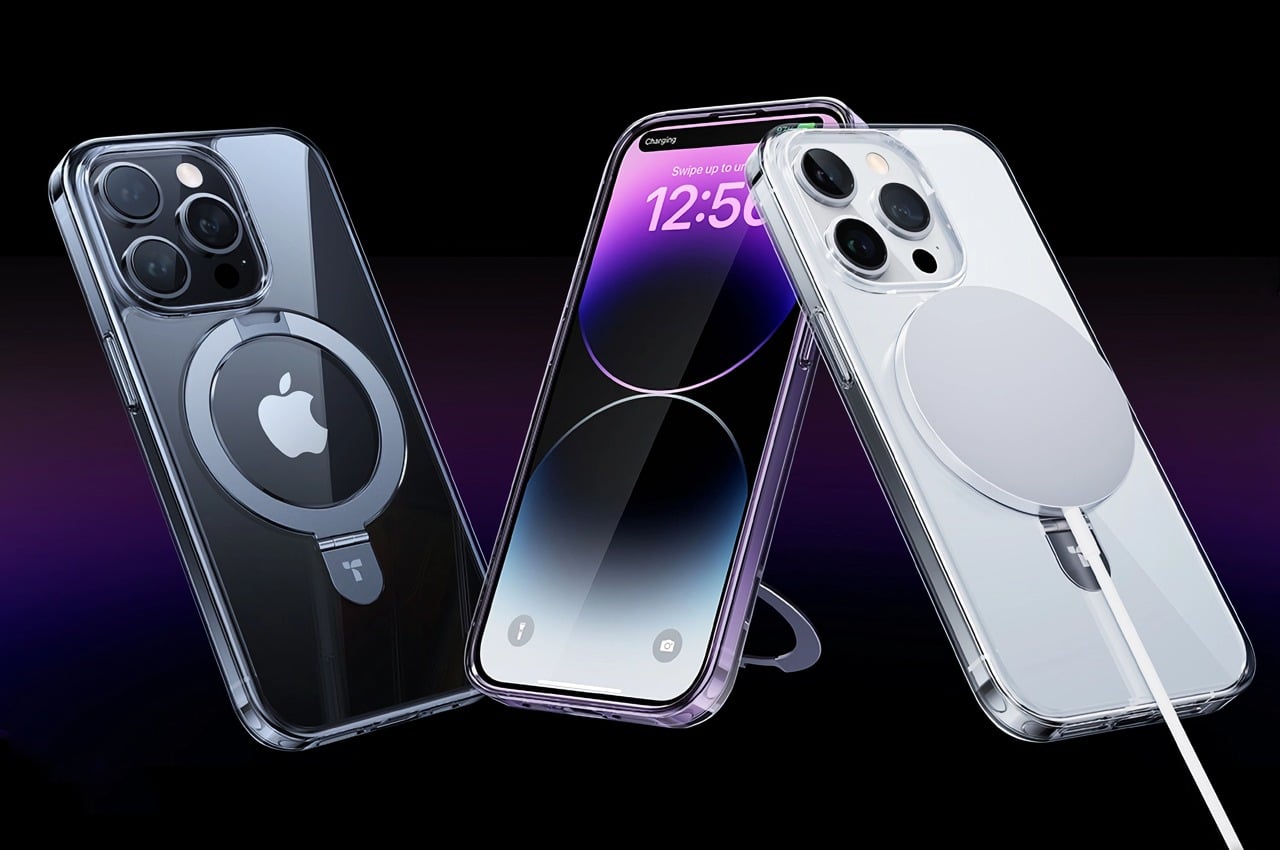
1. UPRO Ostand Case
Dubbed the UPRO Ostand Case, this nifty device won the iF Design Award and offers your iPhone’s MagSafe with a whole range of cool and innovative upgrades. You can use the case to make your phone stand, hang, or stay firmly in your hands as you click a selfie or two, or scroll through Instagram. It features the familiar magnetic ring which gives the otherwise typical-looking case a fun and interesting upgrade!
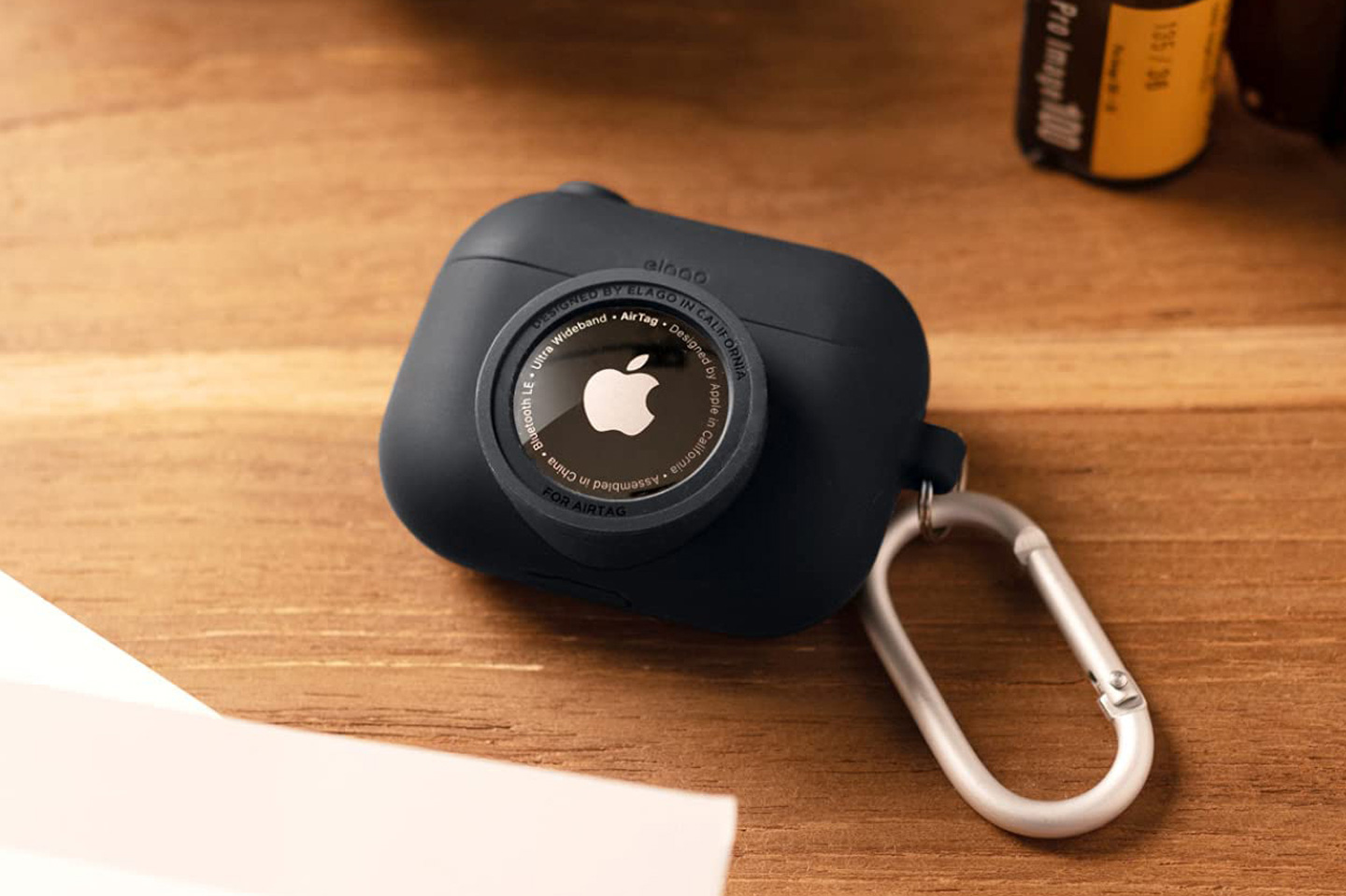
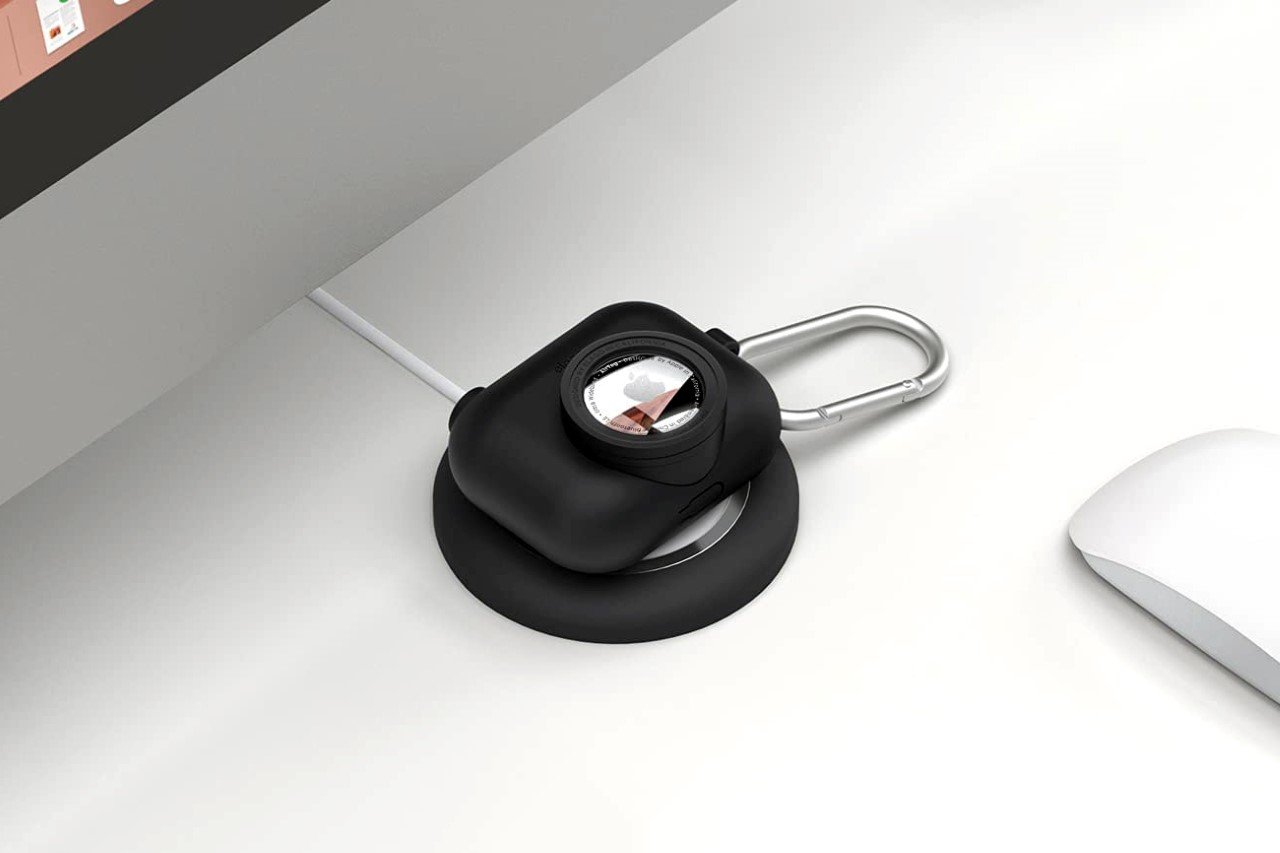
2. Snapshot Case
Called the Snapshot case for the AirPods Pro, this adorable-looking has a cute camera-shaped design that includes an AirTag inside the faux camera lens. The little case looks like a small point-and-shoot that protects precious AirPods Pro from any kind of physical damage and theft. Since it has an all-silicone design, this absorbs shock, while still supporting wireless charging.
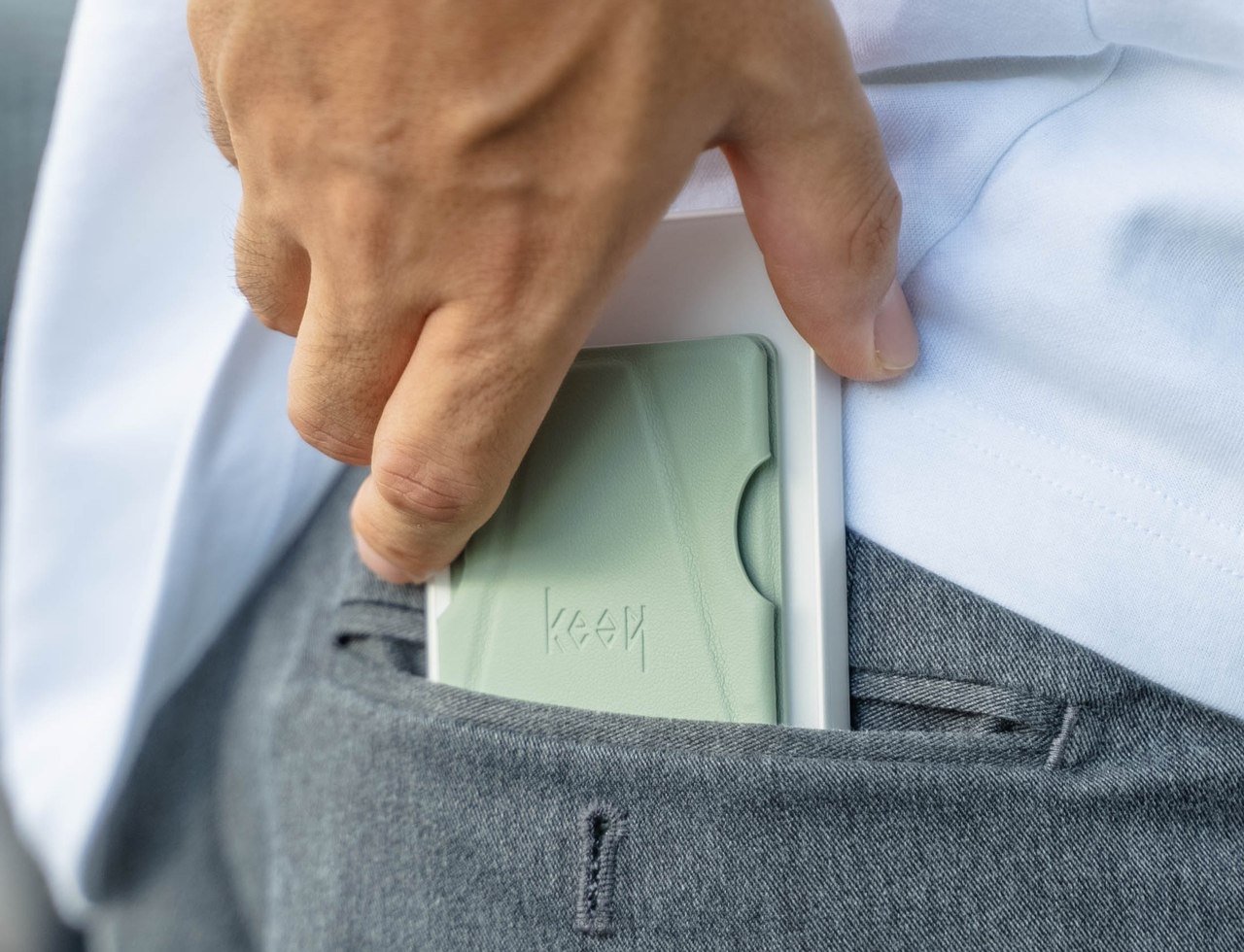
3. Apple MagSafe Grip Stand
The Apple MagSafe Grip Stand is inspired by the Japanese art of paper folding, and this handy accessory can fold flat without the hassle of assembly and disassembly. The grip stand is quite thin and aptly sized like a card, so you can attach it to your phone in no time. It also lets you slip your phone into your pocket without the fear of snagging! It is a nifty and convenient little accessory for your iPhone!
4. Ergonband
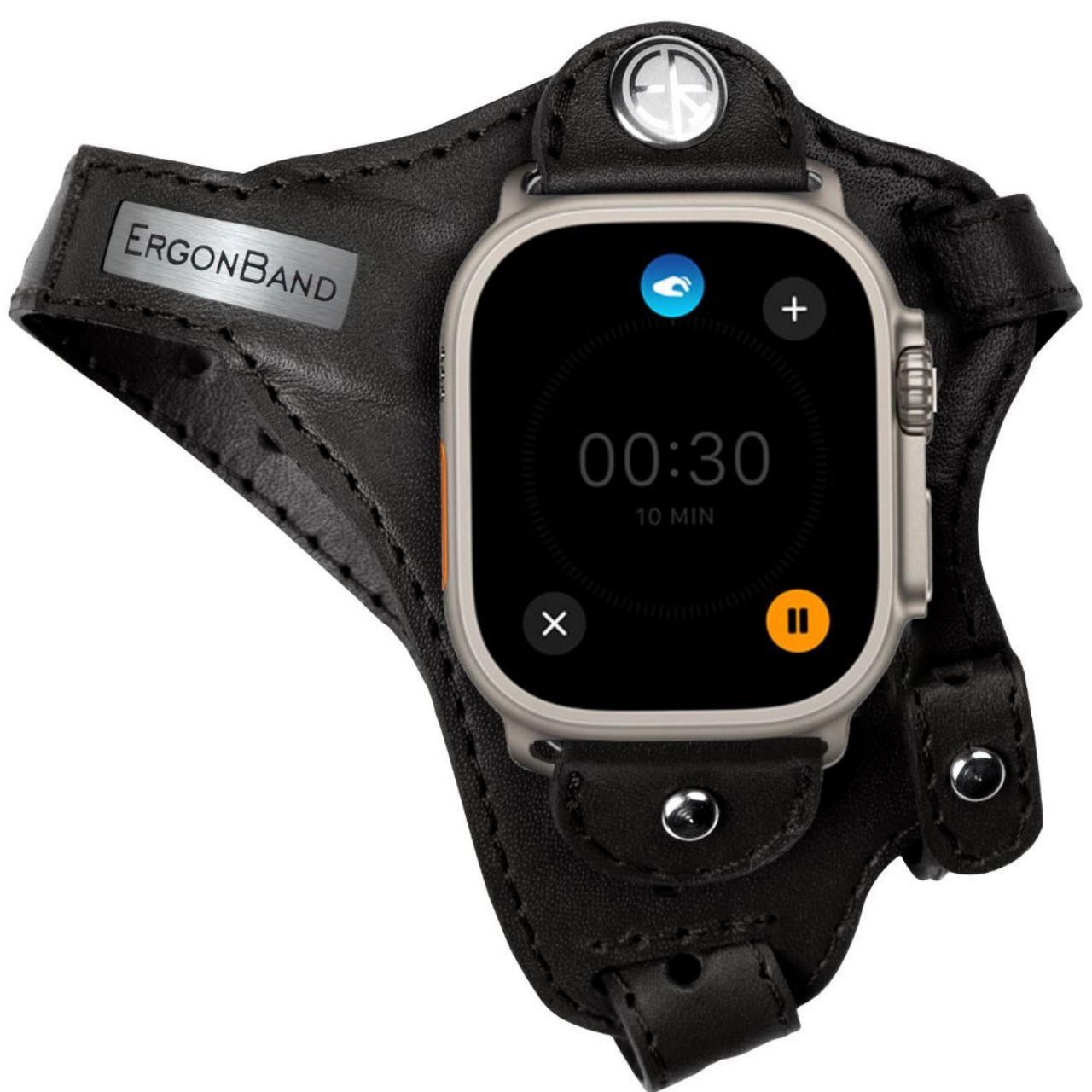
This unique Apple Watch accessory looks quite unusual, and the band looks more like a strap, or one of those hand braces used by athletes. The Apple Watch is locked in place using clips, that use standard lugs and is placed below the joint of your thumb. This location ensures that the screen is always visible without you having to twist your wrist. It is an innovative ergonomic design that works well for sports.
5. RSTR Case
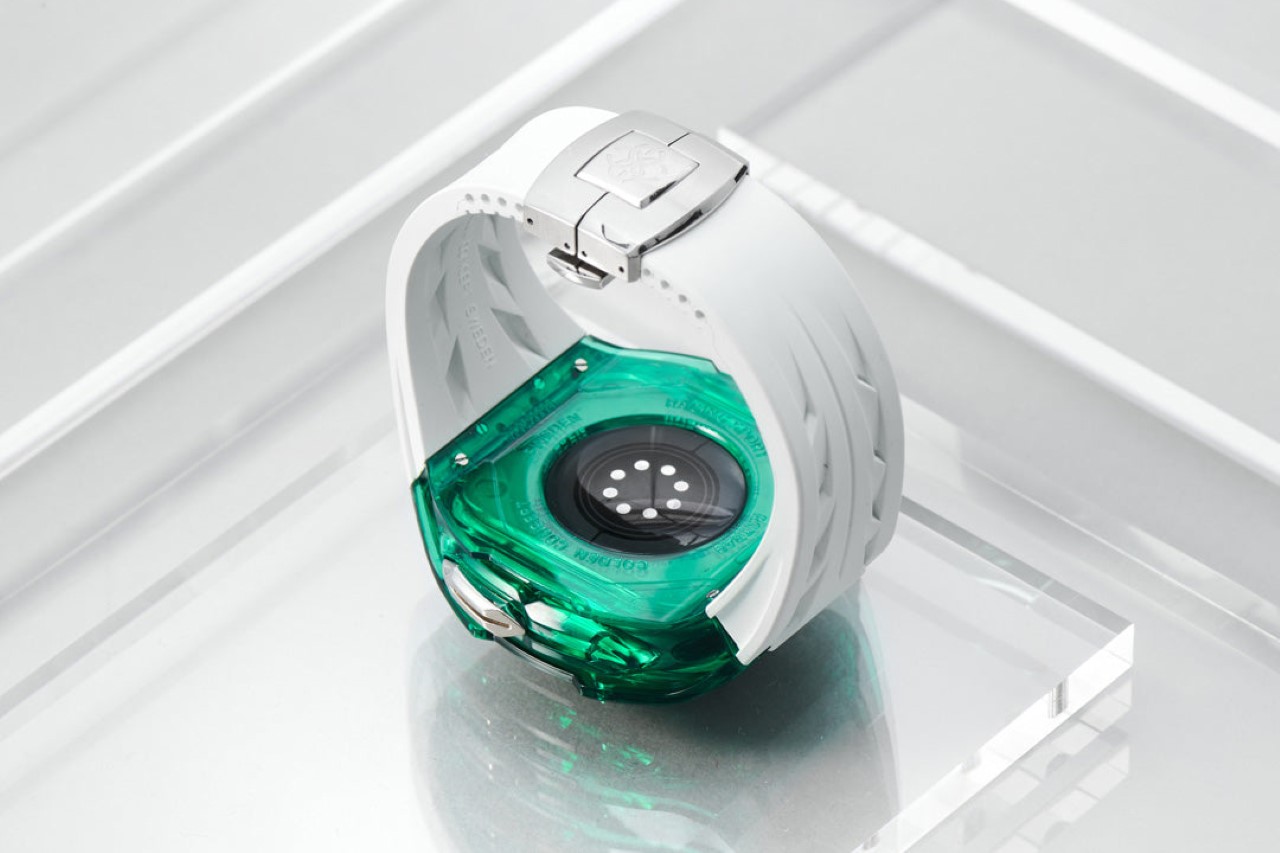
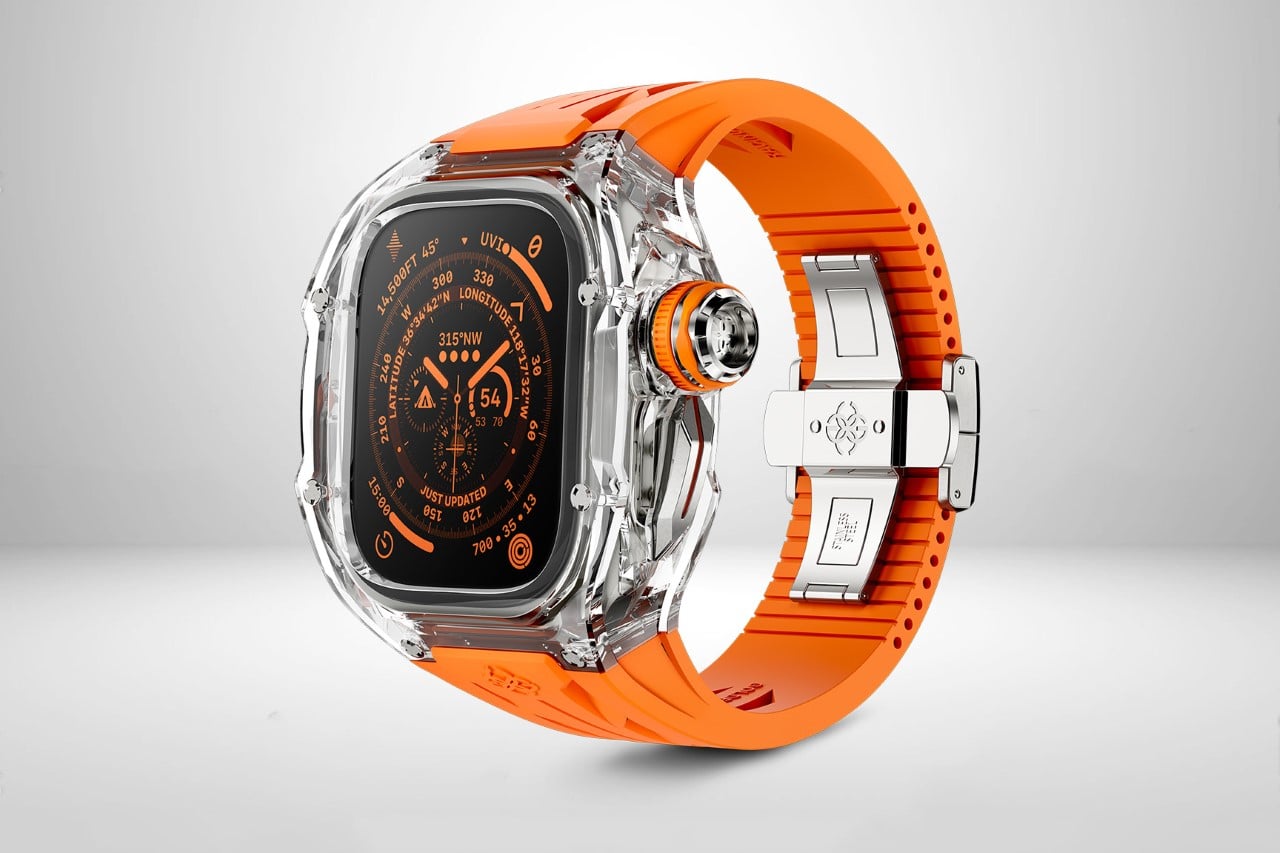
Called the RSTR Case, this case for your Apple Watch Ultra is designed by Golden Concept. It has a stunning transparent crystalline design that converts your mundane Apple Watch into a lovely shimmering jewel that you can wear proudly on your wrist and show off. The RSTR Case is available in four colors and crafted using 50 meticulously engineered parts. Made from stainless steel, the home and action buttons are larger and pretty easy to use.
6. Colorware Apple Number 2 Pencil
The Colorware Apple Number 2 Pencil gives a fun makeover to Apple’s current stylus! Quite interestingly, it takes modification to a whole new level. It looks like the Number 2 or HB pencil, featuring a glossy yellow body, orange eraser, and silver band which connects the different parts. In fact, even the tip of the pencil is black, much like a typical graphite pencil, truly celebrating the everyday pencil, while giving the stylus a new look.
7. Belkin iPhone Mount with MagSafe
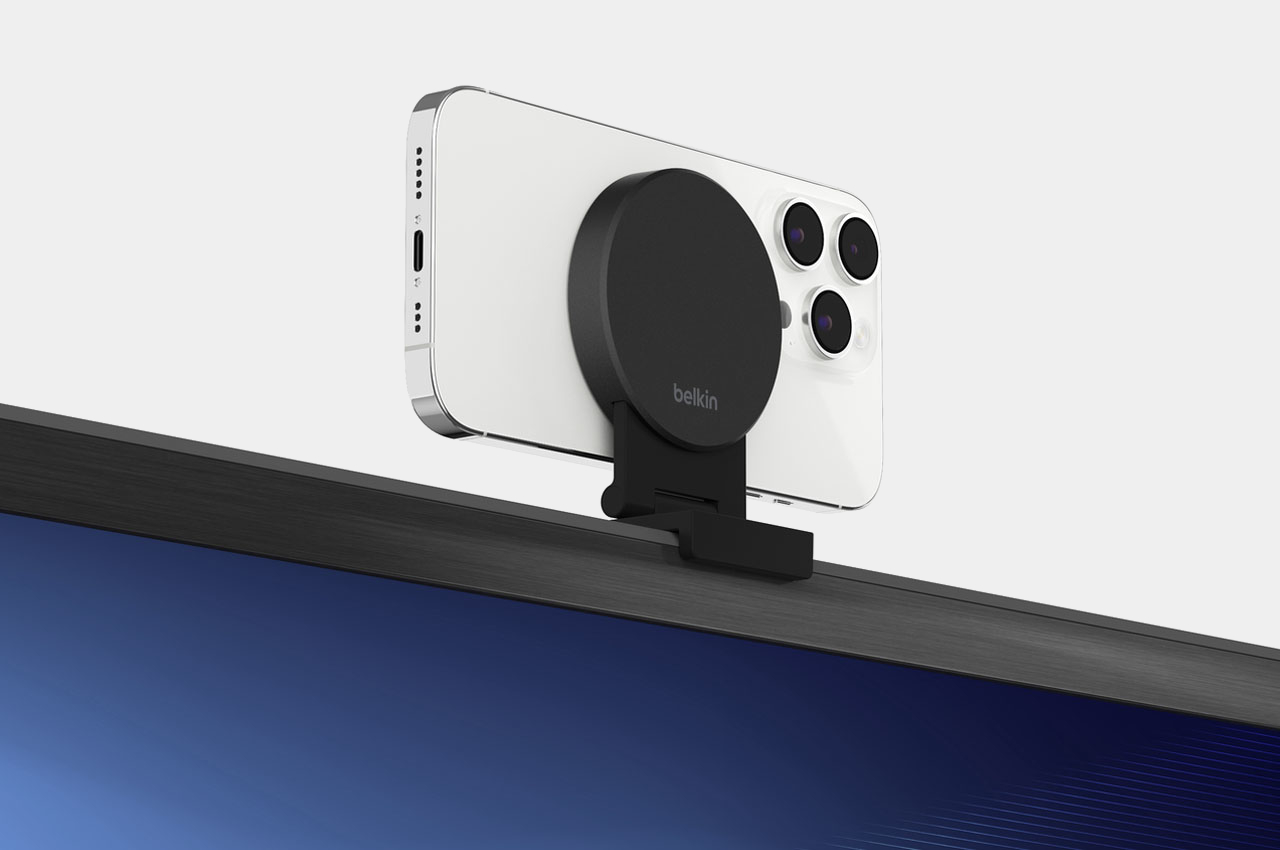
Meet the new Belkin iPhone Mount with MagSafe which harmoniously converts the iPhone into a webcam for the Apple 4K TV. You can fix the versatile mount to your TV, and it lets you utilize your iPhone’s rear camera for FaceTime or Zoom calls. If you don’t want to use it as a TV mount, you can fold it up, and use it as an iPhone stand in landscape or portrait mode on a table or wall, using a magnetic attachment.
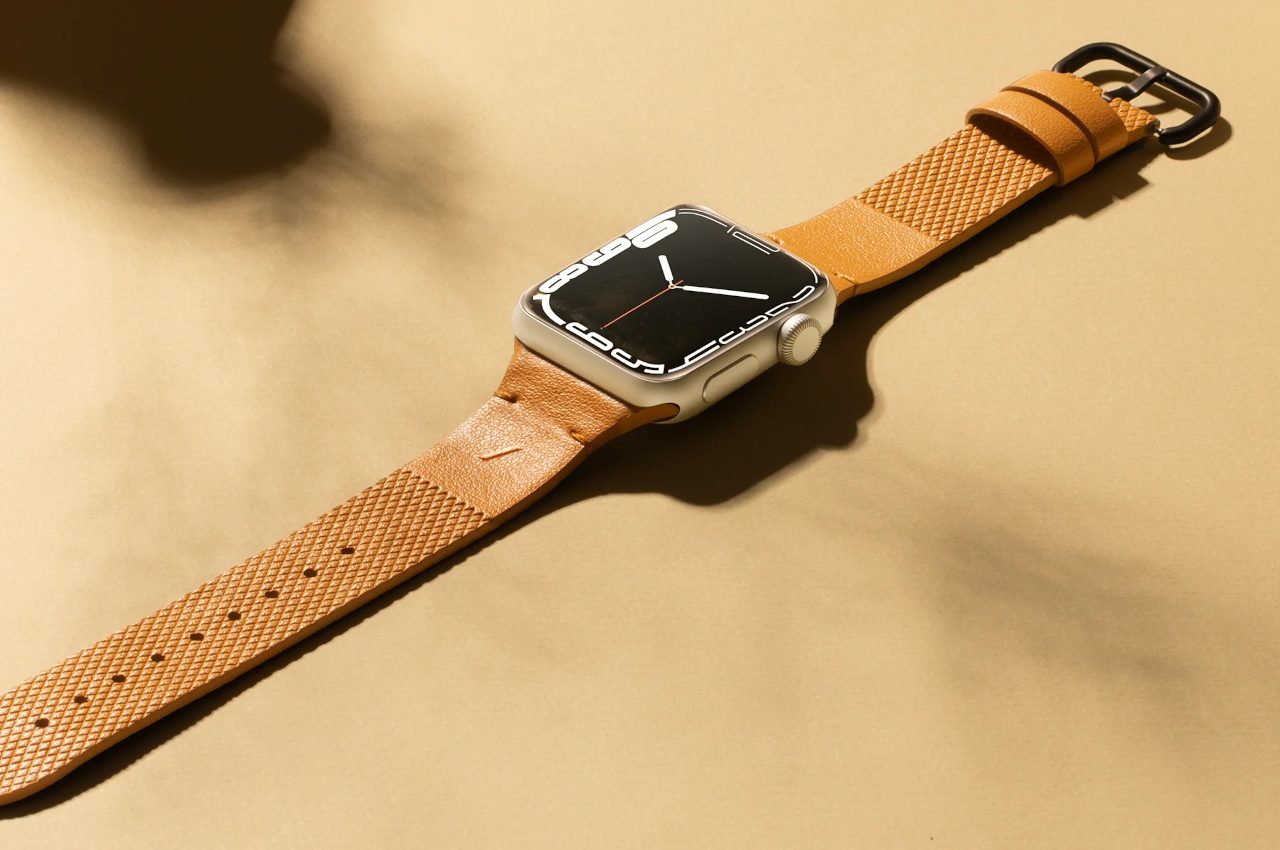
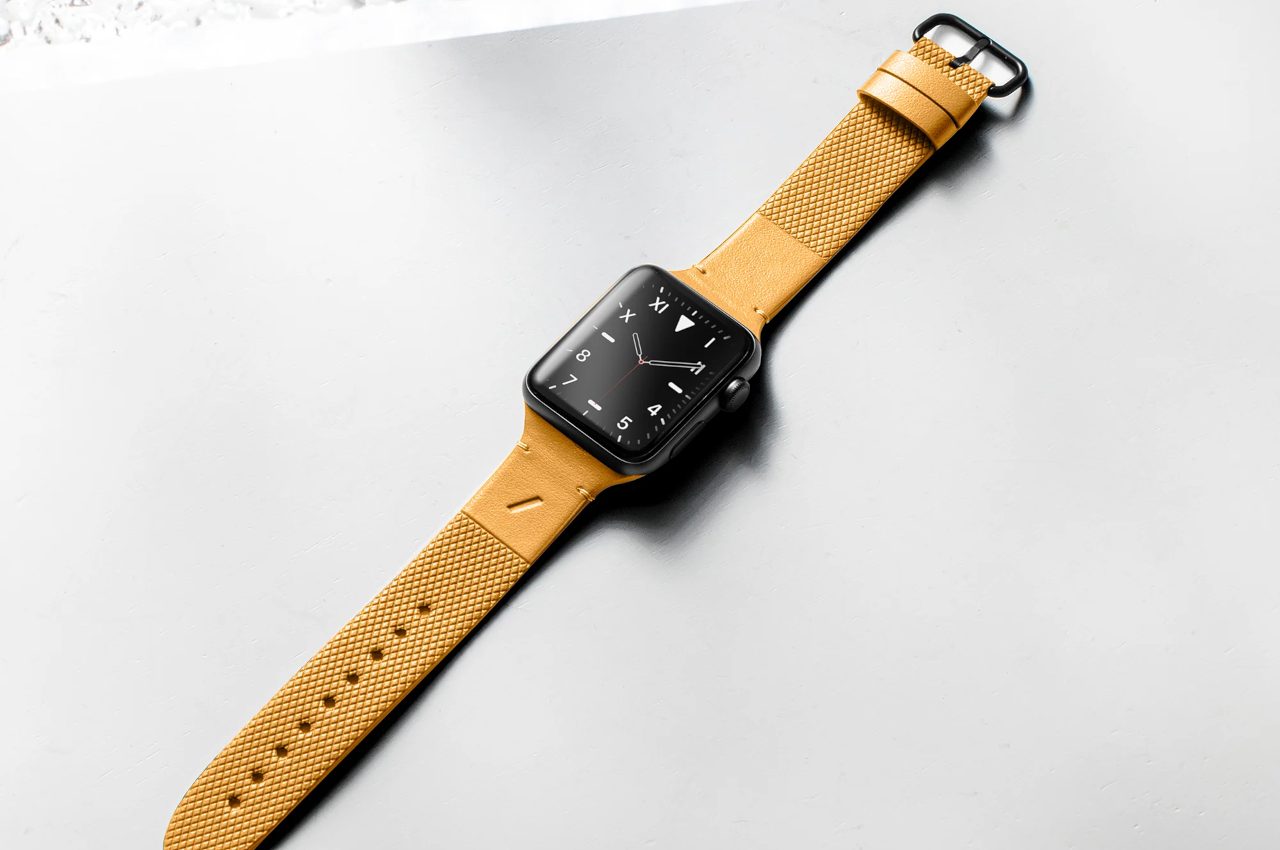
8. The (Re)Classic Band
The (Re)Classic Band for Apple Watch is a cruelty-free Italian leather-inspired band. The band is made using repurposed mycelium, which is essentially fungal threads that span long distances underground, from which mushrooms blossom and grow out. It is one of the many all-natural resources utilized in the synthesis of Yatay by Coronet.
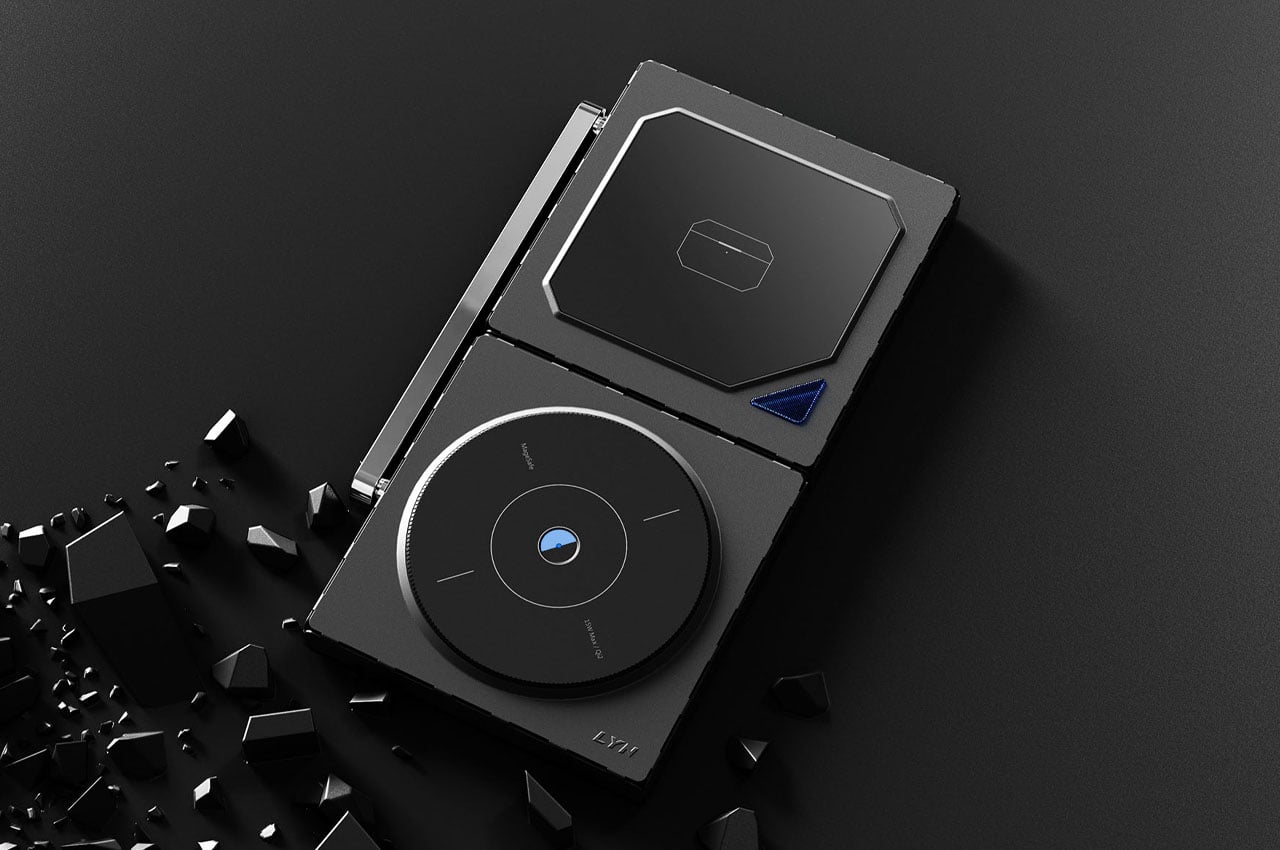
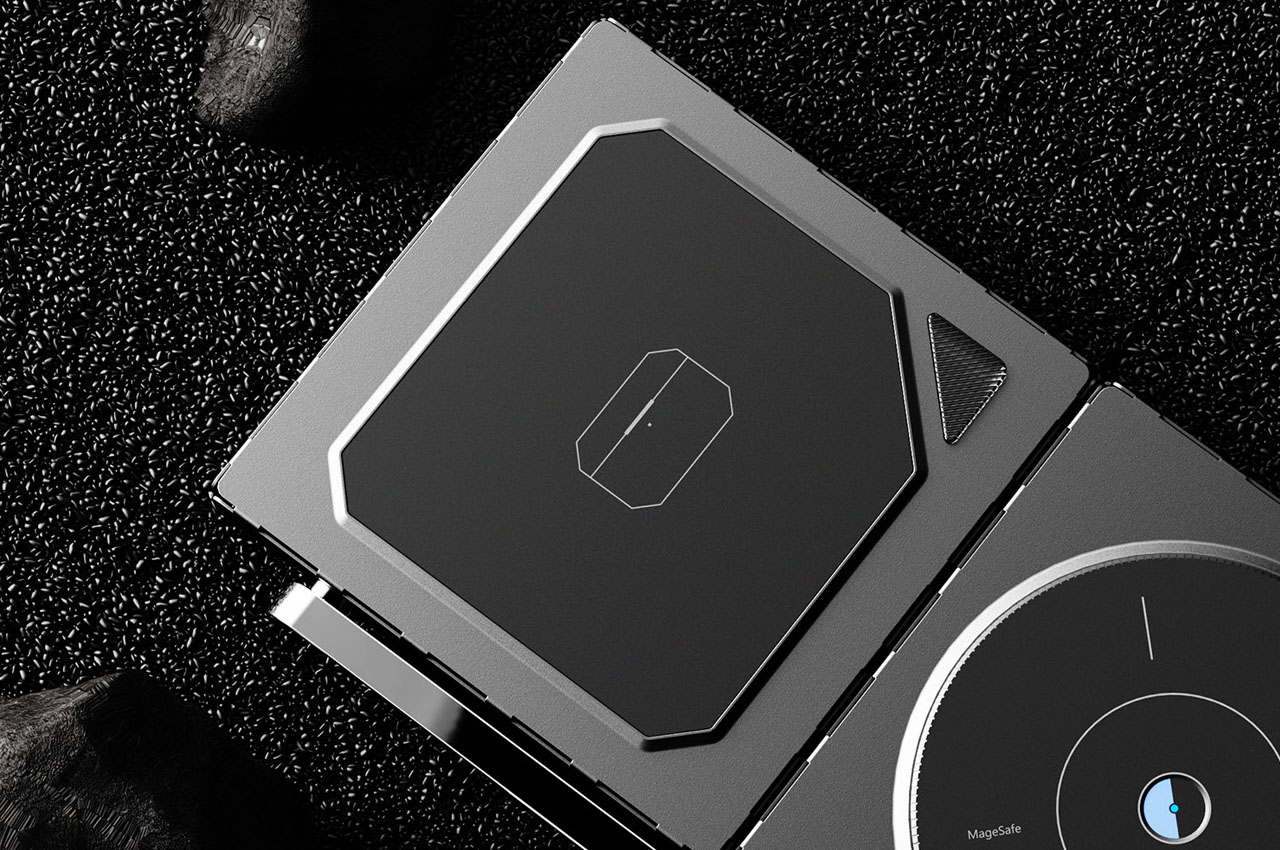
9. 2-in-1 Wireless Charger Concept
Meet the 15W MagSafe compatible iPhone 15 charger concept which can be laid down, or positioned in an alternate orientation, letting you set up your iPhone in portrait mode for productivity. The alternate pad of the charger can be used to charge your earbuds, or even your Apple Watch, while it is laid down. At the moment, this charger is still a concept, however, we would love to see it as a tangible design someday.
10. Neck Power Bank
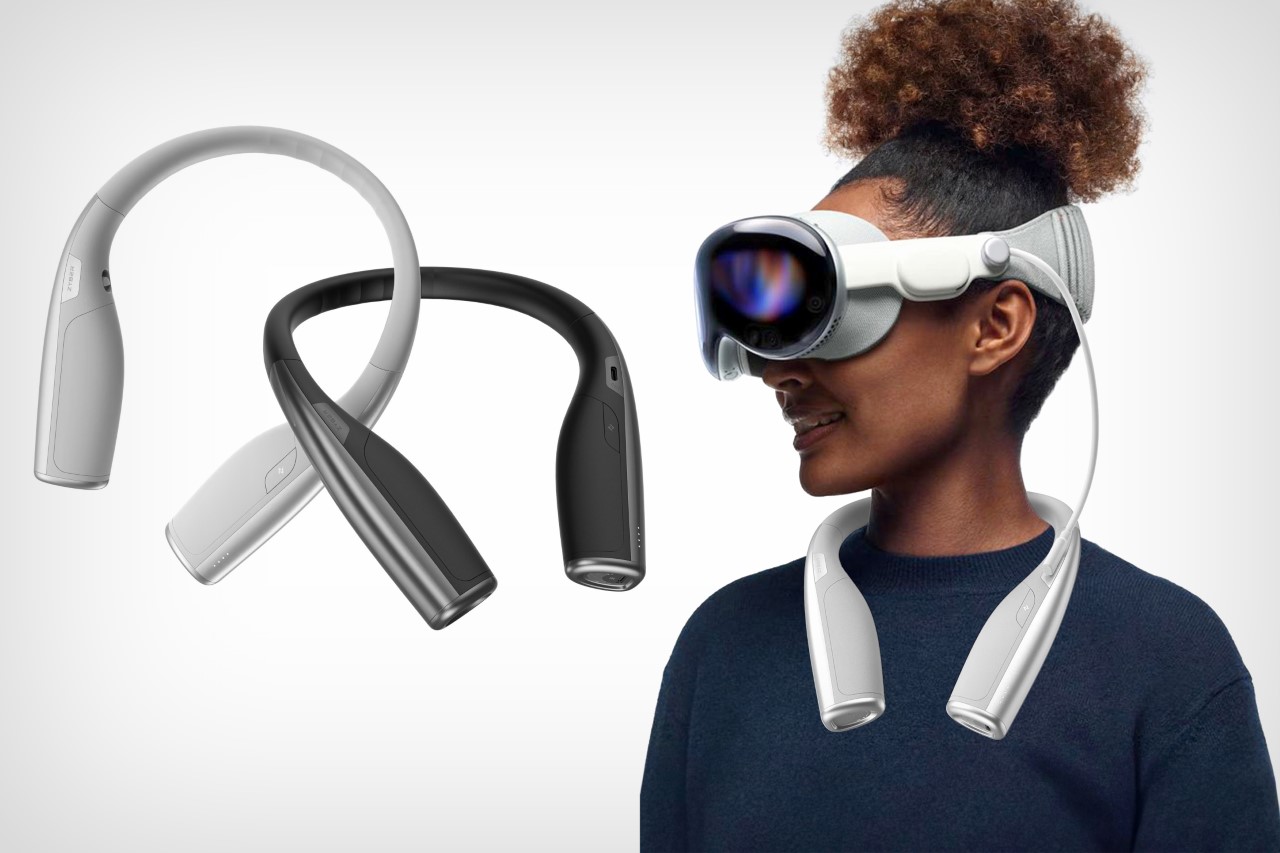
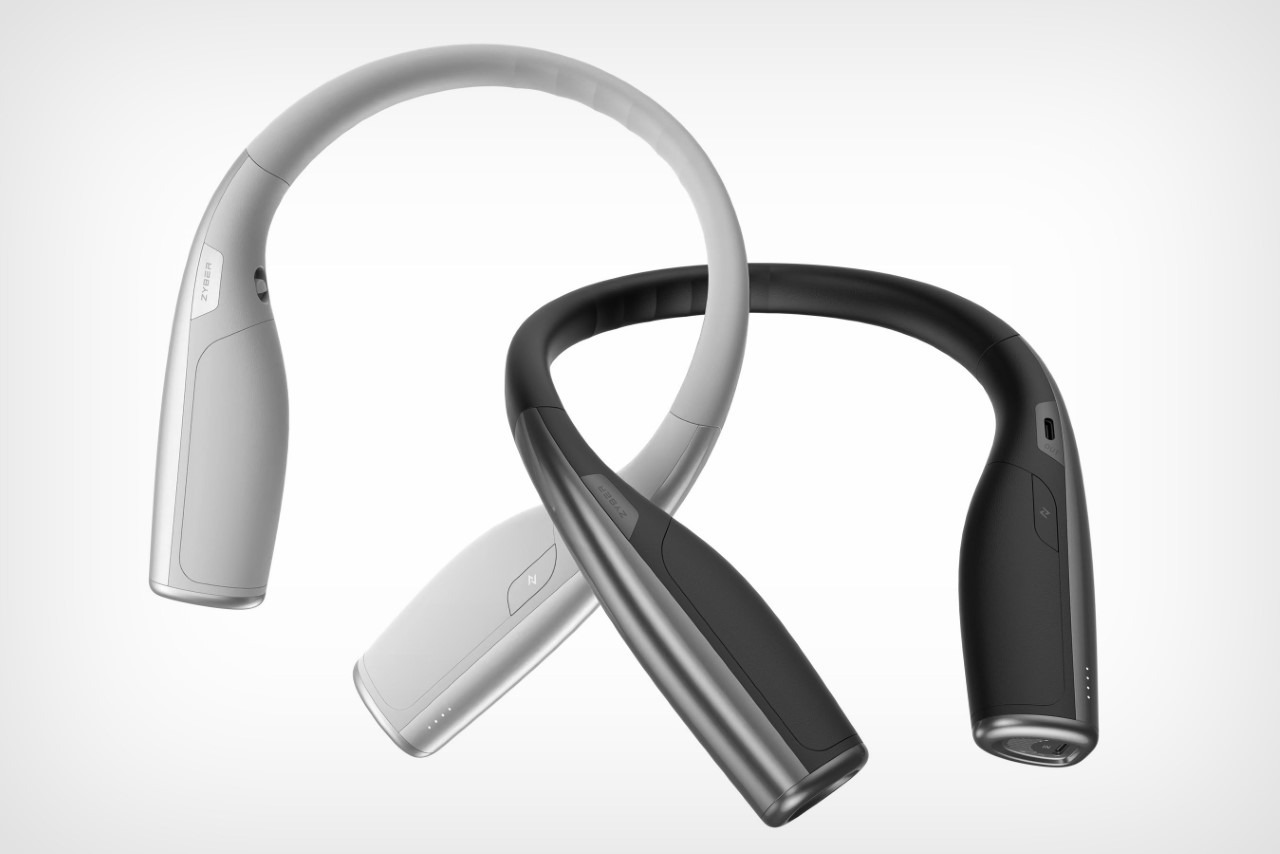
Named the Neck Power Bank, this power bank for your Apple Vision Pro has the familiar horseshoe shape of a neck pillow or one of those neck-worn air conditioners you see. It features a refreshing and ergonomic design, equipped with a flexible center frame, which makes unfolding it and wearing it comfortably around your neck quite easy to do.
As you embark on your entrepreneurial journey, crafting a comprehensive and compelling business plan is essential. However, the process of creating a well-structured and thorough plan can be daunting. This is where Google Gemini, an AI-powered tool integrated into Google Workspace, comes into play. With its suite of features designed to streamline and enhance your […]
Google has launched a new tool called Google Vertex AI Agent Builder, which is a no-code platform for creating custom AI agents. This tool is designed to enable users, regardless of their technical background, to build AI assistants for various purposes such as customer service, shopping assistance, and automating online tasks. The AI Builder was […]
Are you ready to take your YouTube vlogs to new heights? Look no further than the iPhone 15, your ultimate tool for creating professional-grade content that will captivate your audience. In this comprehensive guide, we’ll explore the essential tools and techniques that will transform your vlogging experience, helping you to produce engaging and visually stunning […]
If you would like to make your research process or workflow a little easier and less time-consuming you might be interested in harnessing the power of OpenAI’s ChatGPT AI assistant when you are carrying out research across various areas. Whether it be academic, personal improvement or business research you can easily and quickly use ChatGPT […]
Are you ready to take your iPhone to the next level? With the latest iOS updates, a treasure trove of features awaits to enhance your experience. Dive into these six indispensable tips and tricks that every iPhone user should know to maximize their device’s potential. From optimizing battery life to personalizing your lock screen, creating […]
Animating PowerPoint slides can transform a standard presentation into an engaging and dynamic experience for your audience. By incorporating motion into your slides, you can emphasize key points, control the flow of information, and maintain interest throughout your presentation. Below is a concise summary of how to animate your PowerPoint slides for amazing presentations: Key […]