5 Best Surreal Bookstores That Make You Forget You’re Inside a Building

A bookstore should do more than sell books. At its best, it alters how you perceive the act of reading, the space around you, and the relationship between the two. The five bookstores in this list abandon conventional retail interiors entirely. They borrow from astronomy, geology, wetland ecology, and mountain landscapes to create spaces where the architecture becomes as absorbing as anything on the shelves. These are rooms that make you forget walls exist.

What connects them is a shared refusal to treat books as products needing display. Instead, each project treats the book as a spatial protagonist, something that informs the shape of ceilings, the curve of shelves, and the way light enters a room. From a portal to deep space in Jiangsu to a mountaintop perch above a river canyon, these bookstores prove that the most effective retail design does not sell to visitors. It transports them.

1. X+Living Bookstore

Located in Jiangsu Province and completed in 2023, this bookstore by Li Xiang of X+Living studio is the furthest thing from a cozy reading nook. The space is built around massive three-dimensional structures that resemble astronomical instruments, concentric rings, and geometric forms inspired by celestial mechanics, reimagined as bookshelves and display zones. Books sit on these structures in positions that seem to defy gravity, creating the sensation of browsing a library adrift somewhere in deep space. The project won the 2025 Platinum A’ Design Award in Interior Space and Exhibition Design, which signals how far the concept pushes beyond conventional bookstore interiors.

The spatial ambition is the story here. Most bookstore designers work with shelving grids and lighting schemes. X+Living built a set piece. The concentric ring structures occupy the room not as furniture but as architecture within architecture, turning navigation into an experience of orbiting through layers of books arranged on curving, tilted surfaces. The scale of the installation relative to the room makes it impossible to separate the act of browsing from the act of inhabiting the space. Visitors are not walking through a store. They are moving through a constructed universe that happens to contain books.

What we like

  • The astronomical instrument forms function as both structural shelving and immersive scenography, collapsing the boundary between retail and installation art.
  • The Platinum A’ Design Award validates a level of spatial ambition that most bookstore designs never attempt, let alone execute at this scale.

What we dislike

  • The dramatic structures may prioritize visual spectacle over browsing comfort, making it difficult to linger and read in a space designed to overwhelm.
  • Wayfinding through concentric, gravity-defying shelving is disorienting by design, which can frustrate visitors looking for specific titles rather than an experience.

2. Toyou Bookstore

Wutopia Lab designed Toyou bookstore inside a red-brick building by Jean Nouvel in Shanghai’s Huangpu district, using traditional Chinese garden techniques as spatial logic rather than decoration. The interior is organized around two abstract mountains, “Big You” and “Little You,” which form interlocking cave-like spaces out of burgundy perforated aluminum panels and white artificial stone. The “Little You” mountain greets visitors at the entrance as a glowing white bookshelf, while the larger “Big You” mountain houses the main reading and living areas behind layers of bookshelves that create new views at every turn.

The garden-design principle at work here is “a view at every step,” and the architects execute it with the kind of precision that makes each transition between spaces feel composed rather than accidental. A circular “secret place” sits between the two mountains as a private reading zone, while hidden metaphors (a well, a dripping spring) reference classical Chinese poetry. Lead architect Yu Ting has described the bookstore as a tool for understanding Shanghai itself, a miniature cultural complex that accepts readers and non-readers alike. The result is a space that feels ancient and contemporary at once, where cave walls are made of perforated aluminum and mountain peaks are bookshelves.

What we like

  • The garden-design approach creates a sequence of spatial discoveries that rewards slow movement and repeated visits rather than efficient browsing.
  • Wutopia Lab’s decision to house the bookstore inside a Jean Nouvel building creates a layered dialogue between two architectural languages.

What we dislike

  • The cave-like enclosures and perforated panels limit natural light penetration, which could make extended reading sessions uncomfortable without careful artificial lighting.
  • The density of metaphor (mountains, wells, springs, caves) risks reading as overwrought to visitors unfamiliar with Chinese garden-design traditions.

3. Xixi Goldmye Bookstore

What started as a forgotten 20-year-old office building in Hangzhou’s wetlands is now one of the most compelling adaptive-reuse bookstores in China. Atelier Wen’Arch stripped the structure to its bare concrete columns, dismantled the existing roof and wall systems completely, and rebuilt an 880-square-meter space that opens generously to the surrounding Xixi National Wetland Park. The U-shaped building, once closed off and disconnected from its natural setting, was completed in April 2025 as a structure that treats the wetland landscape as its primary interior surface.

The defining feature is a system of laminated pine timber “book beams” that intersect with the original concrete columns and extend outward in measured cantilevers. These double-beam elements integrate lighting and air conditioning return channels between each timber pair, turning mechanical infrastructure into an architectural rhythm that runs through the entire interior. The beams frame views of the wetland, so the surrounding nature becomes a living artwork visible from every reading position. The structural intervention aligns with the original building grid while introducing warmth and human scale to what was once sterile office space. It is renovation as reinterpretation, where the old bones inform a new spatial logic.

What we like

  • The “book beam” system transforms structural engineering into the primary design language, making infrastructure legible and beautiful rather than hidden.
  • Opening the formerly closed U-shaped plan to the wetland park turns the surrounding landscape into the bookstore’s most powerful design element.

What we dislike

  • Wetland-adjacent construction faces ongoing humidity and moisture challenges that will test the longevity of the laminated pine timber beams.
  • The remote wetland location, while scenic, limits foot traffic compared to urban bookstores, raising questions about long-term commercial viability.

4. Xinglong Lake Citic Bookstore

MUDA Architects designed this waterfront bookstore around a single image: a book falling from the sky. The rectangular structure sits at the edge of Xinglong Lake in south Chengdu, and its swooping roof extends for 3 meters with both ends elevated at different heights (16 meters at the southwest, 7.5 meters at the northeast). The curve mimics a nearby grass slope, creating a continuous visual line between the built form and the landscape. Massive windows extend below the waterline, merging the reading interior with the surface of the lake.

The roof is the architectural argument. Its curved surface reinterprets the pitched roof of traditional Chengdu vernacular architecture while functioning as a structural analog for the pages of an open book. The asymmetric elevation creates interior volumes that shift dramatically from one end to the other, high and cathedral-like at the southwest, compressed and intimate at the northeast. That gradient gives each section of the bookstore a different spatial character without partition walls. The underwater windows are the most disorienting detail: readers seated near the water level see the lake from inside it rather than above, which dissolves the expected boundary between interior and landscape in a way that no amount of floor-to-ceiling glazing can replicate.

What we like

  • The asymmetric roof creates a gradient of spatial experiences within a single open interior, from expansive to intimate, without any walls.
  • Below-waterline windows dissolve the boundary between the reading space and the lake, producing a perspective that no conventional glazing strategy can achieve.

What we dislike

  • The roof’s dramatic curvature dominates the structure so completely that the bookstore’s identity is inseparable from a single architectural gesture, leaving little room for the interior to develop its own language.
  • Waterfront and below-waterline glazing demand constant maintenance and waterproofing attention that will compound as the building ages.

5. Nujiang Grand Canyon Bookstore

Perched on top of the Gaoligong Mountains in Yangpo Village, the Nujiang Grand Canyon Bookstore is built to feel like it belongs to the terrain rather than sitting on it. The structure extends outward from the mountainside like a sharp arrow, a form that references the Lisu people’s historical connection to crossbows. Reinforced concrete and locally sourced materials anchor the building to the slope while keeping its environmental impact low, and wall openings frame specific views of the Nujiang River and surrounding peaks.

The architectural intelligence is in how the building negotiates the slope. Rather than flattening the site or building a conventional foundation, the structure adapts its footprint to the mountain’s gradient, creating a subtle sense of elevation that rises with the terrain. The framed canyon views through the wall openings function as curated compositions rather than generic panoramas, each one selecting a specific relationship between river, peak, and sky. The combination of contemporary concrete construction and local material traditions creates an object that reads as both modern and rooted, a building that could not exist anywhere else. For a bookstore, that site-specificity is the rarest quality of all: a space where the location is not a backdrop but the reason the architecture exists.

What we like

  • The arrow-like form references Lisu cultural heritage in a structural gesture rather than a decorative motif, embedding local identity into the building’s shape.
  • Framed wall openings curate specific canyon views as compositions, turning the landscape into a series of deliberate artworks rather than a passive backdrop.

What we dislike

  • The remote mountaintop location, while spectacular, creates significant accessibility challenges for visitors without private transport.
  • Reinforced concrete construction on a steep mountain slope carries long-term structural monitoring requirements that increase maintenance complexity.

When The Room Is The Story

These five bookstores share one conviction: that the space around a book matters as much as the words inside it. A celestial instrument in Jiangsu, a pair of abstract mountains in Shanghai, timber beams framing a wetland in Hangzhou, a roof shaped like a falling book in Chengdu, and an arrow launched from a mountaintop above the Nujiang River. None of these projects treats architecture as a container. Each one treats it as content.

The best bookstores have always understood that reading is a spatial act. Where the body sits, what the eyes see between paragraphs, how light changes across an afternoon, these conditions shape the experience of a book as much as the typography on the page. These five take that understanding and build entire worlds around it. Walk into any of them, and the building becomes the first chapter.

The post 5 Best Surreal Bookstores That Make You Forget You’re Inside a Building first appeared on Yanko Design.

8 Best Japanese Spring Home Upgrades That Make Tiny Rooms Feel Like a Wabi-Sabi Sanctuary

Spring in Japan is not a season of accumulation. It is a season of editing, of noticing what was already there, of letting a single branch in a ceramic vessel do the work of an entire floral arrangement. The Japanese approach to domestic space has always understood something Western interiors still struggle with: that less does not mean empty, it means deliberate. And in a tiny room, deliberation is everything.

We have rounded up eight products that carry this philosophy without turning it into a marketing exercise. These are not trendy minimalism props or aspirational mood-board fillers. They are functional objects rooted in Japanese craft traditions, seasonal awareness, and the kind of spatial intelligence that makes a 300-square-foot apartment breathe like a room twice its size. Spring is the perfect excuse to start.

1. Fire Capsule Oil Lamp

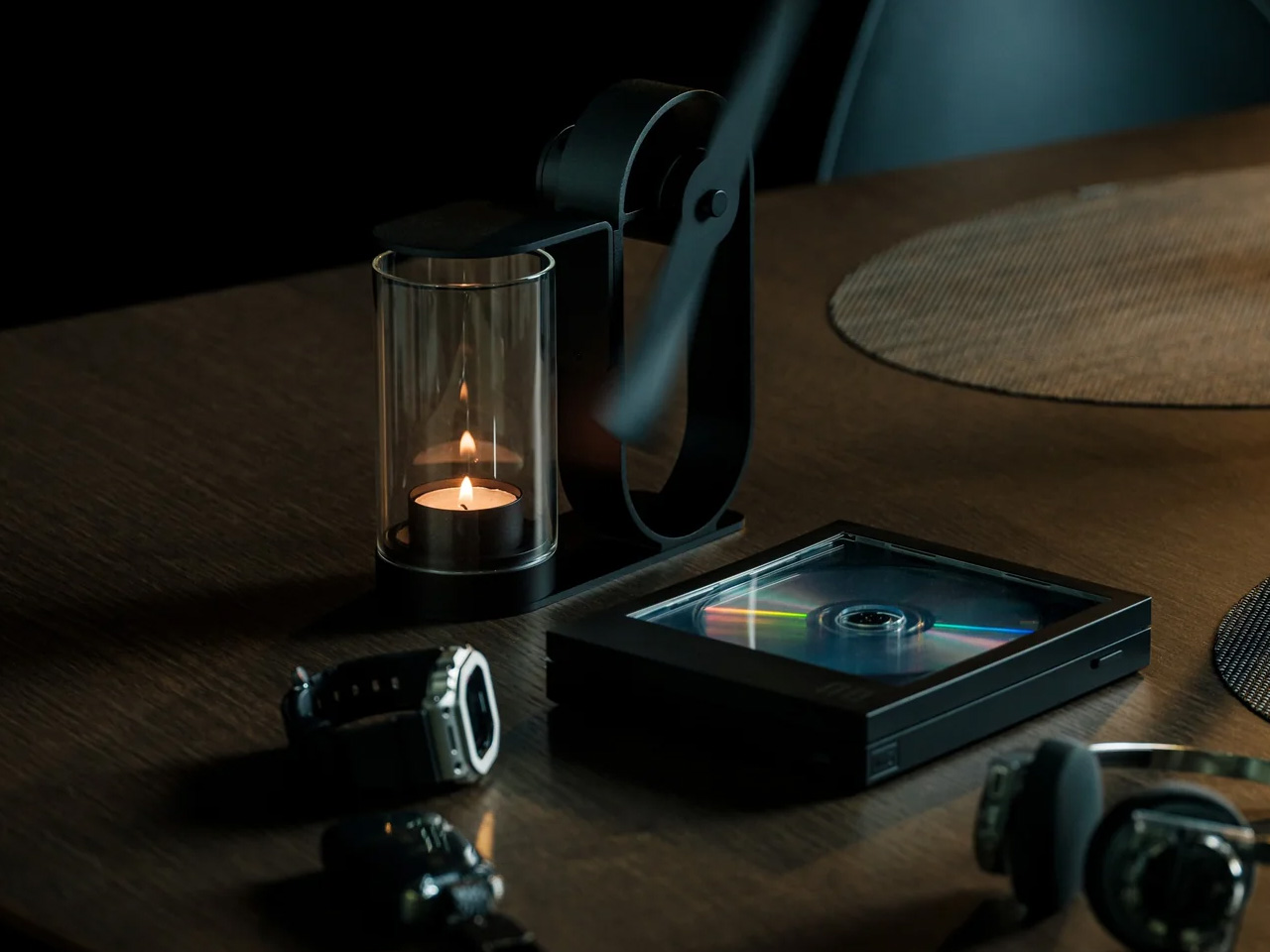
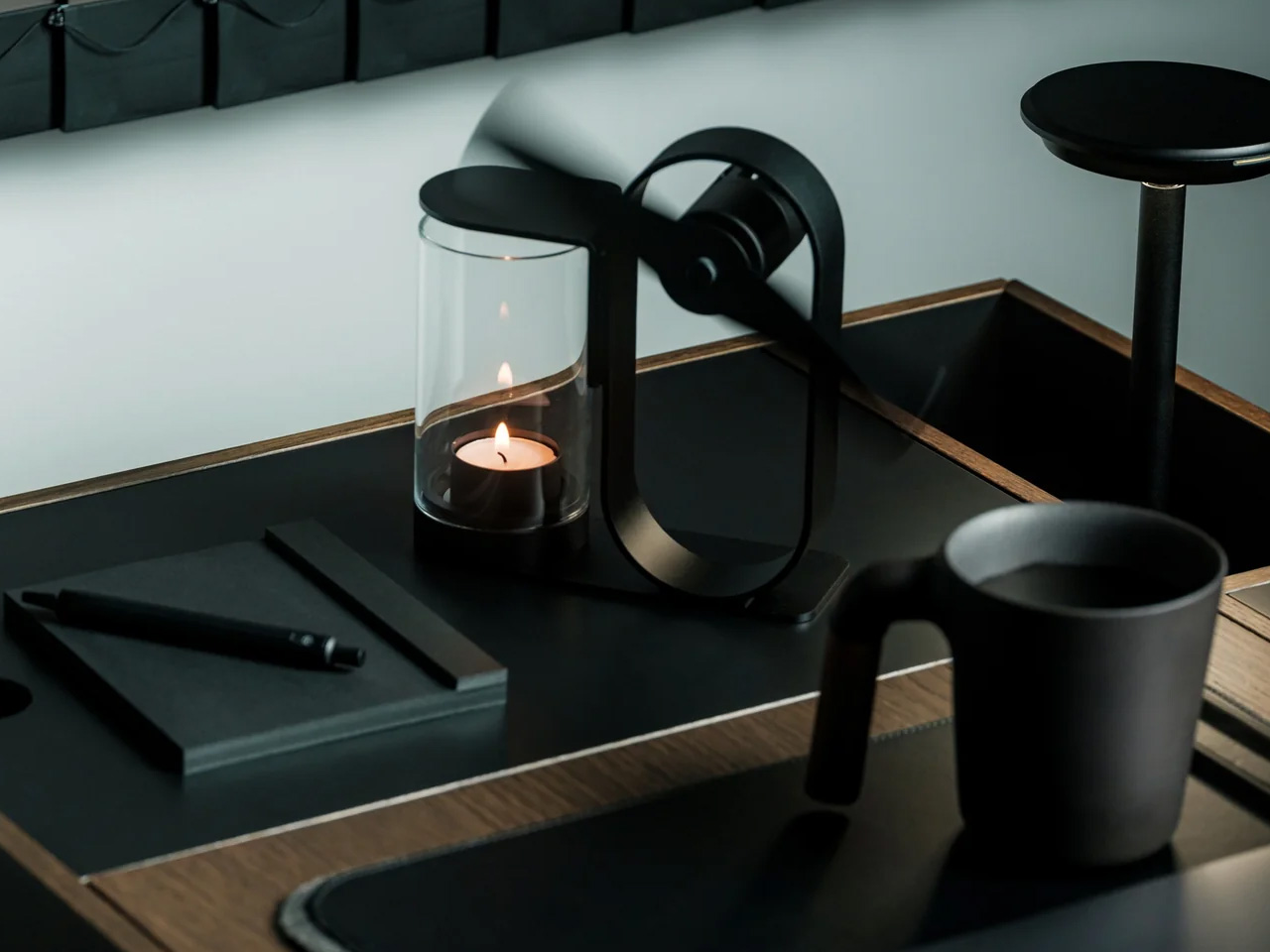
Most ambient lighting products try too hard. They pile on features, app connectivity, color-changing LEDs, and lose the one thing that makes warm light feel warm: simplicity. The Fire Capsule oil lamp goes the other direction entirely. It is a cylindrical glass-and-metal lamp with an 80ml fuel capacity, good for up to 16 hours of continuous flame.

The precision-engineered lid keeps the glass chimney clean between uses, which is a small detail that solves a persistent annoyance with oil lamps (dust settling on the glass and clouding the glow over time). An included aroma plate lets the flame double as a scent diffuser, and the flat-topped design means multiple units stack for storage. The cylindrical form ships with a drawstring pouch for portability, so it works just as well on a campsite as it does on a bedside shelf. In a small room, a single real flame on a low table changes the entire atmosphere without any electrical infrastructure.

Click Here to Buy Now: $89.00

What we like

  • 16-hour burn time from a single 80ml fill is generous enough for an entire evening gathering or a long weekend of ambient use.
  • Stackable design and included carrying pouch make storage painless in apartments where every drawer counts.

What we dislike

  • Open flame in a tiny apartment with limited ventilation requires careful placement and awareness, especially around curtains and textiles.
  • Paraffin oil refills are not always easy to source locally, and the lamp does not work with standard candle wax or tea lights.

2. Kyoto Yusai Linen Noren

A doorway without a door is just a gap. A doorway with a noren is a conversation between two rooms that never quite ends, a soft boundary that lets light, air, and movement pass through while still giving each space its own identity. This linen noren from Kyoto Yusai, printed with a dogwood motif, does precisely that.

What makes the noren so effective in small apartments is its relationship with ma, the Japanese concept of meaningful negative space. The fabric hangs in split panels with intentional gaps, and those gaps become part of the composition. Light filters through. Silhouettes soften at the edges. In a narrow studio where the sleeping area bleeds into the kitchen, a well-placed noren restructures how the whole room reads without touching the floor plan. Swap it seasonally, and it becomes a rotating design object with zero storage cost.

What we like

  • Splits the room without blocking airflow or natural light, which is rare for any room divider at this price point.
  • Seasonal swapping means the interior changes character four times a year with no permanent commitment.

What we dislike

  • Linen wrinkles easily after washing, so it needs careful steaming to maintain that clean drape.
  • The standard sizing may not fit non-Japanese doorframes without minor alterations or a tension rod swap.

3. Brass Ikebana Kenzan


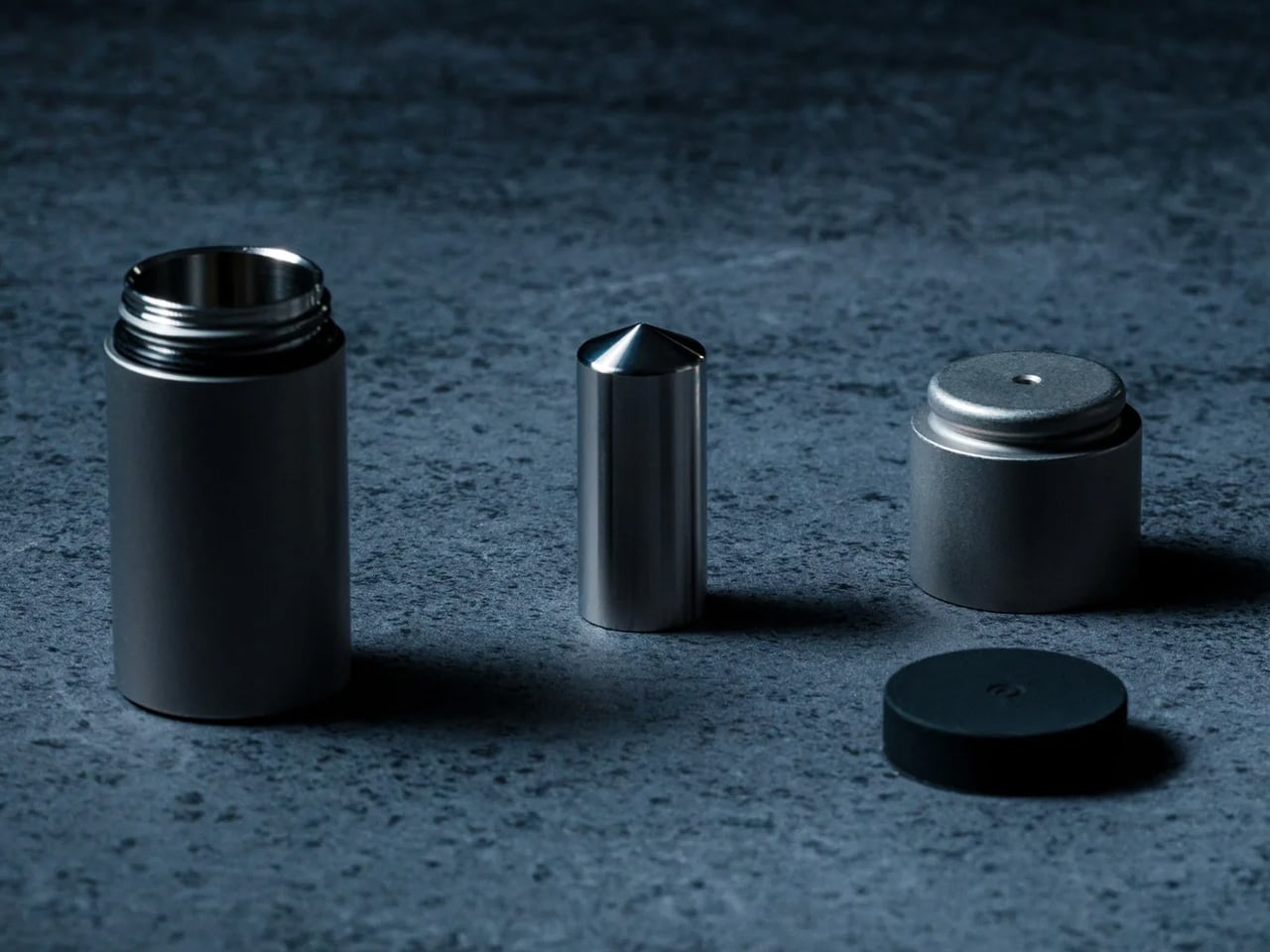
Ikebana looks effortless. A single stem angled just so, a branch suspended at an improbable tilt, a few leaves arranged with the kind of negative space that makes the whole composition feel like a held breath. The kenzan is the hidden mechanism that makes all of it possible, a heavy brass pin frog that sits at the bottom of a shallow vessel and grips stems in place with rows of sharp, fixed needles.

This particular kenzan comes from Sanjo, Niigata Prefecture, a city with metalworking lineage stretching back to the 17th century. The artisans behind it have over 50 years of experience, and the difference shows in the needle sharpness and base weight. Cheap kenzans tip under a heavy branch. This one stays put. The removable rubber gasket protects the vase from scratches and keeps the unit from sliding, and the brass construction means it will outlast the disposable floral foam it replaces entirely. No chemical waste, no single-use plastic, just a solid chunk of metal that holds flowers upright and keeps the water clean longer.

What we like

  • Brass construction from veteran Sanjo artisans means this will last decades without bending, rusting, or losing needle sharpness.
  • Eliminates floral foam, which is a meaningful environmental upgrade for anyone who arranges flowers regularly.

What we dislike

  • A 3.5-inch round kenzan is suited to small-to-medium arrangements only; larger branches or tall statement pieces need a bigger base.
  • Sharp needles require careful handling and storage, especially in households with children or pets.

4. ClearFrame CD Player

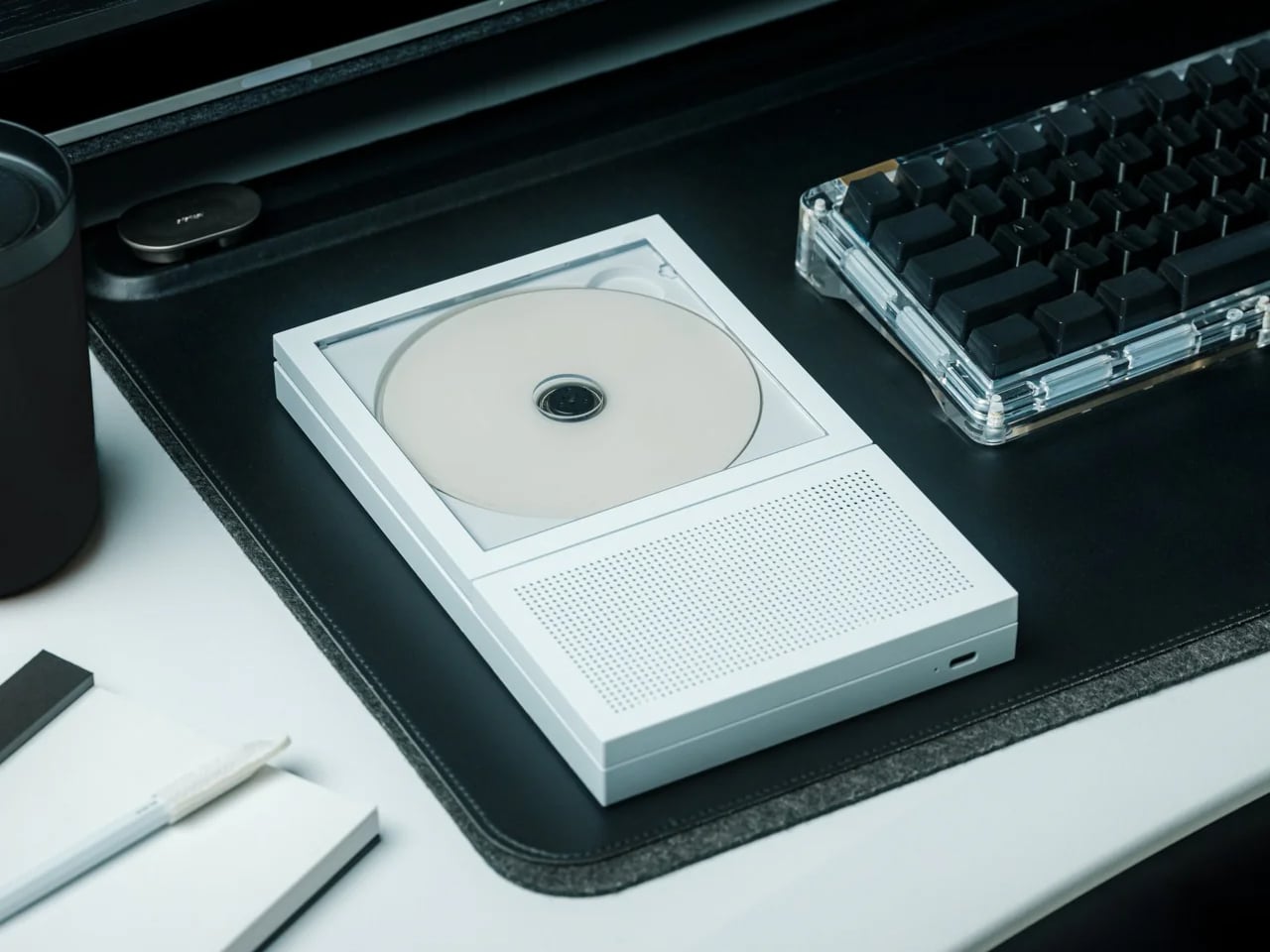
Physical media has a specific gravity that streaming cannot replicate. The act of choosing a disc, sliding it into a tray, and watching it spin is a ritual, not a convenience. The ClearFrame CD player leans into that completely, housing the mechanism inside a crystal-clear polycarbonate shell that frames each album cover like a miniature art exhibit, while the black circuit board sits fully exposed behind it.

Bluetooth 5.1 support and a 7-hour rechargeable battery mean it works wirelessly on a shelf, a desk, or mounted on a wall. Multiple playback modes handle full albums and single-track loops. The square silhouette reads more like a design object than consumer electronics, which is the entire point: in a small room, every object occupies visual real estate, and the ClearFrame earns its shelf space by being something worth looking at even when it is not playing. The exposed circuitry is a deliberate aesthetic choice that shares DNA with the wabi-sabi appreciation of process, of letting the inner workings be part of the beauty rather than hiding them behind a seamless shell.

Click Here to Buy Now: $199.00

What we like

  • Wall-mountable and wireless, so it does not consume any surface area in a room where counter space is precious.
  • Transparent body turns the CD cover into wall art and the circuitry into a visual feature, doubling the object’s function.

What we dislike

  • CD collections are increasingly niche, and anyone without a back catalog will need to start buying physical media to get real value from this.
  • Polycarbonate scratches over time, and a transparent shell means every scuff and fingerprint is visible.

5. Oboro Silver Moon Calendar

Wall calendars are usually the first thing to look dated in a room. They pile up with scribbled appointments, faded ink, and a design sensibility that peaked in the office supply aisle. The Oboro moon calendar, a limited-edition 10th-anniversary piece by Japanese brand Replug, operates on an entirely different register. It tracks the lunar cycle on greige paper with reflective silver foil phases and embossed moon textures that shift with the light.

The name comes from “oboro” (朧), a Japanese word evoking the soft, hazy glow of a partially obscured moon. It is a wall piece that functions more like a meditative object than an organizational tool. The silver foil catches and transforms ambient light throughout the day, so the calendar looks different at dawn than it does at midnight. The embossed texture invites touch, which turns checking the date into something tactile and grounding. In a small room, a single well-chosen wall object can set the tone for the entire space, and the Oboro does that with restraint rather than volume.

Click Here to Buy Now: $69.00

What we like

  • Reflective silver foil creates dynamic light play that changes throughout the day, making it feel alive rather than static.
  • Embossed lunar texture adds a tactile dimension that most wall decor completely ignores.

What we dislike

  • A lunar calendar is not a practical replacement for a standard date calendar, so this supplements rather than replaces existing scheduling tools.
  • Limited-edition status means availability is unpredictable, and replacement for the following year is not guaranteed.

6. Pop-up Book Vase

A vase that is also a book. Open the cover and a three-dimensional paper cutout rises from the page, forming a vessel shaped to hold fresh stems. Three different designs sit on successive pages, so flipping through the book changes the vase silhouette and the entire presentation of the arrangement. Turn the whole thing upside down, and the perspective shifts again.

Made from 100% natural pulp with a water-resistant coating, the construction is more durable than it first appears. The paper engineering behind each pop-up is precise enough to support a real bouquet without collapsing, and the book form factor means it folds flat for storage or travel. In a tiny room, where a traditional ceramic vase competes for shelf space with everything else, a vase that disappears into a closed book when not in use is a spatial gift. The playfulness of the form also cuts against the sometimes austere reputation of Japanese-inspired interiors, a reminder that wabi-sabi is not allergic to delight.

Click Here to Buy Now: $39.00

What we like

  • Three vase designs in a single book mean variety without needing three separate vessels taking up shelf space.
  • Folds completely flat when not in use, which is a storage advantage no ceramic or glass vase can match.

What we dislike

  • Water-resistant coating has limits, and prolonged contact with water will eventually degrade the paper over repeated uses.
  • The whimsical form factor may clash with more austere or serious interior styles that lean heavily into earth tones and raw materials.

7. Tosaryu Hinoki Bath Stool

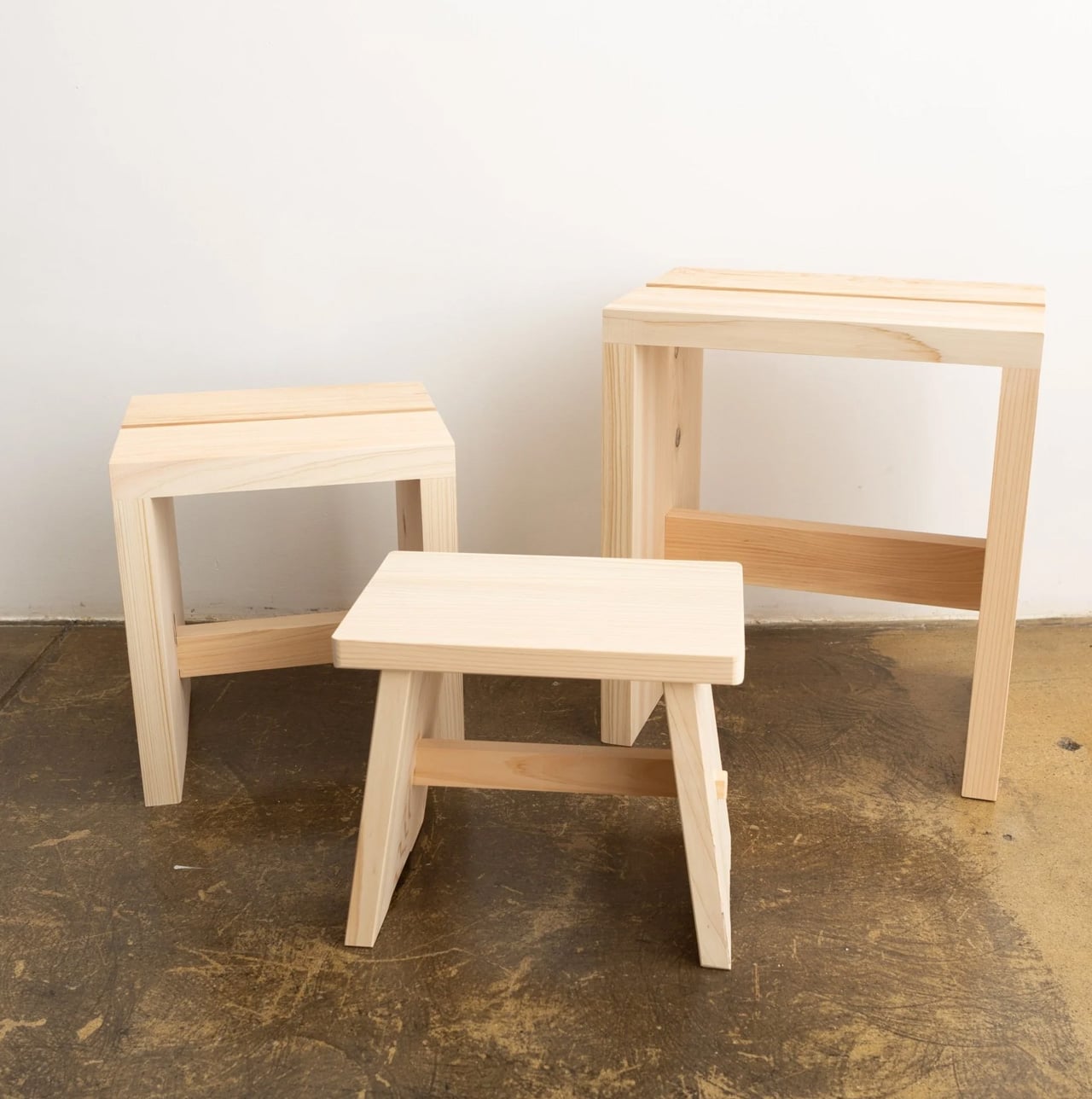
Japanese bathing is not a quick rinse. It is a seated, deliberate process where the stool is as important as the water. Tosaryu’s hinoki cypress bath stools are made by woodworkers in the mountains of Kochi who have been refining their craft since the 1970s. The wood is dried naturally for three to six months without chemical agents, which preserves the aromatic oils that give hinoki its distinctive calming scent.

Place one of these stools in a bathroom, shower room, or home sauna, and the scent fills the space every time steam or warm water contacts the wood. The antibacterial properties of hinoki resin mean the stool resists mold and bacteria without coatings or treatments. Three sizes are available: the Umezawa (10.5 x 7 x 9 inches), the short sauna stool (10.5 x 9 x 11.75 inches), and the tall stool (13.75 x 9.75 x 15.75 inches). Tosaryu operates as stewards of local forests and lakes, using sustainable harvesting methods. In a small bathroom, the stool replaces the generic plastic shower seat with something that smells like a forest and ages like furniture.

What we like

  • Natural hinoki oils provide antibacterial protection and aromatherapy without any chemical treatments or synthetic fragrances.
  • Sustainable production by Tosaryu’s Kochi-based woodworkers means the stool comes with genuine craft lineage, not just marketing copy about nature.

What we dislike

  • Hinoki requires proper drying between uses to prevent cracking; bathrooms without good ventilation will shorten its lifespan.
  • The high stool incurs a $25 shipping surcharge due to its size and weight, which adds to an already premium price.

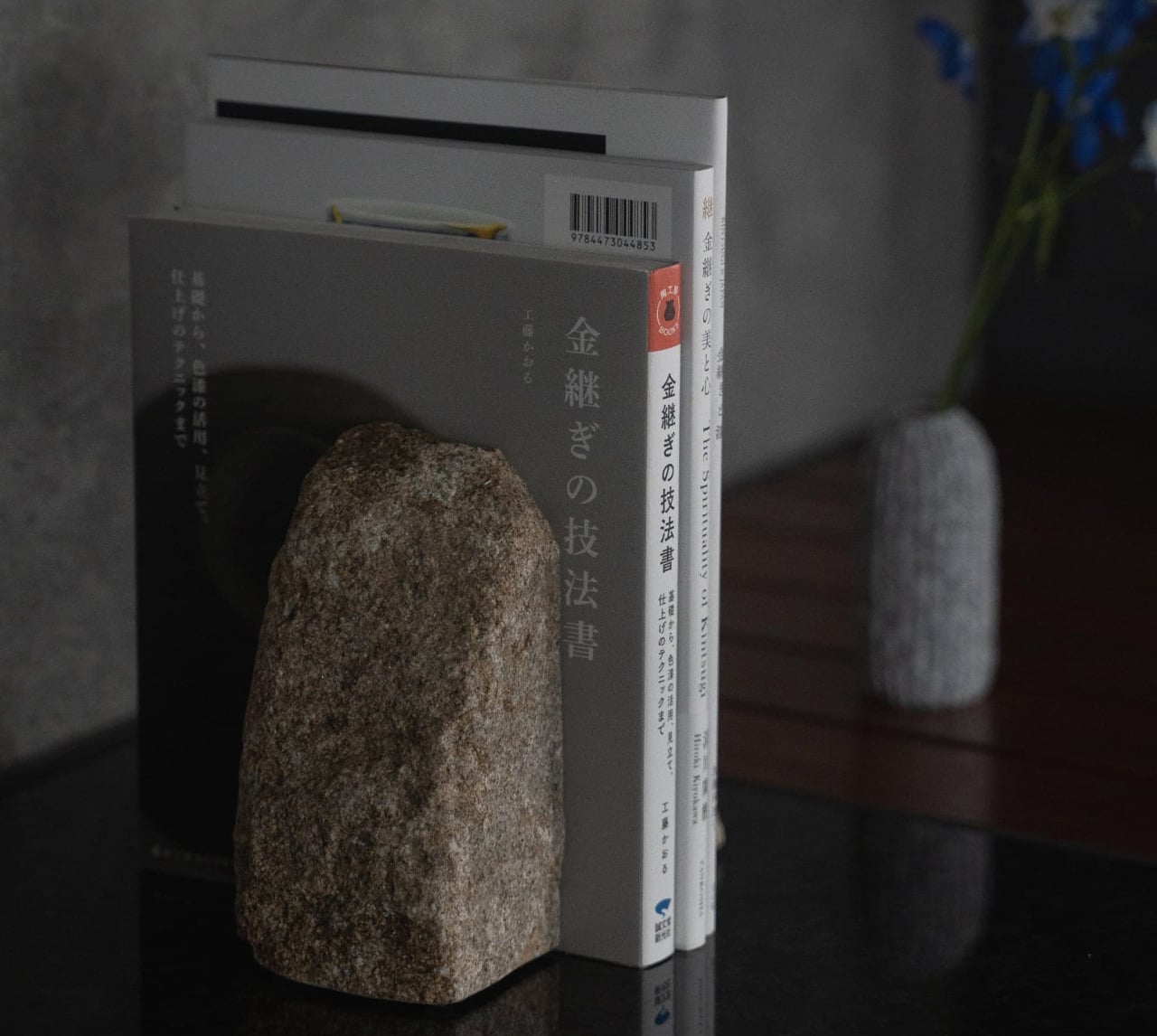
8. Kintsugi Repair Kit

Kintsugi is the Japanese practice of mending broken ceramics with lacquer and powdered gold, turning the fracture into a visible seam that becomes part of the object’s history rather than a flaw to hide. Poj Studio’s kit packages this tradition into a hands-on experience, providing the materials and master-class guidance needed to repair a chipped or broken plate at home.

The philosophy behind kintsugi aligns with wabi-sabi at its most literal: the acceptance of imperfection, the beauty of age, and the idea that damage does not diminish value. In practice, the kit turns a broken mug or cracked bowl into something more interesting than it was before the accident. For anyone living in a small space where every dish and vessel matters (both functionally and visually), the ability to restore rather than replace is both economical and aesthetically resonant. The gold seams catch light in a way that flat, unblemished surfaces cannot, adding character to a kitchen shelf that could otherwise feel monotonous.

What we like

  • Transforms breakage into a design feature, which fundamentally changes the relationship with fragile objects in a small household.
  • Master-class guidance makes the repair process accessible to beginners, not just experienced ceramicists.

What we dislike

  • Urushi lacquer requires careful handling and curing time, so this is not a quick afternoon fix; patience is part of the process.
  • The standard kit is designed for chips and clean breaks; items with missing fragments need the separate advanced kit.

Where spring takes us from here

The thread running through all eight of these products is not minimalism as deprivation, but minimalism as attention. A noren does not block a doorway. It choreographs how light and bodies move through it. A kenzan does not just hold flowers. It holds the space around them. A kintsugi kit does not fix a broken cup. It reframes what broken even means.

Spring in a tiny room does not need a renovation, a new furniture set, or a Pinterest board full of aspirational layouts. It needs a few well-chosen objects that understand the difference between filling a space and inhabiting it. These eight do that, each in a way that respects the room, the season, and the craft tradition it comes from. The smallest upgrades, when they come from the right place, tend to change the most.

The post 8 Best Japanese Spring Home Upgrades That Make Tiny Rooms Feel Like a Wabi-Sabi Sanctuary first appeared on Yanko Design.

7 EDC Upgrades Every Guy Needs Now That Winter Is Finally Over

Winter pockets are forgiving. Thick jackets and layered coats offer deep storage, and the cold discourages the kind of outdoor tinkering that puts your gear to the test. Spring strips all of that away. Lighter clothing means fewer pockets, tighter fits, and a sudden reckoning with whatever you have been carrying for the past four months. The transition is a forced audit, and most people discover their loadout has gotten lazy, bloated, or both.

These seven products approach everyday carry from the direction that matters most once the temperature rises: density of function in the smallest possible footprint. No redundant tools. No objects that exist only to look tactical on a desk. Every item here earns its pocket space by solving a specific problem with engineering that is tight enough to disappear into a spring carry without adding bulk—time to swap out the winter loadout for something sharper.

1. ScytheBlade

The curved blade of a scythe does not seem like an obvious candidate for pocket carry, but the ScytheBlade makes it work through radical miniaturization. This titanium folding knife borrows the Grim Reaper’s iconic profile and compresses it into something closer to a tiger claw, creating a blade shape that looks aggressive because it is. At just 46mm when deployed, the ScytheBlade challenges the assumption that effective cutting tools need generous proportions. The curve concentrates force along its edge in ways that straight blades cannot replicate, and that geometry turns a small blade into something disproportionately capable.

Titanium construction keeps the weight to 8 grams, making it barely noticeable when clipped to a pocket. The material also offers corrosion resistance without requiring the constant oiling and maintenance that carbon steel demands, a real advantage for spring carriers when rain and humidity are part of the daily equation. The engineering here is in the confidence to go small. Most EDC knife makers chase longer blades and heavier locks to project seriousness. The ScytheBlade proves the opposite: that an unconventional blade geometry, executed at a micro scale with the right material, outperforms bulk.

What we like

  • At 8 grams in titanium, it disappears into a pocket and removes the excuse to leave a knife at home.
  • The curved blade concentrates cutting force in a way that straight-edge micro knives cannot match, making it more capable than its 46mm length suggests.

What we dislike

  • The 46mm blade length limits what the knife can realistically handle; anything thicker than a zip tie or packing tape will push its limits.
  • The scythe profile is polarizing, and its aggressive look may draw attention in settings where a discreet blade would be preferable.

2. Arcos Driver

Ratchet screwdrivers work well in open spaces. The problem is that screws rarely live in open space. They sit in recessed housings, tucked behind cables, angled into corners where a straight driver either cannot reach or forces an awkward wrist contortion that strips heads. The Arcos Driver addresses this with a folding titanium body that adjusts to 0, 30, 60, or 90 degrees, allowing the tool to adapt its geometry to match the access angle rather than requiring the user to twist around it.

Inside is a three-mode ratchet system: forward for driving with consistent torque, reverse for clean removal, and a fixed-lock mode for stable, precise control when the screw matters more than speed. Integrated bit storage keeps everything in one unit, which is the kind of detail that separates a tool you actually carry from one that lives in a drawer. The titanium build brings strength without the weight penalty that steel ratchets impose, and the folding mechanism locks securely enough at each angle to feel confident under load. Spring means more outdoor projects, more furniture assembly on balconies, and more repairs that winter made easy to postpone. The Arcos Driver fits all of that into a carry-friendly package.

Click Here to Buy Now: $99 $155 (36% off). Hurry, only 15 days left! Raised over $62,000.

What we like

  • Four distinct folding angles mean access to screws in tight, awkward spaces without the wrist strain that straight drivers cause.
  • Integrated bit storage keeps the tool self-contained, so there is no fumbling through a separate bit case mid-task.

What we dislike

  • Kickstarter-funded tools carry inherent delivery uncertainty, and backers should factor in the risk of timeline delays.
  • The folding mechanism adds complexity that could develop play over time, particularly at the 30-degree position where lateral force is highest.

3. Pockitrod

The tactical pen market is full of cylinders that add one feature (usually a glass breaker) to a writing instrument and call it innovation. The Pockitrod is a different animal. Its 6061-T4 aluminum body is machined with a hex cross-section that doubles as a driver grip, and the tool system inside is genuinely modular: a central driver assembly housed within the handle, a box opener with interchangeable 20CV steel tips, an inkless writing implement, and a magnetic-base LED flashlight that threads on as an extension module.

Etched measurement markings along the body function as a built-in ruler, with the zero-reference aligned to the edge for practical, real-world measuring rather than decorative engraving. The pen form factor is the smartest part of the design. A pen lives in a shirt pocket or a bag without raising questions. Nobody looks twice at it. But when work starts, the hex body locks into a bit the same way a proper driver handle would, and the modular extensions transform a pocket pen into a lighting, cutting, and fastening system. It respects the classic pen silhouette while fundamentally expanding what that silhouette can do.

What we like

  • The hex-profile aluminum body works as a genuine driver grip, not a marketing claim; it locks onto bits with the same positive engagement as a dedicated tool.
  • Modular extensions (LED, box opener, driver) thread onto a single pen body, consolidating multiple pocket tools into one.

What we dislike

  • Modularity means more pieces to keep track of, and losing a single extension reduces the tool’s value proposition.
  • The 6061-T4 aluminum is lighter than steel but also softer, meaning the hex edges will eventually round with heavy driver use.

4. AirTag Carabiner

Losing keys is a winter problem that follows people into spring because nobody upgraded their keychain. This carabiner, made from Duralumin composite alloy (the same material used in aircraft and marine construction), is designed to house an Apple AirTag while clipping onto bags, bikes, umbrellas, or whatever tends to wander. The material choice matters because most AirTag holders are silicone or plastic, which means they degrade, stretch, and eventually drop the tag entirely.

Each unit is individually handcrafted from high-quality metal, and the carabiner is also available in untreated brass and stainless steel. The Duralumin version brings water and altitude resistance suited to actual outdoor conditions, not just controlled indoor environments. Spring carry means more time outside, more chances to leave something on a park bench or a cafe table, and a tracking solution that clips seamlessly onto whatever bag or gear you are carrying makes the transition from indoors to outdoors less risky. The lightweight form hides the fact that the alloy underneath is built to handle far harsher conditions than a keychain typically encounters.

Click Here to Buy Now: $129.00

What we like

  • Duralumin composite alloy provides aircraft-grade durability in a form factor that adds almost no perceptible weight to a bag or keyring.
  • Handcrafted metal construction outlasts silicone and plastic AirTag holders, which tend to stretch and lose grip over months of use.

What we dislike

  • Apple AirTag is not included, so the total cost of entry includes both the carabiner and the tag itself.
  • The tracking functionality is Apple ecosystem only, leaving Android users without a compatible option.

5. Fingertip-sized Rechargeable Flashlight

World’s smallest is a claim that usually comes with an asterisk. This flashlight, built as a DIY experiment by YouTube channel Gadget Industry, skips the asterisk. It sits on the tip of a finger. Inside that resin shell: a lithium-polymer battery, a charging circuit, a touch-based control system, and a white LED. That is a fully rechargeable, functional light source condensed into a form factor that most people would mistake for a button.

The scale alone is the point. In a crowded EDC landscape where flashlights compete on lumens, beam distance, and tactical modes, this micro torch takes the opposite approach. It prioritizes presence over power: a light source so small that it will always be with you, because forgetting it is almost impossible. Spring evenings still get dark, and the gap between leaving work and arriving home often involves poorly lit stairwells, parking garages, or bike paths. A light that lives permanently on a keychain or in a coin pocket fills that gap without adding any detectable weight. It is a reminder that miniaturization itself can be the innovation.

What we like

  • The form factor is so small that it can live permanently on a keychain without adding bulk, which means it is always available.
  • Fully rechargeable with touch controls, so there are no disposable batteries and no physical switches to break.

What we dislike

  • As a DIY build from a YouTube channel, it is not commercially available, which limits accessibility to viewers willing to replicate the project.
  • The tiny lithium-polymer battery means the runtime is limited, and the light output is functional rather than powerful.

6. Titaner Swing Ratchet System

Most ratchets need at least 15 to 30 degrees of swing to engage the next tooth. In tight spaces, that range is the difference between completing a turn and stalling. The Titaner swing ratchet compresses that arc to 4 degrees, which means it can operate in gaps where conventional ratchets physically cannot cycle. Both sides of the ratchet core are functional, with CNC-engraved directional markers (one side locks, the other releases) for intuitive control without trial-and-error guessing.

At 29.8 grams, the system weighs 40% less than traditional ratchets while delivering full torque. The modular design allows different driver heads and bit configurations, so the same core handles multiple fastener types without carrying separate tools. Spring projects (tightening deck furniture, adjusting bike components, assembling outdoor gear) tend to involve screws in confined or partially accessible locations. A ratchet that fits those conditions at under 30 grams is the kind of tool that justifies its pocket space every week rather than sitting idle waiting for a big job. The precision here is not about power. It is about access.

What we like

  • A 4-degree swing arc allows the ratchet to function in spaces so tight that standard ratchets cannot even begin to cycle.
  • At 29.8 grams, it is 40% lighter than traditional ratchets, making it realistic for daily pocket carry rather than toolbox-only storage.

What we dislike

  • Ultra-compact ratchet heads can feel less confident under heavy torque loads compared to full-sized counterparts.

7. Cubik

Knife designers typically rely on springs, flippers, or complex bearing systems to get a blade open. The Cubik discards all of that in favor of gravity. Press the trigger, hold it upside down, and the blade drops into position. Release the trigger, and it locks. This mechanism eliminates the springs that rust, bearings that fail, and maintenance cycles that plague traditional folders. The knife works with physics rather than fighting it, and the satisfying weight of the blade swinging into place feels like the mechanism earned its simplicity.

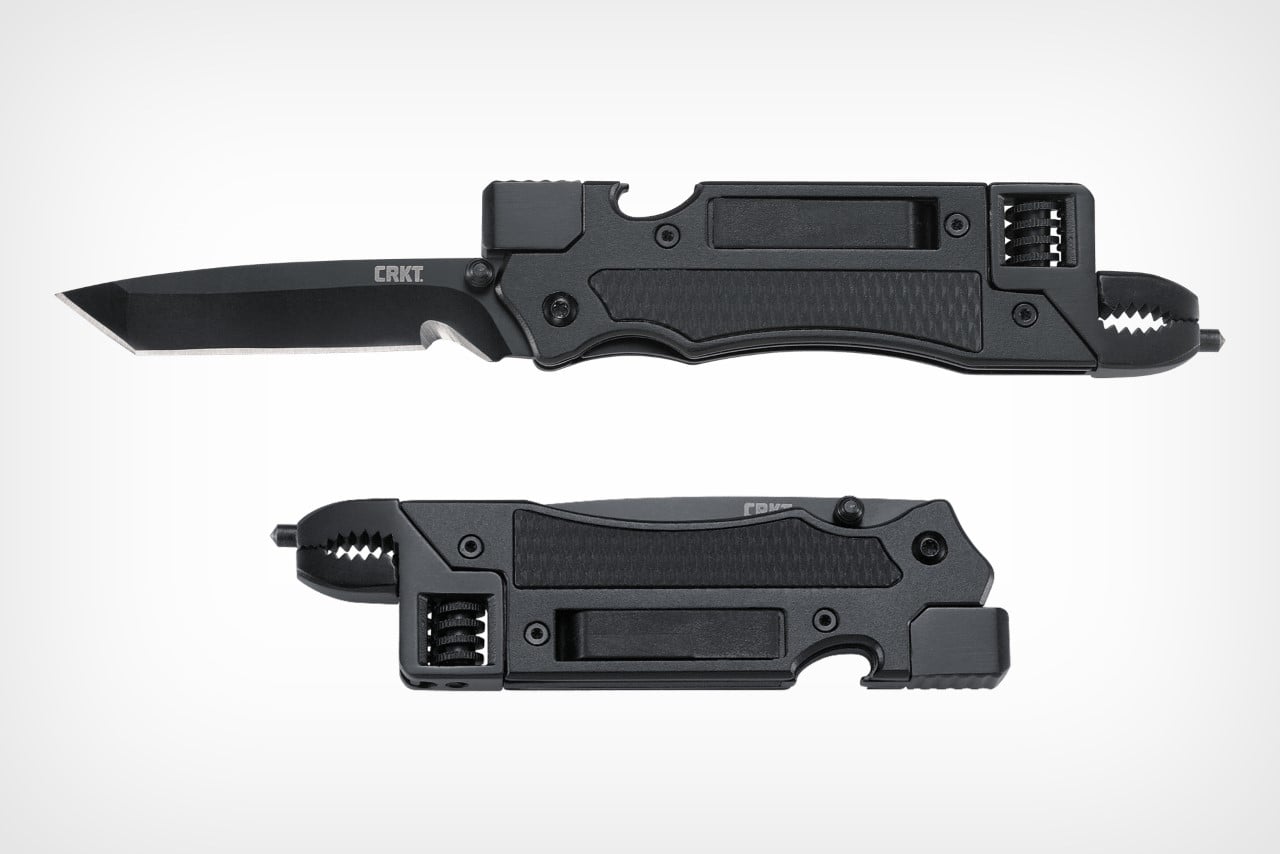
That simplicity does not mean weakness. The Cubik locks firmly enough to pierce hardwood, which puts it in functional territory that most gravity-deploy designs cannot reach. The tungsten carbide glass breaker integrated into the rear end transforms what could be a gentleman’s folder into a legitimate emergency tool. When most EDC knives chase complexity through additional deployment systems, assisted-open mechanisms, and axis locks, the Cubik goes the other direction. One moving part. One material is doing the heavy lifting. The result is a knife with fewer failure points and a deployment method that never gets old to use.

What we like

  • Spring-free gravity deployment means zero mechanical parts that can rust, jam, or wear out over years of daily use.
  • The integrated tungsten carbide glass breaker elevates the knife from an everyday cutter to a genuine emergency tool.

What we dislike

  • Gravity deployment requires the knife to be held upside down, which is slower than a spring-assisted or flipper-based opening in time-sensitive situations.
  • The legal status of gravity knives varies by jurisdiction, and some regions classify them differently from standard folding knives.

Lighter pockets, sharper choices

The shift from winter to spring is not about adding gear. It is about compressing a function into less space. Thinner jackets, shorter pockets, and more time outdoors demand a loadout that earns its presence through utility rather than just occupying real estate. These seven tools share a design philosophy rooted in that compression: titanium, where weight matters; modularity, where versatility matters; and miniaturization, where pocket space is the constraint.

Spring carry is a constraint worth designing for. The tools that survive the seasonal edit are the ones that do their job without reminding anyone they exist, until the moment they are needed. That is the entire point of everyday carry, and these seven understand it.

The post 7 EDC Upgrades Every Guy Needs Now That Winter Is Finally Over first appeared on Yanko Design.

7 Best Pocket-Sized Tech Gadgets Built for the Modern Minimalist

Somewhere between the overstuffed tech pouch and the empty pocket lies a sweet spot that most gadget makers ignore. The minimalist carry is not about owning less for the sake of it, but about each object earning its place through thoughtful design and genuine daily utility. We have been keeping tabs on pocket-friendly gadgets that manage to pack serious functionality into forms small enough to forget about until the moment they are needed. These seven picks balance portability with purpose, skipping gimmicks in favor of smart engineering.

What ties this list together is a shared restraint. None of these products tries to do everything. Each one solves a specific problem within a compact footprint, and the design decisions behind them reflect a growing shift in how makers approach portable tech. Less bloat, more intention, and a willingness to rethink form factors that have gone unchallenged for too long.

1. OrigamiSwift Mouse

The OrigamiSwift borrows its name from Japanese paper folding, and the comparison holds up. This foldable Bluetooth mouse collapses flat for storage and springs into a full-sized shape in under half a second, making it one of the more clever portable input devices we have come across recently.

At just 40 grams, the mouse is lighter than most pens and thin enough to slip into a jacket pocket without adding bulk. The ergonomic curve that appears when unfolded feels closer to a standard desktop mouse than most travel mice bother attempting, which makes extended work sessions far less punishing on the wrist.

Click Here to Buy Now: $85.00

What we like

  • The origami-inspired folding mechanism is quick and satisfying, going from flat to functional almost instantly.
  • Weighing only 40 grams, it vanishes into a bag or pocket and adds almost zero weight to a travel setup.

What we dislike

  • The folding hinge is a mechanical point of failure that could wear over time with heavy daily use.
  • Bluetooth-only connectivity means no option for a USB dongle, which can be a dealbreaker for users who prefer a dedicated receiver.

2. DuRobo Krono

Reading on a phone screen is a compromise most people accept without questioning. The DuRobo Krono pushes back on that default by squeezing a 6.13-inch E Ink Carta 1200 display into a form factor that fits pockets as easily as a smartphone, but replaces the distraction engine with a focused reading and productivity tool.

The 300 PPI resolution matches what premium Kindles deliver, and the tall 18:9 aspect ratio gives the Krono a narrow, phone-like grip at 154 x 80 x 9mm and 173 grams. Built-in AI capabilities turn it into a note-taking and creative thinking companion, not just a page-turner.

What we like

  • The E Ink display at 300 PPI is sharp and comfortable for extended reading without the eye fatigue that LCD screens cause.
  • AI features baked into the device add a productivity layer that separates it from standard eReaders stuck in single-purpose territory.

What we dislike

  • E Ink refresh rates remain sluggish for anything beyond static pages, making note-taking and navigation feel slower than on a phone.
  • At 6.13 inches, the screen is on the smaller side for PDFs and academic papers that need more real estate to be readable.

3. Pokepad Pocket PC

Most devices aimed at students are either stripped-down tablets or locked-down phones fighting a losing battle against social media. Pokepad takes a different route: a compact learning device shaped like a slim rectangular box, with a flip-out pen and zero gaming apps. The goal is a distraction-free tool that travels from classroom to bus to bedroom.

The design team tested multiple shapes before landing on this box form factor, balancing enough internal volume for a decent battery, speakers, and a pen mechanism without tipping into tablet territory. The deliberate absence of an app store full of entertainment is the product’s sharpest design choice, and its most controversial one.

What we like

  • The flip-out pen integrated directly into the body eliminates the need to carry (and inevitably lose) a separate stylus.
  • A distraction-free software environment means this device stays focused on learning rather than competing with TikTok for attention.

What we dislike

  • This is still a concept, so there are no confirmed specs, pricing, or a release timeline to evaluate.
  • The locked-down software approach assumes students will not simply resist using a device that blocks entertainment entirely.

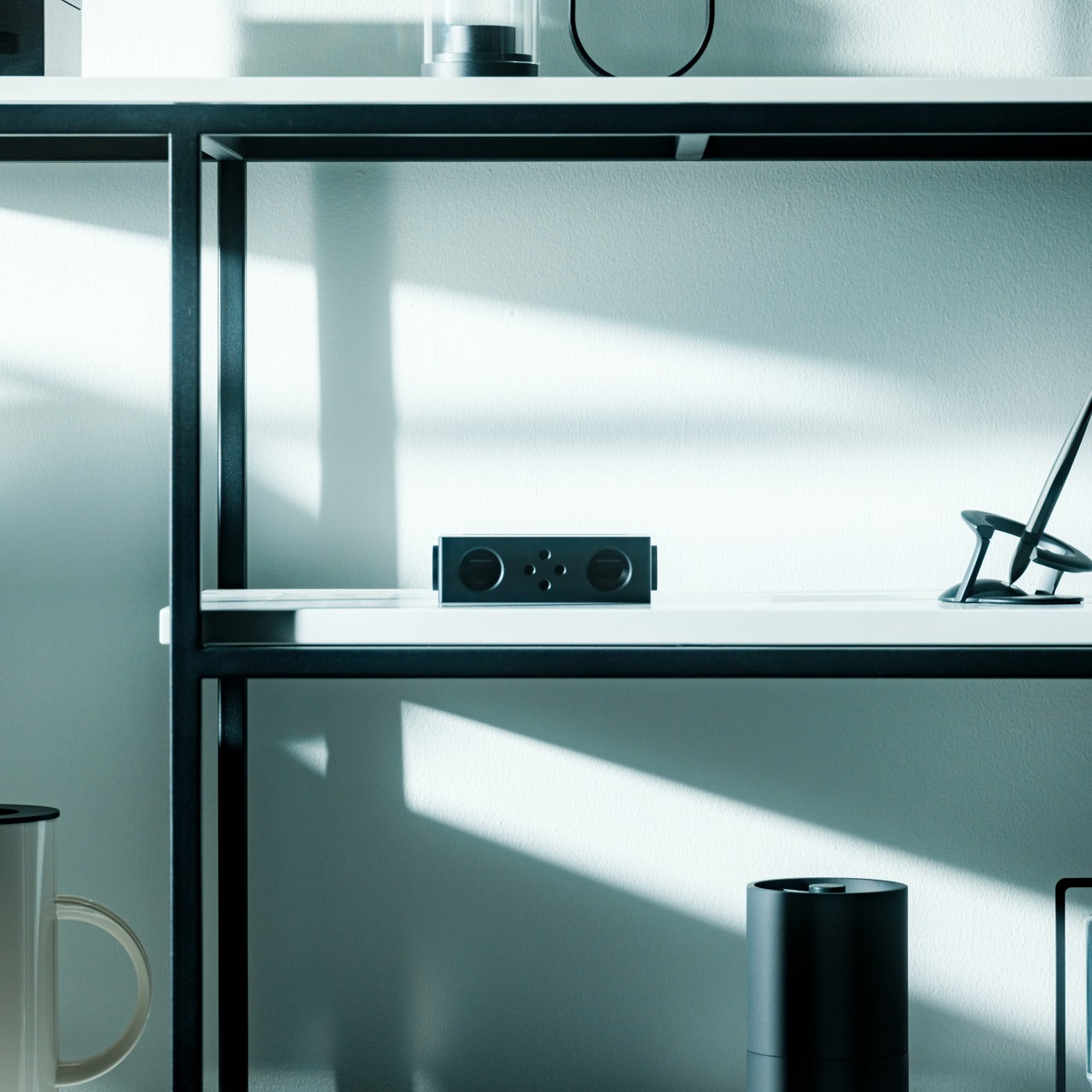
4. Battery-free Amplifying iSpeakers

In a category drowning in Bluetooth speakers that need charging, the iSpeakers strip things back to pure physics. This metal smartphone speaker amplifies sound using acoustic design alone, with no battery, no electricity, and no pairing process. Slot a phone in, and the Duralumin body does the rest.

The material choice is the interesting detail here. Duralumin is an aluminum alloy used in aircraft construction, chosen for its vibration-resistant properties and its ability to project sound cleanly. The speaker’s proportions follow the golden ratio, which shapes how sound waves travel through the chamber and spread outward. Optional +Bloom and +Jet mods (sold separately) let users direct sound for different room setups.

Click Here to Buy Now: $179.00

What we like

  • Zero power requirement means no batteries to charge, no cables to carry, and no wireless connectivity to troubleshoot.
  • Duralumin construction gives it a premium, lasting feel that ages well and resists the kind of dings that kill plastic speakers.

What we dislike

  • Volume output is inherently limited by passive amplification, so this will not fill a large room or compete with powered speakers.
  • Compatibility depends on phone size and speaker placement, so not every phone model will fit or project sound optimally.

5. Unix UX-1519 NEOM Power Bank

Power banks are the most boring objects in the average carry. The Unix UX-1519 NEOM challenges that assumption by wrapping 10,000mAh of capacity and 22.5W fast charging in an industrial design language that actually looks intentional. This is a real, shipping product, not a concept render.

The retro-modern aesthetic slots neatly alongside devices from brands like Nothing and Teenage Engineering, where exposed design elements and visible construction details are part of the appeal. Under the surface, a high-density Lithium Polymer battery provides a safer, longer-lasting cell compared to standard lithium-ion packs found in most competing power banks.

What we like

  • The industrial design treatment turns a utilitarian object into something worth displaying alongside the rest of a curated collection.
  • 22.5W fast charging keeps compatible devices topped up quickly, cutting the time spent tethered to a power bank.

What we dislike

  • The design-forward approach may command a price premium over functionally identical power banks with plainer exteriors.
  • At 10,000mAh, capacity is adequate for one to two phone charges, but falls short for users who need to power tablets or laptops on the go.

6. Keychron B11 Pro

Portable keyboards have spent years treating compactness as the only variable worth optimizing. The Keychron B11 Pro adds a second priority: ergonomics. It folds in half to a 196.3 x 143 mm footprint (smaller than a paperback) at 258 grams, but unfolds into a 65% Alice layout that angles both key clusters inward for a more natural wrist position.

The Alice geometry is what separates this from every other folding keyboard in its price bracket. Keychron already uses the same split-angle approach in the desk-bound K11 Max, a full mechanical keyboard, so the ergonomic logic is well tested. Putting it into a foldable form at $64.99 is a different proposition, one that treats travel typing as something deserving of the same wrist comfort as a home office setup.

What we like

  • The Alice split layout reduces lateral wrist strain during long typing sessions, a benefit that flat portable keyboards do not offer.
  • At $64.99, the price point is accessible compared to other ergonomic keyboards that cost two to three times as much.

What we dislike

  • A 65% layout means missing dedicated function rows and navigation clusters, which power users may find limiting.
  • The folding hinge adds a visible seam along the middle of the keyboard that could collect dust and affect long-term build quality.

7. Frame CD Player

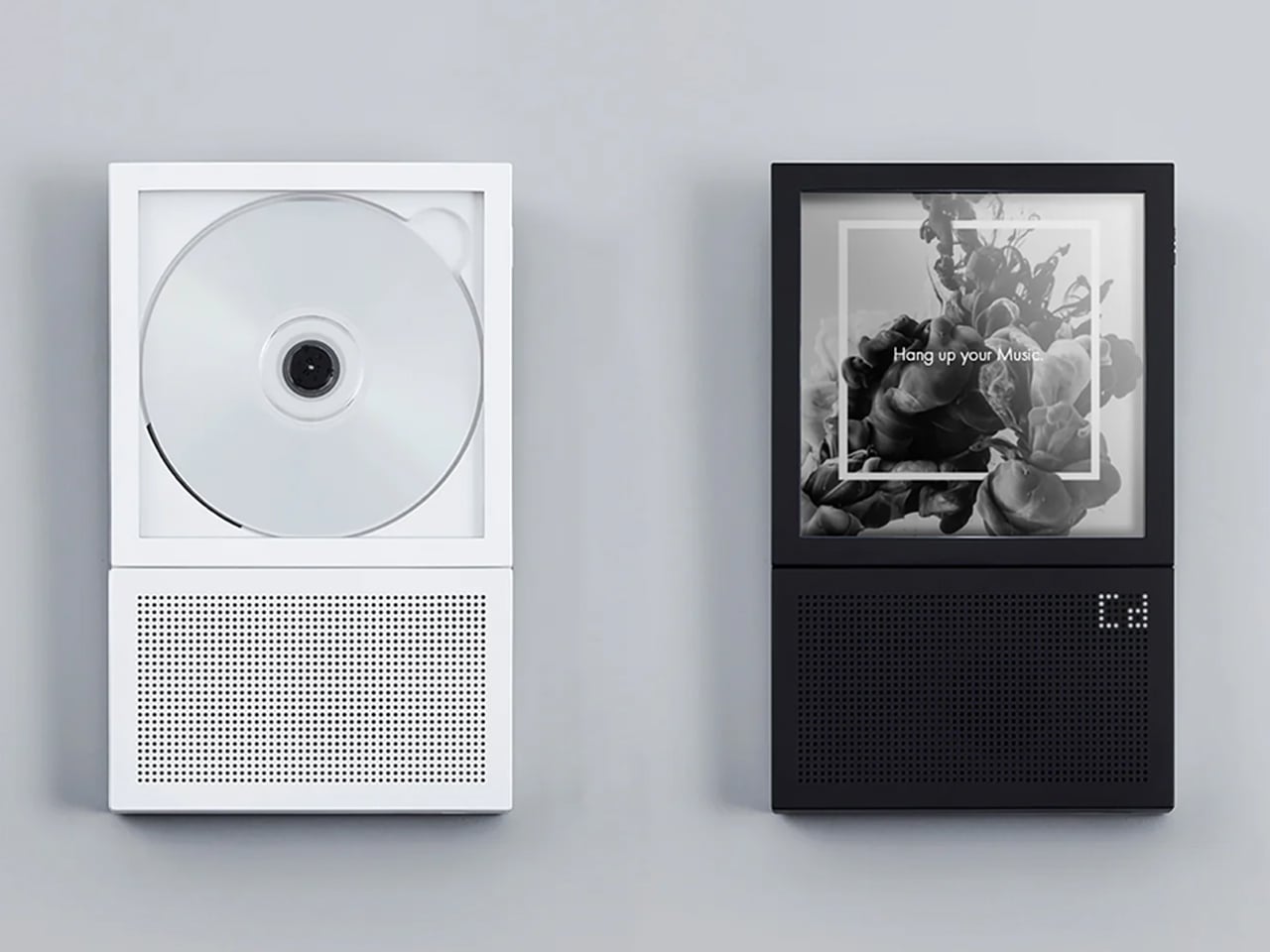
Streaming killed the CD, but it never replaced the ritual. The Frame CD player leans into that gap with a portable player that does double duty as a display for album jacket art. Pop in a disc, slide the cover art into the built-in frame, and the album becomes an object again instead of a thumbnail on a screen.

Bluetooth 5.0 lets the player connect to wireless speakers and earphones, so it works within modern audio setups without demanding a wired system. A built-in battery makes it portable enough to move between rooms or take on the go, and the minimalist housing is designed to hang on a wall as a piece of functional decor when not in transit.

Click Here to Buy Now: $169.00

What we like

  • The album art frame transforms a music player into a visual display piece, giving physical media a presence that streaming cannot replicate.
  • Bluetooth 5.0 connectivity bridges the gap between vintage formats and modern audio gear without extra adapters or cables.

What we dislike

  • CD collections are shrinking, so the player’s long-term utility depends on how committed a listener is to physical media.
  • Sound quality through Bluetooth compression will not satisfy audiophiles who are drawn to CDs for their lossless audio in the first place.

Less carry, more intent

The common thread running through these seven gadgets is not a spec sheet or a price bracket. It is an attitude toward what portable tech should be: small enough to disappear when not needed, capable enough to perform when called upon, and designed with enough intention that carrying them feels like a choice rather than a burden. Not every product on this list will suit every carry, but each one earned its pocket space.

What makes this current wave of compact gadgets exciting is the refusal to treat portability and quality as opposites. The best pocket-sized tech does not ask for compromise. It simply demands better design thinking, and these seven products deliver on that front in different, often surprising ways.

The post 7 Best Pocket-Sized Tech Gadgets Built for the Modern Minimalist first appeared on Yanko Design.

8 Best Japanese Stationery Finds So Clever You’ll Question Why the Rest of the World Even Bothers

Japanese stationery operates on a different set of assumptions. Where most of the world treats pens, notebooks, and desk accessories as afterthoughts, Japan treats them as design problems worth solving with the same precision applied to architecture or automotive engineering. The difference shows up in the details: magnetic closures calibrated to be silent, paper engineered for a specific ink behavior, and leather cut from a single hide. Hence, the grain tells a continuous story.

We have been collecting our favorites for a while now, and this batch feels particularly well-considered. These are not gimmicks dressed in minimalist packaging. Each product here earns its place through a specific, clever solution to a friction most people have accepted as normal. From a pencil that never needs sharpening to a wooden postcard case that borrows its form from ceramic storage traditions, this is stationery that makes the rest of the world’s offerings feel like rough drafts.

1. Inseparable Notebook Pen

Most pens exist independently of the surface they write on. The Inseparable Notebook Pen rejects that premise entirely, using a magnetic clip to lock itself to your notebook cover. A built-in silencer dampens the attachment, so there is no click or rattle, just a quiet lock into place. The barrel is minimalist, comfortable during long sessions, and the ink flow is smooth and immediate.

Japanese stationery brands have long understood that the gap between reaching for a pen and writing is a moment of lost momentum. This pen eliminates that friction. The form is understated, almost invisible against a notebook cover, which is the point. Tools that disappear into your workflow tend to be the ones that last the longest.

Click Here to Buy Now: $19.95

What we like

  • The magnetic clip holds firm during transit but releases with zero effort when needed.
  • The silencer turns a mundane attachment into something tactile and deliberate.

What we dislike

  • The minimalist barrel may feel too slim for those who prefer wider-grip pens.
  • Ink cartridge options are limited, restricting personalization for specific ink preferences.

2. Stalogy Editor’s Series 365-day Notebook (A6)

Stalogy’s 365 Days Notebook packs 368 pages of ultra-thin paper into an A6 form factor that still fits a coat pocket. Each page carries minimal printed detail: dates, days, a faint grid, and time indicators. Ignore them or use them. The paper writes with a smoothness that recalls Hobonichi Techo’s Tomoe River stock, letting ink glide without feathering or bleed-through.

The real strength is flexibility. This notebook works equally well with bullet journaling, daily planning, freeform sketching, or straightforward notes, all without forcing a single organizational method. Most planners assume they know how a day should be structured. This one steps back and lets the user decide, which is a rarer quality than it should be.

What we like

  • Thin paper keeps 368 pages from becoming a brick, maintaining genuine pocketability.
  • Minimal page markings make it equally useful for structured planning and unstructured creative work.

What we dislike

  • Date and time markings are printed extremely small, making them difficult to read in low light.
  • Heavy fountain pen inks will ghost through the thin paper, limiting compatibility with certain instruments.

3. FoldLine Pen Roll

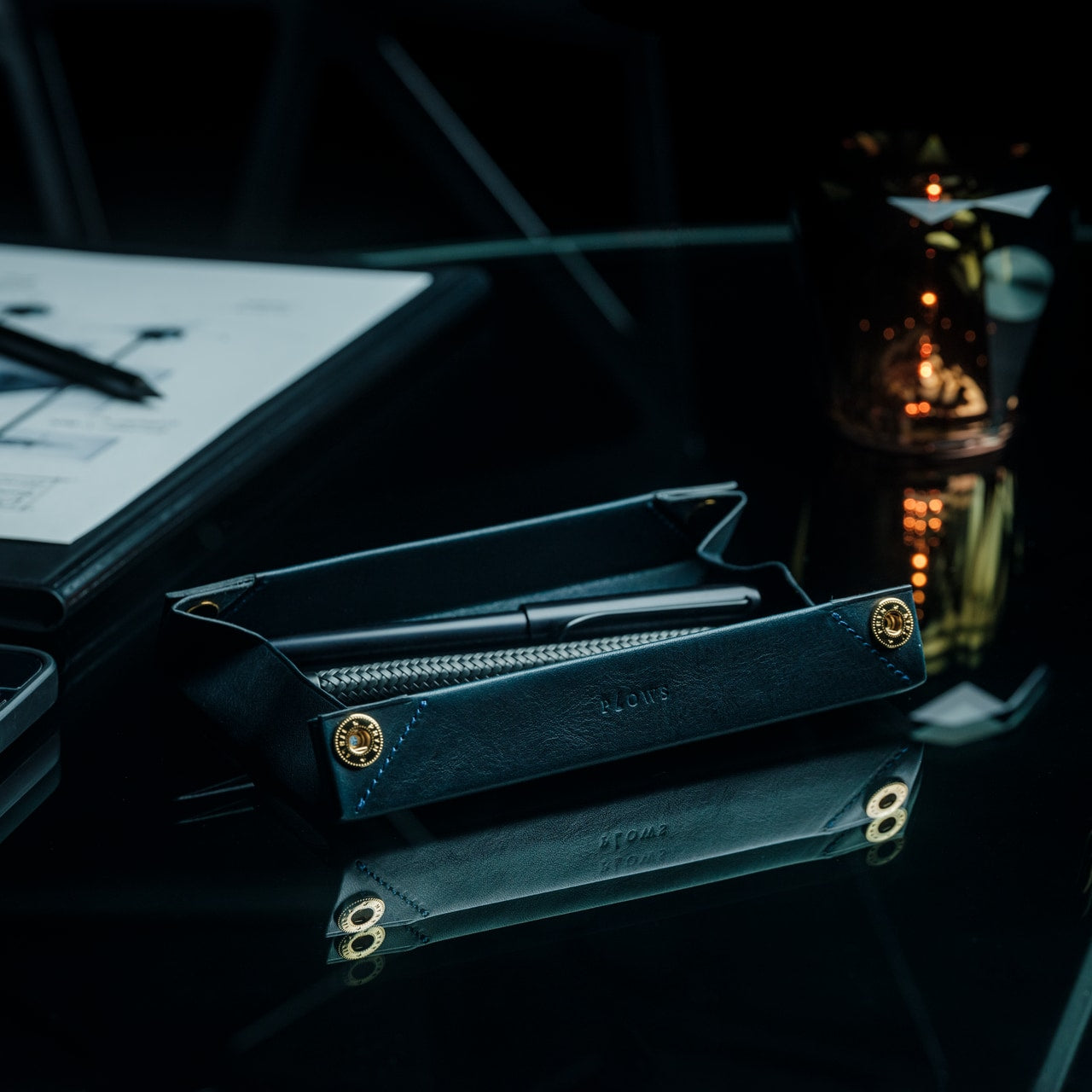
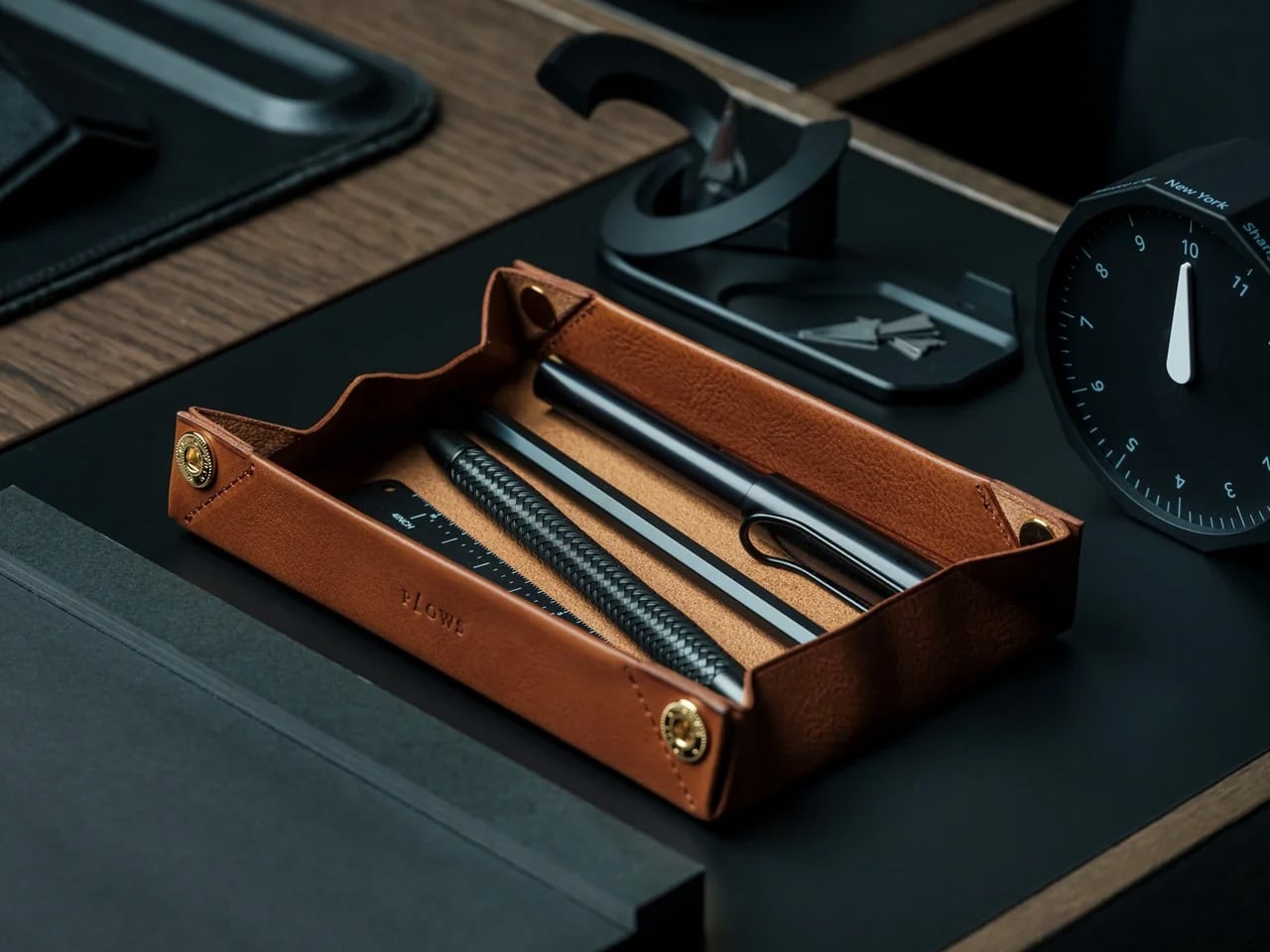
Cut from a single piece of Italian leather, the FoldLine Pen Roll converts from a carrying case to a functional desk tray in under two seconds using origami-inspired folding geometry: no stitched partitions, no zippers. The natural wrap of the fold separates and protects each pen, and metal-bodied instruments stay scratch-free without dedicated slots.

Unfolded, it creates a defined rectangular workspace on any surface: a cafe table, an airplane tray, a hotel desk. That containment matters. Scattered pens create micro-distractions, and a tray eliminates the chaos without occupying permanent desk space. The leather develops a patina over time, improving with age rather than deteriorating.

Click Here to Buy Now: $135.00

What we like

  • The two-step unfolding mechanism feels intuitive enough to be fast and intentional enough to feel like a ritual.
  • Single-piece leather construction means no stitching to fail and no partitions to limit capacity.

What we dislike

  • Without individual pen slots, instruments can shift during aggressive bag movement.
  • Italian leather at this quality carries a price premium well outside impulse-purchase territory.

4. Memento Business Card Log

Business cards are collected, shoved into wallets, and forgotten. The Memento Business Card Log, designed by Japanese brand Re+g, rejects that cycle. It stores up to 120 cards using a two-point slit system that keeps each card secure, and the facing page offers dedicated space for handwritten notes about the person: a conversation detail, a follow-up date, a distinguishing trait.

Re+g’s proprietary binding allows pages to be reordered by category, importance, or any logic that makes sense. The paper stock has a warm, tactile quality. Writing a note by hand about someone forces a level of attention that tapping a phone screen cannot replicate. The log becomes a record not just of who was met, but of how those meetings felt.

Click Here to Buy Now: $35.00

What we like

  • The proprietary binding allows page reordering, so the system evolves with the user.
  • Dedicated note space alongside each card slot turns passive storage into active relationship memory.

What we dislike

  • At 120 cards, heavy networkers will fill the log fast, requiring a second volume.
  • The analog format means no search function, so finding a specific card requires manual browsing.

5. Classiky Chestnut Postcard Case

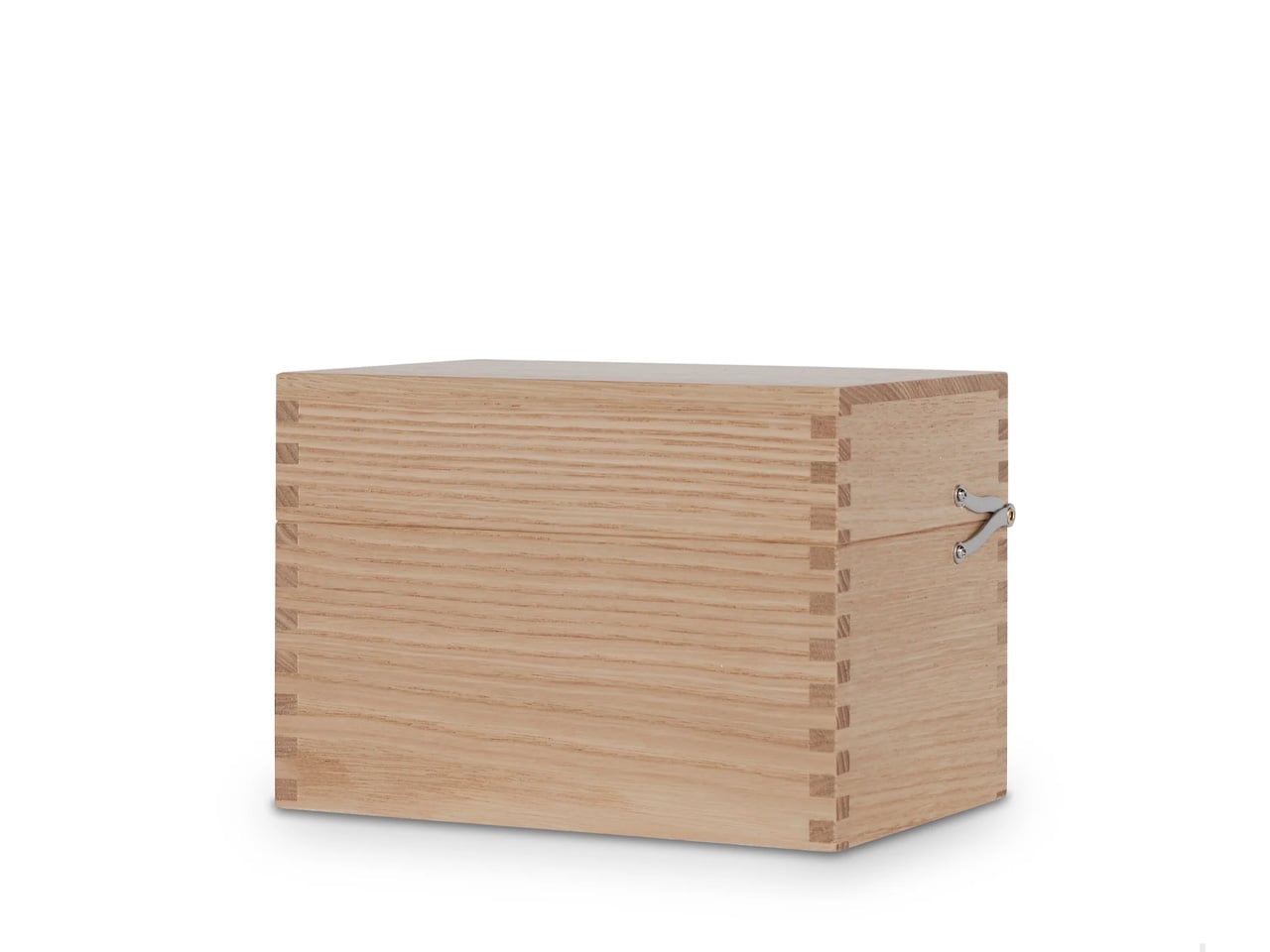
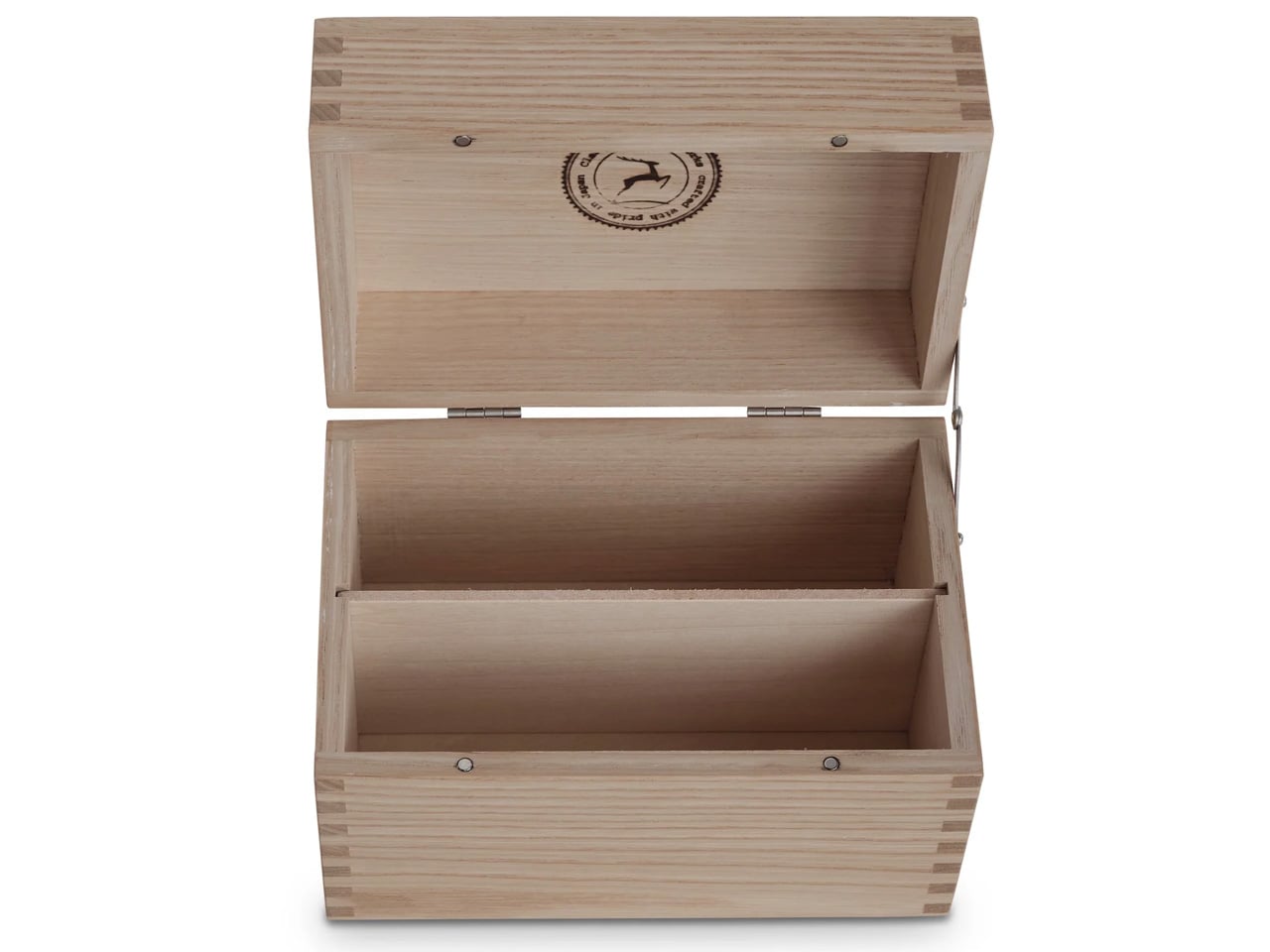
Classiky’s Chestnut Postcard Case borrows its design language from the wooden boxes used in Japan to store precious ceramics. Varnished Japanese chestnut wood gives it a warmth and grain that plastic or metal storage cannot approach. The proportions (17.6 x 11.6 x 12.4 cm) are calibrated for standard postcards, with two removable separators and a magnetic closure that shuts with clean, weighted precision.

This is a storage object built to outlast its contents. The chestnut deepens in color over years of handling rather than fading, and the removable separators allow flexible configuration depending on collection size. For collectors, letter writers, or anyone who values the physical artifact of a postcard, this case turns storage into curation.

What we like

  • Varnished Japanese chestnut ages beautifully, growing richer in tone over the years of handling.
  • Removable separators allow for a flexible internal configuration across different collection sizes.

What we dislike

  • Dimensions are postcard-specific, so the case cannot accommodate larger formats, such as A5 prints.
  • The craftsmanship and material quality place it at a premium that limits its appeal for casual purchases.

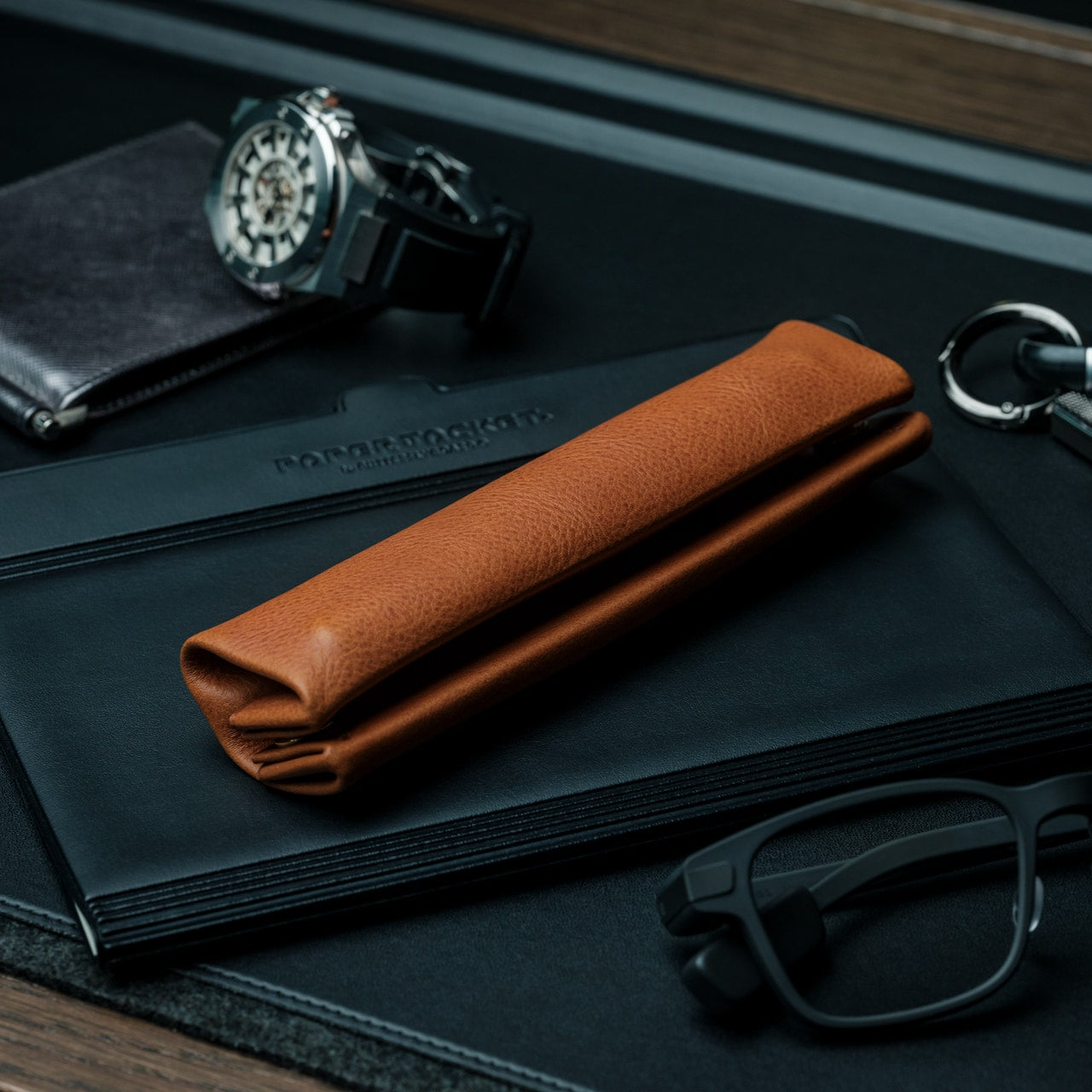
6. Sonic Kakusta

The Sonic Kakusta starts as a soft pen case and transforms into a triangular desk stand that props pens at a 60-degree angle for easy visibility and access. A built-in divider splits the interior into two sections, while a second divider in the lid creates a small shelf for erasers and sticky notes. Strong magnets hold the folded lid in place, preventing the stand from collapsing mid-use.

That 60-degree angle is the smartest detail. Steep enough to display pen tops for identification, shallow enough that pens slide in and out without tipping the case. For anyone working between home, office, and library, the Kakusta eliminates the need to carry both a case and a desk cup. One object handles both roles without appearing to be a compromise.

What we like

  • The magnetic lid holds the stand shape on uneven surfaces without collapsing.
  • The lid divider doubles as a shelf for small items, adding utility most pen cases ignore.

What we dislike

  • Soft material offers limited protection against crushing in an overpacked bag.
  • The triangular footprint is wider than a flat case, occupying more bag space than a traditional pouch.


7. Pocket Everlasting All-Metal Pencil

The Pocket Everlasting All-Metal Pencil uses a graphite and metal alloy tip that deposits marks through friction rather than material loss. The core does not shorten. The point does not dull. The manufacturer claims roughly 10 miles of writing, and the marks are erasable with a standard eraser. At 4.7 inches with a cap, it slips into a shirt pocket without protest.

Traditional pencils generate shavings, require sharpeners, and degrade in humid conditions. This pencil sidesteps all three. The all-metal body has a substantial heft without being heavy, and the graphite-alloy line plays well with watercolor and wet media because it does not bleed when painted over. For field note-takers who need a tool that never fails at the wrong moment, this is a quietly radical solution.

Click Here to Buy Now: $19.95

What we like

  • The graphite-alloy tip eliminates sharpening, shavings, and the risk of a dull point at the worst time.
  • Compatibility with watercolor and wet media makes it versatile for mixed-media sketching.

What we dislike

  • Line weight is fixed, so artists needing variable stroke thickness will find it limiting.
  • The metallic graphite tone differs subtly from traditional pencil graphite, which may bother purists.

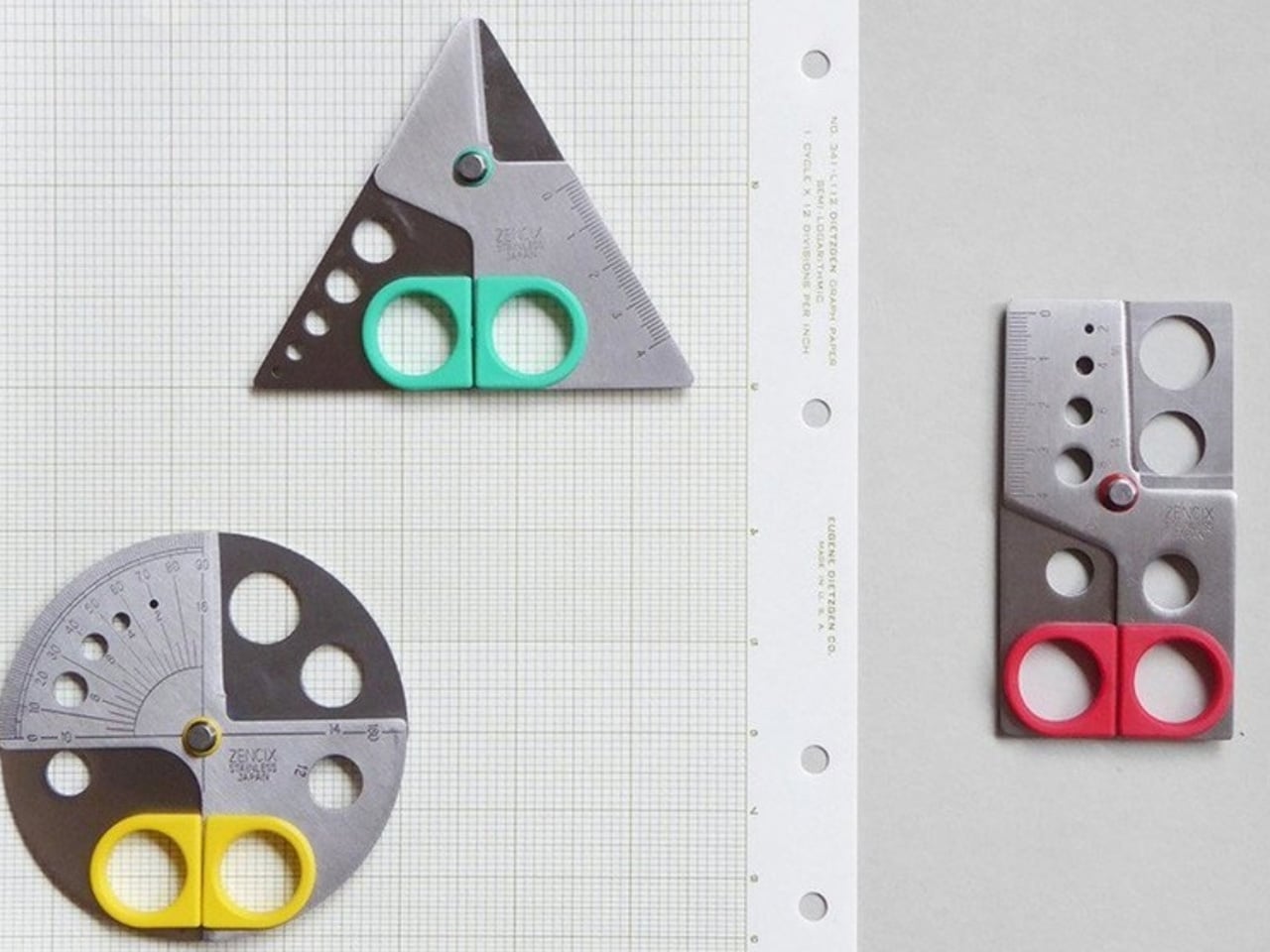
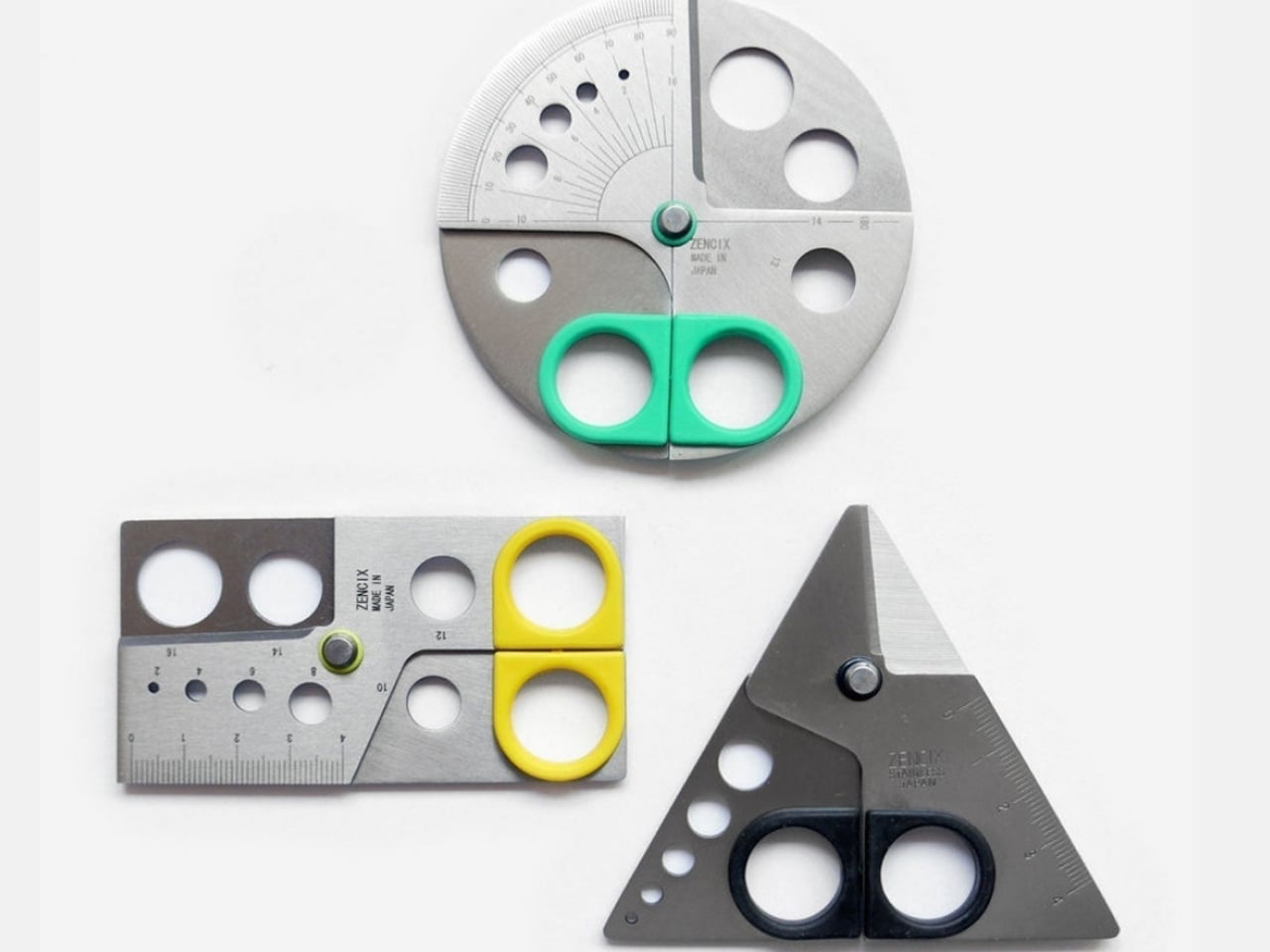
8. Stellar Edge Scissors

Scissors are the most overlooked object on a desk. The Stellar Edge Scissors argue that this neglect is a design failure. Crafted from Japanese stainless steel, the blades hold their edge far longer than standard office scissors, and the polished, seamless handles distribute weight so evenly that extended cutting sessions produce no hand fatigue. Every curve has been considered, from the finger loop radius to the pivot tension.

Each snip has a clean, controlled resistance that comes from precise blade geometry and tight manufacturing tolerances. The polished finish reduces friction against tape and adhesive paper, which tend to gum up matte or coated blades. The ergonomic shaping fits both left and right hands without the usual ambidextrous compromise. For anyone who uses scissors more than once a week, these make the ordinary feel considered.

What we like

  • Japanese stainless steel holds a sharp edge far longer than standard office scissor alloys.
  • Weight distribution across the handles eliminates fatigue during extended cutting sessions.

What we dislike

  • The premium material and finish come at a price point difficult to justify for occasional use.
  • The polished surface shows fingerprints easily, so it requires regular wiping to maintain a clean aesthetic.

Where this leaves us

Eight products, and the common thread is not aesthetics or branding. It is the refusal to accept that everyday tools should be disposable, forgettable, or merely functional. Japanese stationery design starts from the assumption that the interaction between a person and a tool is worth engineering down to the last magnetic click, the last gram of weight distribution, the last millimeter of paper thickness.

The rest of the world makes stationery. Japan makes instruments. The difference is not in the materials alone, though those matter. It is in the insistence that a pen’s relationship to a notebook, a scissors’ resistance against paper, or a wooden box’s aging behavior are all design problems that deserve solutions. These eight products are proof that once experienced, going back feels like a downgrade.

The post 8 Best Japanese Stationery Finds So Clever You’ll Question Why the Rest of the World Even Bothers first appeared on Yanko Design.

5 Best Tech Gadgets of March 2026

March has a habit of delivering the products that January only promised. CES demos become preorders, concept renders start circulating with real specs attached, and the gadgets worth paying attention to separate themselves from the ones that were only ever meant to look good on a stage. This month’s picks share a common thread: each one challenges an assumption about how a familiar product category should behave, look, or fit into daily life.

What makes these five stand out from the usual parade of iterative upgrades is their willingness to subtract. Less screen time, less bulk, less noise, less compromise between form and function. They are not chasing specs for the sake of benchmarks or piling on features to pad a marketing sheet. From a handheld PC that refuses to apologize for its ambition to a concept camera that wants nothing more than for its user to look up from a screen, these gadgets are worth your time and attention this month.

1. GPD Win 5

The PSP’s body plan endures, and the GPD Win 5 is its most ambitious descendant yet. Packed with an AMD Ryzen AI Max+ 395 processor, up to 4TB SSD storage, and 32GB of LPDDR5X RAM, this handheld runs a 7-inch 1080p display at 120Hz with Radeon 8060S integrated graphics. Starting at $1,400, this is not a portable console pretending to be a PC. It is a full PC compressed into two hands.

GPD removed the internal battery entirely, replacing it with a detachable 80 Wh pack that clips to the back. A quad heat pipe cooling system handles thermal loads across a TDP range from 28W to 85W on mains power. Hall effect triggers and capacitive joysticks eliminate drift and deadzone, while a proprietary Mini SSD slot pushes transfer speeds beyond microSD limits. Every design choice solves a problem created by one stubborn, central ambition: desktop-class performance in a handheld shell.

What we like

  • The external battery swaps in seconds, and plugging into the 180W adapter unlocks full 85W TDP performance that rivals many desktop setups.
  • Hall effect triggers and capacitive joysticks eliminate the drift issues that plague most handheld PCs after months of heavy use.

What we dislike

  • The external battery makes the device awkward to hold when attached, and the proprietary charger adds bulk to an already heavy travel kit.
  • Pricing starts at $1,400 and climbs past $2,000 for the top configuration, placing it deep into enthusiast-only territory.

2. NanoPhone Pro

Smartphones have spent a decade getting bigger. The NanoPhone Pro walks in the opposite direction with a credit-card-sized body measuring 0.4 x 3.8 x 1.8 inches and weighing just 2.8 ounces. Running Android 12 with Google Play certification, this 4G device handles calls, messages, navigation, and basic apps without demanding pocket real estate. At $99, it is built for minimalists, travelers, and anyone tired of their phone being the loudest object in the room.

The spec sheet is an exercise in deliberate restraint. A 4-inch edge-to-edge IPS touchscreen, dual SIM support, 2MP front and 5MP rear cameras, a 2000mAh battery, and expandable storage via microSD. Face ID handles unlocking. The NanoPhone Pro does not pretend to compete with flagships, and that restraint is the entire point. It is a quiet, pocketable alternative that runs WhatsApp, Google Maps, and everything else that matters without the attention-hungry weight of a modern slab phone.

What we like

  • The credit-card form factor disappears into wallets and running shorts, making it ideal for situations where a full-sized phone feels like overkill.
  • Google Play certification means the app ecosystem works without sideloading, so daily essentials like navigation and messaging run without friction.

What we dislike

  • The 5MP rear camera produces images that are functional at best, making this a poor choice for anyone who photographs anything beyond the occasional note or receipt.
  • Android 12 on a 4-inch screen feels cramped, and typing requires patience and smaller-than-average fingers.

3. Camera (1)

Photography migrated into phones and got buried under notifications. Camera (1), a concept posted on the Nothing Community forum by designer Rishikesh Puthukudy, imagines shooting as a tactile act again. The compact metal body fits a pocket but fills a hand, with all controls on a single edge: a shutter, a circular mode dial with a glyph display, and a D-pad reachable without shifting grip. The design draws from Nothing’s hardware-forward language with circuit-like relief and bead-blasted metal.

A curved light strip around the lens pulses for self-timers, confirms focus, or signals active recording. The engraved lens ring invites twisting rather than pinching. A rear display exists but stays deliberately out of the way, letting physical controls carry most of the interaction. Camera (1) is a student concept, not an official Nothing product, but the question it asks is worth sitting with: in a world where every screen demands something, what would a camera look like if it just wanted its user to notice what was in front of them?

What we like

  • The single-edge control layout keeps eyes on the scene rather than buried in menus, restoring a tactile shooting workflow that phone cameras abandoned years ago.
  • Nothing’s glyph design language translates well to a camera body, delivering mode feedback through simple icons rather than nested software screens.

What we dislike

  • As a concept, Camera (1) exists only as rendered images and community discussion, with no confirmed path to production or a working prototype.
  • The absence of a sensor, lens, and video specs makes it impossible to judge whether it could compete with even entry-level dedicated cameras.

4. Samsung Slac

Earbuds have looked like earbuds for too long. Samsung’s Slac concept, developed within the company’s design incubation programs, reimagines wearable audio as jewelry. Three components make up the system: an open ear ring for audio output, a wrist-worn ring that tracks listening data and doubles as a magnetic dock, and a home charging station. The circular form wraps around the ear without entering the canal, maintaining awareness of surrounding sound while layering music on top.

When listening ends, the ear ring snaps magnetically onto the wrist component, transforming into something that reads as a chunky bracelet rather than stowed tech. AI tracks a full 24-hour audio cycle, building preference profiles from sound intensity, pitch variation, and tonal characteristics. The design team behind Slak understands that Gen Z treats audio devices as expressions of taste, not utilitarian tools. Whether Slac reaches production is an open question, but the proposition that wearable tech should earn its place on the body through aesthetics feels like a direction the entire industry needs to follow.

What we like

  • The open-ear design preserves environmental awareness while delivering audio, solving the isolation problem that makes traditional earbuds socially awkward in many settings.
  • Magnetic docking between ear ring and the wrist component eliminates the pocket-case fumble and turns storage into a wearable moment.

What we dislike

  • Concept status means no confirmed specs on audio quality, battery life, or connectivity, making it impossible to evaluate whether the sound matches the visual ambition.
  • Open-ear audio struggles in noisy environments, and without active noise cancellation, Slac may underwhelm on busy streets or public transit.

5. DAP-1

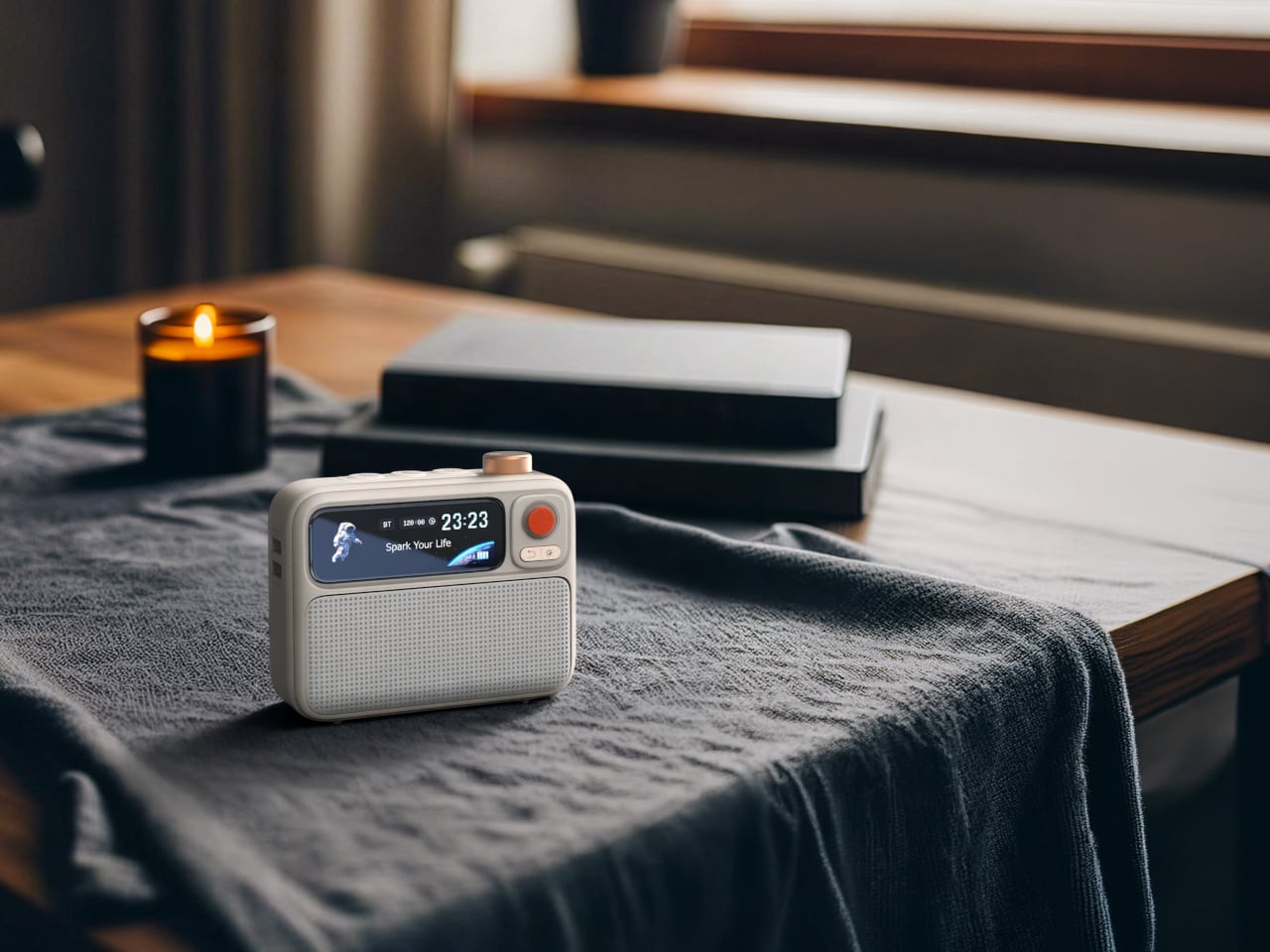
Vinyl got its comeback, and dedicated digital audio players have been staging a quieter return. The DAP-1 concept by Frankfurt-based 3D artist Florent Porta is one of the most compelling arguments for why that return matters. The device carries a slim rectangular body with an OLED touchscreen, a perforated front-facing speaker grille, and an aesthetic sitting between Teenage Engineering and Nothing’s CMF line. It looks like it arrived from a timeline where iPods evolved into something more considered.

The standout decision is the built-in speaker, a feature most high-end DAPs skip entirely. Porta’s inclusion acknowledges that music is sometimes shared, not just private. The DAP-1 is built around FLAC playback, preserving audio quality without streaming compression artifacts. A USB-C port, 3.5mm AUX output, and illuminated power switch line the top edge, while rubberized feet and torx screws on the rear give the device a repairable, tool-like quality. As a concept, it exists only in renders, but the conversation it starts outweighs most finished products on the market.

What we like

  • The built-in speaker turns a solitary listening device into something social, removing the need for external hardware to share a track with someone next to you.
  • FLAC-first design philosophy treats audio fidelity as the primary feature rather than an afterthought buried in a settings menu.

What we dislike

  • Concept-only status means no production timeline, no pricing, and no way to evaluate real-world audio performance beyond what renders suggest.
  • Dedicated music players occupy a narrow niche, and carrying a separate device for audio requires commitment most listeners will not make.

Where March leaves us

Three of this month’s five picks are concepts. That ratio says something about where consumer tech sits in early 2026: the most exciting ideas are still in render engines, while the products that actually ship tend to iterate rather than invent. The GPD Win 5 and NanoPhone Pro prove that real, purchasable hardware can still surprise, but Camera (1), Slac, and DAP-1 suggest the most interesting design thinking is happening outside production timelines and quarterly earnings calls.

What connects all five is a shared instinct to push back against the default. Against bigger screens, against feature bloat, against the assumption that technology should demand attention rather than earn it. March’s best gadgets respect the space they occupy, whether that space is a pocket, an ear, or the palm of a hand. If even a fraction of these concepts make the jump to production, the rest of 2026 could be far more interesting than the usual upgrade cycle suggests.

The post 5 Best Tech Gadgets of March 2026 first appeared on Yanko Design.

Forget Spotify: These 5 Designer Turntables Are the Real Reason Vinyl Is Having a Moment

Vinyl outsold CDs in the U.S. for the first time since 1987 back in 2022, with 41 million records moved compared to 33 million compact discs. That number was not driven by audiophiles chasing warmer bass response. It was driven by people who missed the ritual: pulling a record from its sleeve, lowering a needle, and sitting with an album the way its creators intended. Streaming made music frictionless, and in doing so, it made music forgettable.

The turntables on this list understand that tension between convenience and ceremony. None of them are trying to replace a Spotify subscription, and none of them should. What they offer instead is a physical relationship with music that no algorithm can simulate, wrapped in design languages that range from invisible minimalism to brutalist sculpture. These five are worth the counter space.

1. Miniot Black Wheel

The turntable has not changed much in form since the 1970s: platter, tonearm, plinth, visible mechanism. Miniot’s Black Wheel throws all of that away. Every electronic and mechanical component sits inside a thin circular body that disappears completely once a record is placed on top. What remains visible is the record itself, spinning in what looks like mid-air.

Standing the Wheel upright amplifies the illusion, turning a turntable into a floating disc of sound. A tactile Slide Track hidden along the edge handles volume, track selection, and even stylus weight adjustment through a single physical interface. Slide or push, and the controls respond without ever breaking the visual spell. Despite the impossibly slim profile, Miniot has not sacrificed audio quality for the sake of the trick, which is the part that separates this from a design exercise.

What we like

  • The disappearing-body design makes the record the only visible element, turning playback into a visual experience as much as an auditory one.
  • The hidden Slide Track control system is intuitive and tactile, eliminating buttons and knobs without removing physical interaction from the equation.

What we dislike

  • The minimal form factor means no dust cover, leaving the record and stylus exposed to the environment between listening sessions.
  • Repairing or servicing the internals of such a tightly integrated body is likely far more complex than working on a traditional turntable.

2. Vivia CD Turntable

Here is where this list takes a deliberate left turn. Vivia is not a vinyl turntable at all. It is a turntable designed for compact discs, and the audacity of that idea is exactly why it belongs here. The concept takes the ritualistic appeal that drove vinyl’s comeback and applies it to a format that the industry abandoned in favor of streaming, even though CDs deliver superior audio clarity to most compressed digital files.

Vivia reimagines the CD listening experience as something tactile and intentional. Loading a disc, watching it spin, and physically interacting with playback controls recreates the ceremony that made vinyl appealing again, but for a format that has spent two decades collecting dust in storage boxes. The design borrows the visual grammar of analog turntables (the platter, the visible rotation) and translates it into a CD context that feels more like a statement about how we consume music than a product trying to compete on specs alone.

What we like

  • Visual design language borrows from analog turntables in a way that makes CD playback feel deliberate and special rather than outdated.

What we dislike

  • This remains a concept with no confirmed production timeline, pricing, or technical specifications to evaluate.
  • CD collections have shrunk dramatically, so the audience for a premium CD turntable is narrow compared to the growing vinyl market.

3. McIntosh x Sun Records Limited Edition MTI100

McIntosh has been building audio equipment since 1949, and the MTI100 carries that lineage into a format that appeals to listeners who want a complete system without a rack full of separates. This special edition, created in collaboration with Sun Records (the label that launched Elvis Presley, Johnny Cash, and Jerry Lee Lewis), packs a turntable, preamplifier, and amplifier into a single integrated unit with Bluetooth and auxiliary inputs.

The catch, and it is a deliberate one, is that speakers are not included. McIntosh recommends pairing with their own XR50 bookshelf or XR100 floorstanding speakers, but the unit connects to any audiophile-grade loudspeaker or even a pair of headphones for private listening. That flexibility is the real design move here. Instead of locking buyers into a closed ecosystem, the MTI100 acts as a hub that adapts to whatever speaker setup already exists in a room. The Sun Records branding adds a layer of music history that gives the limited edition a collectible weight beyond its audio performance.

What we like

  • The all-in-one integration of turntable, preamp, and amplifier eliminates the need for a multi-component audio rack while preserving high-fidelity output.
  • Bluetooth and auxiliary inputs mean the unit pulls double duty as a hub for digital sources alongside its vinyl playback function.

What we dislike

  • Speakers sold separately means the total system cost climbs well above the sticker price, especially if pairing with McIntosh’s own recommended models.
  • The limited edition Sun Records branding, while collectible, adds a premium that does not change the underlying audio performance of the base MTI100.

4. Samsung AI OLED Turntable

Samsung’s concept entry takes the turntable form factor and fills it with a 13.4-inch circular OLED touchscreen, turning the platter into a display surface that shows images, videos, and ambient visuals while music plays. It is part music player, part art installation, part conversation piece, and it makes no apologies about prioritizing spectacle over audiophile purity.

The circular OLED display becomes the centerpiece of whatever room it occupies, commanding attention in a way that most modern tech actively avoids. Imagine hosting friends and having the turntable surface shift between album art, ambient animations, and visual patterns that respond to the music. The design asks whether a turntable needs to be functional in the traditional sense to earn its place in a room, or whether the experience around the music matters just as much as the playback itself. Samsung has not confirmed production plans, but as a direction for where music hardware could go, this concept is more provocative than most finished products.

What we like

  • The 13.4-inch circular OLED display transforms a turntable into a visual centerpiece that adds ambiance to any room, not just sound.
  • The concept pushes the definition of what a music player can be, treating the listening experience as multi-sensory rather than purely auditory.

What we dislike

  • Concept status with no production timeline means this exists as a provocation rather than something listeners can actually buy and use.
  • The emphasis on visual spectacle raises questions about whether audio quality is a priority or an afterthought in the design.

5. RA84 Reycycled Plastic Turntable

Ron Arad’s original Concrete Stereo from 1984 was a brutalist statement piece that treated audio equipment as sculpture. Stu Cole’s RA84 revives that same energy, but swaps the concrete for recycled plastic that mimics the look and weight of stone so convincingly that the difference is nearly impossible to detect without touching it. Available in concrete grey or a black finish that reads like expensive terrazzo, the RA84 is a turntable that doubles as furniture.

The material choice is more than an environmental gesture. That heft and density kill vibration, which is the enemy of clean vinyl playback. Recycled plastic performs surprisingly well acoustically in this application, delivering isolation results that rival traditional stone or concrete builds. Built-in speakers make this a complete system out of the box, and the deliberately chipped corners reveal the recycled material’s texture in a way that turns sustainability into a design detail rather than a hidden compromise. Cole’s execution proves that environmental responsibility and luxury do not need to compete with each other.

What we like

  • Recycled plastic construction achieves the vibration-dampening performance of concrete while being lighter and more environmentally responsible.
  • Built-in speakers deliver a complete, ready-to-play system that does not require separate components or additional purchases.

What we dislike

  • The brutalist aesthetic is polarizing, and the sheer visual weight of the RA84 will dominate a room whether the owner wants it to or not.
  • Built-in speakers, while convenient, limit upgrade paths for listeners who want to evolve their audio setup over time.

The needle and the algorithm

These five turntables (and one very bold CD player concept) share a common argument: that music playback is a designed experience, not just a data delivery mechanism. Streaming solved the problem of access. Every song ever recorded lives in a pocket now. But access without friction created a generation of listeners who consume music the way they scroll feeds, passively and endlessly. The turntable is the antidote to that passivity.

What makes this current wave of designer turntables different from the vinyl nostalgia of a decade ago is the ambition of the design thinking behind them. These are not retro objects cosplaying as vintage gear. They are new ideas about what a music player can look like, what it can be made from, and what role it plays in a room and a life. The best turntable in 2026 is not the one with the flattest frequency response. It is the one that makes someone sit down and listen to an entire album, start to finish, without reaching for their phone.

The post Forget Spotify: These 5 Designer Turntables Are the Real Reason Vinyl Is Having a Moment first appeared on Yanko Design.

7 Genius Spring Camping Gadgets & Gear for 2026 That Make the Great Outdoors Feel Like a Five-Star Hotel

Camping gear has always operated on a quiet contradiction: the more you need comfort, the more weight you carry, and the more weight you carry, the less comfortable you become. Spring 2026 has a different answer. A wave of products has arrived that treats outdoor living not as an exercise in deprivation management but as a design problem worth solving properly — with biological modeling, modular cooking systems, and a shelter that erects itself in the time it takes to open a cold drink. These seven gadgets sit at that intersection.

The products on this list share a philosophy more than a category. Each one attacks a specific friction point in the camping experience — bad sleep, messy cooking, cold nights, assembly anxiety — with engineering that owes nothing to the gear conventions that preceded it. Whether you are weekend-tripping in the forest or plotting a longer off-grid stretch, this is what thoughtful outdoor design looks like in 2026.

1. Camp Napper

Most camping pillows solve exactly one problem: they pack small. Designer Chen Xu took a different starting point, drawing the Camp Napper‘s form from two biological sources: the surface texture of fungal spores shaped the contact face, and the hollow vascular geometry of plant stems informed the core. Voronoi polygon modelling mapped how pressure from a sleeping head spreads, then engineered protrusions and recesses to respond to that specific data.

The front face has raised cellular structures that increase skin contact area and channel airflow simultaneously. Four tactile zones on the back face offer orientation-dependent customization. The hollow stem-derived core keeps total weight around 400 grams and packs to roughly the volume of a water cup. Memory foam holds the bionic geometry through repeated use, and anti-slip rubber particles on the base keep it stable across sleeping pads and hard floors. Note: the surface patterning is not for the trypophobic.

What we like

  • Voronoi-mapped surface addresses pressure distribution and airflow through the same structural solution, not two separate ones
  • Four tactile zones on the back face give orientation-dependent comfort options uncommon in this category

What we dislike

  • The cellular surface patterning will be a hard stop for anyone with trypophobia
  • No published compression specification for cold-weather performance, where memory foam typically stiffens

2. The Cube

Tent assembly has not changed meaningfully in decades: poles, sleeves, and a diagram drawn by someone who has never camped. South African brand Alphago chose to treat that process as an engineering failure. The Cube is an inflatable tent with an air tube frame system that inflates via a wireless electric pump. One button press. Four minutes. No poles, no instructions, no arguments about which end faces the wind.

Speed is not the whole story. The Cube is built around comfort, with a stretched silhouette that allows standing height across most of the interior. The WeatherTec system uses welded floors and inverted seams, and both entrances have three independently operable layers: privacy screening, mosquito netting, and weather panels. Some configurations include integrated tables and storage drawers, extending the product into something closer to portable infrastructure than a simple shelter.

What we like

  • Four-minute wireless inflation eliminates the primary friction point of traditional tent setup
  • The three-layer entrance system handles every weather condition without reconfiguring the tent

What we dislike

  • Air tube frames are vulnerable to puncture in ways pole frames are not; field repair requires preparation
  • Inflatable architecture is larger and heavier than a comparable pole tent at the same floor area

3. All-in-One Grill

Outdoor cooking tends to bifurcate: bring a single-function grill and eat the same three things, or haul a kitchen’s worth of equipment and spend more time on logistics than on the fire. This modular tabletop grill takes a third position. Interchangeable cooking modules cover barbecuing, frying, grilling, steaming, smoking, and stew cooking from a single portable base, with a dedicated upright module for warming bottles — mulled wine included.

The compact footprint sits on any camp table without dominating it, and the modular construction that makes it versatile also simplifies cleaning. When one system handles multiple cooking methods, the question of what to cook becomes a matter of appetite rather than equipment logistics.

Click Here to Buy Now: $449

What we like

  • Six distinct cooking methods from one portable base, without multiple devices or fuel sources
  • A dedicated bottle-warming module is a specific, practical detail most outdoor cooking systems overlook

What we dislike

  • Modular systems accumulate small parts that are easy to misplace; no information on replacement part availability
  • Tabletop-only design limits cooking capacity for larger groups

4. TMB: The Modular Bottle

Hydration gear has a design problem few products acknowledge: one bottle cannot simultaneously optimize for commuting, exercise, and trail hiking. The TMB Modular Bottle builds adaptation into the object itself. The borosilicate glass interior preserves drink flavor without absorbing taste or odor — a material property that distinguishes it from the steel and plastic alternatives dominating this category. A translucent mid-section gives a constant view of remaining liquid, removing minor but real friction from the outdoor day.

The modular design allows configuration changes based on activity. For camping specifically, the glass interior means whatever you fill it with tastes like itself rather than the container. Easy disassembly for cleaning prevents the stale odor buildup that makes most reusable bottles unpleasant after weeks of real use.

What we like

  • Borosilicate glass preserves drink flavor without imparting taste or odor, a material advantage over steel or plastic
  • The translucent mid-section gives a real-time view of the remaining liquid that opaque bottles hide

What we dislike

  • Glass interiors, even borosilicate, carry more breakage risk than steel alternatives in rough outdoor handling
  • Modular assembly adds cleaning complexity compared to a single-body bottle

5. Portable Fire Pit Stand

There is an honesty to a fire pit that most portable cooking solutions sidestep. This bonfire stand brings it back without the permanence of a built pit or the flimsiness of a folding ring. The steel plate construction uses sheet metal technology to resist the warping and distortion that heat cycling causes in cheaper materials, and the punched holes and cutouts give it an industrial character while improving airflow around the burn.

Assembly works like a puzzle — metal pieces interlock without tools. Removable trivets open the cooking configuration to grilling, frying, and more. The warp-resistant black steel plate holds its geometry through repeated heating and cooling cycles, a failure mode that undermines most portable fire hardware after a single season.

Click Here to Buy Now: $119.00

What we like

  • Warp-resistant steel construction maintains geometry through repeated heat cycling, where most portable fire hardware eventually distorts
  • Tool-free interlocking assembly means no accessories that can be forgotten at home

What we dislike

  • Open fire structure requires a flat, stable, fire-safe surface — more site-dependent than enclosed stove alternatives
  • Black steel requires dry storage and some maintenance to prevent surface rust

6. Hot Pocket

Cold sleeping bag syndrome follows a predictable pattern: zip in, spend the first twenty minutes waiting for body heat to build, arrive at warmth already half-asleep and irritated. The Hot Pocket, created by the Sierra Madre team, breaks that cycle before it starts. It stores and compresses your sleeping bag or quilt during the day, then pre-heats the insulation before you get in — so the first moment of contact is already warm.

The system is wireless and portable, designed for use beyond the campsite: ski slopes, sports sidelines, anywhere pre-warmed insulation matters. The on-demand heating replaces disposable chemical heat packs, which degrade after a single use. Compression and heating are integrated into one object, handling a task the sleeping bag needed done anyway — storage and transport — while adding warmth as a built-in function.

What we like

  • Pre-heating eliminates the body-heat warm-up window that makes the first stretch in a cold sleeping bag genuinely unpleasant
  • Integrated compression and heating replace disposable chemical packs with a reusable, on-demand solution

What we dislike

  • Wireless operation adds battery management to the camping checklist; no published battery life data
  • Pre-heating duration and heat retention are unspecified, making it difficult to plan around the product’s actual warming window

7. DraftPro Top Can Opener

The DraftPro is not solving a survival problem. It is solving an experience problem. Designed by Japanese designer Shu Kanno, the tool removes the entire top of a can to create a wide-mouth opening that changes how the contents smell, taste, and behave. For beer, full-top removal mimics drinking from a glass, releasing aroma rather than directing it through a small aperture. The smooth-edged finish removes the safety concern that other full-removal openers have historically carried.

The camping application extends beyond drinking. With the top off, you can add ice directly to the can or build a cocktail inside it without a separate vessel. The opener handles domestic and international can sizes, which matters when available canned goods do not match a home market. For a campsite where the evening drink matters as much as the fire, this is the detail that earns its place.

Click Here to Buy Now: $59.00

What we like

  • Full top removal creates a draft-style drinking experience with full aroma release — a functional difference from standard can opening
  • The can-as-vessel approach allows ice-adding and cocktail preparation without additional cups or shakers

What we dislike

  • Single-function specialization means it earns a spot only if canned beverages are a consistent part of the camping plan
  • No published durability specification for the cutting mechanism over time

Spring’s best case for smarter camping

What connects these seven products is not a shared price point or aesthetic — it is a shared refusal to accept that outdoor gear has to be difficult, uncomfortable, or boring. The Camp Napper applies biological modeling to a pillow. The Cube eliminates the most frustrating fifteen minutes of any camping trip. The DraftPro turns a can into a proper drinking vessel. Each object is the result of someone looking at a friction point in outdoor life and deciding it deserved a real answer.

Spring camping is the ideal moment to bring these to a campsite. The temperatures invite longer stays, the light cooperates, and the desire to actually be comfortable rather than just surviving outdoors is at its highest. These products meet that desire with design intelligence rather than compromised portability or bulky engineering. Pack accordingly.

The post 7 Genius Spring Camping Gadgets & Gear for 2026 That Make the Great Outdoors Feel Like a Five-Star Hotel first appeared on Yanko Design.

5 Best LEGO Designs of March 2026

LEGO has been on something of a quiet creative tear lately, and March brought a batch of sets that feel less like toy-aisle filler and more like design objects with a sense of purpose. From fan-submitted Ideas concepts to official Icons releases, this month’s standouts prove that the medium of interlocking bricks is capable of cultural commentary, mechanical ingenuity, and the kind of display-shelf presence that makes grown adults rearrange their living rooms. We picked five that caught our eye the hardest.

What connects these builds is an unusual level of ambition in how they handle subject matter. A soup can that contains an entire art studio. A sewing machine that actually functions. A 1977 computer recreated in startling fidelity. Two F1 helmets that had their real-world counterparts carried through the Melbourne paddock. And a book nook that folds shut like a novel and hides Victorian London inside. LEGO bricks have always been about building, but these five sets are also about storytelling, and each one does it with enough design intelligence to reward a closer look.

1. LEGO Campbell’s Soup Can

In 1962, Andy Warhol turned a grocery store staple into a cultural lightning rod. Now, a LEGO Ideas submission is translating that same iconic cylinder into a buildable object that opens to reveal a miniature recreation of The Factory, Warhol’s Manhattan studio. Building smooth curves at a 24-stud diameter in a medium designed around right angles requires serious geometric problem-solving, but the real ambition is conceptual. This is a container narrative, where the exterior tells one story, and the interior tells another.

Pop the lid, and the metallic interior walls contrast sharply with the familiar red and white shell. Printed artworks cover the floor and walls, echoing Warhol’s habit of painting directly on the ground with canvases scattered around him. The Warhol minifigure (signature silver wig included) presides over a space populated by props sourced from the actual studio: the disco ball, the motorcycle, the couch where visitors mingled. It is both a display piece and an education in pop art history, packed into a form that would sit comfortably on a bookshelf between actual art books.

2. LEGO Functional Sewing Machine

Most LEGO builds that replicate real-world machines are static approximations, capturing shape while ignoring mechanism. BrickStability’s sewing machine breaks that pattern. Turn the crank on the side, and the needle element actually moves up and down, translating rotational input into linear reciprocating motion, the same fundamental conversion real sewing machines have performed since the mid-1800s. A sewing machine that does not sew is a sculpture. One that moves when cranked is a teaching tool, and the difference between those two categories is the entire point.

The visual fidelity matches the mechanical ambition. The body is predominantly black, faithful to the color of nearly every vintage machine before white motorized models took over. Ornate gold brickwork traces the decorative detailing that Singer and similar manufacturers applied to their cast-iron machines, a design language that treated industrial tools as domestic furniture. LEGO spools of colored thread sit alongside brick-built tailoring scissors, completing a scene that feels like a small corner of a seamstress’s workstation frozen in time.

3. LEGO Apple II Computer

Steve Jobs walked through the kitchen appliance aisle at Macy’s in 1977 and decided a personal computer should feel like it belonged in a home. The result, designed by Jerry Manock and powered by Wozniak’s engineering, was the Apple II: a warm beige enclosure that communicated domesticity instead of machinery. LEGO Ideas builder BrickMechanic57 has now translated that design philosophy into 1,772 bricks, and the attention to detail rewards anyone familiar with the original.

The Pantone beige carries consistently across the computer body, monitor, and pair of Disk II floppy drives. The rainbow Apple II badge sits front and center above the keyboard, and the monitor screen is removable, offering two display states: the authentic green-on-black DOS boot screen or a clean powered-off panel. That swappable detail reveals a builder who understands the Apple II was not just a machine but an object that changed state, and capturing both conditions respects the full experience of owning one.

4. LEGO Editions Ferrari F1 helmets (Hamilton and Leclerc)

LEGO revealed these two sets at the Australian Grand Prix in Melbourne as the 2026 season opened, with both drivers carrying life-sized brick-built versions through the paddock. The consumer sets are more modest (886 pieces for Leclerc, 884 for Hamilton, $89.99 each, shipping May 2026), but the detail transfer from real helmet to brick form is where the design work lives. Both replicate the drivers’ 2025 helmet liveries using printed brick elements and a new visor piece developed specifically for this line.

Hamilton’s version uses a golden yellow base that makes Ferrari’s identity feel unexpectedly bold, with his number 44 and sponsor graphics distributed across the curved surface. Leclerc’s helmet goes the opposite direction: predominantly red and white with a cleaner, more structured layout. The #JB17 tribute at the crown honors Jules Bianchi, and a smooth white visor band reads almost architecturally, dividing the piece the way a cornice divides a building facade. Both sets include their respective driver as a minifigure for the first time, each in a red Scuderia Ferrari HP racing suit.

5. LEGO Icons Sherlock Holmes: Book Nook

LEGO’s first official Sherlock Holmes set introduces a new product concept called the Book Nook: a 1,359-piece display designed to slot between actual books on a shelf. When folded shut, the Sherlock Holmes: Book Nook (set 10351, $129.99) presents a flat, bookend-style exterior with a tiled black silhouette of Holmes against a tan background. It is restrained, intentional, and designed to sit alongside a Conan Doyle collection without looking like a toy intruding on a literary shelf.

Unfold it, and the restraint gives way to density. The interior reveals a Victorian Baker Street facade: a bookshop with a revolving display window, a shadowy terraced residence with a sliding front door, and a recreation of 221B, complete with a fireplace, a clue board, and a violin. Five minifigures populate the scene, including Holmes, Watson, Irene Adler, Moriarty, and a newcomer named Paige (whose name is almost certainly a pun). The open display measures over 8 inches high and 14.5 inches wide, giving the street and interiors enough room to breathe without overwhelming a shelf. The Book Nook concept is smart because it understands how adult collectors actually live: not everyone has a display cabinet, but most people have bookshelves.

Where LEGO Design Is Heading In 2026

These five builds share something beyond good brick engineering. Each one treats its source material with enough respect to move past surface-level recreation into something more layered: a can that contains a cultural biography, a machine that honors its subject by functioning, a computer that captures two operational states, helmets that tell a story about driver identity, and a book nook that understands how display space works in a real apartment.

March 2026 is evidence that the LEGO design community, both official and fan-driven, is thinking harder about what a build can communicate beyond its physical shape. The best sets this month are not the biggest or the most expensive. They are the ones that made us pause and look closer, which is all any well-designed object needs to do.

The post 5 Best LEGO Designs of March 2026 first appeared on Yanko Design.

5 Best Spring EDC Gear Upgrades for 2026 That Actually Deserve a Permanent Spot in Your Pocket

Spring has a way of resetting what we carry. The heavy layers come off, pockets shrink, and that overstuffed pouch of winter tools starts feeling like dead weight. This is the season where everyday carry gets honest about what actually earns space against your body, and what was just riding along out of habit. The five products on this list survived that edit. They are compact, functional, and built with enough design intelligence to justify displacing whatever is currently rattling around in your jacket.

What ties these picks together is a shared rejection of bulk for its own sake. The EDC market loves to pile features into objects that end up living in drawers because they are too heavy or awkward to carry daily. These five go the other direction, packing serious utility into forms that disappear into a pocket or clip onto a keyring without protest. Each one solves a real, recurring problem with clean engineering and a material palette that does not apologize for looking good while doing it.

1. Pockitrod Multitool Pen

The pen is the oldest item in pocket carry, and it has been the target of designers trying to cram more function into that slim cylinder for decades. Most tactical pens add a single trick (usually a glass breaker nobody ever uses) and call it innovation. The Pockitrod takes a fundamentally different approach, treating the pen form as a modular platform rather than a finished object. Its body is machined from 6061-T4 aluminum with a hex cross-section that doubles as a driver grip, a detail that sounds minor until the first time a screw needs tightening and the tool is already in hand.
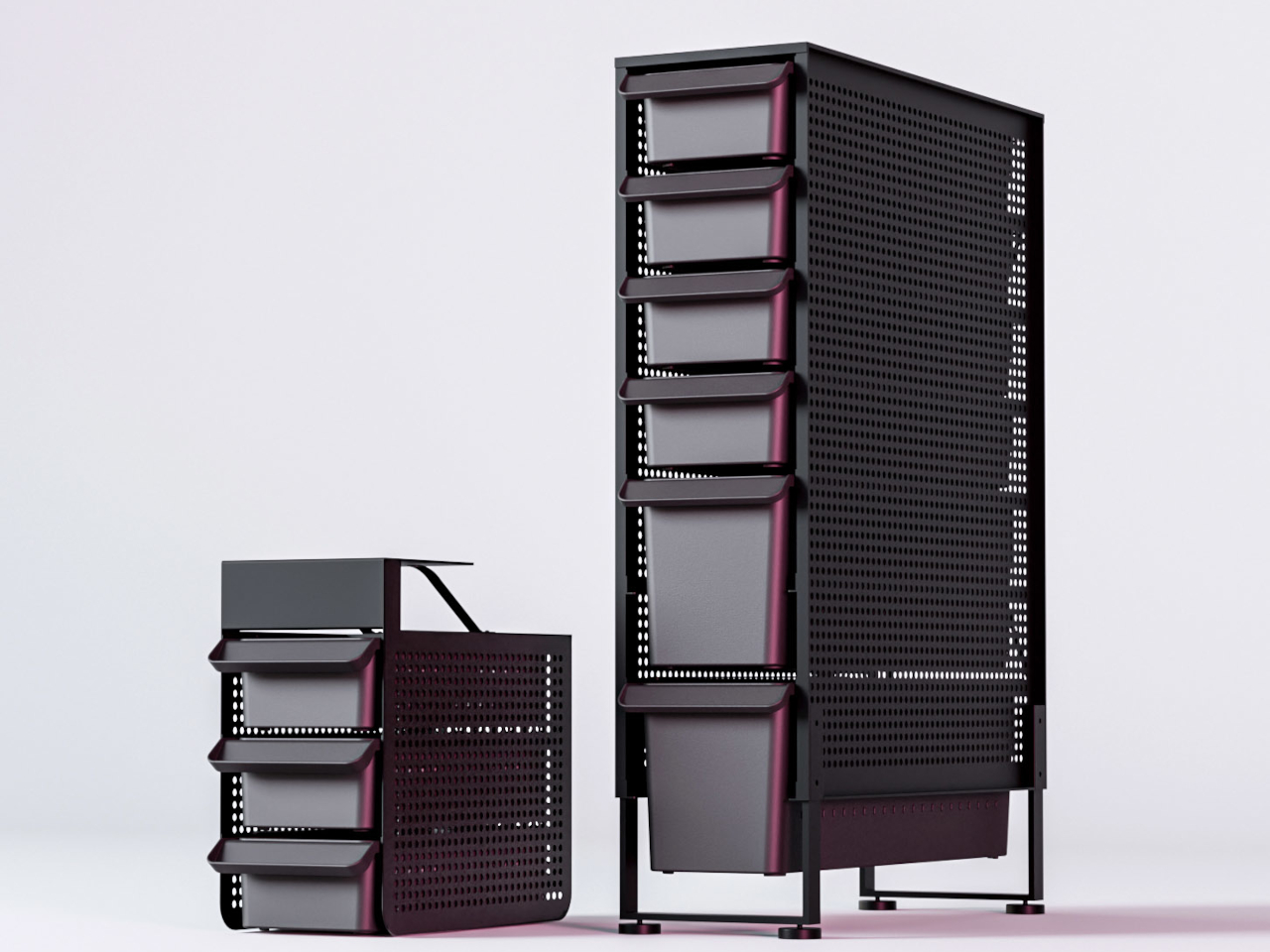

The system is organized around a central driver assembly inside the handle, with additional modules that thread on as extensions: a box opener with interchangeable 20CV steel tips, an inkless writing implement, and a magnetic-base LED flashlight. Etched measurement markings run along the body with a zero-reference aligned to the edge, turning the entire tool into a ruler that actually measures from where objects begin rather than from some arbitrary point inset from the tip. What makes this work different from other multitool pens that collapse under their own ambition is the threading system. Each module is a self-contained unit, so the Pockitrod can be as simple or as loaded as the day demands.

What we like

  • The hex-shaped body provides a non-slip grip when used as a screwdriver, which most round pen multitools completely ignore.
  • Modular threading means the tool adapts to different carry needs without requiring a full kit commitment every day.

What we dislike

  • The added modules increase overall length, which could push the pen past comfortable shirt-pocket territory.
  • An inkless writing tip is a niche preference, and some users will want a ballpoint option that is not currently part of the system.

2. BlackoutBeam Tactical Flashlight

Flashlights are one of those categories where specs have outpaced what most people need, and manufacturers keep chasing lumen counts that look impressive on paper but blind the user as much as the target. The BlackoutBeam lands at 2300 lumens with a 300-meter throw, which is serious output, but the detail worth paying attention to is the 0.2-second response time. There is no lag, no warm-up flicker, no half-second of wondering whether the switch registered. Light appears the instant the button moves, and in a power outage or a dark parking lot, that immediacy changes the entire experience of using a flashlight.

The body is aluminum with an IP68 rating for water and dust resistance, which means submersion rather than just rain tolerance. Where most tactical flashlights lean into an aggressive, knurled aesthetic that screams preparedness, the BlackoutBeam keeps its lines industrial and clean. It is a tool that communicates function through proportion and material rather than surface decoration. The multiple lighting modes provide range for different scenarios, from full-blast flood to something more conservative for close work. Spring carries a flashlight that handles the transition from late-winter darkness to longer evenings without demanding a separate headlamp or phone-screen compromise.

Click Here to Buy Now: $89.00

What we like

  • The 0.2-second activation eliminates the hesitation gap that plagues cheaper flashlights in urgent situations.
  • IP68 waterproofing means genuine submersion protection, not just a splash rating that fails in real rain.

What we dislike

  • At 2300 lumens, the beam can be excessive for indoor or close-range tasks where a lower floor would be more practical.
  • Battery drain at full output will be aggressive, and the frequency of recharging could become a friction point for daily carriers.

3. Bullet SSD

Cloud storage has convinced most people that physical drives are obsolete, right up until the moment a file transfer stalls over weak Wi-Fi, a client meeting has no internet access, or a backup needs to happen without trusting data to someone else’s servers. The Bullet SSD is built for those moments. It measures 51 x 16 x 8mm, weighs 18 grams, and clips onto a keyring with the same casual permanence as a house key. Inside that shell sits up to 2TB of TLC NAND storage with USB-C 3.2 connectivity and read/write speeds around 500 MB/s.

The body is machined from a single piece of aerospace aluminum, which gives it structural rigidity that a plastic thumb drive cannot match, and the IP67 certification means water and dust exposure are non-issues. What separates this from a standard flash drive is the SSD architecture running underneath. Transfer speeds are fast enough to edit video and photos directly from the drive without copying files to a local machine first. For creatives, field workers, or anyone whose workflow involves moving large files between devices that do not share a network, the Bullet SSD turns a keychain into a portable workstation. The form factor is the real argument here: it is small enough to carry without thinking about it, and fast enough to use without compromise when the moment arrives.

What we like

  • The 18-gram weight and keychain form factor mean this drive is always present without occupying dedicated pocket space.
  • USB-C 3.2 with 500 MB/s speeds makes direct editing from the drive a practical reality rather than a spec-sheet fantasy.

What we dislike

  • The compact body limits heat dissipation, which could throttle sustained write speeds during large, continuous transfers.
  • At this size, the USB-C connector is exposed to pocket debris and lint, and there is no integrated cap or cover to protect it.

4. CraftMaster EDC Utility Knife

The utility knife is one of the most used and least respected tools in everyday carry. Most people settle for a flimsy box cutter from a hardware store or a folding knife that is overkill for opening packages. The CraftMaster occupies the gap between those extremes with a metal body that measures just 8mm thick and 12cm long, paired with an OLFA blade deployed through a tactile rotating knob. The thinness is not a gimmick. At 0.3 inches, this knife slides into a pocket alongside a phone without creating a noticeable bump, which is the difference between a tool carried daily and one left in a bag.

The companion metal scale docks magnetically to the knife’s back, adding dual-scale ruler markings in metric and imperial alongside a blade-breaker for snapping off dull OLFA segments. A 15-degree curvature on the ruler edge protects fingers during cutting, a small detail that reveals how much thought went into the interaction design rather than just the object’s appearance. OLFA blades are replaceable and widely available, which means the CraftMaster avoids the trap of proprietary consumables that plague many premium EDC knives. The 45-degree blade inclination is optimized for box opening, making this a tool that excels at the single task most people actually need a blade for, rather than pretending to be a wilderness survival instrument.

Click Here to Buy Now: $79.00

What we like

  • The magnetic-docking ruler scale transforms the knife into a measuring tool without adding bulk or requiring a separate carry item.
  • OLFA blade compatibility means replacements are cheap, universal, and available at any hardware store on the planet.

What we dislike

  • The rotating knob deployment, while tactile, is slower than a thumb-stud or flipper mechanism for one-handed opening.
  • At 12cm total length, the cutting depth is limited to anything beyond packages and light materials.

5. TPT (Titanium Pocket Tool)

Multitools love to advertise tool counts, but most of those numbers are inflated by variations on the same function (three slightly different screwdriver tips, two redundant pry edges). The TPT earns its ten-tool count because each function occupies its own distinct geometry on a body that measures just three inches long and weighs 28 grams. Grade 5 titanium alloy (6AL4V) gives it a strength-to-weight ratio that steel multitools cannot touch at this size, and the TSA-approved design means it travels without the anxiety of confiscation at airport security. That alone removes one of the biggest barriers to consistent carry.

The tool set includes a full wrench array covering 15 socket sizes (both SAE and metric), a bottle opener, a hex bit driver, a scraper edge, a mini pry bar, measurement cues, and a retractable insert that functions as both a box opener and a camp fork. The stainless steel insert is dual-function, with a fork-tined end for eating and a conventional cutter shape on the other, which is a clever use of a single replaceable component. A removable pocket clip and paracord lanyard provide carry options, and the included leather sheath protects both the tool and whatever pocket it lives in. The TPT does not try to replace a full-sized Leatherman. It targets the 90% of daily situations where a compact, always-present tool solves the problem faster than digging through a bag for something bigger.

What we like

  • TSA approval means this tool crosses through airport security without issue, making it one of the few multitools suitable for travel carry.
  • The 15-size universal wrench built into the body handles quick fixes that would otherwise require a dedicated wrench set.

What we dislike

  • The retractable blade insert can be difficult to swap one-handed, and some users report that the magnet holding it in place could be stronger.
  • At three inches, the wrench openings are small, limiting torque and access in tight spaces where a longer tool would provide better leverage.

Where spring carry is heading

These five tools share a common design philosophy: carry less, carry better. The days of stuffing pockets with redundant gear are giving way to a more considered approach where each item earns its real estate through daily use rather than hypothetical scenarios. A pen that is also a driver and a ruler. A flashlight that responds before the thought finishes forming. A solid-state drive disguised as a keychain. A utility knife is thinner than most phones. A titanium multitool that flies through security.

The best EDC gear in 2026 does not demand attention or lifestyle changes. It occupies the margins of a pocket, a keyring, or a clip, and waits for the moment it is needed. Spring is the right season to audit what makes the cut and what gets retired. These five have earned permanent rotation.

The post 5 Best Spring EDC Gear Upgrades for 2026 That Actually Deserve a Permanent Spot in Your Pocket first appeared on Yanko Design.