Hiroshi Fujiwara reinterprets Bang & Olufsen’s iconic designs to redefine living room luxury in liquid black

Hiroshi Fujiwara has had his influence stamped in multifaceted spheres – Carrera Chronograph x Fragment Limited Edition and the MC20 Cielo Fuoriserie are some impressive examples we came across. The streetwear legend has now teamed up with audio pioneers Bang and Olufsen for a collection that is destined for a minimalist yet classy living room setup.

The designer has long been fascinated by B&O and has desired to collaborate with the high-end Danish audio brand someday. While Hiroshi had installed their Beocenter 2300 integrated sound system at home in 1991, it actually took 35 long years to work on a project with them. That moment is right now, as Hiroshi (under his design studio Fragment Design) has worked on four B&O masterpieces to give them the black finish only achievable by hand.

Designer: Hiroshi Fujiwara x Bang & Olufsen

The famed collection is slated for debut today, with it being shown off until next week inside the Isetan Department Store in Shinjuku, Tokyo. Thereafter, it’ll be rolled out across Japan from 27 May for display, before eventually being released on 3 June globally and in stores for eager buyers.

Instead of working on a completely new model for the collaborative, the consensus was settled on reworking the Beoplay H100 headphones, Beosound A1 portable speaker, Beosound Shape speaker, and Beosystem 9000c triple pillar CD system. These signature B&O products are slapped with the designer’s signature monochrome aesthetic. Of course, B&O’s artisanal skills come into play as the team of designers lends these brand’s classics anodized, hand-polished finish for that perfect liquid-like high gloss finish.

Beoplay H100 and Beosound A1 3rd Gen Fragment Edition

It doesn’t get any darker than the Beoplay H100 Fragment Edition headphones, as they exude pure class in gloss black anodized skin. This finish is complemented by the black leather headband and cushions for all-day wear comfort. Contrasting the dark is the white Fragment Studio and B&O logos on the outside of each of the earcups. The over-the-ear headphones are priced at a steep $2,400, but that is expected when two big names collaborate.

Then there is the more sober Beosound A1 3rd gen portable Bluetooth speaker priced at $475. Predictably, this one too has the high-gloss finish and the brand’s double lightning logo etched under the grille. According to Kresten Bjørn Krab-Bjerre, Bang & Olufsen’s Senior Director of Design, the “artisanal anodization and polishing process” has been implemented for the first time on their portable collection.

Beosound Shape and Beosystem 9000c Fragment Edition

With these two creations, you begin to fathom the gravity of this collaboration. The Beosound Shape is a wall-mounted speaker system that combines flower-shaped driving units to bring sublime sound to the living room. The modular audio system gets the monochrome fabric treatment for the six surrounding petals, and the inner gray unit completes the aesthetic look. Priced at $7,100, this beautiful audio system is one for a minimalist living room setting. Apparently, Fujiwara headed straight to his hotel room after seeing the original Shape speakers and sketched the seven-title flower configuration for his version.

The collector’s piece of the line-up is the Beosystem 9000c Fragment Edition, which defines the amount of skill and expertise put into making it. This is a made-to-order setup that costs a mind-numbing $69,650 and is Japan-exclusive only. It’s in itself a collection as it has the dedicated CD system, Beolab 28 loudspeakers, and the Beoremote One two-way remote. The six-disc 90s CD player is famed for its automatic CD swapping mechanism once the playback is finished on one disc.

The post Hiroshi Fujiwara reinterprets Bang & Olufsen’s iconic designs to redefine living room luxury in liquid black first appeared on Yanko Design.

ASUS’s €280 9mm OLED Monitor Charges Your Laptop Back

Portable monitors have quietly become one of the most appealing accessories for people who work on the go. Pack a slim second screen, connect it to your laptop, and you’ve doubled your workspace without lugging a desktop around. What nobody really advertises, though, is the trade-off: those displays almost always draw power from the laptop they’re attached to, cutting into the battery life you were counting on.

The ASUS ZenScreen OLED MQ16FC tries to fix that. It’s a 16-inch portable OLED display that launched in Europe in early May 2026 at around €280 to €300, measuring 9mm thin and weighing roughly 0.68 kilograms. Those are already respectable numbers for a display of this size, but what actually sets it apart is buried in the port specification: two USB-C connections that can send power in either direction.

Designer: ASUS

Here’s how that works in practice. Plug a USB-C charger into one port on the monitor, then run a single cable from the second port to your laptop. That cable carries both the video signal and up to 65 watts of power, so your notebook keeps charging while the display is running. No power brick plugged separately into the laptop, no second cable hunting for a free port.

It’s worth pausing on why that matters. Most portable monitors are passive in the power conversation; they take whatever the laptop offers and give nothing back. ASUS’s approach treats the power relationship between screen and computer as something the monitor has a responsibility to manage. That’s a small but meaningful shift in thinking, one that asks the accessory to do more work instead of quietly billing the host.

Beyond the power story, the MQ16FC has a display worth carrying. The OLED panel covers 95% of the DCI-P3 color gamut at a 1920 x 1200 WUXGA resolution in a 16:10 aspect ratio, which adds that extra vertical breathing room that widescreen layouts tend to cut off. Contrast is practically infinite by OLED standards, and a 1ms response time keeps things clean enough for video and everyday multitasking.

That said, the MQ16FC isn’t without its quiet losses. There’s no internal battery, so without a charger in the loop, the monitor can still draw from your laptop’s reserves. The 60Hz refresh rate and WUXGA resolution are competent but not particularly exciting for a display positioned as premium. The kickstand-only stand can be awkward on tray tables, and the glossy OLED panel isn’t always your friend in brighter environments.

None of those shortcomings cancels out what makes the MQ16FC interesting. Adding a second screen to a laptop has always been a negotiation between convenience and cable chaos, and for years, the hardware hasn’t done much to simplify that deal. A portable monitor that treats power routing as part of its job description is making a quiet argument about what the category should have been doing all along.

The post ASUS’s €280 9mm OLED Monitor Charges Your Laptop Back first appeared on Yanko Design.

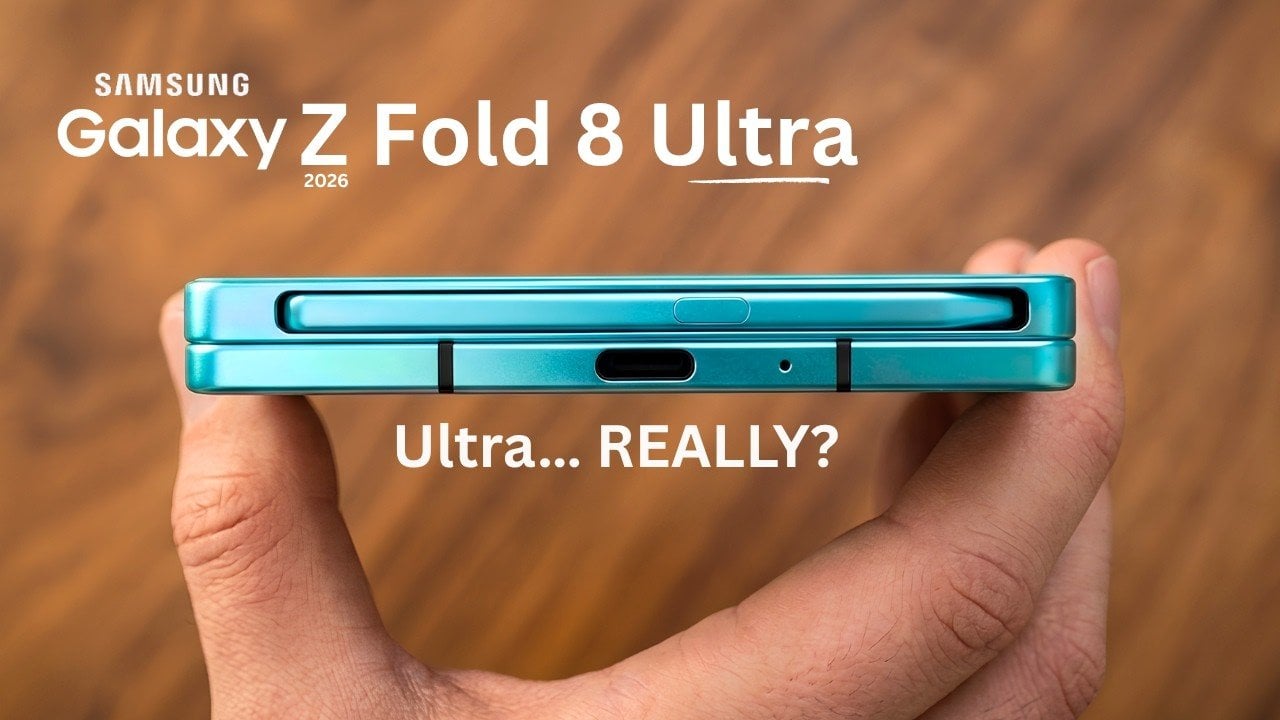
Why Samsung’s Galaxy Z Fold 8 Finally Fixed Its Biggest Flaws (for a Price)

Why Samsung’s Galaxy Z Fold 8 Finally Fixed Its Biggest Flaws (for a Price) Samsung Galaxy Z Fold 8 unfolded showing the thinner 4.1 millimeter design

The Samsung Galaxy Z Fold 8 and Fold 8 Wide represent the latest evolution in foldable smartphone technology, aiming to redefine the user experience with innovative advancements. These devices promise improvements in design, performance, and battery life, offering a more refined and practical approach to foldable technology. However, with a starting price of $2,000, they […]

The post Why Samsung’s Galaxy Z Fold 8 Finally Fixed Its Biggest Flaws (for a Price) appeared first on Geeky Gadgets.

Posted in Uncategorized

Microsoft’s $1,950 Surface Pro 13 Gen 12 Got Smarter: Its Design Didn’t

The 2-in-1 laptop has had an interesting run. What started as a novelty device that couldn’t decide what it wanted to be has gradually become a workplace staple. IT departments are increasingly looking for machines that can handle everything from a boardroom presentation to a cross-country flight without missing a beat, and the pressure to pack more intelligence into smaller form factors keeps growing.

The Surface Pro has been Microsoft’s answer to this for well over a decade, and the new Surface Pro for Business, 13-inch (12th Edition), largely keeps the formula intact. If you’re expecting a dramatic redesign, it isn’t coming. The magnesium chassis, adjustable kickstand, and detachable keyboard are all still here, which is either a testament to the original design or a sign of a very cautious product team.

Designer: Microsoft

That said, what’s happening inside tells a different story. Powered by Intel Core Ultra Series 3, either the Core Ultra 5 335 or the Core Ultra 7 366H, this Surface Pro hits 50 TOPS through Intel AI Boost, qualifying it as a Copilot+ PC. That means on-device AI is fast enough for a consultant to summarize a contract or an analyst to run through data without needing a cloud connection.

And that AI work happens on a 13-inch PixelSense Flow display running at 2880 x 1920 pixels with a dynamic refresh rate of up to 120Hz, available in an optional OLED for deeper contrast and richer color. The anti-reflective coating is genuinely useful for anyone working in brightly lit offices or outdoor settings, giving this screen a practical advantage over glossier alternatives.

For workers who annotate more than they type, the 2-in-1 flexibility is still the Surface Pro’s most practical feature. Fold the keyboard flat, grab a Surface Slim Pen for Business, and the device shifts from laptop to inking tablet. It’s a workflow that makes sense during a client walkthrough or a field assessment, and one that doesn’t require any extra hardware to pull off.

Under the hood, memory goes up to 64GB of LPDDR5x RAM for anyone running virtual machines or demanding workloads. The removable Gen 4 SSD also matters to enterprise IT teams, who can swap drives without replacing the entire unit. Battery life is promised to reach up to 17 hours on the LCD model, enough for a full day of travel without hunting for a power outlet.

Starting at $1,949.99, this is firmly enterprise territory, especially since that doesn’t include the keyboard or pen, which still don’t come in the box. But for IT teams investing in devices that double as laptops, tablets, and mobile workstations, the math starts to make sense. The 12th Edition has a lot riding on what’s happening under its unchanged exterior, and perhaps hopes that its enterprise customers haven’t yet gotten bored with its looks.

The post Microsoft’s $1,950 Surface Pro 13 Gen 12 Got Smarter: Its Design Didn’t first appeared on Yanko Design.

Microsoft’s $1,950 Surface Pro 13 Gen 12 Got Smarter: Its Design Didn’t

The 2-in-1 laptop has had an interesting run. What started as a novelty device that couldn’t decide what it wanted to be has gradually become a workplace staple. IT departments are increasingly looking for machines that can handle everything from a boardroom presentation to a cross-country flight without missing a beat, and the pressure to pack more intelligence into smaller form factors keeps growing.

The Surface Pro has been Microsoft’s answer to this for well over a decade, and the new Surface Pro for Business, 13-inch (12th Edition), largely keeps the formula intact. If you’re expecting a dramatic redesign, it isn’t coming. The magnesium chassis, adjustable kickstand, and detachable keyboard are all still here, which is either a testament to the original design or a sign of a very cautious product team.

Designer: Microsoft

That said, what’s happening inside tells a different story. Powered by Intel Core Ultra Series 3, either the Core Ultra 5 335 or the Core Ultra 7 366H, this Surface Pro hits 50 TOPS through Intel AI Boost, qualifying it as a Copilot+ PC. That means on-device AI is fast enough for a consultant to summarize a contract or an analyst to run through data without needing a cloud connection.

And that AI work happens on a 13-inch PixelSense Flow display running at 2880 x 1920 pixels with a dynamic refresh rate of up to 120Hz, available in an optional OLED for deeper contrast and richer color. The anti-reflective coating is genuinely useful for anyone working in brightly lit offices or outdoor settings, giving this screen a practical advantage over glossier alternatives.

For workers who annotate more than they type, the 2-in-1 flexibility is still the Surface Pro’s most practical feature. Fold the keyboard flat, grab a Surface Slim Pen for Business, and the device shifts from laptop to inking tablet. It’s a workflow that makes sense during a client walkthrough or a field assessment, and one that doesn’t require any extra hardware to pull off.

Under the hood, memory goes up to 64GB of LPDDR5x RAM for anyone running virtual machines or demanding workloads. The removable Gen 4 SSD also matters to enterprise IT teams, who can swap drives without replacing the entire unit. Battery life is promised to reach up to 17 hours on the LCD model, enough for a full day of travel without hunting for a power outlet.

Starting at $1,949.99, this is firmly enterprise territory, especially since that doesn’t include the keyboard or pen, which still don’t come in the box. But for IT teams investing in devices that double as laptops, tablets, and mobile workstations, the math starts to make sense. The 12th Edition has a lot riding on what’s happening under its unchanged exterior, and perhaps hopes that its enterprise customers haven’t yet gotten bored with its looks.

The post Microsoft’s $1,950 Surface Pro 13 Gen 12 Got Smarter: Its Design Didn’t first appeared on Yanko Design.

Microsoft’s $1,950 Surface Pro 13 Gen 12 Got Smarter: Its Design Didn’t

The 2-in-1 laptop has had an interesting run. What started as a novelty device that couldn’t decide what it wanted to be has gradually become a workplace staple. IT departments are increasingly looking for machines that can handle everything from a boardroom presentation to a cross-country flight without missing a beat, and the pressure to pack more intelligence into smaller form factors keeps growing.

The Surface Pro has been Microsoft’s answer to this for well over a decade, and the new Surface Pro for Business, 13-inch (12th Edition), largely keeps the formula intact. If you’re expecting a dramatic redesign, it isn’t coming. The magnesium chassis, adjustable kickstand, and detachable keyboard are all still here, which is either a testament to the original design or a sign of a very cautious product team.

Designer: Microsoft

That said, what’s happening inside tells a different story. Powered by Intel Core Ultra Series 3, either the Core Ultra 5 335 or the Core Ultra 7 366H, this Surface Pro hits 50 TOPS through Intel AI Boost, qualifying it as a Copilot+ PC. That means on-device AI is fast enough for a consultant to summarize a contract or an analyst to run through data without needing a cloud connection.

And that AI work happens on a 13-inch PixelSense Flow display running at 2880 x 1920 pixels with a dynamic refresh rate of up to 120Hz, available in an optional OLED for deeper contrast and richer color. The anti-reflective coating is genuinely useful for anyone working in brightly lit offices or outdoor settings, giving this screen a practical advantage over glossier alternatives.

For workers who annotate more than they type, the 2-in-1 flexibility is still the Surface Pro’s most practical feature. Fold the keyboard flat, grab a Surface Slim Pen for Business, and the device shifts from laptop to inking tablet. It’s a workflow that makes sense during a client walkthrough or a field assessment, and one that doesn’t require any extra hardware to pull off.

Under the hood, memory goes up to 64GB of LPDDR5x RAM for anyone running virtual machines or demanding workloads. The removable Gen 4 SSD also matters to enterprise IT teams, who can swap drives without replacing the entire unit. Battery life is promised to reach up to 17 hours on the LCD model, enough for a full day of travel without hunting for a power outlet.

Starting at $1,949.99, this is firmly enterprise territory, especially since that doesn’t include the keyboard or pen, which still don’t come in the box. But for IT teams investing in devices that double as laptops, tablets, and mobile workstations, the math starts to make sense. The 12th Edition has a lot riding on what’s happening under its unchanged exterior, and perhaps hopes that its enterprise customers haven’t yet gotten bored with its looks.

The post Microsoft’s $1,950 Surface Pro 13 Gen 12 Got Smarter: Its Design Didn’t first appeared on Yanko Design.

How to Build a HyperLiquid AI Trading Agent from Scratch

How to Build a HyperLiquid AI Trading Agent from Scratch Dashboard view of an AI agent executing perpetual market trades.

Building an AI-driven trading agent for the HyperLiquid platform involves a structured process that combines technical development with market strategy. HyperLiquid, known for its diverse asset offerings such as cryptocurrencies, the S&P 500 and Brent oil, provides a dynamic environment for automated trading. All About AI explores this process step by step, beginning with the […]

The post How to Build a HyperLiquid AI Trading Agent from Scratch appeared first on Geeky Gadgets.

Posted in Uncategorized

8 Leaked iPhone 18 Features That Could Finally Topple Android

8 Leaked iPhone 18 Features That Could Finally Topple Android iPhone 18 Pro

Apple is taking deliberate steps to maintain the iPhone 18’s starting price at $799, even as production costs rise across the tech industry. By combining cost-saving measures with targeted upgrades, Apple aims to deliver a device that enhances performance, improves usability, and remains competitive in the dynamic smartphone market. Below is an in-depth look at […]

The post 8 Leaked iPhone 18 Features That Could Finally Topple Android appeared first on Geeky Gadgets.

Posted in Uncategorized