LG just announced its fastest and brightest OLED gaming monitor yet at CES, the 27-inch UltraGear GX7. The new QHD display, which uses LG Display's 4th-gen RGB Tandem 2.0 OLED tech, can hit 335 nits typical brightness and is DisplayHDR True Black 500 certified. At the same time, it offers an outstanding 540Hz refresh rate at QHD (720Hz at HD) and a .002ms grey-to-grey (GtG) response time. So in other words, about 5,000 times faster than the best human reflexes.
Though a gaming monitor by design, the GX7 would make an excellent content creation monitor too thanks to the true 10-bit panel that delivers 99.5 percent DCI-P3 color gamma coverage and Delta E<2 color accuracy. It's also UL certified for anti-glare, flicker-free, low blue light, reduced blue light and reduced circadian stimulating blue light. Finally, it carries VESA's ClearMR 21000 certification for the highest motion-clarity tier, eliminating the faint blur that can occur around fast moving objects. And as you'd expect, it's NVIDIA G-SYNC and AMD FreeSync Premium Pro compatible.
Appearance wise, it's what LG calls "virtually borderless" and has adjustable height, tilt, swivel and pivot controls. For connectivity, you get Dual HDMI 2.1, DisplayPort 2.1 and Thunderbolt USB-C connectivity, along with two USB 3.0 downstream ports and a 4-pole headphone jack for audio and comms.
The RGB Tandem OLED technology in the UltraGear GX7 is designed for speed and brightness and should not be confused with LG's RGB V-Stripe OLED technology. The latter tech maxes out at 240Hz and is oriented more toward clarity of text and other display elements. The UltraGear GX7 is now available for pre-order at LG.com and anyone who orders before February 1st will receive a $299 27-inch FHD 240Hz gaming monitor for free.
This article originally appeared on Engadget at https://www.engadget.com/computing/accessories/lgs-ultragear-gx7-is-its-fastest-and-brightest-oled-gaming-monitor-to-date-160059443.html?src=rss
CES 2026 officially opens today, but much of the show’s biggest announcements already landed during Monday’s press conferences and early events. AI was everywhere, chipmakers dominated the schedule and a handful of brands used the pre-show window to quietly drop meaningful hardware updates.
Below are the biggest announcements and trends from January 5, plus a few standout hands-ons from Pepcom and CES Unveiled.
LG doubles down on AI
LG's CLOiD robot.
LG
LG’s World Premiere keynote leaned hard into its vision of “Affectionate Intelligence,” with AI positioned as the connective tissue across TVs, appliances and even robotics. While most of the hardware was announced ahead of time, the company used the stage to show how its ideas fit together, including updated OLED TVs, Micro RGB panels and its ultra-thin Wallpaper TV.
The most memorable moment, though, was CLOiD, LG’s humanoid home robot, which capped off the presentation with demos that were more theatrical than practical. As usual for LG at CES, the vision was ambitious, even if much of it still feels a few years away.
NVIDIA pushes deeper into physical AI
NVIDIA CEO Jensen Huang presents at CES 2026, wearing a black snakeskin-like jacket.
NVIDIA
NVIDIA’s CES keynote was long, dense and firmly focused on AI infrastructure rather than consumer GPUs. CEO Jensen Huang introduced the Vera Rubin supercomputer platform, alongside updates to NVIDIA’s open AI models, robotics tools and autonomous vehicle stack.
Between discussions of “physical AI,” self-driving systems and massive data center hardware, NVIDIA made it clear it sees CES as a place to define the future of computing, not just sell graphics cards. If you were hoping for new GeForce news, this wasn’t the keynote for you.
Intel tries to reset the PC narrative
Image of a Core Ultra Series 3
Intel
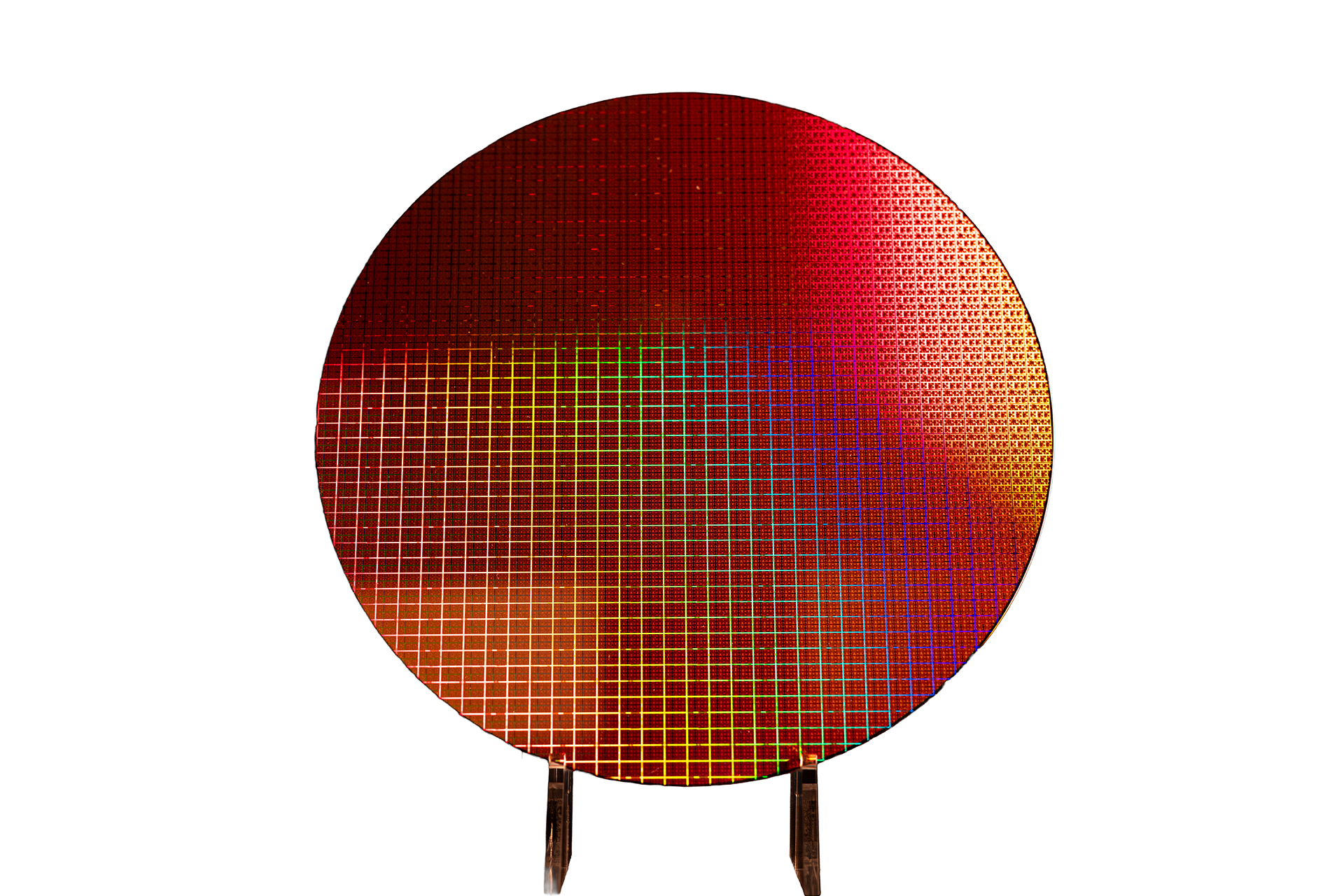
Intel’s press conference followed NVIDIA’s with a more focused pitch: the launch of Core Ultra Series 3 processors, also known as Panther Lake. Built on Intel’s 18A process — that’s less than 2nm — the chips are designed to power the next wave of AI PCs, with improved graphics, better efficiency and stronger local AI performance.
The message was clear: Intel wants to convince partners and consumers that it’s back in the game for high-end laptops, even as competition from AMD, Qualcomm and Apple continues to intensify.
As with NVIDIA and Intel, AMD leaned heavily into AI across cloud, PCs and edge devices. The difference was execution. AMD’s announcements felt more immediately relevant to products shipping this year.
Sony remains focused on Afeela
Sony Honda Mobility Afeela Press Conference at CES 2026
For longtime CES watchers, it was a familiar story — the Afeela was first showcased here in 2020, after all. Sony’s traditional consumer electronics took a back seat, while mobility and software remained the headline.
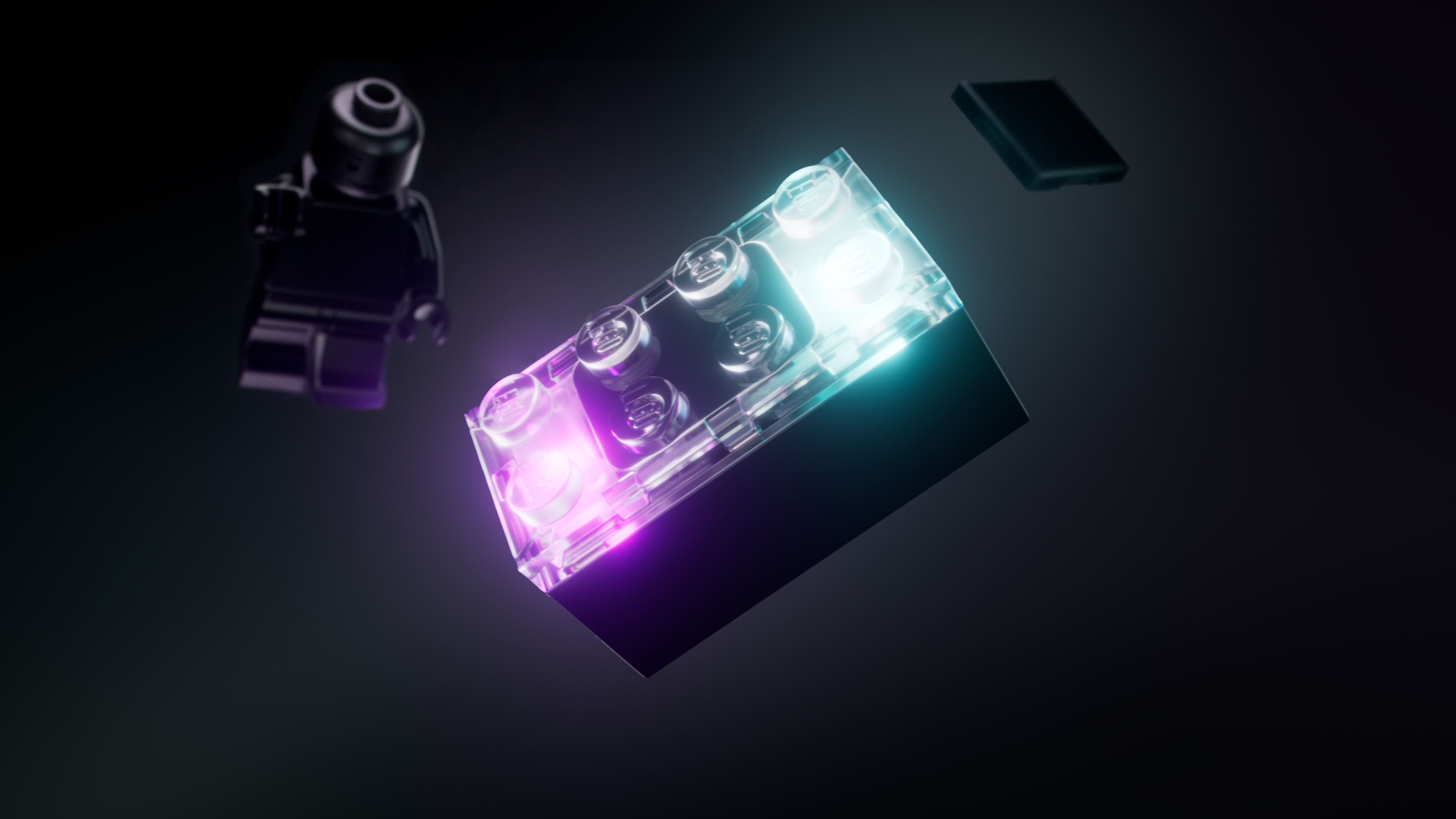
The system is launching with Star Wars sets later this year and is designed to work without apps or screens. It’s a notable shift for Lego and one of the more genuinely surprising announcements of the day.
Meanwhile, Engadget’s team got hands-on with dozens of products at the Pepcom mini-show, from oddball gadgets to early looks at devices launching later this year.
Press day may be over, but CES is just getting started. The show floor opens today, with Lenovo, automotive tech, smart home gear and plenty of unexpected demos still to come. We’ll be publishing hands-ons, deep dives and daily recaps all week.
You can follow along with our CES 2026 liveblog or check back on Engadget for the latest updates as they happen.
This article originally appeared on Engadget at https://www.engadget.com/big-tech/ces-2026-day-0-the-biggest-news-you-missed-from-the-shows-monday-press-conferences-142811448.html?src=rss
PC and gaming monitors are among the CES 2026 announcements, and Dell may just have one of the most impressive. The company launched an ultrawide, curved 52-inch 6K monitor at the show this year, a productivity behemoth designed for stock traders, engineers and other professionals. Dell claims the UltraSharp 52 Thunderbolt Hub Monitor is the first 52-incher to market that’s also ultrawide, curved and supports 6K resolution (but with that many qualifiers almost anything can be a world first).
Given Dell’s experience in the monitor realm, this could be a dream display for professionals who handle vast data sets such as trading platforms, AutoCAD, 3D rendering software, spreadsheets and more. It sports a 120Hz refresh rate on an IPS Black panel and emits up to 60 percent less blue light when compared to competing monitors. It delivers an impressive 129 ppi (for comparison a 4K 32-inch monitor delivers 138 ppi) and an ambient light sensor helps avoid eye strain during long work sessions.
Users can connect up to four PCs to the monitor simultaneously, which can use picture-by-picture to treat each partitioned screen as an individual monitor. It also features built-in KVM (keyboard, video, mouse) features that let users control all connected PCs via a single mouse and keyboard. The monitor can also charge your laptop with up to 140W of power via a Thunderbolt 4 connection.
Dell also rolled out a new 32-inch 4K QD-OLED monitor with support for both True Black 500 HDR and Dolby Vision. It claims true-to-life color accuracy out of the box and excellent gamut coverage at 99 percent of DCI-P3. This monitor would be a strong fit for film and photo editing.
The Dell UltraSharp 52 Thunderbolt Hub Monitor is priced at $2,900 with stand or $2,800 without. It will be widely available starting January 6. The Dell UltraSharp 32 4K QD-OLED Monitor comes in at $2,600 and will be available beginning February 24.
This article originally appeared on Engadget at https://www.engadget.com/computing/dell-unveils-a-massive-52-inch-6k-ultrawide-curved-monitor-at-ces-2026-140024842.html?src=rss
NVIDIA has unveiled the G-Sync Pulsar, which it calls the “latest evolution of [its] pioneering VRR (variable refresh rate) technology,” at CES 2026. The new tech promises a gaming experience that’s free of stutter with buttery smooth motion, which is made possible by pulsing the display’s backlight. G-Sync Pulsar displays have multiple horizontal backlight sections that are pulsed independently from top to bottom, unlike traditional displays whose backlight is always on. When the backlight is always active, the image fades from one frame to the next. The displays with the new tech give pixels in a frame enough time to stabilize before they’re backlit so that they’re shown in their right locations, effectively reducing monitor-based motion blur.
The company says G-Sync Pulsar can effectively quadruple your refresh rate. If you’re playing at 250 fps, that means it can deliver a perceived effective motion clarity of over 1,000 Hz. That enables easier tracking and shooting in-game, making displays with the technology especially suited for esports. You can see the difference in motion in Counter-Strike 2 between a 360Hz monitor without G-Sync Pulsar and one with the technology switched on in the video below.
The first four displays designed specifically to support G-Sync Pulsar and Ambient Adaptive Technology, which allows users to automatically adjust color temperature and brightness based on ambient lighting, will be available starting on January 7. Acer, AOC, ASUS and MSI will each be releasing a 27-inch 2,560 × 1,440 IPS display, which comes with a 360Hz refresh rate and 500 nits of peak brightness in HDR.
This article originally appeared on Engadget at https://www.engadget.com/gaming/pc/nvidias-g-sync-pulsar-tech-can-minimize-motion-blur-for-gamers-140000058.html?src=rss
We see plenty of far-out ideas on the CES show floor, and this year Razer brought in a concept piece called Project Motoko. The device is Razer's take on blurring the line between a gaming headset and an AI-powered wearable for daily life. Or it's a way for Ghost in the Shell fans to feel affronted by Razer taking The Major's name in vain, take your pick.
Project Motoko is powered by Qualcomm's Snapdragon platforms. The headset has a pair of first-person view cameras positioned at eye level that can support real-time object and text recognition. It also has a wide field of attention that can capture things happening beyond the normal human eye's peripheral vision, and its microphone array is designed to capture both near and distant audio. In addition to taking in environmental details, Project Motoko can also operate as a wearable AI assistant, and the model is compatible with several different chatbots. The company's press release noted that it can integrate with Grok, OpenAI and Gemini.
"Project Motoko is more than a concept, it’s a vision for the future of AI and wearable computing," Nick Bourne, Razer's global head of mobile console division, said in the press release about the device. "By partnering with Qualcomm Technologies, we’re building a platform that enhances gameplay while transforming how technology integrates into everyday life. This is the next frontier for immersive experiences."
Sometimes concept designs we see at CES remain just that: thought experiments with no plan for commercial release. However, according to a rep from Razer: "Our goal is to bring this headset to market in the near future, with a dev-kit available first followed by a full retail release." It should be interesting to see if Razer does commit to Project Motoko in the longer term. Razer is also well-established as a brand for serious gamers, so seeing the company explore making an AI wearable that could appeal to a broader audience, if still a geeky one, is an intriguing move.
Update, January 6, 2026, 1:08PM ET: Added statement from Razer rep about future commercial prospects.
This article originally appeared on Engadget at https://www.engadget.com/gaming/razers-project-motoko-is-a-concept-gaming-headset-that-doubles-as-an-ai-wearable-140000534.html?src=rss
Razer is once again thinking big about what a gaming chair can do, and its concept for CES 2026 isn't just a chair but an entire multisensory experience to match whatever's happening on-screen. The concept, called Project Madison, combines reactive lighting, spatial audio and multi-zone haptic feedback to make the player feel more immersed in the in-game environment. We're talking Razer Chroma light strips along the head flaps, THX Spatial Audio for 5.1 or 7.1 surround sound and six haptic motor actuators powered by Razer Sensa HD Haptics to bring the physical sensations of a game to life.
One can only imagine the price tag on such a setup. Actually, I'd rather not. Project Madison isn't a product you can buy right now anyway, but Razer did bring a real — albeit far less flashy — new(ish) gaming chair to CES too. The company has updated its Iskur V2 lineup with the Iskur V2 NewGen, which features the same dynamic lumbar support and dual-density cold-cured foam seat cushion that it's known for, but now wrapped in Razer's Gen-2 EPU Leather with CoolTouch Technology for a long-lasting cooling effect.
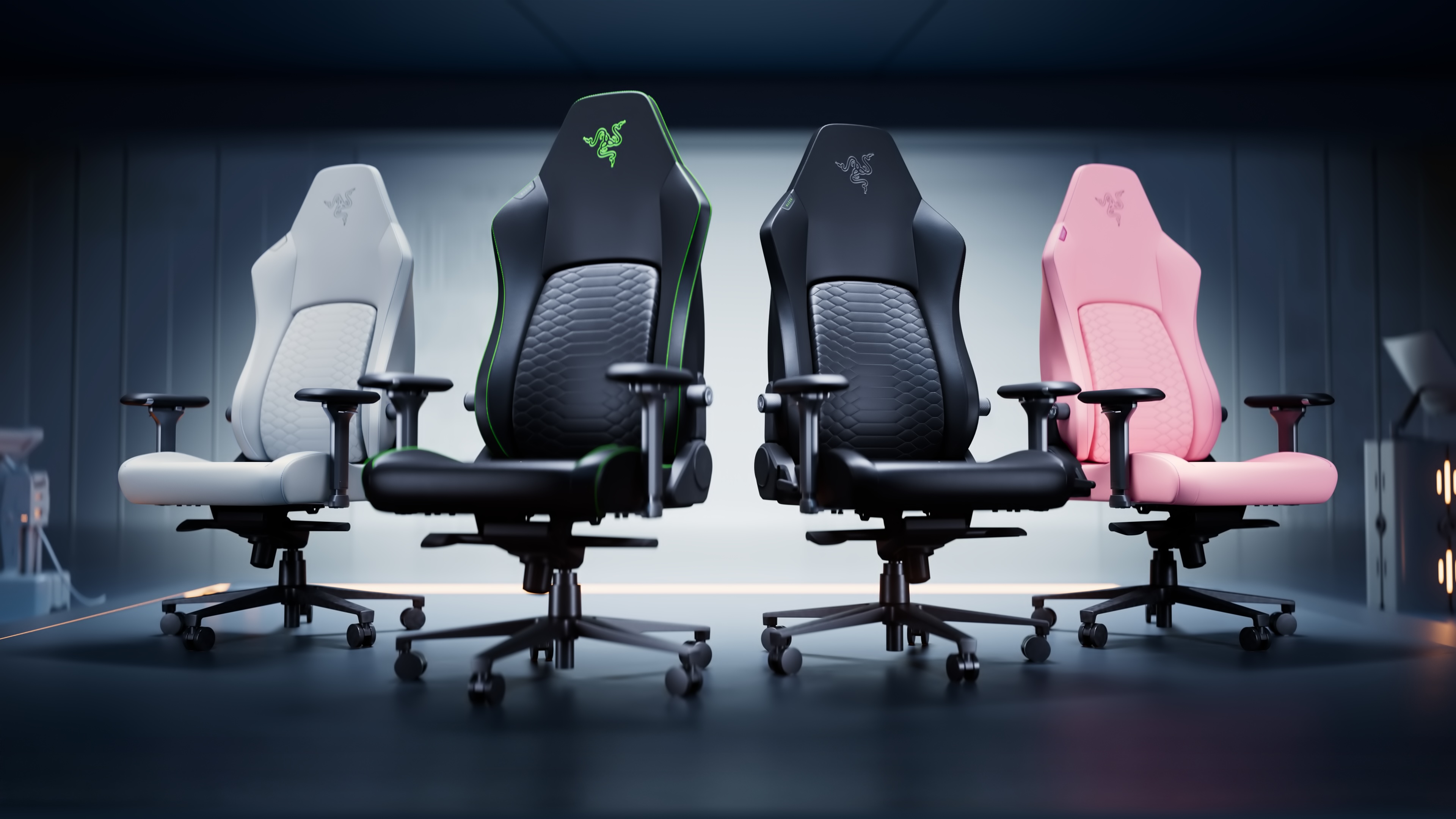
Razer's Iskur V2 NewGen chair in Light Gray, Black/Green, Black and Quartz.
Razer
Per Razer, "The chair’s material delivers high thermal effusivity, keeping it cool to the touch for hours of play." That CoolTouch faux leather is also coming to the less expensive Iskur V2 X, with the Iskur V2 X NewGen. Pre-orders for both chairs are now open, though the company hasn't yet said when they'll ship. The $650 Razer Iskur V2 NewGen comes in Black/Green, Black, Quartz and Light Gray, while the $350 Iskur V2 X NewGen is available in Black/Green, Black and Quartz.
This article originally appeared on Engadget at https://www.engadget.com/gaming/razers-project-madison-concept-chair-has-reactive-lighting-immersive-audio-and-multi-zone-haptics-140000118.html?src=rss
Ring turned up to CES with a whole host of announcements, including a revamped range of home sensors. Ring Sensors (for that is their name) is a new lineup of tools, built on Amazon’s Sidewalk low-power networking protocol. That includes updated versions of its door, window and break glass sensors, as well as a new OBD-II car alarm, motion detectors and panic buttons. You’ll be able to pre-order the new car alarm today, while the rest of the new sensors will be available at some point in March. And, in tandem with that news, Amazon is announcing that Sidewalk is expanding outside of the US, starting in Canada and Mexico.
At the same time, the company is launching a number of enhancements to its app platform, including the Ring Appstore. This will let users purchase and integrate with third-party apps which have been built to cater to “specific use cases, from small business operations to everyday needs around the home.” The company added that, in the coming weeks, users will be able to browse a growing number of apps designed to help “you get more value from your Ring cameras.”
The company is also throwing more AI into its system to better coordinate its alerts, including Unusual Event Alerts. These will learn from the patterns around your home and, when it spots something out of the ordinary, send you a ping. Active Warnings, meanwhile, will use computer vision to identify potential threats and offer “specific warnings based on details like location and actions.”
Finally, Ring has teamed up with Watch Duty, a non-profit alert platform designed to share useful information about local wildfires. The pair have added a Fire Watch feature to the Neighbors app to enable communities keep each other in the loop about local fire and smoke events. Ring users are encouraged to share details from their own Ring cameras to “support first responders on the ground.”
This article originally appeared on Engadget at https://www.engadget.com/home/smart-home/ring-relaunches-its-suite-of-smart-home-sensors-140000667.html?src=rss
Segway, the maker of Steve Wozniak's favorite mode of self-balancing transport, has released a new series of robotic lawn mowers under its Navimow brand, designed for all manner of Roomba-esque mowing action. The lineup includes four residential series and was unveiled at CES 2026.
Navimow's lineup includes the flagship X4 Series for large yards up to 1.5 acres in size. Its AWD system can handle slopes up to 40 degrees and it sports dual 180-watt cutting motors. The largest mode, the X450 will retail for $3,000. A smaller X430 rated for yards up to 1 acre will go for $2,500.
The Navimow i2 series comes in AWD and LiDAR variants and is designed for "everyday" lawn maintenance. The AWD variant's three-wheel-drive system can handle 24-degree slopes and is designed to handle muddy or slippery terrain. The larger i2 AWD model, called the i210 AWD is rated for yards up to a quarter-acre in size, and will retail for $1,300. A smaller model dubbed the i206 AWD can handle yards as large as 0.15 acres and will go for $1,000.
The i2 LiDAR variant can scan 200,000 points per second to create a detailed spatial map of your yard, allowing it to navigate complex paths and, crucially, work at night. That model is rated for yards up to 0.37 acres in size. Pricing has not been announced for the i215 LiDAR model.
Finally, the H2 series features three vision technologies integrated into one model, with LiDAR, Network RTK and cameras combining into what Navimow is calling LiDAR+. The H2 is built for slopes up to 24 degrees and can handle yards up to half an acre in size. The H2 is being released in two models. The H210 for yards up to 0.25 acres, and the H220 for half-acre yards. Pricing for the H2 series has not been released yet.
The i2 AWD Series and the X4 Series will be available for pre-order beginning January 16.
This article originally appeared on Engadget at https://www.engadget.com/home/smart-home/segways-navimow-brand-unveiled-a-new-line-of-robotic-lawn-mowers-at-ces-2026-130007014.html?src=rss
Ugreen makes plenty of things, but you’re probably familiar with the name in the context of its NAS systems (should that be NASes? Who knows). Naturally, the company has turned up to CES 2026 with the former, but it’s also branching out into home security. It’s announcing SynCare, an AI infused all-in-one surveillance platform which, it rather boldly claims, will become an “attentive, integrated guardian” of your home.
Leading the pack is the SynCare Video Doorbell with head-to-toe 4K video, intelligent detection and 24/7 recording — especially if you’ve got it hooked up to your Ugreen NAS. That works in tandem with SynCare cameras offering 4K video on a pan-tilt base and, of course, AI to recognise “people, pets and key events.” Ugreen is also offering a tablet, the SynCare Smart Display, a “home hub” to let you manage your cameras from a single place in your home.
The company is quick to highlight the major benefit of an at-home system like this, which is no need to pay for a monthly subscription. And, of course, that the footage from your home stays inside your home at all times, making it a better option for those folks who value their privacy. Sadly, Ugreen isn’t ready to share pricing or availability information for the series, saying it’ll be available in the back end of 2026.
This article originally appeared on Engadget at https://www.engadget.com/wearables/ugreen-launches-a-smart-home-security-platform-at-ces-130000389.html?src=rss
I’m no psychologist, but I get a sense Segway turned up to CES 2026 with something to prove after last year. Certainly, it’s gone out of its way to prove its micromobility bona fides with the press, who perhaps were a bit too sniffy that scooter people were launching an e-bike. This year, Segway’s not just launching two more mainstream e-bikes, but an electric dirt bike, all of which are crammed with the sort of tech that might just make everyone halt their sniffiness.
First up, there’s the Myon, a chunky step-through with a decent-sized pannier rack for folks who want to go far and carry a bit of luggage as they go. That’s hardly an eye-catching proposition given so many e-bikes fit within the same template, but Segway is hoping its tech will make a difference here. Myon is equipped with electronic gear shifting (tied to a Shimano CUES chain drivetrain), electronic motor optimization and the company’s proprietary Intelligent Ride System.
The latter, along with Segway(TM) TurboTuned(TM) will automatically optimize motor and battery performance while under way. The company adds that the bike’s built-in gyros, cadence and torque sensors will meter out performance according to road conditions. So if you’re going up hill, the power will gently increase before you have to think about it. Additionally, if you stop at the lights, the system won’t just turn on the power to whatever you’ve set it at as soon as it senses the tiniest ounce of pressure on the pedal, removing the jerky start action you see in other bikes.
Segway’s broader pitch is that its bikes will also feature a whole host of smart features, including integration with Apple’s Find My network, GPS tracking, remote locking, integration with your health and fitness app of choice, and smartphone pairing.
Muxi
Segway
Muxi (pronounced moo-shee) is a more interesting piece of hardware, since it’s been built like a longtail cargo bike, but with the long tail chopped off. Even so, the focus is on cargo, with the bike getting an optional passenger seat with foot pegs, and an optional middle basket. Plus, the bike comes with a beverage cup holder (although given it has a direct drive motor, I’m not sure I’d want to cruise around at low speed while trying to sip my morning latte). To ensure you don’t struggle with your load, the bike comes with Hill Start Assist, Hill Descent Control, regenerative braking and traction control. Plus the aforementioned suite of added value features, like Find My integration, remote locking, GPS and the app integrations.
Rounding out the announcements is the Xaber (say-br) 300, an electric dirt bike geared toward off-roading. It has three power modes, letting you learn on the equivalent of a 150cc engine, then dialing that up to 200cc, before topping out at 300cc. If you still want a greater sense of control, you can activate an electronic clutch, and if you want to cede more of it to the bike, you can set the maximum wheelie angle. If you want to enjoy all of that dirt bikin’ action, it’ll set you back $5,300 when it arrives.
As for Myon, it’s available to buy today from Segway’s official site and via its dealer network, priced at $2,000. Muxi will be available through those same channels in March, setting you back $1,700.
This article originally appeared on Engadget at https://www.engadget.com/transportation/segway-launches-two-more-e-bikes-at-ces-130000152.html?src=rss