Enhancing your macOS Sequoia settings can significantly improve your user experience and strengthen security. By customizing various features, you can tailor your Mac to better meet your needs and streamline your workflow. Here are 15 essential tips from Zollotech and settings to consider for making the most of your macOS Sequoia experience: Efficient Window Management […]
The 2024 Good Design Awards celebrate products that push the boundaries of design, blending innovation, sustainability, and functionality. This year’s winners illustrate a new era of thoughtful creativity, where traditional craftsmanship meets cutting-edge technology. From groundbreaking laptops to kitchen essentials reimagined, each of these products demonstrates a commitment to enhancing everyday experiences through intelligent and beautiful design. The ASUS Zenbook Duo, the KAMADO Rice Pot, the PureAura Air Purifier, the Bricks Coffee Grinder, and the Raptor Mobility Platform all reflect a dedication to practical solutions that address the evolving needs of modern consumers, with an emphasis on sustainability and user-centric innovation.
ASUS Zenbook Duo (2024): A Multi-Tasker’s Dream with Dual-Screen Innovation
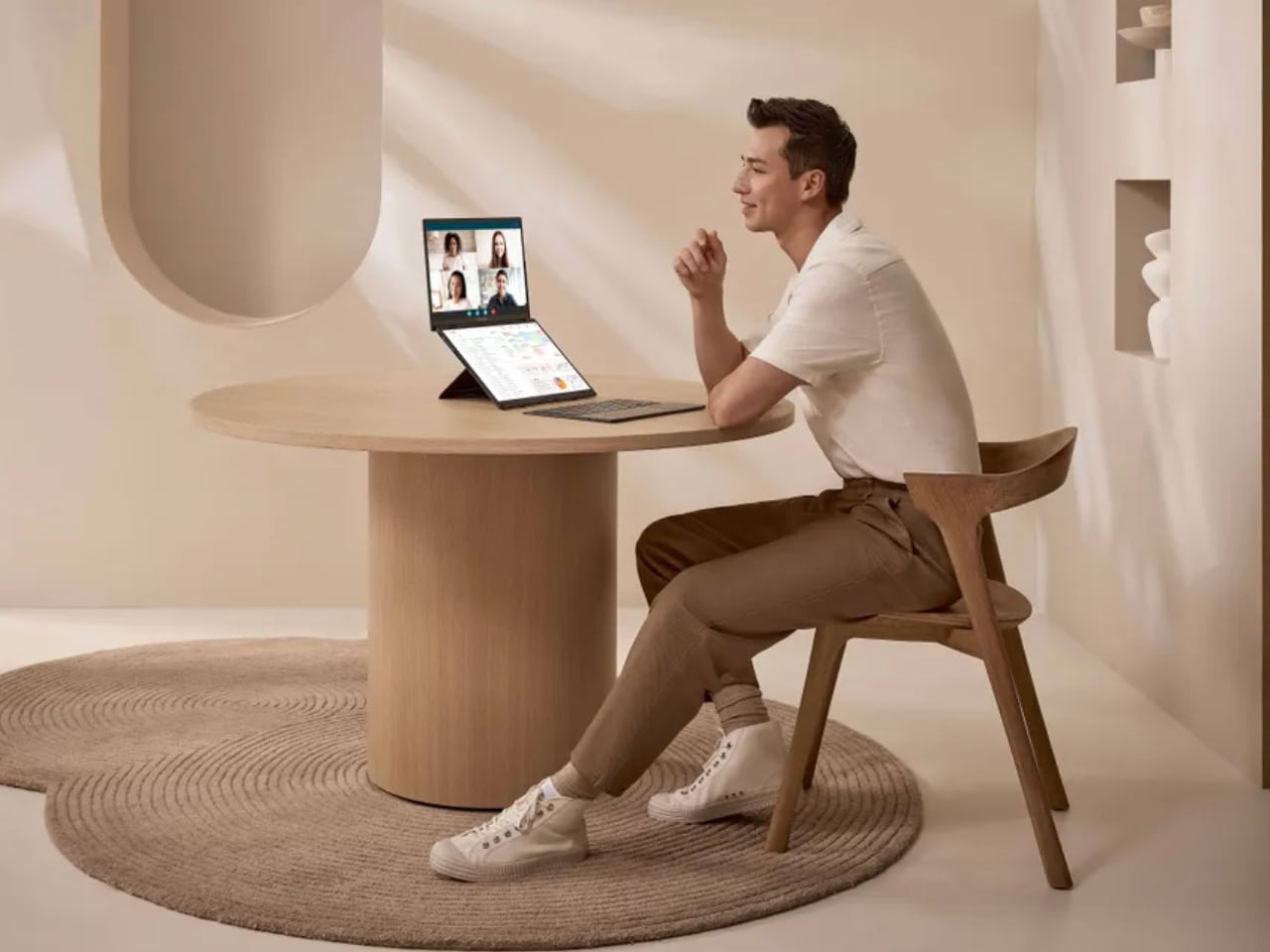
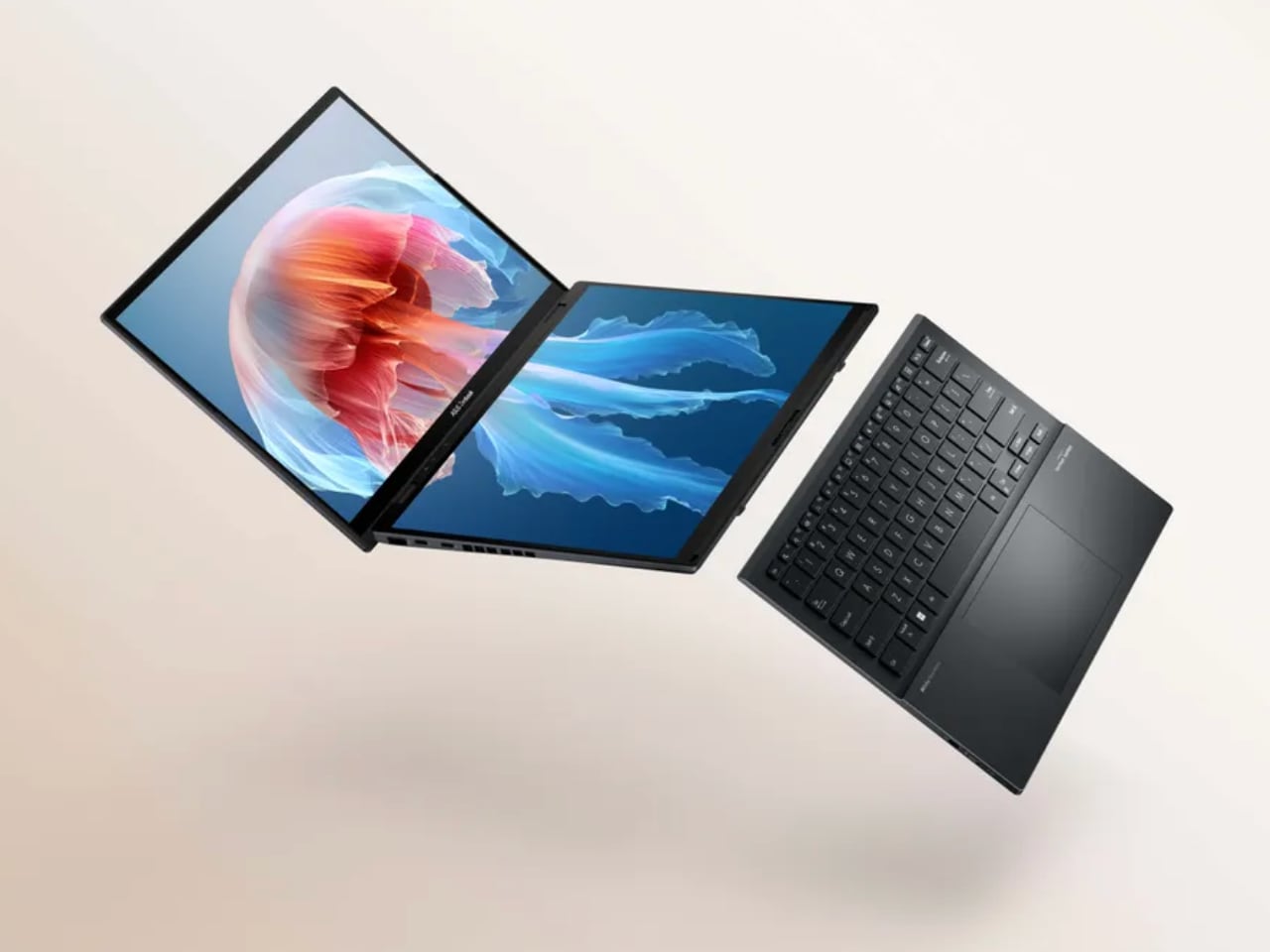
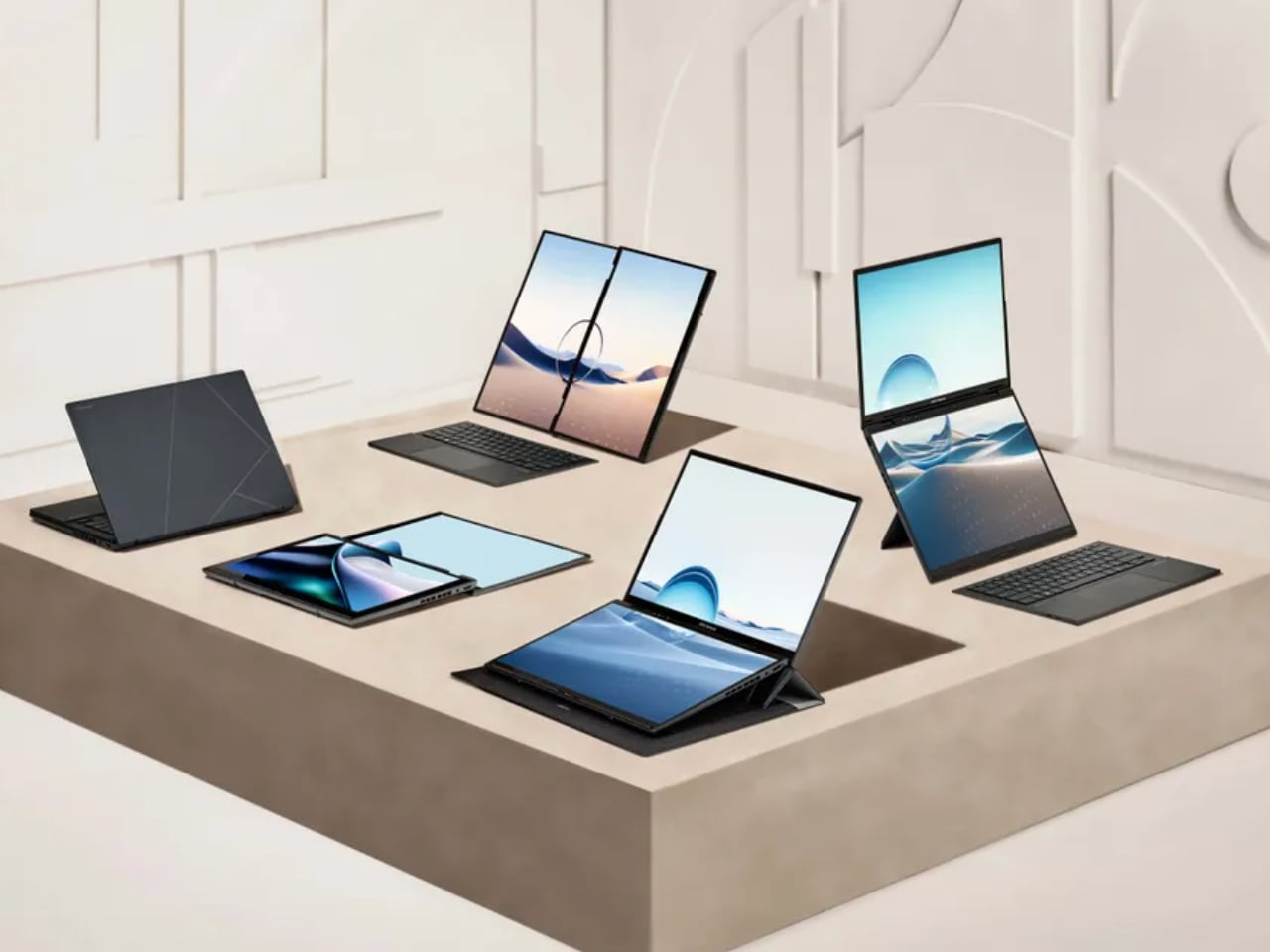
The ASUS Zenbook Duo (2024), a 2024 Good Design Award winner, represents the next generation of laptop innovation, where function meets form. The Zenbook Duo breaks new ground in productivity, creativity, and usability with its distinctive dual-screen setup. Designed for professionals, content creators, and multitaskers, this laptop has features that redefine how users interact with technology. By optimizing screen real estate and incorporating advanced performance components, the Zenbook Duo offers an exceptional computing experience.
Background
ASUS has long been at the forefront of laptop innovation, consistently pushing the boundaries of design and functionality. The Zenbook Duo series has evolved from ASUS’s desire to offer users a beyond-traditional laptop experience. The core idea behind the Zenbook Duo is multitasking, a critical need in today’s fast-paced, work-from-anywhere environment. The dual-screen design, first introduced in earlier models, has been refined for 2024 to deliver better ergonomics, efficiency, and seamless usability.
For creative professionals and digital nomads, the Zenbook Duo is a true productivity tool that enhances productivity. Its second display, known as the ScreenPad Plus, provides extra workspace for applications, toolbars, and shortcuts, making multitasking smoother and more intuitive.
Specifications
Display: Features a 14.5-inch main OLED display with 4K resolution and a secondary 12.7-inch ScreenPad Plus with touchscreen capability.
Processor: Powered by the latest Intel Core i9, offering high-speed performance suitable for demanding applications.
Graphics: Includes NVIDIA GeForce RTX graphics, ideal for content creators working with heavy software like video editors or 3D rendering tools.
Storage: Up to 1TB SSD, ensuring fast data access and ample space for large projects
Battery Life: Long-lasting battery designed to support extended work sessions with dual displays.
Connectivity: Multiple ports, including Thunderbolt 4, HDMI, and USB-C, allow seamless integration with external devices.
Why the Design is Notable
The ASUS Zenbook Duo (2024) is remarkable due to its innovative dual-screen layout. The integration of the ScreenPad Plus creates a distinct advantage for users who need extra screen space without sacrificing portability. This second screen can be used for various tasks, such as displaying tool palettes in creative software, handling messaging apps while working on the main screen, or even acting as a secondary display for multitasking across multiple programs.
The ergonomics of the dual-screen design have also been improved in this 2024 model. The ScreenPad Plus is slightly angled, offering a more comfortable viewing experience than previous models. This makes interacting easier and reduces neck strain for users who spend long hours on their laptops. The laptop’s slim profile and lightweight design are additional features that make it easy to carry, ensuring that users don’t have to compromise on portability.
The OLED main display delivers stunning visuals with rich colors and deep contrast, making it ideal for creative professionals who require accurate color reproduction. Furthermore, the NVIDIA GeForce RTX graphics card ensures that even graphics-heavy tasks like video editing or gaming run smoothly, making the Zenbook Duo as powerful as it is innovative.
Evaluation Comments
The Good Design Award judges were particularly impressed by the seamless integration of dual screens, a feature that elevates the user experience beyond typical laptops. They praised the ScreenPad Plus’s functionality, highlighting how it increases productivity without adding unnecessary bulk to the laptop’s design. The judges also commended the laptop’s sleek and modern aesthetic, combining advanced technology with a stylish form factor.
Another point of appreciation was the Zenbook Duo’s sustainability efforts. ASUS has been incorporating more environmentally friendly practices into its manufacturing process, and the use of recycled materials in this model reflects a commitment to sustainability. The judges also noted how the Zenbook Duo’s long battery life and energy-efficient components contribute to its eco-friendly design.
Yanko Design’s Take
From Yanko Design’s perspective, the ASUS Zenbook Duo (2024) is an innovative solution for professionals needing a traditional laptop. The dual-screen layout is a thoughtfully designed feature that dramatically improves multitasking capabilities. The ScreenPad Plus is particularly useful for content creators who need quick access to toolbars and controls without cluttering the main screen. The laptop’s sleek design and lightweight build make it an excellent choice for users who are always on the go, while the OLED display ensures that visual tasks are performed with the utmost clarity and accuracy.
Including high-performance components such as the Intel Core i9 processor and NVIDIA GeForce RTX graphics card means that the Zenbook Duo can handle even the most demanding applications, from 4K video editing to gaming. ASUS has created a laptop that looks impressive and delivers top-tier performance.
3 Things We Love About the Design
Dual-Screen Productivity with ScreenPad Plus
The ScreenPad Plus is a transformative feature that makes multitasking easier than ever. Whether you’re a content creator managing multiple applications or a professional juggling between emails and documents, the secondary screen adds a new dimension of efficiency. It’s a versatile tool that adapts to various workflows.
OLED Display and Graphics Performance
The OLED main display provides stunning visuals with true-to-life colors and deep contrasts, making it perfect for designers, photographers, and videographers. Coupled with the NVIDIA GeForce RTX graphics, this laptop can handle intensive visual tasks such as 3D rendering, video editing, and gaming, ensuring smooth performance across the board.
Ergonomic and Portable Design
Despite the dual-screen setup, the Zenbook Duo maintains a slim, lightweight profile, making it highly portable. The slight tilt of the ScreenPad Plus enhances ergonomics, making it comfortable to use even during long work sessions. ASUS’s commitment to user comfort is evident in the design, making this a laptop built for productivity without compromising on usability or aesthetics.
The ASUS Zenbook Duo (2024) raises the bar for what laptops can offer, blending innovation with practicality to enhance productivity, creativity, and the overall user experience. It’s easy to see why it was honored with a 2024 Good Design Award, and it will undoubtedly be a go-to device for professionals who need more from their technology.
KAMADO Rice Pot: The 2024 Good Design Award Winner Blends Tradition with Innovation
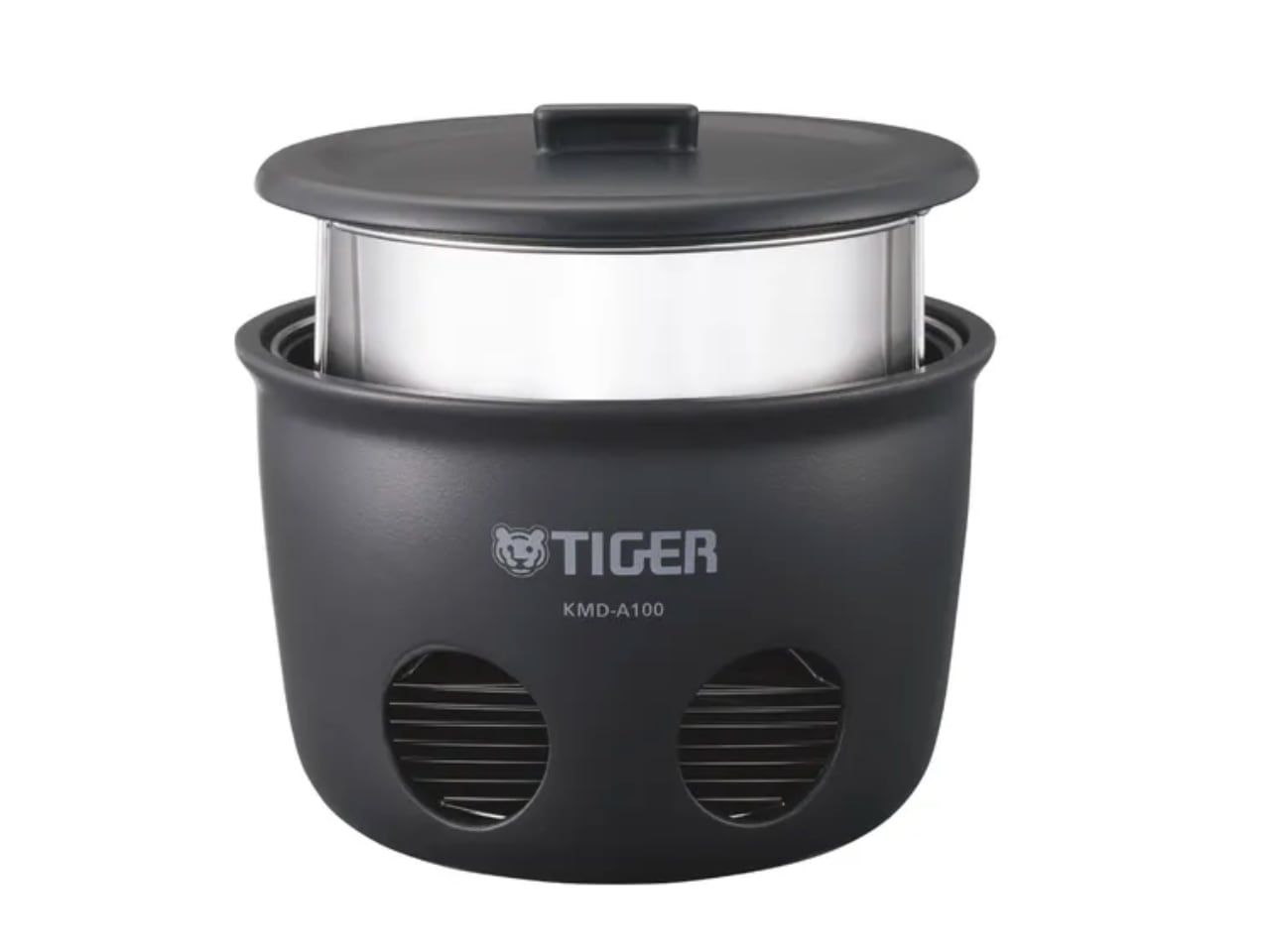
Cooking rice may seem simple, but achieving the perfect texture requires precision. The KAMADO rice pot, a 2024 Good Design Award winner, elevates this process by blending tradition with modern technology. Drawing on ancient Japanese cooking techniques, the KAMADO pot offers both cultural significance and contemporary convenience. This award-winning pot balances functionality and artistic design, making it a must-have for those who value precision in their kitchen.
Background
The KAMADO pot takes inspiration from traditional Japanese earthenware pots, known for their excellent heat retention and distribution. Historically, these pots were placed over open flames, requiring careful temperature control to perfect the rice’s texture. The KAMADO pot honors this heritage while incorporating smart technology to simplify the process.
The 2024 version focused on sustainability and ease of use, making it a modern kitchen essential. The pot ensures perfect rice and connects users to a deep-rooted culinary tradition.
Specifications
Material: High-quality ceramic replicating traditional earthenware for superior heat retention.
Capacity: Suitable for family-sized meals, cooking up to 5 cups of rice.
Technology: Smart temperature regulation ensures consistent cooking results for different types of rice.
Design: Neutral-toned, minimalist design that fits seamlessly into any kitchen aesthetic.
Functionality: A precisely fitting lid ensures optimal moisture retention for perfectly cooked rice.
Why the Design is Notable
The KAMADO rice pot is remarkable for its blend of traditional craftsmanship and modern technology. It reimagines a centuries-old method, fitting perfectly into today’s eco-conscious households. Using a material that mirrors the properties of traditional earthenware, the KAMADO pot enhances the cooking process while maintaining a connection to its cultural origins.
One distinctive feature is its ability to cook rice using only a single sheet of newspaper as fuel. This makes it a practical disaster preparedness solution and a sustainable outdoor cooking option. The pot shows how an ancient practice can adapt to modern conveniences and environmental considerations.
Evaluation Comments
The Good Design Award judges praised the KAMADO pot for its thoughtful combination of tradition and innovation. They highlighted the product’s environmental benefits, noting how it minimizes waste by reusing inner pans. Its ability to function without electricity or gas makes it versatile, especially in disaster situations or for outdoor enthusiasts. The ease of cleaning, requiring only water without detergent, further impressed judges with its eco-friendly design.
Yanko Design’s Take
We see the KAMADO rice pot as a perfect example of thoughtful, sustainable product design. More than a kitchen tool, it offers an experience—deeply rooted in tradition yet forward-thinking in application. Its ability to cook with just a sheet of newspaper makes it revolutionary in both functionality and sustainability.
The KAMADO pot shows how ancient techniques can be adapted for modern needs, reducing environmental impact without sacrificing performance. It proves that practical design can be simple, sustainable, and culturally meaningful.
3 Things We Love About the Design
Outdoor and Disaster Readiness
Cooking five cups of rice using just one newspaper is remarkable. This pot becomes essential in emergencies where electricity or gas might be unavailable. It also appeals to outdoor enthusiasts seeking sustainable cooking methods during their adventures.
Sustainability and Waste Reduction
Reusing inner pans that would otherwise be discarded reduces waste and extends the life of key components. This thoughtful reuse aligns with modern environmental standards, making the KAMADO pot an eco-friendly choice for conscious consumers.
Effortless and Eco-Friendly Cleaning
After cooking, the pot requires no heavy scrubbing or detergents—just a simple wipe with a water-soaked sponge. This approach to cleaning saves time and eliminates the need for harsh chemicals, contributing to a more environmentally friendly kitchen.
The KAMADO rice pot demonstrates the importance of maintaining cultural traditions while advancing technological and environmental standards. Its thoughtful design and practical innovation have earned it well-deserved recognition as a 2024 Good Design Award winner.
PureAura: The Portable Mini Energy-saving Air Purifier Redefining Air Quality Control
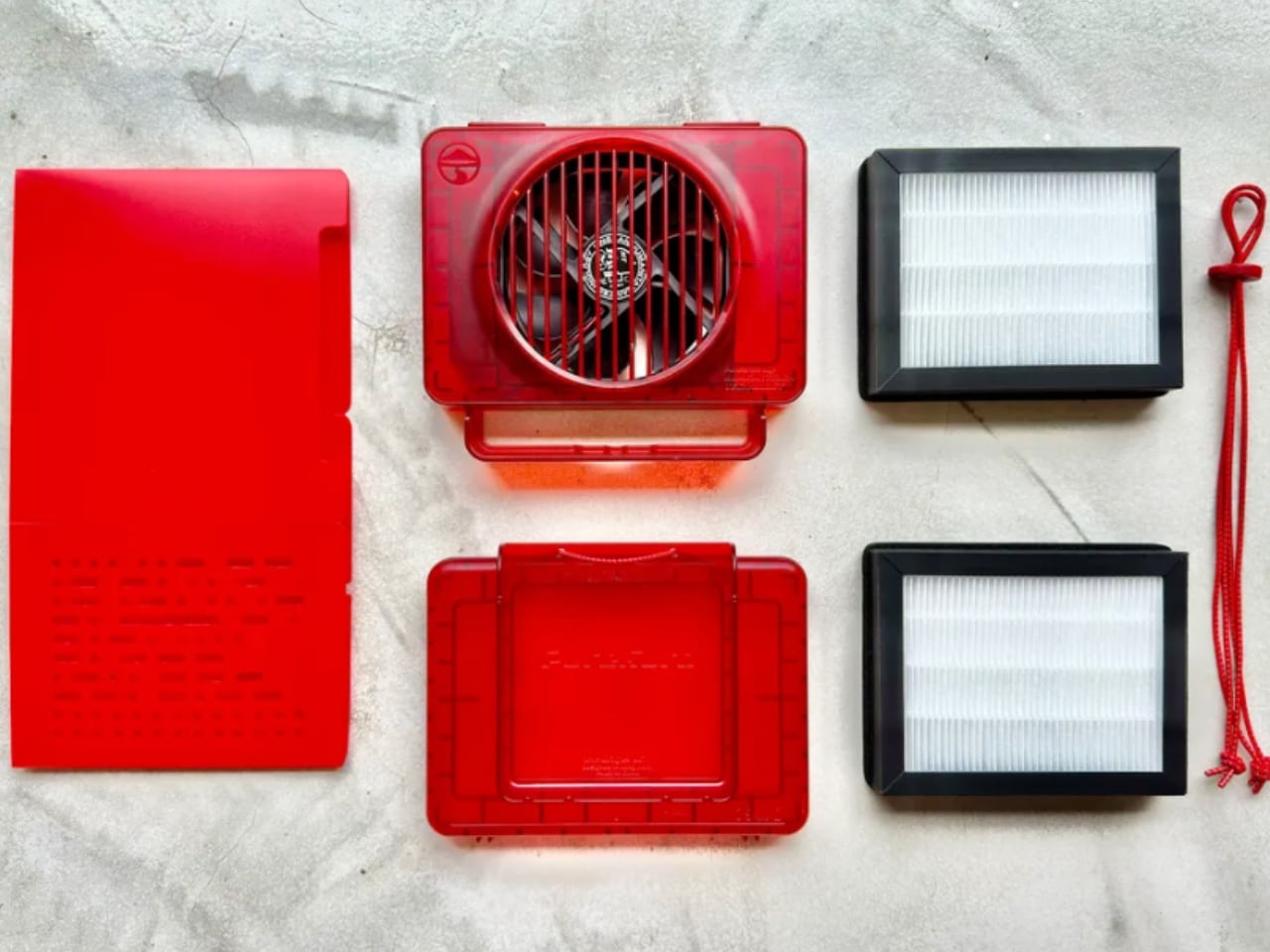
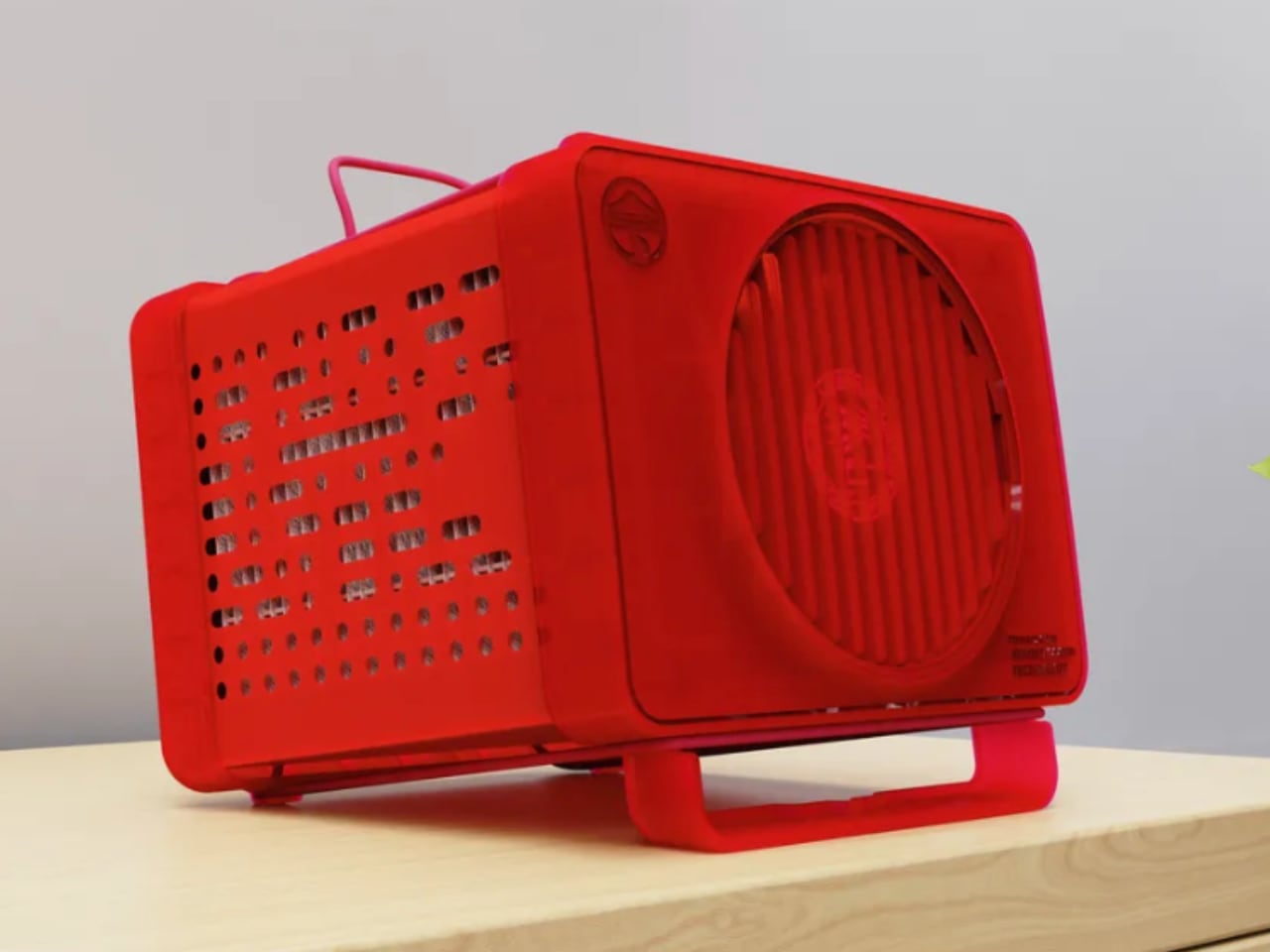
Clean air is a necessity in today’s world. The PureAura Portable Mini Energy-saving Air Purifier, recognized as a 2024 Good Design Award winner, meets the increasing demand for portable air quality solutions. Compact and energy-efficient, this air purifier combines advanced technology with user convenience, offering a reliable solution for those looking to breathe cleaner air wherever they go. With its sleek design and powerful performance, the PureAura air purifier is a significant step forward in personal air purification devices.
Background
Air purifiers have gained popularity, especially in urban areas with rising pollution levels. PureAura was developed to address the need for portable, energy-saving air purifiers for small spaces like offices, cars, and personal living areas. The focus was on creating a device that balances efficiency with portability, allowing users to maintain air quality without large, bulky equipment or high energy consumption.
The design reflects the growing awareness of environmental impact and energy efficiency. By reducing the device’s size and optimizing power usage, the creators ensured it could operate effectively in various spaces while consuming minimal electricity. It offers a solution to indoor and outdoor air quality concerns, ideal for individuals constantly moving or with limited space.
Specifications
Size: Compact and lightweight, designed for easy portability.
Energy Efficiency: Engineered to consume minimal energy while maintaining high purification performance.
Technology: Advanced filtration system that captures dust, pollen, bacteria, and other pollutants.
Noise Level: Operates quietly, ensuring it doesn’t disrupt daily activities.
Design: Minimalist, with a sleek aesthetic that complements modern environments.
Usage: Ideal for small enclosed spaces such as cars, personal workspaces, and bedrooms.
Why the Design is Notable
The PureAura Portable Air Purifier is remarkable for packing high functionality into a small device. Portability is often associated with reduced power, but PureAura delivers high-performance air purification while remaining energy-efficient. Its minimalist design allows it to blend seamlessly into any environment, whether on an office desk, bedside table, or in a car.
Another distinctive feature is its eco-conscious approach. The purifier’s energy-saving technology makes it a sustainable choice for those looking to reduce their carbon footprint. This focus on environmental impact without sacrificing performance sets PureAura apart in the market.
Evaluation Comments
The Good Design Award judges praised PureAura for its balance between form and function. Its ability to deliver powerful air purification in such a compact form was a distinctive feature, particularly given the rising demand for portable air solutions. The judges were also impressed with the energy efficiency, allowing users to maintain air quality without high energy costs or environmental waste.
Another key point was the simplicity of operation. PureAura is designed to be user-friendly, requiring little maintenance while still offering high performance. This focus on ease of use makes it accessible to a wide range of consumers, from office workers to frequent travelers who need a portable air solution.
Yanko Design’s Take
PureAura represents a shift toward user-centric and environmentally conscious design in personal air care products. The device’s ability to function effectively in small spaces and its minimal energy consumption makes it distinctive in its category. It reflects how design and technology can solve everyday problems, particularly in environments where air quality is compromised.
The design team behind PureAura addressed aesthetic and functional concerns, creating an effective yet visually unobtrusive product. Its sleek, minimalist design fits into any space without drawing attention, ideal for consumers who want products that enhance their environment without dominating it.
3 Things We Love About the Design
Portability without Compromising Performance
One of PureAura’s strongest features is its compact size. Despite its small footprint, the device performs efficiently, making it perfect for users who need clean air on the go. Whether in a car or a small room, PureAura delivers effective air purification without the bulk of traditional air purifiers.
Energy Efficiency
The air purifier is remarkable for its minimal energy consumption. It works continuously without significantly impacting electricity usage, making it an excellent choice for environmentally conscious consumers. Its energy-saving performance makes it cost-effective for daily use at home, in the office, or on the move.
Quiet Operation
The low-noise feature is valuable for users who need the air purifier running throughout the night or during work hours. Its quiet operation ensures it doesn’t disrupt sleep or concentration, making it perfect for bedrooms, offices, and nurseries.
The PureAura Portable Mini Energy-saving Air Purifier sets a new benchmark for personal air care devices. With its focus on portability, energy efficiency, and sleek design, it’s clear why it was chosen as a 2024 Good Design Award winner. For those looking to improve their personal air quality without sacrificing style or sustainability, PureAura offers the perfect solution.
Bricks Coffee Grinder: A Design Masterpiece for Coffee Lovers
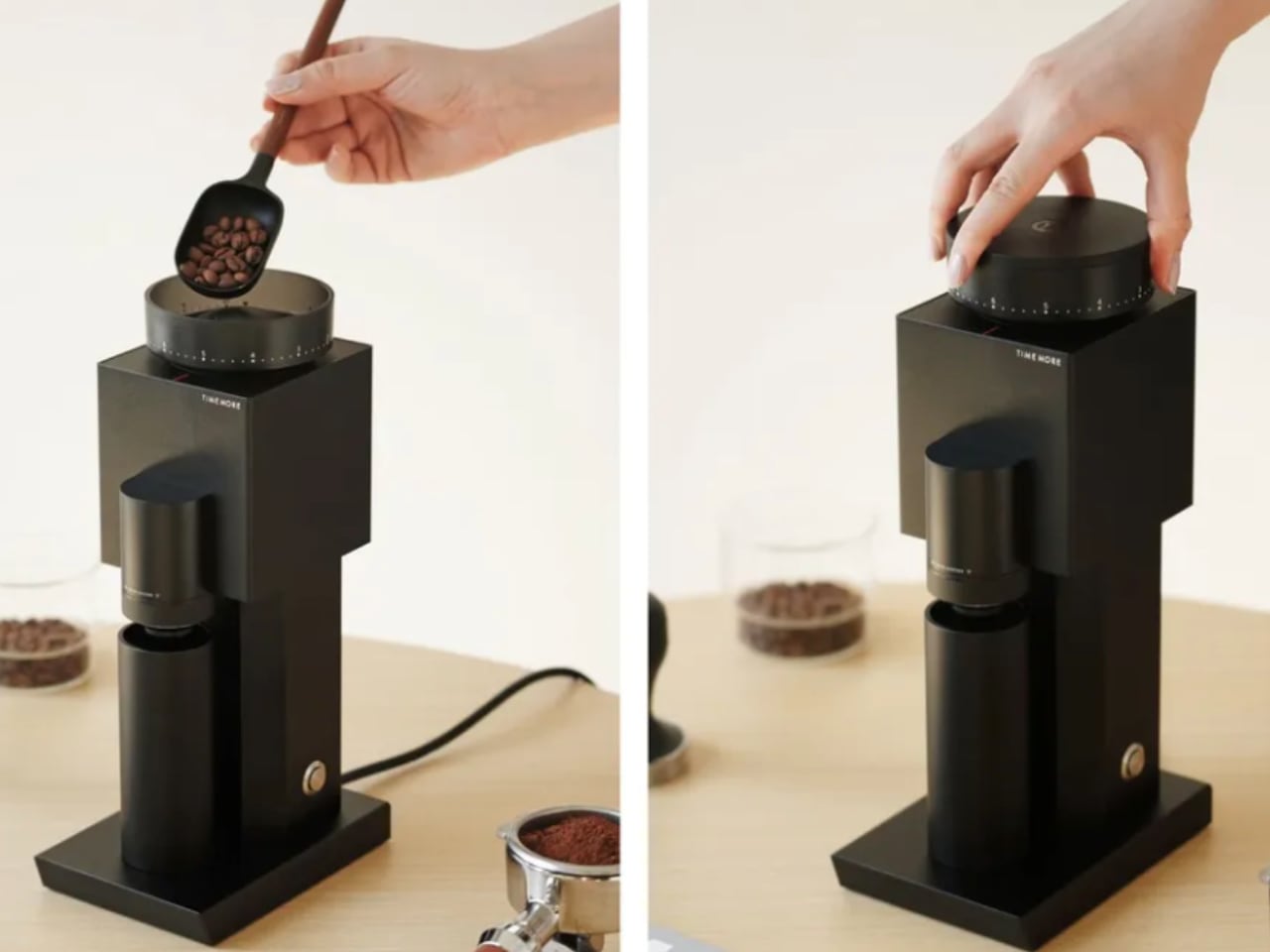
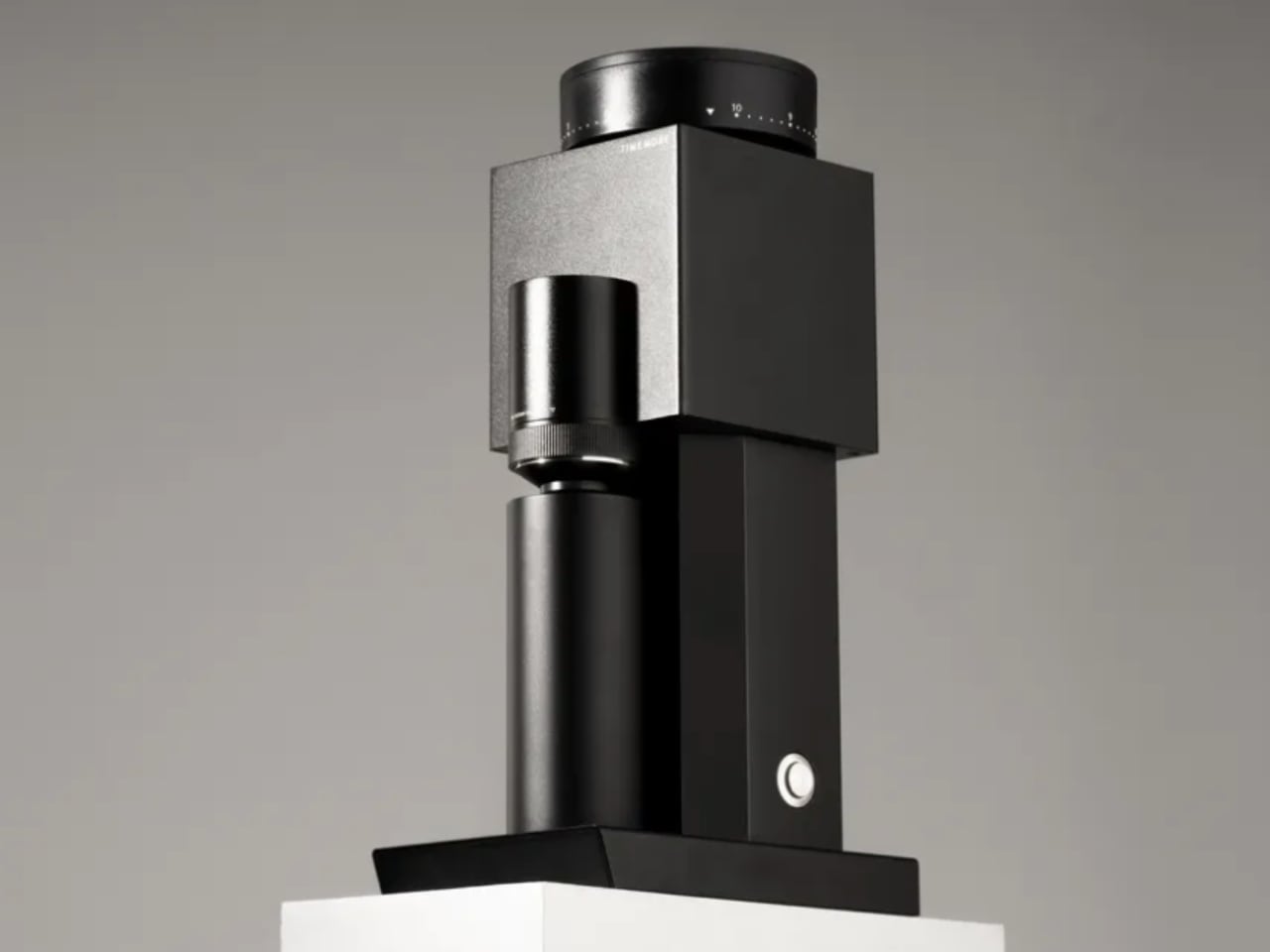
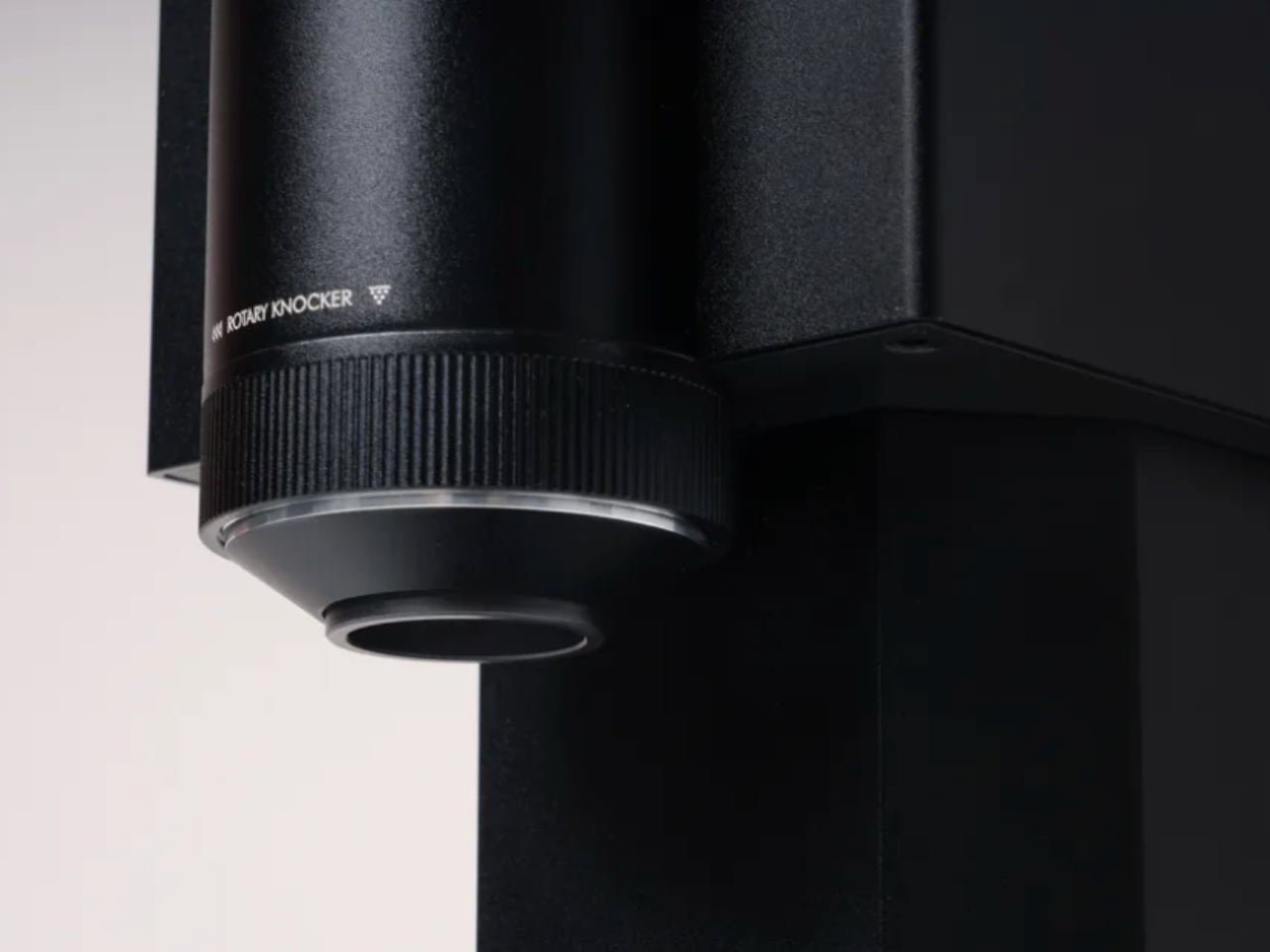
For coffee enthusiasts, the grind is as crucial as the beans. The Bricks Coffee Grinder, a 2024 Good Design Award winner, perfectly balances functionality and style. This grinder goes beyond being just a kitchen tool—it’s an example of how thoughtful design can enhance the coffee-making experience. Whether you’re a professional barista or a home brewer, the Bricks Coffee Grinder delivers precision, efficiency, and aesthetic appeal in a compact package.
Background
Coffee culture has evolved, with consumers becoming more knowledgeable about making the perfect cup. Central to this process is the grind. Coffee grinders have moved beyond mere functionality, embracing design and craftsmanship. The Bricks Coffee Grinder was created with these evolving needs in mind.
The development of the Bricks grinder focused on making high-quality grinding accessible to everyone without sacrificing aesthetics. The design draws on traditional hand grinders while incorporating modern elements to improve ease of use and grind consistency. This tool was made for those who understand that a great grind is essential for a great cup of coffee.
Specifications
Material: Crafted from durable, high-quality materials with sleek metal and ceramic construction.
Grind Settings: Multiple settings, from coarse to fine, to suit various brewing methods such as espresso, pour-over, or French press.
Manual Operation: Hand-crank design offers a tactile, engaging experience for coffee lovers who appreciate grinding their beans by hand.
Compact and Portable: Designed for easy storage and portability, ideal for home use and travel.
Why the Design is Notable
The Bricks Coffee Grinder is remarkable because it combines functionality with a sleek design. Many grinders focus on function or form, but the Bricks grinder balances both. Its minimalist aesthetic, paired with the tactile pleasure of manual grinding, transforms the task into an enjoyable experience.
Another key feature is the grind precision. With adjustable settings, users can achieve the exact grind consistency needed for their preferred brewing method. This level of precision is often found in high-end, professional grinders, but the Bricks grinder delivers this in a compact, user-friendly package.
Additionally, the Bricks Coffee Grinder emphasizes portability without compromising performance. Its compact design makes it easy to carry for those who want to bring their coffee ritual on the go. The sturdy construction ensures durability for daily use, all while maintaining aesthetic appeal.
Evaluation Comments
The Good Design Award jury praised the Bricks Coffee Grinder for its simplicity and attention to detail. They commended the product for blending traditional manual grinding with modern design principles. The user-friendly operation caters to both novices and experienced coffee enthusiasts.
The judges were also impressed by the Bricks grinder’s focus on sustainability. Its manual operation reduces reliance on electricity, making it an eco-conscious choice compared to electric grinders. The durable materials highlight the product’s commitment to longevity, cutting down on waste by reducing the need for frequent replacements.
Yanko Design’s Take
The Bricks Coffee Grinder represents how form and function can work together. The design reimagines a simple tool, providing both visual and practical value. Its compact size and portability make it perfect for coffee lovers who value quality and convenience in their coffee-making routine.
We appreciate the craftsmanship of the Bricks grinder. Manual operation saves energy and offers a more personal coffee-making experience. The ability to precisely control the grind size adds to its appeal, catering to various brewing preferences, from espresso to pour-over.
The attention to detail—whether in the smooth crank motion, finely tuned grind settings, or premium materials—ensures that this grinder will stand the test of time in terms of durability and design appeal.
3 Things We Love About the Design
Sleek Aesthetic and Durability
The Bricks Coffee Grinder’s minimalist design adds visual appeal to any kitchen. Crafted from high-quality materials, it combines beauty with durability, ensuring it will last through years of daily use. Its sleek finish complements modern kitchen decor, and its compact form ensures it won’t take up much counter space.
Precision Grinding
With multiple grind settings, the Bricks grinder allows users to achieve the perfect grind size for their preferred brewing method. This level of precision is usually reserved for higher-end electric grinders, but the Bricks model offers this in a manual, tactile experience. Whether you prefer a coarse grind for French press or a fine grind for espresso, this grinder delivers.
Portability and Environmental Friendliness
The Bricks Coffee Grinder’s portability is a significant advantage. Its compact size makes it easy to carry, making it perfect for coffee enthusiasts who enjoy freshly ground coffee on the go. Additionally, its manual operation eliminates the need for electricity, reducing energy consumption and making it an eco-friendly choice.
The Bricks Coffee Grinder is beyond a coffee tool—it’s an experience. Its thoughtful design and superior performance make it a must-have for any serious coffee lover. With a focus on sustainability, precision, and user experience, it’s clear why this product earned a 2024 Good Design Award.
Raptor: Next-Gen Mobility Platform – The Future of Sustainable Transportation
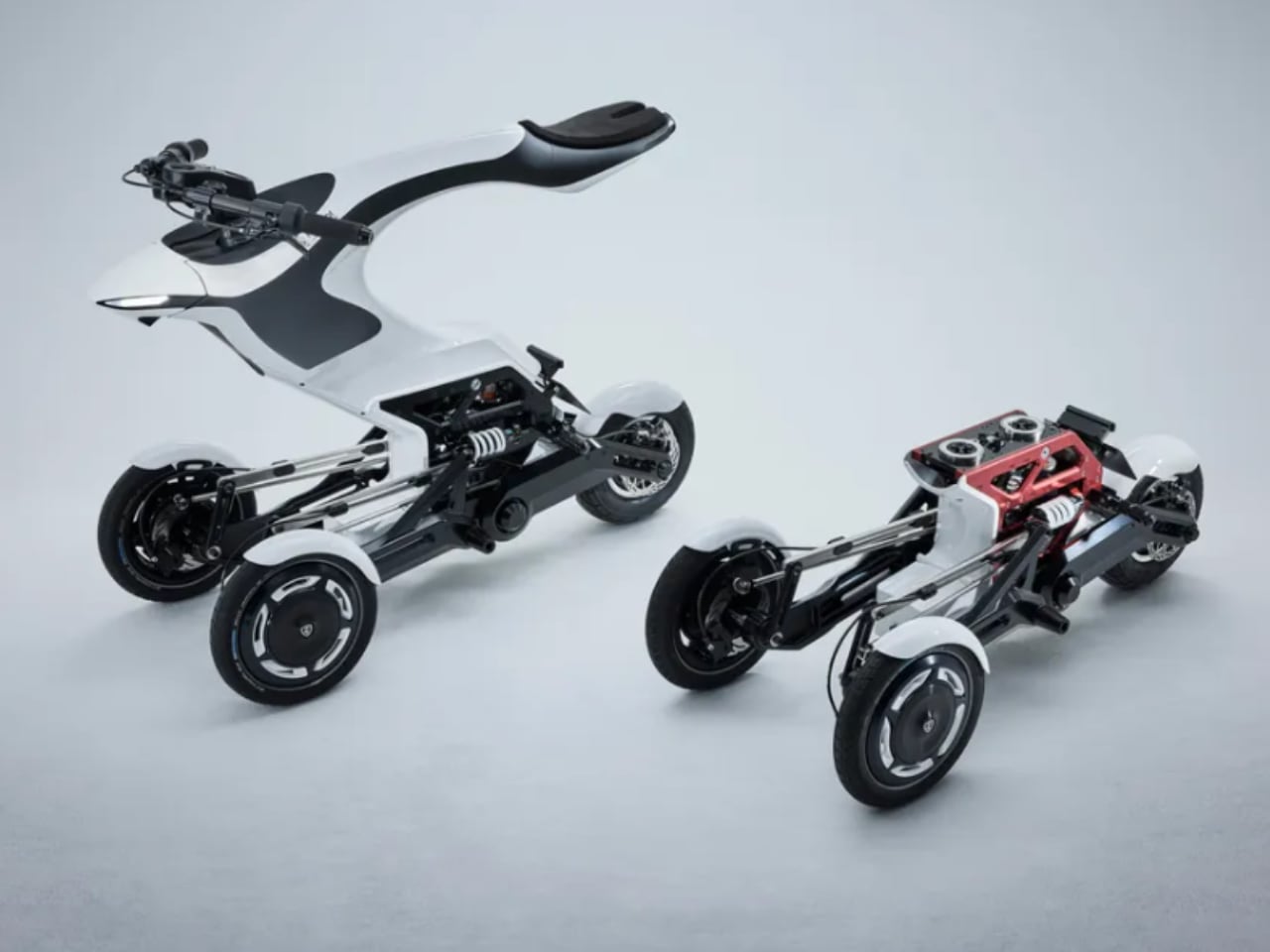
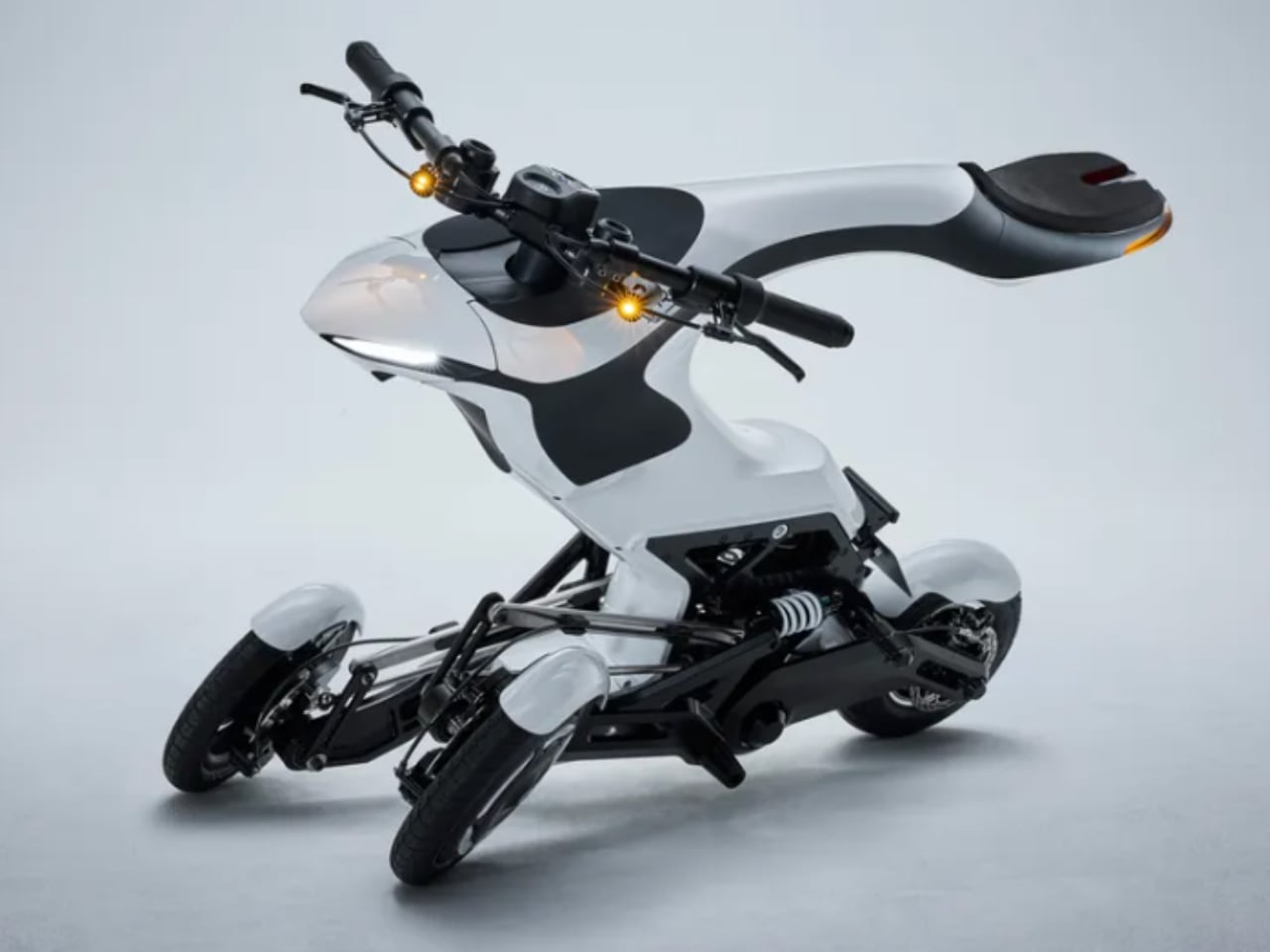
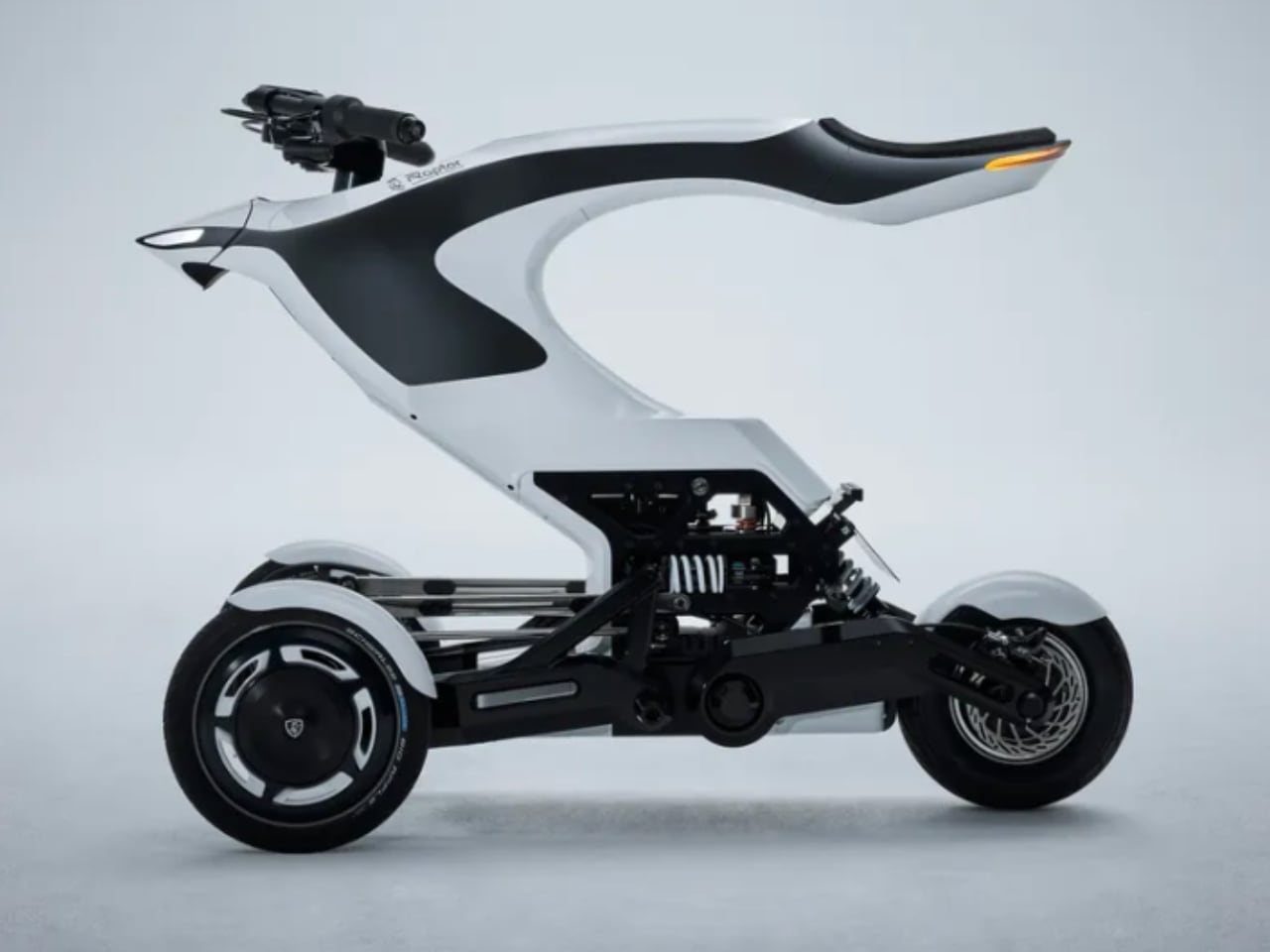
Mobility is evolving quickly, with advancements in electric platforms and autonomous driving reshaping the future of transportation. The Raptor: Next-Gen Mobility Platform, a 2024 Good Design Award winner, embodies this transition. Developed as a versatile and energy-efficient platform, Raptor pushes the boundaries of urban and shared mobility solutions. Its design and technological integration position it as a leading innovation in next-generation mobility, balancing performance, sustainability, and accessibility.
Background
The Raptor platform was created to address modern mobility challenges like urban congestion, environmental sustainability, and the demand for flexible, modular transportation solutions. Traditional vehicle designs limit adaptability and scalability, making it hard to keep up with the rapidly changing needs of urban environments. The Raptor platform was designed to serve multiple use cases, from personal transportation to shared mobility services, while maintaining a low carbon footprint.
Urban centers worldwide seek efficient transportation systems that reduce emissions and ease traffic congestion. Raptor’s modular architecture meets these needs, adapting to various types of vehicles, from lightweight personal transporters to shared shuttles. Its development reflects the growing trend toward electric platforms that fit seamlessly into the smart cities of tomorrow.
Specifications
Platform Type: A modular, electric-powered platform designed for multiple vehicle configurations.
Powertrain: Fully electric with energy-efficient propulsion systems aimed at reducing emissions.
Modular Design: Can be adapted for different vehicle formats, from personal mobility devices to larger public transportation vehicles.
Autonomous Capabilities: Equipped with advanced sensors and software, allowing for future autonomous driving applications.
Sustainability: Energy-efficient systems paired with recyclable materials for a reduced environmental impact.
Connectivity: Integrates with smart city infrastructure and other digital ecosystems for seamless operation in urban settings.
Why the Design is Notable
The Raptor platform sets itself apart with its forward-thinking approach to mobility. Unlike traditional platforms designed for a single purpose, the Raptor features a modular design that can be configured for different vehicle types. This provides an ideal solution for various mobility needs, from personal e-scooters to shared shuttles and delivery vehicles.
Another highlight is its environmental focus. The electric powertrain reduces emissions and ensures energy efficiency, aligning with global trends toward sustainable urban living. Using recyclable materials lowers its ecological footprint, making it a responsible choice for future transportation needs.
The Raptor’s integration with smart city systems and potential for autonomous driving ensure that it can evolve with advancing technology. Built to work seamlessly with digital infrastructures, it offers the potential for autonomous fleet management and efficient urban traffic flow.
Evaluation Comments
The Good Design Award judges were impressed by the Raptor platform’s versatility, modularity, and sustainability. They highlighted how the platform adapts to various vehicle types without sacrificing efficiency or performance. The ability to create different vehicle formats from the same structure is a significant innovation that sets the Raptor apart.
The platform’s environmental impact also stood out. Its energy-efficient electric powertrain and use of recyclable materials are crucial steps toward making urban mobility more sustainable. The platform’s readiness for smart city integration and future autonomous driving systems was also a key factor in its recognition, showcasing its long-term potential in urban transportation.
Yanko Design’s Take
We see the Raptor platform as a major advancement in next-generation mobility. Its modular nature provides flexibility in vehicle design and represents a sustainable shift in how we approach transportation in cities. The platform’s adaptability makes it relevant for various uses, from personal mobility devices to shared transport solutions.
What is remarkable to us is how the Raptor is built for the future. With its electric powertrain, it tackles the critical issue of reducing emissions in congested cities, while its potential for autonomous driving aligns it with future technology. Its integration into smart city ecosystems shows a commitment to solving today’s mobility problems and preparing for tomorrow’s challenges.
3 Things We Love About the Design
Modular and Adaptable Design
The Raptor platform’s modular design is a distinctive feature. It allows manufacturers to create multiple vehicle formats from the same platform, making it highly versatile. Whether it’s a compact e-scooter or a larger shared shuttle, the Raptor accommodates various needs, offering flexibility that is rare in the mobility space.
Sustainability at Its Core
We also admire the focus on sustainability. The electric powertrain ensures zero emissions during operation, contributing to cleaner air in urban areas. Additionally, the platform’s use of recyclable materials in its construction means it has a reduced environmental impact, aligning with global goals of reducing waste and promoting green living.
Smart City Integration and Future-readiness
The Raptor platform’s ability to integrate with smart city infrastructure is forward-thinking. Its built-in connectivity and potential for autonomous driving make it a future-proof solution that can evolve with urban transportation systems. As cities become smarter and more reliant on digital infrastructure, the Raptor’s seamless integration offers a clear advantage.
The Raptor: Next-Gen Mobility Platform raises the bar for urban transportation solutions. Its versatility, sustainability, and ability to integrate with advanced digital systems position it as a powerful example of how design and technology can work together to shape the future of mobility.
Apple fans are eagerly awaiting the company’s upcoming event at the end of October, where Apple is expected to reveal its latest lineup of M4 Macs. This highly anticipated event is set to showcase significant updates and redesigns across several Mac models, with a strong emphasis on enhanced performance and connectivity. The video below from […]
macOS 15.1 Sequoia Beta 7 is here, and it’s packed with a wealth of updates designed to refine and elevate your user experience. This beta version focuses on crucial areas such as server connectivity, audio technology, wireless functionality, camera integration, voice assistance, and regional availability. With these enhancements, Apple aims to provide you with a […]
The tech world is abuzz with speculation about the potential cancellation of Apple’s highly anticipated M4 Mac October event, which was rumored to unveil the new M4 Macs and the eagerly awaited iPad Mini. Apple enthusiasts have been eagerly awaiting this event, particularly due to the excitement surrounding the iPad Mini’s expected release on October […]
The Apple MacBook Air has long been a go-to choice for those seeking a reliable, sleek, and high-performing laptop. As consumers navigate the ever-evolving landscape of technology, the question arises: is it worth waiting for the upcoming models, particularly the 16GB RAM version? To make an informed decision, it’s essential to examine both the current […]
As Apple continues to innovate and refine its custom silicon, recent leaks have shed light on the upcoming M4 Pro and M4 Max chips, which are set to power the next generation of MacBook Pro and Mac Mini devices. These highly anticipated upgrades promise significant performance boosts and exciting new features, potentially solidifying their position […]
In an unexpected turn of events, a Russian YouTube channel has recently released an unboxing video that allegedly reveals tantalizing details about Apple’s upcoming M4 MacBook Pro. This leak has sent ripples through the tech community, capturing the attention of enthusiasts and industry experts alike. As anticipation builds for the next generation of Apple’s flagship […]
The tech world is abuzz with rumors and speculation surrounding the potential leak of the new Apple M4 MacBook Pro. This highly anticipated laptop has captured the attention of technology enthusiasts and professionals alike, thanks to its impressive features and promising performance benchmarks. As details continue to emerge, it’s natural to wonder if this could […]
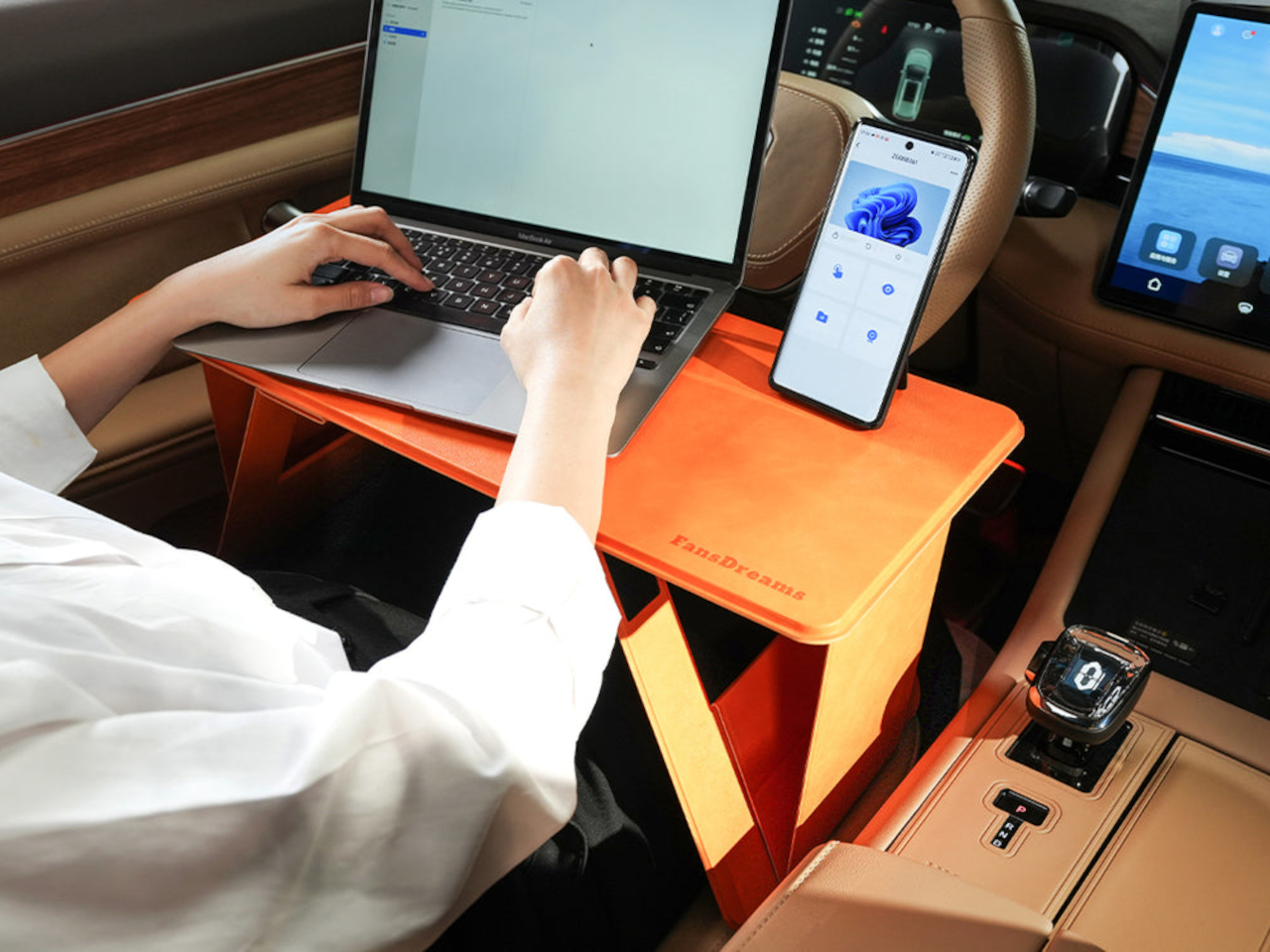
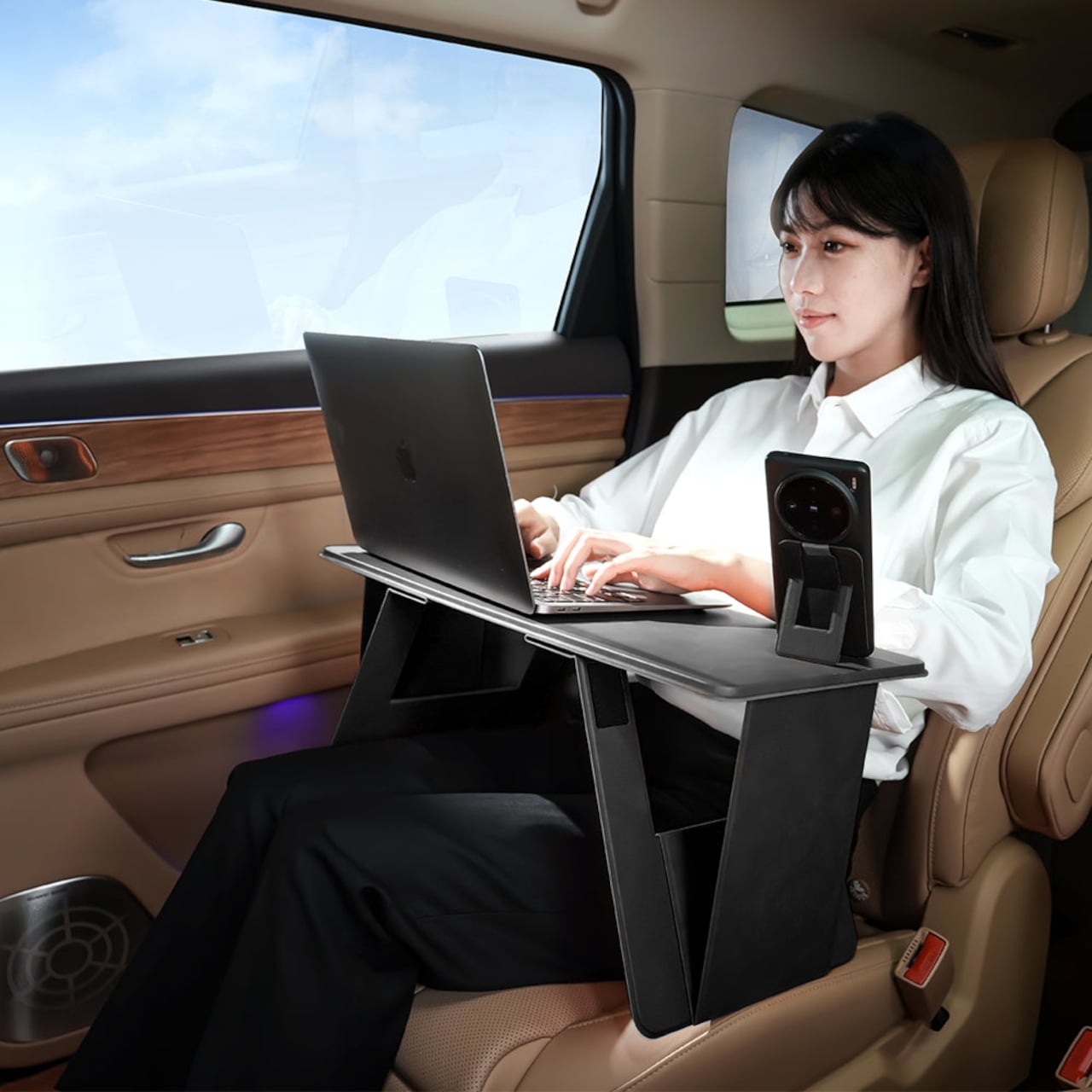
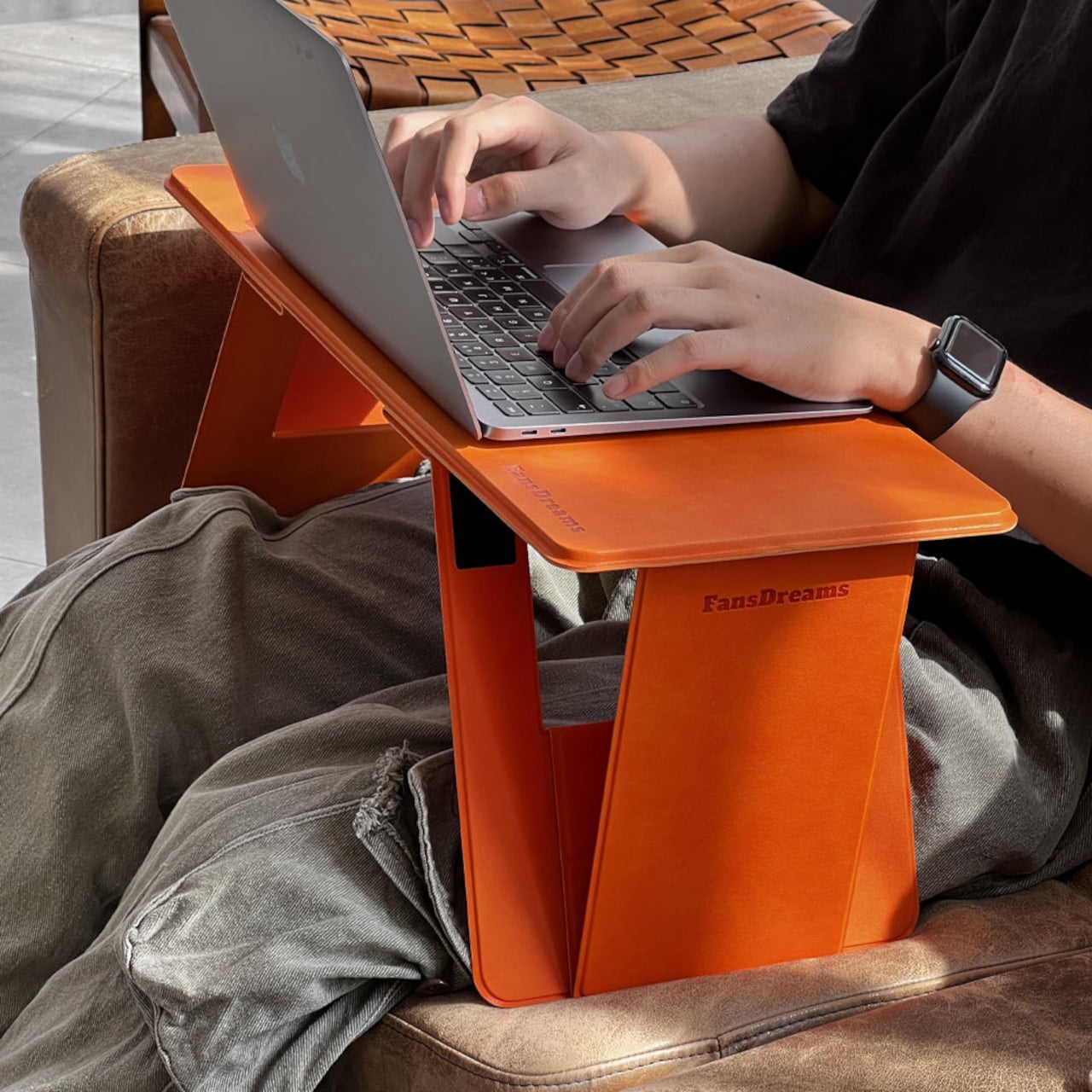
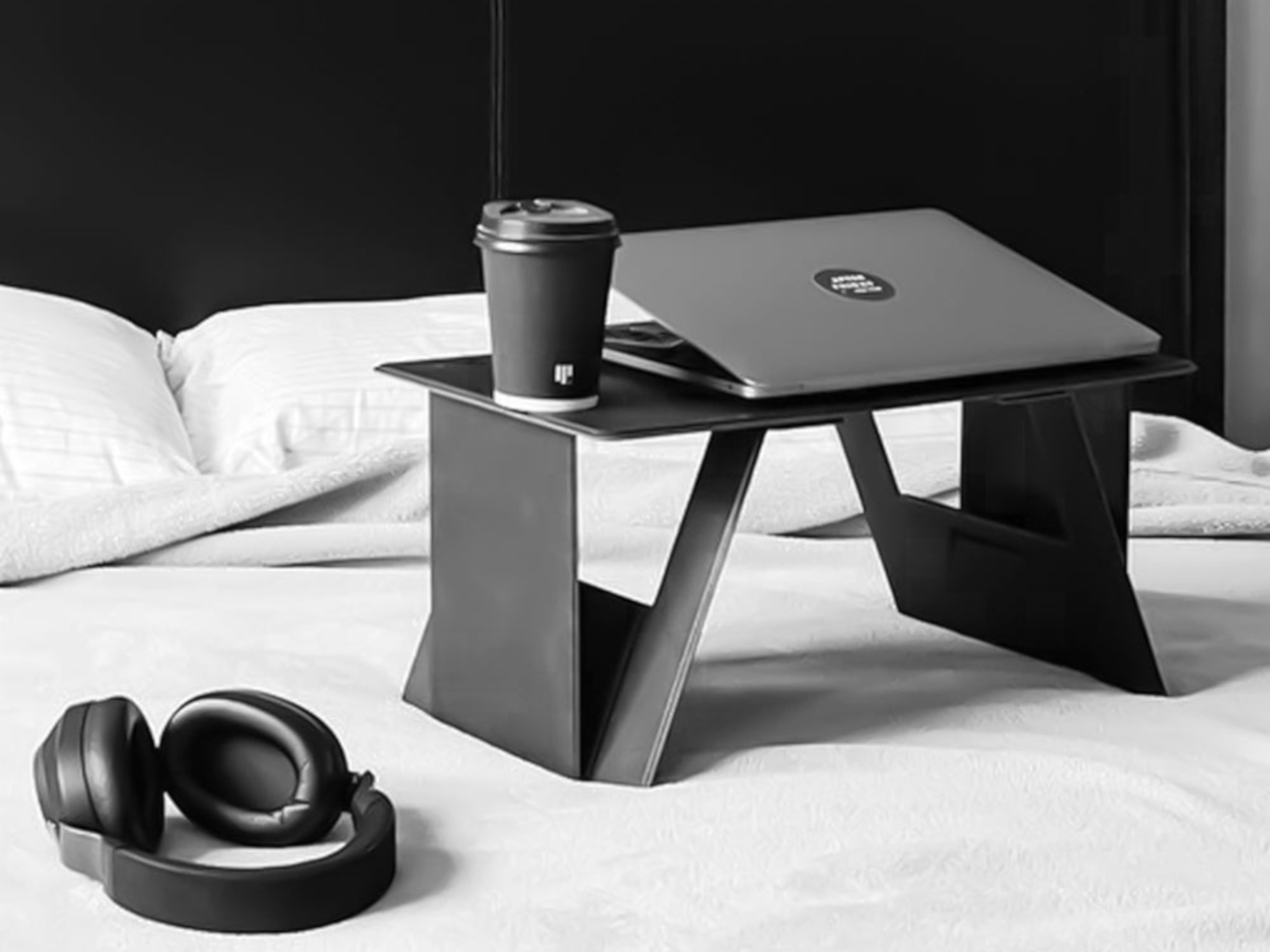
Laptops today are truly powerful computers worthy of the title of “desktop replacements,” but despite their name, they have never really been great to use on your lap. Yes, you can put them there, at least until they get too hot, but they’re not the most comfortable nor the most ergonomic positions. Some laptop desks or trays, particularly the ones with cushions, try to fix some of that by slightly raising the laptop while still pressing down on your lap and preventing proper blood circulation. The ones with legs, on the other, are best used in bed or sometimes on desks, undoing the benefit of portability. This rather curious design, however, promises to address all those and let you use your laptop in your seat or even have food or a drink on the side.
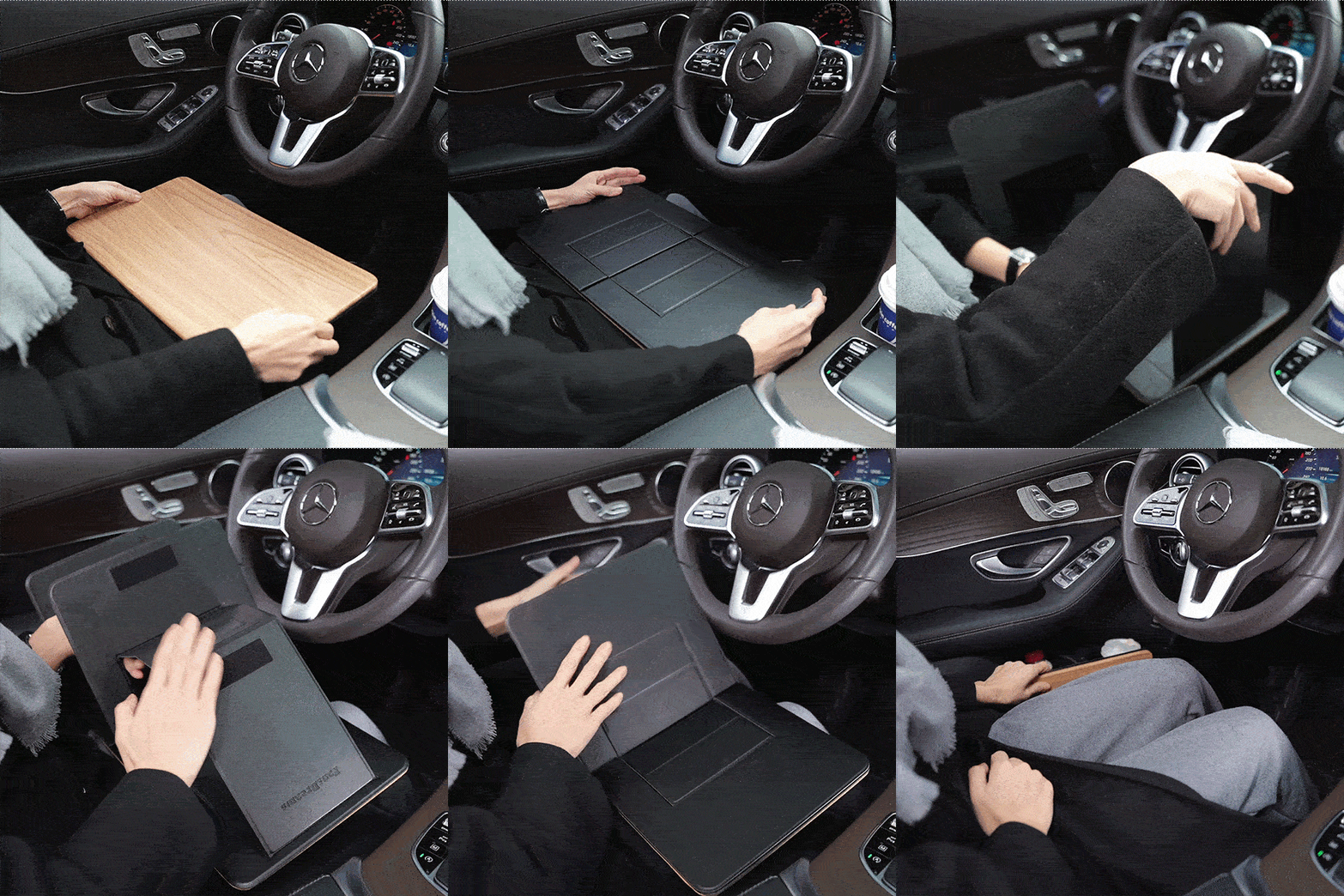
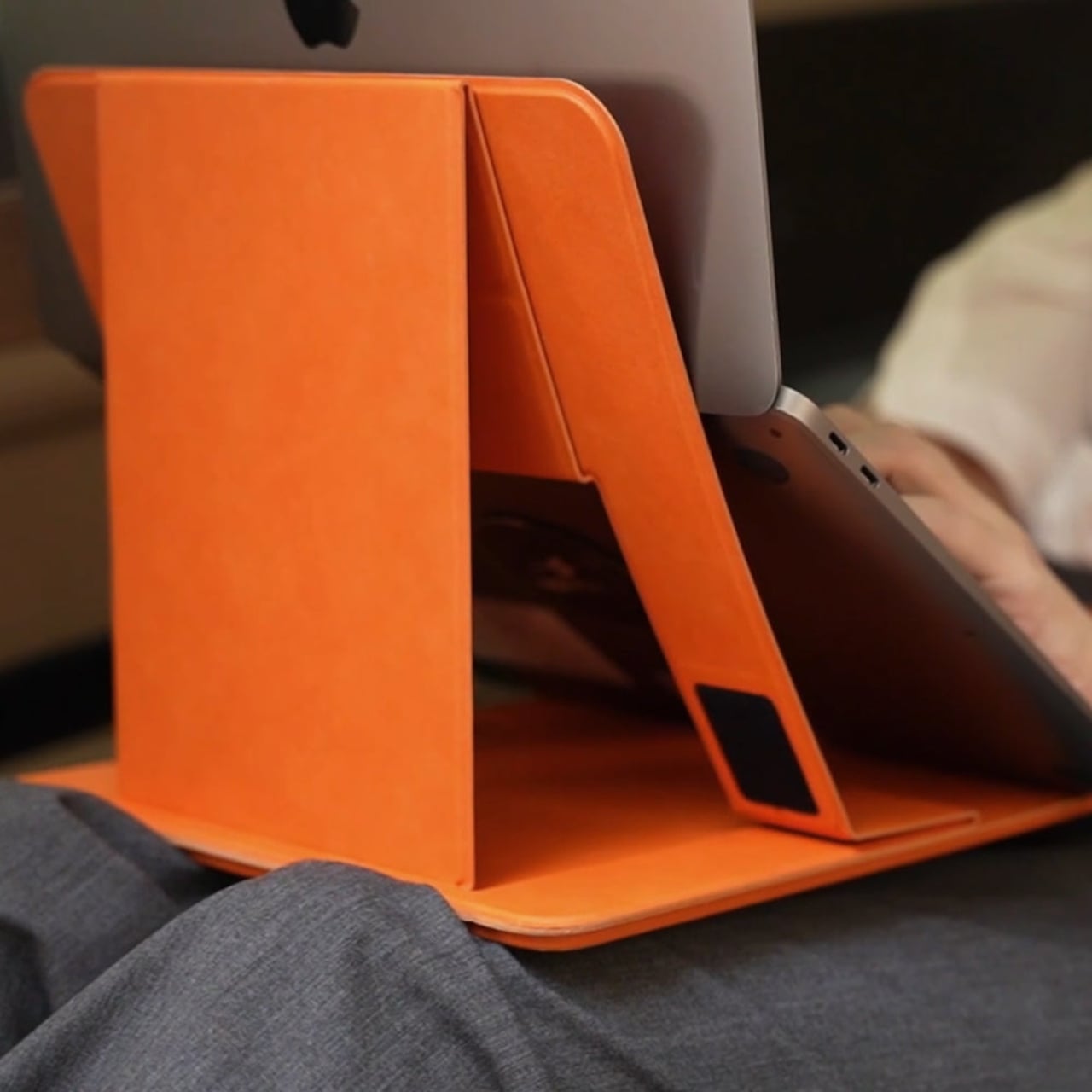
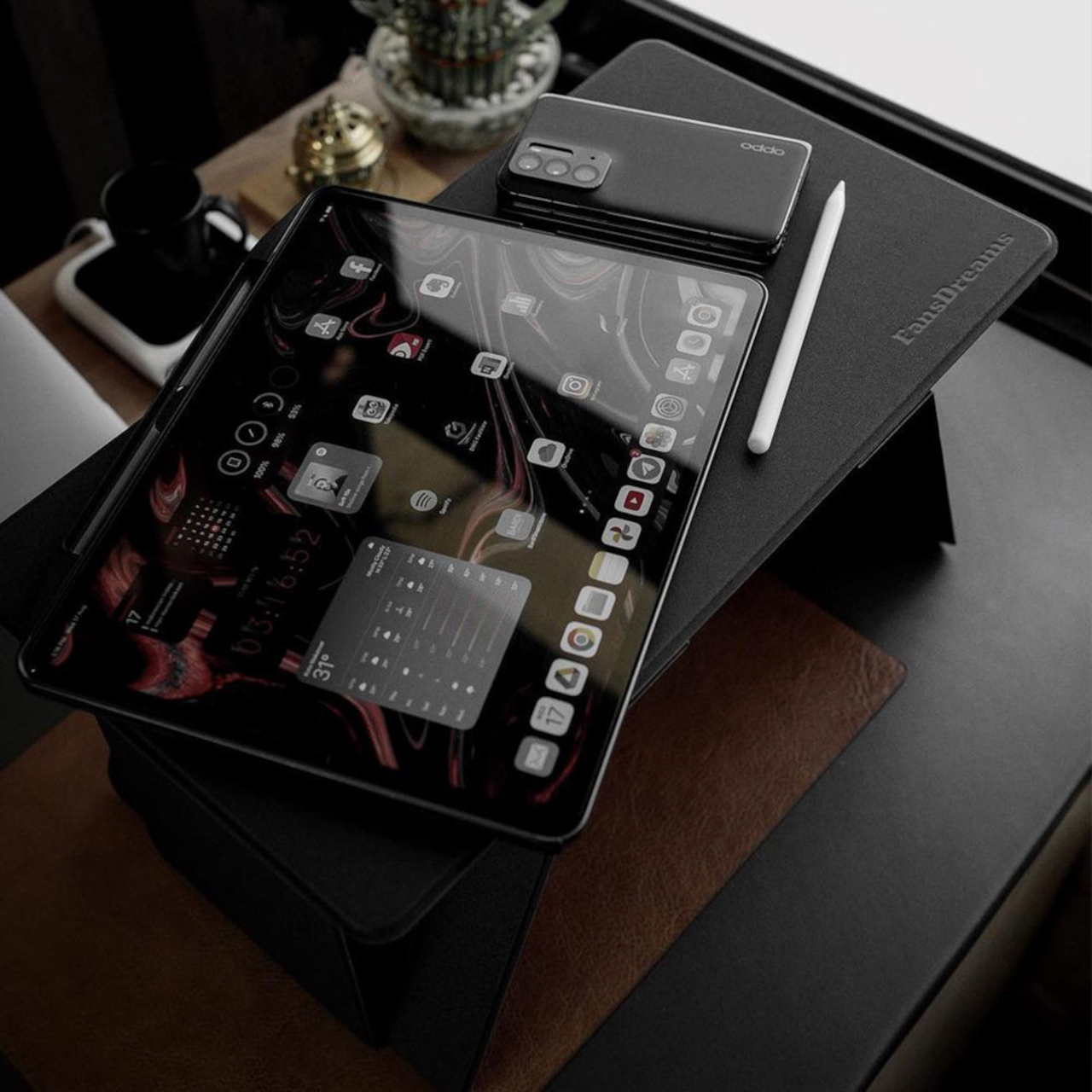
Unlike a typical laptop desk with legs, the Fansdreams Pi takes a few pages from the Japanese art of paper folding to keep its form slim and light. In a nutshell, it uses downward force to lock the legs in place and uses flat planes to hold the desk up. Thanks to that, the Pi is only 0.5 inches (12.7mm) thin when folded, while the use of PU leather and high-strength fiberglass gives it its durability and light 2-lb weight.
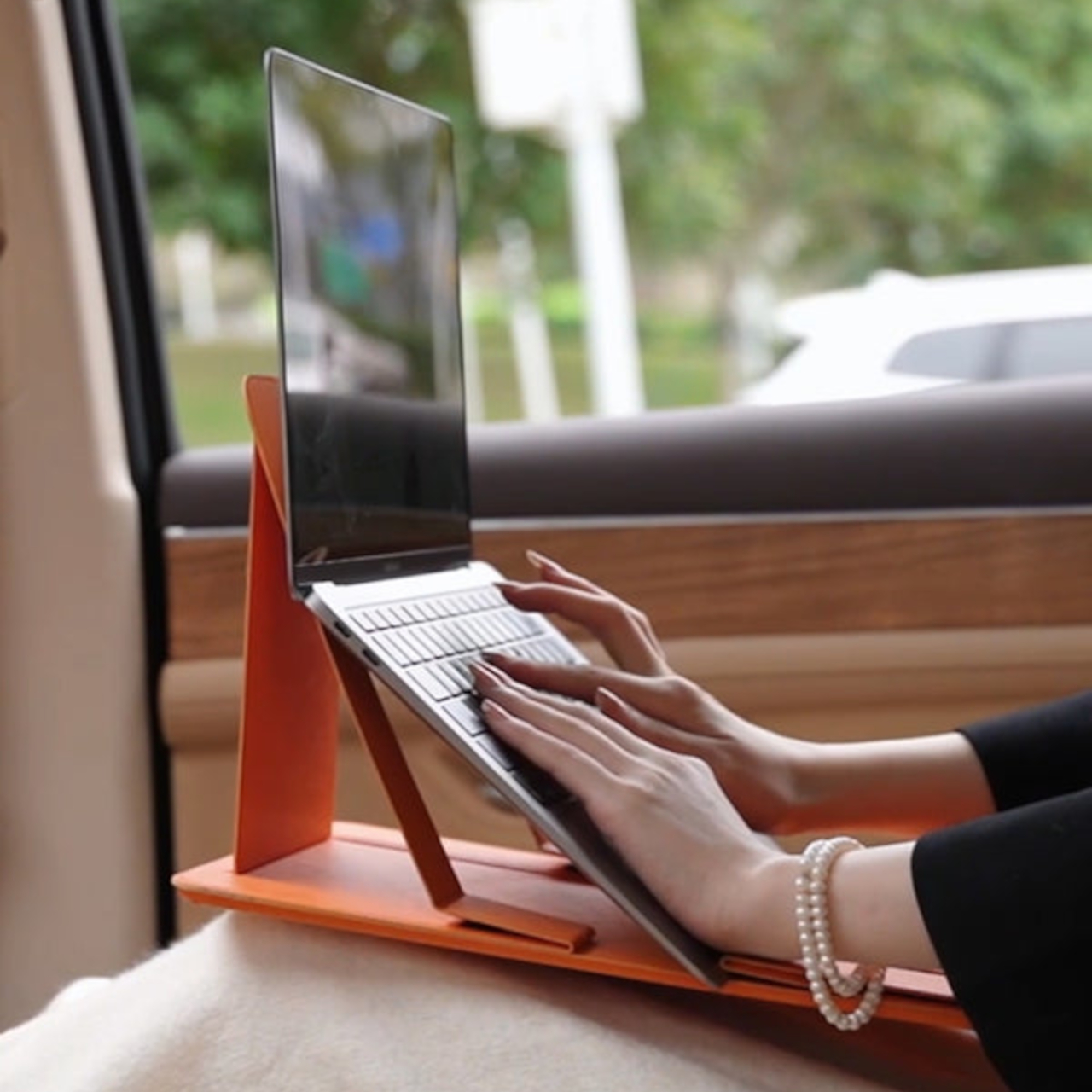
Perhaps more interesting than its appearance is the different functions the foldable desk serves. Of course, it holds your laptop up at a higher level, but there’s also enough space to put other items at the side, like a game controller, a bowl of food, or even a drink. Ideally, you wouldn’t put liquid near a laptop, but it can happen at times. And when not in use as an actual laptop desk, the Fansdreams Pi can function as a car table for actual eating or maybe working white paper.
The Pi laptop desk has one rather curious form where you turn it upside down and use one of the legs to raise the laptop at an incline. This configuration is good for having the screen at a higher level, though you’ll probably have to use a separate keyboard to type more comfortably. Either way, it’s also a good demonstration of how sturdy and stable the legs can be if they can support the weight of the laptop directly.
The Fansdreams Pi’s thin and lightweight design makes it easy to bring anywhere, though its rather long surface might not fit some smaller bags. And while it does bring the convenience of being able to work even in a car, it does encourage a rather unusual and somewhat unhealthy lifestyle of simply working and eating anywhere.