How to improve AI memory with RAG

improving AI memory with RAG

Whether you are building your own AI application or chatbot being able to improve the memory of artificial intelligence (AI)  is a fundamental building block.  Imagine you’re chatting with a customer service bot about a recent order, and it remembers every detail from your previous conversations. No more repeating yourself or getting frustrated with generic […]

The post How to improve AI memory with RAG appeared first on Geeky Gadgets.

RoboGrocery is the first step towards robots packing our grocery

When I first encountered a self-checkout system in IKEA a few years ago, I sort of panicked because I didn’t know what to do. But after experiencing it and eventually figuring things out, I thought this was such a convenient way to do your shopping, especially if you want to keep social interactions at a minimum. Now if only there was a also a self-packing system since the packing up groceries stuff is the most difficult.

Designer: MIT CSAIL

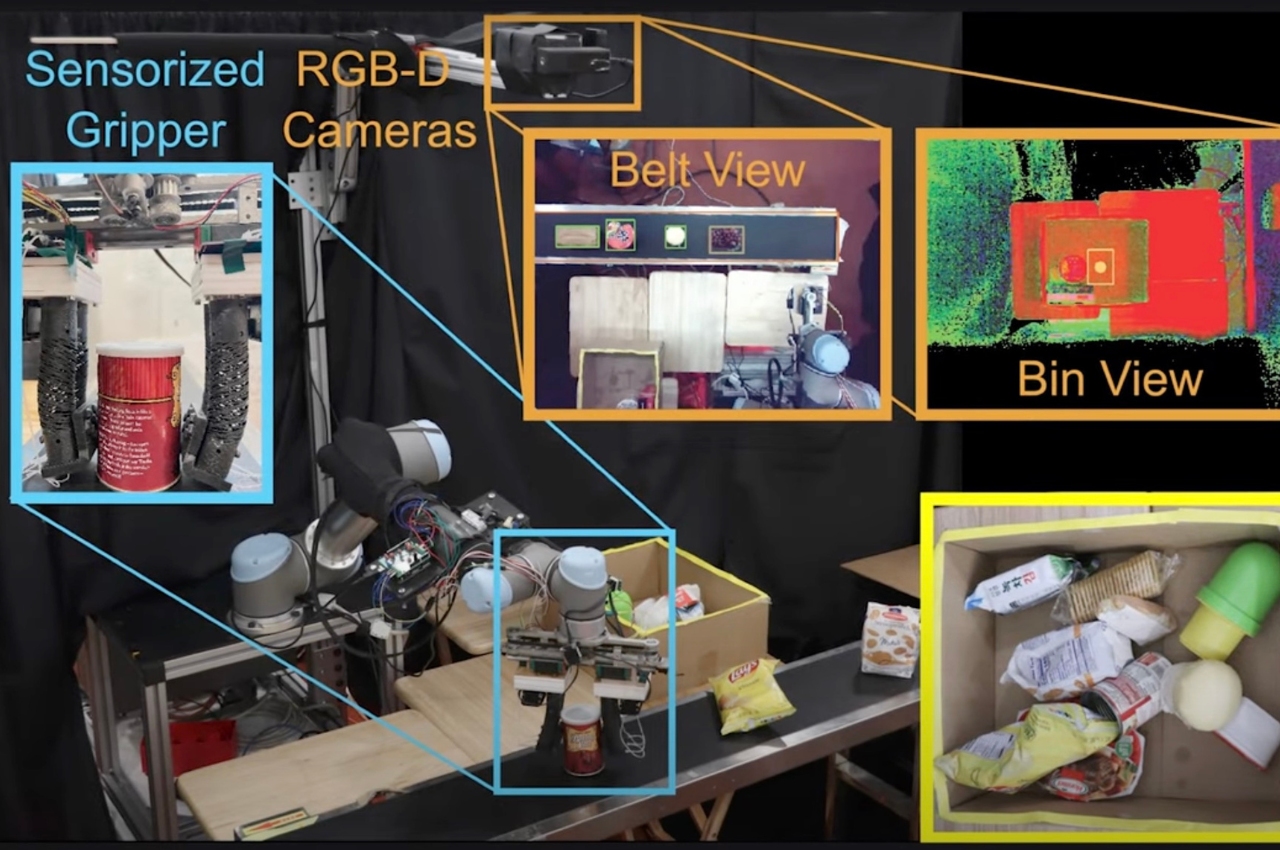
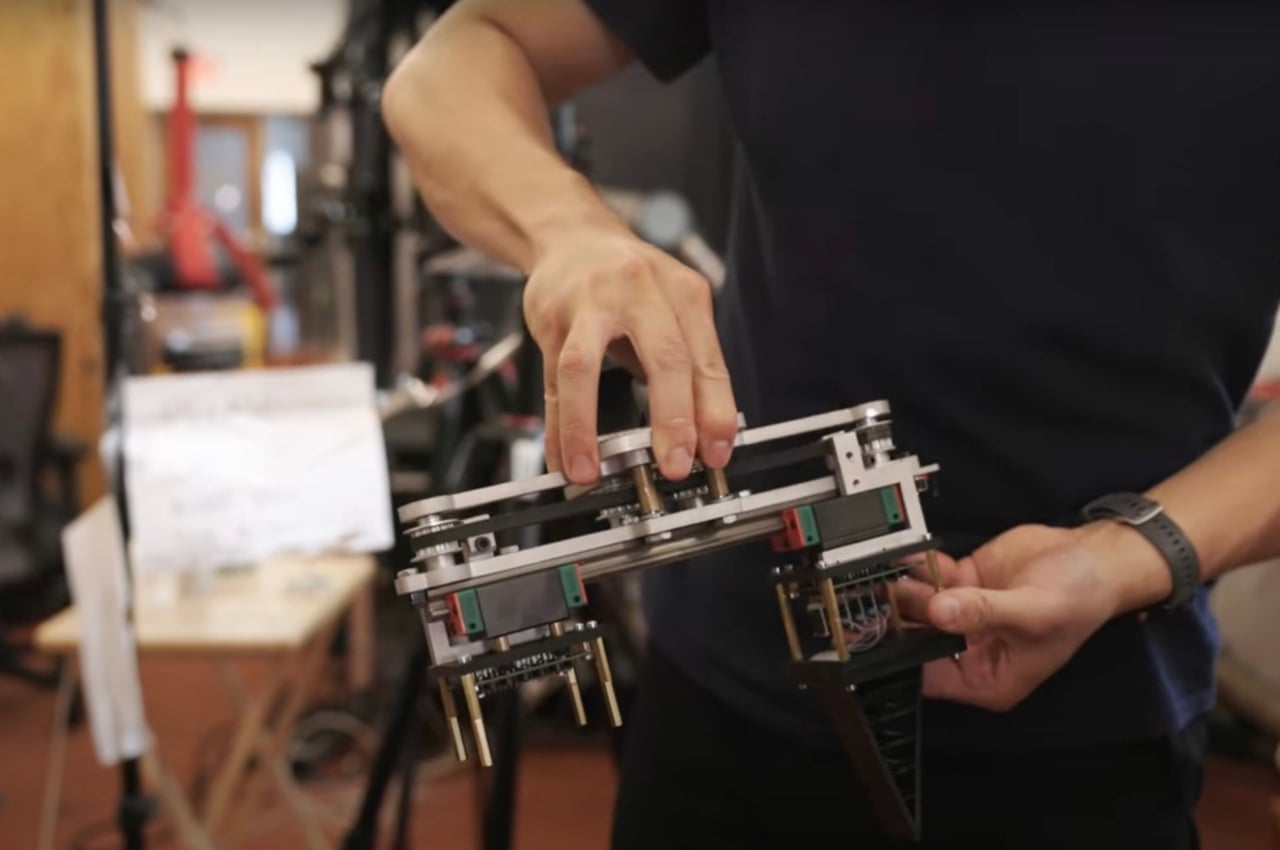
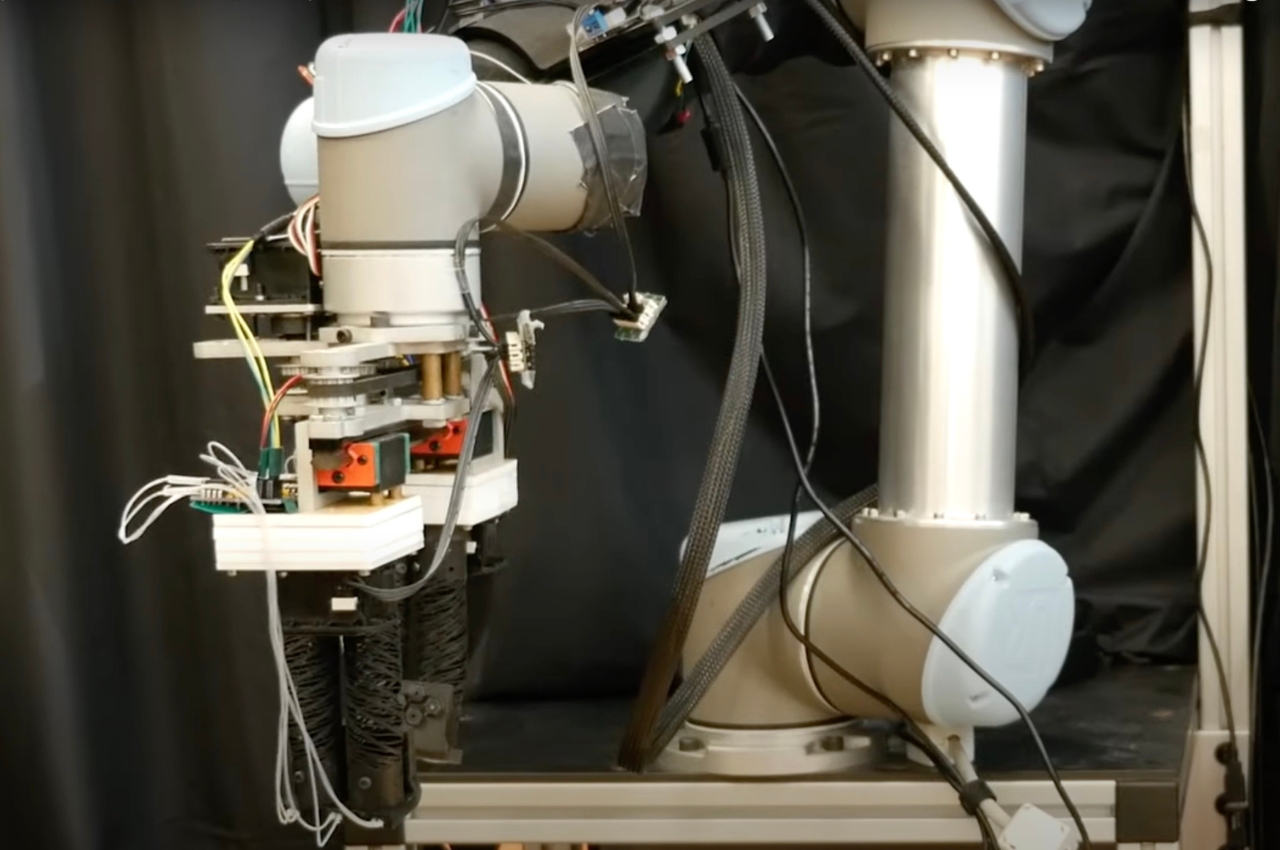
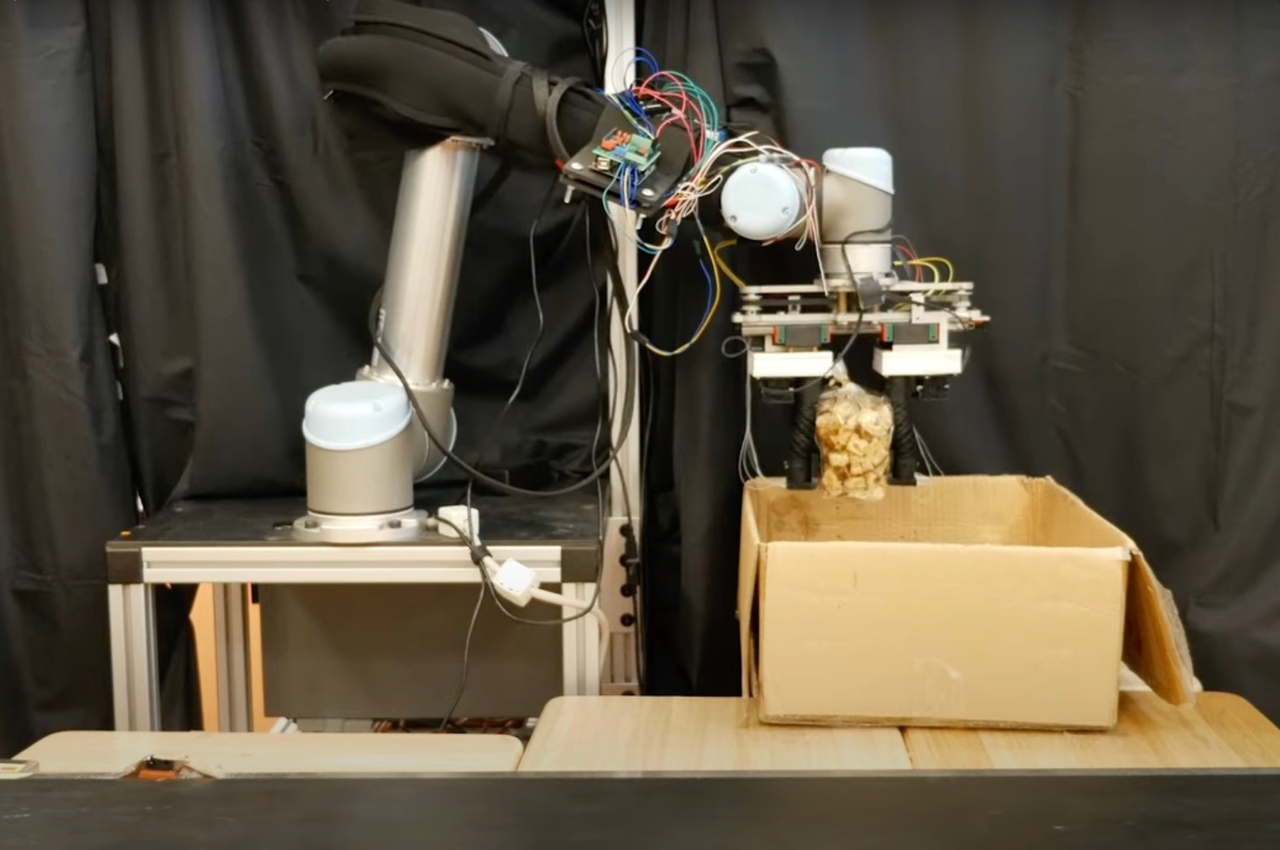
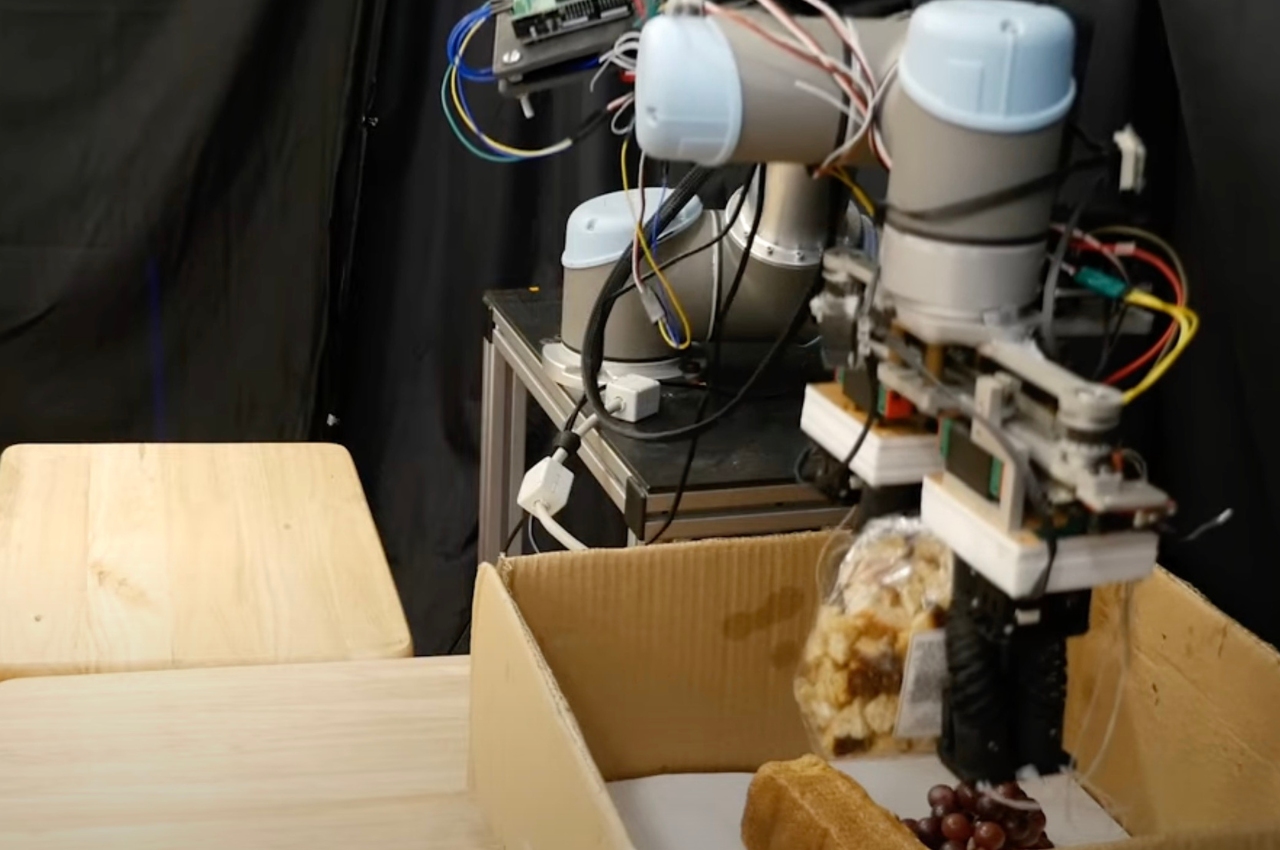
Eventually, this can of course come true and one step towards a system like this is the RoboGrocery. This was developed by MIT’s CSAIL department and uses a soft robotic gripper together with computer vision to help you bag groceries and other small items. It’s still in its early stages of course but seeing how it’s working at this time seems pretty promising.

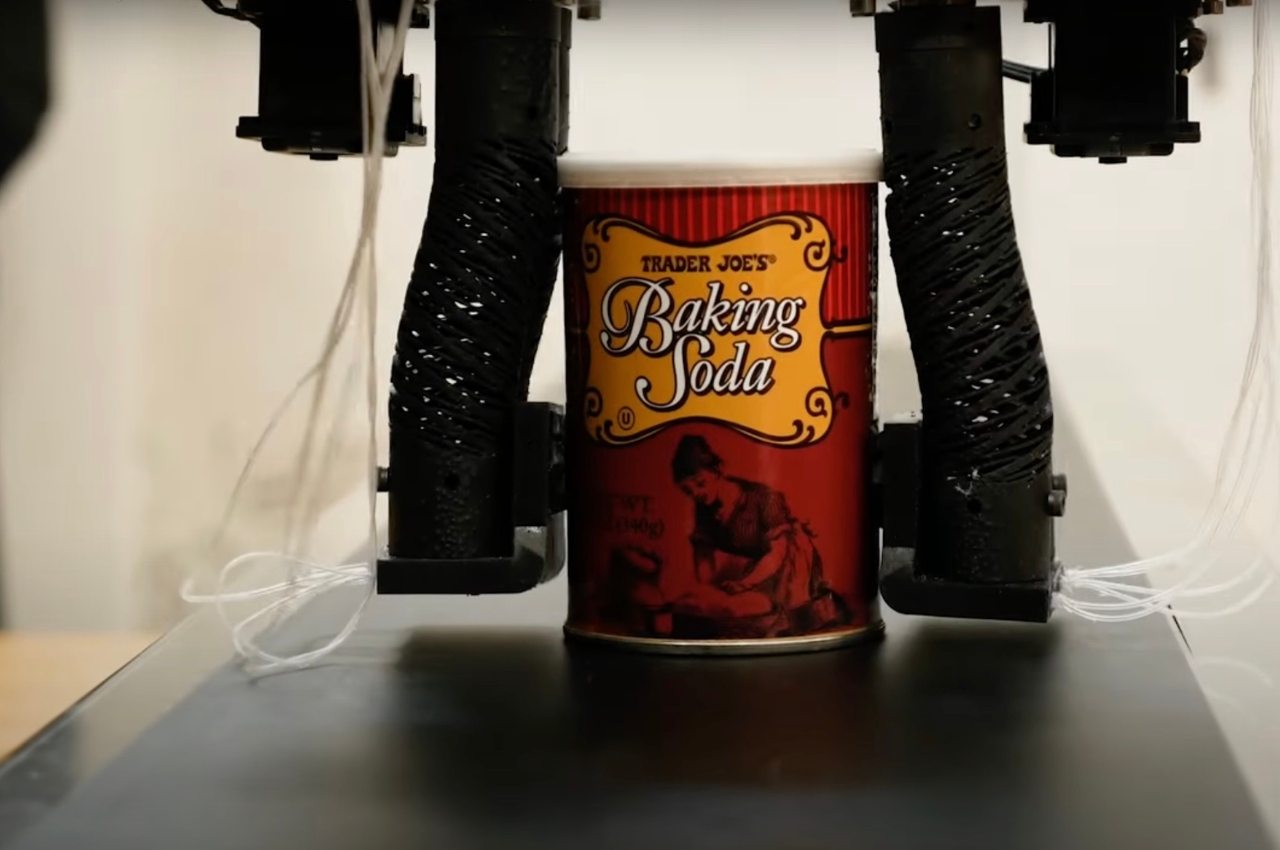
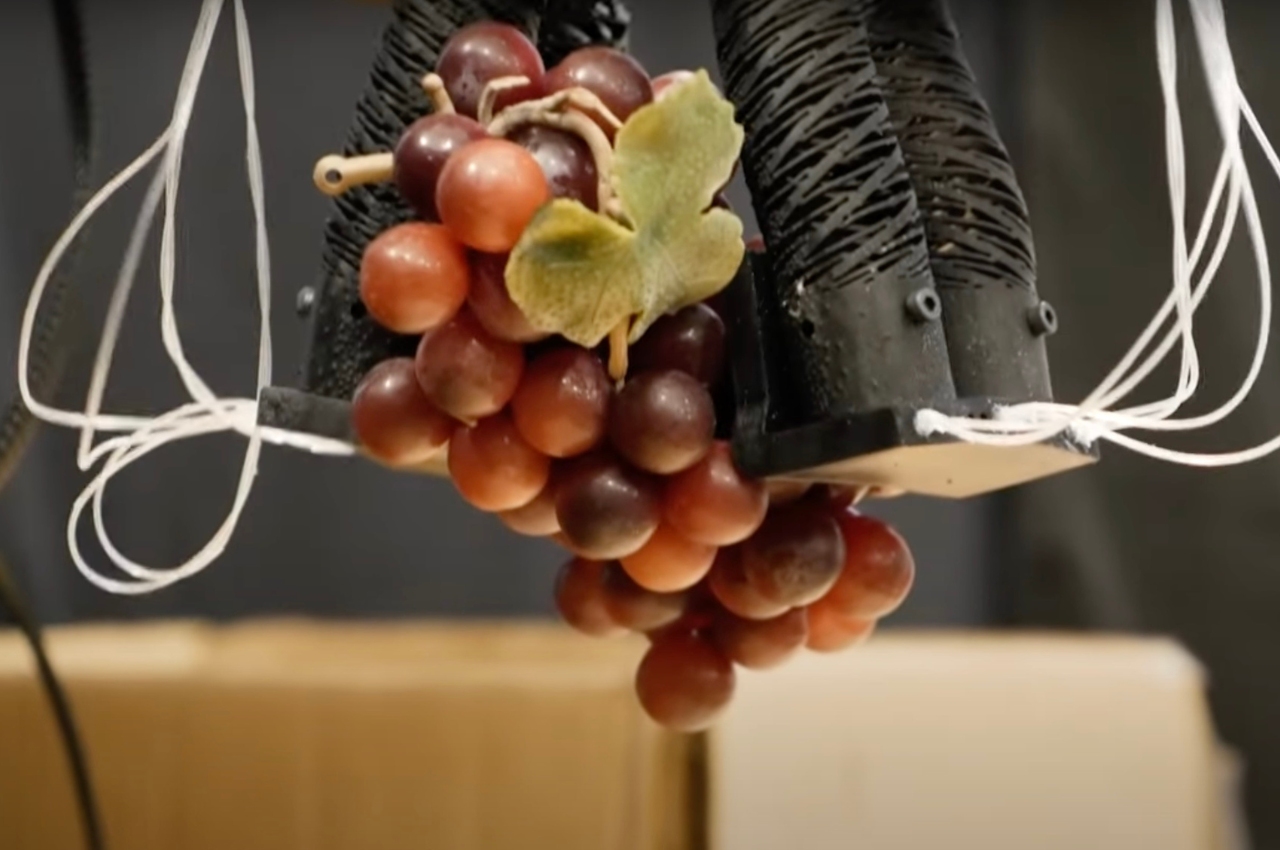
They tested it out by placing 10 objects on a grocery conveyer belt, ranging from soft items like grapes, crackers, muffins, bread to the more solid ones like cans, meal boxes, and ice cream containers. The vision detects the size of the item to determine the order of placing it in a box. The grasper, with the pressure sensors in its fingers, then determines whether the item is delicate and should not be placed at the bottom of the bag.


While we’re still a few steps away from actually having a robot to bag your groceries, it’s an interesting first step towards that. Eventually, after it becomes available for commercial use, they might also be able to develop this for industrial spaces like recycling plants and factories.

The post RoboGrocery is the first step towards robots packing our grocery first appeared on Yanko Design.

I’m finding the joy in writing again with a little help from the Supernote Nomad

I've recently accepted the fact that I am, and always will be, a pen-and-paper kind of gal. When it comes to writing, nothing does it for me quite like the act of scrawling by hand. I’m more creative, less distracted and more emotionally invested in what I’m doing than when I type on a keyboard.

But over the last decade or so of writing professionally, I've become disconnected from writing by hand. I spend most of my time hunched over a laptop, and have unwittingly conditioned myself into writing almost exclusively in this way for the sake of efficiency. While that’s undoubtedly what works best for the day-to-day demands of news blogging (I mean, how else could we do it?), my shift away from notebooks has killed my will to do any creative writing outside of work. These days, every time I crack open a laptop to write in my off-hours, it feels like a chore.

But what also feels like a chore is typing up pages upon pages of handwritten text after dumping all the words in my brain out onto paper. This burden is what first got me looking into digital notepads; since many of them can convert handwritten notes to text files, they’re kind of the best of both worlds. For a while, though, none of the available options really spoke to me — the reMarkable 2 and other E Ink tablets are just too big for my taste. Then, Ratta came out with the Supernote Nomad, and I was sold.

The Nomad is perfectly compact. With a 7.8-inch screen, it’s more like the size of an ereader, meaning I can toss it in a mini-backpack and bring it with me everywhere — and I do. My Nomad arrived in May (I ordered the $329 Crystal version, because I’m a sucker for a transparent shell) and I've been using it just about every day since. I was cautiously optimistic about what actually writing on this thing would be like, but it exceeded all of my expectations.

It took only a few minutes to get used to, which mainly came down to me getting over my somewhat irrational fear that the pen — the one that’s made for this device — would scratch the display. (It was expensive, okay?) The tablet doesn’t come with a writing implement, and I shelled out a little extra for the $89 Heart of Metal pen, a decision I’m super happy with. It’s nothing like a stylus, but instead has a sharp, precision tip like a real pen — hence my initial hesitation.

The experience of writing on the Nomad is so close to the feeling of actually using a pen and paper. There’s texture to it, something you don’t get with the smooth experience of writing on an iPad. I write pretty fast, and haven't had many issues so far with lagging. It comes with a bunch of writing templates, including lined “paper” with a few different ruling size options, and you can create your own templates or download those made by others. I haven't messed around much yet with custom versions, though, because the built-in offerings have been adequate for free writing, note-taking and organizing my life.

I was pleasantly surprised by how well the handwriting recognition tool has been able to convert my chicken scratch to typed text. My handwriting is fine at best, but when I'm working fast, things can get pretty messy. It's not 100 percent accurate — it’ll throw in the occasional string of gibberish — but the device mostly gets it right. You can export the converted writing as a .TXT or .DOCX file, and have the Nomad format it for you. This requires some cleaning up, but it’s never a huge job.

Supernote devices can sync with a number of different cloud storage providers, like Dropbox and Google Drive (though Google is currently not working for me, so that’s one point against it), along with the company’s own cloud. You can lock individual files and folders behind a passcode, too, which I really appreciate. Nothing haunts me more than the thought of someone reading through my unfinished drafts, some of which aren’t destined to ever see the light of day.

And I’ve finally ditched my paper planner — something I never thought would happen. Supernote’s built-in monthly calendar and weekly planner have finally given me an alternative that actually works for me. One of the main things that’s kept me using paper planners is that I like to doodle as a way to make important events or tasks stand out, and the Supernote Nomad allows me to do this. The only thing I miss is using stickers and pens of different colors, but I’ll survive.

In the last month or so using the Supernote Nomad, I’ve probably gotten more writing done (the “for me” kind) than I had in the last year. It just doesn't trigger that dreaded “you’re at work” feeling that my laptop and even other distraction-free writing devices, like the Freewrite Traveler, have. Eventually, I hope to get around to drawing and reading on it as well, but for the moment, all I want to do on this thing is write because I'm having such a great time doing it. And before you ask — yes, I wrote this article on my Nomad.

This article originally appeared on Engadget at https://www.engadget.com/im-finding-the-joy-in-writing-again-with-a-little-help-from-the-supernote-nomad-130048878.html?src=rss

Samsung Exynos W1000 For Galaxy Watch 7 Unveiled

Samsung Exynos W1000

The Samsung Exynos W1000 is poised to transform the smartwatch industry with its innovative 3nm processor technology. This innovative chip, expected to power the highly anticipated Samsung Galaxy Watch 7, promises to elevate the user experience by enhancing health monitoring capabilities, boosting productivity, and seamlessly integrating into everyday life. The Exynos W1000’s advanced architecture ensures […]

The post Samsung Exynos W1000 For Galaxy Watch 7 Unveiled appeared first on Geeky Gadgets.

Steam Deck AMD Frame Generation FSR 3.1 performance tested

Valve’s awesome Steam Deck handheld games console now supports AMD’s Frame Generation and FSR 3.1, enhancing performance in select games. This feature is currently limited to specific titles but shows promising improvements in frame rates and overall gameplay experience. Offering enhanced frame rates and smoother gameplay. Steam Deck FSR 3.1 Regardless of whether you own […]

The post Steam Deck AMD Frame Generation FSR 3.1 performance tested appeared first on Geeky Gadgets.

How to create barcodes in Excel for free

using Microsoft Excel to create barcodes

This guide explains how to generate barcodes in Excel without any additional installations, using both the desktop and web versions of Excel. It covers formatting cells to preserve leading zeros, using the IMAGE function to insert barcodes, and customizing barcode formats. Key Takeaways : Generate Barcodes in Excel: Learn how to create barcodes using Excel […]

The post How to create barcodes in Excel for free appeared first on Geeky Gadgets.

Posted in Uncategorized | Tagged

Elevate Your Writing with AI: The Ultimate Guide to Essential Tools

AI Writing

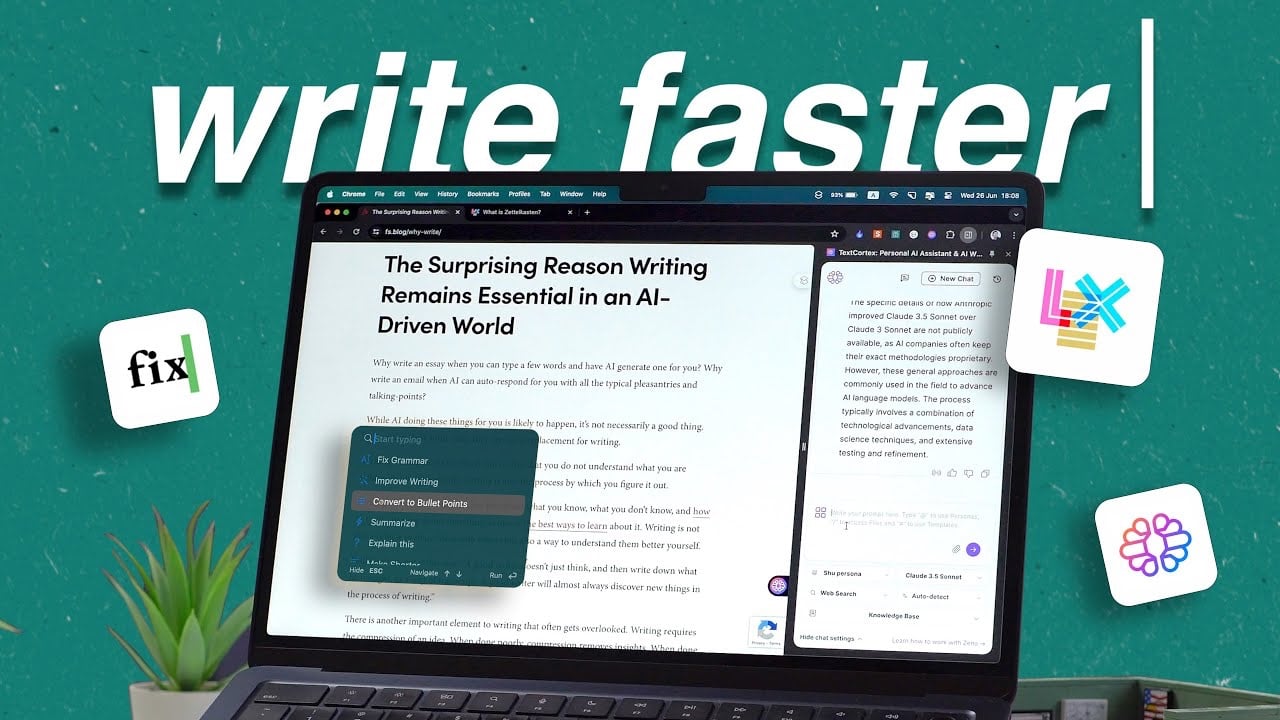
Writing has become an essential skill across various industries and we have a great video from Shu Omi which shows us a range of AI tools that can help us improve our writing. Whether you’re a student, researcher, or professional, the ability to communicate effectively through written words is crucial. However, the writing process can […]

The post Elevate Your Writing with AI: The Ultimate Guide to Essential Tools appeared first on Geeky Gadgets.

Posted in Uncategorized | Tagged

What is an LLM Router and how can they save you money?

LLM Routers explained

What if you could achieve nearly the same performance as GPT-4 but at a fraction of the cost? With the LLM Router, this isn’t just a dream—it’s a reality. For those of you interested in cutting down your AI costs. An LLM (Large Language Model) Router is an open-source framework designed to optimize the use […]

The post What is an LLM Router and how can they save you money? appeared first on Geeky Gadgets.

Posted in Uncategorized | Tagged

How to Use Apple Pay On iPhone: Your Hassle-Free Guide

Apple Pay

Apple Pay has transformed the way we make payments, offering a secure and convenient alternative to traditional payment methods. With Apple Pay, you can make purchases using your iPhone, Apple Watch, iPad, or Mac, both in-store and online. The video below from Apple will walk you through the process of setting up and using Apple […]

The post How to Use Apple Pay On iPhone: Your Hassle-Free Guide appeared first on Geeky Gadgets.

FTC warns some PC manufacturers that they’re violating right to repair rules

The Federal Trade Commission (FTC) is reminding several computer companies that "warranty void if removed" stickers are illegal, as is language discouraging consumers from fixing their own devices. The Commission warned ASRock, Gigabyte and Zotech to get rid of them and remove terms threatening to void warranties if users break the seal, it wrote in a press release spotted by The Verge

"Letters to three other companies warn against their use of stickers containing 'warranty void if removed' or similar language that are placed in locations on products that hinder consumers’ ability to perform routine maintenance and repairs on their products," the FTC wrote. "These letters were issued to ASRock, Zotac, and Gigabyte, companies that market and sell gaming PCs, graphics chips, motherboards, and other accessories."

It wasn't just the stickers, but language in the warranties stating that guarantees would be voided if said seals were broken. The practices "may be standing in the way of consumers' right to repair products they have purchased," according to the release. Commission staff will review the companies' websites after 30 days and failure to correct violations may result in law enforcement action. 

Right to repair laws have spread across US states, but the FTC is actually referencing decades-old rules. Under the 1975 Magnuson-Moss Warranty Act, companies can't place restrictions on repairs unless they provide the parts or services for free or receive a waiver from the FTC. 

This isn't a new occurrence, as we wrote about a similar warning from the FTC way back in 2018. At that time, the watchdog sent warnings to six companies: Nintendo, Sony, Microsoft, ASUS, HTC and Hyundai. Such stickers and policies aren't necessarily illegal in other nations though, as iFixit wrote last year

This article originally appeared on Engadget at https://www.engadget.com/ftc-warns-some-pc-manufacturers-that-theyre-violating-right-to-repair-rules-120009736.html?src=rss