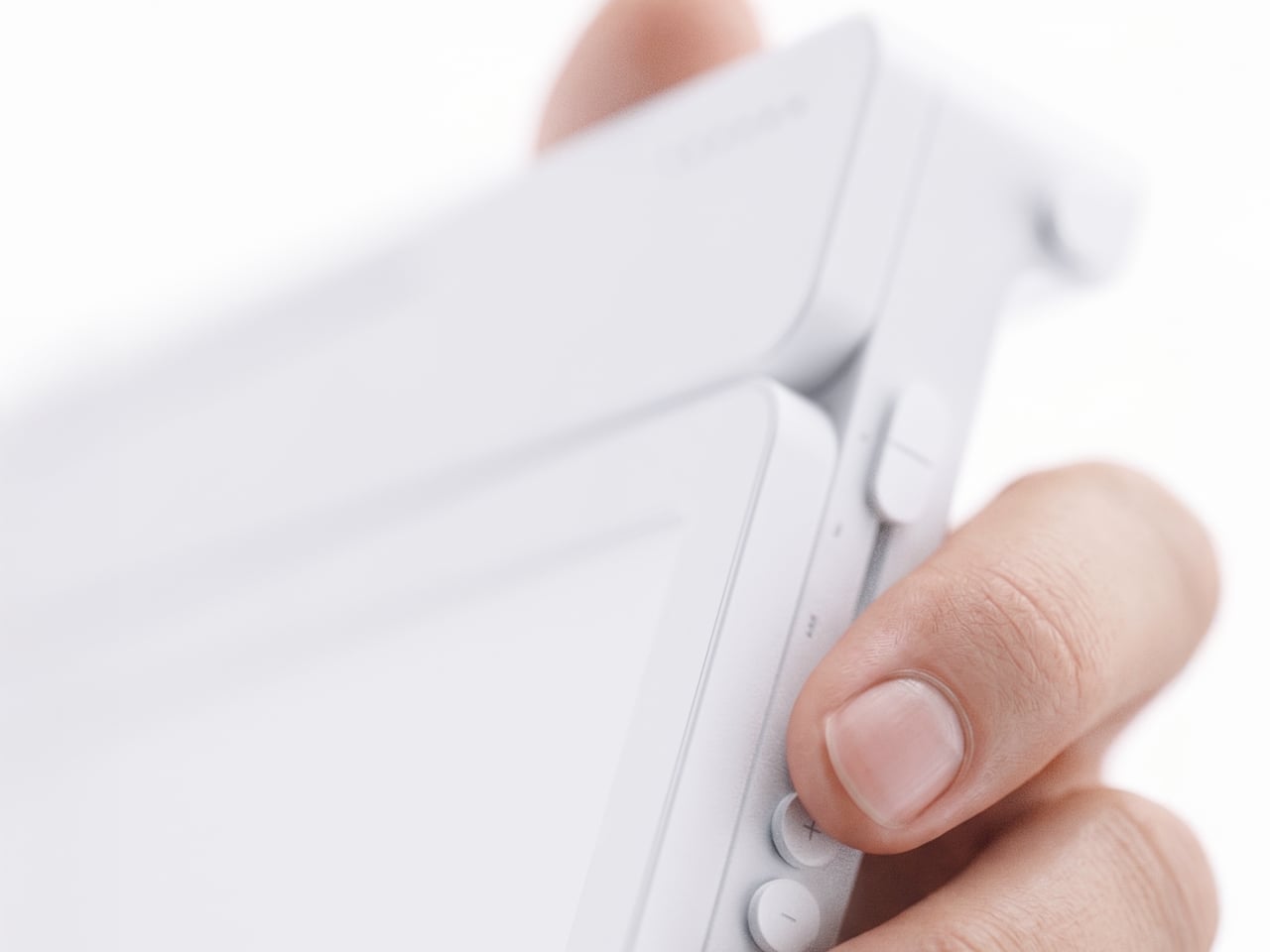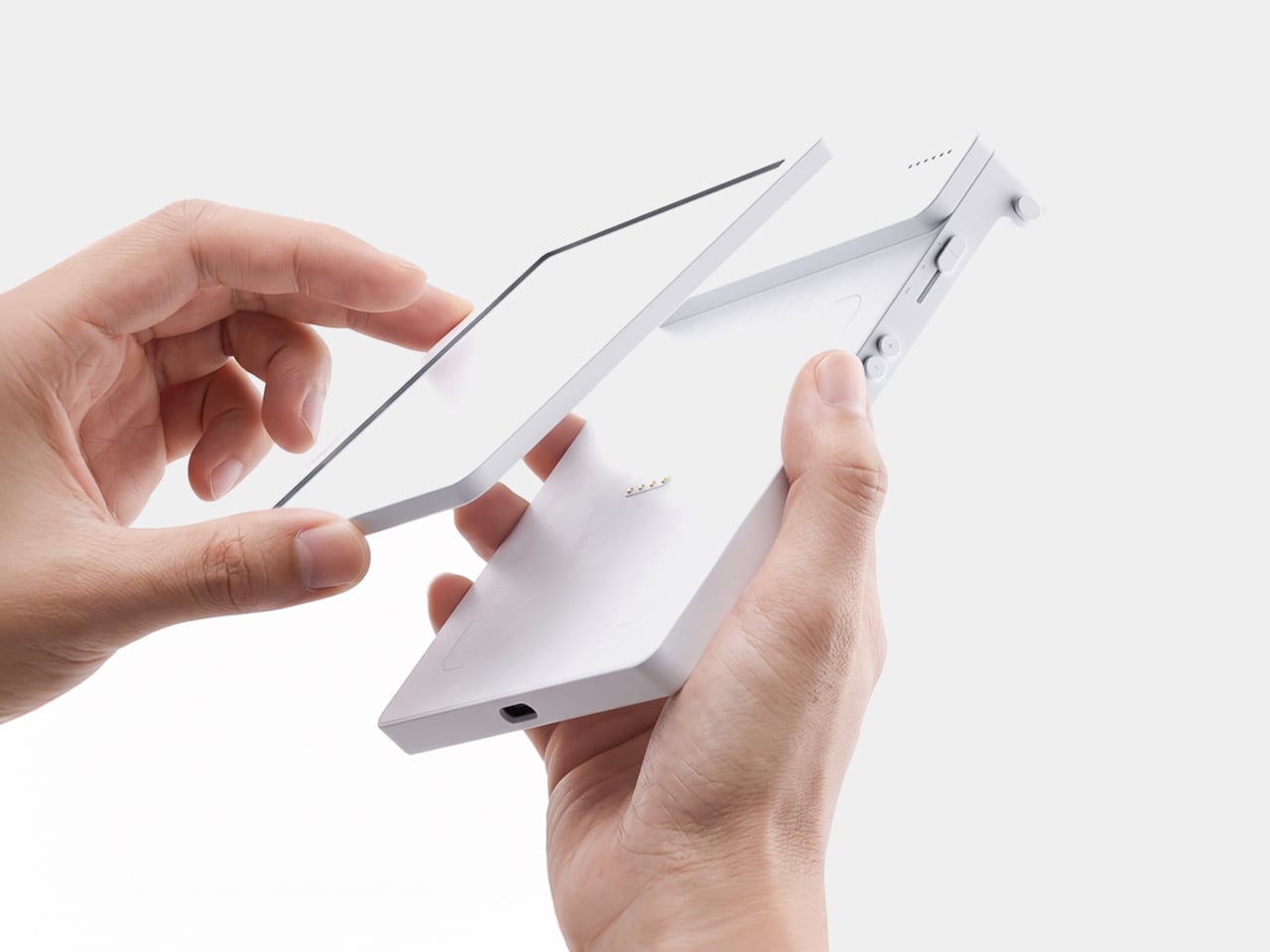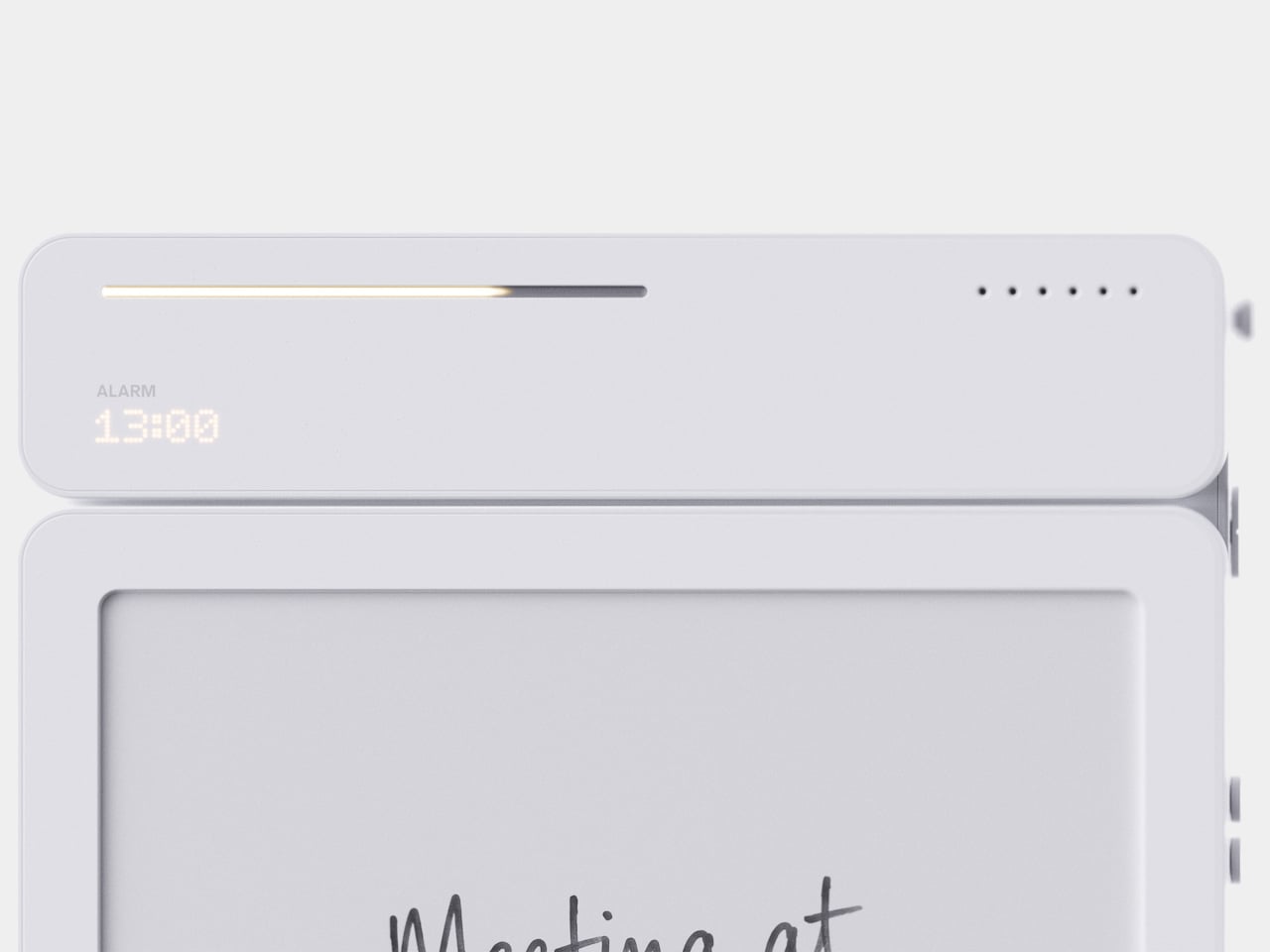
The $199 VITA RING Wakes You Up Mid-Apnea Before You Ever Know It Happened Thanks To AI Health Tracking

The fact that you have to charge your Apple Watch every 48 hours means there’s a small sliver of time in the day where it isn’t capturing data. Your body uses sleep to run its most important maintenance cycles, and the biometric signals during those hours carry real diagnostic weight: heart rate variability, breathing quality, blood oxygen levels during deep rest. These are the readings that can flag early signs of atrial fibrillation, sleep apnea, or chronic stress load well before symptoms appear in your waking hours. A device sitting on your nightstand during this window captures none of it. The form factor that makes the most sense for genuine 24/7 health tracking turns out to be one that never needs to come off. Something like a ring.

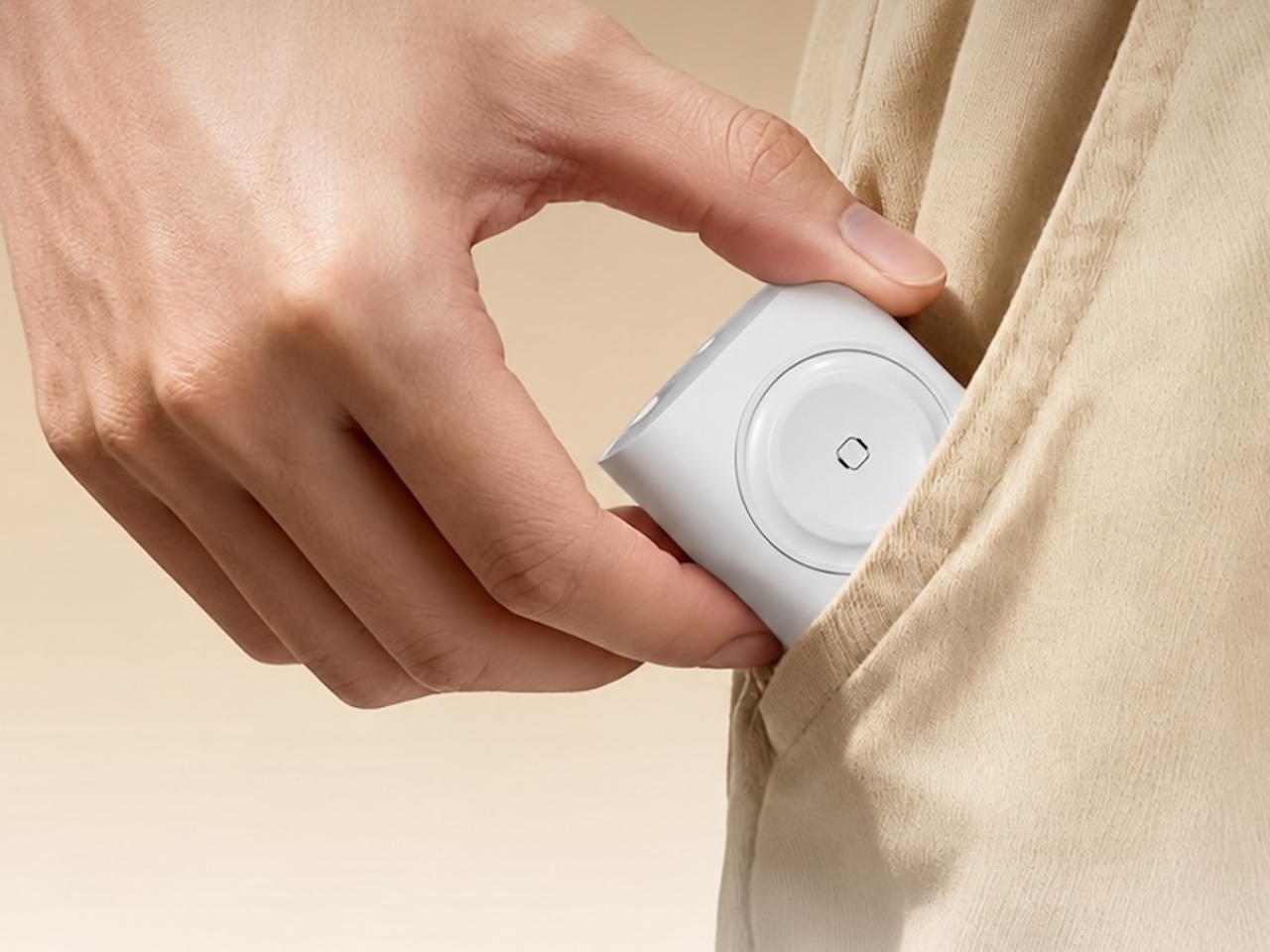
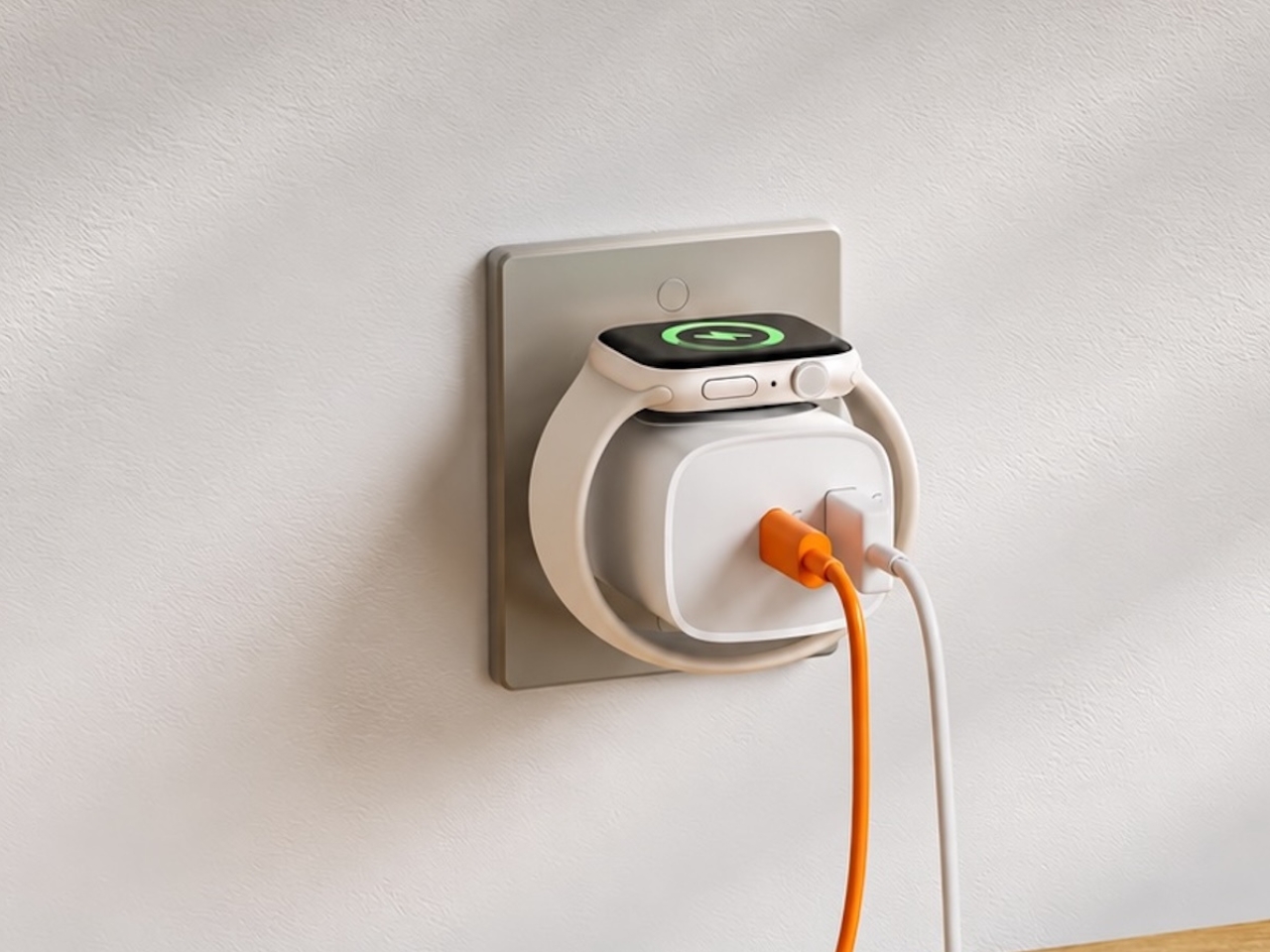
The VITA RING leans into this idea with a design that prioritizes both elegance and endurance. It uses a polished Aerospace Ceramic for its outer body, a material that feels more like a piece of refined jewelry than a piece of consumer electronics, and is 3x harder and scratch-resistant compared to titanium. This results in a device you are willing to live with twenty-four hours a day. With a battery that lasts up to a week on a single charge, it closes the data gap left by other wearables and operates silently in the background, using gentle haptic vibrations to deliver important alerts. It’s a design that ensures the ring remains forgotten until it has something important to share.

Designer: VITA TECHNOLOGY INC

Click Here to Buy Now: $199 $399 ($200 off).

VITA’s core proposition organizes around three verbs: Alert, Advise, Act. The ring’s Multi-Agent Health System tracks over 17 health metrics continuously, watching for deviations from your personal baseline rather than population-level averages. When something shifts meaningfully, a gentle haptic pulse is the only output, keeping the alert channel completely separate from the noise of your phone screen. The AI layer contextualizes what it finds, identifying patterns across sleep, stress, recovery, and activity to surface insights specific to your body. For a market that has treated data volume as a proxy for intelligence, that distinction matters.

Where VITA separates itself is in how it handles sleep. Most trackers deliver a score after the fact; VITA monitors sleep stages, breathing quality, and runs Apnea Intervention in real time. The ring detects disrupted breathing and responds with a gentle vibration prompting the user to shift position, often helping restore a more regular breathing pattern. Sleep apnea affects an estimated 936 million people globally, the majority of them undiagnosed, and real-time intervention at the consumer level addresses a clinical gap most wearables have stepped around entirely. The seven-day battery earns its keep here specifically, because consistent nightly data is how health patterns actually emerge.

“In Tune With You” is VITA’s attempt to build women’s health tracking around biology rather than calendar math, covering cycle awareness, fertility window detection, and pregnancy monitoring, all anchored in continuous biometric data. Most mainstream wearables approach this space with a period date counter and little else. Layering temperature shifts and HRV patterns onto reproductive health tracking delivers a different category of insight, capable of identifying a fertile window or flagging a physiological change earlier than any date-based system. Women’s health has been chronically under-engineered in consumer wearables, and making it a first-class feature is a deliberate product statement.

Circle of Care extends private health monitoring into a shared experience, letting users choose which wellness insights to share with trusted contacts alongside AI-guided care tips and relevant context. The Emergency SOS feature lets users send their live GPS location to those same contacts with a single tap when they cannot reach their phone. For adult children with aging parents, or anyone managing a chronic condition within a family dynamic, this broadens the ring’s utility considerably. Health monitored in isolation often goes unacknowledged, and VITA has built the architecture to change that.

Oura Ring charges $5.99 a month for premium features on top of the hardware cost. WHOOP’s entire model is subscription-based, with users paying around $30 a month to access their own data. VITA is different: core health tracking is completely free, but AI Health features require a subscription. Kickstarter backers get 1 year of AI Health features at no extra cost. The VIP pre-launch price sits at $179, representing 53% off eventual retail, and early backers who sign up before March 17 receive a free sizing kit. The real measure of whether it all holds up comes when hardware reaches users, but the pricing structure alone will earn serious attention in a market that has normalized subscription fatigue.

Click Here to Buy Now: $199 $399 ($200 off).

The post The $199 VITA RING Wakes You Up Mid-Apnea Before You Ever Know It Happened Thanks To AI Health Tracking first appeared on Yanko Design.
Futurewave Just Built a Smartwatch That Works Off the Grid

Most smartwatches are sold on the premise of convenience. They track your steps, ping you when you get a text, tell you to breathe, and remind you to stand up every hour like a politely nagging coworker strapped to your wrist. I don’t say that as a knock on the category. Convenience is genuinely valuable. But somewhere along the way, the smartwatch conversation became entirely about optimization and lifestyle metrics, and we kind of forgot that the wrist is also a really good place to put something that could keep you alive.

That’s where O-Boy comes in. Developed by Brussels-based design studio Futurewave, O-Boy is a satellite-connected smartwatch built specifically for emergencies in places where mobile networks simply don’t exist. No bars. No Wi-Fi. No backup signal. We’re talking mountains, open ocean, remote job sites, the kind of geography that doesn’t care about your carrier plan. In those environments, O-Boy functions as a direct link to satellite communication, allowing the wearer to transmit an emergency alert regardless of terrestrial infrastructure.

Designer: Futurewave

The premise sounds straightforward enough, but the execution is what makes this project interesting. Getting satellite communication hardware into a compact, wearable form factor is not a small feat. Futurewave brought together product designers, electronics engineers, and antenna specialists to make it work, and rethought the assembly system entirely from how conventional wearables are manufactured. That kind of cross-disciplinary collaboration tends to produce things that actually push the category forward rather than just iterating on what’s already there.

Visually, O-Boy reads as deliberate and utilitarian without being overtly tactical or rugged-for-rugged’s-sake. It doesn’t look like a watch that belongs exclusively to climbers or military personnel, which I think is actually the right call. The moment you design something to look extreme, you narrow your audience to people who already identify with that world. O-Boy appears to be reaching for a broader user: anyone who spends time in remote environments, whether for work or adventure, and wants a layer of safety that their phone simply cannot provide.

I’ll be honest about something. I’ve never been fully convinced that the average smartwatch user needs another notification device. The market is crowded, the differentiation is thin, and most new entries end up competing on specs that only matter to enthusiasts. O-Boy sidesteps that conversation almost entirely. It’s not trying to be the smartest watch. It’s trying to be the one you’d actually want on your wrist when a situation becomes life-or-death. That’s a completely different design brief, and it produces a completely different kind of product.

What I appreciate most is that the project seems to understand its context. Conventional mobile networks cover only a fraction of the Earth’s surface. Vast swaths of ocean, mountain ranges, deserts, and rural work sites exist in a communication dead zone that we collectively don’t think about until something goes wrong. The Apple Watch’s satellite SOS feature hinted at this need, but that capability is baked into a device designed primarily for a very different kind of user, sold at a premium price point and wrapped in a broader ecosystem. O-Boy is positioning itself as something more focused, more purpose-built, and arguably more honest about what it’s actually for.

Does it solve every problem in the wearable safety space? Almost certainly not. Satellite communication latency, subscription models for satellite access, and battery constraints are all real questions that any device in this category has to reckon with. Futurewave hasn’t published exhaustive technical specs publicly, so some of those answers remain open. But as a design concept and a signal of where wearables could be heading, it’s genuinely compelling.

The best design doesn’t ask you to change your habits. It meets you exactly where you are, anticipates the moment things go wrong, and gives you a way through. O-Boy feels like it was built with that thinking at its core. Whether it reaches mass production or stays within niche markets, the conversation it’s starting is one worth having.

The post Futurewave Just Built a Smartwatch That Works Off the Grid first appeared on Yanko Design.
7 Best Pocket-Sized Tech Gadgets Built for the Modern Minimalist

Somewhere between the overstuffed tech pouch and the empty pocket lies a sweet spot that most gadget makers ignore. The minimalist carry is not about owning less for the sake of it, but about each object earning its place through thoughtful design and genuine daily utility. We have been keeping tabs on pocket-friendly gadgets that manage to pack serious functionality into forms small enough to forget about until the moment they are needed. These seven picks balance portability with purpose, skipping gimmicks in favor of smart engineering.

What ties this list together is a shared restraint. None of these products tries to do everything. Each one solves a specific problem within a compact footprint, and the design decisions behind them reflect a growing shift in how makers approach portable tech. Less bloat, more intention, and a willingness to rethink form factors that have gone unchallenged for too long.

1. OrigamiSwift Mouse

The OrigamiSwift borrows its name from Japanese paper folding, and the comparison holds up. This foldable Bluetooth mouse collapses flat for storage and springs into a full-sized shape in under half a second, making it one of the more clever portable input devices we have come across recently.

At just 40 grams, the mouse is lighter than most pens and thin enough to slip into a jacket pocket without adding bulk. The ergonomic curve that appears when unfolded feels closer to a standard desktop mouse than most travel mice bother attempting, which makes extended work sessions far less punishing on the wrist.

Click Here to Buy Now: $85.00

What we like

  • The origami-inspired folding mechanism is quick and satisfying, going from flat to functional almost instantly.
  • Weighing only 40 grams, it vanishes into a bag or pocket and adds almost zero weight to a travel setup.

What we dislike

  • The folding hinge is a mechanical point of failure that could wear over time with heavy daily use.
  • Bluetooth-only connectivity means no option for a USB dongle, which can be a dealbreaker for users who prefer a dedicated receiver.

2. DuRobo Krono

Reading on a phone screen is a compromise most people accept without questioning. The DuRobo Krono pushes back on that default by squeezing a 6.13-inch E Ink Carta 1200 display into a form factor that fits pockets as easily as a smartphone, but replaces the distraction engine with a focused reading and productivity tool.

The 300 PPI resolution matches what premium Kindles deliver, and the tall 18:9 aspect ratio gives the Krono a narrow, phone-like grip at 154 x 80 x 9mm and 173 grams. Built-in AI capabilities turn it into a note-taking and creative thinking companion, not just a page-turner.

What we like

  • The E Ink display at 300 PPI is sharp and comfortable for extended reading without the eye fatigue that LCD screens cause.
  • AI features baked into the device add a productivity layer that separates it from standard eReaders stuck in single-purpose territory.

What we dislike

  • E Ink refresh rates remain sluggish for anything beyond static pages, making note-taking and navigation feel slower than on a phone.
  • At 6.13 inches, the screen is on the smaller side for PDFs and academic papers that need more real estate to be readable.

3. Pokepad Pocket PC

Most devices aimed at students are either stripped-down tablets or locked-down phones fighting a losing battle against social media. Pokepad takes a different route: a compact learning device shaped like a slim rectangular box, with a flip-out pen and zero gaming apps. The goal is a distraction-free tool that travels from classroom to bus to bedroom.

The design team tested multiple shapes before landing on this box form factor, balancing enough internal volume for a decent battery, speakers, and a pen mechanism without tipping into tablet territory. The deliberate absence of an app store full of entertainment is the product’s sharpest design choice, and its most controversial one.

What we like

  • The flip-out pen integrated directly into the body eliminates the need to carry (and inevitably lose) a separate stylus.
  • A distraction-free software environment means this device stays focused on learning rather than competing with TikTok for attention.

What we dislike

  • This is still a concept, so there are no confirmed specs, pricing, or a release timeline to evaluate.
  • The locked-down software approach assumes students will not simply resist using a device that blocks entertainment entirely.

4. Battery-free Amplifying iSpeakers

In a category drowning in Bluetooth speakers that need charging, the iSpeakers strip things back to pure physics. This metal smartphone speaker amplifies sound using acoustic design alone, with no battery, no electricity, and no pairing process. Slot a phone in, and the Duralumin body does the rest.

The material choice is the interesting detail here. Duralumin is an aluminum alloy used in aircraft construction, chosen for its vibration-resistant properties and its ability to project sound cleanly. The speaker’s proportions follow the golden ratio, which shapes how sound waves travel through the chamber and spread outward. Optional +Bloom and +Jet mods (sold separately) let users direct sound for different room setups.

Click Here to Buy Now: $179.00

What we like

  • Zero power requirement means no batteries to charge, no cables to carry, and no wireless connectivity to troubleshoot.
  • Duralumin construction gives it a premium, lasting feel that ages well and resists the kind of dings that kill plastic speakers.

What we dislike

  • Volume output is inherently limited by passive amplification, so this will not fill a large room or compete with powered speakers.
  • Compatibility depends on phone size and speaker placement, so not every phone model will fit or project sound optimally.

5. Unix UX-1519 NEOM Power Bank

Power banks are the most boring objects in the average carry. The Unix UX-1519 NEOM challenges that assumption by wrapping 10,000mAh of capacity and 22.5W fast charging in an industrial design language that actually looks intentional. This is a real, shipping product, not a concept render.

The retro-modern aesthetic slots neatly alongside devices from brands like Nothing and Teenage Engineering, where exposed design elements and visible construction details are part of the appeal. Under the surface, a high-density Lithium Polymer battery provides a safer, longer-lasting cell compared to standard lithium-ion packs found in most competing power banks.

What we like

  • The industrial design treatment turns a utilitarian object into something worth displaying alongside the rest of a curated collection.
  • 22.5W fast charging keeps compatible devices topped up quickly, cutting the time spent tethered to a power bank.

What we dislike

  • The design-forward approach may command a price premium over functionally identical power banks with plainer exteriors.
  • At 10,000mAh, capacity is adequate for one to two phone charges, but falls short for users who need to power tablets or laptops on the go.

6. Keychron B11 Pro

Portable keyboards have spent years treating compactness as the only variable worth optimizing. The Keychron B11 Pro adds a second priority: ergonomics. It folds in half to a 196.3 x 143 mm footprint (smaller than a paperback) at 258 grams, but unfolds into a 65% Alice layout that angles both key clusters inward for a more natural wrist position.

The Alice geometry is what separates this from every other folding keyboard in its price bracket. Keychron already uses the same split-angle approach in the desk-bound K11 Max, a full mechanical keyboard, so the ergonomic logic is well tested. Putting it into a foldable form at $64.99 is a different proposition, one that treats travel typing as something deserving of the same wrist comfort as a home office setup.

What we like

  • The Alice split layout reduces lateral wrist strain during long typing sessions, a benefit that flat portable keyboards do not offer.
  • At $64.99, the price point is accessible compared to other ergonomic keyboards that cost two to three times as much.

What we dislike

  • A 65% layout means missing dedicated function rows and navigation clusters, which power users may find limiting.
  • The folding hinge adds a visible seam along the middle of the keyboard that could collect dust and affect long-term build quality.

7. Frame CD Player

Streaming killed the CD, but it never replaced the ritual. The Frame CD player leans into that gap with a portable player that does double duty as a display for album jacket art. Pop in a disc, slide the cover art into the built-in frame, and the album becomes an object again instead of a thumbnail on a screen.

Bluetooth 5.0 lets the player connect to wireless speakers and earphones, so it works within modern audio setups without demanding a wired system. A built-in battery makes it portable enough to move between rooms or take on the go, and the minimalist housing is designed to hang on a wall as a piece of functional decor when not in transit.

Click Here to Buy Now: $169.00

What we like

  • The album art frame transforms a music player into a visual display piece, giving physical media a presence that streaming cannot replicate.
  • Bluetooth 5.0 connectivity bridges the gap between vintage formats and modern audio gear without extra adapters or cables.

What we dislike

  • CD collections are shrinking, so the player’s long-term utility depends on how committed a listener is to physical media.
  • Sound quality through Bluetooth compression will not satisfy audiophiles who are drawn to CDs for their lossless audio in the first place.

Less carry, more intent

The common thread running through these seven gadgets is not a spec sheet or a price bracket. It is an attitude toward what portable tech should be: small enough to disappear when not needed, capable enough to perform when called upon, and designed with enough intention that carrying them feels like a choice rather than a burden. Not every product on this list will suit every carry, but each one earned its pocket space.

What makes this current wave of compact gadgets exciting is the refusal to treat portability and quality as opposites. The best pocket-sized tech does not ask for compromise. It simply demands better design thinking, and these seven products deliver on that front in different, often surprising ways.

The post 7 Best Pocket-Sized Tech Gadgets Built for the Modern Minimalist first appeared on Yanko Design.

The Zipper Is the Button. Finally.

We’re used to devices and gadgets that have all complicated buttons and controls. But what if it wasn’t that way always? The gesture is almost embarrassingly simple. Pull a zipper open and sound plays. Pull it shut and the room goes quiet. No tapping a screen, no asking a voice assistant, no hunting for a button that somehow always ends up on the wrong side of the device. Just the same physical action you’ve been doing since you were old enough to dress yourself.

That’s the entire premise of ZIP, a concept speaker designed by Korean designers Taeyang Kim, Dugyeong Lee, Yejin Na, and Gijeong Shin. It’s one of those ideas that, once you see it, makes you wonder why it took this long. The concept draws directly from the universal expression “zip your lips,” mapping the act of silencing onto the most tactile and satisfying closure mechanism we use in everyday life. The zipper isn’t decorative here. It isn’t a style nod or an ironic wink. It is the interface. And that commitment is what makes ZIP genuinely interesting rather than just aesthetically clever.

Designers: Taeyang Kim, Dugyeong Lee, Yejin Na, gijeong Shin

Physically, the object is composed and self-assured. A compact rectangular body in brushed silver aluminum sits below a band of dark fabric bisected by a metal zipper, the kind of heavy-duty hardware you’d find on a quality jacket, not a flimsy fashion detail. The lower half houses the speaker grille: a grid of evenly punched dots that reads like something out of a Dieter Rams archive, which is very much a compliment. The visual language is minimal without being cold, functional without being dull. It looks equally at home on a credenza beside art books and on a desk next to a keyboard.

The prototype photos on Behance pull off something a lot of design projects fail to do: they make you feel the weight of the thing. The exploded component layout is especially good. You can see the actual speaker driver, the PCB, the battery, the zipper hardware, all laid out like a dissected argument for why this object should exist. It’s a working prototype, not a render, and that matters. Renders are promises. A functioning prototype is a proof.

What I keep coming back to is the conceptual integrity. A lot of tech and industrial design right now is obsessed with reducing interfaces to nothing: invisible touch surfaces, gesture sensing, proximity triggers. The instinct is understandable, but there’s a real cost to removing physicality from control. You lose feedback. You lose certainty. You lose the tiny neurological satisfaction of knowing you actually did a thing. ZIP goes in a different direction by betting that a familiar mechanical action can carry more meaning than a capacitive button ever will.

The “zip your lips” metaphor also does something a lot of design thinking misses. It’s cross-cultural in its clarity. You don’t need to read a manual to understand what zipping something shut means in relation to silence. The designers describe it as proposing “a new interface that controls sound, inspired by the gesture of closing your mouth.” That isn’t just product language. It’s a considered philosophical position on what intuitive design actually means. Intuitive doesn’t mean invisible. It means immediately understood.

The styling throughout the Behance project reinforces this with a dry, confident visual wit. The image of someone holding the zipper module over their mouth says everything the project text says, but in about half a second. It’s the kind of visual shorthand that designers spend entire careers trying to achieve.

Whether ZIP ever becomes a commercially available product is, frankly, beside the point right now. What it demonstrates is a design team that understands the difference between novelty and concept. Novelty fades. Concept compounds. And the concept here, that the best interface is the one that already lives in muscle memory, is solid enough to carry a lot more than a speaker. It’s rare to look at a design concept and feel like the people behind it already know something important. ZIP is that kind of rare.

The post The Zipper Is the Button. Finally. first appeared on Yanko Design.
5 Best Tech Gadgets of March 2026

March has a habit of delivering the products that January only promised. CES demos become preorders, concept renders start circulating with real specs attached, and the gadgets worth paying attention to separate themselves from the ones that were only ever meant to look good on a stage. This month’s picks share a common thread: each one challenges an assumption about how a familiar product category should behave, look, or fit into daily life.

What makes these five stand out from the usual parade of iterative upgrades is their willingness to subtract. Less screen time, less bulk, less noise, less compromise between form and function. They are not chasing specs for the sake of benchmarks or piling on features to pad a marketing sheet. From a handheld PC that refuses to apologize for its ambition to a concept camera that wants nothing more than for its user to look up from a screen, these gadgets are worth your time and attention this month.

1. GPD Win 5

The PSP’s body plan endures, and the GPD Win 5 is its most ambitious descendant yet. Packed with an AMD Ryzen AI Max+ 395 processor, up to 4TB SSD storage, and 32GB of LPDDR5X RAM, this handheld runs a 7-inch 1080p display at 120Hz with Radeon 8060S integrated graphics. Starting at $1,400, this is not a portable console pretending to be a PC. It is a full PC compressed into two hands.

GPD removed the internal battery entirely, replacing it with a detachable 80 Wh pack that clips to the back. A quad heat pipe cooling system handles thermal loads across a TDP range from 28W to 85W on mains power. Hall effect triggers and capacitive joysticks eliminate drift and deadzone, while a proprietary Mini SSD slot pushes transfer speeds beyond microSD limits. Every design choice solves a problem created by one stubborn, central ambition: desktop-class performance in a handheld shell.

What we like

  • The external battery swaps in seconds, and plugging into the 180W adapter unlocks full 85W TDP performance that rivals many desktop setups.
  • Hall effect triggers and capacitive joysticks eliminate the drift issues that plague most handheld PCs after months of heavy use.

What we dislike

  • The external battery makes the device awkward to hold when attached, and the proprietary charger adds bulk to an already heavy travel kit.
  • Pricing starts at $1,400 and climbs past $2,000 for the top configuration, placing it deep into enthusiast-only territory.

2. NanoPhone Pro

Smartphones have spent a decade getting bigger. The NanoPhone Pro walks in the opposite direction with a credit-card-sized body measuring 0.4 x 3.8 x 1.8 inches and weighing just 2.8 ounces. Running Android 12 with Google Play certification, this 4G device handles calls, messages, navigation, and basic apps without demanding pocket real estate. At $99, it is built for minimalists, travelers, and anyone tired of their phone being the loudest object in the room.

The spec sheet is an exercise in deliberate restraint. A 4-inch edge-to-edge IPS touchscreen, dual SIM support, 2MP front and 5MP rear cameras, a 2000mAh battery, and expandable storage via microSD. Face ID handles unlocking. The NanoPhone Pro does not pretend to compete with flagships, and that restraint is the entire point. It is a quiet, pocketable alternative that runs WhatsApp, Google Maps, and everything else that matters without the attention-hungry weight of a modern slab phone.

What we like

  • The credit-card form factor disappears into wallets and running shorts, making it ideal for situations where a full-sized phone feels like overkill.
  • Google Play certification means the app ecosystem works without sideloading, so daily essentials like navigation and messaging run without friction.

What we dislike

  • The 5MP rear camera produces images that are functional at best, making this a poor choice for anyone who photographs anything beyond the occasional note or receipt.
  • Android 12 on a 4-inch screen feels cramped, and typing requires patience and smaller-than-average fingers.

3. Camera (1)

Photography migrated into phones and got buried under notifications. Camera (1), a concept posted on the Nothing Community forum by designer Rishikesh Puthukudy, imagines shooting as a tactile act again. The compact metal body fits a pocket but fills a hand, with all controls on a single edge: a shutter, a circular mode dial with a glyph display, and a D-pad reachable without shifting grip. The design draws from Nothing’s hardware-forward language with circuit-like relief and bead-blasted metal.

A curved light strip around the lens pulses for self-timers, confirms focus, or signals active recording. The engraved lens ring invites twisting rather than pinching. A rear display exists but stays deliberately out of the way, letting physical controls carry most of the interaction. Camera (1) is a student concept, not an official Nothing product, but the question it asks is worth sitting with: in a world where every screen demands something, what would a camera look like if it just wanted its user to notice what was in front of them?

What we like

  • The single-edge control layout keeps eyes on the scene rather than buried in menus, restoring a tactile shooting workflow that phone cameras abandoned years ago.
  • Nothing’s glyph design language translates well to a camera body, delivering mode feedback through simple icons rather than nested software screens.

What we dislike

  • As a concept, Camera (1) exists only as rendered images and community discussion, with no confirmed path to production or a working prototype.
  • The absence of a sensor, lens, and video specs makes it impossible to judge whether it could compete with even entry-level dedicated cameras.

4. Samsung Slac

Earbuds have looked like earbuds for too long. Samsung’s Slac concept, developed within the company’s design incubation programs, reimagines wearable audio as jewelry. Three components make up the system: an open ear ring for audio output, a wrist-worn ring that tracks listening data and doubles as a magnetic dock, and a home charging station. The circular form wraps around the ear without entering the canal, maintaining awareness of surrounding sound while layering music on top.

When listening ends, the ear ring snaps magnetically onto the wrist component, transforming into something that reads as a chunky bracelet rather than stowed tech. AI tracks a full 24-hour audio cycle, building preference profiles from sound intensity, pitch variation, and tonal characteristics. The design team behind Slak understands that Gen Z treats audio devices as expressions of taste, not utilitarian tools. Whether Slac reaches production is an open question, but the proposition that wearable tech should earn its place on the body through aesthetics feels like a direction the entire industry needs to follow.

What we like

  • The open-ear design preserves environmental awareness while delivering audio, solving the isolation problem that makes traditional earbuds socially awkward in many settings.
  • Magnetic docking between ear ring and the wrist component eliminates the pocket-case fumble and turns storage into a wearable moment.

What we dislike

  • Concept status means no confirmed specs on audio quality, battery life, or connectivity, making it impossible to evaluate whether the sound matches the visual ambition.
  • Open-ear audio struggles in noisy environments, and without active noise cancellation, Slac may underwhelm on busy streets or public transit.

5. DAP-1

Vinyl got its comeback, and dedicated digital audio players have been staging a quieter return. The DAP-1 concept by Frankfurt-based 3D artist Florent Porta is one of the most compelling arguments for why that return matters. The device carries a slim rectangular body with an OLED touchscreen, a perforated front-facing speaker grille, and an aesthetic sitting between Teenage Engineering and Nothing’s CMF line. It looks like it arrived from a timeline where iPods evolved into something more considered.

The standout decision is the built-in speaker, a feature most high-end DAPs skip entirely. Porta’s inclusion acknowledges that music is sometimes shared, not just private. The DAP-1 is built around FLAC playback, preserving audio quality without streaming compression artifacts. A USB-C port, 3.5mm AUX output, and illuminated power switch line the top edge, while rubberized feet and torx screws on the rear give the device a repairable, tool-like quality. As a concept, it exists only in renders, but the conversation it starts outweighs most finished products on the market.

What we like

  • The built-in speaker turns a solitary listening device into something social, removing the need for external hardware to share a track with someone next to you.
  • FLAC-first design philosophy treats audio fidelity as the primary feature rather than an afterthought buried in a settings menu.

What we dislike

  • Concept-only status means no production timeline, no pricing, and no way to evaluate real-world audio performance beyond what renders suggest.
  • Dedicated music players occupy a narrow niche, and carrying a separate device for audio requires commitment most listeners will not make.

Where March leaves us

Three of this month’s five picks are concepts. That ratio says something about where consumer tech sits in early 2026: the most exciting ideas are still in render engines, while the products that actually ship tend to iterate rather than invent. The GPD Win 5 and NanoPhone Pro prove that real, purchasable hardware can still surprise, but Camera (1), Slac, and DAP-1 suggest the most interesting design thinking is happening outside production timelines and quarterly earnings calls.

What connects all five is a shared instinct to push back against the default. Against bigger screens, against feature bloat, against the assumption that technology should demand attention rather than earn it. March’s best gadgets respect the space they occupy, whether that space is a pocket, an ear, or the palm of a hand. If even a fraction of these concepts make the jump to production, the rest of 2026 could be far more interesting than the usual upgrade cycle suggests.

The post 5 Best Tech Gadgets of March 2026 first appeared on Yanko Design.
A Maker Just Built A Polaroid Camera for 100x Cheaper Using Thermal Receipt Paper

Remember when instant cameras were magic? You pressed a button, a mechanical whir filled the air, and moments later you were shaking a photo like it owed you money. Polaroid made photography feel like alchemy, turning light into physical memory right in your hands.

The Poor Man’s Polaroid by Boxart brings that instant gratification back using a thermal printer (the same kind that spits out your CVS receipts) and costs less than a cent per print compared to roughly a euro for each Polaroid picture. The name is a bit tongue-in-cheek since the parts actually cost more than the cheapest Polaroid cameras, but the creator clarifies it’s a “fun DIY project, possibly made by poor hands”.

Designer: Boxart

The whole setup is beautifully straightforward. A Raspberry Pi Zero and camera drive a receipt printer, all housed in a 3D-printed case with the guts of a power bank providing juice. Press the button, wait a beat, and out slides your photo on thermal paper. No film cartridges to buy, no wondering if you loaded it correctly, no accidentally exposing your entire pack to light.

Does the image quality match a real Polaroid? Not even close. The photos aren’t the same quality as self-developing film, but they have some charm to them. You get a not-very-good grayscale image on curly paper. But that’s kind of the point. The beauty of instant photography was never really about pristine resolution. It was about immediacy, about physicality, about having something tangible to pin on your wall or slip into someone’s hand.

This project lives in that sweet spot between nostalgia and practicality. Thermal paper might fade over time and the images might look like they came from a 1990s fax machine, but you can shoot hundreds of photos without bankrupting yourself. The economics are almost absurd when you compare it to authentic instant film, which has climbed to luxury pricing in recent years.

I love that this exists because it reminds us that the tools we carry don’t always need to be the most advanced or expensive. Sometimes the joy is in the making itself, in cobbling together a Raspberry Pi, a webcam, and a thermal printer to recreate something that used to cost hundreds of dollars and came from a factory. It’s technology as craft project, gadgetry as personal expression.

The curling thermal paper and grainy output might not win photography awards, but they capture something else: the spirit of experimentation that made instant cameras revolutionary in the first place. Edwin Land didn’t perfect the Polaroid overnight. He iterated, tinkered, and eventually changed how we thought about photography. Boxart’s version might use Python code instead of complex chemistry, but the impulse is the same.

What makes this project particularly appealing is its accessibility. The parts are 3D printed and the code is in Python, meaning anyone with basic maker skills can attempt it. You’re not locked into a proprietary ecosystem or dependent on a company that might discontinue your film stock. You own the entire chain of production, from capture to print.

Sure, you could buy cheap instant print cameras from import sites for less money. But where’s the story in that? Where’s the satisfaction of building something yourself, of understanding exactly how it works, of being able to modify and improve it over time? This isn’t just a camera. It’s a statement about what technology can be when we strip away the branding and the markup and the planned obsolescence.

The Poor Man’s Polaroid won’t replace your smartphone camera or even a proper instant camera if image quality is your priority. But it offers something more valuable: proof that with a little ingenuity and some off-the-shelf components, you can recreate the magic of instant photography on your own terms. And sometimes that curly thermal paper printout means more precisely because you built the machine that made it.

The post A Maker Just Built A Polaroid Camera for 100x Cheaper Using Thermal Receipt Paper first appeared on Yanko Design.
This $37.5 Clip-On EDC Flashlight Does Something a $200 Olight Still Cannot… Measure Distances

The humble flashlight is older than you probably think. The first handheld electric torch was patented in 1899, and for the better part of 127 years, the core concept barely changed: battery, bulb, switch, done. LED technology gave it a serious brightness upgrade. Rechargeable cells made it more practical. But the fundamental experience of using a flashlight, including that moment of blind faith when you click it on and hope the battery cooperated, stayed remarkably unchanged. Until now, apparently.

GODYGA (pronounced Go-dee-ga) has taken the flashlight’s first real swing at becoming a smart device with the TorchEye X1, a clip-on EDC light that combines a full-color smart display, precise battery management, and a laser distance measurement tool in a package that fits on a jacket lapel. It looks like something a concept designer dreamed up after spending too long staring at luxury dive watches. It also genuinely works.

Designer: GODYGA

Click Here to Buy Now: TorchEye X1 – $39.99 $49.99 ($10 off, use coupon code “YANKOGDX1”) | TorchEye X0 – $30.59 $35.99 ($5.40 off, use coupon code “YANKOGDX0”). Hurry, deal ends in 48-hours!

The laser distance measurement is where the TorchEye X1 separates itself from your average EDC flashlight. It fires a red beam that measures distances up to 20 meters with ±1/8 inch accuracy at 20 readings per second. That’s 20 measurements in a single second. For context, a standard tape measure requires two hands, an extra person ideally, and at least one moment of mild frustration. The TorchEye? You point, you press, and the number appears on the display before you’ve had time to question your life choices. Whether you’re figuring out if that new sectional sofa will actually fit in your living room, hanging a gallery wall without eyeballing it for the fifth time, or sizing up a workspace, this is the kind of tool that quietly earns its place in your pocket. It works best indoors on lighter surfaces, a white wall reads brilliantly, while darker or highly textured surfaces outdoors will give it a harder time, so keep expectations calibrated accordingly. There’s also a front and rear reference point mode, useful depending on whether you want to measure from the tip of the device or the back.

TorchEye X1 laser version

Flashlights have never told you anything. You click one on, it works or it doesn’t, and the only feedback is the slow dimming that tells you the battery gave up three days ago. The TorchEye’s full circular smart screen changes that entirely, displaying exact battery percentage, real-time runtime estimates per brightness mode, and a charging countdown when it’s plugged in. The screen wraps around the front face of the body and it’s genuinely striking to look at, drawing obvious visual inspiration from the dial of a luxury watch. That rotating green bezel isn’t decorative either. It clicks through brightness modes with satisfying haptic feedback, the kind of tactile interaction that makes cheap flashlight buttons feel embarrassing by comparison.

Charging is via USB-C, and you can run it straight from your phone using the included USB-C to USB-C cable. The more interesting detail is what happens when you plug it in. Most high-lumen flashlights require anywhere from 10 to 20 minutes of charging before they’ll unlock turbo mode. The TorchEye hits its full 500 lumens the instant power is connected, zero delay, which is actually meaningful in an emergency rather than just a spec sheet flex. The battery system also lets you run the light while it charges, so a dead battery doesn’t strand you in the dark while you wait.

TorchEye X0 Non-laser version

The design philosophy borrows heavily from luxury watchmaking. The rotating green bezel gives satisfying haptic click feedback as you cycle through light modes, making the whole interaction feel considered and premium rather than plasticky. The front-facing button placement is intentional too. Because the TorchEye is designed primarily to be clipped onto a jacket, backpack strap, or cap brim for hands-free use, putting the controls on the front face means they’re always reachable with a single thumb, no awkward side-button fishing required. It’s one of those small ergonomic decisions that only becomes obvious once you’ve used a light that got it wrong.

Seven brightness modes on the white LED, running from Moonlight all the way up to 500 lumens with a 120-meter throw, cover essentially every situation you’d reach for a pocket light. The red LED adds a low-impact visibility option for night walks, map reading, or any context where torching someone’s retinas with 500 lumens would be socially unacceptable. The built-in 18-hole golf stroke counter lives quietly inside the interface, accessible with a short press to count strokes and a long press to advance holes, with bezel rotation letting you review the front or back nine. If golf means nothing to you, it switches off and disappears entirely.

For carrying options, GODYGA gives you three: the clip for clothing and bags, a magnetic base for sticking it to any metal surface, and a lanyard loop for wrist or bag attachment. And tucked inside the interface, almost as a delightful easter egg, is a built-in 18-hole golf stroke counter. Short press counts strokes, long press advances holes, bezel rotation lets you review front and back nine. Golfers will love it. Everyone else can turn it off and forget it exists.

The TorchEye X1, the version with laser distance measurement, is priced at $39.99 on Amazon. If the distance tool isn’t something you’ll reach for regularly, the TorchEye X0 carries all the same smart screen and lighting features for $30.59. Both are worth every dollar for what they pack in. GODYGA has built something that makes the humble pocket flashlight feel genuinely exciting again, which brings us full circle to that 1899 patent, and the very long time it took for someone to finally do this.

Click Here to Buy Now: TorchEye X1 – $39.99 $49.99 ($10 off, use coupon code “YANKOGDX1”) | TorchEye X0 – $30.59 $35.99 ($5.40 off, use coupon code “YANKOGDX0”). Hurry, deal ends in 48-hours!

The post This $37.5 Clip-On EDC Flashlight Does Something a $200 Olight Still Cannot… Measure Distances first appeared on Yanko Design.
The 5 Best Accessories That Look Like They Shipped in an Apple Box (They Didn’t)

Apple has always had this gravitational pull when it comes to design — clean lines, considered materials, and that unmistakable restraint that somehow still feels exciting. It’s the reason a whole ecosystem of third-party accessories exists that speaks the same visual language, sometimes so fluently you’d swear they came out of Cupertino.

The five products on this list sit right in that sweet spot. They’re designed for your Apple devices, they match that premium sensibility, and yet they each bring something Apple itself hasn’t thought of (or wouldn’t dare try). From a keyboard that brings BlackBerry nostalgia to your iPhone to a carabiner that turns your AirTag into a proper adventure companion, these are the accessories that deserve a spot in your setup.

1. Akko MetaKey

There’s something almost rebellious about strapping a physical keyboard to an iPhone in 2026. Akko, a company celebrated in the mechanical keyboard community for its switches and keycap artistry, decided to do exactly that with the MetaKey. It connects to the iPhone 16 Pro Max and 17 Pro Max via USB-C and features a passthrough port, so you can still charge or transfer data without detaching the whole thing. It’s clever, it’s niche, and it’s built with the kind of intentionality that makes you pause and appreciate the craft.

The keyboard layout is compact and BlackBerry-inspired, with backlit keys that work comfortably in low light. What really sets it apart, though, is the thoughtfulness in the details — dedicated shortcuts for Siri, voice dictation, and number input, plus a scroll mode that transforms the top rows into navigation buttons for breezing through long feeds. Akko even includes a tiny nine-gram counterweight that clips behind the keyboard to keep your phone balanced in your hand. It’s the kind of consideration that separates a gimmick from a genuine tool for your Apple device.

What We Like

  • The USB-C passthrough is a smart move — you never have to choose between typing and charging your iPhone, which makes the MetaKey feel like a seamless extension of the phone rather than an inconvenient add-on.
  • The scroll mode is a surprisingly intuitive touch. Turning keyboard rows into navigation buttons for scrolling through social feeds or documents on your iPhone shows that Akko was thinking beyond just text input.

What We Dislike

  • The added length and weight, even with the counterweight, will take some getting used to. It shifts the balance of the phone noticeably, and one-handed use becomes a bit of a juggling act.
  • Compatibility is limited to just two iPhone models. If you’re on an older device or a non-Pro model, you’re out of luck — and that narrows the audience considerably for something this well-designed.

2. AirTag Carabiner

If you’ve ever attached an AirTag to something and felt like the holder was letting down the tracker, this one’s for you. The AirTag Carabiner is made from Duralumin composite alloy — the same material found in aircraft and marine vessels — so it’s as tough as it is minimal. It snaps onto bags, bikes, umbrellas, or whatever else you tend to misplace, and it lets Apple’s Find My network do the rest. There’s a quiet confidence in how understated this thing looks, like it was always supposed to be part of the AirTag’s story.

Each carabiner is individually handcrafted, which gives it a tactile quality that mass-produced holders simply can’t match. It’s also available in untreated brass and stainless steel finishes, so you can match it to your personal style or let it develop a patina over time. For anyone deeply embedded in the Apple ecosystem who uses AirTags on everything from luggage to keys, this is one of those small upgrades that quietly elevates the entire experience.

Click Here to Buy Now: $129.00

What We Like

  • The Duralumin construction means it’s lightweight yet remarkably strong — suitable for use in water and at high altitudes, which makes it a genuine companion for outdoor adventures, not just a desk accessory for your AirTag.
  • The handcrafted quality and multiple finish options (brass, stainless steel) add a personal, artisanal dimension that feels right at home next to Apple’s own hardware.

What We Dislike

  • The AirTag itself isn’t included, which is expected but still worth noting — you’re investing in the holder alone, and the overall cost of the tracker plus carabiner adds up.
  • For something this minimal, the design language is almost too subtle. If you like your accessories to make a visual statement, this one deliberately doesn’t — it disappears, which is the point, but not everyone wants that.

3. Nomad Icy Blue Glow Stratos Band

The Apple Watch Ultra was built for people who push limits, and Nomad’s Stratos Band has always matched that energy. But the Icy Blue Glow edition adds something unexpected — a fluoroelastomer cast that lights up in Tron-like hues after dark. It’s a limited-run release, and it bridges the gap between serious performance gear and something you’d actually want to show off at a dinner table. Nomad describes it as proof that performance and fun can coexist, and honestly, it’s hard to argue.

Underneath the glow, the engineering is just as considered. Grade 4 titanium hardware handles the structural work, while compression-molded FKM fluoroelastomer links sit against the skin for comfort and flexibility. The dual-material design creates natural ventilation spaces between the links, helping with moisture and breathability during workouts or just everyday wear. For Apple Watch Ultra owners who’ve cycled through the usual band options and want something that feels both premium and a little playful, this Stratos edition is a standout.

What We Like

  • The hybrid construction of titanium and FKM fluoroelastomer strikes a rare balance — you get the refined, metallic look that matches the Apple Watch Ultra’s hardware with the comfort of a sport band, all in one piece.
  • The glow-in-the-dark feature isn’t just a novelty. It adds genuine visibility during nighttime runs or low-light conditions, making it functional for the adventure crowd the Ultra was designed for.

What We Dislike

  • It’s a limited-run release, which means if you don’t move quickly, it’s gone. For a band this well-made, it would be nice to see it as a permanent option in Nomad’s lineup for Apple Watch Ultra.
  • The glow effect relies on light absorption, so its intensity fades over time in darkness. After a few hours, you’re back to a regular (still great-looking) band — manage expectations accordingly.

4. Battery-Free Amplifying iSpeakers

There’s an elegance to things that work without electricity. The Battery-Free Amplifying iSpeakers from Yanko Design Select take your smartphone’s built-in speaker and amplify the sound purely through acoustic design — no charging, no Bluetooth pairing, no cables. You simply place your iPhone into the cradle and let the Duralumin metal body do the work, channeling and projecting sound waves across the room. It’s the kind of product that makes you appreciate physics as a design material.

Beyond the clever engineering, the speaker itself is designed using the golden ratio, so its proportions feel inherently pleasing on a desk or shelf. The vibration-resistant Duralumin construction — the same aerospace-grade material — means the body stays stable even when the sound is full. There are also optional add-on modules called +Bloom and +Jet that let you direct the sound in different patterns, which is a nice touch for people who care about how audio fills a space. For your iPhone, it’s a zero-fuss, zero-power way to fill a room with music.

Click Here to Buy Now: $179.00

What We Like

  • The completely passive, battery-free design is refreshing in a world of chargers and cables. You just drop your iPhone in and go — no setup, no pairing, no power source needed.
  • The golden ratio proportions and aerospace-grade Duralumin make it as much a desk sculpture as an audio accessory. It genuinely enhances the look of whatever space it sits in alongside your Apple devices.

What We Dislike

  • Acoustic amplification has its limits. Don’t expect it to compete with a powered Bluetooth speaker — it’s best suited for casual listening and background music with your iPhone, not filling a large room for a gathering.
  • The +Bloom and +Jet sound-directing modules are sold separately, which means getting the full experience requires additional investment beyond the base speaker.

5. Triple Boost 14 Pro

Dual monitors are fine. The Triple Boost 14 Pro thinks bigger. This accessory attaches to your MacBook and unfolds into three additional 14-inch IPS displays — two flanking the sides and one rising from the top — turning your laptop into a four-screen workstation that looks like it belongs in a mission control room. It connects via a single cable, and once you set it up, your MacBook’s workspace expands in a way that fundamentally changes how you multitask.

Each panel delivers 1920×1080 resolution at 60Hz with 300 nits of brightness and a matte finish that tames reflections. These aren’t color-accurate screens for photo editing or design work — they’re built for volume, for keeping your spreadsheets, code editors, Slack channels, browser tabs, and terminal windows all visible simultaneously on your MacBook. It’s a tool for people who work across multiple apps at once and hate the alt-tab dance. For MacBook users who’ve always wished their laptop could do more without being tethered to a desk setup, the Triple Boost 14 Pro is a compelling, portable answer.

What We Like

  • The sheer screen real estate is transformative for MacBook productivity. Going from one display to four means you can keep everything visible — no more cycling between windows or losing your place in a workflow.
  • The matte finish on all three panels is a smart, practical choice. It keeps reflections and glare under control, which matters when you’re staring at this much screen area on your MacBook for extended work sessions.

What We Dislike

  • At 1080p and 60Hz, the panels don’t match the Retina quality of your MacBook’s built-in display. The resolution difference is noticeable when you glance between screens, especially with text rendering.
  • Portability is relative here. While it technically travels with your MacBook, the bulk and setup process of three additional screens make this more of a semi-permanent desk solution than a true grab-and-go accessory.

Designed Different, But Designed Right

What ties all five of these accessories together isn’t just compatibility with Apple devices — it’s a shared design philosophy. They’re restrained where they need to be, bold where it counts, and built with materials and details that punch well above what you’d expect from third-party products. Each one feels like it belongs in the Apple ecosystem without trying too hard to imitate it, and that’s a difficult line to walk. These are products made by people who clearly care about craft.

If you’re particular about what sits next to your iPhone, MacBook, or Apple Watch, this list is for you. Not every accessory deserves a place in a carefully considered setup, but these five earn it. They solve real problems, they look good doing it, and they bring ideas that Apple hasn’t explored yet. Sometimes the best additions to your ecosystem are the ones that didn’t come from Cupertino at all.

The post The 5 Best Accessories That Look Like They Shipped in an Apple Box (They Didn’t) first appeared on Yanko Design.
The ENSA P1 Concept Brings Album Art Back to Life

Music doesn’t weigh anything anymore. It hasn’t for a while. We went from shelves full of vinyl and towers of CDs to playlists that scroll infinitely and libraries that live nowhere in particular. Streaming gave us everything, all at once, all the time. But somewhere in the exchange, we lost the part of listening that involved our hands, our eyes, and our attention. Designer Vladimir Dubrovin seems to feel that loss deeply, and his concept project, the ENSA P1, is a beautifully strange attempt to get some of it back.

The ENSA P1 is a portable audio player built around a format Dubrovin calls C-NAND: small, disc-shaped solid-state cartridges, each one holding a single album. Think of it as a USB flash drive that decided it wanted to be a CD when it grew up. The cartridges have no moving parts, no spinning platters, nothing mechanical. They’re entirely digital in how they store sound. But they have shape, texture, and visual identity. You can hold one in your hand, flip it over, look at it, and place it into a device that makes the simple act of choosing music feel deliberate again.

Designer: Vladimir Dubrovin

The player itself is a compact, rectangular piece of hardware with rounded corners and what appears to be an aluminum body. A small window in the center reveals the disc cartridge sitting inside, which is a clever touch that borrows the visual language of older disc players without pretending to be one. On the left side sits a mini display that shows track information and visualizes the rhythm of whatever you’re listening to, turning the waveform into something you can actually watch move. There’s a circular element on top that looks like it could be a control dial, though the overall design is restrained enough that you’d be forgiven for thinking it’s a piece of minimalist sculpture rather than consumer electronics.

What I find compelling about this project isn’t really the hardware specs or the imagined format. It’s the question sitting underneath all of it. Dubrovin is essentially proposing an alternate timeline for digital audio, one where music didn’t just evaporate into the cloud but instead evolved into a new kind of physical object. It’s speculative design at its most interesting because it doesn’t reject technology or romanticize the past. It takes the best of digital storage and asks why we couldn’t wrap it in something worth touching.

I think about this more than I probably should. The way I listen to music now is fundamentally different from how I listened to it fifteen years ago, and not all of those changes have been improvements. Streaming removed friction, which is great when you want to hear a song right now, but friction was also part of the ritual. Pulling a record from its sleeve, placing the needle, reading the liner notes while the first track played. Even loading a CD had a certain ceremony to it. The ENSA P1 reimagines that ceremony for a digital context, and I appreciate that it does so without being preachy about it.

Of course, this is a concept. Dubrovin is a designer exploring ideas, not launching a Kickstarter. The C-NAND format doesn’t exist, and the likelihood of any physical music format gaining mainstream traction against Spotify and Apple Music is, let’s say, modest. But that’s not really the point. Concept work like this serves a different purpose. It expands the conversation about what technology could look like if we designed it around human experience rather than pure efficiency. It reminds us that convenience and meaning don’t always travel in the same direction.

The vinyl revival already proved that people are willing to pay more and accept less convenience in exchange for a richer, more physical relationship with music. The ENSA P1 takes that impulse and pushes it forward instead of backward. Rather than returning to a format from the 1950s, it imagines what a new physical format could be if we designed one today with modern materials and digital storage. That feels like a more honest response to what listeners actually seem to want.

Whether or not something like the ENSA P1 ever gets made, the conversation it starts is worth having. We’ve spent two decades optimizing music for access. Maybe it’s time to start optimizing it for experience again.

The post The ENSA P1 Concept Brings Album Art Back to Life first appeared on Yanko Design.
The Kids’ AI Tool That Ends With Crayons, Not Screens

Most conversations about AI and children go one of two ways: either we’re told to be terrified, or we’re told to embrace it fully and immediately. Morrama’s Create concept lands somewhere far more interesting than either of those extremes, and it’s the most thoughtful thing I’ve seen in the AI space in a while.

Create is a physical device, soft and rounded and painted in a cheerful lime green, that sits on a table and listens to a child speak. The kid says something like “a lion playing football,” Create generates a line drawing based on that prompt, and then prints it out on paper. Real paper. The kind you color in with markers and hang on the fridge.

Designer: Morrama

The design studio behind it, London-based Morrama, built Create as part of a broader series of concept AI tools aimed at children aged six and up. They’re calling them “mindful AI tools,” which could easily sound like marketing fluff, but the more I sit with this one, the more I think they’ve actually earned that description.
Here’s what I keep coming back to: the output is analog. The AI does its part, generates the image, hands it over, and then steps back completely. What happens next is entirely up to the child, their color choices, their interpretation, the way they decide to finish what the machine started. That handoff feels significant. It’s not AI completing the task. It’s AI beginning a conversation.
We’re at a point where most of the discussion around kids and AI centers on schools, on cheating, on homework, on what should or shouldn’t be allowed in classrooms. It’s a valid conversation, but it’s also a narrow one. Create isn’t interested in the classroom at all. It’s thinking about the bedroom floor, the kitchen table, the slow weekend afternoon when a child has nothing to do and everything to imagine.

Morrama’s research acknowledges that most young children are already aware of AI. That’s not alarming so much as it’s simply true. These kids are growing up inside the technology, not encountering it for the first time as adults. So the question of how they’re introduced to it, what framework they’re given for understanding what it is and what it’s for, actually matters quite a lot.

What Create does is frame AI as a creative tool from the very beginning. Not a search engine. Not an entertainment machine. A collaborator that responds to what you bring to it. Teaching a six-year-old that AI works best when you give it something of yourself, a thought, an idea, a weird little prompt about a lion with a football, is quietly radical. That’s a healthier mental model for AI than most adults currently have.

The device itself deserves credit, too. Morrama has been deliberate about making Create feel nothing like a screen. The tubular green form, the single lavender button, the paper rolling out like something from an old-school receipt printer, it all communicates “toy” more than “gadget.” That matters because how a thing looks shapes how we use it, and children especially take cues from aesthetics. Create looks like it belongs on a playroom shelf, not a tech desk.

I’ll be straightforward about the fact that Create is still a concept. You can’t buy it, and there’s no confirmed production timeline. But sometimes a concept does its most important work just by existing, by showing that a different approach is possible. The default assumption is that AI for kids means apps, screens, subscriptions, and data. Create pushes back on all of that with something wonderfully low-stakes: a piece of paper and a box of colored pencils.

Whether it ever gets made or not, the thinking behind it is worth paying attention to. Because the children growing up right now will be the ones designing, regulating, and living with AI for the rest of their lives. Starting them off with creativity rather than consumption isn’t just a nice idea. It’s probably the smartest one going.

The post The Kids’ AI Tool That Ends With Crayons, Not Screens first appeared on Yanko Design.