Nintendo has announced a couple of new Switch bundles in time for this year's upcoming holiday shopping season. Starting in October, it will sell Switch consoles bundled with a download code for the digital version of Mario Kart 8 Deluxe and a 12-month Switch Online Individual membership, which will give you access to classic NES, Super NES and Game Boy titles. The basic Switch system bundle with red and blue Joy-Cons will set you back $300. Nintendo already has an existing Switch-Mario Kart 8 Deluxe Bundle, but it's selling for $360 and only comes with three months of Switch Online subscription instead of 12.
The company will also sell an OLED model bundle with the same inclusions as the basic one for $350, $10 less than what the current package with the non-OLED system costs. Nintendo's OLED model has a bigger screen than the standard model with better battery life. There's no time limit to get the bundles, but both options will only be available from the My Nintendo Store and in select retail stores until supplies last.
Nintendo could announce the next-gen Switch as soon as later this month. Based on previous reports, the new Switch will likely be fully backwards compatible for both digital and physical games. It is, of course, expected to have a more powerful processor than the first Switch, which was released way back in 2017, and could have 8GB of RAM and 64GB of internal storage. The console is also expected to support NVIDIA's DLSS upscaling technology that would give the console the power to render games internally at a low resolution while producing a high-resolution output. It could either have an 8-inch display LCD display or a 7-inch display with a 120Hz refresh rate, as well. The next-gen Switch will most likely be released sometime in 2025, though, and will not be available to purchase as a gift for others or yourself these holidays.
This article originally appeared on Engadget at https://www.engadget.com/gaming/nintendo/nintendo-will-sell-cheaper-switch-mario-kart-bundles-in-october-123024329.html?src=rss
Ever found yourself locked out of your Synology NAS at the worst possible moment? Whether it’s due to a forgotten password, a network change, or an IP block, being unable to access your data can be a nightmare. How do you get back in without losing your valuable information? This guide by network attached storage […]
Automating employee onboarding in Microsoft 365 can significantly enhance your organization’s efficiency and consistency. By using the powerful tools of Microsoft Forms and Power Automate, you can dramatically reduce the time and effort required from your IT technicians while creating a seamless and welcoming onboarding experience for new hires. This guide by T-Minus365 provides a […]
Sleek, lightweight design perfect for all-day wear
Largest and brightest display Apple has ever made
FDA-approved sleep apnea detection and comprehensive health monitoring
Fast charging and reliable battery life
Carbon-neutral models with recycled materials
CONS:
Display may be more prone to scratches than flat designs
Lack of Android compatibility limits appeal for non-Apple users
RATINGS:
AESTHETICS
ERGONOMICS
PERFORMANCE
SUSTAINABILITY / REPAIRABILITY
VALUE FOR MONEY
EDITOR'S QUOTE:
The Apple Watch Series 10 is more like a lifestyle companion than just a piece of tech, offering style, functionality, and peace of mind for those who prioritize their health.
Apple’s latest wearable, the Apple Watch Series 10, makes meaningful advancements, especially in health tracking. With FDA-approved sleep apnea detection, Apple has expanded the watch’s role from a daytime fitness companion to a 24/7 health monitor. After wearing the Series 10 for a few days, I’ve noticed how seamlessly it fits into all aspects of my life—from workouts to sleep. Let’s dive into the details.
Designer: Apple
Design That Catches the Eye
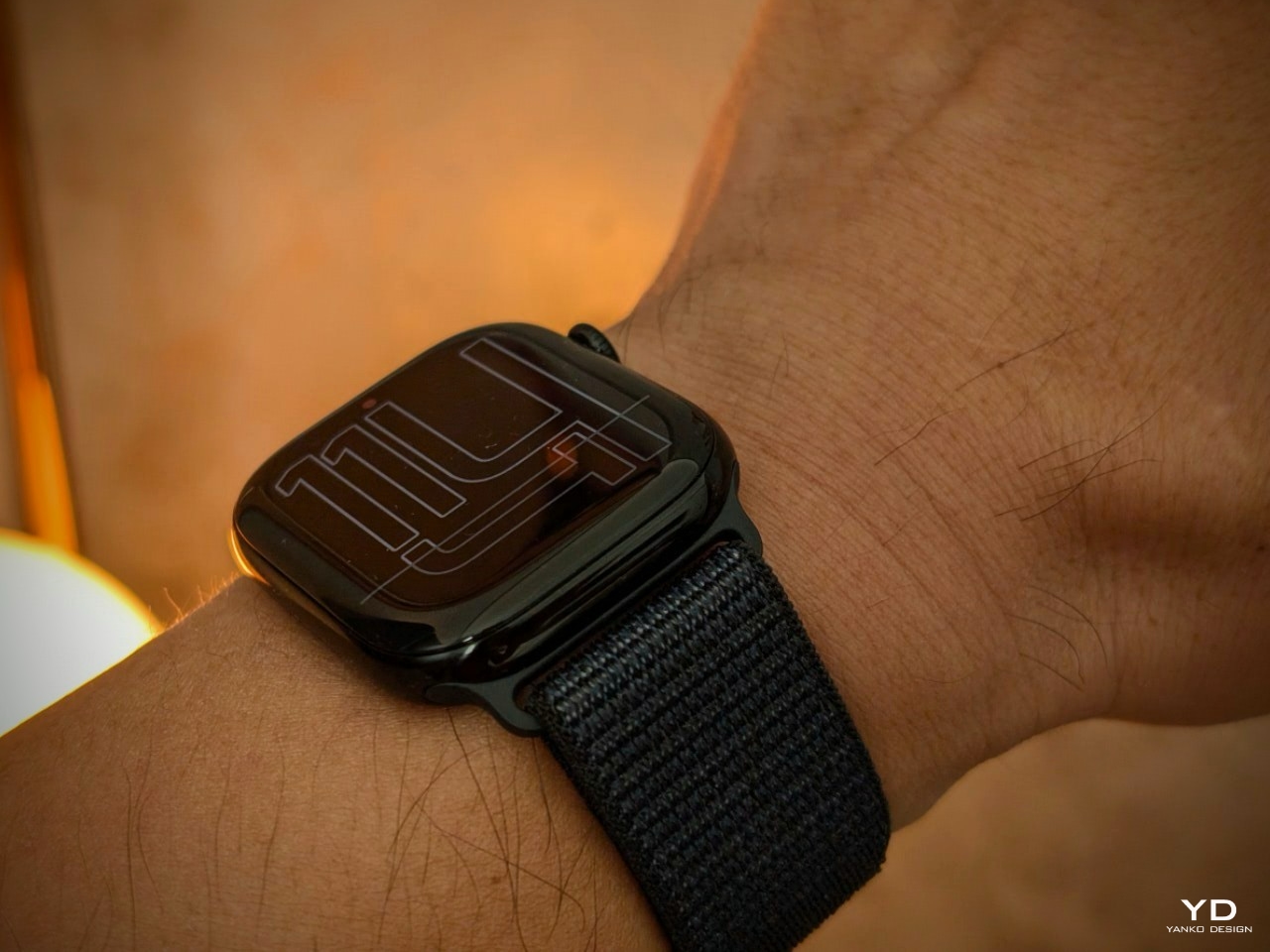
The first thing that immediately stood out about the Series 10 is its sleek design. The watch seemed to mold perfectly around my wrist, like a missing piece of a puzzle that fits seamlessly into place on a canvas. Apple’s attention to detail is evident, especially in how they’ve managed to slim the watch down to just 9.7mm, making it the thinnest Apple Watch yet. This reduction in thickness doesn’t just look good on paper; you feel the difference instantly. The Series 10 is almost weightless on your wrist, ideal for day and night wear.
The aluminum model is about 10% lighter, and if you opt for the titanium version, it’s nearly 20% lighter than the stainless steel models. The 1mm difference in thickness between the Series 9 and Series 10 may seem minimal, but it feels significant when worn. The slimmer profile, particularly with the 46mm model, makes it easier to wear for extended periods without any bulkiness. The watch never felt intrusive, whether I was working out, typing at my desk, or relaxing.
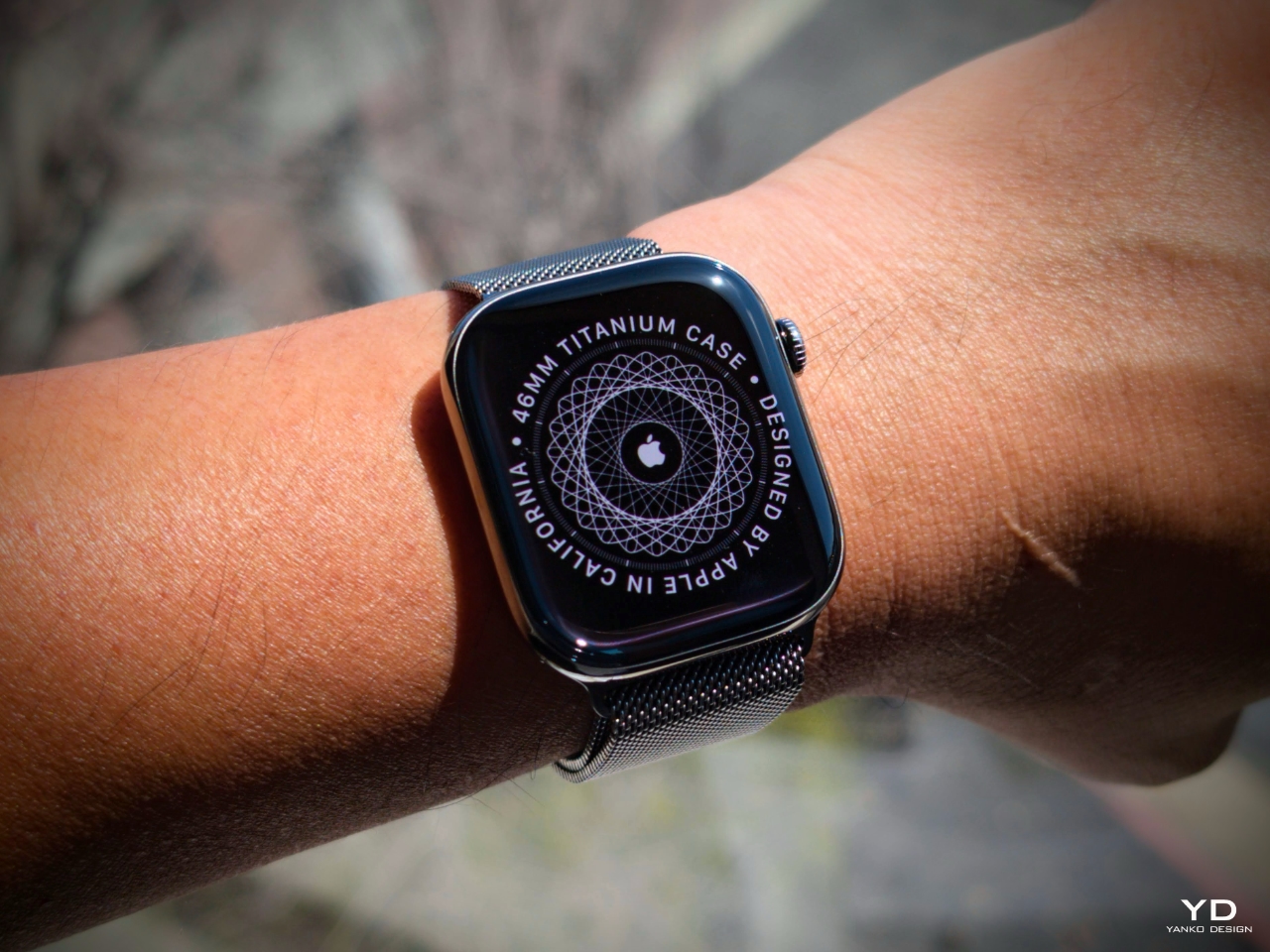
Apple Watch Titanium (Natural)
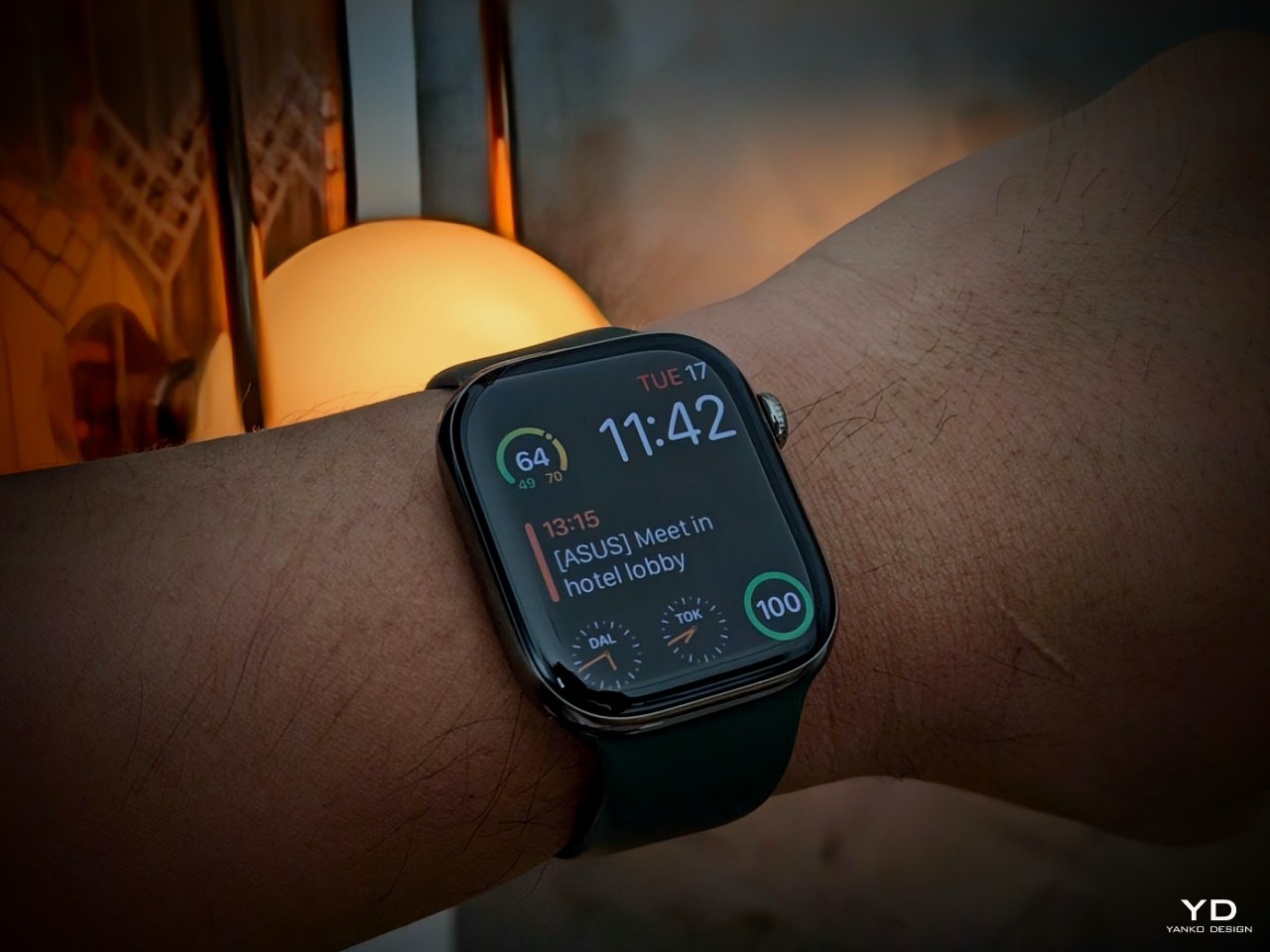
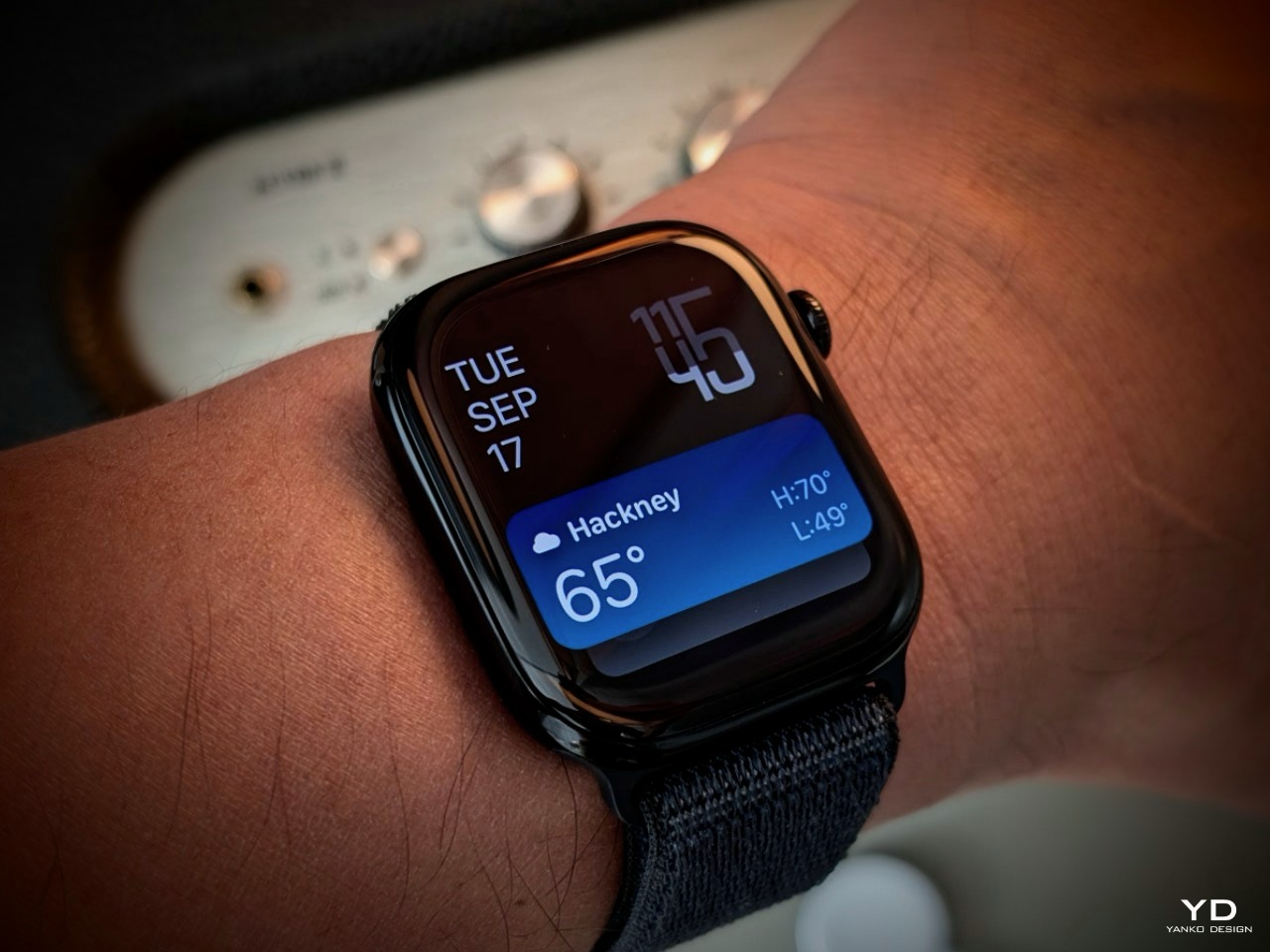
I had the chance to test both the Jet Black aluminum and Natural titanium models. The Jet Black is sleek and modern, offering a bold yet understated look. The Natural titanium, with its polished finish mimicking stainless steel, adds a premium touch. Both finishes provide something different, depending on your style.
Apple Watch Series 10 (Jet black)
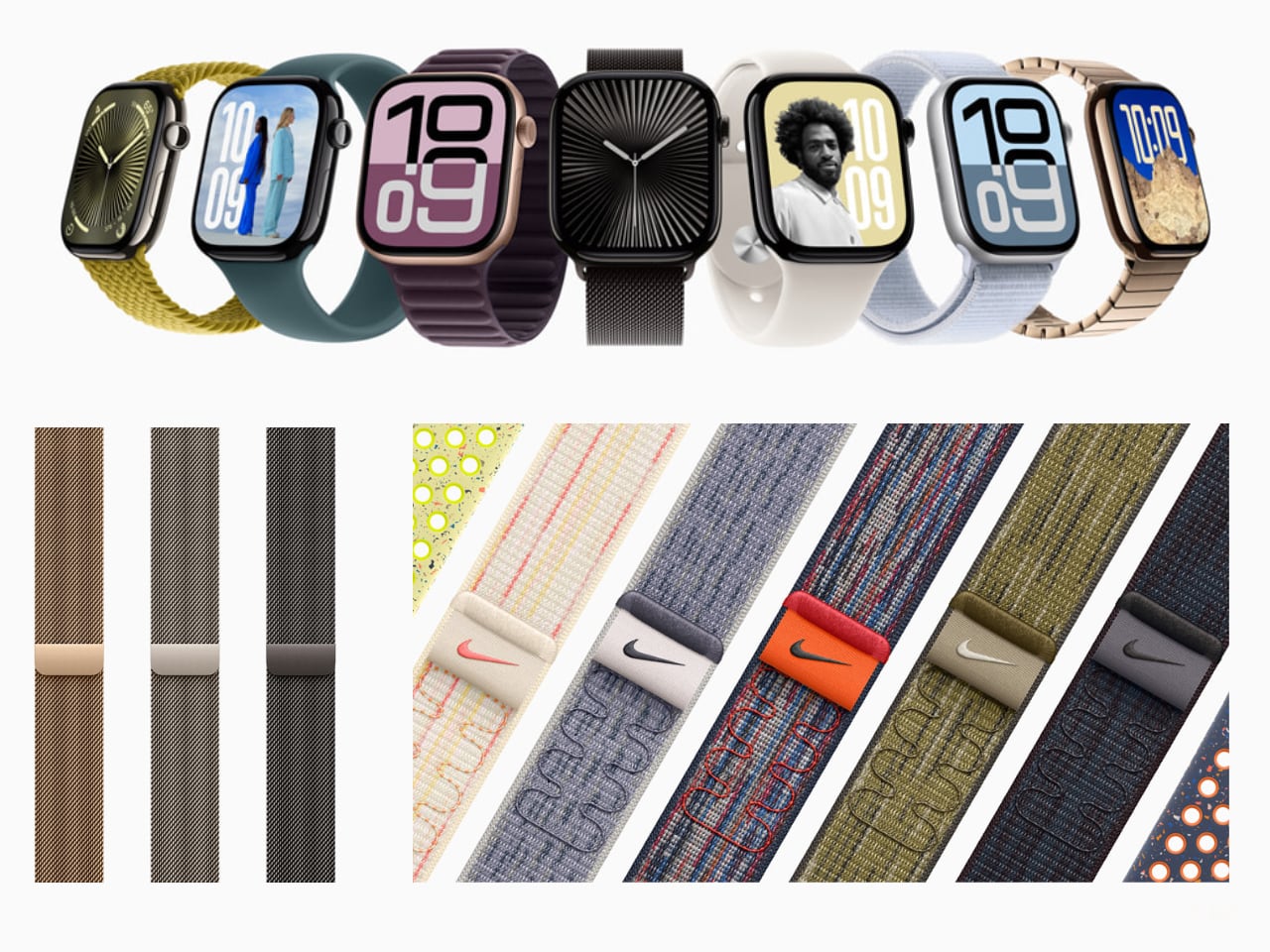
Apple also offers aluminum models in Rose Gold and Silver, and the titanium versions come in Slate and Gold, catering to various personal preferences. Whether you want something striking or classic, there’s a finish to match your personality.
Display: Bigger, Brighter, and Easier to Love
The Series 10 boasts the largest and brightest display Apple has ever made, even surpassing the Apple Watch Ultra 2. The wide-angle OLED display curves seamlessly into the edges, giving it a sleek, modern look. The display is 40% brighter when viewed at an angle, making reading notifications in direct sunlight easy and hassle-free.
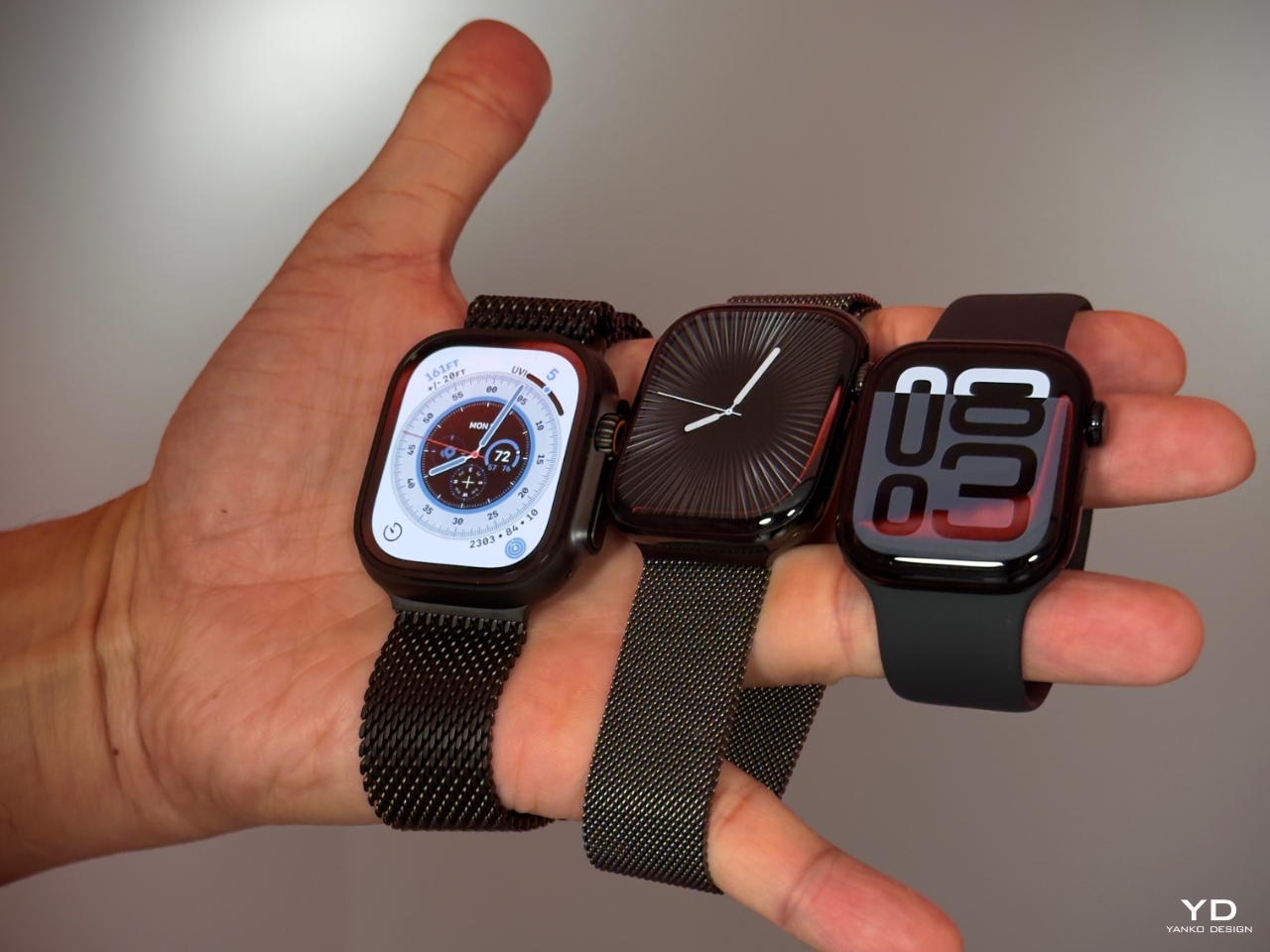
Apple Watch Ultra 2 vs. Apple Watch Series 10 (Titanium) vs. Apple Watch Series 10 (Aluminum)
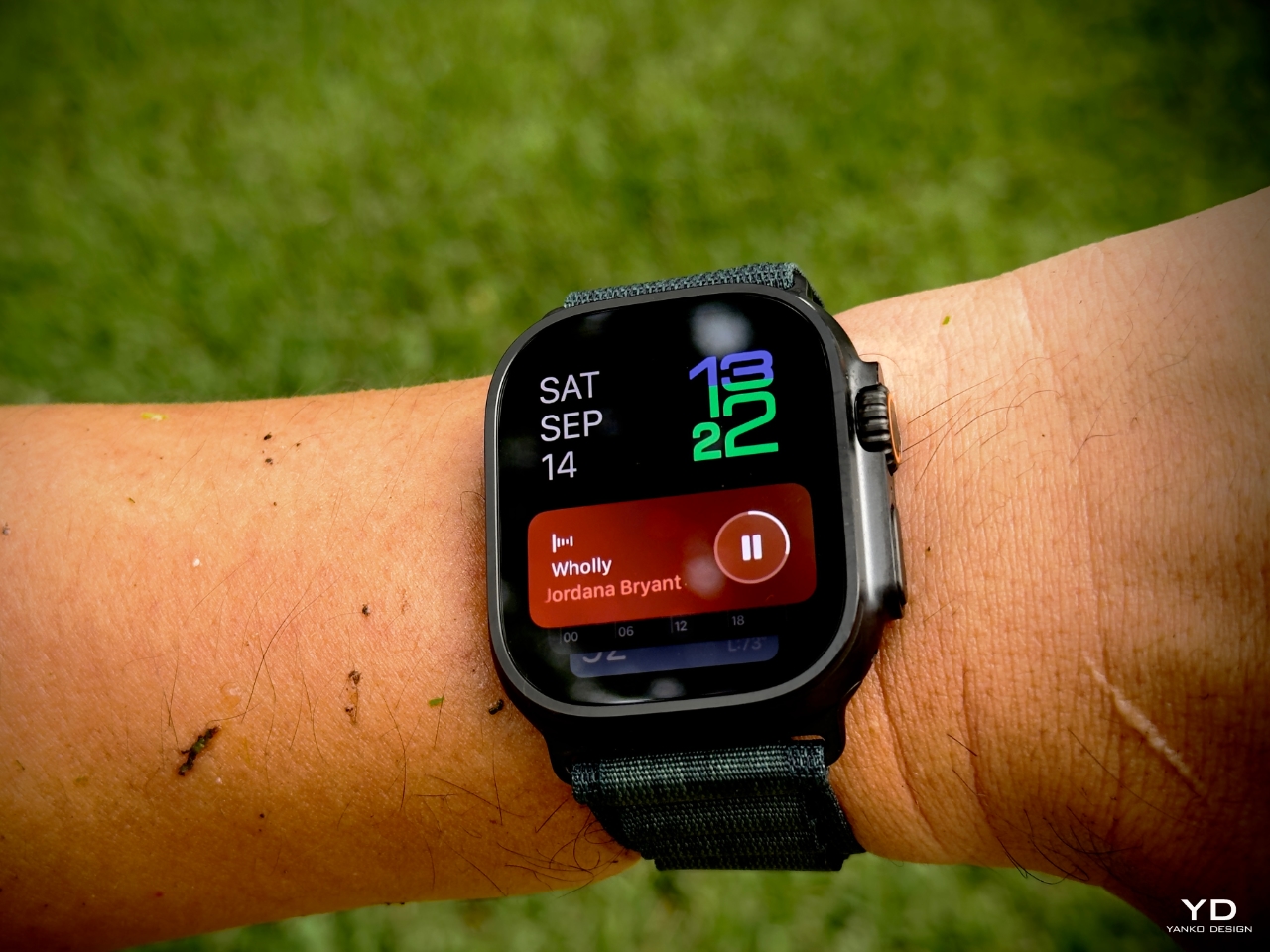
I’ve worn the Apple Watch Ultra for its flat display and rugged feel, but I must admit that the Series 10’s curved screen brings a level of elegance that’s hard to ignore. The Ultra’s flat display offers practicality, especially in terms of scratch resistance, as I’ve noticed my older curved models tend to pick up scratches more easily over time. The Ultra’s ruggedness and industrial look are great for outdoor activities or those seeking extra durability.
Apple Watch Ultra 2
However, the Series 10’s curves make it feel more refined and contemporary, elevating the overall design into something more than just a piece of tech—it feels like a stylish accessory. Whether you prefer the Ultra’s rugged protection or the Series 10’s elegant curves really depends on personal taste, but there’s no denying that the Series 10 fits seamlessly into more aspects of my day-to-day life.
Straps That Match Your Lifestyle and All-Day Comfort
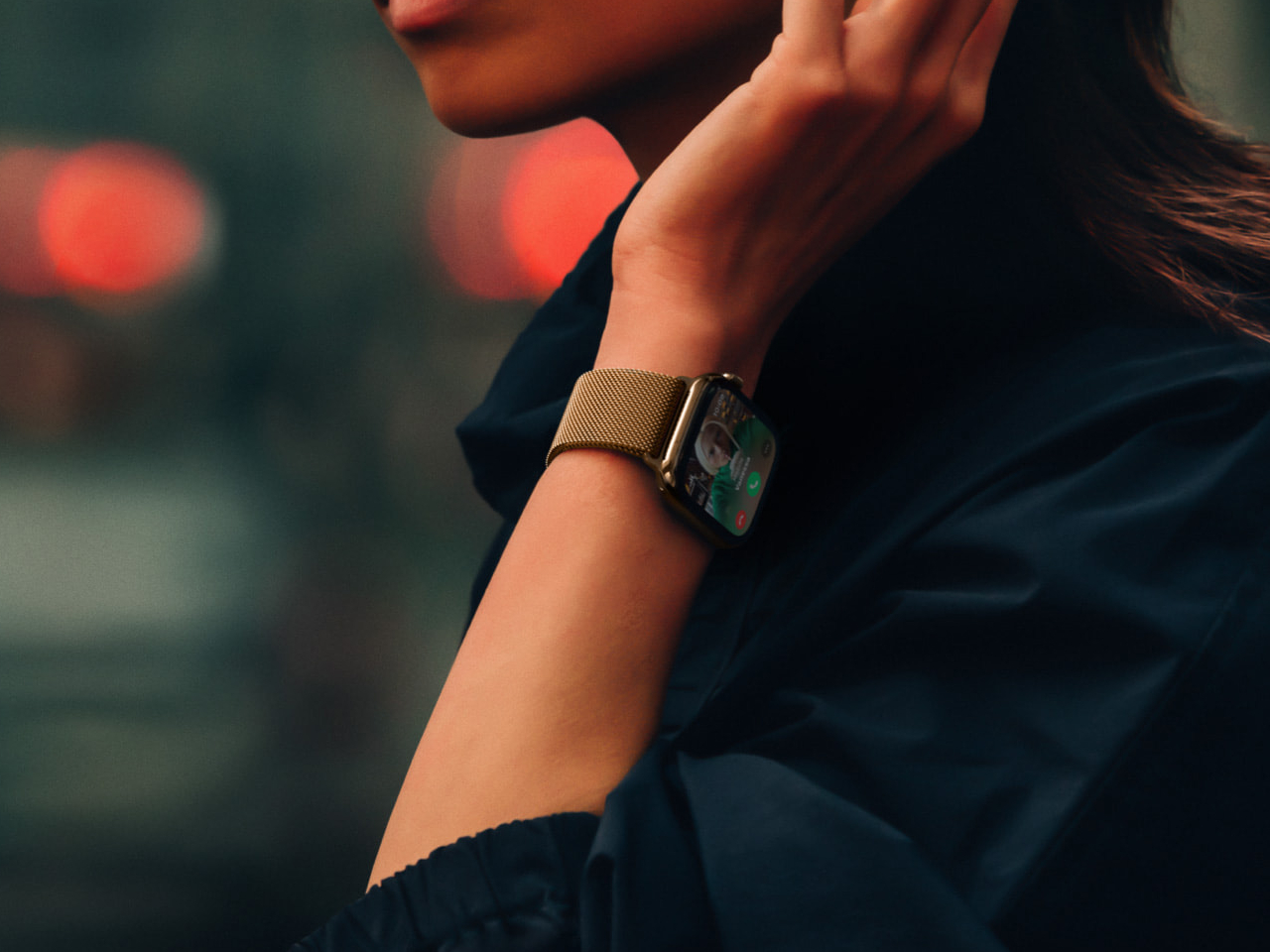
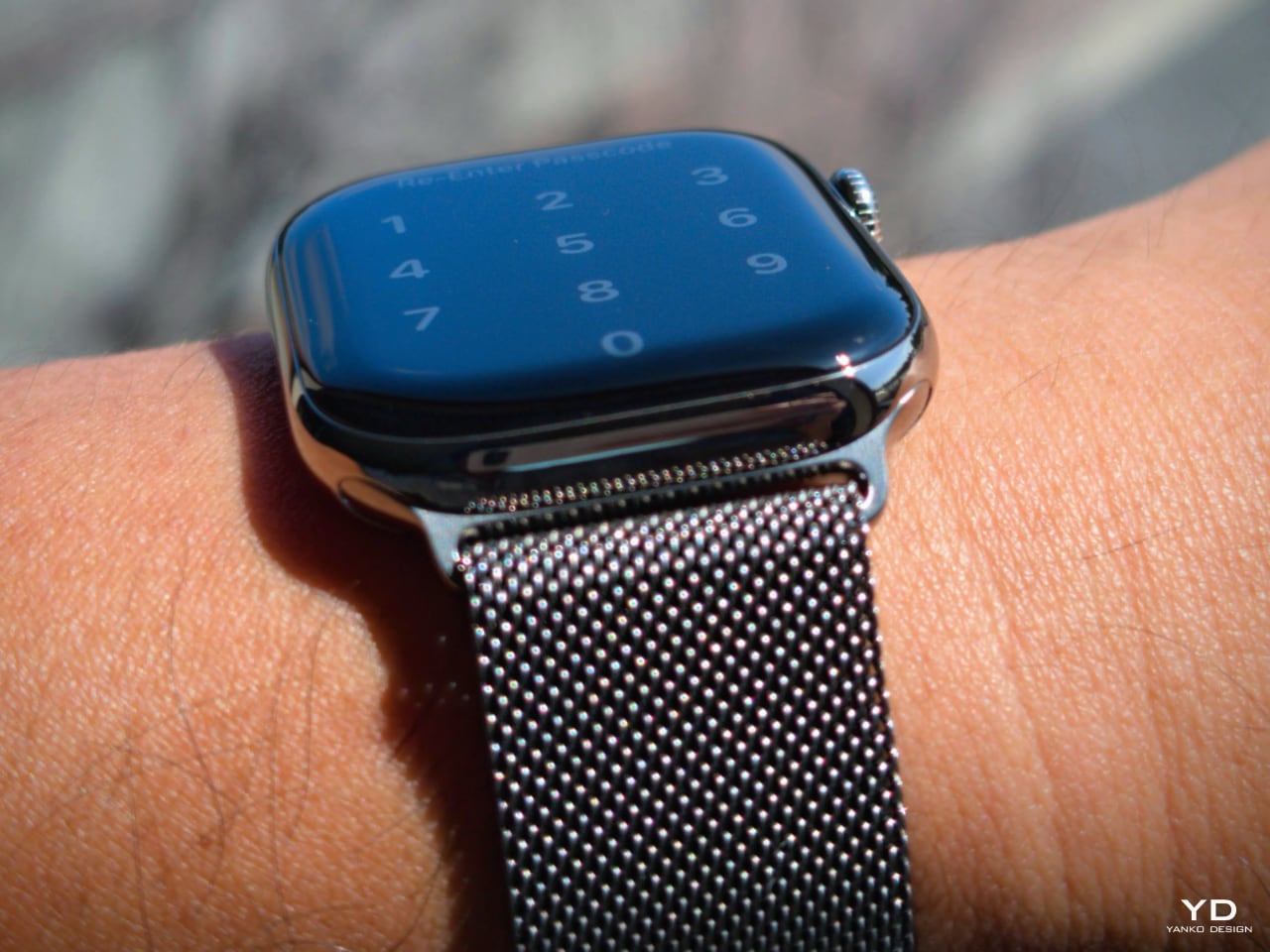
Straps can make or break your comfort, and Apple has updated several designs to complement the Series 10’s lightweight and ergonomic build. I fell in love with the Solo Loop in green. Its flexible, buckle-free design offers a snug yet comfortable fit, making it ideal for workouts and sleep. The Milanese Loop and Link Bracelet have also been redesigned to match the polished titanium finishes, offering a sleek, all-metal look for those who want something more formal.
For a more active style, the Sport Loop is breathable and made with 45% recycled materials, perfect for intense exercise. Whether you prefer something functional, stylish, or both, Apple offers countless strap designs—from leather options to vibrant silicone bands—allowing the watch to adapt to any occasion seamlessly.
One of the biggest surprises with the Series 10 is just how comfortable it is. It’s so lightweight that I often forget I’m wearing it. The watch stays in place without feeling bulky or intrusive, whether I’m typing, running errands, or getting in a quick workout. The Series 10 really shines in its all-night wearability, thanks to Apple’s introduction of FDA-approved sleep apnea detection. Sleep apnea, which causes repeated interruptions in breathing during sleep, can lead to long-term health risks like heart disease. With the Series 10, you can monitor potential signs of this condition in a non-intrusive way, thanks to its lightweight design and seamless sleep tracking.
Health and Fitness Features Galore: More Than Just Fitness
Health and fitness have always been at the core of the Apple Watch, and Series 10 builds on this legacy with watchOS 11. The new Vitals App consolidates heart rate, respiratory rate, wrist temperature, and sleep tracking into one convenient interface. Having all these metrics in one place is incredibly useful for someone who enjoys keeping tabs on their health.
The FDA-approved sleep apnea detection is a key addition. It allows users to monitor their breathing patterns and get alerts if something seems off, providing peace of mind without intrusive sleep studies.
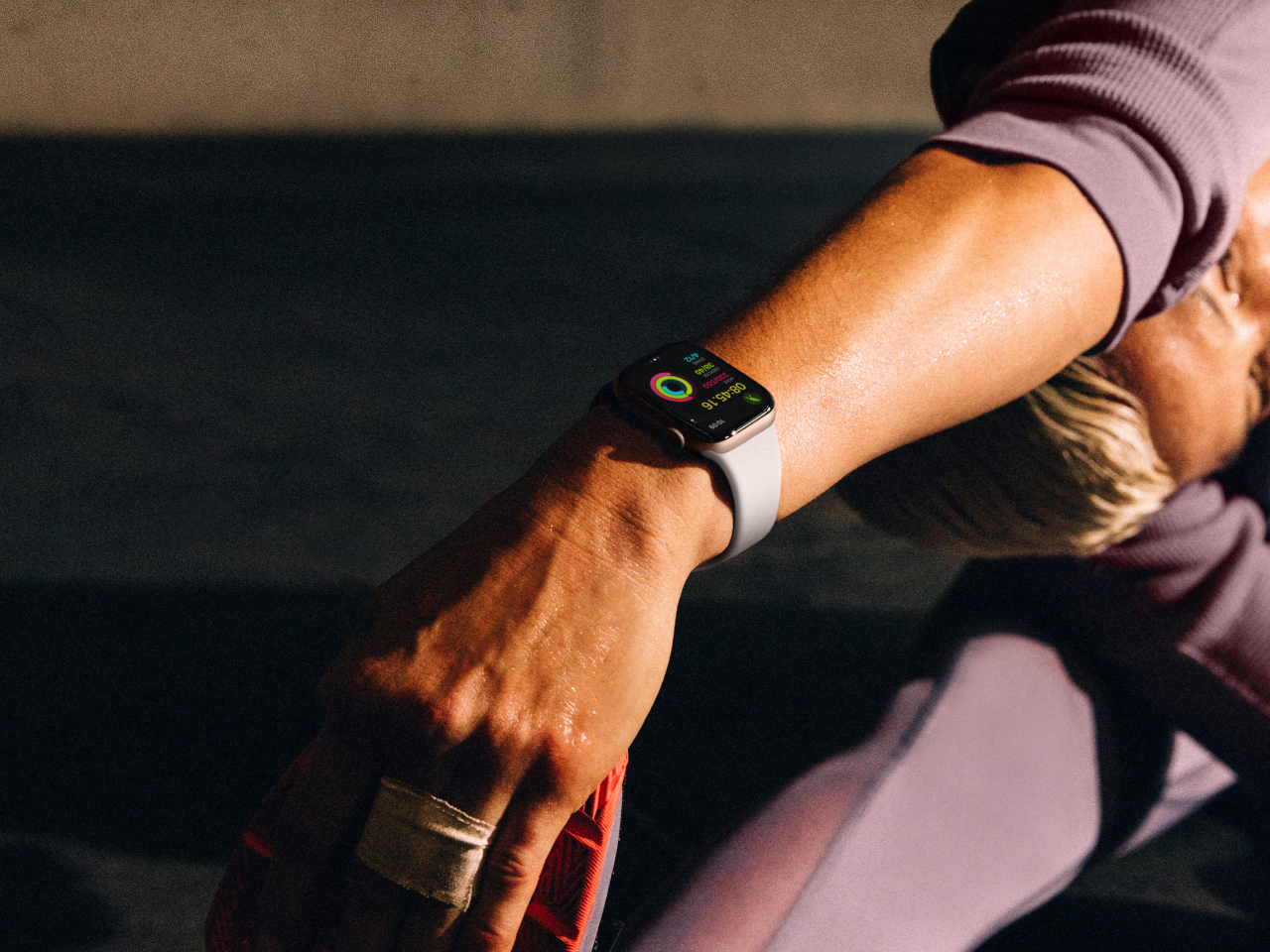
Fitness enthusiasts will also appreciate the new Training Load feature, which tracks the intensity of cardio workouts and provides an effort rating from 1 to 10. This real-time feedback ensures you’re pushing yourself just the right amount without overdoing it.
Another thoughtful addition is the ability to pause Activity Rings for up to 90 days. Sometimes life gets in the way, and whether you’re recovering from an injury or taking a much-needed break, this feature allows you to return to your routine without losing progress.
Sleep Apnea Onboarding Process: Clear and Straightforward
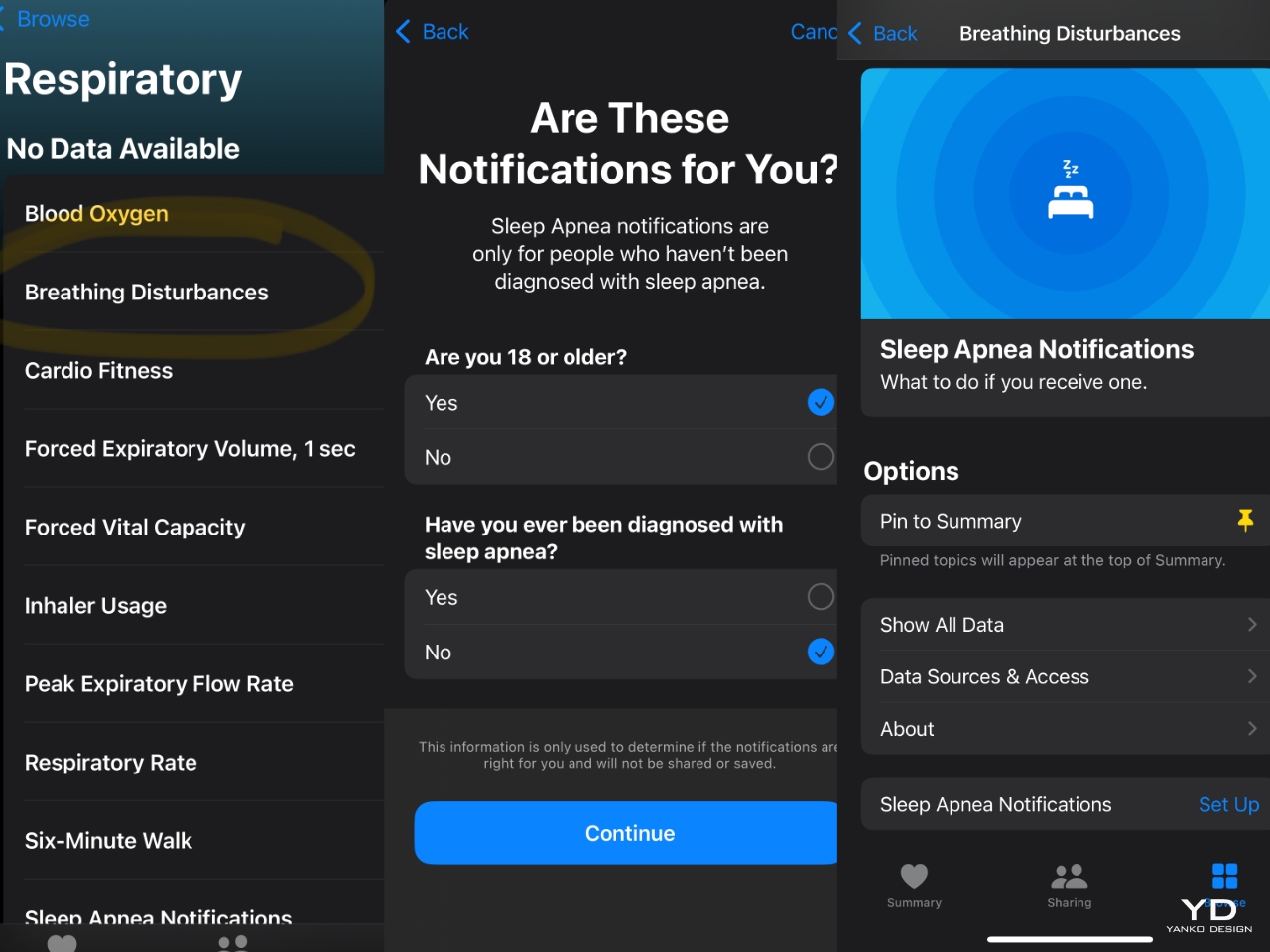
Setting up the sleep apnea detection feature is intuitive, especially if you’re familiar with the Health app. After updating to iOS 18, you can find the Breathing Disturbances section under Respiratory in the app. From there, the onboarding process guides you through a simple setup.
Apple explains how the feature works: It monitors temporary interruptions in breathing during sleep, which could be influenced by factors like body position or alcohol intake. Frequent disturbances over multiple nights, however, may indicate sleep apnea. After completing the setup, you can enable **Sleep Apnea Notifications.
The Series 10 tracks your sleep over time, and while it takes about 30 days to gather sufficient data for a proper assessment, this long-term tracking ensures accuracy. Detailed insights, including charts of breathing disturbances, are then available within the Health app, offering a comprehensive view of your overnight respiratory health.
This setup felt seamless, and I found myself relying on the watch as my go-to sleep tracker—especially since it’s nearly invisible on my wrist at night.
Performance That Keeps Pace with Your Life
The S10 chip under the hood delivers a fast and smooth experience. Whether I’m opening apps, navigating the watch, or tracking workouts, everything runs seamlessly without any lag.
Battery life has been solid, with Apple claiming up to 18 hours of use under normal conditions and up to 36 hours with Low Power Mode. I found that the watch easily lasts from morning to night with juice to spare, and the fast charging feature gets me back up to 80% in just 30 minutes. It’s perfect for a quick top-up before heading out.
Convenience Features That Make Life Easier
The Series 10 includes several convenience features that enhance everyday use. The Ultra Wideband chip effortlessly helps me find my misplaced iPhone, a feature I’ve already relied on more than once. Meanwhile, the Translate app in watchOS 11 has been a lifesaver during my travels, allowing me to get quick translations without pulling out my phone.
Taking calls on the go is also easier than ever. The built-in speaker and voice isolation technology ensure that calls come through clearly, even in noisy environments. It’s one of those features that you don’t realize you need until you have it—and then it becomes indispensable.
Sustainability: A Watch That’s Greener
Apple’s push for sustainability continues with the Series 10. The aluminum and titanium models, paired with select bands, are now carbon neutral. Apple also uses recycled materials like gold, rare earth elements, and aluminum in its construction. The packaging has been reduced by 30%, aligning with Apple’s goal to eliminate plastic packaging by 2025.
Is It Worth the Upgrade?
The Apple Watch Series 10 offers significant improvements, particularly in health tracking and overall comfort. With FDA-approved sleep apnea detection, a thinner and lighter form factor, and enhanced performance, it’s a strong upgrade for anyone who prioritizes health monitoring.
The new sleep apnea detection and enhanced health metrics make the Series 10 an ideal 24/7 companion for those who already sleep with their Apple Watch. If you’re already embedded in the Apple ecosystem and value these features, it’s an excellent choice.
However, if you’re content with a recent Apple Watch model and don’t see the need for advanced health tracking, the Series 10’s upgrades may not feel essential. Ultimately, it depends on your personal needs and whether these new features enhance your daily routine.
Ultimately, the Apple Watch Series 10 feels more like a lifestyle companion than just a piece of tech. Whether you’re an Apple loyalist or considering making the switch, this watch offers style, functionality, and peace of mind for those who prioritize their health.
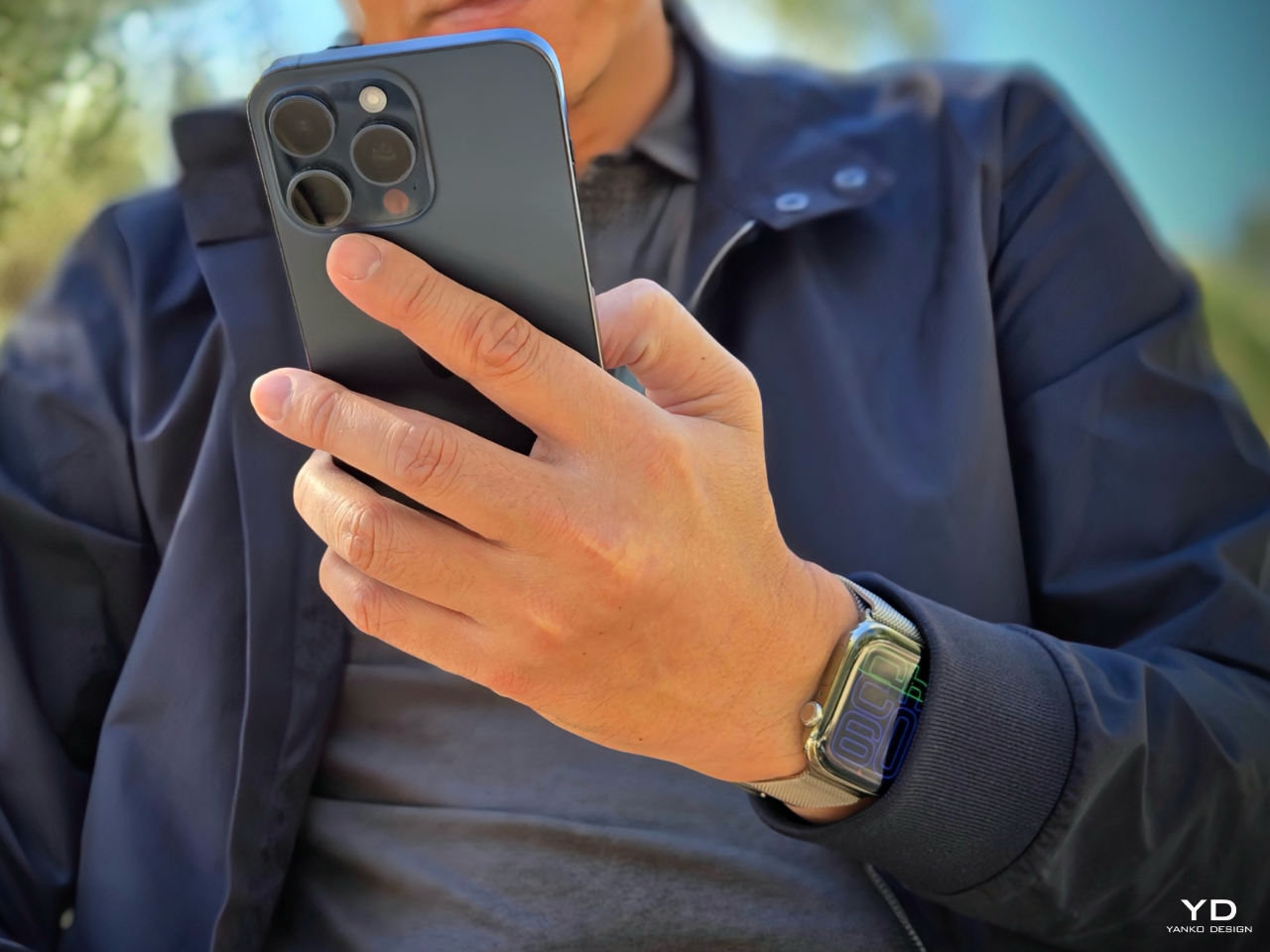
Apple Watch Series 10 Natural Titanium + iPhone 15 Pro Max
The Apple Watch has been around for ten years. Looking at pictures of the device then, it might not seem like much has changed — even the apps drawer seems identical. But subtly and quietly, the Apple Watch — the company’s first new product line of the post-Steve Jobs era — has evolved to become capable of so much more today. Over the last few years, there have been some big leaps forward for the Apple Watch’s feature set, up to and including wrist-based ECG and heart-rate readings that were once the purview of science fiction. We’ve heard many testimonials, mostly from Apple at its events, about how the Apple Watch has saved lives — whether it be by detection of a fall or atrial fibrillation. Smartwatches as a category have matured and found their place, it seems, and the Apple Watch has carved out a comfy spot within the space.
So color me surprised when the Series 10 launched to very little fanfare last week. I guess I was expecting Apple to be a bit more self-congratulatory, but the company seemed to gloss over the product’s birthday. Instead, we got to learn about the device’s thinner profile and bigger screen with greater viewing angles. It also has smaller onboard speakers, apps for water sports enthusiasts and health features like the new sleep apnea monitoring and alerts. It may sound underwhelming compared to the seemingly futuristic features we were seeing in the Apple Watch’s early days, but the Series 10 is just following in the footsteps of the iPhone. It’s a mature product that’s traded massive annual overhauls for iterative updates that add up over time. For a smartwatch that has consistently been called the best in its class, the Series 10 largely continues that tradition, even as it walks back a feature or two thanks to ongoing copyright litigation.
Design and display
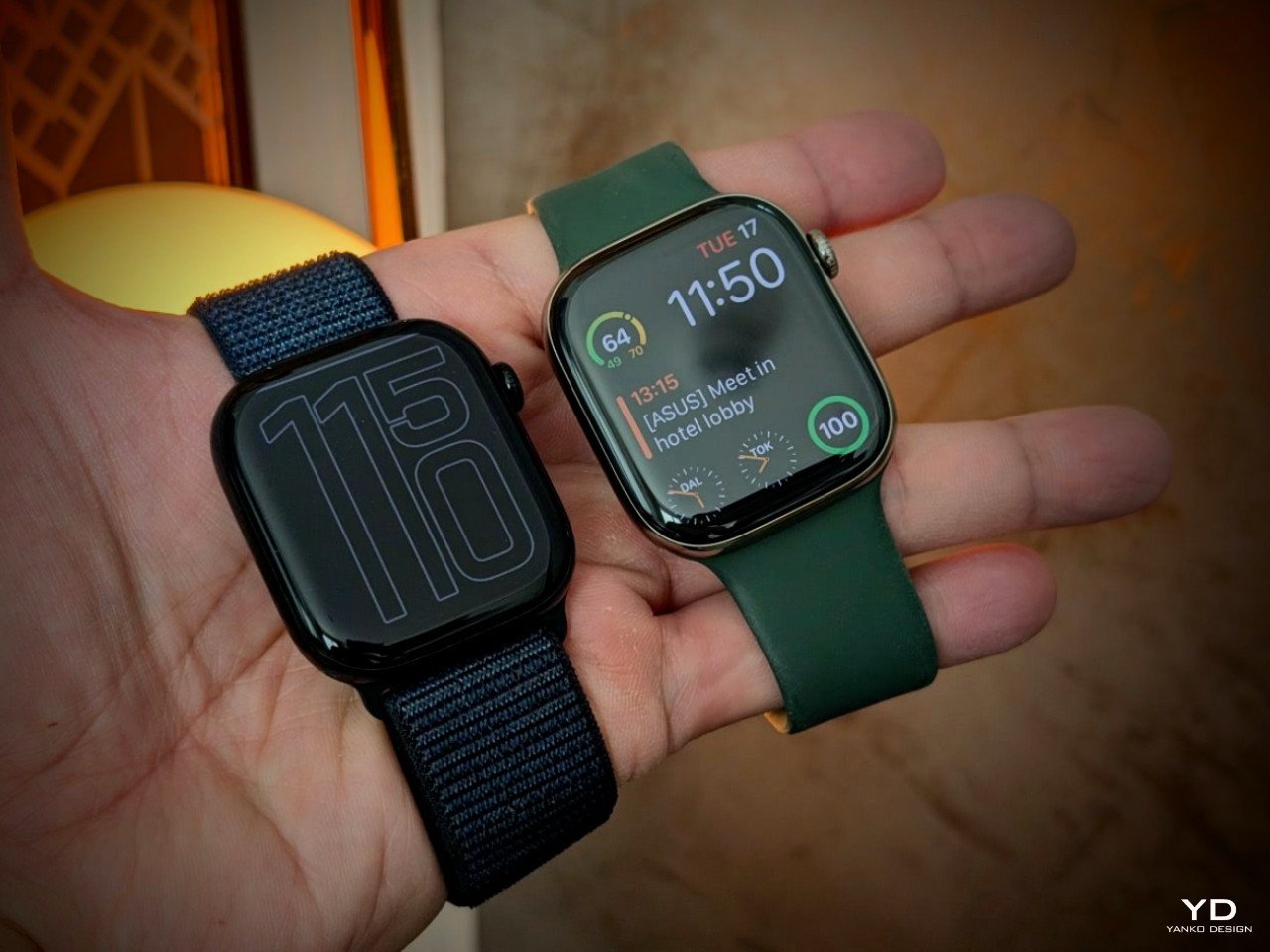
Compared to the Series 9, the latest Apple Watch is ever so slightly bigger and noticeably thinner and lighter. It’s not such a great difference that you’ll notice without having the two side by side, but every time I pick up the Series 10 I definitely feel a tiny spark of joy. The squatter shape, slimmer profile and more rounded corners somehow make the new watch feel a bit like a biscuit, while the Series 9 comes off more like a smaller mahjong tile.
Both sizes of the mainstream Apple Watch have grown ever so slightly, with the 41mm version now coming in at 42mm and the 45mm one sitting at 46mm. I’ve worn the smaller Series 10 and Series 9 on both wrists for a few days now and genuinely don’t find there to be a major difference in daily use. As significant as I think the thinner body and lighter weight is on the Series 10, it’s not like I was having trouble squeezing its predecessor through jacket sleeves before. I will say that the new model will certainly be more comfortable under the snuggest of my cuffs.
Apple cutting the Series 10 down to just 9.7mm thin is certainly a feat, considering the Pixel Watch 3 is still a pretty chunky 12mm thick. Samsung’s Galaxy Watch 7 is the same height, so Google needs to play a bit of catch-up here.
The Series 10’s bigger screen does make some things easier to see, like road names on Maps and the clock when you’re in Spotify. You’ll likely find greater gains here by choosing larger font sizes, which is a bit of an obvious note but at least on the Series 10 you’ll have more room to work with. If you need something even bigger, you should consider the Watch Ultra 2, which has a 49mm screen.
Apple’s also using a wide-angle OLED this year to make things easier to read even if your wrist is simply resting on the table, not held up in front of your eyes. Again, in my side by side observations, the change is noticeable but not in a huge way. There does appear to be greater contrast between the digits of the time against the photo in the background, too, which makes the clock more visible at an angle.
Cherlynn Low for Engadget
However, it’s worth pointing out that when you’re staring at the Series 10 face on, you might find its bezels noticeably thicker than on the Series 9. Even if you’re planning on upgrading from a Series 9, where you’ll be most primed to feel the bigger bezels’ impact on design, it’s still a tiny complaint, if at all. Thicker borders don’t really affect the watch’s performance.
Apple introduced some new watch faces with the Series 10, as it does with every successive generation. This time, the Flux face is supposed to make full use of the display’s wider angle view as it spills over the sides (sort of). There’s also a bit of an animation that mimics a second hand ticking across the screen, which is nice, but doesn’t add much to the experience.
There are other small design changes around the watch. For example, instead of an inch-long slit on the left edge for the speaker output, there now sits two half-inch grilles which blend more seamlessly into the watch. I’d also be remiss if I didn’t at least mention the new jet black case color option, as well as the polished titanium models that replace the previous stainless steel ones. They’re nice options to have, if you can afford the $300 upgrade for the new lighter material.
Finally, part of why the Series 10 got thinner is its redesigned metal back, which allowed Apple to integrate the antenna into the case and compress two layers into one. There’s also a little so-called isolation circle to help maintain cellular performance. This isn’t something you’ll feel necessarily, but it does contribute to the Series 10’s overall thinness.
The Apple Watch Series 10’s speaker
Something Apple brought to the Series 10 is the ability to play music and podcasts through the watch’s onboard speaker. It might seem silly to want to use the tiny device for any sort of media, especially things like songs where you’d like at least some semblance of sound quality for the experience to be enjoyable. In the few days I’ve had the Series 10, I never found the need to stream songs from the speaker on the watch, until I had to test it.
At the maximum loudness in a quiet conference room, I enjoyed listening to Running Through the Night by Seori and Espresso by Sabrina Carpenter. It wasn’t as bass-heavy as I’d like for a regular listening session, but given the circumstances and the size of the watch, the mids and trebles were plenty clear and punchy. You’re not meant to rely on this for long periods anyway, and it’s just there to scratch an itch if or when it arises. With noisier environments, though, it’s a struggle.
Screenshots
The Apple Watch Series 10 vs. sleep apnea
Arguably the biggest feature coming to the Series 10 is sleep apnea monitoring (though that feature is also available on the Series 9 and Ultra 2 via watchOS 11). This is only for people who haven’t been diagnosed with sleep apnea, meaning if you already know you have this condition, it’s not designed to help you see if your CPAP machine is effective, for instance.
I’ve not been diagnosed with sleep apnea, and might very well be one of the 80 percent of people that has the condition and don’t know it. Still, it would be nice to know for certain and when watchOS 11 dropped yesterday, those of us on iOS 18 with compatible Apple Watch models were able to opt in to notifications. I went to the Health app to set this up, answered a series of questions about my age and whether I’d been diagnosed with sleep apnea, and was informed I was set up for the feature.
In the explanation Apple provides during the onboarding process, it says “Apple Watch tracks your breathing while you’re asleep and records any disturbances in a 30-day period.” It can notify you if those disturbances “are suggestive of sleep apnea,” so you can go to a doctor for a proper diagnosis.
It’s been only about a week since Apple announced sleep apnea notifications were coming, and clearly 30 days haven’t passed. I have yet to glean enough information for any alerts, and cannot yet gauge the impact of this feature.
The Apple Watch Series 10 as a health and fitness tracker
Barring changes that come with watchOS 11, which older Apple Watches will also get, the Series 10 is essentially the same as its predecessor when it comes to tracking your activity. As long as you’ve set things up right, you’ll get reminders to log your mood, take your meds and move after you’ve been idle too long.
Having just reviewed Google’s Pixel Watch 3, I can’t help but wish Apple were a tad more sensitive and consistent at automatically prompting me to start logging a walk. There’s no real guidance as to how long you have to have been active for the watch to suggest you’d been working out. That leads to some confusion and pure frustration when you think you’d walked or run enough for the auto detection to kick in, but only to find out you maybe hadn’t moved in the right way or for long enough.
I’ve been a yearslong Apple Watch user, so I’ve grown extremely familiar and reliant on its interface and the data it collects. I like diving into my calendar view and looking proudly at all the days I closed my rings. The Health app does a good job of presenting my recent trends and how that compares with my performance a year ago, subtly shaming me into realizing I should maybe take a few more walks a week. The Series 10 doesn’t differ much from the Series 9 in that way, and if you’re already in Apple’s ecosystem, this will largely feel extremely familiar.
Cherlynn Low for Engadget
The Apple Watch Series 10’s water-sports features
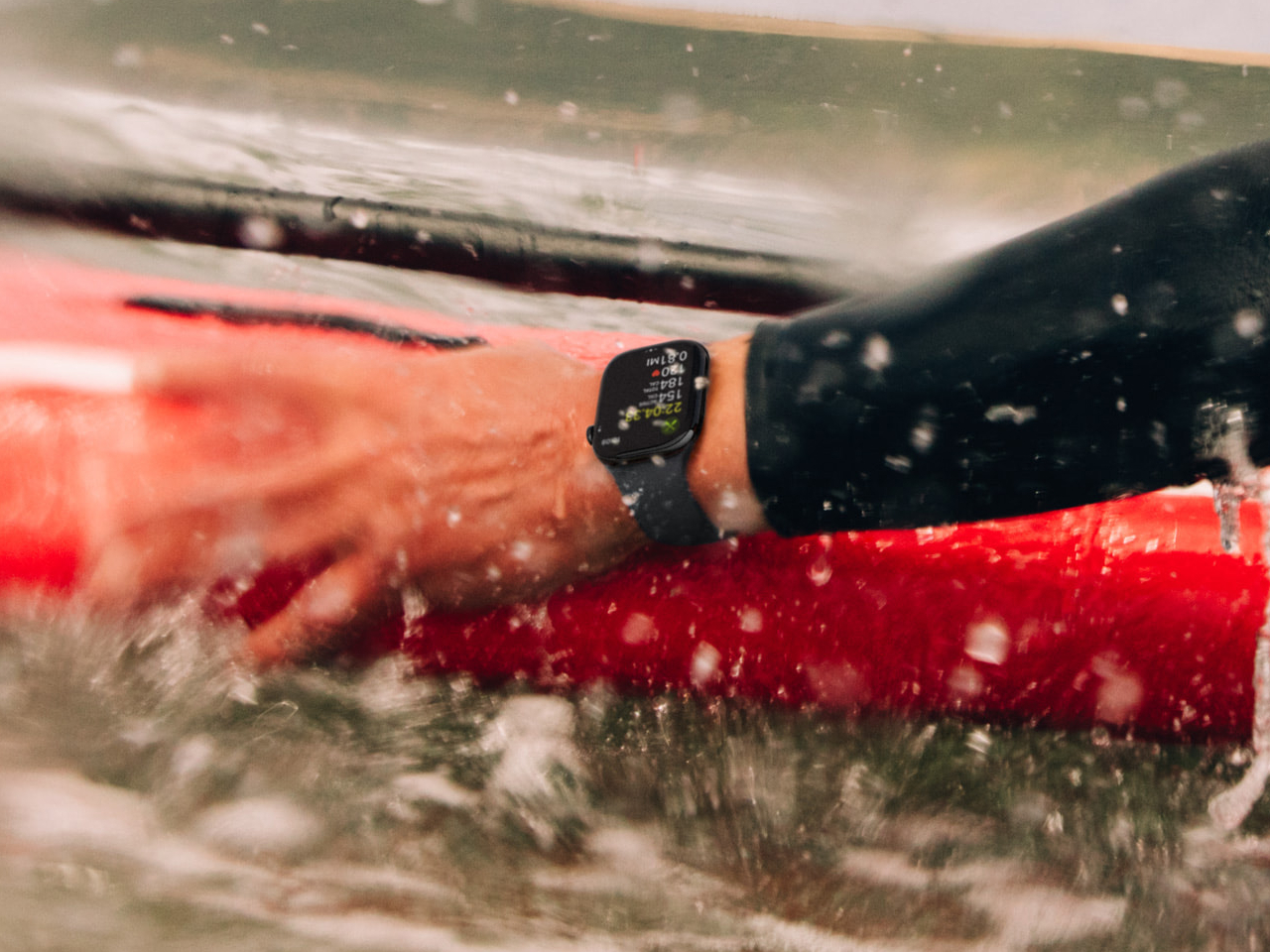
There are some new tools on the Series 10 that are borrowed from elsewhere in the family, though. Apple’s brought the Watch Ultra’s Depth app over and introduced a new Tides app across the Series 10 and Watch Ultra 2 that should be helpful for those who spend a lot of time in the water.
I’m not a big water sports girl, but I do occasionally hang out at beaches. Whether it’s Long Island’s pristine, sandy shores or the rocky terrain of Red Hook’s Valentino Pier, I’ve certainly encountered sudden swells in water level that I’ve had to run to avoid. It’s not the biggest problem, of course, but I can see how the Tides app would help anyone plan a day. I launched the app, and in a few seconds, the Series 10 located the closest beach, informing me that the tide was falling and that water levels would hit their lowest at about 2:07AM.
I didn’t verify this by going to Newport Beach at 2:07AM to measure water levels, but even from my brief testing it appears to be a helpful app for those who need to know this information for a full day of surfing, for example. It’s also useful for those who want a convenient way to locate the closest body of water, since the map view shows beaches around you.
It’s hard to imagine the Depth app being useful for a non-snorkeler or non-scuba diver like me, as I’ve watched one too many videos of underwater cave diving gone wrong. But the Depth app and water temperature sensor could theoretically be useful in other scenarios. If you have a deep enough tub, you could potentially stick the Series 10 on your wrist into the bottom and get a reading for whether the water is too hot for your kid.
Unlike on the Apple Watch Ultra (1 and 2), which go down to 40 meters (131.2 feet), the Series 10’s depth gauge will only provide readings up to 6 meters. That does mean you won’t want to take this scuba diving, and it’s not rated for that, either. All three models I mentioned here offer the same water temperature capability, though.
The Apple Watch Series 10’s battery life and charging speed
In the few days I’ve had the Apple Watch Series 10, it’s generally outlasted the Series 9, not usually by much. One day, after a cross-training workout at 8AM followed by a GPS-enabled walk and a day full of Slack and Telegram alerts, the Series 10 still managed to have 46 percent left at 11:45PM when I got home. The Series 9 was struggling at 19 percent, and both had the same display and Always On settings. This is one aspect that I’d like more time testing to better understand, but considering the new watch’s slimmer profile and bigger screen, the fact that it even has similar runtime at all would be respectable.
Apple also updated the charging setup on its latest smartwatch, which should bring the Series 10 back to 80 percent in 30 minutes. It’s worth noting you’ll have to use a fast-charge-certified accessory, such as a charging cable from the Series 7 or later, which you can tell by confirming that the wire is braided. Faster recharge speeds are nice, since they make up for any shortfalls in battery life by making sure you don’t need to wait too long for your device to get back up to a healthy level.
Still, considering many devices from Garmin, Fitbit and even Samsung can last longer than two days and even up to seven days per charge, the Apple Watch’s day and a half feels like a number that could be higher. If the company were looking for ways to push the envelope further, battery life is certainly the area to investigate. I don’t mind charging my watch every morning (or night), but some people want to be able to go camping over a long weekend and not have to worry about bringing along chargers. Don’t tell them to buy an Apple Watch Ultra for that benefit.
Wrap-up
It’s hard to sum up how I feel about the Apple Watch Series 10. On one hand, I definitely still need more time to form a conclusion about things I don’t feel familiar with yet, like sleep apnea alerts. On the other, I feel like I already know this product very well, thanks to its similarity to its predecessor(s). Plus, with watchOS 11 bringing a lot of similar features to the Series 9, Watch Ultra 2 and more, it feels difficult to recommend anyone with a recent device spring for an upgrade. Some of my friends considering the Series 10 are coming from the Series 8 or older, and for them Apple’s latest certainly feels worthwhile.
However, those using an older model should be aware that upgrading to a newer Apple Watch would cost them access to the blood oxygen detection features. The company has yet to bring back the Blood Oxygen app that it removed from the Series 9 and Ultra 2 that it sells in the US, as a result of a patent lawsuit filed by Masimo. It’s entirely possible the company is able to revive this feature simply through a software update, but if this measurement is crucial to your daily life, it might be worth sticking with your Series 8.
Those looking for a huge leap forward because of the number “10” in the device’s name should be prepared to be underwhelmed. But just because the Series 10 isn’t a reinvention of smartwatches doesn’t mean it isn’t still an excellent companion device and well-rounded health-tracker. If you’re simply looking for a new Apple Watch or don’t care for SpO2 readings, and are coming from a model that’s at least two years old, the Series 10 will feel like a solid upgrade. And it’s still the best for any iPhone owner.
This article originally appeared on Engadget at https://www.engadget.com/wearables/apple-watch-series-10-review-legacy-and-sequel-in-equal-measure-120021405.html?src=rss
After years of scrutiny over its handling of teen safety on its platform, Meta is introducing a new type of account that will soon be required for all teens under 16 on Instagram. The new “teen accounts” add more parental supervision tools and automatically opt teens into stricter privacy settings that can only be adjusted with parental approval.
The changes are unlikely to satisfy Meta’s toughest critics, who have argued that the company puts its own profits ahead of teens’ safety and wellbeing. But the changes will be significant for the app’s legions of younger users who will face new restrictions on how they use the app.
With teen accounts, kids younger than 16 will be automatically opted into Instagram’s strictest privacy settings. Many of these settings, like automatically private accounts, the inability to message strangers and the limiting of “sensitive content” have already been in place for teenagers on Instagram. But younger teens will now be unable to change these settings without approval from a parent.
And, once a parent has set up Instagram’s in-app supervision tools, they’ll be able to monitor which accounts their kids are exchanging messages with (parents won’t see the contents of those DMs, however) as well as the types of topics their children are seeing posts about in their feeds. Parents will also have the ability to limit the amount of time their kids spend in the app by setting up “sleep mode” — which will mute notifications or make the app inaccessible entirely — or reminders to take breaks.
Meta
The changes, according to Meta, are meant to “give parents greater oversight of their teens’ experiences.” While the company has had some parental supervision features since 2022, the features were optional and required teens to opt-in to the controls. Teen accounts, on the other hand, will be mandatory for all teens younger than 16 and the more restrictive settings, like the ability to make an account public, aren’t able to be adjusted without parent approval.
The company says it also has a plan to find teens who have already lied about their age when setting up their Instagram account. Beginning next year, the company will use AI to detect signs an account may belong to a teen, like the age of other linked accounts and the ages on the accounts they frequently interact with, to find younger users trying to avoid its new restrictions. The app will then prompt users to verify their age.
In the meantime, Meta will start designating new accounts created by 13 to 15-year-olds as “teen accounts” beginning today. The company will start switching over existing teens into the accounts over the next two months in the US, Canada, UK and Australia, with a wider rollout in the European Union planned for “later this year.” Teen accounts will be available in other countries and on Meta’s other apps beginning in 2025.
This article originally appeared on Engadget at https://www.engadget.com/social-media/instagram-teen-accounts-with-parental-controls-will-be-mandatory-for-kids-under-16-120013852.html?src=rss
iOS 18 brings a wealth of new features and improvements designed to elevate your iPhone experience to new heights. From enhanced customization options to bolstered security measures and app updates, this latest iteration of Apple’s mobile operating system offers a wide array of exciting changes. The video below shows us 10 things you should explore […]
Feeling overwhelmed by your endless to-do lists and project plans? What if you could consolidate all your tasks into one easy-to-use platform? Microsoft Planner, now integrated into Microsoft Teams for 2024, offers just that. This revamped tool not only helps you manage your personal and team tasks but also introduces new features to boost your […]
Have you ever wished you could observe birds in their natural habitat without scaring them away? What if there was a way to get a closer look at these fascinating creatures without disturbing their peace? Enter the Camouflage EZ-NestEye wireless camera bird box, an advanced birding observation system that combines innovative technology with the joy […]
Apple expanded its AirPod family with two new models last week. We’ve now tested out the AirPods 4 — and a second version with Active Noise Cancellation (ANC) — and we have some thoughts. Improved sound quality and some advanced features are the key additions, but you’re more likely to notice the redesigned shape for keeping the buds more firmly (and comfortably) lodged in ears.
With the ANC version, Apple offers useful noise cancellation while keeping your ears open — no silicone tips. There are also a lot of Pro features, but the issue is the more technically capable AirPods Pro are often on sale, undercutting those $179 buds.
I wouldn’t have guessed it, but the basic $129 AirPods 4 may be the better deal.
The ban on outlets like RT will take effect over the next few days.
Meta has banned RT and other Russian state media outlets on its platforms, which include Facebook and Instagram. “After careful consideration, we expanded our ongoing enforcement against Russian state media outlets,” the company told Engadget. “Rossiya Segodnya, RT and other related entities are now banned from our apps globally for foreign interference activity.” This comes days after the Biden–Harris administration publicly accused RT of spreading propaganda and disinformation online.
The New York Times has brought its all-conquering daily word game to a new platform in the shape of Meta Quest headsets. Wordle VR works in much the same way as the game on your phone or computer, with six attempts to guess a five-letter word. Except you’re wearing a VR headset.
Amazon’s big sale event / buyer’s remorse generator will return this year on October 8 and 9, giving us all the more reason to call it October Prime Day as we have done in years past. Prime Day in July remains Amazon’s biggest sale event for Prime members, but ever since its debut in 2022, October Prime Day provides subscribers with thousands of exclusive deals during the two-day window. In case you missed out on that Echo. Again.
This article originally appeared on Engadget at https://www.engadget.com/general/the-morning-after-our-verdict-on-apples-new-airpods-4-111506361.html?src=rss