Apple is preparing to make a significant impact on the foldable smartphone market with its highly anticipated iPhone Fold, expected to launch in 2026. This device is designed to address persistent challenges in foldable technology, such as display creases, while incorporating advanced materials and innovative features. Positioned as a luxury product, the iPhone Fold aims […]
Whether you’re into shooters, fighting games or immersive RPGs, there’s something for every Xbox owner out there. While Microsoft’s first-party output has been a bit slim lately, the company has been on a tear acquiring the likes of Bethesda and Activision Blizzard, as well as pumping up the amount of worthwhile titles in its Game Pass subscription service. The result is a plethora of games to choose from, which can be either a blessing or a curse for the indecisive gamer.
To make life a bit easier, we’ve highlighted some of the best titles available on the Xbox Series X and S (some of which are also playable on older Xbox One systems). We’ve chosen a mix of old and new titles, but given the hundreds of hours we’ve put into these games, we can guarantee they’re well worth your time.
Samsung is preparing to make a significant leap in smartphone charging technology with the highly anticipated Galaxy S26 Ultra. Rumors suggest the device will feature 60W fast charging, a notable upgrade that could set a new benchmark in the industry. Leaked details from One UI 8.5 firmware files point to this innovation, reinforcing Samsung’s reputation […]
What if the tool you’ve been using for years is far more powerful than you ever imagined? Excel, often dismissed as “just a spreadsheet program,” has transformed into a data analysis powerhouse capable of rivaling specialized tools like Python and Power BI. Yet, many analysts barely scratch the surface of its capabilities, relying on outdated […]
The Samsung Galaxy Z TriFold introduces an innovative triple-fold mechanism, transforming a smartphone into a 10-inch tablet. This design bridges the gap between smartphones and tablets, offering unmatched multitasking capabilities and a desktop-like experience. While the device represents a significant step forward in foldable technology, its premium price, substantial weight, and maintenance demands may deter […]
What if the next leap in artificial intelligence wasn’t locked behind corporate walls, but instead, freely available to everyone? That’s the bold promise of Deepseek 3.2, the latest evolution in open source AI. With its jaw-dropping gold medal wins at both the International Math Olympiad (IMO) and the International Olympiad in Informatics (IOI), this isn’t […]
Optimizing your iPhone’s battery settings on iOS 26 is crucial for maintaining device performance, extending battery life, and contributing to sustainable energy use. With a range of advanced features, iOS 26 enables you to manage your battery effectively while minimizing environmental impact. The video below from iReviews outlines practical steps to help you take full […]
Foldables promised to squeeze tablet screens into pocketable phones, but most of them still feel like a compromise. You get one big crease down the middle and an aspect ratio that makes everything look stretched or squashed, depending on what you’re doing. The real challenge isn’t just adding more screen, it’s getting enough space to actually work like a small laptop instead of a phone that got wider and heavier.
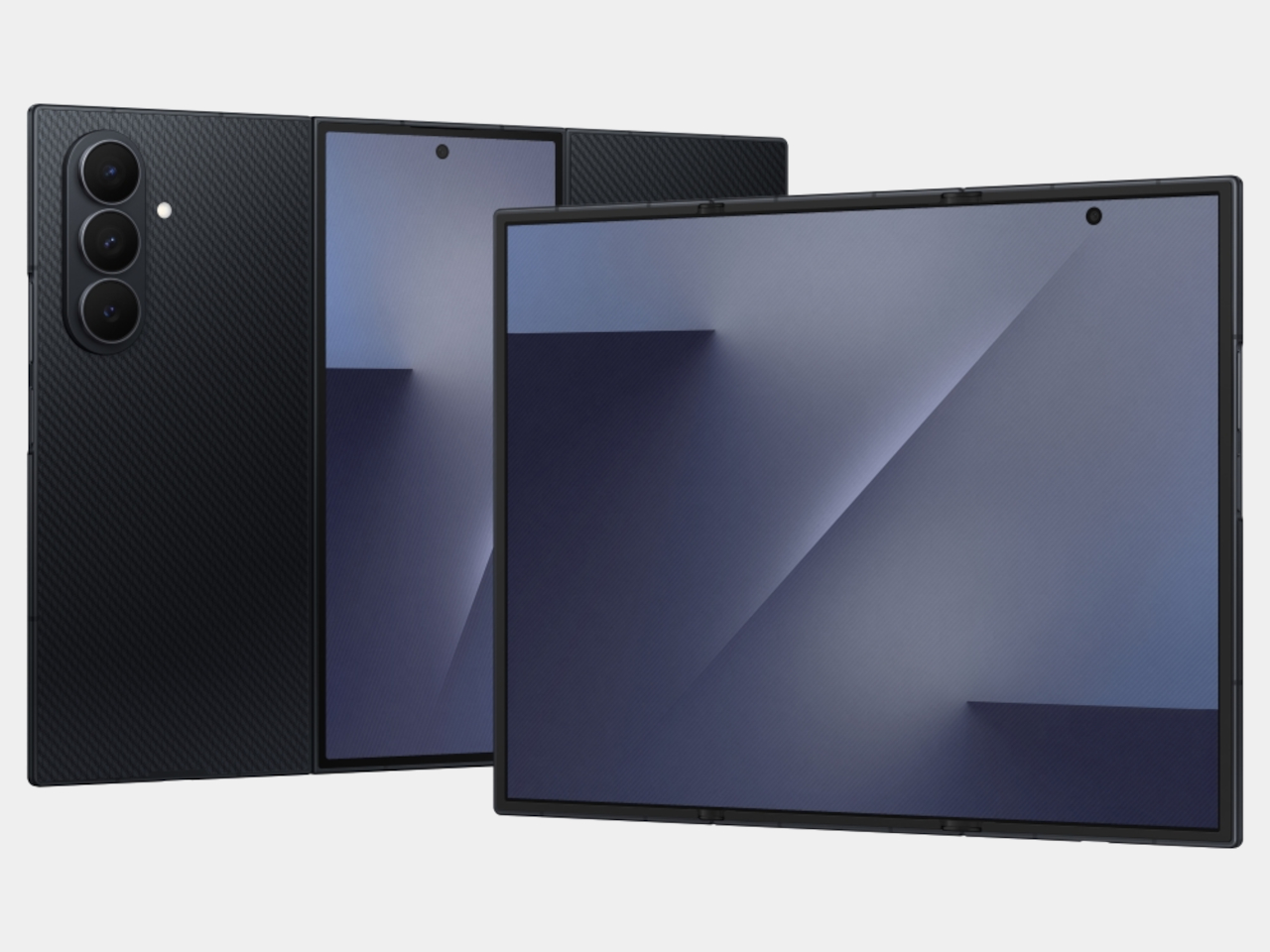
Samsung’s Galaxy Z TriFold tries to solve that by folding twice instead of once. Open it fully, and you’re holding a 10-inch Dynamic AMOLED 2X display that measures 3.9 mm thick at its thinnest point, basically three 6.5-inch phone screens laid side by side. Fold it back up, and the whole thing collapses to 12.9 mm thick, which is about as thick as a regular phone in a case, except this one weighs 309 grams and hides a full-sized tablet inside.
Designer: Samsung
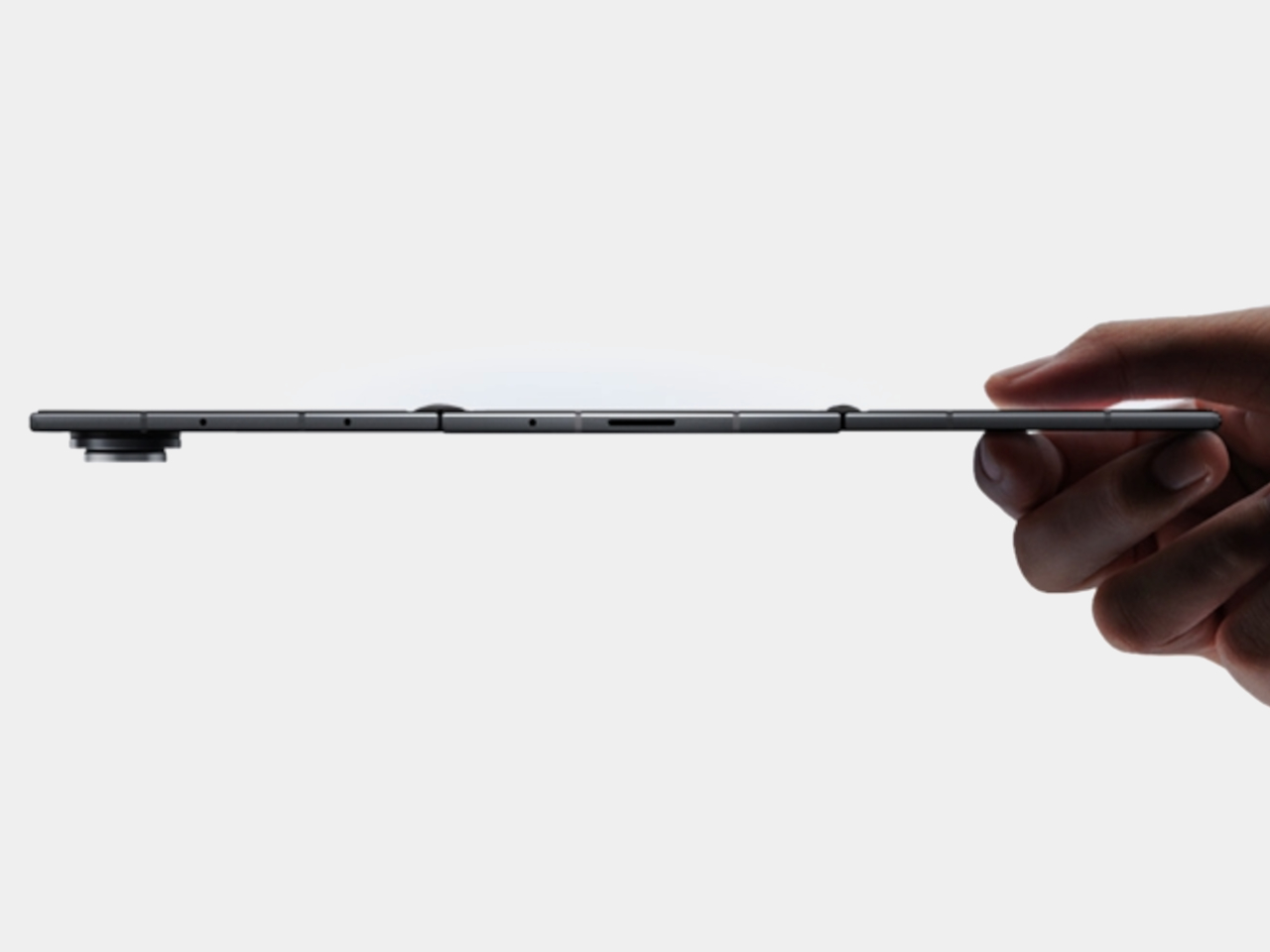
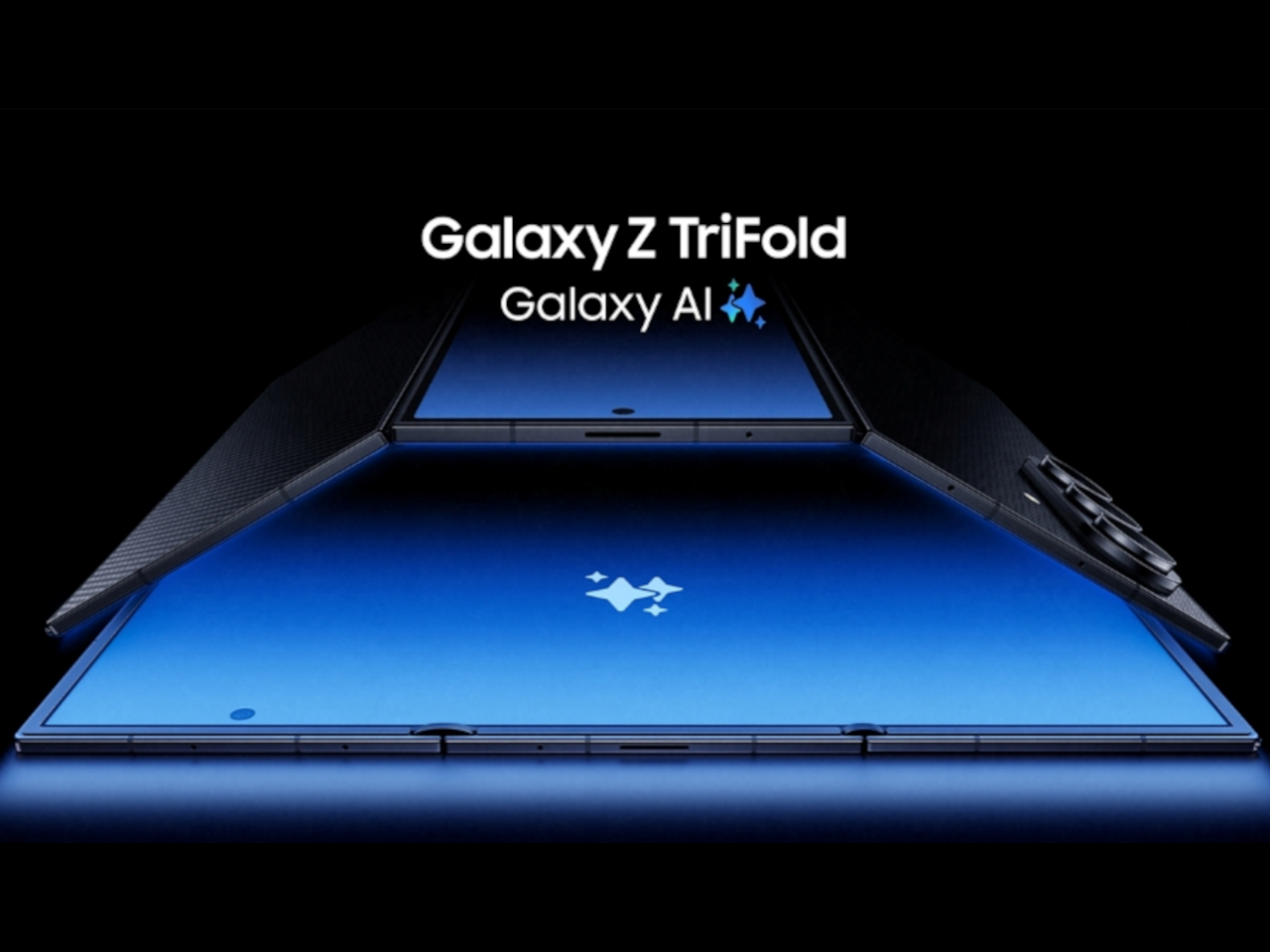
The device is aggressively thin when open. It looks like three glass sheets joined by two subtle hinge bumps, thin enough to hold between fingertips without much visual mass. The frame uses Advanced Armor Aluminum for rigidity, the hinge housing is titanium, and the back panel is a ceramic-glass reinforced polymer that resists cracks. The camera bump and hinges interrupt the silhouette slightly, but the overall impression is of a very thin, very dense slab of screen.
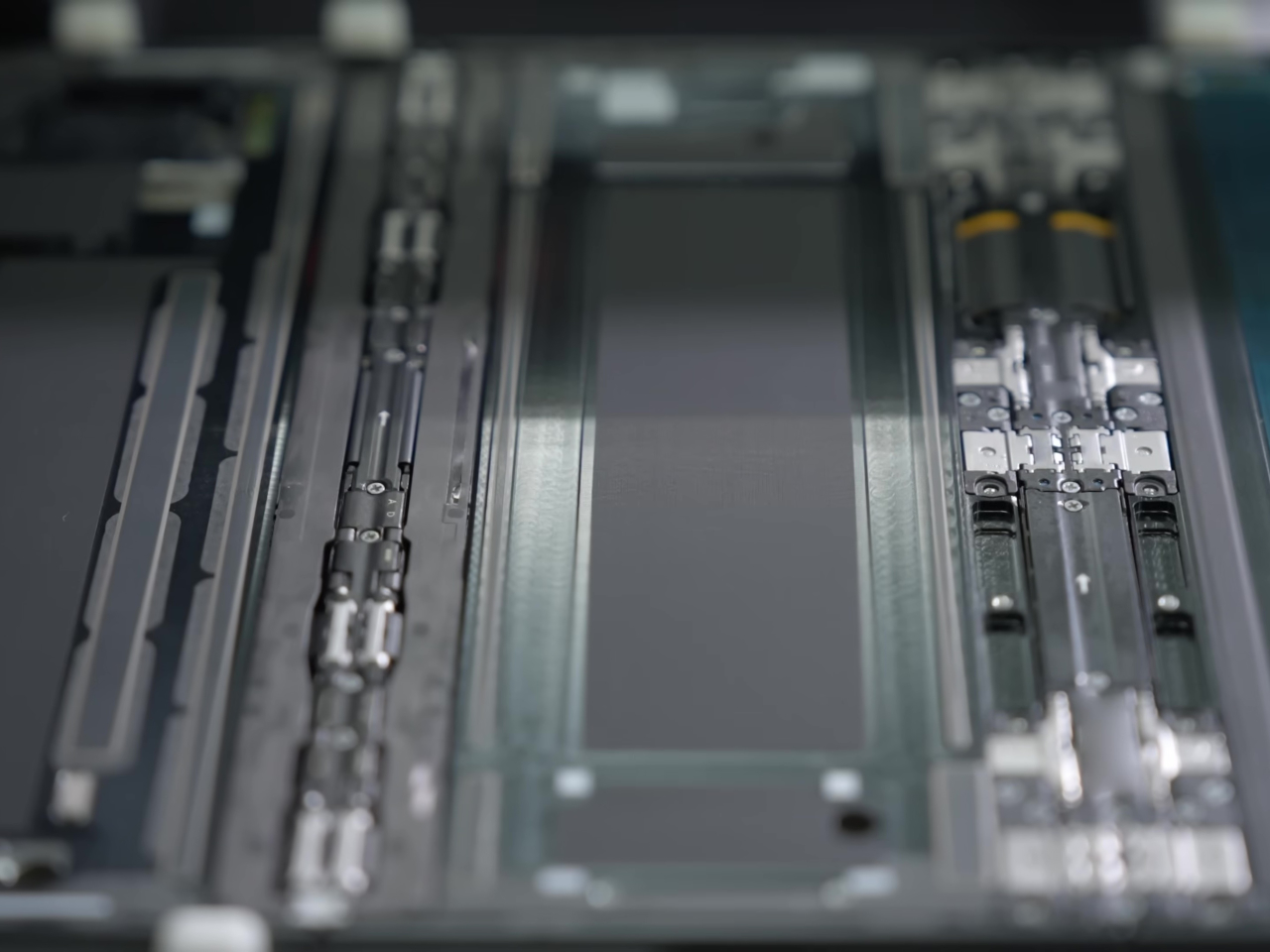
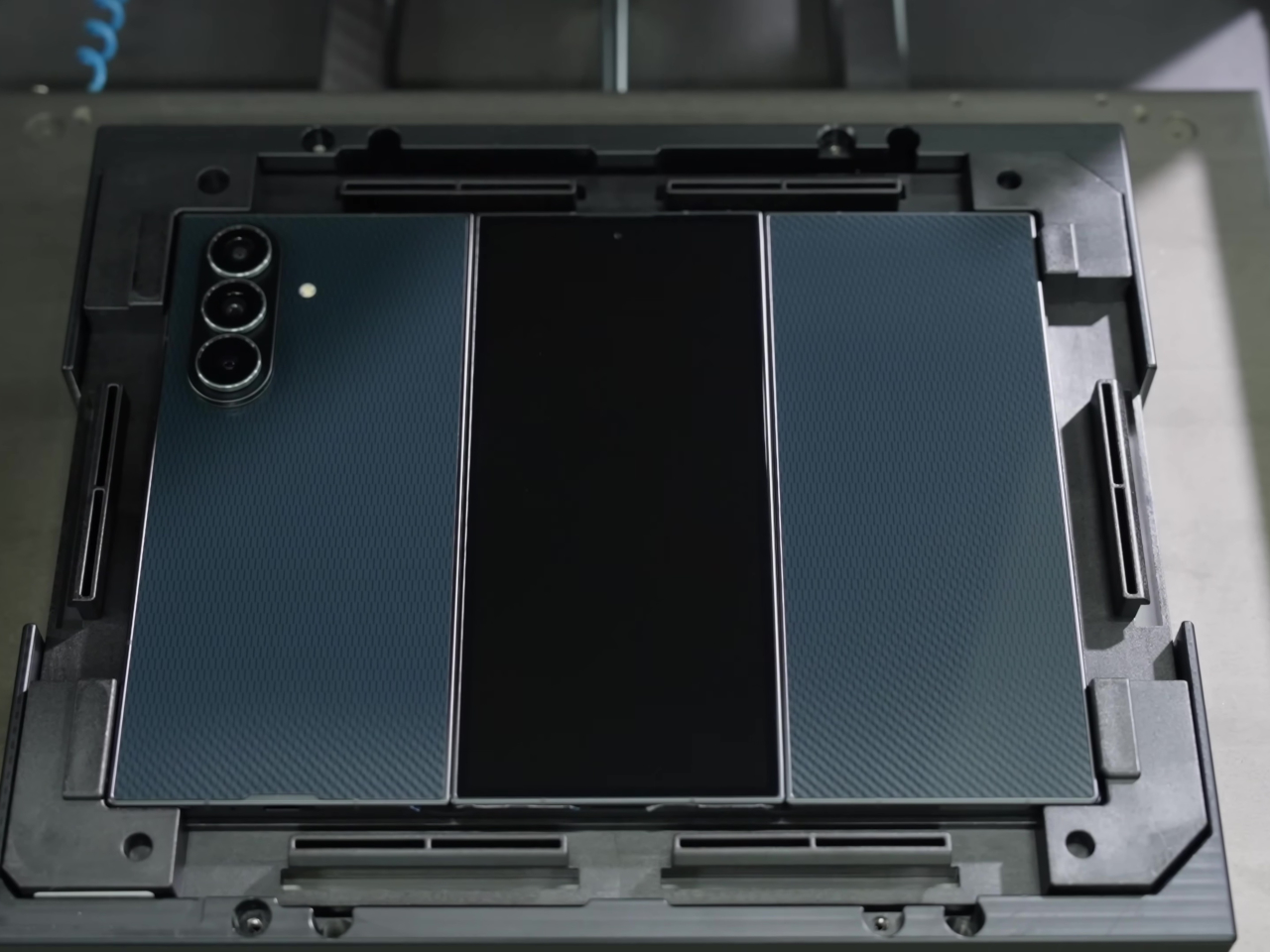
Samsung reworked its hinge system into two differently sized Armor FlexHinges with dual-rail structures that let the three panels close with minimal gaps between them. The display stack includes a new shock-absorbing layer and reinforced overcoat designed for a screen that folds twice instead of once. Samsung CT scans flexible circuit boards and uses laser height checks for internal components, unusual quality control steps that suggest the company knows people are worried about reliability with this many moving parts.
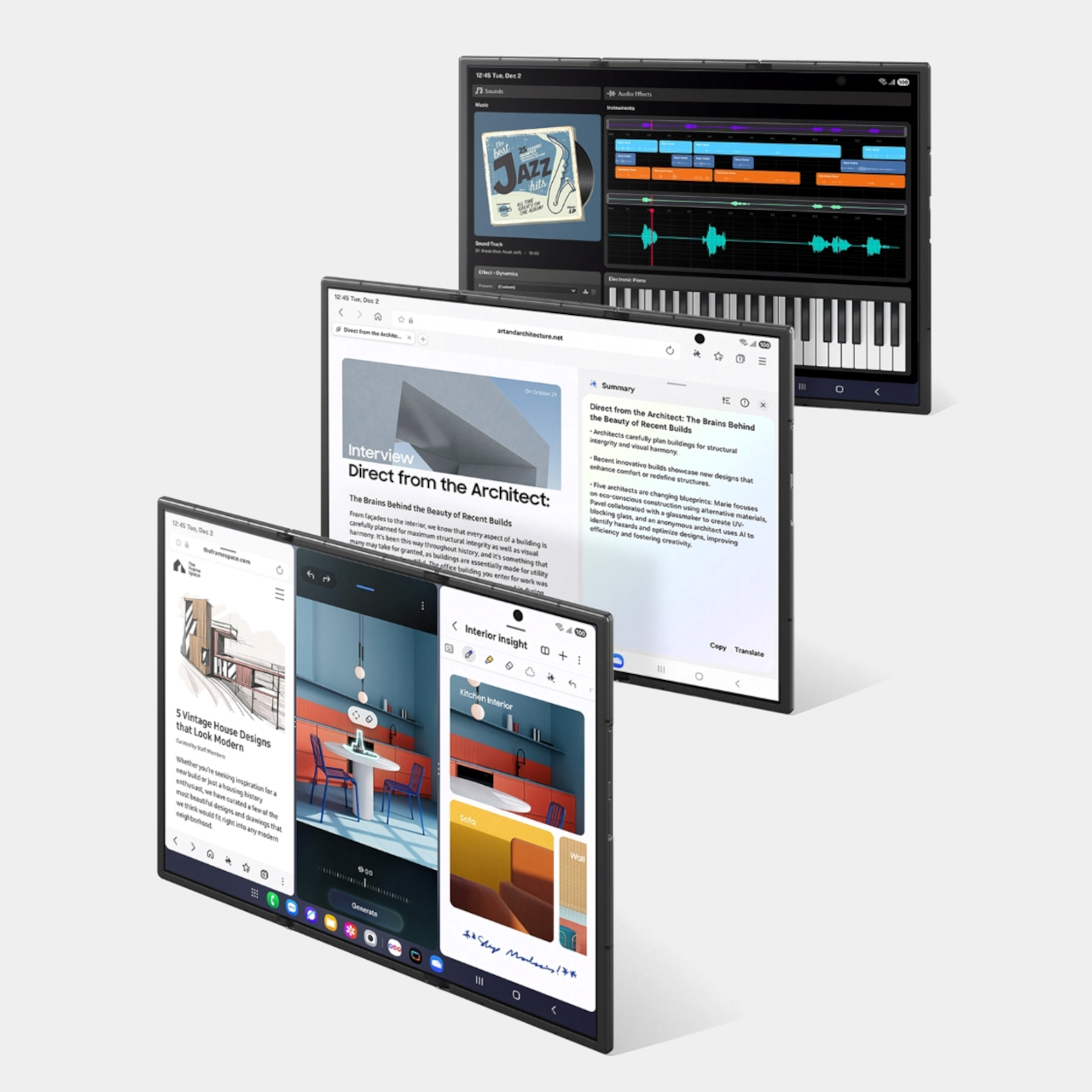
The 10-inch QXGA+ main screen behaves like three portrait phones across, giving you room for three apps side by side without everything feeling cramped. Samsung’s examples show an architect running blueprints, notes, and a calculator at once, or a music producer editing audio while browsing references and messaging. The crease is minimized, the panel runs at 1 to 120 Hz adaptive refresh, and brightness hits 1600 nits to make it feel more like a small monitor than a tablet.
Standalone Samsung DeX turns the TriFold into a tiny multi-desktop machine, with up to four virtual workspaces each running five apps simultaneously. Add an external monitor in Extended Mode, and you can drag windows between screens like a laptop setup. Galaxy AI features adapt to the larger canvas too, with Photo Assist, Browsing Assist, and Gemini Live that can summarize pages, edit images side by side, or give design advice when you show it a room and a shopping site at the same time.
For entertainment, the 10-inch screen works well for films, comics, or YouTube with comments running alongside the video. The 6.5-inch cover screen hits 2600 nits and 120 Hz for quick tasks when you don’t want to unfold everything. Vision Booster keeps content readable in bright light, and the minimized crease tries to keep everything smooth, whether you’re indoors or outside.
Inside there’s a Snapdragon 8 Elite for Galaxy, 16 GB RAM, up to 1 TB storage, and a 200 MP main camera with 3x telephoto and 12 MP ultra-wide. The 5,600 mAh three-cell battery spreads across the panels for balanced weight, charges at 45 W wired or 15 W wireless, and supports reverse wireless charging. The Galaxy Z TriFold launches in Korea on December 12, 2025, with other markets including China, Taiwan, Singapore, the UAE, and the U.S. following after.
The trade-offs are obvious, though. At 309 grams with two hinges, this will feel heavy and complex for anyone who just wants a phone that fits in their pocket and works. Samsung doesn’t mention S Pen support, which seems like a missed opportunity for artists and designers who’d want to use this 10-inch canvas for sketching or illustration in a device that still fits in a bag.
Long-term durability remains an open question, even with IP48 and all the quality control Samsung mentions. But for people who already push their phones into laptop territory and want the biggest possible screen in the smallest possible folded size, the TriFold makes a clear statement about where high-end mobile is heading. It’s excessive, complicated, and not for everyone, but that seems to be the whole point.
Foldables promised to squeeze tablet screens into pocketable phones, but most of them still feel like a compromise. You get one big crease down the middle and an aspect ratio that makes everything look stretched or squashed, depending on what you’re doing. The real challenge isn’t just adding more screen, it’s getting enough space to actually work like a small laptop instead of a phone that got wider and heavier.
Samsung’s Galaxy Z TriFold tries to solve that by folding twice instead of once. Open it fully, and you’re holding a 10-inch Dynamic AMOLED 2X display that measures 3.9 mm thick at its thinnest point, basically three 6.5-inch phone screens laid side by side. Fold it back up, and the whole thing collapses to 12.9 mm thick, which is about as thick as a regular phone in a case, except this one weighs 309 grams and hides a full-sized tablet inside.
Designer: Samsung
The device is aggressively thin when open. It looks like three glass sheets joined by two subtle hinge bumps, thin enough to hold between fingertips without much visual mass. The frame uses Advanced Armor Aluminum for rigidity, the hinge housing is titanium, and the back panel is a ceramic-glass reinforced polymer that resists cracks. The camera bump and hinges interrupt the silhouette slightly, but the overall impression is of a very thin, very dense slab of screen.
Samsung reworked its hinge system into two differently sized Armor FlexHinges with dual-rail structures that let the three panels close with minimal gaps between them. The display stack includes a new shock-absorbing layer and reinforced overcoat designed for a screen that folds twice instead of once. Samsung CT scans flexible circuit boards and uses laser height checks for internal components, unusual quality control steps that suggest the company knows people are worried about reliability with this many moving parts.
The 10-inch QXGA+ main screen behaves like three portrait phones across, giving you room for three apps side by side without everything feeling cramped. Samsung’s examples show an architect running blueprints, notes, and a calculator at once, or a music producer editing audio while browsing references and messaging. The crease is minimized, the panel runs at 1 to 120 Hz adaptive refresh, and brightness hits 1600 nits to make it feel more like a small monitor than a tablet.
Standalone Samsung DeX turns the TriFold into a tiny multi-desktop machine, with up to four virtual workspaces each running five apps simultaneously. Add an external monitor in Extended Mode, and you can drag windows between screens like a laptop setup. Galaxy AI features adapt to the larger canvas too, with Photo Assist, Browsing Assist, and Gemini Live that can summarize pages, edit images side by side, or give design advice when you show it a room and a shopping site at the same time.
For entertainment, the 10-inch screen works well for films, comics, or YouTube with comments running alongside the video. The 6.5-inch cover screen hits 2600 nits and 120 Hz for quick tasks when you don’t want to unfold everything. Vision Booster keeps content readable in bright light, and the minimized crease tries to keep everything smooth, whether you’re indoors or outside.
Inside there’s a Snapdragon 8 Elite for Galaxy, 16 GB RAM, up to 1 TB storage, and a 200 MP main camera with 3x telephoto and 12 MP ultra-wide. The 5,600 mAh three-cell battery spreads across the panels for balanced weight, charges at 45 W wired or 15 W wireless, and supports reverse wireless charging. The Galaxy Z TriFold launches in Korea on December 12, 2025, with other markets including China, Taiwan, Singapore, the UAE, and the U.S. following after.
The trade-offs are obvious, though. At 309 grams with two hinges, this will feel heavy and complex for anyone who just wants a phone that fits in their pocket and works. Samsung doesn’t mention S Pen support, which seems like a missed opportunity for artists and designers who’d want to use this 10-inch canvas for sketching or illustration in a device that still fits in a bag.
Long-term durability remains an open question, even with IP48 and all the quality control Samsung mentions. But for people who already push their phones into laptop territory and want the biggest possible screen in the smallest possible folded size, the TriFold makes a clear statement about where high-end mobile is heading. It’s excessive, complicated, and not for everyone, but that seems to be the whole point.
If you’ve upgraded your phone recently, there’s a good chance it supports wireless charging. Battery life can be one of the first things to deteriorate as your phone ages, so you’ll need quick and easy ways to power up wherever you are. You may not always be able to have a cable on your person, but investing in a wireless phone charger (or a few) can make it more convenient to plop your phone down and know it’ll have more juice when you pick it back up again.
While you’re not going to get the same charging speed with a wireless charger that you would with a power cable, the convenience of a power source like this is undeniable. Stick a wireless charger on your bedside, on your desk at work, in your kitchen or wherever you spend a good chunk of your time and you’ll have a reliable way to power up your phone, sans bulky, messy cables. Needless to say, there are a ton of options out there with different charging capabilities and price ranges. Below, we’ve collected the best wireless chargers we’ve tested to make your search a little easier.
While it’s tempting to buy a wireless charging pad optimized for the specific phone you have now, resist that urge. Instead, think about the types of devices (phones included) that you could see yourself using in the near future. If you’re sure you’ll use iPhones for a long time, an Apple MagSafe-compatible magnetic wireless charger will be faster and more convenient. If you use Android phones or think you might switch sides, however, you’ll want a more universal design. If you have other accessories like wireless earbuds or a smartwatch that supports wireless charging, maybe you’d be better off with a 3-in-1 wireless charger or full wireless charging station.
Where and how will you use your charger?
Odds are that you have a specific use case in mind for your charger. You may want it by your bedside on your nightstand for a quick charge in the morning, or on your desk for at-a-glance notifications. You might even keep it in your bag for convenient travel charging instead of bulky portable chargers or power banks. Think about where you want to use this accessory and what you want to do with the device(s) it charges while it’s powering up. For example, a wireless charging pad might be better for bedside use if you just want to be able to drop your phone down at the end of a long day and know it’ll be powered up in the morning. However, a stand will be better if you have an iPhone and want to make use of the Standby feature during the nighttime hours.
For a desk wireless charger, a stand lets you more easily glance at phone notifications throughout the day. For traveling, undoubtedly, a puck-style charging pad is best since it will take up much less space in your bag than a stand would. Many power banks also include wireless charging pads built in, so one of those might make even more sense for those who are always on the go. Some foldable chargers are also designed for travel, collapsing flat to take up less space.
Wireless charging performance
Although wireless charging is usually slower than its wired equivalent, speed and wattage are still important considerations. A fast charger can supply enough power for a long night out in the time it takes to change outfits. Look for options that promise faster charging and support standards like Qi2 certified charging for the best balance of efficiency and compatibility.
In general, a 15W charger is more than quick enough for most situations, and you’ll need a MagSafe-compatible charger to extract that level of performance from an iPhone. With that said, even the slower 7.5W and 10W chargers are fast enough for an overnight power-up. If anything, you’ll want to worry more about support for cases. While many models can deliver power through a reasonably thick case (typically 3mm to 5mm), you’ll occasionally run into examples that only work with naked phones.
There are some proprietary chargers that smash the 15W barrier if you have the right phone. Apple’s latest MagSafe charging pad can provide up to 25W of wireless power to compatible iPhones when paired with a 30W or 35W adapter — the latter being another component you’ll have to get right to make sure the whole equation works as fast as it possibly can.
Quality and box contents
Pay attention to what’s included in the box. Some wireless chargers don’t include power adapters, and others may even ask you to reuse your phone’s USB-C charging cable. What may seem to be a bargain may prove expensive if you have to buy extras just to use it properly. As mentioned above, you’ll want to make sure all of the components needed to use the wireless charger can provide the level of power you need — you’re only as strong (or in this case, fast) as your weakest link.
Fit and finish is also worth considering. You’re likely going to use your wireless charger every day, so even small differences in build quality could make the difference between joy and frustration. If your charger doesn’t use MagSafe-compatible tech, textured surfaces like fabric or rubberized plastic are more likely to keep your phone in place. The base should be grippy or weighty enough that the charger won’t slide around. Also double check that the wireless charger you’re considering can support phones outfitted with cases — the specifications are usually listed in the charger’s description or specs.
You’ll also want to think about the minor conveniences. Status lights are useful for indicating correct phone placement, but an overly bright light can be distracting. Ideally, the light dims or shuts off after a certain period of time. And while we caution against lips and trays that limit compatibility, you may still want some barriers to prevent your device falling off its perch on the charging station.
Wireless chargers FAQs
Do wireless chargers work if you have a phone case?
Many wireless chargers do work if you leave the case on your phone. Generally, a case up to 3mm thick should be compatible with most wireless chargers. However, you should check the manufacturer’s guide to ensure a case is supported.
How do I know if my phone supports wireless charging?
Checking the phone’s specification should tell you if your phone is compatible with wireless charging. You might see words like “Qi wireless charging” or “wireless charging compatible.”
Do cords charge your phone faster?
Most often, wired charging will be faster than wireless charging. However, wired charging also depends on what the charging cable’s speed is and how much power it’s designed to carry. A quick-charging cable that can transmit up to 120W of power is going to be faster than a wireless charger.
This article originally appeared on Engadget at https://www.engadget.com/computing/accessories/best-wireless-charger-140036359.html?src=rss