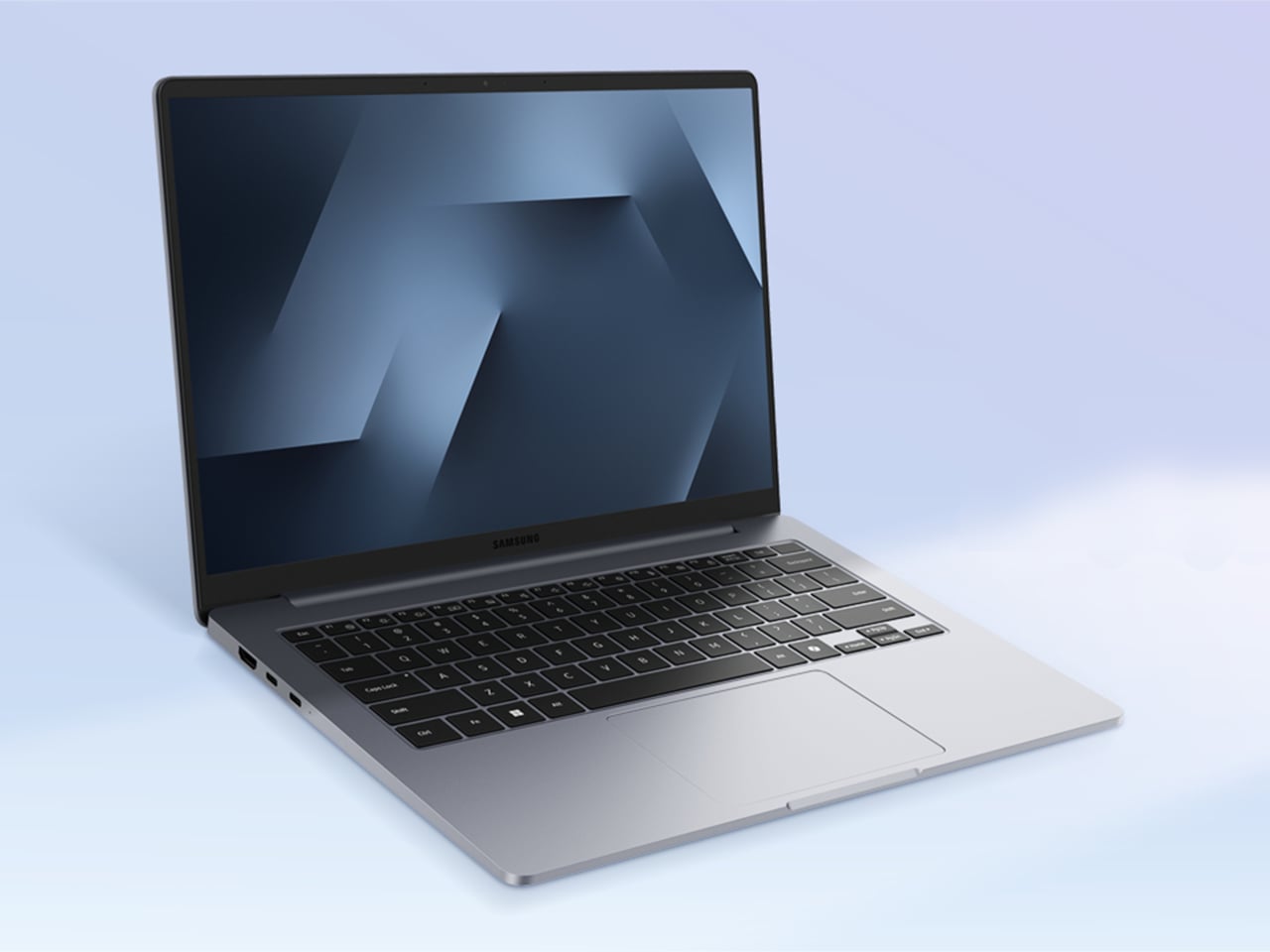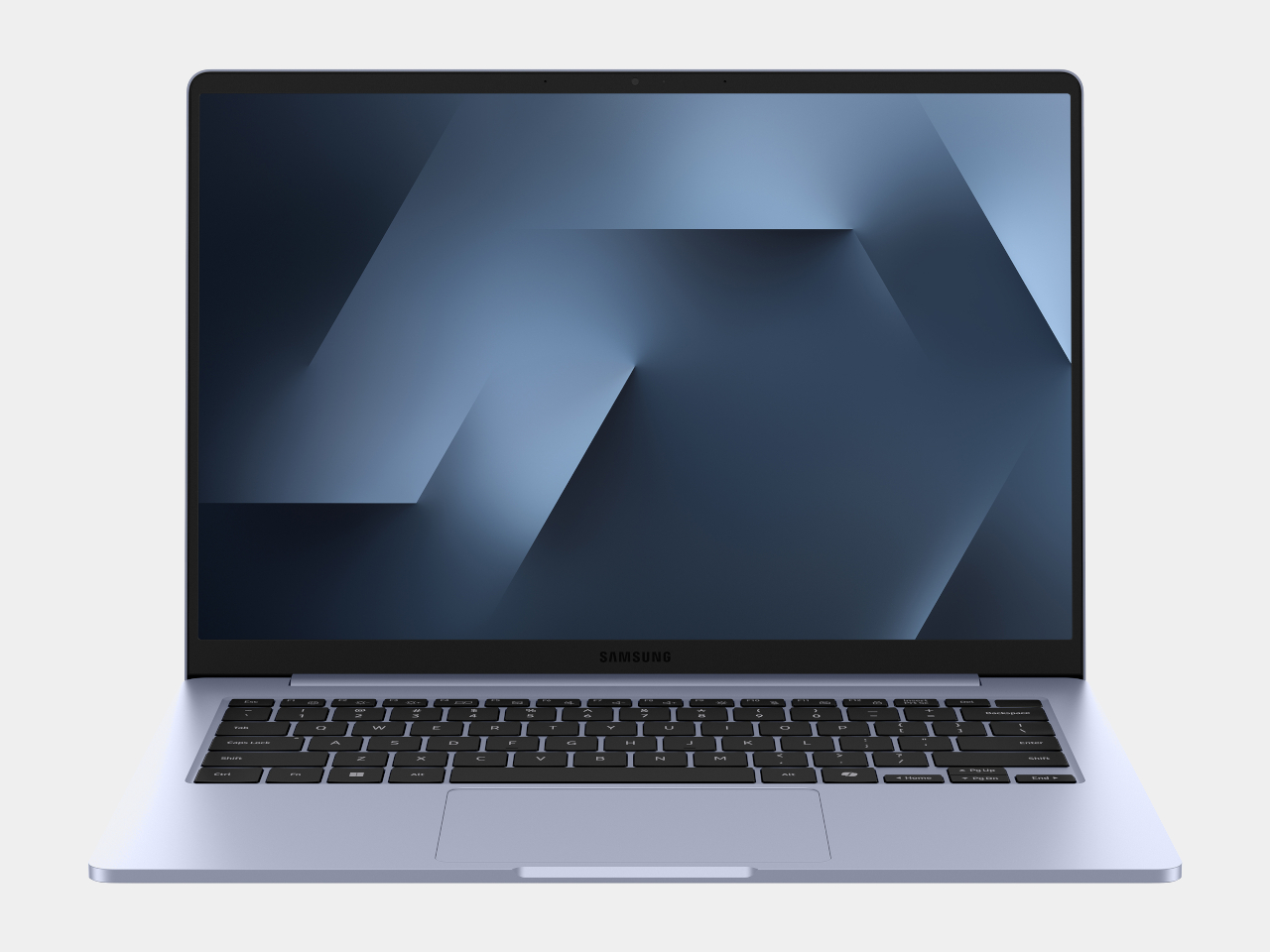
Printed signs get reprinted every week, while full LCD signage burns power all day just to show a static promo. E-ink has quietly solved this in e-readers by holding text without sipping battery, but it has not shown up in everyday public spaces where signs still get taped to shelves. Samsung’s new 13-inch Color E-Paper is a panel that tries to live in that middle ground, digital enough to update remotely, quiet enough to blend in.
Samsung’s 13-inch Color E-Paper is roughly the size of an A4 sheet, 1,600 x 1,200 pixels in a 4:3 aspect ratio, built to sit on shelves, counters, tables, and doors where paper signs still dominate. It uses digital ink and an embedded rechargeable battery to hold static images at zero watts, sipping power only when content changes.
A grocery aisle, cosmetics shelf, or bookstore with weekly specials could run these panels instead of printed posters. Staff update prices and layouts from their phones using the Samsung E-Paper app, or centrally through Samsung’s VXT cloud platform, without ladders, tape, or stacks of paper. The signs look like printed cards but can flip to a new campaign in seconds.
The housing is the first commercial display enclosure to use bio-resin derived from phytoplankton, independently verified by UL to contain 45% recycled plastic and 10% phytoplankton-based resin. Samsung says this can cut carbon emissions in manufacturing by more than 40% compared to conventional petroleum-based plastics, and the packaging is made entirely from paper.
The panel maintains static content at zero watts and uses far less energy than conventional digital signage when it refreshes. An advanced color imaging algorithm smooths gradations and refines contours so posters, book covers, and product shots look closer to print than to a backlit screen. A 13-inch, 4:3 color e-ink panel with this power profile sounds suspiciously like the hardware you would want in a large-format e-reader or note-taking tablet.
Samsung is clear that this is a business display, part of a lineup that already includes 32-inch and upcoming 20-inch models aimed at replacing printed signage. Still, it is hard not to imagine what would happen if a future device borrowed this panel, pairing it with touch and pen input for textbooks, comics, sheet music, or ambient dashboards that can sit on a desk for days without a charge.
Some of the most interesting future-facing ideas show up first in places like retail signage. A 13-inch color e-paper display built with phytoplankton-based resin is, on paper, just a smarter sign for cafes and cosmetics counters. It is also a reminder that the ingredients for calmer, more sustainable reading and information devices already exist; they are just waiting for someone to assemble them into something you would want to curl up with on the sofa.
If you're looking to get fit, sleep better or just keep a closer eye on your health, a fitness wearable is a great place to start. Whether you're into intense workouts or just want to hit your step goal each day, the best fitness trackers available today can offer loads of helpful features, from sleep tracking and resting heart rate monitoring to built-in GPS and stress tracking. Some are even subtle enough to wear 24/7, like smart rings, while others double as stylish smartwatches.
There are great options out there for beginners as well as more advanced users, and the variety of features means there’s something for every lifestyle and budget. In this guide, we’ll walk you through the best fitness trackers you can buy right now, and explain who each one is best suited for.
Best fitness trackers for 2026
What do fitness trackers do best?
The answer seems simple: Fitness wearables are best at monitoring exercise, be it a 10-minute walk around the block or that half marathon you’ve been diligently training for. Obviously, smartwatches can help you reach your fitness goals too, but there are some areas where fitness bands and smart rings have proven to be the best buy: focus, design, better battery life, durability and price.
When I say “focus,” I’m alluding to the fact that fitness trackers are made to track activity well; anything else is extra. They often don’t have the bells and whistles that smartwatches do, which could distract from their advanced health tracking abilities — things like all-day resting heart rate monitoring, stress tracking, and even detailed sleep tracker insights. They also tend to have fewer sensors and internal components, which keeps them smaller and lighter. Fitness trackers are also a better option for those who just want a less conspicuous gadget on their wrists all day.
Battery life tends to be better on fitness trackers, too. While most smartwatches last one to two days on a single charge, fitness bands offer between five and seven days of battery life — and that’s with all-day and all-night use even with sleep tracking features enabled. Many fitness trackers also slot nicely into your existing ecosystem, syncing seamlessly with your smartphone, other fitness apps and cloud storage to keep all your data in one place.
When it comes to price point, there’s no competition. Most worthwhile smartwatches start at $175 to $200, but you can get a solid smart band starting at $70. That makes them a great entry point for beginners who want to track their progress without committing to a full smartwatch. Yes, more expensive bands and smart rings exist (and we recommend a few here), but you’ll find more options under $150 in the fitness tracker space than in the smartwatch space.
When to get a smartwatch instead
If you need a bit more from your wearable and don’t want to be limited to a fitness or activity tracker, a smartwatch may be the best buy for you. There are things like on-watch apps, alerts and even more robust fitness features that smartwatches have and the best fitness trackers don’t. You can use one to control smart home appliances, set timers and reminders, check weather reports and more. Some smartwatches let you choose which apps you want to receive alerts from, and the options go beyond just call and text notifications. Just make sure your smartwatch is compatible with your Android or iPhone, however, before purchasing, as not all of them work with both operating systems.
But the extra fitness features are arguably the most important thing to think about when deciding between a fitness tracker and a smartwatch. The latter devices tend to be larger, giving them more space for things like GPS, barometers, onboard music storage and more. While you can find built-in GPS on select fitness trackers, it’s not common.
If you’re someone who’s seriously training — say for a race or an endurance challenge — a dedicated running watch may be worth considering. These often provide more in-depth cardio analytics, recovery insights, and real-time pace data that go beyond what standard trackers can deliver.
Other fitness trackers we've tested
Fitbit Inspire 3
The Fitbit Inspire 3 strips out all the luxury features from the Charge 6 and keeps only the essential tracking features. You won’t get built-in GPS tracking or Fitbit Pay or Spotify control but you do get solid activity tracking, automatic workout detection, smartphone alerts and plenty more. The updated version has a sleeker design and includes a color touch display and connected GPS, the latter of which lets you track pace and distance while you run or bike outside while you have your phone with you. When compared to the Charge 6, the Inspire 3 is more fashionable, too. Its interchangeable bands let you switch up the look and feel of your tracker whenever you want, and it’s slim enough to blend in with other jewelry you might be wearing. We were also impressed by its multi-day battery life: Fitbit promises up to 10 days on a single charge, and that checked out for us. After four days of round-the-clock use, the Inspire 3 still had 66 percent battery left to go.
Fitness tracker FAQs
How long do fitness tracker batteries last?
The battery life of fitness trackers can vary depending on the model and its features. On average, most fitness trackers last between five to seven days on a single charge. Basic models with limited features could stretch up to 10 days or more. However, more advanced trackers with features like continuous heart rate monitoring, GPS, or always-on displays may need recharging after one to three days. If you're using GPS or streaming music through your fitness tracker, you'll find that this drains the battery faster. By using these features less, or turning them off, you'll extend battery life.
This article originally appeared on Engadget at https://www.engadget.com/wearables/best-fitness-trackers-133053484.html?src=rss
If you’ve lived long enough on this earth, you probably sometimes still long for those days when music was tangible. Whether you experienced putting in a cassette tape or placing a vinyl record on your turntable or even plopping in a CD, you probably miss the sound and feel of “physical music”. That’s why we have several devices that are banking on this nostalgia factor and it seems like Samsung is not immune to this trend.
Samsung Display has unveiled two intriguing concept devices at the ongoing CES 2026: the AI OLED Cassette and the AI OLED Turntable. While they’re not yet products that you can actually buy tomorrow, this “creative flex” for their circular OLED technology may inspire other manufacturers or even get Samsung to actually produce it or something similar in the future.
The AI OLED Cassette is a throwback for those who experienced this kind of music back in the day. It takes the classic tape deck design and turns it into a smart speaker with two tiny 1.5-inch circular OLED displays. They’re in that place where the spinning reels used to be, since this isn’t exactly a cassette player. On the left, you get the playback controls and on the right side, you get a digital waveform or equalizer. Both screens are touch-sensitive, letting you interact directly with the device without constantly reaching for your phone.
It’s not just a usual Bluetooth speaker, though, as you get AI-powered music recommendations built into the device. That means you can discover new music, select what you want to hear, and control everything directly on the cassette itself. You get a touchscreen display as well so you don’t need an external device to control it. This standalone functionality sets it apart from traditional Bluetooth speakers that rely heavily on phone connectivity. There’s also a lozenge-shaped display that doubles as a virtual tuning dial, adding another layer of interaction that feels surprisingly intuitive for something so retro-inspired.
Going further back in the nostalgia trip, the AI OLED Turntable is a 13.4-inch circular OLED touchscreen that looks like an actual vinyl turntable. The turntable display can actually display images and videos to add to the ambience in your space while playing the tunes. Imagine hosting friends and having your turntable show ambient visuals that match the vibe of your playlist. It’s part music player, part art installation, part conversation starter. The large circular display becomes the centerpiece of whatever room you place it in, commanding attention in a way that most modern tech tries to avoid.
AI OLED Bot
These two device concepts actually blur the line between technology and home decor, standing out from the usual, minimalist smart speakers that are on the market. By embracing retro aesthetics and then adding cutting-edge OLED technology, they turn these functional devices into design statements as well, letting them blend into your living space while giving you the music that you want at a particular time.
The timing couldn’t be better either. We’re living through a massive vinyl resurgence, with record sales hitting levels not seen since the 1990s. Cassette tapes are even making a comeback among collectors and indie musicians. There’s clearly an appetite for music experiences that feel more intentional, more physical, more there. Samsung seems to understand that people don’t just want convenience anymore. They want connection to their music and their spaces.
However, before you start dreaming about these devices adorning your living room, remember that they’re still concept devices and may never be manufactured by Samsung Display. These showcases are essentially Samsung demonstrating what’s possible with their circular OLED technology and showing other manufacturers what could be built. They might never produce these exact products themselves.
RGB OLEDoS Headset
Still, as concepts, they’re a vision for how technology can exist while still celebrating personality and nostalgia, rather than generic, robotic looks. Whether you’re a design enthusiast who appreciates the aesthetic, a tech geek fascinated by flexible OLED displays, or a pop culture lover drawn to the retro vibes, there’s something genuinely appealing about these devices. Sometimes the best concepts aren’t about predicting the future. They’re about reimagining how the past and present can play together.
Samsung is going big on Micro RGB and Micro LED TVs for the CES 2026 event. They’ve already revealed the enormous 130-inch micro-RGB TV that we’re keenly looking forward to being bettered by other major players. But where is the biggest Micro LED TV going to sway? Samsung looks to have that one covered too, with the 140-inch Micro LED TV that elevates cinematic viewing to another level.
If that’s not enough, the South Korean giant is taking things a notch higher with display innovation that’s unparalleled, at least for now. Just like some of the smartphones with a waterfall design that extends beyond the horizontal plane of the phone, Samsung is bringing a whole new tech to the event. On the sides, the TV’s screen extends beyond the watchable area, extending as a continuation of the screen.
Samsung is calling it the Mirror Bezel, creating a more immersive 3D effect that we’ve not seen before. For instance, the side panels can display the in-game score during live sports, commentary text, or show the news headlines. The side panels can be turned on independently to show customizable patterns. The possibilities are endless, and Samsung will put the hardware to good use for an extended experience beyond the flat display.
Other than this innovation, they have designed the TV to fold into two for displaying artwork. The display has a hinge system at the center, which should be half the size to 70 inches of display for your artwork. This apparently makes it the world’s first TV that folds in half. This puts it flush against the LG Gallery TV and their own Frame TV. The design makes it well-suited for your living room or even a sizeable bedroom.
The AI in the display is used to analyse the content being displayed and extend the picture, or show other elements depending on the content being viewed. More information is expected to seep in about this exciting display tech at the event. For now, there’s no word on the detailed specifications, availability, or the price.
A television spanning 130 inches diagonally creates immediate questions about physics, aesthetics, and whether something this massive can exist as anything other than spectacle. Samsung’s answer at CES 2026 involves treating the R95H Micro RGB model as architecture rather than appliances, borrowing design language from gallery easels and luxury retail interiors to create what the company describes as an “extra-large window” that transforms room perception. The display sits on angular metal supports that create a triangular footprint, making the enormous panel appear suspended rather than heavily grounded. At just 35.7mm thick based on Samsung’s technical specifications, the screen maintains a profile impossibly slim for something measuring nearly 11 feet corner to corner.
Samsung revived its Timeless Frame concept from 2013, refining the original bold outlines into thinner borders that house integrated audio components while maintaining visual distinctiveness. The frame contains Samsung’s Eclipsa Audio system, solving the practical challenge of speaker placement for ultra-large displays while preserving the aesthetic of a unified object. When wall-mounted, the frame’s lower edge meets the floor rather than floating at eye level, reinforcing the window metaphor while distributing the weight more safely than traditional TV mounting. The Glare-Free coating becomes essential at this scale, preventing the massive reflective surface from mirroring the room and destroying contrast.
Designer: Samsung
The “Micro RGB” name is the key to the great visuals. Instead of using a standard white or blue backlight and then filtering it through quantum dots and color filters, this panel uses microscopic, individual red, green, and blue LEDs as the light source. This means color is generated directly at the source, which is a fundamentally cleaner way to do things. It’s how they are hitting that claimed 100% BT.2020 color gamut, a spec that display nerds have been chasing for years. This direct emission approach eliminates multiple layers of conversion that can introduce impurities and reduce color volume, resulting in purer, more vibrant hues that pop off the screen with an almost unnatural vivacity.
Of course, the easel stand, while gorgeous, demands a colossal footprint. You aren’t tucking this into a corner of your apartment; you are designing a room around it. The angular legs extend far from the screen to keep the whole assembly stable, meaning it occupies a significant amount of floor space both in front of and behind the panel. This is a television for lofts, galleries, and homes with minimalist, open-plan layouts where it can be appreciated as a sculptural object. The alternative wall-mount option, which has the base of the TV resting on the floor, is equally bold. It is a deliberate choice that forces you to treat the display as a permanent architectural feature, a commitment that most people are not prepared to make for a piece of technology.
Ultimately, this 130-inch beast is Samsung planting its flag. With OLED technology becoming the benchmark for contrast and black levels, Samsung needed a halo product to prove that its LCD-based technologies could still lead the pack in other areas, specifically color volume and peak brightness. The R95H is a brute-force demonstration of engineering prowess, a statement piece that screams technological dominance. While very few people will ever own this specific model, the underlying Micro RGB technology is the real takeaway. We will see this tech trickle down to more mainstream sizes like 55, 65, and 75-inch models in the near future, which means the advancements in color purity we see here will eventually land in living rooms that don’t require a special permit for delivery.
It is an absurdly beautiful, and almost certainly astronomically expensive piece of hardware. And that is precisely what makes it so fascinating. It pushes back against the trend of electronics trying to be invisible and instead makes the television a focal point of design and conversation. It’s a beautiful object that forces us to reconsider how a screen can interact with a physical space, moving it from an appliance to a piece of deliberate, functional art, sort of like the Serif TV, but on a much grander scale.
CES 2026 is full of screens and soundbars, but what stands out are speakers that look like they belong in a living room, even when they are silent. Samsung’s Music Studio 7 and Music Studio 5 are Wi-Fi speakers shaped around Erwan Bouroullec’s dot motif, designed to sit comfortably on shelves and consoles while quietly handling the serious audio work, from hi-resolution streaming to multi-device spatial sound.
Music Studio 7 (LS70H) is the tall, immersive one, and Music Studio 5 (LS50H) is the compact, gallery-friendly sibling. Both share the same circular eye on the front, a dot that hints at the origin of sound, but they play different roles at home. One anchors a room with 3.1.1-channel spatial audio, the other slips into smaller spaces without giving up clarity or presence.
An evening where Music Studio 7 is handling everything, from a playlist to a late-night movie, makes the 3.1.1-channel architecture clear. Left, front, right, and top-firing drivers build a tall soundstage that wraps around the room, while Samsung’s pattern control and immersive waveguide keep effects and vocals precisely placed. AI Dynamic Bass Control keeps the low end deep but tidy, so the room feels full without the furniture rattling or neighbors complaining.
Quiet listening sessions bring hi-res playback into focus. The speaker processes up to 24-bit/96 kHz, so subtle details in acoustic tracks or film scores stay intact instead of getting smoothed over. Spotify lossless streaming and Spotify Tap over Wi-Fi let you move from phone to speaker with a tap, or start a recommendation directly on the device, which makes spontaneous listening feel less like managing gadgets and more like just pressing play.
Music Studio 5 lives in a different kind of space, on a shelf or sideboard where size matters. It uses a 4-inch woofer and dual tweeters with a built-in waveguide to keep sound balanced and crisp, even at lower volumes. AI Dynamic Bass Control deepens low frequencies without turning everything into a thump, so it works as well for background jazz while you cook as it does for focused listening at a desk.
A weekend movie where the speakers and a Samsung TV share the work shows how Q-Symphony handles multi-device sound. The TV and Music Studio units play together instead of one replacing the other, letting dialogue come from the screen while spatial effects spread to the speakers. Wi-Fi casting, streaming services, voice control, and Bluetooth via Samsung’s Seamless Codec sit in the background, making it easy to move sound between rooms or devices without thinking too hard about the path.
The dot-driven forms and soft colors make the speakers feel like part of the furniture, not gadgets that need to be hidden when guests arrive. Seeing them at CES 2026 hints at a direction where home audio is judged as much on how it shapes a room as on how it measures in a lab, and Music Studio 7 and 5 are built to live comfortably in both worlds, treating sound as something that belongs in a space rather than something you tolerate until you can afford to hide it.
The first Freestyle tried to make projection feel as casual as dropping a speaker on a table, but still needed some fiddling with focus, keystone, and room darkness. Portable projectors are great in theory, but often fall apart on setup friction, tweaking corners, hunting for the right brightness mode, and dealing with off-color walls. Samsung’s Freestyle+ keeps the same friendly cylinder while letting AI quietly handle the annoying parts, betting that most people would rather point and watch than spend 10 minutes adjusting settings.
The Samsung Freestyle+ is an AI-powered portable projector that builds on the original’s cylindrical, 180-degree tilting design. The headline change is not a wild new form factor; it is a smarter brain. Freestyle+ is pitched as something you can point at a wall, ceiling, or floor, then trust to optimize the picture for whatever surface you happen to be aiming at, turning “point and play” from a slogan into something closer to reality.
AI OptiScreen is the bundle of features that makes that possible. 3D Auto Keystone straightens the image even on angled or uneven surfaces like curtains or room corners. Real-time Focus keeps things sharp as you nudge or rotate the projector. Screen Fit sizes the picture to a compatible screen if you use one. Finally, Wall Calibration analyzes wall color or patterns to keep content legible instead of tinted or washed out.
Freestyle+ pushes out 430 ISO lumens, nearly twice the previous generation, which matters in real living rooms that are not pitch black. The 180-degree rotating stand still lets you throw an image onto a wall, ceiling, or floor without extra mounts. The idea is that you stop worrying about whether a space is right for projection and just drop the cylinder where it makes sense in the moment, whether that is a coffee table, a kitchen counter, or a nightstand.
Freestyle+ behaves like a mini Samsung TV, with Samsung TV Plus, major streaming apps, and Samsung Gaming Hub built in. You can stream shows, watch live channels, or fire up cloud games directly from the projector without plugging in a stick or console. For small apartments or casual setups, that means one object can handle movie night and a bit of gaming without a permanent media cabinet cluttering the wall.
Audio comes from a built-in 360-degree speaker tuned for room-filling sound in a compact body. For people already in the Samsung ecosystem, Q-Symphony support lets Freestyle+ sync with compatible Samsung soundbars, layering its own speaker with the bar instead of muting one or the other. That gives you a more cohesive soundstage when you want to treat the projector like a main screen rather than a sidekick.
Freestyle+ makes the most sense as a roaming screen that follows you from bedroom to living room to kitchen, rather than a projector that lives in a dedicated theater. By combining a familiar, speaker-like form with AI setup, brighter output, built-in streaming, and decent sound, it nudges projection closer to the casual, everyday screen Samsung keeps hinting at, instead of something you only use on special occasions when the room is dark enough and the mood feels right for a movie night.
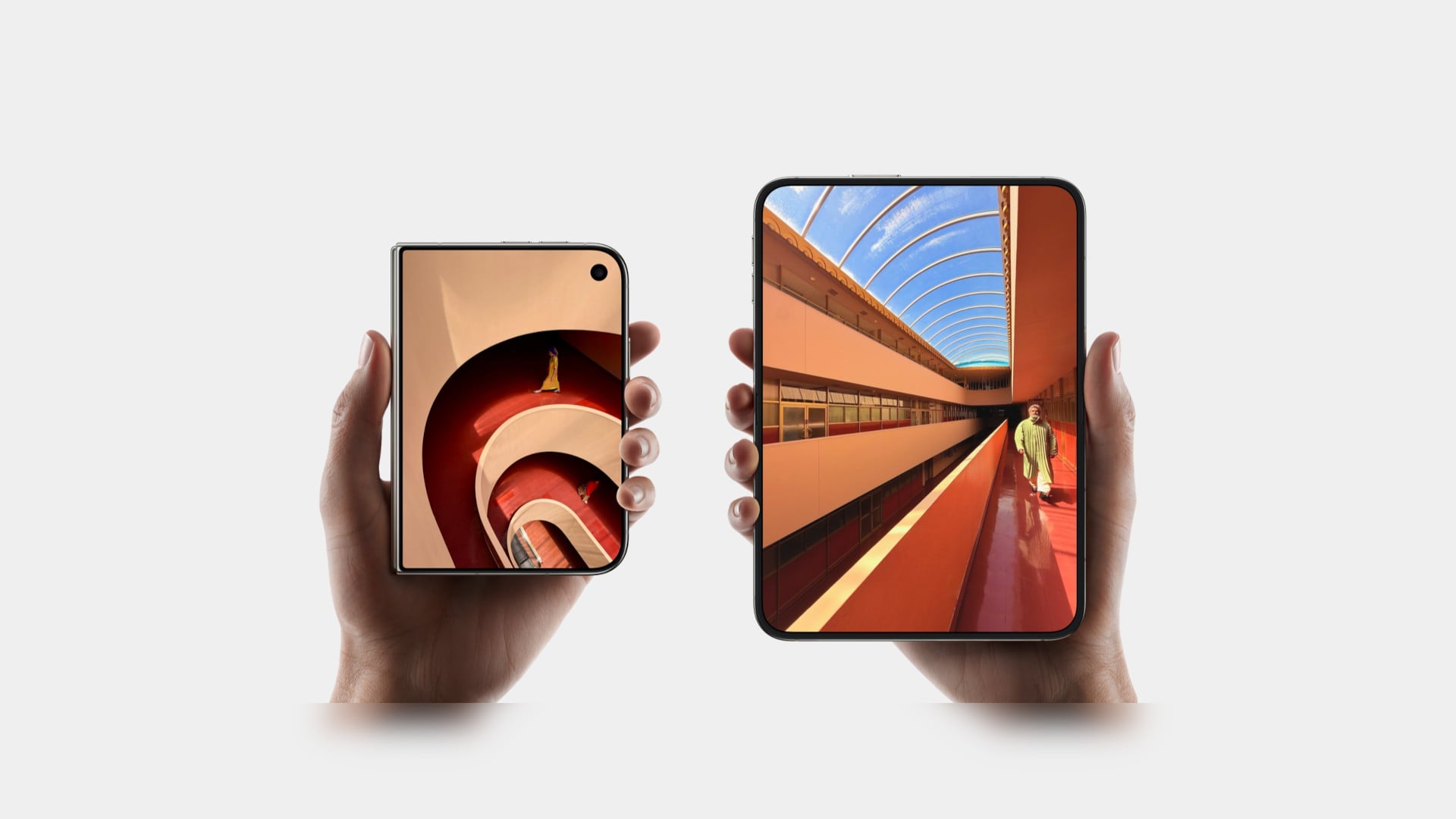
Seven years of Galaxy Z Fold and Flip experiments led to Samsung’s wildest form factor yet, a phone that folds twice into a 10‑inch tablet. Before anyone can trust a device like that, it has to survive more than a marketing reel. JerryRigEverything’s durability test became the unofficial reality check for the Galaxy Z Trifold, showing how far Samsung pushed the engineering and where those limits start to bite back.
Zack Nelson’s standard protocol is scratch, burn, dust, and bend, and the Galaxy Z Trifold greets you with a wall of warnings about not peeling films and folding in a specific order. If you close the wrong flap first, the phone vibrates and flashes red, a sign that the folding choreography is tightly constrained, even if it does not break immediately. The device is smart enough to know when you are stressing it incorrectly.
The outer cover screen behaves like other flagships, scratching at Mohs level 6 with deeper grooves at 7, while the inner flexible display still marks at level 2 with deeper damage at 3. The burn test shows the outer OLED lasting around 17 seconds under flame and the inner panel about 10, reinforcing that ultra‑thin glass and plastic stacks remain fragile, even in this latest generation, which is less a Samsung problem and more a physics problem.
The phone carries an IP48 rating, which sounds reassuring until fine dust is sprinkled into the hinge area and folding begins. The immediate grinding noises make it clear that particles can still get into the mechanism and between layers. The device survives the moment, but the test underlines that a tri‑fold with exposed hinge gaps is best kept away from beaches, workshops, or pockets full of grit.
The defining moment is the bend test. When force is applied in the opposite direction to the intended fold, the Galaxy Z Trifold’s frame buckles with an audible crack, making it the first Samsung phone to fail this particular test. The central spine is around 3.9 mm at its thinnest, significantly slimmer than many ultra‑thin phones, and the hinges themselves hold while the aluminium frame gives way, showing that Samsung prioritised compactness over reverse‑bend resistance.
The teardown reveals three separate batteries spread across the three segments, totalling about 5,600 mAh, so thin that even using pull tabs to remove them risks bending and puncturing. A 200 MP main camera, a 10 MP telephoto with OIS, and reliance on the aluminium frame for heat dissipation rather than a complex cooling system all point to thinness and packaging as top priorities, which makes sense when the goal is pocketability.
The Galaxy Z Trifold is an engineering statement that proves a pocketable tri‑fold tablet is possible, and JerryRigEverything’s test shows the trade‑offs of that ambition. Inner screens remain soft, dust remains a threat, and a 3.9 mm spine will not forgive a wrong bend. As a first draft of a radically new category, it achieves something impressive while accepting vulnerabilities that future iterations will likely address with slightly thicker frames and better sealing, once the core mechanics are proven and refinement can begin.
Samsung previews AI-connected appliances for CES 2026, upgrading garment care, faster laundry cycles, smarter airflow modes, and a cleaner-thinking robot vac.
Chromebooks have quietly become some of the most useful laptops for everyday tasks. They boot fast, stay secure with automatic updates and often cost far less than traditional Windows or Mac machines. Modern Chromebooks also look and feel better than ever, with brighter screens, stronger processors and designs that range from simple clamshells to flexible 2-in-1s.
Whether you need a laptop for school, streaming or a portable option for travel, there is likely a Chromebook that fits your routine. After testing the top models, we picked the best Chromebooks you can buy today to help you find something that balances performance, price and reliability.
What is Chrome OS, and why would I use it over Windows?
This is probably the number one question about Chromebooks. There are plenty of inexpensive Windows laptops on the market, so why bother with Chrome's operating system? Glad you asked. For me, the simple and clean nature of Chrome OS is a big selling point. Chrome OS is based on Google’s Chrome browser, which means most of the programs you can run are web based. There’s no bloatware or unwanted apps to uninstall like you often get on Windows laptops, it boots up in seconds, and you can completely reset to factory settings almost as quickly.
Of course, simplicity will also be a major drawback for some users. Not being able to install native software can be a dealbreaker if you’re a video editor or software developer. But there are also plenty of people who do the majority of their work in a web browser, using tools like Google Docs and spreadsheets for productivity without needing a full Windows setup.
Google and its software partners are getting better every year at supporting more advanced features. For example, Google added video editing tools to the Google Photos app on Chromebooks – it won’t replace Adobe Premiere, but it should be handy for a lot of people. Similarly, Google and Adobe announced Photoshop on the web in 2023, something that brings much of the power of Adobe’s desktop apps to Chromebooks.
Chromebooks can also run Android apps, which greatly expands the amount of software available. The quality varies widely, but it means you can do more with a Chromebook beyond just web-based apps. For example, you can install the Netflix app and save videos for offline watching. Other Android apps like Microsoft Office and Adobe Lightroom are surprisingly capable as well. Between Android apps and a general improvement in web apps, Chromebooks are more than just portals to a browser.
What do Chromebooks do well?
Put simply, web browsing and really anything web based. Online shopping, streaming music and video and using various social media sites are among the most common daily tasks people do on Chromebooks. As you might expect, they also work well with Google services like Photos, Docs, Gmail, Drive, Keep and so on. Yes, any computer that can run Chrome can do that too, but the lightweight nature of Google Chrome OS makes it a responsive and stable platform.
As I mentioned before, Chrome OS can run Android apps, so if you’re an Android user you’ll find some nice ties between the platforms. You can get most of the same apps that are on your phone on a Chromebook and keep info in sync between them. You can also use some Android phones as a security key for your Chromebook or instantly tether your 2-in-1 laptop to use mobile data.
Google continues to tout security as a major differentiator for Chromebooks, and it’s definitely a factor worth considering. Auto-updates are the first lines of defense: Chrome OS updates download quickly in the background and a fast reboot is all it takes to install the latest version. Google says that each webpage and app on a Chromebook runs in its own sandbox as well, so any security threats are contained to that individual app. Finally, Chrome OS has a self-check called Verified Boot that runs every time a device starts up. Beyond all this, the simple fact that you generally can’t install traditional apps on a Chromebook means there are fewer ways for bad actors to access the system.
If you’re interested in Google’s Gemini AI tools, a Chromebook is a good option as well. Every Chromebook in our top picks comes with a full year of Google’s AI Pro plan — this combines the usual Google One perks like 2TB of storage and 10 percent back in purchases from the Google Store with a bunch of AI tools. You’ll get access to Gemini in Chrome, Gmail, Google Docs and other apps, Gemini 2.5 Pro in the Gemini app and more. Given that this plan is $20/month, it’s a pretty solid perk. Chromebook Plus models also include tools like the AI-powered “help me write,” the Google Photos Magic Editor and generative AI backgrounds you can create by filling in a few prompts.
As for when to avoid Chromebooks, the answer is simple: If you rely heavily on a specific native application for Windows or a Mac, chances are you won’t find the exact same option on a ChromeOS device. That’s most true in fields like photo and video editing, but it can also be the case in law or finance. Plenty of businesses run on Google’s G suite software, but more still have specific requirements that a Chromebook might not match. If you’re an iPhone user, you’ll also miss out on the way the iPhone easily integrates with an iPad or Mac. For me, the big downside is not being able to access iMessage on a Chromebook.
Finally, gaming Chromebooks are not ubiquitous, although they’re becoming a slightly more reasonable option with the rise of cloud gaming. In late 2022, Google and some hardware partners announced a push to make Chromebooks with cloud gaming in mind. From a hardware perspective, that means laptops with bigger screens that have higher refresh rates as well as optimizing those laptops to work with services like NVIDIA GeForce Now, Xbox Game Pass and Amazon Luna. You’ll obviously need an internet connection to use these services, but the good news is that playing modern games on a Chromebook isn’t impossible. You can also install Android games from the Google Play Store, but that’s not what most people are thinking of when they want to game on a laptop.
What are the most important specs for a Chromebook?
Chrome OS is lightweight and runs well on fairly modest hardware, so the most important thing to look for might not be processor power or storage space. But Google made it easier to get consistent specs and performance late last year when it introduced the Chromebook Plus initiative. Any device with a Chromebook Plus designation meets some minimum requirements, which happen to be very similar to what I’d recommend most people get if they’re looking for the best laptop they can use every day.
Chromebook Plus models have at least a 12th-gen Intel Core i3 processor, or an AMD Ryzen 3 7000 series processor, both of which should be more than enough for most people. These laptops also have a minimum of 8GB of RAM and 128GB of SSD storage, which should do the trick unless you’re really pushing your Chromebook. All Chromebook Plus models have to have a 1080p webcam, which is nice in these days of constant video calling, and they also all have to have at least a 1080p FHD IPS screen.
Of course, you can get higher specs or better screens if you desire, but I’ve found that basically everything included in the Chromebook Plus target specs makes for a very good experience.
Google has an Auto Update policy for Chromebooks as well, and while that’s not exactly a spec, it’s worth checking before you buy. Last year, Google announced that Chromebooks would get software updates and support for an impressive 10 years after their release date. This support page lists the Auto Update expiration date for virtually every Chromebook ever, but a good rule of thumb is to buy the newest machine you can to maximize your support.
How much should I spend on a Chromebook?
Chromebooks started out notoriously cheap, with list prices often coming in under $300. But as they’ve gone more mainstream, they’ve transitioned from being essentially modern netbooks to some of the best laptops you’ll want to use all day. As such, prices have increased: At this point, you should expect to spend at least $400 if you want a solid daily driver. There are still many Chromebooks out there available at a low price that may be suitable as secondary devices, but a good Chromebook that can be an all-day, every-day laptop will cost more. But, notably, even the best Chromebooks usually cost less than the best Windows laptops, or even the best “regular” laptops out there.
There are a handful of premium Chromebooks that approach or even exceed $1,000 that claim to offer better performance and more processing power, but I don’t recommend spending that much. Generally, that’ll get you a better design with more premium materials, as well as more powerful internals and extra storage space, like a higher-capacity SSD. Of course, you also sometimes pay for the brand name. But, the specs I outlined earlier are usually enough, and there are multiple good premium Chromebooks in the $700 to $800 range at this point.
This was our pick for best overall Chromebook for years, and it’s still one of the better options you can find for a basic laptop that doesn’t break the bank. It’s a few years older than our current top pick, so its processor isn’t fresh and it only has 128GB of storage. It also won’t get updates from Google as long as newer models. But it still combines a nice screen and keyboard with solid performance. This laptop typically costs $500, which feels high given its a few years old and Acer’s Chromebook Plus 514 is only $350, but if you can find it on sale and can’t find the Acer it’s worth a look.
ASUS CX15
This Chromebook is extremely affordable – you can currently pick it up for only $159 at Walmart. That price and its large 15.6-inch screen is mainly what it has going for it, as the Intel Celeron N4500 chip and 4GB of RAM powering it does not provide good performance if you’re doing anything more than browsing with a few tabs open. If you’re shopping for someone with extremely basic needs and have a small budget, the CX15 might fit the bill. But just be aware that you get what you pay for.
Samsung Galaxy Chromebook Plus
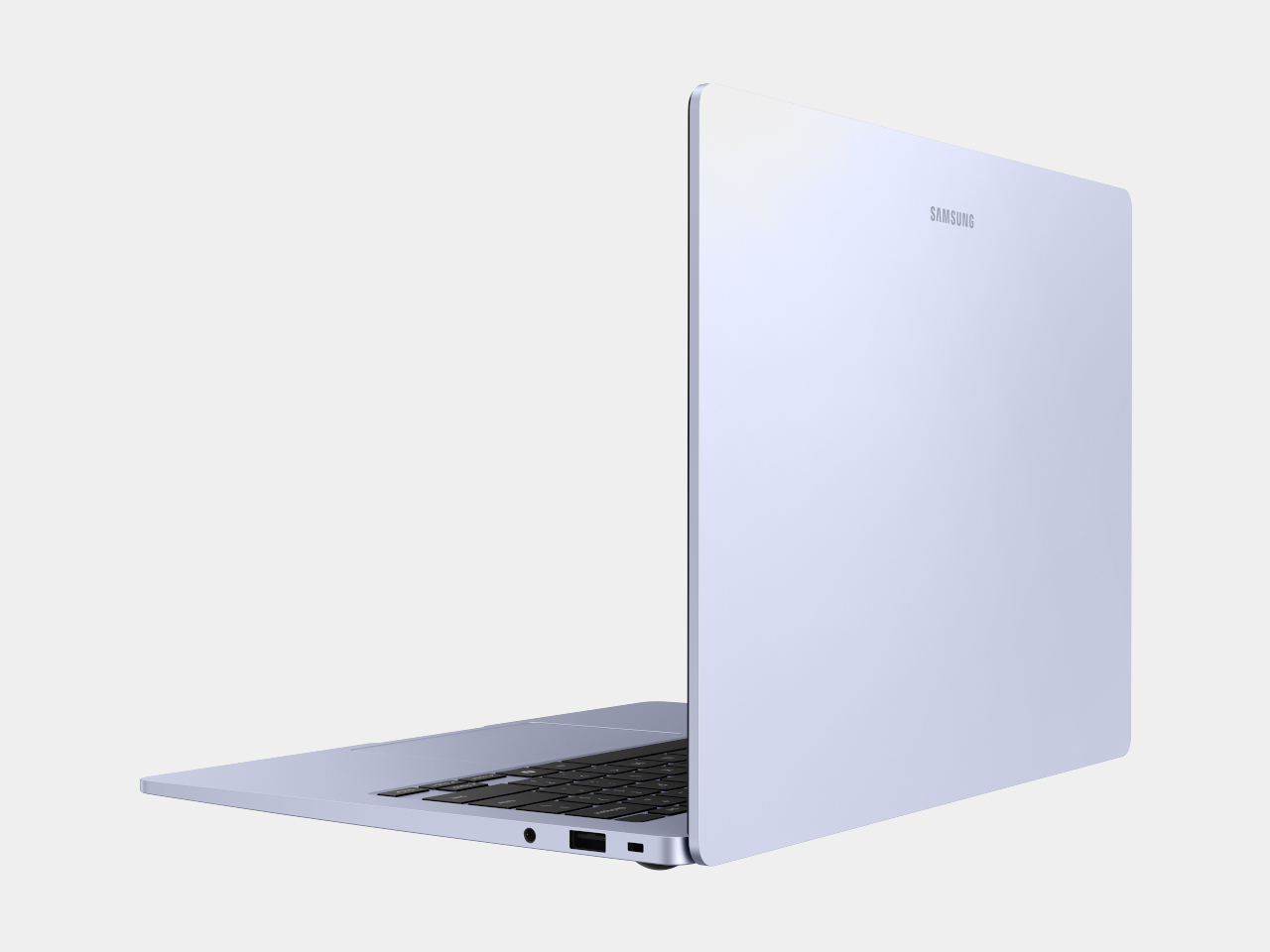
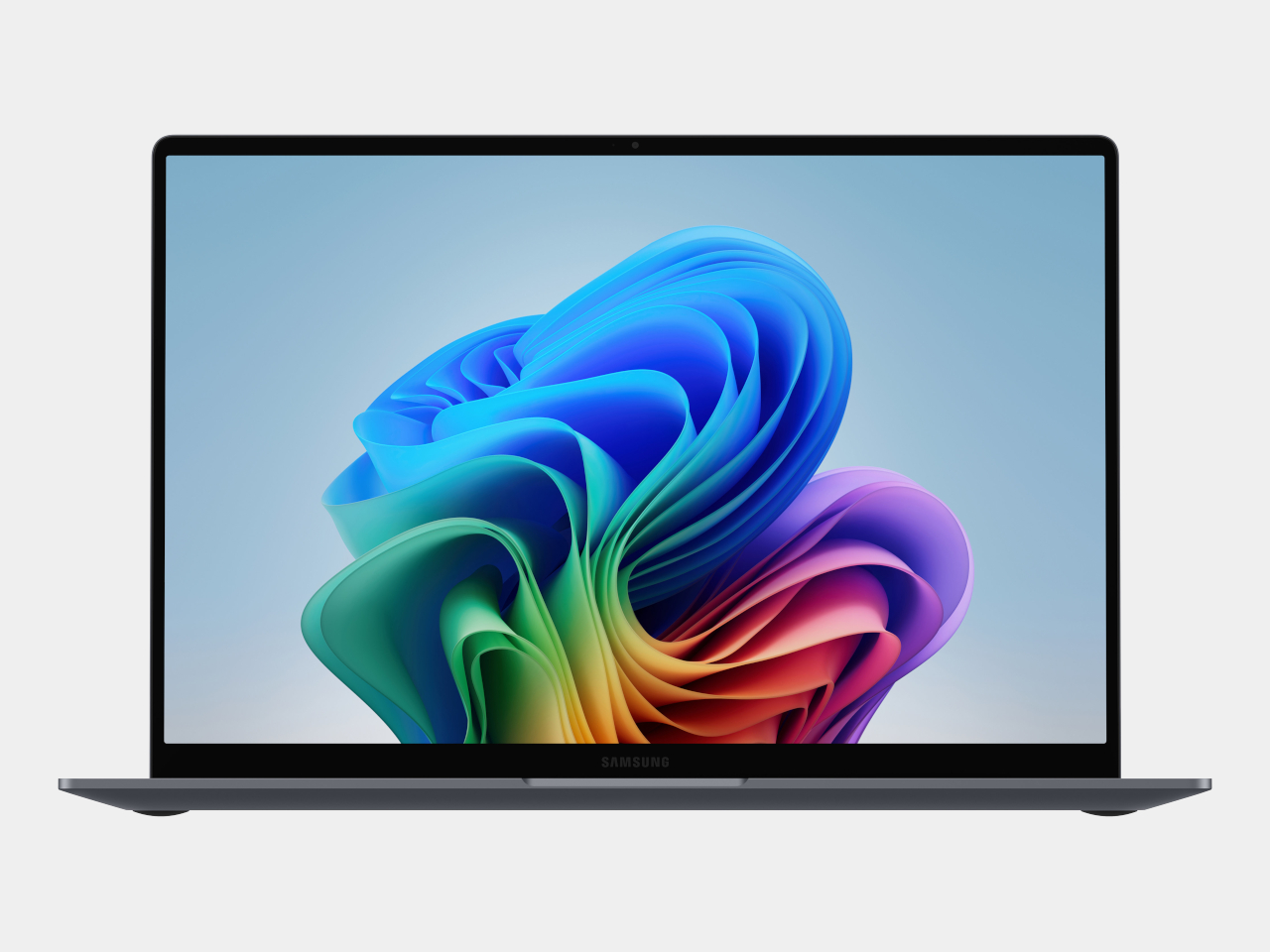
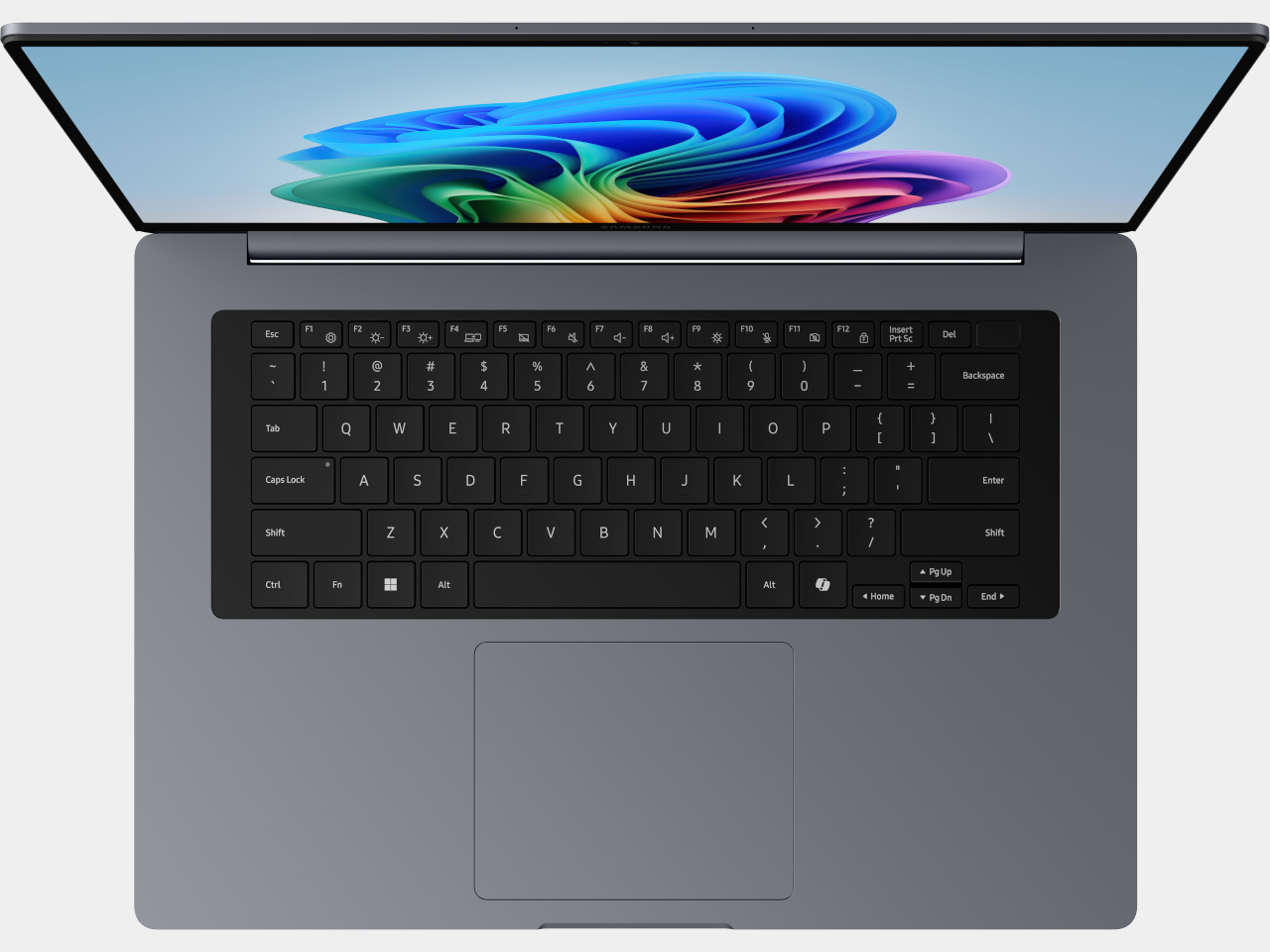
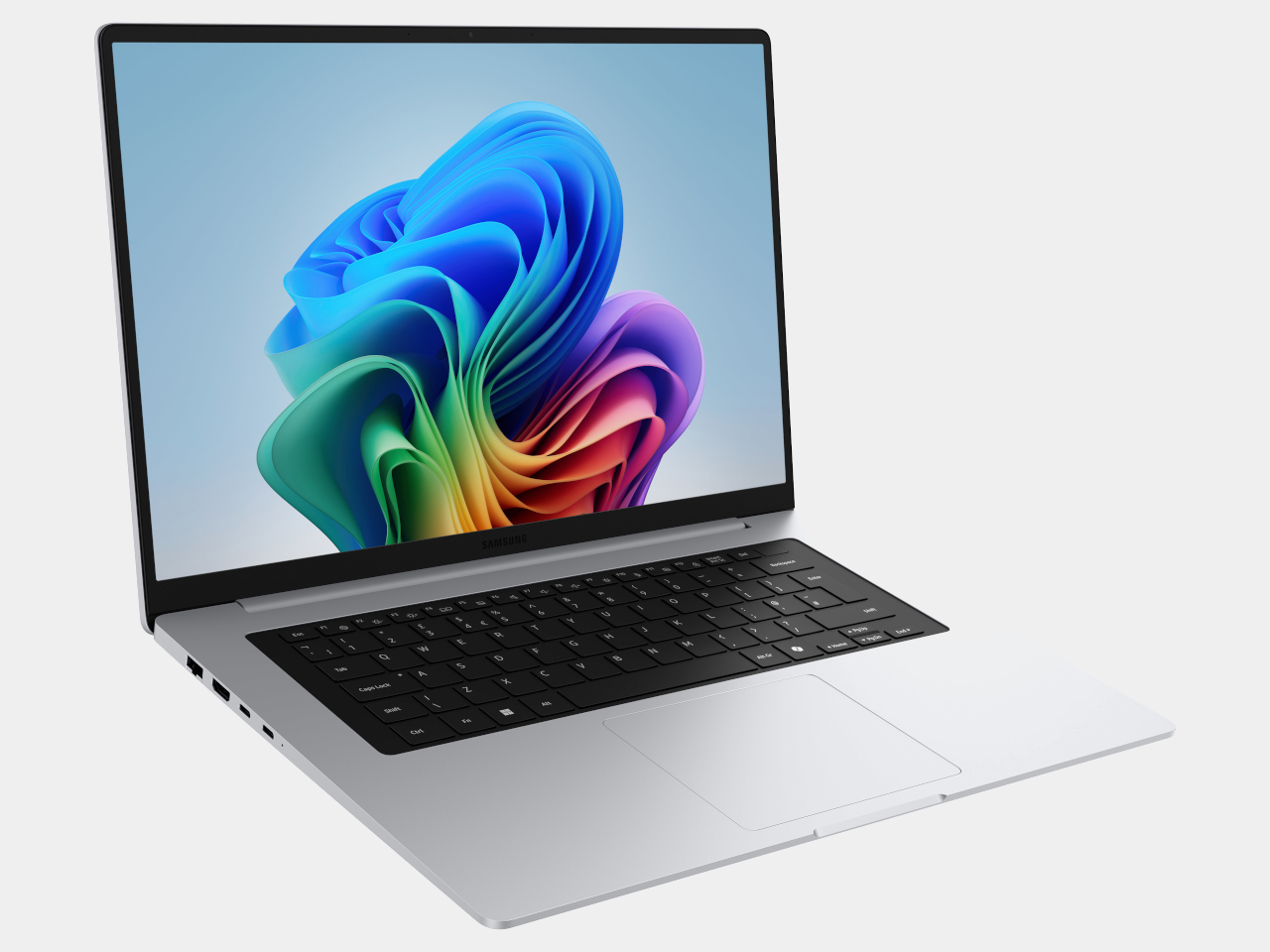
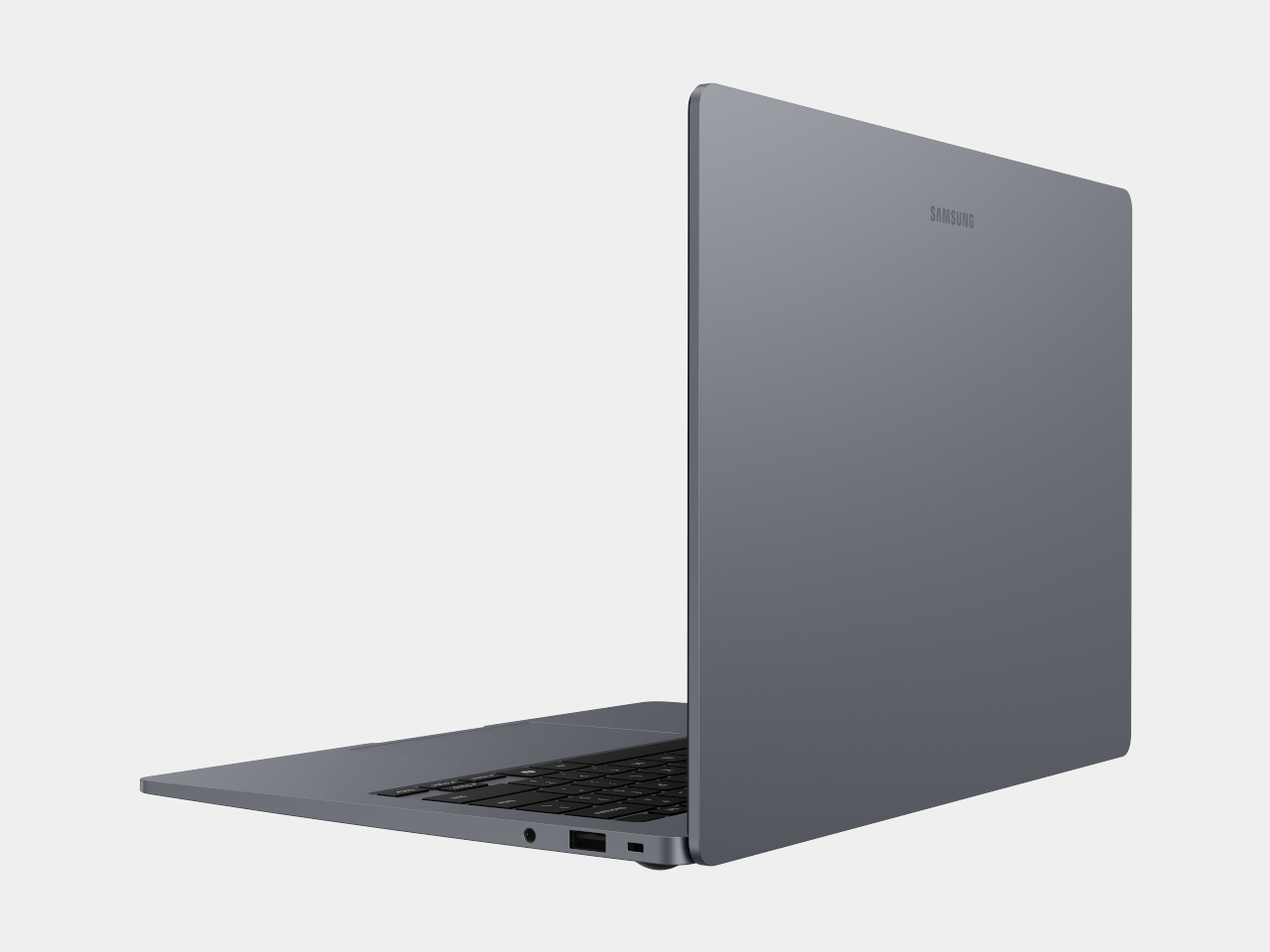
Samsung’s Galaxy Chromebook Plus, released in late 2024, is one of the more unique Chromebooks out there. It’s extremely thin and light, at 0.46 inches and 2.6 pounds, but it manages to include a 15.6-inch display in that frame. That screen is a 1080p panel that’s sharp and bright, but its 16:9 aspect ratio made things feel a bit cramped when scrolling vertically. Performance is very good, and the keyboard is solid, though I’m not a fan of the number pad as it shifts everything to the left. At $700 it’s not cheap, but that feels fair considering its size and capabilities. If you’re looking for a big screen laptop that is also super light, this Chromebook merits consideration, even if it’s not the best option for everyone.
This article originally appeared on Engadget at https://www.engadget.com/computing/laptops/best-chromebooks-160054646.html?src=rss