OpenAI is rolling out new interactive responses in ChatGPT it says are designed to make the chatbot more useful for learners. Starting today, ChatGPT will generate dynamic visuals when you ask it to explain select scientific and mathematical concepts, including the Pythagorean theorem, Coulomb's law and lens equations. When ChatGPT responds with an interactive visual, you'll be able to tweak any variables and the equation itself, allowing you to see how those changes affect the solution.
With today's release, OpenAI says ChatGPT will respond with interactive visuals when asked about more than 70 concepts, with support for additional topics to come down the line. The visuals are available to all ChatGPT users, regardless of subscription status. However, OpenAI notes high school- and college-aged students are likely to get the most out of the new feature.
ChatGPT explains Ohm's law.
OpenAI
The more interactive responses from ChatGPT follow the release of Study Mode last summer. Released in response to the sheer amount of students using chatbots to complete their coursework, that feature guides the user toward finding an answer themselves, rather than provide an outright solution. "This is just the beginning," OpenAI says of its latest feature. "Over time, we plan to expand interactive learning with additional subjects and continue building tools that strengthen learning with ChatGPT."
This article originally appeared on Engadget at https://www.engadget.com/ai/chatgpt-will-now-generate-interactive-visuals-to-help-you-with-math-and-science-concepts-170000520.html?src=rss
OpenAI is releasing a new model today, and like GPT-5.2 before it, GPT-5.4 is all about professional work. OpenAI is calling GPT-5.4 its most capable frontier model for tasks like coding and data analysis. OpenAI claims the new model produced presentations with stronger, more varied aesthetics and made more effective use of its image generation tools.
It's also the first model from OpenAI built with native computer-use capabilities, making it better at carrying out tasks across several apps at the same time. When it comes to computer use, one noticeable improvement OpenAI has recorded is the way GPT-5.4 issues mouse and keyboard commands. It's significantly better at navigating a desktop environment than its predecessor.
When users turn to GPT-5.4 in ChatGPT, where it will now be the default model for the chatbot's Thinking mode, the system will outline how it plans to tackle a request, giving people the opportunity to tell it to adjust course as it's generating a response. At the same time, the new model offers better web research capabilities, especially when it comes to "highly specific" queries, according to OpenAI.
"Together, these improvements mean higher-quality answers that arrive faster and stay relevant to the task at hand," the company states. Separately, OpenAI claims GPT-5.4 is its most factual model yet, noting, relative to GPT-5.2, it's 18 percent less likely to generate a response with any errors. Here's hoping it knows not to turn to Grokipedia for information, something its predecessor was known to do.
As mentioned, GPT-5.4 will be available in ChatGPT when users select the chatbot's Thinking mode, and as GPT-5.4 Pro from the model picker. As such, this isn't a release for Free and Go users — or even Plus subscribers, for that matter. It's more for enterprise customers, and developers who rely on the company's Codex app. On that note, for API customers, OpenAI claims GPT-5.4 is its most token efficient reasoning model to date, though those tokens will cost more than their GPT-5.2 counterparts. For instance, OpenAI is pricing one million input tokens at $2.50, up from $1.75 with GPT-5.2.
The fact that OpenAI has increasingly shifted its strategy to focus on professionals shouldn't be surprising. When Microsoft announced last September it would add Anthropic's models to Copilot 365 (where previously it depended exclusively on OpenAI's systems), there were reports that suggested the company made the decision because it found Claude was better at tasks like generating spreadsheets and presentations. Reporting from The Informationsuggests OpenAI is generating about $25 billion in annualized revenue. However, the company is still far from being profitable, and with more than $1.4 trillion in data center commitments on the books, it's reliant on funding from investors to keep the lights on. Seen in that context, productivity represents a place where it might have a chance to build a sustainable business.
This article originally appeared on Engadget at https://www.engadget.com/ai/i-hope-you-like-spreadsheets-because-gpt-54-loves-them-180000444.html?src=rss
At the start of February, OpenAI upgraded its Codex coding app to give it the ability to manage multiple AI agents. At the same time, it released a standalone macOS app. If you've been patiently waiting for Windows to get that same treatment, OpenAI just released a dedicated Codex app for Microsoft's operating system.
Like its macOS counterpart, the software allows you to coordinate multiple coding agents to work on the same task. There's also support for automations to streamline repetitive tasks like bug testing. To help users get started, Codex includes a dedicated "Skills" section. Skills bundle together instructions, resources and scripts the software can use to connect agents to specific tools and workflows. OpenAI has also included native sandboxing to help make Windows developers feel at home.
Codex is available to ChatGPT Free, Go, Plus and Pro users. If you decide to give the app a try, know that your session history is saved to your OpenAI account, meaning you can start coding on Mac and then move to Windows without losing your work.
This article originally appeared on Engadget at https://www.engadget.com/ai/openai-brings-its-codex-coding-app-to-windows-195345429.html?src=rss
Over the past few years, Google's A-series Pixel phones have consistently been some of the best midrange phones you can buy. But with the AI boom causing memory shortages and the price of consumer electronics to rise, including smartphones, affordable devices like the Pixel 10a are more important than ever. Thankfully, Google's new phone still represents great value, even if it doesn't come with many upgrades.
Design and display
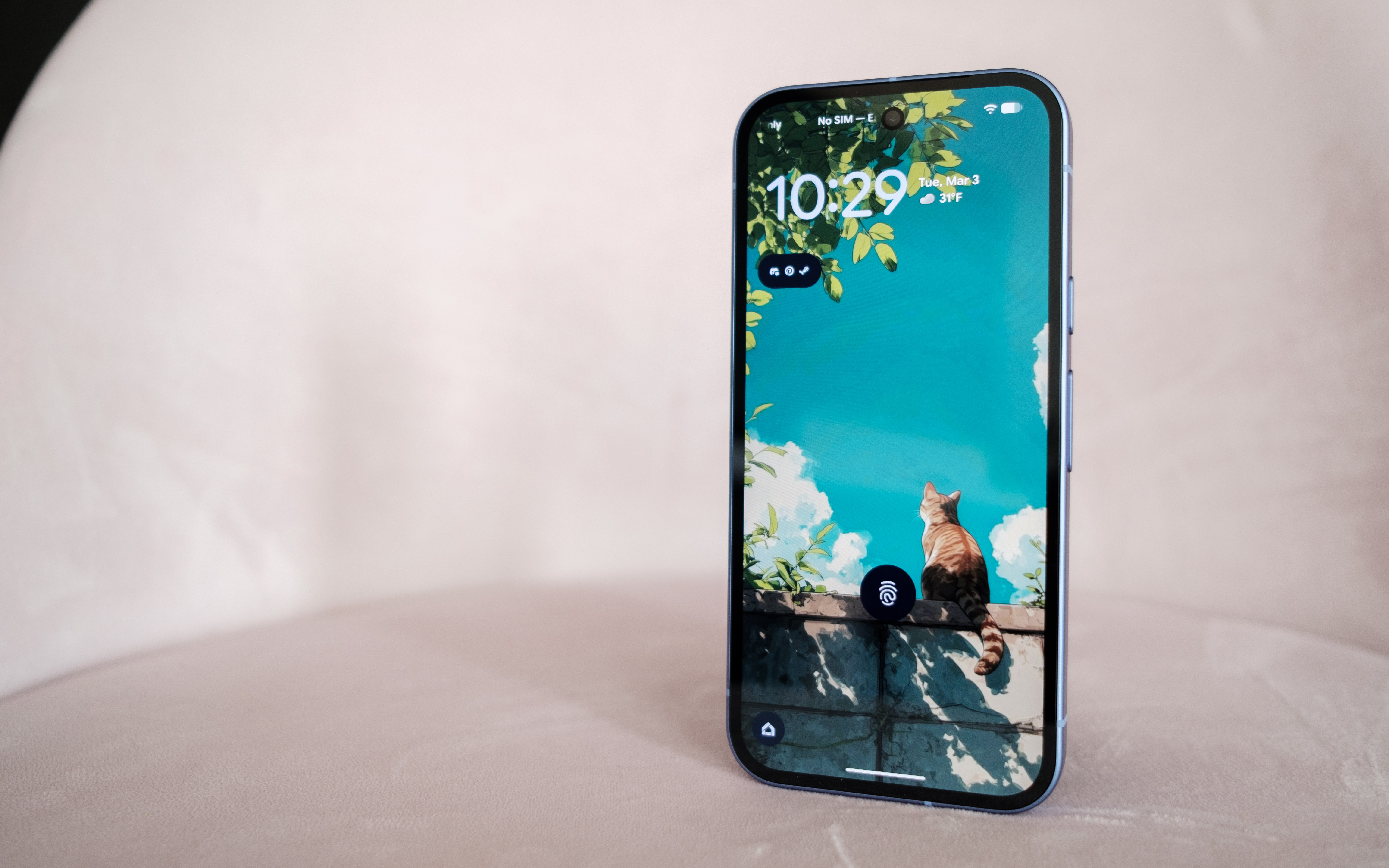
As before, the Pixel 10a has a 6.3-inch 120Hz P-OLED display.
Igor Bonifacic for Engadget
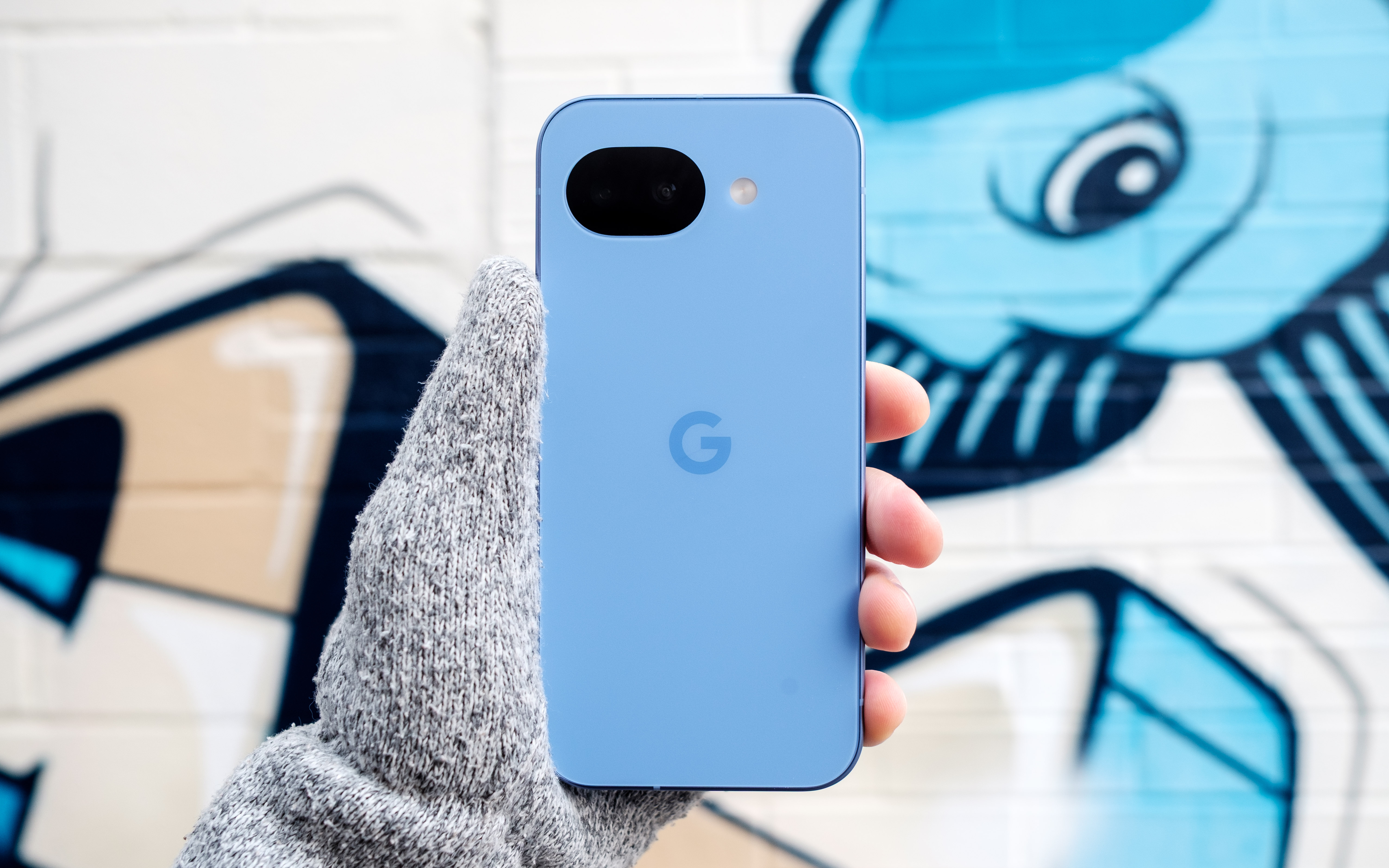
The story of the Pixel 10a is one of small changes, so let’s start with the outside. The phone is available in four colors: lavender (pictured), berry, fog and obsidian. Photos don't do the lavender color justice. In person, the light refracts beautifully off the surface of the aluminum frame and composite back. The back of the phone also has a pleasing matte finish that made the 10a feel secure in my hand. Another nice touch is that Google shaved down the camera module further, so that the 10a can now lie completely flat. As before, the entire phone is rated IP68-certified against dust and water. For DIY enthusiasts, Google has said it redesigned the 10a's internals to make it easier to repair. Hooray for that.
Beyond those changes, the 10a has a brighter 120Hz P-OLED screen that offers up to 3,000 nits of brightness, up from 2,700 on the 9a. The display also offers better protection against scratches and drops thanks to Google's decision to switch to Gorilla Glass 7i for the screen coating. Despite the minimal changes, there's not much to complain about here. The 10a's screen is fast, responsive and vibrant. The on-screen fingerprint sensor is also in an easy-to-reach spot toward the middle of the phone. After reviewing severalbigphones in recent months, it was also nice to go back to a handset with a sensible 6.3-inch footprint.
Performance and battery
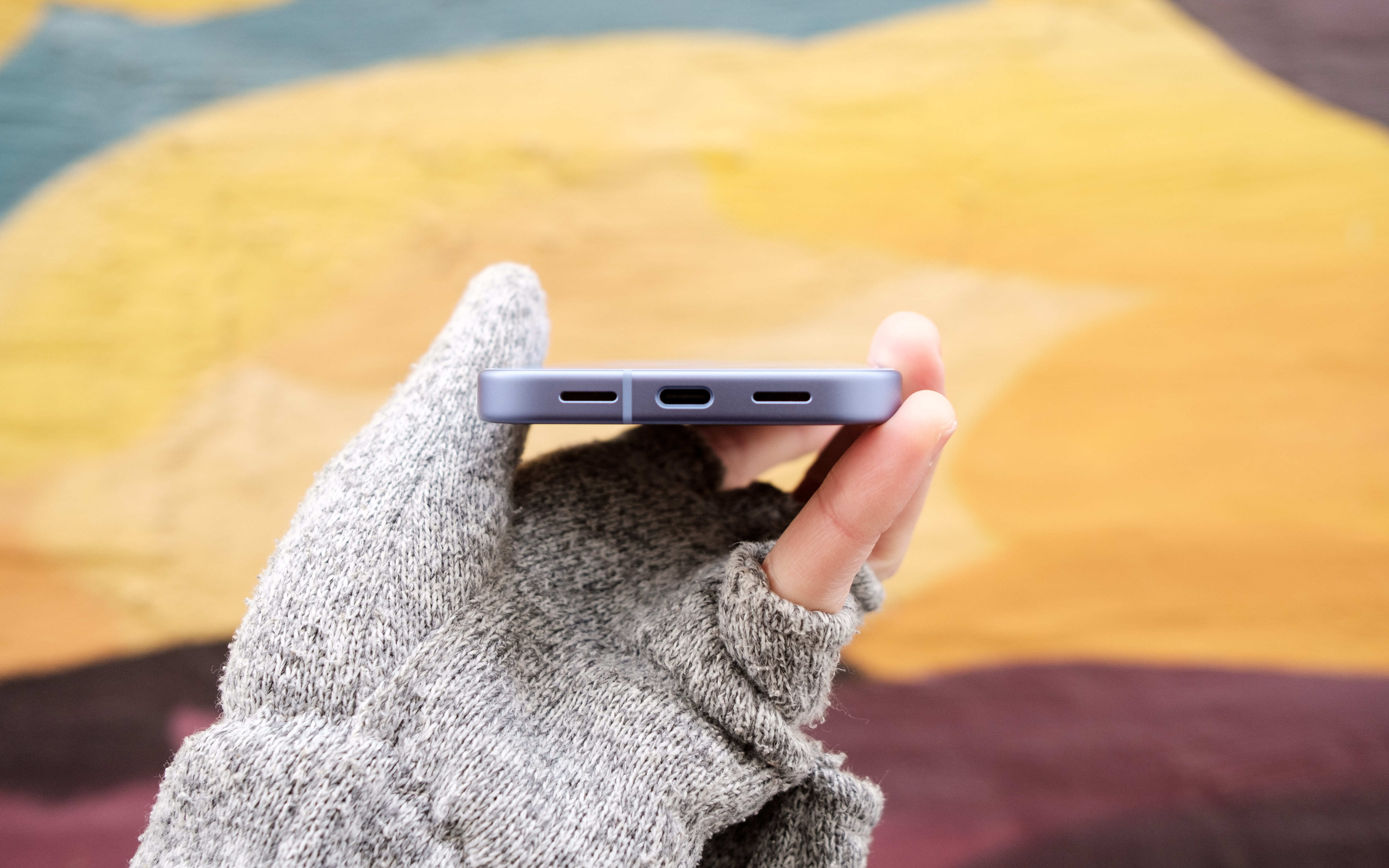
The speakers on the Pixel 10a could be stronger and more defined.
Igor Bonifacic for Engadget
I've been spoiled recently by phones like the OnePlus 15R, which offers a 7,400mAh battery and 55 watt charging out of the box. By that metric, the Pixel 10a, with its 5,100mAh battery, leaves something to be desired. Putting the phone through Engadget's video rundown test, it ran for 28 hours before the battery died, which is exactly where the Pixel 9a landed last year. However, that score means the 10a is thoroughly middle of the pack when it comes to battery life. I can also see battery life becoming a concern as the phone ages. While that's true of every phone, the 10a's smaller battery makes that more of a pressing concern since you'll be charging the phone more often and therefore degrading the battery faster.
Google has improved wired charging speeds, with the new phone capable of charging at 30 watts, up from 23-watts with the 9a. You'll need to provide a compatible power adapter though; the Pixel 10a doesn't come with one inside the box. With a 30 watt charger, the 10a's battery went from dead to about 50 percent in under 45 minutes. A full charge takes approximately an hour and 45 minutes. Again, not great, but serviceable.
Another disappointment is that the Pixel 10a doesn't support Google's new Pixelsnap standard. Wireless charging is faster on the new phone (it's now rated at 10 watts, up from five), but without a compatible third-party case, a charging puck won't magnetically align with the back of the 10a. It's not a dealbreaker, but Pixelsnap would have been a great addition.
The 10a has the same chipset Google used on the Pixel 9a, the Tensor G4, and the company has once again gone with 8GB of RAM. Other midrange phones like Samsung Galaxy S25 FE offer faster chips, but they also cost more. Moreover, I didn't feel like the 10a was worse for running on old silicon. The new 120Hz display does a lot to make the new phone feel snappy, and Google's in-house Android skin feels responsive as ever.
The 10a also does a commendable job of keeping heat in check. I sat down to play Diablo Immortaland even after an hour of playtime, the phone was still cool to the touch despite running the game at high settings and 60 frames per second.
Cameras
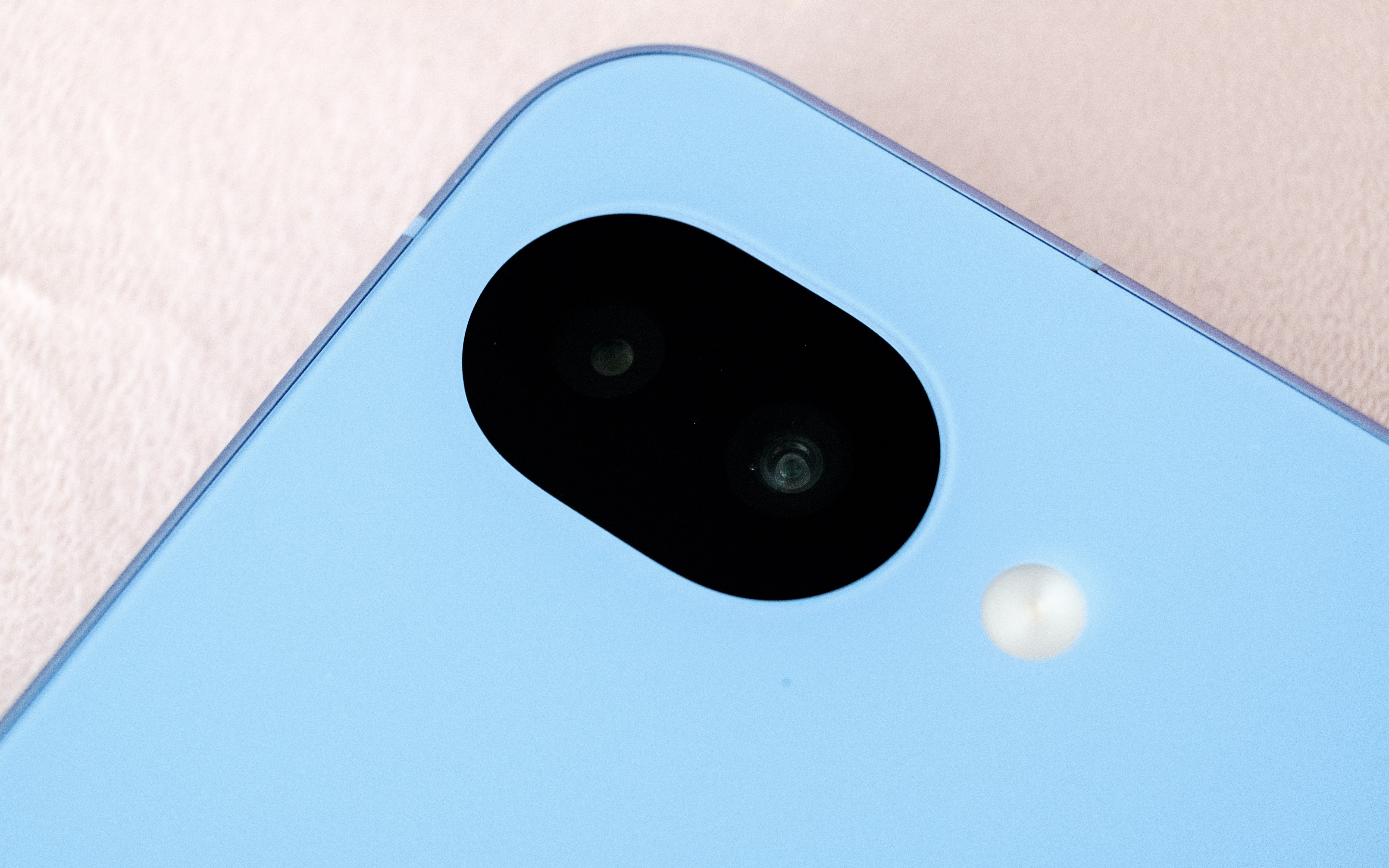
This time around, the Pixel 10a has a camera module that's flush with its body.
Igor Bonifacic for Engadget
The 10a comes with the same camera package as its predecessor. On the back, you get a 48-megapixel main camera with an f/1.7 lens that offers optical image stabilization and phase detection autofocus. Complementing it is a 13MP ultrawide with a 120-degree field of view. For selfies, you get a 13MP camera with an f/2.2 lens. As ever, Google's software is doing most of the heavy lifting here. That includes a pair of new features, Camera Coach and Auto Best Take, that debuted with the Pixel 10 series.
Camera Coach, like the name suggests, uses AI to analyze the scene you're about to capture, and offers tips on how to best compose and light the shot. It will also suggest the best camera mode for the job. While I can see how this tool could be useful, I found the fact it relies on a cloud model made it too slow for some situations. For example, when I used Camera Coach to help me snap a photo of my cat, a sassy tortoiseshell, she walked away by the time the 10a got a response from Google's servers. In more static scenes, Camera Coach is more useful, but much of photography is about capturing a fleeting moment in time, so its utility is limited.
Auto Best Take solves a problem I'm sure we've all experienced. You go to take a group portrait, and snap multiple frames to ensure everyone looks good, only to end up without a single usable shot. With Auto Best Take, Google promises to combine similar group photos so that everyone looks their best. This feature works as advertised.
Outside of those features, the 10a offers a predictably great camera experience. The phone consistently produces photos that are sharp with great natural colors. That said, I did miss having a telephoto camera, as you can see from the photos I shot during a recent Cat Power concert in Toronto. Given the 10a only costs $500, it's hard to fault Google for not including one.
Software
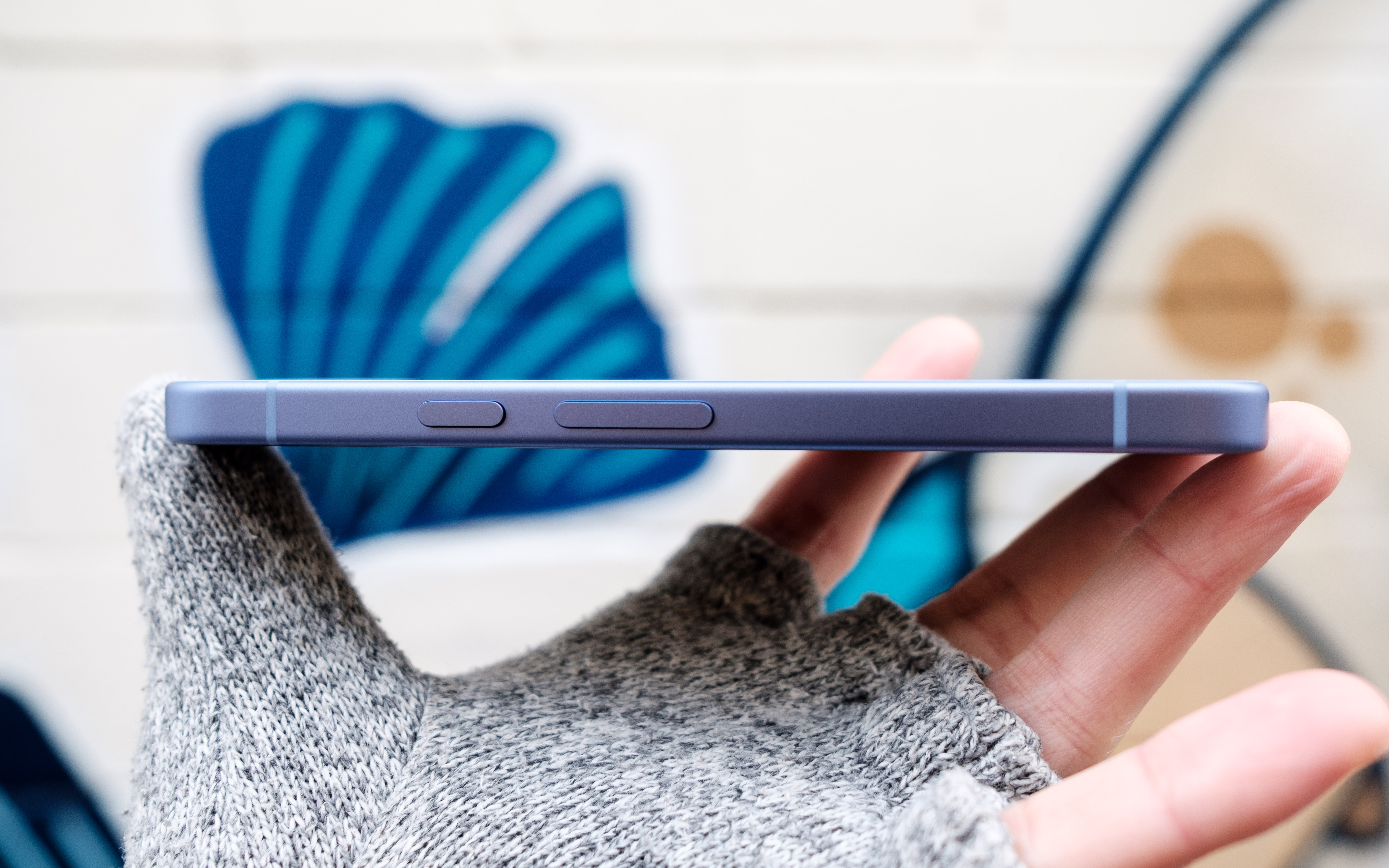
The Pixel 10a's side button can both activate Gemini and the phone's camera.
Igor Bonifacic for Engadget
Out of the box, the 10a comes with Android 16. Like all of Google's recent Pixel devices, the company has promised to support the 10a for an industry-leading seven years with software updates and security patches. The company's pledge includes Pixel Drops, which often bring new software features. One feature Google has brought over from the more expensive Pixel 10 line is Satellite SOS, which allows you to call for help during emergencies, even when your phone can't connect to a cellular network. Outside of a demo designed to make users aware of the feature, I wasn't able to test Satellite SOS (thankfully).
Notably, the 10a is still missing Google's Screenshots app. That's unfortunate since it's one of the more useful Pixel exclusives, making it easier to organize all your online clippings. Other AI features such as Gemini Live and Circle to Search are accounted for, and as useful ever.
Wrap-up
Overall, the Pixel 10a is a great phone, though I would have loved to see more year-over-year upgrades.
Igor Bonifacic for Engadget
The Pixel 10a is a tricky phone to grade. On the one hand, part of me wants to dock points because Google has added so few updates. On the other, the 10a is still a great phone for $500, and at a time when consumer electronics are becoming more expensive by the day, the fact it hasn't gone up in price is a small miracle. Even if Google is partly responsible for the current memory crunch, the company's hardware division has delivered an affordable device that’s still worth recommending. The Pixel 10a is still the phone to beat in the $500 range.
This article originally appeared on Engadget at https://www.engadget.com/mobile/smartphones/google-pixel-10a-review-small-changes-but-still-great-value-173026779.html?src=rss
Anthropic is bringing another paid feature to Claude's free tier. The next time you chat with Claude, you'll have the option to have it reference your previous conversation to inform its outputs. Anthropic first made its chatbot capable of remembering past interactions last August, before giving it the ability to compartmentalize memories in the fall. Making memory a free feature is well-timed; earlier today Anthropic made it easier for users to import their past conversations with a competing chatbot to Claude. If after enabling memory you decide to turn it off, you can either pause the feature, preserving Claude’s memories for use down the road, or completely delete them so they’re not saved on Anthropic’s servers.
Claude is enjoying new-found popularity, having recently jumped to the number one spot in the App Store's free app charts. This comes while Anthropic is engaged in a high-stakes contract dispute with the US government over AI safeguards. On Friday, US Defense Secretary Pete Hegseth labeled the company a "supply chain risk" after it refused to sign a contract that would allow the Pentagon to use Anthropic models for mass surveillance against Americans and in fully autonomous weapons. Following Hegseth's announcement, Anthropic vowed to challenge the designation. As of right now, we’re waiting to see how things play out, and what it might mean for Anthropic.
This article originally appeared on Engadget at https://www.engadget.com/ai/anthropic-brings-memory-to-claudes-free-plan-220729070.html?src=rss
President Donald Trump has ordered all US government agencies to stop using Claude and other Anthropic services, escalating an already volatile feud between the Department of Defense and company over AI safeguards. Taking to Truth Social on Friday afternoon, the president said there would be a six-month phase out period for federal agencies, including the Defense Department, to migrate off of Anthropic's products.
“The Leftwing nut jobs at Anthropic have made a DISASTROUS MISTAKE trying to STRONG-ARM the Department of War, and force them to obey their Terms of Service instead of our Constitution,” the president wrote. “Anthropic better get their act together, and be helpful during this phase out period, or I will use the Full Power of the Presidency to make them comply, with major civil and criminal consequences to follow.”
Before today, US Defense Secretary Pete Hegseth had threatened to label Anthropic a “supply chain risk” if it did not agree to withdraw safeguards that insist Claude not be used for mass surveillance against Americans or in fully autonomous weapons. In a post on X published after President Trump’s statement, Hegseth said he was “directing the Department of War to designate Anthropic a Supply-Chain Risk to National Security. Effective immediately, no contractor, supplier, or partner that does business with the United States military may conduct any commercial activity with Anthropic.”
Anthropic did not immediately respond to Engadget's comment request. Earlier in the day, a spokesperson for the company said the contract Anthropic received after CEO Dario Amodei outlined Anthropic's position made “virtually no progress” on preventing the outlined misuses.
"New language framed as a compromise was paired with legalese that would allow those safeguards to be disregarded at will. Despite DOW's recent public statements, these narrow safeguards have been the crux of our negotiations for months," the spokesperson said. "We remain ready to continue talks and committed to operational continuity for the Department and America's warfighters."
Advocacy groups like the Center for Democracy and Technology (CDT) quickly came out against the president’s threats. “This action sets a dangerous precedent. It chills private companies’ ability to engage frankly with the government about appropriate uses of their technology, which is especially important in national security settings that so often have reduced public visibility,” said CDT President and CEO Alexandra Givens, in a statement shared with Engadget. “These threats undermine the integrity of the innovation ecosystem, distort market incentives and normalize an expansive view of executive power that should worry Americans all across the political spectrum.”
For now, it appears the AI industry is united behind Anthropic. On Friday, hundreds of Google and OpenAI employees signed an open letter urging their companies to stand in "solidarity" with the lab. According to an internal memo seen by Axios, OpenAI CEO Sam Altman said the ChatGPT maker would draw the same red line as Anthropic.
In a blog post published late on Friday, Anthropic vowed to “challenge any supply chain risk designation in court,” and assured its customers that only work related to the Defense Department would be affected. The company's full statement is available here, an excerpt is below:
Designating Anthropic as a supply chain risk would be an unprecedented action—one historically reserved for US adversaries, never before publicly applied to an American company. We are deeply saddened by these developments. As the first frontier AI company to deploy models in the US government’s classified networks, Anthropic has supported American warfighters since June 2024 and has every intention of continuing to do so.
We believe this designation would both be legally unsound and set a dangerous precedent for any American company that negotiates with the government.
No amount of intimidation or punishment from the Department of War will change our position on mass domestic surveillance or fully autonomous weapons. We will challenge any supply chain risk designation in court.
Update, February 27, 9PM ET: This story was updated twice after publish. First at 6PM ET to include a link to and quotes from Hegseth about the designation of Anthropic as a supply chain risk. Later, a quote from Anthropic was added, along with a link to the company’s blog post on the subject.
This article originally appeared on Engadget at https://www.engadget.com/ai/trump-orders-federal-agencies-to-drop-anthropic-services-amid-pentagon-feud-222029306.html?src=rss
NASA is making major changes to its Artemis Moon program. On Friday, Administrator Jared Isaacman announced the space agency would carry out an additional flight in 2027 to test commercial lunar landers from SpaceX and/or Blue Origin. The new mission will take the place of Artemis 3, which previously would have seen NASA attempt to land on the Moon for the first time since 1972. The flight will also see the agency test a new spacesuit made by Axiom Space.
As part of the new plan, the redesigned Artemis 3 mission will give NASA the chance to test at least one lander in the relative safety of low Earth orbit. NASA will attempt to return humans to the Moon during Artemis 4 sometime in 2028, with the potential for another mission as early as later that same year. Per CBS News, the decision comes after NASA's Aerospace Safety Advisory Plan said the agency's existing mission plan was too risky.
"NASA must standardize its approach, increase flight rate safely, and execute on the President’s national space policy. With credible competition from our greatest geopolitical adversary increasing by the day, we need to move faster, eliminate delays, and achieve our objectives," said Isaacman. "Standardizing vehicle configuration, increasing flight rate and progressing through objectives in a logical, phased approach, is how we achieved the near-impossible in 1969 and it is how we will do it again."
The change of plan also comes as Artemis 2 has faced multiple delays in recent months. The Space Launch System (SLS) heavy-lift rocket has, once again, proven to be temperamental. NASA had planned to launch Artemis 2 in early February, but pushed the flight back after it caught a hydrogen leak during a fueling test. More recently, NASA delayed the mission to give its engineers time to fix a helium pressurization issue in the upper stage of the SLS. At the earliest, the mission can now get underway on April 1.
This article originally appeared on Engadget at https://www.engadget.com/science/nasa-overhauls-artemis-program-delaying-moon-landing-to-2028-164255318.html?src=rss
The wait is over. At its Unpacked event today, Samsung took the wraps off its new S26 family of phones. Unlike the S26 Ultra, the S26 and S26+ represent mostly iterative updates. Samsung has tweaked the design of the two devices, making it so they share the same rounded corners of their more expensive sibling. Additionally, the S26 has a slightly larger 6.3-inch AMOLED display and a higher capacity 4,300mAh battery inside. As for the S26+, it still has a 6.7-inch screen and 4,900mAh battery.
Like in years past, Samsung is depending on new and expanded software capabilities rather than updated hardware to give the S26 and S26+'s cameras an edge over the competition. As before, both phones feature a 50-megapixel main camera, a 12MP ultra-wide and a 10MP telephoto with 3x optical zoom. For selfies, they’re equipped a 12MP front-facing camera.
The company says its new Object Aware Engine will allow the front-facing cameras to deliver more pleasing portrait mode shots, with better rendering of skin tones and hair textures. For videos, Samsung has updated its Super Steady tech, making it capable of maintaining a 360-degree horizontal lock. The upgraded feature should make it easier to maintain a consistent level horizon while trying to record a video of a moving child or pet. A new feature named Auto Framing uses a machine learning algorithm to automatically tighten the frame while filming 4K and 8K clips.
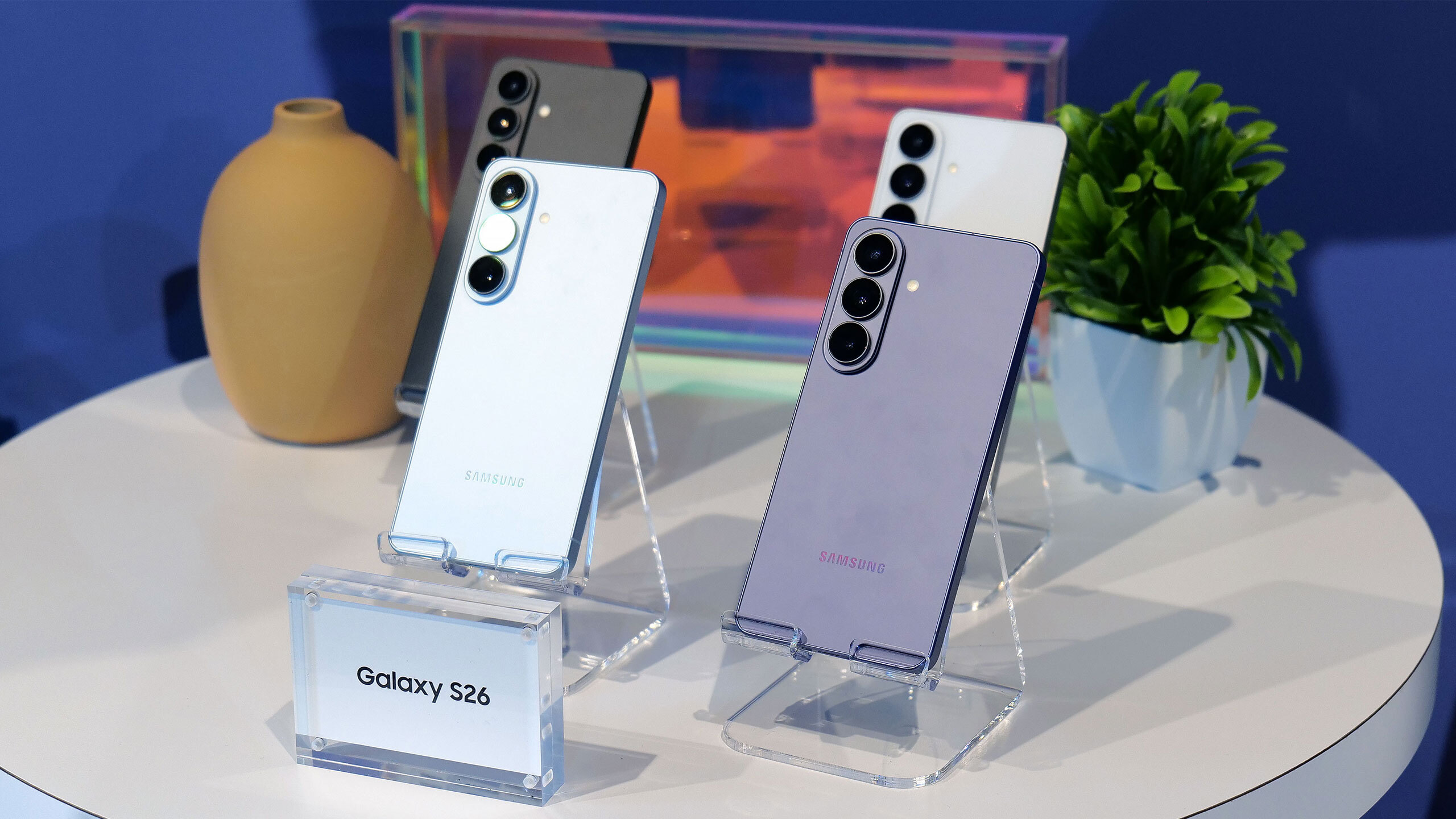
The S26 will be available in six different colorways, with the four pictured here available in store.
Sam Rutherford for Engadget
And if you're a Snapdragon fan, you can rest easy. While some pre-release reports suggested Samsung was planning to use its new flagship Exynos chipset across the entire S26 line, North American and Japanese variants of the S26 and S26+ will once again ship with Qualcomm silicon instead. Specifically, the two phones come specced with the speedy Snapdragon 8 Elite Gen 5, which debuted alongside the OnePlus 15 in November 2025. It will be interesting to see how the new Exynos 2600 compares with its Snapdragon counterpart; the former is the world's first 2nm chipset.
Over on the software front, Samsung has upgraded its suite of AI features. For instance, the company has made Now Brief capable of pulling from a wider variety of apps to generate more comprehensive daily summaries. Similarly, the company's handy Auto Eraser feature now works across streaming services like Netflix, allowing you to make it easier to hear dialogue in a greater variety of videos.
The two phones will retail for $899 and $1,099, making them both $100 more expensive than their predecessors. They come standard with 12GB of RAM and 256GB of storage. Samsung will also offer 512GB variants, alongside six different colorways of each phone. In-store, you'll find the S26 and S26+ in purple, blue, black and white, with silver and rose gold being online exclusives. Pre-orders open today, with general availability to follow on March 11.
This article originally appeared on Engadget at https://www.engadget.com/mobile/smartphones/samsungs-s26-and-s26-offer-familiar-designs-snapdragon-8-gen-5-chips-and-new-software-features-180000224.html?src=rss
To coincide with the release of Samsung's new Galaxy S26 family of phones, Google is pushing out a small but meaningful update to Circle to Search. As a reminder, Circle to Search allows you to carry out a Google Search from almost anywhere on your phone. Just tap and hold your device's home button, and then circle the passage or image you want to know more about.
With previous iterations of Circle to Search, the tool's underlying AI system was limited to searching against a single object in an image. Now, thanks to Gemini 3, it can scan and identify multiple objects at the same time. Naturally, Google is quick to point out the boon this represents for shopaholics. If you see a fit you like on Instagram, you can circle an entire person and the tool will attempt to find a match for each item they're wearing, including any shoes and accessories. At the same time, Google has made it easier to see how those clothes might look on you by bringing its virtual try on feature directly inside of Circle to Search.
The benefits of the new model aren't only limited to shopping queries. Building on a search technique Google debuted with AI Mode, Circle to Search can now also reason through the relationship between different objects in an image. So say you see a photo of a coral reef and want to know how all the different pictured fish live together, Circle to Search will not only be able to identify the different species shown but also explain how they coexist with one another.
Google is bringing the new and improved Circle to Search to Galaxy S26 and Pixel 10 phones first before rolling it out to more Android devices soon.
This article originally appeared on Engadget at https://www.engadget.com/mobile/smartphones/googles-circle-to-search-can-now-identify-multiple-objects-in-an-image-180000385.html?src=rss
Outfitting a kitchen can get expensive fast, but you don’t need high-end appliances or flashy tools to cook more efficiently. Some of the best kitchen gadgets are simple, affordable gadgets that quietly make everyday tasks easier — whether that’s prepping ingredients, measuring accurately or keeping your workspace organized. These are the kinds of tools you reach for again and again, not one-off purchases that end up buried in a drawer.
This guide focuses on inexpensive kitchen gadgets that punch above their price, including practical prep tools, durable measuring essentials and compact helpers that save time without taking up much space. None of them are strictly necessary, but all can streamline your routine and make cooking at home feel a little less like work.
Best cheap kitchen gadgets for 2026
This article originally appeared on Engadget at https://www.engadget.com/home/kitchen-tech/best-cheap-kitchen-gadgets-130049897.html?src=rss