Are you ready for CES 2026? While the show floor doesn't open until Tuesday, things are effectively kicking off this evening with the first big press event of the show. Samsung is taking the stage to set the agenda for the new year and share an overview of its latest and greatest advances.
Instead of its longtime midday Monday press conference, the Korean giant will take the lead of the show with a Sunday night presentation. Over the past few weeks, Samsung has been dropping press releases left and right, so we know at least some of what to expect in Vegas this year. Of course, we're holding out hope that we get to hear an update on the Ballie robot — a star of previous CES presentations that ostensibly missed its previously promised 2025 release date.
How to watch Samsung's "The First Look" presentation at CES 2026
The event will stream live from the Wynn Hotel in Las Vegas tonight — Sunday, January 4 at 10PM ET (7PM PT). There are several ways to tune in: you can watch via Samsung Electronic' official YouTube channel (which we've embedded below), Samsung Newsroom or via Samsung TV Plus.
Engadget is on-site at the event, and we'll be running a Samsung CES 2026 liveblog as well. Tune in for real-time updates and commentary.
What to expect from Samsung at CES 2026
Keynote speaker TM Roh, the CEO of Samsung's Device eXperience (DX) Division, will discuss the company's plans for the new year and beyond, which will (of course) include "new AI-driven customer experiences," the company said in a press release. In addition, we'll hear from the President and Head of the Visual Display Business, SW Yong and Executive Vice President and Head of Digital Appliances Business, Cheolgi Kim. Those two will "share their respective business directions for the upcoming year."
But if you're looking for more specifics, Samsung has been following its "Advent calendar" approach to early CES announcements, with new press releases dropping nearly every day in late December and early January. So far, we know that — like competitors LG and Hisense — the company will be offering details on a line of micro RGB TVs (replete with confirmed screen sizes of 55 to 115 inches). Also confirmed: a full line of appliances infused with what Samsung calls Bespoke AI. Samsung will also display its two newest speakers, Music Studio 5 and 7, at CES this year. Additionally, it'll debut its latest Freestyle+ portable projector.
Just before the holidays, Samsung also unveiled a slew of new gaming monitors, but most impressive is the Odyssey gaming monitor. It boasts a 32-inch 6K screen and has glasses-free 3D. It's likely we could see this at CES, along with other models like the 27-inch Odyssey G6 and the Odyssey G8 models.
It's possible that Samsung will share even more early CES announcements in the hours preceding its presentation. If that happens, we'll add them here!
Update, January 4 2026, 11:15AM ET: This story has been updated to include the embedded YouTube viewer for the Samsung event.
Update, January 4 2026, 7:25PM ET: This story has been updated to include a link to the Engadget liveblog of this event.
This article originally appeared on Engadget at https://www.engadget.com/mobile/how-to-watch-the-samsung-first-look-ces-2026-presentation-190027420.html?src=rss
Chances are that if a VPN is marketed to everyday users, it more or less runs itself. As long as you go with one of the best VPNs instead of setting up your own manual connection, the interface is likely built so you have to engage with it as little as possible. Generally, if you find yourself constantly thinking about your VPN while using it — as happened to me with Norton VPN — that's a bad thing and you should change providers.
That said, it's still useful to get a high-level view of how to use a VPN, especially if you've never used one before. In this article, I'll walk you through how to download, install and configure a VPN on any platform and how to choose servers for specific situations. I'll also discuss specific steps for desktop and laptop computers, phones, tablets, smart TVs, game consoles and routers.
How to download and install a VPN
There are over 100 VPNs available on the internet and the two big mobile app stores, but most of them follow a similar approach to download and installation. Except for certain free VPNs, you'll need to create an account on the VPN provider's website, install the VPN client, then use your account to log in. Here are the steps.
In a web browser, navigate to a VPN provider's website. For suggestions on where to start, check out our list of the best VPN deals. Click any link that mentions getting the VPN or claiming the deal — as a rule, they aren't hard to find.
Select a plan based on the length of time you need the VPN for, the features you want and the number of devices you'd like to use the VPN on simultaneously. Add a payment method. You'll be prompted to create the username and password for a new account.
On desktop, you can start with the Mac or Windows app store, though some VPNs require a download directly from their respective website. That’s generally the way to get the most feature-rich version of the VPN, but just make sure you’re downloading from the provider’s website to ensure you don’t get a malicious copycat. On mobile, the app store is your only choice, but don't forget to check the reviews and make sure you're getting the service you paid for — unfortunately, rival (and sometimes less scrupulous) VPN brands can use paid placements to appear higher on search results, even for a rival product.
Follow the pre-programmed installation flow. Again, don't let a VPN make any changes to your system if you haven't thoroughly vetted the provider (or gone with one of our recommendations). If it's safe, allow the VPN all the setup permissions it needs.
Finally, open the VPN client and sign in with the credentials you created in step two. You're now ready to start using your new VPN.
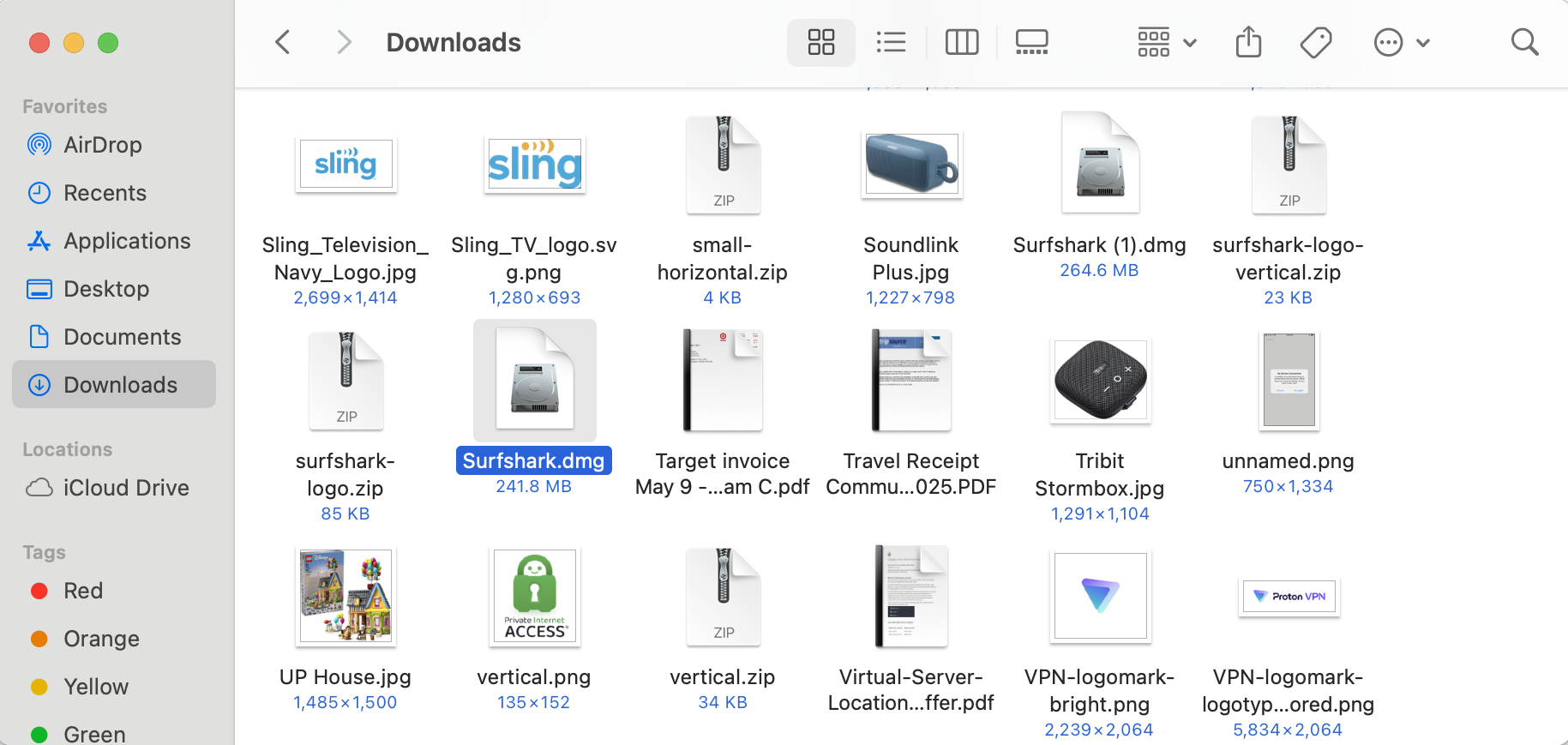
Surfshark in Mac downloads folder
Sam Chapman for Engadget
With so many VPNs on the market, this process won't always be the same. Sometimes you'll have to make the account before paying, and some mobile VPNs let you handle the whole process in-app. What's always true, though, is that a good VPN will make the signup flow as easy as possible. If you have trouble before you even log in, that's a red flag.
How to configure a VPN app
Most VPNs are ready to go out of the box. However, even if you don't think you're a power user, it's a good idea to go through the settings and make sure they match what you need. Here are a few steps I recommend taking.
Activate the kill switch. This feature monitors your connection to the VPN server. If it ever drops — either from problems in the server, your client or somewhere in between — the kill switch instantly cuts off your internet until your VPN connection is restored. This saves you from accidentally broadcasting anything sensitive while also ensuring you only connect to legitimate VPN servers (avoiding the Tunnelvision bug).
Set up favorites and profiles. VPNs usually let you select servers you'll use regularly, websites you'll often connect to through the VPN and other preferences that will appear immediately when you open the app. Some go further, like Proton VPN, which lets you create user profiles that bundle several preferences together.
Decide if you want the VPN to automatically launch and connect when you start up your computer.
Check on split tunneling. There may be cases where you want a certain app or site to work outside the VPN, or where you want everything to go unencrypted except one site or app. You can set up a split tunnel when you need it, but if there's one you know you'll use regularly, it helps to build it early.
Activate or deactivate any content blockers the VPN comes with, including ad blockers, malware detectors and parental controls, as you see fit.
Decide whether you want the VPN to send you notifications, and how.
Select a VPN protocol. It's almost always best to let the VPN choose for itself, but it's helpful to at least know where the protocol-switching option is. Occasionally, if one protocol isn't working, you can troubleshoot by selecting another.
You can do all this by digging into your VPN's preferences control panel. A gear seems to be the universal icon for that, but Mac users may also find it by picking "preferences" or "settings" from the menu bar. When you find the preferences menu, go through each tab in turn and make sure everything is the way you like it.
How to choose a VPN server
Picking a server location is the final box to check before connecting. You nearly always have the option of letting the VPN pick the best server. Most apps tend to determine the best server with a latency test, so it will almost always be a node very close to your physical location.
If you just want anonymity online, that's fine — it doesn't matter which IP address you use as long as it's not your real one. But several VPN use cases do require a specific server location. For those, follow one simple rule: Pick a server in the place you want your signal to come from.
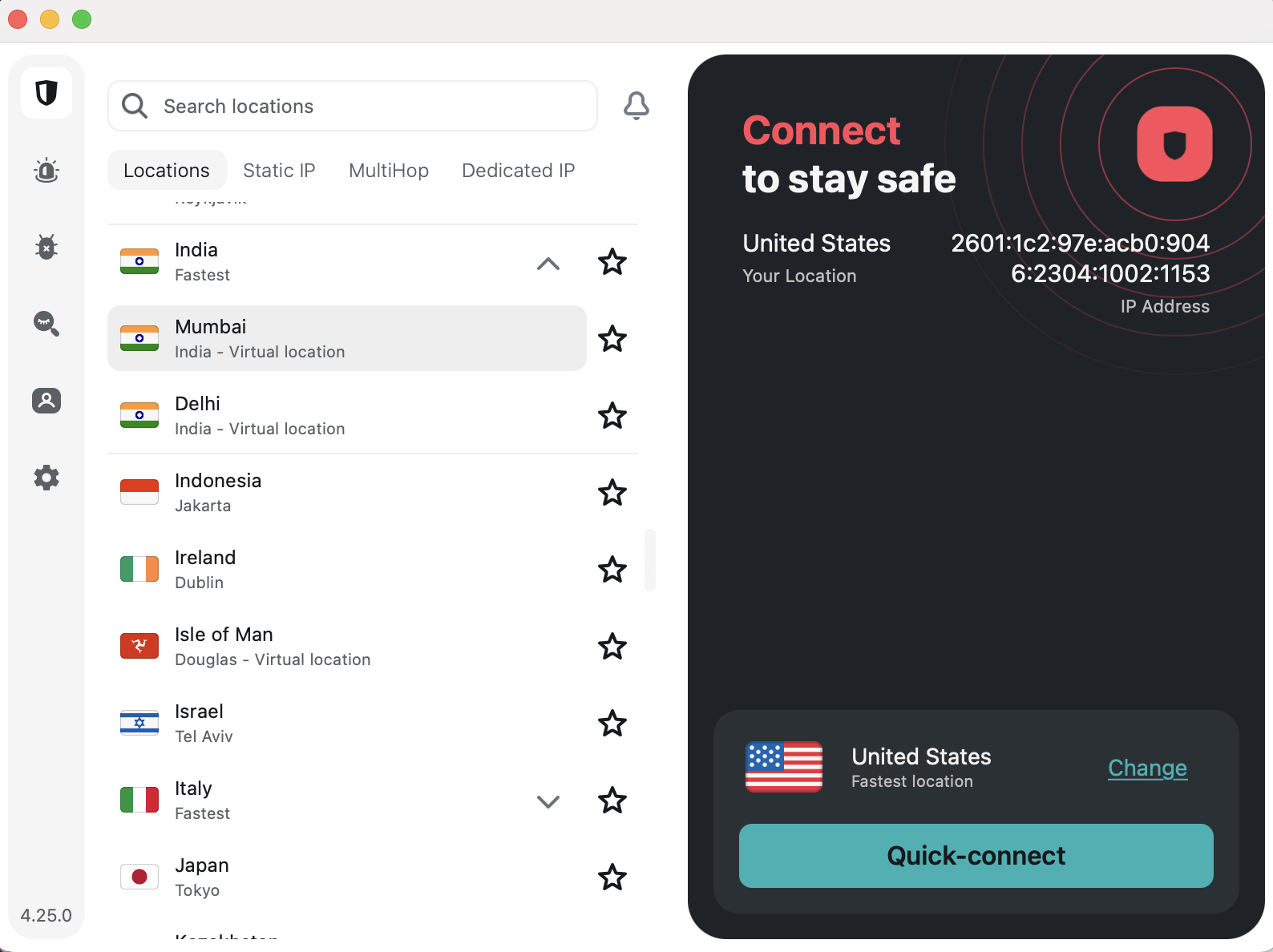
Choosing locations on Surfshark
Sam Chapman for Engadget
For example, let's say you want to watch The Office, but you're only subscribed to Netflix and not Peacock. Luckily, Netflix is licensed to show The Office in the U.K. If you connect to a British server location before opening Netflix, you'll be able to access the show without paying for an extra subscription. (Of course, make sure VPNs aren’t expressly banned by the streaming service’s terms of service before accessing it while using one.)
Other than streaming, the most common reason you'll need a specific VPN server is to get around firewalls that block websites. Whether it's your school doing the censorship, your workplace or your entire state, the solution is the same: Pick a VPN server outside the restricted region. Censorship systems filter by location — they can't block where they don't have jurisdiction. Get a new virtual location and you should be free and clear. (Always be cognizant of the laws on VPN usage in your location before activating them.)
When to use a VPN (and when not to)
It's good to get into the habit of connecting to your VPN whenever you get online. You can never be sure what information your ISP is gathering on you. If you're using unprotected Wi-Fi, or a public network with a clearly visible password, anybody might be listening in. Even if you don't need a particular location, always be using your VPN.
The only reason you might want to be online without a VPN is that certain websites, especially online banks, get suspicious if they note repeated logins to the same account from too many different IP addresses. For those cases, you can either set up a split tunnel to exclude the website from encryption, or temporarily turn your VPN off altogether.
Instructions for specific devices
Although most VPNs try to keep their apps similar on every platform, the strictures of differing hardware and software lead them to install and operate differently. In case you still have questions after reading the general guide above, this section goes into detail on every platform where you might use a VPN.
How to use a VPN on desktop
After subscribing to a VPN on Windows, you should be directed to download an EXE file — if this doesn't happen, log into your account on the website and find the downloads center. Find the folder where the EXE is saved, double-click it and follow the onscreen instructions.
On Mac, the process is more or less the same, except you'll usually get a PKG file instead of an EXE. Go to your downloads folder (either in Finder or through your web browser) and double-click the PKG file. Grant the VPN whatever permissions it needs. (Again, this is why it’s important to only use a legitimate vendor, such as the ones we recommend.)
Once installed, you can open the VPN client at any time by double-clicking the icon again. Some VPNs open as separate windows, while others will add icons to your toolbar. This often varies by platform; if you're concerned that your VPN doesn't look like a screenshot you've seen, check which operating system the image comes from.
How to use a VPN on mobile
On Android and iOS, you'll download your VPN app through the Google Play Store or Apple App Store, respectively. Even if you get started through a mobile browser, it will probably redirect you to the app store for the actual download and installation.
Follow the usual step for downloading an app: search for its name in the app store, click "Get" or "Install," then let your phone cook. As always, so long as it's a vetted VPN, grant it the permissions it needs. You may be able to download and install the VPN first, then create your account and submit payment through the app afterward.
One final note: several leading VPNs offer free trials for mobile users. If you see a button that says something like "get free trial," you may be able to use the VPN for several days without paying. Just be warned that if the trial lapses, you might get automatically signed up for a plan that's longer than you'd like.
How to use a VPN browser extension
VPNs offer browser extensions as lightweight versions of their main clients. While a desktop or mobile VPN reroutes everything that device sends to the internet, a browser extension only protects traffic through your web browser. You can use one as a primitive form of split tunneling, but they're mainly for basic convenience — most of what you do online goes through a browser, so it's nice to be able to protect your connection without opening a separate app.
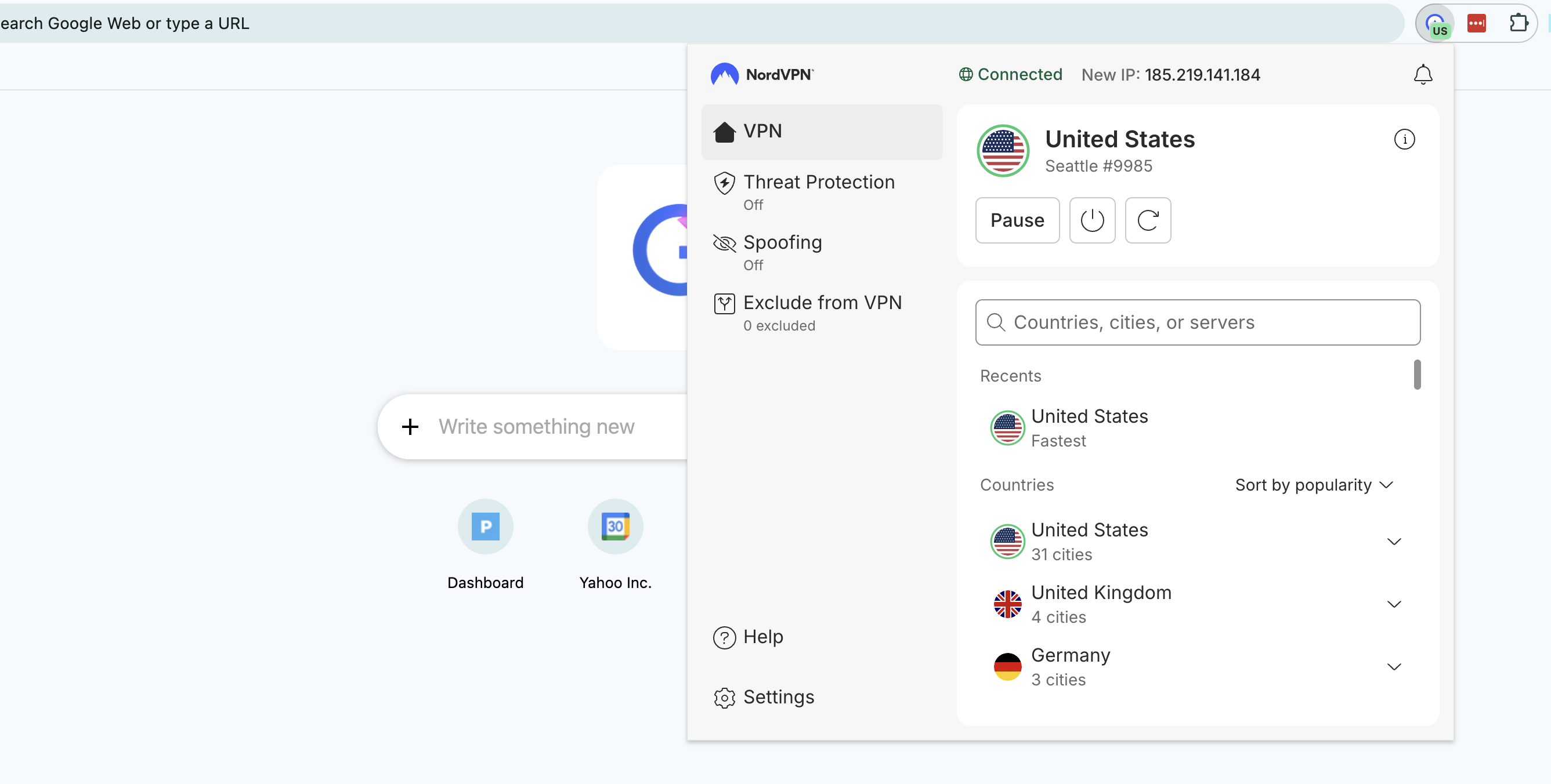
NordVPN browser extension on Chrome
Sam Chapman for Engadget
To use a VPN browser extension, just create your account as normal, then download the extension from your VPN's website. You can manage it from your browser's extensions center. That's a jigsaw piece at the top-right corner on most browsers, including Chrome, Edge and Firefox.
How to use a VPN on a smart TV
You can use a VPN to change your location and stream international content directly to a smart TV. The catch is that not all smart TV brands support VPN apps. For those that don't, you'll have to find a workaround.
The good news is that a ton of the best smart TVs can natively host VPNs, including Google TV, Android TV, Amazon Fire TV and Apple TV (though only tvOS 17 and above). To use a VPN on Android TV or Apple TV, go through the device's app store. On Fire TV, simply type the name of your chosen VPN provider into the search bar.
On smart TVs that don't have native VPN, like LG, Roku and Samsung, you have a few options. You can use a smart DNS feature like ExpressVPN's MediaStreamer to reroute smart TV traffic without full VPN encryption; the steps for this are different for every VPN, so check the provider's website. You can also install a VPN on your router (see below) so your smart TV automatically uses the router's location.
Finally, you can get a temporary fix by using your computer as a Wi-Fi hotspot while it has a VPN active. Follow the steps for your operating system.
On Windows:
In your system settings, go to "Network & Internet" and turn on the mobile hotspot.
Go to "Network & Sharing Center" and click "Change adapter settings."
Right-click the name of your VPN provider and go to "Properties," then "Sharing."
Check the boxes next to "Allow other network users to connect through this computer's internet connection" and "Allow other network users to control or disable the shared internet connection."
Click the "Home networking connection" dropdown and select "Microsoft Wi-Fi Direct Virtual Adapter."
Open your VPN client and connect to a server in your desired location.
On your smart TV, open the internet connections menu and select the name of your PC. Your TV is now online through the VPN server.
On Mac:
Open system settings and go to the "General" tab. Scroll down and click "Sharing."
Toggle "Internet Sharing" on, then click on "Configure."
Click the "Share your connection from" dropdown, then choose the VPN installed on the Mac. Under "To computers using," select "Wi-Fi."
Click on "Wi-Fi options" and enter a name and password for your hotspot network.
On your smart TV, connect to the network you just created.
How to use a VPN on a game console
Right now, there's no such thing as a game console with native VPN support. If you want to use a VPN while gaming — and I recommend that for safety if you're planning to play online — you can use two of the same methods that work for a smart TV: install a VPN on your router, or get your console online through a Mac or PC hotspot.
How to install a VPN on a router
When you install a router VPN, anything that gets online through your home network will be protected, including game consoles, TVs and smart devices that don't support VPNs natively. It's not a process for the faint of heart, though. You'll need to get a new router and potentially install VPN firmware on it yourself. If you want to go this route, the easiest option is to get an ExpressVPN Aircove router — not only does it come with all the settings done for you, but it can be managed through the same clean interface as ExpressVPN's other apps.
We don't have space here to go through the entire process, but here's a general overview. First, get a router with firmware that supports VPN configurations — most ISP default routers don't, so you'll have to go third-party.
Next, go to the downloads center of your VPN's website and look for the section with VPN configurations. A "configuration" is a complete set of the information needed to access a certain VPN server through a certain protocol — say, a Proton VPN server in Arizona through OpenVPN. Download a configuration file for the protocol and location you want all your home devices to connect through.
Finally, open your router control panel by entering your router's IP address into a web browser address bar, then log in with your router credentials (these should be marked on the router itself unless you've changed them). Go to the VPN tab — which should be there if it's a router with VPN firmware — and upload the profile you downloaded from the VPN website. Use the same router control panel to activate and deactivate the router VPN connection.
This article originally appeared on Engadget at https://www.engadget.com/cybersecurity/vpn/how-to-use-a-vpn-140000564.html?src=rss
Cameras had an interesting year in 2025, with the launch of some long-delayed models like Sony’s 61MP RX1III, wholly original cameras (the Fujifilm X Half and Sigma BF) and much anticipated updates like the Sony A7 V and Canon R6 III. All told, there were 27 new cameras launched last year that joined the 20 new models on the market from 2024.
Those ranged from compacts to mirrorless to very high-end models, with every price range included. The question is, which one is right for the type of videography or photography you do? Whether you’re an aspiring action or wildlife photographer, an extreme sports junkie or a content creator, we’ll help you find the perfect camera to match your budget and requirements.
Best cameras for 2026
Best mirrorless cameras
Mirrorless is the largest camera category in terms of models available, so it’s the best way to go if you’re looking for something with the most advanced features. Canon and Nikon recently announced they’re discontinuing development of new DSLRs, simply because most of the advantages of that category are gone, as I detailed in a video. The biggest selling feature of a mirrorless camera is the ability to change lenses depending on the type of shooting you want to do.
Best action camera or gimbal camera
The most important features to look for in an action cam are image quality, stabilization and battery life. GoPro has easily been beating all rivals recently in all those areas, but DJI has taken a lot of its business with the Osmo Pocket 3 gimbal camera.
Best compact camera
This category has fewer cameras than it did even a few years ago and many models are older, as manufacturers focus instead on mirrorless models. However, I’m still a big believer in compact cameras. They’re a noticeable step up from smartphones quality-wise, and a lot of people will take a compact traveling or to events when they’d never bother with the hassle of a DSLR or mirrorless camera.
Compacts largely have type 1-inch sensors, but a few offer larger options, particularly Fujifilm’s XF-100V. Another popular model, Sony’s XV-1, is primarily aimed at content creators looking to step up. In any case, desirable qualities include image quality, a fast lens, relatively long zoom, flip-out display, good battery life, a high quality EVF, decent video and good pocketability.
What to consider before choosing a camera
Smartphones might get better for video and photos every year, full cameras still have an edge in many ways. The larger sensors in mirrorless cameras let more light in, and you have a wide choice of lenses with far superior optics. Dedicated cameras are also faster for shooting things like sports or wildlife, offer superior video for content creators and create more professional results.
Sensor size
There are a few key things to consider to get the most out of a camera. The first is sensor size: in general, the larger the sensor, the better (and usually more expensive) the camera.
Full frame is the largest sensor size for mainstream cameras, and it’s available on models like the new Panasonic S9, the Nikon Z III and Canon EOS R5 II. At a size equivalent to 35mm film (36 x 24mm), it offers the best performance in terms of image quality, low-light capability and depth of field. But it’s also very expensive and finicky. While bokeh looks incredible at an aperture of f/1.4, the depth of field is so razor thin that your subject's eyebrow might be in focus but not their eye. This can also make shooting video difficult.
The next size category is APS-C (around 23.5 x 15.6mm for most models and 22.2 x 14.8mm for Canon), offered on Fujifilm's X Series lineup, the Canon R10, the Sony ZV-E10 II and the Nikon Z50. It's cheaper than full frame, both for the camera body and lenses, but still brings most of the advantages like decent bokeh, high ISOs for low-light shooting and relatively high resolution. With a sensor size the same as movie cameras, it's ideal for shooting video, and it’s easier to hold focus than with full-frame cameras.
Micro Four Thirds (17.3 x 13mm), a format shared by Panasonic and Olympus, is the next step down in sensor size. It offers less bokeh and light-gathering capability than APS-C and full frame, but allows for smaller and lighter cameras and lenses. For video, you can still get reasonably tight depth of field with good prime lenses, but focus is easier to control.
The other common sensor size is Type 1 (1 inch), which is actually smaller than one inch at 12.7 x 9.5mm. That's used mostly by compact models like Sony’s ZV-1 vlogging camera. Finally, action cameras like the GoPro Hero 11 and DJI’s Osmo 3 have even smaller sensors (1/1.9 and 1/1.7 inches, respectively).
Autofocus
For photographers, another key factor is autofocus (AF) speed and accuracy. Most modern mirrorless cameras have hybrid phase-detect AF systems that allow for rapid focus and fast burst speeds. The majority also offer AI features like eye-detect AF for people and animals, which locks in on the subject’s eyes, face or body to keep them in focus. However, some models are faster and more reactive than others.
Displays
The electronic viewfinder (EVF) and rear display are also crucial. The best models have the sharpest and brightest EVFs that help you judge a shot before taking it. For things like street photography, it’s best to have as bright and sharp a rear display as possible, so it’s easy to see your subject and check focus in all manner of lighting conditions. You may also want a screen that flips out rather than just tilting, too.
Lenses
DSLRs and mirrorless cameras let you change lenses, but you're stuck with what's built into a compact camera. While that's great for portability, a single lens means you're going to sacrifice something along the way. The Fujifilm X100V, for instance, has a fast but fixed 35mm-equivalent f/2.0 lens and no zoom. The Sony RX100 V has a 24-70mm zoom, but it's slower at the telephoto end (f/2.8) and less sharp than a fixed focal (prime) lens.
When choosing a lens for a mirrorless camera, you’ll need to consider the focal or zoom length, along with the minimum aperture. Smaller numbers like f/1.4 for a prime lens or f/2.8 for a zoom are best, as they let you work in darker environments and maximize background blur to isolate your subject. However, those lenses are more complex and thus more expensive.
Video recording
When it comes to video, there are other factors to consider. Some cameras combine or skip over pixels (line skipping or pixel binning) for video recording, which is not ideal because it can reduce sharpness. Better cameras tend to read out the entire sensor and then “downsample” to improve video sharpness (camera manufacturers don’t often say if video is pixel binned, but will say if it’s downsampled). Another important factor is sensor speed, as slower sensors tend to have more rolling shutter that can create a “jello” effect that skews video.
In addition, how’s the battery life? How do you like the handling and feel? How long can you shoot before the camera heats up or stops? Does it support 10-bit HDR video? Is there a microphone and/or a headphone jack? (If you record a lot of interviews, it's preferable to have both.) How's the video autofocus? All of these things play a part in your decision.
This article originally appeared on Engadget at https://www.engadget.com/cameras/best-cameras-151524327.html?src=rss
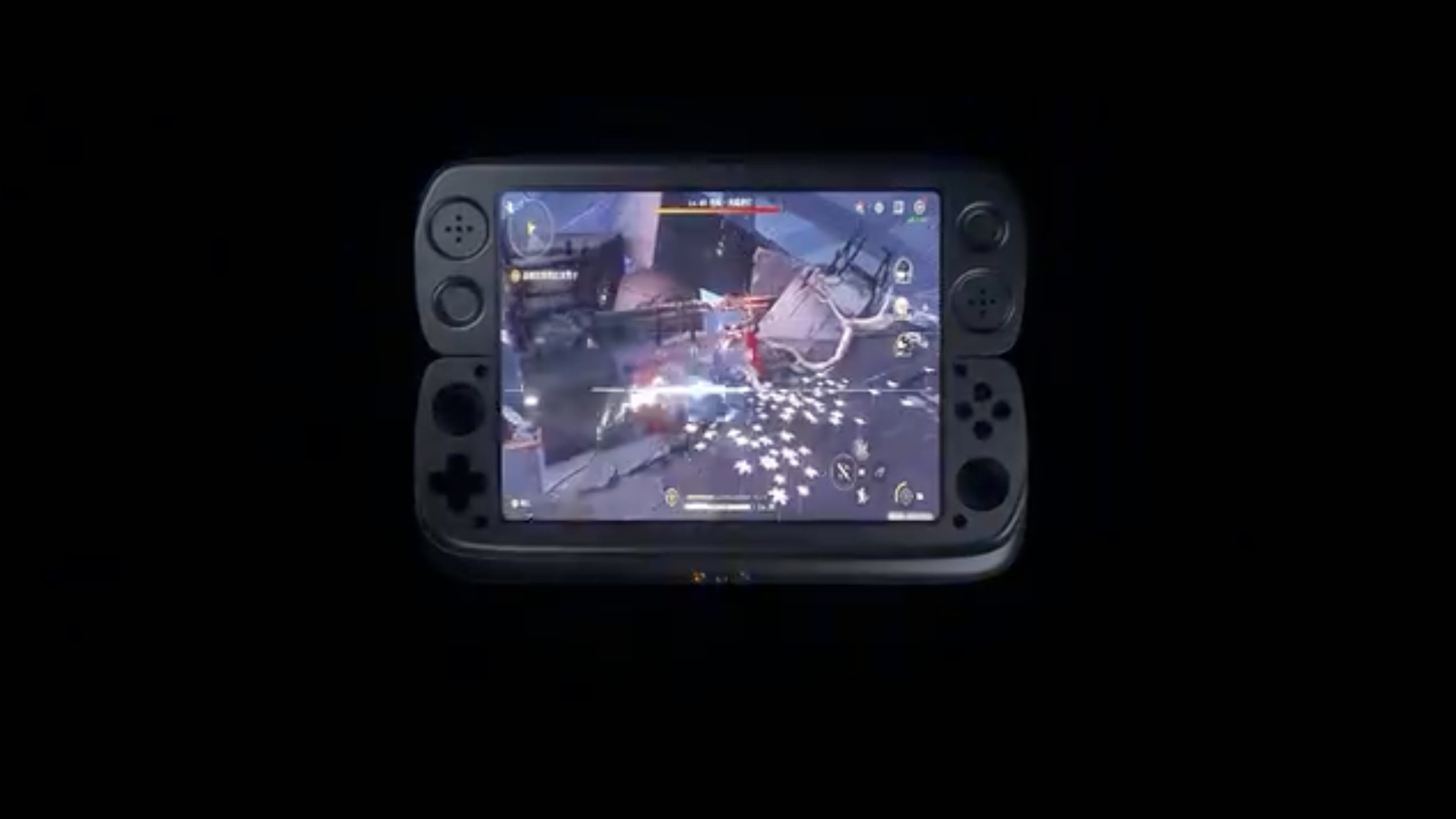
OneXPlayer is quickly establishing itself as a company that isn't afraid to get weird as hell. (Take, for example, its transforming dual-screen gaming portable.) Its latest venture is another retro gaming handheld that, at first glance, looks like a standard dual-screen model. But the Android-powered OneXSugar Wallet uses a single foldable screen instead.
The device was teased via a 54-second video on the Chinese video-sharing platform Bilibili. Retro Handheldsreports that the Wallet uses an 8.01-inch OLED with a 2,480 x 1,860 resolution. (That's a 4:3 aspect ratio when unfolded.) The video also shows an asymmetrical analog stick layout with a D-pad and four action buttons.
OneXSugar Fold
OneXPlayer / Bilibi
Given foldable phones’ long-term durability concerns, we aren't necessarily betting on the OneXSugar Wallet being a wise purchase. We also don't know how much it will cost. (The aforementioned weird dual-screen device retails for a whopping $799.) But at the very least, don't be shocked if the novel form factor ends up sparking a few copycats in the competitive retro gaming industry.
This article originally appeared on Engadget at https://www.engadget.com/gaming/the-onexsugar-wallet-is-an-upcoming-retro-handheld-with-a-43-foldable-screen-215528433.html?src=rss
The demand building out AI infrastructure has placed on PC component makers has already led to the death of one consumer-facing RAM brand, but a new report from the International Data Corporation (IDC) suggests it could have an even worse impact on the PC industry at large. In its worst-case-scenario model, the IDC predicts PC shipments could shrink by up to 8.9 percent in 2026 because of the high cost of memory.
"Instead of expanding conventional DRAM and NAND used in smartphones, PCs and other consumer electronics, major memory makers have shifted production toward memory used in AI data centers, such as high-bandwidth (HBM) and high-capacity DDR5," IDC writes. That's continued to drive up the price of the RAM that is available for PC makers, which has naturally led to them to raise the price of their own products to stay above water. For example, modular PC maker Framework has already had to raise prices on some of its laptops and parts, and says "further cost and price increases are highly likely over the next months." The IDC says prices could rise by 6 to 8 percent in 2026 if its most pessimistic scenario comes true.
The timing of this RAM crunch is particularly ironic because selling "AI PCs" — computers with neural processing units that can run AI models locally — were supposed to be one of the things pulling the PC industry out of its post-pandemic slump. Instead, those computers' larger RAM needs leave them more vulnerable to the effects of the AI industry itself. Computers aren't the only electronics impacted, either. The IDC says the average selling price of a smartphone could grow by 6 to 8 percent in its most pessimistic scenario, and smartphone shipments could shrink by as much as 5.2 percent.
Companies like Apple and Samsung, with cash to spare and long-term supply agreements, could weather these higher RAM prices and keep things consistent for a year or two, according to the IDC. For everyone else, though, the near-term is looking much more expensive, and by necessity, much less adventurous.
This article originally appeared on Engadget at https://www.engadget.com/computing/idc-warns-of-major-pc-market-downturn-due-to-memory-crunch-214510197.html?src=rss
Hisense is typically best known for its affordable electronics and home appliances, from TVs to refrigerators. But at CES 2025, the China-based company showed off its premium side with a massive 136-inch micro LED TV — now available for a jaw-dropping $100,000. So what's in store for this year's show? New leadership, for starters.
The company has two new hires, including Chief Marketing Officer Sarah Larsen and Chief Commercial Officer James Fishler. In a press release, Hisense said Fishler's experience in home entertainment, appliances and HVAC is important as the company "builds toward a milestone 2026 and its presence at CES."
We'll give you a rundown of what to expect during Hisense's presentation and how you can watch it live.
How to watch Hisense's presentation
Hisense is livestreaming the event on its YouTube channel today (Monday, January 5) at 1PM ET. We've embedded it below.
With its new hires in place, Hisense is clearly aiming to further polish its brand. Between Fishler and Larsen, the new front office is bringing to bear their experience from such high-powered competitors as LG, Samsung and Beats. And in a recent interview with Tom's Guide, Larsen emphasized a continued focus on the company's fast turnaround time from concept to market as a key differentiator for Hisense.
As for actual announcements, Hisense has already revealed the following products on its website:
Hisense S6 FollowMe display: This is a TV on wheels (really!) that apparently can follow you from room to room.
Hisense XR10 and PX4-PRO laser projectors: The company's latest laser projectors can deliver up to 6,000 lumens of brightness and screen sizes as big as 300 inches.
ConnectLife AI-enhanced appliances: In an early press release, the company touted (what else) the enhanced AI smarts of its ConnectLife platform, stretching across everything from HVAC systems to kitchen gear to washer/dryers ("... with the enhanced AI Laundry Agent, fabric types and soil levels are automatically identified...").
Meanwhile, Larsen's aforementioned interview specifically calls out the emerging RGB TV space as a focus. We expect this year's show will be all about explaining the shades of difference between mini and micro LED display technologies, as both Samsung and LG have already thrown down pre-announcement gauntlets on the latter. Will any of them cost less than six figures? Let's hope Hisense has some good news to share on that front.
Update, January 4 2026, 2:17PM ET: This story has been updated to include information on the Hisense ConnectLife AI platform.
Update, January 5 2026, 10:45AM ET: This story has been updated to include info on Hisense's S6 FollowMe display and laser projectors.
Update, January 5 2026, 11:31AM ET: This story has been updated to include the embedded YouTube livestream.
This article originally appeared on Engadget at https://www.engadget.com/home/how-to-watch-the-hisense-ces-2026-press-conference-live-190040504.html?src=rss
Samsung will have two new inexpensive mobile devices arriving on the US market next month. The Galaxy A17 5G starts at $199 and will be available on January 7. Arriving on January 8, the Galaxy Tab A11+ will retail for $250.
The Galaxy A17 5G has a 6.7” FHD+ Super AMOLED display and is powered by the same Exynos 1330 chip found in the Galaxy A16 5G. The photography setup is also unchanged from last year's model, with a 50MP main camera, 5MP ultrawide, 2MP macro and 13MP selfie lenses. The base model has 4GB of RAM and 128GB of storage, but can be upgraded with up to 2TB of additional storage via microSD. Its 5,000mAh battery also supports fast-charging, a feature we're happy to see becoming more of an industry standard this year. Essentially, this is more of the same from Samsung, but this product line has a solid legacy of decent smartphones that don't break the bank. Don't be surprised if this joins our lineup of best budget Android phones come 2026.
The other new entry-level device is the Galaxy Tab A11+, which boasts an 11-inch LCD display. The rear camera is 8MP and the front one is 5MP. It has an option for 6GB of RAM with 128GB in storage, or for 8GB of RAM and 256GB of storage. Like with the Galaxy A17 5G, the tablet can also be juiced up with additional microSD storage. Performance-wise, you'll top out at 15 hours of video playback on the battery, but fast-charging is also supported here. There are many swankier tablets on the market these days, but if you're looking for a bare-bones option, this Samsung offering is a solid consideration.
This article originally appeared on Engadget at https://www.engadget.com/mobile/smartphones/samsung-unveils-its-new-200-galaxy-a17-5g-smartphone-arriving-in-january-184846560.html?src=rss
Hot on the tail of Amazon's Kindle Scribe Colorosoft, TCL is introducing its own take on a distraction-free note-taking and reading device. Unlike the new Scribe, however, it doesn't use E Ink. The TCL Note A1 NXTPAPER is the company's latest device to use NXTPAPER, TCL's custom paper-like LCD screen, which offers some of the qualities of E Ink without the limitations.
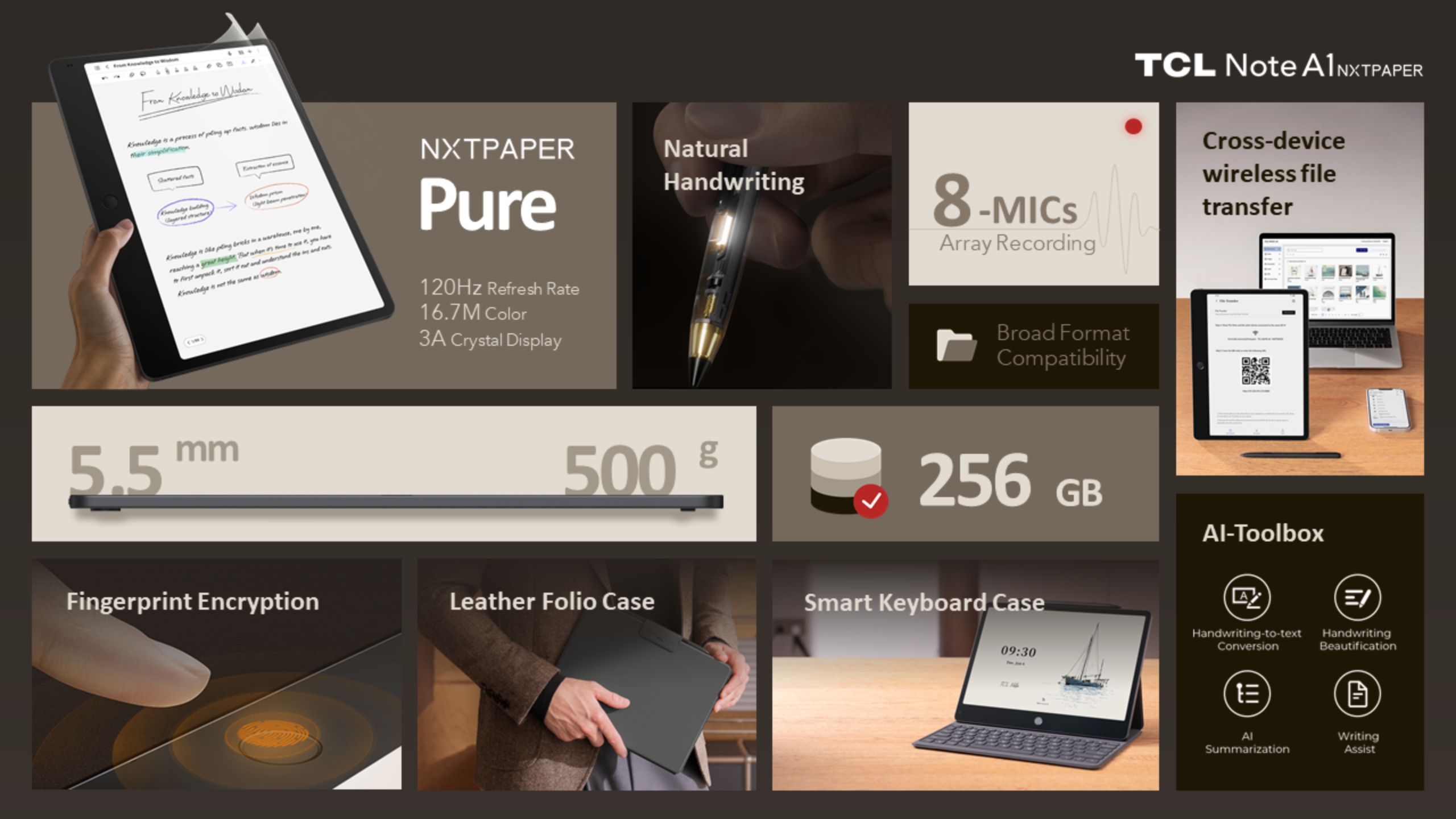
TCL says the 11.5-inch color "NXTPAPER Pure" display on the Note A1 has a 2,200 x 1,440 resolution and a 120Hz refresh rate, which should mean it looks clearer and feels much smoother to interact with than the color E Ink screen used on something like the reMarkable Paper Pro. The tablet supports TCL's T-Pen Pro for taking notes and drawing on the screen, but also features eight built-in microphones for recording and transcribing audio. The Note A1 also has a 13-megapixel camera for scanning documents, an 8,000mAh battery and 256GB of storage, with the option to access cloud services like Google Drive or Microsoft OneDrive if you want it.
A diagram of different Note A1 NXTPAPER features arranged in a grid.
TCL
Unlike TCL's past NXTPAPER tablets, the Note A1 doesn't prioritize media consumption — it's a productivity tool first and foremost. TCL says the device runs Android, but hasn't shared whether it'll have access to the Play Store. All the features the company has announced focus on taking notes and using AI to process and organize whatever you've written down. The device will also support real-time translation and "handwriting beautification," among a collection of other AI-powered features.
Engadget has reached out to TCL for more information on the Note A1 NXTPAPER's software. We'll update this article if we hear back.
There will likely never be one “Goldilocks” version of these note-taking devices, but the Note A1 NXTPAPER's combination of display and microphones does make it an intriguing, if limited, alternative to Boox's E Ink tablets. Anyone interested in TCL's new device won't have to wait long to try it, either.
The TCL Note A1 NXTPAPER is available to order now through Kickstarter (with additional bonuses and discounts) and will officially go on sale for $549 at the end of February.
This article originally appeared on Engadget at https://www.engadget.com/mobile/tablets/tcl-introduces-its-own-take-on-a-color-kindle-scribe-140000207.html?src=rss
During CES 2025, NVIDIA spent much of its keynote touting its leading position in artificial intelligence. Still, the company managed to squeeze in a few notable hardware announcements, including its RTX 5000-series GPUs and Project Digits desktop supercomputer (later redubbed Spark). For this year's show, the company's website says it's "lighting up CES 2026 with the power of AI." To that end, NVIDIA is going big in Las Vegas, promising hands-on demos in its Fontainebleau booth, replete with the "latest NVIDIA solutions driving innovation and productivity across industries."
But if you won't be in Vegas for the action, don't worry. Here's how you can watch the livestream of the company's January 5 press conference, and what NVIDIA is expected to unveil at CES this year.
How to watch the NVIDIA CES 2026 keynote
NVIDIA CEO Jensen Huang will deliver a 90-minute keynote at CES 2026. The event will be livestreamed on Monday, January 5 at 4PM ET via NVIDIA's website (and likely on YouTube as well). We'll embed the link here once it's available.
What to expect
NVIDIA's game plan for CES is suitably vague so far, including "cutting-edge AI, robotics, simulation, gaming and content creation at the NVIDIA Showcase." It also notes there will be more than 20 demos. Although we're unsure if all of these will be shown during the keynote, we can at least expect to see them throughout the week of CES.
NVIDIA arrives at CES as the most valuable publicly traded company in the world (a stunning $4.6 trillion at the time of this writing, albeit down from an even higher valuation earlier in 2025). And given that the health of the US and global economy seems increasingly linked to infrastructure spending on AI data centers — largely powered by chips from NVIDIA and its competitors — expect Huang's remarks to be as closely followed by Wall Street investors as technology acolytes, if not more so. Will we get any insight on a successor to the company's Blackwell chip? A more detailed look at how NVIDIA's partners are applying AI to real-world robotics? Time will tell, but you might want to keep your stock portfolio in a split screen while taking in Huang's presentation.
This article originally appeared on Engadget at https://www.engadget.com/computing/how-to-watch-the-nvidia-ces-2026-press-conference-with-jensen-huang-live-130028602.html?src=rss
CES 2026 is right around the corner, and the pre-show hype cycle/ early reveals suggest, yes, there’s going to be an awful lot of AI-powered insert-product-category-here alongside, thankfully, some major announcements from the likes of Intel, Sony and NVIDIA.
Intel is finally unveiling its Panther Lake (Core Ultra Series 3) chips. The first chips built on Intel’s 2nm process could offer a 50 percent performance boost, which is sorely needed amid intense competition. NVIDIA’s Jensen Huang is taking the stage for a keynote expected to feature a lot of AI hype, while AMD’s Lisa Su will likely counter with new Ryzen 9000-series chips and the latest on AI upscaling tech.
Over the years, CES has consistently been the show for TV innovation and heady next-gen displays. This year, we’ll be talking a lot about Micro RGB. LG is introducing a new Micro RGB Evo panel with over 1,000 dimming zones, while Samsung plans to launch a full range of Micro RGB TVs from 55 inches to 115 inches. In 2025, Sony introduced a new RGB LED panel that uses individual Mini LED backlights in red, green and blue to produce even brighter, more accurate colors. The company has trademarked “True RGB,” which could become what Sony calls its spin on RGB displays.
We’ll be covering all the keynotes, press conferences and big reveals in person. And figuring which of the 100s of AI-branded devices and gadgets are worth reporting on.
I’m also taking bets on the most niche celebrity appearance/endorsement at CES 2026. We’ve seen 50 Cent, Big Bird, Martha Stewart, Archbishop Desmond Tutu, Guillermo del Toro, Justin Bieber and will.i.am (multiple times), so who will join this pantheon of stars?
It isn’t just TVs with Samsung. The company has already teased a pair of new understated speakers. Likely inspired by the Samsung Frame, the new Wi-Fi speakers, called the Music Studio 5 and 7, blend into your living room. The Music Studio 5 has a four-inch woofer and dual tweeters, with a built-in waveguide to deliver better sound. The Music Studio 7 comes with a 3.1.1-channel spatial audio with top-, front-, left- and right-firing speakers. No prices yet. Expect to hear more at CES itself or once the speakers arrive in stores. And as the press image above suggests, we can't wait to sit stoically in front of one, with a glass of water (?).
Xiaomi’s latest smartphone is once again a spec beast. It features a 1-inch sensor 50MP f/1.67 main camera and 1/1.4-inch 200MP periscope telephoto camera. And it also has an interesting new mechanical feature: a manual zoom ring. This surrounds the rear camera unit.
Both the regular Xiaomi 17 Ultra and Leica edition come with a Snapdragon 8 Elite Gen 5 SoC with up to 16GB of LPDDR5X RAM and 1TB of UFS 4.1 storage, along with a 6.9-inch 120Hz AMOLED display that can hit up to 3,500 nits of peak brightness.
But the camera features are the standout elements. The 17 Ultra by Leica adds some very, well, Leica touches: a two-tone finish, red dot status symbol on the front, textured edges and film simulations, like Leica’s Monopan 50 black and white. Xiaomi says the zoom ring “[eliminates] the need for tedious screen taps... and can detect displacements as small as 0.03mm.” It can also be reprogrammed for manual focus.
Xiaomi’s 17 Ultra by Leica and the regular 17 Ultra start at CNY 7,999 ($1,140) and CNY 6,999 ($995), on par with the latest high-end Pixel 10s and Galaxy S25s.
A Google support page in Hindi says the feature is ‘gradually rolling out to all users.’
A Google support page in Hindi indicates the ability to change your Gmail address might be coming. The feature would allow you to replace your current @gmail.com address with another. Your old address would remain active as an alias on the account, and all your data would stick around, unaffected. The support page (translated) says “the ability to change your Google Account email address is gradually rolling out to all users.”