This $119 Ultrasonic Cutter Sense Materials And Auto-Adjusts To Cut EVA Foam, Resin, PLA 3D Prints

There are power tools, and then there are smart tools. A power tool gives you brute force; a smart tool gives you controlled, consistent results. Think of a simple drill that just spins versus one that manages its own torque to avoid stripping a screw. For delicate work like trimming EVA foam for a cosplay project or cleaning up support structures on a 3D print, you definitely want the smart one. The problem is, most handheld cutters are pretty basic, giving you one speed and just hoping for the best.

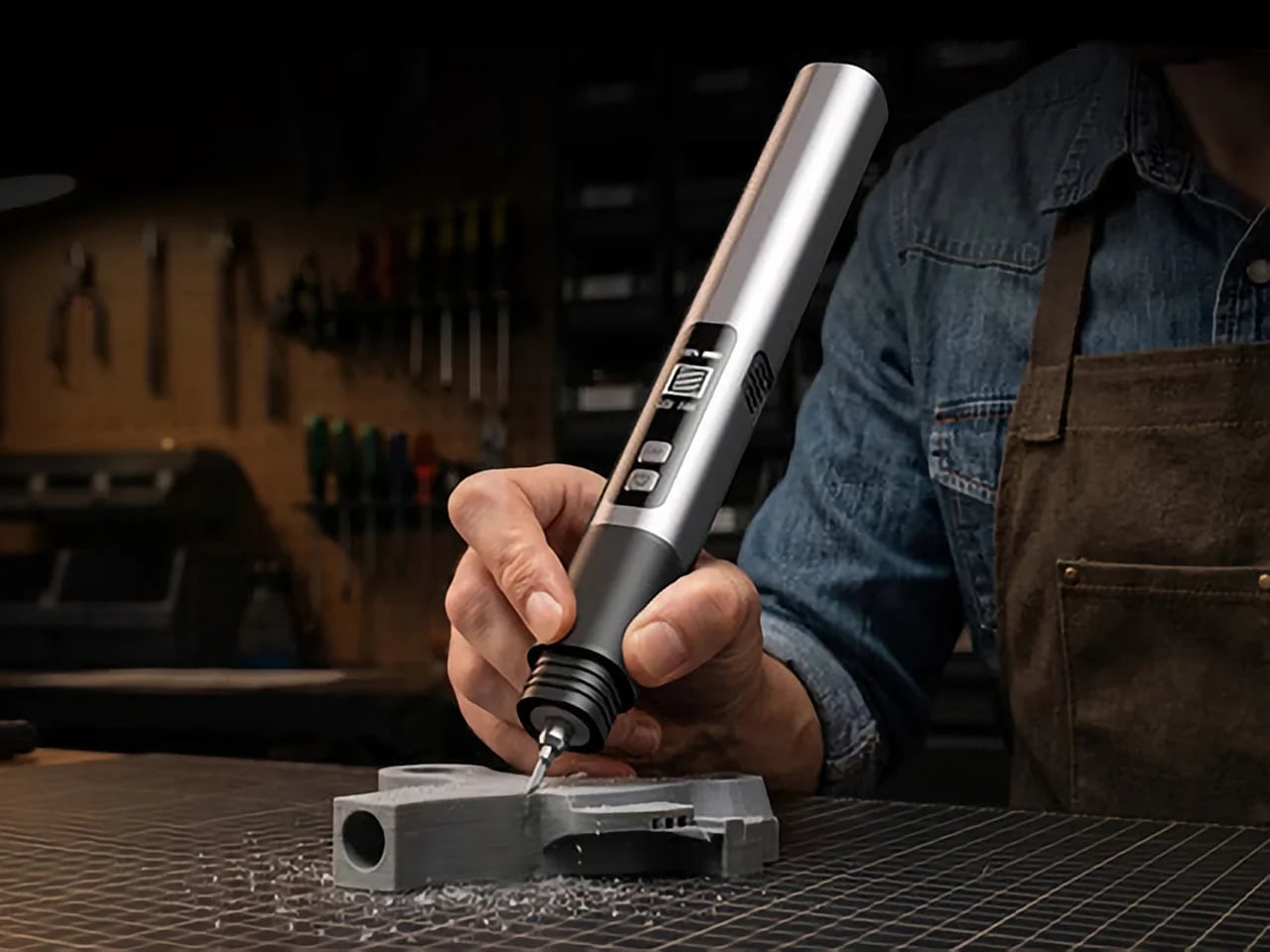
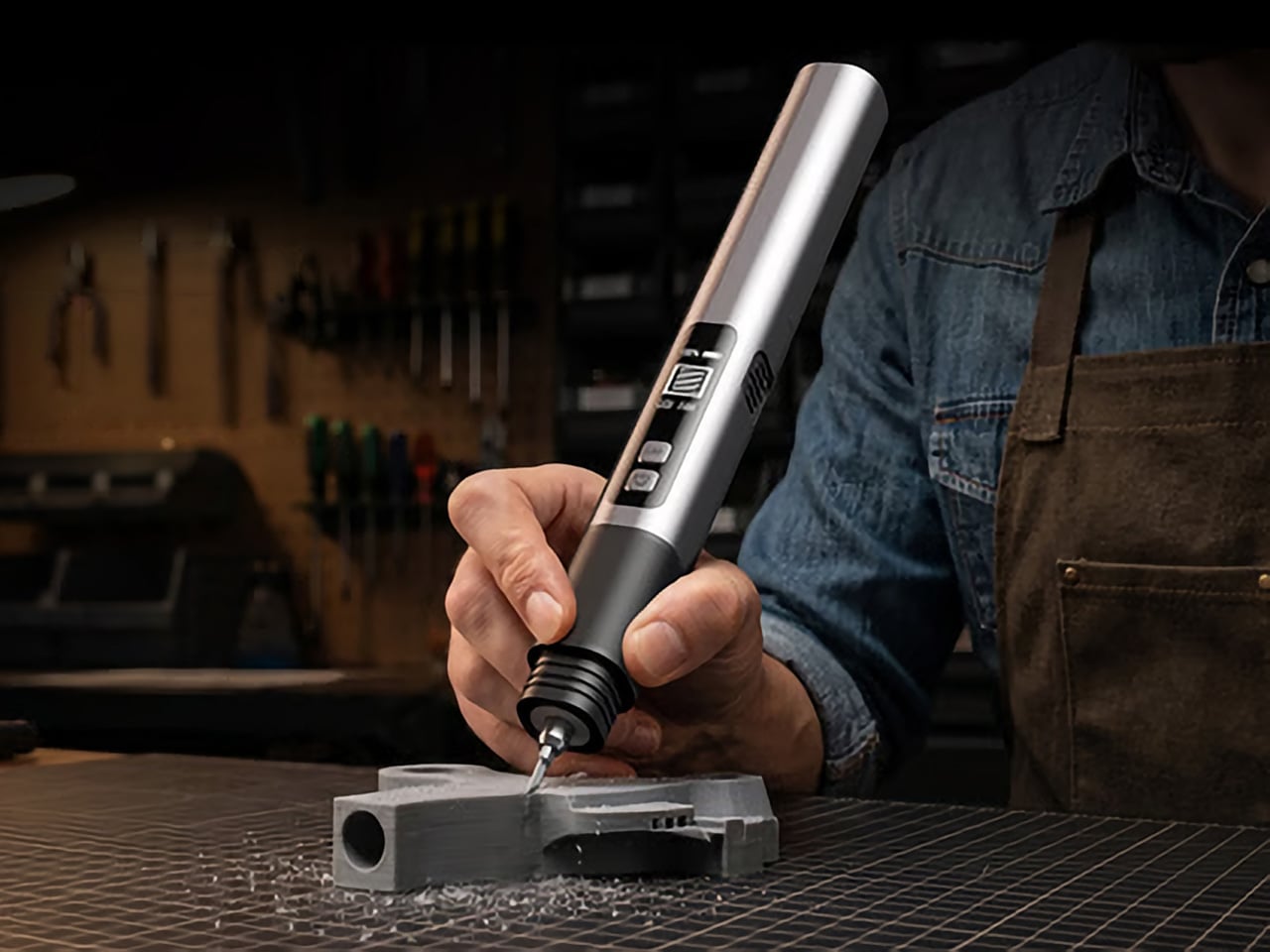
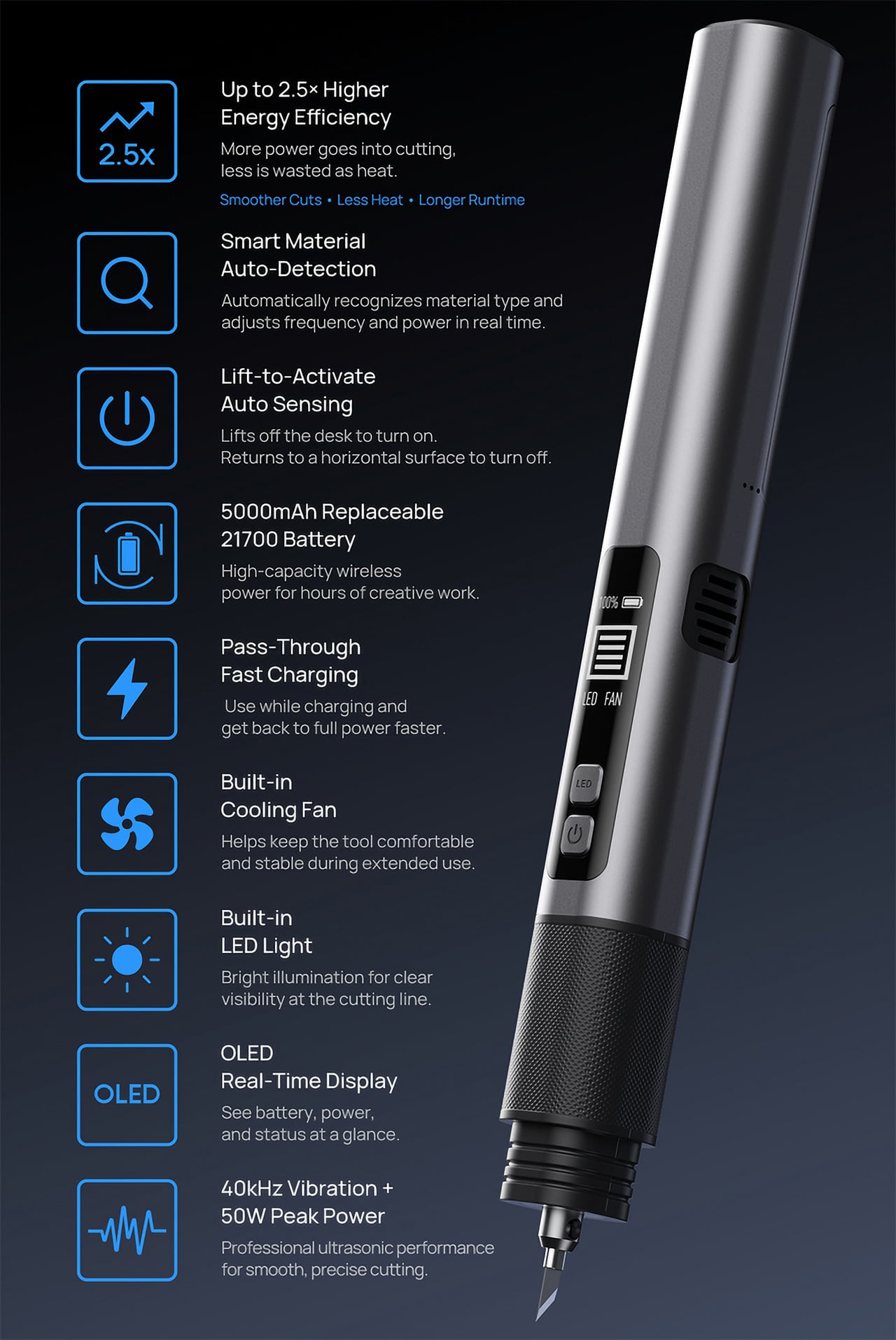
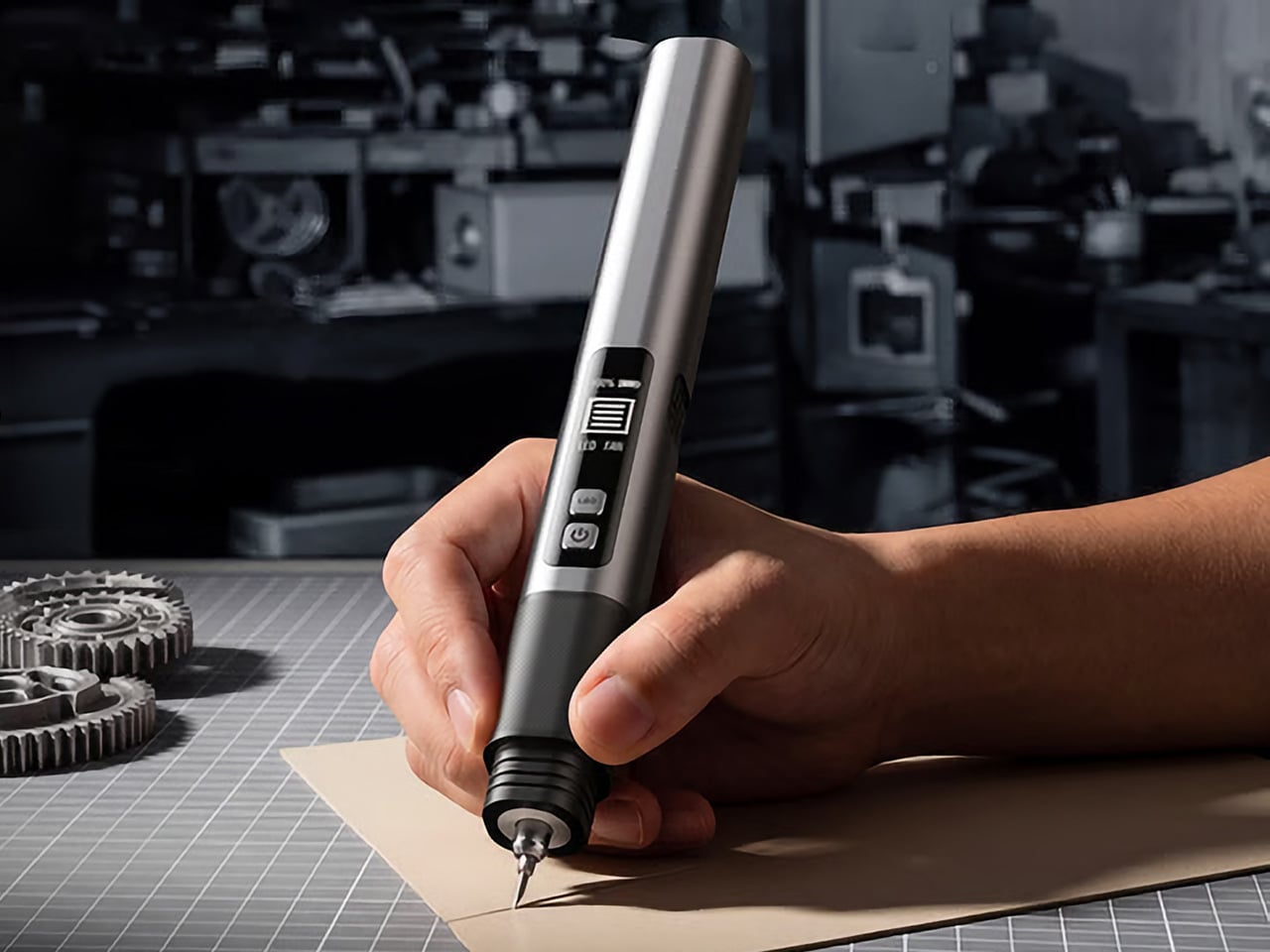
The SonicMax Slice 10 is aiming for that higher IQ. It’s a cordless ultrasonic cutter that senses the material you’re cutting and adjusts its own power output in real time. Slice through dense plastic and it pushes harder; trim the thin walls of a resin print and it eases back. This adaptive system, combined with cooling that prevents heat-related power drops, makes it feel like proper workshop equipment in the palm of your hand. It runs at 40kHz, delivers up to 50 watts of dynamic peak power, and does all of this without a single cable getting in your way.

Designer: SonicMax

Click Here to Buy Now: $119 $215 (45% off). Hurry, only 13/500 left! Raised over $124,000.

Most ultrasonic cutters on the market use transducers with a mechanical quality factor, or Qm, somewhere between 150 and 250. A higher Qm means the transducer converts electrical energy into vibration more efficiently, which directly translates to less heat generated during use. SonicMax claims a Qm of over 500 for the Slice 10, and lab data backs that up with a verified measurement of 541.1. That’s roughly two to three times higher than a typical competing tool, and it’s the foundational reason the Slice 10 can sustain longer sessions without thermal drama. That single transducer decision cascades into everything else, from runtime and cut quality to how comfortable the tool actually stays in your hand.

As the blade meets resistance, the Slice 10’s Smart Material Auto-Detection reads that feedback and adjusts power output and vibration frequency without you touching anything. Cutting through a stiff chunk of EVA foam feels different from trimming the thin walls of a resin print, and the tool responds to each material accordingly. You’re not locked into a fixed setting that works okay for most things but perfectly for nothing. The system also preserves cut quality across a long session, where material resistance can shift as the blade warms. The result is consistent cuts from the first pass to the last, regardless of what you’re running the blade through.

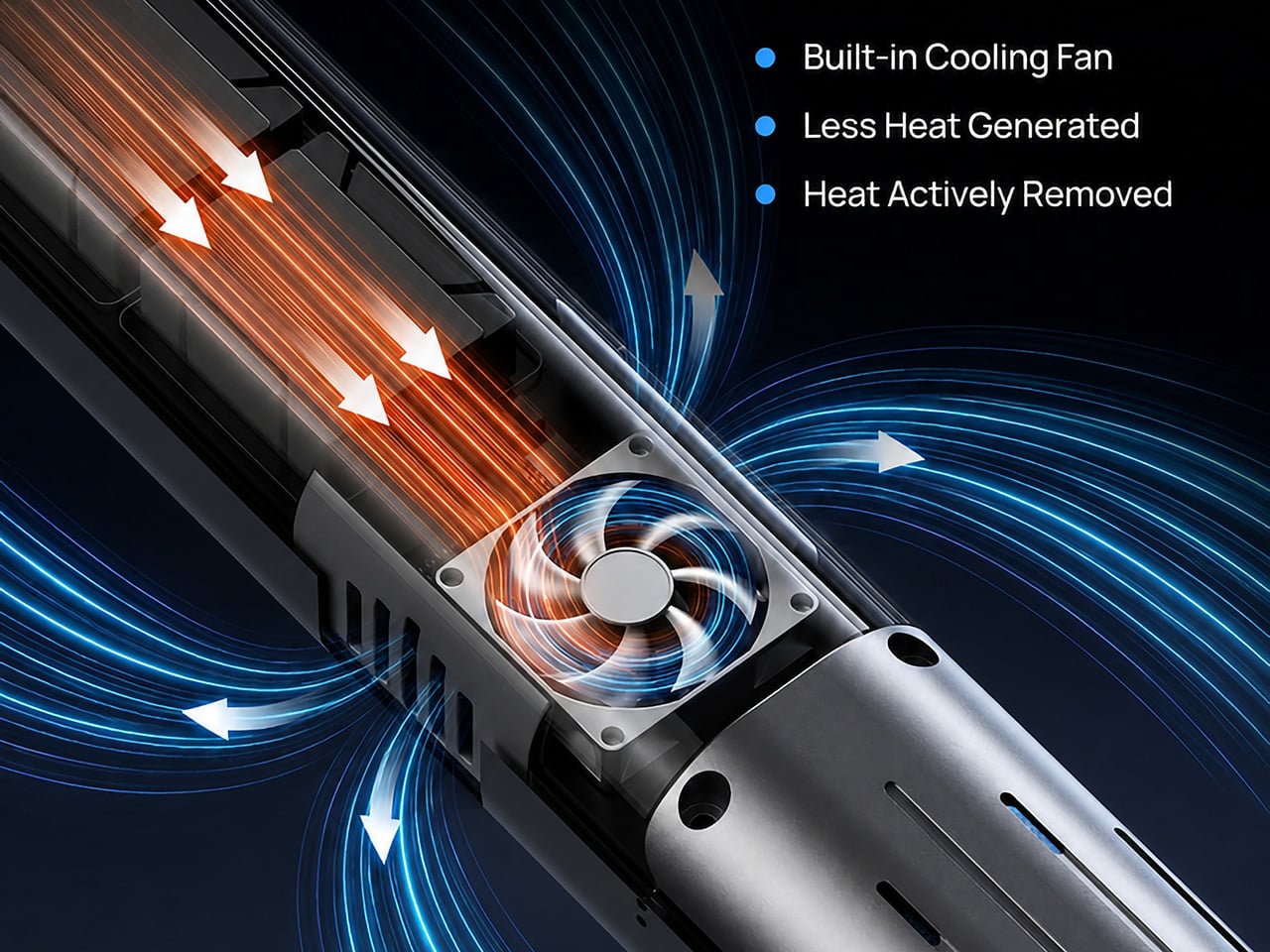
Heat is the reason most cordless ultrasonic cutters force you to stop every five to ten minutes, and the Slice 10 attacks that problem from two directions. Corded bench tools sidestep this issue by drawing steady power and dissipating heat more easily, but you give all of that up the moment you cut the cord. The high-efficiency transducer generates less heat from the start, and the built-in active cooling fan manages whatever thermal load does build up during a session. Overheat protection kicks in automatically at 80 degrees Celsius at the motherboard level, so the tool protects itself without you having to babysit it. You only appreciate how good this is after you’ve spent a session on a cutter that kept shutting itself off on you mid-cut.

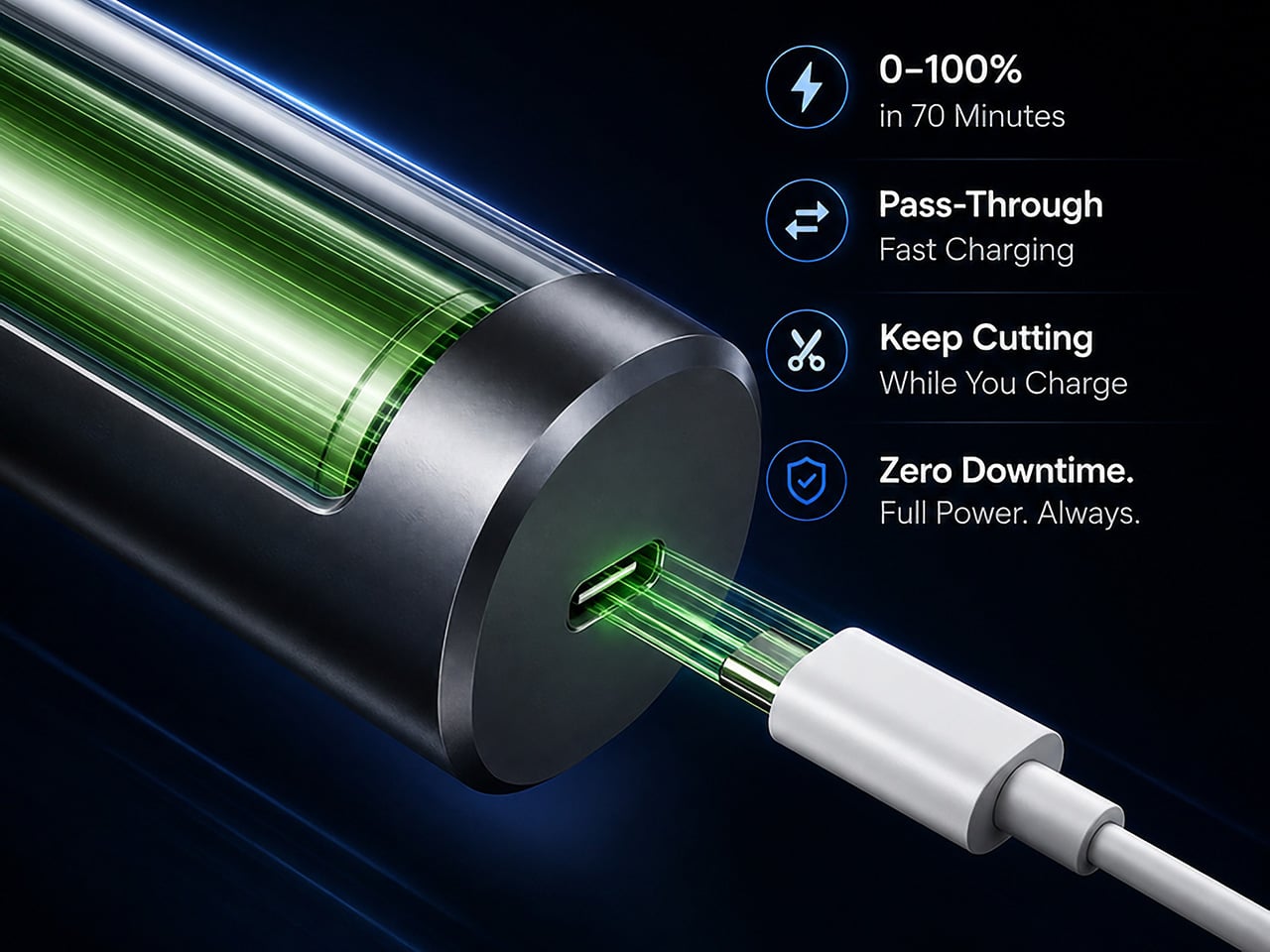
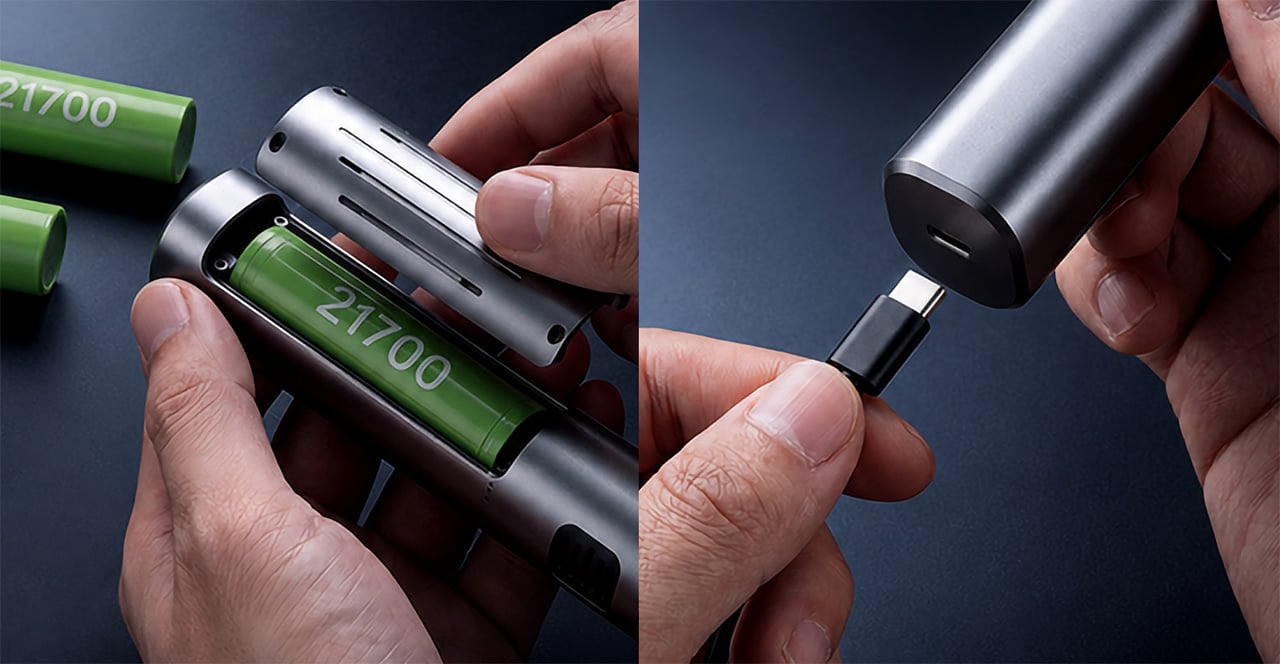
A 5000mAh 21700 lithium-ion battery powers the Slice 10, and SonicMax made it user-replaceable, which you’ll end up appreciating far more than any spec sheet number. The 21700 is a high-performance cell format found in premium flashlights and power tools, so sourcing replacements from SonicMax or compatible third-party brands should never be a problem. SonicMax’s own branded replacement cell is rated for 500 charge cycles at 80% capacity retention, a reasonable lifespan for a tool you’re actually putting to work regularly. An 18W USB-C pass-through charging system brings it from zero to full in about 70 minutes, and the tool keeps running while plugged in. Claimed runtime sits at up to four hours, and when you run low mid-project, swapping in a spare takes seconds.

Blade choice gives the Slice 10 a lot of its bench-tool personality. SonicMax offers five blade styles that let the same handheld body take on very different jobs: a Standard Utility Blade for everyday trimming, a Precision Long Blade for tighter access and more delicate reach, a Fine Chisel Blade for careful cleanup work, a Heavy Duty Chisel Blade for more aggressive material removal, and a Wide Flat Scraper Blade for broader surface work. That range matters because it turns the Slice 10 into something closer to a compact cutting system than a one-trick knife. If you’re the kind of maker who bounces between foam, plastic, supports, edges, and surface cleanup in the same afternoon, this is where the tool starts looking properly versatile.

Lift-to-Activate sensing turns the tool on when you pick it up and off when you set it down, keeping your fingers away from controls mid-session and preventing accidental activation on the bench. A small OLED display shows real-time power output and battery level, so you’re never left guessing how much runtime remains. Built-in LED lighting illuminates the cut line, which sounds like a minor detail until you’re trying to trace a clean edge on a dark-colored print at your desk at some ungodly hour. Auto-shutdown kicks in after five minutes of idle, and low-battery protection activates before the cell drops to a damaging voltage. Together, these details make the Slice 10 feel like a tool that respects your workflow rather than constantly asking you to manage it.

The Slice 10 measures 260.5mm long and 28mm across, weighing 236 grams, keeping it firmly in single-hand, pen-grip territory across long sessions. Just the Slice 10 is available for a discounted $119, and ships with 10 replaceable Standard Utility blades. Upgrade to the Maker’s Bundle for $169 and you get the Slice 10 along with 50 blades spread across the five blade profiles (standard, precision long, fine chisel, heavy duty chisel, and flat scraper) as well as a 5000mAh replacement battery. If you’re looking for versatility and pushing your prints to the max, the $50 price bump does bring a fair share of value. You can also buy extra blades and batteries as add-ons. Shipping is expected to begin mid-October 2026 with worldwide delivery available, and SonicMax has not publicly confirmed warranty terms at the time of writing.

Click Here to Buy Now: $119 $215 (45% off). Hurry, only 13/500 left! Raised over $124,000.

The post This $119 Ultrasonic Cutter Sense Materials And Auto-Adjusts To Cut EVA Foam, Resin, PLA 3D Prints first appeared on Yanko Design.
LightMake Just Solved the Hidden Costs of Multi-Color 3D Printing

Multi-color FDM printing has always had a hidden cost that most users simply accept. Every time a single-nozzle machine switches filaments, it has to push the previous color out of the hotend before laying down the next one. That costs time, and the wasted material accumulates into a tower on the build plate that nobody actually wanted there. The LightMake L4 was designed to make that trade-off unnecessary.

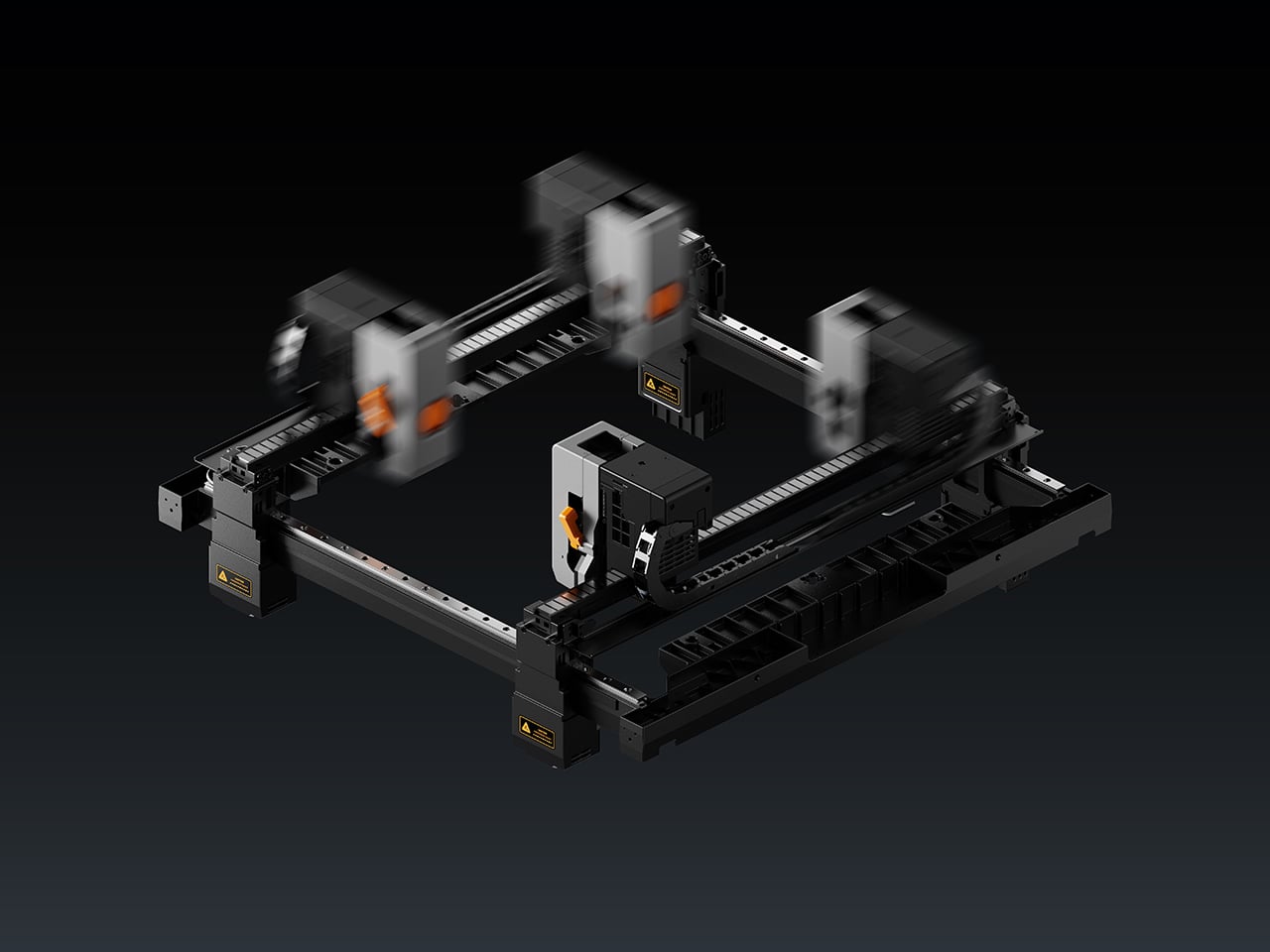
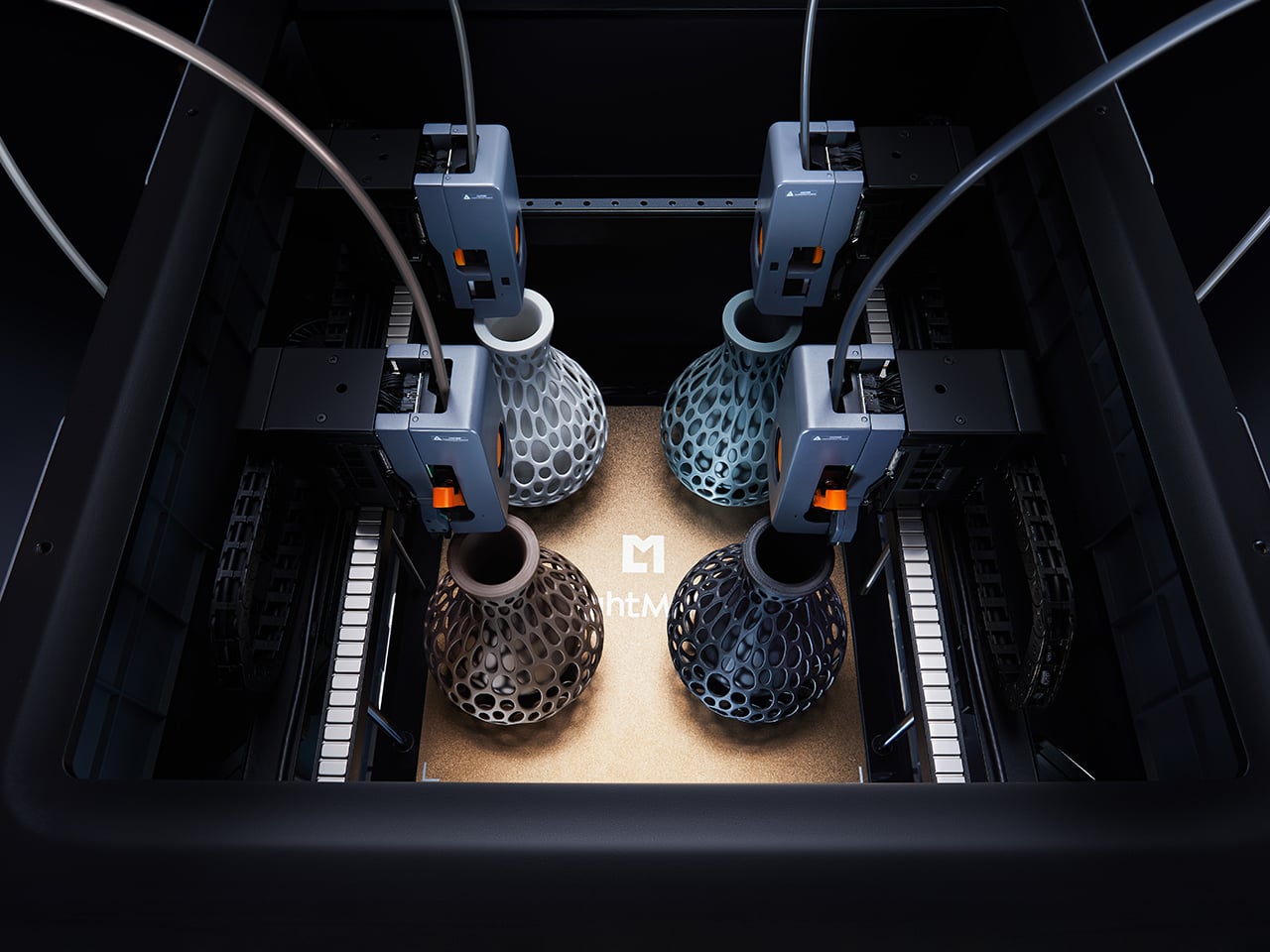
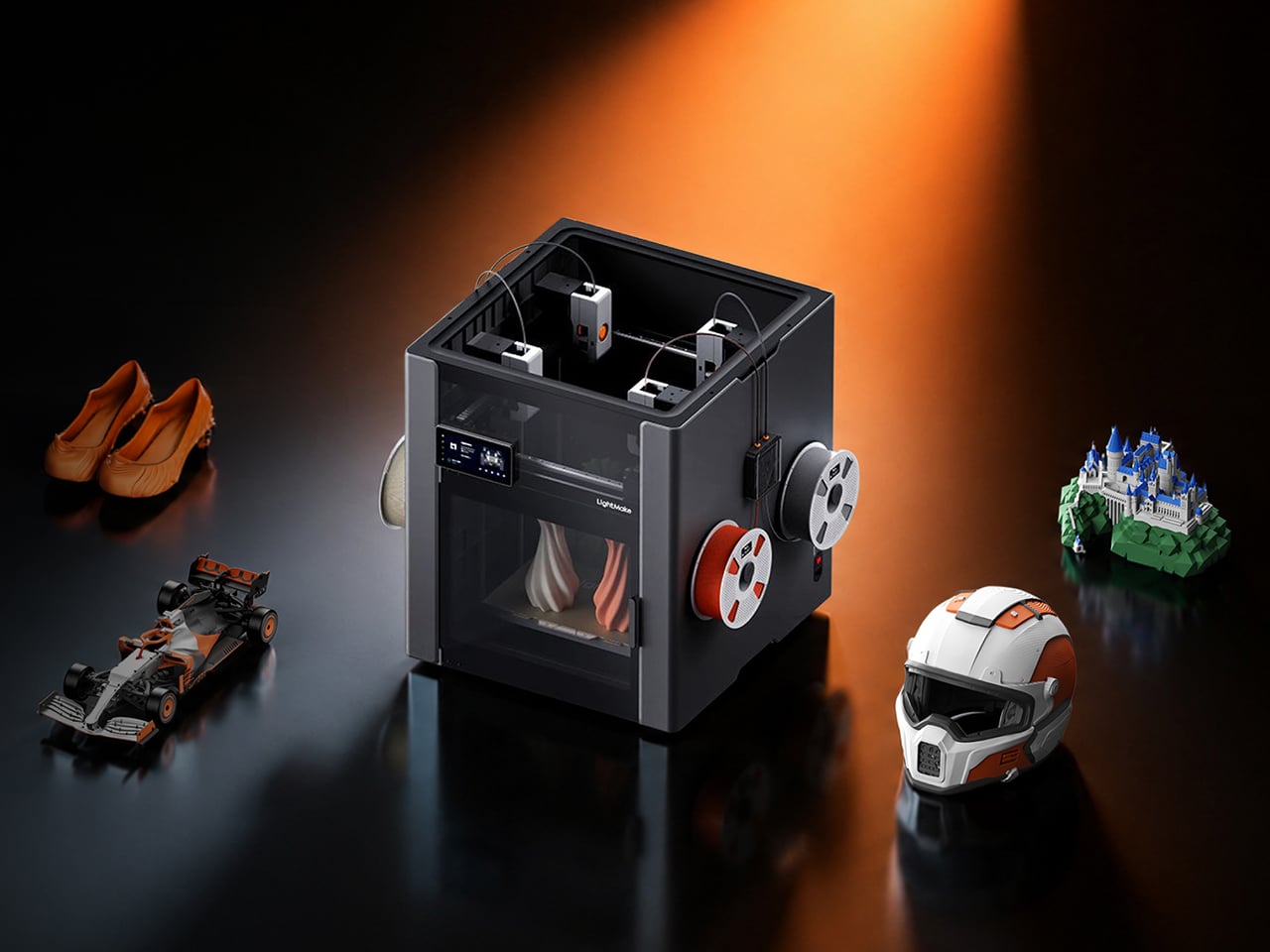
LightMake is a company with roots in precision engineering and high-speed motion control. Its L4 desktop 3D printer is built around four independent, always-preheated print heads, each dedicated to its own color or material. Think of it less as a printer wearing multiple hats and more as a small, dedicated team, each member already at their station when the job starts.

Designer: LightMake

Click Here to Buy Now: $1,299 $2,399 (46% off). Hurry, only 145/550 left! Raised over $2.07 million.

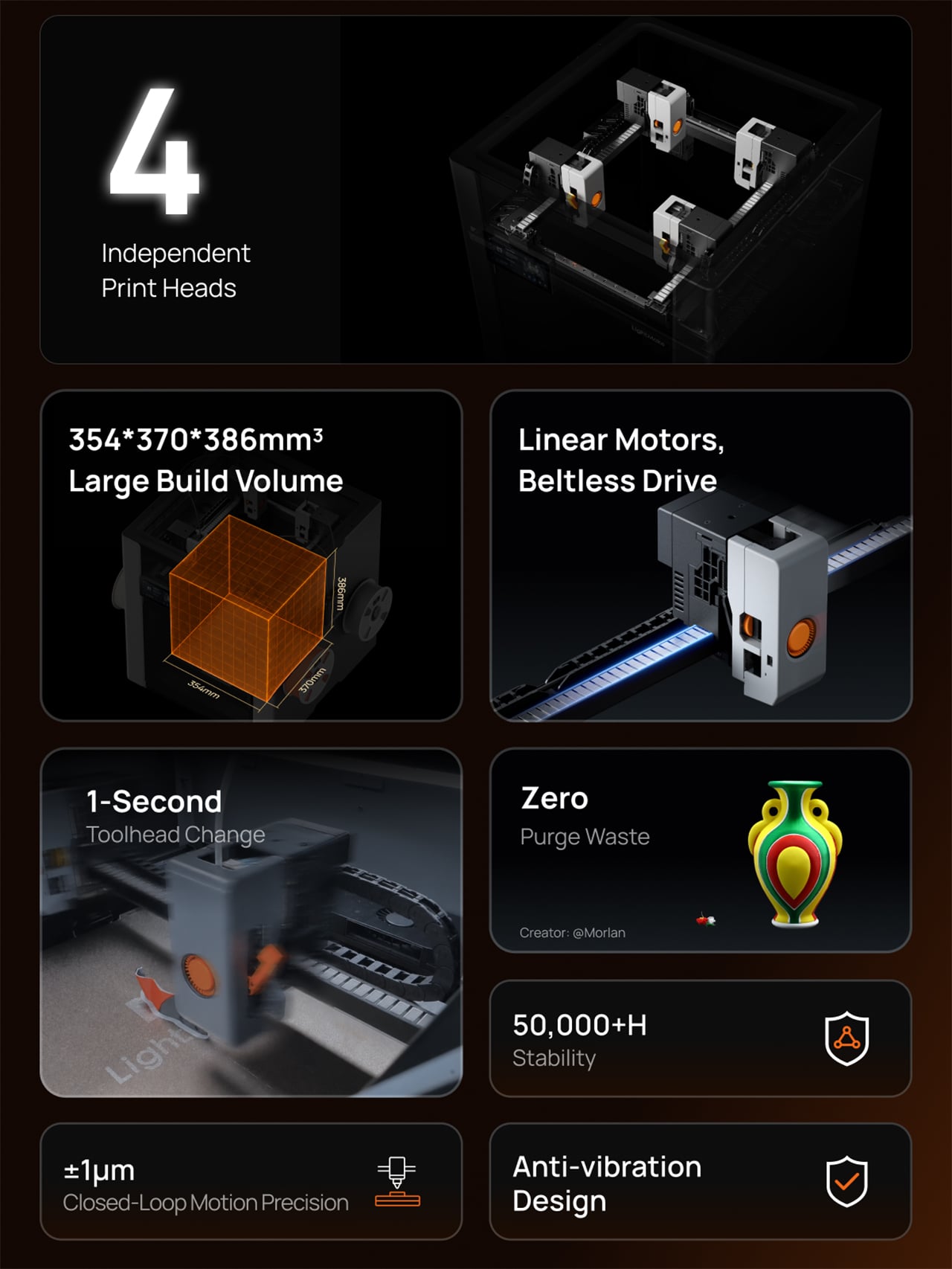
That dedicated-head setup kills the purge problem at its source. Because each nozzle handles only one filament, the L4 replaces massive purge towers with a minimal nozzle prime at the start of a job, with no purge waste during subsequent color changes. LightMake’s own testing puts material loss at under one gram, compared to the more than 237 grams for conventional multi-color setups. For anyone producing prints for clients, that recovered filament adds up quickly.

Speed is the other half of the multi-color problem, and the L4’s approach is just as direct. Because all four heads are always preheated and ready, the machine’s real-time coordination cuts toolhead switching to one second. LightMake says that can boost multi-color print speed by up to 79%, though that’s based on internal testing and will vary with job complexity and color count.

Beyond switching speeds, the L4 doesn’t shortchange on space. In single-color mode, the build volume stretches to 354 × 370 × 386 mm, large enough to produce full-size objects in a single continuous run, no splitting or post-assembly required. Multi-color jobs work within a slightly reduced 354 × 350 × 386 mm footprint, still generous enough that most projects won’t need to be scaled down or broken into parts.

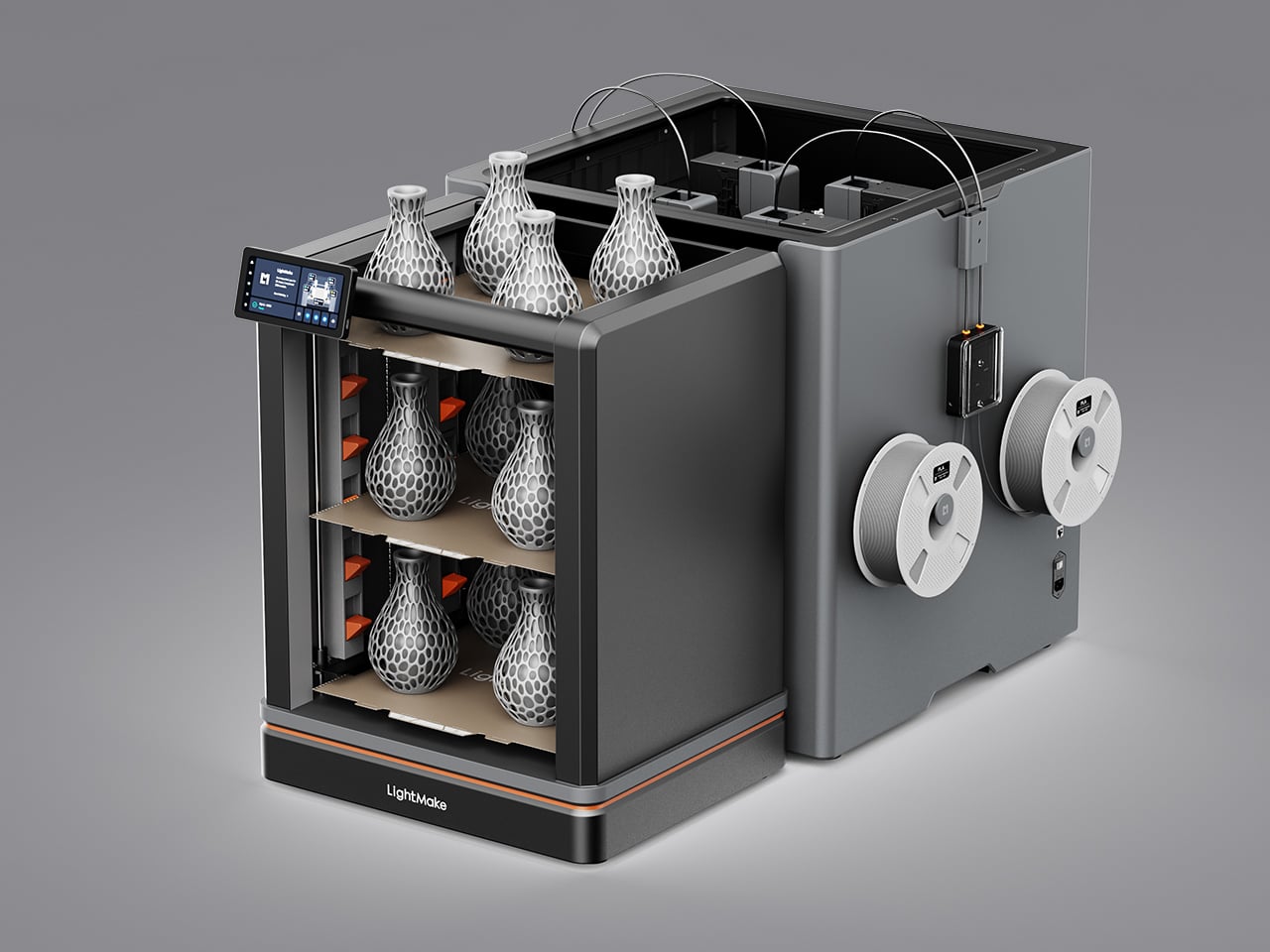
Multiply that advantage by four, and you get the L4’s batch production mode. In that configuration, the workspace splits into four zones of 177mm x 195mm x 386mm each, allowing four complete identical or mirrored models to print simultaneously. For a maker selling finished pieces or a studio on a deadline, that’s the kind of output math that changes what you think a single desktop machine can do.

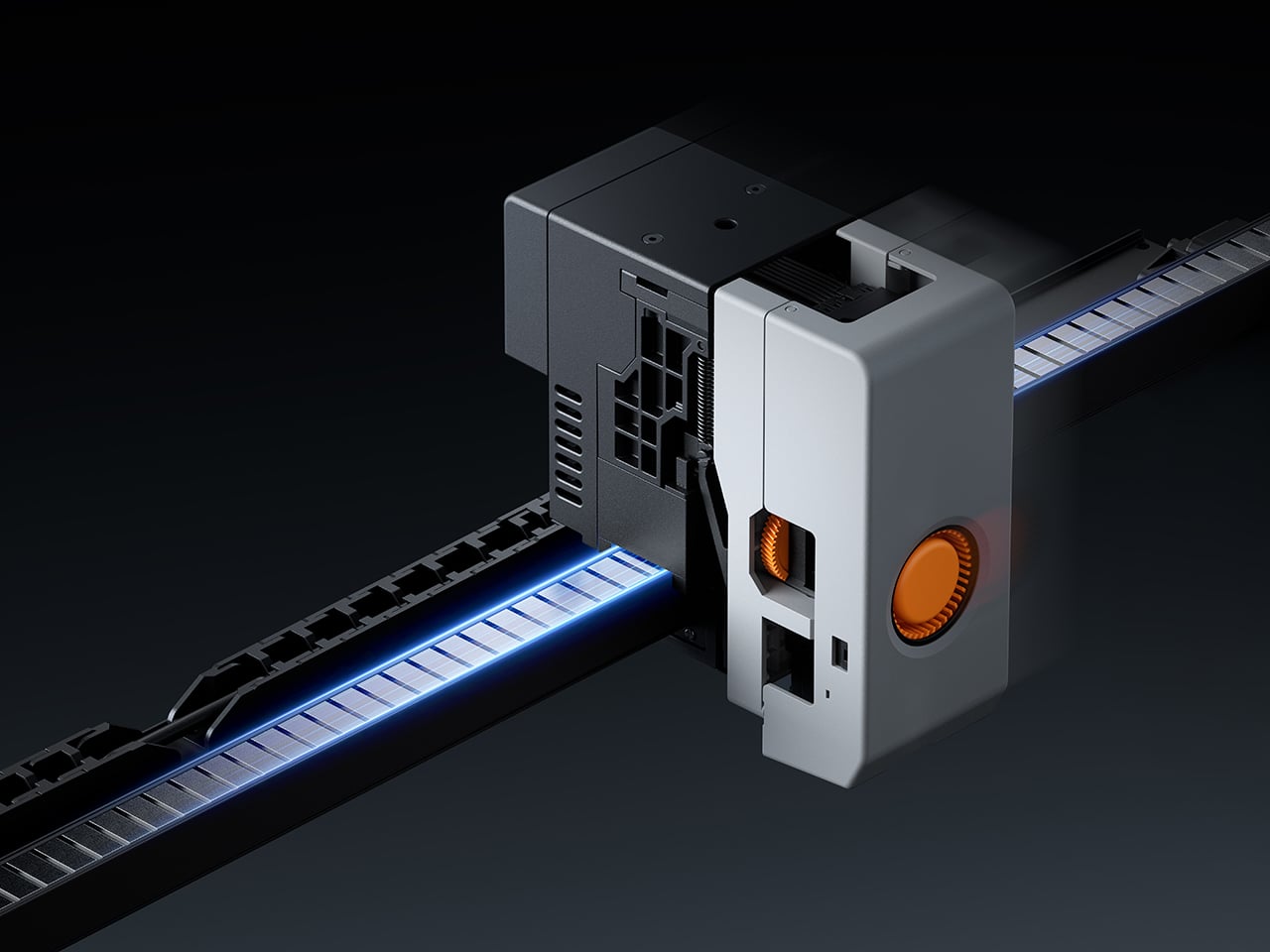
All of that output only matters if the machine stays accurate over time, and that’s where the L4 makes a longer-term argument. It uses 8 sets of industrial-grade direct-drive linear motors on the XY axes, replacing rubber belts and pulleys with non-contact magnetic propulsion. There’s no belt to stretch and no tension to adjust. LightMake rates the architecture at more than 50,000 hours, though the rails do need periodic lubrication.

Beyond longevity, the system enables what LightMake calls closed-loop control, where the motor actively monitors and corrects its position in real time. That continuous correction also keeps layer shifts from creeping in mid-print, which is good news for anyone who’s ever come back to a long job only to find it ruined somewhere around hour three. The ±1 µm figure the company quotes refers strictly to motion precision, not final print accuracy, which matters. Optical sensors achieve 30 µm absolute alignment between heads, so material transitions land exactly where intended, and parts meant to fit together actually do.

Running four moving heads at speed creates its own structural challenges, which the L4 addresses with a monolithic die-cast frame paired with vibration compensation algorithms. Together, they absorb the kinetic energy of rapid toolhead transitions and keep surface quality consistent from the first layer to the last. When a head parks between turns, it retracts automatically by 5mm, so idle nozzles never drag across already-printed surfaces.

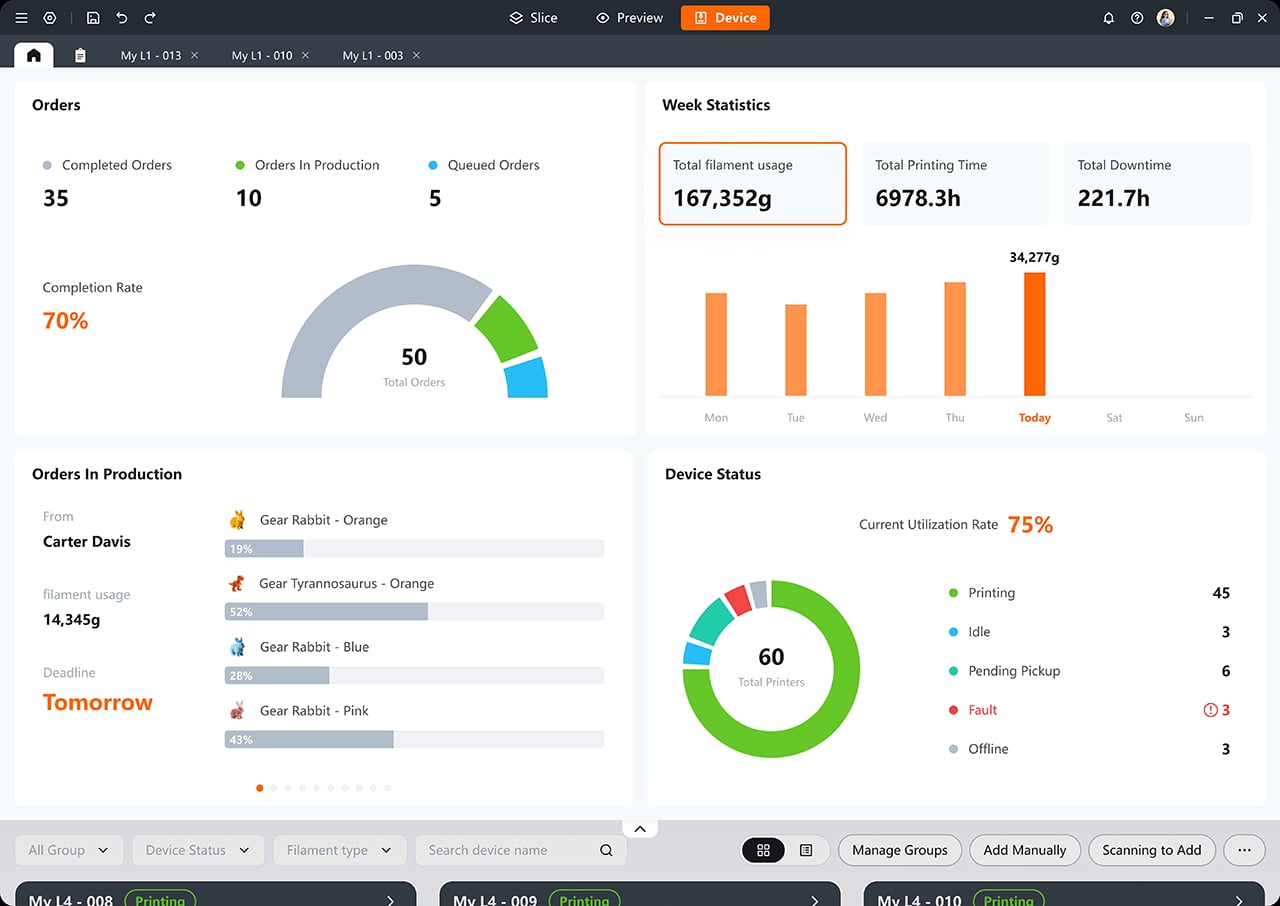
On the software side, the L4 works with LightMake’s own slicing tool, which handles automatic model arrangement for multi-head jobs and includes a farm management dashboard that connects multiple printers in one place. It’s free and open-source, unlike most paid alternatives. The machine also comes with a 6.5-inch full-color touchscreen, dual HD cameras with AI-powered failure detection, and RFID material recognition that adjusts print parameters automatically.

The L4’s reach can grow beyond its four built-in toolheads, too. LightMake’s optional Auto Filament Expansion and Dry System, or FEDS, pairs each head with additional filament inputs, pushing the total color count from four up to 16. For makers working on more ambitious multi-color designs, that’s a considerable expansion of creative range without requiring an entirely different machine to get there.

The L4 is positioned as a machine for makers who want to turn their output into something that actually generates income, whether that means selling finished pieces, producing prototypes, or running a compact print operation. What it ultimately argues is that the familiar trade-offs of multi-color desktop printing, such as speed against quality and ambition against material waste, were always choices rather than fixed limits, and the LightMake L4 helps your designs break free of those constraints.

Click Here to Buy Now: $1,299 $2,399 (46% off). Hurry, only 145/550 left! Raised over $2.07 million.

The post LightMake Just Solved the Hidden Costs of Multi-Color 3D Printing first appeared on Yanko Design.
SonicMax Finally Built a Wireless Cutter That Stays Cool Enough to Use

Ultrasonic cutters have been a genuine revelation for makers. Running at 40,000 vibrations per second, the blade doesn’t force its way through material; it glides, leaving clean, precise edges on foam, leather, plastic, and 3D-printed parts. The SonicMax Slice 10 takes that concept further by going completely cordless and, more importantly, addressing the one frustration that has followed every similar tool: heat.

The appeal of cutting without cords is obvious. What’s less appealing is when the tool becomes too hot to hold, forcing a break every five to 10 minutes. That kind of heat doesn’t just affect the experience; it affects the output, too. Plastic melts unevenly, detailed prints deform at the edges, and cuts that were supposed to be clean end up looking anything but.

Designer: SonicMax

Click Here to Buy Now: $119 $215 (45% off). Hurry, only 80/500 left! Raised over $104,000.

SonicMax addressed this with a redesigned transducer that, according to the company, achieves a quality factor, or Q value, of over 500, compared to around 200 for typical designs. The higher that number, the more energy goes into cutting rather than radiating as heat. It doesn’t make for a flashy headline, but it makes a tangible difference in how long you can actually work without stopping.

The Slice 10 also adjusts in real time as it cuts. Rather than operating at a fixed power level, the system reads resistance from the material and changes its output power and vibration frequency accordingly. This means that whether you’re cutting through a soft piece of EVA foam or pushing through a thicker section of a 3D-printed model, the tool is constantly self-correcting to keep the cut smooth and consistent.

That combination shows up quickly in a working session. Support removal on a detailed 3D print comes out clean instead of tearing. Leather cuts without compression or fraying. Foam and plastic sheet separate with sharp, neat edges. For anyone doing post-processing work on resin or FDM prints, building cosplay armor, or finishing scale models, the improvement is fairly immediate and fairly obvious.

The cordless experience is backed by a 5,000mAh 21700 lithium-ion battery that SonicMax says can deliver up to four hours of cutting on a single charge. What’s more practical, though, is that the cell is user-replaceable. Standard 21700 format means you can carry a spare and swap it out in seconds if needed, essentially extending a session indefinitely without waiting for anything to charge.

For those who’d rather stay plugged in, the Slice 10 supports pass-through charging via USB-C, so you can keep cutting while the battery tops up. A full charge from zero takes roughly 70 minutes, supported by 18W of fast charging. It’s the kind of flexibility that accounts for the reality of a busy workshop, where stopping to wait for a tool to charge isn’t really an option.

Keeping temperatures down is a two-part approach. The redesigned transducer generates less waste heat by design, and a built-in active cooling fan moves whatever heat builds up away from the blade area. There’s also a lift-to-activate sensor that powers the tool on when picked up and shuts it off when set down, quietly helping with both battery life and heat management throughout the session.

Rounding things out is an OLED display showing live battery level, output power, and tool status, so you’re never guessing how much runtime you have left. A built-in LED light illuminates the cut line, especially useful for intricate detail work on small model parts. Overheat protection activates at 80°C motherboard temperature, and the tool shuts itself down after five minutes of idle time.

At 236g and 260.5mm long, it’s light and slim enough for extended use without fatigue. Each unit ships with 10 spare blades, a hex wrench, a blade retaining block, four fastening screws, a dual USB-C cable, and a user manual. SonicMax has built this as a system where thermal management, adaptive control, and battery flexibility serve one consistent goal: more time cutting.

Click Here to Buy Now: $119 $215 (45% off). Hurry, only 80/500 left! Raised over $104,000.

The post SonicMax Finally Built a Wireless Cutter That Stays Cool Enough to Use first appeared on Yanko Design.

Artefilo Makes Home Objects From Elephant Grass and Hospital Cabinets

The sustainable home goods market has a specific credibility problem. Products marketed as eco-conscious often get there through incremental adjustments, reducing a percentage of virgin plastic, switching to a recyclable box, or sourcing from a slightly shorter supply chain. The result is a kind of sustainability theater that satisfies certification requirements without fundamentally changing either what objects are made from or how they find their way into a home.

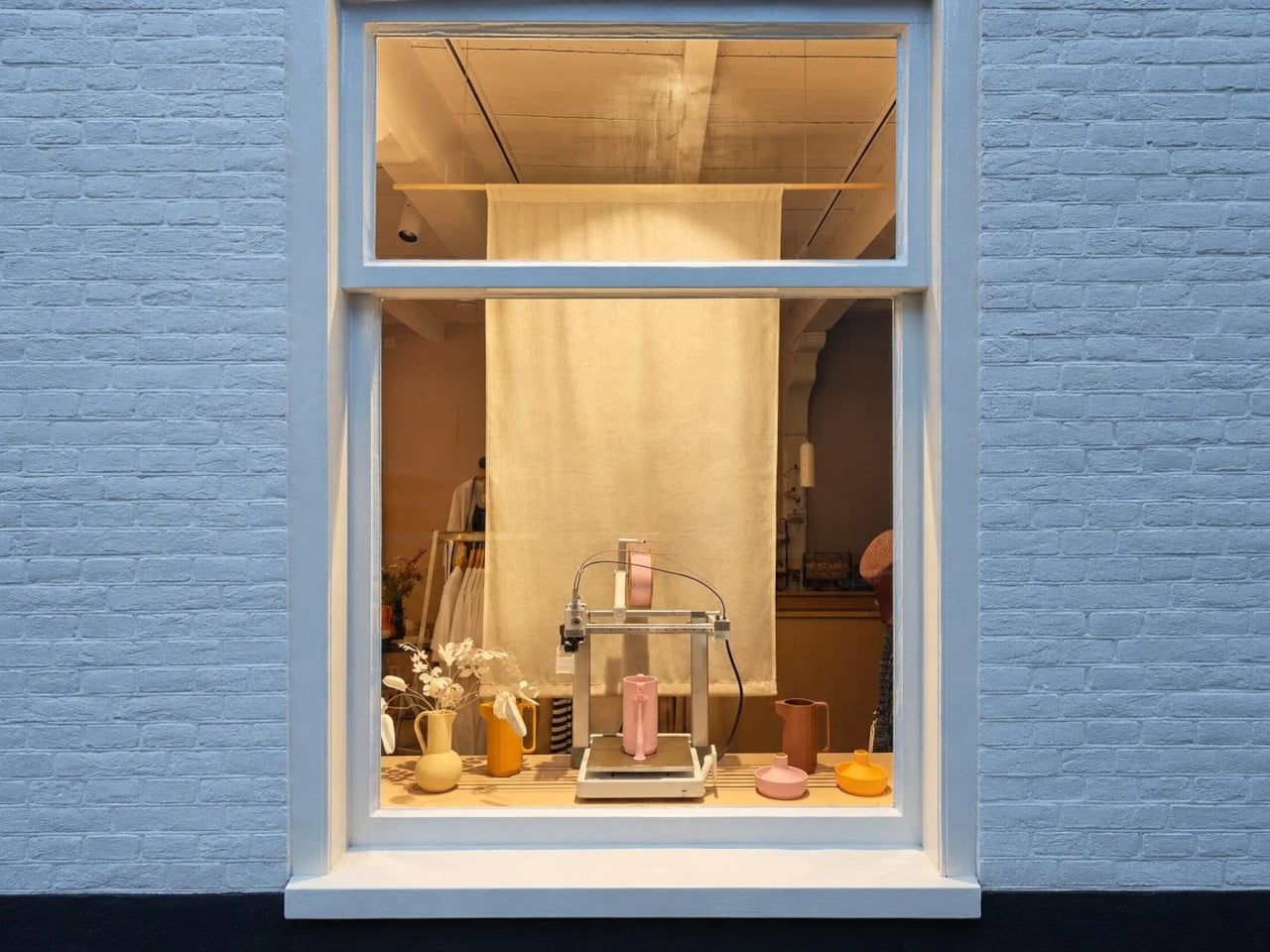
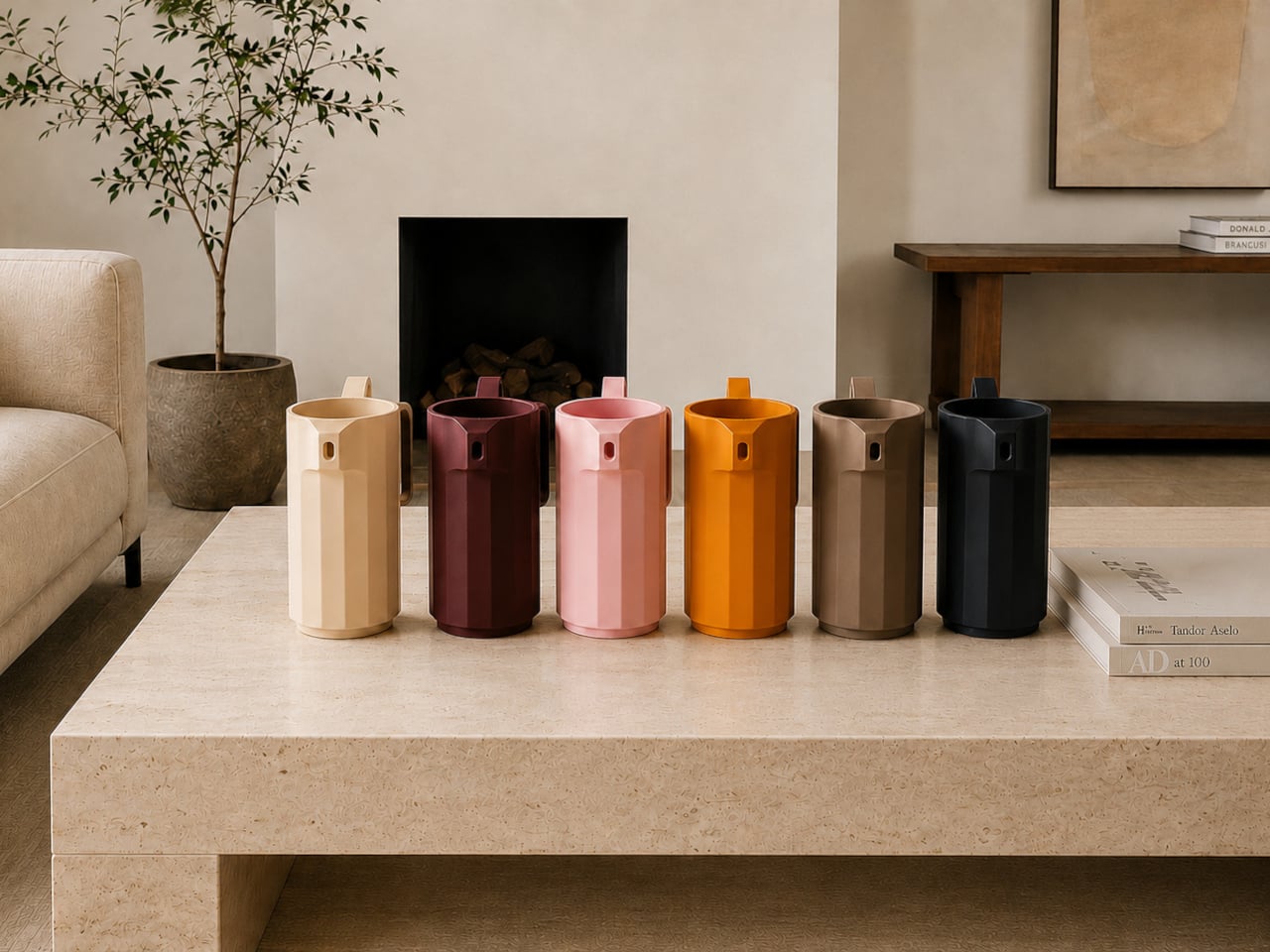
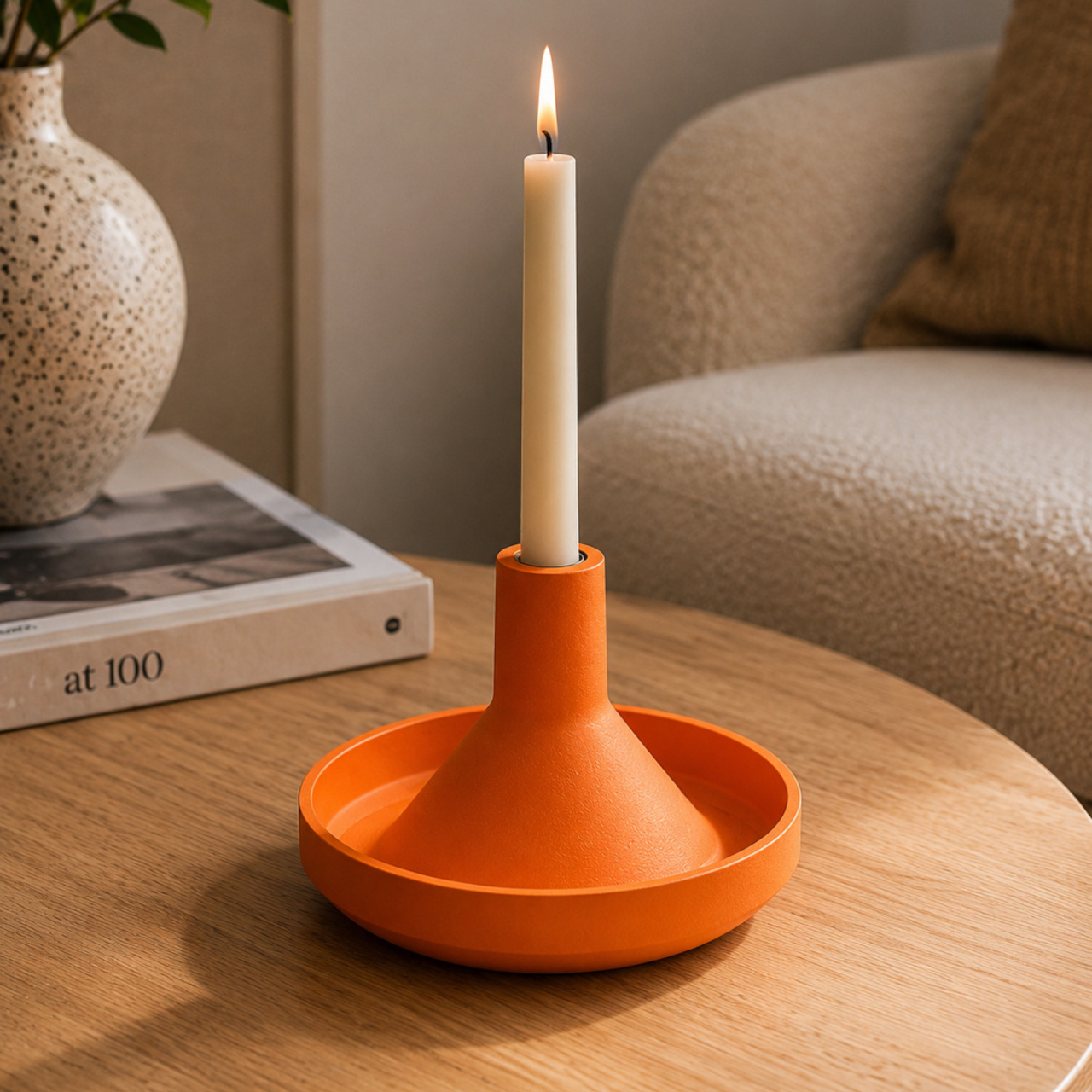
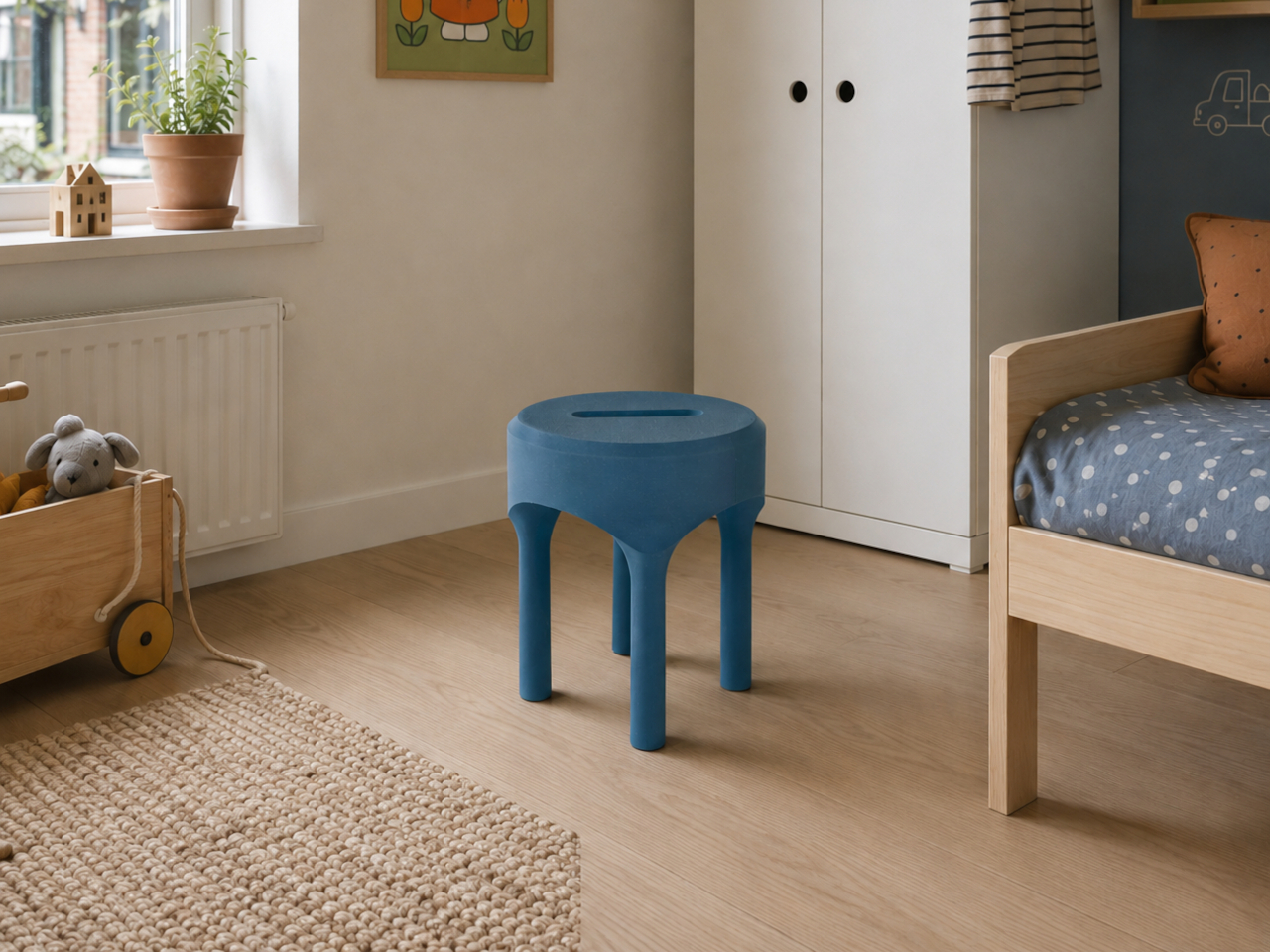
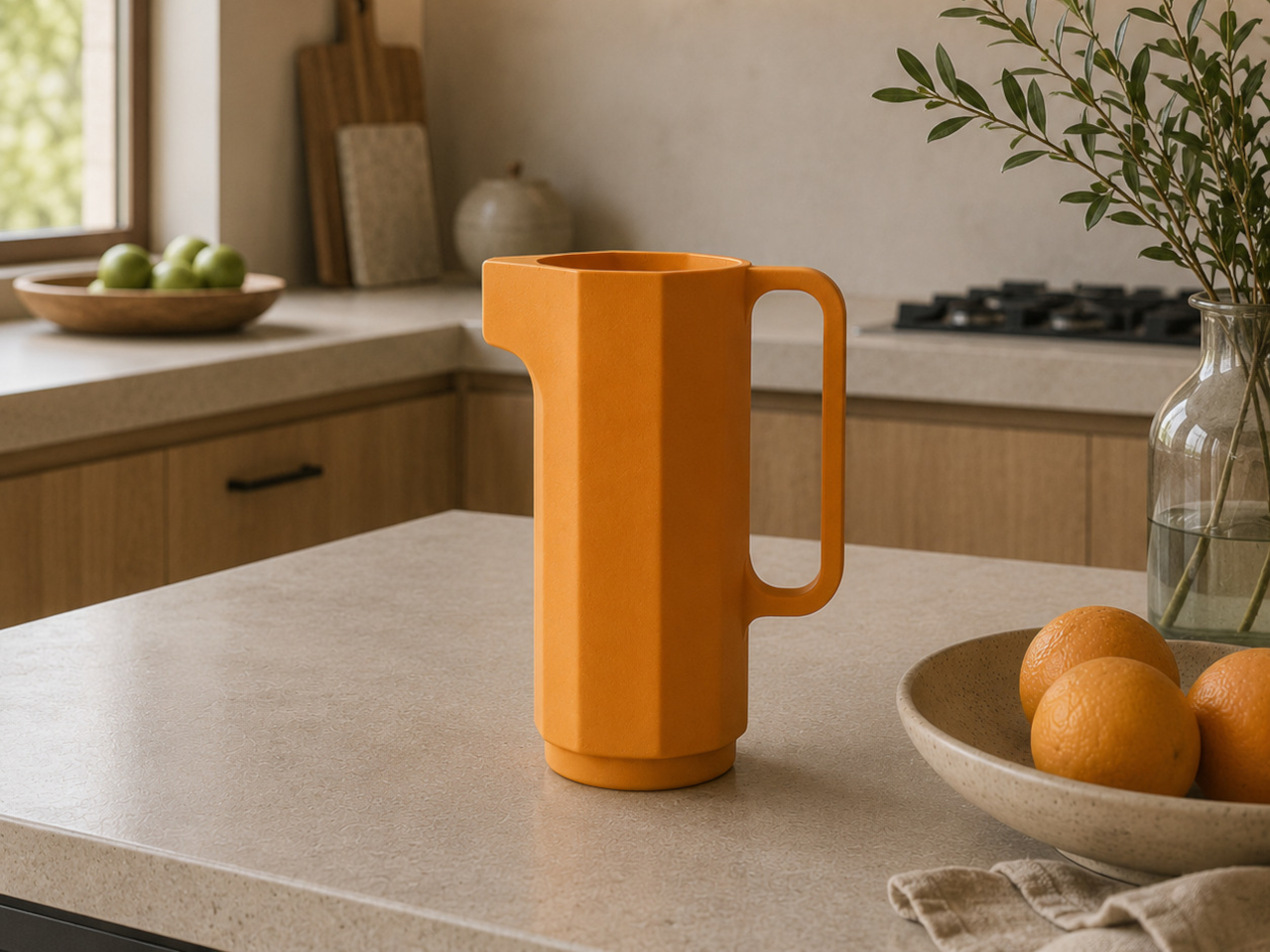
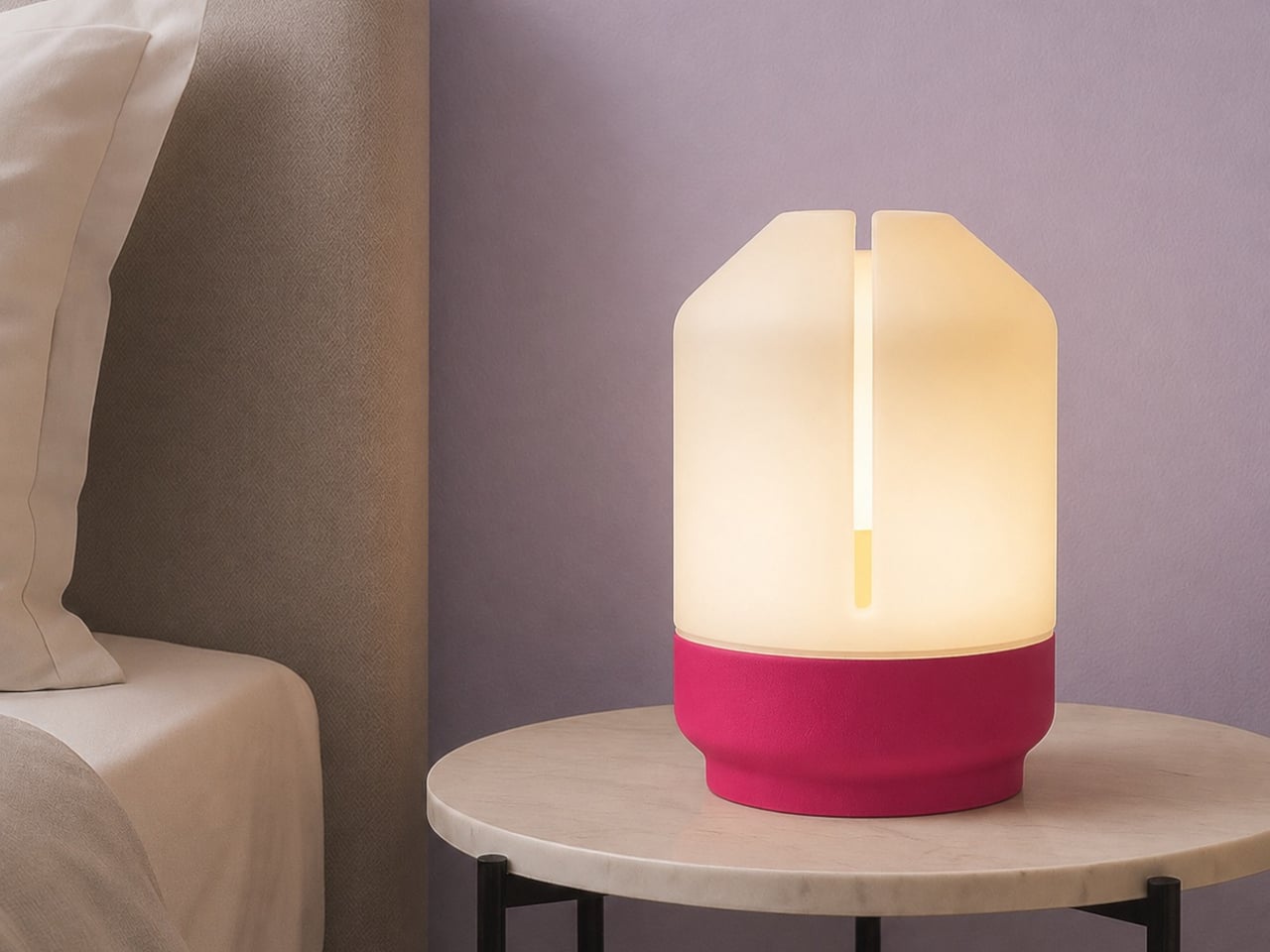
Artefilo approaches that question differently. Based in Edam in the Netherlands, the independent design atelier makes contemporary home objects from materials most manufacturers wouldn’t consider: elephant grass combined with recycled plastic, reclaimed wood fibres, brick dust, and salvaged hospital cabinetry. Each piece is made locally in small batches, and the materials are chosen with the specific intention of giving discarded resources a renewed place in a living space.

Designer: Guido Baratta

The choice of Edam isn’t incidental. The city has a long tradition of ceramics craftsmanship, and Artefilo draws on that heritage without replicating it, taking the spirit of making by hand and applying it to a different material palette. Elephant grass combined with recycled plastic, for example, produces a surface that reads as handmade pottery without the environmental cost of extracting virgin clay or new plastic.

The rest of the material list is equally unexpected. Reclaimed wood fibres and brick dust bring texture and warmth to objects that might otherwise feel too composed, while recycled hospital cabinets contribute rigidity and durability that wouldn’t be obvious from the source. Finding these materials requires locating waste streams that industry hasn’t already claimed, then working out what form they can credibly take in a domestic setting.

Making in small batches has real consequences for what the objects can be. It means pieces that are genuinely one-of-a-kind, because material conditions are never exactly repeatable from one batch to the next. Brick dust carries different tones from different sources; reclaimed wood fibres vary in density and grain. That variability isn’t a flaw in the production model; it’s built into it deliberately.

The underlying premise is that objects shape the atmosphere of a space, not dramatically, but persistently. Something placed on a windowsill or bookshelf gets seen many times a day, and that repetition adds up. Artefilo’s design philosophy treats each piece as something that participates in the daily texture of a home rather than simply occupying it. The materials reinforce that, each carrying a visible trace of its previous life.

The atelier distributes through its own online store and through a local stockist in Edam. The collection is small, deliberately so, and the material sourcing means it isn’t trying to scale into something it isn’t. For a design category that often talks about slowing down without quite managing it, Artefilo appears to have structured itself around that idea from the ground up.

The post Artefilo Makes Home Objects From Elephant Grass and Hospital Cabinets first appeared on Yanko Design.
The Lamp Switch Nobody Bothered to Design Well, Until Now

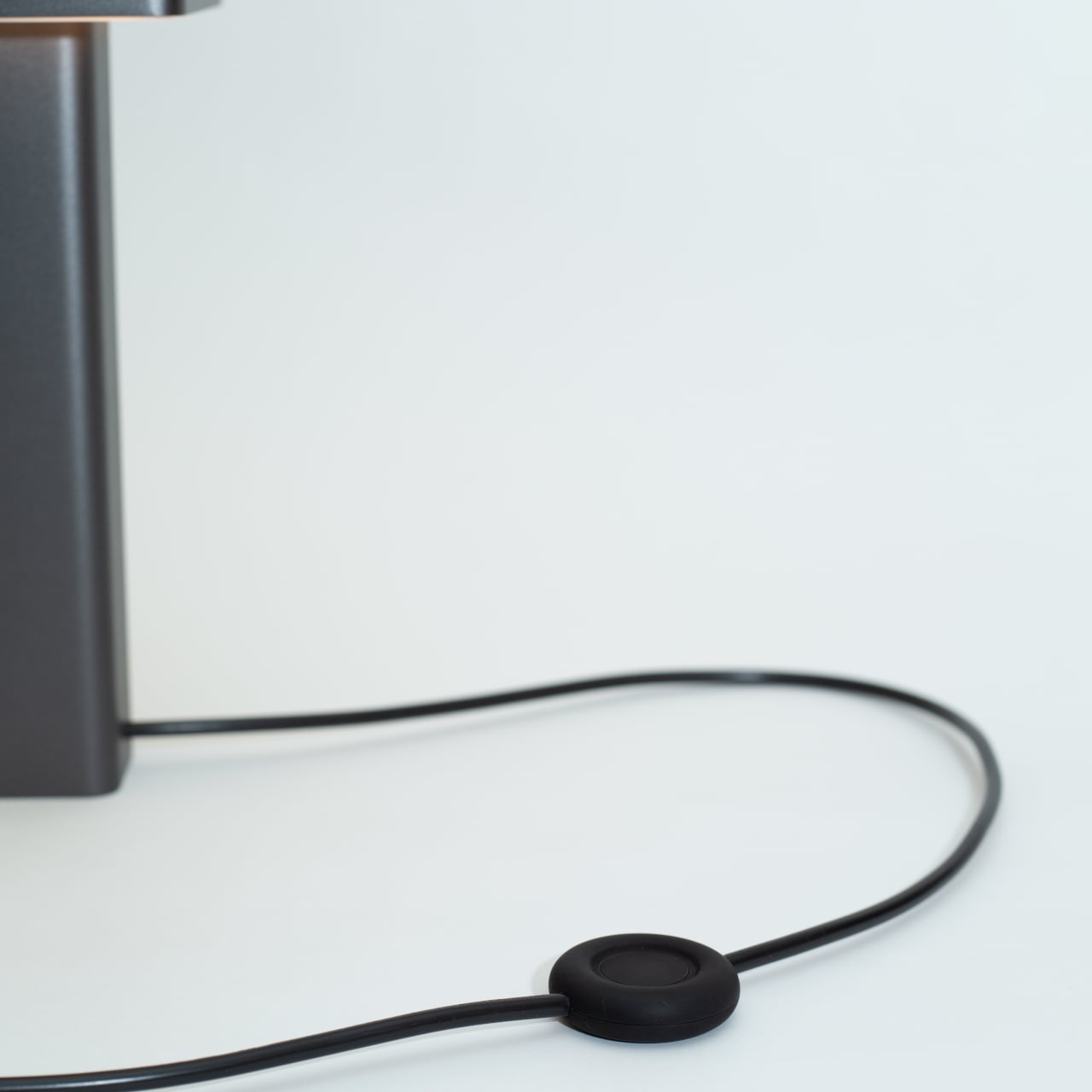
The inline switch is one of those details that nobody seems to question. Most floor and table lamps carry a cheap plastic switch dangling somewhere down the cord, lightweight and hollow, built for low cost rather than durability or feel. These switches are touched constantly throughout a lamp’s life, yet they’re rarely given the same attention as the lamp they’re attached to. That’s a strange kind of oversight.

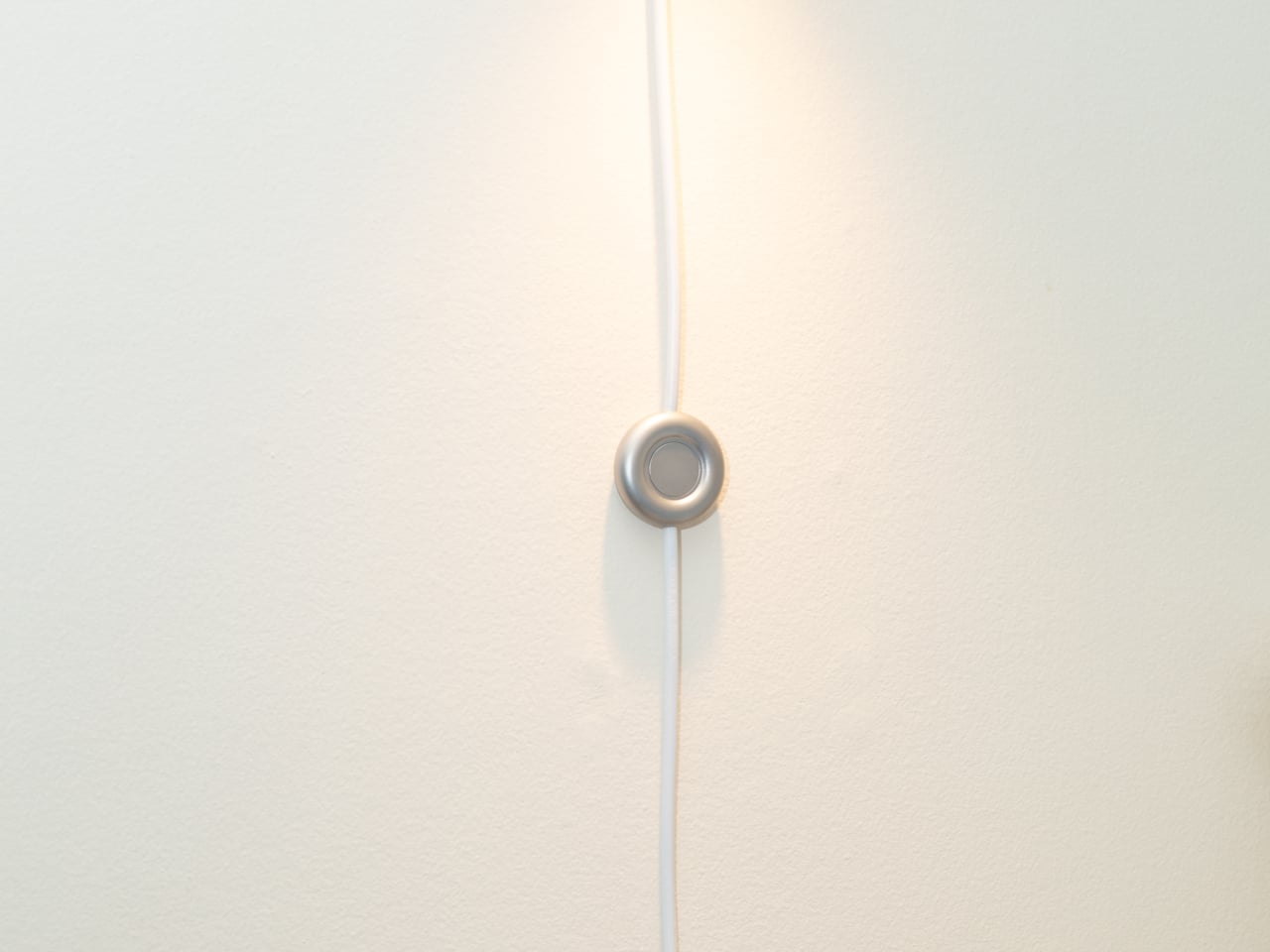
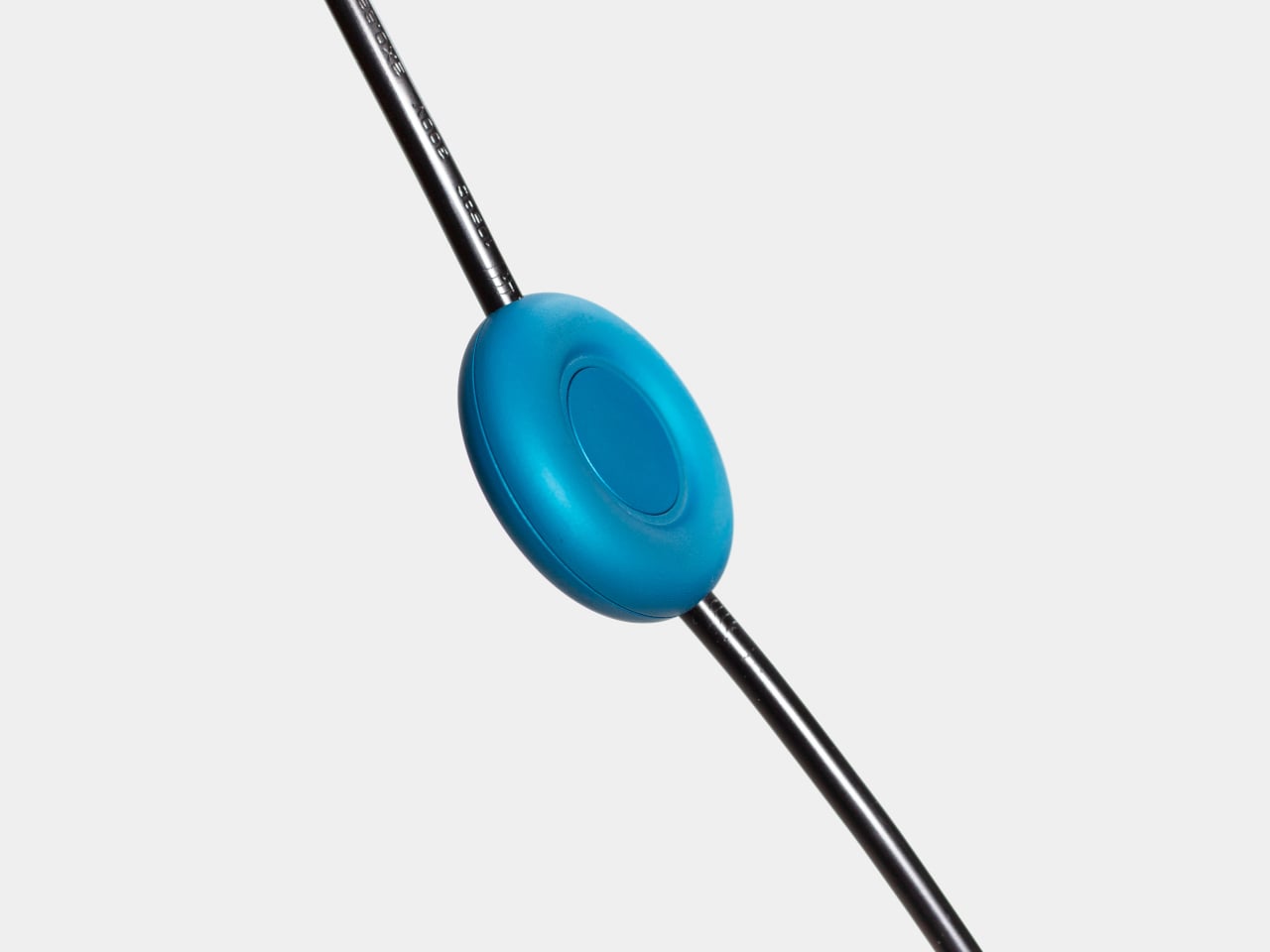
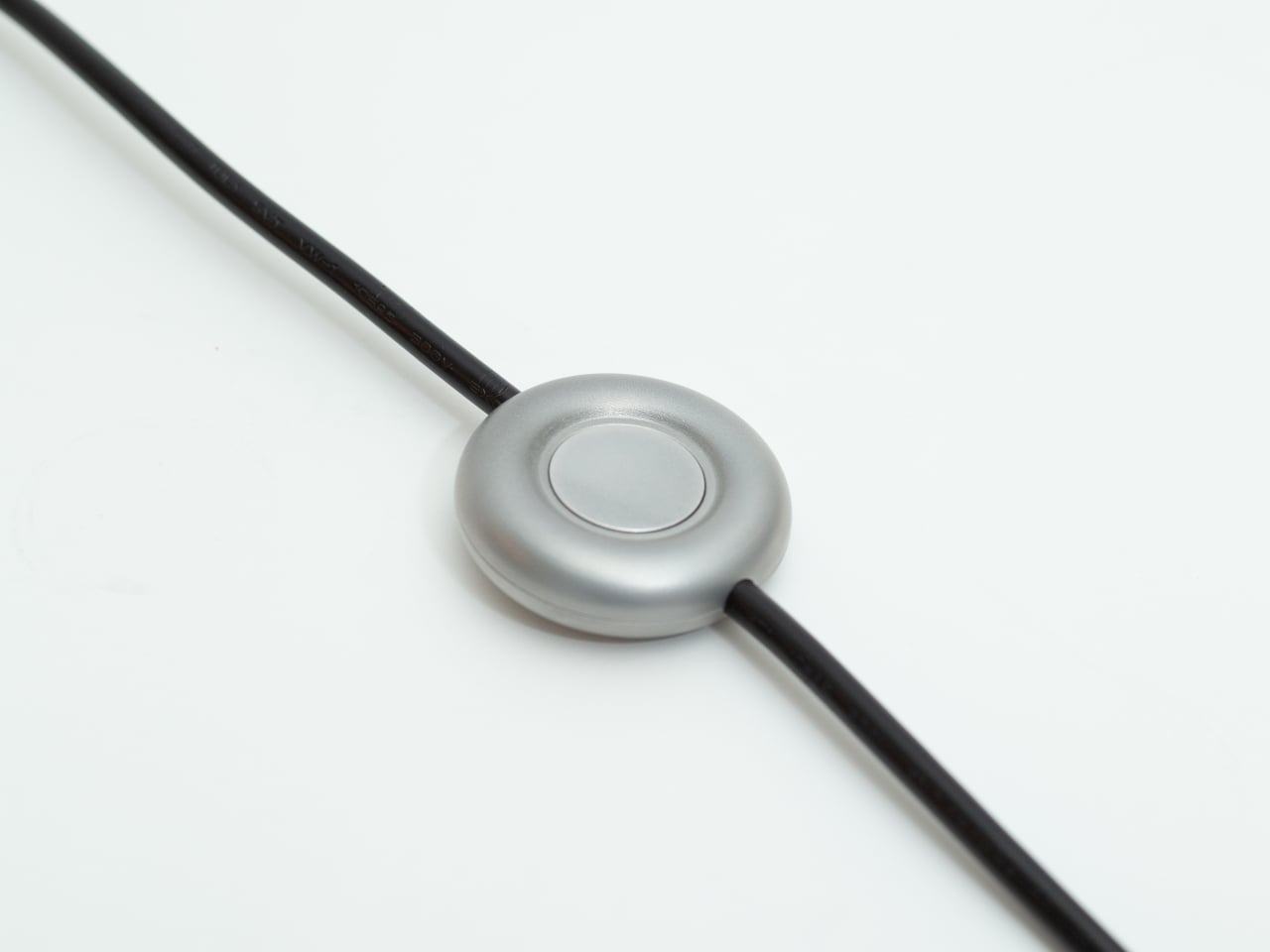
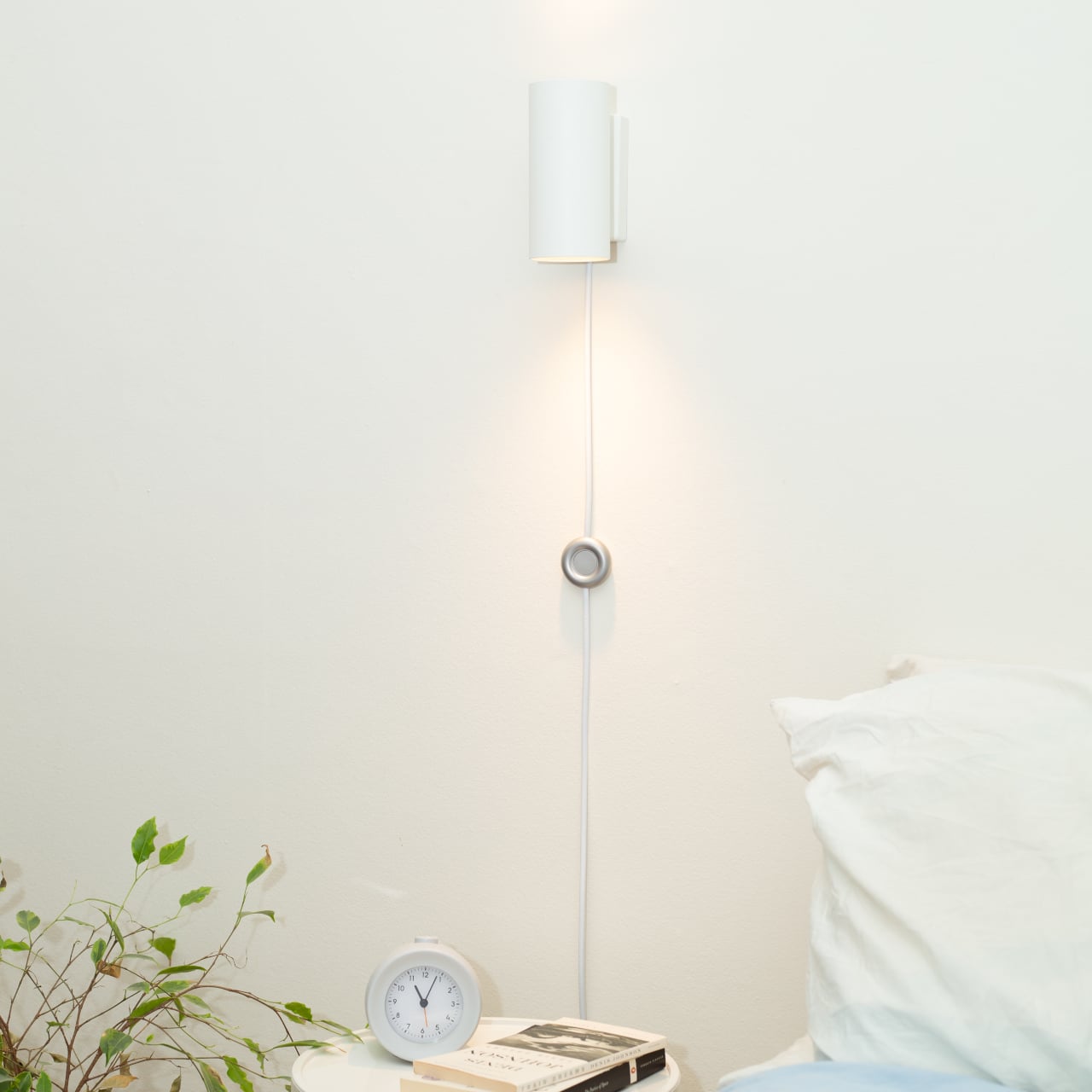
That disconnect is precisely what the Modal Inline Switch sets out to address. Instead of relegating the switch to an afterthought on the cord, it approaches the component with the same consideration typically reserved for the fixture it serves. The result is a CNC-machined, bead-blasted, anodized aluminum switch with a soft circular form, a more deliberate feel in the hand, and a presence that matches the fixtures it sits alongside.

Designer: Andrew King

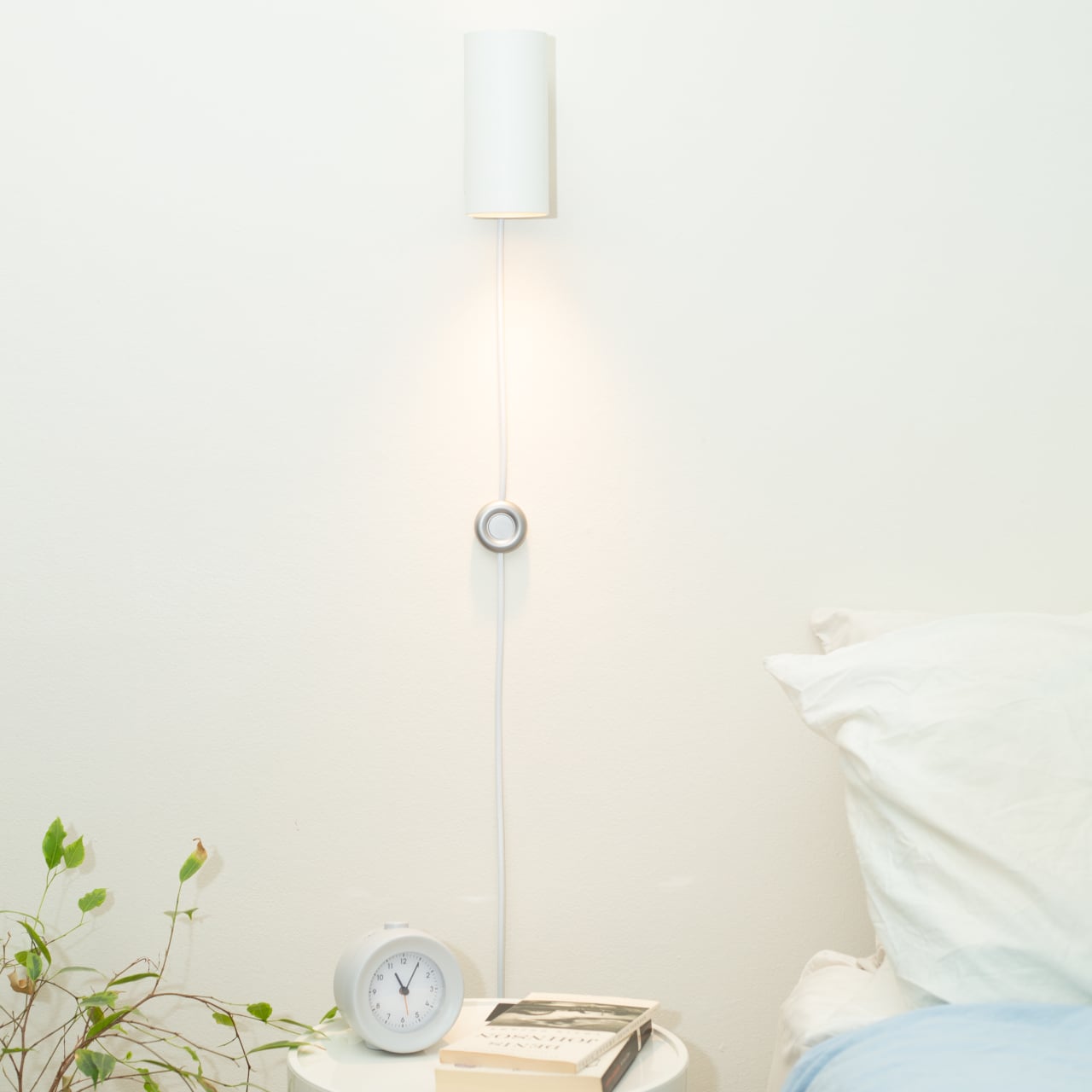
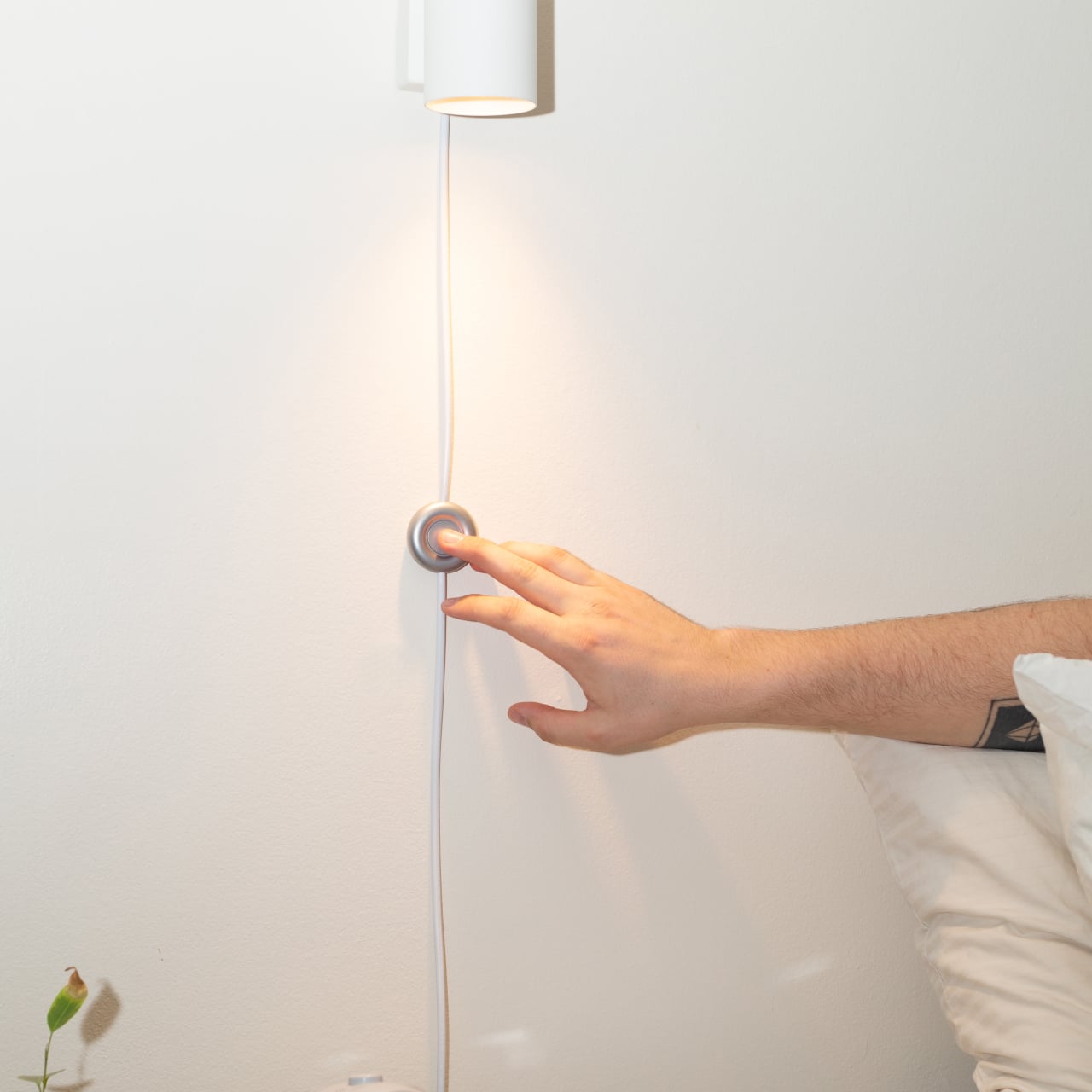
Think about the last time you clicked off a bedside lamp or nudged a floor lamp switch with your foot in the dark. The switch barely registers as a design object, something you feel more than see, yet that click says a lot about the quality of the lamp. A cheap plastic click gives you exactly that impression. The Modal, by contrast, gives you something that actually feels worth touching.

Standard inline switches are injection-moulded plastic, hollow and lightweight, built purely for low cost. Modal swaps all of that for bead-blasted, anodized aluminum, giving it a controlled matte finish that stands apart from any typical lamp cord component. It’s cooler to the touch, heavier in the hand, and more substantial in feel. That added weight, which initially seemed like an inefficiency, turned out to be one of its defining qualities.

The circular form wasn’t arrived at immediately. Earlier prototypes explored angular geometries and segmented shapes before settling on a rounder, gentler profile, one that feels natural to nudge with a foot as well as press with a finger. The button mechanism went through its own refinement; early versions were unstable due to a mismatch between the larger cap and a smaller actuator, a problem the guided button cap system resolves.

The switch’s housing is assembled mechanically rather than with adhesive, meaning it can be taken apart and repaired if needed. That’s not something most people would think to look for in a lamp switch, but it speaks to the broader thinking behind Modal: that making something from better materials, with more intentional construction, can shift how long it’s valued and kept, rather than simply replaced when something gives out.

The Modal Inline Switch isn’t trying to reinvent how a lamp works. It sits on the same cord, does the same on/off job, and doesn’t ask for any more attention than it needs. But it’s designed to hold its place, literally and aesthetically, rather than disappear behind furniture or dangle somewhere on the floor. It’s the kind of quiet intervention that’s easy to overlook until you actually reach for it.

The post The Lamp Switch Nobody Bothered to Design Well, Until Now first appeared on Yanko Design.
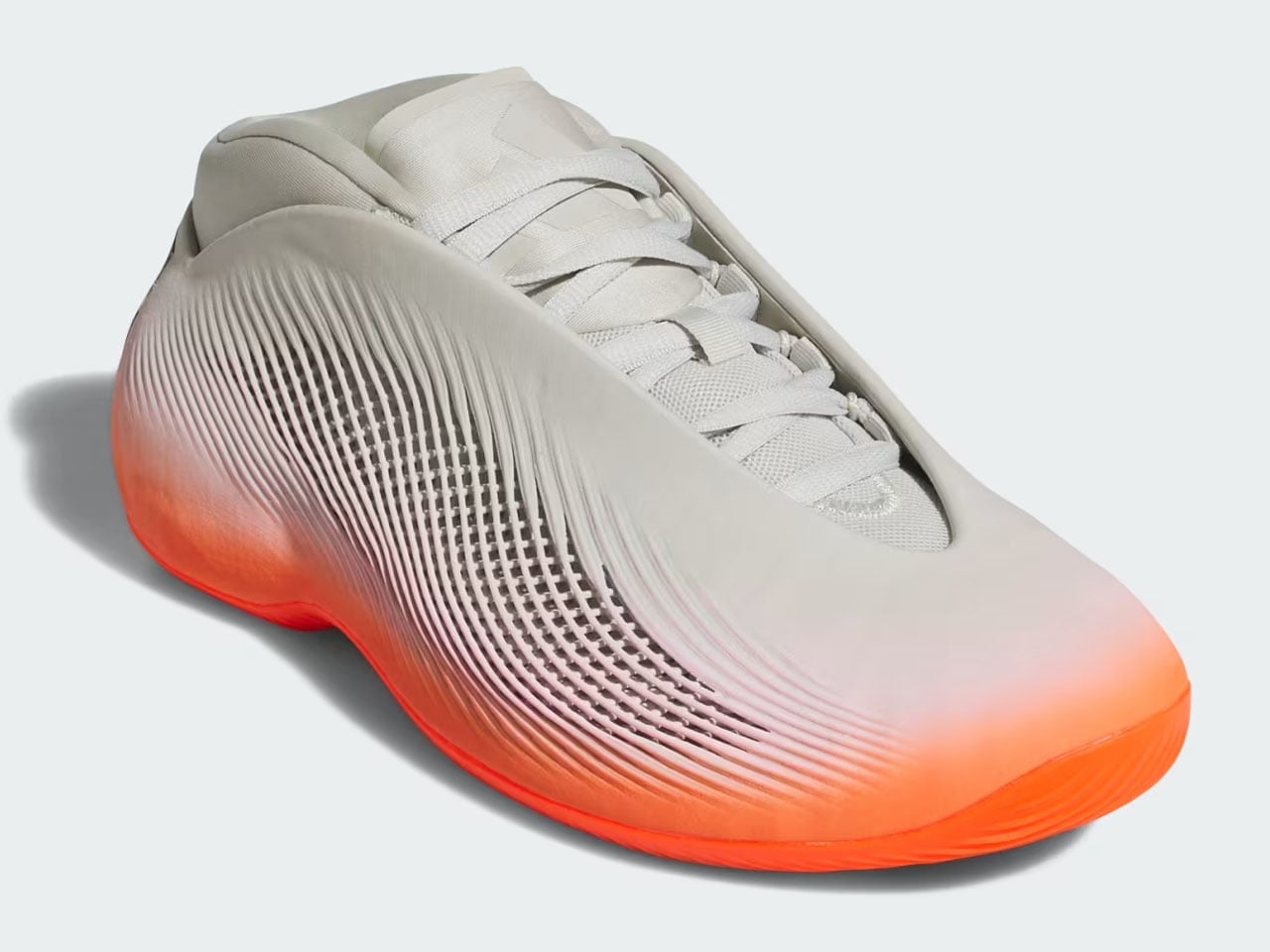
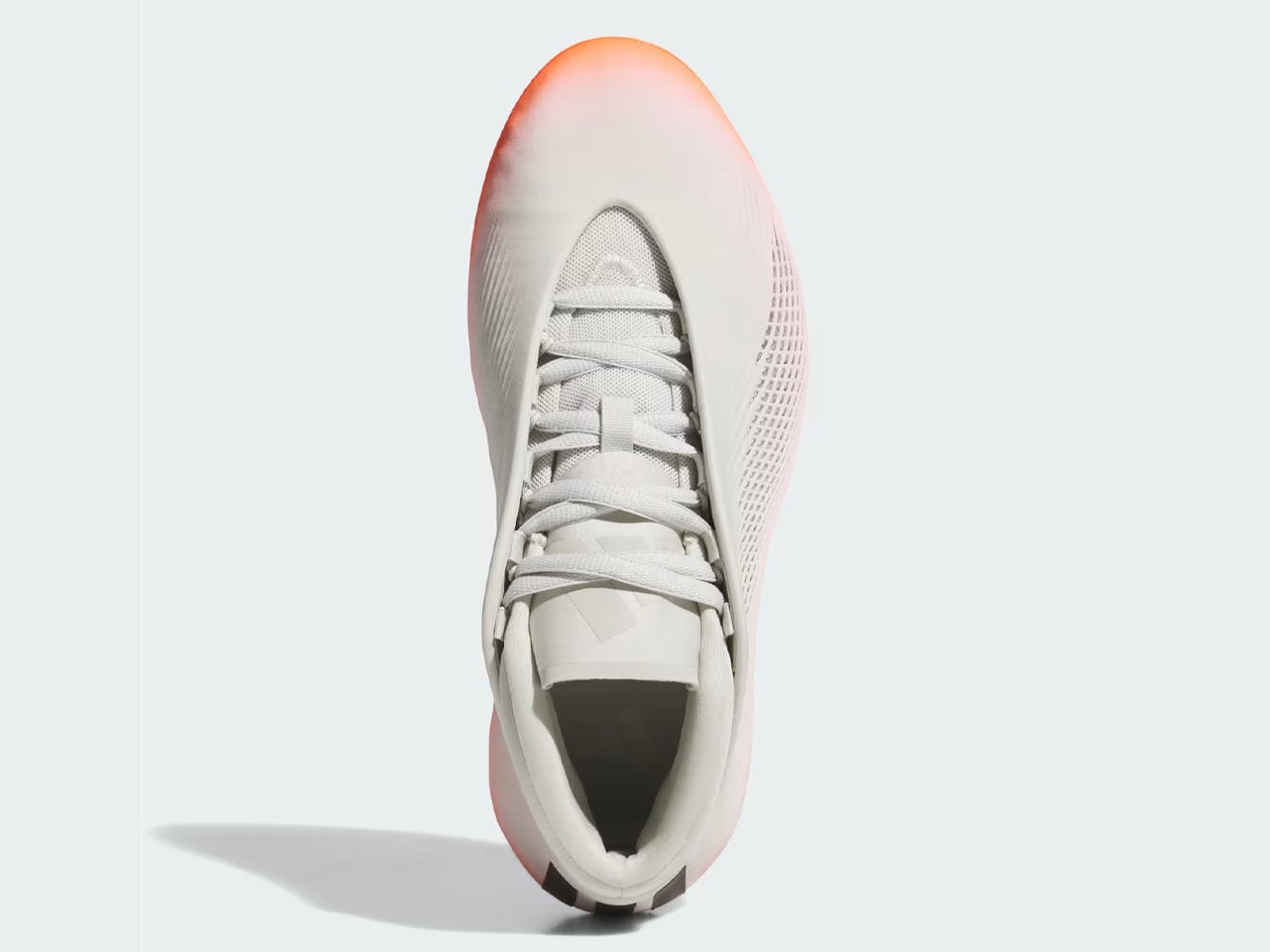
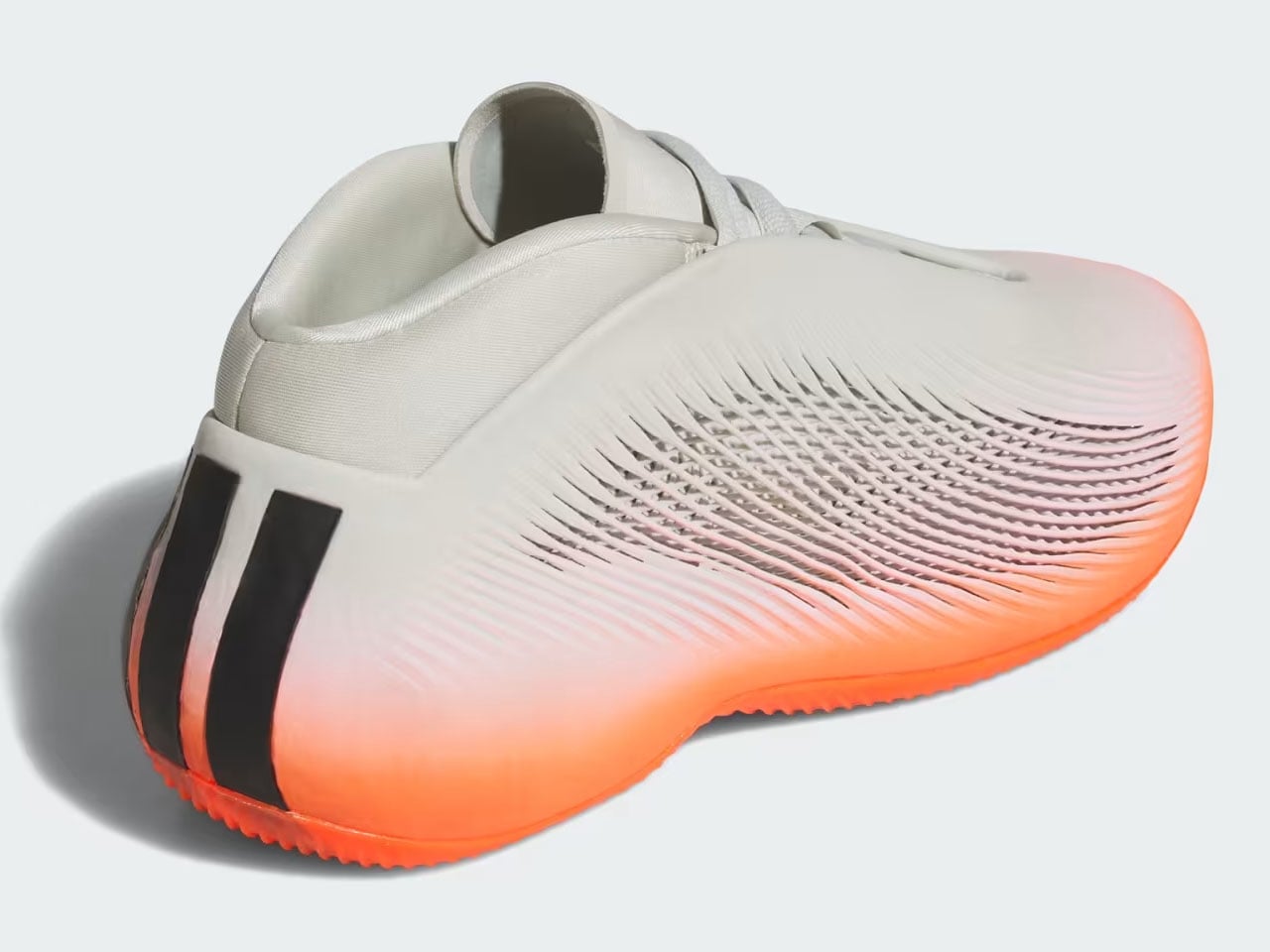
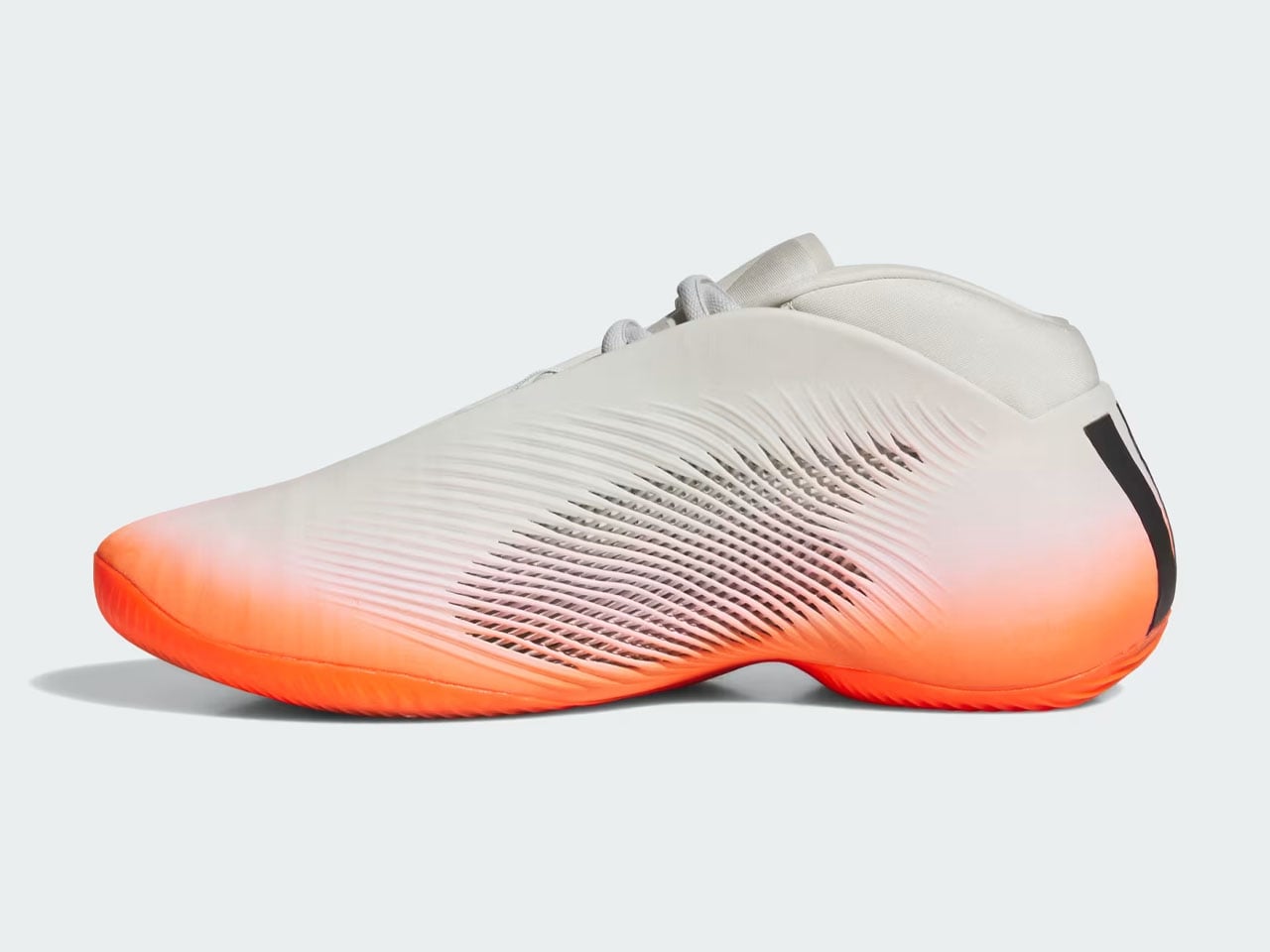
adidas BB.01 is first 3D-printed basketball shoe built to improve stability and flexibility on court

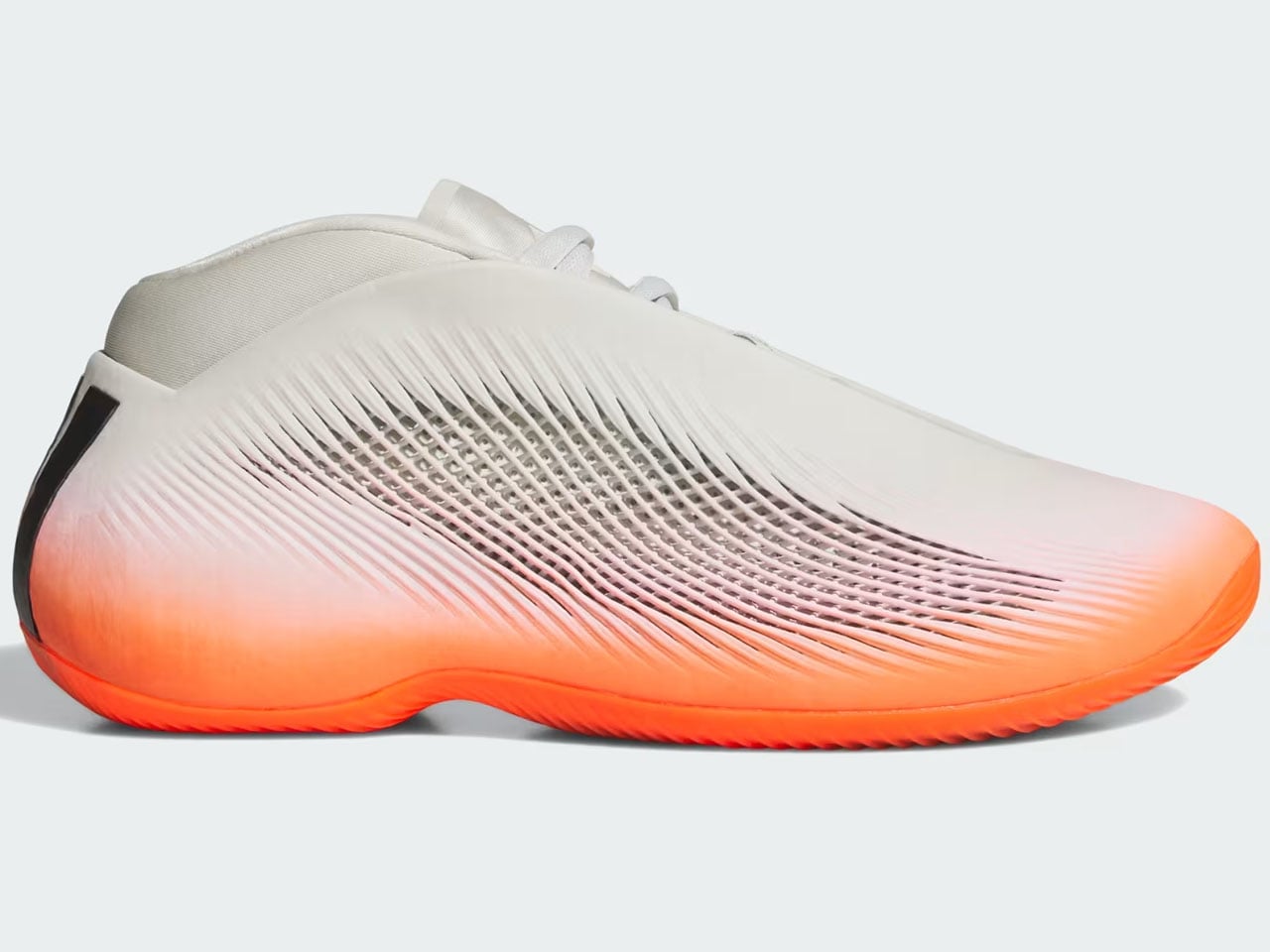
While the world is fixated on who’s making it to the quarterfinals of the FIFA World Cup. adidas thinks it’s done enough for the love of the game with the Trionda, and now it’s time to shift focus to basketball. To do that, the sportswear giant is bringing 3D-printed footwear innovation to the hardwood with the launch of adidas BB.01. It is the first 3D-printed basketball shoe to hit the market, in an eye-catching combination of Solar Red and Orbit Grey.

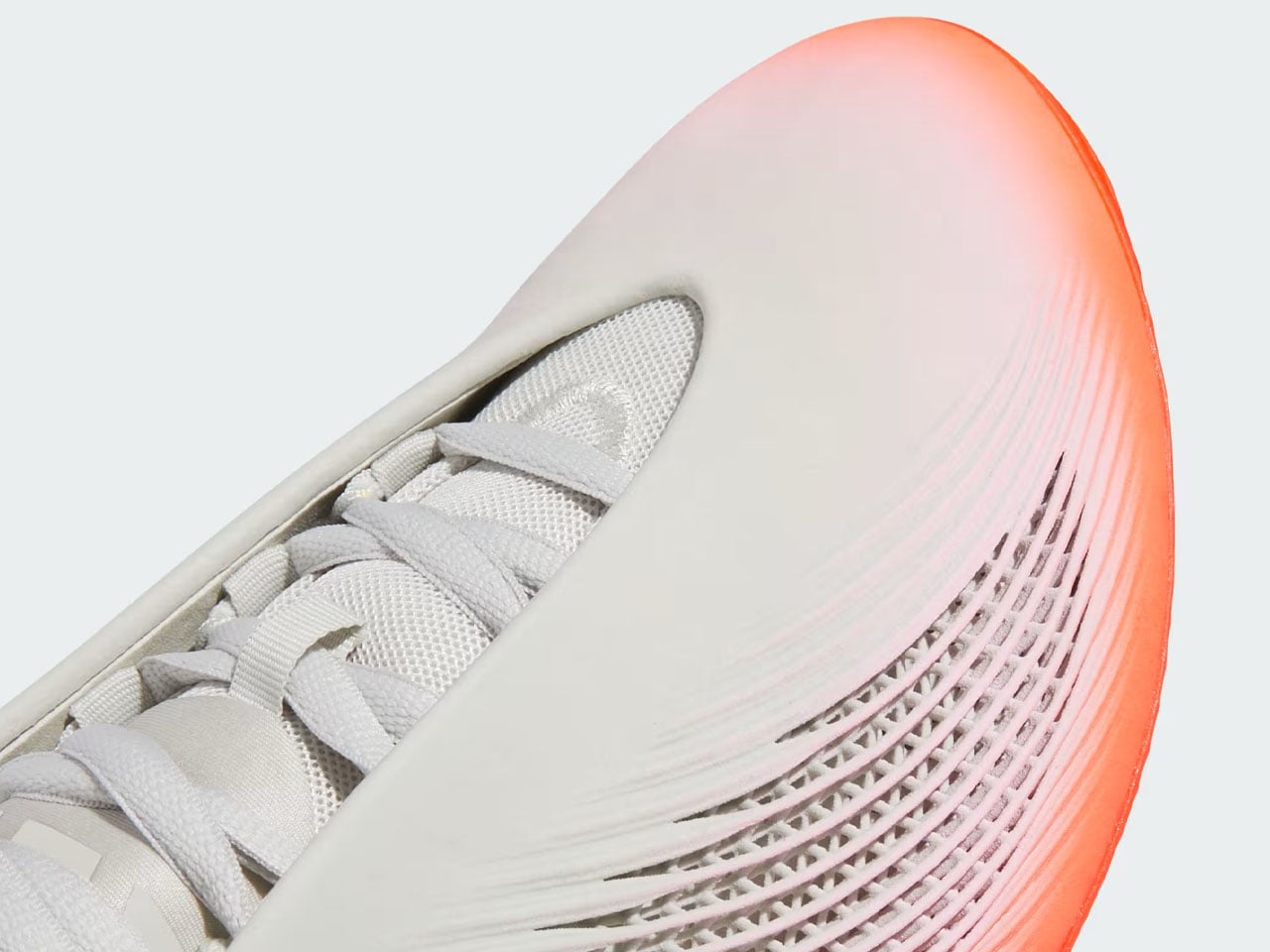
The 3D printed basketball shoe from adidas is a definite head-turner. It’s called the adidas BB.01 “Solar Red/Orbit Grey,” and it’s nothing like the traditional canvas, textile, and foam silhouettes. While most shoe midsoles are molded in factories, the BB.01 is printed entirely from resin in layers instead.

Designer: adidas

The basketball shoe is part of adidas’ Project R.A.P (Radical Athlete Perception). The program ensures that adaptive manufacturing is not just an experimental category but an actual way to create functional, court-worthy footwear. Based on this ideology, adidas BB.01 has been a long time coming.

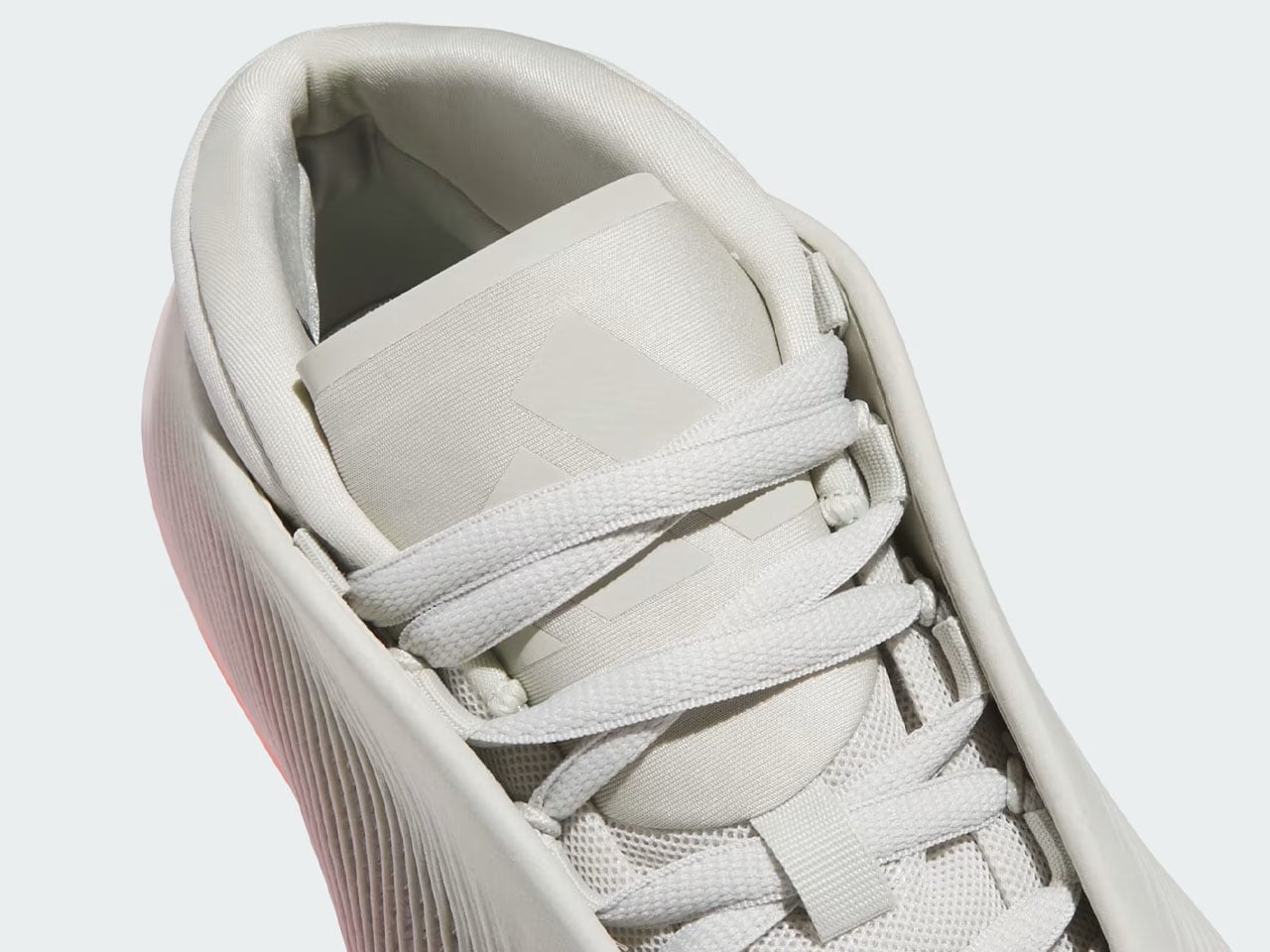
The much-anticipated footwear finally has a release date and a price. Fans should be able to get their feet into the 3D-printed marvel starting July 14, when it will be available through the adidas Confirmed app for $250. Meticulously combining “cutting-edge digital manufacturing with elite on-court performance,” the shoe features Orbit Grey in the base, which, in contrast, is highlighted by the Solar Red upper cage. The Three Stripes logo is present on the heel, from where it extends upward toward the collar.

Since the footwear is designed to complement the wearer’s performance on the court, its 3D printed midsole is designed to handle the impact and keep the player “stable through cuts and landings.” The footwear weighs only 15.13 oz (428 g) and comes with its most striking resin outer shell on top of the engineered midsole, which utilizes a lattice design across the sidewalls. This form factor allows the shoe to flex with the twisting nature of the foot. Higher-density printing is also carried out around the toes and heels for stability.

adidas BB.01 is not an attractive shoe on the outside alone. On the inside, it also features a soft textile bootie that locks the foot in place, ensuring support and comfort. A flagbearer of the future of 3D printing in the footwear industry, adidas BB.01 will release on July 14, but you can start registering for it as early as July 9 through the company website.

The post adidas BB.01 is first 3D-printed basketball shoe built to improve stability and flexibility on court first appeared on Yanko Design.
This Vase Was Made From Aluminum Tubes That Would’ve Been Thrown Away

Vases occupy an awkward corner of product design. Most exist somewhere between functional and decorative without committing to either, and the result is a category that rarely surprises. Ceramic ones carry craft tradition, glass ones depend on color and transparency, and the novelty options try to be sculptural without much conviction behind them. It’s a crowded space that doesn’t often ask interesting questions.

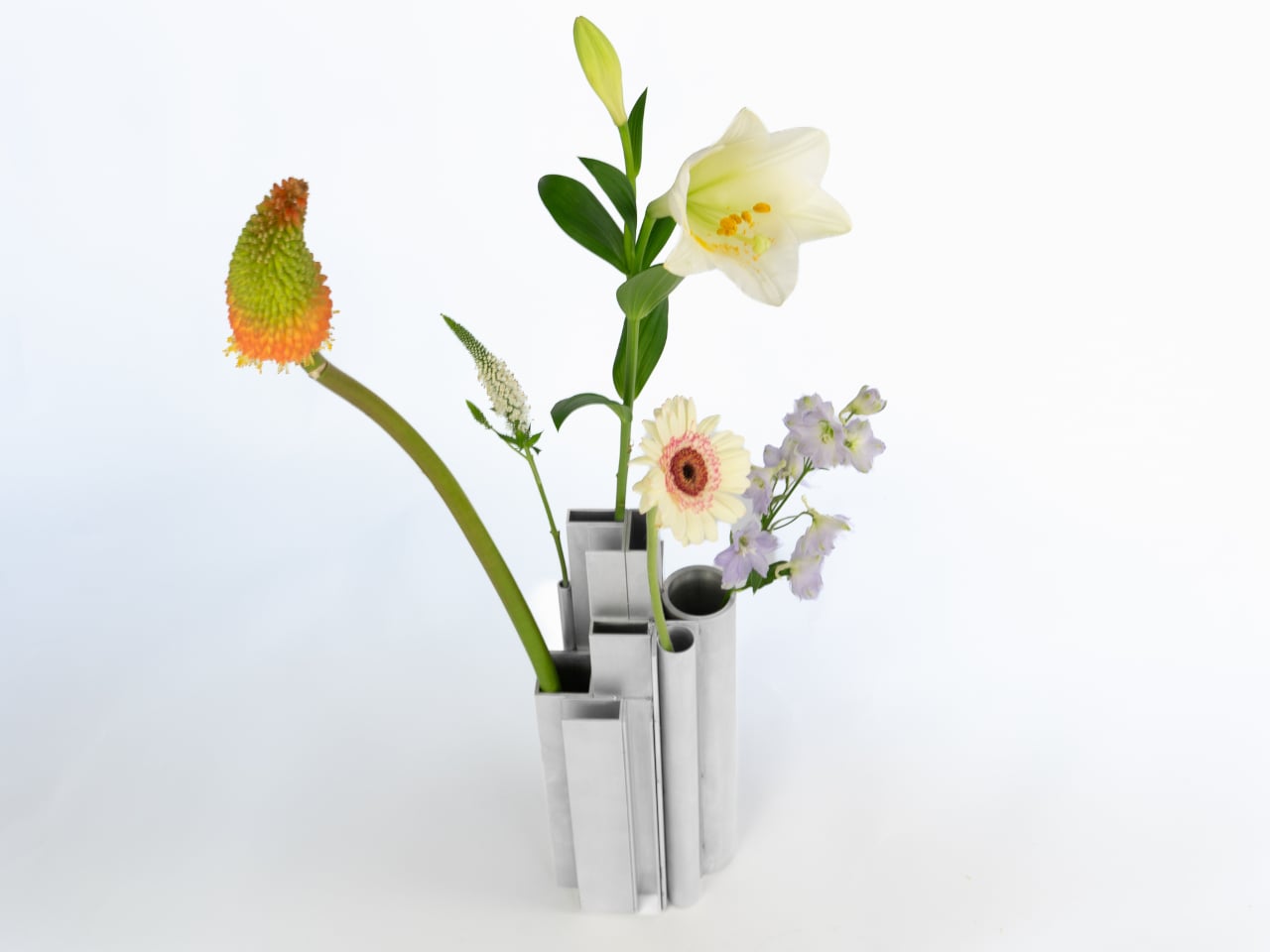
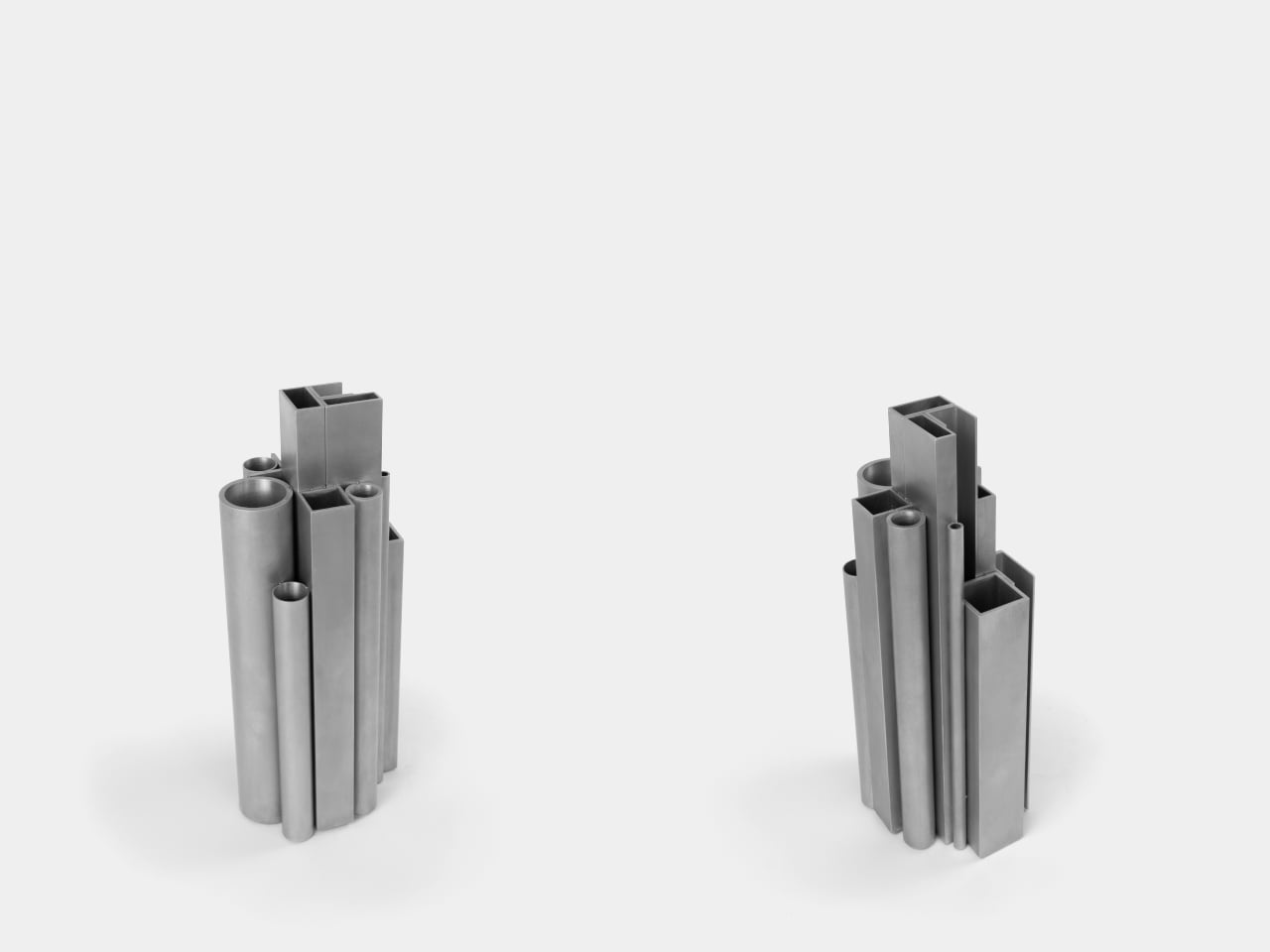
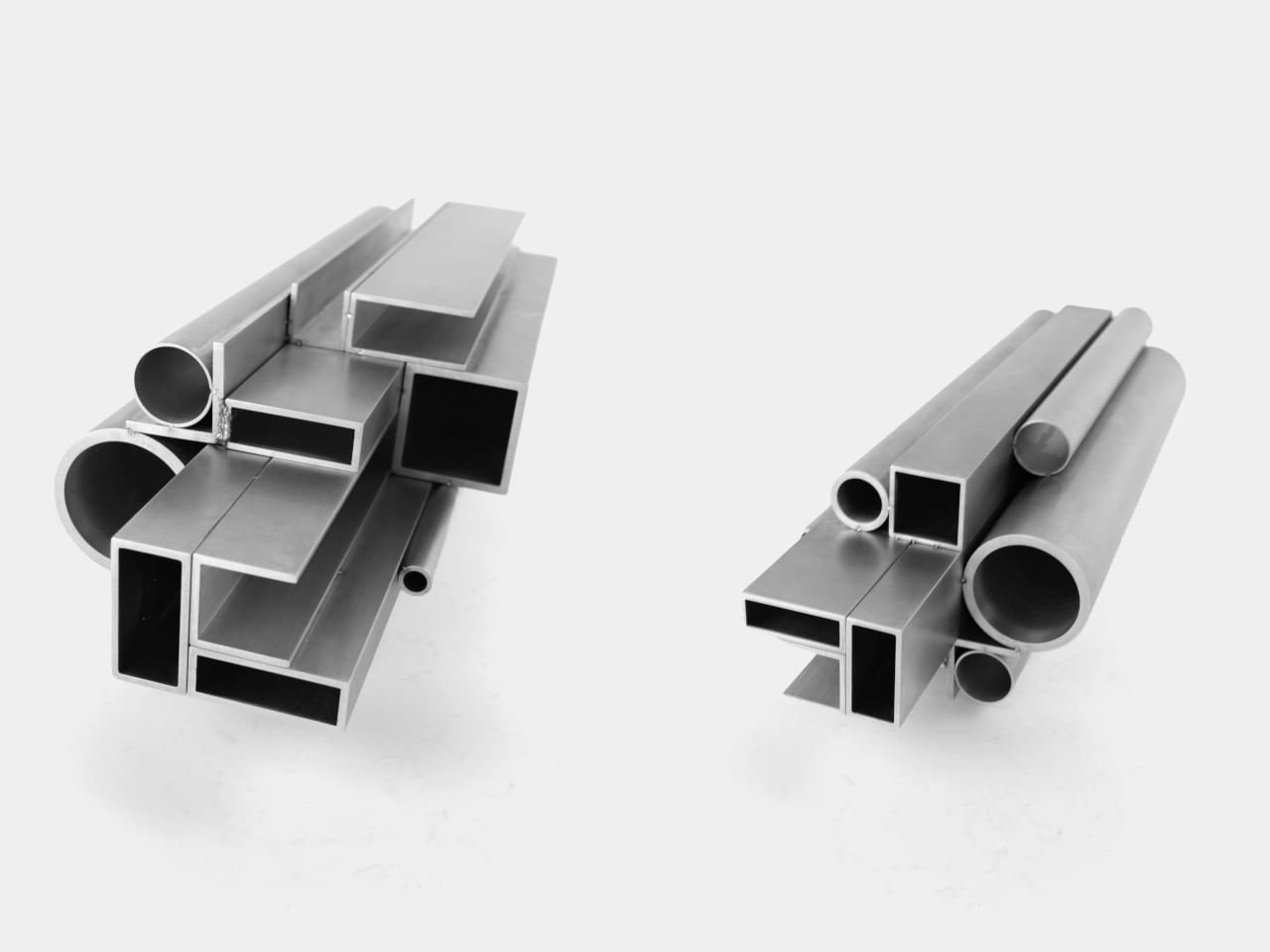
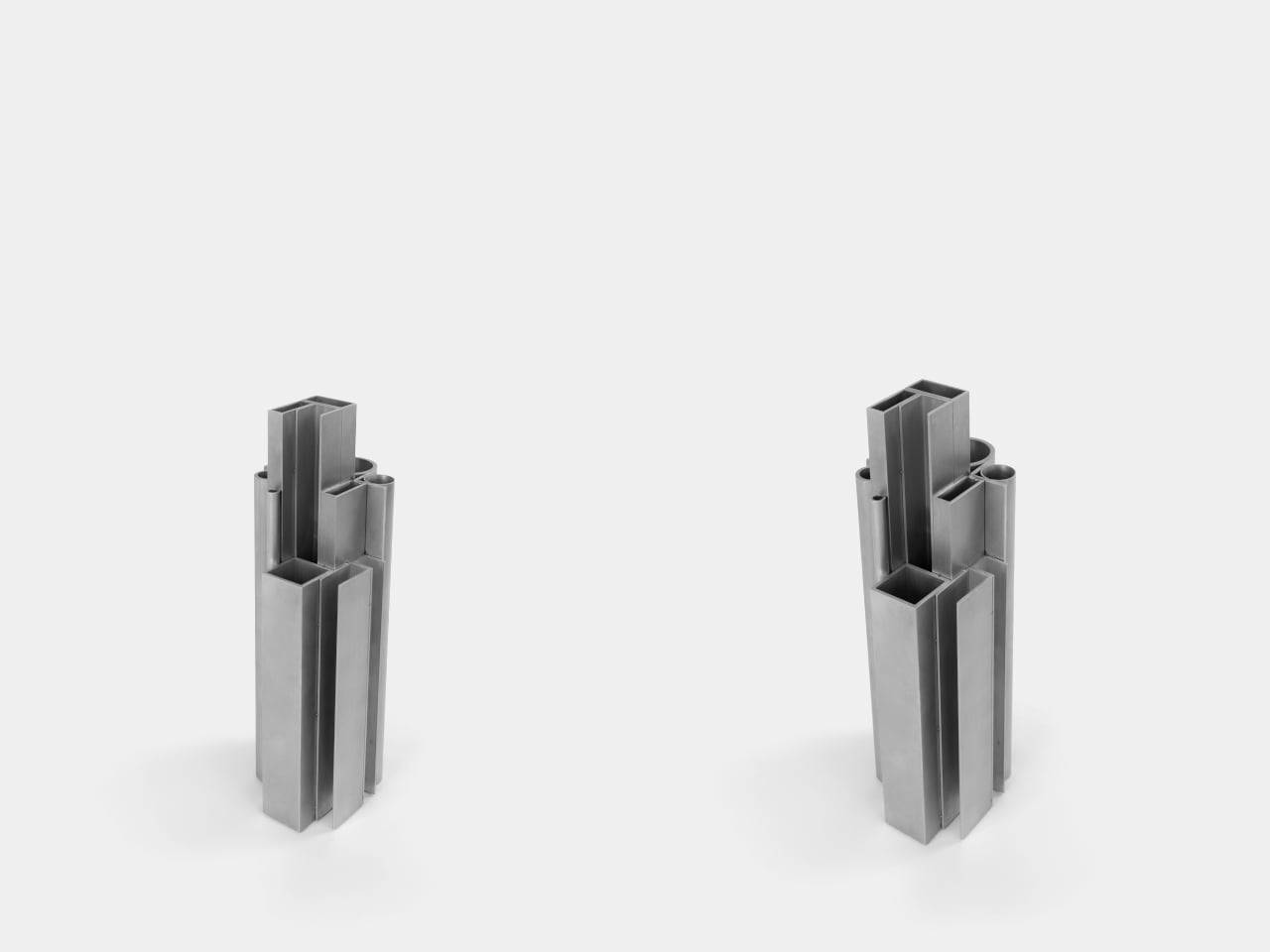
The Offcut Aluminum Vase starts from a different premise. Its form didn’t come from sketching vessel shapes or looking for the next minimalist curve. It came from staring at the end of a rack of industrial aluminum profiles, tubes, and sections waiting to be put to use. That cross-sectional view of bundled profiles, the overhead pattern nobody usually notices, is where the whole design began.

Designer: Raphael Klug

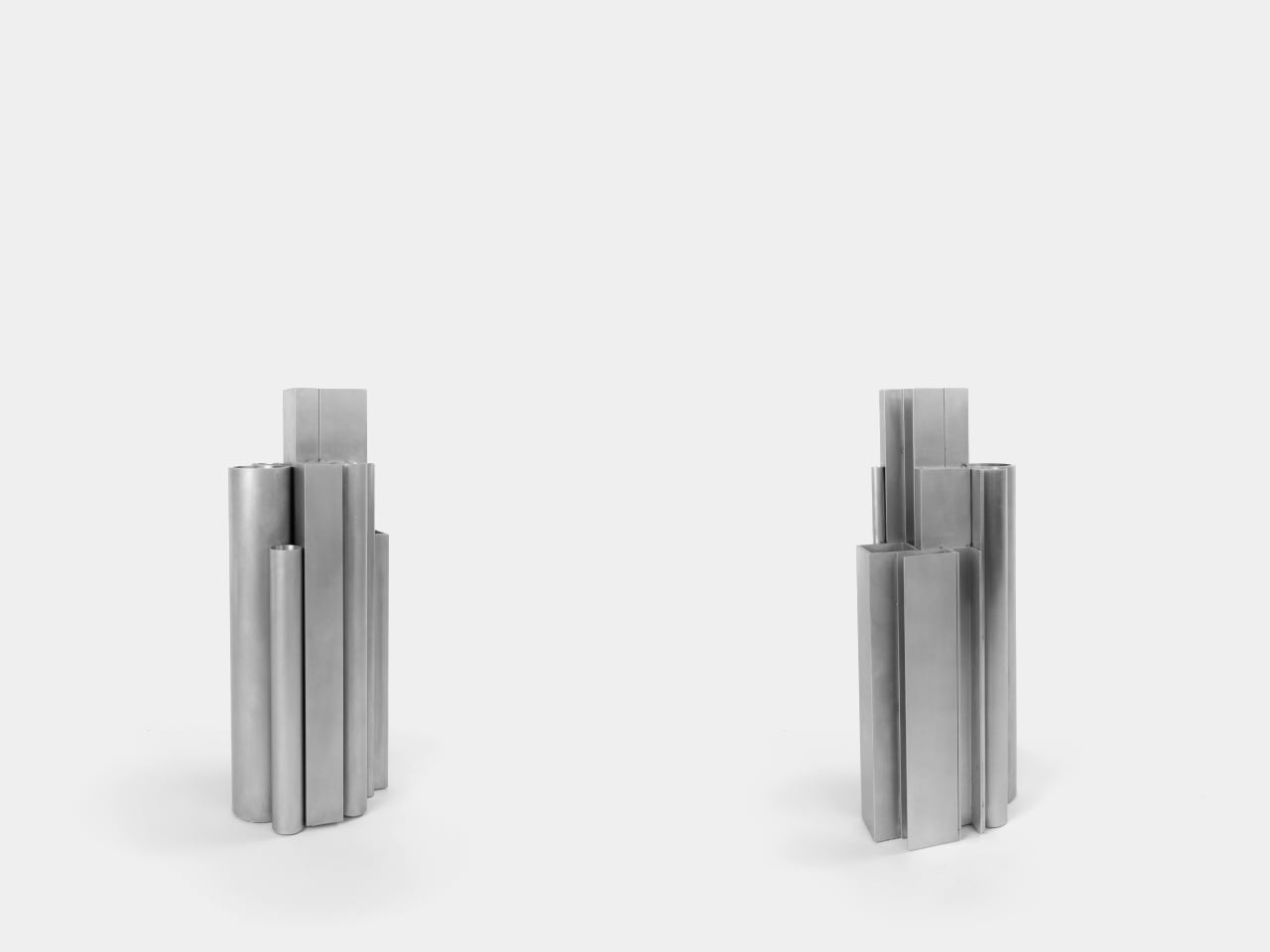
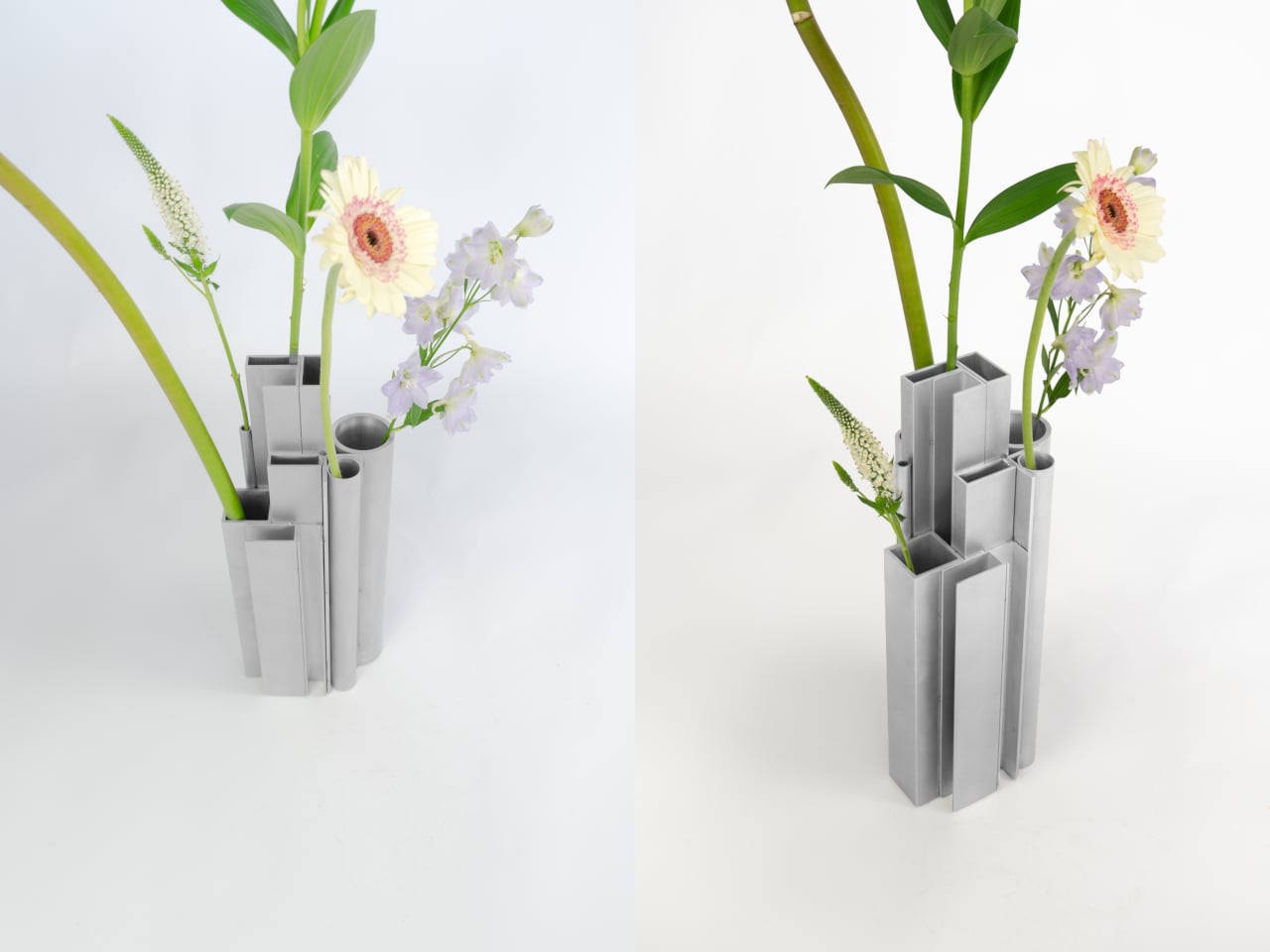
The construction is direct: actual aluminum offcuts bundled together, each piece a different cross-section. Circular tubes of varying diameters sit alongside square and rectangular hollow channels, all cut to different lengths that create a staggered, stepped silhouette when assembled. The look is instantly readable to anyone who has spent time near a metalworking shop or materials supplier, and distinctly strange to everyone else.

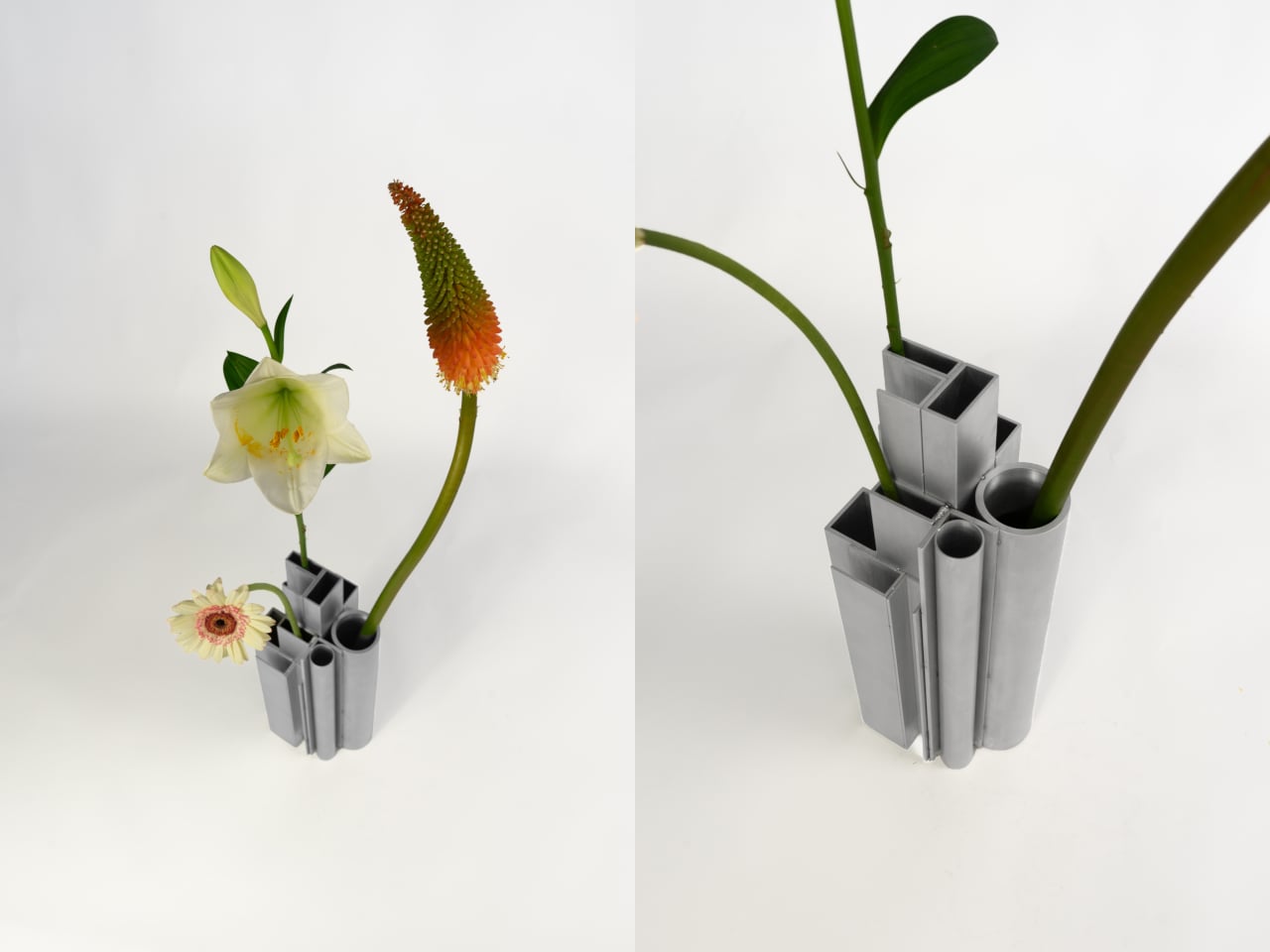
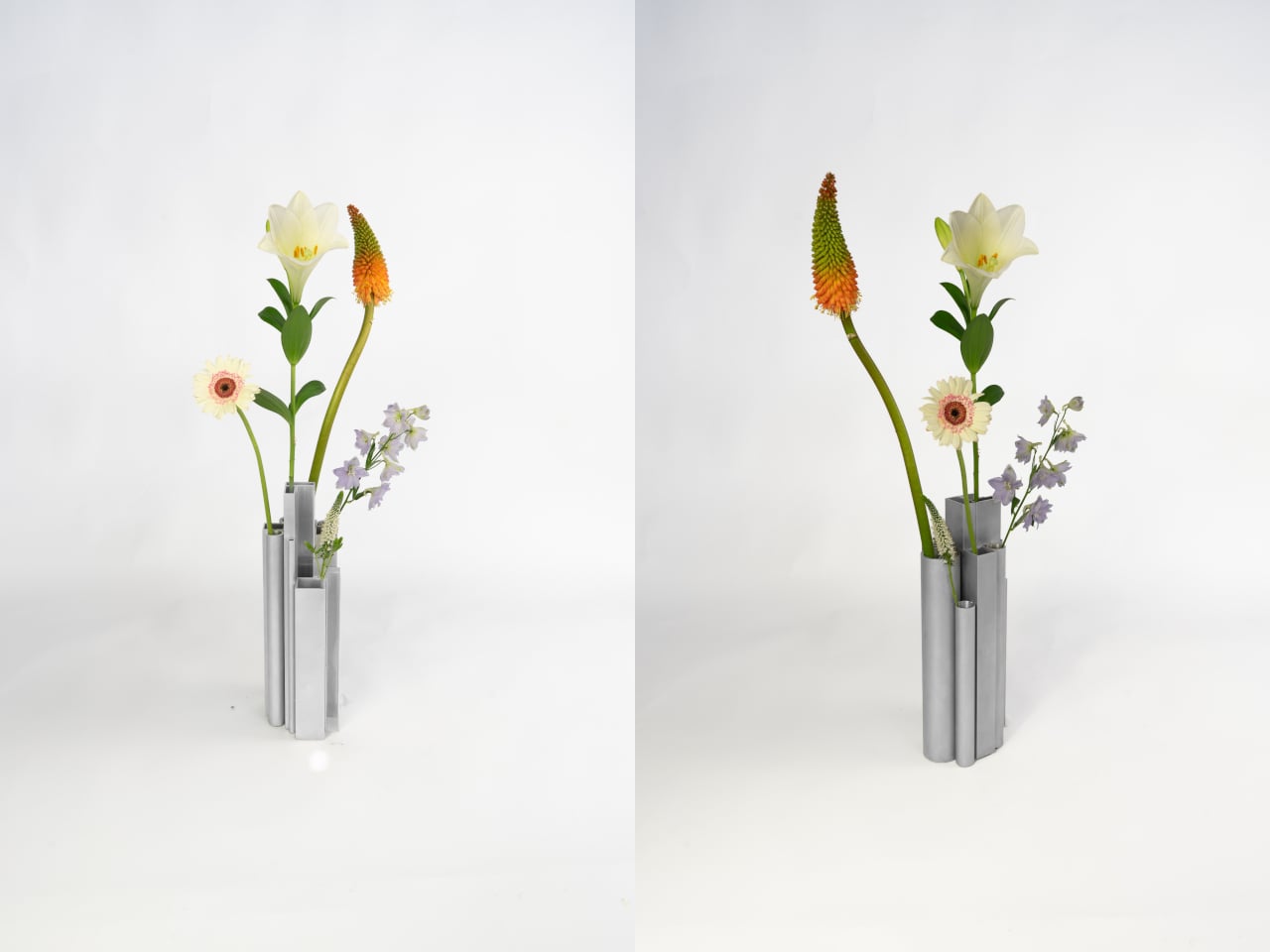
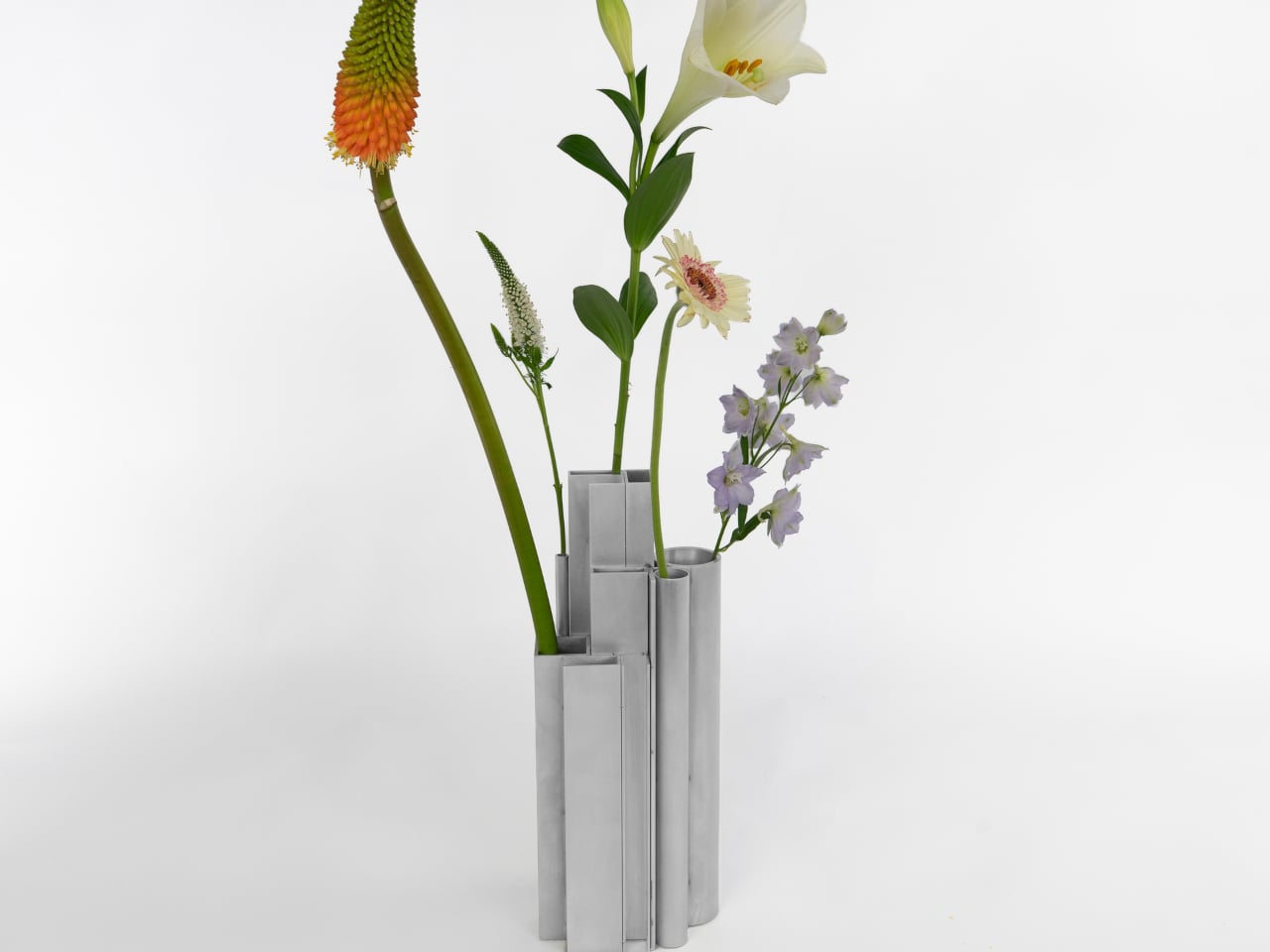
What’s surprising is how naturally it functions as a vase. Each opening, whether a round tube or a square channel, holds a single stem at a height set by that profile’s cut length. A tall flower finds one tube, a shorter bloom another, a delicate, small-stemmed flower a third. The structure of the object quietly distributes stems at different levels without any deliberate arrangement on your part.

The visual tension between the material and its setting is part of the appeal. Aluminum profiles don’t belong on a shelf with fresh flowers, and that friction is doing real work. The matte silver surface reads as cold and precise until something organic is placed inside it, and the contrast becomes the whole point. The industrial origin doesn’t disappear; it becomes what makes the flowers harder to ignore.

The choice to use actual offcuts rather than new aluminum cut to look like offcuts also matters. Most of this material would otherwise end up as leftover stock or be discarded at the end of a production run. Using it this way doesn’t require additional processing; the profiles arrive already shaped, already finished, and carrying the full character of their industrial origin without modification.

The vase holds its own even without flowers in it. The stepped arrangement of sections at different heights reads as a small sculptural object that could sit on a shelf as comfortably empty as it does full. The form doesn’t need flowers to complete it, which means that when you do add them, the combination feels considered rather than accidental.

It’s a rare thing when a design object’s material, form, and function all trace back to exactly the same source. Here they do. The offcuts are the structure, the structure is the form, and nothing about their industrial origin has been hidden or softened along the way. The workshop and the shelf turn out to have considerably more in common than most vases would ever admit.

The post This Vase Was Made From Aluminum Tubes That Would’ve Been Thrown Away first appeared on Yanko Design.
Five Years, One Bowl, and a Woodturner Who Refused to Quit

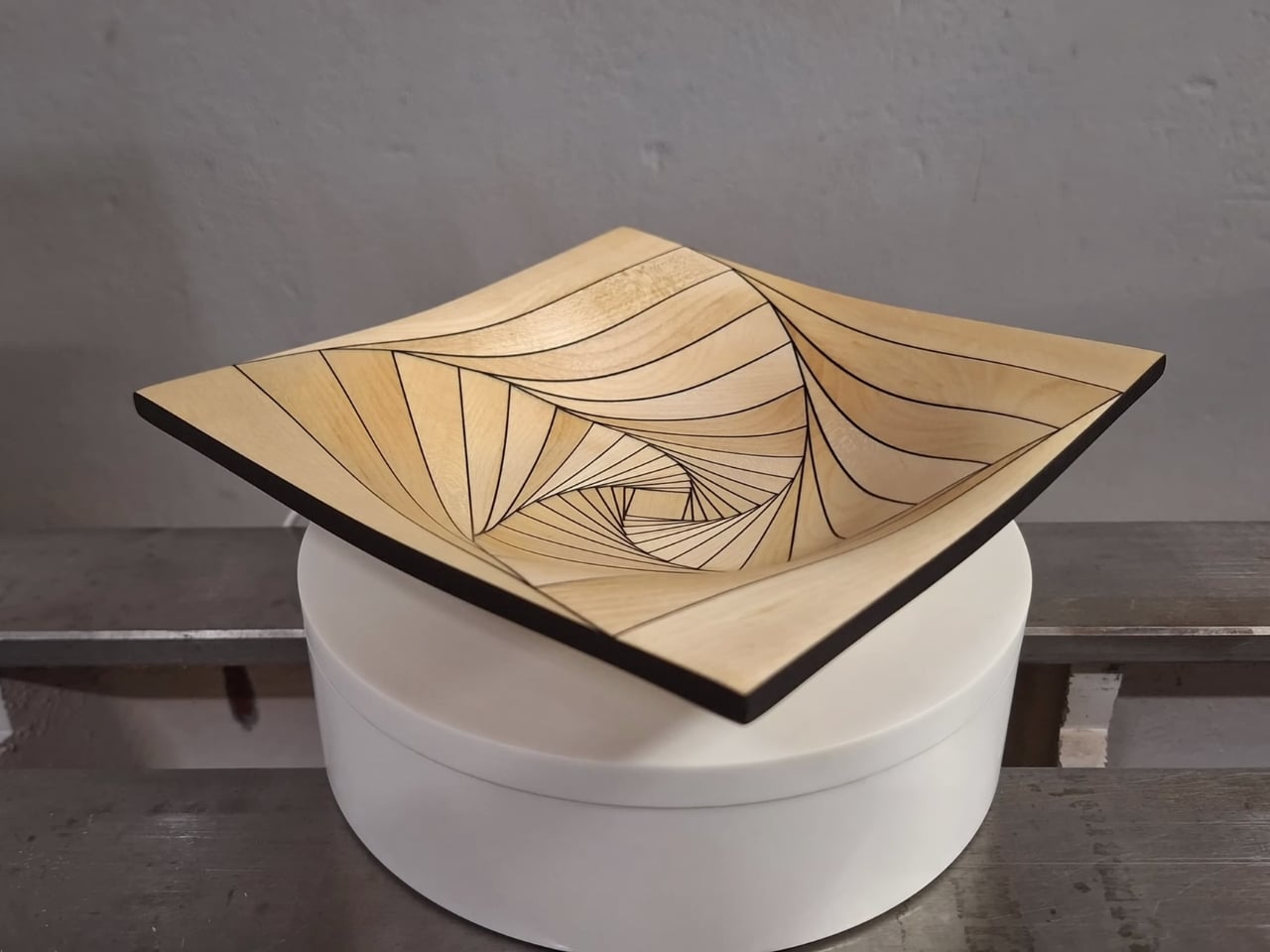
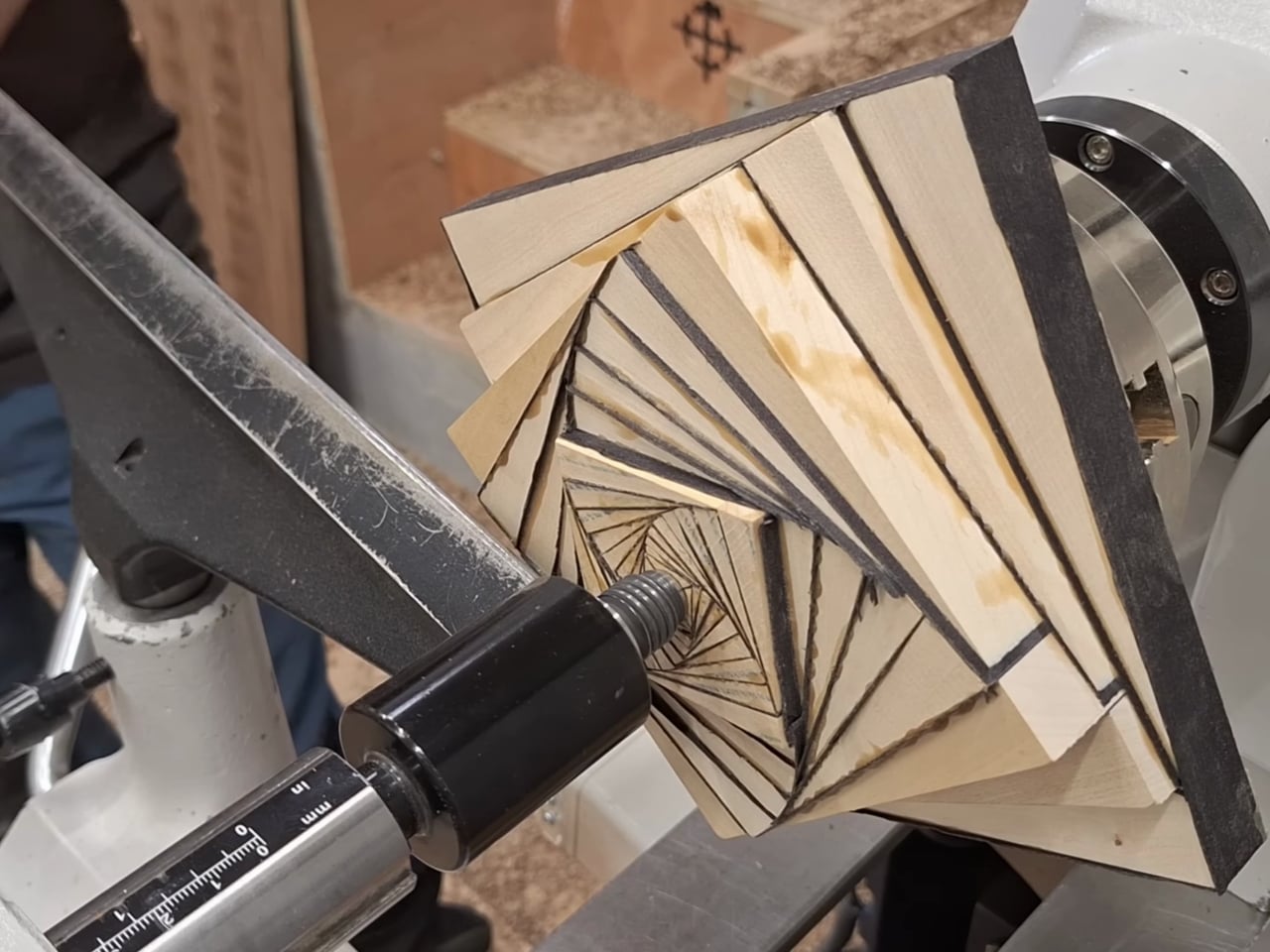
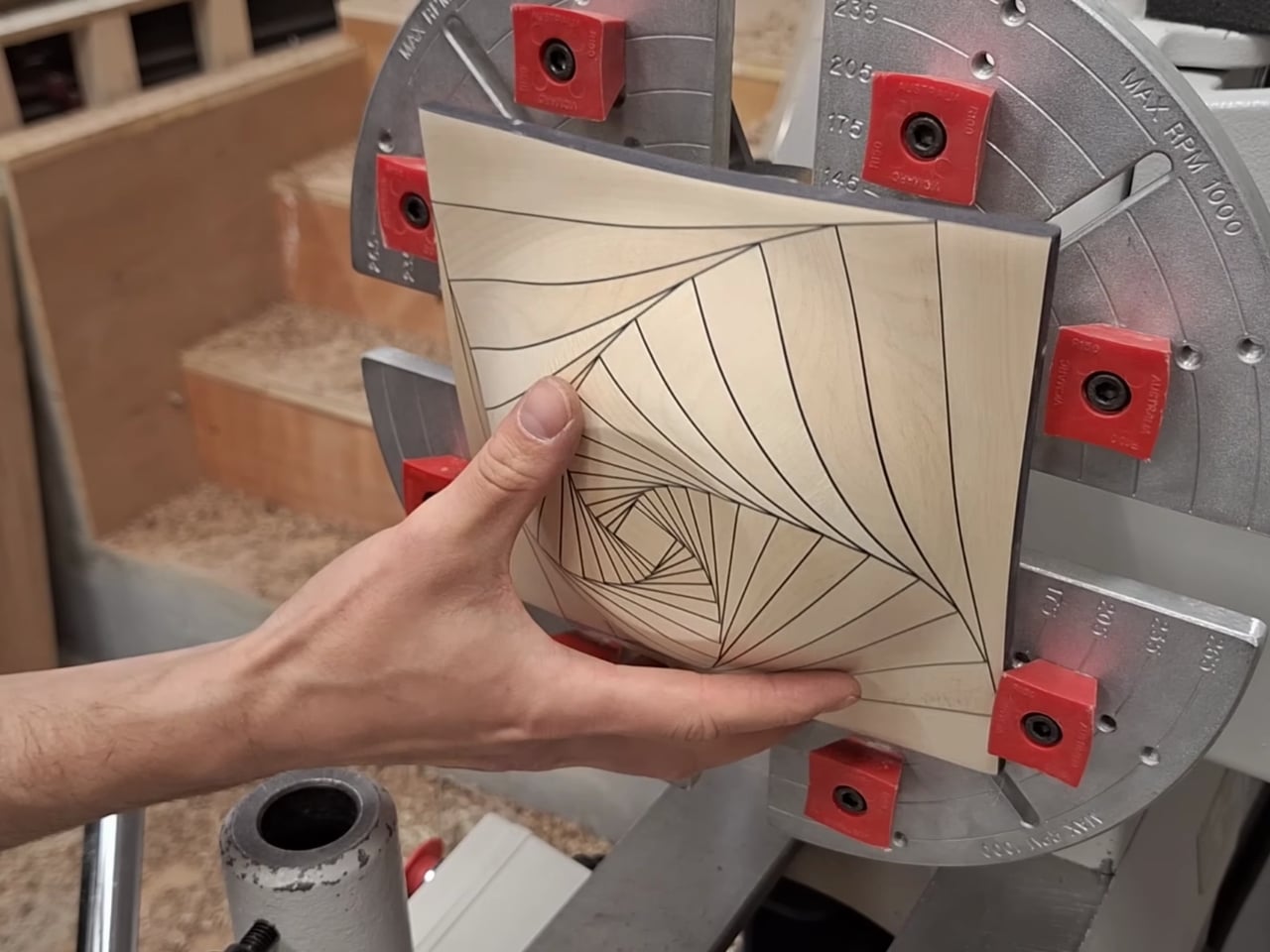
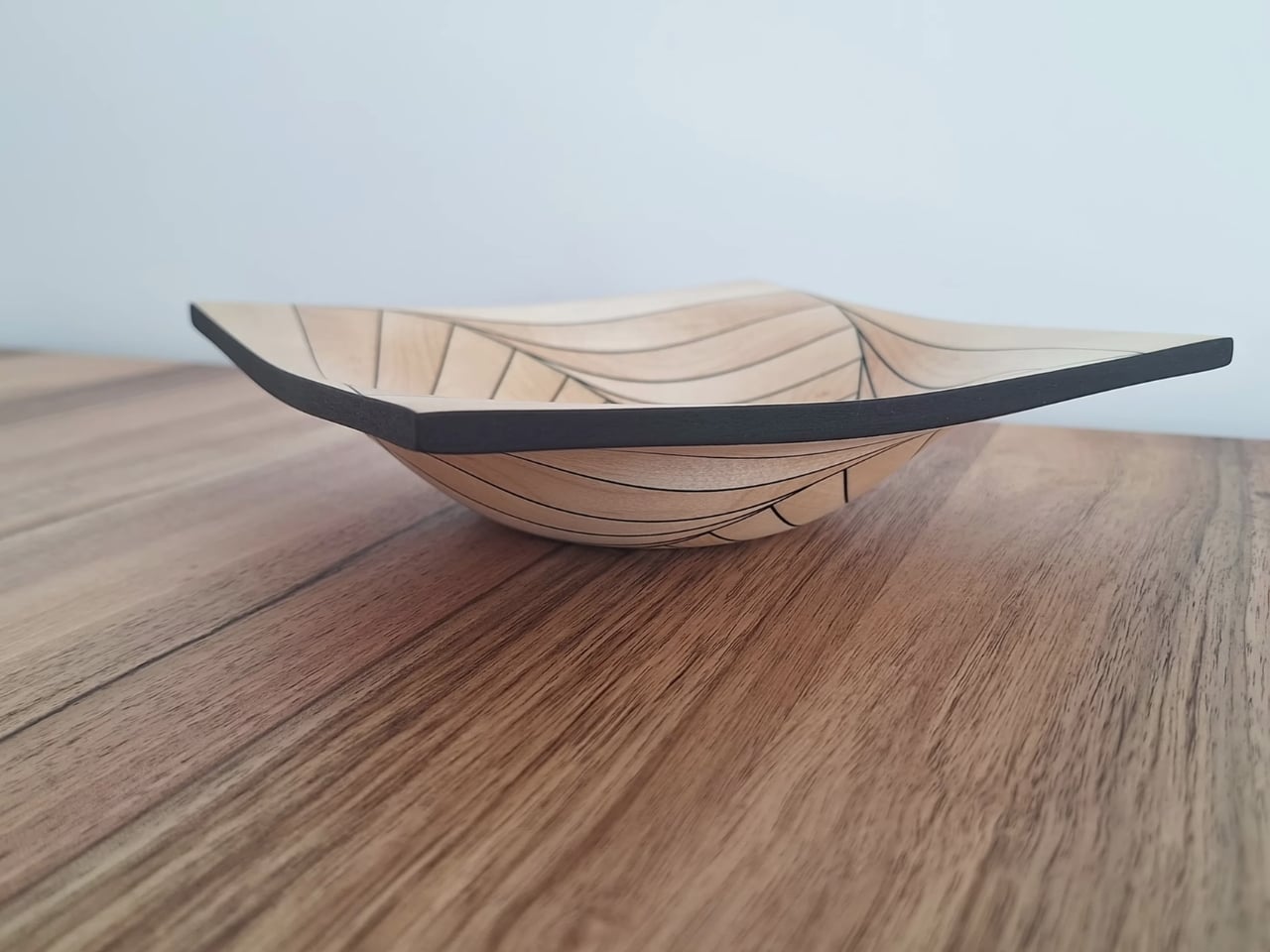
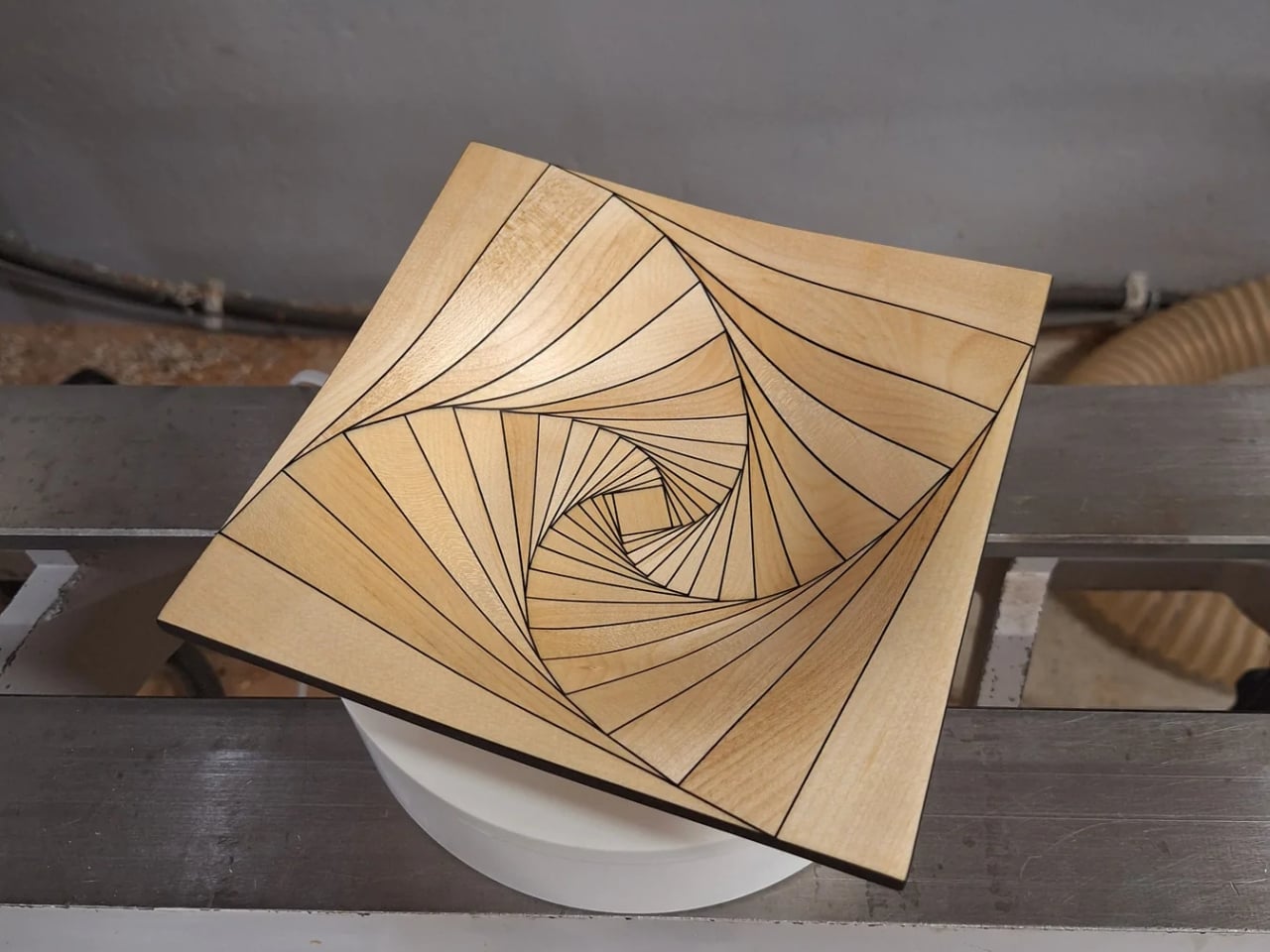
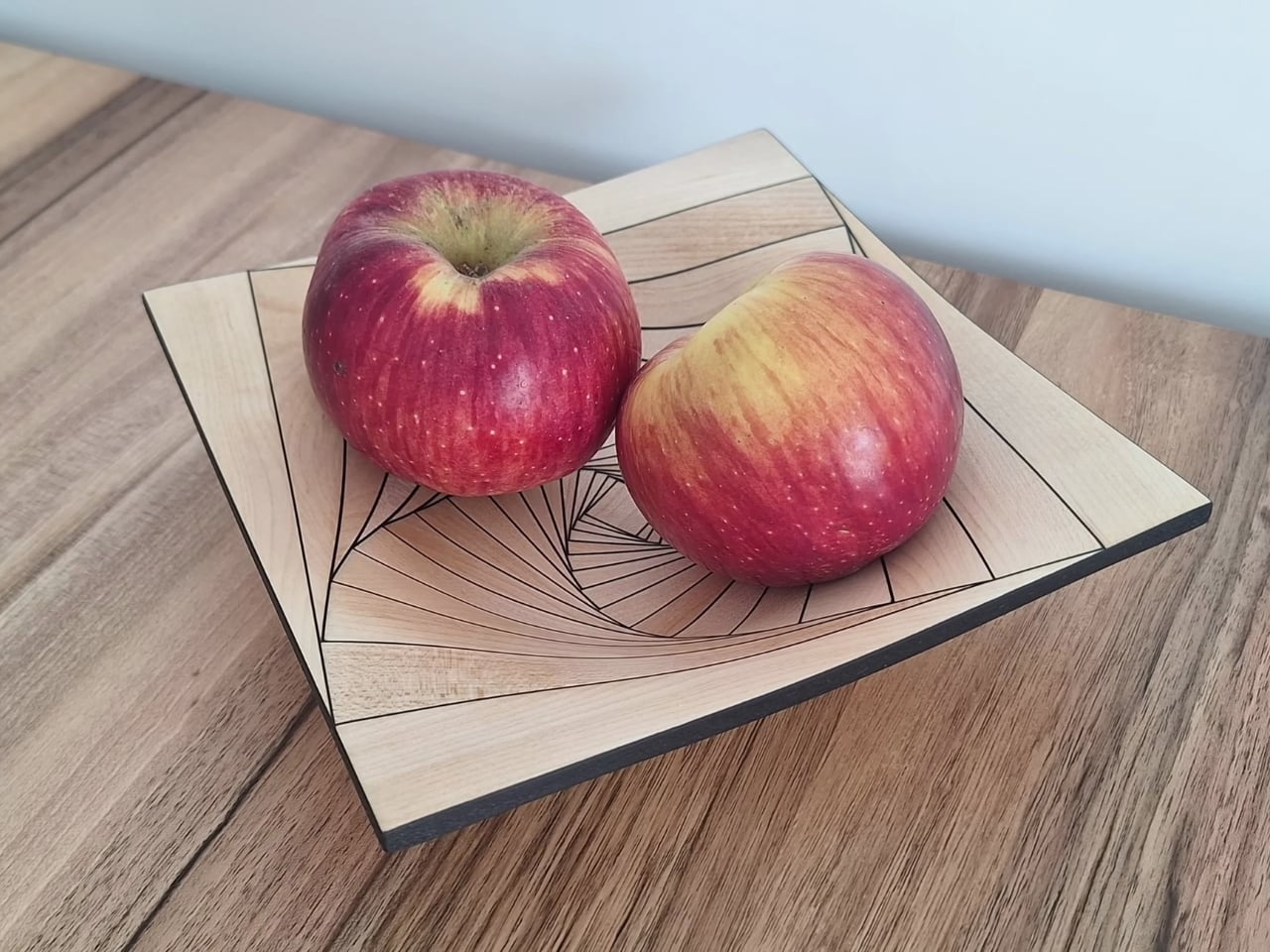
Most of us abandon a project after a few weeks of frustration. Olivier Gomis sat on one for five years, then came back and finished it. The Bowl Curved Pursuit is Gomis’s latest release, a handcrafted woodturning that looks, at first glance, like it was generated by some algorithmic design software rather than made by two hands in a workshop. The curves twist and rotate in a way that feels almost mathematically precise, each wood segment following the one before it in a pattern that spirals elegantly around the bowl’s body. It’s the kind of object that makes you look twice, then a third time, trying to work out how it was actually made. That’s kind of the point.

Gomis, a French woodturner and furniture maker, has been building a reputation for designs that sit right at the edge of what woodworking is supposed to look like. His work doesn’t whisper “rustic” or “farmhouse.” It says something closer to “sculpture” and means it. His portfolio spans coloured pencil vases, massive segmented bowls, and geometric pieces that wouldn’t look out of place in a contemporary design gallery. But the Curved Pursuit feels like a moment of arrival, a design he clearly couldn’t let go of until he got it right.

Designer Name: Oliveri Gomis

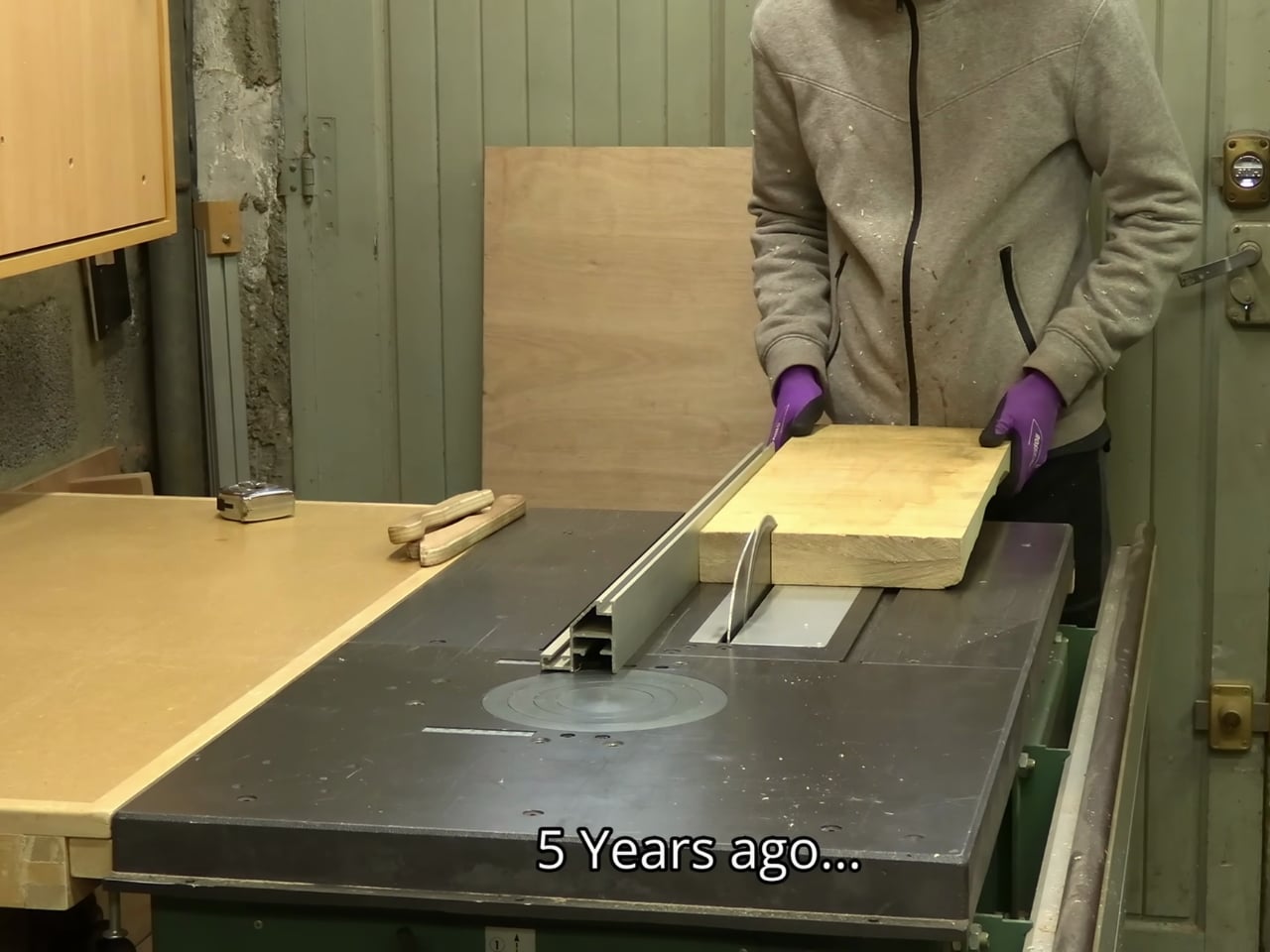
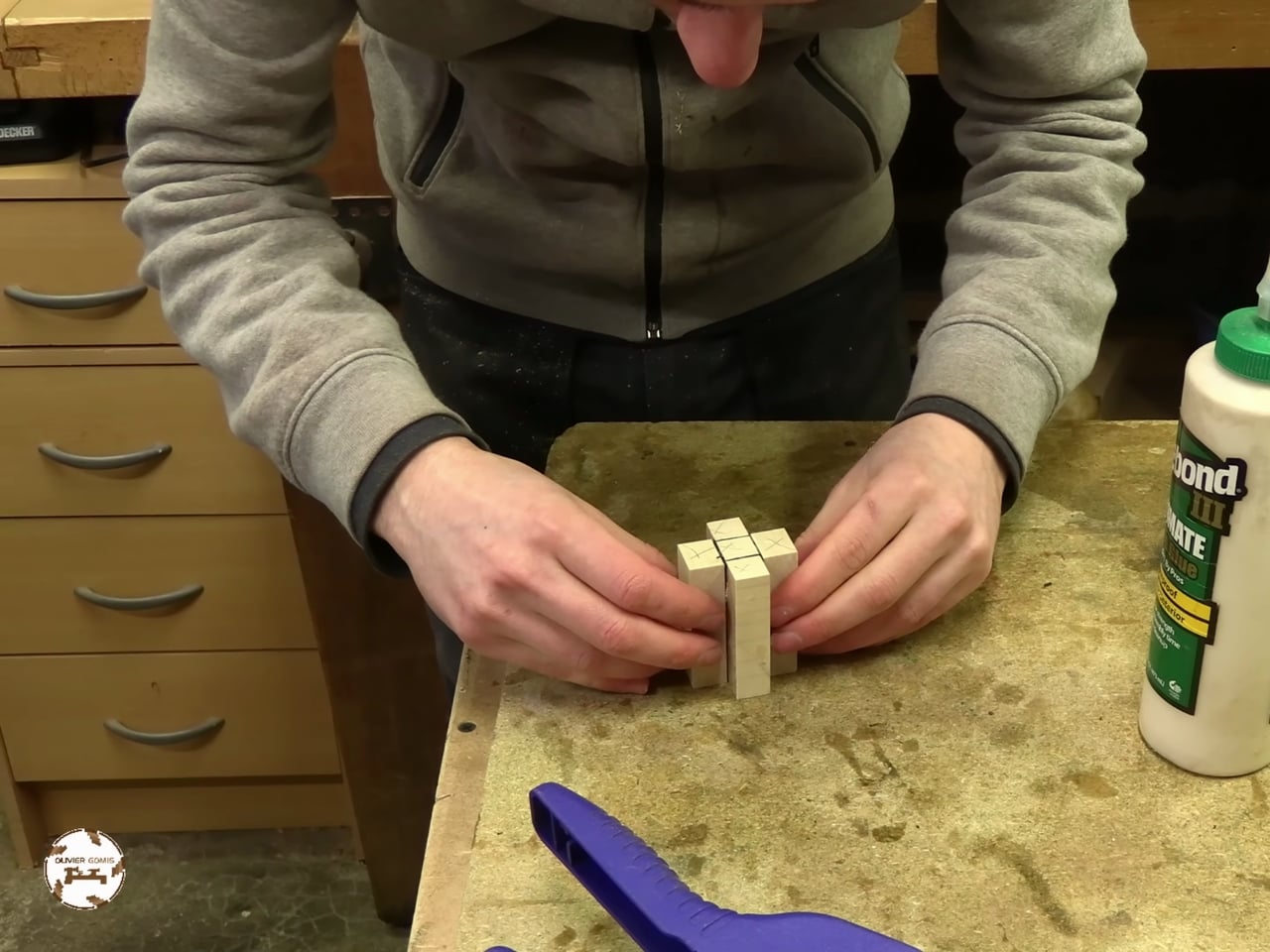
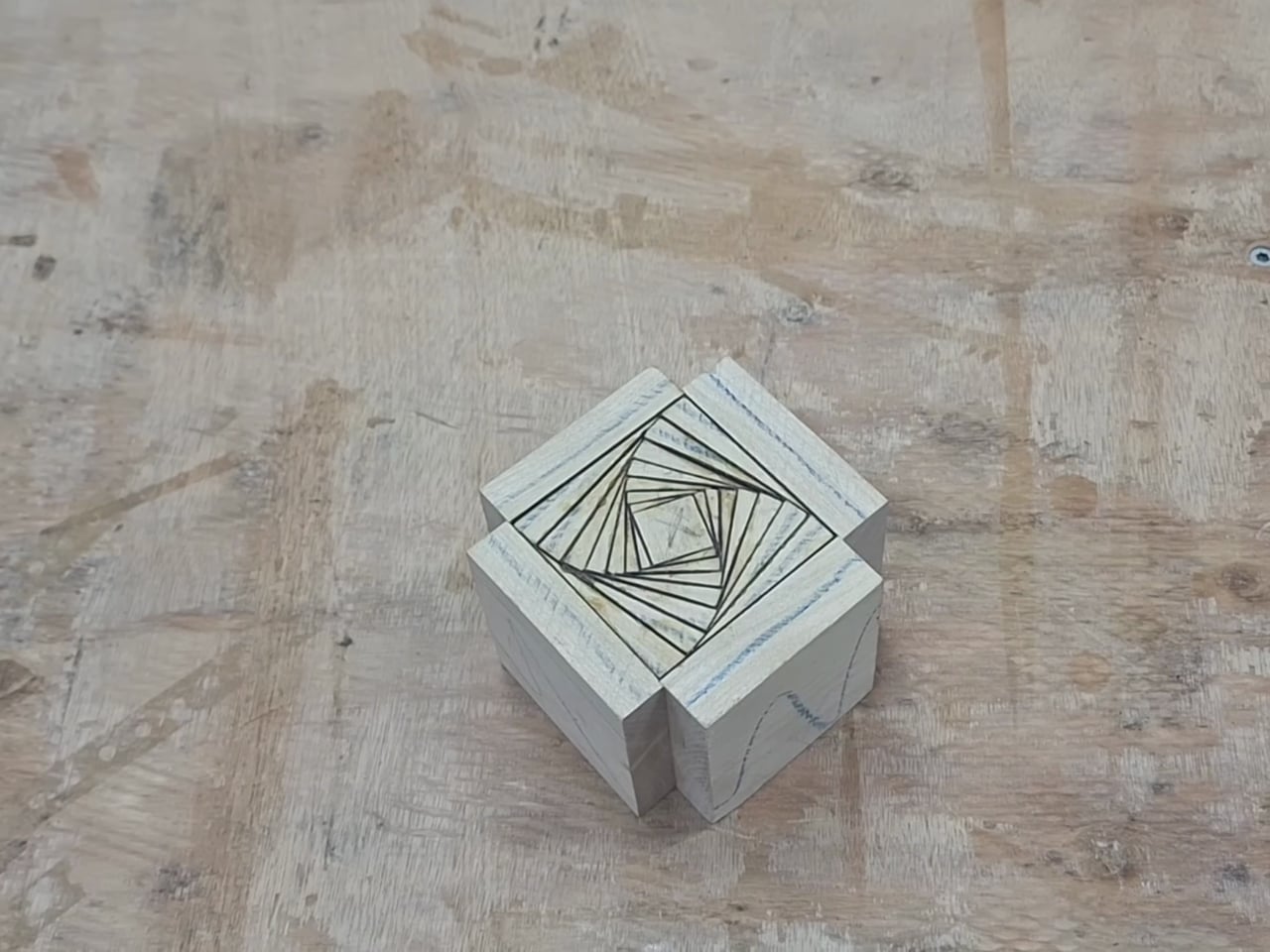
The process is deceptively methodical. Gomis built the bowl by gradually stacking and rotating wood pieces before cutting them on a table saw, then mounted the entire structure on a lathe and carved it into its final form. That sequence, stacking, rotating, cutting, turning, sounds simple enough until you consider how much precision is required at every stage. A miscalculation in the rotation angle and the whole pattern collapses into something ordinary. The five-year gap between conception and completion makes a lot more sense once you understand those margins.

What gets me about this bowl is how visible the thinking is. You can trace the logic of the design just by looking at it. The segments aren’t decorative afterthoughts, they’re structural decisions, each one informing the curve that follows. For a piece of functional decor, that’s a rare quality. Most objects in this category are either beautiful or interesting. The Curved Pursuit manages to be both, and does it without trying to explain itself.

The price sits at $372 USD, available to order on commission. That number might give some people pause, but I’d argue it’s almost suspiciously reasonable for what you’re getting. This isn’t a production piece pulled from a conveyor belt. It’s a hand-built object that required five years of problem-solving to even exist. Commissioning one means you’re essentially getting a slice of a very specific creative obsession, which is not something that ends up on most people’s shelves by accident.

There’s also a broader conversation happening here about craft in the age of mass production. We live at a moment when almost anything can be printed, extruded, or manufactured at scale, and yet the appetite for handmade objects keeps growing. Not out of nostalgia exactly, but out of a genuine desire to own something that carries a human fingerprint. Gomis’s work taps directly into that. His YouTube channel documents every step of his process with no shortcuts hidden, which is both a smart move and a generous one. Watching him work makes the finished objects more meaningful, not less. You come away from his videos understanding not just how a piece was made, but why it matters.

The Bowl Curved Pursuit is the kind of design that rewards attention. It doesn’t immediately give everything away. The more you sit with it, the more the geometry reveals itself, the precision, the patience, the particular stubbornness it takes to return to something after five years and finally decide it’s ready. Somewhere between design and craft, between art object and kitchen counter, Gomis has made something genuinely hard to categorize. If that sounds like a compliment, it is.

The post Five Years, One Bowl, and a Woodturner Who Refused to Quit first appeared on Yanko Design.
Laser Engravers Need a Workshop, This One Fits in a Backpack

Laser engravers have always come with a catch. Getting one typically means dedicating a chunk of workspace to it, running a cable to the nearest outlet, and putting on protective goggles before pressing start. For makers who don’t have a proper workshop, that’s a lot of overhead just to personalize a wooden keychain or stamp a logo onto a leather patch.

The Hanboost T1 is designed with exactly that frustration in mind. It’s a fully enclosed mini laser engraver measuring 115mm x 115mm x 115mm, weighing roughly 400g, and running off a standard USB-C connection, so a power bank is all you need to get it going. The idea is simple: a capable, portable engraver that fits into a backpack and doesn’t demand a dedicated room.

Designer: Hanboost

Click Here to Buy Now: $99 $149 ($50 off). Hurry, only a few left! Raised over $378,000.

The T1 has a clean cube silhouette that doesn’t look out of place next to a laptop or a set of studio monitors. Its dark body, vented side panels, and tinted front window give it the feel of a precision instrument rather than a hobbyist gadget. The viewing cover is swappable, available in red, orange, or green, with custom-pattern options for anyone who wants to personalize the unit itself.

Close to the weight of a full can of soda, the T1 is light enough that you’d barely notice it in a bag. Because it draws power from any USB-C source, including the power banks most people already carry, you can set it up on a kitchen table, a café counter, or a folding table at a craft fair without worrying about finding a wall outlet nearby.

The T1’s engraving area measures 60mm x 40mm, which keeps things focused on smaller objects: gift tags, leather patches, wood coasters, cork pieces, cardstock, and phone cases. The standard 500 mW version handles wood, leather, fabric, and kraft paper well, while the 1.6 W Pro module, available as an upgrade, opens things up to bamboo, painted metal, and dark acrylic without needing a special coating.

The T1 uses a blue diode laser rather than the red diode type found in many entry-level machines. The distinction matters because blue diode lasers absorb more deeply into organic materials, producing sharper contrast and cleaner lines. Pair that with a 0.05mm engraving accuracy, and the results are detailed enough to render fine botanical illustrations or small portrait engravings you’d normally expect from something considerably larger.

The fully enclosed body is one of the T1’s more thoughtful design choices. The observation window carries an OD4+ rating, so you can watch the engraving process without protective eyewear. A built-in tilt sensor cuts the laser automatically if the machine tips beyond 15 degrees, and an active cooling fan keeps temperatures stable during longer sessions, which matters outside of a ventilated workshop.

On the software side, the T1 works with LightBurn and LaserGRBL, which are already the go-to platforms for most experienced makers. It also connects wirelessly to the MKSLaser mobile app for those who prefer controlling things from their phone on Android. File format support covers PNG, SVG, DXF, PDF, and G-code, among others, and getting started through the app takes just three steps.

There’s also an optional height extension stand for working on taller objects like wooden boxes and small frames, which rounds out a product that’s been thought through beyond the basics. The T1 isn’t built for cutting thick timber or marking deep into metal, and it doesn’t pretend to be. For makers who’ve wanted laser engraving to fit into an everyday creative routine, that honesty is refreshing.

What’s perhaps most telling about the T1 is where it ends up living. Not tucked away in a storage bin between projects, but sitting on a desk next to a sketchbook, ready whenever an idea shows up. That kind of casual accessibility is harder to engineer than it sounds, and it tends to be the difference between a creative tool that actually gets used and one that doesn’t.

Click Here to Buy Now: $99 $149 ($50 off). Hurry, only a few left! Raised over $378,000.

The post Laser Engravers Need a Workshop, This One Fits in a Backpack first appeared on Yanko Design.
The 3D Printed Pencil Holder That Shames Everything Else on Your Desk

Most of us have a pencil holder we never actually chose. It’s the ceramic mug you retired from coffee duty, or the branded giveaway from a conference two years ago, or the squat plastic cup that came bundled with a stapler. It works. It holds pens. But you have never once looked at it and thought, “I genuinely love that thing.”

Nechiswa’s spiral vase pencil holder is the kind of object that changes that. It’s a free, downloadable 3D print model shared on Printables, and it’s been quietly making its way through design communities after being featured on Abduzeedo this week. It doesn’t look like a typical 3D print. It doesn’t look like a typical anything. It looks like someone took a mathematical idea, translated it into filament, and set it on a desk.

Designer: Nechiswa

The design is built around one print technique: spiral vase mode. For those unfamiliar with 3D printing, vase mode is a setting where the nozzle travels in one continuous, uninterrupted path from the base all the way to the top of the object. No seams, no layer starts, no breaks in the extrusion. The printer just keeps going, spiraling upward in a steady, unceasing motion. At 0.6mm line width and 0.2mm layer height, the result is a thin, faceted wall that carries a quality the original feature description calls “drawing-like in detail but rigid enough to hold pens upright.” That is a precise description. It looks delicate but it isn’t.

The tri-color filament element is where it gets especially compelling. Rather than outputting a pencil holder in a single solid color, Nechiswa uses multi-color filament that transitions as the print climbs. The spiral form and the color shift work together in a way that feels deliberate at every level. Color and geometry are cooperating, and neither one is showing off at the expense of the other. The result is an object that reads completely differently depending on where you’re standing and how the light hits it. It has the visual energy of something much more expensive and much harder to make.

What strikes me about this design is that it refuses to perform utility. A lot of desk accessories are burdened with looking useful. They come with dividers, rubberized bases, stackable tiers, and ergonomic profiles. They announce themselves as products solving a problem. Nechiswa’s pencil holder announces itself as an object. The kind you position near a window so the light catches the spiral walls. The kind you instinctively move to the front of your desk, even though, functionally, placement doesn’t matter at all.

The maker community has quietly validated it. The model has been added to over 130 collections on Printables, which is a reliable indicator that something is resonating beyond a casual like or a save. The file is free, the recommended settings are straightforward, and the designer has documented everything needed to print it successfully. Vase mode at 0.6mm line width. That’s really it. No complicated slicer configurations, no support structures to wrestle with. Just a solid printer, the right filament, and some patience.

This is also a good moment to acknowledge what 3D printing continues to do for independent design. There’s a persistent idea that consumer-level 3D printing exists mainly for functional fixes: replacement clips, custom mounts, cable organizers. And it does all of that. But Nechiswa’s pencil holder is the kind of project that gently dismantles that assumption without making any big declarations. It just exists as a beautiful object, designed by someone with a clear sense of form, available for free to anyone with a printer.
If you have a 3D printer, this is worth a spool of good filament and an afternoon. If you don’t, it’s still worth a look, because it illustrates something easy to forget: that good design doesn’t require a big budget, a studio, or a production run. Sometimes it’s just a thoughtful spiral, climbing upward, one continuous line. Your current pencil holder is probably fine. But it isn’t this.

The post The 3D Printed Pencil Holder That Shames Everything Else on Your Desk first appeared on Yanko Design.