Huawei Wi Fi 7 Mesh Router Turns Connectivity into Sculptural Lighting

Most mesh routers exist to be hidden. They sit behind television consoles, inside media cabinets, anywhere out of sight. Huawei’s Wi-Fi 7 Mesh Router rejects that premise entirely-it was designed to occupy a shelf the way a sculptural lamp or a blown-glass vase might, demanding visibility rather than tolerating it. The system ships as a main router paired with up to two extenders, and every unit in the family brings aesthetic presence to a category that usually hides function. Whether that ambition translates into livable design depends on how much visual weight a room can absorb.

Form and First Impression

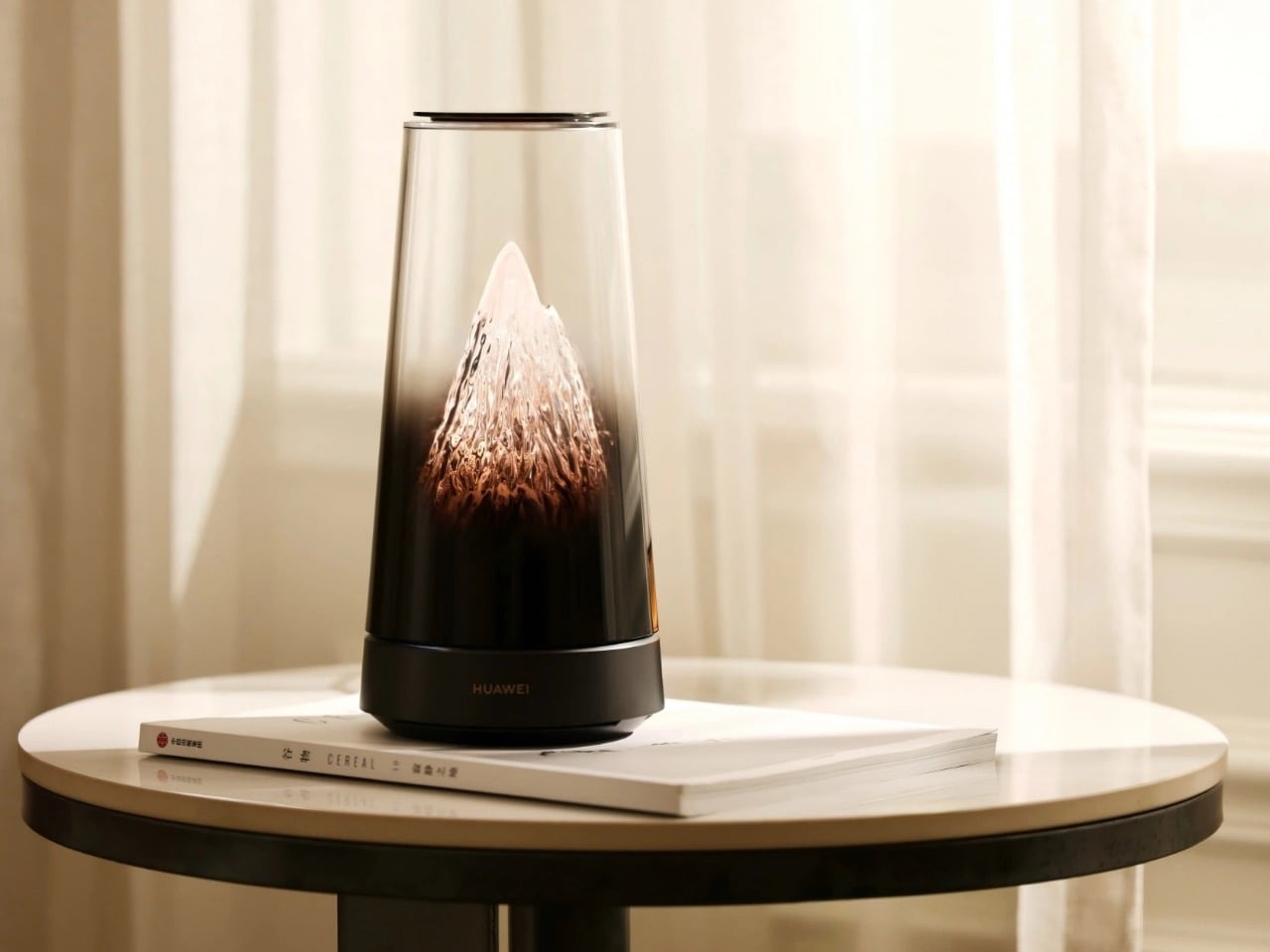
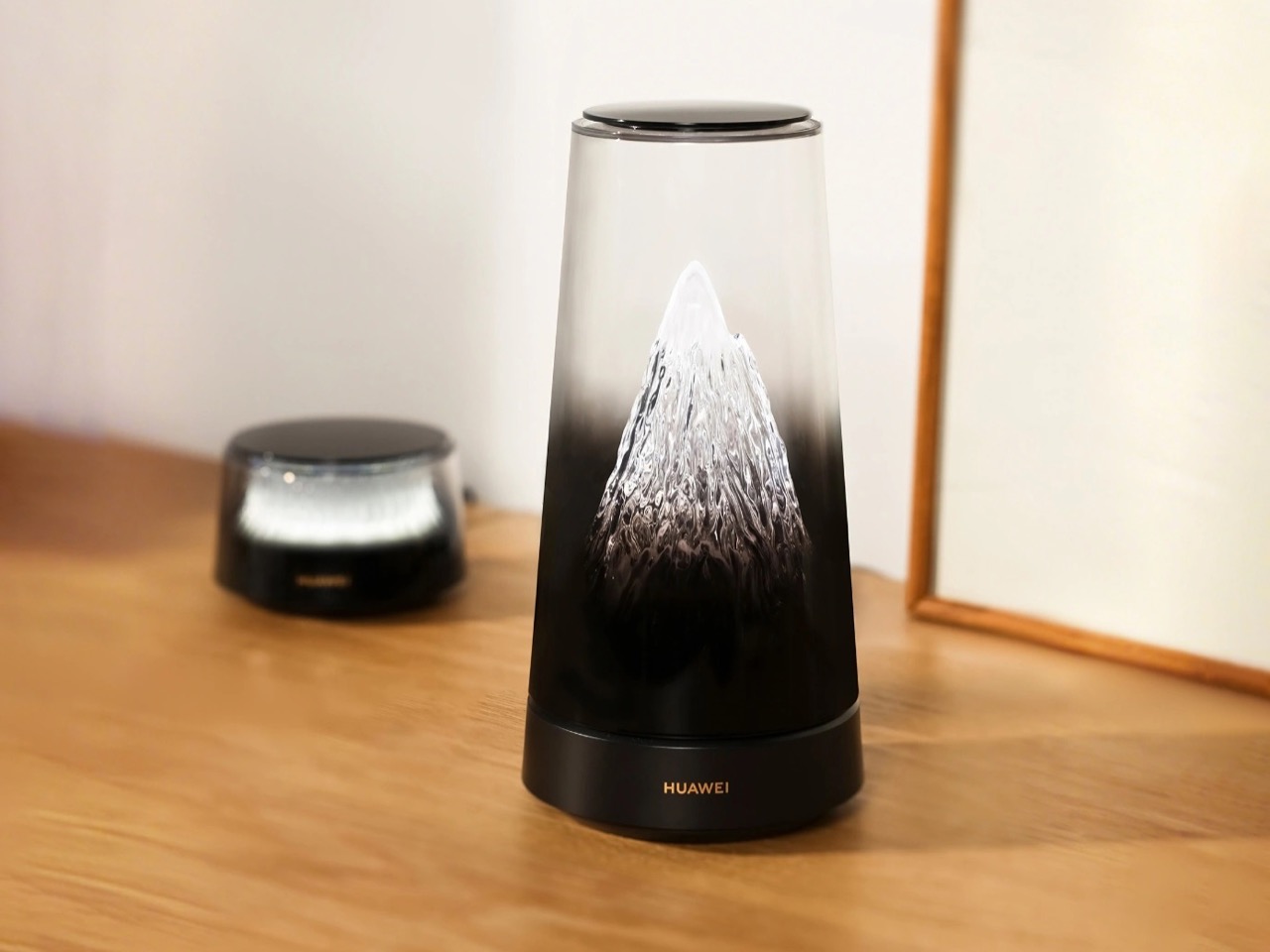
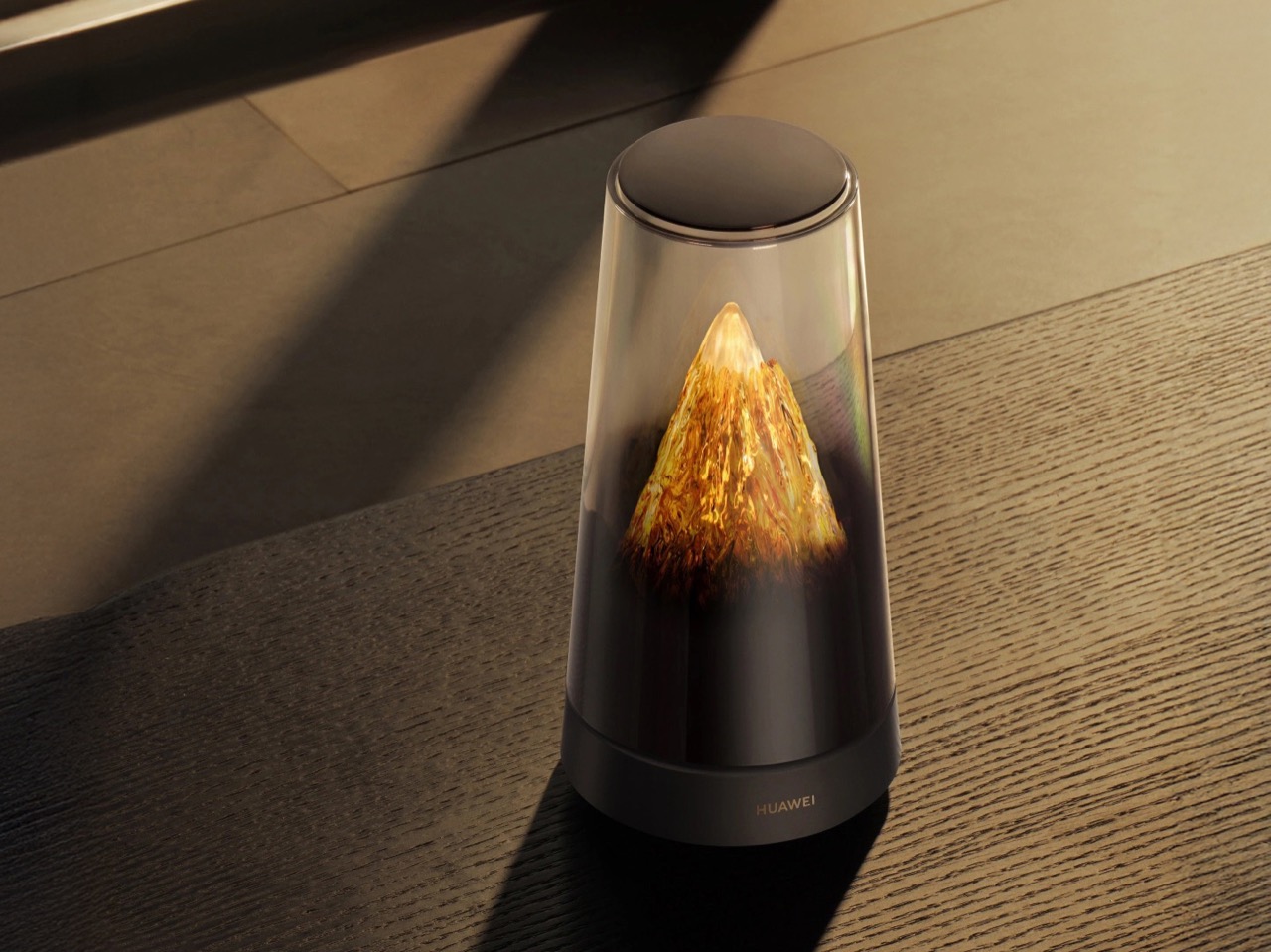
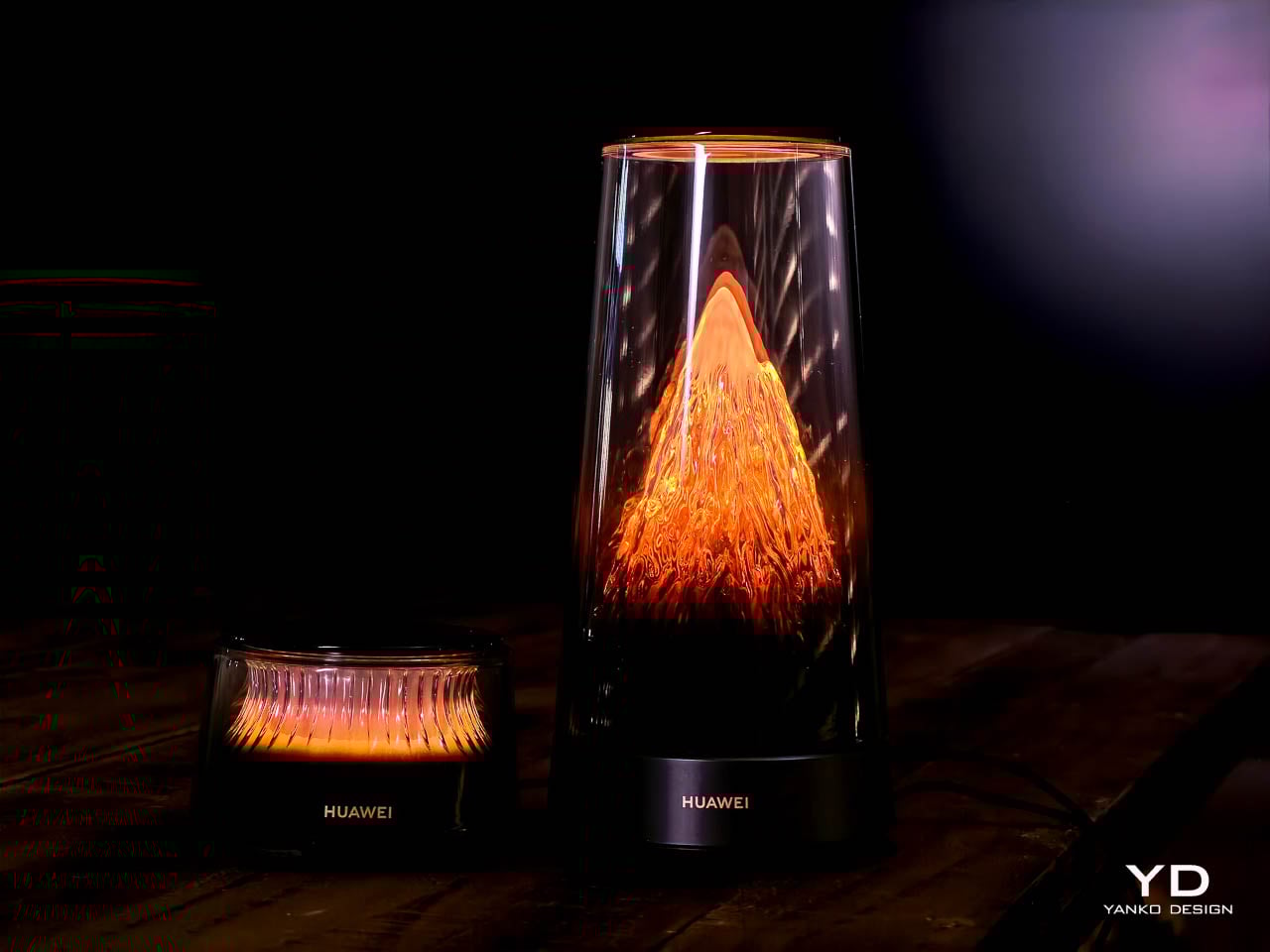
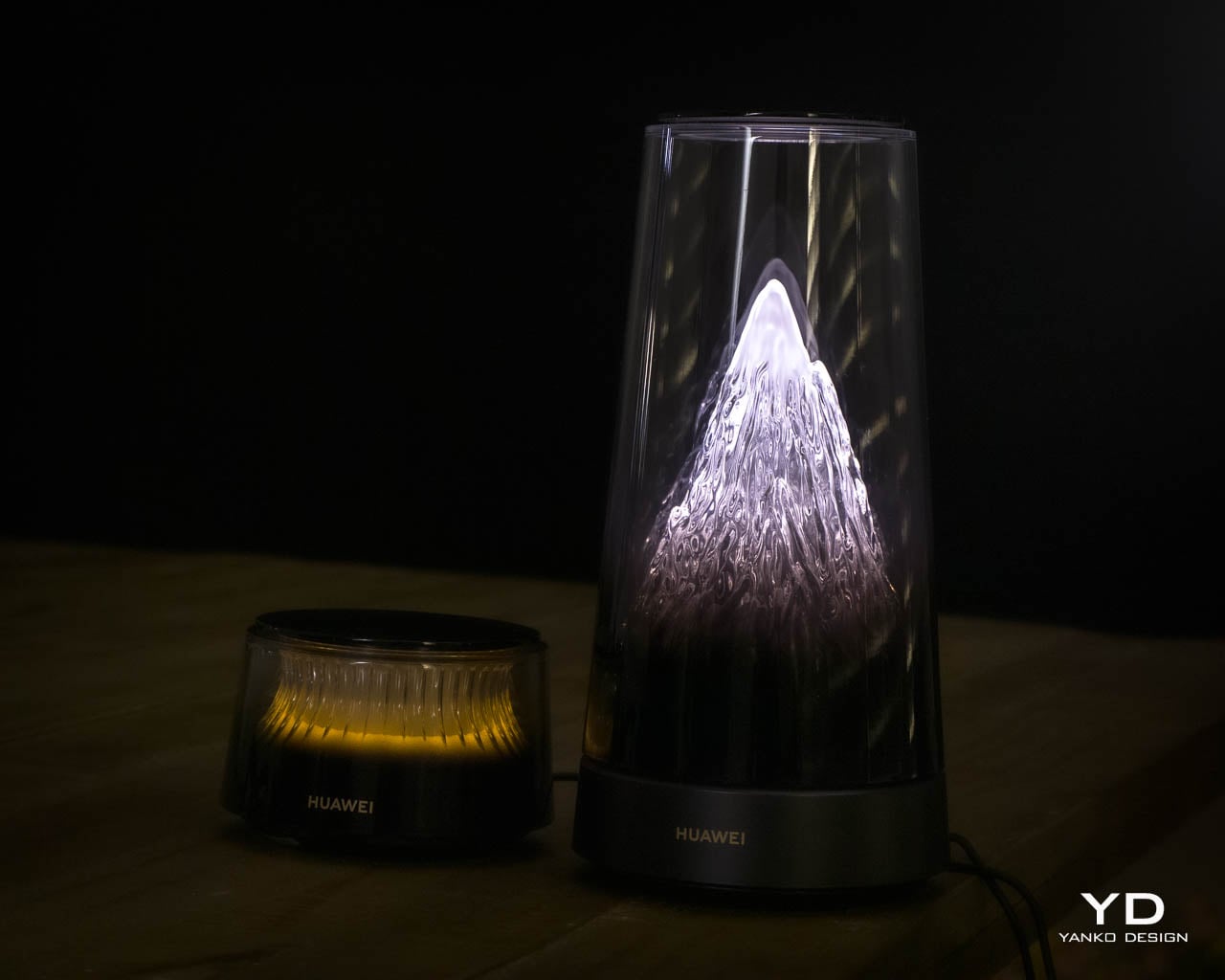
The main unit rises vertically under a tall transparent dome, and the first impression lands somewhere between illuminated glassware and a miniature architectural model. A sculpted cone sits inside the chamber, channeling warm LED light upward through fine vertical ribs that stretch the glow into elongated streaks. The gradient begins deep amber at the base, fades toward soft cream near the midpoint, and dissolves into near-invisibility at the dome’s crown. Under morning sun the dome reads as a sculptural artifact with subtle internal texture; under evening lamps it becomes a warm, glowing presence that anchors an entire corner of a room.
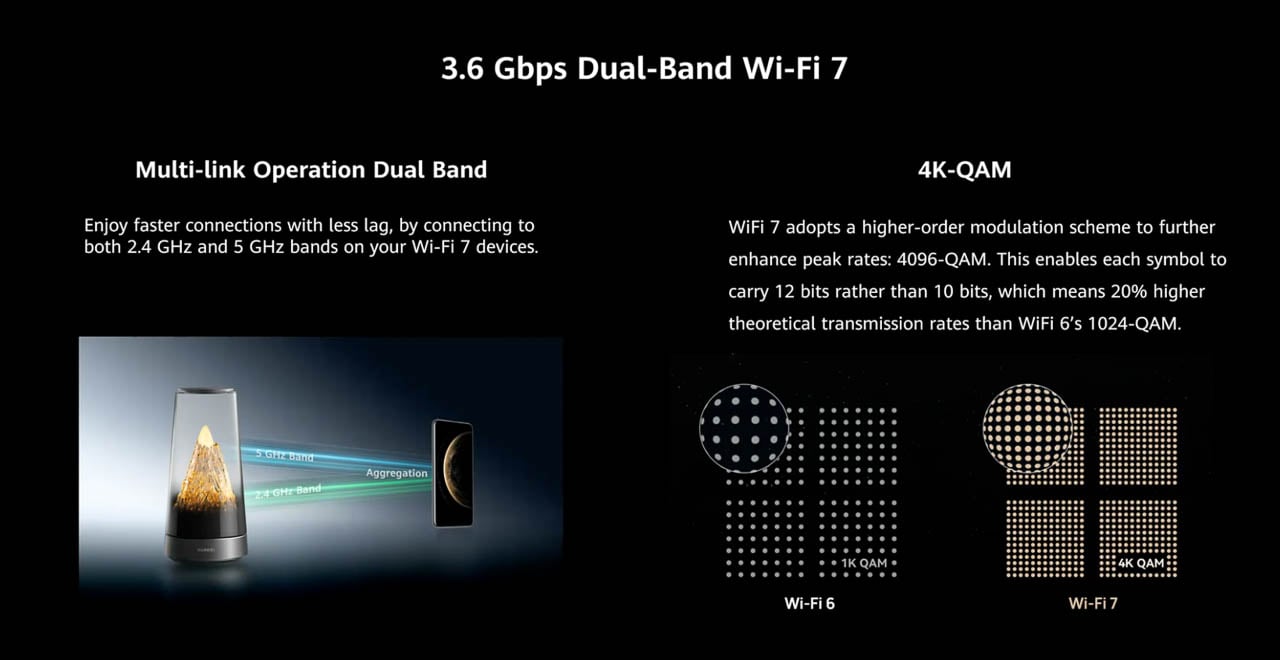
That visual prominence carries a trade-off worth acknowledging early. The dome’s height and luminosity demand attention in a way that softer network hardware does not. In quieter rooms-bedrooms, reading nooks, minimalist spaces-the persistent glow may feel like a permanent nightlight rather than a subtle accent. Huawei leans fully into the decorative category, and the result works best in spaces that already embrace statement objects.

Material Language

Huawei appears to use a dense transparent polymer that mimics the refraction and clarity of hand-blown glass. Close inspection reveals the material catches daylight differently than it catches artificial light, giving the object a living quality that shifts throughout the day. Fine vertical channels line the inner cone and catch the LEDs, stretching them into long streaks that resemble molten glass rising through a chimney. The effect positions the router closer to ambient lighting than consumer electronics.

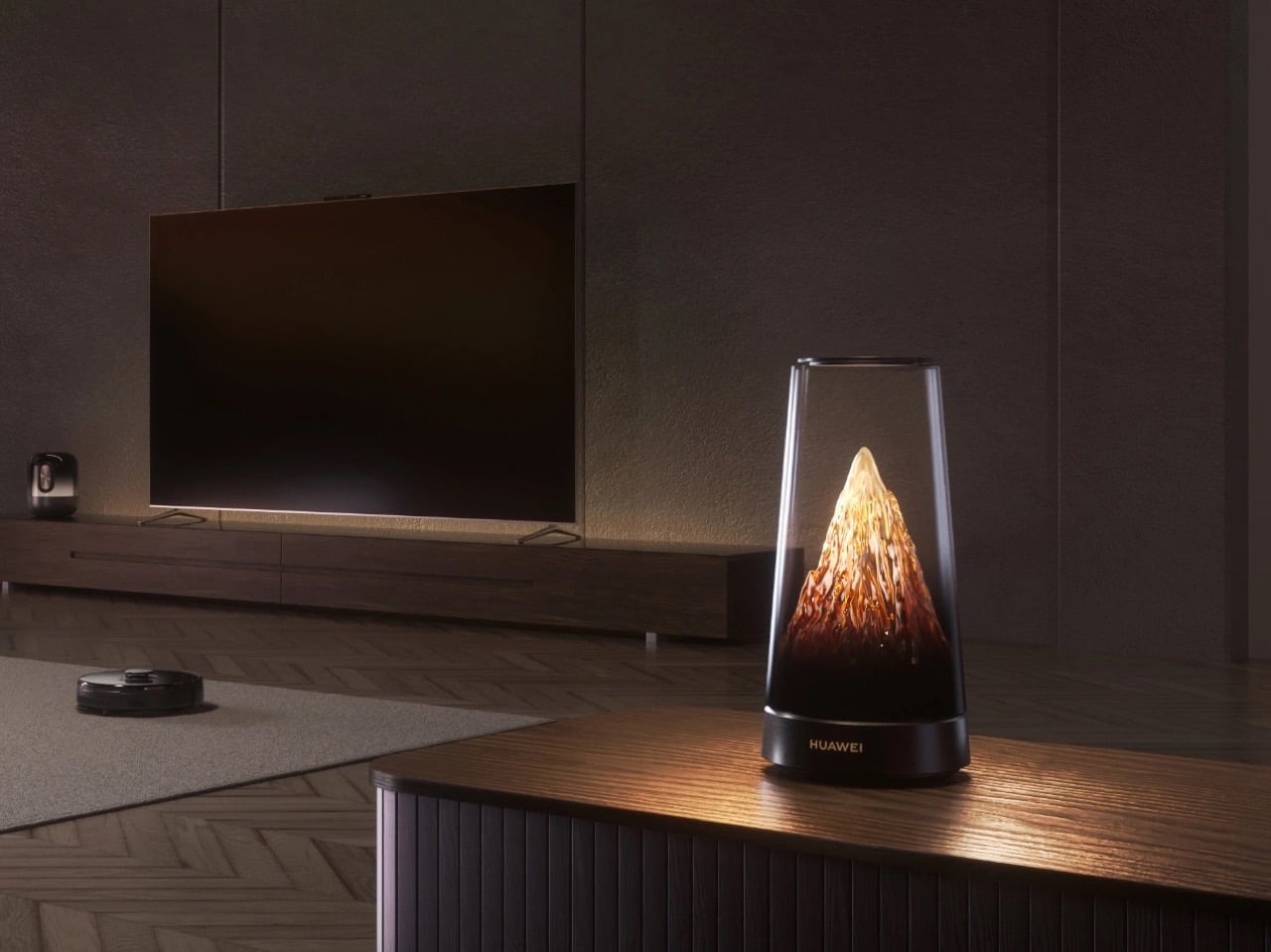
Placement matters here. The design reads best on open shelving in a living area, a console table near an entryway, or a display ledge in a modern kitchen. Treating it as background hardware-tucked beside a television or wedged into a media cabinet-misreads the intent entirely.

Hidden Engineering

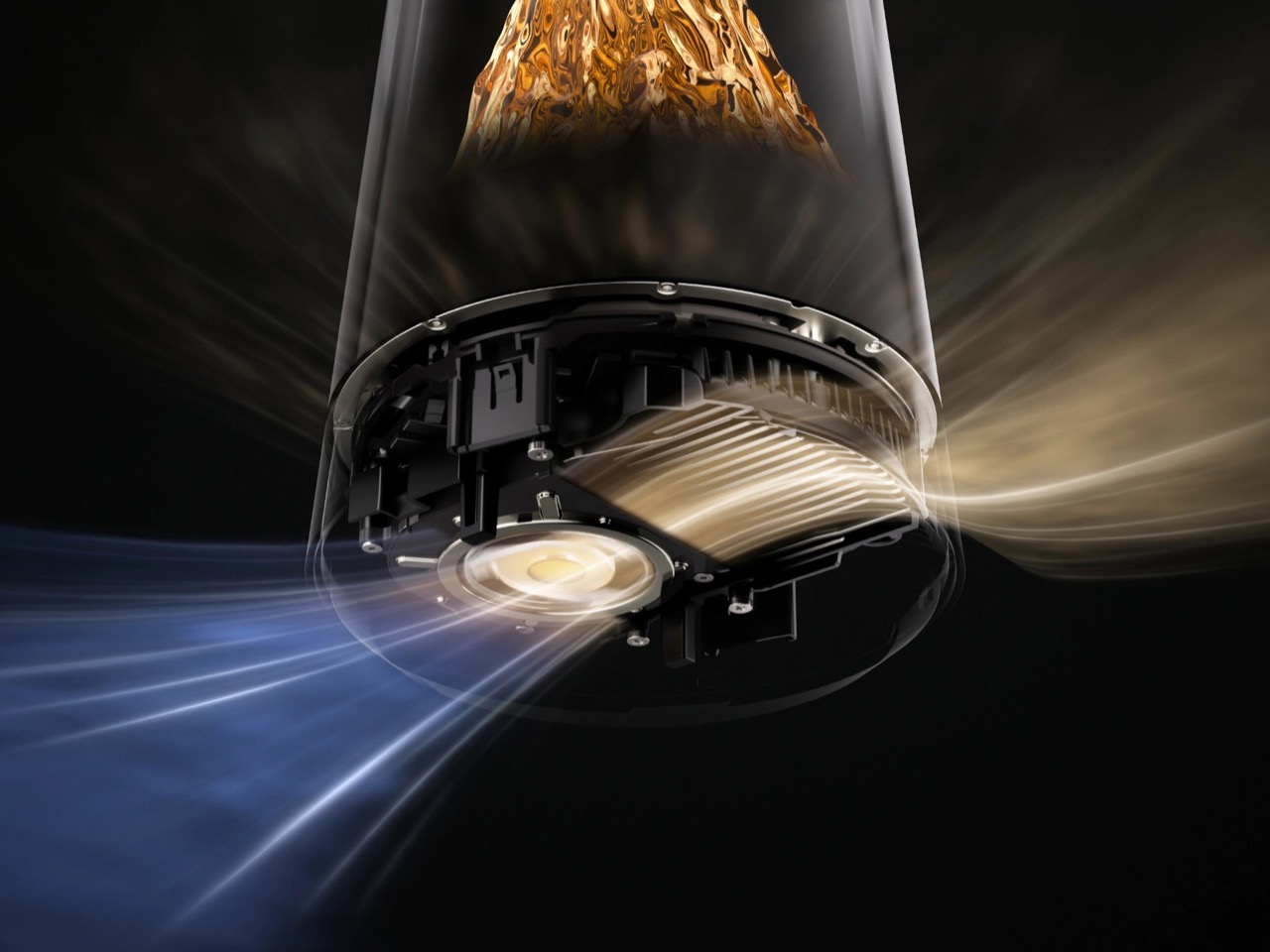
Functional elements remain invisible by design, but the engineering underneath is anything but minimal. Ports sit inside a recessed cavity on the underside, tucked into the dark base, so cables disappear the moment the device rests on a flat surface. The separation between glowing dome and utilitarian base gives the impression of a clean floating cylinder even though Ethernet, power, and every technical connection remain accessible.
Weight distribution pulls toward the base-intentional, since the main router includes active cooling with a built-in fan for high-throughput scenarios. That engineering decision affects form directly: the base must accommodate thermal management, which explains the unit’s footprint relative to passive competitors. The dark matte finish stays quiet, letting the luminous chamber dominate, but the chassis is doing real work underneath.

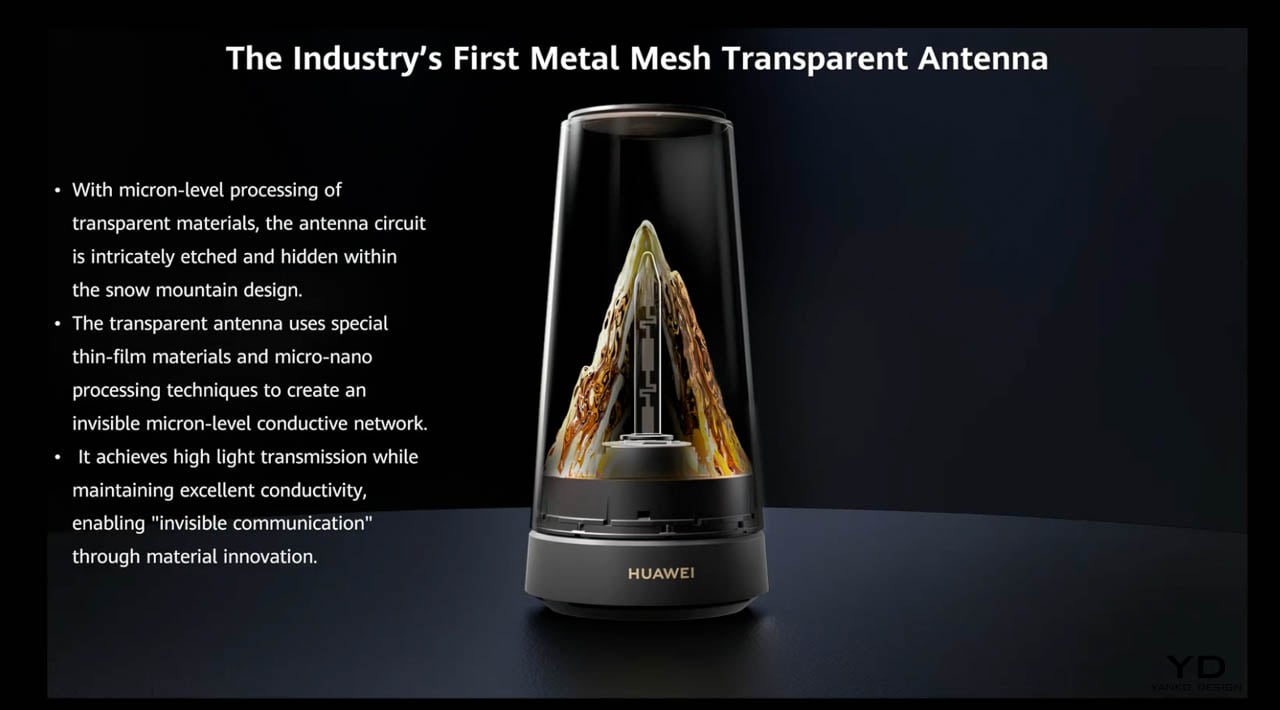
One detail that rarely survives the translation from engineering to marketing: Huawei literally etched the antennas into the sculpted mountain shape inside the dome. Six antennas-three for 2.4GHz, three for 5GHz-run along the contours of the internal cone, hidden in plain sight. The design team integrated signal hardware into the decorative structure rather than bolting it on as an afterthought. That level of form-function synthesis is rare in consumer networking equipment, and it suggests the industrial design team had genuine authority over the final product rather than decorating an engineering prototype.

The Satellite System

Satellite extenders interpret the same visual language in a shorter, more restrained form. Huawei’s briefing compared them to elegant whisky glasses-a fair analogy. Each unit features smoked outer walls with spaced vertical ribs that break the internal gradient into a soft, pulsing glow. The warm tone matches the main router but feels more intimate, less theatrical.
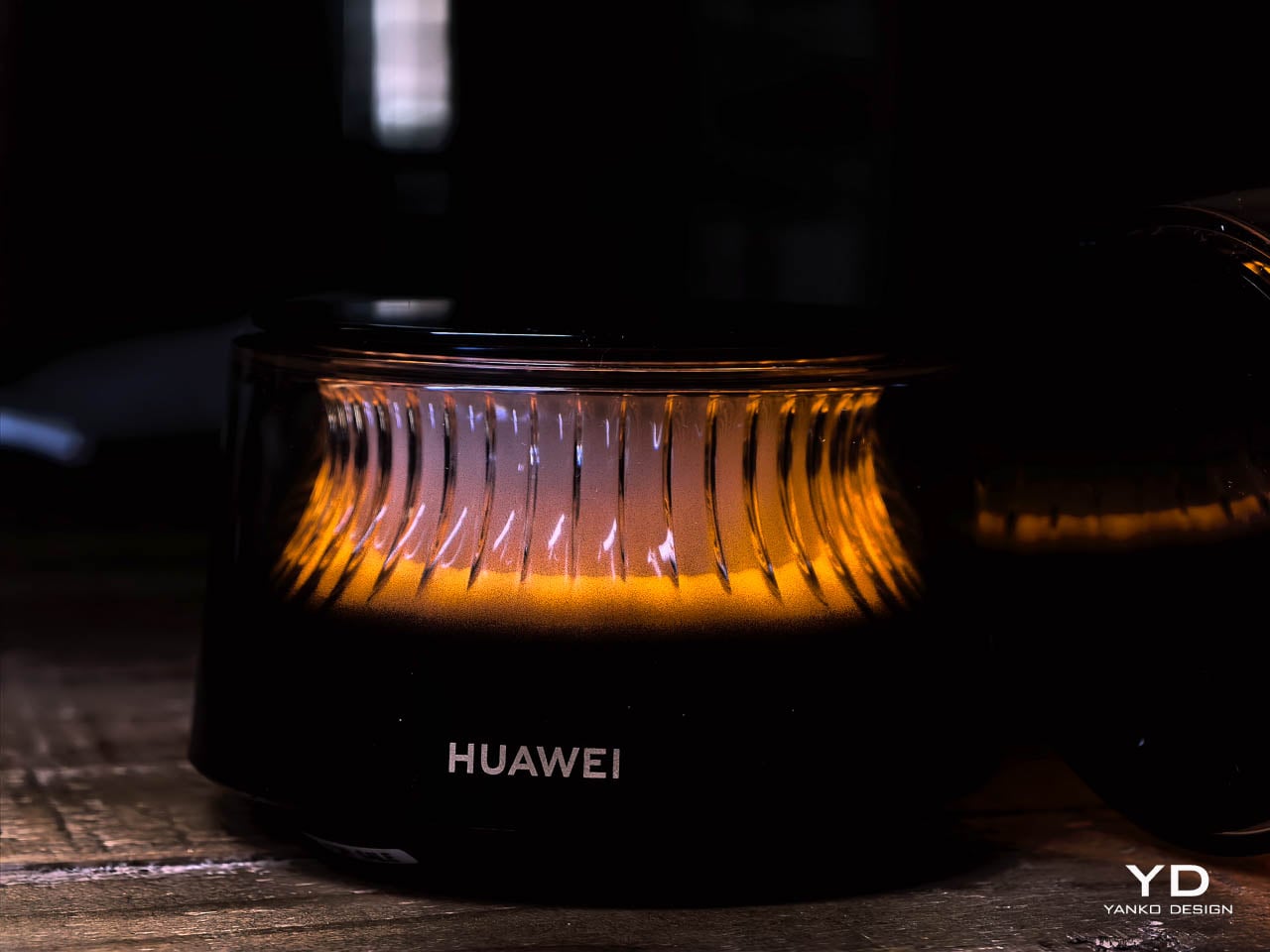
These units read as decorative accents on a shelf rather than technical equipment. No protruding antennas, no plastic ventilation grilles, no indicator LEDs screaming status codes from across the room. A candle holder or compact speaker would sit just as naturally in the same arrangement. The restraint here is notable-Huawei resisted the temptation to differentiate the satellites through size or brightness, which keeps the family identity coherent.

Interaction Design

Both the main router and each satellite include a flush touch surface on the top, letting users adjust lighting modes directly from the device. The touch panel sits flush with the rim, preserving the cylindrical outline-no buttons, no visible interface elements, no mechanical disruption. The top surface remains dark and reflective when inactive, reinforcing the contrast with the illuminated body below.
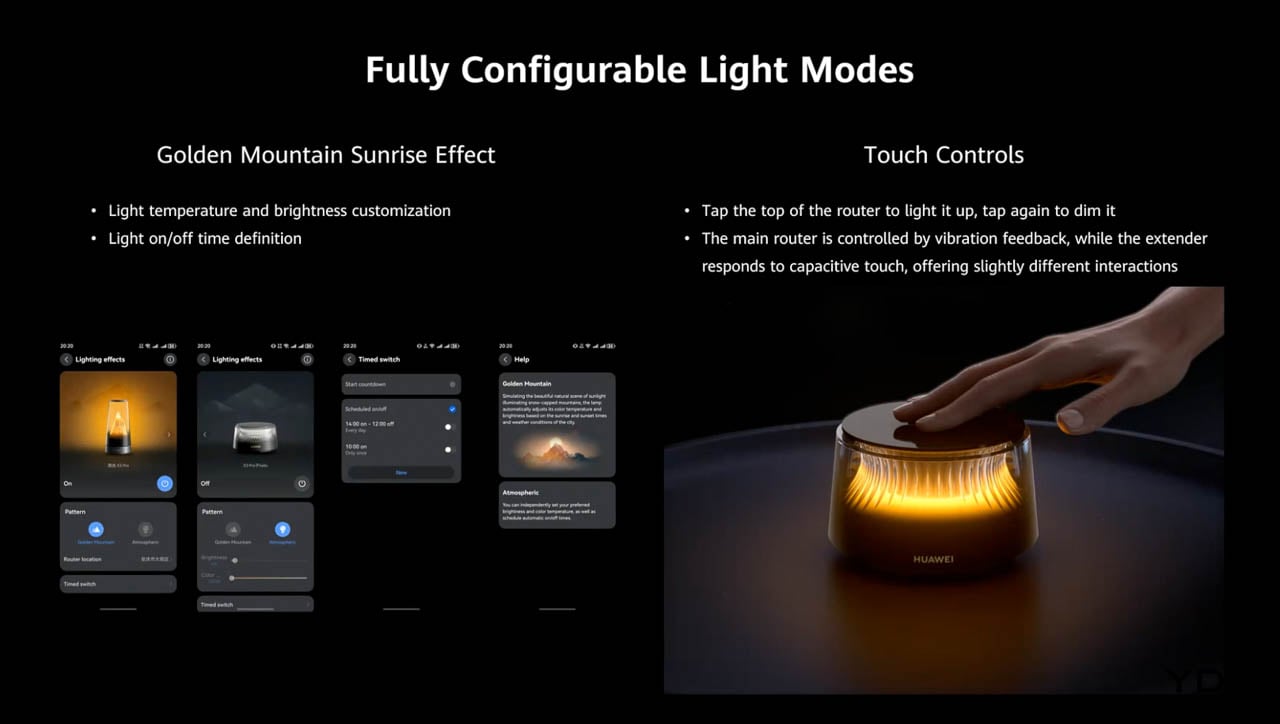
That restraint suggests confidence in the form itself. Huawei trusts the design enough to let it speak without interface clutter. The interaction layer exists, but it never competes with the sculptural presence.

The Placement Tension

The system’s visual cohesion raises a practical question that Huawei’s marketing sidesteps. Mesh networks exist to blanket a home in wireless coverage, which means placing extenders in locations optimized for signal propagation-hallways, stairwell landings, rooms far from the main router. Huawei designed units beautiful enough to display prominently, but optimal placement for aesthetics rarely aligns with optimal placement for coverage.

A living room shelf may showcase the extender perfectly while delivering weaker signal to a home office two walls away. Buyers should expect to choose between form and function in at least one placement decision, and that tension deserves acknowledgment. The router rewards homes where signal-optimal spots happen to be visible spots-and punishes homes where they don’t.

System Coherence

Material consistency across the system reinforces the family identity in ways that most mesh systems ignore. The polymer domes, the dark matte bases, the warm LED gradients, and the vertical rib detailing all repeat across main unit and satellites. Nothing about the extenders looks like a compromise or an accessory-they read as intentional companions rather than technical necessities.
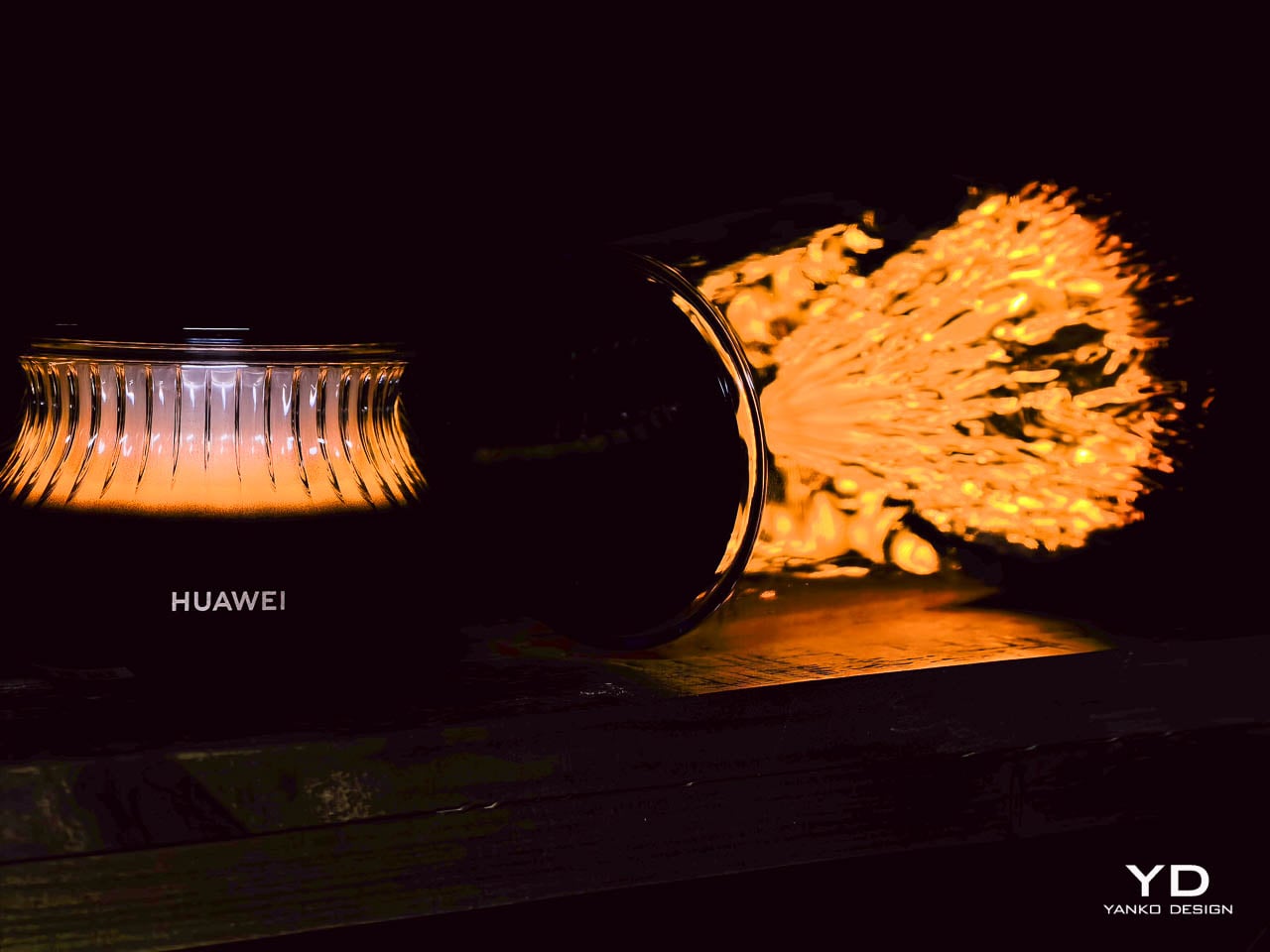
That coherence reflects a design philosophy that treats network hardware as a coordinated interior collection rather than a primary device surrounded by lesser satellites. The approach borrows from furniture design, where a sofa and matching armchairs share fabric and form language. It’s an unusual strategy for networking equipment, and it pays off visually.

Design Verdict

Together, these choices carve out a new category for consumer networking equipment. Huawei positions the Wi-Fi 7 Mesh Router not as infrastructure but as decor, borrowing visual cues from glass art, ambient lighting, and sculptural furniture rather than traditional electronics. The approach invites users to display their network hardware rather than hide it-a genuine inversion of the category’s usual logic.
That ambition has limits worth naming. The design rewards specific interiors-modern, curated, comfortable with statement objects-and punishes others. A room already crowded with visual noise may find the router’s glow overwhelming. A household that treats connectivity as invisible utility may resent paying for aesthetics they plan to hide. The placement tension between signal optimization and display value will frustrate anyone expecting both without compromise.

Huawei built a router for people who want their home network to carry emotional weight through form and material alone. The system achieves this without abandoning its technical identity: Wi-Fi 7 support, six integrated antennas, active cooling, and mesh scalability all remain intact beneath the decorative surface. For everyone else, the category’s quieter options remain available.

The post Huawei Wi Fi 7 Mesh Router Turns Connectivity into Sculptural Lighting first appeared on Yanko Design.
The Huawei X3 Pro Wi-Fi Router Is What Happens When a Mesh Router Meets a Lava Lamp

Not many people know this, but there is a wall filled with lava lamps in San Francisco that helps keep our internet secure. Cloudflare’s office lobby has a “Wall of Entropy,” a bank of about 100 lava lamps whose constantly shifting, gooey patterns are filmed by a camera. The video feed is converted into a stream of unpredictable, random bytes that helps create cryptographic keys to encrypt a significant chunk of the world’s web traffic. It is a brilliant, whimsical solution to a serious digital problem and perhaps the first instance of a piece of home decor serving a grander purpose in our connected world. Huawei’s new X3 Pro, a sculptural tabletop mesh router that looks like a tiny, self-contained icy mountain, might just be the second.

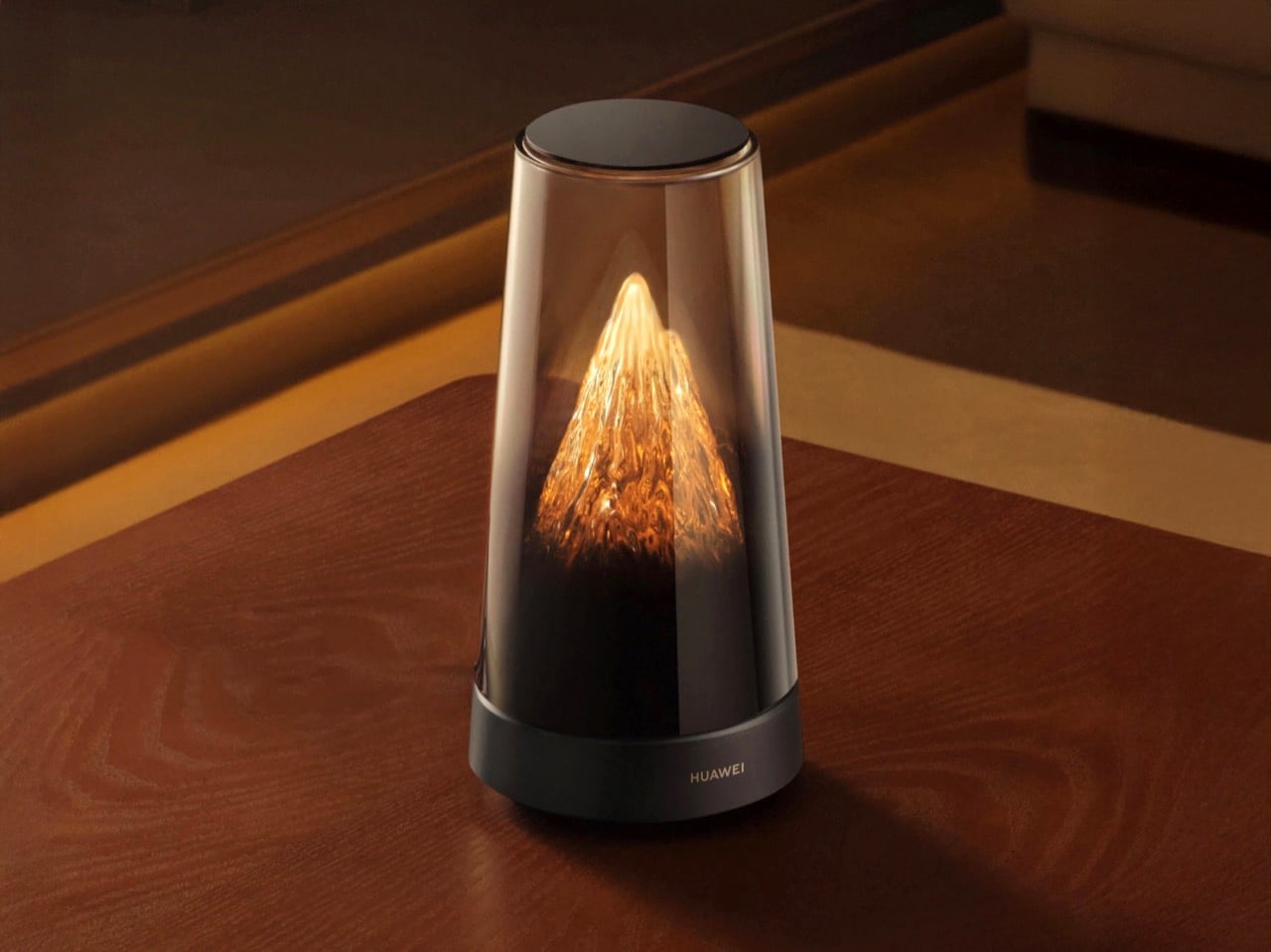
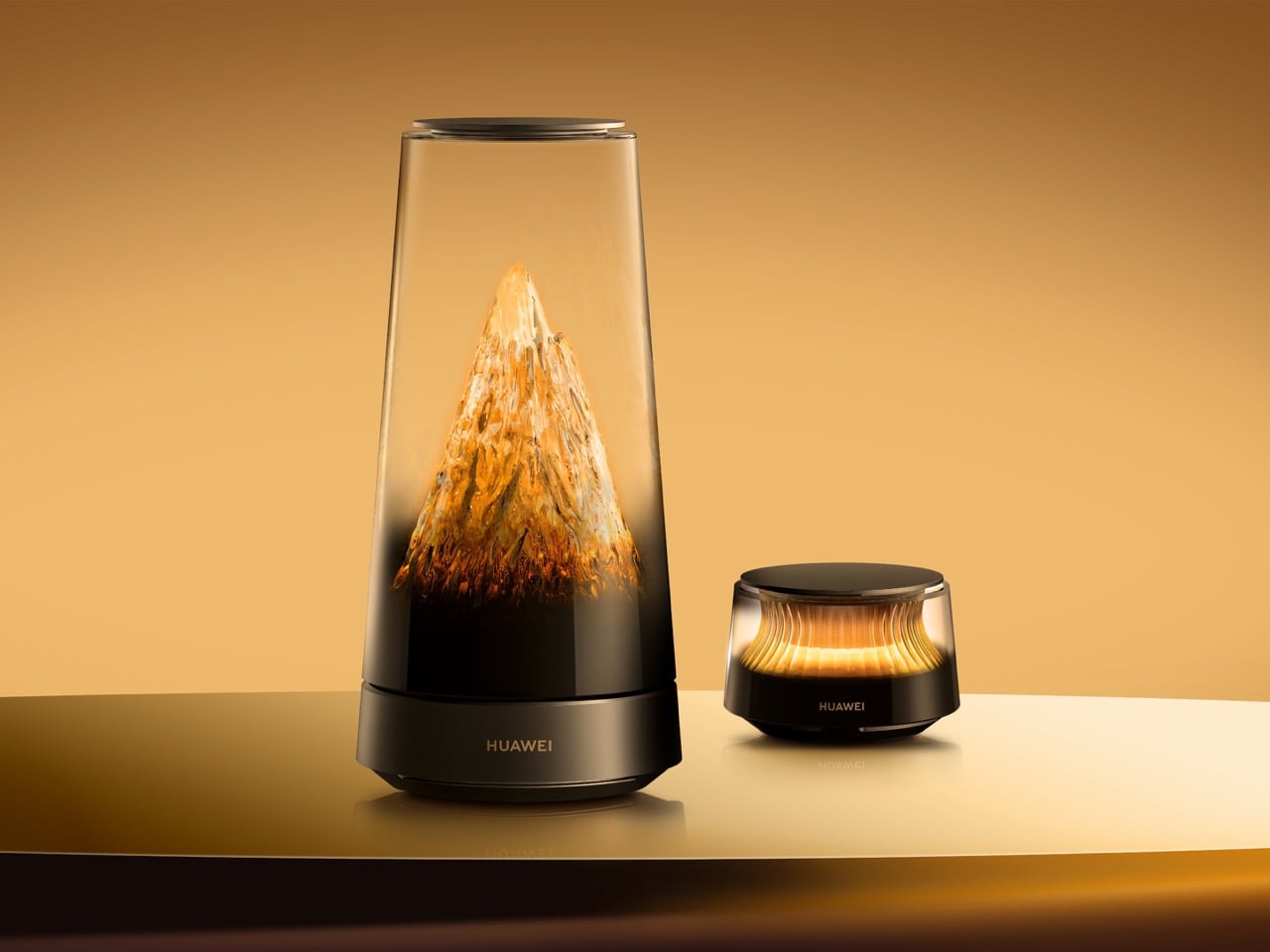
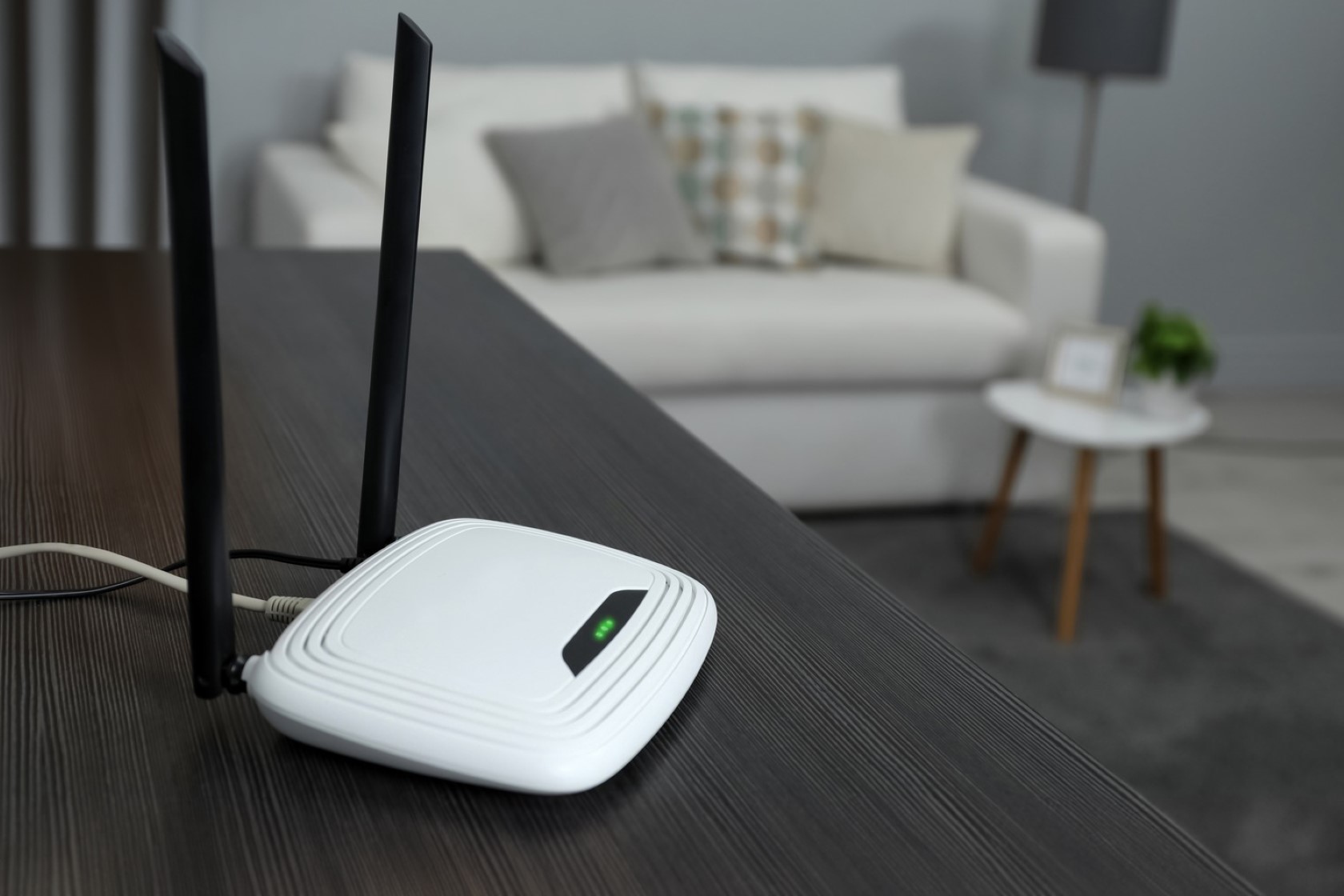
For years, the router has been the ugliest, most unloved piece of tech in the house. A black or white plastic box bristling with spidery antennas and blinking lights, it is the sort of device you shove behind a bookshelf or a plant, hoping no one notices it. The irony, of course, is that the best place for a router is out in the open, where its signal can propagate freely. Huawei seems to have taken this problem to heart, deciding that if a router has to be visible, it might as well be beautiful. The X3 Pro is the result: a tall, translucent cone that houses a textured, mountain-like sculpture. It looks less like networking hardware and more like an art glass piece you would find in a museum gift shop.

Designer: Huawei

The design is not just for show; it is deeply functional. The antennas, the components that are usually the most visually offensive part of a router, are cleverly hidden inside that central mountain core. The lighting is not a series of distracting blue and green status LEDs but a soft, ambient glow that shifts between warm, fiery amber and cool, glacial white throughout the day, mimicking a sunrise over a peak. It is designed to be a conversation piece, a calm presence on a coffee table that encourages you to place it right in the center of your living space, which is exactly where it will perform best.

Beneath that serene exterior, the X3 Pro is a thoroughly modern piece of networking equipment. It is a Wi-Fi 7 system, offering combined theoretical speeds of up to 3570 Mbps across its 2.4 GHz and 5 GHz bands. The main unit is equipped with two 2.5 Gbps Ethernet ports and one 1 Gbps port, providing enough bandwidth for multi-gig internet plans or a high-speed connection to a network-attached storage (NAS) drive.

Perhaps its most practical feature for challenging homes is its hybrid mesh technology. The system comes with a smaller, equally elegant satellite node. In addition to using Wi-Fi to create a mesh network, the X3 Pro supports PLC 3.0, or Power Line Communication. This allows the router and its nodes to use your home’s existing electrical wiring as a stable, wired backhaul. For anyone living in a home with thick concrete or brick walls that kill Wi-Fi signals, this is a game-changer, offering a more reliable connection between nodes than Wi-Fi alone can provide.

Everything is managed through Huawei’s Smart Life app, which handles setup, security features like WPA3, and specialized modes like Game Turbo for reducing latency. It is a complete package that marries high-end performance with a design that finally respects the aesthetics of a modern home. The X3 Pro makes a compelling argument that the most important devices in our lives do not have to be ugly. Just like those lava lamps in San Francisco, it proves that sometimes the best technology is the kind you actually want to look at.

The post The Huawei X3 Pro Wi-Fi Router Is What Happens When a Mesh Router Meets a Lava Lamp first appeared on Yanko Design.
Top 5 WiFi Router Placement Tips for Perfect Internet Connectivity at Home

Have you ever wondered why the WiFi signal in your home is strong in one room but weak in another? Or why sometimes your internet seems slower even though you’re paying for high-speed service? The culprit often lies not in the service itself but in the placement of your WiFi router. Think of your WiFi router as the heart of your home network system. Its location can either make or break the quality of your internet connection. Proper placement isn’t just about putting the router anywhere that’s convenient; it’s about strategically positioning it to maximize its effectiveness. In this article, we’ll explore five essential tips to help you place your router for the best possible WiFi coverage throughout your home.

1. Centralize Your Router

One of the simplest yet most effective tips is to place your router in the center of your home. The router ’emits’ connectivity through waves… so think of these waves as ripples – the further they travel, the weaker they get. The more they bounce off objects, the weaker they get. A video by a physicist above shows exactly how WiFi travels around in your home. If your router is placed at one end of the house, the signal has to travel a longer distance to reach the farthest rooms, leading to weaker coverage in those areas. By centralizing the router, you ensure a more even distribution of the signal, minimizing dead zones.

For example, if your home has multiple floors, consider placing the router on the main floor in a central location. This placement allows the signal to reach both the upper and lower floors more efficiently. Additionally, central placement can help reduce interference from walls and other obstructions that can weaken the signal. Remember, the goal is to give your WiFi signal the shortest, most direct path to all areas of your home.

2. Elevate the Router

Once you’ve found the central spot for your router, the next step is to elevate it. Placing your router on a high shelf or mounting it on the wall can make a significant difference in your WiFi coverage. WiFi signals tend to spread out and downward, so positioning the router higher up allows the signal to cover a larger area with fewer obstructions. Try to look around in offices, hotels, or at the airport and you’ll notice that WiFi routers are always wall or ceiling-mounted. There are a bunch of good reasons for this.

Think of it this way: if you place your router on the floor, the signal has to pass through furniture, appliances, and other objects that can absorb or deflect it, weakening the strength. By elevating the router, you reduce the number of obstacles the signal encounters, leading to better performance. Sniper mentality, in short! Additionally, mounting the router on the wall can help avoid interference from other electronic devices that are often found at ground level, such as TVs and gaming consoles.

3. Avoid Obstacles

Obstacles are one of the main enemies of a strong WiFi signal. Large metal objects, thick walls, and electronic devices can all interfere with your WiFi signal, causing it to weaken or drop entirely. When choosing a spot for your router, try to keep it away from such obstacles as much as possible.

For instance, placing your router next to a large metal refrigerator or inside a cabinet can severely impact its performance. Metal absorbs and reflects WiFi signals, causing significant signal loss. Similarly, thick walls, especially those made of concrete or brick, can block the signal from passing through. If your router has to transmit through several thick walls to reach certain rooms, you might experience weaker connectivity in those areas. To combat this, place your router in an open area, free from obstructions, and consider using WiFi extenders or mesh networks for larger homes.

4. Optimal Antenna Position

Many routers come with adjustable antennas, and how you position these antennas can impact your WiFi coverage. A common mistake is to leave the antennas pointing in the same direction. However, adjusting the antennas can help direct the signal more effectively.

For multi-floor homes, the best practice is to position one antenna vertically and one horizontally. The vertical antenna will help distribute the signal to the floors above and below, while the horizontal antenna ensures better coverage on the same floor. This configuration allows the signal to spread more uniformly throughout the home. In single-floor homes, positioning both antennas vertically can provide a wider range of coverage across the floor. Experiment with different angles and positions to find what works best for your specific home layout.

5. Limit Interference

Lastly, minimizing interference from other electronic devices is crucial for maintaining a strong WiFi signal. Many household devices operate on the same frequency as your WiFi router, leading to potential interference that can degrade your internet performance. Common culprits include microwaves, cordless phones, baby monitors, and Bluetooth devices.

To limit interference, try to place your router away from these devices. If possible, avoid placing the router in the kitchen where appliances like microwaves can interfere with the signal. Additionally, consider using a dual-band or tri-band router, which can help separate your devices across different frequency bands, reducing the likelihood of interference. Dual-band routers operate on both the 2.4 GHz and 5 GHz frequencies, allowing you to allocate different devices to each band. For instance, you can reserve the 2.4 GHz band for devices that require longer range but can tolerate slower speeds, like smart home devices, and use the 5 GHz band for devices that need higher speeds and can be closer to the router, like laptops and gaming consoles.


Achieving optimal WiFi performance in your home isn’t just about having the latest router or the fastest internet plan; it’s about strategic placement and understanding how WiFi signals work. These tips come from a mix of technical knowledge and practical experience, and while every home is different, the principles remain the same. Implement these strategies and watch as your WiFi performance reaches new heights, providing you with the seamless connectivity you need in today’s connected world.

The post Top 5 WiFi Router Placement Tips for Perfect Internet Connectivity at Home first appeared on Yanko Design.

Upgrade Your WiFi with Unmatched Privacy and Safe Connectivity at Home or Anywhere in the World

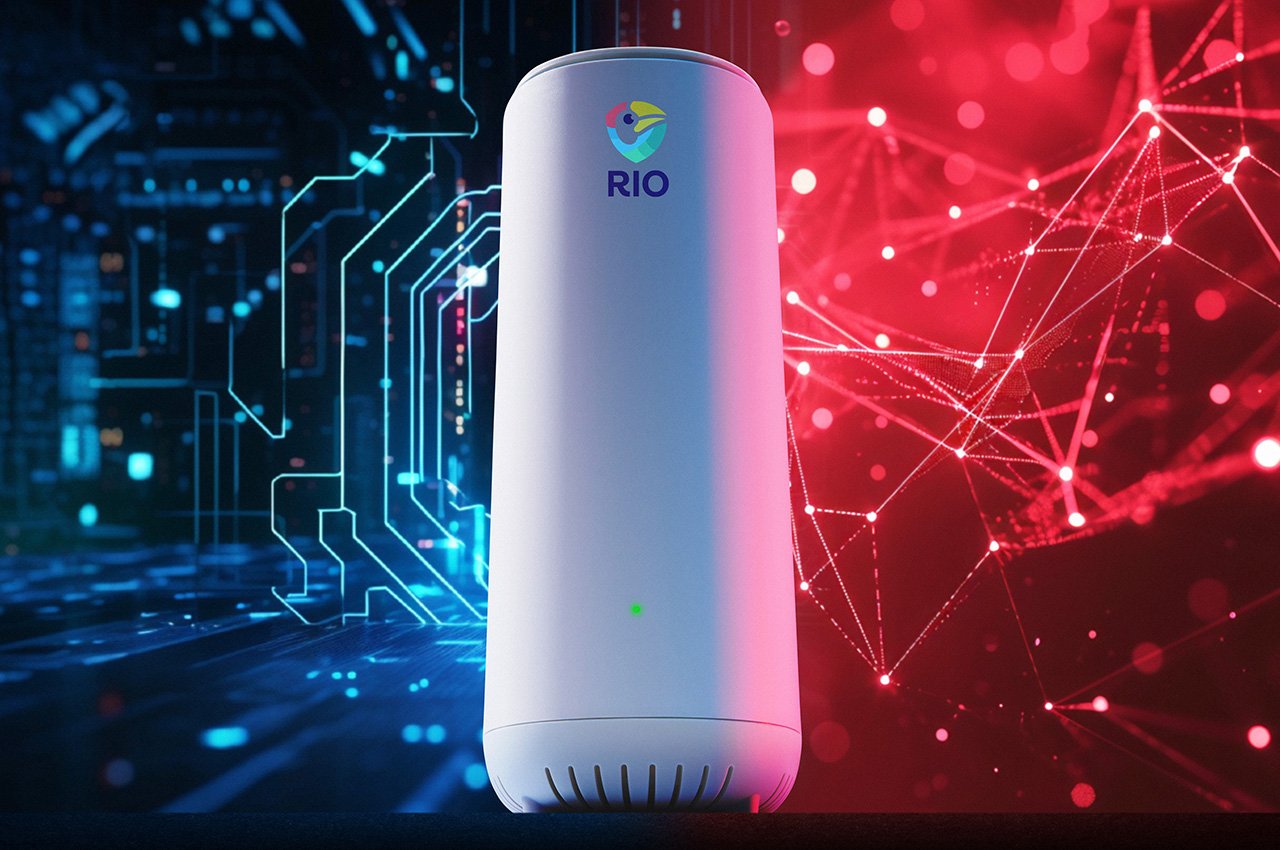
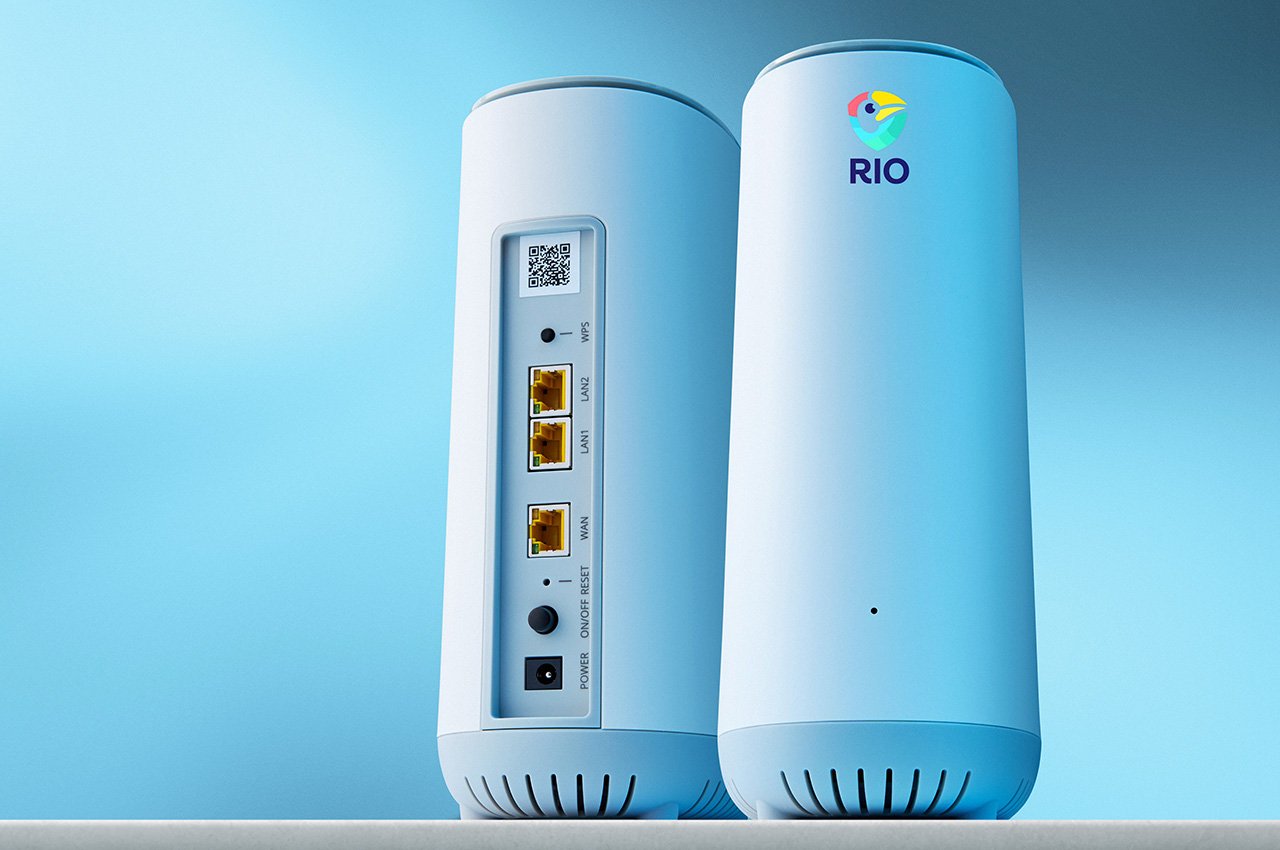
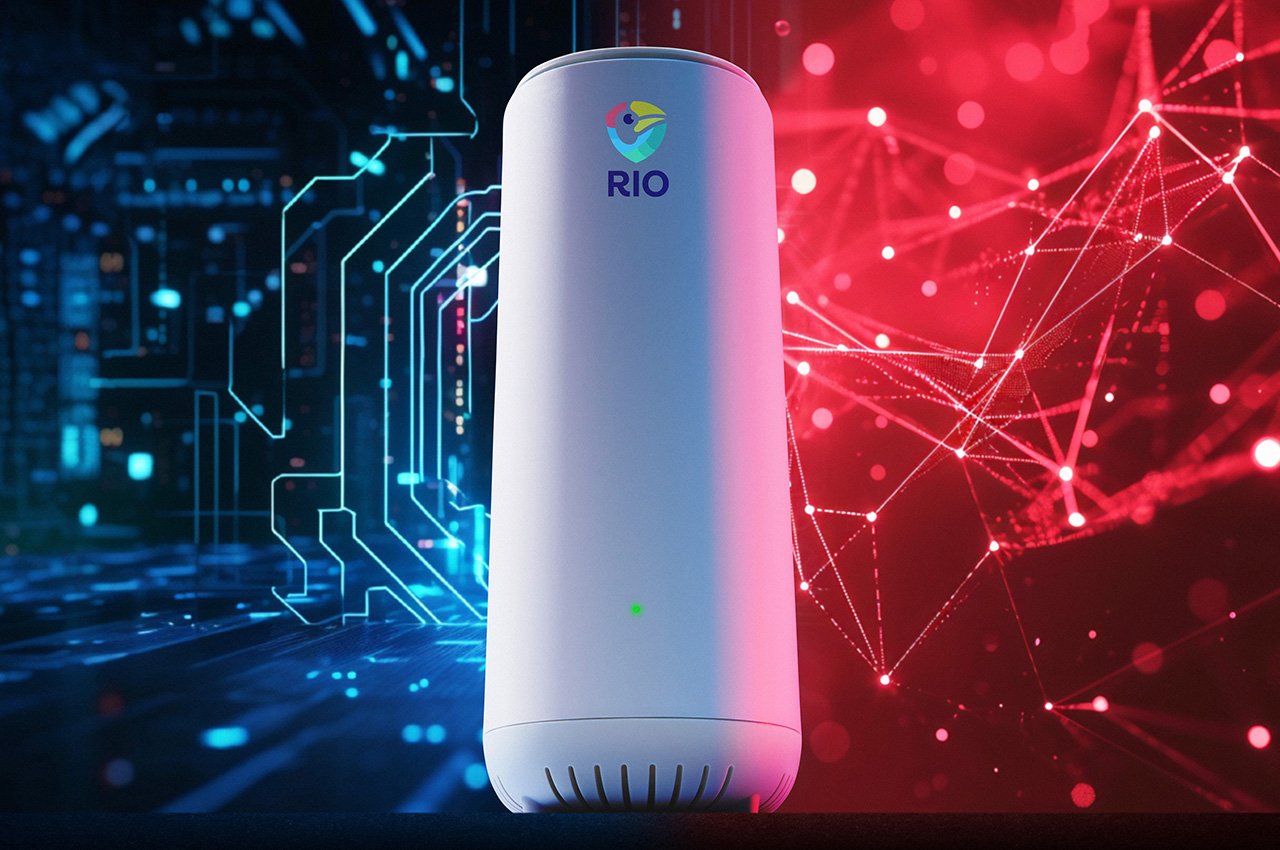
The Rio system, developed by executives at Foxconn, Intel, PC Matic, and InFocus transforms an ordinary WiFi router into a fortified security hub, aptly dubbed the “Fort Knox” of WiFi routers. This transformation addresses a significant vulnerability in personal internet security: the simple fact that traditional routers are protected by only a password, which has become an inadequate defense against cyber threats.

Designer: Rio Router

Click Here to Buy Now: $299 $549 ($250 off). Hurry, only 9/355 left! Less than 72 hours left.

Rio advances beyond basic security measures by incorporating features that control device access on a granular level. It only allows devices that have been pre-approved by the user to connect to the network. Any unapproved device attempting to connect is isolated in a holding area until explicitly allowed by the user via the Rio app. This proactive monitoring and approval system mimics the security checks of a VIP club bouncer, ensuring that only verified devices gain entry and interact within the network.

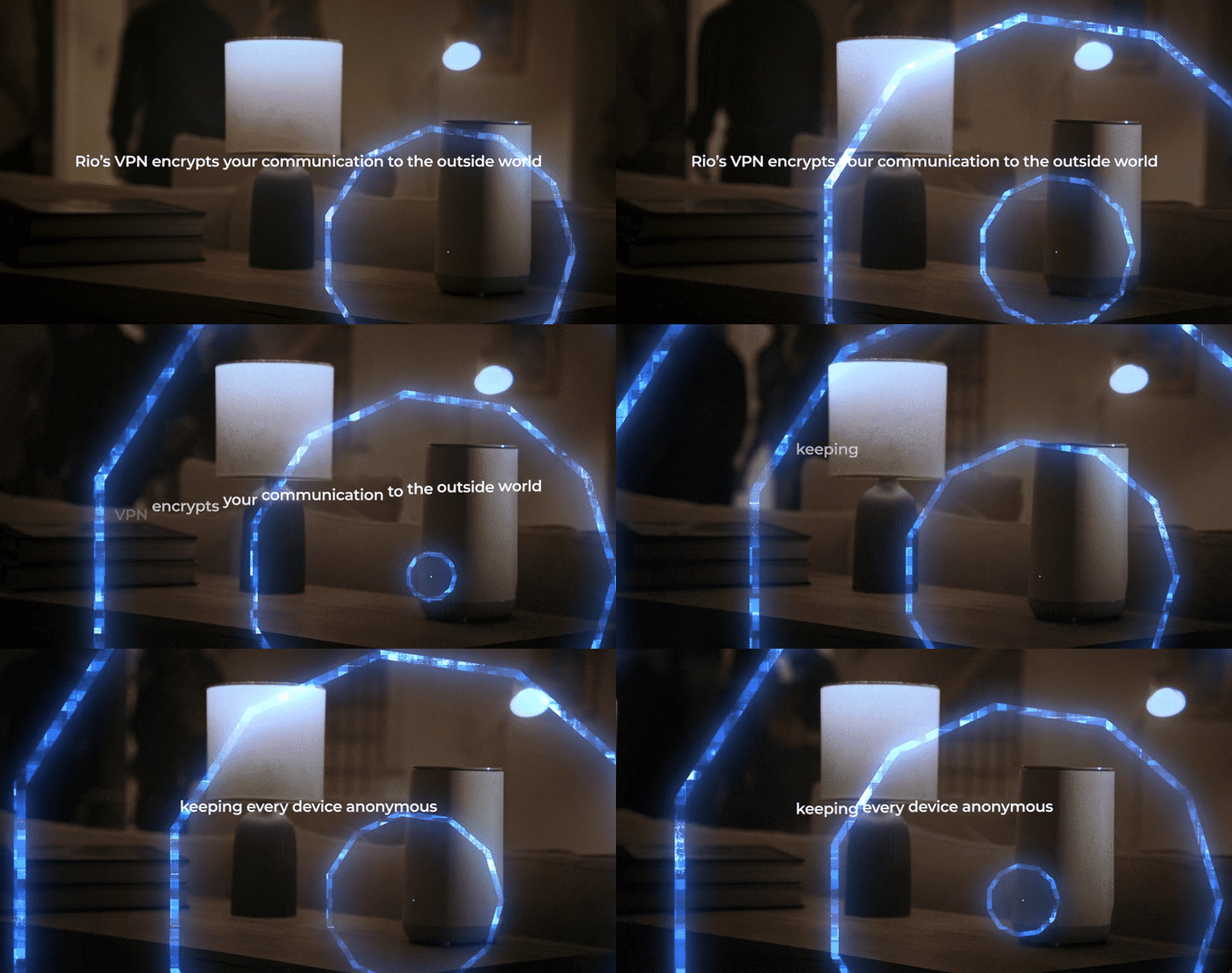
The company states that “Rio creates a secret code that hides and protects everything about your gadgets when they’re online. It scrambles up their names, where they are, and what they’re saying, so nobody can snoop on your online life.”
This indicates that advanced encryption is used to enhance the privacy and security of communications across your network by obscuring details about connected devices. This encryption safeguards device identities, physical locations, and communication data, ensuring that even if hackers intercept this information, they cannot understand or utilize it without the necessary decryption key, which is securely held by the Rio system and its legitimate users. This process is crucial for preventing potential eavesdroppers from accessing sensitive data, thereby protecting your network even if it is compromised and ensuring that privacy and security are maintained at all times. Given that a startling 80% of consumers have reportedly had personal information leaked onto the dark web, such encryption is beneficial and essential for safeguarding personal data against cyber threats.

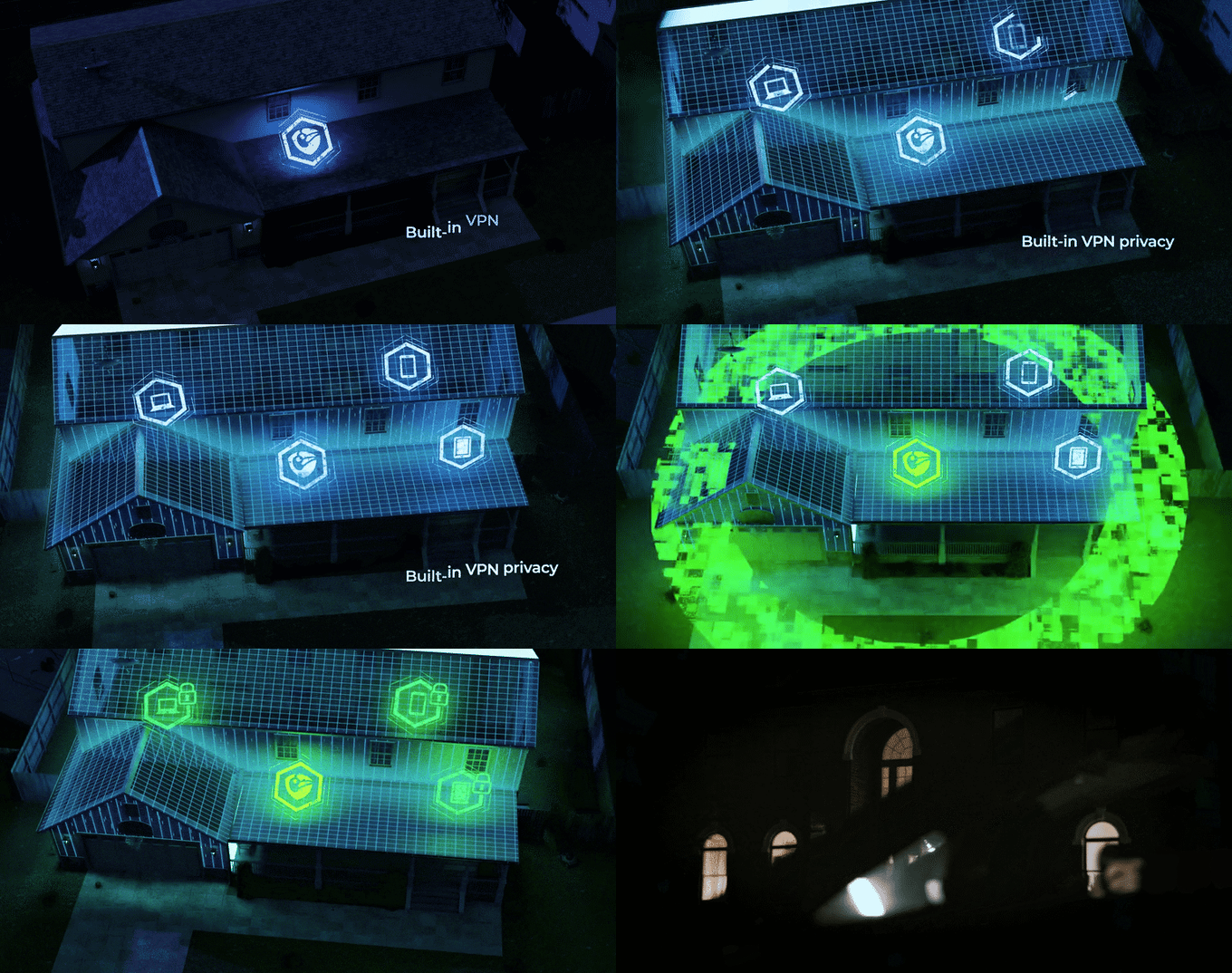
This system adopts a method similar to a digital fortress. Using SecureRoom™ technology segments the network into up to 16 distinct compartments. Each compartment is isolated, preventing a compromised device from affecting the entire network.

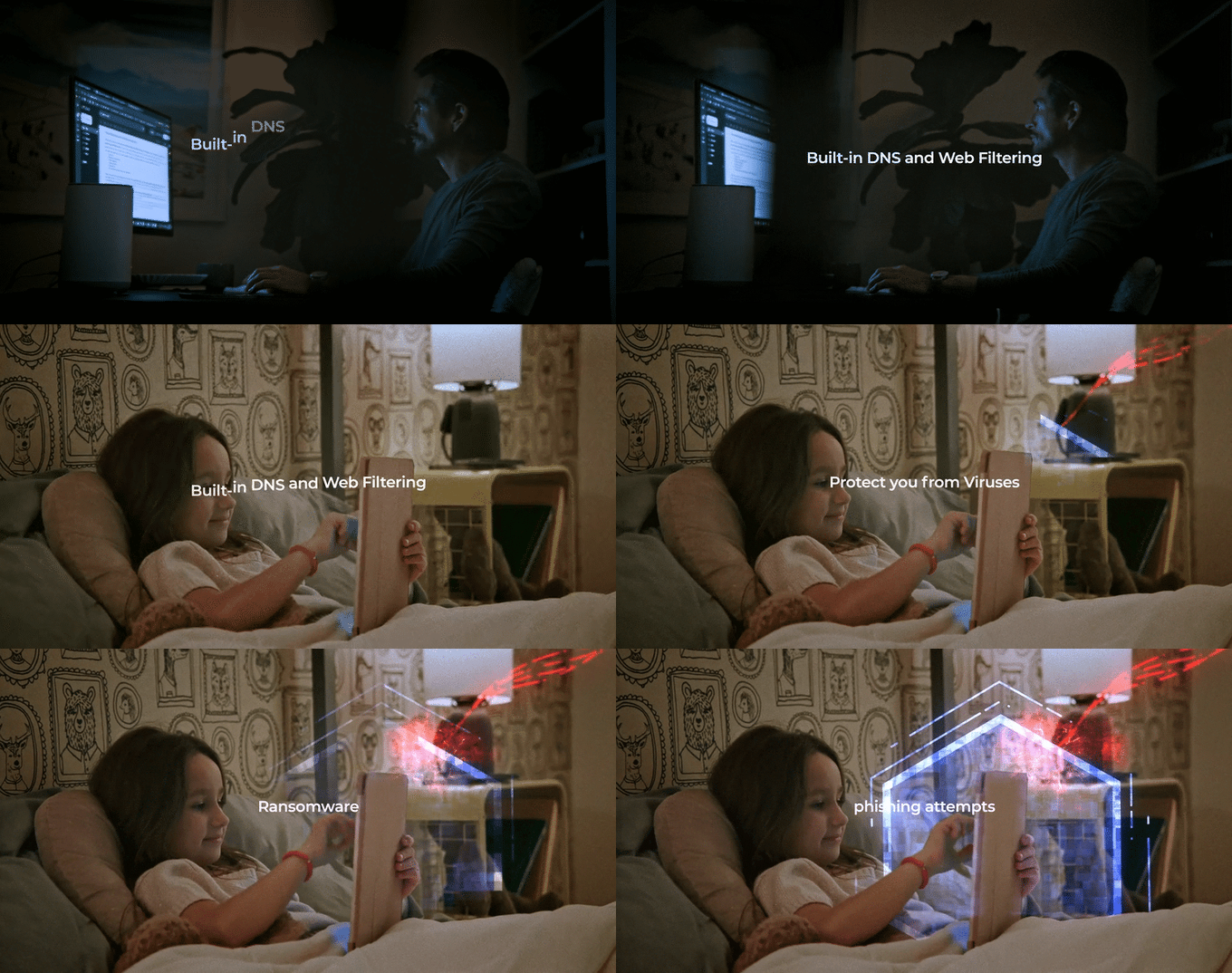
Additionally, the Rio system is equipped with smart DNS and web filtering capabilities that proactively prevent access to suspicious or harmful websites, enhancing overall online safety. The Rio app facilitates real-time alerts and management, giving users complete control over their network from anywhere in the world.

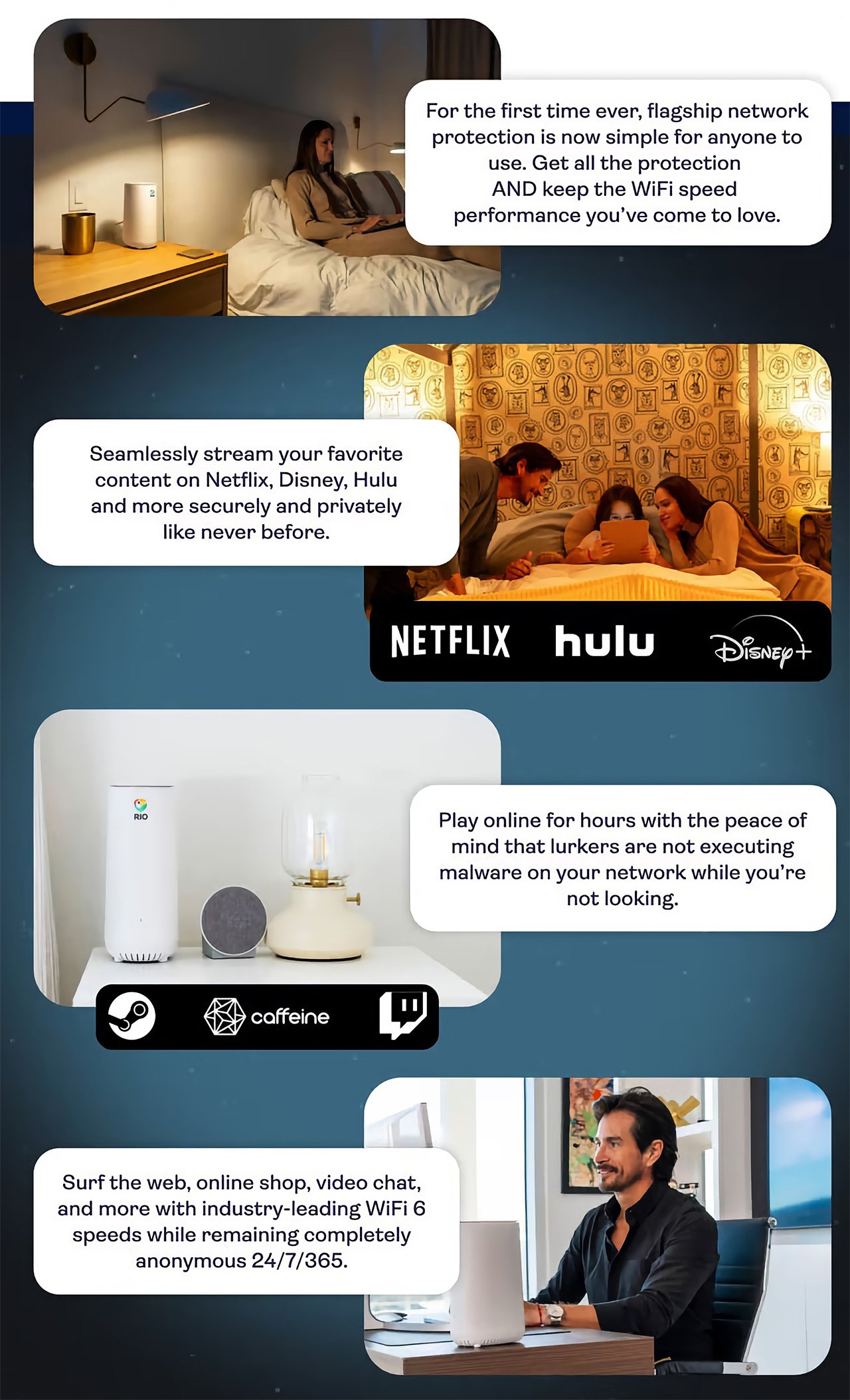
Moreover, Rio addresses common household concerns about internet safety with built-in features that filter out unsafe web content and block potential phishing sites, creating a safer browsing environment for all family members. Its sleek design and easy setup mean that Rio protects and integrates seamlessly into your home or office environment.

Rio’s guest mode feature improves home WiFi security by providing visitors with a separate access point, making sure the main network stays protected. Whether hosting family gatherings, client meetings in home offices, community events, or children’s playdates, Rio connects each guest to the internet through a special “guest room.” This setup protects your primary network and offers guests convenient and temporary WiFi access. Once they leave, Rio automatically revokes their access, and if they need to reconnect, they must ask permission, effectively acting like a security guard for your WiFi. This seamless integration of guest access into your home network provides both protection and ease, accommodating a variety of hosting scenarios without compromising your network’s integrity.

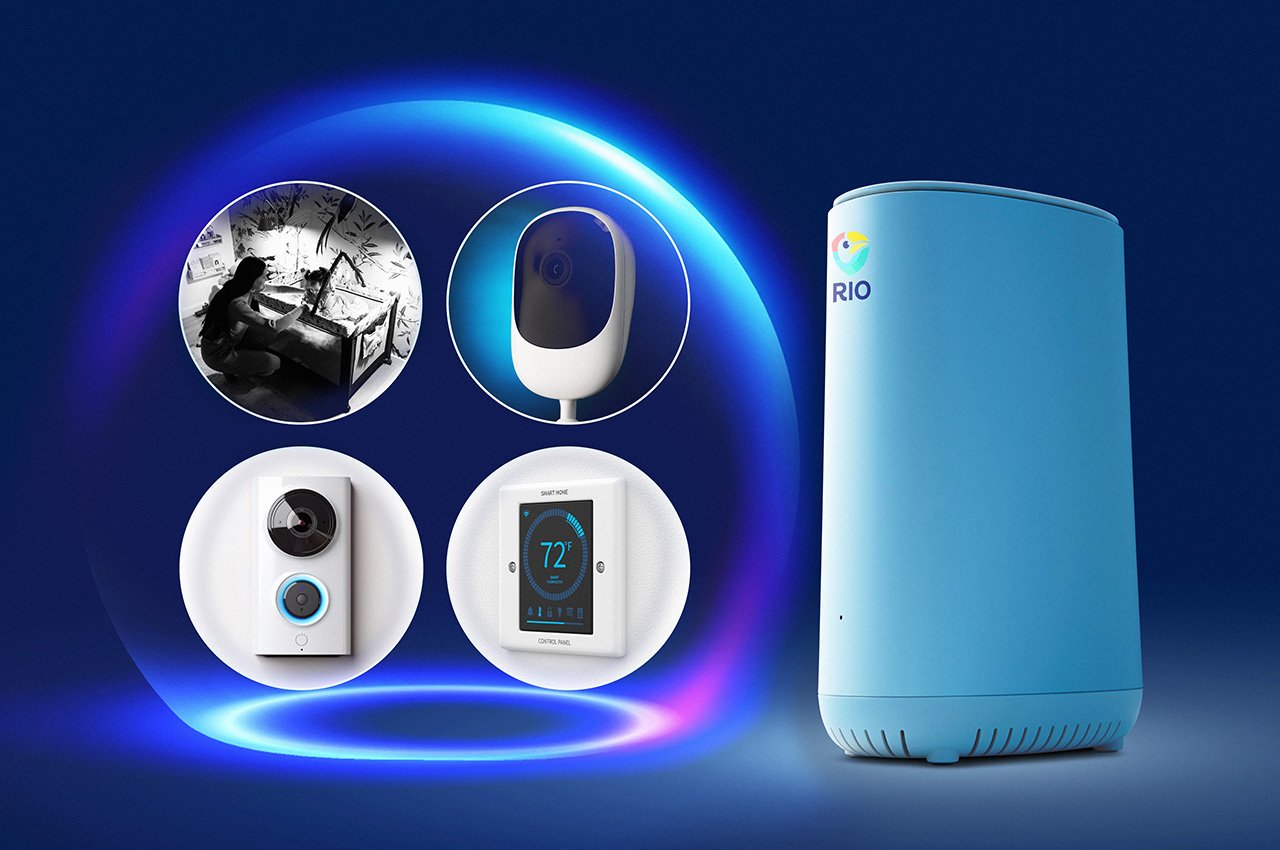
Rio’s intuitive interface in its mobile app enhances the user experience by simplifying network management. Users can effortlessly adjust settings, monitor network activity, and switch geographic locations without the complexity of traditional VPN configurations. This feature is particularly valuable for users who enjoy international content or travel frequently, as it provides continuous access to home services. Also, Rio allows users to watch shows and movies from anywhere in the world without needing to set up a VPN on each device. Just connect to Rio, and instantly, your internet presence is invisible, assuring that your smart gadgets like Alexa, thermostats, baby monitors, cameras, and doorbells remain hidden from prying eyes, keeping your internet life private and safe.

Click Here to Buy Now: $299 $549 ($250 off). Hurry, only 9/355 left! Less than 72 hours left.

The post Upgrade Your WiFi with Unmatched Privacy and Safe Connectivity at Home or Anywhere in the World first appeared on Yanko Design.

This next-gen Wi-Fi router with a Built-in VPN lets you access the internet without anyone stealing your data

Sure, your phone and laptop have VPNs… but does your smart speaker? Your home camera? Smart doorbell? Baby monitor? It’s easy to think of yourself as protected when your primary device operates on a VPN, but the truth is that our houses are filled with IoT devices that remain vulnerable to brute force because of one weak point of entry – a basic router. The Rio Router aims to change that with a built-in VPN, device allowlisting protocols, guest network features, and the ability to set parental controls from the router itself. Whether it’s a government trying to snoop on you, someone trying to hack you, companies trying to sell your data, or your internet service provider secretly gathering info about you, the Rio Router cuts it all off right at the source. It encrypts information in a way that anonymizes your entire smart home, so you can browse the internet freely, and your smart home gadgets can access the internet without being vulnerable to data theft.

Designer: Rio Router

Click Here to Buy Now: $299 $549 ($250 off). Hurry, only 15/290 left! Raised over $136,000.

Most routers are designed to help you access the internet, but that access can sometimes be a double-edged sword, creating a path for bad-faith actors to access your IoT devices and even the data within them. A simple WiFi password can only do so much, right? That’s why the Rio Router uses a protocol that requires you to personally allowlist any device connecting to your network. Every IoT device gets approved by you, and if there’s any device you don’t approve of trying to connect to your network, it doesn’t get access to your network or to the devices on it. Think of it as a security guard that only allows you into a building if you have the right ID, and turns you away if you don’t.

Even for approved devices accessing the internet through the Rio Router, all data gets encrypted through the router’s built-in VPN. This offers two distinct benefits – for starters, it lets you access the internet and streaming services without any government or geolocation restrictions (yes, that means being able to use TikTok even if it gets banned), but it also encrypts all personal information so that your internet service provider doesn’t get unfettered access to your life… or even corporations like Apple, Google, Microsoft, and Amazon that feed off of information from smart home devices.

Obviously, that level of access does come with its downsides – you want your family to stay safe from potentially dangerous websites. The router allows you to set parental controls for specific devices, preventing your child’s laptop or tablet from being able to access harmful sites, and an integrated DNS and web filtering system provides all-around protection, preventing all devices from accessing malicious sites that could scam/phish you or corrupt your device with ransomware.

Following the security guard analogy from earlier, think of your internet connection as a building with multiple wings/departments. Different employees can only access the wings or departments they are authorized to, and a low-level employee can’t necessarily go snooping in the CEO’s office or through the confidential file room. Similarly, the Rio Router creates dedicated rooms for each category of devices. Your smart kitchen gadgets can’t access or communicate with your bedroom’s smart devices even if they’re on the same network. This technology, known as SecureRoom™, helps create dedicated chambers for different internet devices, so every gadget on the same network doesn’t necessarily have access to all the data on the network. The SecureRoom™ is a brilliant way of ensuring that your gadgets don’t have access to information they don’t have clearance for. Your living room smart speaker doesn’t necessarily know what’s happening in the kitchen, and the baby monitor in the bedroom isn’t vulnerable to being snooped on by your thermostat.

The SecureRoom™ system also allows you to create guest networks for when you have people visiting you at home. No more sharing passwords for the main WiFi network – guests get to access the internet through a SecureRoom™ guest network. Their data stays safe and so does yours – you can approve devices to the SecureRoom™ to ensure that nobody else is accessing the internet, and once your guests leave your house, they’re removed permanently from the network and can only access the internet once you grant them approval.

The Rio Router runs WiFi 6 for fast and reliable connections from every corner of your house and even comes with an iOS/Android app that lets you control the router, set protocols, create SecureRooms™, and grant/deny approvals to external devices. It gives you the liberating taste of what true internet freedom feels like, allowing you to rely on IoT devices without the fear of them spying on you, as well as preventing anyone from hacking into your network or even accessing data they’re not privy to. It also helps that you can now browse international titles on your streaming service so even if The Office leaves Netflix in the USA, it’s still available in some other country!

It’s 2024, and if your internet service provider is giving you a free router with your connection, you’d best not trust it with all your data. After all, if it’s free, you’re the product. The Rio Router starts at $299 and comes with a free app, and VPN service free for 12 months. You can use the Rio to set up as many as 4 different SSIDs (WiFi access points), 8 Rio mesh extenders, and up to 16 SecureRooms™ at a time.

Click Here to Buy Now: $299 $549 ($250 off). Hurry, only 15/290 left! Raised over $136,000.

The post This next-gen Wi-Fi router with a Built-in VPN lets you access the internet without anyone stealing your data first appeared on Yanko Design.
These Minions Wi-Fi Routers were probably the most brilliant devices we saw at CES 2024

Flying cars and AI assistants are a dime a dozen – but have you ever seen a router so adorable it would be the highlight of your interior decor??

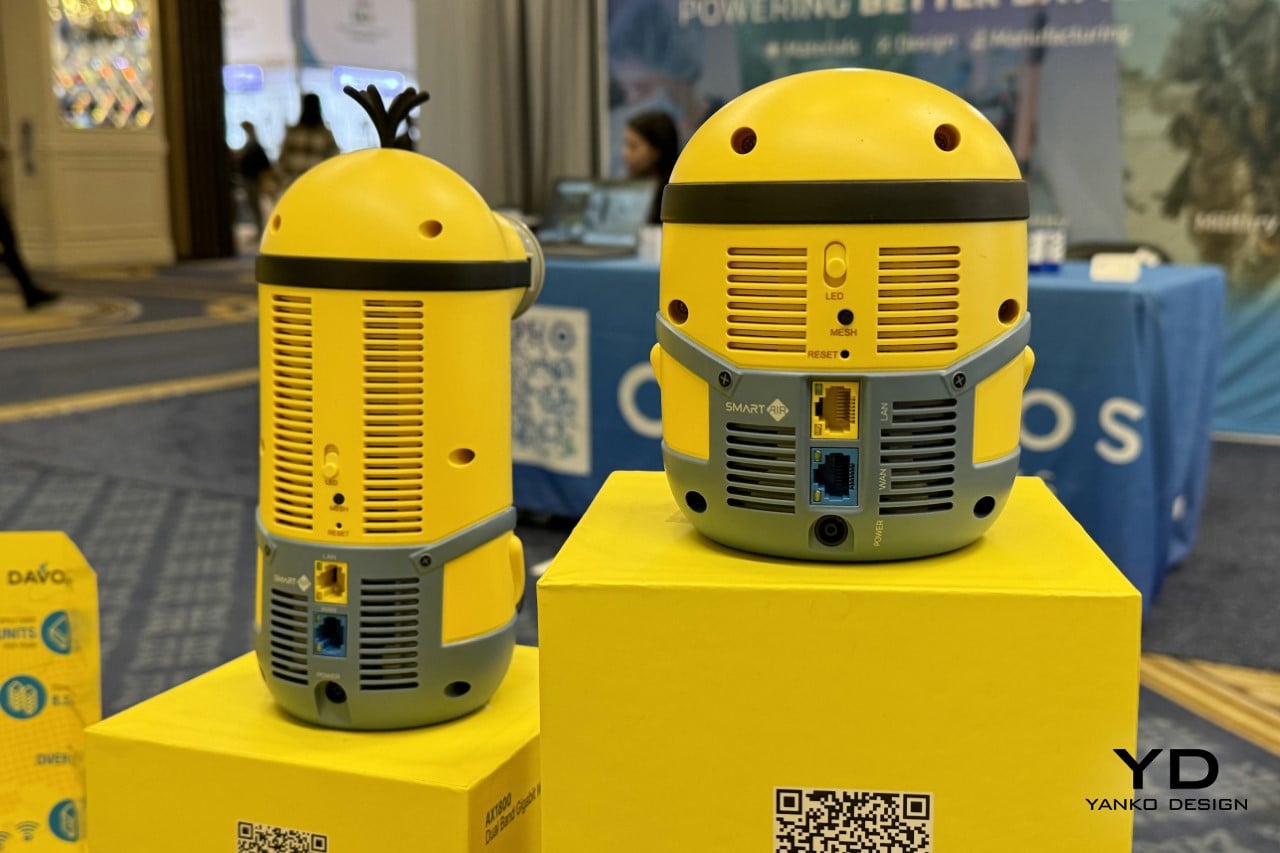
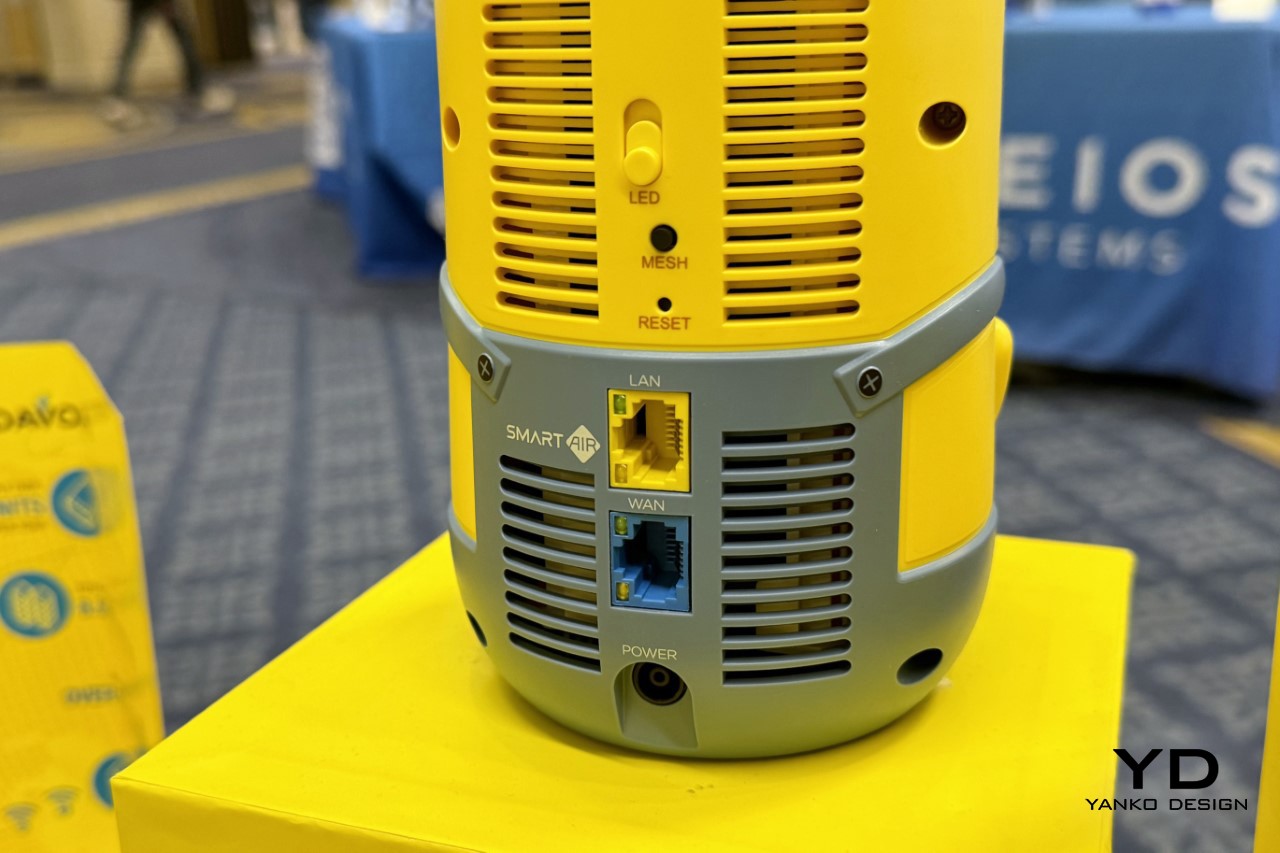
The SmartAir Minions Routers were so oddly located in a corner of the Westgate area of the CES 2024 exhibition that it was easy to miss. As chance would have it, I headed to the Westgate area to look for another company, only to suddenly notice these minions through the corner of my eye sitting on a counter. Given the fact that CES is predominantly a tech show, I obviously wondered why these plush-looking toys were on display. A few seconds in it dawned on me – these lifelike characters from the Despicable Me franchise were, in fact, dual and triple-band WiFi 6E routers capable of multi-gigabit internet. The added bonus? They look more adorable and presentable than your existing WiFi router ever could.

Designer: Davolink

Click Here to Buy Now

The routers come in two models, designed to resemble the two key characters in the Minion-verse, the short and adorable Bob, and the tall and klutzy Kevin. The choice of these two characters play well into the routers’ features too – Bob, being smaller, offers dual-band WiFi connectivity, while the taller Kevin (and that tiny antenna-esque toupee of his) offer triple-band internet, giving you 2.4Ghz, 5Ghz, and even 6Ghz.

Together, both the routers provide a brilliant blend between wide coverage and high speeds, enabling everything from 8K streaming to even gaming. The routers eliminate dead zones too, ensuring every corner of your home has WiFi connectivity with a mesh feature to help maximize coverage.

The highlight, however, is the fact that they are a stunning replica of easily some of the most memorable and iconic characters of animated cinema in the past decade. I’ve always advocated for functional products ditching their industrial aesthetic (air purifiers and smart speakers don’t need to look horrendously industrial in today’s day and age), and it seems like it’s time that WiFi routers took that same approach. Bob and Kevin are designed to be the kind of routers that hide in plain sight. They’re adorable enough to be kept on your shelf or tabletop without feeling the need to conceal them behind curtains or other objects, and that’s really what makes them such a standout product. After all, wouldn’t you rather have a router that looks as cute as these little nitwits than something like the boring box you’re currently connected to as you read this article? My only worry is kids trying to play with these and accidentally bringing your entire home network down… but that’s a problem for another day!

Click Here to Buy Now

The post These Minions Wi-Fi Routers were probably the most brilliant devices we saw at CES 2024 first appeared on Yanko Design.