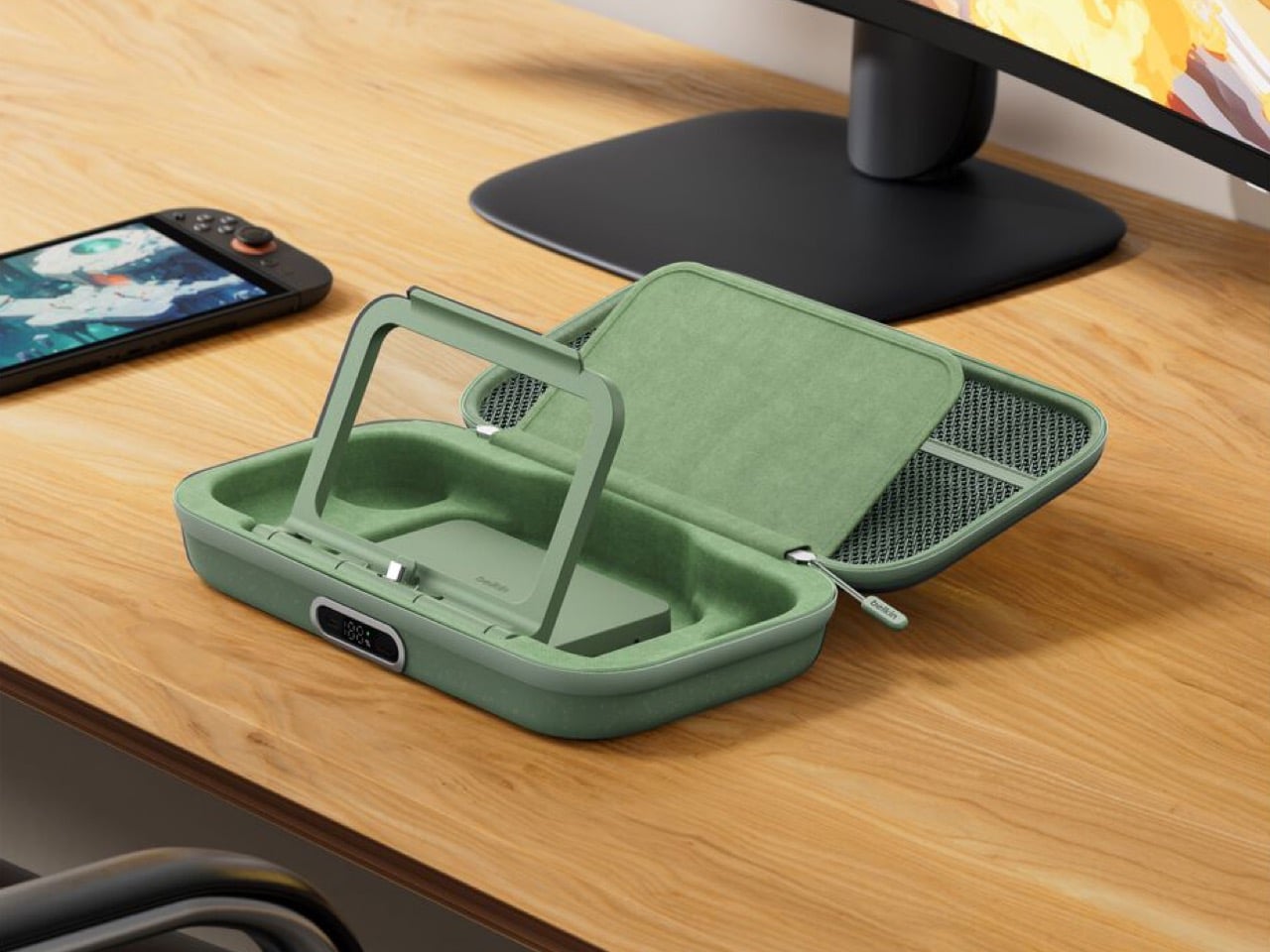
Belkin’s New Switch 2 Docking Case Has a 10,000mAh Battery That Lets You Charge While Shut

The best gaming accessories solve problems you didn’t know you had. Before you use them, the old way seems fine. After you use them, going back feels like torture. Belkin’s new Charging Case Pro for Nintendo Switch 2 falls squarely into this category.

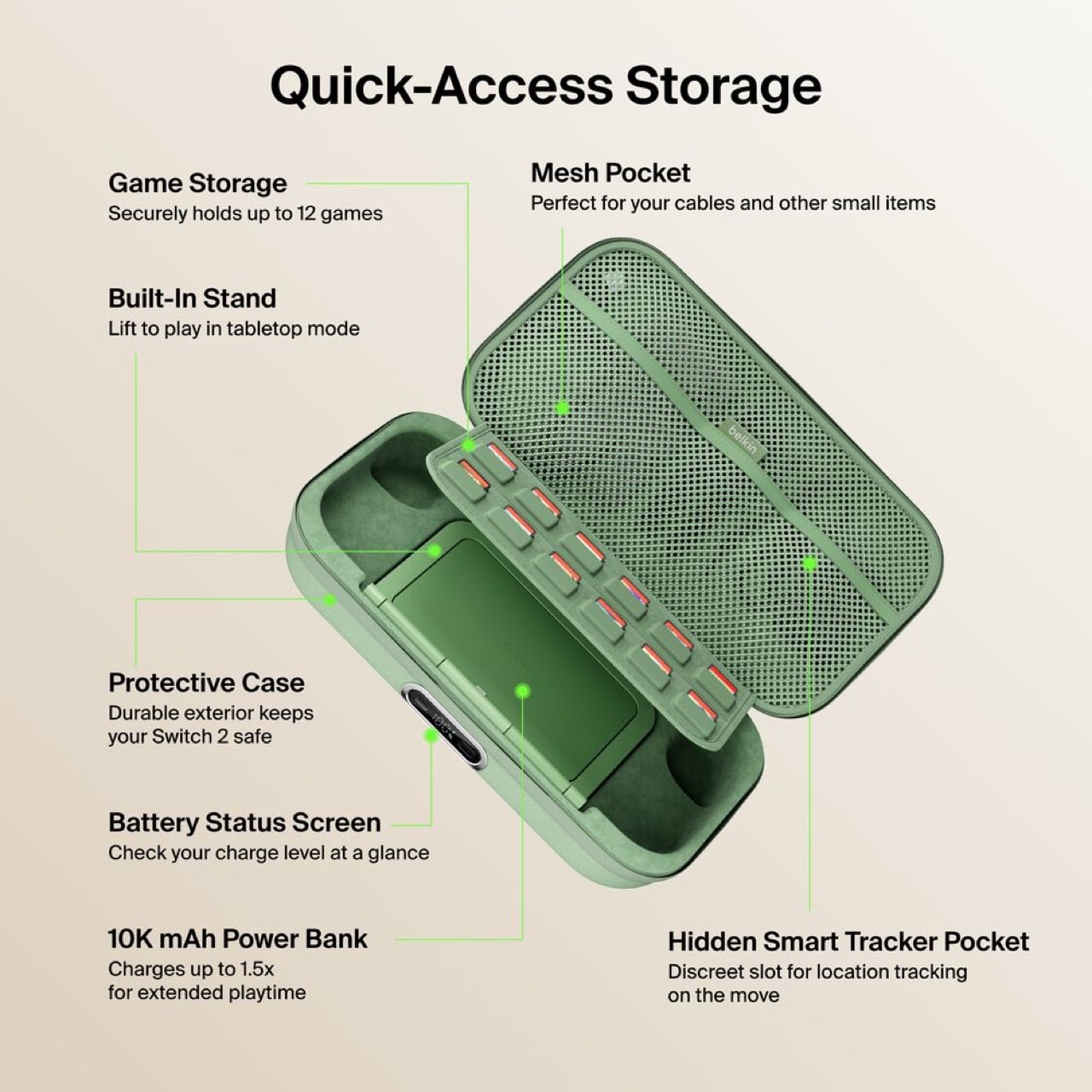
The original Charging Case launched last June with a solid concept: protect your Switch 2 and keep it powered during long trips. But Belkin’s designers clearly listened to user feedback and spotted the pain points. The Pro version addresses nearly every frustration from the first generation. You can charge the battery without unzipping the case. You get a proper integrated stand instead of relying on the console’s kickstand. There’s even a battery level display so you’re never guessing how much juice remains. These aren’t revolutionary features individually, but together they transform a good accessory into an essential one.

Designer: Belkin
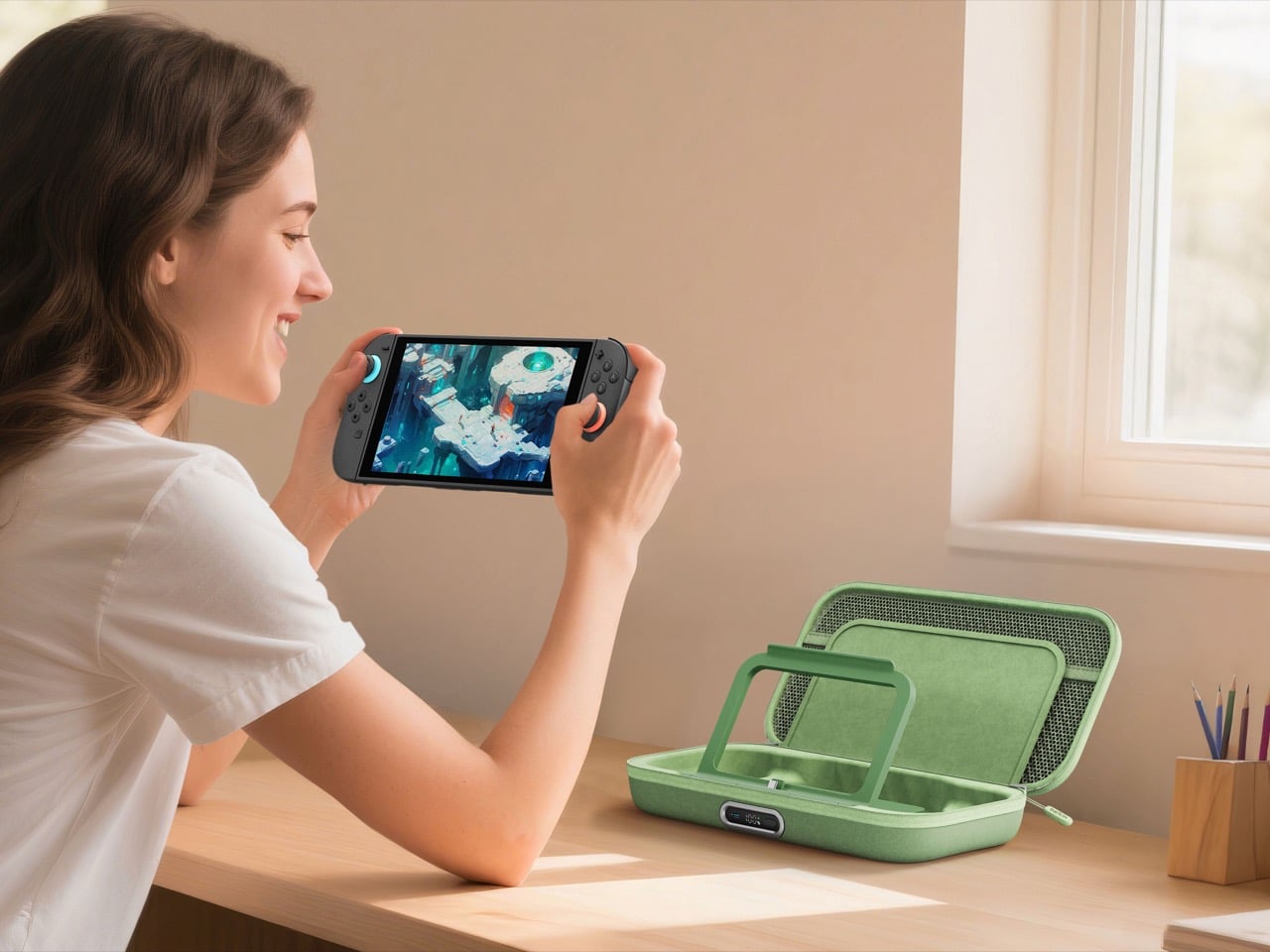
Having to unzip your case, fish out the battery pack, plug it in separately, then put everything back together just to charge overnight is the kind of stupid friction that kills products. The external USB-C port fixes this entirely. Leave your Switch 2 inside, plug one cable into the front, done. The little OLED display shows precise battery percentage, which actually matters when you’re deciding whether to top up before a three-hour flight or risk it.
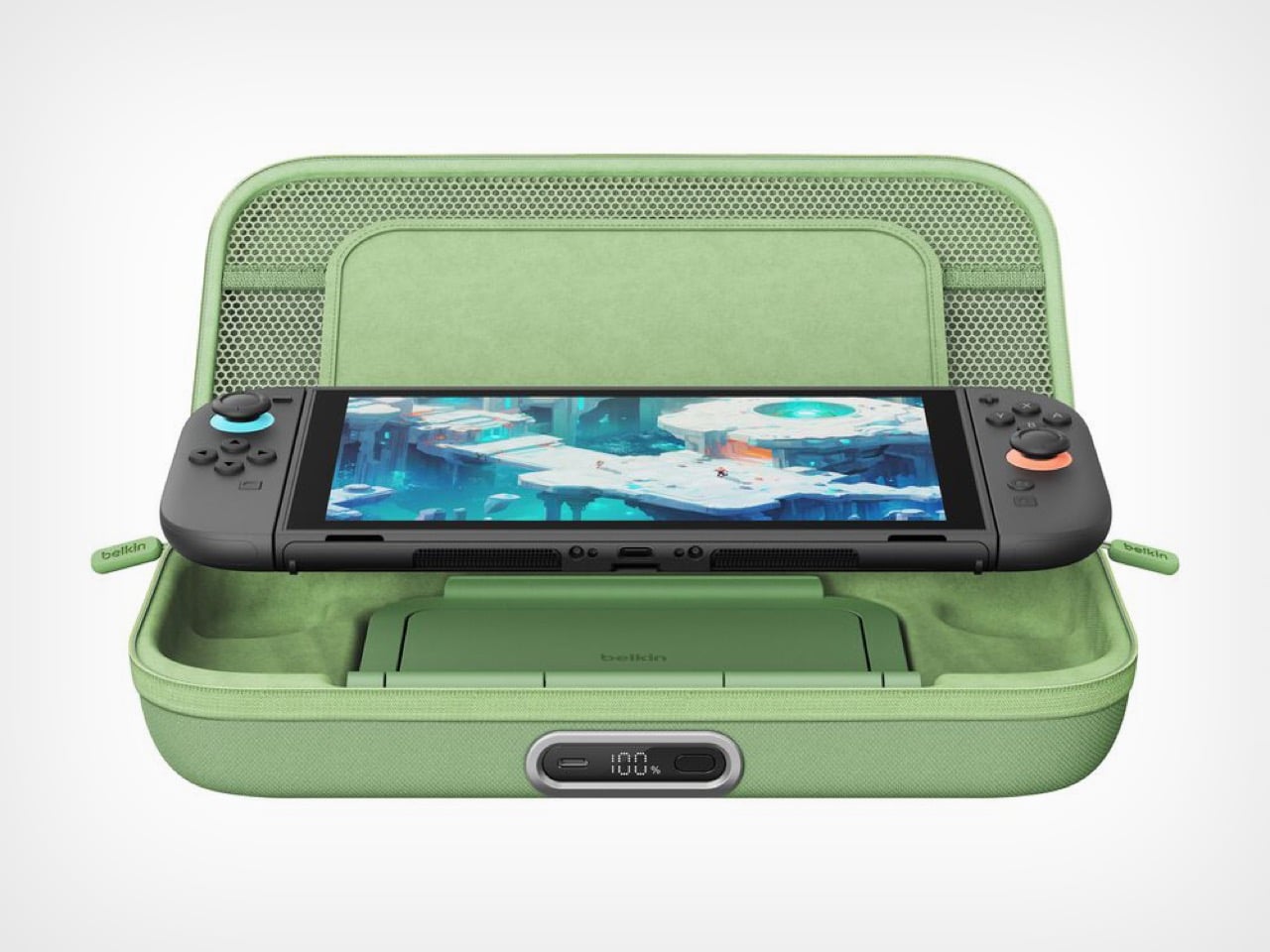
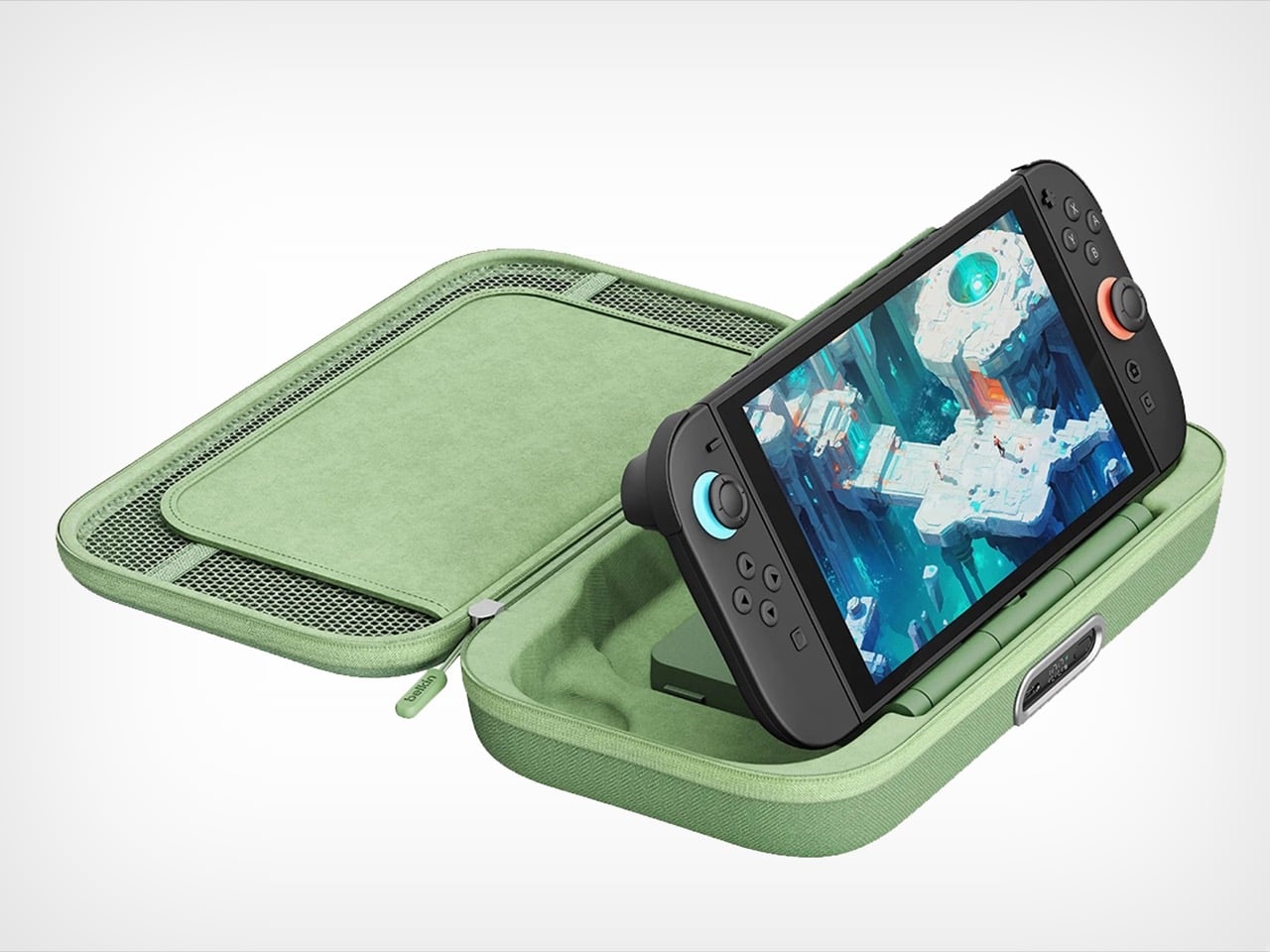
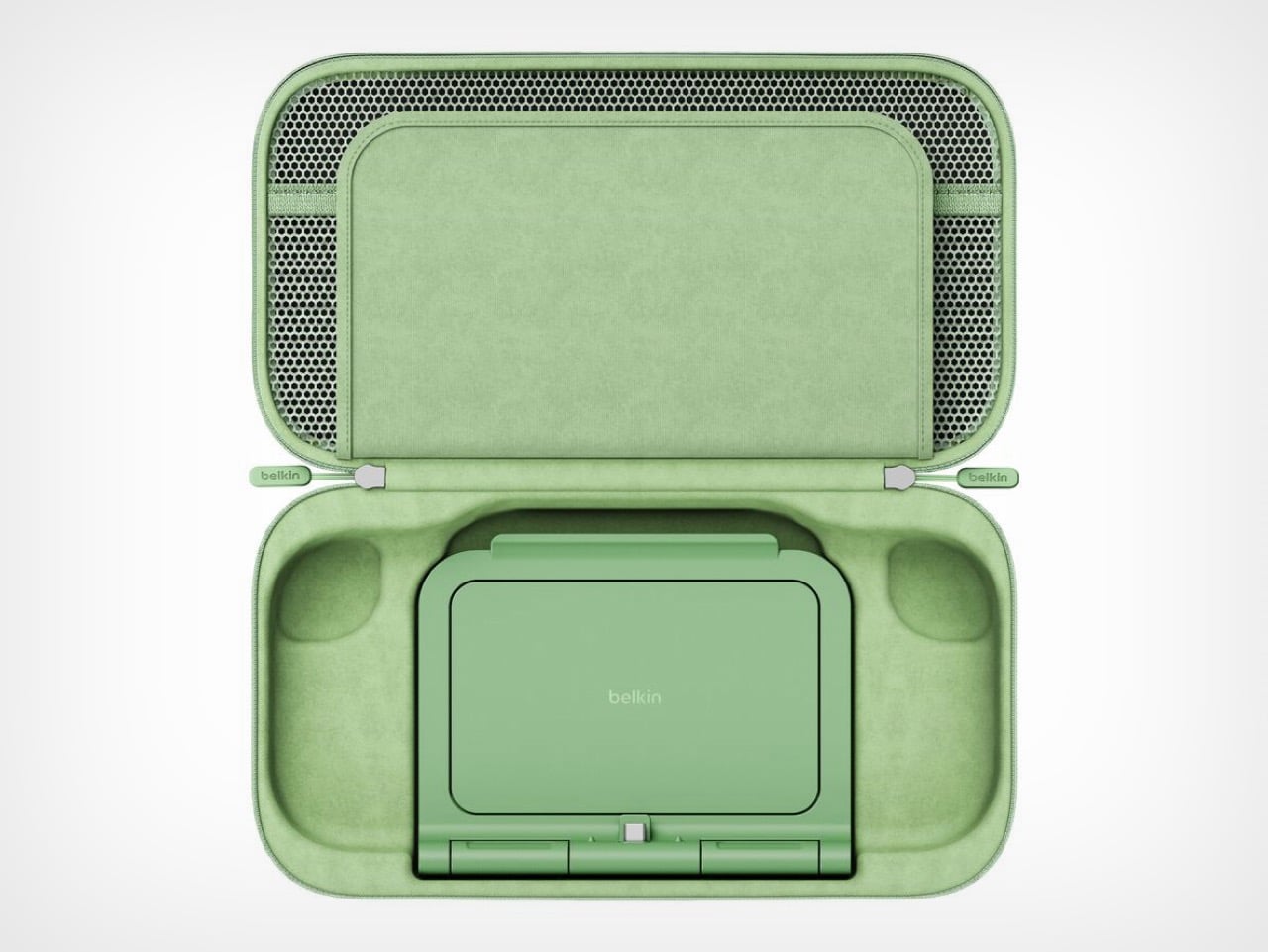
The 10,000mAh battery doubles as an adjustable stand with a built-in USB-C connector. The Switch 2 slots onto it like the official dock and starts charging immediately at whatever viewing angle works. The original version forced users to balance the console on its mediocre kickstand while a cable dangled between device and battery. One approach solves the problem. The other creates new ones.
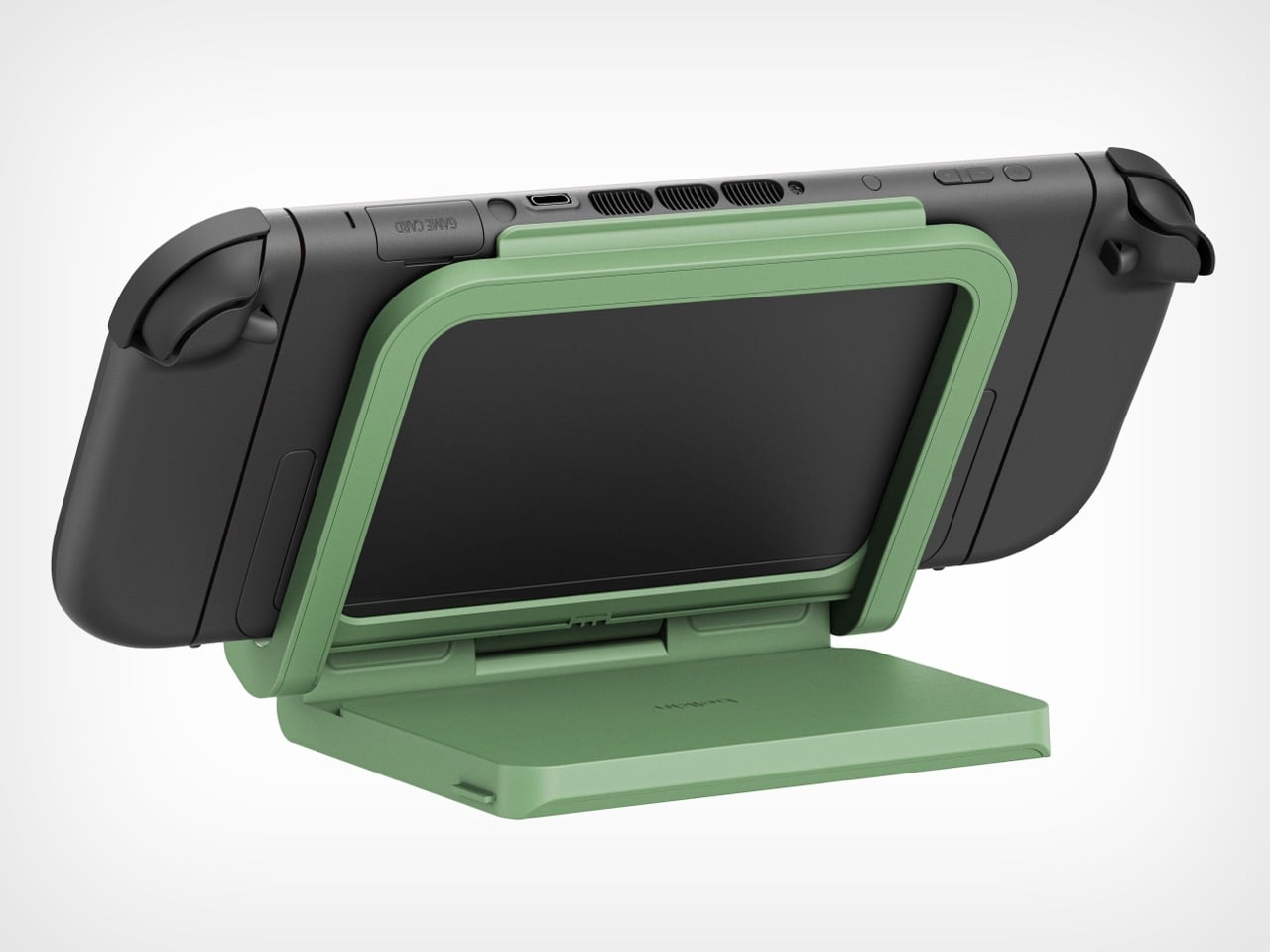
Belkin claims 1.5 full charges from the 10,000mAh capacity, translating to 12 to 15 extra hours depending on what’s running. Graphically intensive games like Zelda sequels will drain faster than pixel art indie platformers, but either way that’s enough power to cross the Atlantic twice before needing an outlet. For a case this compact, the capacity-to-size ratio makes sense. A bigger battery would mean carrying a brick.
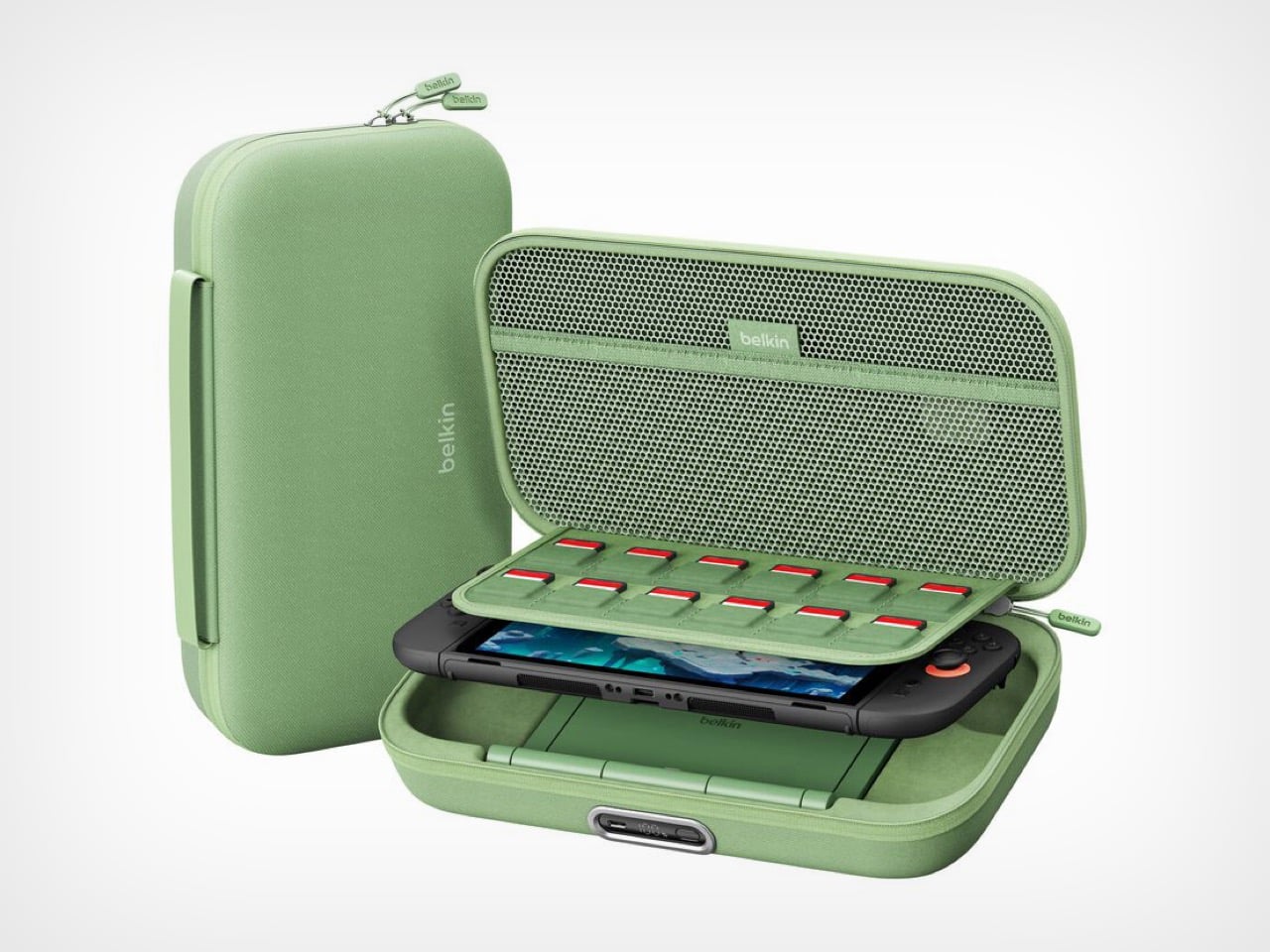
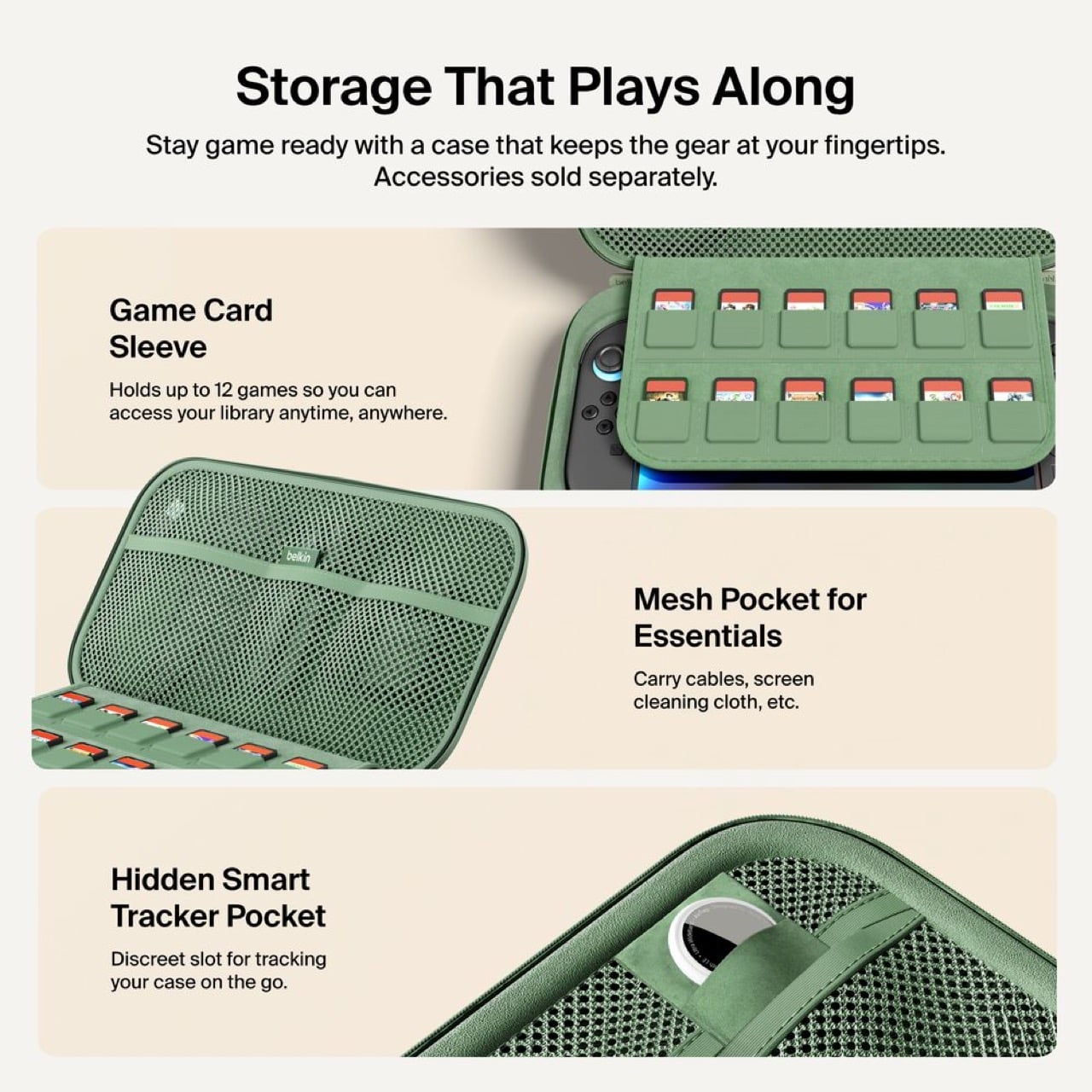
Twelve individual game cartridge slots sit under a flip-down cover, each one molded to prevent rattling. A mesh pocket handles cables and microfiber cloths. Belkin included a hidden compartment sized exactly for an AirTag or Tile tracker. Considering a fully loaded case with console represents about $500 of hardware, location tracking becomes a practical feature rather than a gimmick. People lose things. Expensive things get stolen. Planning for that shows sensible product design.
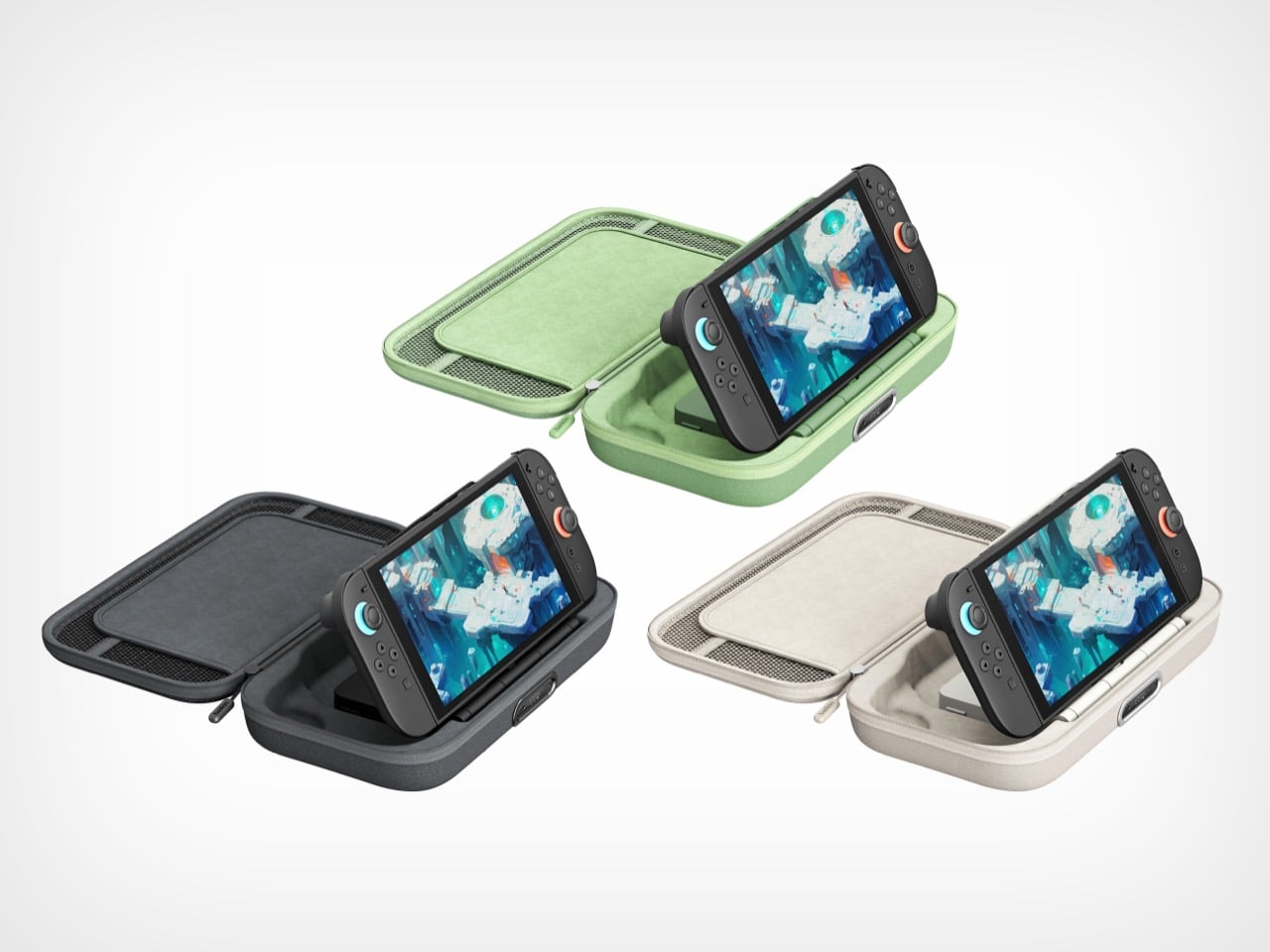
Three colorways: sage green, black, sandy beige. The green matches Nintendo’s brand aesthetic. Black hides wear better over time. The beige photographs well but might show dirt faster than the darker options.
Charging $99.99 means a $30 jump from the original’s $69.99 price. That’s a 43% increase, which sounds aggressive until you itemize the changes. External charging port. Battery display. Integrated stand with direct connection. Better storage. Refined build quality throughout. Spread $30 across those improvements and the math works. Belkin could have pushed $120 easily and still moved units. They left money on the table, frankly.

This reads like version 2.0 engineering instead of the lazy incremental updates most companies ship. Belkin rebuilt the internal layout, redesigned the battery for dual purpose use, and solved actual user complaints instead of adding RGB lighting or whatever. Most “Pro” accessories just mean “black version, higher price.” This one actually earns the name.
Own the original and it works fine? Skip this. Shopping for your first Switch 2 charging solution or fed up with your current setup? Start here. It’s up on Belkin’s site now, probably hitting Amazon within a week because that’s how 2026 works.
The post Belkin’s New Switch 2 Docking Case Has a 10,000mAh Battery That Lets You Charge While Shut first appeared on Yanko Design.
UGREEN built an AI Recorder into its 10,000mAh Power Bank and I don’t know if that’s genius or crazy…

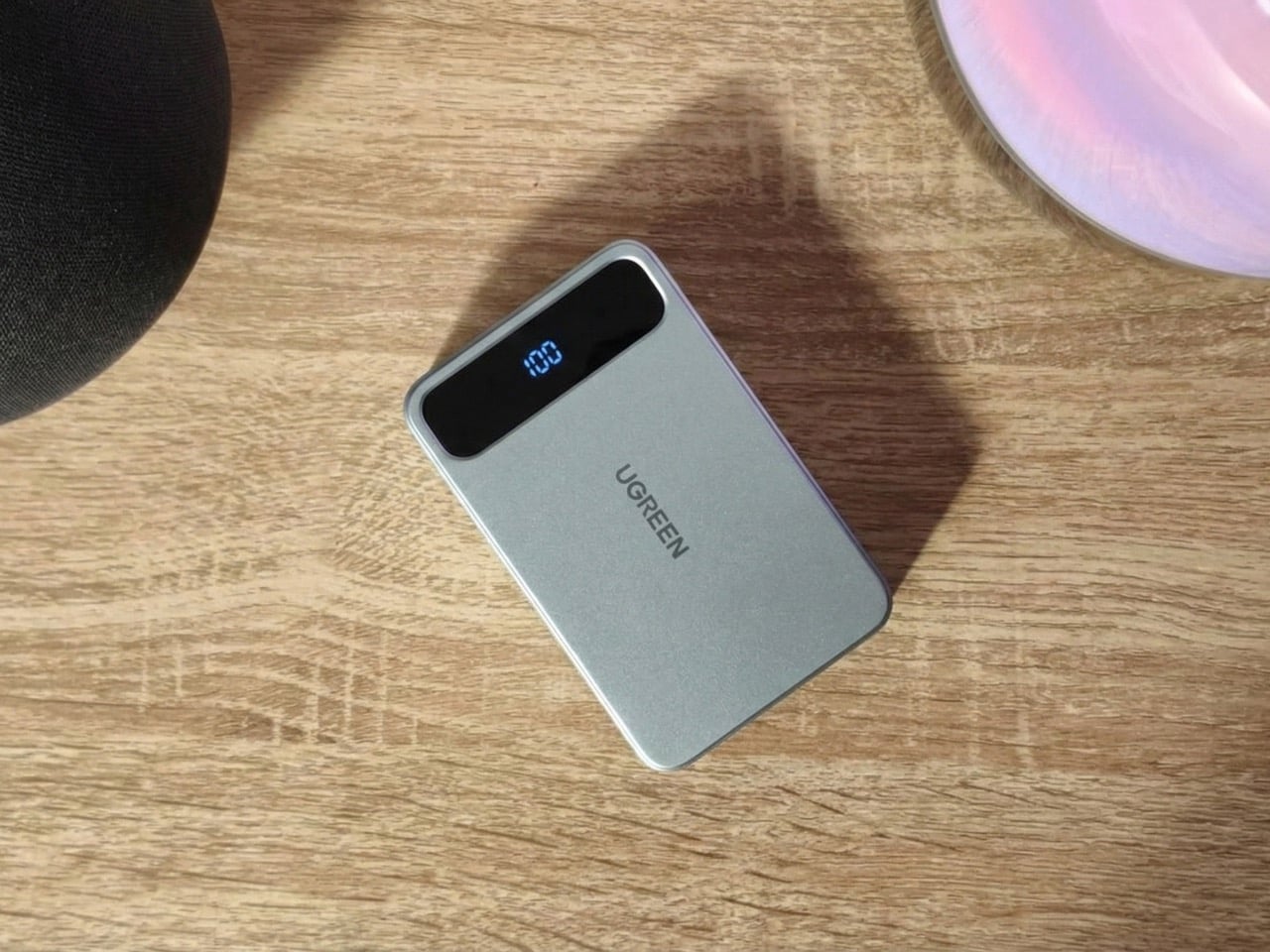
Representational Image

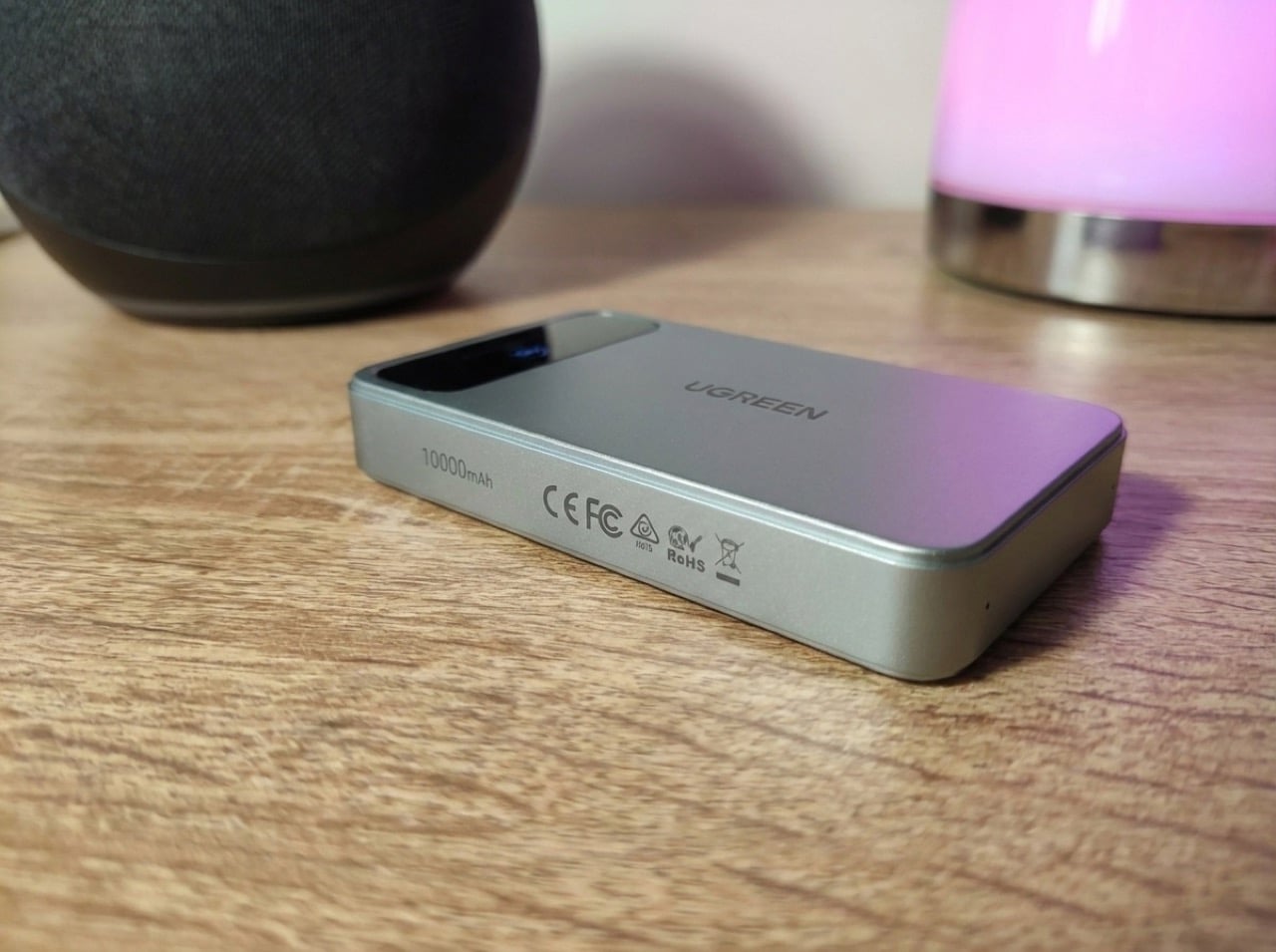
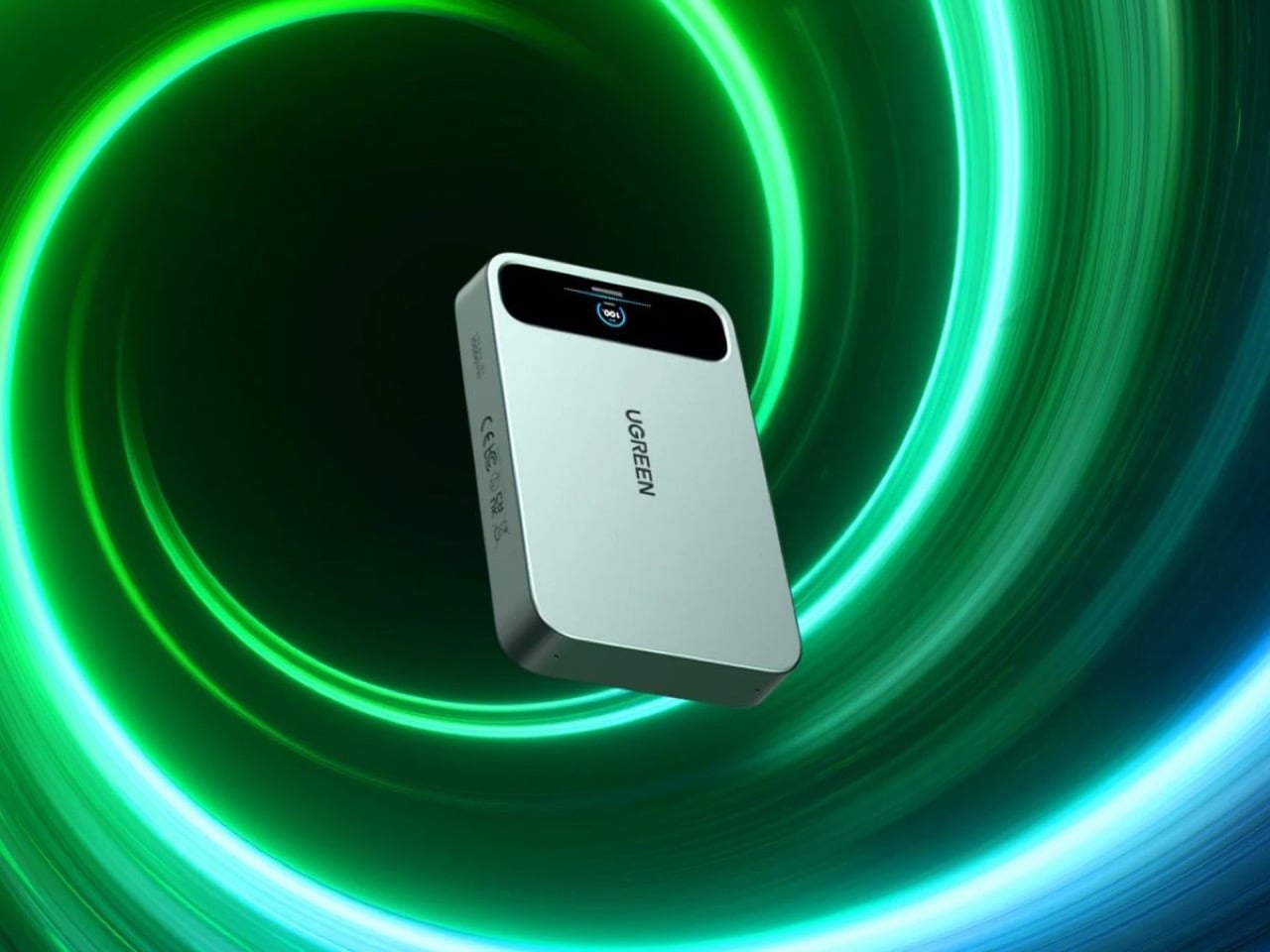
At CES 2026, where every tech company seemed legally obligated to add AI to something, Ugreen announced a power bank with voice recording. The MagFlow AI Voice Recording Magnetic Power Bank packs 10,000 mAh, wireless charging, and AI-powered note-taking into one device. It’s either brilliantly practical or completely unnecessary, depending on how often you find yourself needing both a dead phone and a voice memo at the exact same moment.

The real question is what market Ugreen’s actually targeting. Dedicated AI recorders like Plaud and Limitless offer superior transcription and integration with productivity tools. Meanwhile, power bank buyers are mostly obsessed with capacity, charging speed, and MagSafe compatibility. Ugreen’s product sits awkwardly between these worlds, somehow simultaneously targeting both the serious note-taker as well as the charging purist. Maybe that’s the genius: creating a category where none existed, or maybe it’s just feature creep with good intentions.

Designer: Ugreen

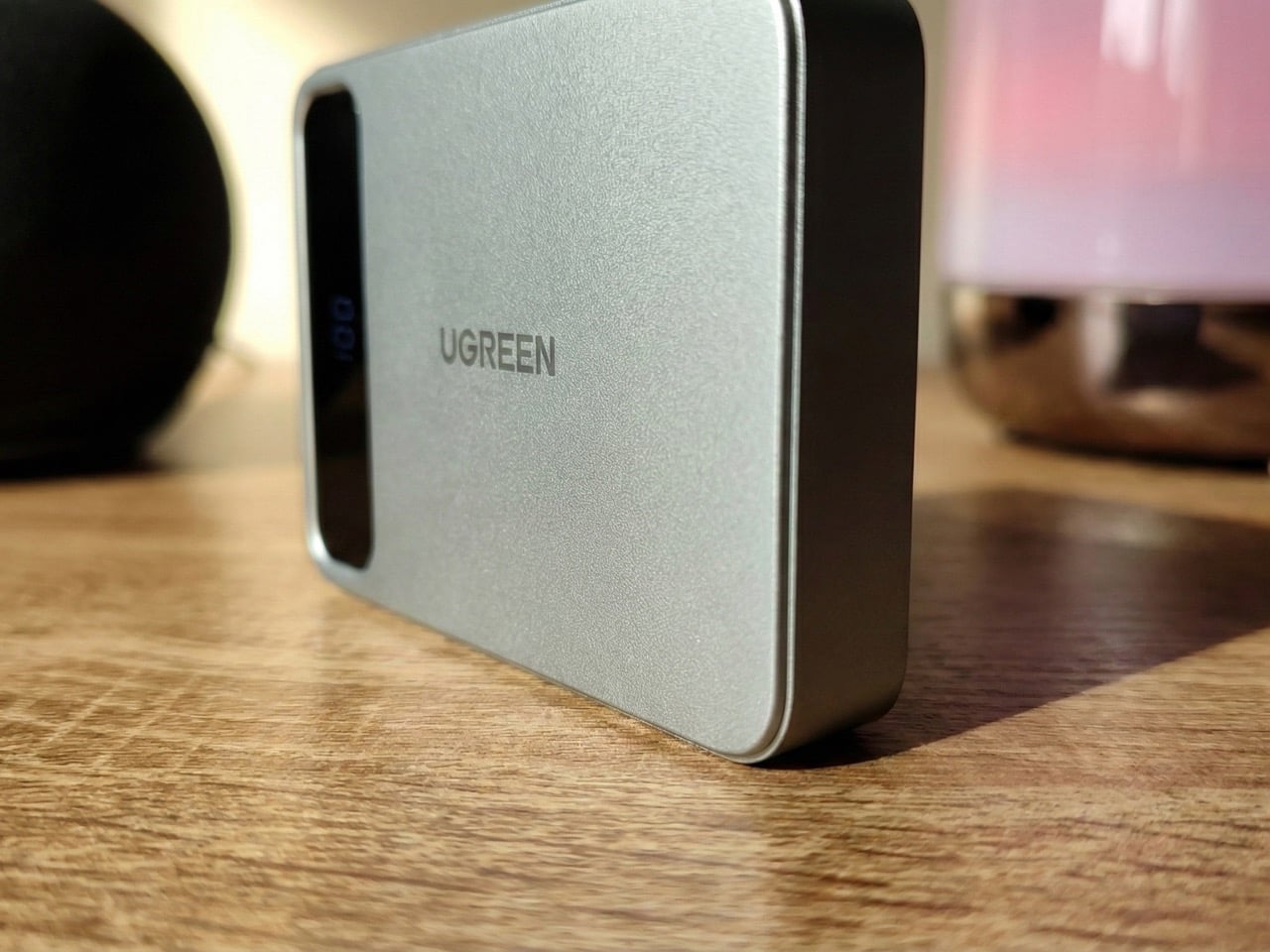
Representational Image

You’ve got 10,000 mAh, which is respectable but standard for MagSafe-compatible power banks in 2026. Wireless charging is included, though the company hasn’t confirmed whether there’s a USB-C port for wired fast charging. A digital display shows battery level and presumably real-time charging stats. Then there’s the voice recording hardware with built-in AI for translation and summarization, which sounds impressive until you realize Ugreen hasn’t explained how you’ll actually access these recordings. Is there an app? Does it sync to your phone? Do you have to plug it into a computer and dig through files like it’s 2015?

Representational Image

Compare this to something like the Plaud NotePin, which costs around $169 and is purpose-built for recording. It connects seamlessly to your phone, transcribes in real time, integrates with LLMs like ChatGPT for summaries, and weighs practically nothing. Or look at the power bank side of things. Ugreen’s own Qi2 25W MagFlow Power Bank retails for $89.99 (currently $69.99 on Amazon) and does one thing exceptionally well: charges your devices fast. This new AI version will almost certainly cost more, probably around $120 to $150 if I had to guess, which puts it in direct competition with premium power banks that offer higher capacity or faster charging speeds. Not to mention most AI services do come with the looming threat of a subscription fee at some point. Imagine subscribing to a power bank…

Jokes aside, the bundling makes sense if you’re the kind of person who carries too much stuff and wants to consolidate. A journalist running between interviews could theoretically use this to charge their phone while recording background audio for articles. Students might appreciate having one device that keeps their laptop alive during lectures while capturing notes they can summarize later. But these use cases feel niche, and niche products need exceptional execution to justify their existence. Ugreen hasn’t shown us that yet. The company has a solid track record with GaN charging technology and their NASync NAS series crushed it on Kickstarter with $6.6 million raised. They know how to build hardware. Whether they can build software that makes voice recording feel natural on a battery pack is the real test.

The post UGREEN built an AI Recorder into its 10,000mAh Power Bank and I don’t know if that’s genius or crazy… first appeared on Yanko Design.
Satechi’s Thunderbolt 5 CubeDock Is A Minimalist Dock With Maximum Bandwidth

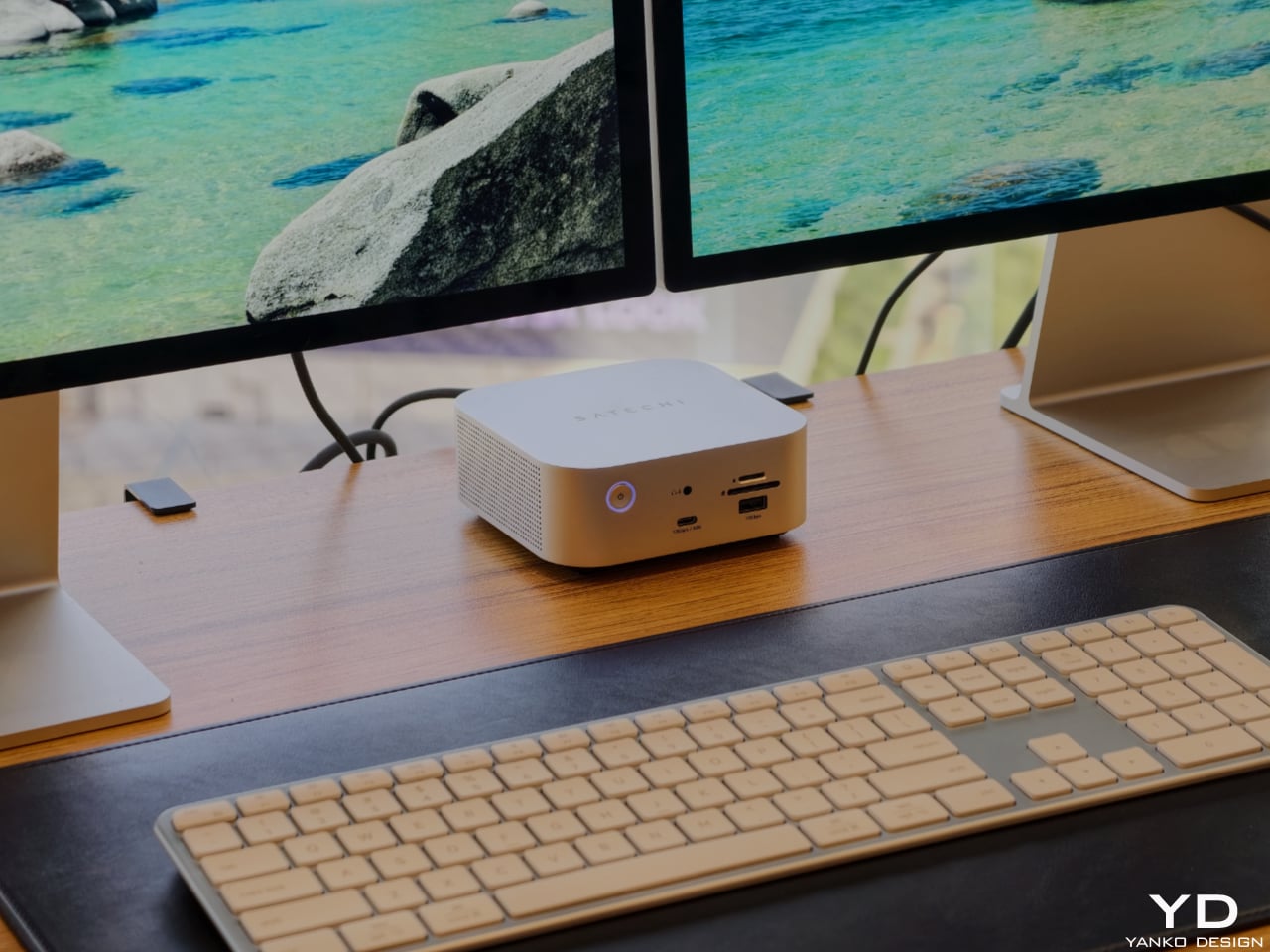
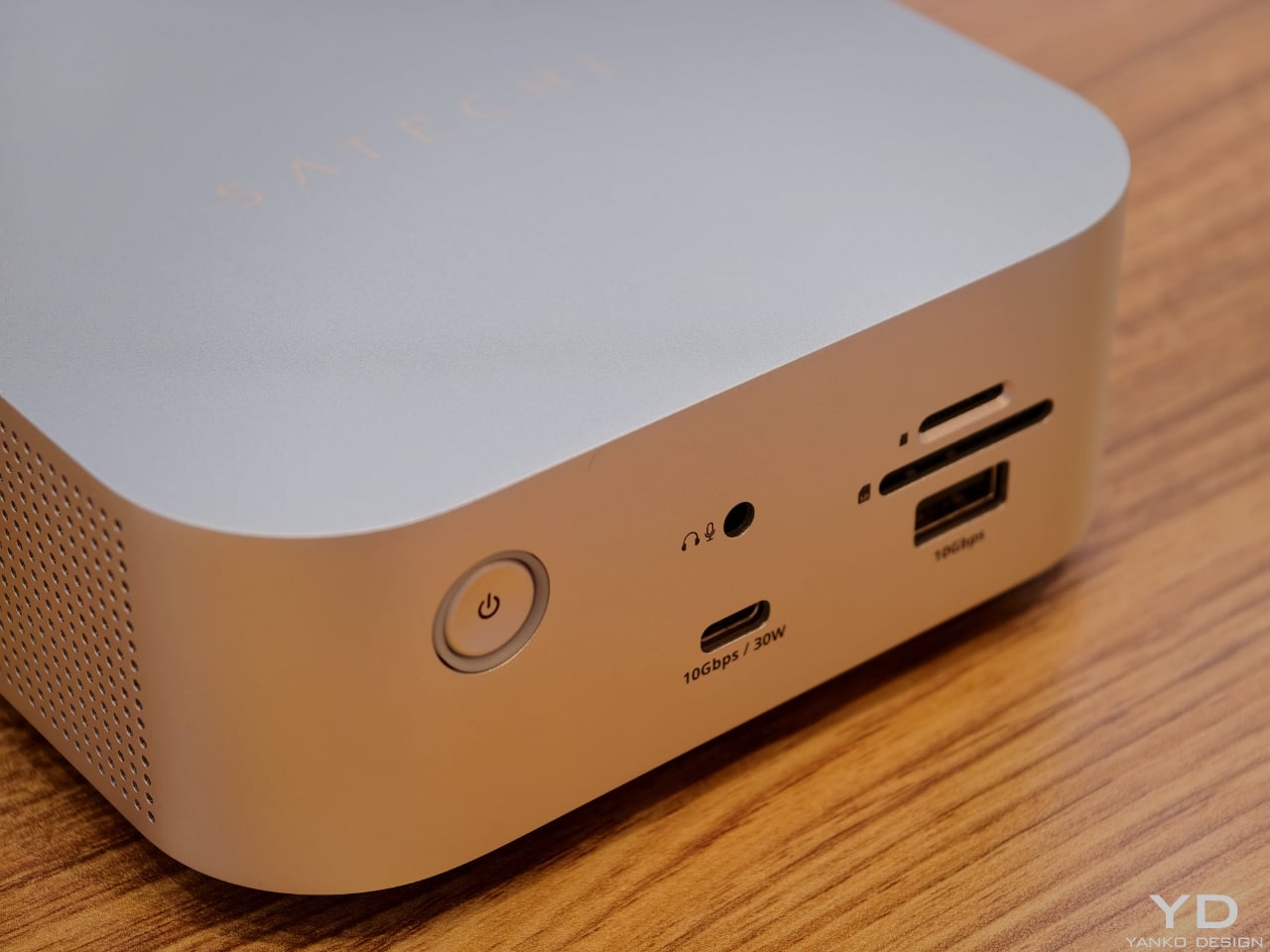
Satechi’s Thunderbolt 5 CubeDock with SSD Enclosure is built to look as sophisticated as the devices it serves. The compact 5 x 5 x 2-inch footprint mirrors the proportions of Apple’s Mac mini, so the two stack neatly into a clean, monolithic tower on your desk rather than a cluttered pile of hardware. The solid aluminum body and soft, rounded corners pick up Apple’s visual language in a way that feels intentional, making the CubeDock read like an extension of a modern Mac setup instead of an aftermarket add‑on.

Designer: Satechi

That design focus does not mean the dock is only for Mac users, though. Satechi is positioning the CubeDock as a cross‑platform, Thunderbolt 5‑first hub for creative professionals and power users on both Windows and macOS. Built on Intel’s Thunderbolt 5 technology, it doubles the bandwidth of previous generations, delivering 80 Gbps of bi‑directional bandwidth and up to 120 Gbps with Bandwidth Boost for external graphics and multi‑display configurations. On supported Windows machines, it can drive triple 8K displays at 60 Hz or triple 4K panels at 144 Hz, while on newer Apple silicon systems, it supports dual 6K at 60 Hz, all from a single cable.

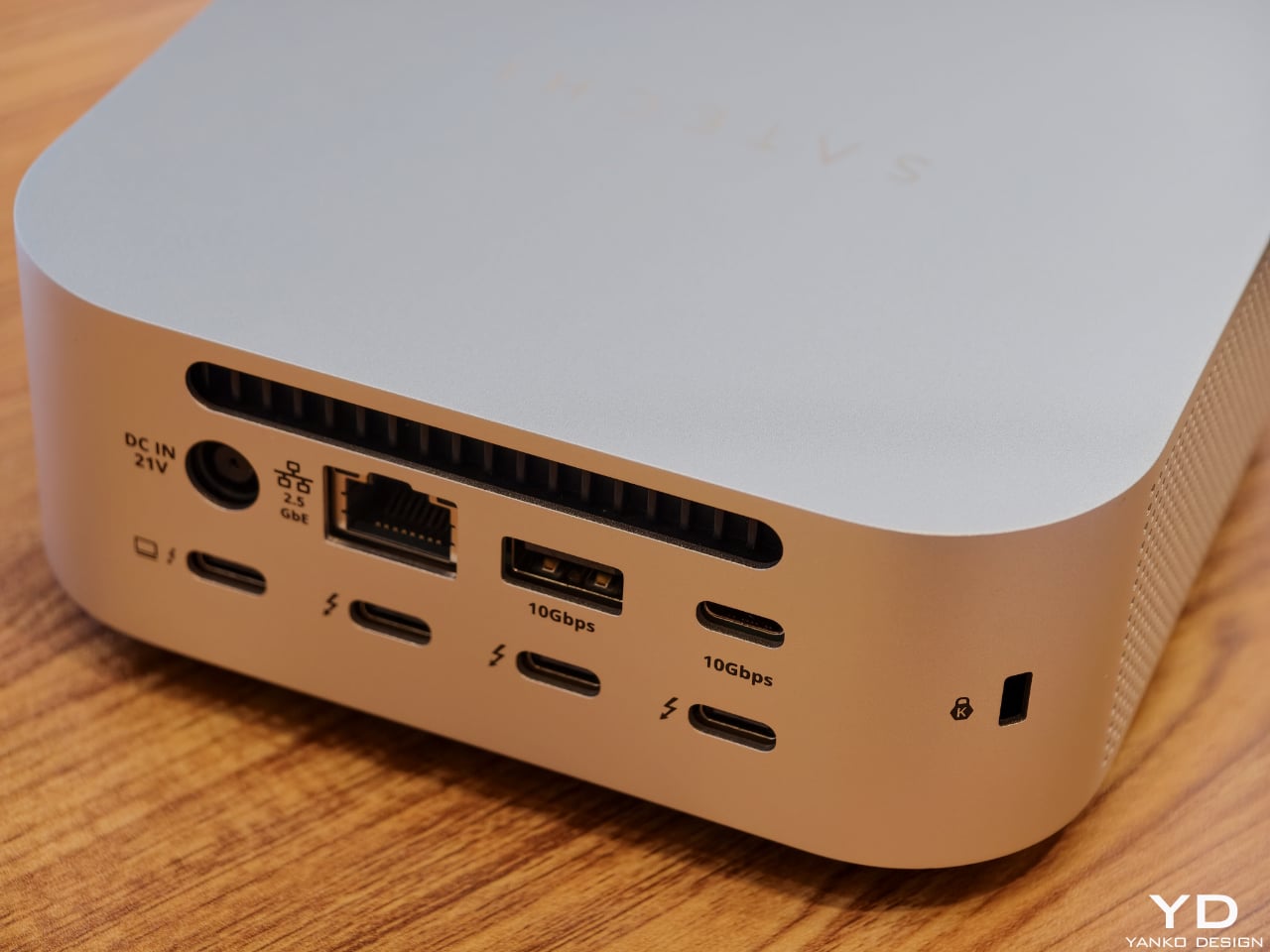
The CubeDock’s compact size hides a serious amount of connectivity. It boasts Thunderbolt 5 downstream ports, multiple 10 Gbps USB‑C and USB‑A ports, UHS‑II SD and microSD card readers, and 2.5 Gb Ethernet. For photographers, filmmakers, and 3D artists, that means fast card ingestion, wired networking, and external drives all plug into one cube that visually recedes into the background. A 180 W smart power supply delivers up to 140 W back to the host laptop, plus 30 W of Power Delivery for phones and tablets, so the dock can replace multiple separate chargers on the desktop.

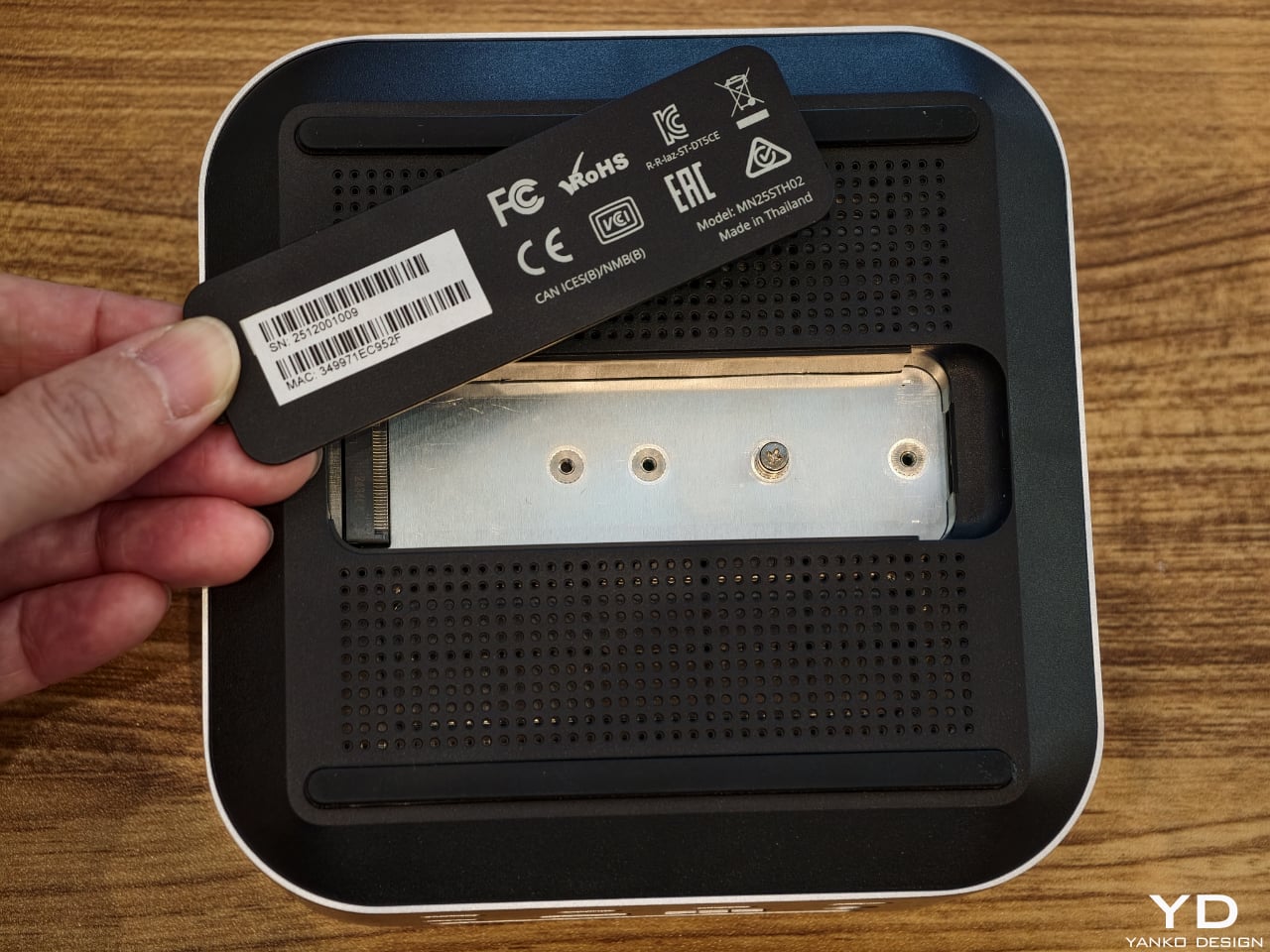
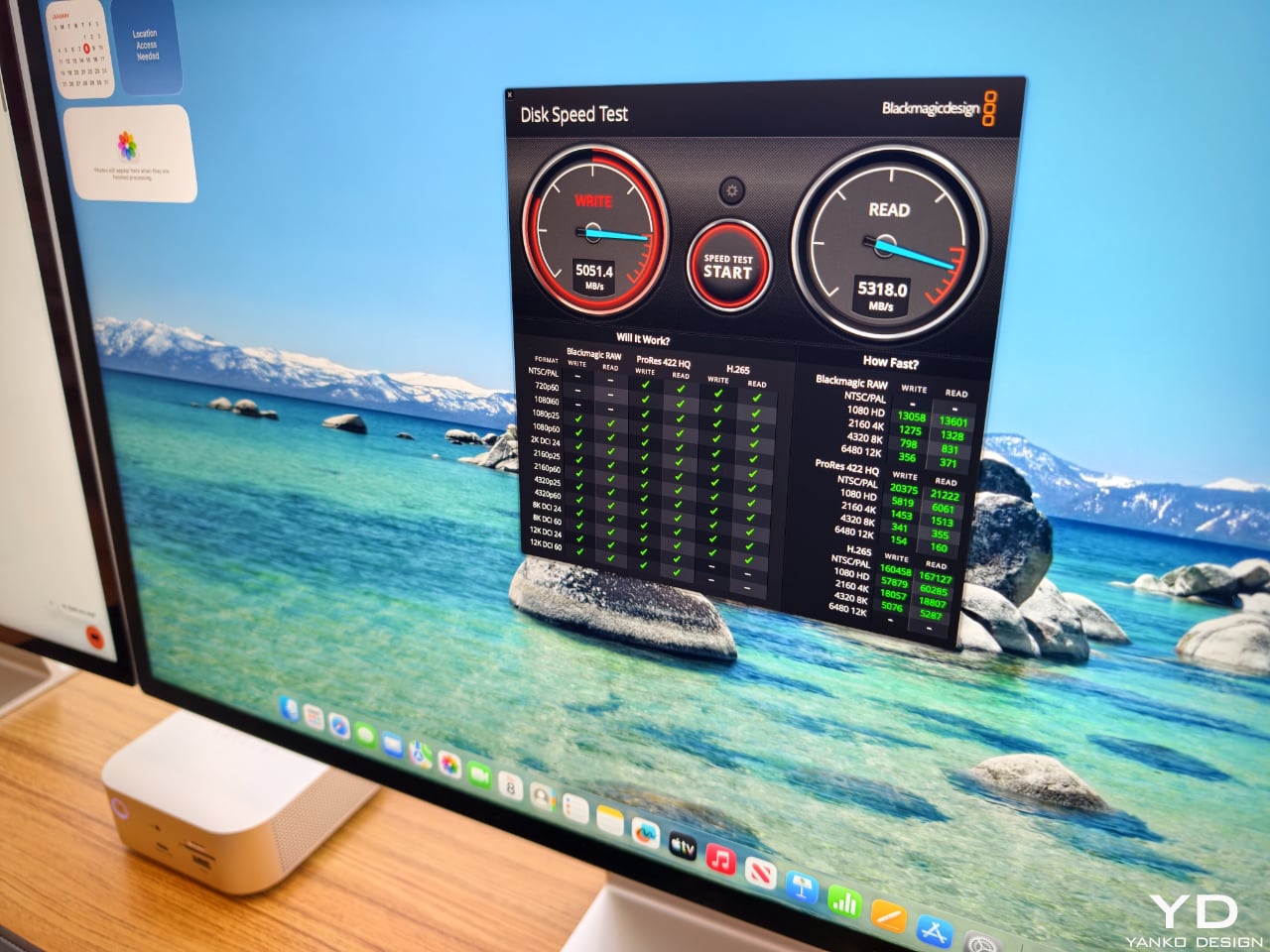
One of the most thoughtful touches is the integrated NVMe SSD bay. Instead of forcing users to add yet another external enclosure, Satechi has built a PCIe 4×4 slot into the CubeDock itself, supporting up to 8 TB of storage at speeds up to 6000 MB per second. That turns the dock into both a visual anchor and a primary working drive, ideal for 4K and 8K video, large RAW photo libraries, or CAD files. Adaptive active cooling keeps the cube whisper‑quiet even under heavy workloads, maintaining performance without adding fan noise to your workspace. For anyone building a refined, minimal workstation around a Mac mini or modern laptop, yet wanting the flexibility to move between platforms, the CubeDock offers a rare combination of industrial design, raw bandwidth, and integrated storage in one small aluminum cube.

The post Satechi’s Thunderbolt 5 CubeDock Is A Minimalist Dock With Maximum Bandwidth first appeared on Yanko Design.
When a Robot Compliments Your Blue Sweater: Inside AGIBOT’s Surprisingly Natural Humanoids

Agibot entered the U.S. spotlight at CES 2026 as a company that has been busy actually building and shipping robots instead of just talking about what might be possible someday. Founded in 2023 with the ambition of creating robots that can live and learn alongside people, it has already moved 5,000 humanoid units into real deployments worldwide. That number matters because it puts AGIBOT past the prototype stage, where many humanoid projects still sit, and into a space where robots are expected to be reliable, repeatable, and ready for everyday use.

Instead of centering everything on one showpiece machine, AGIBOT has built out a broad portfolio that stretches across very different environments. At CES 2026, the company showed full-sized humanoids for public and customer-facing spaces, compact expressive robots for entertainment and research, industrial units aimed at factories and logistics centers, quadrupeds for inspection in complex terrain, and a dexterous robotic hand system. Each product has its own job, but they all share a simple expectation. Robots should be able to move through the world, communicate with people, and carry out useful work without constant human babysitting or elaborate staging.

Designer: Agibot

You really feel that philosophy when you stop reading spec sheets and just stand in front of one of the robots. On the CES show floor, my colleague in a blue sweater walked up to an AGIBOT A2 and greeted it from directly in front. The robot answered with an easy “hello,” then followed up with a friendly compliment that referred to her as “the lady in blue.” The recognition landed instantly with no visible lag, no frozen expression, and no glitchy audio. The exchange felt less like triggering a scripted demo and more like stepping into a light, everyday interaction with a staff member who just happens to be a humanoid robot.

The A2’s digital face helped make that moment feel approachable rather than uncanny. Instead of a fixed set of cartoon features, the display shifted through different visual modes as the interaction unfolded. At times, it showed a simple, stylized face that made it clear where its attention was focused. At other moments, it flipped into a flowing heart animation or playful emoji-like graphics that matched the energy of the show floor. Those changes acted as live signals that the robot was listening, processing, or responding, and they gave the encounter a kind of emotional rhythm that pulled people in instead of pushing them away.

A second interaction underlined how aware the robot could be of what people were doing around it. While I stood in front of the A2 snapping photos, the robot clocked what I was doing and casually acknowledged that I was taking pictures. It did not sit there waiting for a wake word or a preset gesture. Instead, it folded that small piece of context into the way it responded, treating the camera as part of the scene rather than a distraction. In the middle of a crowded, noisy hall, that ability to notice and adapt in real time made the robot feel present and attentive rather than mechanical.

What makes these scenes interesting is not simply that a robot can spot a blue sweater or a raised smartphone. It is that the whole exchange runs at a human pace. There are no long pauses while the system silently catches up, no handlers stepping in to reset things, and no sense that the robot is about to break character. The conversation and the gestures move forward with the timing you expect from a front desk host or a showroom guide. That sense of ease is hard to fake, and it hints at how much careful engineering it takes to keep perception, speech, and movement in sync under real-world pressure.

Agibot’s broader deployment history helps explain why those details feel so polished. The company’s robots are already working in reception and hospitality roles, performing in entertainment settings, supporting industrial manufacturing, sorting items in logistics operations, patrolling for security, collecting data, and serving as platforms for research and education. Each environment stresses the systems in different ways, from handling background noise to navigating cluttered layouts and unpredictable human behavior. The lessons from those deployments fed directly into the behavior visitors saw at CES 2026, where the robots had to cope with constant traffic and curious crowds without losing composure.

Looking back at the show, Agibot’s U.S. debut feels less like a distant promise of what humanoid robots might one day become and more like a grounded snapshot of where they already are. Multiple robots moved in coordinated demonstrations, interacted with people, and handled small but meaningful tasks in full view of a demanding crowd. In that context, the A2 recognizing a passerby in blue and another visitor behind a camera is not a show trick. It is a quiet, convincing example of a company that has decided to measure progress by what its robots can do on an ordinary day, in a very public place, with no second take.

The post When a Robot Compliments Your Blue Sweater: Inside AGIBOT’s Surprisingly Natural Humanoids first appeared on Yanko Design.

Tired of AI filters and endless selfies? Retro‑styled Await Camera makes you wait 24 hours to see your photos

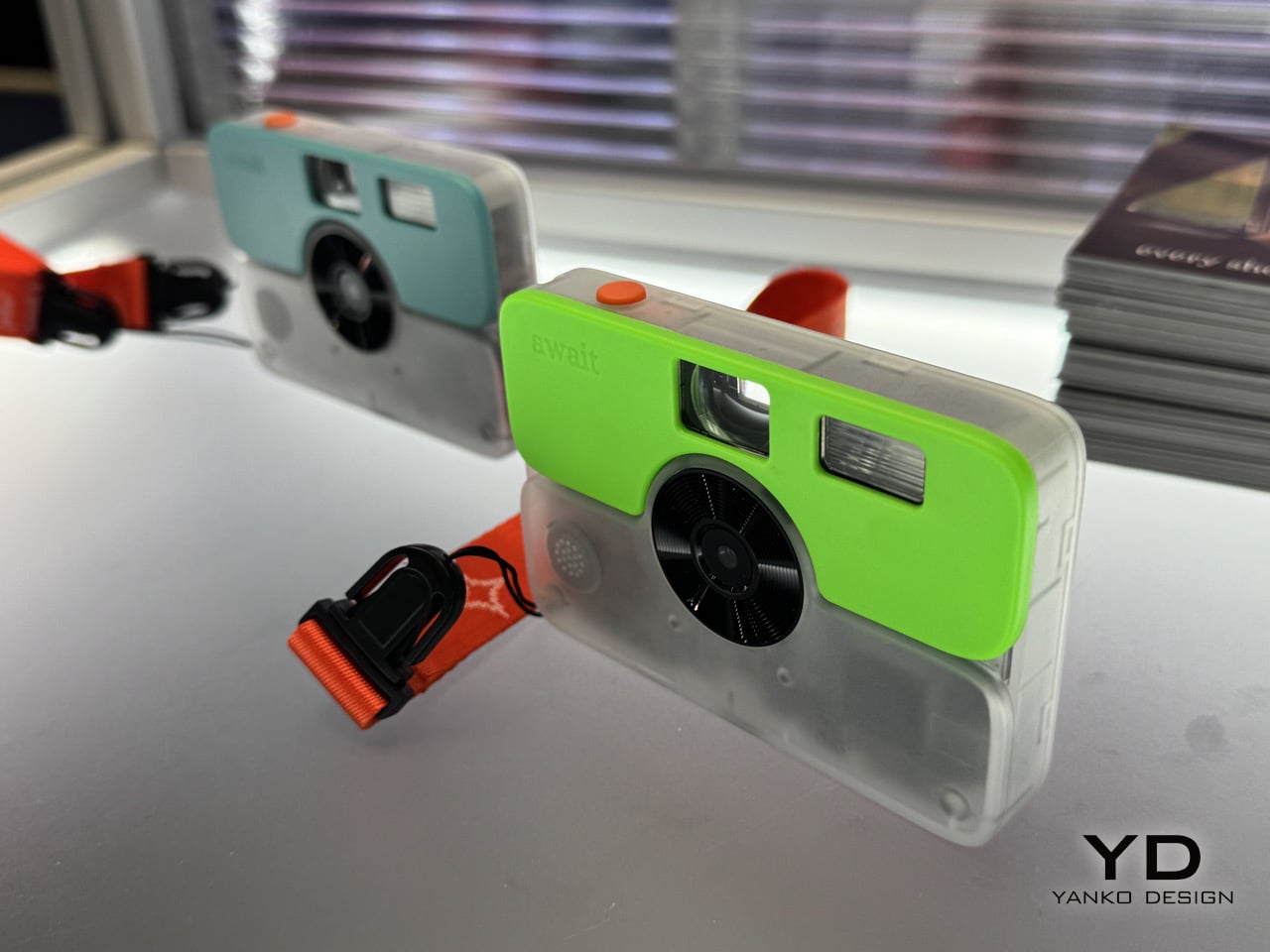
Your smartphone camera lets you take 47 photos of the same sunset, delete 46 of them, and still feel like something’s missing. Rolling Square’s new Await Camera takes the opposite approach. You get 24 shots across three rolls, no preview screen, and a full day before you can even see what you captured. The Swiss company unveiled this retro digital camera at CES 2026, pricing it between $70 and $100 as part of a subscription service that prints and ships your chosen photos.

Waiting feels revolutionary in 2026. Await forces you to consider each shot before pressing the shutter, then sit with your choices for 24 hours while the photos sync to the cloud and “develop.” Only after that delay can you review what you captured, select the keepers, and wait again for physical prints to arrive at your door. This deliberate friction contradicts every principle of modern digital photography, yet that’s precisely the point. Patience, not megapixels or computational processing, separates memorable photos from forgettable ones.

Designer: Rolling Square

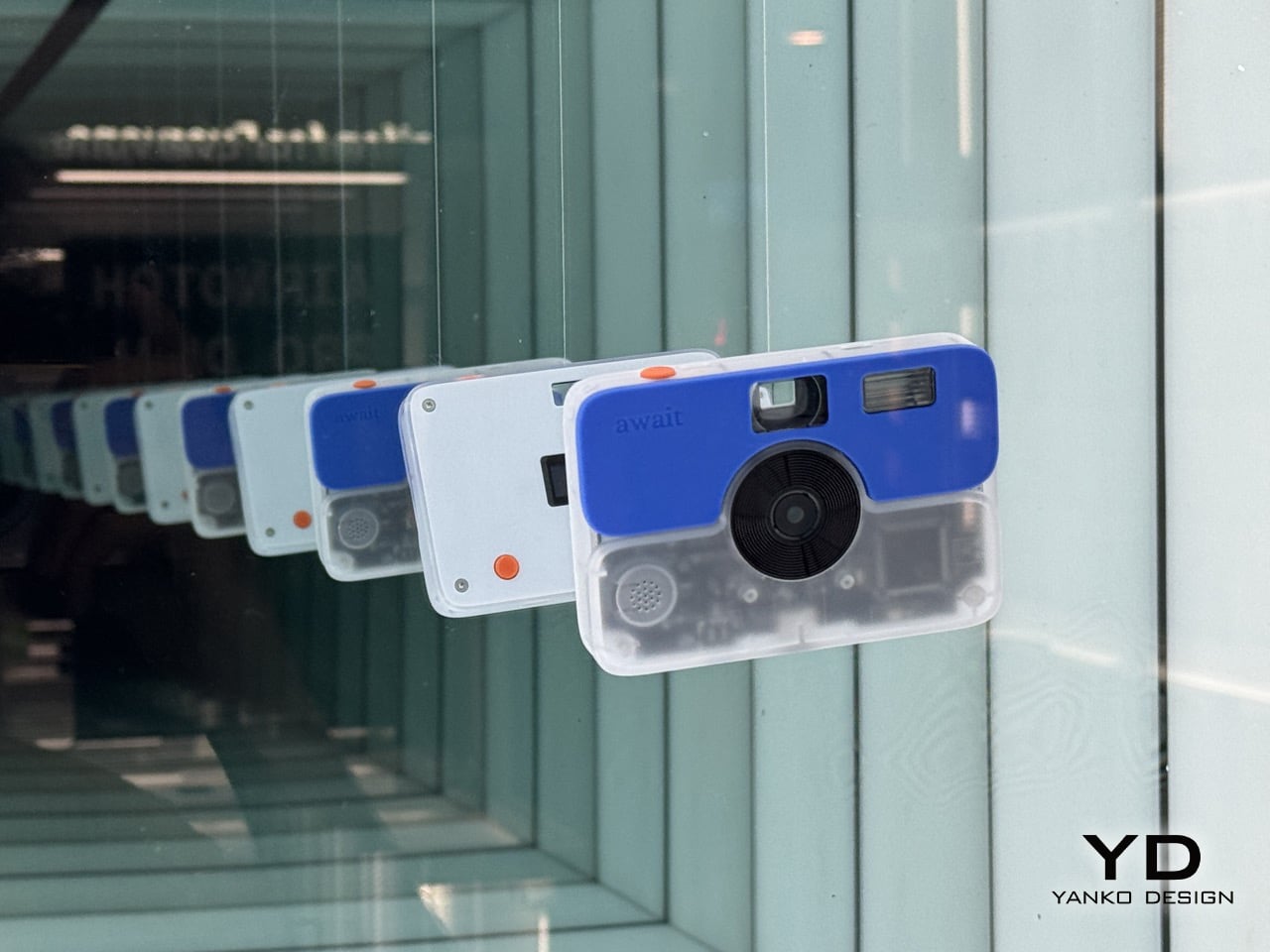
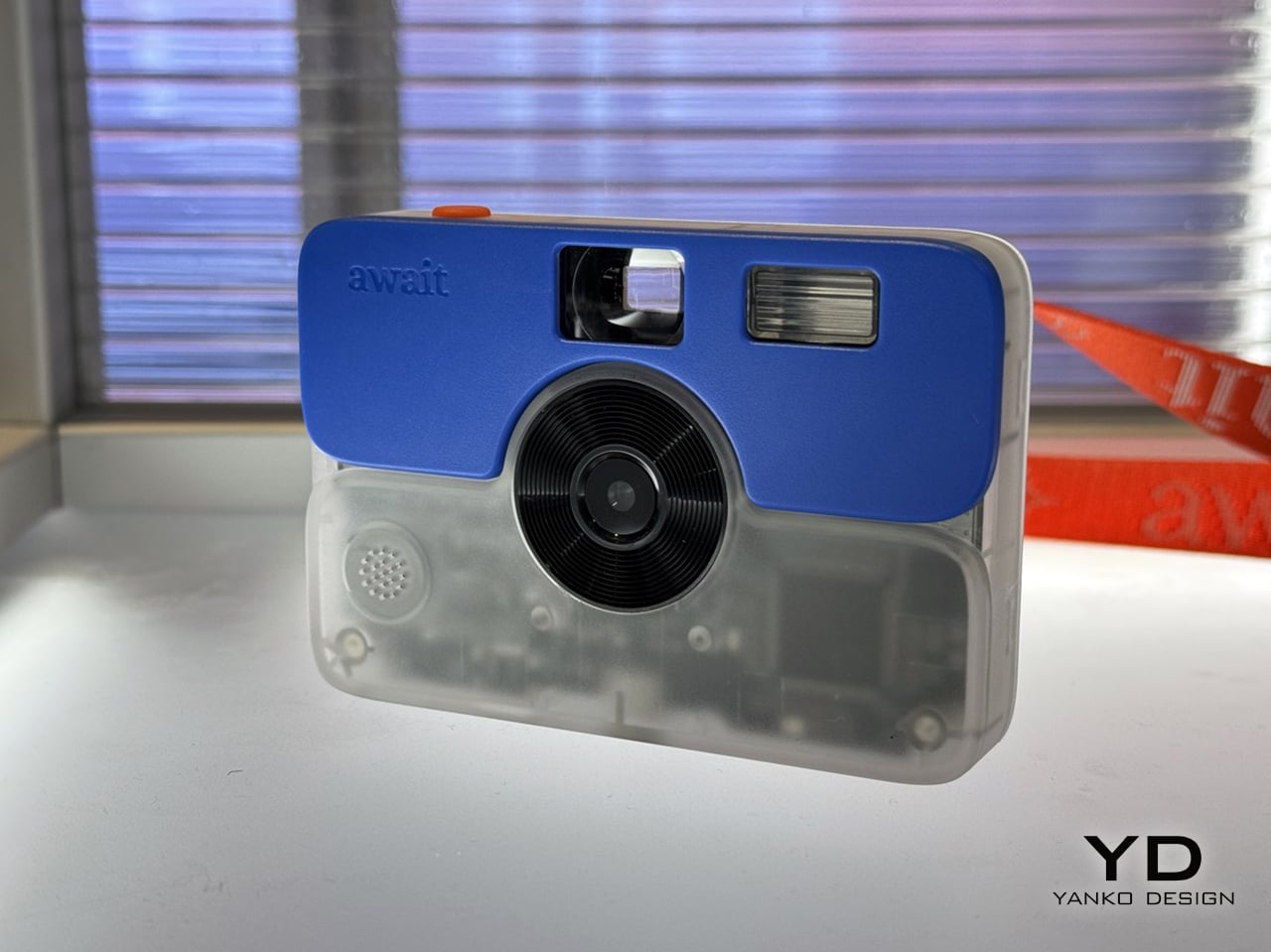
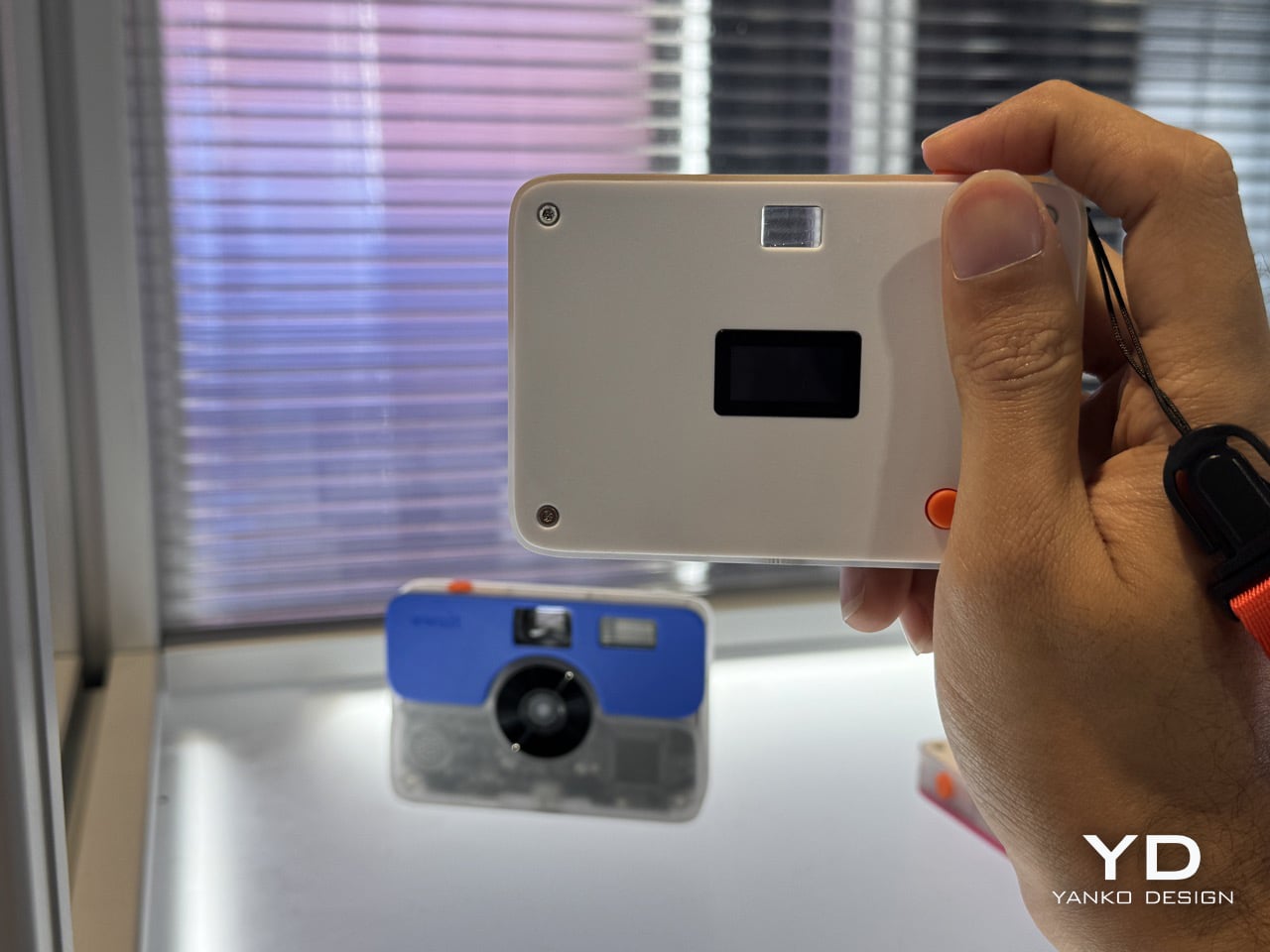
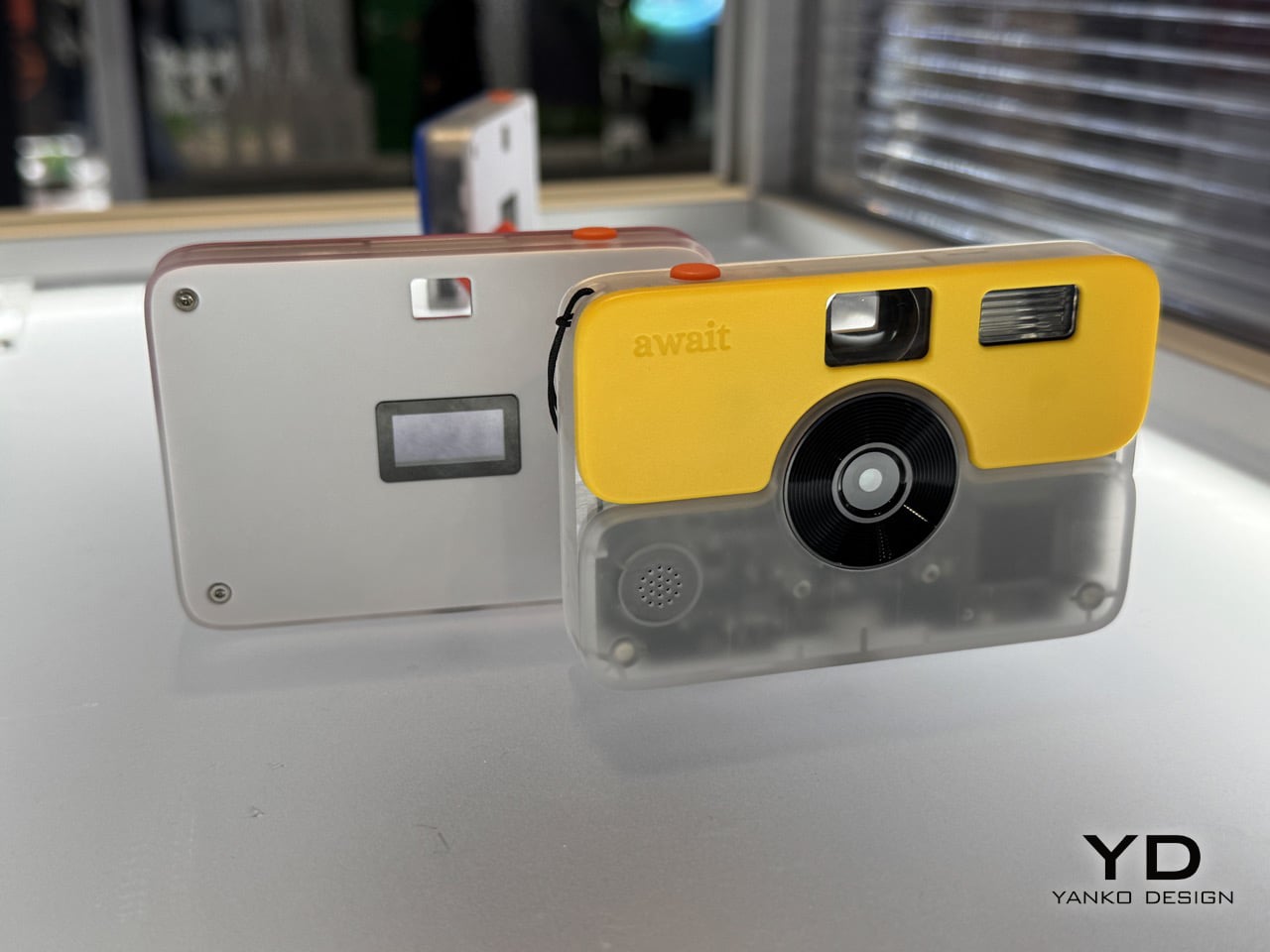
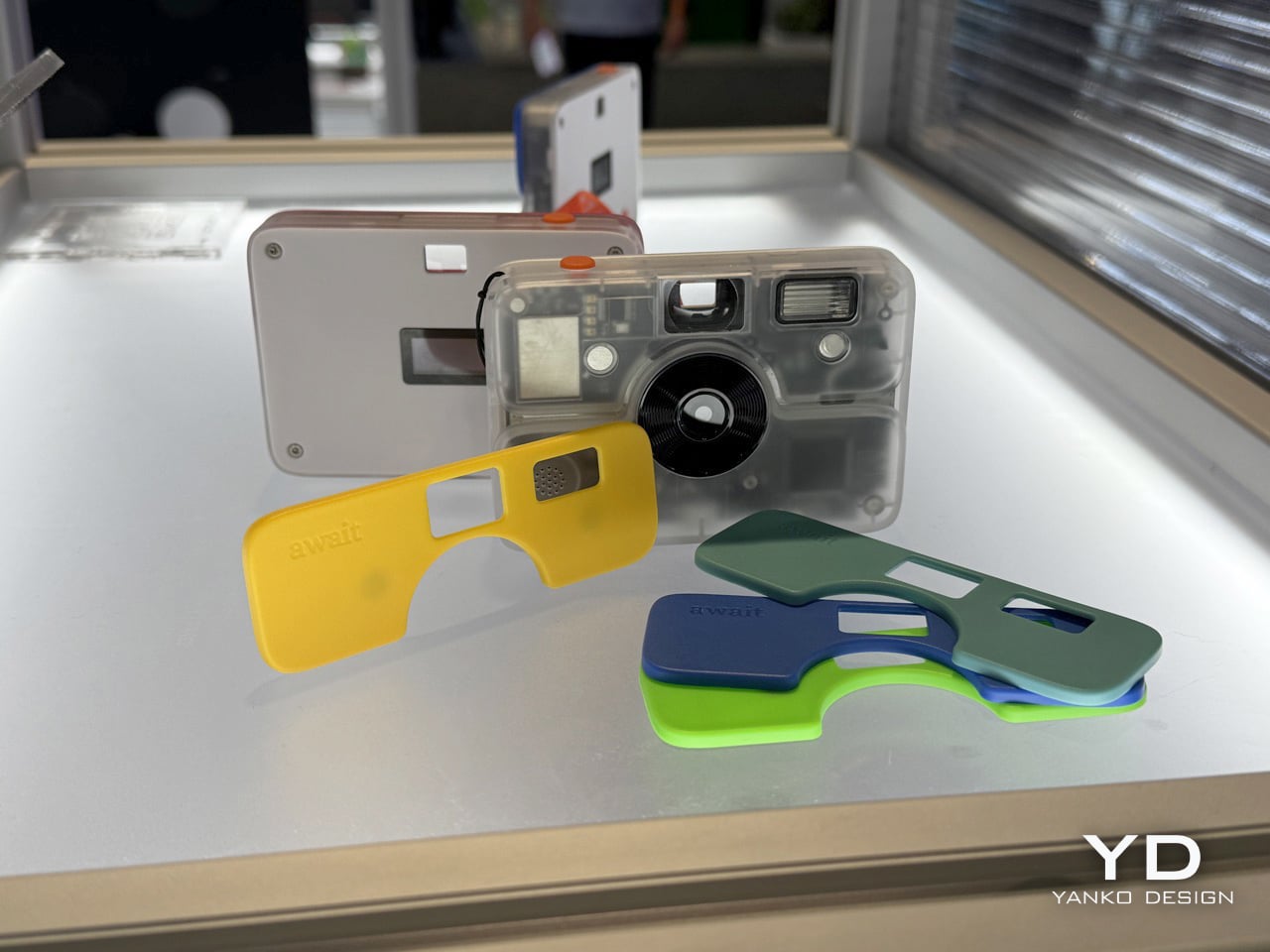
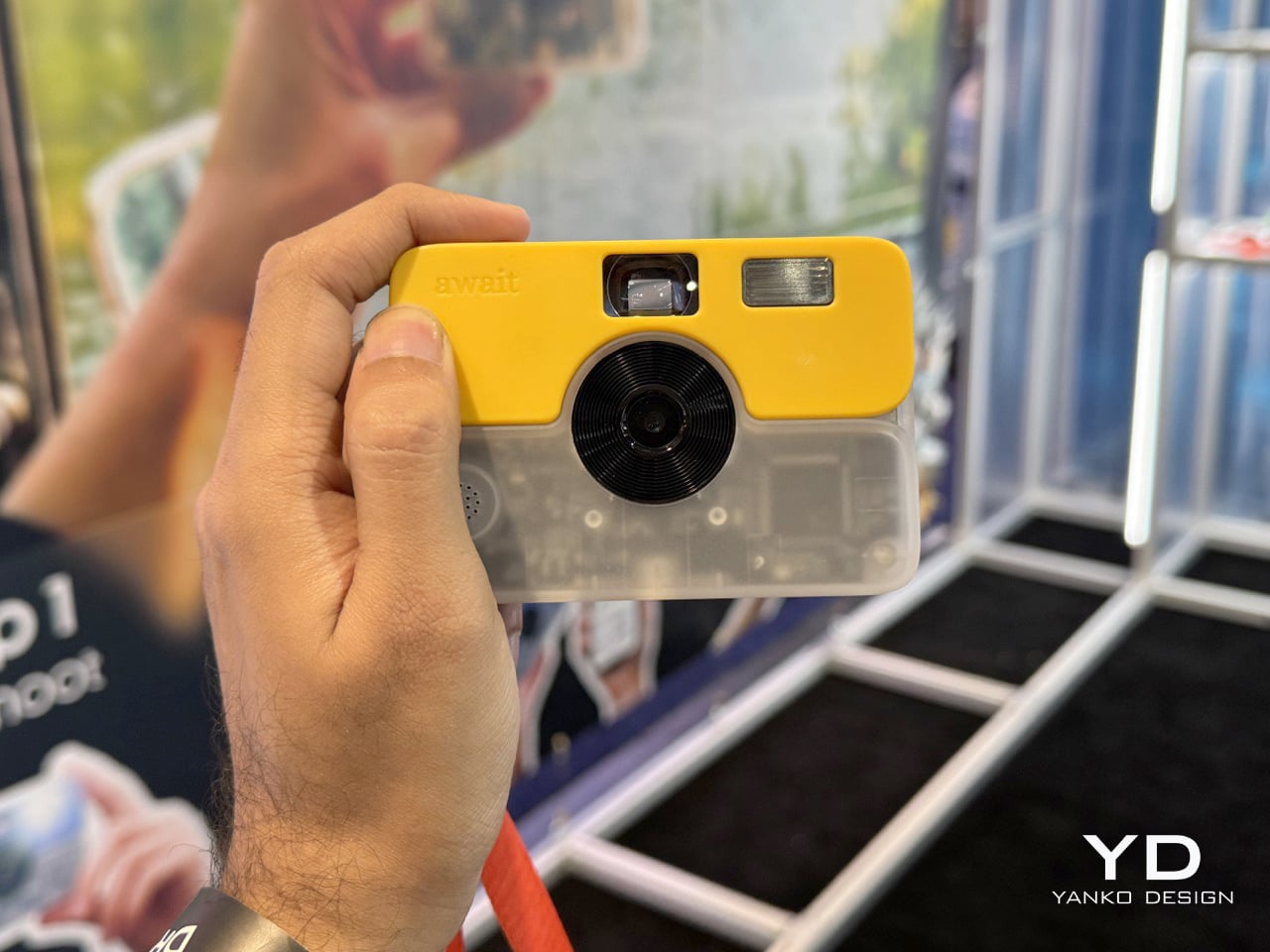
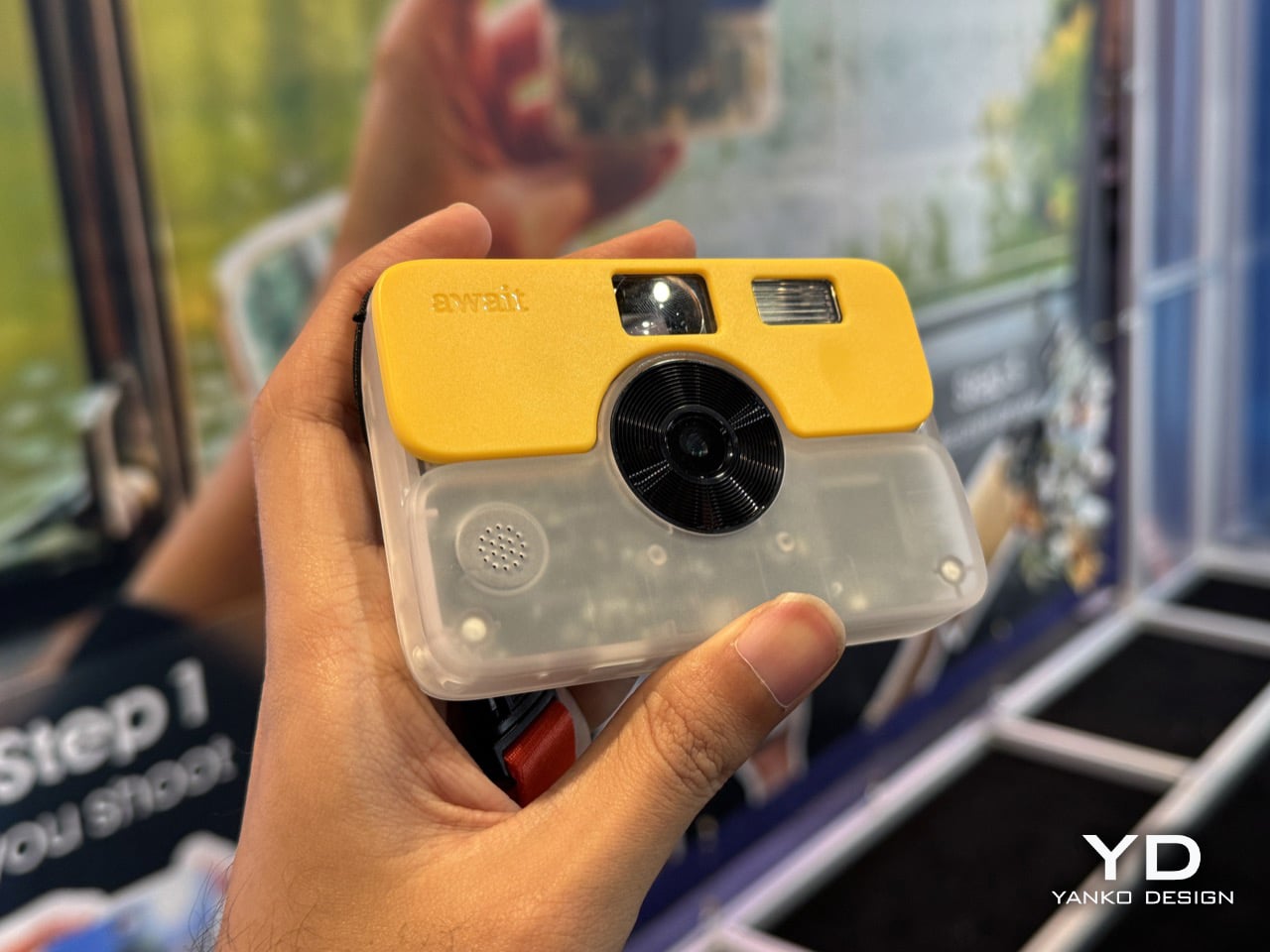
The design language screams disposable camera aesthetics but with actual build quality behind it. Rolling Square went with a translucent lower body that shows off the internals, which feels very Y2K revival but somehow works here. The top fascia snaps off and comes in colors that would make a highlighter jealous: yellow, lime green, turquoise, cobalt blue. At 98 x 67.5 x 15.5mm and just 95 grams, this thing disappears in your pocket. The front keeps it minimal with a viewfinder, xenon flash (yes, actual xenon, not LED), the lens, and a tiny speaker grille. Flip it over and you get a small OLED display showing your remaining shot count, another viewfinder window, and an orange shutter button. That’s the entire interface. No menus, no settings, no mode selection hell.

Rolling Square stripped out everything people actually hate about photography in 2026. There’s no “share to Instagram” button begging you to post immediately. No WhatsApp integration pushing you to dump photos into group chats. No sticker library, no caption prompts, no AI restyling that makes everything look like it passed through the same algorithmic blender. Await functions as a camera, period. You point, you shoot, you move on with your life. The three-roll system divides your 24 photos into eight-shot chunks, creating natural break points that encourage thinking in sequences rather than spray-and-pray shooting. The OLED counts down your remaining exposures, which creates this low-key anxiety that actually improves your photography because suddenly you care about composition again.

Here’s where it gets interesting. After you burn through your shots, you connect Await to your phone and the photos upload to the cloud. But you can’t view them for 24 hours. Rolling Square artificially enforces this development window, and honestly, it’s the smartest friction they could have added. That delay prevents you from judging your work in the moment, which means you approach editing with fresh eyes instead of deleting anything that doesn’t match your initial expectation. Film photographers lived with this for decades and somehow produced the most iconic images in history. Maybe instant feedback actually makes us worse at evaluating our own work.

Once the 24 hours pass, you open the app and see your roll. Now you pick which shots deserve to become physical prints through the subscription service (monthly or annual plans, though Rolling Square hasn’t dropped exact pricing yet). Selected photos get printed and shipped to your address, which adds another waiting period between shooting and holding the final product. The whole process can span a week or more, turning photography back into something that produces tangible objects rather than files that die in your camera roll. Physical prints demand different engagement. You can stick them on a fridge, write on the back, hand them to someone, lose them in a drawer and rediscover them years later. They exist independent of devices, batteries, or cloud services, which gives them staying power that Instagram stories will never match.

Rolling Square hasn’t announced a firm release window, although the crowdfunding campaign should launch any time around end of January or the first half of February. Pricing allegedly will land between $70 and $100 for the hardware, plus subscription costs for the print service. The target audience seems to be people exhausted by infinite scroll and computational perfection, which describes roughly everyone under 30 and most people over it. Await won’t replace your smartphone or convince serious photographers to ditch proper gear, but for specific moments when you want to shoot more thoughtfully than another burst of instantly-forgotten phone snaps, this approach makes sense. Patience rarely feels like a feature until you realize how completely you’ve lost it.

The post Tired of AI filters and endless selfies? Retro‑styled Await Camera makes you wait 24 hours to see your photos first appeared on Yanko Design.

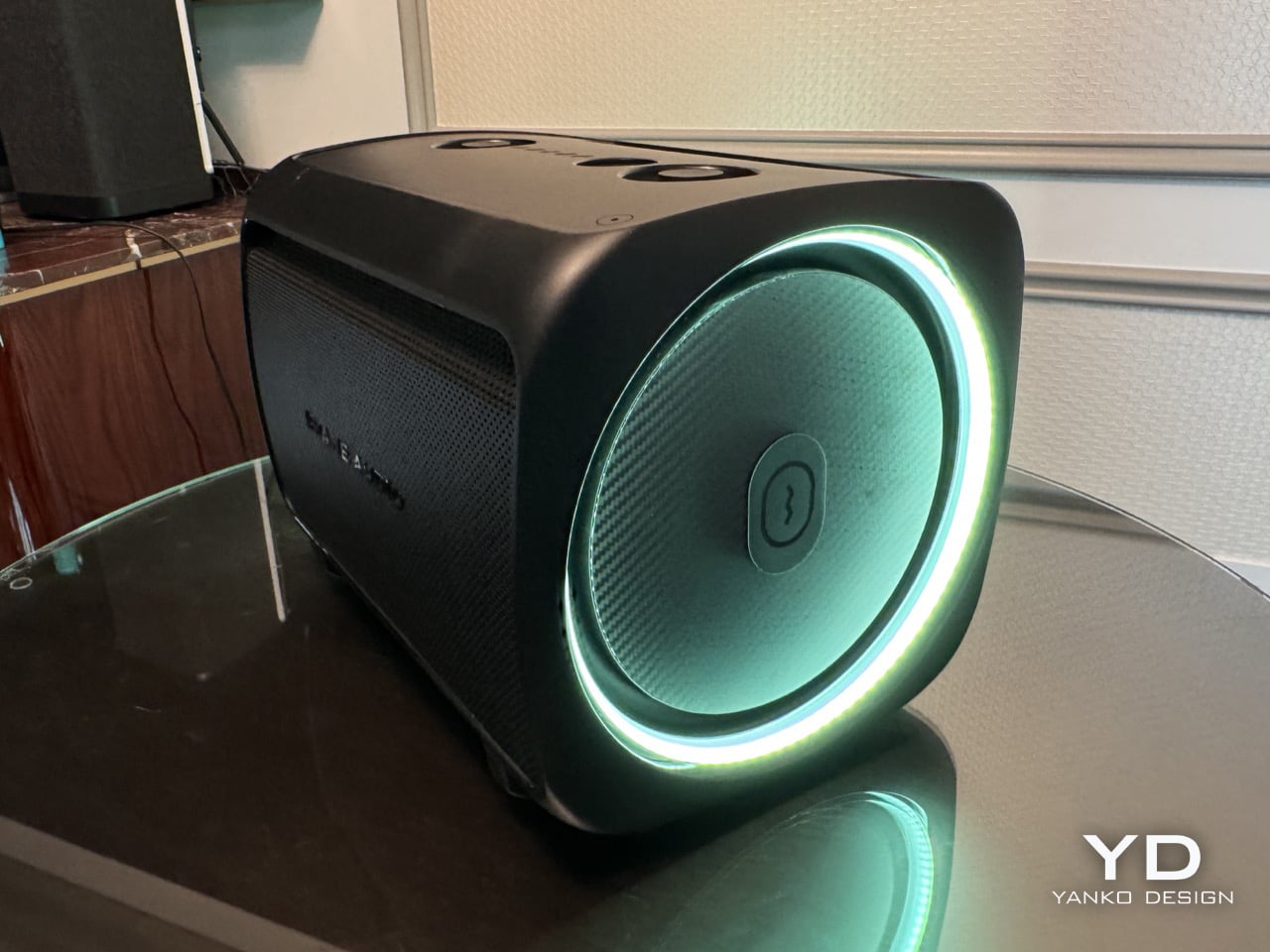
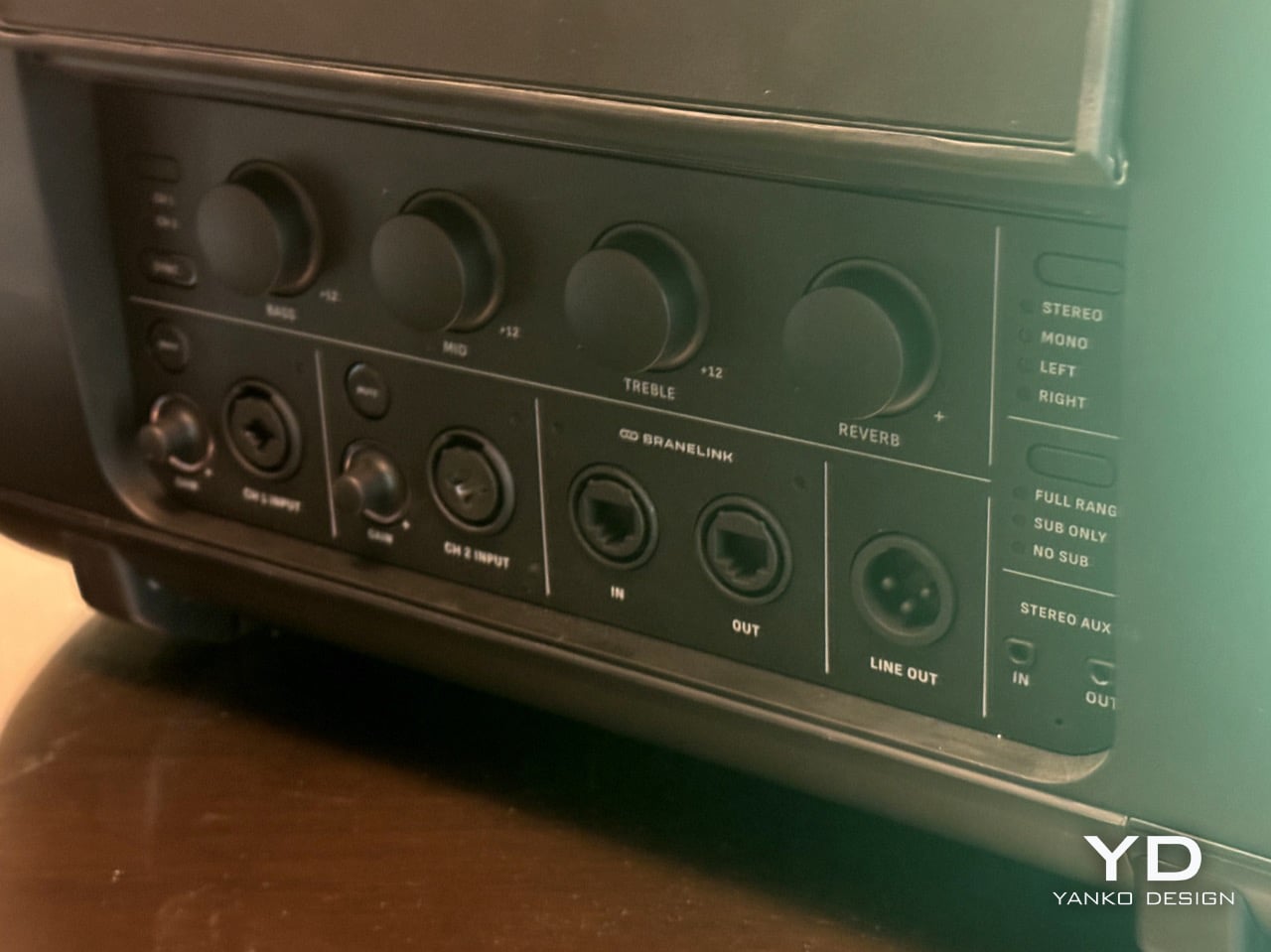
CES 2026’s Loudest Flex: Brane Party Pro Hits The Bass Notes So Hard I Actually Got Goosebumps

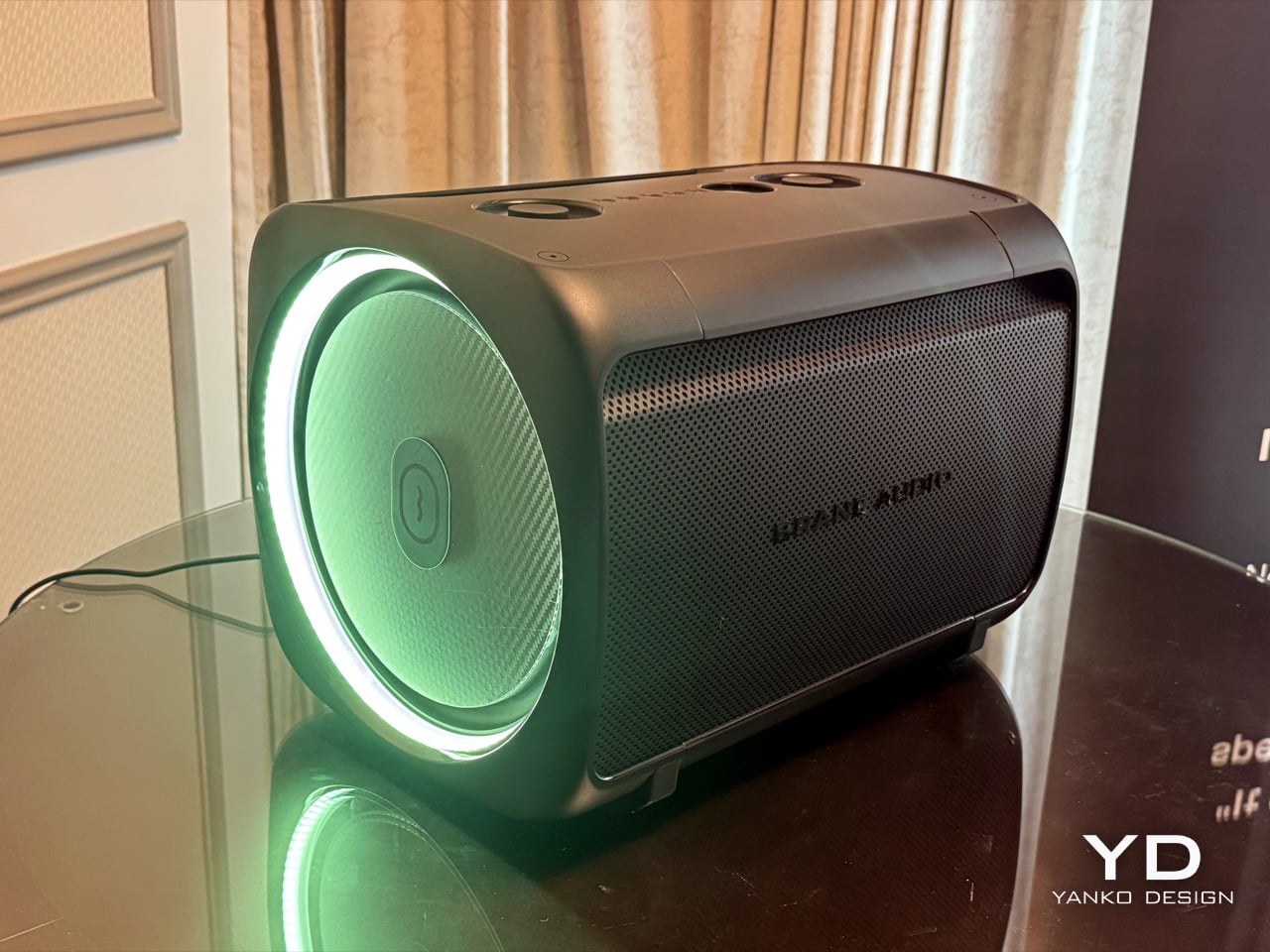
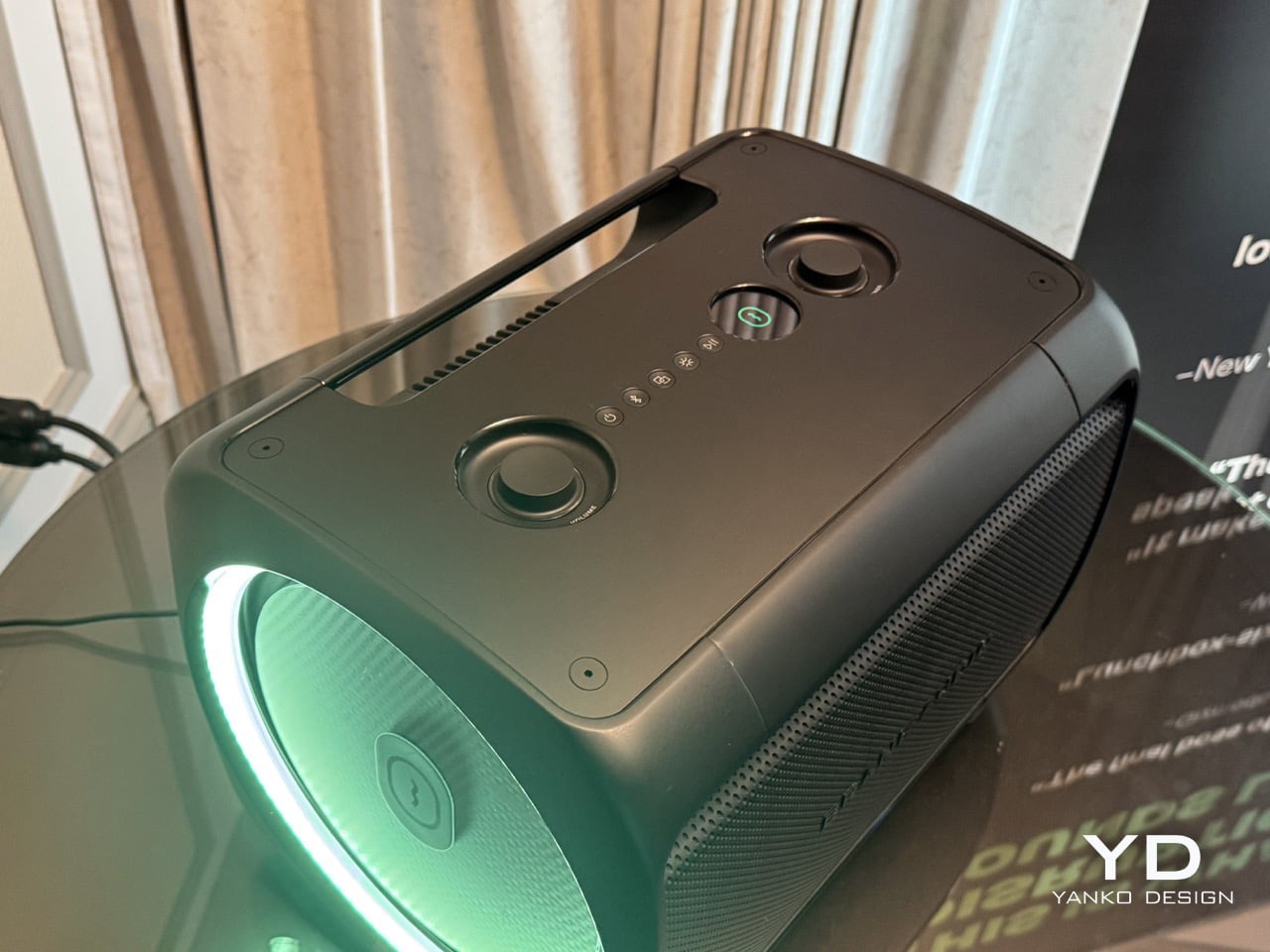
There’s a specific moment that happens when you first hear deep bass done properly. Your brain needs a second to process what’s happening because the sound doesn’t match what you expect from a speaker that size. I experienced that exact moment at CES 2026 while listening to Brane Audio’s Party Pro prototype, and for the sake of the rest of the hotel guests, Brane only limited the demo to 10 seconds and played its audio at 25% capacity. The sound is so thundering (especially the base notes), Brane had to quite literally hold its speaker back to avoid noise complaints.

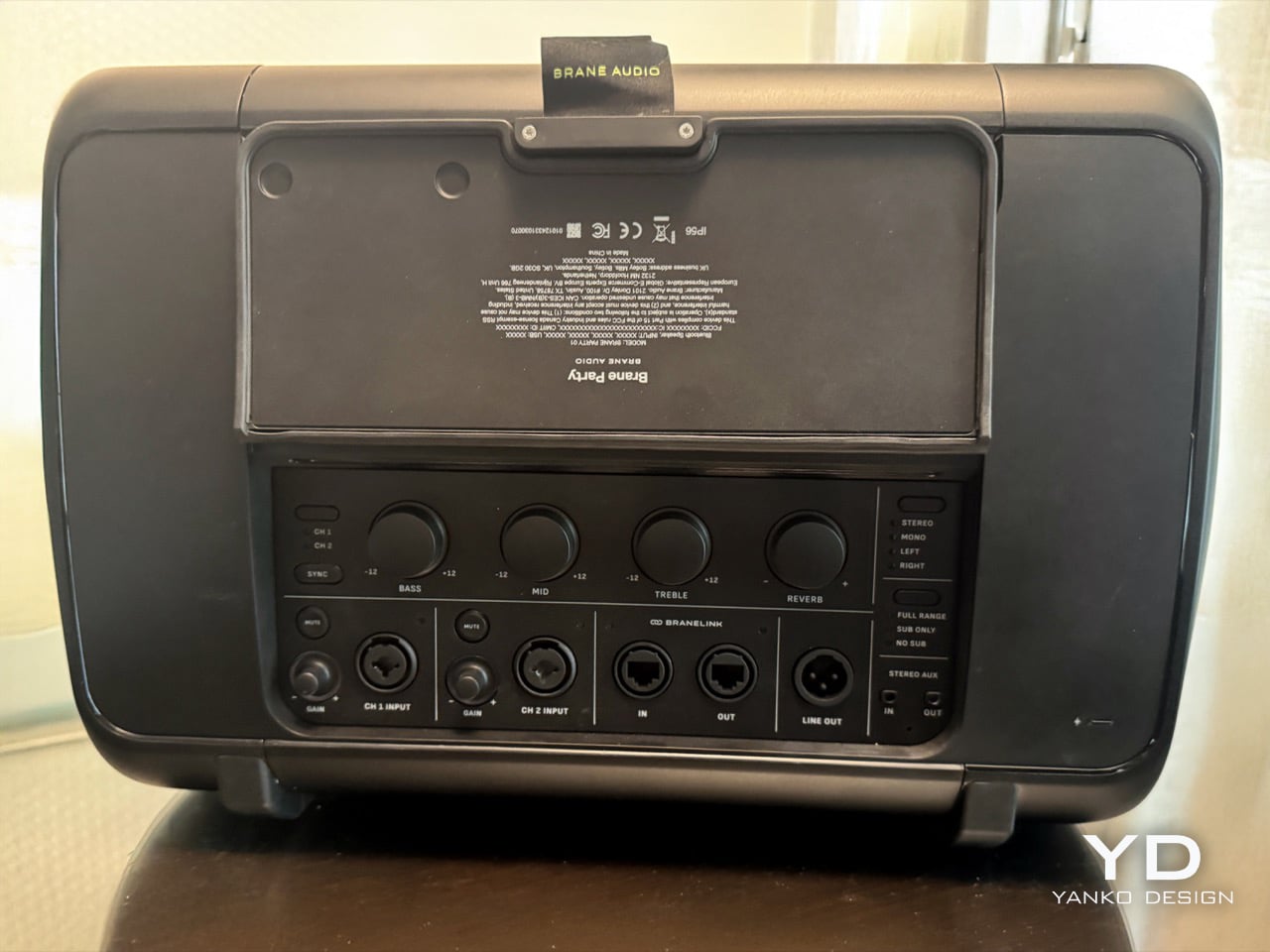
Brane Audio structured their CES presentation strategically, starting with the Brane X to establish their credibility against established competition. Then they unveiled the Party Pro, and the difference was staggering. The low-end reproduction didn’t just sound powerful; it revealed details in familiar tracks that had been buried under inadequate bass response for years. Only after the demo did they mention the kicker: we’d been listening to a single RAD2 driver at half capacity. The shipping version with two drivers will hit four times harder, which means this might legitimately be the first speaker good enough to make your neighbors consider moving.

Designer: Brane Audio

That single driver, the RAD2, is the whole story here. It’s the second generation of their Repel-Attract Driver tech, and the numbers are just absurd. They claim a 30-fold deep-bass advantage over conventional drivers, which sounds like marketing fluff until you hear it for yourself. The genius is in how it handles the lowest frequencies. Instead of just producing a generic boom, it articulates the bass, letting you hear textures and notes in the sub-100Hz range that are usually a muddy mess. You start hearing things in your favorite songs you swear were never there before, which is a wild and slightly surreal experience.

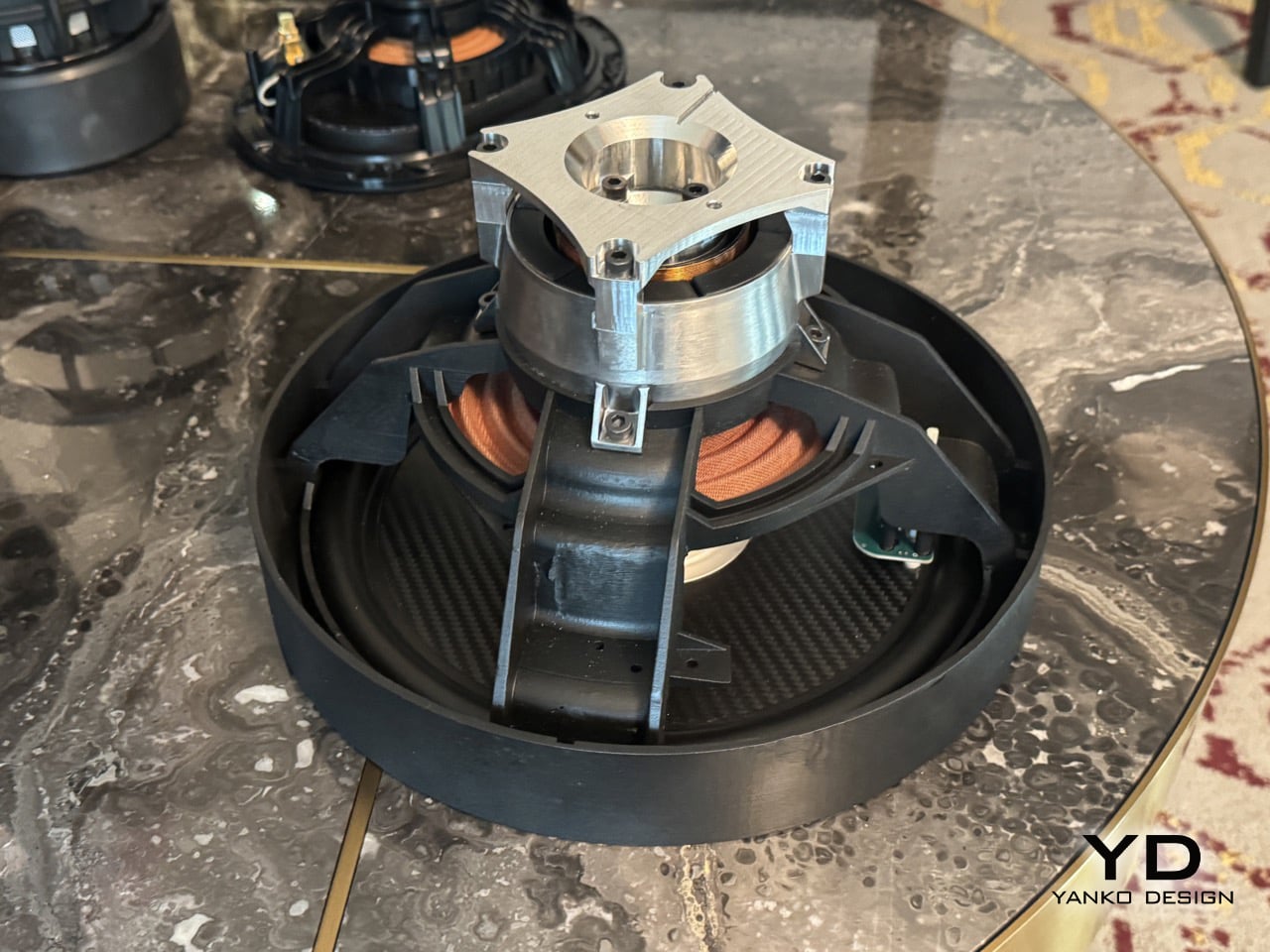
Closer look at the RAD2 Driver

The way it prepares for that bass is mechanically fascinating. The original RAD driver in the Brane X used a small air pump to create the necessary pressure differential. For the RAD2, they’ve engineered a system of small mechanical legs that physically push the driver cone outward to prime it before the music even starts. This pre-tensioning creates the pressure needed for its massive excursion without the lag or potential noise of a pump. It’s a clever bit of electromechanical engineering that solves a very specific physics problem, and watching it happen is almost as impressive as hearing the result. It’s a purely functional design choice that looks incredibly cool.

This level of mechanical control allows for some seriously smart audio processing. Brane’s team explained that the speaker’s internal DSP analyzes the incoming audio in real-time to identify the resonant frequency of each specific track. It then adjusts the driver’s behavior to perfectly match that frequency, essentially tuning itself to every song it plays. This is a huge leap beyond simple EQ presets. The speaker is actively collaborating with the music, ensuring that the bass response is not just powerful but also perfectly in sync with the artist’s original intent. It explains why the bass felt so integrated and clean, rather than being a loud, detached layer on top of the music.

So you take that resonant frequency matching, add the mechanical priming system, and then remember the demo was at quarter-power. The final Party Pro, with its two drivers, will displace a full 1000cc of air, which is an immense amount of sound pressure from a portable enclosure. Brane is essentially breaking Hofmann’s Iron Law, that old rule about deep bass, small boxes, and power efficiency being mutually exclusive. They’ve found a way to have all three. This technology is a new blueprint for how to generate low-frequency sound. I walked away from that demo feeling like I’d just seen the audio equivalent of the first flat-screen TV. The Party Pro will hit shelves later this year, with a price range between $1000 and $1500. You honestly may need to take permission from your Homeowner’s Association before you buy one!

The post CES 2026’s Loudest Flex: Brane Party Pro Hits The Bass Notes So Hard I Actually Got Goosebumps first appeared on Yanko Design.

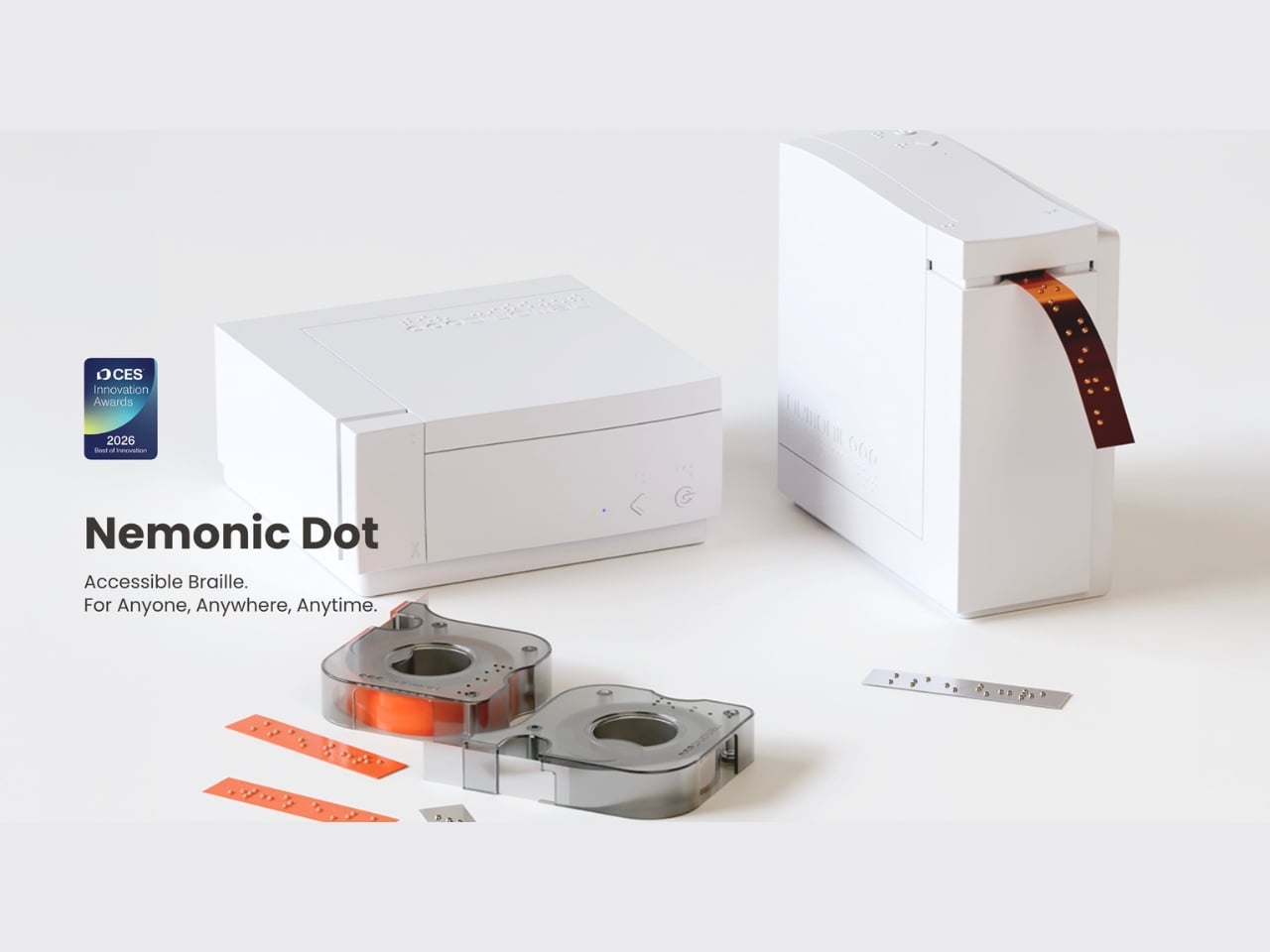
This $995 Printer Turns Your Voice Into Braille Labels

Picture this: you’re helping your grandmother organize her medicine cabinet, but she’s visually impaired. Those prescription bottles all look identical to her touch. You want to help, but learning Braille isn’t exactly something you picked up over coffee. Now imagine pulling out a compact printer, speaking into your phone, and watching as sticky Braille labels emerge, ready to paste onto each bottle. That’s the beautiful simplicity behind Mangoslab’s Nemonic Dot printer, unveiled at CES 2026.

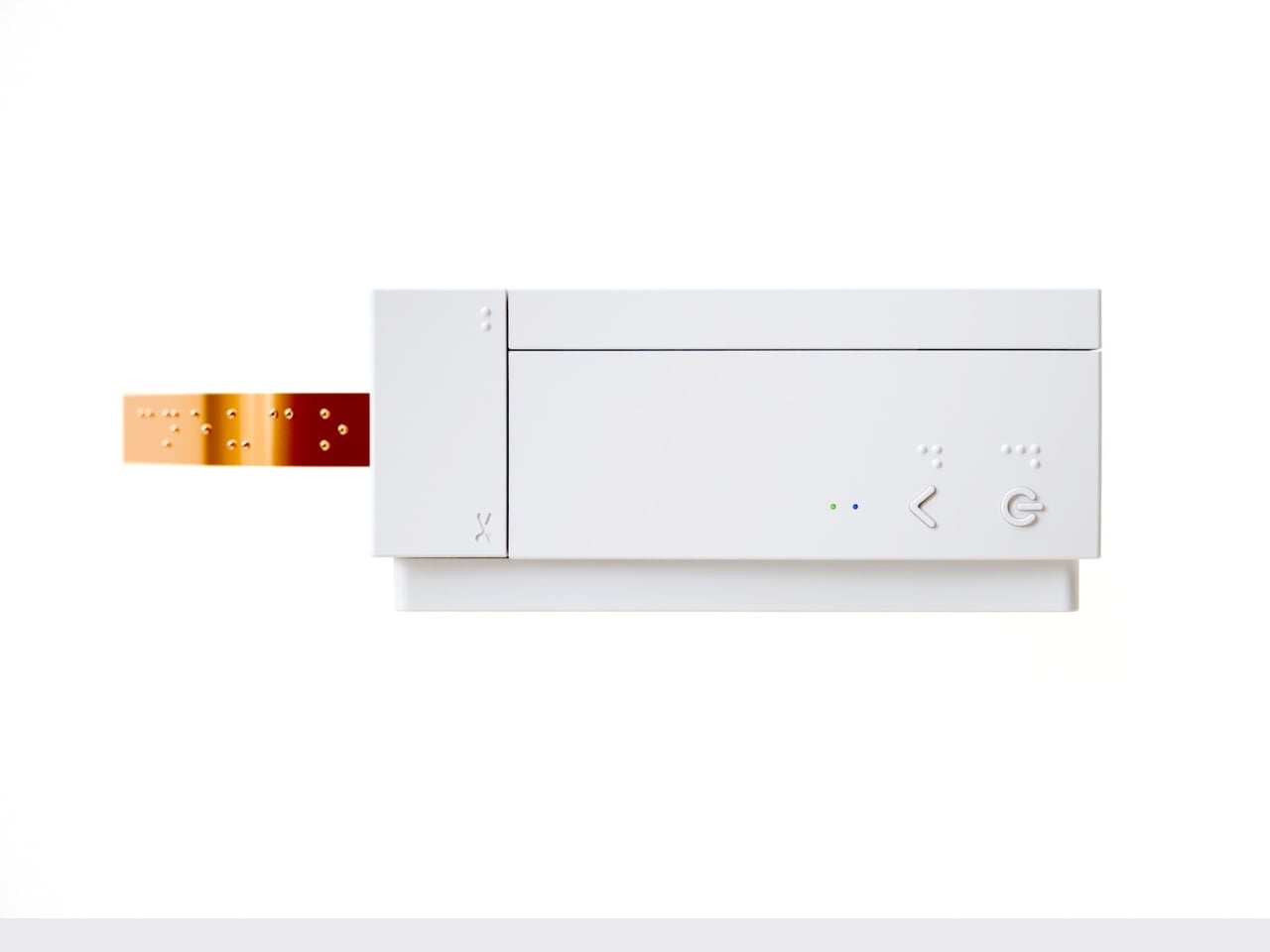
This isn’t just another gadget trying to solve a problem nobody has. It’s a genuinely thoughtful piece of design that bridges the gap between those who want to help and those who need it. The Nemonic Dot is roughly the size of a stack of drink coasters, a plastic square about 4.5 inches wide and 2 inches thick that connects wirelessly to your smartphone. What makes it special isn’t its size, though. It’s what happens when you open the companion app and simply talk to it.

Designer: MangosLab

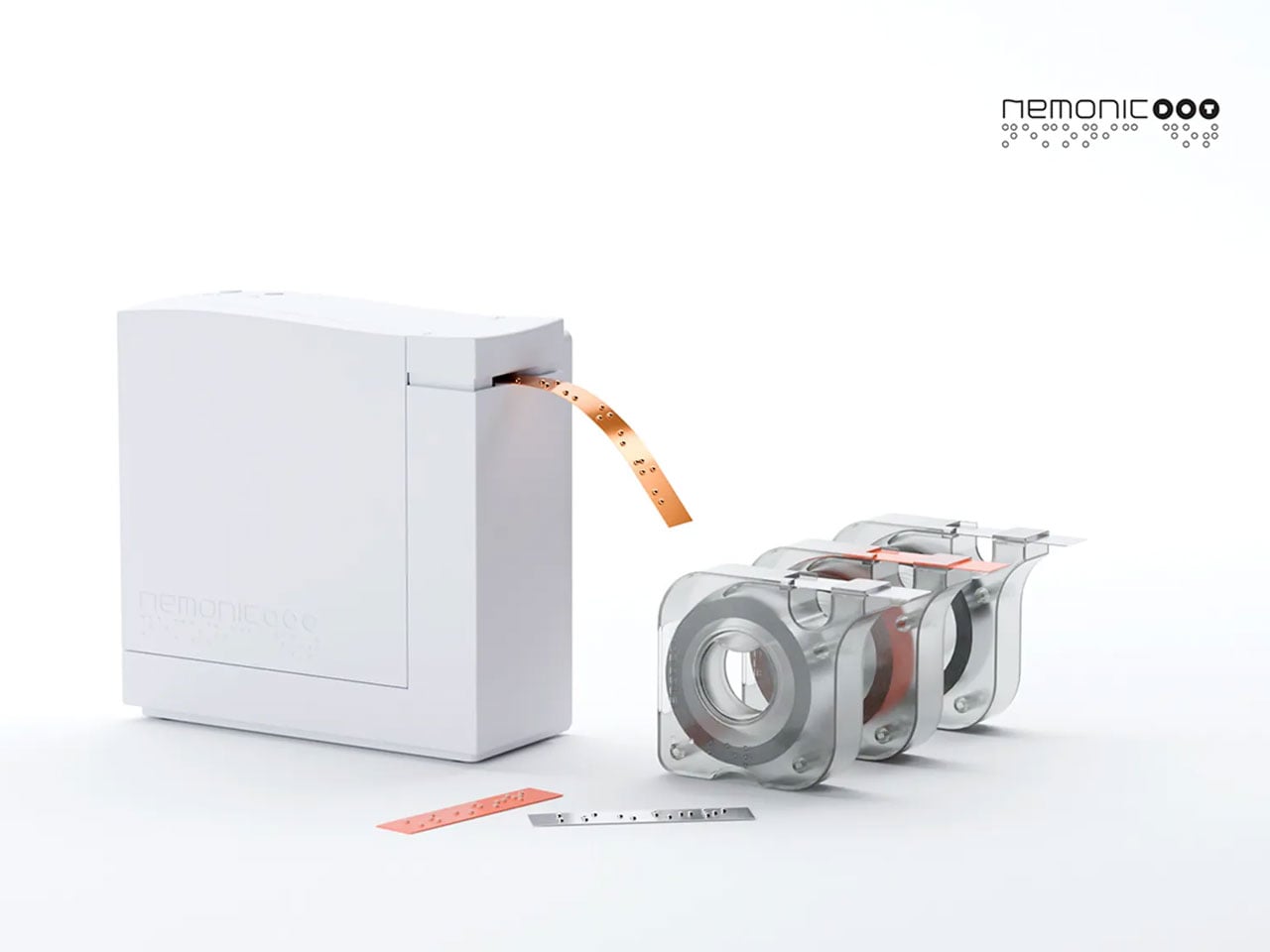
The magic lies in the voice interface. You speak a word into the app, and it converts your speech into text, then translates that text into Braille, and finally prints it onto a peel-and-stick strip. No Braille keyboard required. No special training needed. Just your voice and a desire to make someone’s daily life a little easier. It’s the kind of intuitive design that makes you wonder why nobody thought of it sooner.

Mangoslab, which spun off from Samsung’s internal C-Lab research department years ago, originally made their name with a cute sticky note printer. But they’ve evolved that concept into something with real social impact. Traditional Braille label makers cost upward of $1,250 and require users to type directly in Braille using specialized keyboards. The Nemonic Dot comes in under $1,000 and eliminates that learning curve entirely.

What’s particularly clever is how the device handles multiple languages and Braille standards. Because here’s something most people don’t realize: Braille isn’t universal. French Braille differs from English Braille, and there are both six-dot and eight-dot standards to navigate. The Nemonic Dot handles all of this through software translation, meaning it can adapt as standards evolve or when you need to switch between languages. The printer uses electric currents to move ball pins up and down, embossing uniform dots that are 0.6 millimeters high, meeting international standards for tactile readability.

The real-world applications are endlessly practical. Salt and pepper shakers that actually tell you which is which. Spice jars in the pantry. Light switches around the house. Medication bottles in the bathroom cabinet. These are everyday objects that most of us take for granted, but for someone with visual impairment, they represent small daily frustrations that add up. The Nemonic Dot turns those frustrations into solved problems, one sticky label at a time.

What I find most compelling about this design is how it shifts the power dynamic in accessibility. Usually, adaptive technology requires the person with a disability to do all the learning and adapting. But the Nemonic Dot is explicitly designed for friends and family members to use on behalf of their visually impaired loved ones. It’s a recognition that accessibility isn’t just about the end user, it’s about creating ecosystems of support that are easy for everyone to participate in.

The printer runs on battery power or an AC adapter, making it genuinely portable. When your label is finished printing, you press a button on top to trim the strip, and you’re done. The whole process takes seconds. There’s something refreshing about technology that doesn’t try to overcomplicate things. In an era of smart everything and AI everything, the Nemonic Dot does one thing exceptionally well: it turns spoken words into tactile information.

This is inclusive design at its best. Not flashy, not trying to reinvent the wheel, just thoughtfully addressing a genuine need with elegant simplicity. It’s a reminder that the most impactful innovations aren’t always the ones with the most features or the biggest screens. Sometimes they’re the ones that quietly remove barriers and make life just a bit more navigable for everyone.

The post This $995 Printer Turns Your Voice Into Braille Labels first appeared on Yanko Design.

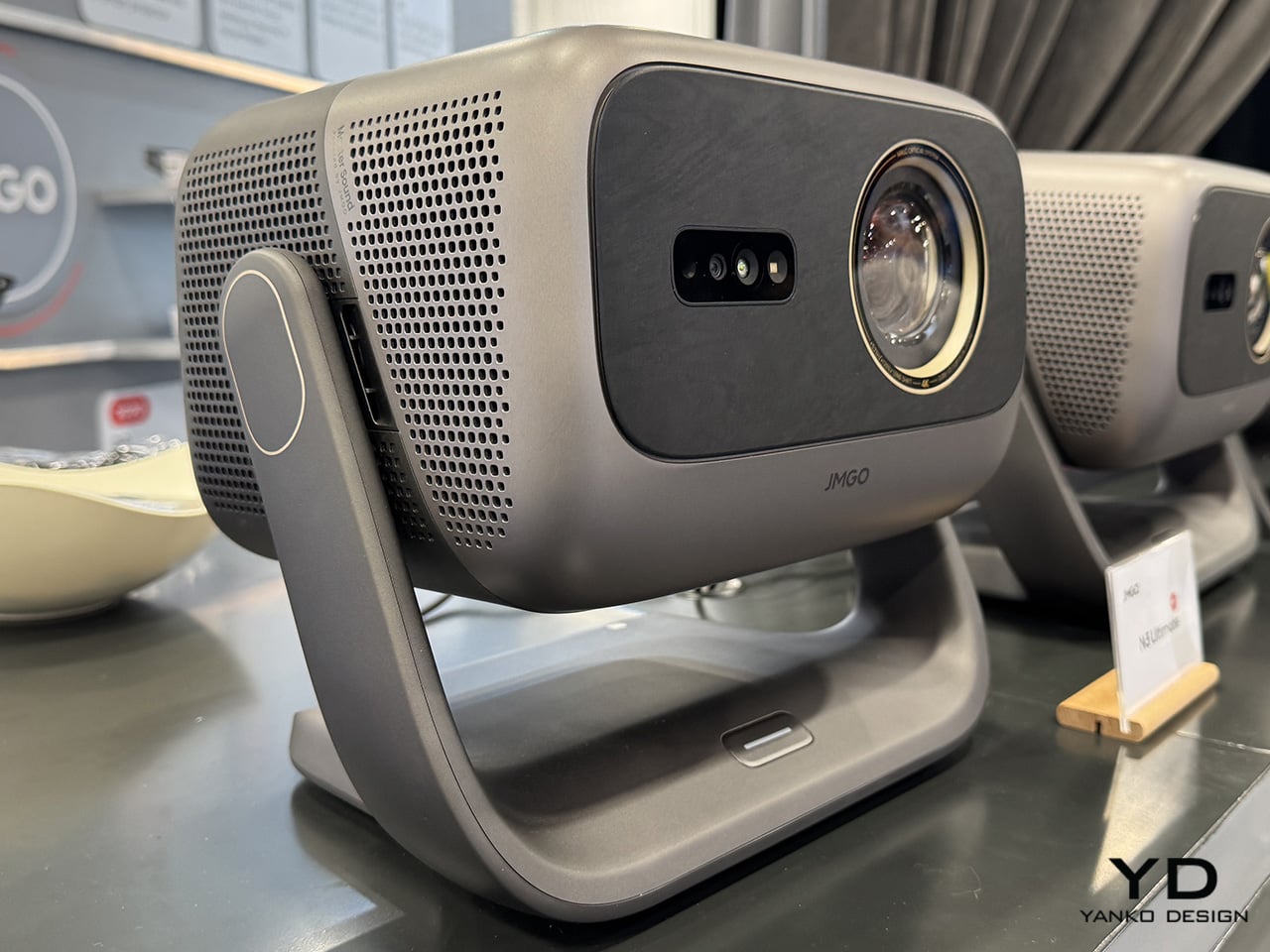
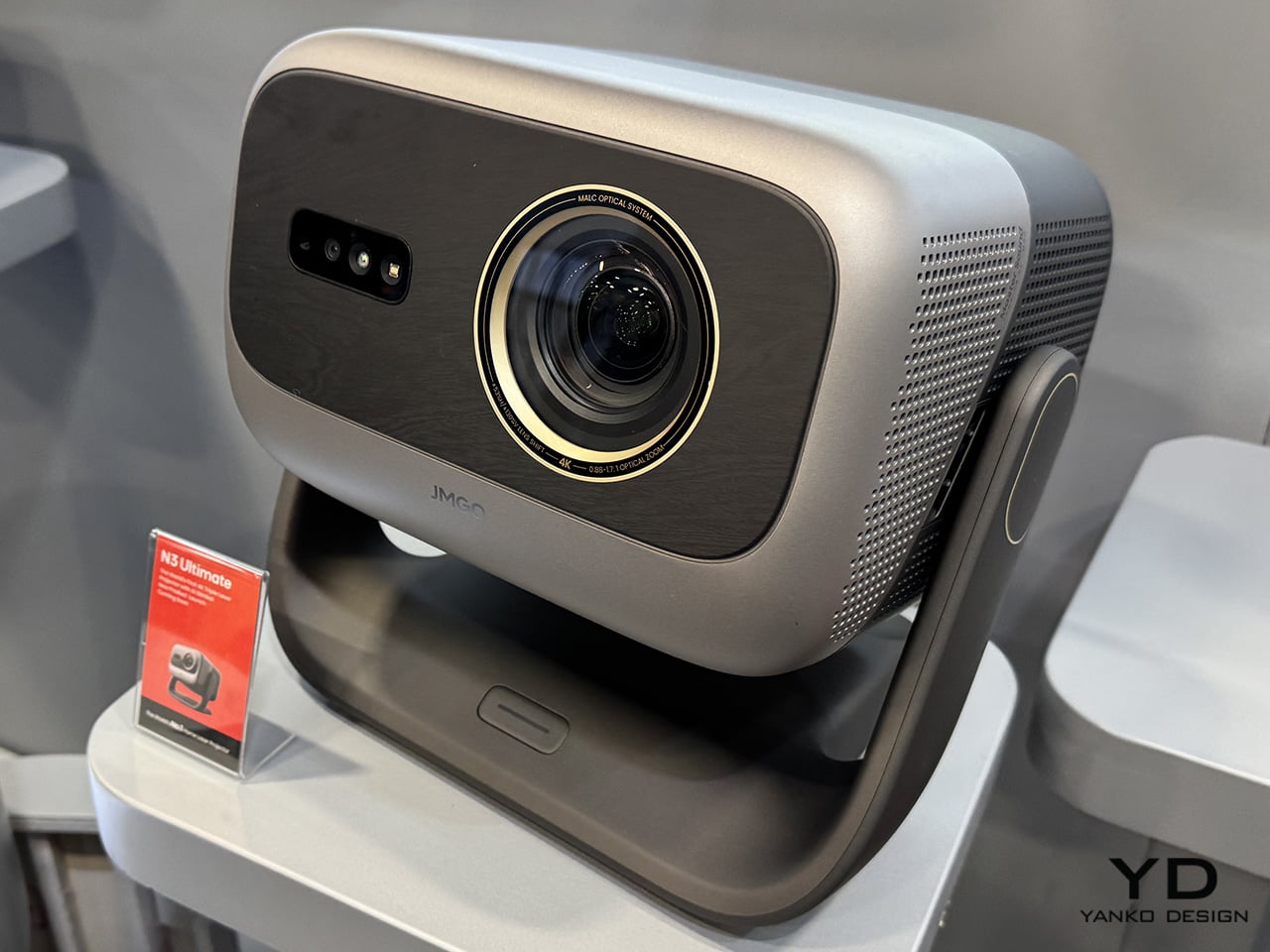
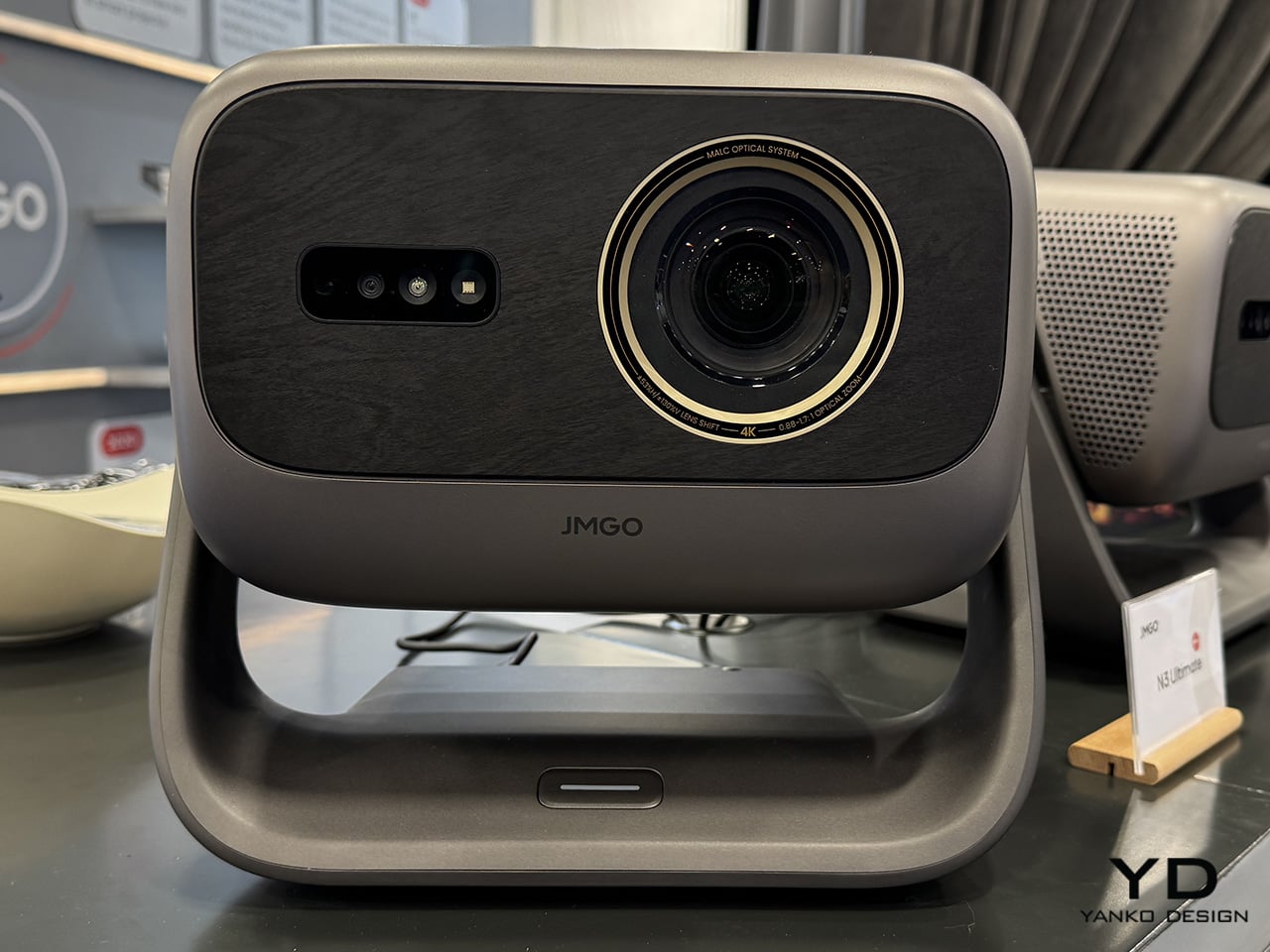
JMGO N3 turns home cinema into a moving target with its 4K triple-laser gimbal design

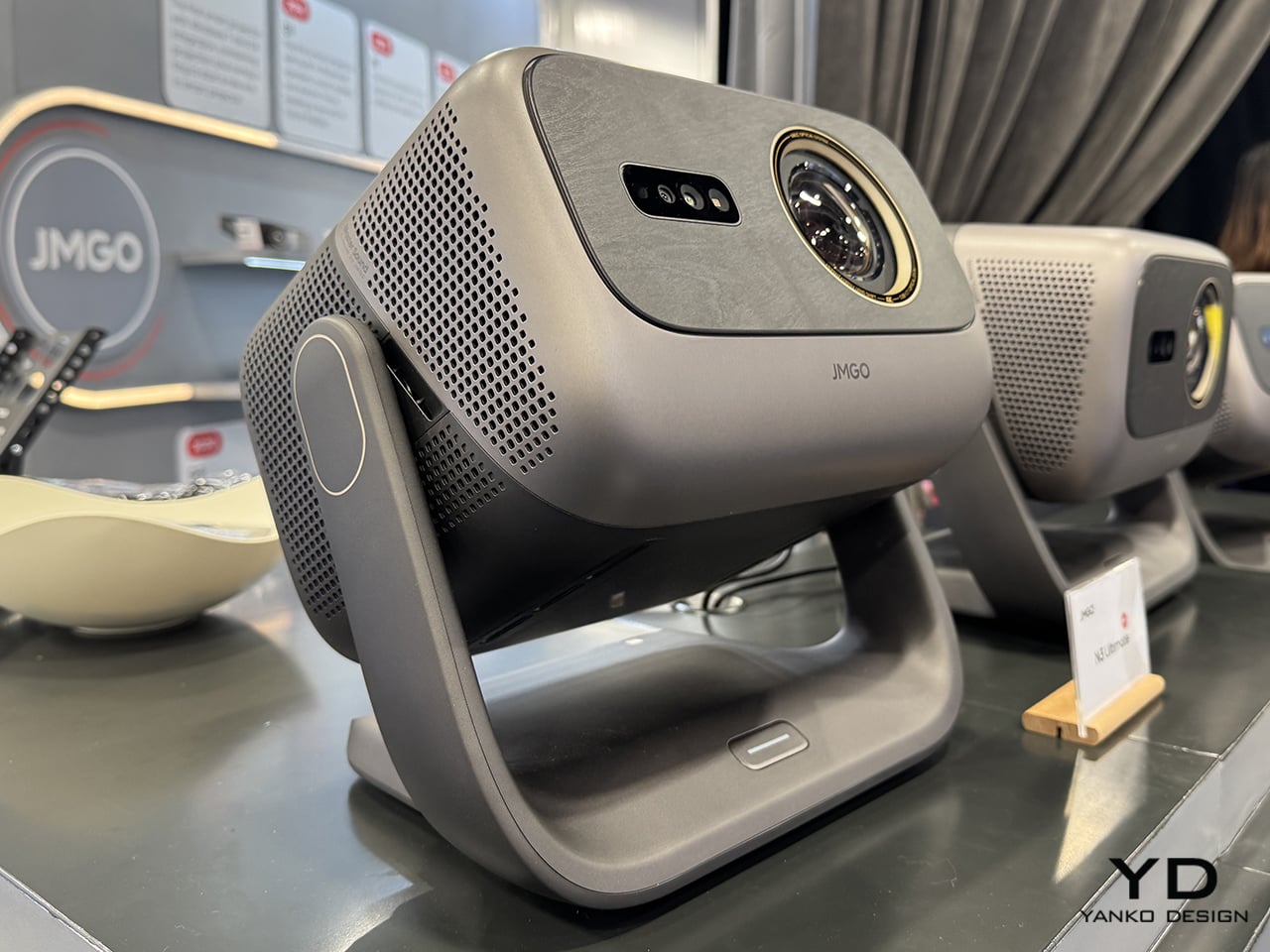
JMGO has spent years quietly refining the idea that home cinema doesn’t need to be fixed in one place. Much like how thoughtfully designed consumer tech reimagines everyday experiences through flexibility and form, the company’s latest projector leans into motion, adaptability, and visual ambition. The JMGO N3 4K triple-laser gimbal projector builds on that philosophy, presenting a compact, all-in-one cinema solution that feels engineered for modern living spaces rather than dedicated theater rooms.

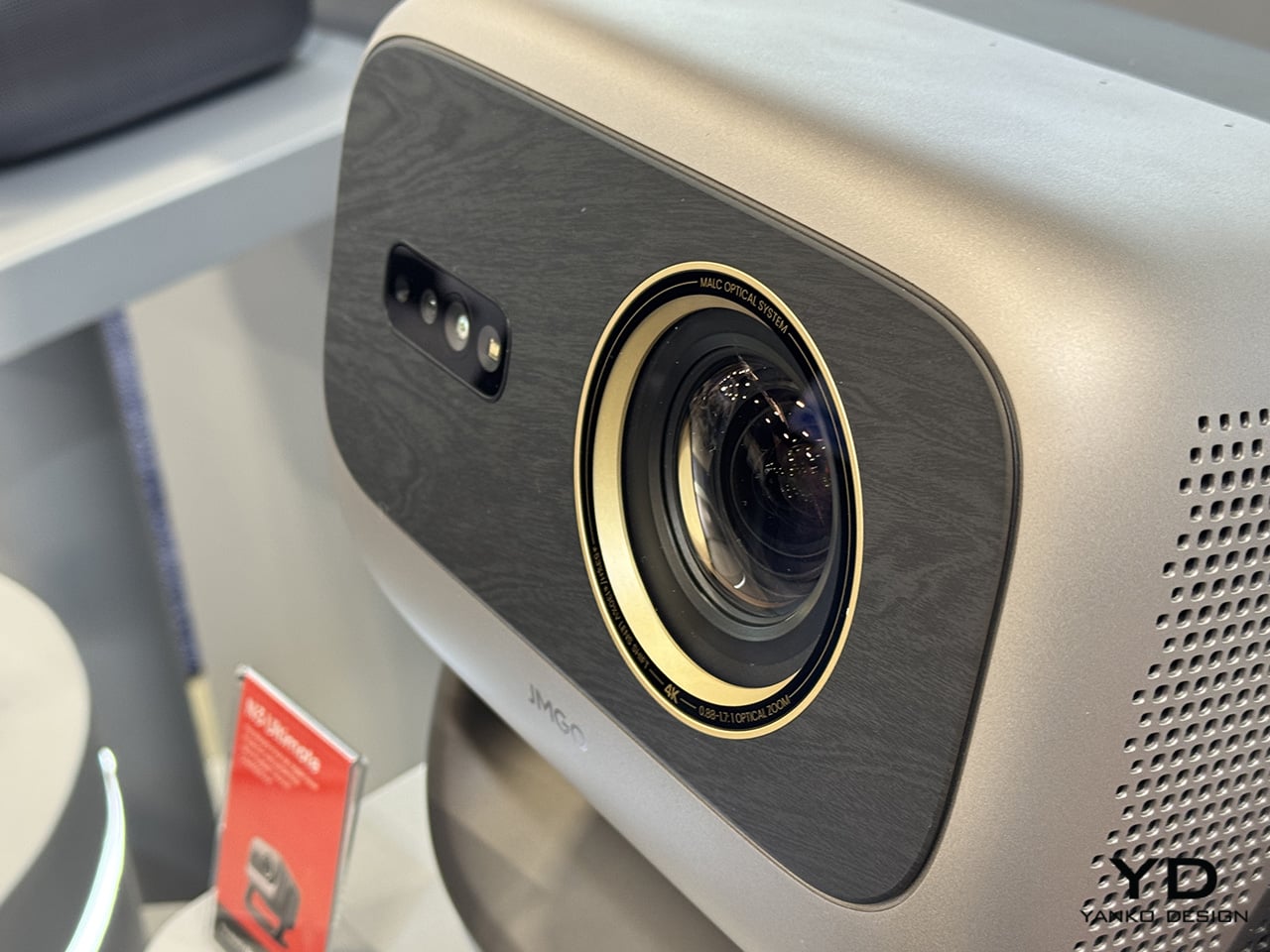
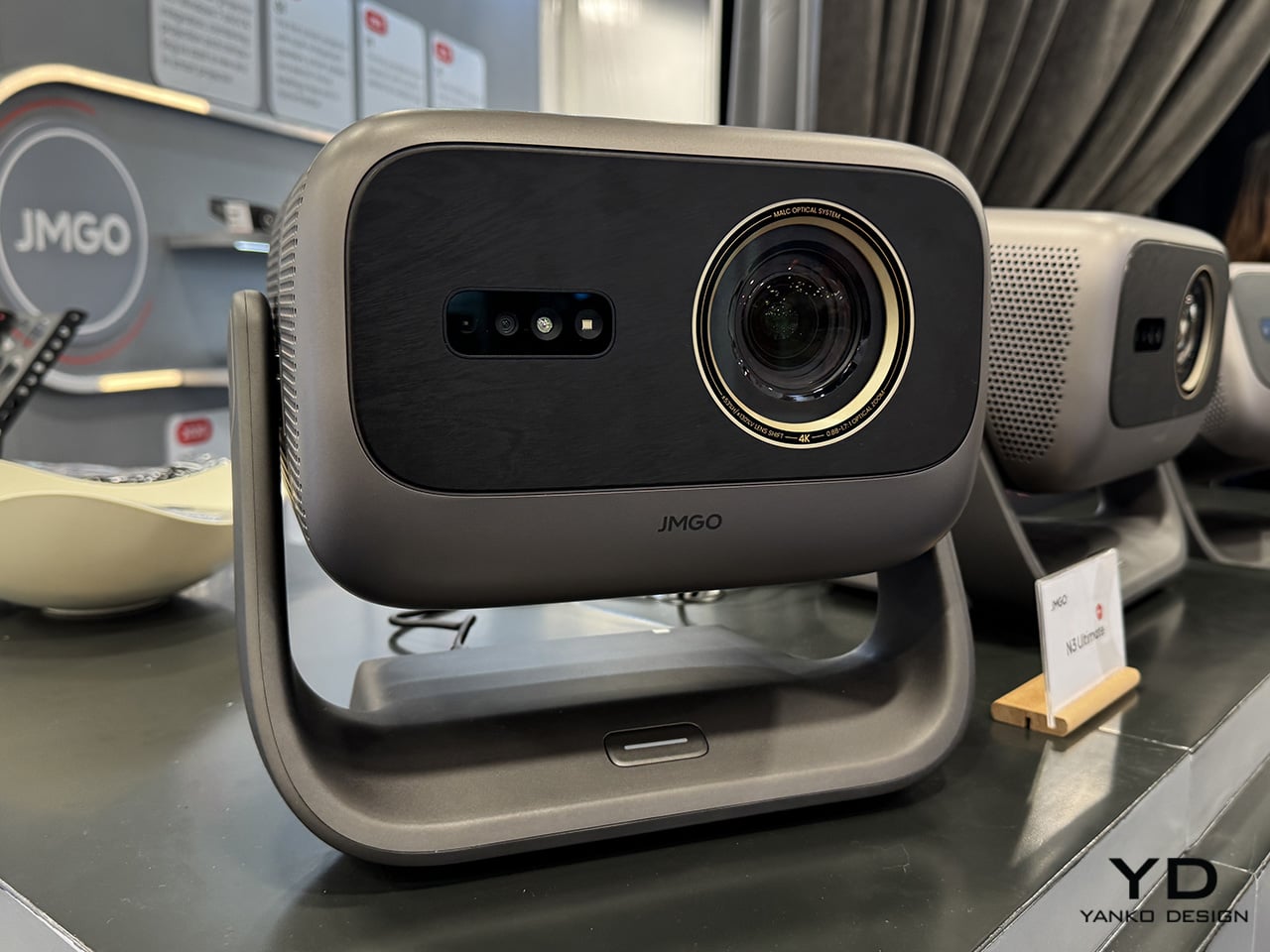
At the heart of the N3 is JMGO’s MALC 3.0 triple-laser light engine, which uses separate red, green, and blue lasers to produce accurate color and consistent brightness. The system outputs up to 1,800 ISO lumens and covers 110 percent of the BT.2020 color gamut, delivering saturated yet controlled visuals that hold up well in both darkened rooms and moderate ambient light. Native 4K resolution at 3840 by 2160 pixels is paired with 10-bit color support and HDR10 compatibility, allowing the projector to render fine detail, smooth gradients, and cinematic contrast across films, games, and streaming content.

Designer: JMGO

What sets the N3 apart visually and mechanically is its motorized gimbal base. The projector can rotate a full 360 degrees horizontally and tilt up to 160 degrees vertically, making it possible to project onto walls, ceilings, or unconventional surfaces without mounts or awkward positioning. This mobility is supported by automatic keystone correction, real-time autofocus, screen alignment, and obstacle avoidance, which together minimize setup time and reduce the trial-and-error often associated with portable or lifestyle projectors.

The optical system offers a throw ratio ranging from 1.0 to 1.3:1 with 1.3× optical zoom, giving users flexibility in room placement while supporting screen sizes of up to 300 inches. Whether used in an apartment living room or a larger open space, the projector adapts easily without demanding architectural changes. Content access is handled through Google TV, which brings native Netflix support, voice search, and a wide library of apps, all backed by Wi-Fi 6 for smoother streaming and faster responsiveness. HDMI inputs provide straightforward connections for consoles and external media devices.

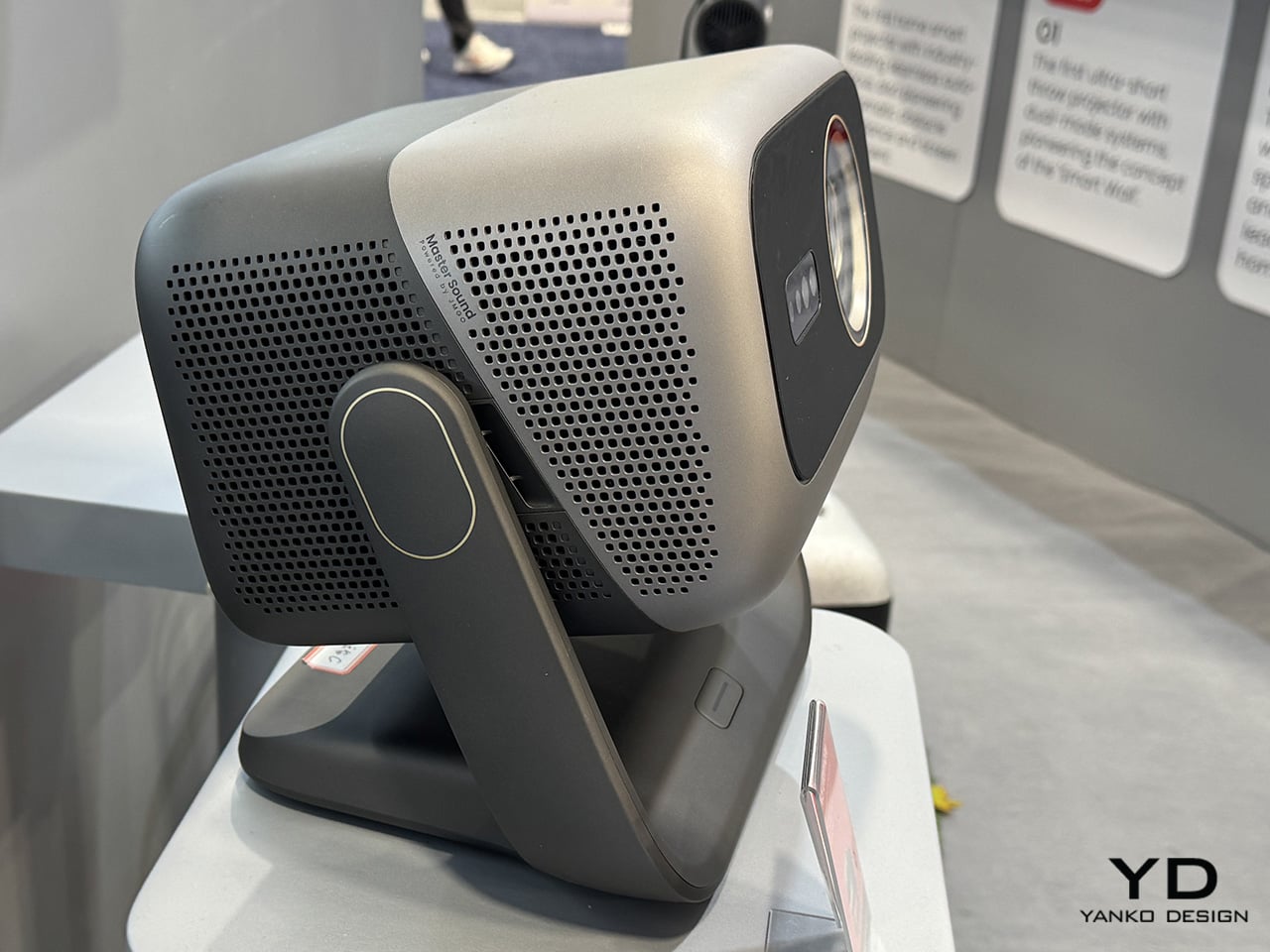
Audio is handled by integrated JMGO Master Sound Hi-Fi speakers with dual 10-watt drivers and support for Dolby Audio and DTS-HD decoding. While external speakers will still appeal to dedicated enthusiasts, the built-in system delivers clear dialogue and balanced sound that feels appropriate for casual movie nights or everyday viewing. Intelligent sensors further enhance usability by adjusting brightness and protecting viewers’ eyes during extended sessions.

Certified for 4K UHD performance and tested for low speckle and minimal chromatic aberration, the JMGO N3 positions itself as a technically credible home cinema tool rather than a novelty device. Priced around $1,099, it lands in a space that makes high-quality laser projection more approachable, blending strong visual performance, thoughtful industrial design, and practical flexibility into a single, modern entertainment centerpiece.


The post JMGO N3 turns home cinema into a moving target with its 4K triple-laser gimbal design first appeared on Yanko Design.
Codeebots Brings Physical Coding Blocks from the Classroom to the Maker’s Bench

Code education has a reputation problem. For a lot of kids, it means more screen time, more syntax errors, and more worksheets that feel nothing like the robots they care about. For many adults, it is too many tools, too much boilerplate, and not enough time to get from idea to working prototype. Codee, from Codeebots, tries to redraw that picture by turning code into something you pick up, snap together, and watch come alive, whether you are six or sixty.

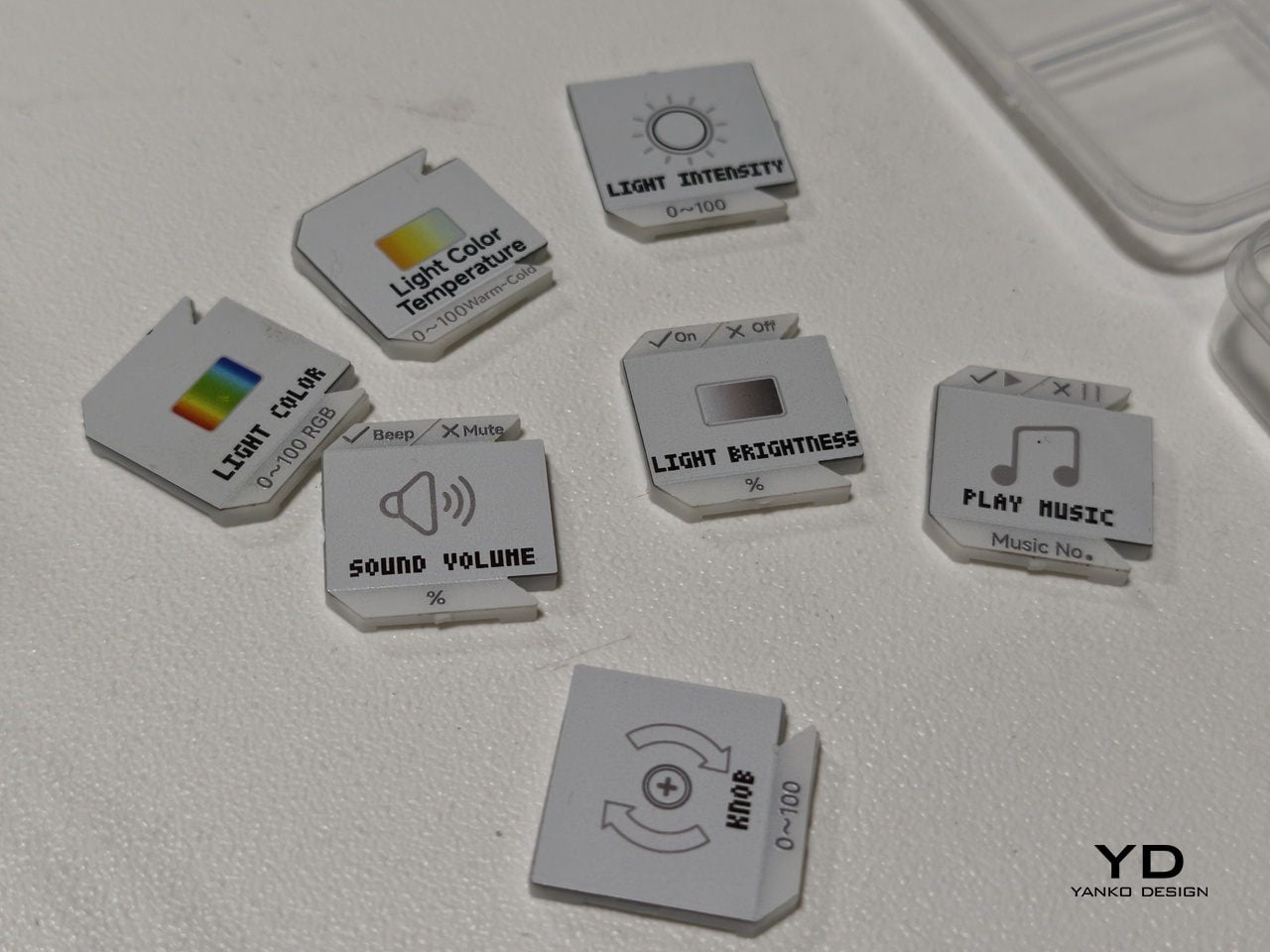
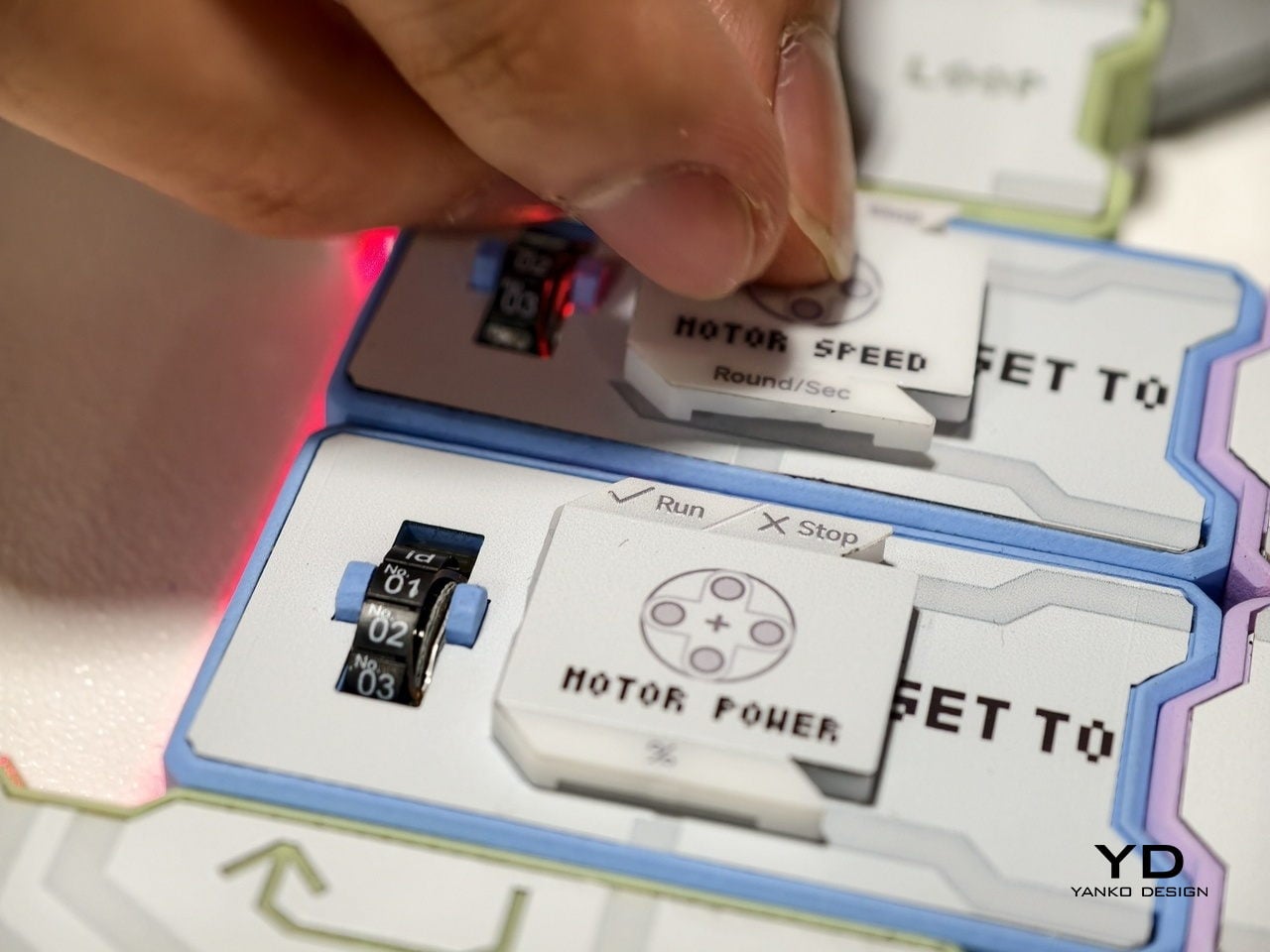
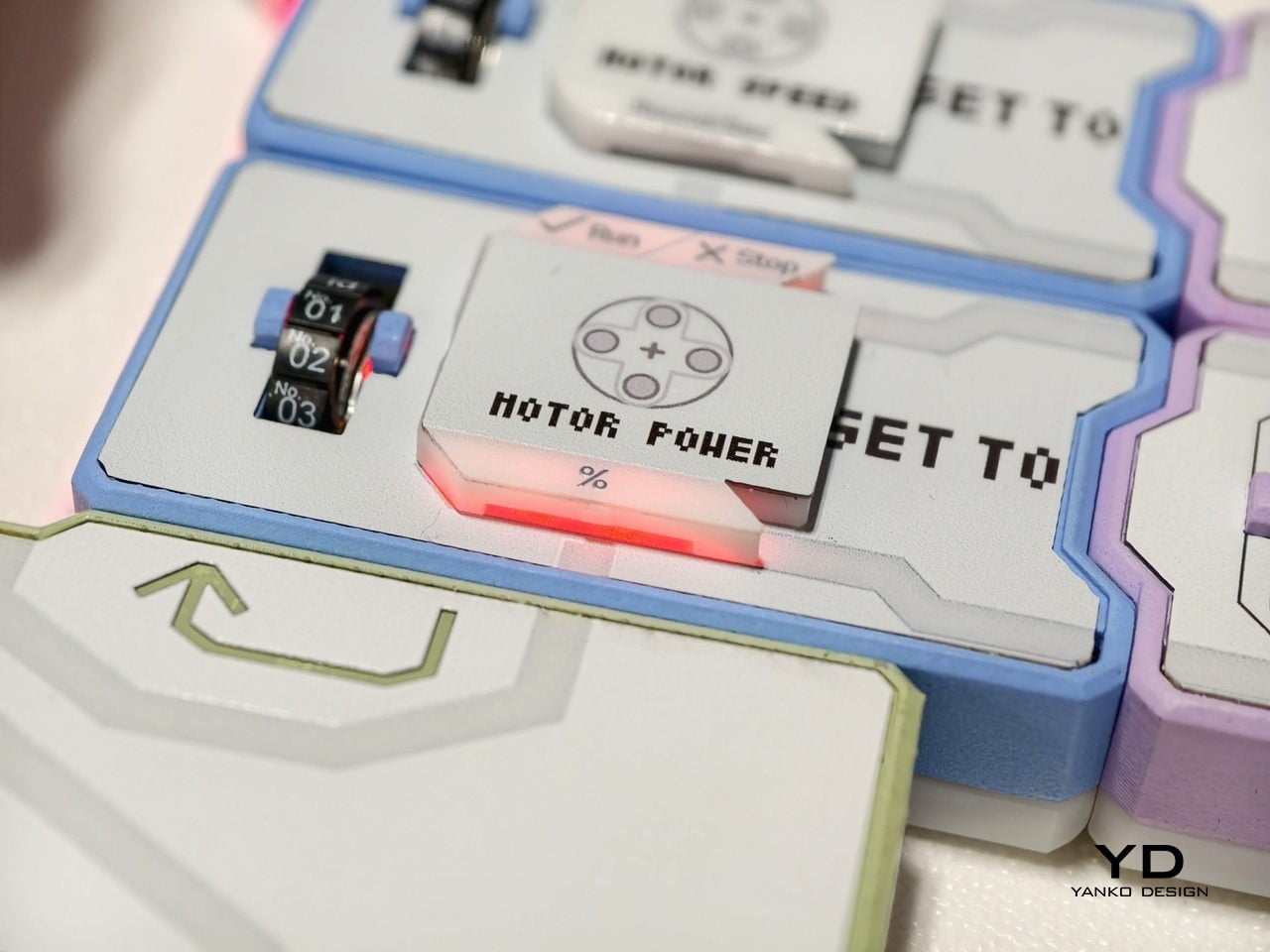
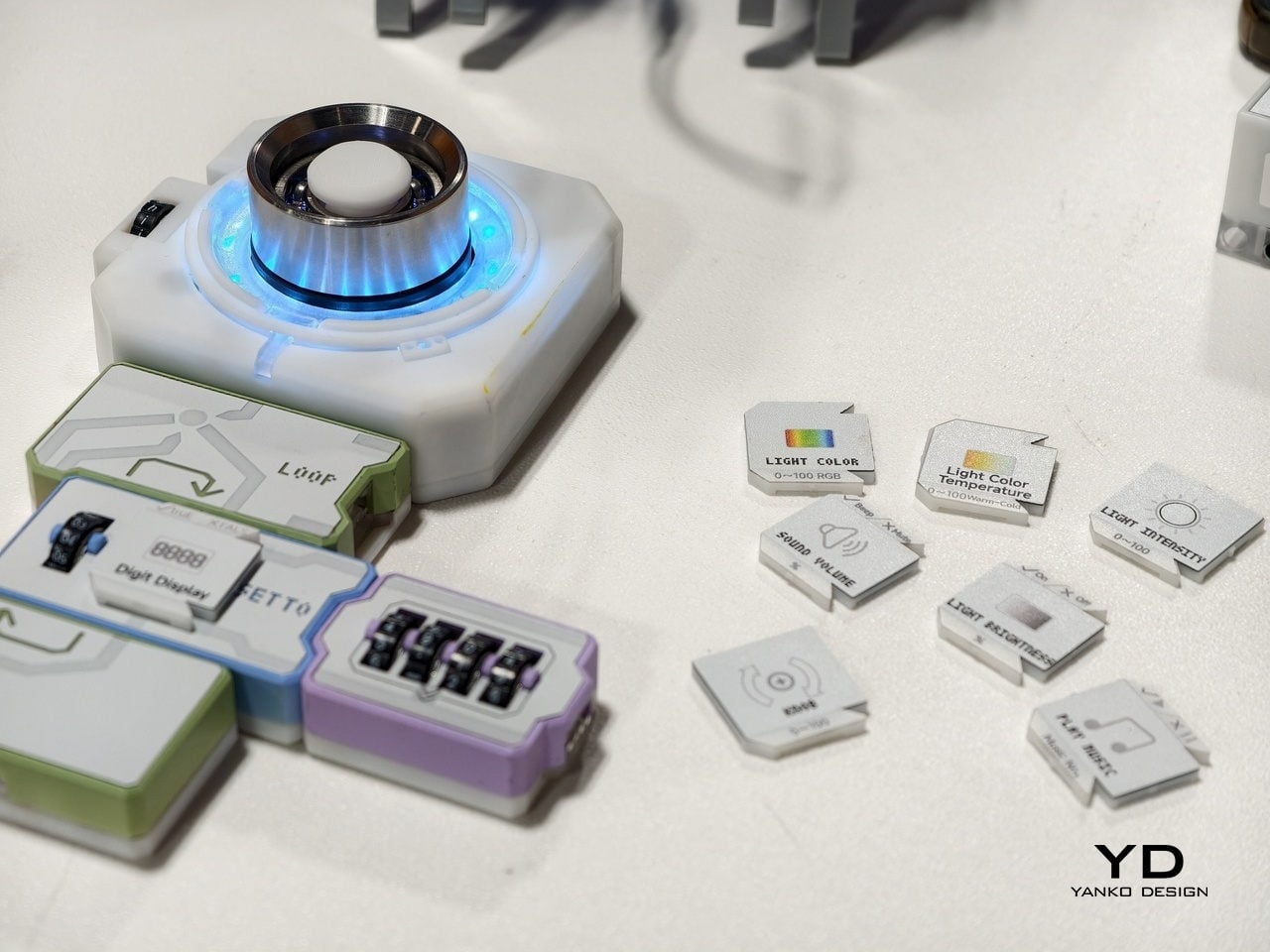
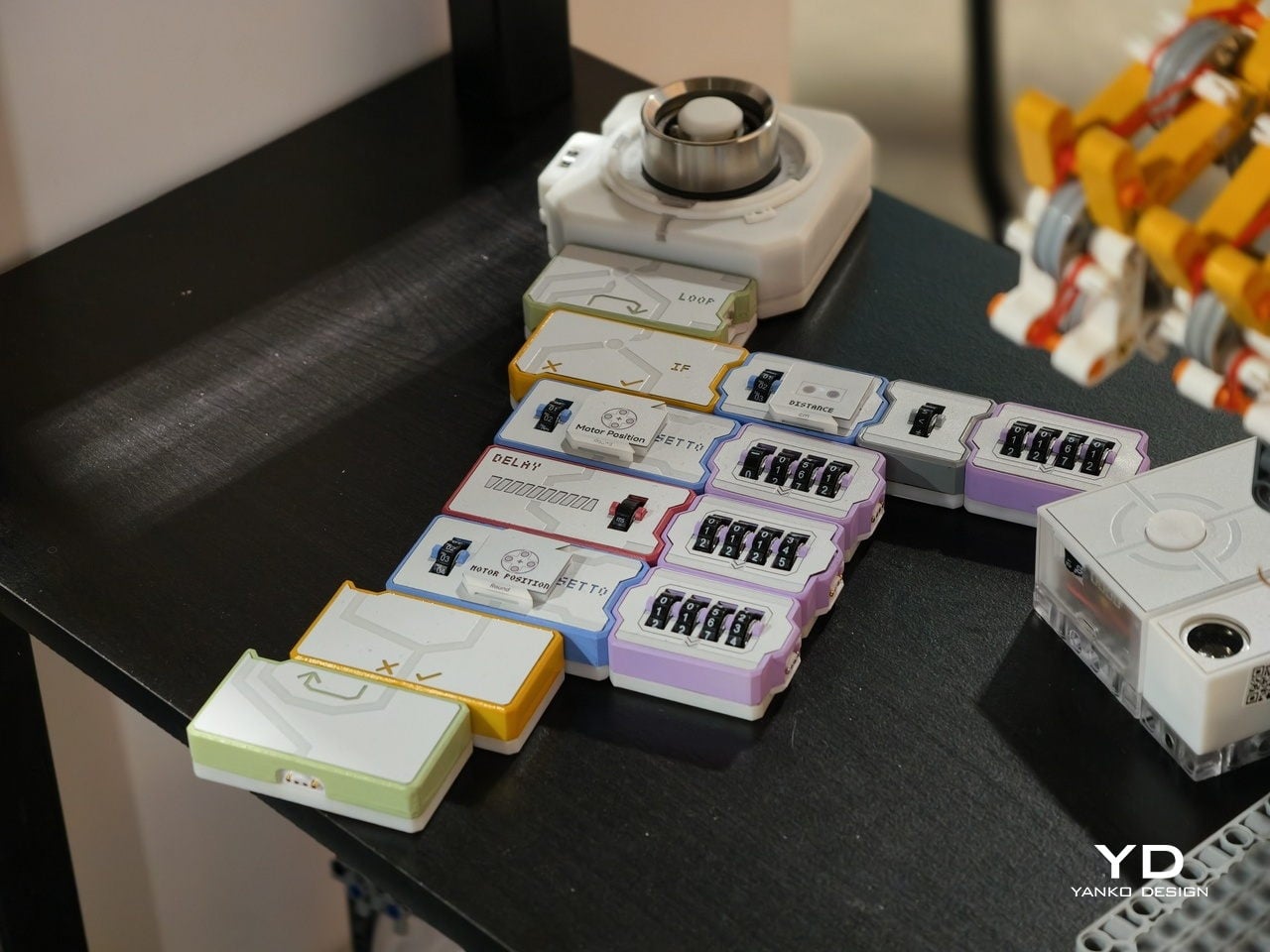
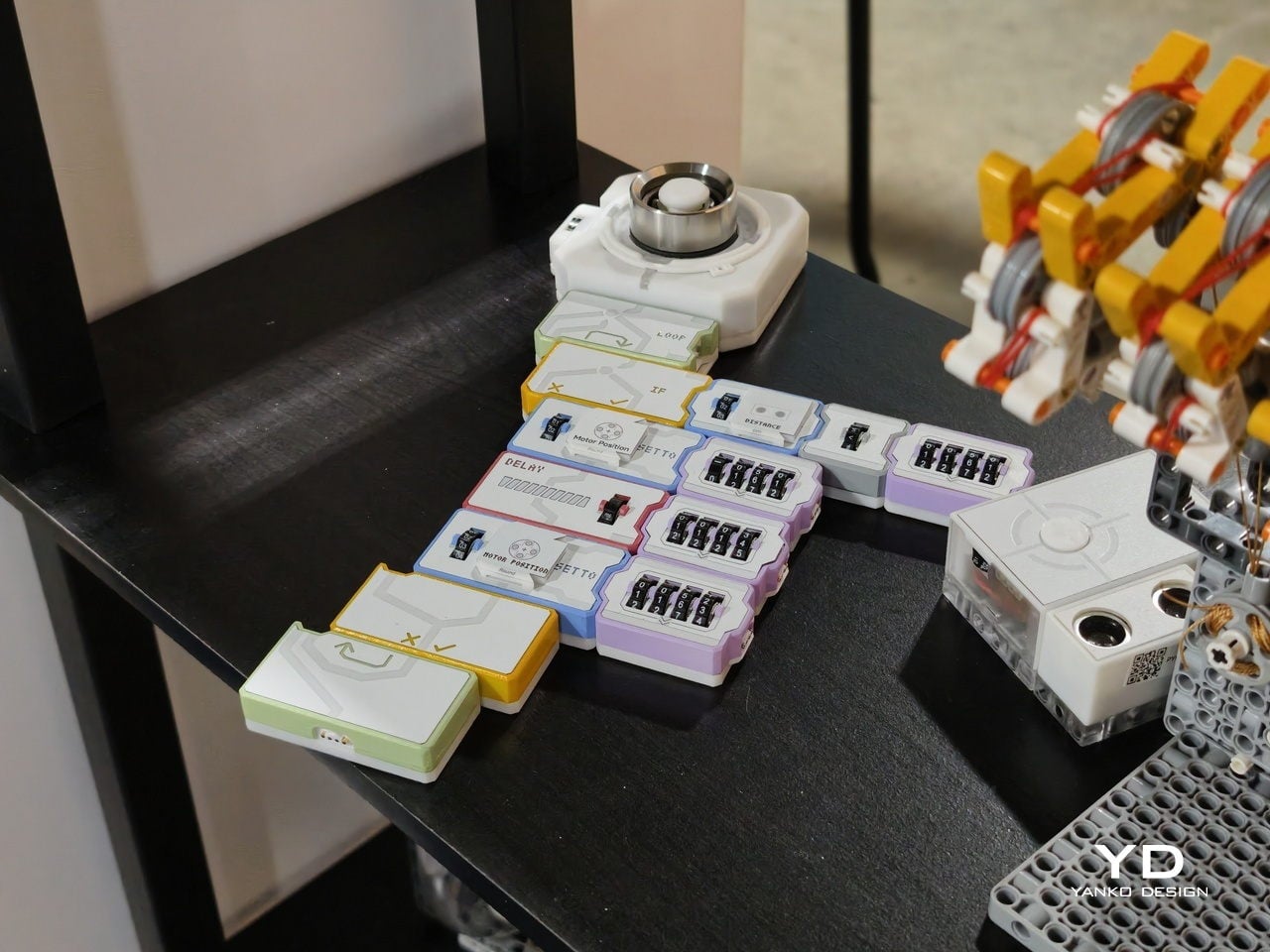
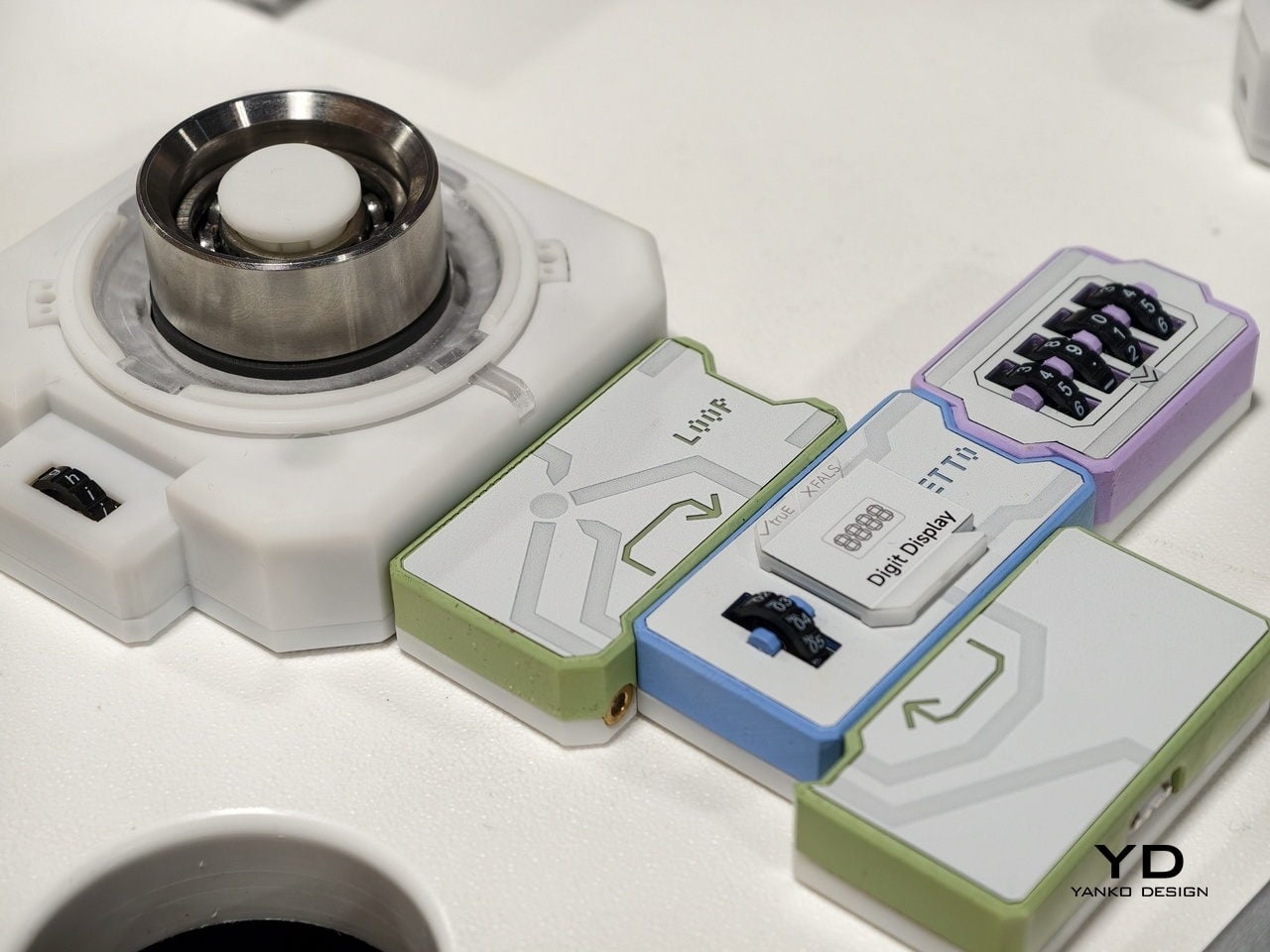
At the heart is a set of magnetic tiles that behave like physical lines of code. Each tile carries a clear label and icon, MOTOR POWER, MOTOR SPEED, LIGHT COLOR, LIGHT BRIGHTNESS, SOUND VOLUME, or PLAY MUSIC, along with small number wheels for setting values. You lay them out on a table in order, snapping them together so the arrows line up. Instead of typing IF, LOOP, or DELAY, you drop in tiles that embody those concepts.

Designer: Codee

For younger learners, that shift is huge. Kids from about four to twelve can create code with their own hands, without staring at a tablet. The base unit sends power and data through the snapped‑on tiles, and LEDs under the surface trace the program’s flow. When something goes wrong, the light trail stops at the problem block, making debugging as simple as seeing where the chain breaks, tangible logic training that feels closer to building with bricks.

There is also an AI layer behind the scenes. Codee talks about GPT tutors that act as a personal guide, explaining what a block does, suggesting what to try next, and celebrating small wins. For a child working through their first conditional or loop, that means there is always a patient voice ready to rephrase or nudge. For parents and teachers, it lowers the barrier to running robotics sessions without being a programmer.

The same hardware becomes different in adult hands. On the Codee for Adults side, the language shifts from classrooms to workshops. The tiles drive 3D‑printed prototypes, finalize complex LEGO builds, or wire up smart lights and sensors. Instead of opening an IDE, you sketch behavior on the table, using the MOTOR, LIGHT, and SENSOR blocks. An AI pair programmer, again powered by ChatGPT, suggests improvements, helps debug, and translates that physical logic into traditional code when needed.

This makes Codee feel like a bridge between toy‑like kits and serious prototyping platforms. A weekend project can start with a handful of tiles and a motor, then grow into a more complex robot with distance sensors, displays, and multiple outputs, without abandoning the snap‑together language. Because the system is LEGO compatible and offers expandable robotics IO, it slots into existing maker habits rather than demanding a clean slate.

For budding makers and veterans alike, the appeal is in that continuity. Codee is not just another coding toy for kids or another dev board for adults. It is a physical grammar for behavior that scales from first experiments to surprisingly capable machines, with AI acting as a gentle translator between intuition and implementation. It is a reminder that sometimes the best interface for code is still the table.

The post Codeebots Brings Physical Coding Blocks from the Classroom to the Maker’s Bench first appeared on Yanko Design.
AtomForm Palette 300 3D Prints in 36 Colors With 12 Dedicated Nozzles

Desktop 3D printing has always promised “anything you can imagine,” but in practice, that usually means single-color PLA, lots of tinkering, and a trash bin full of purge towers. The gap between colorful renders and what actually comes out of most desktop printers has been wide enough to make many designers quietly give up on FFF for anything beyond simple prototypes. AtomForm’s Palette 300 shows up at CES 2026, trying to close that gap.

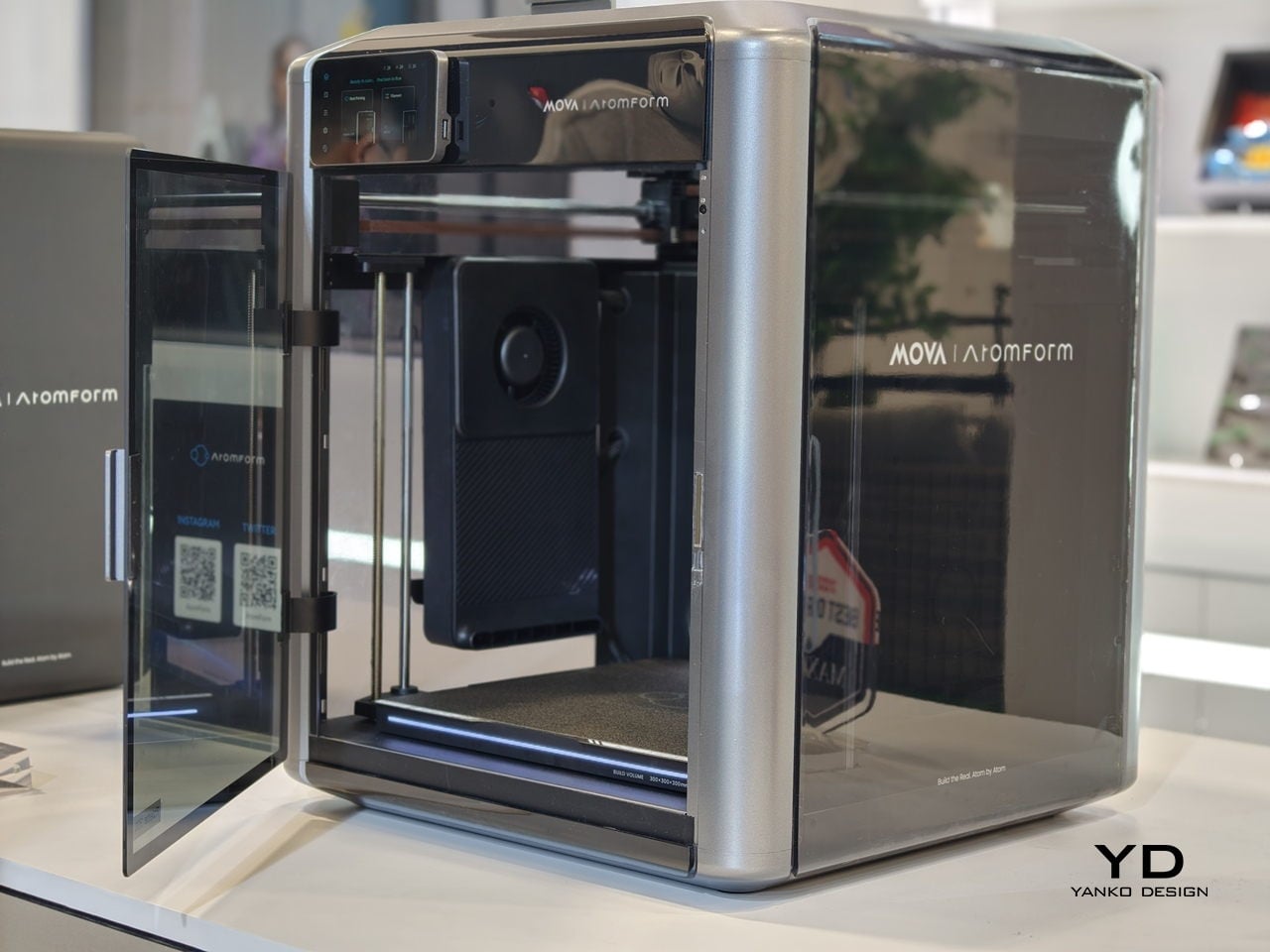
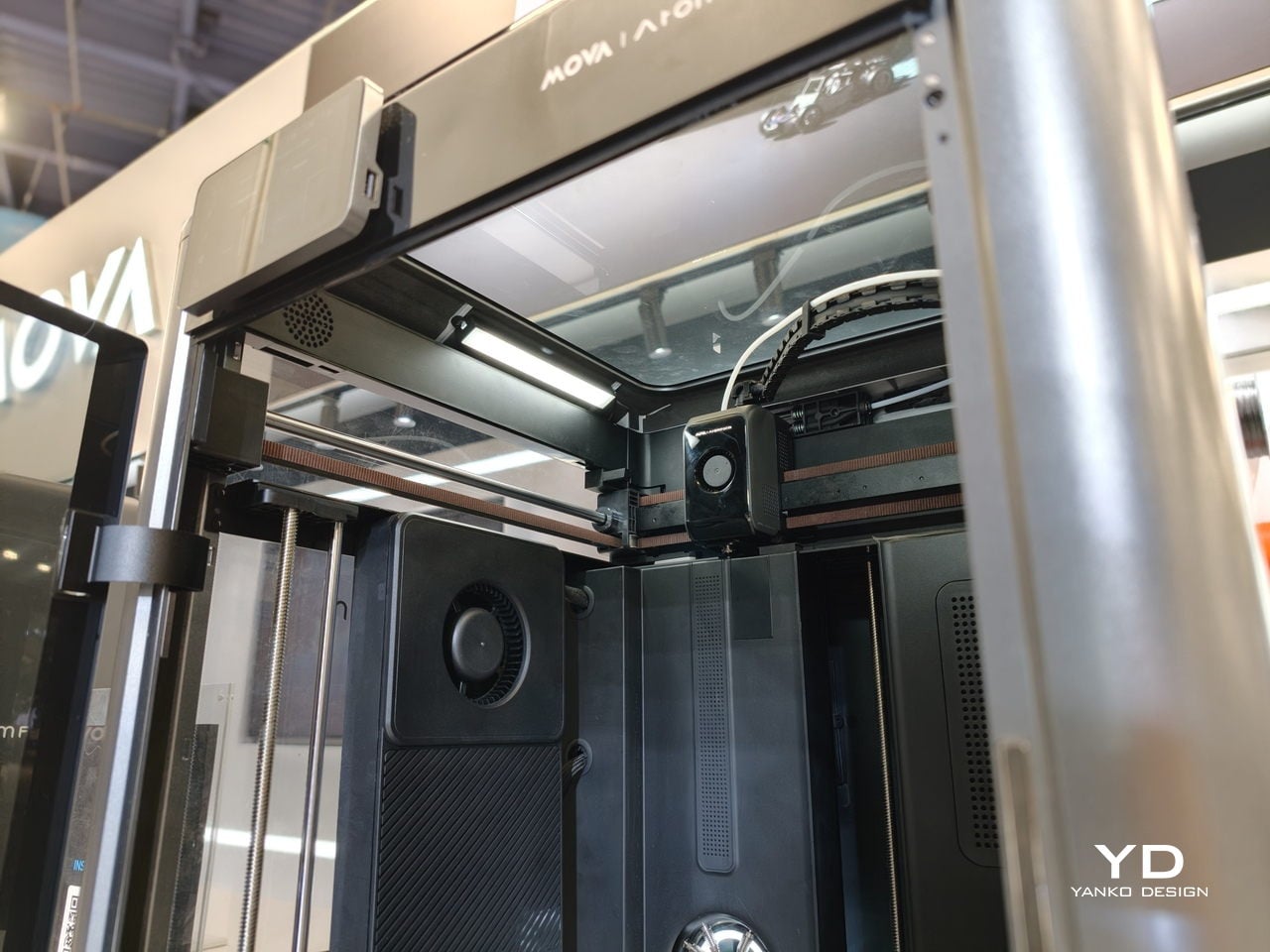
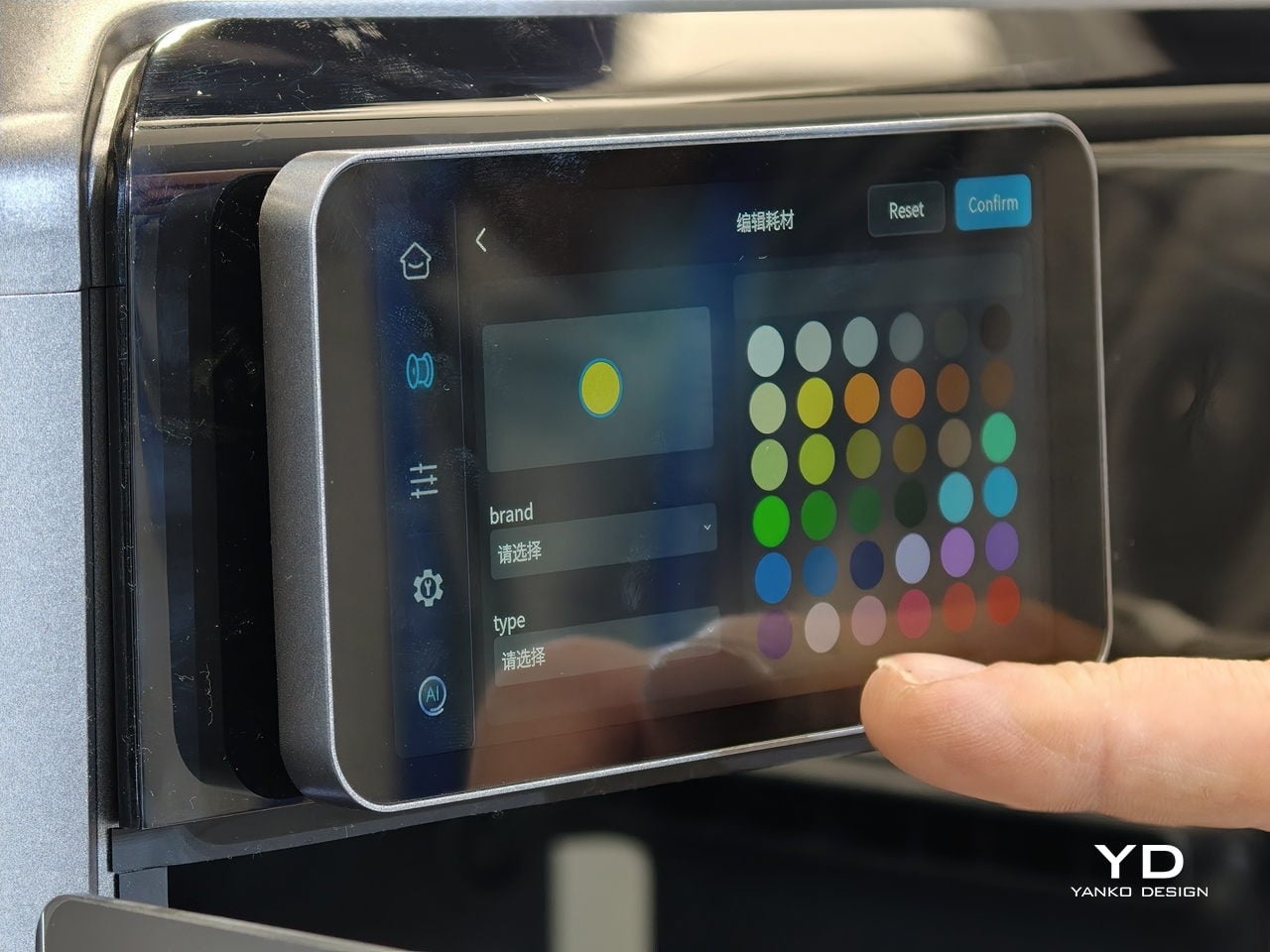
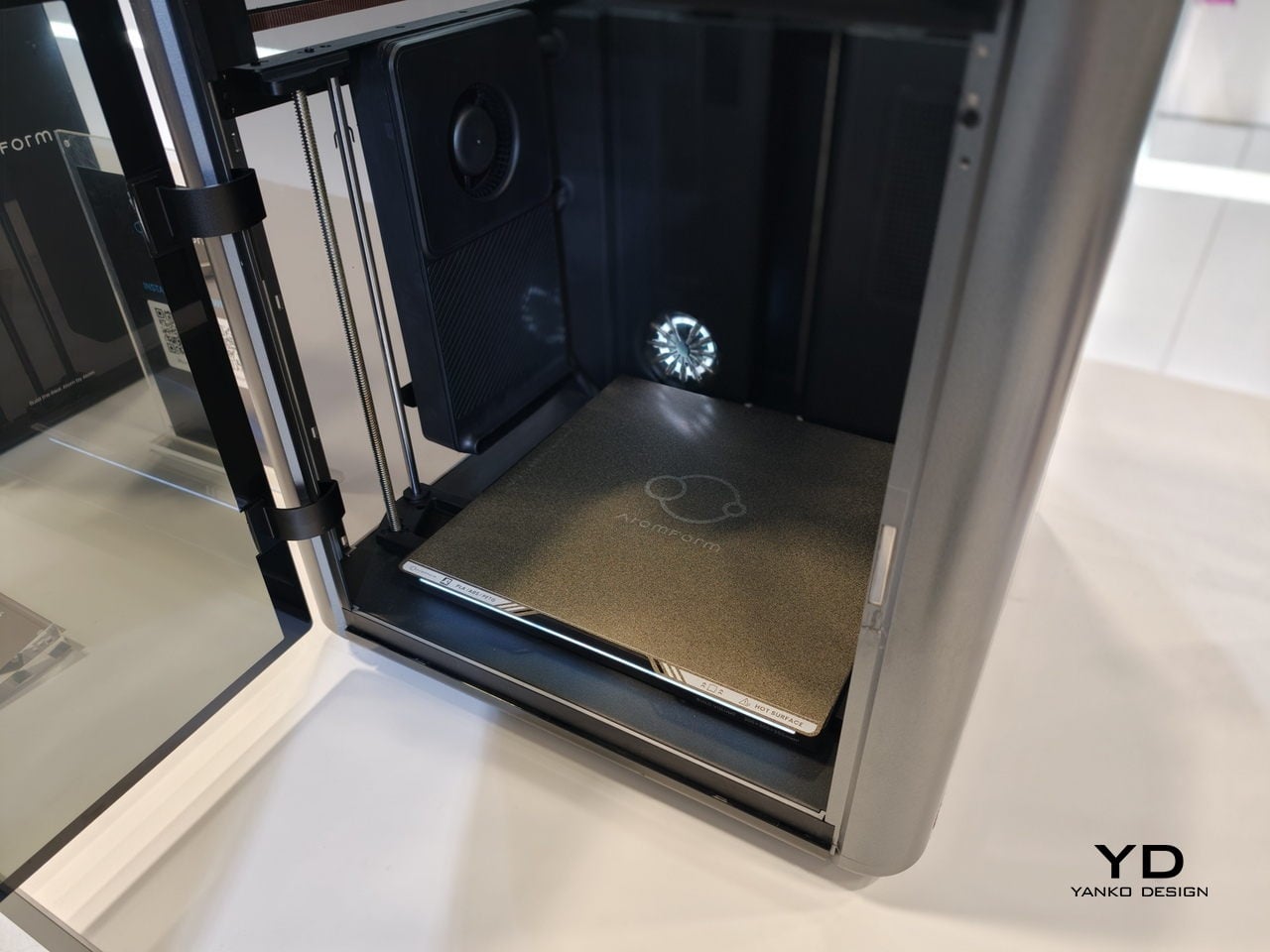
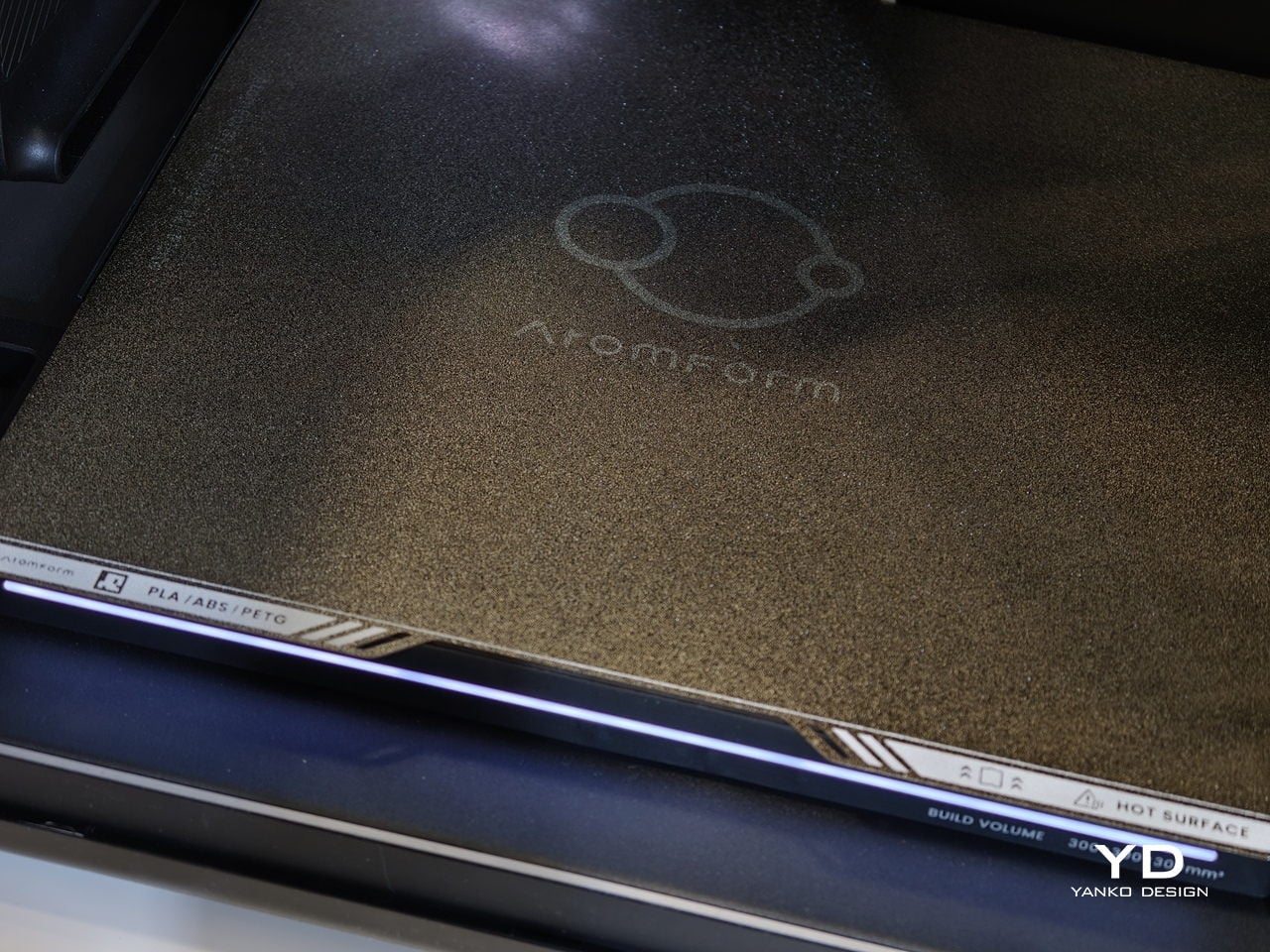
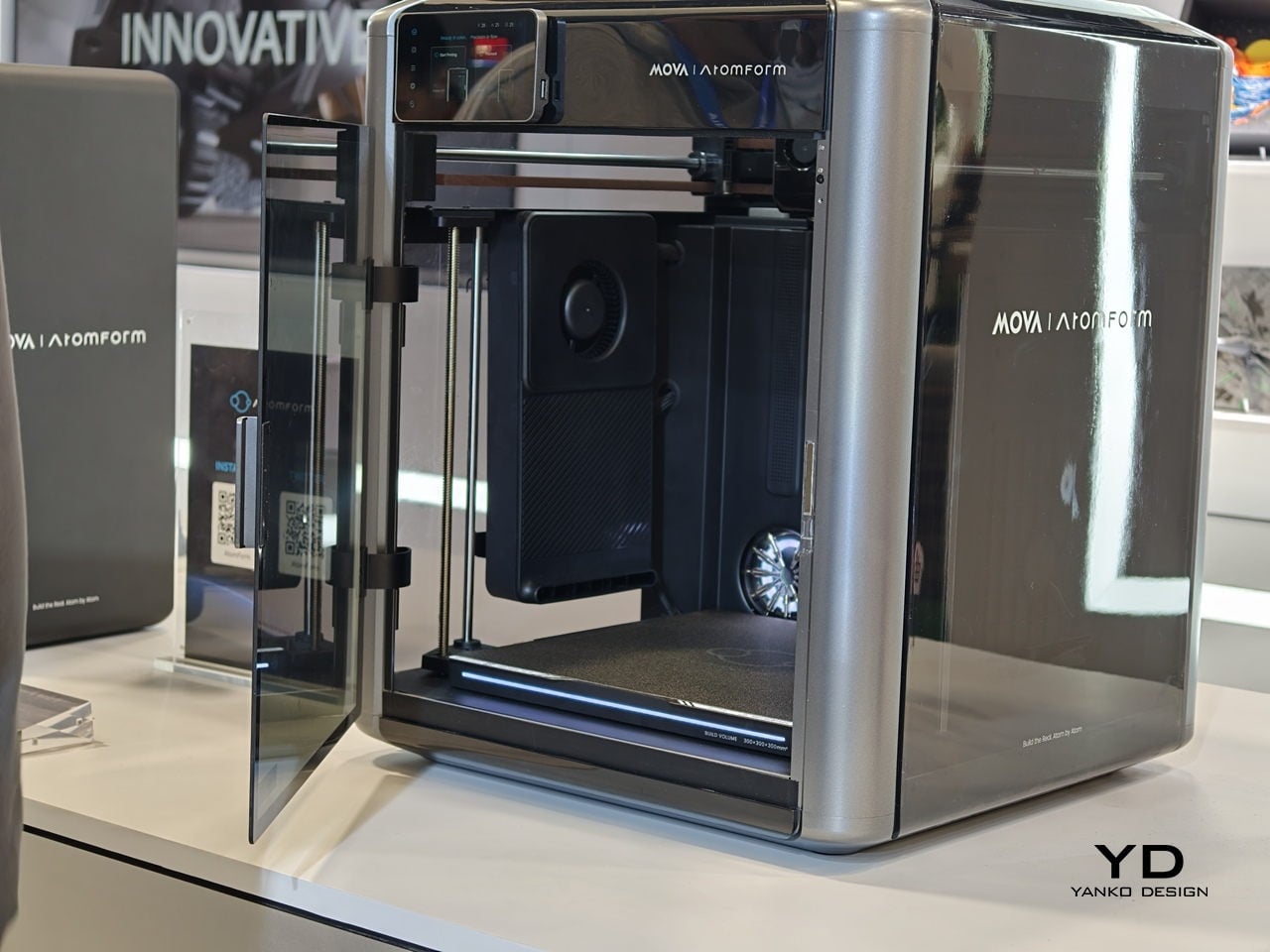
AtomForm Palette 300 is a 12-nozzle, enclosed 3D printer built to combine up to 36 colors and 12 materials in a single print. It uses a rotating OmniElement automatic nozzle-swapping system, where each nozzle stays dedicated to one filament. AtomForm claims that the approach cuts filament waste by up to 90% by avoiding constant purging, while still hitting 800 mm/s print speeds and 25,000 mm/s² acceleration in a 300 × 300 × 300 mm enclosed cube.

Designer: AtomForm

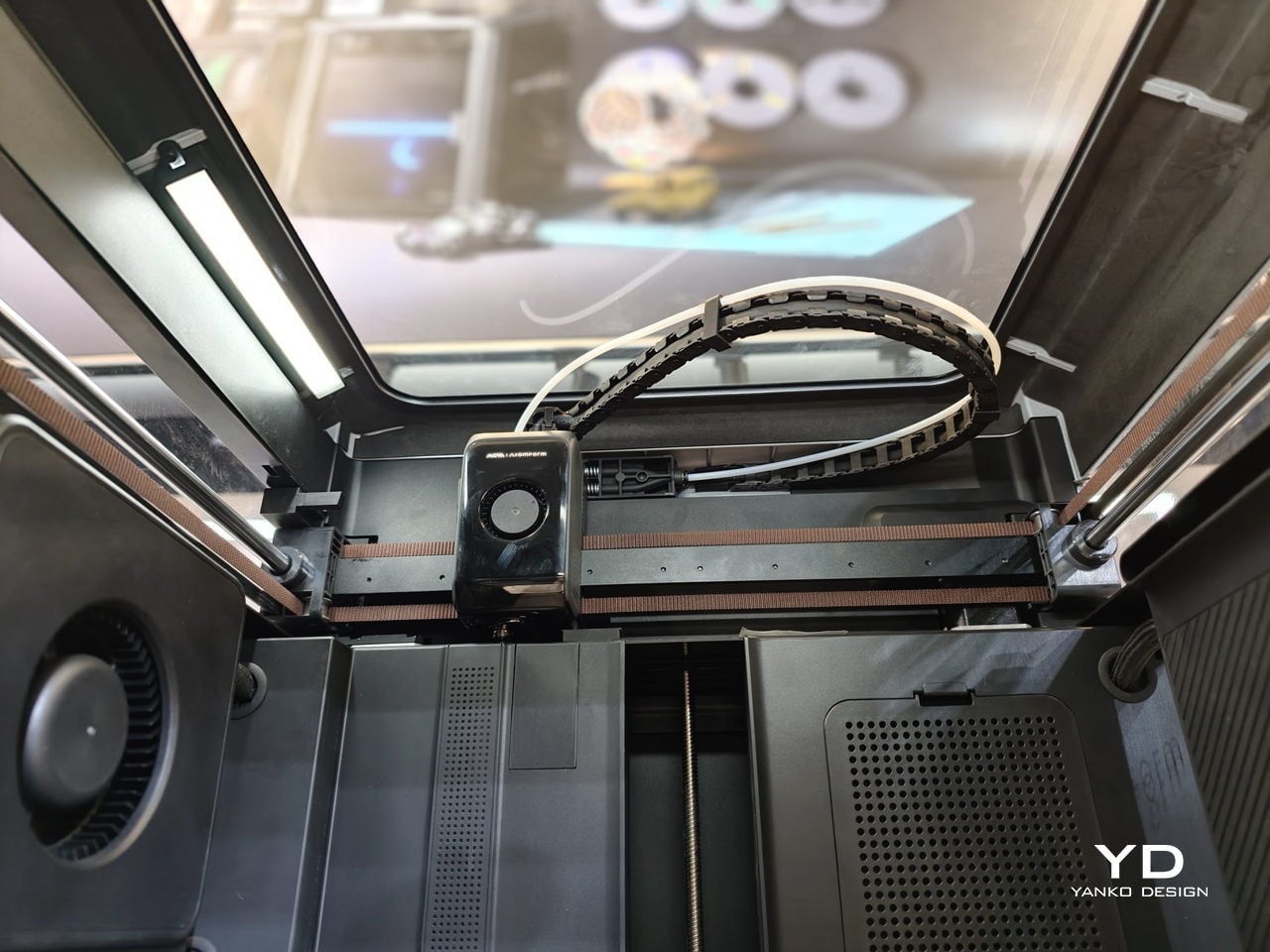
Most multi-material printers either swap entire toolheads or force a single nozzle to purge every time you change color, which costs time and plastic. The Palette 300’s turret of 12 filament-dedicated nozzles can jump from one to another without constant reloading, so complex color and material changes do not feel like a penalty. That means a product prototype can have brand-accurate colors and soft-touch grips in one pass.

The 350°C hotend and 300mm cube volume give headroom for engineering filaments and larger pieces, not just small decorative figures. A prototype sneaker with flexible soles and rigid eyelets, or an architectural mock-up that mixes translucent windows with textured facades, can happen in one job instead of several glued-together prints. That kind of integration changes how much iteration fits into a day and how confident you can be that parts will actually fit together.

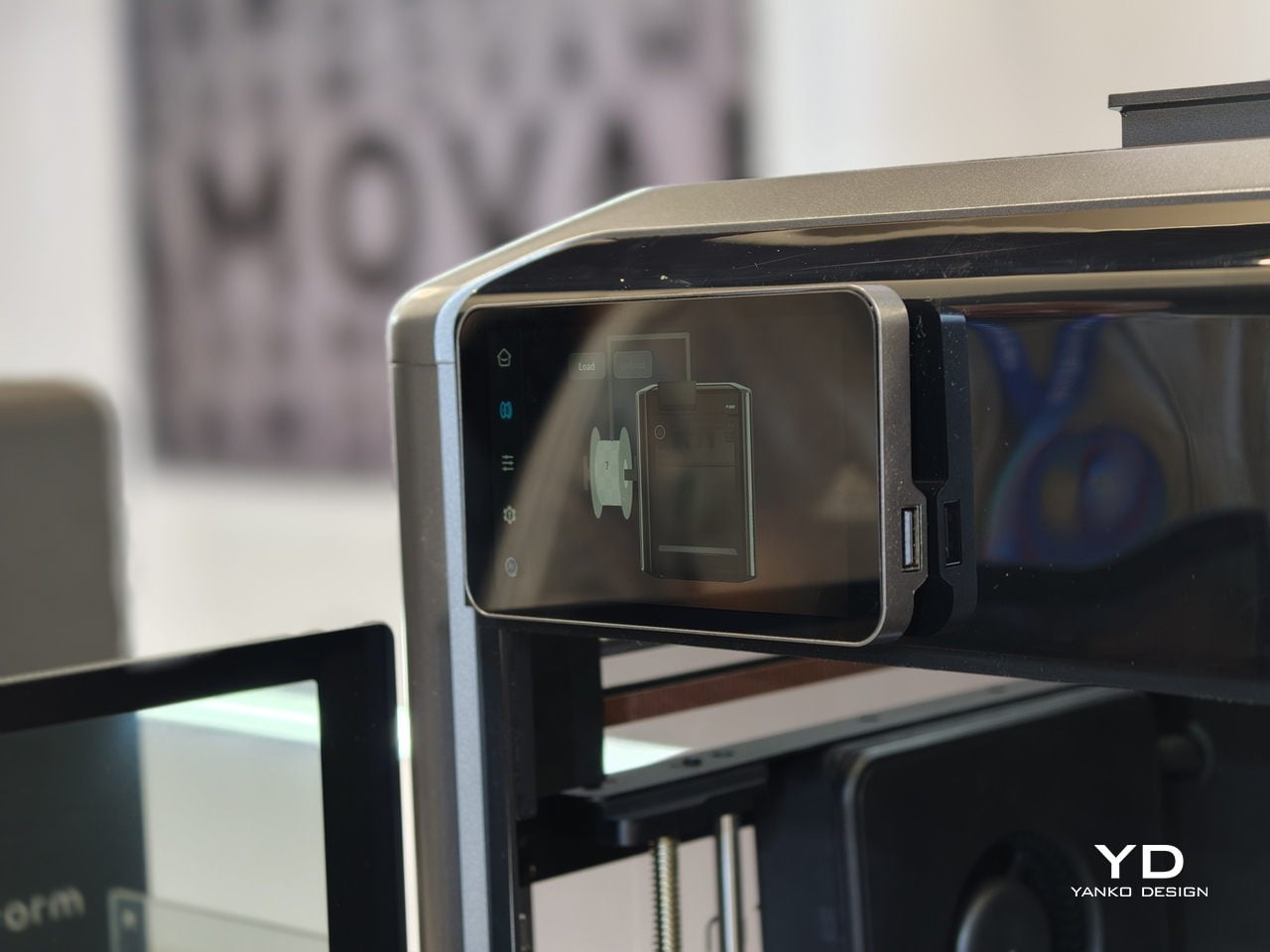
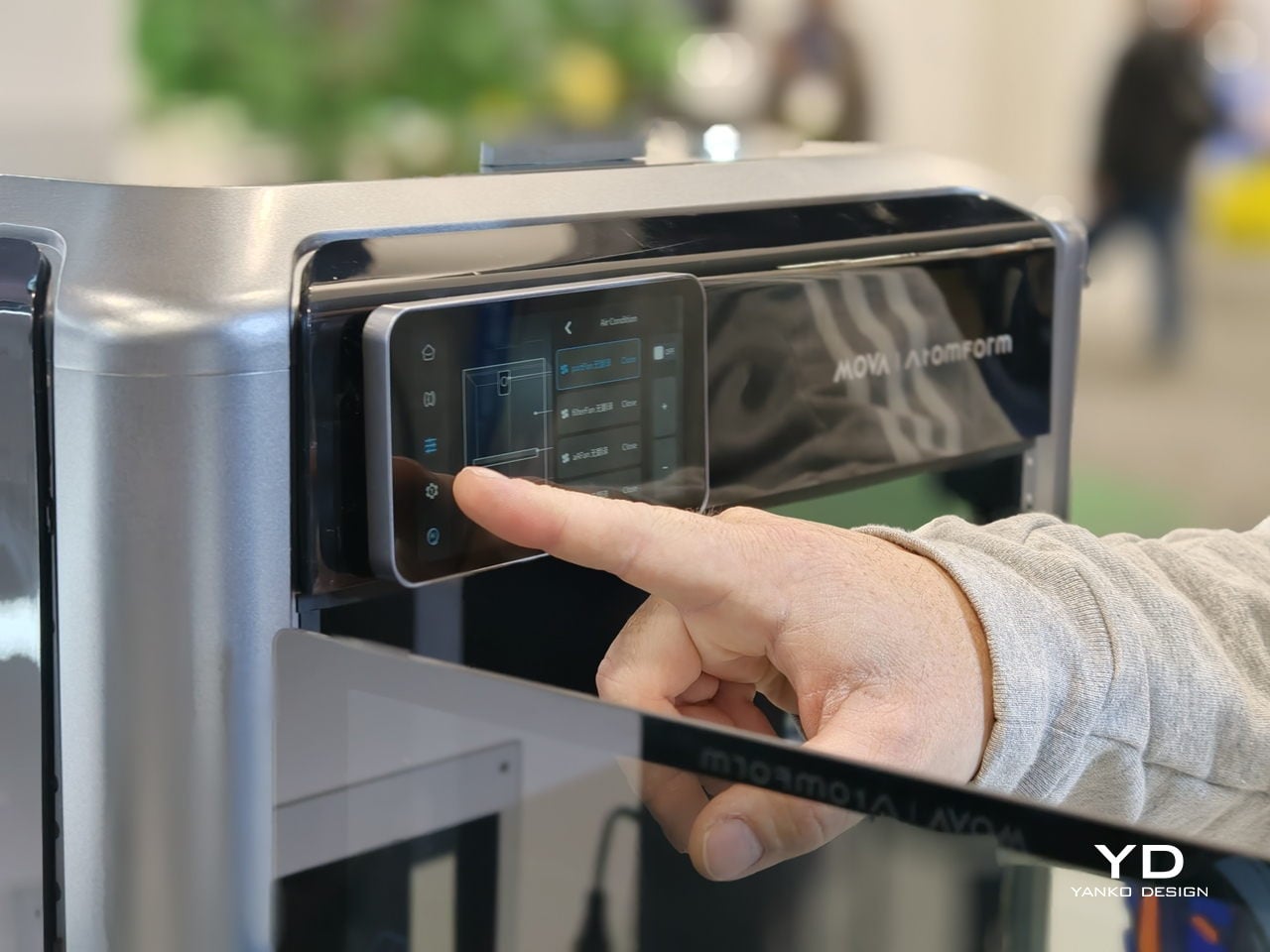
Reliability is where the AI and sensing layer come in. The Palette 300 uses more than 50 sensors and four AI-powered cameras to watch the print in real time. Those systems automatically calibrate nozzle alignment across all 12 extruders and look for defects before a long job is ruined. For complex, multi-hour prints, that is the difference between trusting the machine to finish and spending the afternoon hovering nearby.
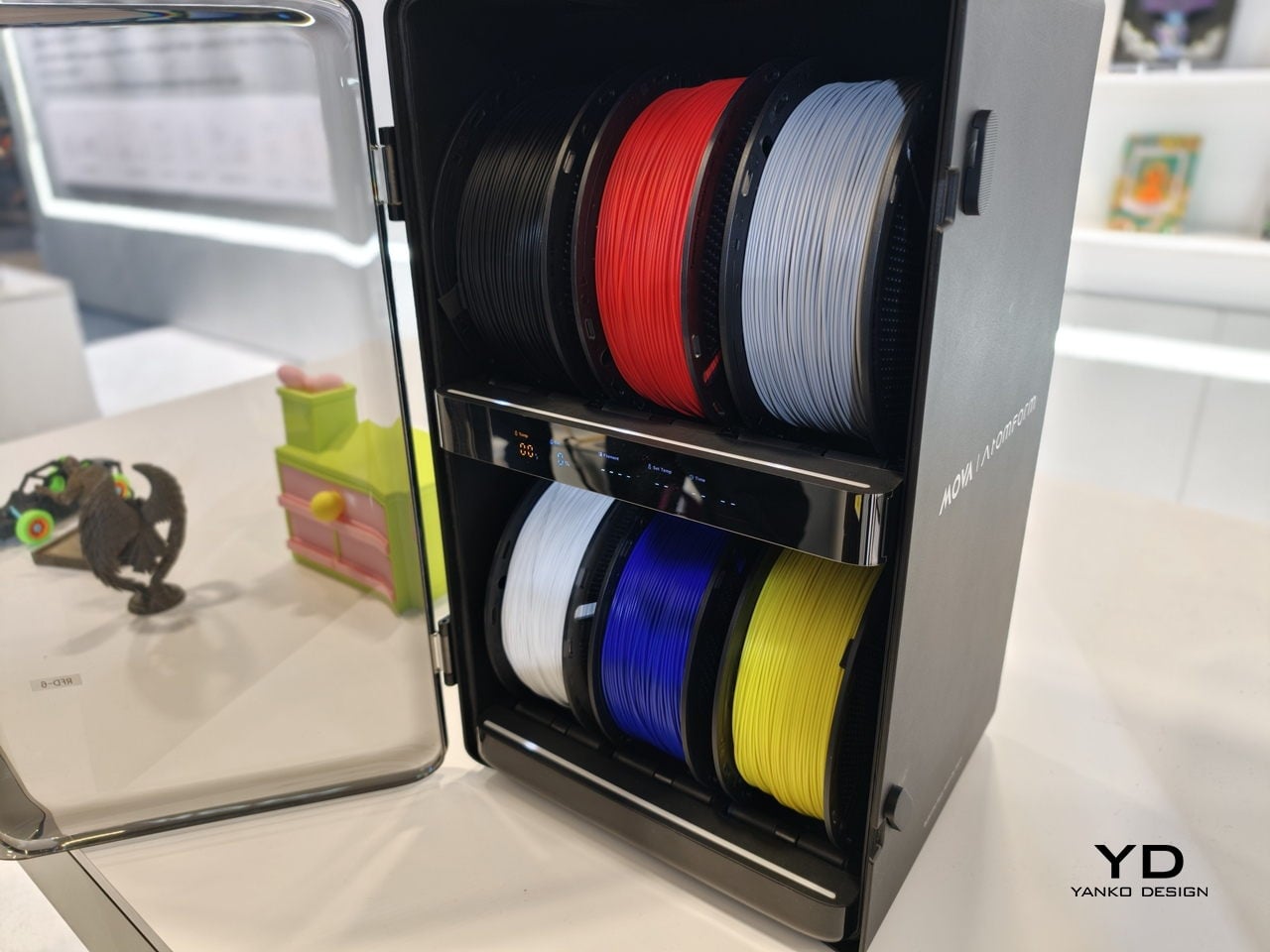
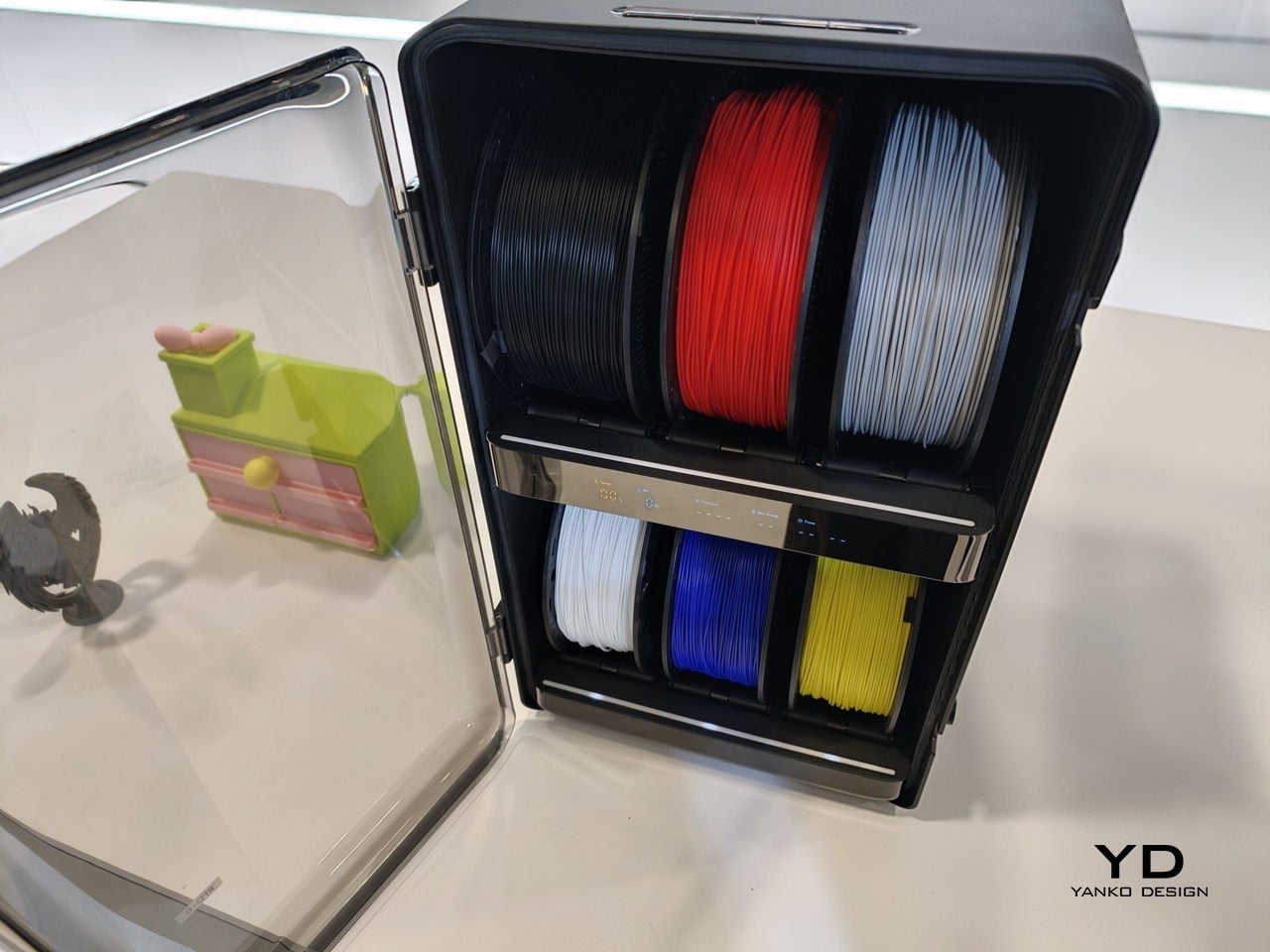
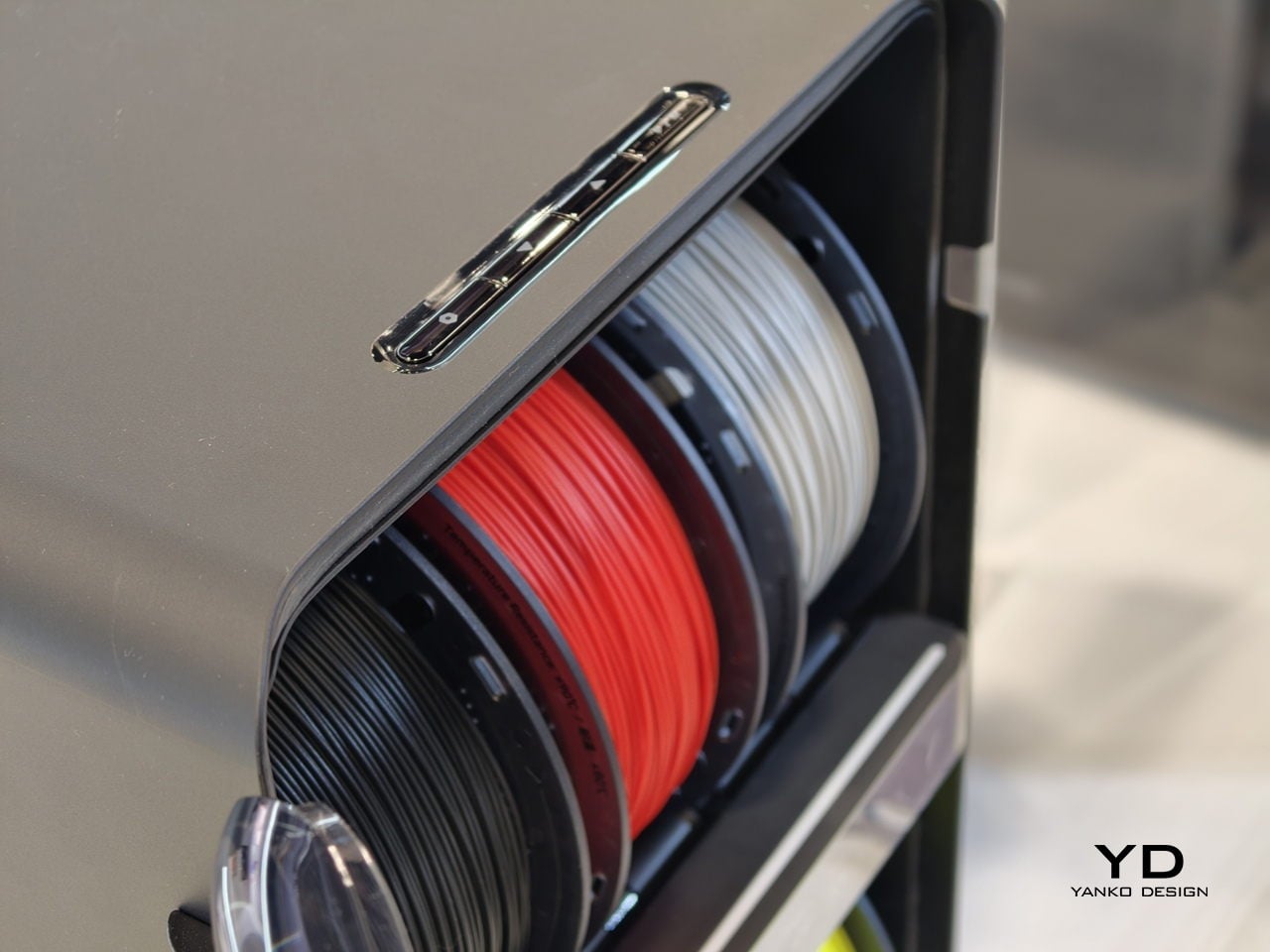
The studio-friendly details matter just as much. The fully enclosed design, ≤48 dB noise rating, and built-in air filtration make it plausible to run the Palette 300 in a shared office or classroom instead of a back room. It can connect to up to six RFD-6 filament boxes that keep 36 spools dry and ready, so a full color and material library can stay loaded instead of living in cardboard boxes.

AtomForm Palette 300 is an attempt to move multi-color FFF from novelty into something designers can rely on. It is a first-generation machine from a new brand, so long-term reliability and software polish still have to be proven. But the combination of 12-nozzle hardware, AI-assisted oversight, and a thought-through filament ecosystem makes it one of the more interesting 3D printers to come out of CES 2026, especially for people tired of choosing between detail, color, material diversity, or speed.

The post AtomForm Palette 300 3D Prints in 36 Colors With 12 Dedicated Nozzles first appeared on Yanko Design.