Does your Mac feel a little too generic? While macOS is celebrated for its sleek and professional design, it also offers a wide range of customization options to make your device truly unique. Whether you want to adjust its appearance, enhance its functionality, or explore advanced tools, macOS provides plenty of opportunities to tailor your […]
The Garmin CIRQA and Google Fitbit Air represent two distinct approaches to fitness tracking, each catering to different user needs. According to TechAvid, the Garmin CIRQA is designed with athletes in mind, offering advanced recovery metrics and support for over 80 activity profiles. On the other hand, the Fitbit Air emphasizes simplicity and accessibility, appealing […]
Ergonomic chairs may finally be having their XL moment. For years, the category has obsessed over lumbar dials, mesh backs, and posture-perfect adjustability, while a basic fit issue kept slipping through the cracks. Taller and broader users still end up with headrests that fall short, seats that cut off thigh support, and backrests that narrow right where fuller shoulders and wider frames need them most. Fashion learned long ago that fit changes everything. Office seating has taken its time getting there.
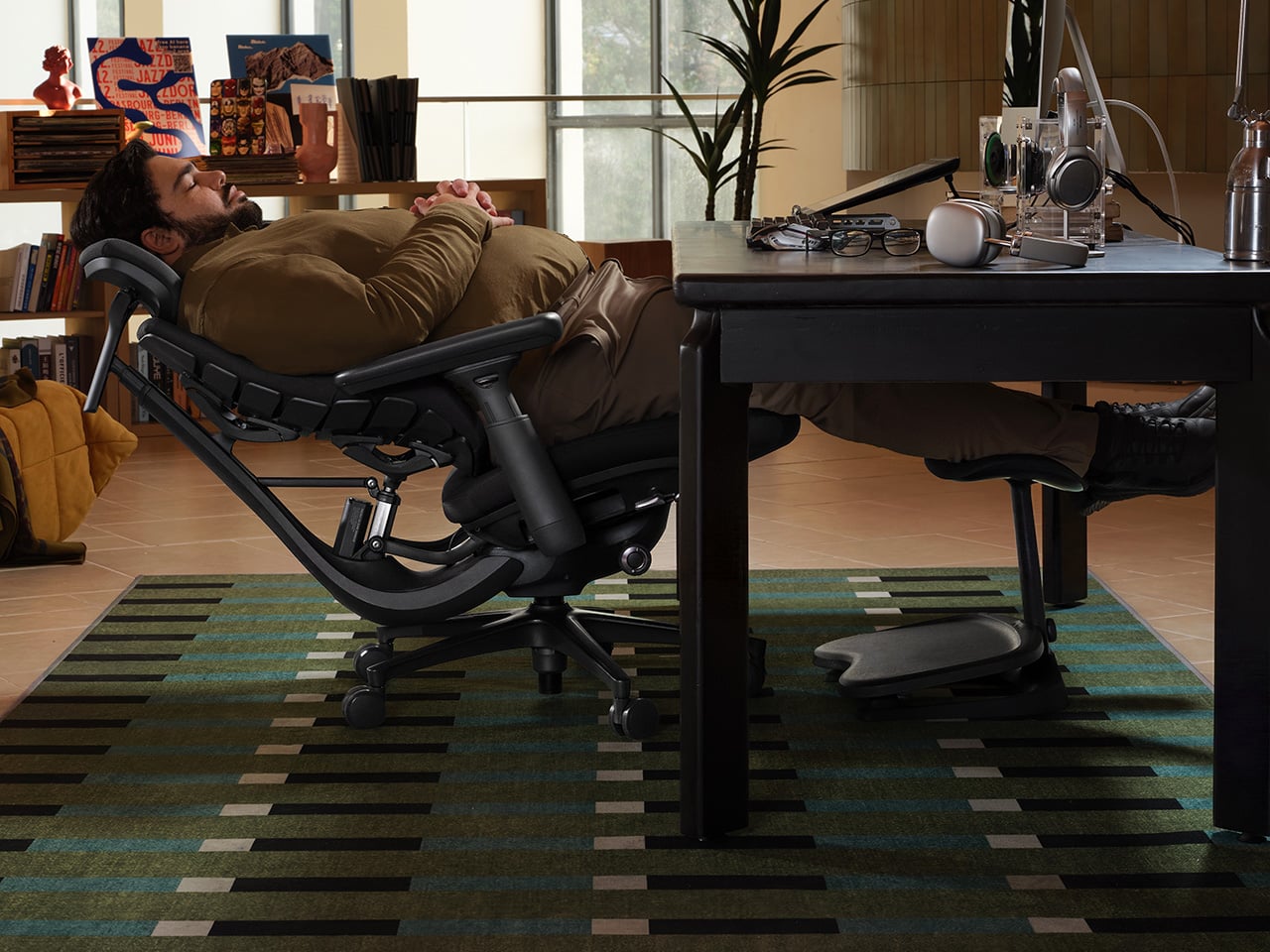
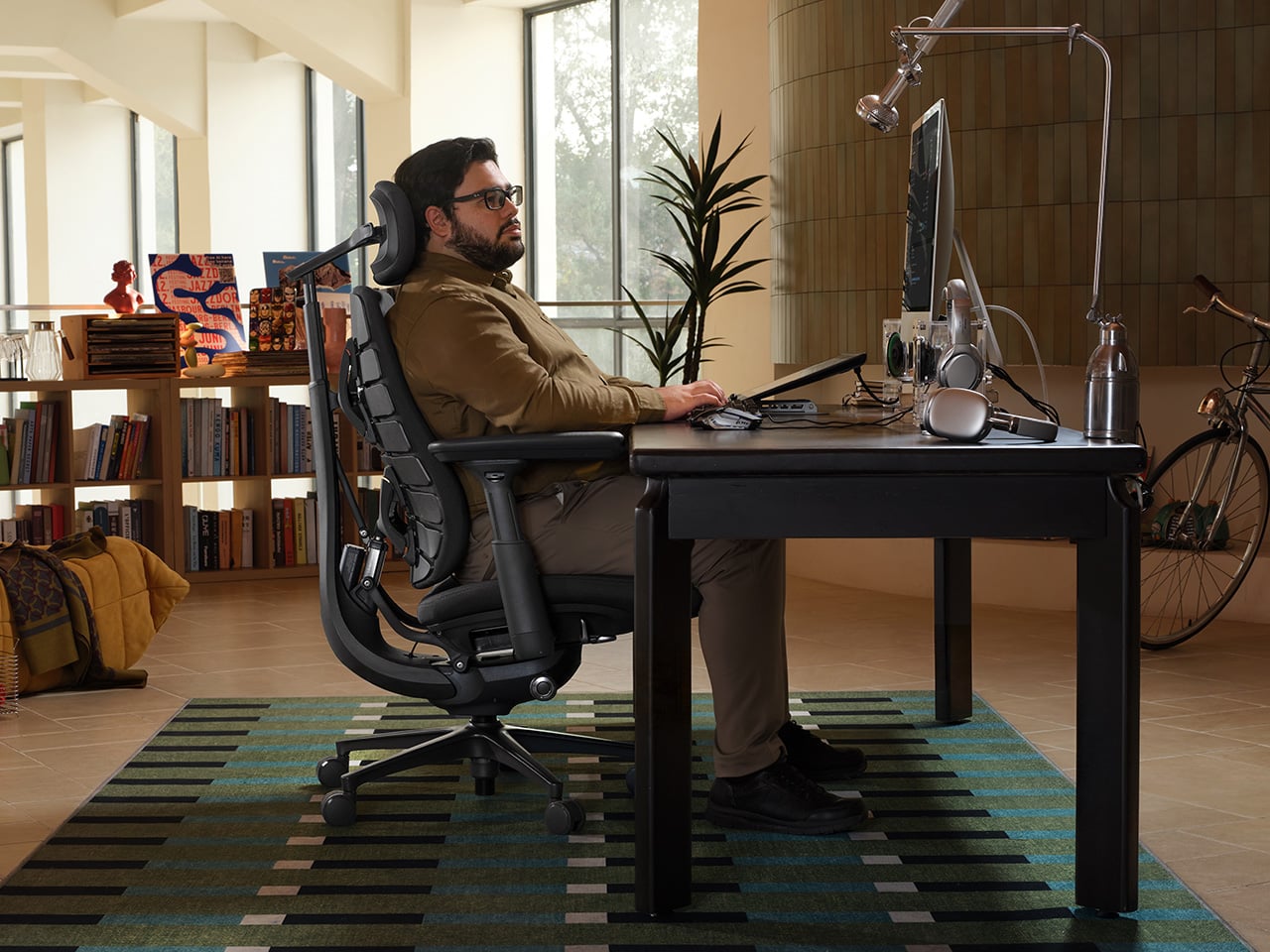
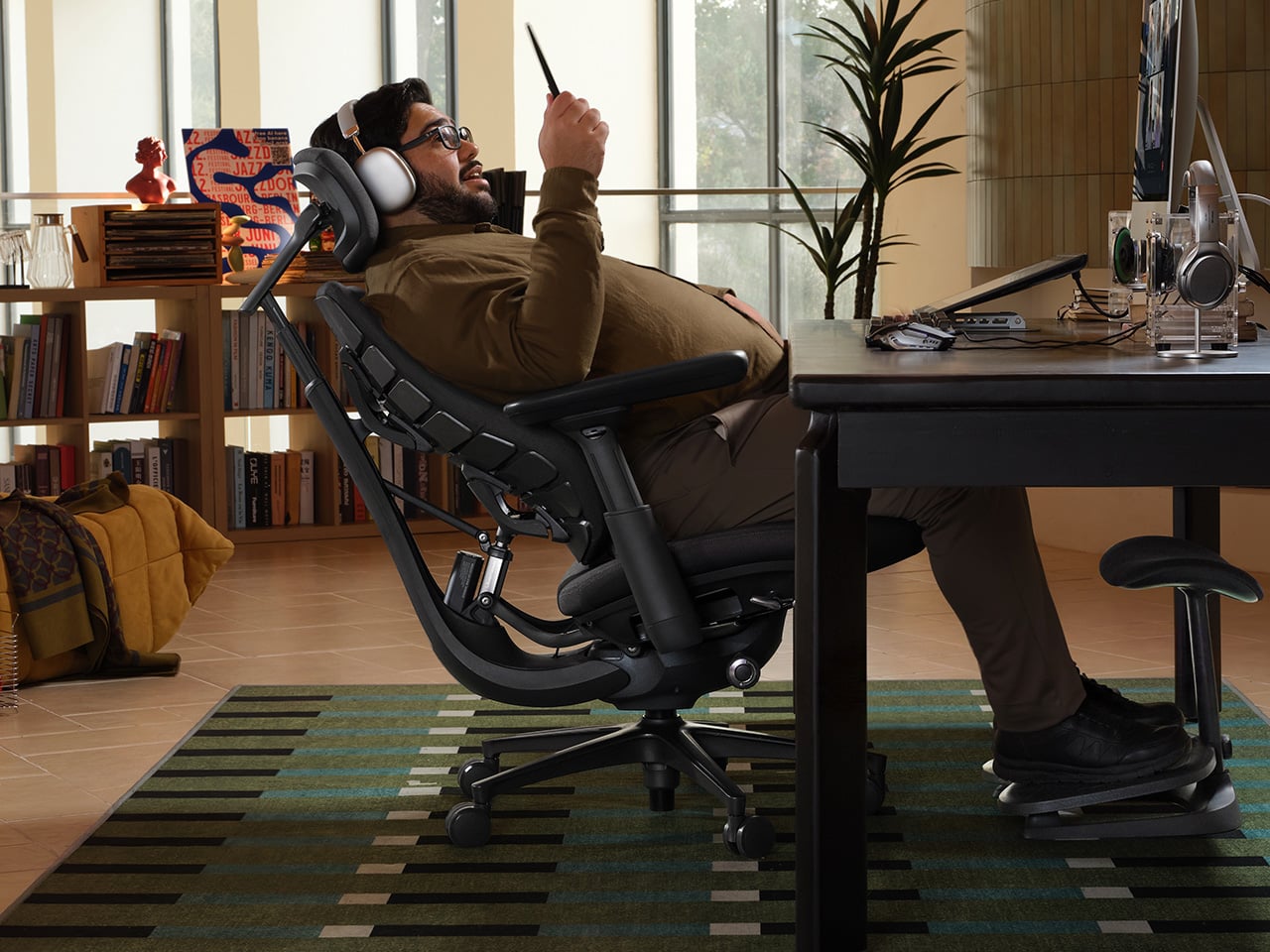
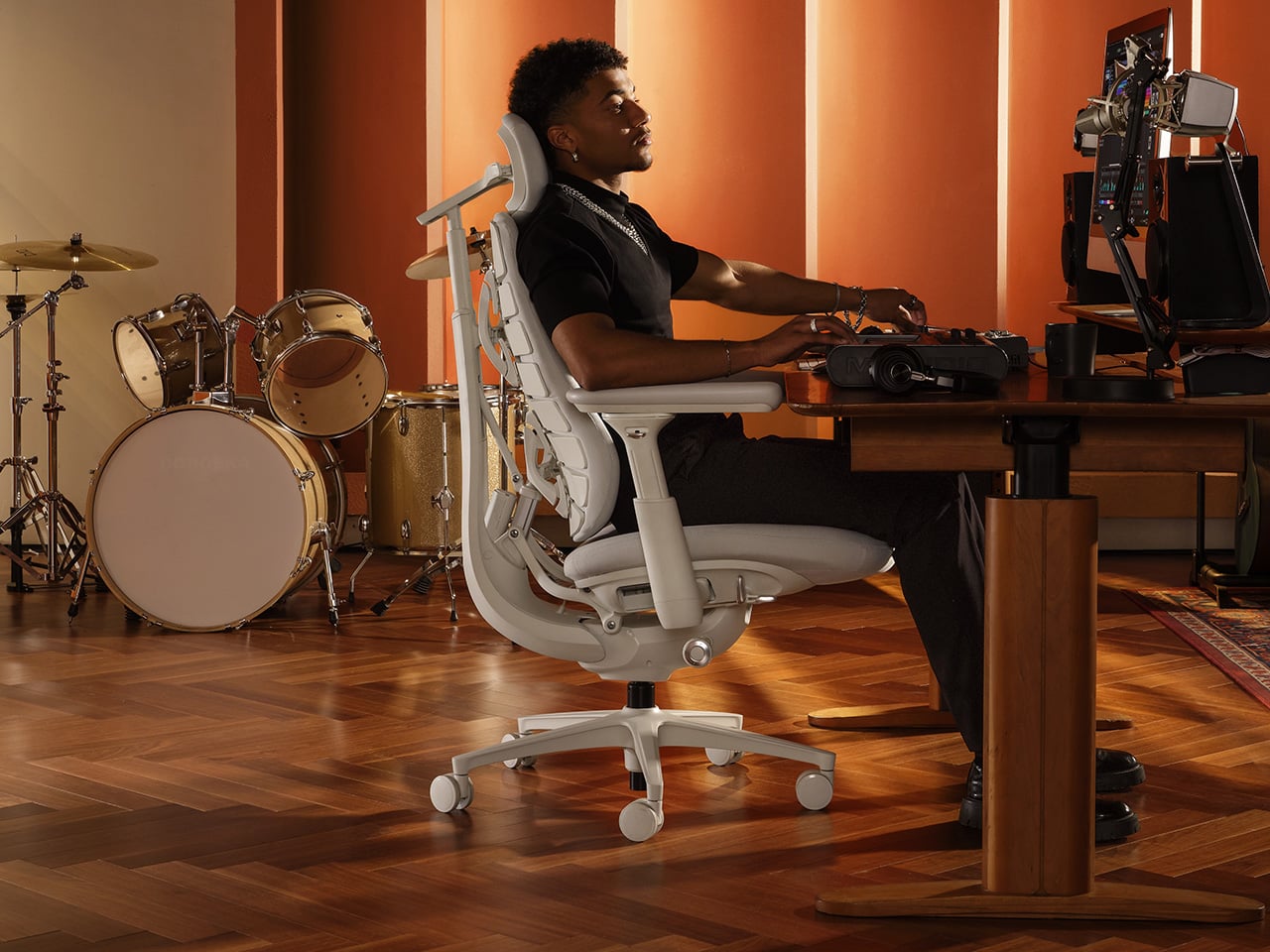
LiberNovo’s Maxis brings that shift into focus with proportions aimed at bigger frames, including an ultra-deep seat, a broader backrest, a longer-range headrest, and a controlled recline system built for steadier support. With the first-launch offer now in its final 7 days, the Maxis arrives at exactly the moment when ergonomic design feels ready to stop treating larger bodies like an afterthought.
LiberNovo’s thinking with the Maxis starts with a premise that should have been more common in this category much earlier: bigger bodies carry different ergonomic demands, and scaling up a standard chair does not address them. The seat runs 52cm deep, enough to deliver full thigh support and put an end to the floating-leg issue that taller users deal with on most office chairs. The back frame spans 430mm at the shoulder and 520mm at the waist, covering the kind of broader build that standard backrests tend to taper away from at precisely the wrong moment. The chair targets users between 5’10” and 6’7″ and up to 399 lbs, a range that has historically been left to sort through limited options in a category that treats average proportions as a universal fit.
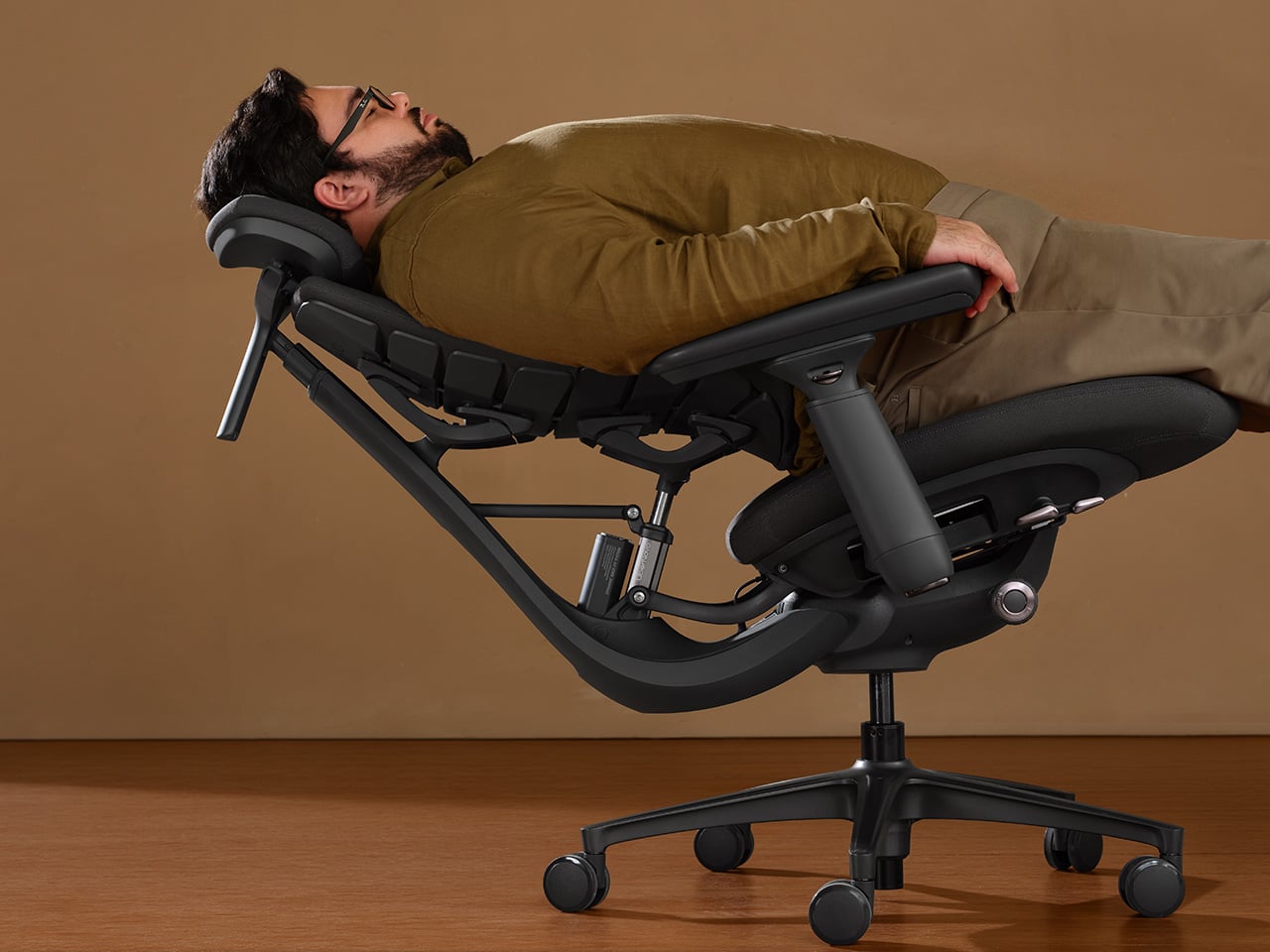
A U-shaped headrest with 140mm of vertical travel and 120mm of horizontal adjustment tackles one of the more persistent frustrations for taller sitters: the headrest that lands somewhere around the neck rather than behind it. The adjustment range gives users with longer torsos the clearance to place support where it actually belongs. The Arc Armrests follow a curved path outward, keeping broader frames from feeling squeezed in and addressing the kind of side compression that builds quietly across a long session without ever quite announcing itself as the source of discomfort.
Six springs run through the recline mechanism, producing a progressive lean-back that holds its composure under bigger bodies. The gap between this and the standard recline on most office chairs is felt rather than measured. Under heavier loads, an underdeveloped recline either locks up too rigidly or releases too suddenly. The Maxis builds a more graduated response into the system, so the lean-back feels deliberate and controlled through the full range of motion.
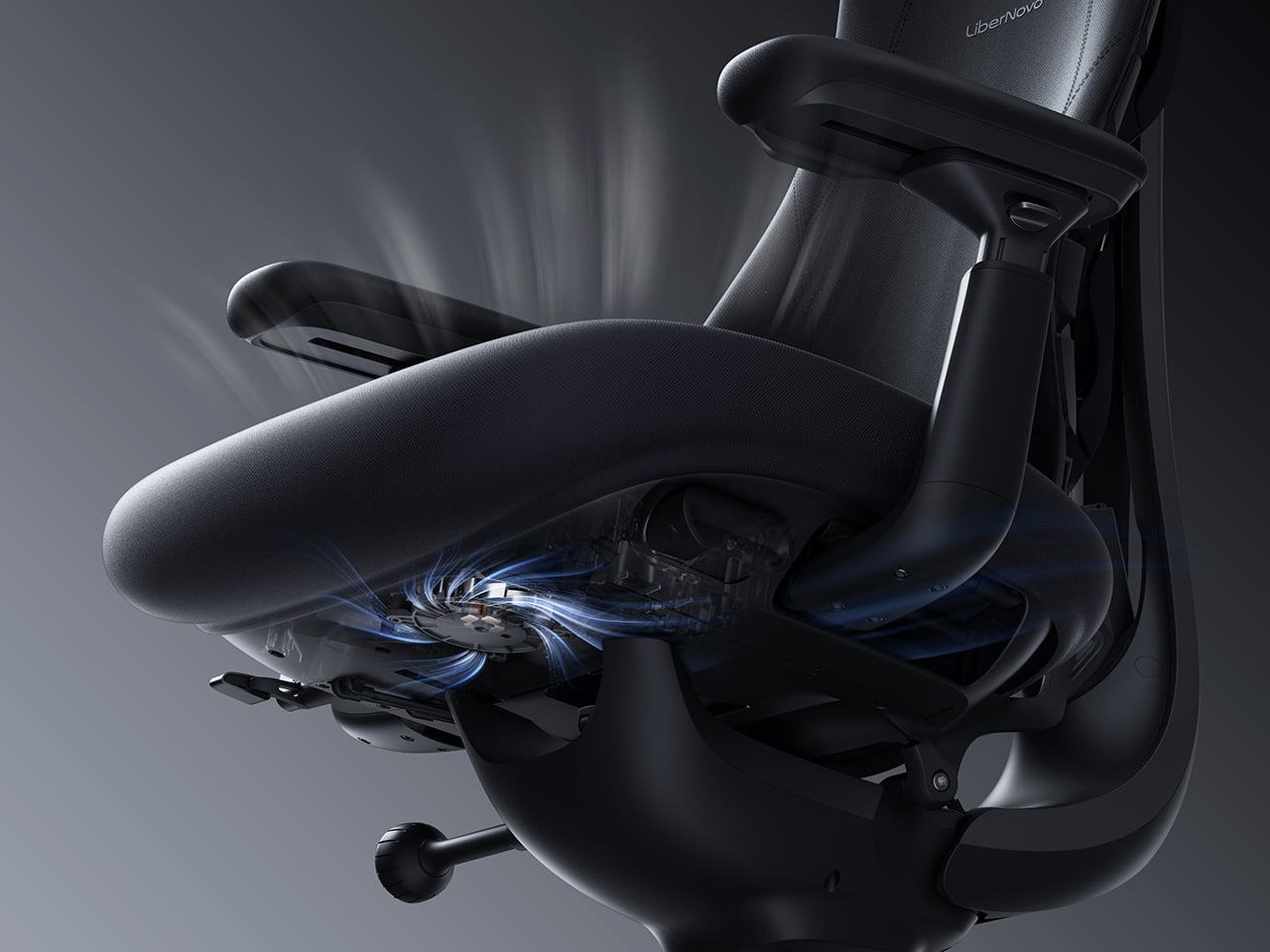
Choosing between the Manual, Electric, and Airflow is the first real decision for anyone looking at the Maxis, and the differences between them are substantial enough to take seriously. The Manual keeps things mechanical and intentional, using a physical dial for lumbar adjustment. It suits users who prefer a set-and-go approach and have no interest in adding electronics to their seating. The Electric introduces motorized lumbar control alongside OmniStretch, a spinal decompression cycle built into the chair that guides the lumbar support through a stretch-and-release sequence designed to reduce the compression that accumulates during extended sitting. That is a genuinely useful feature for anyone logging serious desk hours. The Airflow takes everything the Electric offers and adds active seat ventilation through a centrifugal fan embedded in the cushion, managing heat and moisture for users who run warm or regularly sit through long, uninterrupted sessions.
The Maxis does the heavy lifting for bigger builds, but LiberNovo is rounding out the same launch window with two additions aimed at standard-size users who want something more specific from their seating. The Omni Pro brings motorized lumbar support, OmniStretch, and active seat ventilation to the existing Omni platform, making it the performance-oriented pick for users who want the full feature set without the larger Maxis frame. The Omni SE takes the opposite approach, pairing the same ergonomic architecture with a manual lumbar mechanism for a cleaner, simpler setup that rewards users who prefer comfort without a control panel. Both carry LiberNovo’s same core philosophy of support that responds to movement, just packaged around different priorities and price points.
Seven days is not much runway, so if you have made it this far, it is worth heading over to LiberNovo’s storefront. Each Maxis version comes with bundle options, including StepSync Footrest bundles, while the Electric and Airflow models also offer premium bundles with an extra battery. The current pricing brings the Maxis Manual down to $809 from $1,299, the Maxis Electric down to $1,049 from $1,799, and the Maxis Airflow down to $1,239 from $1,859. The Omni Pro and Omni SE are also discounted as part of the same first-launch window, starting at $909 and $569, respectively. The first-release offer closes on July 31st across the board, which makes this week the last real opportunity to get into any of these chairs at launch pricing.
Traditional cooling methods are gaining fresh attention as homeowners and designers search for environmentally responsible alternatives to energy-intensive air conditioning. Among these, clay coolers have emerged as a practical and elegant solution rooted in centuries-old craftsmanship. Their ability to cool naturally without relying on electricity aligns perfectly with the growing demand for sustainable living and climate-responsive design.
Today, architects are integrating these timeless cooling systems into modern homes. By combining natural materials, passive cooling principles, and thoughtful aesthetics, clay coolers are rediscovering solutions that have stood the test of time.
1. The Timeless Science Behind Clay Cooling
Clay coolers function through the principle of evaporative cooling, one of the oldest and most effective natural cooling techniques. The porous clay absorbs water, and as the moisture gradually evaporates, it draws heat from the surrounding air, lowering the temperature without consuming electricity. This process creates a gentle cooling effect that feels comfortable. Unlike conventional air conditioners that depend on compressors and refrigerants, clay coolers work in harmony with natural environmental conditions.
Their simple engineering offer an energy-efficient solution that remains highly relevant for contemporary architecture.
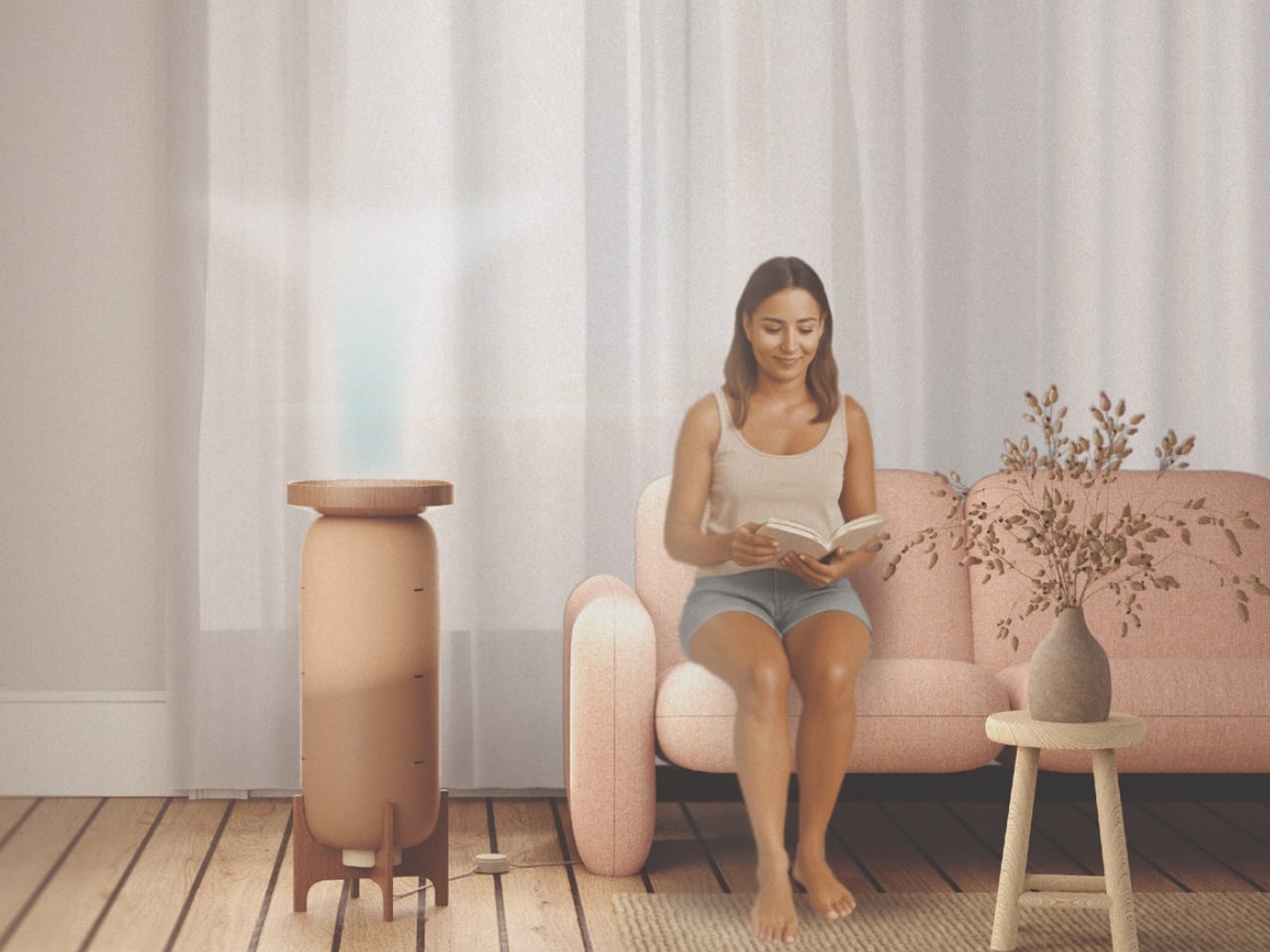
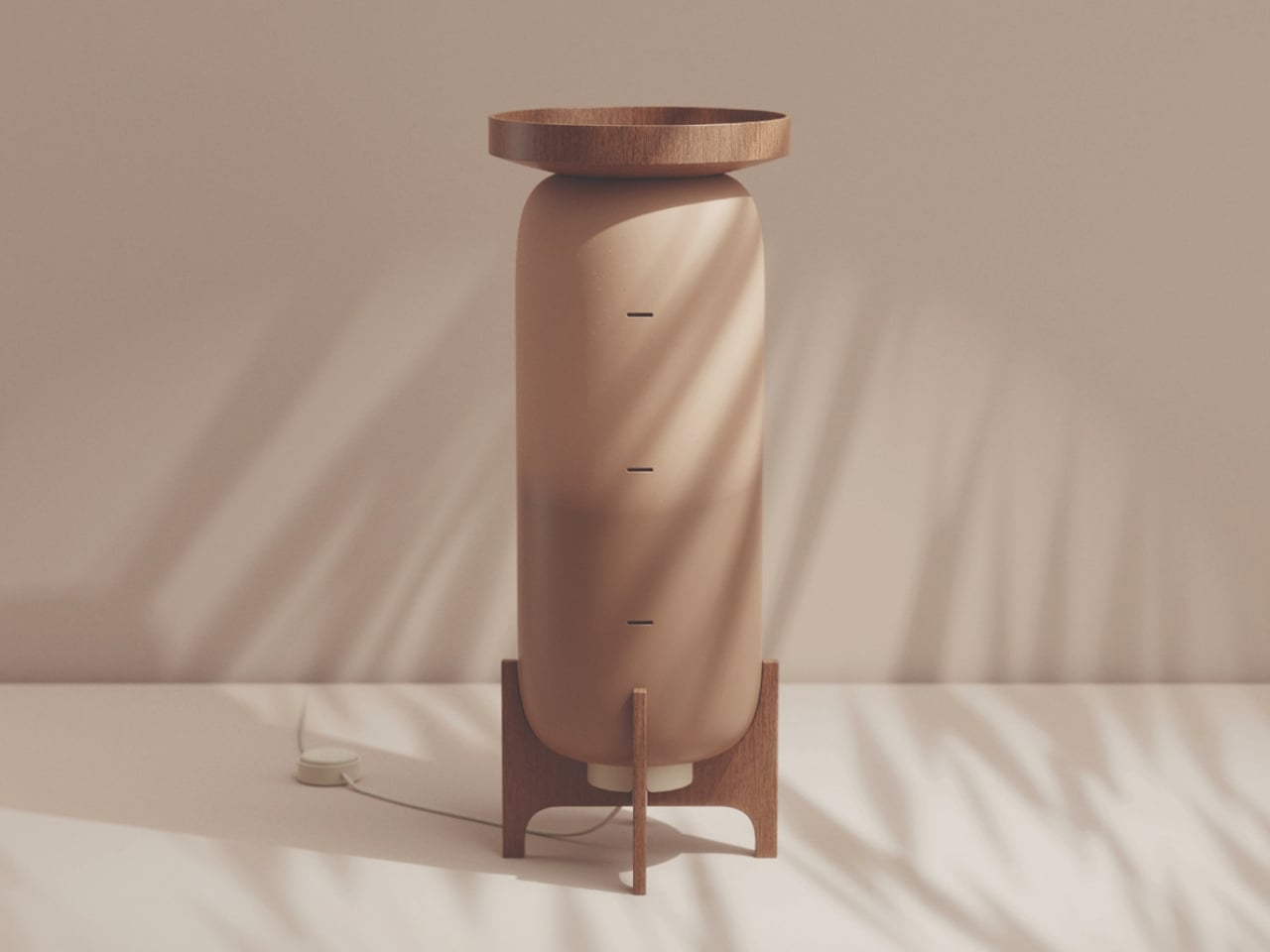
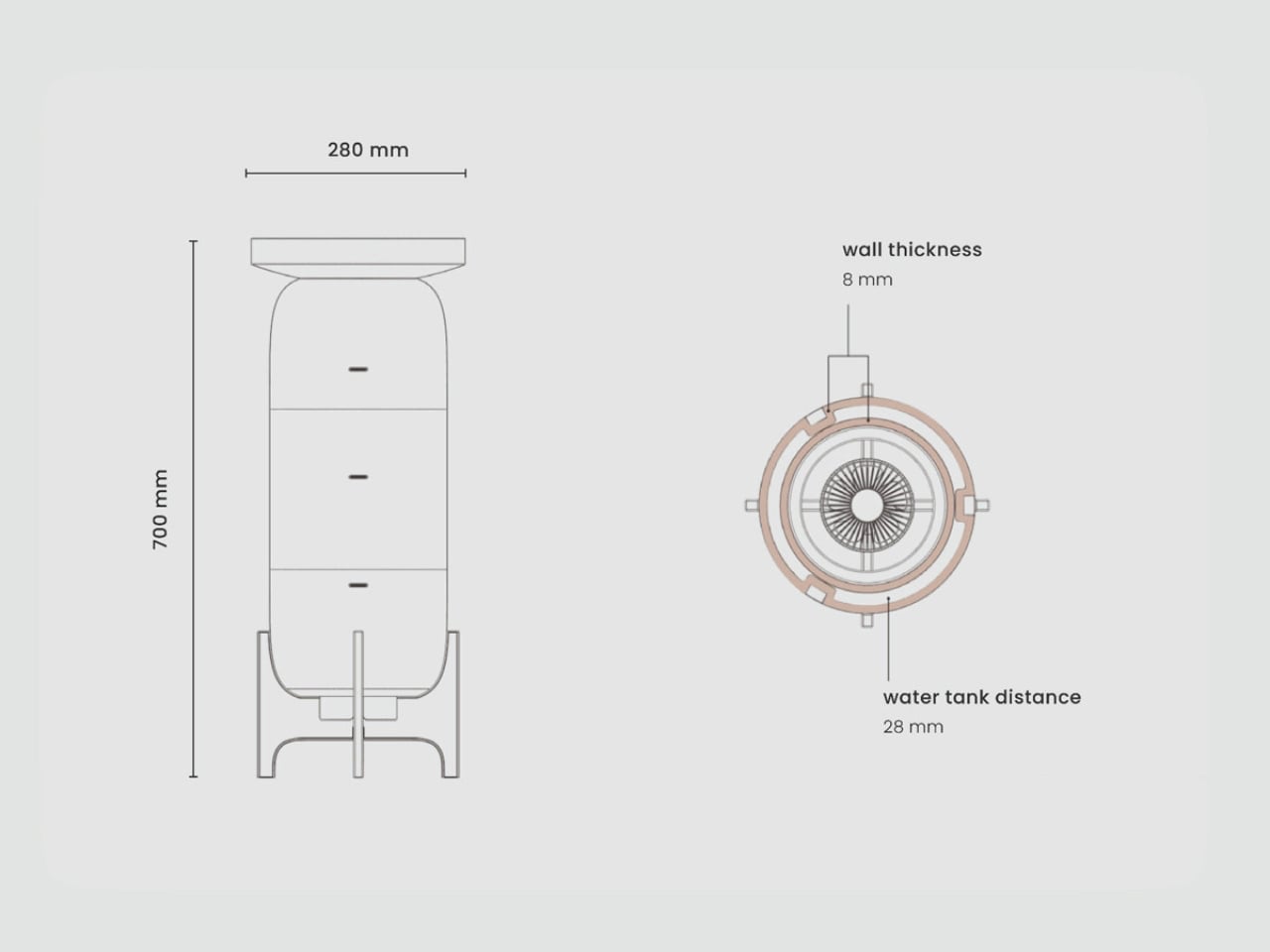
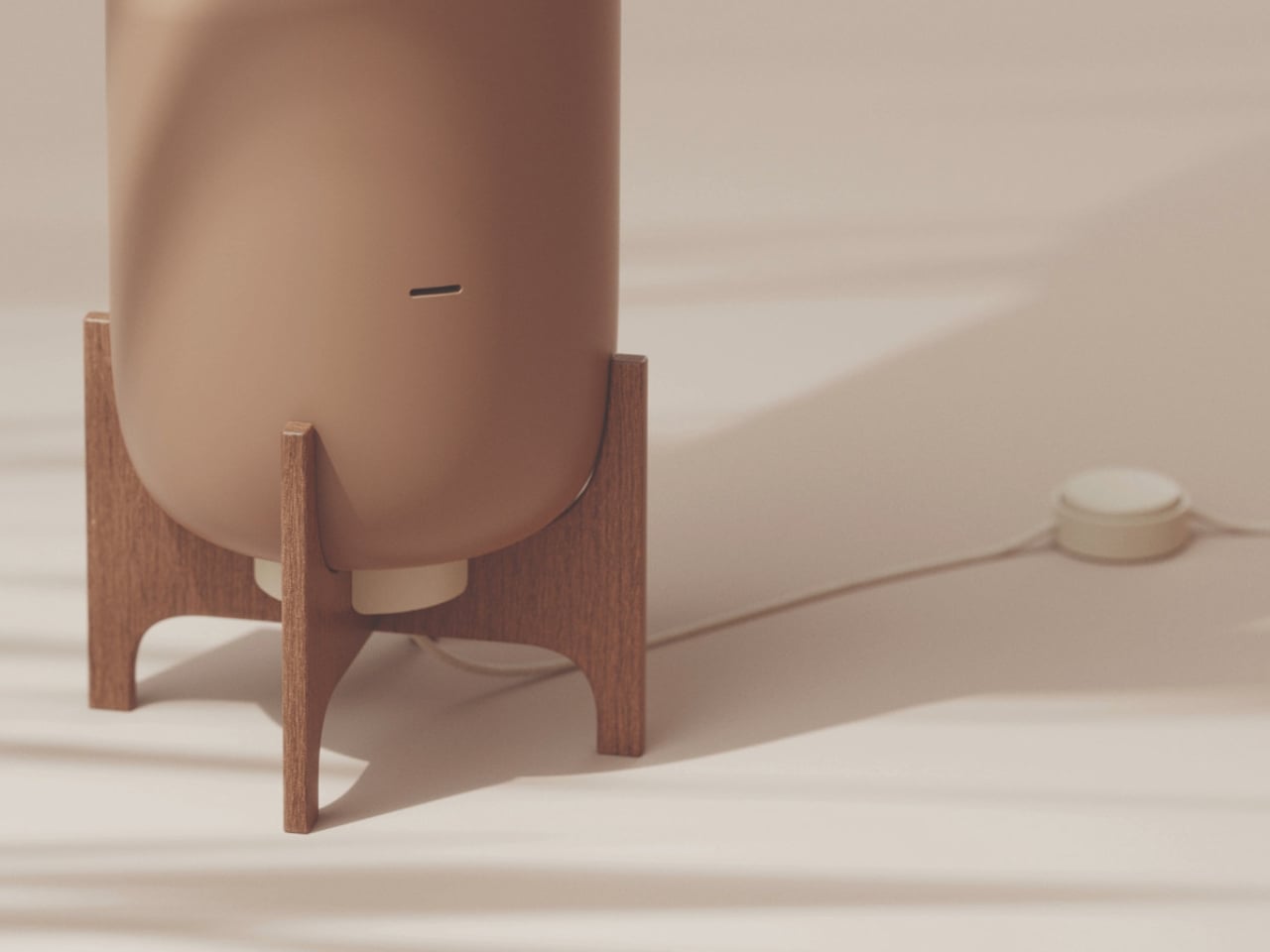
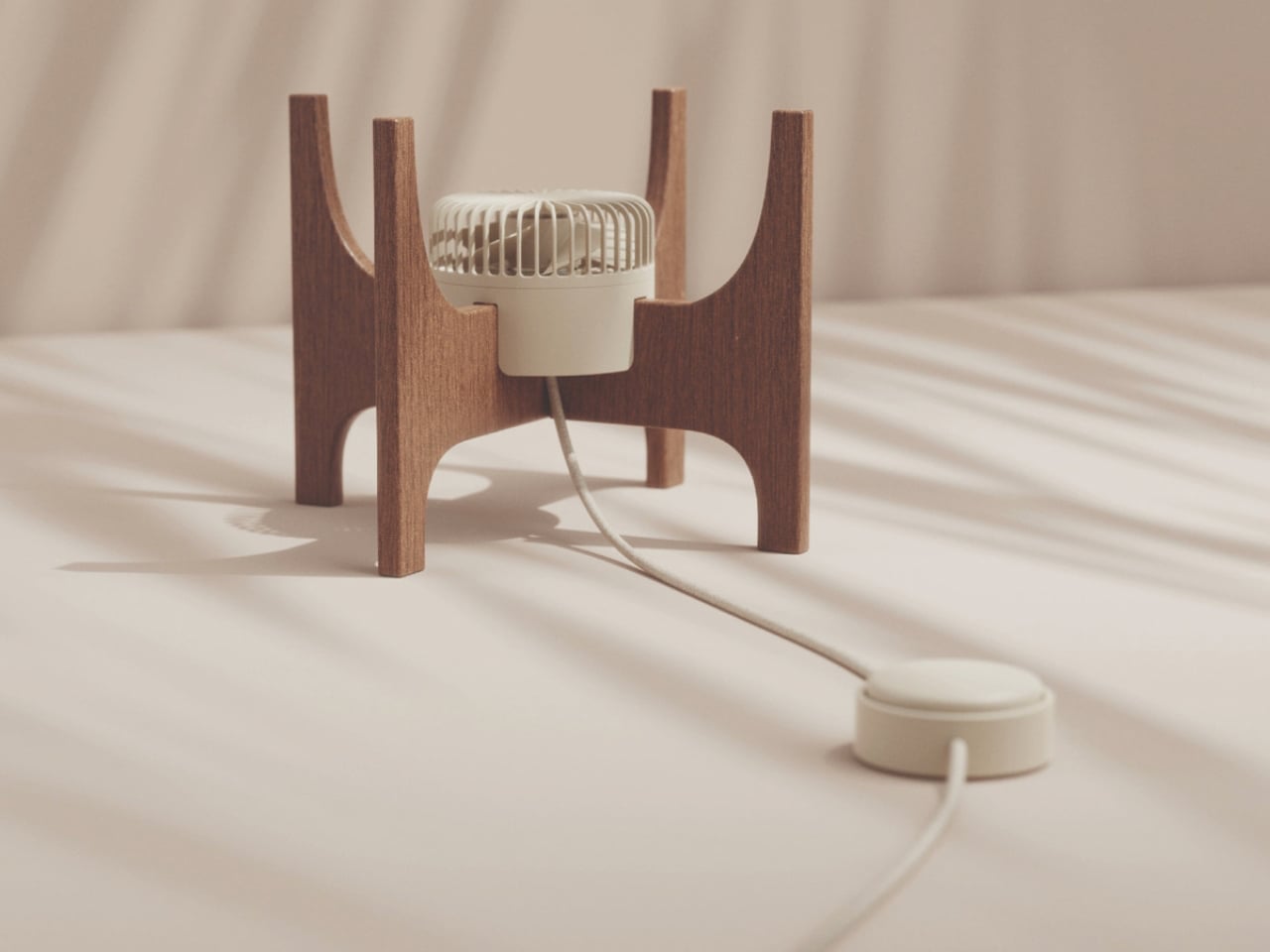
MALU is a thoughtfully designed personal cooling system that transforms the ancient principle of evaporative cooling into a contemporary home product. Created by Austrian designer Katja Posch, the compact cooler features a porous terracotta cylinder supported by a handcrafted wooden frame and topped with a circular wooden water tray. Measuring 700 millimetres tall and 280 millimetres wide, MALU is designed to function as both a cooling device and a sculptural furniture piece. Its minimalist form, warm earthy materials, and refined craftsmanship allow it to blend seamlessly into modern interiors while offering an environmentally conscious alternative to conventional cooling appliances.
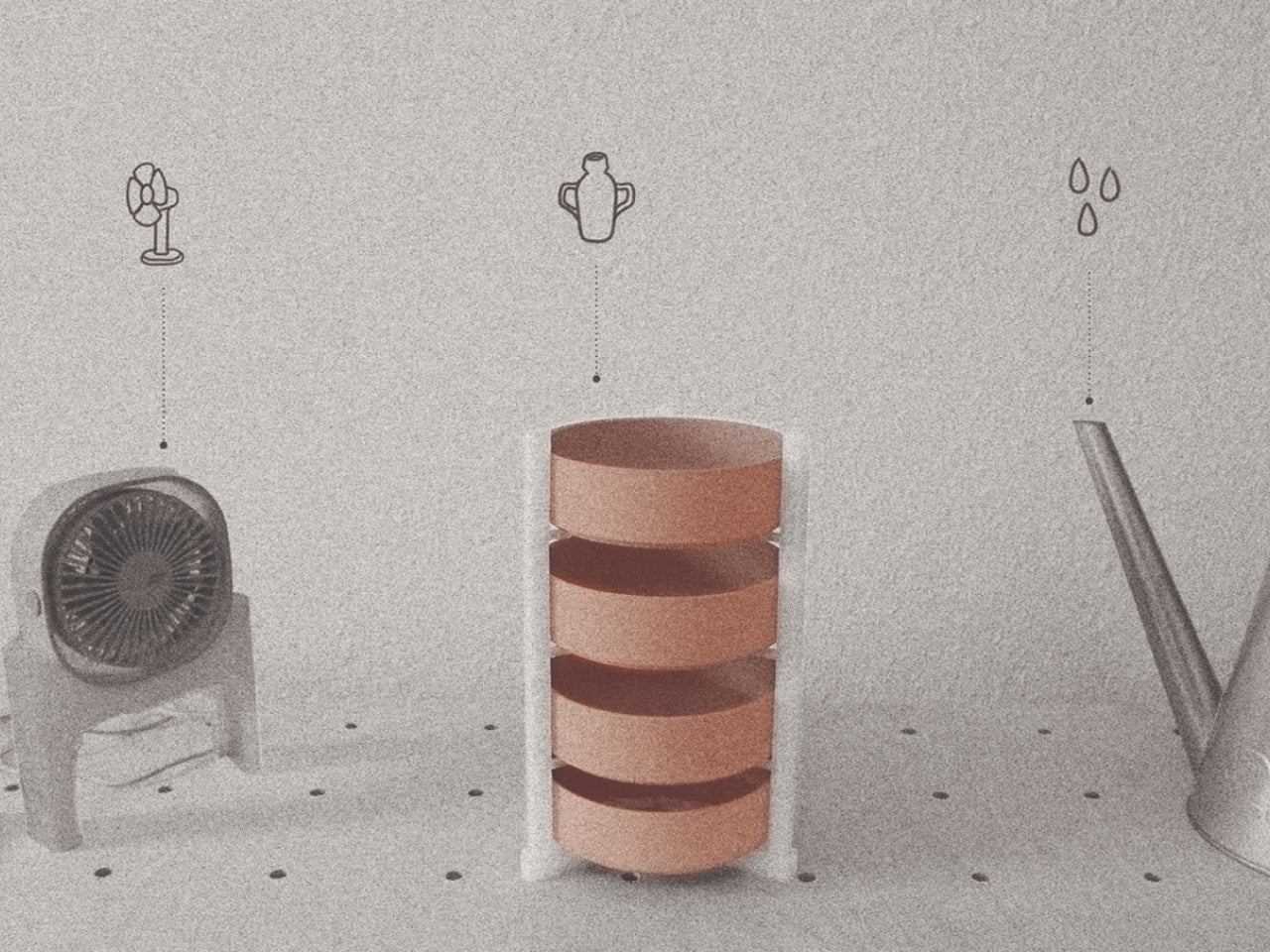
Water poured into the wooden tray gradually filters through the 8-millimetre-thick terracotta body, where natural evaporation cools the surrounding air before it is released through slim horizontal vents. An optional low-energy fan housed within the wooden base enhances airflow, while the cooler remains effective even in passive mode. Constructed from repairable, recyclable terracotta and wood, MALU is designed for durability and long-term use.
2. A Sustainable Alternative to Energy-Intensive Cooling
As global temperatures continue to rise, reducing energy consumption has become a priority for both homeowners and the construction industry. Clay coolers provide an environmentally friendly alternative by eliminating the need for electricity during operation and minimizing carbon emissions. Crafted from natural clay, they are biodegradable, locally sourced, and require significantly less energy to manufacture than conventional cooling appliances.
Their production also supports traditional pottery communities, preserving valuable artisanal skills while encouraging sustainable local economies. By choosing clay coolers, homeowners reduce their environmental footprint with a cooling solution that balances ecological responsibility with everyday comfort and long-term sustainability.
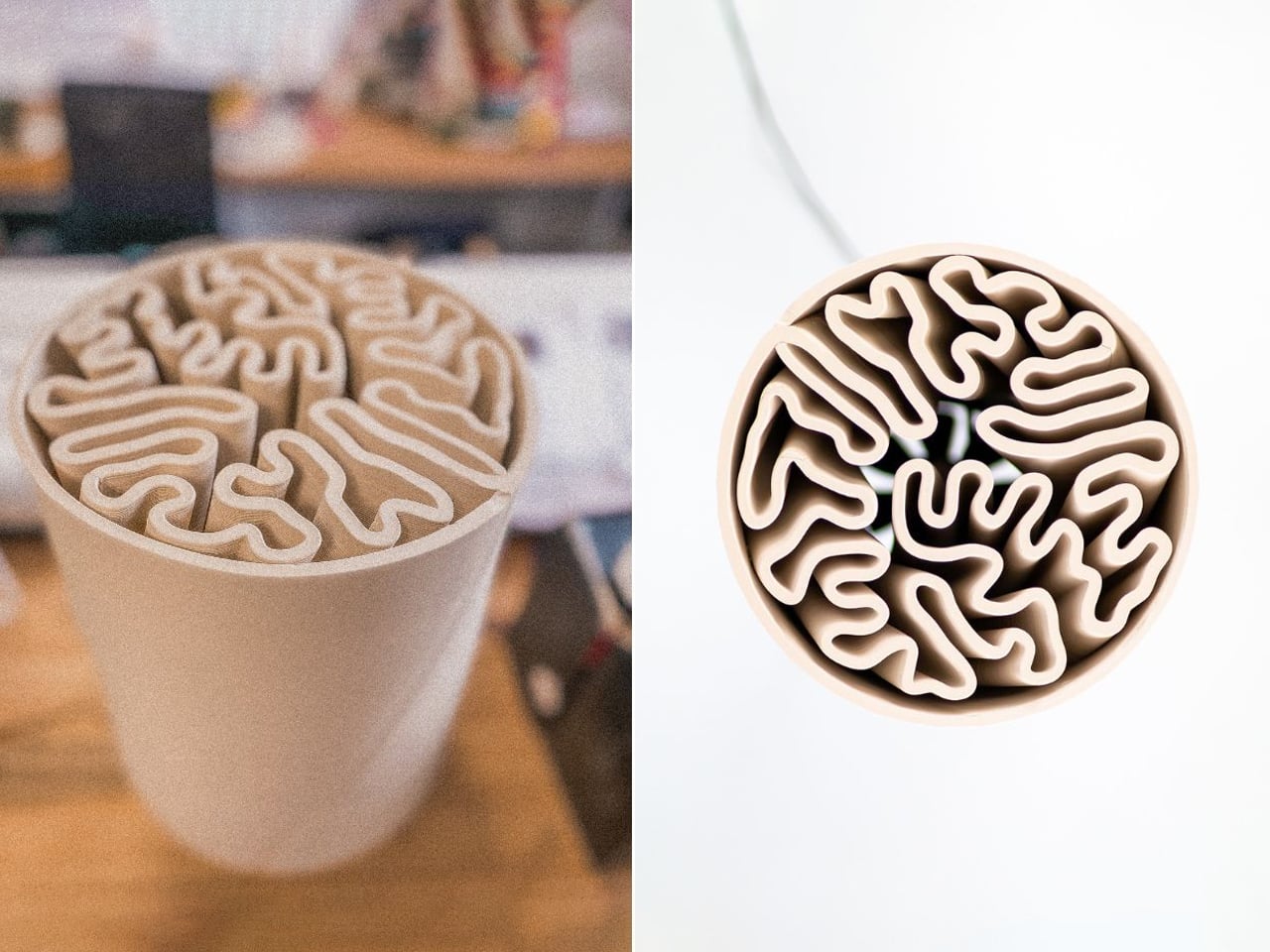
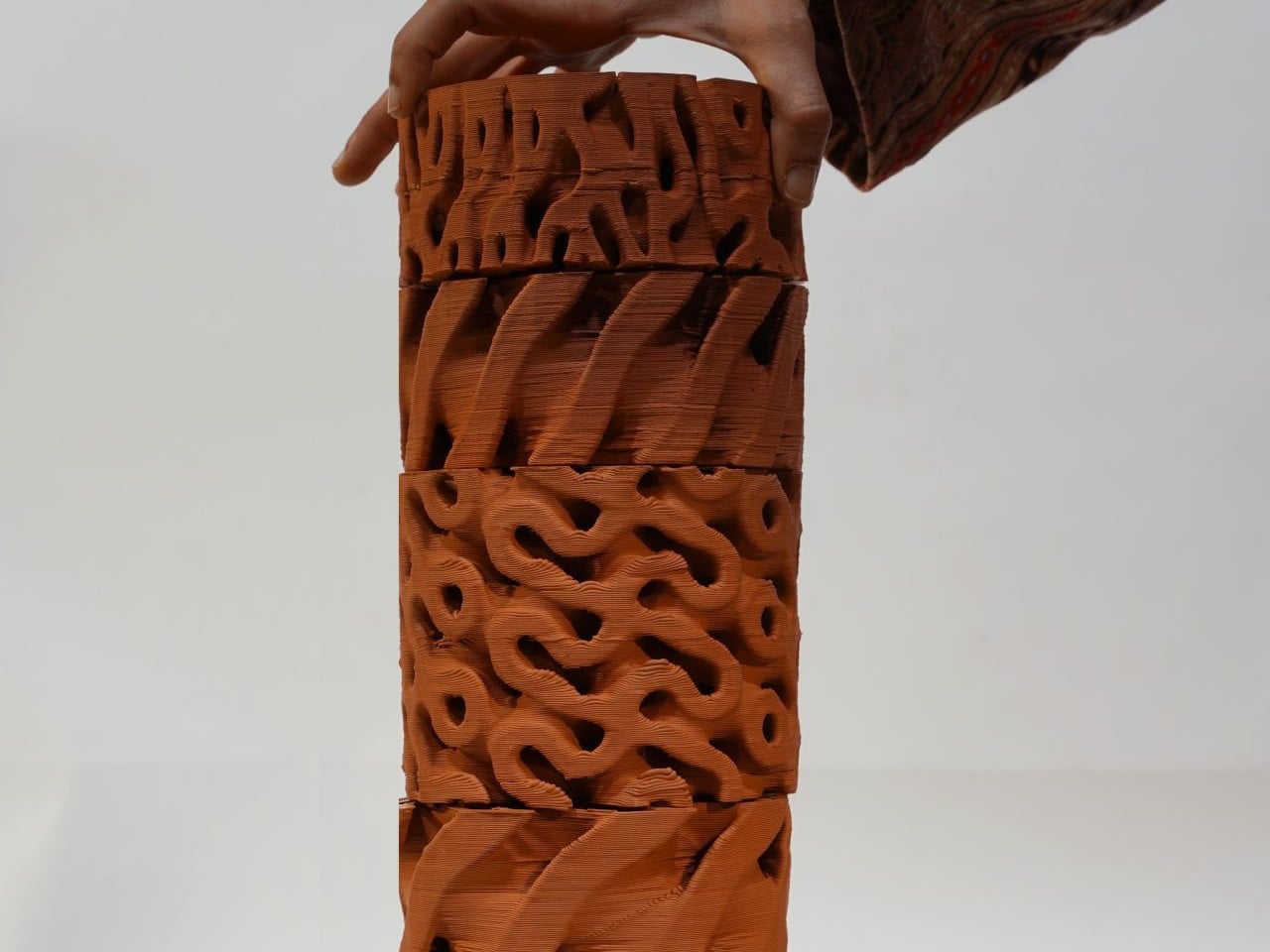
Designed by Simon Pavy in collaboration with the global design agency Entreautre, the low-tech terracotta cooler offers a sustainable alternative to conventional air conditioning by combining traditional cooling methods with advanced fabrication techniques. The product is built around a porous terracotta vessel filled with water, using the natural process of evaporative cooling to lower surrounding air temperatures. Inspired by centuries-old cooling practices from the Middle East, India, and Egypt, the cooler channels warm air through precisely designed openings, where contact with the moist terracotta surface naturally cools the airflow. Its elegant geometric form improves cooling efficiency through carefully engineered airflow dynamics.
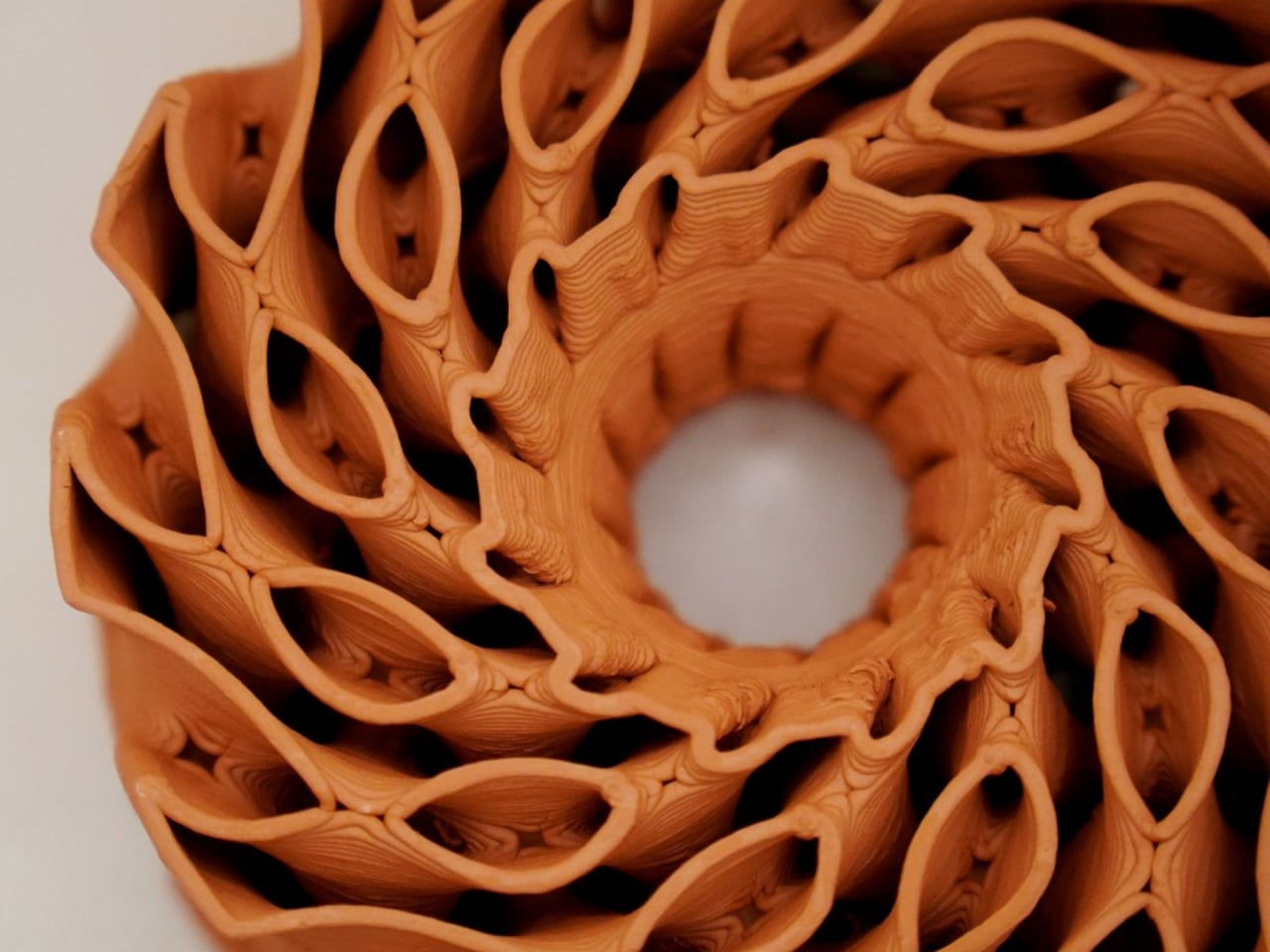
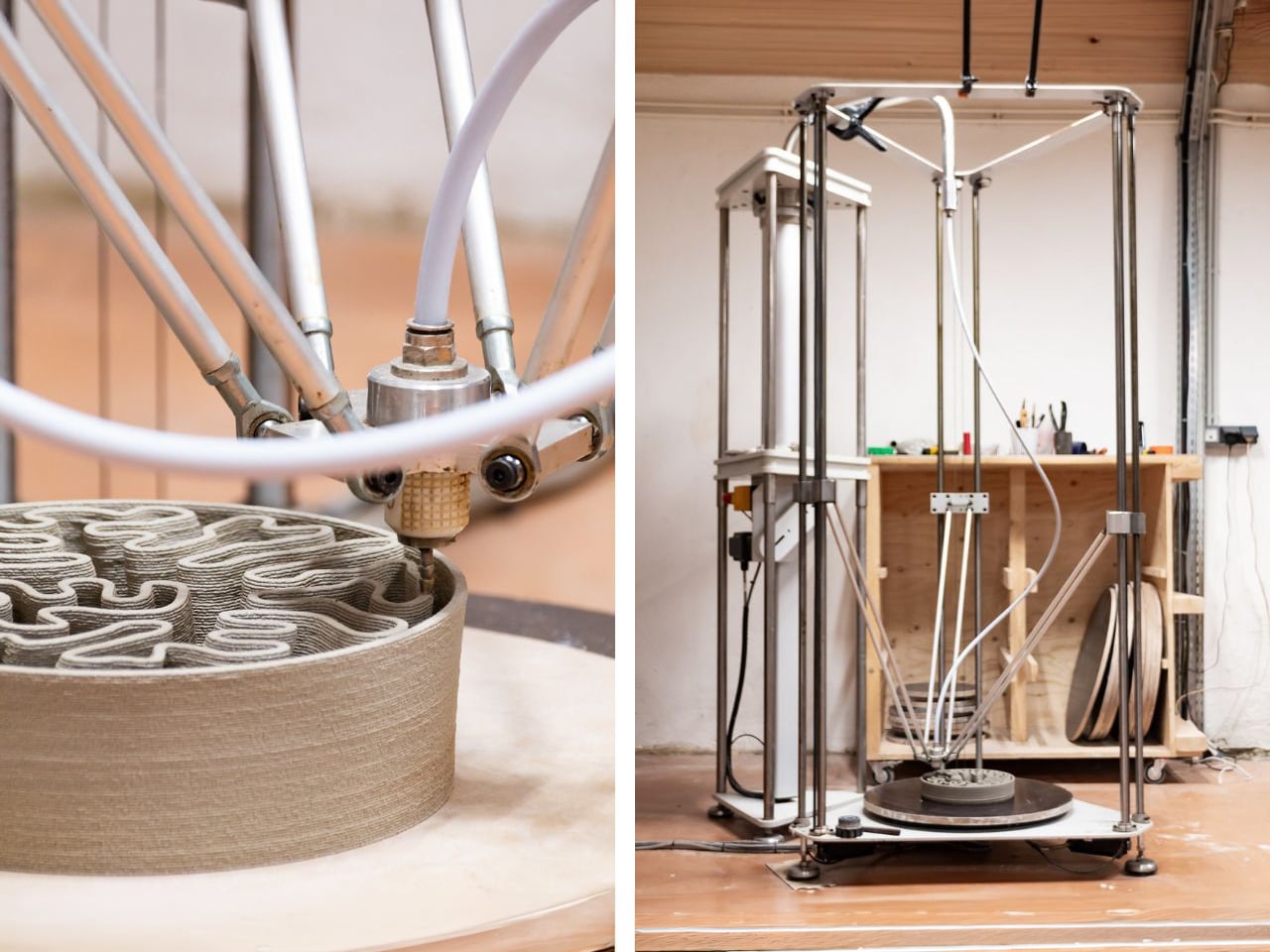
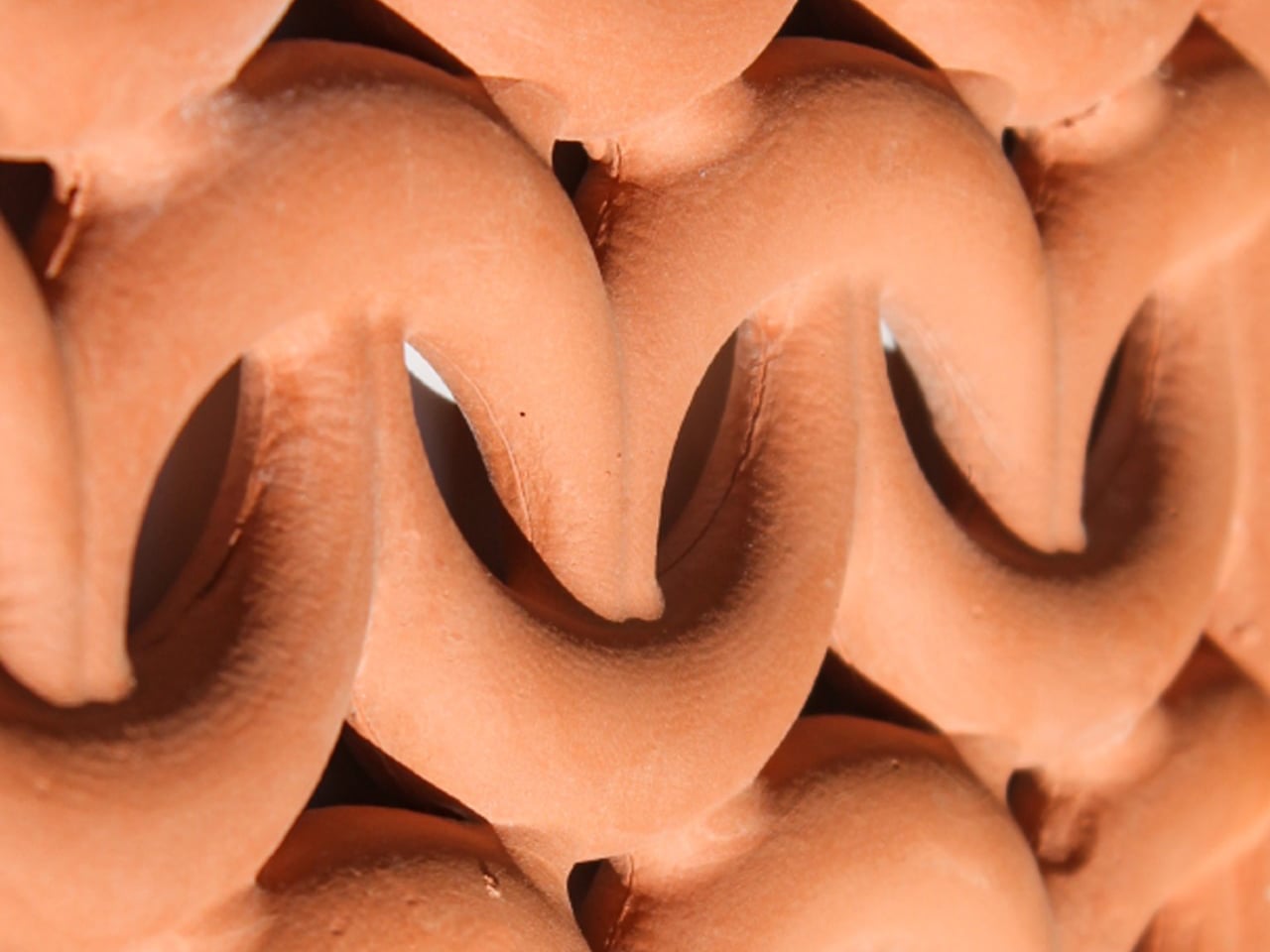
To maximize performance, the designers employed ceramic 3D printing to create complex, organic forms that increase the interaction between air and the wet terracotta surface. Developed using Grasshopper and Rhino 3D, the parametric design allowed precise control over thickness, porosity, and airflow for optimal cooling. The prototype was produced using a specialized terracotta 3D printer created by Dutch artist Olivier van Herpt, enabling intricate ceramic fabrication impossible through conventional methods
3. Modern Designs for Contemporary Interiors
Modern interpretations of clay coolers extend far beyond their traditional appearance, making them suitable for today’s refined interiors. Designers are experimenting with sculptural forms, textured finishes, earthy colors, and modular designs that complement contemporary architectural styles. Instead of hiding these cooling systems, homeowners display them as functional art pieces that celebrate craftsmanship and natural materials.
Whether placed in living rooms, courtyards, balconies, or open-plan homes, clay coolers contribute to a warm and organic design language. Their combination of beauty and performance reflects a growing appreciation for products that merge sustainability, cultural heritage, and sophisticated interior aesthetics.
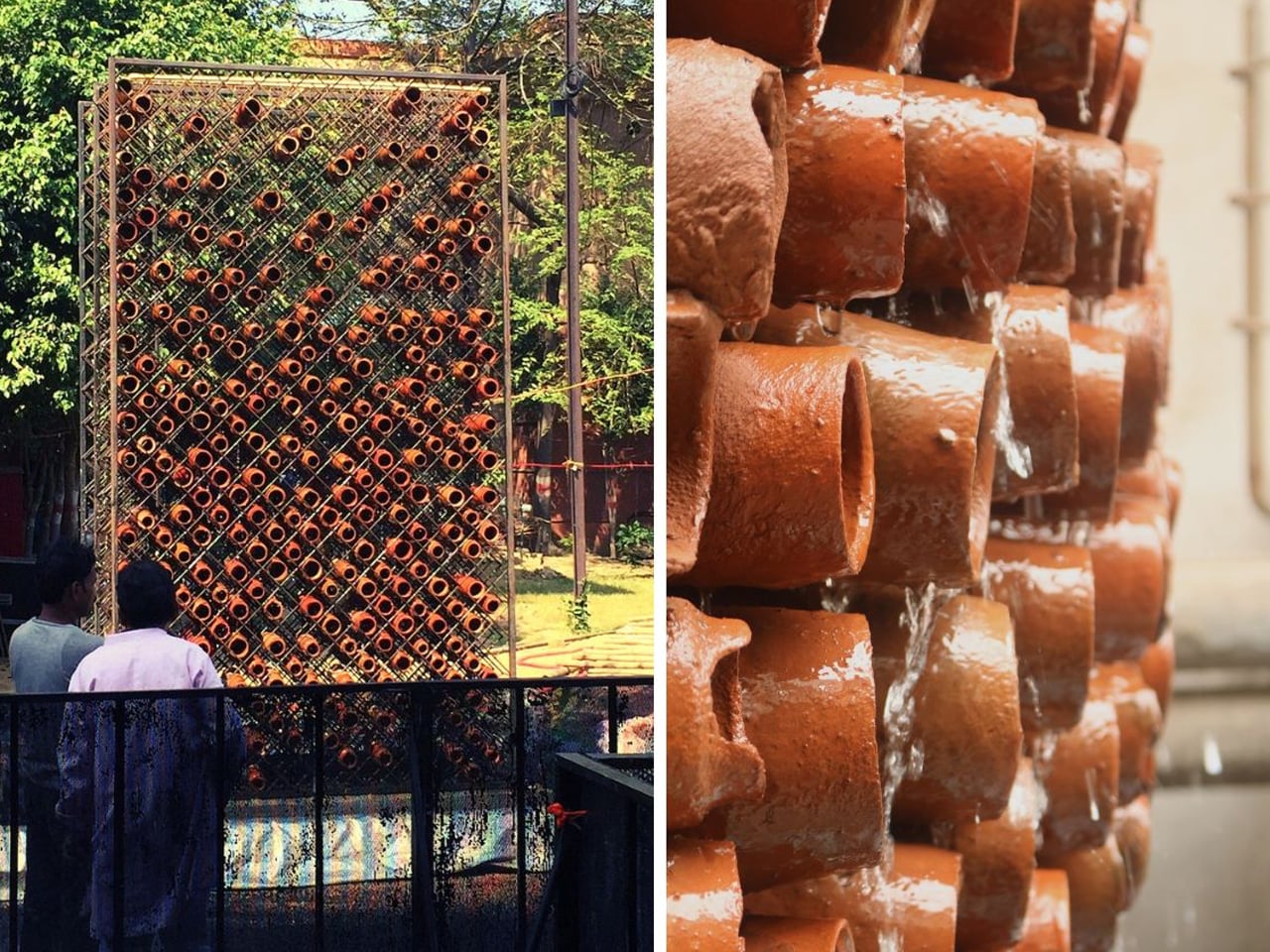
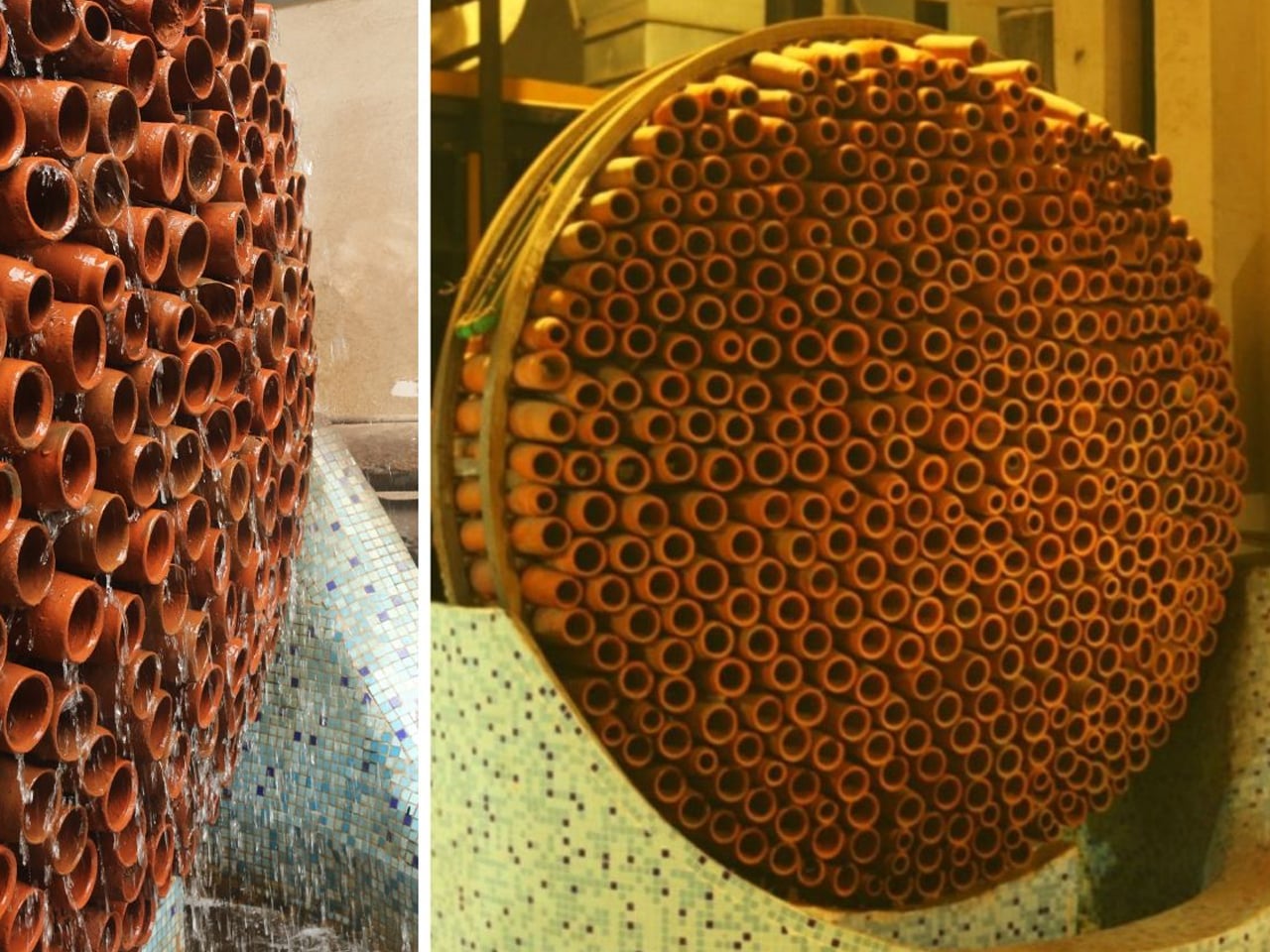
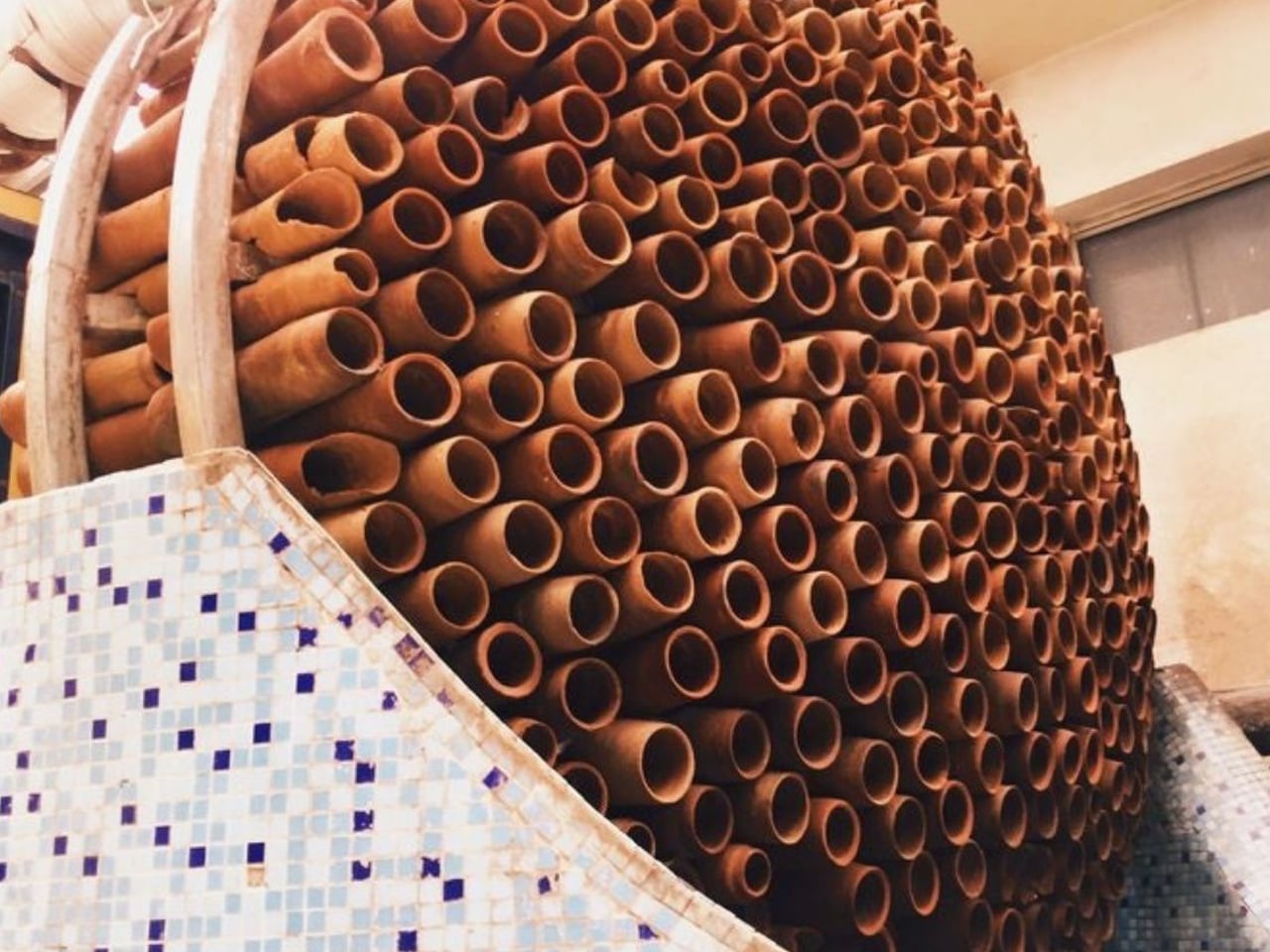
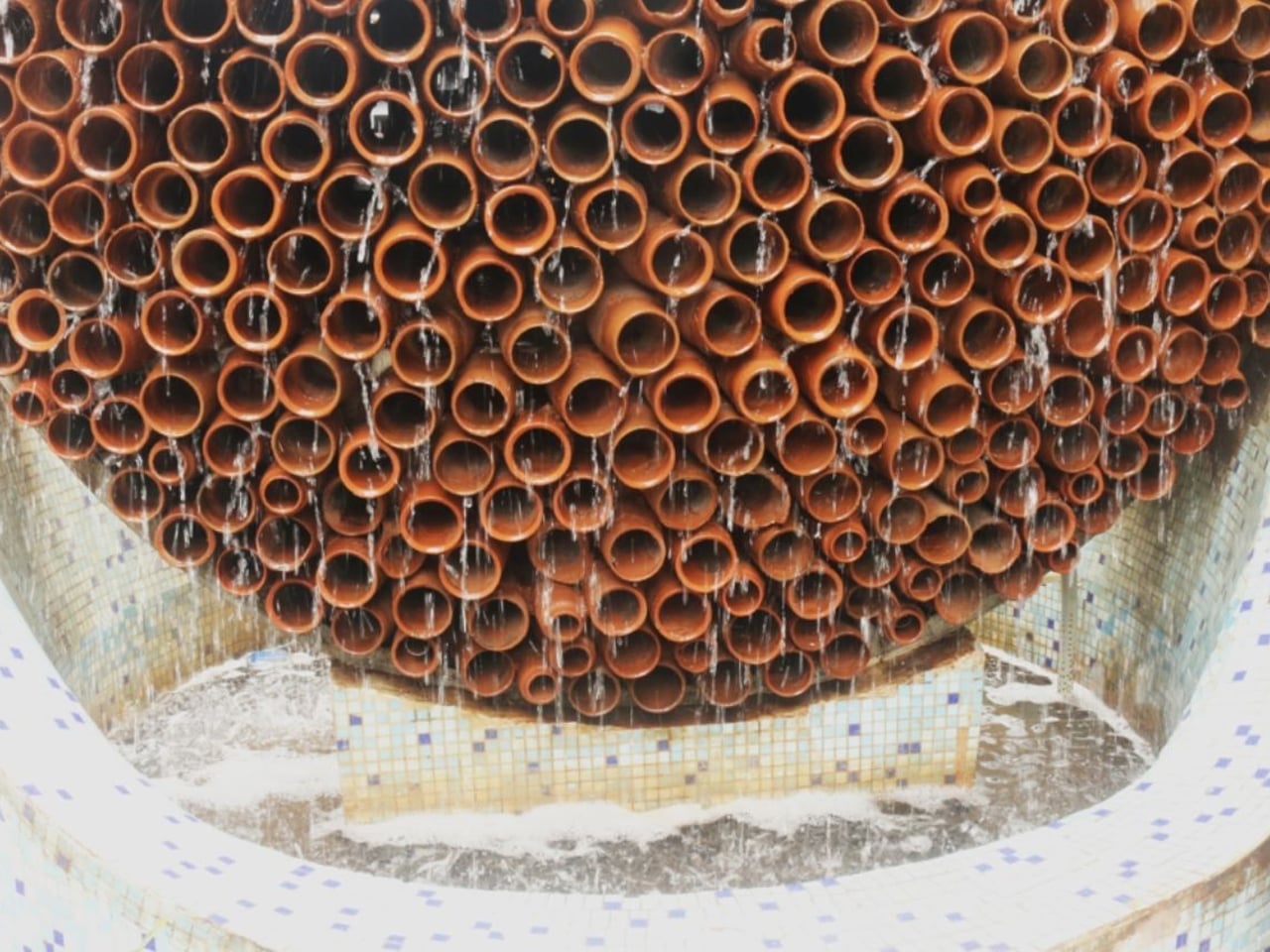
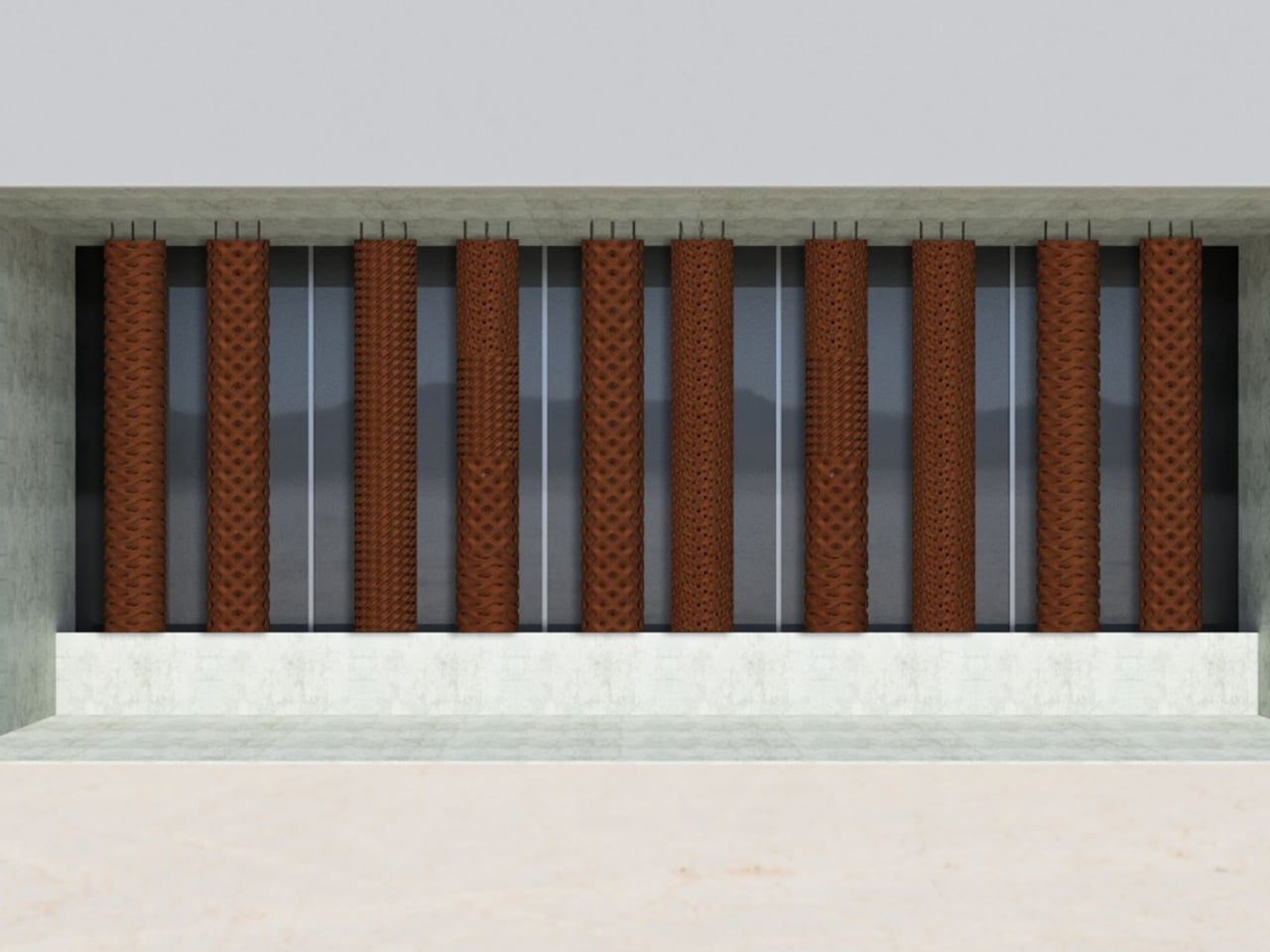
Ant Studio’s Beehive, designed by architect Monish Kumar Siripurapu, is an innovative evaporative cooling system that reinterprets traditional earthen cooling methods for modern, energy-conscious environments. Developed in response to rising urban heat conditions, the system uses porous terracotta modules arranged in a honeycomb-inspired structure. Water is absorbed into the clay and slowly evaporates, naturally reducing surrounding air temperature without electricity or chemical refrigerants. Drawing from cooling practices used in ancient India, Egypt, and other hot climates, the Beehive merges cultural intelligence with contemporary architectural thinking.
Made entirely from terracotta, the Beehive is a zero-plastic, zero-emission system that also supports air purification through moisture-driven biofilm formation on its surface. The design is modular, repairable, and adaptable to different site conditions, making it suitable for factories and high-heat work environments.
4. Healthier Indoor Environments Through Natural Cooling
Beyond reducing energy consumption, clay coolers contribute to healthier indoor living conditions by providing gentle, naturally humidified cooling. Unlike conventional air conditioners that often dry indoor air and require chemical refrigerants, clay coolers maintain a more balanced indoor atmosphere through natural evaporation. This can create greater comfort in dry climates while reducing dependence on mechanically cooled environments.
Their quiet operation also minimizes noise pollution, promoting a calmer and more relaxing home environment. When combined with cross ventilation, shaded openings, and other passive design strategies, clay coolers help create interiors that prioritize environmental sustainability and occupant well-being.
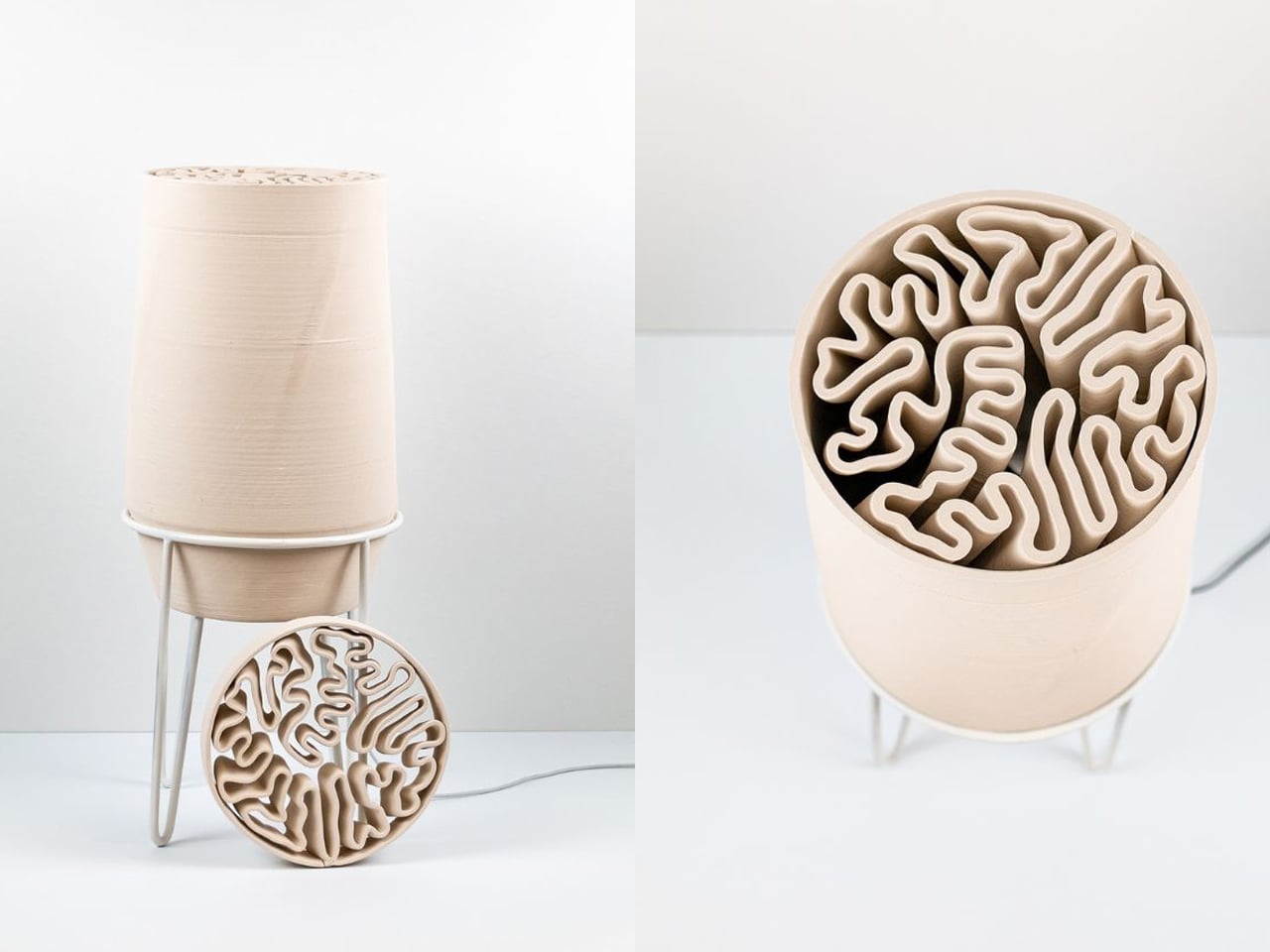
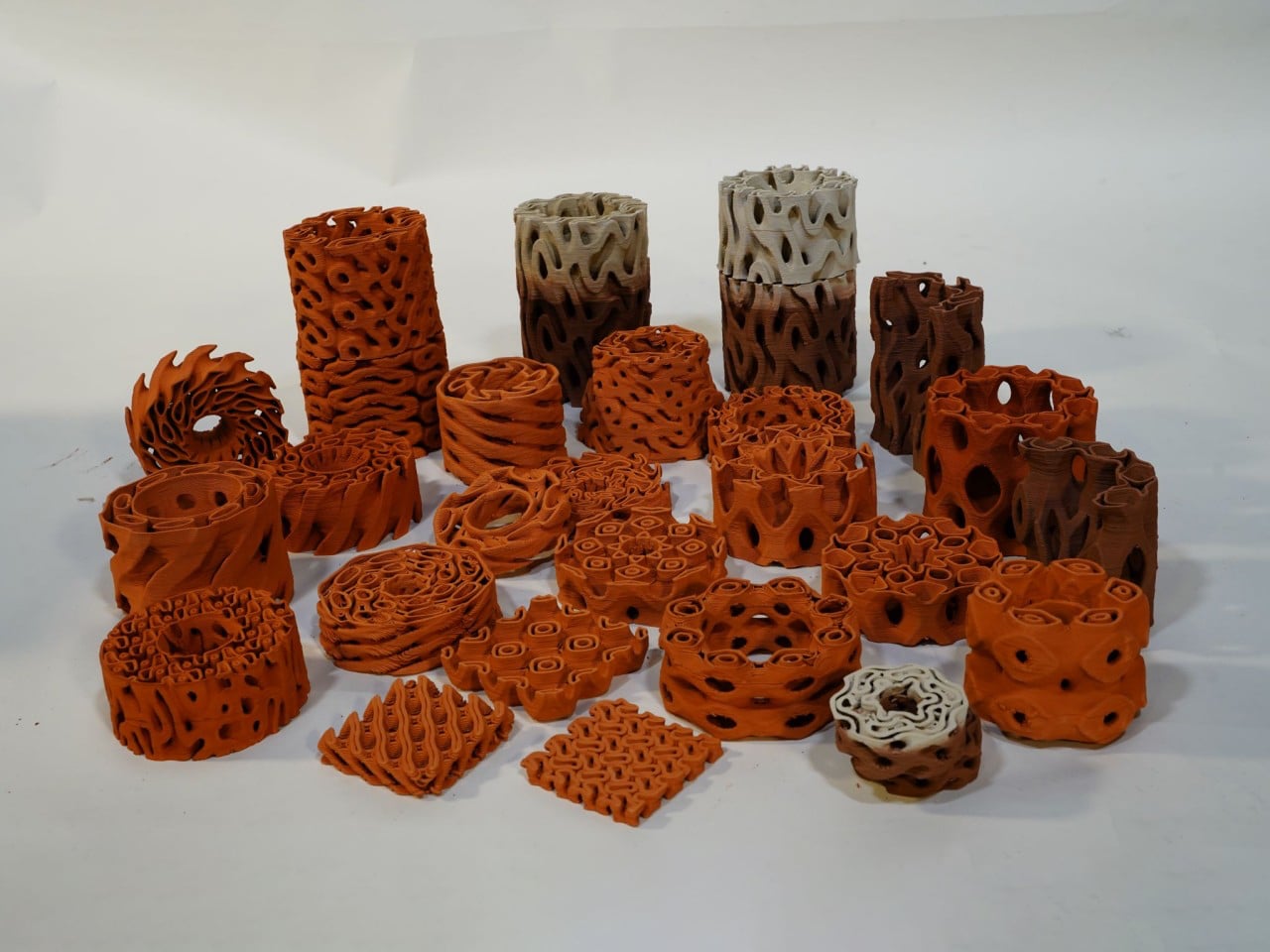
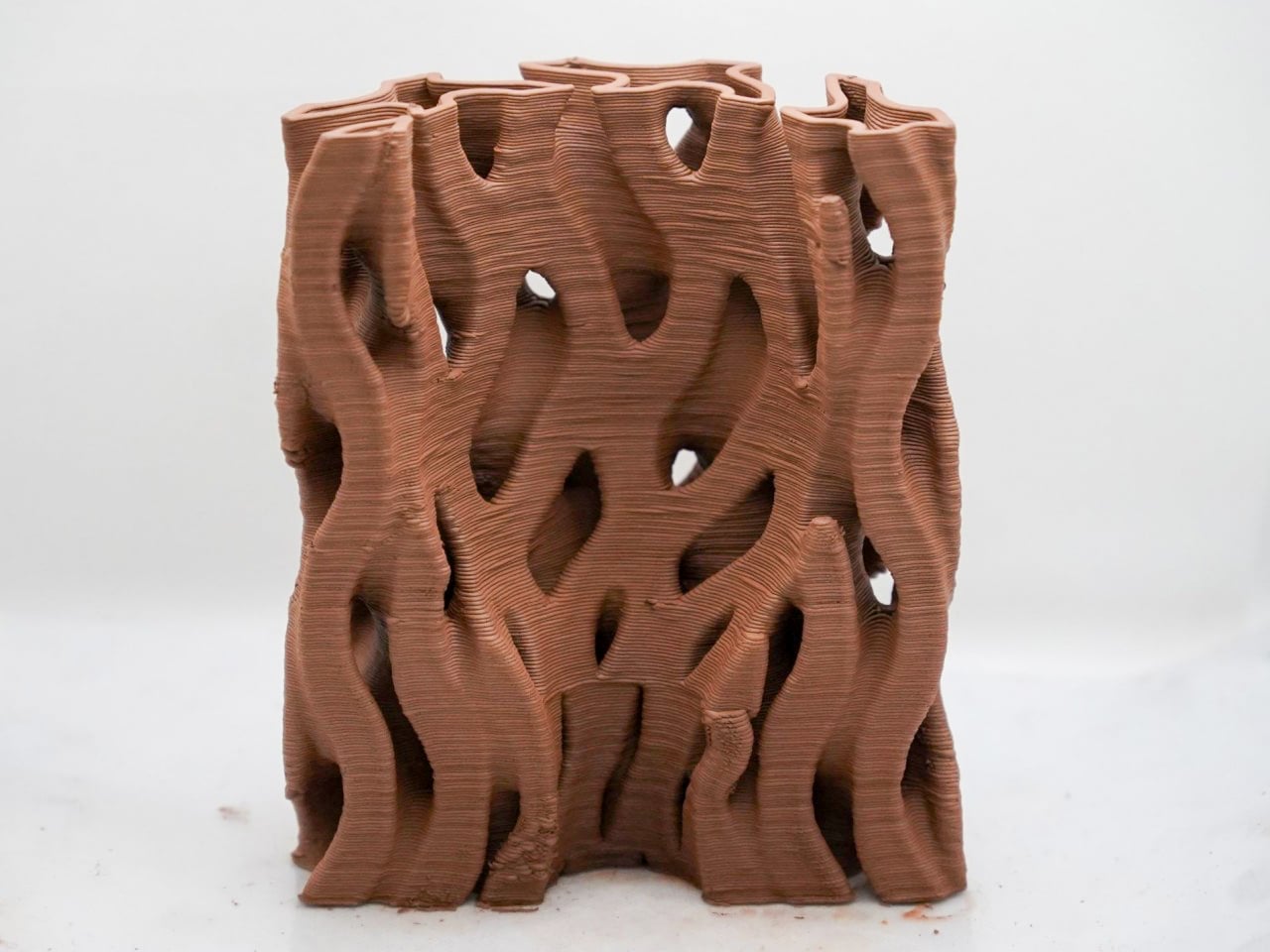
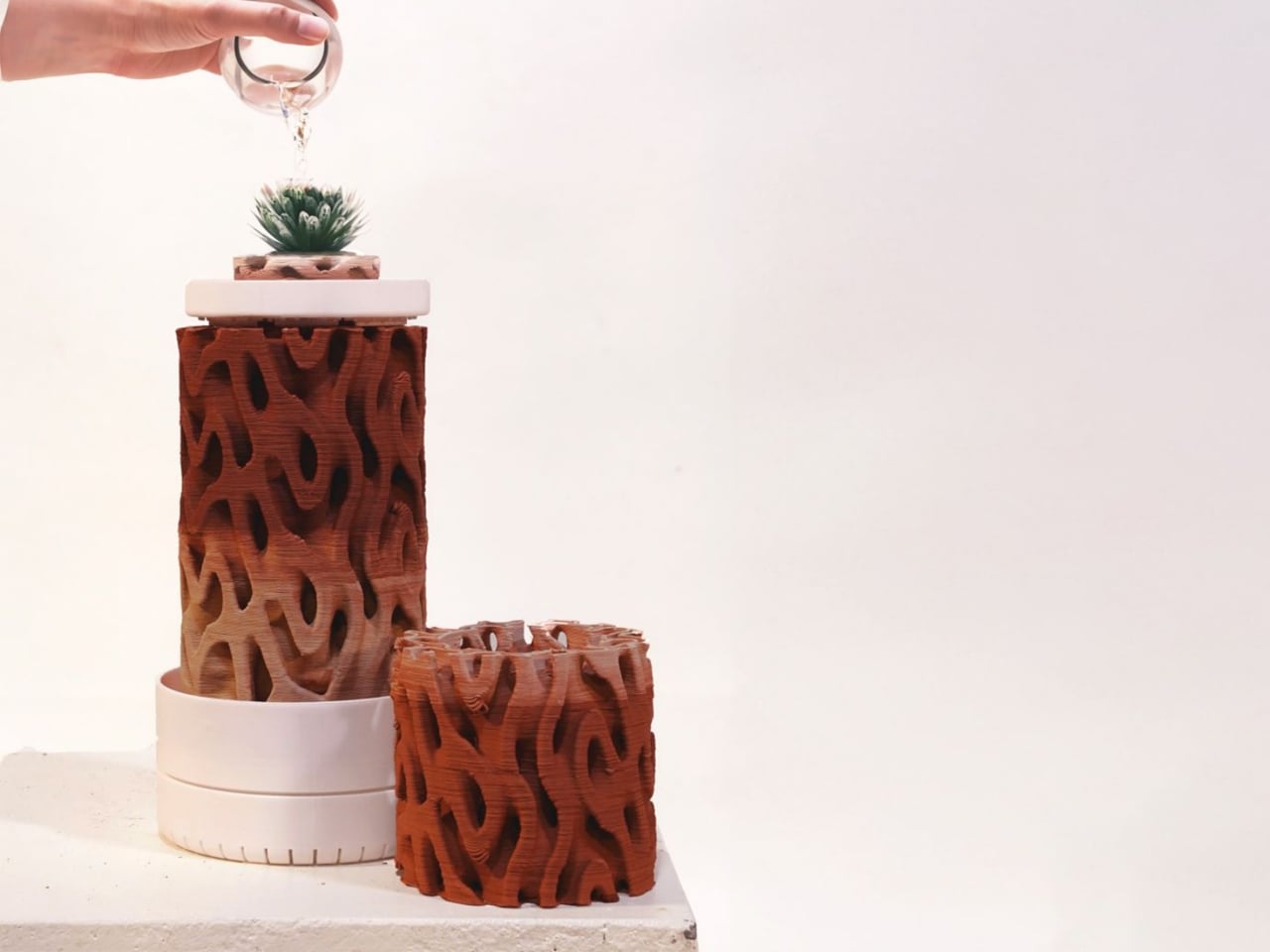
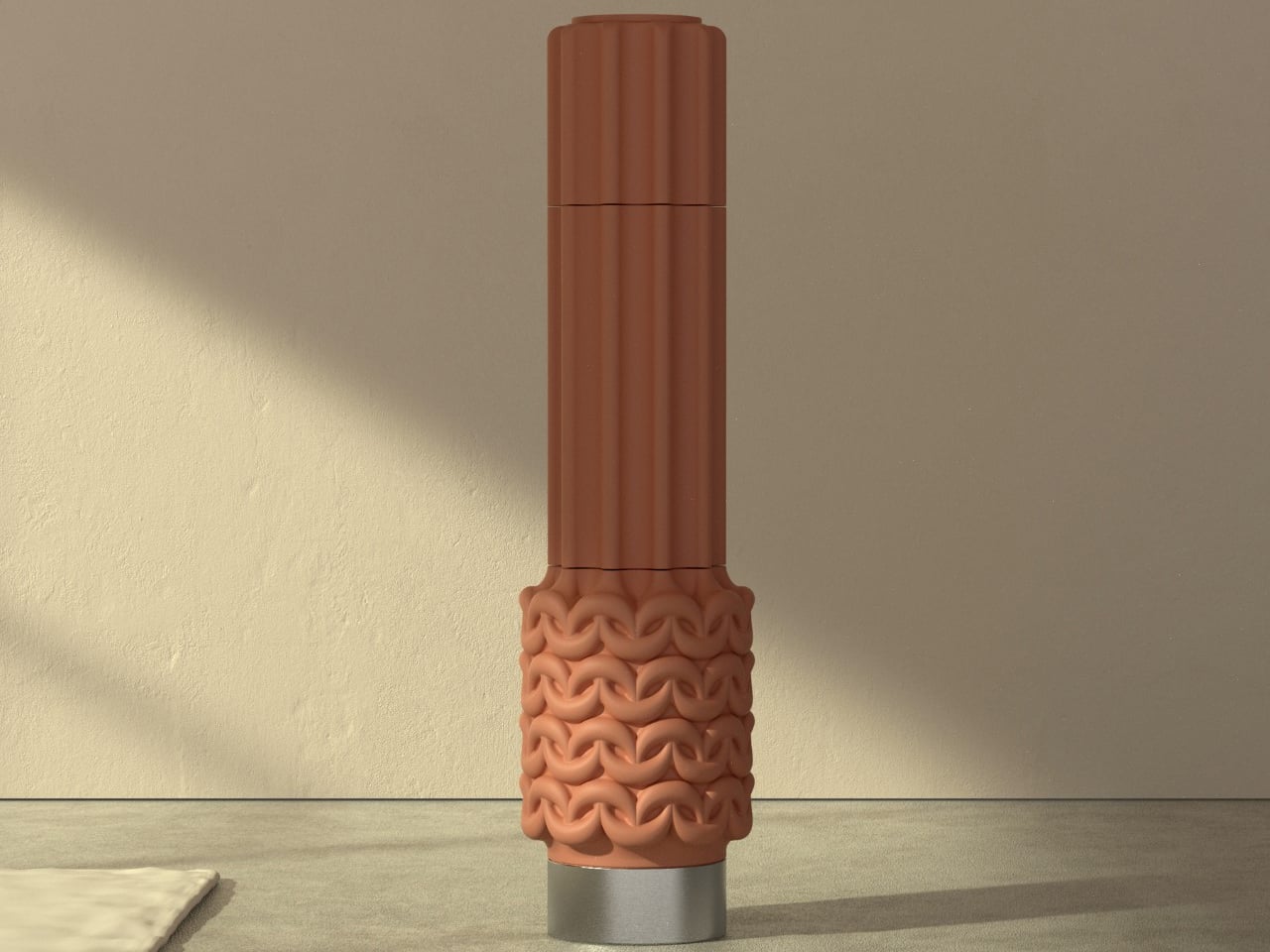
Nature assigns a role to every organism, even those humans often dismiss as pests. Scavengers return waste to ecological cycles, while termites despite damaging human structures build complex mound systems that regulate airflow and maintain stable internal temperatures. This hidden intelligence in termite architecture inspired TerraMound, a cooling system designed by Rameshwari Jonnalagedda. By studying how these structures achieve passive ventilation, the project translates biological efficiency into a human-centered approach to sustainable cooling that responds intelligently to rising temperatures without excessive energy use.
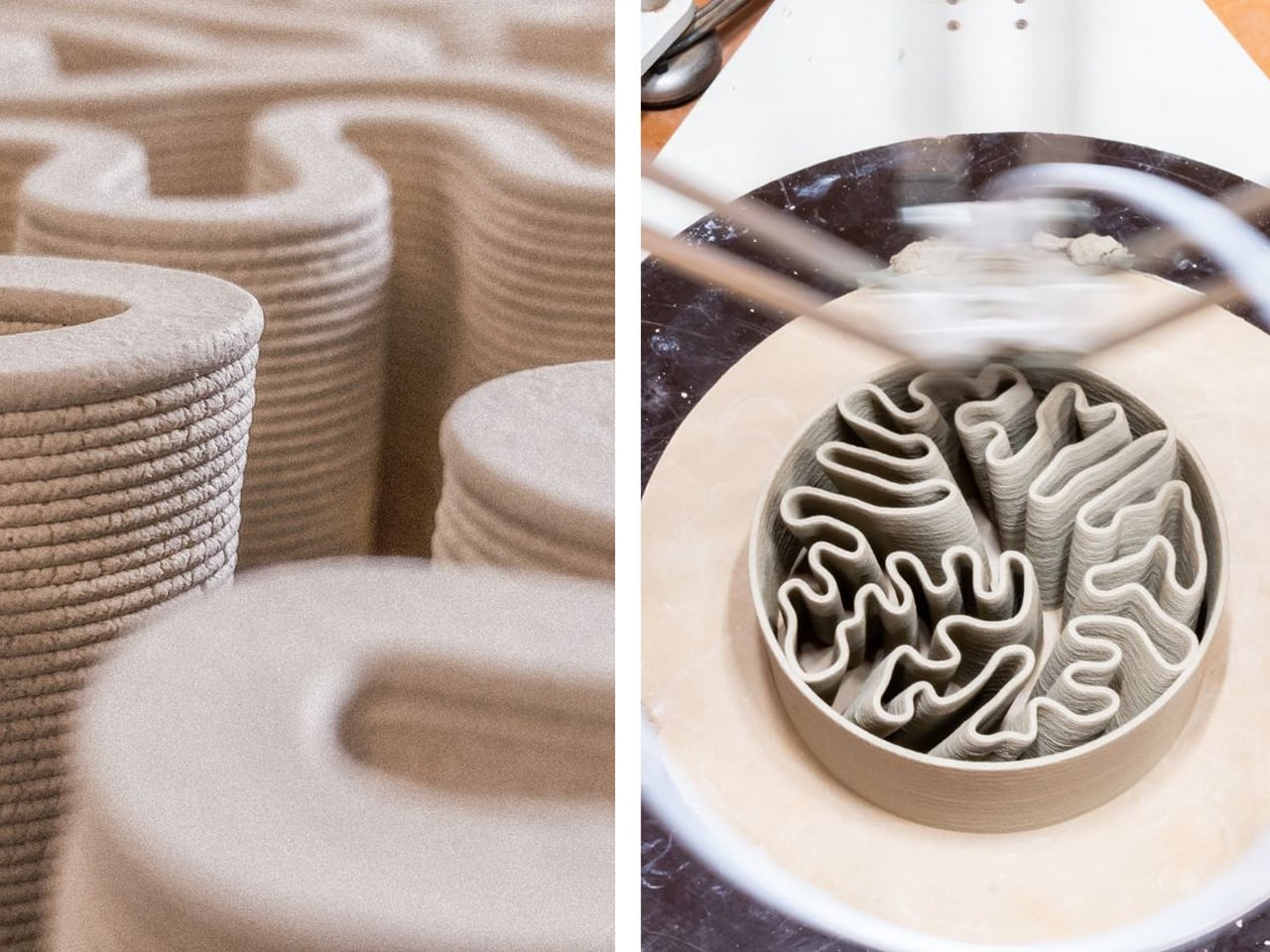
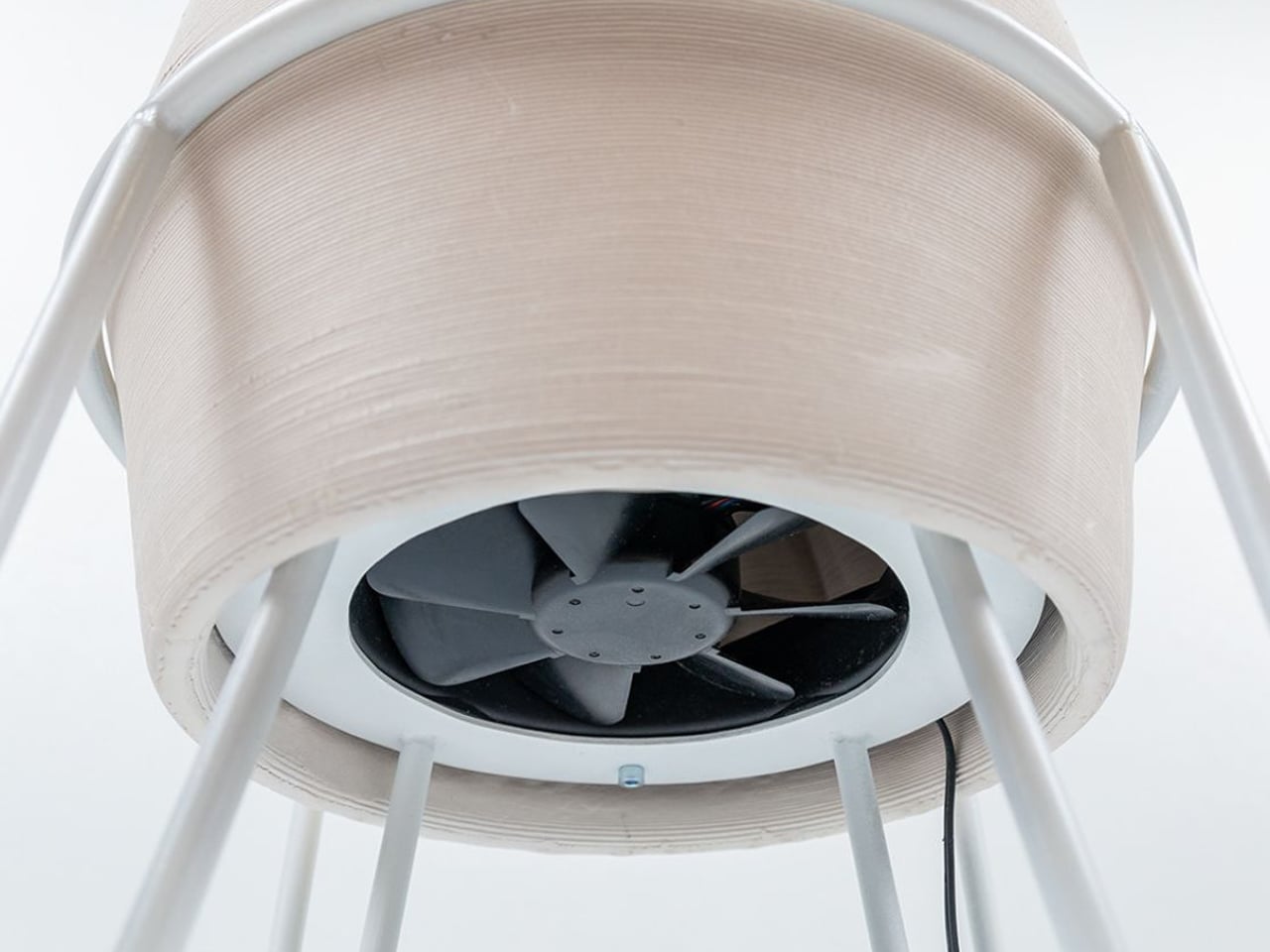
TerraMound operates on two principles and that is maximizing surface area and enabling porosity. Its geometry replicates the internal networks of termite mounds, increasing air contact through a surface-area-to-volume ratio. Produced using clay-based 3D printing, it forms intricate porous structures impossible to handcraft. A water reservoir at the top releases moisture through terracotta, while a base fan draws air upward, intensifying evaporative cooling and creating a functional, sculptural biomimetic system.
5. The Future of Climate-Responsive Home Design
The renewed interest in clay coolers reflects a broader movement toward climate-responsive architecture that values passive design over energy-intensive systems. Architects are increasingly pairing clay cooling with courtyards, green roofs, thermal mass walls, rainwater harvesting, and natural ventilation to create homes that remain comfortable while consuming fewer resources. These integrated strategies show that sustainable architecture does not always require advanced technology, but often benefits from revisiting proven traditional practices.
As cities confront rising temperatures and environmental pressures, clay coolers represent a meaningful intersection of heritage, innovation, and ecological responsibility, offering a timeless solution for resilient modern homes.
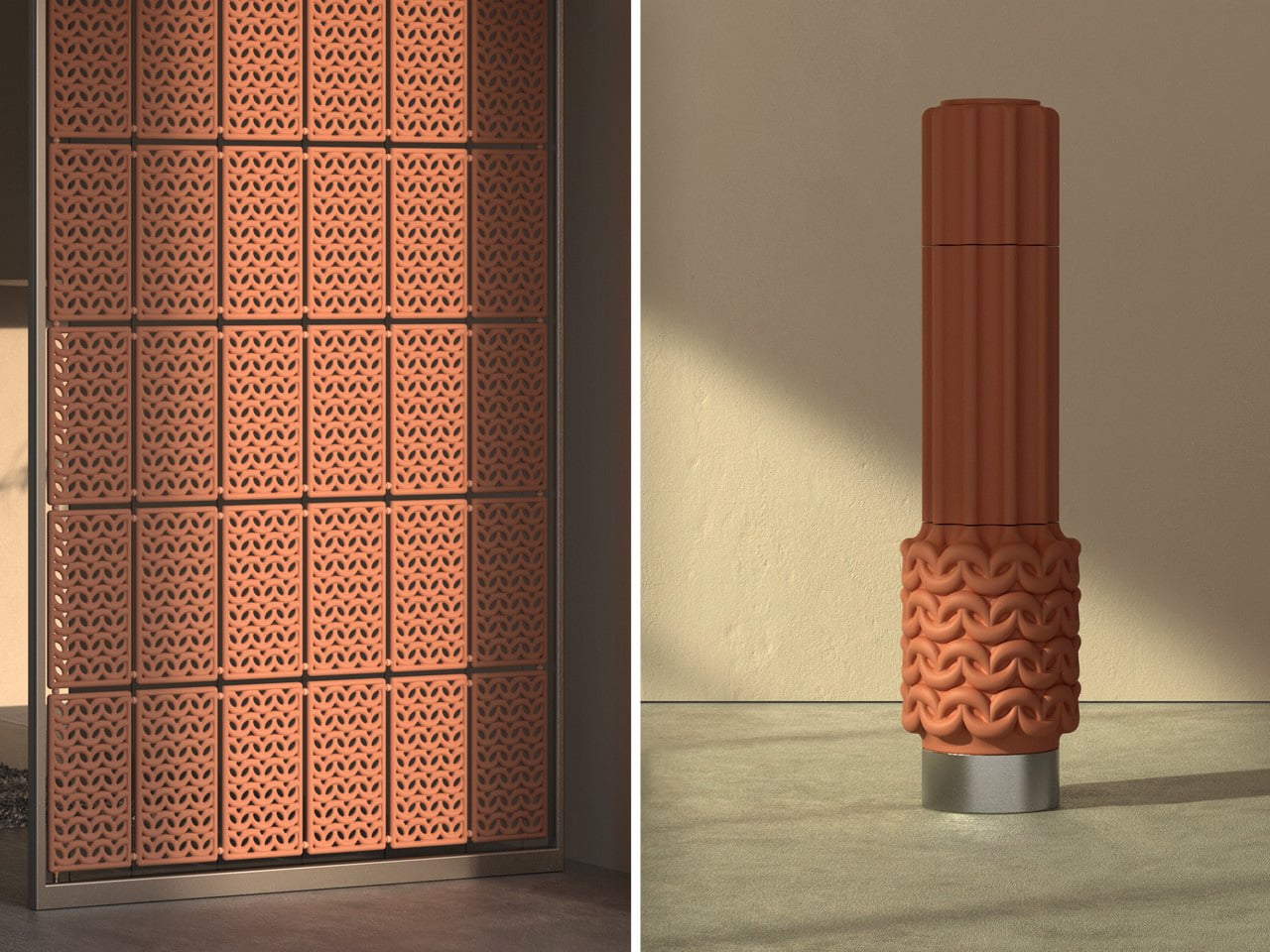
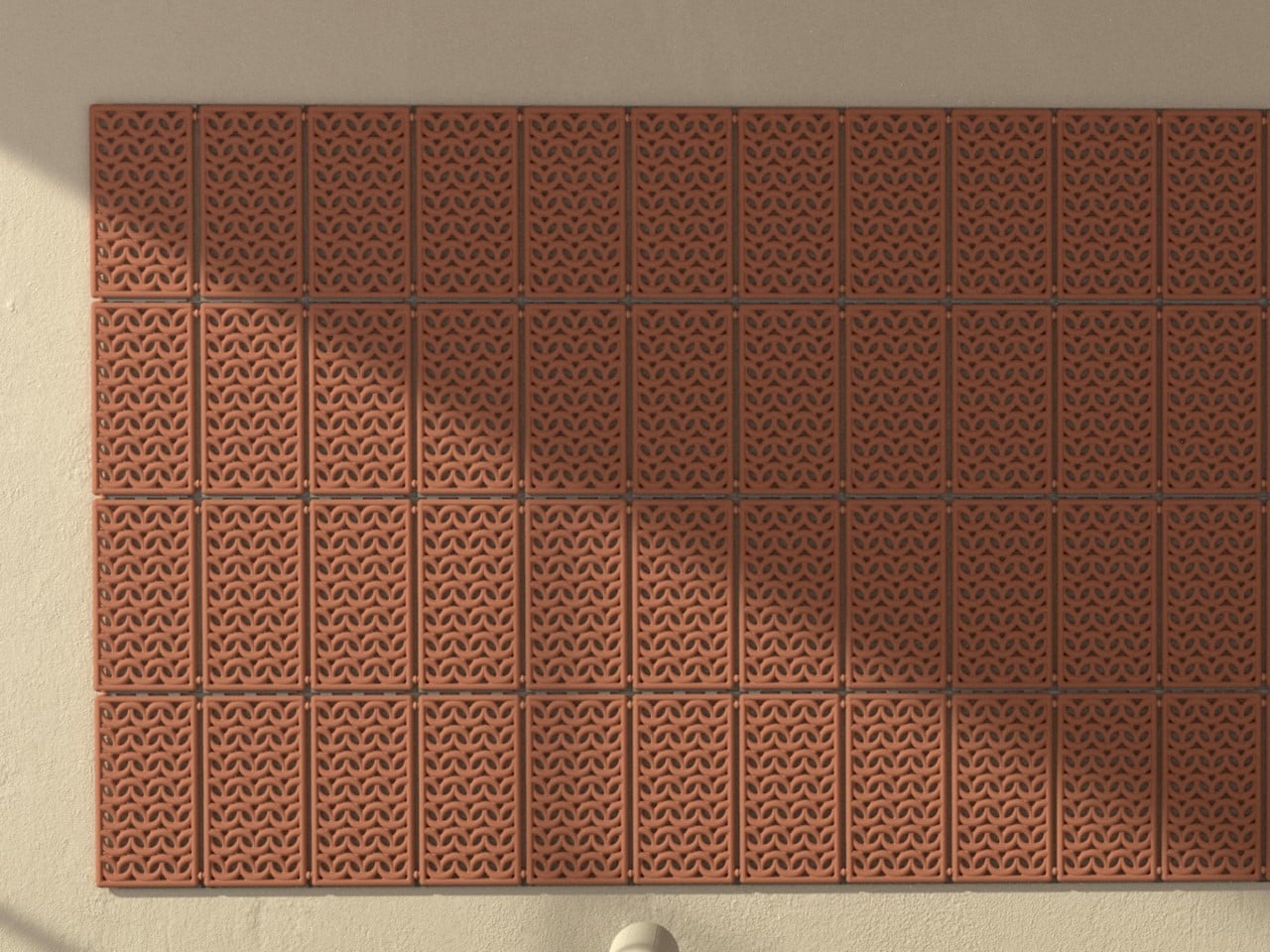
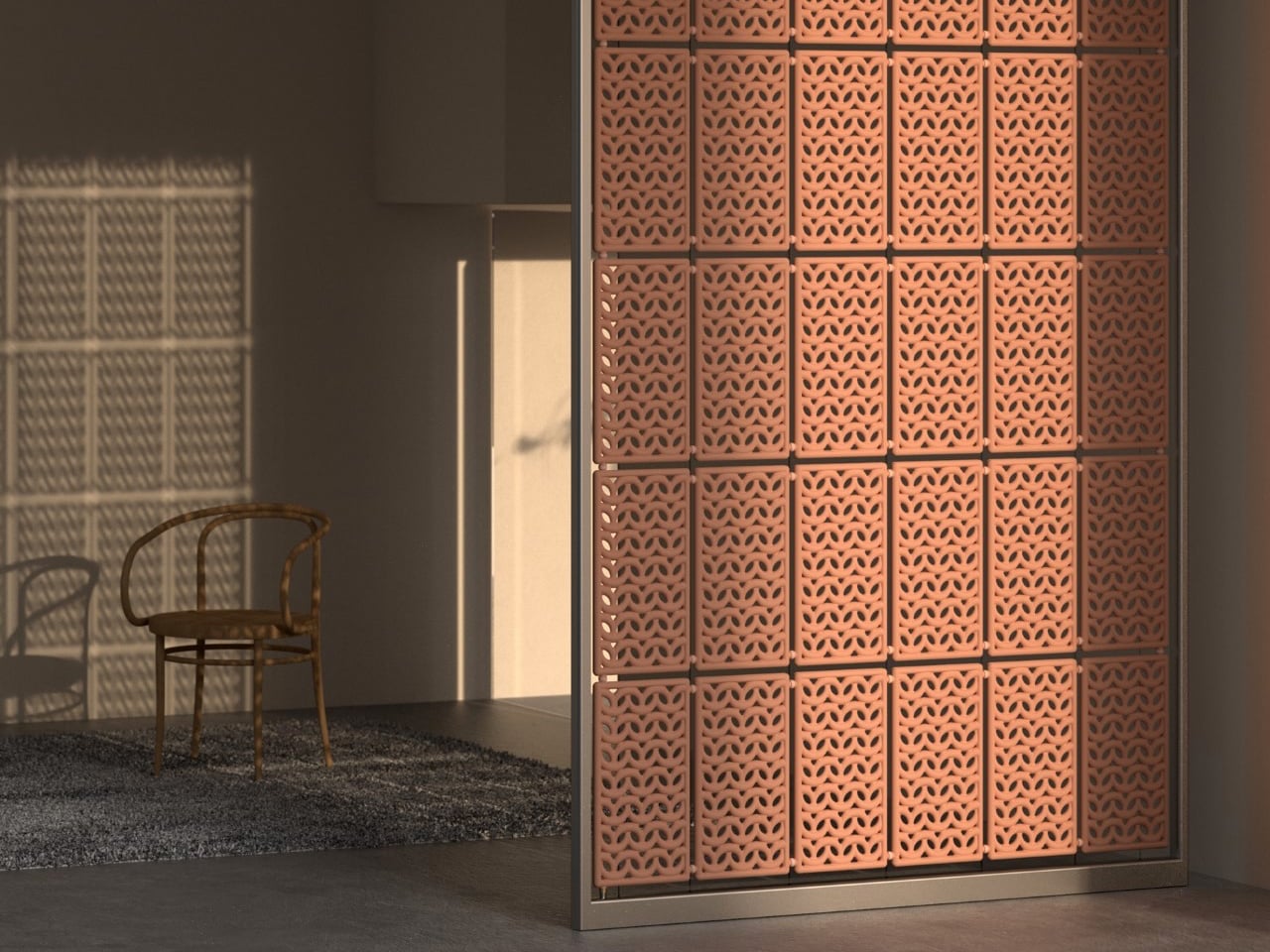
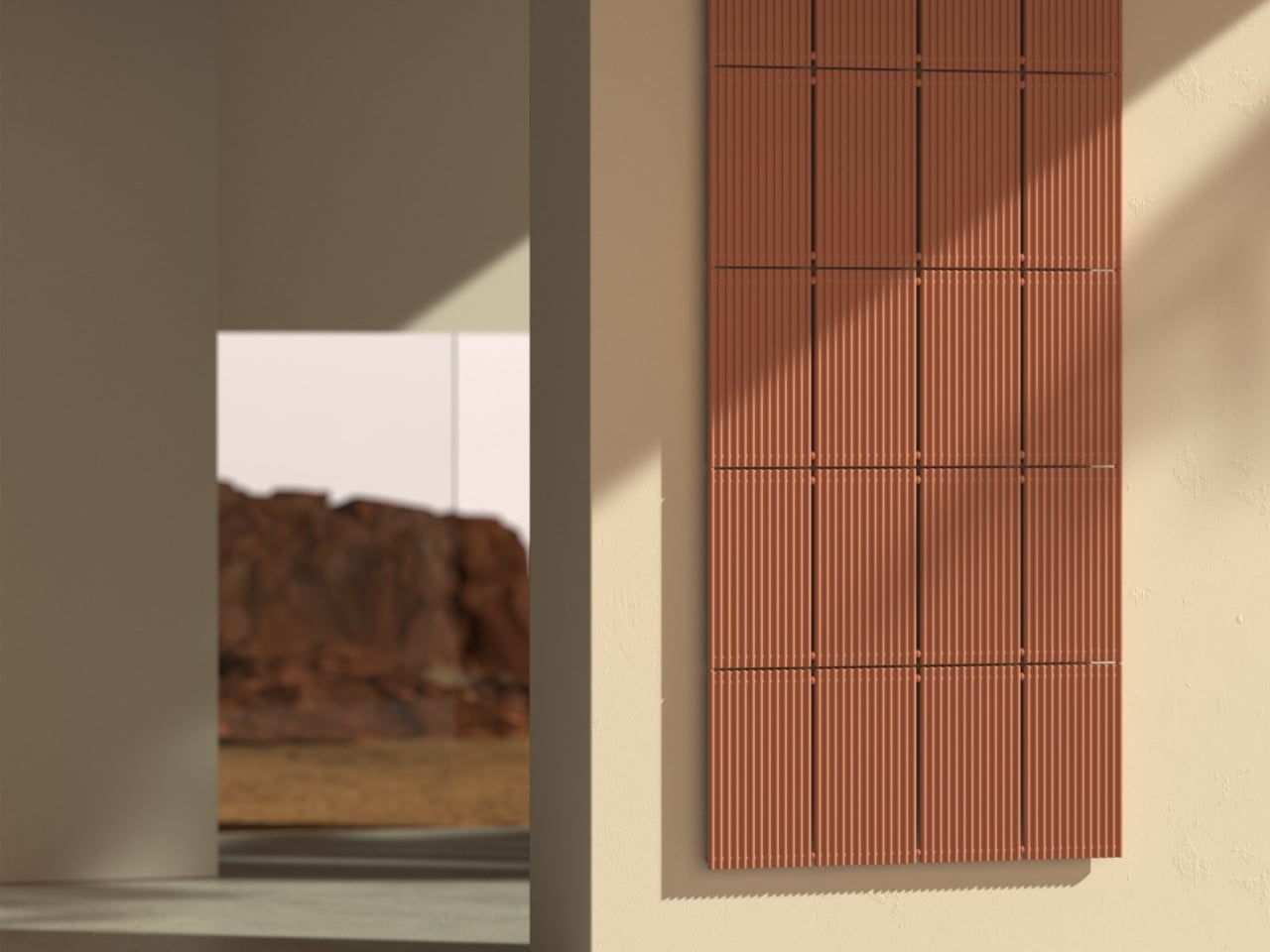
The Nave Air Conditioning System is a low-tech cooling product that uses terracotta’s natural evaporative properties to regulate indoor temperatures without electricity or complex electronics. It is designed as a passive climate solution where water stored inside a porous clay structure gradually seeps through the walls and evaporates on the surface. This process absorbs heat from the surrounding air, helping cool both the material and the room. With zero emissions and no power requirement, Nave offers a sustainable alternative to conventional air conditioning systems, especially for hot climates and off-grid or low-energy spaces.
The product is available in floor-standing and wall-mounted modular forms, allowing flexible placement in homes and interiors. Once filled with water, it begins working immediately as the moisture moves through the terracotta body and evaporates naturally. Its porous structure and patterned grill design enhance airflow and surface cooling efficiency. Beyond functionality, it also acts as a sculptural interior element, integrating passive cooling technology into everyday living spaces.
As climate-conscious design continues to evolve, clay coolers bridge tradition and innovation with remarkable simplicity. They offer an elegant, low-impact approach to creating comfortable, energy-efficient, and environmentally responsible living spaces.
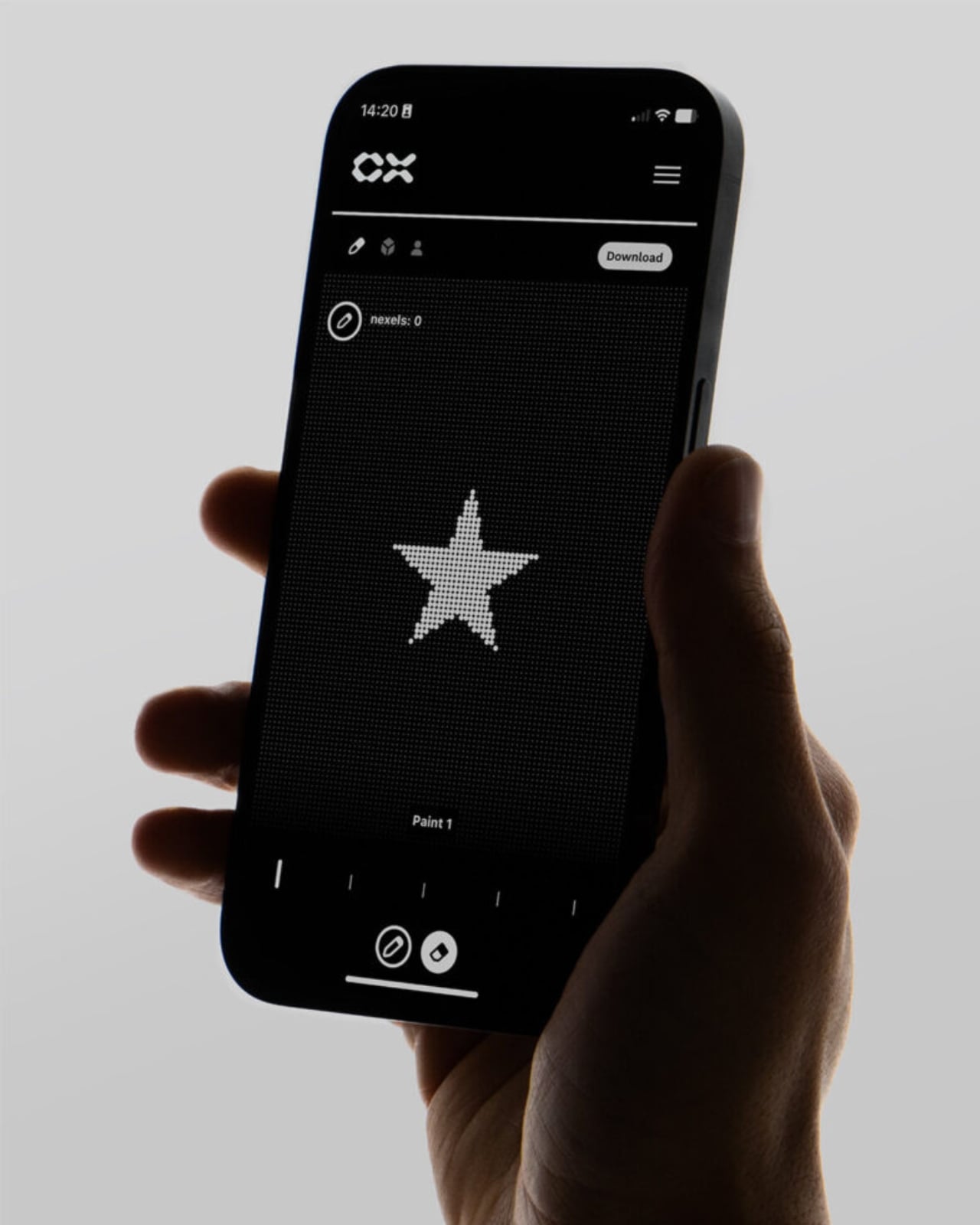
The future of tattooing fits inside a dissolving patch, and I will be honest: I did not see that coming. CipherX, a London-based biotech startup founded by Ferdinand Kohle and Karl-Anton Harms, has developed something that genuinely sounds like fiction: a single-use microneedle patch that delivers a permanent tattoo without a machine, without a needle gun buzzing near your skin, and without any real pain. It’s called the Microdot Tattoo, and it’s not a concept or a prototype. It’s already being offered to real people at pop-ups happening right now.
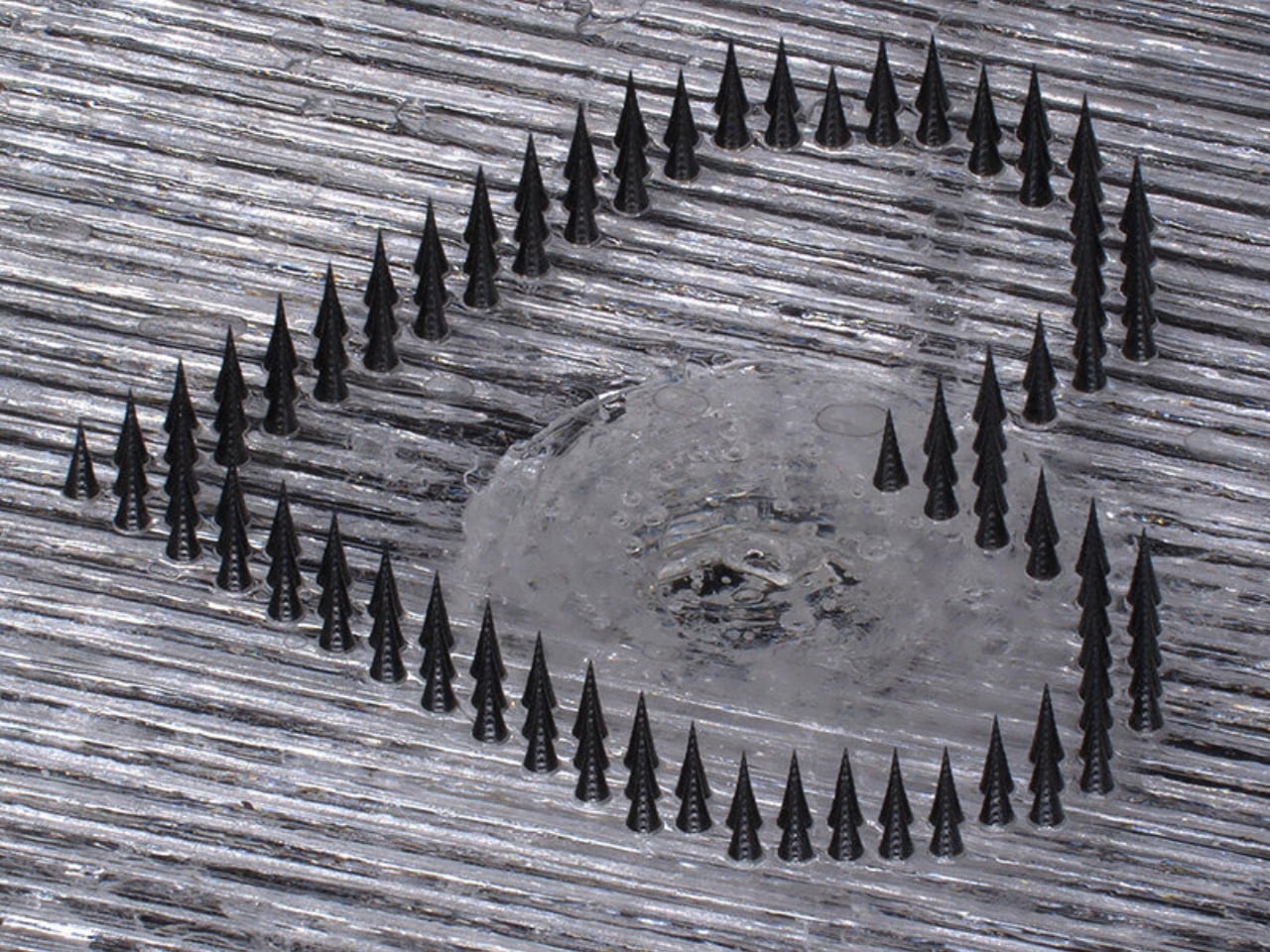
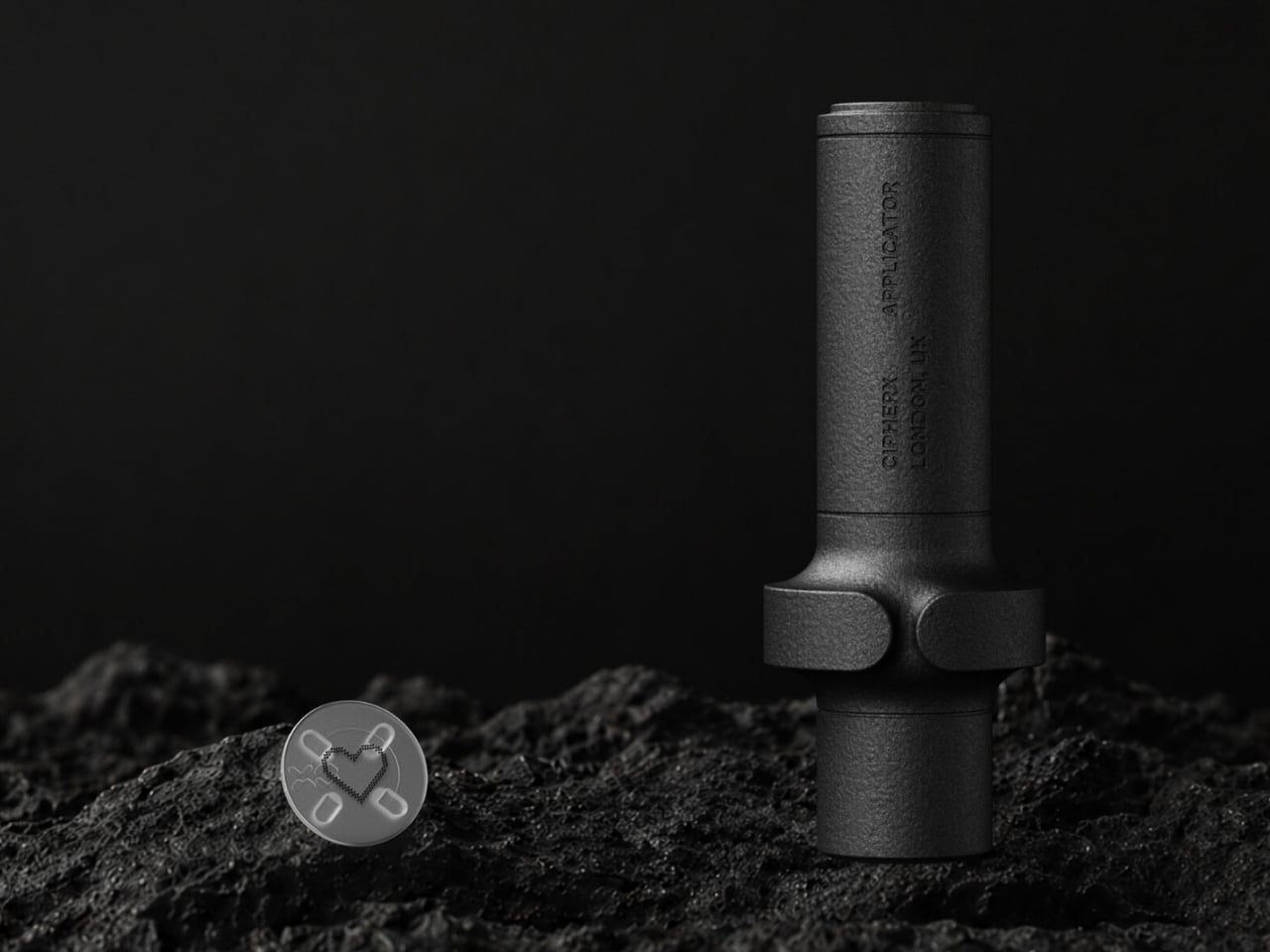
The technology works like this. You choose a design online, redeem it at a CipherX pop-up, and trained staff position a small disposable patch on your skin using a dedicated handheld applicator. The patch is covered in hundreds of microscopic spikes, each made from conventional carbon-based tattoo ink combined with a biodegradable biopolymer. It gets pressed against the upper layers of your skin in one motion, sits there for fifteen minutes, and then the microneedles dissolve while the pigment stays put. When the patch comes off, the image is already there, though it tends to appear pale at first. Over the next two days, the marks deepen and merge into a continuous form. No buzzing. No blood. No bracing yourself.
The company describes the experience as pain-free, though their public guidance does note the possibility of temporary redness or mild irritation, which reads about as alarming as any standard skincare caveat. Aftercare involves petroleum jelly and avoiding prolonged water exposure for the first 48 hours. For anyone who has sat through hours under a needle followed by weeks of obsessive aftercare rituals, that trade-off sounds almost suspiciously simple.
I want to be fair here, because not everything that claims to be painless actually is, and not every technology that sounds revolutionary survives contact with a mass market. But what CipherX has built is not a novelty product targeting commitment-phobes who want a glitter star on their wrist for six months. The Microdot Tattoo is the first commercial application of a broader skin technology platform, and the founders have spoken publicly about the potential for this same microneedle mechanism to one day deliver vaccines and cosmetic compounds through the skin. The tattoo is the entry point. The ambition is significantly larger.
That context matters, because it reframes the current limitations rather than making them feel like failures. Right now, designs are small, fitting inside a 15mm circular canvas, and are only available in carbon black. The current lineup includes hearts, stars, and Van Gogh’s Chair, which is a curiously specific and oddly charming selection. At £50 per tattoo, it is not cheap for something that size. And you can only access one at a CipherX pop-up, not your local studio or a pharmacy shelf.
Those constraints will expand. Academic research on microneedle tattoo patches has been building since at least 2022, and what CipherX has done is take that science and manufacture it into an actual consumer product. The leap from a research paper to something a person can experience at a pop-up is not a small one, and it deserves credit for that alone.
Where I land on all of this is somewhere between genuinely impressed and cautiously curious. Tattooing carries a cultural weight that no technology alone can replace. The ritual of sitting with an artist, the discomfort that becomes part of the story, the permanence that feels earned through a specific kind of patience: these things matter to a lot of people, and rightly so. But there are also many people who want a small, meaningful mark on their skin and have never gone through with it because of the pain, the intimidation, or the unfamiliar environment of a tattoo studio. For them, a quiet fifteen-minute patch might be exactly the right door in.
CipherX envisions skin as a platform where science, design, and engineering unlock new possibilities for expression, health, and human interaction. That phrasing could sound clinical, but it also feels like an honest acknowledgment that human skin has always been a site for meaning and identity. The only thing changing here is how the mark gets made.
The Netherlands has a space problem. It always has. With one of the highest population densities in Europe and a long cultural tradition of engineering its way out of geographical constraints, the Dutch have spent centuries figuring out how to fit more into less. So maybe it was only a matter of time before someone turned that exact tension into art and called it camping.
Dutch artist Willem de Haan did exactly that with his 2023 installation, Highrise Campsite: Nature City. The premise is straightforward and slightly absurd in the best way: twelve camping tents arranged vertically on an 11-meter (about 36 feet) tower of construction scaffolding, set against the quiet banks of the IJssel river in the Dutch countryside. String lights hang from the frame. The tents are pitched at each level like floors in a low-rise apartment block. And the whole thing sits in the kind of peaceful open field that makes you momentarily forget why anyone thought this was necessary. That’s the joke, and it’s also the point.
De Haan’s installation was first presented as part of IJsselbiënnale 2023 and later traveled to NDSM in Amsterdam. The materials are deliberately unromantic: scaffolding, gear, and fairy lights. There’s no bespoke fabrication, no premium finishes, nothing that says “this was expensive to make.” What it says instead is: we’ve run out of room, so we’re stacking things. Which is essentially what cities have been doing for a hundred years with apartment buildings, parking garages, and multi-level malls. De Haan just applied that logic to a campsite, plopped it in nature, and let the contradiction breathe.
I’ve thought a lot about why this works so well as a piece of art, beyond just the visual novelty of it. Camping, at its core, is supposed to be an escape from exactly the kind of density and constraint that urban life imposes on us. We camp to get away from neighbors and deadlines and the feeling that someone else is always a floor above or below you. De Haan collapses that fantasy without being heavy-handed about it. He doesn’t put the structure in a city park or on a rooftop; he places it in a genuinely serene natural landscape, which makes the point land much harder. Even out here, the battle for space follows you.
It’s the kind of art that rewards a second look. The scaffolding reads initially as something temporary, something that hasn’t been finished yet. Construction scaffolding is everywhere in urban environments precisely because it signals transition. The city is always mid-sentence, always becoming something else. Applying that visual language to a campsite turns the whole thing into a question: is this a solution or a warning? I suspect de Haan would say it’s both.
The installation also holds up against the broader housing conversation happening across Europe. The Netherlands, like most of Western Europe, is grappling with a serious shortage of affordable space. Urban density is rising, rural areas are under development pressure, and the idea of simply going somewhere open and uncrowded feels increasingly like a privilege. Highrise Campsite makes that tension visible without screaming at you about it. It’s quietly funny and quietly uncomfortable, which is exactly where the best social commentary lives.
De Haan has a knack for that kind of duality. His work tends to take familiar forms and push them just far enough out of context to become unsettling. Twelve tents is still twelve tents. A scaffold is still a scaffold. But together, stacked vertically in an open field, they stop being themselves and start being a question about how we share space, whether that’s in a city, in the countryside, or eventually, at some point, everywhere in between.
The internet has had its expected moment with this one. It made the rounds, racked up likes, and got called both genius and dystopian in the same comment sections. I think it earns both labels. The best design tends to do that: look like a good idea and a terrible one at the same time, and leave you sitting with the tension.
Most of us fall asleep holding the very thing that’s keeping us awake. The phone. The infinite scroll. The algorithm engineered to make you feel like you’re missing something if you put it down. It’s a strange modern paradox, that a device built for connection has become the dominant object in one of the most intimate spaces in our home: the bedroom. Hatch seems to have understood this better than most, and their Restore 3 is a quiet but deliberate argument for doing things differently.
On paper, it’s a smart sleep clock. A well-designed one, yes, but still, at its core, a bedside device that helps you fall asleep and wake up. What makes it worth talking about isn’t necessarily the specs, though they’re solid. It’s the philosophy behind it. The entire product is built around the idea of putting your phone down, and keeping it that way.
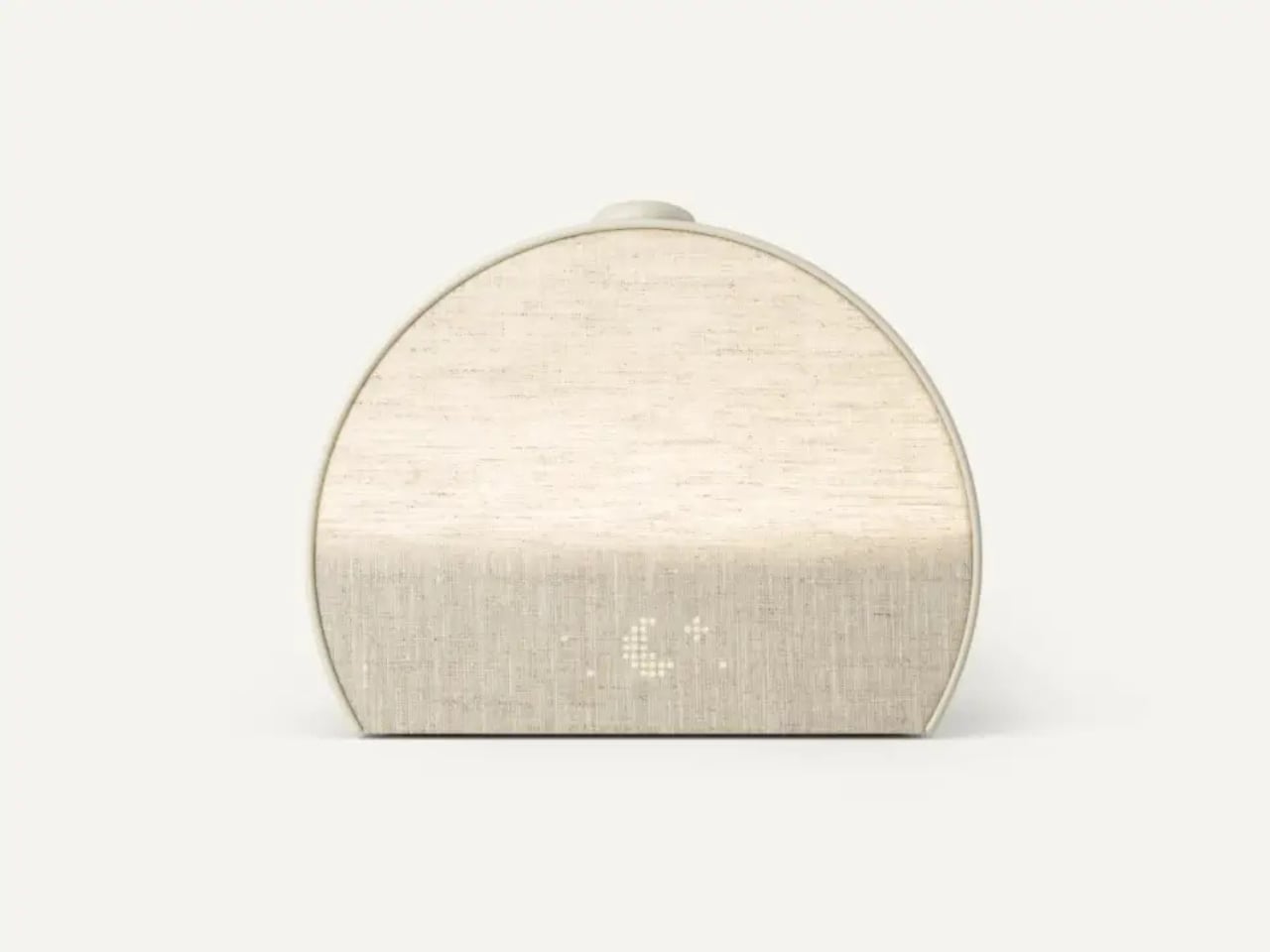
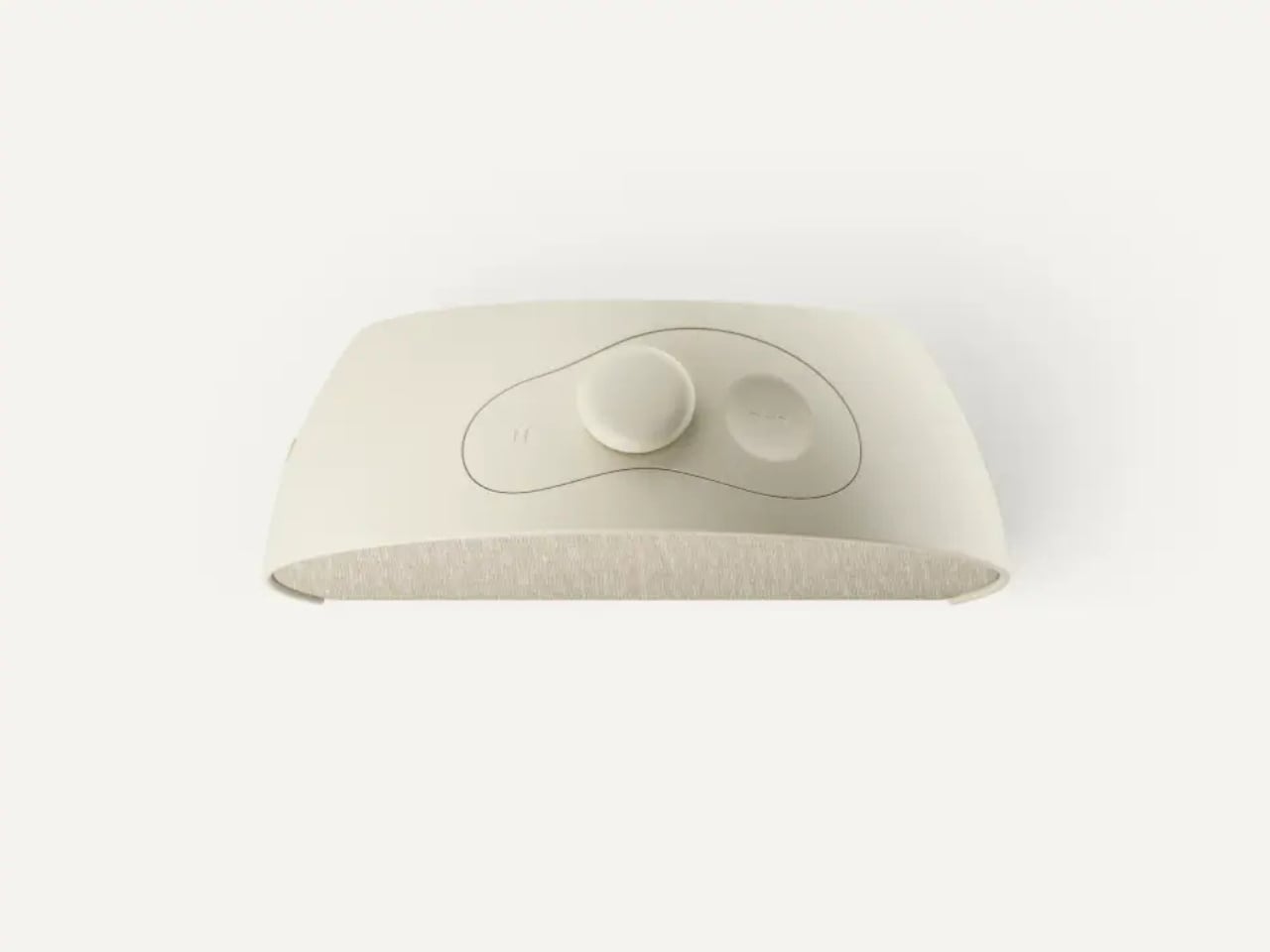
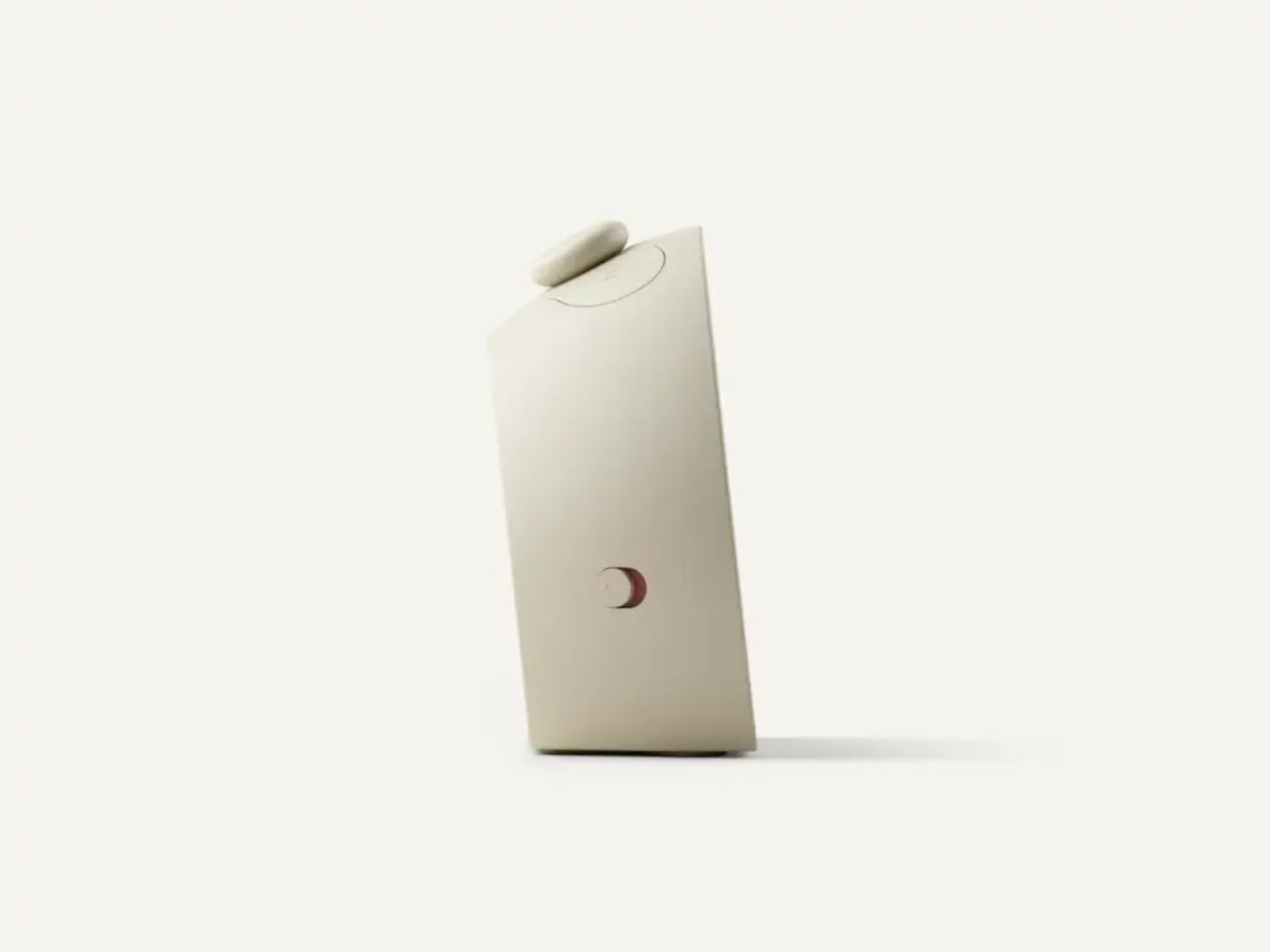
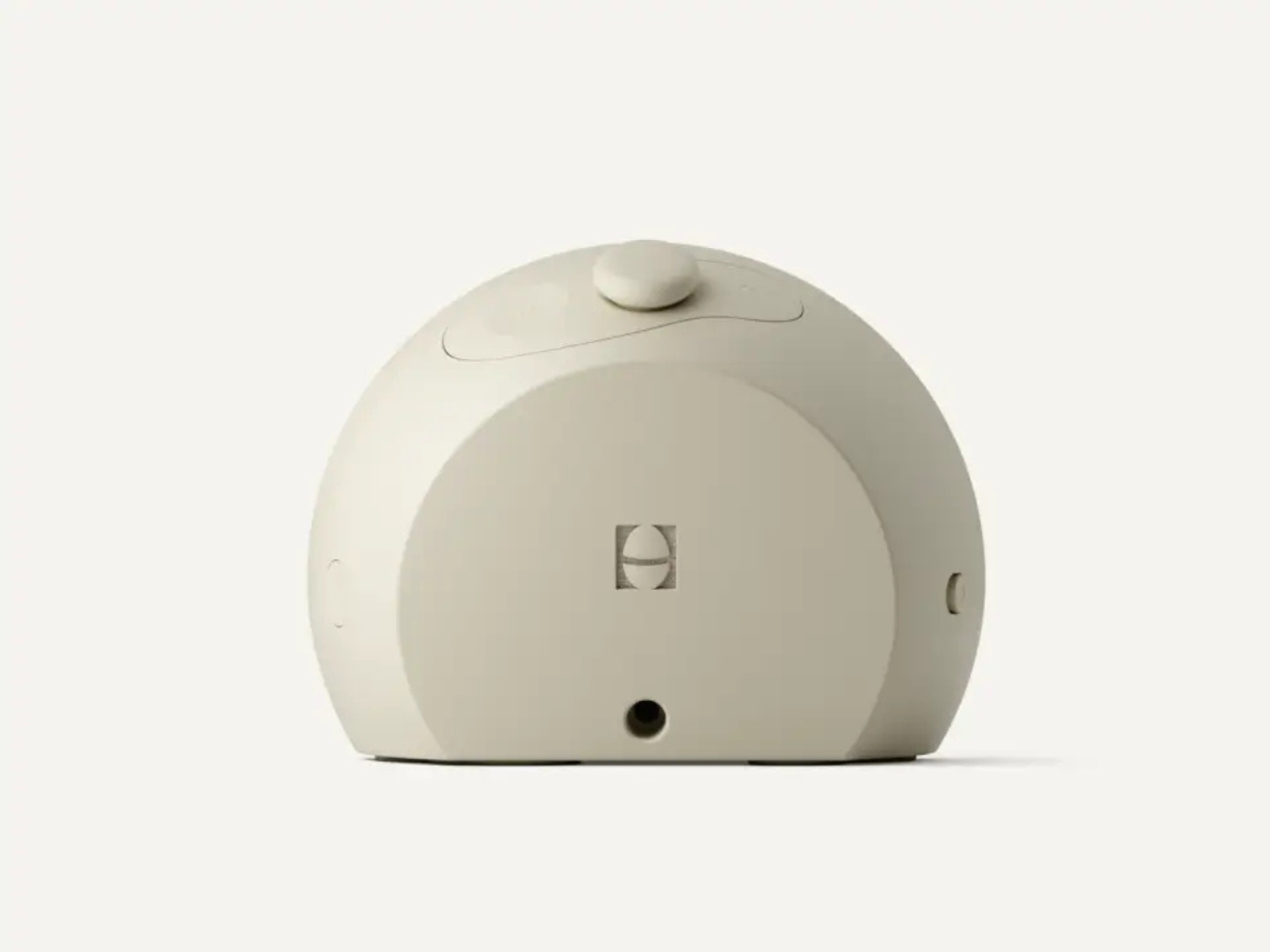
That’s where the redesigned hardware comes in. Unlike its predecessor, the Restore 3 has five physical controls: three on top, including a pause button, an Unwind Swap button, and what Hatch calls the Big Button, plus two more on the sides for the bedside light and alarm toggle. You can swap your wind-down routine, adjust volume, and silence your alarm without ever picking up your phone. It sounds minor until you realize how reflexively most of us grab the phone the second the alarm goes off, then somehow lose forty minutes to Instagram before we’ve brushed our teeth.
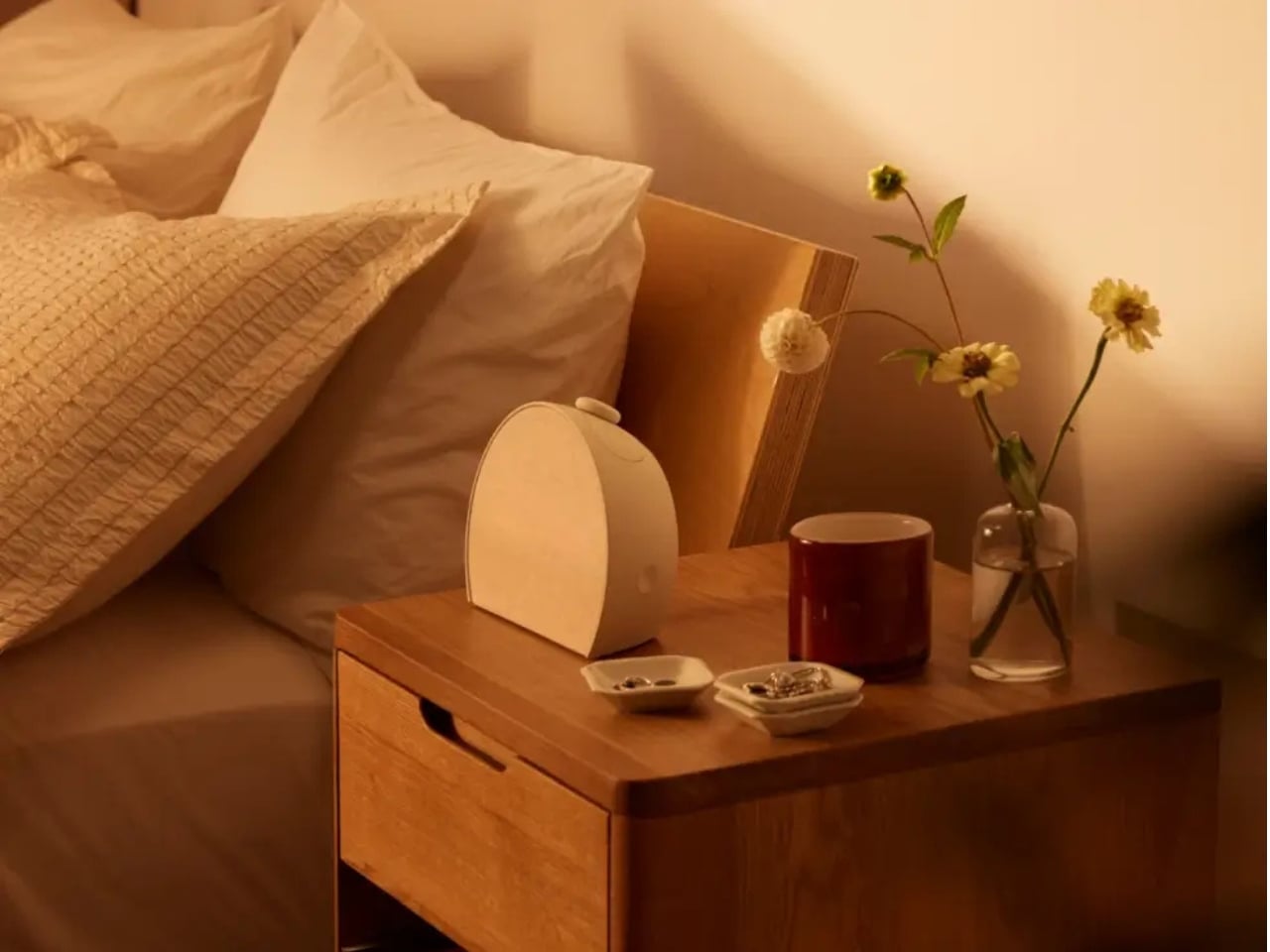
The design itself is clean and restrained in a way that feels intentional. Compact at roughly 7.24 inches wide and just over 5 inches tall, it comes in three muted colorways: Putty, Greige, and Cocoa. None of them scream “tech product.” All of them could pass for a ceramic lamp or a minimalist decor piece, which is likely the point. It’s designed to disappear into your nightstand while doing a lot of work. The time display is almost comically understated, barely noticeable at a glance.
Where the Restore 3 earns its $169.99 price tag is in the routines. Hatch structures your night into three stages: unwind, sleep, wake. During the unwind phase, you can cycle through immersive light and audio experiences, including meditations, bedtime podcasts, sleep soundscapes, and layered ambient sounds. The sleep phase takes over from there, and in the morning, a gradually brightening sunrise alarm eases you out of sleep rather than yanking you out of it. You set all of this through the companion app and then, ideally, never touch your phone again until morning.
The optional Hatch+ subscription, at five dollars a month or fifty for the year, unlocks over 100 sounds and lighting programs, with new content added regularly. A 30-day trial comes included with every purchase, which is a smart way to explore the full library before committing. Without the subscription, you still get access to more than 20 alarm sounds and 12 color noise options, which is genuinely more than most people will ever cycle through.
A few caveats worth naming: the Restore 3 doesn’t track your sleep. No biometric sensors, no data scores, no readiness analysis to scroll through every morning. For some, that’s a dealbreaker. Personally, I think it’s a feature. Sleep culture has gotten strangely clinical, with people waking up to check scores and percentages before they’ve had coffee. The Restore 3 isn’t interested in quantifying your rest. It just tries to improve it.
It’s also worth noting that the sunset mode, which winds down the lighting at night, isn’t as gradual as some competing sunrise alarms. If you’re particularly sensitive to light cues, that’s a real consideration. Still, the Restore 3 gets far more right than it gets wrong. It’s a thoughtfully designed product in a category that tends toward the overly clinical or the embarrassingly basic. The fact that it actually looks good on your nightstand while doing something genuinely useful puts it in a rare category. Sometimes the best tech is the kind that quietly asks you to use less of it.