Amazon's latest version of its popular Kindle Paperwhite has arrived, marking the sixth iteration if you're keeping score at home. The new model is the thinnest Paperwhite yet and has a refreshed 7-inch screen that's a touch larger than the previous model's 6.8-inch display. It also has the highest contrast of any Kindle thanks to the oxide thin-film transistor display tech.
Amazon boosted the speed as well, promising 25 percent faster page turns. It's waterproof as before but uses a new material with a premium soft touch grip. The Kindle Paperwhite comes with 16 GB of storage and is available in three colors, Raspberry, Jade and Black. It's now available at Amazon for $160.
As before, the company also released a premium version with more bells and whistles, the Paperwhite Signature Editing. Storage doubles on that model to 32 GB and it features an auto-adjusting front light along with optional wireless charging. The Paperwhite Signature Edition comes in Metallic Raspberry, Metallic Jade and Metallic Black for $200.
Amazon
If it's a budget reader you're after, Amazon has refreshed the entry-level Kindle, too. The new 12th-generation model comes with an updated 6-inch screen, offering a higher contrast ratio for more legible text, plus a front light that's 25 percent brighter at the maximum setting. It also gets a performance update that boosts page turning speeds. It comes in black or a new "Matcha" color and is now on sale for $110.
Along with those models, Amazon also unveiled its first color Kindle, the Colorsoft, that could be ideal for graphic novels and other digital color-oriented content. It promises "rich, paper-like color" using an oxide backplane display, plus high contrast on both color and black-and-white content. It's now on pre-order for $280 with shipping set for October 30th. Finally, Amazon is releasing its second Kindle Scribe reader that doubles as a note-taking device (not unlike the reMarkable tablets). It'll arrive on December 4, but you can pre-order it now for $400.
This article originally appeared on Engadget at https://www.engadget.com/mobile/tablets/amazons-new-kindle-paperwhite-reader-has-a-larger-screen-and-faster-page-turns-130050515.html?src=rss
DJI just announced the dual-camera Air 3S drone and there’s some all-new cutting-edge tech hiding in the nose. A LiDAR sensor is there to provide extra crash protection at night, a time that’s often dangerous for drones.
The Air 3S also has a new main camera with a larger sensor better suited for capturing video in low-light. And it now comes with the company’s ActiveTrack 360, which it first introduced in the Mini 4 Pro, allowing the device to zoom all around your subject while tracking and filming them.
There are a bunch of other little improvements, from storage to the new panoramic photo mode, all at the same $1,099 price as the Air 3 was at launch. To see if it lives up to DJI’s hype, I tested all of its new capabilities, especially the new night-flying obstacle avoidance.
Design
The Air 3S looks a lot like the Air 3 and weighs just 0.1 ounces more at 1.6 pounds. Since it’s over 250 grams, you need a permit to fly it in the US and elsewhere. Unlike the Avata 2 or Neo, the Air 3S is obviously not suited to fly around people, but DJI does offer propeller guards for a bit of extra safety.
The Air 3S’ camera module is larger as well because it holds a new 50-megapixel 1-inch sensor camera with a 24mm f/1.8 lens, up from from the previous model’s 1/1.3-inch sensor. This setup supports 4K recording up to 120 fps and 1080p at 240 fps, along with D-LogM to improve dynamic range. DJI also boosted the maximum ISO to 12,800 for improved light sensitivity. The secondary 70mm (3x) zoom camera is unchanged with a 1/1.3-inch sensor, and it supports the same video specs and color modes as the primary.
The Air 3S is DJI’s latest drone with its ActiveTrack 360 system. Once you start tracking a subject, you can change the camera angle using an onscreen control wheel. The drone will then figure out the best way to change positions while also avoiding obstacles. It does so using six vision (camera) sensors, two downward facing infrared time-of-flight sensors and the new LiDAR.
Another key change on the Air 3S is its 42GB of internal storage, up from 8GB on the Air 3 — something that’ll be handy if you forget a microSD card or fill one quickly. You can transfer files to your PC either by a Wi-Fi connection or the drone’s USB-C port. The wired method now works even if the drone is turned off.
Steve Dent for Engadget
The Air 3S can hit up to 45 mph in sport mode. That’s fast and there’s no obstacle detection with this setting, so you need to know what you’re doing. In normal mode, which does support obstacle tracking, speeds drop down to 23 mph. You get about 12.5 miles of range in the US via DJI’s latest O4 transmission system, or half that in Europe. One small change is that the Air 3S now transmits 10-bit 1080p 60p video rather than 8-bit as before, improving remote video capture quality.
Battery life on the Air 3S is excellent at 45 minutes, which equates to about 38 minutes under working conditions. With the optional Fly More kit that includes three batteries and a charging hub, pilots should be able to fly most of the day. Like the Mini 4 Pro, the charging hub supports power accumulation, so you can transfer energy from the weakest batteries to the strongest for longer flights.
Finally, the Air 3S appears to have the same propeller system as the Air 3 and emits about the same amount of noise. It’s pretty quiet for such a large drone, and once it gets up to around 150 feet, you can barely hear it.
Performance
Steve Dent for Engadget
I tested the ActiveTrack 360 function while walking, biking and driving a car to see how it worked at various speeds. When tracking my car at around 20 to 25 mph, it stayed locked on while easily avoiding trees and power lines.
I found a bike trail among some widely spaced trees and another with denser foliage. In the first section, the drone weaved smoothly around obstacles while keeping the bike in frame. After a few minutes, I was confident it wouldn’t crash and was able to focus on creating some cool shots. The drone occasionally hesitated when it encountered obstacles, which spoiled some footage. However, it never crashed or lost track of the bike.
Things weren’t quite as easy on the dense brush trail. When I changed the camera angle, the drone would occasionally pick a bad route, get hemmed in by branches and stop. A few times the propellers knicked leaves or branches, throwing the drone off keel. It never crashed or took any damage, but I replaced the propellers out of an abundance of caution.
Steve Dent for Engadget
That experience taught me that the Air 3S’s sensors can miss small obstacles, so it’s wise to stay away from those situations and use propeller guards if you can’t avoid them. You also need to make sure the drone has enough room to maneuver when using ActiveTrack 360 to change camera angles.
Later, I took the Air 3S out at night to test the LiDAR, flying it up around trees and next to buildings. Previously, this would have been very risky, but the Air 3S successfully detected and avoided all obstacles. This new low-light capability will be especially helpful when you need to bring the drone home in the dark. Keep in mind that the LiDAR only works in the forward direction, so avoid going backwards or sideways at night.
Video quality
Steve Dent for Engadget
To test the video quality, I shot aerials with the Air 3S, at dawn, in the daylight and at night. With the larger 1-inch sensor, 4K video is more detailed than ever and the camera produces vibrant, accurate colors and nice skin tones. It also does a great job in variable light conditions when using the DLogM setting. That came in handy when I was biking in the forest with a mixture of dappled sunlight and shadows. The 4K 120 fps setting is nice for creating dramatic shots with moving subjects, and there’s no discernible loss in quality compared to the 30p or 60p modes.
The Air 3S promises up to 14 stops of dynamic range, DJI promises, matching high-end mirrorless cameras. That’s impressive for a drone. If things are too bright, DJI includes an ND filter kit to reduce brightness and avoid high shutter speeds that can make video look choppy.
Steve Dent for Engadget
The secondary 70mm-equivalent telephoto camera with a 1/1.3-inch sensor is the same as before and similar to the one on the Mini 4 Pro. To that end, it’s not as sharp as the main camera and not as good in low light. However, DJI tuned it to closely match the main sensor, so it’s now easier to combine shots from each. This camera also supports D-LogM video to boost dynamic range.
The 3-axis mechanical gimbal allows for incredibly smooth footage, which is a hallmark of DJI drones. And if you need to shoot photos, the Air 3S produces sharp and color accurate RAW images that can be manipulated in post for great results.
Wrap-up
Steve Dent for Engadget
The $1,099 Air 3S is DJI’s most technologically advanced drone yet thanks to the LiDAR sensor, updated 1-inch camera and ActiveTrack 360 subject tracking. The obstacle detection is a strong point, and though the drone isn’t invulnerable, I felt very safe flying it once I figured out its limitations.
As usual, DJI’s main competition is itself. The Mini 4 Pro is priced at $759 but lacks rear sensors and has inferior image quality. The triple-camera Mavic 3 Pro has a larger sensor that produces a slightly more cinematic image, but it costs $2,199. And of course, you can also look at DJI's Air 3, which has now dropped a bit in price. The only real non-DJI alternative is the $2,099 Autel Evo II Pro 6K (kit), which has just a single 1-inch camera and is also a lot more expensive.
I think the Air 3S is a better choice than the Mavic 3 Pro for most video creators, because video quality is outstanding and it has superior obstacle detection. If I were a content creator looking for a high-end drone right now, the Air 3S is the one I’d buy.
This article originally appeared on Engadget at https://www.engadget.com/cameras/dji-air-3s-review-lidar-and-improved-image-quality-make-for-a-nearly-faultless-drone-130002876.html?src=rss
Fujifilm has released its first sub-$1,000 camera in a long while and resurrected the 11-year old "M" branding with the $799 X-M5. With that price, it's primarily aimed at photographers on a budget or vloggers looking to step up from a smartphone. Fujifilm cut a few features like a viewfinder (EVF) to get to that price point, but it does have the company's latest 26-megapixel X-Trans 4 CMOS sensor and decent video specs.
For a camera without a viewfinder, the X-M5 should handle pretty well. It has front and back control dials, along with a top setting dial that includes a new "Vlog" mode. It also comes with the same film simulation dial found on the X-T50, to help social media users and creators create cool photos straight out of the camera.
Fujifilm
When in vlog mode, you get a full GUI interface on the touchscreen for easy access. That includes things like a "portrait enhancer," background defocus and product priority, much as we've seen on Sony's vlogging products.
For vloggers, it has a 3-inch, 1.04-million dot fully articulating rear display that's hopefully bright enough to use in sunlight (because, again, no EVF). There are both headphone and microphone ports for vloggers, but they're not located on the left as usual. Instead, Fujifilm placed the 3.5mm mic input on the rear (where the EVF would usually go) and the headphone port on the right side. That's to avoid having the display hit the mic or headphone cable when it flips out, as can happen on other cameras.
You'll never mistake it for a sports camera, but the X-M5 can shoot 8 fps bursts with the mechanical shutter, or an outstanding 20 fps in electronic mode (both with continuous autofocus). It can capture a decent 82/60 compressed RAW frames in those modes before the buffer fills, again very respectable for such a small camera.
Video is also pretty strong, with 6.2K open gate 3:2 capture, 4K 60p and Full HD at up to 240 fps (these specs match the X-T50 as you may have noticed). There's a bit of crop for 4K 60p (1.18x) and FHD past 120fps (1.29x) but otherwise everything is one-to-one.
Another thing missing is in-body stabilization so the X-M5 is limited to what the lens provides or electronic stabilization. In the latter mode, there's a minimum 1.32x crop for 4K 30fps video and a significant 1.44x when shooting 4K 60p. The small body also has overheating limitations when using LP (long play) recording, but those can be reduced with a $200 fan attachment.
Fujifilm
Other features including three internal microphones that allow for surround sound-like capture, a 9:16 short movie mode for TikTok creators, high-speed movie transfer, up to 440 frames of battery life and a single UHS-I card slot.
I couldn't understand what Fujifilm was thinking when it released the X-T50 for $500 more than the X-T30 II. Now we know — it's hoping budget buyers will gravitate toward the X-M5 instead. It goes on pre-sale today for $799 and Fujifilm also unveiled the 16-55mm f/2.8 (24-70mm full-frame equivalent) lens selling for $1,199 and XF500mm f/5.6 super telephoto (750mm equivalent) now on pre-order for $2,999.
This article originally appeared on Engadget at https://www.engadget.com/cameras/fujifilms-x-m5-is-its-first-sub-1000-camera-in-years-140715888.html?src=rss
Comedian and writer John Mulaney will host a live variety talk show on Netflix, the streaming company announced in a post on X. The show may be similar to Mulaney's Everybody's in LA, a live talk show that streamed on Netflix for six episodes in May 2024.
Mulaney's production company will produce and he'll be the showrunner, but no other details were revealed. However, at an event in LA, Netflix's chief content officer Bela Bajaria said Everybody's in LA showed what a weekly live talk/variety show could look like on the service. "[It] was just so bold and original and fresh and then unpredictable," he said, "And I think it'll be really fun to get to do a live show with him."
John Mulaney will host a new LIVE variety talk show on Netflix in early 2025.
Netflix has developed a reputation for not giving shows time to develop an audience even if critics love them — with Jeff Goldblum's Kaos being the latest example. However, Bajaria admitted that viewership for Everybody's in LA wasn't huge, so the streamer is clearly willing to deviate from that strategy in some cases. In fact, Netflix has stuck with comedians even when they generate controversy, as its history with Dave Chappelle has shown. That's possibly because comedy specials and talk shows are dirt cheap to produce compared to scripted series.
This article originally appeared on Engadget at https://www.engadget.com/entertainment/streaming/john-mulaney-will-host-a-live-variety-talk-show-on-netflix-123021266.html?src=rss
Steam appears to have started posting a notice in its shopping cart that purchases on its storefront are only for a license and not a game, according to a notice spotted by Engadget. It looks like an attempt by the company to get ahead of a new California law coming next year that forces companies to admit that buyers don't actually own digital content.
When you open your shopping cart with items inside and before going to payment, a notice at the bottom right states: "A purchase of a digital product grants a license for the product on Steam." This is the first time our editors have seen of a notice like this (and we use Steam a lot), so it appears to be relatively new.
Engadget
Last month California governor Gavin Newsom signed AB 2426 into law, forcing digital marketplaces to make it clear to customers when they only purchase a license to access media. It will not apply to permanent offline downloads, only digital copies of video games, music, movies, TV shows or ebooks from an online storefront. Companies that fail to comply could face fines for false advertising if they don't explain in clear language the limitations of a given digital purchase. The law followed situations like Ubisoft deleting The Crew from player's libraries after the game's servers shuttered.
This article originally appeared on Engadget at https://www.engadget.com/gaming/steam-now-tells-gamers-up-front-that-theyre-buying-a-license-not-a-game-085106522.html?src=rss
One of our favorite workout apps for yoga and pilates, Alo Moves, is coming to VR on the Meta Quest 3. Priced at $69 a year, Alo Moves XR is set to be the first wellness app on the platform to feature volumetric 3D-capture classes that allow for extra immersion.
The app uses a volumetric 3D technique to capture classes from all angles, so "users can interact with their 3D instructors, repositioning them and viewing every angle for a full 360-degree perspective, helping perfect form and movement techniques," the company wrote. At the same time, you can choose from various picturesque locations including Spain, Norway and Thailand. On a more practical note, the app uses room mapping and object detection of your own physical space to make sure you don't bump into anything.
Alo Moves
Alo Moves XR is launching with 32 classes across yoga, pilates and mindfulness with some of its popular instructors including yoga teacher Ashley Galvin and pilates specialist Bianca Wise. The app promises a structured release schedule with four to five new mixed-reality yoga and pilates classes added monthly, along with weekly meditation and sound bath sessions. It also offers things like class history tracking, post-class feedback and milestone badges.
Later this year, Alo Moves will introduce new instructors and expand offerings with 20+ minute yoga sessions, quick toning/sculpting classes, yoga fundamentals, evening reset stretching, breathwork and more.
The company promises an experience "that feels as close to in-person as possible," according to its press release. It looks like a smart way to use virtual reality (or extended reality as Meta would rather you call it), particularly as it lets you study an instructor's technique from all angles. That would make it a cut above other Meta fitness apps like Oh Shape and Les Mills Bodycombat.
Alo Moves XR will cost $10 per month or $69 a year, but purchasers of the Alo Moves x Meta Quest bundle can grab it for $49 per year. If you already have an Alo Moves subscription, you'll be able to add Alo Moves XR for $20 annually.
This article originally appeared on Engadget at https://www.engadget.com/wearables/workout-app-alo-moves-is-now-in-vr-on-meta-quest-3-130050184.html?src=rss
Last week Ring announced a feature that will you to capture video 24/7 so you don't miss anything if a motion alert wasn't triggered. The challenge is that if you'll then need to wade through hours of footage to find an event. Now, the Amazon-owned company has introduced Smart Video Search, an AI feature for subscribers of the upcoming $20 Ring Home serivce that makes it faster and easier to find specific moments in your video history.
The system is powered by Ring IQ, a combination of Ring AI technology and in-house expertise. It uses Visual Language Modeling (VLM) to match text to images and show results. That way, you can type specific queries into the Ring app to figure out why your garbage cans were knocked over, rather than scrolling through hours of video footage.
For instance, you could search for "raccoon in the backyard last night" to see if it was one of those critters that upended your trash. Ring cites other examples, like typing "red bicycle in the driveway" and seeing footage that shows one of your kids teaching the other how to ride a bike. You could also use the feature to find out who took the last of the ice cream, according to Ring.
It might seem a bit icky to spy on your own family that way, but Ring does say that it's a "leader in developing privacy features" and is committed to developing responsible AI. The system also uses a "sophisticated input moderation technique to prevent searching for offensive, inappropriate or harmful content."
If you believe Ring's privacy claims (the company has a checkered history in that regard) and trust having more Amazon AI tech in your house, Smart Video Search is rolling out to select customers in public beta starting today. The feature will work on all ring video doorbells and cameras, and will roll out widely with the new $20 Ring Home subscription service on November 5th.
This article originally appeared on Engadget at https://www.engadget.com/home/smart-home/ring-adds-ai-enabled-smart-video-search-as-part-of-its-upcoming-20-subscription-service-130049585.html?src=rss
When DJI revealed its tiny $200 Neo drone, I immediately saw how it could fit into my vlogger’s toolkit to supplement my Mini 4 Pro and Mavic 3 Pro. Flying those sophisticated drones is a whole thing that requires planning. But the Neo can be launched spontaneously to grab quick and fun shots, thanks to features like palm takeoff and voice control. That ease of use also makes it ideal for the social media influencers.
Though beginner-friendly, it’s quite powerful. You get features from DJI’s bigger drones like ActiveTrack, FPV capabilities and even support for DJI’s Mic 2. And forget about the fuzzy video you may have seen on other cheap drones. The Neo can record in sharp 4K, making it suitable for content creators who need affordable aerial video.
It’s not perfect though, as the Neo is noisy and lacks vertical video, something influencers will likely want. Still, it looked like the kind of product that could appeal to all types of people, even creators like myself who already have multiple drones. To see how it performed, we put it through a variety of scenarios from events to weddings — and even flying just for fun.
Design and features
With a softly sculpted design and protective propeller guards, the Neo gives off safe, friendly vibes. It’s DJI’s lightest drone by far at 135 grams, less than half the Mini 4’s heft, and is small enough to fit into a large jacket pocket. The device’s diminutive size also means it’s exempt from any drone license requirements.
The Neo has a rich feature set, but all you need to start flying is your hand. Simply place the Neo in your palm, press the new mode button at front and it’ll take off and perform one of six preprogrammed “smart shots.” Those are Follow (the drone tracks and follows you around), Dronie (it starts tight on your face then flies up and away from you), Circle (flies around you), Rocket (starts at face level and flies straight up), Spotlight (keeps you centered in the frame but doesn’t move) and Direction Track (for vlogging). After you complete the shot, stick out your hand under the Neo to land it.
Another great option for newbies is voice control, which lets you fly and record video by speaking into the Fly More app. I wasn’t able to try this feature in my initial hands-on tests, but it has now been enabled via a firmware update. You can either tap on the voice button to say a command or enable the wake word settings. Then, you can just say, “Hey Fly” to activate it.
Steve Dent for Engadget
For instance, saying the word “dronie” will activate the dronie flight pattern and start recording. You can then change parameters using commands like “closer,” “farther” and “higher.” It also includes the safety commands “land,” “stop” and “brake.”
The setting is a great way to give users some control over the social media-oriented quick shots without the need to touch a controller. It was straightforward to set up, and I found that it responded quickly and reliably to my commands. However, you’ll need to keep the phone’s mic close to your mouth when the Neo is nearby, or the propeller wailing will drown out your voice.
Steve Dent for Engadget
The Neo is also DJI’s first drone that can be piloted using a smartphone alone. Switching the app into manual mode brings up a touch screen with full maneuvering controls. It also offers a camera/video mode and return-to-home toggle. There’s a serious caveat to using it, though, as I’ll detail shortly. For more serious piloting, the Neo supports multiple DJI controllers (sold separately), including the RC N3 model that requires a smartphone. You can even use it as an FPV drone with DJI’s RC Motion 3 and DJI Goggles 3. Those controllers offer most of the features available on other DJI camera drones, like cinema, normal and sport modes, along with auto and manual video settings.
What you won’t see are any obstacle detection sensors, which is one reason the Neo is so cheap. The only crash protection measures are the camera’s subject detection AI, a downward facing IR landing sensor and a rugged design that resists minor accidents.
As for storage, there’s no microSD card slot, so the Neo relies on the 22GB of internal memory that holds 40 minutes of 4K footage or 55 minutes of 1080p video. You can transfer the files to a PC or other device via the rear USB-C charging port. Again, this is less than ideal, but it keeps the price down.
Performance
Steve Dent for Engadget
If you have low performance expectations for a 5-ounce, $200 drone, get ready to be pleasantly surprised — the Neo is maneuverable, fast and fun. It can hit speeds up to 18 mph in sport mode, which is half that of the Mini 4 Pro, but still at the upper end of this category. You can even fly it in fairly blustery winds up to 18 mph, though it could get blown into another county if you let it get too far away.
The Neo can also fly twice that speed in manual mode, another feature that arrived in a post-launch firmware update, but requires DJI’s FPV Controller 3. With that controller and the firmware update, I pushed it to its top speed. 36 mph is faster than any drone this size by far, but it never felt out of control. However, at that speed the noise level resembles a swarm of particularly irate hornets.
The FPV Controller 3 also opens up the possibility of acrobatic (acro) flying, letting you perform flips, spins and other maneuvers. That’s a lot of fun, especially knowing that the drone is not only crash resistant but costs just $200 — a pittance by drone standards. I'm not an acro pilot, but in the hands of an expert like quadmovr, the Neo can rip through some unbelievable moves.
Steve Dent for Engadget
For novices who want to try first-person video flying (FPV) but aren’t ready for the tricky-to-use Controller 3, DJI’s Goggles 3 and RC Motion 3 are better for FPV newbs. It’s certainly not as nimble and quick as the Avata 2, but it’s still a lot of fun. In fact, it’s a great learning tool for wannabe FPV pilots with either of those controllers, thanks to the durability and low price.
The Neo is ideal for event videography too, as you can maneuver it almost anywhere to get some cool or dramatic shots. At the same time, the propeller guards make it safe to use around people. Again, it’s very noisy, so it’s obviously not suitable to fly through something like a wedding or a best man’s speech.
The modes ActiveTrack, Spotlight and Point of Interest (POI) work just as they do on other DJI drones to track or follow you. A key mode for content creators is Direction Track, which lets you do walk-and-talk vlogging while keeping your face in view. With that setting, the Neo is usually flying backwards with no rear obstacle sensor, so you’ll need a clear path. When I tested this, the drone veered into some tree branches and was thrown off course, but it kept on flying.
I never try to crash drones on purpose, but did have a few mishaps. The Neo hit some trees before falling to the ground a couple of times, and bonked a hard interior floor on one occasion. It not only continued to function perfectly, but had nary a visible scratch, so DJI has done a good job with durability. That said, you can purchase a one-year insurance plan for the Neo at just $22, which covers accidents and loss of the drone.
Steve Dent for Engadget
With a controller and DJI’s O4 transmission, the Neo has a 6.2 mile line-of-sight range in the US, or 3.7 miles in Europe where transmission power is limited. That’s exactly half that of the Mini Pro 4, but pretty extraordinary given the size — though I’m not sure who’d ever want to fly such a lightweight drone that far away. I flew it about half a mile away with no loss of signal, and that was plenty far for my comfort level. Maximum altitude, meanwhile, is unlimited and set by the user.
When using smartphone Wi-Fi control, maximum range is just 165 feet, so it’s really just for indoor or nearby outdoor use. This is based on Wi-Fi limits, but it also effectively serves as a geofence for novices (the drone just stops and hovers if it gets out of Wi-Fi range). In addition, if you’re using the palm or voice control, altitude is limited to around 100 feet.
While small and light, the Neo’s 1,435mAh lithium-ion Intelligent Flight Batteries support up to 17 minutes of flying time, or around 13 to 14 minutes in the real world — not bad in this category. With the Neo alone, it takes an hour to charge a single battery directly within the drone. However, if you spring for the $289 combo kit (including the drone, two extra batteries and a three-battery charger), you can juice three batteries in that same 60 minutes.
Camera
Steve Dent for Engadget
The gimbal is tucked into a protective housing and can tilt up 60 degrees and down 90. The camera has a 1/2-inch 12-megapixel sensor with an ultra-wide 13mm equivalent focal length and f/2.8 aperture — about what you’d expect on a decent smartphone.
The Neo’s video specs are weaker than other DJI drones, but I was pretty happy with my footage considering the price of the Neo. It can shoot 4K 30p video and 1080p at up to 60fps, certainly good enough for most social media users. It also supports 4K in a 4:3 aspect ratio at 30fps, or 1080p in the same aspect ratio but up to 60fps.
The camera doesn’t tilt sideways like it does on the Mini 4 Pro, which means it can’t do vertical video. That’s unfortunate considering the target market, but adding that capability would also increase complexity and, no doubt, the price. The best bet for social media users is to shoot in 4K and then crop to a 1080x1920 9:16 resolution.
There’s also no D-LogM capability to boost dynamic range as seen on most other DJI drones, and with such a small sensor, low-light capability is poor. However, video is sharp and color accurate, which is well above what you’d expect in this price range. The 12-megapixel photos are also good enough for hobbyists and social media users. I expect the average buyer taking aerial shots of their home, family and vacations will be more than pleased.
Steve Dent for Engadget
The Neo also incorporates DJI’s software-based RockSteady stabilization along with gimbal tilt stabilization. That should provide smooth enough video for most users, or you can disable the stabilization altogether and use DJI’s GyroFlow app in post for better results. The Neo also supports HorizonBalancing, providing level video even if the drone banks up to 45 degrees. Note that for the 4:3 video modes, there’s no electronic image stabilization, so you need to stabilize the footage later using GyroFlow or another app.
The Neo can even capture audio with your phone just by tapping the Fly More app’s audio record button. You’ll get better quality by connecting an external microphone or using DJI’s Mic 2. Since the Neo is extremely noisy, the Mic 2 will cancel out much of that prop screeching, leaving your voice clear and legible, albeit with some distortion.
Wrap-up
Steve Dent for Engadget
DJI’s Neo might be small in stature, but it can shoot good quality video and photos safely around people, and does so at a very reasonable price. It has clearly captured the public’s imagination, as it’s already been sold out on DJI’s site despite only being on sale for a couple of weeks.
Potential buyers range from novices up to experienced hands who want a small, people-friendly drone for Instagram stories and more. It’s ideal for TikTok and other creators because it can act as a robot videographer, helping you record content by yourself. The main issues you’ll have to live with are the noise, lack of vertical video and limited battery life.
For $200, or $289 if you opt for the combo kit with three batteries and a charger, the Neo is a no-brainer for many creators. The only real competition is the $350 HoverAir X1, which costs more and offers lower-resolution video. But by providing higher quality video for less money, the Neo is a better value.
This article originally appeared on Engadget at https://www.engadget.com/cameras/dji-neo-review-the-best-200-drone-ever-made-010032884.html?src=rss
When DJI revealed its tiny $200 Neo drone, I immediately saw how it could fit into my vlogger’s toolkit to supplement my Mini 4 Pro and Mavic 3 Pro. Flying those sophisticated drones is a whole thing that requires planning. But the Neo can be launched spontaneously to grab quick and fun shots, thanks to features like palm takeoff and voice control. That ease of use also makes it ideal for the social media influencers.
Though beginner-friendly, it’s quite powerful. You get features from DJI’s bigger drones like ActiveTrack, FPV capabilities and even support for DJI’s Mic 2. And forget about the fuzzy video you may have seen on other cheap drones. The Neo can record in sharp 4K, making it suitable for content creators who need affordable aerial video.
It’s not perfect though, as the Neo is noisy and lacks vertical video, something influencers will likely want. Still, it looked like the kind of product that could appeal to all types of people, even creators like myself who already have multiple drones. To see how it performed, we put it through a variety of scenarios from events to weddings — and even flying just for fun.
Design and features
With a softly sculpted design and protective propeller guards, the Neo gives off safe, friendly vibes. It’s DJI’s lightest drone by far at 135 grams, less than half the Mini 4’s heft, and is small enough to fit into a large jacket pocket. The device’s diminutive size also means it’s exempt from any drone license requirements.
The Neo has a rich feature set, but all you need to start flying is your hand. Simply place the Neo in your palm, press the new mode button at front and it’ll take off and perform one of six preprogrammed “smart shots.” Those are Follow (the drone tracks and follows you around), Dronie (it starts tight on your face then flies up and away from you), Circle (flies around you), Rocket (starts at face level and flies straight up), Spotlight (keeps you centered in the frame but doesn’t move) and Direction Track (for vlogging). After you complete the shot, stick out your hand under the Neo to land it.
Another great option for newbies is voice control, which lets you fly and record video by speaking into the Fly More app. I wasn’t able to try this feature in my initial hands-on tests, but it has now been enabled via a firmware update. You can either tap on the voice button to say a command or enable the wake word settings. Then, you can just say, “Hey Fly” to activate it.
Steve Dent for Engadget
For instance, saying the word “dronie” will activate the dronie flight pattern and start recording. You can then change parameters using commands like “closer,” “farther” and “higher.” It also includes the safety commands “land,” “stop” and “brake.”
The setting is a great way to give users some control over the social media-oriented quick shots without the need to touch a controller. It was straightforward to set up, and I found that it responded quickly and reliably to my commands. However, you’ll need to keep the phone’s mic close to your mouth when the Neo is nearby, or the propeller wailing will drown out your voice.
Steve Dent for Engadget
The Neo is also DJI’s first drone that can be piloted using a smartphone alone. Switching the app into manual mode brings up a touch screen with full maneuvering controls. It also offers a camera/video mode and return-to-home toggle. There’s a serious caveat to using it, though, as I’ll detail shortly. For more serious piloting, the Neo supports multiple DJI controllers (sold separately), including the RC N3 model that requires a smartphone. You can even use it as an FPV drone with DJI’s RC Motion 3 and DJI Goggles 3. Those controllers offer most of the features available on other DJI camera drones, like cinema, normal and sport modes, along with auto and manual video settings.
What you won’t see are any obstacle detection sensors, which is one reason the Neo is so cheap. The only crash protection measures are the camera’s subject detection AI, a downward facing IR landing sensor and a rugged design that resists minor accidents.
As for storage, there’s no microSD card slot, so the Neo relies on the 22GB of internal memory that holds 40 minutes of 4K footage or 55 minutes of 1080p video. You can transfer the files to a PC or other device via the rear USB-C charging port. Again, this is less than ideal, but it keeps the price down.
Performance
Steve Dent for Engadget
If you have low performance expectations for a 5-ounce, $200 drone, get ready to be pleasantly surprised — the Neo is maneuverable, fast and fun. It can hit speeds up to 18 mph in sport mode, which is half that of the Mini 4 Pro, but still at the upper end of this category. You can even fly it in fairly blustery winds up to 18 mph, though it could get blown into another county if you let it get too far away.
The Neo can also fly twice that speed in manual mode, another feature that arrived in a post-launch firmware update, but requires DJI’s FPV Controller 3. With that controller and the firmware update, I pushed it to its top speed. 36 mph is faster than any drone this size by far, but it never felt out of control. However, at that speed the noise level resembles a swarm of particularly irate hornets.
The FPV Controller 3 also opens up the possibility of acrobatic (acro) flying, letting you perform flips, spins and other maneuvers. That’s a lot of fun, especially knowing that the drone is not only crash resistant but costs just $200 — a pittance by drone standards. I'm not an acro pilot, but in the hands of an expert like quadmovr, the Neo can rip through some unbelievable moves.
Steve Dent for Engadget
For novices who want to try first-person video flying (FPV) but aren’t ready for the tricky-to-use Controller 3, DJI’s Goggles 3 and RC Motion 3 are better for FPV newbs. It’s certainly not as nimble and quick as the Avata 2, but it’s still a lot of fun. In fact, it’s a great learning tool for wannabe FPV pilots with either of those controllers, thanks to the durability and low price.
The Neo is ideal for event videography too, as you can maneuver it almost anywhere to get some cool or dramatic shots. At the same time, the propeller guards make it safe to use around people. Again, it’s very noisy, so it’s obviously not suitable to fly through something like a wedding or a best man’s speech.
The modes ActiveTrack, Spotlight and Point of Interest (POI) work just as they do on other DJI drones to track or follow you. A key mode for content creators is Direction Track, which lets you do walk-and-talk vlogging while keeping your face in view. With that setting, the Neo is usually flying backwards with no rear obstacle sensor, so you’ll need a clear path. When I tested this, the drone veered into some tree branches and was thrown off course, but it kept on flying.
I never try to crash drones on purpose, but did have a few mishaps. The Neo hit some trees before falling to the ground a couple of times, and bonked a hard interior floor on one occasion. It not only continued to function perfectly, but had nary a visible scratch, so DJI has done a good job with durability. That said, you can purchase a one-year insurance plan for the Neo at just $22, which covers accidents and loss of the drone.
Steve Dent for Engadget
With a controller and DJI’s O4 transmission, the Neo has a 6.2 mile line-of-sight range in the US, or 3.7 miles in Europe where transmission power is limited. That’s exactly half that of the Mini Pro 4, but pretty extraordinary given the size — though I’m not sure who’d ever want to fly such a lightweight drone that far away. I flew it about half a mile away with no loss of signal, and that was plenty far for my comfort level. Maximum altitude, meanwhile, is unlimited and set by the user.
When using smartphone Wi-Fi control, maximum range is just 165 feet, so it’s really just for indoor or nearby outdoor use. This is based on Wi-Fi limits, but it also effectively serves as a geofence for novices (the drone just stops and hovers if it gets out of Wi-Fi range). In addition, if you’re using the palm or voice control, altitude is limited to around 100 feet.
While small and light, the Neo’s 1,435mAh lithium-ion Intelligent Flight Batteries support up to 17 minutes of flying time, or around 13 to 14 minutes in the real world — not bad in this category. With the Neo alone, it takes an hour to charge a single battery directly within the drone. However, if you spring for the $289 combo kit (including the drone, two extra batteries and a three-battery charger), you can juice three batteries in that same 60 minutes.
Camera
Steve Dent for Engadget
The gimbal is tucked into a protective housing and can tilt up 60 degrees and down 90. The camera has a 1/2-inch 12-megapixel sensor with an ultra-wide 13mm equivalent focal length and f/2.8 aperture — about what you’d expect on a decent smartphone.
The Neo’s video specs are weaker than other DJI drones, but I was pretty happy with my footage considering the price of the Neo. It can shoot 4K 30p video and 1080p at up to 60fps, certainly good enough for most social media users. It also supports 4K in a 4:3 aspect ratio at 30fps, or 1080p in the same aspect ratio but up to 60fps.
The camera doesn’t tilt sideways like it does on the Mini 4 Pro, which means it can’t do vertical video. That’s unfortunate considering the target market, but adding that capability would also increase complexity and, no doubt, the price. The best bet for social media users is to shoot in 4K and then crop to a 1080x1920 9:16 resolution.
There’s also no D-LogM capability to boost dynamic range as seen on most other DJI drones, and with such a small sensor, low-light capability is poor. However, video is sharp and color accurate, which is well above what you’d expect in this price range. The 12-megapixel photos are also good enough for hobbyists and social media users. I expect the average buyer taking aerial shots of their home, family and vacations will be more than pleased.
Steve Dent for Engadget
The Neo also incorporates DJI’s software-based RockSteady stabilization along with gimbal tilt stabilization. That should provide smooth enough video for most users, or you can disable the stabilization altogether and use DJI’s GyroFlow app in post for better results. The Neo also supports HorizonBalancing, providing level video even if the drone banks up to 45 degrees. Note that for the 4:3 video modes, there’s no electronic image stabilization, so you need to stabilize the footage later using GyroFlow or another app.
The Neo can even capture audio with your phone just by tapping the Fly More app’s audio record button. You’ll get better quality by connecting an external microphone or using DJI’s Mic 2. Since the Neo is extremely noisy, the Mic 2 will cancel out much of that prop screeching, leaving your voice clear and legible, albeit with some distortion.
Wrap-up
Steve Dent for Engadget
DJI’s Neo might be small in stature, but it can shoot good quality video and photos safely around people, and does so at a very reasonable price. It has clearly captured the public’s imagination, as it’s already been sold out on DJI’s site despite only being on sale for a couple of weeks.
Potential buyers range from novices up to experienced hands who want a small, people-friendly drone for Instagram stories and more. It’s ideal for TikTok and other creators because it can act as a robot videographer, helping you record content by yourself. The main issues you’ll have to live with are the noise, lack of vertical video and limited battery life.
For $200, or $289 if you opt for the combo kit with three batteries and a charger, the Neo is a no-brainer for many creators. The only real competition is the $350 HoverAir X1, which costs more and offers lower-resolution video. But by providing higher quality video for less money, the Neo is a better value.
This article originally appeared on Engadget at https://www.engadget.com/cameras/dji-neo-review-the-best-200-drone-ever-made-010032884.html?src=rss
It's the last day of Amazon's October Prime Day event, and the good news is, there's still plenty of deals on camera and drone equipment. Now is a great time to shop for holiday gifts for that photographer on your gift list, or pull the trigger on a camera or accessory you've been lusting after.
There are some particularly good offers this year from many of the major brands including Sony, Canon, DJI, GoPro and Fujifilm. And many are pulled from our guide to the best cameras for 2024. You may want to peruse that post for more info as you add items to your cart. Here are the best Prime Day camera deals we could find.
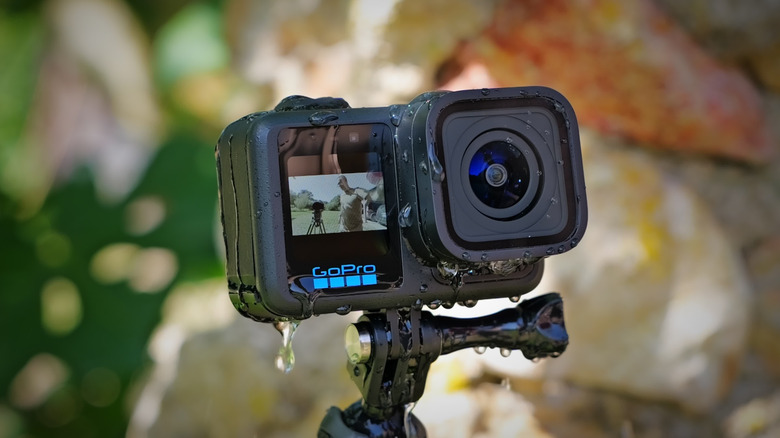
GoPro Hero 12 Black for $299 ($50 off): GoPro's Hero 12 isn't the company's latest action camera, but it offers a big improvement over the previous model and offers features like 5.3K 10-bit video at 60fps, industry-leading stability and native vertical video.
Sony ZV-1F compact vlogging camera for $398 ($102 off): Sony's famous creator compact camera is a big step-up over a smartphone thanks to the 1-inch sensor and high-quality optics. It also offers vlogging features like a flip-out screen, one-touch bokeh and background defocus.
Canon EOS R7 mirrorless camera body for $1,274 ($225 off): The R7 offers very fast shooting speeds up to 30 fps using the electronic shutter, high-resolution images that complement skin tones, excellent autofocus and sharp 4K video.
Panasonic S5 II mirrorless camera body for $1,800 ($200 off): The S5 II was Panasonic's first full-frame mirrorless camera with phase-detect autofocus. It also offers solid vlogging features like 5-axis stabilization, 10-bit log capture up to 6K and more.
Sony A7 IV body for $2,298 ($102 off): Though it was released over two years ago, the 33-megapixel Sony A7 IV still has one of the best combinations of image quality, performance and video powers.
Canon EOS R5 body for $2,999 ($900 off): Canon's R5 is near an all-time low price, giving you 8K video and 20fps shooting speeds at a substantial savings over the original.
Nikon Z8 full-frame mirrorless camera body for $3,497 ($503 off): I said that the Nikon Z8 was a phenomenal camera for the price at $4,000 so at this price it's nearly a no-brainer. With a stacked 45-megapixel sensor it can shoot RAW photos at 20fps and capture 8K RAW video.
DJI Osmo Mobile SE gimbal for $69 ($20 off): This gimbal keeps your smartphone video as smooth as can be with DJI's ActiveTrack 6.0, and includes a magnetic snapping mechanism so you can install your mobile device in seconds.
DJI Avata for $499 ($130 off): DJI's original first-person cinewhoop-style drone offers 4K 60p stabilized video and a built-in propeller guard so it's safe around people.
DJI Air 3 Combo (RC 2) for $1,239 ($310 off): While its cameras aren't pro level, the DJI Air 3 offers the Mavic 3 Pro's bells and whistles for half the price. Top features include obstacle detection all around, focus tracking, 4K 120p video and more.
Camera accessories
K&F Concept camera sling bag for $32 ($6 off): If you need to travel light this bag can carry a surprising amount of gear while offering excellent protection and features like a side safety buckle.
Fujifilm GFX50S body for $2,999 ($1,000 off): Though over seven years old, Fujifilm's GFX50S is the cheapest way to get a medium-format camera, especially with this sale. For less than half the original price, you get a lightweight large sensor camera with 50.1-megapixels of resolution.
Follow @EngadgetDeals on Twitter for the latest tech deals and buying advice, and stay tuned to Engadget.com for all of the best tech deals coming out of October Prime Day 2024.
This article originally appeared on Engadget at https://www.engadget.com/deals/the-best-prime-day-camera-deals-on-sony-canon-dji-and-more-091728508.html?src=rss