
The new Street Fighter movie trailer looks fun in all the right ways
The Street Fighter movie looks silly and campy and that's just fine!
Dyson’s new $499 CameraJet hides a 1mm camera under the brush head, reading 28 images a second, and within 100 milliseconds of spotting a gap between your teeth it fires a cone of mouthrinse straight into it. That single lens is why Dyson also had to formulate its own non-foaming toothpaste, because bubbles blind a camera. It is also why the 12.5ml tank runs a diaphragm pump and pressure chamber, so the jet still fires when you tilt the handle sideways to reach your back molars. One optical decision rewrote the rest of the product. That cascade is the actual story here, and it is a lovely bit of design logic.
James Dyson unveiled it in Paris this morning, capping six years of work, 661 engineers and 38 patents. The vision system is called Gap Optical Targeting, trained on 470,000 dental images and running 16 million lines of code, all so a toothbrush can find the spaces nine in ten of us never floss. It ships today at $499, or £419.99 in the UK, in Ceramic Ultra Blue and Ceramic Pink. You also get a dock that refills the tank in three seconds and RFID brush heads that count their own cleans. Every one of those parts exists because somebody decided the brush should be able to see.
Designer: Dyson
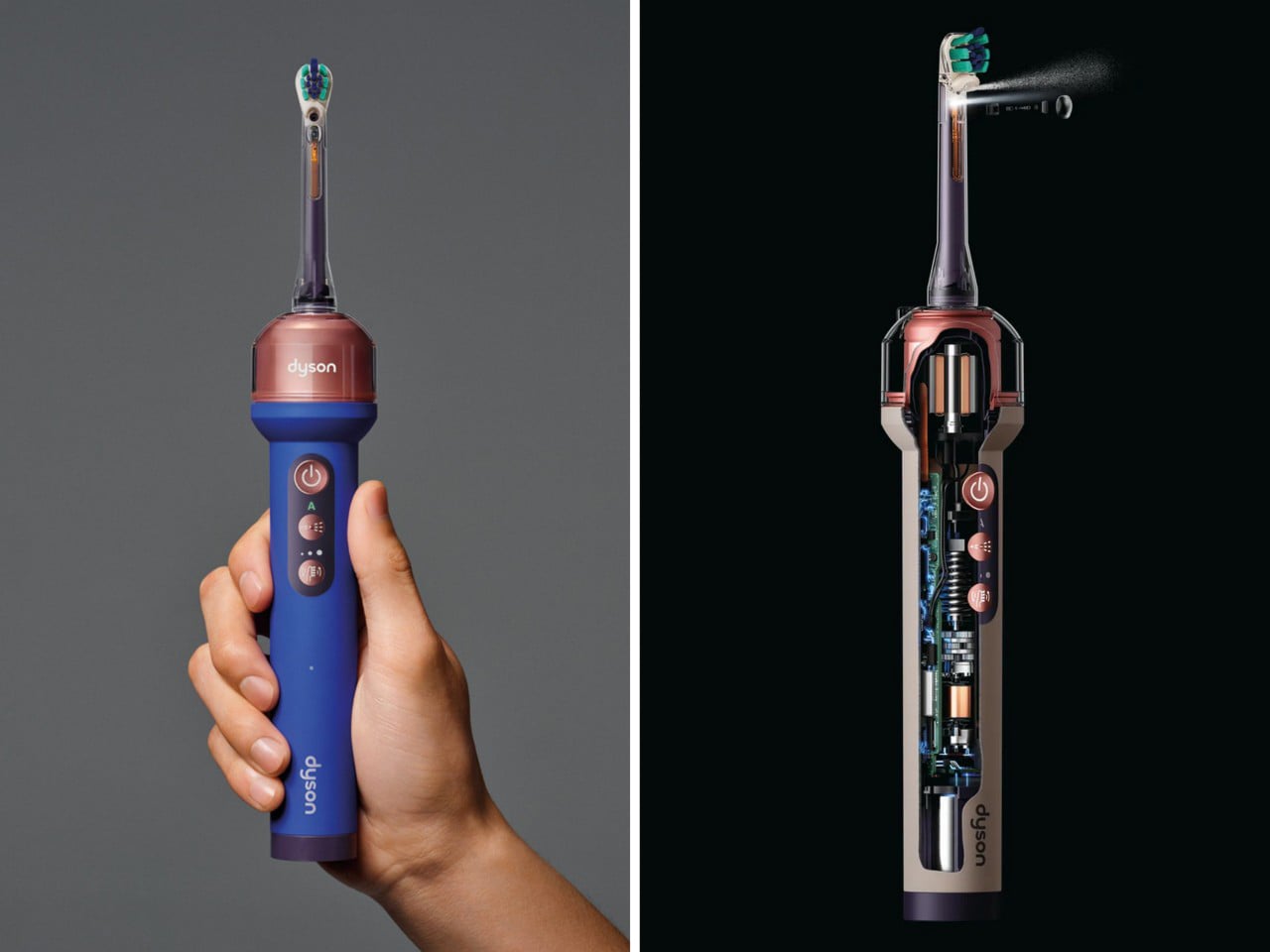
The jet took years of refinement on its own, because the shape of the water matters as much as the camera aiming it. Traditional water flossers use what Dyson calls a needle jet, a narrow, piercing stream that punches through a plaque deposit without actually lifting it away. Dyson’s engineers went hunting for a shape that would sweep plaque off the tooth instead of tunneling through it, and landed on a broad conical spray fired at lower pressure. To test that idea without running a clinical trial every time they tweaked the nozzle, Dyson spent five years building its own synthetic plaque with the National University of Singapore’s Faculty of Dentistry. That is the unglamorous groundwork that never makes the keynote slide but decides whether the whole idea holds up.
None of that fluid engineering matters if the tank runs dry the moment you tilt your head back, which is the next problem the camera created. Conventional reservoirs use a straw-in-a-cup setup that draws air and loses pressure on an angle, fine for a kitchen gadget, useless inside a mouth that never sits still. Dyson’s fix is the anti-gravity tank, built around a pump that adjusts as you move so the jet fires whether the brush is upright, angled, or flat against a back molar. The brush head carries its own logic too, firmer bristles inside for stains, softer ones outside for the gumline, contoured to actually hug a tooth rather than sit flat against it. Even the sonic oscillation varies its angle mid-stroke so bristles do not stall in the tighter corners.

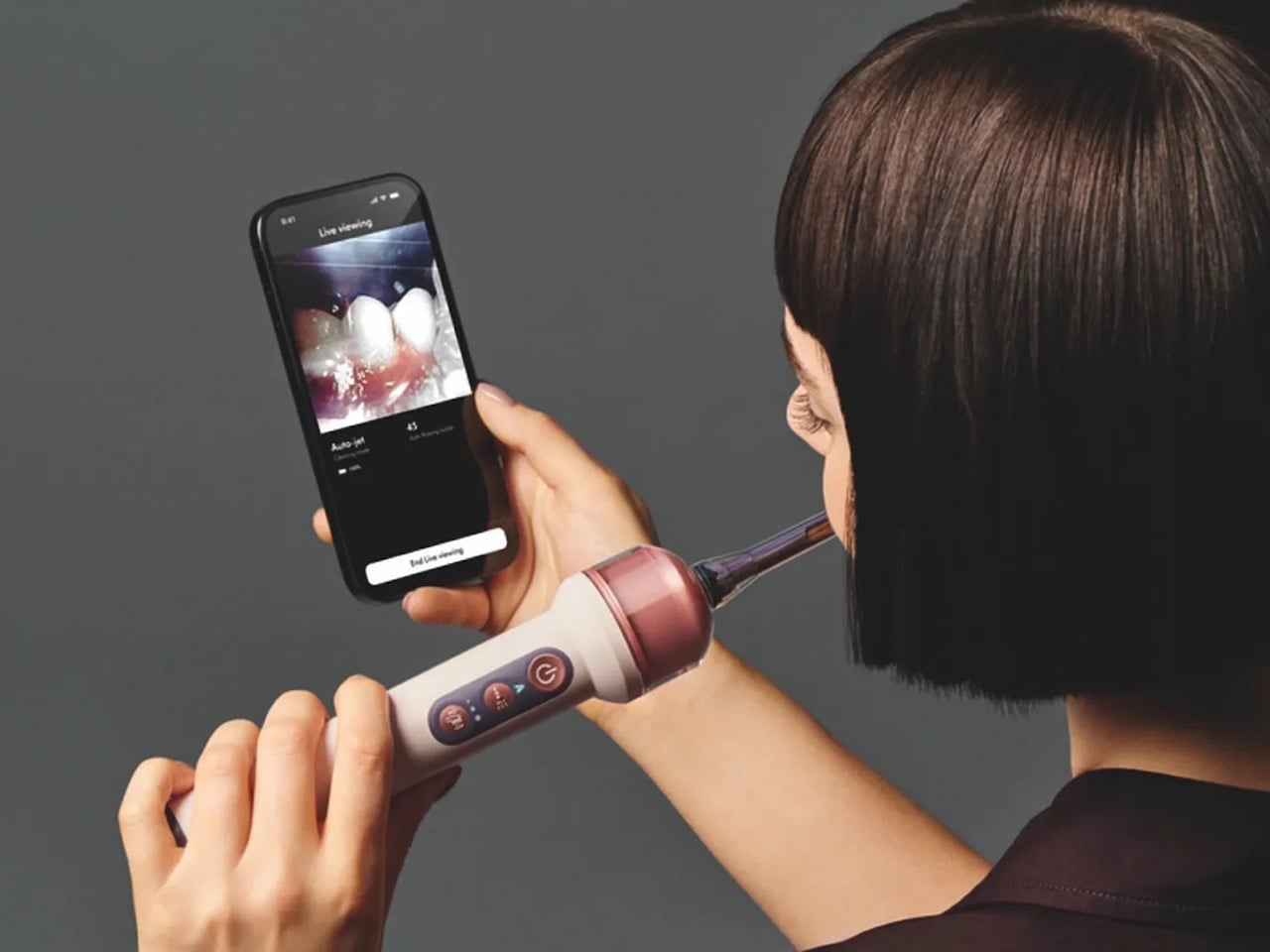
The camera does double duty as a diagnostic tool, streaming live through the MyDyson app so the brush briefly becomes a tiny endoscope. Dyson says nothing is recorded or stored, on the device or in the cloud, and a light on the handle shows when the lens is active. Cameras inside toothbrushes are not new. A Chicago dentist named Craig Kohler built one back in 2016 called the Prophix, a video-streaming brush that let people watch their own mouths on an iPhone in real time. It never went mainstream, and its own website still reads coming soon, a decade on. What Dyson brings that Prophix never had is the industrial muscle to turn that footage into an automated response, steering a jet instead of just showing a picture.
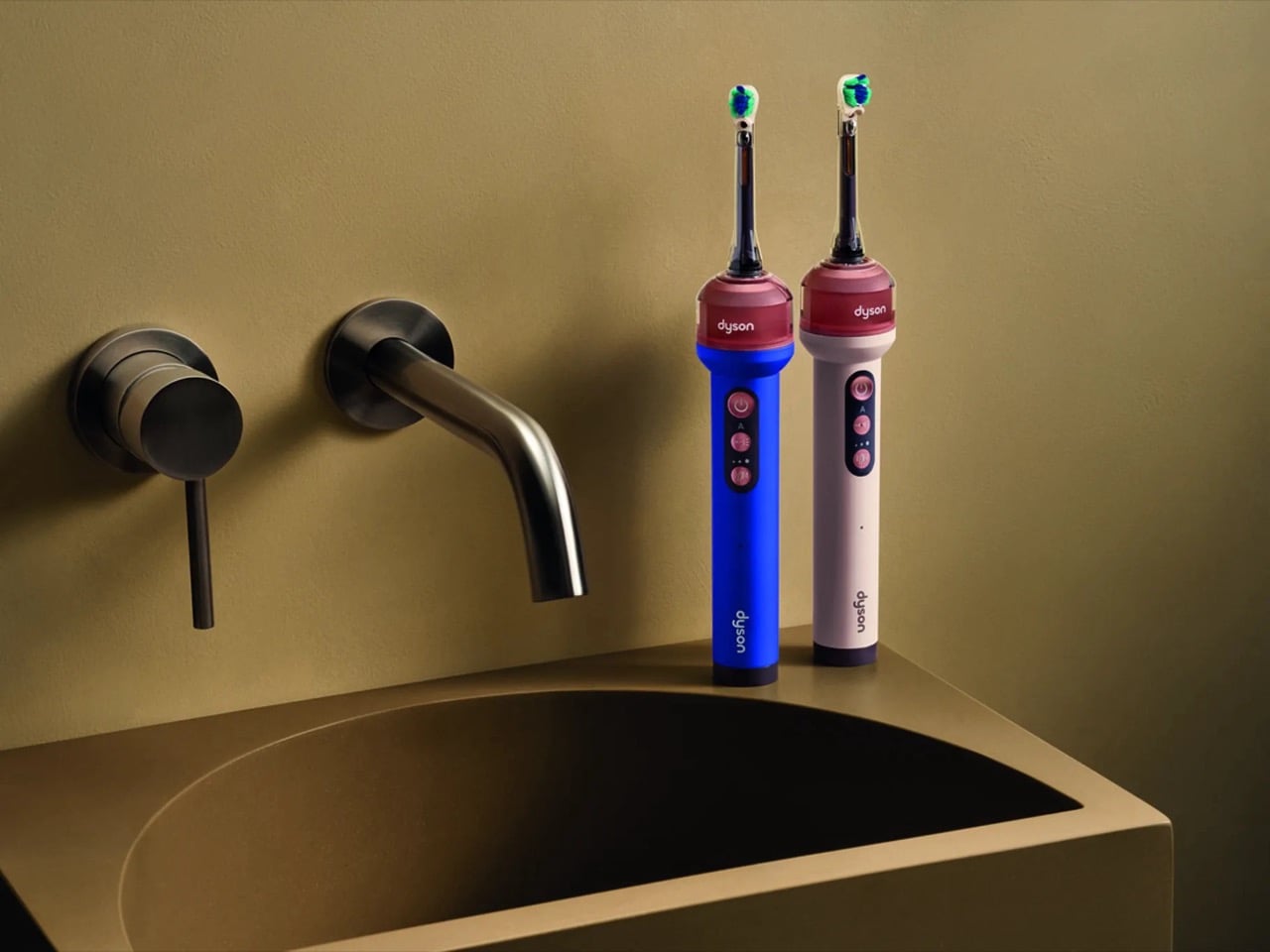
Dyson CameraJet in situ imagery, JPEG, PSD
Dyson has spent decades arguing that the dirt you cannot see is the dirt worth engineering around, first in carpets, then in bathroom air, now in the gap between your incisors. The CameraJet is that philosophy at its smallest scale yet, a lens standing in for the clear bin that made a bagless vacuum’s dust visible for the first time. What makes it worth writing about as design, rather than just as gadgetry, is how completely one sensor reorganized everything around it, the chemistry of the paste, the physics of the pump, the shape of the bristle. That is a rare thing to see fully worked through in an object that costs less than a laptop. Whether $499 buys cleaner teeth is a question for your dentist in six months. Whether it buys a masterclass in constraint driven design is not really a question at all.
The post Dyson’s $499 Camera Toothbrush Is So Advanced, They Had To Redesign The Toothpaste For It first appeared on Yanko Design.

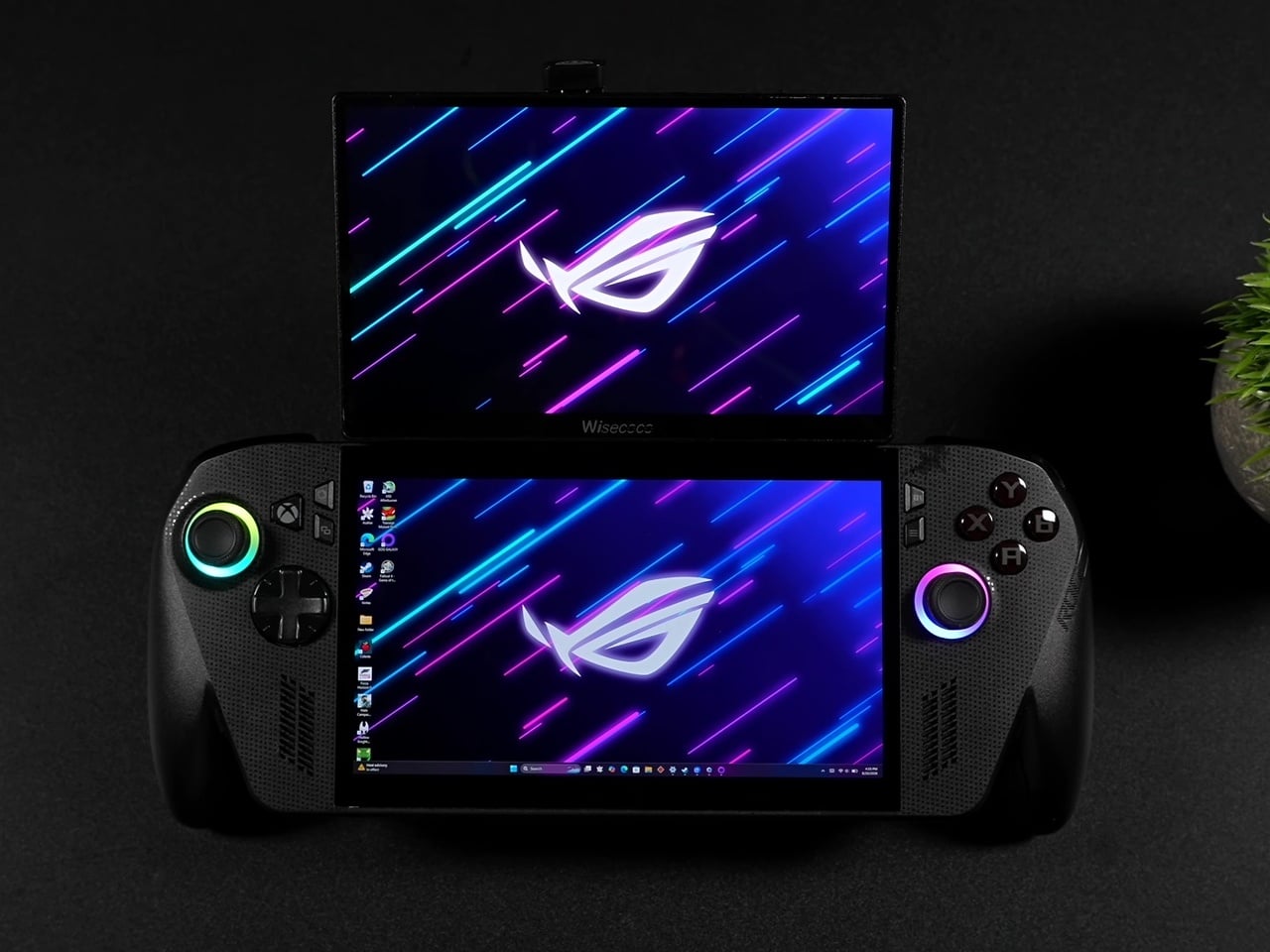
Dual-screen handhelds usually mean buying an entirely new device built around that gimmick from the ground up. This ROG Ally X mod skips that purchase entirely. It bolts a second 120Hz display onto a standard x86 handheld using nothing more exotic than a budget portable monitor, a pair of magnetic phone mounts, and some carefully angled USB-C cables, then lets you rip the whole thing off when you don’t need it.
The secondary panel is a 7-inch 1080p IPS screen that happens to match the Ally X’s own 120Hz refresh rate, an important detail most cheap add-on monitors get wrong. Pairing a 60Hz panel with a 120Hz handheld usually introduces visible stutter between the two screens, but matching refresh rates here means both displays feel like they belong to the same machine rather than two devices awkwardly duct-taped together.
Designer: ETA PRIME (mod), ASUS Republic of Gamers
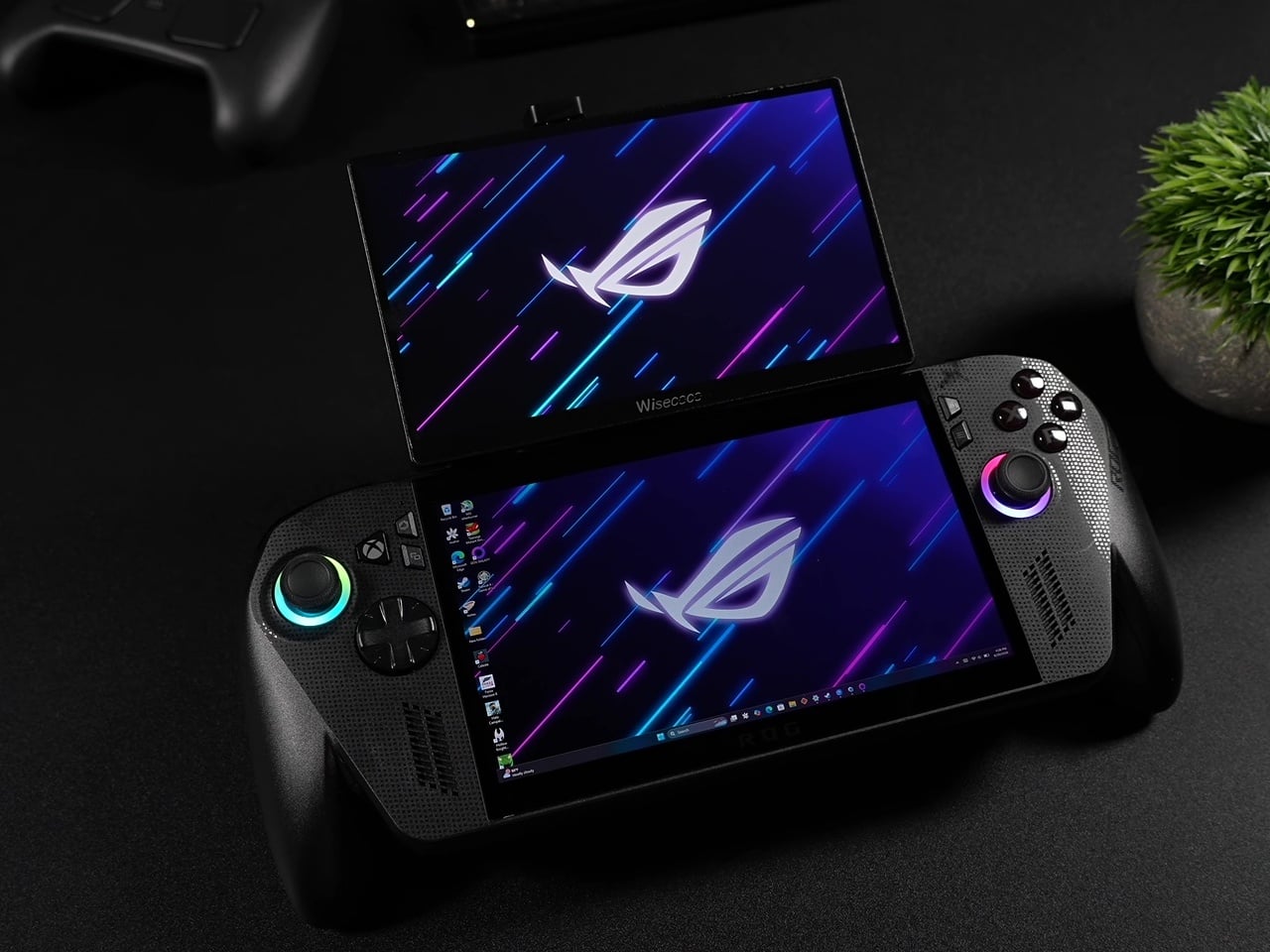
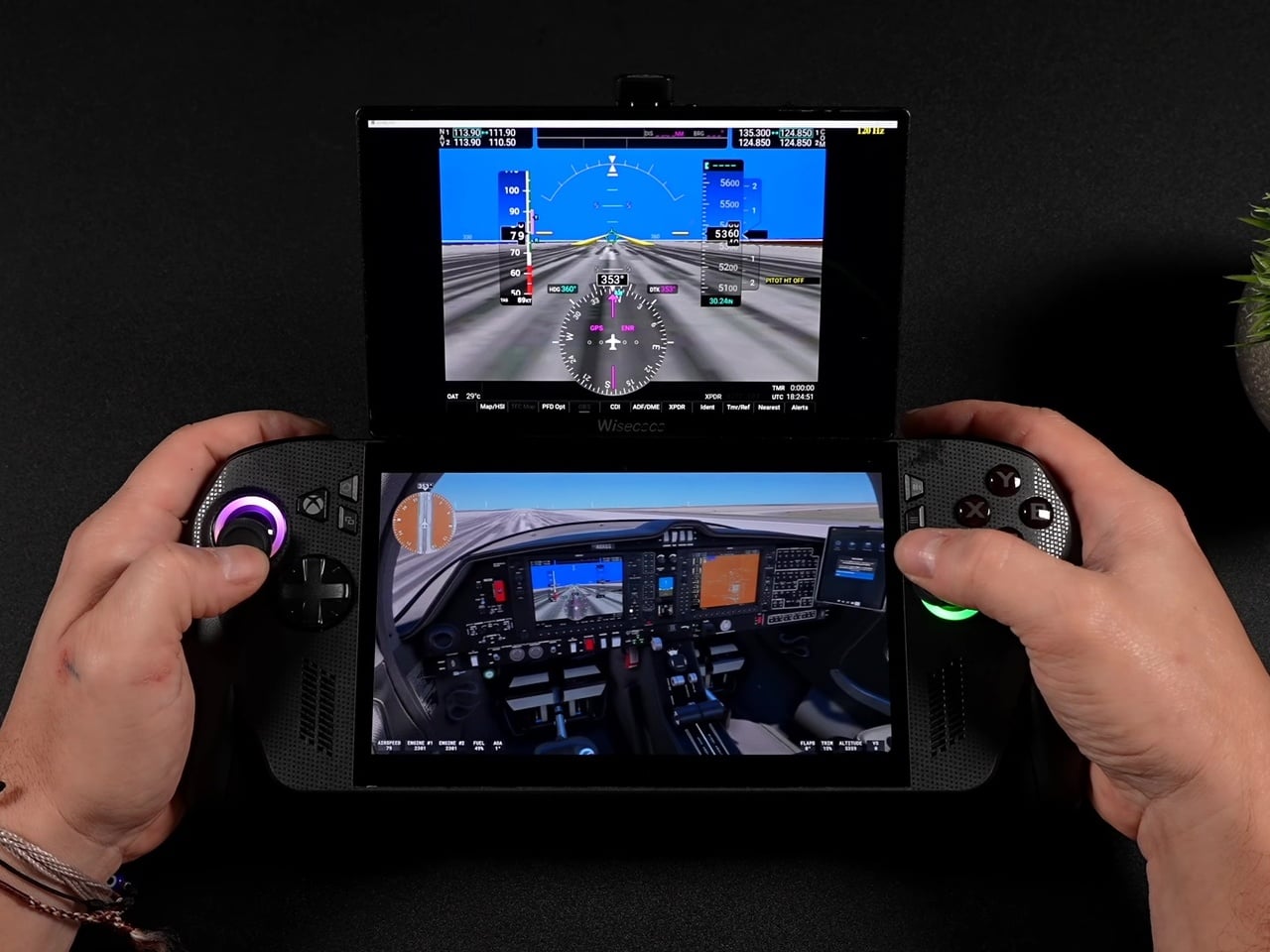
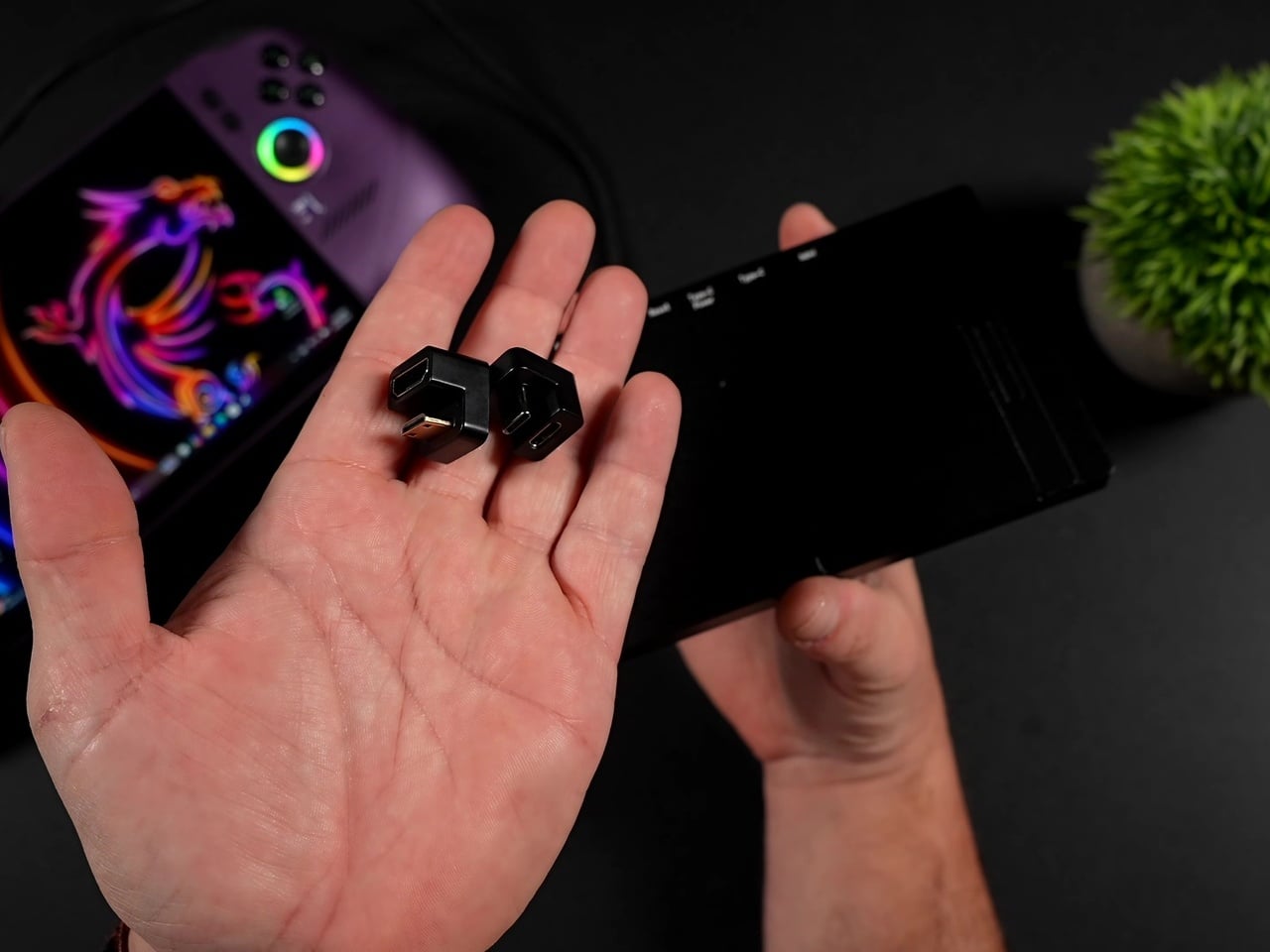
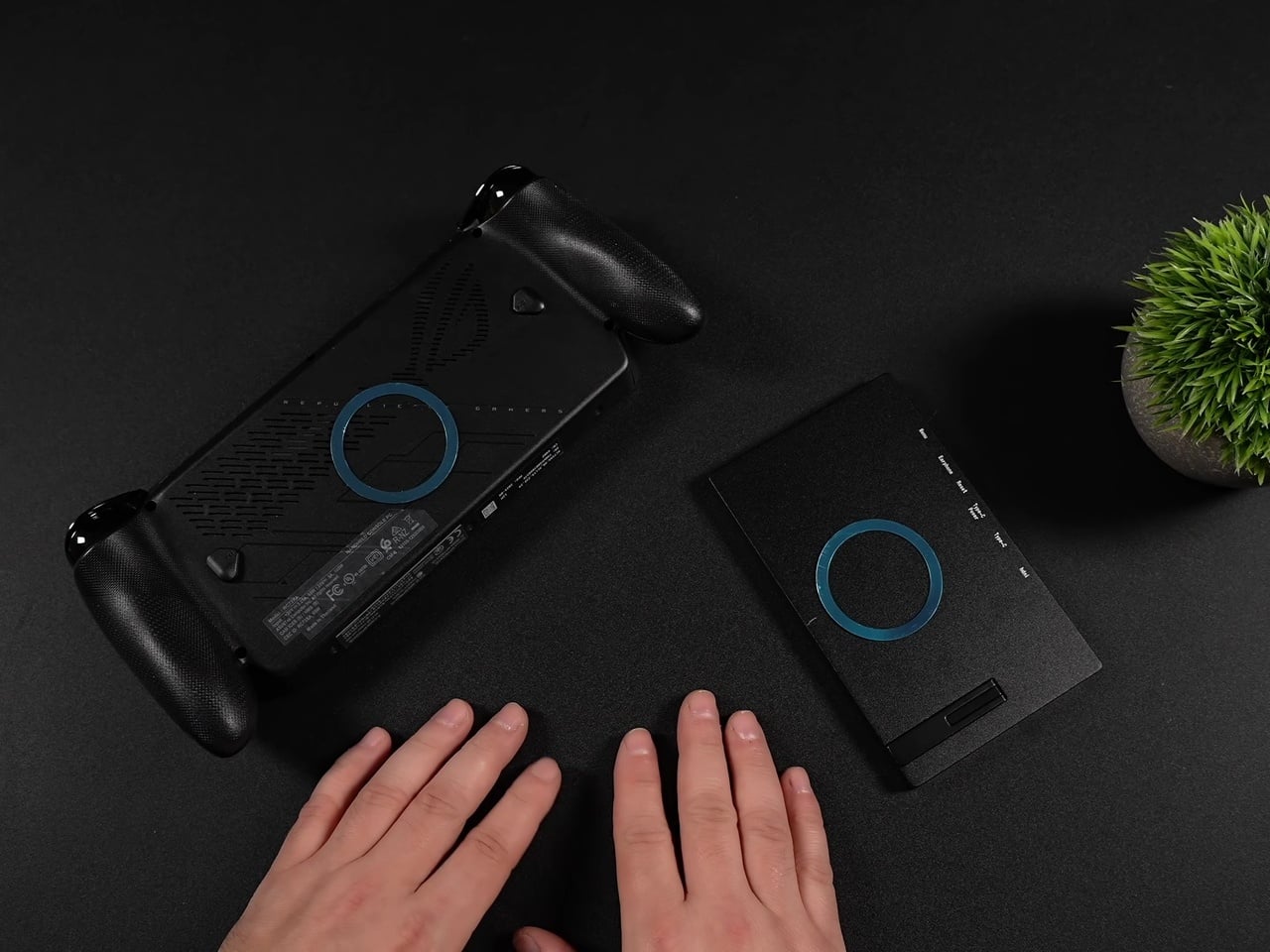
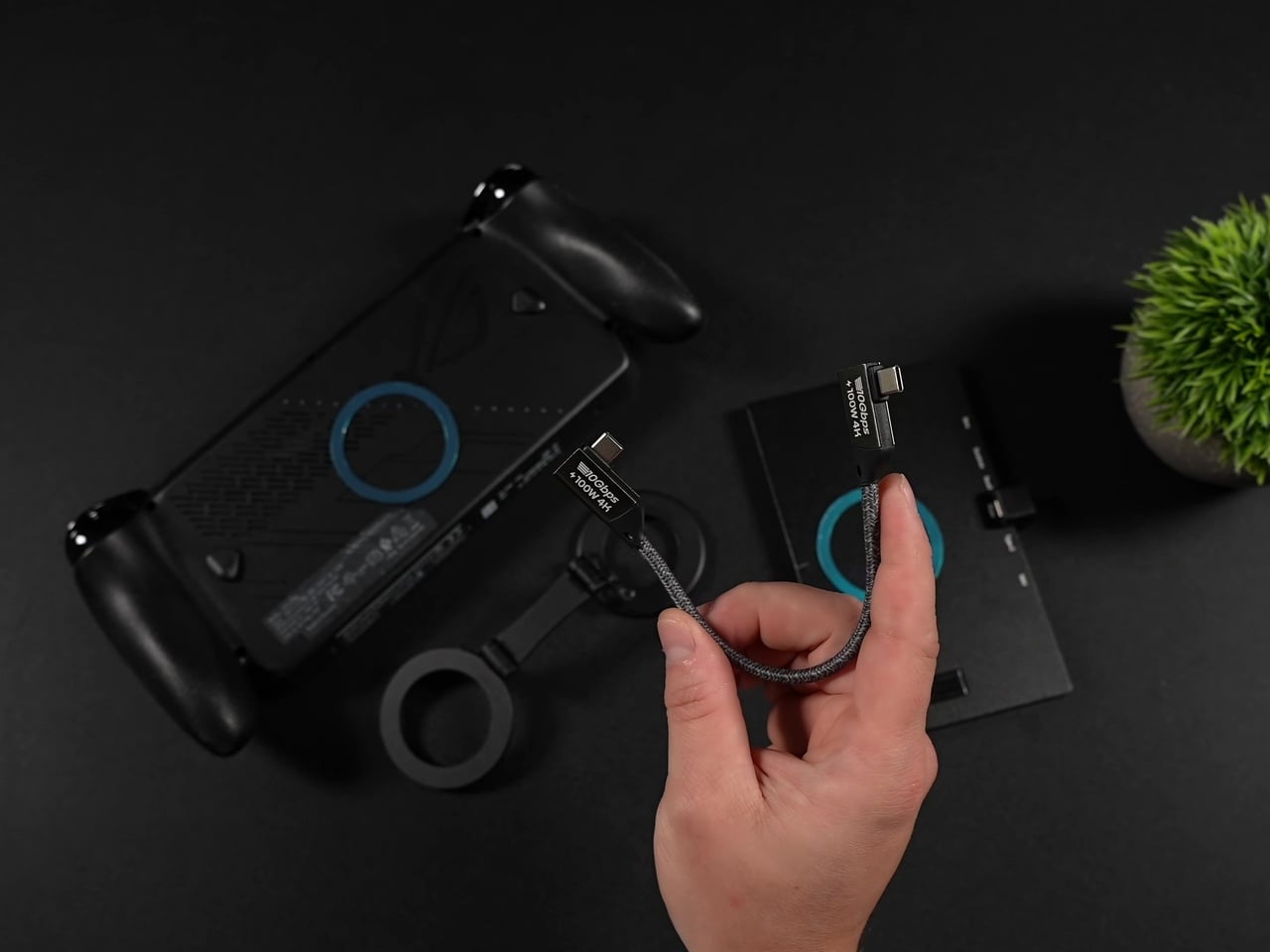
Magnetic MagSafe rings adhered to the back of both the handheld and the monitor handle the actual attachment, while a dual-sided magnetic phone holder in between provides the hinge points. That arm lets the top screen fold flat against the assembly for storage or tilt up to a comfortable viewing angle during play, essentially borrowing a phone accessory to solve a handheld gaming problem nobody’s shipped a proper solution for yet.
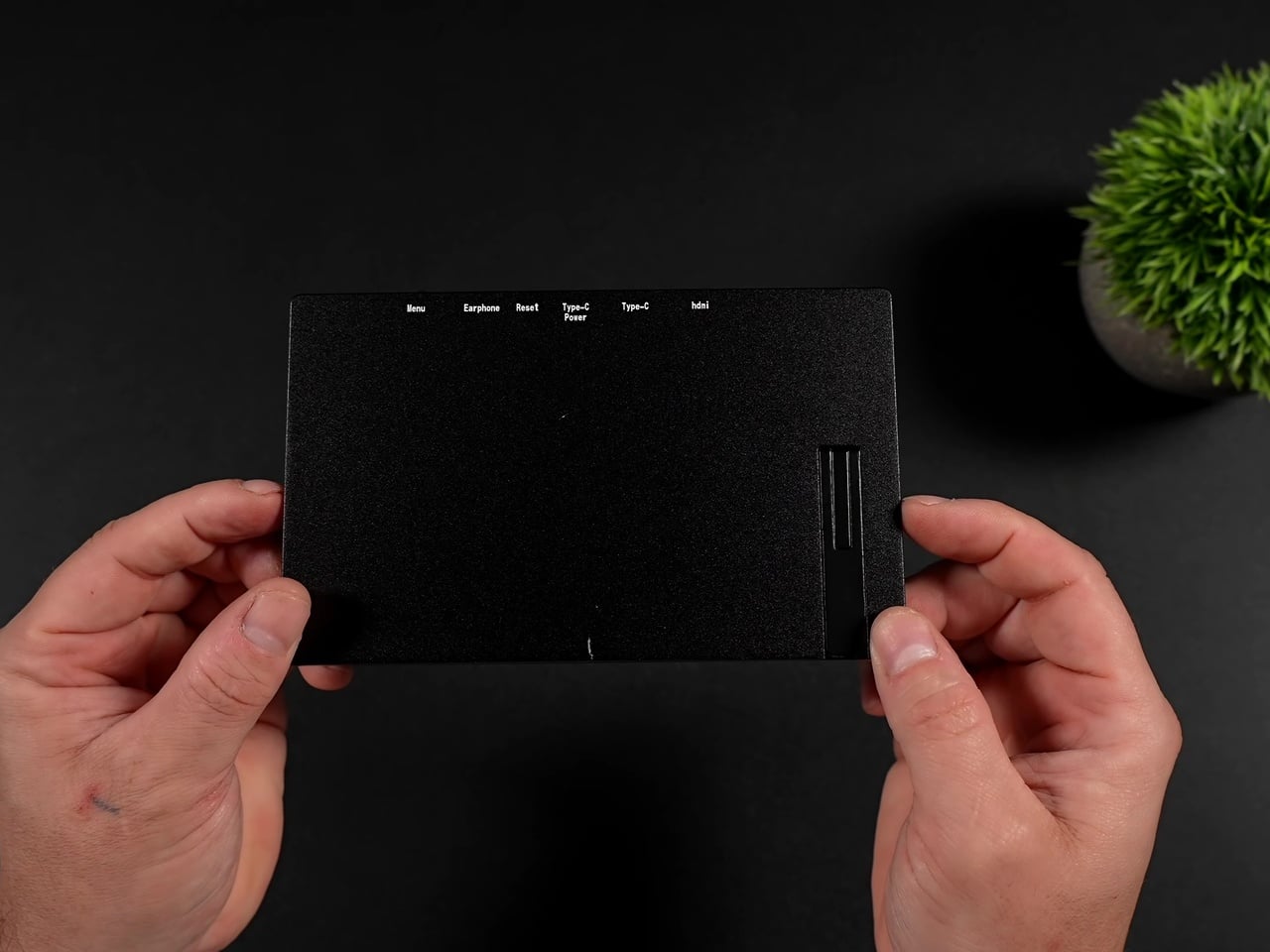
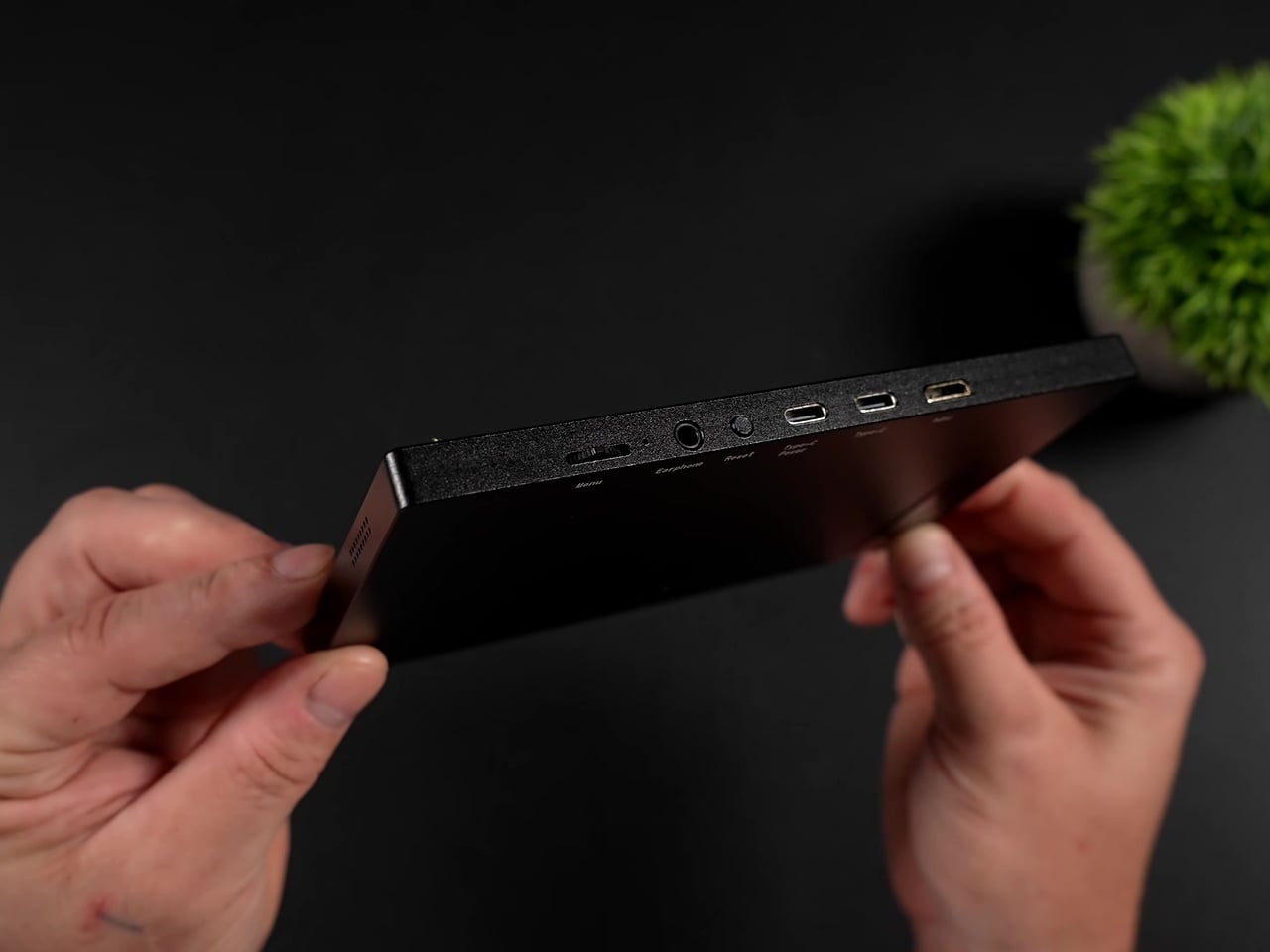
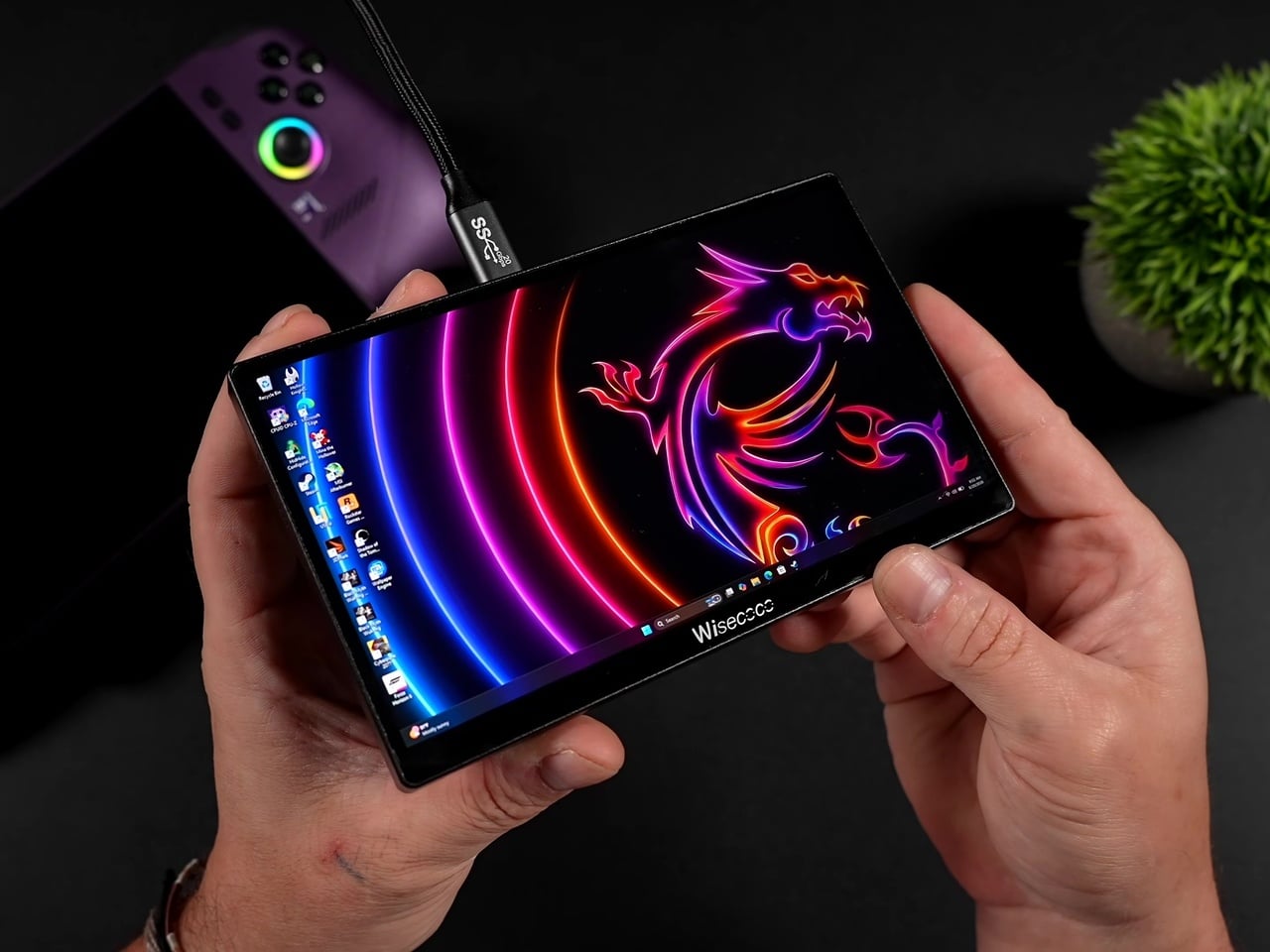
Where this setup actually earns its keep is in the software pairing it unlocks. Dual-screen emulation for Nintendo DS, 3DS, and Wii U titles finally makes sense on PC hardware, with the top screen handling the main view while the Ally X’s built-in display takes over as the touch-enabled bottom screen exactly the way Nintendo intended those games to be played.
Flight and driving sims benefit just as directly. Popping instrument gauges and flight panels out to that second screen in Microsoft Flight Simulator 2024, or pushing telemetry readouts to it in Euro Truck Simulator 2 and various F1 games, turns a single handheld into something closer to a cramped cockpit setup. Even a Fallout 4 Pip-Boy overlay finds a natural home up there instead of cluttering the primary display.
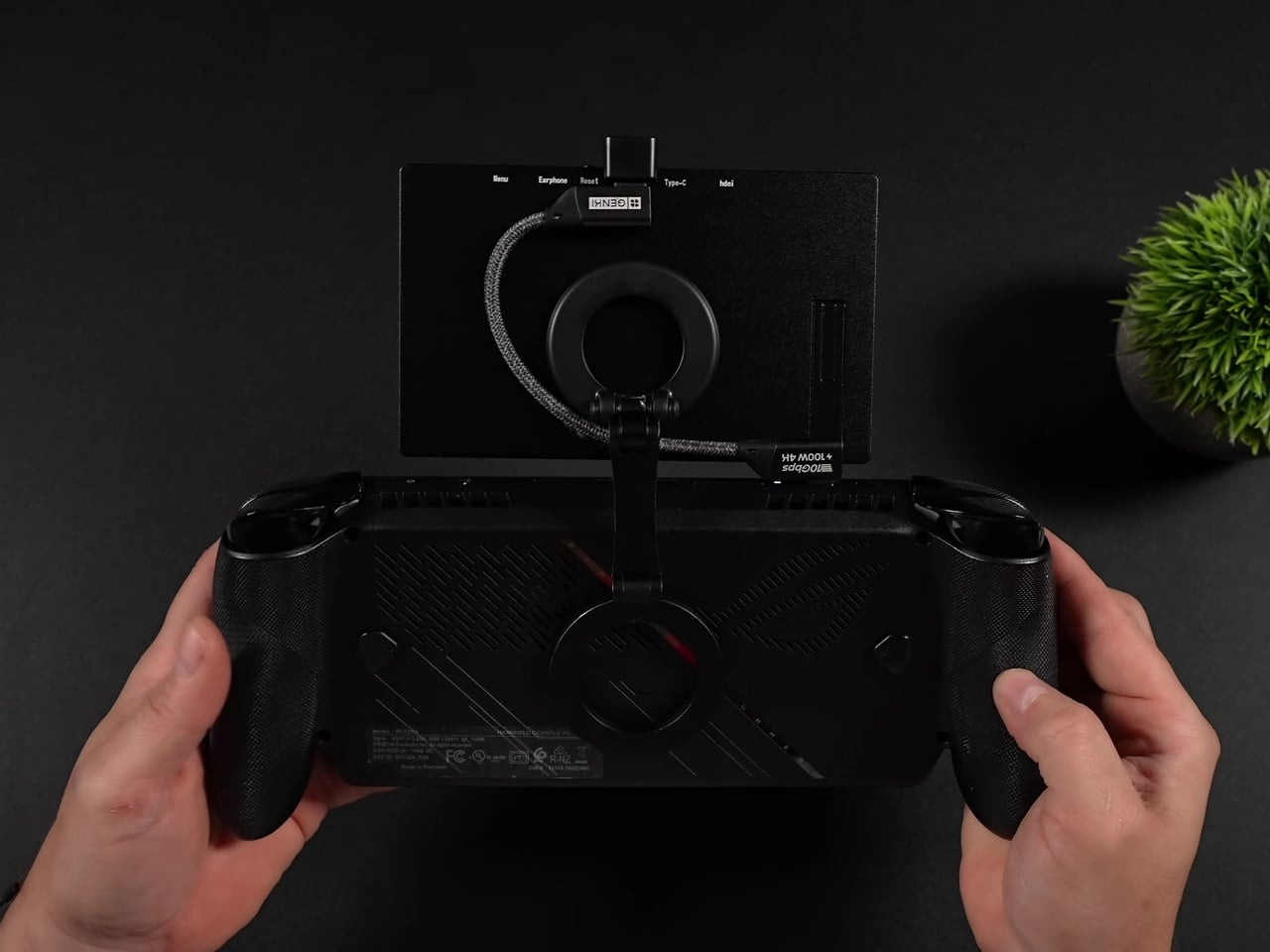
None of this comes free of friction. Windows defaults the panel to 60Hz on first connection, so getting the full 120Hz and FreeSync experience means digging into display settings manually every time. The monitor also draws power straight from the handheld itself, meaning battery life takes a real hit exactly when you’re asking the system to drive two screens instead of one.
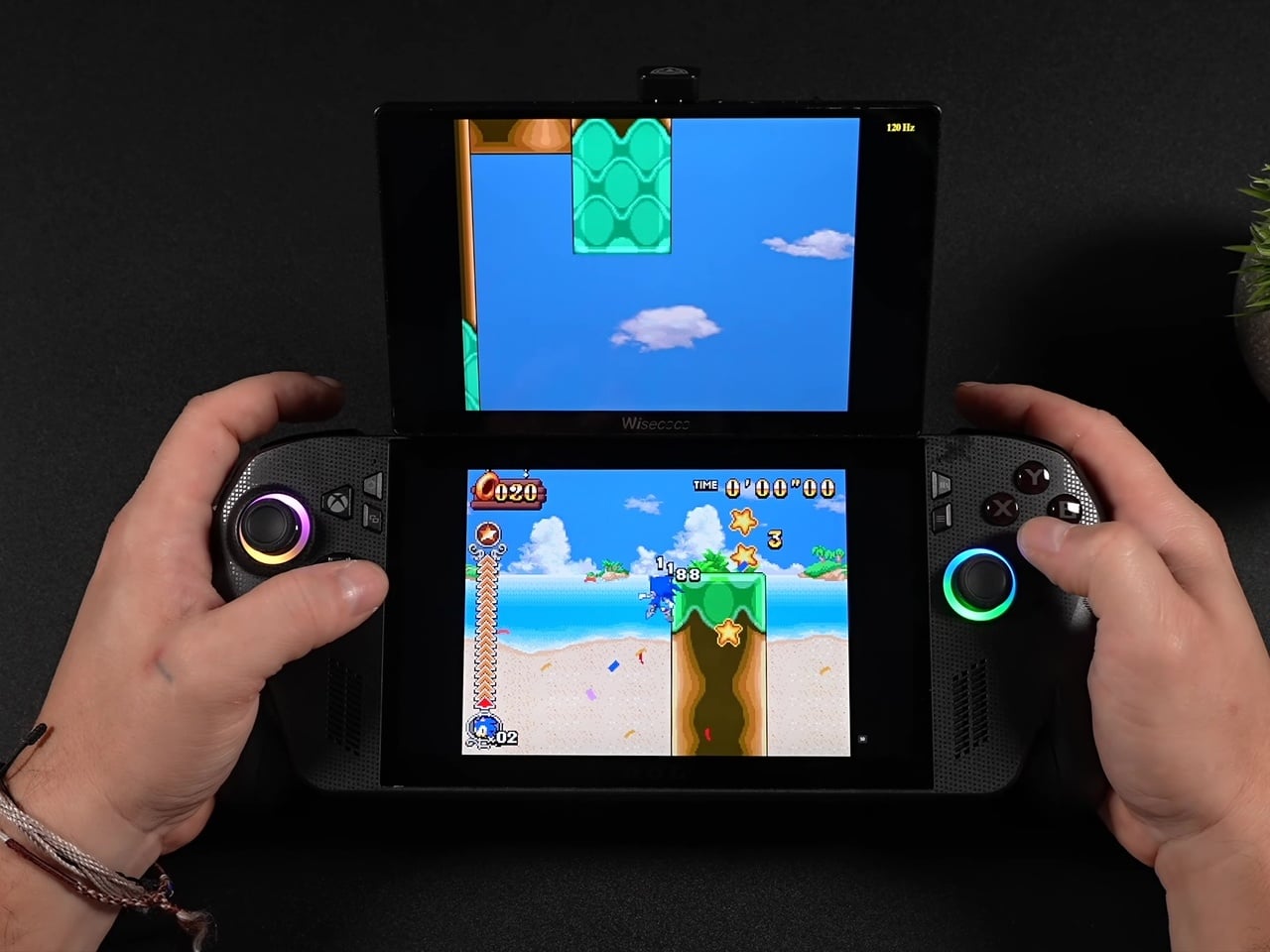
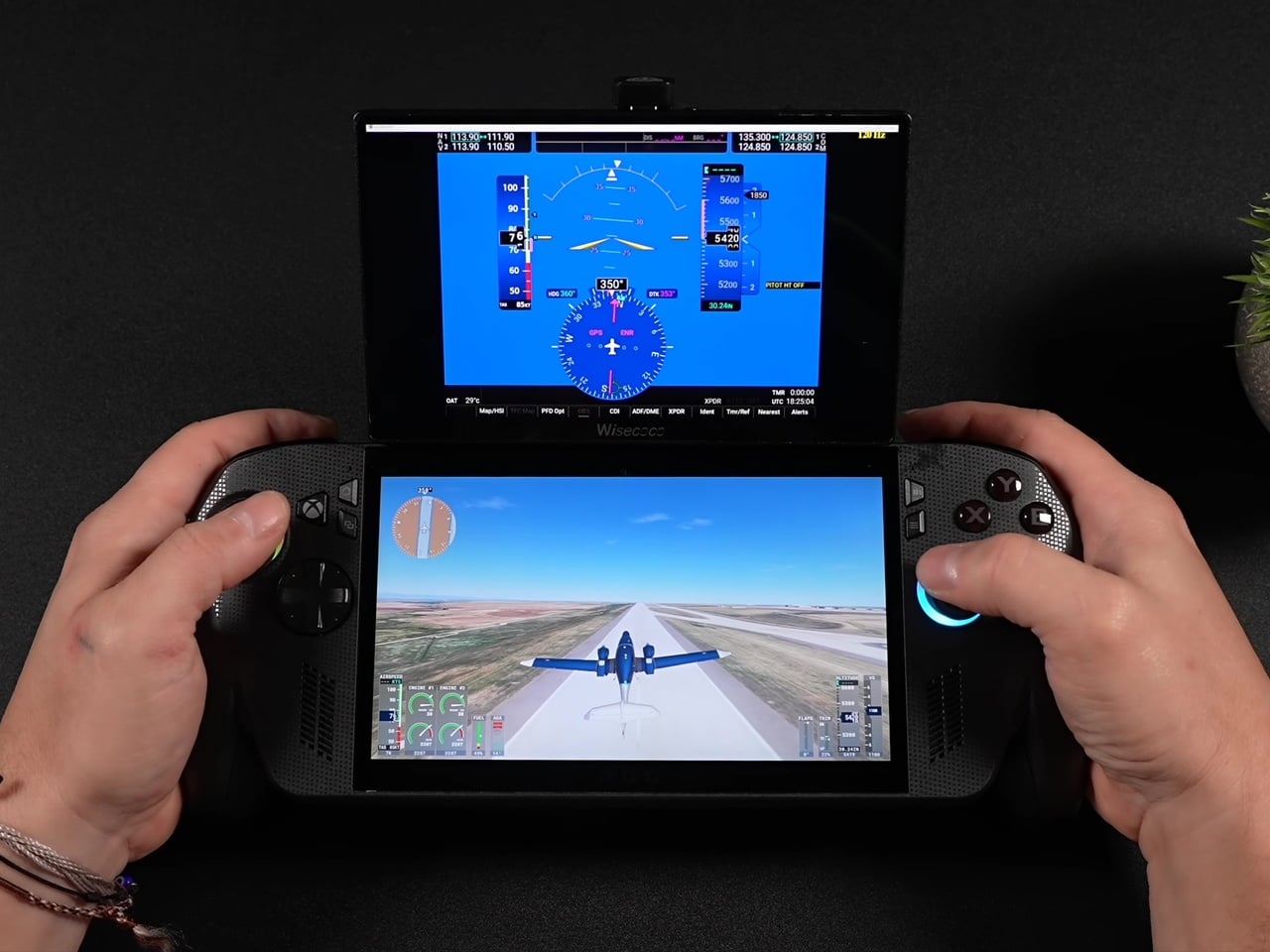
The real achievement isn’t the display itself; plenty of budget portable monitors exist. It’s the decision to make the whole assembly modular using parts nobody designed specifically for this: magnetic phone mounts and right-angle adapters repurposed into a hinge system that snaps on for a flight sim session and comes right back off for the commute home.
The post This ROG Ally X Mod Snaps On a 120Hz Second Screen, Then Off Again first appeared on Yanko Design.