Anker’s CES 2026 Charging Lineup Treats Power as a Coordinated System

Charging has become a daily background task with a mix of wall bricks, wireless pads, power strips, and docks that rarely feel coordinated. As devices become faster and more power-hungry, the friction shifts from “do I have enough power?” to “how many adapters do I need without cluttering the desk?” The answer usually involves a drawer full of chargers that don’t talk to each other and rarely work where needed.

Anker’s CES 2026 portfolio treats this as a system. The Anker Charging lineup introduces four products, the Nano Charger, Prime Wireless Charging Station, Nano Power Strip, and Nano Docking Station, sharing ideas like smarter device recognition, Qi2 25 W wireless, AnkerSense View, and ActiveShield 5.0, but slotting into different moments where power is needed, wanted, or quietly essential to keeping momentum going without searching for another cable.

Designer: Anker

Anker Nano Charger (45W, Smart Display, 180° Foldable)

The Nano Charger recognizes recent iPhone and iPad Pro models in seconds, then uses a three-stage power profile to deliver up to 45 W tailored to the device. That auto-matching unlocks faster charging when the battery is low while easing off as it fills, avoiding overstressing batteries for people who charge overnight or keep devices plugged in during long work sessions without thinking about optimal timing.

TÜV-certified Care Mode keeps the phone’s battery about 9 °F cooler than other 45 W chargers, a quiet win for long-term health. The small smart display shows real-time power and temperature with friendly icons, and the 180-degree foldable prongs let the charger sit in tight outlets while keeping the screen visible, fitting desk plugs, kitchen outlets, and behind-cabinets spaces where flat bricks fail.

Anker Prime Wireless Charging Station (3-in-1, MagGo, AirCool, Foldable)

The Prime Wireless Charging Station handles an iPhone, earbuds, and a watch without three separate cables. It uses Qi2 25 W wireless charging to bring iPhone speeds close to wired, quoting 80% in about 55 minutes for an iPhone 17. The stand folds into a palm-sized block lighter than an iPhone 17 Pro Max, so it can live in a bag full-time, turning one USB-C input into a small charging island.

The AirCool airflow system keeps the charger and devices at stable temperatures when everything is stacked overnight or during work sessions, important when running 25 W to a phone while also topping up a watch and earbuds. That thermal management keeps the 3-in-1 from becoming uncomfortably hot on a nightstand or desk, and the foldable form clears cable clutter from hotel rooms and home offices, making it the kind of charger that actually gets packed for every trip.

Anker Nano Power Strip (10-in-1, 70W, Clamp)

The Nano Power Strip is a dual-zone power bar that lives at the desk edge instead of under it. It combines six AC outlets with two USB-C and two USB-A ports, with a single USB-C delivering up to 70 W, enough to run a laptop or gaming handheld directly. The clamp-on design keeps the strip fixed in place while making ports easy to reach, so you stop crawling under desks to plug in temporary devices.

The built-in 1,500 J surge protection shields connected gear from spikes, which matters when monitors, desktop PCs, and audio equipment all share one outlet. Having the USB ports face forward and the AC outlets below the desk creates a cleaner visual line and makes it easier to manage cable runs, turning the strip into permanent desk infrastructure that handles both power and data charging without sprawling across the surface or tangling behind a monitor stand.

Anker Nano Docking Station (13-in-1, Triple Display, Built-In Removable Hub)

The Nano Docking Station is a 13-in-1 dock for people who treat a laptop as their main machine but want a desktop-class workspace. It supports triple-display output with up to 4K resolution on a single monitor, up to 100 W upstream charging, and USB-C, USB-A, HDMI, DisplayPort, Ethernet, and SD / TF 3.0 card slots, all running at up to 10 Gbps, where it counts for fast file transfers and external storage.

The built-in 6-in-1 removable hub slides out, letting someone leave the desktop cable tree intact while taking key ports and card readers on the road with a single, slim module. That bridging between permanent and mobile workflows makes the dock feel less like a fixed base station and more like a system that adapts to whether you are spending the day at a desk or heading to a meeting with just a laptop and the small hub in a bag.

Anker at CES 2026: Charging as a Coherent System

These four products sketch out Anker’s view of charging in 2026, not as isolated bricks and pads, but as coordinated tools that follow people from pocket to bedside to desk. Instead of chasing ever-higher wattage alone, the lineup leans into smarter interfaces, cooler operation, and forms that respect the spaces they live in, the kind of thinking Yanko Design readers expect from everyday hardware that earns its place by working better and quieter.

The post Anker’s CES 2026 Charging Lineup Treats Power as a Coordinated System first appeared on Yanko Design.

Homing Compass Lets a Single Red Arrow Always Point the Way Back Home

There is a tension in families where someone loves to walk but sometimes forgets the way back, especially in the context of early dementia. Smartphones, maps, and tracking apps can feel overwhelming or unfamiliar, and that often leads to staying indoors instead of going out. A simpler, more tangible way to get home could unlock a lot of small, everyday adventures again, turning a daily walk from a risk into something safe and normal.

The Homing Compass by Aumens is a small wooden device with a single red arrow that always points toward a predefined home location. It looks and behaves like a stripped-down compass, no maps, no text, no menus, just one arrow with one meaning. The promise is straightforward, follow the arrow and you will get back to the place you set as home. It trades complexity for clarity, betting that radical simplicity matters more than features.

Designer: Rens Brankaert (Aumens)

Setup happens once. You press a recessed button near your front door, the compass remembers that location as home, and from then on the arrow always points back there. There is no need to pair it with a phone every time or scroll through options. For the person carrying it, the interaction is reduced to glancing at the arrow and choosing a direction, turning a potentially frightening moment of disorientation into a quick compass check.

Behind that simple arrow is a full stack of GPS, internet, cloud, and an app, constantly updating the compass’s position. For caregivers, the app shows where the compass is on a map, offering reassurance without demanding constant check-ins. The complexity lives in the background, so the person walking only ever deals with the most basic navigation cue, a red line pointing home like magnetic north.

The compass can optionally vibrate or make a sound to remind someone it is there, reducing the chance it gets forgotten in a coat pocket. Accessories help keep it in view at home, so picking it up becomes part of the leaving-the-house routine. The goal is to make carrying it feel as natural as taking keys, not like strapping on a medical device or announcing a limitation to the neighborhood every time you walk outside.

The choice of a wooden housing and analog-style arrow instead of a glossy gadget with icons makes it feel familiar and non-threatening, more like a small object you might already own than a piece of assistive technology. It sidesteps some of the stigma that can come with devices labeled for dementia, framing it instead as faithful equipment for everyday adventures, which is the language Aumens uses to describe both the device and the people who carry it.

The Homing Compass aims for an emotional shift, the person who can go for a walk in the forest or around the neighborhood without carrying a mental map, and the partner at home who can relax instead of worrying. A single arrow that always points home sounds almost too simple, but that is the point. It turns getting lost from a constant fear into a manageable, designed-for scenario, letting people reclaim the small joy of just being outside.

The post Homing Compass Lets a Single Red Arrow Always Point the Way Back Home first appeared on Yanko Design.
This Intelligent Pet Exoskeleton Helps Injured Dogs Relearn Movement on Their Own Terms

Watching a dog struggle to walk is quietly heartbreaking. Movement, for animals, is not just mobility. It is freedom, confidence, and joy. The Pet Power Assistive Exoskeleton was born from this understanding, blending emotional insight with advanced engineering to create a rehabilitation solution that truly listens to the animal it supports.

The project’s inspiration traces back to a news report on prosthetic limbs designed for disabled pets. While well-intentioned, many of these solutions revealed clear shortcomings. They were passive, rigid, and often uncomfortable, offering limited support beyond basic mobility. This realization became deeply personal when the designer cared for their own dog after a hindlimb injury. Seeing firsthand how difficult recovery could be for an animal exposed a larger issue. Modern rehabilitation technology has evolved rapidly for humans, yet animal care continues to rely on simplified, often outdated aids. This gap sparked a mission to extend intelligent, humane rehabilitation into veterinary practice.

Designer: Leijing Zhou

Instead of forcing movement, the Pet Power Assistive Exoskeleton focuses on understanding intention. Borrowing principles from active exoskeleton systems used in stroke rehabilitation, the device uses surface electromyographic sensors to read muscle signals from a dog’s healthy forelimb. As the dog initiates movement, these signals are analyzed in real time to predict how the impaired hindlimb should move. The system then activates precise mechanical assistance, synchronizing the injured leg with the dog’s natural gait.

This approach transforms rehabilitation into a cooperative process rather than a mechanical correction. The dog leads, and the technology follows, creating movement that feels natural, fluid, and instinctive. By aligning assistance with intention, the exoskeleton reduces strain, encourages correct gait patterns, and supports faster, more confident recovery.

Personalization is central to the design philosophy. Every dog has a unique body, posture, and injury profile, so the exoskeleton is created using advanced 3D printing based on individual body scans. This ensures a tailored fit that distributes weight evenly and avoids discomfort. Carefully selected materials such as lightweight structural components, soft memory foam padding, and non slip contact surfaces prioritize comfort, stability, and long term wearability. This makes the device suitable not only for clinical rehabilitation but also for everyday use.

Developed between 2023 and March 2025 in Hangzhou, the project required extensive research and experimentation. One of the greatest challenges was interpreting muscle signals in animals, an area with little existing data or standardized methods. Translating raw biological signals into reliable movement predictions demanded repeated field testing, iterative modeling, and close observation of real canine behavior. Equally complex was balancing strength and comfort, designing a structure robust enough to assist movement while remaining gentle and non restrictive.

Ultimately, the Pet Power Assistive Exoskeleton represents more than a technical innovation. It reflects a shift in how we think about animal care, recognizing pets not as passive recipients of aid, but as active participants in their own recovery. By merging empathy with intelligent technology, this project restores more than mobility. It protects dignity, independence, and the simple joy of movement.

The post This Intelligent Pet Exoskeleton Helps Injured Dogs Relearn Movement on Their Own Terms first appeared on Yanko Design.
This Rugged Braille Reader for Kids Has a Built-In Carry Handle

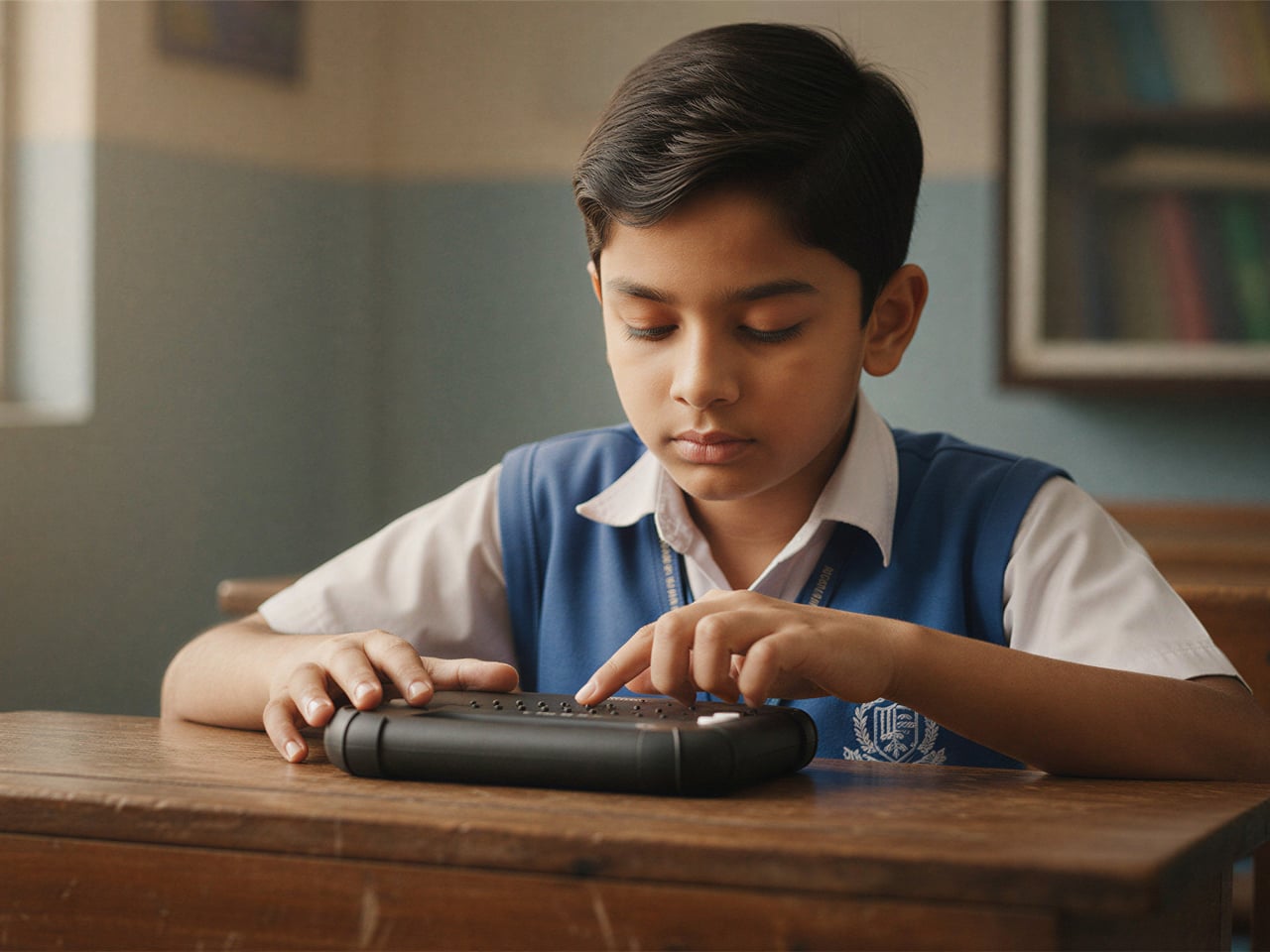
Blind students often rely on expensive embossers, special paper, and slow production cycles just to get a few Braille books. Most assistive tools are bulky, fragile, or designed for adults sitting at desks, not children carrying them between crowded classrooms and shoving them into backpacks. There is a clear gap between what visually impaired kids actually need and what most assistive hardware looks and feels like on a daily basis.

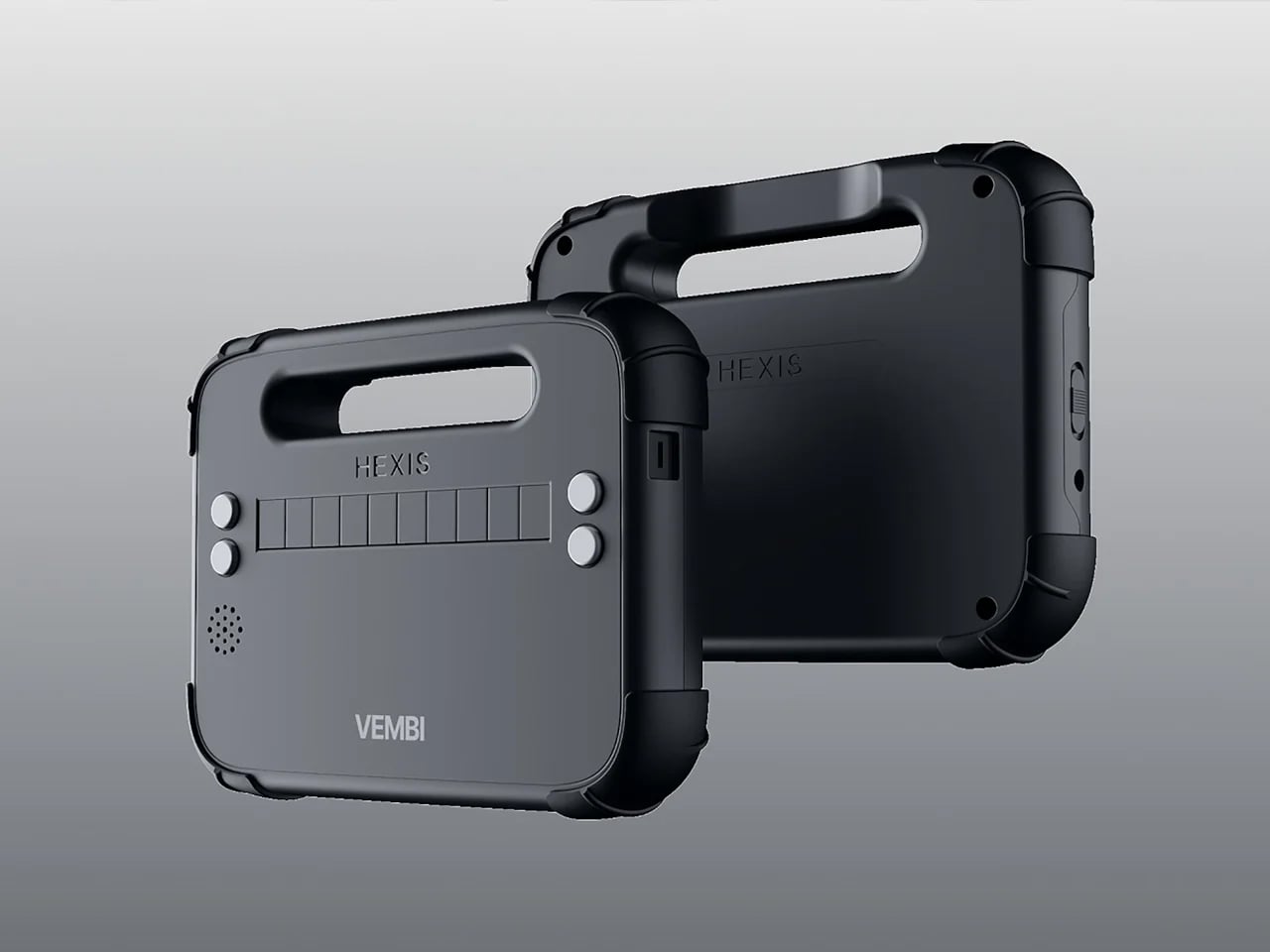
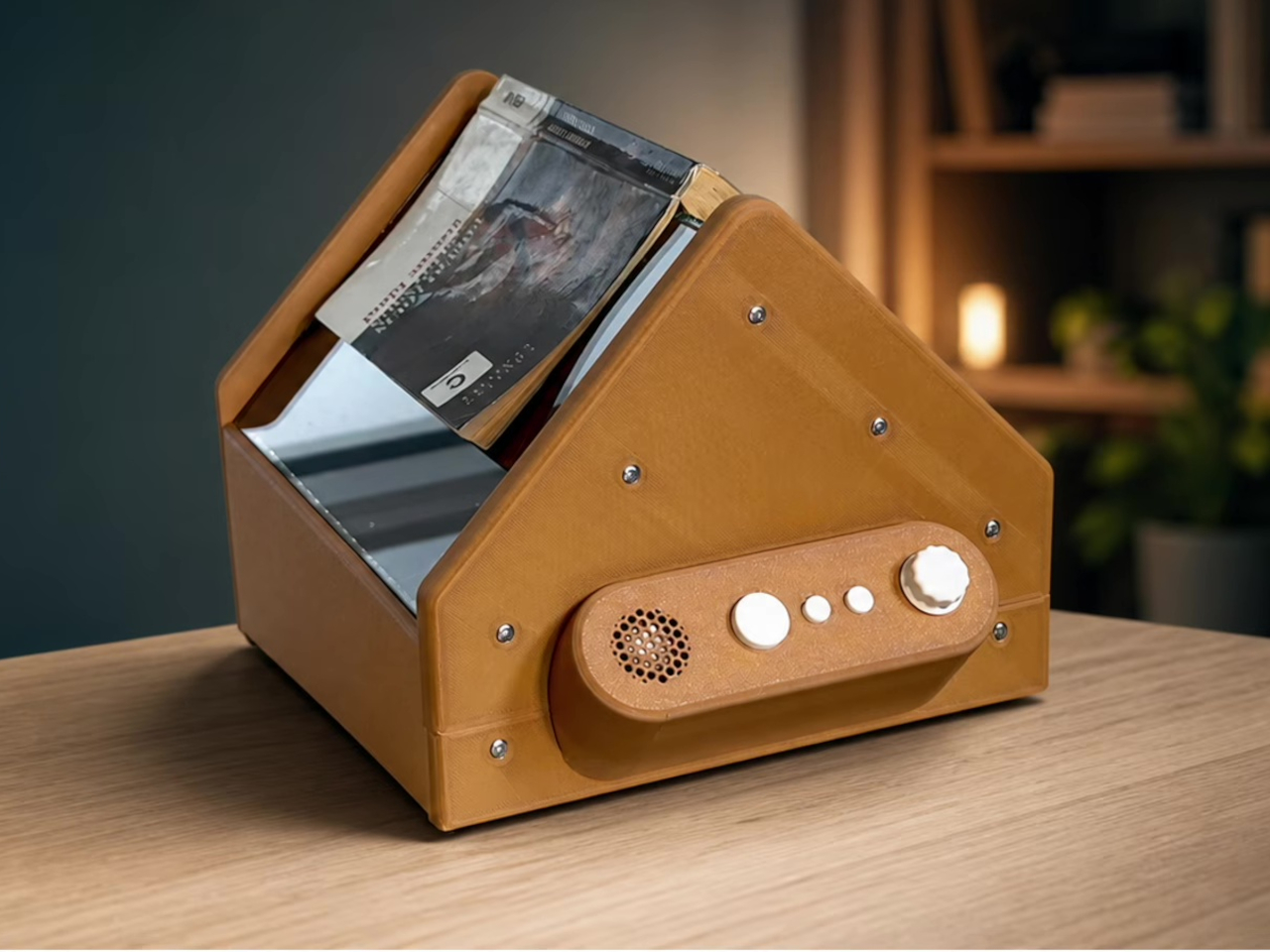
Vembi Hexis is a Braille reader purpose-built for children by Bengaluru-based Vembi Technologies, with industrial design by Bang Design. It turns digital textbooks, class notes, and stories into lines of Braille on demand across multiple Indian languages and English. The device had to be rugged enough for school bags, affordable enough for institutions to buy in quantity, and portable enough that children would actually want to carry it around.

Designer: Bang Design

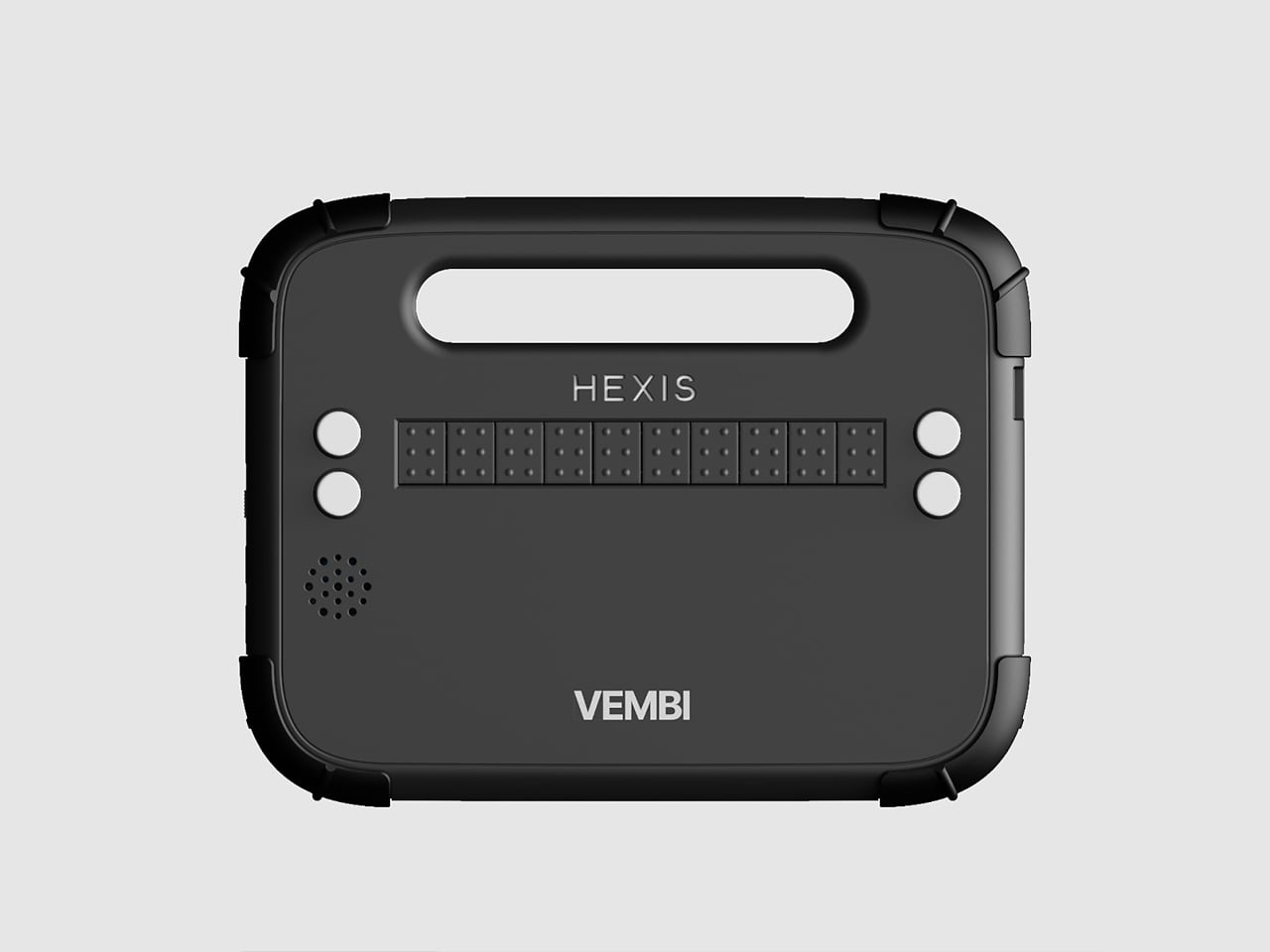
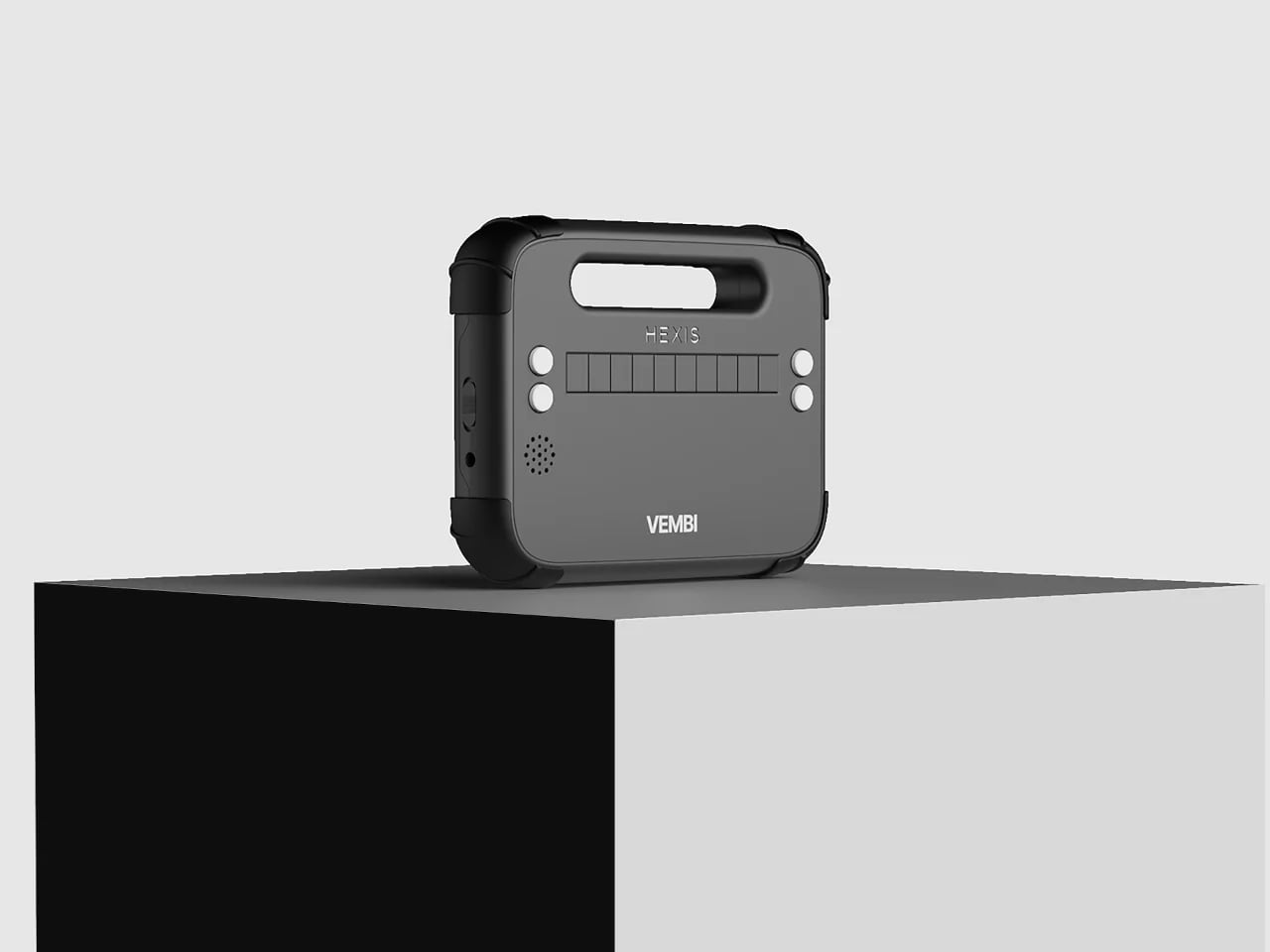
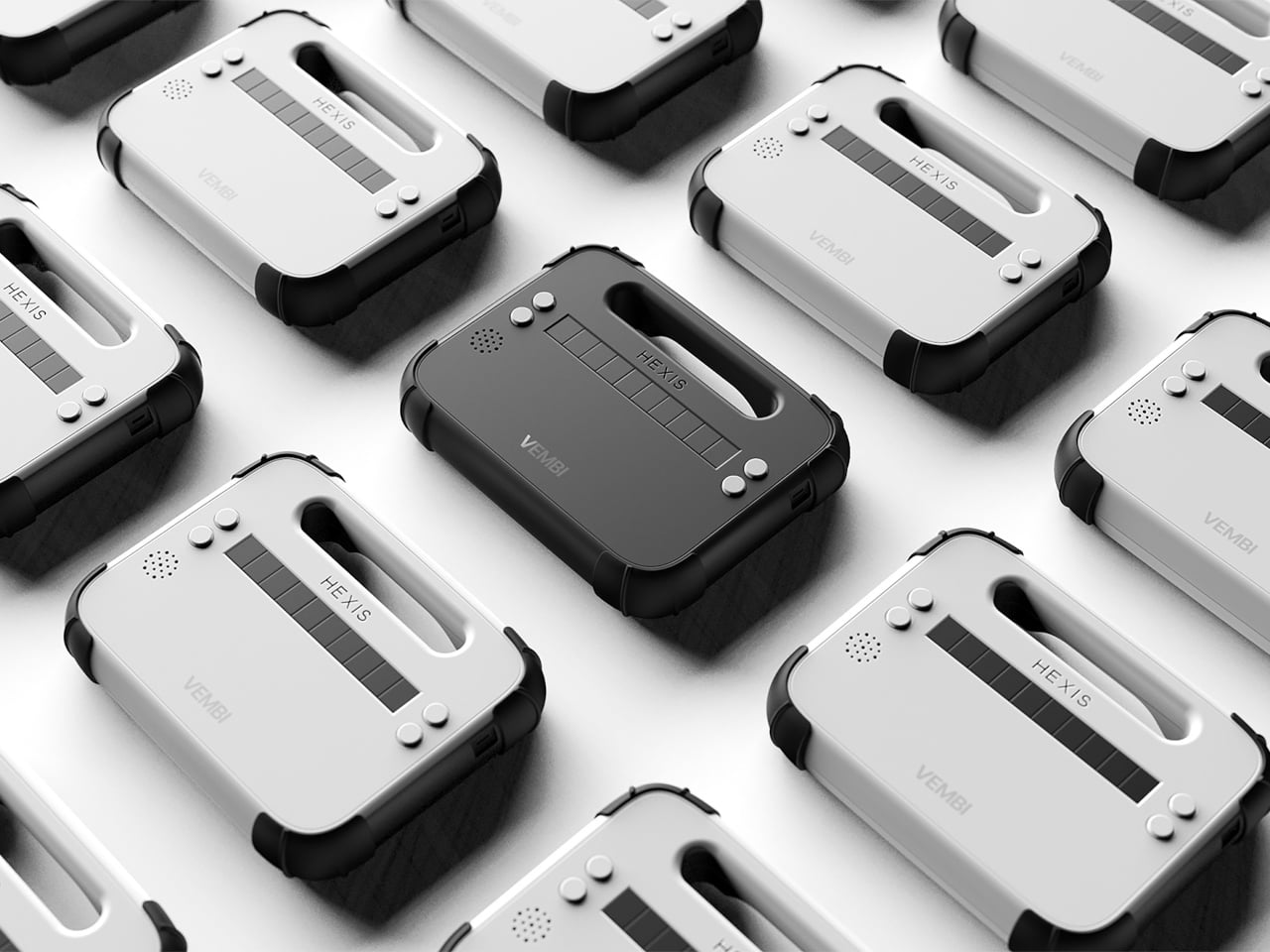
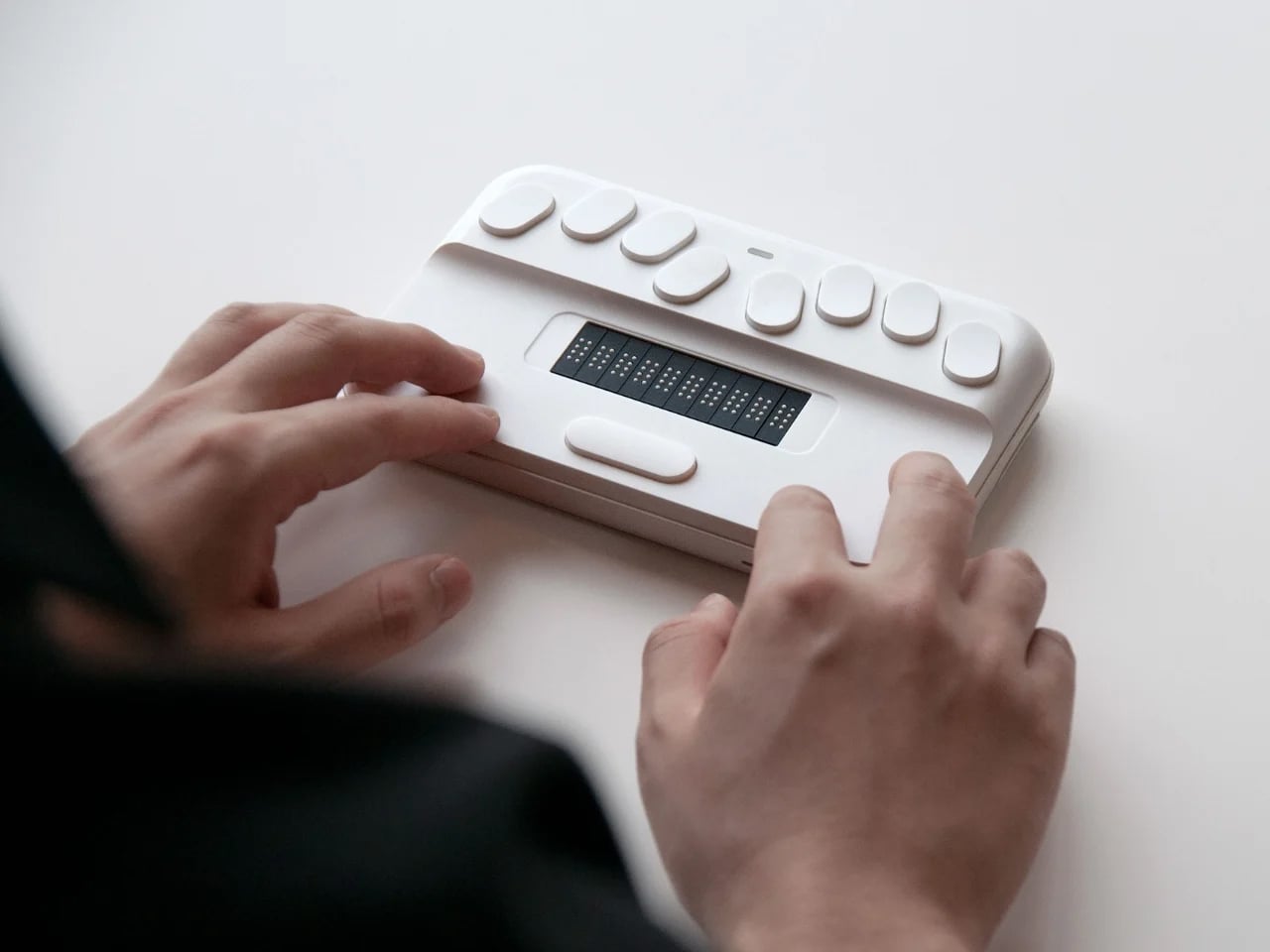
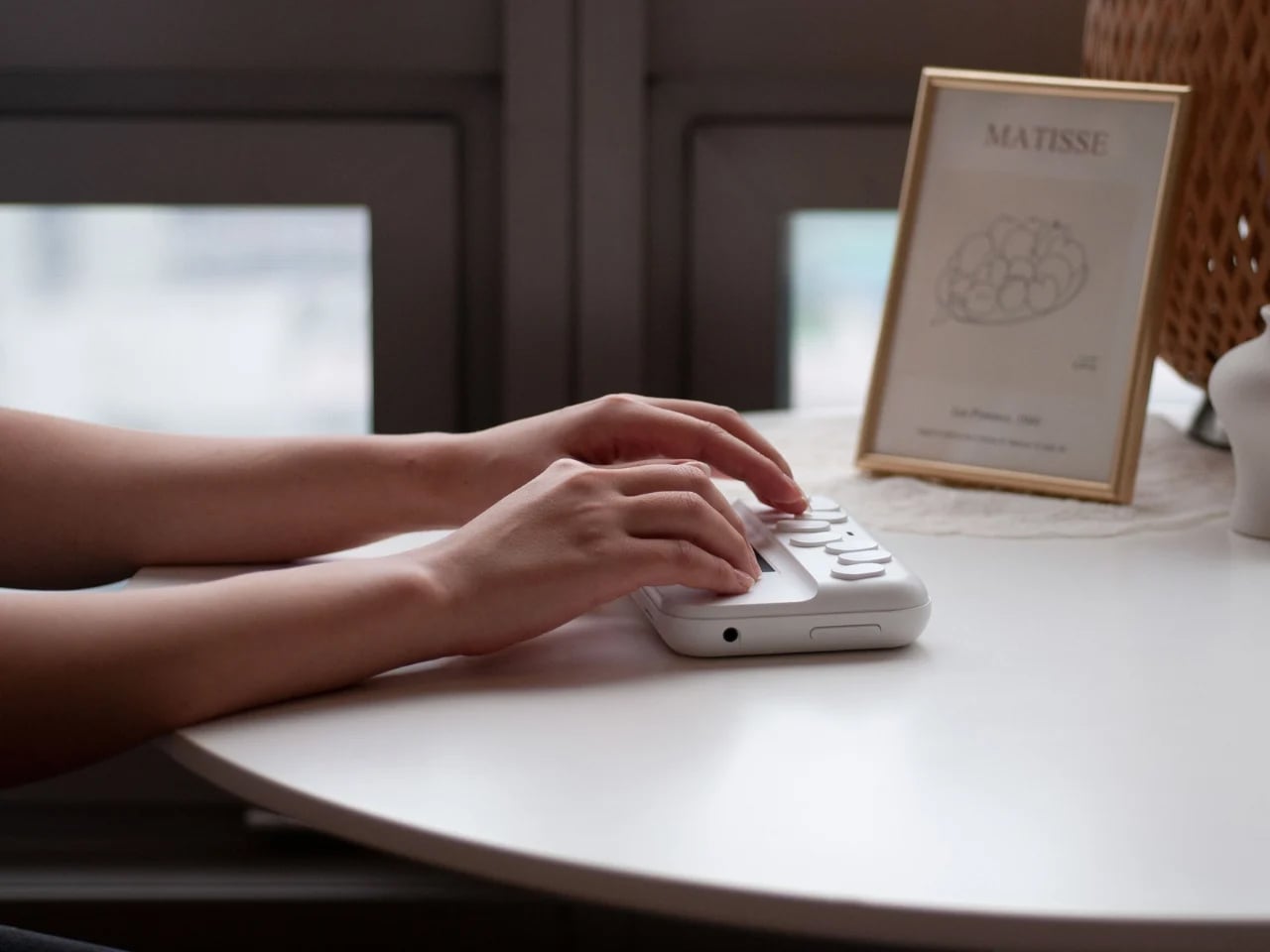
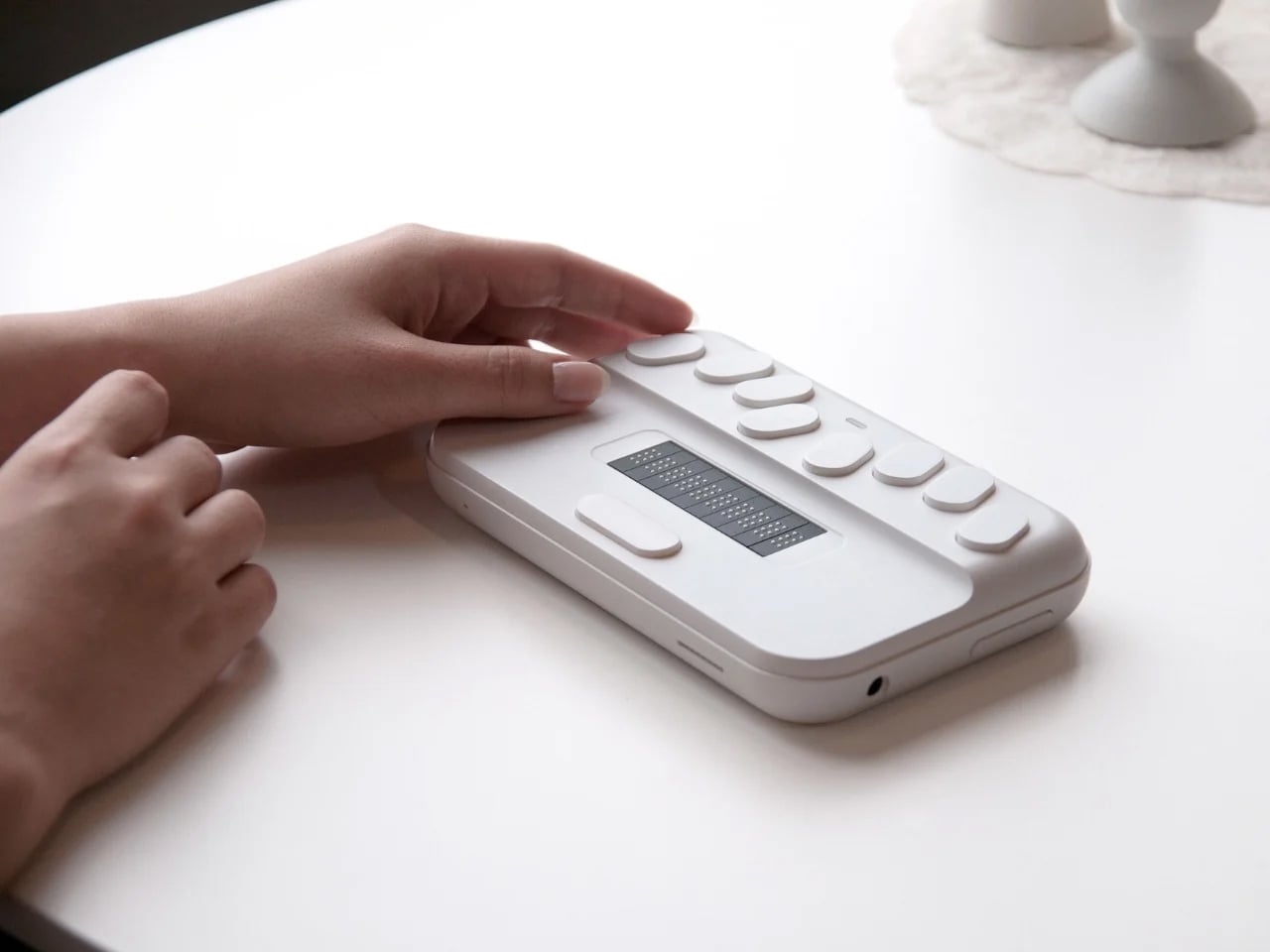
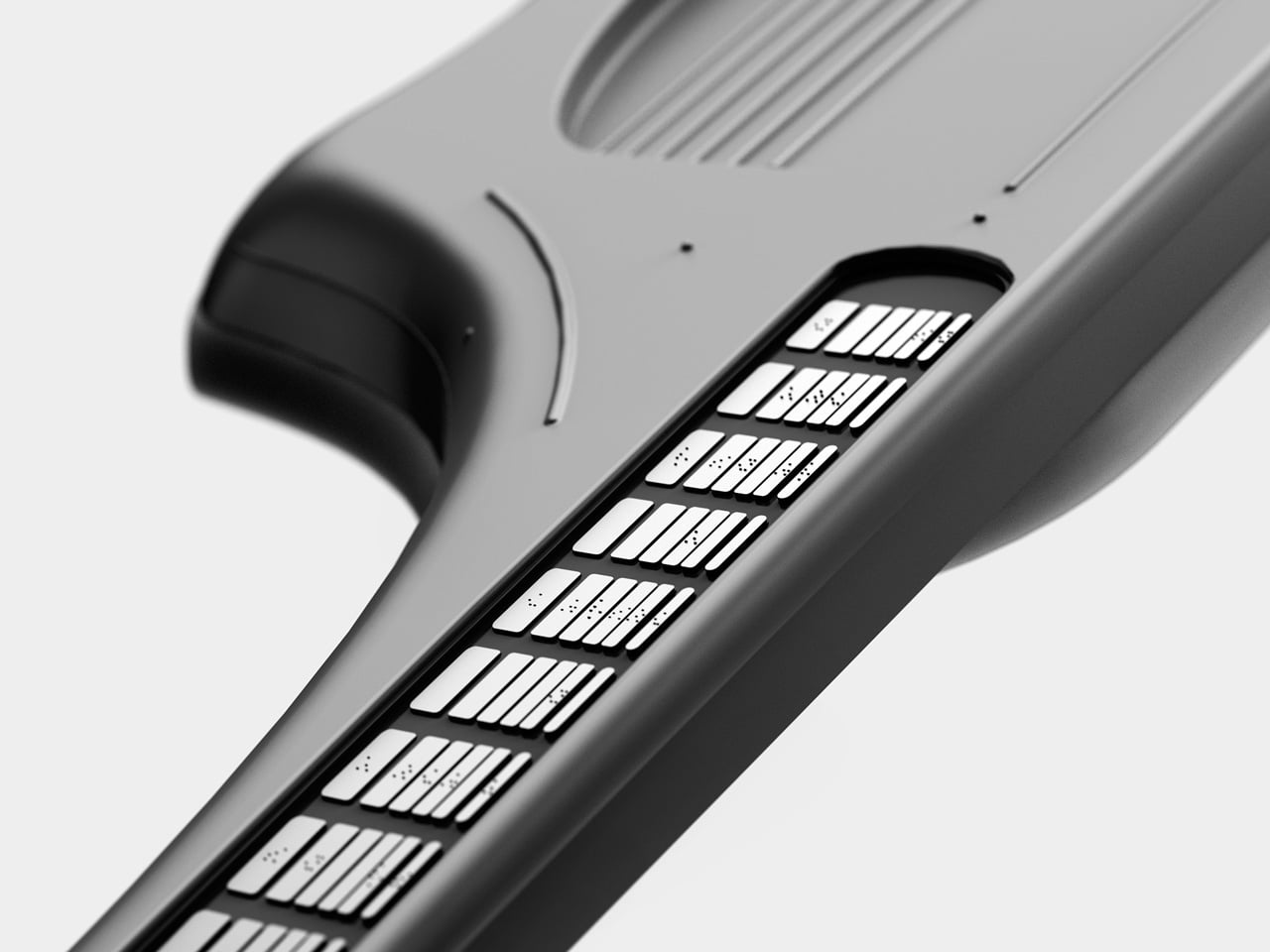
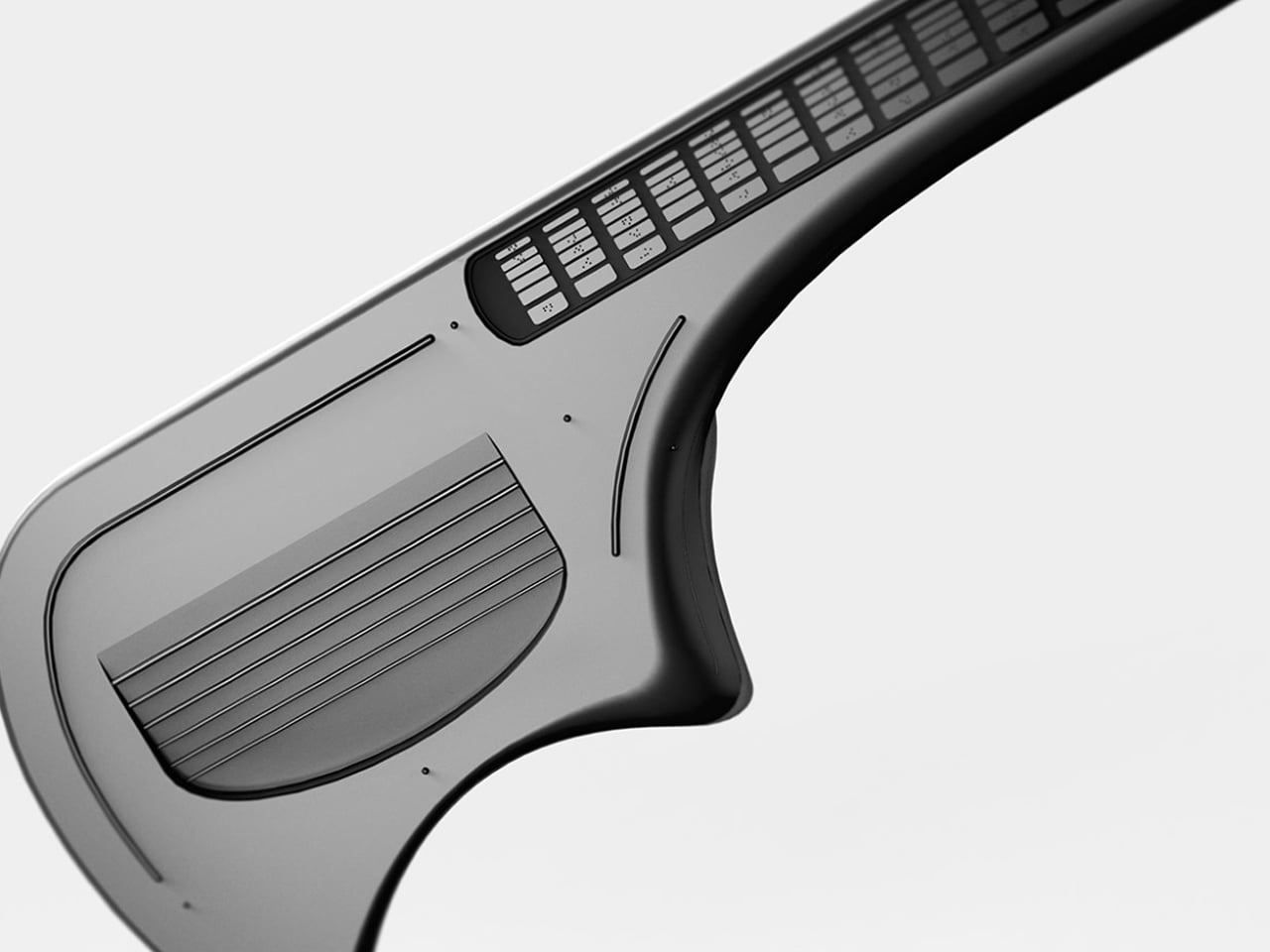
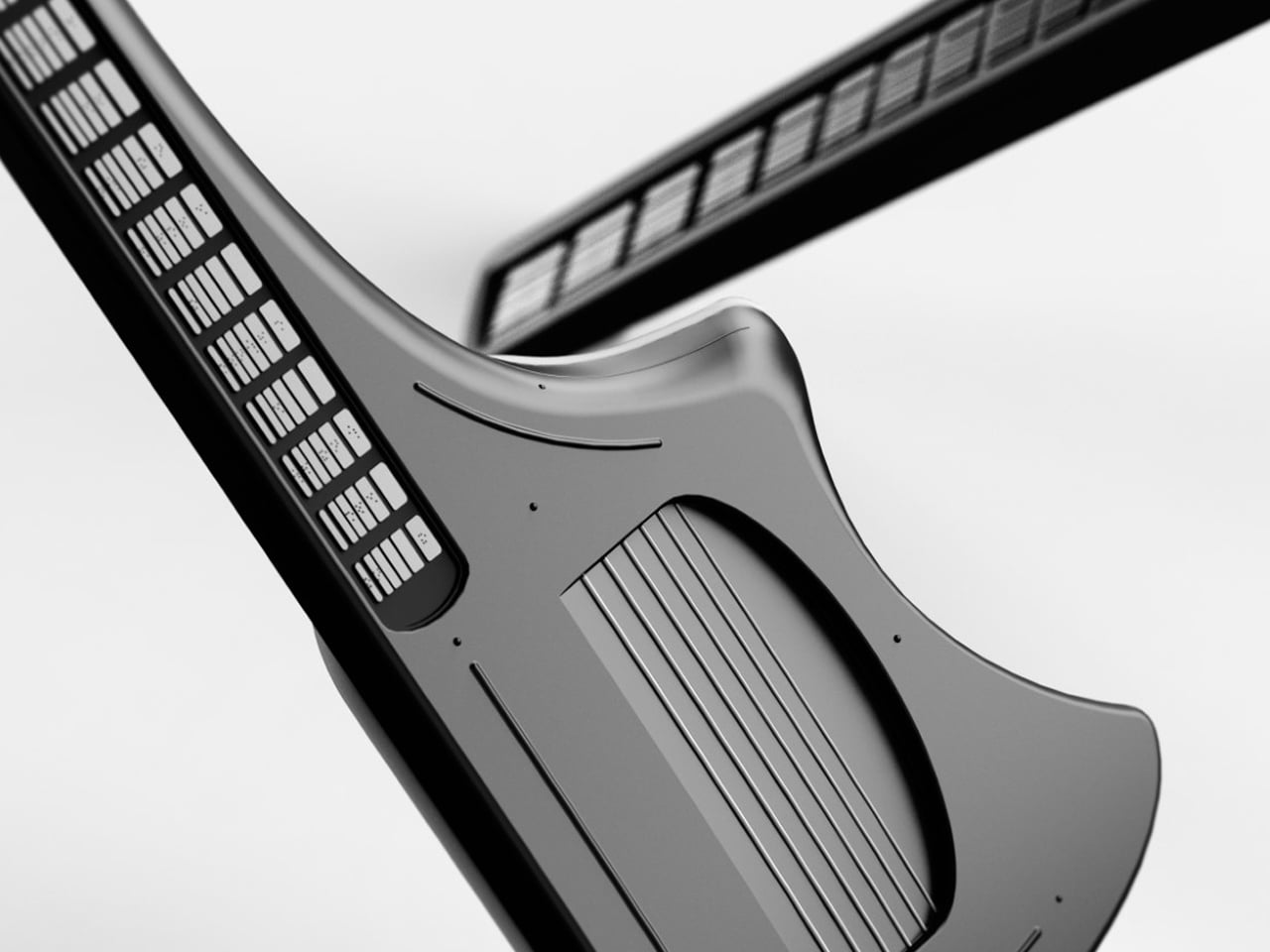
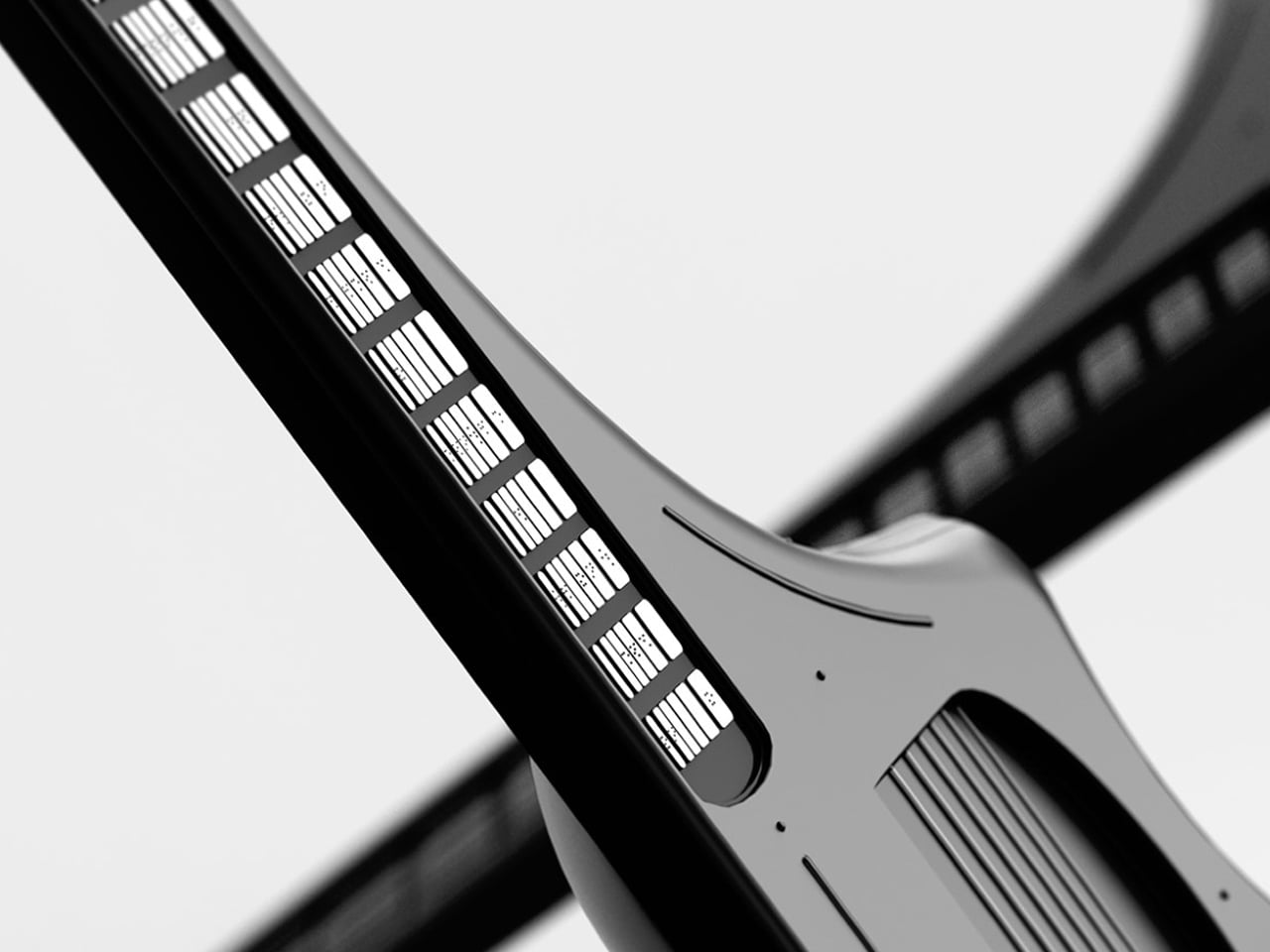
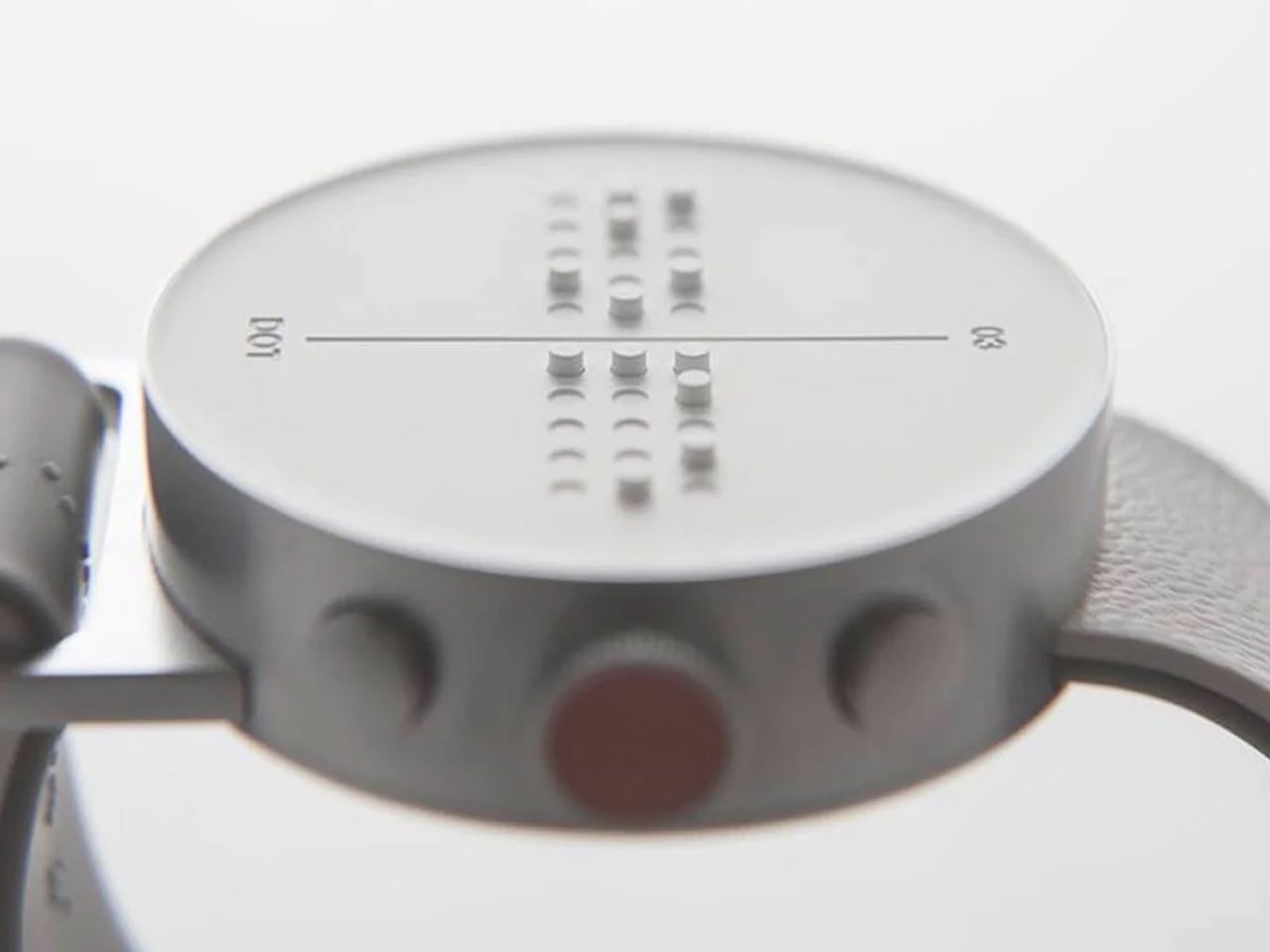
The device is a compact, rounded rectangle with softened corners and thick bumpers that make it feel closer to a rugged tablet than a medical device. The front face is dominated by a horizontal Braille display bar, with a small speaker grille and simple control buttons kept out of the way. Branding is minimal, just small HEXIS and VEMBI marks, so the object reads as a tool for kids first rather than a piece of institutional equipment.

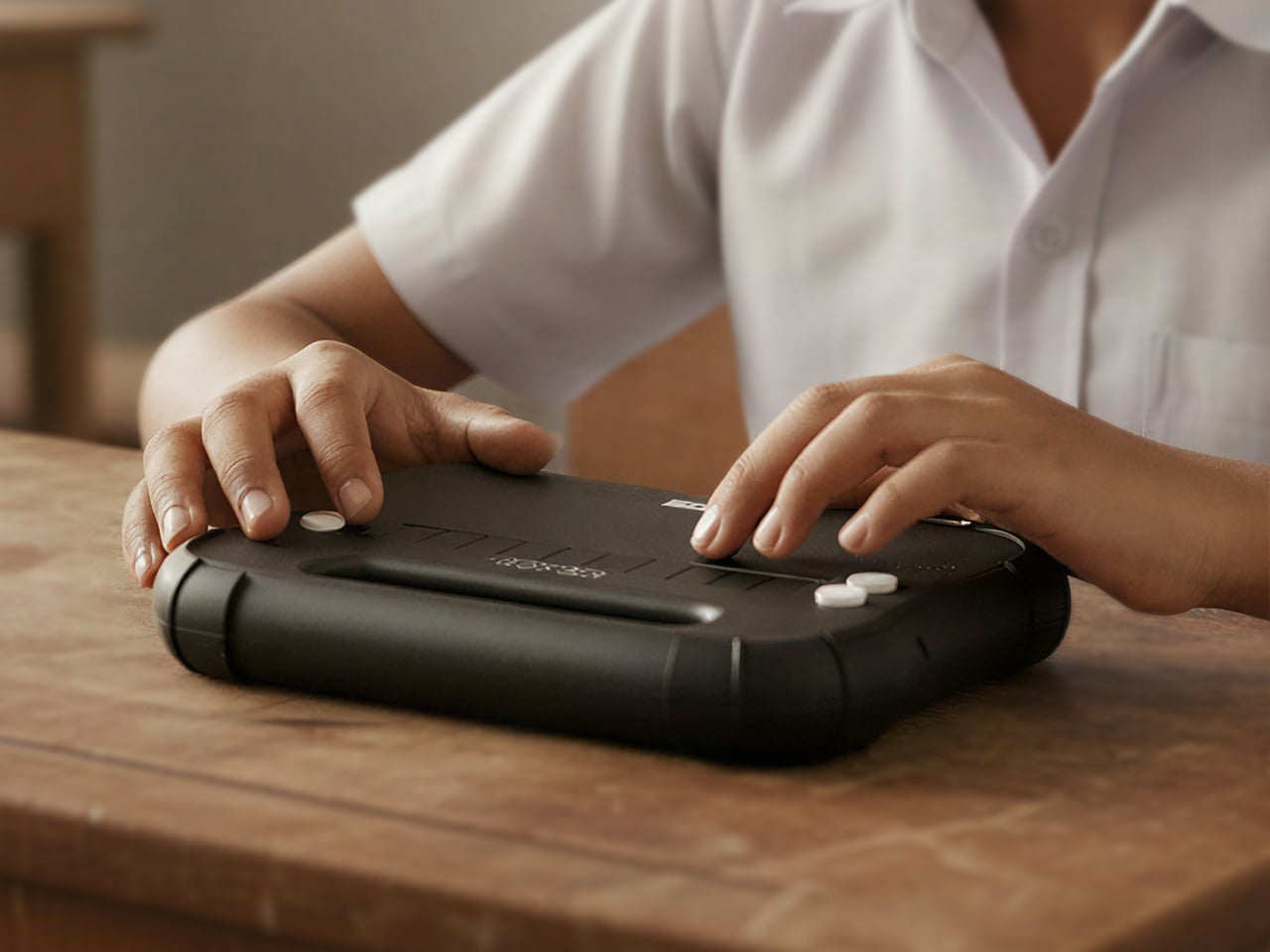
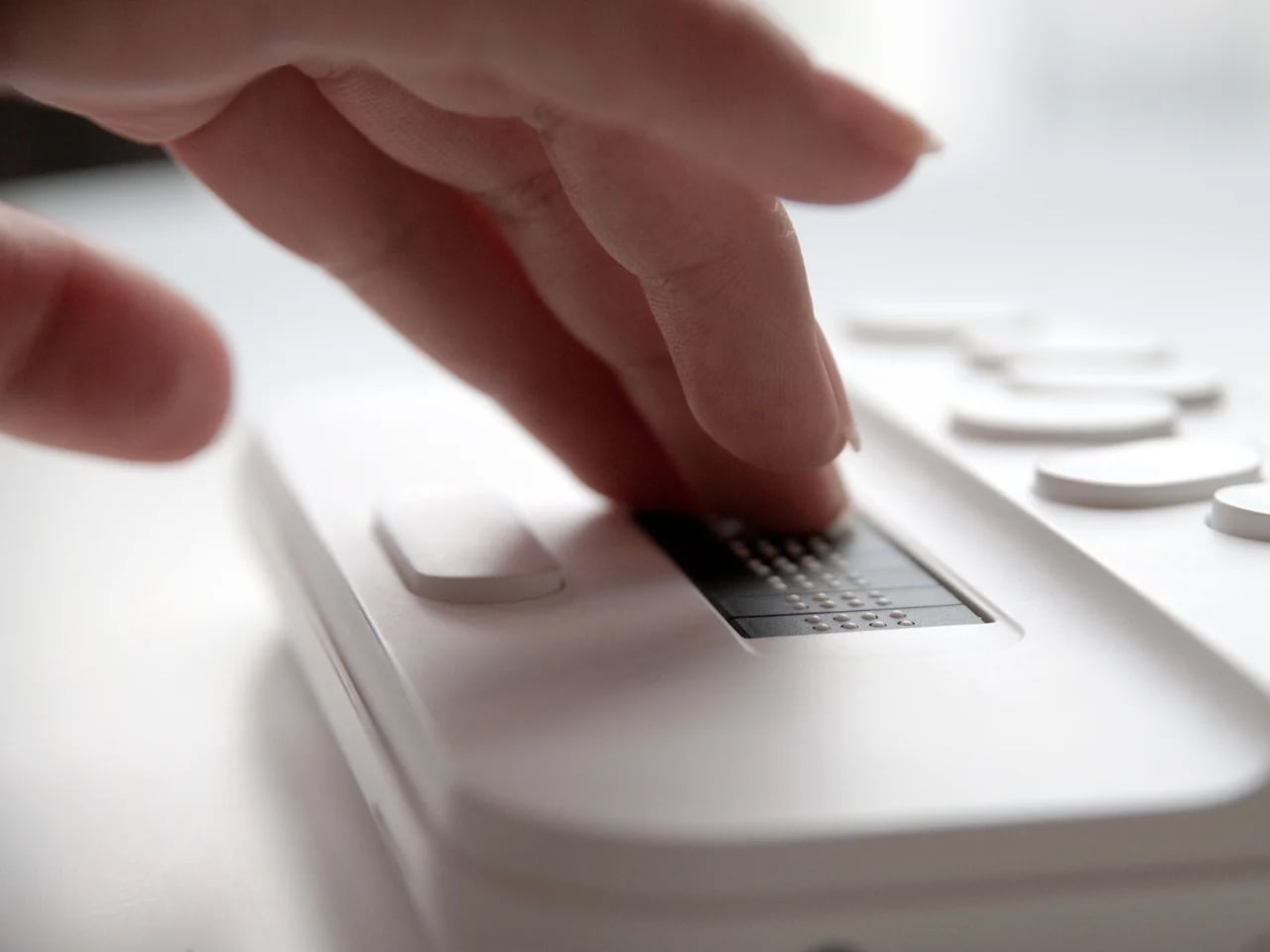
A built-in carry handle is carved cleanly through the top of the shell, giving children a clear place to grab and slide their hand into without straps or clip-on parts. The reading surface is sculpted with a gentle slope leading toward the Braille cells in the reading direction and a sharper drop at the far edge. Those height changes quietly guide fingers along each line and signal where to stop without needing any visual feedback at all.

The durability details acknowledge that classrooms are not gentle places. Corner bumpers extend slightly beyond the body to absorb drops from school desks, the shell is thick enough to shrug off everyday knocks, and charging ports are recessed and shielded to resist spills. This is a device meant to survive water bottles, lunch boxes, crowded bags, and everything else that happens in a normal school day without feeling like a heavy brick.

Bang Design studied how children read Braille in real schools and designed every surface with heightened touch in mind. The soft geometry avoids sharp edges that could become uncomfortable during long reading sessions, while the slope and drop around the display give constant orientation feedback. For kids who navigate the world through their fingers, those subtle contours become part of the interface just as much as the moving dots themselves.

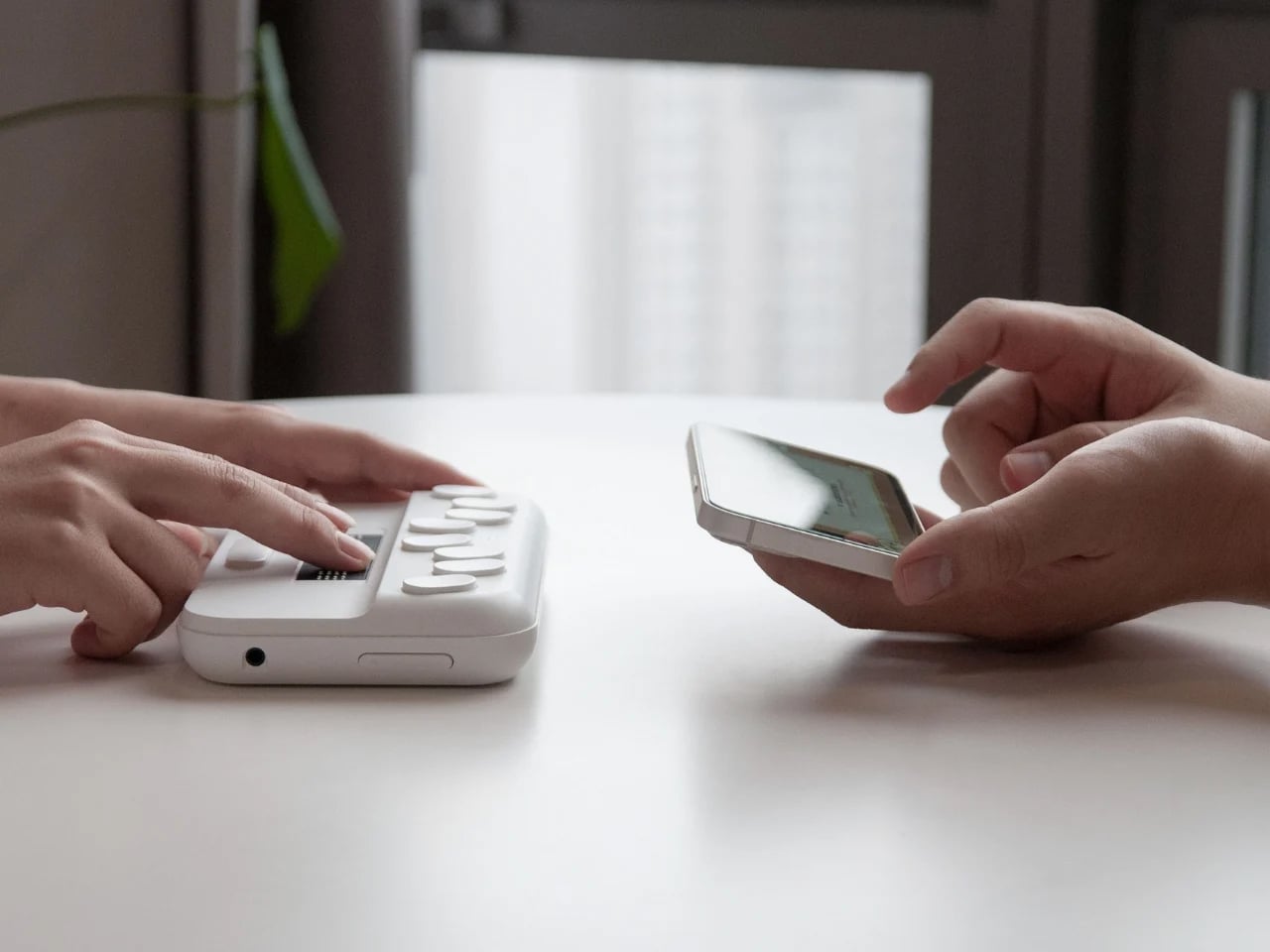
Hexis connects over Wi-Fi to Vembi’s Antara cloud platform so teachers and foundations can push textbooks, notes, and stories directly to devices. It supports multiple Indian languages and has been widely adopted across schools and NGOs, picking up recognition from programs like Microsoft’s AI for Accessibility Grant and Elevate 100. Those signals show that the design is not just elegant on paper but is actually working in classrooms and special education centers.

Assistive technology for children rarely gets the same design attention as mainstream classroom tools, but Hexis treats ruggedness, affordability, and friendly form as equally important constraints. For blind students, having a Braille reader that feels like a normal classroom companion rather than an exception is a quiet but meaningful shift. Hexis sits in school bags next to pencil cases and notebooks, looking and feeling like it belongs there instead of standing out as something separate or clinical.

The post This Rugged Braille Reader for Kids Has a Built-In Carry Handle first appeared on Yanko Design.
This Wheelchair Dryer Just Made Rainy Days Way Less Awkward

Look, here’s a design problem that most people never think about: what happens when wheelchair users get caught in the rain? Traditional umbrellas require a free hand, ponchos bunch up awkwardly, and standard rain gear just wasn’t designed with wheelchair ergonomics in mind. Nicolas Odorizi’s Mobidry tackles this overlooked challenge with a solution that’s both elegantly simple and surprisingly sophisticated.

At first glance, Mobidry looks almost futuristic. A transparent dome-like canopy wraps around the wheelchair and user, supported by a minimal aluminum frame. But what makes this design genuinely clever isn’t just how it looks. It’s how thoroughly Odorizi thought through every detail of the user experience. The frame itself is lightweight aluminum, which matters more than you might think. Wheelchair users are already managing equipment weight with every push and transfer. Adding bulky protective gear to that equation creates real physical strain. The aluminum structure keeps things light while maintaining enough rigidity to hold the canopy securely in place, even when wind tries to turn it into a sail.

Designer: Nicolas Odorizi

The canopy material is transparent and waterproof, which solves two problems simultaneously. Waterproofing is obvious, but transparency is crucial for maintaining visibility and reducing that closed-in feeling that opaque covers create. You can see the careful seaming along the edges where the material curves around the frame, following the wheelchair’s contours rather than fighting against them. This isn’t just fabric draped over a frame. It’s a precisely engineered shape.

One of the standout features is the rotation and fixation system. The entire canopy structure can pivot and lock into position, which means users can adjust coverage based on wind direction or simply fold it back when the rain stops. This kind of flexibility transforms Mobidry from a single-purpose rain shield into something more versatile. The mounting mechanism appears robust but unobtrusive, integrating with the wheelchair frame without requiring permanent modifications.

The coverage itself is comprehensive. Top, front, sides, and rear protection work together to create an enclosed protective zone. But look closely at how the design handles the transition points. Where the canopy meets the wheelchair frame, there’s a bias-tape finish that contours around the wheels. This detail prevents the material from catching on moving parts while maintaining a weather-tight seal. It’s the kind of thoughtful touch that separates good design from great design.

What really strikes me about this project is how it balances protection with dignity. Accessibility products often veer into two extremes: either aggressively medical-looking or trying too hard to be “inspirational.” Mobidry just looks like well-designed gear. The transparent material and clean lines give it an almost architectural quality, like a tiny modern pavilion that happens to travel with you.

The project documentation shows Odorizi worked through multiple prototypes, refining the form and testing the mechanics. You can see evidence of 3D printing used for component development, suggesting an iterative design process that prioritized function over flash. The technical drawings reveal careful attention to dimensions and clearances, ensuring the canopy provides adequate coverage without restricting arm movement or visibility. There’s a quote in the project materials that really captures why this matters: “Rain affects our independence and autonomy to go places.” That’s the core insight driving this entire design. It’s not about staying dry for comfort’s sake. It’s about maintaining the freedom to move through the world on your own terms, regardless of weather.

From a broader design perspective, Mobidry represents a shift in how we think about accessibility products. Rather than adapting existing solutions poorly or creating specialized equipment that screams “medical device,” it asks what a purpose-built solution could look like when designed from the ground up with wheelchair users in mind. The result respects both the technical requirements and the aesthetic expectations of its users.

Nicolas Odorizi, working from Porto Alegre, Brazil, has created something genuinely useful here. Not revolutionary in the sense of reinventing wheelchairs, but revolutionary in addressing a specific, frustrating gap in the market with intelligence and style. Sometimes the best design isn’t about grand gestures. It’s about solving real problems with grace and precision. Mobidry does exactly that.

The post This Wheelchair Dryer Just Made Rainy Days Way Less Awkward first appeared on Yanko Design.
3D printed prosthetic fin lets below-knee amputees swim with freedom and efficiency

A number of different types of prosthetic legs are designed to help below-knee amputees run, whether recreationally or professionally. High-performance running prosthetics, often called blades, have been used by runners like the infamous Oscar Pistorius to shatter numerous records. Now, a similar level of freedom and efficiency seems to be headed for the waters, thanks to an advanced prosthetic concept from Essesi Design Studio.

The below-knee prosthetic fin, called Nimble, is designed by Essesi Design to bring that capability to swimmers. At the core, the lightweight carbon fiber prosthetic features a 3D printed flexible lattice structure. This piece is specially designed to “reduce stress on the user’s limb while generating powerful thrust with each kick,” the design studio notes.

Designer: Essesi Design Studio

Essesi Design Studio has developed Nimble, a concept modular 3D-printed prosthetic fin, to help below-knee amputees swim with greater freedom, comfort, and technological support, making the experience both easier and more efficient for the user. The attachable prosthetic would replace the foot and the lower leg with the Nimble, comprising a carbon fiber frame and the flexible lattice structure in the main body made from rubber material for its suppleness.

The outer shell of the prosthetic is 3D printed from carbon fiber to make the prosthetic fin lightweight and robust, and the lattice component is 3D printed from rubber. Plastic components with rotatable locks are used to join the shell and the lattice and also to attach the entire prosthetic fin to the user’s upper limb.

As mentioned, the lattice unit is basically the heart of this conceptual fin designed for those who have lost a leg. It’s the flexible part that moves when the swimmer kicks. On a downward kick, the structure compresses to store energy and when the kick’s complete, the flexible section snaps back to its original position, simultaneously creating thrust to help the user push forward. Just to ensure this thrust does not hurt the user, the same lattice structure absorbs the impact, preventing the upper part of the leg attached to the prosthetic from experiencing pain or discomfort.

The modular 3D printed prosthetic fin by Essesi Design Studio is in the conceptual stage at the time of writing. But with its promising abilities, The Nimble prosthetic fin should be a compelling option to make it easier for amputees to swim better without exerting too much pressure on their limbs. So, if Nimble can be successfully developed and commercialized, it would definitely open up new avenues in athletic swimming and physical rehabilitation.

The post 3D printed prosthetic fin lets below-knee amputees swim with freedom and efficiency first appeared on Yanko Design.
Apple’s $70 Hikawa Grip Proves Accessibility & Art Can Coexist

Apple just dropped something unexpected and pretty cool: the Hikawa Phone Grip & Stand, a $69.95 MagSafe accessory that looks more like a piece of modern art than your typical phone attachment. What makes this launch special isn’t just the design, though. It’s Apple’s way of marking 40 years of accessibility work, and honestly, it shows in every curve and ridge of this thing.

Los Angeles designer Bailey Hikawa didn’t just sketch this grip at a design table. She worked directly with people who deal with limited muscle strength, reduced dexterity, and various hand control challenges. That kind of collaboration makes a difference you can actually feel. The triangular silicone form accommodates different grip styles, letting users hold their phones with way less effort than usual. The magnetic MagSafe connection stays secure during use but snaps off easily when you’re done.

Designer: Apple

Here’s where it gets practical. The grip doubles as a stand that works in both portrait and landscape modes. Propping up your iPhone for a FaceTime call or binge-watching session suddenly doesn’t require awkward hand positions or makeshift setups. The premium silicone has that soft-touch feel that doesn’t irritate your hands during extended use, which matters more than you’d think.

Hikawa’s artistic background really shines through in the sculptural form. Each grip genuinely looks like something you’d see in a contemporary art gallery. Apple is offering two exclusive colors: Chartreuse, a bold greenish-yellow picked specifically for high visibility, and Crater, a recycled finish with gray, black, and white specks that feels surprisingly sophisticated. At 3.1 by 2.3 inches, it adds just enough bulk to be useful without turning your phone into a brick.

Compatibility spans everything from the iPhone 12 through the upcoming iPhone 17 lineup, including the new iPhone Air. Any MagSafe-enabled device works right out of the box. Sarah Herrlinger, Apple’s Head of Accessibility, made an interesting point about this product. She acknowledged that it’s designed to solve specific problems for certain users, and that’s perfectly fine. Not every accessibility tool needs to appeal to everyone.

This limited edition grip is exclusive to Apple’s U.S. online store, and given how fast their recent iPhone Pocket sold out, you might want to move quickly if it catches your eye. What strikes me most is how Apple’s bringing attention to accessible design without making it feel like charity or an afterthought. The Hikawa grip works because it’s genuinely useful and genuinely beautiful, proving those two things don’t have to be mutually exclusive.

The post Apple’s $70 Hikawa Grip Proves Accessibility & Art Can Coexist first appeared on Yanko Design.
Mechanical Braille Embosser Labels Medicine, Food With No Power

For visually impaired people worldwide, identifying everyday items like medications, kitchen containers, switches, or personal belongings can be a daily challenge that affects independence, safety, and quality of life. Most labeling solutions are either expensive, complicated, or simply not designed with accessibility in mind, forcing users to rely on others or expensive assistive technology for basic organization. Finding a simple, affordable way to create tactile labels remains frustratingly difficult.

The Sakshar Braille Embosser concept reimagines labeling as a tactile, intuitive experience that anyone can master quickly without extensive training. By combining a mechanical interface with smart ergonomics and careful attention to usability, it aims to bring independence and dignity to visually impaired users everywhere, making Braille labeling a simple part of daily life. Sakshar means “literate” in Hindi, reflecting the concept’s mission to empower through accessible information.

Designer: Shruti Kushwaha

Sakshar’s compact, tabletop form is both modern and approachable, with a rectangular body, rounded edges, and large, raised buttons for Braille dot selection across the top panel. The device is shown in a range of colors, including orange, green, and blue, making it easy to identify by touch or sight for sighted family members. The clean, minimalist aesthetic fits naturally into kitchens, bathrooms, or workspaces.

The tactile interface is designed specifically for comfort and ease during extended labeling sessions, with button spacing and feedback optimized for users with limited dexterity or hand strength. The embosser’s compact size and stable base make it easy to use at home, school, or work without requiring special furniture or a dedicated workspace. The handle makes it portable enough to carry between rooms or take when traveling.

At the heart of Sakshar is a precise Geneva mechanism that advances vinyl tape automatically after each character is embossed, ensuring consistent spacing and proper alignment for readable Braille throughout longer labels. Users simply press the tactile buttons to select Braille dots representing specific letters or numbers, roll the driver to advance the tape forward, and tear off the finished label when complete.

The device is fully mechanical, requiring no electricity or batteries whatsoever, making it reliable and low-maintenance for users in any environment, location, or economic situation. The mechanical operation means there’s nothing to charge, no software to update, and no risk of digital failure when you need to create labels quickly for important items. This simplicity makes Sakshar accessible to users of all ages and technical comfort levels.

Sakshar is built from durable, easy-to-clean materials designed to withstand daily use in demanding environments, with water-resistant construction for use in kitchens, bathrooms, or medical settings where spills happen regularly. The vinyl tape is strong, self-adhesive, and sticks securely to medicine bottles, pill strips, light switches, storage containers, or any household item that needs identification. The embossed text is concave and convex for enhanced readability and durability over time.

By making Braille labeling accessible, affordable, and intuitive through thoughtful design principles, Sakshar empowers visually impaired users to organize their lives independently without constantly asking for help from family members or caregivers. The concept supports a wide range of ages and abilities, offering tactile feedback and a frustration-free experience that respects users’ autonomy and dignity in managing their personal spaces and belongings throughout daily routines.

The post Mechanical Braille Embosser Labels Medicine, Food With No Power first appeared on Yanko Design.
Modular Pedestrian walking aid can adjust to users’ needs (and height)

There are a lot of walking aids in the market for those who need short-term or medium-term assistance due to some walking-related disability. But of course there’s always room for improvement. Great product designers think about what they can do better for existing products to make it more usable and to improve the quality of life of the users. The Pedestrian is one such product that tries to make using the walking stick more modular and more practical.

Designers: Jonas Krämer and Ayla Warncke

Pedestrian is a 3-in-1 Assistance System for those who need assistance and is actually in between short-term solutions like crutches and long-term assistance systems like wheelchairs. Its goal is to minimize the consequential damages that can sometimes result in using the usual walking aids. They also want to be able to adjust to the needs of the user and when not needed anymore, pass it on to someone who needs it more and adjust to that person’s needs as well.

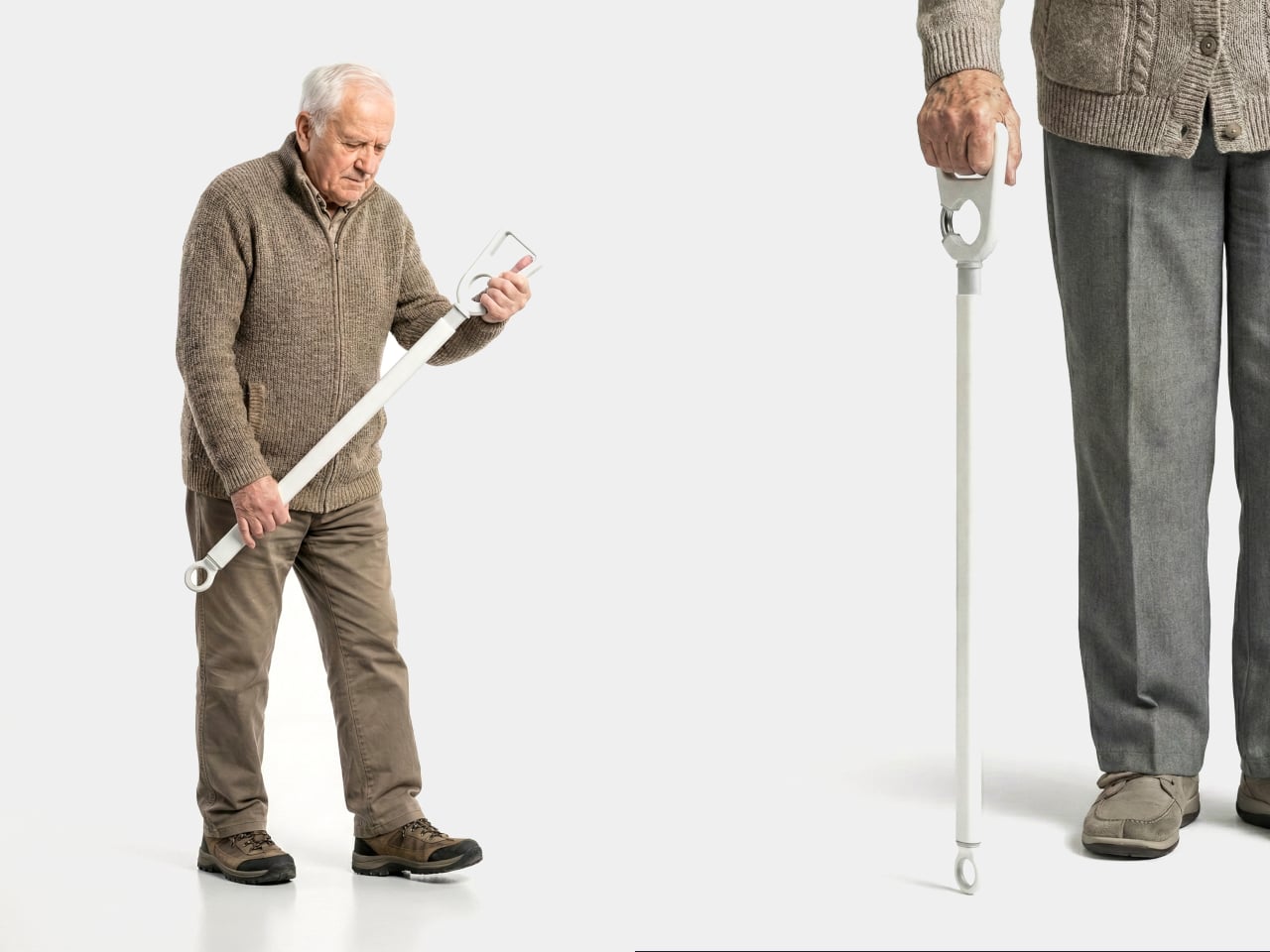
The walking aid has three modes for the different needs. Mode 1 or strong support is for those that may need an aid as they work through their arthritis. Mode 2 is medium support and serves as forearm crutch. Mode 3 is light support for those who may just need a walking stick. Shifting through these three modes is actually pretty easy and the elements are interchangeable and modular.

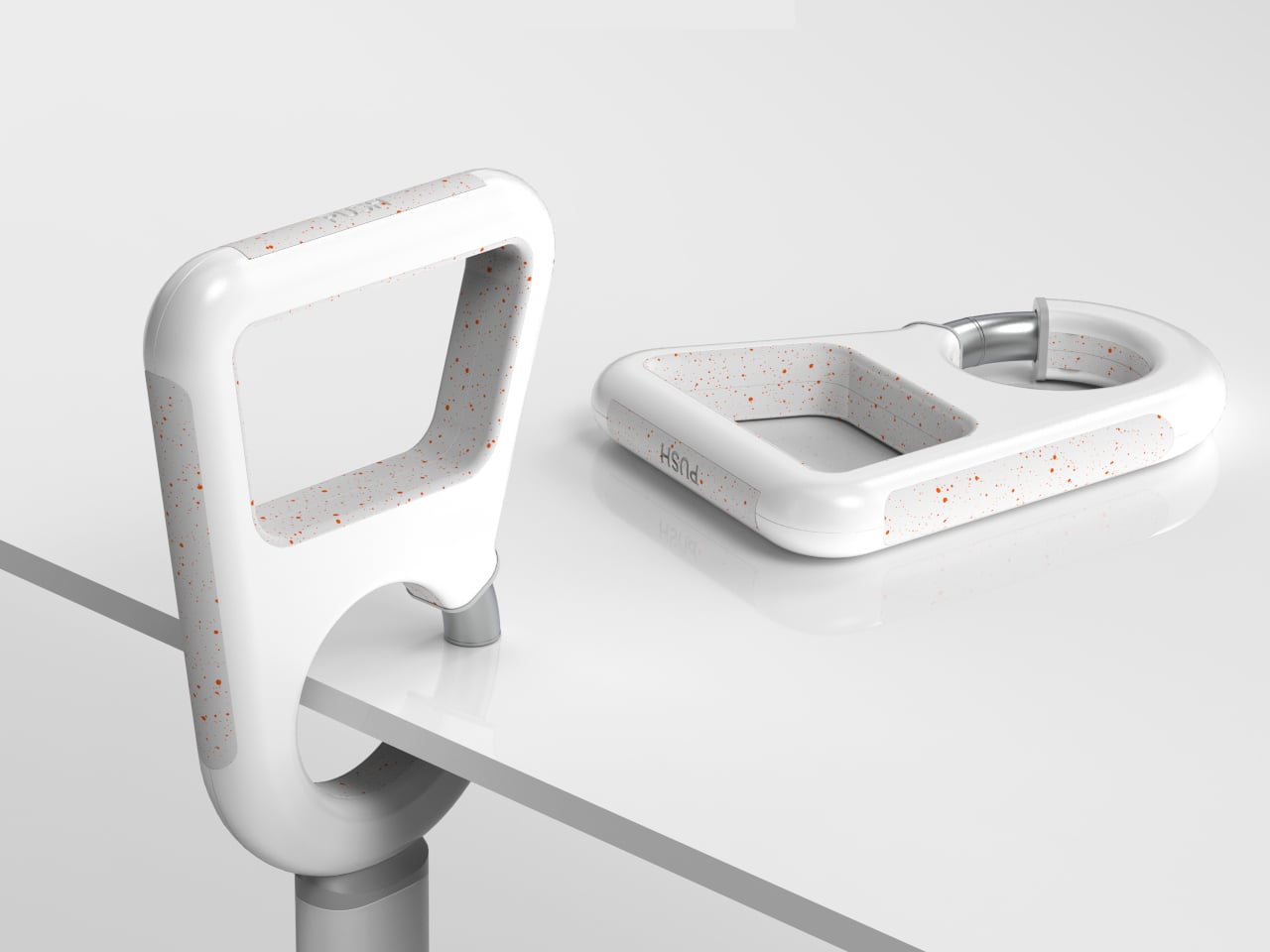
The foot or base is made from flexible rubber material and has a textured surface to prevent slipping. It can stand by itself in any mode but can also be compressed. It is also hands-free so you can do other actions and you can make it more secure by using the wrist strap. There is also a mechanism so you can adjust the height so it can be used by users with different heights. This seems to be a pretty useful aid to those that would need assistance walking.

The post Modular Pedestrian walking aid can adjust to users’ needs (and height) first appeared on Yanko Design.
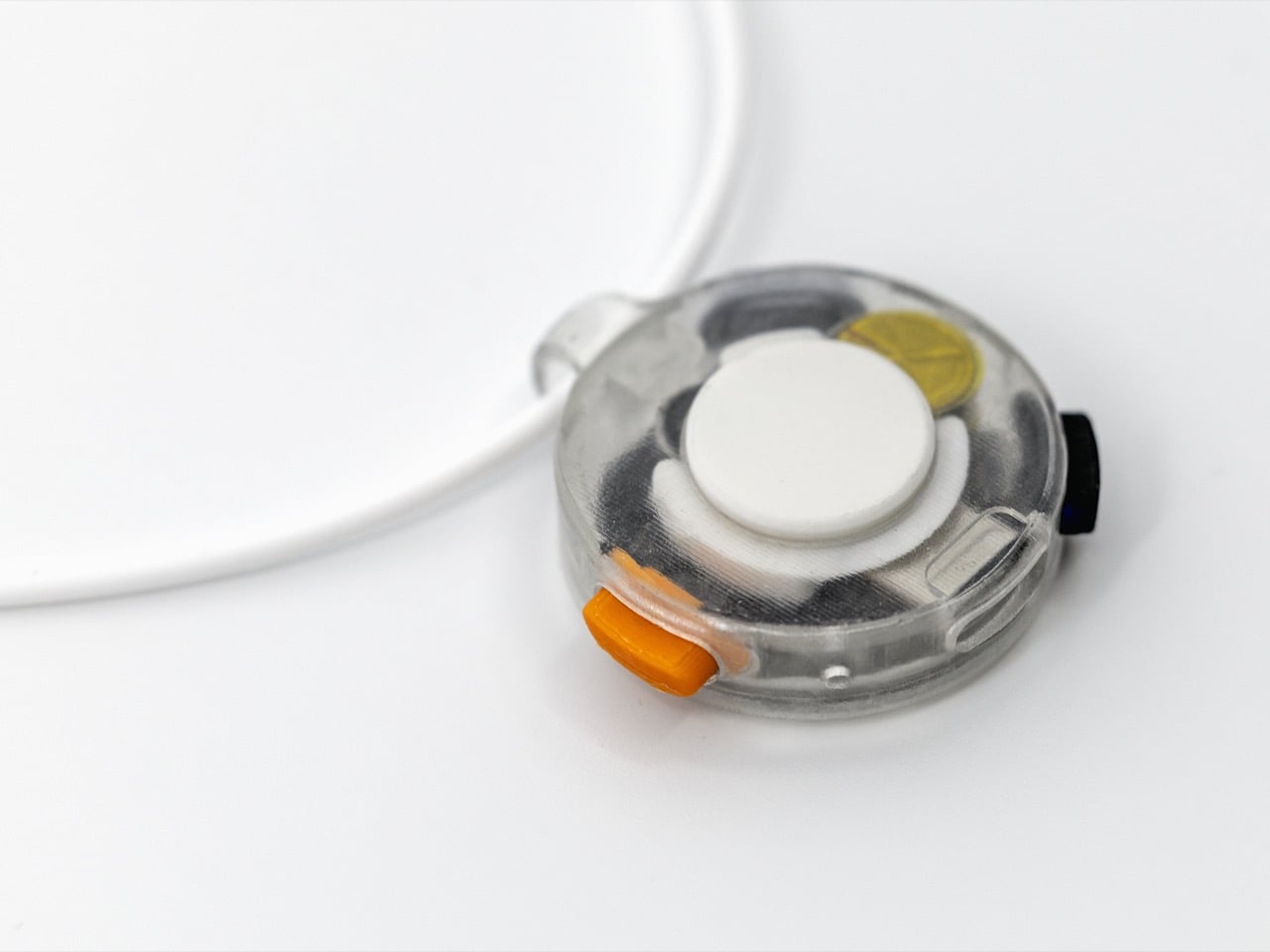
Based on Logitech EDU research, this interactive AAC device can be a learner’s best friend

Technology is today bridging gaps between thought and expression in more ways than previously possible. This is especially true in the case of people facing limitations with verbal speech and expression thereof. Many who resonate with the thought that every person – irrespective of their limitation – deserves a voice or perhaps a way to communicate have been working with neurodiverse learners facing communication challenges to facilitate their lifestyle with AAC (Augmentative and Alternative Communication) devices.

Whether it’s due to developmental, neurological, or physical conditions, the struggle to communicate verbally no longer has to limit someone’s ability to connect with the world around them. Modern ACC communication devices – like this Logitech EDU multifunctional device – have stepped up to make it easier for those struggling with verbal communication to connect with the world around them not through words, but through the use of symbols and pictures.

Designer: Monica Bhyrappa and Fan Fang

More than 2 million children and adults use AAC to communicate on a daily basis. Such tools support those with difficulties communicating using speech to communicate their requirements, attend classes and participate in them, and also socialize with peers and society easily without words. The project by Monica and Fang is based on the preliminary research within the Logitech EDU team catering to the adaptive needs of students, especially those on the autism spectrum.

This computer mouse-like pocket-sized AAC device that measures 4-inches tall is based on a picture symbol system and wears the Logi branding. It is created and tested for the K-12 age group. The autistic learners in this age segment are trained to use symbols instead of words to communicate and this device intends to make that more interactive and convenient, overcoming the limitations of other AAC devices. For just convenience and interactivity, the accessory is made of interchangeable pieces rendering it an adaptable device in a student’s daily life. For instance, it has loops to wear as a lanyard, swap in the clip and fasten it to a book or folder, or strap it around the wrist to be worn as a watch.

The device features different modes comprising a set of words or phrases displayed on its interactive screen. The learner can access and click on their choice of interaction at any point of the day. These symbols are imported from the learner’s primary AAC device so that at no point there is a chance of an unfamiliar message that they do not associate with. The parents and educators can have control over this device and customize the interaction models at any time. To make it easy to be accepted as a device the learners would like with them, Monica has designed these in muted colors and minimal textural inundations.

The post Based on Logitech EDU research, this interactive AAC device can be a learner’s best friend first appeared on Yanko Design.