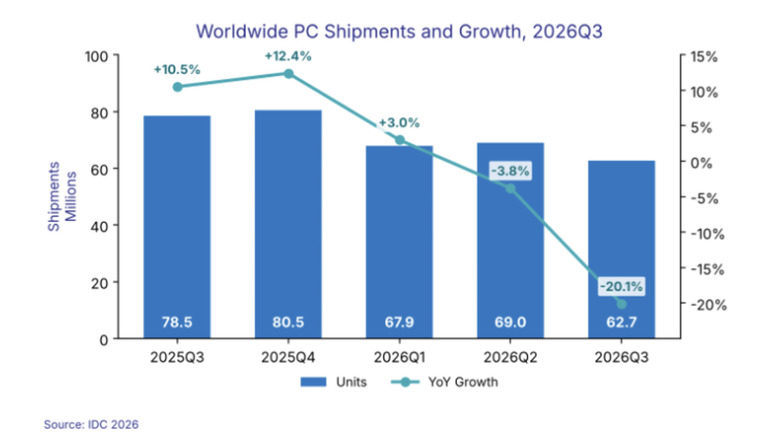
IDC: Worldwide PC shipments in Q3 fell 20 percent from last year
"With macro conditions worsening, the risk is that the outlook for the next few quarters gets worse before it gets better."
You cannot slam a smartphone. Trust me, I’ve tried, and all you get is a sad little tap on a red icon and a mild sense of defeat. Slamming a receiver was a full body experience with built-in sound design. Generations of furious teenagers, dramatic dads, and heartbroken rom-com leads got to end a call with a clunk that said everything. Kids today never get that. They also never untangle a cord, memorize a number, or yell “I’ll get it!” across the house, which feels like a lot of lost childhood.
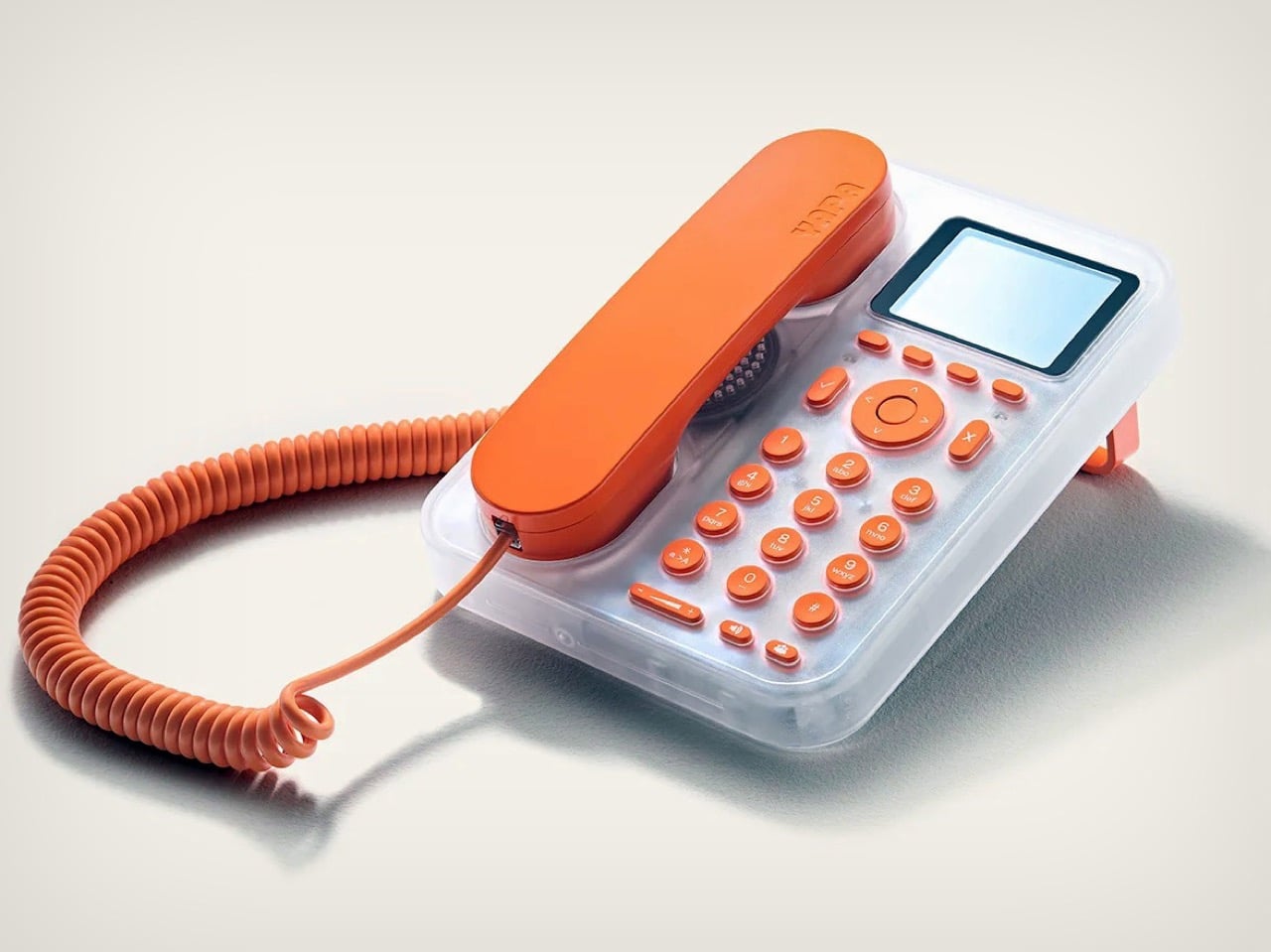
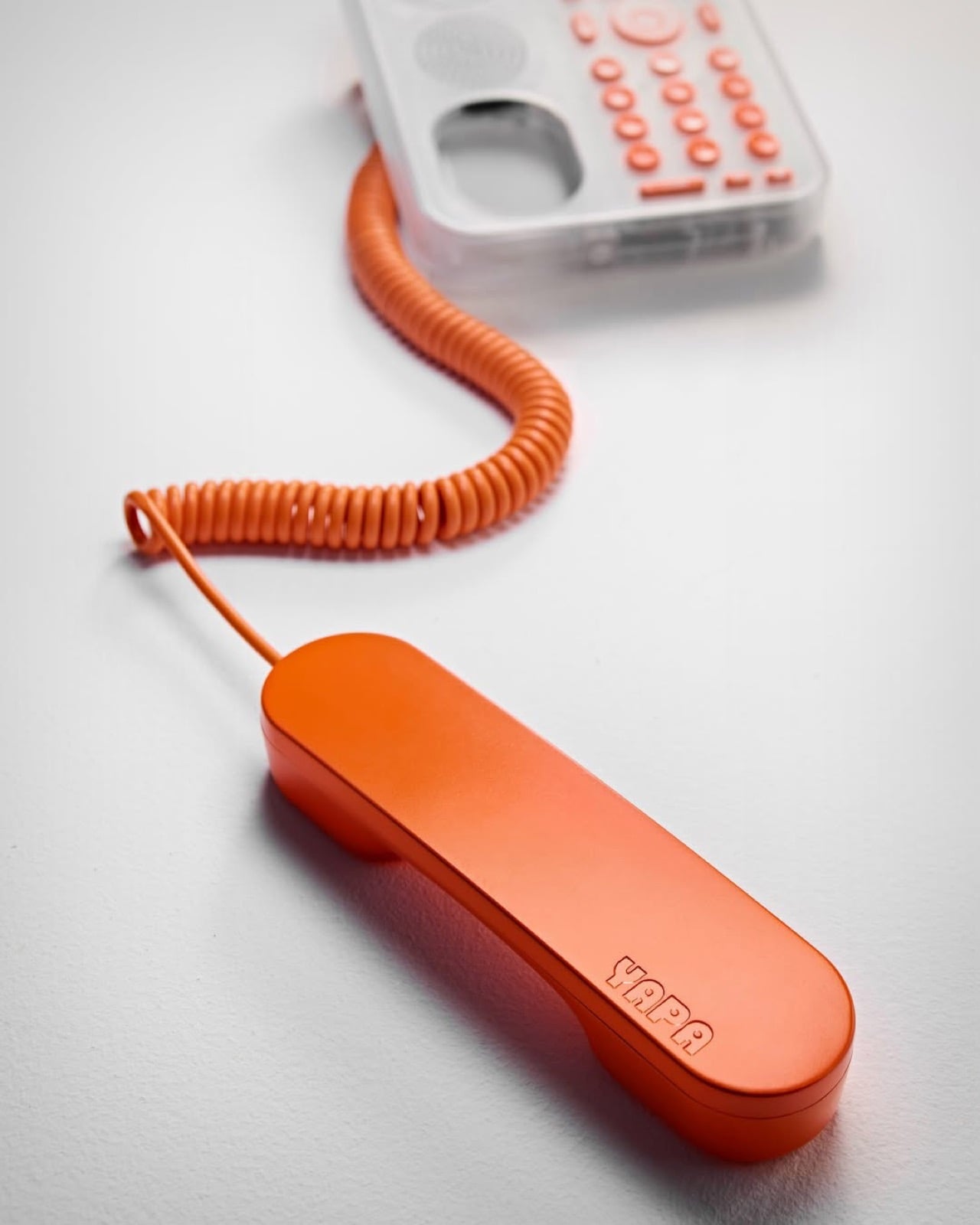
A UK startup called YAPA is bringing all of it back with a home phone for kids aged five to 14. It was designed with Aetha, the Poole studio led by ex-Dyson designer Tom Parsons, and it has a corded handset, a real keypad, and a little display for caller ID. Parents approve contacts through an app and set the hours when calls can come through, so dinner stays sacred. Everything runs over Wi-Fi, which means no wall jack and no phone bill from 1994. Translucent shells in colors like Flamingo Fizz and Electric Lagoon, plus swappable covers, give it a Y2K Nokia energy that I find completely irresistible.
Designer: Aetha Design

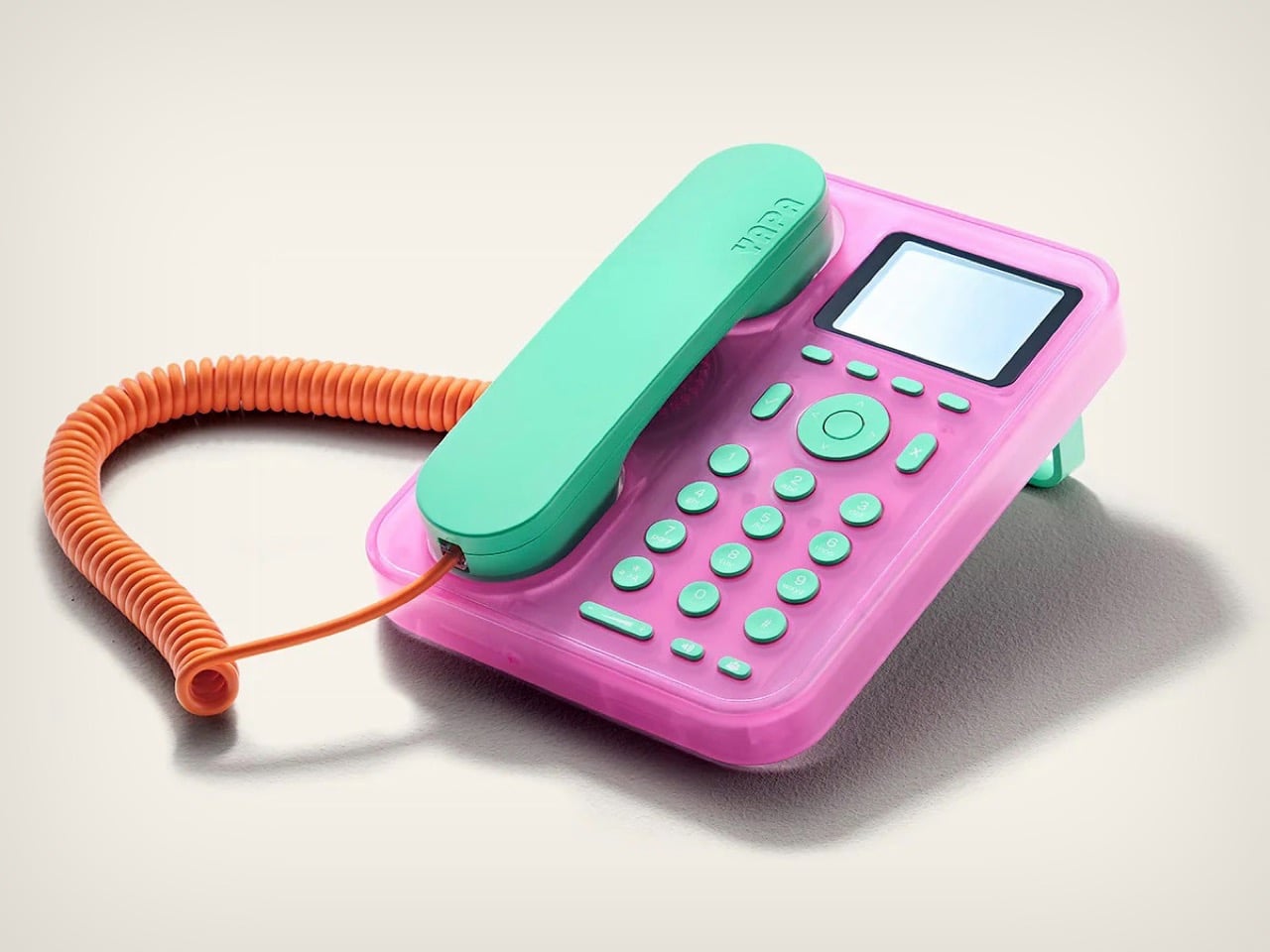
The shell is where YAPA gets its personality. Frosted translucent plastic wraps the base, and you can spot the internals through it, like the circuit board sitting in a clear bay beside the speaker grille on the pink unit. That’s iMac G3 thinking, the same see-through honesty 8BitDo revived on its 64 controller last December. The handset, keys, and fold-out rear leg share one loud solid color against that milky body, with orange on clear, mint on pink, and lime on aqua. Every colorway keeps the same orange coiled cord, which works like a signature and makes the whole thing look like it escaped from a 2001 toy catalog.
Swappable covers are the second Y2K callback, and this one comes straight from Nokia. Xpress-On covers debuted on the Nokia 5110 in 1998, and the 3310 pushed the idea hard, with thousands of shells from third parties. YAPA follows the same playbook, selling extra covers in Comet Orange, Cosmic Citrus, and Deep Space for £19.99 each, roughly $27. Anyone who ever matched a phone cover to an outfit will understand the appeal immediately. Today’s kids get to do the same thing, except the canvas is a kitchen counter.
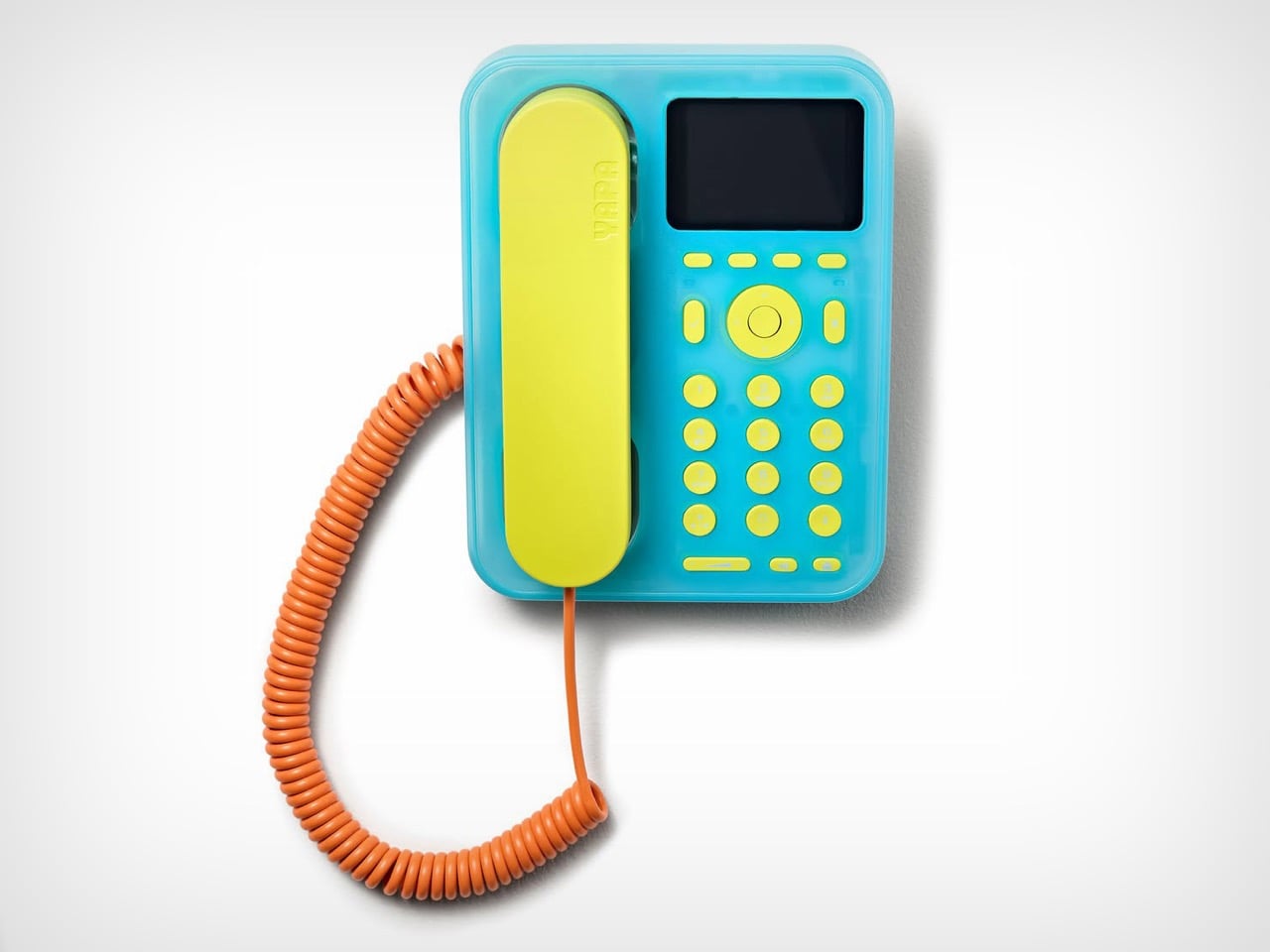
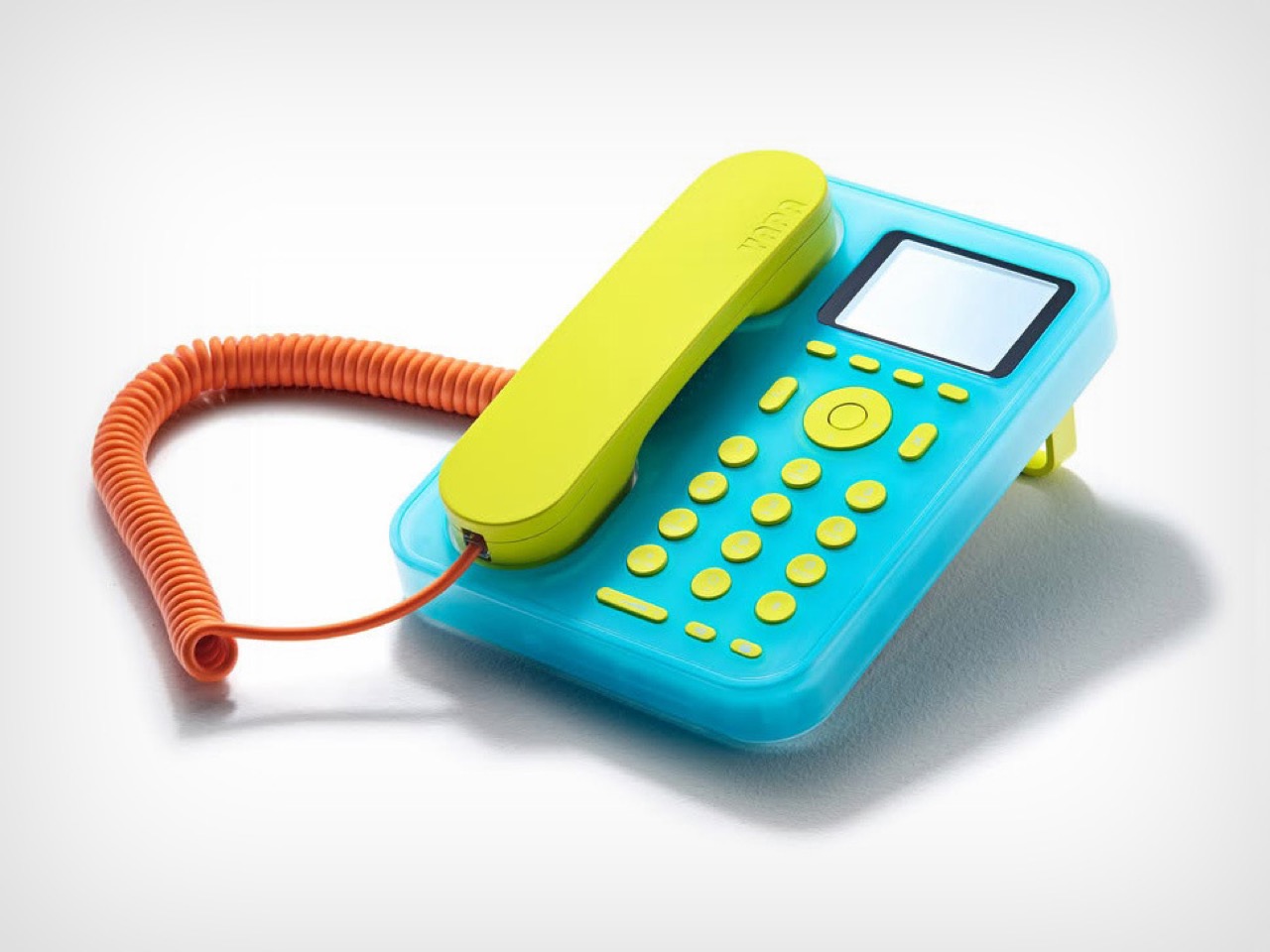
Parsons and the Aetha team had a clear brief. They wanted an object with real material quality that a kid would be proud to leave out on the counter, with no toy vibes and no shrunken smartphone. That explains the proportions, which read like a proper desk phone rather than a plastic play set. It also explains the small display, which shows who’s calling and lets a child browse the address book, while YAPA insists the whole thing is built around voice and ears instead of eyes. Tin Can skips a screen entirely, which is the purist’s route, but I like that a YAPA kid gets to see Grandma’s name light up before answering.
Here’s what I love about the setup. A kid lifts a corded handset, the cord stretches across the living room, and suddenly they’re pacing in circles like every movie character who ever got bad news. Parents build the contact list in the app, so only approved numbers can reach the phone, and they pick the hours for school, dinner, and bedtime. Group calls are supported, which means a whole cousin squad can gossip at once. A real keypad sits right there for anyone who fancies memorizing Grandma’s number, and honestly, more kids should.

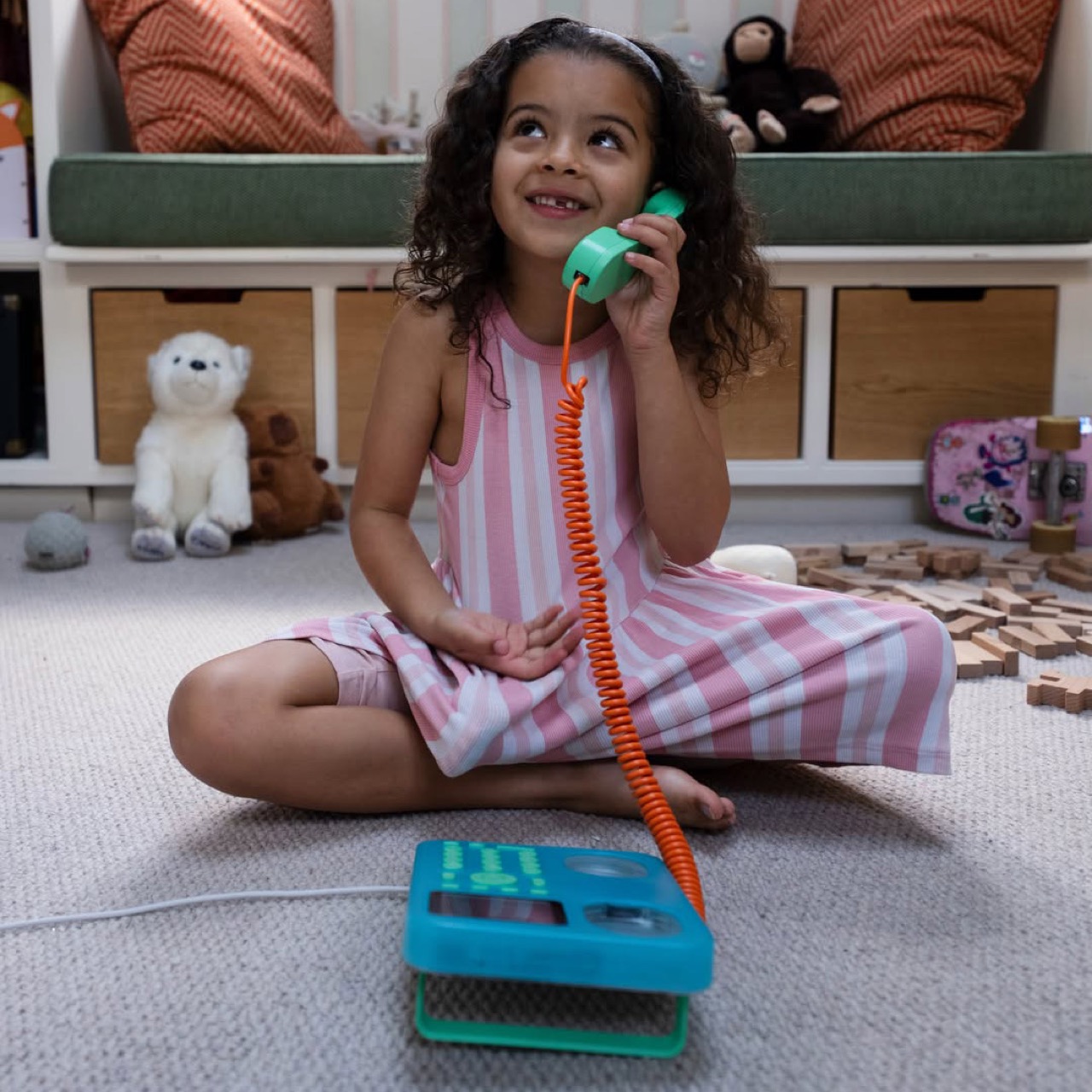
The handset costs £99.99, roughly $134, in Electric Lagoon, Cloud Spark, or Flamingo Fizz. Calls between YAPA units are free, while reaching grandparents and parents’ mobiles takes the Pro plan at £9.99 a month, roughly $13, or £99.99 for a year. Pinwheel Home, its closest US rival, costs $79 with $6.99 or $9.99 monthly plans for real numbers, so the pricing structure is nearly identical. YAPA’s first batch is on pre-order in the UK, with Europe coming soon. I couldn’t find any word on a US launch, so American parents will keep eyeing Tin Can and Pinwheel for now.
Retro always boomerangs. Vinyl came back, film cameras came back, and adults are paying real money for phones like the Light Phone III just to feel less glued to a screen. Kids deserve their own version of that reset, and a bright orange cord is a much friendlier invitation than a lecture about screen time. A generation raised on tapping glass is about to find out what a satisfying hang-up feels like. I give it a week before the first dramatic slam echoes through a house, and I hope a parent smiles when it does. You can see the colorways and preorder details at YAPA’s site.

The post Ex-Dyson designer builds a Y2K Nokia-flavored landline for kids first appeared on Yanko Design.
A parking lot is useful right up until someone asks you to spend an afternoon in one. At BAG Café in Riyadh, AO Architects took a former parking yard and made it a reason to stay rather than a place to leave your car. That feels like a small but meaningful fix for a familiar problem: cafés need room for people to gather, while the space around them is often designed only for traffic.
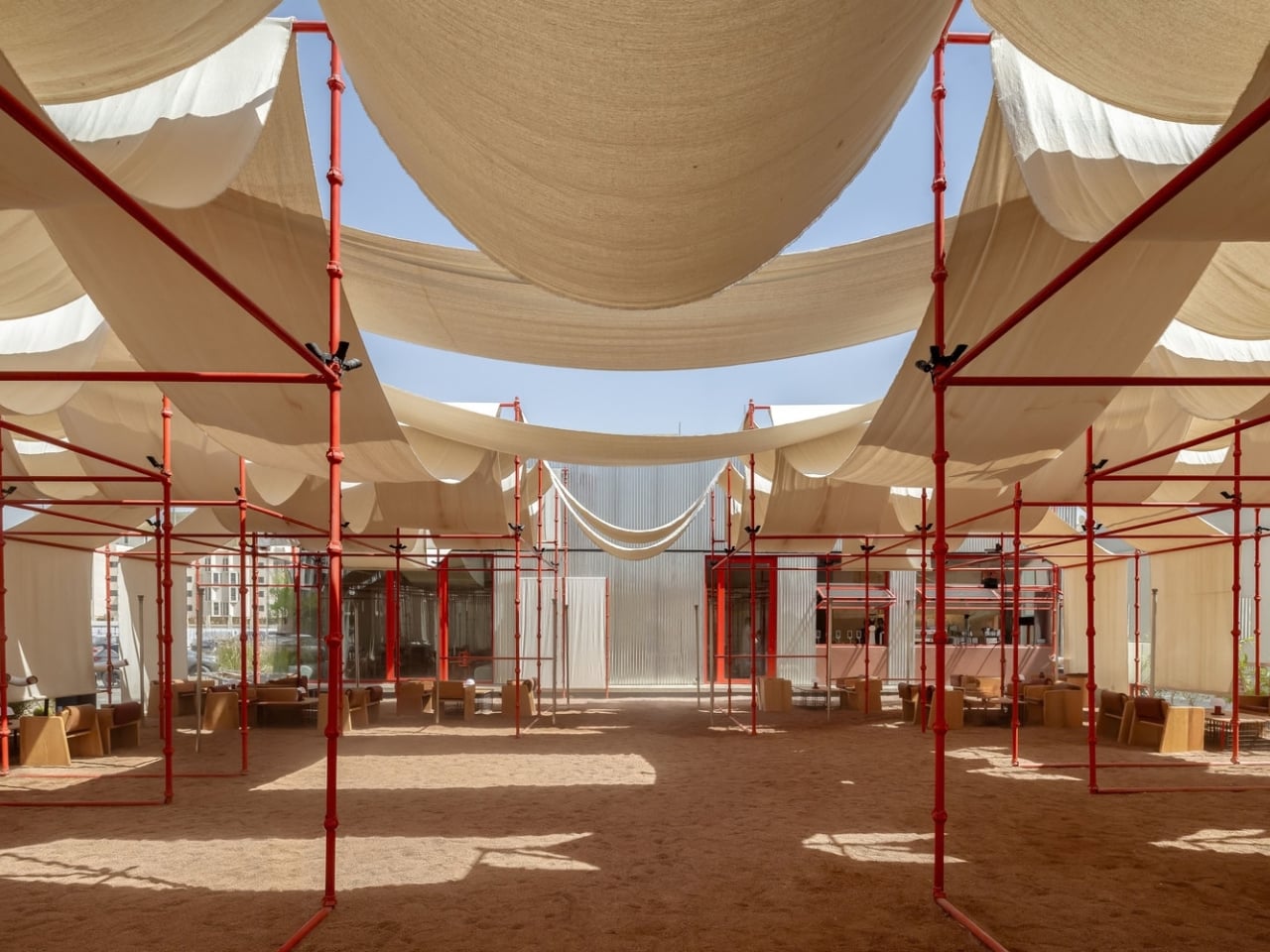
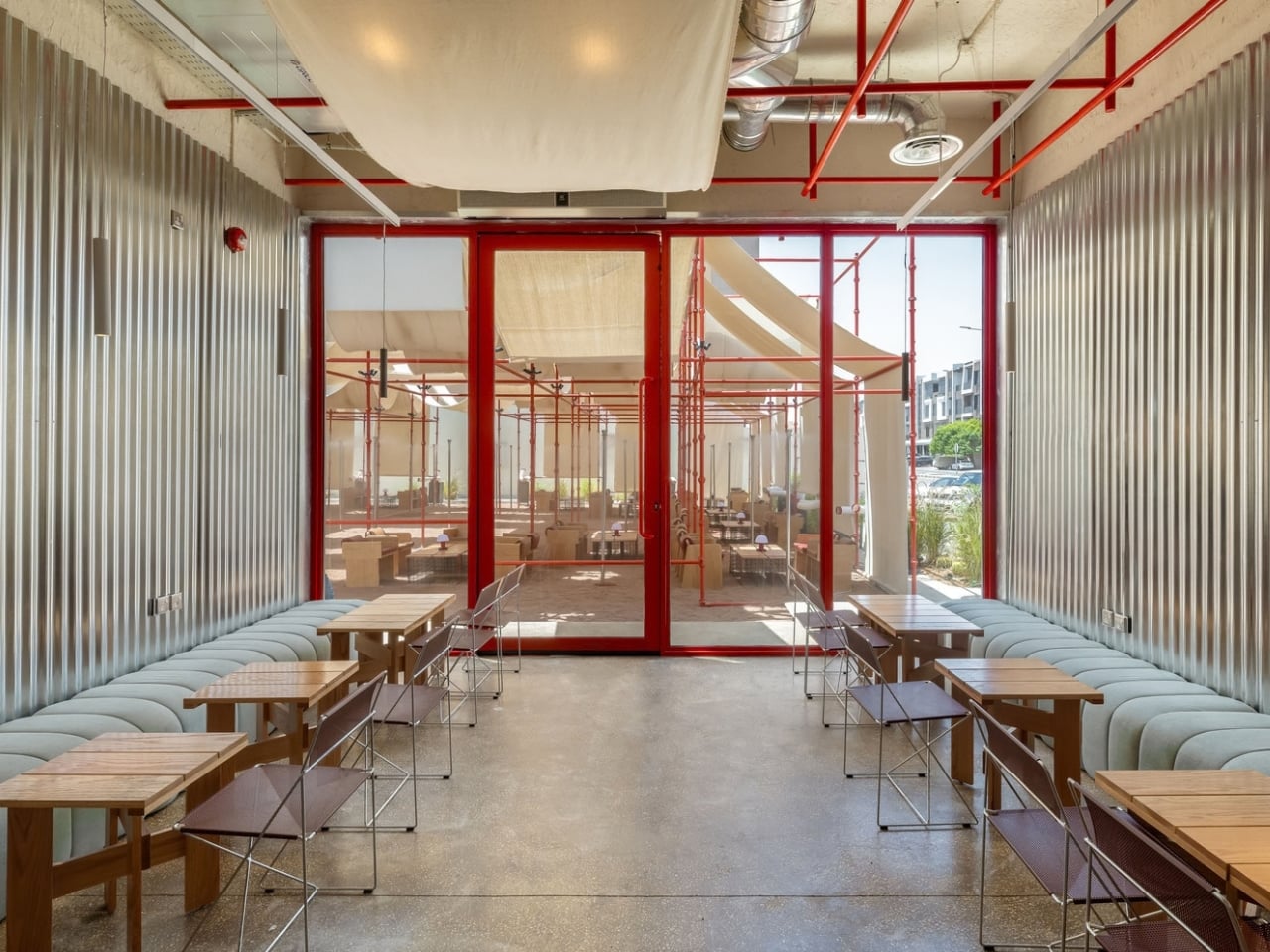
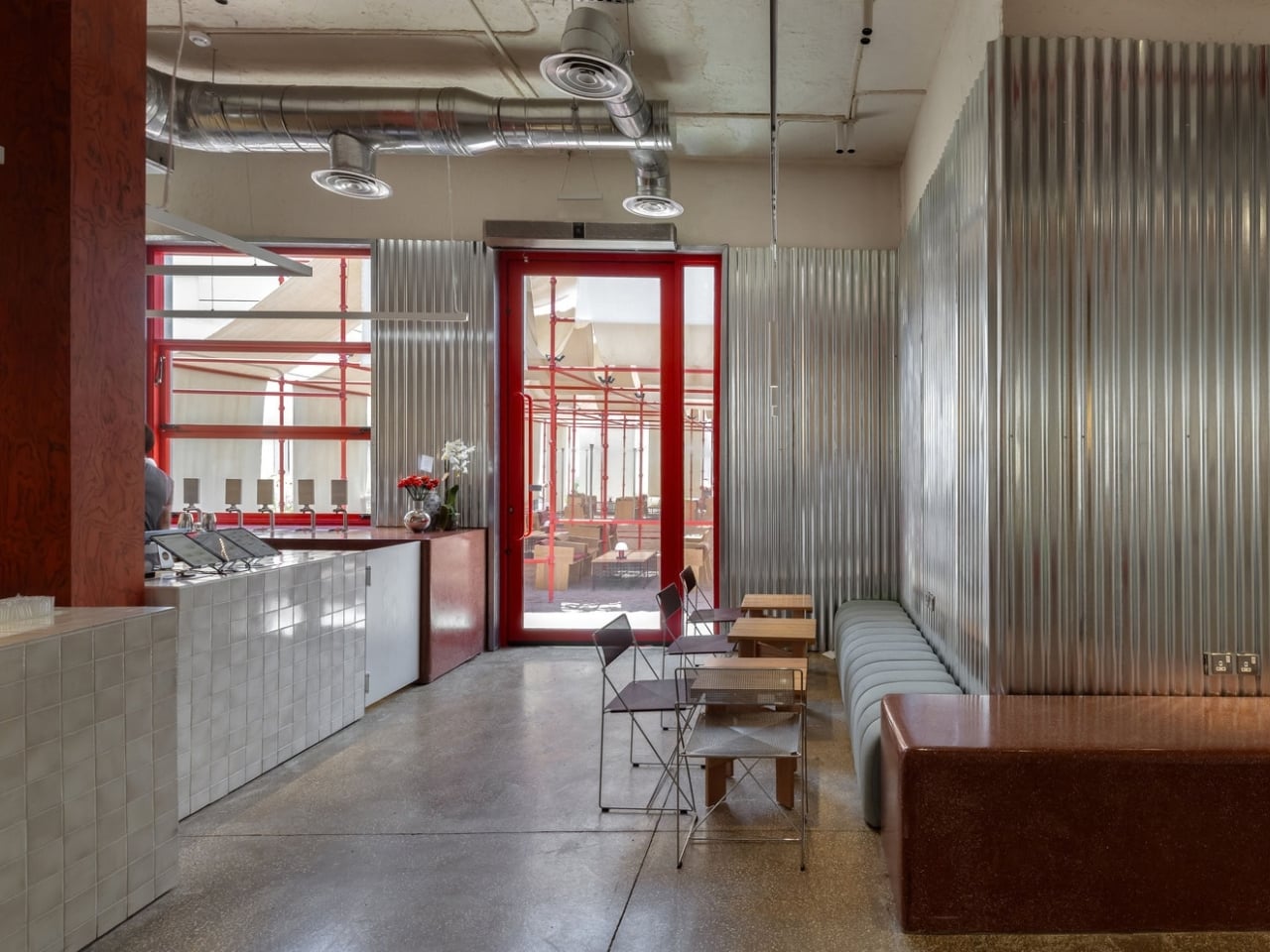
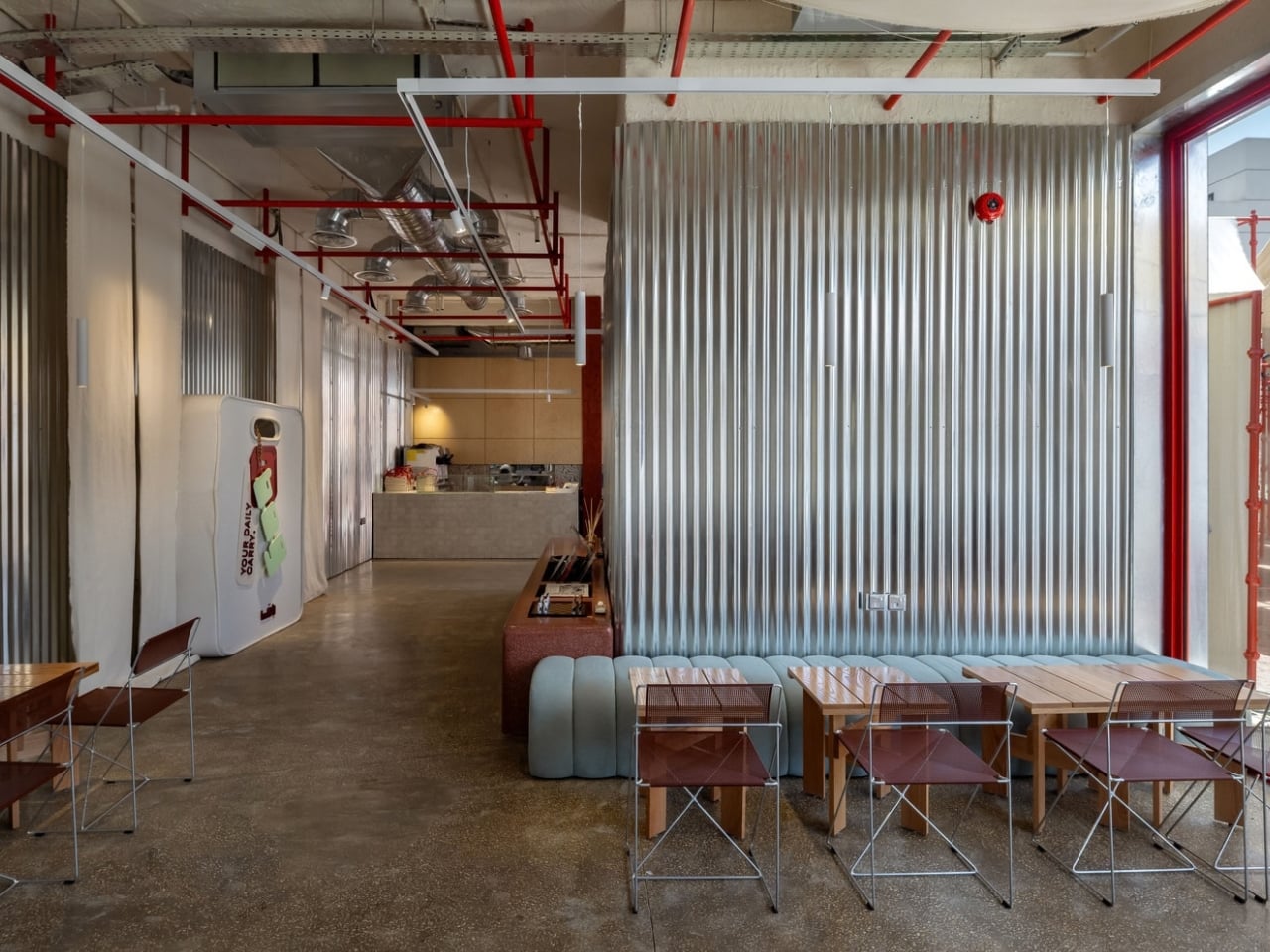
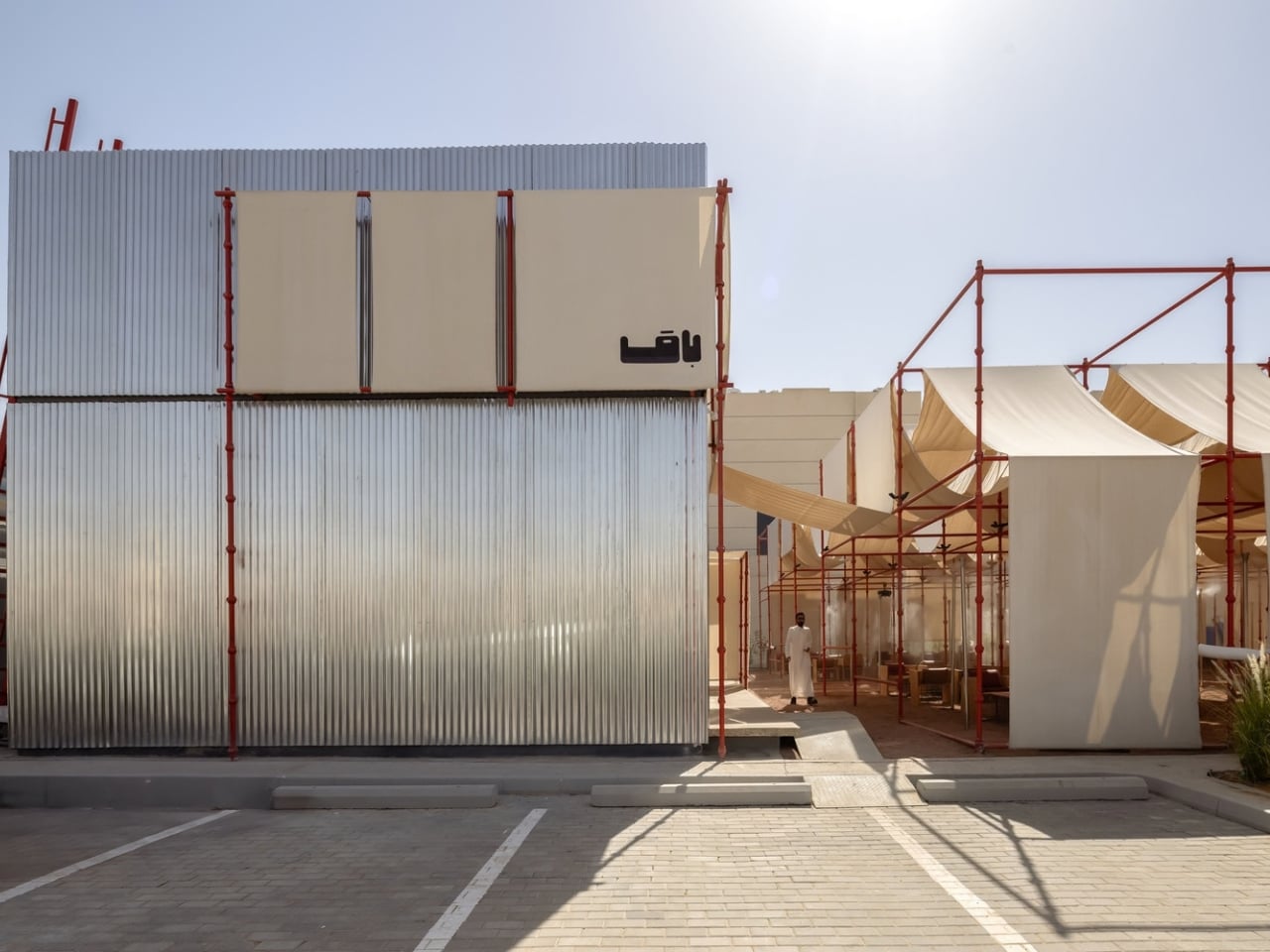
The other problem is harder to measure. Coffee shops can blur together, even when their interiors are expensive and meticulously styled. BAG gives people a place they can recognize at a glance. A grid of red construction scaffolding stretches over the outdoor area and continues into the ceiling inside. Instead of hiding the thing that usually signals a building isn’t finished, the architects made it part of the finished design.
Designer: AO Architects
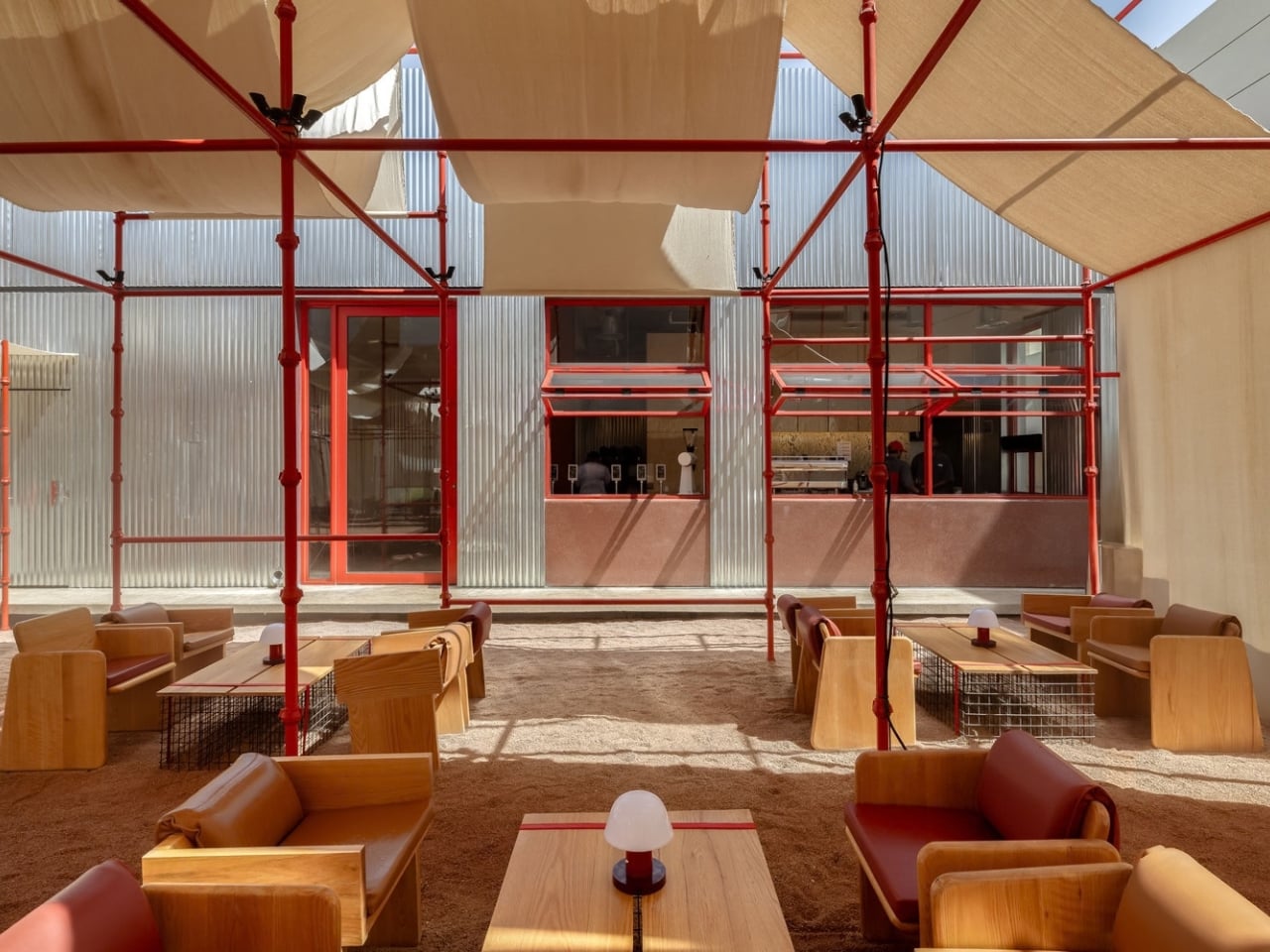
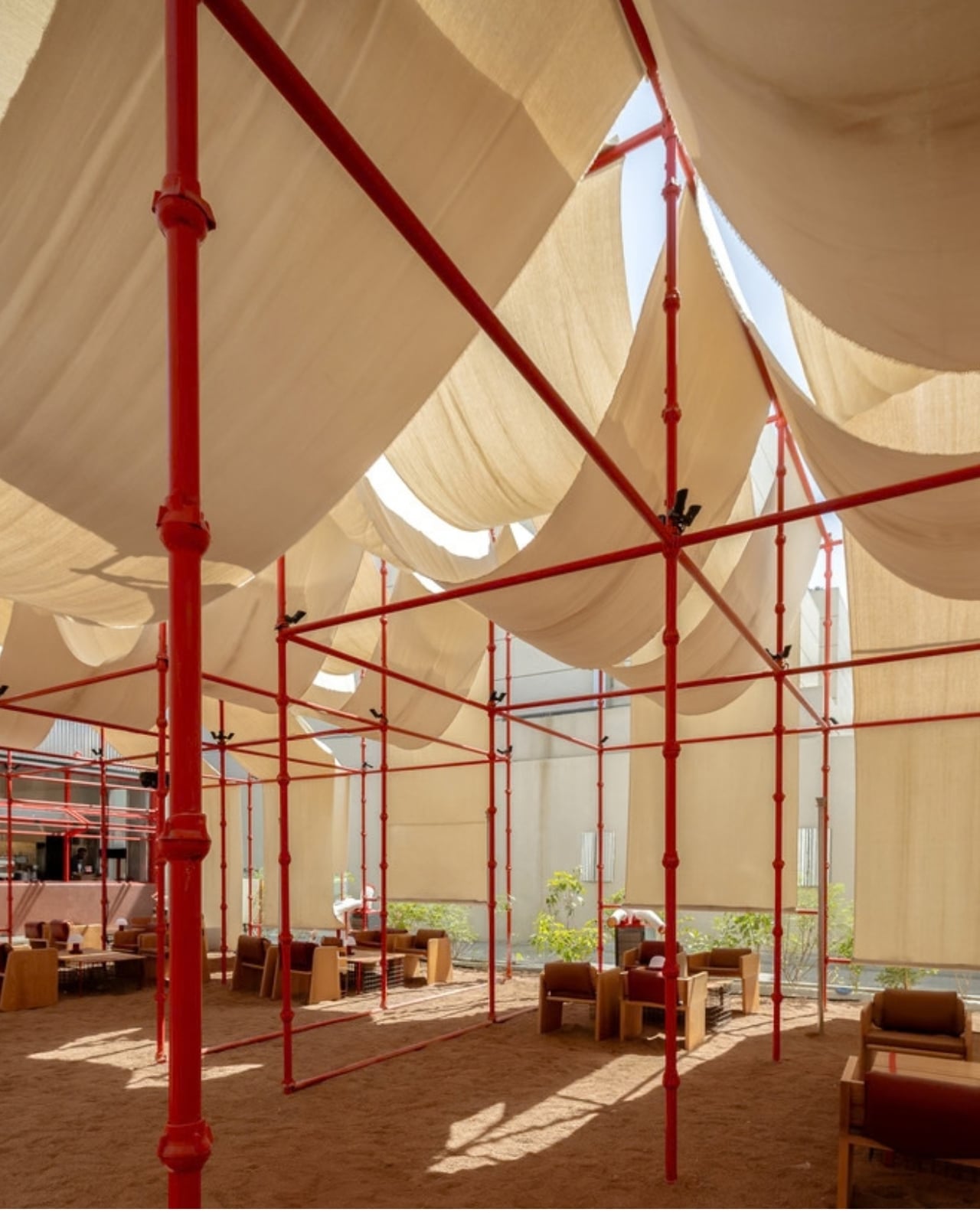
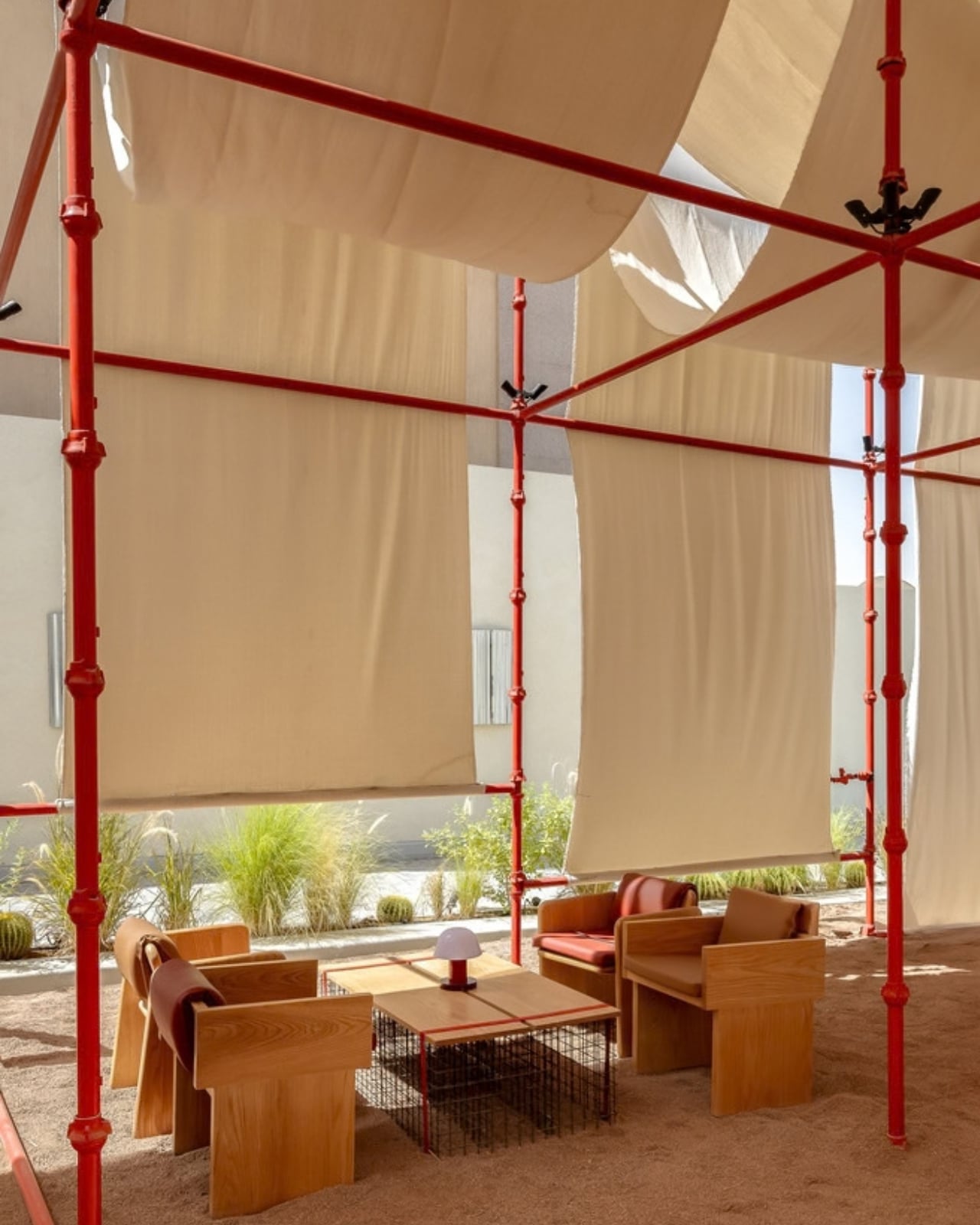
That reversal is more interesting than a clever photo opportunity. Scaffolding is normally a promise that something else is coming. Here, it becomes part of the place people came to see. The architects describe the project as using a temporary construction system to create a lasting presence. I like how little explanation it needs once you picture someone sitting under those bright red bars with a coffee in hand.
The red has a practical logic, too. The scaffolding’s standard industrial finish already matched BAG’s brand color, so it could be used without repainting. It is rare to find branding that feels this inseparable from the architecture. The café does not need a giant logo in every photograph to announce itself. Its structure does that work, while still looking like a structure rather than a prop.
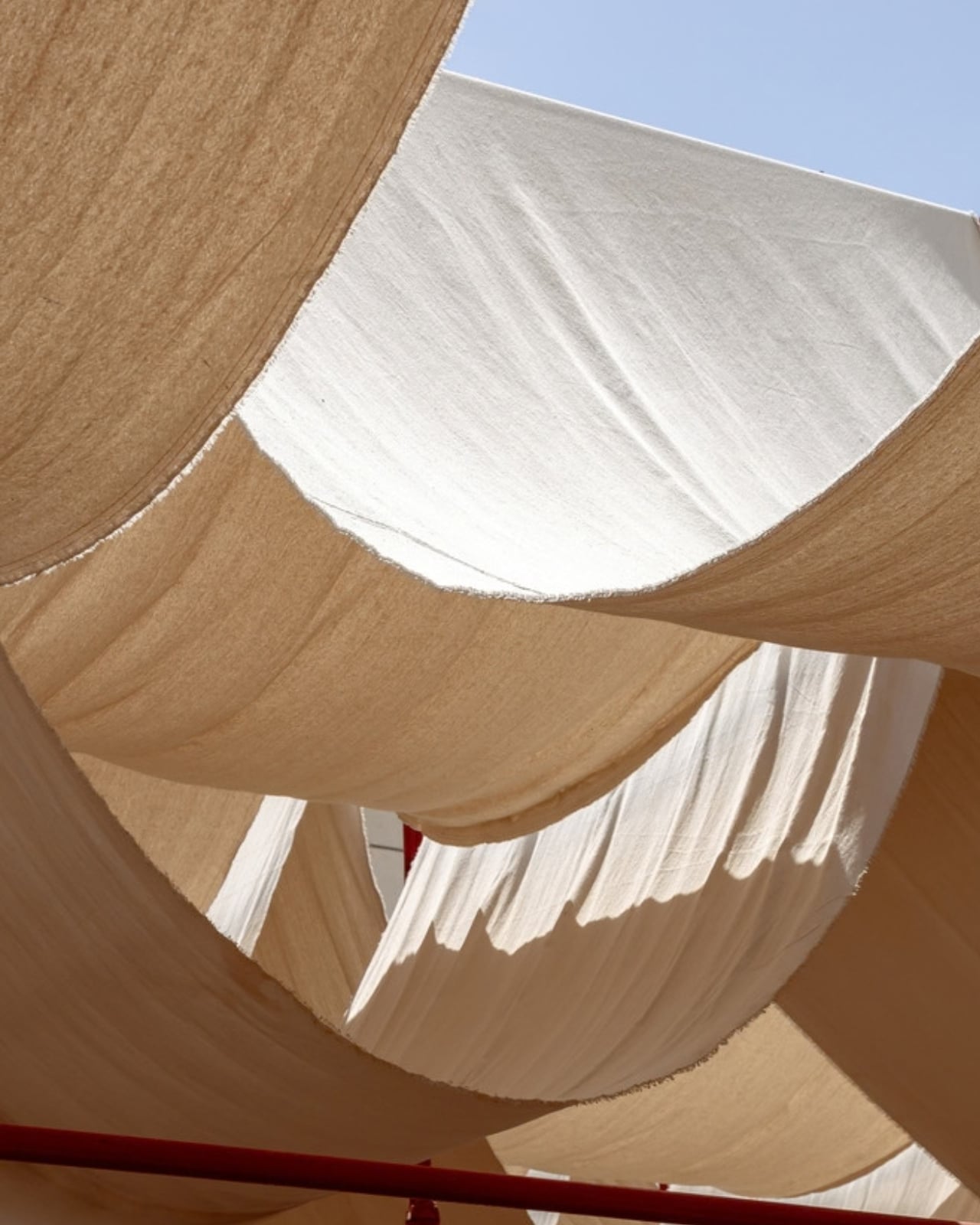
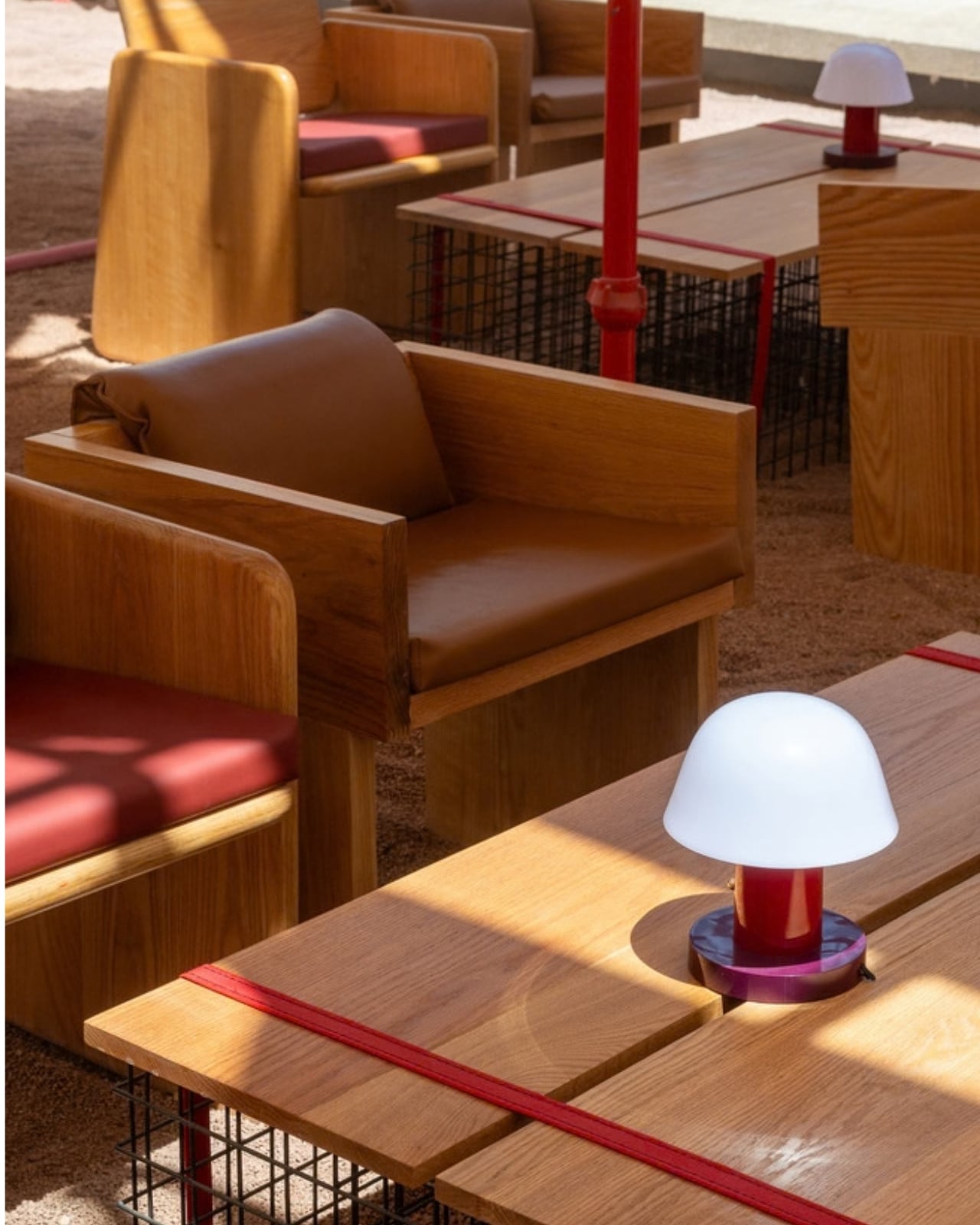
Over the gravel-covered yard, woven cloth associated with traditional goat-hair tents stretches across the scaffolding. It offers shade and gives the hard geometry a softer edge. The pairing connects two very different ways of making shelter: one tied to contemporary construction, the other to a regional tradition of portable tents. The contrast could have felt like a concept looking for a café. Here, it gives the outdoor seating a character of its own.
Inside, corrugated galvanized steel runs from the exterior into the café without being painted to resemble anything more polished. Concrete underfoot keeps the palette straightforward. Those choices matter because exposed materials are often asked to perform authenticity. BAG seems less interested in looking unfinished than in deciding which parts are worth finishing differently. The metal is metal. The scaffolding stays visible. Neither needs a decorative apology.
This was not a matter of dropping a new building onto an empty lot. The existing structure was rehabilitated, while the kitchen and service areas were rebuilt. The drive-thru lane remained in use. That combination gives the project an appealing sense of proportion: change the parts that need changing, keep the parts that still work, and let the former parking yard have a better life as outdoor space.
For visitors, the payoff is simple. You can choose the ease of a drive-thru or sit outside under a canopy that makes the setting feel intentional, not like a few tables left beside the curb. The grid also carries the same visual language from outside to in, so the café feels like one coherent place. None of that requires you to know the architect’s concept before ordering.
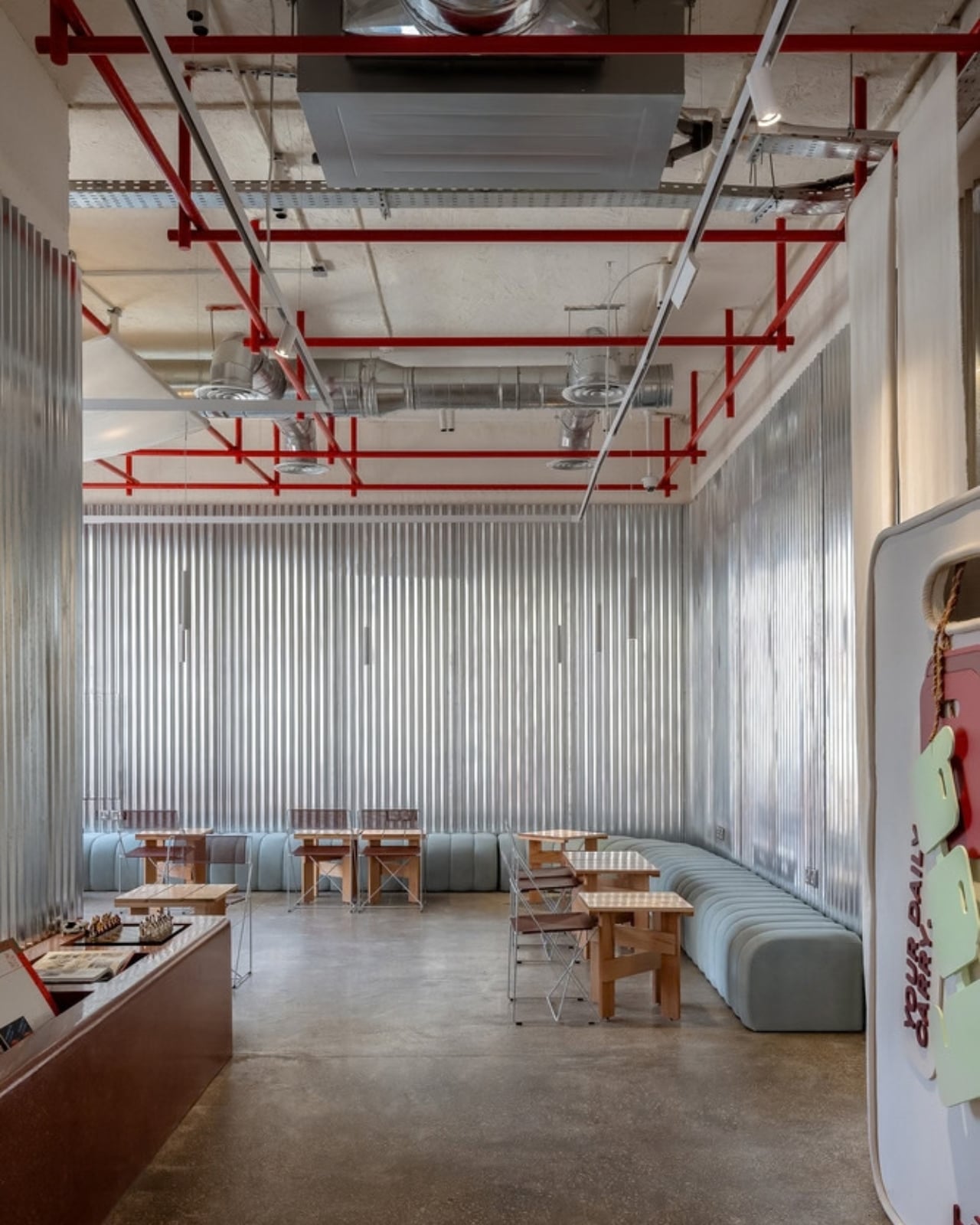
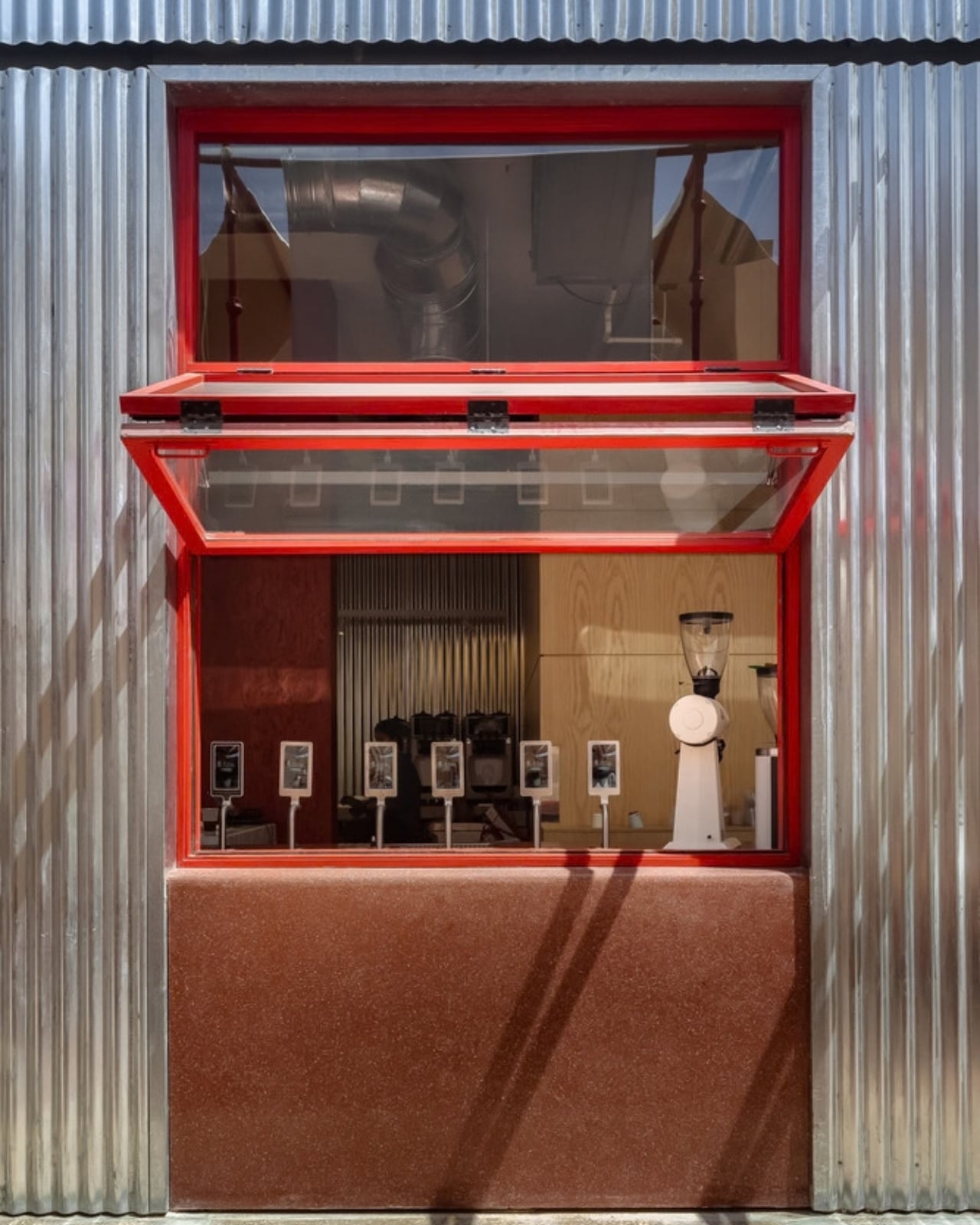
I appreciate that BAG doesn’t ask its industrial materials to pretend they are luxurious. It trusts the arrangement of ordinary things to be memorable: a red frame, a gravel yard, a length of fabric, a sheet of metal. That is a useful idea beyond cafés. A space does not always need a fresh skin or a blank slate to become somewhere people want to be.
The strongest part of the design may be its restraint. It makes room for an afternoon where there used to be parking, but it never erases the site’s earlier purpose entirely. Cars can still pass through the drive-thru; people can now choose to linger. BAG Café offers a gentle reminder that a place can change its job without having to hide how it got there.
The post The Café That Refuses to Take the Scaffolding Down first appeared on Yanko Design.


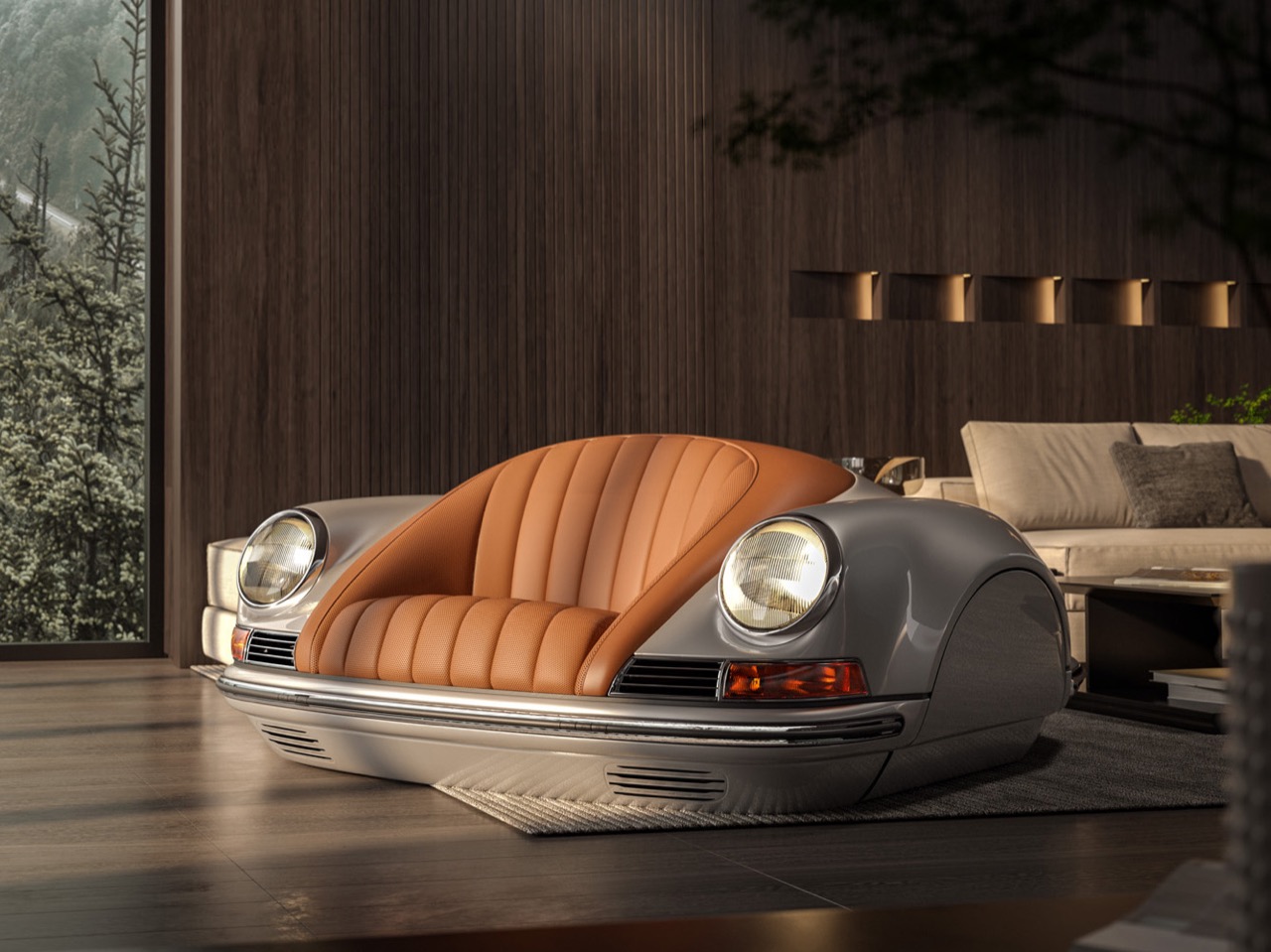
Would you pay $30,000 for a Porsche that isn’t a Porsche? Or rather, a Porsche that doesn’t get you from A to B? It does, however, make for the ultimate f-you money bachelor-pad flex, though. Think about it: no parking tickets, no valet, and no friend asking for a ride to the airport. You still get the headlamps, the silhouette, and the smug look from guests, all without ever visiting a gas pump.
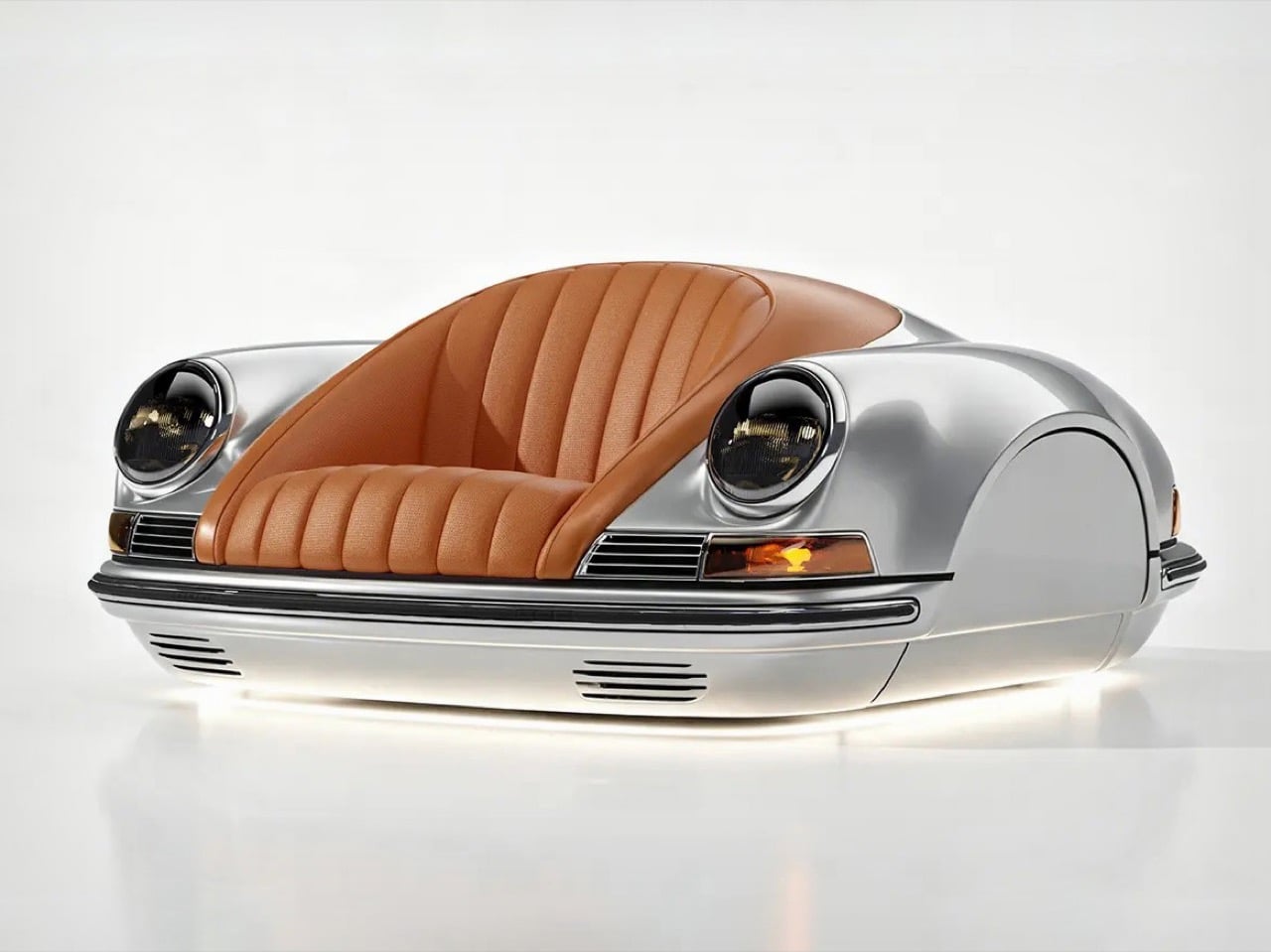
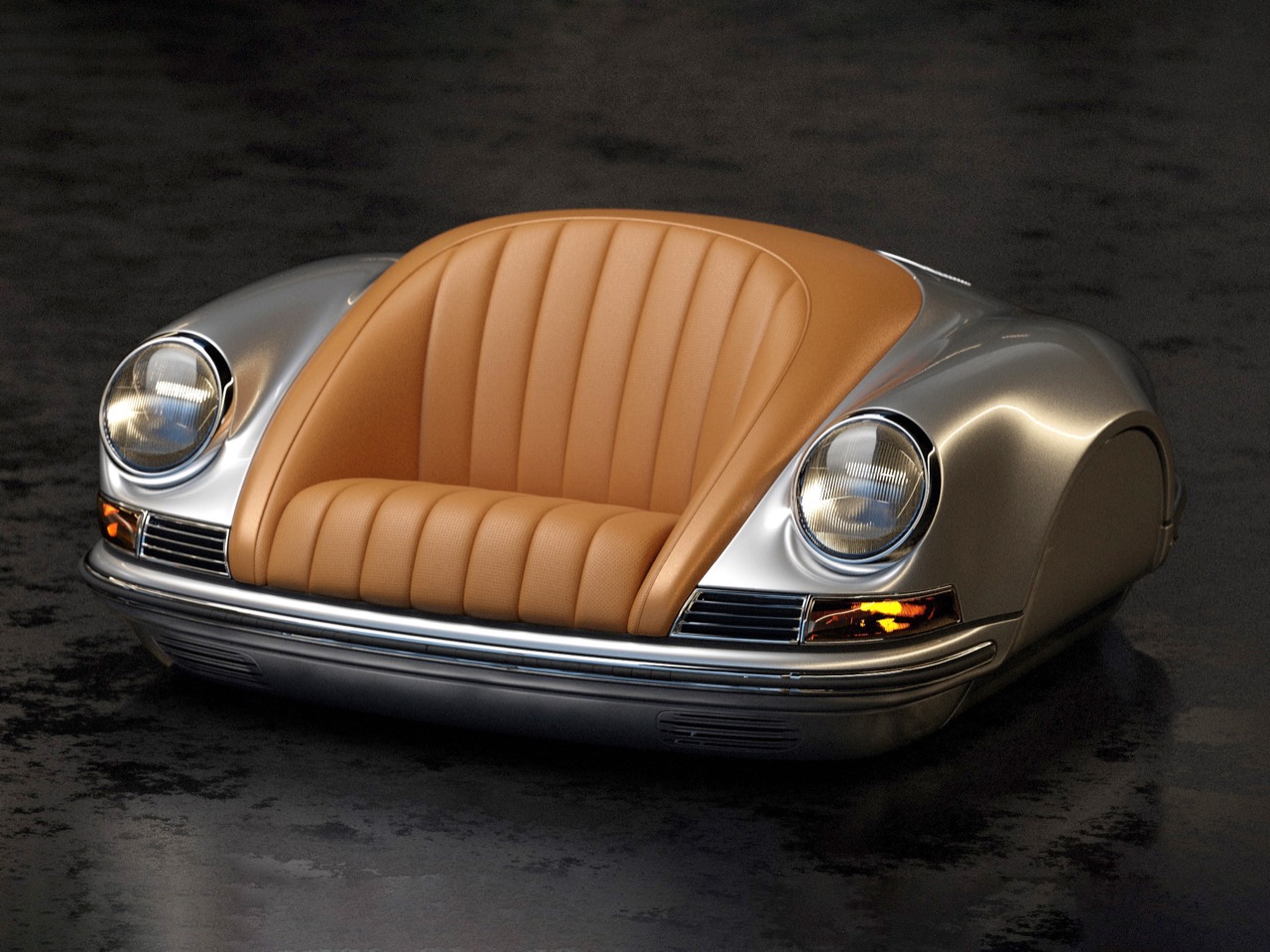
The Porsche in question is the Arkadia-life P01 Classic, a single-seat sofa (yes, really) shaped like an early 911, with a tan leather armchair sitting where the hood should be. Arkadia-life never actually says Porsche, and its copy only cites 1960s GT sports cars, but the round headlamps do the talking. It carries a fridge, a wine chiller, wireless charging, and a British SENSONUM sound system inside a 485-pound body. The company credits Italian artisans and lists a showroom in Shanghai. The base price is about US$30,000, per the coverage I found, since the product page just says get a quote.
Designer: Arkadia-life
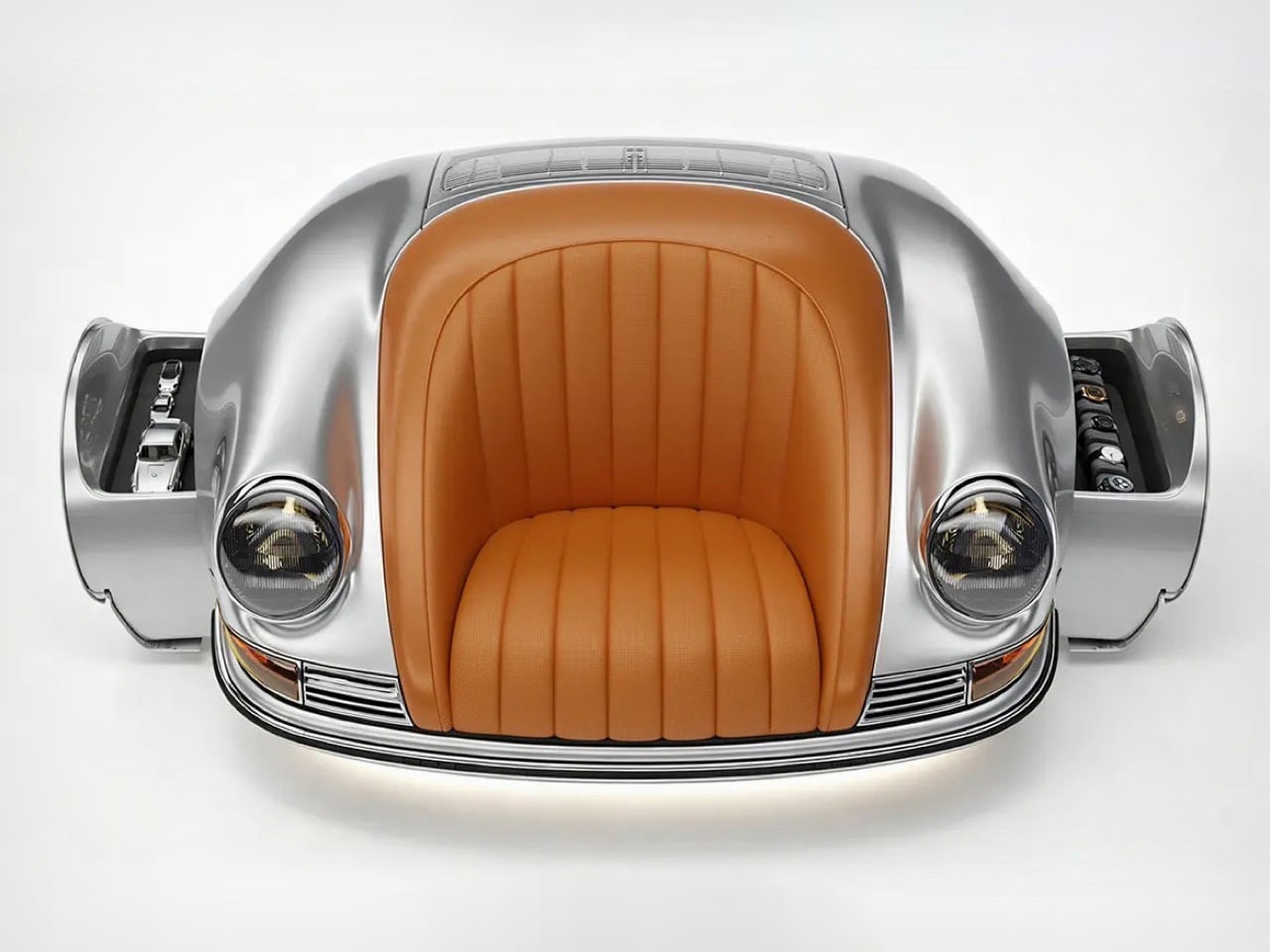
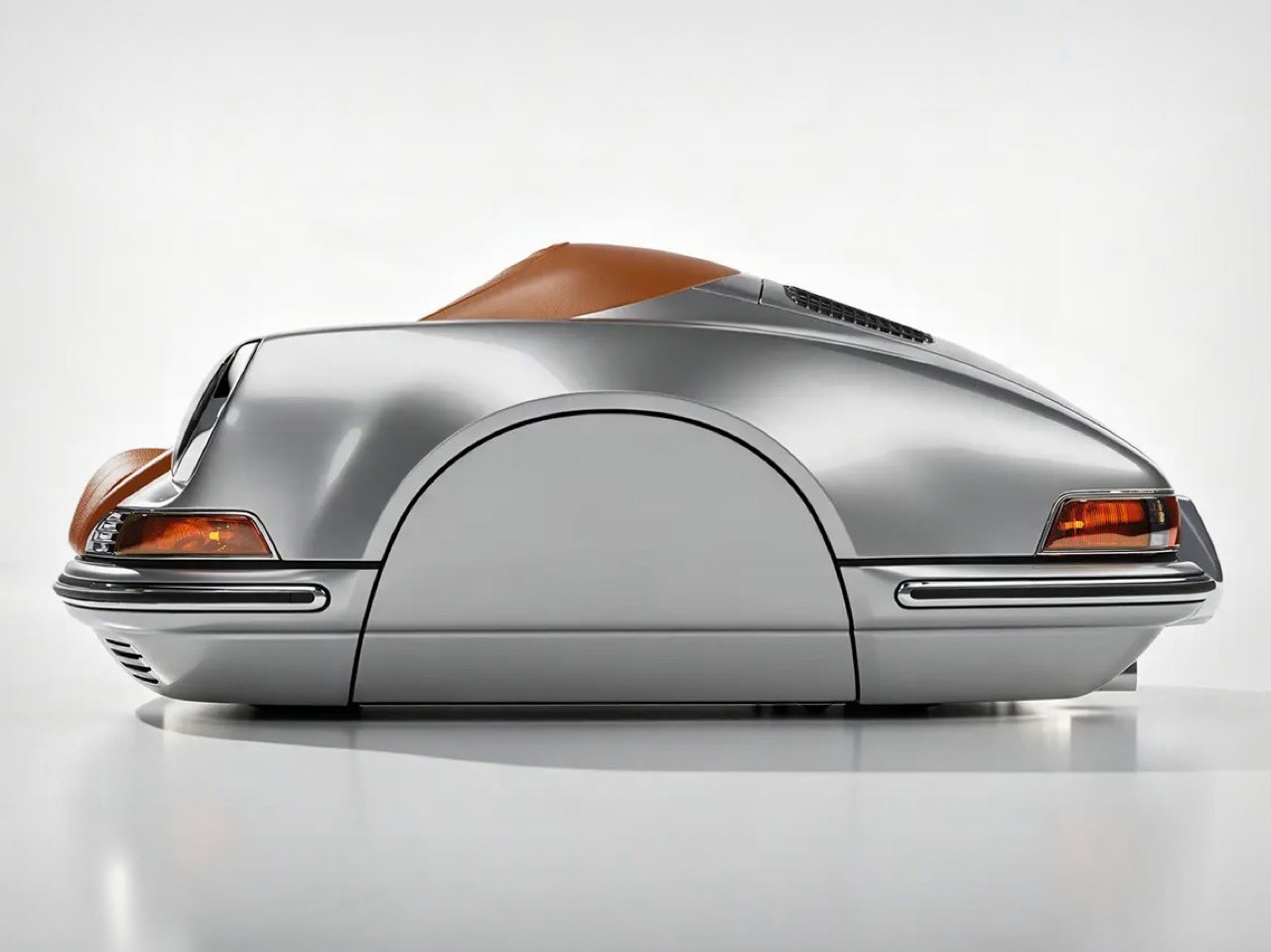
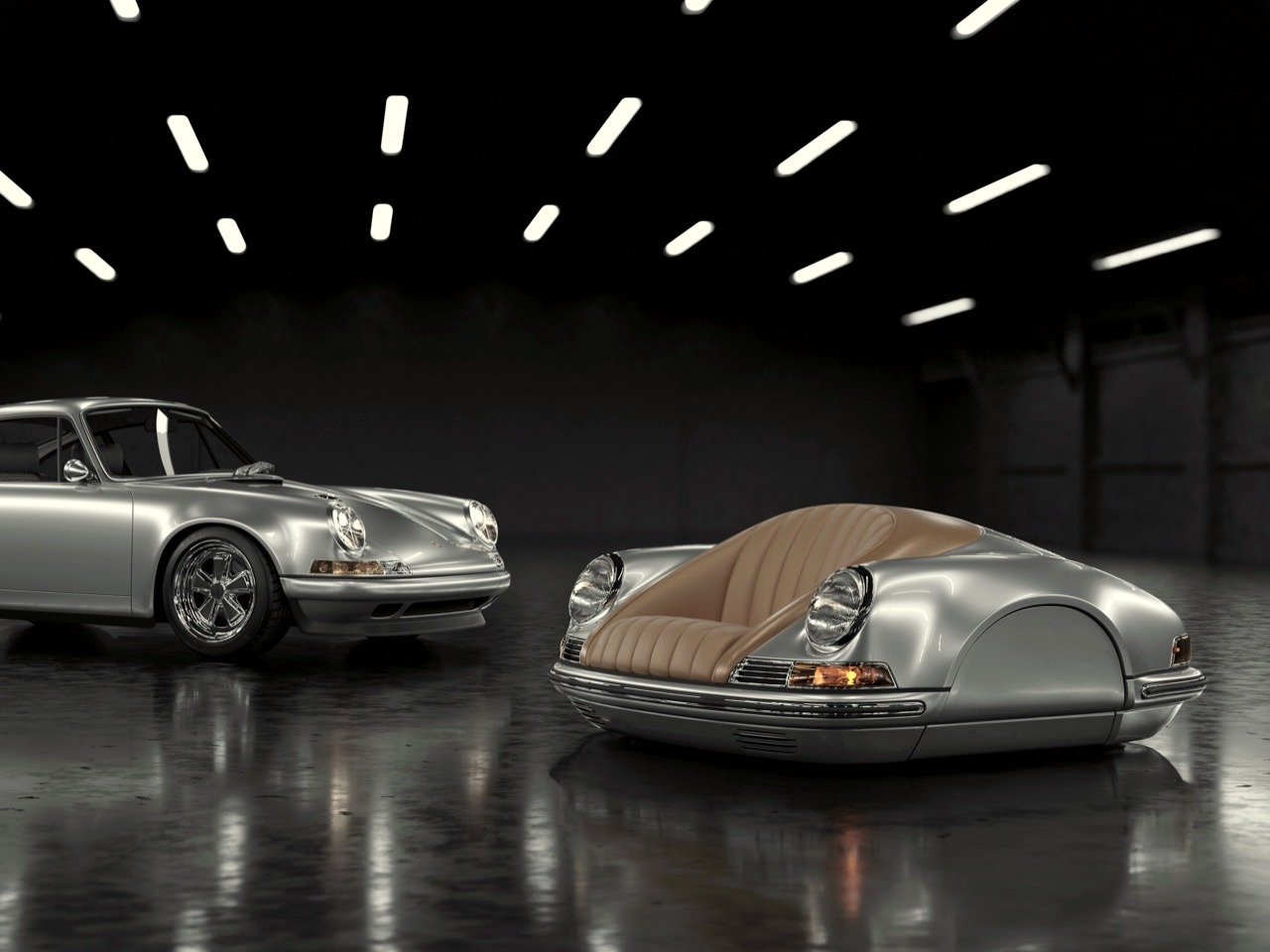
Round bulging headlamps, a thin chrome bumper, and a louvered rear lid read as an early 911, even though Arkadia-life leaves the name out of its copy. The 911 launched as the 901 at the 1963 Frankfurt show, shaped by Ferdinand Alexander “Butzi” Porsche, and that round-eyed fastback survives shrinking better than most shapes. At chair scale the headlamps take over, so the whole thing looks mildly startled to find itself in your living room. The channel-quilted cowhide seat echoes period sports car buckets and wraps around you like a shell between those headlamps. The catch is the high fenders, which kill any sideways sprawl, so movie night is a solo mission.
Ron Arad bolted a salvaged Rover seat to a steel frame in 1981, which started a long tradition of furniture designers raiding garages. Luc and Andre showed a 9Eleven sofa modeled on the rump of a 991 Series 911 at Geneva in 2014, from about $20,000 with an optional smartphone-controlled minibar. We covered the 911 Writing Desk in 2018, built from original body parts, and the Stool 911 in 2017, which borrowed only the arch of the headlamps. Each of those took a slice, while the P01 keeps the nose and the tail in one piece. Arkadia-life took the whole cake and then installed a fridge in it.
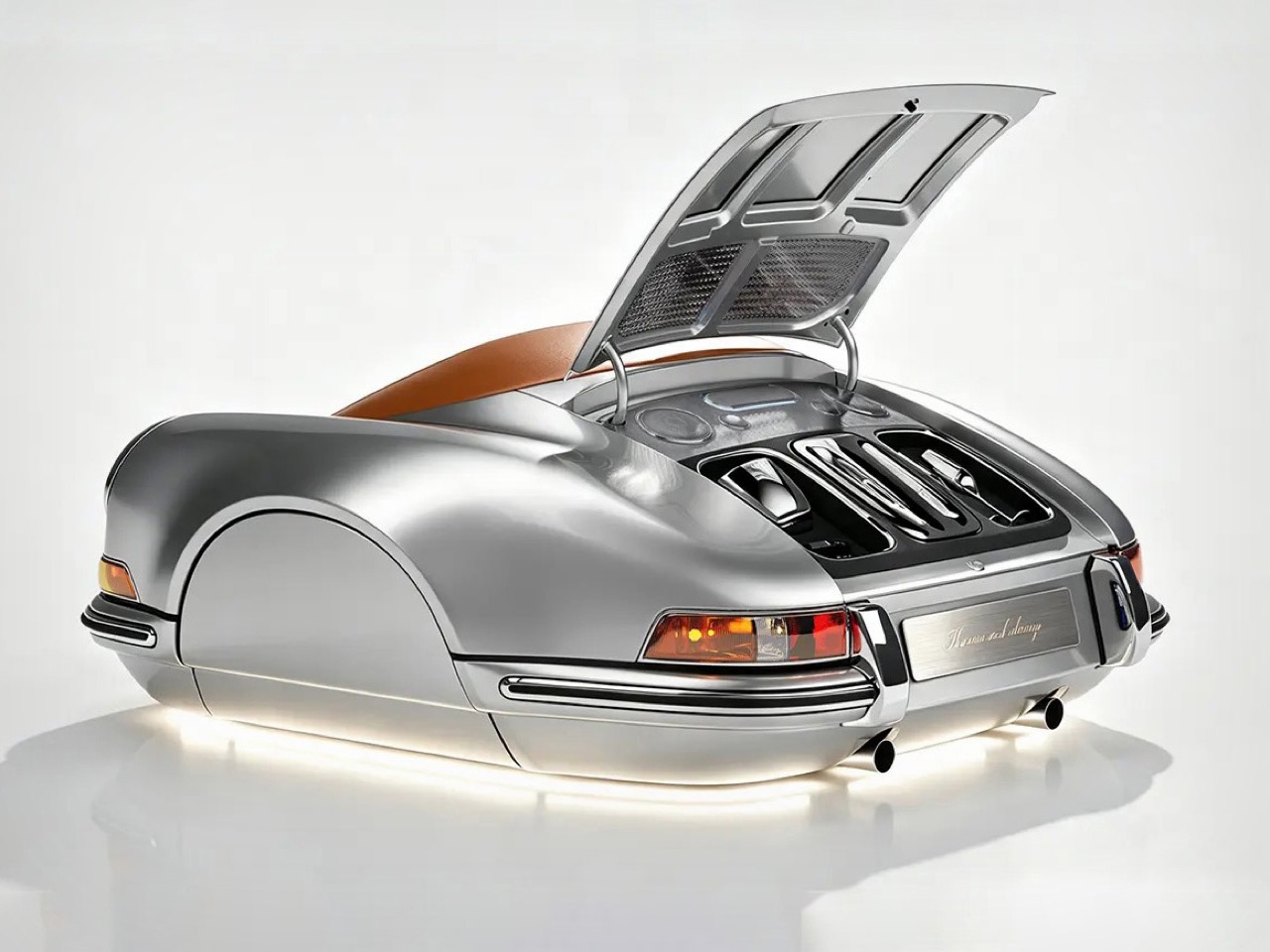
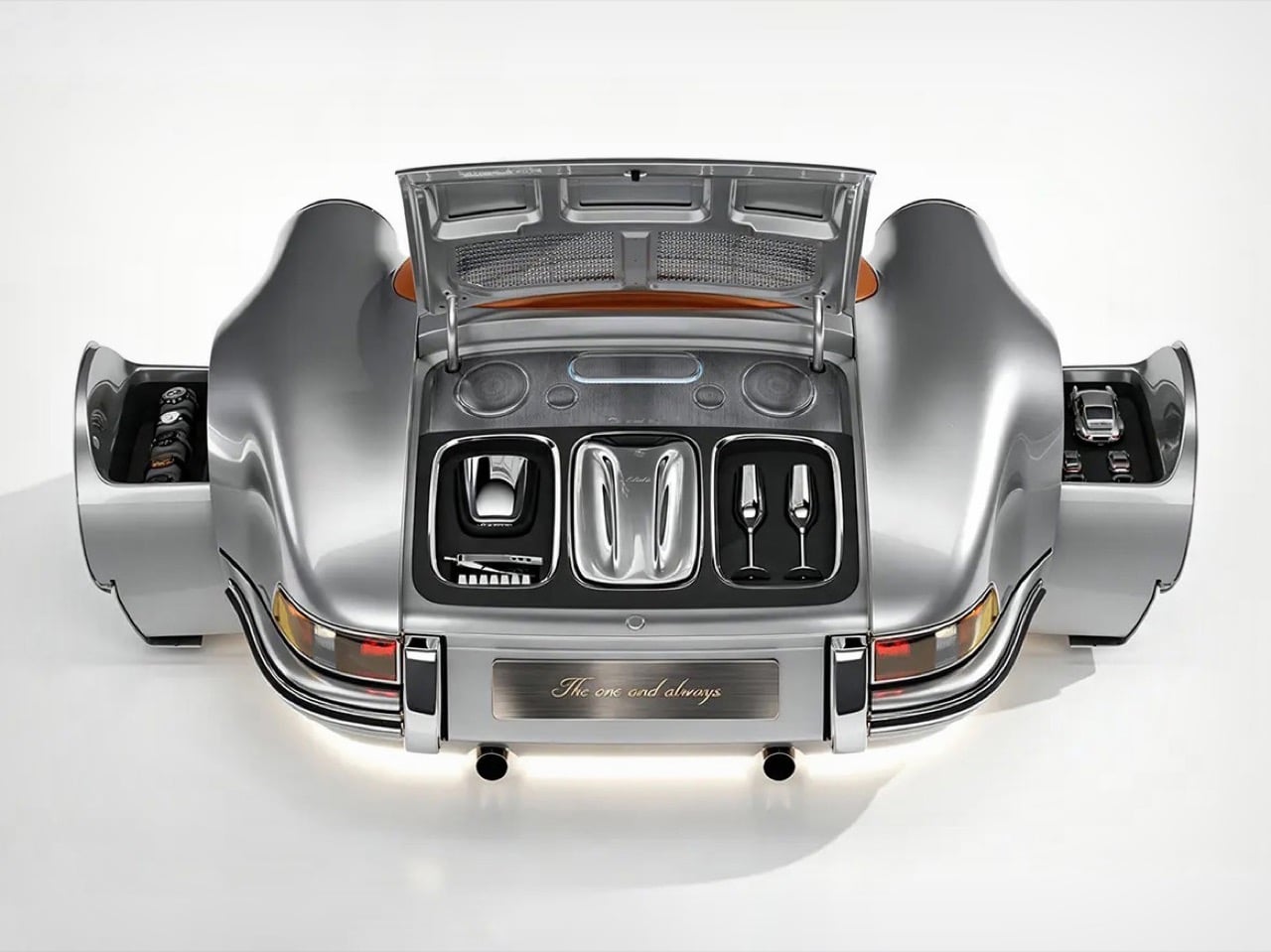
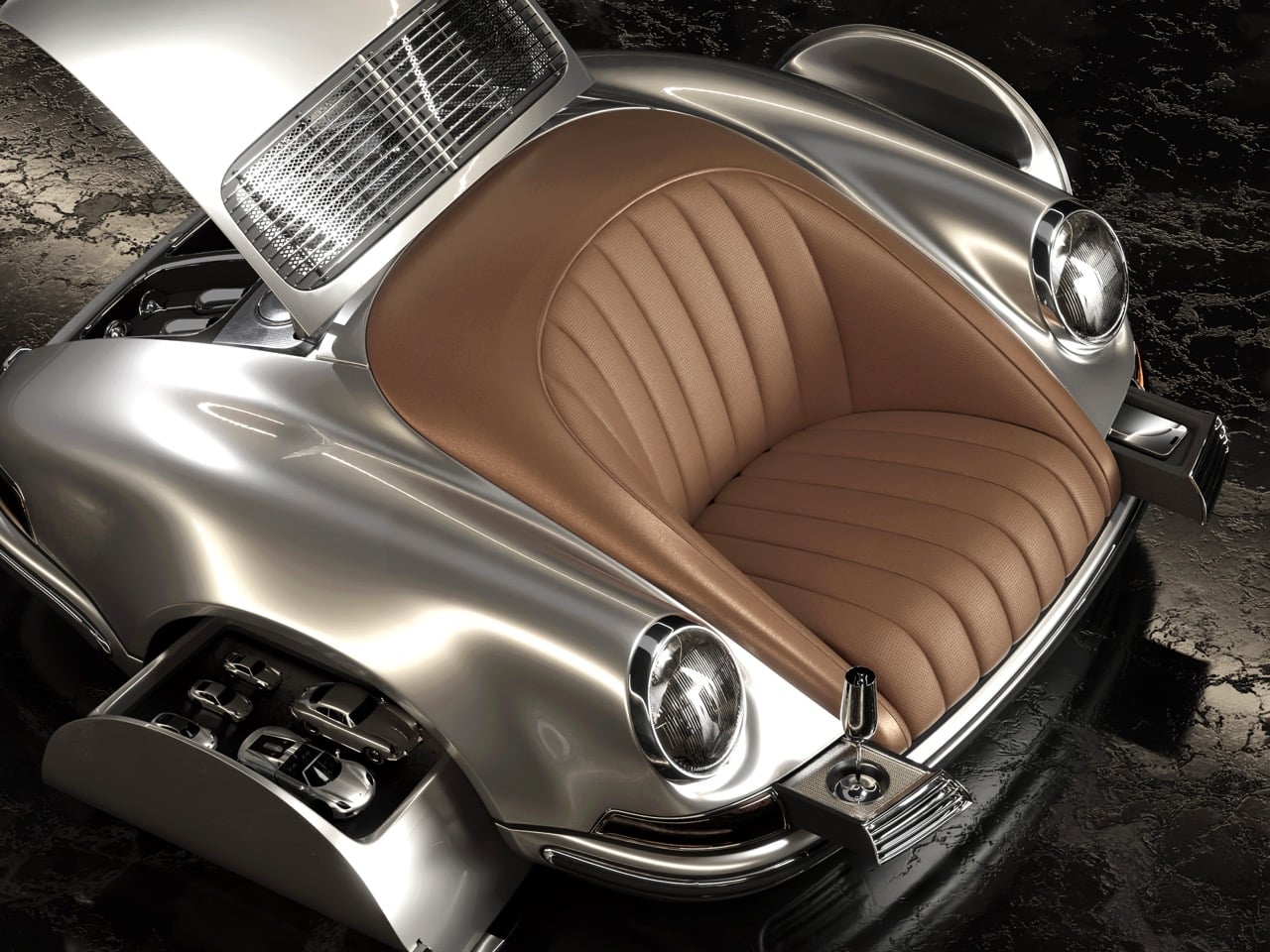
The page promises seven storage compartments, covering a refrigerator, a wine chiller, adjustable cup holders, and wireless charging. The fridge measures 220 by 340 by 140 millimeters (about 8.7 by 13.4 by 5.5 inches), which fits a laid-down wine bottle or a handful of cans. In the photos, the fender drawers swing out sideways to show off watches on one side and model cars on the other. The rear lid lifts on prop rods to reveal three trays, one holding champagne flutes. Where a real 911 keeps its flat-six, the P01 keeps a bar, and I think that is the best joke in the design.
A British SENSONUM system pairs a pro amplifier and subwoofer with more than a dozen speakers, tuned from your phone over Bluetooth. Five knock-sensing controls run the interface, so rapping your knuckles on the fender finally accomplishes something. Polychromatic lighting runs along the base, and in the photos it makes the heavy body look like it is hovering. The P01 is rated at 220 volts and 500 watts, and the page says the power cord complies with local mains regulations. The crate measures about 77 by 69 by 37 inches (1,950 by 1,750 by 950 millimeters), so measure your doorway before you start dreaming.
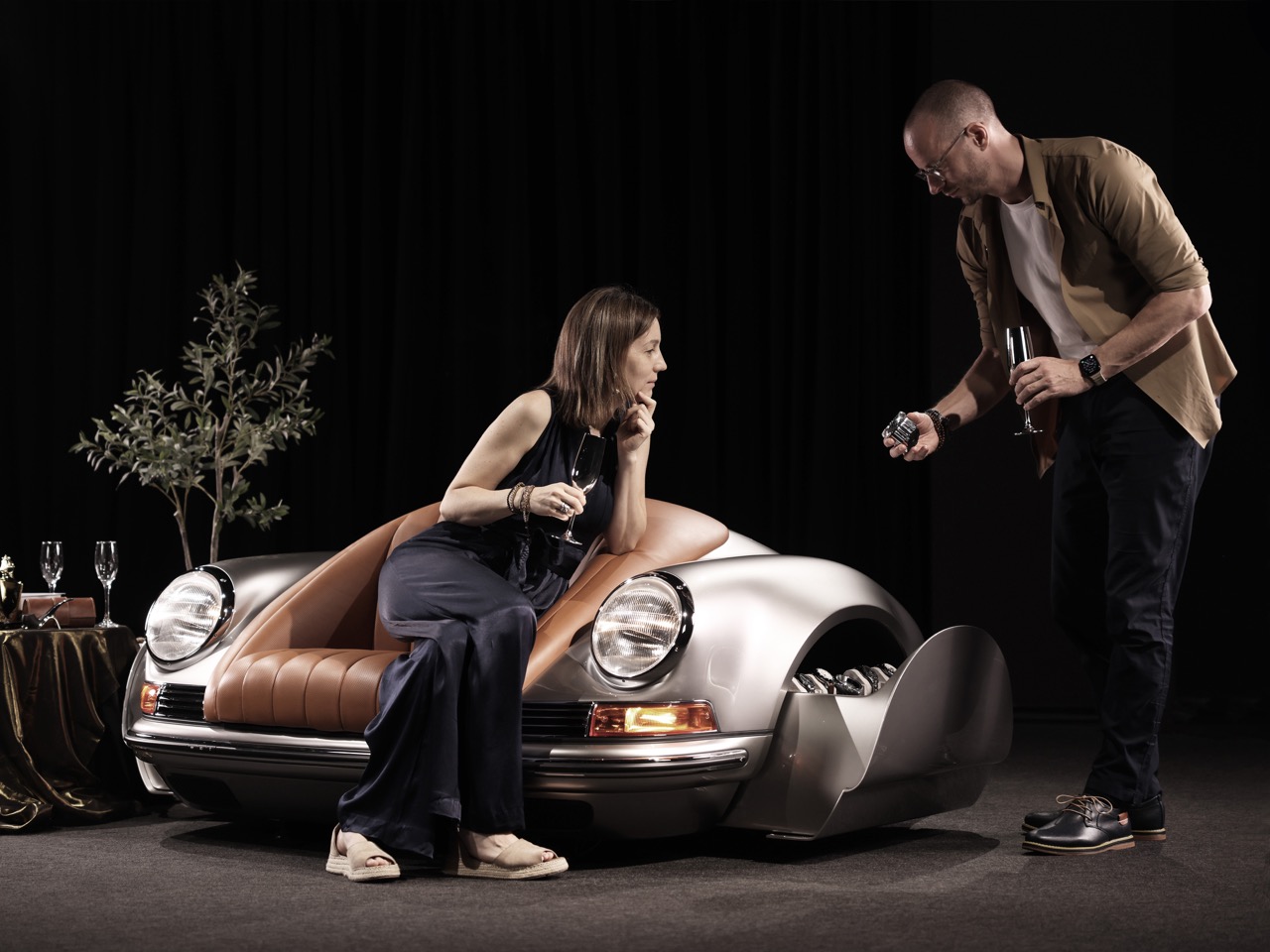
The US$30,000 base price comes from coverage I found, since Arkadia-life’s page just offers a Get a Quote button. Paint is where the upsells live: GT Silver and Jet Green are included, Miami Blue, Crayon, Gold Bronze, and Panther Black add $750, and Cassisrot, Speed Yellow, and Absolutrot add $1,350. Several of those names echo Porsche’s own paint palette, which backs up the 911 reading. For comparison, Inspired Design’s 2006 Porsche 917 couch was limited to 17 pieces at £3,995 (about $7,500 then), and Vitra’s Porsche Pepita Eames Plastic Side Chair came in at 911 euros (about $970). Neither of those has a fridge.
Arkadia-life also sells the P02 Max Wall Speaker for US$3,000 in its openable version, a modified-ABS front end you hang on the wall and fill with a humidor, jewelry, or model cars. That is the budget route to the vibe without the 485 pounds. The P01 is for the bitcoin bro who timed one coin in 2021, says generational wealth at brunch, and finally found an asset with a cold drink for when the charts go red. We rounded up automotive-inspired home objects in 2020, including a Porsche Design speaker made from GT3 exhaust pipes. The garage keeps the engine, the living room keeps the feeling, and your friends keep asking if it drives.
The post This $30,000 Porsche 911 sofa has a mini-bar where the engine should be first appeared on Yanko Design.