Apple previewed watchOS 11, showcasing enhancements that solidify its position as the world’s most advanced wearable operating system. The update focuses on advanced health and fitness insights, greater personalization, and enhanced connectivity features. This discussion delves into the key aspects of watchOS 11, validating the information with official statements and understanding its integration into Apple’s broader ecosystem.
Why watchOS Wasn’t Included in the Apple Intelligence Discussion
Despite Apple’s emphasis on AI for iOS, iPadOS, and macOS, watchOS was notably absent. The reason is that Apple Watch has extensively leveraged AI and machine learning.

Apple Intelligence: iOS, iPadOS + macOS Sequoia
Apple Watch is designed as a personal health and fitness companion, with many features driven by AI and machine learning, providing personalized insights and recommendations. For instance, the automatic workout detection feature uses machine learning to identify when a user begins a workout and suggests the appropriate workout tracking by analyzing data points such as movement patterns, heart rate changes, and location data.
Additionally, the heart rate monitoring feature continuously tracks a user’s heart rate and provides notifications if it detects an irregular rhythm, potentially indicating atrial fibrillation. This capability applies AI, using historical data and real-time analysis to identify potential health issues.
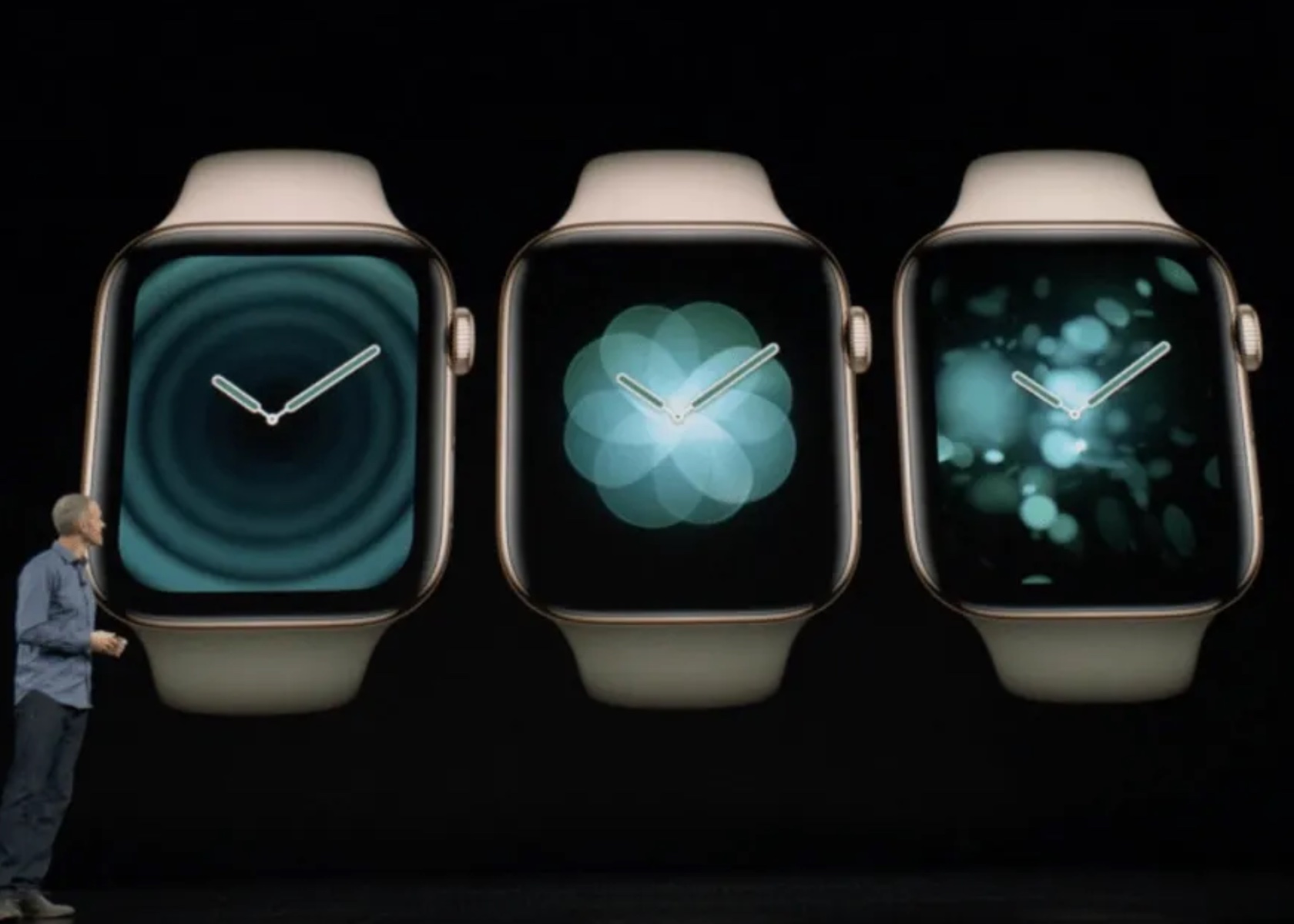
The Breathe app prompts users to take regular breaks for mindfulness and relaxation. Its reminders are based on patterns in the user’s daily routine, reducing stress and improving well-being. The integration of AI ensures timely and relevant reminders.
The sleep tracking feature, introduced in watchOS 7, uses machine learning to analyze sleep patterns and provide insights into sleep quality by tracking metrics such as heart rate, movement, and ambient noise. This helps users understand their sleep habits and make informed decisions to improve their sleep.
In watchOS 11, the Vitals app and Training Load build on this foundation. The Vitals app consolidates various health metrics, providing a comprehensive view of a user’s health status. It uses AI to analyze these metrics and identify outliers, notifying users when two or more metrics are outside their typical range.
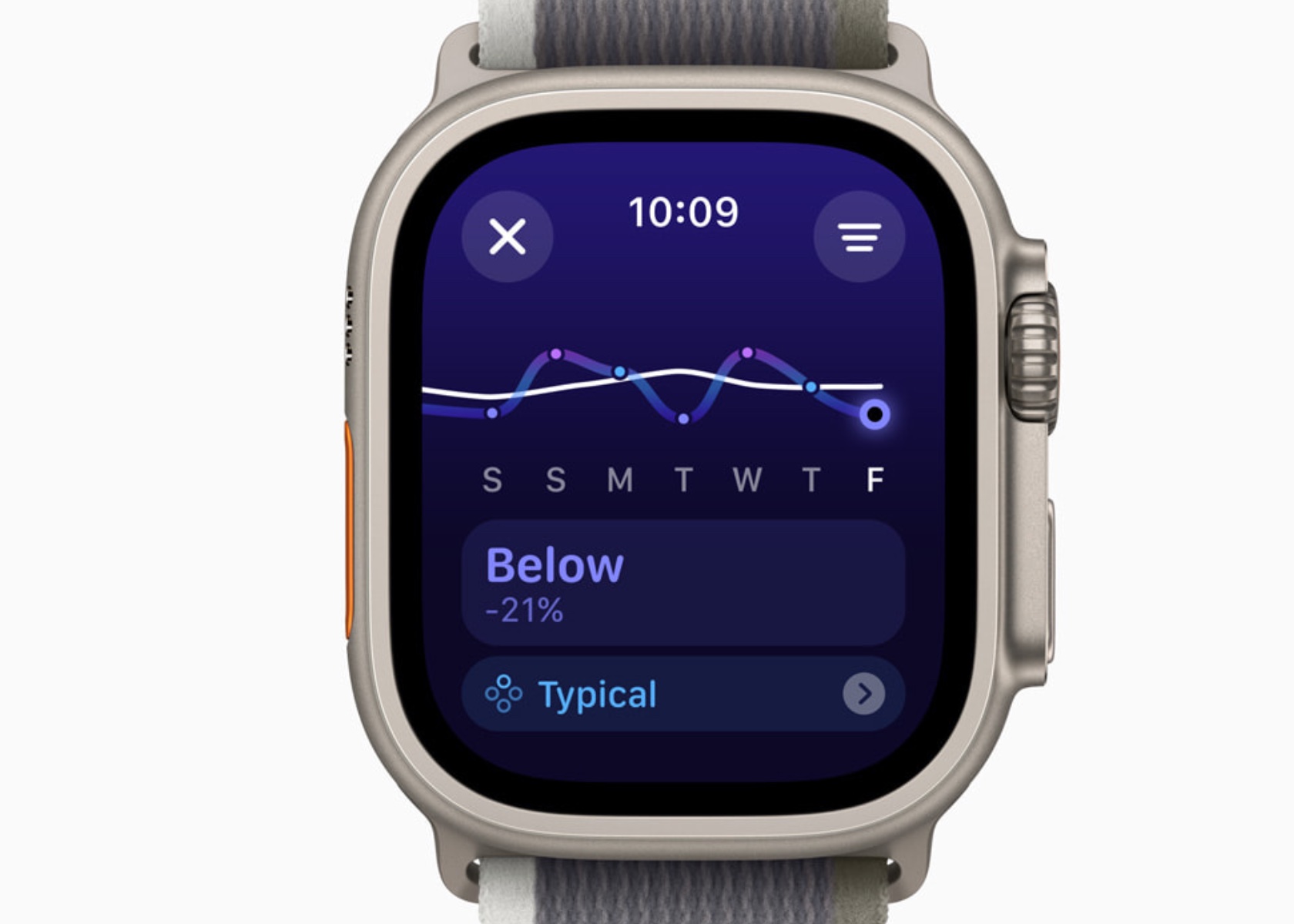
Training Load uses a new effort rating system combining data from various sources to measure workout intensity. By comparing the past seven days of activity with the last 28 days, users can understand how their workouts impact their fitness over time.
The exclusion from the Apple Intelligence segment suggests that watchOS 11’s AI capabilities are deeply embedded in its functionality. The emphasis on iOS, iPadOS, and macOS likely stems from introducing new system-wide AI features still being integrated into these platforms. In contrast, Apple Watch’s AI features are mature and have evolved over the years.
Health and Fitness Insights
Vitals App: A Dream Come True for Sleep Tracking and Health Insights
As someone who sleeps with an Apple Watch, the value of these health insights is undeniable. The ability to monitor sleep patterns and understand the quality of rest has been invaluable in making better lifestyle choices. Previously, reliance on third-party apps and devices was necessary to track sleep. However, with the Vitals app, Apple has built a comprehensive system that outputs detailed sleep tracking data, making it a powerful tool for health monitoring.
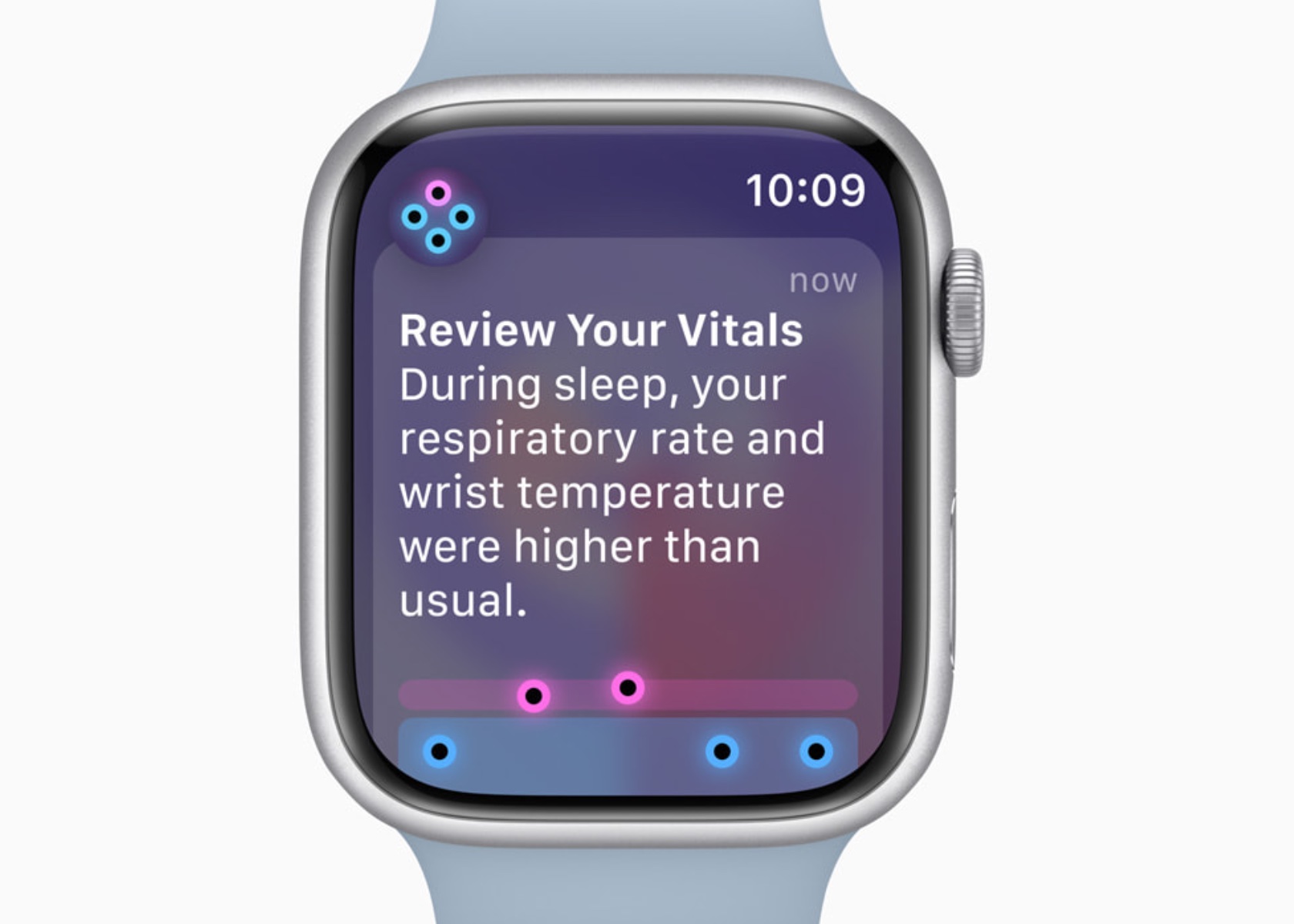
The Vitals app allows the Apple Watch to measure key health metrics during sleep, including heart rate, respiratory rate, wrist temperature, sleep duration, and blood oxygen levels. This array of data offers a holistic view of nightly rest. The heart rate monitor tracks beats per minute throughout the night, providing insights into cardiovascular health. The respiratory rate measures breathing patterns, helping to detect any irregularities.
Wrist temperature is another critical metric, offering insights into changes in body temperature, which can indicate various health conditions. Sleep duration records the total amount of time spent sleeping, allowing users to see if they are getting enough rest. Blood oxygen levels are also measured, which is essential for understanding how well the body circulates oxygen during sleep.
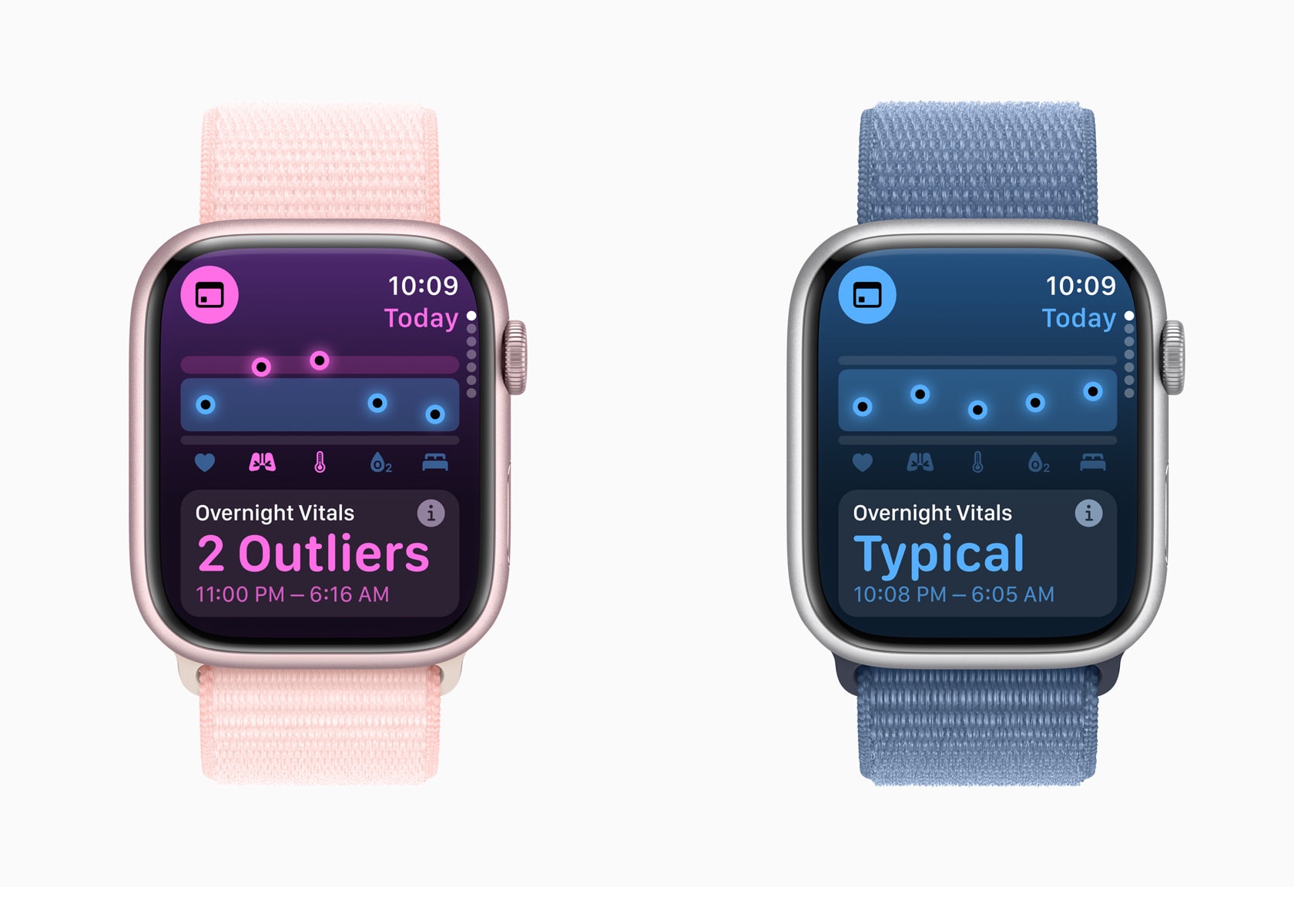
The Vitals app consolidates all these metrics into a single, comprehensive view, making it easy to identify outliers and receive notifications when two or more metrics fall outside their typical range. This integration uses data from the Apple Heart and Movement Study, ensuring that the classifications and notifications are grounded in extensive research.
In terms of age restrictions, many of these metrics have minimum age requirements. Heart rate and respiratory rate tracking are available for users aged 13 and above, while wrist temperature tracking is available for users aged 14 and above. This ensures that the data collected is reliable and appropriate for the user’s age group.
Previously, gathering this kind of data required reliance on third-party apps and devices. However, Apple’s approach ensures that the Vitals app works exclusively with the Apple Watch, leveraging a vast amount of research data to provide accurate and reliable insights. This means that if you value sleep data and metrics but cannot wear an Apple Watch, you might find yourself out of luck. Apple has optimized the Vitals app to work seamlessly within its ecosystem, offering a indepth health monitoring experience compared to third-party alternatives.
Overall, the insights provided by the Vitals app have significantly improved the understanding of sleep quality and overall health. By integrating these detailed metrics, Apple has created a powerful tool that helps users make informed decisions about their lifestyle and health management. This personal connection underscores the transformative impact of watchOS 11’s features on everyday life.
Training Load
Training Load is another new feature I’m super excited about in watchOS 11, offering a new way to measure the intensity and duration of workouts. This feature provides insights into how the body’s response to workouts evolves over time, helping users optimize their training routines.
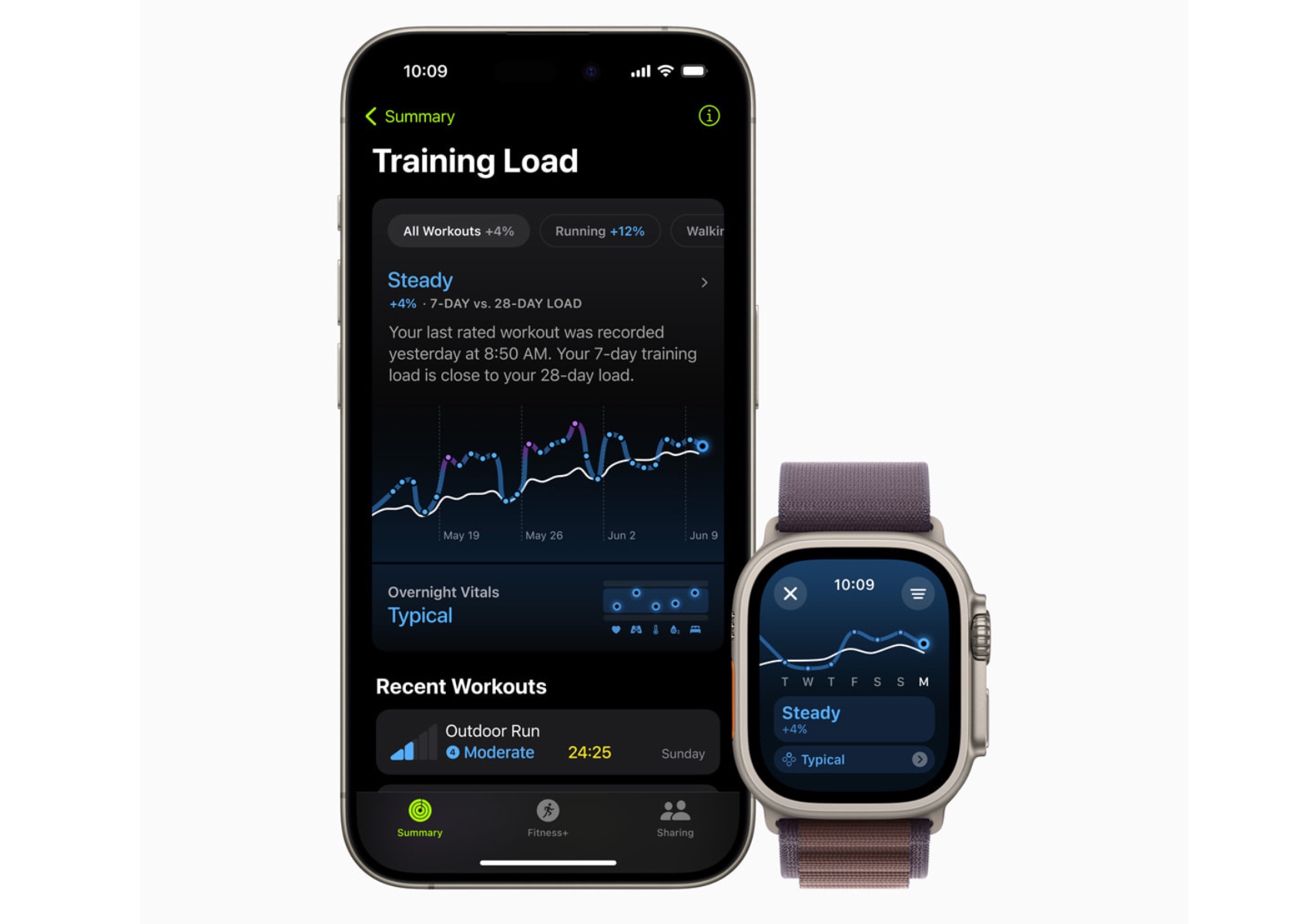
watchOS 11 Training Load
To establish a baseline, Training Load requires data from 28 days of workouts. Importantly, these 28 days do not need to be consecutive, allowing for flexibility in users’ training schedules. This means you can take rest days or adjust your routine without losing the ability to accurately track your training load.
Training Load compares the past seven days of activity with the previous 28 days, providing a comprehensive view of workout intensity and its impact. The effort rating, which ranges from 1 to 10, is calculated using various data points such as age, height, weight, GPS data, heart rate, and elevation changes. For example, running on a flat surface will yield a different effort rating compared to running uphill, even if the distance covered is the same.
For cardio workouts like running, cycling, and swimming, the effort rating is generated automatically using an innovative algorithm. This algorithm takes into account various factors including pace, heart rate, and elevation changes. For workouts that do not receive an automatic effort rating, such as strength training or yoga, users can manually enter an effort rating at the end of each session. This manual input allows users to consider additional factors like stress or soreness that might affect their perceived effort.
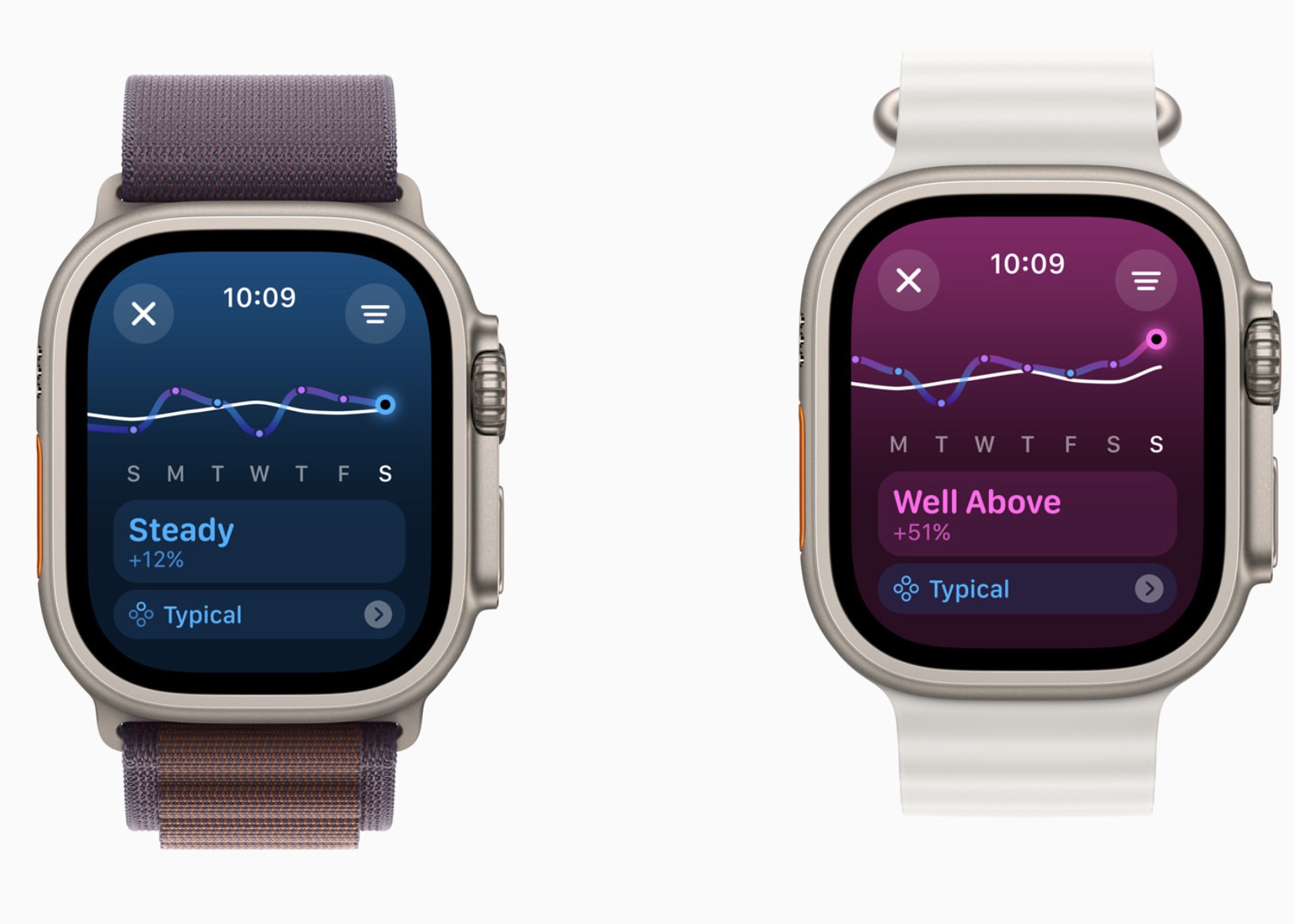
In the Activity app, users can view their training load classified as well below, below, steady, above, or well above their 28-day average. This classification helps users understand if they are ramping up their training, maintaining a steady pace, or easing off. For instance, maintaining a training load that is consistently well above the 28-day average might indicate progress in fitness but also a higher risk of injury. Conversely, a well-below training load might suggest the need to increase activity to prevent a decline in fitness.
The integration of Training Load with the Vitals app allows users to see how their daily health metrics correlate with their workout intensity. For example, users can observe how changes in heart rate or wrist temperature align with their training load, providing deeper insights into their overall health and fitness.
Training Load helps users make informed decisions about their training plans, ensuring a balanced approach that optimizes fitness gains while minimizing the risk of overtraining and injury. This personalized feedback is crucial for athletes preparing for events, such as marathons or triathlons, where managing training intensity and recovery is key to peak performance.
Personalization Features
Activity Rings Customization
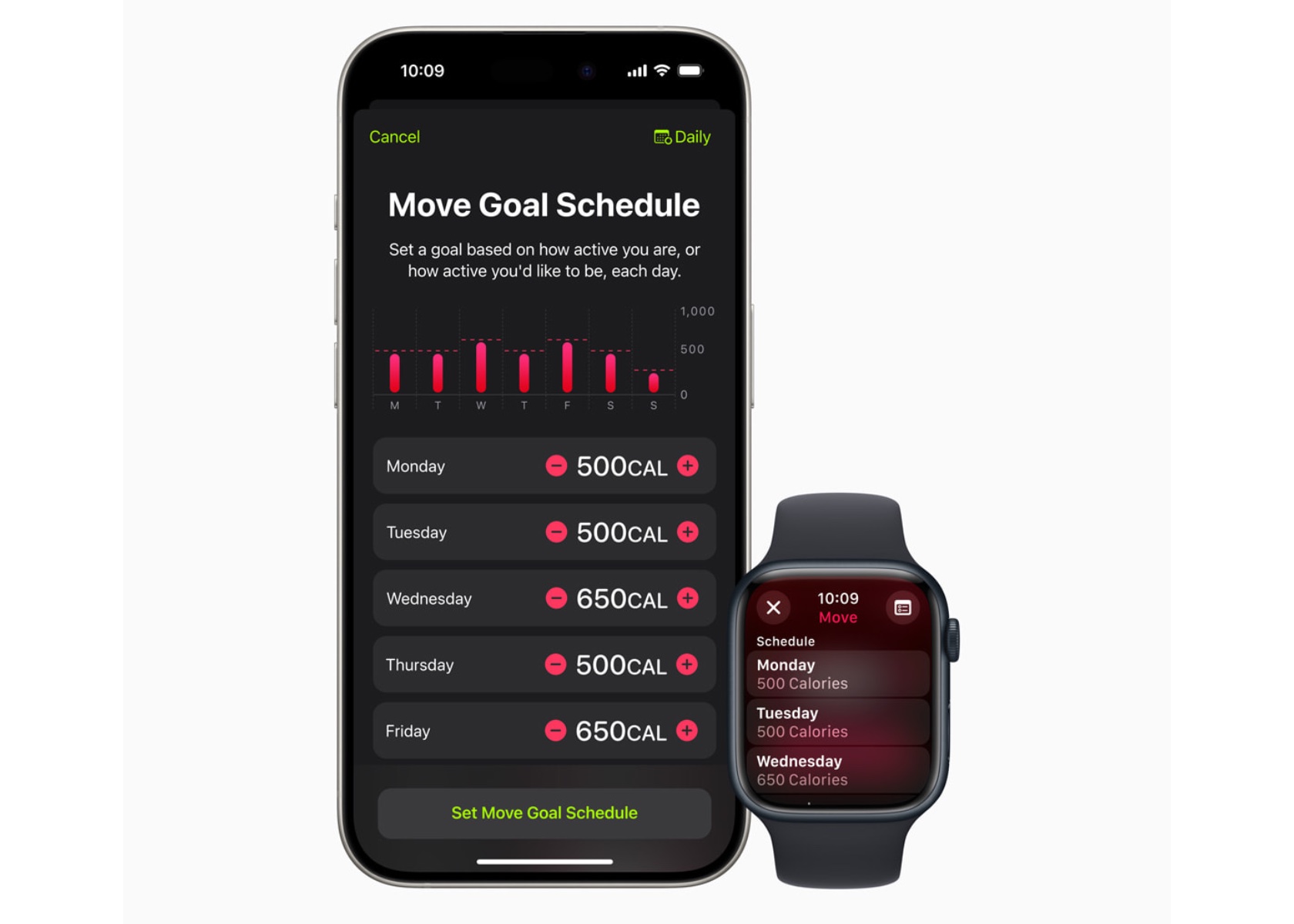
With watchOS 11, Activity rings are more customizable. Users can tailor their goals by the day of the week, accommodating rest days or adjusting targets based on personal schedules. This flexibility ensures the Activity rings provide the right motivation at the right time, maintaining user engagement without compromising fitness streaks.
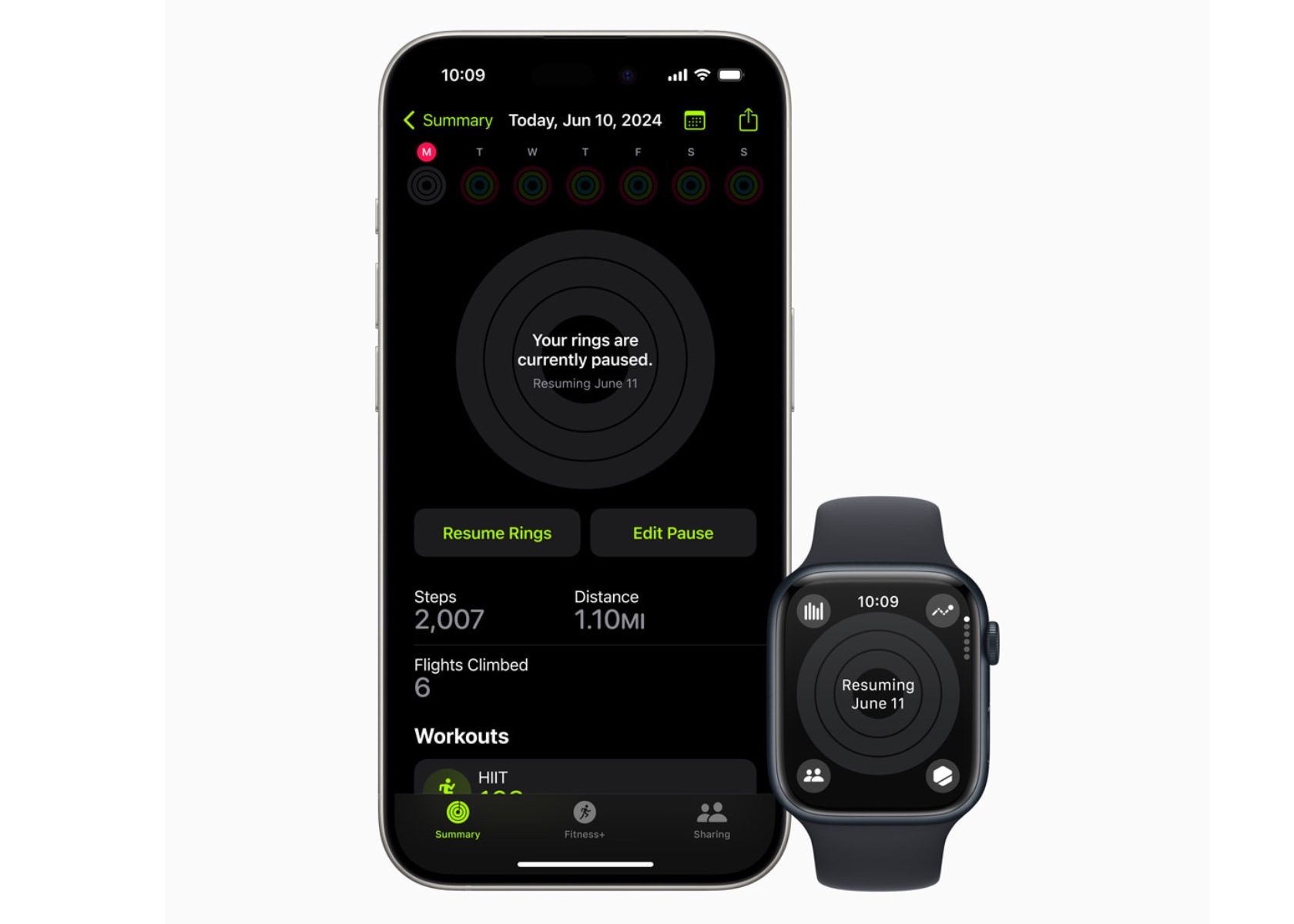
The ability to pause Activity rings allows users to take a break without losing progress, whether recovering from an injury or needing a day off.
Smart Stack and Photos Face
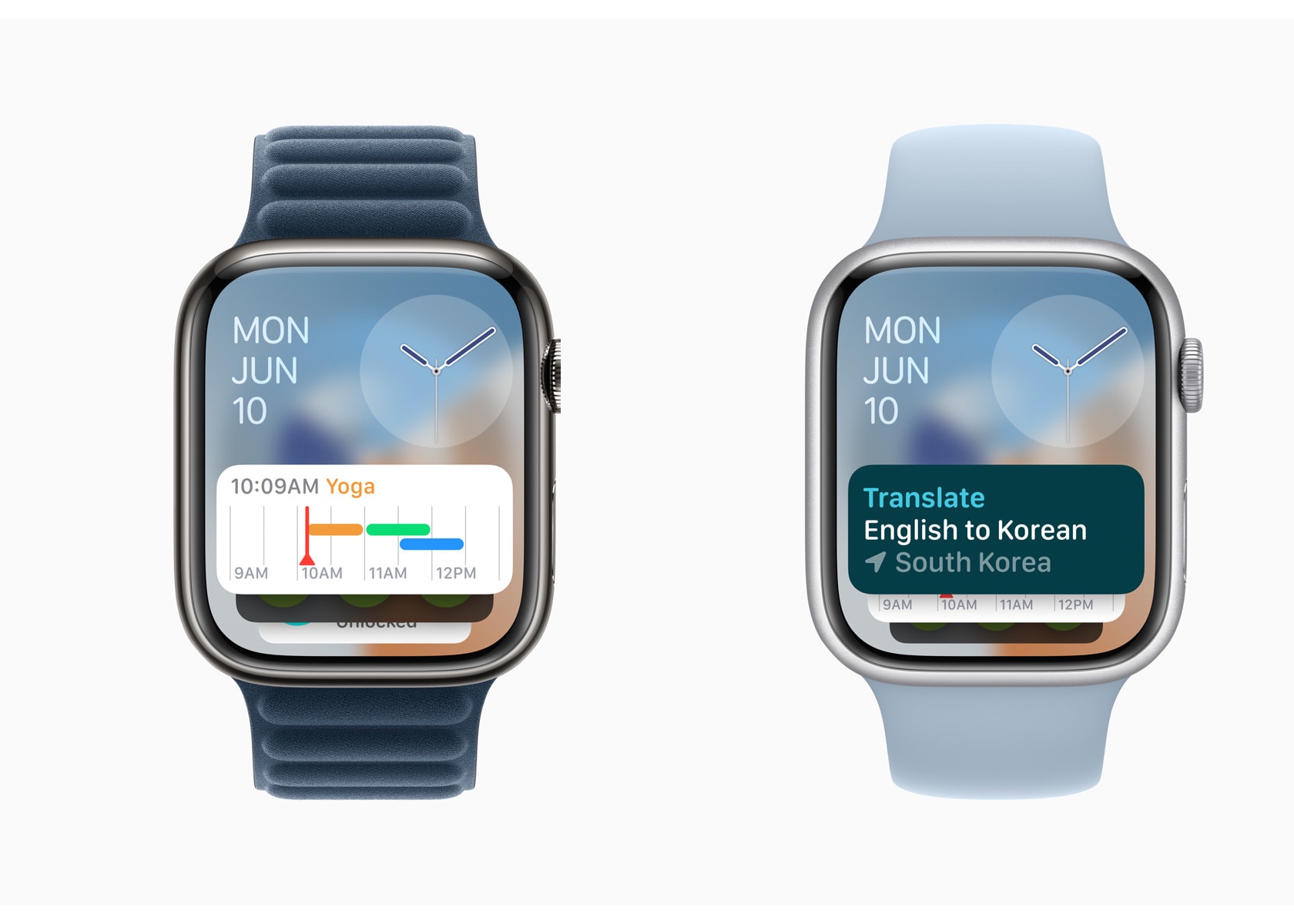
The Smart Stack in watchOS 11 offers new widgets like Shazam and Photos, suggesting widgets based on time, date, location, and daily routines. The Photos face uses machine learning to analyze thousands of images, recommending the best options based on aesthetics and composition. Users can personalize the Photos face, creating a dynamic and visually appealing watch experience.
The Smart Stack’s ability to adapt to a user’s schedule and preferences makes it a powerful tool for staying organized and informed.
Connectivity and Convenience
Check In
Check In, now available on Apple Watch, enhances user safety and connectivity. Users can use Check In to keep friends or family informed about their activities. This feature integrates with Messages, providing an added layer of security.
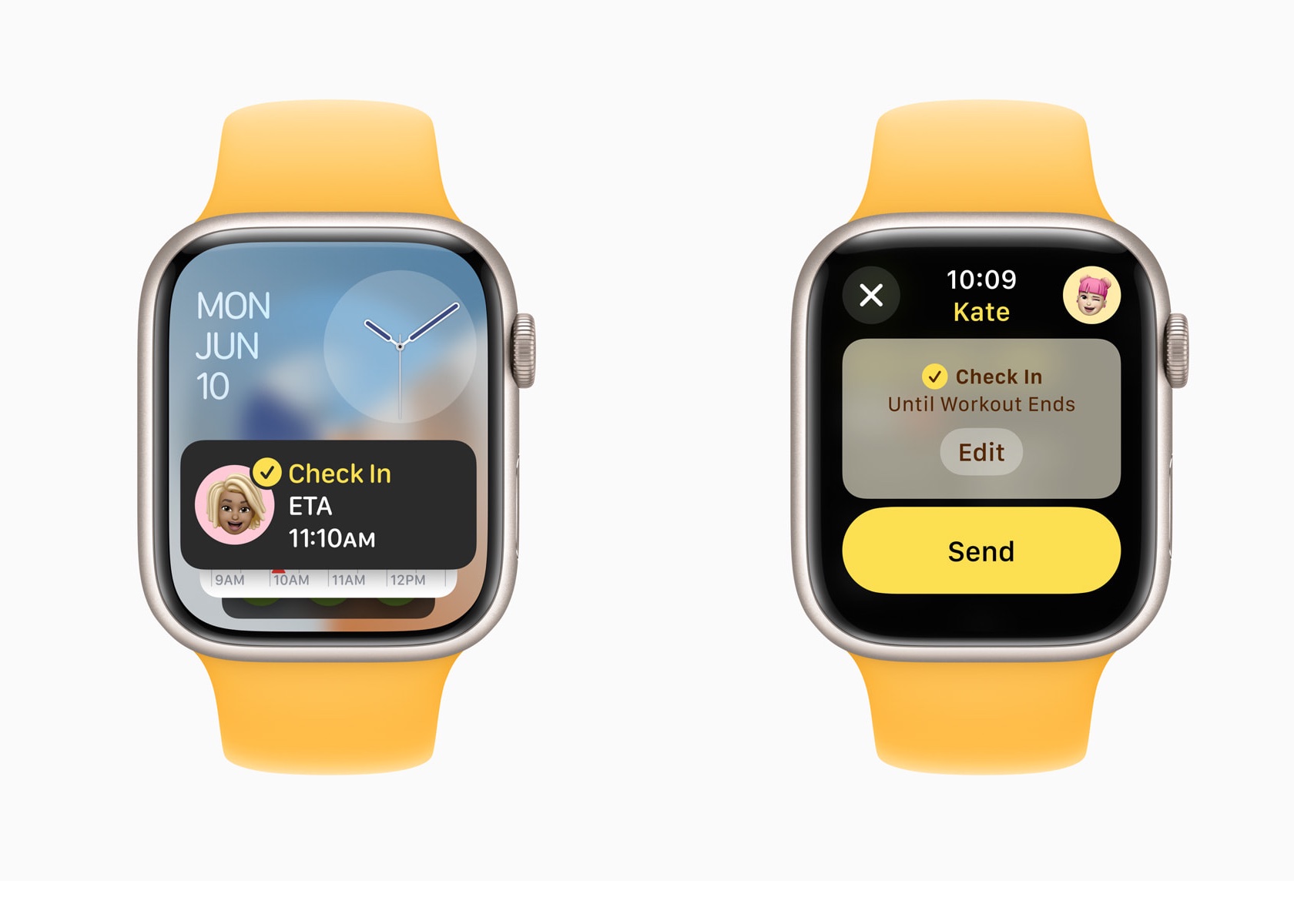
It allows users to set a timer for their activities, notifying a designated contact if they don’t check back in time.
Translate App
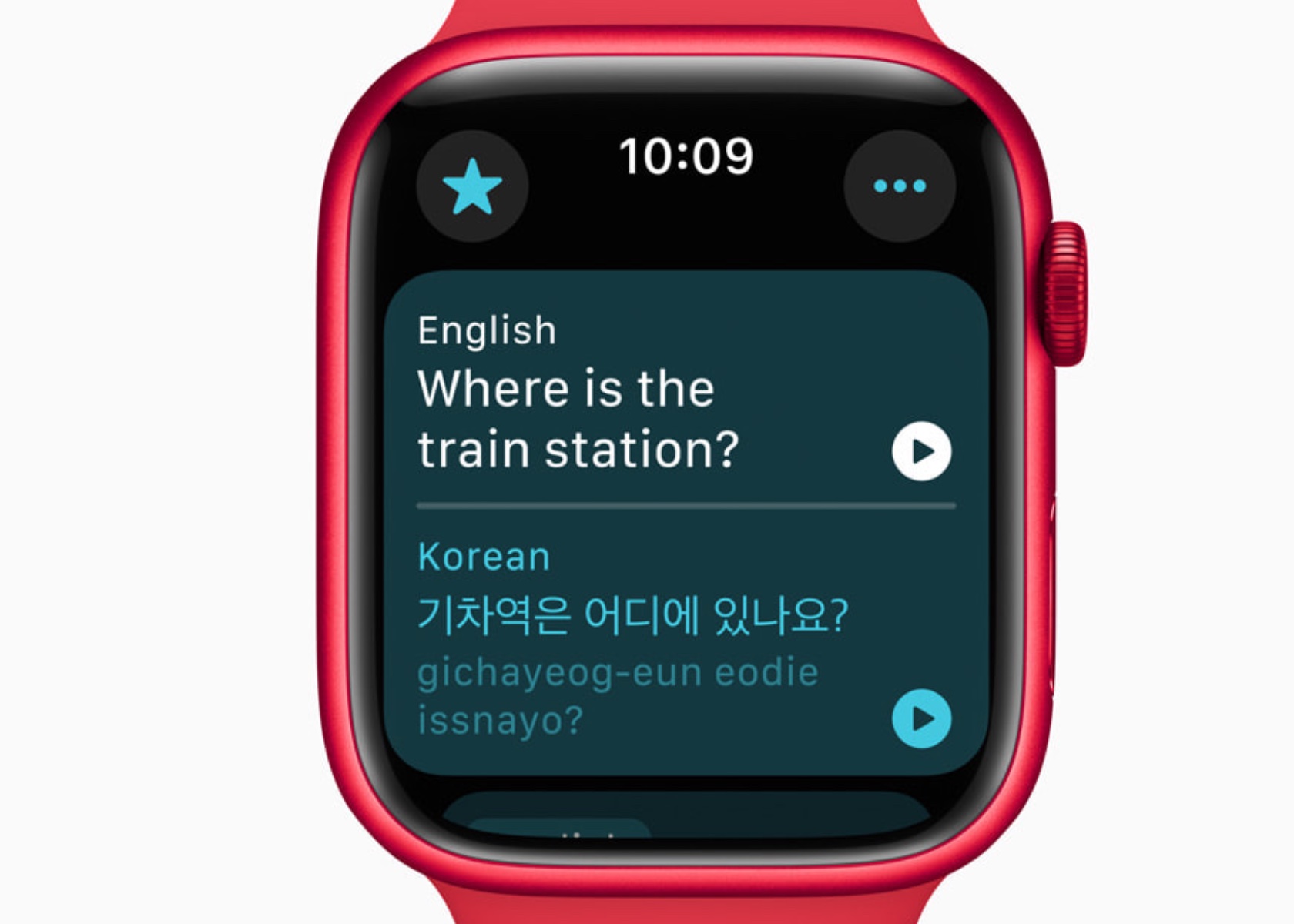
The Translate app on Apple Watch supports 20 languages, allowing users to access translations directly on their wrist. The Smart Stack intelligently suggests the Translate widget based on the user’s location, enhancing convenience while traveling. With offline functionality, users can rely on the Translate app even without an internet connection. However, it is important to note that offline mode requires users to manually download the desired language in advance. This ensures that translations are readily available regardless of internet availability, providing a seamless and dependable experience for language support on the go.
Additional Updates and Developer Tools
watchOS 11 introduces several updates to enhance user experience and provide developers with new tools. These include new workout types with enhanced GPS tracking, customizable Pool Swims, and the ability to save hiking routes for offline use. The Smart Stack and Double Tap gesture capabilities offer developers opportunities to create more interactive and relevant apps.
New workout types like soccer, American football, and downhill skiing expand the range of activities Apple Watch can track. Enhanced GPS tracking ensures accurate distance measurements for outdoor activities. Custom Workouts for Pool Swims allow users to tailor training sessions to meet specific goals.
Developers can use new APIs to create more personalized and interactive experiences for Apple Watch users. The Double Tap gesture can trigger specific actions within an app, providing a seamless and intuitive user experience.
Privacy and Availability
Privacy remains a cornerstone of Apple’s design philosophy. Health and fitness data are encrypted when the device is locked and during transmission to iCloud. watchOS 11 will be available as a free update this fall for Apple Watch Series 6 or later, paired with iPhone Xs or later running iOS 18. The developer beta is available now, with a public beta set to launch next month.
Conclusion
watchOS 11 sets a new standard for wearable technology by integrating advanced health monitoring, personalized fitness insights, and enhanced connectivity features. The Vitals app offers unprecedented visibility into health metrics, enabling proactive management of well-being. The new Training Load feature empowers users to optimize their fitness routines based on real-time data, reducing the risk of overtraining and injury.
The post watchOS 11: Comprehensive Health Insights with Advanced Sleep Tracking and Training Load first appeared on Yanko Design.