Hidden Setting: How to Enable the Secret "Ultra Dark Mode” in iOS 26.1

Hidden Setting: How to Enable the Secret

Apple’s iOS 26.1 introduces a suite of advanced features aimed at refining your dark mode experience. These updates provide greater control over your device’s display, allowing you to enhance comfort, accessibility, and aesthetics. Whether you’re looking to reduce glare, soften bright highlights, or achieve a more cohesive interface, iOS 26.1 equips you with tools to […]

The post Hidden Setting: How to Enable the Secret “Ultra Dark Mode” in iOS 26.1 appeared first on Geeky Gadgets.

Posted in Uncategorized

Google Antigravity & Gemini 3 : Agent-Based IDE That Runs Right on Your PC

Google Antigravity & Gemini 3 : Agent-Based IDE That Runs Right on Your PC

What if the humble cursor, a tool we’ve relied on for decades, was no longer essential? Imagine an Integrated Development Environment (IDE) so advanced it could anticipate your needs, execute tasks autonomously, and even debug your code without requiring you to lift a finger. Enter Google Antigravity, a new platform that promises to transform software […]

The post Google Antigravity & Gemini 3 : Agent-Based IDE That Runs Right on Your PC appeared first on Geeky Gadgets.

Posted in Uncategorized

DIY 3D-Printed Clamshell Turns BOOX Palma Into a Tiny Laptop

Palmtops and UMPCs are experiencing a quiet resurgence among people who want something more focused than a laptop and more tactile than a phone. Compact e-ink devices and tiny Bluetooth keyboards have become affordable building blocks for exactly this kind of project, letting makers combine them into pocketable machines tailored to writing, reading, or just tinkering. The result is a small but growing wave of DIY cyberdecks and writerdecks that feel like modern reinterpretations of classic Psion palmtops.

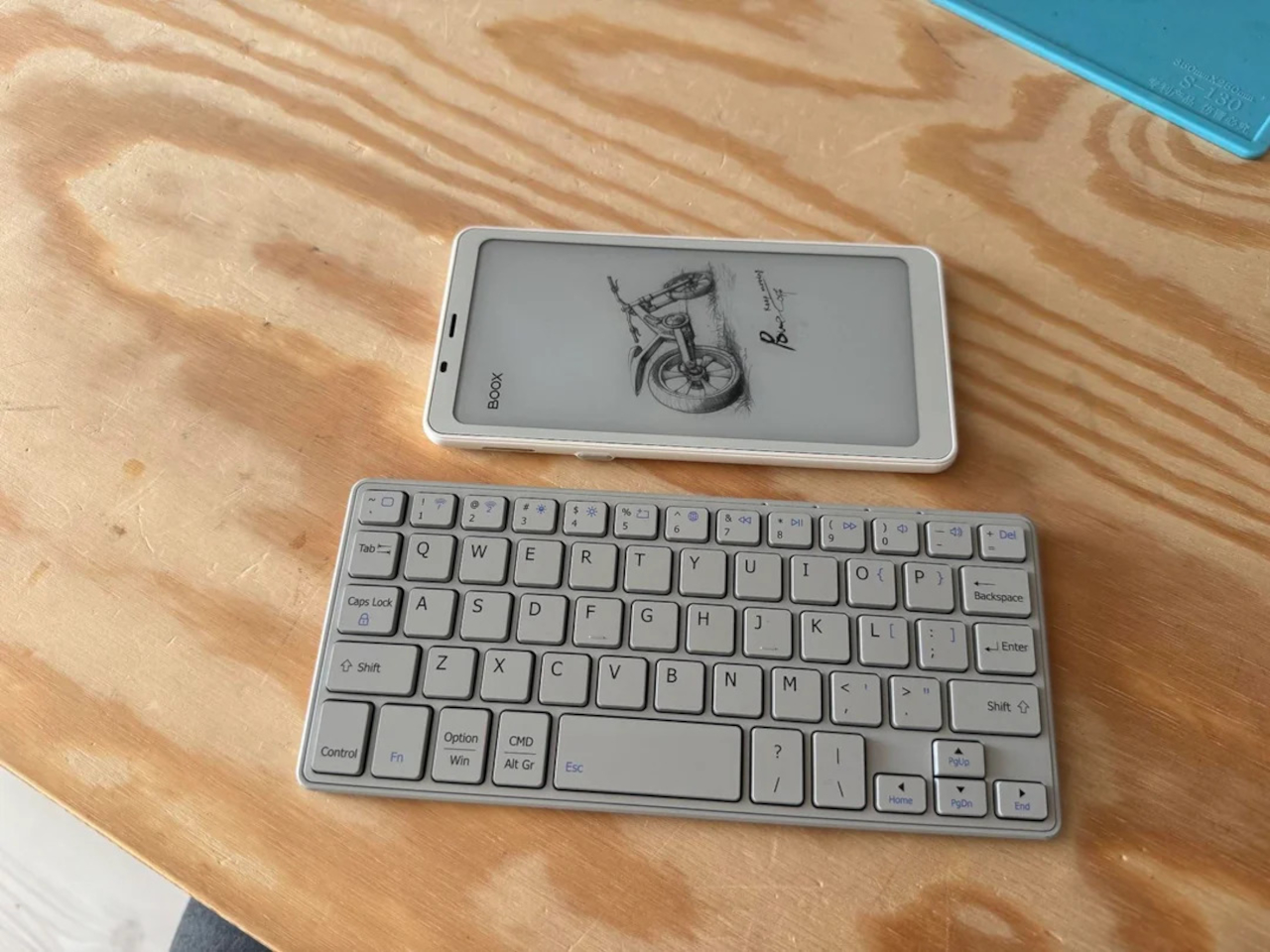
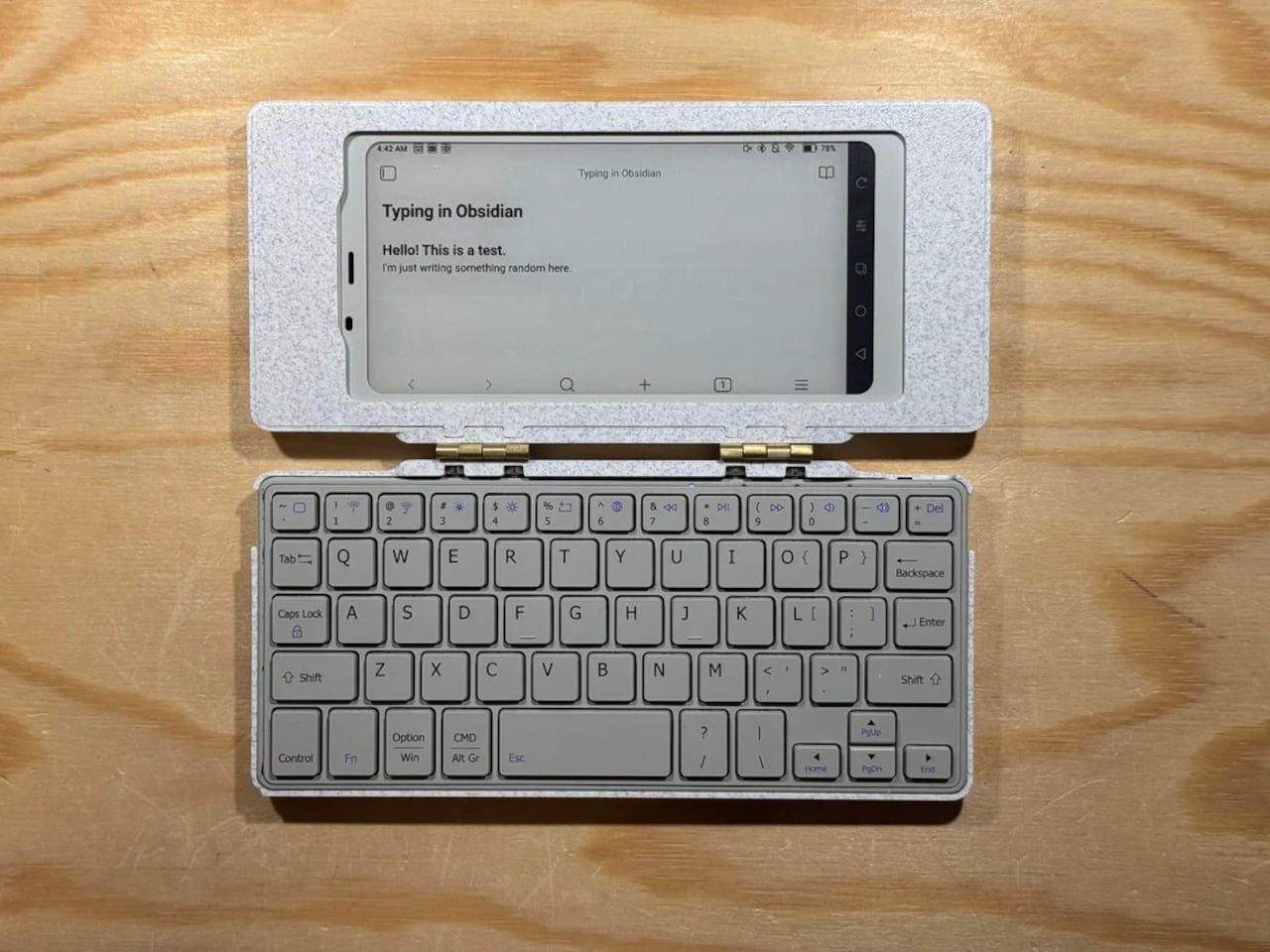
The Palm(a)top Computer v0 is one of those projects, born on Reddit when user CommonKingfisher decided to pair a BOOX Palma e-ink Android phone with a compact Bluetooth keyboard and a custom 3D-printed clamshell case. The result looks like a cross between a vintage Psion and a modern writerdeck, small enough to slide into a jacket pocket but functional enough to handle real writing and reading sessions on the go.

Designer: CommonKingfisher

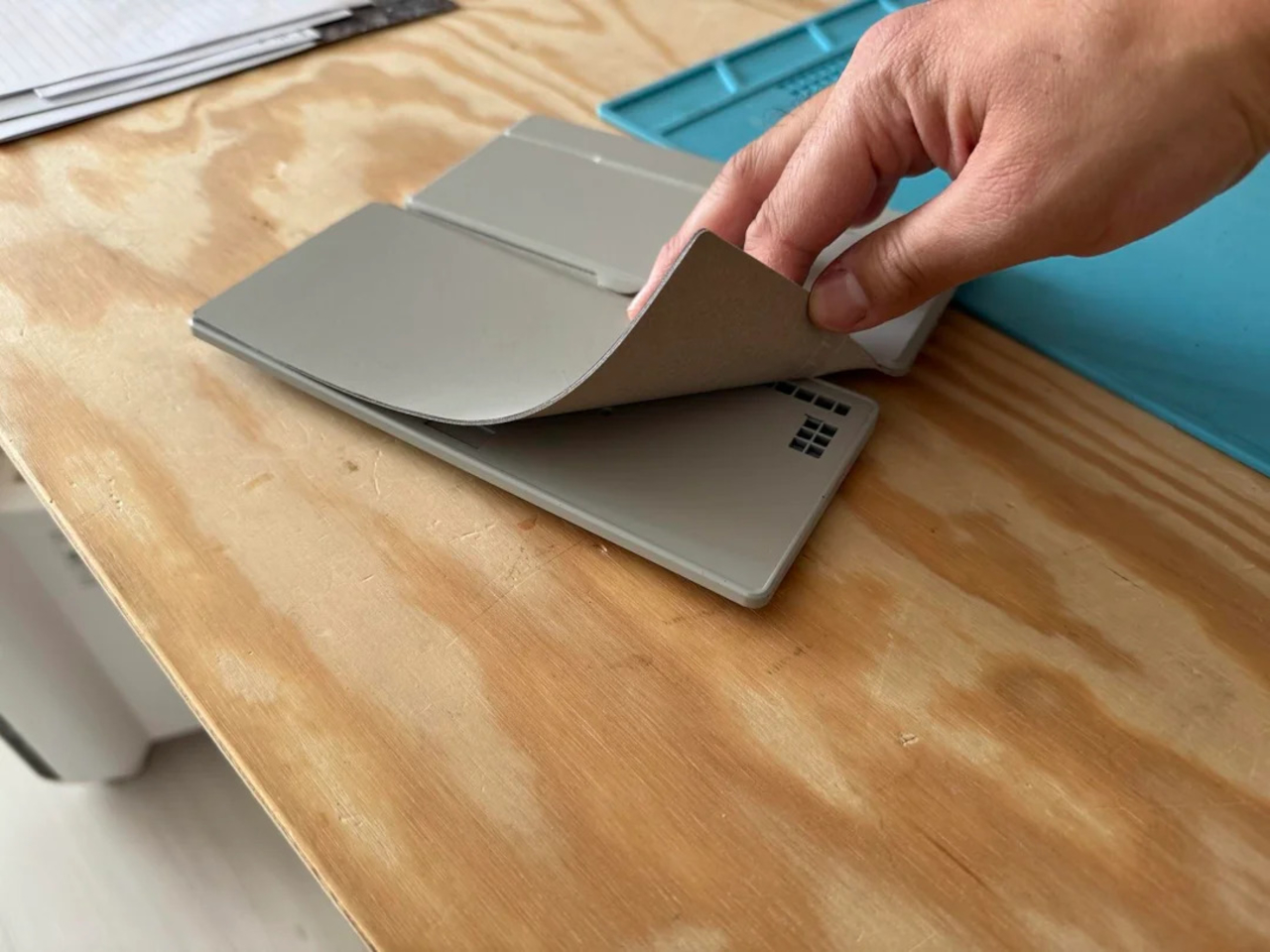
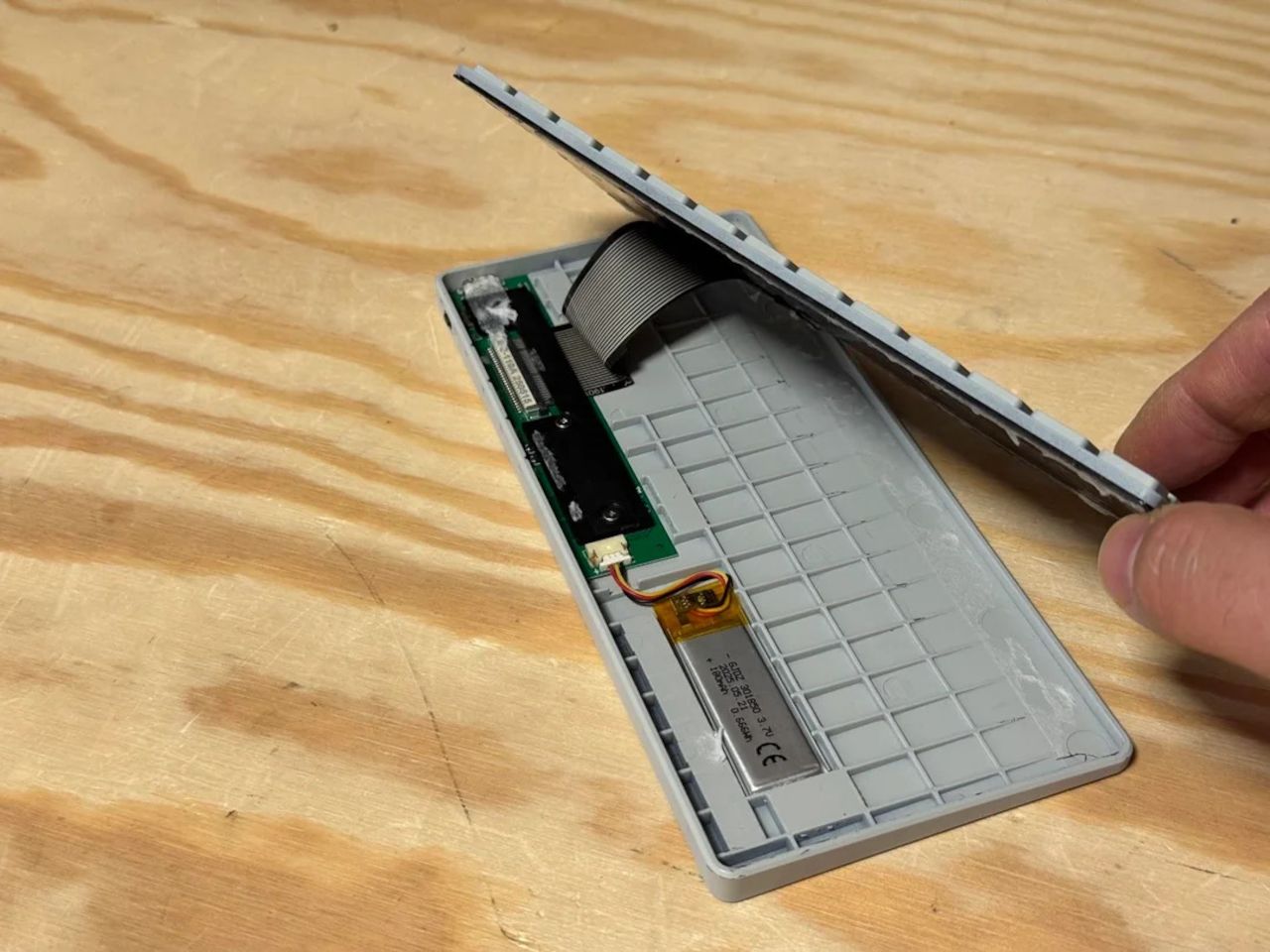
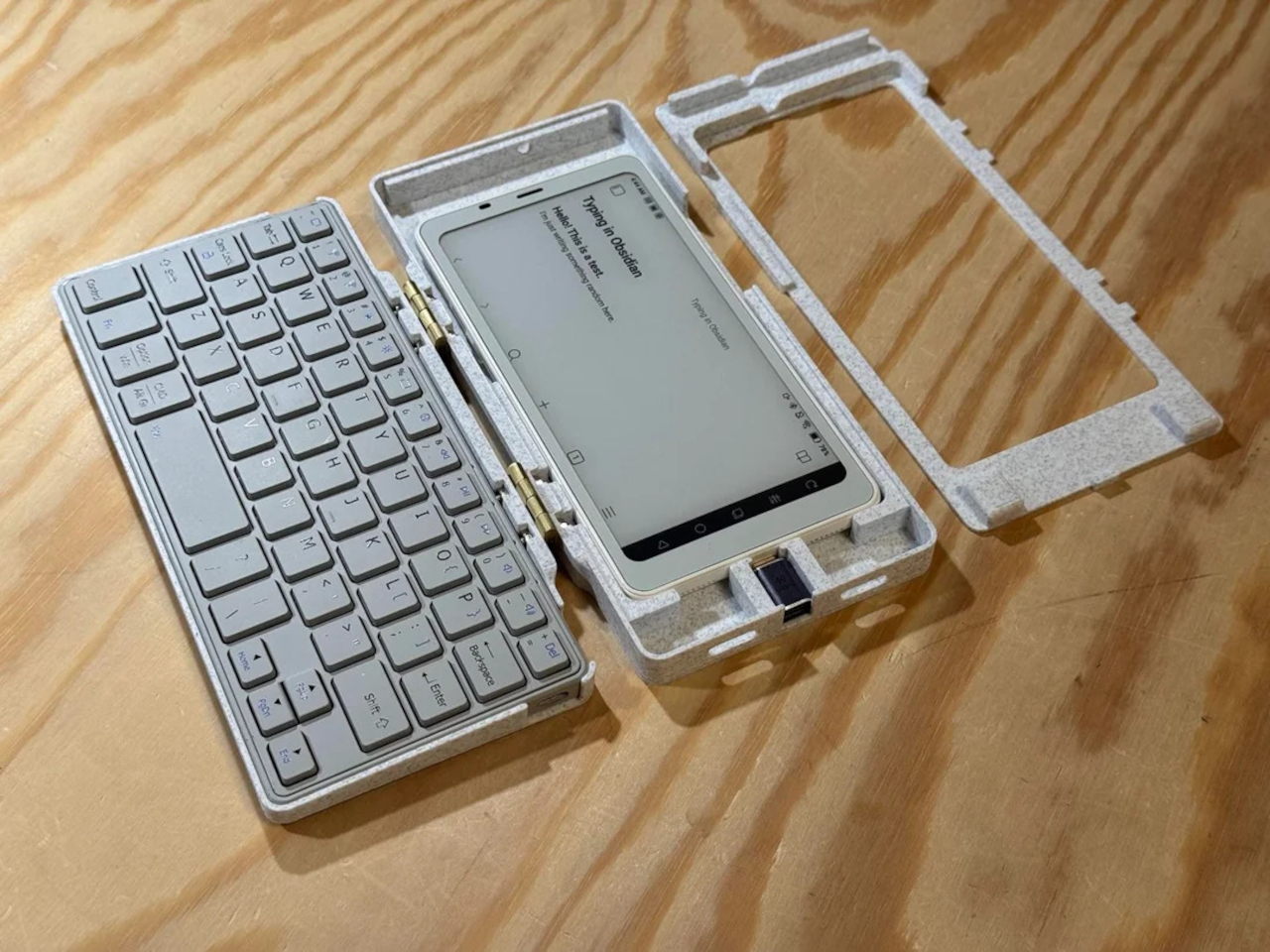
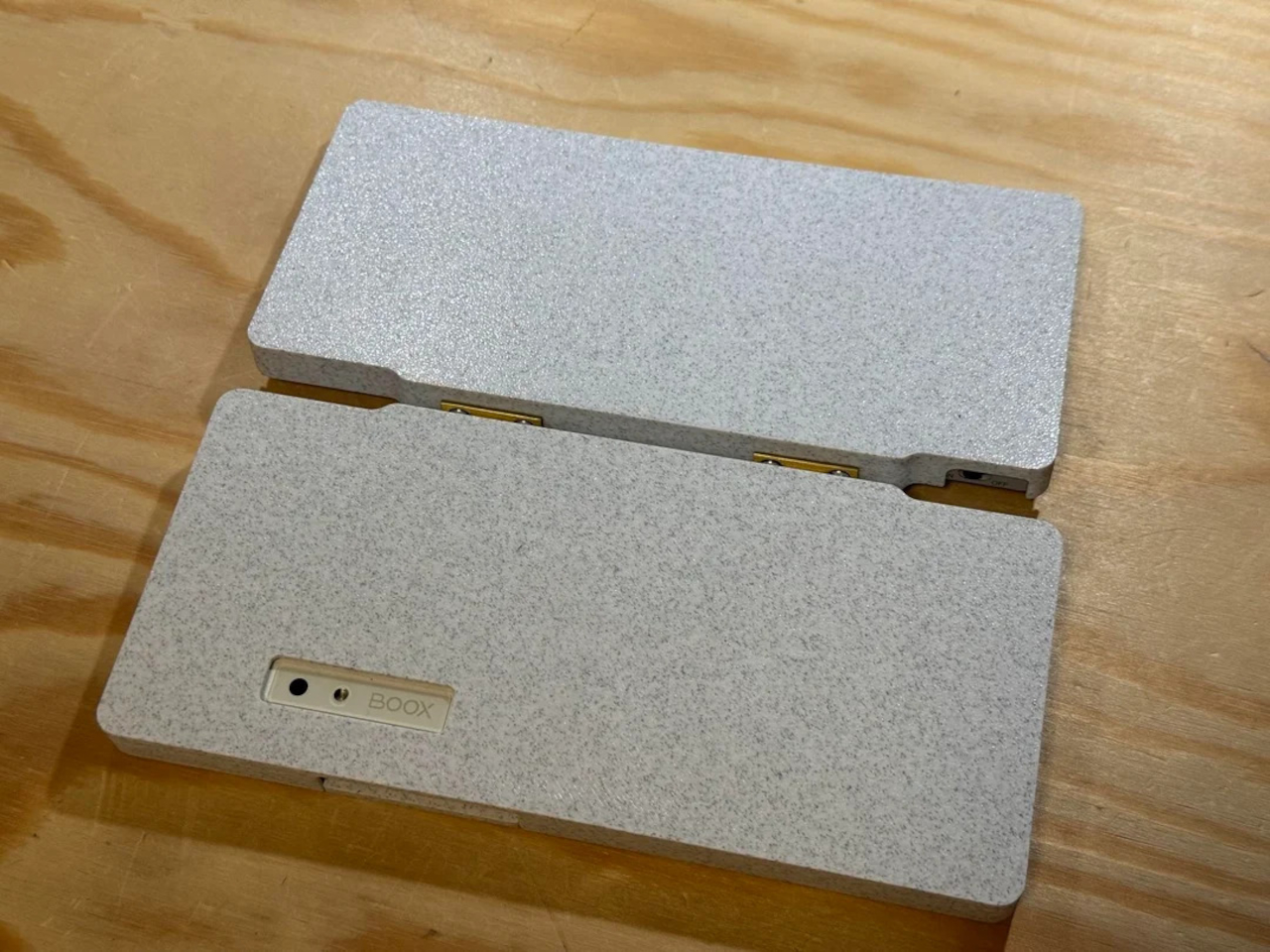
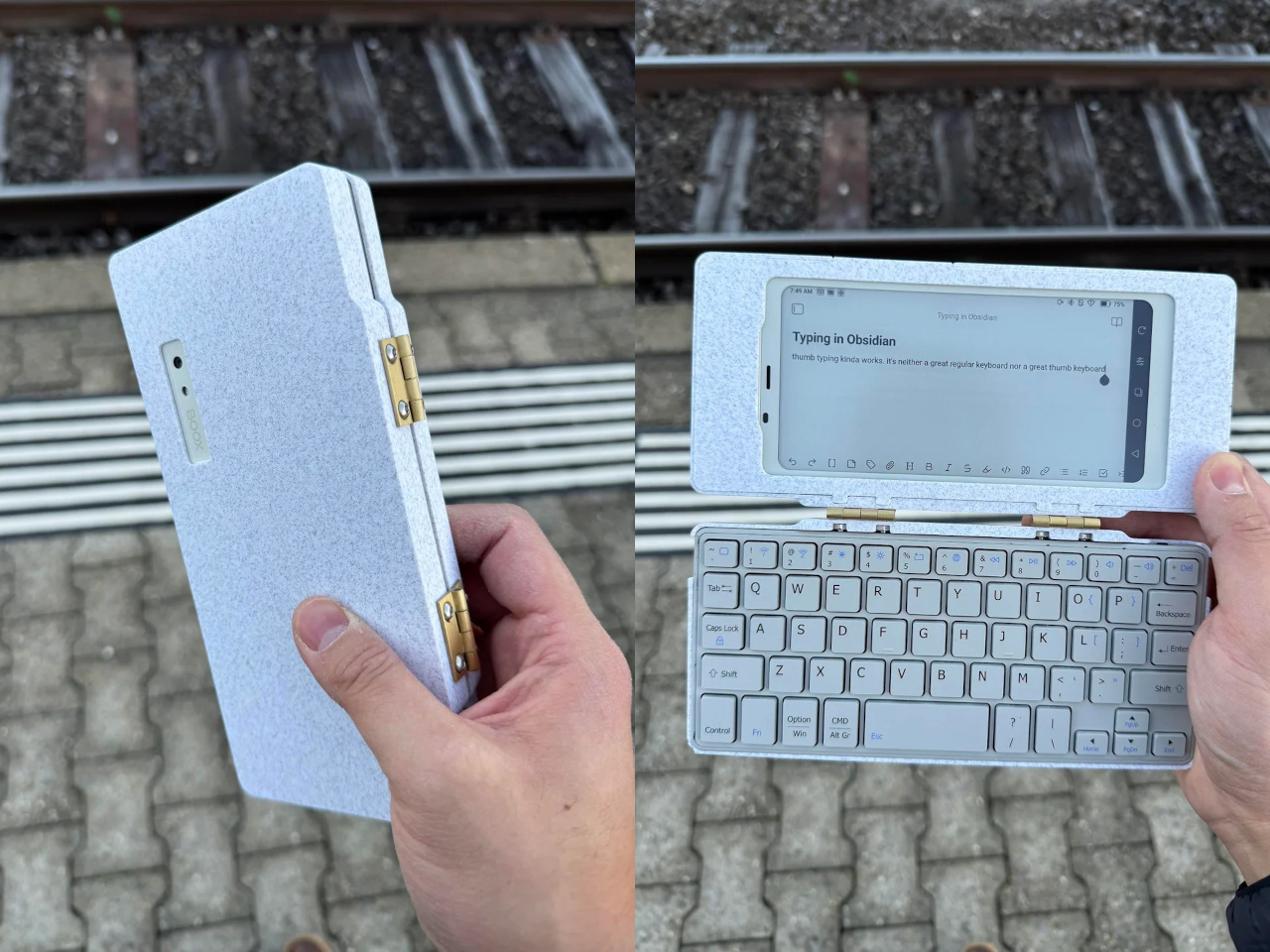
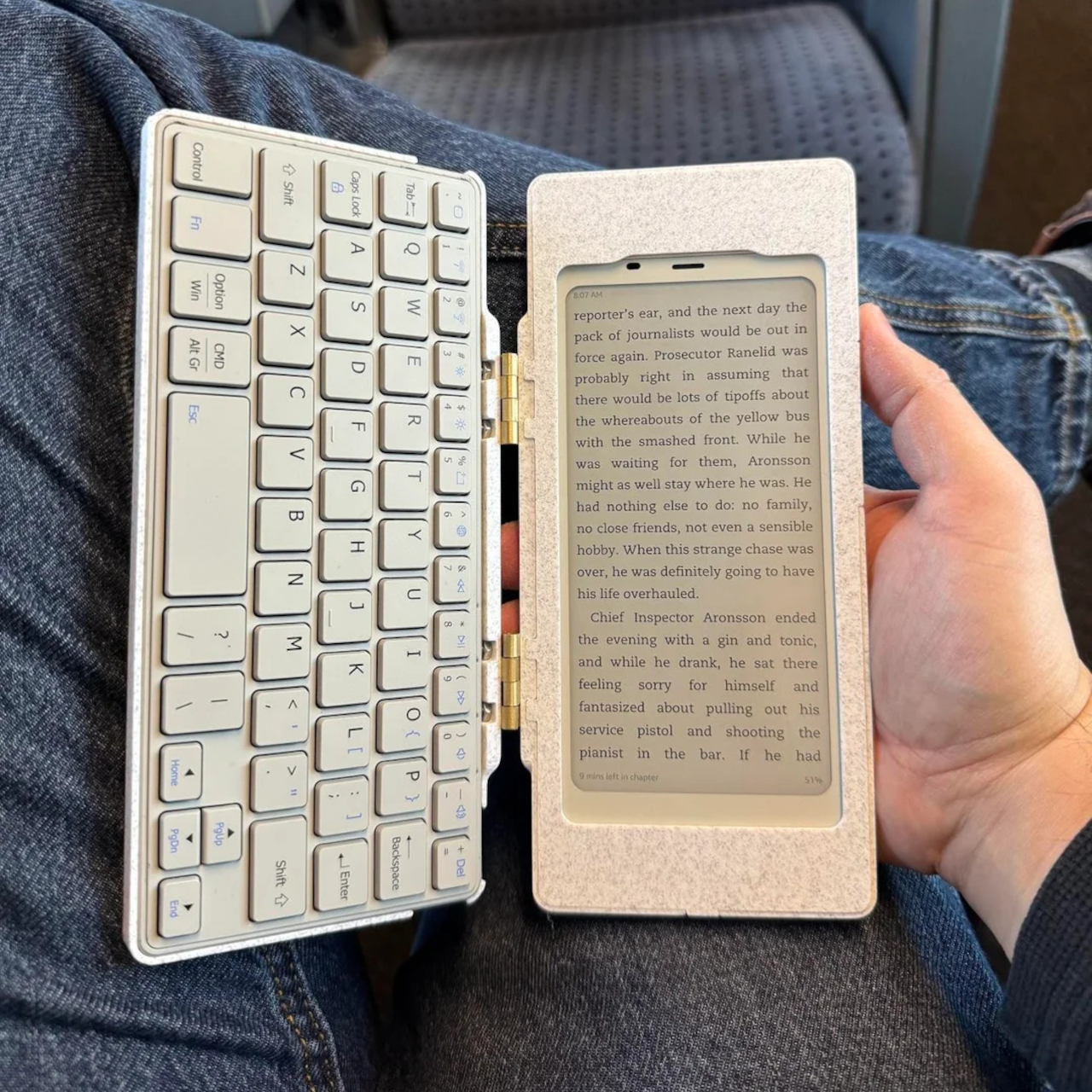
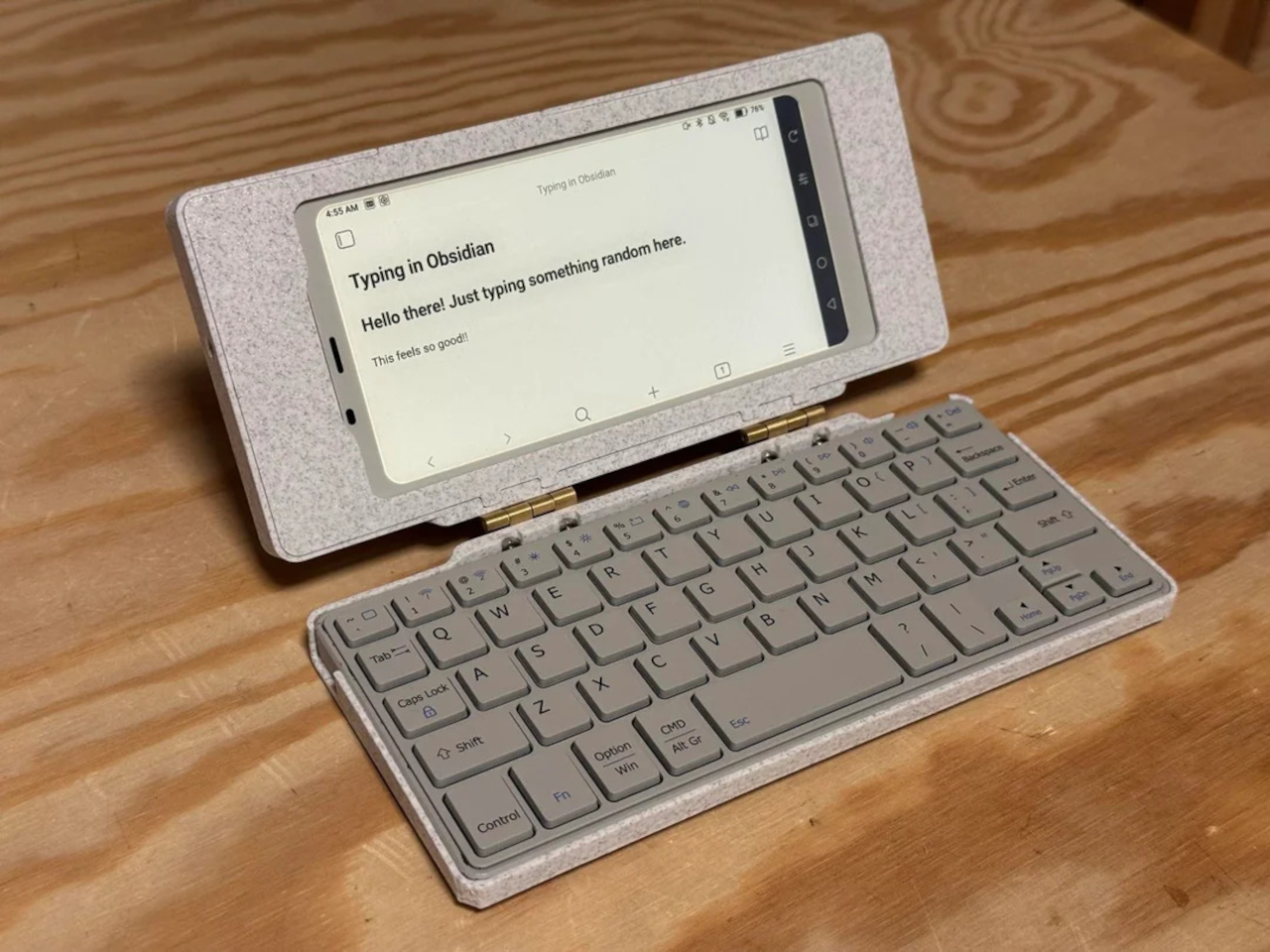
The core hardware is straightforward. The BOOX Palma sits in the top half of the shell, while a CACOE Bluetooth mini keyboard occupies the bottom half. The keyboard was originally glued into a PU-leather folio, which the maker carefully peeled off using gentle heat from a hair dryer to expose the bare board. When opened, the two halves form a tiny laptop layout with the e-ink screen above and the keyboard below.

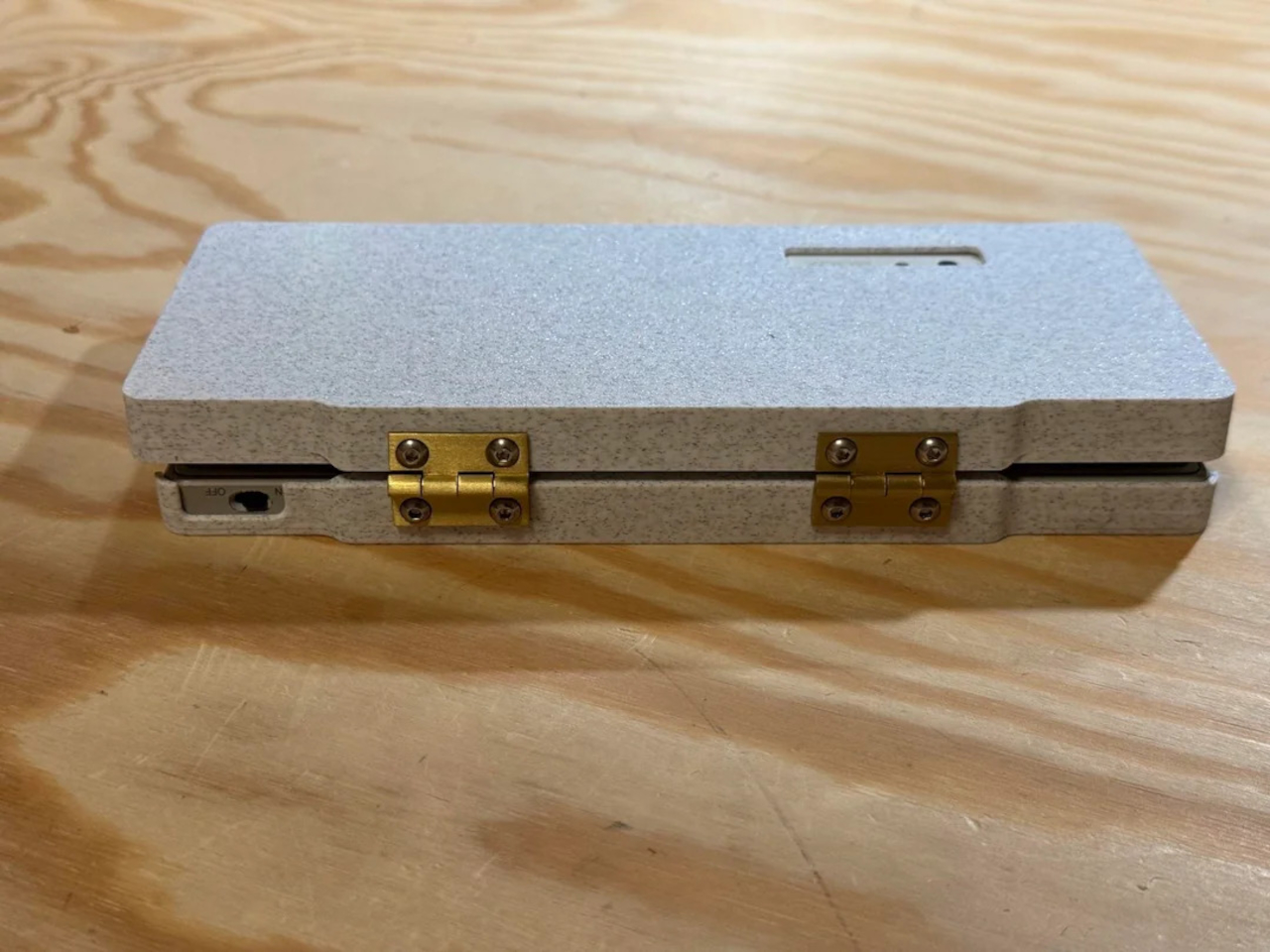
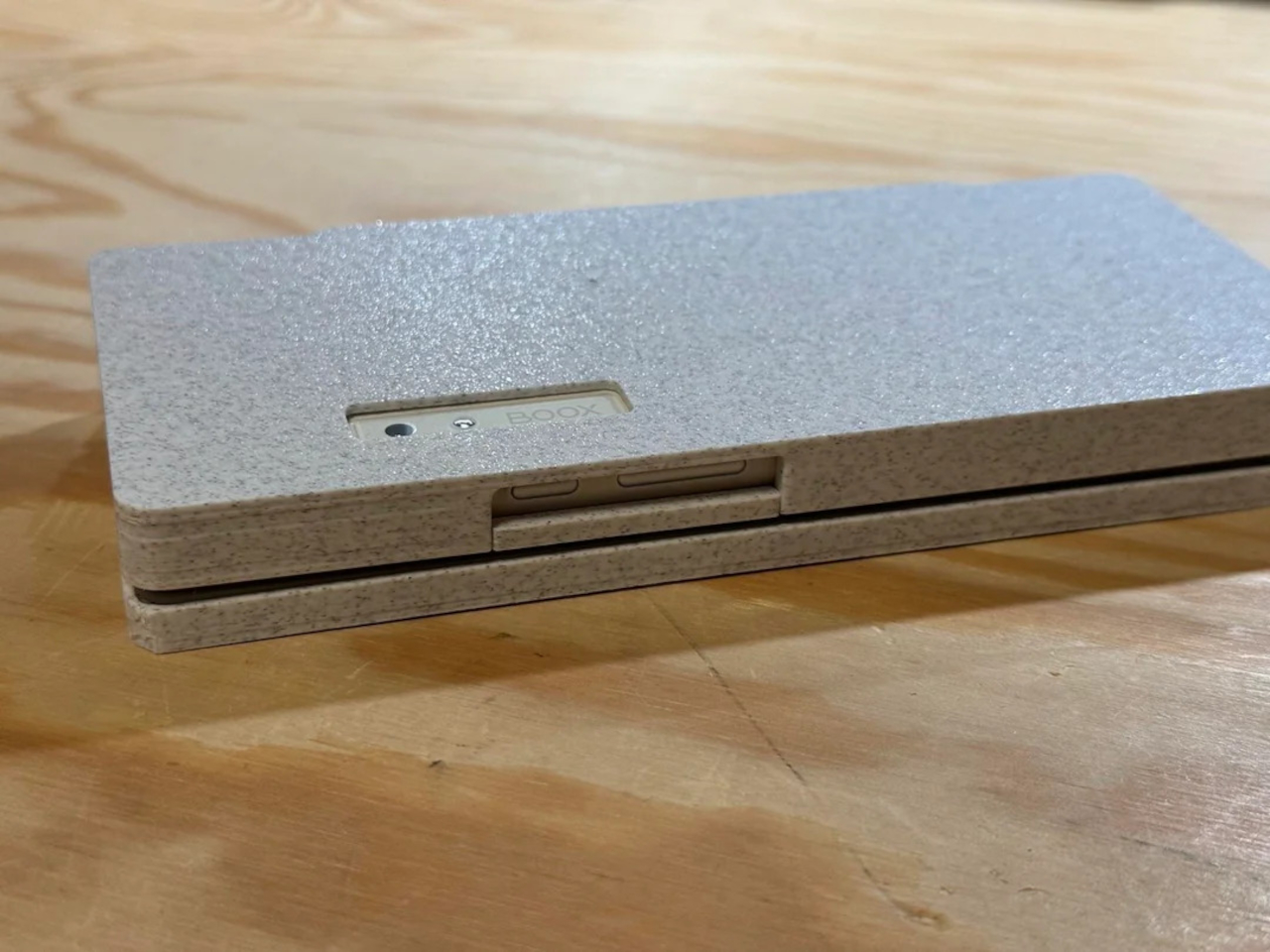
The clamshell itself is 3D-printed in a speckled filament that looks like stone, with two brass hinges along the spine giving it a slightly retro, handcrafted feel. Closed, it resembles a small hardback book with the Palma’s camera cutout visible on the back. Open, the recessed trays hold both the screen and keyboard flush, turning the whole thing into a surprisingly polished handheld computer, considering it’s a first prototype.

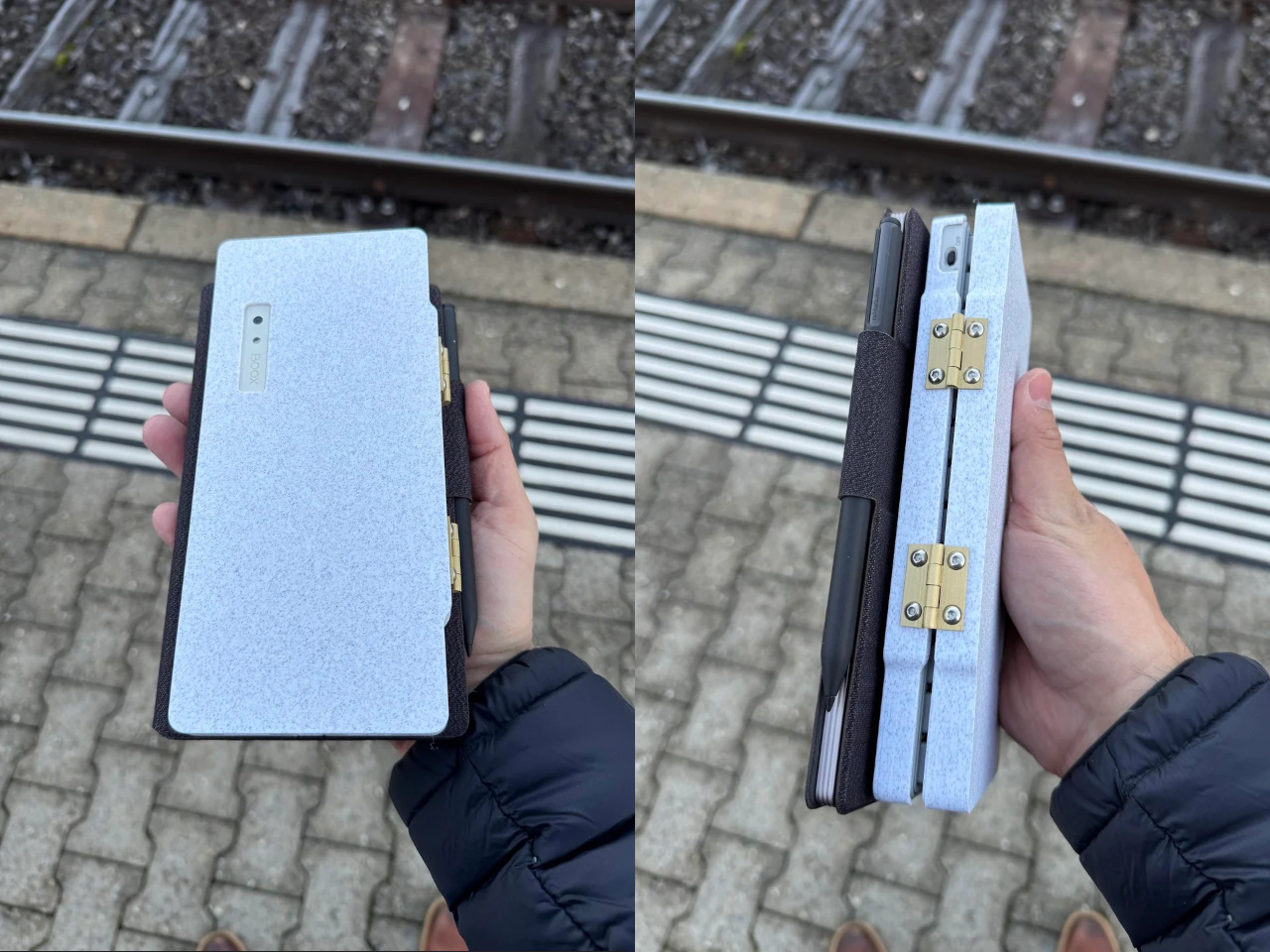
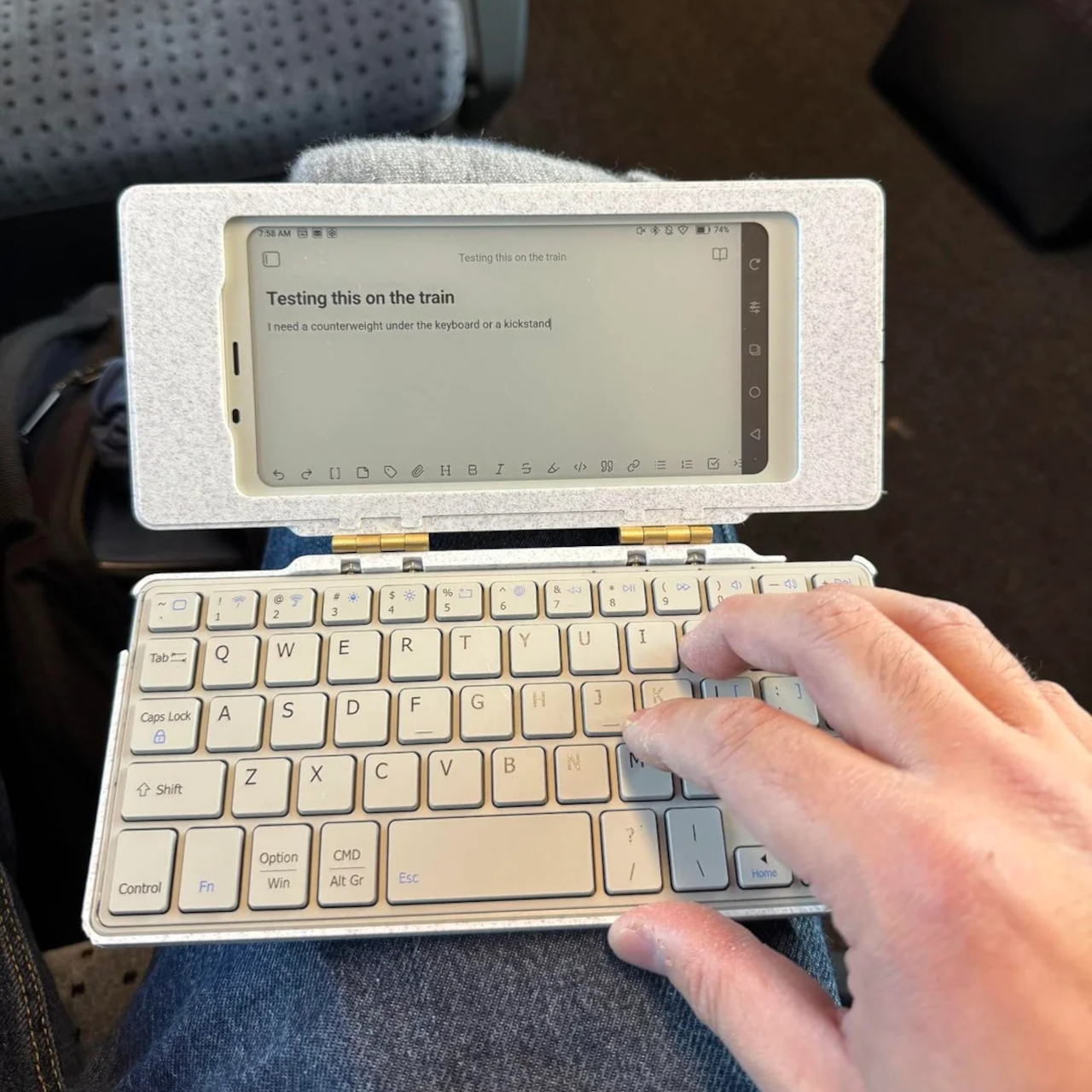
The typing experience is functional but not perfect. The maker describes it as “okay to type on once you get used to it,” and thumb typing “kinda works,” though it’s not ideal for either style. You can rest the device on your lap during a train ride and use it vertically like a book, with the Palma displaying an e-book and the keyboard ready for quick notes or annotations.

The build has a few issues that the maker plans to fix in the next version. It’s top-heavy, so it needs to lie flat or gain a kickstand or counterweight under the keyboard, possibly a DIY flat power bank. The hinge currently lacks friction and needs a hard stop around one hundred twenty degrees to keep the screen upright. There are also small cosmetic tweaks, like correcting the display frame width.

Palm(a)top Computer v0 shows how off-the-shelf parts and a 3D printer can turn a niche e-ink phone into a bespoke palmtop tailored to one person’s workflow. Most consumer gadgets arrive as sealed rectangles you can’t modify, but projects like this embrace iteration and imperfection. It’s less about having all the answers and more about building something personal that might inspire the next version.

The post DIY 3D-Printed Clamshell Turns BOOX Palma Into a Tiny Laptop first appeared on Yanko Design.

Samsung Z Fold 8 & Flip 8: The CREASE Is GONE… and More!

Samsung Z Fold 8 & Flip 8: The CREASE Is GONE… and More!

Samsung is set to elevate the foldable smartphone market with the highly anticipated Z Fold 8 and Z Flip 8 models. These devices are designed to address persistent user concerns while introducing thoughtful upgrades that enhance functionality and usability. With features such as a creaseless display, improved battery life, and S Pen integration, Samsung aims […]

The post Samsung Z Fold 8 & Flip 8: The CREASE Is GONE… and More! appeared first on Geeky Gadgets.

Posted in Uncategorized

Meta asks the Oversight Board to weigh in (a little) on Community Notes ahead of expansion

When Meta announced last year that it was ditching third-party fact checkers in favor of an X-style Community Notes system, the company was careful to note that it would only implement the changes within the United States to start. Now, nearly a year later, the social media company is getting ready to expand the crowd-sourced fact checks to more countries, and is asking the Oversight Board for advice on a potential rollout. 

The company has requested that board weigh in on "factors we should consider when deciding which countries, if any, to omit from the international roll out" of Community Notes. Notably, Meta isn't asking the Oversight Board to advise on the merits of replacing traditional fact-checking organizations. Instead, the company wants guidance on how to approach country-specific challenges and whether there should be any carveouts. 

"We respectfully ask the Board to focus its examination on the country-level factors relevant to omitting countries from the international roll-out, and not on topics such as general product design or the operation of the Community Notes algorithm," the company wrote in its request shared by the board. 

Up to now, Meta has been experimenting with Community Notes on Facebook, Instagram and Threads in the United States only. People who want to be able to author notes still need to be approved, but the company allows anyone to rate notes. However, it seems that the feature so far hasn't gained as much traction for Meta as it has on X. In September, the company said that just 6 percent of the more than 15,000 notes that had been contributed had actually been published. By the end of the month, the number of published notes had risen to over 2,000, according to Meta. More than 90,000 people have signed on as contributors.

In a statement from the Oversight Board, the group said it would consider issues like whether a crowd-sourced fact checking system would make sense in countries with "low levels of freedom of expression" or without a free press, as well as places with "low levels of digital literacy." It also said it was hoping to hear public comments from researchers who have studied different approaches to countering misinformation.

Unlike with a typical case from the Oversight Board, which deals with specific content moderation decisions, Meta has no obligation to implement any of the group's recommendations. But, the company has previously chosen to follow its suggestions in previous policy advisory opinions, including its decision to roll back COVID-19 misinformation rules following a recommendation from the board.

Update, November 19, 2025, 9:15AM PT: Added additional stats about Community Notes adoption.

This article originally appeared on Engadget at https://www.engadget.com/social-media/meta-asks-the-oversight-board-to-weigh-in-a-little-on-community-notes-ahead-of-expansion-110000208.html?src=rss
TCL’s Lightning Amazon Deals on NXTPAPER Tablets and Smartphones: Save Big on Eye-Friendly Tech Right Now

TCL’s Lightning Amazon Deals on NXTPAPER Tablets and Smartphones: Save Big on Eye-Friendly Tech Right Now

TCL is rolling out a fresh wave of Amazon discounts across its NXTPAPER lineup, giving shoppers a chance to grab paper-like tablets and the latest NXTPAPER smartphone at some of their lowest prices yet. Whether you’re upgrading a work device, looking for a student-friendly tablet, or want a healthier screen experience, these deals deliver strong […]

The post TCL’s Lightning Amazon Deals on NXTPAPER Tablets and Smartphones: Save Big on Eye-Friendly Tech Right Now appeared first on Geeky Gadgets.

Posted in Uncategorized

Remove Watermarks & Subtitles from Videos in Seconds with Vmake AI

Remove Watermarks & Subtitles from Videos in Seconds with Vmake AI

Have you ever spent hours trying to remove a stubborn watermark or subtitle from a video, only to end up frustrated with clunky editing tools or subpar results? It’s a common pain point for creators, marketers, and anyone working with video content. But what if there was a way to achieve professional-grade edits without the […]

The post Remove Watermarks & Subtitles from Videos in Seconds with Vmake AI appeared first on Geeky Gadgets.

Posted in Uncategorized

120Hz ProMotion FINALLY Arrives: Apple Studio Display 2 Leaks!

120Hz ProMotion FINALLY Arrives: Apple Studio Display 2 Leaks!

Apple is preparing to introduce the next-generation Studio Display in 2026, bringing a host of noteworthy upgrades to its professional-grade monitor. While the overall design is expected to retain its familiar aesthetic, the new model will incorporate advanced technologies aimed at addressing the limitations of its predecessor. These enhancements in display quality, connectivity, and performance […]

The post 120Hz ProMotion FINALLY Arrives: Apple Studio Display 2 Leaks! appeared first on Geeky Gadgets.

Posted in Uncategorized

How to Use Google Workspace Flow : Simple Guide to Easily Automate Your Day

How to Use Google Workspace Flow : Simple Guide to Easily Automate Your Day

What if you could eliminate the most tedious parts of your workday, those repetitive tasks that drain your focus and eat up your time? Imagine your inbox automatically sorting itself, meeting agendas preparing themselves, and notifications arriving only when they truly matter. Bold claim? Not anymore. With Google Workspace Flows, an AI-powered tool designed for […]

The post How to Use Google Workspace Flow : Simple Guide to Easily Automate Your Day appeared first on Geeky Gadgets.

Posted in Uncategorized

Google Antigravity Beginners Guide : Build Smarter and Faster

Google Antigravity Beginners Guide : Build Smarter and Faster

Imagine a world where the mundane tasks of software development, debugging, testing, and repetitive coding, are no longer a drain on your time and creativity. What if you could delegate these chores to intelligent agents, leaving you free to focus on solving complex problems and building innovative solutions? Enter Google DeepMind’s Antigravity, a new platform […]

The post Google Antigravity Beginners Guide : Build Smarter and Faster appeared first on Geeky Gadgets.

Posted in Uncategorized