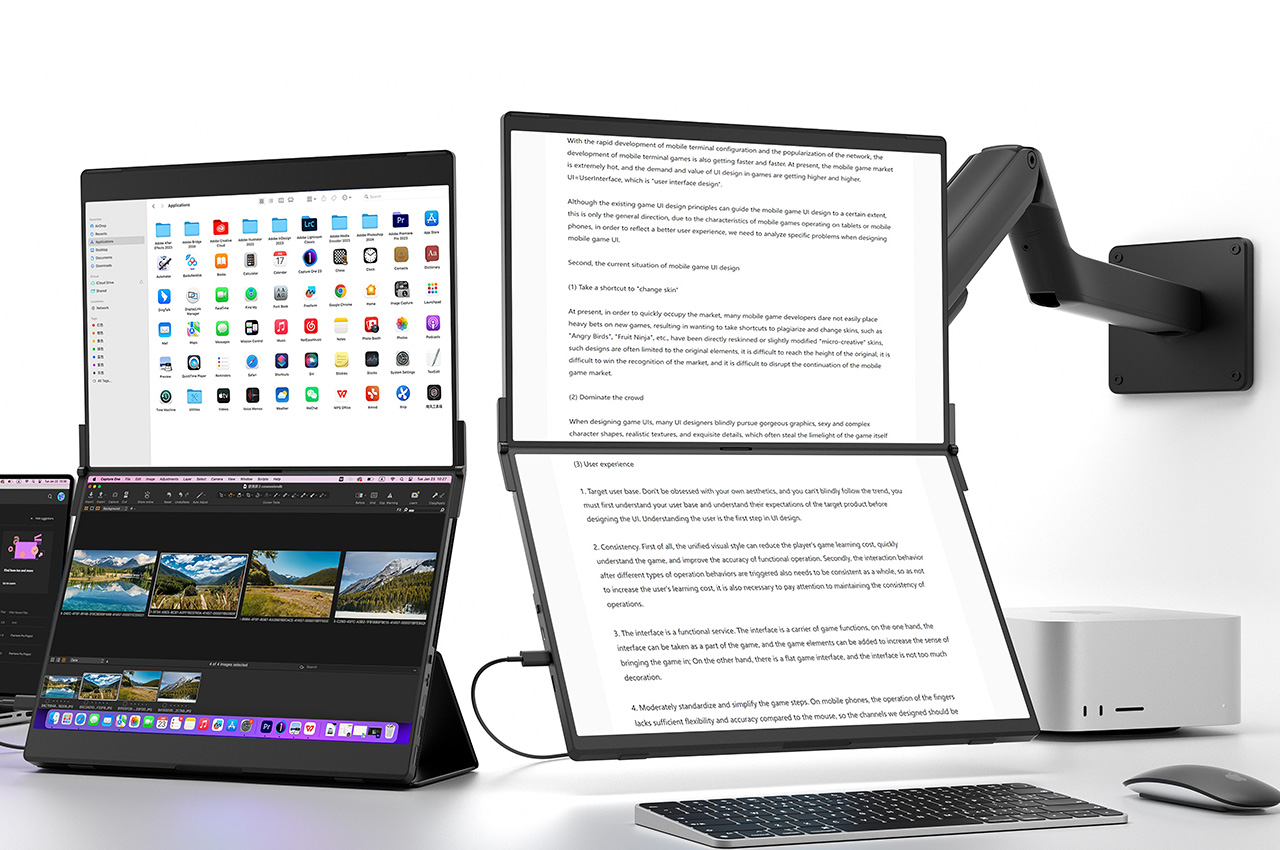
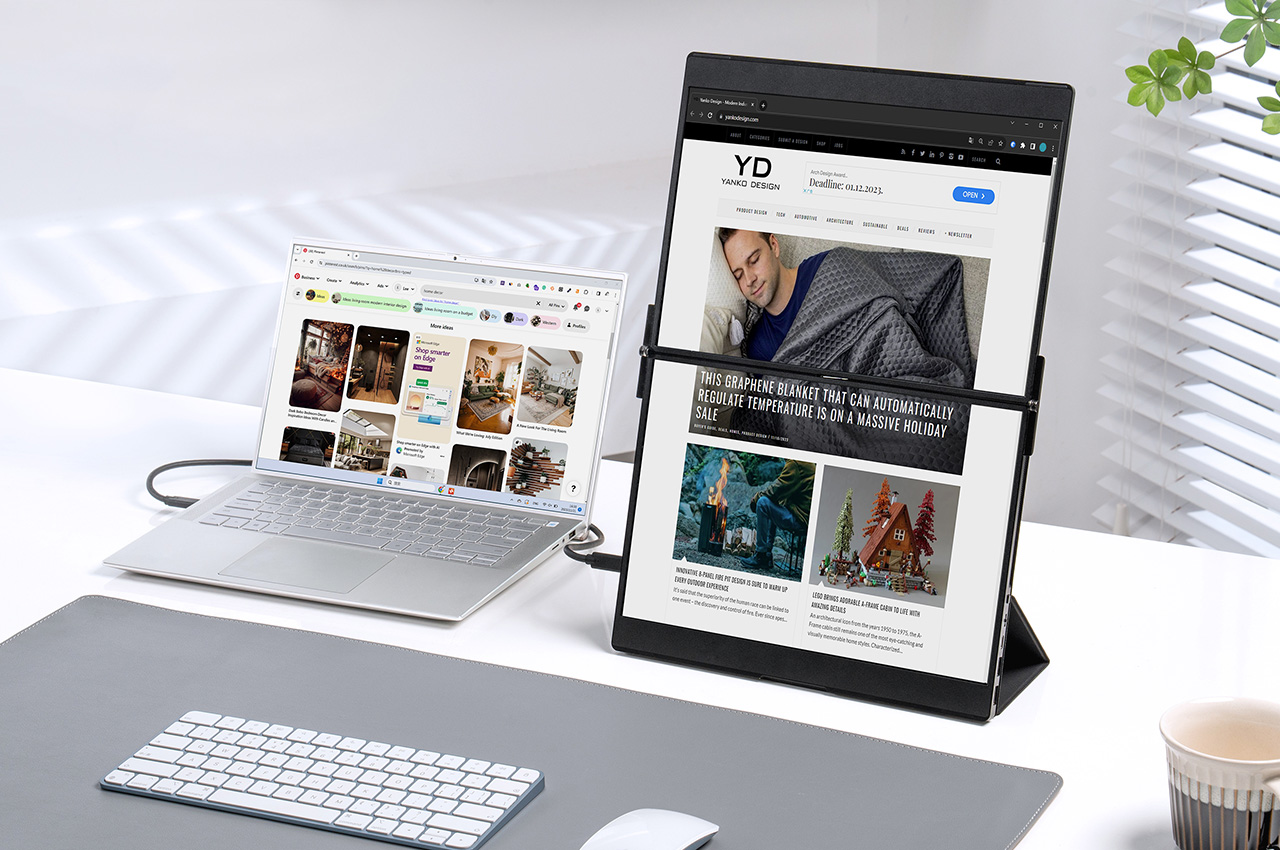
Everyone deserves the opportunity to multitask, but not everyone has $3500 for an Apple Vision Pro headset. The metaverse’s biggest feature-push has been its ability to let you host multiple screens in your virtual space, allowing you to work on simultaneous projects or even keep dedicated displays for work/entertainment/inspiration. However, an obvious alternative to strapping glasses to your face is to simply have multiple screens in the real world! You could opt for a bulky, non-portable monitor… or something as sleek as the FlipGo from JSAUX. Designed to look like a super-slim laptop, the FlipGo is, in fact, a dual-monitor setup that connects to your laptop or PC with a single cable. In mere seconds, it gives you three screens instead of one, with a variety of mounting/docking accessories like folio cases, stands, and VESA mounts, along with two screen sizes to choose from, depending on your needs and requirements. When you’re done, just shut the FlipGo like you would a laptop. It’s that simple… and frankly, it’s a lot better than having a massive VR block strapped to your head. And at $329, it’s a lot cheaper too.
Designer: The JSAUX Team
Click Here to Buy Now: $329 $559 (41% off). Hurry, only 50 left!


What stands out immediately with the FlipGo is its design, balancing the fine line between screen size, portability, and sheer sleekness. Available in two sizes (13.5 inches and 16 inches), it manages to provide ample screen space without feeling bulky. The 13.5-inch model weighs 1.1 kg, while the 16-inch variant is slightly heavier at 1.6 kg, underscoring its portability. But it’s not just about the size and weight; the display quality is a visual treat. With resolutions of 2256×1504 (2.2K) for the smaller model and 2560×1600 (2.5K) for the larger one, and a 100% sRGB color gamut, the FlipGo promises vibrant and crisp visuals. The 60Hz refresh rate, although standard, contributes to the smoothness of the display.


Magnetic Design
The FlipGo isn’t just versatile in its physical design; its functionality is equally adaptable. Switching between UltraView (dual-screen) and DuoViews (triple-screen) modes is effortless, which is a big plus for those who value productivity without technological complexity. The FlipGo is also accompanied by a variety of stands and mounting accessories, giving you everything from a portable folio case/stand to a much more comprehensive magnetic VESA Stand attachment that gives you full freedom to orient and use your dual-screen setup however you see fit… and even adapt between mounting styles depending on your needs. This allows the FlipGo to cater to a wide range of users – from professionals who need extra screen space for spreadsheets and presentations, to designers and coders who thrive with a broader canvas for their creative and technical work.


Connectivity is another area where the FlipGo shines. It’s equipped with an array of ports, including USB-C and Mini HDMI, catering to various devices and preferences. The inclusion of DisplayPort MST for Windows and DisplayLink for Macs, albeit requiring software installation for the latter, shows JSAUX’s commitment to versatility. The ergonomic design of the FlipGo also deserves mention, featuring multiple stand options like the Flex Folio, Snap Stand, Stand Holder, and Snap VESA Adapter, allowing users to easily magnetically snap on or off their dual-screen gadget onto a variety of stand options, allowing users to find their perfect viewing angle.
The two sizes are split across Pro and Standard tiers, offering a variety of features unique to each tier. The Pro variants offer the aforementioned UltraView mode (a single-cable dual-screen experience), along with DisplayLink support, whereas Standard tier users can skip on Pro features but even get an optional upgrade to include touchscreen input, turning your FlipGo into a portable tablet for your workstation! The visual clarity, resolution, and color reproduction remain standard across all tiers, regardless of whether you opt for Pro or Standard variants. The FlipGo starts at $329 for the 13.5-inch model, while the larger 16-inch model starts at $479. Both models come with a 12-month warranty, lifetime support, and international shipping beginning May 2024.
Click Here to Buy Now: $329 $559 (41% off). Hurry, only 50 left!
The post This Dual Touchscreen Monitor is the biggest productivity upgrade your Laptop can get in 2024 first appeared on Yanko Design.