Apple’s iOS 26.2 Beta 1 introduces incremental updates designed to enhance system functionality and customization. However, despite these intentions, the beta version struggles with critical issues such as battery life, heat management, and overall stability. For users who depend on their devices for consistent performance or extended usage, these shortcomings may outweigh the benefits of […]
Vinyl records are firmly back in rotation, but getting started does not have to mean spending a fortune or building a complicated hi-fi stack from day one. Whether you want a simple, all-in-one setup with built-in speakers or you are piecing together a more traditional system with a separate amplifier, the best record player is the one that fits how you listen at home.
For this guide, we focused on high-quality turntables under $600 that deliver a satisfying listening experience without unnecessary complexity. These picks cover everything from beginner-friendly automatic models to more audiophile-leaning decks that prioritize sound quality and upgrade potential, proving you do not need to jump into the high-end to enjoy vinyl properly.
Best record players for 2026
Other record players we tested
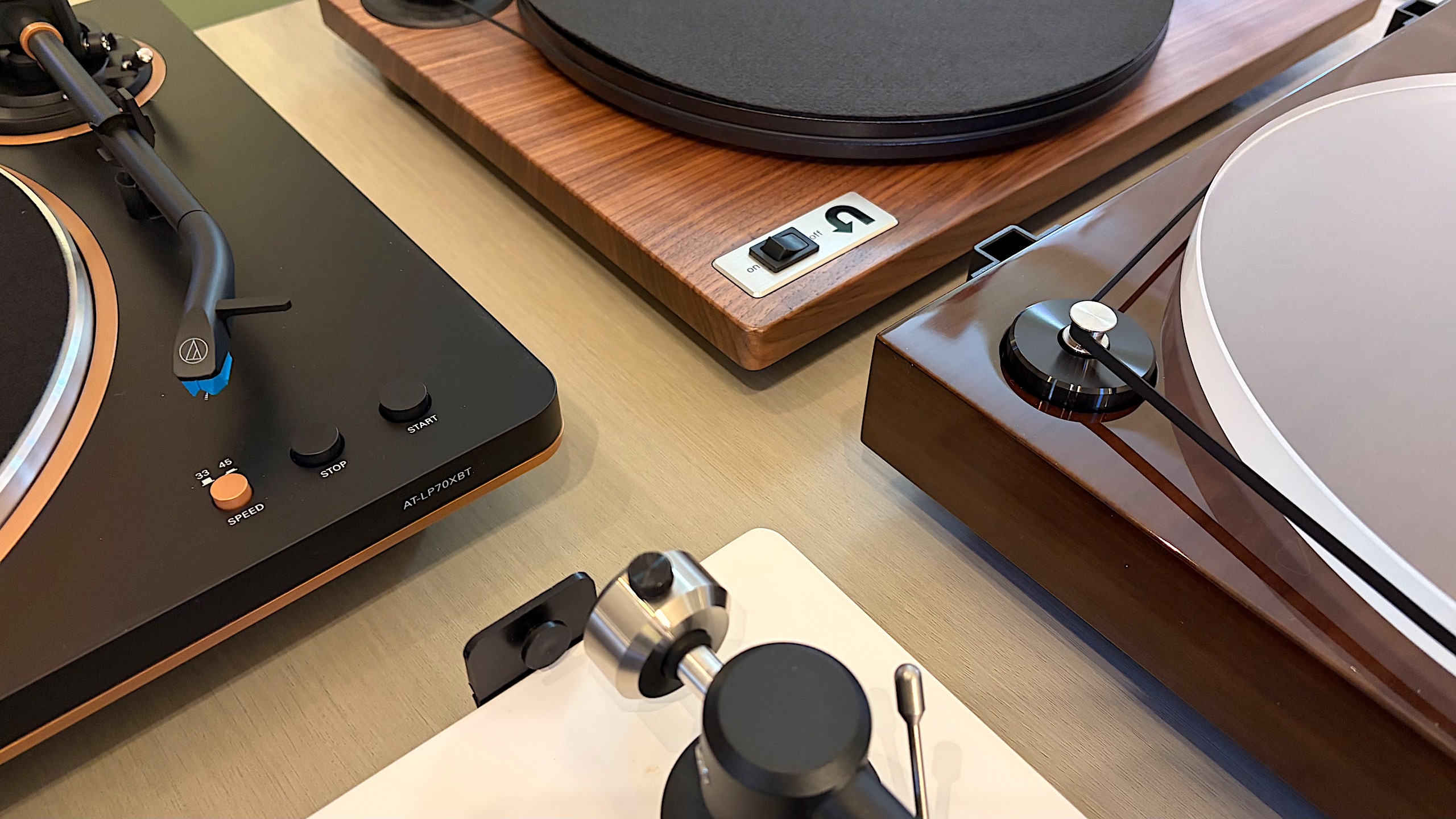
Audio-Technica AT-LP60XBT
This is about as basic as it gets, unless you opt for the AT-LP60X which ditches the Bluetooth connectivity. This is a perfectly decent option for someone just getting into vinyl, but if you spend a little more for the AT-LP70X, you won’t be in quite as big of a hurry to upgrade once you surrender to the obsession.
Cambridge Audio Alva ST
The Alva ST has a refined design that made me want to keep it out in my living room longer than many of the models on this list. The controls are limited on the top to power and individual options for 33 and 45 RPM speeds. Everything else is on the back panel, including Bluetooth pairing and preamp buttons. To complete the look, Cambridge Audio opted for a 1mm aluminium top plate, which sits on an MDF plinth with a layer of EVA to absorb vibrations in between.
While the overall audio performance on the Alva ST is warm and inviting, there is a lack of detail across genres. I’ve noticed albums don’t have a particularly wide soundstage, and songs lack their normal punch at times, so some sound compressed compared to when they’re played on other turntables. Additionally, the free swinging tone arm needs more resistance so it’s not so prone to dropping on a record immediately if it slips out of your fingers when you have the cueing lever down. Since this turntable is fully manual operation, I felt a bit of peril every time I went to lower the needle. (The price increased during testing for this guide.)
Sony PS-LX3BT
Sony hasn’t announced new turntables in years, relying on its PS-LX310BT as the lone option in its audio lineup. The PS-LX3BT is a fully automatic, belt drive turntable with built-in pre-amp and Bluetooth connectivity. There are easy-to-use controls for speed and vinyl sizes, as well as a gain selector to help you dial in the sound. I was also smitten by the minimal yet sophisticated design that offers a decidedly modern look.
If the LX3BT was $100 cheaper, it would probably replace Audio-Technica as the best option for beginners. But at $400, I simply can’t recommend someone new to vinyl spend that much. What’s more, the RCA cable is fixed and the included mat is very thin. Sony also doesn’t disclose what type of cartridge it uses, other than it being a moving magnet (MM) type, nor does it mention if you can upgrade that component. The upcoming PS-LX5BT should remedy some of these issues, but it’s also more expensive at $500.
Denon DP-300F
Denon’s DP-300F is a mixed bag. On one hand, you get the convenience of fully automatic operation, dedicated speed and record size buttons and somewhat refined design. There are also some confounding decisions though, like the permanently affixed cables, the preamp switch being under the platter and the overall midrange build quality for a $500 turntable. The sound from the preamp and Denon’s cartridge has a clear lack of depth and detail that almost any model at this price should offer.
How to shop for a turntable
The first question you’ll need to ask yourself when looking for a turntable is how you plan to use it. Are you into vinyl for the ritual? If you simply like the concept of physical media, having to flip a record to finish it or the need to intentionally swap out an album when it’s done, that’s just fine. You probably can make do with a more affordable turntable since overall sound quality may not be a main concern. If you crave the warmth of analog sound, and you want the collection you’ve invested in to sound its best, you’ll need to consider something with better specs.
You’ll also need to account for where and how you’re going to listen to vinyl. Are you planning to connect this turntable to headphones or Bluetooth speakers? Do you have shelf or tower speakers you’re going to use? Are you willing to invest in a dedicated preamp or would you rather a new turntable come with one built in? All of these questions will impact your buying decision — even the Bluetooth codecs, if you’re going the wireless route.
Best record players
Billy Steele for Engadget
Automatic, semi-auto and manual operation
If you’re just getting into vinyl, an automatic turntable will save you a lot of stress. These are the models that place the stylus for you — all you have to do is push a button. When you get to the end of the record, the turntable will also return the tonearm to its resting spot automatically. Or, if you need to stop your session mid-side, there’s a button for that too.
Some turntables have semi-automatic operation. Maybe they can’t place the needle for you, but they do have an automatic stop when a side of a record is complete. This auto stop, which sometimes comes with an on/off switch, can prevent unnecessary wear on your stylus and vinyl. Plus, many turntables with automatic operation allow you to take control if you need to drop the stylus in a certain place (that’s not the beginning of the record) or if you have a die-cut vinyl (like the It's the Great Pumpkin, Charlie Brown soundtrack).
Then there’s the fully manual option. Here, you’re solely responsible for placing the tonearm and taking it off when the music stops. A lot of turntables have a cue lever to assist with the process, and a lot of tonearms have a mechanism that lowers them slowly rather than violently dropping them on a record. This adds one more step to the ritual, and it’s one many purists prefer.
Preamp
The biggest decision you’ll need to make in terms of a preamp is to decide if you want one built into your turntable or if you’d rather use a separate one. It can be very convenient, especially for beginners, to use a built-in component to amplify the signal from the turntable before it hits any speakers or headphones. The downside is that you’re left with what the company provides from the factory, so if you’re looking to upgrade, you’ll have to disable the preamp inside. On most turntables, there’s a switch that allows you to do this, so it’s no trouble. But, opting to skip the preamp on some models could save you money that could be invested elsewhere.
A dedicated preamp typically uses higher-quality components and reduces noise by keeping internal parts properly separated. More robust models may even provide controls for things like tone or multiple inputs, while the basic options will simply allow you to plug in, play and forget it. If you’re after the best possible clarity and realism from your record collection, we’d recommend a dedicated preamp right from the start.
Best record players
Billy Steele for Engadget
Removable cartridge/headshell
The next item you’ll want to consider is if the turntable you’re eyeing can be upgraded in the future. The best way to do this is by swapping out the cartridge. Most turntables allow you to do this but there are some that don’t, so you’ll need to pay attention to this detail. Upgrading the cartridge down the road is a great way to improve overall sound quality without having to buy a new turntable, new speakers or a new amp.
Belt drive vs. direct drive
There are two main types of turntables: belt drive and direct drive. All of the models we tested for this guide are belt drive, which means there’s a thin belt that connects the platter to the motor to make the thing spin. Direct drive turntables are widely used by DJs and Technics was the first to make them. Here, the motor is directly under the platter and connected to it directly so the setup is less prone to wearing out. This is especially key when you’re doing things like scratching. Direct-drive turntables tend to be more expensive than their belt-driven counterparts.
Counterweight and anti-skate control
Most turntables will include a counterweight on the tonearm and some form of anti-skate control. Both of these help keep the stylus in place with the correct amount of pressure, all to ensure proper operation with minimal wear on your records. Sometimes the anti-skate elements are built into the tonearm while other models offer a dedicated dial on the surface of the plinth. The ability to adjust both of these can help you fine-tune the performance of your turntable over time, which may be necessary after upgrading the cartridge or other components.
Other components to consider
Some final items you’ll want to evaluate on a prospective turntable purchase include the materials used for the base (plinth), platter and even the feet. Cheaper turntables may be mostly plastic affairs while more expensive models can use solid MDF (medium-density fibreboard) for the plinth. A lot of turntables have aluminum platters with a felt pad while others may feature a thick acrylic version. And while entry-level turntables may have small, plastic feet, premium models come with larger, adjustable, rubberized feet for better vibration isolation. While some of these come down to personal preference — a frosted acrylic platter looks really nice — there are some performance boosts to be gained depending on how the company uses the components.
How we test turntables
Since most turntables under $600 meet the criteria for entry-level through midrange, we tested every model with a set of Audio-Technica AT-SP3X powered speakers. These offer balanced sound for turntables with a 1.1-inch tweeter and 3-inch woofer in each unit. And at $269, they won’t break the bank if you need speakers for your new turntable and they’ll provide ample sound performance even if you spend more than our budget on a new deck.
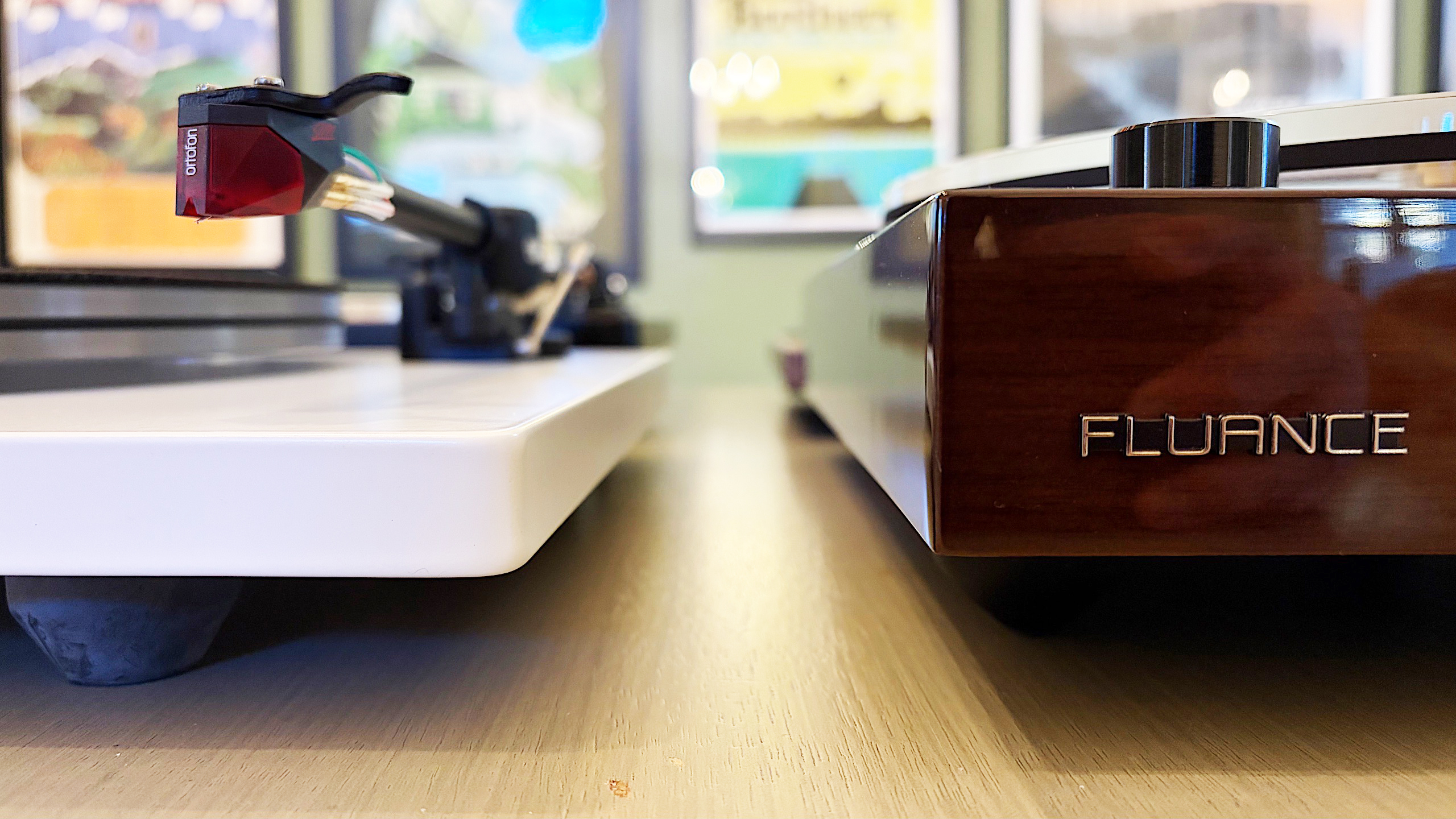
For all of our test units that didn’t have a built-in preamp, we used the Fluance PA-10. At $100, it’s an affordable upgrade if you’re looking to bypass a turntable’s included components or if you’re looking to go more analog with your turntable purchase. There are no buttons or controls, just connect your turntable, speakers and ground wire (if you’re using one) and you’re ready to go. It’s simple, straightforward and inexpensive, so it’s a great option for beginners and more experienced vinyl collectors alike.
In terms of performance testing, we play a variety of genres on each turntable to evaluate sound quality. We also carefully examine the overall experience of putting a record on, setting the speed, placing the tonearm and more, which allows us to judge how well each turntable will work for users at different experience levels. Lastly, we take notes on design and components, comparing those elements from each turntable with our other test subjects to make our recommendations.
This article originally appeared on Engadget at https://www.engadget.com/audio/best-record-player-120000239.html?src=rss
What if creating AI-powered apps was as simple as describing your idea in plain English? With the latest update to Google AI Studio, that’s no longer a futuristic dream, it’s a reality. This new update introduces VIP coding, a innovative feature that allows anyone, regardless of technical expertise, to build functional, customized applications through natural […]
What if building your dream app was as easy as describing it in a sentence? Imagine telling an AI, “I need an app to track my team’s progress and automate updates,” and watching it come to life, no coding, no technical barriers, just results. That’s the promise of Google Opal, a innovative no-code AI app […]
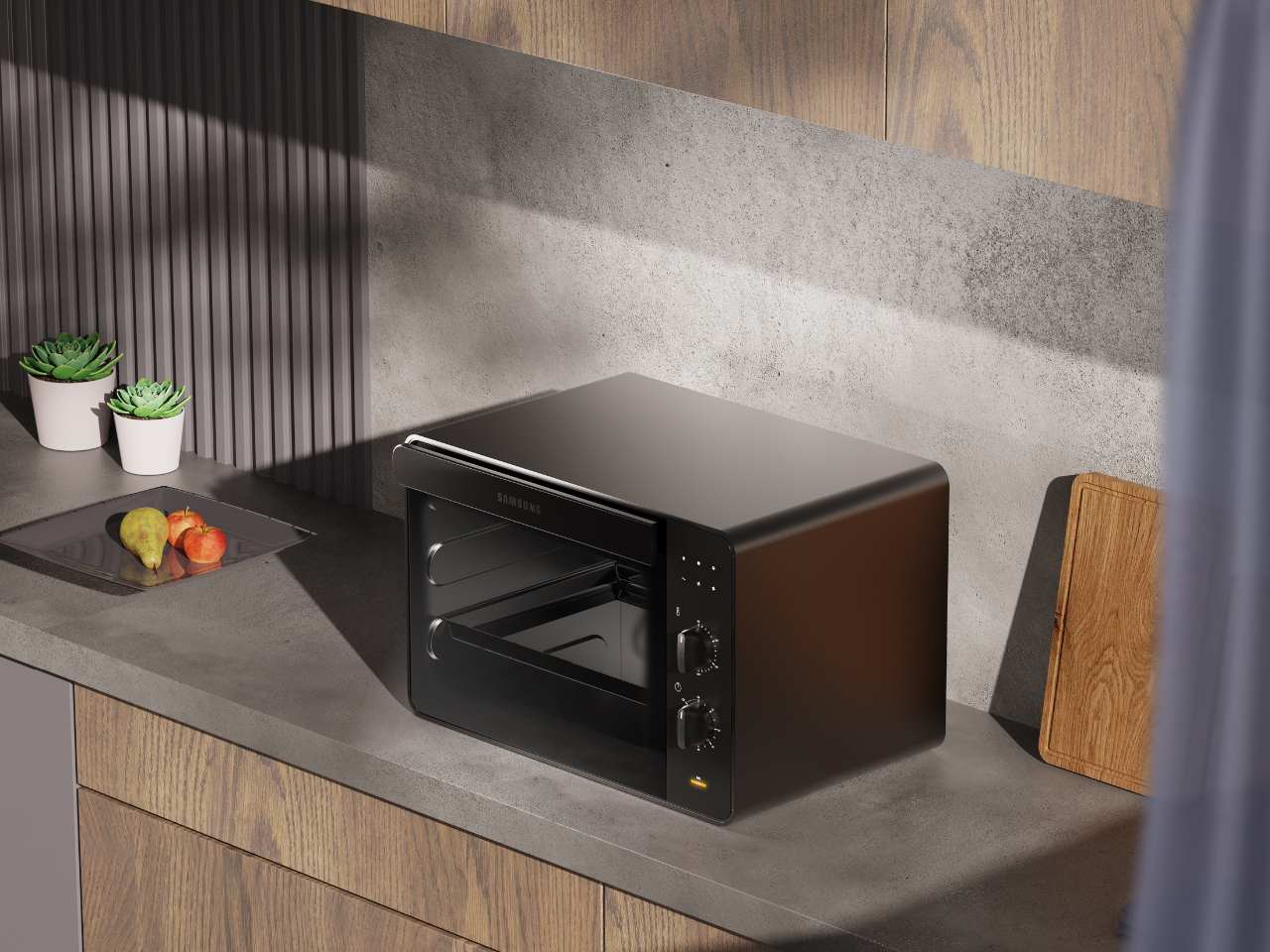
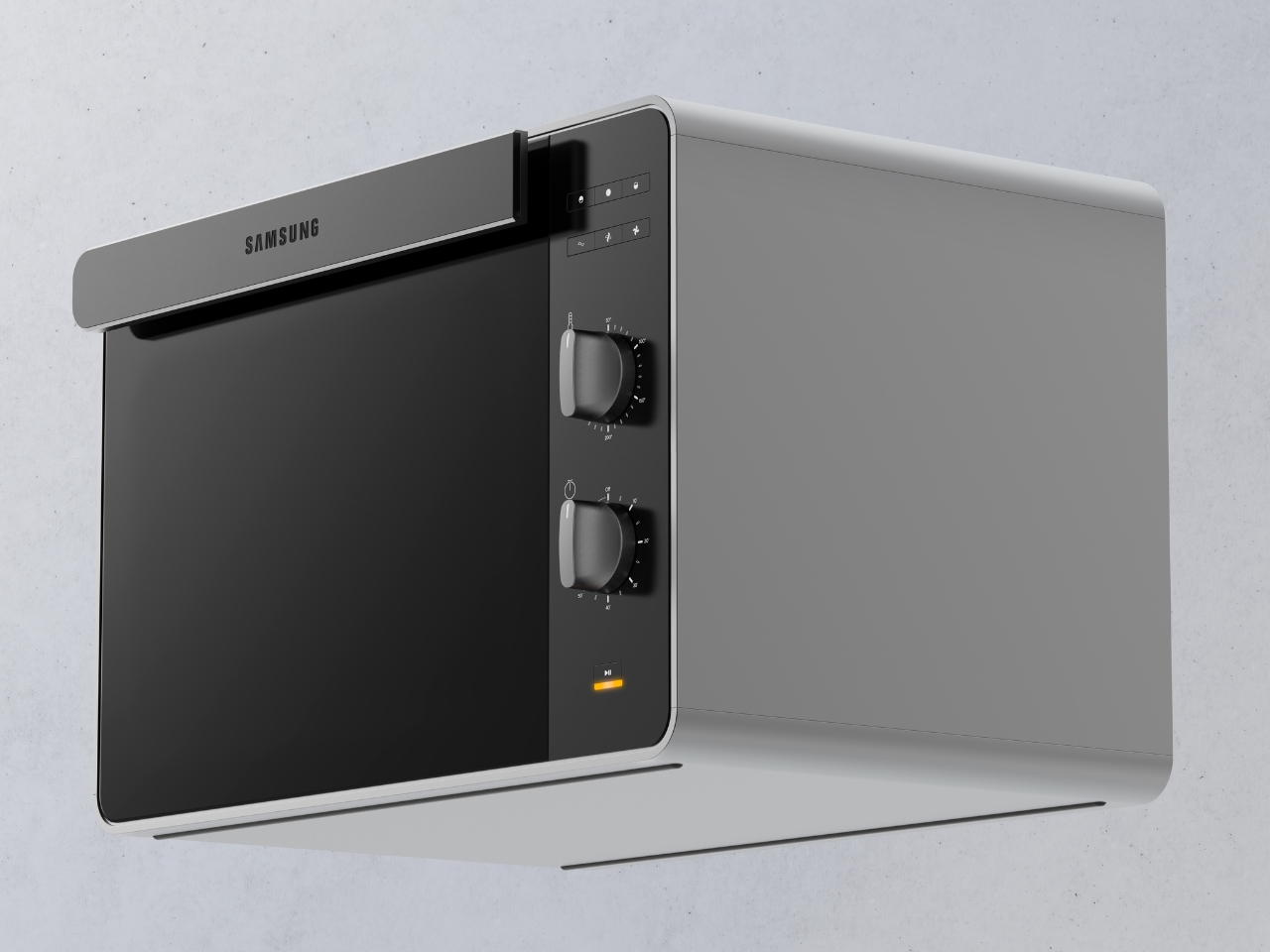
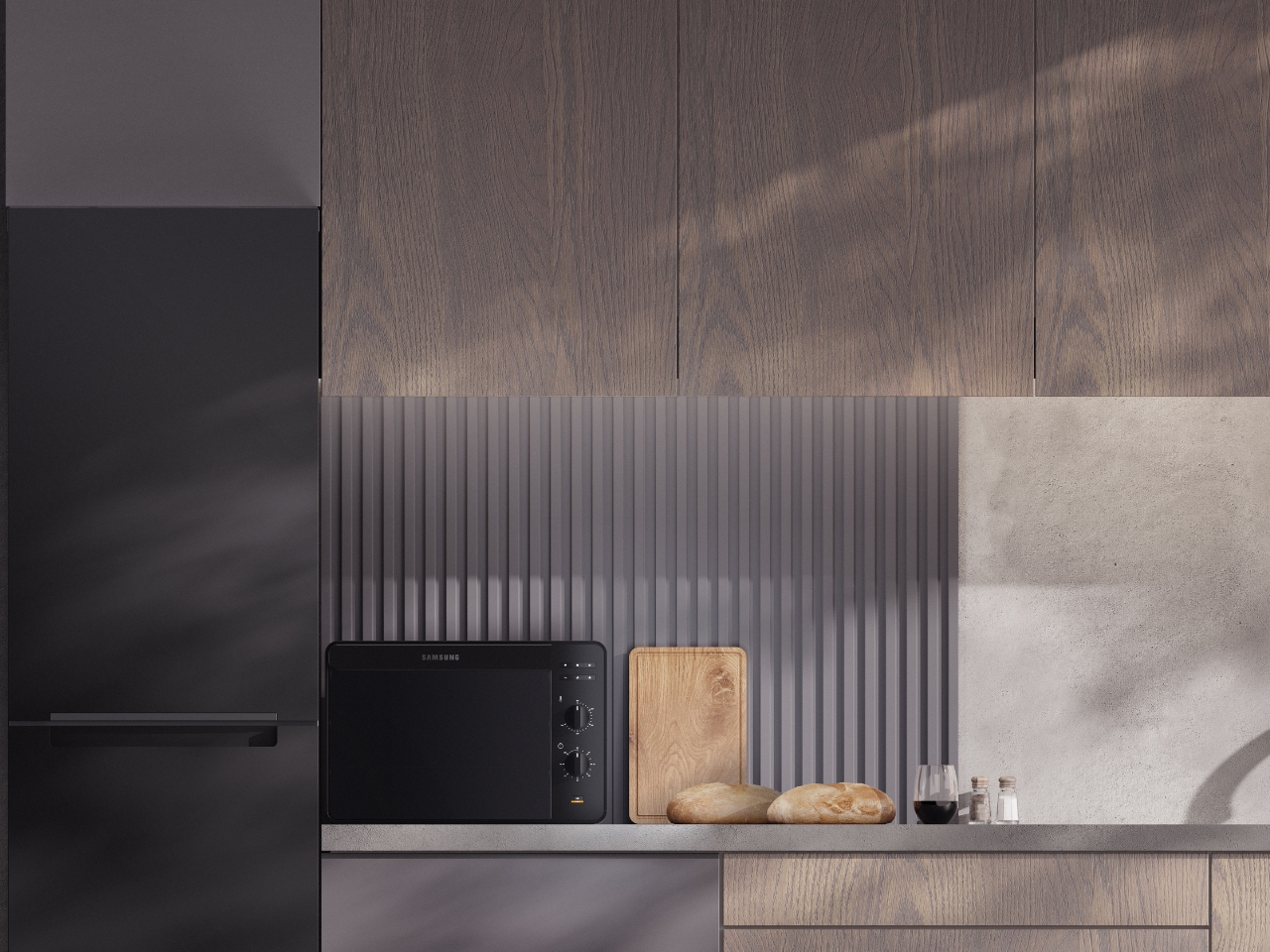
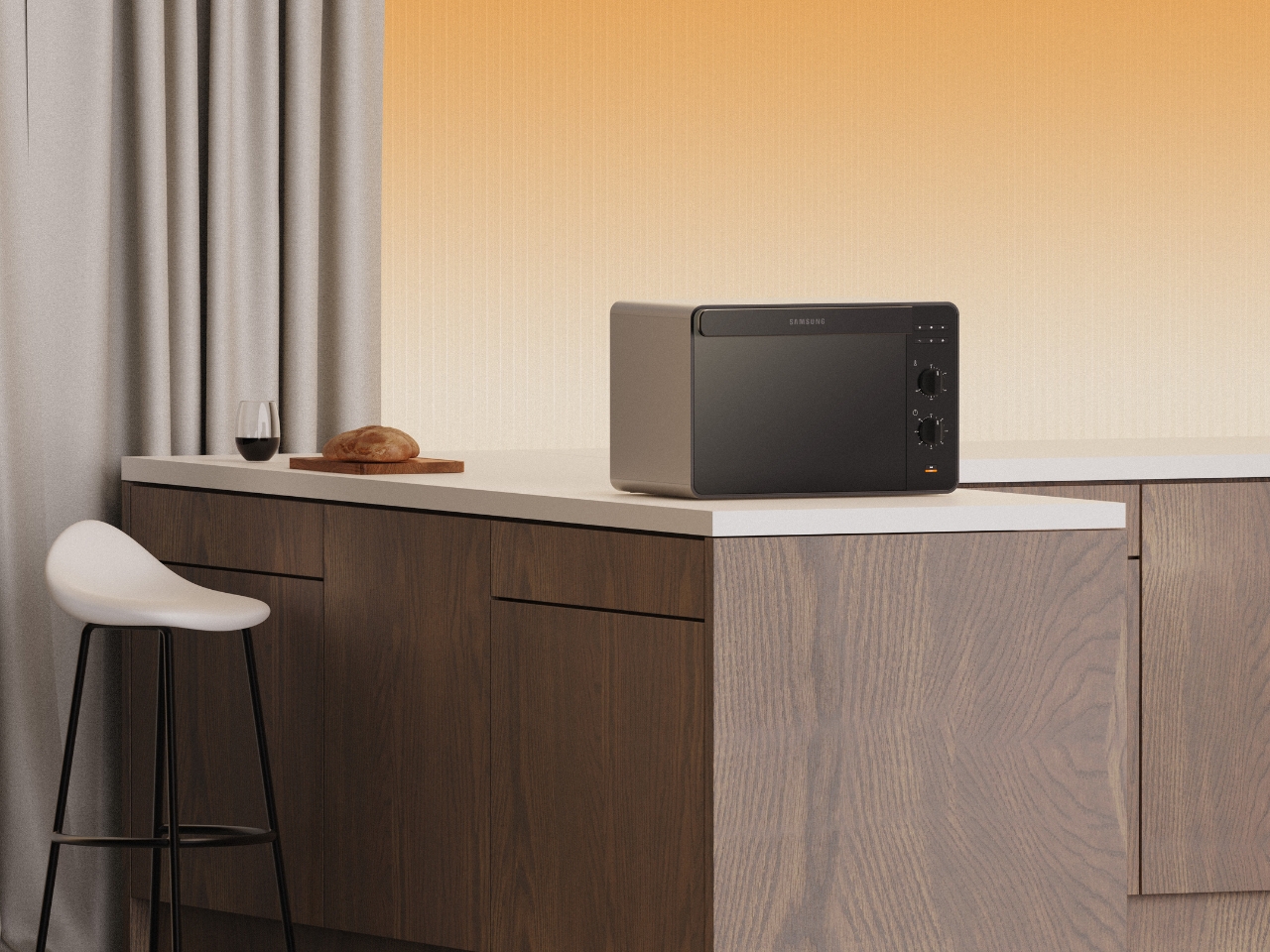
There’s something refreshing about a kitchen appliance that doesn’t try too hard. The Samsung Bake Ultra concept by Octavio Leon Villareal proves that minimalism, when done right, can be anything but boring. This compact electric oven manages to look like a premium piece of tech while maintaining the kind of simplicity that actually makes sense in real life.
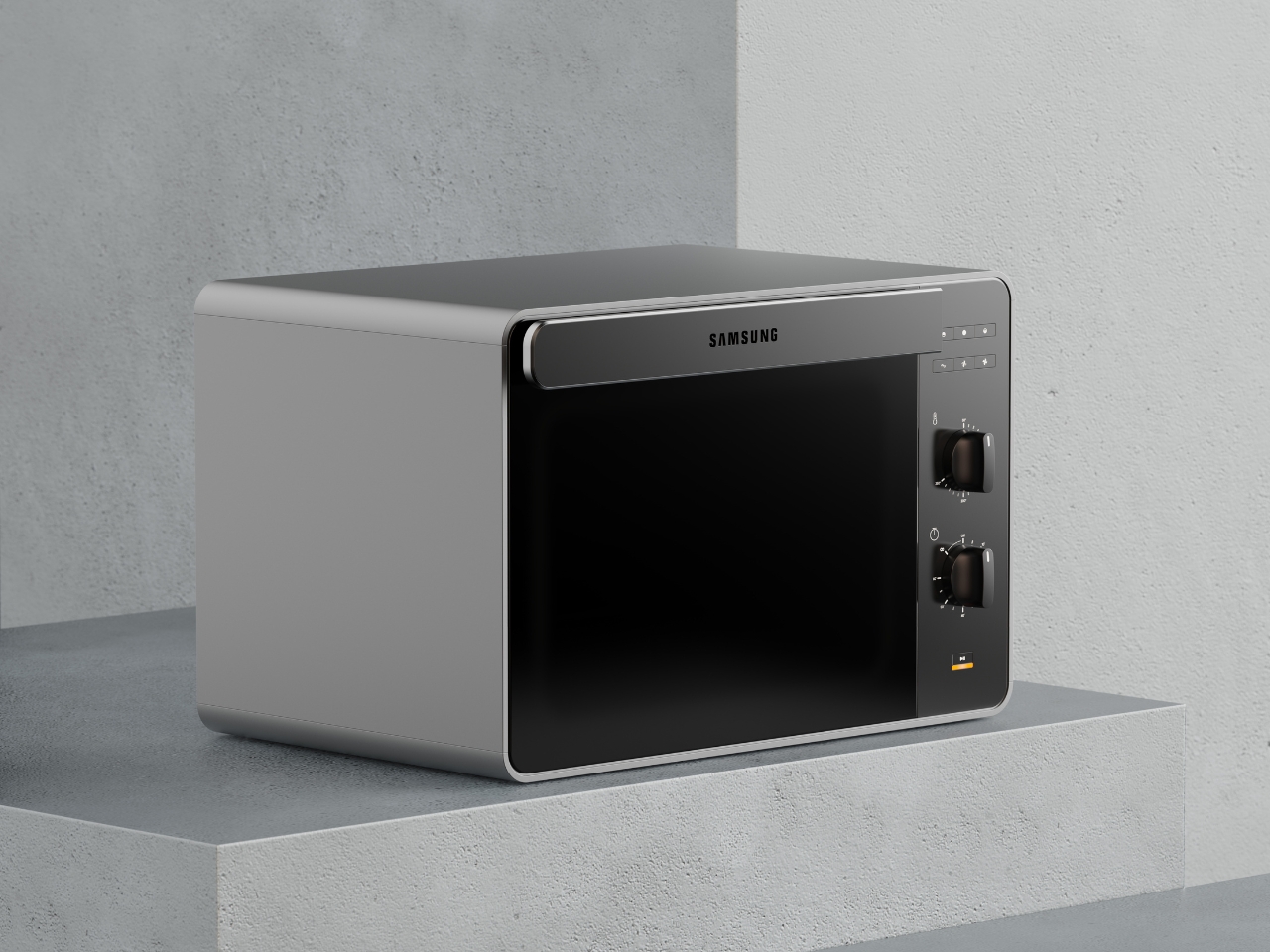
At first glance, the Bake Ultra’s two-tone design catches your eye without demanding attention. The soft gray body paired with a black glass front creates a visual balance that feels both contemporary and timeless. It’s the kind of aesthetic choice that works whether your kitchen leans industrial-chic or warm-and-cozy. The rounded edges soften what could have been an overly boxy silhouette, giving it an approachable quality that invites you to actually use it rather than just admire it from afar.
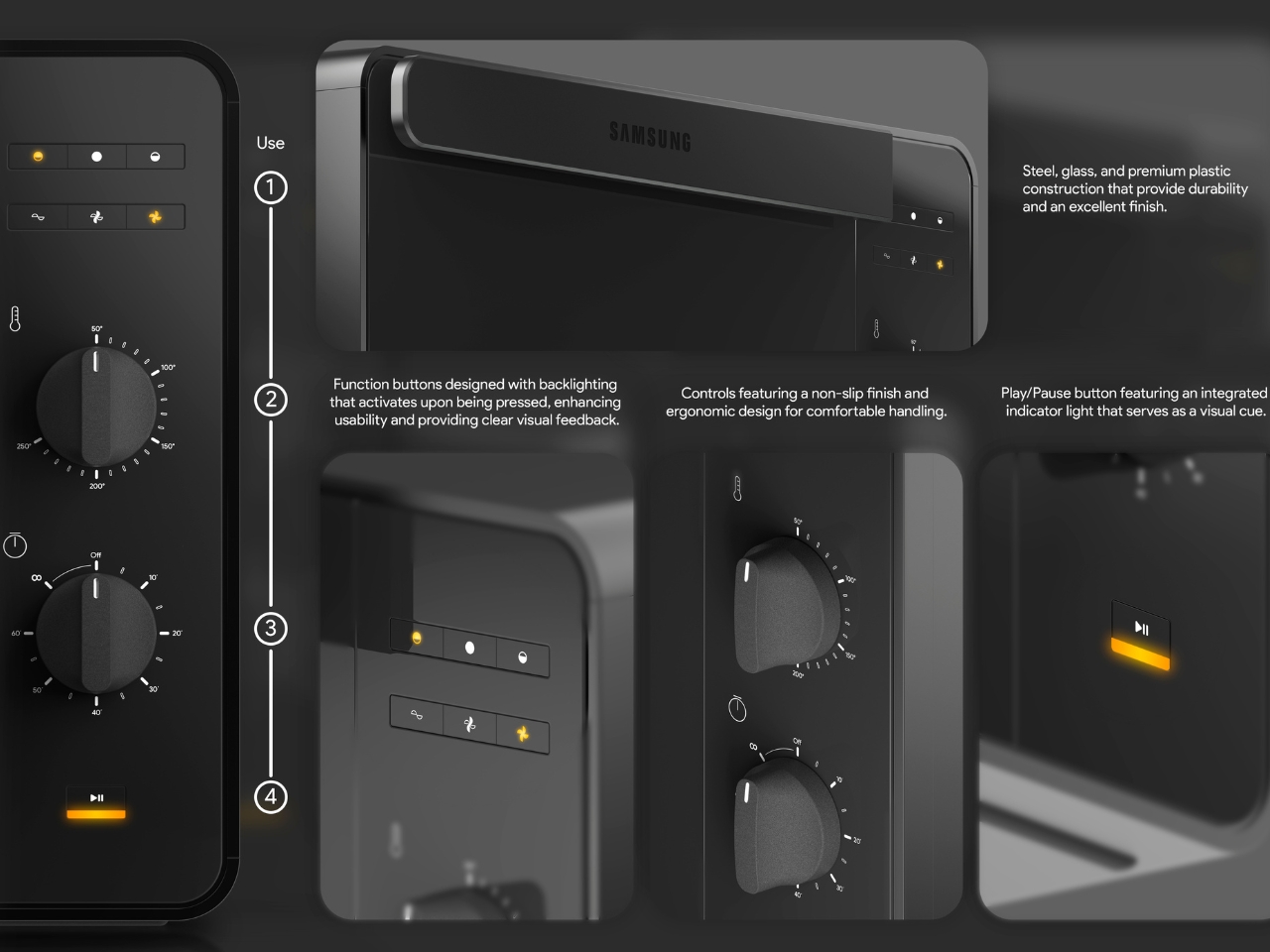
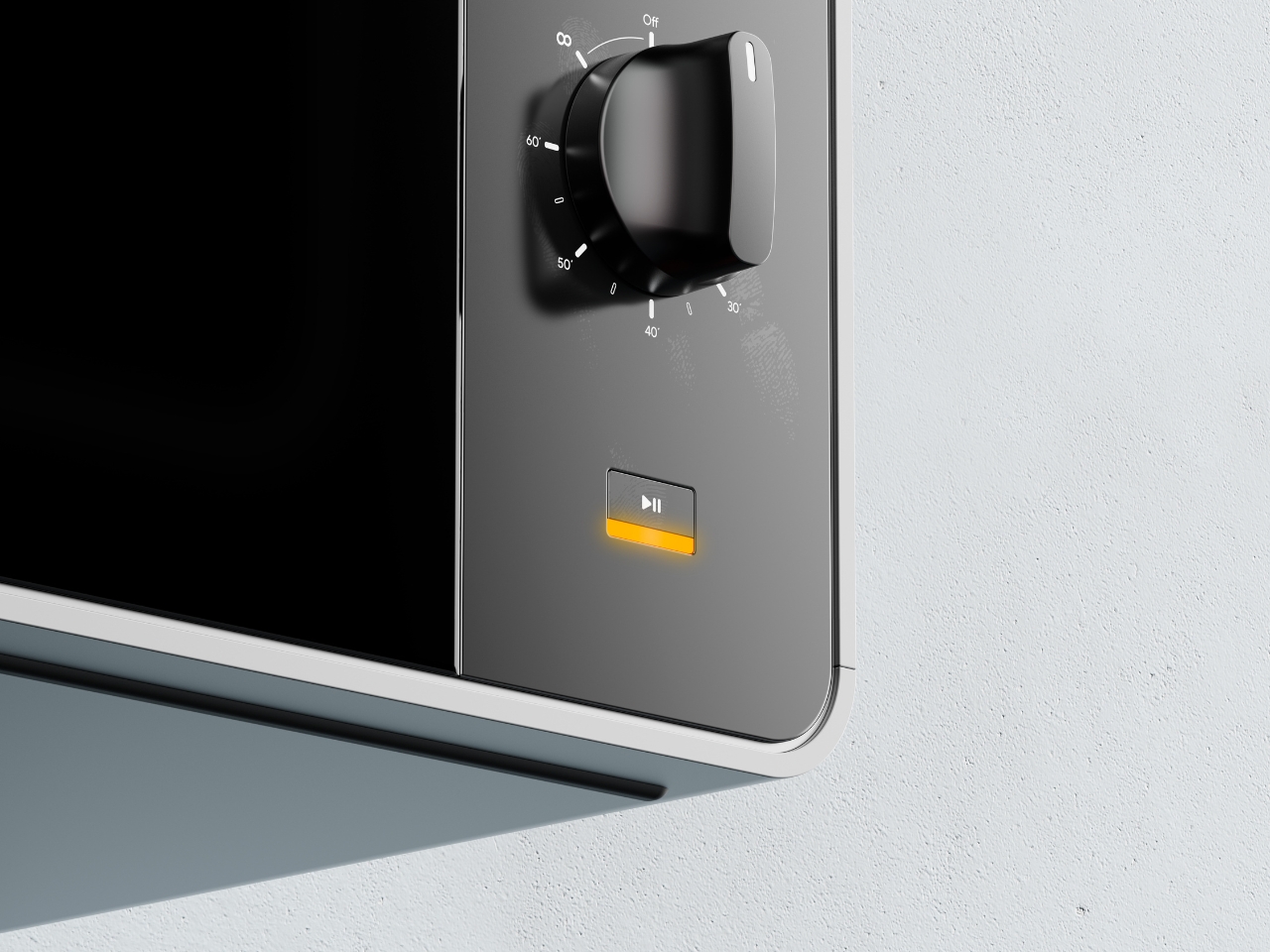
What really sets this concept apart is how thoughtfully the details have been considered. Take the control panel, for instance. While many modern appliances chase touchscreen interfaces and digital everything, the Bake Ultra embraces tactile controls with two substantial dial knobs. There’s something inherently satisfying about turning a physical dial, getting that immediate feedback in your hand as you adjust temperature or time. It’s intuitive in a way that doesn’t require you to remember which icon does what or whether you need to hold or tap.
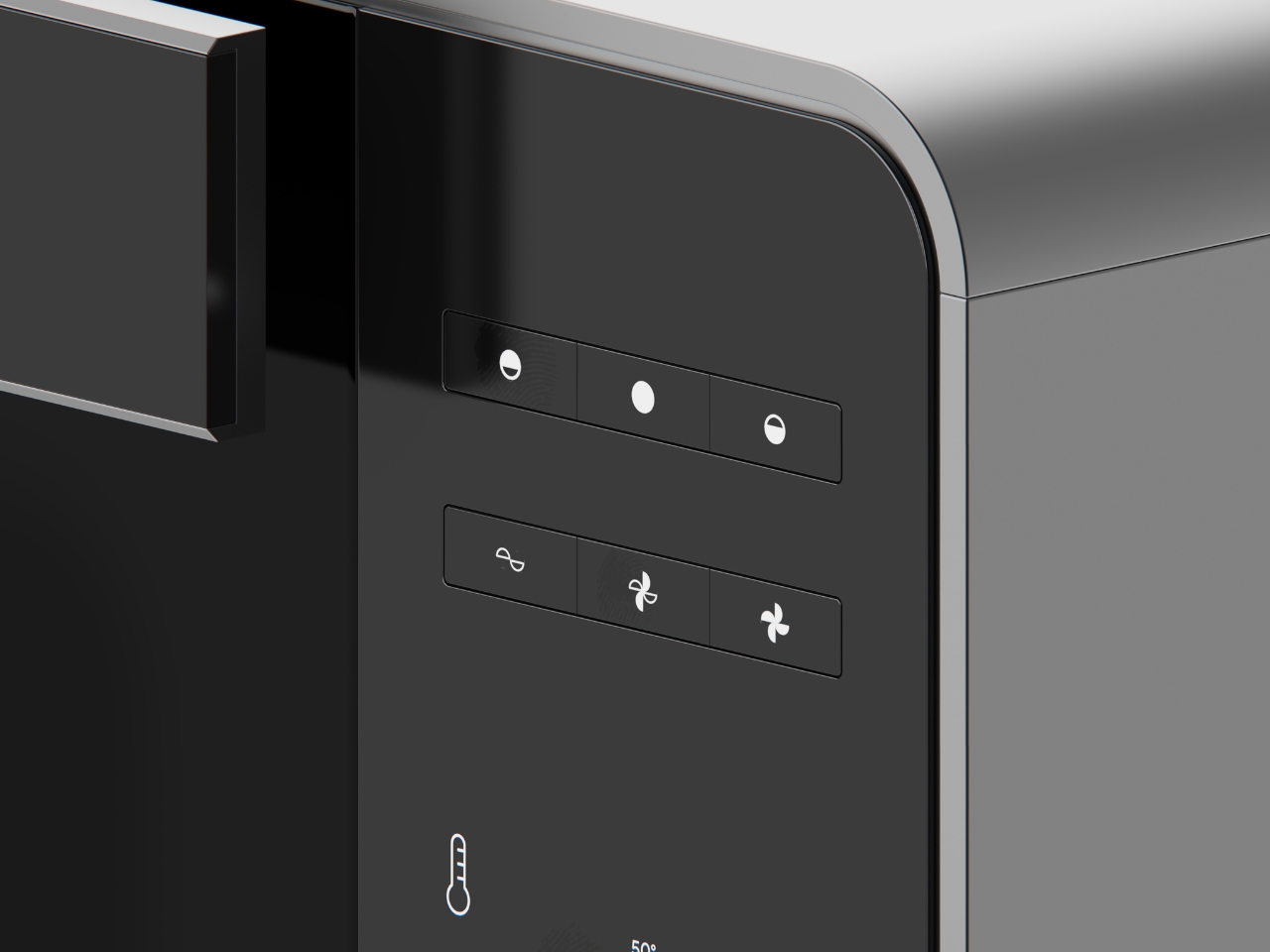
The function buttons sit flush against the black panel, their minimalist pictograms becoming visible when backlit. This clever detail means the interface stays clean and uncluttered when the oven is off, but provides clear visual feedback when you need it. No squinting at faded labels or wondering if you’ve actually pressed the right button. The yellow accent on the play/pause indicator adds a pop of warmth to the otherwise monochromatic palette, serving as both a functional cue and a subtle design element.
The compact footprint makes this particularly relevant for how many of us actually live. Not everyone has the space or budget for a full kitchen renovation with built-in everything. The Bake Ultra sits comfortably on a countertop, fitting into small apartments, office kitchens, or as a supplementary oven for larger spaces. The renders show it in various settings, from minimalist concrete-and-wood kitchens to warmer spaces with traditional cabinetry, and it holds its own in each environment. That versatility is the hallmark of genuinely good design.
Looking at the ergonomics, the controls are positioned on the right side panel at a comfortable height for standing operation. The knobs have a non-slip finish and substantial presence that suggests quality and ease of use. These aren’t flimsy plastic dials that will wear out after a year. They look like they mean business, with clear temperature markings and a tactile response that gives you confidence in what you’re setting.
What makes this concept compelling is how it aligns with Samsung’s broader design identity while still feeling fresh. You can see echoes of their smartphone and television aesthetics in the clean lines and premium materials, creating a cohesive ecosystem for people who appreciate that kind of design continuity across their tech and appliances. It’s the difference between a collection of random stuff and a curated space.
Will we ever see the Bake Ultra on store shelves exactly as rendered here? Maybe, maybe not. But that’s not really the point of concept design. Projects like this push the conversation forward about what our kitchen appliances could be. They challenge manufacturers to think beyond the status quo and remind us that functional objects can also be beautiful, that technology can feel human, and that minimalism doesn’t have to mean cold or boring.
The Nubia Z80 Ultra represents a significant leap forward in the smartphone industry, blending innovative technology, exceptional performance, and a sleek design. Designed for users who demand both functionality and aesthetics, this flagship device offers a comprehensive experience that caters to diverse needs, from productivity to creativity. With its advanced features and robust build, the […]
Have you ever felt like your digital notes are more chaos than clarity? Between juggling work tasks, personal reminders, and creative ideas, it’s easy for your notes to spiral into an unmanageable mess. But what if your note-taking app could do the heavy lifting for you, organizing, categorizing, and even automating your workflow? Enter Apple […]
Apple has officially rolled out WatchOS 26.1, a software update designed to refine and enhance the Apple Watch experience. While this update does not introduce innovative features, it focuses on delivering meaningful improvements that enhance usability, connectivity, and overall performance. These updates aim to streamline daily interactions with your Apple Watch, making sure it remains […]
What if the future of flight didn’t spin the way we’ve always imagined? Picture an aircraft that hovers effortlessly, maneuvers with surgical precision, and operates so quietly it could glide through a bustling city without disrupting a single conversation. Enter the cyclocopter, a innovative leap in aviation that ditches the familiar spinning rotors of helicopters […]
A keyboard is one of those pieces of gear you interact with constantly, yet it’s easy to overlook how much it affects your day-to-day comfort. From firing off emails to long coding sessions or late-night gaming, the right keyboard can make everything feel smoother, faster and less fatiguing.
Some setups call for slim, quiet boards that disappear into a workspace, while others benefit from chunky mechanical keyboards with satisfying switches and durable frames. You’ll also find wireless models that cut down on desk clutter, compact layouts built for travel and ergonomic keyboards aimed at reducing strain during long stretches of time.
No matter how you use your computer, upgrading your keyboard is one of the simplest ways to improve the experience. We’ve tested a wide range of options to find the best keyboards for different needs, budgets and typing styles.
Best keyboards for 2026
What to look for in a keyboard
Design
Size
The first thing you’ll want to consider when it comes to your next computer keyboard’s design is size. There are a number of different keyboard layouts to choose from, but the most common are full-sized, tenkeyless and those smaller than tenkeyless.
Full-sized keyboards, or 100 percent, include a function row at the top and a complete numpad with arrow keys on the right side, along with all of the rest of the alphanumeric keys you’d expect on a standard QWERTY layout. Tenkeyless, or 80 percent, removes the number pad but keeps the arrow keys and the function row, reducing the overall width measurement of the board by a decent amount. Compact keyboards keep things ultra simple by including only the alphanumeric keys and modifiers like Alt, Shift, Ctrl and others and they come in different sizes like 60 percent, 65 percent and more. These are the most popular sizes out there, but you can find plenty of other designs that include different mixes of keys along with the standard letters and numbers all should have.
Aside from size, there are two other big categories that you could use to define a keyboard: ergonomic and mechanical. Ergonomic keyboards are designed with, you guessed it, better ergonomics in mind, taking into account where you should position your fingers, hands and forearms to maintain proper posture. Separately, mechanical keyboards use mechanical switches (of which there are many types) that differ greatly from the membrane or scissor-switch keyboards you’ll find dominating most wired and wireless options widely available today. We have guides to the best ergonomic keyboards and best mechanical keyboards, but we’ll summarize what you need to know about both here.
Ergonomic keyboards
If you deal with discomfort from working at a computer all day, ergonomic keyboards can help. These specially designed boards re-orient the keys, allowing you to hold your elbows farther apart and maintain a straighter line from your forearms to hands. Some people find this subtle change more comfortable.
Ergonomic keyboards typically fall into two categories: Alice and split keyboards. The former is a single unit with an A-shaped gap in the center of the keys. Split models come in two separate pieces which you can arrange as you like on your desk. Additional ergonomic features like tenting and negative tilt can make typing feel even more comfortable, and are often available on both Alice and split boards. Tenting raises the middle of the keys up so your hands take on more of a “handshake” position. Negative tilting lowers the top of the keyboard to keep your wrists angled downward instead of back towards your forearms.
The way the keys are arranged on the keyboard may make typing easier as well. Traditionally, keyboards are staggered, with one row of letters slightly offset from the row beneath it. Columnar keyboards arrange the keys in a grid of rows and columns. This style takes a little getting used to, but some people find it allows them to type faster. You can also make the keys of some keyboards do more than just produce letters. Programmable boards let you map shortcuts and other functions, including macros, which may keep you from reaching for the mouse quite so often, saving you time and possibly strain as well.
Mechanical keyboards
Mechanical keyboards have blown up in popularity as more people have been thrust into creating their own workspaces at home. It’s easy to see why: Compared to a traditional membrane keyboard, a good mechanical board is more durable, more satisfying to press and, most importantly, infinitely more customizable. The best of them usually come with a price premium, but even some cheaper models let you “hot-swap” between keycaps, switches and other materials, letting you tinker with different typing sensations and sound profiles until you find a combination that best expresses your preferences.
Do you want each press to feel deep and full or fast and light? Do you need them to sound loud and clacky or almost totally muffled? Do you prefer your keycaps to look subdued and professional, stuffed with RGB lights or written in an Elvish language from The Lord of the Rings for some reason? With the right new keyboard, it’s all up to you — the only things really holding you back are your imagination and your wallet.
We have a dedicated buying guide that digs deeper into the key aspects to consider when buying a mechanical gaming keyboard, so we encourage you to look at that for a full rundown. To keep things high-level, the most influential part of your purchase is your keyboard’s switch type. These little mechanisms slot underneath the keycaps and generally have the biggest effect on how your keyboard feels and sounds as you type away.
You can broadly separate mechanical switches into three buckets: linear, tactile and clicky. Linear switches feel smooth all the way down; they’re often popular with gamers since they tend to be light and fast to actuate. Tactile switches create a tangible “bump” sensation partway through a press; many people who spend all day typing prefer them because they clearly confirm each press without (always) being all that loud. Clicky switches are functionally similar to tactiles but make an audible “click” sound to match the bump; your coworkers may hate them, but others love the full-throated sense of feedback they provide. To be clear, just because two switches fall within the same bucket doesn’t mean they feel or sound exactly the same. The only way to figure out which switch works best for you is to do your research and, preferably, try some out for yourself.
Other keyboards have a mechanical-style feel but are built on different mechanisms entirely. The hot new trend in gaming-focused keyboards, for example, is Hall effect switches, which use tiny magnets to register keystrokes and let you customize the sensitivity of each press. Optical switches, meanwhile, offer similar functionality by replacing the physical contact point of a typical mechanical switch with a beam of infrared light. More recently, we’ve seen a couplekeyboards launch with inductive switches, which can work like magnetic switches but use inductive coils in the keyboard’s printed circuit board (PCB) to cater to all switches collectively and don’t require a sensor for each individual switch. We touch on a couple of magnetic-switch keyboards in our picks below, but for a fuller breakdown of this sort of tech, we recommend you check out our dedicated buying guide to the best gaming keyboards.
Connectivity
You’ve got two options here: wired or wireless. Wired keyboards typically have an attached cable that plugs into a USB-A or USB-C port on your computer (or docking station), although some come with cables that can be removed. Wireless mechanical keyboards connect to your machine either via Bluetooth or a wireless receiver dongle. There’s always the chance of some latency with wireless keyboards, so keep that in mind if you’re picking one up to use primarily with a gaming PC. Of course, you’ll only have to worry about battery life with Bluetooth keyboards.
This article originally appeared on Engadget at https://www.engadget.com/computing/accessories/best-keyboard-120000018.html?src=rss