How to clean and organize your Mac

Inevitably, the more you use something — your Mac included — the more dirty and cluttered it’s likely to become. At that point, you can buy a new machine, but the more economical move is to make what you have already work better. To help your computer feel new, or at least a little cleaner and less chaotic, we put together this guide with techniques and useful apps that have helped us maintain a more organized computer. I’ve been using these tips since before I first published this guide in 2021, and they’ve helped keep my 2018 MacBook Air looking and running (almost) like brand new.

While there are many products out there from manufacturers claiming their one does it best, my advice is to keep things simple. It’s also the one Apple recommends. To start, you will need some water in a spray bottle and a clean microfiber cloth. You can use regular water from the tap but I've found distilled water works best; it’s far less likely to leave residue behind on your Mac, particularly on the display. You can buy distilled water at a grocery store or make it yourself with some simple cookware. Either way, it’s more affordable than dedicated cleaning solutions. If you don’t already own any microfiber towels, Amazon sells affordable 24-packs you can get for about $10.

One other product I would recommend is a Giottos Rocket Blower. I can’t say enough good things about this little tool. It will save you from buying expensive and wasteful cans of compressed air.

As for the actual process of cleaning your Mac, remember to start with a clean cloth (that’s part of the reason we recommend buying them in bulk). You’ll save yourself time and frustration this way. Begin by turning off your computer and unplugging it. If you bought a Rocket Blower, use it now to remove any dust. If not, take a dry microfiber cloth and go over your computer. Take special care around the keys, particularly if you own an older Mac with a butterfly keyboard.

Next, dampen one side of your cleaning cloth with water. Never spray any liquid directly on your computer. You’ll have more control this way and you’ll avoid getting any moisture into your Mac’s internals. I always clean the display first since the last thing I want to do is create more work for myself by transferring dirt from some other part of my computer to the screen.

The last step is to buff and polish your computer with the dry side of the cloth. Be gentle here as you don’t want to scratch the screen or any other part of. That’s it. Your Mac should be looking clean again.

Igor Bonifacic / Engadget

One of the trickiest parts of cleaning your Mac’s hard drive is knowing where to start; most of us have apps on our computers we don’t even remember installing in the first place. Thankfully, macOS comes with a tool to help you with that exact issue.

Navigate to System Settings > General > Storage. Here you’ll find a tool that separates your storage into broad categories like "Applications," "Documents," "Music," "Photos" and so on. Either double-click on an item in the list or click the circled i icon to see the last time you used an app and how much space it’s taking up. You can delete the apps from the same window.

The applications section is particularly helpful since you can see the last time you used a program, as well as if it’s no longer supported by the operating system or if it’s outdated thanks to a more recent release.

You don’t need me to tell you to uninstall programs you don’t use, but what you might not know is that there’s a better way to erase them than simply dragging them to the trash can. A free program called AppCleaner will help you track down any files and folders that would get left behind if you were just to delete an application.

AppCleaner
Igor Bonifacic / Engadget

After deleting any apps you don’t need, move to the Documents section. The name is somewhat misleading here since you’ll find more than just text files and Keynote spreadsheets. In this case, documents turns out to be the tool’s catch-all term for a variety of files, including ones that take up a large amount of space. You can also safely delete any DMGs (disc image files with the extension .dmg) for which you’ve installed the related app.

The other sections in the storage space are self-explanatory. The only other thing I’ll mention is if you’ve been using an iPhone for a while, there’s a good chance you’ll have old iOS backups stored on your computer. You can safely delete those, too.

Bartender
Igor Bonifacic

Let’s start with the menu bar. It may not technically be part of the desktop, but a tidy one can go a long way toward making everything else look less cluttered. My recommendation here is to download an app called Bartender. At first glance, it’s a simple program allowing you to hide unwanted menu bar items behind a three-dots icon, but the strength of Bartender is that you get a lot of customization options. For example, you can set a trigger that will automatically move the battery status icon out from hiding when your computer isn’t connected to a power outlet.

While we’re on the subject of the menu bar, take a second to navigate to System Settings > General > Login Items & Extensions and look at all the apps that launch when you boot up your system. You can speed up your system by paring down this list to only the programs you use frequently.

When it comes to the desktop itself, less is more. Nothing will make your computer look like a cluttered mess more than a busy desktop. Folders and stacks can help, but for most people, I suspect part of the problem is they use their desktop as a way to quickly and easily find files that are important to them.

If you’ve ever struggled to find a specific file or folder on your computer, try using your Mac’s tagging capabilities instead. Start by opening the Finder Settings menu (Command + ,) and click the Tags tab. You can use the default ones provided by macOS or make your own. Drag the ones you think you’ll use most often to the favorites areas at the bottom of the preferences window. This will make it so that they’re easily accessible when you want to use them. To append a tag to a file or folder, click on it while holding the ctrl key and select the one you want from the dropdown menu. You can also tag a file while working on it within an app. Keep in mind you can apply multiple tags to a single file or folder, and you can even apply them to applications.

macOS tagging
Igor Bonifacic / Engadget

What makes tags so useful in macOS is that they can appear in the sidebar of the Finder window, and are easily searchable either directly with Finder or using Siri. As long as you have a system for organizing your files, even a simple one, you’ll find it easier to keep track of them. As one example, I like to apply an Engadget tag to any files related to my work. I’ll add an “Important” tag if it’s something that’s critical and I want to find quickly.

One tool that can help supercharge your Finder experience is Alfred. It’s effectively a more powerful version of Apple’s Spotlight feature. Among other things, you can use Alfred to find and launch apps quickly. There’s a bit of a learning curve, but once you get a hang of it, Alfred will change how you use your Mac for the better.

Magnet
Igor Bonifacic / Engadget

If you’ve used both macOS and Windows 10, you’ll know that Apple’s operating system doesn’t come with the best window management tools. You can click and hold on the green full-screen button to tile a window to either the left or right side of your screen, but that’s about it and the feature has always felt less precise than its Windows counterpart.

My suggestion is to download an app that replicates Windows 10’s snapping feature. You have several competing options that more or less offer the same functionality. My go-to is a $5 program called Magnet. If you want a free alternative, check out Rectangle. Another option is BetterSnapTool, which offers more functionality than Magnet but doesn’t have as clean of an interface. All three apps give you far more ways to configure your windows than what you get through the built-in tool in macOS. They also come with shortcut support, which means you can quickly set up your windows and get to work.

Check out more from our spring cleaning guide.

This article originally appeared on Engadget at https://www.engadget.com/computing/how-to-clean-your-mac-macbook-cleaning-supplies-digital-organization-153007592.html?src=rss
Apple is reducing its App Store commission fees in China

Apple is lowering its developer fees in China following discussions with the Chinese regulator. From March 15, the commission rate for standard in-app purchases (IAPs) will be reduced from 30 percent to 25 percent on its mainland China App Store storefront for both iOS and iPadOS.

In a Developer blog, Apple also said that developers belonging to its App Store Small Business or Mini Apps programmes will also have their fees reduced by 3 percent, from 15 to 12 percent. This applies to the commission rate for IAPs and in-app subscription renewals after the first year.

"We strive for iOS and iPadOS to be the best app ecosystem and a great business opportunity for developers in China," Apple said in the post. "We are committed to terms that remain fair and transparent to all developers, and to always offering competitive App Store rates to developers distributing apps in China that are no higher than overall rates in other markets."

Apple says developers are not required to agree to the terms by March 15 to start receiving their benefits, seemingly making the transition as smooth as possible to avoid further regulatory intervention. It will no doubt be taken as a significant win for Chinese businesses, and comes a year after reports that a state watchdog was investigating the fees Apple enforces on developers it hosts on the App Store.

This article originally appeared on Engadget at https://www.engadget.com/apps/apple-is-reducing-its-app-store-commission-fees-in-china-131221192.html?src=rss

Bumble is the latest dating app to add an AI assistant

Bumble is testing an AI dating assistant called "Bee" that it hopes will get users on dates without them having to swipe through profiles, Bloomberg writes. The company announced the AI assistant during its fourth quarter earnings, and intends to use the AI in a new experience it calls "Dates."

When a user opts in to Bumble's Dates feature, Bee performs an onboarding chat where it learns about the users' "values, relationship goals, communications style, lifestyle and dating intentions," and then attempts to find other users who share some or all of those traits. Once Bee finds someone compatible, both users are notified in the app that they could be a great match, and receive a summary generated by Bee explaining why. From there, they can chat and see if things lead to a real-life date.

As is often the case with pie-in-the-sky AI features, Bumble has even bigger plans for how Bee could be used in its app, including as a tool for collecting anonymous feedback from user's previous matches or as a way to receive suggestions for dates ideas. AI will also apparently enable Bumble to move away from binary yes or no swipes on profiles and towards a system where users connect over "chapter-based" profiles that are more reflective of their life story.

Bumble is testing Bee internally and plans to launch the AI and its Dates feature in beta soon. The company is far from the only dating app experimenting with integrating AI recommendations and summaries. Tinder uses AI to recommend profile pictures to users, and now offers another feature called "Chemistry" that combines insights gained from personal questions and access to users' Camera Roll to make more informed matches. Meanwhile, Grindr's "Edge" subscription tier offers AI summaries of past chats and connections, and stats on whether a user is actually compatible with a new match. 

It's too early to tell whether AI makes a meaningful difference in the dating experience for users, but if it keeps them using an app or paying for a subscription, it's likely a worthwhile experiment for Bumble, Tinder and Grindr.

This article originally appeared on Engadget at https://www.engadget.com/apps/bumble-is-the-latest-dating-app-to-add-an-ai-assistant-181729994.html?src=rss

Claude can now generate charts and diagrams

With Claude enjoying a moment of newfound popularity among regular people, Anthropic is previewing an update designed to make its chatbot better at explaining some concepts. Starting today, Claude can generate charts and diagrams as part of its responses, either when asked directly or when it decides visuals might be helpful to the user. 

For example, try asking Claude what's the best way to fold a paper plane. Where previously it was limited to text, now it can show you step by step how to fold a Nakamura lock plane. Anthropic is quick to point out what it's introducing today isn't image generation. When producing visual aids, Claude will use HTML code and XML vector graphics. Anthropic likens it to giving Claude access to its own whiteboard. 

The new feature is available to all Claude users, regardless of whether you pay for one of Anthropic's subscriptions. However, the company does warn it's releasing beta software, so expect some quirks along the way. The feature also isn’t available on mobile just yet. This release comes just days after OpenAI made ChatGPT capable of generating interactive visuals when explaining science and math concepts. 

This article originally appeared on Engadget at https://www.engadget.com/ai/claude-can-now-generate-charts-and-diagrams-160000369.html?src=rss

Google built a flash-flood prediction tool using Gemini and old news reports

Flash floods are notoriously difficult to predict, but Google might have a novel solution. The company just revealed Groundsource, a prediction tool for flash floods that uses Gemini to source data from old news reports. This is the first time it has used a language model for this type of work.

Google tasked Gemini with sorting through 5 million news articles from around the world and isolating flood reports. It transformed this data into a geo-tagged series of chronological events. Next, researchers trained a model to ingest current weather forecasts and leverage the Groundsource data to determine the likelihood of a flash flood in a given area.

We don't have any concrete information as to how accurate Google's forecast model is, though that should come over time. One trial user did say it helped his organization respond quicker to localized weather events. For now, the company is highlighting risks for urban areas in 150 countries via its Flood Hub platform. Google is also sharing its data with emergency response agencies in these locations.

A map.
Google

There are some limitations here. The model can only identify risk across a 20-square-kilometer area. It's also not quite as precise as the US National Weather Service's flood alert system, because Google's model doesn't integrate local radar data. This data typically enables real-time tracking of precipitation. However, the platform's been designed to work in areas that don't typically have access to that kind of weather-sensing infrastructure.

Juliet Rothenberg, a program manager on Google's Resilience team, hopes that this technology can eventually be used to predict other tricky phenomena. This includes stuff like heat waves and mudslides.

"We’re aggregating millions of reports,” she told reporters this week. "It enables us to extrapolate to other regions where there isn’t as much information."

This is Google's first use of a language model for weather forecasts, but not its first time it has relied on AI for this type of thing. The company's DeepMind WeatherNext 2 forecasting model has proven to be extremely accurate.

This article originally appeared on Engadget at https://www.engadget.com/ai/google-built-a-flash-flood-prediction-tool-using-gemini-and-old-news-reports-154542963.html?src=rss

TikTok will let you stream full songs in its app if you’re an Apple Music subscriber

TikTok will soon let you stream full songs in its app via a new integration with Apple Music. The company's new Play Full Song feature makes it possible to link your Apple Music account toTikTok, and play any song that strikes your fancy directly in the app while you're scrolling.

Starting a song is as simple as tapping a button in the Sound Details page or your For You page. Assuming you pay for Apple Music, TikTok will then open up a streamlined version of Apple's music player, which you can use to listen to the song, save it for later or add it to a playlist.

TikTok says that Play Full Song is built using Apple's MusicKit APIs, which let developers surface elements of the Apple Music streaming service in their apps. TikTok has previously offered integration with multiple music streaming services through a feature it calls Add to Music App, which made it possible to save songs you heard on TikTok to your streaming library. What's particularly interesting about this new integration is that because it's using Apple's APIs, songs streamed with Play Full Song count as normal streams for the artists in Apple Music, so they don't lose out on any money.

Alongside the new feature, TikTok and Apple are also introducing a way for fans to listen to music live with their favorite artists. TikTok's Listening Party feature creates a live "shared environment" where people can listen to music and interact with artists directly, in what effectively sounds like an audio-only livestream. TikTok livestreams are a whole ecosystem in their own right, and Listening Party seems like a way to leverage some of the same technology for a more controlled, music promotion-focused end.

TikTok is already a popular tool for music discovery and launching the career of new artists, and the platform also briefly dabbled in offering a streaming service of its own in 2023. The company abandoned those plans in 2024, but under new owners, TikTok's ambitions could ultimately be bigger than just offering nice integrations with existing streaming services.

TikTok says Play Full Song and Listening Party are rolling out worldwide “in the weeks ahead,” so if you don’t see either feature now, you may soon.

This article originally appeared on Engadget at https://www.engadget.com/apps/tiktok-will-let-you-stream-full-songs-in-its-app-if-youre-an-apple-music-subscriber-183333143.html?src=rss

Larry ‘Major Nelson’ Hryb joins Commodore to help build its community

Phil Spencer leaving his long-held role at Xbox might have made all the headlines last month, but a few years ago the big story was company veteran Larry "Major Nelson" Hryb’s departure from Microsoft. Hryb recently seemingly hinted at a return to the company at which he spent more than two decades, but he’s now landed at Commodore instead.

The ex-Xbox icon joins the recently revived 80s computer brand as a Community Development Advisor, where his job will be to "help support and expand the global community," Commodore said in a press release. Hryb, who was the public face of Xbox during the brand’s heyday, is now tasked with helping to modernize Commodore by introducing it to "a new generation of creators, developers, and enthusiasts."

"I've always believed the best thing a company can do is partner with its community – and with a passionate fan base carrying the torch for 31 years, Commodore’s situation is truly unique when it comes to community engagement," said Hryb. "The community didn't wait around – instead they built something remarkable. Players, hardware hobbyists, developers, content creators, and publishers are all a part of the Commodore community, and now we get to build what’s next together."

Hryb’s most recent role was at game engine maker Unity, where he served as Director of Community and Advocacy for less than two years before being laid off in January. As for Commodore, the company might be entering a new era, but its comeback product launch is a firmly nostalgic play, with the recently released Commodore 64 Ultimate being an authentic recreation of its most famous 8-bit computer.

This article originally appeared on Engadget at https://www.engadget.com/gaming/larry-major-nelson-hryb-joins-commodore-to-help-build-its-community-145908119.html?src=rss

You can now use ChatGPT to open Shazam instead of… just opening Shazam

Shazam is now available within ChatGPT, if you don’t want to launch the music discovery app on your phone for, well, reasons. You will have to link the Shazam app with the chatbot first from its Apps page, after which you can summon it in-chat to identify whatever song is playing. To summon Shazam in-chat, you can use prompts like “Shazam, what’s playing?” or “Shazam, what is this song?”

A box will pop up that you can tap on to launch the music discovery service, which will then listen to the tune playing. ChatGPT will display the song’s name, artist and artwork, along with the option to save the song to Shazam. Take note that the feature will work within ChatGPT even if you don’t have the music discovery app downloaded on your device, which does make it useful if you’re using a phone with full memory. The Shazam integration has started rolling out globally within ChatGPT on iOS, Android and the web.

This article originally appeared on Engadget at https://www.engadget.com/apps/you-can-now-use-chatgpt-to-open-shazam-instead-of-just-opening-shazam-114000363.html?src=rss

Microsoft Broke the Only Thing That Actually Mattered

Any tech nerd knows the unspoken contract that comes with being the only tech-literate person in the family. You get texts when someone’s laptop is slow, called over during the holidays to fix the router, and consulted every eighteen months when someone needs a new phone or computer. For years, the laptop question had a clean, confident answer: a Windows machine. Cheap entry points, massive software compatibility, games that actually run, no walled gardens, no ecosystem hostage situations, and enough flexibility that even a non-technical person could figure out the basics without feeling like they’d violated a terms of service agreement. But the last time someone asked me what laptop to get, I paused. For a good minute I asked myself, should I even recommend Windows anymore?

That pause is new, and it carries weight that no benchmark score or spec sheet can explain. The designated family tech person has historically been one of the most reliable organic distribution channels Windows ever had, recommending the same platform generation after generation because it worked, it was accessible, and there was nothing obviously better for normal people at a reasonable price. When that person hesitates, the platform has a problem. Microsoft built an empire on being the obvious, low-friction answer to the laptop question, and somewhere between Windows 10 and the Copilot era, they stopped protecting that position. And with Apple dropping a $599 MacBook just last week, that position seems even more in danger.

2024 CrowdStrike Outage

The OS that holds civilization together

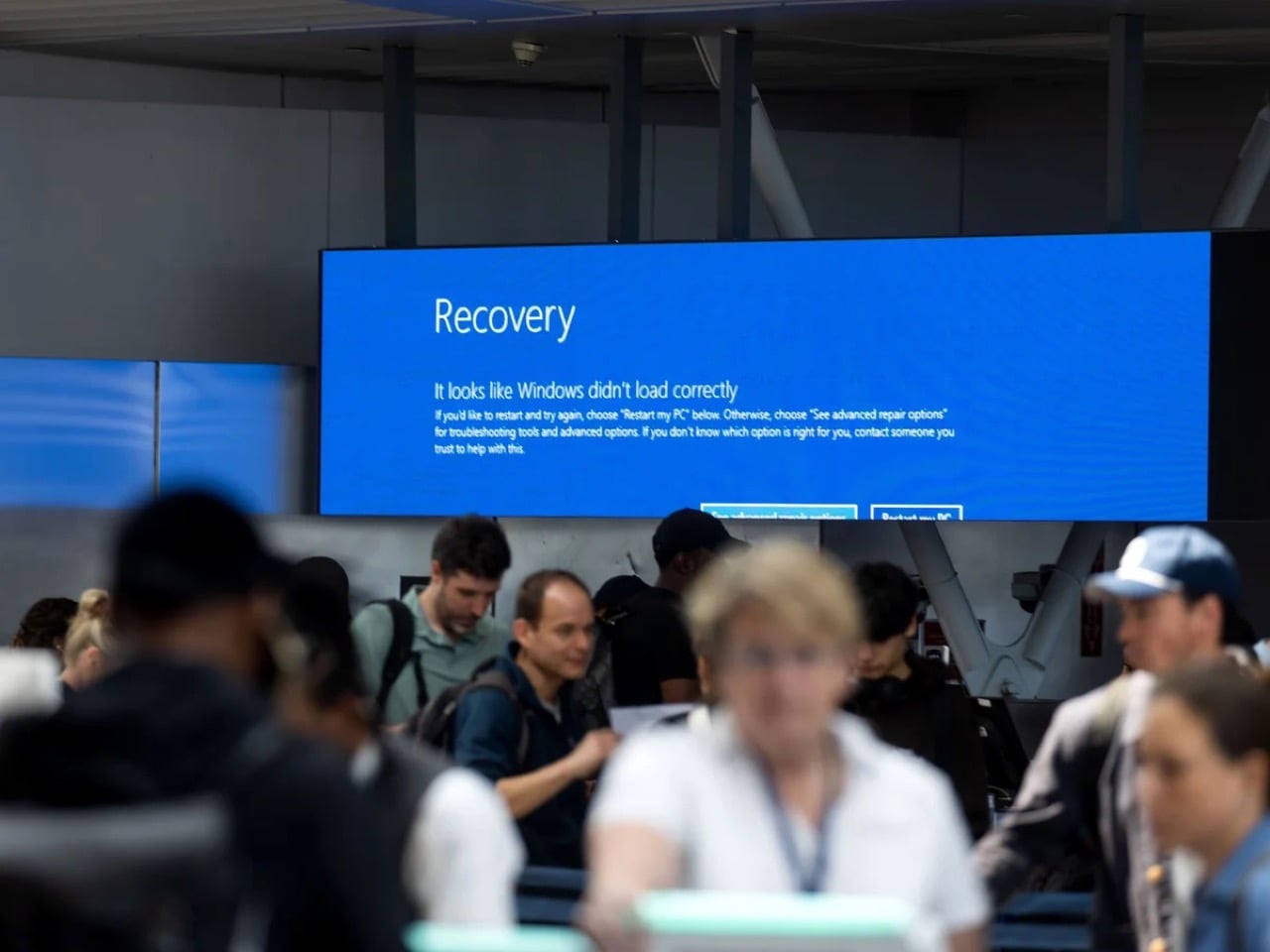
Windows runs somewhere between 72 and 73 percent of the world’s desktops, and while that’s an impressive monopoly, it completely ignores the critical systems where Windows is actually even more prevalent and essential. Hospital admission systems, ATM networks, military command infrastructure, government offices, court systems, school networks, and banking operations across virtually every country on earth run on Windows. These institutions did not choose Windows out of preference; they are locked in through decades of infrastructure investment, software dependencies, and training costs that make switching systemically impractical at scale. The July 2024 CrowdStrike incident put a specific number on what this dependency looks like under pressure: one faulty content update to a single Windows security tool simultaneously bricked approximately 8.5 million machines, grounded over 8,500 flights globally, knocked hospital systems offline across multiple countries, and disabled 911 call centers across several US states. One third-party software layer, one bad update, and the operational skeleton of modern civic life visibly buckled.

That is the platform Microsoft has been treating as a vehicle for AI feature experiments. Recall, the AI tool Microsoft attempted to ship as part of Windows 11, worked by screenshotting the user’s screen every few seconds and storing those images locally to build a searchable timeline of everything they had ever done on the machine. Security researchers flagged it almost immediately as a catastrophic privacy liability: a permanent, silent, queryable record of every document, message, and webpage the screen had ever displayed. Microsoft paused the rollout after a fierce public backlash, but the revealing fact is that Recall cleared internal review in the first place. The teams approving that feature were not thinking about hospital clerks processing patient records, lawyers working with privileged communications, or government employees handling sensitive data. They were building a keynote demo.

The market is responding accordingly

Microsoft ended official Windows 10 support in October 2025, cutting off security patches for what was still the most widely used version of the OS. Months of upgrade campaigns, notification banners, and every available form of institutional pressure followed. The result: as of December 2025, Windows 10 sits at 44.68% market share and actually gained users after support ended, while Windows 11 dropped from 55.18% in October to 50.73% in December, shedding over four percentage points in two months while the officially dead OS clawed back ground. People are choosing to run a security-vulnerable, unsupported operating system rather than upgrade to the one Microsoft actively maintains, and that is not technophobia or inertia. It is a calculated judgment, made by millions of users independently, that the known risks of the old version beat the unknown risks of moving to the new one.

The TPM 2.0 hardware requirement blocked installation on millions of perfectly functional machines with no meaningful performance justification for everyday users, which meant the upgrade conversation started with resentment before it ever got to features. First-boot setup funnels new users toward a Microsoft account, with the offline bypass buried past the point where most non-technical people will ever find it. OneDrive integration sits deep enough in the OS that users regularly discover their Desktop files have been syncing to the cloud without understanding when or how they agreed to that. A fresh Windows 11 install in 2026 ships with TikTok, Instagram, Disney+, and a collection of Microsoft’s own unfinished apps pre-pinned to the Start menu, none of them arriving with any user consent. Copilot, which no consumer demand survey had identified as a priority, now appears in the OS sidebar, the taskbar, and since 2024, as a dedicated hardware key on new laptops, occupying real estate where a key with actual utility used to live.

Running alongside all of that is a separate update quality crisis that has been building its own track record. A January 2026 security update caused boot failures on certain Windows 11 machines, with Microsoft eventually tracing the issue to a botched December 2025 update that had left affected devices in what they diplomatically described as an “improper state.” An October 2025 security update broke VPN networking for enterprise users running OpenVPN and Cisco Secure Client, a bug that carried through the December patch cycle without a clean resolution. Security updates, the category Microsoft explicitly tells users they cannot afford to skip, became a threat to system stability in their own right. When the patch and the problem are indistinguishable from each other, the trust issue has moved well past inconvenience.

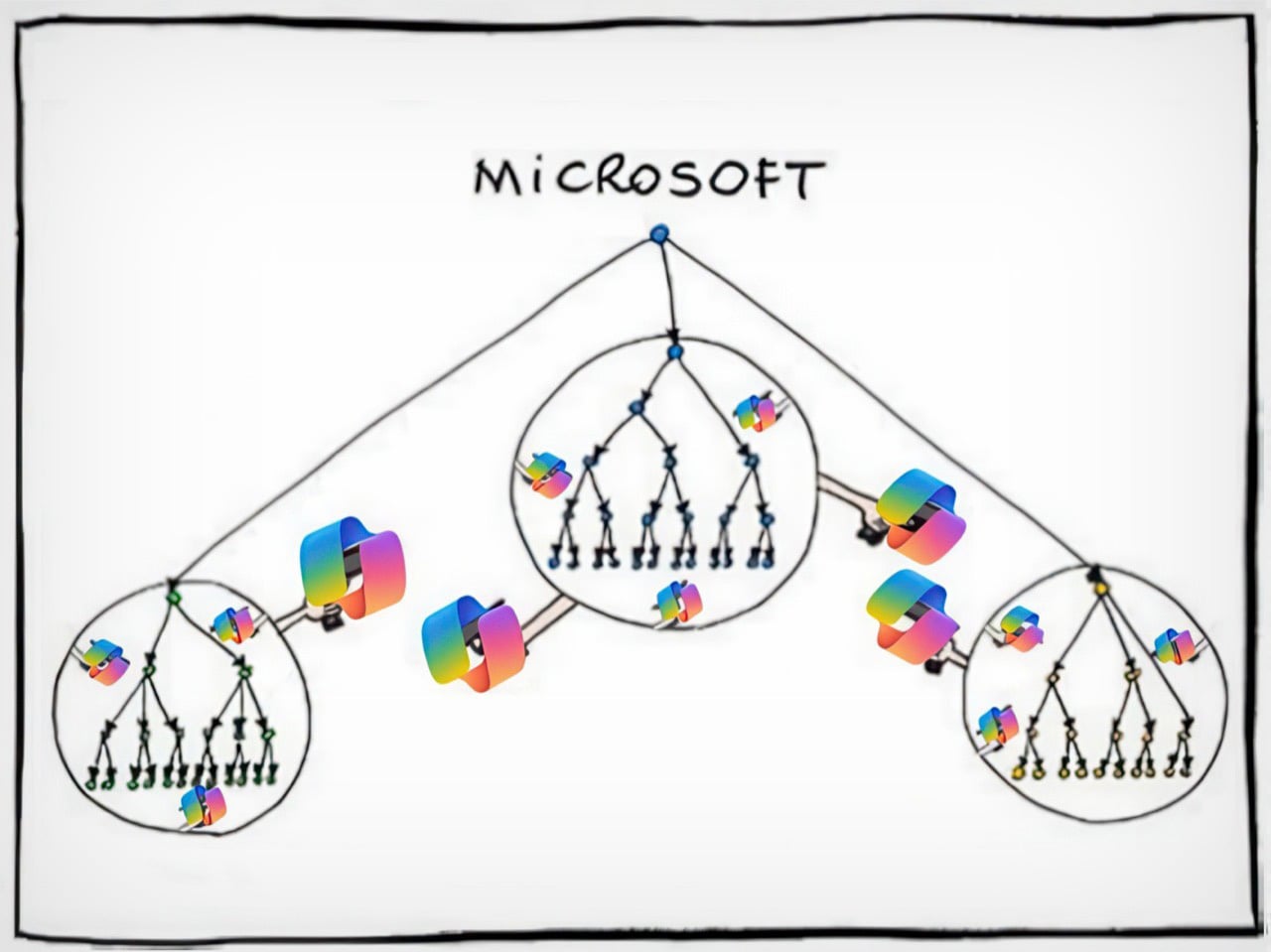
A modified version of a comic by Manu Cornet

Nadella is a great CEO. Just not for desktop operating systems.

Satya Nadella took Microsoft’s stock from roughly $35 in 2014 to over $400 at its peak, killed the Nokia disaster before it could fully metastasize, repositioned the entire company around cloud infrastructure, and placed an early bet on OpenAI when AI was still considered expensive academic theater. Azure’s consistent 30%-plus year-over-year growth commands complete executive attention and pulls the best engineering talent in the building toward it like gravity. By any honest standard corporate metric, Nadella’s Microsoft is a legitimate turnaround story, and the shareholder returns are not fabricated. But Nadella is a cloud and enterprise person at his core, and consumer Windows is a mature product in a saturated market, which in corporate strategy language translates cleanly to “managed asset.” The product that generates excitement gets the architects and the product visionaries; the one that just needs to keep working gets whoever is left after that allocation is done.

Paul Thurrott, who has covered Microsoft longer than most of the current Windows team has worked there, documented what that organizational reality looks like in practice. He wrote that Microsoft “relegated Windows to a backwater world led by B-teamers as the brightest minds at the company moved onto more lucrative career opportunities in Azure and AI.” That is an organizational autopsy, not editorial frustration, and it explains the product trajectory better than any feature changelog can. The talent followed the money and the excitement, and what remained shipped a redesigned Start menu nobody requested, a Copilot key nobody asked for, and a feature that the security community identified as dangerous within hours of its public announcement. The B-team does not ship bad decisions out of malice; they ship them because nobody senior enough to stop them is paying attention.

This pattern has a name

Nadella did not invent this behavioral tendency; it recurs reliably enough across modern tech to qualify as its own CEO archetype. Elon Musk built Tesla into the most culturally significant car company on earth, then spent the better part of two years fixated on Twitter, rebranding it to X, eliminating roughly 80% of staff, and torching advertiser relationships that took years to build, while Tesla’s stock dropped roughly 40% in the first quarter of 2025 alone. Now, he’s discontinued two Tesla models permanently while focusing efforts on an extremely polarizing AI chatbot. Mark Zuckerberg committed somewhere between $40 and $50 billion to the metaverse between 2021 and 2023, a virtual world that peaked at approximately 300,000 daily active users on Meta Horizon Worlds, before quietly pivoting to AI and becoming a public figure most associated with jiu-jitsu tournaments. The pattern is consistent enough to have a shape: a CEO builds something genuinely dominant, gets pulled toward the next big technological narrative, and hands the original product to the maintenance crew while energy and capital chase the new story. The difference with Nadella is the scale of what he handed off.

What separates his case from Musk and Zuckerberg is that he did not get distracted from Windows. He consciously stripped it for parts. Azure and AI received the budget, the senior talent pipeline, and the executive attention. Windows received the downstream output of that redistribution: mandatory AI integrations nobody requested, hardware specifications designed around Microsoft’s AI keynote roadmap rather than user needs, and a product direction driven more by investor narrative than by any user research that has ever been made public. The ordinary people buying $400 laptops are absorbing the cost of that sacrifice. The shareholders benefiting from Azure’s quarterly growth numbers are not.

Enshittification, documented

Cory Doctorow’s enshittification framework describes a platform lifecycle: start good for users, degrade toward serving business partners, then degrade further to extract maximum value for shareholders at everyone else’s expense. Windows 11 maps cleanly onto the third stage. The Start menu was rebuilt from scratch for the Windows 11 launch, stripping out Live Tiles that users had configured over years and replacing them with a static grid that is less functional and harder to customize, with no usability gain justifying the regression. Drag-and-drop onto taskbar applications was removed entirely at launch and only partially restored after months of sustained community pressure. Windows 11 originally shipped without the ability to right-click the taskbar to open Task Manager, a function that had existed since Windows NT 4.0 in 1996, and whose removal was not a redesign decision so much as evidence that nobody tested the product against the habits of actual users.

Control Panel, introduced in 1985, and the modern Settings app, first introduced in 2012 with Windows 8, still coexist in parallel inside Windows 11 in 2026. Basic system configuration requires jumping between both because neither is complete on its own, and the logic governing which settings live in which interface has never been consistently explained or resolved. Thirteen years of two competing tools sharing the same OS, and Microsoft never cared enough about the end-user experience to finish the job. This is not a legacy oversight or a technical debt problem that nobody knows how to solve. It is a choice, visible in its incompleteness, that reveals how little Windows product ownership has mattered to anyone with the authority to demand better.

Where this leaves ordinary people

Windows remains the most practical OS for most consumers, and that matters because it means there is no clean exit for the people being failed by it. MacOS is polished and stable but paternalistic by design: Apple creates deliberate friction around installing software from outside its ecosystem, the interface carries a genuine learning curve for anyone transitioning from Windows, and a MacBook Air M4 starts at $1,099 against a capable Windows laptop at around $400. Sure you can buy the $599 MacBook Neo too, but it’s genuinely less of a laptop and more of a netbook. The price difference between a regular MacBook and a similarly spec’d Windows laptop is not marginal in most of the world, particularly in the markets where Windows adoption is highest. Linux is genuinely improving year over year and deserves acknowledgment for it, but recommending Ubuntu to a non-technical family member invites more trouble than relief. The alternatives exist, but they serve a different user than the one who has to ask for a laptop recommendation.

A regular person can still buy an affordable Windows machine, install whatever software they want, run games across a hardware range that nothing else matches, plug in any peripheral without a compatibility interrogation, and operate without being treated as a security risk for opening a file from outside a curated store. Microsoft is eroding that value proposition methodically, one forced integration at a time, but the erosion has not yet reached full collapse. As of early 2026, reporting suggests Microsoft is pulling back from the AI-everywhere approach in Windows and refocusing on core stability, with Paul Thurrott describing the shift as “something happened,” which from a journalist who has spent years documenting Windows’ decline with the exhausted precision of someone watching a building settle incorrectly reads as cautious acknowledgment rather than optimism. Whether that represents genuine reprioritization or noise management ahead of a Windows 12 announcement nobody has officially confirmed is the question worth watching.

Rebuilding trust after Recall, after a year of destabilizing updates, after years of treating the world’s most consequential operating system as a demo environment for products the market never asked for, takes considerably longer than a few stable patches and a tonal reset in engineering blog posts. The millions of people still on Windows 10, knowingly running an unsupported OS past its expiration date, made a rational call: the known risks of yesterday’s software beat the unpredictable risks of an OS whose roadmap is driven by whatever Microsoft needs to show investors next quarter. That is not the normal frustration cycle where users grumble and eventually upgrade. It is a trust deficit built through years of consistent bad decisions, and a few good patch cycles will not close it. The easiest tech recommendation in the world has become a pause, and the people responsible for that pause are too deep in Azure dashboards to understand what it actually costs.

The post Microsoft Broke the Only Thing That Actually Mattered first appeared on Yanko Design.

Microsoft Broke the Only Thing That Actually Mattered

Any tech nerd knows the unspoken contract that comes with being the only tech-literate person in the family. You get texts when someone’s laptop is slow, called over during the holidays to fix the router, and consulted every eighteen months when someone needs a new phone or computer. For years, the laptop question had a clean, confident answer: a Windows machine. Cheap entry points, massive software compatibility, games that actually run, no walled gardens, no ecosystem hostage situations, and enough flexibility that even a non-technical person could figure out the basics without feeling like they’d violated a terms of service agreement. But the last time someone asked me what laptop to get, I paused. For a good minute I asked myself, should I even recommend Windows anymore?

That pause is new, and it carries weight that no benchmark score or spec sheet can explain. The designated family tech person has historically been one of the most reliable organic distribution channels Windows ever had, recommending the same platform generation after generation because it worked, it was accessible, and there was nothing obviously better for normal people at a reasonable price. When that person hesitates, the platform has a problem. Microsoft built an empire on being the obvious, low-friction answer to the laptop question, and somewhere between Windows 10 and the Copilot era, they stopped protecting that position. And with Apple dropping a $599 MacBook just last week, that position seems even more in danger.

2024 CrowdStrike Outage

The OS that holds civilization together

Windows runs somewhere between 72 and 73 percent of the world’s desktops, and while that’s an impressive monopoly, it completely ignores the critical systems where Windows is actually even more prevalent and essential. Hospital admission systems, ATM networks, military command infrastructure, government offices, court systems, school networks, and banking operations across virtually every country on earth run on Windows. These institutions did not choose Windows out of preference; they are locked in through decades of infrastructure investment, software dependencies, and training costs that make switching systemically impractical at scale. The July 2024 CrowdStrike incident put a specific number on what this dependency looks like under pressure: one faulty content update to a single Windows security tool simultaneously bricked approximately 8.5 million machines, grounded over 8,500 flights globally, knocked hospital systems offline across multiple countries, and disabled 911 call centers across several US states. One third-party software layer, one bad update, and the operational skeleton of modern civic life visibly buckled.

That is the platform Microsoft has been treating as a vehicle for AI feature experiments. Recall, the AI tool Microsoft attempted to ship as part of Windows 11, worked by screenshotting the user’s screen every few seconds and storing those images locally to build a searchable timeline of everything they had ever done on the machine. Security researchers flagged it almost immediately as a catastrophic privacy liability: a permanent, silent, queryable record of every document, message, and webpage the screen had ever displayed. Microsoft paused the rollout after a fierce public backlash, but the revealing fact is that Recall cleared internal review in the first place. The teams approving that feature were not thinking about hospital clerks processing patient records, lawyers working with privileged communications, or government employees handling sensitive data. They were building a keynote demo.

The market is responding accordingly

Microsoft ended official Windows 10 support in October 2025, cutting off security patches for what was still the most widely used version of the OS. Months of upgrade campaigns, notification banners, and every available form of institutional pressure followed. The result: as of December 2025, Windows 10 sits at 44.68% market share and actually gained users after support ended, while Windows 11 dropped from 55.18% in October to 50.73% in December, shedding over four percentage points in two months while the officially dead OS clawed back ground. People are choosing to run a security-vulnerable, unsupported operating system rather than upgrade to the one Microsoft actively maintains, and that is not technophobia or inertia. It is a calculated judgment, made by millions of users independently, that the known risks of the old version beat the unknown risks of moving to the new one.

The TPM 2.0 hardware requirement blocked installation on millions of perfectly functional machines with no meaningful performance justification for everyday users, which meant the upgrade conversation started with resentment before it ever got to features. First-boot setup funnels new users toward a Microsoft account, with the offline bypass buried past the point where most non-technical people will ever find it. OneDrive integration sits deep enough in the OS that users regularly discover their Desktop files have been syncing to the cloud without understanding when or how they agreed to that. A fresh Windows 11 install in 2026 ships with TikTok, Instagram, Disney+, and a collection of Microsoft’s own unfinished apps pre-pinned to the Start menu, none of them arriving with any user consent. Copilot, which no consumer demand survey had identified as a priority, now appears in the OS sidebar, the taskbar, and since 2024, as a dedicated hardware key on new laptops, occupying real estate where a key with actual utility used to live.

Running alongside all of that is a separate update quality crisis that has been building its own track record. A January 2026 security update caused boot failures on certain Windows 11 machines, with Microsoft eventually tracing the issue to a botched December 2025 update that had left affected devices in what they diplomatically described as an “improper state.” An October 2025 security update broke VPN networking for enterprise users running OpenVPN and Cisco Secure Client, a bug that carried through the December patch cycle without a clean resolution. Security updates, the category Microsoft explicitly tells users they cannot afford to skip, became a threat to system stability in their own right. When the patch and the problem are indistinguishable from each other, the trust issue has moved well past inconvenience.

A modified version of a comic by Manu Cornet

Nadella is a great CEO. Just not for desktop operating systems.

Satya Nadella took Microsoft’s stock from roughly $35 in 2014 to over $400 at its peak, killed the Nokia disaster before it could fully metastasize, repositioned the entire company around cloud infrastructure, and placed an early bet on OpenAI when AI was still considered expensive academic theater. Azure’s consistent 30%-plus year-over-year growth commands complete executive attention and pulls the best engineering talent in the building toward it like gravity. By any honest standard corporate metric, Nadella’s Microsoft is a legitimate turnaround story, and the shareholder returns are not fabricated. But Nadella is a cloud and enterprise person at his core, and consumer Windows is a mature product in a saturated market, which in corporate strategy language translates cleanly to “managed asset.” The product that generates excitement gets the architects and the product visionaries; the one that just needs to keep working gets whoever is left after that allocation is done.

Paul Thurrott, who has covered Microsoft longer than most of the current Windows team has worked there, documented what that organizational reality looks like in practice. He wrote that Microsoft “relegated Windows to a backwater world led by B-teamers as the brightest minds at the company moved onto more lucrative career opportunities in Azure and AI.” That is an organizational autopsy, not editorial frustration, and it explains the product trajectory better than any feature changelog can. The talent followed the money and the excitement, and what remained shipped a redesigned Start menu nobody requested, a Copilot key nobody asked for, and a feature that the security community identified as dangerous within hours of its public announcement. The B-team does not ship bad decisions out of malice; they ship them because nobody senior enough to stop them is paying attention.

This pattern has a name

Nadella did not invent this behavioral tendency; it recurs reliably enough across modern tech to qualify as its own CEO archetype. Elon Musk built Tesla into the most culturally significant car company on earth, then spent the better part of two years fixated on Twitter, rebranding it to X, eliminating roughly 80% of staff, and torching advertiser relationships that took years to build, while Tesla’s stock dropped roughly 40% in the first quarter of 2025 alone. Now, he’s discontinued two Tesla models permanently while focusing efforts on an extremely polarizing AI chatbot. Mark Zuckerberg committed somewhere between $40 and $50 billion to the metaverse between 2021 and 2023, a virtual world that peaked at approximately 300,000 daily active users on Meta Horizon Worlds, before quietly pivoting to AI and becoming a public figure most associated with jiu-jitsu tournaments. The pattern is consistent enough to have a shape: a CEO builds something genuinely dominant, gets pulled toward the next big technological narrative, and hands the original product to the maintenance crew while energy and capital chase the new story. The difference with Nadella is the scale of what he handed off.

What separates his case from Musk and Zuckerberg is that he did not get distracted from Windows. He consciously stripped it for parts. Azure and AI received the budget, the senior talent pipeline, and the executive attention. Windows received the downstream output of that redistribution: mandatory AI integrations nobody requested, hardware specifications designed around Microsoft’s AI keynote roadmap rather than user needs, and a product direction driven more by investor narrative than by any user research that has ever been made public. The ordinary people buying $400 laptops are absorbing the cost of that sacrifice. The shareholders benefiting from Azure’s quarterly growth numbers are not.

Enshittification, documented

Cory Doctorow’s enshittification framework describes a platform lifecycle: start good for users, degrade toward serving business partners, then degrade further to extract maximum value for shareholders at everyone else’s expense. Windows 11 maps cleanly onto the third stage. The Start menu was rebuilt from scratch for the Windows 11 launch, stripping out Live Tiles that users had configured over years and replacing them with a static grid that is less functional and harder to customize, with no usability gain justifying the regression. Drag-and-drop onto taskbar applications was removed entirely at launch and only partially restored after months of sustained community pressure. Windows 11 originally shipped without the ability to right-click the taskbar to open Task Manager, a function that had existed since Windows NT 4.0 in 1996, and whose removal was not a redesign decision so much as evidence that nobody tested the product against the habits of actual users.

Control Panel, introduced in 1985, and the modern Settings app, first introduced in 2012 with Windows 8, still coexist in parallel inside Windows 11 in 2026. Basic system configuration requires jumping between both because neither is complete on its own, and the logic governing which settings live in which interface has never been consistently explained or resolved. Thirteen years of two competing tools sharing the same OS, and Microsoft never cared enough about the end-user experience to finish the job. This is not a legacy oversight or a technical debt problem that nobody knows how to solve. It is a choice, visible in its incompleteness, that reveals how little Windows product ownership has mattered to anyone with the authority to demand better.

Where this leaves ordinary people

Windows remains the most practical OS for most consumers, and that matters because it means there is no clean exit for the people being failed by it. MacOS is polished and stable but paternalistic by design: Apple creates deliberate friction around installing software from outside its ecosystem, the interface carries a genuine learning curve for anyone transitioning from Windows, and a MacBook Air M4 starts at $1,099 against a capable Windows laptop at around $400. Sure you can buy the $599 MacBook Neo too, but it’s genuinely less of a laptop and more of a netbook. The price difference between a regular MacBook and a similarly spec’d Windows laptop is not marginal in most of the world, particularly in the markets where Windows adoption is highest. Linux is genuinely improving year over year and deserves acknowledgment for it, but recommending Ubuntu to a non-technical family member invites more trouble than relief. The alternatives exist, but they serve a different user than the one who has to ask for a laptop recommendation.

A regular person can still buy an affordable Windows machine, install whatever software they want, run games across a hardware range that nothing else matches, plug in any peripheral without a compatibility interrogation, and operate without being treated as a security risk for opening a file from outside a curated store. Microsoft is eroding that value proposition methodically, one forced integration at a time, but the erosion has not yet reached full collapse. As of early 2026, reporting suggests Microsoft is pulling back from the AI-everywhere approach in Windows and refocusing on core stability, with Paul Thurrott describing the shift as “something happened,” which from a journalist who has spent years documenting Windows’ decline with the exhausted precision of someone watching a building settle incorrectly reads as cautious acknowledgment rather than optimism. Whether that represents genuine reprioritization or noise management ahead of a Windows 12 announcement nobody has officially confirmed is the question worth watching.

Rebuilding trust after Recall, after a year of destabilizing updates, after years of treating the world’s most consequential operating system as a demo environment for products the market never asked for, takes considerably longer than a few stable patches and a tonal reset in engineering blog posts. The millions of people still on Windows 10, knowingly running an unsupported OS past its expiration date, made a rational call: the known risks of yesterday’s software beat the unpredictable risks of an OS whose roadmap is driven by whatever Microsoft needs to show investors next quarter. That is not the normal frustration cycle where users grumble and eventually upgrade. It is a trust deficit built through years of consistent bad decisions, and a few good patch cycles will not close it. The easiest tech recommendation in the world has become a pause, and the people responsible for that pause are too deep in Azure dashboards to understand what it actually costs.

The post Microsoft Broke the Only Thing That Actually Mattered first appeared on Yanko Design.