Somehow, ZSNES has returned after laying dormant for 20 years. The developers of the iconic Super Nintendo emulator, which originally debuted in 1997 for DOS (something I distinctly remember trying to install on my ancient Intel 486 Packard Bell), are back with a sequel release dubbed Super ZSNES. And really, what else would they call it?
Developers zsKnight and Demosay that Super ZSNES has been rewritten from scratch with a focus on a GPU-powered “Super Enhancement Engine,” which allows for high resolution playback, overclocking (which could help with games notorious for slowdown), widescreen support, uncompressed audio and 3D height maps for Mode 7 graphics. Purists, of course, can turn all of these extra features off if they want.
Super ZSNES is built on “far more accurate CPU and Audio cores” than the original emulator, according to the developers, as well as the usual fast forward/rewind save states and a higher-resolution version of the original ZSNES UI. And as a cherry on top, they promise there’s “No Vibe Coding.”
There’s no shortage of SNES emulators out there today, but it warms my gaming heart to see ZSNES completely revived. And while I still need to play with its enhancement features to truly judge them, the early footage from Modern Vintage Gamer looks very sharp without losing the SNES charm. There’s no replacement for playing the original console on a CRT, but the GPU upgrades in Super ZSNES seem to do a great job of modernizing classic games like Super Mario World for modern displays.
Super ZSNES is currently available as an early build for Windows, Mac and Android. An iOS release is coming soon, according to the emulator’s website.
This article originally appeared on Engadget at https://www.engadget.com/gaming/nintendo/the-sequel-to-the-iconic-emulator-zsnes-is-called-super-zsnes-of-course-135203417.html?src=rss
John Ternus was unavoidable when Apple debuted the Macbook Neo. He kicked off an intimate media event for the Neo, introducing it as a transformative machine for Apple thanks to its low $599 cost ($499 for education customers) and premium build quality. He was interviewed on Good Morning America, the sort of prominent media feature CEO Tim Cook typically handles. And when I asked Apple workers about the Neo at its launch event, they almost always brought up Ternus’ vision of the laptop.
For all intents and purposes, Ternus was Apple’s frontman for the MacBook Neo.
Ternus is slated for his coronation as Apple's CEO on September 1, and the Neo is not only a feather in his cap, but a likely indication of the company's approach to products going forward. It’s a sign that Apple is getting more comfortable taking risks.
Apple lives and dies on its own premium image. It completely gave up on making cheap iPhones like the SE and 5C, and the $599 iPhone 16e and 17e are more expensive than typical mid-range Android phones (though the $249 Apple Watch SE is admittedly one of the cheaper smartwatches around.). It was risky to shove a mobile processor into a full-fledged computer, which could have made it too weak. And it was a gamble to stick with a meager 8GB of RAM, practically sacrilegious within the Apple pantheon. It's not breaking new ground for product categories, but the Neo, in being a budget laptop at all, is surprisingly un-Apple.
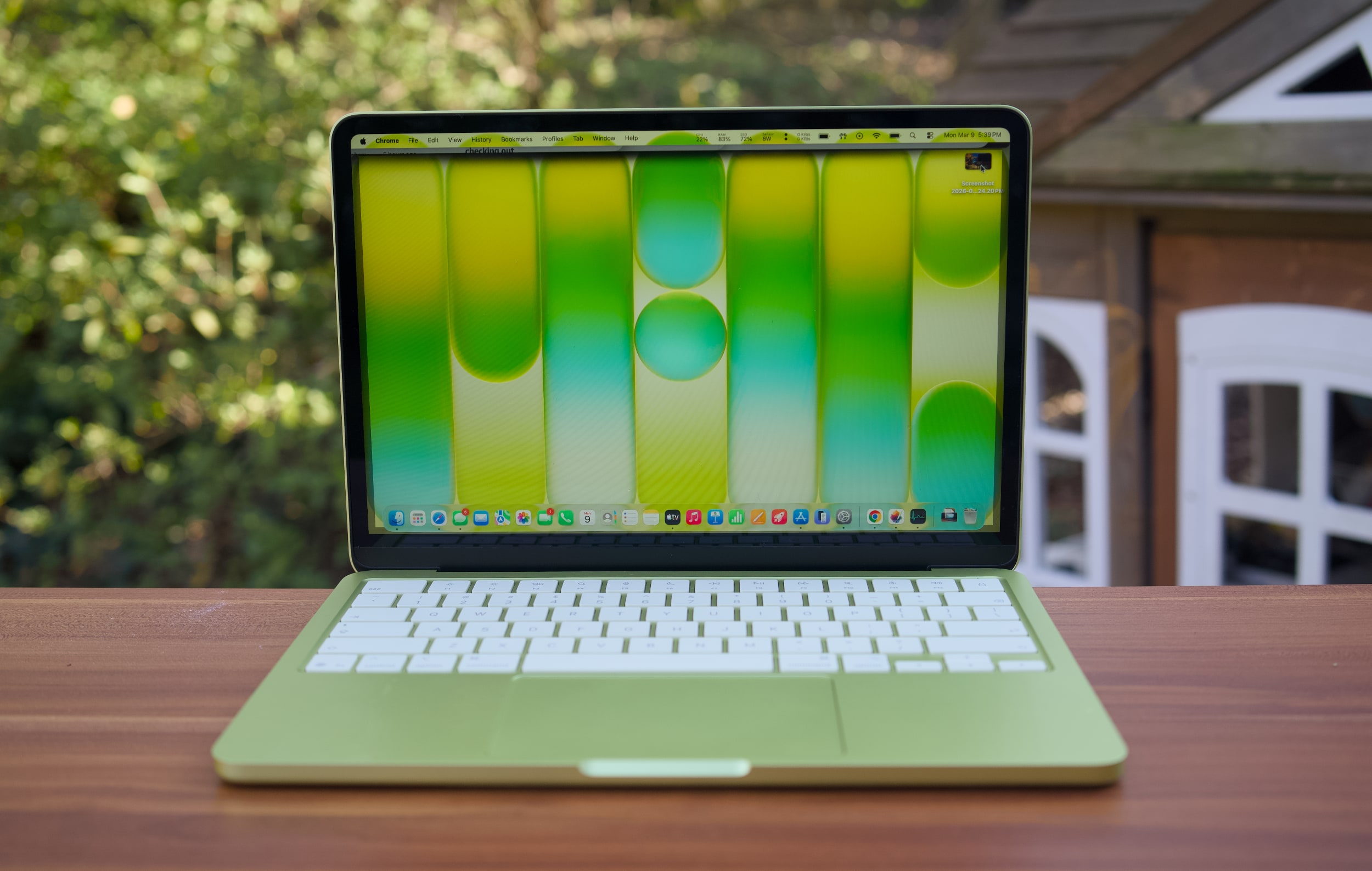
A citrus MacBook Neo on a table outside.
Devindra Hardawar for Engadget
And yet, thanks to Ternus's hardware leadership and Apple's command of its software, the MacBook Neo has been a resounding success. It has the best build quality, screen, keyboard, speakers and trackpad that I've ever seen in a $600 laptop. As I wrote in my review, "every Windows PC maker, including Microsoft, should be ashamed."
While we don’t know the full build cost for the Neo, Apple’s margins for selling it will undoubtedly be far slimmer than the MacBook Air or Pro. But the Neo is more than a profit maker. It’s a device that can serve as a gateway to the Apple ecosystem for kids and students. Even better, it could easily tempt over Windows users.
We can't give Ternus all the credit for the Neo, of course, there's an entire team of product managers and engineers below him doing the actual design work. But it's hard to deny the flex of building a $600 laptop that doesn't feel like total garbage. The MacBook Neo surprised me, a jaded technology reporter, on practically every level. And its existence makes me wonder how a Ternus-led Apple could continue to iterate without compromising quality or Apple's signature attention to detail.
Ternus is the rare Apple engineer who has played a role in almost all of its existing products — in his 25 year tenure, he’s taken charge of building the Mac, iPad, iPhone and Apple Watch. That gives him a unique perspective of where the company could go next, as well as how Apple could stretch its own capabilities. And based on what I’ve seen of the MacBook Neo, it’ll be interesting to see how Apple reshapes itself for the future.
This article originally appeared on Engadget at https://www.engadget.com/computing/laptops/the-macbook-neo-is-a-glimpse-into-john-ternuss-apple-170000842.html?src=rss
The Apple rumors were true, once again. This week, the company announced that Tim Cook will be stepping down from his CEO role on September 1. Replacing him will be John Ternus, who currently serves as Apple's SVP of hardware engineering. In this episode, Devindra and Engadget's Nathan Ingraham discuss Cook's legacy as Apple's CEO, and pontificate about how Ternus may change things. We're going from Apple being led by a logistics guru, to Apple being driven by a product and engineering wizard. Surely, that will have some impact on future products.
Tim Cook to step down as Apple CEO after 15 years, John Ternus will take his place on September 1 – 1:22
Palantir woke up last Saturday morning and posted a comic book villain manifesto on X – 26:01
DHS wants to make facial recognition smart glasses for ICE – 31:53
A lot of people panic bought PCs to avoid RAMageddon – 36:25
Meta faces a new lawsuit over running ads for outright scams –
Employees at Meta will have they keystrokes and mouse moves recorded for AI training – 40:10
Xbox Game Pass Ultimate price goes down, but it won’t include Call of Duty – 44:55
Around Engadget: a great (expensive) Dyson vac with a silly name – 49:15
Working on – 51:58
Pop culture picks – 52:55
Credits
Hosts : Devindra Hardawar and Nathan Ingraham Producer: Ben Ellman Music: Dale North and Terrence O’Brien
This article originally appeared on Engadget at https://www.engadget.com/computing/engadget-podcast-tim-cooks-apple-era-and-what-lies-ahead-for-john-ternus-121853488.html?src=rss
The single most impressive piece of technology I saw at CES this year was LG’s revamped Wallpaper TV, AKA the OLED evo w6. It’s about as thin as a typical pencil, it’s completely wireless and it packs in all of LG’s latest OLED technology, giving it incredibly rich colors and anti-reflective capabilities. We ended up giving the Wallpaper set our best TV of CES 2026 award, simply because it looked so damn good. Now, we finally know how much it costs: LG announced the 77-inch evo w6 will go for $5,500, while the 83-inch model will sell for $7,500.
Both sets are a $1,000 premium over the OLED evo G6 models, which are LG’s highest-end TVs without the company’s super-thin Wallpaper tech. While the thicker sets are obviously a better deal, there’s still something inherently impressive about the Wallpaper models. For many people, the simple “wow factor” of the evo W6’s design will be worth the extra $1,000.
If that all sounds too rich for your blood, LG’s mainstream OLED sets are far cheaper, starting at $1,399 for the 43-inch C6 set. And if you don’t need the latest OLED panels around, it’s worth keeping an eye out for deals around older models. I’ve seen 65-inch C5 sets for near $1,000, and 77-inch TVs for around $1,500. Those older sets will be a bit less bright, and probably show more reflections, but in a dim room they’ll still have all the benefits of OLED: Incredibly high contrast, and ridiculously dark black levels.
This article originally appeared on Engadget at https://www.engadget.com/general/lgs-super-thin-wallpaper-oled-tv-starts-at-5500-163415130.html?src=rss
Apple CEO Tim Cook is officially stepping down from his role on September 1, the company announced today, while current SVP of hardware engineering John Ternus will take over as the new CEO. Cook will transition to a new role as executive chairman of Apple’s Board of Directors. The company says the move was “approved unanimously” by Apple’s Board, and that Cook will work on transitioning his duties over the summer.
“It has been the greatest privilege of my life to be the CEO of Apple and to have been trusted to lead such an extraordinary company,” Cook said in a statement. “I love Apple with all of my being, and I am so grateful to have had the opportunity to work with a team of such ingenious, innovative, creative, and deeply caring people who have been unwavering in their dedication to enriching the lives of our customers and creating the best products and services in the world.”
Cook became CEO of Apple in 2011 following the death of co-founder Steve Jobs, and he led the charge for Apple’s post-iPhone and iPad era by launching the AirPods, Apple Watch and Vision Pro. He also pushed the company into being more of a service provider with the launch of Apple TV and Apple Music. While he’s had a strong reputation as a logistics-oriented executive, Cook has been criticized for lacking the product vision that Jobs was known for.
Ternus, on the other hand, has been focused on product design since joining Apple in 2001. He became VP of hardware engineering in 2013, and later transitioned to a senior executive role in 2021. Ternus was also prominently featured at the MacBook Neo launch a few months ago, where Apple announced a low-cost yet high-quality notebook that encapsulates its unique place in the PC industry.
“I am profoundly grateful for this opportunity to carry Apple’s mission forward,” Ternus said in a statement. “Having spent almost my entire career at Apple, I have been lucky to have worked under Steve Jobs and to have had Tim Cook as my mentor. It has been a privilege to help shape the products and experiences that have changed so much of how we interact with the world and with one another.”
Cook published a community letter timed for the announcement, which we’ve included below:
To the Apple community:
For the past 15 years I’ve started just about every morning the same way. I open my email and I read notes I received the day before from Apple’s users all over the world.
You share little pieces of your lives with me and tell me things you want me to know about how Apple has touched you. About the moment your mom was saved by her Apple Watch. About the perfect selfie you captured at the summit of a mountain that seemed impossible to climb. You thank me for the ways Mac has changed what you can do at work and sometimes give me a hard time because something you care about isn’t working like it should.
In every one of those emails I feel the beating heart of our shared humanity. I feel a sense of deepening obligation to work harder and push further. But most of all, I feel a gratitude that I cannot put into words, that I somehow got to be the person on the other end of those emails, the leader of a company that ignites imaginations and enriches lives in such profound ways it defies description. What an honor and a privilege it has been.
Today we announced that I’m taking the next step in my journey at Apple. Over the coming months I will be transitioning into a new role, leaving the CEO job behind in September and becoming Apple’s executive chairman. A new person will be stepping into what I know in my heart is the best job in the world. That leader is John Ternus, a brilliant engineer and thinker who has spent the past 25 years building the Apple products our users love so much, obsessed with every detail, focused on every possible way we can make something better, bolder, more beautiful, and more meaningful. He is the perfect person for the job.
John cares so much about who we are at Apple, what we do at Apple, who we reach at Apple, and he has the heart and character to lead with extraordinary integrity. I am so proud to call him Apple’s next CEO. This company will reach such incredible heights under his leadership, and you will feel his impact in every bit of delight and discovery that grows out of the products and services to come. I can’t wait for you to get to know him like I do.
This is not goodbye. But at this moment of transition, I wanted to take the opportunity to say thank you. Not on behalf of the company, this time, though there is a wellspring of gratitude for you that overflows inside our walls. But simply on behalf of me. Tim. A person who grew up in a rural place in a different time and, for these magical moments, got to be the CEO of the greatest company in the world. Thank you for the confidence and kindness you’ve shown me. Thank you for saying hi to me on the street and in our stores. Thank you for cheering alongside me when we unveiled a new product or service. Thank you, most of all, for believing in me to lead the company that has always put you at the center of our work. Every day we get up and think about what we can do to make your life a little bit better. And every day, you’ve made mine the best I could have asked for.
Thank you.
Meanwhile, the newly named chief hardware officer, Johny Srouji, reportedly told employees that his division’s staff members will be divided to work on five key areas. According to Bloomberg, staffers working on hardware will be organized into hardware engineering, silicon, advanced technologies, platform architecture and project management teams. Apple reportedly plans to add thousands of employees to work on its iPhones, iPads, Macs, Watches and other products, as well.
Update, April 21, 2026, 8:05AM ET: This story has been updated to add information about the hardware team’s new structure.
This article originally appeared on Engadget at https://www.engadget.com/computing/tim-cook-will-step-down-as-204959434.html?src=rss
Director Jon Favreau (Iron Man, The Jungle Book) hasn't been shy about embracing new technology for filmmaking. While producing The Mandalorian for Disney+, he was one of the first filmmakers to use ILM's massive LED screens, AKA "The Volume," to produce more realistic lighting and backgrounds on studio sets. For the feature film The Mandalorian and Grogu, which hits theaters May 22, Favreau recently revealed that he had Disney build an Apple Vision Pro app to preview its full IMAX scope during filming.
"So I'm making an IMAX movie, and I'm looking at a TV screen, and no matter how big your TV screen is it's not an IMAX screen," Favreau said in a recent episode of The Town podcast. "We built software so that I can pop on my Apple Vision Pro and be sitting in an IMAX movie theater and see the full aspect ratio when we're lining a shot up. And I can watch that take and see what people will see."
Favreau isn't the first director to use the Apple Vision Pro — Wicked filmmaker Jon Chu also used it to handle post-production work — but he's the first to specifically mention using the headset for IMAX production. That's still a relatively limited use case for the Apple Vision Pro, but it's one that could be useful to future filmmakers. With its large field of view and sharp micro-OLED screens, the Apple Vision Pro is one of the only ways to replicate the experience of watching a large IMAX screen at home. (The Meta Quest 3 comes in as a close second.)
In general, Favreau says he's more excited about using existing consumer technology in the filmmaking process than AI. He mentions using the Unreal Engine to previsualize special effects on The Mandalorian and his previous films, and he believes the quality from game engines could be good enough to make it into final productions down the line.
"This is what the animation industry has understood from the beginning," he said. "Get it right before you ever paint a cel."
This article originally appeared on Engadget at https://www.engadget.com/entertainment/tv-movies/the-mandalorian-and-grogu-director-used-apple-vision-pro-to-preview-the-film-in-imax-140331311.html?src=rss
The rules of Exit 8, both the cult indie game and the recent film adaptation, are simple: You're stuck in a subway station that loops around endlessly. If you notice any anomalies on your current loop, you turn around. If everything is the same, you keep going forward. Each successful guess takes you to a new entrance where the loop recurs, until you reach the end of the labyrinth, Exit 8 itself.
It's a setup that perfectly suits a first-person video game, where you can fully control where your character looks and moves. And it's also something director Genki Kawamura deftly replicates in the film through long tracking shots and sweeping camera movements. Even without a controller, or a keyboard and mouse, the viewer remains immersed, looking and listening for any minor changes. Within just a few minutes, the film makes it clear it's not just another thoughtless video game adaptation like The Mario Galaxy Movie — it's an attempt to translate the experience of the game to an entirely new medium.
That's a daunting challenge for most artists, but Kawamura is no stranger to jumping between formats. He's known for producing popular anime films from the likes of Makoto Shinkai and Mamoru Hosoda, including Your Name and Belle. He's also made a name for himself as a best-selling author, with books including the novelization of Exit 8.
Kawamura's perspective for the film came from a conversation with Nintendo's legendary game designer Shigeru Miyamoto, who had mentioned that the greatest games are both fun for the players and people watching them. "So what I tried to do in the film is to really place the audience in the shoes of the player in certain shots... almost like they were watching a live stream of a video game in other scenes," he said in an interview with Engadget (via a translator). "That's kind of structurally the through-line of the film."
The Exit 8 adaptation balances that sense of immersion with a more traditional narrative structure, something the game lacked entirely. As the film begins, we're introduced to a young man standing in a crowded train. A drunken businessman shouts at a mother to quiet crying baby down. Instead of telling the belligerent salaryman to fuck off, the young man plugs in his earbuds and tries to ignore the situation, just like everyone else. He eventually steps off, while the tearful mother suffers through the verbal assault.
It's a scene that anyone who's lived in a crowded city can relate to — the moments where you know you should try to help a stranger, but fear, cowardice or embarrassment hold you back.
Exit 8
NEON
Shortly after receiving a call from his ex-girlfriend, who reveals that she's pregnant, the young man stumbles into the Exit 8 loop. At first, it's just a normal subway station, with large poster ads, a photo booth and random maintenance doors. But he quickly notices that the room repeats itself. Thanks to a helpful set of instructions on the wall, he learns that his only way out is to start tracking anomalies, like slight changes in text, or the way a robotic businessman walks past him. And yes, things get freaky quickly.
Kawamura points to his experience working in animation as a major influence for Exit 8. In particular, the works of Satoshi Kon and Katsuhiro Otomo influenced how he externalized what characters were thinking and feeling, as well as how he depicted the interaction of dream and real worlds.
" When we were filming, I told my DP [director of photography] that the main character of this film is the corridor," he said. "And all of our human characters, they have no names, so therefore they're NPCs in this corridor, which is the main character. So I wanted the corridor to almost evoke this feeling in the audience that it has a will of its own. And this yellow Exit 8 sign is almost like this divine God-like being."
Kawamura says he personally views it as the corridor challenging humans who have a guilty conscience, but you can easily read in other meanings. More importantly, Exit 8 isn't merely a faithful recreation of the source material — it adds enough to make a case for existing a separate medium, a challenge many video game adaptations fumble.
This article originally appeared on Engadget at https://www.engadget.com/entertainment/tv-movies/exit-8-is-cinema-for-the-livestreaming-era-151112907.html?src=rss
So a shoe company turned into an AI company…. That’s it, that’s the joke. In this episode, Devindra chats with Engadget’s Daniel Cooper about Allbirds’ sudden transformation and what it says about the AI economy. Also, they chat about the Artemis II moon mission, Meta being warned about the dangers of facial recognition (again) and how teens think social media is really shaping them.
I went into 2025 incredibly amped to review ASUS's 2.2-pound ZenBook A14, only to be disappointed by the lackluster performance of its Snapdragon X chip. I'm still a bit heartbroken, to be honest. But now ASUS is back with a revamped A14 and a larger 16-inch ZenBook A16, both of which sport new Snapdragon X2 Elite Extreme chips. The A16 is slightly heavier at 2.6 pounds and 2.9 pounds, but it still competes with LG’s Gram Pro 16. And thanks to Qualcomm's new hardware, it's actually speedy enough to compete with Intel and AMD ultraportables.
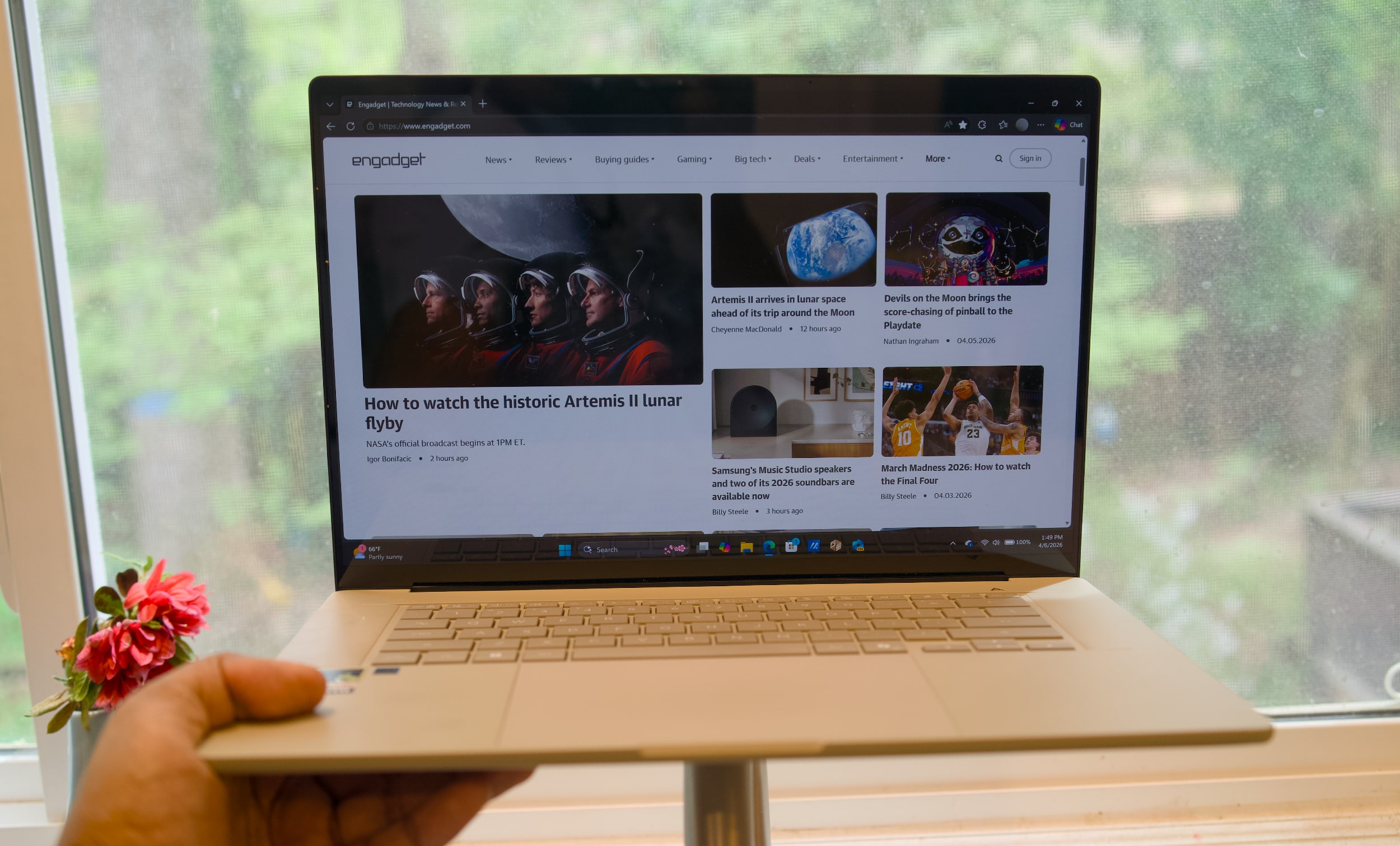
Take everything I initially liked about the ZenBook A14 last year — its thin design and portability, its smooth "Ceraluminum" case and its bold OLED screen — stretch it out a bit, and you've got the ZenBook A16. There's an understated beauty to its design that's far more intriguing than ASUS's mainstream notebooks, like the ZenBook 14 OLED from a few years ago, and it's not trying as hard to impress as ASUS's typical gaming notebooks. It's similar to the company's gorgeous Zephyrus G14 and G16 machines, which feel high-end without needing too much gaming bling.
What struck me first about the A14 last year remains the most intriguing aspect of the A16: It just seems impossibly light for its size. The model I’m testing, which will also be sold at Best Buy, weighs 2.9 pounds due to its glass touchscreen cover. But you can also get a slimmer 2.6-pound version of the A16 at ASUS’s online store.
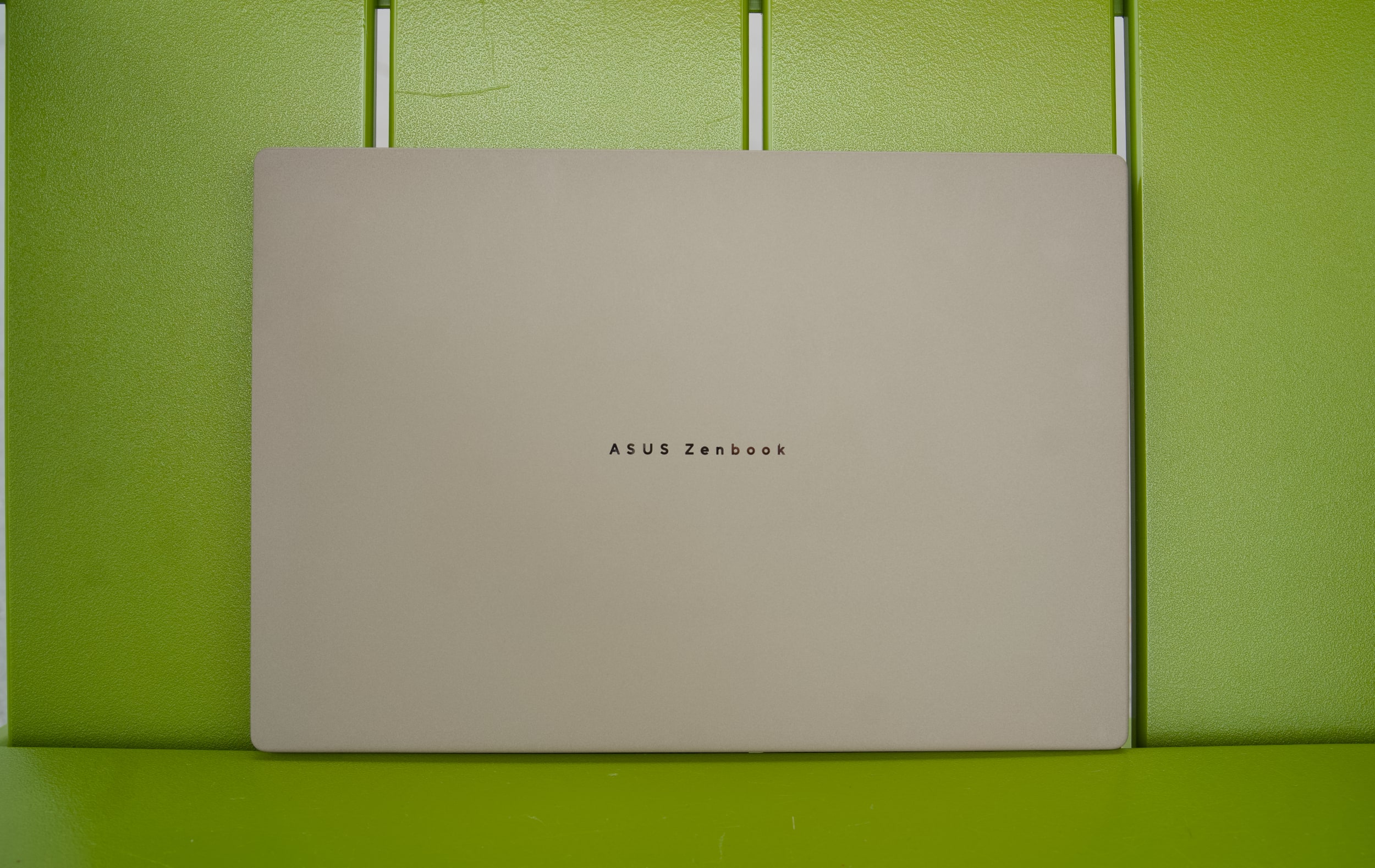
ASUS's Ceraluminum material, which feels like a blend of ceramic and metal, also exudes quality and warmth when you hold it. There's no shock of cold metal on your lap like you'll find with most premium laptops, including Apple's MacBook Pro. But it's also just as sturdy as those machines, with no discernible creaks or flex when stressed. ASUS claims its Ceraluminum cases are also scratch and fingerprint resistant, and so far that seems to be true of my review unit after a few weeks of testing.
ASUS Zenbook A16
Devindra Hardawar for Engadget
The ZenBook A16's stunning 16-inch 3K OLED screen is its defining feature, and it delivers everything you'd expect from OLED. Colors look bold and bright, and it offers inky dark black levels. It delivers an eye-popping sense of contrast you won't find on most LCD screens (unless they have Mini LED backlights, like the MacBook Pro). Text appears crisp and sharp, and the large screen size does a great job of making video playback feel immersive (especially if you're laying in bed, trying to catch up on The Pitt).
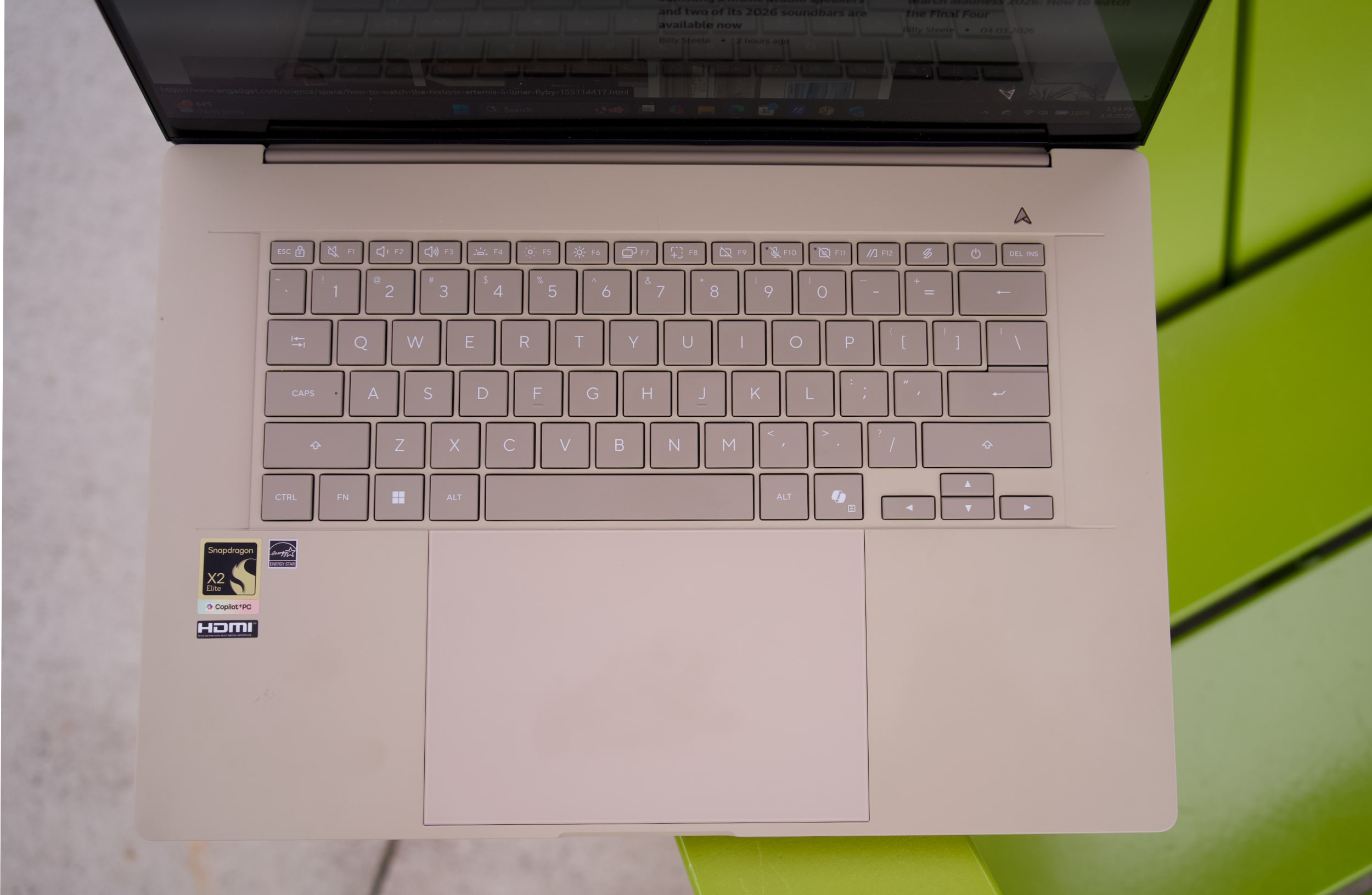
Personally, I'd still opt for the A14 because of the weight difference, but if you prefer big screens this is certainly one of the most intriguing options around. The A16 also has a full-sized SD card reader and HDMI connection, both of which the smaller model lacks entirely. ASUS also included a healthy amount of other ports, including two USB-C 4.0 connections, one USB Type A 3.2 port and a headphone jack. From a productivity perspective, you can certainly get a lot more done with the ZenBook A16's connectivity.
The same holds true for Qualcomm's new Snapdragon X2 Elite chips in the A16. Both the X2E94100and X2E96100 are 18-core chips with a single core boost speed of 4.7GHz, which is a big leap over the 8-core X1 chip in last year's A14. The X2 Elite-equipped A16 also comes with a whopping 48GB of RAM, which feels downright luxurious given our current RAM availability crisis, as well as a new 80-TOPS NPU for AI workloads.
Geekbench 6 CPU
Geekbench 6 GPU
Cinebench 2024
ASUS Zenbook A16 (Qualcomm Snapdragon X2 Elite X2E94100)
3,262/20,808
43,849
98/1,238
ASUS Zenbook A14 (2025, Qualcomm Snapdragon X1)
2,113/10,316
9,603
96/540
Apple MacBook Air (M5)
4,193/17,270
47,656
N/A
Microsoft Surface Laptop (2024, Qualcomm Snapdragon X Elite)
2,797/14,400
19,963
123/969
I immediately felt the difference in power when I booted up the ZenBook A16. The awkward sluggishness while browsing the web or perusing Evernote entries on the A14 was gone. Instead, the A16 always felt incredibly responsive and ready to work, like an eager puppy that never gets tired of playing fetch. Benchmarks also revealed the massive speed differences: The X2 Elite A16 scored 1,200 points higher in Geekbench 6's single-core CPU test, and its multi-core performance was twice as fast.
The comparison is a bit unfair, I'll admit, because the A14 I reviewed last year was stuck with the most basic X-series Snapdragon chip, whereas the A16 touts Qualcomm's latest and greatest hardware. That also makes the A16 a bit more expensive than last year's A14: Best Buy lists it at $1,600, whereas the A14 initially sold for $1,100.
ASUS Zenbook A16
Devindra Hardawar for Engadget
But at least the ZenBook A16 delivers the performance you'd expect for its price range. In the PCMark 10 Applications benchmark, it scored 17,264 points, which is 1,000 points higher than Dell's Premium 16 (aka last year's XPS 16) with Intel's Core Ultra 7 255H chip. It's also leagues ahead of the old ZenBook A14, which scored a meager 12,127 points.
Benchmarks never tell the whole story, of course, but those huge performance gaps are the sort of thing you immediately notice in everyday performance. I was able to load up the ZenBook A16 with dozens of tabs, Evernote, 4K YouTube video streams and large Audacity jobs, and it never broke a sweat. Since it's an ARM-based Snapdragon system, though, be aware older apps may run into issues, or fail to work entirely.
That Qualcomm hardware also made gaming a major problem for the first generation of Snapdragon X Elite chips, which didn't perform well and were also incompatible with games that required kernel-level anti-cheat. Updates to the Windows on Arm platform fixed the latter issue, and Qualcomm also launched its Snapdragon Control Panel to deliver faster driver updates. Now all Snapdragon X Elite chips can play Fortnite, Roblox and Tencent titles. Qualcomm claims that 90 percent of games will run on the Snapdragon Elite X2 chips.
ASUS Zenbook A16
Devindra Hardawar for Engadget
And that includes demanding titles like Cyberpunk 2077. I was able to reach 80 fps in that game, while playing with medium settings in 1080p, along with enabling AMD's FSR frame generation. This wouldn't be my ideal way to play Cyberpunk, but it's a sign that the ZenBook A16 can at least hold its own in gaming. Unfortunately, it wouldn't load Arc Raiders, because there's still no support for its anti-cheat tech. Fortnite launched just fine, though, and for some people that'll be enough.
But really, anyone buying the ZenBook A16 isn't doing it to play shooters, you're doing it to get one of the lightest productivity machines around. ASUS's keyboard was comfortable to type on, though I would have liked to see more key depth akin to the Surface Laptop. Its trackpad is large and responsive, but it's also mechanical, which means you can only click along the lower two-thirds. In this price range, I'd expect ASUS to use a haptic trackpad with full coverage.
The ZenBook A14's battery life (18 hours and 15 minutes) was one of its truly impressive features. ASUS repeats history here with the A16 clocking in 21 hours and 35 minutes in our rundown test. That's the immediate benefit of having a chip based on mobile ARM architecture. During my testing, the A16 drained down to 80 percent after around four hours of continuous work.
Compatibility issues aside, the ZenBook A16 delivers just about everything I want in an ultraportable. It’s got a gorgeous OLED screen and all of the ports you need. Qualcomm’s Snapdragon X2 Elite chips also give it a much-needed power boost. And best of all, it's one of the lightest and sleekest 16-inch Windows laptops I've come across. Just be prepared to pay a bit extra over other ultraportables for its slim size.
This article originally appeared on Engadget at https://www.engadget.com/computing/laptops/asus-zenbook-a16-review-a-surprisingly-light-and-powerful-16-inch-ultraportable-140000914.html?src=rss
HarperCollins is tapping into AI to bring some of its book franchises to life. Specifically, the publisher is teaming up with Toonstar, an AI animation studio, to turn them into digital shows. The first project will be an adaptation of Lisa Greenwald’s “Friendship List” series, which will also be joined by a graphic novel.
You’d be forgiven for being unaware of Toonstar, a studio that received some buzzy early on for simplifying typically complex animation pipelines with AI, but has mostly remained under the radar. Its biggest claim to fame is producing StEvEn and Parker YouTube series, which has amassed 3.38 million subscribers and sometimes has episodes reaching around a million views. It’s not something I’ve heard animation fans speaking about, though. And honestly, it was tough to sit through a few minutes of its sub-South Park animation.
“By leaning into the [AI] technology, we can make full episodes 80 percent faster and 90 percent cheaper than industry norms,” Toonstar co-founder John Attanasio, told The New York Times last year. In that same interview, the company revealed that it uses AI across its production, including having it dub dialog for international audiences, as well as working on storylines.
Toonstar initially pitched itself as an animation studio leaning into Web3 and NFTs, but those technologies seem virtually absent from the company’s presence today. Space Junk, one of its early series, was “put on hold for a variety of reasons,” a representative told Engadget. “It’s possible we’ll resurrect the concept in the future,” they added. Its original domain now points to a crypto gambling site.
“We’re honored to bring Friendship List to life as an animated series,” Attanasio said in a press release. “Our artist-centered approach ensures these beloved characters and stories stay true to the author’s vision, while our Ink & Pixel production technology enables fast, high-quality production at scale which unlocks the ability to meet audiences where and when they enjoy content today.”
Toonstar has certainly proved it can make “content” for YouTube. Can it actually produce an enjoyable animat edshow? That’s another question entirely.
This article originally appeared on Engadget at https://www.engadget.com/ai/ai-animation-studio-toonstar-will-turn-books-into-digital-shows-for-harpercollins-211419155.html?src=rss